

Richer Sounds gets royal AV stamp of approval
 AV specialist Richer Sounds has announced this week that its chain of stores has been granted a Royal Warrant of Appointment to His Royal Highness the Prince of Wales.
The prestigious title is for companies that supply goods to the Royal Family, with hundreds of products given the seal ranging from Aston Martin to Xerox.
Honoured and delighted
There's not that many technology companies on the list, however, with Richer Sounds joining a select list that includes: Carphone Warehouse, Roberts Radio, Linn, IBM and BT.
David Robinson, Chairman of Richer Sounds, said about the award: "We are honoured and delighted to be granted this Royal Warrant of Appointment – this a wonderful start to 2011!"
Richer Sounds was recently praised for coming out well in a Which? investigation that looked at the competence of staff at various major electronic retailers.
In the report, the consumer charity said: "Richer Sounds was the chain with the highest number of visits we rated as excellent or good for advice about televisions. In general, it was the most accurate about sound quality and one branch was the best of all the stores we visited at explaining the difference between HD Ready and full HD."

 |  |
Read More ...
Review: HP Photosmart eStation
 HP has been going all out to add a new twist to the humble desktop printer. Recently it launched e-All-in-One functionality in the Photosmart Premium and Photosmart Plus models, enabling you to set up these printers on a home network and email them directly from anywhere in the world, with attachments being printed automatically.
 Cunningly, while documents, spreadsheets, PDFs and the like are printed on regular A4 paper, 6 x 4-inch or 7 x 5-inch photo paper is loaded automatically from a separate tray for printing photo attachments. The new Photosmart eStation follows suit, but raises the bar with its very own 'Zeen'.
Whereas the HP Photosmart Premium has a perfectly serviceable 8.9cm colour touchscreen, the eStation's has a much larger, 17.8cm tablet-like touchscreen that's a self-contained gadget in its own right, called a Zeen.
Remove it from its docking bay on the front of the printer and you can use it all around the home, not just controlling the printer but also reading the news, catching up with your Facebook pals, receiving and sending Yahoo Mail and more besides.
The various widgets are designed to work seamlessly with the printer as well as the internet, using your wireless network.
It's not all good news, however, because despite being based on the Android 2.1 operating system, functionality is somewhat hamstrung and the Zeen only really works with a relatively small collection of 'Print apps', rather than the wider range of general Android apps.
The printer comes with a collection of pre-installed apps and extra ones are available for download from HP's website directly to the printer. There are currently about 30 in all, including a slew of business and entertainment apps.
These range from handy forms to Picasa photo printing, greetings card creation, web Sudoku puzzles and fun for the kids from the likes of DreamWorks and Crayola.
Surfing the web on the Zeen is a slow and tedious business and, based on our review sample, operation is still a bit flaky. Several of the components such as Yahoo Daily Digest and Yahoo Mail repeatedly crashed during our tests and the weather forecast widget wouldn't let us switch to UK locations.
The touchscreen also often failed to tell the difference between a press and a swipe, taking us to the wrong place in our navigations. On the plus side, there's an SD card slot built in, making the Zeen good for viewing photos and printing them without even having to get up off the sofa.
The underlying print engine seems identical to the Photosmart Premium, which we've reviewed previously. Compared with the pigment-based black and dye-based cyan, magenta and yellow cartridges of the Photosmart Plus printer, both the Premium and eStation add an extra dye-based black cartridge.
Commonplace among Canon PIXMA printers over the years, this configuration adds depth, contrast and greater colour fidelity in photo prints. Indeed, print quality for both documents and photos is very good, although colour accuracy isn't quite as excellent as with the latest Canon printers, such as the PIXMA iP4850 and MG5150 all-in-one printer.
Print speeds are pretty quick, with mono text pages and colour DTP pages taking just under 10 seconds and 20 seconds respectively. Photo output is fast too, at about 30 seconds for a normal quality 6 x 4-inch print and just under three minutes for a high-quality borderless A4 photo print.
The eStation also comes with an auto duplex unit as standard, for double-sided printing, which can cut down on paper usage for multi-document printing.
The Photosmart eStation creates very good quality prints for documents and photos alike, and it's pretty quick too. The printer is only supplied with 'setup' cartridges, but ink costs are quite modest if you fit HP's high-capacity 364XL cartridges, at around 2p per mono text page, 7p per colour text page and 14p for a 6 x 4-inch colour photo.
We liked
Build quality feels solid and dependable and the printer is smartly styled and finished. The additional photo tray reduces the need to swap between plain and photo paper, unless you want to print photos at sizes larger than 7 x 5 inches.
We disliked
The main selling point of the eStation is its tablet-like Zeen. This does a fairly good job of controlling the printer, both when it's docked and when you're using the Zeen remotely, but there still seems to be a few bugs that need ironing out. Ultimately, the fact that apps are mostly limited to printing makes it of limited appeal.
We found that after the initial novelty value of using the Zeen remotely, we tended to keep it docked all the time. This makes it an expensive luxury that's simply not worth having, considering that the eStation is 3.5 times the price of the Photosmart Premium e-All-in-One, which includes most of the same ePrint functions.
Verdict
The Photosmart eStation's printing performance is pretty impressive but no better or faster than the much cheaper Photosmart Premium e-All-in-One. That means that you're currently paying an extra £225 or so for the luxury of the removable Zeen, and a couple of extra (but quite basic) web browsing facilities. For our money, it's just not worth it.
Related Links

| |
Read More ...
Tutorial: 20 iPhone tips for iPhone 4s
 The iPhone 4's operating system represents a significant improvement on earlier versions of Apple's smartphone operating system. It's also got a new name - iOS - signifying the importance of the iPad alongside the iPhone.
 And what's more, iOS 4 is available to users of the iPhone 3GS, third-gen iPod touch and 3G too (albeit with limited features with the latter). iOS 4 will be available for the iPad later in the year.
We've delved right under the hood of the new iPhone to bring you 20 tips for all those iPhone 4s out there.
1. Lock the screen orientation
If you're lying in bed reading an iBook or a page in Safari it can be annoying when the iPhone's orientation keeps flicking between portrait and landscape. You can solve this by activating the new Portrait Lock. Double tap the Home button to reveal all the running apps, then swipe your finger to the right to reveal iPod controls and the Portrait Lock.

2. Tap to focus/zoom in Camera
The iPhone 4's new 5 megapixel camera has a fantastic digital zoom. But to activate it you first need to focus on an object – like a face, for example, in your view. Do this by simply tapping anywhere on the screen. A white square will appear showing you the object that the iPhone is focused on. A zoom bar will also appear, which you can use to zoom into the object you've picked.

3. Multitasking: update your apps
Multitasking is one of the big new features of iOS4, but while all Apple's apps (like Calculator and iPod) are compatible, all third party apps will need to be upgraded to properly multitask. So, you'll need to head to the App Store app on your phone, then visit the Updates section to download a update for each app. This can take a while, but don't forget, the App Store app also multitasks (as it always has), so double tap the Home button to get back to it to save time after selecting each update. There's also a handy "Update all" button to tap.

4. Switch to UK English
If you're getting annoyed that your iPhone thinks colour should be spelt without a 'u' it's because you've got English (US) selected. You can easily switch back to English (UK) for spell checking by tapping the globe button next to the space bar in any app that brings up the soft keyboard (like Mail or Notes). This toggles your iPhone between English (UK) and English (US).

5. Multitasking: kill a running app
After you've been using your iPhone for a while double-tap the Home button to see how many apps you have running - it will be more than you think! Normally you just let the iPhone decide how many it can keep running at once, but you can take matters into your own hands by killing running apps here. Just tap and hold on a running app and a "-" button appears against all of them. Tap this to kill the app.

6. Add an accent on the e and a key
It's possible to quickly add a variety of accents to the letters "e" and "a" when typing on the iPhone's keyboard. Just tap and hold on either key to reveal more options, like "é", for example.

7. Turn caps lock on
If you want to change your typing to capital letters all the time, rather than just for the next letter, then double-tap on the Shift key on the iPhone's keyboard. It will now turn blue, indicating caps lock is on. Just tap it again to turn it off.

8. Camera: take a picture of yourself
The iPhone 4 has a front and rear-facing camera. The rear-facing camera is the high quality 5 megapixel one, and the front facing camera (used mainly for FaceTime video chat) is lower VGA resolution. This means it's now easy to take a picture of yourself (something that was pretty difficult on the previous iPhone models). In the Camera app just tap the Switch button at the top right to change cameras from rear to front.

9. Camera: email a video of yourself talking
You can also use the forward facing camera for recording video, and the iPhone 4's second microphone means it works well capturing anything you say too. In the Camera app tap the switch icon (as in tip 8) then change to video mode using the slider and record a video of yourself talking. Now select it in the Camera roll then tap the Forward icon and select Email Video - job done!

10. Make and rename folders
Organising your apps is so much easier on iPhones running iOS4. Just tap and drag apps on top of each other and you create intelligently named folders. You can rename the folder names Apple chooses though - just tap and hold on an app to make them wiggle, then tap on the folder name and start typing.

11. Make a FaceTime call
When they first get an iPhone 4 a lot of people start looking for the FaceTime app to make video calls. Actually, there's no FaceTime app! To make a video call you simply make a regular call, then tap the FaceTime button in the Phone application. At the moment FaceTime is only available between iPhone 4 users on Wi-Fi. We would expect more compatibility going forward, as the FaceTime technologies are being ratified as an open standard.

12. Hide Caller ID
It's possible to hide your Caller ID when making calls on your iPhone. In the Settings app tap on Phone, then tap on Show My Caller ID and turn it to OFF. (Incidentally, if you ever forget your phone number, you'll find it in here too).

13. Restrict features
If you've brought an iPhone for your kids to use you might want to restrict some options, like the iTunes store and the App Store, for instance. You can also restrict the ability to watch age-rated content. In the Settings app click on General then Restrictions to turn this feature on and choose what you'd like to restrict.

14. Delete a text from the text history
The iPhone Messages app records a history of all your text messages, like an instant message conversation. You can selectively delete old texts though. In Messages tap the Edit button at the top of the screen and then tap the radio button next to the offending text and tap Delete.

15. Watch live TV on your iPhone
Not an iOS 4 tip per se, but you can turn your iPhone into TV thanks to the mobile version of the great TVCatchup website. You need to register, but the service is completely free, and even works over 3G as well as Wi-Fi.

16. iMovie and photos
Apple's iMovie for iPhone 4 app means you can edit movies on your phone. Obviously it lacks the depth of the full iMovie for the Mac, but considering it runs on a phone it's very impressive. You can also add photos to your movie projects with a Ken Burns effect. One useful tip is to create an album of all the photos you plan to add to the project because otherwise you have to search through your camera roll, and for every photo you insert you have to start back at the beginning of the roll.

17. Show PDFs
iBooks for iPhone can display PDF files as well as ebooks (as in the image below). To upload a PDF to your iPhone you have to use iTunes. First drag and drop your PDF file into your iTunes library, then when you sync your iPhone look in the Books tab. Here you'll find options for uploading the PDF. Once you've done that look in the iBooks app and a new PDF tab will have appeared. Tap this.

18. Get better reception
Apple's statement that there's a fault with the way the iPhone displays signal strength, which will be fixed by a future software update, is all very well, but people are still losing signal when gripping the iPhone 4 in a way that covers the gap between the metal bands at the bottom left of the phone. iPhone Bumpers (£25, from Apple), or in fact any third party case that covers the outside edge of the phone will solve the problem, since they prevent your skin from contacting the metal antenna.

19. Turn on SMS character count
A nice little update in the iOS 4 software is the ability to turn on a character count in the Messages app. You'll find the option in Settings/Messages. Now you'll be able to keep your overly long text messages in check!

20. Search more with Spotlight
The Spotlight search has been enhanced significantly in iOS 4. Swipe right from the Home screen to activate it. You'll notice that it now searches more things, including text messages in the Messages app. But if you keep scrolling down the list of results you'll notice two new options at the bottom of the screen – Search Web and Search Wikipedia. These are handy links that open up Safari automatically and start searching for you.


| |
Read More ...
Android 3.0 for more than just tablets, says Google
 Google's lead designer on the Android 3.0 UI, Matias Duarte, has revealed that the operating system although designed for tablets is also intended for other devices.
 This suggests that we may indeed see the Honeycomb OS make its way to smartphones, despite hints in January that it could be released solely for tablets.
Barriers, begone!
"Tablet was the focus, but the changes we did also free it up to be more flexible for other contexts as well," Duarte told All Things Digital.
"It's really about eliminating all the barriers to all the different kinds of form factors that people might want to interact with."
Those "different kinds of form factors" could be anything from smartphones to fridges, car dashboards and Surface-style tables.
Computers suck
Duarte also talked about how the OS was intended to improve mobile computing tasks overall via improved multitasking and notifications. Google is keen to avoid falling into the same rut as PC operation, which changes relatively slowly.
"Using computers sucks, to this day," said Duarte. "Its one of my daily frustrations that the rate of change in computing experiences is so slow."
Although we're still waiting for an official release date for Honeycomb, Google is holding an event in California tomorrow, through which we should find out yet more of Android 3.0's secrets.

| |
Read More ...
Can Sony remotely bork your PS3?
 Sony may well have put a so-called 'backdoor' on its latest PlayStation 3 firmware, allowing the console maker to remotely control your PSN account, according to reports from the homebrew community.
Despite releasing a PS3 firmware update to foil hackers recently Sony is now being accused of planting a backdoor in its latest PlayStation firmware update to allow remote control of your gaming console.
Banging on the backdoor
JailBreakScene reports this week that PS3 firmware version 3.56 contains a rootkit which allows Sony to remotely control your console when you connect to the PlayStation Network, should the company so wish.
"It seems Sony has implemented something in 3.56 I mentioned here a few weeks ago that is the same as Microsoft uses to detect and ban 360s," says one user on the site.
The whole thing sounds far more controversial than in actually is, with Sony hardly going to green-light a remote internet attack against PS3 jailbreakers worldwide.
That said, the fact that the technical capacity for the company to shut down your PS3 remotely seems to exist is worrying enough in itself.
TechRadar has contacted Sony Computer Entertainment Europe for further comment and clarification on this story.

| |
Read More ...
British gaming industry needs schools to step up, says report
 The UK's gaming and visual effects sectors are suffering because schools don't understand the industry's needs, according to the Livingstone-Hope report released today.
The report raises concerns that the UK is losing its footing in the global gaming market because the robust visual effects industry has had to resort to bringing in talent from overseas to compensate for a lack of skilled British workers.
"The sad truth is that we are already starting to lose our cutting edge: in just two years, it seems the UK's video games industry has dipped from third to sixth place in the global development rankings," the report states.
Education system failings
The report was commissioned by Ed Vaizey, minister for culture, communications and creative industries, and was conducted by interviewing young people and parents, teachers, university course assessors and relevant employers, as well as by carrying out an online talent survey.
Having gathered information about the state of games-relevant education, the report lambastes schools for focusing too heavily on office-based ICT skills, rather than computer science and programming skills.
Universities also come under fire for the many 'flawed' degree courses offering video game and visual effects skills that fail to prepare graduates for actual jobs.
Recommendations
The report makes twenty recommendations to address the skills shortage, including adding Computer Science to the national curriculum, requiring schools to offer a GCSE in computer science and building an accredited skills system.
Ian Livingstone, founder of Eidos and co-author of the report, comments, "There is a generation of young people who are passionate about playing games, yet they don't know that a development industry is well established in the UK, or which subjects they need to pursue a career in the industry.
"Now is the time to invest in talent by equipping them with skills for the digital age. This is not about additional funding. It's about re-directing existing resource to have the right mix of subjects to prepare our children for a digital world and its creative and commercial opportunities."

| |
Read More ...
Exclusive: Brits forced to wait for new Sandy Bridge PCs
 Following news earlier this week that Intel has discovered some major design faults in the Intel 6 series chipsets, it looks like British consumers will have to wait a few extra months to buy their new Sandy Bridge-powered PCs.
It is a massive blow for the world's biggest chipmaker, which may well cost them anything up to a billion dollars.
However, British PC buyers are not going to be majorly affected by the fault, merely being forced to wait an extra month or two for their new PC.
Early adopters covered
If you have already invested in a Sandy Bridge-powered new PC, then the manufacturer will most definitely replace your motherboard, should it prove to be one of the few faulty ones identified by Intel.
If not, then our industry insiders suggest that you should just hang fire for a month or two before buying your new computer, until the Intel issue has been fully resolved.
"MSI has been informed by Intel about the potential design issues in the Intel 6 series chipsets," said John Inwood, marketing manager for MSI UK, when we asked him about the latest problem with Sandy Bridge.
"According to Intel the performance of some of the Intel SATA ports on Intel 6 series products can degrade over a period of three years.
"MSI takes the quality of our products very seriously, so at this moment we are investigating product batches that may be affected and, meanwhile, have stopped all shipments to our distributors and resellers," the MSI rep added.
It seems that there are no problems for British computer buyers to date with MSI's notebooks or all-in-one systems, with the MSI marketing manager adding:
"We are working closely with Intel to help identify this as soon as possible. For MSI notebook and all-in-one product lines, we can confirm that there are currently no products in the UK channel which are affected by this issue."
System integrators to suffer
System integrators such as Dell, HP, Compaq, Acer, Packard Bell, Sony and others will certainly be the ones that suffer most from Intel's latest chip failure.
PC retailers such as Dixons group, for example, will have already bought up ship containers of thousands of ready-made PCs from these companies, which will now have turned around and be on their way back to the Far East to have the problematic chipset replaced before being returned to Europe.
Overall, the problem is little more than a minor inconvenience for British PC buyers and for companies such as Asus and MSI, who will now have to put back their marketing campaigns for Sandy Bridge PCs back to April/May time and assure the few thousands of early adopters that have already bought into the tech that replacements will be made available to them, if and when necessary.
TechRadar has contacted Asus, Dell and a number of other PC vendors for further comment on this story.

| |
Read More ...
Review: Gigabyte H55N-USB3
 Slide the latest PC processors under a microscope and you'll discover transistors measuring just 32nm across. So ludicrously tiny, in other words, that 500nm would fit inside the width of a human hair.
Thus, enquiring minds might wonder why anyone needs a hulking great PC system based on the ATX motherboard form factor. Instead, why not go for a much smaller system based on a Mini-ITX board, such as the Gigabyte H55N-USB3?
Measuring 17cm on both sides, it's much, much smaller than a standard 30cm by 24cm ATX motherboard. But it's powered by the same Intel H55 chipset used by much larger motherboards, such as MSI's H55-GD65.
Indeed, the Gigabyte H55N-USB3 not only has an Intel LGA1156 CPU socket, supporting high performance processors including the Core i7 800 series, it can also handle high performance discrete graphics thanks to a full 16-lane PCI Express graphics port.
Factor in a pair of USB 3.0 ports and the result certainly looks like a high performance package married to puny proportions. The Gigabyte H55N-USB3 is so small, it's hard to take it seriously.
Admittedly, the Lilliputian measurements do come with a few downsides. There's very little space around the CPU socket. High performance air cooling is therefore not on the menu.
Likewise, you only get a pair of DDR3 slots which makes for fewer options in terms of memory configurations and could push up the cost of future upgrades. With just a single PCI Express graphics slot, expansion options are also limited.

What Gigabyte hasn't compromised on, however, is performance. This fun-sized motherboard really flies.
Running a powerful quad-core Intel Core i7 870 processor at standard clockspeeds, the H55N-USB3 is virtually indistinguishable from a full ATX board based on the H55 chipset. It absolutely tears through the video encoding or image rendering benchmarks we ran it through.
Ride the intel
Even more impressive is its overclocking prowess. A maximum baseclock of 210MHz may not be quite as fast as the best desktop boards based on the H55 chipset, but it's enough to get the maximum out of most Intel LGA1156 chips.
Likewise, with a discrete graphics card in the PCI Express slot, you get full desktop performance in games.
Of course, Intel sells a wide range of processors for the LGA1156 socket. If you fancy something that is a little more power efficient, try plopping in a Core i3 500 or Core i5 600 series.
Using the integrated Intel HD graphics that comes with those particular chips, overall platform power consumption at maximum load comes in under 100 Watts. That's well under half of what you would expect from a full ATX H55 system with discrete graphics.

Related Links

| |
Read More ...
Google planning expansion to Art Project
 Google has promised that its Art Project, unveiled this morning at the Tate Britain, won't stop at the 17 museums it has on board.
Speaking at the event with TechRadar in attendance, Nelson Mattos, Google vice president of product management and engineering for Europe said "Our vision is to create a valuable tool for art lovers.
"Where some museums only have one or two rooms mapped, we intend to add more in the future.
"However, we don't have a specific time line for the Project - we want to see over the next few months how it will be used. Like with our other projects, we want to see people's reaction.
Teachers or art lovers?
"If teachers and professors are the ones that really use it, then we need to see how we can make it easy for them to create collections. If it's artists or art students, then it's different; we need other features, such as showing how the art is created."
Mattos also said that Google is planning to expand the amount of pieces subjected to the gigapixel treatment to allow more users to get closer to the art they love, as well as expanding the galleries.
Google had to use custom-made bicycles and trolleys to achieve the indoor 360 view; using the same technology from the cars, but also surviving without the GPS abilities the outdoors scenario offers.

TechRadar managed to snap a picture of the technology in question - we can only thank whoever that we didn't have to spend hours pushing it round some of the largest galleries in the world's biggest cities.

| |
Read More ...
Gary Marshall: Apple won't kill the Kindle app
 There's been an almighty brouhaha over the App Store today: Apple has rejected Sony's Reader app.
According to the NYT, that means Amazon's Kindle app is also under threat: "The company has told some applications developers, including Sony, that they can no longer sell content, like e-books, within their apps, or let customers have access to purchases they have made outside the App Store."
I'll be amazed if that's true. Apple is many things, but it's not insane.
Let's look at the story in a bit more detail. The bit about Apple refusing to "let customers to have access to purchases they have made outside the App Store" isn't a quote from Sony. It isn't included in the Sony Reader blog's explanation either.
Since such a policy would make Apple look quite exceptionally evil, you'd think Sony might have mentioned it.
I think the NYT is right and wrong at the same time. When it says Sony users can't access content they've already bought, it's perfectly correct: if you can't have the app, you can't have any content that's delivered via that app.
Apple hasn't banned the content. It's rejected the app.
Don't stick a shop inside your app
Unless everybody at Apple has gone completely nuts, what's happening here is that Sony's app doesn't use Apple's system for in-app purchases; Apple has cried foul and told Sony to use the official API or stay out of the App Store.
Here's what Sony did tell the NYT: "Apple has changed the way it enforces its rules." The NYT adds: "Apple told Sony that from now on, all in-app purchases would have to go through Apple."
That isn't shock news, and it won't affect the Kindle app. It doesn't do in-app purchasing: you buy in your browser, and the books are then delivered to the app.
Here's my prediction. Sony will make its app work more like the Kindle one, it'll resubmit it, and Apple will approve it. Meanwhile, the Kindle app will carry on as it's always done. Can you imagine Apple making its iPod app block Amazon-bought MP3s, or its Videos app check with Hollywood to make sure you didn't get your films via Bittorrent?
Maybe I'm wrong and the NYT is right, but I really don't see it. iPad owners are big Kindle fans too, and blocking a Kindle app would be an enormous own goal. It wouldn't just be a PR disaster, either: it'd be a red rag to regulators, a shout of "and you thought Microsoft was bad in the 90s? Check THIS out!"
I'm not saying Apple is being saintly here. Publishers are furious about the change to its in-app purchasing rules because they think – correctly – that Apple wants a cut of every issue they sell via subscription, and the whole thing has been handled in typically secretive and unfriendly fashion.
But there's a big difference between Apple being Apple, and Apple being crazy.
------------------------------------------------------------------------------------------------------

| |
Read More ...
Review: Asus M4A785TD-M EVO
 Slapping a new brand name to give an old chip a leg up is a popular ruse in the PC industry. Do not, therefore, assume that the Asus M4A785TD-M EVO and its AMD 785G northbridge is necessarily old hat.
 For the most part, it's identical to the supposedly newer 880G found in Gigabyte's competing 880GMA-UD2H.
The graphics cores in both, for instance, are effectively the same Radeon HD 4200 DirectX 10.1-class architecture. You get carbon-copy AMD Avivo HD video features and 40 shader cores with this slightly older Asus board. Likewise, AMD Hybrid Graphics is supported by both.
However, where the two diverge and the Asus M4A785TD-M EVO arguably falls behind involves the companion chips that provide additional functionality.
While the Gigabyte board gets the latest SB850 southbridge chip and NEC's USB 3.0 controller, Asus makes do with the older SB710 southbridge. USB 3.0 and SATA 6Gbps are not part of the package.

In raw performance terms, the gap between the Asus M4A785TD-M EVO and supposedly newer and fancier boards, such as Gigabyte's 880GMAUD2H is measured in microns. Whether it's video encoding, professional 3D rendering or playing games courtesy of an add-in graphics cards, there's near as dammit no difference. The same applies when using the onboard Radeon HD graphics.
In both cases, it's a mixed bag of feeble 3D performance and excellent 2D hardware acceleration. At least all the important video codecs are supported ensuring buttery smooth playback of high definition video, whether stored locally or streamed from the net, without stressing the CPU.
Likewise, both boards offer support for AMD's Hybrid CrossFireX technology enabling users to switch on the fly between beefy but power-hungry discrete graphics and the more efficient integrated 3D core.
OC headroom
Shift the focus to overclocking, however, and the older Asus M4A785TD-M EVO actually carves out a small advantage achieving 270MHz to the Gigabyte's 260MHz. So much for progress.
Elsewhere, however, the Asus doesn't have it all its own way. Part of the problem is the fact that quad-core Intel chips have the edge on the fastest six-core AMD chips. Intel's six-core models are in a class of their own.
Exactly how important high bandwidth interfaces, such as USB 3.0 and SATA 6Gbps will be during the lifetime of a board bought today is hard to judge. Currently, there are few available components and peripherals that support either standard.
However, you can have both with the Gigabyte board for just eight pounds extra and otherwise offers a very similar package. So, why take the risk?

Related Links

| |
Read More ...
Buying Guide: Best BlackBerry phone - which should you buy?
 If you've made the decision to get a BlackBerry smartphone on contract or Pay As You Go, you might be wondering where to start when looking at the range on offer.
Have no fear, though – TechRadar is here to round up all of your current options, so you can choose the right phone for you, whether you're getting your first BlackBerry or upgrading from from an old device.
1. BlackBerry Bold 9780

BlackBerry's high-end flagship line-up gets some small internal tweaks from the 9700 incarnation, including an improved camera and more RAM. The killer addition is BlackBerry OS 6, which takes big strides towards making the system more consumer and internet-friendly. It's a shame that the keyboard is smaller than on the original Bold 9000, but this is still the ultimate BlackBerry messenger.
Read our BlackBerry Bold 9780 review
2. BlackBerry Curve 3G 9300

As a mid-range entry, the Curve 3G is great for those after the messaging power of a BlackBerry on a lower budget. The screen resolution and camera quality are both lower than what we've come to expect from comparable smartphones, but the quality of the keyboard could win a lot of people over.
Read our BlackBerry Curve 3G 9300 review
3. BlackBerry Torch 9800

The Torch is RIM's attempt to combine the keyboard loved by its hardcore users with the big touchscreen that's impressing the mainstream. While there are several compromises, including a slightly cramped keyboard and a slow processor by today's standards, there's also a lot to like in the new BlackBerry OS 6 interface and the crisp touchscreen, which combine to make this ideal for media-loving BlackBerry users.
Read our BlackBerry Torch 9800 review
4. BlackBerry Pearl 3G 9105
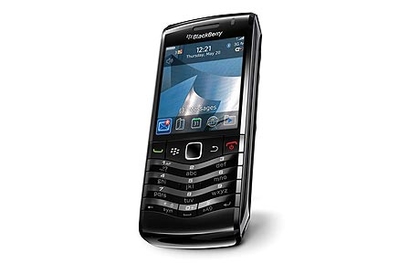
The impressive thing about the BlackBerry Pearl range is that RIM managed to fit almost the whole BlackBerry experience into a standard candybar phone package to appeal to those who don't want the bulk of a bigger device. The Pearl has fallen behind in terms of technology despite the addition of 3G, but it's still a good quality smartphone, especially for its size.
Read our BlackBerry Pearl 3G 9105 review
5. BlackBerry Bold 9700
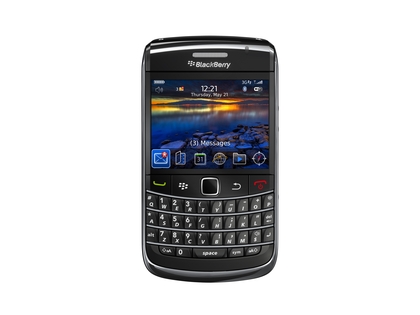
The Bold 9700 is a worthy addition to the bold line, offering the best BlackBerry features and a superb battery life. It's a shame the keyboard is smaller than the Bold 9000's, but the chassis is handsome and the screen pops brilliantly. With BlackBerry App World offering expanded functionality, this a great choice, though the 9780 has it beat for performance.
Read our BlackBerry Bold 9700 review
6. BlackBerry Storm 2 9520

The BlackBerry Storm 2 is a well-built and nicely featured smartphone out of the box, but the SurePress touchscreen doesn't hold up well to the accuracy on offer from the iPhone 4 or HTC Desire HD.
Read our BlackBerry Storm 2 9520 review
7. BlackBerry Curve 8520

The member of the mid-range Curve line fails to offer much to recommend it over the Curve 3G, which features all the benefits of this with newer technology to boot. This is still a capable business phone, but is too slow by modern standards.
Read our BlackBerry Curve 8520 review
8. BlackBerry Storm 9500

Compared to the newer touchscreen phones, both from RIM and other manufacturers, the BlackBerry Storm looks decidedly out of date. Performance is strong and battery life is surprisingly good, but this phone has now been surpassed.
Read our BlackBerry Storm 9500 review
9. BlackBerry Bold 9000

The original BlackBerry Bold was a superb phone when released, but later Bold models have improved upon it. The 9700 and 9780 both use the far superior optical trackpads instead of the trackball on offer here, but the Bold 9000 does have a brilliant keyboard. The newer Bold devices are an improvement in every other way, however.
Read our BlackBerry Bold 9000 review
10. BlackBerry Pearl 8110
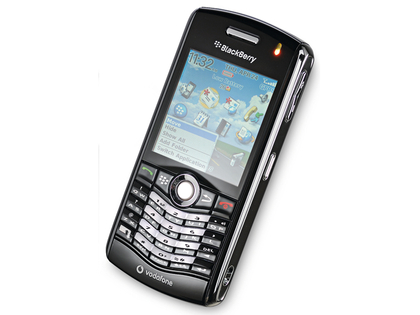
Similar to the Bold 9000 above, the Pearl 8110 has been overtaken in just about every way by the versions that came after, but particularly lacking in the current climate is 3G, which is available on the Pearl 3G 9105.
Read our BlackBerry Pearl 8110 review
11. BlackBerry Pearl 8120
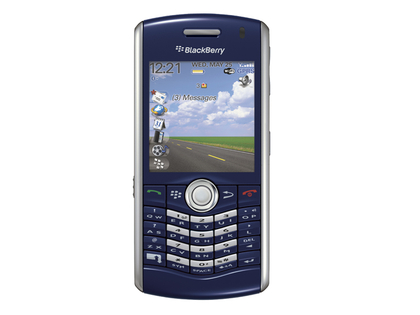
The Pearl 8120 is a breeze to operate and offers a good solution for those who don't want the bulk of a full-size smartphone, but the newer Pearl 3G offers better speed and features.
Read our BlackBerry Pearl 8120 review
12. BlackBerry Curve 8310
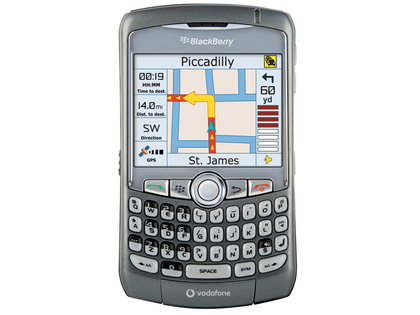
The versatility of the BlackBerry Curve range has always impressed us, but this version looks out of date stylistically and lacks many features we now expect as standard, including 3G, and so doesn't offer as good value for money as the newer Curve 3G 9300.
Read our BlackBerry Curve 8310 review

| |
Read More ...
Review: Gigabyte 880GMA-UD2H
 AMD doesn't make the fastest PC processors on planet Earth. We can all agree on that. But in terms of bang for your British buck, the world's second-string CPU maker still has plenty to offer.
 Put simply, you get a lot for your money if you go with an AMD platform. Take this Gigabyte 880GMA-UD2H microATX motherboard. It's based on AMD's latest 880G integrated chipset and also sports the SB850 southbridge chip.
That means you not only get a very strong 2D video feature set including AMD's Avivo HD hardware video acceleration. There's also plenty of storage bandwidth on offer in the form of five SATA 6Gbps ports. The pair of USB 3.0 sockets are thoroughly welcome, too.
The Gigabyte 880GMA-UD2H is also an intriguing option for those who want high performance and low power consumption in a single package. Thanks to CrossFireX support, it's possible to switch between integrated and discrete graphics on the fly.
Normally, we associate AMD systems with lower overall system costs. Feature for feature, that just about holds true when comparing Gigabyte's 880GMAUD2H with an Intel board like the MSI H55M-ED55. Priced pretty much on a par, the Gigabyte motherboard gives you both USB 3.0 and SATA 6Gbps along with an integrated Radeon HD 4250 graphics core.
The Intel-compatible alternative from MSI lacks those high bandwidth interfaces and only offers integrated graphics in combination with certain dual-core Intel CPUs.
Good performer
In performance terms, much obviously depends on the CPU you select. But with a six-core AMD Phenom II X6 1055T onboard, the 880GMA-UD2H is no slouch in multi-threaded software such as video encoding.
In fact, it's not far off matching an Intel platform running the much more expensive Core i7 870 chip. That said, the 3D performance of the Radeon HD 4250 graphics core is woeful and no faster than the integrated GPU in the supposedly outdated 785G chipset of Asus' M4A785TD-M EVO.
But for a home cinema system, you won't need to worry about an add-in card thanks to the boards solid hardware acceleration and a full set of video outputs.
As for overclocking, the BIOS menu is fully featured and our testing indicates you can expect decent bus speeds of around 260MHz.
What's more, despite the motherboard's compact microATX form factor, expansion options are extensive. PCI Express connectivity comes in the form of two 16-lane slots and a further single-lane port, although the second 16-lane slot only offers four electrical lanes. Gigabyte has also wired up an old school PCI port to the motherboard, giving you some legacy support to boot.
Related Links

| |
Read More ...
Sony reveals PSone game conversion process
 PSone games have been available on the Sony PlayStation Network for some time now but with the imminent arrival of PSone games on the PlayStation Suite, Sony has decided to let us all know just what it takes to develop a PSone game from disc to store.
In a blog, Sony reveals the rather laborious process of PSone emulation, explaining: "We make sure we've got a good copy of the original disc (or discs if there are localised versions), then the game is cleared for publish by our legal department.
"They check there are no issues with any of the content in the game being under an expired license, or any confusion over ownership of the publishing rights.
"Then we make a record for the game as it will appear on the Store, including the image and all the description text in the eight Store languages."
When it comes to the time it takes to emulate a game, Sony is saying that "the whole process can sometimes take several months" and that there are a number of stumbling blocks between emulating a game and publishing it.
Bug problem
Alongside legal issues with expired rights, Sony has to go through a massive de-bug of the games.
"I have seen a lot of PSone QA [quality assurance] reports with some weird and wonderful errors – menu screens with upside down text, explosions that kill your character at random after watching a cut scene, games that continue to slow down the longer you play them, or music that sounds like it's coming from the bottom of a well… the list goes on," says Sony's Ross McGrath.
"If a bug makes the game completely unplayable or otherwise ruins your experience then that's a fail and the game cannot be published."
Considering all this time and effort is taken to ensure PSone games are decent enough to play on the PSP and PS3, Sony has a massive job on its hands porting its PSone titles to the upcoming PlayStation Suite for use of Android 2.3 handsets like the Sony Ericsson Xperia Play.

| |
Read More ...
Samsung Wave 2 now available in the UK
 The Samsung Wave 2 – aka the Samsung GT-S8530 – has arrived in the UK stories, giving us all to get our hands on the latest flagship Bada 1.2 phone.
 Although the Bada based OS has not set the world alight – if you are looking for an alternative to the usual suspects then the Wave II brings Samsung's operating system.
That's along with a 5MP autofocus camera and more social networking widgets than you can shake your poke stick at.
Super Clear - a distant relation to Superman
The Smartphone has a 3.7 inch 'Super Clear' LCD display, a front facing camera and – until 31 March – a free entertainment package.
"Designed for gamers and app-lovers, the bundle includes five of the most recognisable and highest ranking apps in the paid for charts from Gameloft and EA Games, which are available from Samsung Apps," says Samsung
That bundles consists of Need for Speed: Shift; FIFA 10; Monopoly; Tetris and Assassin's Creed: Altair's Chronicles.
Wave hello, again
Simon Stanford, Managing Director, Mobile, Samsung UK and Ireland said: "Following the phenomenal success of our first high-end Wave handset last year, we wanted to take the smartphone experience we offer our customers a step further.
"With our Social Hub, it's now even easier for people to share content such as photos and videos with their social networks.
"And they'll also benefit from the growing popularity of our App store via the new gaming bundle we are offering."
The Samsung Wave II is available in the UK to buy now from O2 and Phones4u.

| |
Read More ...
Samsung Wave 2 now available in the UK
The Samsung Wave 2 – aka the Samsung GT-S8530 – has arrived in the UK stories, giving us all to get our hands on the latest flagship Bada 1.2 phone. Although the Bada based OS has not set the world alight – if you are looking for an alternative to the usual suspects then the Wave II brings Samsung's operating system.
That's along with a 5MP autofocus camera and more social networking widgets than you can shake your poke stick at.
Super Clear - a distant relation to Superman
The Smartphone has a 3.7 inch 'Super Clear' LCD display, a front facing camera and – until 31 March – a free entertainment package.
"Designed for gamers and app-lovers, the bundle includes five of the most recognisable and highest ranking apps in the paid for charts from Gameloft and EA Games, which are available from Samsung Apps," says Samsung
That bundles consists of Need for Speed: Shift; FIFA 10; Monopoly; Tetris and Assassin's Creed: Altair's Chronicles.
Wave hello, again
Simon Stanford, Managing Director, Mobile, Samsung UK and Ireland said: "Following the phenomenal success of our first high-end Wave handset last year, we wanted to take the smartphone experience we offer our customers a step further.
"With our Social Hub, it's now even easier for people to share content such as photos and videos with their social networks.
"And they'll also benefit from the growing popularity of our App store via the new gaming bundle we are offering."
The Samsung Wave II is available in the UK to buy now from O2 and Phones4u.

| |
Read More ...
Opinion: Why the Sandy Bridge problem is bad news for Intel
 Barely a month after the world proclaimed the latest series of processors and motherboard chipsets from Intel were the best things since sliced silicon we've got a recall on our hands.
It's all a bit of a mess isn't it?
Intel recently discovered that a support chip on the Sandy Bridge 6-series motherboards, codenamed Cougar Point, was causing degradation issues with the affected board's SATA ports.
It's a question of b0rked silicon, so there's no softly, softly, software update solution available. It's all a question of replacing the broken chip at a manufacturing level.
It's not all the 6-series motherboards that are affected, though: only a small percentage have the issue according to Intel and other motherboard manufacturers.
So if you're sitting on some brand new Sandy Bridge silicon and your heart leapt into your mouth when you heard about the issue, it shouldn't be a huge worry for you.
Your CPU's fine, for the most part your motherboard's fine, and it's not going to be killing your hard drives either. It's also only affecting the SATA 3Gbps ports on the problem boards, too, so as long as you plug into the 6Gbps sockets you'll be fine.
And if yours is one of the affected boards you'll get it replaced at Intel's cost as it's already gone into production of the replacement silicon.
But it's surely a massive worry for Intel.
That's despite the fact the $700 million dollars Intel has estimated it will take to repair and replace the 'affected materials' is barely a drop in the ocean compared to its huge revenue.
Given that the variance in its projected first quarter revenue is plus or minus $400 million, that recall hit starts to look relatively minor.
When you're looking at revenue of $11.7 BILLION in the first quarter of this year alone that's almost pocket lint…
What it will affect, though, is consumer confidence.
AMD to capitalise?
And that's something that could play into the AMD-shaped competition's hands when it releases its brand new CPU architecture, Bulldozer, this Spring.
AMD has stuck by its sockets, and only with the imminent release of Bulldozer are we going to see a new chip socket, the AM3+.
And even that is going to be backwards compatible.
If Bulldozer can compete on any level with Intel's architecture then there is now going to be a real processor bun fight as the days get longer.
Intel has already taken a bit of a hit in the press over the lack of access to the integrated graphics goodness of the QuickSync Video transcode engine with the P67 chipset.
And we've been hammering its marketing department for the longest time about the obfuscation of its product lineup. I still struggle to understand why we can now have three Core i7 motherboard chipsets and three Core i7 processors and they'll all be mutually incompatible.
But we always forgave Intel because it had the best silicon available. This recall is going to put doubt in the consumer's mind at least.

| |
Read More ...
Opinion: Why the Sandy Bridge problem is bad news for Intel
Barely a month after the world proclaimed the latest series of processors and motherboard chipsets from Intel were the best things since sliced silicon we've got a recall on our hands.It's all a bit of a mess isn't it?
Intel recently discovered that a support chip on the Sandy Bridge 6-series motherboards, codenamed Cougar Point, was causing degradation issues with the affected board's SATA ports.
It's a question of b0rked silicon, so there's no softly, softly, software update solution available. It's all a question of replacing the broken chip at a manufacturing level.
It's not all the 6-series motherboards that are affected, though: only a small percentage have the issue according to Intel and other motherboard manufacturers.
So if you're sitting on some brand new Sandy Bridge silicon and your heart leapt into your mouth when you heard about the issue, it shouldn't be a huge worry for you.
Your CPU's fine, for the most part your motherboard's fine, and it's not going to be killing your hard drives either. It's also only affecting the SATA 3Gbps ports on the problem boards, too, so as long as you plug into the 6Gbps sockets you'll be fine.
And if yours is one of the affected boards you'll get it replaced at Intel's cost as it's already gone into production of the replacement silicon.
But it's surely a massive worry for Intel.
That's despite the fact the $700 million dollars Intel has estimated it will take to repair and replace the 'affected materials' is barely a drop in the ocean compared to its huge revenue.
Given that the variance in its projected first quarter revenue is plus or minus $400 million, that recall hit starts to look relatively minor.
When you're looking at revenue of $11.7 BILLION in the first quarter of this year alone that's almost pocket lint…
What it will affect, though, is consumer confidence.
AMD to capitalise?
And that's something that could play into the AMD-shaped competition's hands when it releases its brand new CPU architecture, Bulldozer, this Spring.
AMD has stuck by its sockets, and only with the imminent release of Bulldozer are we going to see a new chip socket, the AM3+.
And even that is going to be backwards compatible.
If Bulldozer can compete on any level with Intel's architecture then there is now going to be a real processor bun fight as the days get longer.
Intel has already taken a bit of a hit in the press over the lack of access to the integrated graphics goodness of the QuickSync Video transcode engine with the P67 chipset.
And we've been hammering its marketing department for the longest time about the obfuscation of its product lineup. I still struggle to understand why we can now have three Core i7 motherboard chipsets and three Core i7 processors and they'll all be mutually incompatible.
But we always forgave Intel because it had the best silicon available. This recall is going to put doubt in the consumer's mind at least.

| |
Read More ...
Sony PlayStation Move heading to PCs
 Sony looks set to announce plans for its PlayStation Move controllers to work with desktop PCs at Game Developers Conference 2011.
 Details of the company's session at the conference were revealed in the show line-up, including a direct reference to the Move Server project.
The talk synopsis reveals that Sony "will discuss the Move Server project that will make it possible for academics and hobbyists to develop software using the PlayStation Move controller on their own PCs."
Jealousy is such an ugly emotion
The obvious conclusion to draw is that Sony has seen all the impressive Kinect hacks coming out recently and wants PlayStation Move to get in on that action.
Keen-bean PC enthusiasts didn't take long to unofficially hack the Kinect to work with computers and laptops, finding uses for motion-based control as incredible as creating surgical robots and as mundane as playing large-scale Angry Birds.
Microsoft is also said to be planning a PC tie-in for its motion-controlled Kinect interface, with a beta rumoured to be coming soon.
Sony better hope its PlayStation Move Server gets in there first.

| |
Read More ...
Video: Online crime map of the UK launched
 The Home Office has created a new website that allows you to look up towns in the UK and see what the crime is like in that area.
The website, found at www.police.uk, is currently overburdened with worried folk who want to scare themselves even more by seeing just how many criminals operate in their borough, but when it is fully operational it gives you a breakdown of local crime statistics.
Crime watch
As this is the first time all this information has been put into one place – various other crime maps have been released in the past – the tabloids are having a field day with pointing out which towns are the worst for crime.
As we are a tech site, though, we don't need to fuel vigilantism and mention that Glover's Court, Preston had 152 incidents in one month and that Guildhall Walk in Portsmouth is the most violent street.
Instead, we will tell you that you can also look at the website through your mobile phone and pinpoint the problems in an area you are visiting through the handset's GPS.
"We can't sweep crime under the carpet," said policing minister Nick Herbert about the new website.
"We have to tell the truth about crime and where it is happening and give the information and the power to the public."

| |
Read More ...
Google Art Project brings StreetView to museums
 Google has announced its new Art Project, in collaboration with 17 international art museums, to bring a new world of art online.
Featuring collections from the Tate Britain, Museo Reina Sofia and Van Gogh Museum, Google has used its Streetview technology to help bring the museums to life.
Making museums virtual isn't a new phenomenon, but Google has worked with the museums to bring thousands of images into one place.
Trolley dolly
Using a a specially designed Street View trolley, 360 degree images were taken of selected galleries, and each museum selected one piece of artwork to be photographed at gigapixel resolution.
Each image is 7-14 billion pixels in depth, enabling viewers to explore brushwork and intricate detail not before available online, and you can zoom, bookmark and comment on the picture too... we can only hope the YouTube brigade doesn't get involved.
Museums are providing thousands of other images to the project to complete the gallery, allowing them to store and offer links to information and video on the subjects.
The project was created using Google's famed '20% time' and will be available from www.googleartproject.com or from Street View in Google Maps.

| |
Read More ...
Video: Samsung unpacks Galaxy S2 teaser videos ahead of MWC
 Oh Samsung, you scamp. We knew a Samsung Galaxy S2 teaser was coming on 1 Feb (that's today, folks), but these teasers tell us next to nothing.
Aside from the fuzzy outline shape of the Galaxy S2, all we can glean from the videos is that the handset will be able to do some things that other handsets can do, including play music and take photos.
Fuzzy though it is, the outline doesn't look too bad and promises a slim little Galaxy S2 number when it's revealed at Mobile World Congress 2011.
That is the point of a teaser, we suppose
Fair play though, the videos are teasers not leaks – of which we already have plenty.
Said leaks have informed the internet at large of the handset's code name Seine, of its dual-core Samsung Orion processor, 1GB of RAM, Android 2.3, NFC and 8-megapixel camera.
Samsung's video claims there are over ten million secrets in the world. Shame it isn't a little better at keeping them itself, really.
The Samsung Galaxy S2 is set for a full reveal on 13 February at MWC, at which point we'll bring you all the action and our first hands on Samsung Galaxy S2 review.

| |
Read More ...
Windows Phone 7 data leak blamed on Yahoo Mail
 Windows Phone 7 phones have been suffering from a mysterious data leak which has been gobbling up 3G and driving users insane trying to work out why.
 Microsoft has now admitted that the culprit is none other than Yahoo Mail, but assures us that a fix is on its way.
The company has released a statement which explains, "We have determined that an inefficiency exists in the synchronisation of email between the Windows Phone Mail client and Yahoo Mail.
"This inefficiency can result in larger than expected data usage for a very small percentage of users."
Poor form
"Microsoft and Yahoo have worked together to identify a fix, which will be rolled out in the coming weeks," concludes the statement.
While waiting for the fix, Windows Phone 7 users can tweak their Yahoo Mail settings to reduce 3G leakage by changing the 'download new content' setting to manual and setting 'download email from' to 'the last seven days'.

| |
Read More ...
Apple blocks Sony Reader app for iOS
Apple has rejected Sony's Reader app, stating that it will no longer accept applications that permit in-app purchasing. Apple can hardly be accused of being even-handed in its decisions over which apps make it through – the Kindle for iPhone app does allow in-app purchase, of course.
But Sony's Reader app – which would largely do the same job as the Kindle App – has been given a shake of the head from the powers that be.
Update from Sony
"We would like to update everyone on the status of our Reader for iPhone mobile application," read a blog on Sony's official Reader Store website.
"We created an app that we're very excited about, which includes all the features you've come to expect from a mobile reading application – including access to your existing collection, synching with your Reader Daily Edition and purchasing new content as is possible on other mobile platforms.
"Unfortunately, with little notice, Apple changed the way it enforces its rules and this will prevent the current version of the Reader for iPhone from being available in the app store.
"We opened a dialog with Apple to see if we can come up with an equitable resolution but reached an impasse at this time.
"We're exploring other avenues to bring the Reader experience to Apple mobile devices. We know that many of you are eagerly awaiting the application and we appreciate your continued patience."
Support
It remains to be seen if Amazon's Kindle App will suddenly find its support withdrawn – and neither the company nor Apple has commented.
But it's fair to say that Apple new era of openness doesn't seem especially close at the moment.

| |
Read More ...
Review: Denon AVR-1611
 This five-channel amp tries to bring Denon's legendary sound quality to a low price point without greatly compromising on cutting-edge features.
 As such, the AVR-1611 boasts 3D compatibility through its four HDMI v1.4 inputs, and chucks in a few other unexpected frills such as Dolby Pro-Logic IIz, which expands the soundstage to include front height channels – as long as you have another amp to run the signal into.
What you also get is Denon's impeccable sense of style. The unit's stylish black finish cleverly camouflages the buttons on the fascia, which gives it a clean, uncluttered look and the large display panel provides a lot of information.
The rear panel seems sparse at first glance, particularly when compared with the brand's pricier models, but it covers all the basics and, thankfully, the speaker terminals are all binding posts. Unlike the Yamaha, the AVR-1611 can decode Dolby TrueHD and DTS-HD MA soundtracks, and offers seven DSP modes to spice up music and movie playback, including a Virtual surround mode.
Installation is aided by Audyssey's auto setup mode, as well as a group of technologies (MultEQ, Dynamic EQ and Dynamic Volume) designed to monitor the sound once optimised.

Operation is hugely simplified by the onscreen menus, although the graphics are so dated they make Pong look like Call of Duty. Still, at least they're easy to follow and cover all the essential audio and video tweaks.
The remote features glow-in-the-dark buttons, most of which are intuitively arranged but the bank of keys at the bottom is a bit cluttered and many of the sound modes get lost in the crowd.
The AVR-1611's power rating is quoted at 5x110W, and with movies it's certainly a powerful performer, taking huge dynamic shifts in its stride and handling the explosive carnage at the end of Avatar with neighbour-waking potency. It harnesses that power in a controlled and measured manner, too, and as a result the sound is mostly easy on the ear.
That may not suit those who like a bit more bite and aggression to their home cinema sound but it makes for a smooth listen. Crank the volume up too high and a few cracks begin to show – one or two screeching creatures tip the sound into minor harshness – but on the whole, audio is remarkably refined for an entry-level product.
It also rains down detail from every speaker, dredging up Pandora's gentle ambience and distant noises, while delivering speech with clarity and authority. All in all, the Denon AVR-1611 is a fine performer that gives its competition plenty to worry about.
Related Links

| |
Read More ...


No comments:
Post a Comment