

Hands-on review: HP Sprout review

Introduction
The HP Sprout is an innovative, quirky and exciting all-in-one PC aimed at content creators, designers and anyone looking for an excuse to ditch their mouse and keyboard.Available now in the US and UK for $1,899 (£1,899), Sprout's price tag alone hints that it may offer something more than your average Windows 8.1 PC. It certainly succeeds in that, but whether Sprout is for you depends on how prepared you are to approach it with an open mind.
Perched on top of its 23.5-inch display is the Sprout "Illuminator" - a collective term for a 14.6-megapixel camera and integrated Intel RealSense 3D Sensor that allows it to capture 2D and 3D objects.

Images scanned by the camera or stored locally can be projected onto a 20-point capacitive touch mat and interacted with using all 10 fingers (and toes, if you're the flexible type).
While 3D scanners and interactive projectors have existed for some time, Sprout's approach integrates the two into a familiar desktop environment in a way that's intuitive, accessible and almost childlike in execution thanks to its hands-on approach.
Capture tool
HP has developed a series of apps that show off what Sprout is capable of. HP Technologist and Sprout inventor Brad Short guided me through them, starting by placing two masks on the mat and tapping a button on its top-left corner to begin the capture process.
Sprout then projected vertical and horizontal black and white stripes over the work surface, which calculates the 3D geometry by measuring the disturbance of patterns, according to Short. It then takes a final 2D image and wraps it over the 3D construction to match up color and depth.
Once complete, 3D renders of the masks appeared on the display and the mat turned into a second interactive monitor, allowing them to be rotated, resized and different textures to be applied.
Inside Sprout is an Intel Core i7-4790S CPU backed up by 8GB and an Nvidia GeForce GT745A with 2GB of DDR3 and dedicated memory, in addition to a 1TB HDD with an 8GB SSD cache. That's plenty of power for applying large imported textures to objects which is coming in a future update - and HP has confirmed that native 3D printing support will be ready in 2016. Until then, anything designed on Sprout can be exported in .obj format and edited or printed using Autodesk and other apps.

Though in time it will no doubt become as common as printing a 2D sheet of paper is today, seeing the masks spin and shimmer on Sprout's full-HD display within moments of being bathed in a Twilight Zone-style light was impressive - in a novel sort of way.
Blended reality
Short then created a blank surface area and placed the masks beside 2D shapes pulled from a software gallery. HP refers to the capturing and tactile manipulation of digitised objects as "blended reality", and it promises to make it far easier for content creators to import props into their designs while making the content itself more engaging.Multiple Sprout owners can collaborate over the internet using HP's My Room video calling software, which uses the PC's front-facing HD camera to transmit what's taking place on each user's mat in real-time, with the only restriction being the speed of the network it's operating on.

That's edutainment
Sprout also has potential in the classroom and could help deliver a particular form of teaching called "edutainment" - making learning fun - in other words. Short demonstrated an app that displayed a beating heart on a piece of paper with labels indicating its different parts.The theory is that interaction with moving images makes learning more engaging, though the presence of paper still allows students to write down answers and absorb information without the strain of looking at a display for extended periods.

Another app called Piano Time displayed notes on the screen and recorded the output after I had tapped on the keys. While it could be used to get children interested in music, the lack of tactile feedback means that, like on a tablet, playing anything that requires skill and precise movements is out of the question. Hammering out Muse's 'Piano Thing' on a projected Sprout keyboard just isn't going to work.
The lack of a tactile controller was less of a problem on a DJ app that projected a pair of turntables onto the mat used for scratching and changing the tempo of the music, but it felt more like a glorified dual-screen tablet than an entirely new experience.

An origami app that projected fold lines onto paper fared better, demonstrating the advantages of having both a projector and a large screen for following instructions. Short is confident that this method of interaction could result in some of Sprout's more inventive applications, with cooking being one of them.
The work surface is large enough to place ingredients on top (a protective cloth would probably be a good idea), and beamed lines could indicate where to chop. HP has released a Sprout SDK for developers looking to develop applications and get to grips with the platform.
Early verdict
Sprout is currently all about demonstrating what can be done with the dual-screen form factor and projection capabilities, and the best is undoubtedly yet to come as its app ecosystem grows and developers get to grips with it.For creative users, the ability to capture, digitise and manipulate 3D objects could speed up certain processes and potentially change the way designers work forever, while "blended reality" could prove hugely beneficial for certain instruction-led activities and classroom-based learning.
On the other hand, other elements of Sprout, namely certain apps that treat the touch-operated mat as a second screen, are less effective and merely magnify the problems you might experience using a tablet. The overall experience is more a positive than negative one, though whether it warrants shelling out a couple of grand for the pleasure is something we will have to decide on in our full review.

Read More ...
Industry voice: The magic formula: getting IT and business heads on the same wavelength

Agility is the magic word in the modern business environment. Uncertain economic conditions, fast-changing customer demand and new forms of partnership call for strong and fast adaptive abilities on the part of organisations and individual employees.
A good supply of information is crucial in order to be able to respond quickly to changing circumstances – a quality that many organisations today sadly lack. IT cannot keep pace with the rate of change and business users are not able to specify their information requirements adequately.
In recent years, organisations have invested heavily in ERP systems, Business Intelligence solutions and other tools in order to improve the supply of information within their organisations at the strategic and operational levels. In practice, many organisations do not get the most out of these systems because they are not able to generate the right information quickly from the large volumes of data available. At the operational level in particular, organisations are unable to access the right information.
Here are my thoughts on the three primary bottlenecks in cooperation between business leaders and IT, and my advice on why end users should take the lead in gathering information themselves.
1. Complexity of data models
Complexity in data models is the main cause of the long lead times in IT. What appear to be simple questions from business staff often lead to lengthy development and implementation processes in IT, because behind the scenes, many steps have to be followed.For example, IT may need to spend a great deal (or an excessive amount) of time on creating lists for individual users, even though their time would be better spent deploying this knowledge at a strategic level.
2. Complexity of application logic
Because few business users have a complete insight into the application logic – how does an order move through the system? – it is very difficult for them to specify precisely which functional solution they need in order to obtain the information that is operationally relevant – certainly in relation to cross-department topics.Business users only know exactly what solution they are looking for when they see the first deployment from IT. The question from IT to the end user is usually: "What are your information needs exactly?" As a result, this often does not lead to an answer that IT can work with.
3. Difference in mind-sets
In order to bridge the gap between business and IT, management, subject experts and IT departments, a level of inter-functional collaboration is required. However, the various disciplines have different mind-sets, different training and different interests.As a result, they look at things differently and do not understand each other clearly enough. This makes inter-functional cooperation difficult, if not impossible. The management is looking at profitability, the experts to the business problem and IT is already thinking of formulating the solution when the problem is not completely clear yet.
Perhaps the biggest misconception is that the business specifies what it needs and that IT decides whether it can develop this. What business users need is fast information supplies, in terms of 'an answer to my recent question', fully tailored to their own role in the process. Users should be able to ask these (ad hoc) questions to the system themselves.
Enabling operational users to take the right information from the system via self-service tools without burdening them with data model or application logic complexity is key. Designing good data systems is one thing, but real returns are only achieved by turning the large volumes of available data into usable information through tools that automate access to information and present it in user-friendly interfaces.
- Jacques Adriaansen is the co-founder of Every Angle Software

Read More ...
Defensive Google backs down on security disclosure procedures

Google has moved to relax the tight 90-day disclosure deadline its Project Zero team applies to security vulnerabilities after getting a fair amount of slack following an incident with Microsoft.
A blog post from the team announced that there is a new 14-day grace period for vulnerabilities, deadlines that fall on weekends will automatically be pushed forward to the next working day, and the assignment of CVEs has been adjusted.
The grace period means that any company notified by Project Zero of a vulnerability will have up to 104 days to actually release a fix, just so long as the firm involved acknowledges that a fix will be released in that timeframe.
How does it compare?
It comes after Google's crack team of security engineers that work under the Project Zero moniker came in for a raft of criticism after details of a Microsoft vulnerability were disclosed just a couple of days before Patch Tuesday, when the latter was planning to roll out a patch to fix it.The blog went on defend the 90-day disclosure rule by explaining that they compare well to CERT's 45-day disclosure policy and Yahoo's 90-day rule. Project Zero started working to crack down on "zero day" vulnerabilities in July 2014 and to date of the 154 bugs it has identified, 85 percent were fixed within the 90-day time period.
Via: Google
- Protect your PC by downloading and installing a program from our list of the best free antivirus software 2015.

Read More ...
You may soon be able to literally download a Blu-ray in the blink of an eye

Internet speeds of up to 100Gbit/s in your home might not be a thing of fantasy much longer thanks to new Li-Fi esque technology being developed by one of the country's most successful universities.
A team from Oxford University have successfully designed a system that takes light from fibre-optic cables and brings it straight into the living room to deliver data transfer speeds that could one day top 3Tbit/s.
The system, which is still in its early stages, works through a base system installed on the ceiling of the room and this would then project light to the computer to send the data and also be able to receive data sent from the computer in the other direction. Unfortunately the current version still requires a direct line of sight thus making it unlikely it'll enter homes any time soon.
Wi-Fi only offers 7Gbit/s
To bypass that requirement the team is already working on a tracking and location system to allow users to place a laptop PC at any location on a table in the same room as the base station and then having the system find it.In comparison to the 3Tbit/s speeds offered by the Li-fi-like offering, Wi-Fi currently tops out at around 7Gbit/s and with the thirst for faster speeds only likely to continue, the fibre-to-the-device will be a technology that emerges even more in the coming years.
Via: IEEE

Read More ...
Latest Mozilla Firefox browser offers glimpse of world without Flash

Yet another service removing support for Adobe Flash after Mozilla began implementing a tool in its Firefox browser that allows sites to run Flash videos without the need for the plugin.
Adobe Flash's days were already numbered before Shumway was included as a part of the latest Firefox nightly build and, although it currently only works for amazon.com product tour videos on Windows and Mac OS X, there are plans to roll it out further in future.
2015 has not been kind to Flash so far with YouTube, by far Flash's biggest video customer, delivering a potentially fatal blow a little over two weeks ago by opting to use HTML 5 for all videos on the site, however, it does still fall back on Flash when required.
Flash still has a place
Ever since Apple decided that Flash had no place on its iOS mobile devices, there has been a growing shift towards HTML 5, yet popular browsers such as Google Chrome still maintain a built-in version of Flash.Flash will still have its place on the internet for some time yet given the sheer volumes of sites built on it and the fact that plugins, such as one that got around Flash in Internet Explorer for Windows, regularly open up more security holes that make removing it a complex conundrum.
Via: Cnet

Read More ...
Review: Pebble Steel

Introduction and display
Wind the clock back to 2013 and the Pebble smartwatch was taking the fledging wearable market by storm, bringing notifications to the wrists of gleeful iPhone users.It wasn't exactly a looker, and the e-ink screen was hardly eye popping, but it sold by the bucket load and it was no surprise when the swish metal and leather Pebble Steel swooped in.
A lot has changed since the Pebble's early days in the wearable market and the Steel now faces some seriously tough competition from the army of Android Wear watches plus the imminent Apple Watch.
Launched back at the beginning of 2014 the Pebble Steel took a while to come to market, and in that time more contenders arrived, so it's not sporting the latest technology.

It's not particularly cheap either, and at £179, $199 it's on par with the latest Android Wear offerings from Motorola, LG, Samsung and Sony.
That outlay gets you a 1.26-inch 144 x 168 e-paper display which has an optical hard coating to prevent it from getting scratched.
It's not a touchscreen, and that's the thing which most annoyed me when I first started to use the Pebble Steel.

I've used the LG G Watch R extensively as well as trying out all the other Android Wear smartwatches and it's a natural reaction to prod the screen, expecting something to happen.
Being forced to use the buttons on the side felt like I was taking a step backwards, but after a few days with the Steel I'd got used to not tapping the display.
The joy of the e-paper technology is it's perfectly readable even in direct sunlight, where as you can struggle with the Android Wear army, plus a LED backlight activated at the flick of the wrist means you can also see the time at night.

It's also has a lower power consumption, which means the battery inside the Steel lasts longer than its colourful rivals.
Don't be put off by the low resolution of the screen, as predominantly you'll only be staring at text - this isn't a device you'll be viewing pictures on, watching movies with or attempting some graphically intensive gaming sessions.
It may be low on thrills, but if the Steel can get the basics right it could be a winner.
Design and comfort
Compared to its predecessor, the Pebble Steel has come on leaps and bounds in the design department with a slicker, more premium finish which makes the watch look less like a child's toy and more like a professional piece of technology.Unsurprisingly the body is finished in marine-grade stainless steel (see what they've done there?), and it feels robust. The display does have a sizable bezel around it, which is a shame as there's space for a larger screen, but it's not the end of the world.
I'm not totally won over by the Steel's design, the chunky buttons on either side of the watch makes the smartwatch look a little dated compared to the Android Wear fleet, but it sits subtly on the wrist.

Where as offerings such as the Moto 360 dominate the wrist and draw attention to themselves, the Pebble Steel is more reserved and for some a discreet smartwatch is exactly what they want.
I found the Steel to be a good size (46 x 34 x 10.5mm), and even those with smaller wrists shouldn't feel too swamped.

At 56g the Steel is also a comfortable weight, just heavy enough to let you know it's there, but not distracting or painful.
You can take the Steel for a dip in pool or a soak in the bath thanks to it's IP68 rating, making it waterproof up to a depth of 50 metres.

As I've already mentioned the chunky buttons - three on the right and one on the left - do appear a little dated, although they are easy to hit.
The left key acts as a back button, the central key on the right is select and the two flanking that are up and down.

It's simple stuff and it didn't take me long to get used to the system - apart from the times I was frustratingly jabbing at the screen forgetting it's not touch enabled.
The Pebble Steel comes with a leather strap by default and I much prefer its finish over the leather straps bundled with the Moto 360 and LG G Watch R which just feel cheap in comparison.
If you want to smarten the watch up more you can invest in a steel band to replace the leather option, but it will set you back $20 (around $20, AU$25).
Interface and performance
When Pebble originally launched it was only available to iPhone users, but support for Android came at a later date which means the Pebble Steel will work with most people's smartphones. Unless you're rocking a Windows Phone or BlackBerry that is.When you first take the Steel out of its box and switch it on you'll be asked to download and install the free Pebble app, so head over the App Store (iPhone) or Google Play (Android) and sort that out.
Once you've gone through the simple pairing process for the Pebble Steel and your phone (you'll need to turn Bluetooth on) you'll have access to a variety of options on your handset.

You'll be able to manage the notifications which are sent to the Steel - either turn everything on or tailor them on an app by app basis.
The app is also required when it comes to getting apps onto the Steel, but it can only hold eight apps at any one time - which is one of its biggest weaknesses.

What I found more frustrating is the fact watchfaces, which appear in a separate store of the smartphone app to the "Get Apps" store, count as an app. So if you fancy having a few faces to play with on your Steel there will be fewer spaces for actual apps.
Changing watch faces on the Steel is pleasingly simple, just hit the up and down keys (the two outside buttons on the right of the unit) and you'll be able to cycle through them.

I did find a couple of times during the review period the watchface had changed, with the buttons obviously getting hit during my day to day activities. It's not a huge issue as it's easy to flick back, but it can be a little embarrassing if you turn up to a meeting and your Steel has switched over to the Pokemon theme. Gotta catch 'em all.
Notifications automatically flash up on the Steel's screen accompanied by a gentle, but noticeable vibration, allowing you to instantly read the message without having to press anything.

Due to the screen being just 1.26 inches you don't get a great deal of text on the display at once, so you'll more than likely have to use the keys on the right to scroll down to continue reading.
Something I found frustrating is the fact notifications don't automatically clear from the phone/watch when read on the other. This gets annoying, especially when the Steel alerts you to a text message, you get your phone out and reply and the notification is still on the watch's screen.

Perhaps I've just been spoilt by the slick integration of Android Wear, but I found this rather irksome.
The interface itself is relatively straightforward, mainly because there are very few options. Click the central key on the right of Steel to enter the main menu, and from here you can get to a historical list of notifications, settings and any apps you have installed.

Alarm and music playback functions are also included by default on the Steel. You can set multiple alarms on the Steel and even set a snooze duration as well, which is a nice feature.
There's no speaker on the Steel, so you're disturbed by the vibration instead. Fine if you're wearing it, but if you've taken if off to go to bed it's unlikely to wake you.

The music controls are less impressive. With certain apps, such as Pandora, you get track information displayed on screen, but when I used Spotify all I got was "no music found".
I could still skip and play/pause my tunes using the buttons on the right of the watch, but it's a jarring and confusing experience.

This is made more confusing by the fact you can select your default music service in the Pebble smartphone app, and if I hit play on the watch Spotify will start up and play me a banging tune. My playlist is just that good, but the Steel acts as if there's no music playing.
In terms of performance the Steel doesn't have any issues, basically because it doesn't have to do a lot most of the time. I was able to skip through menus and scroll past notifications with ease and I never felt like I was waiting for it to catch up.
Apps and battery life
Apps and fitness
As I explained in the previous section the Pebble Steel can only store eight applications on the watch at one time. Any others are kept in your "Virtual Locker" within the smartphone app, and you'll need to go here to swap apps on/off the watch.What the Pebble platform has had is time, especially compared to Android Wear, so there's actually a surprisingly high number of applications available for the Steel.

From games to tools to health and fitness, the scope is impressive considering the platform isn't being backed by an Apple or Google.
The dedicated developer community has embraced the platform, and even some of the bigger companies such as RunKeeper, Endomondo, ESPN, ebay have got on board.

There are plenty of firms who haven't opted to develop for Pebble, but when you consider the limitations of the screen, controls and app storage capacity it's easy to see why.
It's not just the range of apps and games which is impressive however, there's a whole host of watchfaces for you to choose from too. The fact that everything is free is another feather in the cap of the Pebble ecosystem.
If there are one or two apps you constantly find yourself using on the Steel you can set quick launch options from the settings menu. A long press down on the up or down key will see you jump straight to the app of your choice. Perfect for my Pixel Miner addition - a wonderfully simple, yet addictive little game.

Unfortunately it all comes back to that limited app line up available on the watch. While you can "add" as many apps as you like, the fact is you'll never have more than eight on your wrist at a time and I found many of the apps I downloaded early on were left to rot in my locker.
It's a sad summation, but you're unlikely to regularly visit the smartphone app to swap applications around. At the end of the day the smartphone equivalent will be much better and if you already have your phone out you might as well just use that.
A lot of the apps on the Steel don't have the functionality or complexity to really hold your attention and keep you coming back for more (Pixel Miner being an obvious exception), so while there's plenty of choice a lot will sadly fall by the wayside.

Dive into the settings menu on the Pebble Steel and you'll notice there's an "activity" option, although it'll ask you to download a fitness tracking app before it does anything (basically, a list of your installed fitness apps).
Head to the app store in the Pebble app on your smartphone and you'll find a variety of trackers. I plumped for the MisFit app, as it didn't require a companion smartphone application, and it was able to track my steps and sleep.
The step tracker was relatively generous, awarding me steps for arm movements while seated, but it gives you a general idea of how much exercise you've had each day. There's no heart rate monitor here, so no bpm for you, but that's hardly an issue.
Battery life and connectivity
Battery life is the Pebble Steel's strongest feature. Thanks to the e-paper display and lack of demanding applications the Steel is extremely power efficient.Pebble quotes 5-7 days of life from one charge on the Steel, which may be slightly generous, but I was comfortably able to get a solid four days from the smartwatch - and that included a lot of time spent on Pixel Miner.
That's much better than the one to two days of life provided by the various Android watches, and makes the Steel a much easier device to live with day to day as you don't need to worry so much about battery life.
There's a magnetic connection of the left side of the watch, allowing you to clip the charging cable on to in a similar fashion to the magnetic cables you get on a MacBook.
It's easy enough, and the fact you don't have to do it every other day like the bunch of Android Wear offerings it makes for a much more pleasant user experience.

It's not as quick to charge as the Moto 360, with 50% taking at least a couple of hours, so while you'll be charging it less you may need to plan your refuels.
In terms of connectivity the Pebble Steel makes do with Bluetooth 4.0 which it uses to communicate with your smartphone. There's no GPS or NFC in play here, reducing its effectiveness as a running device and ruling it out of mobile payments.
Hands on gallery


Verdict
The Pebble Steel gets the core smartwatch functions right; customisable notification control, decent battery life and simple operation. It does lack features compared to the competition, but its reserved design means it'll blend into your life.We liked
The battery life is a clear plus point for the Pebble Steel, with a strong four day performance on a single charge easily achievable.That's at least double the life the Android Wear army, and if you're careful you can go beyond that but you'll need to turn off most of the notifications which leaves you with, well, a watch.
It's also a premium looking device, and while I found the buttons to be a little chunky, the Steel looks sleek, professional and discrete.
We disliked
Considering the price is pretty much the same as most of the Android Wear watches, the Pebble Steel lacks massively in functionality.With just eight apps available at one time on the watch I found I gave up switching them out for others. Smartwatches are supposed to be convenient and the Steel isn't for the power users at there.
There's plenty of choice from the dedicated developer community, from fancy watch faces to some rather useful tools and applications, but it's that app limit which makes it seem like a chore.
I was also frustrated by the way notifications didn't clear themselves on the opposite device (be it phone or watch) once read, making for a slightly annoying user experience.
Verdict
If you're looking for a simple smartwatch to deliver notifications to your wrist and doesn't require a charge every other night the Pebble Steel delivers, but it doesn't offer great value for money.The LG G Watch R for example, is only a touch more expensive now, and it outstrips the Steel in terms of features, functions and notification handling.
With the Android Wear crowd sporting similar price tags it's difficult to really recommend the Steel over them, and with Google's backing and a heap more power the future for those is greater than the Steel's.

Read More ...
Blip: Flip phone sales are on the rise in Japan

Just about the coolest thing you could do in the early 2000s was pull out your phone, flip it open and take a call, all with one hand. Gradually, though, the clamshell design lost out to large, touchscreen alternatives.
But hold on one minute: flip phones are enjoying a renaissance in Japan, where shipments went up 5.7 percent to 10.6 million in 2014. Smartphone shipments declined 5.3 percent over the same period.
One reason might be the high price of data in the country, which makes dumber phones that little bit more appealing; more older users getting phones could also be behind the jump in shipments.
We prefer to think it's because the classic design offers something the smartphones of today can't: tapping on an end call button is far less dramatic than snapping your phone shut with a twist of the wrist before muttering 'tw*t' under your breath.
Via PhoneArena
- If you liked this then have we got the flips... er, the Blips for you.

Read More ...
Industry voice: When the cloud bursts: how to survive the inevitable cloud disasters

It's a well-known fact that technical things go wrong. So what should businesses think about to ensure reliable and consistent operations with an added layer of complexity?
The first step is recognising that things will go wrong. Whether operations are in an in-house data centre, an external commercial colocation data centre, or in a hybrid cloud arrangement, with workload split between in-house and cloud, the principles are the same.
Cloud isn't new
No matter what marketing would have us believe, cloud is not a new concept. It is simply remote hosting of some or all of the workload in a data centre, and is not dissimilar in principle to 1960s timesharing services. The difference between 1965 and 2015 is the speed and data capacity of fibre optic cables, which open up a whole host of new possibilities to business owners. But the principle remains the same, as do the principles of resilient design.As some or all of the workload can be hosted remotely, the most critical new consideration is the communication between the user and data centres where cloud operations take place.
Securing the right data partner
It is important that businesses choose a high quality data centre, with strong data communications and cloud experience to help minimise risks. Any data centre which says it has never had an outage of any sort is either too new to have a track record or is not training its sales staff to be honest.Even major players, with more money to spend than most businesses can dream of such as Google, Facebook and Amazon, have experienced very public data centre outages in the last five years.
Operations managers and architects need to carefully ask the right questions to find out the truth and work through the concepts of automatic failovers or manual switching in the event of something going wrong. Ultimately, it comes down to choosing a data centre that you trust.
Moving the right workload
Choosing the right workload to move to the cloud is also important, especially in the early days when in-house IT staff have less experience of cloud operations. In general, workload which has infrequent, small transactions which are not latency-critical works well in cloud. A CRM system is a good example, where a submission of a visit report or the retrieval of a customer phone number is infrequent, small, and not time-critical.On the other hand, voice telephony, which is a continuous stream of time-critical data, is not a good application to move to cloud, except for specialist suppliers who know how to do this and will be located in carrier-rich, carrier-neutral data centres to get the connectivity and diversity they need.
Automatic switching of IP address allocations is a particular problem which needs careful thought. The difficulty of automatically detecting a failure and instantly transferring all the IP addresses to another set of equipment in another location leads many smaller installations to accept a short outage and transfer the addresses manually.
In resilient or safety critical design, every element must be considered and there is one key question which must be asked – "what will happen if this element fails?" The design can then be changed so operations will continue without interruption. If that is not possible, then a plan has to be put in place to deal with the effects of a failure that cannot be mitigated.
Testing is key
Continuous testing is essential, as is reconsidering the effects of each potential failure anew each time the system design or architecture is changed. So is rehearsal and practice of both automatic failovers and manual procedures to deal with failures.At least once a year, every likely failure should be forced to happen, so that its effect on the overall system operation can be checked. This is one of the main principles of ensuring reliable, continuous operations, and is the same whether a business is operating an in-house data centre or a remotely hosted operation in a data centre in a cloud environment.
- Roger Keenan is managing director of London data centre City Lifeline

Read More ...
Samsung ready to supercharge Tab S2 design to thwart iPad Air 2?

Once upon a time we cared about specs; now it's all about the thinness. The latest leaks around Samsung's next flagship tablet suggest that it's going to be even thinner than the iPad Air 2, which measures 6.1mm from front to back.
The rumour nugget comes courtesy of SamMobile, who also say it's going to sport a metal frame like the recent Galaxy phones (and presumably the just-about-to-be-unveiled Galaxy S6).
We don't know exactly how thin Samsung is thinking here - it could be 6.0mm or it could be 3.0mm - but bragging rights are important. We were impressed with the Tab S so this year's model should be one to look out for.
Dimensions and ratios
The inside sources that SamMobile has spoken to say the upcoming Tab S 2 is going to be offered in two models: 8.0-inch and 9.7-inch. That's quite a departure from the Tab S, which you could buy with an 8.4-inch or a 10.5-inch display.We're also hearing that Samsung is going to shun widescreen displays and use the 4:3 screen ratio for its tablets this year, again something that Apple favours on its own devices.
Right now we don't know when to expect the next editions of the Galaxy Tab S2 - in fact this is the first rumour we've heard about the upcoming devices - but it'll be interesting to see if Samsung's engineers can shave even more millimetres off their tablets.
Via PhoneArena

Read More ...
Industry voice: The power of crowd science: bigger and better ideas for your business

Businesses all over the world are beginning to engage the power of their employees and customers to come up with the next big idea. For example, late last year McDonalds asked its customers to help design a new range of burgers. The rise in popularity is due in part to companies realising the amount of power that lies in the crowd, as well as the increasing connectivity between brands and customers through social media.
It's not just customers either. More and more business leaders are beginning to use their employees to develop innovative ideas through the use of crowdsourcing platforms such as Mindjet's SpigitEngage. The emergence of crowdsourcing is due to the realisation that getting ideas from thousands of diverse minds is much more effective than leaving it to eight people sat around a boardroom table.
However, with such a large amount of people giving their ideas, how do you keep track of all the data? This is where crowd science comes in.
The impact of crowd science
In the digital age, crowd science happens everywhere, from shaping better customer experiences for online stores to helping governments develop policies. For example, Amazon uses crowd science techniques to recommend items to users based on their purchase history and search behaviours, by comparing individual actions to those of their entire user base, or "crowd."Twitter, too, is a prime example of a social network which facilitates idea flow – it's utterly commonplace to hear about a topic "trending on Twitter," whether in conversation or the national media. Twitter employed hashtags as a form of metadata, making it easier to query the data and see the topics that are currently on peoples' minds and spreading across the world. Crowd scientists have studied how this spread of information facilitated powerful events such as the Arab Spring, and how we can use that information to influence and shape future networks and events.
Facebook's newsfeed is a constant flow of information and opinions, which demonstrably facilitates interactions and the exchange of knowledge. You may recall that last year, Facebook was involved in a controversy in which their scientists manipulated user data feeds to understand how this would affect the tone of those users' posts.
In the end, it backfired – users who had been unaware of the experiment felt that Facebook was using them as lab rats, and unethically altering their mental well-being. This is the darker side of crowd science – a field in which it's typically necessary to use real people as subjects in order to advance.
Experimenting with the user experience is not a new concept, however – techniques such as A/B testing have been employed for years to measure and optimise desired outcomes, such as conversion rates on an ecommerce site. The reality is that without the use of human subjects for testing and analysis, research would have to fill in the blanks with imprecise speculation. Still, these experiments have social implications that must be considered, particularly when the pool of data at hand is so unequivocally huge.
Crowd science and innovation
By applying traditional data science techniques to the information gathered from your company's social networking and innovation platforms, you can discover patterns, heat maps and recurring themes that appear in people's ideas. This is useful, because it allows you to see exactly where the most innovative ideas come from. You're also able to gauge the mood and quickly discover what people want or don't want, information which is invaluable to keeping your customers and employees happy.This level of information is possible because when dealing with innovation, you aren't dealing with quantitative responses. Instead, you are asking people to divulge their personal thoughts, feelings and ideas, something which is much harder to measure than traditional number-based data, and requires a much deeper analysis – hence the need for crowd science.
It's this shift from top-down power to communal idea creation that makes crowd science so valuable for companies dependent on meeting changing market needs. As the repository of data – social, behavioural, demographic, and otherwise – continues to inflate, it's the humanisation of what we learn that will bring concrete meaning to the why, what, and how of where we're trying to go – and give us the motivation to get there.
- Anna Gordon is a data scientist at Mindjet

Read More ...
Industry voice: Will the IT skills gap become a chasm if businesses don't take action now?

Back at the beginning of 2009, not long after the start of the financial crisis, the UN's International Telecommunications Union (ITU) released a report stating that although the recession would test many businesses, it would also rejuvenate the industry and allow "new entrants with new technologies to thrive".
Indeed, a recent report from KPMG has revealed that the UK tech sector has seen its best growth performance in almost a decade, and due to this growth many UK tech firms plan to hire more staff over the coming year.
But where will these talented and adept individuals required to drive the recovery come from? There has been talk of a skills gap in our technology sector for years, but now that an improved growth forecast is boosting recruitment, this topic is intensifying as a real issue.
How big is the gap?
Businesses are struggling to source IT and computing workers who are equipped with the right skills and highly competent with the latest technologies. Yet what is the extent of this issue, what types of skills are in short supply, and is this really holding tech companies back?In an attempt to uncover the extent of the current IT skills gap in the UK, Reconnix commissioned an independent study to provide a complete view of the issues affecting both employers and prospective employees. The results, while stark, will serve as a warning for the UK IT industry, but will also be the source of some optimism.
100 IT decision makers from both the public and private sectors were surveyed and a worrying 74% have disclosed that they are experiencing difficulties when recruiting technically qualified employees. As the IT industry is growing and innovating, businesses need a comprehensive set of abilities to thrive in the competitive arena. The technical roles they are struggling to fill such as web application developers, internet and networking professionals and data analysts, will hit progress hard.
With 63% of businesses finding it harder to recruit for their IT department over other areas of their business, it comes as no surprise that over half industry professionals (54%) are feeling that UK innovations are suffering. In another report by KPMG, the UK was placed with China and the US as a top technology revenue growth market. To keep up with competing countries, we need to be boosting new innovations through the employment of talented individuals.
Building a bridge
In order to keep our prosperous state and continue growth and development to rival our foreign counterparts, the IT skills gap must be bridged, and fast. We have an ever growing population; can we turn to the workers of tomorrow to keep our industry going?A high number of employers grumble about the lack of suitable skilful applicants entering the job market and yet there appears to be a good level of confidence amongst IT students in terms of securing a job.
The study surveyed 250 IT students and qualified graduates to help understand the vital role that training and education can have in the skills arena. Out of those currently studying IT and those who have recently completed their studies, an optimistic 58% said they felt confident in finding work within the technology sector, compared to a small 5% who are considering changing their career path.
A positive and enthusiastic outlook from the new blood in the industry is very encouraging. However, the study has uncovered a significant disconnection between the type of skills businesses require and what is being taught in our universities and higher education institutes.
Instead, a surprising two-thirds of employers (73%) believe that apprenticeships offer a better basis for those entering IT rather than other educational courses, whereas the opinion of many students differs completely. They have it instilled in them from a young age that government backed education is incredibly important for a successful future, yet for a sector that is developing so fast, the skills universities teach are in danger of becoming quickly outdated.
As 60% of students interviewed felt that their IT education within the UK was good or very good, it is obvious that universities still have a vital role to play in the education of future IT professionals, but perhaps not to the same level as in the past. Computer sciences really should be taught to pupils up and down the country from a young age – the pillars of which, namely maths, logic and algorithms, are a perfect foundation for a modern career, not just one in technology.
The Year of Code movement conceived to entice young people into computer sciences last year is an excellent idea. The above pillars can be further developed at university level whilst the main core of technology skills can be delivered through peer-to-peer mentoring, apprenticeships and on the job training.
Professional standards
In order to deliver the number of skilled, work-ready employees to fill our current skills gap shortage, we – as employers, businesses and the country as a whole – should be looking to develop the professional training standards for the IT sector.There are a large number of educational and training courses available for technology learners, all of which offer different opportunities, levels of knowledge and qualifications. The development of professional training standards as an umbrella over the many diverse channels into IT will offer several benefits such as allowing employers to compare the abilities and knowledge of potential employees, as well as students being able to evaluate the suitability of courses and the value of their qualifications.
Businesses have stated that there is a shortfall in vital IT skills coming their way in the form of suitable employees, and as such businesses and the economy are feeling negative consequences. However, there is still a large pool of potential skilled workers available that should be informed of the possibilities and options available to them.
It is also apparent that a career in IT needs to be properly publicised to future workers as the stimulating and rewarding vocation that it is. Businesses must recognise that a rise in the value of what they're offering will help them attract and retain valuable workers. Our research showed that organisations that offer a good salary, a clear career path and advancement opportunities as well as interesting projects, have a higher chance of attracting candidates.
The potential is out there and there is a real opportunity to close this skills gap and grow our technology industry by changing our attitudes towards IT education, investing in better IT training and apprenticeship schemes, and offering better working standards.
- Pat Nice is the co-owner and founder Director of Reconnix

Read More ...
Updated: Best Ultrabooks: top thin and light laptops reviewed

Update: After giving the Asus ZenBook UX305 our top rated five-star review, it was obvious this impeccably affordable and well packaged laptop had to join our short list of the Best Ultrabooks
Computers are a part of our everyday lives, but most of us don't actually need the amount of processing power available to us in large, hefty desktops or laptops. The idea of the Ultrabook is to make laptops a bit more convenient, but powerful enough for most tasks.
The term "Ultrabook" is actually pure marketing, dreamt up by Intel for a new generation of portable PCs featuring its technology. The best way to think of an Ultrabook is a 13-inch MacBook Air that isn't made by Apple, a netbook that isn't underpowered or a laptop that's been on a crash diet.
The term Ultrabook was coined by Intel, and it specifies laptops with particular specifications, separating them from other ultraportable laptops. They all have Intel Core i3, Core i5 or Core i7 processors, fast SSD storage to some degree, and now USB 3.0 connectivity, for speedy file transfers.
Ultrabooks are made with design in mind, so they tend to start from around $999 (around £584, AU$1,064) in the lower end, going to nearly $2,000 (around £1,169, AU$2,131) at the very high end. Ultimately, you're likely to spend between $899 and $1,500 for a newer model, though you can get some older models for good prices. Below are our five favorite Ultrabooks at the moment, based on our comprehensive reviews.
Asus ZenBook UX305

 While
the Asus UX305 does not necessarily break any new ground in the
Ultrabook scene, it's a nearly flawless device, for an extremely
affordable price and that in itself is worth high praise.
While
the Asus UX305 does not necessarily break any new ground in the
Ultrabook scene, it's a nearly flawless device, for an extremely
affordable price and that in itself is worth high praise.The ZenBook UX305 is a superbly-built, fully metal machine that's thin, light and very attractive. This lightweight system' also easily handled all my daily tasks whether I was browsing the web, watching video or editing images. What's more, you can get excellent battery life out of the machine considering its 1080p display.
Of course, the most striking thing about the UX305 is that it comes at a $699 or £649 (about AU$902) price. This is a great price for any mobile computing machine, but in this case you're getting a premium, full-metal Ultrabook with an excellent full HD display and a 256GB SSD to boot. While isnt' exactly a shining symbol of innovation in the Ultrabook space, it is the most affordable Ultrabook out today and it won't disappoint you.
- Read our Asus ZenBook UX305 review
Acer Aspire S7


For 2014, Acer has updated it's luxury laptop with a super sharp QHD display. This 2560 x 1440 panel is prepared for the day when hyper-HD content is finally viable to watch over wireless internet. In the now, text looks gorgeous, as do images – thus adding to the near-future feel of this device.
The build quality on display here, from the Aspire S7's aluminum and Gorilla Glass frame is palpable. That goes for the snappy keyboard, with its fancy electroluminescent lighting, too.
The Acer Aspire S7 (starting at $1,349, £1,199, AU$2,599) truly feels like a machine built for the now, 2014, and one that you won't mind using well into 2016, possibly longer. So, love the Aspire S7 for its cutting edge build, fine typing experience and premium specs.
- Read our Acer Aspire S7 review
Dell XPS 13

Dell has really got serious with the internals of the Dell XPS 13 (starting at $1,299, £1,099, AU$1,699). Haswell (4th generation) Intel Core processors, at least 8GB of RAM, an SSD for fast performance and a snappy keyboard all combine to make this an attractive laptop.
It's brilliantly thin and light, and 13-inch screen still gives you room to work. This time around, Dell offers a 1080p touchscreen to keep up with the competition. The Dell XPS 13 remains one of the best laptops you can buy, offering top-notch performance and excellent build quality.
- Read our Dell XPS 13 review
Lenovo Yoga 3 Pro

If you're all about style and don't need a super powerful machine, it doesn't get much better than Lenovo's latest flagship Ultrabook. While it may not be as punchy as its predecessor (thanks in part to its low-power, fanless Intel Core M chip), it can still manage all of the usual tasks you would throw at it.
And given its new metallic hinge and super thin design, the Yoga 3 Pro makes a better case than ever for its multitudes of usage modes. At any rate, this is one of the thinnest, lightest and sharpest Windows laptops to date. And while you'll certainly pay for it, the price for such panache will be worth it for style nuts.
- Read our Lenovo Yoga 3 Pro review
Samsung Ativ Book 9 Plus


Samsung was one of the very first PC manufacturers to jump on the Ultrabook bandwagon. It's done a fine job of representing Intel's baby ever since, with some stunning offerings, including the Samsung Series 5 Ultra Touch and, more recently, the top-of-the-line Samsung Series 9 NP900X3D.
Samsung's new Ultrabook: the Samsung Ativ Book 9 Plus (starting at $1,399, £1,412, AU$2,259), might keep the company ahead of the game for a while, at least if its on-paper abilities are anything to go by.
It's a wonderful-looking unit. It's thin and carefully crafted, with shiny, chamfered edges lining its all-aluminium chassis. But its plain black exterior might lend some clues as to its intent: This is premium-priced Ultrabook focused as much on the business user as the coffee shop regular.
- Read our Samsung Ativ Book 9 Plus review
Lenovo ThinkPad X1 Carbon

The Lenovo ThinkPad X1 Carbon (starting at $1,186, £1,198, AU$1,699) is a business laptop that straddles the line between form and function more than ever after this update. For those with a penchant for aesthetics, here's a brand new design with some fantastic new features. And to keep the no-nonsense business user happy, this is a plenty powerful piece of hardware.
The connectivity on offer through this Ultrabook's super slim design profile alone is impressive. And the adaptive keys, while divisive, add a ton of function in a limited amount of space and an attractive presentation. Look out, MacBook Pro, you're no longer the only thin and light business option on the block.
- Read our Lenovo ThinkPad X1 Carbon review

Read More ...
The Samsung Galaxy S6 battery may be a real cause for concern

The trouble with making phones thinner and lighter is that the internal components need to shrink each time, which isn't always an easy ask - and that might be why Samsung is said to be putting a 2,600 mAh battery inside the Galaxy S6.
That's a smaller battery than the 2,800 mAh sported by last year's Galaxy S5, and it's going to have users worrying about the impact on battery life even before it's on sale.
To make matters worse it sounds like the Galaxy S6 won't have a removable battery, as its predecessors had, so you won't be able to swap it out for a spare or an upgrade. And there are likely to be more pixels to power - 1440 x 2560 to be precise.
Size isn't everything
The speculation comes from a source in South Korea - a source of dubious legitimacy - but the manufacturer is certainly going to have to do something to accommodate the unibody design we're all expecting.On a brighter note, there are indications that the Exynos 7420 SoC chip slated for the Galaxy S6 is so efficient that the phone will last longer on a single charge, despite the fact that the battery itself is smaller. It's a balancing act Samsung needs to get right.
With Samsung announcing that the flagship phone is going to appear on March 1 at MWC, we don't have long to wait to find out the truth. We're expecting an all-metal case, a stripped-down OS and a substantial bump in the camera's capabilities when it eventually sees the light of day.

Read More ...
Samsung Galaxy S6 image leak hints at non-removable back

MWC 2015 is less than two weeks away meaning we'll be seeing the Samsung Galaxy S6 sooner rather than later, but a case manufacturer has given us another little sneak peak.
The images come from an Amazon listing for a dual layer hard bumper case from manufacturer Verus.
The shots show the phone will have a metal trim around the edges of the phone, much like the Galaxy A series, but the images don't show the back of the phone so it may have the rumoured metal uni-body design.

A full metal jacket?
The power button has been moved further down the side of the phone and at the bottom there is a pin hole for a SIM or microSD tray.In previous models the Galaxy flagships have housed the SIM and microSD cards in the back with a removable back panel so this further suggests Samsung will be adopting a metal unibody design.
As always this may just be a render made by the case manufacturer so take all of this with a truckload of salt.
- For all the latest on the new flagship check out our coverage of the Samsung Galaxy S6.

Read More ...
Review: Timex Ironman Move x20

Intro, screen and battery
I've been working my way through an armful of fitness trackers since Christmas, from the Withings Ox to the Garmin Vivsmart and a few others that shall remain nameless, and a theme has emerged. That theme involves dodgy step counting, dodgier calories-burned counting, terrifying heart beat fluctuations and sleep analysis that plays fast and loose with the word "analysis". I've also encountered companion apps that look ugly and do little, as well as apps that look lovely and do even less.I've found all this a little annoying at times, as a runner used to more in-depth analysis; I'd probably have been properly narked if I'd had to part with £100 per go. However, after chatting with my editors we've tended to come to the conclusion that being ruthlessly detailed with the data isn't the what these bangles are all about. There are tools to monitor serious exercise plans, from the TomTom Cardio range to the Garmin Forerunners. These, by contrast, are more to encourage anyone, regardless of age, girth or fitness, to get moving a bit more. If the graph is going up, you're okay.
It was in this frame of mind that I approached the testing of this next tracker, the Timex Ironman Move x20, which promised to count my steps, track other exercise too, and also give me smartwatch-style alerts, all for under £100/$150 - and somewhat less than that if you shop around.
Due to the fact that a recent illness and operation had floored me, I now needed a kick up the arse/ass to start getting active again. I'd not only had to stop my marathon training, I'd had to stop moving altogether. After a couple of weeks laid up, daily steps at zero, and more than a few pounds gained, it was time to strap on a motivating bangle. Over to you, Ironman.
Design, screen and battery life
The first thing to note about the Timex Ironman Move x20 is that it looks quite like the Garmin VivoFit and the Huawei Talkband B1 and quite a few other fitness trackers. In fact if you Googled "generic fitness band", an image very much like this might appear.
As with most of these trackers it's relatively easy to work out what needs to be done as soon as you open the box, which contains just the band itself, a (very) short USB charging cable and a neat little instruction booklet.

The charger is rather odd - attaching it is a little like fastening another fitness band to your fitness band, and also quite fiddly. The battery indicator is then displayed on the screen… which is, of course, now half covered up by the strap of the charger. It's no great hardship, but it doesn't make you think, "Wow, these guys know about design." As seems to be the generic norm, it was already charged to 50 per cent in the box, which gave me, as it turned out, an hour to get a handle on the app before it reached full juice. But I'll come back to that later.
It was disappointing to put the Timex Ironman Move x20 on and find it really quite uncomfortable. Half the strap is rubbery, but the other half is a hard screen with a shiny, plastic finish, and it fits neatly around your wrist only if your wrist is the exact size and shape of the screen. Mine wasn't, so it didn't feel pleasant. Like the Huawei Talkband B1, it was "almost painful", being sat slightly on a bone at an awkward angle. The Garmin VivoSmart and Fitbit Charge HR are far better designed in this regard.
The up side to this is that the screen is clear and a decent size and easily visible indoors and out – it's notably more vibrant than the Garmin Vivosmart, although not as high-res and eye-searingly bright as the Fitbit Charge HR's screen (although that device's display is a lot smaller, so it needs both those attributes).
Please note that I was not able to test the Timex Ironman Move x20 in bright sunlight, due to being in Britain, where there is no bright sunlight.
Often with these bands, the screen extinguishes itself mere seconds after you cease pressing buttons (there's no touchscreen here, unlike the Garmin Vivosmart). However the Timex Ironman Move x20 stays illuminated for around five seconds, which seems like the perfect amount.
Despite that, and the necessity for Bluetooth to make use of this band's alert function, battery life is not bad at all – I got about six to seven days of use out of it per charge.
The band is billed as having resistance to splashing (the Withings Ox also has this level of water resistance). These things really need to be pool-proof by now, especially when the brand, Ironman, suggests extreme, triathlon-type activity, i.e. swimming.
Step counting, fitness tracking and app
Step counting
Apart from issues around comfort, I'd been reasonably impressed so far. Considering I hadn't been feeling too lively of late I was grateful for such a simple setup.However, the issue with the Timex Ironman Move x20 is that it's really too simple for a device retailing at around £80-£90/$100-$120. There are displays for steps, distance, calories, time and that's it. No heart trackers, no touchscreen, just a home button and a play button, and you activate pretty much everything with the play button.
Cause for concern? It's a bit like in Masterchef when a chef cooks something using very few ingredients; if you're just bringing just eggs, butter and and cheese to the kitchen, you better end up making a damn good omelette.
The step counter seems accurate enough – it generally logged 100 steps as about 100 steps. It's not spot on but as observed in the Fitbit Charge HR review, these devices are more about being reasonably consistent rather than rigorously accurate. On the debit side, when I reached my goal (the industry standard 10,000 steps, which can be changed via the app) there was no celebratory flashing and fireworks as on the Garmin VivoSmart or Fitbit Charge HR, just three subtle buzzes. So much for encouragement, motivation and a sense of reward!
Also as with Fitbit's band, there's a mode for tracking exercise more intense than just walking. However as there's no heart rate monitor, all this really does is to let you log that you did some sort of exercise for the amount of time you had the "workout" mode activated. It's not able to make any kind of reasoned estimate of how many calories you've burned. So that's not much use, then.

The app
The Timex app is very user friendly and asked for all the usual personal details, such as weight, date of birth, your personal goals etc. It was great to not only be asked whether I'd like vibration alerts but also the hours between which, if any, I'd like all text notifications and buzzes to stop completely. So between 11pm and 7am I was in a vibration-free zone. Connecting to the band via smartphone took a couple of attempts, but no biggie, that seems to happen with most of these devices when fresh out the box. In fact one of the reasons the Fitbit Charge HR stands out in this field is that the syncing always works, and quickly at that.However, while being simple and user friendly is great and all, as with the Huawei Talkband B1, this app's level of simplicity really does take the mick a bit: it hardly does anything. I said something similar about the Withings Pulse Ox, but this one takes it down another notch. Go to the Home screen (the one that shows a potted summary of your day's activity over all categories) and try swiping around the display: hardly anything reacts. It's like a dashboard painted onto a toy steering wheel. There's so little interaction, it wouldn't be much more basic if they just sent you your data in a fax. This is the plainest omelette you'll ever taste.
Once I was linked up, it did sync speedily, but then it should, given how little data is being harvested. There's also no third-party app integration or even an online web interface for desktop users. I know something with the Ironman label probably suits being no frills, but this is practically naked.
Notifications and more
Notifications? Now this is a nifty feature, and one notably missing from the otherwise exemplary Fitbit Charge HR.If you get a call or a text the Timex Ironman Move x20 will lightly buzz, and show you who's calling or bring up the first line of your message in a large and easily legible font. It's all pretty simple and flawless, if not exciting, in the notification department. Given that notifications still seem to be the main feature people want in a smartwatch, this really adds a bit of value to the x20.
However, let's not get carried away here. You can only receive SMS and calls - no MMS, no email, no Whatsapp, etc. You can't see more than the first 32 characters of those texts, too, and obviously you can't reply.
There's one other potentially useful feature, too. If you've misplaced your phone, click the home button to jump through 'Workout' and 'Sleep' and you'll land at "Find", which sets off an alarm on your phone to guide you towards its whereabouts, which is quite snazzy.
Finally, there's a screen that tells you what the weather is like right now. Umm, now that's nice, but I have found that if I'm out walking, I am able to work out what the weather is like by looking at the sky. But hey, you may find a use for this.
Sleep tracking and verdict
Sleepy time
Onto sleep analysis. Now, anyone who's read some of the recent fitness tracker reviews we've posted will know what's coming, but if you haven't here's what's promised compared with what happens. What you're generally sold is the idea of analysing your sleep patterns in order to help you "sleep smarter" (Timex's words), so you can go on to "determine what diet and lifestyle choices have the most impact on the quality of your sleep". Great.Now, what actually happens (and again, skip if you know what's coming): when you decide to go to bed, you lie down in your bed, and, in the Ironman's case, you click the home button three times to get to "SLEEP" mode, then hold down the play button and the band will say goodnight. Then in the morning, when you wake up you do the same again and the device says good morning.

Now you can go on your app and see the exact amount of time you've been lying down, with a graph of your sleep patterns. The first bit could be worked out simply by looking at your wall clock and noting it down with a pen, and the second bit might be handy if it bore any resemblance to your actual sleep and then helped explain what the pattern meant. But it doesn't. According to this device I tend to fall asleep within two seconds of lying down and then have solid sleep until I stand up again in the morning nearly 8 hours later - some of it light and some of it deep. Thanks.
Verdict
This is a band which is extremely simply to use and doesn't have many functions to get your head around. It counts steps, shows them on a bright, clear screen and then transports them without any hassle to a smartphone graph.There's the usual calorie and sleep analysis data that should only be used as a very general guide to check whether your day is was more or less 'well' than the day before, and you can pick one up for under £100. Is it worth the investment?
We liked
Well, like I say, it's simple. The step counter was generally "accurate enough" for me. It's so hard recommending or warning off on the step counter performance though. If you walk differently to me, or wave your arms around a lot, you'll get different results. That's an issue that all fitness trackers have. All I can say is, I found this to be not too wrong, and it was consistent in the way it was wrong.The battery life and the lack of buzzy pestering also stand the Timex Ironman Move x20 in good stead.
We disliked
The Timex Ironman Move x20 just wasn't all that comfortable or flexible to wear. They do come in a couple of sizes, so if you can try one of before you buy I'd recommend doing so. Lack of comfort is a fundamental problem with a band you're supposed to wear 24/7/365.There's no touchscreen, but these aren't always the most responsive on these affordable bands, plus they don't really add much to the experience, so that's maybe no bad thing.
The app is a real problem. It's so simple as to seem unfinished, and there's little in the way of coaching or social interaction and, as far as I could work out, no third-party app integration. The whole product itself seems to be lacking in features, though the 'find your phone' mode and limited notifications are nice enough.
Verdict
For a device with the Ironman name, I expected more than a decent, basic pedometer. I wanted a device to get me moving and motivated after being ill, and it didn't really deliver. The generic looks and uncomfortable fit didn't make me feel inspired, and the very basic app almost drove me back to my bed. Where the sleep monitoring was all but useless.Okay, at a push, for someone very non-techy, this might be a worthy purchase, but not at £100. You'd be much better off paying the extra £20 for the Fitbit Charge HR or getting the much cheaper Jawbone Up or Misfit Shine. Or, indeed, any of the fine fitness devices you will find HERE. I wouldn't buy this one.

Read More ...
Industry voice: Facing the fear: how to learn to (almost) love licence compliance

Wide-eyed terror or a weary sigh – those are probably the most common reactions from IT managers whenever someone mentions licence compliance. Perhaps that's why in many organisations it's addressed as an afterthought, and managed on an ad hoc basis.
After all, it's not a sexy subject, and getting it wrong can put you on the wrong side of vendors, management and users, all at the same time. Not an enticing prospect!
But it doesn't have to be that way. In fact, licence compliance can be transformed from a necessary but isolated and unrewarding operational task, into a holistic organisational process that delivers measureable value. All that's required is a fresh mind-set and the tools to back it up.
The first rule of optimal licence compliance management is to know exactly what you have. It sounds obvious, but organisations often get into trouble during vendor software audits because of a lack of visibility. They simply don't know what their employees are installing on their employer-owned devices – not to mention the personal smartphones and tablets that they also use at work.
Perhaps that isn't surprising when you look at the results of the 2013 BSA Global Software Survey. It revealed that only 35% of companies have written policies requiring the use of authorised software.
How do you establish that transparency in the first place, and then maintain it? The answer is to take a comprehensive approach to asset and lifecycle management that encompasses every device and piece of software within the organisation. This must be supported with a device and software detection infrastructure that can automatically find, scan and report back on device configuration and software installations.
Enabling proactive compliance
If you are certain you have accounted for every device and application being used, you need to ensure that accountability is maintained for the long term. The best way of doing that is to automate licence requests and approvals, and to make licence compliance everyone's responsibility, rather than expect the IT department to manage everything manually.The most efficient way of achieving this is to implement an enterprise app store through which users can request the devices and software they need, managers can approve the requests, and IT administrators can execute the deployment – all with a few clicks.
Once you have an established a baseline and can record every subsequent deployment within a centralised system, it becomes much easier to track licence usage and expiry, detect unauthorised hardware and software, and take remedial action before any damage is caused.
The value of a holistic approach
On average, organisations that take this kind of integrated approach to licence management see a rapid financial return of up to 30% of their previous licence expenditure.This is achieved through the elimination or non-renewal of unused, underutilised or unnecessary software. Operational costs are also significantly reduced through the automation of licence management tasks, and IT personnel are freed up to spend time working on more valuable projects that contribute to organisational goals.
When compliance can be achieved more efficiently and accurately, the risk of being penalised by vendors when they conduct audits is also greatly reduced. And finally, because users have more say in which software and devices they are given, they become more productive and less prone to using unauthorised solutions.
Five steps to better licence compliance
So, you're convinced. You finally want to exercise proper control over all your licencing obligations. Where do you start? We believe there are five essential success factors to be aware of, whichever technology licence management solution you choose.1. Set up the project correctly
Defined goals, senior management buy-in and a project team with clear roles and responsibilities are a fundamental requirement.
2. Get the organisation in tune
Consistently accurate master data is essential for precise licence management, as are well-defined technical and contractual processes, and polices that set out licence compliance responsibilities across the entire workforce.
3. Prepare your technical foundation
Selecting a software management (SAM) tool that is easy to integrate with all the relevant data sources, and setting up data quality gates for all imported and manually entered data, will shorten time to ROI and minimise errors on an ongoing basis.
4. Perform an initial reconciliation
This establishes the foundational benchmark for your licence management infrastructure. From this point on, the technical solution you have implemented should be capable of reconciling licence compliance automatically.
5. Never stop tracking
Keep it up once you've started!
Conclusion
It should now be more straightforward than ever to ensure compliance is maintained as your licencing landscape evolves over time. Regular internal audits to ensure consistency and accuracy are far preferable to lapses being exposed and charged for as the result of a vendor audit!- Stuart Power is UK Sales Manager at Matrix42

Read More ...
Google to take aim at Surface Pro 3 with Android-powered 2-in-1 Chromebook
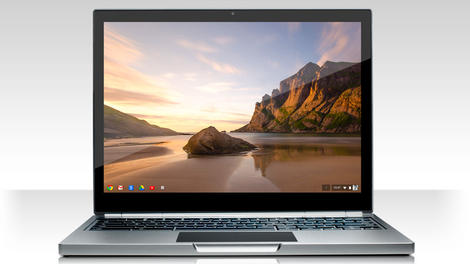
Google is lining up an army of hybrid Chromebooks featuring both ChromeOS and Android to take on the Surface Pro 3 and other Windows-powered hybrids, with the search giant set to lead the charge.
That's according to Digitimes, which reports that the first Google-branded device since the Chromebook Pixel will run ChromeOS with the keyboard attached, and Android when in tablet mode.
It's unclear whether the 2-in-1 device will dual-boot the two operating systems independently or run Android apps natively in ChromeOS, something Google announced it was working on during Google I/O 2014. It's likely that it will switch automatically between the two in a similar manner to Windows 10's Continuum feature.
Quanta Computer is designing the Chromebook, according to sources from Google's supply chain, which point to the end of March for its completion date.
Adding polish
Other vendors are said to be joining the 2-in-1 Chromebook party later in the year, though names are yet to be confirmed - although you can safetly bet that Samsung won't be one of them following its exit from the laptop market.Acer used CES 2015 to launch another Chromebook "first" in the form of the Acer Chromebook 15, which is the first Chromebook to feature both Intel's fifth-generation Core M CPU and a 15-inch display.
- Oh, go on then - show me the best Chromebooks

Read More ...
Qualcomm's Chromecast rival supports 4K video

As the move to 4K video gets under-way, Qualcomm has announced a streaming stick that uses its Snapdragon 800 processor to deliver UHD video to your TV.
The device is currently a reference design, so it's not actually available to buy, and like most of Qualcomm's hardware, it probably won't be. What it does is demonstrate what's possible, and allow other companies to make their own using Qualcomm's reference design. There's also the chance that those making this device might perhaps opt to boost its power with the Snapdragon 810, which is just starting to arrive in devices now.
In the prototype, the stick runs a full version of Android. This gives the option for everything from a fully-featured device, to a very simple streamer - much like Chromecast. But letting our imagination have some fun for a moment, it could also be used for Android TV.
Could offer 4G too
What's interesting here though, is that as well as normal Wi-Fi, there's also the option to use LTE broadcast. This could allow a mobile operator to send TV over the air to subscribers, using 4G frequencies, but like a traditional broadcast, it would be received by large numbers of people at the same time.The stick can also use 5GHz frequencies to create a localised version of LTE. This allows much greater capacity for 4G networks, and would allow far more bandwidth to be utilized. That's pretty crucial when you're on about moving large videos around the planet.
SlashGear has seen the early prototype, and suggests that pricing would be competitive - so imagine around £30 ($46US, $59AU) to £50 ($76US , $99AU) depending on the features included. For 4K, there's not much else about, so if manufacturers start producing these soon, it could do very well and offer a cheap way to get 4K content.
Source: SlashGear

Read More ...
Big brand starts producing actual cameras for Project Ara

Toshiba has shown two camera modules that it's making for Google's unique Project Ara modular smartphone.
The modules can be swapped in and out of an Ara handset, allowing you to easily upgrade the snapper on your smartphone. The two modules that were shown off by Toshiba were 5MP and 13MP snappers, both of which can be quickly installed into a Project Ara handset as the main rear cameras.
Toshiba is also working on a front-facing 2 megapixel camera. Although we should be seeing an early version of Project Ara later this year when a pilot test program launches, according to a Toshiba development plan we won't see the camera modules until 2016.

Toshiba's Senior Vice President and Chief Technology Officer Shardul Kazi has indicated that the company's modules will range in price from $50 (around £32, AU$65) to a quite staggering $500 (£325, AU$650), so we should see non-camera modules from Toshiba in the future as well.
The ability to simply swap out and upgrade parts of the smartphone makes Project Ara an incredibly exciting device, and it's encouraging to see big names like Toshiba supporting the project.

Read More ...
Available Tags:HP , Google , security , download , Blu-ray , Mozilla , Firefox , Samsung , iPad , Galaxy ,


No comments:
Post a Comment