

Microsoft Q2 FY 2015 Financial Results: 8% Revenue Gain

Breaking down the business, Microsoft has two main segments. Devices and Consumer (D&C) is the business line that focuses on hardware and software aimed at the consumer, and Commercial is the segment aimed at business and enterprise needs. Looking at D&C, it is further broken down into licensing, which includes Windows Phone licensing, Windows OS licensing, and traditional Office sales. Computing and Gaming Hardware is Xbox and Surface lines, Phone Hardware is the new Smartphone business purchased from Nokia last year, and D&C Other includes First-Party games, Xbox Live revenues, Online Advertising, and Office 365 Home, Personal, and Student revenues.
| Microsoft Q2 2015 Financial Results (GAAP) | |||||
| Q2'2015 | Q1'2015 | Q2'2014 | |||
| Revenue (in Billions USD) | $26.470 | $23.201 | $24.519 | ||
| Operating Income (in Billions USD) | $7.776 | $5.844 | $7.969 | ||
| Gross Margin (in Billions USD) | $16.334 | $14.928 | $16.197 | ||
| Net Income (in Billions USD) | $5.863 | $4.540 | $6.558 | ||
| Margins | 61.7% | 64.3% | 66.1% | ||
| Basic Earnings per Share (in USD) | $0.71 | $0.55 | $0.79 | ||
Taking a look at D&C Licensing, revenue is down 25% to $4.17 billion, with a gross margin down 22% to $3.88 billion. Both are slightly higher than Q1 2015, but there have been some major changes to Microsoft’s licensing models which directly impact this segment. Windows Phone licensing revenue fell 61% year-over-year, mostly due to the fact that Nokia is no longer paying them for the OS since they have been acquired by Microsoft. In addition, Windows Phone has been moved to no cost licensing. Windows OEM revenue also declined 13%, which Microsoft attributes to a return of the business PC and Pro market returning to a pre-Windows XP end of support level, as well as new lower-priced licensing for devices sold to education institutes. Non-Pro revenue declined 13% due to low price point devices and the new licensing model for low cost products. To cap off the D&C Licensing segment, Office Consumer revenue declined 25% due to the move of users to the subscription based Office 365.
Computing and Gaming Hardware had an 11% year-over-year drop in revenue, down to $4 billion. Gross margin is much lower for hardware, but it did show a 12% gain over 2014, to $460 million. Xbox saw a 20% decline in revenue, however price promotions did drive strong Xbox One sales for the holidays. Xbox 360 sales declined. Surface on the other hand had revenue of $1.1 billion, up 24%, which was driven by Surface Pro 3 and accessories sales. Xbox had a gross margin decline, due to the higher platform costs of Xbox One over Xbox 360 at this point in the product lifecycle, and Surface Pro 3 drove a gross margin improvement.
Moving to phones, Microsoft cracked the 10 million smartphones per quarter number, with 10.5 million Lumias sold, which was up both year-over-year and quarter-over-quarter. The growth has been driven by low cost smartphones, which helps explain the myriad of low-cost devices announced in the past year. Almost 40 million non-Lumia phones were sold, declining over the previous year as the feature phone market dries up. Overall revenue for the quarter was $2.28 billion, with a gross margin of $330 million, or 14%.
The final D&C segment is “Other”, and this division saw a strong gain, with a 30% increase in revenue over last year, up to $2.44 billion. Gross margin was up 42% as well, to $550 million. First-party games had a strong quarter, with revenue up 79%, driven by Minecraft, Halo, and Forza franchises. Xbox Live had revenues up 42%, which is attributed to higher Xbox Live transactions. Online Advertising had search revenue up 23%, due to higher revenue per search and increase search volume, but display advertising revenue declined. The Bing search engine has 19.7% US market share, up 150 basis points over last year. Office 365 continues its strong growth, with 30% more customers than just last quarter. The total number of Office 365 subscribers is now at 9.2 million.
The Commercial segments are next, with this broken into Licensing and Other, with Licensing including volume licensing, Windows Server, and Office, and Other is the cloud based services (and needs to be renamed). Total revenue for commercial grew 5% to $13.27 billion, with the gross margin coming in at a 3% gain to $10.83 billion. Licensing revenue was down slightly to $10.68 billion, a drop of 2% over last year. This was due to a 13% drop in Office commercial sales, a 7% increase in Server product revenue, and a 3% gain in Windows volume licensing. Other revenue was up 46% to $2.59 billion, with Commercial Cloud growing 114% driven by strong sales of Office 365 Business, Azure, and Dynamics CRM Online.
| Microsoft Q2 2015 Segment Overview (in Billions USD) | |||||
| Q2'2015 | Q1'2015 | Q2'2014 | Percentage for quarter | ||
| D&C Licensing Revenue | $4.17 | $4.09 | $5.54 | 15.8% | |
| D&C Licensing Gross Margin | $3.88 | $3.82 | $4.98 | 23.8% | |
| D&C Computing and Gaming Hardware Revenue | $4.00 | $2.45 | $4.47 | 15.1% | |
| D&C Computing and Gaming Hardware Gross Margin | $0.46 | $0.48 | $0.41 | 2.8% | |
| Phone Hardware Revenue | $2.28 | $2.61 | $1.98 | 8.6% | |
| Phone Hardware Gross Margin | $0.33 | $0.48 | $0.05 | 2.0% | |
| D&C Other Revenue | $2.44 | $1.81 | $1.87 | 9.2% | |
| D&C Other Gross Margin | $0.55 | $0.31 | $0.39 | 3.4% | |
| Commercial Licensing Revenue | $10.68 | $9.87 | $10.90 | 40.3% | |
| Commercial Other Revenue | $2.59 | $2.41 | $1.77 | 9.8% | |
| Commercial Overall Gross Margin | $10.83 | $9.91 | $10.50 | 66.3% | |
Commerical is where Microsoft makes its money, with about 66% of their gross margin coming from the commercial segments. Microsoft is well established in the enterprise, and has been very successful at moving those customers to its cloud offerings. Office 365 has been very successful, and they have just announced the Office 365 Government cloud as well with special requirements that will appease that market.
All of the D&C segments have quite low margins except for their Licensing segment, but it saw a sharp decline. Continues price pressure on the operating system has changed the way Windows is licensed, and Microsoft needs to move people to its cloud services to keep the margins up. This has been successful with Office 365, which has gained quite a few subscribers every quarter. To see a 30% gain in just one quarter, at this stage in its life, is pretty strong growth.
On the hardware side, Xbox One has slimmer margins at this point in its life than Xbox 360, driving down gross margin. The 20% decline in revenue was pretty sharp, but last year’s holiday numbers included the initial launch, which had a spike in sales that have not been seen since. Price cuts to the Xbox One have helped sales, but will further cut into the slimmer margins. Surface is a bright spot though, especially after the Surface RT write-down which caused many people to wonder if Microsoft was going to stick with hardware. The Surface Pro 3 can, I think, be called a success, after several iterations that were good devices, but not fantastic. It has had several quarters of strong growth now.
Microsoft missed a couple of analysts’ expectations, with a smaller Unearned revenue and slow sales in China and Japan. They are seeing strong gains in their cloud infrastructure, and have had some success in hardware.
Source: Microsoft Investor Relations
Read More ...
GeForce GTX 970: Correcting The Specs & Exploring Memory Allocation
Over the weekend we reported on a statement released by NVIDIA regarding recent concern over unusual VRAM allocation and VRAM bandwidth performance from the GeForce GTX 970. In brief, various GTX 970 owners had observed that the GTX 970 was prone to topping out its reported VRAM allocation at 3.5GB rather than 4GB, and that meanwhile the GTX 980 was reaching 4GB allocated in similar circumstances. All of this was at odds with what we thought we knew about the cards and the underlying GM204 GPU, as the two cards were believed to have identical memory subsystems.
As a result we’ve been digging into this issue over the weekend, working to collect the final pieces of the puzzle. To that end NVIDIA reached out to us Sunday evening to fully explain the issue at a level of detail necessary for our level of depth, making available to us a “triage team” of sorts of technical marketing, product management, and engineering/architectural personnel to answer questions and to better explain the issue. While there’s still some benchmarking left to do on our end – we’ve only had a relatively brief Sunday evening to work with NVIDIA’s full explanation – at this point we feel like we have a solid grasp of what’s going on with the GTX 970, how its memory segmenting and allocation work, and how it can impact performance.
Read More ...
ASRock VisionX 471D Review - Evolutionary Upgrades for a Powerful mini-PC
ASRock has been one of the few motherboard vendors to focus on mini-PCs targeting the HTPC and portable gaming markets. Starting from the ION-based nettop days, they have consistently refreshed the mini-PC lineup in sync with Intel's product cycle. We reviewed the Haswell-based VisionX 420D last September. Instead of waiting for Broadwell / Skylake, ASRock has taken the opportunity of falling flash memory prices to bring out a mid-generation update in the form of the VisionX 471D. With a Core i7-4712MQ and a 256 GB mSATA SSD under the hood, ASRock manages to address two important improvement aspects that we noted in our VisionX 420D review. Do the additional capabilities come with any caveats? Are there tangible improvements in real-world workloads? Read on to see how the VisionX 471D fares in our mini-PC evaluation routine.
Read More ...
Internet Explorer Project Spartan Shows Large Performance Gains
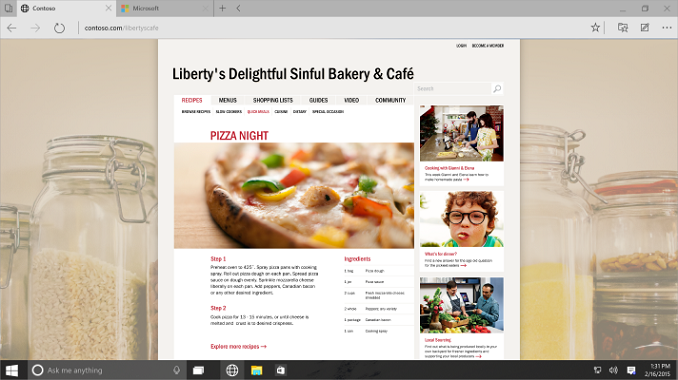
As a brief history, there are of course several major browsers and many smaller ones. Webkit has become one of the dominant rendering (also called layout) engines, and powers Apple’s Safari browser on both OS X and iOS. Chrome used to be based on Webkit, but in 2013, Google forked WebCore from the WebKit project and created Blink, which is also now used by the Opera browser. Firefox has their own rendering engine, called Gecko, and Internet Explorer has used a closed source rendering engine called Trident since version 4.0.
In addition to the rendering engine, each browser also has an ECMA Script engine for executing JavaScript. JavaScript has become very important on the web, so JavaScript performance of the engine is important for how fast web pages feel. Safari’s engine is branded as Nitro, Chrome has V8, Firefox has SpiderMonkey, and Internet Explorer uses Chakra. This means that even though Chrome and Safari were both based on Webkit, performance can be very different because of the different script engines in each browser.
Previous to Internet Explorer 9, IE used a script interpreter for JavaScript, which was fine back when the web was mostly static content, but not good enough with the move to dynamic webpages. Chakra was created for IE9, and it gave a large jump in performance for IE 9 over IE 8. It was certainly an improvement, but quickly fell behind in terms of performance against the other competitors. IE 10, and IE 11, both improved somewhat over the competition, but still the performance of Javascript was poor.
With Windows 10, Microsoft is finally talking about performance again, but also compatibility. For legacy sites, Spartan can load the IE 11 engine as needed, but most of the time they will be able to avoid the legacy code and use a much leaner, faster engine, along with a revamped Javascript engine which offers much greater performance.
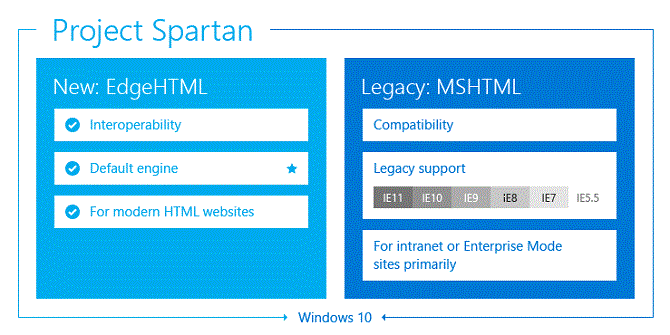
Spartan will not be Internet Explorer. This will be a completely new browser, with a new name. Spartan will however be able to load the IE 11 engine if and when needed to maintain compatibility with older sites. For enterprises which still rely on older technologies such as ActiveX controls and Browser Helper Objects, Internet Explorer will still be available in Windows 10 for those use cases, however it will have the same dual rendering engine as Spartan, allowing modern sites to be rendered with the new rendering engine, and older sites to be rendered with IE 11.
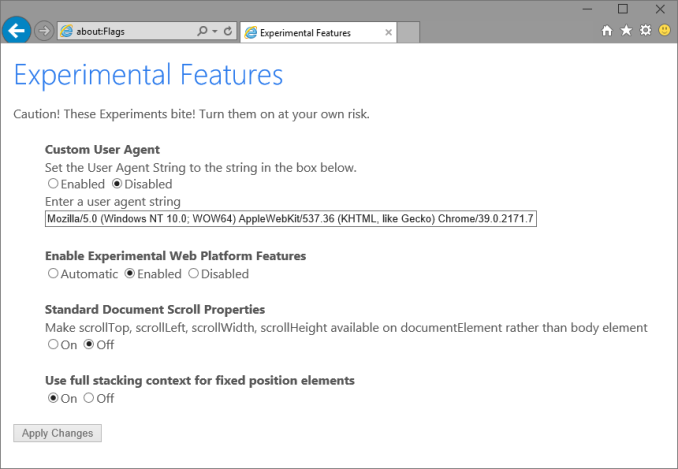
For the Windows 10 build 9926 which was released on January 23rd, Spartan is not yet available, and will show up at a later date. However Internet Explorer does have the new Edge document mode. A small number of testers will have this mode enabled by default, and anyone who wants to test against it can manually enable it by going to about:flags in the address bar. Switch Enable Experimental Web Platform Features to Enabled, and you will be using the latest rendering engine. This is still pre-release software, so enable at your own risk of course. Also in the experimental features is the ability to set a custom user agent string, and Microsoft has continued the successful strategy that they brought forward in Windows Phone 8.1 Update 1 of having a user agent string say that it is not Internet Explorer to avoid old IE-only content.
The performance increase of the new Javascript engine is massive, and brings Internet Explorer basically up to par with Google Chome for Javascript performance. WebGL still has some work to be done, and at the moment, the only HTML5 features that have been added is WebM support. Let’s take a look at the numbers.
| Browser Performance - Core i7-860 | |||||
| Benchmark | IE Old | IE Experimental | Chrome 40 | Firefox 35 | Percentage Change |
| Sunspider (lower is better) | 149.7ms | 144.6ms | 260.9ms | 220.1ms | 3.4% |
| Octane 2.0 (higher is better) | 9861 | 17928 | 17474 | 16508 | 81.8% |
| Kraken 1.1 (lower is better) | 3781.2ms | 2077.5ms | 1992.8ms | 1760.4ms | 45.1% |
| WebXPRT (higher is better) | 913 | 1083 | 1251 | 1345 | 18.6% |
| Oort Online (higher is better) | 1990 | 2170 | 5370 | 3900 | 9% |
| HTML5Test (higher is better) | 339 | 344 | 511 | 449 | 1.5% |
IE was well optimized for Sunspider already, so there is not much of a change there. Google Octane 2.0 however has always been terrible in IE, and now it comes in roughly the same as Chrome, for a massive 81.8% increase over the old rendering engine. Kraken continues this with a 45% jump in performance. It is a big change, and a welcome one too.
Spartan should have good performance when it is eventually previewed, and hopefully the standards support will increase as well. Since it will be updated through the Windows Store, the old way of updating Internet Explorer with new Operating System releases should also disappear, allowing Microsoft to ramp up the updates to the new browser. It has taken a long time, but it seems that Redmond is finally focusing on performance and standards for a new web. For those that want to read up on more of the changes, check out the MSDN IE Blog for more information.
Read More ...
NVIDIA Publishes Statement on GeForce GTX 970 Memory Allocation
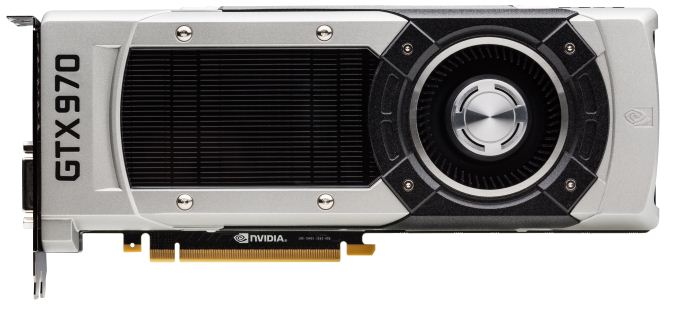
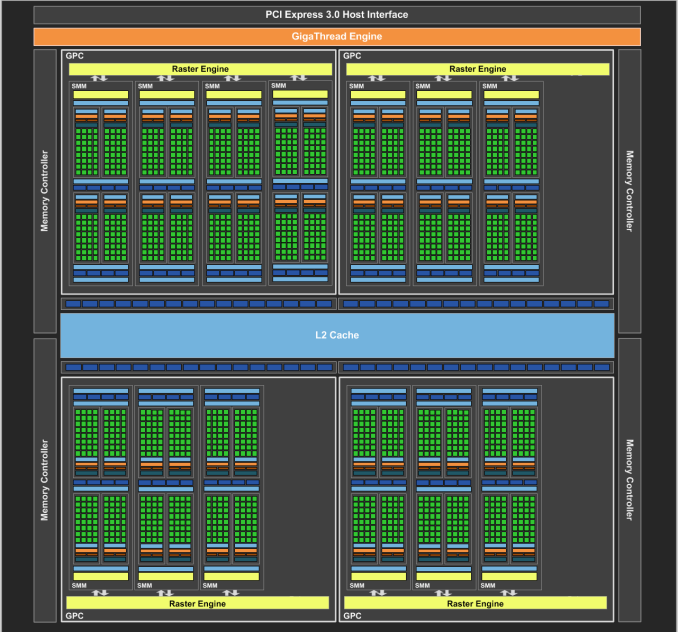
GTX 970 Logical Diagram
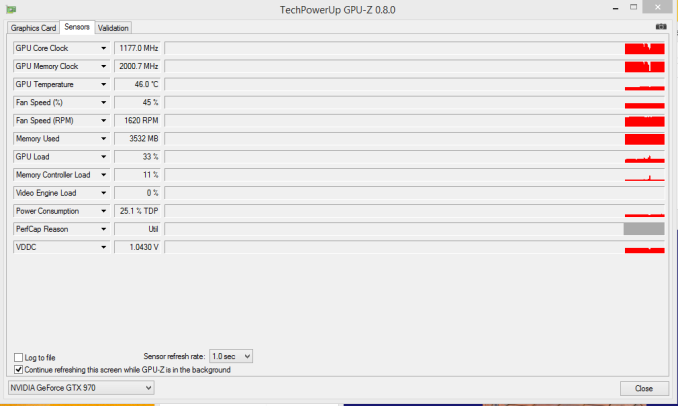
Since then there has been some further investigation into the matter using various tools written in CUDA in order to try to systematically confirm this phenomena and to pinpoint what is going on. Those tests seemingly confirm the issue – the GTX 970 has something unusual going on after 3.5GB VRAM allocation – but they have not come any closer in explaining just what is going on.
Finally, more or less the entire technical press has been pushing NVIDIA on the issue, and this morning they have released a statement on the matter, which we are republishing in full:
The GeForce GTX 970 is equipped with 4GB of dedicated graphics memory. However the 970 has a different configuration of SMs than the 980, and fewer crossbar resources to the memory system. To optimally manage memory traffic in this configuration, we segment graphics memory into a 3.5GB section and a 0.5GB section. The GPU has higher priority access to the 3.5GB section. When a game needs less than 3.5GB of video memory per draw command then it will only access the first partition, and 3rd party applications that measure memory usage will report 3.5GB of memory in use on GTX 970, but may report more for GTX 980 if there is more memory used by other commands. When a game requires more than 3.5GB of memory then we use both segments.
We understand there have been some questions about how the GTX 970 will perform when it accesses the 0.5GB memory segment. The best way to test that is to look at game performance. Compare a GTX 980 to a 970 on a game that uses less than 3.5GB. Then turn up the settings so the game needs more than 3.5GB and compare 980 and 970 performance again.
Here’s an example of some performance data:
GeForce GTX 970 Performance Settings GTX980 GTX970
Shadows of Mordor
<3.5GB setting = 2688x1512 Very High
72fps
60fps
>3.5GB setting = 3456x1944
55fps (-24%)
45fps (-25%)
Battlefield 4
<3.5GB setting = 3840x2160 2xMSAA
36fps
30fps
>3.5GB setting = 3840x2160 135% res
19fps (-47%)
15fps (-50%)
Call of Duty: Advanced Warfare
<3.5GB setting = 3840x2160 FSMAA T2x, Supersampling off
82fps
71fps
>3.5GB setting = 3840x2160 FSMAA T2x, Supersampling on
48fps (-41%)
40fps (-44%)
On GTX 980, Shadows of Mordor drops about 24% on GTX 980 and 25% on GTX 970, a 1% difference. On Battlefield 4, the drop is 47% on GTX 980 and 50% on GTX 970, a 3% difference. On CoD: AW, the drop is 41% on GTX 980 and 44% on GTX 970, a 3% difference. As you can see, there is very little change in the performance of the GTX 970 relative to GTX 980 on these games when it is using the 0.5GB segment.
Before going any further, it’s probably best to explain the nature of the message itself before discussing the content. As is almost always the case when issuing blanket technical statements to the wider press, NVIDIA has opted for a simpler, high level message that’s light on technical details in order to make the content of the message accessible to more users. For NVIDIA and their customer base this makes all the sense in the world (and we don’t resent them for it), but it goes without saying that “fewer crossbar resources to the memory system” does not come close to fully explaining the issue at hand, why it’s happening, and how in detail NVIDIA is handling VRAM allocation. Meanwhile for technical users and technical press such as ourselves we would like more information, and while we can’t speak for NVIDIA, rarely is NVIDIA’s first statement their last statement in these matters, so we do not believe this is the last we will hear on the subject.
In any case, NVIDIA’s statement affirms that the GTX 970 does materially differ from the GTX 980. Despite the outward appearance of identical memory subsystems, there is an important difference here that makes a 512MB partition of VRAM less performant or otherwise decoupled from the other 3.5GB.
Being a high level statement, NVIDIA’s focus is on the performance ramifications – mainly, that there generally aren’t any – and while we’re not prepared to affirm or deny NVIDIA’s claims, it’s clear that this only scratches the surface. VRAM allocation is a multi-variable process; drivers, applications, APIs, and OSes all play a part here, and just because VRAM is allocated doesn’t necessarily mean it’s in use, or that it’s being used in a performance-critical situation. Using VRAM for an application-level resource cache and actively loading 4GB of resources per frame are two very different scenarios, for example, and would certainly be impacted differently by NVIDIA’s split memory partitions.
For the moment with so few answers in hand we’re not going to spend too much time trying to guess what it is NVIDIA has done, but from NVIDIA’s statement it’s clear that there’s some additional investigating left to do. If nothing else, what we’ve learned today is that we know less than we thought we did, and that’s never a satisfying answer. To that end we’ll keep digging, and once we have the answers we need we’ll be back with a deeper answer on how the GTX 970’s memory subsystem works and how it influences the performance of the card.
Read More ...
Windows 10 January Build Available For Download
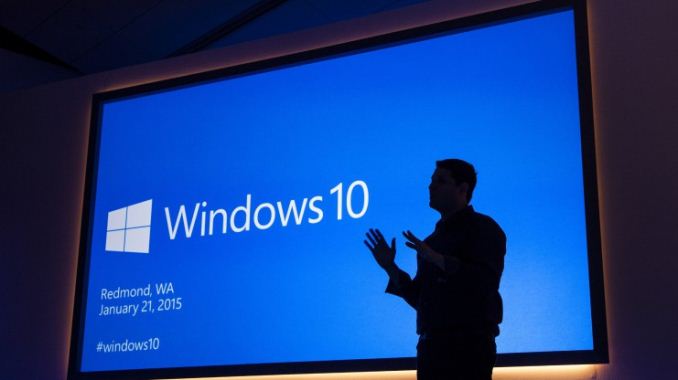
For those already on the Technical Preview, both the Windows 10 Fast and Slow rings have access to this new build, numbered 9926. Simply go to Settings, Update and Recovery, and choose the Preview Build tab to force a check. If you have not tried it out, but want to, of course first backup your PC before starting, and then head over to http://insider.windows.com/ to get access to the automated install, or the ISO files. Of note to people upgrading either from Windows 7, 8, or previous builds of 10, this is an in-place upgrade which should keep your software and settings intact, but does require a re-provisioning of your account. As a final warning, this is pre-release software, so if you are unsure whether you should be running it, the easy answer is that you likely should skip it.
Some of the new features coming in this build are fairly significant, with the first obvious one being an updated Start Menu. It can now be expanded to a full screen experience, just like any app. It also has a scrollable list of live tiles, which can be customized as you prefer.
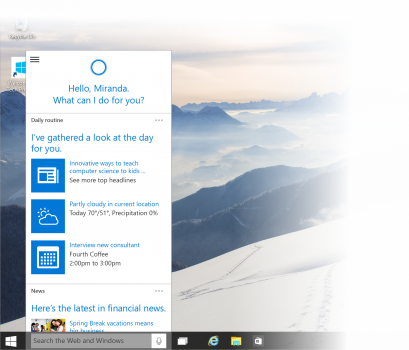
Cortana is coming to the desktop in this build as well, although it is limited to the USA and English at the moment.
Continuum is now available, which is the automated method of switching a device to touch mode and back, and it can be accessed through the updated Action Center as well, which now includes toggles for various modes. The settings app is also new, and blends the Windows 8 style settings with the traditional control panel.
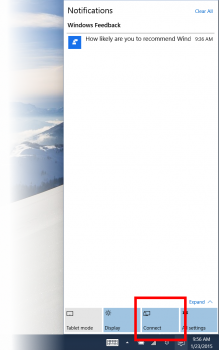
There is now a switch in the action center to make it easier to connect to Bluetooth and Miracast devices, to project audio or video wirelessly.
On the app side, there is a new Windows Store beta, with a much cleaner look and feel, as well as the new Photos map which was demoed on Wednesday. Maps is also updated to the demonstrated build, and the much revamped Xbox app is also available.
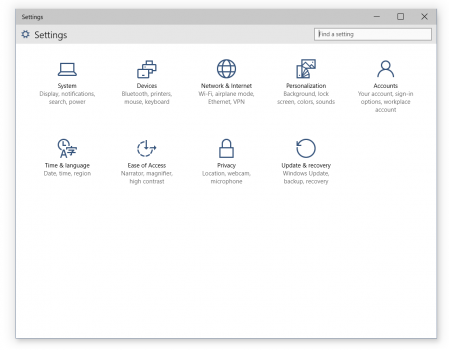
There is a lot of other changes as well, such as the ability to choose which folder is the default when opening File Explorer, there have been Snap Assist changes, more languages are supported, and even Windows Updates can be scheduled to install at specific times with a radio button.
If you do upgrade to this build, be sure to check Windows Update as well. There are a couple of patches which fix known issues.
I am installing right now, and we will go over more of the changes in a future post.
Source: Windows Blog
Read More ...
Interview at CES 2015: Eric Kuo and Sam Chern from MSI Notebooks



Eric Kuo and Sam Chern
Ian Cutress: We are at CES, and CES is a big show with lots of companies showing off exciting things. MSI is here for reason, so what is MSI’s main purpose at CES this year?
Eric Kuo: The key reason is give tours to customers that MSI is focused on gaming products. So not only gaming notebooks, but also gaming AIO, gaming motherboards and gaming VGA cards. So lots of new stuff – we are at CES to show our progress.
IC: Do you have a particular product that you are most proud of this year?
EK: Of course! We have the very innovate GT80 Titan SLI. This is the first gaming notebook with an integrated mechanical keyboard and it also has SLI. As far as we’re concerned, it’s the most special product launched at CES this year.
Sam Chern: I think that the GT80 is one, but another is our GT30 Shadow with the Gaming Dock. I think it’s an excellent product. It focuses on mobility and portability for the main unit, while you leave the dock at home with all its horse power.
IC: What are the intended price points and release dates for these?
SC: Right now in the US the GT80 Titan SLI pricing starts at $2699, and goes the way up depending on configuration. It should be on the shelves if not today, then shortly after CES.
IC: How many years have you personally been at CES?
EK: This is my seventh or eighth time. Since I started it has changed quite a lot – it used to be a very computer oriented show, but now it is a bit mixed. There is a lot more consumer electronics now. MSI has also changed a lot. We used to have a booth on the show floor, but now we are more and more focused on our audience so we have a suite (at the Aria for 2015).
IC: Is CES more important for media or meeting business customers?
EK: Both! We have an extensive meeting list not only with media such as AnandTech but also our distributors and partners as well as internal meetings with the regional offices.
IC: Is there any sort of product that MSI is missing from its portfolio?
EK: We have a roadmap, but of course we are not going to talk about it! I think Computex will be important this year, we are set to release further important products onto the market.
IC: I want to know more about what you do, day-to-day. Most employees work a regular-ish schedule, but for Vice Presidents and Directors, it can be different. What exactly does a person in your position do?
SC: We try to find out what our customers want, including gamers, but also examine what our competitors are releasing onto the market. We keep track of lots of gaming events, because of our gaming focus, so we need to know what gamers are thinking. We listen to feedback, and we learn a lot from media as well. We always read reviews for both professional as well as end-user feedback, to see what people expect from products such as ours.
EK: In my daily job, I focus on keeping track of feedback from different regions. We want to be able to take the data that we receive and come up with products and strategies that fit well in each different type of market. I want to be able to create products that gamers will appreciate and use, as well as provide our customers with something that will ultimately benefit how gamers play and live.
SC: I also think one of the most important thing to do is to play PC games. Eric and I, along with our product managers, all play games. Sometimes we even play together! We also have a company team that has battles on World Of Tanks. I think the fact that we all play PC games is important here at MSI, as it helps us to understand the feedback we get from the gamer’s viewpoint. By both using a product as well as developing a product, it helps us internally to understand, even at the VP level.
IC: Ever considered hosting a VP gaming tournament?
EK: Perhaps we should take some pictures to show others! I like to play games, while some of our product managers are very much into competitive gaming and play every day.
IC: When it comes to gaming sponsorship, which teams are you involved with?
SC: Fnatic is our main team, but we sponsor at least 12 worldwide. But we plan to expand this to at least 20 teams in total through 2015. With the controversy about Fnatic at Dreamhack, we are working closely with them as we want to sponsor teams that play honestly so there is no grey area.
IC: When it comes to sponsoring teams, how far does your sponsorship go?
SC: I think we have different levels of cooperation. It starts with us providing hardware and equipment, then with bigger teams it goes on to monetary contributions from us, with feedback and exposure in return – large-scale partnerships.
EK: We ask for feedback and opinions on the products. The product manager will work directly with the teams to get this feedback in order to improve our products and suit their needs better. I think this is a good cycle, whereby we improve our products generation by generation. We have not looked into Boot Camps yet, as sending products to the team instead is easier right now.
IC: How do you gather feedback from regular gamers?
EK: We monitor the forums as well as social media. We watch these channels and attempt to match their requests. We mainly use our own forum as the platform, but we also read others focused on the notebook markets.
IC: When it comes to specific markets, such as China, South America or Europe, how do you cater the products differently?
EK: Usually in terms of buying power, such as the average selling price of the models in that region. In the US we focus on the high end models and in Europe while it is a high end market they care a lot more on the price/performance scale, so it is a bit different. Each market has a different character. For example we have some sales in Brazil, but not many due to the high taxes and barriers that encourage local production.
IC: What markets are your best right now?
EK: I think Europe, US and China we are strong right now with equally the same position.
IC: What is the most important innovation that MSI has made recently?
EK: I believe that our most important innovation comes in the shape of our GT80 Titan SLI and GS30 Shadow with Gaming Dock. The GT80 Titan SLI comes with a full mechanical keyboard integrated directly into the laptop allowing gamers to have the best performance input possible. The GS30 Shadow with Gaming dock is another innovation that we believe is very important. We provide end-users a solution that includes a powerful and portable notebook for the road, while being able to use the same system at home docked with the full performance of a desktop system.
IC: From the notebook side of the equation, who is more important: the end-user or the reseller, or the business customers?
EK: For the gaming market, the gamer is the top priority.
IC: A slightly different question here – if you were not working at MSI, where would you be instead?
EK: I would probably like to do more photography.
SC: DJ! I love music, particularly old rock and roll. I love Metallica, Guns N Roses, proper 80s rock and roll.
IC: Another question that comes up is about the advice you would give to a high school student to come to work at MSI. Any thoughts?
EK: It depends on which area they want to focus, if they want to focus on R&D, product management, sales or marketing – they all have different aspects. For marketing for example, it helps to understand the product areas. For MSI of course, because gaming is our focus, they really need to understand the gaming environment and the industry. When we interview, one of the questions we ask is if the interviewee plays games! If they’re gamers, they likely stand a better chance of getting hired.
IC: Is it beneficial to move to Taiwan and learn Chinese (Mandarin)?
EK: I highly recommend it!
SC: There are some MSI people overseas who are gamers and they love PC games. They have passion as well as knowing the industry, the hardware and software, so they join MSI. This industry can be very good for them.
IC: Speaking of interviews, what is staff turnover like at MSI?
EK: I like to think MSI is a very stable company compared to others. We are actually hiring right now, because our business is expanding.
IC: To finish up – having been at MSI for over a decade each, has there been one particular day or moment/event that really stands out in your tenure?
EK: Last year I won a special award from the company for leading the gaming line. This was an important award internally!
SC: We had a big LAN party and event last year in Taipei for pro-gamers. I did not play but I did watch, and it was very exciting to see how far MSI has come within gaming.
IC: Any thoughts on MSI’s future?
EK: MSI’s direction is very clear now – we are focused on gaming and our departments are working in the same direction. It is my aim to provide the best possible products for gamers and we want MSI to be number one in gaming. This is our goal.
SC: MSI is not only the brand or the company to sell hardware – we actually want to build a community for two-way communication with our users and provide the best gear for the gamers.
I would like to thank Mr Kuo and Mr Chern for their time!
Read More ...
Acer Chromebook 13: 1080p with Tegra K1
The Google Chromebook has a rather interesting history, starting as an always connected device with all your data stored in the cloud and slowly but steadily transforming into a platform that can function as a full laptop replacement. The hardware has evolved as well, moving from Atom in the initial release to a collection of processors including Atom, Haswell, ARM SoCs, and even Broadwell (coming soon). While you might not be able to do everything on a Chromebook that you can on a Windows laptop, if it can do 95% of what most users need that could very well be enough, and there are clear benefits to Chrome OS as well. Read on for our full review of Acer’s Chromebook 13.
Read More ...
New Challenger: KLEVV DRAM Modules, Linked to SK Hynix
Each reseller of DRAM modules buys or bids on batches of ICs from these companies, does internal binning to see which speeds it can reach, and arranges the modules for the market. Certain batches of ICs, such as Hynix MFR, are expensive due to their high overclocking capability for example. On the open market, it can be a free for all. But some companies have additional leverage.
Samsung use their own ICs and sell DRAM modules under their own name. Micron also sells their own DRAM in modules for the bulk customers, and their Crucial brand which gets the pick of the components in the consumer business. The only player without a ‘house brand’ so to speak is SK Hynix. This is where the name ‘KLEVV’ comes in.
SK Hynix is owned by SK Group (SK C&C), which acts as an umbrella firm over many individual companies. SK Group created a new firm, Essencore, to help bring to market some of the DRAM and NAND capabilities directly to the end-user rather than through their ICs being sold on the open market. Essencore thus created KLEVV to cover the DRAM side of the equation, kind of making KLEVV a customer/vertical integration partner of SK Hynix, although the two are separate entities under the same umbrella, SK Group. This allows SK Hynix to have more control over their better components coming out of the fabs and sell direct. KLEVV is, on paper at least, another Crucial-like player in the space, and another soon-to-be important DRAM module manufacturer.

This marks a few interesting dynamics. As I mentioned previously, a lot of the high end memory modules use Hynix MFR ICs which are historically known as good clocking components. If KLEVV ends up having first pick of those modules, without a serious high bid from people like G.Skill and Corsair, there is potential for market share to adjust somewhat quickly. This could lead to rapid growth from KLEVV and Essencore if their distribution is set up as well as any other memory module manufacturer. KLEVV could very easily start to price some of the more established DRAM brands who do have their own fabs out of business, or offer a more unique range of products.

Image from 10korea.com
At this point in time, at PAX South, Essencore is launching KLEVV into the market with a full array of DDR4 and DDR3 products, at least on paper. We have been told that Newegg will be their initial partner in North America, but we are waiting for information on how they are going to attack other markets such as Europe and Asia. Distribution, without previous contacts, can be difficult to penetrate – but with the right execution, it could go well. KLEVV is targeting the gaming market hard with this launch.
The halo line will be called the KLEVV Cras DDR4, featuring very tall heatsinks with LED lighting effects. KLEVV has not said which combinations of speed will match what capacities, but kits will be offered from 2x4GB to 4x8GB, in 2133 MHz to 3200 MHz configurations.

When I first got this slide, there was one standout kit that took me by surprise - a 2133 10-12-12 kit. Subtimings of 10-12-12 are crazy low for DDR4 at this frequency, and most kits we see are 15-15-15. This would have a direct impact in performance, moving the MHz/CL rating from 142 to 213. When KLEVV begin sampling, this is the kit we have requested for our DDR4 coverage. Unfortunately it looks like it was a copy paste error from DDR3, and the kit is listed as 15-15-15 in the final press materials we were emailed.
And for the record, I am told ‘Cras’ is pronounced ‘Kraz’, and not ‘Crass’.
The DDR3 lines are essentially three big Venn diagram circles covering almost the same areas. At the top is KLEVV Genuine, from 1600 C9 to 3200 C13, followed by KLEVV Urbane in similar scope, and KLEVV Neo on the more budget oriented scale.


While Genuine and Urbane cover the same speeds and densities, the Genuine line will be fitted with LEDs, hence the different branding.
For budget builds, KLEVV will also start to sell DDR3 and DDR4 in JEDEC specifications as single modules.


While KLEVV is being controlled by Essencore rather than directly from SK Hynix, there is still an element of vertical integration which could benefit both sides and hopefully benefit end users. As mentioned, Essencore is dealing with both DRAM and NAND, so while the plan today is to launch memory modules, over the course of 2015 we will see MicroSD cards and eventually SSDs reaching the market under the SK Group heading, with all the advantages that entails. We are not sure yet if the SSDs will also be called KLEVV, or if Essencore will use a different brand for that direction, but both Kristian and I are in contact for when products enter the market. As the SSD side is still a number of quarters away, no specifications or predictions can be made at this time.
The KLEVV website went live in the last 24 hours, with details about each of the product areas. I cannot find the products up for sale at the time of writing, but I understand Newegg should be listing them soon.
Source: Essencore
Additional: We have just been told that the first showing is at PAX South, with more depth and range during PAX East in March. Newegg and US will be the first target market, with Europe following later in 2015.
Read More ...
Office 2016 And Office Universal Apps Revealed
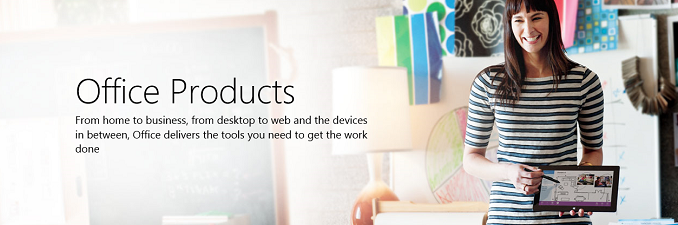
The styling is very similar to the Office for iPad and Android apps which have launched in the last while, but these will be universal apps, so the experience should be very similar across the Microsoft platforms. The Outlook Mail and Outlook Calendar apps will be the replacement for the Mail and Calendar apps on both the desktop and the phone, which is a good thing for consistency. We are not sure if this will be in the first Technical Preview for the phone or not, but hopefully it is so we can get an earlier look at it.
“Word for Windows 10—Create and edit great looking documents with Word. Review and mark-up documents, then share your work with others to collaborate in real time. The new Insights for Office feature (powered by Bing) in Read mode brings additional online resources like images, web references and definitions right to you in your reading experience.”
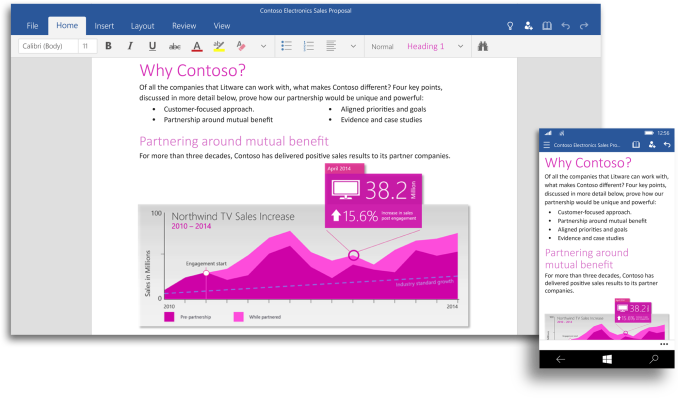
“Excel for Windows 10—Use Excel to create and update spreadsheets and gain new insights as you analyze data and visualize it with charts. And new touch-first controls shine in Excel, you won’t even miss your keyboard and mouse when selecting ranges of cells, formatting your pie charts or managing your workbooks.”
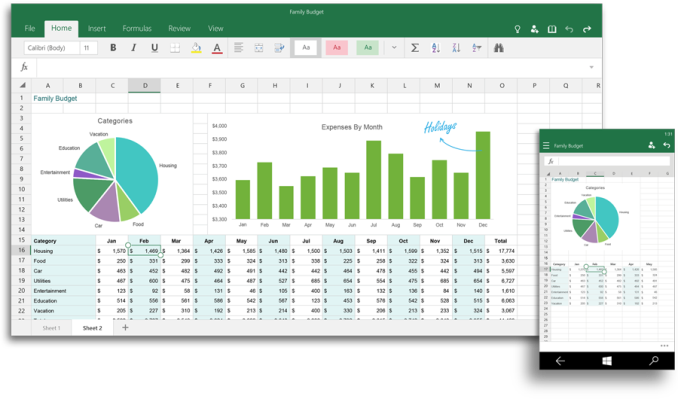
“PowerPoint for Windows 10—Create and edit beautiful presentations with PowerPoint. Then use Presenter View to prepare and present with confidence, even use Ink Tools to annotate your slides in real time so your audience really knows what you are talking about.”
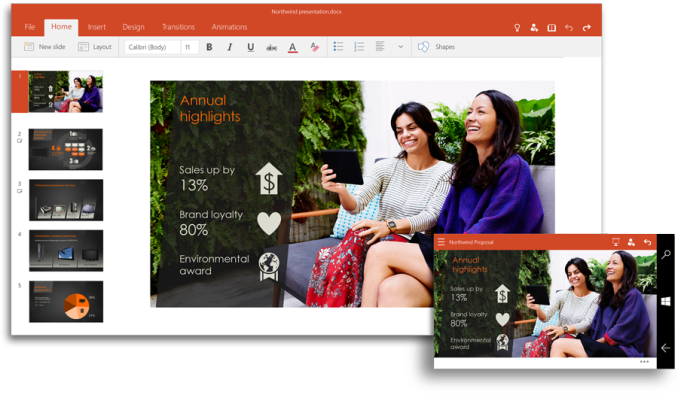
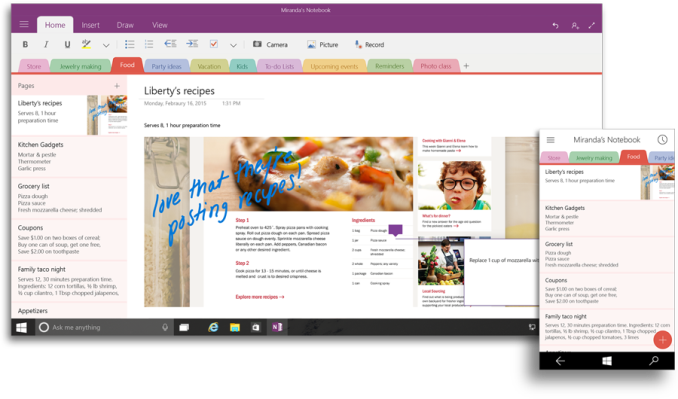
“OneNote for Windows 10—Capture all your thoughts, ideas and to-do’s with the new version of OneNote. Getting things done with your friends, classmates and colleagues has never been easier with shared notebooks–now with the consistent Office ribbon experience.”
“Outlook Mail and Outlook Calendar for Windows 10—Crafting emails has never been easier or more powerful, with the familiar and rich capability of Microsoft Word built into the authoring experience. Simply insert tables, add pictures and use bullets and color to get your point across. Keep up with your inbox with new touch gestures that help you read, sort, flag and archive your mail.”
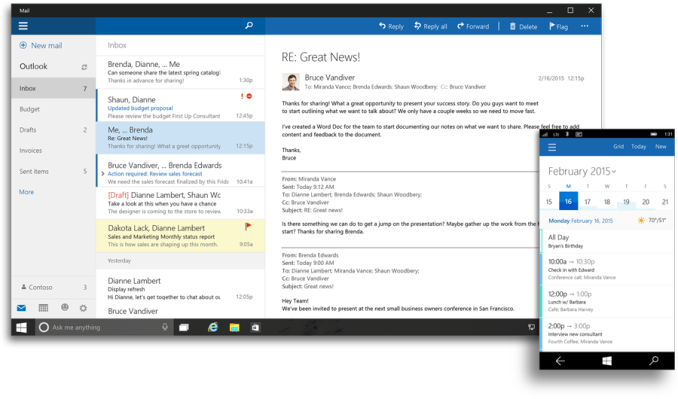
As these are just screen shots, final judgment will have to wait until the apps are made available to preview testers, but we can still glean some information from the images. First, the Outlook client is very much similar to Outlook.com, which once again improves consistency across the platforms. The ribbon is front and center on all of the other apps. They are very much like the iOS and Android versions, which should make for a great experience.
All of the apps have a common feel, and they look like a great update. The OneNote update in particular adds a lot of functionality to the Windows Store version of the app that exists now. Windows Phone will gain a lot of functionality over the existing Office integration. After a 2014 of Microsoft focusing on competing platforms, users of its products should welcome these updates. Pricing has not been revealed, but it is likely that they will be similar to the other mobile platforms where basic functionality is available for no cost, and an Office 365 subscription is required to unlock all features.
Source: Office Blog.
Read More ...
Windows RT Will Not Get Windows 10 Update
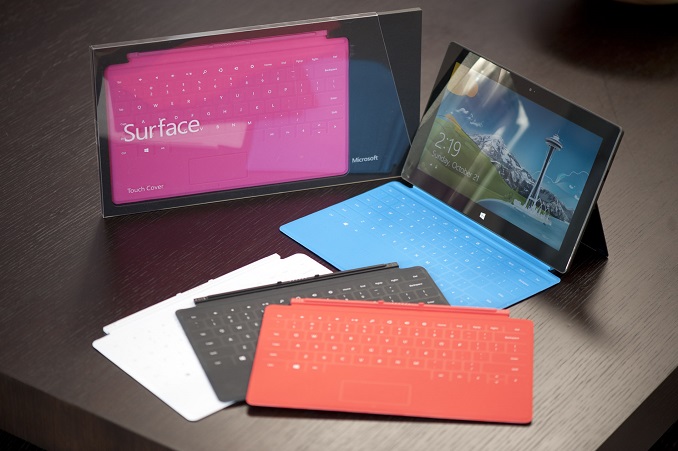
Windows RT was certainly a marketing failure, and arrived at the wrong time and for the wrong reasons. The initial hardware, such as the Tegra 3 powered Surface RT, was fairly underpowered, and sales were poor causing Microsoft to write down $900 million in inventory. The next generation Surface 2 was a much better performing device, but with the ARM CPU inside it was not able to run any of the traditional Windows applications. By the time Surface 2 came to market, Intel had low power Bay Trail CPUs which were competitive on power usage, and offered good performance, plus offered backwards compatibility with all of the Win32 desktop applications, leaving Microsoft as the only vendor selling Windows RT devices.

There were advantages to Windows RT of course, with little chance of malware finding its way onto the system, but the Windows Store ecosystem still lags behind iOS and Android as far as the number of tablet apps available.
It is disappointing to see support dropped so quickly, and of course harkens back to the Windows Phone 7 owners who did not get a Windows Phone 8 upgrade, but in the same vein, some work appears to be underway to bring some of the Windows 10 features to the short lived ARM version of Windows. The strangest part is that with the Hardware Abstraction Layer work already done, the amount of work to bring Windows 10 to the Surface RT and Surface 2 should be minimal, and with Windows Phone being replaced with Windows 10, universal apps will still have to be compiled for ARM chips, making the abandonment of the devices a strange notion when Windows 10 is going to be offered as a free upgrade.
Source: Paul Thurrott
Read More ...
Microsoft VP Details Windows 10 Update for Windows Phone Users
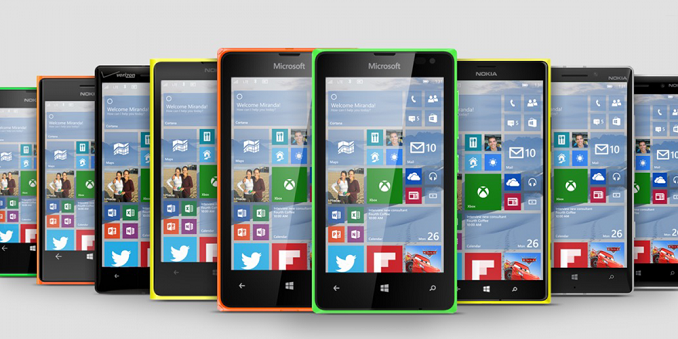
Though Chris Weber did not address all devices, he did specifically mention the new low end Lumia 435, and that their goal is “for the majority of the Lumia phones running Windows Phone 8 and 8.1 to join the Windows ecosystem” so there should be no issues with any Lumia device getting upgraded. As for other Windows Phone OEMs, they should be safe too but of course that may depend on each OEM and wireless carriers updating the devices, which is not always the case.
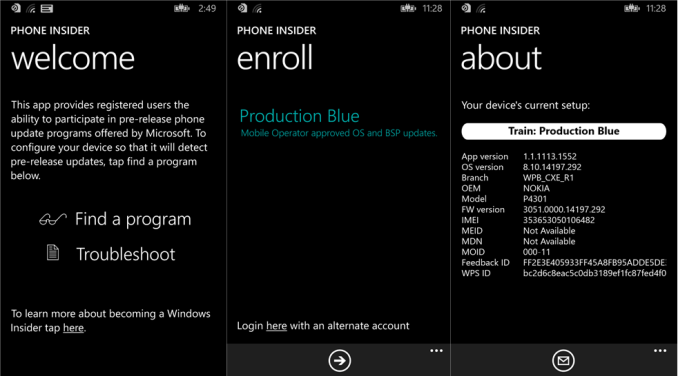
In any case, there will be a technical preview for Windows Phone as well. Along the same lines as the Developer Preview for Windows Phone, which is an app that unlocks much quicker software updates for Windows Phone users, the Phone Insider app will allow people to try out the latest build on their Windows Phone 8 devices. The app is available on the store now, even though the actual OS update for the phone will not be available to Windows Insiders for a week or two.
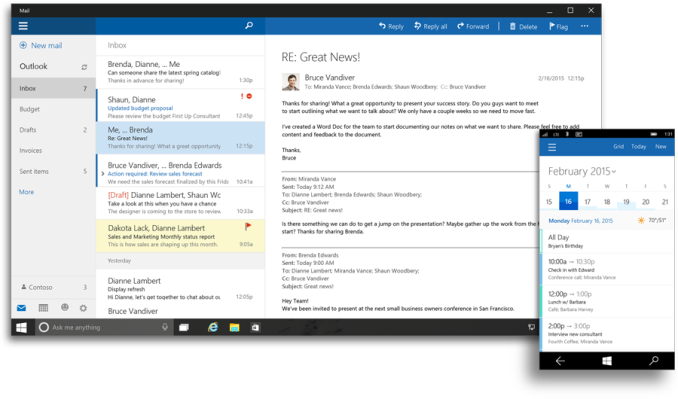
Also discussed was the new universal apps, which will be replacing some of the default Windows Phone apps such as mail, calendar, maps, and even settings. These will now be the same app as one on the PC, but with a UI designed for a smaller screen and touch input. There will also be a lot more of the handoff capabilities between the PC and the phone, and even the new Project Spartan browser debuting on Windows 10 will be a universal app available on the phone as well.
Looking at the initial screenshots and images of Windows 10 on the phone, it seems like the phone is going to closely resemble the PC version, which is good news for consistency across the platforms. It does appear that some of the Windows Phone signature details may be going away though. For instance, there will be less reliance on the pivot and panoramic experience, with apps like Outlook having interactions that are much different than Windows Phone does now. Some of the flatness is also being scaled back, with a background image now behind the live tiles for more sense of depth. Whether this is good or not remains to be seen, and a big factor of course will be whether you liked the aesthetic or not.
As for the update, once it is made available we will get it installed and be able to offer more in-depth coverage of the update.
Source: Lumia Conversations
Read More ...
MSI 970 Gaming Motherboard Review: Undercutting AM3+ at $100
Despite the age of AMD's Vishera CPU architecture, we recently saw the release of two new lower powered 95W quad-module processors. The lower of the two, the FX-8320E, was earmarked for AMDs 970 platform due to the price point and target market of single GPU users. With the processor which AMD recently sampled, AMD also provided the MSI 970 Gaming motherboard which is the focus of today's review.
Read More ...
NVIDIA Launches GeForce GTX 960

With the launch of their first Maxwell GPUs just under a year ago, NVIDIA has by all accounts set themselves up on a solid trajectory for this generation of video cards. Maxwell has proven to be a sturdy GPU architecture, delivering strong performance alongside class-leading power efficiency. NVIDIA’s semi-refresh of Maxwell back in September for the “second generation” Maxwell GM2xx family (GTX 980 and GTX 970) served to further improve NVIDIA’s offerings, coupling Maxwell with a battery of new features for existing and future games alike.
So far we have seen NVIDIA release Maxwell into the low-end/mainstream market with the GTX 750 series, and then go after the high-end of the market with the GTX 980 and GTX 970. The last remaining piece of the puzzle for Maxwell is what comes between those two markets, the enthusiast market, typically served by NVIDIA’s x60 parts. Now just a bit over 4 months after NVIDIA’s launch into the high-end market, NVIDIA is back with their latest Maxwell GPU and latest video cards to do battle for the enthusiast market.
Launching today is the GeForce GTX 960 and the GM206 GPU. Following in the established traditions of the x60 video cards, NVIDIA is looking to reestablish their place in the enthusiast video card market with their latest offering. With GTX 980 and GTX 970 targeted at the 4K and 1440p markets, GTX 960 is in turn designed to be NVIDIA’s high-end 1080p card, capable of running most games with maximum (or near maximum) image quality at the still most common desktop resolution of 1920x1080. To do this they have brought down Maxwell 2 into GM206, a new, smaller GPU tailored for this market segment.
| NVIDIA GPU Specification Comparison | ||||||
| GTX 970 | GTX 960 | GTX 760 | GTX 660 | |||
| CUDA Cores | 1664 | 1024 | 1152 | 960 | ||
| Texture Units | 104 | 64 | 96 | 80 | ||
| ROPs | 64 | 32 | 32 | 24 | ||
| Core Clock | 1050MHz | 1126MHz | 980MHz | 980MHz | ||
| Boost Clock | 1178MHz | 1178MHz | 1033MHz | 1033MHz | ||
| Memory Clock | 7GHz GDDR5 | 7GHz GDDR5 | 6GHz GDDR5 | 6GHz GDDR5 | ||
| Memory Bus Width | 256-bit | 128-bit | 256-bit | 192-bit | ||
| VRAM | 4GB | 2GB | 2GB | 2GB | ||
| FP64 | 1/32 FP32 | 1/32 FP32 | 1/24 FP32 | 1/24 FP32 | ||
| TDP | 145W | 120W | 170W | 140W | ||
| GPU | GM204 | GM206 | GK104 | GK106 | ||
| Transistor Count | 5.2B | 2.94B | 3.5B | 2.54B | ||
| Manufacturing Process | TSMC 28nm | TSMC 28nm | TSMC 28nm | TSMC 28nm | ||
| Launch Date | 09/18/14 | 01/22/15 | 06/25/13 | 09/13/12 | ||
| Launch Price | $329 | $199 | $249 | $229 | ||
Starting off as always with the specs, it’s interesting to note just how very close GM206 comes to being half of a GM204. NVIDIA’s ‘6 parts being around half of a ‘4 is a common design goal for them, but in the last few generations it has never been quite so literal. GM206 and its GTX 960 launch partner feature half the shaders, half the memory bus, and half the ROPs, all at the same clockspeed. Since it is half of a GM204 though, this means that we’re looking at a fairly sizable gap between the GTX 960 and GTX 970; even with the latter’s disabled functional units, it’s still a much bigger, faster card than GTX 960, which reinforces the desired market segments for these cards.
At the heart of GM206 and GTX 960 is a Maxwell 2 configuration containing 1024 CUDA cores arranged in 8 SMMs over 2 GPCs, again reiterating the half-a-GM204 nature of the design. As this is a Maxwell 2 part this means NVIDIA’s CUDA core counts are essentially getting recalibrated here, as Maxwell’s per-core efficiency is well ahead of Kepler’s, leading to a “mere” 1024 CUDA cores punching well over their weight. On the other hand NVIDIA’s texture unit count is also down with the Maxwell generation, with texturing performance per unit being largely unchanged outside of some improvements to the cache feeding those units. On this matter NVIDIA believes Kepler was overweight on texturing, and in the case of GTX 980 and GTX 970 our performance figures haven’t shown Maxwell to be held back by this change.
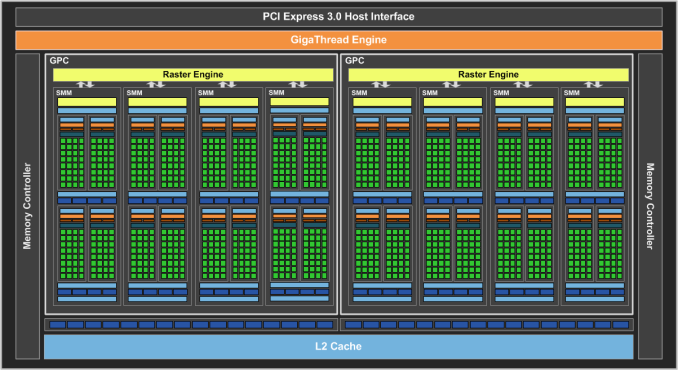
Meanwhile GTX 960 is equipped with a relatively narrow and fast 128-bit memory bus. NVIDIA seems to be embracing 7GHz GDDR5 everywhere this generation, so even the GTX 960 gets top-speed GDDR5 this time around. With that said, the use of higher clockspeed GDDR5 also serves to in part offset that narrow memory bus, which at 128-bits wide is some 33% smaller than the 192-bit memory buses on GK106 and GF106. NVIDIA has never used a 128-bit bus on a ‘6 part before, and the fact that they’re doing so here certainly came as a shock at first.
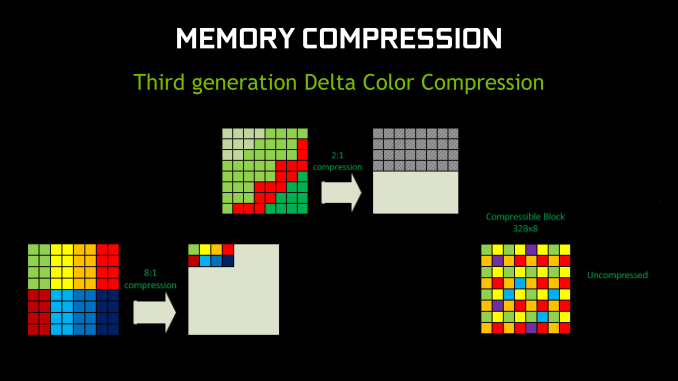
With that said, as we discovered with GM204 Maxwell 2 introduces a new generation of color compression technology that in combination with caching improvements reduced memory bandwidth needs by around 25%. On GTX 980 and GTX 970 NVIDIA used this to significantly increase their effective memory bandwidth to efficiently drive 4K on a 256-bit memory bus, whereas on GTX 960 NVIDIA is essentially spending their gains on the narrower memory bus and ultimately a lower Bill of Materials (BoM). It goes without saying that NVIDIA has a great deal of faith in the real-world performance of their latest compression technology, as the 128-bit memory bus is here is practical thanks to it, but conversely only because of it.
Rounding out the major functional blocks on the GPU is a pair of ROP partitions, for 32 ROPs in total. This is consistent with Maxwell 2’s 16:1 ratio of ROPs to memory controllers, and overall keeps the number of ROPs equal with the outgoing GTX 760. Paired up with the ROPs is 1MB of L2 cache, which like virtually everything else is half the L2 of GM204, or significantly more than comparable Kepler parts.
From a theoretical performance perspective then, GTX 960 offers half the shading, texturing, ROP throughput, and memory bandwidth performance of NVIDIA’s flagship GTX 980. Or to make a more meaningful comparison, we’re looking at around 66% of the shading/texturing performance and 50% of the ROP/memory performance of GTX 970. Going the other direction is a bit more difficult due to architectural differences, but against the GTX 760 the GTX 960 offers 58% of the theoretical memory bandwidth and 102% of the shading performance, but again this is before accounting for the significant architectural gains. Which on that note, it’s always good to point out when discussing scaling up or down GPU architectures and performance does not scale up and down perfectly with functional unit counts, so while the GTX 960 trails the GTX 970 by quite a bit on paper, the GTX 970’s real world lead typically isn’t as great as the numbers would say.
On a feature note, while GM206 is officially classified as a Maxwell 2 part there is one small but very notable feature difference that needs to be pointed out, and we’ll get to in-depth in our full review. When it comes to HEVC (H.265) decoding, GM204, GM1xx, and GK1xx GPUs all offer limited HEVC decoding via a hybrid process that offloads some parts to the GPU fixed function units and shaders, and other parts to software entirely. However as of GM206 NVIDIA’s fixed function HEVC decoder has been completed and rolled into this GPU, making this the first discrete GPU with full HEVC decoding support. This will make the GTX 960 an especially tantalizing option for HTPC usage, but we’ll get deeper into that in the future.
GM206
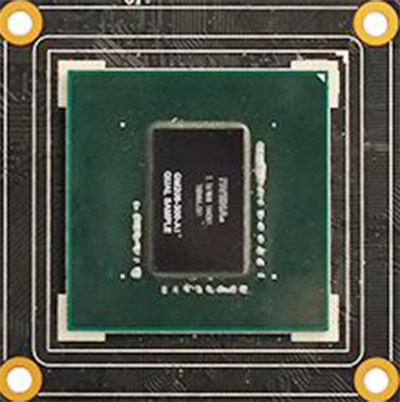
Moving on, in keeping with the Maxwell tradition, GM206 continues to be a relatively sizable but very low power GPU. GM206 ends up weighing in at 2.94B transistors, 2.26B less than GM204 and 400M more than GK106. Like GM204 this has pushed the die size up compared to its predecessor, moving from GK106’s 214mm2 to GM206’s 227mm2. This is a smaller jump than GK104 to GM204, with GM206's die size ultimately being a combination of transistor savings from the narrowed memory bus along with a smaller jump in the number of CUDA cores and other functional units compared to GK106. The smaller jump in transistor count also offers a very crude hint that GM206 isn’t going to offer quite as big a performance increase over GK106 as GM204 offered over its predecessor. In other words, GM204 offered a lot more performance than GK104, but it was also quite a bit bigger. GM206 on the other hand isn’t much bigger than GK106, and performance expectations should be scaled accordingly.
As for power, with only 2.94B transistors GTX 960 is very easy on the power budget, coming in at a TDP of 120W, or a power target of 130W if looking at what the card is actually programmed to allow. This means that like GTX 660 before it, GTX 960 will be establishing itself as NVIDIA’s flagship sub-150W card, easily capable of being powered off of a single 6pin PCIe connector. At its performance level this also means that GTX 960 is going to deliver class-leading power efficiency, like the other Maxwell cards before it, though GTX 970 may end up holding on to the overall sweet spot of performance-per-watt in NVIDIA’s lineup. Otherwise by flipping once again from a ‘4 to a ‘6 GPU, NVIDIA’s power consumption compared to the GTX 760 is way down, as all of these first year product cycle Maxwell cards are riding the power efficiency sweet spot.
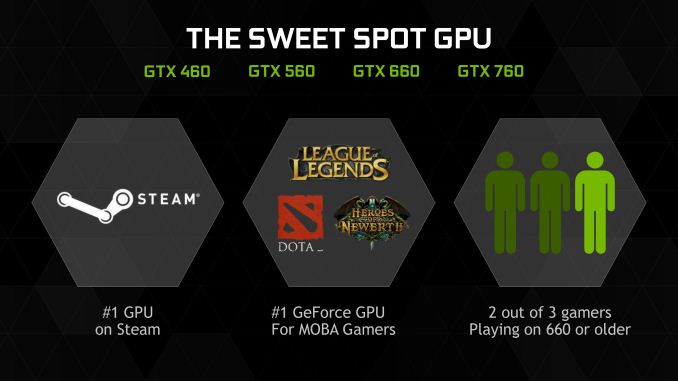
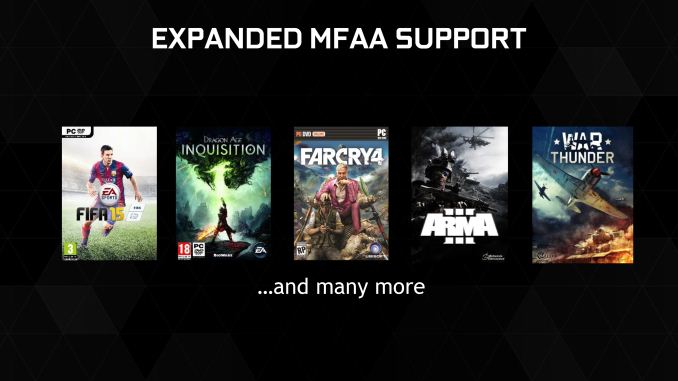
Overall NVIDIA is positioning the GTX 960 as their newest and greatest 1080p enthusiast class card, and the next upgrade for GTX 660/560/460 users. As we’ve discussed in prior articles NVIDIA is on roughly a 1 year product cycle but 2 year GPU cycle, so GTX 960 is not a significant step up from GTX 760 in performance, and consequently is not being pitched as an upgrade for current GTX 760 owners. NVIDIA tells us that they find that GTX x60 owners are typically on a 2-4 year upgrade cycle, which is fitting given the GPU generations in play and the reason why it’s primarily being pitched as a 660/560/460 replacement. To that end NVIDIA is touting just a 50% performance increase over GTX 660, with closer to a 2x increase in overall efficiency after factoring in the reduction in power consumption. One wildcard in any of these NVIDIA performance estimates is the use of MFAA as opposed to MSAA, which on that note NVIDIA tells us that they will be enabling MFAA for a much wider array of games. At this point NVIDIA is ready to enable it for more or less every game that doesn’t have a known problem with the AA technology, listing only 3 games with known issues: Dead Rising 3, Dragon Age 2, and Max Payne 3.


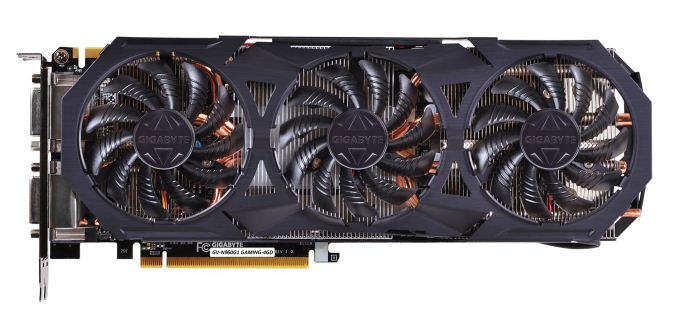
NVIDIA will be launching the GTX 960 at $199 MSRP, with today’s launch being a hard launch. There aren’t any reference card designs this time around, with NVIDIA’s partners launching customized cards right out of the gate. Not unlike the GTX 560 launch of a few years back, GTX 960’s overclocking prospects are looking very good, and as a result partners are launching with a large number of overclocked cards; in fact we’re seeing overclocked cards even at the $199 base price, and according to NVIDIA’s product list only 4 cards in the North American launch are shipping at the GTX 960’s base clockspeeds. It goes without saying then that so long as card pricing holds to MSRPs, there’s going to be little reason to grab a non-overclocked card on this launch. Particularly since these cards are also typically built for higher power targets, which offers headroom that may be useful in future overclocking.
Shifting gears to the competitive landscape, $199 is typically a hot market and the launch of the GTX 960 is no different. AMD’s competitors to the GTX 960 will be the Radeon R9 285 and the Radeon R9 280, the latter of which is something of a story in and of itself, having stubbornly refused to take up its planned retirement after the launch of the 285. With prices of the 280 in particular typically below $199 we have an unusual situation where AMD and partners are unloading 3GB Tahiti cards for relatively little, which will keep this from being an easy win for NVIDIA like GTX 980/970 were. With that said, this is otherwise setting up to be a repeat of the aforementioned launch, with AMD able to compete with NVIDIA on price/performance but not Maxwell’s power efficiency.
Finally, it’s worth noting that there are no game bundles in play at this time for either side. So for the launch of the GTX 960 everything will be a straightforward value proposition.
| Winter 2015 GPU Pricing Comparison | |||||
| AMD | Price | NVIDIA | |||
| Radeon R9 290X | $330 | GeForce GTX 970 | |||
| Radeon R9 290 | $270 | ||||
| Radeon R9 280X | $230 | ||||
| Radeon R9 285 | $200 | GeForce GTX 960 | |||
| Radeon R9 280 | $180 | ||||
Anyhow, that’s a wrap from us for now. Be sure to check back in early next week for our complete look at GeForce GTX 960, including performance, overclocking, HEVC support, and more.
Read More ...
Dropbox Releases App for Windows Phone

Today Dropbox announced the next step in this partnership with the launch of an official Dropbox application for Windows Phone. This completes support for Dropbox on devices in the Microsoft ecosystem, with a Modern UI application for Windows PCs and tablets having been available since the beginning of 2013. It has definitely taken a while for it to move to mobile, but it's good to see another developer making apps for Windows Phone. The app is available for any users running Windows Phone 8.0 and above, and includes all the features you'd expect from Dropbox, as well as some Windows specific abilities like pinning Dropbox folders as Start Screen tiles.
Read More ...
Google Updates Docs Apps With Improved Functionality and Touch ID Support

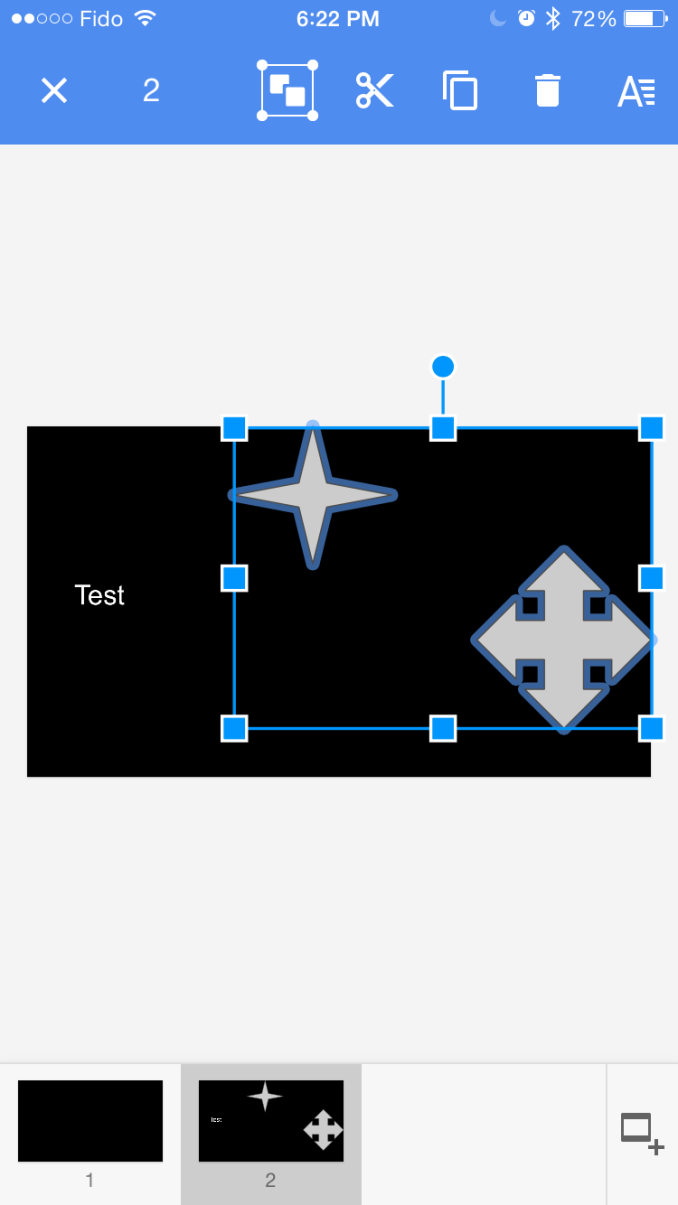
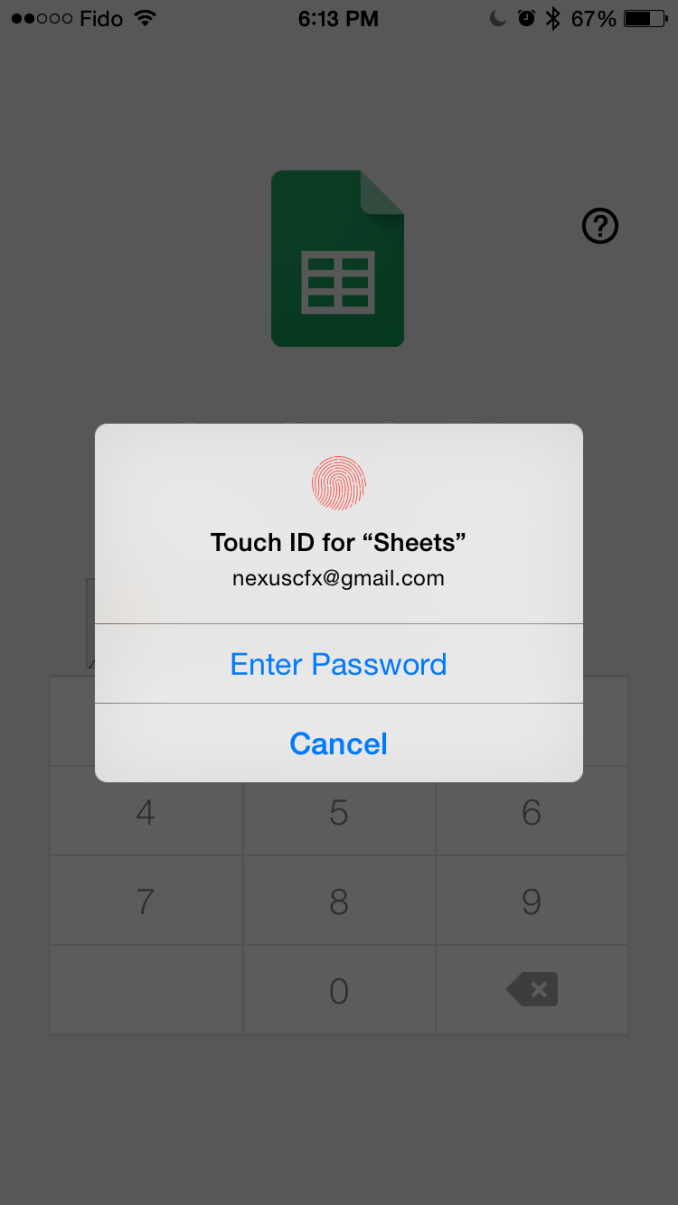
In terms of app functionality, the application receives a few notable upgrades. There is now real-time spell-checking in the Docs app, support for hiding your spreadsheet's rows and columns in Sheets, and group selection of shapes in Slides. In addition, Google has also added Touch ID support for the iOS versions of the applications. It's interesting to see Google implement another Apple specific feature in their apps, having released a Handoff capable version of Chrome for iOS just yesterday. You can see an example of group selection and Touch ID support in the screenshots above. Having to delete or move objects one by one is definitely a hassle, and so users who want to rearrange objects in their presentations will definitely appreciate that feature in particular.
The updates are available now on the App Store for iOS, and they're rolling out on Google Play. As usual, the Google Play roll out is staggered and it might take some time to show up on your device. My devices currently only see the update for Sheets.
Read More ...
Microsoft Reveals The Next Generation Of Windows 10

Likely the biggest announcement was that Windows 10 will be a free upgrade for all Windows 7 and 8.x users, at least for the first year after launch. Once devices are updated to Windows 10, they will be kept current for the lifetime of the device. Windows will now be a service, and Microsoft will be able to move it forward over time much quicker than they can now.

The next big announcement was something that most people knew was coming – Cortana is coming to the PC. For those that have not heard of it, Cortana is Microsoft’s personal assistant software which debuted with Windows Phone 8.1 and has improved over time. It can deal with natural language, and includes a very capable speech recognition engine. The backend of Cortana is of course Bing, which powers the search results if needed. Cortana will live in the taskbar, ready to perform tasks as needed, and interaction can be either through voice or text. Cortana can recognize phrases like “Do I need a coat tomorrow” and answer accordingly, and will respond in the same manner as it was given the question. If you typed the question, it will appear as text, but if you used voice, it will reply to you with the Cortana voice. I have used it on Windows Phone, and it is very good at capturing speech, so it will be interesting to see how useful it becomes on the PC. There will likely be some great use cases, and not so great, as with most software.

Bringing this feature from the phone was not an accident. The final version of Windows Phone software will be the current version – Windows Phone 8.1. When Windows 10 launches, it will be just Windows 10. Windows 10 for phones and small tablets will feature an interface much closer to Windows Phone, but the underlying platform will be Windows 10 which will flesh out the idea of Universal Apps which Microsoft first began to talk about at the BUILD developer’s conference last year. With a common platform, APIs and share libraries will truly bring out the idea of Universal Apps, with a large portion of common code with different UIs based on device type.

Microsoft has gone all-in on Universal Apps, and practically all (or maybe even all) of the app demos today featured Universal Apps, so things like the People app will no longer be different entities on the different platforms, but rather two different views into the same app. They expanded this to include everything from the mail client, to the Xbox app, and even PC Settings. This means that Windows Phone users will no longer have to deal with the poorly sorted Settings page, and instead will get the same sort of experience that they would on the PC. Office will also be available as a universal app, and Microsoft announced that a beta version of the touch version of Office will be available a bit later in the Windows 10 preview cycle.

Likely the most important universal app discussed today was a new web browser, with the codename of “Project Spartan”. This next generation of browser will likely replace Internet Explorer, however it is not quite ready for the next Technical Preview update. This will be a major departure from Internet Explorer, with a new extensions model, and a promise of much better performance due to the jettisoning of older code from past builds. Sources have said that IE will still be available on the platform as a fall back in the event businesses have built out line of business apps which do not work with modern web standards. It also includes some new ways to interact with the web, including the ability to perform note-taking on web sites through pen, touch, or keyboard input, an updated version of the Reading View including an offline Reading List which syncs across all of your devices, and built in Cortana integration to give you answers to questions as you type them into the address bar. Although I have read leaks and rumors of Project Spartan, I am eager to get some hands on time and some more information on what has changed under the hood. Stay tuned for that.

Next, Microsoft brought the head of Xbox on to the stage to discuss the new Xbox app. As expected, the Xbox app will allow someone to perform social interaction with their Xbox Live contacts, and see feeds and achievements, but there was more unveiled as well. Windows 10 will feature a system level Game DVR, to allow players to capture clips from any game running on Windows. Players will be able to play certain games across platforms as well, with co-op and multiplayer capabilities for Xbox One and Windows 10 players to join the same games. DirectX 12 was also brought up, and while none of the technical details were discussed, Microsoft is claiming that games moved to DX12 can render the same scenes with 50% of the power requirements which will enable both more complex games on mobile devices, and the ability to play games on battery powered laptops for longer between charges. Likely the biggest Xbox news though was that Microsoft is adding game streaming from the Xbox One to any connected PC or tablet (phones were not mentioned yet). While game streaming is not new, this is a great way to provide capabilities across their various platforms and give a compelling reason to stay in the ecosystem. I have questions about how it is going to function which we will hopefully get answered in the near future, such as can the Xbox One be used for TV/Media while game streaming to a Windows 10 device.

Back to the Windows 10 PC, Continuum was demonstrated, which allows a 2-in-1 device to change from desktop to touch mode. The example was a Surface Pro 3 having the keyboard removed, and then Windows prompts to enter touch mode, and when the keyboard is attached again, you will be prompted to go back to desktop mode. This is one of the core ideas which will move Windows 10 past Windows 8, as you will no longer be forced to use a touch interface on a laptop or desktop. Similarly to Continuum, a new version of the start menu was demonstrated which has a simple full screen option if a user wants to use a full screen start menu (notice I did not say Start Screen!) and just as easily it can be moved back to a normal start menu. This should make the transition from Windows 7 or 8 easy for any user.

More features were demonstrated as well, including the new Action Center, which borrows the customizable action buttons from Windows Phone. More action will be able to happen right in the action center. There will be quite a few UI updates coming with the next couple of builds, and I can’t wait to check out the changes once we can get our hands on the latest version.

Microsoft then took the wraps off of two new pieces of hardware, which I saw no leaks for at all during the build up to the event. The first was the 84 inch 4K display Surface Hub, which is a conference room in a box. It includes cameras, microphones, sensors, touch, a digitizer, and compute, and includes some great looking software to change the way meetings are held. The display can be used as a white board, which also allows you to copy and paste the contents into OneNote (no more taking pictures of your white board after a meeting!) as well as full video conferencing with Skype for Business, where all of the participants can see what is being presented on the display. Microsoft has had the Perceptive Pixel brand for a while, so it is great to see them moving this into the Surface brand and bringing it to the masses.

Finally, the wow moment of the keynote was the announcement of Microsoft HoloLens. Powered by Windows 10, this is a pseudo-virtual reality headset, but instead of creating virtual reality, it augments actual reality. This is the world’s first holographic computer, and it requires no tethering to any smartphone or PC. The entire unit is self-contained, and allows you to view holograms projected into your space. At the consumer level, there is likely less need for this than was show in the video, but you can imagine tremendous opportunity in the business space, and with engineering and the like. Microsoft did not specify exactly what is powering the device at this time, but they did say that they had to create their own holographic processing unit. Windows 10 will include the holographic computing platform, including the APIs that allow developers to create Universal Apps which also work for the HoloLens. HoloLens does not appear to be virtual reality either, with Microsoft promising to deliver it within the Windows 10 timeline.
Windows 10 looks to be very ambitious, with Microsoft using it to power everything from desktops, laptops, tablets, smartphones, televisions, Xbox, IoT, and the HoloLens. While release dates were not given yet, a fall release seems to be the most likely at this time. Those that want to join the preview and get early access to the unfinished software can find it at https://insider.windows.com/ and if anyone wants to catch the live stream, it is available here http://news.microsoft.com/windows10story/
Once we get the new versions of the builds, we can dig into them and provide more information so stay tuned!
Source: Microsoft
Read More ...
Microsoft Announces Free Windows 10 Update
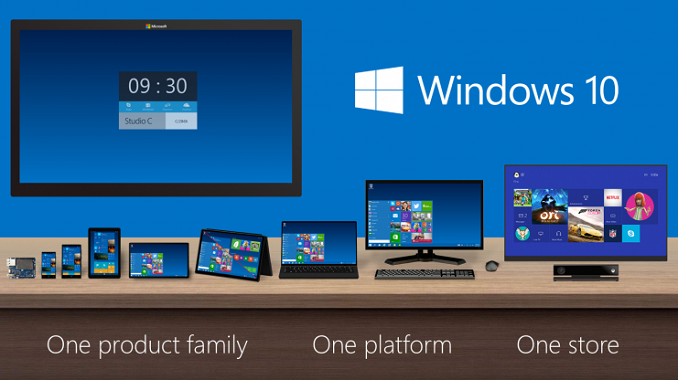
The Windows 10 update will be free for all users of Windows 7 and Windows 8 for one year after launch, which is of course a drastic change over how Windows has been updated in the past. It would be a bit surprising if the free upgrade does not get extended, but for now they are only committing to a free upgrade for a year. However, once updated to Windows 10, the device will kept current and supported over the lifetime of the device. I have already heard “Where is the money going to come from” but really this is sort of a moot point anyway, since the vast majority of people do not pay to upgrade their software anyway. Most of the Windows upgrades come when a person upgrades their device, and at least as far as right now, Windows still has a licensing cost to the OEMs except for some of the smaller, lower cost devices. The initial sale of the device will be the income source, as well as promoting their various online services such as OneDrive, and Office 365, which can bring in subscription based fees. In a way, it is similar to how Apple treats OS X, with the price of the operating system built into the overall system, and then updates can be made available inexpensively going forward.
Really this is about moving the platform forward, and trying to avoid another Windows XP where a large chunk of their user base gets out of sync with the latest versions of software, which causes developers to have to cater to the old platform and not utilize the new features. Windows 7 certainly has the capability of becoming the next Windows XP, so this is an important step if they want developers to build out the new ecosystem.

This is a huge change to Windows, and will move Windows into the realm of being treated as a service. Not only will it move people off of the old platforms much quicker (who does not like free?) it will also allow Microsoft to keep the platform moving forward in the future. The mobile operating systems have already shown how effective this can be, with new APIs and OS features being able to be used by developers much quicker than on the desktop.
This is a key point to moving developers and end users towards the Universal App model, so strategically it makes a lot of sense. If the majority of people are still running a version of Windows that does not support Universal Apps such as Windows 7, it is going to be very difficult to get major developers to build out the platform.
Also, I believe it is also a play towards improving the app situation on Windows Phone. As we will detail in a later piece, Windows Phone is going to be gone, and replaced with just Windows. Windows 10 already has a better mindshare than Windows 8 ever did, so focusing on helping developers build apps that can reach all of their platforms can only help.
Perhaps we now know why Windows 9 was skipped – Windows 10 could be the last major Windows release, with all future versions being an extension of Windows 10.
Source: Microsoft
Read More ...
Lenovo Updates ThinkPad 11e Series for Education
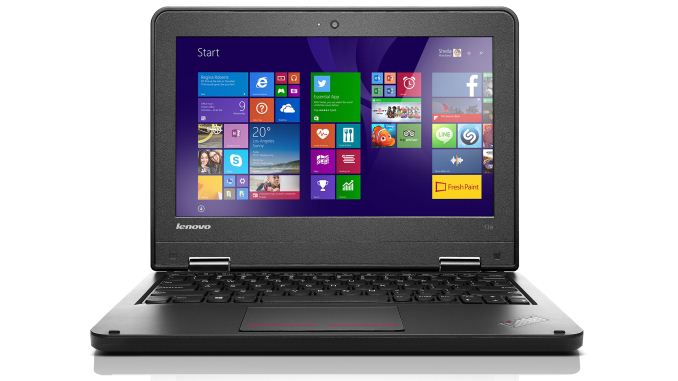
As these are ThinkPad branded devices, they’ll generally be more durable than your typical consumer laptop, making them a better fit for use in schools where they’re likely to get jostled around in backpacks and occasionally dropped on the floor. Lenovo notes in the press release that the 11e laptops are subjected to eleven different testing methods and nineteen procedures to ensure they stand up to increased sand and dust, extreme temperature variations, humidity, and mechanical shock – all to help with the rigors of the daily school environment.
[1/23/2015: Updated with additional details] As far as specifications go, the new ThinkPad 11e and YOGA 11e will support Intel’s 5th Generation Core processors, and given the timing of the announcement we’re looking at the Broadwell-U processors (i.e. not standard voltage Broadwell, which has not yet been announced). The ThinkPad 11e will also be offered with AMD APUs, specifically the Beema E1-6010 and A4-6210, so very low power but also low performance unfortunately. For storage, options include 320GB and 500GB hard drives (5400 and 7200 RPM models are avaialble) or a 128GB SSD.
Both laptops weigh around 3.3 pounds and come with HD (1366x768) displays, with the YOGA 11e featuring Gorilla Glass 3 to protect the 10-point multi-touch screen. The ThinkPad 11e measures 300 x 216 x 22.3 mm. IO options include HDMI 1.4, USB 3.0, USB 2.0, a 4-in-1 card reader, and Gigabit Ethernet. Also included is an HD webcam and TMP 1.2 module.
In addition to the above, Lenovo also has an upcoming optional ActivePen designed to mimic the feel of pen on paper, apparently for the YOGA 11e. Lenovo includes their own WRITEit and REACHit software with the 11e Series as well, designed to help with collaboration and productivity in an educational setting. Monitoring and management software is also provided to help teachers work with students on their screens.
The updated ThinkPad 11e series will be available starting in April, with a starting price of $549 for the ThinkPad 11e and $699 for the ThinkPad YOGA 11e. The ActivePen will also be available in April, but pricing has not yet been set.


Read More ...
QNAP Launches TVS-x71U Haswell-based Rackmount NAS Units

Yesterday, QNAP announced 2U rackmount units with platforms based on the same set of processors. The TVS-x71U comes in 8 and 12-bay varieties. In addition to all the features available in the TVS-x71 series, the rackmount platform has the following updates:
- Availability of two mSATA ports for SSD caching
- Availability of two additional RAM slots (allowing up to 32 GB of memory)
- Two additional USB 2.0 ports and one additional USB 3.0 port
- Redundant / hot-swap power supplies
- Support for rackmount expansion units
The list of removed featuers are provided below. These are completely justified given the target market and form factor of the rackmount units.
- Removal of LCD screen and buttons for basic PC-less management
- Removal of the USB one-touch backup feature
Unfortunately, the RAM (which is now the regular DIMM variety and not SO-DIMM) remains non-ECC. Consumers looking for 12-bay solutions have to go for the rackmount units, while those looking at 8-bay solutions have either the tower form factor or the rackmount at their disposal. The various models in the lineup that QNAP is bring to the market are listed in the table below.

QNAP claims speeds of over 3.3 GBps and 162K IOPS for the 12-bay solution. The rackmount RAID expansion enclosures REXP-1600U-RP and REXP-1200U-RP can be used for additional capacity. However, the expansion support is not native, and will need the SAS-6G2E-U module in one of the free PCIe slots. Pricing information is not available yet.
Read More ...
Acer Announces Enhanced Durability Education Chromebooks
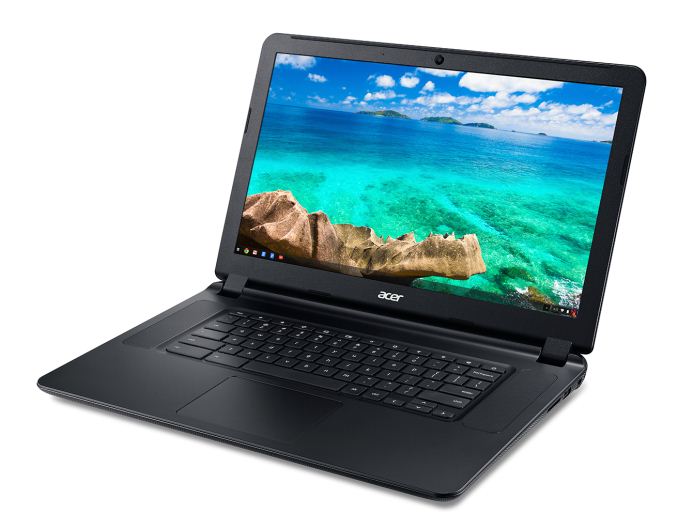
As far as the hardware, the C740 is the updated iteration of the C700 series, with the above durability enhancements along with some changes to the internal components. The latest models sport 5th Generation Intel Core processors up to the i3-5005U, along with the next-generation Celeron 3205U, both of which use the new 14nm Broadwell-U architecture. I know one of the complaints with the C720 and earlier Acer Chromebooks was that the keyboard wasn’t all that great, and with the apparent reuse of that chassis it’s difficult to say if Acer has made any changes to the feel of the keyboard – the Chromebook 13 as an example has a much better keyboard feel. However, Acer does note that “the keyboards were designed for an excellent typing experience for students, some who are still learning keyboarding skills” so there’s some hope that the C740 has updated this element.


Other than the processor upgrade, most of the other elements of the 11.6-inch C740 look to be unchanged. It features a compact size with a 1366x768 display, ideal for packing it into backpacks and carrying around in 1:1 educational institutions (i.e. where each student has their own assigned Chromebook). It measures 288 x 204 x 20.05 mm (W x D x H) and weighs 1.3kg. Battery life is rated at up to nine hours and it will be available in 2GB and 4GB RAM configurations with 16GB of eMMC storage. Other features include 2x2 802.11ac WiFi, Bluetooth 4.0, one USB 2.0 and one USB 3.0 ports, SD card reader, and a full size HDMI port. Pricing starts at $260 for the base model with availability next month, and considering the C720 with Celeron 2955U remains one of the fastest Chromebook options the C740 should be one of the fastest Chromebooks available.
Moving up to the C910, this is a new model that appears to borrow the core design from the Chromebook 15 Acer announced last month, with an updated cover and a dark grey aesthetic instead of eggshell white. Like the C740 it supports Broadwell-U processors (Core i3-5005U or Celeron 3205U), but it comes with a larger 15.6” display. Acer notes that the larger display size makes it better for situations where the laptop might be shared among multiple students, as it’s less likely to be carried around in a backpack. Along with the larger chassis and screen, Acer will also have to display options on the C910, a 1366x768 TN panel or a 1920x1080 IPS panel. (I really wish they’d just axe the 1366x768 TN option, as that’s not a good resolution for a 15.6” display.)


The remaining elements of the C910 are similar to the C740: 2x2 802.11ac WiFi, Bluetooth 4.0, one USB 2.0 and one USB 3.0 ports, SD card reader, and a full size HDMI port. Note also that both laptops have a fan for cooling, which is expected given the use of a 15W TDP processor. Unlike the C740, Acer will only offer the C910 with 4GB RAM and with either 16GB or 32GB of eMMC storage, along with the two display options. The base model will start at $299 and availability in North America is slated for February. Exact specifications, availability, and pricing for other configurations will vary by region.


Read More ...
BitFenix Neos Case Review
BitFenix is a company known for their cost-effective products and unique designs. Today we'll look at the Neos, a low-cost case designed primarily with aesthetics in mind. Is it able to face the competition within the largest sales portion of the case market? We'll find out in this review.
Read More ...
AMD Reports Q4 FY 2014 And Full Year Results
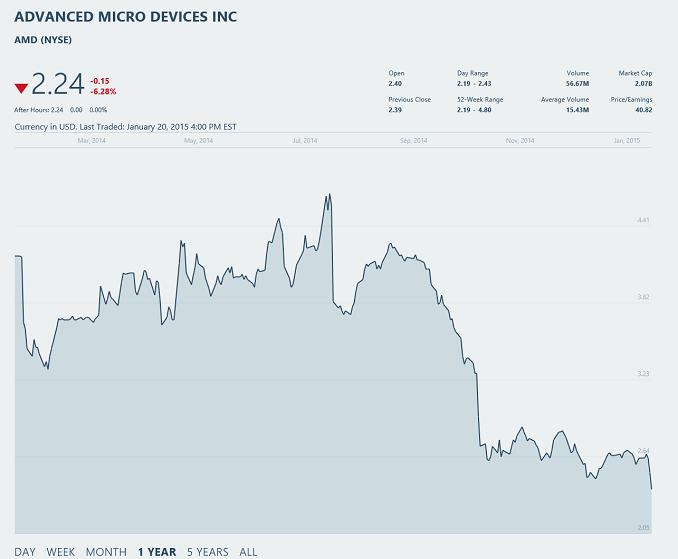
| AMD Q4 2014 Financial Results (GAAP) | |||||
| Q4'2014 | Q3'2014 | Q4'2013 | |||
| Revenue | $1.24B | $1.43B | $1.59B | ||
| Operating Income | -$330M | $63M | $135M | ||
| Net Income | -$364M | $17M | $89M | ||
| Gross Margin | 29% | 35% | 35% | ||
| Earnings Per Share | -$0.47 | $0.02 | $0.12 | ||
AMD had three large reasons for the loss this quarter which hit their GAAP numbers pretty hard. First, they had yet another write down of their SeaMicro and ATI acquisitions, which they attribute to a decline in their stock prices. This cost them $233 million this quarter. Second, they have had to perform a write down for their second generation APU products, which they have listed higher on their balance sheets than they can sell them for now, however they do expect to sell through their inventory. This contributed to a $58 million non-cash charge. Finally, restructuring charges based on layoffs and the departure of their CEO, as well as real estate restructuring charges cost an additional $71 million. As these are all one time charges, AMD has also released Non-GAAP results which exclude these write downs.
On a Non-GAAP basis, operating income was $36 million, which is down 45% from last quarter’s $66 million value, and down year-over-year from the $91 million operating income from Q4 2013. Net income equates to $2 million, down from $20 million last quarter and $45 million last year, and Non-GAAP earnings per share is $0.00, which can also be spelled as zero, which missed analyst’s expectations of $0.01 per share. The core business is getting to the break-even point, and AMD has said that they have had six consecutive quarters of Non-GAAP profitability, but even that is on a razor’s edge with this quarter’s numbers.
| AMD Q4 2014 Financial Results (Non-GAAP) | |||||
| Q4'2014 | Q3'2014 | Q4'2013 | |||
| Revenue | $1.24B | $1.43B | $1.59B | ||
| Operating Income | $36M | $66M | $91M | ||
| Net Income | $2M | $20M | $45M | ||
| Gross Margin | 34% | 35% | 35% | ||
| Earnings Per Share | $0.00 | $0.03 | $0.06 | ||
Full numbers for the year had revenue of $5.51 billion, up from $5.30 billion in 2013, and the GAAP operating loss was $155 million for 2014, down from the $103 million operating income for 2013. GAAP net income for 2014 was down as well, to a $403 million loss, exceeding 2013’s loss of $83 million. Non-GAAP values for 2014 were slightly better, with a $235 million operating income and a small profit of $51 million for the fiscal year. Once again, the core business is breaking even, but the heavy write downs are hurting the bottom line.
Looking at individual business lines, the Computing and Graphics segment had a net revenue for Q4 of $662 million, down 15% from Q3 and down 16% from Q4 2013. Lower desktop processor and GPU sales are the blame over last quarter, and desktop processors and chipset sales are called out as the decrease over last year’s numbers. Operating loss for the segment was $56 million, as compared to $17 million in Q3 and $15 million in Q4 2013. Lower channel sales were partially offset by lower operating expenses. Average selling price actually increased both sequentially and year-over-year for processors and chipsets, but GPU selling price decreased year-over-year. This is a soft spot for AMD, and they are diversifying their business outside of the traditional PC space in an attempt to keep one weak line from hurting the company so much. In 2012, about 90% of AMD’s business was based on the traditional PC industry, and by 2014 it was down to 60%, with the other 40% consisting of professional graphics, semi-custom chips, ARM based server, embedded, and ultra low-power clients. By 2015 they are estimating that 50% of their business will be these new markets.

Looking at the Enterprise, Embedded, and Semi-Custom group at AMD, you can see why they are moving that direction. For the full fiscal year, this group contributed $2.374 billion in revenue, and had an operating income of $399 million, both of these are up from 2013 where they managed only $1.577 billion in revenue and $295 million in operating income from this group. Looking at the quarter itself, revenue fell 16% from Q3’s $648 million to $577 million, which AMD attributed to a large run-up of chips for the Xbox One and PlayStation 4 in Q3, as Microsoft and Sony built up inventory for the holiday season. Operating income for Q4 was $109 million, down from $129 million Q4 2013 and up slightly from the $108 million last quarter.
The “All Other” category had no revenue for the quarter, but took a $383 million operating loss, which results in a 2014 operating loss of $478 million for the year. This is the category that is taking the write downs we have already discussed.
Looking ahead to 2015, AMD is listing 2015 as “profitable” at least as far as Non-GAAP figures. Q1 2015 guidance is for a 15% drop in revenue, plus or minus 3%. Gross margin should be up 5% to 34%.
AMD has seen some pretty serious competition in the PC segment, which is still their largest single contributor. Intel has just released their 14 nm parts, with a new CPU architecture due out later this year with Skylake. AMD does have a new APU on the horizon though with Carrizo, and they had working prototypes at CES. While CPU performance will likely not stun anyone due to the new CPU being still based on the Bulldozer architecture, GPU performance should be very competitive. These will be 15 to 35 watt parts, so as far as TDP they will compete against the just launched Broadwell-U. For lower power, AMD will have the Carrizo-L based on Puma+ CPU cores for the 10-25 watt range. All of this will still be on 28 nm though, which puts AMD at a pretty significant disadvantage for efficiency. The increased GPU power may be enough to sway some customers, since many people find they are not CPU bound anyway. Time will tell, and we look forward to seeing the new chips show up so we can test them out.
Source: AMD Investor Relations
Read More ...
Toshiba CES 2015 Booth Tour: Encore 2 Write, Portege Z20t, and More

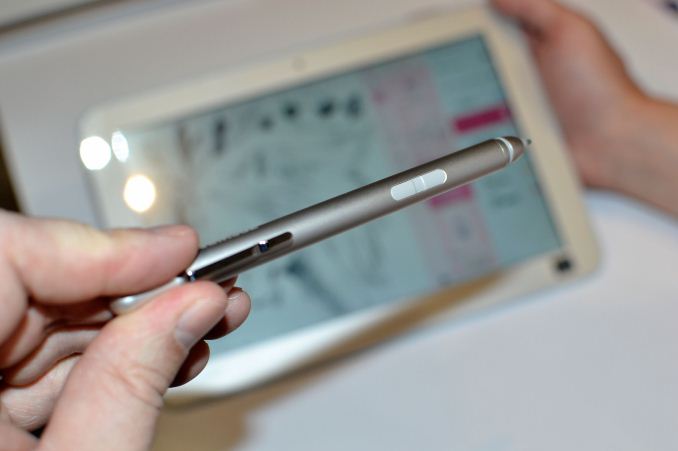
Starting with Encore 2 Write, Toshiba has built two Windows 8 tablets with some of their own software that actually provides some interesting use cases. As the name implies, the Encore 2 Write tablets include a stylus, TruPen™, which uses Wacom’s Active Electrostatics pen technology and a “pro-grade” pen tip with 2048 levels of pressure sensitivity. I’m not enough of a stylus enthusiast to really offer any critique of the pen or implementation, but Toshiba had a collection of galleries that others had created using the stylus showing that in the right hands it can certainly be put to good use. More interesting to me was the collection of “Tru” apps: TruNote, TruCapture, and TruRecorder.
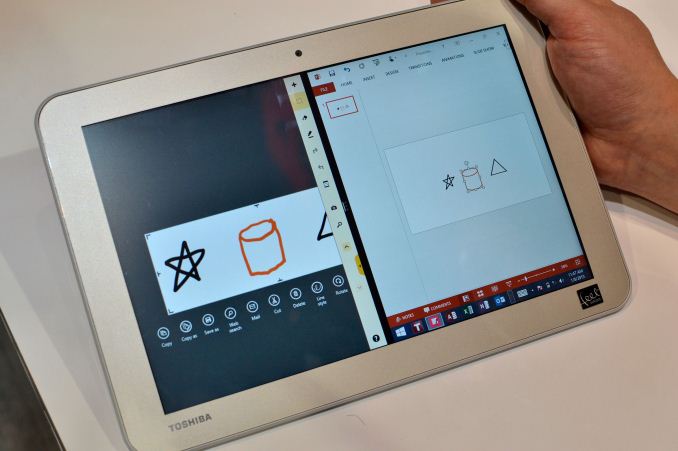
TruNote is similar to other stylus-enabled interfaces I’ve seen, with the ability to scribble notes, mark up photos, paint, etc. It does work with Microsoft Office and has a custom user interface for managing your notes. One interesting aspect was the object recognition, where you could draw objects (triangles, rectangles, stars, cylinders, etc.) and TruNote would convert them into Office draw objects for easy manipulation. Of course handwriting recognition is also present and it was able to properly decipher my chicken scratches in my limited testing.
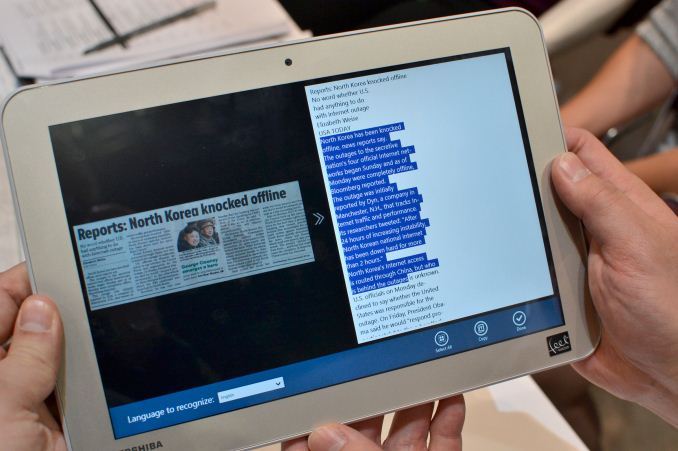
TruCapture was something I haven’t really seen done before, at least not in the same fashion. It uses the built-in 8MP camera and allows capturing images, followed by OCR on sections if you want to convert text to a non-image format. The application can also perform keystone adjustment, so in one sequence they snapped an off-angle picture of a placard and the software was able to recognize the object and convert it back to a more or less properly shaped rectangle. For the image recognition, they took a picture of the front page of USA Today, selected the text they wanted to convert, and then a notepad popped up with the raw text output. While it’s not something I would necessarily use much, I could certainly see applications for researchers, students, and other professionals where TruCapture would be useful.
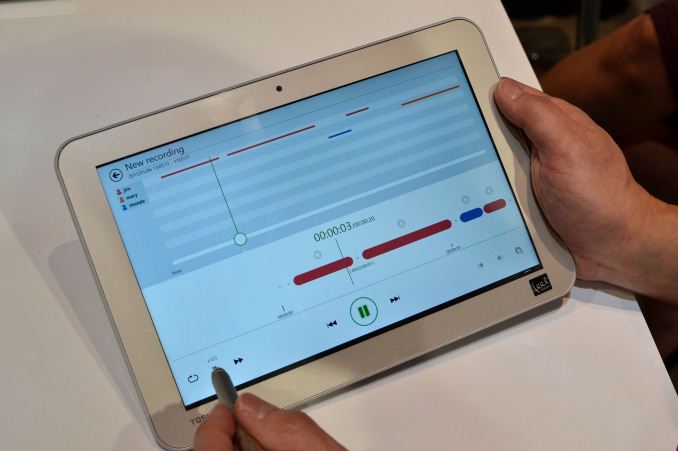
Finally, TruRecorder uses the built in dual array microphones to help detect and analyze different voices during a group recording. As an example, a recording of a meeting with three attendees was shown where the software was able to pick out the individuals and then create an audio track view showing when each one is participating in the conversation. Along with the ability to skip silence, you can play back one or more individuals (i.e. so if you wanted to only listen to comments from one person, you could do that). Again, in the right environment the software could prove useful. (Side note: I’d love to see it analyze our recent podcast.)
As far as the hardware in the tablets, Toshiba is using quad-core Intel Atom Z3735F (up to 1.83GHz) with 2GB RAM and a rather surprising 64GB of eMMC storage. The tablets include GPS, accelerometer, gyroscope, and e-compass sensors. Also included are a micro USB 2.0 port, micro HDMI port, and micro SDXC slot with support for up to 128GB of external storage. Connectivity consists of dual-band 802.11n WiFi and Bluetooth 4.0. Other features include 1.2MP front- and 8MP rear-facing cameras and battery life rated at up to 11 hours.
The Encore 2 Write is available in two sizes at present, 10.1” and 8”, though both are only 1280x800 resolution panels. The 8” model measures 132mm x 211mm x 9.4mm and weighs 381g, with a 15Wh battery capacity. It is available now with an MSRP of $350. The larger 10.1” tablet measures 259mm x 175mm x 8.9mm and weighs 550g with an MSRP of $400. Both tablets include Windows 8.1 with Bing and include a 1-year subscription to Office 365 Personal. While the pricing is a bit higher than I’d like, again I applaud the inclusion of 64GB of storage as the default, and the Wacom Active Capacitance Pen is certainly going to be worth the added cost for some users.
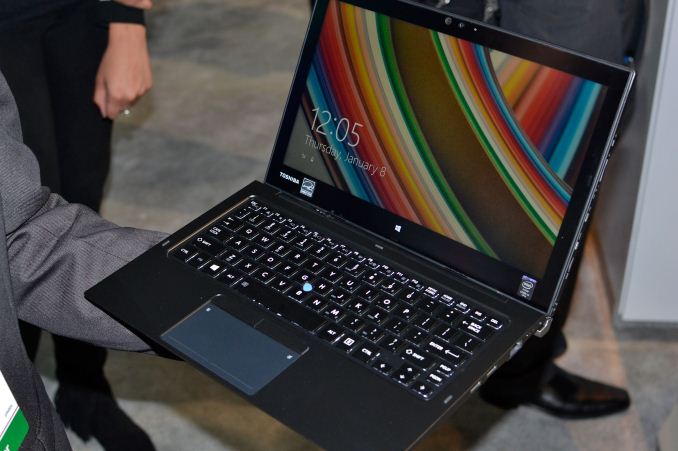
Moving over to the hybrid/Ultrabook side of things, the Portege Z20t is a new device sporting Core M processors with a 12.5” 1080p IPS display. It also supports and includes a Wacom stylus – it appears to be the same stylus as in the Encore 2 Write with 2048 points of pressure sensitivity, though I’m not sure if the same Tru apps available on the Encore 2 Write are available (which would be a shame if they’re not).
Other features on the tablet include 2x2 802.11ac WiFi + BT4.0 (Intel AC-7265), micro USB 2.0, micro HDMI, micro SD, and an “emergency pen” (not as nice as the full stylus but still usable – see the gallery); the tablet has a built-in 36Wh battery and 2MP front- and 5MP rear-facing cameras. Moving over to the keyboard dock, it adds a second 36Wh battery (good for 17.4 hours of combined battery life), touchpad, backlit keyboard with full size keys, pointing stick, VGA port, full size HDMI port, Gigabit Ethernet port, and two USB 3.0 ports.
The Portege line is for business users, so as you’d expect the pricing and features are going to go after that market. As such, the Z20t is available with either a Core M-5Y51 or Core M-5Y71, with either 4GB RAM on the base model or 8GB on the upgraded models. Storage consists of 128GB M.2 SSDs for two of the models, with the top spec going for 256GB of M.2 storage. The base model has an MSRP of $1400, while upgrading to 8GB RAM and the faster Core M processor bumps the price up to $1600, and if you want 256GB of storage that brings the total to $1700. If you just want the tablet portion (without the digitizer or keyboard), it is available as the Portege WT20 with a starting price of $900. The Z20t is available for order now while the WT20 should be available in February.
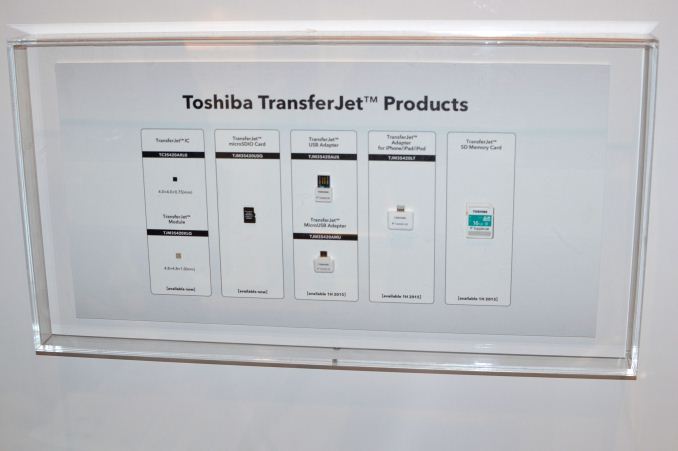
Finally, I wanted to quickly talk about TransferJet, a protocol and set of devices designed to allow high speed transfers of data between devices simply by touching them together. TransferJet isn’t new (it’s been around for a few years), but Toshiba now has TransferJet adapters for iOS devices (the first time anyone has done TransferJet on iOS apparently) as well as second generation USB adapters for Windows and micro USB adapters for Android.
TransferJet uses a close proximity ultra-wideband wireless technology to send and receive data at up to 560Mbps, though of course you need flash devices capable of reading/writing at those speeds to make it work and wireless overhead means the theoretical maximum is closer to 375Mbps. The short range also means TransferJet won’t disrupt other WiFi services and there’s little potential for accidental data leakage (plus you can lock devices to only speak to other registered TransferJet devices). Basically, think of it as NFC but with about 1000 times the potential bandwidth for data transmission.
The way TransferJet works is that you open up the TransferJet app on one device, select the files you want to send, and then touch the two TransferJet adapters together. Toshiba demonstrated transmission of a 100MB movie in about 3 seconds using TransferJet with their new iOS adapter. The problem is that TransferJet has been available in a few devices going back as far as 2010, but it still hasn’t gained much traction that I can see. Until/unless we see more devices directly incorporate TransferJet, it will likely remain more of a niche protocol.


Read More ...
HP Announces New Business Mobility Devices

Today HP announced a collection of product updates with their “Business-First” approach to mobility; the full press release has all the pertinent details. The core message HP is trying to convey is that they are putting business use cases front and center. All of the devices announced today fall into the category of tablets, with a couple of them offering docks/keyboards that turn them into hybrid devices. Even the hybrids are more of a "tablet first" mentality, with fully detachable tablet portions rather than using a slider or 360 degree hinge. With eight new devices plus accessories to cover let’s just get straight to the products.

First up we have the HP Pro Slate 8 and HP Pro Slate 12, 8-inch and 12-inch Android 4.4 tablets with Snapdragon 800 SoCs (2.3GHz quad-core Krait 400) and 4:3 aspect ratio displays. The two new Pro Slates also include the HP Duet Pen, the first stylus to use Qualcomm’s Snapdragon digital pen technology. The “Duet” part comes from the stylus supporting a stylus tip on one end and a traditional ink tip on the other; you can use the ink tip with the optional HP Paper Folio (coming in the spring) to digitize drawings and other content apparently. Both tablets also support ARM TrustZone, with 256-bit hardware acceleration and are FIPS 140-2 certified for DAR and VPN encryption.
The HP Pro Slate 8 is also one of the first tablets to utilize the new Corning Gorilla Glass 4, and it has a 7.9” 2048x1536 QXGA display. Other features include 2GB LPDDR3-800 RAM, 16GB or 32GB eMMC storage, 802.11ac WiFi with Bluetooth 4.0 + LE, and NFC. It has a micro SD slot, nano-SIM support, micro USB 2.0 port, 3.5mm headset hack, and front-facing stereo speakers. Dimensions are 137mm x 207mm x 8mm with a weight of 350g. It includes a 21WHr battery, though no specific battery life figure is given (just “long battery life”). It has a starting price of $449.
The HP Pro Slate 12 features nearly identical specifications, with the primary difference being the 12.3” 1600x1200 display. Camera options again consist of 2MP FHD video capable front-facing and 8MP FHD video capable rear-facing. The dimensions of the Slate 12 are 300mm x 222mm x 8mm with a weight of 850g, and it includes a 37WHr battery. Pricing starts at $569 for the Pro Slate 12.

For the education sector, HP also has the HP Pro Tablet 10 EE G1 (Education Edition) and HP Pro Slate 10 EE G1, which pass IP-52 testing for dust and moisture and come with Intel’s Bay Trail Atom Z3735G or Z3735F (up to 1.83GHz quad-core) SoCs. The main difference between the two parts is that Z3735F supports 2GB dual-channel memory while Z3735G supports 1GB single-channel memory. Both devices appear to use the same core design, with the Pro Slate 10 EE G1 coming with Android 4.4 while the Pro Tablet 10 EE G1 comes with Windows 8.1. The display is a 10.1” 1280x800 IPS panel, so nothing special there.
Features include 2x2 802.n WiFi with BT 4.0 + LE, micro SD, 3.5mm headset, micro USB, micro HDMI, 1.2MP front-facing and 2MP rear-facing or 2MP front-facing and 5MP rear-facing cameras, and a 28.5WHr battery. GPS is also supported. There are several optional accessories, including a stylus, keyboard, tablet sleeve, and multi-tablet charging station. The devices measure 280mm x 182mm x 14.4mm and weigh 855g, so these are definitely bulkier – and presumably more durable in order to withstand the rigors of students – devices. Oddly, the Pro Tablet model is listed as 850g – I’m not sure why it would weigh 5g less as Windows tends to be a heavier OS [hooray for nerd humor], but maybe there’s some minor difference I’m missing. Both devices are available now, with the Pro Slate 10 EE G1 starting at $279 and the Pro Tablet 10 EE starting at $299 for education and $349 for all other customers – though it does include a 1-year subscription to Office 365 personal.

The Elite x2 1011 G1 is next, a hybrid device with Core M processor support (Core M-5Y71, 5Y51, or 5Y10c, depending on the configuration). This is an 11.6” device with either a 1920x1080 IPS display or a 1366x768 IPS display. It runs Windows 8.1 (Windows 7 Professional is also an option, as it FreeDOS 2.0) and comes with either 4GB or 8GB memory and SSD support from 128GB up to 512GB M.2 (or 180GB to 256GB M.2 SE). Along with optional mobile broadband, the Elite x2 1011 G1 includes either Intel AC 7265 (2x2 802.11ac WiFi with BT4.0+LE), AN-7265 (2x2 802.11n + BT4.0), or Intel TriBand AC-17265 (2x2 802.11ac + BT4.0 with WiGig). The tablet contains a micro SD slot and micro-SIM slot and a headset connector, and the 4.5mm AC power connection.
The tablet is sold on its own, while a power keyboard and travel keyboard are optional extras. The power keyboard adds DisplayPort 1.2, 2 x USB 3.0 (one with charging), another 3.5mm headphone/microphone port, and another 4.5mm AC adapter port. There’s also an optional Wacom stylus. Other features include 2MB front- and 5MP rear-facing cameras, TPM 1.2/2.0, fingerprint reader (power keyboard), smart card reader (power keyboard), and various other security features from HP.
The tablet has a 2-cell 33WHr battery while the power keyboard has 6-cell (that may be a typo) 21WHr battery. Dimensions of the tablet portion are 298mm x 193mm x 10.7 mm and 870g; adding the power keyboard results in dimensions of 298mm x 204mm x 20.8mm. The power keyboard weighs 780g and the travel keyboard (no battery) weighs 530g. Pricing for the tablet starts at $899 with availability expected this month; there’s no word on the pricing for the power or travel keyboards.

HP’s Pro Tablet 408 G1 goes after the affordable market, with a starting price of $299. It’s an 8” 1280x800 tablet with Intel Atom Z3736F (quad-core up to 2.16GHz) and 2GB RAM, with 32GB or 64GB eMMC storage. The base model has Windows 8.1 with Bing, which is part of the low price, while Windows 8.1 Pro 32-bit is also an option. I’ve actually poked around at a different quad-core Bay Trail tablet at CES, and the SoC appears reasonably fast (for Atom and low-power SoCs), and coupled with the 1-year Office 365 subscription it’s a reasonable bundle. Other features include micro SDXC (up to 128GB), micro-B USB 2.0, 3.5mm headset, 2MP front and 8MB rear-facing cameras, GPS/AGPS, and 802.11n + BT4.0 LE. The Pro Tablet 408 G1 measures 215mm x 140mm x 9mm and weighs 375g. It’s available now.

Wrapping things up, HP has the ElitePad 1000 G2 in Healthcare and Rugged versions. (Did anyone else see dollar signs just flash in front of them?) The core tablet appears the same but the chassis is slightly different; the Healthcare version comes with a an antimicrobial treatment and meets IP54 standards while the Rugged version is rated for IP65 and MIL-STD 810 and includes a protective jacket that also doubles the battery capacity. The tablet in either case features an Atom Z3785 (quad-core up to 2.39GHz) processor, 4GB RAM, 128GB eMMC storage, and a 10.1” 1920x1200 display with digitizer. Other features include 802.11n + BT4.0, mobile broadband support, NFC, one HDMI port, two USB 3.0 ports, 2.1MP front- and 8MP rear-facing cameras, and plenty of security features (as you’d expect for anything designed to be used in the healthcare sector). There’s an optional 2D barcode reader available as well.
The ElitePad 1000 G2 Healthcare and Rugged do have a few differences other than appearance. The Healthcare model has two digital microphones and a pen clip connection while the Rugged adds an RJ-45 and serial ports but apparently skips the built-in microphones. The standard battery is a 2-cell 30WHr and the Rugged as noted earlier doubles capacity with a second 30WHr battery in the jacket. The Rugged measures 285.5mm x 215mm x 33mm and weighs 1450g while the Healthcare is 278mm x 207.5mm x 20mm and weighs 1100g. Pricing of the Healthcare model starts at $1499 and it’s available now while the Rugged should start shipping next month with a starting price of $1599.
HP also mentions the availability of their $199 Retail Case of ElitePad, which adds two built-in cradles for mounting payment devices and the ability to dock to POS solutions. It also features hand and shoulder straps. The case is available now.


Read More ...
Google Updates Chrome for iOS With Material Design and Handoff


The new interface looks very nice, although Chrome for OS X has not received the full Material Design treatment yet so there are some differences between the appearance of Chrome on each platform. There's also a point to be made about Google making applications that follow their own design guidelines on iOS rather than Apple's. Having used Android Lollipop, using this new version of Chrome it almost feel like you're running an Android application on iOS. That's not necessarily a bad thing, and if Google brings this interface to OS X then the consistency between the two will certainly be a good thing, but it's something to note about Google's approach to iOS applications in general.
Beyond changes to the visual design of the application, Chrome 40 is going to look much better for iPhone 6 and 6 Plus users in particular. This is becsuse Chrome 40 now has native layouts for the iPhone 6 and 6 Plus, which will remedy any issues with blurriness or fuzziness caused by Apple's upscaling of the 1136x640 interface to the displays of the new iPhones.

Google has also implemented support for Handoff, which is a very exciting improvement for anyone who uses an iOS device and an OS X device. What makes it even better is that Google has implemented Handoff for Chrome on iOS so that it works with the default browser on OS X. This means that you can move from a tab in Chrome on your iPhone or iPad and pick it up in Safari on your Mac, or whatever other browser you have set as your default. Unfortunately, this can't work both ways, and so you can't send a tab back from Safari to Chrome on iOS. To do that you'll need to be using Chrome on both devices.
Regardless, having a developer like Google implementing Handoff is exciting for any Mac users. Most applications that have currently adopted Handoff are those made by Mac and iOS centric developers, while bigger companies with multi-platform applications generally haven't bothered to add support for a feature specific to a single ecosystem.
In addition to the big changes, Chrome 40 includes the various improvements to speed and reliability that most Chrome updates bring.
Read More ...
Samsung Portable SSD T1 Review
The last few years have seen rapid advancements in flash technology and the rise of USB 3.0 as an ubiquitous high-speed interface on computers. These have led to the appearance of small and affordable direct attached storage units with very high performance for day-to-day data transfer applications. We have already looked at some SSDs with a USB 3.0 - SATA bridge over the last couple of months. At CES 2015, Samsung launched the Portable SSD T1. Read on for our review of what it offers as a direct-attached storage unit.
Read More ...
Synology Introduces RS815+ and DS2415+ Rangeley NAS Units


The RS815+ looks to target the same market segment as the ReadyNAS 3130 that was introduced by Netgear yesterday. However, the RS815+ uses a SoC with more cores / clocked higher. On the flip side, the RS815+ doesn't come with ECC RAM, while the ReadyNAS 3130 does.
The other product that is getting introduced today is the DS2415+, a tower-form factor system with twelve native drive bays (expandable to 24 using a DX1215 expansion unit). The internal hardware platform (SoC / RAM / number of LAN ports etc.) are similar to the RS815+. The DS2415+ is ideal for applications where massive amounts of fast encrypted storage is desired.


The two new products, unfortunately, are not available for the North American market right now. The pricing is also yet to be determined in USD. However, consumers in UK can find the RS815RP+ on Amazon for £1,207 and the DS2415+ on Scan for £1111.today.
Read More ...
Samsung CES Booth Tour: Tablets, Phones, and Core M ATIV Book 9


The laptop itself is quite sleek, with hints of the MacBook Air school of design, and Samsung is boasting of battery life of up to 12.5 hours. Connectivity consists of two USB 3.0 ports (one with sleep charging), a headset jack, a micro-SD slot, and one micro-HDMI port. The display is also a nice looking 2560x1600 panel – yes, that’s a 16:10 resolution for a change – which is the same display used in the Samsung Galaxy Tab/Note Pro 12.2. I have to admit that it’s still rather frustrating that other than Apple, all laptops are generally now on 16:9 aspect ratio displays while most tablets remain at 16:10, but I digress. The latest ATIV Book 9 should be shipping soon (it’s listed as preorder/out of stock on at least a few sites), with pricing of $1399 for 8GB RAM and a 256GB SSD.

The remainder of the Samsung booth was mostly products that have already launched, with a lot of tablets and phones on display. There were a few non-US phones (the A5 and A3), and the Galaxy Note Edge that has an OLED with the curved right side ostensibly used for notifications and other items that looks interesting but may not be particularly practical. The Galaxy Tab S tablets were also present, along with the ruggedized and waterproof Galaxy Tab Active. Of course it was fun to ask the booth attendants about the hardware only to be told “we’re not making that information public yet” – particularly unhelpful since the products are already on store shelves. The Tab Active is equipped with a Snapdragon 400 if you’re wondering, so it’s more about being rugged than performance, and the price as usual for ruggedized products is quite high.
Of course Samsung had a ton of other products on display, including displays, HDTVs, All-in-One PCs, and more, but our primary focus was on the above categories for this CES.


Read More ...
Dell Latitude 12 5000 Series Review
Dell sells the Latitude line as business class notebooks, and the 5000 series that we received is the mainstream line for business. The Latitude 12 is the smallest model offered, with a 12.5-inch 16:9 display in a fairly small form factor. This is no ultrabook though, with a starting weight of 3.44 lbs (1.56 kg) and a thickness of 0.9-inches (22.7 mm) but the thickness and mass lend the device to being stronger, and unlike ultrabooks, connectivity in the office is easier due to the inclusion of a full Ethernet port and a docking port.
Read More ...
LAPD Chief Claims Google's Waze Helps Cop-Killers, Pushes for Changes or Ban
Crowdsourced GPS-tagged maps of police activity could help those looking for an officer to kill, officers claim
Read More ...
Quick Note: Special 20th Anniversary PlayStation 4 Raises $128,000 for Charity
That's enough dough to buy 320 "normal" PlayStation 4 consoles!
Read More ...
Germany Declares "Digital Sovereignty", Snubs Google's Self-Driving Cars
Germany will use of a "digitized" stretch of Autobahn to develop domestic alternatives to Google
Read More ...
Microsoft to Close Nokia Store, May Lose Over a Hundred Thousand Apps
Nokia pushed Microsoft to make this move by releasing rival devices, competing with its own former unit it sold to Microsoft
Read More ...
2016 Cadillac CTS-V Packs 640 hp Punch with 200 mph Reach
Did Cadillac really make a 4-Door Corvette?
Read More ...
Chris Poole Retires From Role as 4Chan After a Decade of Success, Struggles
Site's super admin lived with his mother till he was 23 to keep the site afloat; now he's "decompressing" and planning his next move
Read More ...
Under the Hood: How DirectX 11.3 and 12 Will Supercharge Windows 10 Gaming
Microsoft partners with Unity Tech and Epic Games to bridge the gap between advanced algorithms and ease of use for developers
Read More ...
BlackBerry CEO Claims Devs are Violating Net Neutrality by Not Supporting BB10
Chen argues that major app developers should be forced to provide solutions for all platforms, in the spirit of "openness"
Read More ...
Will Google Become America's Fifth Major Carrier?
Report claims that Google is prepping a cellular service offering
Read More ...
Microsoft Shows Off Latest Windows 10 Build, Preps it for Next Week Release
New features include Cortana, IE Spartan
Read More ...
Report: Samsung Drops Snapdragon 810 From Galaxy S6, Will Use Its Own Chips
Oddly world's largest smartphone maker couldn't fix thermal issues; but LG, HTC, and Xiaomi could
Read More ...
Study Shows People are Dumb as Ever With Passwords, Still Using "123456"
Public remains relatively ignorant of the risks of using obvious/guessable passwords
Read More ...
Report: Windows 10 Preview to Expand to Mobile Devices in February
Microsoft is also rumored to be prepping a laptop-smartphone hybrid device and a gaming helmet dubbed "Project B"
Read More ...
Quick Note: With Windows 10, the Windows Source Hits Build 10,000
Yes, its over 9,000
Read More ...
Police are Using New Handheld Radar Sensors to Peer Into Houses w/out Warrant
Big brother is watching you in your home (no, really)
Read More ...
IDC: 2014 Sales Show PC Isn't Dead, But Desktop May be Dying
HP and Apple were the biggest winners for the year; with Apple climbing into fifth and HP entering a virtual tie with Lenovo for #1
Read More ...
Report: HTC One M9 (2015) is Tied to Under Armour-Powered HTC Smartwatch
A Snapdragon 810, 20 megapixel rear camera, Ultrapxel selfie camera, and support for HTC/Under Armour smartwatch are key selling points
Read More ...
Samsung Snares Top Design Partner From the Former Firm of Apple's Jony Ive
Samsung hopes to channel some design "magic" of its own
Read More ...
Apple Offers Refurbished 5K Retina iMacs for $2,119 Online
If you want a high resolution OS X or Windows machine, this is a pretty attractive offer
Read More ...
Microsoft Trolls Jan. Xbox One Buyers, Drops Price Back to $349
January buyers are left feeling a bit robbed after Microsoft reveals price rebound was just a one-and-a-half-week sort of deal
Read More ...
Great Expectations: The Rise and Fall of Google Glass Explorer Edition
High price, privacy issues, poor public image doomed the device, although it could be revamped eventually and make a combeback
Read More ...
Crowdfunded Sex Toy Lets You Control the Action From Your Wii Nunchuk
Dildo's code is hackable, thanks to easy to modify Arduino microcontroller inside
Read More ...
BlackBerry Laughs Off Rumor That Samsung is Eyeing to Buy it for $6.5-7.5 Billion
BlackBerry management reportedly have rejected several bids, want to finish growing the company first
Read More ...
Nintendo Preps "New" 3DS XL for EU, U.S. Launch, Teases at Fire Emblem, Zelda
The New Nintendo 3DS XL gets sweet exclusive editions, coveted titles, just in time for a Feb. EU and U.S. (NA) launch
Read More ...
Editorial: Coach Who Sent Teen Girls "Wank Video" Deserves No Sympathy
Don't add minors as friends on snapchat or other services you use for sexual messaging -- it's common sense
Read More ...
HTC One M8 and Samsung Galaxy S5 Get Android Lollipop Loving
Two of the most popular Android smartphones from 2014 are finally getting the bump to Google's latest and greatest OS
Read More ...
Samsung Finally Launches a Tizen Smartphone With the India-Aimed "Z1"
It's half a year late and comes in a bit different package, but Tizen is finally in the smartphone game
Read More ...
Site for "Glitter as a Service" Mail Pranks, ShipYourEnemiesGlitter, Launches
Is it legal? We're not sure... but apparently the people are excited to prank their foes (I also reveal the man behind it)
Read More ...
Microsoft Kills "Mainstream Support" Windows 7
Sorry fans, the ride is almost over, says world's top PC OS maker; venerable OS enters extended support era, will hit EOL in 2020
Read More ...
OS X Yosemite Compromises Security by Retrieving Embedded Email Images
Spotlight will automatically open email attachments, revealing your IP address to potentially malicious parties
Read More ...
Available Tags:Microsoft , GeForce , GTX , ASRock , NVIDIA , Windows , Download , MSI , Acer , Windows Phone , Gaming , Windows Phone , Google , Lenovo , AMD , Toshiba , HP , Chrome , iOS , Samsung , SSD , Samsung , Dell , Nokia , BlackBerry , CEO , Samsung , Galaxy , HTC , HTC , Samsung , Apple , Xbox , BlackBerry , Samsung , Nintendo , HTC , Samsung , Galaxy , Android , Samsung , Smartphone , Windows 7 , Security ,


No comments:
Post a Comment