

Upgrade your gaming with Logitech's G500s mouse for under $50

It may have been replaced as Logitech's flagship gaming mouse by the G502 Proteus Core, but the Logitech G500s is still a classic gaming mouse.
With weight customisation 10 programmable controls, and a dual-mode scroll wheel, the 8200 dpi laser mouse is accurate enough to give you an edge over rivals when playing online, even if it is a bit old.
Plus, for under $50 delivered from LogitechShop, it's a hard deal to pass up.

Read More ...
PlayStation Now private beta for PS4 goes live on Tuesday

Expectant Sony PS4 owners in the United States who registered for the PlayStation Now private beta could be enjoying PS3 game streaming from tomorrow when the service goes live.
In a blog post, the gaming giant said customers who pre-registered to take part in the beta should be on the watch for voucher codes in their inboxes ahead of the Tuesday launch.
The PlayStation Now streaming service, which promises to bring access to previous generation games on multiple connected devices via the cloud, has been available on PS3 since the end of January.
The pending launch represents the first time PS4 owners will be able to play the previous generation's games on their new console.
No news on Euro launch
The platform is powered by Sony-owned Gaikai and will eventually bring game streaming to the PS3, PS4 and PS Vita, as well as Sony's PS Vita TV set-top box, Bravia televisions and Xperia smartphones.The company is yet to announce plans for a European launch and is yet to confirm whether games will be available to stream a la carte or as part of a Netflix-style, all-you-can-eat subscription package.
Sony did confirm plans to extend the private beta to more PS3 owners, who've so far racked up 5,000 hours of game time on the platform.

Read More ...
The Samsung Galaxy S4 Mini is AT&T's first HD Voice phone

AT&T has announced that starting May 23 the Samsung Galaxy S4 Mini will be its first phone to support HD Voice.
The carrier promises that HD Voice, enabled through the phone's Voice over LTE (VoLTE) capabilities, delivers clearer calls with less background noise.
However at launch the feature will be limited to Minneapolis and Chicago only.
The best-laid plans
The Galaxy S4 Mini comes with a 4.3-inch 1080p display, an 8-megapixel camera, a dual core 1.7GHz chip, 16GB of storage, NFC, and a 1900mAh battery.It's available for $49.99 with a two-year agreement, or for $14.24 on an 18-month AT&T Next plan or $18.50 with a 12-month Next deal.
HD Voice is a little late in coming to AT&T, since the carrier previously said it would launch in 2013. But you know what they say about the best-laid plans of carriers and men.
The S4 Mini will be available this Friday, May 23, from AT&T both online and in stores.
- Why settle for less? Here's TechRadar's Samsung Galaxy S4 review

Read More ...
BT 4G lands for businesses in weeks, consumer launch within 12 months

Somewhat surprisingly, BT snapped up an awful lot of 4G spectrum in last year's Ofcom auction. Now the firm is finally preparing to unleash its next-gen mobile connectivity on its business customers.
The telecoms giants has confirmed its first 4G services for businesses will roll out "within weeks" ahead of a consumer roll out within the next 12 months.
BT Business customers can now pre-register for the services offering "the best possible connectivity whether in the office or on the move" and "access to the UK's most extensive 4G network with 70% population coverage."
In a statement the company said the consumer-facing 4G services will drop before April 2015 as part of it's partnership with EE.
EE infrastructure
In a statement, The firm told CNET: "We will launch innovative new mobility services for business in the coming weeks and the first consumer services by April next year. "The first consumer services will use our MVNO deal with EE."BT is yet to elaborate on how it's consumer-facing plans will operate, but it is likely to be an enhancement of the BT WiFi hotspots the firm's home broadband customers enjoy access to.
Whether the firm plans to offer voice and SMS plans or simply data only deals on EE's infrastructure remains to be seen.

Read More ...
Is SoundCloud the answer to Twitter's music biz comeback?
Twitter is reportedly considering a blockbuster bid for popular audio sharing service SoundCloud.
Recode sources "familiar with both companies" have claimed the social network is mulling a huge acquisition offer that would place the so-called 'YouTube of audio' under Twitter's control.
The report points out SoundCloud is valued at around $300 million (about £178m, AU$321m) and, like Twitter, has around 250 million active users.
Any buyout would be the microblog's largest acquisition by a considerable margin.
Fuelling growth
The main reason for the buyout would likely be to fuel Twitter's growth, which has started to slow somewhat in recent times.The company had hoped to broaden its appeal with its ill-fated Twitter Music venture, which was finally put out of its misery last month.
However, a SoundCloud buy would represent a much different proposition. It's as established as Twitter in its field but retains huge potential for growth should it pursue distribution deals with major record labels.
SoundCloud users are also well acquainted with Twitter. They share files on Twitter more often than even Spotify users.

Read More ...
Future Galaxy phones and tablets may flash iris detectors

Depending what Apple jams into the iPhone 6, Samsung could soon get the leg up on its rival when it comes to biometrics.
Samsung Senior Vice President Rhee In-jong said at a forum in Hong Kong that the company hopes to eventually include biometric security measures in even its low-end phones.
"We're looking at various types of biometric [mechanisms] and one of things that everybody is looking at is iris detection," he said, according to The Wall Street Journal's Digits blog.
Apple started this train moving with the iPhone 5S's fingerprint scanner, and Rhee said Samsung is simply "following the market trend."
Eyeballs and fingerprints and more
What do his hints mean for upcoming Samsung flagships like the Samsung Galaxy Note 4 and Samsung Galaxy S6?Well, Rhee also suggested that new sensor mechanisms will likely arrive in high-end phones before they trickle down the production line.
Rhee heads Samsung's mobile enterprise service Knox, which the company hopes will ingratiate its devices with business users thanks to its security features.
He said of the 87 million devices sold that came with Knox, about 1.8 million actively use the service.
No doubt some flashy new biometrics will further increase perception of Samsung's phones as secure, even if that security may be easily bypassed.
- Read TechRadar's reviews of the Samsung Galaxy Note 3 and the Samsung Galaxy S5

Read More ...
Review: Updated: Acer Aspire S7

Introduction
Update: We've refreshed our take on the Acer Aspire S7 with a video review. See that electroluminescent keyboard backlighting in action below!The Aspire S7 didn't need much of an upgrade. Acer came close to a Windows 8 dream machine last year, with design both gorgeous and slim. Now the attractive S7 has been given this season's most fashionable upgrade, a 2560 x 1440 IPS touchscreen.
While the merits of such a sharp screen are suspect - and more readily visible if you're keeping up with the optometrist - it's definite future-proofing, and good defense against pixel envy from the 15-inch MacBook Pro with Retina display.
Acer isn't just bumping up specs, it's working on the overall Aspire experience. Just 0.3mm of extra keyboard travel of overall last year's model may not sound like much, but let me assure you that means an excellent typing experience.
Look out, Apple: For typing and easy transportation, the Acer Aspire S7 is getting dangerously close to your 13-inch MacBook Air. And it's even punchier than what's on offer from the Dell XPS 13. Now, if only it could squeeze as much battery life out of its Haswell processor, and I wouldn't mind if it centered up that touchpad, either.
Design
The changes to the Aspire S7 are hardly skin deep, and for good reason. It had a gorgeous design to begin with, and Acer has stuck with it. This is the same aluminum frame wrapping a pearly white plastic and Gorilla Glass encasement. There's the same aluminum keyboard deck with silver plastic keys, and the laptop's underside is coated in soft touch plastic, just like it was last year.Subtle adjustments have been made, like the larger power button near the hinge. It's more prominently placed near the power port – rather than next to the audio jack on the side of last year's S7 – making it much easier to find. The S7 still maintains a clean, MacBook-like look, with a lot of space between the function keys and hinges.
Before we start getting into internals, I should mention that Acer has revisited its cooling solution for the Aspire S7. It's kept the dual fans just above the keyboard, but reduced the amount of fan blades and is now running them at 10,000 rpm. Fan noise was a common complaint with last year's model, that it sounded like a jumbo jet when streaming Netflix or a little Photoshop.
These fans suck less power, and while you may not see it on your electric bill, they do make for an incredibly cool and quiet computing experience, which is rare get from an Ultrabook.

Welcome to Tweak Town
The overarching theme with the new Aspire S7 is tweaks, changes that don't mess with what has already earned Acer acclaim from critics. Moving power buttons, adjusting fan speeds and increasing key travel aren't back of the box, bullet point-type changes, but together, they make a for an improved computing experience.There wasn't much more that Acer needed to do to keep pace with the competition (or even earn our "Recommended" Award). But the vendor managed to make an already-premium system look and feel even more so than before. Just as importantly, Acer didn't cut anything critics loved last time, either.
You've gotta love the sci-fi electroluminescent backlighting on the Aspire keyboard. Not only does it set the S7 aesthetic apart, it's easier on the eyes in low light than many Windows 8.1 notebook keyboards.

The edge-to-edge glass screen – which can bend back 180 degrees and lay flat – on the Aspire S7 is also a fantastic touch. This makes gestures feel seamless as you draw your index finger in from the right edge of the panel to summon the Charms menu.
Of course, there's plenty more that Acer tweaked, like introducing the Aspire S7 to Intel's latest mobile chips, the fourth generation Core i series. But how does it stack up to some of the existing holders of Haswell?
Specifications
There's no denying that the Acer Aspire S7 is one of the most attractive Ultrabooks on the market today, and this update changes little in that regard. You're still looking at an all-aluminum frame, save for the Gorilla Glass lid and bezel along with the smooth, white matte plastic underside.Acer's leading laptop measures 12.72 x 8.78 x 0.51 inches (W x D x H) and weighs 2.87 pounds, making it one of the lightest 13.3-inch laptops I've tested yet. But the competition right now is tough, and looks just as nice.
Take the 13-inch MacBook Air – arguably the inspiration for Intel's Ultrabook clean aluminum initiative – for instance: At 12.8 x 8.94 x 0.11 - 0.68 inches and 2.95 pounds, Acer's unit comes in lighter, but the difference is hardly noticeable except on a scale. The differences between the Aspire S7 and Dell XPS 13 are easier to see, with the latter coming in at 12.4 x 8.1 x 0.2 - 0.7 inches and 3.03 pounds.

Looks are important to these premium clamshells, but the true battle lies in what they're capable of, and at what cost. The Aspire S7 maintains a great aesthetic, and upgrades like quieter fans and a punchier keyboard go beyond mere style, so let's see what else Acer brought to the Aspire for 2014.
Spec sheet
This is the Acer Aspire S7 configuration sent to TechRadar:- CPU: 1.6GHz Intel Core i5-4200U (dual-core, 3MB cache, up to 2.6GHz with Turbo Boost)
- Graphics: Intel HD Graphics 4400
- RAM: 8GB DDR3
- Screen: 13.3-inch, 2560 x 1440 IPS, LED backlit display with 10 finger multi-touch
- Storage: 128GB SSD in RAID 0
- Ports: 2 USB 3.0 (1 with power-off charging) ports, 1 HDMI, 1 combo headphone/mic jack, 1 Acer converter port, 1 SD card reader
- Connectivity: Intel Centrino Advanced-N7260, 802.11a/b/g/n WiFi with MIMO, Bluetooth 4.0, Intel Wireless Display
- Camera: 1280 x 720 HD webcam
- Weight: 2.87 pounds
- Size: 12.72 x 8.78 x 0.51 inches (W x D x H)

If you wanted to go all out on an Aspire S7, it would cost you an even steeper $1,599. That would net you a punchier Core i7-4500U clocked at 1.8GHz, twice the solid-state storage capacity … and that's it – not even a bump up to 802.11ac networking. You won't get a drastically improved experience for that extra $300, so stick with the entry-level WQHD option. There are always external drives, cloud storage or streaming to better serve media nuts. Now, what can Dell and Apple offer for the same $1,400?
Aside from its 1920 x 1080 touchscreen, the XPS 13 meets the Aspire S7 part for part, right down to the Core i5-4200U chip, for $1,299. Plus, Dell does Acer one better with 802.11ac networking. The next available model goes for $1,649, which bumps it up to a Core i7 chip clocked at 1.8GHz, but still doesn't match Acer's 1440p display.
Surprisingly enough, the MacBook Air can nearly match the Aspire S7 for $50 less. You can score the same SSD capacity and beef up the processor to a 1.7GHz Core i7 (dual-core) and match the Aspire S7's 8GB of RAM for $1,349. The MacBook Air is still stuck with a rather dull 1440 x 900 panel, but also offers superior 802.11ac WiFi.

Stacked up against these two machines, there's one driving question with the new Aspire S7: do you want a laptop that can keep up with the 802.11ac router you'll buy in a few years, or one with a super sharp screen that will be ready for the next step in media? While the lack of 802.11ac WiFi here is a bummer, what you're getting in exchange is another form of future-proofing for your system. But what about how it performs now?
Performance
The Acer Aspire S7, like most Core i5-packing laptops, performs admirably. Couple that with plenty of RAM and a snappy SSD, and it becomes tough to slow this system down with the everyday tasks and apps that folks are most likely to use on it, much less with benchmarks. The results failed to send me reeling:- 3DMark: Ice Storm: 41,360; Cloud Gate: 4,429; Fire Strike: 644
- Cinebench CPU: 231 points
- PCMark 8 Battery Life: 2 hours, 57 minutes

To get a sense of a how long the Aspire S7 could last under what I consider a normal workload, I knocked the screen brightness down to 60%, the power setting to "Balanced", the volume to around 20% and kept the keyboard backlit. Then, I ran Google Chrome with over 10 tabs open, Spotify streaming high bitrate audio, an image-heavy chat app, TweetDeck and a PDF reader. Doing this, with the occasional HD video, the Aspire S7 lasted 4 hours and 55 minutes.
That figure is well below Acer's claim of up to 7 hours of battery life, though Acer has its own parameters for testing endurance. This puts the Aspire S7 in the same class as the XPS 13 (4 hours and 33 minutes on a similar test). And while neither can hold a candle to the MacBook Air's true 7- plus hours of lasting power, remember its far lower pixel count and low-frequency CPU.
Super sharp, but super necessary?
The Aspire S7 is one of Acer's first laptops to come rocking a 2560 x 1440 display, or what the marketers call WQHD. (Which literally stands for "Wide Quad High-Definition." No, really.) But, as with all device screens that have gone beyond HD, it begs the question, "Do we even need such high resolutions?"
Make no mistake, 1080p is not the end of the road for screen sharpness. The TV industry shows as much every single January at CES. But it's the content, not to mention the pipes and software, that need some catching up. While watching a 3-minute video in 1440p on the Aspire S7, not only did it have to buffer every 20 seconds, but YouTube's intense compression made for an image that looked barely 720p.
I like to think that I have an OK wireless internet connection, able to stream full HD video to my TV through Netflix and other apps without issue. That I could barely get through 3 minutes of 1440p video is telling of whether WQHD or UHD or WQUVWXYZHD is even necessary yet. That said, I enjoyed reading articles online with nary a pixel showing through Internet Explorer – Chrome has yet to catch up on Windows. Plus, the Gorilla Glass bezel and screen made touch gestures feel seamless, if still unecessary.
Acer cares for the keyboard
Now, this is a company that understands the importance of a laptop's keyboard, especially when it comes to a premium machine. Acer even claims to have adjusted the depth of each key's travel by three tenths of a millimeter. While I can't necessarily tell the difference, I can say that it makes for quite a snappy typing experience.
What's even more interesting is this keyboard's backlighting. Acer's electroluminescent backlighting is said to be a gentler, thinner lighting solution for keyboards than LEDs. The result is an aquamarine glow emanating from each key, which the company says produces less bleeding light than LEDs. This might be true, but I've noticed some bleed here and there. The sci-fi-like effect that turning on the backlight produces, illuminating the keys slowly and dramatically, is more exciting anyway.
As for the touchpad, I've had no issues scrolling through web pages, clicking and dragging files or summoning the Windows 8.1 Charms menu. The tracking space is nice and wide, albeit lacking a bit of depth. And it would be nice if Acer centered the touchpad in reference to the keyboard deck – not the space bar.
Before moving on, Acer's goofy key layout won't get off scot-free. For one, the Caps Lock and Tilde keys are smushed together where otherwise a single Caps Lock key would be. There's also the Delete key nudged next to the navigation keys, and the function keys superimposed on top of the number keys. A six-row keyboard would be nice, but the trade-off might have been a much hotter laptop.
Not so hot, hot heat
Any other Ultrabook this thin would easily double as a heating pad. Not so with the Aspire S7. Acer has employed an upgraded cooling method with this laptop, dropping the amount of blades in each of its two fans (one for intake, one for output) from 29 to 23. Acer claims that this thermal design grants a boost to battery life.
But all I've noticed is a much cooler, quieter laptop than most in Intel's Ultrabook class. So much as an HD video would cause most thin-and-light notebooks to burn up, whereas the Aspire S7 keeps it cool. This is a boon for travelers and couch potatoes alike.
Bundled software
Acer is extremely light on bloatware, to the point of being dull. It's nevertheless an admirable move, but aside from some PureVoice microphone-enhancing tech and a user guide PDF masquerading as an app, there are only three original or third-party apps to speak of. The upside? Plenty more of that 128GB SSD is available to you from the start.- IDCard: Nothing more than a window detailing your PC's identity, which is useful for support-related purposes.
- Live Updater: This pulls driver and software updates right from Acer's servers, eliminating the need to go to Acer's website to keep current.
- Recovery Management: An easy way to restore your PC to its factory settings and reinstall drivers, though Windows already offers these tools inherently.

Verdict
Premium inside and out, the Acer Aspire S7 is undoubtedly a luxurious laptop. From its sleek build to its super sharp touchscreen and glowing keyboard, this laptop looks and feels futuristic. Something designed to future proof you technologically should do as much, though this machine lacks one piece of tech that could have it 100% ready for the next four years.We liked
While I'm torn on the utility of such a sharp display in 2014, it's purpose is clear. This 2560 x 1440 panel is prepared for the day when hyper-HD content is finally viable to watch over wireless internet. In the now, text looks gorgeous, as do images – thus adding to the near-future feel of this device.The build quality on display here, from the Aspire S7's aluminum and Gorilla Glass frame (a shame about the underside, though), is palpable. That goes for the snappy keyboard, with its fancy electroluminescent lighting, too. And just try to make that screen wobble, I dare you.
That the Aspire S7 never gets uncomfortably hot – at least running the apps and tasks I use on a daily basis – is a major plus. Frequent travelers and bathroom laptop users (you know who you are) need not worry about scorching their laps here.
We disliked
Frankly, there's nothing to hate about this machine, except for the lack of an 802.11ac network adapter. If not for now, then for when this notebook is three years old and the faster WiFi standard is all the rage. You might have the screen to watch the 1440p content, but will you have the connection?That super HD display is a bit of a double-edged sword overall. For one, only the fastest, most expensive wireless internet connections can handily stream media at 1440p. Secondly, not many content providers even offer such pixel-rich video right now. Sure, web pages and images pop on such a screen, but is that worth a potential cut to battery life pushing those extra pixels?
Now for the more nagging points. For one, the keyboard layout will definitely take some getting used to, with some goofy placement choices. Speaking of which, the touchpad would benefit from being centered in reference to the keyboard deck, not the space bar. Also, the soft touch plastic (rather than aluminum) underside detracts from the elite look and feel a bit. And finally, I wasn't blown away by the battery life on display, though its in line with competing Ultrabooks.
Final verdict
The Aspire S7 will make the decision over your next laptop a difficult one. Acer isn't the only manufacturer to jump on the hyper-HD bandwagon without adding the advanced 802.11ac network cards that can help so much for 1440p streaming. Both the Lenovo Yoga 2 Pro and Samsung Ativ Book 9 Plus offer even sharper 3200 x 1800 screens, but lack the advanced wireless standard to support them, not to mention how far out those resolutions are from where the media world is right now.At any rate, the Aspire S7 truly feels like a machine built for the now, 2014, and one that you won't mind using well into 2016, possibly longer. So love the Aspire S7 for its cutting edge build, fine typing experience and premium specs. Lament the lack of next-gen WiFi and lukewarm battery life dragged down by that pixel-dense 2560 x 1440 IPS touchscreen. The 13-inch MacBook Air is more of a scrappy road warrior, but the Acer Aspire S7 is the luxury model, and a smart one at that.

Read More ...
IBM and Fujifilm produce 'low-cost' tape capable of storing 154 terabytes

IBM researchers and Fujifilm have created an advanced prototype tape that can hold 85.9 billion bits per square inch, the company said in a statement. This advancement will enable a standard LTO size cartridge to store up to 154 terabytes of uncompressed data.
Today's industry standard magnetic tape product, the LT06, holds 62 times less data than IBM's latest prototype, the company claims. IBM said it leveraged a new enhanced write field head technology that enables the use of much finer barium ferrite (BaFe) particles. The company also said it developed advanced servo control technologies to achieve head positioning with nano-scale fidelity that enables a 27 fold increase in track density compared to the LTO6 format.
IBM has been working with Fujifilm since 2002. The two companies have studied the optimization of dual-coat magnetic tape based on BaFe particles, among other research. IBM says it envisions scaling magnetic tape to even higher areal densities in the future.
A record for tape
This month, IBM teamed up with Sony to launch storage tape that can hold up to 185 terabytes of data per cartridge. The two companies said they were able to accomplish the feat by developing a technique called "sputter deposition" that prevents magnetic particles used to store data from growing beyond a certain size.The IBM and Sony release is a more expensive version than the "low cost" particulate media tape that was announced by IBM and Fujifilm, said Christopher Sciacca, Manager of Communications at IBM Research.
"Another difference is that [the IBM and Sony release] was conducted in a very controlled lab environment with special equipment, which operates at speeds that are much, much slower than the speed of tape drives, making it very difficult to determine what kind of performance to expect in an actual tape drive," he added.
Sciacca said it was too early to determine what the IBM and Fujifilm prototype would cost, but he said "tape is only viable if we can keep the costs low."

Read More ...
New Google tool could soon let users nuke unwanted search results
If you've ever Googled your own name, chances are there were one or more results you wished never existed. Thanks to a recent ruling by a European court, users may soon be able to actually wipe their internet slate clean.
Computerworld reported Google is working on an online tool capable of deleting outdated or unwanted internet search results in response to a court ruling handed down last week in Europe.
The May 11 decision by the Court of Justice of the European Union found that Google and other search engines can be forced to remove links to out-of-date information, should the user specifically request it.
Once requested, companies like Google will then have to determine whether the search results in question are relevant, and if not, they must be rendered unavailable at least for European citizens covered by the court ruling.
Secret shame
According to Hamburg Commissioner for Data Protection Johannes Caspar, the proposed system would introduce one or more authentication methods to stem potential abuse or "unauthorized" takedown requests.The report notes Google already offers several "semi-automated tools" for removing sensitive personal information including signatures, ID numbers or bank account details, but will need to expand its reach to include a variety of other data in numerous languages.
"The ruling has significant implications for how we handle takedown requests," a Google spokesman confirmed, suggesting that the "logistically complicated" process may take "several weeks" to implement.
Google wouldn't elaborate on how the new system might work, but for now it appears to be limited strictly to European Union countries whose officials have banded together to create what Caspar called "coherent principles" among data protection authorities there.
- Speaking of privacy concerns, check out our updated Google Glass review!

Read More ...
You could be wrapping the Moto 360 around your wrist this July

Roll up your sleeves – the Moto 360 could be arriving in less than two months time.
This is just a rumour, so don't go removing that wrist tattoo in preparation just yet, but unnamed sources speaking speaking to French site Le Journal du Geek claim that Motorola's smartwatch will be here this July with a €249 price tag.
That translates to around £203/$341/AU$365. Those nameless sources also say we'll hear more during Google I/O in June.
Watching you watching me
The timing certainly makes sense, with the LG G Watch set to be released before July in the UK for £179.Since its initial tease, the Moto 360 has become one of the most talked-about smartwatches due to its more traditional wristwatch design.
The display is rumoured to be OLED covered in sapphire glass, and Motorola has said that the device has a secret charging method – could it be wireless? Wireless sounds good.
- The 360 will come running Android Wear, so best you get up to speed on what it's all about

Read More ...
Windows 8.1 Update 2 rumored for September 9 launch

Microsoft is rumored to be planning to release Windows 8.1 Update 2 on September 9, according to various reports.
The date coincides with the company's September Patch Tuesday, which will include a variety of fixes for bugs and vulnerabilities in its software, except, of course, the outdated Windows XP.
Update 2 is expected to see the long-awaited return of the Windows Start Menu, but a screenshot shows that Microsoft is opting for a best of both worlds approach by combining Live Tiles into the menu.
Faster pace
Initial reports suggested an August release, but it looks like September is now on the cards. With Windows 8.1 launching last October, and Update 1 launching in early April of this year, a September release would make it roughly six months between updates.This is in line with the company's pledge for a faster pace of updates to its popular operating systems, both for the desktop and mobile releases.
The news follows a leaked image of Microsoft's upcoming software plans, including Windows 9 and Office 2015. Windows 8.1 Update 2 was also listed.
Microsoft has not yet confirmed any of the rumours.
Via Softpedia

Read More ...
Industry voice: Access management systems: what you need to know

Whether spending on a completely new or upgraded system, access authentication system costs are brutal. Despite the amped up "sophisticated" security and clock-in systems enterprises currently spend too much money on, many organizations remain vulnerable to security threats, including human error and hackers.
In addition to the intrinsic vulnerabilities of most technologies, potential integration compatibility issues between new and pre-existing in-house technologies and software programs may arise. Worst-case scenario: Some authentication access systems may malfunction or "cloud-over" and cease functioning when the weather turns.
Needless to say, there is a high demand from for access authentication systems that offer more for less without all the technological baggage and financial drain of typical systems. As a result, measuring the qualitative user friendliness and the compatibility capabilities of an access authentication system are essential to quantifying its purchase.
Let me hand you a bandage while I explain.
Enterprises have a hard time finding transparent authentication access products that deliver practicality. Most vendors sell the intelligence and capabilities of their system. However, the most common issues tend to be the lack of know-how and understanding of product functionality by an organization's employees. To aid employee learning curves, training sessions should be included in a bundle product price package. But training hours are also costly, as they take time away from employee productivity.I've studied biometrics systems. I've compared access authorization devices that safely store and memorize employee and restricted information. The ridiculous price tag on these systems is incredibly frustrating. The reason these systems are priced so high is that intelligent competitors don't exist, and also because enterprises are easily swayed by intelligent marketing.
According to a 2010 report from the National Research Council, certain biological features are easy to copy. In other words, biometrics systems are not fundamentally valuable investments for enterprises. Consequently, these vulnerabilities opened a floodgate of experimental possibilities for the tech sector to tackle and improve.
One increasingly popular experiment techies are working on integrating into authentication access systems is intelligent facial recognition capabilities with supportive external encryptions. Simply put, the idea makes sense because a person's face is unique and hard to copy. Since enterprises have already upgraded their cost-effective analyses to include user-friendliness, facial recognition devices should ultimately trump biometrics systems as the leading authentication access platform.

Read More ...
Review: Updated: Office 365
Introduction
In the spirit of Microsoft's reboot, the new version of Office is more complex for business than it used to be. It includes much more than familiar software like Word and Excel, extending to Office servers (Exchange, Lync, SharePoint and services that run on the latter like Excel Services, Project Services and the Office Web Apps).There are also hosted versions of these services, provided through third parties and Microsoft itself, as with Office 365. (From March you will also be able to buy Office 365 through Microsoft partners).
Now including hosted online services for company servers, Office 365 provides Office Web Apps and the Outlook Web app as part of this service with subscription licenses to the actual software useable on personal desktops.
The consumer Office 365 'Home Premium' service launched earlier this month and the different business subscription plans become available this week, along with the 2013 versions of Exchange Online, SharePoint Online and Lync Online.
Office 365 'Small Business Premium' includes Word, Excel, PowerPoint, OneNote, Outlook, Access, Publisher and Lync, with a subscription licence for each user to run them on up to five PCs or Macs at once. You get regular updates and new features for the software and the Office on Demand option lets users download Office to any PC they're using temporarily.
Additionally, Microsoft has launched Office 365 Personal, which is intended for a single user and can allow one download of Office.

The Office services are similar to existing small business plans for Office 365: Lync Online for audio and HD video conferencing; SharePoint Online for document sharing, collaboration and hosting a public website plus Exchange Online, with a 25GB mailbox for each user and OneDrive (formerly SkyDrive) Plus storage (through SharePoint Online).
Office 365 'Professional Plus' (shorted to 'Pro Plus') is aimed at small to mid-sized businesses, of around 10 to 250 employees, and includes the Office ProPlus versions of Word, Excel, PowerPoint, OneNote, Outlook, Access, Publisher and Lync plus InfoPath (which provides features like PowerPivot and consistency checking in Excel, as well as automated deployment tools).
With Small Business Premium, you receive the same quota for Exchange, SharePoint and OneDrive Plus, but it also has integration with on-premise Active Directory for the SharePoint, Lync and Exchange Online services and Exchange Online archiving.
For larger companies, Office 365 Enterprise has the full Office 2013 set of features in both the desktop software and SharePoint, Lync and Exchange Online services, like public folders, legal hold, data loss prevention and rights management, to protect confidential information, as well as archiving.
If you're already using Office 365 on an enterprise plan (or the simpler kiosk plans for users who don't create content), the differences between the E1 and E2 plans (and the K1 and K2 plans) go away, so users can edit documents in Office Web Apps in all plans.
Enterprise customers will get Yammer integration and be able to purchase the Project Online service when they're available later in the year.
Storage and sharing
It's easy to be confused about Office 365, as it covers the new consumer Office 2013 subscriptions that don't include Exchange, SharePoint and Lync Online, the existing hosted services that do not come with Office licenses and the new business plans that include both hosted services and Office software subscriptions. So it's worth being clear about the difference between OneDrive and OneDrive Pro, as well as the different ways Office 365 lets you share files.OneDrive is Microsoft's cloud storage service, which gives users 7GB of free storage with the option to purchase more, plus Office Web Apps.
The latter comes with the three business Office 365 plans (plus the Outlook Web Access service from Exchange Online), as part of SharePoint Online, but the documents your users create with them are not stored in the free OneDrive service. Instead, they're stored either in SharePoint document libraries or in the 7GB of personal storage Office 365 users get in OneDrive Pro.

SharePoint Online includes 10GB of secure cloud storage with an extra 500MB per user, and the option of renting up to 25TB of storage in total. You can choose how this tenant storage is allocated between users and control how they use it, e.g. forcing them to encrypt confidential documents using rights management software.

OneDrive Pro storage is part of SharePoint and you can apply policies to it in the same way, but you can't change the amount of storage allocated to each user; it's always 7GB each and you can't yet buy more for them.
OneDrive Pro, which is confusingly labelled OneDrive in the Office 365 portal to fit on the ribbon, lets users store their own working documents privately. If you're familiar with SharePoint, you can think of it like the storage in a My Site – and documents can still have workflows or be checked in and out.
Users can also share documents with specific people – inside or outside the company – by clicking the three dots next to the file name to see the properties and preview pane for the file and choosing Share.
They can choose whether each person they invite can edit or just view the document and whether or not they need to sign in (you can choose whether to enforce sign in globally). It's very clear if a document is shared and with whom, and you can stop sharing a document at any point.

If you want to share a document in OneDrive Pro with everyone (including those to whom you give the URL of your OneDrive Pro), you can move it into the Shared with Everyone folder by default.
If you want to make it available only to a specific group of people, you can put a document into the library for a Team Site instead. It uses the SharePoint tenant storage and you can get those files onto a PC by opening them from SharePoint Online, opening the document library in Explorer (from the ribbon on the SharePoint site) or syncing the document library as a list in Outlook.
Office 2013 applications like Word and Excel understand OneDrive Pro as a location and it appears on the list of Open and Save locations under the Office 365 section (which uses your company name), along with any Team Sites you have access to.

You can also sync your own OneDrive Pro documents to your PC. Just click the Sync button in the corner of your OneDrive Pro page on Office 365; this sets up the OneDrive Pro sync tool and puts OneDrive Pro into Explorer as a favourite location. It works in the same way as the free OneDrive sync tool, and you can have both of them on your PC without conflicts.

Using the OneDrive Pro sync tool has another advantage: it doesn't have the 250Mb upload limit that's in SharePoint Online. So if you have a large video or a big database for OneDrive, you can sync files that are as large as 2GB through the sync tool.
Although the range of storage and sharing options in Office 365 sound confusing, in practice they make a lot of sense. Users get the option to stick to SharePoint shared document libraries or use something that looks like popular free cloud storage services – but which gives you control and security.
Sharing documents is simple and users can easily collaborate (they can even edit the same document simultaneously, in the Office desktop applications or the Office Web Apps) but again, you have tools to control it.
With further additions to Office 365 come site mailboxes, a tool with which one can drag items from the desktop into and Outlook-based site mailbox which is then run in tandem with SharePoint, so new information is constantly present for viewing by a work team. Information is stored securely and is made viewable to colleagues at the discretion of the team.
Impressively enough, Microsoft 365 now has a somewhat twitter-like component to it: suggestions on whose documents to 'follow' are provided on SharePoint, and the capability to follow documents comes as standard on all sections of the business part of Office (Lync, SharePoint, and Exchange). In addition, a utility to register reputation on other team members has been added – somewhat strange, but useful to firms using the software nonetheless.
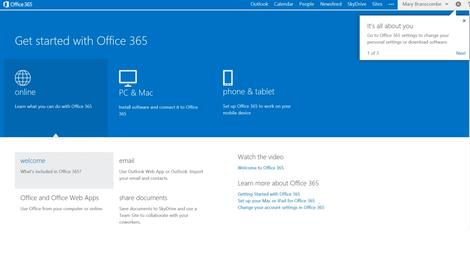
Office 365 portal
Unlike the MMC snap-ins and System Center management packs you might use to administer Exchange on your own server, all the administration for Office 365 is done in the browser.Exchange 2010 had its own web portal nested inside the admin portal for Office 365, which wasn't always easy to navigate. Small business accounts used a simplified control panel that could only deal with a limited number of objects and covered Exchange, Lync and SharePoint Online, while enterprise accounts got the more complex Exchange 2010 web admin interface, which felt shoehorned in.
Now all accounts get the same simple interface for everything, from managing Office 365 licenses to enabling Lync federation to setting up Exchange mail routing-flows. It's all logically arranged and with the simple options presented first so they're easy for administrators who are not experts.
If you know what you're doing, you can click through to get all the extra properties and settings to work with, and can even use PowerShell to manage your Office 365 services. But a smaller company can set up everything they need without getting out of its depth.

The admin portal itself has a clean new look (matching the Office 2013 desktop interfaces) that's far easier to navigate.
Instead of 15 identical orange or blue headings and links in three columns, the opening page is a dashboard with clearly organised links to the different tools and a colour-coded overview of all the Office 365 services (including problems and planned maintenance). There's a list of admin shortcuts for the most common tasks at the side of the page, and usefully, the top links are for resetting passwords and adding new users.
Click (or tap – the Office 365 portal works well on a touchscreen) on the Admin heading at the top of the page to open the separate portals for Exchange, Lync and SharePoint, which all have the same consistent interface style. You can open them from anywhere on the site, without having to go back to the main admin portal and find the right link again.

Getting started is fast; provisioning Exchange, Lync and SharePoint Online for a 25-user Enterprise account took less than five minutes (and we were able to work with the rest of the portal settings while that was going on).
You can set up users by connecting to your on-premise Active Directory, by importing details (from a .CSV file, for example) or by creating users one at a time (most suited to a small business); and when you create individual users you can assign licences as you go. If you want to pick and choose who gets which features, you can allocate Office 2013 software licences, Lync, Office Web Apps, SharePoint and Exchange licences to users individually.

Furthermore, it is now possible to archive information across the entirety of Lync, Exchange and SharePoint with what's called the eDiscovery center. Concisely enough, eDiscovery is a component of Office 365 with which company officers or auditors may seamlessly view information on the company's office domain: no extra resource dump is required for data storage and monitoring.
This feature streamlines the process firms have to go through to monitor information on them, thus making for a cheaper, faster and more convenient informational management paradigm.
Managing Exchange Online
With Exchange 2013, Outlook Web Access (the webmail service) looks exactly the same as Outlook 2013 and even supports offline access to email (on Windows RT as well as Windows browsers). It's also what the Exchange Online admin centre is built on, and you can just mark a user as an administrator. This removes the need for an Exchange mailbox to administer Exchange, so you don't have to waste a mail licence and storage quota on a shared mail admin account.This has the same clean, well-organised interface as the rest of the new Office 365. Tools are grouped into the right categories and the most useful and important options are on the main page of the admin centre, so you can manage ActiveSync, Outlook Web Access and archiving quickly.
Similarly, important options like creating, editing and deleting users and objects are always visible on the toolbar. More advanced commands are also accessible, but they're on the More menu (indicated by the same three dots using in OneDrive Pro and elsewhere in the interface) where novice administrators won't click them by accident.
As with the previous version, you can also give different administrators limited permissions; if someone only needs to use the compliance or discovery tools, they won't get access to mail flow and user settings.
There's no longer a separate admin portal for managing the anti-spam and malware features (these are still substantially the same, but you manage them through Exchange Online).
Other previously complex tasks, like setting up federation to make free/busy times in user calendars visible or setting up shared mailboxes for call centres, are far simpler and you are guided through important steps (like giving users the right permissions to access the shared mailbox).
Public folders return in Exchange 2013 by popular demand. Like everything else in the new Exchange Online, they're simple to set up with helpful error messages that make clear what you've done wrong and how to fix it.

There's also a helpful balance between enforcing policy and users getting work done. The data loss prevention tools in the Enterprise version of Exchange Online let you set up rules to stop people emailing personal information like credit card numbers (with a smart check that uses the same algorithm used to issue credit card numbers, rather than just looking for any 16 numbers in a row).
But users can also override most of these policy warnings by filling in an explanation and confirming they know the message will be logged. The information can be encrypted to keep it safe until the manager approves the explanation.
The tips reminding users of the policy only show up in Outlook 2013 and Outlook Web Access. But if you send a message from your smartphone that breaks a policy, the rule can forward the message to your manager or mail you to confirm that you meant to break the policy.
Managing Lync Online
The new Lync admin center has the same new, consistent interface. This is considerably less chatty and cluttered than the old Lync Online control panel; the explanations are still there but as links to help pages (highlighted as Learn More on almost every screen).Instead of buttons that open pop-up dialogues, there are checkboxes and drop down lists, and the options have been organised rather more coherently. To keep to Microsoft's new aesthetic, the entirety of the software suite (including Lync) has the 'metro' look rather than the older 'glassy' button interfaces found on older Microsoft software.
There's only one extra option in the control panel, to add your own boilerplate to meeting invitations. You can include your company logo, links to support, any legal terms and conditions that apply to meetings, or a few lines of text you wish to be included in all invitations.

The major changes to the new version of Lync are in the new Lync clients, which are included in all the Office 365 plans. Features include tabbed conversations, a gallery view of everyone in a video conference, the ability to mute participants before they even dial in, and integrated OneNote notebooks.
We're still waiting for closer Skype integration. Lync Online is an impressive HD videoconferencing system with excellent tools for online meetings, but it still falls short of a full unified communications system if you need PBX integration.

Managing SharePoint Online
We've already looked at SharePoint Online 2013, which was based on the preview version that's been available on Office 365. The main differences are bug fixes for upgrade and migration issues; the interface and features are the same.With new social and search features and much friendlier storage and sharing tools, plus a whole new way of building apps that work with SharePoint, this is the most accessible release of Microsoft's document storage and collaboration system yet.
Office 365 Personal
The applications of Office 365 go beyond just enterprise work, however. Similar to Apple's iCloud software, Office 365 can sync documents to a wide range of devices as well as various other services such online editing.There are currently two tiers for Office 365: Home and Personal. The Home version costs £7.99 (US$9.99) a month and offers up to 5 computers (running either Windows or OS X), 5 tablets and unlimited smartphones, the ability to install Office as well as 20GB of extra cloud storage for each of the five users. Personal, which costs £5.99 ($6.99) a month, is intended for a single user and can allow one download of Office.
Documents created in Office on my Mac synced to my iPad and various Windows PCs and appeared online where I could edit them until my heart's content. The seamlessness of the service is typical Microsoft whose business is based around offering incredible software services.
Online versions of Word, PowerPoint, Excel and OneNote are all present and worked quickly, although users with slower broadband speed may not see such fluidity. In fact, I would go so far as saying that the services available in Office 365 would be rendered useless by a slow broadband speed and users looking to purchase a subscription should check that their connection is able to support the bandwidth-heavy nature of online Office.
While many decry Office as being a relic of a by-gone era, anyone who works in an established industry is likely to run into an Office document every now and again. There are some features of Office that cannot be found outside of the suite, especially in regards to Excel. Apple's iWork suite has come on leaps and bounds but Numbers cannot match the might of Excel when it comes to heavy number crunching.
Verdict
Cloud integration and subscription licensing make Office 2013 a landmark release for Microsoft and this functionality has extended to Office 365, too. It's also worth noting that this is the first update that has upgraded the servers which host Office 365 making it even more stable.We like:
The new Office 365 plans are a simple and cost-effective way to get access to new features in desktop Office 2013 and new versions of Office servers, without the work of running your own servers.The new administration interface makes the service easier to work with, whatever your level of expertise, and SharePoint and Exchange Online have major new features.
Two tier option of personal accounts is a bonus.
We dislike:
Existing Office 365 users have to wait for Microsoft to schedule upgrades to their accounts (and some early migrations have caused issues with SharePoint online). Also, Microsoft still has to prove it can offer meaningful improvements on a regular basis, like taking advantage of Skype and Yammer inside Office 365.Overall verdict
For smaller companies that will appreciate the new, simpler interface, Office 365 is a reliable service that integrates email, document sharing and conferencing almost seamlessly with the new desktop versions of the Office software. It also has powerful options for larger businesses.The savings from putting commodity IT in the cloud and still being able to integrate with on-premise servers through Active Directory and hybrid Exchange deployments, could make the combined subscriptions for server and desktop products very attractive.

Read More ...
Rumours gather pace as details of HTC One M8 Prime are leaked

The recently released HTC One M8 could be set for a 'super high-end' reboot if we're to believe habitual leaker @evleaks.
This time he claims that the upgraded device will be waterproof, have an aluminium and liquid silicone casing and it will support category 6 LTE.
It's also claimed that the One M8 Prime will have a 2.5GHz quad-core Qualcomm Snapdragon 805 processor, a 5.5-inch 2560 x 1440 (QHD) display and 3GB of RAM- very much similar to the Galaxy S5 Prime leaks we've been seeing.
A bucket-full of salt
Our very own mobile editor Gareth Beavis has previously poured water on a similar HTC M8 Prime leak last month.He explained that the Prime could be the codename for the HTC One M8 Max, a potential upcoming HTC Phablet with M8 specs.
We contacted HTC and it told us that "HTC doesn't comment on rumour or speculation".

Read More ...
Industry voice: How to protect your company website from cyber criminals

In a climate of increasingly complex threats, hackers and cyber criminals, organisations must employ IT security solutions and strategies that match, and indeed surpass this sophistication.
The most basic building block of any cyber security strategy is policy enforcement for website browsing. This approach is used to guide visitors through the website and enforce correct browsing behaviour.
Web application firewall
A web application firewall learns the correct 'behaviour' by security administrators navigating through the website, clicking on links, and teaching the firewall what is acceptable. This is a fairly simplistic method, but effective nonetheless. The platform then develops a rule set based on these behaviour types and is then poised to identify any misuse of the site.However, as threats evolve and cyber criminals and hackers develop more cunning ways of gaining illegal access to websites and networks, more comprehensive security is required. High impact attacks such as distributed denial of service (DDoS) attacks can cripple a website.
For organisations that use their websites as valuable business tools – for example e-commerce sites – any downtime can have a lasting impact on profitability and customer perception. DDoS attacks flood the targeted website with requests, effectively tying up all resources and ensuring other visitors can make use of the site.
Defending against DDoS
A DDoS mitigation platform, however, can alleviate this problem. The platform is situated in front of the website and identifies these attacks by looking at the incoming traffic and its IP address. The solution also plays a crucial role in balancing identifying threats with recognising legitimate traffic.This is of particular importance as DDoS attacks are more likely to occur as a targeted event – for example on an online gambling site during the FA Cup Final in an effort to stop bets being placed – where there is a normal increase in web traffic.
Intrusion detection/prevention systems
Beyond this, and forming part of the ideal multi-layered approach, an organisation should also make use of an intrusion prevention/detection system. The IDS/IPS is ideal for organisations that have websites with dynamic content that requires the use of a complex database, such as an SQL database.The IDS/IPS can detect and prevent hackers from having a negative impact on the company's website and network, and also guards against internal threats. It uses a combination of monitoring threats and validating users as part of a higher level security strategy.
The key consideration with any website security strategy is the appropriateness of the solution and matching it to the nature of the website. By layering the security and making use of the latest technology and solutions, both internal and external threats can be effectively identified and dealt with.
- Andy Aplin has an established 20-year career in IT Technology, with experience and expertise across the UK and EMEA markets.

Read More ...
Microsoft and SAP extend big data, cloud and mobility partnership

Microsoft and SAP have agreed to a partnership designed to improve big data, cloud computing and enterprise mobility, the companies said in a statement. SAP applications will now be available on Microsoft Azure, Excel will be connected to SAP BusinessObjects, and SAP will be creating apps for Windows and Windows Phone 8.1.
Microsoft Azure will support SAP’s Business Suite software, Business All-In-One solutions, Mobile Platform, Adaptive Server Enterprise, and the developer edition of SAP HANA. Customers and developers will be able to deploy and provision preconfigured SAP solutions to Azure via the SAP Cloud Appliance Library tool, both companies said. The integrations will be completed and readily available by the end of Q2 2014.
Microsoft has connected Excel to SAP BusinessObjects BI solutions via Microsoft's Power BI platform. Additionally, SAP has released the Gateway app for Microsoft, which is designed to help customers access SAP applications and data through Microsoft Office 365 and Microsoft Azure.
The two companies also announced that they will develop and co-market SAP mobile apps for Windows and Windows Phone 8.1. The apps will be managed and secured by SAP Mobile Secure or Windows Intune.
The cloud push
SAP and Microsoft have invested heavily in getting users to adopt cloud. In March, SAP agreed to acquire contingent workforce management firm Fieldglass to boost its cloud services. The company also enabled users to pay for access to SAP HANA based on consumption and allowed them to choose additional end-to-end features or options on a case by case basis.Last week, SAP told TechRadar the company is planning a restructure that will shift approximately 2,500 roles from software programming to cloud computing.
Microsoft recently made Azure ExpressRoute available to enterprise users. The service is designed to allow businesses to create private networks between on-premise or colocation data centers and IT infrastructure.
In April, Microsoft upgraded its data solutions offering with three services designed to ease data capture, storage and usage via the cloud. Microsoft also announced that Azure will be gaining a host of new features, including a redesigned management portal, and the company announced significant price reductions for Azure.

Read More ...
Intel's beefy Broadwell CPU set to supercharge PCs by Christmas
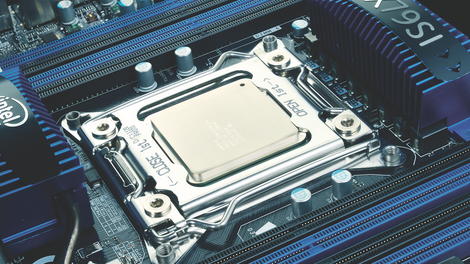
Intel has promised to deliver its next-generation processors, codenamed Broadwell, in time for the Christmas holidays.
Brian Krzanich, CEO of Intel, spoke to Reuters at the Maker Faire in San Mateo, California, where he committed to delivering PCs with the new chips for the festive season.
"I can guarantee for holiday, and not at the last second of holiday," Krzanich said. "Back to school - that's a tight one. Back to school you have to really have it on-shelf in July, August. That's going to be tough."
Processor promise
The comments suggest that the chip giant is targeting somewhere around October or early November, which would be just shy of the back-to-school season, but gives enough time to take full advantage of the pre-Christmas shopping season, when many technology companies make the majority of their profit.Krzanich pledged a second half of 2014 release for the new chips in the last quarterly conference call in April, and it seems that Intel is well on target to keep that promise.
The Broadwell chip was already delayed from a 2013 release, but it may be worth the wait. It promises enhanced performance, lower power consumption, and a smaller form-factor.
Via Hexus

Read More ...
Industry voice: Why a subscription model could be the future for all businesses

In a world where the consumer wants very specific things and wants them instantaneously, keeping a customer base happy is more difficult than ever before.
As such, flexible, customisable subscription services are spreading across different sectors like wildfire as businesses strive to meet the high expectations of customers and clients.
We spoke to Tien Tzuo, the founder of subscription software provider Zuora, to find out why his firm are becoming increasingly busy.
TechRadar Pro: There have been a lot of discussions lately whether companies should be adopting subscription business models or not, for example around the BBC license fee. Why?
Tien Tzuo: It makes perfect sense for all companies to adopt the subscription business model. Why? Well, in the modern world our needs are being fulfilled by services, rather than one-off purchases.
Once customers taste streaming video rather than buying physical DVDs, using Zipcar rather than buying your own or storing business files in Box as opposed to on your own server, they want all their lives to work as simply as that. This is what we call the Subscription Economy.
A recent survey of 293 business executives in the US, UK and Australia, commissioned by Zuora and conducted by the Economist Intelligence Unit, found that four out of every five businesses surveyed are currently seeing changes in how their customers prefer to access their services.
It's a trend that is impacting every industry, which is why the BBC license fee is an anachronism. It's not about granting someone a "license" to access the content, it's about crafting bundles and subscriptions that cater to each individual's preferences.
The BBC is supposed to be an information service, but needs to evolve in order to fulfil this promise in the modern age.
TRP: How are organisations reacting to this trend?
TT: Businesses have become very aware of this trend and are reacting by reinventing themselves and launching new services. 51 per cent are integrating new pricing and delivery models such as subscriptions, sharing and rental goods and services.
Of those, subscription-based models have emerged as the primary means to do so, and 40 per cent of these companies have implemented subscription services as part of their core business.
You can look at almost any industry to find lots of great examples. You want access to millions of songs from any device without purchasing and downloading them? Then stream your music with Spotify. You only want to read – and pay – for your favourite newspaper columns? Then become a News Corp member and compile your very individual Times newsfeed.
Or you want healthy snacks each day but can't be asked to go out and buy them? Let graze deliver them to your doorstep.
TRP: Which benefits bring subscription services to customers/businesses?
TT: For customers, it's about accessing the services they want, how they want it. Every customer is unique and has different, ever-changing needs, so businesses that still try to sell one-size-fits-all packages that lock customers into long-term contracts will be left in the cold.
Customers appreciate the flexibility with which they can tap in and out of their services when required, and the associated convenience of such an "I-get-it-now" lifestyle.
For businesses, it's about customer relationships. Why? Because subscription services provide businesses with the opportunity to better understand their customers and develop longer-lasting and more meaningful relationships.
Long relationships in return drive new, more predictable revenue streams, a sharper competitive edge and a stronger business foundation.
12 per cent of organisations say subscription models already represent more than half of their revenue, a number that is expected to grow rapidly, as 84 per cent anticipate that this share of revenue will increase over the next two years.
TRP: What role does technology play in this transformation?
TT: Technology is what makes this transformation possible. Show me any business that has not got cloud on their agenda. Or any employee that doesn't use their phone or tablet to drive business processes from anywhere. And because networks are always on, we can connect, consume and drive 24/7.
This technology is what's transforming everything into a service, from software to digital media to the internet of things, making it available at our fingertips at any time.
TRP: What are the IT pitfalls you need to avoid?
TT: One of the greatest challenges is centred on the legacy systems businesses once ran on. These must be re-thought. ERP was built to track products that can be put on a pallet - rather than services which are consumed over time.
In the new Subscription Economy, where services are being consumed on a pay-as-you-go basis, the ERP model is dead.
What you need instead from your IT systems is total flexibility – in how you charge for your services (for example by usage or per-month), who you sell to (from individuals to very large enterprises), and how you track your financials (ensuring that bookings, billings, cash flow, and revenue are all sitting in the same system).
Companies such as Salesforce and Box have been so successful because they've been able to be absolutely flexible in how they go to market.
However, this brings significant new complexities for the CIO. Legacy ERP systems such as SAP and Oracle are not flexible enough for this new economy, and there is a significant challenge to integrate new technology to separate systems of record (ERP) from systems of innovation.
Mastering this challenge is what's going to drive their future. Young companies don't have this issue, they just can forget ERP, never go to SAP and Oracle in the first instance, and be innovative right from the start.
TRP: Where do you see the future of subscription business models going?
TT: Music, video and food were just the beginning. Subscription business models are spreading from industry to industry and eventually all companies will embrace them.
However, this shift requires new models of thinking, and new flexible systems which allow you to understand your customers and tailor and price your services to them specifically.
This change won't be easy but, as Charles Darwin once said, it's those that are most responsive to change that survive. In today's constantly transforming business climate, success depends on it.

Read More ...
Xbox One to get external hard drive support 'soon', possibly in next update

External drive support will be coming to Xbox One "soon", according to an anonymous leaker on Reddit.
The teasing picture (shown above) was posted on Reddit yesterday but the leaker was not forthcoming with any other details.
Developers and members of the Xbox One preview programme get access to early updates and it's therefore possible that external drive support will feature in the next mass update.
Microsoft product director Albert Penello previously announced that external drives were always part of the company's plan.
Big games, big data
While the Xbox One comes with a hefty inbuilt 500GB of storage, games are increasingly taking up more and more space.With titles like Titanfall, which commands 20GB of storage, starting to pile up, external hard drive support needs to hurry up before our consoles reach bursting point.
We've contacted Microsoft to ask when this support might be coming, and we'll update when we know more.

Read More ...
In Depth: Motorola Moto E release date: where can I get it?

The Motorola Moto E launched as a supremely affordable smartphone boasting pure Android KitKat, a water-resistant splash guard and the promise of a full day's usage from a single charge.
SIM-free, the Moto E's recommended retail price is a palatable £89, but if you look around you may be able to find yourself a better deal on contract or PAYG.
As festival season fast approaches, our minds turn to low-cost handsets which can be slung around a campsite and hold their own in the mosh pit, and the Moto E certainly fits that bill.
It's also worth considering the Moto E if you're looking to transition to your first smartphone, or to treat your kids to their first mobile.
You can pick yourself up a Motorola Moto E right now, and here's where you need to be looking.
- Read our hands on: Motorola Moto E review
O2
There's no SIM-free option over at O2 but you can pick the Moto G up for just £79.99 on pay-as-you-go. Top up £10 and you'll get 75 mins, 500 texts and 500MB of data to use in 30 days.Those allowances increase after 3 and 9 months, but if you fancy a continuous stream of minutes, texts and data you're better off checking out the tariffs.
You can nab yourself a free Moto G from just £12 per month over two years, which gives you 100 minutes, unlimited texts and 100MB of data.
Plump for the £22 per month option though and you'll get unlimited calls and texts plus 1GB of data.
Vodafone, EE and Three
EE is not stocking the Moto E - why? Well because it's not 4G enabled. That means it's also not available directly from 3G-loving Orange and T-Mobile.Vodafone told us that it'll be stocking the handset but hasn't yet said when. However, we did wonder if it might steer clear as the Moto E is direct competition to its own brand Smart 4 Mini.
Phones 4U
There's SIM-free action at Phones 4U, where you can pick the Moto E up in either black or while for £89.95. That drops to £79.95 if you opt for a PAYG deal with Vodafone, Orange or T-Mobile.For those of you wanting the Moto E on contract and are worried about O2 being your only option then there's good news - Phones 4U has tariffs with Orange, T-Mobile and Vodafone on offer.
You can pick up a free Moto E on two year contracts starting at £13 per month, although at that price you'll only get 100MB of data each month.
If you're going to be a bit more active on mobile internet you're probably better off looking towards the £20 per month mark.
Carphone Warehouse
Wander into Carphone Warehouse in hope of a similar buffet of tariffs and you'll be disappointed. There's no sign of the Moto E anywhere. Sad face.Online retailers
There are several online retailers also offering the Motorola Moto E SIM-free, although they are slightly more expensive.Unlocked-Mobiles is asking for £94.98, Clove has the Moto E listed at £99 and Expansys is the most expensive at £99.99.

Read More ...
Kinvey's beacon app management tool is designed to make proximity apps smarter

Kinvey has launched support for beacon-enabled enterprise applications, Sravish Sridhar, CEO of Kinvey told TechRadar. The solution is designed to accelerate application development and backend business logic to improve the knowledge associated with proximity-aware mobile applications.
Kinvey defines beacon apps as applications that collect and use information provided by beacons to incorporate logic that can tie proximity to identity and trigger context or notifications within an application. For example: apps that deliver offers when a consumer is at a retail location or coffee shop.
Beacon apps are traditionally used for simple marketing or retail purposes, but Sridhar said, "Beacons themselves are dumb devices [that] just send a one-way communication via a radio ping."
Backend management for smart beacons
He said a complex backend management system like the one Kinvey is introducing will be able to aggregate and analyze the data points produced by the pings to improve business processes, deliver personalized experiences, reduce costs and create revenue streams.Kinvey's solution is designed to remove the need for writing beacon discovery and management code from scratch. The solution features pre-built client library extensions, including beacon reporting frequencies, proximity fluctuations and data smoothing.
The client libraries integrate with the mobile application's backend in order to help ensure the accuracy of beacon proximity reporting, manage notifications and securely connect user ID with beacon proximity, among other things.

Read More ...
Industry voice: Why organisations must embrace mobile working

With a fresh wave of tube strikes recently hitting the capital, many commuters have been busy checking TFL advice to see how their route will be affected.
Even on a day without service disruptions, the average time spent commuting is 54.6 minutes. It's risen by five minutes since 2003. That's 4.5 days a year spent getting to and from work.
But commuting isn't just costly in terms of time; here in the UK our public transport costs are among the highest in Europe. The average British worker spends £160 per month on their commute.
So what can we do? In an era where the average office worker spends eight percent of their time looking at a mobile screen, would it really be such a stretch to make remote working the norm? According to research by Deloitte, 30 to 40 percent of physical workspaces are vacant at any given moment on a regular business day, adding more evidence to the argument against office-based working.
Mobile world
It's true that there are some roles in the modern enterprise that require staff to be onsite, but the vast majority could be performed remotely. A survey of business across Europe found that flexible working makes employees 39 percent more productive, and 72 percent of them attributed this to key communications technology, including video conferencing.Despite this, 60 percent of UK businesses are still not offering flexible working. Given that workers will be happier and more productive, why aren't more organisations offering this?
According to Matthew Ball, Prinicpal Analyst at Canalys, "'Based on current trends and changes in working culture, almost all information workers will have the option of remote working by 2022, with the main means of communication being social media and video conferencing via mobile devices."
A survey found that nearly one in five office workers would move away from urban areas if they could work remotely. Especially amongst the 'Millennial Generation', workplace flexibility and work-life balance are seen as more attractive than financial reward.
Offering these employees the chance to shorten or even eradicate their commute is more attractive than simply offering them high salaries. Generation Y are also more likely to stay in a job if they have greater flexibility over where and how much they work.
The tube strikes served to highlight the fact that the UK working population is crying out to be spared the daily commute. I feel lucky to work for an organisation where 100 percent of our employees are equipped with the technology to allow them to work remotely.
- Tim Stone is vice president of marketing for Europe and EMEA at communications specialist Polycom.

Read More ...
LG G Flex 2 tipped to arrive in 2015 with a 'unique' mystery feature

The LG G Flex 2 will reportedly launch in early 2015, with a feature "even more unique than self-healing plastic".
The info comes from @evleaks, and therefore details are thin on the ground. The tipster previously announced that an upcoming LG handset will the be one of the first Android Silver devices, a new initiative to replace the Nexus range.
It's possible that the G Flex 2 and the Android Silver device are the same handset, which could hit the shelves in mid-Q1 next year.
Room for improvement
The unusual curved smartphone, although expensive, scored well in our extensive review.One of the main drawbacks was its 720p screen, which could be upgraded in the next iteration. But a better quality screen probably doesn't constitute as "unique", so what else could it be?
Possibly the ability to bend up to 90 degrees if this story from last year is to be believed, though we're not sure how useful such a feature would actually be.
Start your speculation now.
- LG G Flex review: a bendy champion?

Read More ...
In Depth: Samsung Galaxy S5 Prime release date, news and rumors

Release date, display and chassis
The Samsung Galaxy S5 is a top smartphone with a lot to shout about, but with increased pressure from HTC, Sony and LG, there are suggestions that Samsung is looking to give its flagship another boost.Compare the build quality of the Galaxy S5 to the HTC One M8, Sony Xperia Z2 and iPhone 5S and the Samsung flagship feels cheap in comparison, while the full HD display is unlikely to be a match for the QHD offering on the upcoming LG G3.
To tackle these two points head-on, the Samsung Galaxy S5 Prime is apparently being readied in South Korea - with a bumped up screen and shiny new chassis.
Samsung CEO JK Shin has said it isn't working on a premium Galaxy S5, but the rumor mill is refusing to slow down on the Galaxy S5 Prime chatter.
There are also reports of a Galaxy S5 Active in the works, and it's worth noting that some of the leaks we're seeing could be in relation to the Active rather than the Prime.
Here's everything we know so far regarding the Samsung Galaxy S5 Prime.
Cut to the chase
What is it? A premium version of the Galaxy S5
When is it out? It may launch in June 2014
What will it cost? At lot - more than the current S5
What is it? A premium version of the Galaxy S5
When is it out? It may launch in June 2014
What will it cost? At lot - more than the current S5
Samsung Galaxy S5 Prime release date
The Samsung Galaxy S5 Prime release date is currently being tipped for mid-June, although this could well change.One report suggests the Galaxy S5 Prime may be pretty tricky to get hold of, as complications in the production of the QHD display mean Samsung will only make a limited number of units.
These issues may see the Galaxy S5 Prime release date shifted to late June or even early July - it's difficult to say at the moment.
There's no guarantee that the S5 Prime will see a worldwide launch either, with a strong possibility of the premium flagship only seeing the light of day in select Asian markets where the spec war is rife.
- Read our in depth Samsung Galaxy S5 review
Samsung Galaxy S5 Prime price
When it comes to the Galaxy S5 Prime price you won't be surprised when we tell you it's going to be expensive (that's if it actually exists, of course).According to information garnered by Naver.com, the Galaxy S5 Prime will have a SIM-free launch price of KRW 900,000 (about US$880, £523, AU$940).
The price in other territories is likely to be higher than the conversions shown here thanks to taxes and other costs, putting the S5 Prime comfortably above the S5.
Samsung Galaxy S5 Prime display
One of the major upgrades rumored for the Galaxy S5 Prime is the screen, with Samsung tipped to equip the handset with a 5.2-inch, 2,560 x 1,440 display.With multiple sources all pointing towards the QHD display, it seems the most viable option at this time for the Galaxy S5 Prime.
The reasoning behind this decision is questionable, as the current Galaxy S5 has an eye-popping display which has been dubbed the best performing smartphone screen by independent benchmarkers.
A key factor in the S5 Prime potentially sporting a QHD display is what's happening over at Samsung's fierce Korean rival.
LG has confirmed it will slap a QHD screen on its next flagship smartphone - the LG G3 - and the S5 Prime could be Samsung's response in an attempt to stay relevant in its national market.
That said, more recently a handful of videos from TK Tech News have appeared on YouTube apparently showing a pre-production version of the S5 Prime with a full HD, 1080p display - matching that of the original S5.
Chassis, power, OS and more
Samsung Galaxy S5 Prime chassis
The second major upgrade which could find its way onto the Galaxy S5 Prime is the all metal chassis, as Samsung looks to bring the same appeal to its flagship smartphone as the likes of the iPhone 5S and HTC One M8.Originally touted in the leak for the 'SM-G906K' Galaxy S5 Plus model, this rumor has developed into the S5 Prime, while an image posted on Reddit appears to show a metal clad-handset.

We've also seen the model IDs SM-G870A and SM-G850F pop up in various places recently, although these are though to be linked to the Galaxy S5 Active, rather than the S5 Prime.
Interestingly TK Tech News claims to have of a pre-production version of the SM-G870A which it's billing as the S5 Prime due to its aluminum rear cover.
The site has posted several YouTube videos showing off the handset in question, and although it is referred to as the Prime, the thicker dimensions and more heavy-duty seal around the rear plate all seem to suggest it's actually the rumored S5 Active.
PhoneArena also reckons it's got some details on the Galaxy S5 Prime frame, with a set of images showing a dimpled back just like the S5 - although the site claims that the handset in these shots sports a metal rear.
It's difficult to tell from the photos what material is in use, but it appears the internal speaker may be moved from the rear of the Galaxy S5 to the base of the S5 Prime - a better position if you ask us.

Samsung Galaxy S5 Prime power
The Galaxy S5 sports a 2.5GHz quad-core Snapdragon 801 processor, but the Galaxy S5 Prime may be in for a bit of a treat.Some reports are suggesting the S5 Prime will pack the newer 2.5GHz quad-core Snapdragon 805 chip, which would make it one of the first smartphones to do so.
As well as the improved processor, the Galaxy S5 Prime is also tipped to come with 3GB of RAM and an Adreno 420 GPU - up from 2GB of RAM and an Adreno 330 GPU on the S5.
Samsung Galaxy S5 Prime operating system
The Galaxy S5 Prime could go one better than the S5 again, with the currently unreleased Android 4.4.3 KitKat platform leaked as the version apparently coming with the handset.That's a slight step up from Android 4.4.2 which comes on the Galaxy S5, and you can expect Samsung to slap its TouchWiz UI over the top of 4.4.3 on the S5 Prime.
Samsung Galaxy S5 Prime battery
If the Samsung Galaxy S5 Prime really does arrive boasting a QHD display it's going to need some excellent battery performance to ensure you're not dashing to a plug after just a few hours.The rumored Snapdragon 805 chip should provide some additional power efficiency, but reports also point towards a 3000mAh battery which is slightly larger than the 2800mAh offering in the S5.
We also saw Samsung include an extreme power saving mode on the Galaxy S5, and we expect the same function to appear on the S5 Prime to help battle the drain from that screen.
Samsung Galaxy S5 Prime more specs
In terms of cameras the Galaxy S5 Prime looks set to adopt the same 16MP rear and 2MP front snapper of the S5, while the heart rate monitor on the back and fingerprint scanner under the home key will apparently also make the jump.
It will also apparently pack Bluetooth 4.0 Low Energy, if a listing on Bluetooth SIG is to be believed, although it does come with yet another model ID: SM-G906L.

Read More ...
Review: Panasonic GH4

Introduction
The Panasonic GH3 is widely regarded as a great compact system camera for shooting video, but its stills capability has been rather overlooked. Despite the fact that its headline specification is its ability to shoot 4K video, Panasonic is hoping that the GH4 will gain greater respect for its ability as a stills camera.The company has clearly invested a lot of time and effort in improving on the GH3 for the GH4, and the new range-topping camera has an extensive list of new or enhanced features. However, some may be surprised to learn that the sensor's pixel count has stayed the same, 16.05 million, even though the sensor is completely new.
Features
Panasonic has coupled the new 16.05-million-pixel Digital Live MOS sensor with the Venus Engine IX processor. This is a new processing engine, as the Panasonic GX7 has the Venus Engine VIII and the GH3 has the VII version. According to Panasonic this enables the GH4 to produce the best images quality of any G-series camera.
As it has four times as many pixels in every frame than Full HD recording, 4K video is very demanding on processing power. Consequently the Venus Engine IX is a quad-core processor. In addition, the sensor has twice the readout speed of the GH3, reaching 200Mb/s.
According to Panasonic's Michiharu Uematsu, this sensor and processor combination enables the GH4 to produce very slightly better quality images than the GX7, which was previously claimed to produce the best quality images of any G-series camera.
Clearly the company is confident of the GH4's noise control, as sensitivity may be set in the native range of ISO 200-25,600, with ISO 100 as an expansion setting. In comparison the GH3 has a range of ISO200-12800, with ISO125 and ISO 12,800-25,600 being available as expansion settings.
In single-AF mode the GH4 can shoot continuously at up to 12 fps (frames per second) with a UHS-III SD format card installed. This rate drops to 7.5fps in continuous autofocus mode. Panasonic will introduce a UHS-III card when the GH4 comes to market.
One of the challenges for compact system camera manufacturers has been to improve the speed of their autofocusing, because they use the traditionally slower contrast detection system. Panasonic has introduced a new approach for the GH4, which uses its novel DFD (Depth from Defocus) Technology.
This system looks at the contrast of the scene at two different defocused points to help it calculate the correct focus point more quickly. Panasonic claims that this enables the GH4 to achieve a focus time of 0.07 sec whereas the GH3 achieved 0.09 sec.

The faster processing engine, quicker sensor read-out and cleaner signal should enable the camera to focus its lens in poorer light, and Uematsu says that the GH4 can focus down to -4EV. Uematsu is also keen to emphasise that all the improvements required to allow 4K recording have a positive knock-on effect for still images.
In addition, the camera has a 49-area AF system (the GH3 has 23 areas) and the selection method may be set to Face/Eye Detection, Tracking, 49-Area, 1-Area, Pinpoint or the new Custom Multi mode. In the latter mode the active AF points can be limited to a row or column of points, or two a group (or two) or pattern defined by the user. The row or column option could be especially useful when panning with a moving subject and wanting to keep one plane sharp.
Focus peaking was high on the list of demands for the GH3, but it never arrived in a firmware update. Happily, the GH4 has focus peaking to help with manual focusing and video recording by highlighting the areas of highest contrast. This is accompanied by the picture-in-picture view first seen with the GX7 to allow the whole scene to be seen while an enlarged view is visible.
In addition, there's also now a Zebra view which indicates bright areas in the scene that are in danger of burning out.
Panasonic has improved both the electronic viewfinder and the three-inch vari-angle screen since the GH3, giving the two devices in the GH4 higher resolutions of 2,359,000-dots and 1,036,000-dots respectively. As before, both are OLED units and the main screen is touch-sensitive.

The GH4 is capable of shooting video at a range of resolutions, including Full HD, in addition to 4K, and there are options to shoot in MOV, MP4, AVCHD Progressive (4K can be shot in MOV and MP4) formats at a range of frame rates.
To maintain the best image possible Panasonic crops the GH4's image to create the 4K rectangle. As a result the focal length of the lens effectively lengthens by approximately 17%.
Cropping the image produces better quality footage than using zooming or interpolation technology. Those who want the very best video quality, however, will need to invest in the optional Interface Unit that bolts onto the bottom of the camera. This enables clean, uncompressed 4K footage to be recorded to an external device.

It also has two XLR microphone ports, a phantom power supply for mics and four SD video-out sockets. This unit also adds audio monitoring and control capability, as well as the ability to use an external timecode to synchronise several cameras.
Panasonic will distribute the GH4's Interface Unit through its professional video and channel, as it will appeal to professional videographers who plan to use the GH4 as part of a rig with an external monitor, recording facility and so on.
Like the GH3, the GH4 has Wi-Fi connectivity built in, but this is joined by an NFC chip to enable quick connection to other NFC devices such as Android phones and tablets. As before, the GH4 can be controlled remotely using Panasonic's free smartphone app via a Wi-Fi connection.
As it sits at the top of Panasonic's camera line-up, the GH4 is aimed at experienced photographers and, naturally, it has the usual program, aperture priority, shutter priority and manual exposure modes. However, there's also Panasonic's Intelligent Auto (iA) mode to help less experienced photographers and the Creative Control options that apply digital filter effects (Rough Monochrome and so on) to JPEG images.
As a Micro Four Thirds (MFT) camera, the GH4 is compatible with a wide range of optics from Panasonic and Olympus, as well as a handful from Sigma, Tokina and Voigtlander.
Because the sensor is smaller than full-frame, there's a 2x focal length multiplication factor. As a result, the Panasonic Lumix G X Vario 12-35mm f/2.8 Asph lens, for example, has a focal length range equivalent to a 24-70mm optic on a 35mm camera when shooting stills. Meanwhile the 14-140mm lens, which is available as a kit with the GH4, gives an angle of view similar to a 28-280mm optic.
Build and handling
There are only a few noticeable differences in the appearance of the GH4 in comparison with the GH3, they are very closely matched in size and weight and have an almost identical control layout.The eye-cup around the electronic viewfinder (EVF) is slightly larger on the GH4 to offer a little more shade from strong sunlight, for example. There's also a lock button at the centre of the mode dial to prevent it from being knocked out of position. This lock is our preferred type that clicks to lock or unlock so the button doesn't need to be held down when rotating the dial.
There's also a new Time Lapse Shot option on the drive mode dial on the top-plate of the camera. Time lapse recording can be set to start immediately, or it can be delayed by up to 23 hours and 59 minutes. The recording interval can also be set from 1 second to 99 minutes and 59 seconds with a maximum of 9,999 images being possible.
As before, the GH4 has a magnesium alloy body that is dust- and splash-proof. It has the same solid feel as the camera it replaces. However, Panasonic has bolstered the GH4's durability by giving its shutter a life-span of 200,000 cycles, double that of the GH3.

We found that the GH4's 2.359-dot electronic viewfinder (EVF) gives a very clear view with plenty of detail in most situations, but left eye users may come across a few occasions when their eye isn't completely straight towards it, causing some parts of the scene to look soft or slightly distorted.
The 3-inch 1,036,000-dot LCD screen also offers a very clear view and images look great on it as there's a pleasing level of contrast. It's also very responsive to the touch, making it a great way of selecting AF points and other setting options.
Because the screen is on a vari-angle hinge it's useful when composing images at unusual angles in portrait and landscape format, and it encourages more creative shooting. There's also an electronic level that turns from yellow to green when the camera is held level, so you can be sure that the horizon will be on an even keel. There are a few occasions, however, when it would be nice to make the level's indicator line a little more visible than it is.
The arrangement of the button and dial controls on the GH4 is the same as on the GH3 and it all makes good sense. In addition to the exposure and drive mode dials there are buttons on the top-plate to reach the white balance, sensitivity and exposure compensation options.
A switch on the back of the camera also provides a quick and convenient means of selecting single or continuous autofocus or manual focus. In addition, there are five physical buttons that can be customised to access your most commonly used features. However, we found the default options were a good choice.

There are a further five virtual function buttons available on the screen. Two of these have default purposes, but the remaining three are free.
The Quick menu, which by default is accessed by pressing the Fn2 (Function 2) button (also marked Q Menu) also provides a route to a useful collection of features, but even better news is that this can be customised to reach your favourite options.
Although the GH4's control layout is generally good, there is some room for improvement and aspects of the operating system could do with a rethink. It seems strange, for example, that it's possible to shoot in aperture priority mode in most of the Creative Control modes, Miniature Effect being the exception, but the effects are only available via the Creative Control option on the mode dial and exposure has to be adjusted via the menu.
It would be simpler if the Creative Control options were accessible when the mode dial was set to aperture priority (and preferably the other exposure mode options) in the same way as the Photo Styles. After all, both of these feature sets allow raw and JPEG recording simultaneously, and both affect aspects such as colour, contrast and sharpening. It would make more sense to the user if they were accessed via the same route.
Similarly, despite the complexities of achieving 4K movies, the user will find it strange that Full HD options can be accessed in program, aperture priority, shutter priority and manual exposure mode, whereas the 4K recording options can only be accessed when the mode dial is set to Video. Similarly, 4K recording is only possible in video mode.

The GH4 has an NFC chip to enable speedy connection to other NFC enabled devices, but it can also be connected quickly and easily to iOS devices because the screen can display a QR code which conveys all the necessary information for the initial set-up. Panasonic's free Image App enables the GH4 to be controlled remotely by a smartphone or tablet with control over key features and images to be transferred for sharing.
Performance
As a general rule the GH4 produces great looking images with good exposure, pleasing contrast, natural colours and good detail.Zooming into 100% on-screen reveals that some JPEG images don't have quite the fine detail or micro contrast that we see from other cameras, but at sensible viewing sizes they look great. As is often the case, simultaneously captured raw files have more detail. At higher sensitivity settings they also have more noise, but this can be dealt with on an image-by-image basis to produce a good result.
Noise is controlled well throughout the sensitivity range, but detail isn't maintained quite as well as by the Fuji X-T1, for example, at higher sensitivity settings.

At 100% on-screen JPEGs look good up to around ISO 3200. Above this figure softening becomes more apparent. Raw files have chroma noise visible at 100% from around ISO 800, but it's within acceptable limits, and as mentioned before, can be subjected to reduction as required.
By ISO 12,800, however, raw files need more careful editing to conceal noise and preserve detail. The highest value (ISO 25,600) produces respectable results, but as is often the case, it's best kept for emergencies.
Panasonic claims that the GH4's AF system can operate down to an incredible -4EV and our testing indicates that with the right lens it is quite a bit better in low-light than previous G-series cameras. We were impressed by how quickly it was able to focus with the new Leica DG Notricon 42.5mm f/1.2 ASPH O.I.S in very dim conditions, but this is a super-fast lens with a high price to match.
The 12-35mm f/2.8 lens, which gives a focal length range equivalent to the popular 24-70mm on a full-frame camera, also delivers sharp subjects quickly, but we found the new 14-140mm f/3.5-5.6 kit lens a little more variable – especially at the telephoto end.
In good light the AF system is generally very fast and it can keep pace with moving subjects when the AF point is in the correct location. Tracking AF mode has also improved, but it can't be relied upon to follow a fast moving subject around the frame.

The autofocus system changes pace when movies are being recorded and a touch of the screen to change focus point sees the focus shift smoothly and (comparatively) slowly, creating a professional looking result.
Panasonic's metering and white balance systems have been found to be good performers in the past, producing well-exposed, natural-looking images. The GH4 doesn't disappoint as it's automatic white balance system produces natural-looking results in a wide range of lighting conditions. In natural light the results when shooting using the automatic settings are often indistinguishable from those taken using the daylight setting.
Although the GH4 has the usual trio of metering modes (Multiple, Centreweighted and Spot) we found that the general-purpose 1,728-zone multi-pattern metering delivers great results in most situations. In fact there were relatively few times when we had to use the exposure compensation facility to adjust exposure.
As usual the GH4 is supplied with Silkypix software for editing images and converting raw files. In reality few users are likely to use this software, preferring Adobe's more refined and better specified options: Photoshop CC, Lightroom 5 or Elements 12. Silkypix has most of the controls that you need but it isn't especially intuitive or pleasant to use and prospective GH4 owners will be looking forward to the Camera Raw update that makes raw file processing possible with Photoshop.
We haven't been able to test the GH4's video capability extensively, but it's clear that it produces high quality footage. As with still images, exposure, white balance and colour is good and there's plenty of detail visible.
Image quality and resolution
As part of our image quality testing for the Panasonic GH4 review, we've shot our resolution chart. These images were captured using a full-production sample of the camera.For a full explanation of what our resolution charts mean, and how to read them, check out our full explanation of our camera testing resolution charts.
Examining images of the chart taken at each sensitivity setting reveals the following resolution scores in line widths per picture height x100:
JPEG


ISO 100, Score: 28. Click here to see the full resolution image.

ISO 200, Score: 28. Click here to see the full resolution image.

ISO 400, Score: 26. Click here to see the full resolution image.

ISO 800, Score: 26. Click here to see the full resolution image.

ISO 1600, Score: 26. Click here to see the full resolution image.

ISO 3200, Score: 24. Click here to see the full resolution image.

ISO 6400, Score: 22. Click here to see the full resolution image.

ISO 12800, Score: 20. Click here to see the full resolution image.

ISO 25600, Score: 16. Click here to see the full resolution image.
Raw

ISO 100, Score: 26. Click here to see the full resolution image.

ISO 200, Score: 26. Click here to see the full resolution image.

ISO 400, Score: 26. Click here to see the full resolution image.

ISO 800, Score: 24. Click here to see the full resolution image.

ISO 1600, Score: 24. Click here to see the full resolution image.

ISO 3200, Score: 24. Click here to see the full resolution image.

ISO 6400, Score: 22. Click here to see the full resolution image.

ISO 12800, Score: 20. Click here to see the full resolution image.

ISO 25600, Score: 16. Click here to see the full resolution image.
Noise and dynamic range
We shoot a specially designed chart in carefully controlled conditions and the resulting images are analysed using DXO Analyzer software to generate the data to produce the graphs below.A high signal to noise ratio (SNR) indicates a cleaner and better quality image.
For more more details on how to interpret our test data, check out our full explanation of our noise and dynamic range tests.
Here we compare the Panasonic GH4 with the GH3, Fuji XT-1, Olympus OMD-EM1 and Canon EOS 70D. These images were captured using a full-production sample of the Canon 6D.
JPEG signal to noise ratio

This graph shows that the GH4 produces JPEG files that compete very well with the other cameras in the group, indicating that images are fairly clean. However, it seems that is at the expense of detail at higher sensitivtiy settings.
Raw signal to noise ratio

The GH4 is the clear winner for raw file (after conversion to TIFF) signal to noise ratio, indicating that noise is controlled well. However, comparing its resolution scores with those of the Fuji X-T1, for example, reveals that it cannot record as much detail at the higher sensitivity settings.
JPEG dynamic range

These results show that the GH4 has a generally high JPEG dynamic range, but there is some variation which may arise from slight changes in image processing.
Raw dynamic range

The GH4's raw files (after conversion to TIFF) are unusually consistent across the sensitivity range. This means that images captured at high sensitivity settings have only slightly fewer tones than those captured at low levels. However, the range of tones in real world images captured at the highest ISO values have a lot of noise which masks the tones and detail.
Sensitivity and noise images

Full ISO 100 image, see the cropped (100%) versions below.
JPEG

ISO 100 Click here to see the full resolution image

ISO 200 Click here to see the full resolution image

ISO 400 Click here to see the full resolution image

ISO 800 Click here to see the full resolution image

ISO 1600 Click here to see the full resolution image

ISO 3200 Click here to see the full resolution image

ISO 6400 Click here to see the full resolution image

ISO 12800 Click here to see the full resolution image

ISO 25600 Click here to see the full resolution image
Raw

ISO 100 Click here to see the full resolution image

ISO 200 Click here to see the full resolution image

ISO 400 Click here to see the full resolution image

ISO 800 Click here to see the full resolution image

ISO 1600 Click here to see the full resolution image

ISO 3200 Click here to see the full resolution image

ISO 6400 Click here to see the full resolution image

ISO 12800 Click here to see the full resolution image

ISO 25600 Click here to see the full resolution image
Sample images

The GH4's 2x focal length conversion helped with this shot taken at the telephoto end of the 14-140mm kit lens to give a nicely filled frame. Click here to see the full resolution image.

The automatic white balance system has produced an excellent result here. The colours look natural and the exposure is perfect. Click here to see the full resolution image.

This handheld shot was taken at ISO 1600. Noise is very well controlled and the details look great at normal viewing sizes. Click here to view the full resolution image.

Pushing the contrast setting of the Monochrome Photo Style to its maximum setting has produced a great result-in-camera, but it was nice to have the raw file with all the colour data to convert post-capture if necessary. Click here to view the full resolution image.

Rather than underexposing in the face of the bright sky and reflections, the GH4's metering system delivered a bright result. In fact we dialled in -1/3EV exposure compensation to retain a bit more of the sky. Click here to view the full resolution image.

The vari-angle screen proved useful here to allow a low angle shot. The AF point was set with a tap of the screen and the level view ensured that the horizon looks right. Click here to view the full resolution image.

This scene proved quite tricky for the GH4's AF system with the 14-140mm lens at it's maximum focal length even though the AF point was set at the edge of the man's silhouette to give contrast. Click here to view the full resolution image.

There's an excellent range of compatible lenses for Micro Four Thirds cameras these days. This shot was taken using the Panasonic 45mm Macro lens. Click here to view the full resolution image.
Verdict
Although Panasonic may want to promote the GH4 as a stills camera, the fact that it is the first compact system camera to record 4K video means it has grabbed the attention of keen videographers.The company has also boosted the camera's video capability with focus peaking and zebras – both of which are of use to stills photographers, but which have their origins in video. Plus there's the Interface Unit to allow serious and professional video shooters to build a professional rig around the camera for a fraction of the usual cost.
The fact that the company has stuck with the same pixel count as the GH3 on its sensor means that it doesn't make really significant strides with detail resolution, but the images do look a little nicer straight from the camera and noise is better controlled.
It's interesting to note that while the Nikon D800 was greeted with great enthusiasm, not least because of its 36Mp sensor, and there are numerous cameras available with 18-24Mp sensors, 16Mp sensors are still widely accepted. The Nikon Df is a particular case in point. However, the Df is a full-frame sensor (36x23.9mm) that allows the pixels to be large (comparatively), whereas the Four Thirds sensor in the GH4 is smaller than APS-C format at 17.3x13mm, so 16Mp is pushing its capability further.
There are significant benefits to having a smaller sensor, the smaller size of the camera and lenses being the most obvious. There's also the opportunity to have better image quality across the whole frame because (with the right design) the sensor can cover the lens's image circle more easily. However, a small sensor limits the potential size of the pixels and this gives Panasonic a challenge when it comes to controlling noise.
The GH4 can resolve a similar amount of detail to the Nikon Df at lower and mid-range sensitivity settings. However, neither it nor the Df can quite match the Fuji X-T1 for detail.
Panasonic has also taken a step forward in autofocusing with the GH4. It's fast and accurate in most situations and can keep up with moving subjects when the active AF point is in the correct location. It can focus on subjects in pretty low light.
As we have found before with Panasonic G-series cameras, the GH4 has a very capable automatic white balance system and the multiple-zone meter system can be relied upon to deliver correctly exposed images in many situations.
We like
The GH4 has some of our most sought-after features in a modern camera; a high-resolution EVF, a vari-angle screen that's touch-sensitive, the ability to shoot raw and JPEG images when using Creative Control filter effects and Wi-Fi connectivity that allows the camera to be controlled remotely. The camera body is also weather- and dust-proof so it can be used in a wide range of conditions. All of these aspects combine to encourage creativity.We dislike
While the GH4 is comfortable to hold, its SLR-like design lacks the attractiveness of some retro-styled models like the Fuji X-E2, X-T1 and the Olympus OM-D E-M1. It's also a little bigger than most compact system cameras, it can't be tucked in a jacket pocket or small bag as easily as the Olympus OM-D E-M10, for example.We'd also like Panasonic to look at how some of the GH4's features are accessed so that similar options, such as the Photo Styles and Creative Controls, are located together and afford a similar level of control.
Verdict
Holding the GH4 doesn't instil the same level of excitement in us as picking up the Olympus E-M10 or one of Fuji's X-series CSCs, but it is an excellent camera that makes it easy to shoot high quality images in a range of situations.The fully articulating touchscreen is extremely useful when shooting from awkward angles in either portrait or landscape format and is a real bonus for creative photography. It's also great to be able to control the camera remotely via a smartphone and share images quickly on social media sites via a Wi-Fi connection.
Further good news is that our tests reveal that Panasonic's claim that the GH4 produces the best image quality of any of its G-series camera is true.

Read More ...
Available Tags:gaming , PS4 , Samsung , Galaxy , 4G , Acer , IBM , Fujifilm , Google , Windows 8 , Windows , HTC , Microsoft , SAP , CPU , Xbox , Motorola , LG , rumors , Panasonic ,


No comments:
Post a Comment