

Phanteks Enthoo Primo Case Review
Work in this industry for long enough, and the word "innovation" will grate like glass in your eardrums. Every so often, though, a case comes along that merits it, and the Phanteks Enthoo Primo is one of them.
Read More ...
Xeon E5-2600 V2 Price List: Server Ivy Bridge-EP
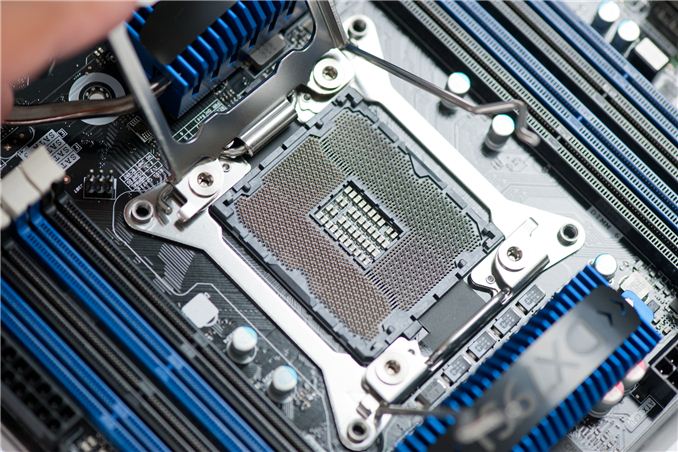
To follow on the naming scheme of Sandy Bridge -> Ivy Bridge -> Haswell Xeons, these processors, destined for 2P systems, will take on the E5 26xx naming scheme with V2 on the end, with L designating low power versions. We have the following list to browse and prepare servers for:
Model |
Cores |
Frequency |
L3 cache |
TDP |
Pre-order price |
|---|---|---|---|---|---|
Xeon E5-2603 v2 |
4 |
1.8 GHz |
10 MB |
80 Watt |
$231.62 |
Xeon E5-2609 v2 |
4 |
2.5 GHz |
10 MB |
80 Watt |
$337.03 |
Xeon E5-2620 v2 |
6 |
2.1 GHz |
15 MB |
80 Watt |
$464.48 |
Xeon E5-2630 v2 |
6 |
2.6 GHz |
15 MB |
80 Watt |
|
Xeon E5-2630L v2 |
6 |
2.4 GHz |
15 MB |
$701.01 |
|
Xeon E5-2637 v2 |
4 |
3.5 GHz |
15 MB |
$1140.99 |
|
Xeon E5-2640 v2 |
8 |
2 GHz |
20 MB |
95 Watt |
$1013.54 |
Xeon E5-2643 v2 |
6 |
3.5 GHz |
25 MB |
130 Watt |
|
Xeon E5-2650 v2 |
8 |
2.6 GHz |
20 MB |
95 Watt |
$1335.85 |
Xeon E5-2650L v2 |
10 |
1.7 GHz |
25 MB |
70 Watt |
$1395.91 |
Xeon E5-2660 v2 |
10 |
2.2 GHz |
25 MB |
95 Watt |
$1590.78 |
Xeon E5-2667 v2 |
8 |
3.3 GHz |
25 MB |
130 Watt |
$2320.64 |
Xeon E5-2670 v2 |
10 |
2.5 GHz |
25 MB |
115 Watt |
|
Xeon E5-2680 v2 |
10 |
2.8 GHz |
25 MB |
115 Watt |
$1943.93 |
Xeon E5-2687W v2 |
8 |
3.4 GHz |
20 MB |
150 Watt |
$2414.35 |
Xeon E5-2690 v2 |
10 |
3 GHz |
25 MB |
130 Watt |
$2355.52 |
Xeon E5-2695 v2 |
12 |
2.4 GHz |
30 MB |
115 Watt |
$2675.39 |
Xeon E5-2697 v2 |
12 |
2.7 GHz |
30 MB |
130 Watt |
$2949.69 |
With any luck we should be getting a couple of Ivy Bridge-E based server motherboards in to test, along with Xeon processors. Interestingly enough, vague rumours of a 15 core chip have not evolved into anything concrete as of yet, at least not to be released at the same time as the others.
Source: CPU-World
Read More ...
ASUS Reports Disappointing VivoTab RT Sales, Stops Making RT Tablets

This morning, ASUS Chief Executive Jerry Shen stated, “It's not only our opinion, the industry sentiment is also that Windows RT has not been successful.” Citing weak sales and the need to take a write-down on its Windows RT tablets in the second quarter, ASUS will be focusing its energies on more productive devices. Specifically, Shen goes on to state that ASUS will only make Windows 8 devices using with Intel processors, thanks to the backwards compatibility that provides—and something Windows RT lacks.
It looks like many feel towards Windows RT similar to how they feel towards Windows Phone 8. As Vivek put it in our recent Nokia Lumia 521 review, “Microsoft cannot expect to gain back market share after this many years unless they’re willing to aggressively ramp their development cycle the way Google did with Android a few years ago—something they have thus far shown no indications of doing. They just haven’t iterated quickly enough, and I can’t think of a single time when I picked up a Windows Phone and thought it was feature competitive with Android and iOS. It’s not even because I use Google services; there are just a number of things that are legitimately missing from the platform.”
The situation with ASUS ditching Windows RT (at least for the near future) reminds me of what we saw with the netbook space several years ago. ASUS had some great initial success with the first Eee PC, and then just about every manufacturer came out with a similar netbook…and most of them failed. Couple that with a stagnating platform (Atom still isn’t much faster now than it was when it first appeared, though the next Silvermont version will likely address this), and most of the netbook manufacturers have moved on to greener pastures. Specifically, we’re talking about Android tablets, and while most companies didn’t stop making Android products to try out Windows RT devices, we will likely see fewer next-gen Windows RT devices and more next-gen Android tablets in the next year or two. With Haswell showing potential to compete head-to-head with tablets for battery life, more lucrative Haswell-based tablets running full copies of Windows 8.1 look far more promising than RT.
Of course, long-term the story for Windows RT is far from over. Microsoft needs Windows RT or they are locked out of a huge market. They can't expect to compete with $300-$400 tablets that use ARM processors ($10-$35 per SoC, give or take) and run an OS that's basically free with tablets that need Core i3 or faster chips ($100+) and a full copy of Windows 8.1. Right now they're losing this battle, with fewer quality applications and far fewer hardware options. ASUS might not be carrying the flag for Windows RT, but if no one else will then Microsoft will have to carry the torch on their own. The next Windows Surfact RT will try to do just that, whenever it turns up, and certainly Silvermont will help provide a better x86 alternative to the current Atom processors.
Read More ...
Interview with Jackson Hsu, Product Management Director at GIGABYTE
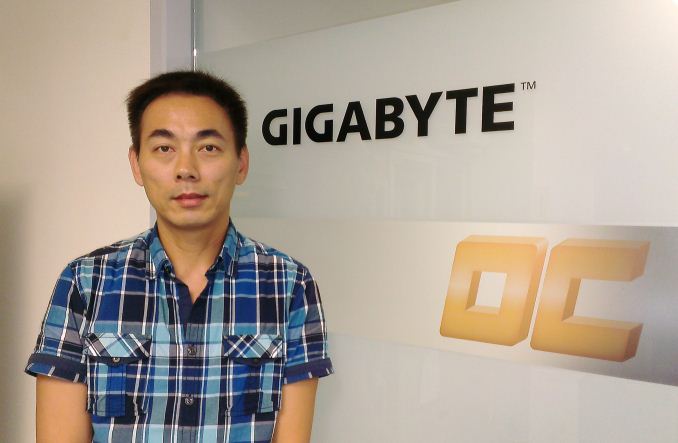
Interview with Jackson Hsu,
Product Management Director at GIGABYTE
As part of our trip to Computex this year, alongside a good look around the GIGABYTE Taipei 101 VIP Suite and the GIGABYTE OC Lab,
we were given the opportunity to interview Mr. Jackson Hsu, Deputy
Division Director for the Motherboard Business Unit at GIGABYTE – or as
Jackson more accurately described in our interview, ‘Product Management
Director’. Jackson is the glue that binds the different areas of
GIGABYTE together – research/development, sales, marketing, QA and so
on, and thus whatever ideas that each department has for new product
designs, each element that needs communication between segments goes
through Jackson.I would like to thank Jackson and GIGABYTE for the interview, especially as English is not Jackson's first language.
Ian Cutress: Hi Mr. Hsu, many thanks for agreeing to this interview with AnandTech.
Jackson Hsu: No Problem!
IC: To start, can you tell us a little about yourself?
JH: My name is Jackson Hsu, and my business card tells me I am ‘Deputy Division Director’, but sometimes it is not easy to translate the position from Chinese to English - I am in charge of the Product Management Team (to be simple), and more on the R&D side.
IC: How long have you been in this position?
JH: I joined GIGABYTE in July 1999 (14 years) as an FAE (Field Application Engineer) for six years, where I was handling channel and OEM customers and in charge of the FAE team for 3 or 4 years before transferring to the PM (Product Marketing) team and my current position. So about half and half!
IC: What history (academic and career) has led you to your current position?
JH: I spent a year in Mechanical Engineering at university, before switching to Electrical Engineering in the second year. I then served in the Taiwanese military after university for two years, before joining FIC for another two years in the notebook R&D team – validation of panels, hard drives, batteries etc. And then I joined GIGABYTE.
IC: Can you explain a little about your position at GIGABYTE?
JH: My position involves ensuring good communication between sales, R&D, marketing, customers, media, production and power users.
IC: So you are the head that talks to all these parts?
JH: I am more like a bridge! So when I get Sales feedback such as ‘we want this product’, I make sure that R&D know exactly what sales require, and when. There is a lot of back and forth and I make sure that the communication goes smoothly. I sometimes speak to the factory on the production side, but only if there is a problem or some quality issues or special testing on models.
IC: Can you describe a typical day?
JH: Meetings! Meetings and meetings and meetings.
IC: Is that meetings between departments to make sure everything goes smoothly?
JH: Absolutely - meetings with sales, R&D, or the boss! It is all about products.
IC: Do you have a chance to personally influence new products coming to the market?
JH: I think I do, but I have the chance to explain in detail to both sides (sales/R&D) about how features should benefit. Say for example Sales has a good feature, and if I think it is good, I need to persuade R&D that it is good as well. But when I get feedback from media and power users about certain features, I will talk to all sections if it is possible. Of course I always report back to top management for the final confirmation.
IC: How do you deal with ideas from Sales, Marketing, R&D, etc.?
JH: A lot of ideas come through from sales due to speaking with customers and getting feedback on previous ideas. Also when sales are dealing with customers and the customers note that competitors have beneficial features then it all flows back through the system if we do not have it. Power Users and Media who manage to test a large number of products and features from all companies also come back with what they think are the best features. On the vendor side (Intel, AMD, Component IC manufacturers) also come to us with their roadmaps about upcoming components and new features which we then have to decide whether a user might want them. The R&D guys also have their own ideas which get passed through to marketing and sales to see if they will sell. If you take the OC boards from this year – it is all HiCookie’s ideas! He is experienced, and it helps that both R&D and sales both trust him. I have to double check to make sure this is exactly what he wants!
IC: A lot of sales is getting feedback from system integrators and end-users. How much does end-user feedback get into the development process?
JH: If many users feedback the same issues then it is easy – it is all a question of numbers. If it is feedback of a specific feature then we ask each division to look at it; it is not just one person or one department that makes the decision. We will all meet to see if it is a doable idea or a crazy idea – it might be possible at a later date but generally several departments will offer their feedback. Sometimes sales does have the pressure of the cost even if it is a good feature, so there is always fighting between various departments.
IC: In terms of platform roadmaps, when do you start looking at that next generation of products?
JH: Generally we start looking about a year before. We started working with Haswell over a year ago, and Intel was good to provide plenty of information well before the launch such that we were able to study the materials and the specifications. We were also making CRBs (Customer Reference Boards) for Intel so that helps us experience the new platform a little earlier.
IC: Could you break down those twelve months in terms of product design, planning and production?
JH: Working backwards from the launch and using the 8-series as an example: we need to get the motherboards in the channel for stocking, and a large portion of that is when the component vendors supply the ICs such as chipsets. For example if we get the chipset two or one month early, then we need to get all the materials before that. We will probably get our materials ready by April (two months before launch). That means all the materials will be in the factory by that time (VRMs, PCBs, Heatsinks etc). If we are able to do it by that time this means that all the validation is finished for base production – the lead time for this is 4-5 weeks, and then one week for production. This means that by early March all the design validation has been completed. At that time everything should be closed in terms of hardware/product segmentation and hardware validation – of course the BIOS and software can still be updated. Counting back from March, we go into a normal EVT/DVT cycle – first engineering samples and second engineering samples, so the design cycle should take 4-5 months (starting back in October/November) but sometimes we can be rushed, such as the C1/C2 issue.
IC: Does that mean you have to revalidate everything on C2?
JH: Everything on the chipset has to be revalidated. The discussion the number of SKUs and specifications is then performed earlier, most likely in the September/October timeframe. In order to discuss all that, Intel provides information a lot earlier, so we will study all the documentation during 12-18 months before the launch.
IC: So in terms of Ivy Bridge-E, you will be doing final validation about now?
JH: Ivy Bridge-E has the benefit of being the same socket as Sandy Bridge-E, so we normally revalidate the CPU and BIOS, making sure the drivers work. The new BIOS and material should be going onto the website when we are allowed to. If we have a new SKU it would only be a couple of models, nothing as large as the 8-series.
IC: Say you get a request from a specific market - for example China wants a motherboard for internet cafés and they want 10,000 units. What happens then?
JH: In that situation we will aim to provide. Take for example our 8-series this time around – at the time of launch we have 33 models. You can imagine that not every country is buying every model of motherboard! So each market will pick what they want and what they need, or they will ask for specific features when we are designing our motherboards (for example iCafe). For example some Latin America customers and European customers are getting this treatment.
IC: In terms of goals for GIGABYTE after the launch of 8-series – I hear that sales figures with ASUS are close, and with the motherboard market predicted to shrink in 2013. Where does GIGABYTE want to be in the next 12 months/5 years?
JH: For the next 12 months it is easier to say – we want to get more market share in the mainstream and high end markets. For the 5 year prediction, we need to compete with others in the growing segments such as notebooks and tablets, so we need to make our products more attractive. We need to help people see that PCs are still required – for example, for us the tablets and phones are getting more shares, and users need the PC at home for a data center/ synchronization. We need to make our products more ‘easy to use’, which is a big goal that everyone is trying to figure out how to do it, especially from our background as a motherboard component manufacturer we need to learn how to provide more than just a motherboard.
IC: What recent GIGABYTE innovations have particularly pleased you?
JH: Speaking about the 8-series, we tried mainly to improve the user experience. As an example the OP-AMP technology is not from GIGABYTE – it is already there in the HiFi market. I believe that it has been done before in that market, but we studied it and looked more into a solution that is easier for users as well as more beneficial. Take for example the audio solution we put on the gaming motherboards on Z87 - we will soon provide the same solution on B85, H81 and A85X. We will be pushing such features down from the high-end to the mainstream and even to the entry because we think it is such a good feature that our customers will be able to pick their choices at various price points. The good thing that we do is that we learn from others and change the combination a little bit and then we make it better. Take for example our Gaming Series motherboards – we are using the best Creative Sound Core3D which we have used before. The entire design path to the OP-AMP and audio capacitors and the audio ground protection to the golden plated shield and audio jacks – the whole path is taken care of. So some power users asks ‘Why you don’t put that AMP in the front audio path?”, but we found it is very difficult to control the front audio cable which is bundled in the chassis, and we cannot control the quality of that cable to we cannot guarantee the best experience so we focus on the rear audio. We know it is not the easiest to use but by using it we can guarantee the experience. Perhaps the next step is trying to figure out a way to improve the front panel audio situation! What I mean is that we see every segment along the path and try and find a way to make it better.
The second thing is on the OC boards - all the features are designed to make overclocking easy, and thus making the user experience better. Also our software and BIOS has had a big change – we unified the UI, the color scheme, the layout is very similar and we are making our first GIGABYTE apps so that the customer only has to install one main program and the system will auto update. We know it is not perfect yet but it is all about user experience.
IC: In terms of GIGABYTE’s current product stack, what do you feel you would want promoted more? What needs more of a big push into a product win?
JH: We try and put more effort into gaming platforms, such as the expansion of our G1 series down into the lower price brackets to see if our customers enjoy it. That seems to be a major target for us this year. But the whole 8-series is still our major focus – we like to talk about gaming and the OC series, but we also improve our classic (channel) series in terms of user experience such as fan control, fan headers, power delivery. If we get an idea for a new feature that is not cost-sensitive then we try and apply it across our product line.
IC: What innovation should GIGABYTE is looking for in the future? I know you can’t tell me about anything secret you have down in R&D, but in a market where innovation seems to grab sales, it would be good to hear your thoughts.
JH: I think one of the most important features should be how we connect our products to the high volume selling products in technology, such as smartphones and tablets. That is one direction to look at but it is not easy – how do you figure out how to create a feature that makes a user’s life easier? But then of course we have to focus on performance and user experience. Our goals are always towards both performance and user experience.
IC: In terms of the market, do you think there is a gap that GIGABYTE should be moving into?
JH: I think the market is pretty mature, but it is just a matter of how ‘good’ the product is.
IC: A few of our readers interested in the computer industry are still at school. Say for example you are a high school student, and you wanted to work in the tech industry – what experience should this age group be doing and would it best to study in Taiwan as well as learning Chinese?
JH: It is important to understand there are many different features in the tech industry – such as sales or R&D. At this age it the student might not know exactly what they want. But in the PC industry you need to know about PC technology – you need to know the trends and you need to know how to work with the components. The more knowledge you have, the more beneficial to the industry you are. If you want to hire a freshman out of college, then if he has more knowledge on the technical background it will shorten the training time on the technical side. The personality and the attitude of the individual is also important – they have to be willing to learn rather than focus on earning money. I know for the first few years that ambition is always important. Studying in Taiwan is not necessary – for example I did not study in Taiwan.
IC: If you were not working at GIGABYTE, where would your preferred place of employment be?
JH: Good question, I couldn’t tell you! If I was not in the PC hardware industry, perhaps Google! A company that is always expanding and innovating would be good.
IC: For your position at GIGABYTE, do you work a typical 9-5, or does it involve evenings and weekends?
JH: It can be both. My working day is often full of meetings, so you do not have much time to reply to emails or write reports. So during evenings and weekends I spend some time to catch up on the administration.
IC: How often do you visit Guang Hua (the Taiwan Computer Market)?
JH: I visit regularly, though more often for investigation. I was there last weekend checking to see how GIGABYTE was selling compared to other 8-series motherboard manufacturers. I would ask regarding specific models and how frequently GIGABYTE was chosen for new computers.
IC: To what extent do you take your competitors’ products apart for analysis?
JH: We take their products and pass them through every department, and they will make up their reports. We then have a general meeting with sales and we find the good and the bad from the competition and then we discuss whether to integrate the good features or discuss whether we have the same issues as them. We also do that non-motherboard products as well, such as tablets, smartphones, notebooks, NAS, etc. in order to get a feel or to see if there are any ideas already in the market.
IC: How good or bad is the staff turnover in your division?
JH: One thing we find is that even if someone leaves, eventually they return! People do move internally around the company – we get people from the PM move to sales or vice versa. We do not interview that regularly as the team is currently very stable. We currently have two guys from my team moving into sales, for example. In order to replace them we are interviewing both inside and outside the company, but for product management personnel in my team they have to know a little bit about every part of the design process and the company. Therefore it would be best to hire from within the company means a shorter training time rather than hiring from outside or hiring fresh out of college. It always depends on the person though and what direction the division has to take – if you hire fresh out of college then you attempt to build a long term team. If you have a job that needs to be done quickly then hiring with experience is more beneficial.
IC: What influence do the media have on your position?
JH: It is not so much influence, but we like to discuss what you think we do wrong and what you think we do right. It is all about feedback. It is always a back and forth sometimes discussing with media why we took some decisions over others but also on the feedback of those decisions.
IC: How do you see the different departments in GIGABYTE progressing? Such as VGA, Server and Peripherals?
JH: In terms of our VGA team they are doing quite well, gaining market share in the high-end and mainstream segments. On the server side, we know that they are not big in volumes, but they are very specialized in a lot of different products – for example the BRIXis from the Server team which is a specialized bit of kit. I am not too sure how the peripheral side is doing as they are not on the same floor in the HQ! But I know they are being more aggressive, and it is important to focus on lots of different product lines so that users have choice, and we encourage people to have more choice. For example many Chinese media say that tier-2 and tier-3 motherboard manufacturers are finding it quite hard because there is enough competition. We would like more manufacturers in the motherboard market for example in order to keep the market healthy.
IC: And finally – what has been your best day working at GIGABYTE?
JH: Haha! The recent one for me was when I was told by sales that our first production run of the Z87X-OC all sold out. As a result system integrators and our customers want to order more, so our estimations were too low and it bodes very well for the development of this type of product. It all comes down to HiCookie providing his experience and defining the product.
IC: Many thanks for the opportunity to interview you Jackson!
Read More ...
The 2013 MacBook Air Review (11-inch)
Apple launched their new Haswell based MacBook Air laptops last month, and we started our reviews with the MacBook Air 13. Today we have the review of it's smaller sibling, the MacBook Air 11. How does it fare as a laptop, and can you make the case for carrying one of these around in place of a tablet? Read on as we discuss these and other questions in our full review.
Read More ...
Xbox One: Unboxed
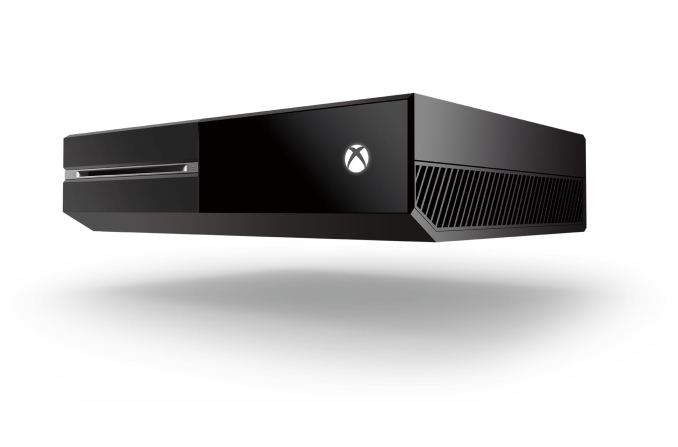
New and improved Kinect sensor, with a wider field-of-view
Mono headset with inline audio controls
Xbox One controller
4K rated HDMI cable
Manual, paperwork, and a sticker (woohoo!)
Power cord and power brick
“Liquid black” (aka glossy) Xbox One console
We’ve covered the other features previously, but just to recap, the Xbox One comes with an 8-core AMD Jaguar CPU, 12CU/768 SP AMD GCN GPU, 8GB DDR3 RAM, 500GB HDD, Blu-ray drive, and dual-band 802.11n WiFi. I’m guessing it’s a 2x2:2 MIMO implementation, but there’s no official word on this yet. Sadly, there won’t be any 802.11ac for the initial models it looks like. All this, for a not insignificant $499 MSRP come November 2013.
Read More ...
Nokia Lumia 521: Quality Smartphone on an Extreme Budget
The Nokia Lumia 521 is very interesting. It’s the T-Mobile US version of the Lumia 520, and ships with AWS HSPA+ for just $129 sans contract or subsidy. It’s nearly identical to the 520 save for very minor dimensional differences and T-Mobile branding. AT&T gets the 520 in its original form as part of their GoPhone prepaid lineup for $99.99, no contract. The specsheet reads pretty respectably given the budget—Qualcomm’s MSM8227 SoC with dual-core Krait at 1GHz clocks, Adreno 305 graphics, 512MB RAM, 8GB of onboard NAND plus a micro SD slot, a 4” WVGA IPS panel, and a 5MP camera with an f/2.4 lens. And of course, this being Nokia, you’re assured of a pretty decent design and build. Nokia has always excelled at building durable, inexpensive handsets that didn’t feel cheap, which is one of the things that has propelled them to success in developing markets.
Read More ...
Understanding Panel Self Refresh
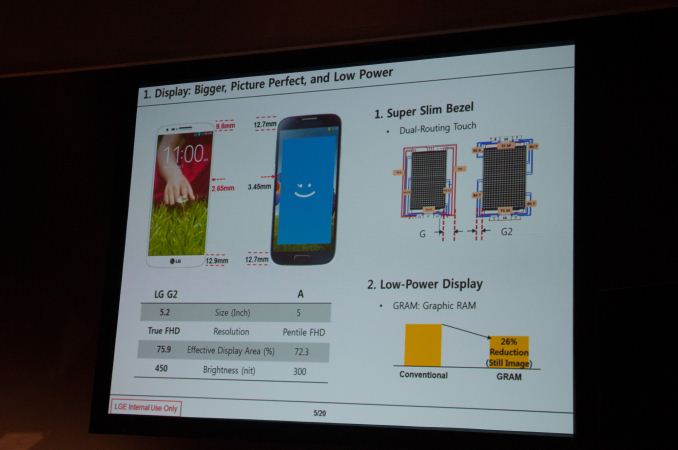
To drive a 60Hz panel, your display controller must present the display with the contents of the frame buffer 60 times per second. Regardless of what's being displayed (static vs. active content), every second there are 60 updates pushed through the display pipeline to the display. When displaying fast moving content (e.g. video playback, games, scrolling), this update frequency is important and appreciated. When displaying static content however (E.g. staring at the home screen, reading a page of an eBook), the display pipeline and associated DRAM are consuming power sending display updates when it doesn't need to. Panel Self Refresh (PSR) is designed to address the latter case.
To be clear, PSR is an optimization to reduce SoC power, not to reduce display power. In the event that display content is static, the contents of the frame buffer (carved out of system RAM in the case of a smartphone) are copied to a small amount of memory tied to the display. In the case of LG's G2 we're likely looking at something around 8MB (1080p @ 32bpp). The refreshes then come from the panel's memory, allowing the display pipeline (and SoC) to drive down to an even lower power state. Chances are the panel's DRAM is also tied to a narrower bus and can be lower power than the system memory used by the SoC, making these refreshes even lower in power cost.
LG claims a 26% reduction in power when displaying a still image with PSR enabled. I'm curious to see the impact on overall battery life. There are elements of our WiFi web browsing test that could benefit from PSR but it's unclear how much of an improvement we'll see. The added cost of introducing additional memory into a device is something that panel vendors have been hesitant to do, but as companies look to continue to reduce platform power it's a vector worth considering. LG's dual-role as a component supplier and device maker likely made the decision to enable PSR a lot easier.

PSR potentially has bigger implications for notebook use where it's not uncommon to just stare at a desktop that's not animating at all. I feel like the more common use case in smartphones is to just lock your phone/display when you're not actively using it.
Read More ...
John Carmack Joins Oculus Rift as CTO

Of course, this isn’t the first time John has had anything to do with Oculus Rift—he was the first developer to get the Oculus running with a 3D game (Doom 3). In a statement to the community he writes, “I have fond memories of the development work that led to a lot of great things in modern gaming – the intensity of the first person experience, LAN and internet play, game mods, and so on. Duct taping a strap and hot gluing sensors onto Palmer’s early prototype Rift and writing the code to drive it ranks right up there. Now is a special time. I believe that VR will have a huge impact in the coming years, but everyone working today is a pioneer. The paradigms that everyone will take for granted in the future are being figured out today; probably by people reading this message. It’s certainly not there yet. There is a lot more work to do, and there are problems we don’t even know about that will need to be solved, but I am eager to work on them. It’s going to be awesome!”
Just to be clear, John isn’t leaving id Software for this new position; he will continue his work there, as well as with other companies/projects. It’s also interesting to look at the last id Software release, Rage, and think about what John might have to say regarding gaming performance of the Oculus Rift. Rage basically made itself useless as a benchmark by targeting a maximum frame rate of 60FPS, and it would dynamically adjust quality to hit 60FPS as best as it could, generally succeeding even on relatively low-end hardware. For Virtual Reality, I can see having a constant 60FPS stream of content being far more important than getting additional graphics quality, so hopefully John can help other developers realize that goal.
As for the Oculus Rift, with many (over 17000!) development kits having now shipped to the community, as well as showcasing the 1080p HD version at E3 2013, we’re getting ever closer to the final hardware. The 0.2.3 SDK is also available, and besides the $2.5 million from the initial Kickstarter campaign, Oculus Rift has brought in a significant amount of additional funding over the past year. There’s still no official release date, but given the progress from the last year I’d expect to see the first consumer release within the next year, and very like before then. I’m sure they’d love to get on shelves before Christmas this year, but whether or not they can manage that remains to be seen.
Read More ...
Hands On with the LG G2 - LG's latest flagship
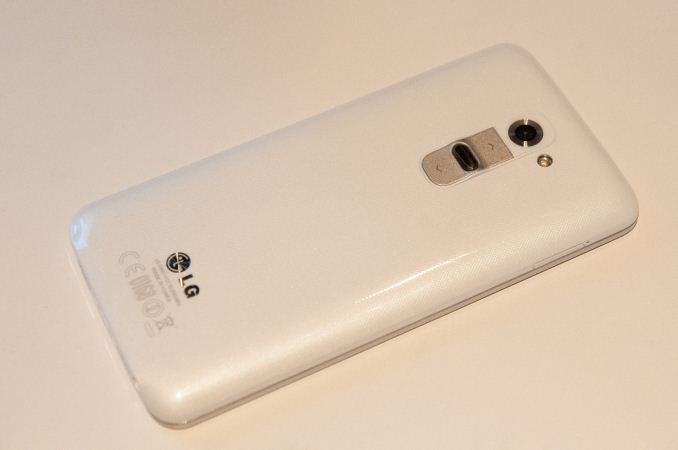
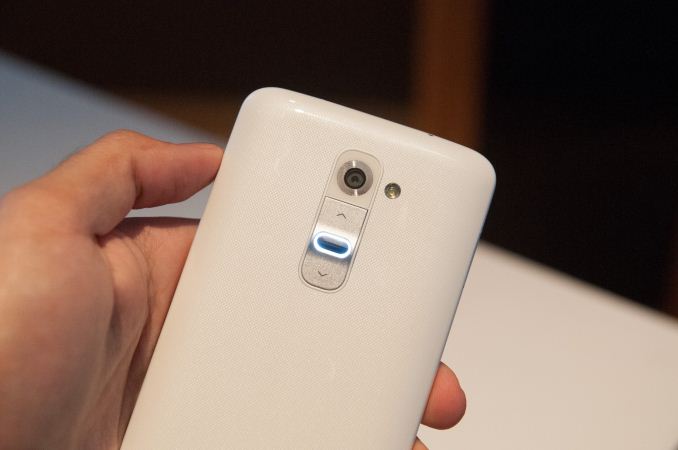
LG G2 |
|
SoC |
Qualcomm Snapdragon 800 (MSM8974) 4x Krait 400 2.3 GHz, Adreno 330 GPU |
Display |
5.2-inch IPS-LCD 1920x1080 Full HD |
RAM |
2GB LPDDR3 800 MHz |
WiFi |
802.11a/b/g/n/ac, BT 4.0 |
Storage |
32 GB internal |
I/O |
microUSB 2.0, 3.5mm headphone, NFC, Miracast, IR |
OS |
Android 4.2.2 |
Battery |
3000 mAh (11.4 Whr) 3.8V stacked battery |
Size / Mass |
138.5 x 70.9 x 9.14 mm |
Camera |
13 MP with OIS and Flash (Rear Facing) 2.1 MP Full HD (Front Facing) |
The G2 eschews hardware buttons for the on-screen Android kind, although LG has made a number of customization options available in another settings menu.


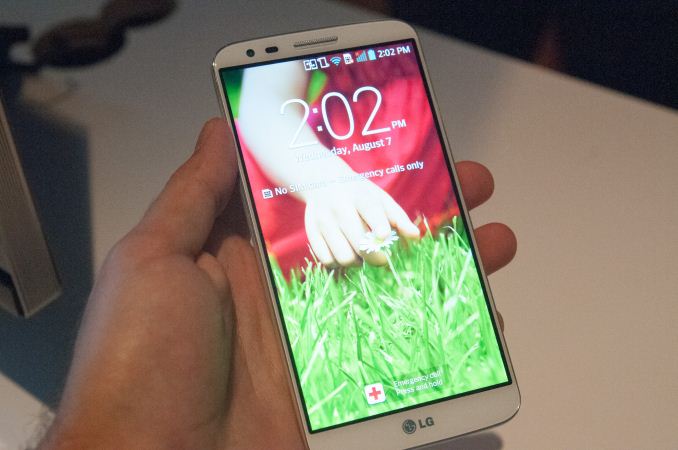
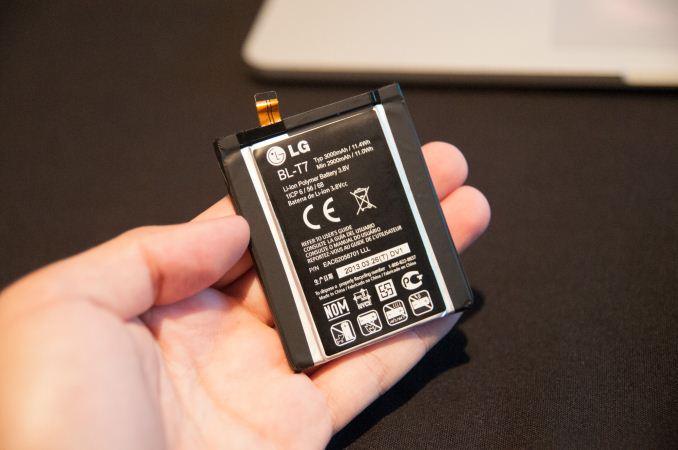
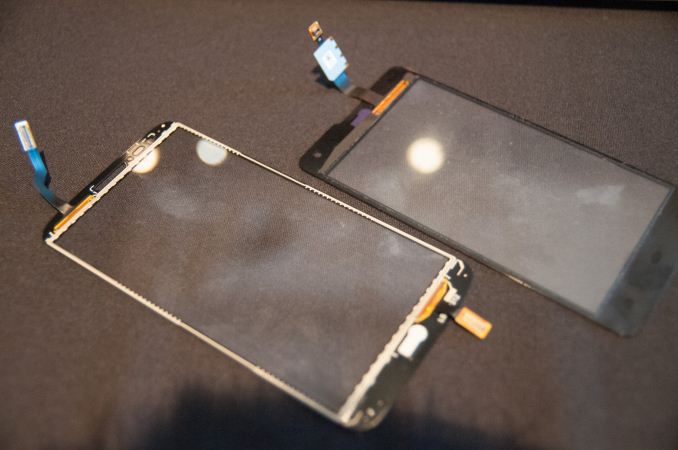
LG G2 Touch Panel (Left) LG Optimus G Touch Panel (Right)
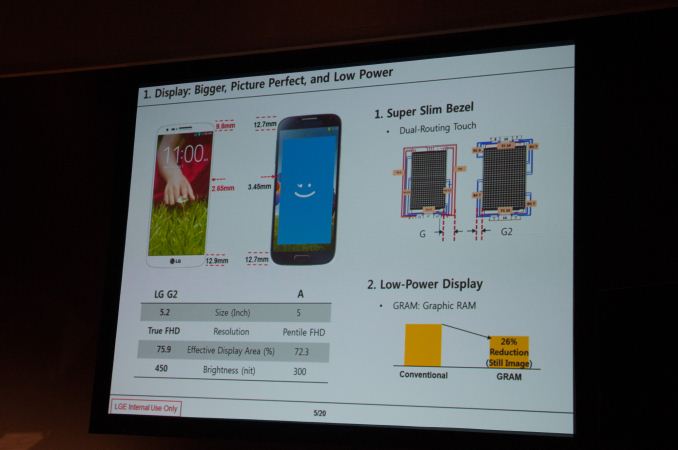
Viewing angles on the G2 and brightness seemed great from what time I spent with a prototype model. LG Display always seems to do an awesome job with its panels, and I don’t think the G2 will stray far from that mark.
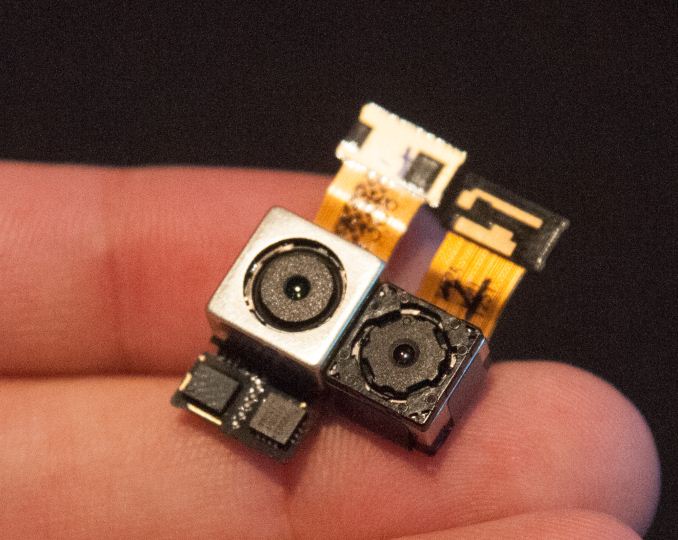
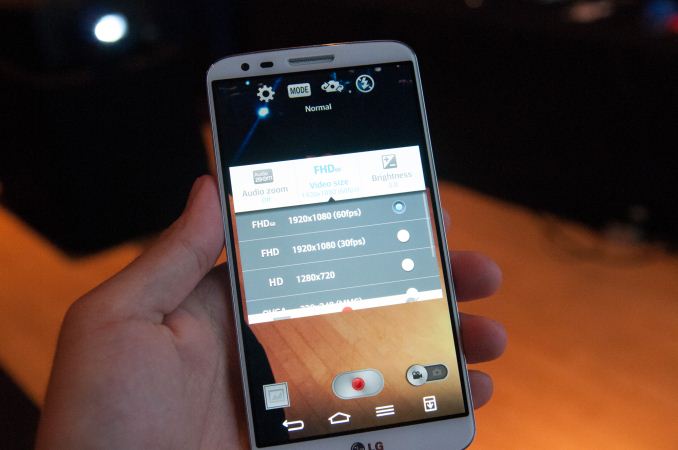
LG has made audio in the line-out sense a priority for the G2. We’ve seen a lot of emphasis from other OEMs on speaker quality and stereo sound, with the G2 LG has put time into rewriting part of the ALSA stack and Android framework to support higher sampling and bit depth. The inability of the Android platform to support different sampling rates for different applications remains a big limitation for OEMs, one LG wrote around, and with the G2 up to 24 bit 192 kHz FLAC/WAV playback is supported in the stock player, and LG says it will make an API available for other apps to take advantage of this higher definition audio support to foster a better 24-bit ecosystem on Android.
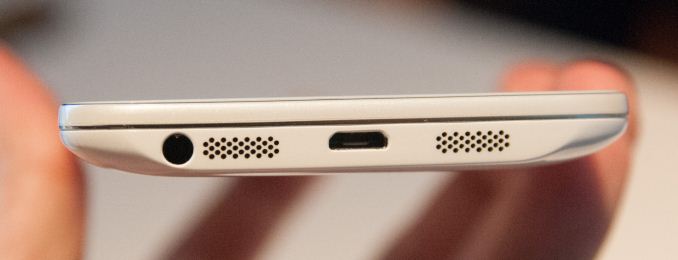
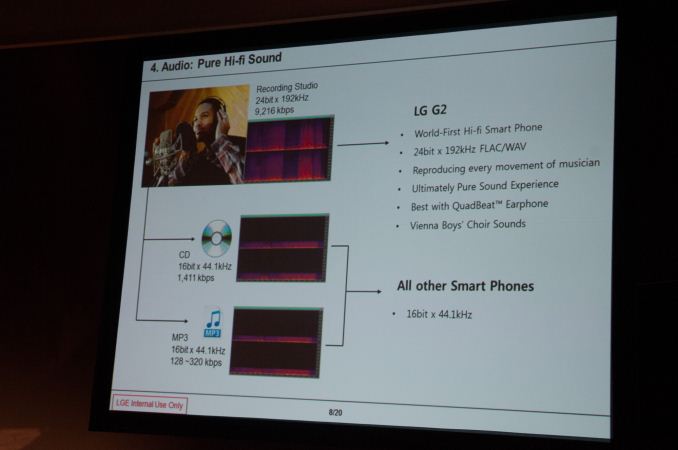
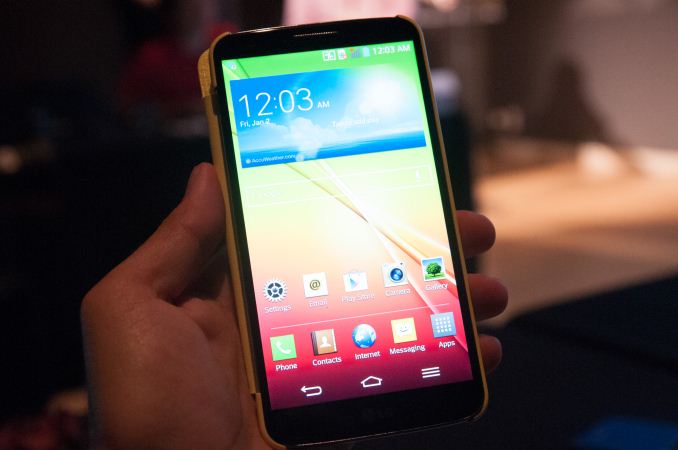
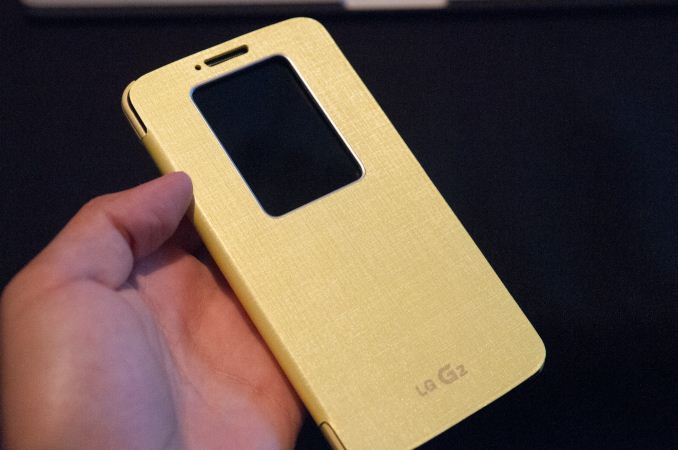
The LG G2 looks like a big step forwards from the original Optimus G and includes an impressive list of new features, and may just be the place we see Snapdragon 800 first. The LG G2 will arrive internationally and on the four major carriers in the USA with the appropriate network band support. More on availability is coming soon, but I would suspect mid September for at least the international model.
Read More ...
AMD's Radeon HD 7990 Gets an Official Price Cut: $799 and Below
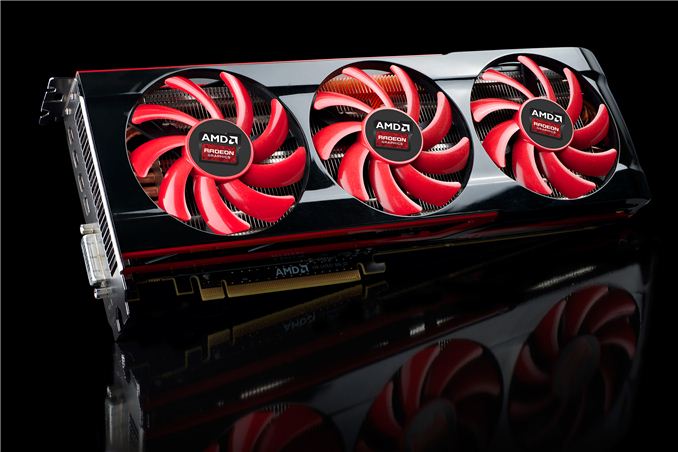
For the launch of AMD’s frame pacing enhanced Catalyst 13.8 drivers earlier this month, AMD’s partners were able to get reference 7990 cards down to as low as $799. That was $200 below the 7990’s official list price and still $100 cheaper than it was earlier in July. That alone is a fairly stiff price cut for a product that only launched less than 3 months prior.
However after doing our weekly price checks and noticing that prices were lower still, after poking some contacts we’ve been told that AMD has since then enacted a further official price cut, which in turn has already pushed down prices even further. Officially the price on the 7990 is being reduced to $799, which is the price we already saw it at last week. But as is usually the case, AMD is quoting the MSRP rather than the price their partners are actually paying for 7990. By taking a hit on their own margins AMD’s partners could hit $799 before this week’s price cut, and now with this new price cut in effect those same partners have room to lower prices once again.
The end result is that while the official MSRP on the 7990 is $799, street prices are consistently lower; much lower in fact. PowerColor and XFX have their respective reference models down to $669 and $699 after rebates respectively, while HIS, Gigabyte, and VisionTek are all $749 and lower without rebates. This gives the 7990 an effective price cut of somewhere between $250 and $330 since its launch 3 months ago, and around $100 cheaper than it was just last week. $799 was already a good deal 7990 for the product, so it goes without saying that this puts the card in an even better position.
AMD for their part isn’t in the business of giving away hardware, so significant price cuts like this are both a boon for buyers and a concern for the company. The timing of the 7990 launch – a product that should have ideally been released months earlier as opposed to coming after the release of FCAT – was undeniably poor. Consequently when we see this large of a price cut this quickly it hints to AMD sitting on a lot of unsold inventory, possibly a consequence of that weak launch, but in the end that’s a matter for AMD and their partners.
Ultimately $669 is by no means cheap for a video card – we are after all still talking about a luxury class dual-GPU card – but it does represent a not so subtle shift in the market. At these prices 7990 is no longer directly competing with NVIDIA’s GTX Titan and GTX 690, but rather we’re now seeing the 7990 priced a stone’s throw away from NVIDIA's lower end GK110 based card, the GTX 780. The GTX 780 was itself something of a spoiler for the $1000 GTX Titan, so at these prices the 7990 serves much the same role.
More importantly however is that AMD now has a direct counter for what’s technically NVIDIA’s fastest consumer card, no longer leaving NVIDIA unchallenged there. We won’t wax on about the performance of the two cards, but with AMD’s frame pacing improvements in play the 7990 is very strong contender for this segment. The wildcard, as always, is going to be faith in whether AMD will be able to continue quickly delivering performance-consistent Crossfire profiles for new games, a never-ending challenge for dual-GPU products.
Summer 2013 GPU Pricing Comparison |
|||||
AMD |
Price |
NVIDIA |
|||
$1000 |
GeForce GTX Titan/GTX 690 |
||||
AMD Radeon HD 7990 |
$700 |
||||
$650 |
GeForce GTX 780 |
||||
Radeon HD 7970 GHz Edition |
$400 |
GeForce GTX 770 |
|||
Read More ...
IBM Offers POWER Technology for Licensing, Forms OpenPOWER Consortium

Along with the forming of the OpenPOWER Consortium, POWER hardware and software will be made available for open development for the first time, and POWER IP will be licensable to others. (While not stated explicitly in the news release, Ars Technica's Andrew Cunningham reports that licensing will begin with POWER8.) Steve Mills, senior vice president and group executive at IBM, states, “Combining our talents and assets around the POWER architecture can greatly increase the rate of innovation throughout the industry. Developers now have access to an expanded and open set of server technologies for the first time. This type of ‘collaborative development’ model will change the way data center hardware is designed and deployed.”
The NVIDIA aspect is also interesting, considering how many of the Top 500 Supercomputer list now use some form of GPU. Sumit Gupta from NVIDIA’s Tesla Accelerated Computing Business states, “The OpenPOWER Consortium brings together an ecosystem of hardware, system software, and enterprise applications that will provide powerful computing systems based on NVIDIA GPUs and POWER CPUs.” Considering NVIDIA has also announced their intent to license Kepler and future GPU IP to third parties, we could potentially see SoCs in the coming years with POWER-based CPU cores and NVIDIA-licensed GPU cores in place of the common ARM and PowerVR solutions so prevalent today.
This is clearly intended to slow and perhaps even reverse the exodus seen from the POWER architecture over the past decade. Apple switched from POWER to x86 back in the Core 2 Duo days (2006), and after getting wins in both the current generation consoles (Xbox 360 and PlayStation 3) the next generation Xbox One and PlayStation 4 will both be going with x86 designs. Many are likely to see this as vindication of the IP (Intellectual Property) licensing route taken by ARM, with NVIDIA, and now IBM all looking to license their IP (not to mention AMD and others licensing ARM IP). Considering the decline in POWER use in recent years, this move should help give POWER more relevance in the future.
Read More ...
Samsung’s 3D Vertical NAND Set to Improve NAND Densities

Using up to 24 vertical NAND elements, Samsung predicts that they will be able to scale up to 1Tb per individual NAND chip. It’s not clear exactly how large the initial chips will be, but with conventional 19nm NAND currently shipping in 128Gb capacities we’d expect at least two to four times as much storage per chip. That means using current SSD standards of eight channels of NAND we’d see capacities for “commodity” SSDs move from 128GB to 256GB or even 512GB, and with four NAND die per package we could easily hit 2TB SSDs. The days of needing a secondary storage device with a hard drive could be quickly coming to a close depending on the timing and pricing.
There’s a second technology also coming into play with V-NAND that addresses concerns with reliability and longevity of NAND. Rather than storing charge in a set of floating gate transistors, with voltage levels corresponding to either 0/1 (SLC), 00/01/10/11 (MLC), or 000/001/010/011/100/101/110/111 (TLC), V-NAND will use Charge Trap Flash (CTF). Samsung states, “With Samsung's CTF-based NAND flash architecture, an electric charge is temporarily placed in a holding chamber of the non-conductive layer of flash that is composed of silicon nitride (SiN), instead of using a floating gate to prevent interference between neighboring cells.” Samsung claims that at a minimum CTF will have at least 2x the lifespan of floating gate NAND, and potentially as much as a 10x increase. Write performance is also doubled relative to conventional 10nm-class floating gate NAND.
Sadly, there’s no specific word on availability or pricing right now, and historically with V-NAND just entering mass production we’re likely a year or more away from production SSDs using the technology. Samsung is obviously a major player in both the NAND and SSD markets, so Samsung SSDs using V-NAND are inevitable, but testing and validation will certainly require some time. Hopefully this all comes sooner rather than later, though, as the potential to ditch conventional storage and get improved performance and reliability compared to current NAND seems like the perfect storm needed to end our reliance on slow, spinning platters.
Read More ...
Surface Pro $100 Price Drop - A Prelude of Things to Come?

In our review of the Surface Pro six months ago, we concluded that it was one of the best executed tablet/laptop (taptablet, Ultra-tablet, etc.--feel free to make up your own name for this class of device) computers we had seen. The inclusion of an active stylus also opens the door for other use cases--Penny Arcade's Mike Krahulik for instance loves his Surface Pro and it appears he has switched to using that for many of his comics. The two primary concerns with the original still remain, however: you don't get the Type Cover as part of the core package (and $129 is an awful lot for a cover that doesn't include any additional battery life), and more importantly the battery life is pretty poor for a tablet--five or six hours in our testing, compared to 10-13 on many higher quality tablets.
Now that the Haswell launch is behind us, we have a better idea of what to expect from the 4th Generation Intel processors, and most of what we expect is minor to moderate improvements in performance with dramatically improved battery life. So far, we've seen 6-13 hours out of the new MacBook Air 13, over eight hours on the updated Acer S7--nearly twice what the original S7 managed!--and even a mainstream laptop with a quad-core i7-4702MQ (and a larger battery) posted times of 4-9 hours with the MSI GE40. In fact, I've got an updated MSI GT70 with i7-4930XM and GTX 780M that's getting 4-6 hours in our battery life tests. When we look at power use of the Haswell ULT processors and consider what can be done with a 4.5W Haswell, the next Surface Pro could be a serious improvement over the original, at least as far as mobility goes.
I'd still like to see Microsoft include a Type Cover in the package, as otherwise you're getting an already expensive tablet and paying a hefty sum to add laptop functionality. Improving the battery life and getting the prices closer to the current "rebate pricing" would seal the deal I think. We'll have to wait to see what Microsoft actually releases, but in the meantime, if you're in a hurry to help clear out the Ivy Bridge inventory, feel free to take advantage of the current offer. Just don't be surprised to see a newer, better Surface Pro in the near future.
Read More ...
The Impact of Disruptive Technologies on the Professional Storage Market
Over the past couple of decades, the server market has evolved from closed, proprietary, and most importantly extremely expensive mainframe and proprietary RISC servers into today's highly competitive x86 server market. However, the professional storage market is still ruled by proprietary, legacy systems. Today, you can get a very powerful server that can cope with most server workloads for something like $5000. Even better, you can run tens of workloads in parallel by virtualizing them. But go to the storage market with four or even five times that budget and you will likely return with a low end SAN. But change is in the air; after resting in a steady state for almost a decade, the market is changing and the change is fundamental. Well, that is our opinion. Read on to form your own.
Read More ...
The AnandTech Podcast: Episode 24
featuring Anand Shimpi, Brian Klug
iTunes
RSS - mp3, m4a
Direct Links - mp3, m4a
Total Time: 2 hours 40 minutes
Outline h:mm
BenchmarkBoost - 0:00
CPU Governor Optimizations - 0:53
Nexus 7 - 1:10
Android 4.3/TRIM - 1:30
Chromecast - 1:44
Moto X - 2:04
Read More ...
Google Releases 4.3 OTA for HTC One and Galaxy S4 Google Play Editions

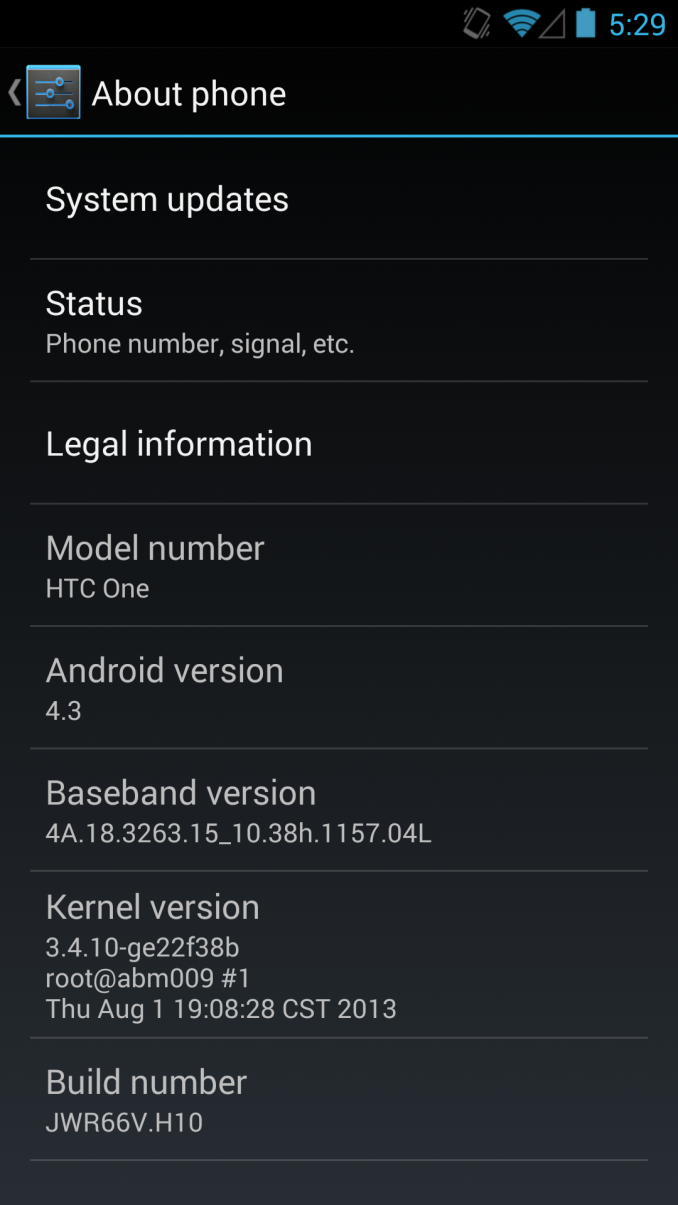
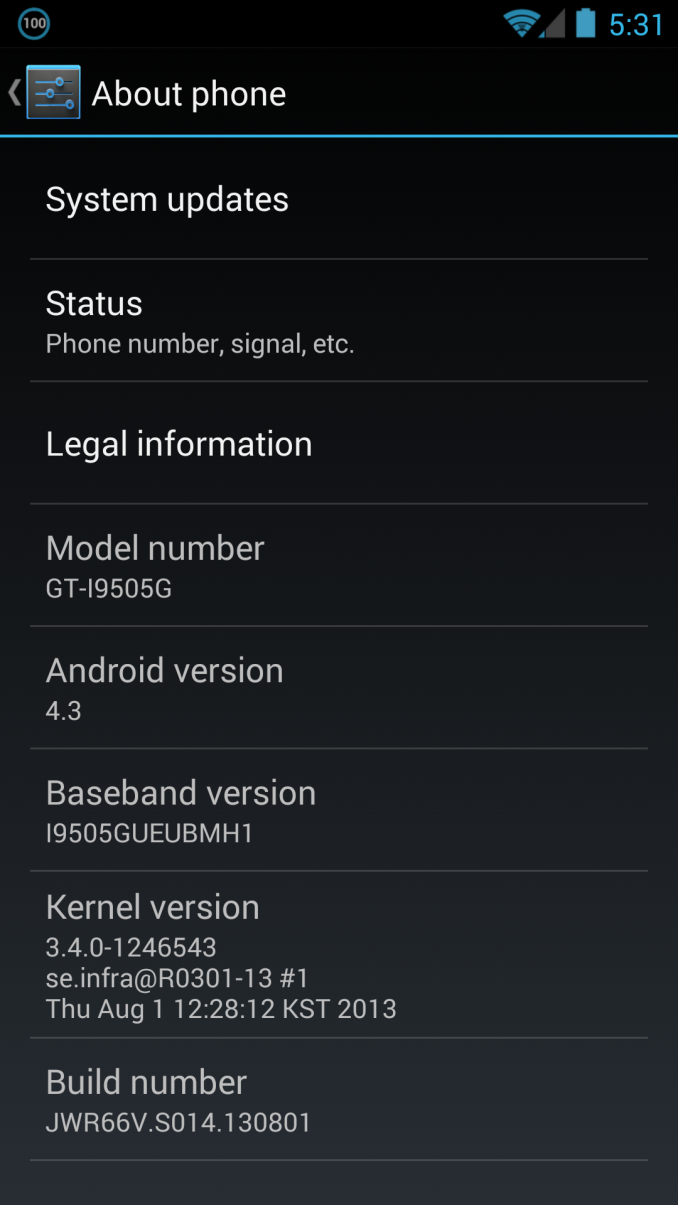
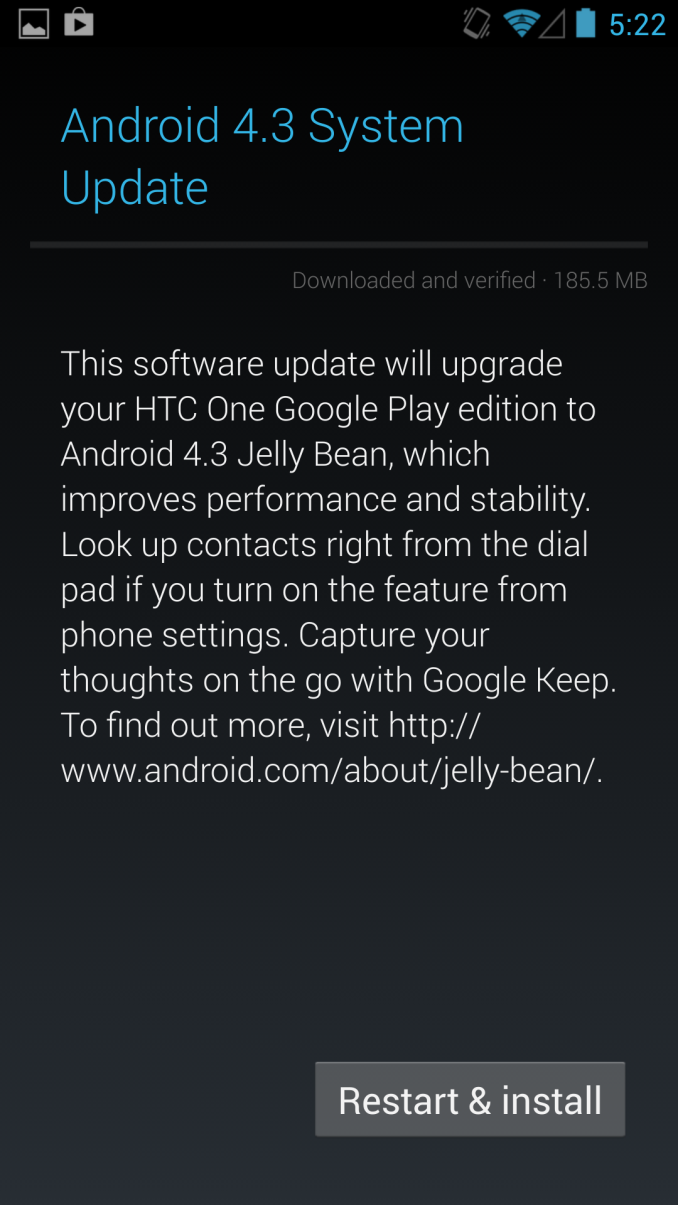
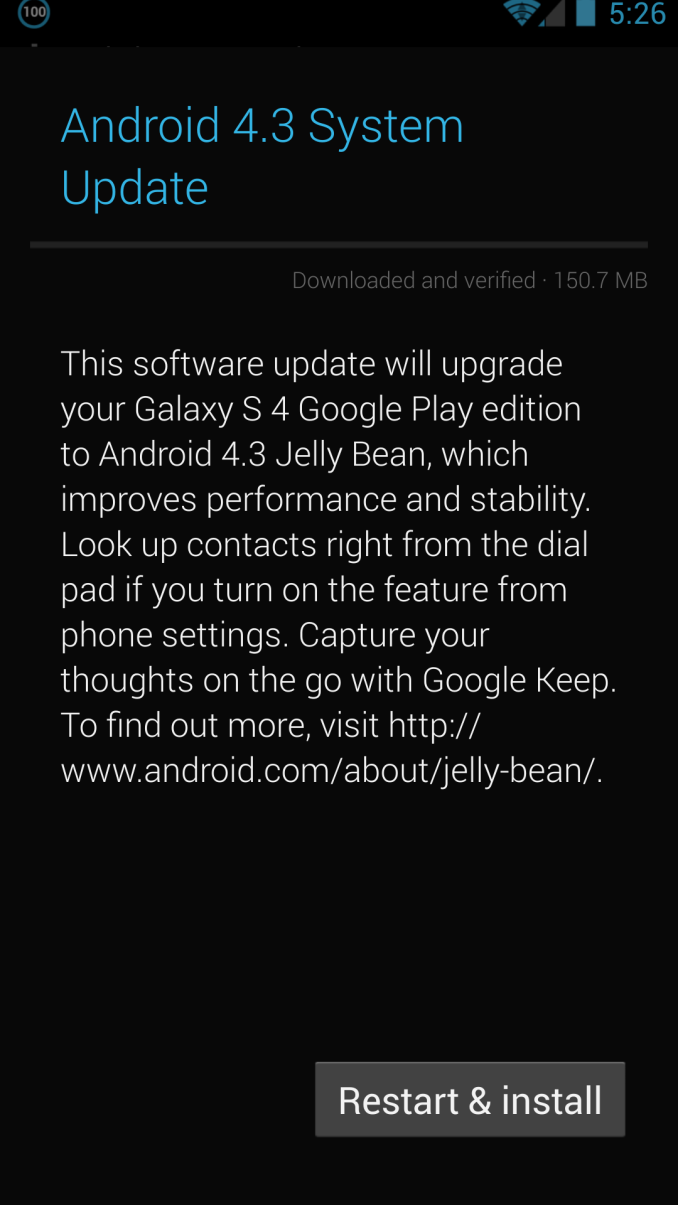
Left: HTC One, Right: SGS4


Left: HTC One 4.3, Right: HTC One 4.2


Left: Bluetooth Tethering added on SGS4 GPe 4.3, Right: Gradient behind elements instead of solid black
Read More ...
Rosewill Throne Case Review
Rosewill returns with a case that they claim is bigger and badder than our in house favorite, the Thor v2 and priced to compete with their own super tower, the Blackhawk Ultra. Does it have the chops to beat the old standards?
Read More ...
Capsule Keyboard Roundup: Entries from Logitech, SteelSeries, and Corsair


Logitech G19s and G510s
Logitech's two new high end keyboards featuring their Gamepanel (the G19s has a full color LCD while the G510s is monochrome) remind me a lot of the first-generation iPhone: fantastic for virtually anything but their intended purpose. The G19s sports a powered USB 2.0 hub alongside its color Gamepanel and requires an external power brick, while the G510s is powered off of a single USB 2.0 cable but ditches the USB hub in favor of integrating microphone and headphone jacks off of its own audio processor. Both keyboards are beautifully designed but feature a flaw that's borderline fatal at their price points: they're still membrane keyboards.


The problem is that they're not very good as just plain keyboards. The membrane switches are mushy, and Logitech's justification for using membranes (that configurable backlighting is next to impossible with mechanical switches) felt flimsy. Would you rather be able to make your keyboard glow all the colors of the rainbow, or just glow a single color at varying intensities and actually be enjoyable to type on? The top end of the keyboard market is becoming increasingly dominated by higher quality keyboards with mechanical switches; to ask $199 for a keyboard that has everything but quality switches under the keys is a bitter pill.
I personally felt like the G19s was a total wash; even at $179 it's absurdly expensive and you're really paying for the Gamepanel functionality. If you want that functionality and are willing to accept a less flashy display boiled down to just the useful information, the G510s at $119 can at least make a case for itself. You still get the color-configurable backlighting, but honestly, I have a hard time accepting membrane switches on any ostensibly high end desktop keyboard at this point.
SteelSeries G6v2
Compared to the two Logitech entrants, the SteelSeries G6v2 is hanging out on the polar opposite end of the spectrum. This is about as barebones as a mechanical keyboard gets; it doesn't include adjustable tilt the way even a $20 bargain basement keyboard will. Under the keycaps are Cherry MX Black switches, but the problem SteelSeries is running into with this offering is that the slightly nonstandard layout turns out to be about its only selling point compared to competing keyboards. The lefthand Windows key has essentially been replaced by a Function key that enables media and volume controls when used in conjunction with F1 through F6. I'm displeased with the L-shaped Enter key, though, which forces the backslash key down next to the right Shift key and thus shrinks the footprint of that key.

I'm not a huge fan of Black switches, and the ones in the G6v2 actually feel ever so slightly mushier than the ones employed in Thermaltake's Black-based keyboards. These are all picking nits, though; the G6v2's biggest problem is the $99 price tag. Rosewill will sell you a garden variety mechanical switch keyboard with just about any color switches you want for $10 less, and those keyboards feature both adjustable tilt and the same PS/2 support the G6v2 does.
ROCCAT Isku FX

ROCCAT Isku FX, Discontinued at NewEgg

Corsair Vengeance K70 and K95
Mechanical keyboards must be selling well, because the prices on them have gone up considerably across the board. The K70 and K95 wind up essentially being corrective solutions for the well-received K60 and K90; if you had one of those and you liked it, these are virtually identical with a couple of minor upgrades. A lot of users were miffed by the use of membrane switches in "nonessential" keys on the K60 and K90; Corsair heard you loud and clear, and the K70 and K95 now feature Cherry MX Red switches under every key. Both also include user-configurable polling rates controlled by switches on the back of the keyboard next to the USB cable, and users can program selective lighting zones (the default highlights the arrow keys, WASD cluster, and 1 through 6 keys).


Compared to the K60, the K70 is backlit, and it now comes in anodized black with red backlighting in addition to the standard silver with blue backlighting. You get the same swappable special textured keys for the WASD cluster and numbers 1 through 6, and the spacebar is now slightly textured. Gone is the awkward palm rest, replaced by a more standard palm rest. If you liked the K90 but didn't need the macro cluster, this is essentially the keyboard you wanted.
Meanwhile, the K95 is essentially a premium K90 (already fairly premium in and of itself). It uses an entirely black anodized aluminum backplane, and the backlighting is white instead of blue. I'd been waiting for the K70 and was less interested in the K95, but the K95 is absolutely striking. It looks and feels premium in every sense of the word, but you will pay dearly for the privilege. I'm a big proponent of spending up on quality peripherals, but $159 is seriously pushing it. The best deal in Corsair's stable will probably continue to be the K60, but I think the K70 is really the "one size fits all" star of their lineup.
Conclusions
Good keyboards have gotten expensive; mechanical ones more so. Undoubtedly there's massive demand inflating prices for switches that were already fairly costly in the first place, which is how we wind up with a brutal $159 tag on the Vengeance K95. At the same time, though, it's very hard to really justify not buying a mechanical keyboard if you're planning to spend on quality kit. I think that's where Logitech really missed the boat; the G710+ is a great mechanical keyboard but was late to the party, and they're banking on features to get the G19s and G510s around their middling membrane switches. I feel like Logitech just needs to go whole hog and incorporate the best of everything into some kind of master keyboard: mechanical switches, onboard audio for headsets, Gamepanel, and powered USB hub. $249 would be a brutal pricetag but at least you could look at the keyboard and go "that's basically the beefiest keyboard on the market."
SteelSeries is a name I like seeing on laptops, but the G6v2 is seriously underwhelming. When the much fancier Corsair Vengeance K60 can be had for roughly the same price, it's a total bust. I'm hoping to get more SteelSeries kit in at some point down the road, so hopefully this one is just a hiccup.
ROCCAT peripherals continue to cater to the true power user in ways other gaming peripherals don't, but there's a hidden sort of brilliance to their products. Rows of macro keys to the left of the primary keyboard are of questionable value to anyone playing any realtime game, but the trio under the spacebar are very smart. If you're not ready to spend up and graduate to a mechanical keyboard, see if you can track down a reasonably priced Isku.


Finally, the new Vengeance K70 and K95 keyboards are welcome revisions of existing products. The K95 is a modest upgrade on the old K90, but the K70 winds up being a bit of a showstealer. The K70 has an uncomfortable price tag, but it's probably the most attractive and well-rounded keyboard I've ever seen. Users who don't need keyboards with boatloads of functionality but just want a nice, clean, comfortable keyboard are going to be extremely well-served by the K70. Enthusiast-class peripherals have frequently just been good buys for people who want high quality kit, and the K70 serves that market so well that I have to wonder if it isn't being hamstrung by its gamer-oriented branding. The K95 is going to continue to be primo for die-hard gamers who must have the best of everything, but I think the K70 is the real star of Corsair's peripheral lineup.
Read More ...
Android 4.3 update for Nexus 10 and 4 removes unofficial OpenCL drivers
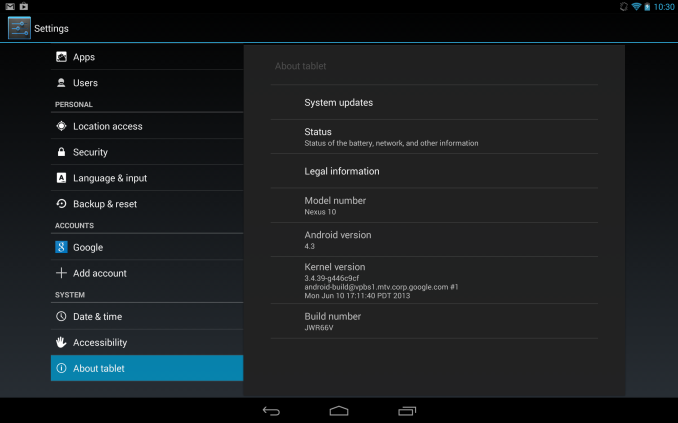
OpenCL is an API for parallel and heterogeneous computing defined by Khronos, the same group that also stewards OpenGL. On the desktop and server side, AMD, Intel and Nvidia (and some others, such as Altera) support OpenCL on Windows and Linux. Apple in particular heavily pushes OpenCL on OSX and is providing drivers for latest version of OpenCL (1.2) in OSX Mavericks for all shipping Macs. Mobile hardware vendors including Qualcomm, ARM and Imagination Technologies tout OpenCL readiness for their hardware, but without shipping drivers on commercial devices, it is not possible to use OpenCL. Google is pushing their own proprietary solution called Renderscript on Android.
At a very high level, Renderscript is to OpenCL as Java is to C+Assembly. Renderscript is meant to be portable to any Android device irrespective of underlying hardware and does not expose lower level details of the hardware to the programmer. For example, Renderscript does not allow the programmer to choose whether a particular piece of code should run on the CPU, GPU or DSP etc. Such decisions are taken automatically by the Renderscript driver provided on the Android device. Renderscript's approach promotes portability and ease of use but there maybe a (potentially large) performance cost compared to well-optimized code in a lower-level language. Renderscript Compute has some other shortcomings such as lack of interoperability with graphics and lack of support in the Android NDK. The lack of programmer control, associated potential performance costs and other limitations make it unsuitable for some applications such as high performance game engines. Renderscript should be fine for some applications such as some of the simpler image processing filter applications and indeed Google is promoting Filterscript, a subset of Renderscript, which particularly targets image processing type applications.
OpenCL and Renderscript are largely complementary. OpenCL exposes more of the details of the hardware and can be a powerful tool in the hands of experienced programmers, but more power requires more responsibility on the part of the programmer. For example, OpenCL allows one to get really close to the hardware and it is possible to obtain close to peak performance if the programmer invests the effort in optimizing for the platform. However, code that is heavily optimized for one vendor's hardware may perform poorly on hardware from other vendors. Experienced developers typically therefore write multiple code versions with each optimized for different architectures, and provide a fallback code for platforms they do not know well.
According to some unofficial comments from Google engineers, which I will clarify is not an official statement, Google's concern is that inexperienced developers may not use OpenCL's power properly. For example, developers may test and optimize code for only one hardware, and may not realize that the code performs poorly on others. Given the diversity of hardware in the Android world, Google is preferring Renderscript over OpenCL. I think Google would prefer consistent performance everywhere, even if it means not reaching the peak on any platform.
My understanding is that the drivers were removed at Google's request, to promote Renderscript over OpenCL, though that is speculation and not an official word. It is a little unfortunate that Google appears uninterested in even providing OpenCL as an option, at least on Nexus devices where it (presumably) controls the firmware and the drivers shipped with the firmware.
It remains to be seen whether Google will provide access to any low-level heterogeneous computing API in Android in the standard SDKs. I also wonder how Google will react to NVIDIA's quest to bring technologies like CUDA to the Android world given that Google appears to be entirely uninterested in allowing any parallel compute API except Renderscript. It is perfectly possible that device makers will ship OpenCL or alternate low-level solutions (like CUDA) as a differentiating factor on non-Nexus devices as hardware vendors often provide additional SDKs specific to their devices.
Renderscript joins the ranks of existing parallel and heterogeneous computing technologies such as CUDA, OpenCL, C++ AMP, DirectCompute, OpenGL compute shaders, OpenACC and OpenMP 4.0 as yet another option for heterogeneous computing. Ultimately, each of the APIs has its own strengths and weaknesses. And much like other technical domains, such as programming languages, browser standards and graphics APIs, various parallel computing APIs are being driven by a mix of technical and business interests. Ultimately, there will be a consolidation but it is difficult currently to guess which APIs will remain in end. We will continue to watch how this space evolves.
Read More ...
Happy 20th Birthday Second Reality

Without rehashing what Wikipedia does better, Second Reality holds a very important place in the annals of the PC graphics industry. The PC was not always the graphics powerhouse it was today, and for many years in the 1980s and up to the early-to-mid 1990s that honor went to the much more graphically capable Commodore Amiga platform. But like the rest of the PC industry in general, the early 90s was a period of rapid improvement and PC graphics was no exception. Second Reality, a demoscene demo, holds the distinction of being one of the pieces of software that changed how the world viewed PCs, and in many ways marks the beginning of the PC being a serious platform for consumer graphics.
So what is Second Reality? In a nutshell, it’s a compilation of code, graphics, art, and music. But it’s probably more meaningful to say that before “can it play Crysis?” was a thing, it was “can it run Second Reality?” Even more so than Crysis in 2007, in 1993 Second Reality greatly pushed the envelope for what could be done with PC graphics. Developed by the Finnish group The Future Crew, Second Reality pulled off effects previously only seen on the Amiga, demonstrated other effects that the Amiga couldn’t replicate, and demonstrated real time 3D years before consumer video cards gained 3D capabilities.
Graphically it was impressive, and a lot of that impressiveness had to do with just how clever its various graphics hacks were. Real time raytracing, voxels, mesh deformation, plasma effects, vector balls, and of course 3D were all used to great effect in Second Reality, and all of which ran in software on a lowly 486. It was quite frankly the most graphically impressive thing you would see on a PC in 1993. And it ultimately set the stage for the PC to become the graphics powerhouse that it became later in the 1990s and beyond.
YouTube doesn’t really do Second Reality justice, but as it used a mix of 60Hz and 70Hz effects and non-square pixels it’s difficult to capture to video (hey, it was 1993)
The developers of Second Reality ultimately went on to form various companies, most of which our long-time readers can recall. Remedy (Max Payne), Futuremark (benchmarks), and BitBoys Oy (graphics hardware, now owned by Qualcomm) can all trace their roots to the individuals responsible for Second Reality. As important as Second Reality was to proving the PC as a graphics powerhouse, it in some ways also laid the groundwork for future graphical advancements, which we continue to see the repercussions of today.
As for myself? Well let’s just say that it’s hard not to be interested in 3D graphics after seeing Second Reality running at the local white box computer store. It sold computers, but to a fledgling nerd it also offered a glimpse of what could be done with real time PC graphics, forming a fascination that has lived on since.
Ultimately we have of course long since surpassed what Second Reality can do. But even at 20 years old it still holds a very special place in the history of PC graphics, offering a watershed moment that has rarely been replicated since.
Update: As part of the birthday festivities, former Future Crew member Jussi Laakkonen (Abyss) has announced that the source code for Second Reality is finally being released today. The code has never previously been released, despite previous interest in it, so this will be the first chance for most old school hackers to see just what kind of clever tricks and hacks went into making Second Reality. The source code is available on GitHub.
Read More ...
A Quick Look at the Moto X - Motorola's New Flagship
Since being acquired by Google, there’s been a lot of speculation about what’s coming next from Motorola. Last week they announced their Droid lineup for Verizon, this week they’re ready to talk shop about the much-rumored, very-hyped Moto X. It’s official and we just were handed one at a Motorola event in New York City.
Read on for our initial impressions and thoughts after some time with the device.Read More ...
AMD Frame Pacing Explored: Catalyst 13.8 Brings Consistency to Crossfire
In the continuing saga of AMD's efforts to improve their framerate consistency, back in March AMD set a deadline of this summer to deliver their first driver implementing advanced frame pacing for Crossfire. At long last the first phase of that driver has finally arrived today in the form of Catalyst 13.8. With the driver in hand, today we'll be taking a look at the performance of AMD's cards in Crossfire mode, evaluating the consistency of AMD's frame pacing approach, and looking at what AMD can further improve. Has AMD finally solved their multi-GPU frame pacing woes? Let's find out.
Read More ...
President Obama to Give Speech Promising More "Transparency"
President spent much of his week meeting with advisors, privacy advocates, and CEOs of top tech firms

     |
Read More ...
NSA to Axe 90 Percent of System Administrators, Adopt Automation Instead
It's to limit the access of human eyes to private data

| |
Read More ...
Death Before Dishonor: Secure Email Services Close to Avoid U.S. Spying
Lavabit and Silent Circle refuse to be "complicit" with government, decides to kill encrypted services

| |
Read More ...
Windows RT Woes Weigh on NVIDIA Revenue, Company Working on 2nd Gen Surface RT
Nvidia expects significant declines in Tegra profits for fiscal 2014

| |
Read More ...
IBM Unveils Latest Version of Spiking Neuron-Based "Brain Chips"
New advanced processors from IBM mimic the mammalian brain -- let's hope they're on our side

| |
Read More ...
Report: BlackBerry Could Go Private
It hasn't been confirmed yet, but Reuters said the company is open to the idea

| |
Read More ...
ASUStek Computer Cancels Windows RT Tablet
Asus kills Windows RT tablets

| |
Read More ...
Type 1 Diabetes Drug "Teplizumab" Successful in Clinical Trial
It's mainly for pre-diabetics who don't have an advanced version of the disease

| |
Read More ...
Report: Time Warner, CBS Conflict Leads to Increased Piracy
This is based on the popular CBS show "Under the Dome"

| |
Read More ...
Publishers Don't Agree with DOJ's Consequences for Apple's Ebook Ruling
The publishers say the new restrictions hurt publishers, not Apple

| |
Read More ...
Windows XP Continues to Dominate the Corporate World in China
China has a serious Windows XP problem

| |
Read More ...
T-Mobile Announces Impressive Quarter, Adds 685,000+ Contract Customers
T-Mobile's plan to offer users cheaper upgrades, lower contracts is paying off

| |
Read More ...
LG Unveils New G2 Smartphone with Quad-core, 2.26GHz Processor
LG shows off new high-end smartphone

| |
Read More ...
Want Xbox Live Silver? Say Goodbye to Xbox One Game DVR, OneGuide, SmartMatch
Many of the media center features are only unlocked once you purchase a $60 USD yearly membership

| |
Read More ...
Liberal Democrats Want to Ban Non-EVs/Hybrids by 2040 for "Carbon-Free UK"
If Britain goes carbon free does that mean no more life as we know it?

| |
Read More ...
Tesla Motors Posts Surprise Profit, Beats Model S Sales Goal for Second Quarter
Tesla shares jumped up to $153 in after-hours trading

| |
Read More ...
Ethanol Protectionism is Rocked by EPA Freeze; E15 Stalled for Now
AAA cheers the news that the damaging fuel is unlikely to reach consumers this year or next

| |
Read More ...
White House Offers Incentives for Cybersecurity Framework
These are just recommendations and not yet official Administration policy

| |
Read More ...
Quick Note: New High Resolution Photos Show Low-cost Apple iPhone
Apple looks to give budget buyers a fresh model instead of previous year's leftovers

| |
Read More ...
Microsoft Chairman Bill Gates Also Investing in Artificial Meat
He wants to use plant-based agriculture

| |
Read More ...
How Silicon Valley's Best-Kept Secret, Crossbar, Beat HP to the Market w/RRAM
Startup claims gaudy performance numbers -- but can it deliver

| |
Read More ...
Fukushima Daiichi Nuclear Plant Leaking 300 Tonnes of Toxic Water Daily
The government is now stepping in to help clean up

| |
Read More ...
8/7/2013 Daily Hardware Reviews
DailyTech's roundup of reviews from around the internet for Wednesday

| |
Read More ...
South Korea's OLEV Electric City Bus Recharges via Cables Buried in Road
Buses can be charged as they drive

| |
Read More ...
Microsoft Surface RT USB Ethernet Support Coming, $199 Edu Pricing Extended
Microsoft extends Surface RT educational discount

| |
Read More ...
Available Tags:Ivy Bridge , Xeon , Server , ASUS , GIGABYTE , MacBook , Xbox , Nokia , Smartphone , LG , Radeon , IBM , 3D , AnandTech , Google , HTC , Galaxy , Google , Keyboard , Android , AMD , Catalyst , Windows , NVIDIA , BlackBerry , Windows , Tablet , Windows , Apple , iPhone , Microsoft , HP , Hardware , via , Microsoft , USB ,


No comments:
Post a Comment