

Blizzard CEO spills beans on new game
 The CEO of World of Warcraft developer Blizzard has been discussing the studio's next major project.
With a title still to be announced, Blizzard CEO Mike Morhaime was still happy to talk about the developer's next major game at a public event in Las Vegas this week.
The game is something which the MMO-specialists at Blizzard have been working on for years already.
The Blizzard CEO said of the mystery game:"Without giving away any details, we have some of our most experienced MMO developers, people who spent years working on the World of WarCraft team, working on this project.
Not a WoW sequel
The Blizzard CEO continued: "We're really trying to leverage all the lessons we learned through the years. Some of which we were able to address in World of WarCraft and others that maybe because of the design decisions we've made, you just can't address.
"So we're kind of taking a step back with all that knowledge to make something that's completely new and fresh. We're not trying to make a WoW sequel."
Morhaime revealed little more about the studio's new game, other than to add the somewhat meaningless platitude: "To break the mold, sometimes you have to start over."
More interestingly, the Blizzard boss did talk at some length about his love for iPhone Scrabble-clone Words with Friends.
Although we cannot imagine the WoW developer's next game is going to be an iPhone-exclusive title, it's certainly interesting to hear him talk about the latest trends in mobile social gaming.
Stay tuned for updates on Blizzard's next game as and when we get them.

 |  |
Read More ...
Best videogame BAFTA nominations revealed
 The nominations for the Game award for best videogame at the BAFTA British Academy Video Games Awards have been announced today.
The Game Award is the only prize to be voted for by the public at the Game BAFTAs; last year 65,000 people voted with Call of Duty: Modern Warfare 2 taking the crown.
This year's nominations include its franchise-mate Call of Duty: Black Ops which, let's face it, has a good chance given that it is currently the highest grossing video game of all time.
I'd like to thank my parents...
Other serious contenders for BAFTA games success are Rockstar's Red Dead Redemption, Halo Reach, Heavy Rain, Mass Effect 2 and Nintendo's loveable Super Mario Galaxy 2.
Family gaming is also getting a nod, with Dance Central up for the award. Football gets a look in with FIFA 11.
For the first time ever, there is also an online game in the mix; Limbo is nominated for the Game award, apparently following "heated discussions" between judges who whittled down the shortlist.
The full nominations for the judges' awards will be revealed next week on 16 February, with the awards ceremony set for 16 March.

| |
Read More ...
Opinion: iPad 3 in 2011? Don't hold your breath
 Although the iPad 2 hasn't yet arrived (or even been officially revealed by Apple), speculation is mounting regarding the iPad 3 release date of the iPad 3 after pundit John Gruber suggested on his blog that HP's 'summer' TouchPad release might coincide with Apple's tablet update-after-next.
"If my theory is right, they're not only going to be months behind the iPad 2, but if they slip until late summer, they might bump up against the release of the iPad 3," he wrote.
In subsequent posts, Gruber elaborates on his thinking, saying the iPad's annual release moving to September would enable Apple to replace the autumn iTunes/iPod announcement (which he considers "old news") and that it would scupper rumours during the holiday season that people should hold fire for an updated model. "Shipping new hardware in April adds another milestone to the iOS release schedule, too," he adds.
The problem with this thinking is that it's a very US-centric viewpoint and a shift to September would essentially force Apple to seriously ramp up inventory prior to launch.
With the original iPad, an April US release was subsequently followed by a limited release elsewhere (including the UK) a month later, with several more countries getting the device in July.
Initially, supplies were also seriously constrained. Move the refresh date six months and Apple has a problem if it follows the same pattern: a late September US release would likely lead to an October (or later) arrival in the UK, and December in other territories, with associated holiday season shortages.
Cannibalising iPad 2 sales
In addition, if the iPad 2 is rolled out in a similar manner to the original, Apple will be in the absurd position of rolling out the iPad 2 in the likes of Ireland and Mexico only a couple of months before the iPad 3 shows up in the US, which is a bigger recipe for hold-outs than the existing one.
Furthermore, there's also the question of sales spikes. An April release spikes sales relatively early in the year in the US, during a time of relatively quiet consumer activity, and in the summer elsewhere.
The holiday inevitably looks after itself. Move the iPad release much closer to the holidays and one can imagine a massive spike at the end of the year, but little to seriously drive iPad sales above their normal levels until the next refresh.
That's not to say Gruber is wrong. Refreshes to the iPad are likely being spread out over multiple revisions, so perhaps we'll see a FaceTime camera added in April and a Retina display at the end of the year, these quickfire updates ensuring Apple's tablet stays ahead of the competition.
But if this is the case, Apple will have to do a much better job of getting its hardware to countries outside of the US in a timely manner and figure out how to keep interest high after the glut of holiday sales is over.

| |
Read More ...
Major gaming publishers slash iOS game prices
 A host of major mobile gaming publishers have slashed the prices of premium games on the Apple App Store to 59p this week.
Clearly the release of the Verizon iPhone 4 in the US this week has shaken up the mobile gaming market a little.
EA leads the charge in this month's App Store bargain drive, with other publishers such as Capcom, Namco, Sega and Gameloft cutting prices of premium games to 59p.
Mobile gaming specialist Gameloft announced via its Facebook page that 13 of its games would be 59p until Valentine's Day, with fans allowed to vote for the 14th game they wanted to see made available at the discounted price.
iOS sweetheart deals
EA is also offering 'sweetheart deals' with loads of its iOS games slashed down to 59p, especially for Valentine's Day.
Of course, if you are forced to purchase cut-price iOS games to celebrate Valentine's Day, then you might want to re-assess your life choices. That aside, we cannot argue with lots of decent games at bargain bin prices.
Particularly when they are from the likes of Japanese gaming legend Capcom – with that publisher cutting the price of its entire iOS game line-up – with gems such as Resident Evil 4, Street Fighter IV and Devil May Cry: Refrain – slashed to 59p a pop.
Not to be outdone, Sega is offering 16 titles including Super Monkey Ball, Chu Chu Rocket, and Golden Axe at discounted prices, while Namco has cut the price of 15 of its titles on the App Store.
At that price, it's almost criminal for any iPhone gamer to not own all of the above-mentioned titles.

| |
Read More ...
Review: Samsung Wave II GT-S8530
 The Samsung Wave II follows up an earlier device of the same name, the original Samsung Wave. The first Wave launched a new operating system on the world, Bada, and we saw it again in the Wave 723.
Sitting underneath a familiar TouchWiz user interface, Bada gives Samsung the opportunity to have its own app store.
Samsung is clearly hedging its bets, because it's also very friendly with Android as we've seen in handsets like the Galaxy S and the Google-branded Nexus S, and with Windows Phone 7 as we've seen in the Omnia 7.

There's plenty going on in terms of specifications in the Wave II. Headlining things along with a very slightly revised version of Bada is the Super Clear LCD 3.7-inch screen.

These aside we've got a 1GHz processor, Wi-Fi, HSDPA, GPS and five-megapixel camera with 720p video recording. These features give the Wave II what it takes to be classed as a smartphone, but they don't up the ante on what we had in the original Wave.
One area where the Wave II beats the original in terms of base specs is its 2GB of internal storage (as opposed to 1GB). This can be increased with a microSD card as well.

Physically this is one large handset. That 3.7-inch screen plus three under-screen buttons need a fair amount of chassis, and at 123.9 x 59.8 x 11.8mm this isn't a phone you'll slip into a skinny pocket with ease. Nor, if you're blessed with dainty hands, will you be able to reach right across the screen for one-handed prodding.

But moving on to build quality, and it's a pleasant experience, with a lot that's familiar from the original Wave. The slightly curved button panel with its eyebrow-like call and end icons remains, though the central button has changed from being a diamond to an idiosyncratic asymmetrical lozenge shape.

The side button arrangement also reminds us of the original Wave with a very familiar volume rocker on the left edge and camera and lock buttons on the right.

The top edge, with its 3.5mm headset jack and covered micro-USB port, is also unchanged from the original Wave, as are the diamond shaped camera and LED light window on the back.

There's a metal backplate, which always helps with solidity, and there's absolutely no give or creaking in the chassis at all. In short the Wave II is almost identical to the original Wave, but a mite larger thanks to that screen.

We liked the design of the original Wave and like it here too. The Wave II is minimalist, sleek and strong in the looks department. Of course that counts for nothing if it doesn't do a superb job as a smartphone.
Interface
With Bada underneath and TouchWiz on top, there's a fair amount of familiarity about how things work with the Wave II even if you've not come across the OS before.There is, for example, a drop-down notifications area as you'd expect to see with an Android handset, and this gives you quick access to incoming emails and messages as well as profile, Wi-Fi and Bluetooth settings and other bits and pieces, which we'll come to later.

There are plenty of Home screens you can fill with widgets. You start out with three Home screens, but adding more is simple. Tap the Widget button at the top of any screen, then turn the screen so it's in landscape mode and you can use the + and – buttons to add up to 10 Home screens or remove any you don't want.

Widgets are drawn from a pair of icon rows at the bottom of the screen.

The array of widgets isn't huge, and this is one area in which Bada falls over. Yes, you can download more widgets from the Samsung store, but there aren't a huge number available and many are charged for. Also there's no category for widgets. You have to use the word as a search term.

Each Home screen has three icons hardwired to its bottom edge. One of these takes you to contacts, one to messages and the other to the phone dialler. Given the ease of access to the dialler, we aren't sure why you need those hard Call and End buttons.
The apps menu is very familiar. Hit the central hard button and up it pops, with apps arranged on screens that you scroll through horizontally. There are three screens to start with. New apps are added to the end and unfortunately you can't alter the order.

One of the stars of the Bada show is its unlock system. This is unaltered from the original Wave, and it's super. The lock screen shows the date and time, and you make a horizontal sweep anywhere to unlock it - this is mirrored on the Samsung Galaxy S too.
However if you've unread messages and you want to go straight to them, just drag the notification jigsaw piece into its slot and hey presto, you're taken straight to the messages. Easy and smart – we love it.

To counteract this goodness, the slight tweak of Bada that is version 1.2 still doesn't allow app shortcuts to be placed on Home screens. We've one word for this: unforgiveable.
Contacts and calling
No smartphone can really carry the moniker these days without paying adequate homage to social networking, and for most of us that means Twitter and Facebook. The Wave II handles these with aplomb, as well as MySpace, and it can bring in contacts over Exchange ActiveSync.
Once you've signed into your accounts, you can simply pull in all your contacts in one fell swoop.

Sounds great, but there are some irritations. When it comes to linking, the Wave II makes no attempt to take an educated guess at who you might want to link with whom. If you've a lot of contacts, you need to be prepared to spend quite a bit of time connecting.
But achieve that and you can see Twitter and Facebook updates in one place, as well as SMS and voice contacts, and seeing Facebook pictures all of which is rather nice.

When it comes to manually dialling contacts, the dialpad is very well thought through. It is large and you've no chance of hitting the wrong numbers.

We complained that the original Wave lacked smart dialling and sadly Samsung has not sorted that out with Bada 1.2. You can start to dial a number and the phone will make a matching selection from the contacts book, but it still won't use the letters to let you dial a person by name. Basic omission, Samsung.
And there's only room to show one match. You can tap the screen to see more matches, but with these multiple taps being required you aren't saved a lot of time.
With a front-facing VGA camera, you can make video calls should you want to do so, and when in a call – of either voice or video nature – we found calls were clear both for us and the caller. The Wave II seemed to maintain signal strength well too, so we've no complaints on that front.
Messaging
We rather liked what Samsung did with messaging on the original Wave, and the positive work is repeated here. We expect a quality smartphone to manage SMS and a multitude of email accounts without any bother.And that's what we get here, all wrapped up under the title 'Social Hub', an area of the handset that also brings together Facebook and Twitter – though it only offers links into apps for those, which is pretty tedious.
That's how things were in the original Wave and – you'll be getting a theme by now – it hasn't changed here.
Still, both the Twitter and Facebook clients are OK with both offering a fair range of options. We just wish they loaded quicker and that Facebook moved between its tabbed Home, Profile and Friends areas more speedily too.
We like how you just have to hit the Compose icon at the head of the Social Hub screen to start tapping away into whatever email or social media account you want to – or to start writing a text.

Adding email accounts is pretty easy with just name and password needed much of the time.

There's an email widget you can use on one of the Home screens to give you quick notifications of incoming messages.

A tap on this widget opens up the message window, so you can see what's come in, read messages and compose replies.

For all types of messaging, including SMS, there's a new text input system called T9 Trace. Rather than tapping at individual letters you glide a finger over the letters you want.
Yes, we know, it sounds just like Swype. It works just like Swype, too. And it really is fast and efficient. That it works so well is in no small part down to the Samsung Wave II GT-S8530's impressive screen. Its responsiveness is exemplary, the resolution is high at 480 x 800 and it's a good size at 3.7 inches.
Something good seems to have happened when it comes to accurate text entry. We weren't delighted with the original Wave's auto correct, but it's improved here, and we found that suggestions offered on its ticker tape in both tall and wide modes are improved.

Internet
We've waited long enough to make detailed comment on the screen, so here goes. The 3.7-inch screen ought to be able to cope well with web pages, the 480 x 800 pixels offering plenty of detail.And indeed that's how things are.
The Super Clear TFT screen helps web content – and anything else, actually – really stand out. In fairly gloomy indoor conditions the sharpness and clarity of the screen is stunning. Take it outside and things aren't quite as wonderful, but it is still easy to see the screen.
Viewing angles are good too, so it's really easy to thrust the phone at someone saying 'look at this' and have them able to see it without having to jiggle about.
The Bada web browser is easy to use. When entering web addresses, the keyboard offers you '.com' and '/' buttons on the main QWERTY keyboard, which speeds things up a bit.

Pages initially display fullscreen, but you can do a quick double tap to zoom in. Text reflows as a result, so you can read pages without horizontal scrolling, but zoom level isn't wonderful. Text is rather poorly formed and if you've bad eyesight you may find it difficult to read.


If you want bigger text you can pinch to zoom, but you lose the reflow.

There's a button at the bottom of the screen that lets you quickly get to your most visited web pages, which often means you don't have to bother with bookmarking your absolute favourites. These are presented as thumbnails for easy access.

Web pages load and format pretty quickly, and we really like the little Google search box that sits on the top row of the screen. Features like these make it easy to duck and dive at some speed.
Flash video support is not what it could be. Our litmus test – the BBC News website - failed to play its video for us - Flash video is supposed to be supported, so it's difficult to see why this wouldn't work.
There is a YouTube app on board, though, and you can watch video quite happily through this. We encountered a bit of buffering annoyance, but playback itself was smooth.

We're disappointed about the Flash issues, but as a web user's smartphone the Samsung Wave II does get a lot right.
Camera
The five-megapixel camera is not short of shooting options, with a range of scene modes that could grace a mid-range digital camera. There are Landscape, Sports, Portrait, Night, Party/indoor, Beach/snow, Dawn, Fireworks, Sunset, Fall colour, Text, Candlelight and Against light modes.Testing these we found some worked better than others. Shooting a few photos in a café, the difference between using normal mode and party mode were invisible to the naked eye, for example. But you can't fault Samsung for trying.

There's nothing so boring as Sepia or Negative mode, but there are Smile shot, Beauty, Continuous, Panorama and Vintage modes to fiddle with, too.

Click here for full-res version
OUTDOORS: Light capture was pretty good on this dull day and there's none of the blurred images or iffy detail that we see with some phone cameras

Click here for full-res version
DETAIL: Phone cameras often struggle with this photo. It is in a relatively dark corner, reflects a lot of light and contains a lot of detail. This is a better effort than we've seen from many

Click here for full-res version
VIGNETTING: One of the many filters is Vintage mode. It's quite effective

Click here for full-res version
FLASH: Taking photos indoors with the flash was a more rewarding experience than it often is. There's a fair amount of detail in this photo, and the low light levels were dealt with well

Click here for full-res version
PANORAMA MODE: This stitches four photos together into a single shot that comes out 4131 pixels wide and 919 pixels tall. You tell the camera what direction you are going to move in, and it then takes its photos automatically in sequence as you move the camera along.
The automatic stitching is pretty good, though in the sample panorama you can see that the far right of the image is a little blurred. You need to move the camera fairly slowly for the automatic shooting system to work properly, and we rushed a bit with what was the last photo in our sequence

Video

The Samsung Wave II GT-S8530 captures video to 720p. This is not unusual these days, but just as with stills what is here is better than the average. The camera did fall foul of some of the jerkiness that we have seen in rivals, but nowhere near as badly.
Bearing in mind the low light levels when we took this photo, it is a pretty good effort.
Media
The Samsung Wave II makes a good fist of media playback. The built-in speaker is quite loud, and a relatively good headset is included with round in-ear buds delivers fair quality sound – though bass tones are on the fuzzy side.As far as music is concerned, the side-mounted volume rocker works when the handset is in lock mode. When you are using the handset the notification area offers quick playback controls.
And even when the handset is locked, you can tap a small sliver CD icon to get playback controls.
With the music player on, twist the handset into wide mode and there's a nifty carousel that looks rather good even if you don't have any album art on tap.

There's an equaliser and a set of effect controls so you can fiddle a bit with how different types of music sound.


An FM radio autoscans the first time it is used and then delivers its channel list via a soft menu button. While station names are provided on the main radio page, they are just listed by frequency, and not name, elsewhere. You have to add station names manually.
That'll take a while, but it will make finding what you want easier in the long run.

You can record direct from the radio simply by choosing a menu option, which will come in handy for those that don't like actually paying for songs they hear.
Video
Video playback was suitably impressive with large playback controls that pop off the screen really quickly, coming back when you tap the screen. That makes controlling things very intuitive.The Super LCD screen was pretty gosh-darn good when it comes to viewing video, with some decent contrast ratios and slick, fluid motion.
However, it wasn't quite up there with the awesome power of the Super AMOLED screen on the first Wave. The trade-off for the slight loss is better performance in sunlight - so it's up to you which is the most important.
And also in that vein: we love that you can fiddle with the screen brightness from within the video app. Getting that right makes all the difference. When it comes to formats, the Samsung Wave II copes with DivX, Xvid and MP4 files.
The Mosaic Search, which we liked so much in the original Wave, is back for a second helping. It creates points at regular intervals within any video, so you can get quickly to any section.

Battery life

We weren't expecting great things from the Samsung Wave II's battery. It packs a 1500mAh cell, which is top end, but the battery has a lot to do. It has to keep that 3.7-inch 800 x 480 pixel screen going for a start, and it has to power the 1GHz processor that's at the heart of things.
But we were really impressed. After one six-hour stint of fairly punishing media playback, Wi-Fi, web use and HSDPA bashing, a full battery had only lost one of its five bars in the monitor. It started to fall more quickly after that, but life was still pretty good.
We reckon that Bada has something to do with this and that it has been tightly put together to minimise battery drain. Whatever the reason, this ought to be a two day smartphone for many users, and that's not something we say very often.
We temper that with the fact that if you are a heavy music listener, 3G data, Wi-Fi or GPS basher, you should realistically still be thinking in terms of daily charges.
Maps and apps
There's GPS on board, so the possibility of navigation is not out of the question. But this is not an Android phone and there's no Google Maps app. You can use Google Maps, but via the website - or download the lower-end application from Big G.Samsung provides its own Navigation application, but it's not good, to be honest.

Simply from the point of view of finding somewhere and looking around a map, the mapping quality is poor. To do any routing you have to buy a license and for the United Kingdom and Ireland maps that comes in at €4.99 for 31 days or €19.99 for a year. Could work out expensive, that, and Google Maps offers the service free.
There are a fair few apps that bulk the Samsung Wave II out: a reasonably nice calendaring tool, memo maker, tasks manager, calculator and a mini diary in which you can make jottings (though it is very childlike in its design).
But Samsung wants you to use its app store. This is where we think it has missed a trick. There just aren't that many apps to choose from – 347 in the Entertainment category, 234 in Health and Life, 87 in Productivity. Compare these numbers with iPhone and Android apps and it is snickerworthy.

And they are pricey too. We noticed that the Sims 3 costs £4.50, and you have to pay £1 each for themes, often more for widgets. There's a Sudoku widget for £1.25, when you can get a barrel full of Sudoku apps for free on Android.

Hands-on gallery
Official gallery


Verdict
The Samsung Wave II builds on what was quite a strong early pedigree. We liked the physical design of the original Samsung Wave, the responsive touchscreen and the clever ideas behind Bada.
But there were some crucial points we didn't like, and frankly we don't think Bada has moved on far enough in its 1.2 incarnation to keep us really interested.
We liked
The handset design is lovely. Samsung has barely changed the physical design of the original Wave, though the Wave II is larger to accommodate its bigger screen. It feels like quality in the hands.
The screen is sharp, bright, clear and responsive to the finger. It is up there with the very best of the competition in this respect.
Battery life is good and we can see some people sneaking past the two day marker if they are averagely careful users.
T9 Tracer is a nice Swype-style text input system that really works well, and the error correction in text entry is efficient, too.
We disliked
Bada 2.1 just doesn't offer that many improvements over its predecessor. There are things we really wanted to see in the Wave II that are not here. Why can't we put app links on a Home screen? Why can't we change the order of apps in the main apps list? Why isn't there smart dialling? Why doesn't the handset try to guess which Twitter and Facebook contacts we might want to link together?
The app store has grown in terms of sheer number of apps available, but it is still not a patch on Android or iPhone. And the number of free apps is woefully small. If you want apps, one of those two other platforms is a better choice.
We really aren't happy about the idea of paying for navigation when it is available for free so readily elsewhere, and the poor map design in comparison to Google Maps adds insult to injury.
Samsung hasn't upped the ante much by offering a vastly improved set of specifications in comparison with the original Wave. Admittedly, though, the original Wave did have a lot of goodies built in.
Verdict
The general specifications of the Wave II don't advance things a lot further than the original Samsung Wave. And generally the things we really liked and disliked about that handset remain the same here.
Considering that we've found the Wave II online SIM free for £319 and the original Wave from the same seller for the same price that's probably not such a big point. The larger screen (from 3.3 inches to 3.7 inches) and increased internal memory (from 1GB to 2GB) are the main upgrades and both are welcome.
Still, we'd have liked to see Samsung push the boat out with the Wave II. Perhaps they are concentrating their efforts on growing the app store. We hope so.
Related Links
- Phones@TechRadar - our new mobile phones channel
- TechRadar's Reviews Guarantee
- How much is your old mobile phone worth?

| |
Read More ...
Hands on: IE9 review
 As of now you can download the release candidate of IE9 and although it's aimed at developers, this new version of IE9 is feature complete - so the final look and feel might still change, but this is everything you're going to get.
We got time with IE9 today to bring you our hands on: Internet Explorer 9 review.
There are a number of minor changes to the IE9 user interface, including slightly squarer edges to the tabs. As frequently requested during the beta, you can now put the tabs on a separate line to make room for more of them (right-click on any tab to choose this).
The 'one bar' is still there, so you type URLs and searches into the same place, but there's an extra icon to specify when something is a search; click the search icon and it puts a question mark at the beginning of the search, telling IE to send it straight to your default search provider instead of checking to see if it's a valid URL first (you can type the question mark in by hand as well).

NEW TABS: Put your tabs on a separate line - by popular demand
There's still no easy way of repeating your search on another search engine (something we miss from the separate search bar), but there is a quick way to open URLs that you've copied.

QUICK SEARCH: Search faster by putting a question mark at the beginning - the search button does it for you
Right-click on any open web page and choose Go To Copied Address. It's nice that this works with URLs you copy from anywhere but annoying that the new URL loads instead of the page you're looking at rather than in a new tab; if you want both pages, it's no quicker than pasting it into the address bar. Tools like the Paste and Go add-on in Firefox give you the choice.
What else is new in IE9?
The options on the New Tab move around a little, and the Suggested Sites feature from IE8 makes an appearance, offering to find sites like the ones you visit frequently.

NEW LOOK: A slightly different interface; Hide Tabs moves down and Suggested Sites arrive
More usefully, if you delete one page from a domain because you don't need your home page on the new tabs page, that no longer stops other pages on the same site showing up here if you visit them frequently.
The info bar hasn't moved to the top of the screen, despite some user requests, but it has got easier to use. If you ignore an alert that isn't vital - like the notification that a download has finished - it will now go away on its own instead of waiting for you to close it.

SAVE POWER: If you're on a notebook and you're running on battery, IE9 slows its timer right down to save power
Important warnings - like the suggestion that the file you're downloading might be malware (something Microsoft claims is as much as 40% likely for downloads IE9 warns you about), that won't go away until you click on it.
We particularly like the Pause and Resume buttons that appear for downloads; if you pause a dialog, disconnect, hibernate your notebook and reconnect on a different network, you can continue your download seamlessly.

WAIT A MINUTE: Need to disconnect? Pause your download till you're back online
Web sites can do a lot more customisation of pinned sites - including putting a button on the page you can click to pin the site, and having a page of options to customise the site pop up the first time you use the pinned site, which can include letting you pick what you want on the jump list. With a task on the jump list to go back and change those settings, pinned sites feel rather more like real apps. You can also put multiple tabs into a pinned site.
There are a couple of extra features in IE9 RC and some that were in Platform Preview 7 but not in the beta, like supporting CSS 2D transforms for laying out images at an angle.
The promised support for WebM is in IE9 RC; if you install the WebM codec and a web page specifies it, IE9 will use that instead of the built-in H.264. It doesn't solve the Web video arguments, but it does give developers the choice.

WEBM: Want to use WebM? Install the codec and IE9 RC will use it if the web site requests it
Geolocation and tracking protection in IE9
IE9 RC adds one completely new spec that's increasingly being seen as part of HTML 5; geolocation.
The accuracy depends on what the geolocation service knows about your IP address or Wi-Fi access point so it may not put you in quite the right place, but it's certainly close enough for looking up restaurants and tube stations - and the privacy options are very clear, so you know when you're giving away your location to a site and you can block location without having to see a dialog box every time.

FIND ME: The info bar lets you share your location once, always or never

SO NEAR: That's close to our location, though not exactly right
The promised tracking protection is in the RC as well, and it comes with four lists of common tracking sites for you to use; you can block every ad service from tracking you or go in and turn different services on and off.
Although the interface is mostly clear, the setting for which tracking sites you see in the list based on how many of the sites you visit use them needs to be phrased lot more clearly (the more sites that use a tracking service, the more information they can correlate about you so you care more about a service used on 20 sites you visit than one used on five, but you won't know that from the description next to the setting to filter by frequency).

DO NOT TRACK: The interface for managing Do Not Track lists for ads
Other things you can turn off more easily include ActiveX; there's one option on the Settings menu to disable all ActiveX controls, but if you go to a site like YouTube that needs Flash for some videos (although the HTML 5 videos on YouTube work well in IE9 RC), you can re-enable just the controls you want.

IN CONTROL: Don't want to use ActiveX controls? You can turn them all off and then reinstall one by one if you really need them (like Flash, say)
IE9 performance
Performance continues to improve with IE9; the JavaScript Sunspider benchmark runs 35% faster than in the beta and Microsoft says that translates to faster performance on real web sites too.
As a lot of the performance is coming from GPU acceleration, there's a new option to let you turn GPU acceleration on - or off if you have a machine where the CPU would actually be faster.

GPU OFF: If your GPU isn't up to the job of hardware accelerating you can turn it off (our test notebook didn't have a good enough GPU to start with)
There are few surprises here; Microsoft is refining IE9 and offering solutions for a couple of the loudest complaints but it's not changing direction or adding any features where the specification isn't finalised.
There's no word on a final IE9 release date (although we expect it to be at Microsoft's MIX conference in the middle of April).
UK IE9 product manager Mark Quirk told us that he expects to see a final platform preview before then, but not a second release candidate. "Hopefully we're not that far away from getting the release product," he said, but as usual "we'll ship it when it's ready".

2D: IE9 RC includes CSS 2D support, which is what makes these postcards sit at a jaunty angle

| |
Read More ...
IE9 Release Candidate available to download
 A release candidate Internet Explorer 9 has been released, which is now available to all to download.
This version of IE9 is the most complete on offer and won't change in the final build, apart from a few bugs that will be squashed.
TechRadar has managed to get a hands on with IE9, where we said about the release candidate: "There are few surprises here; Microsoft is refining IE9 and offering solutions for a couple of the loudest complaints but it's not changing direction or adding any features where the specification isn't finalised."
9 lives
UK IE9 product manager Mark Quirk said about the release candidate. "Hopefully we're not that far away from getting the release product," he said, but as usual "we'll ship it when it's ready".
There's no Internet Explorer 9 UK release date for the full flavoured version of the browser but some whispers are saying that it could land in April.
If you want to download Internet Explorer 9: Release Candidate, then head over to http://windows.microsoft.com/ie9.

| |
Read More ...
Exclusive: Vodafone set to announce new Samsung Galaxy Tab?
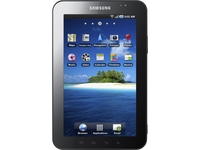 Vodafone looks like it might be about to start offering a new Honeycomb-powered tablet, if a recent posting is anything to go by.
On its official Facebook page Vodafone has posted a link to an article on Honeycomb, speculating whether it will be coming to the next generation of Samsung Galaxy Tab devices:
"There are some great Android smartphones in the pipeline - Nexus S, Xperia Play and LG Optimus 3D - with more coming to Vodafone soon. But Android's just about to get even bigger with the launch of the first Honeycomb tablets around the corner."
Obvious hint
"Interested? There's a preview video of Honeycomb in this article so take a look and let us know what you think. Will you be picking one up?"
While the post mentions nothing about Vodafone offering a tablet in the future, it would be pointless for the network to link to an article praising the operating system for the sake of it.
So it seems pretty likely that we'll be getting at least the Samsung Galaxy Tab 2 at Mobile World Congress - could there even be a range of new Galaxy Tabs? We'll be on hand at the press conference to find out.

| |
Read More ...
In Depth: iOS 4.3 news and rumours: what you need to know
 We get awfully excited about iOS updates, so we're delighted that another one is around the corner: the iOS 4.3 UK release date could be as early as next week, and there are plenty of things in the iOS 4.3 features list to delight iPad, iPhone and iPod touch fans. So what's what?
The iOS 4.3 release date is Valentine's Day
"Sources close to the matter" have told MacStories that the iOS 4.3 update will drop on Valentine's Day, 14 February. If you miss dinner to install it, your partner may kill you. Don't say we didn't warn you.
iOS 4.3 could bring games to the Apple TV
Rumours don't get much more juicy than this: gaming on the Apple TV, with a new controller. That's what Engadget reckons, anyway, based on references to ATVGames and ATVThunder, leaderboards and game scheduling in what looks awfully like Game Center for the Apple TV.
The iPad orientation lock is back
You know how the iPad switch became a mute button instead of a rotation lock? With iOS 4.3, you get to choose what it does.
iAds now do full screen banners.
Let joy be unconfined.
iOS 4.3 personal Wi-Fi hotspots will probably cost us
The Verizon iPhone in the US introduced Android-style (or jailbreak-style, if you prefer) personal hotspots, so it's not a great surprise to discover similar personal hotspot features inside the iOS 4.3 beta. What we don't know yet is whether personal hotspots are coming to everyone, or whether they'll be limited to specific countries. Like tethering, we'd expect such hotspots to cost real cash money over and above your existing pay monthly or pay as you go contract.
We'll be fascinated to see what, if any, effect personal hotspots have on sales of 3G iPads.
iOS 4.3's multitouch has so many points, you'll need to use your feet
Okay, that's probably overstating things. But once you've installed iOS 4.3 you'll be able to take advantage of four and five-fingered gestures to control your iPod touch, iPad or iPhone.
iOS 4.3 has improved AirPlay
One for the Apple TV owners, this: iOS 4.3 AirPlay support has been beefed up to include third-party apps and apparently, third-party web apps too.
iOS 4.3 has special video effects
And this one's for the FaceTime fans: special effects for your iOS device's camera, allowing you to pretend it's an X-Ray or a thermal camera.
iOS 4.3 supports app subscriptions
The Guardian leaked this one in December: support for recurring app subscriptions.
iOS 4.3 won't work on the iPhone 3G (or second generation iPod touch)
MacStories reports that iOS 4.3 for the iPhone 3G is a no-show, with second-generation iPod touches excluded from the 4.3 party too. That's not a huge surprise: sticking 4.0 on the iPhone 3G made it do a brilliant impression of a brick.

| |
Read More ...
Dell pulls plug on MacBook Air rival
 Dell has canned its MacBook Air rival, the Dell Adamo, after heavy discounting failed to ignite sales at retail.
Dell has informed TechRadar that the current Dell Adamo line of luxury laptops is to be discontinued.
"With the launch of the XPS 15 and 17 laptops in October, we have realigned our premium products under the XPS brand," says Ellen Murphy, EMEA Consumer PR Manager for XPS.
"XPS products are developed to deliver a premium performance experience associated with multimedia activities like video editing, immersive entertainment and casual gaming. The engineering excellence and cutting-edge design Adamo is known for will be incorporated into future products under the XPS brand."
MacBook Air rival
The Dell Adamo was originally unveiled at CES back in January 2009, pitched as a PC competitor to Apple's superslim MacBook Air, for those consumers in the market for a high-end, design-led lappy.
However, the 0.65-inch thin aluminium clad Adamo failed to take off, with Dell now finally calling time on the luxury laptop.
"It's a real shame to see the Adamo get the chop, as this was a machine that deserved far greater success than it achieved," says editor of What Laptop magazine, Alex Bentley.
"Its superior craftsmanship, impressive attention to detail and great usability made it a fantastic ultraportable laptop and few machines have matched its style ever since."
The Adamo weighed in at 4 pounds, a tad heavier than Apple's MacBook Air, although it did feature a slightly larger, higher resolution 13.4-inch screen.
TechRadar expects to see Dell make further announcements of new products in the luxury Adamo line at some point soon. Let's hope the pricing is a little more competitive this time around!

| |
Read More ...
Review: Samsung Wave II GT-S8530
The Samsung Wave II follows up an earlier device of the same name, the original Samsung Wave. The first Wave launched a new operating system on the world, Bada, and we saw it again in the Wave 723.Sitting underneath a familiar TouchWiz user interface, Bada gives Samsung the opportunity to have its own app store.
Samsung is clearly hedging its bets, because it's also very friendly with Android as we've seen in handsets like the Galaxy S and the Google-branded Nexus S, and with Windows Phone 7 as we've seen in the Omnia 7.
There's plenty going on in terms of specifications in the Wave II. Headlining things along with a very slightly revised version of Bada is the Super Clear LCD 3.7-inch screen.
These aside we've got a 1GHz processor, Wi-Fi, HSDPA, GPS and five-megapixel camera with 720p video recording. These features give the Wave II what it takes to be classed as a smartphone, but they don't up the ante on what we had in the original Wave.
One area where the Wave II beats the original in terms of base specs is its 2GB of internal storage (as opposed to 1GB). This can be increased with a microSD card as well.
Physically this is one large handset. That 3.7-inch screen plus three under-screen buttons need a fair amount of chassis, and at 123.9 x 59.8 x 11.8mm this isn't a phone you'll slip into a skinny pocket with ease. Nor, if you're blessed with dainty hands, will you be able to reach right across the screen for one-handed prodding.
But moving on to build quality, and it's a pleasant experience, with a lot that's familiar from the original Wave. The slightly curved button panel with its eyebrow-like call and end icons remains, though the central button has changed from being a diamond to an idiosyncratic asymmetrical lozenge shape.
The side button arrangement also reminds us of the original Wave with a very familiar volume rocker on the left edge and camera and lock buttons on the right.
The top edge, with its 3.5mm headset jack and covered micro-USB port, is also unchanged from the original Wave, as are the diamond shaped camera and LED light window on the back.
There's a metal backplate, which always helps with solidity, and there's absolutely no give or creaking in the chassis at all. In short the Wave II is almost identical to the original Wave, but a mite larger thanks to that screen.
We liked the design of the original Wave and like it here too. The Wave II is minimalist, sleek and strong in the looks department. Of course that counts for nothing if it doesn't do a superb job as a smartphone.
Interface
With Bada underneath and TouchWiz on top, there's a fair amount of familiarity about how things work with the Wave II even if you've not come across the OS before.There is, for example, a drop-down notifications area as you'd expect to see with an Android handset, and this gives you quick access to incoming emails and messages as well as profile, Wi-Fi and Bluetooth settings and other bits and pieces, which we'll come to later.
There are plenty of Home screens you can fill with widgets. You start out with three Home screens, but adding more is simple. Tap the Widget button at the top of any screen, then turn the screen so it's in landscape mode and you can use the + and – buttons to add up to 10 Home screens or remove any you don't want.
Widgets are drawn from a pair of icon rows at the bottom of the screen.
The array of widgets isn't huge, and this is one area in which Bada falls over. Yes, you can download more widgets from the Samsung store, but there aren't a huge number available and many are charged for. Also there's no category for widgets. You have to use the word as a search term.
Each Home screen has three icons hardwired to its bottom edge. One of these takes you to contacts, one to messages and the other to the phone dialler. Given the ease of access to the dialler, we aren't sure why you need those hard Call and End buttons.
The apps menu is very familiar. Hit the central hard button and up it pops, with apps arranged on screens that you scroll through horizontally. There are three screens to start with. New apps are added to the end and unfortunately you can't alter the order.
One of the stars of the Bada show is its unlock system. This is unaltered from the original Wave, and it's super. The lock screen shows the date and time, and you make a horizontal sweep anywhere to unlock it - this is mirrored on the Samsung Galaxy S too.
However if you've unread messages and you want to go straight to them, just drag the notification jigsaw piece into its slot and hey presto, you're taken straight to the messages. Easy and smart – we love it.
To counteract this goodness, the slight tweak of Bada that is version 1.2 still doesn't allow app shortcuts to be placed on Home screens. We've one word for this: unforgiveable.
Contacts and calling
No smartphone can really carry the moniker these days without paying adequate homage to social networking, and for most of us that means Twitter and Facebook. The Wave II handles these with aplomb, as well as MySpace, and it can bring in contacts over Exchange ActiveSync.Once you've signed into your accounts, you can simply pull in all your contacts in one fell swoop.
Sounds great, but there are some irritations. When it comes to linking, the Wave II makes no attempt to take an educated guess at who you might want to link with whom. If you've a lot of contacts, you need to be prepared to spend quite a bit of time connecting.
But achieve that and you can see Twitter and Facebook updates in one place, as well as SMS and voice contacts, and seeing Facebook pictures all of which is rather nice.
When it comes to manually dialling contacts, the dialpad is very well thought through. It is large and you've no chance of hitting the wrong numbers.
We complained that the original Wave lacked smart dialling and sadly Samsung has not sorted that out with Bada 1.2. You can start to dial a number and the phone will make a matching selection from the contacts book, but it still won't use the letters to let you dial a person by name. Basic omission, Samsung.
And there's only room to show one match. You can tap the screen to see more matches, but with these multiple taps being required you aren't saved a lot of time.
With a front-facing VGA camera, you can make video calls should you want to do so, and when in a call – of either voice or video nature – we found calls were clear both for us and the caller. The Wave II seemed to maintain signal strength well too, so we've no complaints on that front.
Messaging
We rather liked what Samsung did with messaging on the original Wave, and the positive work is repeated here. We expect a quality smartphone to manage SMS and a multitude of email accounts without any bother.And that's what we get here, all wrapped up under the title 'Social Hub', an area of the handset that also brings together Facebook and Twitter – though it only offers links into apps for those, which is pretty tedious.
That's how things were in the original Wave and – you'll be getting a theme by now – it hasn't changed here.
Still, both the Twitter and Facebook clients are OK with both offering a fair range of options. We just wish they loaded quicker and that Facebook moved between its tabbed Home, Profile and Friends areas more speedily too.
We like how you just have to hit the Compose icon at the head of the Social Hub screen to start tapping away into whatever email or social media account you want to – or to start writing a text.
Adding email accounts is pretty easy with just name and password needed much of the time.
There's an email widget you can use on one of the Home screens to give you quick notifications of incoming messages.
A tap on this widget opens up the message window, so you can see what's come in, read messages and compose replies.
For all types of messaging, including SMS, there's a new text input system called T9 Trace. Rather than tapping at individual letters you glide a finger over the letters you want.
Yes, we know, it sounds just like Swype. It works just like Swype, too. And it really is fast and efficient. That it works so well is in no small part down to the Samsung Wave II GT-S8530's impressive screen. Its responsiveness is exemplary, the resolution is high at 480 x 800 and it's a good size at 3.7 inches.
Something good seems to have happened when it comes to accurate text entry. We weren't delighted with the original Wave's auto correct, but it's improved here, and we found that suggestions offered on its ticker tape in both tall and wide modes are improved.
Internet
We've waited long enough to make detailed comment on the screen, so here goes. The 3.7-inch screen ought to be able to cope well with web pages, the 480 x 800 pixels offering plenty of detail.And indeed that's how things are.
The Super Clear TFT screen helps web content – and anything else, actually – really stand out. In fairly gloomy indoor conditions the sharpness and clarity of the screen is stunning. Take it outside and things aren't quite as wonderful, but it is still easy to see the screen.
Viewing angles are good too, so it's really easy to thrust the phone at someone saying 'look at this' and have them able to see it without having to jiggle about.
The Bada web browser is easy to use. When entering web addresses, the keyboard offers you '.com' and '/' buttons on the main QWERTY keyboard, which speeds things up a bit.
Pages initially display fullscreen, but you can do a quick double tap to zoom in. Text reflows as a result, so you can read pages without horizontal scrolling, but zoom level isn't wonderful. Text is rather poorly formed and if you've bad eyesight you may find it difficult to read.
If you want bigger text you can pinch to zoom, but you lose the reflow.
There's a button at the bottom of the screen that lets you quickly get to your most visited web pages, which often means you don't have to bother with bookmarking your absolute favourites. These are presented as thumbnails for easy access.
Web pages load and format pretty quickly, and we really like the little Google search box that sits on the top row of the screen. Features like these make it easy to duck and dive at some speed.
Flash video support is not what it could be. Our litmus test – the BBC News website - failed to play its video for us.
There is a YouTube app on board, though, and you can watch video quite happily through this. We encountered a bit of buffering annoyance, but playback itself was smooth.
We're disappointed about the Flash issues, but as a web user's smartphone the Samsung Wave II does get a lot right.
Camera
The five-megapixel camera is not short of shooting options, with a range of scene modes that could grace a mid-range digital camera. There are Landscape, Sports, Portrait, Night, Party/indoor, Beach/snow, Dawn, Fireworks, Sunset, Fall colour, Text, Candlelight and Against light modes.Testing these we found some worked better than others. Shooting a few photos in a café, the difference between using normal mode and party mode were invisible to the naked eye, for example. But you can't fault Samsung for trying.
There's nothing so boring as Sepia or Negative mode, but there are Smile shot, Beauty, Continuous, Panorama and Vintage modes to fiddle with, too.
Click here for full-res version
OUTDOORS: Light capture was pretty good on this dull day and there's none of the blurred images or iffy detail that we see with some phone cameras
Click here for full-res version
DETAIL: Phone cameras often struggle with this photo. It is in a relatively dark corner, reflects a lot of light and contains a lot of detail. This is a better effort than we've seen from many
Click here for full-res version
VIGNETTING: One of the many filters is Vintage mode. It's quite effective
Click here for full-res version
FLASH: Taking photos indoors with the flash was a more rewarding experience than it often is. There's a fair amount of detail in this photo, and the low light levels were dealt with well
Click here for full-res version
PANORAMA MODE: This stitches four photos together into a single shot that comes out 4131 pixels wide and 919 pixels tall. You tell the camera what direction you are going to move in, and it then takes its photos automatically in sequence as you move the camera along.
The automatic stitching is pretty good, though in the sample panorama you can see that the far right of the image is a little blurred. You need to move the camera fairly slowly for the automatic shooting system to work properly, and we rushed a bit with what was the last photo in our sequence
Video
The Samsung Wave II GT-S8530 captures video to 720p. This is not unusual these days, but just as with stills what is here is better than the average. The camera did fall foul of some of the jerkiness that we have seen in rivals, but nowhere near as badly. Bearing in mind the low light levels when we took this photo, it is a pretty good effort.
Media
The Samsung Wave II makes a good fist of media playback. The built-in speaker is quite loud, and a relatively good headset with round in-ear buds delivers fair quality sound – though bass tones are on the fuzzy side.As far as music is concerned, the side-mounted volume rocker works when the handset is in lock mode. When you are using the handset the notification area offers quick playback controls.
And even when the handset is locked, you can tap a small sliver CD icon to get playback controls.
With the music player on, twist the handset into wide mode and there's a nifty carousel that looks rather good even if you don't have any album art on tap.
There's an equaliser and a set of effect controls so you can fiddle a bit with how different types of music sound.
An FM radio autoscans the first time it is used and then delivers its channel list via a soft menu button. While station names are provided on the main radio page, they are just listed by frequency, and not name, elsewhere. You have to add station names manually. That'll take a while, but it will make finding what you want easier in the long run.
You can record direct from the radio simply by choosing a menu option, which could come in handy.
Video playback was suitably impressive. You have to ping out of the thumbnail viewing screen to get the best viewing experience in widescreen, and the large playback controls pop off the screen really quickly, coming back when you tap the screen. That makes controlling things very intuitive.
And also in that vein we love that you can fiddle with the screen brightness from within the video app. Getting that right makes all the difference. When it comes to formats, the Samsung Wave II copes with DivX, Xvid and MP4 files.
The Mosaic Search, which we liked so much in the original Wave, is back for a second helping. It creates points at regular intervals within any video, so you can get quickly to any section.
Battery life
We weren't expecting great things from the Samsung Wave II's battery. It packs a 1500mAh cell, which is top end, but the battery has a lot to do. It has to keep that 3.7-inch 800 x 480 pixel screen going for a start, and it has to power the 1GHz processor that's at the heart of things.
But we were really impressed. After one six-hour stint of fairly punishing media playback, Wi-Fi, web use and HSDPA bashing, a full battery had only lost one of its five bars in the monitor. It started to fall more quickly after that, but life was still pretty good.
We reckon that Bada has something to do with this and that it has been tightly put together to minimise battery drain. Whatever the reason, this ought to be a two day smartphone for many users, and that's not something we say very often.
We temper that with the fact that if you are a heavy music listener, HSDPA, Wi-Fi or GPS basher, you should realistically still be thinking in terms of daily charges.
Maps and apps
There's GPS on board, so the possibility of navigation is not out of the question. But this is not an Android phone and there's no Google Maps app. You can use Google Maps, but via the website.Samsung provides its own Navigation application, but it's not good, to be honest.
Simply from the point of view of finding somewhere and looking around a map, the mapping quality is poor. To do any routing you have to buy a license and for the United Kingdom and Ireland maps that comes in at €4.99 for 31 days or €19.99 for a year. Could work out expensive, that, and Google Maps is free.
There are a fair few apps that bulk the Samsung Wave II out: a reasonably nice calendaring tool, memo maker, tasks manager, calculator and a mini diary in which you can make jottings (though it is very childlike in its design).
But Samsung wants you to use its app store. This is where we think it has missed a trick. There just aren't that many apps to choose from – 347 in the Entertainment category, 234 in Health and Life, 87 in Productivity. Compare these numbers with iPhone and Android apps and it is snickerworthy.
And they are pricey too. We noticed that the Sims 3 costs £4.50, and you have to pay £1 each for themes, often more for widgets. There's a Sudoku widget for £1.25, when you can get a barrel full of Sudoku apps for free on Android.
Hands-on gallery
Official gallery
Verdict
The Samsung Wave II builds on what was quite a strong early pedigree. We liked the physical design of the original Samsung Wave, the responsive touchscreen and the clever ideas behind Bada.
But there were some crucial points we didn't like, and frankly we don't think Bada has moved on far enough in its 1.2 incarnation to keep us really interested.
We liked
The handset design is lovely. Samsung has barely changed the physical design of the original Wave, though the Wave II is larger to accommodate its bigger screen. It feels like quality in the hands.
The screen is sharp, bright, clear and responsive to the finger. It is up there with the very best of the competition in this respect.
Battery life is good and we can see some people sneaking past the two day marker if they are careful users.
T9 Tracer is a nice Swype-style text input system that really works well, and the error correction in text entry is efficient, too.
We disliked
Bada 2.1 just doesn't offer that many improvements over its predecessor. There are things we really wanted to see in the Wave II that are not here. Why can't we put app links on a Home screen? Why can't we change the order of apps in the main apps list? Why isn't there smart dialling? Why doesn't the handset try to guess which Twitter and Facebook contacts we might want to link together?
The app store has grown in terms of sheer number of apps available, but it is still not a patch on Android or iPhone. And the number of free apps is woefully small. If you want apps, one of those two other platforms is a better choice.
We really aren't happy about the idea of paying for navigation when it is available for free so readily elsewhere, and the poor map design in comparison to Google Maps adds insult to injury.
Samsung hasn't upped the ante much by offering a vastly improved set of specifications in comparison with the original Wave. Admittedly, though, the original Wave did have a lot of goodies built in.
Verdict
The general specifications of the Wave II don't advance things a lot further than the original Samsung Wave. And generally the things we really liked and disliked about that handset remain the same here.
Considering that we've found the Wave II online SIM free for £319 and the original Wave from the same seller for the same price that's probably not such a big point. The larger screen (from 3.3 inches to 3.7 inches) and increased internal memory (from 1GB to 2GB) are the main upgrades and both are welcome.
Still, we'd have liked to see Samsung push the boat out with the Wave II. Perhaps they are concentrating their efforts on growing the app store. We hope so.
Related Links
- Phones@TechRadar - our new mobile phones channel
- TechRadar's Reviews Guarantee
- How much is your old mobile phone worth?

| |
Read More ...
Opera hits 100m mobile users, plans iPad version
 Opera has announced that it has reached the 100 million user mark on mobile phones.
 The company also confirmed that it has been working on an iPad version of its popular mobile web browser, which will be shown off at Mobile World Congress next week.
Operatic operations
Opera Mini has proven the most successful Opera product, with 90.4 of the company's 100m customers on the diet-version of the browser.
Meanwhile, 15m people are using the full fat Opera Mobile browser.
Opera now controls 21 per cent of the market, leading the way ahead of Apple, Rim, Nokia and Android's proprietary browsers.
Cheery news all-round for the classically-named browser company; we'll be keen to see its tablet iteration at Mobile World Congress and will bring you a hands on Opera Tablet review as soon as we can.

| |
Read More ...
Hands on: BBC iPlayer for Android review
 You've probably already noticed that the new BBC iPlayer for iPad app impressed us quite a bit when we tested it earlier today. Can the Beeb's Android app deliver the same slick experience?
The issues with comparing iOS apps to their Android equivalent are obvious. The main problem is that while iPhone and iPad apps can be optimised for Apple's very precise hardware configurations, Android apps have to cater for a massive variety of devices with different specs.
The upshot of that is that most iPad apps are slick and smooth, while Android apps can sometimes be a bit hit and miss. And it doesn't help when publishers shoot themselves in the foot by missing out crucial features. The BBC's iPlayer apps tell the whole story.

You can guess where we're going with this – while the iPad app glides along smoothly, the new iPlayer for Android app stutters even more prolifically than Colin Firth in The King's Speech. The difference is that watching the King of England stammering over the F word is funny. Watching iPlayer cough and splutter over an episode of Eastenders is not.
The interface itself is actually pretty decent. It's very similar in build to the iPad app in that it's got two main sections, one for TV and one for Radio. The layout is almost identicle other than some cosmetic changes to accomodate smaller displays.

Within these sections, a side scroll will take you through the same three sub-sections as in the iPad app – Featured, Most Popular and For You.
Aside from that, you can sort by category and channel, you can run a bespoke search, or you can select Live TV – technically you'll be needing a TV licence if you want to use that feature though.

The layout and interface is pretty much the same as the iPad app, but the user experience is not. The videos themselves are Flash, which means you've got to have Flash installed on your Android phone in order to use it. That in itself is enough to twist many Android aficionados in knots.
The videos take a lot longer to load and buffer than the non-Flash iPad app and the picture quality isn't as good either.
You've also got to be hooked up to a Wi-Fi connection – the app will refuse to stream over 3G and there's no offline mode for watching pre-downloaded content, either – just like the iPad app.

This all applies to radio streams as well – there's no 3G streaming of 6 Music, oh no.
The lack of 3G streaming on an iPad isn't a massive deal - most iPads out there don't have 3G anyway. But a phone is the very definition of a mobile device - you use it for video and music when you're on the go, not when you're connected up to Wi-Fi at home.
Is this the BBC trying not to annoy the mobile networks in the same way it incurred the wrath of Britain's ISPs? We think it just might have something to do with it.

You could forgive these issues if the videos streamed smoothly, but we found that a lot of the time they don't. The streams are often slightly juddery even on a robust wireless connection. Not enough to make the videos unwatchable, but distracting enough to cause severe irritation. Desks will be thumped.
We thought maybe it was just our Galaxy S that was playing up so we booted up an HTC Desire as well. Before long, everyone on the team with an Android phone was trying it out. Same experiences, same problems all round with varying degrees of severity.
Certainly, lower end Android phones are not going to like this app at all.

Clearly, there are some technical issues at work here and the BBC can't be blamed for all of them. But it's important to remember that there have been several unofficial iPlayer apps for Android kicking around and they all seemed to do a better job than this.
If watching iPlayer on your Android phone sounds appealing, you should definitely check this app out. You never know, if might run a treat on your device. Just don't expect it to love you or snuggle up to you on the train home.
What do you think of the new Android app? Let us know in the comments...

| |
Read More ...
Video: Sonos Controller for Android announced
 Sonos has revealed that it has been busy working on an Android app for its popular wireless Sonos music systems, and that the application will be released in the UK in March.
The Sonos controller app for the iPhone and iPad gave you the ability to control your Sonos system through your phone, meaning that you didn't have pay out for the official Sonos controller to control devices like the Sonos ZonePlayer S5.
Best Android music system
John McFarlane, CEO of Sonos, spoke to TechRadar about the new Sonos for Android app, explaining: "We think we make a perfect pairing for Android. It has taken a year to get the application sorted but we think it will be one of the best on the Market.
"By entering the Android world we are going to be the best music system for Android. It will bring Spotify into your house, as well as Napster and a variety of these services.
"It is the same theme [as the iPhone controller] of pick a room, pick a song and you can start playing."
The Sonos for Android app is completely free and is compatible with all of Sonos' products.
It isn't compatible with all Android products, though, as you will need to have Eclair (Android 2.1) and above.
It is also recommended that you have a larger screened phone. Sonos is saying that the app is best used on a screen size of HVGA 320 x 480, WVGA 480 x 800 or WVGA 480 x 854.
The Sonos for Android UK release date is late March, but TechRadar will be getting its hands on the device at this year's Mobile World Congress in Barcelona.

| |
Read More ...
Gary Marshall: HP TouchPad is another nail in Windows' coffin
 The HP TouchPad is really important - not because it's a brilliant tablet, although it does look pretty tasty, but because it's yet more proof that the PC era is coming to a close.
The PC isn't dead, and won't be for a long time. But the HP TouchPad is yet another triumph for the planet's fastest-growing operating system, ABW. That's Anything But Windows.
In HP's case its ABW is WebOS; on Android tablets it's Honeycomb; on the BlackBerry PlayBook it's BlackBerry Tablet OS; and on iPads it's iOS.
The devices differ and so do their operating systems, but the one thing they all have in common is that they're not running Windows. Many of them don't have Intel inside, either. They've got Snapdragons or Tegras or A4s or whatever particular flavour of ARM processing the manufacturers have chosen.
If I were the sort of person who used the phrase "paradigm shift", I'd use it here. What's happening is incredible, and it's happening incredibly quickly. Until very recently, personal computing generally meant Windows running on Intel, with a smattering of AMD, Linux and Mac OS X to keep the internet in arguments. Now, though, personal computing often doesn't involve traditional computers at all.
Power in your pocket
This is classic end-of-empire stuff. Mobile devices are doing to the PC what the PC did to the mainframe, what rock and roll did to big bands and what blogs did to newspapers, and in years to come they in turn will be shaken up by a whole new way of doing things.
The future fits in a pocket - a really big pocket in the case of the iPad, but a pocket nonetheless. Fancy some numbers? Here are some really amazing ones: according to IDC, 92.1 million computers were shipped in the fourth quarter of 2010 - but smartphones did 100.9 million. Factor in tablets, which IDC reckons will hit 70.8 million by 2012, and you can see which way the technological winds are blowing.
Those numbers will only become more dramatic. The PC market is a mature one, but smartphones and tablets are young, exciting and fast-moving.
That means we'll get saddled with some right crap - every tech bandwagon produces its share of clunkers as panicking firms desperately try to clamber aboard, and it's much harder to make a good mobile device than it is to make a video render of something that looks like a good mobile device - but that won't change the bigger picture.
Technology has advanced to the point where personal computing isn't necessarily something you need a PC for.

| |
Read More ...
Is 'Halo 5' a Microsoft in-joke?
 A Halo 5 logo has been spotted on an Xbox 360 screen at Microsoft's Redmond, Washington offices, which begs the question: whatever happened to Halo 4?
Channel 4 News managed to spot the Halo 5 logo on a recent press visit to Microsoft HQ.
However, there are some in the games industry that suspect this is little more than a clever in-joke from the folks at Microsoft. If so, we don't seem to be laughing.
Be a part of Halo history
What we do know is that Bungie is no longer looking after development duties on Microsoft's killer franchise. That's being taken care of by (ex Timeshift developers) 343 Industries.
As you can see from the recent Halo related job listings on the company's site 343 Industries seems to be the place to work, if you want to be "a part of Halo history."
So Channel 4 managed to spot a Halo 5 logo, alongside a logo for Project Gotham Racing and "Grandma's Room." Does this actually mean anything? Does it mean Microsoft is planning on releasing a proper Halo sequel soon?
We've asked Microsoft. Clearly we expect to receive a 'no comment' at any point soon. But we have to ask, because this is how things work. Sometimes they tell us things. Often they don't.
Halo 5 - an in-joke?
Tim Ingham, editor over on CVG is convinced that, "the 'Halo 5' logo would appear to be a clear in-joke at Microsoft – a nod to a far-off future."
The CVG editor thinks: "the next 'proper' Halo is, arguably, going to be 'Halo 4' – although if it's got an actual numeral in its title I'll eat my Master Chief figurine.
"Still, it's exciting to see that even with a jovial hat on, Microsoft clearly has long-term plans for the core story."
You can see more on 343 Industries plans for the future of Halo over on CVG, with the games site convinced that the next Halo, whatever it may be called, will not be a 'side story' game along the lines of Halo: Combat Evolved
One way or the other, Microsoft really has to ensure that the next game in its killer franchise blows us all away. Otherwise, we might just spend all of our time playing and talking about Uncharted 3 instead…

| |
Read More ...
Early View: HP TouchPad vs iPad vs Xoom vs PlayBook
 When the new HP TouchPad joins the Motorola Xoom and BlackBerry PlayBook in hitting the market, we'll have three really serious challengers to the iPad.
And, perhaps most interestingly, all will be running different operating systems. So let's compare how the three newcomers stack up against the hottest tablet yet released.
In terms of releases, Motorola won't say anything about the Xoom's UK release date, though it is pencilled in for the first quarter of 2011 in the US. However, it depends on when Google is planning on getting Honeycomb out the door. Likewise we should be seeing the PlayBook arrive in the Spring or early Summer. But HP has been a little more coy and we could even see the HP TouchPad arrive in the autumn.
And, of course, we're also expecting iPad 2, so we'll be updating this piece when we know more about that new device.
OS
This is the biggest difference between the four tablets. The iPad runs Apple's own iOS, the Moto Xoom Android 3.0 Honeycomb, the BlackBerry PlayBook runs RIM's own Tablet OS and likewise the new HP TouchPad also has a bespoke OS. The Touchpad will run Palm's webOS, first developed by Palm - who HP then bought. The tablet will run webOS 3.0.

WEBOS: HP bought Palm and is now taking full advantage of its webOS platform
The Motorola Xoom was the main unit used to demo Android 3.0 Honeycomb at this year's Consumer Electronics Show, though we only saw videos of OS features running on the new device.
There will also be no Motorola MotoBlur interface overlaying Android 3.0 – this could be part of a bigger move by Google to stop having so many variants of Android.
We got hands on with the BlackBerry PlayBook at CES a few weeks ago and it's a serious threat to the iPad's dominance of the sector. TechRadar's Reviews Editor James Rivington says the PlayBook "could well be the tablet that changes the game. In a word, it's a triumph."

ANDROID 3.0: This Xoom was just running a video, but the real Honeycomb looks special
Processor
All four units use ARM-based silicon. The iPad runs Apple's own A4 processor clocked at 1GHz (it's less in the iPhone 4), while the Xoom plumps for a dual-core Nvida Tegra 2 processor, capable of 720p video or sending 1080p full HD to your TV via HDMI.
The PlayBook is also running a dual-core 1GHz Cortex-A9-based processor, though there are no more details on who has manufactured it. It's probably an Nvidia Tegra 2. The HP TouchPad has the best processor yet announced though - a Qualcomm Snapdragon APQ8060 dual-core running at 1.2GHz.
Touchcreen
The Motorola Xoom has a 10.1-inch, 1280 x 800 display. That makes it the largest of the tablets. Like the iPad, the HP TouchPad has a 9.7-inch display with a resolution of 1024 x 768.
The PlayBook is only a 7-inch tablet and to us it can feel small. The touch on the PlayBook does extend right across the bezel though, which is a nice touch and pretty important for navigating around the OS.
The screens on both the PlayBook and Xoom look pretty spectacular even under the bright show lights where we checked them out. The PlayBook's size gives it an advantage though, as we said in our Playbook hands on:
"The PlayBook's 1024 x 600 resolution isn't far off the 9.7-inch 1024 x 768 iPad, but because of the Playbook's 7-inch display, the increased pixel density makes all the difference. It's sharp and crisp, and 1080p HD video looks fabulous."

CRISP: The PlayBook's screen is quite pixel dense - largely because it's only a 7-inch tablet
Storage and memory
The Xoom has a Micro SD slot, but Android 3.0 doesn't yet support it (apparently). However, Moto says that as soon as the OS permits it, you'll be able to use up to 32GB of removable storage. As you'll know, the iPad doesn't have any kind of slot – though it has 16 or 32GB on board flash storage of course. Once again, the HP mimics the iPad's approach - no slot, but 16 or 32GB of on-board flash.
RAM
The PlayBook has 1GB of RAM, as does the Xoom. Remarkably, the iPad lags behind in this department, though you'd scarcely notice it. It has 256MB of system memory. There are no details on the RAM inside the HP TouchPad as yet, although we expect it has 1GB.
Camera
While the iPad doesn't have a camera, the iPad 2 will change this. The Xoom has two cameras front (2MP) and a 720p capturing back 5MP camera with a dual LED flash. The Playbook packs two cameras – a 3MP front-facing camera and a 5MP rear-facing one. Unusually, the HP TouchPad doesn't have a rear camera, only a front-facing 1.3 megapixel one.

FRONT CAM: But HP's TouchPad has no rear camera
Connectivity
All four are designed for use with 3G networks. However, we may well get a Wi-Fi version of the PlayBook before we see a 3G-enabled variant – obviously this is speculation currently. This also looks likely with the HP TouchPad. The base iPad is also Wi-Fi only of course. It looks like there will also be two versions of the Motorola Xoom. Another version will work on 4G networks in the US, though we'll only get 3G here of course. All have 802.11 a/b/g/n Wi-Fi. HP has also promised a 4G version of the TouchPad in due course.
The Xoom and PlayBook also support HDMI output to a TV – the iPad supports AirPlay for wireless streaming via Apple TV. All have Bluetooth 2.1 plus GPS support. The Xoom and PlayBook also have Micro USB while the iPad sticks with the trusted Apple dock connector. All four tablets have 3.5mm headphone jacks. The PlayBook can be paired with a BlackBerry phone via Bluetooth for full interaction with its Email, Calendar, Docs and BBM.
Location and sensors
All four have an accelerometer (three axis in the Apple and Motorola) and compass plus Assisted GPS in their 3G variants. The Xoom also features a gyroscope as well as a barometer for measuring the atmospheric pressure while the HP PalmPad has a gyro. Details seem sketchy on whether the PlayBook will have a gyroscope, so we're keeping an open mind.

GYRO: Will the PlayBook have a gyroscope like the Xoom?
Cost
Rumours abound that the Motorola Xoom price is £720 and we shouldn't expect to pay much less: the firm's VP of international marketing, Andrew Moreley, says "the Motorola Xoom is clearly a premium device with premium prices inside. This will show in the cost." All of which makes the iPad look like a steal. The Wi-Fi version was £429 at launch of course, but the VAT rise has seen this increase to £439. There are no details from HP on pricing, while the PlayBook also doesn't look like it will be as cheap as the iPad.
Bulk
The 7-inch PlayBook is 9.7mm thick and weighs just over 400g. The weight of the 10.1-inch Xoom has been reported to be around 730g, with a 13mm thickness. The HP is similar - 14mm thick and weighing in at 740g. That's roughly the same weight as the Wi-Fi + 3G iPad, which is 13.4mm thick.
Compatibility
As most of the world's population knows, the iPad doesn't support Flash. Android 3.0 does though, as does RIM's Tablet OS, with full Flash 10.1 and Adobe Air. WebOS also has Flash 10.1 All have HTML 5 compatibility. Will Android 3.0 and RIM's new OS really lay down the gauntlet for iOS and the iPad? Only time will tell.

| |
Read More ...
MPAA threatens to disconnect Google HQ
 The MPAA has reportedly sent Google "dozens" of warnings against copyright infringement over the past few months, and could now be threatening the company with full-on disconnection.
 These copyright infringements seem to be mainly perpetrated through Google's external WiFi hotspots, but it seems that some staff members have also been using BitTorrent to share and download movies.
This comes in spite of Google's latest pledge to combat online piracy by experimenting with tweaking search results so authorised content is more accessible and removing piratical terms from the site's auto-complete.
Violation
The letters, sent on behalf of film studios like Paramount and Columbia, warn that users on Googles' IP addresses are downloading and watching movies illegally.
More than that, the latest notices include threats that Google's internet services could be cut off:
"Copyright infringement also violates your ISP's terms of service and could lead to limitation or suspension of your Internet service. You should take immediate action to prevent your Internet account from being used for illegal activities."
Apparently the last batch of notices sent were regarding illegal copies of The Green Hornet and The Fighter.
It could be worse for Google; its staff could have been watching Gnomeo and Juliet.

| |
Read More ...
Facebook and Google set sights on Twitter buyout
 Twitter is being earmarked for a takeover by two of the biggest technology companies in the world – Facebook and Google.
This is according to the Wall Street Journal, who believes that the micro-blogging is now worth an estimated $10 billion.
Twitter has continuously denied that it is being sold, or becoming a public company, but now that two tech heavyweights are in proposed talks with the company (their names have been bandied around before) this may all be set to change.
TwitterBook or Twoogle?
Twitter under either Google or Facebook's control will be a wholly different beast. Facebook has been constantly updating itself to add more real-time elements into its friend's stream, while Google already has Twitter updates in its search functionality.
Currently Twitter has around 175 million registered accounts – which is small fry compared to 600 million active users Facebook has currently got.
In other Twitter news, venture capitalist firm Andreessen Horowitz has bought up an $80 million stake in Twitter.
This means that the firm is the first in the world to have a stake in Facebook, Groupon, Zynga and Twitter – four of the biggest social media companies in the world.

| |
Read More ...
Review: Arcam rCube
 The rCube is Arcam's most ambitious product yet. The result of around five years' research and development, it aims to bring hi-fi quality sound to a compact and transportable speaker dock.
 The rCube's sealed construction enhances the bass, giving it a more natural sound than a rear-facing bass port would allow. The woofers are positioned back-to-back so they don't shake the unit, and the tweeters are angled at around five degrees to give the audio a breadth that belies the dock's relatively small size.
Available in black or white, the top and bottom sections have the same finish as an iPhone, with a cloth cover enwrapping all four sides. Metal grilles add rigidity.
As well as mains power, it has a built-in rechargeable battery that lasts around six or seven hours. A hatch covering the 30-pin dock doubles as a carry handle, and also as a back rest for your iOS device – no Universal Dock Adapters are needed.
You can also stream your music from your Mac or iPod to up to eight rCubes, using an optional 30-pin dongle or USB stick (sold separately). Wireless streaming is based on the Kleer system for 'lossless' quality.
For £500 you'd expect a stellar sound, and the rCube delivers. It's very detailed and well integrated, especially the bass, which is clear and well defined.
The sound as a whole is gorgeously complete, with no undue emphasis on one particular area, though if you find it a little bass-heavy (perhaps because the rCube's in a corner), a button at the back cuts out unwanted echoes without losing overall balance. Vocals in particular sound great on the rCube, sitting atop the audio very nicely.
There's very little to criticise here. It's expensive, but not overpriced for a device of this quality.
It's very harsh on highly compressed MP3s though, so if you've ripped your CD collection at a high compression rate to save space, you might want to rip them again.
But then, anyone prepared to spend £500 on a top-quality speaker dock is unlikely to use low-quality MP3s on any audio system.
Related Links

| |
Read More ...
Hands on: BBC iPlayer for iPad review
 After a year in the making, the BBC has finally begun rolling out its iPlayer apps, and first out of Television Centre's revolving doors is iPlayer for iPad.
The Android iPlayer app is already available for download (we're testing it while you read this), and an iPhone-friendly iPlayer app is due to follow at a later date.
For the moment, the iPad's iPlayer app is available only in the UK. A subscription-based app for the US App Store is on the way, but for us righteous, licence-paying Brits, the app is free to download and to use.
That said, it's also free if you're a BBC-hating TV licence-dodging shadow-dweller. After all, the Beeb has openly admitted that it doesn't have any kind of licence-enforcement strategy relating to its new mobile iPlayer apps.
Legally speaking though, you are required to have a TV licence to use the app for live TV streaming.

iPlayer app in use
The iPlayer iPad app itself is a masterpiece in simplicity. The content sits at the forefront at all times and the albeit slick-as-you-like interface sits very much under the surface. The on-demand offering is exactly the same as you'll find elsewhere, with TV shows available to stream for seven days after they were originally broadcast. There is no download option.
There are two main sections in the app - one for TV content and one for radio.
Each section has two sub-sections - a 'Featured' screen which showcases (debatably) the best shows currently available, a self-explanatory 'Most Popular' section as well as a 'For You' screen which seems to do nothing other than recommend the same shows you saw in the other two sections.

The 'For You' section presumably draws its content according to what it knows you've been watching in the past. However, we skimmed through a variety of sports-related shows and even after time passed and we restarted the app, the 'For You' section was still trying to make us watch episode one of Outcasts. Not a chance.
Other than that very minor issue which may well resolve itself over time, the iPad's iPlayer app is an absolute delight to use.
Touch a thumbnail and you're instantly given a few more details about the episode you've selected. One more press of the play button and the episode will play - it took an average of four seconds for the stream to buffer and start playing.

The quality of the video is first rate. It's not high definition, but on the iPad's screen it looked as good as you'd ever need it to be. Sound quality too was as good as you can hope to expect from a video streaming app.
It's also very easy to skip forward and back. Dragging the progress bar moves things on immediately and it only took a split second for the app to begin playing from the new position again.


Wi-Fi or 3G?
If your iPad is a 3G model, you'll be sorry to hear that the iPlayer app will not allow you to stream video over your mobile data network - at least not to start with.
You can browse the app over 3G, but as soon as you attempt to watch something you'll get a polite 'switch to Wi-Fi' message.

We attempted to trick the app by connecting it to a full-signal Galaxy S using Android's Mobile AP feature, but even that didn't work. It's possible that the BBC will eventually strike some deals with the mobile networks to allow iPlayer access over 3G, but that could be some way down the line.

Unlike the web version of iPlayer which has worked on the iPad for some time, the official app also allows you to watch live BBC TV and radio channels.

To use this feature you need only select the 'Channels' option at the top of the screen and you'll be presented with a mini EPG containing all eight BBC stations. The radio section works in exactly the same way, but you only get access to nine live national and DAB-based stations - local stations are not available for the time being.
Radio streams load up and start playing a bit quicker than the TV streams - usually it takes two seconds or so, but that will depend on how fast your broadband connection is and the strength of your Wi-Fi signal.
Searching
As well as the thumbnails of the big shows in the three main sections, you can also browse and search by selecting the 'search & categories' option. Here you can either enter a search term or browse through shows in each category.


It's all very slick and smooth, with no waiting time for search results to be returned.
Favourites
The Favourites section is also present. On every episode's preview screen there's an option to save to your favourites, so that you can go back and watch later. However, if the episode has been on the system for seven days, it'll disappear without a trace.

Air Play
We tested the app with Air Playto see if we could stream iPlayer to other devices.The audio worked well enough, but there was no video and no amount of tinkering could get it up and running. We think this may be a limitation of iOS and that iOS 4.3 may fix the problem.
Verdict
And that's about it. Licence fee payers can rest assured that the BBC has spent your money on an iPlayer app that oozes quality. We would love to have seen a download option so that you could take shows with you on the road, but that's our one minor gripe in what is otherwise a flawless app.

| |
Read More ...
Review: Creek Destiny 2
 Creek describes this model as its 'high-end' offering: that's relative, of course, but it's certainly true that this is the fanciest and most highly specified model ever made by the stalwart of sensible audio that is Creek.
 It's a very solid device externally, quite slimline, surprisingly heavy, and very smart, thanks to its use of brushed aluminium for top, front and side panels. Fit and finish are excellent throughout and although it lacks the super-thick front panel that's the usual fitment for true high-end audio, it otherwise looks the part to an admirable degree.
It's heavy because there's a lot going on inside. A large mains transformer is needed to support the generous power rating and, of course, decent-size heatsinks for the same reason. There's also a remarkably large bank of capacitors, something we've come to recognise as a Creek hallmark: the idea is that ten small capacitors connected in parallel make a more nearly ideal component (lower stray resistance) than one single unit of ten times the value.
The circuitry is quite complex, a fair bit of it being for protection against various overload scenarios. Inputs and outputs are typical, with a phono stage being an optional extra, but there's one feature you don't often find, hinted at by the front-panel button marked 'Active'.

The preamp section of the Destiny 2 can be configured as either passive (no actual amplification) or active with gain of 3, 6 or 9dB. We used passive mode for most listening; active seemed to us a touch brighter, but also very slightly less detailed. No big deal, though.
Sound quality
Over and over again, to an almost comical extent, our listeners commented on how well-balanced this amplifier is. They clearly meant this in more than one sense, both the obvious tonal one and also the subtly different business of balancing the various voices and instruments within a whole.
That's a very definite plus, but there are other factors; what of rhythm and pace, dynamics, detail and sheer musical involvement?
Interestingly, only the last of these really got a specific mention at all and that favourably. Otherwise, our listeners' language was rather vague, which we've learned from experience is generally a very good sign – a sign that they're too interested in the music to want to write about the sound it makes!
Meanwhile, hints at the detail and other factors suggest that these are all somewhere between good and excellent. Indeed, our subsequent sighted listening to this amp, where a key consideration is making sense of the comments left by the listening panel, soon convinced us that what we have here is indeed an uncommonly harmonious marriage between these attributes, with detail plentiful and dynamics subtly but powerfully effortless.
If you crave the ultimate in pace you might find this amp a little understated, but it's also worth mentioning that performance, if anything, gets even more assured at high levels.
Related Links

| |
Read More ...
Review: Yamaha RX-V367
 With a price that dips below £200 from some online retailers, the Yamaha RX-V367 is the cheapest AVR in our roundup and solid evidence that you don't have to pay through the nose for 3D-readiness.
 Support comes in the form of four HDMI v1.4 inputs and one output, which is generous enough to fit your 3D player, Sky box and games console, leaving one for future expansion. The look is classic Yamaha.
A moody black finish and sharp angled lines are the order of the day (it also comes in titanium and silver) while the front panel is a hive of activity, with buttons, displays and sockets aplenty.
Most noteworthy are the 'Straight' button, which bypasses the unit's listening modes, and four Scene macro buttons. On the back, there's evidence of cost-cutting in the shape of springclip terminals for the centre and surround channels and no iPod dock connection or surround back pre-outs.
But the lineup of other sockets is useful, with four digital audio inputs being a highlight. There's no on-board HD audio decoding, though, which means Dolby TrueHD and DTS-HD Master Audio soundtracks have to be decoded by your player beforehand. This isn't a major problem if you trust your deck's own abilities, but does make you wonder how the others managed it at a similar price.
Redeeming factors
Yamaha makes up for this with an obscene amount of sound modes and virtual surround processing, plus the YPAO auto calibration that makes it a cinch to optimise.
The lack of onscreen menus is a shame, but the logically structured front-panel display makes it easier to set up than you might expect. And, aside from a few undersized buttons, the remote is also terrific.
In general, there can be few complaints about the RX-V367's sound quality for the money, although it inevitably lacks the sonic polish that turns a good receiver into a great one. The sound is dynamic and detailed; the receiver digs out the subtleties during Avatar's many rainforest scenes, filling the soundstage with distant cries and swirling ambience.
Fluid rear-channel steering and crisp separation makes for an absorbing listen. Voices are prominent and cleanly detached from the rest of the action, while punchy bass response lends decent depth to the explosions and gunfire during the Battle for Pandora scene.
However, this scene also exposes brightness in loud high-frequencies that betrays its budget price tag. But if you can tolerate this and work around the lack of HD audio decoding, then the RX-V367 makes a decent purchase.
Related Links

| |
Read More ...
Analysis: HP TouchPad: our first impressions
 So HP has made its first real tablet play. And the results are... impressive, if not surprising. We've previously seen some renders of the new HP TouchPad, but we knew little more about it until last night.
The 9.7-inch device is a beautiful-looking thing, and we can't wait until it appears for real. It's a real challenger to the iPad's dominance in a hardware sense, while webOS also looks like it could be a real third way alongside iOS and Android 3.0 Honeycomb. Notably though, there's absolutely zero indication on pricing as yet.
We've always thought webOS might be good on a tablet and from what we've seen, it looks like it's been implemented well. It uses the Activity Card interface - tapping one makes an app full screen - but it's disappointing that legacy apps can't go fullscreen.
HTML 5 and Adobe Flash 10.1 are fully supported, so it'll be a good match for Android 3.0 Honeycomb here.
However, there's one more major limitation to webOS and that's in terms of its apps. Just 8,000 are currently available - hardly holding a torch to iOS which now has more than 400,000 launched applications.
Will the HP TouchPad stand out from the crowd?
On to the hardware then. The round bevelled finish catches our eye, but while the device is smart we're not as keen on the look and feel of the device as we are on the iPad with its smart aluminium rear panel. Weight-wise, it's comparable to the iPad, so that means there's a bit of weight to it rather than the lightweight feel of some of the other Android tablets we've seen. And size-wise it's about the same, too.
A 1.2GHz dual-core ARM-based Qualcomm Snapdragon chip is a powerful piece of silicon and, while we'll probably see numerous dual-core tabs at Mobile World Congress next week, the clock speed will certainly enable some serious work to be done.
However, there's little extra here hardware-wise that hasn't already been on one or more of the other launched tablets including the BlackBerry PlayBook and Motorola Xoom.
And of course, the iPad 2 is also on the horizon and we'll have to wait to see what that brings before we can really judge how these newer tablets stack up. iPad 2 might also hit stores long before the HP TouchPad manages to.
Like the other newly announced tabs, the HP TouchPad's screen seems crisp and bright - something lacking from many of the earlier Android tablets we've seen. It's also got a Gorilla Glass screen, so it should be pretty tough for the inevitable knocks around the house - this is specially treated glass designed to be extremely strong and scratchproof. It's also used by Dell on the Streak as well as on other devices too.

The resolution and measurements of the HP TouchPad are the same as the iPad's. This isn't a surprise - why not stick with a winning formula - but we're surprised to see that HP has only put a single home button on the device - mind you, the Palm Pre also had a single button for control.
Our feeling is that the HP TouchPad is - right now - a very credible iPad rival, though we wonder how it will sell given people's growing familiarity with Android and iOS. And new tablet releases mean that, by the time it even gets a UK release date it might be already too late.

| |
Read More ...


No comments:
Post a Comment