

IFA 2010: Behind the Sharp video wall
 As much as journalists like to think the world revolves around them, a significant part of IFA 2010 isn't the many press announcements, but when the doors open to dealers, buyers and the general public.
The press may contribute to promoting the products but IFA is all about selling stock and to shift product you need to impress way before the final handshake.
First impressions are vitally important, so this is why the way a company's booth looks is almost as important as the products on show.
Like performing peacocks, each booth tries to outsmart the other and one of the best on show this year was Sharp and its video wall.

Comprising 54, 60-inch PN-V601 TV panels the wall was a dazzling display of TV technology. The wall was three panels in width and 18 panels across and between each TV was a mere 6.5mm of room.
While 6.5mm is a tiny amount of thickness, this could be theoretically be reduced due to the complete lack of frame on the panels, but the reason it is there is to act as a cooling duct.

No breathing space means overheating panels and a real possibility the set-up would end up being a huge but useless glass structure.
If you add all the space between the panels together the is just 4cm gap in the whole setup.

To hold the panels in place, it's not just some screws and sticky backed plastic but massive powerful magnets which make sure the whole structure stays exactly upright.
When it comes to showing content on the video wall, it is not simply the case of spinning a Blu-ray and connecting a BD player to the fist panel by HDMI, there is a complicated system of computers which make sure that each TV plays the right part of an image in time with the rest of the wall.

Alongside the calibration software, the image is piped through using DVI (working in three TV block clusters) and each monitor block is then given its own IP address and ethernet connection so if there is any lag, it can be logged and fixed instantly.
The size of the setup was breathtaking and so was the weight of the thing. Each panel weighed in at 45kg and the whole thing clocked in at six tonnes.

Surprisingly the whole thing took just two days to put together. This is mainly due to the size of the panels. The bigger the panels, the less you have to piece together.
Sharp's 13ft x 7ft video wall will take some beating for sheer spectacle but considering Toshiba, Samsung and Sony had similar and just as impressive setups it just goes to show how much effort and planning is put into making IFA what it is.
Bring on the wall, indeed.

 |  |
Read More ...
Guide: How to diagnose and fix blue screen of death crashes
 There's nothing quite as frustrating. One moment you're working at your PC, the next your screen turns blue and your system reboots, destroying all unsaved work. Then, an hour or so later, it happens again. What's going on?
 To diagnose and fix blue-screen crashes you need to know what is causing them. But don't expect Windows to help.
Head off to 'Problem Reports and Solutions' in Vista, for instance, and you'll typically see useless crash descriptions like 'Windows shut down suddenly'. Gee, thanks. Fortunately there's a free alternative: Microsoft's debugger, WinDbg.
Point this at the last crash dump and it can tell you the most likely file, DLL or driver behind the crash; list everything else that was running; warn you of potential memory leaks; and provide useful troubleshooting and diagnostic information.
If your PC is unstable then there's no better tool to find out the cause.
Configure WinDbg
Microsoft does its best to hide WinDbg. You'll have to download the Windows Driver Kit ISO image, a chunky 619MB, and then burn it to disc.
Launch KitSetup and you'll be presented with a list of various driver development options. Just check the box for 'Debugging Tools for Windows' and click 'OK'.
For WinDbg to work properly it must be able to download 'symbols': files that help the debugger convert raw binary information into the function and variable names used by Windows components. These can be saved locally – a good idea as it'll mean you only have to download them once. Create a folder for them – something like 'C:\Windows\ Symbols' will be ideal.
You'll then need to tell the program where its symbols can be found and saved. Click Start, type WinDbg and click the 'WinDbg.exe' link to launch the debugger.
Click 'File | Symbol File Path' to see the current path. Next, enter a path like SRV*c:\windows\ symbols*http://msdl.microsoft.com/download/symbols in the box, where 'c:\windows\symbols' is replaced by the path to your own local symbol folder. Click OK, close the program and click 'Yes' when asked if you want to save information for workspace – this will save the path you've just entered.
It's important to check that Windows is configured to create memory dump files when your PC crashes, because WinDbg needs these to figure out what was happening at the time. To set this up, click Start, right-click 'Computer' and click 'Properties | Advanced system settings | Startup and Recovery Settings'. Ensure that the 'Write an event to the system log' box is checked to make sure that Windows collects information on your crashes.

DIAGNOSIS: Crash diagnostics starts with the blue-screen error itself – this will sometimes name the file that's most likely to have caused the crash
Next, clear the 'Automatically restart' box so that you'll have a chance to read any on-screen error messages, and select 'Kernel memory dump' in the 'Write debugging information' list to ensure Windows saves all its memory blocks if it crashes.
Make a note of the dump file name – it's probably 'Memory. dmp'. This is the crash dump file you'll need to locate later. Finally, click 'OK' to finish the job.
Create a report
Once WinDbg has been set up, it's surprisingly easy to use at a basic level, and absolutely anyone can use it to find out more about their system's last crash.
To give this a try for yourself, click Start, type WinDbg and click the WinDbg link. Click 'File | Open Crash Dump', then navigate to and select your last crash dump file. This will probably be at '\Windows\Memory.dmp', although you may have additional files in '\Windows\Minidump'. Click 'Open', then wait as the file is analysed.

DEBUG-IT: Just open your crash dump file to make the Windows Debugging Tools identify the file that it feels caused the crash
This can take a while – five minutes or more – depending on the complexity of the dump file and the speed of your PC, so be patient.
A '0 : kd>' prompt appears at the bottom of the screen when it's done, and you can then scan the rest of the report to see what's on offer. Typically, near the bottom of the report, you'll see a line like 'Probably caused by : driver.sys', where 'driver.sys' is replaced by the name of the file that WinDbg believes was responsible for the crash. Perfect!
If you don't recognise the name, Google it – maybe with additional keywords like blue screen – and you might immediately discover the app behind the instability, as well as some potential fixes.
Blue-screen crashes can be complicated, though, because the file that caused the crash isn't necessarily the one responsible for your problems. That sounds odd, but look at it this way: if a faulty driver gives Windows an incorrect memory location, then this may be passed on to several other Windows components. Eventually one may try to access the memory, triggering a crash in that file – but the real problem is in the driver.
If WinDbg names some core Windows component or another application that you're sure is working just fine, then it may be a problem like this. You'll need to do a little more research to figure out what's really going on.
Dig a bit deeper
Scan your WinDbg report again, looking for lines highlighted with '** ERROR', complaining that 'symbols could not be loaded' for a particular file.
If you've correctly configured WinDbg then it will be able to load symbols with Windows components with no problem, so you'll know that these must be third-party drivers that were active at the time of the crash. Anything named like this is a possible culprit: again, search the web for the filename and you may locate other crash reports.
If that turns up nothing then click in the command line at the bottom of the WinDbg window, type !analyze –v (the '-v' means 'verbose') and press [Enter] for a more detailed analysis of your crash file.
The verbose report will be very much in developer-speak, with lots of figures, pointers, and development-related jargon, but you don't have to understand all of it. Just pick out the parts that provide more information.
You'll probably see an error message that spells out the crash reason, for instance. In one of our tests, the first report simply said our crash was 'probably caused by nvlddmkm.sys'. The verbose report explained that the crash occurred when an 'attempt to reset the display driver and recover from timeout failed', which is much more specific and useful.
If something similar appeared for you then you might install the latest driver updates for your display driver, and maybe that would solve the problem.
The verbose report may also contain details of the stack, essentially a list of the functions being called by Windows and your software immediately before the crash. This looks complicated – and to be honest, it is – but again, you don't have to understand every word. All you're looking to do is figure out what your PC was trying to do when the crash occurred, and the stack can offer very useful clues.
Examine your system
If the standard and verbose reports can't explain your crashes, you should take a closer look at your PC's configuration at crash time. It's just a matter of choosing the right command. Typing !vm and pressing [Enter] will display comprehensive details on your system's memory use, for instance. Scroll down the report, looking for oddities.
For example, is there a warning of 'excessive usage' around the 'paged pool' or 'non-paged pool' details? This could mean that you have a resource leak somewhere, perhaps a driver that's allocating Windows resources but not releasing them. Is your paging file near its maximum size, maybe? If this is happening, it may also be caused by a resource leak, or perhaps you've manually set it to a size that's smaller than it needs to be.
Finally, below the general report is a list of Windows components and the RAM they were consuming at crash time. Does anything stand out?

CRYPTIC MESSAGES: Windows event viewer will sometimes include error messages that explain problems
The Process command can also be useful, as it shows you the system processes that were running at crash time. Type !process 0 0 (to clarify, those are zeroes) and press [Enter] to get the full list.
Look for the HandleCount number here – this shows you how many Windows objects a process has open. This is normally a few hundred, perhaps a few thousand in some cases, but if it's many thousands without an obvious good reason – it's not an antivirus tool scanning your entire system, for instance – then again this might indicate that there's a problem.
For the in-depth report on exactly which processes were in memory when your PC crashed, type lmv and press [Enter]. The command is an abbreviation for 'Loaded Modules Verbose', and the report gives you a very long list of programs, drivers and Windows components that were active at crash time. Have a scroll through the list, and you'll probably find many drivers that you never knew you had.
On our test PC, for instance, were drivers installed by HWiNFO32, VMware, VirtualBox, Paragon Partition Manager, assorted security tools and more. If you want to keep similar third-party drivers on your PC, that's fine.
If you spot any relating to applications that you no longer use, though, it's a good idea to uninstall them. There's no guarantee that it will stop your blue-screen crashes, but you'll free up a few system resources and simplify your system, and that's always a solid step forward.
Perhaps the most important point of all is not to give up. Crash dump analysis is tricky, and WinDbg won't always help with every crash, but you should keep digging anyway. It's likely that, before long, it will provide the clues you need to get your PC running smoothly again.

| |
Read More ...
IFA 2010: Hands on: Toshiba Regza WL768 review
 IFA 2010 will be remembered as the show where 3D TVs came of age.
 The likes of Toshiba, Sharp and Philips may not have been first to market with their televisions but giving themselves a little time has meant that each company has come up with something pretty special.
And Toshiba's may well be the smartest of the lot.
The Toshiba Regza WL768 is the cream of the crop of Tosh's TVs this year and it is fitting that as it was announced at IFA, Europe's biggest tech show, it has been given something of a European flavour.
The TV has been designed by Jacob Jenson, who may not be a household name in the UK but on the continent he is treated like a design king.

Jenson has created a traditional TV design – we've heard rumour discarded designs were somewhat more flamboyant – but with enough creative flair to make it stand out.
From the stand (rounded) to the flush screen/bezel combo, the TV is easily the most stylish Toshiba has released and thankfully the tech inside is suitably hi-tech to match the exterior.

Inside the WL series is LED Edge backlighting which can be enhanced when the 3D is turned on. There are two 3D innovations that Toshiba is packing in the TV. These are: Intelligent 3D and 3D Resolution+.
Having tech that adapts to whether you watch 3D or 2D content is a good thing, as you need a brighter screen for 3D to work properly.

Toshiba knows this so that is why it has added Intelligent 3D into the mix. It automatically optimises the TV screen's brightness and colour reproduction as soon as it detects a 3D signal. And in the demo we saw it did just that, making the image appear much brighter in a side by side comparison.
To make the 3D crisper, Toshiba has put its Resolution+ software into the TV. This analyses each single image and improves edge detail and texture in near-real time.
The results are subtle but it does make a difference.

While it is the WL68's 3D capabilities which will make the headlines, there is another piece of functionality on the TV which is impressive – its web connectivity.
More and more manufacturers are creating online portals for their TVs but Toshiba has decided to slim down its online content to YouTube and the BBC iPlayer.
Both of these have been scaled to work on the big screen and are easily accessible from the TV's remote.

Online content for TVs is set to explode, so it is good to see Wi-Fi connectivity on the WL series.
When it comes to other connectivity, there's more than enough ports on board. With four HDMIs, two USB, component, composite and even Scart you won't be left wanting.
There's also Freeview HD on board, so even if you have no set-top system to connect the TV too, you can get HD straight from the box.

With such a breadth of features, it's surprising to find out that for the 55 inch version of the TV you will be expected to pay around £2,500.
Considering this is a good £2,000 less than the Samsung 9000 series, Toshiba has created a premium product at a very desirable device.
The Toshiba Regza WL series has a UK release date of October.

| |
Read More ...
In Depth: Is internet piracy killing the magician's trade?
 Magic is experiencing something of a renaissance. Its online communities are thriving as wannabe Derren Browns rub shoulders with professionals. Once-struggling magic shops are thriving in new online incarnations as amateurs flock in to impress their friends or branch out into a lucrative new career.
 Magicians themselves have even begun producing their own material for sale. On the surface, then, everything seems rosy in the world of the mystery arts. But magic relies on secrets, and one thing the internet can't keep is a secret.
For some professionals, the internet has given rise to a new fear – that of coming across a heckler who has seen how the trick is done on YouTube and is determined to ruin it for everyone.
The secret's out
Hang out with magicians for long enough and eventually the twin problems of internet exposure and piracy come up: "It is not a victimless crime," says magician Stephan Ward, speaking about magic piracy.
"Many of the creators rely on sales of their products to earn a living. There are a couple of examples where the creator cannot perform shows any more due to health reasons, so he's decided to make his secrets available to other performers. This makes the theft even more wrong."
The internet has transformed the magic scene into a multimillion pound industry, but life online has been both a blessing and curse for its practitioners. "I tend to work more on the corporate circuit now," says Ward, "but when I do perform at a bar or restaurant I've had the problem of people either looking things up on their phone while you do the trick, or telling you they saw it on YouTube."

YOUTUBE MAGIC: YouTube videos might show you how tricks are done, but not how to perform them well
Rich Newman is a semi-professional magician who appears regularly at Bristol's Illusions Magic Bar. "I've never had someone actually find what I'm doing on YouTube while I'm at the table," he says, "but certainly afterwards I've had people come up to me and say 'Is this right? Is this what you did?' You have to use the old magician's trick and say, 'Can you keep a secret? Well, so can I!' You have to keep schtum."
"I have a number of friends who are table workers," adds Paul Brook, a mindreader from Birmingham. "One of them went around the tables performing at a wedding recently and did a certain trick which is an astonishingly visual thing to see, but when he moved onto the next trick, someone at the same table had typed something into their iPhone and on YouTube there was the explanation. So he showed it to everyone while the guy was still working."
Brook has spent time investigating the quality of YouTube exposure videos and isn't impressed: "With YouTube, you won't be getting the whole trick. You get the bare bones and you won't look good performing something you learn on there."

PAUL BROOK: Paul Brook marks each copy of his work to help trace illegal copies
Instant piracy
Falling prices also mean that very small magic companies and even individuals can now produce professional DVDs for other magicians at a reasonable cost. But just like other forms of digital media, these discs are also difficult to protect from copying, as one prominent figure in the UK mentalism scene has discovered.
"My own DVD had been pirated within a week of its release and after only nine sales, all of which were to people I knew," says Dr Todd Landman, cofounder of Psycrets: The British Society of Mystery Entertainers, and organiser of the society's bi-annual Tabula Mentis conference. "As a result my new book project is printed and secretly marked, and available in hard copy only to avoid ebook file sharing," he says.

MAGIC PIRACY: Dr Todd Landman had his own magic DVD pirated after just nine sales
Piracy and exposure can even bar well known performers from entry into magic societies: "Our rules forbid members from engaging in exposure," says Dr Landman. "In fact we denied entry to a top mentalist from Canada who has openly exposed crucial secrets of our craft online."
Pirates should perhaps be wary of downloading stolen material for another reason. Some creators of new magic tricks deliberately seed file-sharing networks with corrupted versions of their material. The person downloading and learning it might think he's about to stun his friends, but the creator is actually playing an elaborate trick on him that will make him look stupid.
This is an approach that's catching on, but others simply mark each copy of their work so that they can tell who the upload has come from. "Part of the approach I take to piracy of the material I sell commercially is to mark each copy so that I can at least backtrack," says Brook.
"One of my books is over 600 pages long, and you'd think it was safe from piracy, but it wasn't. Doing a search on various filesharing sites, I came across it. I thought it was one of the ones that I'd put there to fool people, but no, someone had scanned all those pages. You have to wonder at someone who spends all that money on a 600-page book and then thinks: 'I'm going to scan that bad boy in'".
The dealer's view
Costas Damianou runs the Magic Tau online store. Willful sharing of secrets that may have cost the person sharing them a considerable amount of money to buy makes him genuinely angry.
"A while back I heard that a friend's books were being pirated, so I decided to conduct an experiment," he says. Within just 20 minutes he had found online copies of DVDs, books and lecture notes with a commercial value of thousands of pounds. "A few of these had only been released a few hours before," says Damianou.
"This means that someone went to the expense of buying them and then giving them all away for free." But such people seem to think they are some kind of hero or modern day Robin Hood.
What's Damianou's message to them? "Let me tell you something for nothing," he says. "You are not taking from the rich and giving to the poor, you are a thief giving to other thieves and freeloaders. Anyone who uses these sites is not only breaking the law; they also have no right to call themselves a magician. We have ethics in magic and we do not steal from our peers."

TALK MAGIC: Some members of the TalkMagic forum have gone on to find commercial success
Some pirates see so little wrong with what they're doing that they'll even brag to the people it hurts: "I have heard customers say that they will never buy a magic DVD as they can get it for free either by downloading it or getting a copy from a friend," says Damianou.
"This being said directly to the retailer shows how much people don't see that what they're doing is harming the industry."
Sharing success
Piracy apart, a mark of just how popular magic has become is that online magic forums are thriving. They're community sites where magicians, the creators of the tricks they perform and even magic dealers can be found debating the latest techniques and swapping ideas.
Paul Stevens is the chief moderator at Talk Magic, one of the UK's largest online magic forums. "The development of Talk Magic, along with other discussion boards, has certainly affected the art of magic," he says.
"Many newcomers display great enthusiasm but are quickly disappointed to find that the real secret to magic is practice, presentation, hard work and commitment. Anything less results in very poor magic and annoyed spectators."
This is something that resonates with Rich Newman. "Magic is very expensive," he says. "It's one of the most expensive and disappointing hobbies there is. You see something and go 'WOW!' but then you get the trick and go 'Oh', because there's a lot of work to fit it into your routine and your personality."

COSTLY BUSINESS: As a semi-professional, Rich Newman struggles with magic's expense
For those willing to put the hours in, however, fame and fortune could beckon, as Stephens confirms: "Many of our members have gone on to commercial success either in terms of performing or releasing their own work to great acclaim."
"I really like the fact that some of the forums have well-known magicians that will interact with other members," adds Ward. "And the dealers too – it is possible to ask any questions about their products and voice any concerns. It's also nice to talk to other professionals, exchange ideas and give a few tips to non-pros and people who are new to magic."
A vital aspect to magic forums is the review section. Reviews are posted by members, and can make or break a new trick. "Using a method or trick in the real world is a lot different to using it in your bedroom, so I always like it when you hear of workers giving their views of how it all pans out in the field," says Ward.
"One aspect [of Talk Magic] I'm particularly pleased to see," says Stephens, "is the rise and development of regional meetings. Not content with just sitting in front of a keyboard and chatting online, several groups of members have arranged to meet – usually in a pub somewhere – and share their art with each other as well as the public."
This is a great idea, but if you're meeting in a pub for an afternoon of vanishing coins, finding cards, reading thoughts or hypnosis, it's a good idea for someone to ask the landlord or manager if it's OK before you begin. Having attended several such meetings, I've witnessed first hand staff ejecting magicians after becoming worried that their activities might constitute a performance, which under some bylaws can require a licence.
Despite all the potential pitfalls, though, there's no doubt that the internet has altered the practice of magic for good, and no amount of trickery will change that.

| |
Read More ...
Review: Elgato Turbo.264 HD Software Edition
 Elgato has released Turbo.264 HD Software Edition which is a software-only version of its hardware accelerated video encoder in response to customer demand.
 Designed to convert video for use on an iPod, iPhone, Apple TV or other device, this Software Edition is identical to the app bundled with the hardware dongle. It's easy to use. Just browse to or drag-and-drop a video file and select an output format.
It can handle most popular video formats, converts VIDEO_TS, the format used by DVD video discs, but won't rip an encrypted DVD. It's not as configurable as Handbrake (a free app), but settings can be customised.
Testing results
In our tests, on a 3.2GHz Core-i3 iMac, Handbrake converted our five minute test video to iPod format in 86 seconds. Turbo.264 HD Software Edition took 57 seconds, with the hardware version a second quicker.
On a 2GHz Core 2 Duo iMac, Handbrake took 173 seconds with Software Edition converting in 115 seconds, and the hardware-assisted version in 81 seconds – the less powerful your Mac, the greater benefits of Turbo.264 HD.
With no upgrade path for Software Edition users, you might prefer to dive straight in and buy the hardware version, which is available for £90 on Amazon. As well as being quicker, it takes the load off your processor if you're using your Mac.
For the lighter user, the Software Edition offers advantages over free alternatives.
Related Links

| |
Read More ...
Review: M-Audio Axiom 49 keyboard
 Any MIDI keyboard can make your copy of GarageBand or Logic come to life. But in a crowded market of bargain-priced 'boards you need something with that little bit extra. M-Audio's Axioms have been around for years and last year the new Pro line added the ability to control your software directly from buttons on the keyboard.
 This feature has now filtered down to the more affordable Axiom 61 (£305), 49 (this model) and 25 (£195). So, rather than have your mouse in one hand while your other belts out Bach, you can pretty much forget your computer and get on with making music.
It's amazing how simple additions such as dedicated buttons for stop, play and record speed up your workflow, and 'tweaking' synthesizers and effects with dedicated knobs finally feels like grappling with an antique Moog. (Antique Moog plug-in not supplied.)
DirectLink
It's M-Audio's DirectLink that's the star. A quick install and the Axiom found our Logic setup (we had similar success with GarageBand and Ableton Live too), and all the obvious features such as track levels and pan appeared on the keyboard's controls.
And if you use complex third-party plugs, you can get locked into the world of control changes and make any dial do anything in your DAW. It works too, and after grappling with controllers that promised the earth only to glitch and grump, that's the biggest praise we can give.
The Axiom's keyboard is 'ultra-expressive semi-weighted', but this amounts to it being very firmly sprung in the initial stages and rather 'clacky' and weak when depressed. However, the large angular profile does help fool the senses into thinking you're pressing something more piano-like.
The drum pads are well-sized but spongy. Likewise, the rest of the rubberised controls require a good push to operate.
That said, compared to the frail plastic on other keyboards, this is much more gig-resistant. You're paying for something just that little bit more 'pro' here, but it's worth the extra.
Related Links

| |
Read More ...
The hottest tech trends of IFA 2010
 Every September, Berlin plays host to Europe's biggest gadget show, the Internationale Funkausstellung (aka IFA).
The gargantuan halls of the Messe Berlin are transformed into an Aladdin's cave of gadgetry you can look at, but rarely buy – 3D TVs, tablet computers, laptops, more 3D TVs, portable media players, Blu-ray players and even more 3D TVs.
No prizes for guessing what the dominant trend this year is...
All hail 3D TV!
Back in 2009, the big tech companies were desperate to convince us that 3D TV was more than just a techno-fad. It was a difficult sell, especially when 3D content was thin on the ground – no 3D telly channels available, no 3D gaming, no 3D Blu-ray.
A year on, the flag-waving for 3D TV is just as vigorous. Sky is inching towards the launch of its first 3D channel, while Eurosport has announced that a dedicated 3D sports channel is on the way. The PlayStation 3 will finally get its Blu-ray 3D update by Christmas, while Blu-ray 3D players and HDMI 1.4-compliant cables are becoming readily available.
Every HD TV-builder worth its salt now has a premium 3D ready range with a premium price tag to match. But only a few stand truly out from the crowd. Philips, for example, has upgraded its 9000-series HD TVs to make them 3D friendly. But it's the company's unique Cinema 21:9 model that catches the eye.

Similarly, while LED backlighting is becoming the norm, LG's LEX8 'Nano LED' 3D TV uses a thin film punctured with tiny holes to more evenly diffuse the light from the LED array. Meanwhile, Sharp has evolved its quad-pixel Quattron model to include 3D compatibility.
There's also more of an interest in 'glasses-free' 3D TV this year. Philips has long championed the lenticular technology and has another impressive demo at IFA this year. Toshiba is also reportedly taking an interest in the glasses-free approach. Nintendo is using similar lenticular lenses in the forthcoming 3DS handheld, while engineering firm Rockchip has incorporated the technology into a 3D tablet PC prototype.
Internet TV cometh
Not only will your next TV be 3D ready, it will also be able to access the Internet, play YouTube videos, display your Twitter account and stream content from the BBC iPlayer. You can already buy HD TVs with this technology built-in. However, the web widgets are often sluggish, rudimentary and hardly comparable with the internet experience you can get on a computer or smartphone.
That's going to change. Web-connectivity has the potential to change the way we watch television in the future. Google, for example, is attempting to integrate its own Google TV solution into TVs, while Apple's relaunch of its Apple TV product takes a different technology tack. Both, however, have the same aim in mind: to enable users to search, browse and stream content, on demand to their living rooms.

Content is key. Apple is well positioned with iTunes; Panasonic is ambitiously expanding its Viera Cast system; while Sony's forthcoming Qriocity portal will offer music and movie streaming. Google TV has the potential to be as successful as Google Docs or as forgettable as Google Wave. The fact that it runs the Android OS opens up a whole range of dizzying possibilities as apps can be the gateway to video and audio content, games and utilities.
Tablet PCs and iPad-jostlers
The Apple iPad has set the benchmark for every tablet PC, slate computer and smartpad to follow. It's not perfect, but the announcement of iOS4.2 will add new features and, while the current iPad might not feature a built-in camera for 'FaceTime', Apple will undoubtedly include it in version 2. Steve Jobs is the undisputed master of leaving his audience wanting more.
So rival tablet PC builders like Samsung, ViewSonic, Toshiba, Acer, LG and others don't have very long to design, test and launch their own keyboard-less devices. Samsung has taken the lead with The Galaxy Tab. Compared to the iPad, it has a smaller, lower resolution screen, but the good-looking tablet offers several advantages, including a memory card slot, two integrated cameras and Flash 10.1 support.
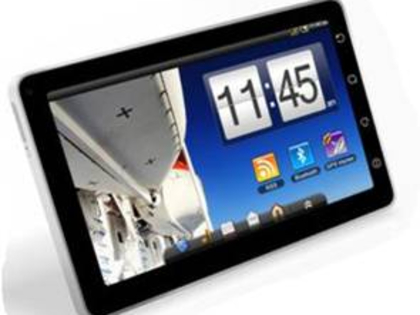
ViewSonic unveiled its ViewPad 7 and ViewPad 100 models at IFA, with the latter offering a dual boot feature for Android and Windows 7 Home Premium. Toshiba also revealed a tablet, dubbed the Folio 100, while Sony launched an updated version of its Reader device with a touch-sensitive display. There are more iPad wannabes to come.
Gadgets, gadgets, gadgets
Last year, IFA was much more fragmented and there were many more identifiable tech trends: wireless HD streaming; improved screen technologies like OLED and LED backlighting; web-connected TVs; 3D TVs; eco-friendliness and the end of the megapixel wars.
It's obvious from our coverage this year that 3D TVs and 3D Blu-ray players have dominated the show, with web connectivity and a new breed of tablet devices close behind. As for other gadgetry, several of the tech giants have launched new mini camcorders – Sony outed the Bloggie Touch, Samsung debuted the HMX-T10 and Toshiba has been showing off the Camileo S30 and P20.

| |
Read More ...
Logitech announces new Ultimate Ear earphones
 Logitech has announced a new range Ultimate Ears earphones – with prices ranging from £17.99 right up to the Ultimate Ears 700 Noise-Isolating Earphones prices at £159.
 The Ultimate Ears range from Logitech has been extended with a host of new options.
All earphones come with five pairs of variously sized soft ear cushions, a compact, protective case for your earphones while you're on the go and noise-isolation technology.
The flagship pair are the Ultimate Ears 700 Noise-Isolating Earphones, which Logitech state "offer superior sound without cramping your style."
Dual-armature
"These earphones use a custom-tuned dual-armature micro design that separates the high and low frequencies to deliver sound so full and detailed you'll hear breaths in between lyrics.
"The noise-isolating design reduces outside noise by 26dBs and lets you focus on the music.
"At just 11.6g the earphones are light enough to wear whether you're relaxing, riding the bus to work, or going for a jog. The sleek, micro design makes your earphones look and feel as good as they sound – ear earphone is smaller than a scent."
We don't understand the last bit either.
Seal of approval
A little oddly, Logitech has rolled out musician Seal to promote the product; "Whether I am using my in-ear monitors on stage during a live performance, in the studio during a recording session or on a plane listening to music on my iPod, everything comes through so clearly," said Seal.
"With Ultimate Ears, singing – and listening – becomes a simple pleasure."
"Many performing artists we work with enjoy putting personal artwork on their stage in-ear monitors as an additional form of self expression," said Philippe Depallens, Logitech vice president and general manager of the Ultimate Ears business.

| |
Read More ...
Choiix Boom Boom shown off
 Coolermaster has announced the Choiix Boom Boom speaker, a low-cost option to play your music on the go.
 The Choiix branded Boom Boom will cost less than £17 and offer what the company describes as "high volume and a high quality, acceptable sound".
"It's a slim size with a light design for consumers' needs," says the Choiix press release.
"Since the Boom Boom Speaker utilises the power provided by laptop USB ports it can come equipped with four slim drivers that are optimally placed to construct a perfect sound experience."
Slim and light
"The best of both worlds is now offered by Choiix's brand new product the Boom Boom Speaker. It's a slim size with a light design for consumers' needs."
The Choiix Boom Boom has been given a UK release date of mid-September with an expected price of £16.95.

| |
Read More ...
Angry Birds arrives on the Android platform
 One of the iPhone's biggest gaming hits has finally arrived on the Android platform, with Rovio Mobile's phenomenally addictive Angry Birds making the jump to a new platform in beta.
 Angry Birds has been a massive seller on Apple's App Store, and the calls for it to arrive on Android have been many and volumous.
And that dream is now a reality, with the company announcing on Twitter that the app is now on the Google platform.
Beta version
"And Angry Birds have landed on Android:-)" the company said, adding "If you have any problems with the Android beta, let us know. It's a beta, so we know it's not perfect. Help us make it better."
Rovio Mobile has impressed many with its after support – the original Angry Birds has been continually updated with more levels and different birds for free.
The game has been so successful that there is even talk of a film in the offing. We're not sure if the plot will stretch that far, but it may still be more complex than Transformers.
Nearly closed
"This week, we were planning to run a closed beta test of Angry Birds Lite for Android," explained Rovio on its blog.
"Due to the massive response and demand from the Android community, we have decided to make Angry Birds Lite Beta available for everybody through the Android Market this Friday.
"Angry Birds Lite Beta will run on second generation Android devices and upwards.
"We want to ensure that we will publish the best game ever released on Android, and we hope that this beta version will prove to our Android fans that Angry Birds has been worth the wait!"

| |
Read More ...
In Depth: 7 of the coolest gadgets on show at IFA 2010
 Wandering around the halls of the Messe Berlin for IFA 2010, it's easy to be blasé about new technology. Especially when there are 26 exhibition halls crammed with 3D televisions, brand new laptops, camcorders, 3D Blu-ray players and all manner of computing and AV hardware.
 It makes defining the 'best' kit at an IFA show a tricky task. What really stands out? Where are the real "ooh" and "aah" moments that twang the heart strings of your inner geek? Here's our pick of the gadgetry that we think is worth a second look…
The Samsung Galaxy Tab
Microsoft must be kicking itself. Or perhaps it's developed some sort of prototype robotic boot device that can kick people for it. Really hard. Because while Bill Gates predicted the success of the tablet PC back in 2001, he didn't foresee that it would be running Android rather than Windows.
Enter the Samsung Galaxy Tab. This giant-sized Galaxy S is the poster-boy for the new breed of keyboard-less portable computers running mobile operating systems. Built with a 7-inch display, it's smaller and far less sexy than the inspirational Apple iPad. Nevertheless, it impresses with expandable storage, Android 2.2, a built-in 3MP camera and a 7-hour battery life.
Samsung SF-series laptops
Samsung's engineering might is unquestionable and it is fast becoming the most prolific tech-builder on the planet. Its new SF-series laptops certainly catch the eye and not just because of an attractive, curvy design.
Powered by Intel's Core i3 or i5 dual-core processors, they also include a Jekyll and Hyde hybrid graphics solution – an Nvidia GPU for power processing, a lower-powered Intel option for everyday spreadsheeting and word processing. Battery life is around 7.5 hours, claims Samsung.

CURVY: Samsung's new SF-series laptops feature hybrid graphics technology
Toshiba Regza VL HD TVs
Toshiba describes its new VL series as a 'premium range of Full HD LED TVs'. Featuring an all-new design (courtesy of Danish designer Jacob Jensen), the VL sets feature a built-in Freeview HD/DVB-T2 tuner so you can switch on and be watching BBC HD minutes after plugging it in.
Philips Cinema 21:9 Platinum Series TV
If money was no object, we'd eagerly fritter away thousands on the wider-than-widescreen Philips Cinema 21:9 HD TV. It's a well-worn cliché, but you never truly appreciate this eye-catching HD telly until you see it. The 21:9 aspect ratio is unique, almost breathtaking, making it the perfect cinematic screen for blockbuster Blu-rays.
The new 'Platinum Series' version on show at IFA this year evolves the 21:9 model by adding support for 3D. With a 58-inch full HD display, it's two inches bigger than the previous model. Philips has also improved the backlighting– out goes the old-fangled CCFL technology, in comes an array of locally dimmable LEDs. Look out for this bad boy in September.

WIDE SCREEN: The eye-catching Philips Cinema 21:9 HD TV now supports 3D
Philips "3D of the future" requires no glasses
The first time that you experience a 3D image without wearing a pair of Jarvis Cocker-esque Active Shutter glasses is a revelation. "Surely this lenticular viewing is the future", you think. "Why are we bothering with 3D specs?" And then you move. Whereupon the 3D effect dissipates for a second and you're forced to shift slightly to correct your viewing angle.
That's the problem with glasses-free 3D TV. As amazing as the tech demos undoubtedly are, they're only amazing when viewed straight on. Philips has been flogging its lenticular technology since 2007 and, while it's certainly made some improvements, there's still a long way to go.
Sharp BD-HP90S Blu-ray 3D player
Sharp is dipping its toes into Blu-ray 3D territory with the skinny BD-HP90S player. It's a stunning-looking slab of hardware, part of the Aquos range, mounted upright and featuring built-in Wi-Fi for easy Internet connectivity. Pair it with one of Sharp's new quad-pixel Quattron 3D ready HD TVs and you'll have an empty wallet but a home cinema setup to die for.

SKINNY BLU-RAY: Sharp's BD-HP90S looks (but doesn't act) like a slimline PlayStation 2...
Viewsonic ViewPad 100
Luke-warm on the heels of Apple's iPad, Tablet PCs are becoming all the rage. Gangs of these keyboard-less laptops have been roaming the halls of IFA, effortlessly seducing tech journalists with their roomy touchscreens and Android-powered UIs. The Galaxy Tab has been enjoying most of the attention, but don't overlook the ViewPad 100 from Viewsonic.
While the smaller ViewPad 7 underwhelms, this '100' model is a more ambitious 10-inch tablet that can dual boot Android 2.2 and Windows 7 Home Premium. It's surely the best of both worlds – Android for easy (and battery-friendly) access to web content; Windows 7 for more in-depth tasks. Tablets are often viewed as devices for 'consuming' content rather than creating it. The ViewPad 100 offers tablet and laptop functionality in the same device.
Hey! What about OLED?!
Every year we get excited about the prospect of OLED-based TVs. But as far as TVs are concerned, the technology is still a long way from replacing LCD and plasma. So while LG's 31-inch, super-duper-thin OLED TV looks pretty nifty, sumptuous even, we're not foolish enough to believe that it's anything more than another tech demo. For now.
And that's it. Seven outstanding products that caught the TechRadar eye at this year's IFA. But what about you? What gadgets and technologies are you looking forward to the most? Let us know in the comments.

| |
Read More ...
IFA 2010: Acer announces Aspire easyStore H341 NAS
 Acer has announced the Aspire easyStore H341 NAS, offering up to four hot-swappable HDDs to store and stream your digital media.
 The Aspire easyStore H341 is designed to store, organise and protect your entire digital media library, and make it accessible not only through computers but also consoles and other DLNA compliant devices.
"What's more, with the new Aspire easyStore H341 you can stream digital media content to multiple applications or DLNA compliant devices, such as console games or TV, making it possible to share games from the server or enjoy music, photos and movies on a big screen TV," adds Acer's release.
Adding drives
Acer has tried to make adding HDDs easy, and the device is driven by an Intel Atom D410 chip.
"Uploading pictures, video or data files on the Aspire easyStore is easy, too," adds Acer's release.
"All you need to do is connect the device through the USB port and press the Copy button. Data is automatically sorted and stored by file type into folders of your choice."
The data can be got at through the internet (as you would expect) with a "user friendly web interface" allowing you to connect to your content from anywhere.

| |
Read More ...
IFA 2010: Acer announces Aspire easyStore H341 NAS
Acer has announced the Aspire easyStore H341 NAS, offering up to four hot-swappable HDDs to store and stream your digital media. The Aspire easyStore H341 is designed to store, organise and protect your entire digital media library, and make it accessible not only through computers but also consoles and other DLNA compliant devices.
"What's more, with the new Aspire easyStore H341 you can stream digital media content to multiple applications or DLNA compliant devices, such as console games or TV, making it possible to share games from the server or enjoy music, photos and movies on a big screen TV," adds Acer's release.
Adding drives
Acer has tried to make adding HDDs easy, and the device is driven by an Intel Atom D410 chip.
"Uploading pictures, video or data files on the Aspire easyStore is easy, too," adds Acer's release.
"All you need to do is connect the device through the USB port and press the Copy button. Data is automatically sorted and stored by file type into folders of your choice."
The data can be got at through the internet (as you would expect) with a "user friendly web interface" allowing you to connect to your content from anywhere.

| |
Read More ...
IFA 2010: Philips | O'Neill Headphones shown off
 Philips and extreme lifestyle brand O'Neill have joined forces to unveil a new line of extreme headphones, including The Stretch range which are inspired by the heavy-duty materials and styling of wetsuits.
 The intriguing Philips | O'Neil headphones are designed to: "withstand the rigours of an active lifestyle".
To that end, The Stretch – the 'toughest in the new line-up'- is impact and high-stress crack resistant, and made of TR55LX which is apparently 6 times harder than polycarbonate.
"The Stretch maintains its toughness and durability in the most extreme conditions – be it the hottest place on earth or the coldest climate down to -25C temperatures," adds Philips release.
Snug, Covert and Specked
The Stretch is not the only part of the new range, with Philips also offering The Snug model – flat folding headphones "that deliver flawless fit and sound with bold graphics".

Next up is The Covert ,"a discreet bud with deceptively powerful sound impact and iPhone control", and last but not least is The Specked, which includes a range of three striking coloured in-ear buds.

We can testify to the toughness as we've been (web) surfing with our set of The Stretch for nearly 15 minutes now and they are working fine. Radical.

Synergies
Nick Andrews, senior manager, Consumer Marketing at Philips, comments: "This range realises the synergies of Philips' simplicity and innovation and O'Neill's set of core values based around the concept of innovation in style and technology.
"Our new headphones are totally uncompromising in their durability – because they've been tested on our test animals: the toughest O'Neill riders, the most uncompromising and daring boarders around."
Eppo van Berckelaer, Global Marketing Director at O'Neill, said: "O'Neill and Philips share a long and successful history of product innovation, working to create products that allow people to get the most out of their lives.
"Knowing how important music is to the lives of our consumers, I now encourage everyone to get out there and test the headphones for themselves."

| |
Read More ...
IFA 2010: Hands on: Viewsonic ViewPad 100 review
 We dropped by Viewsonic's IFA stand to have a look at the company's new ViewPad 100, announced this morning and teased before the show.
 It's a 10-inch tablet with dual-boot, so you can switch between Windows 7 Home Premium and Android 1.6.
Viewsonic uses Android 2.2 on the new Viewsonic ViewPad7, but newer versions of Android aren't (officially) supported by Intel's Atom processor – this unit uses a 1.66GHz N455 variant.

The dual-boot user experience isn't yet that refined – you need to log right out of Windows or Android to get to this basic OS-boot menu.


Derek Wright, Viewsonic's European product marketing manager said that the company was working to polish this experience up and possibly provide fast switching between both operating systems.
The tablet has a good complement of ports, with US and mini VGA and a SIM slot – though there will be no 3G version to start with. Micro SD means you can add to the existing 16GB SSD with up to 32GB of extra strorage. There's also a 1.3 megapixel webcam on the front.


As you'd expect there are built in Wi-Fi and Bluetooth connections as well as a 'G' Sensor that reorients the screen – again, this needed a little more work as the screen didn't re-orientate as immediately as it should have within Windows.


| |
Read More ...


No comments:
Post a Comment