

O2 to offers Asus UL30A laptop and Samsung 150 netbook

O2 has announced the launch of two 'embedded' laptops, with the mobile phone operator to offer Asus' UL30A CULV laptop and Samsung's N150 netbook complete with mobile broadband SIMs.
O2 says that both SIM-toting computers are exclusive to them, and offer the 'full service wrap' that has proved successful to mobile broadband customers.
The Samsung N150 will be available for £30 online and in O2 retail stores from April 30 on a 24 month tariff priced at £25 a month with a 3GB limit on mobile broadband 500 MB on Wi-Fi and 300 texts.
Asus UL30A
The rather lovely Asus UL30A will be available in May and will cost £30 a month on a 24 month tariff which includes 3GB downloads, 750MB Wi-Fi and 300 texts, plus an £80 upfront fee.
The CULV laptop boasts a 13.3 inch screen, weighs in at just 1.6kg and 3GB of memory - plus an eight-hour battery life.

Felix Geyr, Head of Home and Broadband at O2, said: "We know that customers want to be able to click and go without the hassle of having to load up a mobile broadband dongle and our new range will make surfing the web and staying touch even easier.
"The laptop market has exploded in the last 18 months and we believe these two laptops from Asus and Samsung will once again give O2 customers a great experience.
Customer service
"By purchasing the laptop from O2, customers are benefiting from award winning customer service and a number of additional services that other providers charge for," he added
"Now we have our O2 Techies if customers have problems getting started they can contact a technical specialist who can talk them through the start up process for no extra cost.
"Customers also have access to the widest Wi-Fi network in the UK through BT Openzone and The Cloud."

 |  |
Read More ...
Gary Marshall: Does Jobs really believe his Adobe attack?

Most people know about Steve Jobs' famous reality distortion field, but you don't see it in action that often - so hurrah, then, for the latest Steve-O-Gram, in which he invents a whole new tech history and imagines a world of apps that doesn't actually exist.
Okay, it's not quite that bad, but it's not far off it. Jobs' essay makes some perfectly accurate points about Flash, expresses some convincing arguments for Jobs' antipathy towards the technology, and wraps them in some of the most unbelievable guff we've seen in ages.
In Steve's world Adobe dumped the creative market for the corporate one. You thought Acrobat was just a tiny part of an enormous product portfolio that encompassed digital imaging, magazine publishing, photo management, video production, web design and application development? Apparently not.
In Steve's world, most of the Flash video on the internet - that's the entire internet - is available in H.264 format. That's only true if by "available" he means "still kicking around somewhere in a format that could be converted into H.264". Which isn't quite the same thing. Similarly, Jobs claims that Flash doesn't support touch-based devices when he really means that many Flash applications don't.
In Steve's world, obeying the law means you can wear a policeman's uniform and call yourself Chief Inspector Plod. No, really, he does. Creating WebKit, the rendering engine used by most mobile browsers, means that Apple "even creates open standards for the web".
In Steve's world, there won't be "sub-standard apps" on Apple's mobile platform. We're glad of that, because otherwise the App store would be packed with crap. Er…
What's annoying and amusing about all of this is that Jobs makes some proper points in his essay. He says he's never seen Flash work well on a mobile device. He doesn't like the way older versions of Flash, and the sites written for them, don't use hardware video decoding.
He says Flash wasn't designed for touch input and that many Flash-based interfaces don't make sense without a mouse. He says that open standards are a good thing. And he makes it clear that he doesn't like the way Adobe took ages to fully support OS X.
All of those things are true. Why can't he say them without wrapping them in a great big net of nonsense?
What we're left with is part one of a really weird news day. Here we have the boss of Apple, moaning that Adobe isn't open enough.
Over there, Yahoo's offering business advice to Google. If Palm starts saying where Android's gone wrong we're going home.

| |
Read More ...
Exclusive: Samsung to offer 32 and 37-inch 3DTVs in 2011

Samsung has revealed to TechRadar that smaller 3DTVs will be coming to the market in 2011, despite the company warning that when it comes to 3D bigger is definitely better.
At a demo of the company's 2D-to-3D conversion technology – found in its C7000 plasma range and 9000 LED series – a spokesperson confirmed that Samsung would be releasing smaller-sized TVs in 2011.
Everybody Hz
"The smallest 3DTV we have at the moment is 40 inch, but once we introduce 200Hz panels to our 32- and 37-inch TV range we will have smaller 3DTVs," explained the spokesperson.
"It's likely that next year we will have these smaller TVs on sale."
When asked whether the size of the panel would effect the 3D viewing expiring, the spokesperson did note: "The bigger the screen, the better the effect. But it all does rely on how far you sit from the screen. We always recommend with 3D that you sit twice the length of the diameter of the TV you are watching."
Samsung is hoping that its 200Hz technology will wow consumers, offering deeper colour, less flicker and no ghosting on 3D images.
Samsung officially announced the launch of its LED 9000 series TV in London this week and has also released a massive advertising campaign bringing the 3D message to the home.

| |
Read More ...
Review: Sony Ericsson Elm

We've seen plenty of the recent razzle dazzle in the mobile phone market revolving around tech-loaded touchscreen smartphones like the HTC Desire and their eye-catching budget feature-phone stablemates like the Sony Ericsson Vivaz.
By contrast, handsets that are marketed primarily on their eco-friendliness have, so far, been a relatively unimportant sideshow. And the few choices that have been available have mostly been worthy-but-unexciting designs with modest features, like the Nokia 3110.
Sony Ericsson has taken a step towards adding a bit of eco-appeal to its range with the release of the Elm. The Sony Ericsson Elm is part of Sony Ericsson's new GreenHeart portfolio of mobile phones that major on their green credentials.

This includes CO2-light production – it's made from recycled plastics and is free from hazardous chemicals – and comes with a low power consumption charger, reduced packaging, some eco-aware apps and an e-manual on the phone instead of a printed guide.
But instead of a low-key set of features and a bland design, Sony Ericsson has produced a handset that has distinctively curvy bodywork that chimes with a credibly-attractive features run-down.

Catering for eco-conscious mobile buyers who don't necessarily want a bare-bones austere phone, the Sony Ericsson Elm arrives with built in Wi-Fi and A-GPS technology, HSPA high-speed mobile network data capability, a 5-megapixel camera and a full complement of multimedia features.
While it doesn't offer touchscreen manipulation, the Elm does offer plenty of functionality for a conventional candybar handset – and there isn't a huge premium to pay for its eco-awareness.

It's initially available on pre-pay from between £120-£200, depending on network and retailer, or is free on contract deals.
Design and handling
From the front, the Sony Ericsson looks like a regular kind of candybar handset, with an unassuming matt black front panel.
The side and rear view is where you get the bodywork flourishes – it has an elegant convex curve bowing along the silver back panel and edges that give it a smooth, classy feel that works well with the workmanlike front furniture.

Measuring up at 110 x 45 x 14mm at its thickest, and weighing 90g, the Elm feels slim in-hand and pretty lightweight.
The Elm is kitted out with a large numberpad with rounded convex buttons that are tidy to look at and easy on the fingers.

Its display is an average Sony Ericsson mid-level 2.2-inch QVGA (240x320 pixels) 262K-colour LCD, so is smaller than you'll find on the average touchscreen device, but it's adequately bright and clear enough without really wowing.
The buttons are familiar Sony Ericsson, with an efficient rectangular central navigation D-pad flanked by more comfortably curved buttons.
There's a pair of softkeys, Call and End buttons plus a Clear key, and an Activity Menu shortcuts button that fires you straight into a tabbed list of useful shortcuts to functions and apps (such as Bluetooth and Wi-Fi), browser bookmarks and other information.

Although it comes with decent music player software, Sony Ericsson hasn't built in a standard 3.5mm headphone socket on this model, relying on its usual proprietary multi-connector socket on the side.

That means the plug in connector for the in-box earphones is relatively bulky and awkward compared to other more widespread connector alternatives – and it's not so easy to upgrade to higher quality headphones.
A camera button is included on the side, along with volume keys, while the camera lens peeping out of the back panel is accompanied by a small LED flash.
A quick flip open of the back cover reveals a MicroSD slot – cards of up to 16GB can be slipped in to supplement the 280MB of onboard storage. No card is supplied in-box, however, and the back panel can be fiddly to take off.
Although the user interface is mostly typical higher mid-level Sony Ericsson, the Elm adds to the D-pad and Activity menu shortcuts with a widgets feature on the homescreen.
A widget manager – accessible as one of the D-pad shortcuts with an 'up' click – enables you to select from a limited number of widget options to post mini apps on the homescreen that provide quick updates.

These include calendar, Facebook, MySpace, Twitter functions, plus one for Sony Ericsson Walk Mate Eco pedometer application.
Once selected, these sit on the homescreen, and you can switch between them, so you can see regular updates from whichever of the online services you use.
The widgets do work neatly for a phone like this. The Facebook status updates appear, for example, with thumbnail pics of friends with comments that carousel automatically when you click on the widget, and you can add your own status update, comments and so on.

You can toggle sideways between widgets you've activated, so you can follow tweets on Twitter and then slip into Facebook or MySpace with a side-click of the D-pad. All nice and easy, and you can enter straight into the full application by selecting a softkey menu option.

The overall phone navigation set up is straightforward to operate. The main menu structure is essentially based around a conventional grid of function or folder icons with subsequent sub-menus arranged in lists of options – occasionally tabbed if required for multiple categories.

This is mostly conventional and intuitive stuff and the D-pad is responsive enough for easy navigation and selection.
The Sony Ericsson Elm passed its call tests with flying colours. There were no issues with call clarity or drop-outs, and all sounded loud and precise.
The phonebook is neatly organised, with plenty of scope to tap in additional details. You can tab across various sub sections and scroll down to add fields where appropriate.

Messaging
The Elm follows Sony Ericsson's recent convention of sorting messages into conversations so you can follow threads with people you're communicating with – which works neatly enough.
The messaging set-up is intuitive, with texts presented in typical Sony Ericsson fashion; as you type, a list of words it thinks you're trying to type appears in predictive mode to help you out. It's handy rather than intrusive, and you can easily ignore it while you're typing if you prefer.

The keyboard is lovely for texting too. The rounded keys on the numberpad are large, tactile and distinctive enough for rapid-fire texting while the key action is crisply responsive.
The text message template also allows for easy conversion of a message into and MMS. A row of icons at the bottom of the screen can be clicked to add video, image or sound content to the message.
Email set up and usage is also a now-familiar routine. An email wizard enables you to get started with email by adding just a few details – name, email address, username and password.

Settings are downloaded automatically if you're using popular POP3/IMAP4 email account, and messages from your regular accounts are downloaded to the inbox.

The inbox presentation is okay for a mid-tier feature phone and serviceable enough – headers are listed for browsing, images are shown in email, and you click a softkey to get more options and download.

However, the overall experience is limited and more long-winded than some of the current crop of smartphones that offer desktop-like email. Still, you can add attachments to emails you're sending and view some attached images, though there's no onboard document viewing or editing software.
The Sony Ericsson Elm can run data connections via high-speed HSPA on mobile networks, or alternatively use Wi-Fi where available. You can connect via Wi-Fi on home or office Wi-Fi networks or using public hotspots.
Wi-Fi is quick and easy to set up with just a few clicks – it heads up the list of pre-loaded shortcuts that can brought up by pressing the Activity Menu button (under the Call key). Wi-Fi works over a decent range too.

The browser is an Access NetFront full web browser with a similar-looking launch screen to previous models – it has Google search and address panels, plus a list of bookmarks and history options beneath.

However, the user interface in the most recent version has had a small graphical tweak.
The left softkey can be used to pull up a small toolbar onscreen (for zoom, text input/search, bookmarks and downloads), and while this is displayed a further press brings up a second panel with a list of navigation options (refresh, send link, zoom, find on page, save picture, mark and copy, history and settings).

It's a slight improvement to the default navigation menus that users may appreciate.
The browser does its job effectively enough, rendering pages swiftly when in high-speed data coverage. There is also a Smart-fit option if you want to tailor the page to fit the display.

You can use the browser in landscape mode; the phone's motion-sensor switches automatically as you change orientation of the Elm.

The browser doesn't have the desktop-like intuitiveness of some more advanced touchscreen phone browsers, however.
While it obviously doesn't have the slickness of the iPhone and some Android models, other budget touchscreen phones, such as the Samsung Genio Slide, also offer more intuitive handling and functionality.
A Facebook application is pre-loaded on top the Elm, enabling users to log on to view accounts and manage profiles. As mentioned earlier, a widget for this can display updates on the homescreen.

Sony Ericsson has included a decent bundle of additional online-based applications that come pre-loaded on the Elm, including stalwarts like YouTube, AccuWeather weather forecasting, and links to Sony Ericsson's PlayNow content download service.

A selection of online location services also utilise the Elm's onboard A-GPS satellite location technology, including Google Maps and WisePilot satellite navigation, plus Sony Ericsson's NearMe search facility.

Images taken by the Sony Ericsson Elm's 5-megapixel camera can also be uploaded online easily with a few quick button presses.
There are options for adding them to Twitter and Facebook accounts in the menus, while you can also send them directly to web albums on services including PicasaWeb, Flickr and Blogger.
The 5-megapixel shooter delivers a decent selection of photo controls and a user interface that's similar to Sony Ericsson Cyber-shot snappers.

Launched by pressing the side camera button, it fires up in around three seconds. Among the gadgetry is a smile detection setting, which, when you press the camera button, takes the snap only when it detects that the subject is smiling.
A face detection focus option is included too, enabling the camera to pick out faces in a composition and offer you the opportunity to focus on one of them. Both of these work well within a sensible mid-range distance.
The camera phone's autofocus system works well, with a small target area in the viewfinder enabling you to aim quite tightly when focusing on a close up subject; this helps particularly when taking macro shots where the precision allows you to get well focused up-close shots with pleasing amounts of detail.

The Elm does a good job at accurate colour rendition, with lovely vivid colours and a good range of tones where subtlety is required. The camera can produce crisp and detailed shots that a very presentable for this grade of camera phone.
The auto metering system mostly works efficiently. We found that some high contrast shots can show some over exposure, but nothing out of the ordinary for a camera phone like this.
Users can also opt to geotag images; the phone can interact with the phone's A-GPS technology to get precise locations, so you can view images referenced against maps on the phone or using online services or other applications.
The Elm features a solid stock of imaging options to tweak the well-balanced auto metering set-up. There are a number of scene settings for a variety of different shooting conditions, a choice of white balance options, multi-shot, panorama and timing options, plus colour effects and frames.

Post shooting, you can tweak shots with auto correction Photo Fix.
The camera's low-light shot-taking is aided by a built-in LED flash. This throws a bit of light on matters at short distances in murky lighting, but is quite limited in effectiveness – it's not a patch on more powerful and precise xenon flashes we've seen on some high-end Cyber-shot phones.
It's better than nothing, though, if you're snapping in a nightclub, bar or other low-light environment.
The photo light can also be used as a torch – it can be switched on quickly via the Activity Menu.

NATURAL LIGHT: The Sony Ericsson Elm's 5-megapixel camera is capable of delivering some pleasing shots for this grade of camera phone. Colour tones are handled well and there is a good degree of detail. As well as detail on the buildings, clouds are also subtly rendered

LIGHT AND DARK: You can take decent snaps for a cameraphone – in this long shot, the variety of light and shade in the image is maintained without causing too much apparent noise

COLOUR: Colours are bright and vivid, with good handling of tones

AUTOFOCUS: The autofocus system is responsive, the viewfinder offering a tight grid for selecting the subject you want to focus on. Here, in this series of shots of cherry blossom using a macro mode we've managed to get crisply focused shots at different ranges

COMPOSITION: You can compose shots as you want them, choosing which part of the shot is in focus

CLOSE UP: Here again, in a close up shot, the camera can produce a good level of detail in the foreground with the background out of focus

MACRO: The phone's macro mode enables you to take interesting compositions

SPORTS MODE: A range of scene modes are available for varying lighting conditions, including a sports mode for moving objects

CONTRAST: The Elm handles strongly-lit contrast pretty well, the auto metering system adjusting quickly and effectively to the changing conditions
Video capture is pretty good by mid-tier mobile standards. The camera can record video clips at VGA resolution (640 x 480 pixels) at up to 30 frames per second, and footage looks suitably smooth on a PC screen or the phone. It's very acceptable for a phone like this.
Clips can be uploaded straight to YouTube, too, or served up to other online services.
The 2.2-inch display isn't exactly the largest for a mobile nowadays, so if you're keen on spending hours glued to video on your mobile, you may want something a bit more substantial on the screen front.
For watching the odd video clip or bit of content, though, the display's adequate – it's clear enough and plays clips smoothly in full-screen mode lengthways, but its' not a patch on OLED displays like those in the higher-end HTC Legend and Desire.
As well as downloading or sideloading video content, you can also subscribe to video feeds for streaming content to the phone from online services. A link to YouTube is also lined up in the video folder.

The Sony Ericsson Elm mostly hits the right notes when it comes to its music player. The lack of a 3.5mm headphone socket or in-box adapter is a shame – the supplied average-quality earphones connect via a typical Sony Ericsson multi-connector on the side.
The music player itself is the usual tidy bit of software Sony Ericsson ships on its mid-tier models that is not that far removed from its Walkman phone software. It's arranged straightforwardly and lists are presented intuitively, so you know where you are in the menus.

The user interface uses conventional D-pad control, and it can play in the background when you're doing other stuff.
Although there's no iPhone-like graphical wizardry, you can change the background while the tune player does it's job to a few music-related animations, including moving CD and record-spinning graphics.
Other elements in the settings controls have had a little sprucing-up too, including the equaliser settings, switches for stereo widening, shuffle and so on. It doesn't move the music player functionality on much from previous models, but gives it a slight change in looks.

Categories include the usual albums, artists, playlists and tracks, plus genres, years and Sony Ericsson's SensMe category – where you can create playlists by selecting tracks on the criteria of mood and tempo (which you can assign to individual tracks using Sony Ericsson's PC Media Go software before loading on to the phone).
There are also headings for podcasts and audio books you've downloaded, while a link to the Sony Ericsson PlayNow service opens up more possibilities for loading music and other content.

The 280MB of onboard memory can be supplemented by microSD cards up to 16GB, should you want to fully utilise the tune-playing potential. Tracks can also be downloaded and streamed over the air via Wi-Fi or HSPA connections.
Sony Ericsson's in-box earphones – a stereo portable hands-free HPM-60J headset – are mediocre performers. Sound quality through them isn't particularly impressive, sounding quite bland and not as rich as we've come to expect from better Walkman handsets.
Volume can't be whacked up as high as we'd like either. Bass was a touch muddy, and we noticed a bit of distortion when we slapped the MegaBass equaliser settings on one of our regular bass-heavy test tracks.
We'd recommend sourcing a spare Sony Ericsson adapter for standard headphones if you want to experience a higher quality music experience.
Using the adapter from a Walkman phone we had lying around with modestly-priced Sennheiser headphones made a huge difference to the sound quality.
The FM radio function is easy to set up and perfectly serviceable, and Sony Ericsson's dependable TrackID software for identifying music you hear around you or on the radio (by recording clips and automatically searching the Gracenote database for a match), is present and correct.

Being a phone targeted at the eco-conscious phone user, the Sony Ericsson Elm is kitted out with a low power consumption charger to minimise the amount of energy wasted.
The Elm is powered by a 1000mAh lithium-polymer battery that Sony Ericsson claims can deliver up to 446 hours of standby time or four hours of calls on 3G networks (or 430 hours' standby or 10 hours' calls in GSM-only coverage).

It puts in a reasonable performance. As there's plenty of functionality onboard (Wi-Fi, A-GPS, etc.) that can sap battery power, individual usage patterns will determine exactly what life you can expect between charges.
We managed around two days with regular phone usage and carefully managing Wi-Fi.
Organiser
Sony Ericsson packs in a suite of it usual mid-tier phone organiser tools in the Elm. These include calendar, tasks, notes, calculator timer, stopwatch, sound recorder and alarms functions.

It also supports Microsoft Exchange ActiveSync and SyncML remote synchronisation, plus syncing with a PC. No PC data cable is supplied in-box, however.

Connectivity
The Sony Ericsson Elm is a dual band 3G handset capable running on UMTS/HSPA 900/2100 frequencies. In non-3G coverage it defaults to 2.5G coverage, with quad-band GSM (850/900/1800/1900) with GPRS or EDGE data connectivity.
Wi-Fi is supported on the handset too, and Bluetooth with A2DP stereo data streaming for music playing on Buetooth headphones, speakers, in-car systems, and so on.
There's also USB connectivity, with a mass storage option, although the Elm doesn't come with a USB data cable in-box. Local and remote syncing of data with a PC or Microsoft Exchange server is supported.
You can expand the memory using microSD cards up to 16GB with the Sony Ericsson Elm, though none is supplied in box as standard.
The Elm can also be used to interface with DLNA-compatible products for sharing content and data, with a Media Home set up option available in the phone's organiser menu.
No syncing software disc is supplied in-box, although users can download from Sony Ericsson's website support section Sony Ericsson PC Suite or iSync software for Macs, plus Media Go and Media Sync content management PC software.
Other
Among the more eye-catching of the other applications pre-loaded onto the Elm are applications that use the onboard A-GPS satellite positioning gadgetry, plus a selection of applications that emphasise the green message behind Sony Ericsson's GreenHeart initiative.
Firstly, the A-GPS receiver on the Sony Ericsson Elm works well; it's quick to pick up satellites and lock on to your position and alters position swiftly and accurately.
Google Maps v3 is loaded up in standard Sony Ericsson fashion, providing a useful way of finding your position on a map, searching for routes and directions, locating local businesses and services and so on.

It updates mapping info swiftly over the air (though that means the possibility of extra data charges for the unwary, particularly when roaming abroad). Google Street View is supported and users can also sign up for Google Latitude real-time location tracking service.

A WisePilot satellite navigation application is also included, providing route-finding and step-by-step guidance to your location. It's a welcome extra to have onboard, with plenty of sat nav options and good in-car onscreen graphics for 2D, 3D and map overviews of routes you're driving.

It may not be an in-car replacement, or as intuitive as the best systems, but it's okay for a feature phone inclusive app.

Other GPS-leveraging features include Sony Ericsson's Tracker training application – so you can monitor your running regime via your phone and keep tabs on your progress.

Sony Ericsson's NearMe application adds another location-sensitive search facility to the handset.

There are some worthy green applications on the Elm, including an EcoMate function that provides sessions of eco-aware questions and answers to test and expand your knowledge of environmental issues.

There's also some virtual eco-pet action going on related to your quiz performances.

A GreenCalculator is also part of the GreenHeart Elm offering, providing you with a calculator to tot up your carbon emissions as you go along.

A green-aware version of the Walkmate app – Walk Mate Eco – is included too, using the accelerometer functionality to keep track of your steps and tell you how much carbon you're saving by walking rather than driving (which is fine if you assume every step you take all day – even indoors – replaces a car journey).

An application to keep track of expenses, Checkbook, is included, and of dubious worth is a grocery list, which supposedly can replace the scrap of paper you jot down shopping lists on.
A NeoReader function for reading smartcodes related to online content is also embedded. More immediately useful is the previously mentioned torch function, using the LED photo light, that can be switched on from the Activity Menu shortcuts.


With the Elm, Sony Ericsson has delivered a handset that doesn't require the user to deny themselves to the point of austerity just to pocket a more eco-friendly handset.
If you're looking for a mid-tier candybar handset rather than anything more high-end or touchscreen, the Elm delivers a very decent package of features for the price and in a very usable and understatedly attractive package.
We liked
Fine data options, including Wi-Fi and HSPA mobile data connectivity provide the Elm with good online capability when using connected applications, browsing, downloading or uploading content.
The slim, lightweight curvy design is tactile and feels comfortable to handle and pocket. Its numberpad, too, is responsive and nicely manageable, with a fluent action for texting.
Sony Ericsson hasn't skimped on the features packed into the Sony Ericsson, with A-GPS technology complemented by several apps that use it – including sat nav.
There are also decent media player capabilities, plus a host of additional applications ranging from fitness functionality to eco educational software promoting the GreenHeart message.
The GreenHeart core appeal of the phone is also something we liked – giving consumers a greener alternative when making their phone-buying decision,
The camera put in a decent performance, with some good solid functionality that delivered some pleasing images and acceptable video clips.
We also liked the widgets on the homescreen; they may be limited in number but they work well enough and are welcome.
We disliked
The music player performance is compromised by a mediocre set of earphones and no standard headphone adapter in-box. Again, we would have preferred Sony Ericsson to have opted for a 3.5mm headphone connector rather than persisting with its bulky multi-connector side slot.
We also found the back cover awkward to take off and put on correctly – something that may be an issue if you're swapping memory cards.
And while some users may welcome the environmentally-friendly apps, others may feel it's a little over-done for eco-conscious people who have already made their green-buying decision.
We'd have liked to have seen a better flash unit for the camera, and possibly some more memory storage out of the box. An update of the email user interface would also be welcome.
Summary
Looking for a greener mobile phone may still be a niche pursuit in the UK, but with its GreenHeart range Sony Ericsson is at least aiming to offer more choice for the eco-aware phone buyer.
To its credit, despite its green credentials, the Elm feels far from the sort of hair-shirt option previous eco-friendly phones have suggested.
If you're looking for a sensible mid-tier candybar phone that provides good connectivity options and are more concerned with reducing your environmental impact than with touchscreen smartphone capabiliies, the Sony Ericsson Elm certainly offers an alterative that's worth considering.
Related Links
| |
Read More ...
Exclusive: AMD welcomes competition from ARM

AMD has welcomed the increasing influence of ARM in the chip market, believing that the extra competition will benefit everyone.
AMD's vice president of marketing Leslie Sobon told TechRadar that ARM and the legion of products taking advantage of the British company's chip designs are driving more innovation from the traditional computing giants.
"The X86 and ARM competition is fascinating," said Sobon.
"[It brings] new competition, different competition, different technology, different form factors and the end user will benefit from all of that."
On their toes
"It keeps everybody on their toes, it drives for greater competition and it makes everybody better, so it's a good thing," Sobon added.
"We're all going to win - both the ARM industry, and the X86 platform - but most importantly the end user is going to win."
The X86 architecture has been dominant since the late 1970s - a staggering amount of time in the world of computing - with Intel's 8086 setting the standard for the likes of AMD, VIA and Cyrix.
However, ARM's large mobile market share is beginning to spill into computing – with a trickle of devices likely to become a flood of netbooks and tablets in the coming years.

| |
Read More ...
TechRadar Awards: Revealed: the best tech of the last 12 months

We're proud to announce the winners of the inaugural TechRadar Awards, sponsored by Intel, DTS and Qualcomm.
And you should be proud too - the awards were voted for by you.
Over 75,000 votes were cast by TechRadar readers choosing their favourite tech of the last 12 months.
Apple, iPlayer, Windows 7 and more
Apple walks away with seven of the 18 awards, but the signs are that it won't be having all its own way during 2010 – the computing categories were dominated by Intel, Microsoft and Google, while in Mobile Communications HTC and the Android Market had a good showing.
And the latest version of Apple's operating system – OS X 10.6 Snow Leopard - was beaten hands down by Microsoft's Windows 7, which stormed our software category.
The other big winner was the BBC iPlayer, which walks away with our "Most essential online innovation award" as well as being voted the "Most innovative home entertainment platform".
It beat some stiff competition in both categories, including Sky+HD, Xbox Live, Spotify and Google Street View.
We'll be taking an in-depth look at how the votes fell later on, but without further ado, here are the winners:
Computing
Computing technology champion
Google
Computing technology of the year
Intel Core i5
Hottest mobile computing innovation
Apple MacBook Pro
Most essential online innovation
BBC iPlayer
Most essential software innovation
Microsoft Windows 7
Best computing add-on technology
Western Digital My Book World Edition

Home Entertainment
Greatest visual innovation
Sony Bravia KDL-46X4500 LED TV
Greatest audio innovation
Pioneer EX Series 5.1
Most exciting gaming tech
Sony PlayStation 3 Slim
Most innovative home entertainment platform
BBC iPlayer

Mobile Communications
Mobile technology champion
Apple
Essential phone of the year
Apple iPhone 3GS
Most innovative mobile app of the year
ALK Co-Pilot Live 8 for iPhone and Android
Hottest mobile platform
Apple App Store
Gadgets
Essential gadget of the year
Apple iPhone 3GS
Greatest contribution to digital photography
Canon EOS 500D
Best portable entertainment device
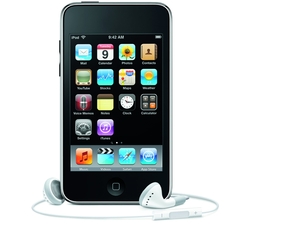
Apple iPod touch 64GB
Best on-the-go tech
Apple iPod touch 64GB

| |
Read More ...
Jobs launches devastating attack on Flash
Steve Jobs has penned an open letter about the problems with Flash, accusing the widespread Adobe product of being a closed system that was designed for PCs and mice and is riddled with security and efficiency issues.
He says that while the companies still work together, "there are few joint interests", and gives six reasons why the platform is not supported:
1. Flash is not open
Jobs says that while Adobe claims Flash is open to all, "this does not mean they are open, since they are controlled entirely by Adobe and available only from Adobe. By almost any definition, Flash is a closed system."
He goes on to point out that HTML5, a standard Apple is involved in directing, is a better fit for today's modern devices.
2. Flash video is the only way to access the 'full' web
Although many websites use Flash for video and web page building, Apple believes than the H.264 format is a more modern and simple format, which it uses for its YouTube app. "iPhone, iPod and iPad users aren't missing much video," claims Jobs.
3. It's not secure and it's unreliable
Jobs says that Flash was highlighted as having "one of the worst security records in 2009" and "Flash is the number one reason Macs crash". He also said that Adobe has been unable to show any mobile device that runs Flash well, and that it has constantly been pushed back as a standard release for smartphones.
4. It's a battery killer
Jobs again harps on about the power of H.264, which uses hardware decoding, rather than software to realise serious battery savings.
"The difference is striking:on an iPhone, for example,H.264 videos play for up to 10 hours, while videos decoded in software play for less than 5 hours before the battery is fully drained.
"When websites re-encode their videos using H.264, they can offer them without using Flash at all. They play perfectly in browsers like Apple's Safari and Google's Chrome without any plugins whatsoever, and look great on iPhones, iPods and iPads."

5. Flash was designed for mice and PCs, not touch
With Flash created so long ago, Apple believes it still relies on mice and such peripherals to function for elements like 'rollovers'.
"Apple's revolutionary multi-touch interface doesn't use a mouse, and there is no concept of a rollover. Most Flash websites will need to be rewritten to support touch-based devices. If developers need to rewrite their Flash websites, why not use modern technologies like HTML5,CSSand JavaScript?
"Even if iPhones, iPods and iPads ran Flash, it would not solve the problem that most Flash websites need to be rewritten to support touch-based devices."
6. Apple wants to stay in control of the App Store
A lot of people believe that Apple has denied the use of Flash on its devices because it would undermine Apple's control of the App Store – and now Jobs has admitted it, saying Adobe wants developers to use Flash to create applications.
"We know from painful experience that letting a third party layer of software come between the platform and the developer ultimately results in sub-standard apps and hinders the enhancement and progress of the platform.
"If developers grow dependent on third party development libraries and tools, they can only take advantage of platform enhancements if and when the third party chooses to adopt the new features. We cannot be at the mercy of a third party deciding if and when they will make our enhancements available to our developers."
Jobs confirms that Apple wants to keep Flash away so it can control the performance of its apps to make sure they stand up to Apple's standards, something he believes has made the App Store so successful:
"Everybody wins - we sell more devices because we have the best apps, developers reach a wider and wider audience and customer base, and users are continually delighted by the best and broadest selection of apps on any platform."
Jobs signs off with a final broadside at Adobe: "New open standards created in the mobile era, such as HTML5, will win on mobile devices (and PCs too). Perhaps Adobe should focus more on creating great HTML5 tools for the future, and less on criticizing Apple for leaving the past behind."

| |
Read More ...
Yahoo chief: Google has a problem

Yahoo's chief executive Carol Bartz has said that Google need to diversify quickly if it isn't to face major problems in the future.
Bartz has been tasked with turning round the fortunes of Yahoo – which has fallen from grace in recent years despite once dominating internet search.
Now, with a high-profile search deal with Microsoft under her belt, Bartz has told the BBC that search colossus Google could have a problem unless it can broaden its business model quickly.
"Google is going to have a problem because Google is only known for search," said Bartz.
Got 99.9 problems, but the search ain't one
"It is only half our business; it's 99.9% of their business. They've got to find other things to do.
"Google has to grow a company the size of Yahoo every year to be interesting."
Google, of course, will point to the strides they have taken with things like Android, Gmail, Google docs and YouTube – all businesses that have the potential to bring revenue into the company even if it isn't happening now.
Bartz's comments may com across as sour grapes – considering Yahoo's waning influence – but Google will be well aware that diversification is crucial to its future.

| |
Read More ...
The Sun to publish 3D newspaper

If you have ever wanted to read a tabloid in poor quality, gimmicky anaglyph 3D then you are in luck, because News International is planning a 3D version of The Sun next month.
Slagging off anaglyph is a bit like having a go at a black and white television - it's simply a relic of the past - but nevertheless it's being hauled off of its two tone sofa for a starring role in a 3D paper.
Technological un-marvel
June 5 is the day you need to pop in the calendar if you really cannot wait for this technological un-marvel to occur.
The Sun will come with a free pair of red-and-blue anaglyph 3D glasses, and readers are promised 3D editorial images, 3D adverts and a 3D Soccer World Cup schedule Wall Chart.
We'd hazard a guess that 3D balls won't be the major draw though.

| |
Read More ...
In Depth: How to optimise your site for Google Caffeine

From time to time, Google releases major updates to its search engine. The latest update, Caffeine, was announced in August 2009, and many site owners were understandably nervous.
Back in 2003, the infamous Florida update had had disastrous effects for a large number of websites, seeing many drop out of search results altogether. Google was keen to avoid this happening again, so this time around it allowed web professionals to preview the new update before it was rolled out.
Participants were actively encouraged to provide feedback on the rankings for specific websites, to help the search company iron out any blips. For site owners, meanwhile, the preview enabled them to see what impact the new update would have on their pages and try to remedy any SEO problems before the official release.
Main objectives of Caffeine
The main objective behind the Caffeine update was to keep Google ahead in the search engine game by giving it a speed boost. Everyone expects search results to be fast, but as more pages are being added to the internet every day, Google's task is becoming increasingly difficult, so improvements to the search engine were vital.
Along with speed, accuracy is a prime concern for users. When you enter a search request, you want to find the most relevant results. But as long as there are search engines, there'll be people trying to manipulate them with spam-like sites. These sites may make their owners a reasonable amount of money, but they also serve to annoy us searchers – and if we get too annoyed we try something else!
Google wants to avoid this at all costs, and is constantly improving its systems to penalise such pages. Thirdly, with the rise of social networking, Google has been concentrating on making its search results more real-time. It has achieved this by integrating social networking feeds into its search results, along with other blended results such as maps, business listings, news and books.
As soon as Caffeine was announced, it was available to users through a preview link provided by Google. This preview, however, wasn't completely finished and was updated as improvements were made.

A number of websites have been set up to provide side-by-side comparisons between the old and new Google, including comparecaffeine.com, comparegoogle.com and facesaerch.com/caffeine.
What's new in Google Caffeine?
Google famously keeps its algorithm a closely guarded secret, so no one other than Google itself knows for sure exactly what's changed in Caffeine. Nor was it clear at the time of press how far Caffeine has actually been rolled out (see 'Is Caffeine live yet?', below).
Having said that, we've read what Google spokesperson Matt Cutts has said on his personal blog, we've seen the feedback from others and also noted the changes to our own clients here at SpeedySEO. So here's a brief rundown of what we know so far:
1. Website speed
Matt Cutts has stated that Caffeine places more importance on the speed of sites in its rankings. There are many factors that make a website fast in Google's eyes – everything from minimal HTML to server grunt will play a part.
2. Domain authority
Domain authority is the measurement of how powerful your domain is as a whole. So, irrespective of how many links an individual page has or its PageRank, the domain as a whole is a bigger factor in Caffeine's rankings.
3. Blended results
With Caffeine, there's further and better use of blended results, including Twitter feeds, Facebook entries and MySpace updates.

REALTIME WEB: Google Caffeine reflects the growing relevance of real-time search, by incorporating feeds from Twitter, Facebook and others
4. More focus on site content
The Caffeine search engine seems to place more focus on a site's content than before. Naturally, inbound links still play an important role in SEO, but now even more importance is being placed on good content and avoiding spam-like techniques.
5. Domain age
If your domain name is brand new, you'll have more of a struggle now than before. That's because Caffeine places more importance on the age of your domain name – the amount of time since it was first registered.
6. Exact-match domains
The Caffeine update to Google also appears to have given more weighting to domain names that contain the exact search phrase. For example, "www.studentrooms.co.uk" might rank higher now when "student rooms" is searched for.
7. Bigger index
Google's index for a number of search phrases has increased. This isn't the case for all terms – some have even decreased – but generally the index is believed to be larger.
8. Less spammy sites
With the extra emphasis on a site's content, spammy sites are being pushed down the search results.
9. Faster results
Searches now take half the time they used to. For example, a search for 'Gordon Brown' on the old Google took 0.24 seconds, whereas now it only takes 0.16 seconds!
Before you rush into making fundamental changes to your site remember that, as with any system update, there'll be a period of fixing glitches that weren't picked up during beta testing. So if you've done everything right and your website has dropped, don't panic, because chances are it will rise back up soon.

COVER ALL BASES: Remember, other search engines are available. For tips on optimising for Bing, see here
This doesn't mean that you shouldn't look to improve your site's SEO, of course. So let us guide you through a few top tips for optimising for Caffeine. The first thing you need to do is make your website faster …
1. Make more use of CSS
By making more use of CSS, you can lessen the amount of HTML you need to build your site. Make sure you link to an external CSS file for all your styles using this code:
2. Place your JavaScript in external files
Ensure your JavaScript code isn't within the HTML body, to speed up download times.


No comments:
Post a Comment