

Gesture Cube brings the wow factor to social-networking

A new concept device has been revealed which shows just what you can do with gesture control.
Called the Gesture Cube, the black box is your one-stop-shop for accessing apps, social networks and the like – all of which can be done with the wave of a hand.
Although it is concept stage, the companies behind the device seem certain that it's going to be a sure-fire hit.
Give it a wave
"Gesture Cube uses 3D spatial movement tracking to help transform navigating a device into a magical intuitive experience," says the product's website.
"The underlying GestIC technology detects your handآ´s approach and movements - your favorite apps and media all at a wave of your hand."
The partnering companies behind Gesture Cube are: Lunar Europe (product design), Zinosign (user interface) and Ident.
There's no news regarding when or if this will come to market but even if it stays as a prototype it's still some of the coolest gesture based technology we have seen.
Go to www.gesture-cube.com for more details.

 |  |
Read More ...
Review: Sony Ericsson T715
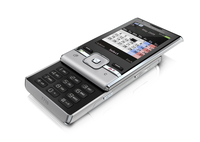
Sony Ericsson is looking to follow up the heavyweight Aino and W995 with a mid-range marvel: so step forward the slim and pocket-friendly Sony Ericsson T715.
Slipping into its slide-phone portfolio, the T715 brings a solid set of features in a tidy but understated design that's compact and straightforward to use – all without a quirky name in sight.
Aimed at the mid-range mobile buyer, the Sony Ericsson T715 doesn't do any touchscreen tricks. It has familiar looking slider bodywork built around a 2.2-inch display and is equipped with HSDPA high speed 3G data connectivity and a 3.2-megapixel camera with an LED flash.

It also sports a familiar rundown of media player features plus a sprinkling of online applications such as Google Maps, YouTube, AccuWeather and Facebook. However, there's no Wi-Fi or GPS built in to this model.
Priced at around آ£180-195 SIM-free, the T715 can also be found for around آ£100 in 3 pay-as-you-go packages, pitching it in affordable mid-tier territory.
The T715 is a tidily constructed handset, with a refined design that's functional but quite pleasing on the eye as well as in the hand. It's available in either smart 'galaxy silver' or girly 'rouge pink' paintjobs, with the main bodywork around the screen, control panel and number pad in fashionable glossy black plastic.
Measuring 91.5(h) x 48(w) x 14.9(d) mm when closed and weighing a reasonable 96.5g, and with smoothly rounded edges, the T715 is a comfortable pocketful. It's well-balanced in-hand too with the slider open or closed.

The 2.2-inch QVGA (240x320 pixels) 16.7 million-colour TFT screen is bright and clear. While it's an average sized screen for Sony Ericsson's mid-range, those looking for more media centric devices may want something more substantial - though it's adequate and easily readable for a middle of the road device like this.
The control panel under the screen is sufficiently spacious. A large square navigation D-pad has slightly raised edges, making it finger-friendly and accurate to operate, while the Call and End buttons that are positioned on slim chrome keys either side have a subtle contour for easy finger selection.

A pair of rice grain thin softkeys are adequately spaced too, with Sony Ericsson's standard Activity Menu button – which pulls up a tabbed menu of useful shortcuts to features, status updates, browser options and so on – given plenty of room opposite the Clear key at the bottom of the control panel.
The large numbers on the slider keypad are raised and rounded with a matt texture that gives it a tactile and responsive feel when texting. It has a reassuringly springy action and a stable feel when using one-handed.
Buttons around the edge of the phone are sparse – there's a camera key and volume rocker – while a regular Sony Ericsson multi-connector socket typically located on the side takes care of earphones, charger and USB connections.


Like other recent Sony Ericssons (such as the Sony Ericsson Satio), MicroSD card memory card expansion is supported rather than Memory Stick Micro cards. The T715 can accommodate cards of up to 16GB in its slot under the back cover, boosting its 90MB of internal storage, although no card is supplied in the box.
The T715's user interface will be familiar to anyone who's used a Sony Ericsson handset. It's a typical mid-tier set-up, with a grid-based main menu grid of 12 icons taking you into further sub menus.
These are generally list-based, so are simple to negotiate and find options. This makes for a straightforward, conventional mobile user interface that's functional and easy to get to grips with.

Conventional mobile shortcuts are available from the navigation pad; it's set up for contacts, messages and calendar by default, although users can define their own preferred shortcuts too through the setting menu.
Softkey options on standby include a search facility, which offers options for Google searches online and stored web links for fast internet access.

The useful Activity Menu button also provides shortcuts to features and applications. The tabbed lists pull up a My Shortcuts list that can be customised how you want: internet browsing options, new event notifications and a running apps list are all on offer.
This T715 gets the basics right on voice calls. We got a reliable, high quality call performance from the T715; sound quality was dependably clear.
We had no trouble throughout our review period, and the phone had no issues with network connectivity.
The keypad and on-screen fonts are nice and large for typing in new numbers or searching your contacts phonebook. The phonebook operates conventionally, searchable by typing in letters as well as scrolling.

As usual for the Sony Ericsson interface, as an alternative to the regular contacts searching, from standby the phone will show both the number you're typing and a list of names as if you were entering search terms by predictive text.

The contacts phonebook itself can store plenty of additional information on individual contacts, with a good range of fields to input extensive contact details.
The T715 lacks a front facing camera for face-to-face video chats, although video calling is supported, if you can be bothered to go at it with the back panel camera.
The messaging interface adopts Sony Ericsson's method of linking sent and received texts as threaded 'conversations' with individual contacts.
It makes for an easy way keep tabs on what's been said between you and particular people, which is useful if you're a busy texter. As mentioned previously, the contoured number pad is pleasing for typing out messages, giving a responsive performance.

The new text template provides easy options for adding additional media to make MMS messages, with a row of media icons at the bottom of the text panel users can select from for adding sound, pictures, video and so on.

The messaging line-up includes a regulation email client to view and send email from your normal web-based email accounts.
The setup is aided by a wizard that guides you through the procedure, requiring just the inputting of your email account address username and password details, with other settings downloading automatically.

Email is standard mid-tier Sony Ericsson – it's useful for keeping up with your regular web-based or ISP accounts on the move, but it's not the most sophisticated email client and managing emails isn't particularly intuitive or desktop-like user friendly, unlike many smartphone devices we could mention.
Attachments can be downloaded, but not automatically viewed as no document viewer software is pre-loaded.

Instant messaging is supported on the phone too, though you'll have to input settings yourself. IM is handled like texts, with conversation threads linking messages.
Sony Ericsson has also decided to slip a Facebook app option into the T715's messaging sub menu, enabling you to get into your account and manage your profile online.
The Sony Ericsson T715 offers high-speed data connectivity via HSDPA over mobile networks, although there's no Wi-Fi for higher speed (and lower cost) data links, which is a shame.
The browser employed is the usual Access NetFront full web browser we've come to expect of Sony Ericsson. For a mid-tier conventional phone, it has a reasonably attractive home screen, offering Google search and web address bars on top of a list of options including Bookmarks and History.

It works reasonably quickly to download pages, and presents them adequately on the screen. You can use number pad shortcuts to work some controls, such as zooming in and out and bookmarking, but for much of the operations you have to work through scroll-down menus, so it's not a desktop like experience and is more clunky than Opera's mobile browser software, for instance.

While you might not expect the breezy ease of use of an iPhone or other high-end device, other mobile makers are moving the game on with even cheaper handsets – notably touchscreen models from the likes of LG and Samsung - that make mobile browsing a much more intuitive experience.
It does do the job adequately with RSS feeds supported too, while Sony Ericsson includes apps linking you to mobile optimised online services including YouTube, Facebook, and AccuWeather.com weather forecasting.

The T715 sports a routine 3.2-megapixel fixed focus camera rather than one of its more sophisticated shooting stablemates, such as the Sony Ericsson C905.
It does have an LED flash, improving its low-light shooting, but overall image quality is average for this grade of cameraphone.
The camera user interface is consistent with other mid-tier range mates; the camera button opens the shooting app in 2-3 seconds, and it flips automatically into landscape viewfinder mode.
A settings options menu enables you to tweak some typical cameraphone controls, including image resolution, white balance setting, night mode, self timer and colour effects.
You can also choose multi-burst shots (captured in low-res VGA quality), a run-of-the-mill panorama shot option and frame effects.

In addition, within the additional settings, you can choose to add positioning metadata to images.
While there's no GPS onboard, this option does enable you to automatically record approximate location info for shots for use with certain apps (including Google Maps), using automatic cellular triangulation.
Image quality is reasonable for this sort of cameraphone. Colours are generally good and the auto-metering system responds effectively to alterations in lighting environments.
Colours are bright, although they can appear slightly over-saturated at times. Without an autofocus system, you don't have the flexibility for precisely focused shots or sharp close ups.
The camera's results are reasonable for quick cameraphone snaps, but lack the sort of crisply focused quality you'd get from a decent standalone camera.

The LED flash is also limited, offering some illumination at close quarters but not with the subtly or effectiveness of a more powerful camera flash.
The T715 can capture video, too, although quality is mediocre. It shoots at maximum QVGA resolution at up to 15 frames per second, so is less than impressive when played back.
Once shot, both images and video footage can be immediately uploaded to web-based services. Settings for some – including Picasa Web Album, MySpace and Blogger – come pre-loaded, although you can also insert your own preferred services.

CASUAL SNAPPING: The T715's camera is a modest shooter but can be used for casual snapping. Here the contrast between trees and skies on a dull day isn't brilliantly captured, though there's a reasonable amount of detail for this grade of cameraphone

CLOSE RANGE: The detail here isn't bad for this sort of fixed focus cameraphone, although the red appeared slightly over saturated

SUBDUED LIGHTING: For a modest camera, it does OK in adjusting to subdued lighting conditions, the auto-metering system handling tones adequately

INTERIOR SHOTS: These can be OK, though the brighter the lighting conditions the better results you'll get

INDOORS: Under artificial lighting, the T715 is able to take acceptable snaps, although they're a touch soft. Again the lack of autofocus limits how you can choose what to focus on in the viewfinder

FLASH: The T715's LED flash is a photo lamp that can be switched on in dark environments. It's not very effective, only offering limited illumination close up. Even at this range it doesn't do a great job, barely throwing enough light from a metre or so away
The quality of video playback on the screen is reasonable, considering the screen real estate available, and compatible files play smoothly enough.
However, file formats are limited – it supports MP4, WMV and H.263, though DivX and Xvid files can't be played directly on the handset. Streamed video via YouTube is perfectly watchable over an HSDPA connection too.

The music player function on the T715 is again familiar Sony Ericsson mid-range software. Reminiscent of Walkman phones, it's easily navigable and works well enough without offering anything particularly innovative. The player's controlled by the navigation pad, and cover art is supported if available.
Tracks sideloaded to the phone or slipped in via a memory card are automatically identified and categorised appropriately under headings which include artists, albums, tracks, playlists, audio books and podcasts.
Tracks can be synchronised using Sony Ericsson's MediaGo software, which can be downloaded from its online support page, as no software is packaged with the phone.

Like most Sony Ericssons, earphones are routed through its multi-connector port on the side of the phone rather than a standard 3.5mm headphone socket - something we'd like to see changed in the near future, as on the likes of the Sony Ericsson W995 it's a real boon.
The large connector makes it more snag-prone in the pocket, and the lack of a 3.5mm adaptor with the supplied earphones means you'll have to source one yourself if you want to upgrade the ear-wear.
The in-box HPM-60 earphones are average quality mobile phone kit, and produce an ordinary audio performance that's a bit bland, with rather sedate bass but which is adequate for casual listening.
We sourced a spare Walkman phone adaptor cable and noticed an immense sound improvement with our affordable Sennheiser reference headphones. It's worth trying if you're concerned with audio quality – or you could splash out on stereo Bluetooth headphones.

The headset is still required though for the FM radio function. This free entertainment function is straightforward to tune in and use and supports RDS. You can use TrackID software in the radio options for finding out more about tunes you hear over the air.
As a mid-range 3G handset, the Sony Ericsson T715 puts in a decent power performance. Under optimum conditions the supplied 950mAh battery is reckoned by Sony Ericsson to deliver up to four hours talktime or 350 hours of standby on 3G networks (or 10 hours and 400 hours, respectively, in GSM-only coverage).

While it will vary on how you use the phone (such as whether you're hitting the music play button regularly), with our typical amounts of usage, we comfortably managed over three days between charges.
Organiser
A familiar batch of standard Sony Ericsson organiser functions and productivity tools come pre-loaded. There are few surprises with the calendar, calculator, tasks and notes functions – all are manageable and easy to use – while the package also contains timer, stopwatch and code memo apps.

We've seen them all before, and they work effectively enough. And you can synchronise contacts, calendar and notes with a remote service or Microsoft Exchange server via SyncML or Exchange ActiveSync.
Local synchronisation of contacts, calendar, notes and tasks, emails, bookmarks and other content is supported, too, although you'll have to download Sony Ericsson PC Suite software from Sony Ericsson's online support as none is included in-box. It's Windows only, however.
You can hook up to a PC using a USB data cable, with a mass storage option available too when plugged in. The phone's Bluetooth capability includes A2DP stereo audio streaming for wireless headsets and other Bluetooth-enabled gadgets such as speakers.

As far as mobile network connectivity goes, the Sony Ericsson T715 is a UMTS 2100 enabled handset, which when 3G network coverage isn't available can switch to GSM 850/900/1800/1900 networks.
It supports HSPA high-speed connectivity (HSDPA download up to 3.6Mbps) plus GPRS/EDGE on GSM networks.
Other
Among the other out-of-the-box applications is Google Maps location finding, route-planning and map-viewing service. Now a staple feature on Sony Ericsson phones, it's always a useful app to have, even if GPS is absent.
The Sony Ericsson T715 uses cellsite triangulation rather than precise GPS, to get a fix on your approximate position to within a few hundred metres, providing maps over the air to help you find your way around or search for places of interest or routes.
Google's Latitude real-time location sharing service is featured in the software, as well as Street View options, plus multiple direction finding services for driving, walking and public transport. Over HSDPA, mapping updates and searches load quickly and the screen refreshes zippily enough.

Other regulars include TrackID music identification software, which records clips of songs you hear and want to identify, and interrogates a remote database for track details.
Sony Ericsson's VideoDJ, PhotoDJ and MusicDJ tweakery tools and a sound recorder are included too, plus a Bluetooth remote control option and a neat world clock function. Usefully, the LED flash can also be switched on as a torch within the organiser menu – and handily it's also set up as a shortcut.
Three time-passing games are pre-loaded - Brick Breaker Revolution, Kasparov Chess and Sudoku. We can confirm we passed time using them - we cannot confirm we really get how to play chess properly.

While the headline grabbing mobiles of the moment are busy breaking new ground, the Sony Ericsson T715 provides a less eye-catching but steady alternative for those looking for a moderately priced and reasonably featured 3G handset.
It's a good looking device that'll fit snugly into any pocket or handbag, and offers a degree of understated style without being particularly attention seeking.
Its feature rundown is solid rather than exciting, but although it may be short of high-end feature fireworks, it offers a reliable, if low-key, package of features that are generally straightforward to use.
Compromises such as lack of autofocus on the camera may put some off, and the online experience is unexceptional for a mid-tier device like this, but as an affordable handset, it does offer a reasonable package.
We liked
The design of the T715 is classy and compact for a lower-priced mid-range handset, and its numberpad and control keys provide a good, responsive user experience.
Its menus are straightforward to navigate and it has a decent spread of features inside, including high-speed HSPA data connectivity for browsing and using online service apps embedded in the phone.
The music player puts in a decent performance (the average in-box earphones notwithstanding), and video playback is reasonable for the screen size.
We disliked
Although it has a solid if low-key feature package, there's little about the T715 to really wow users – although that may not be a drawback for users looking for a 'steadier' device.
We'd have liked to have seen a bit more punch in the camera's performance; the lack of autofocus is a shame when some similar grade cameraphones have it.
The absence of a 3.5mm headphone socket or adaptor in-box is also a let down, and the standard bulky earphone multi-connector on the side feels awkward and snag-prone in-pocket – particularly as the phone is relatively compact.
Additional features such as Wi-Fi and A-GPS would have been welcome, too, though some compromises are understandable for the price.
Verdict
If you're after an understated but classy handset that may not be geared up with the very latest high-end gadgetry but which does the job, the Sony Ericsson T715 could be worth looking at.
It's a reasonably priced low-key handset that puts in a decent performance and is straightforward to operate. It may not turn heads, but it delivers a solid user experience in an attractive, compact package.
Related Links- More mobile phone reviews
- TechRadar's Reviews Guarantee
- Search for the best Sony Ericsson T715 deals at Omio

| |
Read More ...
Moto Zeppelin shown off again - not UK bound?

Not content with announcing an Android mobile this morning, Motorola has leaked another handset, the Zeppelin - which we've heard rumours of already.
While that's probably just a codename, the phone will still be packing Android 1.5, which is a little basic for our tastes, but the whole design of the phone screams budget anyway.
Spec up or spec down?
HVGA resolution for the 3.2-inch screen, MotoBlur overlay and a 5MP camera is a decent spec list, but the overall design makes a it look a little mid-range to us.
However, Motorola is clearly looking to hit all ends of the market with its Android range at the moment, and it makes sense that a cut down version of the Dext would appear.
It might not be coming to out shores though - or even the US. The hands on with the phone was picked up by Gizmodo Brazil, and there are rumblings that the Zeppelin is only destined for Latin America - we can only hope that's not the case.

| |
Read More ...
Sony prepping old movies for 3D Blu-ray re-release

Sony is ramping up its efforts to bring 3D Blu-ray releases, announcing that the infrastructure to do the 3D conversion process is being put into place.
It's no secret that Sony is backing the 3D horse. Its announcements at CES 2010 were 3D specific, building on the promise the company gave at IFA 2009, where CEO Howard Stringer noted: "The 3D train is on the track, and we at Sony are ready to drive it home."
Good effects
The tracks to ride the 3D train (sorry) are being put in place, with Joe Nakata, Deputy General Manager for Sony's 3D Strategy Unit saying at a recent event in Tokyo: "We'll probably be able to start next fiscal year, if we can convert them into 3D with good effects.
"Companies specialising in conversion processes are starting up in India and the infrastructure is getting prepared."
Sony's first 3D-Ready Bravia TVs, the HX and LX series, have a UK release date later this year.

| |
Read More ...
Samsung hopes to treble smartphone sales
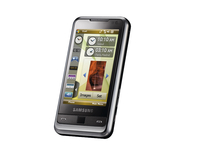
Samsung has pledged to ship three times as many smartphones in 2010 as it looks to nab a piece of the burgeoning market.
The smartphone segment is growing quickly, but the likes of Apple and RIM, with the iPhone and BlackBerry range, are streaking ahead.
Even Google, with the Android OS, is making waves, whereas Samsung is languishing with just three per cent of the market, according to Reuters.
From normal to smart
However, the move to open up the Bada platform to make more of its traditionally 'normal' phones into smart devices will help it be more aggressive in the space.
"There'll be a big change in our smartphone strategy this year," Shin Jong-kyun, Head of Samsung's Mobile Division is reported as saying.
"We plan to strengthen our smartphone business this year by not just improving hardware offerings but also beefing up content, applications, services."
The Bada platform will be key to that, and Samsung is also likely to beef up its Android range as well, with only two devices running the platform in the UK.

| |
Read More ...
RIM's hybrid BlackBerry 'on course'

The rumours of a RIM BlackBerry with both a hybrid and touchscreen have gained greater weight thanks to a new analyst note.
Chris Umiastowski from TD Newcrest has written that the new device would have the BlackBerry Storm-like clickable screen as well as a physical keyboard, which would be an odd experience.
The Storm uses a click screen to simulate a key press, so if there are physical keys, it would be strange to bother with the complex and expensive tech.
Catching Google
Umiastowski also noted that the WebKit browser RIM is working, after buying out developer Torch, is progressing well, enabling it to bridge the gap to the iPhone or the Android range.
Another new BlackBerry, the 3G Pearl 9100, will once again feature the new optical trackpad, making it easier to navigate through the phone.
We're still waiting for official confirmation of a hybrid device from RIM, although it has improved its touchscreen range with the launch of the Storm 2.

| |
Read More ...
Radio listening on mobile phones increases

Figures for 2009 from Radio Joint Audience Research Ltd. (RAJAR) show that the popularity of digital radio continues to increase. DAB radio ownership has risen, and more people are listening to radio on mobile phones than in 2008.
According to the report, 46 million people listened to the radio in the final quarter of 2009, up half a million on same period of the year before. 14 per cent of them tuned in via a digital platform, with DAB radio the digital medium of choice.
Ownership of DAB radios increased 13 per cent in 2009, but even Internet listenership was by 6 per cent; however, that only comprised a 2.1 per cent share of the whole.
Mobile listening
The days of the transistor radio are ancient history now, with more people than ever listening to the radio on their mobile phones these days. The RAJAR research showed that the growth was strong among those aged over 15, with a 13 per cent increase among those over 25.
Although the 15-24 demographic posted the smallest rise, of just 2.1 per cent, almost one-third said they use their mobiles for radio listening, 13.6 per of them once a week and a much lower figure (2.9 per cent) daily.
When not updating their Facebook status, presumably.

| |
Read More ...
Samsung Galaxy i7500 getting Android 2.1 in Q2
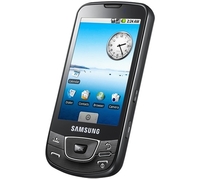
Samsung's first UK Android phone, the Galaxy i7500, will be getting an Android 2.1 upgrade in the near future.
The phone, which has been available in the UK since the tail end of last year, has the most basic version of Android at the moment - 1.5, which doesn't carry all the new upgrades seen in the latest version.
The upgrade will be landing in the second quarter of this year, meaning the upgrade should land in April or May - much later than previously thought.
Summer upgrade
However, carrier testing may delay this slightly - to make sure that the phone reacts correctly on the network, and O2's tests are pretty stringent (as the only carrier of the phone in the UK).
The good news is the phone from Samsung will be able to take advantage of the cool bits and pieces from Android, be it the faster camera, snazzy wallpapers or the improved app Market.

| |
Read More ...
In Depth: Apple TV 3.0 vs Mac mini vs games consoles

The Apple TV is beautiful. It's a small square box, a little over an inch thick. It has a few sockets for connecting to a TV, and can deliver pictures in high definition.
It's very minimalist – too minimalist, some would say, the accusation being that the Apple TV is an expensive (+آ£200), under-featured way to put whatever you have in iPhoto or iTunes on your TV, especially when there are more powerful alternatives out there.
Looked at it objectively, the Apple TV has a few issues that have most people scratching their heads. For starters, you'll need a TV that has an HDMI, DVI or component video input. For content, it syncs with a Mac or PC and can stream it with up to five others. If the content is in iTunes, iPhoto or a Windows equivalent, you can play it on your TV. Usually.

Unfortunately, that's a big 'usually', since the Apple TV needs your media to be in very specific formats and very specific resolutions. Try syncing an AVI movie or an OGG audio file to an Apple TV and you'll get the digital equivalent of a blank look from it.
But it has to be said, the Apple TV is a great way to take advantage of your large, high-def, widescreen TV. The old Front Row-style interface has been phased out in favour of a far more appealing look in the free version 3.0, which is available through a software update from the Apple TV menu.
Now all the menu options are more intuitive and run across the screen rather than downwards. TV shows, movies and photos look great in high def, and your TV or connected audio system make better audio players than your Mac – you can also show iTunes LP content on the Apple TV, something your stereo would be pushed to do.
The Apple TV's internet connection means it can also access Flickr, MobileMe galleries, YouTube and, with version 3.0, internet radio stations for additional content. Indeed, with the Apple TV able to purchase content from the iTunes Store directly, not only can you bypass your computer to get content, you don't have to go out to the local rental store any more.
If you have a reasonable broadband connection, in just a few minutes, you can sit back and watch anything from a huge range of Blu-ray quality movies to popular TV shows, usually including whatever's on Sky Box Office at the moment – but without the need for a Sky+ HD box or subscription.
Unlike Sky Box Office, version 3.0 of the Apple TV software offers playback of movies with iTunes Extras, giving you a DVD-style menu full of additional content, such as deleted scenes. But is that really enough?
There's no way to record content directly to it and it's not expandable with plug-ins for additional content sources or video formats – not even Flash – so the likes of the iPlayer, 4oD, Sky Player and ITV Player are strictly off limits.
The 160GB hard drive is still a little pokey for the average film buff and there's no DVD or Blu-ray drive. There's no web browser to speak of either. In short, it's limited.
The Mac mini alternative
So why not just get a Mac mini, pimp that up and use Front Row as the front end? The mini lacks none of these limitations.

You can add as many Elgato and Miglia video devices to it as you have USB ports. iPlayer et al work fine with a Mac mini and it has a DVD drive that can play as well as record. It also has a much bigger hard drive that you can expand with an external disk. Not to mention, its display output is genuine 1080p. Surely that's perfect?
Well, it is – almost. If you're renting or buying content on the Apple TV, it can start playing the file when only a few per cent of it has been downloaded; with iTunes, you have to wait. This makes the Apple TV far more useful for someone who really wants to watch a movie once they've clicked the Buy button.
The mini is also much more expensive (آ£499) and designed to be a computer. While you can use a remote control with it, when you want to change passwords, update software, and so on, realistically you're going to have to use a keyboard and mouse. The Apple TV needs only a simple remote control that can click and select.
Of course, you can probably deal with the hassles involved with that. The question is: can everyone else who uses your media centre? What happens if there's a problem? Can they work through all the menus to set up a TV recording? The Mac mini might be more powerful, but will it disempower fellow TV watchers?
Media streaming with the Wii
There are other alternatives, too. It's possible you already have a set-top box that can double as a media player: a games console. The Wii just got its own iPlayer channel, and there have been efforts to get the Wii to play media streamed from Macs, such as the open-source Wii Media Center X and the superior Wii Transfer (آ£12).
However, since videos have to be in FLV format and music in MP3 format (Wii Transfer will do the conversions for you, but Wii Media Center X won't), this is quite limited. The Wii's maximum output resolution is 480p, too, so this is more of a nice-to-have device rather than a real threat to the Apple TV.
Blu-ray movies
The Playstation 3 has a built in Blu-ray player and web browser with Flash 9, so it can play some streamed web video, including the iPlayer but not 4oD.

It also supports the Universal Plug and Play AV standard (UPnP AV). This enables media streaming from any UPnP AV server on your network, provided it's in a format that the PlayStation can understand. The Mac doesn't support UPnP AV, but with the addition of either MediaLink (آ£12) or EyeConnect (آ£30), you'll be able to sync or stream content to the PS3.
MediaLink is better for the PS3 specifically and it offers iLife integration: photos in your iPhoto Library show up in the PS3's photo menu, and iTunes music appears in the PS3's music menu. For videos, you can designate any Mac folders as being accessible on the PS3.
The PlayStation is an appealing media centre, but it's expensive and isn't as fully featured as the Apple TV or even a Mac mini. Although it finally has a very good video store, which includes 2,000 movies to rent or buy, there are no TV shows and you can't play anything you've bought from the Apple Store on it.
If you have a PlayStation already, of course, then the addition of MediaLink is a whole lot cheaper than buying an Apple TV and is probably 'good enough'. But unless you're into games and want to get a Blu-ray player as well, the PS3 isn't worth buying specifically as a media centre.
Surprisingly, the Xbox 360 is the poorest of the consoles as a media centre. It has an online store (http:// social.zune.net/movies) that streams 1080p movies, but there's not much in it.

Out of the box, it doesn't work with a Mac, but with Connect360 (آ£12), you can stream and sync the majority of your media. However, unlike the Wii and the PS3, there's no web browser.
Best of the rest
The Apple TV has set-top box competitors, of course. However, they almost always have a fatal flaw.
Netgear's Digital Entertainer Elite (آ£242) is probably the pick of the bunch. It works with Macs, has USB ports for connecting sources of media, has all the TV outputs you could want, and works with more video and audio formats. It can even access online stores, and can upscale to 1080p. It boasts a 500GB drive that you can upgrade, too.
On paper, it's almost perfect, but some of the features advertised, such as playback of protected iTunes files, require a PC. It's also got a horrible, unintuitive interface and is far from easy to configure.
The Apple TV, like the Mac, is designed for everyone to be able to use, easily, and works equally well with Windows and Macs. The new Apple TV 3.0 software is far easier to use, and integrates content from linked computers far more simply. The ability to rent and buy from the iTunes Store directly from the Apple TV is the main draw, as is its ability to play content already on your Mac.
If a powerful media centre is what you want, the Apple TV isn't it. But if you want a very good media centre that everyone can use and which matches the Apple aesthetic, the Apple TV is the one for you.

| |
Read More ...
WinMo 6.5.3 shows Microsoft is finally taking mobiles seriously
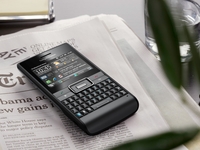
Microsoft has detailed all the new improvements to Windows Mobile 6.5.3, with some neat touches finally appearing.
The new OS is basically something WinMo fans have been wanting for years, with capacitive screen support meaning the styluses/styli can finally be thrown away.
Gestures are also present in the OS now too, which seems like it's finally taking the threat of Android and the iPhone seriously. While multi-touch has been available in some WinMo programs before, it's good to see it finally appearing across the system.
Headline grabbers
Some of the main new features are:
- Capacitive touchscreen support
- Multi-touch enabling
- Finger-friendly touch system
- Horizontal scroll bar instead of tabs
- Drag and drop icons on the home screen
- Internet page loading time decreased
The Sony Ericsson Aspen is the first phone to be announced running the new WinMo 6.5.3 OS, although we expect to see more at Mobile World Congress.
We're a little confused as to how this upgrade fits in with Windows Mobiles 6.6 and 7, but we'll keep our eye out in Barcelona to sort it out.

| |
Read More ...
Gary Marshall: Facebook: it's the budget airline of tech

When Facebook turned five, we - OK, I - said its success wouldn't last.
That may have been premature. Facebook is six today, and it's still piling on the users: last year it had 150 million active users, and now it's got 350 million - 200 million of whom appear to be spamming us with invites for Mafia Wars.
So were we wrong, or is Facebook just taking longer to jump the shark than we predicted?
It certainly looks like the former. The continuing rise of Facebook demonstrates something pretty amazing: the way in which technology is becoming increasingly available, affordable and egalitarian.
People we'd never have expected to see online in a million years are now online, and more often than not Facebook is the thing that's got their attention.
So, Facebook is brilliant, I'm a great big numpty and everything in social networking land is groovy.
Not so fast.
Facebook isn't popular because it's good. It's popular because it's popular.
Facebook is the budget airline of tech. If Margaret Thatcher were to start a company that ran around giving small children Chinese burns, blasting Jedward through your windows at 3am and interrupting your thoughts every fifteen seconds with the wit and wisdom of Katie Price, it'd still be more popular and more loved than budget airlines. And yet millions of people fly with them every year.
Why do they do it? There are two kinds of passenger: passengers new to the airline, and passengers who've flown with them before. The former are excited, their brains full of the possibilities.
Grin and bear it
The latter grin and bear it in the knowledge that it's the only way to get where they want to go at the price they want to pay. If they don't, no problem: the airline just does a few more rubbish ads to attract some new passengers.
Facebook's rather like that. To its constant stream of new arrivals it's a playground, a world of joy and adventure. They haven't been on long enough to get sick of the oversharers and quiz takers - in fact, the odds are that they'll be the oversharers and quiz takers - and they weren't on Facebook when the various privacy controversies took place.
They're far too busy playing FarmVille to worry about the enormous amounts of information a remote and unaccountable corporation is collating about them.
To the old hands, it's a compromise: they're not keen on the privacy implications, on the way in which the Live Feed/News Feed distinction buries everything important and ensures you see only trivia, and they'd rather not spend half of their time fending off invitations to play stupid games, take part in stupid quizzes, or become fans of stupid products - but that's where everyone else happens to be.
Of course, not everyone grins and bears it. Some commit Facebook suicide; far more simply stop logging in.
But Facebook doesn't care, because every new sign-up invites all their friends, who invite all their friends, who invite… eventually Facebook will do something really, spectacularly stupid, or everybody will hit their 150-friend mental maximum, or The Kids will realise that Facebook's becoming OldPeopleBook and will head for a service their parents can't use to annoy them.
For now, though, Facebook is flying high. See you next year!

| |
Read More ...
Same manufacturer nabs iPhone and Natal production deal

The same manufacturer will be producing both the next iPhone and the Natal controller for the Xbox, with news that Pegatron Technology has landed the OEM contract to handle both jobs.
The company, based in Taiwan, will join Foxconn Electronics, which has already been named as a manufacturer of the new iPhone.
Pegatron already makes handsets for other telecom carriers, according to reports, and it will start producing the new iPhone sometime this summer.
It looks like 2010 will be a busy time for the company, as Pegatron has also been named as the manufacturer of the Natal Xbox motion-controller, which is also due later this later.
Out of Asus
Pegatron came into existence in 2008 when electronics manufacturer Asus was restructured. It makes motherboards for computers and LCD televisions, as well as handsets.
Until now the company's meat and potatoes has been televisions, and it claims it will ship more than one millions LCD TVs in 2010.
If it can drag its employees away from the apps or videogames, of course.

| |
Read More ...
Wii dominates 2009's world's best-selling games list

Four out of the five biggest-selling games in the world last year were for the Wii, with only the top-spot free from Nintendo's clutches.
The Wii has been berated by hardcore gamers for the lack of games which don't involve using the Wii-mote as a novelty tennis racquet, but its popularity in the mass market cannot be denied and these latest figures prove that.
Although Modern Warfare 2 nabbed the top-spot, filling the remaining four places of the top five is some achievement for Nintendo.
Worldwide sales
The chart was compiled from data crimped from The NPD Group (North America), GfK Chart-Track (PAL) and Enterbrain (Japan) which cover the three largest markets for videogames.
The games in order of popularity are:
- Call of Duty: Modern Warfare 2 – 11.86 million copies sold
- Wii Sports Resort – 7.57 million copies sold
- New Super Mario Bros: Wii – 7.41 million sold
- Wii Fit Plus – 5.80 million sold
- Wii Fit – 5.44 million sold

| |
Read More ...
Motorola launches yet another Android phone

Motorola has released another Android-toting mobile phone, the Devour, with its fancy overlay.
The new Devour takes a few cues from the Milestone in terms of design, with an industrial-looking chassis holding a touchscreen and a QWERTY keyboard.
There's an 8GB memory card in the box, and the display is a (small-ish) 3.1-inch capacitive effort. There's a 3MP camera on board, Wi-Fi and a headphone socket - all specs which point it towards the lower end of the price spectrum.
However, it's only rocking Android 1.6 - no, we're not sure why either, but we hope it changes before it gets to the UK.
MotoBlurTastic
The MotoBlur overlay is a welcome addition too - it means you can synchronise your Twitter, Facebook and MySpace feeds with contacts and have them displayed in one easy to read widget on the home screen.
However the bad news is this has only been released for the US at the moment, with no European release date in sight at the moment.
We'll be heading on down to Motorola towers and rooting through the bins later, so if we find any discarded tissues that look like they have any prospective release dates on, we'll snap them and let you know.

| |
Read More ...
Review: Coosis HD Universal Converter

The HD Universal Converter is billed as 'a professional HD signal universal converter' and carries a Full HD 1080 logo on the box. The latter is rather odd as what we have here is an upscaling device that, while it can take a Full HD/1080p source, outputs in 720p only.
Essentially, it works by deinterlacing the incoming signal and outputting it via the front-mounted HDMI. This is potentially useful if you have lots of standard-definition equipment including receivers feeding an HD-ready flatscreen TV.
The device itself is about half the size of (if a little deeper than) the average FTA satellite receiver and runs off a 5V power supply.
Upscaling disappoints
The source can be connected via a rear-mounted Scart socket or a component input located on the front for which a lead is provided with added phono jacks. An additional 3.5mm audio output sits on the rear for hi-fi systems.
A button is used to toggle between Scart and component sources indicated by green and blue LEDs but no remote is provided for switching between them from across the room.
We tried upscaling SD TV via the RGB Scart and component outputs on our Humax Freesat receiver. While results appeared to be perceptibly smoother viewed on our 42in test plasma it wasn't as good as the upscaling we've seen included on recent receivers.
Plugging in a feed from our non-HDMI equipped (and therefore non-upscaling) Xbox 360 via component, a 480p signal from a DVD of No Country For Old Men also saw a minor increase in sharpness, but don't expect it to compete with a 720p Blu-ray picture.
So much kit these days comes with built-in upscaling to 1080i (including DVD players for under آ£50) that the merits of spending آ£70 on a separate upscaler are debateable when you could put the money towards said equipment.
We suspect the converter will find its niche as a way of feeding projectors with a better picture from a standard-definition receiver. As Keene points out, it's also a way of connecting SD equipment to an HDMI switchbox while boosting the picture at the same time.
If you can't bear to part with your old receivers or home cinema hardware but your new TV or projector is showing up its lack of picture prowess, this converter could be what you need. Or it could just be time to upgrade your kit instead.
Related Links
| |
Read More ...
In Depth: The technology to expect in your next TV

Everybody is talking about 3D TV.
This year's CES was buzzing about it. Samsung, Panasonic, Sony, Toshiba and LG all showed off 3D-capable HDTVs, some with 2D-to-3D video conversion technology that claims to add depth to existing content on the fly.
More recently, Sky made broadcast history by showing Arsenal vs Manchester United in 3D. Later this year, Blu-ray 3D will bring high definition 3D movies into your living room. A 3D revolution looks inevitable, albeit slow to unfold.
Of course, 3D is also a convenient way for manufacturers to sell more HDTVs. Plummeting telly prices continue to benefit consumers – you can pick up a 5-star rated Samsung LE32B550 for less than آ£400.
But cheap HDTVs have also dented the profits of the big hardware manufacturers. It's why they'll be trying to convince you that your current HDTV is already out of date. Yes, it might have optimised gaming modes, DLNA connectivity, LED backlighting and internet widgets. But we bet your HDTV doesn't have...
Organic Light Emitting Diodes (OLED)
OLED is viewed as the natural successor to LCD. It boasts superior brightness and colour reproduction because the organic material used to construct an OLED panel emits its own light when charged, so there's no need for a separate backlight.
LED or otherwise. OLED and AMOLED displays are already being used on portable devices, including the Zune HD and Google Nexus One. They're also expected to make the transition to laptops – Dell recently teased an OLED-equipped Studio XPS.
Building OLED HDTVs is proving a bigger challenge. The problem is that OLED displays remain expensive to manufacture, especially in large sizes.
Not enough factories are geared up to produce them, so working TV prototypes are few and far between. But there have been some promising developments. Both Sony and Samsung showed off 3D-capable OLED concepts off at CES 2010.

Mitsubishi has recently unveiled a massive 149-inch prototype OLED display (consisting of several 10 x 10 cm panels) that will be appearing at the Integrated Systems Europe (ISE) show in February.
While the TV industry distracts itself with 3D, OLED and 3D OLED displays are undoubtedly the future of TV displays. But we might have to wait until the end of 2011, early 2012 before they become commercially available beyond the 11- and 15-inch novelty panels currently available.
Quad pixels
Manufacturers are always trying to improve the quality of their displays, whether it's through favouring PDP over LCD, boosting the refresh rate or adopting LED backlighting.
Sharp has taken a different tack. Its proprietary 'four primary colour' technology adds an extra yellow pixel to the existing Red, Green and Blue setup in a typical LCD.
Sharp's future Aquos models will feature this new RGBY technology to extend the gamut of viewable colours to more than a trillion. According to Sharp, this quad pixel approach will enable its LE920, LE810 and LE810 models to reproduce colours that have been "difficult to portray using conventional LCD displays, such as the golden yellow colour of brass instruments."
Multi-core processing power
The new Toshiba ZX900 Series Cell TV could be the shape of TVs to come. Featuring a version of the same Cell chip that powers the PlayStation 3, the ZX900 boasts eight co-processing cores running at 3.2GHz.
It has, says Toshiba, 143 times the multimedia prowess of its current MetaBrain TVs and is capable of upscaling HD content to 4K2K and converting 2D video into 3D video in real-time.

The Cell chip can also juggle multiple video streams. The Japanese version of the Cell TV will incorporate 14 TV tuners – 11 digital terrestrial tuners, 2 digital satellite tuners and 1 analogue terrestrial tuner. According to Toshiba, it will be capable of recording eight programmes in parallel or displaying them simultaneously in split-screen.
A built-in digital hub
If the Cell processor inside Toshiba's forthcoming Cell TV wasn't impressive enough, this sliver-thin HDTV is wirelessly connected to a companion set-top box that boasts a built-in 1TB hard disk drive, Blu-ray Player and 802.11n Wi-Fi connectivity. Less a standalone HDTV, your future telly could be a full-blown entertainment system.
Lenticular lenses
While manufacturers are falling over themselves to produce stereoscopic '3D Ready' HDTVs, future TVs could use autostereoscopic technology that doesn't require polarised or Active Shutter glasses.
Autostereoscopic TVs use lenticular lenses mounted in front of the TV display. These lenses refract the light from the panel so that each eye sees a different image.
The catch? You have to be sitting in exactly the right spot to enjoy the effect. And you mustn't move. A challenge if you're trying to sit through a two-hour movie.
Quad HD/4K2K resolution
You don't need to imagine image quality four times better than today's 1080p HD. 4K2K panels with a resolution of 4,096 x 2,160 pixels already exist – Sony unveiled its 56-inch آ£47,500 Trimaster SRM-L560 in Japan last year, while CES saw Panasonic showcase a 152-inch 4K2K plasma with a screen area equivalent to nine 50-inch TV panels.

4K2K eclipses the resolution of a traditional 2K (2048 x 1080) digital cinema projector but there's little or no content being shot in this Quad HD format. Nevertheless, future TVs will increasingly come packed with multimedia processing power.
If Toshiba's Cell TV is any indication of hardware to come, TVs will be capable of upscaling broadcast HD and Blu-ray content in real time.
A 10-inch touchscreen...
All this talk of bigger, more powerful HDTVs might be missing the point. Not everything we watch needs to be viewed on a 65-inch 3D-capable Full HDTV.
So we predict the return of the portable TV. Not as the separate mini telly of old, but in the form of a lightweight Wi-Fi internet tablet that you can cuddle up with on the sofa.
Yes, something very much like the Apple iPad, a slate-style device capable of streaming catch-up TV services, watching downloadable TV shows and accessing recorded content on a home server or Slingbox.

| |
Read More ...
Sony Ericsson Xperia X10 coming to Vodafone
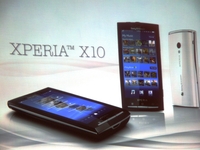
The Sony Ericsson Xperia X10 is set to pop up on Vodafone in the UK in the near future.
The network has now made it available for 'registering your interest' on our shores, with an estimated UK release date of April at the moment.
However, there's no word on UK pricing at the moment - although we'd expect it to be towards the higher end as this is a pretty feature-packed phone.
Sony Ericsson back to its best?
The X10 has the latest Qualcomm Snapdragon processor, with 1GHz of grunt, as well as a the new Mediascape and Timescape overlay, offering possibly the coolest way of shooting through your Android phone.
It has a huge 4-inch high-res capacitive touchscreen, as well as an Android-leading 8.1MP camera too.
We're pretty excited by this phone, and we'd imagine Sony Ericsson is too - it's in need of a big-hitting smartphone after the recent efforts (such as the Satio) have disappointed somewhat.
However, it will debut with only Android 1.6 on board (with an upgrade to 2.0 later on) so we'll have to wait a little longer to get the full force of the Android OS.

| |
Read More ...
WikiLeaks fixes its money leak

Whistle-blowing site Wikileaks has said it's received enough in donations to continue work. The site had been forced to suspend operations due to a lack of funding.
In a Twitter update late yesterday, Wikileaks announced that it now had enough money to keep going for another year. The update read: "Achieved min. fundraising goal. ($200k/600k); we're back fighting for another year, even if we have to eat rice to do it."
The $200,000 means the non-profit site can continue. It still needs to raise twice that amount, however, in order to pay its staff.
Wikileaks has been a thorn in the side of many companies and governments. On its site, it promises that "we have received hundreds of thousands of pages from corrupt banks, the US detainee system, the Iraq war, China, the UN and many others that we do not currently have the resources to release." Expect those pages to appear online soon.
No grants
As we reported last week, Wikileaks had been anticipating a grant from the Knight Foundation, which never arrived. The site doesn't accept any government funding.
Wikileaks was founded in late 2006, and has made its name by releasing documents on many sensitive issues, including the BNP membership list.
Expect the bad guys to start cowering again soon.

| |
Read More ...
Review: Sony Bravia KDL40W5810 LCD TV

With the launch of eight Freesat LCD models, Sony joins Panasonic and LG in believing that there are many customers wanting to take the built-in Freesat tuner route. The KDL-40W5810 model boasts 100Hz MotionFlow (the step-up Z series offers 200Hz). There is also a 32-inch model available for those with limited space.
Other useful features across all models include Freeview and analogue terrestrial tuners, a Full HD resolution with 1080p/24fps playback for Blu-ray discs, ECO settings and a Bravia Engine 3 image processor.
Other delights include Picture Frame (which displays a JPEG image rather than a blank screen in standby) and a limited selection of internet widgets called AppliCast. The set is styled with a 2in-thick piano-black bezel above a discreet speaker grille.
Connectivity is good; four HDMIs, component video, digital audio output and an Ethernet socket and an LNB are the headliners.
A Kate Moss look
The jury's still out on whether Sony's dual-axis cross media bar (XMB) menu system makes life easier or not, but it's certainly not as intuitive as LG's excellent icon-label combi system. And there's something a bit Kate Moss about the glowing lines used for progress bars and setting volume levels, which are pretty but too thin.
The wizard-led installation process makes setup straightforward even if the remote control's layout lacks a dedicated satellite button. Why give a button to analogue TV just because there's a tuner built in?
Assuming you've got a dish installed and connected, entering your postcode and tuning into Freesat takes two ticks. To switch to non-Freesat channels you have to do a factory reset and delve back into the menu system.
You can enter your own transponder details but there are no pre-programmed lists and and DiSEqC support is limited to LNB switching (1.0 only). Located channels are numbered and added to the satellite list and get a programme banner but no EPG of their own.
The Freeview EPG adopts Freesat's seven-day grid and offers basic programme descriptions with a reminder facility. It's rudimentary but neat and legible and although Freesat lets you filter channels by genre, it doesn't have the Freeview guides mini-window that lets you watch the current channel.
Picture quality is generally very good. Black levels are amazing for an LCD – almost as profound as LED-lit models. The Bravia Engine does a sterling job with standard-definition sources. HD images from Blu-ray and BBC HD look clear and despite a colour palette that isn't as wide as recent plasma or LED models, skin tones are free of the mottling that occurs on inferior screens.
We hooked up a Sky box and tested No Country For Old Men in HD, which was good but not as detailed as we'd expected. Watching films with MotionFlow can make them seem like video, but the mode is useful for sports viewing.
Sound-wise, the speakers are fine for daytime TV but too shrill for anything requiring a broader dynamic range, especially at higher volumes.
Related Links
| |
Read More ...
Sonic 4 announced in episodic form

The news that every retro gamer has wanted to hear has finally arrived: Sonic 4 is coming to a console near you this summer in 2D form.
While there has been a number of iterations of Sonic since its heady days on the Sega Megadrive, most of them have been poor – with 2008's Sonic Unleashed being crap icing on an even crapper cake.
Blue steel
Sonic 4 looks set to change all that, with news it is coming 2D form, will be a straight-laced platformer and continues straight after Sonic & Knuckles.
The game won't be available in the shops, however, but in downloadable form on the PS3, Wii and Xbox 360.
The game will also be episodic and has the official title of Sonic 4: Episode 1.
It's been far too long for Sega to realise that the reason the Sonic franchise worked at the beginning was speed and simplicity – adding in a silly amount of 3D and messing with the formula, like the Werehog levels on Sonic Unleashed, is not needed and not wanted.
If the release has any of the sparkle of, say, Capcom's reboot of the Street Fighter franchise last year, then it will be something rather special.
If you want to see the trailer of the game, then head over to Gamespot which has exclusive dibs.

| |
Read More ...
Review: Golden Interstar GI-S980 CRCI HD

A few issues ago we reviewed the Golden Interstar GI-S900CI – a single-tuner receiver with support for DVB-S2 and hi-def. As with other sub-آ£200 receivers, the S900CI can be upgraded to PVR status via USB. Now we have the GI-S980 CRCI HD, which provides a handful of new features in a larger case.
It also has one tuner and is PVR-upgradeable via USB – there's no provision for an internally fitting hard drive, despite the larger case. You also get blind search and an Ethernet port.
Features inherited from the previous model include HDMI and component hi-def outputs (to 1080i, with upscaling of standard-def video), CAM emulation and a pair of CIs. It's worth pointing out that the firmware underpinning the S980 is an embedded version of Linux.
Build and connectivity
Here's a receiver that looks more expensive than it is with a generously proportioned alphanumeric fluorescent display with a permanent clock section, as well as the usual menu and channel information. It peers out of a smoked-plastic frontispiece that has the same dimensions as the front panel.
This lowers to reveal a selection of operating buttons, two CI slots and a dual card reader. The front-panel flap is, like that of the S900CI, held in place by magnetic catches.
Construction is excellent – the bodge-free main board, which boasts a heatsinked 400Mips STi7100 'jungle chip' and a Samsung DVB-S/S2 tuner among other things, is partnered by a separate switched-mode power supply.
The range of connectors has been expanded relative to the S900CI – on the rear panel you'll find the LNB input/output and two USB ports for PVR use and firmware upgrades. One of these ports is designed to provide power to external USB-powered hard drives.

In terms of AV connectivity, you get a HDMI port, composite/component outputs and a pair of Scarts for TV and VCR. Audio-wise, the S980 is well connected. There are two stereo analogue phono outputs and bitstream-capable coaxial/optical digital terminals.
Setup
You set up satellites via the main menu carousel's 'installation' option. In here live submenus for manual/ auto installation, blind scan and something called 'guidance of installing a dish'. The latter, the likes of which we've never seen before, basically allows you to select a satellite/transponder and view – on large and pleasantly responsive bar graphs – the signal strength and quality.
Manual installation is both flexible and friendly. For each satellite you can specify DiSEqC 1.0/1.1 options, the 12V switch output, 22kHz switching and LNB power/type. The right part of the screen displays a diagram of how your system should be interconnected.
Another novel feature is Auto DiSEqC. If you have a 1.0 switch the receiver can discover which satellites are available from the dishes connected to it. A transponder on the target satellite can be selected, and its signal and quality are displayed.
The yellow button accesses the motor configuration – both DiSEqC 1.2 and USALS types are supported. Step and continuous movement are available in DiSEqC 1.2 mode; in USALS mode you can enter the longitude and latitude of your location. You can scan for all channels, FTA only, all TV, FTA TV, all radio and FTA radio, perform a network scan, and scan multiple satellites.
Transponder information be edited or deleted – new ones can be added too. Once again, signal strength and quality indication are provided. The modifiable parameters here are frequency, polarity, symbol rate, modulation (DVB-S or S2) and FEC. You can also scan the current transponder and manually specify audio, video and PCR PIDs in addition to the usual scanning mode and network search.
All impressive stuff but, in contrast, the blind search is a bit of a letdown. It appears to be implemented in software rather than hardware, and is thus very slow. Furthermore, the S980 can only scan four user-presetable symbol rates here.
Basic use
The channel list can be sorted alphabetically, numerically, by transponder or encryption status and 32 favourites lists can be created. A useful find function lets you enter the first few letters of a channel's name, and the receiver displays all channels containing those characters.
Another button shortcuts to a list of available satellites, if you can receive more than one, and the relevant channel list is displayed. When viewing a channel, pressing the 'info' button gives you a basic information 'pop-up' about the channel and programme; press it again and you're treated to technical information like resolution, signal strength/quality, bit rate, refresh rate, audio, encryption status, network provider, PIDs, satellite, frequency, polarity and symbol rate.
There's a picture-in-picture facility – the main and 'sub' pictures can be diff erent channels, provided they're on the same transponder – or two channels can be displayed side by side. Add to this 16x picture zoom and a mosaic feature for up to 16 channels at a time.
PVR and multimedia
The EPG supports seven-day schedules and direct timer scheduling (recording – if you've attached a suitable USB device – or mere channel changing). It can simultaneously show you what's being shown (or the programme to follow) on up to six consecutive channels. There's also the somewhat cluttered 'more', which employs the traditional timeline format for those six channels.

Finally, we have 'schedule', which lists up to seven programmes for a single channel. Sadly, the timer only accommodates eight events and lacks a dedicated manual-programming menu. It's easy to modify an EPG-derived one to suit your purposes, though.
A high-capacity solid-state device should suffice for recording radio and TV programmes, but for timeshifting an external hard drive is the best option (all must be FAT 32 formatted). Thanks to that second USB port, you'll be able to take your pick from the range of bus-powered 2.5in drives that don't require an external power supply unit.
A press of the remote's USB button displays a menu from which you can connect/disconnect, format or browse the contents of the device. A 'schedule list' option lets you manually add to the timer schedules. Considering the single-tuner restriction, Golden Interstar has done a top-notch job on the recording functionality. You can even view one channel while viewing another if it's on the same transponder.
Recordings are accessed from the 'file list', and can be edit in basic fashion. You create a new folder, copy or cut (i.e. move) a file to a new location, rename, delete and lock. You don't get some of the more advanced features of high-end receivers – the ability to copy wanted sections out of a long recording and save the result as a new one, for example.
Timeshifting is allowed, with the usual repertoire of trick-playback functions, and buffered material is retained until the feature is used next. In other words, the programme can be preserved if you so choose.
We took a USB stick containing S980 recordings to a PC and discovered that they're in transport stream format with a .trp extension. Standard-definition recordings can be processed by the excellent (and free) ProjectX transport stream de-multiplexer, which is Java (i.e. platform independent). Note that longer recordings are split into multiple files.
The S980 will also play JPEG and MP3 files from USB media. You're advised to format media with the receiver (FAT32 will suffice for most people, although EXT2 is provided as an alternative for Linux users) before copying music to it from your PC. If you insert a USB device that's not recognised the S980 offers to format it. There are also four games to play – a Tetris clone, Sokoban, Landmine and the racing game Speed.
Performance
With the regular scanning modes the S980 proved to be a speedy operator. A full channel search of Astra 1x was completed in two minutes. If only blind search was as quick; scanning the same satellite cluster with the preset (3MHz) step size took over six hours.
The receiver fares far better in responsiveness terms. Menus snap to command with commendable immediacy and there's barely a wait between channel changes. Sensitivity is also better than average.
Picture and sound quality impress too, certainly through the analogue (component and RGB) outputs. Colours are vibrant and textures are detailed. MPEG and H.264 artifacts only proved problematic with the usual low bit rate offenders.
Sadly, the test sample's HDMI port was non-functional. The USB recording is excellent, but with one caveat. A recording of the BBC HD channel was ruined by numerous dropped frames, and so it would appear that solid-state media (we were using a PQI 4GB device) just isn't fast enough to support the sustained data rates involved. We suggest using a USB hard drive for HD instead.
Related Links
| |
Read More ...
Review: Samsung DVD-H1080

With its unconventionally curvaceous design, touch-sensitive controls and a glossy fingerprint magnet finish, the DVD-H1080 deserves a place in the middle of the coffee table.
In these Blu-ray-dominated times, a DVD deck can't rely on looks alone to compete, and thankfully, the Samsung has a few tricks up its sleeve, the most important of which is video upscaling.
The deck will automatically choose the appropriate resolution for you, but you can also manually make it output 720p, 1080i or 1080p. To benefit from this quasi-HD wizardry, you'll need to hook the player's HDMI output to the corresponding input on your TV. For those that don't have one, Samsung also supplies component and composite video outputs – but take note: there's no Scart output.
The deck also sports a USB port, but rather than spoil the sleek, minimal design, Samsung has placed it on the back. Not only does this let you play back music, video and photos from a flash memory drive, but the player can also rip audio tracks from CD into MP3 and save them on a connected device.
However, there's no way of tagging tracks, so you'll need to edit them afterwards on your PC (which rather defeats the object). Format support is decent enough, but DivX HD, MKV and WMV get refused, as does DVDRAM on the disc front.

Ease of use
The deck's unusual design does pose a couple of problems. The first is that there's no display panel, so you can't just glance up to check how much of the film is left – instead you have to call up an onscreen display by hitting 'Info' on the remote.
Secondly, the limited number of buttons on the front panel means you're completely reliant on the handset, which is no good when you don't have it to hand standing up close to the player.
On a more positive note, though, the H1080's neat trickplay modes and convenient features make movie viewing hassle-free in every other way. If you hate the black bars that sandwich 2.35:1 pictures when viewed on a 16:9 TV, the EZ View mode gets rid of them. It also rescales the image in various other ways depending on the aspect ratios of source and screen, but inevitably there's a reduction in picture quality.
The player's no-frills nature means there's very little you need to tweak before settling down with a packet of popcorn. But one thing worth checking out in the setup menu is a dedicated HDMI section, that enables you to change the resolution plus the brightness, contrast and colour saturation settings.
The five levels on offer are too coarse for proper calibration, but might compensate for any deficiencies in your TV's settings. While the onscreen menus are a bit basic, their bright colours, legible text and logical structure make them easy to work with. The deck's responsiveness is another pleasing improvement on some of its sluggish predecessors.
Finally a word on the remote, the design of which is as distinctive as the player itself. It's small enough to fit the palm of your hand and features rows of tiny circular buttons, but clever placement of the core playback and menu controls makes it surprisingly easy to use.

Picture
Crisp and vibrant 1080p images abound as the Samsung gets to grips with our Men in Black disc. The deck's decent contrast range is key to this, enabling it to deliver richly saturated yet natural colours, pristine whites and deep blacks. The titular agents' distinctive suits exemplify its terrific contrast capabilities: lapels and creases are clearly defined and you can make out the various areas of shading and shadow detail.
This deck gets the balance just right and dark scenes, such as the climactic showdown with the chief cockroach, are forcefully defined with lots of detail.
We're also impressed with the H1080's handing of complex textures and fine detail. The bustling CG creatures inside MIB HQ are sharply rendered and their frenetic movement is tracked effortlessly.
Edges are generally clean, but there are a few jaggies on diagonals that you wouldn't get with more expensive processing, and although it keeps block noise at bay, there are glimpses of mosquito smearing and pixel crawl in shots of the sky and background walls. Despite this, we think the deck still offers a pleasing performance for the money.
Sound
Slip a CD in the tray and you get punchy sonics that occasionally sound hard on high frequencies, but generally do the trick. Internally ripped MP3s also sound fine and movie soundtracks, fed from the analogue outputs to a TV or amp, are clear and open.
The quality of Dolby Digital and DTS tracks fed via electrical digital depends on your system, but Men in Black sounds fantastic on ours.
Value
The DVD-H1080's combo of convenient features, stunning looks and solid performance make it superb value for money. To put it into context, the Samsung costs the same as the Toshiba SD490E (آ£70 starting price, آ£50 online), which lacks component and USB ports and isn't anywhere near as attractive.
Picture quality is on a similar level too; the only drawbacks with the Samsung being the lack of a front display panel and a Scart output, but if that's not crucial concern then this is a terrific purchase that we'd recommend.
Related Links
| |
Read More ...
Sony now ready to charge for PSN?

A senior Sony executive has stated that the plans are under consideration for the company to start charging for its PlayStation Network service.
Kaz Hirai, Chairman and CEO of Sony Computer Entertainment America, first said the charges were under consideration, following a questionnaire in Asia asking whether gamers would be prepared for the PSN service.
Now Sony's senior vice president of marketing, Peter Dille, has added his voice to the chorus.
Without giving a definitive yes, he said: "That's something that we're actively thinking about. What's the best way to approach that if we were to do that? You know, no announcements at this point in time, but it's something we're thinking about."
Ready to wage war
Dille feels that PSN has now matured to the point where it's the equal of Microsoft's Xbox Live, and plans to better it by working "to address consumers' wants and needs.
"And try to also surprise and delight consumers with things they didn't think they needed because that's always been what makes PlayStation a little bit different -- that we try to be a little bit visionary."
Dille also revealed that PSN is also planning its own reality show, to be called The Tester, where contestants will compete to win a job as a tester at Sony games.
"It's that type of original programming that helps differentiate the platform and helps tip the balance to people making a decision to get on board with PlayStation versus the competition because they can get things here they can't get anywhere else."

| |
Read More ...
Cyber-warfare danger still on the rise

Cyber-warfare is likely to become a major weapon in conflicts between states, according to a report from the International Institute of Strategic Studies. At present there are no international controls on the use of cyber weapons.
The dire warning accompanied the Institute's release of its annual assessment of global military capabilities and defence economics, Military Balance 2010.
According to director general John Chipman: "Cyber-warfare [may be used] to disable a country's infrastructure, meddle with the integrity of another country's internal military data, try to confuse its financial transactions or to accomplish any number of other possibly crippling aims."
He said the problem is "we are now, in relation to the problem of cyber-warfare, at the same stage of intellectual development as we were in the 1950s in relation to possible nuclear war."
The US Defence Department's Quadrennial Defence Review has expressed exactly the same concerns, pointing out that the seven million computers it has in 88 countries offers "potential vulnerabilities."
It's your fault, no, it's your fault
Reports of cyber-warfare have been on the increase recently, with some of it said to be government-sponsored.
Last month South Korea alleged that its Northern neighbour had stolen secret plans in an attack, and Germany has said that both Russia and China has unleashed online spying operations against it, and China accused the US of waging "online warfare" with a "hacker brigade."
Search giant Google is teaming with the US National Security Administration to investigate the espionage attack it suffered on its service, which it believes started in China.
The aim would be to stop further attacks and keep Google users safe. The attacks have been termed a 'wake-up call' by the US government.

| |
Read More ...
O2 shifts over 2 million iPhones in UK

O2 has announced that it has over two million iPhone customers in the UK, despite losing the exclusivity on the device.
O2's CEO Ronan Dunne has stated that despite losing the exclusivity on the device to the likes of Vodafone and Orange, the two year deal has kept customers coming to the Telefonica-owned network.
"It will take a long time before that goes away," he said, before adding that the Palm Pre, which O2 also has on an exclusive deal, has helped keep sales strong at the end of 2009.
Industry leading
O2 has seen a minority of customers complain about the data coverage they were receiving, particularly on the iPhone, but Dunne stated that the company was enjoying market-leading churn, meaning it was losing fewer customers than any of its rivals when contracts expired.
Vodafone has been making alternative claims recently, telling Mobile Magazine: "A significant number of iPhone users have migrated to Vodafone since we launched the iPhone.
"It is quite astounding how many of these new customers have moved to us because of poor network experience.
"There is no good trying to sell the iPhone without the right network to support it. We are getting a lot of anecdotal feedback from stores and from sites like Twitter that shows we have the advantage on other networks."
However, O2 has refuted the claims, pointing to the new announcement as proof that it is still enjoying the benefits of the iPhone deal.

| |
Read More ...


No comments:
Post a Comment