

Mac users are BBC iPlayer comedy kings

The BBC has revealed a bevy of statistics surrounding iPlayer use in 2009, some of which make for interesting reading.
Throughout 2009 the BBC found that if you watched the online service on a Mac or a PS3 you were more inclined to watch comedy programmes, and if you watched the iPlayer on a PC or on the Virgin Media platform it meant that you liked drama better.
Not that we are ones to stereotype, but from this information we have deduced that Mac users are cool and PC users are, well, more plentiful.
Thankfully the whole comedy/drama revelation wasn't the only thing the Beeb found. It also noted that November saw a startling 88.2 million programme requests for the iPlayer and Top Gear was the most popular programme, with one episode garnering 1.7 million views.
Viewing patterns change
"These figures show people are making the most of the choice they now have," said Erik Huggers, the BBC's Director of Future Media and Technology, pointing out the blindingly obvious.
"Whether it's watching EastEnders on your PC during your lunch break, listening to Desert Island Discs on the bus or watching Mock The Week in bed, viewing patterns change depending on the time and location of the audience," Huggers also noted, name-dropping the myriad programmes on offer in the process.
It will be interesting to see how much these numbers change when Project Canvas takes a proper foothold in the market in 2010.

 |  |
Read More ...
3 now offering Spotify for Symbian
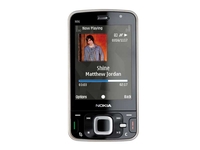
Mobile network 3 has announced that it will be placing the Spotify for Symbian application on its range of mobile phones.
This means that it's no longer just the HTC Hero that will benefit from the streaming service, as now 10 more handsets have been added to the mix.
Among the headline-grabbing Symbian handset on offer are the Sony Ericsson Satio and the Nokia N96, although 3 is also offering it to the lower-end Symbian phones too.
Nothing like the Hero
The cost of the application is in keeping with Spotify Premium, which is available at آ£9.99 over six months.
However, there won't be a repeat of the two-year bundle deal 3 offers with the HTC Hero, as it seeks to expand the choice for its music loving mobile customers.
If you want to find out more / haven't read this article properly and had your eyes drawn to a hyperlink, head on over to www.three.co.uk/spotify.

| |
Read More ...
Hulu snaps up Warner Music content

Hulu, the US online video-streaming behemoth, has announced it is to partner with Warner Music to bring you a whole host of music-related video content.
While Hulu continues to make its mind up whether to launch in the UK or not, the US will get access to a bevy of music videos and there will even be dedicated pages to a number of artists.
Muse and co
Other content which will be made available includes artist interviews and concerts.
The acts which will be featured include: Muse, Paramore and Jason Mraz.
Although YouTube has a similar content deal in place – with the addition of Universal, Sony and EMI – it does show that the late starter is snapping at the heels of Google's video site.
Now, all we have to do is sit and wait patiently for the service to Hula hoop its way over here.

| |
Read More ...
In Depth: 8 of the best KDE distributions

KDE has had something of a rough time over the last couple of years. The transition from version 3.5 to 4.x hasn't been easy, and over this period many distributions have decided to use either Gnome or stick with KDE 3.5 as their default desktop.
But we feel KDE 4 has now matured to a point where most KDE users can safely dump their old desktop and move on to the new one. There are very few stability issues, and most of the functionality found in 3.5 has been migrated to 4.3.
If you're an ardent KDE user this means switching to a KDE-centric distribution, for the simple reason that distros based on KDE best understand what KDE users need.
Rather than providing simple packages for KDE, a KDE distro is likely to include GUI refinements, usability tweaks, custom themes, artwork and a good selection of KDE applications. It's also nice when Gnome and GTK applications play happily with their KDE counterparts, especially if a compatible theme has been chosen from them both.
KDE based distros should be able to do this better than simple Gnome desktops. But regardless of how optimistic we'd like to be about KDE version 4, it's still a desktop that's in development freefall. Any KDE 4 distribution worth its salt will need to be recent, up-to-date, and ideally, open to a constant stream of new packages as the KDE developers patch and add features.
We need a distribution that's going to blend the latest features and fixes into either a rolling update, or a new, updatable distribution you don't have to wait too long for. Only then can KDE get back on-top as the desktop of choice for Linux users.
Slackware 13
We're starting with Slackware for two reasons. The first is that it's a no-fuss distribution that makes very few concessions to 'enhancing the user experience', and the second is that it typically installs the most unmodified packages of any Linux distribution.
This is obvious from the first launch after the text-based Slackware installation routine. KDE's default blurry blue background greets you, complete with the default panel, the default selection of icons, and the default theme. This is KDE back to basics.

Unlike most other distributions, this includes an icon that most packages would rather ignore – the purple and blue globule of the Nepomuk Strigi module secreted between the clock and the alarm. This is the front-end to KDE's pervasive search engine, and if you click on this icon followed by the 'Configure' button in the window that appears, you can ask it to start creating an index of your files.
We couldn't get it to work without messing around with the command line, which is probably why most other distributions hide it. On the positive side, Slackware includes the full complement of KDE plasmoids, which means esoterica like the Blue Marble and Conway's Game of Life.
Slackware has a problem with getting fonts to display correctly. We've seen this behaviour before when we've compiled our own version of KDE, so it's not surprising that Slackware suffers similar problem. It's easy to solve with the System Settings font selector, but it's a sign that very little has been done to make the average user's experience any better.
But then, what can you expect from a distribution that still requires you to type startx to launch the graphical desktop?
Verdict: Slackware
Version: 13
Website: www.slackware.com
The equivalent of the value range in a supermarket: it's the same food, just without the nice packaging.
Rating: 5/10
Chakra Alpha 3: Arch-based KDE that attempts to keep it simple, keep it safe
Chakra is a version of Arch Linux customised for live use with the KDE environment. It's also the most experimental of the distributions we're looking at, but that also means it has some rather advanced features.
The first thing you notice is that the default live desktop is fairly close to the KDE default, with the exception of the desktop folder. This contains links to some common desktop tasks, including documentation, installation, and a few KDE applications.
This is where Chakra makes its mark, because it links to a preview release of K3b 2.0, Kaffeine 1.0 and Arora. The WebKit-based Arora browser in particular feels completely at home on the KDE desktop, and is a great replacement for Konqueror's increasingly clunky web surfing. We wish other distros did the same.

Click on the Install button and you'll see a custom installation app called Tribe, which is written in Qt. This really helps with the feel of the desktop, and while Tribe still has a way to go when it comes to user management, we had no problems partitioning the drive and installing a permanent version of Chakra on our hard drive. The highlight was the use of the Marble 3D globe as a location selector.
When we finally got to the desktop, however, we were disappointed that the application links of the live version were no where to be seen. This default desktop is a plain old KDE installation. It doesn't even include the handful of helpful home directories you might expect to find, such as one for the desktop, photos or documents.
It's rare that the live version of a distro is more functional than the installed version, but that seems to be the case here.
Verdict: Chakra Alpha 3
Version: Alpha 3
Website: http://chakra-project.org
Tons of potential and an exciting rate of development mean Chakra is a distribution to watch.
Rating: 6/10
Sidux: KDE strapped on to the side of Debian's Sid repository
Debian is a distribution that takes a very mature and stable approach to application inclusion. New packages must first prove themselves in an experimental repository known as Sid (a little like Mandriva's Cooker and Fedora's Rawhide). This is where Sidux comes in.
It's a KDE-based distro that uses the Sid repository for packages, created by people who love the melting pot of Sid with the aim of releasing 3–4 snapshots of the Sid repositories each year, complete with the latest version of KDE.
Sidux has taken the brave step of changing the appearance of the default KDE desktop, and the black-and-red plastic appearance that the Sidux art team have come up with works well. It's also based around SVG, so it should look just as good regardless of the screen resolution you're using.

But perhaps the boldest decision is opting to use the original KDE menu system rather than the new one that annoys most people. The custom installer is fantastic, and it took under five minutes to create a permanent installation on our hard drive, which must be something of a record.
After that, the new desktop is identical to the old one. The default web browser is Iceweasel, in line with Debian, but neither this nor the installed OpenOffice.org has any concessions in their themeing to accommodate KDE style icons and file requesters.
Thanks to its use of the Sid repository, upgrading from one version to the other is accomplished through the apt-get dist-upgrade command, but it's a pity that there's no simple GUI to perform the same task. The result is a no-nonsense desktop that's going to appeal to experienced KDE users, but may feel a little austere for new users.
Verdict: Sidux
Version: 2009.2
Website: http://sidux.com
With pervasive desktop search and a constant stream of new packages, Sidux is a good power-user choice. Mandriva is a good choice for those chasing Gnome stability with a little KDE magic.
Rating: 7/10
Mandriva One: One of the oldest distributions still selecting KDE as the default option
Despite the fact that Mandriva One now offers a choice of KDE or Gnome desktop, Mandriva remains largely a KDE shop, as it has been since 1998 and the days of KDE 1.0. But this doesn't mean you always get a trailblazing KDE experience.
Mandriva has always taken the more mature and stable route, and this means it often tries to tame the more wayward of KDE's new ideas. With Mandriva One, this means you get an opaque panel that could have come from KDE 3.5, a Mandriva theme that uses the Ia-Ora widget style to look like Gnome circa 1.5, and a launch menu that could have come from Windows 95.
One feature from a more innocent age is the morphing of KDE's Desktop Folder Plasmoid into a complete desktop. You can now drag files and folders on to the desktop, and the real thing will move to the Desktop directory rather than the Plasmoid link that's the default behaviour in KDE 4.

There's also a good selection of Plasmoids, and Mandriva tries hard by including a working Google Gadget option from the Plasmoid activator window.
Behind the scenes, you still get the excellent graphical system configuration tools, fantastic package management and Mandriva stability if you stay away from Google Gadgets. It would be nice to know you could upgrade to the latest KDE when it's released, but Mandriva would rather you updated your distribution than provide even semi-official packages for an update.
But best of all, Mandriva is the only distro to include the following line in its online documentation: "Our planet is beautiful, please do as much as possible to protect it."
Verdict: Mandriva
Version: One
Website: www.mandriva.com
Mandriva is a good choice for those chasing Gnome stability with a little KDE magic.
Rating: 7/10
Kubuntu: Sorry, but we couldn't just pretend it doesn't exist…
Despite being part of the Ubuntu stable, Kubuntu rarely garners the same amount of coverage as its Gnome-based sibling. And that's a pity, because Kubuntu is a genuine candidate for being the best KDE distribution you can get your hands on.
The main reason for this is that the Kubuntu team spend a lot of time trying to integrate KDE's specific quirks and peculiarities into the Ubuntu desktop environment. You get to use KPackageKit for package installation, for example, and many of the KDE configuration panels can be used to change Ubuntu-specific options.
The fantastic network manager has always been top of the priority list, for example, and Kubuntu's version is the best we've seen for connecting to wireless networks on the go.
Our only real disappointment is that the default blue of the standard desktop is quite a contrast to the highly customised and themed version of Gnome that Ubuntu is famous for, and KDE could really do with getting a share of the attention.

Admittedly, you can change something like the backdrop yourself with just a few clicks, but it would be nice to see a professional team of designers tackle KDE's widget and window themeing engines.
Kubuntu's best feature is unofficial. It's the updated versions of KDE that appears in the PPA repositories. These are the best packages we've found for keeping KDE up to date, which is especially important when so many changes are still being made.
Even the latest release of KDE, version 4.3.2, was available for Jaunty through the PPA, and thanks to improvements made in Karmic Koala, adding PPA repositories to your current package manager has never been easier.
Verdict: Kubuntu
Version: 9.10
Website: www.kubuntu.org
A solid desktop, brilliant packages and a good stream of updates help make Kubuntu a serious contender.
Rating: 8/10
OpenSUSE: Forget brown and blue, green is the new colour for your desktop
Another mainstream distribution that has always taken care to bundle KDE is OpenSUSE. It's also one of the few distributions that takes the trouble to create its own artwork for the KDE desktop, and version 11.2 in particular makes great use of OpenSUSE green with KDE's new Air theme.
It's the best we've seen, and we think the most beautiful KDE desktop available from a standard distribution. OpenSUSE even hosts a useful 'Getting Started with KDE' guide, but if you're installing from the live CD, you'll need to make sure you have more than 1GB of RAM for the installation to work.
Even in these times of supercheap RAM this seems a touch excessive. We blame OpenSUSE's all-singing, all-dancing config tool, Yast.

Beyond the graphics, OpenSUSE features plenty of usability tweaks too. Despite using the new launch menu, for example, the version that bundles with OpenSUSE forgoes the hover-over switching of the original, and removes the backwards arrow in a successful bid to add some much needed clarity.
You still have to resort to one of the clunky Yast control panels to change settings, although you have a choice when changing screen resolution, as the original KDE tool is still present.
On the desktop, there's the usual array of Plasmoids, although 11.2 is the first time we've seen the World Clock addition.
As you'd expect from a company that's made a considerable investment with OpenOffice.org developers, the office suite is well tailored for the KDE desktop, including icons and file requesters. It's easy to see why OpenSUSE has jumped to KDE as the default desktop.
Verdict: OpenSUSE
Version: 11.2
Website: www.opensuse.org
A distribution where the KDE desktop gets the same amount of love as Gnome does in Ubuntu.
Rating: 9/10
Sabayon: The only distro with a demo of World of Goo on the desktop
Following Ubuntu's lead, many distributions offer a KDE version as an alternative download, and Sabayon is one of the best and most popular. Installation is through a GTK looking application that should guide you from the live CD to an installed desktop in under 20 minutes.
Annoyingly, KDE's standard System Settings panel can't be found in the settings menu, which left us floundering for the screen resolution tool before we could use the desktop. (The application can be found on the 'Computer' page of the menu, in a nod to Microsoft Windows.)
Sabayon also bundles its own package manager, called Sulfur. This is a mixture of download agent and configuration tool, and it enables you to see exactly what's changing and where when you install a new package. It's a great addition, but it's likely to scare newbies away.

It's easy to see the intended audience for the distribution, with quick links to KDE's IRC client, torrent download application and VLC all available from the launch menu, and the cool kids of the internet are going to love the black and shiny livery of the desktop.
OpenOffiice.org is a mixture of Crystal-like icons with the old GTK file requester, and Gnome's update manager is lurking in the toolbar. and all actions require a double-click, rather than the singe-click of most KDE desktops. Firefox comes augmented by a few extensions such as FastFox, Google Preview and Stumble Upon.
With no file manager immediately obvious, either through the launch menu or a link to your home directory on the desktop, KDE beginners might find the Sabayon desktop a little intimidating, which is our lasting impression of this distribution.
Verdict: Sabayon
Version: 5.0
Website: www.sabayonlinux.org
A powerful, good-looking distribution that's tailored for KDE power users.
Rating: 7/10
PCLinuxOS 2009.2: KDE Revisited
We've always liked PCLinuxOS, even going back to its predistribution days as a series of packages for Mandriva. But when PCLinuxOS 2009.2 was released at the end of June, we were just as surprised as most people to find that this KDE based distribution was still clinging to KDE 3.5 like the crew of a sinking ship.
As much as we can understand the sentiment, it's now time to move on. KDE 4 has been promised for the 2009.3 release, but as yet, this hasn't appeared. But PCLOS is still worth a look because we love the desktop and there are official instructions on how to upgrade to 4 in the PCLOS forums.

KDE 4 on PCLOS is a great environment. There's still the old launch menu in the bottom-left corner, the Folder View takes over the complete desktop, and the Utilities folder is a nice touch. Hold your mouse over it and a window appears with the contents of the utilities menu easily accessible.
It's a little like stacks in OS X, and the only thing that spoils it is that it only takes one click to mess up the display – but that's KDE's fault, and perhaps vindication for PCLOS's reluctance to upgrading to KDE 4 before now.
You still get Mandriva's configuration and installation tools, which isn't a bad thing, while a distinctly GTK-looking AbiWord is the word processor of choice. Synaptic takes up the package management duties, and a link from the Utilities folder will install OpenOffice.org with a single click, which is a great idea.
We don't like the continual need to re-authenticate our root credentials though, and adding Google Gadgets through the Plasmoid window crashed Plasma – another problem with KDE.
Verdict: PCLinuxOS
Version: 2009.2
Website: www.pclinuxos.com
A great distribution that's hindered only by the lack of KDE 4 in the default installation.
Rating: 6/10
OpenSUSE - 9/10
As we mentioned at the beginning of this Roundup, the reason why there's no singlepage review of a single distribution is because they're all just so close. KDE is pretty much KDE whichever distribution you choose, and most users will make the desktop their own within weeks anyway.
You could install any of the distributions we've looked at and get productive with your usual array of applications within an hour. What we were particularly interested in was the distro's commitment to KDE and some illustration of understanding what KDE users want.

Kubuntu gets very close. Its team do a very good job of building a great package with superb flexibility and stability, and thanks to the wonders of the PPA, Kubuntu is the best choice for KDE users who are prepared to make their own adjustments and upgrade the official packages with each major release. It also comes with all the advantages of the default Ubuntu installation.
But our winner is OpenSUSE. It's a distribution that's got the professional sheen and gloss that only Novell can bring, and it's a distribution that always manages to bundle a cutting-edge KDE installation that will last you the full nine months of the distribution cycle.
The custom artwork looks great, and shows that the packaging team have a great understanding of what KDE is capable of and what users need from their desktop. Yast is always going to be unwieldy, but its fantastic integration into the KDE desktop (it's written in Qt) makes Linux feel much closer to its Windows and OS X competitors than other KDE distributions.
I am KDE, hear me roar
What this really comes down to is a distribution that is willing to pin its hopes on KDE, and in the current desktop climate, that's becoming an increasingly rare thing.
The KDE development team may seem to be increasingly aloof and separate from the world of distributions (for example, when will they remove the ridiculous blue glow that seems to accompany every window on the KDE desktop, and use a normal drop shadow instead?), but this selection that we've covered shows that there are still plenty of people willing to chase the ideal. Which means there's never been a better time to be a KDE user.

| |
Read More ...
ASA raps BT over Sky Movies ad

The ASA has upheld a complaint against BT over an advert that misled people over the availability of movies on BT Vision over the Sky Platform.
The advert suggested that movies were available on the misfiring BT Vision platform 'before they're shown on Sky Movies'.
Which is technically true, but of course if you compare like-for-like, BT's paid-for on-demand service is really comparable to Sky Box Office – where the movies were available at exactly the same time.
That technicality was not enough for the ASA, and the complaint – by Sky and two members of the public (R.Murdoch and J.Stelling?) – was upheld, despite BT insisting it was merely trying to show that movies are available without subscribing to a movie channel.
Like for like
"We considered that, because in terms of the on-demand availability of new release films, the most similar Sky service to BT Vision was Sky Box Office, whereas the comparison drawn was between BT Vision and Sky Movies, the ad was likely to mislead by giving viewers the impression that they would be able to see new movies more quickly with BT Vision than with Sky when that was not the case," said the ASA in its ruling.
"We noted on-screen text stating 'New release films are available on Sky Box Office at the same time as BT Vision' but concluded that was insufficient to remove the overall impression that new release films were available more quickly with BT than with Sky. We concluded that the comparison was likely to mislead."
Some would suggest that BT look a bit pathetic if it has to resort to these kind of cheap tricks.

| |
Read More ...
In Depth: 20 gadgets that defined the decade

What were you doing at the end of 1999? Paying for the internet by the minute on a PC as large and noisy as a cement factory, using a 14" screen that was as big as a bathtub?
Considering spending آ£625 on an imported region free DVD player? The world has changed beyond recognition.
Compare Nokia's monochrome 3310 from the year 2000 with an HTC Hero of today and you'd be forgiven for thinking 100 years have passed, and the designers have been employing alien technology NASA's Mars Rovers dug up and posted home.
We play video games by waving sticks now, take photographs with our telephones, buy laptop computers so cheap they're virtually disposable and, well, here's how else we've changed, courtesy of the 20 best gadgets that have defined the last decade.
1. BlackBerry Bold
Oh, you iPhone users look all cool with your "always on" web connections, but RIM's BlackBerry series has been giving power business users the chance to check their emails and synch their virtual lives between rounds in the pub for years.
The Bold is the pinnacle of the serious "email phone" and BlackBerry the company that first made us worry about network data speeds. If only BlackBerry had stuck cameras on the things sooner.

2. Samsung LN-R328W
It was 2005, give or take six months or so, when sales of HD TVs finally exploded. Samsung led the attack, aggressively undercutting the likes of Sony and Toshiba with its pointy-chinned LCD range, bringing HD to the masses.
Not that we had anything HD to watch on them - the main purpose of HD TVs back then was to free up a bit more lounge space by letting us chuck the old CRT over the neighbour's fence.

3. 3G "dongles"
The last few years have seen the UK's 3G network finally find itself a sort of purpose, thanks to the networks getting in on the dongle scene. Freeing you to use your mobile connection to reload Twitter anywhere a mobile signal could be had, we, as a nation, could stop fretting so much about not being able to use our laptops at the airport.

4. MacBook Air
The razor-sharp metallic laptop was an undeniable design and manufacturing masterpiece, but, even for an Apple product, it was staggeringly over-priced and under-connected.
A few more USB sockets surely wouldn't have hurt Apple's bottom line, and, arriving at the same time the "netbook" scene kicked off, the Air made Apple look extravagant and slightly insane, like power-crazed Roman emperors. Bloody nice thing to have, though. So solid you could use it as a sledge out there.

5. Nokia 3310
The mobile phone that's still serving your mum and dad perfectly well to this day. Nokia's chunky portable wasn't pretty, but it could survive being flushed, dropped and used as a weapon in nightclubs, plus it came with Snake II.
It was also the multimedia powerhouse of the time, thanks to having custom ringtones. Mobile phones have come pretty far in ten years, haven't they?

6. Sky+
Video tapes? Recordable DVDs? When Sky+ arrived it revolutionised TV viewing and, more importantly, helped de-clutter the entertainment area of the modern living room.
It wasn't just the live-TV-pausing technology that was stunning, the Sky+ user interface was also slick and simple enough for us to talk granddad through recording Match of the Day over the phone.

7. Motorola RAZR V3
Chances are you know someone who used one of these, and chances are your main memory is of them bashing the thing trying to make it work or attempting to physically harm it because it crashed again. But the RAZR hooked people because of its credit card thickness and jazzy colours.
If the primary media story of the last decade has been our obsession with celebrity culture and style over substance, the RAZR mirrors it perfectly. It is the Chantelle Houghton of technology. Sorry, got a bit deep there.

8. USB Flash drives
Ten years ago, how on earth would you have got an enormous 530MB PowerPoint file off your work computer to take home for the weekend? Burned a CD? Spent several hours FTP-ing the thing? Tried to wire your laptop into your work network?
Whatever option you went for, there was no way you were going home on time. The pocket USB drive is a modern godsend, day in, day out.

9. 3rd Gen iPod
It's a deeply personal decision having to decide on your favourite iPod, akin to making a mother pick the child she likes best - but we shall plump for the third-gen redesign. It smoothed the edges, brightened the display and made the buttons and scroll wheel as responsive as a lubed nipple.
It also worked with PCs out of the box, which helped Apple convince people it had foreseen iPod's success and not just got very, very lucky indeed with its Mac music gadget.

10. Humax Foxsat HDR
Free HD TV through the knackered old Sky dish that came with the flat? It doesn't seem possible, yet that is the dream you could carry out of Comet or Currys Digital this lunchtime for آ£240.
Not only does it decode free-to-air HD channels, it also manages the stunning feat of recording live TV and buffering it so you can pause Simon Cowell to pay the pizza delivery man.
The perfect device if you're one of those people who still rates telly as a more interesting thing to do than staring at the internet. And to think we started the decade lumbered with OnDigital.

11. Nikon D70
Nikon's ground breaking and semi-affordable DSLR managed 6.1megapixels, which was a lot for 2004 - but it was its compact, logical design, lightning fast start-up and operation and superb picture quality that cemented the D70 as the SLR for both amateurs and professionals.
Mint models still sell for آ£200, as once a gadget gets this good there's not much point in buying anything else. Cameras reached their peak and it was downhill all the way during the second half of the decade, as the miserable, smudged output of the "cameraphone" somehow became an acceptable way of recording our precious memories.

12. Solid-state hard drives
Quicker to boot, don't make as many funny and slightly worrying whirring or clicking noises, don't get as warm and make our cheap little netbooks perform as well as proper computers. We really ought to write all those clever South Korean engineers a thank you note for all they have given us this last decade.

13. Nintendo Wii
Is it a games machine? Is it a toy? Is it a physiotherapy device that ought to exist solely in the swimming pools of old people's homes? Bizarrely, Wii managed to be everything to everyone - even selling for a decent price when it launched.
Of course, it doesn't work as well as Ant & Dec make it look, but there is fun to be had - especially if you only play games twice a year at someone else's house.

14. Nokia N95
Nokia very, very nearly cracked the smartphone dream with the N95, which it marketed as a multimedia device rather than mere telephone. Features-wise the N95 was stunning - but ask its processor to actually boot up the GPS system and you faced a bit of a wait.
A little more internal "oomph" and the N95 could've taken the world hostage and demanded whatever it wanted.

15. Xbox 360
Most notable for its interface and community features than games alone, Xbox 360 managed to oust Sony's PlayStation from the number one spot (with help from Nintendo) and seize the "hardcore" gaming territory.
The groundwork was done by the first Xbox, which Microsoft used to build its Live network - an incredibly well built and user-friendly online world that's an essential extra for all owners.

16. Asus Eee PC 701
2007 was an astonishing year for computers. Instead of paying lots of money for a small computer, we suddenly had the option of paying very little money for a very little computer, thanks to Asus.
The "netbook" was born and browsing PC World on Saturday afternoon meant only spending آ£250 on a new laptop instead of آ£800. It was the decade things got better and cheaper. Lucky old us.

17. iPhone
Didn't just do one thing right, it did everything right. If Apple just made a great touchscreen, we'd have been impressed. If Apple had only invented a good portable internet machine, we'd have been impressed.
If it had just built a decent online gaming and music store, we'd have been dishing out the end-of-year accolades. But to do all of those things? Perfectly? In one device? First time? Unbelievable.

18. Nintendo DS
Changed the way games worked long before Wii came along. Featuring games about stroking dogs, blowing into the microphone and doing your maths homework, the DS was a machine like no other. Games released in 2006 still sit in the top 10 charts of today, as more people investigate gaming for the first time thanks to Nintendo's all-encompassing, welcoming style.

19. HTC Hero
Thanks, iPhone, thanks for doing all the groundwork. The slightly shabby T-Mobile G1 was an awkward false start for Google's Android OS, with its bulky frame, empty apps list and battery life barely long enough to get it through the boot process.
Then came the Hero. With a more polished Android and HTC's own gorgeous SENSE user interface over the top, we finally had a smartphone capable of standing up to iPhone and not embarrassing itself.

20. PlayStation 2
Launched in the year 2000, so ought to have been discontinued and relegated to museum shelves and lofts by now - yet PS2 continues. It lives.
The first few years of the 2000s saw the likes of Grand Theft Auto III, Gran Turismo 3, SSX Tricky and quality game after quality game flood the PS2 market, as owners, unaware of it at the time, lived through a Golden Age of home gaming.
Everything we play now is merely a clone of the magic PS2 ushered in. And we've nearly forgiven it for killing Dreamcast.


| |
Read More ...
Plane engineers take inspiration from bees

Have you ever seen a bee crash? No. Clearly you haven't, because they are not like human-built planes, a well-known fact that aerospace engineers are finally taking on board when designing safer planes.
The humble bumble bee can fly upside down and land on pretty much any surface you put in front of it. Planes, on the other hand, cannot. Yet.
Scientists have now figured out how bees manage to negotiate difficult landings, and are using this know-how to design safer automated aircraft that would be able to make perfectly gentle automatic landings.
Who thinks about bee landings?
"This is something an engineer would not think of while sitting in an armchair and thinking about how to land an aircraft," notes Mandyam Srinivasan, a neuroscientist at the Queensland Brain Institute at the University of Queensland and the Australian Research Council's Vision Centre in Brisbane.
"This is something we wouldn't have thought of if we hadn't watched bees do their landings."
Basically, bees gradually slow down to a stop by adjusting their speed as the size of their target appears larger.
The Australian researchers followed the landing flight paths of bees using high-speed cameras which showed that bees slow to a hover at 13 millimeters (about half an inch) away from their landing target, suggesting bees use their eyes to measure that exact distance.
"We don't know how they're doing it," said Srinivasan, "But they're doing it… It's a beautiful way of landing using biological autopilot.
"We would like to make spacecraft that do smooth, flawless dockings. Whatever bees are doing must be computationally simpler than what we are doing now."

| |
Read More ...
Firefox for mobile now just 'days away'
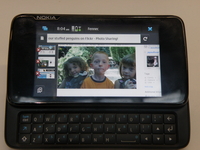
Firefox for mobile could be just days away, according to Jay Sullivan, mobile VP for Mozilla.
The new browser, which has been codenamed Fennec and been in development for over a year, will be unleashed on the Nokia N900 first.
However, it will likely be unveiled on other platforms, such as Symbian and Android, in the following months if the launch is successful.
Based on the same principles as the desktop Firefox browser, the mobile version will offer similar add ons to allow users to customise their experience.
Cloud power
As TechRadar exclusively revealed earlier in the year, the browser will have the same tabbed experience too as well as relying on cloud data to synchronise your bookmarks and favourite searches.
However, the mobile version will exploit the opportunities afforded by a mobile platform, explained Sullivan:
"Because it is a browser for a mobile device, the add-ons will be different," he said to the BBC. "You'll see ones that use geo-location and exploit how the device is tilted."
However, he also poured cold water on an iPhone version of the browser ever being created: "Apple is very restrictive. As it's a pretty closed platform we don't see that happening soon."

| |
Read More ...
Google Nexus One Phone shown in 5min video

The Nexus One Google Phone – possibly the worst kept secret of all time – has been shown off AGAIN – this time in an in-depth video.
The new phone, which is likely to debut in January, has been shown off to all in the five minute walk through, and shown off compared to other devices as well.
The video doesn't really give us a huge amount of information other than the Nexus One is going to be rocking the 'normal' Android interface, although there are some nice tweaks to keep the enthusiasts happy.
Google without Flash
There's an upgraded weather widgets, with some lovely scrolling elements, and the aforementioned five home screens to plonk icons onto.
The vid also appears to be showing an improved list of widgets, with Google obviously getting involved on the customisation side of things there.
The bad news – the phone definitely doesn't have multi-touch or Flash video playback in its current state, two things that would have been key weapons in the inevitable war with the iPhone.
We were hopeful they would turn up, given that the Hero is rocking them, but still – there's time before the release, so we remain in hope.

| |
Read More ...
American Aerospace Defense tracks Santa

Christmas is coming, the goose fat is getting scarce and we are all looking forward to a well-deserved rest and some quality time with the families (and all of our new bits of tech and gadgetry, of course!).
And there's nothing better in the world of tech to remind us of this than the annual tracking of Santa's flight path through the night sky in 3D via Google Earth!
NORAD tracks St Nick
Another popular Santa tracker is the North American Aerospace Defense Command's (NORAD) official Santa Tracker.
NORAD has been tracking Santa for over 50 years now, while following Santa's flight path in 3D using Google Earth is guaranteed to get big kids of all ages excited on Christmas Eve this year.
For more, head over to the The Official NORAD Santa Tracker

| |
Read More ...
In pictures: OLPC's XO 3.0 tablet concept
OLPC has announced a brand new concept laptop/tablet that it believes it can have ready for 2010 and at a price of less than $100.
Okay, so we may be struggling to imagine that this will actually arrive – but the concept is glorious and the shots provided exciting enough to publish in their entirety.
So, without further ado, here's the OLPC's vision of 2012 – a tablet style device that will be available for just tens of pounds.

OLPC XO 3.0 concept - front
OLPC XO 3.0 concept - rear

OLPC XO 3.0 concept - carry handle

OLPC XO 3.0 concept - with a camera

OLPC XO 3.0 concept - old skool

OLPC XO 3.0 concept - you are here

OLPC XO 3.0 concept - keyboard

OLPC XO 3.0 concept - browser

OLPC XO 3.0 concept - eReader

OLPC XO 3.0 concept - full colour graphics

| |
Read More ...
'Fleximus' digi camera shoots round corners

Art Lebedev's Fleximus Camera features a flexible tube fitted with a lens on one end, allowing users to shoot pictures from pretty much any angle they choose.
The other end of the device is hooked up to a compact viewfinder or 3-inch colour display.
The flexi-cam is only at the concept stage right now, but the idea behind the design is that it lets you capture both pics and video from 'angles never imaginable before'.
Angles previously unimaginable
"Fleximus is a photo and video camera," Lebedev's website reads. "It is designed to have as few controllers as possible. The flexible tube allows a photographer to shoot at angles never imaginable before."
Lebedev is best known for his customisable Optimus Maximus keyboards, which feature small OLED screens beneath the surface of each key.

| |
Read More ...
OLPC shows off tablet XO 3.0 concept

Along with announcing two other new models, the One Laptop Per Child (OLPC) project has shown off its latest concept – with a tablet style approaching its previous vision of a dual screen book laptop.
The mooted OLPC XO 2.0 has now been abandoned despite a lot of media attention - but not to disappoint, a whole new concept model, the XO 3.0, has arrived looking a little too much like vaporware, but certainly kind of cool.
Different approach
"The XO 3.0 is a totally different approach, to be available in 2012 and at a target price well below $100," says OLPC's release.
"It will feature a new design using a single sheet of flexible plastic and will be unbreakable and without holes in it.
"The XO 3.0 will leapfrog the previously announced (May 2008) XO 2.0, a two-page approach that will not be continued.
"The inner workings of 3.0 will come from the more modest 1.75."
XO XO
The mentioned XO 1.75 and the XO 1.5 are also being officially announced – with the 1.5 availabe in just a month and the 1.75 pencilled in for 'early 2011'.
"The XO 1.5 is the same industrial design as the XO 1.0, says OLPC.
"Based on a VIA processor (replacing AMD), it will provide 2x the speed, 4x DRAM memory and 4x FLASH memory.
"It will run both the Linux and Windows operating systems. XO 1.5 will be available in January 2010 at about $200 per unit.
"The actual price floats in accordance with spot markets, particularly for those of DRAM and FLASH."
The 1.75 is apparently going to use an ARM processor from Marvell and will cost around $150.
Colour us cynical, but we'll believe in the 3.0 when it's actually sat on our desks.

| |
Read More ...
Samsung to deliver awesome update to i8910HD
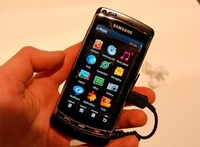
Samsung is set to update the firmware for its expensive-but-cool i8910HD handset, with a number of decent upgrades thrown under the hood.
The i8910HD is one of very few Symbian handsets for the firm (and may even be the last), and while the others appear to have fallen by the wayside, this one has been given the upgrade treatment.
Top of the pile is kinetic scrolling, so users will be able to 'throw' menus up and down in a similar way to the iPhone and Android devices.
Throwing it around
There's also an improved web browser, thanks to upgraded Webkit software, and an improved graphics engine for better access to all the multimedia stuff the phone is famed for (HD video recording for instance).
We're not sure when it's going to land, but word is it will be hitting Italy before 2010 and the UK early next year – which will please all those users who have been forced to crack their handset to lever in upgraded software already.
Either way, we're pleased Samsung is stepping up to the plate – but if you want to give us an extra Christmas treat, please can you make it turn invisible too?

| |
Read More ...
iPhone price war in France - UK next?
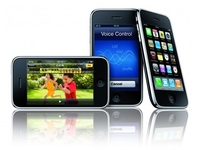
Now that the iPhone is being offered on multiple carriers in France, it's sparked something of a price war over the Christmas period.
After the courts ordered Apple to end the exclusivity of the device in France at the behest of Bouygues Telecom, Orange was joined by the aforementioned company and SFR to offer the phone.
And the latter seem to have got into a little pricing scrap, with Orange offering the iPhone 3GS 16GB at €59 (آ£52), down from €149 (آ£133), with the 8GB iPhone 3G selling for €19 (آ£16) and the 32GB iPhone 3GS starting at €179 (آ£160).
Heavy on the pocket
However, this does come with a contract at around آ£35 per month, so it's still tipping the costly scales at the wrong end.
By comparison, SFR is selling the 8GB 3G iPhone for €29 (آ£25), the 16GB 3GS for €99 (آ£88) and the 32GB for €199 (آ£177).
These all compare favourably to UK pricing, which means there's a European disparity over the pricing structure that surely can be exploited on our shores.
Since Orange, Vodafone and Tesco are now all offering the iPhone too, it's possible the pricing will start to shift in the near future – especially with a new iPhone around the corner (yes, we know it's not confirmed... we're just going out on a very, very likely limb).

| |
Read More ...
Facebook accounts for '20 per cent of divorces'

A UK-based divorce firm has made the claim that a fifth of its divorce cases it deals with are Facebook-related.
The most popular social-networking site in the world has been name-checked as one of the main reasons couples are filing for divorce, according to Divorce-Online.
The site calls itself the "UK's leading divorce resource". And we've looked everywhere for the coda "especially if your spouse has annoyed you on Facebook" but couldn't find it, so we are going to take Divorce-Online's findings as cold, hard fact.
Inappropriate sexual chat
Especially when the Telegraph quotes Mark Keenan, Managing Director of Divorce-Online, as saying: "I had heard from my staff that there were a lot of people saying they had found out things about their partners on Facebook and I decided to see how prevalent it was I was really surprised to see 20 per cent of all the petitions containing references to Facebook.
"The most common reason seemed to be people having inappropriate sexual chats with people they were not supposed to."
So, flirting on Facebook with someone other than your other half will get you into trouble, and into the courts. Got that? Good.

| |
Read More ...
Packard Bell unleashes swivelling multi-touch laptop

Packard Bell has unveiled its new high end laptop, the EasyNote Butterfly Touch Edition, complete with swivelling screen and multi-touch.
Perfect for the indecisive, the notebook offers an 11.6-inch screen with a weight of under 1.6kg, a full-size keyboard and up to eight hours of battery life.
But if typing sitting at a desk is a bore for you, simply swivel the screen and turn it into a tablet PC, complete with multi-touch, for commuter-jealousy-baiting multi-touch.
I can feel your movement
It's running Windows 7, can sense when in portrait and landscape modes (and resize to fit too) and has a HD screen with 1366 x 768 resolution.
It also packs optional 3G module, webcam, Bluetooth, 4GB RAM, Wi-Fi, HDMI, 5-in-1 card reader and although PB is stating a '640MB hard drive' we think you can safely assume that's actually 640GB, otherwise this would be very 'retro' in spec.
Coming in February next year, it will set you back around آ£500, or 27,000 TechRadarPebbles if we can get our new currency ratified by the EU by then.

| |
Read More ...
'Invisibility cloak' a possibility with nano magnet tech

The latest nano-tech research into magnets and light fields could well lead to the development of one of our favourite superhero dreams – the 'invisibility cloak'.
Researchers at the FOM institute AMOLF in the Netherlands have successfully managed to power an energy transfer between nano-electromagnets with the magnetic field of light for the first time in human history.
It is a major breakthrough in the long and noble scientific journey towards helping us fulfil our childhood Marvel-comic inspired dreams.
Additionally, and slightly more prosaically, it is a step forward in the development of what are called magnetic 'meta-materials' which are able to deflect light rays in every possible direction.
Deflect rays of light
The artificial 'meta-materials' are made up of incredibly tiny U-shaped metal 'nano-rings',in which an electromagnetic field of light induces an alternating current, with the mini-magnets north and south poles alternating 500 billion times per second.
The key 'take-home' here is that it gives the researchers a better ability to understand and control how light can be deflected by such nano-magnets.
If you are well-versed in nanotech science terminology then you can even head over to read the original AMOLF research at the Physical Review Letters

| |
Read More ...
How to play N64 games on your iPhone

An unofficial Nintendo N64 iPhone emulator has started doing the rounds amongst the hacking and jailbreaking community this week, featuring wireless support via Bluetooth for Nintendo's Wii Remote.
Of course, such an app is never going to see an 'official' release, what with Nintendo's eagerness to stamp out all and any forms of IP infringement and piracy.
However, if you have jailbroken your phone and happen to be a hardcore Nintendo fanboy and a fan of retro games emulation then you are clearly going to be getting hot under the collar at the prospect of revisiting N64 classics on your phone.
Poor quality gameplay
Initial reports suggest that it is hardly worth going to the bother of jailbreaking your iPhone and then downloading the N64 emulator, because the frame-rates and rubbish controls will only annoy and disappoint.
However, if you really must persist – and simply wish to control a Nintendo game on a phone via your Wii Remote for the hell of it – then the unofficial n64iphone is available to jailbreakers in Cydia for $2.50.

| |
Read More ...
Peak time for iPlayer on a mobile is post-watershed

The BBC has revealed that peak time for users logging into its stupidly successful online platform, the iPlayer, on a mobile phone is a rather late 9:30pm.
This means that the majority of its mobile users are choosing to log on later in the evening, and post-watershed, to view programmes that they may have missed.
The BBC has also revealed that its most popular day of the week for the iPlayer, again mobile wise, is a Sunday.
Although it didn't go as far to confirm if viewers were watching things like Top Gear hungover and with a bacon butty in their collective hands.
iPlayer on the phone
It's not just night owls who are 'tuning' in to the iPlayer on their handset, though, as the second most-watched time seems to be in the morning around 7am and 10am.
This makes perfect sense, given that it is when the morning commute usually takes place.
The iPlayer mobile-wise is currently available on 22 handsets – including the Sony Ericsson W995 and Nokia N97.
While no official figures were released it does show that more and more people are looking to their mobile phone to view content on-demand.
This is something the BBC will have to consider when making Project Canvas available to the masses in 2010. Although it's primarily pitched at set-top boxes, no doubt there will be some sort of convergence model made for the mobile platform.

| |
Read More ...
Epic reveals latest Unreal Engine on iPhone

In what is likely to be a landmark news announcement for mobile gaming developers, Epic has announced that its latest version of Unreal Engine 3 works on the Apple iPhone.
The Gears of War and Unreal Tournament developer has not announced any specific games for the iPhone platform as yet, although it is only a matter of time before we hear more on that front.
For now, it is a good enough early Christmas present to iPhone owners to simply know that Epic's development tech runs smoothly on the Apple smartphone, which is increasingly becoming the hardcore gamer's handheld of choice.
More to come at CES 2010
Epic CEO Mark Rein showcased Unreal Engine 3 running on a third generation iPod touch – amazingly, this is the same engine that powers Gears of War 2. Rein teases us with the expectation of more to come at CES in Vegas early next month.
"The demo is both playable and has a flythrough," notes AnandTech. "It's using a modified Unreal Tournament level previously shown off at GDC.
"A virtual thumbstick on the left side of the screen controls your movement, while tracking your thumb in the lower right corner of the screen controls the camera. Just tap the screen to shoot. Mark said this is a tech test bed and they're experimenting with several different control schemes including ones with tilt."

| |
Read More ...
Microsoft Word banned by the courts

In an extraordinary move, a court has banned Microsoft from selling Word due to the computer program violating a patent.
The patent in question is owned by a Canadian company, called i4i Inc, and is to do with the way the software allows you to edit XML, a feature of the rich text documents used in the latest version of Word.
This is all part of a on-going court battle which has been going on all year, and even though the company avoided a ban this October, it looks likely that Word will be taken off the shelves in January unless they tweak the problem.
Wheels in motion
A judge in Texas decided to make the call that, unless changes are made, Microsoft Word would have to be pulled from the shelves in January and the company is to pay a fine of $290 million to i4i Inc for patent violation.
Obviously, Microsoft is looking quickly to rectify the problem, with a spokesperson saying it has "put the wheels in motion to remove this little-used feature". This means that new versions of Word 2007 and Office 2007 without the piece of code owned by i4i Inc will be sold after the January cut-off date.
Microsoft has also been quick to point out that its upcoming Office 2010 software does not contain the code. And probably a good job too.
Microsoft has hinted it will look to appeal the decision but for the moment it has a lot of behind-the-scenes maintenance to do to make sure that Word stays on the shelves.
Steve Ballmer's speech at CES 2010 may have just got a little bit more interesting.

| |
Read More ...
Ad agency admits PSP-4000 typo FUBAR

An advert, which revealed that a LittleBigPlanet starter park would be available for the yet-unavailable PSP-4000, has turned out to be a typo.
The ad agency behind the promotion – Accessories 4 Technology – which appeared in games industry magazine MCV has admitted the error, explaining to Negative Gamer that it was a "mistake on our part".
Backwards compatibility
Sony has not announced that a new PSP is on the horizon, but after a bit of a backlash with the PSPGo, due to the handheld console being unable to use UMDs, there is much rumour and speculation that the PSPGo would get a UMD update – which is taking backwards compatibility to the extreme.
As always, Sony has noted that it "doesn't comment on rumour or speculation", which means that it's definitely coming. Okay, we might have read between the lines there but if we are right, you read it here first.

| |
Read More ...
NASA snaps up Nikon for space photography

Nikon has announced its cameras have been chosen to be used by NASA to document all things out of this world at the International Space Station.
In all, NASA has ordered 11 D3S digital SLR cameras and seven AF-S NIKKOR 14-24mm f/2.8G ED lenses.
This isn't the first time that Nikon and NASA have partnered up for space documentation. The camera company was chosen way back in 1971 for use on the Apollo 15, and Nikon was used again in 1980, 1991,1999 and 2008.
Life through a lens
Already on-board the International Space Station are15 types of NIKKOR lenses (more than 35 lenses all together) so there's definitely seems to be a lot of photography taking place.
The Nikon D3S is the company's flagship camera, and with an ISO setting of 200 to 12800, it's easy to see why the camera has been chosen.
Let's just hope the next-generation of Neil Armstrongs are well-versed in the rule of thirds.

| |
Read More ...
Review: Motorola Milestone

While Motorola might have been feeling pretty happy about actually releasing a phone again in the Dext, it clearly wasn't the handset to re-launch the brand. So step forward the Milestone (Droid to our US users), the latest Android phone - but can it be Moto's greatest?
The first thing you'll notice about the Motorola Milestone is the build quality - compare it to some Android phones out there and you'll feel that it's much better than the plasticky options available from some companies (including itself - the Dext had an element of low quality about it).
The phone is noticeably thinner than before, coming in at just 13.7mm thick, which is impressive when you realise that it packs a full QWERTY keyboard into that frame as well. Along with the sleek design, the phone has a decent weight about it - to us it hits the sweet spot of not being too heavy, but weighty enough to add premium aura to the device.
The decision to use gold decal is a little suspect though - it harks back to the teeth-grindingly frustrating days of the D&G-branded Motorola Razr that didn't add anything except too much gold to the device. However, it does feel a little retro '80s... we assume that's what the kids are into these days.

But this phone is meant to be so much more than that - it's been particularly heralded over in the US as the best Android phone thus far, being the fastest, most up-to-date and agile device yet from the Google crowd.
To that end, it has the latest version of Android (2.0) as well as a nice 3.7-inch screen to boot. The display is easily the rival of the HTC Hero, being a slick and responsive capacitive effort with very little slow down when navigating through the Milestone.
Motorola's new handset is a pretty basic affair when you're looking from the front, with the four touch sensitive buttons the only notion that it's a phone. They're a little hieroglyphic-like in design, but that's something we're seeing a fair amount of these days, and we guess they work well when illuminated for touch-sensitive use.
The first thing a lot of people will notice when using the Milestone is the lip at the bottom - and we're jiggered if we can work out what that's for. When sliding the QWERTY keyboard open, it's quickly obvious that this gets in the way of typing when holding the device in two hands, so what Motorola is doing there we don't know - we can only assume there's some important hardware squashed in there.
However, we'd rather that Motorola had just made the Milestone a little bit thicker rather than adding on this extra chunk - it's a big, big downside for the phone and we can imagine it putting a lot of people off buying the device.
The QWERTY keyboard is a little cramped - think somewhere between the Nokia N900 (spacious) and the Palm Pre (cramped). Others we asked to test the phone all said the keys were well spaced enough to hit, but the lip got in the way of easy handling and therefore typing.
The slide out action of the keyboard is pleasing, and once again continues the premium feel - there's a nice click when fully extended. We're also pleased to see a D-Pad and select key included - while touchscreens might be great for video and the internet, they can be very fiddly when trying to edit text, and the D-Pad is a godsend in this case.

The outside of the phone is filled with your average buttons, with the 3.5mm headphone jack nicely flush with the chassis, and the power/lock key right next to it. This latter button is a little hard to hit, being located behind part of the screen, but you do get used to it over time.
Overall, the build quality is good enough, but very likely to polarise tastes - it's very industrial-looking, and the use of gold is a little bit of a gamble in our eyes, but at least all the bits we were looking for are present and correct.
In the box
Motorola has been obvious with its bundled gifts - an eco-friendly power cable is included, as well as a microUSB charger. There's an 8GB microSD card included too, with all the Motonav software on board as well as a nice place to keep all your media and suchlike.

As you might imagine, a pair of basic headphones which double as a hands free kit are included in the box - unless you're desperate to talk using a wire we can't imagine that you'll be using these too much as we'd advise using your own buds wherever possible.
The Motorola Milestone is rocking the latest version of Android, 2.0, and this debuted to much fanfare over in the US because it included Google's new navigation technology, wittily called Google Navigation. We'll get the bad news out the way first - it's not here and that's a shame, with MotoNav in its place.
The other thing to note is that while the Motorola Dext was only an average piece of kit, we liked MotoBlur, the overlay on top of Android that allowed easy interaction with social networking. This is also missing for some unknown reason, with only the vanilla rendition of Android on the Milestone.
The unit we're using isn't officially available in the UK through a carrier, only via eXpansys at the moment, and we're hopeful that MotoBlur might make an appearance later on in 2010 - don't get your hopes up though.

That said, Android 2.0 is a decent enough version of Google's OS, with all the bits in the right place for general navigation. There are only three home screens (we were hoping for more) and while the icons are re-designed, there's not too much else here for Android fans to get excited about in the same way as HTC's Sense UI.
We'll go over some of the cool features of the OS if you're an Android newbie though, as there's a reason that some are predicting this will become the dominant OS in a few years' time for mobile phones.
Notifications are located at the top of the screen - swiping down will activate this and will let you see whether you've got a new message, USB connection or other application running that needs an input. Also offered is an easy to use menu system: swiping the tab up from the bottom will list all your icons in an iPhone-a-like way, with the option to press and hold one of these to add it to the home screen.
The Motorola Milestone also offers a number of widgets to play with, including one from YouTube that lets you both search and upload to the mobile site, and a power bar that lets you toggle things like Wi-Fi and screen brightness to help conserve the battery.
Google search is included by default as a widget, and if you want to try something cool there's a little microphone icon there as well for Google Voice search, which is exactly as it sounds - although it's a little hit and miss on the Milestone.

Beyond the normal Android functionality there's not a huge amount more to the Milestone than that which we've seen before – the main differences in Android 2.0 (such as Microsoft Exchange support and upgraded contacts menus) aren't really relevant here.
But the sheer pleasure of using Android has never been so well exemplified on a phone than it is here on the Milestone – the HTC Hero might be an overall better experience, but it needed a firmware upgrade to make it work in the slick manner to which we've become accustomed.
But the Milestone is better than that right out the box, with the ARM Cortex A8 550 MHz processor under the cover pushing things along nicely, which is impressive when you consider there are other devices out there that manage to do less out the box than this phone with almost double the processing power.
What we both like and dislike about the Motorola Milestone is the fact that it doesn't really do anything more than show off the power of Google's Android 2.0 upgrade – this is great when you get to the cool bits, not so much when you see the upgraded overlays from other companies.
However, the contacts element is one of those to benefit from Google power, and it's added an element of detail to what was essentially just a list of names before.
The main difference is the fact you can synchronise contacts, as well as having access to your corporate network via the power of Microsoft Exchange. This means a simple mash up between your contacts is possible by adding in all those accounts you can synchronise into once space - admittedly at the moment this only means Google and Exchange (as well as those from your SIM card) but in the future the APIs will allow other companies to stuff Facebook and Twitter and any other kind you can think of to supplement the contacts list - something we're very much in favour of.

However, there seems to have been a problem coding all this on the Milestone - when sliding through the list there were a number of contacts we thought we had synchronised not present. When we grabbed the tab at the side (which automatically sorts them into groups by letter) suddenly these people magically re-appeared; although if you weren't swift enough to stab their name, they were gone.
We don't know if this is a problem integrating so many names into a single list or whether it's the curse of Google contacts striking again, but it was very, very annoying.
On the plus side, there's a new element called quick contacts that allows you to tap on a name and see ways to interact with them in some way - we were particularly excited about the possibility to geotagging them.

However, we couldn't find any notion of being able to geotag on the Milestone - whether it was because it was too well hidden for us to find or only for those on Google Latitude (ie, nobody), we're not sure, but holding the contact picture did at least bring up the contact bar.
We did like the ability to star contacts and thereby make them into your favourites - this means that you're able to see the people you care about (or at least talk to the most) in one easy tab.
We'd have liked to see smart dialling on the dialler tab, making it easier to sift through the contacts, but it's sadly not there.
Call quality on the Motorola Milestone was OK - it wasn't stellar and the phone felt a little awkward pressed to the head, but at least it didn't drop out all the time. We did experience a couple of issues with the screen not coming out of blackout mode when removed from the ear - it meant hanging up on people was pretty difficult unless you wanted to wait a while for the display to spring back to life.
Coverage was good enough though, hanging on in some tight spots - although it wasn't stellar, and even having one bar of signal didn't seem enough in some places.
We mentioned before that the Milestone had some nice Android 2.0 upgrades in the box, and Exchange is one of them. It's not a given it will be on every phone, as it's at the manufacturers discretion whether to activate it, but we're happy to report that Motorola has given it the thumbs up.
This means that the ways to contact your friends by the power of the written word have increased dramatically on the Milestone - we know some companies have added support for Exchange in via Roadsync in the past, but this way makes much more sense.
Messages are still threaded into conversations, which makes the process of seeing what you've said to your friends a lot easier, and the 'type to compose' box actually works here, whereas it hasn't before on some devices, making the process a lot more convoluted.

The on screen keyboard has been massively improved in Android 2.0, with much more accurate word recognition, but we weren't bothered about that - we cracked out the QWERTY effort instead and it's tip top in our opinion.
Like we mentioned before, there's a problem with the lip blocking your digits from the keys, and this may be insurmountable to some people - but one you get your head (and your hand) around it life becomes a lot easier.
However, we never managed to hit top gear when it came to typing speed on the Milestone, and we put that squarely down to lip forcing us to readjust during the text entry process.
But things we did like: being given an '@' key without having to hit the Symbol mode, the positioning of the space bar and the fact that typing on it will automatically enter the search bar when on the home screen.
Some have already been criticising this element of the phone - but we urge you to give it a good ten minute play before deciding on whether you love or loathe it, as we're sure there are a good few people out there who might change their opinion.
Email is also available in two forms - Exchange (as mentioned above) and Gmail, which you'll have come to expect on an Android device. For some reason the latter didn't want to set up correctly out the box for us, but when it eventually worked, it was fine.
Exchange was easy enough to set up, providing you have all the relevant information on domains and usernames for your corporate account, and you can set both to update almost instantly, meaning you'll never miss a mail if you don't want to.
One problem did crop up - Google Mail moved to 'manual updates' by itself for some reason, leaving us with an unwanted backlog of messages - however, this was fixed with one swipe and didn't re-occur, so just keep an eye out for it.
Other than that, messaging on the Motorola Milestone works well - while we would have liked to see some inbuilt Facebook messaging function, we can't believe it will be too long before we see another device that can perform this action running the Android OS.
Turning your basic text message into an MMS is as easy as pie as well, taking the email route of subject attachments - there are also options to capture video and record audio alongside the ability to append the relevant files from the memory already, so you'll never be short of a messaging option on the Motorola Milestone.
We've reviewed a fair number of Android handsets now, and the problem they have is, well, they're pretty much all the same when it comes to the internet. It's not a really big issue, as the internet browser is excellent, but it's been excellent for a number of models now so it's hard to separate the devices.
However, there's one thing that the Motorola Milestone and the HTC Hero share in common - they're Android mobiles that have got pinch and zoom functionality, and that's a great addition to any device.
We're less pleased to see no Flash player on board - this is something we were hoping would begin appearing in a greater number of handsets in the near future, but the recent crop of mobiles has carried on the practice of eschewing this.

Another real problem with the internet on the Motorola Milestone is the fact it's clearly positioning itself for use in landscape mode - when trying to view text in a column on portrait it simply doesn't want to know.
So you're left with the choice of either resizing the screen to fit all the text in, or turning the phone on its side and giving in to the Motorola overlords. As unrebellious as it sounds, we found ourselves doing the latter - though it was under duress.
If you consider that the HTC Hero can smart fit text down to almost single letters, you'll see that it just seems a bit lazy that Motorola isn't doing the same, unless there's some kind of underlying corporate reason.
The good thing about this Webkit-based browser is it allows you to quickly and easily browse websites in full HTML, which means widgets such as constantly updated text will work happily for you. This is common in nearly all Android phones and on the Milestone it works as well as we could have hoped for.
There were a few too many instances of having to wait while web pages hung when using the 3G connection (which was partly to do with the Milestone not recognising when it has one bar of signal, as we mentioned earlier) so moving over to Wi-Fi was the best option in most cases.

And once again, we like the ability to be able to share a webpage we're digging through the various applications we've installed - being able to chuck something to and from the likes of Twidroid really gives the phone that special 'cool gadget' feeling.
We're also fans of the being able to view the web pages you read regularly as simply as if you're looking at your bookmarks via a special tab - it means that when you've forgotten to flag one of your favourite sites, you're not forced to wade through days of history to find it again.
While we would have liked to see Flash player on the Motorola Milestone, we were happy with the web experience. Heavy pages loaded within reasonable time limits (ie before you wanted to throw the phone at the wall) and the ability to navigate speedily between sites is always the hallmark of a decent browser.
We can't help but feel that despite the camera upgrades that have come as part of the Android 2.0 experience, this element still feels sorely lacking in the slickness department. Say what you want about the terrible resolution of the iPhone cameras, but at the end of the day the pictures taken are decent enough quality to be used day to day.
The Motorola Milestone, like so many other Android phones before it, does not live up to the ability of even the iPhone, and that's with the dual LED flash and 5MP snapper bolted in the back. We have no idea why, but this phone seems to only want to take grainy, out of focus pictures as often as it can.
Try and snap a bright background, and it will eat up most of the picture rather than being neutralised. Throw in some low light elements, and the picture will have more grain in than a farmer's chicken feed store.

Add to that the fact you have to wait an age to not only take the picture (and then have a fair few subsequent retries as the auto focus tries to sort itself out) but the processing going on in the background to add the picture to media library is a bit farcical as well.
Admittedly, the addition of the macro mode is a nice touch, and this actually works well most of the time (providing you're in a well lit and stable environment). But the other changes, such as colour correction, aren't really worth writing home about.
We dig the fact you're able to share your pictures through a variety of sources (such as Facebook, Twitter or a default email address under 'Quicksend') as well as being able to tag them for easy reference later on.

Video is a similar experience, with a hi-ish res camera (D1, 720x480 pixels) being able to score footage in a respectable 24fps. However, we were pleased with the lack of choppiness from such an effort - we think it's going to be months if not years before we finally see the 'Android camera phone', as it still seems to be all about the internet on these devices at the moment.
And video on the Milestone is still a bit slow to process in the same way the camera pictures take a while to save - but at least this is a right step in the media direction.
Android and media aren't really the greatest of bedfellows these days, and while that's not been improved on greatly in the Motorola Milestone, the main thing we liked was the fact you could actually look at your videos, your photos or your music without the phone deciding to judder to a halt when you looked at more than one snap at a time.
We're not saying that it's the most super slick experience you'll ever have in your life, but at least the Milestone has a good go at being your dedicated media player - adding an 8GB memory card into the box is always going to help matters as well.
These days, especially with widescreen, high definition screens all the rage on phones, video has come to the fore, and that's apparent on the Milestone, indicated by little things such as the media gallery being set into video mode by default.

Turning the phone on its side will activate a cover flow mode for the video thumbnails, and as mentioned above, the speed at which it can sort through these clips is impressive. Video output itself is a little underwhelming (especially when you consider it's a widescreen VGA (854 x 480) screen) - the likes of the LG Crystal, which is by no means a good phone, is better when it comes to video in our opinion.
However, music playback is becoming more solid on the Android platform too, as while it's still a basic music player, it's becoming a good one, with the options to see album art, shuffle songs and check track listings all from the single landing page (as well as sliding through a song to fast forward as well).
Party mode to cue up some tunes for you and a friend or five is still a little redundant, especially with the tinny sound emanating from the gold rear speaker.

The other element to note is the inbuilt YouTube player - we know it's omnipresent on Google phones (obviously) but it's still a real plus point on the Milestone, as not only does it chuck out video in high quality wherever it can, it's got a nice UI and a quick search box too.
This means that when you're down the pub with your mates and need to prove something via video - you'll be the one with the cool phone that can do it faster than most. When the day comes that BBC iPlayer is available on Android, these phones will certainly take another step towards becoming indispensable.
Those of you Android fans out there will have noticed that the Android Market is really starting to pick up pace - with over 15,000 applications all ready to download.
While this is a good set to be playing with, the main thing to notice is that the level is picking up - things like third party task managers for the OS and an improved amount of games are necessities for the discerning Motorola Milestone user.
Here are a few we think you should be checking out:
beebPlayer
Basically an Android version of the BBC iPlayer, this is a watered down version of the mobile application we've seen on the likes of the Nokia N97 and the Sony Ericsson W995.
It allows streaming of all the programmes available on the normal service, although at times the quality is so low we couldn't help but wonder whether the shows were recorded on somebody's video player and streamed over the internet.
Layar
Ever wished you could see through walls? Well, now you sort of can - this browser uses the camera and GPS data to see what's going on around you and let you see the world differently. If you want to see where the tube lines run in real time, or check out nearby Twitterers, then this is for you.
Light Racer
You remember Tron? The film with all the wacky effects? That bit with the motorbikes where they had to cut each other off to win? Well, fuse that with Snake and imagine instead of steering you use a trackball, then you're most of the way there. Only one word for this application: awesome. OK, and another two: really difficult.
Super Mario sounds and ringtones
Is it properly licensed? We don't know. But at the end of the day there's an application that lets you use the '1up' extra life sound effect as a ringtone, and pleasure your mates aurally with the sound of Mario jumping. It's a no-brainer.
And what about on the Milestone itself? Well, there's very little actually, with the exception of the mapping software. MotoNav is the version of Google Navigation we're (angrily) lumbered with, so we can't tell you how good Google Navigation is.
MotoNav is reasonable enough, but if you want something that will help you get from A to B speedily, we still preferred using a dedicated GPS - whether having Google Navigation on this phone would have changed things, we'll never know.

Google Maps has been upgraded too, so you can now see a greater depth of information when booting it up (such as layers of satellite information, Latitude friends nearby or traffic information (although not in the UK) and the application now works a lot more swiftly than before.
The GPS tracking isn't as good as on other phones, with it preferring to drop a signal and move to aGPS a little too often, but at least it will find you quickly enough using either method.
If there's one thing an Android phone is good at, it's eating up your battery, and while the Motorola Milestone isn't really an exception, it's a lot better than other Android phones out there by the sheer fact it doesn't require a full charge every 10 hours or so.

We think it's important you download some software to be able to turn off third party applications on the phone, as otherwise it will eat up the battery much faster than you'd like. However, we managed to easily limit ourselves to charging only once per day or two, and very rarely did the Milestone squawk at us to plug it in.

We're not sure the addition of the battery meter is a good idea, as all it does is highlight what's munching all your power without being able switch much of it off, but still, it's nice to have it there and good to be able to see how long you can last between charges.

The organisation skills of the Motorola Milestone are better than a number of other Android phones namely because there's now the Exchange calendar to factor in to the equation - we're not sure why we have to have both a corporate and 'normal' calendar, with the Google Calendar and Exchange version under separate applications.
Motorola has also seen fit to add in a calculator as well to the mix, with scientific mode should you fancy getting a bit of a 'tan'. We know, we know, we slay ourselves too.
Right, we've been excited about this bit for a while, and for good reason too - the Motorola Milestone packs an awesome little PC secret. Well, we say awesome - it's not the most useful thing in the world but it's still cool.
Buried in the list of applications is the Phone Portal, which asks you to connect the phone via USB or Wi-Fi. It then prompts you to enter an IP address into the browser window, and you're taken to what feels like a secret site dedicated to your phone.
From here you can check out your signal, read text messages, edit your phone book, check photos and lots more. And given that it can be done simply by Wi-Fi makes life a lot less stressful when you're trying to hook your phone up to the PC, although it does highlight how awful a majority of your snaps look.
And beyond that, if you want to sync your phone up to the PC with USB, you can use it as a media device with Windows Media Player, making it a lot easier to synchronise video and music that just dragging and dropping files as you have to with other Android phones.
Connectivity is sound as you'd expect with an Android device like this - Bluetooth v2.1 with A2DP helps you listen to music with ease wirelessly, and the Wi-Fi, although a little power hungry, is also a good effort.

GPS we've covered with Google Maps in the application section, although it must be said it could do with being a little more responsive, and struggles in built up areas. And the phone also packs the super fast 10.2mbps HSDPA 3G connection, which means it will stay fast even when the next generation of 3G masts are deployed in the UK.


What has Motorola done in the past two or three years? Precisely - very little. We worried when we heard it was shedding workers, focusing on Windows Mobile and Android and then dropping support for WinMo. We thought the end was nigh.
But it's shown it's capable of at least giving itself a fighting chance by embracing Android - we just feel the company missed a trick or two here.
We liked
There's a lot to like on the Motorola Milestone, not least the fact the phone actually works quickly with minimal lag, which a lot of companies forget to implement. It also performs well in most of its categories, such as a media player or GPS system, and the bundled 8GB card is a nice addition.
The QWERTY keyboard sliding action is a nice feel, and the fact it's so thin is a real plus in our eyes. Add to that a gorgeous and responsive WVGA capacitive screen, and you can see why we want to pat Moto on the head for the Milestone.
We disliked
However, there are a couple of glaring errors here which we're not overly happy about. The first is the fact we're being served vanilla Android here, with no cool MotoBlur overlay to play with. It means that when picking up the phone, it's hard to see what differentiates it from the other Android phones on offer.
And that lip at the bottom of the Milestone. Why Motorola, why? It's so annoying and gets right in the way of typing - it looks ugly, is an ergonomic nightmare and surely could have been done away with.
Verdict
We've got no qualms stating that this is our second favourite Android phone behind the HTC Hero. We know we've been comparing the Milestone to the Hero a lot in this test, but it's for good reason - they're both excellent Android phones.
The slick interface, the QWERTY keyboard, the premium build quality - all these things go into making the Milestone a decent phone. But it lets itself down at times by lacking any real differentiating features (apart from the cool phone portal) and that lip - well, the less said about it the better now.
We'd give the Milestone a B+, as it could try harder but the effort we've seen is hard to fault and if you picked this up and kept it in your pocket (providing its your phone) you wouldn't be disappointed.
Related Links
| |
Read More ...


No comments:
Post a Comment