

Acer’s Iconia Tab A500 Joins the Honeycomb Party
Acer’s Iconia Tab A500 Joins the Honeycomb Party
The year of the tablet continues, and every major manufacturer—and many smaller parties as well—are keen to get their cut of the pie. As their entrant into the tablet market, Acer is announcing their Iconia Tab A500. We posted a short overview of the Iconia-6120 Dual-Screen notebook a few weeks ago, and it’s weird to have devices that are so wildly different in the same product family, but the Iconia Tab is a far more traditional device.
Google selected NVIDIA’s Tegra 2 platform as the target hardware for Android 3.0 (Honeycomb), so it’s little surprise that Acer will use Tegra 2 (specifically the Tegra 250 variant) as the core of the A500. Perhaps more importantly, the A500 uses a 10.1” display with a 1280x800 resolution, so it will be similar in size and form factor to the Motorola Xoom. It’s actually a bit heavier (1.69 lbs. vs. 1.61 lbs) and fractionally thicker (.52” vs. .51”) than the Xoom, but since we’re dealing with tablets rather than smartphones it’s unlikely anyone will notice. What they will notice is differences in styling; the A500 has a brushed aluminum casing that looks quite nice in the photos we’ve seen.
{gallery 1022}
Other aspects of the device are pretty standard. Tegra 2 starts with a dual-core Cortex-A9 CPU and pairs that with NVIDIA’s ULP GeForce graphics and 1GB of RAM. There are front- (2MP) and rear-facing (5MP) cameras, an HDMI port for viewing content on an external display (1080p supported), 802.11bgn WiFi, 16GB flash memory on the initial device (with 32GB versions planned for the future), and a micro-SD expansion slot capable of accepting up to 32GB micro-SD cards. The tablet comes with two 3260mAh Li-polymer batteries rated for up to eight hours of casual gaming or HD video playback and 10 hours of WiFi Internet browsing. Another piece of hardware is the six-axis motion-sensing gyro, which can be useful for games (and detecting orientation of the tablet). Finally, there’s a built-in GPS, and Bluetooth support allows the A500 to connect to a variety of peripherals.
One of the key elements of any tablet is the display, and here’s where things are a bit fuzzy right now: Acer’s press release states that the LCD “provides an 80-degree wide viewing angle to ensure an optimal viewing experience”. Hopefully that means it’s an IPS (or similar technology) panel, so that you’re getting true 80 degrees off-center viewing in both vertical and horizontal directions. More likely (being the cynic that I am), it’s a TN panel with “160-degree” horizontal and vertical viewing angles—except we all know that the way viewing angles are rated is often far from ideal, as one only has to look at a typical TN laptop panel to know that it can’t be used from above or below. When we can get an actual unit for testing, we’ll provide full details on the display.
On the software side of things, Acer has all the usual Android 3.0 accoutrements, but they’re including a few extras. Given the Tegra 2 platform, it’s nice to see a couple of games thrown into the mix for free: Need for Speed: Shift and Let’s Golf come pre-installed—I’m a lot more interested in the former than the latter. Adobe’s Flash is also supported, but it doesn’t come pre-installed, which is easy enough to rectify. Given that Google has expressed an interest in standardizing the Android experience and avoiding fragmentation, there’s not a lot of unusual software added on the A500. Acer includes their LumiRead and Google Books apps for enjoying eBooks, Zinio for full-color digital magazines, and a trial version of Docs to Go for office documents. Naturally, users all get full access to the Android Marketplace for installing additional applications. The A500 also includes clear.fi for digital media sharing, so it can communicate over your wireless network with any other DLNA-compliant devices to share multimedia content.
While the above items aren’t necessarily major improvements over competing tablets, one aspect of the A500 is sure to turn a few heads: the device is slated to go on sale at Best Buy starting at just $450. That puts it nearly $150 cheaper than the base model Motorola Xoom, albeit with 16GB instead of 32GB of integrated storage. The Iconia Tab A500 will be available for pre-order at Best Buy starting April 14 and available in stores and online starting April 24.
Besides the core unit, Acer also has a variety of peripherals planned. First on the list is a full-sized dedicated Bluetooth keyboard ($70 MSRP). There’s also a dock/charging station with IR remote and connections for external speakers/headphones ($80 MSRP), which can hold the tablet in two different tilt positions. Last is a protective case that allows access to the connectors and ports ($40 MSRP); it also lets you prop the tablet in two positions for hands-free viewing of movies or other content.
Read More ...
ASUS K53E: Testing Dual-Core Sandy Bridge
Last week, we looked at one of our final Arrandale laptops in the ASUS U41JF, a worthy follow-up to the U-series’ legacy. Today we have another ASUS laptop, this time one of the first dual-core Sandy Bridge systems to grace our test bench. The K53E comes to us via Intel, and they feel it represents what we’ll see on the various other dual-core SNB laptops coming out in the near future. Unlike the Compal quad-core SNB notebook we tested back in January, this notebook is available at retail, and it comes with very impressive performance considering the price. Ah, but as usual there’s a catch.

Read More ...
Puget Systems Obsidian: Solid as a Rock
Today's review unit marks our third from Puget Systems in recent history. Thus far they've all been remarkable builds and this one proves to be no exception. Designed expressly for users (including businesses) who need the most reliable machine they can get, Puget has shipped us their Obsidian tower. On paper this machine is reasonable if unexceptional, but the choices behind its design are anything but ordinary.

Read More ...
Sparrow: An OS X IMAP Client for Gmail Users
 If you’re a Mac power user, there’s a good chance that you’ve heard of Sparrow, a new IMAP client for OS X that has garnered quite a bit of praise since it was first offered in beta form a few months ago. It brings many of Gmail’s best features to an email client, and since version 1.1, it can bring those same features to non-Gmail IMAP accounts as well.
Read More ...
AMD's Radeon HD 6450: UVD3 Meets The HTPC
AMD’s Northern Islands family is composed of four GPUs, roughly divided into two categories. At the top is the 6900 series powered by Cayman, AMD’s first VLIW4 GPU. Below Cayman are three more GPUs, all derived from the VLIW5 Evergreen generation (5000 series). The first of these GPUs was Barts, which is the basis of the 6800 series that launched back in October of 2010. However up until now we haven’t seen the other two mystery GPUs in the retail market. Today that starts to change.
The final two Northern Island GPUs are Caicos and Turks. They have been available in the OEM market for both desktop and mobile products since the beginning of the year, but as is often common with low-end/high-volume GPUs, a retail presence comes last instead of first. AMD is finally giving Caicos its first retail presence today; it will be powering the new Radeon HD 6450. Packing all the upgrades we saw with Barts last year, it will effectively be replacing the Radeon HD 5450. But how well does AMD’s latest stand up in the crowded low-end market? Let’s find out.

Read More ...
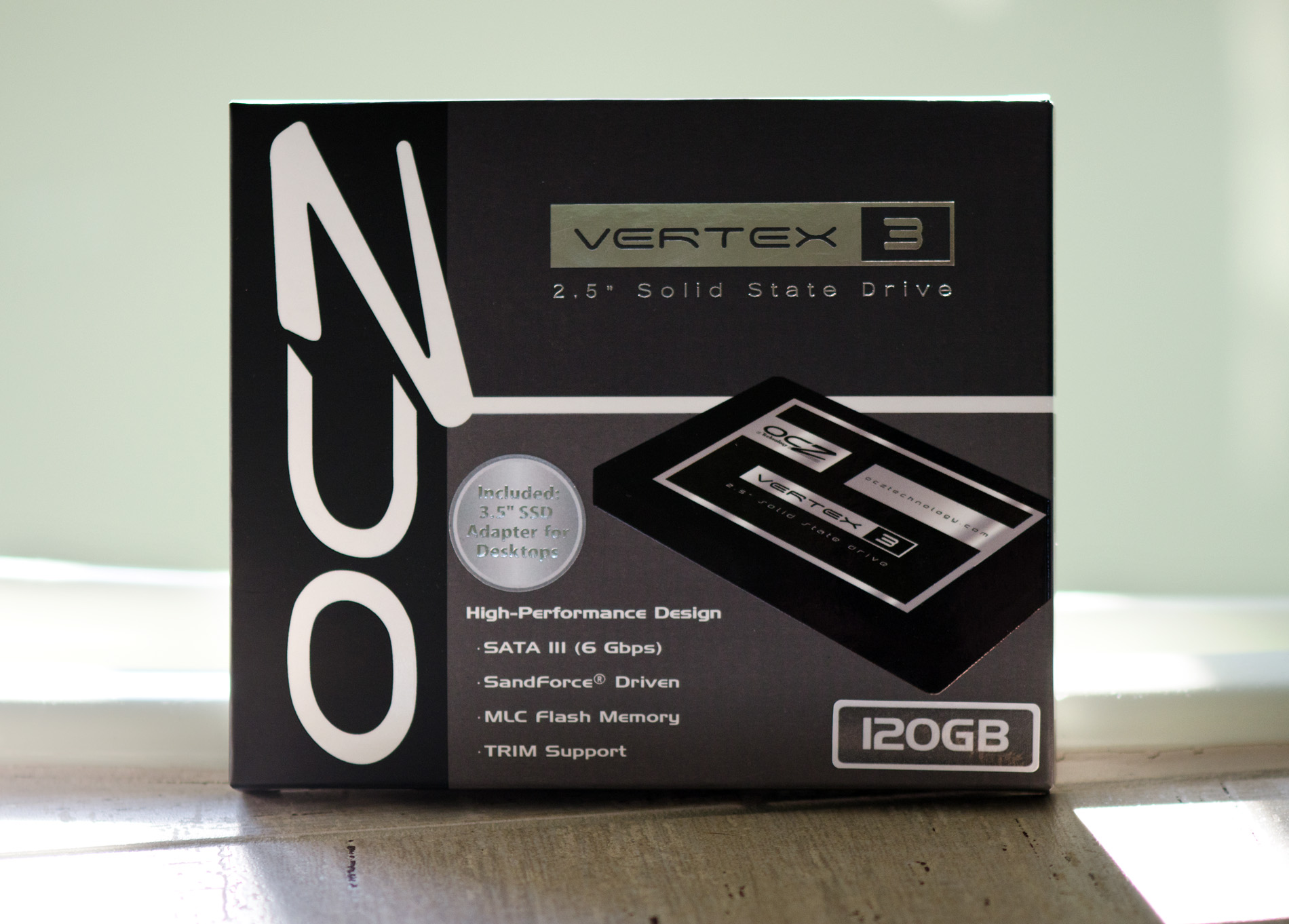
The OCZ Vertex 3 Review (120GB)
SandForce was first to announce and preview its 2011 SSD controller technology. We first talked about the controller late last year, got a sneak peak at its performance this year at CES and then just a couple of months ago brought you a performance preview based on pre-production hardware and firmware from OCZ. Although the Vertex 3 shipment target was originally scheduled for March, thanks to a lot of testing and four new firmware revisions since I previewed the drive, the officially release got pushed back to April.
What I have in my hands is retail 120GB Vertex 3 with what OCZ is calling its final, production worthy client firmware. The Vertex 3 Pro has been pushed back a bit as the controller/firmware still have to make it through more testing and validation.
Read More ...
Westmere-EX: Intel Improves their Xeon Flagship
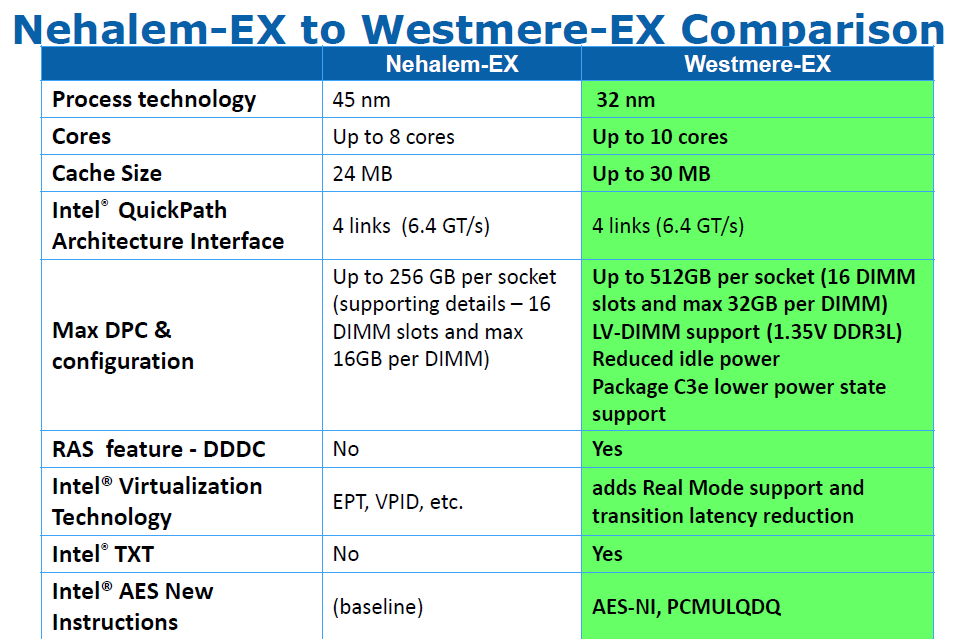
Yesterday, Intel announced that their flagship server processor, the Xeon Nehalem-EX, is being succeeded by the Xeon Westmere-EX, a process-shrinking " tick" in Intel's terminology. By shrinking Intel's largest Xeon to 32nm, the best Westmere-EX Xeon is now clocked 6% higher (2.4GHz versus 2.26GHz), gets two extra cores (10 versus 8) and has a 30MB L3 (instead of 24MB).
As is typical for a tick, the core improvements are rather subtle. The only tangible improvement should be the improved memory controller that is capable of extracting up to 20% more bandwidth out of the same DIMMs. The Nehalem-EX was the first quad-socket Xeon that was not starved by memory bandwidth, and we expect that the Westmere-EX will perform very well in bandwidth limited HPC applications.
Read More ...
Seagate GoFlex Slim 320GB: The World's Thinnest External HDD
As a desktop user I never really jumped on the external storage craze. I kept a couple of terabyte drives in RAID-0 inside my chassis and there's always the multi-TB array in the lab in case I needed more storage. External drives were always neat to look at, but I never really needed any. My notebook's internal storage was always enough.
With the arrival of Sandy Bridge in notebooks however I've given the notebook as a desktop replacement thing a try. I've got enough random hardware if I need a fast gaming machine in a pinch, but for everything else I'm strictly notebook these days. As a result I've come to realize just how precious portable storage is. Most reasonably portable notebooks have one usable 2.5" bay at most (two if you don't mind sacrificing an optical drive). Network storage is great but what if you need something portable on the go with you?
I'm obviously a staunch advocate of spending your internal real estate on an SSD, but if you need the space you've gotta go mechanical for your external storage. If portability is what matters, an external 2.5" hard drive can be quite attractive as they're lightweight and can be powered over USB.
In the 2.5" world there are three predominant thicknesses available: 7mm, 9.5mm and 12.5mm. Most notebook drives are 9.5mm. You'll notice that Intel even ships many of its SSDs with a removable spacer to make them 9.5mm tall in order to maintain physical compatibility with as many notebooks as possible.

Read More ...
Puget Systems Deluge Mini: The Art of Custom
The last time we checked in with Puget Systems, we came away impressed with their Serenity SPCR Edition. It wasn't the fastest machine we've ever tested, but it was extremely well put together and almost completely inaudible. With Sandy Bridge back on shelves, Puget sent along a custom gaming rig and just like the Serenity SPCR Edition, there's more to the Deluge Mini than appears at first glance.

Read More ...
AMD's Radeon HD 6790: Coming Up Short At $150
The last couple of weeks after the recent GeForce GTX 550 Ti launch have been more eventful than I had initially been expecting. As you may recall the GTX 550 Ti launched at $150, a price tag too high for its sub-6850 performance. I’m not sure in what order things happened – whether it was a price change or a competitive card that came first – but GTX 550 Ti prices have finally come down for some of the cards. The average price of the cheaper cards is now around $130, a more fitting price given the card’s performance.
The timing for this leads into today’s launch. AMD is launching a new card, the Radeon HD 6790, at that same $150 price point. Based on the same Barts GPU that powers the Radeon HD 6800 series, this is AMD’s customary 3rd tier product that we’ve come to expect after the 4830 and 5830. As we’ll see NVIDIA had good reason to drop the price on the GTX 550 if they didn’t already, but at the same time AMD must still deal with the rest of the competition: NVIDIA’s GTX 460 lineup, and of course AMD itself. So just how well does the 6790 stack up in the crowded $150 price segment? Let’s find out.

Read More ...
A Look At Triple-GPU Performance And Multi-GPU Scaling, Part 1
It’s been quite a while since we’ve looked at triple-GPU CrossFire and SLI performance – or for that matter looking at GPU scaling in-depth. While NVIDIA in particular likes to promote multi-GPU configurations as a price-practical upgrade path, such configurations are still almost always the domain of the high-end gamer. At $700 we have the recently launched GeForce GTX 590 and Radeon HD 6990, dual-GPU cards whose existence is hedged on how well games will scale across multiple GPUs. Beyond that we move into the truly exotic: triple-GPU configurations using three single-GPU cards, and quad-GPU configurations using a pair of the aforementioned dual-GPU cards. If you have the money, NVIDIA and AMD will gladly sell you upwards of $1500 in video cards to maximize your gaming performance.
Today we’re going to be looking at the state of GPU scaling for dual-GPU and triple-GPU configurations. While we accept that multi-GPU scaling will rarely (if ever) hit 100%, just how much performance are you getting out of that 2nd or 3rd GPU versus how much money you’ve put into it? That’s the question we’re going to try to answer today.

Read More ...
Origin's Genesis: Flagship Bling
Now that we've been getting a fairly steady influx of desktop machines from boutiques, Origin PC is stepping into the ring by sending us their go-to flagship model, the Genesis. Origin is a boutique founded by former Alienware executives, and is relatively young compared to some of the other companies we've reviewed towers from. The Genesis is almost more of a brand than a flagship, but Origin is opting to put one of their best feet forward by sending us a configuration they're sure will do them proud against the competition.

Read More ...
The Crucial m4 (Micron C400) SSD Review
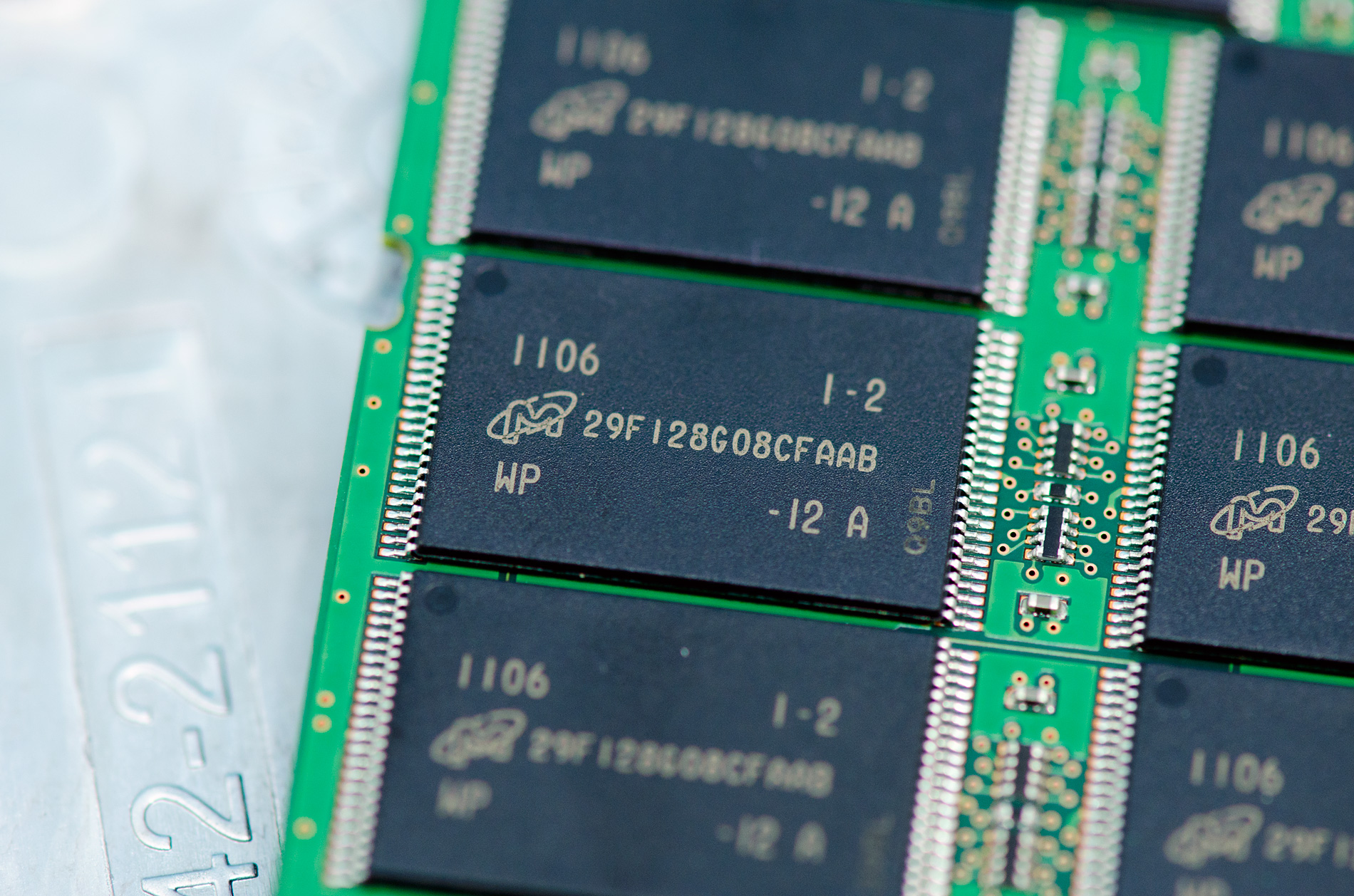
Last week I was in Orlando attending CTIA. While enjoying the Florida weather, two SSDs arrived at my office back in NC: Intel's SSD 320, which we just reviewed three days ago and Crucial's m4. Many of you noticed that I had snuck in m4 results in our 320 review but I saved any analysis/conclusions about the drive for its own review.
There are more drives that I've been testing that are missing their own full reviews. Corsair's Performance Series 3 has been in the lab for weeks now, as has Samsung's SSD 470. I'll be talking about both of those in greater detail in an upcoming article as well.
And for those of you asking about my thoughts on the recent OCZ related stuff that has been making the rounds, expect to see all of that addressed in our review of the final Vertex 3. OCZ missed its original March release timeframe for the Vertex 3 in order to fix some last minute bugs with a new firmware revision, so we should be seeing drives hit the market shortly.
Read on for our full review of Crucial's m4!
Read More ...
Dual Core Snapdragon GPU Performance Explored - 1.5 GHz MSM8660 and Adreno 220 Benchmarks
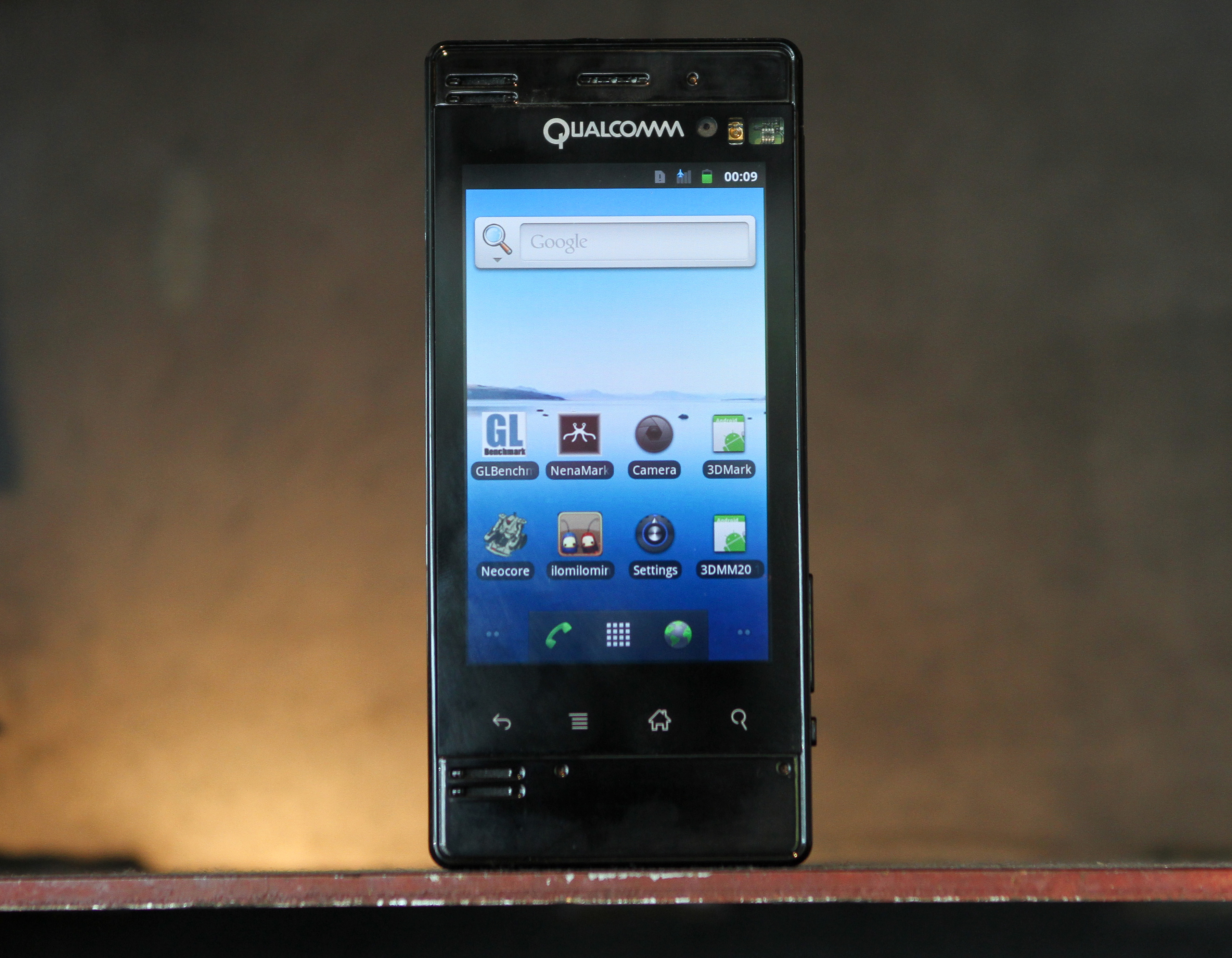
At both CES and MWC, Qualcomm teased us with their dual core Snapdragon SoC, the MSM8x60. First we saw it from afar, then they let us run tests on it, finally they let us take one with us to benchmark thoroughly. We've got the first Adreno 220 GPU benchmarks from the MSM8660 in a Qualcomm Mobile Development Platform already taken care of and are ready to share.
Read on for all the results!
Read More ...
NVIDIA Adds Driver Update Notifications With Release 270 Drivers
Later this morning NVIDIA will be releasing the first public beta of their 270 series GeForce drivers. NVIDIA is promising the usual spate of performance improvements that come from a new driver branch; notable improvements include Dragon Age 2 given the game’s poor performance on NVIDIA’s existing drivers, and 3D Vision/3D Vision Surround performance for some games. Of course driver performance gains rarely match what’s advertised, so your mileage may vary.
The more important bit of news coming with the release 270 drivers is that NVIDIA is going to be including a driver update notification service. Currently NVIDIA has a true auto update service for Optimus but nothing for the rest of their drivers; and meanwhile AMD launched their own notification service with the Catalyst 11.4 preview drivers earlier this month.


Update: 270.51 Beta has been posted
Read More ...
iBUYPOWER LAN Warrior II: NVIDIA's GeForce GTX 590 in a Small Shell
The last time we checked in with iBUYPOWER we reviewed the behemoth that is the iBUYPOWER Paladin XLC, a massive hunk of machine that was generally a solid value but suffered from the same kind of shaky overclocking that afflicted so many boutique builds during the era. This time iBUYPOWER is packing a K-series Sandy Bridge processor (complete with easy overclocking) and one of the most powerful graphics cards on the planet: the NVIDIA GeForce GTX 590. The 590 may ultimately not have had the performance to beat AMD's Radeon HD 6990, but it's also a much quieter card. iBUYPOWER managed to fit it into a MicroATX case (along with a 92mm water-cooling rig for the processor). Does the beefy LAN Warrior II work, and does it work well, and just how much will this bad boy set you back?

Read More ...
Tablets: How Would You Solve the Input Problem?
In our iPad 2 review I mentioned that despite really liking the device, I never really could integrate the original iPad into my daily life in a meaningful way. I always ended up traveling with the iPad and a notebook or while around town I just kept a smartphone on me. That limited my iPad use to pretty much lounging around at the house, and even then I found myself turning to the laptop more often than not.

My holdup is this: while I love reading on the iPad 2, I have troubles contributing using it. Writing lengthy email responses or even posting comments on AT is just slower on the iPad than on a notebook. The solution can't be to just walk over to a laptop when I want to respond and just use the iPad when I'm reading - that seems horrible inefficient.
So how would you fix the problem? Is there even a problem from your perspective? Read on and comment - I'd love to hear from all of you!
Read More ...
Acer's Iconia 6120: Are Two Screens Better Than One?
Oftentimes press releases from the major manufacturers can feel like fluff: "We refreshed our notebook line again this year, new processors, etc." But every so often one of them lets a maniac into their design department, and we get something fairly radical. Today, Acer has decided to be the ASRock of computer companies by announcing the Iconia 6120, a 14" notebook they're dubbing a "Touchbook" because instead of a keyboard...there's a second screen. That's what I get for complaining about their keyboard design so much: they've gotten rid of it entirely. If the Iconia brings to mind Toshiba's Libretto W100, it should, but unlike the Libretto this is a more aggressive stab at making a dual-screen notebook with a much more aggressive price point.
{Gallery 1010}
The Acer Iconia 6120 Dual-Screen Touchbook will come equipped standard with an Intel Core i5 processor (complete with integrated Intel HD graphics); we're not sure if it's Sandy Bridge as the press release doesn't say, but most likely Acer opted to use Arrandale (we've seen i5-480M listed elsewhere). Backing up the i5 is 4GB of DDR3, a 640GB mechanical hard disk, and Windows 7 Home Premium 64-bit. Acer was also keen to point out the Iconia 6120 includes USB 3.0 connectivity, a welcome addition and one we hope to see gain more and more traction in the mobile market. Remaining connectivity is handled by two USB 2.0 ports, HDMI, VGA, Gigabit Ethernet, and 802.11b/g/n wireless networking. Finally, the touchscreens themselves are designed using Gorilla Glass.
Given that Windows 7 is barely designed to handle one touchscreen let alone two, Acer is including a wealth of custom software to maximize the design of the Iconia 6120. Built around what they call the "Acer Ring Control Interface" (activated by placing five fingers in a circular pattern on the bottom display), a wealth of touch-enabled applications are included, including a touch-based web browser, social networking interfaces, and a device control panel. The Iconia 6120 also recognizes multitouch gestures like a smartphone would, and includes both a basic virtual keyboard along with a helpful gesture editor. Typing on glass definitely isn't going to win our award for best keyboard ever, but at least the Iconia should be better than typing on a tablet. It remains to be seen just how practical the Iconia 6120's touch interface is going to be: the Toshiba Libretto W100 was released largely as a limited edition curiosity, and Toshiba tried pushing its utility by being able to hold it like a book and manipulate it that way.
The press release also fails to list quite a few important details. The photos are clearly doctored/rendered images, and there's no information on what sort of display technology Acer is using. If they actually have the guts to use a couple IPS displays, there's still potential, but TN panels are likely the weapon of choice and that will make for a very poor viewing experience. Also missing is information on expected battery life or battery capacity; typically, Arrandale is good for 5-6 hours of battery life on a moderate ~55Wh battery, but powering two LCDs could really cut into that figure. Finally, the weight is on the portly side of things, tipping the scales at 6.18 pounds (as a point of reference, the ASUS U41JF we just reviewed is a 14" laptop with a DVDRW that only weighs 4.78 pounds), so this isn't a viable tablet alternative either.
On the other hand, the Iconia 6120 doesn't look to suffer from the same kind of schizophrenic design decisions that limited the Libretto: this is very clearly designed to be used like a regular notebook with a brand new interface. What potentially pushes this "touchbook" over the edge, though, is the pricetag: at an MSRP of just $1,199 in both the US and Canada, the Acer Iconia 6120 is priced within the reach of mainstream shoppers willing to take the plunge and try something new.
This could end up being one of the coolest devices to come out in 2011, or it might end up just being a funky laptop that's uncomfortable for typing, or it could be a complete flop. The price is too high to qualify as an impulse buy, and without any benchmarks or hands-on experience all we can do for now is show you the pictures and wait for actual hardware. Still, we have to give Acer some props for at least trying something different. Acer is offering the Iconia 6120 Dual-Screen Touchbook for pre-sale now, with availability expected in April. The full press release can be found below.
Acer Iconia Touchbook Dual-Screen Tablet
Provides Engaging, Natural Way to Interact with Digital Data
World’s First and Only Tablet Featuring Two 14-inch Touch Screen Displays
Now Available for Pre-Sale in the U.S. and Canada
SAN JOSE, CA – March 29, 2011 – Acer today announced that its much anticipated dual screen tablet, the Iconia-6120 Dual-Screen Touchbook is now available for pre-sale in North America. Providing a powerful, immersive touch experience like no other, it is the world’s first and only tablet to offer two touch-enabled 14-inch high-definition widescreen LED backlit LCDs.
Intuitive to use and customizable to individual needs, it combines the power of Intel Core i5 processing with the familiarity of Windows 7, and is destined to change how people use technology to engage with the world. A winner of this year’s prestigious “Last Gadget Standing” award at CES, the Iconia was noted for incorporating the best features of any notebook or tablet device.
With the flexibility to use a finger, type on a virtual keyboard, or use a combination of both, the Iconia Touchbook provides many ways to make the computing experience a truly personal one. Consumers can customize what is shown on each screen, allowing them to watch a video on the top screen and browse their multimedia library on the bottom one, or view a single web page across the two displays. Using the bottom screen to manage and control the action on the top screen keeps presentations, movies or web pages free of icons and other navigational tools.
Extremely durable and scratch resistant, the Iconia’s 14-inch LCDs are made of ultra-thin Gorilla® Glass from Corning, a renowned manufacturer of extremely durable glass. With a wipe and clean coating, it’s easy to keep the displays shiny and smudge-free.
“The Acer Iconia Touchbook delivers a computing and visual experience like no other,” said Eric Ackerson, senior product marketing manager, Acer America. “Whether the Touchbook is used by a small business owner or a student, its unique dual screen design enhances the interaction they will have with their digital data. Our compelling design and applications will let them discover new and much more personal ways to communicate and enjoy the computing experience, regardless of whether it’s work related or for personal enjoyment.”
The Heart of Iconia – the Acer Ring Control Interface
The unique Acer Ring Control Interface makes navigating by touch simple and intuitive. By placing five fingers in a circular pattern on the bottom display, the Acer Ring appears, providing instant access to favorite applications and features. From this point, consumers can use their fingertip or launch the virtual keyboard to change the tablet’s settings, surf the web, capture screen images, post photos and status updates to a social network, watch a movie and more, all in the manner most comfortable and natural to them.
AppCards Provide Quick and Easy Access to Productivity and Entertainment-Based Applications
Appearing on the either side of the Acer Ring is a unique set of Iconia touch-based applications, called AppCards. Using a finger, users can scroll to the one they want, and simply tap it to have instant access to a range of compelling programs ideal for either business or home use.
TouchBrowser is specifically designed to offer a more comfortable web surfing experience when using touch input. Upon launching, web content will flow across both screens. A toolbar at the bottom of either screen provides easy control over the open pages. To enter a website address, consumers can use the virtual keyboard or enter it using handwriting gestures. A pinching action will zoom in on the content on the page. Pages can be added to Favorites by simply tapping the Add Favorites icon.
MyJournal is a handy place to keep clippings of websites and other information. Images can be captured from any web page and organized onto a single, easy-to-view page. It includes pre-set tabs for News, Sports, Entertainment, Politics and Business. The selected website content on the tabbed pages is automatically updated each time it’s opened. A toolbar at the top of the page makes it easy to edit, resize, rename and move clips to other pages. In a business environment, a professional will find this feature useful in tracking news on competitors or to keep an eye on the stock market. A consumer can follow a local news story, their favorite sports team or keep an eye on their favorite celebrity’s latest antics.
Social Jogger simultaneously connects to three of the most popular social networking sites — Flickr, Facebook, and YouTube, presenting them a simple interface on one screen. Users can check posts and updates on one screen at a glance, and use the other screen to view one of the sites in more detail, surf the web, view photos or work on a spreadsheet.
Scrapbook is a convenient place to store website and photo images and other content. It includes a pen tool for drawing or entering handwritten text, such as adding comments or reminders. From there, images can be exported to the clipboard for insertion into other applications, or saved as an image file.
TouchPhoto, TouchMusic and TouchVideo provide direct access to multimedia files stored on the tablet.
Appearing directly on the Acer Ring are a number of useful functions and tools, including Virtual Keyboard, Gesture Editor, Capture, Webclip, Windows Manager and Device Control. Tapping the desired tool’s icon brings it up for immediate use.
The Virtual Keyboard gives users the ability to enter data and navigate in a familiar fashion. Combined with its touch capabilities, the Iconia Touchbook is a flexible and powerful tablet designed for maximum efficiency and productivity. When both palms are placed on the bottom screen, the virtual full-sized keyboard instantly appears. Adaptive typing and predictive text allows for quick data entry and minimizes mistakes. A numeric touchpad with handwriting recognition converts handwriting to text. The palm rest area can also be customized with any image on the computer – a company logo or a scenic background — so users can personalize the tablet even more.
Gesture Editor is a simple and quick way to instantly launch specific applications, access favorite websites, or even to lock the computer with a simple finger motion. A set of pre-defined gestures is included, but customized gestures can be created in just five easy steps. For example, simply drawing a $ (dollar sign) on the screen can launch a financial or accounting application, or a v (checkmark) can open a to-do list.
The Capture tool allows users to clip parts of an image (a photo, illustration or a webpage) and save it to the Scrapbook application for further editing. It’s a great way to collect images for use in a PowerPoint presentation. And it couldn’t be easier to do. With the picture on the top screen and the Scrapbook page opened on the bottom display, users just tap the Capture tool, run their finger around the desired image and then tap the area to open a menu that will allow them to drag and drop it onto the Scrapbook page. The captured image will automatically be added as a thumbnail image above the scrapbook page for quick and easy viewing. They can then drag and drop the desired thumbnail onto the page, where it can be rotated or resized with pinching actions.
The Web Clip tool is specifically for clipping parts of web pages to save to MyJournal. Tap the screen, select the area to crop, tap and drag on any of the corners of the selected area to size it, and then tap the area again to open a menu to paste the content into MyJournal, Scrapbook or copy it to the clipboard. It can also be saved as a bitmap file.
Window Manager provides a touch-friendly interface for controlling the various open windows on the displays. Users can customize which screen the application appears on as well as its size.
Device Control is an easy way to access and adjust power, display and volume settings, wireless connections and various devices connected to the HDMI, VGA and USB ports.
Making it easy to share multimedia content, the Acer Iconia Touchbook features clear.fi, Acer’s digital media sharing solution. Clear.fi automatically connects all Acer devices on a network (smartphones, notebooks, desktops, HD media players and storage devices) and then gathers and organizes media files by type (video, music, photo, pre-recorded TV). Users can browse the categories and then drag and drop the media to any of the connected PCs or devices for playback.
No-Compromises Tablet Features Leading Technology for Maximum Productivity and Fun
A super charged tablet filled with enough leading technology to rival many desktop and notebook PCs in performance, the Iconia-6120 Dual-Screen Touchbook is powerful enough to handle demanding applications and graphic intensive multimedia files. Featuring an Intel® Core™ i5 Processor with Intel® Turbo Boost Technology(2), 4GB of memory and Intel® HD graphics, the Touchbook is equipped for heavy lifting. In addition, Dolby® Advanced Audio™ v3 brings vibrant sound to business presentations, movies, music, and games.
Windows 7 Premium 64-bit provides a familiar computing environment, and is compatible with today’s most popular applications and media formats, and supports full web browsing with Adobe® Flash® Player 10.1. For professional environments, Windows 7 delivers what is expected in a business-class PC: manageability, security and the ability to run the applications used within most organizations today, including Microsoft Office.
To maximize productivity, the Touchbook includes the new USB 3.0 standard with a top speed that’s 10 times faster than standard USB 2.0; a 25GB high definition video file can be transferred from an external USB 3.0 storage device in just 70 seconds and stored on the roomy 640GB SATA hard drive(3). Two 2.0 USB ports and an HDMI port are also included.
A 1.3 megapixel HD webcam is ideal for face-to-face videoconferencing or for staying in touch with business associates, friends and family. Connect reliably with 802.11b/g/n Wi-Fi CERTIFIED™ or Gigabit Ethernet LAN from work, home or while on-the-go. Weighing in at just 6.18 pounds, it’s as convenient to carry as any notebook computer, and fits comfortably in a briefcase or backpack.
U.S. Configurations, Pricing and Availability
With an MSRP of $1,199.99, the Acer Iconia-6120 Touchbook is available for pre-sale now and will be available in April at leading retailers nationwide.
Canada Configurations, Pricing and Availability
With an MSRP of $1,199.00(CAD), the Acer Iconia-6120 Touchbook will be available in April through authorized Canadian resellers.
Read More ...
Kingston Releases New V100 Firmware to Address Data Loss Bug
While I was at CTIA last week I ran into a friend from Kingston who let me know about an issue with the JMicron JMF618 based SSDNow V100 SSDs that were released last year. We never formally reviewed the V100 here on AnandTech but I've tested the drive and we've occasionally included scores from it in our reviews.
With the original firmware on the V100 there's apparently a chance you could lose data. Kingston wouldn't go into specifics other than the usual "this only impacts a small percentage of users" line we typically get with things like this. Kingston has an updated firmware that apparently fixes the problem available here.
Note that I never saw the original issue and I just now got access to the fixed firmware, so approach with caution. If you own a V100 drive back up and give this thing a try.
The full release from Kingston is below:
We have learned that a small percentage of our SSDNow V100 sold in the past has experienced a technical issue on the firmware. Kingston strongly recommends that a firmware update be applied to all SSDNow V100 drives to prevent possible data loss.
The firmware update to fix the technical issue is available via Kingston Technical Support. As with any firmware update, we recommend that you back up your data prior to applying the firmware revision.
Customer satisfaction and producing high quality products is the key to Kingston’s success, so we want to make every effort to ensure that our customers are aware of this firmware revision and have the opportunity to patch their V100 drive(s).
The firmware update can be downloaded from our dedicated support page: www.kingston.com/support/ssdnow/v100_firmware.asp
Customers can also contact our customer service hotline at 888.484.9125 for more information.
Affected Part Numbers are:
SV100S2/64GZ, SV100S2D/64GZ, SV100S2N/64GZ
SV100S2/128GZ, SV100S2D/128GZ, SV100S2N/128GZ
SV100S2/256GZ, SV100S2N/256GZ, SV100S2N/256GZ
It is important to note that none of Kingston’s other SSDNow products -- with part numbers beginning with SNE, SNM, SS, SNV, SNVP and SVP -- are affected by this potential issue.
Read More ...
ASUS U41JF: Arrandale's Not Dead Yet
Sandy Bridge laptops are finally starting to trickle into the market, from the usual gamut of manufacturers. Chances are, if your favorite vendor isn’t selling several SNB notebooks already, they will be by the end of April. But with all the SNB brouhaha going on, ASUS has decided to release one final update to their U-series laptops using Arrandale processors.

Read More ...
The Intel SSD 320 Review: 25nm G3 is Finally Here
It's called the Intel SSD 320, but the part number should give away just what we're looking at here:
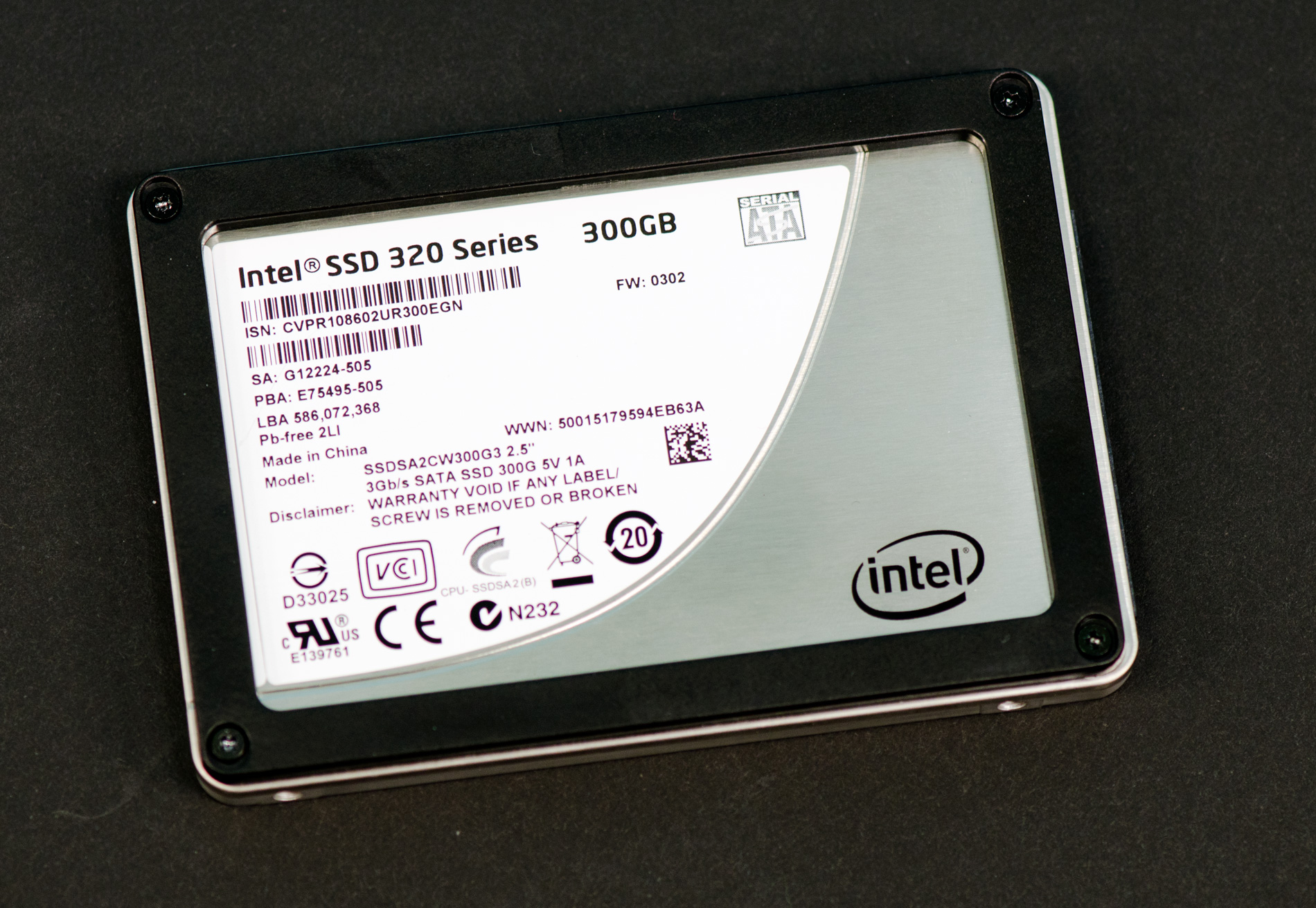
Back then it was simply called the Postville Refresh on Intel's roadmaps (Postville was the 34nm Intel X25-M G2). It would use 25nm Intel NAND, feature improved performance and full disk encryption - all behind a 3Gbps SATA interface.
Read on for our full review!
Read More ...
Ask the experts: Cloud Computing Questions Answered
Last year we ran a little series called Ask the Experts where you all wrote in your virtualization related questions and we got them answered by experts at Intel, VMWare as well as our own head of IT/Datacenter - Johan de Gelas.

Read More ...
H67 – A Triumvirate of Tantalizing Technology
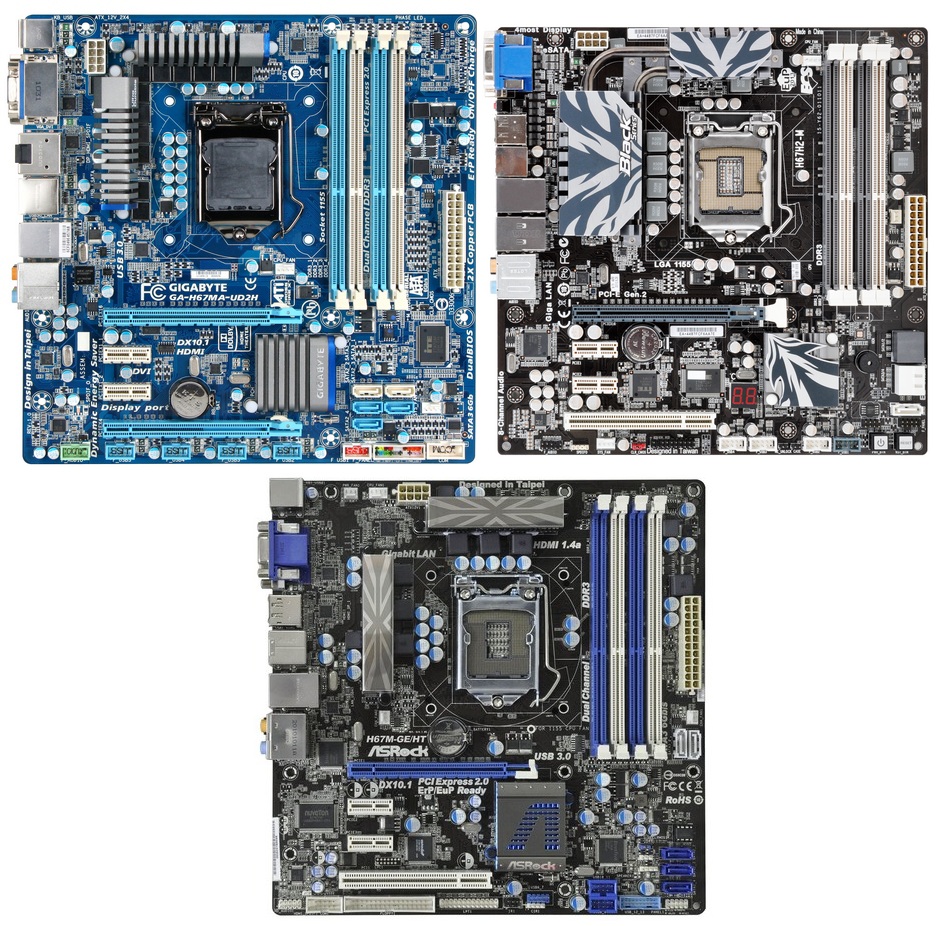
Sandy Bridge is more than just P67. With the plethora of issues regarding the B2 stepping and Intel’s recall, there is still hope in the land of Sandy Bridge. Before Z68 is launched sometime later this year, we have laid our hands on some H67 boards. The H67 allows us to use the onboard graphics capabilities of the Sandy Bridge platform, at the expense of processor overclocking, as well as one of the two graphics based PCIe slots that P67 afforded. Today we are examining the Gigabyte H67MA-UD2H, the ECS H67H2-M and the ASRock H67M-GE/HT, all below the $150 mark, all micro-ATX.
Read More ...
BlackBerry Bold 9780: Not So Bold
It's been a while since we reviewed the BlackBerry Torch, and today we have a follow up review of the BlackBerry Bold. The long and the short of it is that this is the same core hardware, sans touchscreen but with a better camera. On the software side, the Torch and the Bold can both run the latest revision of BlackBerry OS 6, and there have been some updates there that are worth exploring.

Read More ...
Gateway's New Notebooks for the Extreme Budget: 15.6" with AMD Fusion
Gateway announced this past Moday that they're releasing to the market a trio of value-oriented desktop (well, really nettop) replacement notebooks built around AMD's Fusion platform. Brazos has been a big hit with OEMs as nearly every major manufacturer is producing machines based around it, particularly the extremely popular E-350 APU.

Gateway's flagship model is the catchily-named NV51B05u. This is the $470 one, and it ships with the AMD E-350 APU, 3GB of DDR3, and a 500GB 5400-RPM hard drive. Presently, the NV51B05u is the only model on Gateway's website, but it can be found here. Gateway quotes over four hours of running time on the battery, and our experience with the E-350 suggests that figure is probably accurate for moderate loads.
On the other hand, Gateway is a little more cagey with detailed specs about the other models that are rounding out the line. At $450 is the NV51B02u, which also features the E-350. Odds are good this model has a smaller hard drive and/or less RAM. And at the extremely entry-level $400 price point is the NV51B08u which swaps out the E-350 for the C-50. The AMD C-50 retains both cores, but runs at a much slower 1GHz and clocks the graphics core at just 280MHz, though it also features a TDP of just 9W, half that of the already frugal E-350.

And just to sweeten the pot, we'll have Toshiba's 15.6" Brazos model, the C655D, in house soon.
Read More ...
NVIDIA’s GeForce GTX 590: Duking It Out For The Single Card King
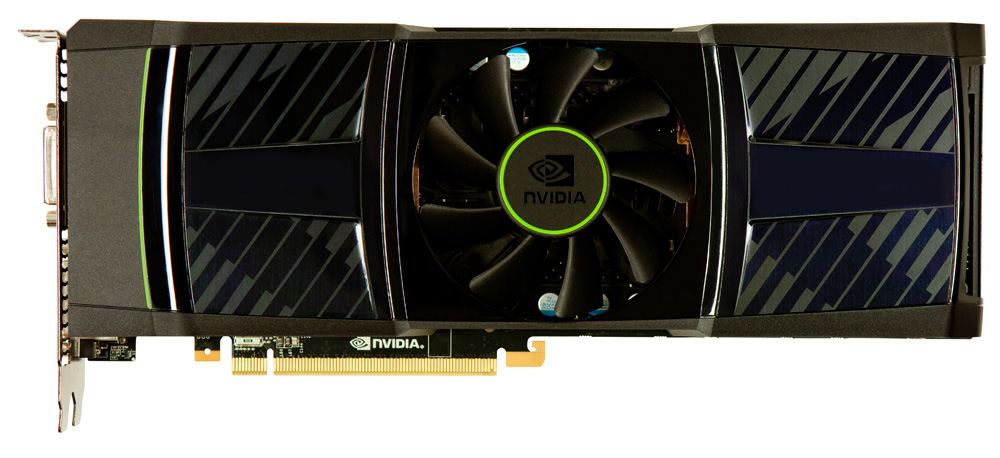
Back on Tuesday NVIDIA put out a quick teaser about a new video card that would be launching today. As virtually all of you correctly guessed, it was the GeForce GTX 590, NVIDIA’s latest dual-GPU monster. Coming only two weeks after the launch of the Radeon HD 6990, NVIDIA wants their spot back as the single card king, and it’s the GTX 590 that will fight for it. But does the GTX 590 have what it takes to dethrone the 6990 so soon? Let’s find out.
Read More ...
CTIA Hands On Extravaganza: LG Optimus 3D and G2x, HTC Flyer, HD7S, EVO 3D, and Galaxy Tab 10.1, 8.9
It's been a busy yet incredibly productive second day at CTIA 2011, and we've been getting hands on with all the latest and greatest from LG, HTC, and Samsung. We've seen a few familiar faces since MWC getting more polished and closer to launch, like the LG Optimus 3D and 2X - turned G2x. We've also gotten hands on with a few more devices that we didn't make it to last time at MWC, including the HTC Flyer and some physical prototypes of the Galaxy Tab 10.1 and 8.9

Read on for our impressions of all these devices.
Read More ...
Seasonic X-Series 560W

Read More ...
Samsung's Galaxy Tab 10.1 & 8.9, Smaller than iPad 2, Competitively Priced
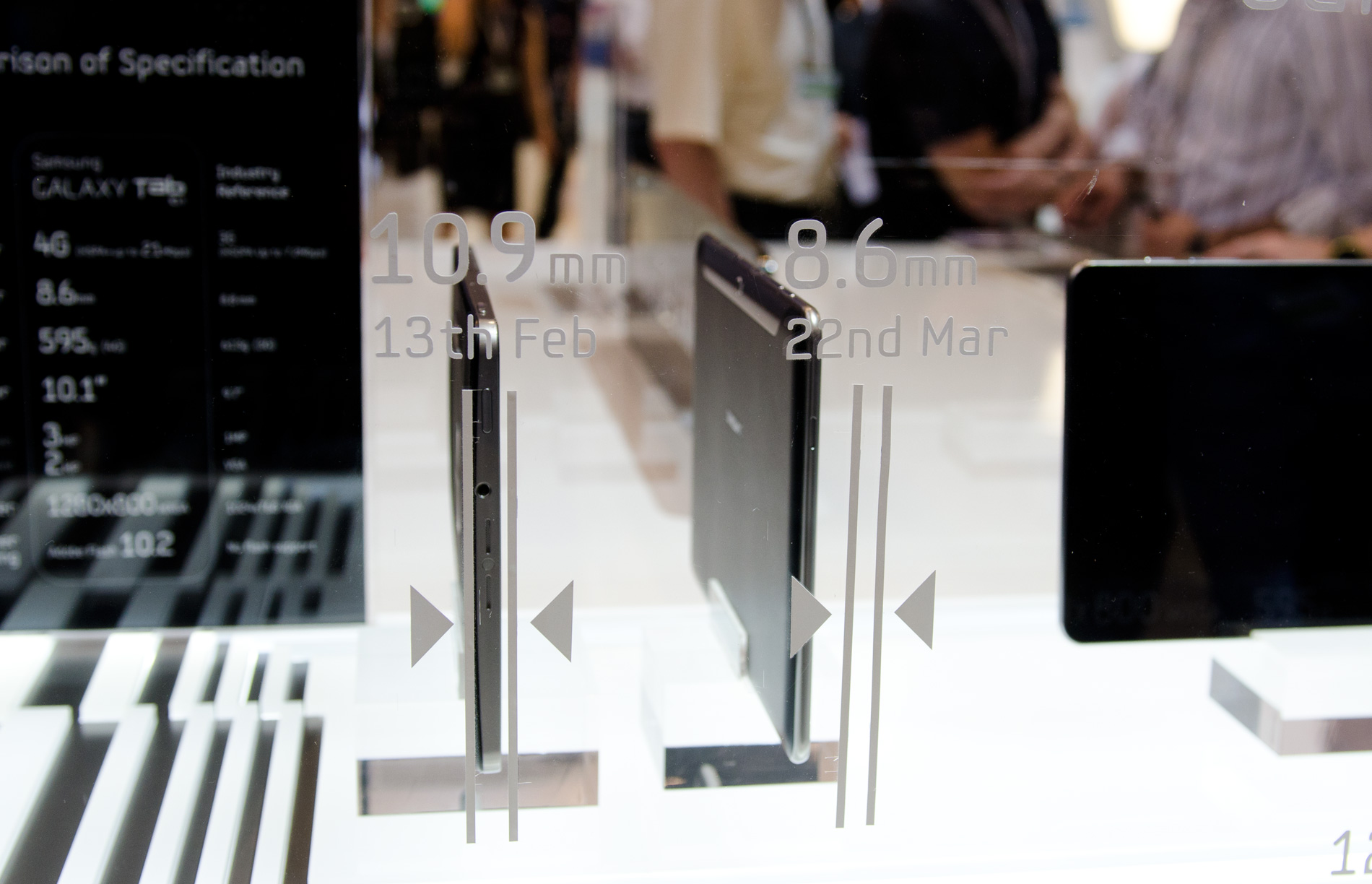
Last month at Mobile World Congress Samsung announced the Galaxy Tab 10.1, a NVIDIA Tegra 2 based Honeycomb tablet. Since then, Apple's iPad 2 raised the bar for ergonomics and performance. Not wanting to be outdone, Samsung just announced a redesigned Galaxy Tab 10.1 that's both thinner and lighter than Apple's iPad 2.
The new Galaxy Tab 10.1 measures only 8.6mm thick and weighs 595 grams. The iPad 2 by comparison is 8.8mm thick and weighs 601 grams. The display is a Xoom-like 1280x800 using Samsung's PLS display technology.
Read More ...
NVIDIA Teases Next Flagship Video Card
As many of you no doubt suspect, NVIDIA is in fact getting ready to launch their next flagship video card. The NDA does not expire for another 48 hours (March 24th at 6am PDT), but in an effort to build up suspense NVIDIA has gone ahead and posted a very brief teaser video about the card and when the NDA expires.
We'll have more in a couple of days, so stay tuned.
Read More ...
"Barcode Scanner" Decodes Zebra Stripes
Software will keep biologists from digging through zebra poo
Read More ...
Nissan Confirms Startup Problems with Leaf EV
EV won't start sometimes
Read More ...
Intel Opts to Stand Behind Sinking Itanium Even as Partners Abandon Ship
"I'll never let go, (Itanium). I'll never let go."
Read More ...
Walter Isaacson Receives Permission to Write Biography on Steve Jobs
The book is due to be released in early 2012
Read More ...
Audi A3 e-tron EV Expected in 2013
e-Tron A3 will be the first commercially available EV from Audi
Read More ...
Navy Uses Laser to Cripple Ship in First Sea Test
The era of laser warfare may have just begun
Read More ...
Researchers Map Neural Connections in Mouse Brain
They hope to create a computer model of these connections in the future
Read More ...
Steve Wozniak Would Consider Coming Back to Apple If Asked
Woz offers his two cents saying Apple should be more open with its operating systems and iTunes store
Read More ...
Facebook "Open Sources" Almost Everything About Its Servers, Data Centers
Social network offers a veritable blueprint for anyone who wants to build an energy efficient data center
Read More ...
Auto Industry Fights Obama Admin's Effort to Force Corn Ethanol on U.S.
New legislation would force virtually all cars to run on ethanol
Read More ...
4/08/2011 Daily Hardware Reviews
DailyTech's roundup of hardware reviews from around the web for Friday
Read More ...
New ESPN App Offers Live Sports Access on iOS Devices
The WatchESPN app is now available for the iPhone and iPod touch, and a version of the app will be available for the iPad in May
Read More ...
GameStop Looks to Develop Its Own Tablet for Gaming
Launches store on Facebook and tablet could be in the works.
Read More ...
Verizon, AT&T Fight Federal Plan to Open Cell Towers to Small Operators
Monopolies are getting harder and harder to maintain today
Read More ...
Report: iPhone Jailbreaking iPhones Has Become Big Business
Out of a job? Make $50k jailbreaking iPhones!
Read More ...
(COMPLETE)NASA Administrator Announces Mars Mission; Stresses Importance of ISS
NASA plans to explore Mars sometime in the 2030's
Read More ...
Atari Greatest Hits App Now Available for iOS
Apple's App Store received an Atari's Greatest Hits app that features 100 of Atari's most popular games
Read More ...
New Disc Gas Engine Looks to Challenge Traditional Diesel, Gas ICEs
Engine will likely offer in excess of 100 mpg
Read More ...
4/07/2011 Daily Hardware Reviews
DailyTech's roundup of hardware reviews from around the web for Thursday
Read More ...
Google to Spend $100M on Original YouTube Content
The popular video-sharing site will compete with network and cable.
Read More ...
IDC Forecasts Booming Demand for Tablets, ARM Captures 99% of the Market
Semiconductor sales for tablet and eReader market exploded in 2010
Read More ...
Study Links Two Genes to Caffeine Intake
It is the first study to analyze the entire genome for a link between caffeine intake and genetics
Read More ...
F-35 Stealth Coatings Applied to F-22
USAF says coatings don't reduce radar cross section
Read More ...
Gartner Estimates Windows Phone 7 to be #2 in Market Share By 2015
Android estimated to hit near 50 percent; meanwhile, HTC passes Nokia in market cap
Read More ...
First Eye Grown from Embryonic Stem Cells in Mice
Could be used to help scientists learn how to treat blindness, as well as diseases that can hinder eyesight
Read More ...
Capillary Condensation Used to Recover Water from Diesel Exhaust
Could solve water shortages in the U.S. military
Read More ...
Android Chief Blasts Press, Claims Android is Still Open Source
Complains that Honeycomb *is* open source, but just isn't ready for release
Read More ...
Microsoft, Toyota Team Up for Telematics
Their goal is to complete a global cloud platform by 2015 that offers technologically advanced and inexpensive telematics services to Toyota users
Read More ...
When it Comes to Wireless Calls, AT&T Continues to "Drop It Like It's Hot"
A ChangeWave survey showed that AT&T iPhone 4 and non-iPhone customers deal with high dropped call rates
Read More ...
Ford Announces 80mpg Turbodiesel Focus… for Europe
Europe gets all the goodies when it comes to diesel vehicles
Read More ...


No comments:
Post a Comment