

Black Friday: Black Friday 2015 will be the biggest day of deals the internet has ever seen

Black Friday deals 2015
Black Friday 2015 is on November 27th. It's a huge American shopping event but in 2014 it exploded across the rest of the world in unprecedented fashion.Websites crashed, sales records were smashed and shoppers ravenously scooped up deals on tech, games and clothing in what was in many countries the biggest weekend of online shopping in history.
Adobe crunched the numbers and reported that on Black Friday in the US last year consumers spent a record-breaking $2.4 billion - up an extraordinary 24% on the previous year.
In the UK, where shoppers spent £810m ($1.2 billion) last year, John Lewis celebrated its biggest sales week of all time, shifting one Nutribullet food processor every 30 seconds.
Walmart-owned ASDA stores moved 8,000 TVs before breakfast and made 130 sales every second throughout the day, while GAME's website was selling PS4 and Xbox One consoles to British gamers at a rate of 3,600 per hour.
It was an international spending frenzy the like of which the internet had never seen before.

The numbers were so big that websites fell over like Victorian ladies on a hot day, with HP, Best Buy, Currys, Tesco, Argos, Boots and Game's websites all requiring smelling salts.
The Currys website in the UK crashed despite the company having implemented a system where users had to queue to use it, a queue that was still over an hour long by lunchtime.
The chaos isn't over, either. Black Friday 2015 is now just six months away and it promises to dwarf last year's stats in almost every way. Online retailers are already planning for it.
You're much safer online...
Of course, Black Friday is not by any means a phenomenon that's confined to the virtual realm.It was conceived originally as a unit mover for high street retailers, a way for stores to shift a lot of stock at a time when most people in the US have time off work for Thanksgiving.
And while Black Friday chaos online led to websites crashing, bedlam on the highstreet tends to be a lot more troublesome.
Last year, fighting broke out in many stores in the UK, with Police being called to supermarkets including a number of Tesco stores which were heavily criticised afterwards by police. In Scotland, one supermarket had to be closed due to the excessive number of people trying to push their way inside.
While in the US, it's not unheard of for bargain hunters to pepper spray each other in an attempt to get the best deals...
Clearly - it's much safer to stay at home and pick up your deals on the internet, and that's what the majority of people did on Black Friday 2014.
To give you an idea of just how busy the sites were, John Lewis and Currys - two of the UK's biggest retail websites - both saw their web traffic triple compared to Black Friday 2013. Meanwhile, TechRadar's own Black Friday pages attracted more than 1.6 million page views.
So it's no exaggeration to say that the pre-Christmas retail landscape was changed forever on November 28 last year. Retailers knew Black Friday 2014 was going to be big, but it actually ended up being far bigger than they ever imagined.
So what lessons have they learnt, and what can we as consumers expect from Black Friday 2015?
Lessons from the past
Some retailers were like ducks on Black Friday last year: they may have appeared calm, but under the water their little legs were going like crazy.Some stores totally panicked, as Patrick O'Brien of retail analysts Verdict Retail told TechRadar:
"Some retailers like Amazon planned promotions well in advance, but others were sucked in when they saw the scale of Black Friday and realised that without promotions, they would lose out on footfall or website hits in a key spending weekend."
The upshot? Those retailers cut prices even though they hadn't originally planned to.
"Those retailers ended up losing margin as they typically went for a percentage cut across numerous or even all lines, rather than having planned promotions that they could have organised with the help of their suppliers," O'Brien says.

Winners and losers of Black Friday 2014
Not everybody was hurt, though. Some firms used Black Friday as cover. "The weather meant that clothing retailers had a lot of stock left to shift, so they used the cover of Black Friday to mark down stock."And others had deals in place with their suppliers to deliver apparent bargains, with stock bought in especially for Black Friday.
You can see the Black Friday winners and losers in ComScore's UK figures for November 2014. The big winners were mainly large electrical, digital and entertainment retailers, with Amazon, Argos and Tesco at numbers 1, 2 and 3 respectively.
In America, meanwhile, we're seeing an interesting shift: the Black Friday money is moving to Thanksgiving instead.
According to IBM, Black Friday sales were 63.5% higher than Thanksgiving Day sales - but last year they were 70%. For US consumers, Black Friday is increasingly becoming a shopping weekend that starts on Thanksgiving and ends on Cyber Monday
Indeed, Cyber Monday is bigger than them all for US customers - last year's Cyber Monday was the US's biggest online shopping day ever.
Where does all the money come from?
One of the most interesting questions about Black Friday is whether it created new demand or just brought forward people's Christmas shopping by a few weeks.The answer appears to be the latter - Verdict Retail found "no evidence that it stimulated demand" - and some retailers' panicky discounting was tantamount to shooting themselves in the foot.
Essentially, the Black Friday frenzy moved a lot of stock, but that stock was less profitable than usual.
AO.com founder and chief executive John Roberts used the firm's annual report to note that Black Friday "did not produce incremental sales, but condensed sales into a shorter time period", while GAME issued a profits warning because its heavy discounting on games and consoles had a negative effect on its bottom line.
In the US, IBM reported that while overall sales were up, the average order value was down across both Black Friday and Thanksgiving.
That might explain why John Lewis boss Andy Street has poured cold water on the idea of Black Friday, telling the BBC that "We've got to ask if it's right to concentrate trade so much in that one period… I don't think we can put the genie back in the bottle but do we need to stoke that fire any more? I personally hope not."
Street predicts that Black Friday 2015 will still see lots of deals around electronics and computing, but says he hopes that fashion brands and other kinds of retail would be "more confident holding their price."
As Patrick O'Brien points out, though, John Lewis's "never knowingly undersold" guarantee means that if rivals go crazy on Black Friday 2015, "it cannot opt out!"

Rubbish for retailers, excellent for everyone else
If you take a step back, Black Friday should really be called Foolish Friday. Slashing profit margins during the busiest shopping period of the year for no good reason doesn't make much sense, not least because it gives retailers less room to manoeuvre if sales closer to Christmas need some extra oomph.But as John Lewis's Andy Street said, the genie's out of the bottle - so if retailers don't take part, they'll see their rivals get all the business.
And that's why Black Friday 2015 is likely to be another step up in terms hype and excitement.
Expect even more commercials leading up to Black Friday, bigger headline promotions and even more chaos.
"Black Friday is here to stay," Patrick O'Brien says, "but it will be a lot different in 2015. Retailers are planning for it."
You can be sure that retailers are already talking to their suppliers about the kinds of promotions they can support, and that the deals we see this year will be what Verdict describes as "geared toward gaining footfall and upsetting to full price goods rather than across the board percentage discounts."

What deals can we expect this year?
It's impossible to know for sure which products will receive the biggest discounts this year, but we can certainly make some predictions based on what we saw in 2014.One of the hottest products on Black Friday last year was the iPad mini and that will likely be the case again in 2015. In fact we'll likely see some highly attractive deals on many Apple products, partly because they're so popular but also because there is room for manoeuvre in their prices.
Last year in the US we saw the Macbook Pro and 21.5-inch iMacs selling for $900 a pop, with Macbook Airs available for $780. In the UK the iPad mini was going for under £150 practically everywhere.
It's worth retailers offering us these headline products with big discounts because they expect that we'll buy more than one item once we're on their site.
It's a safe bet also that Black Friday 2015 will see the cheapest-ever PS4 and Xbox One deals as well as some irresistible bundles. If you fancy buying your kids a console this Christmas, wait until November 27.
We saw many amazing deals on TVs last year so if you're interested in buying a 4K TV in time for Christmas, again you'd be wise to wait for the Black Friday deals madness to begin.
Last year in the we also saw amazing soundbar deals, DualShock 4 game controllers for under half price, Google Chromecasts for under $23/£18, huge savings on iPhones, amazing deals on cameras of all shapes and sizes from all the biggest brands, headphones, fitness bands, speakers.
You get the picture. Expect more of the same...

This year Black Friday falls on November 27th

Quick links US:
- Amazon.com - Black Friday homepage
- Best Buy - Black Friday 2015 deals
- Wallmart - Black Friday homepage
- Target - Black Friday landing page
- AT&T - Special Offers homepage
- Verizon - Black Friday deals
- Toys 'R' Us - Black Friday made easy
- Gamestop - Black Friday deals
Quick links UK:
- Amazon.co.uk - Black Friday page
- John Lewis Black Friday page
- Currys Black Friday page
- Argos - Black Friday deals homepage
- Boots - Black Friday weekend
- GAME - Black Friday deals
- ASDA Black Friday homepage
- Tesco direct Black Friday and Cyber Monday deals

Read More ...
Google IO: This is Google's plan to turn your clothes into wearable devices

Google's band of research pirates known as ATAP (Advanced Technology and Projects) is striving to make seamless wearable interaction..by utilizing the seams of your clothes with Project Jacquard.
One of many projects that ATAP presented at Google IO 2015, Project Jacquard is all about using interactive garments to simplify daily life. By decoupling the interface from a screen to everyday gestures, Google wants to make it easier to live your life with its tech without staring into a screen.
Google's goal is also to make it simple for the textile industry to join the smart garment game. During the keynote, ATAP announced that Levi Strauss has become Google's first official partner for Project Jacquard.
Project Soli and Project Abacus
Another project to make wearable interface a bit less frustrating is Project Soli. The goal of Soli is to make interacting with a wearable feel natural and less restrictive. According to Google's research, wearable touchscreen size is at the threshold of what humans can physically handle interacting with.To remedy this issue, Soli utilizes a revolutionary "gesture radar" chip to pick up a variety of natural hand motions, such as scrolling on a virtual screen, turning a wheel, and pinch zooming. The goal of both Project Soli and Jacquard is to make wearable user interface possible with easy broad gestures.
Google is also working on a project to ditch passwords, called Project Abacus. This will abandon the password and pin number verification of yesteryear and convert to a multi-modal verification system that analyses not just what you type/say, but how you do it. Because, to quote ATAP keynote speaker Regina Dugan, "Passwords suck".
More details to come from Google IO 2015.

Read More ...
Google IO: Google has created the most secure microSD card ever

You typically think of Google as the company that accesses your data without consent. However, Google's Project Vault is designed to help you keep your information from getting into the wrong hands.
Google unveiled Vault, a microSD card that leverages enhanced encryption technology, during the company's Google I/O 2015 Day Two keynote. The basic premise of Vault is the ability to enable encrypted communications on a real-time custom operating system, or ARTOS, designed by Google.
By inserting the card into your device, you essentially transport the encrypted operating system with you to better secure your photos, chats, emails and more. Think of a standard Intel or SanDisk microSD card, but one that runs on its own operating system, requires two-step authentication for accessing data and can be configured to encrypt using hashtags, signatures and passcodes, among other accessibility options.
What's on it?
Vault is capable of storing 4GB of data, roughly 25% of a baseline iPhone. The chip is powered by an ARM processor, and it features NFC technology and an antenna.Interested parties can begin testing an enterprise-specific version of Vault today. Google says it is working on a consumer model, but did not provide an immediate release date.
Vault works with all operating systems, including Android, Windows, OS X and Linux.

Read More ...
Meet the tiny PC that can handle 33 million pixels

Zotac will launch a computer that fits on one's palm at Computex in a few days' time in Taiwan and that PC, the ZBOX MA760, can do one thing that most computers can't.
The AMD processor that powers it has enough graphic firepower to drive not one or two but four monitors, with resolutions of up to 4K on each.
That's more than 33 million pixels or the equivalent of 16 full HD monitors playing simultaneously. But rather than gamers, the MA760 uses AMD's Eyefinity technology to target the growing digital signage industry.
Not for gamers
So no, you won't be able to play a flight simulator or shoot your enemies. It is likely that customers will use these to display static pictures rather than videos.Curiously, Zotac opted for a laptop APU, the FX-7600P, probably to reduce heat dissipation. This quad-core processor has 12 Radeon R7 Graphics cores but doesn't support H265 unfortunately (so it won't be your ultimate media PC).
The rest of the specification is rather impressive for such a small computer. There are two memory slots, 802.11ac Wi-Fi, Bluetooth 4.0, two Gigabit Ethernet ports, a VESA bracket, four USB 3.0 ports and an external antenna (as well as the four DisplayPort connectors).

Read More ...
Hands-on review: Google Photos

So what is Google Photos?
Google Photos was announced at the company's Google IO 2015 event in San Francisco, and it offers photographers free, unlimited storage (with file size restrictions – see below) and the ability to see, organize and edit their photos on any device, anywhere.It's a standalone spin-off from the Google+ Photos service, so although the basic premise is similar, you no longer have to subscribe to Google's complex and unloved social networking platform to save, show and manage your photos.
There's a heavy tie-in with mobile Android devices and the whole Google ecosphere, but this is more than just a social tool for smartphone users. Regular camera users can use Google Photos to back up, share and edit their pictures too. The process is designed to be automated, so whether you shoot pictures on your phone or add them to folders on your computer, they still end up safe and sound on Google Photos without you having to lift a finger.


There is an important limitation. You only get unlimited storage if you let Google compress and resize your photos. This is the same system used by the old Google+ Photos service – the difference here is that Google+ restricted you to images 2048 pixels wide or high (somewhere around 2-4 megapixels), whereas Google Photos raises that to 16 megapixels.
This will be fine for smartphone photographers, but if you use a DSLR or compact system camera with a sensor larger than 16 megapixels, and especially if you shoot raw files rather than JPEGs, Google Photos is not going to be a proper backup system – it'll still be useful for sharing photos and checking them out on any device, but you'll need to archive your full-res originals and raw files elsewhere.
Actually, you can upload full resolution originals, but this will count against your Google Drive allowance – this is how Google+ Photos worked too. When your Google Drive fills up you can upgrade but you have to pay.
With that in mind, it's worth remembering that Google Photos is not the only game in town. It's new for Google, but that doesn't mean no-one's done it before. See our Google Photos alternatives at the end of this story.
How it works
If you've got a Google account you can start using Google Photos right now. If you're on your computer, go to the official About Google Photos page. When you've taken it all in, you can click on the 'Go to Google Photos' button top right. If you're already logged in to your Google account, you'll see all your photos so far. If not, you'll need to log in – and if you have more than one account, choose the one to log into. Each Google account has separate photo libraries.
If you're on your mobile device, download the Google Photos app (it's on both Android and iOS) and use it to log in to your Google account. Now sit back and wait – and then maybe wait some more – while your mobile device and your Google Photos account figure out what to synchronize and in which direction.
If you have a lot of photos on your mobile device, you could be in for a long haul – but this initial synchronization should be a once-only process; after this, it's only new photos which will need synchronizing.
If you like, you can watch what's happening in the mobile app. Image thumbnails with no badge have been synced, those which are waiting will have a circular sync badge in the bottom right corner, and those just synced with briefly show a tick in a cloud. Nice symbolism.
That 16-megapixel limitation
All this is fine if you use your mobile device for photography, but it also works if you shoot with a regular camera and copy images across to your computer. Google has uploader apps for both Windows and Mac and you'll find the links in the left sidebar menu on your Google Photos page. Once they're downloaded, look for the 'Google Photos Backup' app.These are not like the Android or iOS mobile apps – they're simple uploaders that prompt you go choose specific folders on your computer, for example 'Pictures' or 'Desktop'. Any photos you add to these folders will now be synchronised with your Google Photos account.


Once it was running on a test Mac, the uploader minimised to a toolbar icon and a drop-down menu for program Preferences, including the folders you want to sync (if you change your mind), the Photo size (remember, high quality and free, or full res that counts against your quota). You can also use the drop-down menu to check sync progress and view your uploaded photos – though annoyingly this will link to your main/default Google account, not necessarily the one you want to upload your photos to.
Image resizing
So is 16 megapixels enough? Actually, for a lot of photographers it will be. We tried round-tripping a 16-megapixel JPEG image from a Fuji X-T1 (3,264 x 4,896) pixels by sending it to Google Photos via the uploader (choosing the unlimited storage option, not original size), then downloaded it from Google Photos and it arrived back at exactly the same dimensions – though the file size was 4.9MB compared to the original's 6.8MB, so Google Photos clearly added some compression, even though the image dimensions stayed the same.Trying the same trick with a 24-megapixel file from a Nikon D3200 showed the resizing effect – the version stored on Google Photos was resized from 6,016 x 4,000 pixels down to 4,905 x 3,261 pixels (yup, 16 megapixels, as promised).

There is an option to upload raw files as well as JPEGs, but if you go for the unlimited storage option, Google Photos will not only resize them but convert them to JPEGs too.
For that reason, Google Photos could work well as a free, unlimited backup solution if you shoot 16-megapixel JPEGs or smaller. But even if you use higher end kit, it could still be useful as a solution for showcasing and sharing your photos with a wider audience. It's also a way of having your entire photo portfolio available on your mobile device.
Google Photos in action
Your organizing and editing experience varies slightly according to whether you're viewing Google Photos on your computer or a mobile device.On a computer, you'll be looking at them in a browser window, so you don't get the same pinch/zoom/swipe navigation you get on the mobile apps. Broadly, though, the system is the same: Google Photos uses a mixture of image metadata (using the date information embedded by all digital cameras, plus location for pictures taken on a smart device) and some clever behind-the-scenes image analysis to group your photos into themed Collections.


You can select images and create your own Albums too, which sit alongside the Collections (Google needs to make these terms a bit more consistent, maybe). The website had a glitch where a new album name was displayed as 'Untitled' in the main view, even though we gave it a name – though the iOS app reported the name correctly. It's early days yet, though.
Interestingly, Google Photos also offers to make things with your photos, such as collages, from related photos, stylized photos (with image effects) and, on the iOS app, 'stories' made up from related photos again, but this time with a narrative timeline and caption boxes.
It looks as if Google may add to these 'Assistant' types in the future, so it's going to be interesting to see what comes.
There are editing tools too. Beginners can use simple auto enhancements, while more advanced users can push Light, Colour, Pop and Vignette sliders around. There's also a selection of effects filters named after planetary moons in our solar system, such as Phobos and Diemos, the two pint-sized moons of Mars.

These are a tiny bit disappointing, though, because they just shift the colors around. So why oh why (oh why) didn't Google link Google Photos to Google Snapseed, which already exists as a set of web tools and mobile apps? Snapseed is a fantastic image-editor and effects generator but now it's fallen into Google's hands it's being cruelly underused.
By now you may be noticing some similarities between Google Photos and Apple Photos. By 'similarities' we mean 'identicalities'. They're essentially the same thing, except that Apple Photos relies on paid storage upgrades to be of any use to anyone and is locked into the desktop Photos app, while Google Photos works on both iOS and Android and can sync any folders on your computer that you nominate.
Apple's editing tools are better and more sophisticated, but Google Photos fights back with some smart organizational tools.
Google Photos alternatives
Google Photos is a smart, fuss-free way to backup and share your photos online but it's designed primarily for casual photographers. Enthusiasts and pro photographers using higher-res cameras and shooting raw files may still find it useful, but it won't be a proper backup solution.And there are some other very good online storage & sharing sites already out there. We've already mentioned Apple Photos, which isn't the best for keen photographers, but there are others which could fit the bill rather well.

Dropbox offers fairly basic photo organizing and viewing tools, but it's the perfect solution for no-frills online backup and sharing – as long as you don't mind paying for storage. The Dropbox Pro plan currently comes with 1Tb storage, and that's enough for a pretty big image library, even one containing lots of raw files.
And then there's SmugMug, another paid-for service which can organize and showcase unlimited JPEG images at their full resolution, with custom web page designs and controllable privacy options for different galleries. SmugMug is currently 'transitioning' its raw file support so it's not quite clear how this will pan out yet.
Or, if you've signed up for Adobe's Creative Cloud Photography Plan, you can synchronize Lightroom Collections with mobile Lightroom apps where you can also apply simple edits and ratings which are synced back to the desktop version. Online storage is limited, though, so currently this is a sharing/mobile editing tool rather than a large-scale backup solution.
Finally, don't forget Flickr. Although it's designed primarily for sharing and social interaction you can control the privacy settings and use it as an archiving/synchronizing tool for your own benefit. You get 1Tb of free storage, which is good, but although Flickr won't stop you trying to upload raw files, it will convert them to JPEGs.
It all depends on which photography 'ecosystem' looks like it might suit you best and which tools you use already.

Read More ...
Buying Guide: 10 best NAS devices: the best storage solutions for your network
Introduction
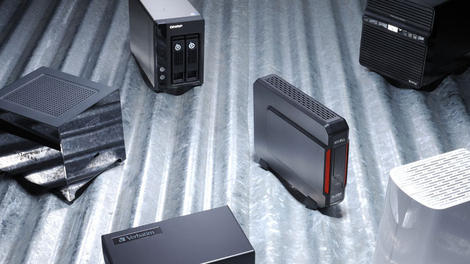
There's no doubt that the cloud has become an increasingly relevant option for file storage over the past few years. However, if you don't trust your data in the hands of a third-party service, a Network Attached Storage (NAS) device might be the way to go.Sitting somewhere between local and cloud storage, NAS devices keep your files and data in your hands. Whether for personal or business use, a NAS solution could be the right way to go for an easy way to share and back up data across a local network and beyond. However, sorting through the various features and price points can be a bit of a hassle, so we've rounded up ten of our top picks for NAS devices from the past year.

QNAP TS-470
A fully capable storage solution for the small business crowd with a price to match.With excellent performance, ample expandable storage options, and easily navigable software, the TS-470 from QNAP is definitely impressive. The device comes packed with four drive bays and four Gigabit network ports, all running on a 2.6GHz dual-core Celeron processor.
With extra features such as SSD Caching and optional web apps, along with the option to upgrade to a 10GbE card, the TS-470 offers plenty of options for users. However, those options come at a cost: about $1,180 (£700, AU$1,270). At that price point, this offering from QNAP firmly straddles the line between high-end NAS solutions and full-blown rack-mounted options.
Read: QNAP TS-470 review

Western Digital Sentinel DX4200
A full-featured solution for businesses.The WD Sentinel DX4200 is definitely an interesting little NAS box. While the DX4200 comes in a similar size as other NAS offerings, its internals are what make it stand out. Rather than the traditional Linux setup, the DX4200 runs Windows, allowing it to seamlessly integrate Windows workgroup or Active Directory network. As a bonus, the DX4200 comes pre-loaded with four hard drives. However, that inclusion will set you back around $1,693 (£1,080, AU$2,036) for the 8TB option and $2,180 (£1,390, AU$2,620) for the 16TB option.
Our only notable qualms with the DX4200 were with the device's somewhat complex configuration software. However, with a separate boot disk (with an option of two for extra redundancy), solid build, and ample external ports, the DX4200 makes a great option for enterprise users that are willing to look past the price to add some storage to their existing Windows server setup.
Read: Western Digital Sentinel DX4200 review

Synology Embedded DataStation EDS14
A rugged, compact solution for surveillance.The EDS14 from Synology ($275, £160, AUD$295) is definitely a unique option. The tiny EDS14 foregoes the typical drive bays for flash memory and USB-mounted external storage. However, what it lacks in drive options, it makes up for in its ability to be tucked away out of sight.
The EDS14 can operate in temperatures ranging from -20 to +50 degrees Celsius (-4 to 122 Fahrenheit), and really shines when used as a network attached storage solution for IP cameras that are tucked away in the corners of a building or bus. Building on this idea is the device's relatively low power consumption, along with Surveillance Station software. In other words, if you're looking for a convenient way to set up a network of IP cameras, the EDS14 might be your ticket.
Read: Synology Embedded DataStation EDS14 review

Western Digital DL4100
Excellent backup for a wide variety of users.If you're looking for a NAS device to help manage your backup needs, the DL4100 might be worth. taking a look at. One of the coolest features of this device is its web dashboard that offers users options for backing up to cloud services such as Dropbox and Box. Additionally, we really liked the ability to set up SMS and email alerts in case the system failed for whatever reason.
As far as storage options are concerned, the DL4100 comes with four drive bays in your choice of four configurations: $529.99 (£499, AU$689.52) for the diskless model, $849.99 (£799, AU$1105.57) for 8TB, $1,169.99 (£1099, AU$1522.17) for 16TB, and $1,529.99 (£1419, AU$1990.53) for 24TB. Aside from some annoying issues with wireless transfers, we found that the DL4100's 1.7GHz dual-core Atom processor and 2GB of RAM (configurable up to 6GB) performed admirably. Combine this with an easy setup and cloud connected web apps, and you have an interesting backup offering on your hands.
Read: Western Digital DL4100 review

Thecus N8810U-G
Redundancy is key with this rack-mounted storage option.At around $2,350 (£1,500, AU$2,840), this rack-mounted NAS solution from Thecus definitely on the expensive side. However, with 10GbE, extensive redundancy, hardware-based 256-bit encryption, the N8810U-G offers plenty to like for business customers. Additionally, the unit comes with support for up to eight SAS or SATA drives, configurable in a wide variety of RAID modes, including RAID 50 and 60.
While we found the software to be a bit behind-the-times in terms of design, the N8810U-G performed well in our tests—especially with those speedy 10GbE speeds. As a bonus, if you find the RAM or CPU lacking down the road, the interior of the device is easily accessible for upgrades. As long as you keep in mind that this is a rack mount, and thus comes with the weight and size that entails, the N8810U-G is worth consideration.
Read: Thecus N8810U-G review
Numbers 6-10
Synology DiskStation DS115j
Excellent NAS for a great priceIf you've been put off by the price of the previous entries on this list, the DS115j is definitely worth checking out. This offering from Synology is a (relatively) simple single-bay NAS device that offers plenty of features for the home user at a very-affordable $125 (£78, AU$145).
While it's a simple setup compared to other options on this list, the DS115j includes Synology's fantastic DiskStation Manager software, which will make setup and management a breeze. Although we had a few issues concerning the device's build quality and lack of USB 3.0, the DS115j's price point makes it an excellent option for homes or small office settings.
Read: Synology DiskStation DS115j review

ioSafe 1513+
'Rugged' is the name of the game with this NAS solutionWhile redundancy is important in any NAS box, your data is still at risk from the elements with most solutions. That's where the massive ioSafe 1513+ comes in, ready to weather such abuse from the elements with a rugged fireproof and waterproof case. the 1513+ can survive in temperatures of up to 840 degrees Celsius (1550 Fahrenheit), and depths of up to 3 meters (10 feet) for three days. Unfortunately, this comes at quite the cost—around $4,620 (£2,950, AU$5,295).
Aside from its ruggedized features, the 1513+ features five drive bays, ample expansion ports, and easy-to-use software. If you're looking for a disaster-proof solution for your data, look no further.
Read: ioSafe 1513+ review

Netgear ReadyNAS 716
Speedy storage…at a costThis six-bay option is billed as the world's fastest desktop NAS device by the folks at Netgear—and for good reason. Sporting a quad-core Intel Xeon E3 processor, 16GB of RAM, and two 10GbE interfaces, the ReadyNAS 716 certainly proved to be fast on its feet in our tests.
Aside from the ReadyNAS 716's performance, we were also impressed with the setup's enterprise-level snapshot and backup options, as well as its easy-to-use software. If you can look past the lack of power redundancy, this is a worthy option for those seeking rack-mounted performance from desktop chassis.
Read: Netgear ReadyNAS 716 review

Synology DiskStation DS415play
For the media-hungryIf previous entries on this list have leaned towards the business crowd, this one swings things back into the realm of the home user. Simply put, the DS415play from Synology is a media-streaming powerhouse. Front and center with this model is its DLNA certification, allowing users to stream a wide variety of media content to PCs and smart TVs on their network with the accompanying Media Station package.
As far as specs are concerned, the DS415play packs 4 drive bays, for a total storage capacity of 24TB. With a 1.6GHz dual-core Intel Atom processor, 1GB of RAM, and Synology's excellent DiskStation Manager software on board, we found the device performed pretty well. If the DS415play sound like it's up your alley, it can be had for about $650 (£390, AU$700).
Read: Synology DiskStation DS415play review

Synology DS1815+
Great for home and business usersThe DS1815+ from Synology is an eight-bay NAS solution that offers up plenty of space for home and business users alike, supporting up to 48TB from internal drives, with the ability to expand that to a hefty 108TB through the device's dual eSATA ports. With its quad-core CPU and up to 6GB of memory, the DS1815+ scored well on our performance tests, though getting the device setup to bond its four gigabit ethernet ports together was a bit of a pain point.
Where the DS1815+ really shines is in Synology's excellent Linux-based DiskStation Manager software. With its simple setup, navigation, and glanceable widgets for tracking vital information, DiskStation Manager continues to shine over the competition. While the price of Synology's offering may be near the top end of the NAS spectrum at around $1030 (£850, AU$1320), the combination of attractive design and ample storage options makes this an excellent option for small businesses and home users that are serious about their storage.
Read: Synology DS1815+ review

Read More ...
Mac Tips: How to open Appleworks files in Yosemite

Got an Apple, Mac, or iOS tech question? We have the answer. While we're always glad to see the upgrades and new features that are included with each new version of Mac OS X, it's definitely a drag when the new operating system prevents you from opening older apps or documents. In response to a reader question, we'll take a look at how to deal with some of those incompatibilities — specifically, how to open Appleworks documents in Yosemite.
Question
I downloaded and installed OS X 10.10 Yosemite. After the installation a dialog appeared saying it can't run Appleworks 6. What am I to do with the several thousand Appleworks 6 documents that are important to me? Is there any way to make them work?Answer
Appleworks 6 is a rather old piece of software, with the last updates coming out nearly 11 years ago (in January 2004). Apple discontinued support for the software in 2007, around the time that Leopard was released to the public. While you have been able to use the software for a few years afterwards thanks to Rosetta PowerPC (PPC) software support on modern Intel Macs, Apple finally stopped supporting PPC in OS X Lion.If you still have documents lying around in this format, however, and wish to upgrade them to work with modern apps (say, Pages, Word, or TextEdit), you can do this with the available iWork apps (Pages, Numbers, and Keynote).

For example, if you have an AppleWork 6 word processing document, then you can drag and drop it on the Pages icon in the Dock to have it open; if you have an AppleWork 6 spreadsheet or presentation file, then you can also drag and drop them on top of Numbers and Keynote, respectively. You might end up with some formatting issues, but in general this should allow you to access your old documents.
Got an Apple tech question? Email ask@maclife.com.

Read More ...
In Depth: NetApp: a requiem

It’s happening again – data storage specialist NetApp is cutting staff. First in 2013, then mid-2014, and now again in Summer 2015. Following a dismal showing in the fourth quarter, the company will lay off 500 workers, which represents 4% of the company’s global workforce. These changes will be instated by the third quarter (July 2015).
It was a fall of the mighty, a Fortune “100 Best Companies to Work For” List winner for 13 consecutive years that seemed like a smart investment as it reaped the benefits of the data boom as storage gained steam. At the start, IT organizations were making a transition to adopting new technology and delivery models, which lended itself to NetApp’s strategy of delivering innovative, flash-accelerated solutions, bringing many customers into the fold. NetApp provided versatility and efficiency, as well as ubiquity through its solution (i.e., Data ONTAP), allowing customers to build solutions specific to their needs.
So what’s happening to this tech giant, which was once a premier tech company during the .com era, and now a mere shadow of itself?
Financial results
In Q4, the Sunnyvale-based company experienced a 32% drop in profits to $134.9 million, translated to 43 cents a share. This is a plummet from $197 million and 59 cents a share, recorded the same time last year. In addition, the company’s net revenue fell nearly 7% to $1.54 billion, resulting in a stock drop of 9% in after-hours trading.This has come as somewhat of a surprise, following a relatively successful 2014 (fiscal year 2015), with stock price rising more than 25% since end of fiscal 2014. They drove hard with the new product line-up, looking like a hail Mary to revive the strength in the storage software market, as well as NetApp’s presence in the fast-growing converged infrastructure and flash array market.
The last time NetApp announced layoffs was March 2014, sharing that they would be cutting 600 jobs, about 5% of their workforce (sounds like deja vu, right?). Last time, the company was grappling with slowing sales growth, caused in part by a decrease in demand from US federal agencies. This followed a revenue growth slowdown to 1.6% in fiscal 2013, compared with an average 22% gain the previous three years.
The company blames the shortfall on a decrease in federal information technology spending, weighing down total revenue. The hope was to cut jobs to refocus on strategic initiatives and streamline in order to become leaner in a constrained IT environment. In other words, it has to retool amid a slowing market and tech shifts. We’ve seen this with IBM shedding workers in its hardware unit, unloading its x86 server business to Lenovo.
It's happened before
Wish we could say this was the only other time they cut the fat, but in 2013, NetApp cut 900 jobs after it came under pressure from activist investor Elliott Management Corp., the hedge fund led by billionaire Paul Singer, which has a significant stake in the company.The data-storage company was pressured by the activist investor to boost shareholder value, aiming to cut jobs in order to return cash through stock buybacks and dividends. This increased the stock-repurchase program by $1.6 billion, bringing the total to $3 billion over three years. Elliott Management Corp. took a significant stake in NetApp and pressed the company to change its board and increase shareholder value. Results during this time (Q2, 2013), were indicative of the company’s challenges with sales between $1.48 billion to $1.58 billion, just shy of the $1.60 billion analysts were predicting. Profit also fell 3 cents below the average estimates of analysts.
One of the most recent changes for NetApp has been their major product-line overhaul, resulting in a major halt of service upgrades from some of their biggest clients, waiting for NetApp to introduce the features they’ve been demanding. Perhaps this decision factored in rivals, who may be more agile and speedy to adopt the features and products their clients needed. For example, rival EMC Corp, and newer and cheaper flash-based storage tech vendors such as Nimble Storage and Pure Storage.
The cloud revolution
Cloud-based storage can be blamed, according to the company, claiming sales of all data storage companies have been adversely affected as customers make the move toward cloud storage, away from buying and operating their own hardware. And it’s true, in recent years, the storage hardware business has slowed, as evidenced by an industry wide decline in external storage systems revenues (as reported by IDC).Although, NetApp was one of the few large storage system vendors in 2014 to have maintained its market share through the first three quarters at 13.7%. NetApp even released some of their own cloud-related products to combat the ominous growth of cloud storage, such as NetApp Private Storage for Amazon Web Services and for Microsoft Azure. While NetApp is positioned to benefit as businesses store and manage more data on the Web, the company’s technology just hasn’t kept up with that of larger rivals.
While NetApp executives believe the company should be back on track next year following the staff cuts and uptake on its new product line in the second half of the fiscal year, we’re not as optimistic. After several unsteady years of growth and a seemingly, slow-as-molasses moving product pipeline, NetApp may just not be agile enough to keep up in the age of cloud-based storage.

Read More ...
Updated: 9 Best Chromebooks 2015: top Chromebooks reviewed

Best Chromebooks
Updated: We've added Acer's Chromebook 15 C910 to the list!Chromebooks are budget laptops that are both odd and brilliant, low-impact and potent.
Running Google's Chrome OS rather than Windows, they focus on what computing has been all about since the late '90s, the web browser.
With low-impact processors and barely HD screens starting at 1366 x 768 resolution, most of these machines are also designed to last. Almost every Chromebook claims between 7 and 9 hours of battery life and comes within a few hours of that range, based on our testing.
Prices will start to climb above the budget range, as is the case with the new Chromebook Pixel ($999, £670, AU$1,320), a laptop whose specs put it in direct competition with the new MacBook. Despite the expanding Chromebook market, there should always be something within your spending limit. Or, if you require something out of the ordinary, there are even ruggedized versions of Chromebooks designed to withstand the abuse of children.
At that point, it all comes down to size (and price), with Chromebooks available as small as 11.6 inches and as large as 14 inches. Always updated, here are our top-ranking Chromebook reviews:

Chromebook Pixel (2015)
The end all, be all of Chromebooks.Outfitted with a Core i5 processor, USB 3.1 (and USB-C) ports, a high-resolution screen, and more RAM than it will ever need, the Chromebook pixel sets a high bar for Chrome OS machines for years to come.
Power and performance aside, the Pixel is one of the few Chromebooks that feels like it has itself completely figured out. The build quality of this machine is exquisite and the design has been engineered down to a science. What's more, its vivid screen - plus the impeccable keyboard and trackpad - all help to round out the Pixel as one excellent, premium package.
It's impossible not to get hung up on the Pixel's high price. For the same amount of money, you could buy two or even three Chromebooks or a decent Windows laptop. So before you we suggest you consider all the much more affordable options out there before investing so much money into this machine.
Read: Chromebook Pixel (2015)

Acer Chromebook 15 C910
With a stunning screen, Acer's latest Chromebook is a winner If
you're considering the Acer Chromebook 15 C910 ($499.99, £249, AU$620)
for your next laptop, then you'd better have big ideas. Compared to most
other Chromebooks, the C910 has a bigger screen, bigger processing
power and it comes with a bigger price tag.
If
you're considering the Acer Chromebook 15 C910 ($499.99, £249, AU$620)
for your next laptop, then you'd better have big ideas. Compared to most
other Chromebooks, the C910 has a bigger screen, bigger processing
power and it comes with a bigger price tag.It takes this series of laptops to two new places, as the first with a 15.6-inch screen and the first packing a fifth-generation Broadwell processor.
Specifically geared toward students and teachers – thanks to its rugged design and gorgeous visuals – the C910 is perfectly suitable for any consumer who doesn't mind lugging around a few extra pounds and inches.
Read: Acer Chromebook 15 C910 review

Dell Chromebook 11 (2015)
Dell's updated Chromebook is a star in almost every regardDon't let the understated aesthetics of the new Dell Chromebook 11 (starting at $249, £170, AU$320) fool you. Dell packed in features that are typically reserved for more expensive business notebooks into its Chromebook 11 in an effort to create a durable product for the education market. In the Chromebook 11, you'll find a 180-degree reinforced hinge, rugged design, sealed keyboard and trackpad, and a great typing experience inside a portable package. In addition to using the Chromebook for school, students will appreciate the loud stereo speakers for multimedia and entertainment.
Read: Dell Chromebook 11 review

Lenovo N20p Chromebook
A versatile Chromebook experience for a reasonable price
This is one of the "sexier" Chromebooks available, showcasing Lenovo's eye for style. However, the best feature is the N20p's 300-degree hinge, which lets you flip the N20p's display backward all the way into stand mode (or 'tent' mode, whatever you prefer), which lends itself nicely to viewing movies or showing presentations.
The touchscreen controls also work in a pinch for recreational activities such as watching shows on HBOGo viewing or Pinteresting. Still there's some difficulty when using it as a tablet, as Chrome isn't entirely tailored to touch as a largely browser-based operating system.
It's not very tuned for business use, but the Lenovo N20p offers great versatility for a leisure device. Plus with two USB ports (one 3.0), and HDMI port and an SD card reader, this Chromebook delivers a great bang for its buck.
Read: Lenovo N20p Chromebook review

Toshiba Chromebook 2
A gorgeous 1080p screen makes this Chromebook a real contenderFor $329 (about £205, AU$382), the Toshiba Chromebook 2 is a gorgeous and affordable laptop that doesn't have many weaknesses. It comes with more RAM and a full HD 1080p screen, making it a step up from other models in this class, like the Samsung Chromebook 2 and Acer C720.
But potential buyers should note that the Toshiba Chromebook 2 moves the Chromebook category closer towards the territory of an affordable Windows 8.1 laptop. So you might be overpaying if you're not purchasing this laptop specifically for the Google ecosystem.
That being said, the 1080p screen is a huge bonus and the laptop speakers made by Skullcandy are booming. Add it all up and the Toshiba Chromebook 2 might be an ideal streaming system for everything from YouTube and Google Play to Hulu Plus and Netflix.
Read: Toshiba Chromebook 2 review

Acer Chromebook 13
With incredible battery life, the Chromebook 13 is a winnerPowered by Nvidia's ARM Cortex A15-based Tegra K1, this Chromebook packs a lot of punch in a tiny frame. Users will love its 13.3-inch 1080p resolution screen, as well as its portability. At 3.31 pounds, the Acer Chromebook 13 is a relatively light laptop.
This Chromebook does have some minor issues: it doesn't multitask very well and the laptop itself only comes in one color. But for the price ($279 about £165, AU$300), you're likely to enjoy the simplicity and productivity, as you learn to overcome the design limitations.
Read: Acer Chrome 13 review

HP Chromebook 11
A Chromebook that's as cheap as it is excellent
The HP Chromebook 11 (starting at $279, £179, AU$399) is smooth and usable. While Chrome OS is limited by definition, between us growing more comfortable in web apps and those apps growing in power – and Chrome OS maturing – we're bumping into those limitations far less often.
This laptop is punchy enough to make the experience slick, cheap enough for anyone on a budget (or an impulse buy for the well-off), but something that still feels solid. It is a delight to own and use.
Apple and the other premium manufacturers should look at this little gem of a computer and applaud what has been achieved. The Chromebook 11 shows that it's possible to create a product with a little bit of the magic and joy you get from an Apple laptop without charging four figures for it.
Read: HP Chromebook 11 review

Acer C720 Chromebook
Offering decent features at a cheap price, this is a good budget optionIn terms of power and endurance, you can't argue with the Acer C720 Chromebook (starting at $199, £199, AU$399). When you just want to get on the web quickly to answer emails or look something up, the C720 is ideal. For parents, it's also a perfect "homework machine," as long as you can get a printer hooked up.
This is a true web appliance, a fine system for families. The Google account log-in gives each user a personalized interface, and just a few keystrokes completely wipe the system. That limits the risk substantially in sharing the system with others.
One key criterion we use in evaluating a device is whether we'd actually want to use it every day. Even taking this laptop's flaws into account, it's something we definitely would want to use, for the price.
Read: Acer C720 Chromebook review

Asus Chromebook C300M
A colourful Chromebook that balances price and performanceThe Asus C300M ($249, £219) is a perfectly balanced device for coffee shop warriors, commuting accountants and peripatetic teachers. With more than nine hours of battery life, this 13.3-inch device will keep you going all day long.
It also performed admirably on all of our benchmarks, and it even features a solid set of ports for those of you needing multiple connections. Like most other Chromebooks, this laptop isn't winning any innovation awards, but it is a good-looking, steady performer at an incredible price.
Read: Asus Chromebook C300M review

Read More ...
July is looking definite for Windows 10 release

We may well be only a few weeks away from the full debut of Microsoft's new flagship operating system, Windows 10.
Two more fairly reliable sources, Tom Warren from The Verge and Russian leaker WZor, have either implicitly or explicitly mentioned late July, citing their own internal contacts.
The company confirmed that the launch would happen in summer back in March. AMD CEO Lisa Su then mistakenly followed up with a slip of the tongue in April pointing to a launch "at the end of July."
Both of these new reports, however, differ when it comes to the finer details. Warren says that it would be a public launch to users, while WZor reckons that the end of July will see Windows 10 reach RTM (release to manufacturing). That's when PC makers like Dell or Lenovo are allowed to sell PCs with the OS.
More specifically, Warren's sources claim that July 29 is one release date that's been discussed. Microsoft even tossed around the idea of announcing that date during Build 2015 on April 29, exactly three months out, but decided against it should things go south, the anonymous tipsters went on to say.
Moving to SaaS
July is in just over five weeks and the end of that month, only nine weeks from now, is not a lot of time in the grand scheme of things.It is likely that Microsoft will rapidly issue updates after the official launch as it embraces the whole software-as-a-service paradigm.
The company has already announced that it will no longer have Patch Tuesdays and will move away from the current naming convention of its desktop OS.
- Read our Windows 10 coverage for more information

Read More ...
Updated: 7 best 2-in-1 laptops 2015: top hybrid laptops reviewed

Best 2-in-1 laptops
Microsoft's Windows 8 didn't just shake up the company's entire software empire, but the mobile computing industry as well.Given the dualistic nature of the new Windows, laptop and tablet makers responded in kind with devices commonly known as 2-in-1 laptops, or hybrid laptops.
These are devices that are able to serve as both a laptop and a tablet, either in a detachable design that sees the touchscreen doubling as a tablet, or a convertible approach in which the notebook's hinge rotates 360 degrees for a similar effect. In the past, neither have been all that successful in providing both experiences in equal measure, but that's slowly changing.
Considering their similarity to Ultrabooks in terms of build quality, thinness and lightness, 2-in-1 laptops are generally priced in the same range: between $700 (about £450, AU$800) and $2,000 (around £1,169, AU$2,131). However, some manufacturers, like Acer, make budget hybrids, and there are even 2-in-1s designed specifically for the business user, like the Dell Venue 7000 series. However, the hybrid market is almost entirely catered toward consumer needs.
These are sleek, powerful devices that look good and serve multiple use cases to varying degrees of success. Obviously there are a ton of solid devices out there that narrowly missed the cut, such as the Asus Transformer Book Flip TP300LA, so there's no shortage of great devices for you to choose.
With that, here are the best 2-in-1 laptops that we've reviewed thus far.

Microsoft Surface Pro 3
The best tablet-laptop hybrid device yet releasedThis is not only Microsoft's most striking and versatile device to date, but the most convincing poster child for the hybrid category yet. And this ringing endorsement comes from a long-time skeptic of such devices.
That said, the Surface Pro 3 (starting at $799, £639, AU$979) is hamstrung by flaws that cannot be ignored. Namely, the battery life might be in line with most Ultrabooks, but isn't close to what Apple's leading laptop and top tablet. And the Type Cover billed as an accessory doesn't help Microsoft's cause – it's quite pricey to boot.
At any rate, this version of the tablet comes in cheaper than the most affordable iPad Air and 13-inch MacBook Air combined, even with the Type Cover, and that's the point. On paper, this slate is more powerful than either Apple device, not to mention most other comparably priced laptops and tablets. The Surface Pro 3 might not be perfect, but it's far and wide the brightest shining example of a potential tablet takeover. If you're not concerned about a downgraded performance, consider the new Surface 3, which doesn't provide as much kick as the Pro, but is lighter and a lot cheaper.
Read: Microsoft Surface Pro 3 review

Asus Transformer Book T300 Chi
This 2-in-1 laptop takes thinness to a new levelThe Asus Transformer Book T300 Chi is one of the first laptops to finally get the hybrid form factor right. Thanks to the use of a magnet latching system and Intel's fanless Core M processor, Asus has been able to produce a lighter tablet-laptop hybrid that's thin to boot.
The detachable Bluetooth keyboard also opens up a few alternative ways to use the device. Over the last few weeks, I propped up the screen while I used the keyboard as a remote for Netflix and stood the screen on its side, using it as a makeshift vertical screen. The best thing about all this is it's entirely seamless, letting you easily switch between tablet and laptop modes with ease.
There are a few things Asus didn't get right in this go around with the T300 Chi, namely the micro-sized ports. It has helped Asus shave down it's latest Transformer Book into a much more svelte profile, but you'll need to carry around a set of cables and adapters to plug in something as simple as a USB drive. With battery life averaging five hours and maxing out at six at best, you might want to look into a tablet or Chromebook for longer use cases. If you're looking for something similar, but less impressive and less expensive, you can always try the Asus Transformer Book T100 Chi.
Read: Asus Transformer Book T300 Chi review

Dell Venue 11 Pro 7130
A powerful, small tablet that wants to play in the big leaguesAt the $700 (£437 and AU$800) entry price, the Venue Pro 7000 offers a nice balance of performance and portability in a travel-friendly size. However, unless you find yourself accessing CPU and GPU taxing apps, you might find more value in an Atom-based convertible. Going with Atom will lower your cost and give you better battery life.
For those who need power and performance, the confines of a 10.8-inch display may be too rigid to maximize productivity. Opening more than a few tabs or windows on the small display will trigger claustrophobia. If you need to be more productive, there are bigger convertible options, like the Surface Pro 3, to choose from that may fit that need better.
Read: Dell Venue 11 Pro 7000 review

Asus Transformer Book T200
Another excellent transforming tablet-laptop from AsusIf you are looking for a combination of Windows laptop and tablet, the Asus Transformer Book T200 is a very appealing option that offers a fair amount for only $539 (£349, or AU$690).
The T200 is quiet, light, well built and feels responsive during normal usage. Battery life is excellent, so you won't find yourself hunting obsessively for charging points throughout the day. Its "smart" hard drive bay adds plenty of storage space alongside the speedy 32GB SSD, and despite having a disappointing resolution, the IPS display is at least vibrant with good viewing angles. Good connectivity in the form of USB 3.0 and RJ45 ports are welcome additions, with a reasonable pre-loaded software set finishing off the package nicely.
For those with a little more cash to splash, the Surface Pro 3 is a very appealing option that offers similar functionality in a slimmer form, and with much more power. Otherwise, if you are looking for something a little larger, Asus' 2013 13-inch Transformer Book TX300 comes with an i7 processor and a full-HD screen.
Read: Asus Transformer Book T200 review

Lenovo IdeaPad Yoga 11S
The laptop that will bend over backwards to help you outThe 11.6-inch Lenovo Yoga 11S (starting at around $799, £599, AU$1,299) laptop is a flexible machine that can fold over from a typical laptop stance to a stand position, to a position with the keyboard behind the screen, ready for delivering presentations.
It comes with HDMI, SD card and USB ports, and boasts a surprisingly impressive Intel Core i7 processor, 8GB of RAM and a 256GB SSD for storage. The screen is sharp and bright, though not full HD, and works well with Windows 8. It's also nicely light and small for portability. You can easily use the Yoga 11S as you would any other laptop, replete with a full QWERTY keyboard.
Read: Lenovo IdeaPad Yoga 11S review

Lenovo Yoga 2 Pro
Lenovo's former-flagship Ultrabook is a real stunnerWith the Lenovo Yoga 2 Pro (starting at $1,099, £999, AU$1,599), we can now confirm that 3,200 x 1,800 pixels is delicious indeed. On top of the winning Yoga form factor, we loved the solid performance, backlit keyboard, and the snappy SSD, creating mobile device-like response times.
However, in our experience, a Haswell-based ultrabook this thin should run twice as long as the Yoga 2 Pro does on a full charge; we got about five hours in our testing. Even with cloud services like Google Drive, a 128GB SSD is hard to recommend for even your grandparents.
Drawbacks considered, the Yoga 2 Pro is a winner of a laptop, pure and simple. At the $1,000 price point, you could put the Yoga 2 Pro in just about anyone's hands and make them quite pleased.
For those of you who crave portability more than anything, Lenovo recently unveiled the new LaVie Z, which the company claims is the lightest convertible on the market. For those who want more power and don't mind a little heft, you could also check out the Lenovo Yoga 3 2014.
Read: Lenovo Yoga 2 Pro review

Lenovo ThinkPad Yoga 12
A versatile hybrid ideal for those who work as hard as they playYes, another Lenovo hybrid! The Yoga 12 is a versatile bulldog of a device. You can use it as your work laptop. You can use it for play. It won't be the best pick for either of these tasks, but it won't stray too far from the upper tier either. At 3.4 pounds and 0.74 inches thick, it's just light and slim enough to claim portability. With more than seven hours of video playback, its battery is good enough to get through a workday, and it's affordably priced starting at just $845.
Packing a full HD display that can bend into four different modes, you'll enjoy this device's flexibility, even though it isn't the lightest or sexiest device on the planet. With that being said, it performs on par or better than any of the devices on this list.
Read: Lenovo ThinkPad Yoga 12

Read More ...
Updated: Best printer: our recommendations for inkjets and lasers
Overview and inkjets #1-5
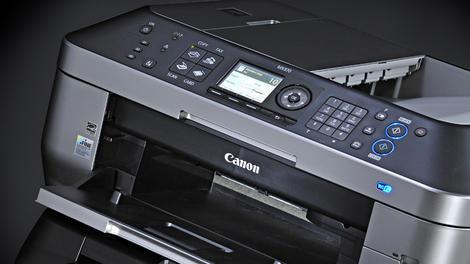
This article was recently updated.In choosing the best printer for you, your first decision should be whether to go for a standard printer, or a multi-function device that includes a scanner and that can also work as a standalone copier.
These aren't much larger than regular printers, but they're a whole lot more versatile, especially when you need to keep a copy of a letter, a bill or any other important document, so our first list includes the best inkjet printers and best multi-function devices.
You should also think carefully about whether to invest in an inkjet or a laser. Lasers are usually associated with office environments, where they produce sharp, smudge-free printouts quickly, quietly and economically, but this can be just as useful at home or in a home office.
And don't imagine that mono laser printers are the only option - color laser printers are now very affordable, and you can even get get multi-function laser printers, too. So we've also come up with a list of the best laser printers, and not just for office users with budgets to burn, but home users looking for value, quality, compactness and ease of use.
Inkjet printers
Epson Workforce WF-100 ($349)

The Epson WorkForce WF-100 is perfect for the user who travels, or even for the space-conscious or low-printing consumer. The built-in WiFi makes it easy to print on multiple devices and the built-in rechargeable battery is very impressive. The WF-100 weighs 3.5lbs (1.59 Kg) and the dimensions are 12.2" x 9.1" x 8.5" (30.99 cm x 23.11 cm x 21.59 cm) in the printing state and 12.2" x 6.1" x 2.4" (30.99 cm x 15.49 cm x 6.1 cm) in its storage setting.
When using the AC Adapter, the WF-100 can print B&W at 6.7 ISO ppm and Color at 3.8 ISO ppm. When using battery power, the WF-100 is prints B&W at 3.5 ISO ppm and Color at 2.0 ISO ppm.
Read our Epson Workforce WF-100 review
Canon Maxify MB5320

However, the Canon MB5320 would be a sound addition to any small or home office looking for an efficient printer that can handle large volumes of paper without a ton of maintenance.
Read our Canon Maxify MB5320 review
Canon Pixma MG7520 - ($199)

The Canon Pixma MG7520 is a steal for photography enthusiasts who don't need to print large documents or in high-volume. This 17.4 pound printer is only 17.2" wide and 5.9" tall, so it isn't exactly compact, but it is pound-for-pound a solid device. The prints it produces are exact replicas to their digital files. You'll spend hours printing photos and loving every minute of it.
Canon says the MG7520 can print documents and web pages at 15 images per minute for black ink and 10 images per minute for color ink. However, it took us 18 seconds to print one full-color print on plain Letter paper. It took nine seconds to print the same image in black & white on Letter.
When we loaded the tasks to print 20 copies, we were able to print the image in black & white 14 times in one minute on Letter-sized pages, but it took 85 seconds for the image to print once in 300 dpi on Canon Semi-Gloss photo paper. Don't worry though, the print quality warrants the moderate pace.
Read our Canon Pixma MG7520 review
Brother MFC-J4620DW - ($280)

Brother has packed a lot of features into this device, and it has also managed to keep the price low. Ink prices aren't too frightening if you go for the high capacity cartridges, and like Brother's other inkjets it can perform at very high speeds if you're not too bothered about print quality, or produce high quality output if you're willing to be patient.
Read our Brother MFC-J4620DW review
Epson's WorkForce Pro WF-4630 ($200)

Epson Connect is a useful feature for remote printing and scanning when you're off of the office Wi-Fi network, and the touchscreen offers intuitive menus and control. Even though the presence of a physical dial pad for the fax machine makes the machine seem dated compared to HP's all-touch controls, the WF-3630 has hardware buttons to quickly make color and black-and-white copies without having to dig into the touchscreen menus.
Unless your office requires heavy photo print jobs, the WF-4630 is an excellent choice. It's versatile enough to handle office documents with fast print speeds that rival laser printers, and you won't be disappointed with the results either.
Read our Epson WF-4630 review
Laser printers
Laser printers
Sharp MX-C301W - (Price depends on configuration)

This compact unit is a great, multi-purpose device for small-to-medium-sized enterprise use. With a straightforward out of the box set up, quick and easy color printing, speedy scanning, and standard copying features, the Sharp MX-C301W is a competitive addition to the enterprise market.
It might be a little too much to handle for the home office user, but if you're interested in bulk printing and speed, this is a safe bet.
Read our Sharp MX-C301W review
HP Color LaserJet Enterprise M553X ($1,315)

Read our HP Color LaserJet Enterprise M553X review

Samsung Multifunction Xpress C460FW - ($470)
If you're after a high-quality text printer that can do the odd image too, the Samsung Multifunction Xpress C460FW won't disappoint, but its photo printing lets it down. There's a lot to like about this low-cost all-in-one laser printer, but we don't think it will be the model to crack the home market.Read our Samsung C460FW review
Brother HL-L9200CDWT - ($700)

Read our HL-L9200CDWT review

Read More ...
Your brain is wired the same way that Facebook is

Neuroscientists from the University of California have discovered that during quiet moments, our brains prepare us for being socially connected to other people.
In experiments, the researchers showed people photos with captions while tracking their brain activity. In one set of photos, the captions described the mental state of the person depicted, while the captions of the other set merely described the picture. A third set showed the number of the picture accompanied by a mathematical equation.
Participants were then asked to judge whether the captions expressed what the images showed. It turns out that the same areas of the brain (the dorsomedial prefrontal cortex) lit up during the gaps between pictures as when the mental state captions were shown, but became inactive when the equations and descriptions were displayed.
Down time
"The brain has a major system that seems predisposed to get us ready to be social in our spare moments," said Matthew Lieberman, a UCLA professor of psychology and of psychiatry and biobehavioral sciences. "The social nature of our brains is biologically based."He added: "It is getting us ready to see the world socially in terms of other people's thoughts, feelings and goals. That indicates it is important; the brain doesn't just turn systems on. We walk around with our brain trying to reset itself to start thinking about other minds."
That, the authors believe, is why we like reading Facebook during downtime - the brain gets to do what it's programmed to do. Lieberman said: "When I want to take a break from work, the brain network that comes on is the same network we use when we're looking through our Facebook timeline and seeing what our friends are up to."
The study results were published in the Journal of Cognitive Neuroscience.

Read More ...
Week in Tech: Week in Tech: Google IO steals the show with Android M, Brillo, and brilliant Photos

This week everything's gone Googly: we've seen a host of announcements from Google on Android M, Android Pay, virtual reality and Google Maps too. There's even a search algorithm that can detect accents and change search results accordingly. But while Google hogged most of the headlines this week, we also saw some interesting moves at Apple, and tech provided FIFA with its only good press this week.
Google IO: all about Android M
Google IO is the search and software giant's annual event for developers, and it's where Google sets out its stall for the year ahead. This year that stall includes a new version of Android, Android M, which is going to fix all the bugs and power issues that affect existing versions of Google's mobile OS.Apps will no longer demand all the possible permissions when you install them, Android devices will support USB-C for super-speedy charging, and the new Now On Tap feature will bring relevant information up whenever you need it. The developer preview of Android M is out now but it won't make its way to Nexus devices until later this year. The rollout for other firms' kit is likely to be even later.
Maps, apps and VR video
Google IO wasn't all about dull but useful OS updates, though. There were vastly improved Google Maps with proper offline operation, Google Cardboard for iOS, and a new project to make VR videos. And there was money news too. Remember Google Wallet, the easy electronic payment system that didn't really change the world? You can forget about it, because it's dead and Android Pay is taking its place. Android Pay will work at 700,000 stores from day one (in the US), and you'll be able to use your fingerprint to approve purchases.Google photos: unlimited and free forever
One of the most useful things we saw at Google I/O was the new Google Photos service, which offers free, unlimited photo storage that makes Apple's iCloud pricing look ridiculous. Google Photos was already in Google+, which means only three people knew about it. By spinning it out as a separate product Google hopes to win over people who wanted to upload photos but didn't fancy storing them in a social network. From Google's point of view it gets stacks of photos to train its image recognition bots.Google Brillo at Google IO
It looks like Google doesn't just name its products after confectionery brands: it's moving into kitchen products too. The finest minds on the planet have decided that the best name for their internet of things operating system is, er, Brillo. In the UK, that's a soap-filled steel wool pad that you use to clean pots. We can't wait to see what Google Cif, Google Cillit Bang and Google Mr Muscle turn out to be.Back in Black (Friday)
It's summertime and that can only mean one thing: it's time to think about Black Friday. The US's annual Thanksgiving shopping frenzy is becoming a big deal in the UK too, and we've discovered what went wrong with so many retailers last year and what gadget goodies you can expect this year.Apple gets its ARs in gear
When Apple goes shopping the tech world pays attention, because it often gives a clue to Apple's future direction. So what should we make of its apparent purchase of Metaio, the VW spin-off that specialises in augmented reality and computer vision? When you consider that Apple has also purchased Kinect inventor PrimeSense, it looks like Apple is thinking of a keyboard-free future – something that's also evident in its plans for the Apple Watch, which will include proper third-party apps this year.Ive got a new job
Is Apple also considering a Jonathan Ive-free future? The design chief has been given a new title, God of All Things. Sorry, we mean Chief Design Officer. That frees him up to "travel more" and to focus less on the day to day management of design things. Pundits are divided: some think the promotion essentially makes him the new Steve Jobs, the ultimate decision maker on everything Apple makes, but others think that the promotion is the beginning of the end of Ive's time at Apple. Expect the Apple Kremlinologists to be watching every beat of the WWDC keynote in just over a week's time.FIFA good, fans bad
There's been a lot of FIFA news this week, leading to the inevitable 'shopped images of FIFA 16 boxes depicting Sepp Blatter behind bars. But there was a brief bit of FIFA sunshine amid the gloom this week when we discovered that FIFA 16 will include the top twelve women's teams: Australia, Brazil, Canada, China, England, France, Germany, Italy, Mexico, Spain, Sweden, and the USA. We say "brief" bit of sunshine because inevitably, some mouth-breathers turned to the internet to show that they have serious issues with women in their games. We could have stopped that sentence before "in their games". Or before "with".Google's new plan: stereotype everybody
Google's got a new idea: voice searches that return different results according to your accent. There's a serious plan behind the daft-sounding idea: if people with particular accents prefer particular search results, then other people with the same accent might have similar preferences. So for example a search for "dinner" with a French accent might prioritise French restaurants, while the same search by a Glaswegian would presumably return Irn-Bru and deep-fried Mars Bars.
Read More ...
How to charge your smartwatch with your trousers

A team of renewable energy researchers at the Chinese Academy of Sciences has developed a type of solar cell that can be woven into fabric, harvesting energy when exposed to the sun.
The cells are made using a mineral called perovskite, which makes them not only cheap but also extremely efficient. Normal, flat cells made from this material have an impressive efficiency of 20%, and can be made 400 times thinner than conventional silicon cells.
Weaving the cells into thread is no easy task though. The researchers coated carbon nanotubes with several layers of different materials, including perovskite, silver to increase the conductivity of the thread, and a protective film that allows light through.
A resulting cloth made of this thread isn't quite as efficient as the flat cells - only 3% of the solar energy hitting it becomes electricity. Contact with air and water also causes the cloth to stop producing power after just four days.
But it's a start and the team reckons both of these problems can be improved. If they're right, then clothes woven from this fabric could act as wearable chargers for our smartphones and smartwatches in the future.
The team published the details of its discovery in Advanced Materials.
Photo Credit: CJS*64 A man with a camera via Compfight cc

Read More ...
Thanks to lasers, we're learning more about dinosaurs

Palaeontologists hunting for new information about dinosaurs have a powerful new tool to add to their arsenal: lasers.
A team at the University of Kansas has used commercial-grade lasers to scan fossil samples. The resulting scans reveal complex details that can't be seen with traditional visual enhancers like ultraviolet light.
The price of laser technology has dropped significantly over the past decade, allowing researchers to more easily access the kind of medium-power short wavelength lasers used in this experiment. Combined with filters and digital photographic equipment, you can tell a lot more about the lives of dinosaurs.
"Nobody else is doing this, as far as I know," said David Burnham, a co-author on the paper describing the technique. "Basically you want to excite electrons in the object so it emits photons you can see. This requires a camera filter of some kind, and that's where an orange or yellow long-pass filter is used — it takes away everything else so we can see the photons."
For example, carbon fibres can be picked out - showing the feathers of a primitive bird. Or microfossils can be picked out that were previously hidden by rocks and dirt. It's also been used in human fossils - revealing that an arm bracelet worn by a small girl was made out of a hippopotamus tooth.
You can find the full details of how they did it in PLOS One.

Read More ...
Keitai: How to make calls on WhatsApp
How to make calls on WhatsApp
You know we love to bring you tips and tricks on Keitai – and this week we found that there's a new question playing on the lips of many smartphones users: how do you make calls using WhatsApp?We also found that people wanted to know "how do I clean ears?" and "how do I cheese Crota?" All valid we're sure, but let's focus on WhatsApp today.
- Catch up on Keitai (formerly 7 days in phones)
How to make calls on WhatsApp
Own an iPhone or an Android? Then good news because you, yes YOU, can make phone calls via the popular messaging application. (Sorry Windows Phone owners, there's no calling capabilities on your app.)Want more good news? Well strap yourself in, because any calls made through WhatsApp won't eat into your voice minutes. As long as you have data left in your allowance, or are connected to a Wi-Fi network, calls are free of charge.
Once the app is open there are a few ways to initiate a call, depending on the system you're using.

Android users: You'll see a "calls" tab at the top of the app alongside side "chats" and "contacts." Head to "calls" and hit the phone icon in the top right to select a contact to call.
Received, made and missed calls are displayed here, allowing you to quickly call someone back. You'll also find a phone icon within one-on-one chats.

iOS users: For iPhone users the main tabs you require at the bottom of your screen are "Recent" and "Contacts." Your call list resides under "Recent," although there's no option here to call a contact that doesn't appear on the list.
For that you'll need to head to the contact list within the app and select the person you want to talk to. Then hit the phone icon on their contact card to start ringing. You can also call a buddy from a chat window.
Not seeing the call options on the app? Then you, my friend, need to update…
How to update WhatsApp
Head over to the App Store (for iPhone users) or Google Play (if you're on Android) and then navigate to the app update section.On the App Store there's a handy tab at the bottom of the screen marked "Updates," while on Google Play you'll need to hit the menu icon in the top left and select "My Apps."
Any applications with pending updates will be displayed, so if WhatsApp is one of them, tap it and get your update on.
Who could it be?
Who could it be? Winston stared longingly at the Nokia 3310's 84 x 48 display. All the message said was, "Hello Winston. It's been a while. TB."He struggled to remember anything before his accident. Did he have family, friends... maybe enemies... he wasn't sure what he'd left behind when he was crushed by the mountain of BlackBerry Storms.
He picked himself up off the cold, hard stone floor, took the Nokia 3310 in one hoof and continued down the corridor at a gentle canter.
Creatures started to fill the shadows watching Winston's journey through the corridors, not that he noticed – he was too distracted racking his brain for who contacted him. How did the phone end up here, in this dark, horrifying place? It must have been a set up… but by who?!
He needed to message back – the sender had put "TB" at the end. Obviously he legally had to reply as soon as possible, but his nerves overtook him. As he reached the large gate leading him back into the real world he squinted as the bright daylight shone through.
He slumped to the floor to the side of the gate in the blazing sunshine, readying himself to reply.
He hit the button. He typed the first few characters. Bt then he heard it again, that immortal sound…the single guitar composition from Grans Vals written in 1902 by Francisco Tarrega.
That's it… it's the Nokia ringtone.
Scary Movie 6
Imagine for a moment that you went out for the day, but you forgot to take your phone with you. It's a scary proposition, and something we wouldn't wish on our worst enemy.This harrowing video highlights the danger we face every day. It can happen to anyone.
So please, please, please whatever you do, don't leave home without your smartphone. The consequences aren't worth thinking about.
Scary press shot of the week

We all know that early mobile phones were big, but perhaps you've forgotten just how big they were. This shot from 2007 shows off the "dramatic beauty" of the Panasonic P904i.
Its main selling point was the fact it could fold in half – making it just half the height of the average human, standing a proud 3 foot 2 inches in what at the time was known as "crouch mode."
It was the start of the truly mobile era.
Retro video of the week
"The affordable, transportable cellular phone is here!" exclaims this General Electric ad from 1989.Among its headlining features is 30 number speed dialling, last number redial, electronic lock, light up keypad and... wait for it... adjustable volume control. Plus, there's an optional battery for true portable use (otherwise you'll be porting it from car to car).
Yours for just $397 (approximately £4 million in today's money).
Proper stuff from the site
- The Sony Xperia Z3+ turned up, and we got hands on
- There's excitement building around a possible OnePlus 2 launch
- Periscope has popped up on Android
- And Microsoft's Cortana is coming to iOS and Android

Read More ...
That annoying iPhone text bug is also breaking Twitter and Snapchat

The much-publicised bug that is causing iPhones to crash with just a text message has just got a lot worse, as it appears to also break Twitter and Snapchat.
The bug causes iPhones to crash when they receive text messages that contain certain Arabic, Marathi and Chinese characters, but as the Guardian has learned, the problem isn't confined to SMS messages.
Messages sent over Twitter that are booby trapped with the characters will cause an iPhone to crash if it has notifications turned on.
Snapped chat
Snapchat is also at risk, as a text chat that contains the characters will again crash the iPhone, and means the users cannot open the chat history with the person who sent the message without the iPhone crashing.Apple has promised to fix the bug, but at the moment it has only provided a temporary fix, so be extra vigilant about unsolicited text messages, Snapchats and tweets that come your way.
It's also likely that other iOS apps (especially messaging ones) could be affected by the bug. Some people have already reported that WhatsApp is behaving in much the same way for them.

Read More ...
Samsung's Project Valley might be a foldable, dual-screen revolution

Having already filed numerous patents regarding dual screen and foldable smartphones and tablets, it's clear that Samsung is interested in the technology. Now it looks like the company could be including at least some of the exciting tech in its Project Valley smartphone.
According to SamMobile, Project Valley is in very early stages of development, and due to its ambitious nature we'll probably not see the fruits of the project for some time – if at all.
Project Valley is a device that will come with two screens, which can be switched between using multiple gestures.
The suggestion that Project Valley could be a foldable device stems from Samsung's previous comments that it could release such a device by 2016. The device is also known as Project V – you may have noticed that the V looks a bit like a folding device.
It's a bit of a stretch, so take this with a pinch of salt, but Samsung has heavily implied that it is investing in the technology, so make sure to keep an eye on the sky, people.

Read More ...
With Uncharted 4 delayed the PS4 lineup looks 'sparse.'

Sony's PlayStation President, Andrew House, has acknowledged the PS4 first-party lineup of games is looking "a little sparse this year."
Speaking at this week's Investor Day House seemed remarkably candid about both the lack of first-party titles coming out for Sony's flagship console and the difficulty in gaining third-party exclusives for it.
Originally pegged for a release this year, Uncharted 4: A Thief's End has now been given an early 2016 release window to allow for extra development.
With that and Ratchet and Clank's PS4 re-imagining getting delayed until next year to coincide with a movie, things are indeed looking a little sparse ahead of this year's E3.
The massively exciting, open-universe space-sim, No Man's Sky, is still being given a 2015 release date, however. Fingers crossed we see some movement on that in the coming weeks as there are a lot of folk questioning whether the ambitious title will make it out before the end of the year.
Do Sony need full exclusives?
The announcement of Street Fighter V being a console exclusive title for the PS4 though (bizarrely with an accompanying PC release for cross-platform play) is good for Sony, but House admitted "given publishing dynamics and development costs, that's increasingly difficult to secure."What he says Sony's doing then is to secure more third-party exclusives, but "not necessarily around full exclusivity."

Despite these slightly negative soundbites from the investor day things are still very rosy for the PS4, with sales of over 22million units.
Sales of rival console, Xbox One, however have risen recently, buoyed by Microsoft cutting its retail price a couple of times. But Sony sees no need to follow suit to stay ahead in the race.
Speaking to MCV, Sony UK MD, Fergal Gara, explained "we are proud that we managed to launch at a very competitive price, and demand has held up very strongly for PS4. Therefore, our RRP on day one is our RRP today."
And if demand holds up there's really no reason for Sony to start making moves on its pricing, especially with both rival consoles regularly retailing for less than £300 / $350.
Via MCVUK.

Read More ...
Available Tags:Google , Mac , Windows , Facebook , Android , iPhone , Twitter , PS4 ,


No comments:
Post a Comment