

On Android? You can finally make collages in Instagram

Android users, prepare to share. Instagram's app for building collages, Layout, has made it's arrival to the Google Play store.
The app, which debuted in March for iOS, combines multiple pictures from your phone and turns them into an Instagram-friendly, square and shareable shape. Before Layout, Instagramers had long awaited the ability to stitch together their favorite pictures and share them with their friends.

Unlike many collage apps, which start by asking to pick a grid shape, Layout has you choose the photos you want to share first. After you pick the ones you like, its algorithm offers suggestions for the most pleasing ways to arrange those (sort of blurry) shots from last night's concert. From there, you can fix borders, exchange images; you get the picture.
Instagram also introduced a new tool on its editing panel called "Structure", which will help bring out the finer details and textures in your images. Inverse of the Layout release, Structure is only available on Android phones now but will be coming soon to iPhone.
Just like Instagram, Layout is a free app and allows you to share through Instagram to Facebook, Twitter, and other social media.

Read More ...
Hands-on review: UPDATED: Asus Zenfone 2

Our updated impressions
The Asus Zenfone 2 fills an interesting niche as an Android phone full of deep customizations, yet one that sells for half the price of similarly sized phablets.Typically, Android tinkers who want to invest a lot of time into customizing their phone also have to pay full price for a flagship. But Zenfone 2 turns that concept on its meditating head.
At $300 unlocked (about £210, AU$408) and now available in the US, it's a bargain for a 5.5-inch display that's as big as a the LG G4 and iPhone 6 Plus, and specs that include an speedy Intel processor and 4GB of RAM.
There's an even cheaper $200 (about £139, AU$272) model with a slower Intel chip and just 2GB of RAM, but the 4GB version is the one that's going to last you some time – if it holds up.
Where Zenfone 2 makes its compromises to hit that price point is in its build quality and camera. Its easy to spot the flaws of its cheaper plastic construction and poor 13-megapixel camera sensor.
That said, the Zenfone 2 remains one of the most inexpensive ways to upgrade to Android 5.0 Lollipop with enough processing power leftover, as long as you don't care about style or outer quality.
Design
Zenfone 2 is true to its unintentional theme of finding internal strength and beauty because, on the outside, this isn't a very pretty or strong phone.
It feels more cheaply made than it looks. This is thanks to the artfully deceptive, brushed metal design on the back cover and Gorilla Glass 3 with an anti-glare coating on its 5.5-inch display.
But holding the phablet in my stretched out hand, I could tell the difference between it and the glass-backed Samsung Galaxy S6 and aluminum-backed iPhone 6 right away.
I could also see the difference in quality as my stretched out hand accidentally dropped the phone and its top-right corner met pavement. Cracks spread across the surface and a frown stretched across my face.

This unintentional drop test was a tumble at 32 inches (81cm), rather than a direct drop, from my pocket. The phone's bulkier-than-normal phone didn't fit in my jeans as well as I had expected.
While Samsung and HTC upgraded their flagship phones to Gorilla Glass 4, Asus stuck with the previous generation's less durable material. LG G4 kept Gorilla Glass 3 too, but at least it features a slight curve that might have saved this phone from its now unsightly blemish.

Despite the plastic body and cheaper glass construction, the Zenfone 2's dimensions and weight are less svelte, as expected given its price.
Its curved back gives it a thickness of 10.9mm. By comparison, the Galaxy S6 is 6.8mm, the HTC One M9 is 9.4mm and the LG G4's thickest point is 9.8mm.
The rest of the measurements are actually competitive. It's 152.5mm in length with a 77.2mm width. But, at 170g, it weighs slightly more than everything but the iPhone 6 Plus.
Zenfone 2 also cheaps out on the home button. It sits at the top of the phone, in an odd center location, and has little tactical feedback, almost as if it's broken. Luckily, the phone's software makes use of the handy double-tap-to-wake screen feature introduced in the LG G2.

While the power button is annoyingly squishy, the volume buttons have the necessary clicky feedback, taking cues from LG with their location on the back.
Three capacitive buttons for back, home and recent line the bottom of the display, but are neither on-screen buttons, like on some Androids; nor do they light up, like on Samsung devices. This makes it difficult if you're moving from a Samsung phone (where the back and recent buttons are swapped), as you may have trouble getting used to this order in the dark.
There's a single loud-sounding speaker, but it stretches across the back of the phone, which means calls on speakerphone and music point in the wrong direction. Costlier phones like the Galaxy S6 have moved the speaker to the bottom of the phone. Better yet, the HTC One M9 has stereo speakers on the front.
Display
Asus Zenfone 2 can compete on size, especially for the price. Its large 5.5-inch display, which is slowly becoming the norm among Android phones, feels very roomy.Everything from typing out messages to getting work done on the spacious, LED-backlit LCD is a little bit easier, and this phablet has enterprise-ready specs to back up that work.

But don't expect a super-rich screen for fun multimedia. Its diagonal measurement matches the 5.5-inch LG G4, but its resolution of 1,920 x 1,080 cannot compare to a quad HD display.
More importantly, while its the same resolution as the 1080p iPhone 6 Plus, the brightness literally pales in comparison to Apple's Retina or Samsung's Super AMOLED displays.

I do like how, even when selecting the "auto" ambient light mode, the brightness can be adjusted ever so slightly. But overall, the screen looks half as bright as it should be.
Specs and performance
This is where the Asus Zenfone 2 shines for its price. Its specs include an Intel processor, when other major phones boast popular Qualcomm Snapdragon chips at their heart.The Intel Atom Z3580 quad-core processor is clocked at 2.3GHz, which means that it's fast enough to handle games and multitasking along with its PowerVR Series 6 G6430 GPU.

Asus gave its phone some nice overhead when it comes to memory with 4GB of RAM when almost every other phone tops out at 3GB of memory. The cheaper variant, also a quad-core, is slower at 1.8GHz and 2GB.
Intel's 2.3GHz quad-core chip and 4GB of RAM combination doesn't make the new Asus phone the fastest – far from it. But it's competitive for its mid-range price by beating almost all of last year's top phones.
Its Geekbench 3 multi-core score of 2,851 outpaces the Galaxy S5 and HTC One M8 and is just shy of the performance of the Moto X 2014, which hasn't been refreshed yet.
It does trail this year's flagships, though. Google's Nexus 6 averaged a 2,986, HTC One M9 scored a 3,005 and the Samsung Galaxy S6 pulled away from the pack with a 4,100 score.
Zenfone 2's performance has been fairly smooth, save for its long 45-second boot up time. And, with 64GB of internal storage (16GB for the cheaper model) and a microSD card slot under the back cover, it's certainly well equipped.
Call quality, likewise, remained excellent, though the speaker phone shouts out of the back of the phone, like too many other smartphones that fail to avoid this pet peeve again and again.
Android 5.0 Lollipop and apps
Zenfone 2 is a cheap way to upgrade to Android 5.0 Lollipop if you're stuck with a phone that hasn't received (or will not get) Google's new operating system update yet.Upon booting up the phone, you wouldn't really recognize the Material Design theme that the search engine giant created for its Nexus 6 and other stock Android phones. This isn't a pure Android phone.

Instead, it has Asus' ZenUI overlay that cranks up the customization for a more complicated layout, but one that people who root Android phones will appreciate.
The quick settings drop down panel, for example, is chock full of options arranged in a 4 x 4 grid. It's just two swipes down and one button press to turn on the flashlight or airplane mode.
Best of all, the grid of 12 quick settings can be customized to your liking. Not all Android phones let you tinker with this panel, which is one of many reasons why people end up rooting their phones.

Zenfone 2 gives users control over icon packages, themes, scroll effects between panels, folder icon sizes and styles – heck, even app title font sizes and colors.
There's even an pre-loaded app called Splendid that let's you change the color temperature of the phone display ever so slightly, as if it were a TV screen with customizable controls.
There's an "Easy Mode" within the main settings menu for everyone who doesn't want all of the complexity of ZenUI. But really, that's its killer app – thanks to ZenUI, there's less of a reason to root this phone.
ZenUI apps
Asus also includes over a dozen homegrown apps in addition to the more familiar Google apps that it's forced to carry with the Android-based Zenfone 2.
Notably, File Manager provides control over the internal storage and microSD card files, Do It Later supplies an app-integrated task list and flashlight beams out an SOS help signal – just in case.
More fine-tuning on this Android device can be found in Asus' apps like Auto-start Manager, Power Saver and Autowizard.
There are also plenty of repeats of what Google already provides: a web browser, gallery app, contacts list, calendar, clock, music, weather, calculator, notes and web storage.
Calls and messages
I normally default to Hangouts and don't mention the phone call app unless there's something truly novel, and on the Zenfone 2, both messages and the dialer are special.Both incorporate the dual micro SIM cards into their interface, making it easy to switch back and forth between calling and sending messages between phone numbers.

It's fairly seamless to use when traveling abroad. I can easily imagine eating up cheap data with an international number via SIM 1, but keeping my phone number intact for calls and texts via SIM 2, which can only do voice and texts.
While there's no way to seamlessly transition from a phone call to a video call, a feature I do appreciate on the more locked-down operating system of iPhone 6 Plus, there are some extra buttons when on a call.
Namely, being able to record a phone call is handy for interviews, or if you're trying to point out horrible customer service to the world. Sending files to the contact while they're on the line is also a button integrated into this screen.
Camera
No need to add grain via Instagram with the Zenfone 2. This 13-megapixel camera takes photos that are full of noise, especially in dimly lit locations.
Its tiny iPhone 5-level 1/3.2-inch sensor size, made by Toshiba, requires plenty of light for passable photos, which only look good when zoomed all of the way out.
Shots in my local bar, for example, were grainy and muddy all around except for brightly lit signs that were completely overexposed. The bright dual LED flash only does so much.


The 5-megapixel camera on the front was no better for selfies, and both cameras take 1080p video at 30 frames per second.
There are some manual controls and modes, from ISO settings (50 to 800) to a selfie mode that takes three photos with the always-superior back camera.


This mode also lets you add the skin-smoothing beautification effect in post, which is nice because too much of that makes everyone's skin look waxy and fake.
More photos tests are needed in the full hands on, but so far, the camera isn't the reason to buy the Zenfone 2.
Battery life
Zenfone 2 contains a 3,000 mAh battery, which is larger than the iPhone 6 Plus, Galaxy S6 and HTC One M9 batteries, and it ties the LG G4 battery size.
But as we have seen from the poor LG G4 battery performance, a big capacity doesn't always translate into all-day battery life.
More long-term battery tests are needed here as well. The good news is that Asus packs a smart saving mode that balances the device's performance and battery usage.
It also charges more quickly than other inexpensive smartphones out there thanks to Intel's fast-charging functionality, which equivalent to Qualcomm's QuickCharge 2.0.
Sadly, while I could see the battery by taking off the back cover of the phone, it is not user-replaceable. It just peaks out of the back like a big tease.

Early verdict
Asus Zenfone 2 is half of the price of a top-tier smartphone and is, thankfully, nowhere near half the quality. It just finishes behind the current pack.Its best features are its large 5.5-inch display, solid specs provided by Intel and 4GB of RAM. The deep ZenUI customization that sits on top of Android 5.0 Lollipop will be a plus for users that want options but don't know what a ROM is.
That said, the screen could be brighter and sharper, the construction could be more durable and less cheap, and the camera could use retooling.
If none of these things matter to you – and if you're better at holding onto a 5.5-inch phone than I am – then parting with $300 (about £210, AU$408) puts this big Android phone in your pocket and more money back into your wallet, purse or Google Wallet account. It's that simple.
Our initial impressions
When it comes to smartphones, all conversations should start with the HTC One M8 ($649, £549 and AU$899 off-contract) and the iPhone 6 (starting at $199 on-contract, £539 and AU$549 off-contract).Attempting to enter the arena of the big dogs, Asus' new Zenfone 2 (starting at $200, £120, AU$210 for 2GB RAM) is a handy device with a few neat tricks up its sleeve.
The HTC One M8, which we've voted the best smartphone in the world, boasts a Snapdragon 801 processor that functions at 2.5ghz, which makes it perfect for gaming, movies, photography and web browsing. At only 5.64 ounces (160g) and 5.76 inches tall (146.4mm), the Full HD HTC One M8 is a well-designed, Android-based device that accomplishes everything you'll need a smartphone to accomplish.

On the same end of the spectrum, the iPhone 6 and its iOS 8 operating system are a pleasure to use. Featuring a 4.7-inch (119.3mm) retina HD screen, and an A8 processor that operates at 1.8ghz, the iPhone one of the prettiest and fastest smartphones on the planet. It doesn't hurt that it only weighs 4.55 ounces (129 grams) either.
Design
The new Lollipop-based Asus phone features a hard plastic chassis that will be available in multiple colors in the US, including silver and red. It features a 5.5 inch (139.7mm) Full HD Corning Gorilla Glass 3 screen and weighs a hefty 6oz (170g). At only six inches long (152.5mm) the ZenFone 2 shouldn't weigh as much as it does, but you'll hardly notice a difference when compared to the HTC One M8. If weight is a major factor for you, the iPhone is a much lighter choice.
The silver bezel features a shiny matte finish along the back of the phone and along the bottom edge of the front. The front upper and side panels are built with shiny black plastic that is reminiscent of older iPhones. Your home, back and window buttons are tiny and unobtrusive at the bottom front of the phone.
At 0.43 inches (10.9mm) thick, the Zenfone is noticeably thicker than the iPhone 6 (0.27 inches, 6.9mm) and the HTC One M8 (0.37 inches, 9.4mm). Partly to blame for the Zenfone's size problem is its replaceable back panel, which allows users to swap out SIM cards.

The Zenfone's battery runs at 3000 mAh. Similar milliamp phones, like the Oppo Find 7A, feature six-hour battery lives. Asus refused to give an estimate for the Zenfone, but they did say that - thanks to Intel's Fast Charging Technology - it can charge from 0-60% in 40 minutes, which is in line with the fastest-charging phones in the world. Unfortunately, the battery can't be replaced.
Despite the size and weight issues, it's definitely an attractive device, especially when you factor in the multiple available color options.
Features
Remember those neat tricks I mentioned? Well, the Zenfone has a time-saving trick that most of you will love. From the phone's locked desktop, you can scribble a command (such as the letter C) onto the screen and the device will automatically open the pre-determined application. If you draw a C, you'll unlock the camera. If you draw a W you'll unlock the web browser.
You can set these commands to whatever application you'd like: so if you never use your web browser but you always use Facebook, you can set it up so that if you draw a W you'll see your Facebook feed. Unfortunately, you can only set five commands. But that's a cool start.
Another innovative feature is the phone's double-tap to shrink command. By tapping your thumb against the screen you'll be able to shrink the size of your desktop to 60% of its normal size. This is ideal for one-handed smartphone use, which can get clumsy when trying to reach the farthest corners of your screen.
Photographers will absolutely love the Zenfone's 13 megapixel camera, which is darn good for a smartphone. The iPhone features an 8mp main camera, while the HTC One M8 features a disappointing 4mp camera. Neither holds a candle to the Nokia Lumia 1020, which sports a 41-megapixel camera - the best in the business.
The Zenfone runs a 64-bit Intel Quadcore Z3580 processor that tops out at 2.3 GHz - just slower than the HTC One M8, but faster than the iPhone 6. It's a zippy phone that will accomplish most of your business and personal tasks with ease.
Early verdict
The Zenfone 2 packs a lot of cool features into one speedy little device. It's easy on the eyes, nice to touch, and offers time- and space-saving features that make it a joy to use. Its 13-megapixel camera will make shutterbugs happy, and its fast-charging battery won't leave you in a lurch on getaways. However, the Zenfone 2 is a bit heavier and thicker than the iPhone and it doesn't run as fast as the HTC One M8, so it will probably find itself sitting near the lower end of the upper echelon of new devices.
Read More ...
Review: Altec Lifejacket

For the outdoorsy types, sound quality might not be the main selling point of a Bluetooth speaker. A rugged build, for example, is likely a more important feature when considering options.
If your outdoor activities don't demand a good sounding speaker, but an extremely durable one, the $150 (about £133, AU$188) Altec LifeJacket couldn't be more up your alley. But for those of us who aren't adventurers, or even occasional campers, the subpar sound quality and clunky design leave a lot to be desired.
Design
The Altec LifeJacket is built with its focus narrowly on durability, and its design reflects that choice in ways both good and bad. The good is that the layers of silicon wrapping around the device evoke a rather playful vibe. The bad is that these materials used to boost durability lack sophistication and end up looking cheaper than its price suggests.
The LifeJacket is shaped like an elongated octagon and although it's mighty thick, you can still grab it one-handed. Coming in at 2 pounds, it isn't too light, so don't drop it on your feet. The speaker unit of the LifeJacket is housed in hard plastic, but you'll never see it, unless you try to sneak a peek underneath the two layers of blue and black protective silicon.
On its front, there's a black grille spanning the entire width, which prevents the dual two-inch drivers from getting dinged. Underneath this perforated screen, Altec stamped some subtle branding that thankfully doesn't stick out too much. Right above it, you'll find two LEDs that provide visual feedback for the speaker's battery and Bluetooth connectivity status.

Moving to the top of the LifeJacket, a few features greet you. Sticking out in the middle is a panel of buttons (power, decrease volume, increase volume) that give the speaker some functionality if your paired device isn't within reach. Right next to it is a labeled site where you can tap your NFC-compatible device for quick, no-fuss pairing over Bluetooth.
Making our way to the back, things look similar to the front. It has a grille spanning the width of the speaker, except here it covers one passive radiator, which helps the speaker provide a little "oomph" on the low-end of the sound spectrum. On the left side of its rear, there are a few ports that can be – and should be, if you're coming into contact with the elements – covered by a removable silicon flap. There's a micro USB charging port, a 3.5mm input for listening to your wired devices and a plain USB port for charging devices that need some extra juice from the speaker's battery.

Altec included a 3.5mm cable in case your device doesn't support Bluetooth, or in case you just want to save some battery. Also in the box is a micro USB to USB cable, which can be used to charge the LifeJacket either through a computer, or with the power adapter that Altec included. Not that you'll need it for protection, as this speaker is good at taking care of itself, but there's also a tote to carry the LifeJacket around in.
Performance
In terms of design, the Altec LifeJacket isn't necessarily good-looking, but it succeeds in providing durability to stand up to the elements. Similarly, when speaking on its performance capabilities, the speaker doesn't exactly sound fantastic, but the battery lasts a long time and it performs with grace under water, dust and pressure, which makes it a winner for the outdoors.
The LifeJacket has an impressive IP67 rating, which ensures that the speaker can survive an onslaught of dust and can be submerged in water safely up to a depth of one meter. On top of being able to survive being submerged, it can float in water, which is a neat feature that we also appreciated having in the Monster SuperStar BackFloat. The only downside is that the sound fires directly upward when floating, which leaves the audio rather tough to hear.
Speaking of sound, I was left with the impression that it isn't, or shouldn't be, the primary reason that you invest in this speaker. I excitedly whipped this speaker out for its inaugural testing at a backyard BBQ. The sound was flat, lacking bass and the general level of richness that I'd expect from a Bluetooth speaker of this price range.

Later on, I tested it indoors to see if the sound quality improved. The bass and mids did perform marginally better with some walls to confine the sound waves. But on the whole, if you're serious about sound performance, the LifeJacket isn't what you're looking for. That said, this speaker gets mighty loud and does so without distortion on the low and high end.
Where the LifeJacket shows its stuff is with battery life. It's advertised to dole out music for 16 hours before needing a charge and in my experience, I had a hard time running this thing out of juice. It was my music companion after work for a few days and during some chores over the weekend before it played its last tune just shy of an incredible 18 hours.
Final verdict
The Altec LifeJacket is a Bluetooth speaker built with misguided design choices. Sometimes, it's brilliant, especially when it comes to durability and battery life. However, its poor sound performance and tacky design are harsh reminders that this speaker is only as good as its weakest component.The TDK TREK Flex is a step above the LifeJacket in almost every way. Not only is that speaker also water and dustproof, it boasts elegant looks, offers a near 360-degree listening experience and you'll find it cheaper at $129.
However, the LifeJacket thoroughly beats out the TREK Flex in terms of its durability. If you're in need of a speaker that won't buckle under the elements during rough, outdoor expeditions, the LifeJacket is worth your money, but be sure to find it on sale.

Read More ...
Here's what's in the first Apple Watch update, and what's to come

Apple Watch hasn't been out a month and it's already receiving its first firmware update with a few minor features and, more significantly, fixes to existing problems.
The official release notes indicate that Siri's performance has improved, which means Apple's virtual assistant may answer your questions correctly the first time around.
The smartwatch software also tweaks the way it measures activity for standing, indoor cycling and rowing, and outdoor distance and pace during walk and run workouts.
Support for accessibility and third-party apps has been enhanced too, and new languages like Brazilian Portuguese, Russian and Turkish have received additional support.
What's still to come
Faster third-party apps are important because, outside of the 20 built-in apps from Apple, the smartwatch ecosystem hasn't been as friendly for sluggish developer-made apps.Sadly, rumored features like Find My Watch and Apple TV controls via the "iWatch" aren't a part of this update. Instead, they may launch at Apple's Worldwide Developer Conference.
June 8's WWDC 2015 keynote may also give us insight into how to create custom watch faces from scratch, making this gadget a truly personal experience beyond the default 10 faces.
How to update your Apple Watch
Updating Apple Watch requires you to dive into the iPhone app and complete a few more simple steps, according to Apple's directions.Within the General settings menu is a "Software Update" submenu, which may or may not ask for your Apple Watch passcode, depending on how you set it up.
The download requires 51.6MB of free space on your phone and, don't be alarmed, the Apple Watch restarts after the firmware patch has been installed. It's just a bit slow to reboot.
- If you know all about the Apple Watch and its price, head over to our final review

Read More ...
We'll learn more about 2016's Oculus Rift right before E3

With E3 2015 fast approaching, all the big gaming names are throwing out press conferences left and right. The latest addition to the mix comes from Oculus.
We received an invite to attend a pre-E3 conference to be held in San Francisco on June 11. It's not a convention presser but we're still pretty excited.
The VR company just released some serious specs that's required of Windows PCs to run the Oculus Rift and we know the headset's been slated for an early 2016 release.
At this point, is seems highly likely we'll get to demo the latest build - the invite does say "Step into the Rift" - and perhaps even find out the price of the virtual reality headset (we hope).
- Sony's Project Morpheus and Microsoft's HoloLens will be in LA for the giant gaming show too!

Read More ...
Microsoft brings improved Office experience to Android smartphones

After having been available for Windows Phone, iPhone, iPad and Android tablets, an improved Office experience is now headed to Android smartphones. In this initial release, Office for Android phones is only available as a beta, or preview, with three apps in the Google Play Store – Word, Excel and PowerPoint.
"The Office for Android phone apps are modern, optimized for touch and designed for work on the go," Microsoft said of the experience in a statement. "Familiar navigation and menu options in the ribbon are placed at the bottom of the screen within reach of your thumbs so you can easily review and edit documents on your phone."
How to download
In order to download the app, you must join Microsoft's Office beta program for Android devices. You'll need to join the community, and opt to become a beta tester for Word, Excel and PowerPoint.It may take up to a few hours for your beta request to register, but once that happens you'll be good to download the apps from the Google Play Store.
Collaboration and sharing
According to Microsoft, you can create, open, edit and save files in the cloud from your Android phone so you can access them through services like OneDrive, SharePoint, Dropbox, Google Drive and Box. If you're collaborating with others on a project, Office for Android phones allows you to track changes, comment and markup documents.Office for Android smartphones will compete with Google's Docs, Sheets and Slides apps along with a number of third-party Office alternatives.
During this preview period, the Office Mobile app for Android phones will continue to appear in the Play Store. "We will disclose more about our plans for this app later in the year when we announce general availability of the new Office for Android phone apps," Microsoft said.
- Read our review of Office 2016

Read More ...
iPhone 6 and 6 Plus are finally getting a Lightning dock
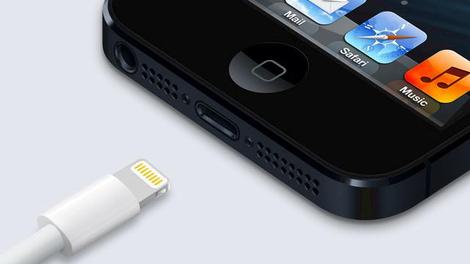
In case you don't already own one of the many third-party Lightning docks for your iPhone 6 or iPhone 6 Plus, Apple finally introduced its own dock for the current iPhones, some nine months after their arrival.
The new dock features a raised bump where the port sits, to fit the iPhone 6/6 Plus like a glove, even with a protective case on. It also features a headphone jack so you can hypothetically jam while your phone is juicin'.

For those who patiently awaited Apple's docking solution, the wait is over. Apple quietly snuck the dock into the Apple Store today for the price of $39 (about £25, AU$49).
This dock's arrival comes with a series of new product announcements from Apple today, including a Force Touch enabled 15-inch Macbook Pro and a new 27-inch iMac with a 5K Retina display.
Apple striving to make its customers' lives easier is never a bad thing, even if this dock is a wee bit tardy. For those who haven't spent their cash on a third-party dock, Apple's new home to your iPhone may be a great fit.
- Here's what we think of the Apple Watch

Read More ...
Pebble CEO calls Apple Watch 'spectacular'

During Wearable World Congress 2015, formerly known as GlazedCon, Pebble CEO Eric Migicovsky spoke a bit about how creating the first Pebble was like a "horse race."
Migicovsky knew it was a race to make it to market first, and needed to make a working product before larger companies had a chance to fully mobilize production.
Larger companies, which are now Pebble's primary competition, became a major discussion point during this morning's keynote.
According to Migicovsky, one of the first questions the young company received was, "What if Apple or Google make one?"

"Apple did come through and it's spectacular. ... [People say there's] a lot to learn from them because it took them seven years, but we don't worry about that. We're focused on keeping is simple, affordable and useful. Google has put forth a dozen different watches. Apple has put forth a high fashion watch ... and this is great," Migicovsky said.
Speaking to smartwatches in general, Migicovsky notes that it's significant Apple chose the route it did in producing more expensive wearables though he was quick to add that Pebble's been at it for seven years learning and evolving the Pebble: "It's a platform visibly on you, a representation of who you are, a statement to the world. Pebble aligns with this very well."
Wearable World Conference started on May 19 and will continue until May 20.
- Like the original Pebble smartwatch? Its successor, the Pebble Time, is coming soon.

Read More ...
New Thunderbolt to roll in for Computex

Intel may be set to unveil specifications for the next generation of Thunderbolt at Computex 2015. The chip-maker has sent out teasers to its media event about an announcement about the technology.
The Thunderbolt standard has been popular with Apple, appearing in the company's desktops and laptops in the past, but faces an uncertain future with the recent introduction of USB-C, or USB Type-C.
Thunderbolt allows computing users to connect peripherals and accessories – monitors and hard drives – to their computers. Users can also daisy chain their connections together with speeds up to 20 Mbps, double what is capable using USB 3.1.
8K video
Intel has not disclosed what news will be coming out of Computex, but in the past, the company has stated that it is ambitiously working on getting faster data transfer speeds. Intel says that Thunderbolt speeds can reach up to 50Gbps using silicon photonics technology.This could potentially open the doors to 8K video. Even though there aren't any 8K displays on the market yet, the high resolution video will be natively supported by Microsoft on the Windows 10 operating system. Thunderbolt could fill this need due to its fast transfer speeds.
USB-C
According to a Computerworld report, Intel will also talk about USB-C 3.1 specifications at its Computex event. Even though USB-C can be seen as a rival to Thunderbolt, Intel has maintained that the two technologies complement each other.Despite slower transfer speeds, USB-C supports more types of peripherals – including smartphones and tablets like the Nokia N1 – and can also be used to recharge devices. Many had questioned Thunderbolt's future as Apple, a long-time proponent of the technology, ditched the standard along with legacy USB ports on its uni-port MacBook, a device that brought USB-C mainstream. The standard is also adopted on the new Chromebook Pixel, but Google took a more moderate approach by placing USB-C alongside existing ports.
The USB standards body has stated in the past that Thunderbolt could also live on inside USB 3.1. This means that if USB-C is designed with copper and optical wires, the USB standard could achieve similar fast transfer speeds to Thunderbolt.
- Read our review of the 12-inch MacBook

Read More ...
Apple TV 2 release date, price, news and rumors
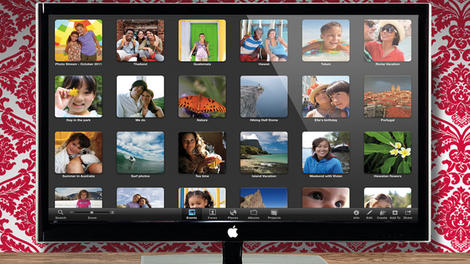
What will Apple TV 2 look like?
UPDATE: The Apple TV set is officially dead, according to a report from The Wall Street Journal. After 10 years of research and development, Apple has decided to cease funding to the TV division.Original story follows:
In the battle royale of set-top boxes that has erupted over the last few years, there's always been one contender who's not afraid to quietly sit on the sidelines and garner attention by being inclusive, sleek and to-the-point, and that's Apple TV.
Now, before you go down into the comments and leave a nasty retort, we know that Apple TV 2 - technically a moniker for the second version of Apple TV - has come and gone.
But Apple bows to no numerical and/or logic system, and Apple TV has yet to see a true sequel, instead receiving iteration after iteration of internal upgrades.

It's been about two years since the last minor change to the system and three since the last major one. Which, for a company that's bound and determined to release a new iPhone every 12 months, seems a little strange that Apple's popular streamer has been MIA since the iPhone 5.
So what's the hold-up? Why hasn't Apple launched a stick to fight the Amazon Fire TV Stick or Roku Streaming Stick? Why hasn't it taken the fight to Roku 3 and Nexus Player by launching a new set-top box based on iOS 8?
Honestly? It's just a matter of time. There are a ton of possibilities with Apple's next streaming system. From a small stick to a 4K streamer, from a TV service like Sling TV to a 40-inch TV, anything and everything is on the table for the future of Apple's must-own A/V accessory.
Cut to the chase
What is it? The next generation of Apple's set-top box, the Apple TV
When is it out? We don't know. Apple hasn't set a release date, or shown it publicly.
What is it? The next generation of Apple's set-top box, the Apple TV
When is it out? We don't know. Apple hasn't set a release date, or shown it publicly.
Apple TV (fourth generation)
UPDATE: New hardware could be coming sooner than we think if a report from Buzzfeed is to be believed. The listicle site claims that Apple's World Wide Developers Conference should have both "new Apple hardware" alongside the Internet-based TV streaming service that has been rumored to be in development. Finally the report claims that Siri could also be en route to Apple's streaming system, alongside an App Store that would finally give third-party developers a crack at the little black box.The most likely path Apple TV will take is another streaming box, not unlike its third iteration. Rumors floating around the internet claim that the new box will have an 802.11ac Wi-Fi antenna, Dolby 5.1 audio, a new processor and 1GB of RAM to potentially turn out 4K streaming.
If it does turn about to be a new box, chances are good it will look - and have many of the same apps as - iOS 8. This could include some of the announced Apple initiatives like HomeKit and HealthKit, as well as a few in the works, like the Beats music streaming service or live-TV streaming service. It could also have a heavy emphasis on gaming.

Some fixes we're hoping for are an included wireless HD TV tuner and a slightly more open ecosphere that allows a few of Apple's closest third-party developers to develop apps for the system. A smaller streaming stick and a remote with built-in voice search would also be welcome additions, though, at this point those are more of added bonuses than necessities.
Apple TV (streaming service)
We'd give 2:1 odds that, like its last three iterations, Apple TV 2 is going to be a set-top box. If you're more of a gambler however, we'd say the chances Apple's got an ace up its sleeve in the form of a streaming service are about 10:1.
This possible-but-not-probable scenario was first given life on the web around the same time Sling TV made a splash in the US. The only problem with this plan is that Apple would need a lot of partners - FOX, NBC, ABC, Viacom, etc… - within a short time period.
Possible? Sure. Probable? Not likely.
The potential package in question would have a number of channels you know and love from cable but streamed over your Internet service for a lower monthly cost than traditional vendors like Sky, Virgin, Verizon or Time Warner Cable.
A service like that, exclusive to Apple TV, could be a huge differentiator and killer app for Cupertino. Whether Apple's TV streaming dreams come to fruition - or actually exist at all - however, remains to be seen.
An Apple television set?
UPDATE: After 10 years of research and development, Apple has officially stopped working on the fabled Apple television set, according to The Wall Street Journal.According to a source familiar to the situation, because it was unable to add anything new to the world of flat-panels and 4K Ultra-HD TVs, Apple has thrown in the towel once and for all.
Apple is still expected to release both an updated version of the traditional set-top box as well as an over-the-top streaming service like Sling TV at its World Wide Developers Conference which starts on June 8.

How could have Apple's iTV worked? We have a few ideas.
The history of Apple TV
The history of Apple TV
The first Apple TV launched back in 2006 and stuck out from the crowd by boasting its own hard drive and composite cables to hook up to then-new SD TV sets. It had a measly Intel Crofton Premium M processor and 256MB of DDR2 memory.
Version 2 ditched the internal storage for a better 802.11a/b/g/n Wi-Fi antenna, upgraded Apple A4 processor and favored streaming media over anything stored on physical drives. While some lamented the disappearance of a HDD, some appreciated the Apple TV's smaller size as a result of the change.
Launching in 2012, Apple TV Version 3, the latest version of the Apple TV, didn't offer much of an upgrade over its predecessor. It still streamed media and had a streamlined user-interface based on iOS (at that time it was iOS7). Of course the processor got a bump to the A5 to handle 1080p video and it finally doubled down on RAM to a solid 512MB.

Starting on March 9, 2015, the currently available Apple TV will drop to $69 (about £45, AU$90) and has first-dibs on HBO's new standalone streaming service, HBO Now.
- What about Apple's screen for your wrist? Read our Apple Watch review!

Read More ...
iPad mini 4: What we want to see

iPad mini 4: What we want to see
We don't know about you, but personally we like to see more from a new device than the addition of a minor feature and an inflated price tag, but that's exactly what we got with the iPad mini 3.Given that the iPad mini 2 is still one of the best slates around it was almost forgivable, but it has meant that Apple will now need to do something really special with the iPad mini 4 to redeem itself.
Whether it will and what form that specialness will take remains to be seen, but we can't wait to find out. In the meantime we've listed some of the key things we want to see from the iPad mini 4, along with what we've heard about it so far.
News and rumors
While we haven't heard much about the iPad mini 4 we may have seen its chassis. If we have then it looks pretty similar to the iPad mini 3, with cut-outs for speakers and the lightning port pretty much where we'd expect to find them.
But there's no sign of the mute switch found on the iPad mini 3. The switch was cut from the iPad Air 2 so that makes sense and suggests that the iPad mini 4 will be slimmer than the mini 3, possibly shrinking to 6.1mm thick like the iPad Air 2. Slimming it down would already be a bigger change than we saw on last year's model, so it bodes well for a proper refresh.
What we want to see
1. More changes

Our biggest complaint about the iPad mini 3 was that it's basically the mini 2 with a Touch ID scanner and a much higher price tag.
While still a great tablet in its own right that made it hugely disappointing and questionable value for money, so we really want to see big changes and upgrades on the iPad mini 4. We'll get into specifics below, but the important thing is that it's more than just a tweaked iPad mini 3.
2. A faster processor
The iPad mini 3 has an Apple A7 processor, which is the same as the iPad mini 2 and more than a little dated given that the iPad Air 2 has an A8X chip.The mini range is smaller than the Air, but it needn't be lower end, so we want the iPad mini 4 to have a chip upgrade and use either an A9 or an A9X, preferably whichever one the iPad Air 3 has.
3. 2GB of RAM

A well as having the same processor as the iPad mini 2 the iPad mini 3 has the same amount of RAM at just 1GB. That's not quite such an issue as the iPhone 6 only has 1GB of RAM too, but the iPad Air 2 has been boosted to 2GB, so we'd like to see the same improvement made to the iPad mini 4.
4. A lower price
The iPad mini 3 starts at £319/$399/AU$499 which is pretty pricey for a compact slate. It's especially hard to justify given how underpowered it is, but even with a specs boost we'd like to see a slightly lower price, otherwise unless you particularly want a smaller tablet it would make more sense just to pay a little extra and get a full size iPad Air.5. Improved speakers

The iPad mini 3 doesn't necessarily have bad speakers but there's certainly room for improvement and on such a media focussed device strong speakers are especially desirable.
We want louder, crisper sounds from the iPad mini 4 and moving the speakers to the front of the slate could help too, since then the sound is more likely to be flowing out towards you.
6. A superior battery
The iPad mini 3 can supposedly withstand up to 10 hours of multimedia use, which is a pretty good figure, but doesn't apply to gaming, an activity which will decimate the battery.Even if you're not much of a gamer though there's room for improvement, so we'd like to see better battery life from the iPad mini 4. We want to be able to use it all day and beyond for any activity without having to plug it in.
7. Yes to 32GB, no to 16GB

You can already get a 128GB iPad mini 3, which should still be plenty by the time the iPad mini 4 comes around, but 16GB models are no longer particularly viable and yet Apple still offers them.
It's such a borderline pointless size that we'd like to see it retired with the iPad mini 4 and in its place for there to be a 32GB option as the smallest size.
8. Screen improvements

The iPad mini 3 doesn't have a bad screen, in fact it's as high resolution as the iPad Air 2, but shrunk down for even sharper visuals.
But it's also the same screen as we saw on the iPad mini 2, so a boost in resolution for the iPad mini 4 would be appreciated.
More than that though we hope it has a zero gap construction like the iPad Air 2, hopefully bringing with it superior color accuracy, richer images, greater contrast and lower reflectivity.
9. Make it slimmer
We're not saying the iPad mini 3 is fat, but at 7.5mm it's a lot thicker than the 6.1mm iPad Air 2, so we'd like to see it get slimmed down, especially as portability is a key selling point of Apple's more compact slate.The good news is that this may well happen judging by a leaked chassis purportedly belonging to the iPad mini 4.
10. Give it Force Touch
Force Touch is one of the more innovative features of the Apple Watch. It allows it to tell a light tap from a more forceful press and responds differently accordingly. You could think of it as a smarter alternative to the different options that long presses provide now on many devices.The difference with Force Touch is that you don't have to press for longer, just harder, speeding up your interactions with the device and it's a feature we'd love to see included in the iPad mini 4.

Read More ...
Updated: Apple Watch 2: What we want to see

The Apple Watch has only just arrived, but it feels like it's been around ages - it was announced months ago and most of its key features were out in the open long before it hit any wrists.
Now we've spent a decent chunk of time with the original Apple Watch it's got us thinking - how can Apple improve on its first wearable? Well, in a number of ways it turns out.
So without further ado, here's what we want to see on the Apple Watch 2.
- Read our in-depth Apple Watch review
1. Longer battery life
We never expected the Apple Watch would have great battery life, after all few smartwatches outside of Pebble do really, and with around a day and a half manageable on a single charge we'd like to see a bit more.Charging a phone once a day is bad enough, but having to charge your watch that frequently (or at all really) is a bit much and the prospect of having your watch run out of battery when you're away from a charger isn't terribly appealing either. So we really, really hope that the Apple Watch 2 has better battery life.
We don't expect miracles, but would two or even three days between charges really be so much to ask?
2. A round face

Some people are probably big fans of the Apple Watch's square design and we're not saying the Apple Watch 2 needs to ditch that, but just as the Apple Watch has multiple size options the Apple Watch 2 could offer multiple shape choices, so you can pick between a square and a circle.
That would instantly make it a lot more appealing to a lot more people and it's a logical evolution of all the customisation options offered by the first gen model, giving you one more way to make the Apple Watch your own.
3. A less chunky design

The Apple Watch is actually a little smaller than most competitors, but it's still big by wristwatch standards and it's got a slightly chunky design, so we'd like to see Apple refine that a little.
Chunky is not a word that comes to mind when looking at most Apple products, but we're hopeful that a change will come there, after all this is a first generation device, so Apple is presumably just focused on getting the basics right.
4. Android compatibility
This won't happen, but wouldn't it be amazing if it did? Right now no-one with an Android phone is going to buy the Apple Watch (though Apple is probably hoping a lot of people will switch to an iPhone as a result), but if, IF, the Apple Watch 2 got full Android compatibility then it could become very hard to compete with.The first gen watch is already almost certainly going to become the bestselling smartwatch by far. If everyone without an iPhone could buy it too then it would surely dwarf the competition. Then again maybe that wouldn't be such a good thing... we do like choice.
5. More sensors

One of the Apple Watch's biggest selling points is as a health accessory, but while early rumors pointed to a sensor-packed device, many of those sensors haven't made the cut.
A mix of hairy arms and inconclusive readings have caused sensors for blood pressure, blood oxygen and stress levels to be removed, so it would be nice to see Apple revisit them for the next version. Plus it turns out tattoos really mess with the heart rate sensor.
Right now the Apple Watch is a decent tool for tracking your health, but it could be a whole lot better.
6. Built in GPS
Similarly the Apple Watch is packed with fitness tracking tools, but one thing it lacks is built-in GPS. As such it can't be classed as a full-blown running watch. So we'd like to see that added for the Apple Watch 2, enabling runners and cyclists to leave their smartphone at home.7. Less clicks, more flicks

The digital crown on the Apple Watch is a great idea, but at the moment the interface is perhaps too focused on clicks, with not enough flicks. Which is to say you rarely touch the screen to navigate.
That's not entirely a bad thing as the display is small and avoiding fingerprints is always a good thing to aim for, but in some ways it seems a step back, when most smart devices are all about interacting directly with a touchscreen. It's also a little less intuitive than it could be, particularly if you're used to tapping and swiping on an iPhone.
8. A sharper screen
Depending on which size model you opt for the Apple Watch has a screen resolution of either 340 x 272 or 390 x 312. Given its small size that's not bad and it's comparable with many other smartwatches, but right now no smartwatch has a pin-sharp display so that's something we'd like to see on the Apple Watch 2.For one thing the lack of visible pixels will make it look more watch-like when using an analogue watch face, but beyond that it's just nicer looking at a crystal clear screen than a lower resolution one.
9. Lower price
Apple devices are always expensive and with the Apple Watch seemingly positioned as a bit of a luxury item its price is very much on the steep side. In fact is you opt for a Watch Edition version it costs up to a wallet-melting $17,000 / £13,500 / AU$24,000.If you're super-rich then that's fine for a timepiece that won't be out of date in a year, but even Mr Monopoly might think twice about shelling out that sort of money on a smartwatch.
Even at the lower end prices start at £299 / $349 / AU$499. That's already more than just about any Android Wear watch and that's for a sport model. To get a classy look that can compete with say the LG Watch Urbane you're looking at a starting price of around £559 / $649 / AU$949. That's insane, so we hope the Apple Watch 2 is little bit more affordable.
10. More storage
The Apple Watch comes with 8GB of built in storage, which is pretty good by smartwatch standards, except that only 2GB of that can be used for music and just 75MB for photos.Of course you'll usually have it paired to an iPhone with far more storage space, but if for example Apple does add GPS so we can go running without our phone then it would be nice to have space for all our tunes.

Read More ...
Apparently Emoji is the 'fastest growing language ever'

Emoji use is growing at an exponential rate, especially amongst the kids, a new study believes. TalkTalk and Bangor University Professor of Linguistics Vyv Eyans have quizzed 2,000 Brits on their use of the colourful emoticons, we were told today, because that's the sort of important, eye-opening research humans are doing in 2015.
Four in ten of us have sent messages entirely made up of emoji, claims the study, while 62% of folk are using emoji more than they were a year ago. Only 2 in 10 people can put enough nuance and meaning into their words not to rely on the chunky icons at all. Bunch o' squares.
But there's more: 72% of 18-25 year-olds find it easier to express their feelings with emoji than actual words, apparently. Perhaps Emoji Dick will soon appear on the A-Level syllabus.
Wink face
The study digs into the most popular emoji too. The familiar smiley face comes out on top, with crying with laughter face second and love heart third. Beaming red cheeks face and thumbs up round out what is a very positive top five.The cynic inside us says TalkTalk just went out and found the first "linguists professor" they could find, handed him some cash and asked him to answer a series of inquiries by repeating the question in the answer.
"Do you think the majority of digital communication will feature emoji in future?" they maybe asked, to which Evans said "the majority of digital communication will feature emoji in future".
We blame Andy Murray.

Read More ...
Deezer expands to offer more than 20,000 podcasts and radio shows

Starting from today we're going to have to start referring to Deezer as an audio streaming service rather than just a music streaming one.
It's now offering a large, and growing, catalogue of spoken word content.
By virtue the acquisition of Stitcher late last year Deezer is now able to deliver over 20,000 different podcasts and radio shows via its web portal and apps. Having integrated its radio and podcast capabilities into Deezer, the streaming service is hoping to become a one-stop shop for everything aural.
It's a smart move from the audio streamers; differentiating itself from the behemoth that is Spotify and add extra selling points to its catalogue compared to high-def rival, Tidal.
Deezer already has the freemium and premium services of Spotify and the high-def audiophile content (via Sonos) of Jay Zed's Tidal and now it has something neither of the other two has.
Going global
From the outset the new spoken word content will only be available to listeners in the UK, France and Sweden, but Deezer is promising to go global with an increasing podcast and radio show library in the coming months.
"This move signals our commitment to leading innovation, with a vision of becoming a single destination for audio, tailor-made for each listener," explained Holger Albrecht, Deezer's CEO. "We'll continue to roll out new programming in additional regions throughout the year."
After its partnership with the BBC regarding its Playlister service we'd love to see some of its radio content going into the new Deezer setup, but it has sadly told TechRadar there's nothing to report regarding BBC radio shows.

Read More ...
updated: Best in-ear headphones 2015

Best in-ear headphones
Update: We've added a new addition to the list: the Polk Nue Voe. These headphones do their best Warby Parker eyeglasses impression and also bring to the table stellar sound quality and a comfy fit.As much as we love the sound and bass performance of big, hulking over-ear headphones, there are some situations where they simply tend to cause more problems than they're worth.
Whether you're at the gym, traveling, or just hanging out, sometimes you just want something a little more compact, something that won't weigh you down, or maybe even a pair of headphones that's sweat-proof. For these specialties, you're speaking precisely of what in ear headphones have to offer.
We're on a mission to provide you with the best in ear headphones around. As such, we've corralled our top rated reviews so that you can do all your research and make a purchase in one place.
But don't think we're done updating this guide once it's been published. As we review better headphones, the product with the lowest mark will get the ol' boot.

Polk Nue Voe
 I'm
not so certain that a more stylish set of earphones exists. Well, they
might, but not at the Polk Nue Voe's $150 price point.
I'm
not so certain that a more stylish set of earphones exists. Well, they
might, but not at the Polk Nue Voe's $150 price point.Not only do these look the part, similar in style to a fancy set of tortoise-patterned eyeglasses, they sound awesome and are comfortable enough to wear all day. These earphones are packed with balanced armature drivers, which ups the mids to increase crispness.
It should be noted that the inline controls built into headphones only properly work with Apple products. You'll still get the same performance in, say, an Android phone or a Windows phone, but you won't be able to increase or decrease volume.
- Read our Polk Nue Voe review

Shure SE215
There are earbuds, then there are earphones. The name may not be very different, but pretty much everything about them is.
If excellent noise isolation, comfort and stellar sound performance are of interest to you, consider the Shure SE215.
The headphones come in a cool translucent, space grey color and among its many good traits, the best of all is that you can snag the Shure SE215 for a hundred bucks.
- Read our Shure SE215 review

Bose FreeStyle
While Bose isn't typically known for flamboyance, the FreeStyle earbuds are a fun departure from the brand's executive tone. Of course, they do this while holding onto what makes Bose products renowned, sound quality.Specifically targeted to gym-goers, the $129 (about £104, AU$156) FreeStyle headphones are stocked with helpful features to help you get the most out of your music during a workout (when you need it the most). It offers a comfy and stable fit and better yet, it's moisture-resistant design means the FreeStyle can kick it with you through your whole workout, inside or out. The only major downside is that the inline controls are only compatible with iOS.
Get these if you're in the market for flashy earbuds that sound fantastic, won't fall out mid-workout, and if money is of little concern.
- Read our Bose FreeStyle review

Beyerdynamic iDX 160 iE
In-ear headphones hone in on portability and convenience as main draws. Unfortunately, that sharp focus can result in features like sound performance and design taking a back seat in several in-ear options in the market.
The Beyerdynamic iDX 160 iE buck that trend by providing a stunning balance in its sound quality, feature set and design.
The flat cables, swappable ear tips and inline remote are sweet additions that work to make the iDX 160 iE an even more attractive value for the $135 price tag.
- Read our Beyerdynamic iDX 160 iE review

Sony XBA-H1
If you're in the market for a set of in-ear headphones with pizzazz, the Sony XBA-H1 will be right up your alley. Whether your preference leans toward a more sporty look, or one that is simple, both audiences are served well here.The hybrid driver unit packs in balanced armature and dynamic designs into one unit, bringing the very best that both have to offer to your ears. This results in booming bass, highs that shine and response that makes your music sound more punchy than ever.
Despite the lack of inline controls, the sound performance and confident design ID make the XBA-H1 worth the $150 price.
- Read our Sony XBA-H1 review
Best in-ear headphones continued

RHA T10i

Part of the appeal to the ACS T1 is that they sit right in your ear. A unique style of earbud called in-ear monitors, the RHA T10i is similar, in that they rest deeper in the ear canal than your standard pack-in pair that came with the iPhone.
And what are the benefits of a deeper fit? Where do we begin? The sound quality is incredible, thanks to the snug seal created when the headphones are stuck in your ear. The bass is also robust for such small earphones, so much so that some may feel that it's too strong.
At $199 (£149.95, about AU$283), the RHA T10i look slick with a metal finish around the drivers and around the cable as well. If the insane price of the ACS T1 brought you to a halt, check these out. They aren't custom-fitted, but the T10i come with several replacement tips if the defaults don't fit your ear canal.
- Read our RHA T10i review

ACS T1
This next set of earbuds is extraordinary in more ways than one. Our own James Rivington described his first experience with the ACS T1 as being thrown into "a lake of narcotic syrup. It flows down your ear holes and intoxicates your brain." If that isn't a recommendation for a product, what is?
Differing a bit from standard earbuds, the ACS T1 are high-quality in-ear monitors packed into an earbud-sized silicon mold that rests in your ear. And they fit just right, only because you have to go in for a custom molding of your own inner-ear for ACS to build your set.
If that doesn't scare you off, let's get the price out of the way. They're $999 (£649) and that doesn't include the kitchen sink. This may turn you away, but if it doesn't, the ACS T1 might be just for you. They are, indeed, true enthusiast earbuds meant for audiophiles.
Get these if money is of no concern when picking out tech, and if you want unrivaled sound performance and comfort.
- Read our ACS T1 review

Bose QuietComfort 20i
The Bose QuietComfort 20i earbuds rock some deluxe features to make up for the hefty $299 (£260) investment. Similar in fashion to its over-ear cousin, the QuietComfort 15, the 20i shrinks that experience down to something you can fit right into your ear without losing crucial features like noise cancellation, comfort and of course, amazing sound quality.Get these if you want earbuds with impressive build quality, active and passive noise cancellation and a great warranty.
- Read our Bose QuietComfort 20i review

Read More ...
updated: Best wireless headphones 2015

Headphones we recommend
Update: We've recently added the budget-friendly Sony MDR-ZX770BT to the list. If you're looking for a full set of features, including NFC-connectivity, amazing battery life and full sound, check these out on page two.Wireless headphones are all about empowerment. After all, you've now graduated from the wire, the training wheels of electronics. But be aware: with the power you get from clipping the cable, wireless can be unwieldy.
Thankfully, our choices for best wireless headphones have very few issues (if any) and are the best that we've had a chance to try.

Sennheiser Momentum Wireless
If a good set of wireless headphones is something you're prepared to shell out for, consider the excellent Sennheiser Momentum Wireless.
Where to start? The audio performance is killer, only helped by the supreme comfort of the leather-coated memory foam earpads. Active noise cancellation helps to keep out noises from the outside world.
Finally, these headphones feature a 22-hour battery life, which is long enough to get you through a flight overseas, and some. The only kicker? These are $499, which is a lot to swallow. But for what you're getting here, it's worth it.
- Read our Sennheiser Momentum Wireless review

Koss BT540i

If value is your main concern when looking for a set of headphones, you'll be pleased with the Koss BT540i. The Milwaukee, Wisc.-based Koss is known for providing a good bang-for-your-buck experience and these are no exception.
While these lack premium features like touch controls on the earcups or active noise cancellation, you'll hardly notice, what with the spectacular sound quality and comfy ear cushions.
These headphones provide a natural, well-balanced sound that's great for all genres of music. At $200, we think you'll be a happy camper with the BT540i.
- Read our Koss BT540i review

Beats Solo 2 Wireless
Despite the legacy behind the name, our reviewer Hugh Langley was cautious to swallow the pill without digging deep into the Beats Solo 2 Wireless headphones. After all, the headphones brand is known for pumping serious sound and offering iconic design. This comes at a cost, however. In the case of Beats Solo 2 Wireless, it chimes at the tune of $300.To be fair, there are certain qualities we all like in a set of headphones and these have 'em: sleek design, great sound and long-lasting comfort. However, the signature feature in Beats headphones is one that some people may not be so fond of, namely, their heavy lean on bass.
Thankfully, Beats is moving on from their bass-heavy past and moving to a more balanced sound. This is evident as ever in the Beats Solo 2 Wireless and it's about time.
- Read our Beats Solo 2 Wireless review

Plantronics BackBeat Pro
The most "no-frills" wireless headphones on the list so far, the Plantronics BackBeat Pro are a slick, professional looking option with the beat to back it. The BackBeat Pro is easy to recommend based on looks alone, but more importantly, it speaks for itself with some seriously sweet features like 24-hour battery life, great sound and noise cancellation. At $250, we're starting to dip into "affordable" territory, and with the Plantronics BackBeat Pro, what better place to start your wireless adventures?- Read our Plantronics BackBeat Pro review

Jabra Move Wireless
At just $99, the Jabra Move Wireless are one of the best values around for Bluetooth headphones. Not only does the minimalistic design - infused with the energetic Cobalt blue styling - impress off the bat, it keeps on delivering the goods with a surprising amount of function and performance.
You'll find deeper lows and mids and highs with an extra level of crisp when you drop a couple more big bills, but for the money, the Jabra Move Wireless offer a big, full sound.
To top off the offering, these headphones are light as a feather and have a battery that just keeps on delivering.
- Read our Jabra Move Wireless review
Headphones we recommend continued

Sony MDR-ZX770BT
For some, the word "wireless" might be synonymous with "expensive." Sony tries its hardest to eliminate that association with its $150 wireless headphones called the MDR-ZX770BT.
While not the fanciest option available, those only looking for the must-have features will find that there's a lot to like here. The build quality and materials are top-notch for the price. The sound quality won't blow your mind, but it's totally serviceable for listeners looking for a full sound. Its most treasured feature is the battery life, which lasts for 17 hours. Personally, I was able to squeeze 20 hours out of them.
- Read our Sony MDR-ZX770BT review

JBL Synchros E40BT
If the selection we've provided so far has been a little out of reach financially, you'll like this next set of wireless headphones. For $99, the JBL Synchros E40BT are a surprisingly well-rounded choice. Not only do they look good, but they sound reasonably great for the price.What makes these different from the others in this guide is that the Synchros E40BT are on-ear headphones, meaning that they rest on your ear cartilage. It's not always as uncomfortable as I make it sound, but some people hate it.
Reviewer Andrew Hayward praised the great sound, long battery life, but had issues with the pressure that the band presented against his ears. Are these right for you? If you're looking for an affordable, good-performing set of wireless headphones, check these out.
- Read our JBL Synchros E40BT review

Parrot Zik 2.0
For the over-ear wireless headphones with the most control, check out the Parrot Zik 2.0. While $400 may seem like a lot, you're getting a ton of functionality with the bundle. Compared to the original Zik, this improved model showcases the same design expertise, but adds some new functionality into the mix.
Setting the Zik 2.0 apart from other wireless headphones is its ability to be tweaked and tuned to the heavens. A companion app for Android and iOS enables music lovers to tweak the EQ to their desired flavor of sound.
Additionally, touch functionality, killer battery life and a signature style round out this offering.
- Read our Parrot Zik 2 review

Bose SoundLink on-ear
If you're a fan of the full-sized options put forward by legendary speaker company Bose, but have been waiting for a wireless option, your patience has just paid off.The Bose SoundLink on-ear wireless headphones look a lot like the Bose QuietComfort 25, the wired over-ear options that we liked quite a bit. One major difference though is that the cord has been severed, allowing you to roam freely.
The SoundLink carries the same qualities as you'd expect: great sound, comfortable design and serviceable battery life. At $249, these are priced to move.

JBL Synchros S400BT
Just because something looks a little stiff and executive in design doesn't necessarily mean that it can't bend like Beckham. Case in point, the JBL Synchros S400BT. These premium on-ear wireless headphones offer comfort, ample sound performance and a battery that just keeps on going.Stacked on top of that, the S400BT boasts some neat features like gesture controls for skipping tracks or adjusting volume with a swipe on the right ear cup. We also found the 3.5mm input for alternate wired listening to be a thoughtful addition.
For $229, there are cheaper options on this list, but the JBL Synchros S400BT rocks a premium design with fine audio performance and features to back the price.
- Read our JBL Synchros S400BT review

Sony MDR-10RBT
For low-cost wireless headphones capable of pumping out exceptional sound for 17 hours before needing another charge, check out Sony's MDR-10RBT.Also simply known as Sony's "Premium Bluetooth Wireless Headphones", these over-ear headphones boast tight bass response and a slick design.
With features like one-touch connection with NFC and swiveling earcups for portability, $199 is close to being a steal.
We're constantly reviewing new wireless headphones, but let us know if there is a set that you'd like us to take a look at.

Read More ...
In Depth: HTC One M10: what we want to see

HTC One M10: what we want to see
The HTC One M9 is beautiful, powerful and (whisper it) just a little bit disappointing. With a downgraded battery, a middling camera and an overly familiar design and feature set it couldn't continue HTC's run of five star reviews.So it's clear that HTC needs to do some soul-searching before it launches the One M10 and work out how to come back with a bang.
But we're feeling generous, so we've come up with a few suggestions of our own to help the Taiwanese company get started, as well as highlighting the few rumors we're already hearing about the HTC One M10.
News and rumors
There's almost nothing to go on so far, leaving the HTC One M10 a thing of mystery. We can't even be certain that it's coming. Sure, HTC will undoubtedly launch a new flagship in 2016, but whether it will be called the M10 or have much in common with the M9 is anyone's guess right now.One rumor we have heard though is that the One M10 will support wireless charging. That's not hugely surprising as wireless charging is growing in popularity, but it's a feature which the One M9 doesn't have.
It's also a feature which could prove a challenge to incorporate without a change to the design, as metal cases don't tend to work well for it. Does that mean the HTC One M10 will have a whole new look? It's too early to say, but it's possible and as beautiful as the One M9 is we wouldn't complain, as it's due a makeover.
What we want to see
1. Better battery life

Sadly the M9's battery is a step down from the HTC One M8's, though it's not clear why, as the power pack is actually bigger, the screen is the same and while the processor is faster it's meant to be efficient.
Whatever the reason though it just doesn't cut it so it's absolutely essential that this is improved for the HTC One M10. We want to comfortably get at least two days of life from our phones and in this day and age that shouldn't be unreasonable.
While we're on, QuickCharge 2.0 is nice, but it would be even nicer if next year HTC put a QuickCharge enabled charger in the box.
2. A superior camera

For all its attempts HTC failed to entirely convince people that UltraPixels are the way forward in smartphone photography, finally admitting defeat and ditching them from the rear camera in the One M9.
But that may have been a mistake, especially as they were replaced with an unexceptional 20MP Sony lens.
A better option might have been a middle ground, upping the megapixel count from 4 to 8, but continuing to use larger UltraPixels. That way it could have stayed speedy and adept in low light, while packing in more detail than the M8's camera.
Hopefully HTC will consider that for the HTC One M10, but it needs to do something, because the M9's snapper trails way behind the Samsung Galaxy S6's and the LG G4's.
3. A new design

This one might be controversial, as the One M9 is one of the best looking phones around. The problem is we can't really see where HTC can go next with it. The company has spent the last few years perfecting its design and with the M9 it's arguably achieved that.
So next year we'll either get basically the same thing again, which would be safe but boring, or we'll get something new and different.
We have faith that HTC didn't just get lucky with the HTC One and that it can impress us all over again with a new design, so we hope that in the HTC One M10 we'll see one.
4. A fingerprint scanner
Until recently only Apple had managed to make a decent smartphone fingerprint scanner, but now Samsung has too with the Galaxy S6 so it's about time HTC jumped on board if it doesn't want to be left behind.The company is clearly interested in the technology, putting scanners on variants like the HTC One M9 Plus and the HTC One Max, but we want to see one on the HTC One M10. Only if it's good though, a half-baked fingerprint scanner is worse than no fingerprint scanner.
5. A 1080p screen

The HTC One M9 has a 1080 x 1920 screen. As does the HTC One M8, as does the original HTC One. So you might think it's due an upgrade, especially as the Samsung Galaxy S6 and LG G4 both have QHD displays.
But at 5.0 inches (which by the way is an ideal size in our humble opinion) the benefits of a QHD screen are negligible while the hit on battery life could be substantial.
If HTC can somehow make a QHD screen that's just as light on the battery as a 1080p one then go for it, but if not we hope the company sticks with 1080p in the M10, rather than bowing to pressure from the competition.
6. Waterproofing
If HTC continues to go heavy on the metal then making the One M10 waterproof might be a challenge, but we'd love to see it happen (along with dust proofing). It's a handy feature to have not so much because you're likely to actually want to take the phone swimming but just for the peace of mind it gives you.It could also help HTC steal some Samsung fans, given that the Galaxy S6 ditched both water resistance and a microSD card slot. The One M9 already supports microSD cards, so keep that and add water resistance to the M10 and it's got some serious selling points.
7. Better BoomSound

The One M9 already has some of the best speakers around but there's always room for improvement. The dual front-facing BoomSound speakers are one of the standout features of HTC's phones and to keep standing out they need to keep getting better.
So we hope the HTC One M10 delivers even louder, richer sound through its built in cans than the M9 does.
8. More revolution than evolution
The HTC One M9 didn't feel like a huge improvement over the HTC One M8. It had a refined design, upgraded hardware and a new camera sure, but it largely looked and felt like the same phone and was distinctly lacking in killer new features.HTC can't afford to do that again with the HTC One M10. We want new, we want different and we want to be excited, just like we were when the original HTC One was unveiled.
9. A redesigned power button

If HTC doesn't redesign the whole phone we hope it will at least redesign the power button on the HTC One M10.
On the M9 it's on the right edge next to the volume buttons, which makes it easy to reach, but it's also roughly the same size and shape as the volume buttons, making it easy to hit the wrong thing if you're not looking.
It's a small issue, but one which you'll be dealing with a lot, so we hope it's fixed for the HTC One M10.
10. More storage
The HTC One M9 comes in one size and one size only: 32GB. If you're going to launch a phone in just one storage size that's probably the one to choose, as it's a balance between the prohibitively small 16GB and the likely-expensive 64GB, but it would be nice to have the option for more built in storage.There is a microSD card slot, but storing things on memory cards can negatively impact performance, so just having more storage built in might be a preferable option.

Read More ...
Opinion: How Toshiba's new storage device could change the data centre

Poor hard disk drive; advances in silicon manufacturing have allowed solid state drives to capture the headlines leaving the traditional spindle-spinning devices in the shadows. But things are about to get more exciting for the latter.
Toshiba made an important announcement yesterday as it unveiled a new solution that essentially is a new class of server (the Japanese company calls it a multi-device storage solution), one that integrates, in an industry-standard, 3.5-inch form factor, compute (64-bit, probably ARM), networking (Gigabit Ethernet) and storage (with a pinch of SSD storage for low latency tasks and onboard RAM).
Future iterations – we guess - could include an all-SSD model, a 2.5-inch one or even, may be, just may be, a 5.25-inch model.
The whole set is enabled by an unidentified Linux platform that will allow the device to run what Toshiba calls, the next generation of software-defined storage applications.
The HDD becomes the server
The implications for the industry are tremendous; such a solution could allow data centres to offer a richer set of scale-out object storage features.From Toshiba's perspective, adding compute and networking features helps maintain margins while simplifying the overall calculation of total cost of ownership (TCO) and the infrastructure needed, removing what it calls commodity servers used for storage management.
The other announcement that dovetails nicely with it is that Toshiba has finally committed to deploying SMR technology, well after WD and Seagate.
Interestingly, the company managed to produce two products that shows its skills when it comes to cramming bits on a platter. The Canvio 3TB, an external 2.5-inch hard disk drive, managed to packs four 750GB platters in a tiny 15mm drive using perpendicular magnetic recording (PMR) only.
In addition, late last year, it debuted a 6TB hard disk drive that apparently squeezed six 1TB platters without the need of helium gas – like HGST - or any other exotic technologies. That drive is likely to be at the heart of Tosihba's new storage solution.
More coming up later
Switching to SMR, commonly known as shingles, will increase the storage density significantly perhaps as much as 40% meaning that the Canvio 3TB could pack as much as 4TB.It will also include a random write penalty though which might explain why it might be useful to pack a small amount of fast-storage and compute on the drive itself.
It is likely that other vendors will follow suit. When we interviewed Seagate's Joe Fagan in March, he hinted that his company may and more processing power to the hard drive as its remit goes beyond just holding bits.
Adding compute would allow it to take on more tasks like inline de-duplication and real-time compression. Most enterprise drives already do encryption.
"It would need to be done in relationship with the wider industry", he added back then. Don't be surprised if WD (or rather its subsidiary HGST) and Seagate do the same as Toshiba's move seems to be motivated by customer demand.
The affordability of compute power, the increasing diversity of compute solutions, maturing technologies (both on the integration and manufacturing sides) and the rise in competition can only mean good news for storage manufacturers that want to move up the stack.

Read More ...
Review: Dell Latitude 12 5000 (E5250)

Introduction and design
Dell's latest portable is a business machine designed for productivity and mobile power – it's got one of Intel's latest Broadwell processors inside a chassis that's light and slim enough to sling into a bag.That's not the end to this machine's versatility, either. Numerous specifications are available, the internals can be accessed, and it's littered with ports and sockets.
Design
This is a pure business machine, so it won't win many style points. The lid is coated with dark, matte metal with a lighter hinge made of anodised aluminium, and the interior is finished with the same material around the screen and sunken keyboard. It doesn't turn heads, but build quality is beyond reproach – the wrist-rest doesn't flex, the screen barely moves, and the base is strong.
That's all good news for a business machine, but the lack of design nous does mean the Dell isn't as svelte as rivals, with a weight of 3.4 pounds (1.56kg) inside a 0.9-inch (23mm) body. The Lenovo ThinkPad Yoga 12 weighs 3.3 pounds (1.5kg) and is 0.7-inches (18mm) thin, and the Dell XPS 13 looks better, weighs just 2.57 pounds (1.17kg), and is only 0.59-inches (15mm) from top to bottom.

At least the Latitude isn't short on features. The top surface has a fingerprint reader and a row of handy status lights, and the back edge houses two USB 3.0 ports, an HDMI output and a Gigabit Ethernet socket. That's not the end of the port selection – the left-hand edge hosts a headphone output and SmartCard reader, and the right-hand side serves up an SDXC card slot, another USB port and a mini DisplayPort output.

We have no major issues with this machine's ergonomics. The backlit, spill-proof keyboard is sunken to afford each button more travel, and they're all excellent – comfortable and consistent, with an action that settles at a nice point between soft and firm. The single-height Return key is a niggle, but that's our only qualm with this keyboard, which has more than enough quality for serious typing. The trackpad is just as good – wide, and with a pair of sensible, snappy discrete buttons.
That's not the end to the Dell's versatility. We've reviewed the cheapest Latitude 12 5000 specification, which can be had for £600 (around $930, or AU$1,165). Spend £662 (around $1,030, or AU$1,290) and you'll get a machine with a Core i5-5300U processor but the same components elsewhere, and fork out £895 (around $1,390, or AU$1,740) and you'll double the memory and replace the 500GB hard disk with a 256GB SSD. Larger batteries and touchscreens are available, too, but they also cost more.

The specifications can be customised with a variety of extras. Data protection can be added for one, three or five years, and a number of docking stations will give you a variety of additional ports. BIOS updates can be installed remotely, and the Dell Client Command Suite can make it easier to manage a large deployment of machines.
On the inside
The Latitude's specification is sensible rather than barnstorming. The Core i3-5010U is a dual-core, low-power part from Intel's latest Broadwell range, which means it's designed to balance performance with efficiency. It's paired with 4GB of memory and a 500GB hard disk – standard for this kind of system.Connectivity is covered by dual-band 802.11ac wireless and a mobile broadband card, and there's Gigabit Ethernet. TPM 1.2 and NFC are both installed.

The base panel is tricky to remove, but the internals are accessible. The networking chips can both be removed, the memory stick and hard disk are easy to swap, and a second memory slot can be used to double the machine's RAM. The 38Wh battery can also be accessed.
Little impresses about the screen – it's matte, so it won't be disturbed by bright office lights, but its 1,366 x 768 resolution puts paid to serious work, making it tricky to open large applications or have two windows open side-by-side.
Here is the Dell Latitude 12 5000 spec sheet as provided to TechRadar:
- CPU: 2.1GHz Intel Core i3-5010U (dual-core, 3MB cache)
- Graphics: Intel HD Graphics 5500
- RAM: 4GB DDR3 (1,600MHz)
- Screen: 1,366 x 768 13.3-inch WLED display
- Storage: 500GB hard disk
- Ports: USB 3.0 x 3, mini DisplayPort, SDXC card reader, HDMI, audio jack, Smart Card slot
- Connectivity: 802.11ac, Bluetooth 4.0, mobile broadband
- Camera: Widescreen HD (720p)
- Weight: 3.4 pounds (1.56kg)
- Size: 12.2 (310mm) x 8.3 (213mm) x 0.9 (23mm) inches (W x D x H)
Performance and display
Benchmarks
- PCMark 8 Home: 2613
- PCMark 8 Home battery life balanced 50% screen: 2 hours 6 minutes
- PCMark 8 Home battery life power saver 25% screen: 2 hours 14 minutes
- PCMark 8 Home battery life high performance 100% screen: 2 hours 4 minutes
- PCMark 8 Work battery life balanced 50% screen: 2 hours 23 minutes
- 3DMark: Cloud Gate: 3740; Sky Diver: 2382; Fire Strike: 528
- Cinebench R11.5: CPU: 2.41; Graphics: 16.18fps
- Cinebench R15: CPU: 210cb; Graphics: 20.47fps

In CineBench's processor test the Dell scores 210 points, which was behind rivals – the Lenovo topped out at 263 points, and the Dell XPS managed 258 points. The Latitude fought back with a score of 2,613 in PCMark 8's Home test, which was ahead of both rivals – but not by much.
The Latitude fell behind in gaming tests, despite all three machines mentioned having the same Intel Graphics HD 5500 core. The Dell could only manage a score of 528 points in the 3DMark Fire Strike test – but both rivals rose beyond 700 points in the same test.
The Core i3 chip doesn't match its rivals in most benchmarks, then, which makes those machines more suitable for tougher work tasks. However, if you need a laptop for general purpose work and web browsing, the Latitude has ample power.

The Latitude lagged behind its rivals in battery life, too. In PCMark 8's Home test with the screen at 50% brightness the Dell lasted for two hours and twenty-three minutes – around an hour behind the Lenovo, and two hours behind the Dell XPS. If you need a notebook that'll last all day, look elsewhere.
Screen
The Dell's matte finish is good, but its resolution of 1,366 x 768 hampers serious work efforts – and falls behind its rivals, which have 1080p or 3,200 x 1,800 touchscreens. That's not the Dell's only problem.
The measured brightness level of 166cd/m2 is just about good enough for day-to-day use, but the black level of 0.63cd/m2 is much worse, and results in a poor contrast ratio of 263:1. Those results impact on usage – the poor black level means dark shades appear grey and insipid, and the poor contrast means that colours lack punch and vivacity throughout.
Those dull colours aren't accurate, either. The measured colour temperature of 7,169K is on the cool side of the 6,500K ideal figure, and the screen's average Delta E of 9.84 is miles short of a good result.
The Dell's screen is low resolution and lacks quality, which means it's only suitable for low-end work tasks – anything that demands more screen space or colour accuracy will flounder.
Verdict
Dell's latest laptop ticks the right boxes when it comes to business features, but its rivals swap these hard-nosed additions for slimmer, lighter designs, better components and slicker screens. Any buying decision depends on your needs, and whether you'll benefit from office features or consumer-driven advantages in other departments.We liked
Dell's latest laptop is, quite literally, a solid business machine: its smart, understated frame exhibits great build quality, and the impressive keyboard and trackpad highlight sound ergonomics. Its edges are covered with ports, and it's got a sensible specification that includes TPM, a mobile broadband slot and dual-band wireless.The Intel Core i3 processor is decent, too, thanks to the Broadwell architecture – it's got enough grunt to handle work tasks. The 500GB hard disk offers ample room for file storage, and all of this is wrapped in a package that's slimmer and lighter than many business portables.
We disliked
The Dell might be slim, light, and offer reasonable power, but both of its main rivals are thinner, have more grunt and weigh less. Dell's XPS 13 looks slicker, and the Lenovo ThinkPad Yoga 12 can be used as a tablet.The Latitude has poorer battery life than its competitors, too, and its screen suffers with a worse resolution and a lack of quality.
Final verdict
The Dell offers reasonable power in a sturdy, well-made body, but its key rivals are better in every area – and they're no more expensive, either, if you opt for comparable specifications. The Lenovo ThinkPad and Dell XPS offer more bang for your buck in conventional laptop categories, so we'd only stick with the Latitude if you specifically need its various business features.
Read More ...
Fove's eye-tracking headset solves one of VR's biggest headaches, hits Kickstarter

Last year we reported that Fove, the world's first reality headset to also feature eye-tracking technology, had been accepted into Microsoft's Ventures Programme - with possible interest from Microsoft in using the tech for its own VR efforts.
Then HoloLens happened and Fove remained very much its own thing. Today, Fove is taking the next step forward with a Kickstarter campaign that will (hopefully) bring the headset to market.
FOVE combines a 2560x1440 VR display with eye-tracking and motion-tracking technology. That eye-tracking tech can be used in several ways, and isn't something you'll find in other headsets right now. One demo we tried let us shoot enemies with lasers blasting from our eyes in whatever direction we were looking. It was cool - probably the closest we'll ever come to being Cyclops - but little more than a gimmick to show off the accuracy of the eye-tracking tech.
The next demo, which put us face to face with an enemy soldier, was much more impressive. Nothing seemed unusual at first, but by focusing our eyes on an object in the distance the focal point changed, blurring anything closer up and aping the function of the real human eye. Shifting our gaze back to the soldier in front of us put him back in focus.

Saturday Night Fove-r
Even without the eye tracking, it's still a decent HMD in its own right. "At the least it will be a fully functional HMD headset with additional features," said Fove CEO Yuka Kojima. The Fove actually has more pixels than the Vive, but doesn't yet have a good OLED screen so it's running an LCD at 60hz, while HTC's runs OLEDs at 90hz. As for input controls, Kojima says that the team is still in the process of deciding what to use: "Everyone else is fighting about it, and there's a lot of solutions out there, so we need to pick the best one""What we're aiming to do is support as much of the existing content as possible," he told us. "And from there we'll have developers adding eye-tracking as they like. I don't think it's reasonable to suddenly expect everyone to add eye-tracking."
The inability to focus on current headsets presents a barrier to better immersion right now, and though Fove still has work to do, it's close to solving that problem.
Kojima told us that they're aiming at the $400-500 price range for the headset when it hits the market, which the team expect to be in around a years time. That's a little bit more than Oculus, but then there's a little bit more tech inside. However if you want to put your name on the list now, it'll cost $349 (around £225/AU$440).
Ultimately, Microsoft went its own way with HoloLens and didn't use any of Fove's technology, but Kojima believes that might be at its expense: "Microsoft has decided it seems to push AR more than VR, which is kind of cool, it's kind of differentiating for them, but I think VR is going to mature quicker than AR and they're shot themselves in the foot slightly in the short term. In the long-term it's a good investment, but I think having only an AR solution is a bit of a mistake."
Fove's Kickstarter is now live here.

Read More ...
Available Tags:Asus , Apple , Microsoft , Android , iPhone 6 , iPhone , CEO , Thunderbolt , Apple TV , TV , rumors , iPad , wireless , HTC , Dell ,


No comments:
Post a Comment