

Microsoft Hololens Hands-On

Hololens is quite the device. It can track the physical space around you very well, and unlike VR, there is no requirement for markers in the room or extra cameras to track movement in the room. It is completely self-contained, and that may be one of its biggest wins of all.
The device on hand was near-final hardware, and the actual device looked exactly like what has been promised for some time. Although we did not get a chance to see the preview device in January, it was apparently nothing like what was presented at Build this week.
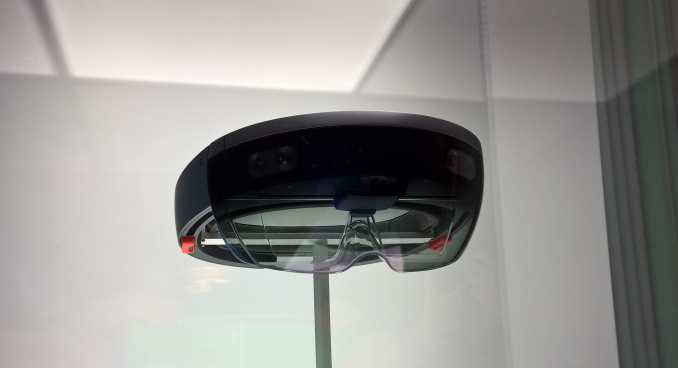
However just like January, we were not allowed to take any actual photos of the demonstration units, and all interaction with the device required us to lock our belongings in a locker before we could enter the room. They did however have a unit on display under glass for photo opportunities.
Let’s start with what they got right. Interacting with Hololens is very easy. There were only a couple of commands needed, and things like the air tap were very simple to use, and not once did I get a missed reading. That is extremely impressive considering it is just seeing my finger move in free space. When you want to interact with something, there is almost a cursor in the center of your field of view that you just focus onto an object. The object is then highlighted, and there will be no mistaking which object you are going to interact with.
Another interaction method was using a mouse, and when looking at a PC, you can simply drag the mouse off the display and the mouse cursor just moves into free space. In my demo, which was based on an architecture theme, this allowed me to interact with the model and move walls around, and change the design.
Another cool feature was the ability to leave virtual notes. Looking at a wall, I could see that someone had left me a note, and with a simple air tap I was able to hear what they had left. Then I could leave a note of my own on the wall for that person to see later.
Another win was the actual device itself. You put it on somewhat like a welding mask, and you just tighten the band on the back of your head with a wheel. Hopefully the durability of the devices is fairly robust, because we were helped out quite a bit to get the device on and off, but that kind of makes sense with the volume of people coming through the demo.
So what did it not deliver? The actual holograms had a very limited field of view. With the demos we had seen on the keynote, you could see holograms all around you, but the actual experience was nothing like that. Directly in front of you was a small box, and you could only see things in that box, which means that there is a lot of head turning to see what’s going on. On my construction demo they provided, I was supposed to look at a virtual “Richard” and I was asked if I see Richard. I did not. There was a bug with Richard and he was laying on the floor stuck through a wall. I understand these demos can have bugs, but it was very hard to find where he was with the limited field of view.
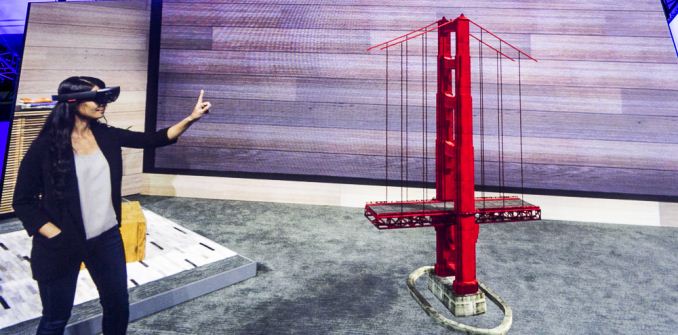 This demo is almost nothing like what you actually see in the device
The holograms themselves were very good, but they were so limited in scope that I can only hope that some work can be done there before the device goes for sale. There is a tremendous opportunity here and it would be awful for it to be spoiled by poor hardware. Although I didn’t get a chance to see the January demo, I’m told by several people who did that the field of view was a lot better on those units.
So my expectations were not met, and I can attribute that to the demos that were provided online and during the keynote. The actual experience was almost nothing like that, and what was shown on stage was amazing.
One thing that I wanted to know was what kind of hardware is inside, but there were zero answers to that right now. The device itself looked good, it felt good, the audio was good, but the main attraction still leaves a lot to be desired.
Read More ...
Microsoft Acquires Pen Technology From N-Trig Ltd
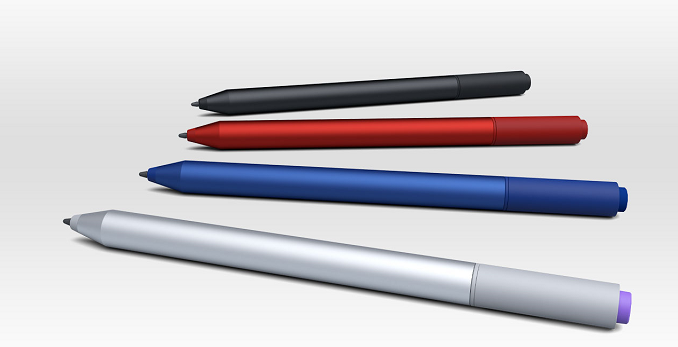
With Windows 10, pen input is getting even more useful, so this move makes a lot of sense.
One of the nice parts about the N-Trig technology is that the entire product stack required is much thinner, and there is no need for a deep level digitizer under the display, so the pen feels more like it is writing directly on the display.
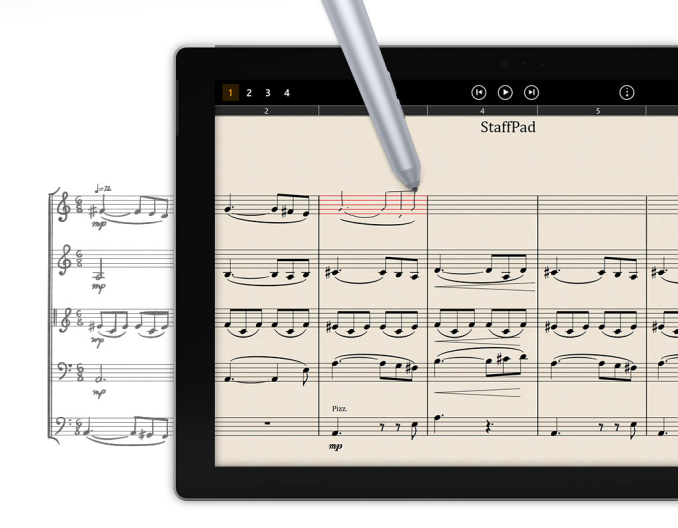
At CES, I had a chance to visit with N-Trig and they have a lot of interesting pens coming to market, all with different tip feels and ergonomics. They even had a pen with a supercapcitor rather than a battery, which will give you a month’s charge on the pen in five seconds of charging.
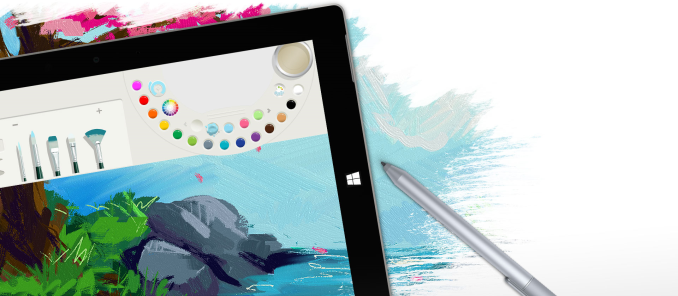
Microsoft has been key to show off uses of the pen during the Build conference this week, and there are a lot of apps which make use of inking including the Staff Pad app that they showed which can be used by music writers to compose music. The other obvious ones are apps like One Note, where you can quickly jot down notes or drawings. Microsoft’s Fresh Paint also is fantastic with the pen, and my six year old daughter has been loving that app.
Details of the sale were not made public at this time.
Source: Surface Blog
Read More ...
Seek Thermal - Android Infrared Camera Review
The costs associated with thermal imaging systems have restricted their usage and kept it out of reach of the average consumer / impulse-buy territory. Seek Thermal, a startup in this space, is doing its bit to ameliorate this situation with the Seek Thermal Camera which was launched at less than $200. Read on for our review of the Android version of the camera.
Read More ...
A Quick Look at One M9 RAW Photos
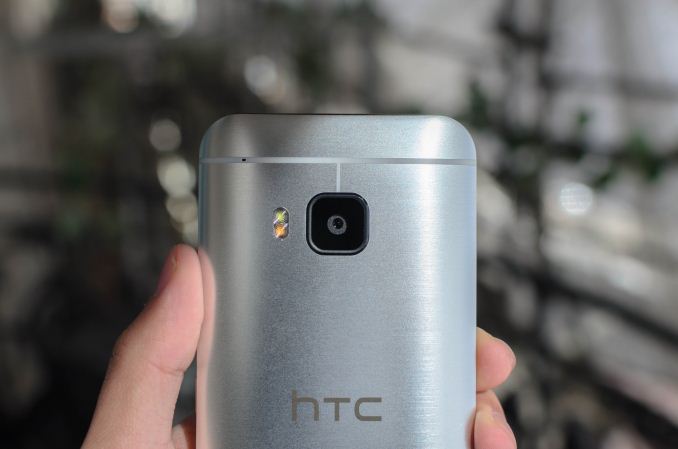
For those that are unfamiliar with what a RAW photo is, in essence it's exactly what would come to mind when it comes to something that is "raw". The file effectively encodes the sensor's data at each pixel, without any loss or significant processing. Normally, this file is completely hidden from the user, and once it enters the image signal processor (ISP) it is only used to produce the final JPEG and is presumably deleted once the JPEG file is saved to internal storage. As a result, we end up with a file that can be easily read by any computer, but is effectively impossible to change in a meaningful way. A RAW/digital negative can be easily changed to look almost nothing like the original image, but is impossible for most applications to view properly.
Fundamentally, a RAW photo is an unprocessed image, and if you could see the RAW image without demosaicing to handle the camera's pixel layout, it would look almost nothing like the final image. However, it's this relatively unprocessed state that allows for potential gains in image quality. After all, the ISP must determine how to process an image without human intervention in an effective manner, and it also must process and save the image within about a third of a second or less. Comparatively speaking, if I process it myself I might spend a solid 5-10 minutes playing with sliders to get a good balance between noise, detail, contrast, and dynamic range, and each image requires a second or two of maximum CPU load on a modern Core i7 4702HQ.
The real question is whether RAW photos can make a difference in a camera's output. In my experience this does depend quite a bit. Something like the Nexus 5 didn't really see any additional benefit from hand-processed photos. However, the One M9's RAW photo mode reveals a pretty stunning difference in photo quality when properly processed. In order to show it off, I took a few quick comparison shots. Our first comparison is a daytime shot, which is only directly comparable between the M9's JPEG and RAW output.

iPhone 6

JPEG M9

RAW M9
We'll start with a very simple daytime comparison. Please note that for this shot it is only comparable between the M9 RAW and JPEG output, as the iPhone 6 shot is from the same place, but at a different time of day and multiple weeks apart. In the original review, I mentioned that the One M9 seemed to have detail equivalent to the iPhone 6 with its 8MP camera in daytime. This single test shows the massive improvements that can be found with some quick post-processing in Lightroom, with special emphasis on the improved shadow detail in the bottom left side of the photo, the dramatically improved detail on the building to the top left of the photo, and improved detail on pretty much any tree in this photo. There is a noticeable grain to the photo that isn't as pronounced on the ISP-processed JPEG, but the noise is simply masked by blurring rather than actually getting canceled out. Again, it's important to note that the iPhone 6 photo isn't quite at the same angle or from the same time as the One M9, but it should serve as a good reference for objects in the scene.
The real test is in low light, and for this I brought some additional phones and a tripod to try and get a test that was better-controlled, although this isn't a controlled test in the strictest sense to begin with.

JPEG M9

RAW M9

iPhone 6 Plus

Galaxy S6
In this test, the One M9's native JPEG output is by far the worst here. The processing is surprisingly poor, with generous amounts of color noise on mostly flat, yellow-white walls. As color noise is the most distracting type of noise in a photo, it's generally better to err towards strong rather than weak color noise reduction. The RAW processed in Lightroom by comparison is miles ahead. It's probably not better than the iPhone 6 Plus here, as things like the rough stone walls lining the steps are extremely hard to make out in comparison to the iPhone 6 Plus. The Galaxy S6 is easily the brightest of all, but it seems that Samsung might have gone a bit too far as detail along the steps is definitely worse than the iPhone 6 Plus and there is much more noise in some parts of the photo. However, the Galaxy S6 manages to equal, if not better the iPhone 6 Plus in this shot due to the sheer amount of additonal detail captured from the better exposure; the resulting noise ultimately is a liability in large, HiDPI displays or in prints, but it isn't really visible when scaled to web/phone sizes.
 <
<JPEG M9

RAW M9

iPhone 6 Plus

Galaxy S6

Xiaomi Mi Note
Once again, the native JPEG output on the M9 is rather poor. Strong luminance noise reduction turns the picture into an oil painting when viewed at 100% crop, yet there's significant color and luminance noise still visible throughout the photo when scaled to web resolutions. There's almost no detail to speak of either due to the noise reduction used. Probably the best example of these issues is the trash can on the left side of the photo. Viewing the native JPEG shows a sign with nothing on it, but viewing the RAW-processed photo actually reveals that it is a recycling bin. Once again, even with RAW processing I didn't manage to get the M9 to beat the iPhone 6 Plus, but given the lack of OIS it shouldn't be too much of a surprise. Strangely enough, the RAW doesn't have enough contrast to show the red sign in the distance, which shows up just fine on the native JPEG and on every other shot.
Meanwhile the Galaxy S6 is once again easily the brightest in all of these shots, but it looks like ISO is a bit too high and the processing is also a bit too aggressive as the foliage in the scene is clearly not as cleanly rendered as it is on the iPhone 6 Plus. At web resolutions it is easily a match for the iPhone 6 Plus in these conditions as the noise isn't as visible when viewed at such a scaled resolution, while the better exposure helps with improved detail in the dark areas of the scene. The Xiaomi Mi Note does reasonably well here, but on 100% crop the noise reduction is quite strong and reduces visible detail.

Overall, HTC should be applauded for bringing RAW photo mode to the One M9. For anyone that has bought one, they can still take some truly good photos if they're willing to learn how to use a tool like Lightroom or Photoshop's RAW processing tools. However, there is no lens correction profile available, so vignetting and other distortions are a noticeable problem as seen in these photos. It's possible to try and compensate for these problems by eye like I did for these test shots, but HTC should really be releasing their own lens correction profile if they really want to support serious photography with the One M9.
As for the JPEG image quality situation, the fact that it's possible to get so much improvement in image quality from processing a RAW by hand compared to the JPEG output is a very real problem for HTC. Now admittedly a hand-touched RAW will almost always be better than a quickly processed JPEG - and we going into this expecting as much.- but such a large difference, and at times significant loss of detail, indicates that HTC is losing too much quality with their JPEG output. Compared to their competitors, the end result is an image with worse quality than what I believe they could have otherwise achieved.
Ultimately I'm not interested in pointing fingers here, but the output simply isn't competitive. It's possible that the ISP simply isn't up to scratch, as there are some very real problems with auto-focus speed and reliability as I noted in the original review. It's also possible that HTC is electing to use an extremely aggressive post-processing combined with strong JPEG compression to reduce file sizes. This is simply a problem that has to be fixed if HTC is determined to remain relevant in the hyper-competitive smartphone space.
The one truth that is clear to me here is that the sensor is far from the main problem here. A better sensor might help with high ISO noise, and PDAF should definitely help with focus speed, but in the case of the One M9's rear camera the biggest issues seem to be poor post-processing, a lack of high-quality optical image stabilization (OIS), and a smaller aperture compared to other phones on the market in that order. A better sensor can and will help, but it's far from a silver bullet. This does mean that there's some hope for the One M9's camera though, as most of the problems I've described could be resolved with an OTA update. The question now is whether HTC will follow through.
Read More ...
PC Gaming Show To Take Place At E3 2015
The video gaming industry’s biggest press event of the year, E3 is home to a number of major video gaming announcements. Along with being a major games showcase, E3 is also a major game console and platform showcase, with the show being the traditional backdrop for major console launches and updates. In fact between the publisher game presentations and the console manufacturer presentations, the only platform not specifically represented is the PC. PC games get covered at publisher presentations, and in better years even Microsoft will pitch in, but the PC doesn’t get the equivalent of a platform press event similar to those held for Microsoft, Sony, and Nintendo’s game consoles. Or at least it didn’t, until this year.
AMD and PC Gamer have announced today that the two of them are coming together to host the PC Gaming Show, an E3 press conference specifically focused on the PC. This marks the first time in many years that a PC-centric press conference has been held at E3, and comes of the heels of previous, lower key efforts by groups such as the Open Gaming Alliance to drum up additional attention for the PC at E3. Right now this doesn’t appear to be a very broad show from a hardware/OS standpoint – the only hardware vendor sponsoring the show is AMD, and Windows/DirectX developer Microsoft is not participating either – but this is with any luck the start of a larger, regular PC platform conference for E3.
As for the more immediate and important future however, the show’s organizers have announced that they have already lined up a number of PC software developers and publishers for the event. The PC Gaming Show “will feature appearances by Dean Hall of DayZ fame, Cliff Bleszinski of Boss Key Productions, and developers from studios including Blizzard, Bohemia Interactive, Cloud Imperium Games, Tripwire Interactive, Square Enix, Obsidian, Paradox, Devolver Digital and the Humble Bundlers, with more to be announced.” At this time the show’s website indicates that they’re still interested in hearing from additional participants, so we may yet see additional developers and publishers sign on.
Finally, today’s announcement also confirms the date and time of the show, along with its availability. The show will be held at 5pm on Tuesday, June 16th at the Belasco Theater. Sony, Microsoft, and Nintendo have not yet announced when their respective conferences will be, but those conferences are traditionally held on Monday or early Tuesday, so I expect that those shows will occur before the PC Gaming Show, making it the last platform conference of E3. In any case, home viewers will be able to catch the show live via Twitch, who is also listed as one of the show’s sponsors.
Read More ...
AMD Crossfire Freesync Update: Delayed
To that end, AMD has posted a short update on the status of Crossfire Freesync over on their forums. In the update, AMD states that after QA testing they believe that Crossfire Freesync is “is not quite ready for release” and that they will be holding it back as a result. Unfortunately AMD is not committing to a new release date for the feature, but given the fact that it’s more important to get this right than to get it out quickly, this is likely for the best.
Read More ...
Xbox Game Streaming Demonstrated At Build
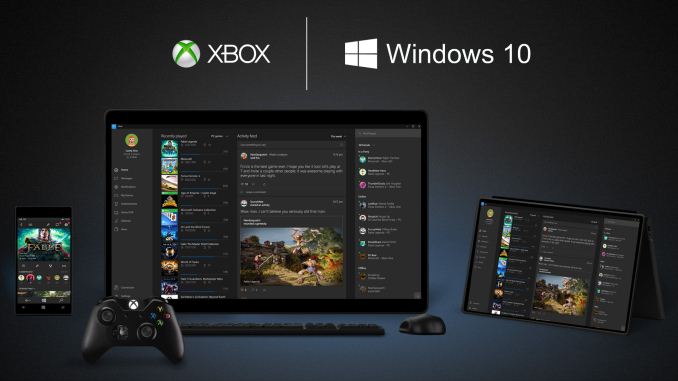
Now let’s be honest. This is certainly not the first game streaming that has been announced, and some companies already have shipping solutions for this. Steam for instance can game stream from you desktop PC with a GPU to another lighter weight PC. There are also solutions that will stream from your PC to your TV for playing games on the couch.
So they are not the first, but one of the nice things about streaming from the Xbox to a PC is that, especially these days, most PCs are not capable of running games. Laptops in particular do not have enough GPU in order to play many games at good framerates. Using the Xbox for this solves this issue since the hardware is a known quantity (and yes, maybe not enough but that’s for another time).
In my hands on, there was no perceivable latency, so the experience was excellent. Controls on the controller were every bit as good as if playing right on the console.
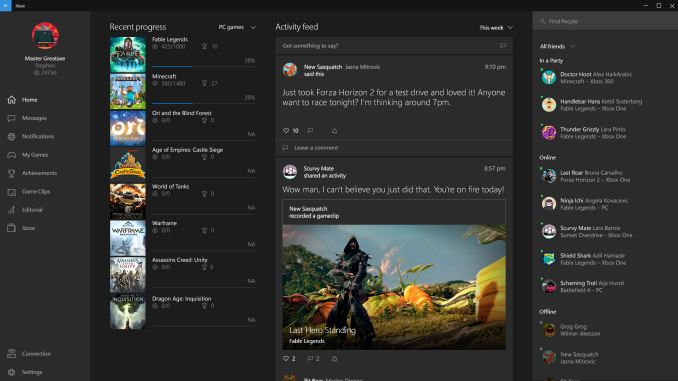 The Xbox experience on the PC using the Xbox app
Being able to stream games to a tablet like a Surface Pro 3 makes a lot of sense, since the Xbox is often tucked away in the room with the big TV and it may be used by other members of your house. It worked, and it worked well.
I did ask about being able to stream games while someone else is using the Xbox for media (like Netflix or live TV) and unfortunately this is not going to be the case, at least not initially. It is basically mirroring the display on the Xbox to the PC, so the Xbox is well and truly tied up during any sessions. I kind of think this is a missed opportunity for the Xbox team since they have made such a push to use the Xbox as a hub. In my house, the Xbox is in between the cable box and the TV, so it is not a trivial task to use “switch inputs” and the whole point of doing it this way is to avoid having to switch inputs all the time. Hopefully they can add this in a future update, but it is not clear if the hardware can even support this so we shall have to wait and see.
For what it does do, it does really well, and I can see this being a very popular feature.
Read More ...
Microsoft Details Windows 10 Staggered Release Schedule
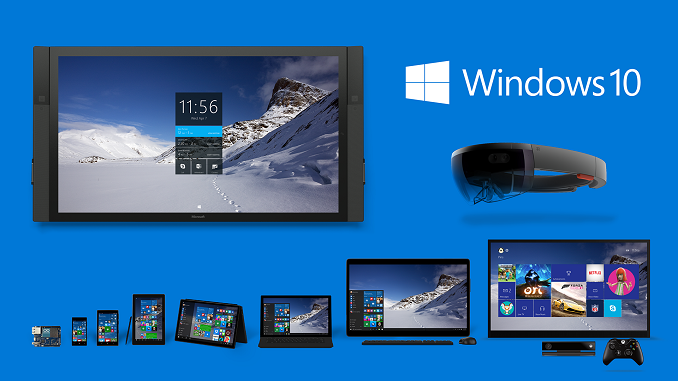
But there is a lot more to Windows 10 than just phone and PC. Xbox is there, IoT, and Surface Hub are other examples of where Microsoft is trying to push Windows 10, and there will almost certainly be a staggered rollout on those devices as well.

Joe also stated that they are already working with mobile operators in order to get to work on a schedule for existing devices, and as many of us know, mobile operators can drastically increase the time to market on mobile devices, so it is important to get to work on this now. Whether or not this helps or not will still have to be seen.
There will be new hardware for phones too, but they would not go into any details on when this might happen, or what kind of hardware they are looking at. Some of the demos yesterday, like Continuum on phone, will require new hardware which can display on multiple screens at the same time.

In the same vein, even when Windows 10 does launch, it will not be feature complete. Things like Extensions, which are coming to the new Edge browser, will not be available at launch but will come in a future update. Since Edge is going to be updated through the store, at least this will be easy. Other features like Win32 apps coming as Windows Store apps will also be later in the cycle.
So this will really be unlike any other Windows rollout, because so many parts of the system have been moved to being able to updated through the store. This will allow the core Windows 10 experience to be completed, but necessary feature updates should be able to be seamlessly added over time.
One other interesting note from the meeting was that the Insider Program will not be going away once Windows 10 launches. There will still be several rings that Insiders can participate in to get quicker updates, even if the feature is not quite ready for prime time. This should also apply to the phone as well which should help alleviate some of the upgrade woes depending on the particular mobile operator.
Read More ...
The Tesoro Lobera Supreme Mechanical Keyboard Capsule Review
In this capsule review we are having a look at Tesoro's most popular mechanical gaming keyboard, the Lobera Supreme. Tesoro's offering comes with a futuristic design and interesting features, but it also has to face tremendous competition.
Read More ...
Windows 10 Build 10074 Now Available
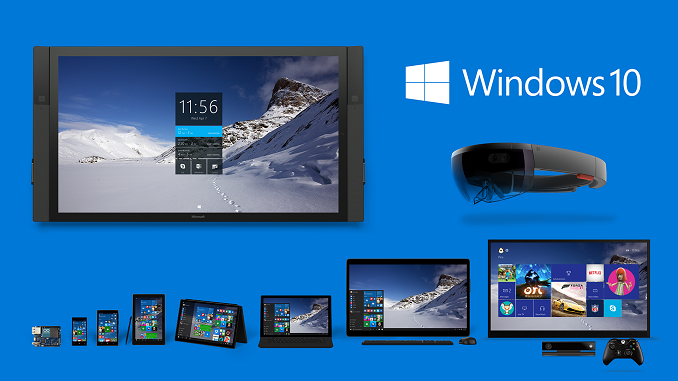
Some of what is new was demonstrated during the keynote today at Microsoft’s Build conference. There is a new animation on the Start Menu for the live tiles. It is subtle, but it is a nice effect. There are some changes to some other UIs as well, but none of these are particularly news worthy at this point in time.
What is news is something that has been a long time coming. Multi-monitor setups are very common, and even devices like Microsoft’s Surface line encourage use with a second display. However with the huge DPI differences between a tablet and a monitor, this can cause issues with scaling despite the work done in Windows 8.1 to enable per display DPI scaling. This build is not a cure-all for everything, but the core UI components should now scale correctly regardless of DPI. Hopefully there is a lot more coming here this has always been a bit of an annoyance when running a Surface Pro 3 with an external monitor (as an example) and of course there are plenty of apps that don’t scale at all. I’m still waiting for an outright solution to these apps. The ultimate solution is to move apps into the Windows Universal App model and have them in the store, since that part of Windows is fantastic at scaling based on DPI and display size already. There was a lot of info today at the keynote about putting more apps in the store so that should help some of this, but regardless, with Windows there are going to be apps that ignore the scaling so really there needs to be a fix for these.
Continuum gets some improvements as well. Until recently I have not had much of a chance to try Continuum since I was running Windows 10 on my desktop but I have some 2-in-1 hardware now that I hope to get running with this to see how well it’s working. The keynote demos today showed some nice changes though and the start screen layout now flows a lot better between display sizes and orientation.

Cortana continues to get some tweaks as well. The UI has changed a bit and there is now a menu bar for Cortana on the left side of the search window. This is small but should help make it a lot more usable. There are also going to be Instant Answers now with Cortana where it attempts to answer your question before you are even done typing it. This should only get better over time.
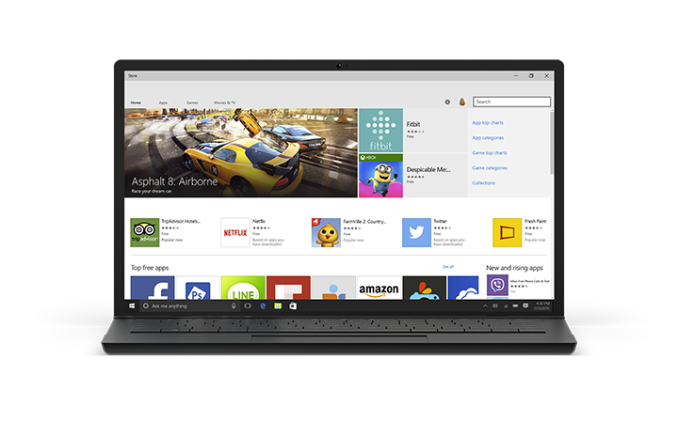
Also mentioned in the keynote was some changes to the experience to help promote app discovery. These changes will be coming in this build, and offer things like Apps showing up on the lock screen if Cortana thinks you might like them. If you launch an app through Cortana, it also may suggest a similar app. The example today was if you like to play Star Wars: Commander, it might suggest the recently launched Star Wars Rebels game. This can be turned off if you don’t like it, so fret not.
I’ll be installing this build when I get home from San Francisco. The previous build completely broke my desktop to the point where I can’t even launch the start menu, so it’s good to see that there are ISOs available. Remember this is beta software! If you are interested in giving this a go, check out insiders.windows.com to sign up, and if you are already on Windows 10 just check for updates and the new build should be available now.
Source: Windows Blog
Read More ...
Microsoft Demonstrates Android and iOS Applications Running On Windows 10
Much to the dismay of some viewers watching at home, Microsoft's BUILD developer conference today actually focused on technologies designed to benefit developers. However, some of the new developer technologies shown today may end up having profound impacts on Windows users. While Microsoft has never had any issues with making software available for Windows on the desktop, the same can't be said about Windows in the mobile space. Windows Phones and tablets have suffered from a lack of applications compared to their Android and iOS counterparts, and Microsoft hasn't been able to convince many developers to make Windows a priority for their mobile applications. Given this situation, Microsoft had to find another solution to the problem, and today at BUILD they showed what may very well be it.

The first big announcement was Project Astoria, which enables support for running Android applications programmed in Java or C++ on Windows 10 phones. During the keynote this was described as an "Android Subsystem" within Windows. The end result is that developers can bring their Android applications over to Windows 10 phones with minimal effort. There will still be issues with applications that link into Google Play services for features like Maps and location, but there are now far fewer hurdles for developers than there have been in the past. Microsoft demonstrated this during the keynote by showing the Choice Hotels application for Android running on a Windows 10 smartphone. The demo did run into a few issues, but it was still impressive to see.
What's even more remarkable is Microsoft's work to allow developers to use existing code from iOS applications programmed in Objective C to make Windows 10 applications. This new initiative is called Project Islandwood, and it allows developers can take their existing applications written in Objective C, have Visual Studio convert the Xcode project into a Visual Studio solution, and compile it for Windows 10. The demo shown on stage showed an application written for the iPad being compiled to run on Windows. Not only did it work well, but the application itself was not just a basic app. Apps using UIKit and Core Animation compile fine as Windows 10 applications, and it will be very interesting to see just how far this solution can go in bringing complicated applications over to Windows.

The demonstration during the keynote was a mathematics game which utilized the UIKit framework and Core Animation, and had very complication visual effects and animation. Despite this, the demo worked even more smoothly than the Android application demonstration, and even worked with input using the mouse. Microsoft also revealed that the ability to easily bring applications programmed in Objective C to Windows 10 is not something coming in the distant future, but is a technology that exists now and has already been put to use by game company King in bringing their Candy Crush Saga game to Windows Phone.
One important thing to note is that while Project Islandwood for iOS applications allows developers to create universal Windows apps, Project Astoria is strictly for bringing Android applications to Windows 10 phones.
These two announcements from Microsoft may end up being a game changer for Windows 10 applications on the desktop and more importantly on mobile. Developers still need to be convinced to focus on Windows, but if moving applications over from iOS and Android is as easy as Microsoft has claimed then it shouldn't be very difficult to get developers on board. Only time will tell how this ends up playing out.
Read More ...
Microsoft Details Improvements To The Windows Store For Users, Businesses, And Developers
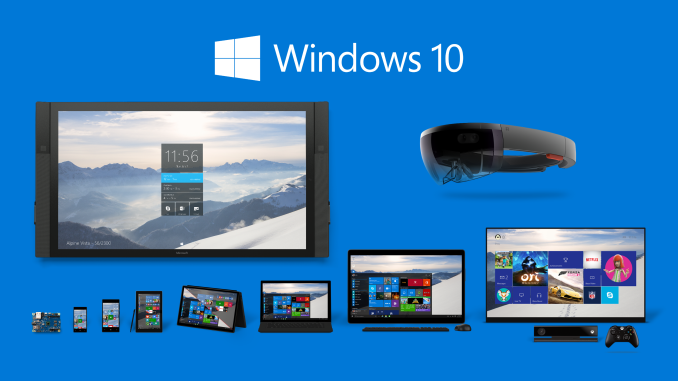
For end users, one of the new capabilities that Microsoft is touting is the wide range of options for billing. According to Microsoft, they have the larger carrier billing network of any ecosystem, with 90 carriers supported worldwide. This is a very key feature for enabling purchases in areas of the world where it is uncommon for a user to have a credit card or access to online payment services like Google Wallet and PayPal. Microsoft is also making note of how applications downloaded from the Windows Store are easy to install and uninstall, and are free from the issues like files left after uninstallation that have plagued some Windows programs for years.
For businesses, Microsoft is allowing company system admins to highlight and distribute apps in the Windows Store to employees using Windows Phone devices. Support for payment methods that are unique to businesses such as purchase orders is also being enabled.
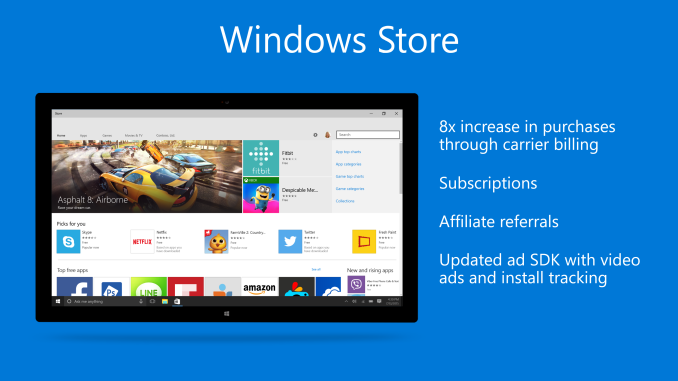
For developers, Microsoft is highlighting a number of new features. Carrier billing is again mentioned, as it allows for developers to target a greater market of people with paid applications. Microsoft is also updating their advertising SDK to support video advertisements and tracking app installs. Support for subscriptions that can be bought via in-app purchases is also being added for applications on the Windows Store.
One final point about the Windows Store that will benefit developers is the new ability to bring .NET and Win32 applications into the store. These applications will be run sandboxed to allow for the same ease of installation and use as current applications in the store, and Microsoft has partnered with Adobe to bring Photoshop Elements to the store as an example of how other developers can do this with their existing applications.
Read More ...
Microsoft Shows Off Continuum For Windows 10 Phones
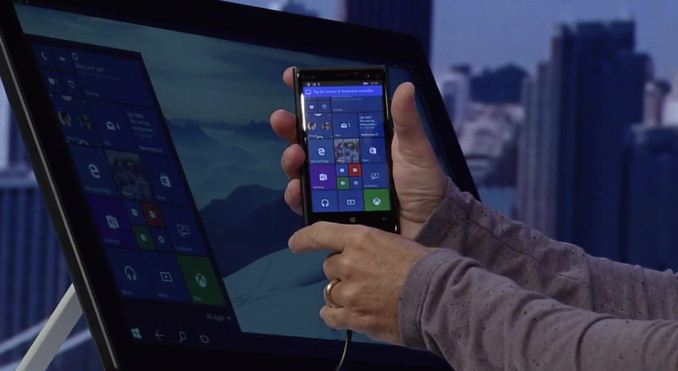
During the keynote a Windows 10 smartphone was shown connected to a large display via HDMI, as well as to a Bluetooth keyboard and mouse. This allowed the phone to essentially act as though it were a Windows 10 computer, with applications like PowerPoint and Excel scaling to use the same layout that you would see when running them on a normal desktop computer. This type of dynamic behavior extends from interface changes to input paradigm changes as well. Devices may change their preferred input mode or interface to suit the peripherals that are or are not attached to a device.
Continuum looks like it will be a very interesting feature. Users will have to wait some time to get their hands on it though, as it won't be available in the preview release of Windows 10 that is scheduled to come out tomorrow. Microsoft has created a short video to explain a bit more about Continuum on Windows 10 phones and the potential use cases that they see for it, and I've embedded that video above.
Read More ...
Microsoft's Project Spartan Browser Officially Named Microsoft Edge
There aren't a whole lot of details about Edge at the moment, but Microsoft did play a launch video for the new browser during the BUILD keynote, and they've put it on Youtube for everyone to see. What is known is that the browser has Microsoft's Cortana assistant built in, has a very new and minimalist design, and runs on a new Microsoft built rendering engine called EdgeHTML. The video released by Microsoft also shows some new features like the ability to draw on web pages.
As more information about Microsoft Edge is revealed during the course of BUILD we'll be sure to bring it to you.
Read More ...
Logic Supply ML100G-30 Fanless Broadwell vPro Industrial NUC Review
Passively cooled computing systems carry many advantages. Most of these turn out to be very important for industrial and embedded applications. The low power nature of the NUCs make them the ideal candidate for passive industrial computing platforms. We have already reviewed a number of industrial PCs before. Today, we have the first off-the-shelf passively cooled Broadwell vPro PC in for review from Logic Supply. Read on for our
thoughts on this unique industrial PC.
Read More ...
Microsoft BUILD Conference Keynote Live Blog
Read More ...
The Next Generation Open Compute Hardware: Tried and Tested
Open source software has been the basis of most of the innovation in IT the past years: virtualization, the new mobile OS (Android and IOS), the lionshare of new apps, Big Data analytical software, new storage software, Internet of Things... have all been inspired or even build upon open source software. Could open hardware be a similar powerful source for a steady stream of improvements in hardware and datacenter design?
Read More ...
LG Announces the G4: 5.5-inch QHD with Snapdragon 808
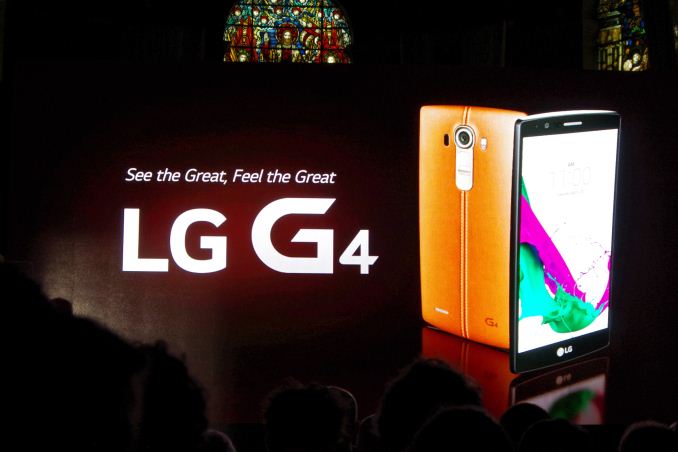
The G4 will be the first device to officially use the Snapdragon 808, Qualcomm’s MSM8992 big.LITTLE SoC arrangement that uses two ARM A57 cores in one cluster clocked in at 1.82GHz and four ARM A53s at 1.44GHz in the other. The GPU also uses a lower end Adreno 418 clocked in at 600MHz. Qualcomm avoided LPDDR4 in the S808, and thus remaines a LPDDR3 piece likely running at up to 933MHz.
While we're not too concerned with the resulting CPU performance and loss of two big cores, and slight frequency loss of the Snapdragon 808, it's the GPU which should see higher impact as 3D performance suffers a tad compared to the Snapdragon 810's Adreno 430. In our preliminary tests with the demo device, we see GFXBench Manhattan offscreen go down from 22.7fps to 15fps and T-Rex from 49fps down to 35fps when comparing the G4 to the HTC M9, which sports a FHD screen as opposed ot the QHD one we find in the LG device.
The detailed specification lists shows the iterative improvements over the G3, launched last year:
LG G3 |
LG G4 |
|
| SoC | MSM8974AC Snapdragon 801 4x Krait 400 @ 2.5 GHz |
MSM8992 Snapdragon 808 2xA57 @ 1.82GHz + 4xA53 @ 1.44GHz |
| GPU | Adreno 330 @ 578MHz | Adreno 418 @ 600MHz |
| RAM | 3GB LPDDR3 933MHz | 3GB LPDDR3 933MHz |
| NAND | 32GB NAND (eMMC 5.0) + microSD |
32GB NAND (eMMC 5.0) + microSD |
| Display | 5.5-inch 2560x1440 IPS LCD | 5.5-inch 2560x1440 IPS LCD |
| Network | 2G / 3G / 4G Qualcomm MDM9x25 UE Category 4 LTE |
2G / 3G / 4G Qualcomm X10 (Integrated) UE Category 9 LTE |
| Dimensions | 146.3 x 74.6 x 8.9 mm 149 grams |
148.9 x 76.1 x 6.3 - 9.8 mm 155 grams |
| Camera | 13MP rear camera, 1.12 µm pixels, 1/3.06" CMOS size, F/2.4. 2-axis OIS 2.1MP F/2.0 FFC |
16MP Sony IMX234 rear camera, 1.12µm pixels, 1/2.6" CMOS size F/1.8, 3-axis OIS 8MP Toshiba T4KA3 FFC |
| Battery | 3000 mAh (11.4 Wh) replaceable | 3000 mAh (11.4 Wh) replaceable |
| OS | Android 4.4.2 with LG UI | Android 5.1 with LGUX 4.0 |
| Connectivity | 802.11a/b/g/n/ac + BT 4.0, USB2.0, GPS/GNSS, MHL, DLNA, NFC | 802.11a/b/g/n/ac + BT 4.0 |
| SIM Size | MicroSIM | NanoSIM |
The screen size and resolution stay constant at 5.5" and QHD, but the device has an angular element to it, similar to the LG G Flex 2 but not as pronounced: The screen is touted to be a new generation IPS Quantum display. It looks like LG is claiming 20% gamut increase. The display has 50% increased contrast over the G3, achieving a total of 1500:1 contrast ratio. The G4 reintroduces Panel Self Refresh which was unfortunately missing from the G3, and this should vastly improve battery life over its predecessor.

The screen has a 3000mm radius curve throughout the phone's design that LG markets as "Slim Arc" design.
The phone comes in several different plastic and leather cover options. These are high-quality hand-produced genuine leather products. The plastic version sports a diamond pattern mimicking a metallic look. This also means the G4 is slightly bigger and heavier than the G3 as it comes at a increased 155g. The removable battery of the G4 remains similar to the G3 at 3000 mAh, and the SIM moves to the nano-size. The microSD slot remains an option for the G4.
The G4 gets a camera update, moving from a 13MP to a 16MP design that migrates from an F/2.4 to F/1.8, allowing for potentially better performance. We find a Sony IMX234 sensor, a unit we haven't yet seen used in any other devices. LG were keen to point the F/1.8 over Samsung’s F/1.9 on the latest Galaxy S6. The new OIS system dubbed "OIS 2.0" now offers a 3-axis gyroscope instead of the traditional 2-axis implementations in all current OIS devices. Another first is the implementation of a colour spectrum sensor next to the flash unit, and is able to read RGB and infrared light. LG is able to vastly improve white-balance and also increase clarity for more natural pictures.
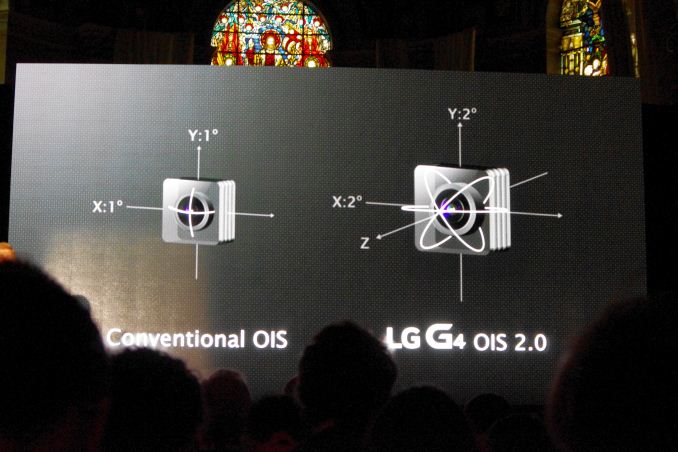
The phone now also offers full manual control, with customizable ISO, exposure, shutter speed and white balance among other things. RAW format capture is also supported. Double clicking on the rear buttons already takes a picture within a second, LG is here taking another stab at Samsung's S6 as it only is able to open the camera app in the same time.
The front camera has been boosted to a 8MP Toshiba T4KA3 sensor and sports an improved gesture shot triggering function.

The volume rocker on the rear changes slightly, moving to a flatter central piece. The flash element of the camera in this area is a dual LED design, and we also find the microphone grille at the bottom. One of the elements LG seems to be pushing with the G4 is the design of the back cover, allowing for a replaceable leather rear while retaining the front facia that exhibits a faux carbon-fibre effect of sorts.
The device should be available this week in major markets. We’re currently waiting in line to get some hands-on time with the device, and hopefully on the list to get a sample to follow up from the LG G3 review.
Read More ...
The LG G4 Day Live Blog (11AM ET Start)
We're in London for LG's launch of the G4. The wifi / my hotspot isn't that good, but the event starts soon. Read as much as we can post!
Read More ...
China's Tencent Gets in on the Kardashian Empire w/ $126 Million Glu Investment
Deal is good for roughly 1/7th of shares of the maker of hit mobile game "Kim Kardashian Hollywood"
Read More ...
Worst Kept Secret -- $35 Million Anonymous Sharing App Startup Shuts Down
App scored some high profile backers, but struggled to retain users let alone achieve a path to monetization
Read More ...
Microsoft "Welcomes Developers" to Its New "Edge Browser" (Codename: Spartan)
From extensions to its design language, Microsoft is making the right moves
Read More ...
Leather-Bound LG G4 Shuffles Out, "Specially Designed" Snapdragon 808 SoC
Ceramic and metallic options also available; flagship model will launch by June and be priced at around $750 USD; QHD still standard
Read More ...
Ding Dong the Deal is Dead: What's Next After Failed Comcast/TWC Merger
Netflix factor was crucial in killing deal; collapse also kills Bright House purchase; AT&T/DirecTV merger prospects remain strong
Read More ...
Available Tags:Microsoft , Android , Gaming , AMD , Xbox , Windows , Keyboard , iOS , LG ,


No comments:
Post a Comment