

In Depth: The new space race: who's who in the realm of space exploration

Turning to the private sector
It's been nearly 50 years since Star Trek first referred to space as "the final frontier," and the passing decades have done little to diminish interest in traveling to this expansive (and very expensive) destination.The National Aeronautics and Space Administration (better known as NASA) made headlines back in 2011 with the decision to retire its space shuttle fleet, laying the groundwork for companies with no government ties to throw their hat into the galactic ring.
While NASA has set its sights on bigger targets such as travel to the planet Mars, privately funded firms are busy planning and testing new rockets and even complete space stations, all in the hopes of dodging political and economic setbacks that have plagued government organizations for decades.
Here's a look at the commercial spacecraft companies leading the charge, and who looks to have the best shot at getting us to the stars.
Off to the races
The new space race kicked off in October 2004 when the $10 million Ansari XPRIZE was awarded to Mojave Aerospace Ventures, which made history by developing SpaceshipOne, a privately financed, reusable manned suborbital spaceship capable of blasting three people up to 100 kilometers above the Earth's surface.Headed up by aerospace engineer Burt Rutan and Microsoft co-founder Paul Allen, that initial nonprofit investment paid off handsomely with billions of dollars received by Mojave Aerospace Ventures to date for commercial space development.

The XPRIZE Foundation and NASA also coughed up awards totaling $30 million apiece to encourage a return to the moon, with the Google Lunar X Prize aiming to land a robot on the surface, travel at least 500 meters and beam images and data back to Earth.
Despite an ever-shrinking annual budget, NASA's own Centennial Challenges program has been established to award amounts ranging from $200,000 to $2 million in support of the agency's future plans.
International efforts
NASA isn't the only government agency that's helping make private space travel a reality. The European Space Agency is providing facilities as well as the capital necessary to fund research and development from a number of companies.The US space agency has also inked contracts worth billions to outfits like Orbital Sciences Corp. and SpaceX (more on them in a bit), with the goal of ferrying precious cargo between Earth and the International Space Station.

Space travel has also helped thaw US relations with countries like Russia and China, both of whom have ramped up their intergalactic plans in recent years, and have been cited as potential allies if the US ever hopes to send humans to Mars.
However, Russia's economic recession shaved 10% off the nation's space budget earlier this year, yet the country still narrowly managed to get more orbital launch attempts off the ground in the first quarter than its US counterparts.
Lockheed and Boeing stay space hungry
Although NASA may be investing heavily in newcomers to spaceflight, the agency remains very much in bed with a pair of old-school aerospace partners, namely Lockheed Martin and Boeing.Figuring there's safety in numbers for the new space race, the two old-school companies have formed a joint venture called United Launch Alliance, which builds the very Atlas V rockets many commercial ventures require to reach the heavens in the first place.

Lockheed Martin and Boeing have also made separate contributions to NASA's Martian ambitions, with the former supplying aeroshells for everything from Viking landers to the Curiosity rover.
Boeing, on the other hand, has a lease on a former space shuttle hangar at the Kennedy Space Center through 2026, which is being used to build NASA's Crew Space Transportation-100 (CST-100), among other projects.
Top image credit: NASA
Virgin Galactic, Amazon, SpaceX and more
Sir Richard's star tours
Naturally, one of the more ambitious plans for commercial space travel involve tourism - as in, sending average folks like you and me for a ride we're not soon likely to forget, 62 miles over the heads of our friends and loved ones.Spearheading this effort is Virgin Group billionaire Sir Richard Branson, whose Virgin Galactic program plans to blast six people into orbit for a cool $250,000 per head. The flight will include five minutes of weightlessness prior to reentering Earth's atmosphere and land as gracefully as a traditional airplane.

Virgin Galactic claims only 574 humans have traveled into space to date, so its mission is democratize such travel for everyone on the planet, or at least, those wealthy enough to book a ticket. (So far, more than 600 people have booked a ticket on a Virgin Galactic flight, though only test pilots have flown so far.)
Branson's ambitious plans to kick off commercial spaceflights in 2015 took a deadly turn last October when a failed SpaceShipTwo test flight which took the life of pilot Michael Alsbury, an employee of another private spacecraft pioneer, Scaled Composites.
Amazon goes up, up and away
Amazon founder Jeff Bezos has invested a big chunk of his wealth into Blue Origin, the company responsible for one of the more unique spacecraft to date. New Shepard (named after first US astronaut Alan Shepard) has been designed to take off and land vertically, transporting astronauts in a rocket pod with nine engines.Blue Origin first found success with Goddard, a test vehicle named after rocket pioneer Robert Goddard and modeled after NASA's DC-X; the company continues to invest in the same cone-shaped design with four legs.

With additional funding from NASA, the relatively low-key Blue Origin has been toiling away quietly in the background for the last 15 years, living up to its motto "gradatim ferociter" (which loosely translates to "step by step, ferociously").
The commercially-minded Bezos hopes to use New Shepard to send three people into space each week "at dramatically lower cost and increased reliability," goals made possible thanks to the reusable nature of the company's launch vehicles.
SpaceX-ploration
One of the most visible faces in the modern space age is Space Exploration Technologies Corporation. Better known as SpaceX and founded by Tesla mogul Elon Musk, the company is notable as the first to launch a privately-owned ship into orbit and have it return safely to earth.Flush with a NASA contract to haul cargo to the ISS, the SpaceX Dragon has already had three successful launches from Cape Canaveral this year in as many months, powered by the company's Falcon 9 rocket.
However, SpaceX faced a setback on April 14 when it performed a test to see whether one of the rockets could land on a floating barge perched in the Atlantic Ocean; it accomplished that mission, but wound up falling sideways and exploding on impact.
SpaceX already has another 13 launches scheduled through 2015, and plans to eventually transition its Dragon cargo container into a manned spacecraft capable of sending up to seven people to the stars.
The big hitter you probably haven't heard of
While SpaceX may be better-known to a generation of social network users for its frequent social media posts, Orbital ATK, Inc. has become the closest thing we've got to a privatized version of NASA.Based in Virginia and formerly known as Orbital Sciences prior to a merger with Alliant Techsystems, the company has dabbled in everything from orbiting satellites and deep space probes to high-altitude payload deliveries and yes, holds a lucrative NASA contract worth $1.9 billion for flying cargo missions to the International Space Station.

Orbital has had more successes than failures to date, but lost some momentum last fall when its fifth launch of the Cygnus spacecraft using a refurbished, Russian-built Antares rocket ended with the destruction of the vehicle and damage to the launch pad. (Orbital abandoned the older AJ-26 engines that led to the accident.)
Founded in 1982 by a trio of Harvard Business School graduates, the company first made headlines in 1990 with the launch of the Pegasus rocket. No stranger to setbacks, Orbital is well-positioned to become the heaviest of hitters among commercial space organizations who design and manufacture small- to medium-class rocket systems.
Into the final frontier
There's plenty more to look forward to with commercial space flight in 2015 and beyond. In addition to 13 more SpaceX launches planned for this year, XCOR Aerospace intends to fly its Lynx spacecraft with a pilot, single passenger and science payloads in tow throughout the year, reaching altitudes of 330,000 feet (100 kilometers).
Orbital ATK has also announced plans to launch its Cygnus CRS Orb-4 on November 20, a flight postponed from April 1 in the wake of the Antares rocket failure in October 2014. There are also more lofty future plans in the works from the likes of Mars One, which eventually hopes to host a human settlement on the red planet.
Many of the companies pioneering commercial spaceflight maintain an active presence on social media, so it's easy to keep tabs on future launch plans. SpaceX offers the most comprehensive information with accounts on Twitter, Facebook and YouTube, while Virgin Galactic offers Facebook and Twitter, and Blue Origin maintains only a Twitter presence, as do both NASA and Boeing Defense.
One thing's for certain: The future of private space travel is still in its infancy, which means we've got a long way to go before anyone stakes a real claim to James T. Kirk's final frontier, let alone reaches it at all.

Read More ...
Hands-on review: Updated: Apple Watch

Apple Watch hands on review
The Apple Watch has been ticking away on my wrist just shy of 24 hours, and while it's no longer called the iWatch, it really is "my watch" and Apple's most personal gadget yet.The iPhone-compatible smartwatch comes in 38 flavors, with different case materials, colors, sizes and interchangeable Apple Watch bands. None are inexpensive.
Starting at $349 (£299, AU$499) and climbing all the way up to $17,000 (£13,500, AU$24,000), the lightweight Apple-designed wristwatch is meant for early adopters and boutique store regulars.
Is it worth that tough-to-swallow Apple Watch price? Beaming apps like Messages, Mail and every iPhone notification to an always-on-hand gadget is a wonderful convenience.
I no longer have to find my seemingly always-hiding iPhone 6 every time someone texts me, yet I can ping the iPhone when I really do want it thanks to the best Find my iPhone method yet.

But not having to fetch your phone for each and every vibration in your pocket is a luxury, and not one most iPhones users need this very moment - at least for the current asking price.
Where does that line get drawn? What can it do better than a smartphone? We've known the Apple Watch specs for months, but now we know these answers too and how it feels to wear it for much longer than 15 minutes.
What does Apple Watch do?
Apple Watch is often oversimplified as an iPhone on your wrist, and almost everyone I have talked to this week has accidentally referred to it as "your phone." Even I slipped up once.It's not an unreasonable comparison. The square-shaped smartwatch is like a mini iPhone; it lets me read emails, summon Siri and receive phone calls from my wrist.

Combining the features of an iPhone-tied watch with a fitness tracker, Apple Watch also lets me track my steps walked, calories burned and heart rate. Surprise: I need to move more.
Custom watch faces, like we've seen from Android Wear watches, are here, as well as new exclusive technology like the pressure-sensitive Force Touch touchscreen.

That said, there are plenty iPhone features that aren't carried over to the wrist. Apple Watch is not an iPhone replacement, a weird disappointment to a lot of people who are missing the point.
"Wait, I still need my phone?" is the response I've heard from baffled people. Certainly. It's not meant to watch YouTube videos on the tiny display or scan dozens of Facebook posts sans a keyboard.
Who would want to don a giant watch capable of such specs or a large enough battery to run that? You still need an iPhone with you at all times, but you use it less than before.
Design and comfort
I've tried on every Apple Watch model outside of the 18-karat gold Apple Watch Editions during first 15 minute appointment, but I stuck with the entry-level 42mm aluminum Apple Watch Sport in white.
It's the cheapest of the 38 designs, and, in my opinion, slightly more comfortable than its two posh counterparts that are made of heavier stainless steel and gold.
In fact, its anodized aluminum case and Ion-X glass make it 30% lighter. That adds up on my wrist when I'm wearing this thing for 18 hours a day before the battery life is zapped.
Its aluminum frame matches the iPhone build and is therefore duller than the shiny stainless steel Apple Watch, but it still goes with a steel band like the Milanese Loop just fine.
My Apple Watch Sport is also missing the even tougher sapphire crystal glass, but the Ion-X glass has proven resilient so far. I don't expect to have to spring AppleCare.

Everything else is the same. The case sits 10.5mm off of my wrist with stylishly curved glass on the top and a slight bump to the black composite back for the heart rate sensor.
It's reasonably thin for now, but I can already imagine Apple making a "world's thinnest watch" several times over in the proceeding years for the Apple Watch 2 and beyond.
A classy sounding digital crown and an uninspiringly named side button are located on the right side for twisting and pressing through menus. A microphone and speaker are on the left side.
The Apple Watch Sport band is made of fluoroelastomer, which is Apple's fancy way of saying synthetic rubber that's supposed to be extremely durable.

The smooth strap, available in white, black, blue, green and pink colors, feels comfortable and is easier to buckle than any prong-clasped Fitbit I've tested. It tucks the excess band in a hole so that it hides behind the beginning the strap.
My watch came with two bands, a larger and short size in the same white color. Changing the strap was incredibly simple and required no tooling, unlike the Moto 360.
Although many Android Wear smartwatches work with third-party 22mm bands, the transition to a new band - like the Milanese Loop I ordered - is more seamless and still secure. Cheaper third-party straps are also said to be on the way.
Interface and apps
Apple Watch's setup is fairly seamless too. I booted up my iPhone's Watch app, which came with iOS 8.2, and it asked me to take a photo of my new Apple Watch. Done. It was paired.Syncing my existing apps happened automatically too, but took a couple of minutes. After that, I was able to customize my watch face and load up a springboard of circular apps.

I immediately started receiving texts on my wrist, mostly asking if I got the Apple Watch yet, and emails about important travel plans to next week's LG G4 event.
All of this happened while my iPhone was plugged in several feet away, already drained after doing an unboxing video on the Periscope app.
The interface has taken a while to get used to and the My Watch menu within the iPhone companion app is astonishingly complex, which may end up being a good thing.

I can disable notifications for specific apps and just about every setting can be mirrored from the iPhone or be set up individually, from Do Not Disturb to how Messages notifications. They repeat twice all the way up to ten times if I hate myself.
Apple Watch has taken me some time to learn and a number of essential third-party apps are missing, at least in native form. This includes Facebook and the iOS Gmail app.
Sure, Facebook notifications pop up on the watch, as do emails snippets from the Gmail app, but seeing anything beyond "Lily posted a comment on your timeline" or reading the full email requires an iPhone for now. This is unlike Instagram's native app or Apple's built-in Mail app.

Many third-party apps need to load faster than they do currently and include finer controls that go far beyond "Show App on Apple Watch." This is up to developers. Like me, they clearly need more time with this newly launched smartwatch to get used to it.
Apple Watch has "millions" of watch face combinations thanks to complications, but just nine default faces. Curiously missing is a way to include a custom photo as a watch face, an option that was at the original watch announcement back in September.

I appreciate how easy it is to switch up the existing watch face colors and add widgets like the date or my next calendar appointment around the on-screen dial, but only when developers can create truly custom watch faces of their own can this feature compete with Android Wear.
Fitness
Apple Watch isn't a fitness band, watch or fashion accessory, despite taking a bit from each of those camps. It's hard to define what it really is, which means that users may struggle to justify the purchase.I think its greatest chance of success is in the health market, as Apple has made this a decent choice for people looking to get a little bit healthier.

 What
has saddened me in the time since launch is finding out that Apple
won't be selling it properly into the health market. Apparently early
tests to add in a stress sensor and blood pressure monitor failed,
(beautifully partly because of hairy arms) so the Apple Watch - at least
version one - will be a cut down version of what it could have been.
What
has saddened me in the time since launch is finding out that Apple
won't be selling it properly into the health market. Apparently early
tests to add in a stress sensor and blood pressure monitor failed,
(beautifully partly because of hairy arms) so the Apple Watch - at least
version one - will be a cut down version of what it could have been.That said, the Watch will still have decent health ability. Not just checking steps or heart rate once in a while, the watch will be able to help you be a bit less sedentary as well as noting when you run around and how hard the exertion is.
Of course, it needs an iPhone to work really effectively, but it works very well autonomously too in terms of tracking the above. However, with no GPS on board it can't be classed as a running watch - although the interface is nice.
This partly explains why Samsung has teamed up with Nike to make the Gear S a running companion – but at least Apple has got its own version of a full running system to make up for it.
Battery life
Apple Watch is supposed to have 18 hours of battery life, which would translate into a full day if I were to ever keep to a normal sleeping schedule. That's impossible to gauge on day one due to all of the heavy use.I took several battery-taxing phone calls with my watch, which Apple says depletes the battery in three hours. Just checking the time every so often boosts it to 48 hours.

While I plan to update this review with a fair battery life test, I can confirm that it charges faster than Apple had lead me to believe. It was juiced back up to 100% in two hours.
Officially, the Apple Watch recharge time is supposed to be 1.5 hours to 80% and and 2.5 hours to 100%.
My faster-than-expected charging time may be due to the 72 hours that Apple Watch can remain on in a limited time-checking state called Power Reserve mode. I charged the watch when it reached 0% and entered this mode, so it technically had some juice left to it.

Early verdict
Apple Watch is the best iPhone-compatible smartwatch for early adopters looking for the next big thing in a small package. It essentially relays some iOS apps and all notifications to my wrist without requiring me to constantly pull out and unlock my phone.This concept is going to become more useful when the hype dies down, new apps emerge and I have more time to get acquainted to the interface and controls. The best smartwatches work better as an unexciting fashion piece or fitness tracker that fades into the background, which contrasts with an iPhone or an iPad that you train your eyes on and fill with multimedia. If you're asking why it can't play YouTube or take photos, you're really missing the point.
It's a time-telling and time-saving convenience, though one that still requires a nearby iPhone and a hefty sum to buy. The Apple Watch price is rightfully getting mixed reviews from fans. That's why I ultimately recommend the cheapest aluminum Apple Watch Sport. It has same dimensions, functionality and battery life as the pricey steel and gold models. And it'll justify the inevitable upgrade to Apple Watch 2 when the time it up for this edition.

Read More ...
Running Man of Tech: First look: the Apple Watch for running

I've screwed up my shoulder
The Apple Watch has only been on my wrist for 24 hours, but already I'm missing the Garmin. And that's after only one run.I've been trying to decide whether or not to write about Cupertino's digi-timepiece in this column given it's not a 'proper' running watch and could hinder my quest to become a triathlete in a ludicrously short amount of time, but given it's the only tech my running chums have asked about for the last two weeks, it needs a dabble.
The Apple Watch has a heart rate monitor on the back, it's a light little gadget, and while it doesn't have GPS inbuilt, it can either draw from the iPhone's chip if you're running with that or actually learn your cadence over time from training with the smartphone tethered. And I've just tried it for the first time in anger as a runner at the local Parkrun.

Today was about keeping things simple: turn up at the start line, turn the Watch on, and go. And I did. It counts down to start you off, which is annoying, as when someone says 'GO!' having to anticipate it by 3 seconds is tough. It's a good feature on a phone, as it gives you time to put the thing away before starting, but on a watch it's redundant.
So off I went, Garmin Fenix 3 on one arm, the Smartwatch in the Spotlight on the other. And almost instantly I realised the Apple Watch wasn't going to be any help on this run. The screen is off unless you lift your arm up, and even then you'll just see the time you've run for, with swiping needed for other info.
I want info on current pace, distance, time and the ability to set things like a virtual pacer. The heart rate monitor should be an option to train to, not just an idle interest that gives a meaningless number to most.
The watch buzzed nicely every mile to let me know how far I'd gone, but that was the extent of the mid run info. I crossed the line, and over the course of 5 kilometres the Fenix had tracked me at 4.9km and the Apple Watch at 5.1km, which isn't bad for a pedometer.
But then I found the biggest issue: if you miss the snapshot summary post run then it's lost for good, it seems. The Watch will log it, but I couldn't go back in to review what I'd done – things like mile splits, heart rate during etc were all inaccessible. All I was told when I started the app again was my furthest run / most calories burned etc.
The good news is apps like Strava and MapMyRun are Watch compatible from the start, so I'll give those a go soon and they should offer better insights into my trottings.
But it's pretty clear that the Apple Watch is there for the very new or very casual runner who wants so simply set a calorie / distance goal and when they've hit it, that's the end of that.
I'll give it a few more tests before passing any kind of judgement though – it would be unfair to rate this device after 20 mins of running.
I can't tread water and I've hurt my shoulder
Anyway, back to the horror that is my triathlon training. I'm back at the pool for my swimming session, and we're being taught to tread water efficiently. Except I can't. I keep sinking while everyone else is gliding around like ecstatic water nymphs.A few lengths later, I'm starting to panic. The YMCA pool is filled with people who pretend to be 'not very good' at swimming but I'm a lot slower. I'm spluttering. My technique is terrible. For the first time in years I think I might not meet a challenge I've foolishly subscribed to.

Then I realise that this is just the beginning. No man does it all by himself. I need to put my pride my pride on the shelf, get to the end of the session and just keep going.
I've also been trying out the Gamin Fenix 3 as the tech on test this week. It can do everything that the 920XT – my current watch of choice – can do (and more), it's round and it's made of metal. Sure, it's huge but it's definitely more of a 'grown up' watch, and man, this thing can do EVERYTHING.
I should point out that it costs £350 / $600 – this isn't cheap, and that's without the heart rate monitor. But if you want to do any sport, be it swimming, cycling, triathlons, Nordic skiing, trail running, snowboarding – it's all there.
The first thing I tested properly was the swim recording – and it was generally pretty accurate, although the length counting seemed to go awry at times, with 'phantom lengths' thrown in. (Nor could it measure a pool smaller than 17 metres, which is a problem when I want to train in my teeny tiny baby pool where nobody is watching).
1.4km and 90 minutes later, I dragged myself out the pool. And then… Ow. OW. My shoulder hurts. Why does my shoulder hurt? Turns out I've (hopefully mildly) irritated my rotator cuff, almost certainly through poor technique and going swimming too much, too soon. That, or the fact I tried to race the best guy in the class at the end of the session because I was fed up with being at the back.
So I decided to lay off the swimming for a few days, let it recover, and spend some time on running and cycling. Man, there's nothing better to make you fall back in love with running than being awful at another sport. A 10 mile session up some horrendous hills was completed with a smile on my face as I wasn't in a pool.
This week I also finally began some longer cycles too – 10km to and from a local station on the way to work was easier than I thought it was going to be, and not too shabby speed-wise, according to the Fenix 3.
I feel bad talking about the Fenix 3 so quickly here so I'll continue using it for the next week or two – it's a fabulous watch with a battery life that happily lasted 5 days, with GPS or swim tracking morning and evening. I feel the need to take it off soon though; after all, it's the triathlon mode on the other multi-sport watch that got me started on this stupid plan.
The backlight is odd – where it's quite intuitive on the 920XT, it doesn't like staying on with the Fenix 3, which I assume is due to battery saving. It's annoying when you want to use the watch as cycle monitor, as you have to head in and manually force it to stay lit.
The fit isn't the best either – it's quite hard to fit the strap through the loop. It sounds trivial, but for a super expensive watch, I'd expect perfection.
To the future…
I'm giddy with excitement about the next week or so. I'm going to be testing out the Xbionic shirt, which uses 'hot zones' on the spine to trick your skin into sweating and improve performance.
MORE excitingly I'm going to finally be getting my hands on the Recon Jet headset – it's the cutting-edge in running geekery. Google Glass for runners? Yes please.
AND EVEN MORE excitingly I'm going to be heading down to GlaxoSmithKline's Human Performance Labs to be told things like 'You're really bad at swimming' and 'You're tubbier than we expected someone who runs a lot to be'.
But with loads of scientific analysis on everything from muscle imbalance to nutrition from the labs that help the Brownlee brothers and Jenson Button prepare for triathlons, at least I'll be in good company…
- If you've got any tips, tech you want tested out or just want to mock me, I'm@superbeav on Twitter, and you can see my stumblings on Strava too.

Read More ...
Review: Lenovo ThinkStation E50

Introduction and design
A long time ago, laptop manufacturers used desktop components to keep costs down. Taiwanese manufacturer ECS, for example, shoved a desktop processor into a laptop form factor without the battery and called it a desknote (desktop and notebook).Now Lenovo has gone the other way, using laptop components in a desktop computer – and it, kind of, makes sense due to economies of scale. Using the same components across different parts of your product portfolio means that you can theoretically bring down the bill of materials and have more flexibility in your supply chain.

Design and specification
Meet the Lenovo ThinkStation E50 (90BX0018UK), which is also known as the ThinkCenter E50. It uses an external power supply unit, a 65W model, just like a laptop, to power the base unit, rather than an integrated one. If something goes wrong with it, you only need to send the PSU back rather than the whole thing, plus this method saves up to a third compared to a traditional desktop power supply.It also packs 4GB of DDR3 1600MHz memory as a single SO-DIMM module; you can expand it to 8GB but you will have to discard the existing RAM, which is a shame.

The E50 is part of the ThinkStation family which means that it targets small and medium businesses, although as we've seen with laptops before, they're just as well suited for consumers.
But being a B2B model doesn't mean that its design is boring – far from it. The E50's chassis is actually stylish, shying away from a bland, black box and opting instead for a charcoal coloured enclosure with an integrated handle (for easy transportation) with a hidden bay that hosts an optical drive (DVD writer) and hidden air inlets. It's worth noting that the E50 weighs less than 10Kg.

On the front of the case are two USB 2.0 ports, audio connectors, the power button and a One-Key Rescue System that restores your computer to its original factory state.
At the rear are two PS2 connectors, a VGA port, and a serial port for legacy peripherals as well as a single USB 3.0 port, two USB 2.0 ports, a GbE connector, three audio ports and a power connector.
The E50 runs a quad-core Intel Pentium J2900 Bay Trail-based processor. The 22nm CPU has 2MB L2 cache, four threads, a base frequency of 2.41GHz (with a 10% overclocking potential) and a TDP of only 10W. Note that the processor still uses an active heatsink fan.

An Intel HD graphics unit is built into the processor. It has a base frequency of 688MHz, going up to 896MHz, which should make it fairly decent for low-resolution gaming. You can only connect one monitor to the E50 although you can use a docking station like the Startech one to triple that number.
The rest of the components inside the case include a 3.5-inch Western Digital 500GB 5400RPM hard disk (these are still way cheaper than their equivalent 2.5-inch models), a motherboard that has two SATA connectors, a PCI Express x16 slot and another one that takes PCI Express x1 components.
To get inside, you only need to remove two screws (you will need a screwdriver) at the back, then slide a panel. There's only one internal 3.5-inch bay free, the other being taken by the optical disk drive. There's plenty of space inside the case and I get the impression that Lenovo recycled some of its unused mid-ATX cases.

As for the bundled keyboard and mouse, they are similar in quality to other value peripherals. The Lenovo keyboard reminds me of a laptop keyboard with short keys and an even shorter travel.
Other than Windows 8.1 with Bing, the ThinkStation E50 also comes with McAfee antivirus, Accuweather, Adobe Reader, Skype, Evernote, a trial version of Office 2013 plus a slew of Lenovo applications (Companion, Rescue System, Solution Center and Desktop Power Manager).

Performance
As long as you don't expect the moon, you will not be disappointed with the Lenovo E50 – just bear in mind that the processing technology that powers it is usually found in tablets and smartphones. Unfortunately, we couldn't run PCMark 8 on the E50 while one 3DMark test refused to run; we have contacted Futuremark to find out why and will update this review when we get a reply.The E50 scored 6fps and 159cb respectively on Cinebench's OpenGL and CPU benchmarks. GPU and CPU-wise, that's similar to the Core i3-3227U, an Ivy Bridge part that powered the Acer Aspire Z3 we reviewed last year. A pretty impressive achievement.
Verdict
The Lenovo E50 is a nice little desktop computer that doesn't cut a lot of corners. At £149.99 from Ebuyer including delivery (around $227, AU$290), it is the cheapest brand new desktop computer on the market, a remarkable feat especially as it comes with a keyboard and mouse as well as Windows 8.1 (which means that you will also get Windows 10 for free). Note that Ebuyer offers an optional three-year SquareTrade accident warranty for £32.Ebuyer also stocks another E50 SKU that might actually be even more appealing. It costs a tenner extra after a £30 cashback but comes with Windows 8.1 Pro and Windows 7.
We liked
Lenovo has clearly taken a lot of time to design this desktop to make sure that it fits in a particular budget. The price might be its biggest lure, but I was pleasantly surprised to find out that not much was taken away in terms of the machine's components. It even comes with a decent keyboard and mouse and a copy of Windows 8.1.We disliked
There are two things that could be improved. Firstly, the number of memory slots – you're limited to one which means you have to get rid of the existing memory card in order to get a higher capacity one in. 4GB should be enough for most purposes though. Then there's the matter of the USB ports – five ports get filled quite quickly and there's only one USB 3.0.Final verdict
The Lenovo E50 sets the bar high for entry-level desktops as a sturdy, reliable, affordable workstation. Sure, you can buy a second-hand machine for less, but the E50 gives you peace of mind; what's more you can upgrade the existing warranty to five years for not a lot of dough. Firms, however, are increasingly considering laptops as the performance and price gaps between desktops and notebooks are shrinking. What's more, laptops allow extra flexibility, offer easier connectivity and come with a monitor by default.
Read More ...
How to run Windows on a Mac with Boot Camp

Introduction
Changing operating systems is a painful process: leaving what you know behind for a new and potentially fruitful land, sacrificing some things for others. The grass is, as they say, always greener on the other side; the fruits of Mac OS X look appealing on Windows and vice versa. Each major operating system has its own quirks, flaws and plus points aplenty, whether they be broad application support (Windows) or, in my opinion, design (OS X).The majority of the PC-using world – of which the population is hundreds of millions – still use Windows, especially at work or educational institutions. Microsoft is still doing incredibly well financially in large part because people use Windows. Because of this, many Mac users have to install Windows onto their laptop or desktop in order to be compatible with the outside world but retain the Mac hardware.
Boot Camp
When looking to install Windows on your Mac there are several options, only one of which – Boot Camp – I will explore in detail here. Software such as Parallels and VMware Fusion enable a Mac to "run" Windows simultaneously, on top of OS X and, in Parallels' case, integrate the two seamlessly. With the dual-system mode in Parallels enabled, Windows programs, right down to Solitaire, appear to run natively inside OS X.Unfortunately, both of these products are expensive – £64.99 ($100) for Parallels, £52 ($75) for Fusion – and there are massive trade-offs for performance, especially on lower-end MacBooks or older machines. I personally use a MacBook Air (mid-2013) with 4GB of RAM and an Intel Core i5 CPU – a fairly powerful machine – but you can forget gaming using the Windows version of Steam if Parallels is being used. Luckily, Apple has thought of this and includes Boot Camp in OS X.
Boot Camp essentially lets the user create a partition on the hard drive upon which a new operating system can be installed. All the user needs is a copy of Windows, either on a disk or as an ISO file, and more than 30GB free on their hard drive. Set up is simple with the only issue I encountered being the formatting of the partitioned drive, requiring a download from Seagate that allowed it to be formatted in the NTFS format.

Speedy Windows
Once I had this sussed, I restarted my Mac, held down the 'alt' key (from where I assumed the Mac had switched off, although I'm not sure how accurate you need to be within the Restart), selected the drive entitled "Windows" and my copy of Windows 8.1 booted up perfectly, even speedily.When booted, the Mac behaves like a Windows PC – it becomes, in effect, a Windows PC. There can be a few oddities – the trackpad functions far less well in Windows and Wi-Fi failed to work until I found the relevant drivers on Apple's Help site – but for all intents and purposes my MacBook is now a dual-booting PC, running the best of Microsoft and Apple.
I could install Steam and get to work in Grand Theft Auto or Battlefield, or run Office or any Windows-only application that I like. Windows 8.1 could benefit from touchscreen input now and then – as many column inches have been spilt explaining – but Windows 10 looks as though it is bringing back the focus to those PCs with a keyboard and mouse, or trackpad in this case, which should solve some of these issues. The bottom line is that the experience, by and large, is the same as it would be on a PC solely running Windows.
Reasons for Windows on a Mac
But why would you want to run Windows on a Mac? The first reason, as previously mentioned, is simply because Windows still has such a prominent user base within the working world, and there are times when a piece of Windows-only software is needed – but as soon as you get home you want to flick back over to OS X.The second is that, in my opinion and the opinions of many others, Apple hardware is simply superior. In every review for any Mac, be it laptop or desktop, hardware is always praised as a plus point. From the design to the trackpad – a feature that many other manufacturers are yet to nail, leading Microsoft to make alternations to the way "precision touch" devices work on Windows – Apple laptops and desktops seem to rank the highest in all reviews and measurements. It would seem that pairing Apple's hardware with Microsoft's operating system is ideal. System Preference even allows changing of the default startup disk so your Mac can boot straight to Windows every time, if you so desire.
There are downsides to this. If you have a smaller hard drive – the two lower-end MacBook Airs come with just a 128GB SSD, for example – then allocating a precious 30GB to another OS is going to be painful, especially as that leaves very little room to actually install programs on Windows so usability could be impaired.

Performance and battery issues
There are also performance and battery life issues with Windows that are not there in OS X. When Ars Technica reviewed the new Retina MacBook running Windows in Boot Camp, they found that "battery life is usually worse in Windows, something generally attributed to Apple's tighter integration between hardware and software," and this is reflected in my own tests.The dual-booting can also be seen as a nice supplement. There is no way to load OS X onto a Windows machine – legally, at least – and so in order to get Apple's operating system you have to buy a Mac. But, when Windows is installed, you really have two PCs in one. Pound-for-pound, high-end Windows hardware is often as expensive, or even more expensive, than the equivalent MacBook – but there's only one you can run both Windows and OS X on.
There is very little downside to grabbing a copy of Windows and simply following the instructions supplied by Apple to set up a Windows PC within your Mac. If you need to run Windows-only apps, or you're attracted to OS X or the design of a Mac, then fear not: Apple has you covered.

Read More ...
Dropbox Notes poised to challenge Google Docs at launch

After testing a collaborative note-taking service early this month, it appears that Dropbox is now ready to have users sign up for Dropbox Notes.
According to TechCrunch, Dropbox Notes is the latest form of Project Composer, a service that was part of the HackPad acquisition. Under the Dropbox branding, the company is now inviting teams to sign up for the private beta. As part of the beta, Dropbox is asking companies for their name, email address and company name.
Currently, Dropbox isn't providing much information on its DropBox Notes site, but the service appears to be targeted towards enterprises, businesses and teams. The introductory text reads, "we're working on a new way for teams to write together."
Collaboration
Entering the collaborative online note-taking space, Dropbox will be competing with heavyweights such as Google with its Google Docs service and Microsoft with Office 365. Another challenger in this space is Evernote.Unlike Google Docs and Office 365, the Dropbox service is geared towards quick note-taking rather than full document creation. Dropbox Notes is designed for taking meeting notes, rather than creating documents and files for the office. Still, the collaborative aspect, such as having multiple collaborators working on the same document simultaneously, is similar to other online office titles.

TechCrunch says that the simple interface may be an advantage as it could make Dropbox Notes more usable on mobile devices, where there is not a lot of screen real estate to pack in menu bars and ribbons.
Dropbox integration
With Dropbox integration, users of Dropbox Notes may be able to integrate files already stored on the Dropbox cloud service. This integration would be similar to what Microsoft offers on its OneNote application, allowing users to create a rich digital notebook with links to text, images, videos, and other files for later referencing.This could make Dropbox Notes a valuable service for those who need to plan events and projects, as it serves as a digital notebook where you can reference and link other files and documents.
- Read our Office 2016 review

Read More ...
How much paper does it take to print the internet? You don't even want to know
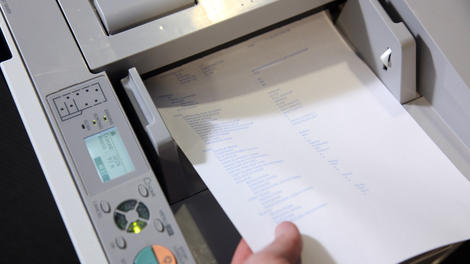
Part of the joy of being a scientist is getting to take a crack at questions that no one has an answer to - questions like "How much paper would you need to print out the entire internet?"
It may sound more like a "thought experiment" you'd hear in a dorm room on 4/20, but University of Leicester students George Harwood and Evangeline Walker published their findings on it in a peer-reviewed student journal run by their uni.
The answer? Apparently 136 billion sheets of standard printer paper. In other words, a lot of trips to Staples.
The duo reached this number by first figuring out that it would take over 70 million sheets to print out all of Wikipedia, then extrapolating from there.
Making that much paper would use 16 million trees - which, to be fair, is only a small fraction of the four hundred billion trees estimated to make up the Amazon rainforest alone.
So could you print out the entire internet onto sheets of paper? Apparently, yes. But should you? That's another question entirely.
Quick, someone figure out how many ink cartridges we're going to need!

Read More ...
In Depth: The Apple Watch's most promising feature is one you can't see

Forcing a change
The Apple Watch has arrived, bringing the latest in wearable technology to wrists everywhere. But what does this device, which some call "revolutionary," do that we haven't already seen before?Some critics say the smartwatch doesn't bring anything groundbreaking to the Apple ecosystem, and actually costs consumers hundreds (or even thousands) of dollars for nothing more than the convenience of displaying push notifications without having to pull out their iPhones.
TechRadar has dived into the utility of the Apple Watch at some length, but there's a bigger question for tech geeks to consider: what does this wearable mean for the future of iOS devices?
There's one Apple Watch feature that's already rumored to be making its way to the iPhone 6S. It's called Force Touch, and it just might be the Apple Watch's most underrated feature.
What is Force Touch?
While the Apple Watch has plenty of features to distinguish it from smartphones and tablets, the biggest difference (aside from its form factor) is found in the controls. While iPhones have been getting bigger, the Apple Watch can come in a frame as small as 38mm. That's forced Apple to rethink how users interact with the device, beyond just swiping and tapping.Part of the solution to the screen size constraints appears in the form of the "Digital Crown" - a home button and dial combo that handles scrolling and zooming as well as fine adjustments. But Force Touch is an even more innovative control mechanism at play on the Apple Watch. Since the display is so small, Apple made its watch capable of sensing whether a user is tapping the screen or pressing down.

It's what makes it possible for app developers to offer a lot of content without cluttering the screen with buttons. Force Touch can be used to customize the watch face, create a new message, or bring up contextual menus in a variety of apps. It's a simple but effective feature that Apple has already put on its 12-inch MacBook and 13-inch Macbook Pro, and it could make the cut on future iPhones, like the iPhone 6S and 7, and even iPads.
How Force Touch works with Apple Watch apps
Force Touch may be an innovative way to control a device without adding more buttons, but it also creates an interesting opportunity for developers in designing apps that work with the new control mechanism.Booking.com's Booking Now app, for example, lets users select the best hotel from a list of nearby results and book using their Apple Watch with a firm press of their finger.
"Force Touch is a really interesting extension to the language of gestures which the iPhone has helped define in recent years," said Stuart Frisby, Booking.com's principle designer in charge of the user experience for the Booking Now app for iPhone and Apple Watch.
"What is most interesting about it is how natural a gesture it is, and how intuitive it feels in usage. We've long had machines which respond differently to different levels of pressure, and so unlike some other parts of the gesture language where users are performing these gestures for the first time, Force Touch feels right on the Apple Watch.

"Having this technology extend to laptops will further cement this as an established interaction pattern, and as designers and developers we always welcome new ways for people to interact with our apps."
Evernote's VP of Mobile Products, Jamie Hull, says the Evernote Watch app uses Force Touch to deliver the core features of the company's popular iPhone app in a way that works for the wearable.
"Force Touch allows the two core functions of Evernote for Apple Watch - new note creation and search - to be accessible from anywhere within the app," she explained. "Users can easily capture a quick thought or find a different note without having to navigate back up to the home screen."
The potential of Apple Watch Force Touch
The possibilities are endless
Hardware is an arms race, and it's highly likely Force Touch will make its way to future iPhones and even iPads as Apple looks to offer more intuitive functions on its devices.Despite its arrival on new Apple hardware, it's important to remember that Android already offers similar functionality to Force Touch by means of the "long press."
On iPhones, a longer press merely acts as an aid in selecting or editing text, managing the home screen and deleting apps. Android users can use a long press in an app to bring up a contextual action bar that developers can tailor to their apps. This is very similar to how Apple is using Force Touch on the Apple Watch.

For Apple, Force Touch is an opportunity to provide more robust interface options and reduce the number of swipes and presses users have to perform to complete basic tasks. The absence of contextual menus in iOS apps is something that people (myself included) transitioning from Android immediately notice. By adding contextual menus with Force Touch, Apple could plug what amounts to a gaping hole in the iOS interface. Right now, if a developer wants to add a feature to an iOS app, they have to complicate the UI by adding a button. Force Touch eliminates that need.
We're still in the early days of Force Touch, and how users receive it will play a huge role in how Apple develops it for the future. That being said, it's an intriguing control system that should impact Apple Watch app development from here on out, not to mention influence the design of iDevices to come.
- Learn more about the iPhone 7

Read More ...
Yes, the Apple Watch will support third-party bands

There's a lot you can do to customize your brand new Apple Watch, including swapping among all the official (and pricey) Apple Watch bands.
But a passage in the recently published Apple Watch user guide suggests that Apple's own Watch bands soon won't be the only ones the company approves of.
"Use only Apple branded or Apple authorized bands," reads a note under the section "band care information."
Well that's quite a hint.
Made for Apple
Apple has one authorization program already for iPhone, iPad and iPod accessories, dubbed "MFi" - Made For iPhone.It's easy to imagine the company doing the same for Apple Watch bands, particularly with some third-party accessory makers already creating their own straps for the wearable.
Apple hasn't announced anything outright, but we've asked the company to confirm, and we'll update this article if it does.
- Check out our full Apple Watch price breakdown

Read More ...
Updated: 5 Best all-in-one PCs

Updated: we've added the stunning iMac with 5K display to our round up of the best all-in-one computers.
All-in-ones are interesting little (or in some cases, big) PCs. They're desktops with integrated displays and are often built with laptop-grade parts. As such they've inherited a bad reputation for poor performance compared to their full-on desktop tower brethren. The stigma is not completely undeserved. Mobile graphics cards and processors have always lagged behind those made for personal computers.
However, the all-in-one form factor has its own advantages. These self-contained PCs take up less room than a giant full-size tower and don't create a giant tangle of USB and display cables. What's more, some all-in-one computers are doubling as giant tablets. When's the last time you were able to pick up your PC and screen off your work desk and ferry it over to work on the couch?
Without further ado, here are the best all-in-ones we've reviewed.
Dell XPS 18

An 18-inch tablet-PC you can take on the go
The Dell XPS 18 blows away any notion that all-in-ones are hulking great machines tied to desks. Essentially a massive touch-operated tablet that turns into a monitor when slipped into its stand, the 18.5-inch device is designed to be used all around the house and is a great choice for online TV addicts. It's a capable PC too thanks to its Intel Core i7 CPU, Intel HD 4400 graphics and 8GB of RAM at the top end.
- Read: Dell XPS 18 review
iMac with Retina 5K display

An expensive luxury, that might just be worth it
While Apple's iMac with Retina 5K display is one of the most impressive all-in-ones around, its price places it out of the reach of most people. Apple's older 27-inch iMac possesses many of its best qualities without the wallet-intimidating price tag. Apple redesigned its iMac line in 2013 to give it an attractive slimline chassis that houses a sharp 27-inch IPS display with a respectable 2,560 x 1,440 pixel-resolution. Excellent build quality means it's a PC built to last, and a fine option for productivity work, watching movies or light gaming.
LG Chromebase

A Chrome OS desktop with simplicity in mind
The LG Chromebase's biggest strength is its simplicity. Essentially a Chromebook crammed into a 21.5-inch 1080p IPS display, the Chromebase runs Google's ChromeOS that lets you do basic PC tasks using Chrome's growing list of web apps. If you have no need for the bells and whistles that come with Windows 8.1 and OS X and don't mind relying on the internet to get things done, the LG Chromebase is an attractive, affordable and convenient all-in-one.
- Read: LG Chromebase review
MSI AG240 All-in-One

Gaming performance in an all-in-one package
All-in-ones tend to be advertised as family-friendly alternatives to desktop PCs due to their suitability for the living room, but the MSI AG240 isn't interested in that. The 23.6-inch AG240 is a gnarly gaming PC in an all-in-one's chassis, combining an Intel Core i7 CPU with a powerful Nvidia GeForce GT860M GPU that's backed up by 16GB of RAM. If you're hankering for a large touchscreen display with the innards of a gaming PC, the dare-to-be-different AG240 fits the bill.
- Read: MSI AG240 review
Lenovo Horizon 2

Lenovo flexible all-in-one is ready to play games
Like the Dell XPS 18, the Horizon 2 is an all-in-one Windows 8.1 PC that can transform into different positions, allowing it to be used as a large tablet. But unlike Dell's machine, the Horizon 2 lets you connect HDMI-equipped devices such as Blu-ray players or games console to be used at its native 1,920 x 1,080 pixel resolution. The XPS 18 packs quite a punch itself thanks to the Intel Core i5 CPU and Nvidia GeForce GT 840A GPU inside that can handle demanding games. It also has the latest 802.11ac Wi-Fi and comes with a capacious 1TB hard disk.
- Read: Lenovo Horizon 2 review

Read More ...
UPDATED: Every single home appliance that works with Apple HomeKit

What is Apple HomeKit?

Update: Our long days of waiting are over, the Apple Watch is officially here. It's worth noting that Honeywell, BMW and Lutron have already released HomeKit apps compatible with the Watch. Keep tuned for more of these products' apps rolling out in the coming weeks.
Announced alongside iOS 8 at last year's Worldwide Developer Conference, Apple's HomeKit software aims to put its own spin on home automation. Using HomeKit as a framework, developers can link up iOS products to communicate with home appliances, such as thermostats, light bulbs and garage openers.
While the initial framework of HomeKit was unveiled alongside the release of iOS in September 2014, manufacturers have been waiting to bring out HomeKit-enabled products to consumers over the course of this spring.
Not sure what home appliances will be compatible with your iPhone, iPad or, one day, the Apple Watch? Fear not, as we've rounded up a list of upcoming (and a few already-released) products expected - or are already confirmed - to bring Apple connectivity to a home near you.
Schlage Sense Door Lock

The Schlage Sense lock system, designed with Apple HomeKit in mind, hopes to do away with keys by allowing you to access your home with your iPhone, iPad, or iPod using Bluetooth technology.
The Schlage Sense allows cutting-edge home owners to set and change entry codes using a dedicated app as well as use an illuminated touchscreen keypad for those of us who are still prone to locking ourselves out of the house at 1 o'clock in the morning.
How much does it cost? TBA
Where can I get it? Schlage has stated that select stores will begin selling the Sense later this year (US only).
Honeywell Lyric Thermostat

The Honeywell Lyric has been out for nearly a year, but is expected to receive an update in 2015 that will allow you to turn your iDevice into a smart remote via HomeKit.
The Lyric's smart technology allows it to adjust temperatures to household activity, controlling energy usage without occupants ever having to leave their beds or set complicated schedules for when they leave the house.
How much does it cost? $279.99. Though, at the time of writing, Honeywell is selling the Lyric for a discounted $249.99 through their website.
Where can I get it? You can order the Lyric online through Honeywell's webpage, or through various home improvement retailers (US and Canada only).
Hue Automated Lighting System

While the Hue lighting system has yet to confirm HomeKit support, manufacturer Philips' past support of iOS devices would suggest that an upcoming crossover is likely.
Philips' Hue high-tech lightbulbs can be controlled with a dedicated app and an electronic hub that can manage up to 50 individual light sources at a time. You can customize color, timing and brightness for each bulb, and by setting and saving various "scenes" smartphone users can simulate a sunrise in the morning or a turquoise-and-hot-pink '80s themed party in the evening.
How much does it cost? Starter Kit is $199.95 (£174.99), with additional standard bulbs starting at $60 (£50).
Where can I get it? Hue products can be found on Amazon and most electronics retailers, though Apple features the product in its own store.
MyQ Garage Opener

The MyQ is an sensor for your garage that includes a Wi-Fi hub and door sensor which can transform a smartphone into a functional garage door opener as well as sync up any pre-existing remotes, should you wish to avoid swapping out your entire garage-opener setup.
In addition to being using a smartphone as a key, the MyQ application, in conjunction with HomeKit, can also send notifications that detail when the garage has been in use, thereby foiling teenagers nationwide hoping to "borrow" Dad's Mustang.
How much does it cost? $129.99
Where can I get it? Chamberlain sells the MyQ through their store, as well as offers a free companion app via the App Store (US and Canada only).
Insteon Hub Pro

Insteon is no stranger to the home automation game, with over 200 different products ranging from thermostats to light switches available to outfit your walls with smart tech.
Several of Insteon's products already talk with each other over Wi-Fi and Bluetooth, but with the HomeKit-compatible Hub Pro, the company's long list of products can be consolidated and controlled with a single iPhone or iPad, synchronizing lights, temperature, smoke detectors and more in one place when it launches later this year.
How much does it cost? $149.99
Where can I get it? Preorder online through SmartHome (US, UK and AU included)
Incipio Power Strips, Outlets, and Adapters

Incipio's series of 'smart plugs' give you complete control over your outlets using Siri commands (i.e., "Siri, turn off the lights") as well as offer proximity detection for when you want certain electronics to turn on when a person enters the room.
Insteon's 2015 lineup of smart plugs is comprised of The Direct Smart Outlet, which plugs directly into a wall socket, a Direct Wireless Smart Lamp Adapter, for attaching to lightbulbs, and a 4-Port Direct Powerstrip, for control over multiple devices.
How much does it cost? $24.99 for Direct Wireless Smart Outlet (pictured left), $24.99 for Direct Wireless Smart Lamp Adapter (pictured bottom-center), and $59.99 for 4-Port Direct Powerstrip (pictured top-right)
Where can I get it? All three products are displayed and priced on Incipio's webpage but have yet to go on sale (US, UK and AU included).
Eve Home Monitoring by Elgato

The Eve home monitoring system by Elgato isn't really a single product. Rather, it's more along the lines of an entire monitoring ecosystem, with a full arsenal of various remote sensors that can detect a range of statistics, from air quality to water use.
While this isn't the first line of home quality products, what makes Eve unique is that the various sensors will be able to connect to an iPhone or iPad using the HomeKit framework to give you a status report of your home, which can be a boon for the environmentally conscientious looking to reduce resource consumption or improve their quality of life.
How much does it cost? TBA
Where can I get it? Elgato still lists the Eve as "coming soon" on its website (US, UK and AU included).
The Withings Home

The Home by Withings is a stationary camera that toes the line between security monitor and user-friendly webcam. It features a high-quality camera that works during the night with time-lapse video recording, a motion sensor, two microphones and even air quality tracking.
Utilizing HomeKit support, the Home can send data based on what it picks up to the user's iPhone, making it as useful for home security as much as monitoring your toddler or pet.
How much does it cost? $200 (£169.95)
Where can I get it? Order online through Withings
iHome SmartPlug

Much like the previous Incipio line, iHome's upcoming SmartPlug intends to put Siri to work by giving HomeKit users voice control over their outlets.
In order to achieve that, the SmartPlug utilizes an application called iHome Control (a new addition to iHome's suite of apps designed for use in concert with their list of audio products) that will lets users group multiple plugs together and control electronics en masse.
How much does it cost? $39.99
Where can I get it? iHome reportedly plans to release the SmartPlug later this Spring. (US and Canada only)
Tempo Environment Monitor

The Tempo by Blue Maestro is a versatile, lightweight device designed to track environmental conditions in a number of personal and commercial situations.
Utilizing either HomeKit or a Bluetooth connection via a dedicated app, Tempo allows you to track the humidity, barometric pressure, temperature and other metrics for a wide range of environments, from your pet lizard habitat to your humidor for questionably-obtained cigars.
How much does it cost? $72.00 (£45.00)
Where can I get it? Order online through Blue Maestro
iDevices Switch

Another contender in the brewing smart plug battle, the Switch by iDevices features similar HomeKit-enabled connectivity between your home and iPhone, utilizing Siri support and a dedicated app that can control multiple electronics remotely without the need for a central hub.
The Switch changes up the formula by featuring a stackable design, customizable light strip, and planned integration with other products that have been featured on this list, such as the Chamberlain MyQ and Schlage door lock.
How much does it cost? $49.99
Where can I get it? iDevices has yet to announce when it will release the Switch (US, UK and AU included).
ConnectSense Smart Outlet

While there are a handful of other uses, it seems most developers are really hooked on the idea of using Homekit as a smart outlet, with ConnectSense bringing its own rendition to the table.
Much like its competitors, the Smart Outlet claims that it will have Siri connectivity, multiple device control, and easy setup. The Smart Outlet also boasts features such as alerts for energy usage, USB ports for simplified charging and ZigBee technology that gives it the ability to communicate freely with other smart devices in the home.
How much does it cost? $79.95
Where can I get it? Pre-order online through ConnectSense (US only)
Velvetwire PowerSlayer Blu

Having your home hooked up to your phone is only convenient if your battery doesn't die before lunchtime. The Powerslayer Blu, while sounding like a late-'70s heavy metal band, is actually a quite contemporary charger from Velvetwire that connects to your device in more ways than one.
The device alerts you when your iPhone battery is fully charged, offers power surge protection and sends reminders if the phone is due for a charge or gets separated from the device, the latter being a godsend for travelers prone to leaving their cables at home before a long trip.
How much does it cost? $59.95
Where can I get it? The PowerSlayer is listed as 'coming out soon' on Velvetwire's site, though its current iteration is built to work only in the US, Japan, Taiwan, Canada, Mexico, and other countries with similar 110v outlets.

Read More ...
Hands-on review: Acer Aspire E14

In the world of affordable laptops, Chromebooks reign supreme over most Windows laptops and has been a wake-up call for manufacturers to step up their game. Cheap notebooks are getting better and better, with the HP Pavilion x360 as one major stand out 2-in-1 laptop on the cheap. Now, in the traditional notebook space, Acer is hoping to catch some eyes with its uniquely crafted Aspire E14.
The first time you touch this 14-inch laptop, you'll immediately notice it is uniquely textured to feel like a piece of fabric. Unlike most other laptops, the Acer Aspire E14 features a 3D printed lid and bottom panel that give it a distinct look and feel of a thousand layered threads.

In reality, though, the laptop's sides are just made of finely extruded plastic that helps make the laptop feel more premium than the usual glossy finish on an affordable notebook. Even better, during all my manhandling with the sample units, it seems the 3D printed material is adept at avoiding greasy fingerprints.
The exterior of the Aspire E14 isn't the only part that's been given a textured finish. The palm rest also features a tiny, diamond cut pattern that felt nice and rippled against my palms. Overall, this isn't a cheap feeling laptop and that comes at a surprise considering it's very low starting price point of $379 (about £250, AU$485).

Standard fare
Aside from the laptop's distinct exterior, pretty much everything else about the Aspire E14 is standard fare. It has a 1,366 x 768 resolution display, though you can upgrade to a higher-resolution 1,080p panel. Acer is also offering up the same display choices for a 15-inch model of its E-series. Meanwhile, users can also pick up a 17-inch variant with either a 1,600 x 900 panel or a full HD display.Additionally, the laptop I was able to play with came packing a 2.2GHz Intel Core i5-5200U processor with 16GB of RAM. The Acer Aspire E14 can also be configured with lower spec processors from Intel's Celeron or Pentium lineups. There's the option to also go with an AMD CPU, from its A4 to A10 ranges.

Born ready for school
Despite the high-end configuration of my hands-on unit, the Aspire E14 still felt a bit sluggish while tabbing between applications. However, one Acer spokesperson was quick to note the units at the New York event were pre-production models, chalking the performance hitches up to the units being on for several hours.One inescapable shortcoming is it has an incredibly glossy screen that reflects light with a very unattractive sheen. The real shame is the screen's reflectiveness prevents you from fully appreciating how colorful it is.

As for handling, the touchpad feels great and clicky with accurate tracking, thanks to Microsoft's hand in developing Precision Touch for all Windows systems. Similarly, the keyboard is more than up to task without the slightest hint of flex, which should help it survive any marathon essay writing sessions.
Early verdict
The Acer Aspire E14 is a compelling package for $379 (about £250, AU$485), but those in the US won't be able to get their hands on it until July. That's a long lead time, and the competition in the affordable laptop space is only mounting with amazing Chromebooks - including the Chromebook 15, which Acer itself made.Those in Europe, the Middle East and Africa are a bit luckier with Acer's E series arriving this May. China will get first dibs Acer Aspire E14 and the rest of the E-Series this month. For now, I'm fairly pleased with the Aspire E14, but I'm skeptical as how well it will perform against equally-excellent Chrome OS options and other affordable notebooks running Windows, such as the 15-inch HP Pavilion.
The Acer Aspire E14 is a step in the right direction, but it will have to be even more than that come July to survive a season ripe for cheaper, snappier Chromebooks.

Read More ...
Nokia really is making another Android phone

Nokia's pretty much been lying low since Microsoft bought its mobile business then dropped the name from its Lumia phones, but a return is now imminent.
There have been rumors since last year that Nokia would re-enter the smartphone market with a new Android phone - its first in some time - and today those rumors are confirmed.
Nokia's president in China, Mike Wang, said the company will use its Chinese factories to build new Android phones in 2016, reports G For Games.
We've asked Nokia to confirm it, but unless the site is way off-base this sounds like the real deal.
Given the focus on China Nokia could be looking to return to the Android market with some low-end or mid-tier devices, but we can only speculate on that front - Wang revealed no further details.
We'll be watching for more word, and in the meantime we'll update this article if we receive confirmation from Nokia that it's really making Android phones for 2016.
- Which version of Android will they run? Android KitKat is still on top

Read More ...
Updated: Android Lollipop 5.0 update: when can I get it?

Google, HTC, Samsung and Sony
It's been a while since Android Lollipop was unveiled, but a lot of your handsets still don't have it, as it's down to individual manufacturers to bring it to their devices.That takes time, but we're finally seeing it trickle out to ever more phones, and many manufacturers have also revealed when they plan to roll out the update.
We're constantly updating this article as new information emerges so read on for details about your specific device and manufacturer and remember to check back regularly.
The good news though is that if you don't have Lollipop for your phone yet you probably will soon. And the even better news: it's worth the wait, as it includes a smorgasbord of new features, a visual overhaul and numerous under-the-hood improvements to make if faster, more efficient and lighter on your battery.
- Read our hands on: Android 5.0 Lollipop review

That's most of the remotely recent Nexus devices accounted for, but it does leave a big question mark against the cellular versions of the Nexus 7 2012 and 2013. Those tablets should see an update at some time, though Google has not indicated when this will be.
Any Nexus devices older than the ones we've already mentioned are all but guaranteed not to get it, meaning that Nexus S owners are plum out of luck. Google has also confirmed that the Galaxy Nexus will not receive the update.
HTC
HTC has been more forthcoming with its update plans than some manufacturers and it's no surprise given how quickly it's started bringing the update to users. In a statement the company originally said:"We will begin rolling out updates to the HTC One M8 and HTC One M7 in regions worldwide within 90 days of receiving final software from Google, followed shortly thereafter by other One family members and select devices."

HTC has made good on its promise for some users, but not for others. The Google Play Edition of the HTC One M7 has got the update, while unlocked and developer versions of the HTC One M8 worldwide and the HTC One M7 in the US have now been given a lick of Lollipop too.
But owners who have a device that's tied to a specific mobile network or those with a One M7 outside the US may have to hold on for a little while longer.
We're going to assume that most other HTC handsets released in the last 12-18 months will also get Lollipop at some point given HTC's commitment to the upgrade cause.
As a general rule the more recent and high profile a device is the more likely it is to get an update. Indeed according to LlabTooFeR the HTC Desire Eye and HTC One E8 will both get updated.
Another leak states the HTC One Mini 2 and Desire 816 will get Lollipop sometime in March or April, while the HTC One Max, HTC One Mini and Butterfly S have an expected Android 5.0 rollout of March-May.
Samsung
Samsung started rolling out Android 5.0 to the Galaxy S5 in mid-January, so most if not all S5 handsets should have it by now.The Android 5.0 update for Samsung's Galaxy S4 handset is now live for owners in India, so we should expect S4 smartphones in other parts of the world to get the update soon. You'll be able to download the 1GB update OTA (over the air) or through the Samsung Kies desktop software.
Russian users of the Galaxy S4 should also be able to grab the update, while various European countries are seeing the update land on the Galaxy S4 LTE-A.
The Samsung Galaxy Note Edge is now also getting the update to Android 5.0 Lollipop, though it's heading to lucky owners in Australia first. The update will be 1.02GB large, so make sure you're on Wi-Fi when you download, and Samsung notes you'll need 3GB of free space.
Hopefully owners of the Galaxy Note Edge in other parts of the world won't have long to wait to get the update.
Owners of unlocked Note 4s in South Korea and Poland are now able to get the update by connecting to a Wi-Fi network, opening up Settings, selecting 'About Device' and tapping on 'Update Now' under the Software Update option.
It's also now started rolling out to the Galaxy Note 3 already according to SamMobile, but only in Russia so far.
To whet your appetite before it lands it looks like photos of the Samsung Galaxy Note 4 running Android 5.0 Lollipop have leaked on to the internet.

The Galaxy Alpha is also likely to get the update soon, according to Danny Dorresteijn, the co-founder of respected fan site SamMobile.
Other Samsung handsets may have to wait a little longer, although we'd expect that most high profile devices released in the last 18 months to 2 years will get the update, including the Galaxy S4 Mini and the Galaxy S5 Mini.
We doubt that the Samsung Galaxy S3 or anything older will get Android Lollipop. It's a device that's already over two years old and some versions of it didn't even get Android 4.4.
Samsung doesn't seem great at updating its tablets either. There's a good chance recent slates like its Note Pro and Tab S ranges and even the Samsung Galaxy Note 10.1 2014 will get Android Lollipop, but anything older or low end is probably not going to happen.
Sony
Sony has openly declared that it will be "bringing Android 5.0 Lollipop to the entire Xperia Z Series."It's even published a full list of handsets which are in line for Android Lollipop, and the Sony Xperia Z Ultra Google Play Edition has already received the update.
Sony started rolling out the Android 5.0 Lollipop upgrade for the Xperia Z3 and the Xperia Z3 Compact on March 16. Owners in the Nordics and Baltics regions will be the first to see the update, with other markets getting it soon after.
Sony also announced that the rest of the Xperia Z series will get the update, and sure enough a new blog post on April 16 claimed that the Xperia Z3 Dual, Xperia Z1, Xperia Z1 Compact and Xperia Z Ultra will be getting Android 5.0 Lollipop in the next few days.
The Xperia T2 Ultra and Xperia C3 are scheduled to follow in a few more weeks, with Xperia devices from 2013, including Xperia Z, Xperia ZL, Xperia ZR and the Xperia Tablet Z, also due for an upgrade sometime in the future.

LG, Motorola, OnePlus, Huawei, Asus and ZTE
LG
If you have an LG G3 then depending on your network you may already have got the upgrade to Android 5.0 Lollipop, as Vodafone in the UK has brought Android 5.0 to all of its branded LG G3 handsets.By now many LG G3 users across Europe should have Lollipop, but the US is still waiting. On January 23 LG teased on Twitter that the update is coming soon, but it's not got more specific than that.

Next up seems to be the LG G Pro 2, which has already got Lollipop in South Korea and is now starting to get it in Hungary according to Phone Arena, so keep an eye on your phone, especially if you're a European user.
LG G2 users might not have long to wait for it either, as LG has indicated that it has scheduled the Android 5.0 Lollipop update for it in the future and indeed it's already in testing according to Italian siteTutto Android, but we haven't heard anything about LG's other handsets.
We imagine that in time the LG G2 Mini will probably get updated too and the LG G3 Beat and LG G3 S are both bound to get updated.
Motorola
Motorola has confirmed that Android 5.0 Lollipop will be coming to a number of its handsets in a post on the official Motorola blog.According to the post Android Lollipop will come to both the first and second generation Moto X, the Moto G, the Moto G 4G and the Moto E.
If you have a first generation Moto G then you might have received a message from Motorola saying that it is "preparing the Android 5.0 Lollipop upgrade for your device...in the upcoming weeks".
If you have got this message make sure you click 'More info', which will allow Motorola to check if your device has the latest version of Motorola Update Services installed. You'll need that before you can download Android 5.0 Lollipop, so follow the instructions to make sure your device is ready.
The update has begun rolling out to Canadian 3G-only Moto G handsets in a limited soak test. If successful the update, which is actually the most up to date version (Android 5.0.2), will then be rolled out to other handsets, so keep an eye out.
It has also been officially announced that the Android 5.0 Lollipop update is being rolled out to Moto E and Moto Maxx devices, though for the moment only in Mexico and Brazil.
Android 5.0 Lollipop has begun rolling out to second generation Moto X and Moto G devices in the US, however it seems like the update could be delayed while Motorola finishes testing the update.
There are also reports from Android Geeks that some first generation Moto G's have received the update. But apparently these early updates are just a limited soak test roll out.
Users who missed out on that shouldn't have to wait long though, as on January 13 Luciano Carvalho, a software engineer at Motorola, confirmed that the Android 5.0 Lollipop is coming to Motorola smartphones "really soon."
Motorola has launched a helpful website where you can track when your handset will get updated to Android 5.0, which is being constantly updated with information about the upgrade process.

Motorola's UI is very close to stock Android as well so it shouldn't be as much work to get new versions up and running and back when the company was owned by Google it was pretty prompt with updates, unsurprisingly.
OnePlus
The OnePlus One is still bizarrely hard to get hold of thanks to the requirement for an invitation (except on Tuesdays), but if you have managed to get your hands on one you'll be pleased to know that the company plans to upgrade it Android Lollipop.Want to know exactly when you'll see Lollipop land on your One? Well good news, as the Chinese firm has confirmed the Lollipop-fuelled CM 12S (Cyanogen Mod) will arrive on or before March 30.

That's not all though, as you'll also have the option to download and install OnePlus' own operating system, OxygenOS, on or before March 27 if you fancy something a bit different.
Huawei
Huawei isn't always the quickest at updating its phones, but the company has announced on its blog that the Ascend Mate 2 will get Lollipop in the first half of the year, while the Honor 6 will also get it in early 2015 according to GizChina.
Its recent flagship, the Ascend P7, shipped with Android 4.4 and we imagine it will probably get Android Lollipop, perhaps in early to mid-2015. We're less sure whether any of the company's other phones will get it, but fingers crossed.
Asus
Asus has confirmed that the Asus ZenFone 5, along with the rest of the ZenFone line, will be updated to Android Lollipop in April. The Padfone S will also be updated around April.
In June Asus will update its Padfone Infinity smartphone. So far though there's been no news about Asus' other devices, such as the Padfone mini, and when they will be updated to Android 5.0.
ZTE
If you're one of the relatively few with a ZTE handset you might be wondering if and when Android Lollipop will be arriving for it. Unfortunately so are we and this is one case where it's very much an 'if' rather than a 'when'.
Fairly recent phones like the ZTE Blade V and the ZTE Blade Q Mini launched with old versions of Android and they haven't been updated, so we're not optimistic that they'll get Android Lollipop.
Nvidia
Nvidia might not be high on most people's radars when it comes to Android devices, but gaming fans might be interested in knowing that the Nvidia Shield already has Android 5.0, as the update began rolling out at the end of November.Nvidia told us that "we've worked hard to support every official Android release in the past, as you can see with our SHIELD portable and our software team is always working hard to bring new features and the latest updates with no delay. We try to make sure that updates come as close to their announcement as possible."
Clearly so far it's achieving that, so if you own an Nvidia Shield tablet you should be able to update to Android 5.0 Lollipop right now.

Read More ...
Hands-on review: UPDATED: Valve Steam Controller

Steam Controller
It's hard to believe how fast time passes. I can still remember the clamor and speculation the day Valve first announced it was not only producing its own operating system based on Linux and a line of gaming PCs - called Steam Machines - but would release its own controller as well.Like the original designs for the Steam Controller, SteamOS was interesting, if a little confusing at first. It's been over two years since that day, and in that time we've seen exactly one Steam Machine come to market (the Alienware Alpha) with 14 more en route for the holidays.
The delay has been upsetting, to say the least. If Valve intends to follow through with its plans for a controller, it will have to strike soon. Valve is on a deadline.

It's not all bad, though. The delayed release has given Valve time to refocus the controller, to redesign it with functionality - rather than novelty - in mind.
Design
Where the original version we saw had four square center buttons and lacked face buttons, the latest (and what Valve is calling the final design) is reverse. The gamepad has 13 buttons, with seven on the front face and six in the rear.The front left is loaded with a control stick and haptic feedback-enabled touchpad, while the right side sports four face buttons - A, B, X and Y - as well as another touchpad. In the middle are the Steam jewel, start and back buttons.

The vast majority of the controller's face is dominated by two circular pads, wired for haptic feedback. The left pad, inscribed with a d-pad, could be used for custom commands - calling in airstrikes in Battlefield, for example - while the right stick seems solely used for looking around.
Spin it around to the back and you'll find a set of mushy triggers, two bumpers and a hidden set of buttons where your fingers rest on the inside of the wings. The latter are something commonly found on aftermarket controllers from PDP or Mad Catz, but never in first-party pads.
What they might do, however, is a complete mystery. They could just be nothing more than another set of inputs. But the best guess I have so far is that they could serve as a set of programmable macro buttons used to quickly access a string of commands.
Performance
During a closed-door demo at GDC 2015, I was able to play the pre-alpha version of the new Unreal Tournament using the controller.Surprisingly, the controller fared better than expected. Using a touchpad to aim instead of a second stick took some getting used to, but with the help of what I believe was auto-aim assistance, I pulled through the fight with a slightly positive kill-to-death ratio.

It wasn't perfect, however, and definitely didn't have the same intuitive feel that an original PlayStation controller had all those years ago.
Of course, one issue with my experience could've been the sensitivity on the right thumbpad. The sensitivity was cranked up to one of its highest settings at the beginning of the match, causing me to whip around left and right with the lightest touch. Once adjusted, it started to feel better and I started to rack up a kill or two to make up for the lost time.
I left feeling that the Steam Controller perhaps isn't suited for shooters like Unreal Tournament and that its greatest strengths - its touchpads - still lie untapped because developers are shoehorning old control schemes into a new product.
Crowdsourcing control
While Valve's Steam Controller will likely be better suited to certain genres over others, that doesn't mean that someone won't come up with something brilliant and game changing.When the Steam Controller launches, players will be able to create their own custom control schemes, save them to their Steam profiles, export and share them with the Steam Community. Other Steamers will be able download these player-made setups, and Valve will highlight the most popular ones in the community.
It could be that a fan-made setup will beat out an official one. How's that for player feedback?

This also removes the impetus from developers to come up with the best control scheme right out of the gate - a boon for them while we're all still getting used to the new technology.
Is the Steam Machine revolution still on schedule?
Quite frankly? No. But while it's disappointing to see delay after delay, the extra time in the oven has only helped the final product. (And hey, at least we have a release window.)Using this version of the Steam Controller for a first-person shooter felt better than I had expected, though there's still some tweaking to be done before we see the final product.

That said, the additional buttons along the bottom of the controller may prove useful for increasing or decreasing look sensitivity in-game or doing something completely unpredictable.
There's still plenty of work to go before the full systems launch in November 2015, but each outing brings with it another improvement. That said, what you see here is awfully close to what will ship this autumn, I'm told. So, if you don't dig it now, your mind may already be made up.
Early verdict
The Steam Controller is a living, changing peripheral that's just as likely to change the way you game as it is to frustrate you when using it for the first time.A mix of slightly quirky design tweaks, like underside paddle buttons and more standard set of shoulder buttons, keep us on our toes. But at the same time, the design overall trends closer and closer to something we've seen before.
However, if it can't compete with the mouse and keyboard, there's no way the Steam Controller will become the standard input (or even an ideal alternative) for PC gaming in the living room. If that's the case, either PC gaming will remain at the desk or the mouse and keyboard will find a way to fit in on the couch.
The only thing that's certain, at this point at least, is Valve is willing to think outside of the (orange) box.
…
Alex Roth originally contributed this hands on review

Read More ...
ARM unveils small-but-powerful Cortex-A72 CPU

ARM has revealed more details on its next generation of its high-performance CPU in the shape of the Cortex-A72 designed for mobile devices.
The company used its annual Tech Day event to introduce the replacement for the Cortex-A57 that will bring faster and more efficient performance into a CPU that is much smaller than its older brother, according to Ars Technica.
Less is more when it comes to ARM's new range and it claims that the smaller area and reduced power consumption results in a clock speed of 2.7GHz that is around 10% higher than the A57's 2.5GHz. That's not all as it also offers an 18-30% better performance per watt score than the A57.
"Our focus on A72 was to achieve next-gen performance and pull a ton of power out of the design. We did that in spades," said Mike Filippo, ARM's chief architect for Cortex-A72.
Firmly targeted at the 14nm and 16nm next gen process nodes, ARM has also engineered branch prediction that outperforms the A57 by 20%, a completely reworked 3-way L1 cache and a much smaller, reorganised dispatch unit.
Flattened by Broadwell
What we really want to know is how is stands up against Intel's Broadwell CPU and, according to ARM, it isn't good when there's power by the bucket load and in that instance it was firmly trounced by Intel's chip. Although when the power and thermal envelope are dulled down the Cortex-A72 almost catches up with the Core M. That's according to ARM's figures at least.We first heard about the Cortex-A72 back in February and ARM predicts that the first 16nm FinFET mobile SoCs with the CPU on board will ship at some point in 2016.
- Check it out: Who wants to squeeze ARM out of server market?

Read More ...
This was the one and only Apple Watch launch line in the US today

Behold, this is an extremely rare sighting: an Apple Watch launch line, a species once thought to be entirely extinct.
In their natural habitat, a sidewalk outside of a posh storefront, these Apple consumers laid in wait for up to 25 hours to prey on the first iPhone-compatible smartwatch from Apple.
Ironically, the Apple Watch battery life wouldn't have lasted the entire time if they had been wearing one.

We caught up with the one remaining herd in the US outside of Maxfield Los Angeles, a fancy Chanel Fashion store in Hollywood, where they braved the high Apple Watch price.
The leader of the pack, Richard Ryan of Tennessee, said he arrived at 8:00 am the previous morning. The store didn't open its doors until 9:00 am today, coinciding with the Apple Watch release date.

Ryan said he ended up with the stainless steel Apple Watch, noting that he would have gotten an 18-karat gold Apple Watch Edition for his YouTube channel if it was available. This store had the Sport and normal Watch available.
Apple Watch launch subdued and unusual
There are only six stores worldwide selling the Apple Watch today, and none of them are an official Apple Store. Other cities include Tokyo, London, Paris, Berlin and Milan.Like Maxfield, all are upscale fashion locations everyday Apple fans don't shop at. Most pre-orders went through the Apple Store online and shipped starting today.

There were about 250 people in line when this Los Angeles store opened, a fraction of count we saw all over the country when the iPhone 6 and iPhone 6 Plus launched last year.
Maxfield employees tried to drum up the excitement, but they were no Geniuses at it. None would confirm how many units were in stock, either.

Apple has hinted that this subdued launch launch is a temporary policy, which is good news for Apple diehards who want to camp for the iPhone 7.
- See all 38 Apple Watch bands in this handy guide

Read More ...
How to reclaim 5 missing features on the Galaxy S6

Intro and storage
Since Samsung launched its Galaxy S6 and Galaxy S6 Edge flagships, users have bemoaned the company's decision to remove advance features like a memory card slot, removable battery and waterproofing.In addition to the three features above that did not make the cut in the transition from last year's Galaxy S5 to this year's Galaxy S6, Samsung also dropped support for USB on-the-go (USB OTG) and MHL. The former feature allows business users to access USB flash drives and connect peripherals like keyboards and mice to their phones for enhanced productivity on the go, while the latter allows the phone to connect to an external display or projector.
Even though these features may be gone on the Galaxy S6, you can still regain expandable storage, add battery power, take the Galaxy S6 for a swim, project your display and expand your productivity with these simple solutions:
1. Reclaim your storage
Just because Samsung ditched the microSD card on the Galaxy S6, you don't need to buy the costly edition with 128GB of storage built-in.A convenient way to access, store and save files is the cloud. With cloud solutions - such as Google Drive, Microsoft OneDrive, Dropbox and Box - users will always have access to their documents, photos and videos wherever they have access to the internet. If you like to document your workflow through photos, most of these services include automatic photo backup over Wi-Fi or 3G/4G.
For local storage solutions, wireless drives are a great option. You won't have to worry about the cloud being hacked, and even in the basement of your office building where no wireless signal can penetrate, you'll still be able to access your most important documents or treasured photos.
Essentially, a wireless drive creates an ad-hoc wireless network and transforms itself to a battery-powered, portable media streamer.

Examples of wireless drive include 32GB SanDisk Connect Wireless Media Drive ($80, £65, AU$103), the 16GB SanDisk Connect Wireless Flash Drive ($50, £40, AU$65), the 500GB Seagate Wireless Mobile Storage ($100, £67, AU$128) and the 2TB Western Digital Wireless MyPassport Drive ($200, £133, AU$257).

With the SanDisk Connect Wireless Media Drive, you even expand the built-in memory of the drive with an SD card. For high capacity, you can even use SanDisk's 200GB capacity microSD card, with adapter, to the media drive. That's more than six times the capacity of the 32GB Galaxy S6 on the memory card alone.
Best of all, you can add and swap multiple memory cards to grow your storage needs on a wireless media drive.
Using a wireless drive means you'll have to charge the battery on your Galaxy S6 or S6 Edge every night, and also the battery on your media streaming device. For the added effort, however, if you carry multiple devices, you'll be able to simultaneously share and access the contents on the wireless drive with a phone, tablet and laptop.
Road warriors can meet in a hotel conference room and they will all be able to access the files on the drive. Many of these drives can stream content to a maximum of ten devices simultaneously. This means I can listen to stored music, my colleagues can watch a video file, while an editor at TechRadar can view photos and other documents on the drive at the same time.
Battery, waterproofing
2. Refuel and reduce range anxiety
External battery packs and battery charging cases for smartphones have made the removable battery an obsolete requirement for long work days.Although a removable battery, a battery pack and a battery charging case all serve the same purpose to charge your smartphone and reduce range anxiety when you're away from a power outlet, there are benefits to having external batteries.
Having a removable battery on the Galaxy Note 4 and Galaxy S5 are convenient, as I am able to slip a spare battery into my pocket and keep the form factor unaffected. However, when I need to swap batteries, my workflow is interrupted.
This means the phone powers off, my call is terminated and all my apps vanish.

With an external battery pack or a battery case, it's more like having hot-swappable batteries on laptops. Just before the internal battery is depleted, I can just plug in the external battery or switch on the battery on my charging case, and I can keep going - my calls won't terminate when the internal battery depletes and my apps won't vanish on me. I can continue to "hot swap" my batteries as well if I have multiple battery packs or charging cases.
Samsung's 3,100mAh battery pack, which provides more than a full charge to the Galaxy S6 or Galaxy S6 Edge, costs $15 (£10, AU$20) on Amazon, and there are a range of third-party cases from a variety of different manufacturers in different capacities. Larger battery cases are less portable, but come with a higher mAh rating, which could deliver two, three, or even ten times the charge of a normal smartphone.

Mophie's Juice Pack typically runs around $100 (£70, AU$130), depending on capacity, and offers between 80% to 120% of the device's charge.
A Juice Pack not only offers extra battery life, but it also adds impact protection to the device. Similar to a hard case for a phone, battery cases like the Juice Pack can also shield the device from minor drops.
Amazon, eBay, and other resellers also carry Mophie alternatives - most are made in China, so quality will vary - that are more modestly priced, but lack Mophie's brand recognition. These start at around $30 (£20, AU$40).
Still, given the built-in wireless charging capabilities of the Galaxy S6, a third option is to carry a Qi-enabled battery. These are more expensive than battery packs, but they're convenient, as you don't need to also carry a charging cable for your phone.

About the size of a small, flat brick, Qi-enabled batteries have wireless charging built in so you can set your phone on top of the battery, and your Galaxy S6 will automatically begin charging.
Various after-market solutions are available on Amazon and start at $30 (£20, AU$40). The LUXA2 comes with Qi built-in and a 10,000mAh capacity battery for $70 (£45, AU$90). That's almost four times the 2,600mAh capacity of the battery in the Galaxy S6.
3. Conquer aquaphobia
Even though the Galaxy S6 and Galaxy S6 Edge do not have the water resistant rating of last year's Galaxy S5 and Galaxy S5 Active models, early consumer tests show that a splash or two won't hurt. If you're more accident-prone, then a waterproof case will be a great option to conquer your fear of water.It might be easier to find a custom-fitted waterproof case for the Galaxy S6 than a Galaxy S6 Edge given the latter's dual curved screen edges. Lifeproof, which has been a popular option for iPhone users, will release a version of its waterproof case for the Galaxy S6.

The $80 (£55, AU$105) Lifeproof Fre for the Galaxy S6 offers a hard case for impact resistance in case the phone is dropped onto a hard surface and comes with internal rubber gaskets to seal the phone off from liquid environments.
I've used prior versions of Lifeproof's solution on older iPhone models, and they're great for the pools in summer, perfect for reading ebooks with my iPad in the bathtub, and excellent for those who have butterfingers, in case you want to rescue a fallen phone from the sink or toilet.
There are also less expensive third-party options on Amazon and eBay, but quality will vary.

The water resistant SUP case for the Galaxy S6, priced at $20 (£15, AU$25), seems to be getting high reviews on Amazon currently. Another place to search would be eBay.
A potential downside with many of these cases is that they come with a screen film, which could degrade the sensitivity of your touchscreen. Another issue is that they cover the ports, making them difficult to access, and the speaker may be covered so audio output may be muffled.
For the Galaxy S6 Edge, a waterproof pouch may be your only option. I've used these before for kayaking and rafting, and they do the job of keeping my gadgets dry, but lack the elegance of a form-fitted case.
Many of these pouches retail for under $20 (£15, AU$25) on Amazon, and you should do your research to find trusted sellers and brands. The most important thing is to test the pouches first before placing your phone in it and submerging your $600 (£400, AU$775) investment into water.
MHL and USB OTG alternatives
4. Project what you see
Even though Samsung ditches MHL on the Galaxy S6, connecting your smartphone to a larger display is still an easy task with the right accessories.With a $30 (£20, AU$40) Chromecast, you can project your phone's display wirelessly, without the tangles of cords and adapters, to a larger screen. You'll be able to mirror your phone's screen to get a larger projector, large display, or TV.

The Chromecast dongle is highly portable and setup is a breeze. Many offices are now equipping their televisions with Chromecast, but if yours doesn't, you can slip one into your briefcase or bag for travel.
If you need a more permanent solution for your office or conference room, Android TV is a great option. As a set-top box, Android TV delivers more functionality than Chromecast, but is less mobile.

Devices like the Nexus Player ($99, £65, AU$130) and the Nvidia Shield ($199, £130, AU$255) to run apps, stream video and play games on your TV in addition to projecting the content on your phone to your TV.
Additionally, for HDTVs that come with wireless display support, Galaxy S6 users can also mirror their screens using Miracast technology without any dongles or boxes attached.
Ultimately, with your Galaxy S6 connected wirelessly to a display via Chromecast, and with a Bluetooth keyboard and mouse attached, you have a mobile, pocket-sized workstation where you can create and edit documents, spreadsheets, and slides, edit photos and trim videos, reply to emails and manage your digital files.
5. Extend your productivity
On the Galaxy S5, a USB OTG dongle allowed me to plug in a USB keyboard, mouse or flash drive, essentially turning my smartphone into a mini computer. However, the feature has been removed on the Galaxy S6, but you can still find solutions that offer comparable functionality to accessing files on a USB flash drive or connecting PC peripherals.One solution is to use a portable wireless media streamer. With this alternative, users can plug their flash drives into the media streamer. Once plugged in, you'll be able to connect your Galaxy S6 or S6 Edge over an ad-hoc Wi-Fi network to the streamer to access the contents of your USB flash drive.
If you have multiple devices, many media streamers can stream to multiple devices so you and your colleagues can collaborate and work off of the same files on the same flash drive with a single media streamer. It's like a portable personal hotspot to connect to your files, rather than the mobile internet.
Kingston's MobileLite G2 ($35, £40, AU$65) on Amazon is one example of a media streamer, allowing you to plug in either a USB flash drive or a memory card to share files.

The SanDisk Wireless Connect Flash Drive ($50, £40, AU$65) is more like a traditional USB flash drive, but comes with wireless capabilities built-in. It has a full-size USB tip so you can connect the drive to a PC or Mac to transfer or share files over a "wired" connection, and then you can share those files to your phones and tablets over a Wi-Fi signal.
With Bluetooth HID support on Android, users do not have to plug a wired USB keyboard mouse if they want a PC-like experience to type out documents or quickly respond to emails.
Conclusion
Conclusion
Even though it may seem that the Samsung Galaxy S6 seems to be "lacking" many prosumer features, the reality is that we're moving toward a world that is increasingly dependent on wireless technologies.Wireless media drives are replacing USB OTG, Chromecast is leaving MHL in the past and wireless flash drives add utility to storage by making content sharable between local devices.
Connected wirelessly to a Chromecast on a large HDTV or projector, the Galaxy S6 becomes the ultimate mobile workstation when you add in a Bluetooth keyboard and mouse, set it on top of a wireless battery charger and pair a wireless flash drive for expandable storage.
In this vein, the Galaxy S6 is doing for Android what the MacBook is for the notebook. Both represent a bold leap into the future of mobile computing by abandoning legacy support. Even though it may take an additional year or two to change mindsets, wireless is playing an increasingly important role for mobile storage, power and expansion.
- Read our review of the Galaxy S6 and Galaxy S6 Edge

Read More ...
Google Glass 2 is coming soon, and it should be très chic
The biggest rumor we've heard about the next Google Glass is that it will look less like a robot's monocle and more like normal glasses, but that might not be entirely true.
In fact, Google Glass 2 might actually be designed by Italian eyewear maker Luxottica, which could make the wearable look like a very fancy pair of glasses and not a normal one at all.
This news comes straight from Luxottica CEO Massimo Vian, who said in Milan that its new Google Glass will be out soon, reports the Wall Street Journal.
That's far more specific than the last concrete word we got on Google Glass's future, when the company promised that the next version of Glass will appear "when it's ready."
We also heard that a second-gen Glass headset was being tested by a select few all the way back in February, but there was no hint of Luxottica's involvement until now.
Glass hasn't yet made a splash with any but the most hardcore tech fans, but the eyewear designer could provide just the spark it needs to catch on. Provided Google can sort out some of its other issues, at least.
- The Apple Watch has arrived

Read More ...
Updated: Google Maps has just turned into one big Apple troll fest

Earlier today if you headed into Google Maps and look for the city of Rawlpindi in Pakistan you'd have found a rather strange image.
Just to the south of the city stood the iconic Android robot logo peeing on its main competitor, the Apple logo.
Though it's located in a base terrain area, which the public shouldn't be able to edit, Google said in a statement (see below) that the addition was "user-created content."
If you headed east for a couple of miles you'd also have found an image that stated "Google review policy is crap" with a sad face to the side.

Now the internet is ablaze with those hunting for more hidden messages from the hacker but so far nothing else has been found. The images you see here have been removed.
Update: Google said soz for the images in a statement sent to the Washington Post, and indicated a user created them, not an employee.
"We're sorry for this inappropriate user-created content; we're working to remove it quickly," Google's Mara Harris wrote in an email to the publication. "We also learn from these issues, and we're constantly improving how we detect, prevent and handle bad edits."
This case seems to be an outlier as Harris wrote most users editing Google Maps come up with "great contributions."
Some would argue this is pretty great in its own right.
- Check out Edward Snowden's new shop in the White House according to Google Maps.

Read More ...
Available Tags:Apple , Lenovo , Windows , Mac , Google , Acer , Nokia , Android , Valve , Steam , CPU , Galaxy ,


No comments:
Post a Comment