

Samsung Releases Statement on 840 EVO Performance - Another Fix Is In the Works

In October, Samsung released a tool to address a slowdown in 840 EVO Sequential Read speeds reported by a small number of users after not using their drive for an extended period of time. This tool effectively and immediately returned the drive’s performance to normal levels. We understand that some users are experiencing the slowdown again. While we continue to look into the issue, Samsung will release an updated version of the Samsung SSD Magician software in March that will include a performance restoration tool.
As a reminder, the original 840 EVO performance degradation issue was a result of a combination of NAND cell charge decay and NAND management algorithm issues. While NAND cell charge decay is a normal part of NAND operation, it was something Samsung’s more complex TLC NAND was more sensitive to. Meanwhile Samsung’s algorithms, when faced with this decay, erroneously went into an aggressive read-retry state, which is ultimately what lead to the drop in read performance. Samsung’s fix in turn addressed their NAND management algorithm, and at least at the time was thought to be a permanent fix for the issue.
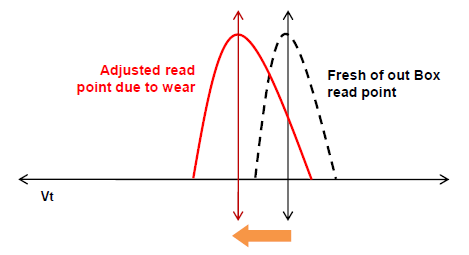
These more recent performance issues and now Samsung’s statement make it clear that the issue is unfortunately not as fixed as Samsung initially thought it would be. At this point Samsung isn’t saying what the root cause of this latest issue is, but it’s likely that this is a continuation of the original issue. In any case the upshot is that Samsung believes the issue can be corrected, however given the last fix it’s not clear whether this next fix will be any more a permanent fix than the last one.
Read More ...
NVIDIA Mobile Overclocking - There and Back Again
NVIDIA for their part has had a few questionable posts as well, at one point stating that overclocking was just “a bug introduced into our drivers” – a bug that has apparently been around for how many years now? And with a 135MHz overclocking limit no less…. But there’s light at the end of the tunnel, as NVIDIA has now posted that they will be re-enabling overclocking with their next driver update, due in March. So that’s the brief history, but let’s talk about a few other aspects of what all of this means.
First and foremost, anyone that claims enabling/disabling overclocking of mobile GPUs is going to have a huge impact on NVIDIA’s bottom line is, in my view, spouting hyperbole and trying to create a lot of drama. I understand there are people that want this feature, and that’s fine, but for every person that looks at overclocking a mobile GPU there are going to be 100 more (1000 more?) that never give overclocking a first thought, let alone a second one. And for many of those people, disabling overclocking entirely isn't really a bad idea – a way to protect the user from themselves, basically. I also don’t think that removing overclocking was ever done due to the lack of competition, though it might have had a small role to play. At most, I think NVIDIA might have disabled overclocking because it’s a way to keep people from effectively turning a GTX 780M into a GTX 880M, or the current GTX 980M into a… GTX 1080M (or whatever they call the next version).
NVIDIA’s story carries plenty of weight with me, as I’ve been reviewing and helping people with laptops for over a decade. Their initial comment was, “Overclocking is by no means a trivial feature, and depends on thoughtful design of thermal, electrical, and other considerations. By overclocking a notebook, a user risks serious damage to the system that could result in non-functional systems, reduced notebook life, or many other effects.” This is absolutely true, and I’ve seen plenty of laptops where the GPU has failed after 2-3 years of use, and that’s without overclocking. I've also seen a few GTX 780M notebooks where running at stock speeds isn't 100% stable, especially for prolonged periods of time. Sometimes it’s possible to fix the problem; many people simply end up buying a new laptop and moving on, disgruntled at the OEM for building a shoddy notebook.
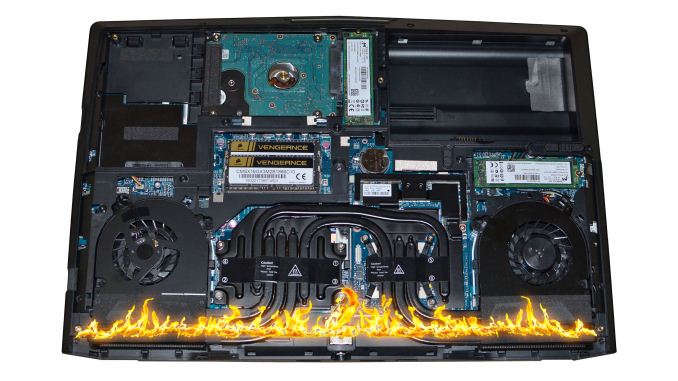
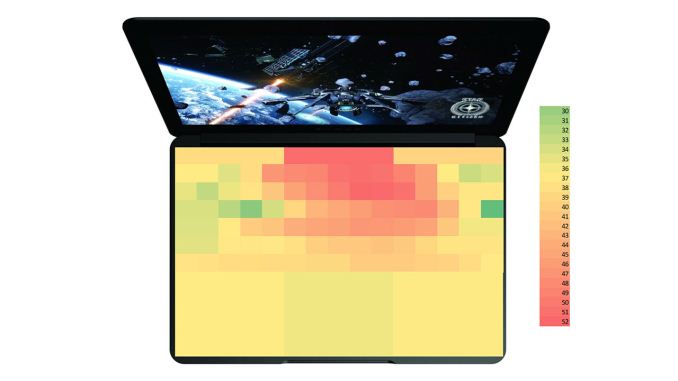
For users taking something like a Razer Blade and trying to overclock the GPU, I also think pushing the limits of the hardware beyond what the OEM certified is just asking for trouble. Gaming GPUs and “thin and light” are generally at opposite ends of the laptop spectrum, and in our experience the laptops can already get pretty toasty while gaming. So if you have a laptop that is already nearing the throttling point, overclocking the GPU is going to increase the potential of throttling or potentially even damage the hardware. Again, I’ve seen enough failed laptops that there’s definitely an element of risk – many laptops seem to struggle to run reliably for more than 2-3 years under frequent gaming workloads, so increasing the cooling demands is just going to exacerbate the problem.
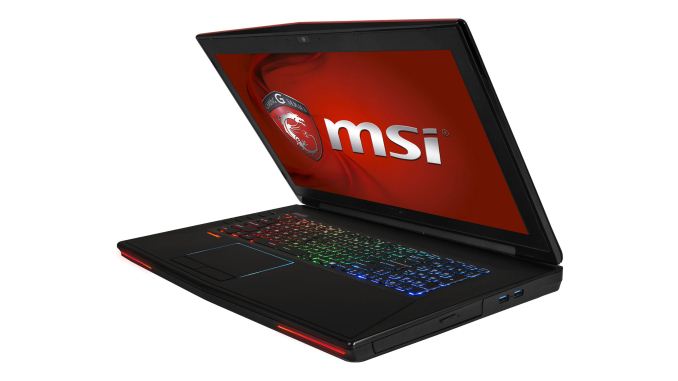
On the other hand, if you have a large gaming notebook with a lot of cooling potential and the system generally doesn't get hot, sure, it’s nice to be able to push the hardware a bit further if you want. Built-in throttling features should also protect the hardware from any immediate damage. We don’t normally investigate overclocking potential on notebooks as it can vary even between units of the same model, and in many cases it voids the warranty, but enthusiasts are a breed apart. My personal opinion is that for a gaming laptop, you should try to keep GPU temperatures under 85C to be safe (which is what most OEMs tend to target); when laptops exceed that “safe zone” (with or without overclocking), I worry about the long-term reliability prospects. If you have a GPU that’s running at 70C under load, however, you can probably reliably run the clocks at the maximum +135MHz that NVIDIA allows.
We’re currently in the process of testing a couple of gaming notebooks, and given the timing of this we’re going to use this as an opportunity to try some overclocking – with the older 344.75 drivers for now. We’ll have a separate article digging into the overclocking results later, but again I’d urge users to err on the side of caution rather than trying to redline your mobile GPU. What that means in practice is that mobile GPU overclocking is mostly going to be of use for people with larger gaming notebooks – generally the high-end Alienware, ASUS, Clevo, and MSI models. There may be other laptops where you can squeeze out some extra performance (e.g. some models with GTX 850M/860M, or maybe even some older GT 750M laptops), but keep an eye on the thermals if you want to go that route.
Read More ...
Available Tags:Samsung , NVIDIA ,


No comments:
Post a Comment