

Fuji's new XQ2 high-end compact is easy on the pocket, literally

The Fuji X30 is the company's top high-end compact with a zoom lens, but its 2/3-inch CMOS sensor also appears in its much smaller stablemate, the XQ1 – and now there's an updated version.
The XQ2 has the same 12-megapixel X-Trans sensor and 4x 25-100mm equivalent zoom lens, but adds Fuji's latest Classic Chrome film simulation mode for rich colours reminiscent of old-fashioned transparency film.
The X-Trans sensor design has a unique, 'random' (not really, but it amounts to the same thing) arrangement of red, green and blue pixels which controls moiré (interference effects) with fine patterns and textures so that the sensor doesn't need an anti-aliasing filter. These filters control moiré by slightly blurring the fine detail, so if they can be removed the fine detail is just that little bit sharper.
The same but better
The XQ2 also has a new Multi-area AF mode that can automatically select up to 9 AF areas across the frame, but otherwise it looks – at first glance – pretty much the same as the XQ1, right down to the size and weight.The 4x zoom retracts almost flush with the camera body when it's switched off and covers a good focal range, but although it offers an f/1.8 maximum aperture at the widest focal length, this shrinks to a somewhat disappointing f/4.9 at full zoom.

There's no room for a viewfinder, but there is a 3-inch, 920,000-dot display on the back of the camera. You get full program AE, aperture-priority, shutter-priority and manual modes, together with Fuji's highly-rated Film Simulation modes and a selection of Advanced Filter effects such as Toy Camera, Dynamic Tone, Partial Color and more. You can shoot raw files and process them later on your computer, or use the XQ2's internal raw processing options.
Accessories and availability
The XQ2 will be available in black, silver and white, and there will be cute black or brown leather half-cases to go with it. You can even get an underwater housing for shooting at depths of up to 40m.The XQ2 goes on sale in March 2015 and will cost £330 (about US$503, AU$617).

Read More ...
Fuji commits to low-cost CSC market with X-A2 and updated lenses

Fuji has produced a whole series of highly successful series of compact system cameras based around its X-mount interchangeable lenses. The top models in the range, including the X-Pro1 and X-T1, have been the headline grabbers, but at the other end of the scale the lower-cost X-A1 and X-M1 have offered an affordable introduction to Fuji's new camera system.
We predicted in our Camera Rumors 2015 article that Fuji would replace one or both of these cameras in 2015, and we opted for an X-M2 – we were half right!
In fact, Fuji has opted to replace the cheapest model, the X-A1. This camera is the only one in the range to use a regular CMOS sensor rather than Fuji's more advanced (and more expensive) X-Trans design.
The new X-A2 also uses this regular CMOS sensor design, which suggests that it's an economic decision rather than a technical one. As it happens, the X-A1 produced great quality images without the X-Trans sensor, so the users this camera is aimed at are unlikely to notice any real performance shortfall.
Tilt that screen
The original X-A1 had a tilting screen, but the X-A2 extends the tilt angle to a full 175 degrees to make it easier to grab selfies. When you tilt it fully, this activates the X-A2's new Eye-detection AF mode which focuses on your subject's eyes – the one part of any portrait that must be in focus.
The X-A also has a Multi-Target AF mode, though we have no further details on this at the moment, and an Auto Macro AF mode. This is backed up by a new version of the 16-50mm kit lens which can focus right down to a distance of 15cm – that's just 7cm from the tip of the lens, and around half the minimum focus distance of the average DSLR or CSC kit lens.
Fuji is clearly targeting the point-and-shoot market with the selfie mode, but this doesn't mean the X-A2 is just a simple snapper – it's not. It has full program AE, aperture-priority, shutter-priority and manual exposure modes, twin command dials for adjusting shutter speed and lens aperture independently, for example (a rarity on an entry-level camera), and Fuji's full range of Film Simulation modes.
The X-A2 (and X-A1 before it) also benefit from Fuji's effective dynamic range expansion options which, when activated, help its cameras to capture a much wider brightness range than normal.
Classic Chrome and Advanced Filters
The X-A2 also comes with the new Classic Chrome film simulation mode just introduced on the X100T and updated X-T1. This produces the deeper colours and richer tones associated with old-fashioned transparency film, and these film simulations are one of Fuji's strengths.You can also apply a range of Advanced Filters, including Toy Camera, Miniature, Dynamic Tone, Pop Color, SFocus, High Key, Low Key and Partial Color effects – and you can combine two images with Multiple Exposure mode.
Wi-Fi is built in and it works alongside the free Fujifilm Camera App for iOS and Android for one-touch image transfer to your smart device and Fuji's Instax Share SP-1 smartphone printer.
You'll also be able to get accessories including leather cases, a screw-on grip and screw-on grip and 11mm and 16mm macro extension tubes to extend the X-A2's close-focusing abilities even further. It will also accept other lenses from the Fuji X-mount range.
The X-A2 and new 16-50mm kit lens will be available from March 2015 in two colors, black or brown, at a price of £450 (about US$686, AU$841)
XC 16-50mm f/3.5-5.6 OIS II
This is a new version of Fuji's existing 16-50mm (24-75mm equivalent) kit lens for the X-A1. The 'XC' denotes a lighter, more compact design optimised for Fuji's smaller X-mount compact system cameras, but it's fully-interchangeable with Fuji's regular XF lenses.
The key difference is the shorter minimum focus distance of just 15cm. It has 12 elements in 10 groups with 3 aspherical elements, 1 ED element and 7 rounded diaphragm blades, which is the same as the old lens.
XC 50-230mm f/4.5-6.7 OIS II
Fuji has also updated its XC-series 50-230mm (76-350mm equivalent) telephoto zoom. Again, this is designed specifically for Fuji's smaller and lighter CSC models, but can be used with any X-mount camera.
The basic specifications are unchanged – 13 elements in 10 groups, with 1 aspherical element and 1 ED element – but Fuji has improved the optical image stablization to offer a 3.5-stop anti-shake capability rather than the old lens's stops.
The new 50-230mm lens will go on sale in March 2015 at a price yet to be announced.

Read More ...
GoPro bringing high-quality action cam footage to live TV

Just as Apple is rumored to be working on its own GoPro rival, GoPro itself has announced a very cool new initiative: bringing footage from its action cams to live TV.
GoPro has partnered with broadcast tech company Vislink to produce small transmitters, more powerful than the ones that already let GoPro users stream their action to the web, that can broadcast footage to TV in real-time.
The small and power-efficient transmitters will be attached to GoPro Hero4 cameras so that wearers can send out TV broadcast-quality video live.
The tech will be used for the first time during ESPN's Winter X Games 2015 in Aspen this month, and the Hero4 with the transmitter inside will go on sale later, this Spring.
The GoPro Hero 4 with the transmitter will likely cost more, and the company will announce pricing details as its commercial release gets closer.
- Has the PS4 won this generation already?

Read More ...
Hyundai unveils truck compact crossover

Not content to rest on its laurels following the release of the snazzy Genesis, Hyundai has unveiled arguably its most significant model in years.
Looking like a cross between a futuristic beach mobile and a tough working truck, Hyundai caught everyone by surprise at the Detroit Auto Show with its Santa Cruz concept, which is unlike anything we've seen from the South Korean manufacturer before.
Powered by a 2.0-litre turbo diesel engine, the Santa Cruz delivers around 140kW and 407Nm of grunt, and the inclusion of Hyundai's HTRAC all-wheel drive system means there's plenty of off-road potential.
Work hard, play hard
Those looking for a working vehicle will probably hesitate at the lack of space in the Santa Cruz's tray, although it features a tailgate extension system that can temporarily accommodate larger objects.While we can't see Hyundai taking on big trucks like the Ford F-150 in the US or Toyota Hilux in Australia just yet – Hyundai has admitted that towing, payload and ground clearance were not priorities – the Santa Cruz still takes Hyundai in a new direction and could pave the way for competition with those larger models further down the road.
Hyundai hasn't announced plans to place the Santa Cruz into production – that may never happen – but the vehicle's unveiling confirms Hyundai's willingness to expand what the brand stands for.
- Interested in what else Hyundai is up to? Don't miss the latest on the Hyundai ix35 Fuel Cell vehicle.

Read More ...
LG G2 with Android Lollipop is running smoothly in video leak

It's been months since the LG G3 was graced with Android 5.0 Lollipop, and now it seems the LG G2's Lollipop update may be about to arrive too.
There's no official word from LG on when Lollipop will hit the G2, but the video below shows the latest version of the Google OS - version 5.0.1 - running smoothly on the older phone.
Watch it to catch a glimpse of what the LG G2 has in store, and try not to get too angry about the video's amateurish portrait orientation.
Android Lollipop has been rolling out slowly but surely to Android handsets the world over, bringing with it a new Material Design look, performance improvements, UI tweaks, and more.
- Here's everything we know about the LG G4

Read More ...
You'll design your own Project Ara phone with a special Google app

Google's second Project Ara developer conference has born all sorts of revelations, not least that the modular smartphone will launch first with a test program in Puerto Rico.
Now Google has revealed something else: the app that will help buyers design their Project Ara smartphones.
Project Ara is a "modular" smartphone whose components, including batteries, cameras, storage, processors, and more, can be swapped in and out at will.
The app, called Ara Configurator, will let users choose their modules, see how they'll fit together on the phone's endoskeleton, and design their external shells, then view their specs and price with a swipe, reports Engadget.
Automated customization
Google's Shell Maker API will make all sorts of things possible on the phone's outer shell, including applying photos to the Ara modules and more.Google's Jason Chua even suggested the app could someday use your social network posts to help automate the configuration process - post lots of photos and you might need a better camera, for example.
Project Ara will launch in the second half of 2015 in Puerto Rico, and meanwhile Google is working on its third prototype for the project, dubbed the Spiral 3.
- The Samsung Galaxy S5 is an evolution, not a revolution

Read More ...
Updated: Samsung and BlackBerry deny acquistion talks

Update 1: BlackBerry issued a short statement denying it's held talks with Samsung "with respect to any possible offer to purchase" the company.
The Waterloo-based firm said it wouldn't give further comment since it, like many, doesn't comment on rumors or speculation.
Update 2: Now Samsung has chimed in, calling reports it's interested in buying BlackBerry unfounded.
"Media reports of the acquisition are groundless," a company spokeswoman told Reuters. The outlet earlier in the day cited a person familiar with the matter and documents it reviewed when reporting Samsung had wanted to buy BlackBerry for as much as $7.5 billion (about £4.3bn, AU$7.98bn).
Original article below...
If you've ever wanted Samsung to design its Galaxy S6 with a physical keyboard, your dreams may come true.
The company is reportedly eyeing an acquisition of Canadian smartphone-maker BlackBerry in a deal that is valued at as much as $7.5 billion (about £4.3bn, AU$7.98bn), according to Reuters.
If the deal happens, the consumer-centric Galaxy-maker could add more security features to its phones to appeal to both consumers and enterprise users, including bringing BlackBerry's famed keyboards to its range of products.
Bringing the best of BlackBerry to Galaxy
The reported offer to acquire BlackBerry will not only help Samsung gain ground amongst enterprise users, it may also help the company be more competitive against Apple in the consumer segment. With Apple having recently launched Activation Lock to deter thefts of iPhones, a more secure Galaxy experience could ease security conscious consumers who worry about the safety of data stored on mobile devices.Additionally, with BlackBerry Balance, Samsung's phones could become more attractive to enterprise users in the BYOD space. As users increasingly carry one phone for both work and personal use, BlackBerry Balance helps to securely store work content while giving users the ability to download and run consumer apps.
Until the rise of the iPhone, BlackBerry's devices have been a darling of the enterprise and government space due in large part to ease-of-use, as well as enhanced messaging and security features. Despite market share losses to competing Android and iPhone smartphones, BlackBerry still retains a cult following with its aptly named BlackBerry Classic, the productive powerhouse Passport, and the touch-only BlackBerry Z10 and Z30 phones.
And while BlackBerry's coveted security and enterprise features could land on a future Galaxy S or Galaxy Note series phone, the benefits may also extend to Samsung's nascent Tizen devices.
Though this isn't the first time we've heard of a potential BlackBerry buyout, if accurate, the deal also brings BlackBerry's industry-leading smartphone keyboards to Samsung, as Samsung would also gain access to BlackBerry's patents.
BlackBerry's decline
BlackBerry's failure to adapt to the consumer market when the iPhone launched in 2007 had cost the company its leadership position. The company saw its user base erode with the failure of the BlackBerry Storm's click screen, an app store that was lacking in content, and features - such as lackluster cameras - that did not cater to an evolving multimedia-centric world.Fighting for a turnaround under current CEO John Chen, BlackBerry attempted to cut cost by reducing its workforce, laying off as many as 4,500 employees in September 2013, or roughly 40% of its staff. The company is also partnering with Foxconn to reduce manufacturing costs.
Most recently, BlackBerry opened up its popular BBM messaging platform to users on rival iOS, Android, and Windows Phone platforms to compete against popular services like Facebook Messenger and iMessage. In November, BlackBerry also announced that it was partnering with Samsung to provide end-to-end security for Android.

Read More ...
Review: Updated: Chromecast

Introduction
Streaming media around your home isn't a new idea, but the rise of internet-based on-demand services like Netflix and Amazon Prime Instant Video means that it's becoming more and more popular as a way to watch TV.Chromecast is an inexpensive media streaming adapter that turns any HDMI-equipped television into an app-driven smart TV when paired with a phone, tablet or computer.
The total package is Google's answer to products like Apple TV, and Roku 3 - not to mention Google's forthcoming Nexus Player and the Amazon Fire TV. All devices designed to take your digital content and get it up on your big screen without fuss or fiddle.
It's a very simple setup that Google's offering: the Chromecast is a small HDMI dongle that plugs directly into your TV, and connects to your Wi-Fi network.
You choose what to watch on another device, and then Chromecast streams that content from the internet directly and displays it on your TV. Curiously, it has no real interface of its own, it just sits and waits for your other devices to tell it what to stream.
On its launch in the middle of last year in the US, the Chromecast wowed with its cheap price and it can now be had for as little as $32. It's similarly bargainous in the UK: just £30 - less than a third of the Apple TV's RRP. That's awesome.

On launch, the services that tied in with Chromecast were limited and very much a work in progress. But 15 months on, the list of compatible apps is impressive.
Most of the big hitting services are now compatible, with Netflix, YouTube, Hulu Plus, Pandora, HBO Go, Starz and Showtime Anytime etc... all ready and waiting in the US, and BT Sport, BBC iPlayer and more in the UK. There's a great list of compatible apps for hooking up to Chromecast on Wikipedia.

Music is really restricted for UK users, with even the lone Pandora app support no good for us, due to licensing restrictions. The key addition here would be Spotify, but there's a wide range of services that could become available. The truth is that the 'casting' method of getting video onto your TV is simply not very compatible with music.
We're sure that this will change (Google can be very persuasive…), but there are major limitations on built-in support at the moment.
Google's Chrome browser on Mac or PC lets you mirror a browser tab to your TV, meaning that you can theoretically send any of these services to your TV that way, but there are issues with this.

If you stream video via the compatible apps, the content is streamed directly from the internet to Chromecast without travelling via your phone or tablet.
But if you mirror a browser tab, you're effecively streaming video to your computer from the internet via your router, then streaming it back to your router and then streaming it out once more to your TV, resulting in heavy network traffic.
If your network is flaky, this will result in choppy performance. We tested on a variety of networks and found results were variable but a clear network should be able to handle it. Browser streaming options are Extreme (720 high bitrate), High (720p) and Standard (480p).
Using Chromecast, though, it's clear that it's designed for use with portable devices in mind. You won't find a Chromecast remote in the box or a main menu tying all of the apps together like on an Apple TV or Roku 3.
Chromecast rivals
All streams originate from a special "Cast" button that's built into each compatible mobile app - your device is the remote.Currently, Windows Phone 8 users, who don't have many options among app-filled streaming technology, are totally out in the cold for Chromecast support, with only third party YouTube app TubeCast being compatible. So Chromecast is only really suited to those with Android and iOS devices.
Despite these limitations from the big names, Chromecast has extra potential to it thanks to developers getting creative with the Google Cast SDK.
Apps like AllCast enable Android - and, starting in January, Apple iOS - users to display video and photos through the Chromecast, for example. Which is useful since Google somehow neglected to add this feature to Android.
The Plex app will happily stream to Chromecast, which is perhaps the best way to get your library of downloaded videos up on the big screen. Photo Caster is a free app that enables iOS users to put their photos on-screen similarly.
Media Browser is an app for iOS and Android that streams media content stored on any computer in the house, giving the Chromecast home theater PC (HTPC) granting capabilities. You can even stream Podcasts from a few apps.
The way Apple integrated its AirPlay streaming solution deep into iOS means that it inevitably has better support when combining an iOS device with an Apple TV, but as long as developers continue to use the Cast SDK, we will inevitably see almost as widespread support for cross-platform solutions - iOS, Android and Chromecast all working together seamlessly.
Roku has its Roku SDK, but it's easier for many developers to make their apps compatible with the Android-based Chromecast. It requires a little bit of retooling rather than learning an entirely new ecosystem, as is the case with the Roku.
Between its universal nature, rock-bottom price and ease of setup, Chromecast is massively tempting as a little TV add-on.
Design and interface
Chromecast is so small it could easily be mistaken for an oversized USB thumb drive with a little more heft to it.That contrasts with Apple TV or Roku 3, which sit as separate boxes, and often have extra outputs, such as for audio. It looks more similar to the Roku Streaming Stick, but don't be fooled - the stick doesn't use casting, it runs apps onboard like the other Roku devices.
Chromecast just is one big HDMI plug, with the exception of its power cable.
It's a simple black unit, likely to blend into the colour of most TVs (though if it ends up sticking out of the side noticeable, it'll be somewhat more intrusive).
If your TV is wall-mounted, Chromecast could be really awkward to implement depending on your TV's HDMI port positions. It might also not fit into the space for HDMI ports in some setups, so Google has included a short HDMI extender cable.

It gets around immediate problems, but be aware that at 72 x 35 x 12 mm, Chromecast might be an awkward fit.
Powering Chromecast can be a little more complicated depending on the age of your television, because it can't run on the power from the HDMI port alone.

On the rear of the unit is a micro-USB port, and Google has included a five-foot micro-USB-to-USB cable in the Chromecast box along with a power adapter that plugs into the mains.
Ideally, you wouldn't use the latter of these - if your TV has a USB port on it, as many Smart TVs do, you can use that as the power source.
Otherwise, you'll have to plug in, and it's possible you'll find that five feet isn't enough. Again, it's not a big problem, but it's worth being aware of.
Once it's plugged in and ready, Chromecast's software setup is not complicated at all - in fact, it's barely existent.

It's a matter of visiting Google's Chromecast "getting started" website on a laptop, tablet or smartphone, downloading and installing some software, and connecting the device to your home WiFi network.
Google has provided apps for each platform that take care of this for you, with the Android version especially good – it does almost everything for you.

On iOS, for example, you need to switch to a Wi-Fi network created by the Chromecast so that you can then tell it how to join your main Wi-Fi network – it's easy enough, but requires a bit of annoying back-and-forth to the settings.
On Android, it's all handled for you invisibly – you don't need to manually change Wi-Fi at all. It's impressive.

Once you've set up, Chromecast is basically ready to go. It's always on, so when you want to use it, just switch the HDMI input you've got it on and fire media at it. When there's nothing playing, you generally just get a screensaver, showing pretty photography.
Content and performance
Chromecast finally gives Android owners an official media-relay option that broadcasts content from their smartphones and tablets to a TV in similar way to Apple's AirPlay technology. That it works across Android, iOS, PC and Mac is even better.There's a "Cast" button that's usually built into the top right of all of the compatible mobile apps - it looks like a rectangle with broadcasting bars (like a Wi-Fi symbol) in the corner.

It's easy to recognise, despite Android being full of similar rectangles these days (and Apple's AirPlay symbol being somewhat similar).
Tap the "Cast" button and you'll be offered a list of Chromecast devices on your network, so just choose which one and you'll see the screen spring into life, loading the video or audio content you selected.
The app then becomes a remote, basically, enabling you to control the screen. The likes of Netflix even give you a custom screen on the device, ditching playing the video there as well in favour of big buttons for controlling playback easily.

Video quality is great from most online sources - Netflix in HD looks as good as you'd hope. We did encounter some freezing issues towards the end of a film, but pausing and restarting got us back in action.
Netflix is also capable of streaming from the website on PC or Mac natively (not using the tab mirroring feature) to Chromecast, but when we tried this, the audio was often a tiny bit out of sync.

Not enough to make it unwatchable, but it was a bit distracting. Most of the time, when you send video over to the Chromecast, it picks up quickly. Generally, once you've started playing a video, you can exit the app and start doing other things - and this applies both to mobile and desktop.
This means Chromecast can act as a second screen in a couple of cases, particularly when used with desktops, letting you browse the internet or do something else on the computer while a tab with your Gmail, Twitter feed or a video is running in a "casted" background on the big screen.

However, it's not suitable as a second screen option for work; it's just a mirror of something you've already got open, so if you want to interact with it, it needs to be done on your main computers screen. There's also noticeable two-second lag between the computer and the TV.
That's a similar amount of consistent lag experienced when using Apple AirPlay mirroring on a Mac computer, but it is at least consistent - it doesn't suddenly hang or get choppy, for the most part.
But here's where AirPlay mirroring from a Mac shows up Chromecast's limitations: the browser extension is just that - browser-based.

Showing off a photo you retouched in Photoshop, a document you want a group to proofread in Word, or any program outside of the Chrome browser tab you're casting requires diving deeper into an options menu for a hidden command that's deemed "experimental" by Google.
It's buggy and slower than Apple TV's full computer mirroring. Chromecast is not meant for mirroring system-wide applications -at least not yet.
App limitations
The Chromecast tab extension is also limited to Chrome at the moment and may never work outside of the Google-owned browser. That means FireFox, Internet Explorer, Safari and Opera users are out of luck if they had hoped to "Cast" using their favorite browser.While Google has opened up the Chromecast API for building applications, it's still forcing everyone to use Chrome for tab casting from a computer.

Chromecast also doesn't require an entire Apple TV device to sit in your entertainment console or force you to wire up with a lengthy power, HDMI and optional Ethernet cable.
Its plug-and-play nature means that it can be transported much more easily and fit into a backpack to carry to a school presentation or business meeting (we used Apple's iCloud version of Keynote to show a presentation from a Chrome tab), hotel room, or friend's TV. That flexibility may be worth its inexpensive price alone.
There is one potential of inflexibility, though. The total lack of built-in apps or direct method of control (such as a dedicated remote) means that if your device runs out of battery or is in another room, you can't play anything.
We had a few little niggles, such as a photo-casting app that forgot the Chromecast after each use and had to hard quit and restarted.
Most of these are probably up to developers to fix, though, and as things mature, we expect they'll improve.
Verdict
Google's take on an AirPlay like universal streaming service is hugely impressive, not just for its price, but because it works well, on many platforms.It's possibly the perfect companion device to an older TV with no smart features, and it's certainly the cheapest way to get Netflix up and running in your living room if you can't plug in any other compatible devices.
We hope that developers will also be able to work in some other interesting Chromecast options for the future, provided the technology allows it - something equivalent to the big-screen gaming that AirPlay enables for Apple users would be great to have cross-platform, for example.
That said, this option is now being covered in Google's forthcoming Nexus Player, so don't expect Google Chromecast to get gaming features any time soon.
We liked
Chromecast is brilliantly easy to set up, gave us little hassle after the first few minutes, and then worked really well.You quickly become accustomed to the idea of just reaching for your phone and beaming something over to it - just like the future should be.
The streaming quality is generally very good, and it's quite reliable, especially for a product that's still fairly early in its life. It's also impressive that it works so well on all platforms.
At $30/£30, we definitely like the price. It's well into impulse-buy territory, and we do think it's worth picking one up just for its potential, even if you already have a way to stream the services it currently works with.
We disliked
The lack of apps was the simple, major problem when Chromecast originally launched. It was fairly well-supported in the US, but elsewhere it needed fleshing out... and it has been.The only thing you might dislike about Chromecast is its reliance on the phone in your pocket or the tablet on your coffee table. But for anyone who keeps those things with them, it's not a problem and in fact for many it's a more convenient way of arranging things.
There are a few other things we'd like to see, such as a bit more polish to improve things further – faster loading of videos in some apps, broader support in basic Android apps, stronger streaming from desktops, for example.
Verdict
Chromecast is an inexpensive, easy-to-use way of accessing streaming on your TV. All the major video streaming apps are compatible and you soon find yourself using it on a daily basis.If it cost more, we'd say it might be worth looking at the Amazon Fire TV or the Nexus Player, but at this price how can you possibly argue? Chromecast is fun enough, robust enough and has enough potential that thoroughly recommend it to anyone without a smart TV.

Read More ...
Ford, Toyota, GM and others could help Google make self-driving cars

Google has turned to the world's biggest auto companies to aid it in its efforts to make self-driving cars a reality.
This has been mainly a solo project for Google so far, but now the search company is in talks to assemble a super team of car makers that could General Motors, Ford, Toyota, Daimler, Volkswagen, and others.
It's unclear exactly how these companies will be helping, and Google has reportedly not yet determined whether it will manufacture vehicles itself or simply provide other auto makers with systems and software.
But together they hope to get autonomous vehicles on the market by 2020, Google self-driving cars Director Chris Urmson told Re/code.
Red lights and red tape
Tesla Motors CEO Elon Musk said earlier in the week that he expects the lack of federal regulations for self-driving cars to delay them until 2022 or 2023, but Urmson told the site that Google doesn't "see any particular regulatory hurdles."The next step, Google has revealed, is to unleash a fleet of fully autonomous prototypes that will have a tester on board - but no pedals or steering wheel with which they could intervene if something goes awry.
It's a bold show of confidence from Google, and a sign that the company really does have utmost faith in the technology it's built here.
- Check out TechRadar's list of the best gaming laptops

Read More ...
Review: Updated: Amazon Fire TV

Introduction
With the introduction of Fire TV, behemoth online retailer Amazon has entered the streaming set-top box battle that may ultimately determine the future of how we get content into our TVs. The device is competitive on both price and performance with Roku 3, Apple TV and Google Chromecast and seems squarely aimed at overthrowing those established players.More competition has come along since then, like the Nexus Player, but Amazon's stalwart box still holds the top spot on our shelves. Why? The product, like Amazon itself, is friendly, powerful, and innovative and tackles some of the critical consumer pain points associated with the current streaming boxes.
The less good news is that it doesn't entirely live up to some of the promises Amazon is making.
Amazon has explicitly stated that it wanted to address three problem areas about the consumer streaming experience: poor performance, closed ecosystems and cumbersome search. In terms of performance they have a clear winner on their hands. Fire TV is consistently snappy and responsive, thanks to some relatively beefy silicon inside.
- If a full-size box isn't for you, check out the Amazon Fire TV Stick!

Fire TV is a fairly open platform, but its interface consistently tilts toward Amazon's offerings. It can't access content from iTunes or Google Play (no surprise), but does support a wide array of third party services (including the highly coveted HBO Go app) and will presumably be adding more as time goes on. Third-party services, however, are relegated to second-class status within Fire TV's user interface. They sit in the system's "Apps" tab, while the system's prominent Movies, TV, Watchlist and My Library tabs all feed directly to Amazon's offerings. The system's first party offerings are always in plain view and accessible directly from the home screen. Third-party offerings tend to take some clicking and scrolling to get to.
While Amazon may overemphasize their own offerings, it's worth noting that the company has been putting serious work into beefing up its Amazon Prime Unlimited Streaming library. Along with a slate of well-produced original content, the company recently announced a deal that will fold HBO's original programming (for shows more than 3 years old) into Prime Unlimited Streaming. They may not have Netflix's numbers yet, but Amazon is clearly becoming a serious player in the ongoing streaming services war. In addition, Amazon recently launched its Prime Music service that gives Amazon Prime users streaming access to an extensive library of top-tier music across a panoply of genres, though it is not yet available through FireTV (music stored in your Cloud Drive is accessible, however).
Search has been addressed with a slick voice recognition feature that uses a microphone on the remote to allow consumers to speak their searches instead of hunting and pecking across an on-screen letter grid. With access to cloud processing to handle the heavy lifting of voice recognition, the system does an excellent job of understanding what you're trying to tell it. However, voice searches only scan for Amazon and Vevo content, an unfortunate decision that significantly undercuts the utility of this breakthrough feature. Amazon has announced that it will be adding support for searching the catalogs of Hulu Plus, Crackle and Showtime Anytime. However, even with these additions, the device's tantalizing voice search function remains deeply underpowered.
Amazon has included some compelling extras, including the ability to view photos users have stored on Amazon Cloud Drive, and playback for Music purchased through its MP3 store (though Prime Music is not yet available through the device). Amazon has also put special focus on games with this system and thanks to a more powerful processor and Amazon's optional dedicated game controller ($40) Kindle Fire's gaming options surpass the Angry Birds-level options offered on similar devices. Still, most games are ports of existing Android titles that already run on the Kindle HDX, so while the games look and play well on the system, it doesn't have a patch on dedicated gaming consoles (which, to be fair, are typically far more expensive).
One potential differentiator for families is Amazon's integration of its FreeTime area, which allows parents to precisely proscribe the content kids access and their time on the system. It's an interesting offering that's not available on most other streaming boxes, however, it has its own set of drawbacks as well (see FreeTime section for further details).
Hardware and design
The box itself is about the size of a small external hard drive, or two CD jewel cases stacked on top of one another. Think of a tiny, squared-off version of the monolith from 2001: A Space Odyssey lying flat. Its exterior is sleek and minimalist, with the only contrast coming from glossy black lettering on a matte black background. At 0.7 inches thick, all of its visual cues seem to be telling you, "Don't see me." Its rear side is devoted to the essential ports: power, HDMI, optical audio, Ethernet and USB.
Under the hood, Fire TV is quite powerful compared to its competitors, sporting a quad-core processor, a discrete GPU and 2GB of RAM. Amazon claims it has three times the processing power of Apple TV, Chromecast or Roku 3, and says it can process 57 billion floating point operations per second. You can wire it into your router via Ethernet, but if that's inconvenient, Fire TV also packs two dual-band Wi-Fi antennas. All of this adds up to notably snappy menu performance. Movie titles fly by in the interface, transitioning between services is fast and the system handles itself well when tasked with rendering games.
The Fire TV's minimalist matte black remote is similar in functionality to Roku's, with seven glossy black buttons and a directional selector. It uses Bluetooth to communicate, eliminating line-of sight issues and allowing you to stash the box inside a cabinet or behind a TV. There are buttons for back, home, menu, rewind play/pause and fast forward. Topping the remote on its own is the microphone button that may one day be Fire TV's secret weapon (but not now, for more on this see the Interface and Search section).

Setup
As with Roku 3 and Apple TV, Fire TV's setup is eerily simple, and consists of connecting two or three wires (power, HDMI and an optional ethernet cable). If you don't have it wired to your router, the system will walk you through forging a WiFi connection. As with the Kindle Fire, when you order a Fire TV, Amazon pre-links it to your Amazon account, so after a quick (unskippable) tutorial video you're immediately able to browse Amazon Instant and Amazon Prime videos along with any photos in your cloud drive. Third party apps must be downloaded and set up separately with their own credentials. In terms of simplicity, the setup process is a win, but its lack of customization options leaves you at the mercy of the one-size-fits-all menu hierarchy Amazon has created (more on this later).
Movies and TV
Naturally, the system provides full-spectrum access to Amazon's cloud video services, and Amazon Instant and Amazon Prime Video are both well (if not over) represented. At launch, Fire TV offered 40 third-party channels, a far cry from the hundreds available on Roku and Chromecast, but more are slowly-but-surely trickling in. Predictably however, iTunes and Google Play are not available on the system, nor are they likely to be.Amazon is touting Fire TV's innards as a competitive advantage in terms of movie performance, but while menus move quickly, our tests didn't uncover much difference in terms of speed to open third party apps or start playing videos as compared with Roku 3 or AppleTV.
Amazon's native offerings, on the other hand, clearly get a boost from living on their home hardware. First off, all of Amazon's content is accessible from the main menu of the system's OS and can start playing without first launching an app. Secondly, Amazon is introducing a feature called ASAP, which is designed to pre-cache video content for you based on your habits and preferences. I saw this in action when I watched the 11th episode of Alpha House (I had previously watched the first 10 episodes, but not on the Fire TV). Impressively, playback began instantaneously when I clicked, with no load time or buffering. Supposedly the system will make more inferences over time as it monitors my actions. It's a smart, effective system, but as only Amazon's offerings can use it, it's one more way the playing field inside Fire TV is tilted to the home team's advantage.
Music, photos and gaming
Amazon's added a music channel post-launch that allows consumers to access any music stored in their cloud drive (all MP3s bought through Amazon are stored in your Cloud Drive for free). Curiously, Amazon has not yet implemented support for its newly launched Prime Music service, which offers access to a large library of quality music tracks. Fire TV currently supports third party music services such as iHeartRadio, Pandora, Spotify and TuneIn, but these are currently found in the Apps menu, not the music tab, another example of Amazon's home field advantage here.The photo channel provides a way to access any photos or videos you have stored in Amazon Cloud Drive. Amazon provides a free 5GB of storage for all accounts, and more can be purchased via subscription. The system works simply and seamlessly. You can upload photos from your computer, or use Amazon's iOS or Android apps to automatically put any photos you take up on the cloud. In addition to letting you page through slide shows, Fire TV can be set to use your images as a screensaver when the system is idle.
It's clear Amazon sees games as a key piece of their strategy with this box. The idea here seems to be to capture casual gamers who aren't sufficiently invested to buy a $400 to $500 dedicated games console, not a bad bet in a time when mobile gaming is reaching more consumers than ever. Since Fire TV runs the latest version of Amazon's Fire OS ("Mojito"), which is based on Android, it's relatively easy for existing Android games to be ported to work on the system and Developers I spoke with from Telltale Games (The Walking Dead) and Mojang (Minecraft) both emphasized how easy it was to move their games onto the platform from their existing games, both of which already run on the Kindle Fire HDX. Amazon has big plans for games, and appears to be actively courting developers and publishers (including EA, Disney, Ubisoft, 2K, Sega and Rockstar) as well as starting up their own in-house design team.

Amazon's seriousness about gaming is best exemplified by its creation of a dedicated game controller for the system (sold separately, $40). While serviceable, the controller does not show the same polish as the rest of the system. Looking like a cross between an Xbox 360 controller and the Ouya controller, the feel of the face buttons and sticks is solid, but its shoulder buttons are a bit stiff and the triggers have a shallow travel that feels unsatisfying. It's worth noting that many of the games on the system (primarily those with simple tablet-type controls) are playable with only the remote.
Standout titles include Minecraft, The Walking Dead Seasons 1 and 2, Terraria, Zen Pinball, You Don't Know Jack, Badland, Grand Theft Auto: San Andreas and the original Sonic The Hedgehog games. Sev Zero, the first in-house game from Amazon Game Studios is an impressive hybrid tower defense/third person shooter that moves surprisingly well for running on a box this small.

The controller also sports all the buttons on the remote (including play/pause, fwd and rew), allowing you to easily manipulate the system's media options via the controller. While the controller feels substantial in the hand, its look doesn't quite measure up to the gorgeous industrial design of the box itself or the remote. That said, having a dedicated controller at all is a very welcome option. It runs $40 (about £24, AU$43) and currently ships with a free copy of SevZero – which costs $6.99 (around £4, AU$7.50) when bought a la carte – and 1,000 Amazon Coins, a $10 (likely £10, AU$10) value.
Interface and search
Amazon has built an amazingly elegant solution to search in this device, thanks to a microphone embedded in the remote and cloud-powered voice recognition. Unfortunately, the way they have implemented this breakthrough feature is deeply anti-consumer. Voice recognition is accurate and solves the aggravating problem of tapping in your searches in via an on-screen letter grid. However, Amazon has destroyed most of the value of searching this way as voice searches scan only Amazon's native content library.This search myopia isn't only limited to the voice feature though. Indeed there is currently no way to search across services on the device. When I search Roku for a film it tells me if it's on Netflix, Crackle and others as well as if it's on Amazon. I ran into several scenarios where I searched for content I know is on another service (that I'm already paying for) and was only presented the option of buying or renting it from Amazon. It's the device's most serious flaw and Amazon should address if they want their device to be as consumer-friendly as they claim.
Amazon's self-bias is even more striking in the menu structure it has created. Of the 10 top-level tabs on its home screen (Search, Home, Movies, TV, Watchlist, Video Library, Games, Apps, Photos, Settings), all but three (Home, Games and Apps) are for Amazon services. Third party apps are relegated to the "Apps" tab. Thus, four of the highest-level menu items are devoted to different aspects of Amazon's video services, while a single menu item at the bottom of the page houses 40-plus third party apps. Certain high-profile apps (Netflix, Hulu) are profiled on the Home tab under Featured Apps and Games (which sits just below the "Recently Added To Prime" area). To make matters worse, the Apps tab is populated by games as well as apps (the Games tab only has games in it), making that area even more cluttered than it has to be.
In short, Amazon seems to be going out of its way to bury third-party apps on the system. It's not a dealbreaker, as most consumers will be aware of the services they want on their device and figure out how to find them, but it's irksome that these services require several extra clicks to access and can't be customized. Tip: Voice search can be used to navigate to apps you have installed and is often the fastest and easiest way to find a given app.
Freetime
FreeTime,
FireTV's most ironically named feature, is there to make 100% sure your
children are not free to watch whatever they would like. In addition,
the service costs $5 per month, making it the opposite of both meanings
of the word "free" (though Amazon does offer a 1-month free trial of the
service).
The idea behind FreeTime is a solid one. We're sure many parents would appreciate the peace of mind that comes with knowing that your children are only accessing content from trusted and age-appropriate sources. In practice, however, FreeTime has a long way to go before we can recommend paying extra money to access it (let alone recommend it as a reason to buy the system).
The service operates by having parents create profiles for each child in the household, then white-list specific apps and video content they want that child to have access to. In addition, the system lets parents specify how much time each child is allowed to spend on the system per day in increments of 15 minutes, as well as blocking off certain times. For example, I could allow one child an hour of FireTV time between 4pm and 8pm. And if I were feeling especially mean, I could allow another child four hours of screen time, but only between 2am and 6am. Parents can also set whether a child's time spent on apps, video or either.
The primary flaw in the system is its selection of video content. Currently FreeTime only allows parents to white-list individual videos that has been either purchased from Amazon or are available via Amazon Prime Instant Video. Netflix and other apps are available, but if you give your kid access, they can see every movie on that service (meaning that adding them to your child's library undermines the entire point of FreeTime). Given how open FireTV's ecosystem is and how much wonderful children's content is available on Hulu Plus, Netflix and others, it feels ridiculous (and possibly manipulative) to allow parent's to only proscribe choices that only come from Amazon's libraries.
In addition, FreeTime must be activated for it to work. Once the system is signed into FreeTime mode for a given kid, the countdown timer starts and it's impossible to exit to the main menu without entering a PIN. However, if an unsupervised kid is tech-savvy enough to get the system turned on by themselves (and newsflash, most are) they'll have full access to everything until FreeTime is activated. Also, when the PIN is entered (as it must be to change content choices), the magic numbers are plainly visible on screen, not even obscured by asterisks. And this is all assuming that the FireTV is the only source of content connected to the TV. The idea of this being a serious impediment to any media-hungry kid over age six is a little absurd.
The idea behind FreeTime is sound, but in its current half-executed form, it's largely useless, primarily due to its lack of hooks into the other video apps on the system. FreeTime is not yet a compelling reason to buy FireTV, even for those with small children they want to safely park in front of the flatscreen. Thankfully for FireTV, FreeTime is not its only trick and the box is compelling enough on its other merits to justify purchase. We hope to see Amazon work to improve this feature down the road.
The idea behind FreeTime is a solid one. We're sure many parents would appreciate the peace of mind that comes with knowing that your children are only accessing content from trusted and age-appropriate sources. In practice, however, FreeTime has a long way to go before we can recommend paying extra money to access it (let alone recommend it as a reason to buy the system).
The service operates by having parents create profiles for each child in the household, then white-list specific apps and video content they want that child to have access to. In addition, the system lets parents specify how much time each child is allowed to spend on the system per day in increments of 15 minutes, as well as blocking off certain times. For example, I could allow one child an hour of FireTV time between 4pm and 8pm. And if I were feeling especially mean, I could allow another child four hours of screen time, but only between 2am and 6am. Parents can also set whether a child's time spent on apps, video or either.
The primary flaw in the system is its selection of video content. Currently FreeTime only allows parents to white-list individual videos that has been either purchased from Amazon or are available via Amazon Prime Instant Video. Netflix and other apps are available, but if you give your kid access, they can see every movie on that service (meaning that adding them to your child's library undermines the entire point of FreeTime). Given how open FireTV's ecosystem is and how much wonderful children's content is available on Hulu Plus, Netflix and others, it feels ridiculous (and possibly manipulative) to allow parent's to only proscribe choices that only come from Amazon's libraries.
In addition, FreeTime must be activated for it to work. Once the system is signed into FreeTime mode for a given kid, the countdown timer starts and it's impossible to exit to the main menu without entering a PIN. However, if an unsupervised kid is tech-savvy enough to get the system turned on by themselves (and newsflash, most are) they'll have full access to everything until FreeTime is activated. Also, when the PIN is entered (as it must be to change content choices), the magic numbers are plainly visible on screen, not even obscured by asterisks. And this is all assuming that the FireTV is the only source of content connected to the TV. The idea of this being a serious impediment to any media-hungry kid over age six is a little absurd.
The idea behind FreeTime is sound, but in its current half-executed form, it's largely useless, primarily due to its lack of hooks into the other video apps on the system. FreeTime is not yet a compelling reason to buy FireTV, even for those with small children they want to safely park in front of the flatscreen. Thankfully for FireTV, FreeTime is not its only trick and the box is compelling enough on its other merits to justify purchase. We hope to see Amazon work to improve this feature down the road.
Verdict
Amazon is entering the set top box wars at a very interesting time and with a very compelling product, especially for heavy users of Amazon's digital services. At $100 it's priced competitively with Roku 3 and Apple TV, and we expect the gaps in its channel lineup to be filled in the coming months. It's clear now that the retailer was not waiting, it was watching. Almost every aspect of the Fire TV attempts to improve or refine the aspects of the Roku, Apple TV and Chromecast that currently vex consumers. And as a powerhouse retailer, it's certain Amazon put the reams of customer data to which it is privy to heavy use.
We liked
It's a beefy box with processing capacity to spare. Amazon services are quick and easy to access and its ASAP feature pre-caches Amazon content for you so you can watch instantly. Voice search is the kind of breakthrough you wonder why we didn't see earlier in these devices. It's an open system with most of the must-have apps and channels. Photos were a very pleasant surprise and Amazon seems to be attacking gaming with a diligence we have not seen from their competition.We disliked
It's hard to escape the fact that Fire TV's interface tilts toward Amazon's offerings. We would like to see more visibility for third-party apps in the main menu, as well as customization offerings. The inability of its search function to scan across all of its services (as Roku does) makes the feature worthless unless you are only interested in Amazon's offerings. Customers who aren't sure where to find a particular piece of content will be forced back to searching the web for information.Verdict
This device is simple to use and works well. If you are significantly bought in to Amazon's services, it's hard to go wrong with this box. However, if you are not an Amazon customer or even an Amazon customer who doesn't have or want Amazon Prime, then you might think twice. The device is clearly tilted toward Amazon customers, and nothing short of a full UI overhaul is going to change that. We'd like to at least see Amazon allow some kind of user customization in the interface. Until then, we're calling this device great, but not perfect.

Read More ...
Updated: Google IO 2015: news, rumors and predictions
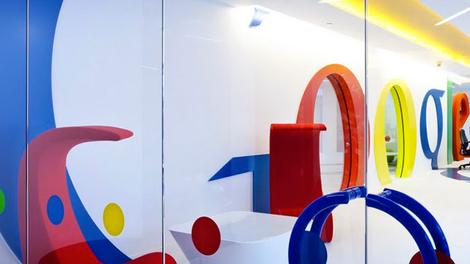
Latest Google IO 2015 news and rumors
In the months since the less-than-thrilling IO 2014, Google has unleashed a number of tantalizing products and intriguing concepts that have us looking forward it its 2015 conference.With Android L releasing into the wild, the revelation of the Nexus 6 and Nexus 9, Android Wear smartwatches winding up on wrists everywhere, and devices like Project Ara and Project Tango teasing us with possibilities, Google is setting itself up for even more innovation in 2015.
Unlike last year's IO, which was short on exciting announcements, we expect Google to rebound an event loaded with breakthroughs, surprises and products we can't wait to use. Read on for the latest news and rumors surrounding the show, and let us know what you'd like to see in the comments below!
Also, head to Page 2 for what we'd like to see at Google IO 2015.
Project Ara
The intrigue around Project Ara, Google's modular phone, is palpable. The biggest question surrounds whether this thing will actually work with so many parts options, and thankfully we'll get a chance to see if it can in the second half of the year.
Google announced in mid-January Project Ara will launch as a pilot program in Puerto Rico later on this year. We know, that's after IO, but we wouldn't be surprised to hear more about this program, and maybe even some more test markets, before IO is in the books. Look for some nitty gritty on how Project Ara functions during the conference as well as a pitch to developers and components makers to bolster the Ara ecosystem.
Android 5.0 Lollipop and Chrome
Android 5 is pretty sweet, but it's having a hell of a time getting to flagship phones. Sure, the HTC One M8 developer and unlocked additions were treated to Lollipop in mid-January along with Galaxy S5s living in the UK, but that's hardly widespread adoption.
We hope by the time IO rolls around, most flagships on most major networks have joined Team Lollipop. If that's the case, it would make for good timing for the next version of Android to release, something like Android 5.5 or even, dare we say, Android 6. Announcing Android 6 would fit Google's timeline for new mobile OS reveals; it was at IO 2014 that we first met "Android L," after all.
Chrome also seems likely for lots of IO love. While we haven't heard anything specific to IO, we do have a sense of things to come. Google announced in mid-January Chrome Remote Desktop for iOS, letting users access their PC on their iPhone or iPad. The concept is nothing new, but the fact Google released this specifically for iOS gives us a clue that more cross-OS functionality is top of Google's mind.
Cardboard
Oculus Rift may rule the VR roost, but don't count Cardboard out before it gets a chance to shine.
In December 2014, Google announced some choice updates for its VR viewer, including a dedicated page for apps on Google Play and a number of places to purchase Cardboard so users don't have to make their own. Developers (the target IO audience) were also given access to Cardboard SDKs for Android and Unity. New viewer specs and a wave of VR-related hiring rounded out the year-end announcements.
So what does this mean for IO 2015? Likely plenty. There's six months between these announces and the conference, ample time to hire VR folks, improve the viewers design (Cardboard 2, anyone?) and create apps and games to prance out on the IO stage. Expect Cardboard to get more than a brief mention at this year's conference.
Android Auto
Besides wearables, there's really no hotter space for companies to get into than cars right now. Google, as you know, has been very active on the auto front.
Let's start with a no-big-deal project (not) - its self-driving car. Google followed up the buzz around its initial mock-up by revealing in December 2014 it has a self-driving prototype that, you know, actually drives its self. Google is currently testing this version and plans to put functioning vehicles on Northern California roads sometime this year. A Google IO 2015 demo feels very plausible.
In addition to its self-driving car, car companies are signing up for Android Auto left and right. Several Android Auto-related announcements were made during CES 2015, including ones from Pioneer, Volkswagen and Parrot. Following Android Auto's debut at IO 2014, you can bet your left blinker Google has more car talk planned for this year's gathering.
Android TV
Say hello to the new king of Google's TV OS ambitions. Google TV is dead, the company announced in early January, usurped by the burgeoning Android TV platform.
With support ending for Google TV and the one-year anniversary of Android TV's emergence approaching at IO, Google is sure to spend plenty of time talking about the smart TV system this year. Sony plans to put Android TV in all its 2015 models, and developers are now encouraged to create Android TV and Cast-enabled apps.
Google will no doubt enlighten us further on its living rooms plans at IO 2015, placing Android TV at the heart of it all.
Google Wallet, Glass, virtual reality and Fit
Read on for what we want to see during the annual developer confab, and tell us know in the comments what showstoppers - or showsleepers - you think Google will whip out.Pull out your Google Wallet
Now that Apple has gotten serious about mobile payments with Apple Pay, we anticipate Google Wallet getting some love during IO 2015.Mountain View's mobile payment platform has bounced like a bad check, but as Apple gets into the game in a big way (have you been to a McDonald's in the US lately?), Google can't sit idly by as its biggest rival gobbles up NFC payment-dom.
The world is still wary of mobile payments, especially in the wake of massive credit card hacks, so it's yet to be proven if Apple Pay (or any service) is the silver bullet to the anti-credit card conundrum. Despite that - or maybe because of it - we want Google to swing for the fences with a revamped Google Wallet.
The timing may be tricky as some US retailers are shunning Apple Pay in favor of their own mobile payment system, but we wouldn't put it past Google to corral some big names into its tap-to-pay service circle.
Where the heck is Google Glass?
OK, Google. The Explorer program is several years old, more apps have found their way onto your loved/loathed wearable and you've allowed US consumers to have their hand at Glass, but when are we going to see the final consumer version and its (hopefully) cheaper price?Yes, Google Glass is part of completely new device category and there's want to get it right, but there's a feeling we can't shake that now that Android Wear has shown its face, Google has relegated its first wearable to the basement.
Not helping matters is the fact the consumer edition release date has reportedly been pushed until 2015, and app makers, including Twitter, are distancing themselves from the Glass.
To top it off, the Glass poster child, Google Co-Founder Sergey Brin, left his company-made headset behind in the car while he attended a November Silicon Valley event, not exactly sending a singing message that Glass is something you can't leave home without.

That sets the stage for a pretty telling IO 2015. Google has two choices, really: either try to re-capture the public's imagination with Glass (or, more fittingly, show it has real-world applications), or keep quiet and let Glass slide quietly out of sight.
We think Google will go for the former, otherwise all those years of pushing Glass on developers and executives sporting them on their brows will be for naught. More critically, with other head-worn wearables like Oculus Rift gaining greater visibility, Google can't afford to let Glass' future get any foggier.
We expect Google to place lots of emphasis on apps made for Glass, especially since its Glass Development Kit will be around a year old by then, plus show us hardware that's vastly improved and/or vastly cheaper than what one sees bobbing on heads around the Valley these days.
When Google met VR
Speaking of things you put on your face, Google's DIY Cardboard VR headset was a fun yet potentially conspicuous surprise during last year's IO.Google handed out the headset as a little something extra at the end of its Day 1 keynote, but you didn't need to be in attendance to get one because anyone can build the "no frills" viewer with a few acquired materials.
Could Google flush out the concept during IO 2015? We think so, especially since Samsung's Gear VR does virtually the same thing with more premium materials.

Whether this means Google delivers a more durable headset, reveals apps and games developed for Cardboard as-is, or introduces some virtual reality features somehow tied Glass, we don't know, but we can say the VR market is too hot for Google to pass up.
Update December 10, 2014: Google showed how serious it is about Cardboard by filling us in on the work it's been doing since the viewer was revealed. The company added a dedicated collection page on Google Play for Google apps. There are now more places to pick up a Cardboard viewer, developers have access to SDKs for Android and Unity and makers scored some new building specs. Finally, Google said it's hiring for positions in Cardboard and VR, signaling this is far from the last we've heard about the DIY VR viewer.
Focus on your Fit
Another carryover from IO 2014 we'd like to see at the 2015 run is Google Fit. The Apple HealthKit rival officially launched as a Google Play app in late October, while developers were given full access to the platform's APIs.As developers create health-enhancing programs for Android users and devices become better equipped to use Google Fit's feature set, there should be plenty to relay come dev con time. We'd like to see just how far Fit has come in a year's time and what the future holds for Google and health. What's more, who's to say Google won't have a fitness tracking wearable to show that puts Fit front and center?
The living room, Google watch and other stuff
Coming to your living room … again!
Stop us if you've heard this one before, but Google will make a play for your living room during IO 2015.What we hope is different this time around is Google coming at your favorite four walls with some kind of cohesive plan in place.
The company recently announced Nexus Player, perhaps its most robust and practical entertainment offering to date, but don't expect it to stop there. Even if it should.
Google struck gold with Chromecast, the dirt cheap dongle some people own more than one of, so no one would be surprised if the firm returned to the formula with Chromecast 2 or another bargain bin-priced device. In fact, Google is reportedly already working on Chromecast 2, making an IO reveal seem all the more likely.

Whatever Google does, we want it to, you know, make cohesive sense. So far, this "scatter gun approach" (hat tip James Rivington) is only creating a series of half-baked products that no one is buying into. That is, except Chromecast.
It might be time for Google to put its money on the winning horse, if you catch our drift.
'Android Wear, where you at?'
"In watches like the Moto 360, LG G Watch and Samsung Gear Live, that's where, TechRadar!"Yes, Google's wearable OS has taken hold in a surprisingly quick turnaround from announcement to market. The only thing missing? Google's own smartwatch running its home-grown Android Wear OS. No biggie, right?
Like the Apple Watch before it, the Google watch has been the stuff of legend for what feels like ions. Unlike the Apple Watch, the Google watch is still unannounced. Even more unlike the Apple Watch, the Google watch probably won't be on sale by the time IO 2015 rolls around (the Apple Watch release is slated for early 2015).
This leaves Google out of a growing hardware product category while others grab hold. One could argue Google has more than enough of a stranglehold on the smartwatch market with Android Wear, and it's certainly a valid point.
However, in order for Google to truly be in the wearable conversation, we need to see its own branded hardware serve as the hallmark for what Android Wear can really do.
So, Google, give us the Nexus Watch, or whatever you want to call it. Give us something we can point to and say, "Hey, Apple, you see what Google came up with?" Give us something to strap on our wrists so we can complete the look with our Nexus phone, Nexus tablet and Google Glass.
Give us the wearable we've been waiting for.
Update December 10, 2014: With the release of Android Lollipop for Android Wear, Google introduced a bevy of custom watch faces for the wearable. The firm also released its Watch Face API, letting developers take a crack at creating their own watch faces. We have an inkling the many faces of Android Wear (plus a whole lot more) are due for some major airtime at IO 2015.
And the other stuff
Just like ice cream flavors, everyone seems to like the idea of vanilla Android, so don't drop your jaw if Google announces another Google Play Edition flagship phone.Google seems to be spacing its hardware reveals further and further apart, making a new Nexus phone or tablet reveal at IO 2015 feel unlikely.
Like last year, the company will probably focus most on its software platforms, stressing the ease of developing for Chrome and Android over OSes-that-shall-not-be-named. Another Android iteration after 5.0 could definitely come (Android 5.5, for example), as could improvements to Google Now and the other services Google offers.
- Is the Galaxy S5 the best Android phone around?

Read More ...
Review: Epson EX7235 Pro Projector

Introduction and specifications
Portable projectors are important for users who want a light-weight device that doesn’t compromise image quality. The Epson EX7235 Pro ($599.99 USD, £385.24, AU$738.45) is perfect for this scenario. It is light (5.29 pounds), easy to use, and quick to boot. This is an ideal device for those who want to have a simple, portable projector for business or heavy-duty home use.In regards to portability, the ViewSonic PLED-W800, priced at ($693.31, £455.57, AU$851.26) weighs a lot less than the Epson EX7235 Pro at 1.98 lbs and has a smaller footprint. But, the Epson EX7235 Pro comes with far more features, including Wi-fi, which the ViewSonic doesn’t even support.
Are you more concerned with power than portability? If so, the Optima GT1080 is a heftier machine with better image resolution. It weighs 6 pounds, but it projects a beautiful Full HD image and supports 3D. It has 2 HDMI ports, and a Mini USB connection, however, it doesn’t have Wi-fi support. It’s an ideal device for gamers or as a stationary projector, but it’s not necessarily suited for the business-focused audience. The Epson EX7235 Pro may lack in image quality, but you’ll get more features than you would with the Optima in a lighter body.
Specs
Any employee in the IT department usually dreads the “I need a projector” request. Why? Because projectors are clunky, heavy and are not traditionally user-friendly. However, the EX7235 Pro provides a nice solution for these challenges. It has everything a working professional needs - mobility, ease-of-use, power, and it produces quality images.
For starters, the EX7235 Pro features a brilliant 3000 lumens lamp that has a contrast ratio of 10,000:1 and a native resolution of 1280x800. Epson’s 3LCD Technology produces brighter whites than DLP-based projectors and there are no rainbow effects. As for projection ratio, the native ratio is 16:10 but does support the older 4:3 and 16:9 ratios seamlessly.
This projector weighs only 5.29 lbs (2.68 Kg). The size of this projector is 11.7" x 9.0" x 3.0" (W x D x H). The device is easy to carry, easy to move, and the fact that it comes with a carrying case is such a nice touch.
The device comes with a USB Wi-fi Dongle for Wi-fi Support and it has the following inputs: 1 HDMI input, 1 computer/component D-Sub 15pin, 1 S-Video mini connection, 1 Composite Video/Audio (RCA), and 2 USB connectors. One of the two USB connections (USB 3.0) is for the Epson EX7235 Pro’s Plug-n-Play feature and the other USB connection (USB 2.0) can be used for a thumb drive or the provided Epson Wireless module for this projector. This device offers a nice variety of connection options for projection.

Not only does this device come with a USB Wi-fi Dongle and a carrying case, but Epson also gives you all the necessary tools to get started and working right out of the box. Epson provides the USB cable to use the EX7235 Pro’s Plug-n-Play feature, a light little remote to control the projector, software, a VGA cable (which is wonderful as VGA cables always seem to be missing when needed), and a really easy and beautiful Get-Started foldout brochure.
Performance and flaws
Setting up the Epson EX7235 Pro for a meeting is easy and quick. The device comes with a drop-down stand for minor height adjustments and turning feet for leveling the picture. The lens is manual-focus and takes a small twist to make the picture bigger and crisp. This projector also has a quick boot time of 34 seconds, based on my own testing, which includes turning on the device and choosing the right source. And choosing the source is quick and easy whether using the remote or manually using the device. Turning this device on is so easy, so quick, and so straightforward that anyone can do it.
Using a traditional source such as VGA, HDMI, or the mobile MHL cable is standard and straightforward. This projector is capable of gaming, or hooking up a Blu-Ray DVD Player, though it might be wise to purchase another projector if that will be the sole use given the low resolution. While the traditional connections are there, the newer USB and Wi-fi connections are not as straightforward and do require some preparation. Make sure that the Epson-provided software is installed on the computer or the iProjection software is installed on a mobile or tablet before using either one of the USB or Wi-fi methods. Once the software is installed, using the USB cable is easy and the computer should automatically connect and display assuming the source is chosen.
Flaws
Getting the Wi-fi connection set up on the Epson EX7235 Pro is not as automatic as desired: it requires a screw to be removed from the back panel of the projector, the dongle to be connected, and deciding whether to use one of the two Wi-fi methods that Epson provides. The first choice is the “Quick” option, in which the Projector creates its own Wi-fi access point so a device can easily connect and show its screen - though I had some challenges initially as a Wi-fi password was needed to get working.The Advanced Connection, which allows you to add the projector to a network so anyone can access it, takes a bit longer as you need to use the remote and enter the Wi-fi name (SSID) and password of the existing wireless access point. For mobile devices or tablets, a mere download of the iProjection app and a snap of the EX7235’s Wi-fi QR code will automatically connect your device to the projector. It’s easy, but the app is really designed for a situation where the deck, pictures, or video is already pre-loaded on the mobile device.
Performance for basic presentations (decks, photos, text) are great on any input that the EX7235 offers but performance for streaming content is limited to the traditional sources (HDMI, VGA, etc.). Streaming content over the USB connection or either Wi-fi options is awful. The WiFi ‘Quick’ option did show a non-stuttering movie but the video quality was grainy.
Epson’s EX7235 Pro does come with a built-in 2W mono speaker. The sound quality is good for a small room or classroom but does distort on higher audio levels. During this review, it did seem that using the MacBook speakers was a way better option than the EX7235 Pro’s.

During my review, the remote used to control the Epson EX7235 Pro seemed archaic and clumsy but it has definitely proven itself otherwise. The remote offers some very interesting functions that are a wonderful addition in usability. For example, the remote offers the ability to zoom in on an image, to scroll a page (only works with the Wi-fi or Plug-n-Play connection), to adjust the aspect ratio or color mode, among other options. What was really cool was being able to split the projection between two different inputs and swap them. These small functionality touches definitely enhanced the user experience.
We liked
The fact that it is lightweight, and that it is just so easy to use, the Epson EX7235 Pro projector is a perfect product for a small conference room, classroom, home office, or even a travelling salesperson or marketer.Epson really hits the ball out of the park by providing you with all of the necessary attachments to get up and running out of the box, such as the USB cable and the Wi-fi dongle. The Epson EX7235 Pro WiFi has two operational modes, which adds another level of ease but customization. The ability for this projector to create a wireless network is awesome for those on the road and the ability to connect to an existing network is great for a more stationary solution. The software needed to connect a device to the EX7235 Pro, the Epson iProject (for mobile or tablet device) and the Epson MP Projection software (computer), are basic and usable.
The remote that is packaged with the Epson EX7235 Pro is pretty neat. The functionality, especially outside of the ability to manage settings, that the remote provides is great. Navigating the Menu on the EX7235 is well thought out and perfectly categorized. Epson’s simplicity here adds to the ease and functionality of the EX7235 Pro projector as a whole.
The only thing lacking in this remote was the built-in pointer.
We disliked
Removing a screw to input the Wi-fi Module. The Epson EX7235 Pro comes ready-to-go out of the box in all other aspects except this. Screw driver? Boo.The Wi-fi module is an external USB stick and it would really be nicer if it was built into the Epson EX7235 Pro projector for a nice unified look and feel of the body. The Wi-fi adapter only operates on 2.4 Ghz frequency and offers only 54 Mbps of wireless transmission speed, which is disappointing. This slow wireless transmission rate is why streaming media content over the Wi-fi feature is jittery and unusable.
However, just because the Wi-fi USB Dongle is external and only transmits at 54 Mbps does not mean that it is not a nice feature. Now, if you don’t want to worry about trying to get wireless to work, this projector does have the traditional VGA and HDMI connections as well. But, it also has the ability for USB Plug-n-Play where you just attach via USB on your computer. The Plug-n-Play is just so easy to use but this feature, like the Wi-fi mode, is very slow. The Plug-n-Play mode does generate a bit of lag from, say, what is being typed on the computer and what is projected on the screen. It is not terrible but it is definitely noticeable, especially when compared to the quality of connecting to WiFi.
Final verdict
Overall, this projector is perfect for a basic need. Epson packs the essentials into the EX7235 Pro so that you can just start working out of the box. This projector supports the Mobile High-Definition Link (MHL), has a beautiful 3000 lumen bulb, is light, and has a contrast ratio of 1:10,000. A more tech-savvy person may be disappointed in the lack of 3D capability, or the Wi-fi transmission speed, but most of you may not even notice.
Read More ...
Industry voice: Why data will be at the intersection of everything in 2015

We are in the age of information and information mobility. Data will be at the intersection of everything in 2015; every industry, every innovation and every scandal. So what are the top seven data trends that will unfold over the coming year and shape 2015?
1. Fragmenting into the cloud
In 2015 many businesses will be traversing the last mile of cloud adoption, moving traditional on-premise databases and architectures such as ERP and data centres into the cloud. This will amplify data fragmentation as data travels to the cloud and resides in different locations.Ultimately this fragmentation will result in huge challenges when it comes to data control, access and exploitation. Successful businesses will be those able to remain agile when trying to combine, access and exploit that data, regardless of location. The businesses who already struggle to understand where their data is, will fail to control, secure and exploit their data assets.
2. Metadata will become as much an asset as the data itself
Demands about data transparency, ownership and responsibility are coming loud and clear, but data continues to fragment across multiple apps, platforms, integrators, stores and technologies. The European Union (EU) data protection regulations, as well as consumer demands around security and ownership, will force organisations to be more transparent about where their data lives and how it is used.Metadata will rise to unparalleled importance for organisations seeking to keep tabs on their data assets and prove to consumers and stakeholders that they are in control. Clear and real-time overviews of where it is, how and when it's being used, who is accessing it and what kind of information they are using, will become as much an asset as the data itself.
3. The rise of the new data republics
To help ensure the best possible protection of personal data when it is exported abroad, the proposed EU data protection directive is expected to be introduced this year. The final regulation is anticipated to introduce specific rules that will govern the transfer of personal data outside the EU, which could further hamper an organisation's ability to move its data overseas.However, where there is challenge, there is also opportunity. Countries re-gearing their approach to data could benefit from becoming safe harbours in the new information economy. National and international regulation may shape the formation of new 'data republics'. Regulations around the security of data will become a differentiator as important as taxation when it comes to where organisations decide to do business.
4. Businesses will try and fail to drink from the fire hose
By 2016 an estimated 82.5 billion devices will be connected to the internet. This year, we'll see the emergence of low-tech Wi-Fi hacks to connect our traditionally 'dumb' devices, as well as the introduction of a whole raft of new smart technologies. The Internet of Things will create an explosion of data but the models to support the collection and storage of these huge volumes are not yet in place.New platforms, languages and sources are emerging all of the time. Just look at the speed at which social media platforms rise to prominence and then fade to obscurity. Businesses need to be incredibly agile when it comes to tapping into and making sense of a brand new data source. Businesses cannot afford to take a year or more to integrate when sources emerge so rapidly. Manpower simply can't do this, businesses need intelligent technology to help them cope with the volume and complexity of ingesting and analysing the age of information mobility.
5. Big data will mean big responsibility
The exponential growth in big data and the explosion of data sources – social, mobile, cloud, IoT, wearables – has a corollary social impact. This year, there will be a battle over who's responsible for all that data.The weight of the majority will be the defining factor in data responsibility with consumers voting with their feet. Consumers have huge power over the actions of brands, governments and organisations. Trust and ethical policy creation will be vital for attracting millennial customers. Transparency over how data is used, stored and traded will be the rallying cry.
6. Data becomes a business asset to shareholders
Described as gold or oil, over the course of 2014 businesses got their heads around how data can be used as an asset. Many organisations are now looking at how to build new revenue streams using the data available, whether through developing new services or selling on the raw information.However there is a flipside and due to its value, data is also a risk. As businesses acquire more data then they will need to outline the inherent risks in storing, cleaning and securing that data to shareholders. Particularly if disruptions occur that could have a consequential impact on the data that organisations are responsible for safeguarding.
7. Perimeter defence will be meaningless
Fortress building is becoming meaningless in the world of data security. Some of the largest scale breaches we've seen have happened from the inside. The lowest tech, easiest approach is to bribe or blackmail your way to that data, which means that every employee is a potential risk.In the face of increased breaches and a tough environment for consumer trust, this year organisations will need to look beyond the fortress walls and find a way to secure data at its source, and in motion. In order to do so they need to have a much better understanding of how and where their data moves than they currently do.
- Greg Hanson is Technical Operations Director EMEA at Informatica

Read More ...
Google's buildable Project Ara phone launching first in Puerto Rico

Google will launch its modular Project Ara smartphone in a pilot program in Puerto Rico first, the company announced at its second Ara developer conference.
The do-it-yourself phone will launch in Puerto Rico as a test market in the second half of 2015 through carriers OpenMobile and Claro.
Project Ara lets users customize their phones with standalone modules for cameras, processors, storage, batteries, and other components that can be purchased individually and swapped out at will.
The power of choice
Google debuted 11 new first-party prototype modules at the conference, but with third parties' contributions taken into account there should be between 20 and 30 available across ten different categories when Ara launches in Puerto Rico.Project Ara head Paul Eremenko said the test program's purpose is in part to determine how Google can best "curate and manage" the many choices Ara purchasers will be faced with, The Verge reports.
And even as the pilot program approaches Google is working on an improved version of its "Spiral 2" Ara prototype with a more robust design and more up-to-date capabilities.
- TechRadar can tell you what the best Android phone is

Read More ...
Updated: Windows 10: release date, price, news and features

Windows 10: what we know so far
Update: Ahead of Redmond's big reveal on January 21, 2015, more details have leaked regarding Windows 10, including leaks of Microsoft's 'Spartan' browser and how much the new OS might cost. Also, associate editor Kevin Lee has some thoughts on what Windows 10 will mean for laptops. Read more below!With Windows 8 and now Windows 8.1, Microsoft tried – not entirely successfully – to make tablets part of a continuum that goes from number-crunching workstations and high-end gaming rigs through all-in-one touchscreen media systems and thin-and light notebooks down to slender touch tablets.
The general consensus is that it still has a long way to go to produce a unified OS. Recently, Microsoft publicly made the first steps to doing just that, with Windows 10. Skipping the Windows 9 name entirely, the Redmond, Wash. firm aims to step into the next generation of computing with the right foot forward.
You will soon be able to download Microsoft's Windows 10 Technical Preview by venturing over to its Windows Insider Program website. You'll need a Microsoft account to get it, and it's worth bearing in mind that it's not the finished article so may be a bit rough around the edges.
- Is the new OS any good? Read our hands on Windows 10 review
- The event on September 30 announced the release of the Technical Preview of Windows 10 for laptops and desktops, often referred to as WTP, DP (Developer Preview) or CTP (community technology previews). This is just over three years after Microsoft unveiled the first public beta build of Windows 8, known as Windows Developer Preview).
- Microsoft released its Windows Insider Program on October 1st, designed to keep early adopters up to date with the latest preview builds of Windows 10.
- Starting with Technical Preview for laptops and desktops, the preview build will extend to servers short after.
- As of October 7, the preview build is available to Windows 7 users as well.
- Consumer preview builds will not be available until early next year, according to Microsoft's Terry Myerson.
- The Technical Preview will end sharply on April 15 of next year, which conveniently leaves right off at...
- Microsoft's Build 2015 conference next April, at which the company will talk more about Universal Apps and likely issue a Windows 10 release date.
- Finally, the company promises that Windows 10 will ship to consumers and enterprise "later in the year" in 2015, Myerson said.
- We'll learn more about that on January 21, when Microsoft holds an event on its Redmond campus detailing even more about Windows 10, especially for consumers.
Cut to the chase
What is it? A complete update of Windows
When is it out? It will launch "later in the year" in 2015
What will it cost? We really have no idea. Microsoft will not comment on pricing yet.
What is it? A complete update of Windows
When is it out? It will launch "later in the year" in 2015
What will it cost? We really have no idea. Microsoft will not comment on pricing yet.
- Read all about Windows Phone 9 and Office 365 right here.
How much will it cost?
One thing Microsoft has been absolutely mum about regarding it's new baby is how much Windows 10 will cost. While the firm has yet to say anything concrete, we now know a bit more about how Microsoft is thinking – or rather, rethinking – how it will generate dollars from this go 'round."We've got to monetize it differently," Microsoft Chief Operating Officer Kevin Turner said at the Credit Suisse Technology Conference in early December, according to Wind8apps.com.
"And there are services involved," he continued. "There are additional opportunities for us to bring additional services to the product and do it in a creative way. And through the course of the summer and spring we'll be announcing what that business model looks like."
The most recent report strikes us as potentially controversial if it comes to bear, but the word is that Windows 8.1 users will have access to the big Windows 10 upgrade at no charge. Softpedia reports that, meanwhile, owners of Windows 7 and older will have to pay up to get the new OS. (Also, Microsoft confirmed that the two most recent Windows versions will be able to upgrade to Windows 10 directly.)
The likely idea here is for customers to upgrade to a whole new system in preparation for Windows 10. But of course, whether that's likely to happen is yet to be seen.
This one's gonna' be big
Two separate reports lead us to believe that January 21 is going to a bigger day for Windows than any of us could have imagined. First, the recent appearance of a "Phone Insider" app on the Windows Phone store sparked speculation (and claims by The Verge sources) that January 21 will be when Microsoft pulls the curtain back on Windows Phone 10, or whatever it ends up being called.According to The Verge, the Phone Insider app only allows access to the preview build for employees, but that's expected to change after this event. Windows fans will soon have plenty of places to preview the upcoming OS, it seems.
This ... is ... Spartan (browser)!
Rumors and reports of Microsoft's overhaul of Internet Explorer (or an entirely new product), allegedly codenamed "Spartan", have been stirring for weeks now. But just recently have images of the browser leaked through Chinese website cnBeta, detailing the fabled Cortana integration and darker theme.
Of course, there are likely to be several theme options for the new IE ... or whatever this product is. What's more important is how Microsoft seems to be positioning this browser directly against Firefox and Chrome. (Eventual Office 365 integration a la Google Apps seems like a no brainer, but take that as wild speculation from this editor.)
Windows and gaming – imagine that
The upcoming January 21 event at Microsoft's Redmond campus looks awfully focused on consumers, especially considering the recent news that Microsoft's Xbox lead Phil Spencer will appear to talk about gaming initiatives.
"I'll be focusing more on what we are doing on Win10 in January," Spencer said in a tweet on December 11. "It's time for us to talk about gaming on Windows."
A recent Windows 10 leak from prominent blogger Paul Thurrott's Winsupersite details a new OS build – #9901, to be exact – that includes an Xbox app on the task bar. We're itching to find out how Microsoft will redeem itself from Games for Windows on January 21.
The latest report comes from ZDNet's Mary Jo Foley, whose sources claim that the company is working on a PC game streaming service for Windows 10. It's codenamed "Arcadia", and it will serve up PC and Xbox One games to users, along with certain apps. January 21 just gets curiouser and curiouser.
[Editor's Note: When contacted for comment, a Microsoft spokesperson simply said, "We have nothing to share."]
Cortana warping over to Windows 10?
That's right, Windows 10 will see the spread of Cortana, Microsoft's Siri and Google Now competitor, into all versions of the new OS, including desktops, laptops and tablets. WinBeta recently posted an overview of a leaked version of Cortana on Windows 10, voice and all.The same aforementioned Windows 10 leak from Thurrott details a new OS build – #9901, to be exact – that debuts Cortana with a search box on the task bar. This more than likely allows users to search their PC or the web (through Bing) via typing or their voice.
Oh, and how could we forget that Windows 10 is slated to hit every current Lumia device? Imagine if Cortana were able to store your usage data across every Windows 10 device you own? Talk about continuity.
But when will this arrive in the public Technical Preview? We'll just have to wait until January to find that out, now won't we.
Microsoft playing to the pirates
It was found in Build #9860 that Microsoft introduced support for the MKV video container to Windows 10. This also just so happens to be one of the most popular ways to distribute pirated media online. (Of course, we're sure this wasn't the point.) While often referred to as a codec, MKV is actually merely a format that contains content rendered using other codecs, often H.264.So, what does this mean for plucky new OS? MKV is just one of several file formats that will be supported by Windows 10 from day one. Others include FLAC and HEVC, so expect Windows 10 to be fully prepared for our 4K video and lossless audio future.
Phoning in features
In issuing the latest Technical Preview build, Microsoft released a fresh feature to Windows 10, but on that's not new to Windows Phone: notifications. Known as the Action Center on Windows Phone 8.1, Notifications on Windows 10 operate in much the same way.Featured as a button on the task bar, Notifications collects alert data from plenty of sources. "You'll see notifications from the system and apps - from new emails and invites to IMs, Facebook posts and more - all in one place, so you don't miss a thing," Microsoft Director of Windows Program Management Gabe Aul wrote in a blog post.

As of December 15, a leaked image of the new Windows 10 Store on Phone Arena seems to confirm that Microsoft looks to unify the Windows Phone and desktop app marketplaces into a single online store. This would be an interesting way to compete with the more prevalent Apple App Store and Google Play.
Speaking of new features, Microsoft's Joe Belfiore teased new trackpad gestures that will soon come to Windows 10 during his TechEd Europe keynote in October 2014. Much similar to the gestures that Mac users are used to, the new OS will soon respond to three-finger swipes in three directions.
Swiping downward with three fingers will return you to the desktop from within any app, while an upward gesture will summon the new task view. Swiping with three fingers either to the left or right will switch between open apps. Users will also be able to resize snapped windows with a unique three-finger gesture.
Shooting for security
Running the world's most ubiquitous OS, Microsoft has always taken security quite seriously, often releasing patches daily to its various versions of Windows. Now, the company looks to take its security measures for Windows 10, with two-factor authentication (2FA) coming standard on enterprise versions of the OS.Microsoft also intends to protect user identities by storing user access tokens in a secure container that runs on top of Hyper-V technology, isolated from the rest of the OS. Windows 10 will also offer a data loss prevention solution that will allow users to separate their corporate personae from their non-work ones.
... and for your data?
Less than a month out, and already Windows 10 has been pegged for collecting user data. While this is a beta preview, and as such should be collecting feedback data, claims from a number of news outlets point to more even more sensitive information.The Technical Preview reportedly has the capability to track and log keystrokes, capture voice data and more. This may be cause for caution, but keep in mind that almost all, if not all, modern operating systems track and log some level of usage data. Though, it's almost always anonymized.

It's still all about unity
Windows 10 will be "one application platform" for all the devices that run Windows, according to Microsoft Windows head Terry Myerson, with one store to rule them all. (So to speak.)While on stage at the event, Microsoft showed images of the new operating system running on everything from desktop PCs to smartphones. In fact, Myerson confirmed that Windows 10 will be the driving OS behind its smartphone platform as well.
Myerson was mum on the naming conventions (e.g. whether Windows 10 on phones would be known as Windows Phone 10, et. al). But what matters is this: Windows 10 will be behind every device that Microsoft has a hand in, save most likely for the Xbox One.
Yes, even the Internet of Things
Based on CEO Satya Nadella's recent comments during Gartner's Symposium ITxpo, Windows 10 is almost certainly being developed with the Internet of Things in mind.
"Windows 10 is a very important step for us." Nadella said on stage. "It's the first step in a new generation of Windows as opposed to just another release after Windows 8. General purpose computing is going to run on 200 plus billion sensors. We've architected Windows where it can run on everything."
Microsoft still cares about enterprise
In fact, the crux of the September 30th event was to speak to enterprise users and get it in front of them first. "Windows 10 is a very novel approach of separating corporate and personal data across all devices," Myerson said on stage. "Windows 10 is going to be our greatest enterprise platform, ever."Microsoft didn't exactly please its enterprise audience with Windows 8.1 – adoption has been awfully slow. (And now will likely halt with this new version on the horizon.)
To that end, Microsoft's Windows Phone guru Joe Belfiore even noted that the company is "looking to find the balance, so that all the Windows 7 users get a familiar experience on the devices they already have."
The Start menu: bigger, better, stronger
The return of the Start menu that Microsoft teased during its Build 2014 conference earlier this year was shown off in full force at its Sept. 30th event. Replete with a merging of the traditional Windows 7-style interface and Windows 8 Live Tiles, the new Start menu is designed to please both camps: touch and mouse users.
"They don't have to learn any new way to drive," Belfiore said, referring to Windows 7 business users. That said, customization will also be featured throughout, first with the ability to resizing the Start menu itself along with the Live Tiles within.
The Start menu features empowered search capabilities as well, able to crawl your entire machine, not to mention web results. (Through Bing and not Google, we'd imagine.)
Snap to it, will ya?
The traditional Windows 7 Snap View works in Windows 10's desktop mode with classic and universal apps, enhanced by a new "Snap Assist" interface. Snap Assist works in tandem with Task View, a new feature that allows users to create multiple desktop environments within a single instance of Windows 10.
You can now grab apps from different desktops and group them together using the Snap Assist UI, all of which is mouse or touch controlled. These features seem more designed for face-level multi-taskers, or people that rely more on visual computing. Of course, this comes in addition to enhanced keyboard shortcuts for power users.
Keeping in touch
Microsoft is keen on maintaining the ground it achieved in touch-based computing through Windows 8 while reintroducing the intuitive desktop interface of Windows 7. To that end, many of the new multitasking features will be optimized for touch devices as well, like Task View. But it doesn't stop there.The Redmond firm teased a hybrid interface mode for 2-in-1 laptops and other hybrid devices. Containing elements of both the current Windows 8.1 Start screen and the desktop improvements, this new touch-focused start screen will switch based on the input used.
Think of a home screen that allows for both touch input, with large icons and response to gestures or swipes, and more traditional mouse or touchpad interaction, with smaller buttons and list-like interfaces. Belfiore called the approach "continuum" on stage, and the philosophy makes sense at least on paper.
Click on through for a detailed look at the rumors and leaks leading up to the recent Windows 10 announcement. On the third page, we projected what Windows 9 – err – Windows 10 would be like, or at least what we had hoped. Read on to see how much we got right.
The news and rumors leading up to Windows 10
Right up until September 30th, the rumor mill churned with tidbits of info regarding what we all expected would be called Windows 9. What follows is our collection and informed opinions on all the rumors and leaks leading up to the unveiling of Windows 10. Enjoy!Despite rumors of an aggressive development and shipping schedule, there's no official word about what's in the next version of Windows, but there are plenty of rumors (many of them from Chinese enthusiast sites that claim to have leaked builds), plus more reliable information from job postings for the Windows and Windows Phone teams.
There are also patents, which may or may not be relevant, and some rare comments from developers on the Windows team. Here's what we've heard about Windows 9 and what we think is happening.
Windows Blue turned out to be Windows 8.1 rather than a completely new version of the Windows OS – Windows 9 will be that new version.
As for interim releases, we'll probably also get Windows 8.2 before we get Windows 9; Windows 8.3 though is likely to be a non-starter. And we have already seen the initial update to Windows 8.1, called Windows 8.1 Update 1.

The new update features improvements to the Start Screen including the ability to boot straight into the Desktop, the return of shutdown on Start and a more familiar task bar to unify the old and new user interfaces. The update was announced at Build 2014, along with features teased for Windows updates to come.
It certainly seems there's a new development cadence for Windows in action. It seems that Microsoft is set to put out new releases of Windows, Windows RT and Windows Server every year, the way it already does for Windows Phone.
While still just a codename, Windows 9 was referenced by Microsoft in a job posting, spotted by MSFT Kitchenon March 13, 2013 and a senior Microsoft VP let the name slip during a live-stream presentation.
The next complete version of Windows is being referred to as Windows 9, though this may change. And a new codename has appeared, Threshold, possibly alluding to the shift from our reliance on the traditional desktop to a new world where the Start screen is at the heart of how we use Windows.
The term "Windows TH" (possibly for Threshold) appeared on Microsoft's website, referring to a technical preview, before being removed, just days before the September 30th event.
The ad, for a Bing Software Development Engineer, says that the team will be delivering products "in areas including Windows 9, IE11 services integration, touch friendly devices including iPad and more."
Windows 9 release date
As of right now, we expect to see Windows 9 in a preview build (otherwise known as Windows Technical preview) to appear on September 30. The latest report from The Verge and Recode cite sources close to the matter with knowledge that a press preview event will take place on that date.Recode's Ina Fried said that the event - geared towards developers and an enterprise audience - will take place in San Francisco with our own sources confirming that invites have apparently gone to relevant media houses and tech analysts.
Microsoft has confirmed that it won't be live streaming the event. The company has sent a statement to Winbeta.org stating that "There will be no live stream of the keynote" although one can expect news and content to be posted across all of Microsoft's MSDN blogs.
Microsoft communications chief Frank Shaw said the company wasn't ready to talk about how often Windows might come out when we spoke to him in January, but he agreed "you have certainly seen across a variety of our products a cadence that looks like that; Windows Phone is a good for example of that, our services are a good example of that".
We don't know if Windows 9 will be available as an upgrade from Windows 7 that you can buy as a standalone product or if you'll have to have Windows 8 to get the upgrade. But it may not be with us for a while yet – Windows business chief Tami Reller has talked about "multiple selling seasons" for Windows 8, meaning that we'll likely have several versions of it.
Some rumors have suggested late 2014 or early 2015 for a Windows 9 release, though the former seems wide of the mark. While claims and reports are all over the place, it seems like Windows 9 should drop before September 2015 at the latest to coincide with the back-to-school season and in time for the lucrative holidays season.
In January 2014, well-known Microsoft blogger Paul Thurrott said he believes the company plans to release Windows 9 (codenamed Threshold) in April 2015, less than three years after Windows 8.
The thinking appears to be that the Windows 8 name is now too tarnished and that – in contrast to Reller's comments above – Microsoft wishes to clear things out by releasing Windows 9 instead.
ZDNet's Mary Jo Foley recently echoed these reports, citing sources pointing toward a spring 2015 release for Windows 9.
In May, prolific Microsoft leaker FaiKee released two separate documents that he or she claims to be Redmond's full roadmap for Windows 9 and other products. The first of which, released to the My Digital Life forums, pointed to text reading "Windows 9 Windows Preview Release @ 2015 02-03."
That appears to point toward a preview release of either February or March 2015. The second leak was caught by Myce.com, and is a bit more vague in timing but less so in the actual text. That alleged official document detailed a preview release between Q2 and Q3 2015, so by September of next year at the latest.
In June, we learned from a ZDNet source that Microsoft would launch a preview build of the latest Windows in the fall. But most recently, WZOR struck again with a rumor that Windows 9 in full will launch in that same time frame. Naturally, a Microsoft representative snapped back at the rumor on Twitter.
How much will Windows 9 cost?
Not a cent. At least that's what Russian leaker collective WZOR claims to have heard. The group reports that Microsoft is considering pushing out Windows 9 for free, but cannot confirm at this time. They also mentioned that upgrading from Windows 7 to Windows 9 would cost you about $30 or £20, which is sounds pretty reasonable.What the collective has heard exactly is that a prototype version is in the works in which a barebone version of Windows 9 will be available for free. For additional functionality, users would have to pay up through a subscription.
That said, ZDNet's Foley has heard the opposite: different SKUs of Windows will be offered for free or at different prices to OEMs and consumers, but that the desktop version will indeed have a sticker price. A recent, subsequent leak provided by WZOR seems to not only corroborate Foley's sources, but render its previous report moot.
Microsoft has learnt to be flexible though given the changing business environment. Google's Chrome OS was barely a blip on Microsoft's radar when Windows 8 launched. Now it is seen as a growing threat to Microsoft's low-end market, so much so that it is giving Windows 8.1 for free on devices sporting an 8-inch (or smaller) display.
It is very likely that Microsoft will do the same for Windows 9 (although it could also choose to keep Windows 9 as a premium SKU). Last but not least, the president of Microsoft Indonesia has inadvertently disclosed that Windows 9 would be free for Windows 8 users.
What we thought Windows 10 would be like
Will Windows 9 focus heavily on cloud computing? What is Bing's role in the new OS? How much of a power drain will this new version be? We know about as much as these leakers and reporters claim, but have collected all the latest rumors and scuttlebutt below.Cortana: your new best friend?
Microsoft's answer to Siri and Google Now just busted out the gate on Windows Phone 8.1, but already Microsoft seems keen on expanding its reach to the company's desktop and tablet OS. Microsoft scoopers at Neowin seem to have inside sources that claim Cortana is not only up and running on internal Windows 9 builds, but its performance is improving.Charms lose their luster
Could one of the more controversial additions to Windows 8.1 be on its way out? Paul Thurrott's points to the fact that it is still there in the latest build to date, 9841. Earlier rumours were at loggerheads with Thurrott's findings. A leak snapped up by Winbeta claims that the Charms menu of the current OS will not be included in the desktop and laptop versions of Windows 9. And, according to ZDNet's Mary Jo Foley, the feature is on the chopping block for Windows 9 tablets and 2-in-1 laptops as well.One Windows 9 to rule them all
Not so much a rumor as it is a confirmation, newly-minted Microsoft CEO Satya Nadella commented on the future of Windows recently, painting a picture of a unified operating system across all platforms."In the past we had multiple teams working on different versions of Windows," Nadella said. "Now we have one team with a common architecture. This allows us to scale, create Universal Windows Apps."
So, will Windows 9 spur the beginning of a single OS for all Microsoft devices, ultimately ending the fragmentation between Windows Phone, Windows RT and Windows proper? We can only hope.
It is worth however considering what Apple and Google are doing when it comes with their mobile and desktop offerings. Apple has subtly started to integrate some aspects of iOS, like Mac App Store, into OS X while Google already confirmed years ago that it would be merging Android and Chrome OS at some point.
Windows 9: Return of the Start Menu
Teased during the Build 2014 keynote address, the long-missed Start is basically guaranteed to make its return in Windows 9. Since that preview of the Start menu, replete with both Desktop and Modern UI elements, a screenshot (seen below) of an updated version of the feature has surfaced – ba-dum, chhh – through the MyDigitalLife forums.Regardless of whether the snap is legit, since Microsoft has publicly promised the return of the Start menu, it should be safe to expect its debut in Windows 9 ... whenever that is. Subsequent leaks, the latest being from Winsupersite, confirm the fact that a new version of the Start menu will be back.

Truly windowed Modern UI apps are coming
We already know that the new Start menu will be alive and well in Windows 9, but the latest leak points to yet another quality-of-life improvement: truly windowed Modern UI apps. Today, Modern UI apps can be opened and managed from the desktop UI, but immediately switch to that interface when selected.No more, claims Myce through a newly-leaked screenshot (seen below). The image, allegedly pulled from Threshold build # 9795, shows a Metro, or Modern UI, app opened in a windowed state on the (likely) Windows 9 desktop.

Machine learning is the future of Windows?
That's at least what Microsoft Research lead Peter Lee wants out of Windows 9. He said as much in an in-depth interview with Digital Trends recently, pointing to Microsoft's Azure cloud computing platform and Bing to hopefully be the drivers behind the next versions of Windows."Using machine learning to extract relationships, entities, key ideas being worked on and bring those to the surface in tools. Maybe even digital-assistant tools to make companies more productive and smarter. That's one area we're going at" for Windows 9, Lee said.
"If I write a document and I want to say, share this with the appropriate people that work with Vikram from the meeting, or say, 'what's trending around me at work,' not in my personal space but at work … answering questions like that requires a very different kind of machine learning," he said.
Windows 9 to be smaller, with more apps
In the last Microsoft earnings call CFO Peter Klein made it clear that Microsoft has got the message that Windows 8 tablets need to be cheaper; "we know that our growth depends on our ability to give customers the exciting hardware they want, at the price-points they demand."Another revealing Microsoft job advert talks about having Windows Phone and Windows RT apps run on both Windows Phone and Windows – it's no secret that Microsoft wants to unify things in this area.
"Do you wish the code you write for Windows Store apps would just work on the Windows Phone and vice versa? If so, then this is the role for you! We are the team leading the charge to bring much of the WinRT API surface and the .NET Windows Store profile to the Phone."
That sounds like a longer term goal, given that the job advert was on the Microsoft Careers site at the beginning of February 2012, and it's being driven by the Windows Phone team, but it could give developers an incentive to write apps for the Windows Store and give Windows 9 users more to choose from. Scaling apps to fit different size screens would help here too.
Windows 9 reaches for the cloud
A vision for a smaller version of Windows with more apps sounds like it lines up nicely with rumors that Windows 9 will focus heavily on cloud computing. WZOR claims to have information that supports this idea, pointing toward a Chrome OS-like operating system that requires an internet connection.According to the leaker group, the core of Windows 9 will live in the given system's BIOS, while the rest of the OS will reside in the cloud, ready for picking via various apps and services. Exactly how much of the standard Windows functions would be left out is what's worrying about this rumor.
Reports have also highlighted some fundamental changes in the way developers within Microsoft are assessing, coding, deploying and actually fixing Windows 9. Of particular interest is the way Microsoft is now considering Windows-as-a-service rather than a project with fixed deadlines, in the traditional start-stop development process. Another intriguing rumour is Asimov, a name that has been floated around and refers to a near real-time Telemetry service that allows Microsoft to peer into your system, a remote desktop connection on steroids.
Windows 9 power management
Back in January 2013, a Channel 9 video featuring Bruce Worthington, who leads the team working on Windows power management fundamentals, included some rather technical details about saving power in Windows and the improvement in Windows 8."If you look at the number of times we would wake up the CPU per second," he explained, "for Windows 7 you would typically see numbers on the order of one millisecond. We would literally be waking up the CPU a thousand times per second. If you look at Windows 8, on a clean system, we have numbers that are better than a hundred milliseconds. "
Now that Windows Phone 8 is based on the Windows Phone kernel, power management has to get better. "Now we're looking forward to the next release and we can get even farther – especially as we start interacting more and more with our phone brethren.
"They want us to be quiet for multiple seconds at a time. They even talk about minutes in some scenarios which is pretty far afield for us, to be thinking about minutes of being completely quiet. At least getting into the multi-second we're definitely ready to think about that."
Especially with Intel Haswell bringing Connected Standby to Core systems, not just low-power Atom tablets, saving power looks like a priority for Windows 9 (especially if it comes out at the same time as Intel's new chips.
"For the next release there's all kinds of things we've already identified that are going be quite challenging but at the same time the user is going to get a tremendous boost forward," Worthington promised.
Windows 9 gestures and experiences
There are features we predicted for Windows 8 based on Microsoft patents and technologies we've seen demonstrated by Microsoft leaders like CTO Craig Mundie that didn't make it into the OS. There are features Microsoft plans for every version of Windows that get cut to ship on time; sometimes they reappear, sometimes they don't.Kinect-based 3D gestures might be on the cards this time around, especially as we hear that some notebooks will soon get 3D cameras – although from other suppliers rather than Microsoft.
Using two cheap webcams rather than an expensive 3D camera could make gesture recognition hardware cheap enough for laptops and then you could wave at the screen from a distance.
And maybe Direct Experience will arrive in Windows 9. The patent explains this as a way of starting Windows to play media files in a special purpose operating system and there are improvements in Hyper-V for Windows Server 8 that Microsoft could use to make Windows 9 work better for this, like being able to move a virtual machine from one place to another while it's running.

One obvious question is whether Windows 9 will be 64-bit only – something that Microsoft alluded to even before Windows 7 shipped – but that's going to depend on what chips are in PCs. Given that even lowly Atom processors are now 64-bit capable, it would make sense for Microsoft to go full 64-bit.
On that note, perhaps a sign of things to come but Microsoft has resurrected WinHEC, a hardware-focused event centered around Windows, that was canned six years ago. The event will be held in Shenzhen China next year and is a clear sign that Microsoft wants to reconnect with a community that it now considers to be pivotal to its success. No surprise then that it substituted the original C for "conference" in WinHEC for "community".
- Now why not read Surface 3: what we want to see
Dan Grabham and Désiré Athow contributed to this article

Read More ...
Cloud security is an issue, but it won't 'kill' the cloud

In the tech media, there is an IT "Game of Thrones" in progress, but the "killing" is mostly unwarranted. Supposedly, security will kill the cloud, the cloud will kill the CIO, Apple may kill passwords and, of course, BYOD and IT will try to kill each other.
While this might make a riveting HBO series (for a very niche audience), these are mostly empty threats - especially the death of the cloud. We've witnessed enough cyber attacks and privacy violations to know that security is an issue for IT systems on and off the cloud. Although many enterprises are skittish about the cloud, facts on the ground have effectively ended the debate.
The average company used 831 cloud services in Q3 2014, according to Skyhigh Networks' Cloud Adoption & Risk Report, which surveyed 13 million users from 350 organizations. Furthermore, Gigaom Research's recent survey of 500 IT decision-makers found that 71% of strategic buyers now use SaaS products, citing scalability, cost and business agility as the most important drivers. To be fair, 65% of respondents also said that security is the most important "inhibitor" to adopting cloud services.
What this means for IT
IT departments are well equipped to evaluate the security risks of SaaS products, which is why adoption continues to rise despite the acknowledged risks. Still, the scariest security blind spots have always been "rogue" IT deployments purchased and configured by marketers, salespeople and others who signed up for services without consulting IT.In 2015 and 2016, I believe we'll see a slowdown in rogue behavior, because for the last several years, non-IT departments have overindulged in the cloud. Now that rogue departments have the services they want, they are holding off from adding new ones. In many cases, these departments have run into issues integrating, configuring or managing their cloud services, so they are starting to look to IT for help.
IT departments will have the opportunity to take ownership of these cloud services, and then implement security measures and policies. If IT is really smart, they will also improve these cloud services and make them even more useful. Rogue departments will realize that when they do need additional cloud products, talking to IT produces a much better outcome.
What about the customer?
Of course, this win-win scenario depends on IT departments approaching end users as customers. Sooner rather than later, IT needs to not only add value to cloud services but take the lead in finding new ones.Cloud providers should be going out of their way to help IT departments test for security. Regardless of the testing that cloud providers routinely conduct, their customers are hiring third parties to perform security audits, and these services are very expensive. The same way in which ISPs provide tools for testing internet speeds and capabilities, cloud providers also need to invest in tools or services that help customers test and improve security. This will help the entire cloud industry build trust and prevent security disasters that might undermine it.
In 2015, there will be plenty of security failures, but they will not invalidate or kill the cloud. Adoption will continue to grow. Now that cloud is widespread, and departments have many of the services they want, IT will be able to take ownership of security and minimize future risks. The cloud will not be 'killed off' in IT Game of Thrones.
- Sarah Lahav is the CEO of SysAid

Read More ...
Hands-on review: Sharp Aquos Beyond-4K Ultra-HD TV

There were some pretty impressive 4K TVs at CES 2015.
LG had a brand-new 4K OLED. Sony showed off its super-slim XBR-X900C. And Korean manufacturer Samsung debuted its Quantum Dot-killer, the Samsung SUHD.
But there was one TV that had twice as many sub-pixels as any of its competition: the Sharp Beyond 4K TV. Equipped with a new-and-improved 120Hz, Quattron+ panel, Revelation Upscaler and SPECTROS rich-color display perfect for HDR-quality streaming, Sharp's flagship tellie will take visual fidelity to post-4K quality when it launches in late 2015.
The yellow dot
So how exactly is Sharp getting a leg up on the competition? A simple yellow sub-pixel. Well, OK, maybe it's not that simple.Without getting too technical, think of each pixel like a flashlight with three colors, red, blue and green.
In a typical LED display each pixel can use the flashlight to create any variation on those colors. Maybe it would use 10% of the red light and 40% of the blue light to create a dark purple or flash them all simultaneously to generate white. Got it? Good.
Sharp's proprietary Quattron+ panels add a fourth sub-pixel, yellow, into the mix. And if that wasn't enough, splits each pixel in half effectively doubling the amount of pixels in the same area. This results in a maximum of 66 million independently controlled sub-pixels on-screen at one time. Which, if you were wondering, is 42 million sub-pixels more than standard 4K sets.
Now that's a lot of flashlights.
Sharp blinded me with science
What you just read was the non-technical section.The truth behind the technology involves using red and green phosphorus in the manufacturing process, as well as a bit of on-screen color correction.
If you look at a typical TV calibration chart you'll see that vibrant reds and greens are the most difficult to achieve using a standard LED screen. Using the di-color phosphorus means the sub-pixels don't need to work so hard to achieve brilliant greens, golds and oranges, while a back-end blue LED achieves better contrast on the front-end.
This technology is called SPECTROS, and according to Sharp it gives its displays a "21 percent wider color spectrum than conventional LED HDTVs."
SPECTROS works hand-in-hand with the Beyond-4K's full-array LED backlighting with local-dimming and High Dynamic Range technology to digitally enhance contrast.
Content, content everywhere and not a pixel of it to watch
So far, so good. Sharp's got a killer new panel that's leveraging cutting-edge tech to bring post-4K content to the masses. We like it. There's just one problem.Almost nothing is shot in 8K quality, and very little is shot in 4K. In fact, there's just a single camera in the entire world that shoots native 8K video: an Astro AH-4800, unveiled in 2013.
Now, we here at TechRadar don't like to clip a technology's wings before it can fly, but it seems like Sharp has pushed its panel beyond what the average consumer wants.

The buoy on the water is Sharp's Revelation upscaler that can upconvert all standard HD and 4K content to take advantage of the extra pixels. Supposing all goes well in the final version, the upscaler could take in 4K content and convert it to an even higher resolution.
Whether or not the resulting version looks any better remains to be seen, and will be the first thing we test when we get our hands on a unit later this year.
Smart Central or Android TV, you can't go wrong
That's it for the cold, hard facts. Because the TV launches so late in the year, Sharp representatives on the showfloor couldn't tell me one way or another what platform their high-end panel would pack. However, I was told it would come down to either Android TV or Smart Central, either of which pack a bevy of benefits and challenges.Let's start with Smart Central. Its big improvement this year is its simplified UI that starts with four simple options (channels, discover, devices, setup) and offers quick- and full-view menus.
Click into channels for example and you'll find your eight most-watched channels waiting for you. In quick-view, you'll be able to preview each one before making your choice. Take it into full-view and you'll bring up a guide similar to what you'd find from your cable provider.
Discover works the same way, but with curated content from the web. Smart Central will come with Hulu, Netflix and YouTube out of the box, but it sounds like it could be sometime before Amazon Instant and HBO Go join the party. Sources and Setup work in the same way, and aren't worth the words to explain them.
Android TV on the other hand offers more content than Smart Central, but the open nature of the platform means more shovelware will likely sneak its way in. Pessimism aside, benefits include being able to download any app on Android TV's store, Bluetooth controller support and Google Cast. Not a bad trade.
Early verdict
The Aquos Beyond-4K packs some interesting technology into its behemoth 80-inch screen. Having a yellow sub-pixel could make for better color accuracy than Sharp's previous models, and I feel good with the panel's underlying platform - whether that turns out to be Android TV or its proprietary platform, Smart TV.If the yellow sub-pixel and pixel splitting technology didn't already put it there, financially speaking, the Beyond-4K TV will be in a league of its own. There hasn't been any specific numbers announced, but considering Sharp's UH30 line of TVs are expected $3,199.99 for a 70-inch and rockets up to $5,999.99 for an 80-inch, it's not unrealistic to expect Sharp's latest set to cost well-over $6,000 when it launches in late 2015.

Read More ...
Industry Voice: Make your office smarter: a how-to guide
We're still not at the point where robots are wandering the halls or our coffee is brewed upon a command sent from a cell phone, but for modern-day workers, the office is about to get a whole lot smarter.
We're still not at the point where robots are wandering the halls or our coffee is brewed upon a command sent from a cell phone, but for modern-day workers, the office is about to get a whole lot smarter.
Get smart
Most of us already have a smartphone or some sort of connected device in our lives, or we will in the future if the arrival of wearable devices is anything to judge by. In fact, some offices are already using things like Internet connected printers and IP phone systems that allow people to video chat with coworkers. For those that are, bravo! You're well on your way, but there's still more that can be done to turn a regular office into a smart one.First off, focus on having the right tech for your team. When shopping for new equipment for your office, keep your employees' needs in mind, as well as their likes and dislikes. Are they PC-aficionados, or Mac loyalists? In the past, Microsoft ruled office environments, but now with the availability of virtual desktops and cloud applications, the hardware used by a team doesn't matter. What matters instead is that they're connected, comfortable, and productive. The cloud can help with the rest.
Once you've got most of the important hardware, you can also look at extra niceties like having a smart coffee table for your employees to sit around while engaged in discussion. These tables may be a bit more expensive when compared to other necessary equipment in your office, but they serve a multitude of purposes, especially if you have a design or graphically-minded crew. For those who need the full screen of the coffee table but would prefer to mount it on the wall for presentations, Smart TVs or devices like Google's Chromecast will help make presentations and meetings more interactive and engaging.
What else?
Before you start picking out cloud apps, don't forget you also need to focus on the little things as well. Try installing innovative devices like Spotter, a multipurpose sensor that can detect and alert you when a package is dropped off at your business' door. No more missed package notices from the Post Office or worrying about packages being delivered when you're out. Just send off a quick message to your team or jog down to the office to pick it up yourself.While you're purchasing Spotter, don't forget to order a couple of Pivot's Power Genius strips or VixPlugs. Both of these power strips allow you to remotely control any electronic device that's plugged into the strip through an app on your smart phone. You can double check to make sure computers are shut down and the coffee pot is turned off, and by conserving electricity you can make sure that your office is not just smart, but green too.
Get connected
After you've equipped your office with the right technology (i.e., Wi-fi printers, desktops, power strips, etc.), the most important thing about being smart, is also being connected. Your employees have to work together as a team and they have to have access to the tools they need. Your job is to provide a way for the entire office to function smoothly. In addition to providing a strong Wi-Fi connection inside the office, you'll want to look around for cloud apps that will foster creativity and encourage your employees to work together as a team.For collaboration software, you might want to check out apps like MindMeister, a brainstorming app built with team collaboration in mind, or project management software like Mijura that was built specifically for teams. There's also Google Apps for Business in case you need to provide email and document sharing software to your employees. Thanks to the cloud, all of these tools and more are available with low monthly costs, and some even come with free trials, making your decision to smarten up your office your brightest one yet!
The aforementioned cloud apps are great for not only making your office smarter, but also in allowing your employees to sync up with the mother ship even when they're away on business or vacation. After all, what good would a smart office be if it couldn't be accessed remotely? The best part about having a smart office that each employee can instantaneously connect back to is finding new, exciting apps like dozeo. an online meeting software where employees can meet, take notes, view presentations, and even share in a laugh or two. Who said being smart couldn't be fun as well? The best part is anyone with an Internet connection can join with a few clicks, and the meeting can get started from anywhere at any time. Just don't forget to let your attendees know about the meeting beforehand with dozeo's handy notification system!
The goal of a smart office is not just to bring IoT technology into the office in a way that saves money and frees workers from tasks that can impact productivity, but to also focus on connecting your human workers. In our already-connected world, the smart office is well on its way to becoming a reality and thanks to the cloud, it could already be here for you.
- Jennifer Hutchison is a Content Specialist at InfoStreet

Read More ...
Buying Guide: 6 best Smart TVs in the world

Best smart TV
Does your TV have one-touch access to apps for Hulu, YouTube, Netflix, Amazon Instant Video and HBO Go? Not all smart, connected TVs are equal - they differ greatly in looks and apps - but all can get online, most using Wi-Fi.There is no industry standard for smart TV, so every brand of television has a different platform of apps, though expect to find everything from sport, weather and on-demand video and movies to 3D content, games and social networking.
What's the best connected TV platform? That will depend on what you're after; some smart TV systems excel with a wide range of on-demand apps from US TV channels, others with on-demand movies.
We've ranked the US's major connected TV platforms in descending order, putting just as much emphasis on ease of use as app selection, to help you as you buy into a whole new generation of online television.

1. LG Smart TV
LG's connected TV platform gets the nod largely because of its oh-so-simple design that puts seemingly disparate sources of video onto one home screen. Our favourite part of LG's smarty-pants user interface hasn't got anything to do with apps, but rather with networking. SmartShare software displays any video, photo or MP3 file stored on a networked PC, Mac or NAS drive, USB flash drive or HDD, on the home screen - and as a thumbnail image.It's beautifully simple, and file support is huge, though for those wanting an even more comprehensive treatment, LG also offers the MediaLink (formerly called Plex) app that adds movie artwork and other data. Beloved of rampant downloaders and networkers it might be, but SmartShare is made complete by a thoroughly decent selection of apps - and that includes a useful 3D World.
The Premium page hosts Netflix and YouTube, with lesser-known apps comprising Absolute Radio, Red Bull TV, ITN, Autocar, YouTube, Blinkbox, CineTrailer, Cartoon Network, HiT, Picasa, iConcerts, AccuWeather and Box Office 365.
LG announced in March 2013 that its Blu-ray players and home cinemas would also carry an app for Spotify in the Premium Apps section, though it's not been added to its smart TVs. The SmartWorld app store, however, contains little of note aside from Skype.
As well as shortcuts to apps and widgets, and full mastery of the TV, a free LG TV Remote app puts a live TV picture on a smartphone that mirrors what's playing on the TV. Searches for content across its apps and the web result in source-specific results - and it's a search that can be done on some of LG's flagship TVs (such as the LG 47LA860W and LG 55LA740V) by speaking into the Magic Remote pointer-style remote control. It works a treat.
It's not got the most extensive choice of apps, but LG's Smart TV platform succeeds on ease of use - and spectacularly so. This is connected TV at it user-friendly best.
Six LG TVs with Smart TV:
- LG 55LA740V 50-inch midrange Smart TV
- LG 42LS570T 42-inch smart TV offering excellent value
- LG 50PM670T 50-inch Active Shutter 3D plasma TV
- LG 47LM860V 47-inch Cinema 3D LED TV
- LG 47LM760T 47-inch Cinema 3D LED TV
- LG 47LM960V 47-inch Cinema 3D Nano LED TV

2. Panasonic Smart Viera
While it doesn't quite gel with the TV's central architecture, Panasonic's new My Home Screen user interface is the freshest, newest idea in connected TV. It takes design cues from both LG and Samsung, though the customisation options on My Home Screen are unique.Numerous pages can be created sporting different layouts and even wallpaper, all with specially created icons and shortcuts to widgets. TV Home Screen, Lifestyle Screen and Info Screen are typical, though you can just as easily create Bob's Apps or Dad's Screen using the free text entry.
Is that kind of customisation really needed? Probably not, but it's a very flexible system nonetheless.
All screens have a a live TV thumbnail, which is crucial. It's fluid, it's smooth, and it's got just enough apps inside it, including YouTube, BBC Sport, iConcerts, Skype, Netflix, Dailymotion, CNBC Real-Time, PlayJam Games, SHOUTcast Radio, Aupeo, Chess Challenge, Rovi TV Listings, Facebook and Twitter.
Part of the new, free Viera Remote 2 smartphone app, Swipe & Share 2.0 can be used to physically push a photo, MP3 or even a (home-made) MOV video from the device's touchscreen to the TV itself. It works vice-versa, too, so that digital files stored on USB flash drives attached to the a Smart Viera TV can be streamed to a phone or tablet. As a piece of connected TV technology, it's mightily impressive.
Six Panasonic TVs with Smart Viera:
- Panasonic TX-P60ZT65 60-inch Flagship plasma screen with smart TV
- Panasonic TX-P50VT65 50-inch Second tier plasma with smart TV
- Panasonic TX-L55ET60 55-inch LED smart TV
- Panasonic TX-L42DT65B 42-inch smart TV with second-screen excellence
- Panasonic TX-L47ET60B 47-inch third tier LED smart TV
- Panasonic TX-L42E6B 42-inch LED smart TV offering excellent value

3. Samsung Smart Hub
Now expanded to five separate screens - one each for TV, on-demand films, social media, Samsung's apps, and your own digital media - Samsung's Smart Hub is the only connected TV platform that includes catch-up TV apps for all terrestrial channels in the UK.As well as Five, 4OD and ITV Player (exclusively so), Smart Hub includes KnowHow Movies, Netflix, Lovefilm (though it's a download from the Samsung Apps store, not onboard as a default), Facebook, Twitter, Vimeo, Viewster, Dailymotion, Absolute Radio and some unusual apps such as Curzon On Demand, NatGeo Images, BFI, Digital Theatre plays, TED and TuneIn internet radio.
All Samsung Smart TVs now include S Recommendation, which suggests content from both live TV and its video-based apps based on your viewing habits. It's also a good system for conducting manual searches, though unlike LG it doesn't tell you where each video it's found is being sourced from.
Some of its flagship TVs - such as the Samsung UE55F8000 and Samsung UE40F6400 go further, offering voice and gesture control, though neither is as reliable as it could be.
Samsung's Smart View app can stream a clone of live TV to any tablet or phone, or a different channel to the one being watched on the TV (if the TV has two tuners), while those with Samsung Galaxy devices can mirror their phone or tablet's small screen on the TV's big one using the AllShare Play app.
Six Samsung TVs with Smart Hub:
- Samsung UE55F8000 55-inch smart TV from the flagship range
- Samsung UE40F6400 40-inch smart TV for a bargain price
- Samsung PS64F8500 64-inch smart TV with stunning plasma performance
- Samsung UE46F7000 46-inch smart TV with sexy looks and a fair price
- Samsung UE32EH5000 32-inch smart TV is one TV's biggest bargains

3. Sony Entertainment Network (SEN)
SEN-sational? Hardly, though Sony's stab at smart TV has a lush new look. Well organised and with a crisp, modern user interface that floats over live TV, the new list-style menu comes complete with a handy History option showing you the inputs and programmes you've watched most recently. However, press the SEN button on the remote and you just get a long list of all the apps available on Sony's connected TV service.SEN is built around Sony's own increasingly impressive Video Unlimited and Music Unlimited services, but it also includes Demand 5, Netflix, BBC News, Sony's Entertainment Television library, BBC Sport, a Sony-branded channel of 3D content, YouTube, Twitter, Facebook, Picasa and Skype. Hundreds of other minor video apps and games apps - as well as widgets galore - also exist.
The Sony KDL-55W905A and Sony KDL-47W805 come with a second ultra-slim remote control fitted with an NFC chip. Tap it against an NFC-capable portable device - such as the Sony Xperia Z smartphone (and plenty of other Android devices besides) to instantly link to the TV. Hassle-free screen mirroring follows.
Sony's free TV SideView app for smartphones and tablets is one of the best presented we've seen to date, though it only deals in second-screen browsing of the TV listings and your digital media (as well as putting your chosen TV show or media file on the TV, remote control-style).
Sadly there's no second screen viewing, so you can't stream video from the TV to your portable device for, say, watching in another room. Voice and gesture controls are sadly lacking on Sony TVs, too.
Six Sony TVs with SEN:
- Sony KDL-55W905A 55-inch flaghip smart TV, best in class
- Sony KDL-40W905A 40-inch version of the above smart TV
- Sony KDL-47W805 47-inch smart TV from Sony's second tier
- Sony KD-65X9005A 65-inch 4K Ultra HD smart TV
- Sony KDL-46HX853 46-inch 3D LED TV
- Sony KDL-46HX923 46-inch 3D LED TV

5. Toshiba Cloud TV
It's been refreshed for 2014, but Toshiba's connected TV package isn't a huge improvement on its previous Toshiba Places platform. Looking like a cross between Samsung and Panasonic's smart TV gubbins, Cloud TV is split between separate screens for Home, Premium Apps and TV & Video.Those Premium Apps comprise Netflix, Deezer, Blinkbox, YouTube, BBC Sport, BBC News and Viewster, while the 'More' tab leads to another page that adds the likes of KnowHow Movies, LIVE Sport TV, Vimeo, iConcerts, Funspot, Woomi, Dailymotion, Aupeo and Facebook. There is no external app store.
The Home page has a live TV area, but much larger is its central Events section that's designed to show your diary (though entering events is painful) above a 'Trending on Twitter' section that expands to an entire page (of nonsense). An Inbox area confusingly shows messages from avatars that contain recommendations of things to watch.
The Premium Apps page also contains video adverts for Viewster, Netflix and Deezer above a banner advert, and so does the TV & Video page that simply groups together all of Cloud TV's video-based apps, adding Skype along the way.
The basic remote control app has no second screen functions, while a dedicated Toshiba Cloud TV app is available (for iOS users only) that in theory should make it easier to use the calendar function. However, setting it up and linking devices involves a mess of accounts, passwords and pairing codes. Most users will give up early on.
Six Toshiba TVs with Cloud TV:
- Toshiba 46TL968B 46-inch LED TV offering solid value
- Toshiba 47WL968 47-inch 3D LED TV
- Toshiba 42VL963 42-inch 3D LED TV
- Toshiba 46TL963 46-inch 3D LED TV
- Toshiba 55VL963 55-inch 3D LED TV
- Toshiba 40RL953 40-inch LED TV

6. Philips Smart TV
Philips' system has a thumbnail that displays - with sound - either live TV or a live video source, a Tweet button and a fresh design that puts all apps along the bottom of the screen. In fact, Philips has created a roomy connected TV interface that borders on looking classy.That, however, it where the good stuff ends.
Twitter and Facebook (combined in a Social TV app) besides, there's Picasa, iConcerts, and a link to an App Gallery that includes stuff such as CNBC Real Time, Skype, Napster, Absolute Radio, Aupeo, Viewster, Funspot, ebay, MeteoConsult, Foreca weather, the saucy trio of Hustler, Private and Brazzers, and... Tom Tom HD Traffic. Blinkbox and its one-off movie rentals saves the platform from obscurity.
Basic and in need of some content, Philips' smart TV effort - as seen on the Philips 42PFL6008 - is nevertheless straightforward to use and decidedly uncluttered - though there is an uncomfortable reason for that.
Philips offers its MyRemote app; its Wi-Fi Smart Screen feature puts whatever live TV channel is playing on the TV onto a phone, while SimplyShare streams photos and music stored on a phone (or any other networked device) to be viewed on the TV. Nice, but it's not exactly a second screen.
Six Philips TVs with Smart TV:
- Philips 42PFL6008 42-inch smart TV
- Philips 42PFL6007T 42-inch affordable smart TV
- Philips 46PFL9707 46-inch Moth Eye 3D LED TV
- Philips 55PFL6007T 55-inch 3D LED TV
- Philips 46PFL7007 46-inch 3D LED TV
- Philips 46PFL8007 46-inch 3D LED TV
TV Buyers Guides
- Best TV - All the buying advice you need for buying a new TV
- Best 32-inch TVs
- Best 40-42-inch TVs
- Best 46-47-inch TVs
- Best 50-inch TVs
- Best 60-inch TVs

Read More ...
Industry Voice: Net neutrality: what it is and how it affects us all

Net neutrality is a polarizing topic for many. With the amount of recent public debate over the concept and current FCC proposed regulations around it, many small businesses and IT decision-makers are confused by what this means for them.
In one corner are net neutrality opponents - mostly Internet service providers (ISPs) that would like the ability to, as most have described it, charge for "fast lane" Internet access. Their argument is that companies requiring higher bandwidth (e.g. Netflix) should be charged more.
ISPs maintain that proceeds from this tiered-type system would be used to build out the Internet's infrastructure to ensure better performance for all. Theoretically, content delivery network (CDN) vendors could also tend toward this side of the argument. After all, these organizations would stand to gain more business with the overturning of net neutrality (i.e. companies searching for affordable solutions to boost web performance).
The other side
Supporters argue that net neutrality keeps ISPs from arbitrarily blocking or slowing data traffic. They insist that if bandwidth is restricted to a tiered system, the Internet could potentially be dramatically slower for those (mostly small businesses and startups) that could not afford to pay for premium services. They could be squeezed out of the online marketplace and competition with larger companies would wither. It would create an economy of haves and have-nots.But let's think bigger-picture. Today, startups and small businesses arguably drive much of the innovation that helps keep our economy alive. Innovation at its core, is about unforeseen capabilities that will likely not work if a tiered system is in place.
It's also about "the haves" being able to provide a better customer experience, which could create an unfair competitive advantage over the "have-nots." To overturn net neutrality means to restrict startups and small companies' ability to affordably conduct business, which in turn will stifle innovation.
Small-business owners and IT decision-makers might be tempted to think this is not their fight. But as the decision on net neutrality looms, it is imperative that everyone understands what the debate is about and how it will affect you, your business and the economy.
Our stance
We at Instart Logic are staunch supporters of net neutrality, even though we (as well as CDN vendors) would stand to benefit greatly from the FCC's new plan to overturn it. Like CDNs, our SDAD architecture was built as a private network that overlays the Internet, in a sense. If net neutrality were overturned, we'd see an uptick in business from organizations that are desperate for better Internet performance but can't pay the tolls imposed by service providers.Still, while the success of our business is important, overturning net neutrality would hurt entrepreneurs and small organizations that rely on Internet access to grow their businesses. This, in addition to the negative impact on our customers and the overall health of the Internet, are reason enough for our strong position in support of net neutrality.
While we don't know how this debate will ultimately unfold, we do know this: the Internet enables a wealth of innovation. Anything that limits the Internet limits innovation and the development of our future economy.
- Manav Mital is the CEO of Instart Logic

Read More ...
Available Tags:TV , LG , Android , Google , Samsung , BlackBerry , GM , Amazon , rumors , Epson , everything , Windows , security , Sharp ,


No comments:
Post a Comment