

CES 2015: Samsung is launching these alien-looking speakers at CES 2015

Samsung will introduce a slew of futuristic-looking new audio gadgets at CES 2015, including 360-degree speakers and more curved soundbars.
The WAM7500 and WAM6500 speakers, as they're called, look like alien eggs - or something from the video game Portal - and use "ring radiator" technology to project sound in 360 degrees.
The WAM6500 is on a stand, while the WAM7500 is "movable," with a rechargeable battery.
The speakers were developed in part at Samsung's audio lab in California, the company said.
Curved soundbars for your curved TV
Next Samsung plans to show off more of the curved soundbars it first introduced in mid-2014.They'll add 8500, 6500 and 6000 series designations to the existing 7500 series soundbar, for a total of four different models that range in size to match Samsung's various curved TVs.
The 8500 has improved sound quality as well, with 9.1 channel sound and additional side speakers that sit at either end.
Samsung says these products and others will be featured at CES 2015, so keep an eye out once TechRadar is at the show next week.
- Samsung's Galaxy S5 is an evolution, not a revolution

Read More ...
Updated: Samsung's more powerful Note 4 won't pack the Snapdragon 810

Update: A Samsung spokesperson has confirmed with TechRadar that the new, more powerful Galaxy Note 4 will not in fact feature Qualcomm's Snapdragon 810 chip, as some reports claimed.
The spokesperson could not comment on where those reports got their information, but confirmed with TechRadar that the new Note 4 will be powered by Samsung's own Exynos chips.
As before, though, what this says about the alleged Snapdragon 810 shortage is anyone's guess.
Original story follows…
It was rumored in early December that Samsung will launch a new Galaxy Note 4 with a more powerful Snapdragon 810 chip, and now the company may have confirmed that it will.
Samsung did announce a new Note 4 that it says will be the "world's first LTE Advanced tri-band carrier aggregation smartphone," enabling lightning fast download speeds. And the site AnandTech says those improvements will be made possible by the new Qualcomm processor.
But Samsung's own announcement doesn't mention the Snapdragon 810, and the site hasn't made it clear how it arrived at that conclusion, so we've reached out to Samsung to ensure that's the case and we'll update this story when we hear back.
In the meantime we do know that the superior Note 4 will launch in January, but it will be available only in South Korea, so you probably won't be able to buy it anyway.
Rumors and signs
Qualcomm has supposedly been having trouble producing enough Snapdragon 810 chips for all the handset makers that would like to use them in 2015, though the company said officially that "everything with Snapdragon 810 remains on track."The phones allegedly facing delays include the Samsung Galaxy S6, among many others.
Samsung having enough access to the latest and greatest Snapdragon to casually toss it in a super limited new phone might be a good sign, though.
Either way we'll have to wait for more official announcements from phone makers in 2015 to find out for sure whether the Snapdragon 810 will be as ubiquitous as current Qualcomm chips are.
- TechRadar reviewed Apple's new iPhone

Read More ...
Hands-on review: CES 2015: Samsung Ativ One 7 2015

Overview, specs and design
Unless you're living in 2005 you don't really equate all-in-one desktops with design innovation. Sure, Apple is always one step ahead of the game, and its 27-inch iMac with Retina Display ($2,499, £1,999, AU$2,999) brought 5K (5120 x 2880) resolution to the computing masses.Acer did its part to improve desktop design by releasing the Aspire U5 ($999, £582, AU$1,067), a 23-inch all-in-one PC whose stand tilts a full 90 degrees so that you can use the touchscreen monitor the way you would use a tablet.

Unfortunately, neither of these sexy machines provides much in the way of computing power (unless you're willing to pay for under-the-hood upgrades), so you're really going out of your way to pay for 5K or tablet-style navigation, respectively.
Add another all-in-one to the low-power, high-fashion market. The 27-inch Samsung Ativ One 7 ($1,299, £1,129, AU$1,449) brings the curved screen to the desktop PC.
Specs and design
The Ativ One 7 is a gorgeous desktop built with a full HD 1920x1080 resolution screen that wraps ever so slightly at the edges back toward the user. This is the same subtle curve you've likely seen on Samsung TVs that are designed to provide users with a more immersive viewing experience (more on this later).The all-in-one features an Intel Core i5 processor that is housed in a black plastic and silver 1.56-inch bezel sitting on a height-adjustable base. The Ativ One 7 comes with a wireless keyboard and mouse that are nothing to write home about.

The Ativ One 7 comes with 8GB of RAM, 1TB of storage and a pretty tame Intel HD Graphics 5500 card. Don't expect to become a pro gamer with this bad boy.
Ports aren't abundant or spread out on this machine: you'll get two USB 2.0, 2 x USB 3.0 and two HDMI ports, as well as a 3- in-1 SD/SDHC/SDXC card reader. The ports are all located on the middle right-hand-side of the display, which might work well for TVs, but is pretty inconvenient for office use.
Likes, dislikes and early verdict
I loved
The Ativ One 7 comes with two 10-watt HD audio, Dolby Surround speakers that will make your neighbors hate your guts. If you're an MP3-jay and you want to rock the party all night long, I highly suggest you make this your desktop computer.What's also really cool about this machine is its ability to pair-up with any Samsung phone so that you can provide one-click music play from your handheld device onto the desktop's mega speakers. For example: let's say you return home from a run and you want to continue playing the Rocky IV soundtrack while you blend your kale smoothie, but you don't want to use your phone's weak speakers. You can simply click one button in your Samsung music app that wakes up your Ativ One 7 and begins bumping "Hearts on Fire" before you scoop in your second spoonful of protein.
The Ativ One 7 also provides link integration with Windows file sharing. You can drop all of your family's music and photos onto the machine's 1TB of storage - providing you with a makeshift network attached storage option for the home.
I didn't love
Maybe it's just me, but I don't really see the value in a curved monitor for small form-factor desktop use. It's one thing to provide a more immersive experience for large format televisions that take up a ton of real estate in your living room. However, throwing a curve onto a 27-inch monitor doesn't do anything to enhance my experience, especially if that experience is dominated by Google Docs, Spreadsheets and email, which is how I typically use my desktop.If you're watching a movie in 4K on one of Samsung's 105-inch TVs, you're almost literally immersed in the experience. You feel as if you're surrounded by the content. But in order to get the same feeling from a 27-inch curved desktop you almost have to sit an inch away from the monitor.
Speaking of 4K: If Samsung was focused on display innovation, why not bump up the resolution higher than full HD? Anyone who is excited enough to purchase a desktop because it curves is likely also going to crave 4K content. Samsung has led the pack when it comes to 4K TV, and they're about to lead the way for 4K smartphone displays, so why go cheap on the display for the Ativ One 7?
One more thing: I find more value in a touchscreen monitor than I do in a curved monitor, especially at 27 inches. I doubt I'll feel immersed in content using the Ativ One 7, but I'm positive touchscreen functionality would come in handy for activities like Netflix browsing, photo flipping and Angry Bird launching.
Early verdict
Buy the Ativ One 7 for what it is and not what you're likely to think it is. It's a fast enough desktop with a beautiful build whose tremendous speakers can get the party poppin'.But don't be fooled by the shiny new object. Curved screens have their place, I just don't think that place is in small form-factor all-in-one computers.

Read More ...
Samsung's new streaming service delivers virtual reality content for Gear VR

The creators of Samsung's Gear VR have admitted in the past that the device isn't quite ready for the mainstream just yet, and as a product meant for early adopters and enthusiasts one of its main problems is a lack of content.
Samsung's solution? A free streaming service called Milk VR that delivers 360-degree video content to Gear VR users, reports CNET. It's launching as a public technical preview.
Samsung is clearly hoping to make Milk VR the YouTube of virtual reality, with a selection of 360-degree videos between one and 10 minutes in length.
Currently Milk is far too small for that, its videos limited to just four categories (music, sports, actions, and lifestyle), but things might get interesting for Gear VR when it starts to expand.
Samsung introduced a 360-degree camera, "Project Beyond," for capturing VR content in November. Between that and the new, inexplicably named Milk VR service things might finally be getting good.
- Don't forget to read TechRadar's Samsung Galaxy Note 4 review

Read More ...
Review: Updated: Lenovo Yoga 3 Pro

Introduction
The Yoga 2 Pro was arguably the finest convertible Ultrabook money could buy when it launched in late 2013 - and it continues to impress today. It was sleek, packed a best-in-class QHD+ display and could transform into a multitude of positions depending on how you wanted to use it.At $1,099 (£1,099, around AUS$1,254), it was also relatively affordable compared to competing Ultrabooks boasting displays with high pixel densities.
On the flip side, its battery life, unwieldy tablet mode and lack of 802.11ac Wi-Fi meant that there was still plenty of room for improvement. By addressing these concerns, I could see Lenovo returning with a smash hit on its hands.
On paper, the Yoga 3 Pro promises to be just that, with one look at the spec sheet revealing a machine for fans of both convertible machines and Ultrabooks in general to lust after.

Broad appeal?
One of the first devices to arrive with Intel's new Core M "Broadwell" processor, which succeeds the company's battery-sipping Haswell architecture, it has catwalk-thin dimensions and comes in a trio of colours: Golden, Orange Clementine and Light Silver.It has a designer (and not to mention brave) price tag to match, starting at $1,299 (£1,299) for the entry-level model with a 256GB SSD. That rises to $1,699 (UK and AUS price TBC) for the top-spec offering, which doubles storage capacity and comes with the Pro, rather than regular version of Windows 8.1.
Cost also varies (somewhat inconsistently) depending on which colour you choose; you can view the full line-up on Lenovo's website.

There are a few notable competitors in that price bracket. One is Microsoft's Surface Pro 3, which will set you back $1,299 for the 256GB / Core i5 version, and Apple's 13-inch MacBook Pro with Retina, which costs the same for the 128GB / Core i5 model.
Then there's the Yoga 2 Pro that, following a price drop that has seen it fall to just $849 (around £530, or AUS$969), now represents serious value for money. Although it's engineered towards gaming, another option to consider is the Razer Blade, which we reckon is one of the best-crafted Windows laptops of all time.
Flexi-time
One of the Yoga 3 Pro's most striking features is its watchband hinge, which has been crafted from more than 800 individual pieces of aluminium steel, according to Lenovo.There are now six hinges, compared to the Yoga 2 Pro's two. They add a retro twist to an otherwise modern design, and in addition to oozing elegance they occasionally emit the sort of satisfying clink you might hear when slipping on an expensive timepiece.
Windows 8 Ultrabooks have for some time struggled to escape the shadow cast by Apple's MacBook Air, but Lenovo has found a way to stand out without aping the Cupertino company's well-familiar design aesthetic - and it's refreshing to see.

This stylistic choice is timely in more ways than one having arrived during a year that has seen the tech industry pay more attention to fashion trends (in the case of wearables like the Apple Watch, anyway - others remain stoney-faced at the idea.)
But it's not fashion for fashion's sake: the new hinge design makes the device sturdier than the not-exactly-flimsy Yoga 2 Pro, and Lenovo says that it also enabled its engineers to slim the device down to the point that they did.
Flipping tech
That hinge allows you to flip the lid 360 degrees into one of four different modes: standard Laptop, Tent, Stand, and Tablet. Next to Laptop mode, Tent is perhaps the most useful because it takes up the least room on the surface area and makes it easier to interact with Windows 8.1 apps.
I took the Yoga Pro 3 on a trip and found that the Tent position allowed the device to double as an attractive alarm clock when positioned on the hotel's bedside cabinet.
The other modes have their uses too; Stand provides the same benefits as Tent while providing more rigidity, and Tablet, a bugbear on the Yoga 2 Pro due to that device's thickness, is easier to handle on the Yoga 3 Pro due to it being thinner, lighter and slightly longer in the body than the outgoing machine.
Specifications and build quality
The Yoga 3 Pro gets a QHD+ display, which totes the same 3200 x 1800 pixel resolution found on the Yoga 2 Pro. You'll want to adjust the magnification settings in Windows 8.1 to 150% or higher make fonts and text clearly legible.Sticking to higher resolutions gives you more desktop real-estate to edit multimedia files and snap documents side-by-side. In some scenarios it can be a real productivity boon, but overall the resolution still feels like overkill at 13 inches.
One option is to lower the resolution to 2048 x 1152 (16:9), a notch under the native resolution, which keeps everything looking sharp while remaining readable with magnification set to 100%.
The display's 300 nits is sufficiently bright for indoor use, but slightly too dim for outside conditions. It's an IPS panel with very good viewing angles - a crucial factor for a device designed to be used in many positions.

The Yoga 3 Pro is one of the most portable Ultrabooks around, coming in 17% slimmer and 14% lighter than the Yoga 2 Pro, by Lenovo's measurements.
It weighs just 2.62 pounds, making it lighter than the 13-inch MacBook Air's 2.69 pounds, and it's slightly thicker along the middle of the left and right edges, as opposed to the tapered design of Apple's machine.
It's roughly the same weight as Samsung's Series 9 900X3C, and only the ageing Toshiba Portege Z930/Z935 and Sony Vaio Pro 13 come in lighter in the 13-inch category, at 2.50 pounds and 2.34 pounds respectively.
Build inequality
The Yoga 3 Pro measures 13 x 9 x 0.5 inches (W x D x H), and it's astounding just how svelte, portable and slim Lenovo has made it.It can easily be picked up from any edge with the lid at any angle with ease; however, doing so can expose the Ultrabook's questionable build quality, raising the question of whether Lenovo has made it too thin.
The lid possesses an alarming amount of flex along the left and right-hand edges, and picking it up using the frame's bezel produces a rippling, discoloured effect.

At no point did I feel like the lid would snap, or even that it might cause substantial damage, but the undesired effect made me constantly aware of the need to be gentle when flipping it into different positions.
The Ultrabook's base also suffers from slight flex when force is applied to the left and right areas of the clickpad, an action that makes it creak more than a pensioner's knees.
I'm in the thinner = winner camp when it comes to Ultrabooks, but there is an argument that it can be detrimental for devices to be too slim, especially if it's at the expense of build quality, and Lenovo treads a fine line with the Yoga 3 Pro.

The Yoga 3 Pro is made of a smooth plastic with a dimpled effect on the base and under the display frame. Both the lid and base have a tapered edge, which helps keep it steadfast when in tent mode and prevents it from slipping.
Picking the machine up when the lid is closed is another matter. Lenovo made the decision not to include a recessed section or lip along the machine's front edge, and as a result attempting to open it from the front can be a maddening experience - even with two hands (forget using one - the lid is simply too light).
I eventually clocked on that it's far easier to open the lid by placing my index finger on each of the machine's sides to hold it steady and using my thumb to prise it open. Is it a big deal? No. Could it have been easily avoided? Without doubt.
Ports and connectivity
The Yoga 3 Pro is an impressive feat of engineering, but sacrifices clearly had to be made for it to be so thin at the expense of its I/O capabilities.Due to the watchband design, there is no room for ports at the rear of the device. Instead they have been lumped into the thicker middle section along the machine's left and right-hand edges.

On the left-hand side is a power port, which doubles as a USB port. The power connector itself has a slightly curved lip to prevent you from plugging into another USB port, which could damage the laptop.
Next to that is a USB 3.0 port and a full-size SD card connector. Unfortunately not enough room remained for a full-sized HDMI port, so you'll have to make do with using an adapter. It's not a huge deal, but slightly irritating if you output to a HDMI monitor regularly.

The standout communications protocol onboard is 802.11ac Wi-Fi, which was sorely missing from the Yoga 2 Pro. I found that connectivity held solidly throughout my time with the review model. Bluetooth 4.0 is also present for pairing speakers, peripherals and other devices.
Performance and battery life
Benchmarks- Cinebench (Multi-Core): 13.3fps
- 3D Mark 11
- Ice Storm: 25,839
- Cloud Gate: 2,738
- Sky Diver: 1,406
- Fire Storm: 329
- PC Mark 8
- Home: 1147
- Work: 2,393
- Battery life test
- Power saver: 5 hours 15 mins
- Balanced: 4 hours and 30 minutes
- High Performance: 2 hours and 57 minutes
- TechRadar Light Use battery test: 7 hours and 10 minutes
Under the hood is Intel's Core M-5Y70 CPU, which is clocked at 1.1GHz (turbo boost to 2.6GHz). As I've mentioned, it's based on Intel's Broadwell architecture, which brings the benefit of allowing manufacturers to make their Ultrabooks fanless (and thinner and quieter as a result). The Yoga 3 Pro isn't fanless, but it still runs very quiet. You'll occasionally hear its internal fan whirring away under heavier CPU or graphic-intense workloads.
Unfortunately, the move to Broadwell has had a negative impact on processing power compared to the Yoga 2 Pro. Last year's Ultrabook scored around 1,000 points more in PC Mark's Home and Work benchmarks. The Yoga 2 Pro's HD 4400 also scored slightly higher than the Yoga 3 Pro's HD 5300 in 3D Mark's more demanding Fire Strike and Cloud Gate benchmarks. However, the newer entrant performed better in the Ice Storm test, which simulates light gaming use to test the GPU.
The system runs cool most of the time. When it does begin to warm up under heavier loads, heat is concentrated to the top right-hand corner of the base, and I never found it to heat up to the point where it was uncomfortable.

Other specs include 8GB of RAM and a 256GB SSD from Samsung, which make for a nippy machine that boots up and shuts down almost instantaneously. Performance in Windows 8.1 apps is smooth, with the Yoga 3 Pro able to handle anything you can find in the Windows Store.
Graphics duties are taken care of by Intel's integrated HD 5300 solution, meaning only modest gaming is on the menu. Games running Valve's Source Engine (such as Team Fortress 2, or Half-Life 2) will manage a healthy 40 - 50 FPS on lower resolutions with details turned down. A more demanding title in Skyrim, on the other hand, only managed an average (and borderline unplayable) 30FPS on 1280 x 720.
Most tasks on the desktop can be undertaken without any sign of slowdown; 1080p videos play with a hitch (including when outputted to a larger monitor or TV), and medium-sized images in GIMP around 300MB in size can be scaled and resized with delays into tens of seconds, rather than minutes.
Battery strife
The Yoga 2 Pro's middling battery life was one of the main pain points of last year's outing, and poor performance has once again reared its head on the Yoga 3 Pro.The move from Haswell to Broadwell was expected to increase efficiency, and while Lenovo states nine hours of continuous use, you won't hit that unless you use the machine very conservatively.
Our Light Use battery test: viewing websites, holding a couple of Skype calls, watching a few YouTube movies, editing documents and images (and so on) allowed the battery to run for just over seven hours. That was with Lenovo's battery power management panel set to 'Power Saver', brightness on 75%, keyboard back-lighting, Bluetooth and Wi-Fi all switched on.

For further analysis, I also ran PC Mark 8's punishing Home Battery Life test under all three of Lenovo's power management settings, with brightness set to 100% and Bluetooth and Wi-Fi switched on.
As expected, all three yielded lower results then the manual Light Use test, with particularly dismal results from the High Performance setting. Where the Yoga 2 Pro managed roughly 3 hours 10 minutes under the same conditions, the Yoga 3 Pro went for just 2 hours and 57 minutes.
This is not an Ultrabook that will go anywhere near all day if you want to use the display on full beam. Whether this is down to Lenovo's poor battery management software or Intel's Core M processor will become clear when more Ultrabooks based on Broadwell hit the market.
On the plus side, charging times aren't so bad. Set Lenovo's charging assistance software to Normal Mode and juice is restored up in around 2 hours 30 minutes. A second option, Conservation Mode, will top up from empty in around four hours but is less taxing on the battery level, which Lenovo reckons can help extend battery life if frequently used.
Keyboard and clickpad
I was impressed with the Yoga 2 Pro's keyboard, and the Yoga 3 Pro's is a more-than-solid offering with well-spaced chiclet keys that possess a decent amount of travel. It's here that the laptop's thin profile comes in as an advantage.Because it sits so low, it almost feels like you're typing on the surface that it's resting on, allowing the wrists to rest at a comfortably low position. Its keys are once again shaped like those from Lenovo's Thinkpad line of devices, with a square top edge and rounded bottom.

Once caveat in this area is the lack of a F-row of keys, which is a curious and frustrating omission for an Ultrabook with a "Pro" moniker. There's plenty of room between the top of the keyboard and the hinges to squeeze one in, and the empty space winds up looking a little barren.
Even if a F-row wasn't included, pushing the keys higher up the keyboard would have allowed Lenovo to make the clickpad slightly larger. As things are, it's merely adequate, with a smooth texture that's a magnet for fingerprints.
I occasionally found that clickpad's sensitivity was a little on the low side and failed to register swipes if not enough pressure was applied. Clickpads, like keyboards, are subjective, and I prefer ones that are rock solid and highly sensitive (in terms of physical pressure required, not the cursor speed in Windows).
The MacBook Pro line has led the line in this area, and those on Fujitsu's Lifebook line of business Windows 8.1 notebooks tend to perform similarly well. As someone who has become accustomed to a MacBook Pro clickpad, I often became frustrated at the Yoga 3 Pro clickpad's imprecise nature.
Multimedia and apps
The Yoga 3 Pro's speakers are typical of most 13-inch laptops: loud enough to fill a small room, but sorely lacking in bass, so a dedicated external set will be required if you're planning on using it to provide the soundtrack at parties.Out of the box, the speakers suffered from a crackling, distorted sound with the volume cranked up. This was fixed by going into Windows 8's Device Manager, uninstalling the Realtek audio driver and rebooting. That driver was replaced with a HD audio driver entry, and the crackling completely disappeared.
On the front of the Yoga 3 Pro's frame is a 720p webcam, which produces a video image clear enough for Skype calls and is comparable to a mid-range smartphone camera.
In terms of bundled Lenovo software, the company has given its adaptive "Harmony" software, which is designed to adapt to how you would use the machine over time, a short in the arm. Reading an e-book, for example, will see it automatically change the brightness and colour temperature according to environment lighting.
It can also apply a sepia-like on-screen filter to writing apps such as Evernote, which is designed to simulate a book's page. I found it more distracting than useful, though I don't doubt that it would reduce eye strain when used for hours at a time.
Verdict
The Yoga 3 Pro is undoubtedly a stunner: it's almost perilously thin, offers supreme portability and is genuinely useful in certain scenarios when flipped into its various modes. If you value those attributes above all else, there is nothing out there quite like it.Such originality is a dual-edged sword, because you'll have no choice but to pay through the nose to get it. Moreover, questionable build quality, poor battery life and lower performance than last year's model are overbearing negatives that you should be aware of before pledging your hard-earned.
We liked
The Yoga 3 Pro is thin and light with a strikingly original design, making it arguably most attractive Windows 8.1 Ultrabook out there. Its display isn't one of the brightest we've laid eyes on, but its QHD+ resolution means that text, images and UI elements look pleasingly crisp and provide plenty of desktop real-estate for productivity or general tasks, in addition to light gaming.Its excellent IPS display means that content can be easily viewed from all angles and shared with a friend when flipping the convertible into one of its four different modes.
For those that like to be productive, the lack of an F-row of keys only slightly detracts from what is an excellent keyboard to type on. It's satisfying to use thanks to its incredibly low profile and decent sized, well-spaced chiclet-style keys.
It may not be an absolute beast in the power department, but a fast-performing SSD means that you're never waiting long for it to boot up and shut down, and Windows apps open and close in a snap.
We disliked
It can't be escaped: this is a fairly pricey Ultrabook with only very average battery life. Sure, if you set the display to 25% brightness and read a couple of websites a day then you may well hit those nine hours that Lenovo promises, but is that the experience you want on something that costs upwards of a grand - and then some?Not only does the Yoga 3 Pro have poorer battery life than the Yoga 2 Pro, our benchmarks show that it's less powerful too - in both the CPU and (in more taxing conditions) graphics departments.
It's incredibly pretty and portable, but that thinness has been achieved at the expense of build quality. The lid is overly flexible and highly sensitive to LCD discolouration no matter how or where you grab it. It's also awkward to open in the absence of a recessed lip.
You may fall in love with that superb keyboard, but only if you can get along with not having a dedicated row of F-keys. And while the clickpad operates smoothly enough, it becomes caked in fingerprints too easily and is slightly finicky with how much pressure it wants you to apply.
Final verdict
The Yoga 3 Pro ultimately fails to live up to its high price tag once you get past the attractive exterior. There are too many drawbacks for it to be recommended to anyone other than the style conscious crowd and those who must have the latest model at any cost.On the other hand you can look past its caveats and simply want one of the thinnest and lightest Windows 8.1 machine on the market for everyday computing tasks - whether that's browsing the web, light gaming or productivity work - you'd be hard pressed to find find anything like it.
But before you put your hands into your pockets, it's worth noting that the Yoga 3 Pro is one of the first Core M devices to race out of the traps, and others are expected to follow soon. Thinner and lighter is set to become the norm, and with fanless designs on the horizon, we should expect to see even more experimental models that won't break the bank in the near future.

Read More ...
Download of the day: Notepad++

The default text editor in Windows, Notepad, is great for simple tasks, but for anything else you'll want to get your hands on the free Notepad++.
Why you need it
Notepad++ is more than just a simple text editor; it comes with useful features for all manner of different tasks, from web editing to letter writing and more.Let's say you want to work on HTML code for a website. Whereas Microsoft's Notepad app simply displays the code with all formatting removed, Notepad++ highlights the code's syntax in different colours, making it simple to find what you're looking for.
Then there are the bookmark, auto-complete and document map features, which all serve to make text editing that much easier. You can also customise the look and feel of Notepad++, giving it tabs to make editing multiple documets easier, plus there's the multi-editing tool, which allows you to change several instance of the same piece of text at once – great if you're playing with web code.
Key features
- Works on: PC
- Versions: Free
- Customise: Notepad++ lets you customise your experience with the program through changeable layouts and plugins
- Web editing: If you're working on developing a website, Notepad++ makes it easy to work your way around the code
- Extend: There are far more tools available in Notepad++ than in the basic Windows Notepad app, allowing you to do more when it comes to text editing.
You'll also like

Read More ...
In Depth: 4K in 2014: the highs, the lows and what to expect in 2015

In 2013, hardware makers were successful at getting the word out that 4K would be "the next big thing in consumer electronics," and 2014 was predicted to be the year Ultra HD content finally followed suit.
As it turns out, 4K isn't quite as ubiquitous as some might have had us believe almost 12 months ago, but there are encouraging signs such prophecies might really, truly come to pass in 2015.
Journey with me now as I recap the highs and lows of "2014K" in an effort to get to the bottom of what went right, what went wrong and where things go from here.
It's the content, stupid
Sure, you could run out and buy a 4K TV right now for under a thousand bucks, but once you bring it home and set it up, what are you going to do with it? After all, those additional pixels aren't likely to make a lick of difference with your current cable or media streaming box.
Netflix kicked things off in April by releasing the second season of House of Cards in 4K, although at the time streaming such content was limited to 2014 TV sets. Six months later, a $3 per month price increase for new 4K subscribers wound up killing what was left of the initial buzz.
Samsung hedged its 4K bets with partner M-Go, which announced a catalog of 70 Ultra HD titles exclusive to the Korean giant's TV sets; unfortunately, the streaming provider sheepishly confessed that most of that content would be upscaled from HD for the time being.
Not to be outdone, rival Amazon Instant Video launched its own 4K streaming for US customers in December - a full eight months after Netflix. Amazon's offering was, once again, limited to original programming and select content from Sony and the BBC.
Recent troubles notwithstanding, Sony's Video Unlimited 4K service remained the reigning champ of Ultra HD content at the end of 2014, with more than 200 feature films and another 50 television series in its catalog, including a number of freebies.
Blu-ray redux
One of the biggest hurdles to widespread 4K streaming adoption (in the US, anyway) remains the meager broadband speeds required to push four times the number of HD pixels onto your shiny new 4K television.
For example, Netflix and M-Go require roughly 15Mbps down to handle their respective H.265-encoded streams; many US households still have trouble just achieving consistent data rates for 1080p and lower bitrates.
A potential savior could arrive by the end of 2015 with the arrival of an as-yet unnamed 4K optical disc from the Blu-ray Disc Association, which feels an awfully long time away from where we are now.
Roll your own
One solution to the lack of 4K content is to simply buy a camera and make your own: Earlier this year, Sony was once again one of the first out the gate with a prosumer-centric handheld camcorder capable of capturing video with 8.29 million pixels in the palm of your hand.
Even action cam maker GoPro got into the act this fall with the diminutive Hero4 Black, capable of shooting 30-frame 4K video for under $500 (about £319, AU$612), an impressive feat rivaled only by Panasonic and its HX-A500 point-of-view wearable which can record Ultra HD for $100 less.
Apple has sat out the 4K revolution thus far, although there are encouraging signs that could soon change, mostly thanks to this year's debut of the iMac with Retina 5K Display. The 5120 x 2880 resolution panel is capable of beaming a whopping 14.7 million pixels onto the screen, handily trumping even 4K.
Last but not least, Apple's latest iPhone 6 and iPhone 6 Plus were found to have the secret ability to play 4K video content - a factoid Cupertino left off the spec sheets. That hasn't stopped third-party developers from taking advantage of the souped-up hardware anyway, with an app called Ultrakam 4K capable of shooting, editing and sharing videos in up to 3264 x 2448 pixels.
Curves ahead
This time last year, curved 4K television sets from the likes of Samsung and LG were little more than a tantalizing CES 2014 tease, but in the months since, consumers can now walk into their local Best Buy and actually take one home.
Of course, you'll pay for the privilege: Curved Ultra HD sets closed out the year with sale pricing in the $2,000 (about £1,276, AU$2,449) range for 55-inch displays, while Samsung's 78-inch model continues to take a dent out of the wallet at around $8,000 (about £5,106, AU$9,795) on sale.
But there's still room to grow (literally!), as the more lust-worthy 105-inch curved TVs fetch prices in excess of $100,000 (about £63,824, AU$122,442). However, if history is any indication, the cost of big-screen 4K televisions should drop accordingly over the next couple years, making them potentially affordable for mere mortals.
More empty promises?
Although 2014 may not have been the year 4K went mainstream, there's always next year (and the year after that, I presume); broadband speeds aside, there are a few other technological hurdles yet to be addressed.
Provider DirecTV is paving the way to 4K, having launched a new satellite into orbit in early December that will eventually serve Ultra HD content to customers in the US and Puerto Rico.
Live sports would also seem to be a prime candidate for 4K, although the BBC's Ultra HD trials during the World Cup last summer proved bitrates continue to be a roadblock, with 36Mbps currently required to pull down such a 2160p UHD resolution signal.
With CES 2015 right around the corner, we're likely to hear even more promises on the future of 4K. Could they finally turn into realities in the New Year? I'll get back to you in about 12 months.

Read More ...
In depth: How much 4G data do you really need?

You're a Spotify streaming, Sky Go-ing, YouTubeing modern man or woman, so of course you want a 4G phone.
But could you end up paying a fortune for data allowances you don't use, or hitting a download cap because you haven't ordered enough?
If you're baffled by bandwidth or don't know how much you'll download, we can help.
Who offers what?
To keep things simple we'll compare SIM-only 4G plans, because phone subsidies make it really difficult to compare different providers' pay-monthly plans. Of course data is data whether your contract is SIM-only, pay as you go or pay monthly.EE's cheapest 4G plan is £9.99 per month for 250MB of data, rising to £12.99 for 500MB, £15.99 for 2GB and £21.99 for 5GB. The most expensive plan is £27.99 per month for 10GB.
Those plans all include texts and calling too. If you just want a data SIM for a tablet you'll pay £10 per month for 1GB or £15 for 3GB.
Vodafone starts at £14 per month for 500MB, rising to £17.99 for 1GB, £22 for 3GB, £27 for 6GB and £32 for 10GB, and again those plans include calls and texts. Data-only plans start at £10 for 1GB and then it's £15 for 3GB, £21 for 5GB and £26.00 for 8GB.
O2 charges £13 per month for 500MB, £16 for 1GB, £20 for 2GB, £24 for 5GB and £30 for 8GB. For data only it's £8 for 500MB, £10 for 1GB, £15 for 3GB, £20 for 5GB and £25 for 8GB.
Three starts at £7 per month for 500MB. £10 gets you 2GB and £15 gives you either 4GB or "all you can eat data" depending on the plan you choose.
All you can eat is effectively unlimited at home and also gives you up to 25GB of data use when you roam in a "feel at home" location abroad, although that roaming doesn't cover you for personal hotspot use. For tablets, Three charges £5 per month for 250MB, £7.50 for 1GB and £15 for 10GB.
Great. But can you actually get 4G?
You might have noticed that O2 calls its 4G plans "4G ready" and Three promises 4G at no extra cost where it's available.That's because 4G isn't everywhere yet, and of course there's no point in paying for a package if you can't use it. If you're considering a 4G plan don't just check coverage for your home: check where you work and play, and where you tend to travel to or commute.
Make sure you compare like with like, too: coverage maps typically differentiate between indoor and outdoor coverage, and some areas get the latter but not the former.
Okay. How much data do I actually need?
That very much depends on what you do. If all you use your phone, tablet or tethered computer for is checking email, browsing the web and fighting people on social media you'll barely use data at all. If you're streaming HD movies, you'll use loads.It's important to think about what you will do rather than what you currently do. You might not do much streaming at the moment over 3G, but you may well do with a whizzy 4G connection.
Here are some numbers to think about:
Music streaming (average quality, 160Kbps): 1.2MB per minute, 72MB per hour
Music streaming/downloading (320Kbps): 2.4MB per minute, 144MB per hour
iPlayer video: 50MB to 225MB per hour
Netflix video, SD: up to 0.7GB per hour
Netflix video, HD: 1GB to 2.8GB per hour
Photo uploading: 5MB per photo
Online gaming: 5MB per hour
[sources: Spotify, BBC, Netflix, Verizon Wireless]
What does that mean in practical terms?
Let's take a real-world example: you stream an episode of your favourite sitcom on the train (50MB), check Twitter whenever you're waiting for the lift (2MB), upload a photo of your lunch (5MB) and stream a few songs as you jog around the park for twenty minutes (24MB at average quality).That's 81MB in one day. Keep it up every weekday and you'll go through 1,620MB (1.6GB) in a four-week month - and that doesn't include any incoming emails or smartphone app updates.
Maybe you're not so keen on streaming but you're a social media addict. You average five photo uploads per day (5MB each) and spend around 15 minutes a day clicking on people's Facebook updates and photos (5MB in total). That's 30MB per day, which works out at 840MB if you do it every day in a four week month.
Perhaps you just want to use your 4G phone to tether your laptop, browsing around 30 web pages per day. The average web page is now 1MB, so that's 30MB per day or 900MB per month.
According to Vodafone's figures, which use slightly different numbers to ours, if you don't stream anything but make 12 social media posts, send or receive 12 emails and use 12 websites or apps every day, you'll use 510MB per month. Add 12 minutes of streaming music and 12 of streaming video and you're looking at 2.09GB.
Fancy busting through the 8GB barrier? To do that, Vodafone reckons you'd need to stream 36 minutes of video, 120 minutes of music, make 48 social media posts, send and receive 56 emails and look at websites or apps 30 times per day.
You can minimise those numbers, of course: you might download your music for offline listening, or use Wi-Fi wherever you can (EE, O2 and Vodafone all offer Wi-Fi minutes as well as mobile data).
But the numbers give you a good indication of just how much data you might need for everyday activities. As you can see, you don't need to be downloading enormous amounts of data to exceed the cheaper plans' limits.

Read More ...
Best free software of 2014: OpenOffice

Editing and creating documents is one of the cornerstones of computer use. In almost every job, there is a need to create and edit documents ranging from word files to spreadsheets. Currently, the main way of doing this is Microsoft Office, which is available for Windows, Mac, iOS and Android – but it's expensive.
Office 365 starts at £5.99 a month for one user, increasing to £7.99 a month for up to five PCs, which for the cash-strapped is just too much. Apple's iWork suite is free, but only works on OS X and iOS, requiring the purchase of expensive Apple hardware.
Enter OpenOffice, a free open-source project by Apache to offer word processing, presentation creation and spreadsheet creation on Windows, Mac and Linux. Offering all the benefits of Word, PowerPoint and Excel for free, OpenOffice exports and imports .docx, .ppt and .xls, guaranteeing integration with peers and colleagues.
Having used OpenOffice on and off over the years, it deserves a place on our countdown for offering one of the only legitimate alternatives to Office and iWork, and at no cost.

Read More ...
LG hopes WebOS and quantum dot tech will give its new 4K TVs the edge

In a surprising twist of events, LG has revealed that it will be showing off some new TVs at CES 2015.
We jest, but LG's upcoming sets do have us a little bit intrigued. Not only will they be 4K and massive, they'll also be flaunting LG's new quantum dot technology, which promises to improve the depth of colour even further.
The eight different lines will also come running WebOS, the once-mobile operating system that LG has now repurposed for the living room. LG promises that WebOS 2.0 is faster and more customisable than ever.
Future perfect
Other than that, we're told the TVs will be thinner than ever, while the 4K video decoder will offer support for 30p and 60p content, which should future-proof these sets to some extent.As for sound, the high-end UF9500 series will include 'Auditorium Stand', which vows to focus noise centrally. Meanwhile LG says that five of the models come with multi-channel "Ultra" Surround speakers.
Nothing on exact model details or prices, but we expect we'll be hearing more next week...
- CES 2015: what we're expecting from the big Vegas show

Read More ...
In Depth: Has Google been naughty or nice in 2014?

Has Google been naughty or nice in 2014?
It's hard to briefly summarise a year for Google, what with the tech giant having so many fingers in so many pies. It's impossible to find any pie in the world that hasn't got Eric Schmidt's fingerprints on its crust and some of his nose hairs in the filling.In short, Google's big, busy, and involved with everything from internet balloons in Australia to driverless cars and fibre Wi-Fi in the US, meaning 12 months for Google is basically 12 months of the entire tech world.
So, we'll try to stick to the enormous headlines of actual importance rather than summarise everything it did, otherwise this list feature will resemble a telephone directory of the tech news of 2014.
18-month upgrade cycle
The first Google shock of the year came in January, when it was revealed that it had done a deal to sell Motorola to Chinese firm Lenovo for lots of ($3bn) dollars. It was quite the surprise as Google only bought Motorola in the middle of 2011 for $12bn, making it, on the surface, quite a financial disaster.Google kept most of the tech patents in the divorce, though, which many observers think were the real - and only - reason it bought the phone maker in the first place. Google left it in good shape, mind, with the Moto G and its 2014 sequel giving Motorola its first smash mobiles in years.

The company's Nexus mobile programme spawned plenty of rumours through 2014, with some expecting a complete cancellation of Google's flagship Android hardware concept.
But, in the end, it was business as usual, with the autumn release of the Nexus 6, an enormous, 6-inch phone from former hardware plaything Motorola. The Nexus 6 arrived with another 2014 milestone onboard - Android 5.0 Lollipop, debuting Google's latest and flattest mobile OS.
Naughty or Nice?
Nice: The Moto G is one of the best budget phones around and the Nexus 6 is also a fantastic contender.
Sit on my lap
In the legacy world of the laptop, it was a landmark year for Google's Chromebook hardware. The cheap laptops have been around for some time, but 2014 was the year Chromebooks became cheaper, sexier and properly useful.Many people still think they need Windows, but there's a growing army of smug laptop users who've paid not much money at all for the Chromebooks like the Acer Chromebook 13 and think they've got the tech deal of a lifetime.

But success in getting the Chrome name out there belonged to one device in 2014 - Chromecast. Hitting the UK in March, the super-cheap dongle brought YouTube, iPlayer and more streaming services to any TV with an HDMI socket and Wi-Fi hotspot in range. And it's controllable through a phone or tablet, so you can keep nervously checking your portable screen while watching the big presentation on the room's bigger display.
Naughty or Nice?
Nice: The Chromecast is a fantastic budget device, offering up smart TV functionality to any dumb television. It's also pretty open, unlike many of its rivals.
Rise of the G-hole
Google Glass, mocked for quite some time in the US, launched in the UK back in the summer. The enormous price tag did little to make it appealing, with the short-lived trend for having a pair of G-ray specs on your face seemingly losing traction in the US at the same time.The current opinion of Glass held by most sane people. nice idea but one that's likely to get you beaten up on the high street, or in the pub, or in McDonald's, or even in your own kitchen by your own family for taking unflattering photos.

Much more promising is Android Wear, Google's shot at taking wearables into the mainstream, or at least into more places than people wearing Glass are allowed.
Wear was launched back in the early summer alongside the reveal of the Moto 360, a smartwatch that stunned the watch world by using a round face. It looked nice, much nicer than Samsung and LG's early Android watch efforts, although patchy app support and nothing with more than two days of battery life means we end 2014 with smartwatches still only around the wrists of the earliest of early adopters, despite Google going in big.
Naughty or Nice?
Naughty: Google Glass is a device that no one seems to understand and will unlikely see mass market appeal. The Moto 360 is lovely looking but it does lack in the feature and battery department.
I can't allow you to open that window, Dave
Another baffling addition to the Google product family arrived this year, when the tech giant stumped up $3.2bn to buy "smart" thermostat company Nest. The idea being it's simply not enough to turn the heating on yourself when it gets cold any more.
We're supposed to have things in our house that know if we're home or not, whether we're wearing a jumper or not, and what the weather forecast for tomorrow is. It costs hundreds for installation to have a glorified on/off switch for your boiler, or a useless novelty diversion for the too-rich as history will probably remember it.
Naughty or Nice?
Nice, if you can afford it. That is until Nest becomes sentient and takes over the world.
They all float down there, Georgie
Back in 2013 Google was said to have bought several mysterious, enormous floating barges, which, as with all good mysteries and film plots, had everyone curious as to what might be inside.It turned out they were supposed to be massive technology showcase venues, but, as we learned in 2014, they were abandoned after US coast guard staff had them shut down over safety concerns. 2014 was the year they were scrapped.
More vapourware, at least for now, appeared in May, when Google launched another attempt at making itself synonymous with the driverless car - by flying journalists out to its HQ to potter about in one on some closed roads.
Revealing a cute little pod, tech sites were amused by the fact it had been programmed to exceed the speed limit to get itself out of danger - hinting that the first law of robot car club is to make sure it doesn't kill any people and generate negative headlines for its omnipresent maker.
Naughty or Nice?
Naughty: Vapourware and unused barges aren't exactly the future of technology. But if there's one company that can put up with a few mishaps, it's Google.
- Find more Christmas articles on XmasRadar. Supported by LG

Read More ...
In depth: 5 massive changes coming to gaming in 2015

There's no such thing as a quiet year for gaming, and 2014 has certainly been a noisy one. It's been a year very much focused on the PS4 and Xbox One finding their feet, but the two titans haven't totally hogged the limelight. We've seen virtual reality continue to burgeon, we've witnessed free-to-play open up some interesting discussions about in-app payments, and we played Rambo: The Video Game. The less said about that last one, the better.

Virtual Reality
Let's kick off with the big one. Thanks to the birth of Oculus Rift and the subsequent arrival of competitors, virtual reality is set to go big. Really big.We hoped 2014 would bring a consumer launch for the Oculus Rift, and indeed Oculus VR founder Palmer Luckey told TechRadar last year that we were months, not years away, at the time. But here we are, one year later, Oculus is now owned by Facebook and the Metaverse is still a fantasy.
But we're close. In fact, our own sources have told us that Oculus is planning a limited rollout by Summer 2015. As for Project Morpheus, Sony recently hinted that we're some time away from a consumer-ready product, but we have hope that we'll see it before 2015 is over. Then we have Samsung's Gear VR and an endless raft of other headsets on the horizon, all of which will be helping to take virtual reality from a niche concept into the mainstream.

Exclusive power plays
In this tit-for-tat console war between the Xbox One and PS4, exclusive deals are going to become the key differentiator between two otherwise quite similar consoles. The first shot was fired by Microsoft at E3, where it announced that Rise of the Tomb Raider would be an Xbox One exclusive.But Sony hit back hard later, securing Street Fighter 5 as a PS4-only title (though it'll be on PC too). It's safe to say we can expect to see a lot more of these power moves, not just securing new IPs but taking exclusive control of existing franchises.
Mobile power
It's been no surprise to see the gap between phones/tablets and consoles shrink ever smaller in 2014, and 2015 will only see that trend accelerate. In fact, 2015 could be the year that mobile finally catches up. Unity 5 is already putting console-grade graphics into the hands of developers, all that's needed is the power to back it.And it's not just about power. In 2015, mobile gaming is expected to overtake consoles in terms of revenue. The 3DS and PS Vita have some strong libraries, but the relevance of the dedicated handheld is waning. All hail our mobile overlords.

PC takes back the power
We've got two words for you: Steam Machines. Valve's living room consoles have been a long time coming, but we can almost taste them. Valve recently told TechRadar that it won't have a presence at CES 2015 but it will be bringing Steam Machines to GDC 2015. We expect this is when Valve will reveal the updated lineup of manufacturers offering machines, as well as its consumer-ready Steam OS.Just imagine it: Gabe Newell takes to the stage, the crowd falls silent. He doesn't say a single word, he just rips off a black tablecloth to reveal a line of Steam Machines. He then opens his mouth and simply says: "Half-Life 3. Portal 3. Left 4 Dead 3. All available on Steam OS right now. I am your saviour." The crowd goes wild, we quit our jobs to play them all non-stop. Life is glorious once again.

Nintendo strikes back
We all know that Mario has had a tough time since the launch of the Wii U, but everyone's favourite Italian plumber is clawing his way back to the top. Since Nintendo's well-received E3 show, the company has been hitting the headlines for many more successes. We've had Mario Kart 8, Super Smash Bros, and then there's Amiibo.Predictions are that the the figures will rake in millions of dollars for the Japan-based company, hopefully making up for some of the ground lost with the Wii U. And then there's Zelda Wii U, which may be our most anticipated game for next year. And did we mention Star Fox?
- Find more Christmas articles on XmasRadar. Supported by LG

Read More ...
Review: Fitbit Charge

Introduction, design and display
Dashing into stores mere days before we reach the 2014 finish line, the Fitbit Charge is the come from behind fitness tracker that's a win in the basic leagues.I strapped this latest wearable to my wrist even though last year's Fitbit Force was voluntarily recalled due to a small number of rash and skin irritation complaints. I took my chances.
That's because Fitbit has long been a top contender among daily activity trackers. It really only lost momentum when it had to tag the even older Fitbit Force back into the race.
Jawbone caught up with the Jawbone Up24, the now-Intel-owned Basis just one-upped its game with the Basis Peak and Microsoft is trying its luck with the Microsoft Band.
Does the launch of the Fitbit Charge mean the year-and-half-old Fitbit Flex ready to retire? Or is the heart-rate-monitoring Fitbit Charge HR or advanced Fitbit Surge worth waiting for?
Let's start counting steps, calories burned, hours sleep and more to find out if this fitness tracker is worth $129 (around £83, AU$159).
Design and comfort
Fitbit Charge is really the Fitbit Force re-invented, and the company readily admits it. That's because the Force, skin irritation issues aside, was among the best fitness trackers available.
Encased in the similarly sized black or slate-colored elastic band are sensors that keep tabs on steps taken, distance traveled, calories burned and, uniquely, floors climbed.
All of these metrics are routine except for the stairs climbed. Most activity trackers neglect to include an altimeter to pull it off. That's a small plus for Fitbit Charge, as it was for the Force.
Bigger perks come from automatic sleep tracking instead of manually initiating it and incoming call notifications via the OLED display, all of which we'll talk about later in more detail.
Even with these extras, Fitbit Charge doesn't appear any bigger on the wrist. It only got more stylish thanks to a textured rubber design. It's far better at hiding blemishes and nicks.

That said, the better-looking blue and burgundy colors are still to come "sometime in 2015" and none are as stylish and lightweight next to the Jawbone Up24. At least it doesn't literally stab people in the back with every hug, a rare but embarrassing issue of the unenclosed Jawbone design loop.
Fitbit Charge is more subtle and the underside of the new fitness tracker is still smooth, comfortable and, yes, hasn't given me skin rashes after two weeks of non-stop testing.
Fitbit says that it gathered "scientific experts," including certified dermatologists, to enhance its testing protocols and also tests its products with independent labs.

Fitbit's list scientific experts didn't include scuba divers, apparently, as the Fitbit Charge isn't waterproof, but merely "water resistant."
It's officially rated as being "water-resistant to 1 ATM," which, in layman's terms, means that it's nothing more than splashproof. Sweat and washing your hands in the sink is okay and maybe you can get away with showering with it on.
Considering the enclosed design and proprietary USB cable charging method, this is a curious design decision, especially for an activity tracker.
A fraction of people had a problem with the skin irritation design flaw. Everyone had a problem with Fitbit Force and Fitbit Flex's awful two-pronged clasp.
The old clasp was nearly impossible to fasten and often came undone. My dad, who defiantly still wears his Fitbit Force, immediately asked if this irksome design flaw changed after I met with Fitbit to preview the Charge.
My answer: Sort of. Fitbit Charge sticks to the approach of "insert the pair of gray prongs into two of the nine oval holes," but the prongs are spaced out a little more this time.

It's slightly easier to fasten and doesn't come off nearly as often - although it did come undo when I was traveling and walking down a random street in San Francisco recently.
I only had an inkling that it fell into my loose cuff. One wrong downward motion with my arm and it could've slipped away forever. It only has to fail once still be considered a design flaw.
A more fool-proof approach is coming from the Fitbit Charge HR and Fitbit Surge, which use secure watch-like buckles. Both have an early 2015 release date but are pricier.
Display
Fitbit Charge strikes the right balance between the best fitness tracker and best smartwatch out there thanks to its returning bright OLED display.It offers immediate, easy-to-read access to real-time exercise stats as well as the name of contacts during incoming call notifications, something the displayless Jawbone Up24 doesn't.

It's difficult to notice at first glance, but this year's tiny screen packs a little more information onto its .75 inch x .375 inch face. The date can now be seen under the time in one setup.
A new tap gesture actually shows the clock and date (or one other quick stat) when double tapping the Fitbit Charge OLED.
That's intuitive and requires less precision when running than pressing Fitbit Charge's single button. It reminds me of the palm-to-dim-display functionality of Android Wear watches.
The rest of the stats appear bigger than before too. With the press of a left side button, you can scroll through your daily steps, distance, calories burned and floors climbed.
Interface, accuracy, sleep tracking
Interface
People often ask me what's so great about wearing a Fitbit Charge and other fitness trackers. It's not just the daily stats that get you motivated, it's seeing the numbers over time.Fitbit Charge wirelessly syncs to an iPhone, Android or even Windows Phone within a 20-foot range, or it can do the same with a computer thanks to an included Bluetooth USB dongle.

Fitbit's mobile app and web-based dashboard transform the one day and one-viewable line stats on the device fitness tracker into color-rich graphs for deep, multi-day analysis.
Steps, distance, calories burned and floors climbed are here and it adds very active minutes for when you broke a sweat running and sleep for when you didn't. Creative badges can be earned for additional motivation.
Fitbit's app and website allow you to manually log food and cups of water consumed. Neither are intuitive in this game of automatic stat-tracking and, in fairness, no one does this right. There are just no sensors to make sense of eating and drinking just yet.
Jawbone Up24 has a more colorful mobile app, but Fitbit stands head and shoulders among its chief rival because it works on the web too, where such charts are easier to digest. That's a win for anyone who is serious about exercise and wants to pour over their longtail stats.
Fitbit Charge accuracy
Is Fitbit Charge accurate? It's about as perfect at counting steps and calories burned as the Fitbit Force, Fitbit Flex and Fitbit One before it, meaning not that much.We found that it adds about five extra steps for every 100 strides taken, which adds up after a while. Jawbone Up24 and Basis Peak were more true to the number of steps taken. Nike FuelBand SE inflated the number of steps taken too, but not as drastically as any Fitbit.

Secretly, I think it helps in Fitbit's success since it's the "feel good" motivator every year when paired next to other fitness trackers.
But that doesn't matter as much as you'd think since it stays fairly consistent. Today's stats aren't any more inflated than tomorrow's. What's more important often times is competing against friends and their daily or weekly number.
All of your Fitbit-owning friends are listed in a tab (as long as their privacy conditions allow it), revealing how lazy and pathetic they are compared to you, or how mean and prideful they are. They're either couch potatoes or showoffs when the competition gets underway. It's fun.
Since the Fitbit accuracy is constant, precision doesn't matter all too much. And, actually, if Fitbit Charge became more in tune, it'd throw a wrench into this multi-device friends' race.
Sleep tracking
First the good news: there's a new sleep tracking feature that makes it easier to log sleep consistently. Now, the bad news: I didn't find it to be much more accurate.Fitbit is known for providing a basic sleep timeline that consists of asleep in blue, restless in aqua and awake in pink. But Fitbit Charge's patterns don't always reflect other trackers.

Worse, it's harder to read compared to the minute-by-minute sleep analysis provided by the Jawbone Up24 and Basis Peak sleep tracker.
What the Fitbit Charge does do right that you won't find among Jawbones is automatically logging sleep within minutes of dozing off.
The Basis Carbon Steel and Basis Peak both automatically log sleep and the forthcoming Jawbone Up 3 promises to do the same.
It's not perfect in the Fitbit Charge, but it sure beats having to set the band into sleep mode with a long press of a button. That was always a little backwards and now it's fixed.
What the Fitbit line really needs is a new way of display the sleep tracking data it collects. The scrunched-up timeline isn't easy to read, making automatic sleep detection less meaningful.
Silent alarm
Fitbit Charge's ability to judge sleep quality is often hit-or-miss, but it never fails to wake me up thanks to its returning silent alarm feature.
The band, secured around my wrist, vibrates at the exact time I set in the app's silent alarm menu, waking me and only me up. No one has to hear an annoying buzzing clock alarm.
It's brilliant if you're sleeping next to someone and have to get up earlier or simply hate the too-long-tenured idea of a blaring alarm clock every morning.
Fibit Charge is missing the "smart alarm" idea that's supposed to wake you in a 10 to 30 minute window before your alarm time when you're less groggy. That's a perk that Jawbone Up24 holds over all Fitbits.
Caller ID, battery life, compatibility and verdict
Call notifications
I exclusively tested the unreleased Fitbit Force Caller ID firmware update that was supposed to be released post-launch and, of course, never made it out of Fitbit's offices.Fitbit Charge debuts this long-overdue smartwatch-like feature, and it lives up to the promise or providing call notifications one year later.

Incoming calls on Fitbit Charge-tied smartphone display the name of your contact on the wearable, flashing and scrolling their full name across the always-too-short OLED.
The wristband doesn't sound because there's no speaker, but it does vibrate and promptly got my attention. And, really, if someone is calling instead of texting me these days, it's usually important.
Fitbit Charge's Caller ID feature actually saved me from missing two calls over the course of two weeks because my phone was charging in another room and set to vibrate.
It was a bit of a shock, because my brain knew I wasn't wearing a smartwatch and certainly not close to the commemorative 10,000 steps that happens when you reach that goal. My brain adjusted and was thankful for the interruption as I took the call on the phone.
Battery life
There's a lot going on with Fitbit Charge's new call notification and automatic sleep tracking feature in addition to usual steps and other exercise tracking.In my two-week trial, the battery life remained the same: typically seven to eight days between charges, even with the "all-day syncing" option turned on in the app.

That falls within Fitbit's promised seven to ten day charging period and is comparable among other fitness bands with wireless syncing that are currently available.
The proprietary USB charging cable is still too short, easy to lose and doesn't work with other devices besides Fitbits.
At least I now have two of them thanks to the retired Fitbit Force that I'm no longer need to review. It's slowly trying to become the iPhone lighting cable of fitness chargers.
Compatibility
Fitbit Charge works with over 120 devices smartphones and it's one of the few fitness tracking brands to support iOS, Android and Windows Phone.
Only recently did Jawbone Up24 enter this rarified territory by adding a Windows Phone app in September, and the new Microsoft Band of course brings compatibility on all platforms.
Well, almost on all platforms. Fitbit isn't forking over its data so that it can be used in Apple's iOS 8 Health app, which could be a bummer for some iPhone 6 and iPhone 6 Plus owners who are looking for the best iPhone Health apps.
Overall, Fitbit Charge works with more devices and that's meaningful for not only you but also your other-device-owning friends you want to convince to join the race for steps and badges.
We liked
The best way to put an easy-to-read pedometer on your wrist is by buying the Fitbit Charge. It includes all of the basic stats you need whether you're running or milling about the house and want to ensure you get enough daily movement. The app and website sync with the wearable to go beyond the tiny OLED with even more insight over time.New extras like automatic sleep tracking and caller ID join existing favorite features like the silent alarms and badges in friendly competitions. Fitbit Charge is already a good motivator and being able to rival your Fitbit-owning friends brings the fitness challenge to a new level.
We disliked
Fitbit Charge isn't as stylish as the Jawbone Up24 bracelet design and doesn't have the unique dot matrix display found in the Nike FuelBand SE. Its textured style can't compare, especially in the currently limited black and shale colors.By the time the blue and burgundy come out the Fitbit Charge HR and Fitbit Surge, both with more secure wristwatch buckle clasps, are going to be ready for their early 2015 release date. Fitbit even beta tested them a little early at the end of 2014.
I'm not warming up to the sleep tracking that's still all over the place, and only beginning to become okay with the proprietary USB cable method of charging simply because I already own one. Anyone buying a wrist-worn Fitbit for the first time is going to want very careful with the small, easy-to-lose cable.

Final Verdict
Fitbit Charge picks up on where Fitbit Force left us too soon, and it really leads the hunt for quantified self in a lot of areas. It's small, comfortable and has a subtle OLED display. It's certainly not a smartwatch, even though it now boasts the convenience of incoming call notifications, and that's part of its fitness-focused charm.No, it's not as hip looking as the Jawbone Up24, but it tracks, steps, calories burned, distance traveled and flights of stairs climbed and all of that can be seen right on the device. That's much easier for the fitness-conscious among us who like to check stats from the hip. It's especially relevant for the older generation that isn't always syncing to their smartphone.
Jawbone Up 3 is about to release and I'm curious as to how the follow-up to my favorite fitness and sleep tracker performs next to the Fitbit Charge. It'll be much more expensive, as will the heart-rate-monitoring Fitbit Charge HR and Fitbit Surge "superwatch." The Fitbit Charge has no heart-rate-monitoring but it has heart when it comes to being the best fitness tracker with all the basics for its price range. I'll update this review as the race thickens.

Read More ...
Interview: Changes in European Data Protection Regulation: A look at the GDPR
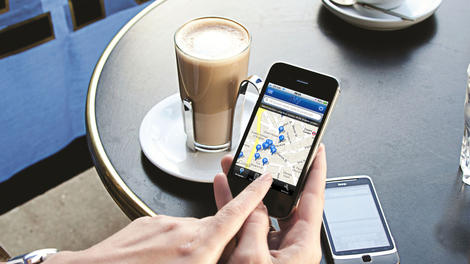
The draft General Data Protection Regulation (GDPR) is due to be passed through European Parliament. It will impact any organisation that gathers, processes and stores personal data. TechRadarPro speaks to Loic Triger of Ipswitch to determine what difference the GDPR is likely to have on businesses and organisations in 2015.
TRP What is GDPR?
LT GDPR stands for General Data Protection Regulation (GDPR) and is part of Article 8 of the European Convention on Human Rights. It is currently a draft regulation, due to come into effect in early 2015, designed to unify and simplify data protection across the 28 member countries of the European Union (EU).
The GDPR includes a strict data protection compliance regime with severe penalties of up to 100M euros or up to five percent of worldwide turnover for organisations in breach of its rules.
The proposal for the GDPR was released in January 2012 and the EU is said to be planning for adoption over the coming few months. It is not yet final.
TRP What problem is it designed to address?
LT The regulation is designed to address blurred lines around the protection of personal data. It is expected to address globalisation and developments in how we use, share and store data. For instance, it will tackle data protection in relation to social networks and cloud computing, including secure file transfer and the right to be forgotten.
The draft GDPR is very specific that personal data is any information relating to an individual, whether it relates to his or her private, professional or public life. It can be anything from a name, a photo, an email address, bank details, posts on social networking websites, medical information or a computer's IP address. There may be an exception for employee data, which could be subject to individual country regulations.
TRP How are organisations currently reporting data breaches? Does it vary by country?
LT Each country currently has its own Data Protection authority. In the UK it is the Information Commissioner's Office (ICO). Because the current GDPR draft is a regulation rather than a directive, it means it will directly apply to all EU member states without any national changes in legislation. There will be one Single Data Protection Authority (DPA) responsible for each company depending on where the Company is based.
The GDPR will have a significant impact on non-European companies that operate in the EU. The GDPR will make the law apply to non-European companies that trade in the EU as well as to European companies, reflecting that in today's age, business has become borderless.
TRP Why is more regulation needed?
LT There have not been any major changes to data protection law since 1995. The world we live and work in has changed significantly since then and new regulation is needed to ensure that personal data is kept safe and treated consistently across all EU countries.
TRP How can GDPR help?
LT The development of public, private, government and hybrid cloud computing services has complicated data storage and processing over the last twenty years. The GDPR will help by clarifying the responsibilities of organisations relating to the data they handle and store, thus making it easier for both European and non-European companies to comply and avoid penalties.
TRP What impact will this have on organisations?
LT If the draft is implemented in its current form, organisations will need to consider if and how they change the way they collect, process and store data.
The Association for Information and Image Management (AIIM) lays out the changes that organisations will need to abide by in its report entitled Making sense of European Data Protection Regulations. There are eleven key areas outlined that range from gaining consent to collect data to fully documenting any breach.
For instance, not only do organisations need to put in place a clear privacy policy to be provided to anyone it holds data on, but they also need to be able to provide them with a copy of their personal data in a format that can be easily electronically transmitted.
Organisations will also need the capability to delete all customer data on request under the 'right to be forgotten'. This part of the regulation is already influencing the behavior of search and social companies, such as Google and Facebook, as they prepare for GDPR.
TRP Are organisations prepared for the roll-out?
LT It seems that few are indeed ready. According to a recent Ipswitch survey of 316 European organisations, more than half (56 percent) of respondents could not accurately identify what 'GDPR' means.
Over half of respondents (52%) admitted they were not ready for GDPR, and over a third (35%) confessed to not knowing whether their IT policies and process were up to the job. Only 14 percent of respondents could correctly identify that the GDPR is due to come into effect in late 2014/early 2015.
Despite the lack of awareness of regulatory change, when asked about priorities for 2015, only 13 percent said they planned to spend more time understanding and preparing for regulation. A quarter (26%) said they wanted to spend more time reviewing and tightening security policies and a further quarter (26%) said they wanted to be able to spend less time on manual reporting and auditing.
In addition to testing the readiness of IT professionals, the survey also revealed that very little thought has been given to whether an organisation's Cloud Service Provider (CSP) is ready for the change. Although 79 percent of those surveyed retained the services of a CSP, only six percent of them said that they had thought to ask them whether they were ready for the GDPR.
TRP What can organisations do to ensure they meet these new regulations?
LT GDPR includes an obligation to protect personal data across the borderless enterprise. IT professionals should review and bolster their data processing policies and practices now, before the regulation comes into effect.
There are practical steps that can be taken now to ensure that policies, procedures and technologies run by organisations are up to the job of complying with the GDPR. Contracts with data processors and Cloud Service Providers need to be reviewed.
Set out to know exactly where your cloud data is hosted and understand how it is backed up and encrypted. Begin to set up procedures now to start securing explicit consent for the collection and processing of personal data.
Once confident in their systems and procedures, organisations will be able to apply for an EU Data Protection Seal which will be a five year certification of their processes.
- As VP of International Sales, Loic Triger is overlooking all activities related to sales in EMEA, APAC, and Latin America for Ipswitch File Transfer.

Read More ...
Windows 10 could come with a brand new Microsoft browser

We've heard lots and lots of rumors about Windows 10, but until now there's been little word about what browser the new operating system will use.
According to ZDNet's sources Microsoft is building a completely new browser to replace the ubiquitous but oft-maligned Internet Explorer.
This new Windows browser is being called "Spartan," and it seems it's a completely new browser not based on Internet Explorer at all.
This is pretty surprising, considering how long Microsoft has stuck with Internet Explorer, but what isn't shocking is that the new browser will reportedly look and feel more like Chrome and Firefox.
Future revelations
Preview builds of Windows 10 have included a desktop version of Internet Explorer, though granted an old version that was always bound to be replaced in future Windows 10 builds.Microsoft creating a new browser from scratch would explain why they haven't fit a new version into any Windows 10 previews so far.
However the new browser will reportedly use Microsoft's Chakra JavaScript and Trident engines rather than the common WebKit, just like IE does, and Windows 10 may actually ship with both Spartan and the existing version of Internet Explorer 11 (or one slightly updated) for backward compatibility's sake.
"Spartan" for now is just a codename, but we may find out exactly what the new Windows browser will be called at Microsoft's impending January event.
- The Nexus 6 is Google's best Nexus yet

Read More ...
Microsoft wants MacBook users to switch to Surface Pro 3

MacBook aficionados, Microsoft wants you to consider its Surface Pro 3 hybrid tablet/laptop as a potential alternative. Its marketing team has put up a microsite that aims to convince those mulling a move to bite the bullet.
The resource centre walks any prospective switcher through four steps (discovering Windows, discovering Surface Pro 3, moving your content and making the Surface Pro 3 interact with the rest of your Apple ecosystem).
Microsoft debuted its Surface range back in 2012 and it has proved to be a relative success given that Microsoft released two subsequent iterations. It has however yet to release the successor to the Windows-RT-powered Surface 2.
What Microsoft's tablet convertible has done though is pave the way for other similar products such as the Asus Transformer TX300, the Acer Aspire Switch 10 or the Schenker Element 10.1.
The site targets Apple's MacBook Air, more specifically the 11-inch model. That said, while a similarly configured Surface Pro 3 costs the same as a MacBook Air, adding a Surface Pro 3 type cover bumps the price by nearly 15%.
Check our review of the Microsoft Surface Pro 3.

Read More ...
Samsung to kickstart CES 2015 with IoT vision

Samsung Electronics' president and CEO, Boo-keun Yoon, will use its keynote address at the 2015 International CES event in Las Vegas next week to pull the curtains on company's Internet of Things (IoT) strategy.
A report published in the Korean press highlight the fact that the firm plans to tap into IoT to build a steady, growing revenue stream, supplementing falling margins and increasing competition in the smartphone and tablet market.
Yoon said in a statement that IoT is "is already shaping a new ecosystem within and outside of the tech industry, bringing infinite new opportunities. The convergence of technologies will accelerate, and collaborations will multiply to fill the needs of consumers." before adding "We at Samsung are committed to working with others to build the IoT".
The news piece also mentions that Samsung plans to set up a common platform for connected home applications in the short term, potentially moving in the business segment down the line.
Samsung acquired an IoT company called SmartThings back in August for $200 million, a fraction of what Google paid for Nest earlier this year.
IoT is not new; it's essentially what was called embedded but repackaged and wireless functionallity backed in.
Via Korea Times & Samsung Tomorrow

Read More ...
Carphone Warehouse debuts Windows tablet that's cheaper than a console game

The race for the cheapest tablet on the market is heating up as Carphone Warehouse, which merged with Currys/PCWorld owner, DSGi, earlier this year, slashed the price of its Windows 8 tablet from £69 to £49, making it by far the cheapest brand new tablet you can buy from the high street.
The tablet, the Hipstreet W7, looks very similar to the Linx 7 that we reviewed recently bar two important changes. It only has 16GB of onboard storage and its display is a 1024 x 600 pixel model.
The rest of the specification though is carbon copy: Windows 8.1, Office 365 for a year, 1GB RAM, rear and front cameras, a microSD card slot, a quad-core Intel Atom processor, Bluetooth, microUSB, micro HDMI port and, according to Carphone Warehouse, even GPS onboard.
We don't expect it to be a stellar performer or to surprise us. The Linx 7 deal (about the same price if you trade-in an old tablet) is better in our view.
However, if you want to buy Office 365 Personal, then this is a no-brainer as it is the cheapest way to get one AND get a "free" tablet at the same time.
Hipstreet may not be a household name but it is a popular low-cost brand with online US retailers like Best Buy, TigerDirect or Walmart. Both Tesco and Argos have released their own cheap Windows tablets in the run-up to Christmas.
- Check our review of the Linx 7 tablet.

Read More ...
Download of the day: McAfee Stinger

Use McAfee Stinger if you want to clear out an infection on your computer and restore it to a clean bill of health.
Why you need it
If you know you PC is infected with malware, you'll need a program like McAfee Stinger. This free tool targets worms, trojans and viruses already lurking on your computer, then rapidly destroys them to leave your PC infection-free once more.Why, you ask, do you need McAfee Stinger when your own antivirus software already exterminates threats? Well, Stinger is a much more targeted tool, searching in the registry and directories that viruses use to avoid the long scans performed by your antivirus program. That means Stinger can find threats that your regular software may well miss.
There's no installation required, just double click on the .exe file to load up McAfee Stinger. That makes it ideal for when you need to eliminate a threat as quickly as possible.
NOTE: McAfee Stinger is not a replacement for your normal virus scanner. You should scan your system regularly using antivirus software to look for infections; if you find anything, you can then use McAfee Stinger to rid yourself of the infection.
Key features
- Works on: PC
- Versions: Free
- Find threats: McAfee Stinger looks in places that viruses are known to hide – places that your antivirus software may miss
- Clean your system: Target and delete all known infections on your computer
You'll also like
- Kaspersky WindowsUnlocker
- avast! Free Antivirus
- Avira Free Antivirus
- Malwarebytes Anti-Malware
- Microsoft Security Essentials

Read More ...
Available Tags:Samsung , Lenovo , Download , 4G , LG , WebOS , Google , gaming , Windows , Microsoft , MacBook , tablet , McAfee ,


No comments:
Post a Comment