

Ereader specialist Onyx made an e-ink smartwatch

Smartwatches have been around for a while, but they still have plenty of kinks that need ironing out.
Not least of those kinks is battery life, but ereader maker Onyx has made an attempt to tackle that particular problem by applying what it knows best: e-ink.
The prototype e-ink smartwatch has a 1.56-inch display that comes with all the benefit of e-ink: better readability in sunlight and much more efficient battery consumption, mainly.
It reportedly allows the display to remain on all the time and still have better battery life than a standard smartwatch, not to mention making it look all retro cool like a digital watch from 1985.
Inked up
The Onyx e-ink smartwatch prototype can sync with smartphones over Bluetooth, track steps, and more, and it's also reportedly waterproof.The watch is just a prototype currently, and its display is not touch-enabled (there are three buttons on the side), but apparently future versions could support a touchscreen, GPS and more.
Onyx's "Boox" ereaders haven't exactly taken off the way that Amazon's have, but on the other hand Amazon hasn't yet thought to apply e-ink to a smartwatch.
There's a video from ARMdevices.net above. This prototype reportedly won't be in a marketable form until 2015 at the earliest, but in the meantime there are plenty of alternatives.

Read More ...
Windows 10 just borrowed a feature from Windows Phone

Those using the Technical Preview build of Windows 10 are in for a treat today, as the first update since the preview began has arrived.
And what does it add? None other than the "action center" found in Microsoft's Windows Phone operating system, the Windows Blog has revealed.
The action center is essentially a notification center where alerts from all your device's apps appear in one handy location.
As a whole Windows 10 may be getting closer to resembling a desktop OS once again, but it's clear that Microsoft isn't forgetting the lessons it's been learning on other platforms.
Lesson learned
"We aren't limiting our view to one specific device type. We are looking across our entire product family to look at ways to bring great experiences to our customers across different devices," Microsoft Director of Windows Program Management Gabe Aul wrote in the blog post."This build is focused ONLY on enabling basic notifications - quick actions and cleaner UI will come later," he continued. "You'll see notifications from the system and apps - from new emails and invites to IMs, Facebook posts and more - all in one place, so you don't miss a thing. Click on the new Action Center icon in the notification area of your taskbar to check it out."
The update also adds an animation for switching desktops an easier way to move apps between monitors.
Windows 10 Build 9860 will download automatically for users who are in the Windows Insider Program. Windows 10 is still a work in progress, and some elements are still missing or broken even as Microsoft adds new features, but for users eager to try out the new OS the program is a boon.

Read More ...
Amazon's Kindle Voyage begins its own voyage with shipping starting today

Amazon announced today that it's begun shipping the Kindle Voyage, Kindle Fire HDX 8.9 and Fire HD Kids Edition.
The bookseller aims to dethrone the Kindle Paperwhite with the Kindle Voyage, which it says is its most advanced reader ever.
Objectively speaking, the Voyage is certainly the brightest and the thinnest of Amazon's book-focused Kindle tablets.
Amazon is selling the Kindle Voyage for $199 (£169, about AU$221).
Meddling kids
The Voyage also has a new customizable page-turning feature that lets you flip forward and provides haptic feedback when you press lightly on the Kindle's bezel.An Amazon spokesperson informed TechRadar that the retailer also began shipping two new Kindle Fire tablets today: the HDX 8.9 refresh and the Fire HD Kids Edition.
The new and larger HDX has improved specs, while the Kids Edition has special content for kids, a special case, and a free two-year "no questions asked" warranty.
- TechRadar reviewed Amazon's 7-inch Kindle Fire HDX 7

Read More ...
T-Mobile opens its iPad Air 2 and iPad mini 3 pre-orders tomorrow

A number of carriers were quick to jump on board when Apple announced the iPad Air 2 and iPad mini 3 in October, and they've spent the interim since then individually announcing their plans for the tablets.
T-Mobile was on the initial list, but until today we hadn't heard when the big pink carrier would actually release the new iPads.
Now the US carrier has announced that iPad Air 2 and iPad mini 3 pre-orders will begin tomorrow, October 22.
T-Mobile customers can add one of the new iPads to an existing Simple Choice plan for an additional $10 a month and get 5GB of extra data. Those customers can get the iPad Air 2 for 24 monthly payments of $26.24 per month and the iPad mini 3 for 24 payments of $22.08, with $0 down for the 16GB models, $99 for the 64GB, and $199 for the 128GB up front.
Competition
Sprint also announced this week that it will start selling the new iPads online and in stores this Friday, October 24.The new Apple tablets will also be available in Apple Stores, through AT&T and Verizon, and at Staples - the retailer announced its own release schedule for the new iPads today as well, with pre-orders beginning today.
But T-Mobile offers its own advantages, including its flexible plans - and luckily for fans of the "un-carrier" T-Mobile will support the iPad Air 2's new Apple SIM, one of the new iPad's coolest features.

Read More ...
Xbox One home screen customization confirmed for next update

Microsoft is absolutely killing it with Xbox One updates, and the next one to roll out is no exception.
The company promised when the new Xbox launched that it would frequently update it with new features, and the latest much-requested addition is the ability to assign background colors and images for each profile on your console.
Corporate Vice President of Microsoft Game Studios Phil Spencer signaled in early October, that this feature was coming, but he didn't say how soon.
Now Xbox Live Director of Programming Larry "Major Nelson" Hryb has confirmed on Xbox Wire that users will be able to choose a custom background color or assign any high-res achievement photo - accessed by unlocking achievements in games - as their home screen image.
What to watch?
A later update will also let users set any image at all as their background, using the Xbox One's media player app.There are also major changes to users' profiles, including the return of the "bio" section and the ability to pin certain screenshots, clips, achievements, and other materials to your profile as a sort of Xbox résumé.
The new live TV OneGuide also has trending lists and popular movie lists for users unsure what to watch, and there's a new "What's On" section of the dashboard that serves much the same purpose.
Finally the console's Internet Explorer app, SmartGlass, and the Xbox One store have all been improved as well.
Check out the video below to see some of these additions in action. The new update is rolling out to preview users now, and will arrive for more users in November.

Read More ...
Razer Nabu SmartBand rolls through the FCC

The Razer Nabu SmartBand has undergone a lot of changes over its lengthy development period, but we may know soon whether the wait was worth it.
The Nabu SmartBand recently made its appearance at the Federal Communications Commission, indicating it's passed muster and could be released in the US soon.
The Razer wearable began life at CES 2014, where a Spring release date was promised.
But for some reason the Nabu didn't appear again until E3 2014 in the summer, and when it did it was much changed from the wearable we saw earlier.
Be discreet
The Nabu SmartBand has many features of both a fitness band and a smartwatch, including a discreet screen on the device's underside.It's meant to send you notifications from an Android or iOS device, as well as fitness feedback and other useful tidbits.
The FCC's filing for the device doesn't reveal much of note, but it's nice to know that the Nabu still fits into Razer's plans somehow.
We've asked Razer to confirm the Nabu SmartBand's launch details - if there are any to confirm - and we'll update if we hear back.
- Razer still makes the best gaming laptops, like the 2014 Razer Blade

Read More ...
Industry voice: Will Windows 10 be the catalyst for the remaining Windows XP users to upgrade?

Microsoft unveiled Windows 10 recently and bolstered the new edition of the popular operating system with features end-users have been requesting from the company since it introduced Windows 8. From a business point of view, Windows 10 restores some familiar features, including the Start menu, but it is unlikely to act as a catalyst for a widespread business adoption as it doesn't have a 'hot new feature'.
Businesses have had ample time to move from Windows XP to Windows 7 or higher and that transition has proceeded quite well. Where there are still a number of Windows XP users out there, Windows 10 might seem like a great proposition for a system upgrade. However, those users on Windows 7 are likely to remain on Windows 7, mainly due to the lack of a major new feature, which would necessitate an upgrade. A portion of users will upgrade as they are early adopters, touchscreen users, and those who do like the post-Windows 8 look and feel.
Enterprise temptations
Some of the key areas that could tempt the larger organisations to move to Windows 10 include the improved and expanded security features via Enterprise Data Protection (EDP). This means that users' personal data stays personal and corporate data stays on the corporate side, similar to Samsung Knox. For Windows power users, the virtual desktops could offer a new and exciting way of getting work done, but it means that Microsoft would need to find pockets of those users within businesses to make a case for the feature.Another interesting area of focus for future development is whether Windows 10 will become a cross-platform operating system. Will this be the one operating system that runs from users' desktop, tablet, phone and Xbox? The interface is supposed to adapt to your end point device. At the moment, it may be a niche, but Microsoft's mobile ecosystem is still growing, so it could be something that would work favourably for Microsoft.
For businesses, any software upgrade will always come down to the benefits an upgrade will deliver balanced against what the cost will be. And an organization-wide upgrade to Windows 10 could be costly.
Update issues
The final piece of the puzzle for businesses is the updates. No matter what the operating system, it will need to be kept up-to-date along with any third-party applications you are using. Companies need to apply relevant updates to keep their IT estates as risk-free as possible, and avoid any exploits that could lead to downtime or the loss of corporate – or customer – information.In the consumer space, those who already run Windows 7 will most likely stick with it. Those on XP will most likely remain on XP as virtual desktops aren't relevant to their needs, and the refreshed interface with touch support will not change the applications they have used for years.
- Sergio Galindo is general manager, infrastructure business unit, for GFI Software.

Read More ...
Microsoft officially dumps Nokia in favour of Lumia

Microsoft is set to officially drop the Nokia brand in favour of Microsoft Lumia. The move has been expected for a while, with internal documents leaked last month explaining that the Redmond company would be ditching references to both Nokia and Windows Phone.
Now Microsoft has confirmed to The Verge that the change is official. This means that in future there will be no Nokia Lumia handset, but instead Microsoft Lumia.
Nokia France will be the first region to change to Microsoft Lumia, which will be reflected on its Facebook, Twitter and other social media accounts.
Nokia won't completely disappear, with the Finnish company continuing to focus on mapping and network infrastructure. Just don't expect to see 'Nokia' printed on any new handsets.
What about Windows Phone?
While Microsoft confirmed it's dumping the Nokia brand, it didn't shed any further light on the future of Windows Phone.In the same leaked documents that suggested Microsoft would be ditching the Nokia brand it was also hinted that the 'Windows Phone' brand would be dropped. But we'll just have to wait and find out.
- Read our review of the Nokia Lumia 530

Read More ...
Industry voice: Apple Pay: what does the future hold for businesses?

The virtual wallet is far from a new concept – but Apple's new mobile payment service, Apple Pay, is a step in the direction of making this technology mainstream.
Apple Pay will let customers complete transactions without delving into their pocket for cash or a credit card, allowing for contactless payment with the swipe of a phone (or smartwatch). The system works because the iPhone 6, iPhone 6 Plus and the Apple Watch include near-field communication (NFC) chips, which allow you to hold your device up to contactless point-of-sale hardware at a retailer for payment.
Big opportunity
The scope of NFC technology is almost limitless, and has been present in Android smartphones for some time. Manufacturers such as Samsung, Sony and Nokia have all incorporated the technology into their flagship device launches since the beginning of the year. Note, however, that Apple has confirmed that it is – at least initially – restricting this new technology to just Apple Pay.What does this mean for retailers? If they want to accept Apple Pay, they will have to incorporate NFC readers into their checkout system, for starters. Apple has already partnered with American Express, Mastercard and Visa, as well as many US national banks – but the co-operation of vendors is equally important. Presently, the technology is already used by many big brands – Starbucks being one of them – with many others pledging to support the platform and bring in this technology from this month, such as McDonalds, Bloomingdale's and Macy's.
Necessary investment
Depending on how quickly the virtual wallet takes off, it's likely that smaller businesses will have to switch to NFC hardware to remain in competition with bigger brands who do offer Apple Pay in their stores. According to Gartner analyst Mark Hung, NFC readers are currently being used by fewer than 10% of merchants. NFC technology is expensive – but might be a necessary investment to keep up with larger brands.Much of the hype surrounding Apple Pay has revolved around the security it provides for the consumer. Apple Pay uses several layers of security – consumers must first enter their credit and debit card information manually, or take a photo of their card with their phone, and then verify their account with their bank. The first layer of security comes from the iPhone technology itself – when making a purchase, the buyer will hold their finger over the fingerprint reader embedded into their device, ensuring that thieves can't use Apple Pay on a stolen phone.
It's the next layer of security that affects the vendor – the NFC chip is designed to encrypt each user's payment information. Apple Pay doesn't send your card data to the retail merchant. A code system transmits a different code for each payment. Because merchants will no longer receive the consumer's account number, they will have a difficult time tracking consumers across multiple purchases.
PAN handled
Of course, vendors really shouldn't be using customer information in this way to track customer purchase behaviour, and in many ways, the development of Apple Pay is a response to this. Should this technology take off, Personalised Account Numbers (PANs) will no longer be a method for businesses to sneakily track consumer behaviour.However, retailers will find new ways of engaging with consumers. While they won't be able to access consumer behaviour through PANs, there is considerable scope for new interaction. Apple Pay will potentially eliminate the divide between online and offline shopping, as retailers will be able to integrate Apple Pay into their checkout system on their website – widening the scope of e-commerce. It's early days though, but businesses would be wise to keep their eyes peeled for ways in which to incorporate Apple Pay into their e-commerce.
The future is unclear
At this stage, however, looking at how Apple Pay will affect the future of commerce is in many ways speculation. The technology may be out in the US, but it certainly won't hit the UK for another year, and much hinges on how far and how quickly this technology will be taken up by the consumers themselves.By having all the major banks on board, however, Apple seems to have the necessary backing in getting its virtual wallet off the ground. With this, we can expect big changes in the way businesses interact with their customers – and the smarter businesses will be pre-empting this already.
- Adam Smith is director of Piccadilly Group – a provider of testing and assurance solutions for banking and capital markets.

Read More ...
Google's 'Security Key' offers safer two-step verification

Advanced attackers have found ways to circumnavigate the two-step authentication login process. Receiving text message or email codes that accompany your passwords is no longer a rock-solid security measure that is guaranteed to protect your information.
To defend against these advanced attacks, Google has launched a USB-based product designed to improve two-step verification processes. The tool, Security Key, enables users to insert a device into a USB port in order to authenticate log-ins.
Rather than receiving verification codes via text message or email, Security Key users can simply carry the device on their keychains or in their pockets and insert the tool into a USB port whenever they wish to access secure information.
Why it was built
Google says the tool is a defense against sophisticated attackers that typically infiltrate two-step verification systems by setting up lookalike sites that request log-in information from victims. Security Key, which uses cryptography instead of verification codes, is designed to work only with the websites with which it has been pre-programmed.Because Security Key requires a USB port, users won't be able to use the tool on mobile devices. Additionally, Google has made Security Key a Chrome-only tool, so you won't be able to access sites via Firefox or Internet Explorer via Security Key.
Security Key is generally available on Amazon. Google directs users from its website to an Amazon page that lists three models ranging in price from $5.99 (about £3.70, AU$6.80) to $50 (about £31.99, AU$56.80).

Read More ...
Review: Toshiba Satellite Click 2

Introduction, design and specification
Toshiba is one of those companies that dares to experiment with the shape of laptops. Just looking at the the company's small portfolio of convertible laptops alone we've have the Satellite U920T with a screen that slides into place and the screen flipping Satellite Radius. While many of these designs are novel, many of them have fallen to the wayside being either too weird or unwieldy for its own brilliance.Now Toshiba has just updated one of its only hybrid designs to get a second pass with the Toshiba Satellite Click 2. Sporting a detachable screen, the Click 2's splits into a thick 13.3-inch tablet and exceptionally thin keyboard base. Compared to the last model, Toshiba has refreshed its laptop-tablet with slightly news looks, and more importantly, a more powerful Intel Pentium processor. Now the question is if this is enough to fix the ills of the original Click or is this the Click 2 destined to fade into obscurity like so many hybrids before it.
Design
The Click 2 is an odd looking laptop. With a screen three as times thick as its keyboard base, it looks lopsided compared to your traditional notebook. A friend even asked me whether the laptop was upside after placing it on a desk.
While the Click 2 is rather top heavy, the hinge is strong enough to hold the screen in place - that is when it's sitting flat desk. Trying to type with the Click 2 sitting on my lap causes the display to wobble back and forth, though, not violently enough to cause the machine to tumble away from me.
Compared with the previous Toshiba Click, this new model is decidedly squarer especially on the bottom edge of the screen. This is flat base allow the screen to stand up when its not sitting on its base. Unfortunately the Click 2 does come with kickstand, so you'll often look down at the screen, unless the you place the hybrid on a particularly tall, neck-high surface.
It's also awkward to wrap your hands around the wide 13.3-inch tablet-laptop. Hold it horizontally and your hands are constantly split at a chest's width. Turn the device vertically and the tablet tips away from you as its edges dig into your palms. Toshiba has also made a poor design choice by placing the speakers on the backside of the screen exactly where you rest your fingers whilst holding the tablet.

One of the strangest things about the Click 2's design is the majority of its ports are located on the sides of the display including the mini-HDMI, SD card slot, and USB 2.0 port. It would have made a lot of sense to keep the inputs located on the laptop base, as you probably won't be plugging in a mouse or hooking it to a TV while your hands are busy holding the device and tapping on the touchscreen.
Specifications
Weighing in at 4.85 pounds, the Click 2 is one of the heaviest convertible laptops even compared to equally sized, 4.2 pound Asus Transformer Book TX300. The Asus is even thinner measuring 13.30 x 9.40 x 1 inches while the Toshiba's dimensions are 9.10 x 13 x 1 inches. Unsurprisingly the 11.6-inch Lenovo Yoga 2 11 is the smallest hybrid, measuring 11.7 x 8.12 x 0.67 inches and weighing 3.19 pounds.
Here is the Toshiba Satellite Click 2 configuration given to TechRadar:
Spec Sheet
- CPU: 2.16GHz Intel Pentium N3530 Processor (2MB cache, up to 2.58 GHz with Turbo Boost)
- Graphics: Intel HD Graphics
- RAM: 4GB DDR3L 1600MHz
- Screen: 13.3-inch 1366x768 LED Backlit 10-point Touchscreen IPS Display
- Storage: 500GB HDD (5400rpm, Serial ATA)
- Ports:1 x USB 2.0, 1 x USB 3.0, mini-HDMI, headphone and microphone combo jack, Kingston lock, AC adapter, SD card slot
- Connectivity: Intel Dual Band Wireless-AC 3160 with Bluetooth 4.0
- Camera: HD 720p webcam
- Weight: 4.85 pounds
- Size: 9.10 x 13 x 1 inches (W x D x H)

The Lenovo Yoga 2 11 for also goes for an affordable $499 (about £310, AU$569) on Amazon as well. The Lenovo hybrid also matches the Toshiba with the same Pentium N3530 CPU and 8GB of RAM, plus the a little speed boost thanks to the 500GB hybrid drive with an 8GB SSD cache. Asus Transformer Book TX300 by comparison is in a whole other class of premium; equipped with a Ivy Bridge Intel Core i7 3517U processor and a 128GB SSD on top of its 500GB hard drive, this suave aluminum hybrid can be had for $1,099 at TigerDirect (about £683, AU$1,254).
Performance
With a Pentium processor tucked under the Click 2's thick display we weren't expecting much performance at all. In fact, the laptop chugged heavily when I patched in all the Windows 8.1 updates. However, once I got the laptop running up to speed with the latest software, it was smooth sailing from there. The hybrid proved to be spunky and did a fair job of running Adobe Lightroom as well as playing Hearthstone on medium settings. As ever, here's how the Click 2 fared in our usual battery of benchmark tests.
Benchmarks
- 3DMark: Ice Storm: 20,652; Cloud Gate: 1,583; Fire Strike: DNF
- Cinebench CPU: 153 points; Graphics: 6.65 fps,
- PCMark 8 (Home Test): 1,432 points
- PCMark 8 Battery Life: 5 hours and 31 minutes
Ready for the long haul
Where the Click 2 lacks in performance it makes up for with astonishly good battery life. Thanks to the low-power Intel Pentium N3530 processor plus a fanless design, the 13.3-inch laptop was able to last a respectable 5 hours and 31 minutes on our PCMark 8 battery test.
The Click 2 was also able to see me through a full day of working on documents while streaming music, editing photos in Lightroom, streaming the last half of GI Joe Retribution, and two rounds of Hearthstone. All of this was done with the screen set to a quarter screen brightness and speakers set to 20 and the laptop still lasted 6 hours and 29 minutes.
Keep in mind this excellent battery life is coming from an budget hybrid. This extended run time is something we'd more expect from an energy sipping Chromebook or meticulously engineered ultrabook. The only competitor that came close to matching the Click 2's battery life was the Asus TX300, which lasted a shorter 5 hours and 6 minutes on the PCMark 8 battery test.
Excellent display, for the price
Another pleasant surprise was the Click 2 excellent display panel. Equipped with an IPS panel, the laptop's display presents some very good colors. It also renders some actual blacks, whereas many TN panel-equipped machines would produce washed out grays. That said you can't expect perfection with a budget price and the Click 2 lacks a fair amount of contrast, which causes most detail in the shadows to be lost to dark pixels. It's decent enough to watch streaming movies and edit your vacation pictures with, but I wouldn't suggest doing any professional photoshopping on this display.
Bundled software
The Toshiba Click 2 comes with an infuriating amount of bloatware preloaded. 15 items in total, but here's the most important software you'll want to keep around.- DTS Sound - Well don't delete your sound system software.
- Hard disc recovery - In case of accidental spills this software will hopefully help you restore your data.
- Intel® Wireless Display - Share your display to another device wirelessly.
- TOSHIBA Maintenance Utility - Just in case you need to troubleshoot your machine
Verdict
The Click 2 is definitely not a stunner from Toshiba, but it's a big improvement from the original convertible hybrid. Thanks to a more capable Pentium processor I never ran into any of the performance issues on the original Click and its AMD CPU. What's more, the new Intel chip also seems to have fixed the short battery life, which also plagued the Click 2's predecessor.We liked
Going Intel was a boon for the Click 2. Not only has the new chipset dramatically improved the performance of this hybrid laptop, it's also drastically extended the battery life to over six hours. Toshiba hasn't sacrificed processing horsepower for more power sipping performance either. I was easily able to run all of my typical, resource intensive applications without any hiccups. The great screen, meanwhile, is just an extra bit of icing to go with the Click 2 surprisingly excellent performance.Recently Microsoft and its computer manufacturing partners have been in search of affordable, power-efficient Windows 8.1 laptops to compete with Chromebooks and the Click 2 offers a glimpse of that future could be. Plus the screen detaches to become a tablet.
We disliked
While the Click 2 has fixed many of the ills that plagued its predecessor, Toshiba's hybrid is still far from being perfect. The most glaring flaw of the Click 2 is its absolutely dreadful design. It's shape is lopsided making it just as awkward to balance on your lap as it is unwieldy to hold. The design as a whole just seems backwards and while that might its characteristic signature, it's really not working here Toshiba.Final verdict
The Click 2 is a step in the right direction and Toshiba has improved greatly from the originally Click, which in general was a borked machine in every way. Still it's not a notebook I would easily recommend, especially when the Lenovo Yoga 2 11 has can be had for the same affordable price. Plus the two machines share very similar specs. Sure you're sacrificing some screen real estate, but Lenovo has nailed its hybrid design and a 11.6-inch tablet might actually be more comfortable in your hands.With the Click 3 I can only hope Toshiba will go back to the drawing board to create a slimmer, lighter and easier to hold laptop hybrid. Once it does that, Toshiba could have a very hot convertible machine on its hands.

Read More ...
Meet the Panono: a camera to make you throw up

Most people's idea of panoramic photography involves a tripod, a spirit level, a fiendishly complex panoramic tripod head and copious amounts of time.
The Panono's approach could hardly be more different. It's the size and shape of a grapefruit, it weighs just 440g and the cameras trigger automatically when it's thrown in the air. All the tricky stitching is taken care of by the Panono cloud service.
If you're working indoors where there's less light, the makers recommend using a tripod instead and controlling the Panono with its companion smartphone app, which comes in iOS and Android versions.
These aren't small images, either. The Panono's 36 cameras create a 108-megapixel image. Even so, the camera can store up to 400 of them in its internal memory. You can transfer them via WLAN or a regular USB connection.
When can I get one?
Panono's maker says it will be available from Spring 2015 at an anticipated retail price of $US549/£340/AU$622. In the meantime, you can take a look at the camera and its specs at the Panono website.You can also take a look at panoramic images which have been created with it – and some of them are quite breathtaking.

You view them within a regular browser window – drag your mouse to pan and rotate the images and use the scroll wheel to zoom in and out.

Read More ...
Samsung supercharging enterprise servers with industry's first 8Gb DDR4 chips
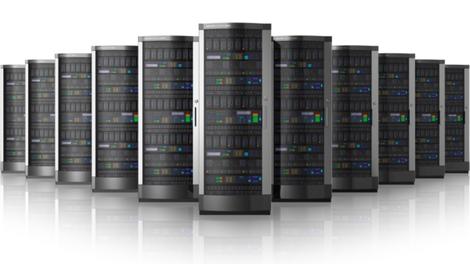
Samsung is looking to get its nose in front of the competition by producing the industry's first 8Gb DDR4 DRAM chips on 32GB modules.
Designed for use in enterprise servers, they are being produced using 20nm process technology and offer benefits such as improved error correction features and lower power usage, the South Korea-based company said in a statement.
According to Samsung, the new module's data transfer transfer rate per pin can reach up to 2,400 Mbps compared with the 1,866Mbps bandwidth of a DDR3 server module can manage - a 29% speed boost.
The new 8Gb DDR4 joins Samsung's existing line-up of 20nm manufactured DRAM that includes its 4Gb DDR3 chips for PCs and 6Gb LPDDR3 modules for mobile devices.
The company says that its new 8Gb chips will eventually allow production of server modules with a top capacity of 128GB through the use of 3D through-silicon-via (TSV) technology.
Via Businesswire

Read More ...
Pebble confirms that, unlike Apple, it won't focus on fashion

The Apple Watch isn't even here yet, but it's clear that Apple is pushing it as a fashion accessory as much as a computing device. That makes a certain amount of sense given that watches are traditionally about form as much function and Apple itself is known for making stylish devices.
But Pebble has confirmed that it's not going to be tempted to take a similar approach and will instead put function and affordability over form, just as it's done so far.
In an interview with The Telegraph, Pebble CEO Eric Migicovsky said of Apple that "they've definitely expressed quite a different perspective on the market than what we're looking at. I think Apple's looking upmarket, they've created something that's more of a fashion piece than anything else. It speaks of high quality and expensive materials."
"We've chosen to create something that meshes with your existing life. It works with the phone you already have – whether that's an iPhone or an Android – long battery life, waterproof, durable and affordable. Those are the key things that we hold very dear."
Keeping it simple
With its long lasting battery, low price tag and monochrome display Pebble arguably has no direct competitors and seemingly it's happy to keep things that way.Even Android Wear, which isn't as universally fashion-focused as the Apple Watch, has an eye for fashion as evidenced by the likes of the Moto 360 and with its colour screens and shorter battery life it provides a very different experience to Pebble.
But while Pebble isn't going to drastically change its direction and has no plans to release a fashion watch it is seemingly listening to what people want. The Pebble Steel for example has a slimmer build and can be purchased with a steel strap.
But for the most part the company has left it to users to customise their own watches, be it through changing the strap or creating new watch faces. Pebble will never look like a Rolex, but at £99.99 it arguably doesn't have to.
- Microsoft's smartwatch could have good battery life too.

Read More ...
Business plan software: top four on the market

Introduction and Business Plan Pro
Business planning is critical for an organisation to be successful. A business plan outlines a company's mission, goals and means of operation, as well as its financial, marketing, HR and operational needs. A good business plan should provide a clear and detailed description of the organisation, crystal clear enough so that someone unfamiliar with the company could quickly gain a comprehensive understanding.Naturally, business planning can be a lot of work, requiring lots of information and data to be pulled together and presented. Business plan software is able to help with this process.
At its simplest, business plan software helps to take all of the information required for a business plan and put it into a suitable format. Good business plan software will also walk an individual through the process of writing a business plan, providing guidance throughout the process. It will help to calculate financial figures, make forecasts and do research. It should also help to educate an organisation's relevant staff members about good business planning.
Choosing which piece of business plan software is right for an organisation will depend very much upon the organisation's requirements. Some packages may be better suited to different sized business, or to organisations that are in specific industries. This article provides an overview of some of the most popular business plan software packages available.
Business Plan Pro
Web: http://www.paloalto.com/uk/business_plan_softwarePrice: From £79.99 (around US$130, AU$145)
Business Plan Pro is widely regarded as one of the leaders, if not the leader, in the business plan software market. Its manufacturer, Palo Alto Software, claims that it has been the highest selling business plan software package for the last ten years, and that over one million businesses have used the software since 1991.
Amongst its users are said to be Walt Disney, Microsoft, AT&T, Harvard and Yale, whilst Palo Alto says it is recommended by Inc., Entrepreneur, The Wall Street Journal and Bloomberg Businessweek.
The software itself includes over 500 sample plans for users to view to give them an idea of what should be included in any section of a business plan. The package's clear instructions are very helpful, and every step and piece of guidance is provided by business planning expert Tim Berry. Business plan figures are automatically calculated from business figures provided by the user, and a plan review feature checks for any errors. Charts and graphs are also automatically created.
A variety of tools and features to help with business funding are provided with Business Plan Pro. The software uses the preferred format of banks and investors, whilst it's also possible to export a presentation version of a plan for meetings with investors. Real-world financial data is provided as a means of comparing the user's business against competitors. There is also a plan dashboard that shows an overview of how your plan is living up to real-world results. Research resources include legal guidance, business planning literature and information about funding options.
There are two version of Business Plan Pro available. The Standard version is aimed at those looking to deliver a business plan quickly, put together financial projections for startups or deliver business planning for friends and family. The more expensive Premier version is aimed at helping individuals to find funding from investors, deliver ongoing business planning for an existing company with existing financial data, and manage their business using the business plan. Both versions are offered with a 60-day money-back guarantee.
Ultimate Business Planner, Plan Write and LivePlan
Ultimate Business Planner
Web: http://www.abs-usa.com/business-plan-software/overviewPrice: From US$99 (around £60, AU$110)
Atlas Business Solutions (ABS) has been operating since 1991, producing what it calls, "easy-to-learn, easy-to-use, and affordable business management software." According to ABS it was named as one of Software Magazine's Top 500 Software Companies in 2004 through 2007, and then again in 2010 and 2013. Its Ultimate Business Planner software is said to be used by over 250,000 clients and aims to help organisations minimise time spent on business planning.
ABS says that Ultimate Business Planner walks its users through the process of creating a business plan with instructions in plain English, as well as additional tips and guidance provide throughout. Profit and loss accounts, balance sheets, financial ratios and other financial documents can be created quickly and "hundreds" of business startup resources are provided. Over 1,000 samples of business plans are here, along with 25 complete business plans.
The software splits the business planning process into two sections, namely forecasting business financials, and writing the plan itself. Users need only input their income and expenditure and Ultimate Business Planner will deliver a complete set of financial projections automatically, including the associated graphs and charts. For writing the plan, the software provides a step-by-step walkthrough with instructions and advice aplenty, and the sample plans are referenced to provide examples.
In addition, Ultimate Business Planner includes a variety of other resources to help businesses, including a list of loan programs and economic development departments. The package is compatible with Word, Excel, Adobe PDF, and QuickBooks, and it outputs business plans in the preferred format of banks and investors.
- Also check out our feature: Creating a business plan
Plan Write for Business
Web: http://www.brs-inc.com/pwb.aspPrice: US$229.95 (around £140, AU$260)
Business Resource Software is another provider of software for businesses. It was set up in 1989 and boasts clients including American Express, AT&T, Boeing, Ernst & Young, Federal Express, IBM, Pfizer, Shell and Toyota. According to the company, Newsweek calls its business plan software its "top choice," most closely meeting the criteria that experts define as being critical.
Like other business plan software, Plan Write for Business provides examples of other business plans in the form of extracts for reference, and also a number of full, real plans. Financial figures are calculated automatically once some initial figures have been input, and a PowerPoint slideshow can be generated using built-in templates should the plan need to be presented in a meeting.
In addition, the software includes a "Business Plan Wizard" to guide the user through the process and tailor the plan to the shape and goals of their business. The package uses the preferred layout of banks and investors, and content can be exported to Word, Excel, PowerPoint and HTML. A QuickBooks Pro interface is also included. Phone support and industry insights are also provided.
LivePlan
Web: http://www.liveplan.comPrice: From US$11.66 (around £7, AU$13) per month (billed annually)
Like Business Plan Pro, LivePlan is owned by Palo Alto Software, but instead of being an on-premise piece of software, it is delivered online. LivePlan is designed to work using newer technologies and a newer approach. The aim of the software is to simplify "business planning, budgeting, forecasting and performance tracking for small businesses and startups."
LivePlan splits the business planning process into three sections: planning the strategy, pitching for funds and then tracking the organisation's progress. To begin with, LivePlan asks the user for some of their organisation's financial data, which is then used to calculate financial forecasts. All the financial information that would be expected from a lender or investor is included, and graphs and charts are automatically generated.
Key business figures are then compared against industry averages with guidance on how the user's business can be improved. LivePlan can be used by businesses in any country with currency being set accordingly.
A selections of themes from which users can choose are included and the plans produced both look professional and are formatted in the manner that banks and investors prefer. Plans can be easily exported to Microsoft Word and PDF. Over 500 sample plans are included for users to compare with their own plan.
Users can create a one-page pitch for providing key information about their business to banks, investors and other key individuals. Information covered includes a summary of mission and goals, sales and marketing approaches, market and competitor research, milestones and financial projections.
LivePlan can be accessed from any internet browser and works on both Macs and PCs. It can be shared with collaborators for joint input. The company says it uses the same security and safety measures as the world's top financial institutions and undergoes regular security audits. Plans are saved every few seconds to avoid any work being lost, and data is backed up.

Read More ...
Blip: Someone's finally made a working hoverboard, and no, it's not cheap

Ah, the hoverboard. The most elusive of coveted future technologies. We've seen a number of products claiming to do the job, but so far none have come through. The Hendo Hoverboard, however, might just be the first.
Launched on Kickstarter, this so far looks like the real deal. The board uses electromagnetic technology to gracefully glide about an inch above the ground, though it can only work over conductive materials and runs for just seven minutes.
But limitations aside, it's still a working hoverboard, and its creators are hoping to turn it into something you'll actually be able to buy. All they need is $250,000 to make it happen, and if you actually want a hoverboard to call your own, you'll need to put up a cool $10,000.
But let us repeat: it's a working hoverboard.
More blips
Back to the Blips!- Bill Murray's first mobile phone is a BlackBerry
- Google strapped a camera to a camel
- Got three hours to kill? Watch every Game Boy game start screen

Read More ...
You will soon be able to finally buy a 24-inch QHD monitor

Do our eyes deceive us? Apparently not: a 24-inch QHD monitor really has landed on the market, and it comes courtesy of Taiwanese monitor maker BenQ.
The BL2420PT has a 2560 x 1440 pixel-resolution, a common feature on 27-inch (and above) displays, but few (if any) companies have taken the resolution to 24-inch territory before.
Aimed at professionals in CAD/CAM, animation, video editing and graphic arts, the monitor offers a 77% larger working area compared to full-HD screens.
Professionals will also be interested in BenQ's claim that it covers 100% of the sRGB space, something we're keen to check with our trusty colour calibrator.
Specs-wise, the BL2420PT has an IPS display with 178-degree viewing angles and a brightness of 300 nits, 1000:1 native contrast ratio, 20M:1 dynamic contrast ratio and 14ms (5ms grey-to-grey) response time.
Connectivity includes D-sub, dual-link DVI, DisplayPort 1.2, HDMI v1.4, a headphone jack, line-in and two 1W integrated speakers.
Other features include an adjustable height stand, optional VESA wall mount and CAD/CAM and animation modes, in addition to BenQ's eye strain-reducing Flicker Free and Senseye 3 technology.
We're still waiting for information on pricing and availability, so stay tuned.
VIA Tom's Hardware

Read More ...
Updated: Best TV 2014: what TV should you buy?

Best TV: all your buying questions answered
Christmas is fast approaching and we all know what that means - time to buy a new TV! Right?The stats don't lie, the Christmas period is the time when most of us tend to finally buy that new telly we've been talking about for ages. And with Christmas movies, big sports events and family occasions coming up, it makes perfect sense.
But what TV technology is best? Which is the best LCD TV? Which screen size is best for your living room? What's the difference between LCD and LED TVs?
The answers aren't always obvious. In fact, buying a new TV can be a stressful experience even for the tech-savvy - there are so many brands, so many features, so many screen sizes, colours, technologies and flavours to choose from.
So which one is right for you, your family and your living space? In this buying guide, we will walk you through everything you need to know about buying a new TV.
What types of TV are out there?
There are a lot of different screen types out there, all working in different ways to produce the same results. Each technology has its own unique strengths and weaknesses so here are some basics to consider:LCD TV: CCFL
Until recently, all LCD TVs were backlit by always-on, CCFL (cold cathode fluorescent) lamps. This ageing technology has been superseded by the superior LED method on more expensive sets, but is still standard on some cheaper models.
LED TV: Direct LED
These displays are backlit by an array of LEDs (light emitting diodes) directly behind the screen. This enables localised dimming – meaning immediately adjacent areas of brightness and darkness can be displayed more effectively – and greatly improves contrast. LED TVs are also more power efficient and capable of a wider colour gamut than CCFL sets. Because of the extreme cost of mounting these arrays of LEDs, Direct LED TVs have largely been out muscled by Edge LED...
LED TV: Edge LED
With these TVs, LEDs of the backlight are mounted along the edges of the panel. This arrangement enables radically slender displays and offers superior contrast levels to CCFL, but can't achieve the same picture quality as directly lit LED sets. However, they do come in far cheaper which is why most LED TVs out there now use this technology.
OLED TV
The backlighting on OLED (organic light emitting diode) sets is achieved by passing an electric current through an emissive, electroluminescent film. This technique produces far better colours and higher contrast and also enables screens to be extremely thin and flexible. This is the holy grail display technology and only in 2014 did a bigscreen OLED TV go on sale. So it's brand new, it's expensive and the top brands are still struggling to get their heads around it. To date, only LG has been able to release full sized OLED TVs.
Plasma TV
PDP (plasma display panel) TVs use glass panels containing millions of tiny cells filled with a mixture of inert gases. Electricity excites the gases, causing them to illuminate the pixels across the screen. Plasma, while arguably superior to LCD in terms of contrast and colour accuracy, is only viable on large (42in+) screens and has been dropped by all but a handful of manufacturers. You'll be lucky to find one on the shelves these days.
Curved TV
Some manufacturers are now making TVs that have slightly curved screens. But unlike old CRT TVs, the curve is inwards rather than outwards. The idea is that this makes every pixel equidistant from your eyes, delivering a more satisfying picture. However, there are drawbacks for this type of screen - the main one being that if you sit far enough to one side – more than 40 degrees or so – the curve clearly starts to affect the image's geometry, foreshortening content near to you and compressing the image's centre.
What resolution should I go for?
HDHD TVs come in two resolutions. Sets with the HD ready are required to be able to display a minimum 720p picture, and generally has a screen resolution of 1366 x 768 pixels. Meanwhile, full HD TVs have a higher resolution of 1,920 x 1,080 pixels. It's highly advisable that you don't go for anything less than full HD in this day and age.
Ultra HD and 4KThe resolution of Ultra HD is exactly four times higher than full HD - 3840 x 2160. It means a far more detailed picture, with content requiring a lot more bandwidth and storage space. 4K TVs tend to be good at upscaling HD video to Ultra HD but there are currently very few options for watching native 4K content. Read more about 4K
What kind of tuner do I need?
TVs in the UK come with two types of tuner: DVB-T2 (Freeview HD) and DVB-S (Freesat HD). Some TVs such as many sets from Panasonic have both tuners on board, but most do not. So which should you go for?Freeview HD
Freeview is the natural successor to the analogue TV signal of old, flying the flag for free-to-air TV through a traditional aerial. So your decision of which tuner to go for could well be decided according to what receiving devices you've already got strapped to your roof. If you've got a traditional TV aerial only, Freeview is the obvious option. Equally, if you're buying a TV for a second room, you might have to rely on a portable aerial which again would make Freeview your best bet.
Freesat HD
Freesat is similar to Freeview in that it's free-to-air, but different in that it's delivered through a satellite dish. Freesat uses the same satellite as Sky HD - the Astra/Eutelsat satellite which sits in the sky at 28.2E. That means if you've got a Sky dish, you can easily plug a Freesat TV or box in without having to move it. Freesat HD is ideal for large living room TVs as it delivers slightly higher quality pictures than Freeview, has fewer problems with signal, and also has a much larger selection of channels both in standard definition and high definition. It'll also likely be the first to carry 4K TV channels when they eventually launch.
What does TechRadar recommend?

Best 32-inch TVs
The perfect size for bedroom TVs or sets for smaller roomsMost living rooms can't physically take a TV much bigger than 32-inch, making this size by far the best for a lot of people in the UK. But within this size division, there's plenty of choice. A basic HD-ready set can be found for less than £300 is you search hard, though it's just as easy to spend over £2k on the best ones. There's only one certainty at this size – your new TV will be a LCD TV. If you're lucky it could have LED backlighting, but it won't be a plasma; LG used to make plasmas at this size, but there's not one on sale currently. 10 best 32-inch TVs in the world today

Best 40 and 42-inch TVs
The sweet spot for plasma TVs offers lots of bang for your buckOnce known simply as 'plasma screens' in the collective consciousness, the 40-42-inch size is where the flatscreen dream started in the late 1990s - and where it's still at its most innovative and best. Now a lot more varied, with plasmas rubbing shoulders with (and quickly being outnumbered by) LCD TVs and their ultra-modern LED TV makeover, 40-42 inches is still the sweetspot for anyone not overly concerned with ruining the interior design of their living room. As well as being the fastest growing sector of the market, this size also offers possibly the best value TVs around. Serious home cinema addicts have moved on to 50-inch and bigger screens, leaving this category a swarm of slashed prices. 10 best 40 and 42-inch TVs

Best 46 and 47-inch TVs
Offering the pinnacle of performance, this is where it gets seriousThere was a time when plasma screens reigned supreme in the 46-inch TV market. But in much the same way as a meteor strike killed off the dinosaurs, the second coming of the LCD TV is the invasive species that has done for plasma. We're still huge advocates of plasma on TechRadar, don't get us wrong, but the tech is dying out at this size. Old-school CCFL tech has been replaced by LED backlight scanning and technical wizardry to make LCD tech viable in large sizes. So the majority of TVs in this size bracket are now from the LED side of the wall, and that's not necessarily a bad thing. LED TVs these days are brighter than plasmas, they're thinner and there's a lot more variety on show. So here's our selection of the best 46-inch, 47-inch and now also 48-inch TVs for your perusal.. 10 best 46, 47 and 48-inch TVs

Best 50 and 55-inch TVs
Where the home cinema experience beginsThe size where a home cinema turns from dream to reality, it's also at this 50-55-inch TV screen size that 3D starts to become immersive enough to convince and impress. This size, last year dominated by full HD models, is now being overrun by Ultra HD 4K models. While LED tech has gone a long way towards condemning plasma to a role on the outskirts of the TV industry, at 50-inches and above, plasma really comes into its own if you can find one. Most home cinema buffs still swear by plasma, with its cinematic colours and deep blacks making for a real movie-watcher's paradise. But 2014 sees the first batch of 50-inch LED-backlit panels off the production line, a development that further marginalises plasma technology at one of the sizes it previously dominated. If you're looking for a dream movie-watching experience, check out these home cinema beauties. 10 best 50 and 55-inch TVs

Best 60 and 65-inch TVs and above
If you want the best, you'll need to pay the bestIf you're feeling extravagant or want to furnish your big living room with a similarly big TV, 60 inches or more of television will certainly make a statement. There are some truly massive TVs available these days, with Ultra HD-toting 84-inch screens such as the LG 84LM960V, Toshiba 84L9300, Sony KD-84X9005A and Samsung UE85S9ST. But for most of us, 65 inches of screen space is luxurious enough, while still being manageable. Gone are the days when the over-60s were mere monitors; expect to find all the niceties a good living room-ready TV should have, such as Freeview HD tuners, perhaps even Freesat HD tuners, too, plus smart TV apps and 3D compatibility. There's a smattering of plasmas here - it's the size category where the original flatscreen TV tech truly excels. But as plasma fades, the real story in this category is the rise of the 4K LCD. So what's the best 60-65-inch TV for you? 10 best 60 and 65-inch TVs in the world today

Best 4K Ultra HD TVs
The latest big thing in big screensEveryone wants an Ultra HD 4K TV! Yes, okay, we all know there isn't much 4K source material to properly showcase the stunning picture quality, but Netflix has at least started to offer 4K content. There could also still be a 4K Blu-ray format later this year, and before you know it there'll be test transmissions and perhaps even a 4K TV channel from Sky or the BBC. It's all about future-proofing, though there's slightly more to it than that; some of the first batch of Ultra HD TVs pump out best-ever Blu-ray images, thanks to some wonderfully adept upscaling tech. The birth of 4K could also lead to the re-birth of 3D – it just looks so much better at this higher resolution. The big stumbling block – as always – is money, but already there are relative bargains to be had and, better still, some sumptuous designs stuffed with new innovations. The race for 3840x2160 pixels is on. 10 best 4K TVs in the world today
What else should I consider?
Buying a new TV can be traumatic and baffling - unless you're armed with our guide to the countless pitfalls and confusions that await you...Buying a flatscreen television is a major investment and one that you can't afford to take lightly. Just popping into the closest store and grabbing the first plasma or LCD you see won't get you the best deal, the screen that suits your needs, or the gear you require to make the most of your new purchase.
Size matters
People tend to pick the size of their flat TV based on the amount of space they have for it, this isn't necessarily wise. Flat TVs take up much less space than you might think, so your new TV may end up a foot or two further away from your viewing position, making the picture appear smaller.
Also, with hi-def, you can have a bigger screen and the same viewing distance without worrying about seeing blemishes inherent to the source. HDTV's lack of noise means that the ideal distance to sit from the screen is three to four times the height of the TV.

How to calculate the right size HD TV:
The trick here is to ensure that your TV is big enough to fill your line of vision, but small enough to be sharp and clear. Remember, if you intend to only watch standard-definition sources, the bigger the screen gets, the worse the image will look.The ideal screen size can be calculated by multiplying the distance that you intend to sit away from it by 0.535 and then rounding this up to the nearest size.
So, if you sit 80in away from your TV, the ideal size is 42-inch (80 x 0.535= 42.8).
What features should I look out for?
Features are too numerous to go into here, but here are some things you should consider.Photo viewing: If you have a digital camera, a TV that has a slot for memory cards or a USB socket for a card reader will let you view your photos onscreen.
Here are some of the things we look for when we review a screen, so you should, too...
Contrast: Bright whites shouldn't have any signs of green, pink or blue in them, while blacks should look solid and not washed out, grey, green or blue.
Colours: Look at how bright and solid they are; how noiseless their edges are; how 'dotty' richly saturated areas are and how natural skin looks, especially in dim scenes.
Fine detail: How much texture does the screen give? Does a tree look like a green lump, or can you see the individual leaves
Edges: Check for ghosting, bright halos and jaggedness, especially around curves.
Motion: Check moving objects and quick camera pans for smearing or blurring, trailing, jerkiness and fizzing dotty noise.
Image artefacts: Look for blockiness, colour bands, grain, smearing, dot crawl: anything that looks like it's added by the TV picture processing or a weak TV tuner. Tinker with a TV's picture settings before making a final decision. Factory settings are rarely good for everyday viewing.
What about sound?
To provide the best audio to complement the pictures, your TV should be hooked up to a surround sound system, but this isn't always an option. So, here's what we listen for when testing a TV's speakers:Bass: Deep, rounded rumbles that don't cause the set to rattle or speakers to distort, cramp or overwhelm the rest of the sound; but that expand when needed.
Vocals: Voices should sound open, rich and clear, not boxed in, nasal or thin.
Trebles: Treble effects should sound clean, rounded and smooth in loud scenes and shouldn't dominate the soundstage.
Soundstage width/depth: A good TV should throw the sound away from the TV, to the sides, forward and back, to give an extra dimension to what's on screen, without losing any coherence.
Questions to ask before you buy
Taking the time to consider these questions will make choosing the best TV easier...HD or 4K?
4K TVs are stunning and even though there is currently little native 4K content to enjoy, the good ones are able to upscale HD to 4K very well. That being said, unless you're buying a very large TV - we're talking 65-inches plus - full HD should be adequate.What size do I need?
This is dictated by the dimensions of the room where the TV is going and the amount of cash you're prepared to spend. As a general rule of thumb, work out how far from the set you'll be sitting (in inches), multiply that distance by 0.535 and then round up the result to the nearest screen size. Bear in mind that a decent smaller telly is often a more sensible investment than a larger, less accomplished one. And if you're going to buy a 4K TV, you can sit much closer because of the higher resolution.How many HDMI sockets do I need?
For a living room TV you should be looking for a minimum of 3 HDMI inputs. If you want to attach a set-top box as well as games consoles etc, those HDMI ports will fill up fast.Can I connect my older, analogue kit?
Most new sets carry no more than two Scarts, while S-video is fast approaching obsolescence. Check that your new TV can hook up to older digiboxes, VCRs or DVD decks that you might want to plug into it.What picture type do I prefer, LCD or plasma?
LCDs and plasmas produce different sorts of pictures. Broadly speaking, the former's are usually sharper, brighter and more densely saturated, while the latter's tend to be richer, more natural and produce better black levels. Decent dealers should be able to arrange a side-by-side demo for you.Do I want to hang my TV on the wall?
First off, you'll need to consult a construction expert to check that the wall in question is strong enough to support a flatscreen. Then find out if the set you want is designed to be wall-mounted and, if so, ask if the relevant bracket is included in the basic package or as an optional extra.Will I be connecting it to a home cinema?
If the answer is no, you might want to think more carefully about your set's audio performance. Look for a screen that can go as loud as you'll need without distortion or cabinet rattle. Consider how dialogue sounds and how much low-end rumble the bass is capable of.Conversely, it's pointless paying out more cash for exceptional built-in speakers if you already have a decent home cinema system.
Happy shopping!

Read More ...
Hands-on review: Updated: Samsung Galaxy Note Edge

Hands on Samsung Galaxy Edge
Now this is interesting. There were a trickle of rumours that Samsung was going to release a unique product into the smartphone market - something that would take advantage of the company's bendable OLED displays. And it has delivered with the Samsung Galaxy Note Edge.The Note Edge is a beautiful looking device that has a screen that folds over one side of the handset, offering up myriad possibilities with what to do with this extra bit of real estate.
Well, I say extra - this is the same 5.7-inch screen that's seen on the Note but an inch of it drapes over the side, ready to take care of notifications so they don't get in the way of watching full-screen video and the like.
Sadly we now know that it's going to be a 'limited edition' device, but that doesn't mean you won't be able to get your hands on it, just that it will be produced in limited quantities. The Galaxy Note Edge is pegged for a late October release in South Korea, while a Japanese carrier has confirmed it for October 23 there.
Other territories will have a longer wait. Australia is set to get the phablet curio on November 12 and there's no confirmed release date yet for the UK or US, though Sprint, AT&T and T-Mobile have all confirmed that they'll carry the handset once it does launch.
As for pricing it's set to sell for a hefty 49,990 Rubles in Russia (around £755 / $1219 / AU$1385), while prices in China are similar. I'm hopeful that local pricing will be a little cheaper, but UK retailers are currently estimating a £650 price tag, so don't expect it to be cheap.
Screen
When I first picked up the Note Edge, I did notice a slight issue. The folded part of the screen was on the wrong side for me, because I am left handed.
This meant that this extra bit of screen was in the way of my palm. But Samsung has remedied this with making the screen completely flippable. So as long as you don't mind the home button being on the top of the screen, then this is a handset for south paws as much as right-handed folk.

The Samsung Galaxy Note Edge is fantastic in the hand. The added screen dimension makes it look and feel a lot more premium than its Note 4 bedfellow. It's definitely a handset that has wow factor, even if the added screen lip may be slightly lacking in uses at the moment.

Samsung has tried its best to make this section of the phone useable, by creating a host of OS strips that you can add to the lip of the screen. These include things like weather, Twitter, and news updates.
One great move Samsung has done is make the lip of the display work independent of the main screen.

So if the main screen is completely off, one swipe of the lip and you can see your notifications and updates. This would be a great thing in a meeting where you don't want to use your full device but want access to small updates,
Innovative display
The new screen design in my hands on simply meant that it was easier for me to access applications. Samsung also informed me that the panel will evolve, once more software partners are on board.Another test I did to try out the innovative screen was watch a clip of a movie. As all of the controls went to the lip of the screen, the main part was completely free - the movie went completely to the edge and looked great.

The new screen is a great addition to the Note range. By this I mean that everything else bar the screen is identical to the Samsung Galaxy Note 4 in specs.
The screen does mean you get a 16:10 aspect ratio and Samsung did explain that the battery was a tad smaller (at 3,000) but everything else that is on the Note 4 is present and correct with the Samsung Galaxy Note Edge.
Get a better look at the curved display of the Galaxy Note Edge in our hands on video:
Features
While you can read a little more in-depth about the new features in our hands on Samsung Galaxy Note 4 review, here's a number of things that I thought were standout.The chassis now has a heartrate monitor, that was originally found on the Samsung Galaxy S5. This also acts as a trigger button for the camera when you want to do selfies.
S Pen
The S Pen has also vastly improved with two extra pen styles: fountain and highlighter. You can do so much more with the S Pen too. One of the most interesting aspects is that you can now use it mouse like to take grabs from websites and set up your own clippings service.You can also use the pen to shrink applications as you would a widget. This gives you better access to the homescreen and means you don't have to wade through a number of tabs.

Multi-tasking on the Note Edge has also been improved - with a multi window of tabs much easier to access.
Early verdict
The Samsung Galaxy Note edge is stunning-looking device that really tries to do something different. I worry that Samsung will keep the Edge strictly limited edition. I hope not because this is a handset that is great to use and looks fantastic. It really does give the Note line-up the edge over its rivals.Hands on Samsung Galaxy Note Edge gallery


Read More ...
Apple's making 64-bit support mandatory, and it should make for faster apps

Apple started making 64-bit smartphones last year with the iPhone 5S, but to date we've seen few tangible improvements as a result, with many developers still building 32-bit apps.
That's all about to change though, as Apple has mandated that from February all new iOS apps must include 64-bit support and be built with the iOS 8 SDK.
That includes any updates to existing apps, though apps that are currently available won't be removed. We imagine that not all developers will be happy about this change but it should be beneficial to users.
Power up
Using 64-bit architecture can lead to faster performance both in terms of speed and graphics and could also be beneficial to specialist applications such as those used by designers, artists and musicians which may require extra computing power.But even if developers don't initially tap into the full capabilities of the 64-bit architecture, an environment where only 64-bit support is needed, rather than both 32 and 64-bit, will likely lead to slicker performance all round.
In the short term, apps will still support 32-bit hardware as well, but with the latest two generations of Apple hardware now on 64-bit it's likely that Apple will drop 32-bit support altogether before long and then we might see the real benefits of its 64-bit chips.
- Android is pushing 64-bit support as well.

Read More ...
In Depth: Sony Xperia Z4: what we want to see

The Sony Xperia Z3 has just arrived on shop shelves but with Sony now in a pattern of releasing two flagships a year we're surely only a matter of months away from the Sony Xperia Z4, so it's not too early to make a wish list of what we want to see.
There's not a huge amount of rumors surrounding Sony's next flagship just yet, but one report reckons the Japanese firm will return to an annual launch of its top device, ditching the recent trend of every six months.
Cut to the chase
- What is it? Sony's next flagship smartphone
- When is it out? Possibly early 2015
- What will it cost? A lot - this will be a high-end device
News and rumors
The Xperia Z3 hasn't been out for long, but already there's chatter on the web about its successor, the Sony Xperia Z4.In fact we could be on for something quite special as Android Origin claims its source revealed specs which would make the Xperia Z4 the most powerful smartphone around.
A 5.5-inch QHD 1440 x 2560 display, 64-bit 2.8GHz octa-core Snapdragon 810 processor, 4GB of RAM, Adreno 430 GPU, 32GB of storage and a Exmor RS CMOS sensor have all been touted for the Xperia Z4. This is one to keep an eye on.
Sony Xperia Z4 release date
We can also take a guess as to when the Xperia Z4 will launch (though whether or not the Z4 and the Z3X are one and the same is unclear). Sony announced the Xperia Z2 at MWC 2014 on February 24, so it's likely that the Xperia Z4 will arrive at MWC 2015, which next year is set to happen on March 2-5.That will put almost six months between the Xperia Z3 and the Xperia Z4, so it would make sense if Sony is sticking to two flagships a year. As for what we want to see, read on for all our thoughts.
4K video that actually works
Sony's been trumpeting its phones 4K video capabilities since the Xperia Z2, yet neither that nor the Xperia Z3 can actually record for more than around five minutes without heating up and shutting down the video.
That's obviously a major problem and while it doesn't quite render the 4K feature redundant it does severely limit it. The fact that Sony has left it unfixed in the Xperia Z3 is perplexing, presumably there isn't an easy fix, but if longer videos were possible it could be a genuinely useful feature, whereas right now it's just kind of an embarrassment.
So hopefully it will be fixed for the Sony Xperia Z4. You never know, some people might even have 4K televisions by then too.
A QHD display
The Sony Xperia Z, Z1 and Z2 all had 1080p displays and that was fine as that was the best any smartphone had at the time and the screen size was at least being increased.But then the Xperia Z3 also launched with a 1080p screen and that was slightly more disappointing, since the size remained the same and other than increased brightness there wasn't much of an upgrade, plus some other phones, such as the LG G3, have started including QHD displays.
We want the Xperia Z4 to wow us and a 1080p display for the fifth time in a row won't do that, so we're hoping its QHD.
Smaller bezels

The Sony Xperia Z3 looks great, but the bezels above and below the screen are off-puttingly large. Presumably there's a reason for their size, they're likely housing vital components required to make the phone actually work, but they're unsightly and we hope they're smaller next time around.
Improved low-light performance
For the most part the Xperia Z3 has a perfectly capable and even impressive camera, but its low-light performance could still use some work.Sony made some strides with the Xperia Z3, improving it over the Z2, but seemingly more with software than hardware as its low-light photos tend to come out over-processed, leaving it trailing behind the likes of the iPhone 6 and the HTC One M8 in darker scenes.
Clearly Sony is aware of the problem given that it made some improvements on the Xperia Z3, but it didn't go far enough. We want proper hardware improvements, rather than awkward software fixes.
More power
With a 2.5GHz quad-core Snapdragon 801 processor and 3GB of RAM you might not think the Xperia Z3 was lacking for power, yet in some ways it is. For one thing all that power seemingly hasn't translated into performance, as surprisingly we found a little bit of lag in use, especially when switching between apps.
It's not a big deal but it does feel less snappy than most other recent flagships despite the specs, which on paper should be more than up to the task. So we're more after increased performance than an actual boost in specs, if it takes improved specs to do that then fine, but if the same thing can be achieved with a bit more optimisation that's fine too.
Having said that superior specs wouldn't be a bad thing either way, as the Snapdragon 801 is starting to look a bit long in the tooth with the Samsung Galaxy Note 4 using a Snapdragon 805 chip and the Snapdragon 810 expected to start arriving in phones soon.
Fewer bugs
Another surprising aspect of the Xperia Z3 was just how buggy it seemed, with the keyboard sometimes bouncing or proving unresponsive and the notifications bar occasionally getting stuck half way down.Hopefully Sony will patch those bugs out of the Xperia Z3 anyway but we'd really rather it makes sure the Xperia Z4 is bug-free before launching it.
Faster camera and autofocus
As long as the light's good the Xperia Z3 can take some exceptional snaps, but one problem with it is actually getting to the point of being able to take a photo, as both launching the camera and the autofocus are a little slower than we'd like.We're talking milliseconds here, but that can still mean the difference between capturing a moment and missing it, so hopefully the Xperia Z4 will have a snappier snapper.
A new design
We've mentioned that we want smaller bezels but what we'd really like to see is a totally new design. Sony has done a good job of refining its OmniBalance design but there's only so much you can do and with handset after handset sporting fundamentally the same look it's starting to get a bit boring.
Not to mention the fact that for our money both the iPhone 6 and the HTC One M8 look better. So hopefully Sony will do something new and exciting with the Xperia Z4.
Make it metal, give it curves, make it triangular. Ok, maybe not that last one, but we're sure Sony can come up with something, oh and get rid of all those annoying flaps! Most likely it will stick with OmniBalance, but we can dream.
Better Lifelogging
Sony's Lifelogging app is an interesting idea, as it goes beyond just counting steps to also tell you how much running, cycling and sleeping you do and even how long you spend listening to music or watching videos (as long as you do it on your phone).Essentially as the name suggests it's designed to log your life, but it could do with some improvements. The biggest issue is that it's just not accurate enough, but there are also quirks like the fact that it counts all apps as games, so even if you've never touched a game on your smartphone it will likely peg you as a big mobile gamer.
Plus, while all this information is interesting it doesn't really lead to anything or give you any insights based on the data. If Sony can work on all those things for its Z4 implementation then it could become genuinely useful.
Innovation
Asking for innovation might seem a bit vague, but with smartphones increasingly levelling out when it comes to specs it's innovation that can really help them stand out, so it would be great if the Sony Xperia Z4 had one or more innovative new features.What those might be is anyone's guess, maybe a scratch proof body, maybe a virtual reality display, probably not a virtual reality display, but something and ideally something that's more than just a gimmick.
Come on Sony, give us a new feature that even Z3 owners will consider upgrading for.
- We have ideas for the LG G4 as well.

Read More ...
Android Lollipop will let you wake your phone just by picking it up

In these busy modern times, who can be bothered to manually wake up their phone? Not us (even though we do) and luckily Google feels our pain because with Android 5.0 Lollipop it's adding a new feature called 'Ambient display'.
Although the feature hasn't made it in to the developer preview it has been spied in an image taken from the full Android 5.0 ROM and leaked by developer Prashant Gahlot.
The image not only shows the setting toggle, but also an explanation that it will "wake screen when device picked up or notifications arrive."

This follows a similar but not identical piece of text on the official Android Lollipop page, which says "where supported by the hardware, your device will wake up as soon as you pick it up or tap the screen twice."
Smart screen
So it seems clear that whether it happens automatically or with a quick double tap, turning the screen on could become even faster and more intuitive than it is now.It's a feature that's clearly inspired by Moto Display on the Moto X, but it's a good idea so we're happy to see it make its way to more phones.
As to which phones specifically will support it that's less clear, presumably it simply requires the right selection of sensors, which hopefully means most recent handsets will support it, but that remains to be seen.
- Wondering when you can get Android Lollipop? We've got the answer.

Read More ...
Intel plans to conquer the lounge (and your office) with this little device

The first Intel-powered HDMI dongle has gone on sale on a popular Chinese retailing website, and while it is still more expensive than other ARM-powered dongles, it is also far more powerful.
The device, called the Meegopad T01, is the first of many of its type that are likely to be built with an Intel Bay Trail Atom processor in the build up to Christmas.
At $125 (about £77, AU$142), it supports Windows 8.1, Android and Linux, making it a more compelling option for businesses who might be interested in using it as a thin client like the Dell Wyse Cloud Connect.
The rest of the configuration is reminiscent of what you could find in the Pipo W2 (or indeed in any recently announced Baytrail-based tablet) bar the display, the cameras and the battery.
There's either 1GB or 2GB of RAM, 16GB or 32GB onboard storage, a microSD slot, a HDMI port, Bluetooth 4.0, Wi-Fi, two microUSB plus a USB 2.0 port and a 10W PSU.
Intel is systematically going wherever ARM is going and offering a comparable alternative based mostly on its BayTrail Atom processor family.

Read More ...
Available Tags:Windows Phone , Windows , Windows , Kindle , iPad , iPad , Xbox , catalyst , Microsoft , Nokia , Apple , Security , Toshiba , Samsung , DDR4 , TV , TV , Galaxy , Sony , Android , Intel ,


No comments:
Post a Comment