

Windows 10 Technical Preview Gets Its First Update
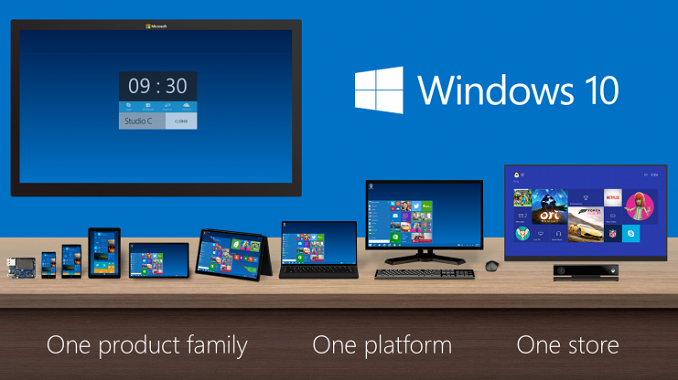
I have been running Windows 10 since it was released. My initial install was into a Virtual Machine, and after using it as a VM for a while I installed it on my primary PC in order to get a good feel for it. I am still working on my initial thoughts for the new Windows, but, being a technical preview, it has a few bugs that made me switch back to Windows 8.1.
In the blog post, Microsoft lays out the fact that there are bugs and features still missing which will be added later. Some of the interfaces have regressed in style and function as the new interfaces are being finished. While this is generally a normal process for software development, we do not normally get such early access to a pre-release version of Windows, so we are also along for the ride. Windows 8, for example, had a very early developer preview, and then a consumer preview came later which added a lot of additional features and functionality. This round, the features will be added to the current preview for all of the people in the Windows Insider program to get a taste of them.
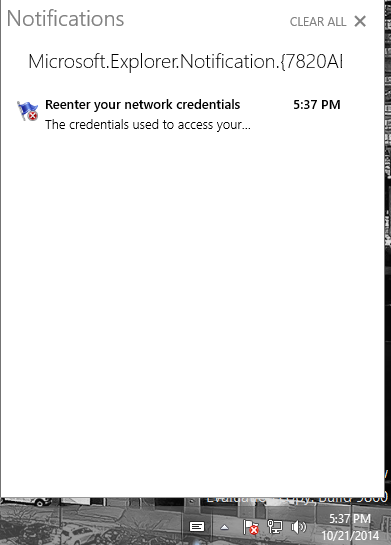
The first big new feature, which debuted on Windows Phone 8.1, is Action Center. The Windows 10 build is adding this as a notification center, but at the moment is only enabling basic functionality. The quick actions, prominent in Windows Phone, will be coming later. Action Center is now available in the System Tray for easy access. One nice feature is that it will be available to desktop apps as well as Universal Apps. I expect it to also carry the Windows Phone customizations so you can select which apps you want to display in the notification list as well, in the event you have an app that likes to steal the show.
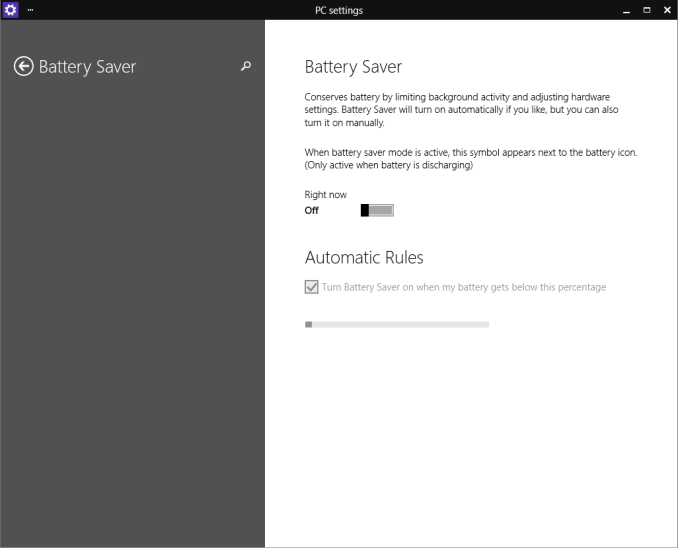
Action Center is not the only feature from Windows Phone to come to Windows 10. Battery Saver is also present in the new build. As with Windows Phone, you can set this to be on which reduces background tasks, or you can have it set to come on automatically when the battery is at a certain percentage. Right now, the latter settings are greyed out.
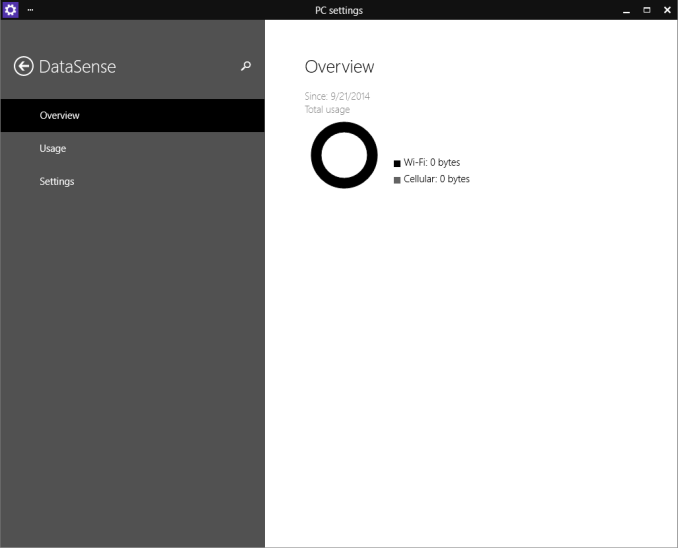
Yet another Windows Phone feature which helps you keep track of data usage is Data Sense, which is also new to this build. Data Sense keeps track of all wireless network data use, and can keep cellular based connections in check by limiting how much data is available and giving the user a graphical listing of how much data is remaining, as well as which apps are consuming the most packets. Hopefully they add the ability to track wired network traffic as well.
Windows 10 focuses a lot on the keyboard and mouse, so Microsoft has added many new keyboard shortcuts for those that like to keep their hands on their typing device:
- Snapping window: WIN + LEFT or RIGHT (can be used with UP or DOWN to get into quadrants)
- Switch to recent window: ALT + TAB (unchanged) – Hold shows new Task view window view, let go and switches to app.
- Task view: WIN + TAB – New Task view opens up and stays open.
- Create new virtual desktop: WIN + CTRL + D
- Close current virtual desktop: WIN + CTRL + F4
- Switch virtual desktop: WIN + CTRL + LEFT or RIGHT
- Move active app to another monitor: WIN + SHIFT + LEFT or RIGHT
Virtual desktops are also new to Windows 10, and based on user feedback, Microsoft has added an animation to make it easier for a user to know when they are switching destkops. This was one suggestion which was added from over 250,000 pieces of feedback already generated by the preview. Microsoft goes into detail about how the process works and explains why some feedback may take longer to add to the build than others.
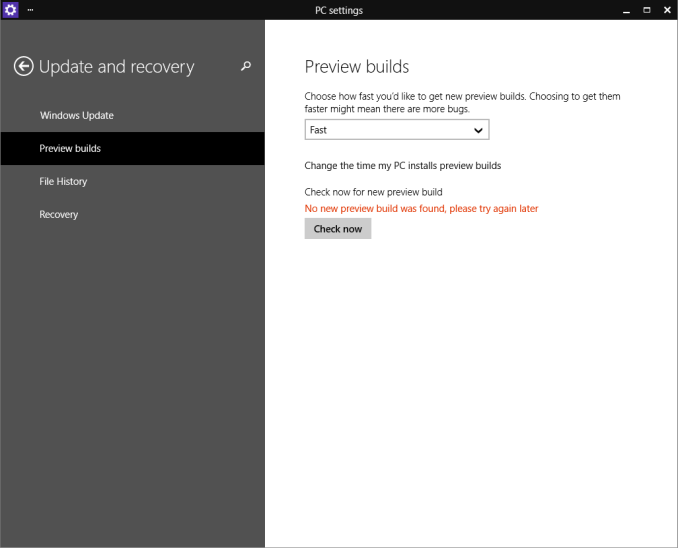
Windows 10 build 9860 now offers users earlier access to some of the code. In the PC Settings, you can select which line of Preview Builds you want. Some people will want every update as soon as it is available, whereas others may want to hold off and wait for more of the bugs to be worked out first. Windows 10 is accommodating all of these users in the preview builds by allowing you to choose how fast you get the new code.
Windows 10 is certainly a big departure from Windows 8, and not just in desktop use. Having such early access to the previews, and having Microsoft actively requesting and implementing user feedback is a big change from the Steven Sinofsky (former President of the Windows Division) ways. While the technical preview is generally pretty good, it is not as polished as something like Windows 7 or 8.1, but if you want to check it out, visit preview.windows.com and sign up.
My copy of Windows 10 is updating right now to the new build, and once it is completed I hope to have another post with initial thoughts of the new Windows soon.
Source: Windows Blog
Read More ...
Upgrading the SSD in Chromebook & MyDigitalSSD Super Boot Drive M.2 2242 SSD Review
The majority of the Chromebooks tend to have 16GB of onboard storage with some high-end models having twice that. For the intended usage where everything is done in the web, that is sufficient, but when you need local storage for offline occasions (e.g. when traveling), 16GB or 32GB will not get you far. There is always the option of carrying external storage to expand the internal storage, but there is another alternative: upgrading the internal SSD. Read on to find out how the upgrade is done and how MyDigitalSSD's Super Boot Drive M.2 2242 SSDs does in our Chromebook tests, as well as how it fares as a standard SSD.
Read More ...
Apple's iPad Air 2 Features Triple-core A8X Processor, 2GB of RAM
Benchmarks show the iPad Air 2 far outpacing its predecessor in multi-core benchmarks
Read More ...
Hackers "Hit the Easy Button", Breach Staples' Credit Card System
Breach is reported limited to roughly dozen stores in the Northeast, may only affects a couple thousand customers
Read More ...
Monica Lewinsky Speaks Out, Calls Herself "Patient-Zero" for Internet Cyberbullying
Ms. Lewinsky accuses unsympathetic internet legions of leaving her "publically humiliated"
Read More ...
Toshiba Launches 11”, 2-in-1 Convertible PC for $329
Toshiba unveils a new budget convertible offering
Read More ...
IBM Pays GLOBALFOUNDRIES $1.5B USD to Take Fab Business Off Its Hands
GLOBALFOUNDRIES gets license to additional IP in exchange for 10-year commitment to providing IBM Power architecture chips
Read More ...
Microsoft Begins Shifting Nokia Lumia Branding to "Microsoft Lumia"
Microsoft begins to shed its Nokia layers
Read More ...
Tim Cook Touts Apple’s Product Portfolio, Performance in Letter to Employees
Tim Cook gives a status update to the Apple team
Read More ...
Available Tags:Windows , SSD , SSD , iPad , Toshiba , IBM , Microsoft , Nokia ,


No comments:
Post a Comment