 ADATA Premier SP610 SSD (256GB & 512GB) Review: Say Hello to an SMI Controller
The
ADATA Premier SP610 is the first SSD with a new Silicon Motion SM2246EN
controller to enter our test labs. This is a drive going after the
lower cost markets, but performance is almost a complete unknown. Now
we're ready to see what the SMI controller can do, so join us as we see
if it can challenge Crucial's MX100 and Samsung's 840 EVO in the value
market.
Read More ...
Hands On With AMD’s Gaming Evolved Client Game DVR
Over
the last few years we have seen both AMD and NVIDIA become increasingly
interested in developing and nurturing software ecosystems around their
products. Born out of a desire to improve sales by offering additional
functionality and to get a leg up on the competition in what’s otherwise
a market of near-perfect substitutes, we have seen everything from APIs
to middleware to software rolled out alongside video cards to develop
these ecosystems.
The most recent spurt of ecosystem development
has been especially focused on the software aspect, with AMD and NVIDIA
branching out beyond drivers and control panels to offer more
functionality and features through utility applications. In this respect
the originator for this trend and the leader thus far has been NVIDIA,
who kicked off this latest wave in ecosystem development with the
release of their
GeForce Experience
utility a bit over a year ago. Since then NVIDIA has continued to flesh
out GeForce Experience, and while AMD’s position has largely been one
of copying NVIDIA and catching up, there’s something to be said for
knowing when to copy a good idea for the benefit of your users.
First
announced back at their Hawaii event and released in beta shortly
thereafter, AMD’s take on the GeForce Experience style utility is the
AMD Gaming Evolved Client. Rather than developing it internally AMD has
been developing it as a sort of second-party utility that is a
customized version of the Raptr client. This has led to a sometimes odd
dichotomy between the utility functions that AMD needs and the
monetization that Raptr needs, but none the less over the last half year
or so the GEC has progressively improved in functionality and
presentation.
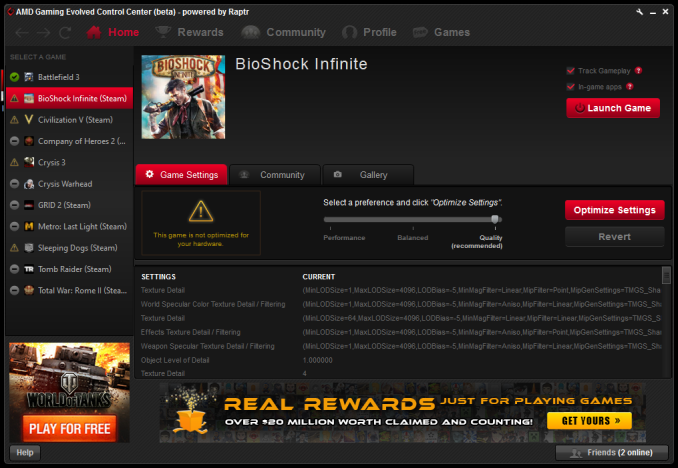 An ealrier version of the Gaming Evolved Client
With the
GEC’s game optimization service now nailed down, AMD and the Ratpr
developers have turned their eyes towards game recording and
broadcasting, modeled after NVIDIA’s
ShadowPlay feature. The first fruits of that labor were released last week with the release the GEC’s Game DVR feature.
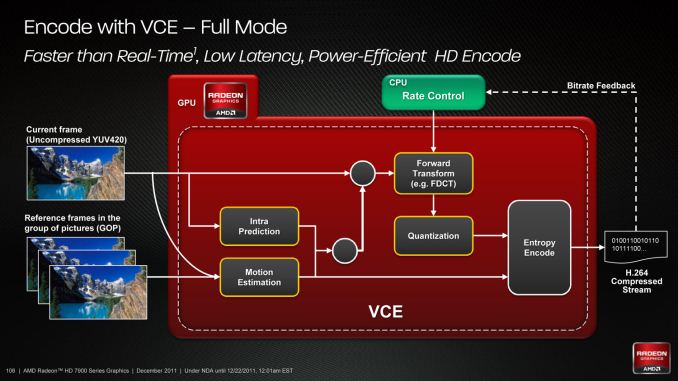
Initially released in beta form, Game DVR leverages AMD’s hardware H.264 video encoder – the
Video Codec Engine
(VCE) – to offer game recording and broadcasting functionality. Game
DVR allows for both manual recording and an always-on rolling buffer of
video up to 10 minutes long, allowing the buffer to be permanently saved
at will (and hence the DVR name).
Traditional
video recording through applications such as FRAPS comes with a
significant overhead on top of the time required to transcode a video
for distribution, whereas leveraging the VCE in this manner is intended
to significantly reduce the performance hit from recording and for the
first time makes a DVR-like function practical. AMD is entering a
slightly more crowded field for video recording utilities than NVIDIA
did last year – MSI’s Afterburner recently added similar functionality,
VCE and all – but this none the less marks the first time that
VCE-accelerated recording has been available in an official AMD utility.
Also
of note, along with recording functionality GEC is also adding Twitch
broadcasting support. This leverages the same basic capture and encode
paths as recording, but instead of going to disk gets uploaded to
Twitch’s live video streaming service. As most Twitch clients are still
software driven, the same benefits to recording apply to broadcasting
here, allowing footage to be broadcasted without the significant
overhead that normally comes with it.
Going Hands On
With
the above in mind, we took some time to take a look at the GEC’s new
Game DVR function. While it’s still in beta (and clearly so), AMD and
the Raptr team have put together a solid first shot at a utility that
should do for AMD’s users what Shadowplay did for NVIDIA’s users: making
high performance/low overhead H.264 video recording accessible and
practical for all users.
Diving right in then, as Game DVR is
primarily keyboard driven, what little there is to look at takes place
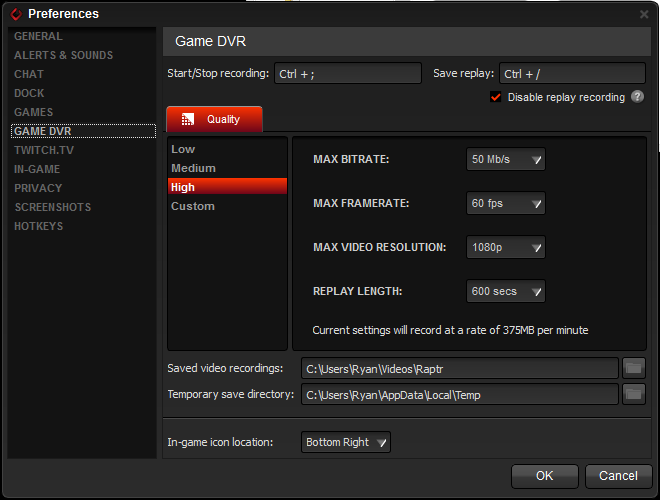
in the GEC preferences pane. Here you can set the quality of the
recording, the recording location, and the keyboard shortcuts.
The
GEC offers 3 default settings plus a customization setting, intended
for 480p, 720p, and 1080p captures respectively. Recording maxes out at
50Mb/sec at 60fps, with a maximum resolution of 1080p. Meanwhile the
replay buffer defaults to a surprisingly low 15 seconds, but can be
increased to as long as 10 minutes. 16:10 and other non-16:9 users will
find that the Game DVR only supports 16:9 resolutions, so recording at
1900x1200 and other aspect ratios is not possible. Though we’d like to
see AMD take a page from NVIDIA’s playbook and ultimately enable these
resolutions.
Game DVR Default Settings |
High Quality |
1080p60 @ 50Mbps |
Medium Quality |
720p30 @ 30Mbps
|
Low Quality |
480p30 @ 10Mbps
|

The
files generated by Game DVR are MP4 files for maximum compatibility.
AMD is using High profile H.264 here, while audio is 192Kbps ABR AAC-LC.
The actual bitrate of the recordings ends up being in flux, presumably
due to AMD’s encoder having to take a best-shot based on how many frames
it expects to encode. The actual framerates of our recordings are
usually being reported at between 40fps and 50fps, despite the 290X’s
ability to deliver well over 60fps, which is likely a factor in the
inconsistent bitrates. When running decoupled – 60fps recording against
an uncapped framerate above 60fps – it looks like Game DVR is often
capturing frames at a fraction of the frame rate rather than skipping
frames in an irregular manner. Recording with v-sync to lock framerates
at 60fps produces far more consistent results (generally sustaining
60fps recorded) and is recommended in this case.
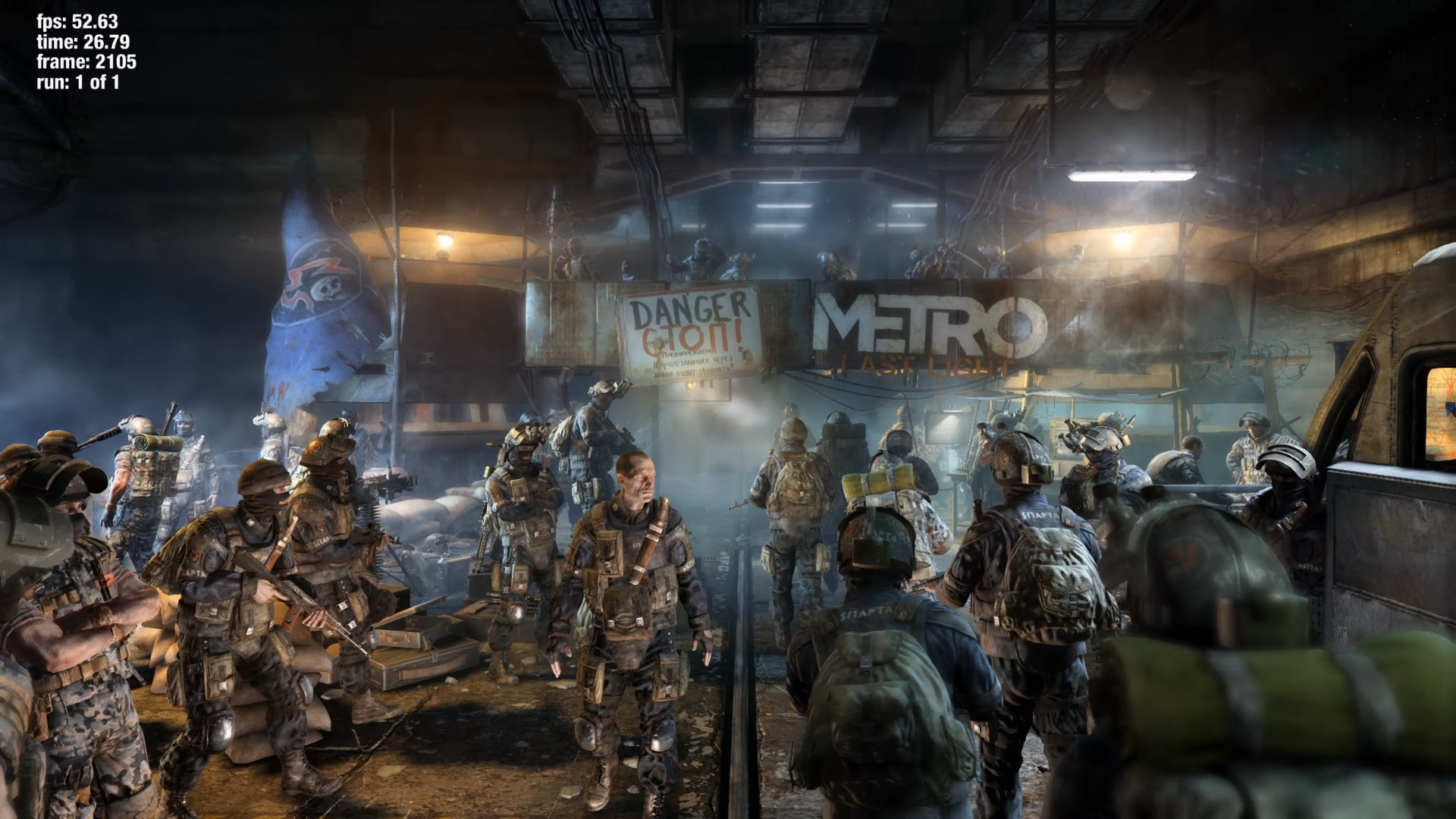 |
Metro LL: Game DVR |
|
Moving on to image quality and performance, from an image
quality perspective at its highest settings Game DVR’s image quality is
looking solid. At this bitrate the encoding is reasonably transparent,
and even the driving rains of Crysis 3 are handled reasonably well. The
only real knock here other than some slight softening is that Crysis 3
exposes some of the pitfalls of the RGB to 4:2:0 colorspace conversion,
giving some fine anti-aliased edges a purple/green tint.
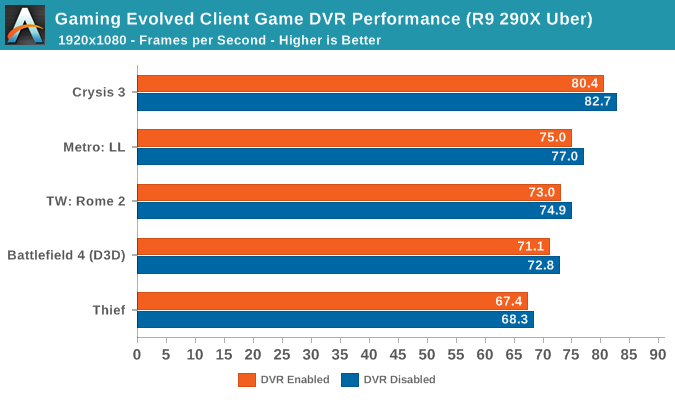
As for
performance, Game DVR’s performance hit is minimal as promised. Between
the 5 games we benchmarked with Game DVR on, the performance hit was
consistent, but also consistently less than 3%, a generally
inconsequential reduction. This ability to hold and maintain high
framerates even with Game DVR enabled is essential towards making the
DVR/replay functionality viable, and to that end AMD has delivered the
performance they need to.
But
with the above said, as we mentioned earlier Game DVR is still
considered to be in beta, and as we’ve found out in our testing this is
an apt description. Of the 6 games we tested only 4 of them worked
correctly. On the other two we encountered different errors.
First
and foremost, in the case of Thief there’s an unusual gamma problem
that results in the recording coming out far darker than it should be.
This problem is only in the recording while the original image as
displayed is correctly balanced as you’d expect. Meanwhile Game DVR
compatibility is still spotty, with some games/applications not being
detected and recorded. Bioshock: Infinite was one such game, and 3DMark
(2013) also could not be recorded by Game DVR. Game DVR does not have a
desktop recording capability – AMD/Raptr haven’t mentioned whether
they’re working on it, but we’d certainly hope they are – so any game
that Game DVR fails to detect is currently unrecordable.
 Thief With Game DVR Gamma Problems
The developers for
their part say they are aware of both issues and are working on it, but
for the time being it reflects on the fact that Game DVR really is still
in beta. Ultimately when Game DVR works it works well, however until
compatibility is further improved there are going to be cases where it
falls flat on its face. AMD and Raptr have built a solid base for Game
DVR thus far, so this should just be a matter of working out the kinks.
Finally,
it’s worth pointing out that Game DVR is also for the moment limited to
Direct3D. OpenGL and Mantle cannot currently be captured, the lack of
the former being as much expected, though the lack of ability to use
Game DVR to record Mantle is a bit ironic. Though given the low level
nature of Mantle and the resulting inability for utilities to hook into
it like Direct3D, it will be interesting to see just what the solution
ends up being.
Briefly,
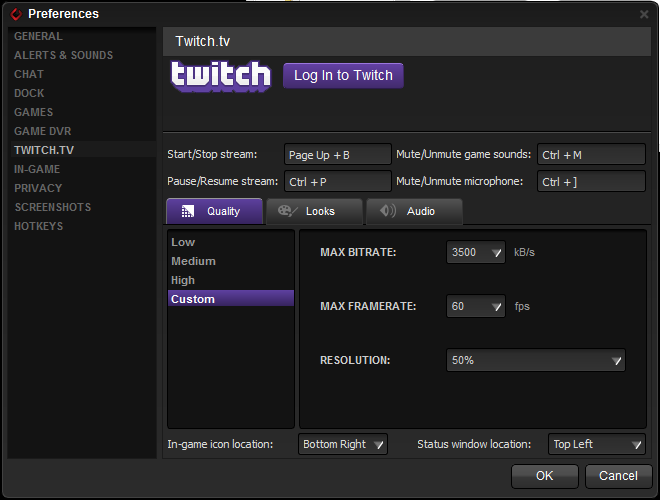
as for Twich, the broadcasting functionality works as expected. GEC’s
Twitch capture support allows for broadcasting at up to 1080p60 at
3.5Mbps, which is in-line with other Twitch software. The software
includes the ability to do webcam and chat overlays, covering the basic
overlay functions that most broadcasters should need, though there will
still be a need for more intricate 3
rd party utilities for advanced users.
Closing Thoughts
Wrapping
things up, AMD tells us that they are expecting the Game DVR and Twitch
features to exit beta later this summer. AMD and Raptr clearly have
some polishing to do between now and then, but in the interim it’s
already in a very usable and useful state.
As it stands AMD seems
to have the basics nailed down for Game DVR, but from a competitive
standpoint I don’t think there’s any getting around the fact that
NVIDIA’s lead in developing recording software means that they still
hold the edge in compatibility and functionality. AMD isn’t publishing a
roadmap or feature list like NVIDIA did for Shadowplay so we won’t
spend too much time speculating on what might be, but I’d certainly hope
to see AMD continue to close the feature gap with NVIIDA. AMD doesn’t
need 1:1 feature parity, but after having been spoiled by NVIDIA’s
desktop capture, that’s really the last feature they need to make Game
DVR a well-rounded utility.
Read More ...
First Impressions and Hands On of Android L
Today, Google finally posted
the system images for Android L on the Nexus 5 and 7,
so I decided to take a look at them to see what’s going on. After
flashing the images through fastboot, the first thing I noticed was just
how much longer it takes to get past the first startup. This is
definitely a significant departure from the Dalvik era, as the ahead of
time compilation process happens on the first boot for system
applications. There’s also a new boot animation that is a modification
of the KitKat boot animations. The best description I can give is that
the colors now orbit each other like electrons.
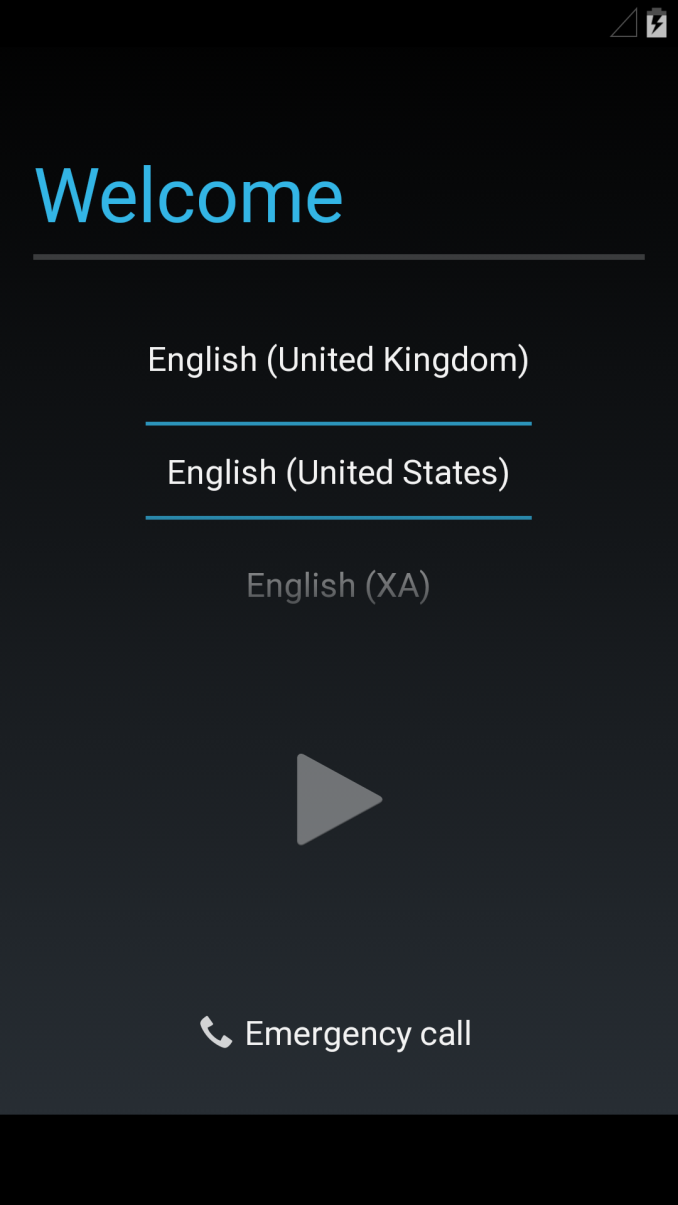
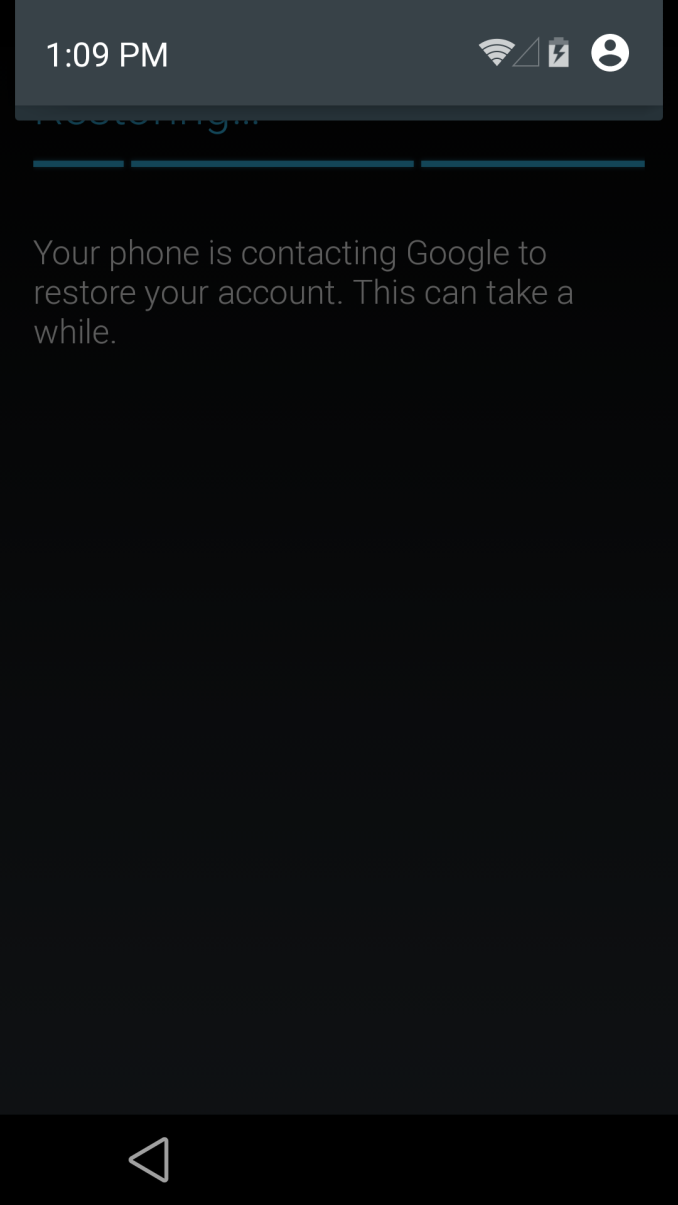
After
booting, the setup process remains mostly unchanged from 4.4. Things
definitely start to change once you get into the main UI though. While
it’s hard to show some of the animations, there’s definitely a great
deal more depth to the UI than before. One of the first things that I
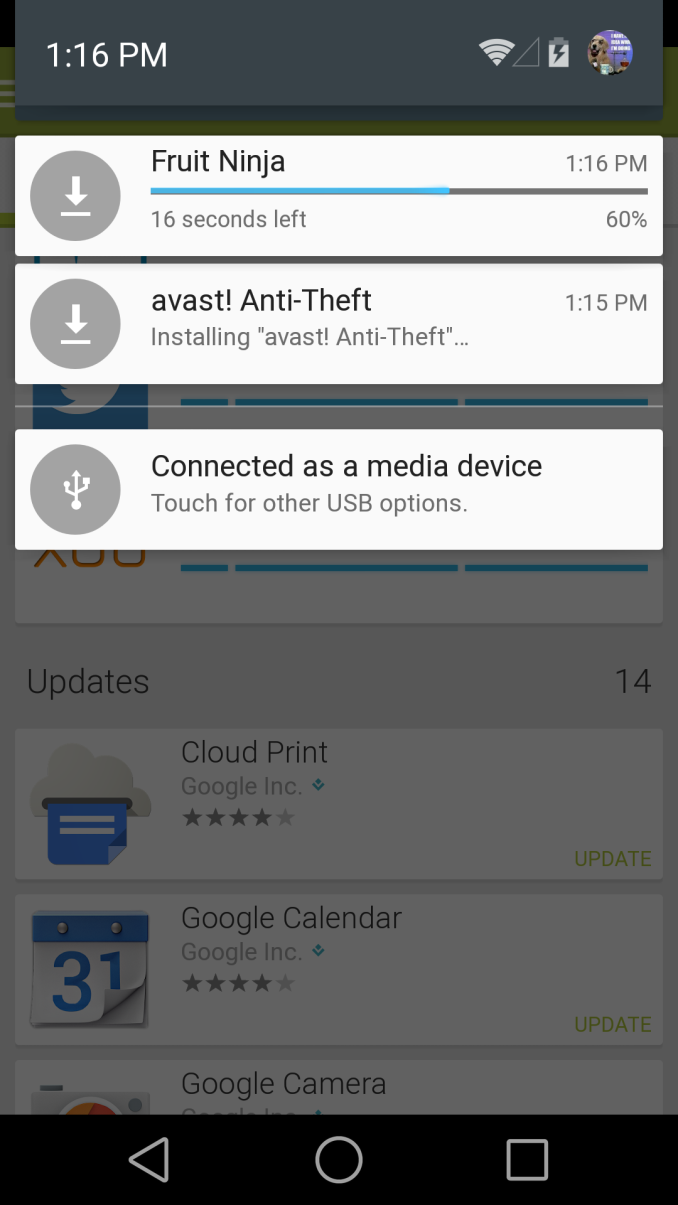
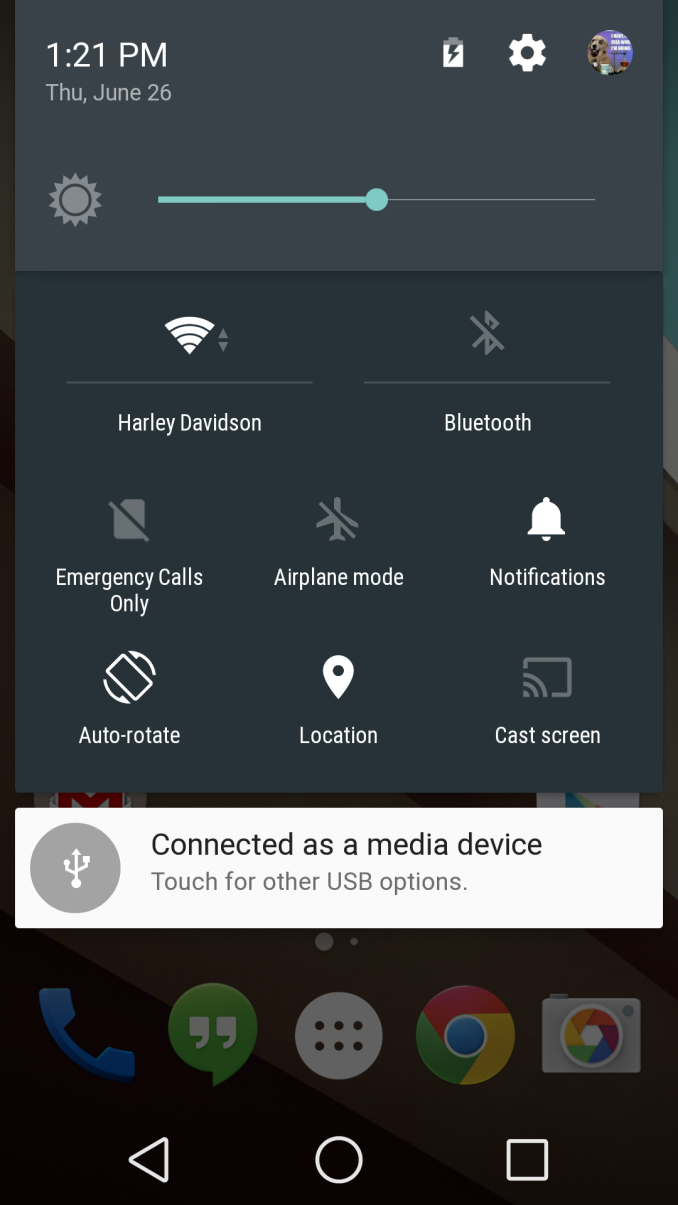
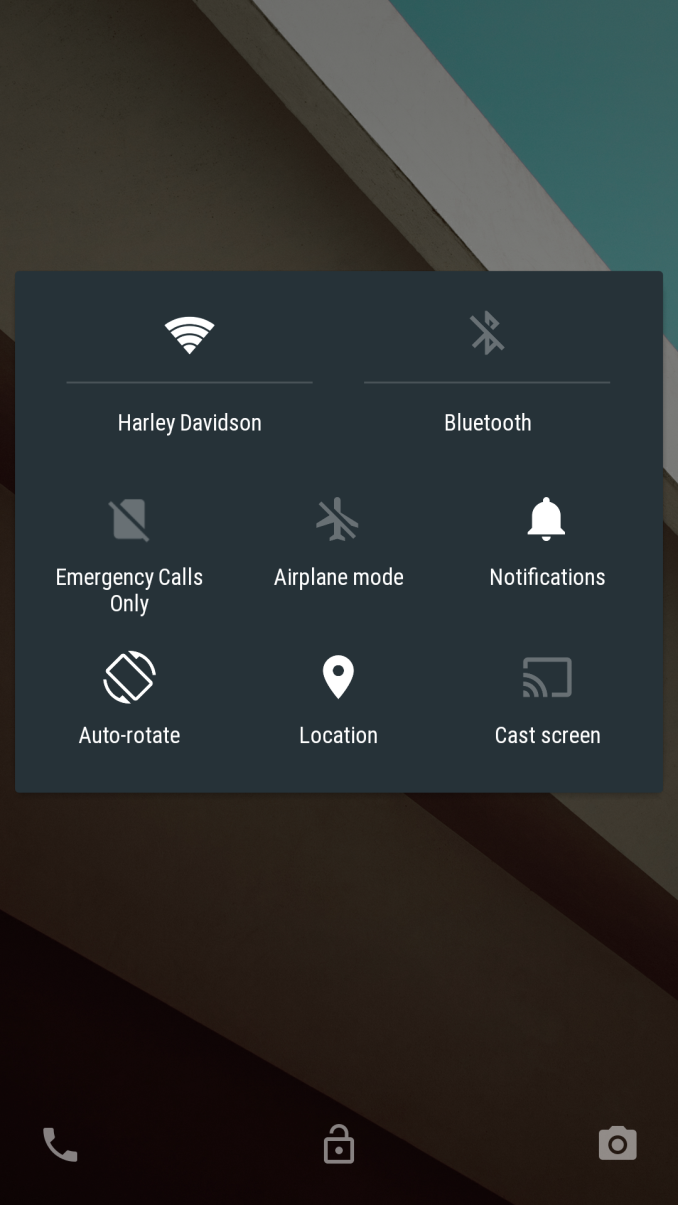
noticed was the change in the notification drawer. Now, instead of
tapping a button to get to the quick settings, it’s just another swipe
down to view that panel. It definitely has a sense of depth as well, as
the icons seem to scroll out underneath the notification panel.
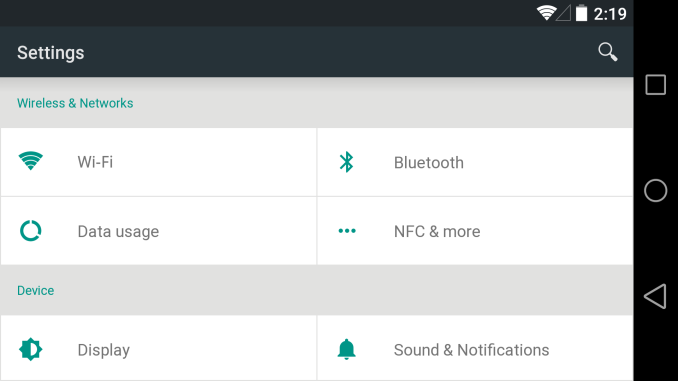
Once
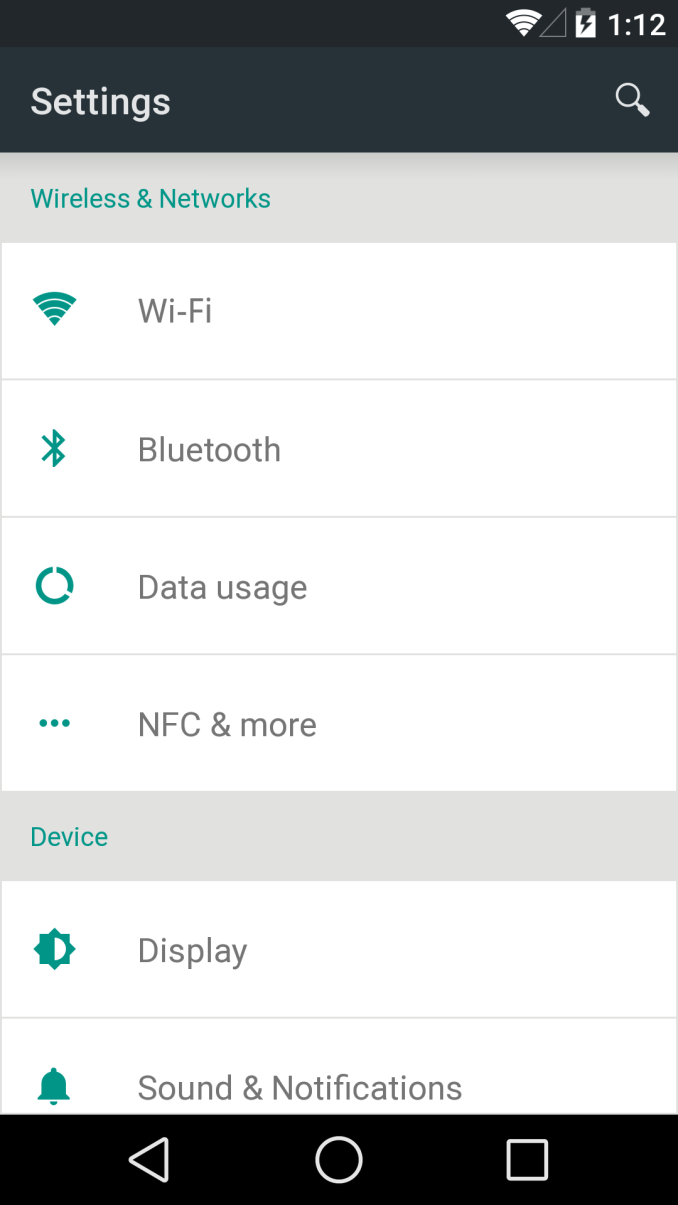
you actually go into the settings menus, things start to look very
different. The old menu still remained rather dark in its design, but
the new menu uses a white backdrop for a lighter feel. In general, it
feels very much like Sense 6 in this regard. There’s also a new
landscape view to increase information density when compared to previous
versions. The new overscroll animations are also much more reactive
than before, and the shape of the overscroll varies based upon where
your finger is. This same reactive animation behavior can be seen
throughout the UI now.
It
seems that the most consistent motif in this preview release is
responsiveness, and not just in animations. For one, scrolling through a
listview is the smoothest experience I’ve ever had in Android, bar
none. It’s strange that I’ve come to expect this, but trying to scroll
through a long comment thread in a Reddit client before caused pauses
and stutters without fail. The same is no longer true in this build on
the Nexus 5. Scrolling through a ~700 comment thread happens with no
perceivable stutter. It’s still possible to get the device to choke
though, and the Play Store home page still seems to have some stutters
and pauses while scrolling. It’s definitely smoother than doing the same
on the One (M8).
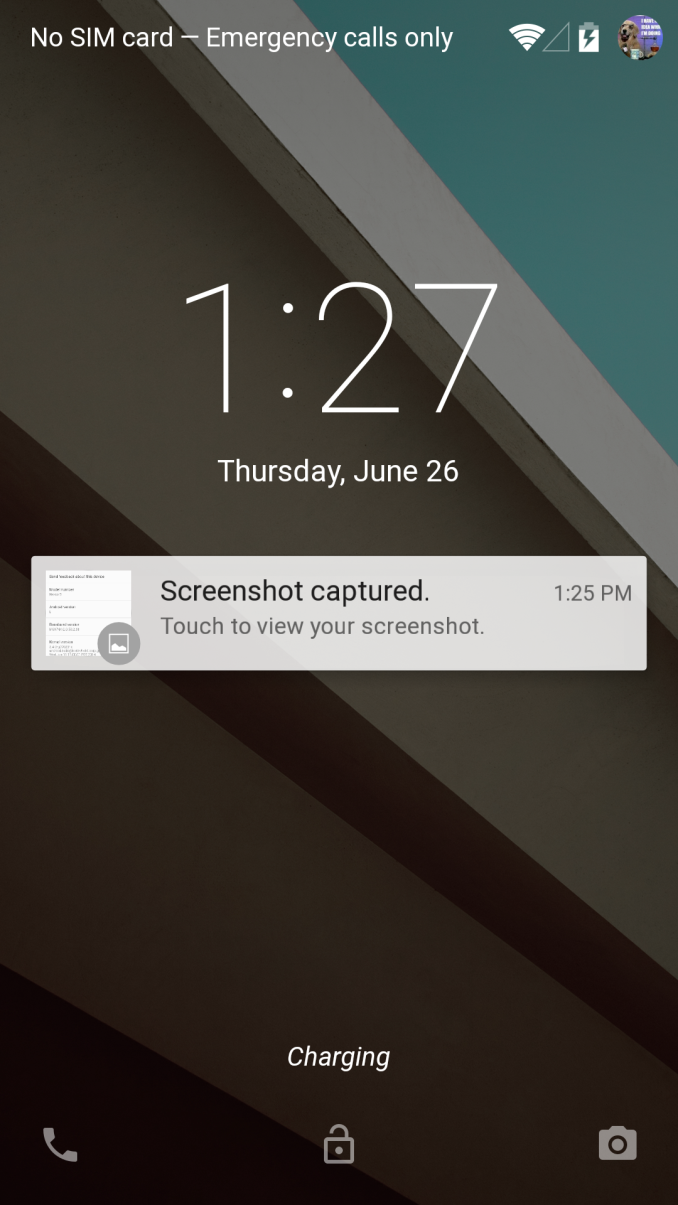
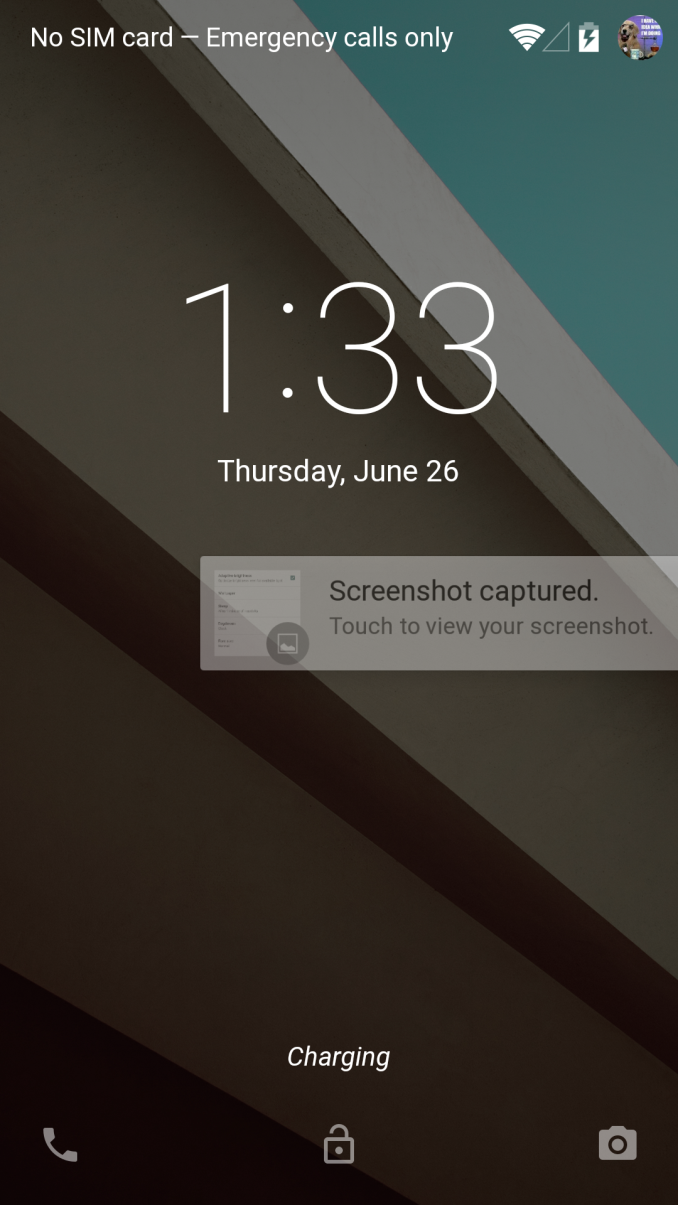
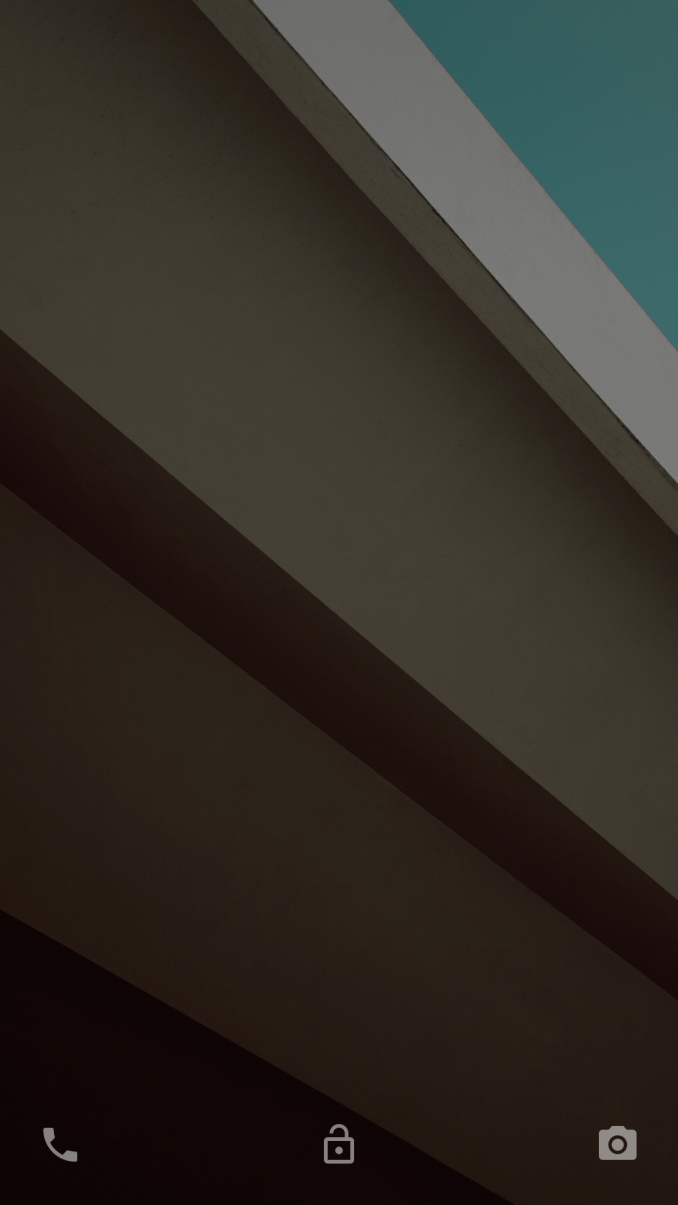
There
are also changes to the lockscreen. For now, it seems that lockscreen
widgets are gone. The new lockscreen also adds an iOS-style notification
display, which is definitely a useful feature. Swiping away these
notifications is relatively simple as well. Swiping right on the
lockscreen now brings up the phone application, and swiping left brings
up the camera application as always. I did notice a bit of bugginess, as
swiping down on the lockscreen seems to hide both the clock widget and
notification bar with no way to get it back unless you unlock the phone.
Swiping down from this state brings down the quick settings, but it’s
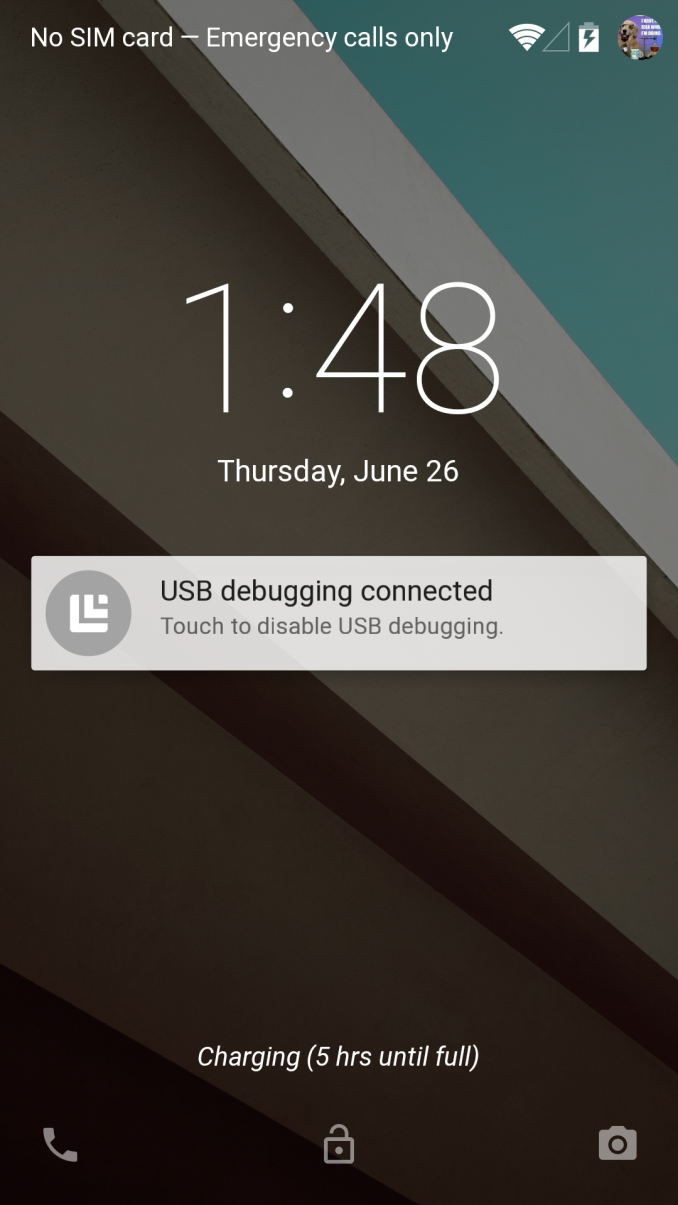
no longer attached to the notification drawer. Also, it seems that
there’s some sort of charge estimation display now, as on the lock
screen it displayed the time left until the phone was fully charged.
The
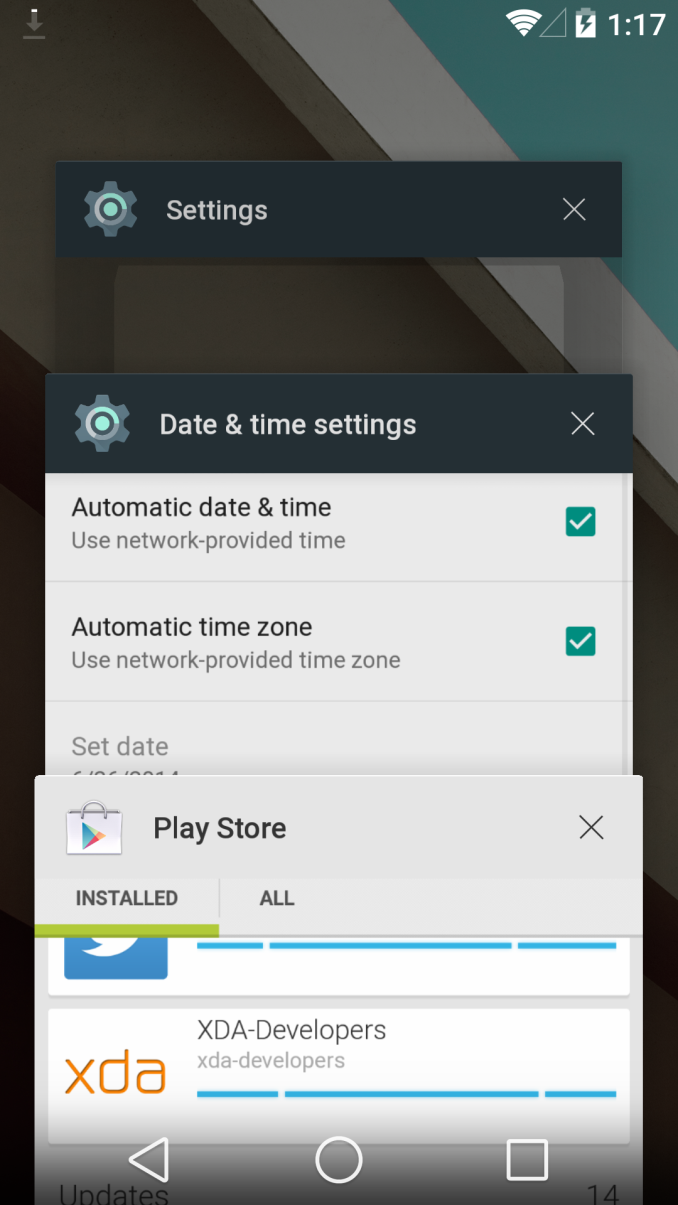
new multitasking UI is also surprisingly usable. In this regard I think
the information density has been increased, as it’s theoretically
possible to show up to four application tiles at one time instead of the
three that used to be shown. The same use of depth is also helpful in
this design, as it help to establish a sense of chronology that wasn’t
quite there with the old multitasking UI. Here, scrolling through even
the longest of histories is flawlessly smooth and without pauses. As
always, apps can be closed by swiping left or right to remove them from
the multitasking UI.
Going
through the settings and digging a bit deeper, I’ve managed to find
some information about this build. Based upon the build.prop, this
release seems to be quite new as it was built on June 18
th,
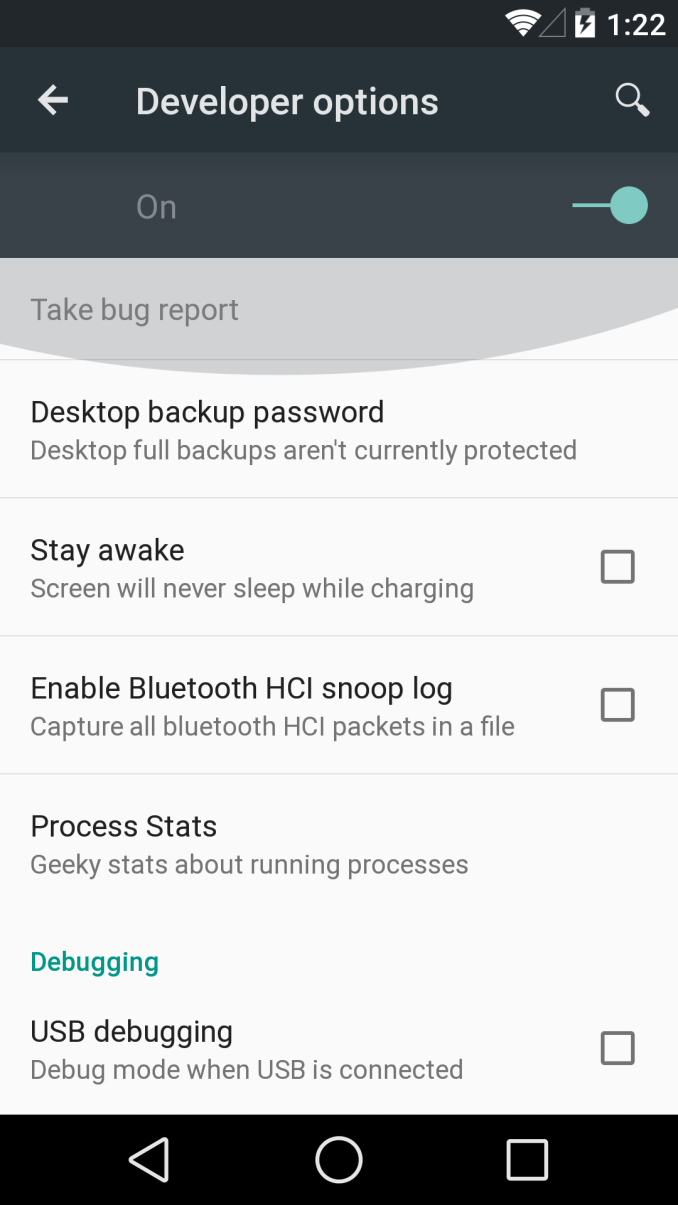
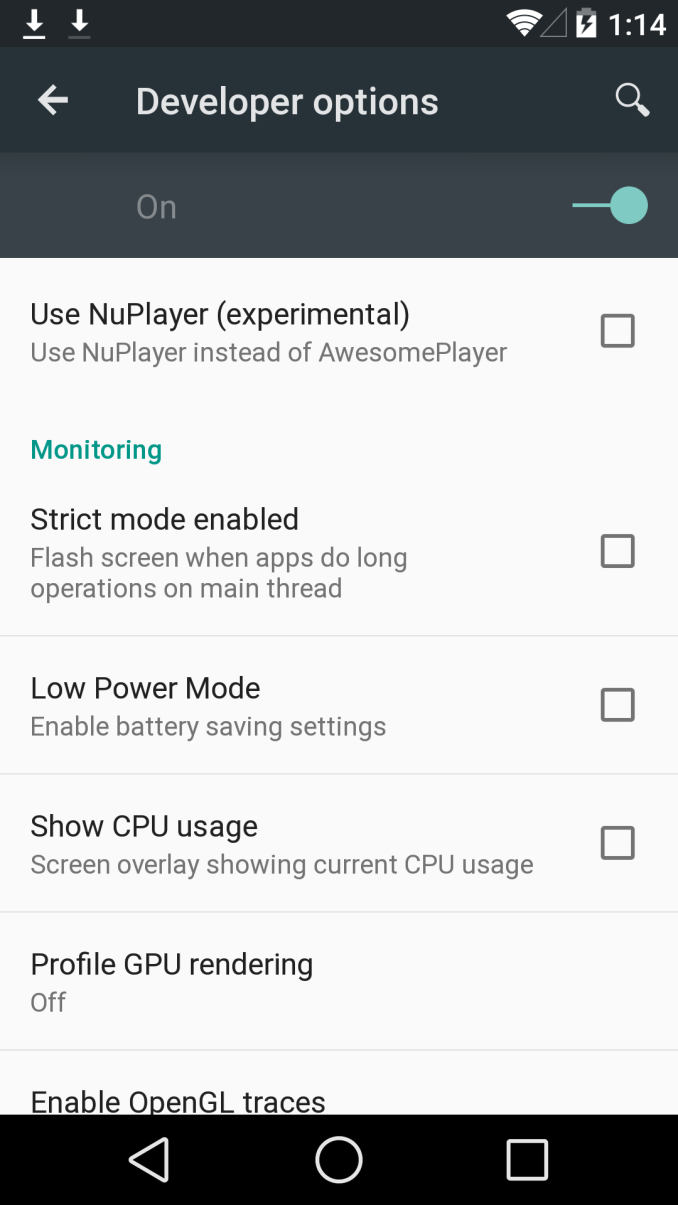
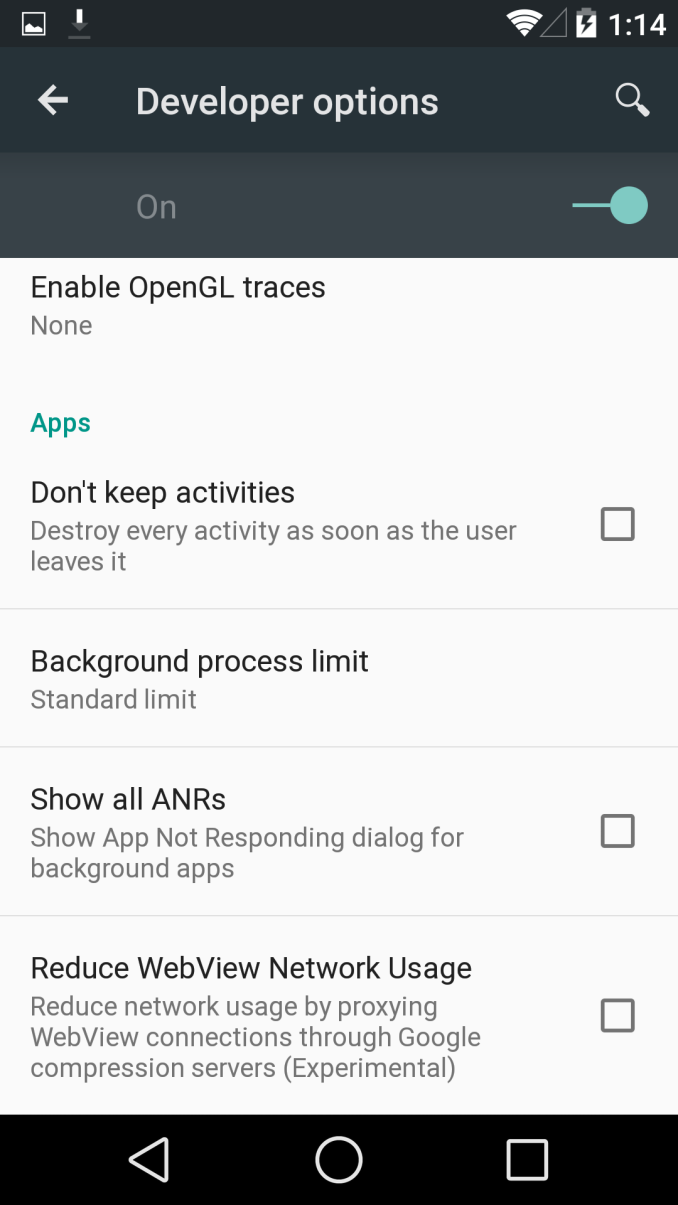
just a week before the keynote. There are also some new settings in the
developer options menu, such as WiFi verbose logging, simulated color
space, and a NuPlayer option.
Overall,
I’m quite excited to see how Android L turns out by the time a release
OTA rolls around. The only real issue I have at this point is that some
UI elements such as the clear all notifications button have disappeared
with this build. I suspect that this version of Android will be a
significant change unlike the updates from 4.2 to 4.4. With any luck
we’ll be able to track the changes between each preview release to see
how Android L evolves until its release in the fall.
Edit: Just a
quick note about the power saver function. Based on what I can
immediately observe, brightness is decreased. The governor seems to be a
bit more reluctant to reach maximum clock as well, and seems to prefer
using 720 MHz even though the max is 960 MHz.
Read More ...
Google IO 2014 Day 2 Recap Video
I
just finished up another day at Google IO and wanted to share a few
tidbits prior to getting this stuff down in text. I spend a little bit
of time talking about how ART improves garbage collection performance in
Android L release as well as how cloud pairing of mobile devices to
Chromecast works using ultrasonic authentication. The big news is
obviously Android Wear and I spend a bit of time talking about Google's
plans for notifications in Android and my initial experience with LG's G
Watch.
Read More ...
Xbox Games With Gold July 2014 Preview
Today
Xbox released the list of upcoming games for Xbox Live members under
their Games With Gold program. In an odd move, one of the Xbox One games
carries over from last month, with a new addition. Hopefully once the
game library builds up, it will go back to two games per month. As
usual, Xbox 360 gets the standard two games but split over two weeks
each. If you missed last month’s games, get them quick
here.
Xbox One
For
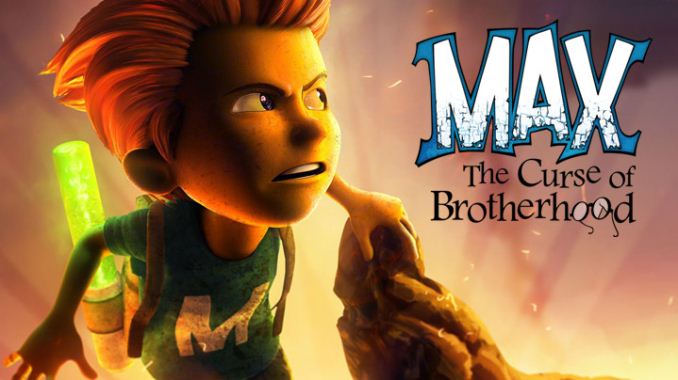
July, Xbox One carries over Max The Curse of Brotherhood, and gains
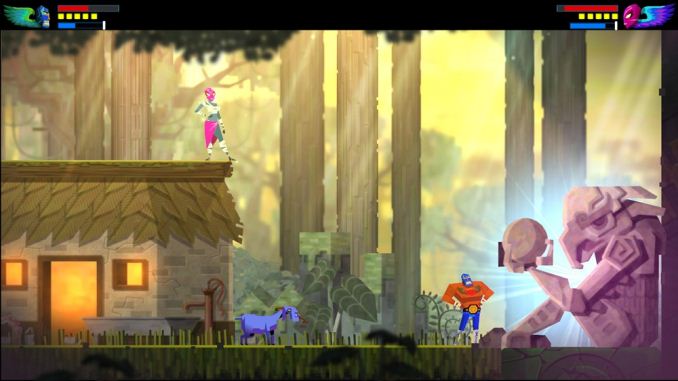
Guacamelee! Super Turbo Championshipe Edition to the list.
Max The Curse of Brotherhood:
“Max:
The Curse of Brotherhood is a classic action-adventure. At its core it
is a platformer filled with puzzles. Max must start on a quest to save
his brother who is kidnapped to a hostile world. His only chance to
succeed is to stay courageous and use the powers of his marker to
manipulate the environment. Unleash the many powers of the Marker and
beat the evil kidnapper! “
Guacamelee! Super Turbo Championshipe Edition:
“Dive
into the world of Guacamelee! with the Super Turbo Championship Edition
(STCE) - complete with expanded abilities, additional levels, deeper
story-line and enhanced graphics. Guacamelee! builds upon the style of
classic 2D open-world action-platformers by adding a strong melee combat
component, a new dimension switching mechanic, and cooperative
same-screen multiplayer for the entire story. The game also blurs the
boundaries between combat and platforming by making many of the moves
useful and necessary for both of these. Travel through a mystical and
mysterious Mexican world as a Luchador using the power of your two fists
to battle Carlos Calaca’s army of evil. Uncover hidden wrestling
techniques like the Rooster Uppercut, and Dimension Swap to open new
areas and secrets. But beware, for the Hero's journey is a treacherous
one, and saving the world is not a task for the faint of heart... “
Xbox 360
360
Owners have a different system. One game is available for the first
half of the month, and the other game is available for the second half
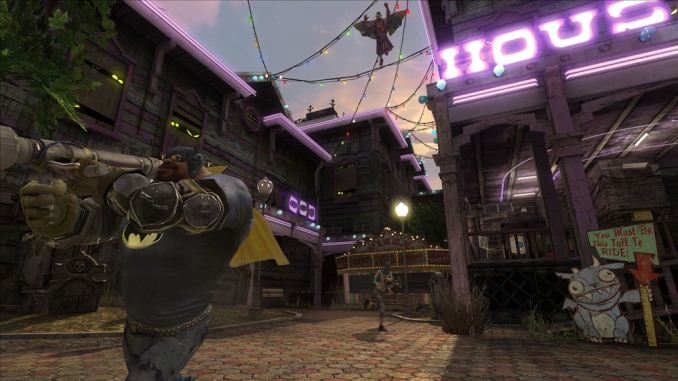
of the month. In July, the first game is Gotham City Imposters and is
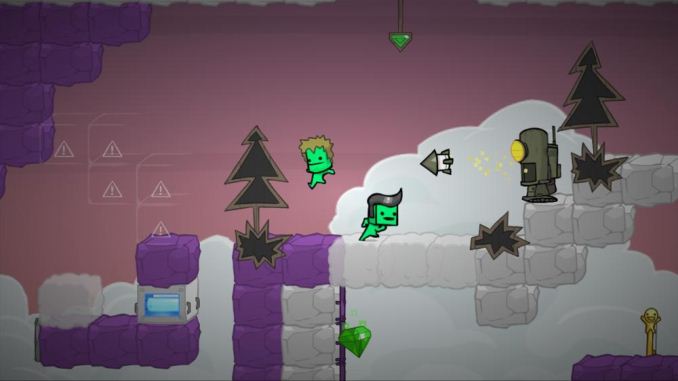
available July 1to July 15, and the second game BattleBlock Theater is
available July 16 to July 31.
Gotham City Imposters:
“A
6 vs. 6 first person shooter, Gotham City Impostors is a multiplayer
game unlike any other, giving players the opportunity to rebel against
conformity as they customize their own characters. Posing as amateur
vigilantes or villains, gamers create their own Bats and The Jokerz
characters using unprecedented customization options including insane
costumes, homebrewed gadgets and a wide range of traditional and
imagined weapons.”
BattleBlock Theater:
“Shipwrecked.
Captured. Betrayed. Forced to perform for an audience of cats? Wait,
what?? You’ve just unlocked the door to BattleBlock Theater! There’s no
turning back once you've started on your quest to free your imprisoned
friends from evil technological cats! Immerse yourself in this mind
bending tale of treachery as you battle your way through hundreds of
levels in order to discover the puzzling truth behind BattleBlock
Theater.”
Read More ...
PlayStation Plus July 2014 Games Preview
Summer
is upon us now, and with that comes new free games for PlayStation Plus
members. Sony has now moved to a two game per system per month model,
so it should be easier to keep track of what games are coming out when.
Don't forget if you missed last month's games to go pick them up soon!
June's games can be found
here. On Tuesday July 1, the new round of games will be as follows:
PlayStation 4
For July, PlayStation Plus members on the PlayStation 4 will have access to TowerFall Ascension and Strider.
TowerFall Ascension:
“TowerFall
Ascension is the definitive version of the hit archery combat game.
Inspired by classics from the golden age of couch multiplayer, it’s a
local party game centering around hilarious, intense versus matches. The
core mechanics are simple and accessible, but hard to master and combat
is fierce. Loot treasure chests for game-changing power-ups, master the
art of catching arrows out of the air, or descend on your foes and
stomp them into submission. TowerFall is best played competitively with
friends, cross-legged on the floor within punching distance of each
other.”
Strider:
“Strider
returns in a brand new adventure, complete with incredible
side-scrolling action, and lightning fast combat all in a massive
interconnected world! Download the full game now and become the original
assassin!”
PlayStation 3
PlayStation 3 owners get both Dead Space 3 and Vessel in July.
Dead Space 3:
“Dead
Space 3 brings Isaac Clarke and merciless soldier John Carver on a
journey across space to discover the source of the Necromorph outbreak.
Crash-landed on the frozen planet of Tau Volantis, Isaac must comb the
harsh environment for raw materials and scavenged parts. He will then
put his engineering skills to the ultimate test to create and customize
weapons and survival tools. Play together with a friend or alone as
Isaac Clarke using the seamless new drop in, drop out co-op
functionality. Each mode offers unique story elements and gameplay.”
Vessel:
“Vessel
is built on an optimized liquid simulation featuring flowing water,
scalding lava and steam, reactant chemicals, glowing goo, the mysterious
‘protoplasm’, and more. Each liquid has unique properties and mixes
with other liquids for dramatic effects.”
PlayStation Vita
Finally, PlayStation Vita owners get both Muramasa Rebirth and Doki-Doi Universe.
Muramasa Rebirth:
“From
master video game developer Vanillaware comes Muramasa Rebirth, an
action RPG that blends the vibrant and beautiful world of Japanese
mythology and high flying, fast-paced action! Enter a world where demon,
samurai and other deadly enemies vie to destroy you as you search for
the fabled Demon Blades. Become the possessed princess Momohime, as you
travel West, or the fugitive ninja Kisuke, as you travel East, through
mythical Japan battling anyone who stands in your way.”
Doki-Doki Universe:
“Embark
on a journey with QT3 to discover humanity and engage with bizarre
characters to learn more about them, and hopefully, learn more about
yourself along the way.”
Read More ...
Apple Updates 16GB iPod Touch With Color Options and Rear-Facing Camera
Today
Apple quietly refreshed their iPod Touch lineup, with the changes
specifically being focused on the 16GB iPod Touch. The fifth generation
iPod Touch line was announced in September of 2012. The device was
launched in 32GB and 64GB variants with six different color options and a
hardware platform that borrowed from many different Apple devices on
the market at the time. Internally it used the same Apple A5 chip used
in the iPhone 4S which is a dual core Cortex-A9 based design running at
800MHz paired with a PowerVR SGX543MP2 GPU and 512MB of LPDDR2 memory.
On the front it has the same 1136x640 IPS display used in the iPhone 5,
5c, and 5s, as well as the 1.2MP front-facing camera from the iPhone 5.
On the back it has the 5MP rear-facing CMOS sensor used in the iPhone 4
paired with the optical system of the iPhone 5. The 32GB and 64GB models
were priced at $299 and $399 respectively.
Eight months after the
initial launch of the new iPod Touch, Apple introduced a more
inexpensive 16GB model which only came with a silver back and a black
front face, and did not include the rear-facing camera or wrist strap
from the more expensive iPod Touch models. This version was priced at
$199 in the United States and until now the tradeoffs included with it
were the only option for consumers who didn't want the larger storage
capacity models.
Apple's new 16GB iPod Touch introduced today now
comes in the full array of colors that only the more expensive models
offered previously. It also includes the rear-facing camera and the
wrist strap, effectively making it an identical device to the more
expensive models apart from the amount of internal storage. The
refreshed 16GB iPod Touch still costs $199 and is currently only
available in the United States for the time being, with availability in
other countries in the near future. In addition to the upgrades to the
16GB model, Apple has dropped the price of the 32GB and 64GB versions to
$249 and $299 respectively.
Source:
Apple
Read More ...
Intel’s "Knights Landing" Xeon Phi Coprocessor Detailed
Continuing
our ISC 2014 news announcements for the week, next up is Intel. Intel
has taken to ISC to announce further details about the company’s
forthcoming Knights Landing processor, the next generation of Intel’s
Xeon Phi processors.
While Knights Landing in and of itself is not
a new announcement – Intel has initially announced it last year – Intel
has offered very few details on the makeup of the processor until now.
However with Knights Landing scheduled to ship in roughly a year from
now, Intel is ready to offer up further details about the processor and
the capabilities.
As previously announced, as the successor to Intel’s existing Knights Corner (1
st
generation Xeon Phi), Knights Landing makes the jump from using Intel’s
enhanced Pentium 1 (P54C) x86 cores to using the company’s modern
Silvermont x86 cores, which currently lie at the heart of the Intel’s
Atom processors. These Silvermont cores are far more capable than the
older P54C cores and should significantly improve Intel’s single
threaded performance. All the while these cores are further modified to
incorporate AVX units, allowing AVX-512F operations that provide the
bulk Knights Landing’s computing power and are a similarly potent
upgrade over Knights Corner’s more basic 512-bit SIMD units.
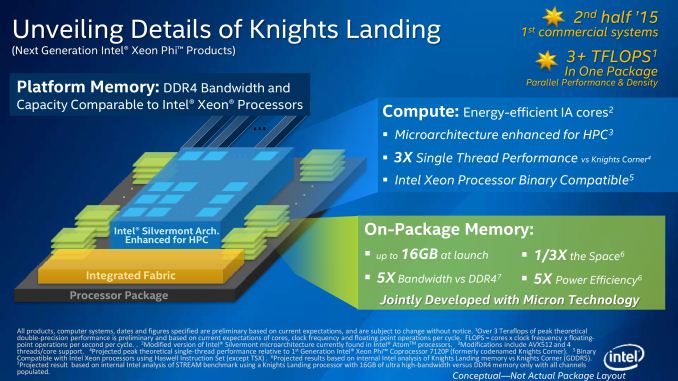
All
told, Intel is planning on offering Knights Landing processors
containing up to 72 of these cores, with double precision floating point
(FP64) performance expected to exceed 3 TFLOPs. This will of course
depend in part on Intel’s yields and clockspeeds – Knights Landing will
be a 14nm part, a node whose first products won’t reach end-user hands
until late this year – so while Knights Landing’s precise performance is
up in the air, Intel is making it extremely clear that they are aiming
very high.
Which brings us to this week and Intel’s latest batch
of details. With last year focusing on the heart of the beast, Intel is
spending ISC 2014 explaining
how they intend to feed the beast. A
processor that can move that much data is not going to be easy to feed,
so Intel is going to be turning to some very cutting edge technologies
to do it.
First and foremost, when it comes to memory Intel has
found themselves up against a wall. With Knights Corner already using a
very wide (512-bit) GDDR5 memory bus, Intel is in need of an even faster
memory technology to replace GDDR5 for Knights Landing. To accomplish
this, Intel and Micron have teamed up to bring a variant of
Hybrid Memory Cube (HMC) technology to Knights Landing.
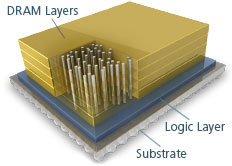 Hybrid Memory Cube (HMC)
Through the HMC Consortium, both
Intel and Micron have been working on developing HMC as a
next-generation memory technology. By stacking multiple DRAM dies on top
of each other, connecting those dies to a controller at the bottom of
the stack using Through Silicon Vias (TSVs), and then placing those
stacks on-package with a processor, HMC is intended to greatly increase
the amount of memory bandwidth that can be used to feed a processor.
This is accomplished by putting said memory as close to the processor as
possible to allow what’s essentially an extremely wide memory
interface, through which an enormous amount of memory bandwidth can be
created.
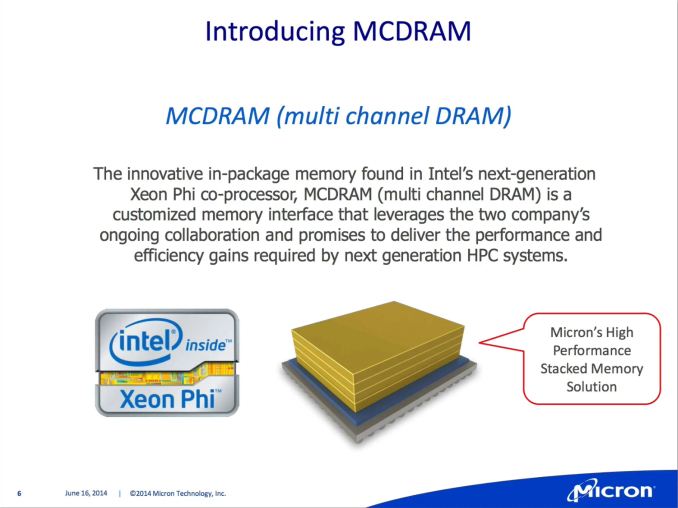
For
Knights Landing, Intel and Micron will be using a variant of HMC
designed just for Intel’s processor. Called Multi-Channel DRAM (MCDRAM),
Intel and Micron have taken HMC and replaced the standard memory
interface with a custom interface better suited for Knights Landing. The
end result is a memory technology that can scale up to 16GB of RAM
while offering up to 500GB/sec of memory bandwidth (nearly 50% more than
Knights Corner’s GDDR5), with Micron providing the MCDRAM modules.
Given all of Intel’s options for the 2015 time frame, the use of a
stacked DRAM technology is among the most logical and certainly most
expected (we've already seen NVIDIA plan to follow the same route with
Pascal); however the use of a proprietary technology instead of HMC for Knights Landing comes as a surprise.
Moving
on, while Micron’s MCDRAM solves the immediate problem of feeding
Knights Landing, RAM is only half of the challenge Intel faces. The
other half of the challenge for Intel is in HPC environments where
multiple Knights Landing processors will be working together on a single
task, in which case the bottleneck shifts to getting work to these
systems. Intel already has a number of fabrics at hand to connect Xeon
Phi systems, including their own
True Scale Fabric technology, but like the memory situation Intel needs a much better solution than what they are using today.
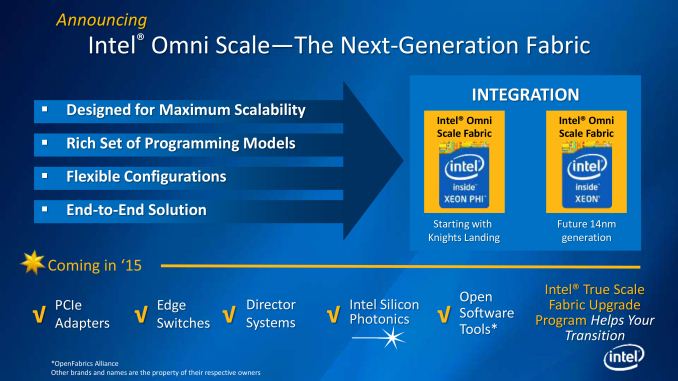
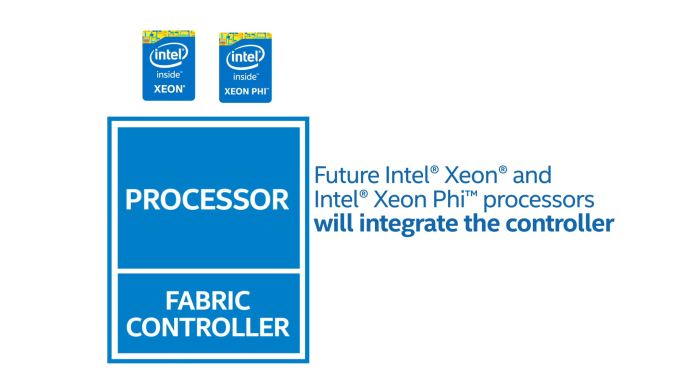
For
Knights Landing Intel will be using a two part solution. First and
foremost, Intel will be integrating their fabric controller on to the
Knights Landing processor itself, doing away with the external fabric
controller, the space it occupies, and the potential bottlenecks that
come from using a discrete fabric controller. The second part of Intel’s
solution comes from developing a successor to True Scale Fabric –
dubbed
Omni Scale Fabric
– to offer even better performance than Intel’s existing fabric
solution. At this point Intel is being very tight lipped about the Omni
Scale Fabric specifications and just how much of an improvement in
inter-system communications Intel is aiming for, but we do know that it
is part of a longer term plan. Eventually Intel intends to integrate
Omni Scale Fabric controllers not just in to Knights Landing processors
but traditional Xeon CPUs too, further coupling the two processors by
allowing them to communicate directly through the fabric.
Last
but not least however, thanks in large part to the consolidation
offered by using MCDRAM, Intel is also going to be offering Knights
Landing in a new form factor. Along with the traditional PCIe card form
factor that Knights Corner is available in today, Knights Landing will
also be available in a socketed form factor, allowing it to be installed
alongside Xeon processors in appropriate motherboards. Again looking to
remove any potential bottlenecks, by socketing Knights Landing Intel
can directly connect it to other processors via Quick Path Interconnect
as opposed to the slower PCI-Express interface. Furthermore by being
socketed Knights Landing would inherit the Xeon processor’s current NUMA
capabilities, sharing memory and memory spaces with Xeon processors and
allowing them to work together on a workload heterogeneously, as
opposed to Knights Landing operating as a semi-isolated device at the
other end of a PCIe connection. Ultimately Intel is envisioning programs
being written once and run across both types of processors, and with
Knights Landing being binary compatible with Haswell, socketing Knights
Landing is the other part of the equation that is needed to make Intel’s
goals come to fruition.
Wrapping things up, with this week’s
announcements Intel is also announcing a launch window for Knights
Landing. Intel is expecting to ship Knights Landing in H2’15 – roughly
12 to 18 months from now. In the meantime the company has already lined
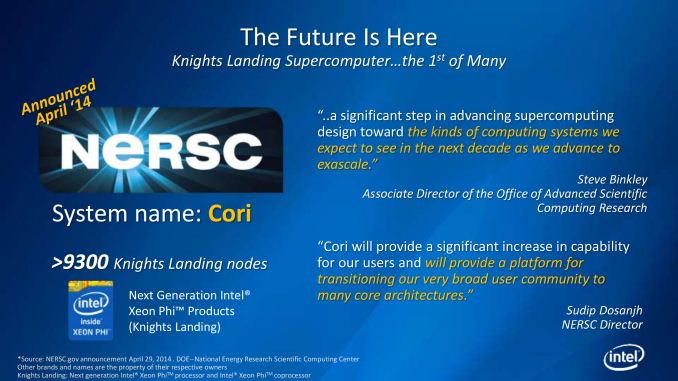
up its first Knights Landing supercomputer deal with the
National Energy Research Scientific Computing Center,
who will be powering their forthcoming Cori supercomputer with 9300
Knights Landing nodes. Intel currently enjoys being the CPU supplier for
the bulk of the Top500 ranked supercomputers, and with co-processors
becoming increasingly critical to these supercomputers Intel is shooting
to become the co-processor vendor of choice too.
Read More ...
Google IO 2014 Day 1 Recap Video
I
just got back from a day at Moscone West listening to Google present
updates on Android on nearly all screens. I recorded a brief video
recapping some of the highlights on Android One, Android L, Android TV,
Android Wear and more.
Be sure to also follow all of our coverage from the
show here.
Read More ...
Nvidia and Epic Games Showcase the Power of Tegra K1 With Unreal Engine 4 "Rivalry" Demo
For
the past few years there have been claims that mobile graphics
performance and capabilities are about to reach that of gaming consoles
like the Xbox 360 and Playstation 3. Obviously because this has been
going on for a few years that point hasn't quite been reached yet. But
if a new tech demo from NVIDIA and Epic Games is any indication of where
graphics performance is headed that goal of matching the previous
generation of game consoles on a mobile device may not be far off. The
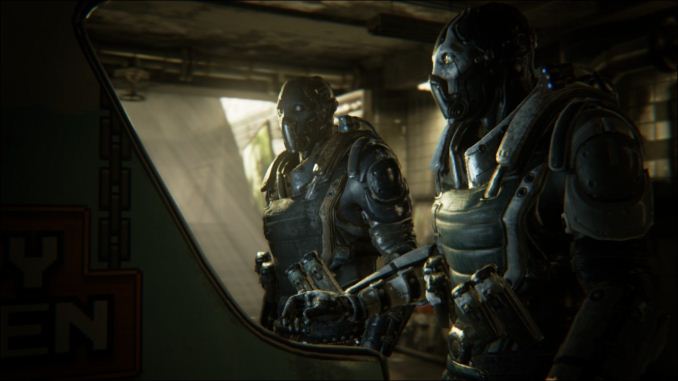
below video was made in Unreal Engine 4 and rendered on NVIDIA's Tegra
K1.
This
tech demo was played during the keynote at Google IO. To achieve some
of the effects in the video the teams at Epic Games and NVIDIA used
Google's new Android Extension Pack and OpenGL ES 3.1 which are
supported in the upcoming Android L release. The Android Extension Pack
is a set of extensions to OpenGL ES which provides features like
tessellation to improve the detail of geometry rendered onscreen, and
geometry shaders which can also be used to add detail to what is
rendered onscreen as well as to add shadows to a scene. The Android
Extension Pack also includes support for compute shaders, and Adaptive
Scalable Texture Compression (ASTC) which
we've talked about in depth previously.
Of course software is just one half of the equation. The GPU in NVIDIA's
Tegra K1 breaks free of the old GeForce ULP design and works with the
same architecture as Nvidia's desktop GPUs. Specifically, the GPU in
Tegra K1 is a Kepler based GPU with 192 CUDA cores, 4 ROPs (render
output units), and 8 texture units. The 64-bit version of NVIDIA's Tegra K1
will also be one of the first chips to ship in a new wave of 64-bit
Android L devices with Google having updated the OS and their ART
runtime to support the ARMv8 instruction set. It will be exciting to see
a new generation of games enabled by more powerful hardware like NVIDIA's Tegra K1
Source:
Unreal Engine on Youtube
Read More ...
A look at Google's New Slides Application
After
nearly two months since Google launched their Docs and Sheets
applications on iOS and Android they have finally released the long
promised Slides application for creating slideshow presentations. The
applications promise to offer a well featured app for creating
presentations with proper support for importing documents in Microsoft's
PowerPoint format.
The
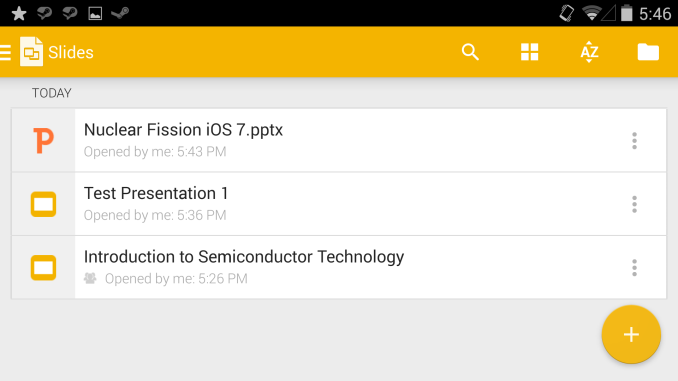
first thing you see upon opening the app is a list of all presentations
you have stored in your Google Drive account. The app looks very much
like the preview of the updated Gmail application shown at Google IO
with the circular button for creating files at the bottom and a drawer
that slides in from the left containing most of the options for
navigating around the application. In portrait mode the three dot
overflow menu is still present to give options for viewing as a grid and
sorting by name or date. When in landscape mode these options are
exposed in the navigation bar at the top of the application.
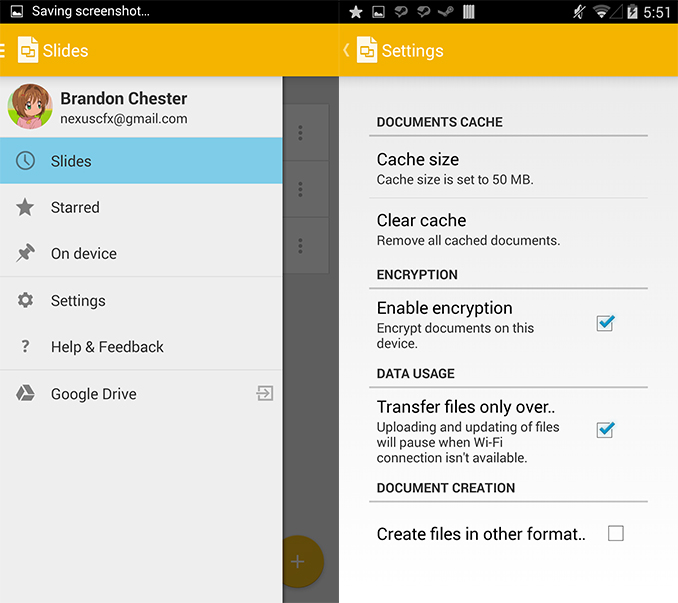
From
the settings menu you can change the size of the on-device cache
allowed for storing files, and can clear the cache entirely. Encryption
of documents can also be enabled, and a setting allows files to only be
synced when connected to WiFi to avoid those on a limited data plan
using up all their data. Lets take a look at importing and playing a
file created in PowerPoint. On the desktop it looks like Google is still
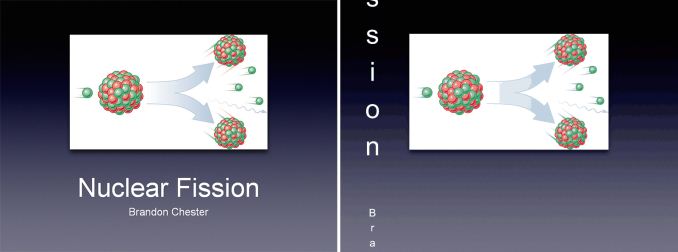
having some issues. Upon opening the PowerPoint file I imported I was
greeted with the following image which is displayed alongside the
appearance in PowerPoint 2010 for reference.
Microsoft PowerPoint on the left, Google Slides in Google Chrome on the right
Obviously
Google still has some work to do with Slides for web. Thankfully the
experience is a bit better on mobile with the PowerPoint opening fine
with all the visible formatting intact.
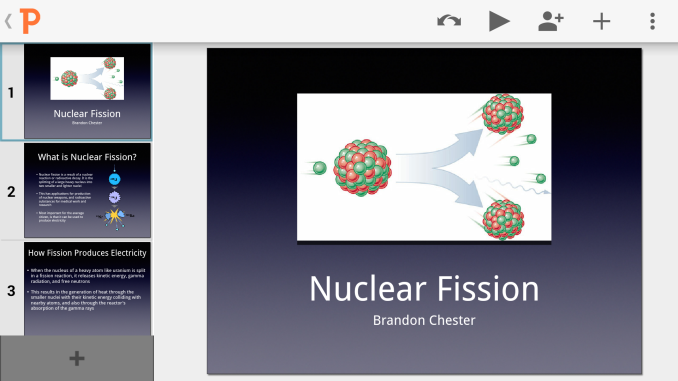
In
terms of design the app looks very nice. At the top there's a list of
actions that can be performed within the app. The icon with two arrows
facing different directions is the undo/redo option, the triangle is the
button to begin the slideshow, the icon with the person and the plus
symbol is for document sharing, and the plus symbol alone is for
bringing up the menu to insert images, text boxes, and shapes. On the
left there's the list of all the slides in the slideshow and the plus
button at the bottom is to create a new slide. The application also
matches the new slides to the theme of the slideshow which is something I
have found problematic with Apple's mobile Keynote application. My one
complaint is that the scrolling of the list of slides is drastically
below 30fps on my HTC One M7 Google Play Edition.
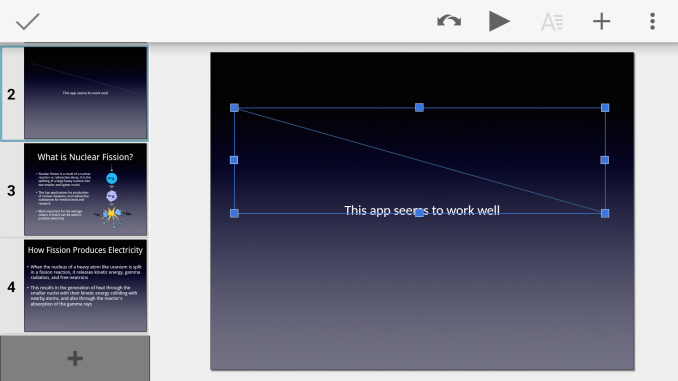
When
adding images, text boxes, and objects the app creates a box around
them to transform the size and scale as required. When the object is
where you desire it to be you touch the checkmark in the top left corner
which removes the transform controls and keeps the image in place until
it is touched again. At this point I was happy overall with the new
application but I had spoken too soon when I stated that the app seemed
to be working well with the imported PowerPoint file.
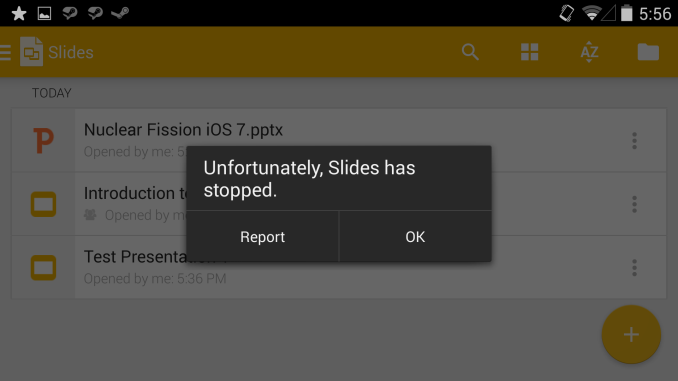
Upon
trying to play the file the editor crashed and sent me back to my list
of documents. It's clear that Google still has some work to do in making
the app completely compatible with Microsoft Office files. After using
the app's built in feature to convert the slideshow to the Google Slides
format it played properly and there were no issues with formatting
after doing the conversion which is more than can be said for converting
certain PowerPoint files to Apple's Keynote format and vice versa.
Google's
office suite is shaping up to be a powerful alternative to traditional
tools like Microsoft Office. While Google still has work to do, they've
created tools that all have a unified design across many different
platforms and devices. Google Slides is available at the very
least in the United States and in Canada from Google Play. Google is
known to do staged rollouts for updates and new applications so it may
take some time before it is available throughout the world.
Source:
Google Play
Read More ...
Google Announces Improvements to Google Docs at Google IO
Near the end of April
I took a look at Google's new Docs and Sheets mobile applications
that had been spun off of the Google Drive application. I felt that
Google was really trying to create a separate brand for their office
application suite. The main complaint about Google's applications has
always been that they can't work with Microsoft Office file formats
which are commonplace in the industry. In 2012 Google had acquired the
office suite Quickoffice which did support editing Microsoft Office
documents and it was hoped that the ability to do that would eventually
be integrated with Google's Docs, Sheets, and Slides programs. Today at
Google IO that is being realized as reality with Google announcing that
their office applications now work seamlessly with Microsoft Office
document formats.
Google
has also finally released the long awaited Google Slides application
for iOS and Android allowing users to create slideshow presentations
from their smartphones and tablets. We'll be taking a look at the new
Slides app on Android and iOS later today.
Google
also took some time to talk about Google Drive in the workplace. Google
Drive for Work provides enterprises with encryption for files both
while in transit and when stored on their servers. Pricing for companies
that switch to using Google Drive and Google Docs is just $10 per user
per month for unlimited storage. Google has been successful in moving
into the enterprise world with their cloud tools. They state that 67 of
the top 100 startup companies are using the Google Drive platform, along
with 58% of the fortune 500 companies and 72 of the top 100
universities. It will definitely be interesting to see how Google's
cloud services and branding continues to evolve as time goes on.
Read More ...
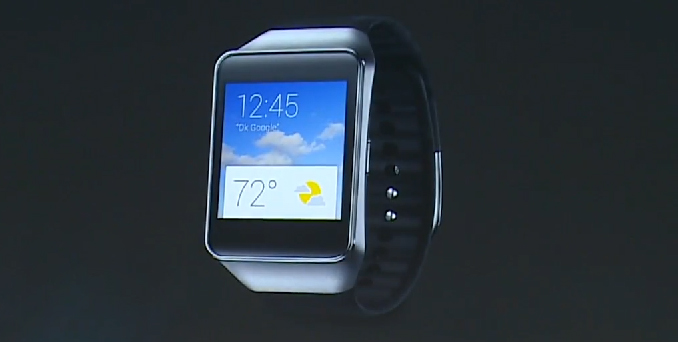
LG G Watch and Samsung Gear Live Available For Purchase Today
Today
at Google IO Google gave the world a sneak peak at some of the features
of their upcoming Android Wear OS. They also announced that the first
two smartwatches running the new operating system would be available for
purchase from Google Play starting today. The first of these is the LG G
Watch. Before today information about the G Watch was limited apart
from the knowledge that it would be water and dust resistant and sport a
1.2GHz Qualcomm Snapdragon 400 MSM8026 CPU. LG has now updated the
product page for the G Watch with some more information. The watch has a
1.65" IPS display with a resolution of 280x280 for a pixel density of
240ppi, 512MB of RAM, 4GB of NAND, Bluetooth 4.0, and a 400mAh (1.52Wh)
battery.
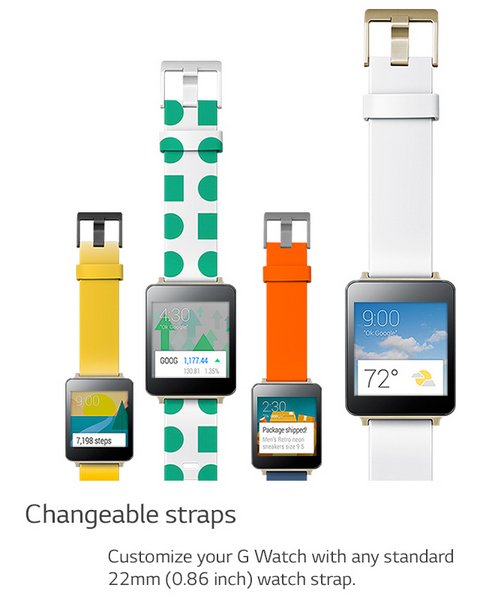
LG
also states that the new watches will work with any standard watch
strap of 22mm in width. The LG G Watch will be available today on Google
Play in both black and white color options.
The
second smartwatch that will be available to order today is Samsung's
Gear Live smartwatch which also runs Android Wear. According to Samsung
the Gear Live is similar in specifications to the LG G Watch with the
same 1.2GHz Qualcomm Snapdragon 400 MSM8026, 512MB of RAM, 4GB of NAND,
Bluetooth 4.0, and IP67 rated dust and water resistance. It
differentiates itself with its display, sporting a 1.63" Super AMOLED
display with a resolution of 320x320 which works out to a pixel density
of 277ppi. The battery in the Gear Live is also smaller than the G Watch
with a capacity of 300mAh (1.14Wh). The power usage of the AMOLED
display will likely be the factor that determines whether or not the
smaller battery capacity results in significantly less battery life than
the G Watch. Like other recent Samsung devices the Gear Live also
includes a heart rate monitor for tracking heart rate during exercise.
Samsung
launching a device running Android Wear is an interesting move as they
have moved all their previous smartwatches over to their own Tizen
operating system and it will be interesting to see if they pursue both
paths or if they eventually transition to smartwatches based on only one
operating system. The Gear Live will be available in black and red
color options.
Both smartwatches will be available for purchase later today on Google Play and require Android 4.3 or later to work.
Based on Google's Android user statistics that puts the percentage of Android users that can use these new smartwatches at about 24%.
Update:
Both
devices are now available on Google Play. The LG G Watch is selling for
$229 USD with a listed shipping date of July 3 and the Samsung Gear
Live is selling for $199 USD with a shipping date of July 8. In the UK
the LG G Watch is £159 while the Samsung Gear Live is £169 making the roles of the cheaper and more expensive smartwatch different depending on where you live.
Source:
LG,
Samsung
Read More ...
Google Announces Android Auto at Google IO
Along
with news about Android L and Android Wear, Google also announced a new
vehicle focused initiative called Android Auto at this year's Google
IO. Android Auto is Google's take on an in-car mobile experience and
much like Apple's CarPlay it hopes to provide a seamless and unified
experience across many different vehicles from many different
manufacturers.
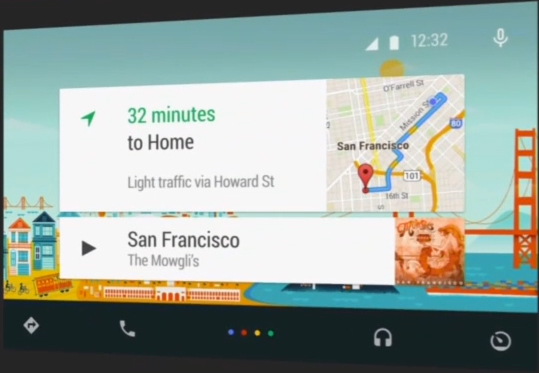
Google
Auto starts by extending the interfaces that Android users are familiar
with. It uses the same card based design and colorful backgrounds as
Google Now, and it functions in a similar fashion with cards that
display information about travel routes, music playback, and other
relevant information. Android Auto works by connecting to the user's
smartphone or tablet and translating all the content on that into a
simpler and more navigable interface for a vehicle. The Android Auto
system is also designed to be functional with only the use of voice
controls which will hopefully reduce the number of car accidents that
occur because a driver is using their cell phone without paying
attention to their driving.
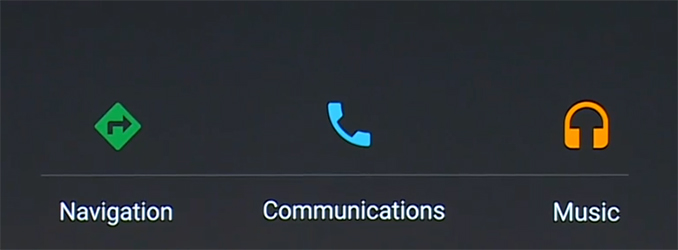
Android
Auto has three main points of focus that Google feels are essential to
providing the best in-car experience for the user. The first is a fairly
obvious necessity for an in-car operating system, navigation support.
By using Google Maps and Google's navigation features the Android Auto
system acts as a hands-free GPS. The user can simply tell Google Now
what destination they would like to navigate to and it will bring up a
card with traffic info and an estimated travel time. The user can then
confirm they wish to begin navigation and the map interface will open
with driving directions spoken over the car's speaker system and a
visual map displayed on the screen.
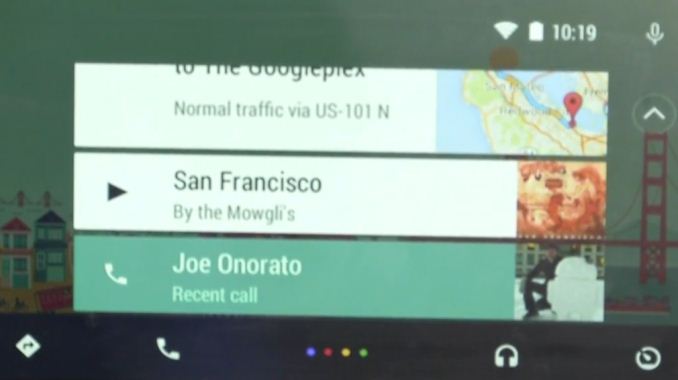
Communication
is the second main focus of Android Auto. People are becoming
increasingly connected and are constantly bombarded with phone calls,
text messages, etc. Android Auto wants to make managing this constant
communication safer for users by letting the user keep their hands on
the wheel and eyes on the road rather than fiddling with their
smartphone. Because Android Auto works by running off of the user's
phone it can display notifications for texts, calls, and other messages
right on the vehicle's built-in display alongside all the other cards
for navigation and music. The user can use Google Now to dictate a
message using their voice and then send it without ever having to pick
up their phone. They can also make phone calls and speak aloud without
having to use one of their hands to hold their phone up to their ear.
These features are great because they serve a dual purpose of simply
being more convenient for the user, but also letting people drive safely
while still being able to use their mobile device.
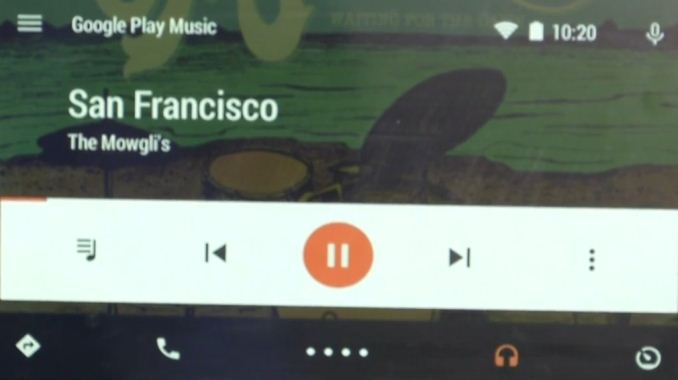
The
third point of focus is on music playback and streaming. Many people
listen to music over the speakers in their vehicle and Google wants to
make it easy for people to get to the songs they want to hear and to
have access to all their music stored on their device as well as across
multiple streaming platforms. As you can see above, Android Auto
features a very simple interface for music playback with big buttons
that are easy to press. Like all the other features in Android Auto, the
user can also control their music playback via voice control which
makes navigating to a specific song as simple as asking Google Now to
play that track.
Google has also been working with major music
streaming companies to get apps ready for Android Auto upon launch.
Users will have access to all their music on streaming services like
Pandora and Spotify in addition to all the music they have stored
locally on their smartphone or tablet.
To
ensure Android Auto is an ever evolving and improving experience for
users, Google is making an Android Auto SDK available for developers so
they can modify their apps to be functional and well integrated on
in-car displays running this new extension of Android. Google has stated
that the Android Auto experience will be available to users alongside
the public Android L release later this year and that over 25 automobile
manufacturers have signed up to ship cars with Android Auto support in
the near future. More information on the list of manufacturers that plan
to include Android Auto in their vehicles
can be found on the Open Automotive Alliance website which is the home for all companies committed to using Android in automobiles.
Read More ...
HTC Commits to Android L For One (M7) and (M8)
In
a rather surprising move, HTC is the first OEM to promise an update to
Android L. HTC has stated that this policy is part of their HTC
Advantage program and that this will apply to the One (M7) and One (M8).
There's also the caveat their 90 day delivery promise applies to when
HTC first receives the code, not when the developer previews go live.
Read More ...
Razer Announces Micro-Console Running Android TV
Today,
Razer is one of the first OEMs to announce an Android TV solution. It
seems that this will compete with systems such as the Amazon Fire TV and
Apple TV. It will be navigated using an application on an Android phone
or tablet, or by voice recognition. Like Nvidia, this system will be
targeted at gamers. Razer hasn't released any other details on this
system yet, but it will be released in the fall.
Read More ...
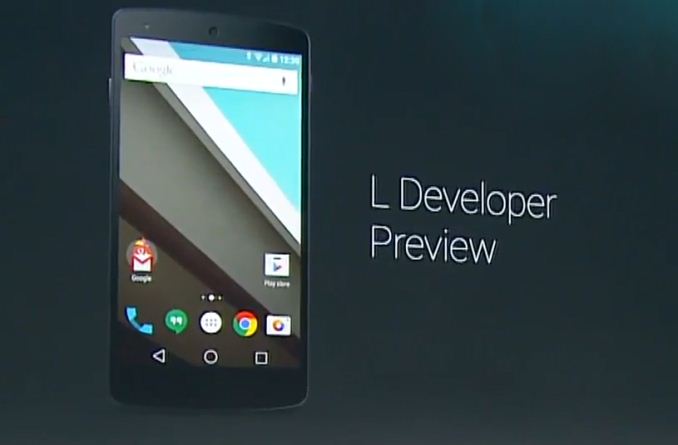
Google Reveals Details About Android L at Google IO
Today
at Google I/O many of Google's designers and engineers took to the
stage to give the world a few previews of the new design and features
that will be included in the yet to be named upcoming Android L release.
The most visible of all the changes comes with Google's new design
language and so that's something to talk about first before focusing on
the changes under the hood.
Google's New Design Language
Google's
new design language is something they call Material Design. Material
design is something Android users are already familiar with from the
design of Google Now and some of the recently updated Android
applications like Google I/O 2014. Material design takes inspiration
from physical materials like paper and ink, but implements these
concepts in a modern way that is very different from other designs like
the skeuomorphic interface of old versions of operating systems like
iOS. In the upcoming Android L release the entire interface will be
redesigned using this new type of design language. To demonstrate it,
Google's Director of Android User Experience Matias Duarte demonstrated
the upcoming changes to the Gmail application after being redesigned
using these new principles of Material Design.
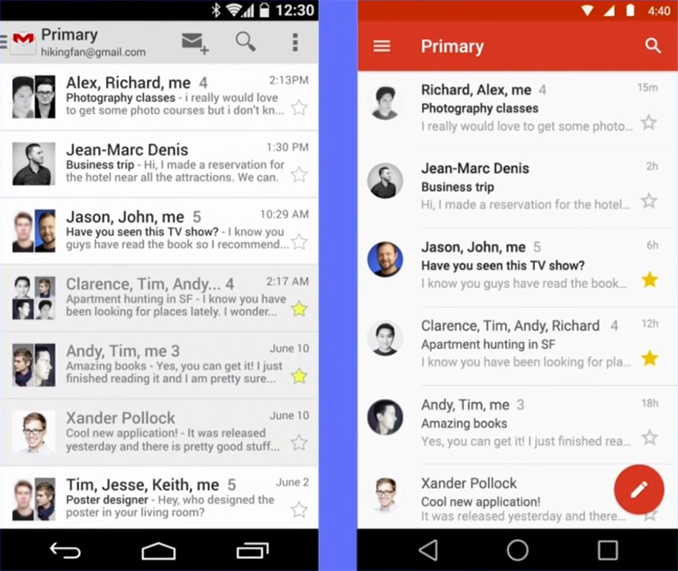
As
you can see, the app adopts a much cleaner and more colorful appearance
while still being completely familiar to users acquainted with the
older application. The use of lines in the application has been reduced
with the lines that separate emails being thinner and extending only
across a portion of the screen, and the border from the star on
favorited emails being removed entirely. The contact icons adopt a
circular design similar to what Apple has done with iOS 7, and a
circular bubble for starting a new email is ever-present at the bottom
of the display. One final thing to note is the retirement of the three
dot overflow menu in favor of moving settings and navigation into the
pane that slides in from the left side of the display.
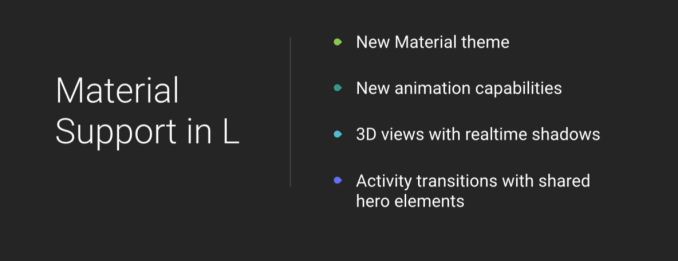
Another
significant part of the new design language which is hard to describe in
photos and words is the use of depth, shadows, and animations. Google
has really worked hard on creating an interface that feels responsive
and resonates with how humans interact with devices. In Android L every
interface element can have a Z-axis level specified and this will change
how the application looks by altering 3D views and adding lighting and
shadows that will be different in size and scale based on what position
an element is on the 3D plane.
Google's new Material Design
principles are something they hope developers will use to create unified
applications across all of their platforms, extending far beyond
Android. Some more info about the fundemental principles of Material
Design
can be found in this guidebook.
Improved Notifications and Recent Applications
In
Android L Google is making significant improvements to how
notifications are handled on Android. A feature that is often requested
is lockscreen notifications and in Android L Google is displaying
notifications right on the lockscreen of a device.
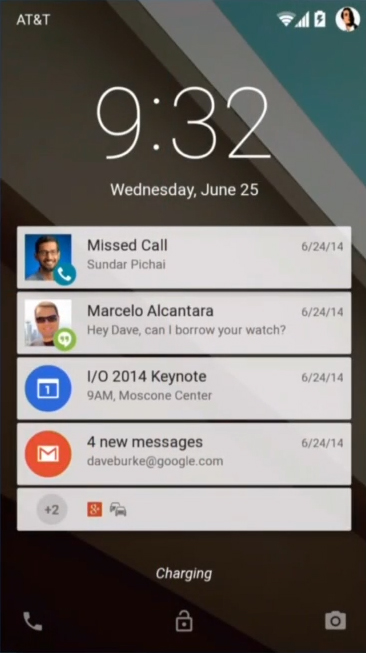
As
you can see, each application can display a card on the lockscreen to
notify the user of anything they missed. Multiple notifications from the
same app are consolidated into one card to make effective use of space.
By swiping down the user reveals other cards that are further down in
the list of notifications. Touching a card brings the user to the
application the notification was for, and swiping cards to the right
removes them in the same fashion as swiping away banners in the normal
notification center.
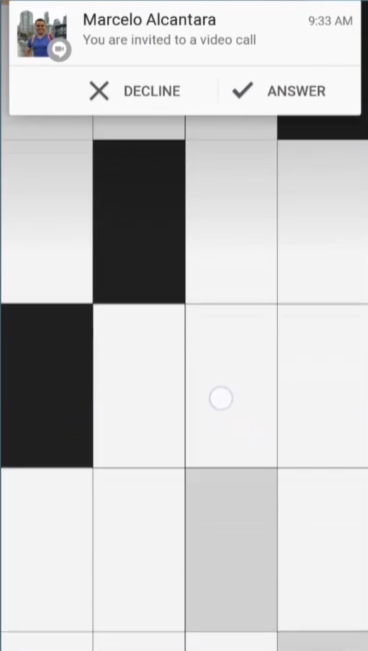
Google
has also improved how notifications work within applications. In a
similar fashion to the new notifications shown in the iOS 8 preview.
Android notifications can now present the user with banners that appear
at the top of the display with relevant options for responding to them.
During the keynote Google demonstrated how a user can recieve a video
call while playing a game and they can choose to either decline and
continue playing or answer and be taken to the application the
notification was sent from.
Android L will also bring along big
changes to the recent apps list. Currently the recent apps list consists
of a single card for each application that the user has recently
opened. In Android L applications will now be able to display multiple
cards in the recent apps list to make it easier for the user to navigate
and to create a more complete history of where the user has recently
been on their device.
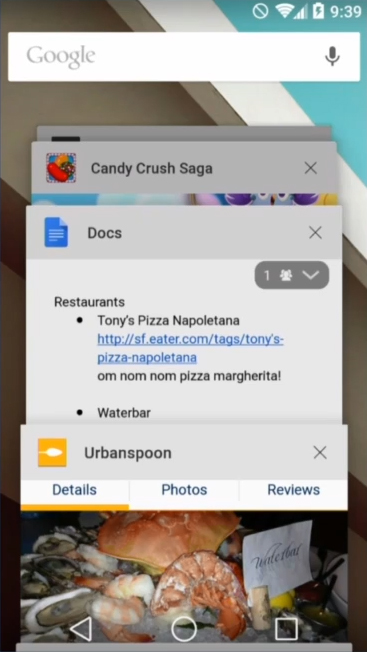
As
you can see above, the recent apps list uses the new principles of
Material Design. Each application is presented as a card in a scrolling
list with realistic lighting and shadows that reacts to the position of
the cards in the list. One very important thing to mention about the new
functionality about the recent apps list is that it includes cards for
each browser tab that the user has open, rather than just consolidating
them all to a single card for whatever web browser the user uses. With
this Google is making a statement about how they feel about web
applications and how they should be treated similarly to native apps on
the device. It is a very different approach from what Apple and
Microsoft are doing but with Google's far reaching web services it makes
sense to handle web applications this way. It may also reduce the
number of apps created that are simply mobile websites wrapped in an
application which is good for all users.
Improvements Under the Hood
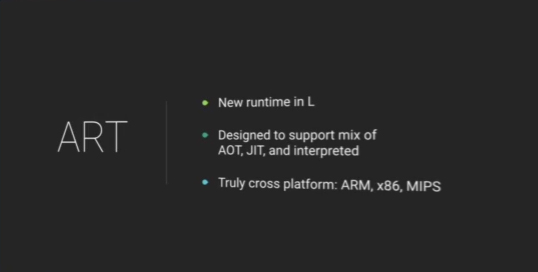
Android
L brings along some major improvements to the underlying OS along with
all the changes on the surface. One of the most significant for
developers and users alike is the retirement of Google's Dalvik virtual
machine. Dalvik has been the software that runs Android applications
since the beginnings of Android itself and with Android L Google is
removing it entirely in favor of their new ART runtime. While Dalvik
uses mainly Just-in-Time code compilation to compile Java bytecode into
machine code at the time it is run, ART opts for Ahead-of-Time
compilation which compiles Java bytecode into machine code at the time
of install. Because of this, applications do take up slightly more space
and take longer to install, but there should be significant performance
improvements with this new Android runtime. During the keynote Google
noted that benchmarks running on ART can see up to 4x the performance
over the same benchmark being run in Dalvik. Google also made a point of
noting that ART is very cross platform with support for x86, ARM, and
MIPS instruction sets.
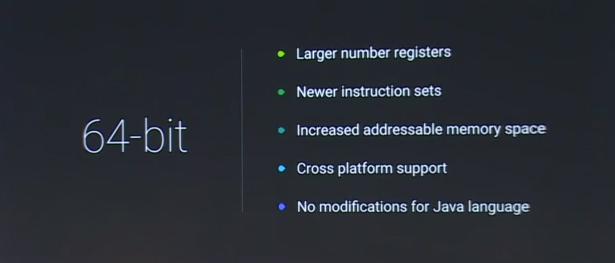
The
next big announcement is 64-bit Android support. Apple launched the
first 64bit mobile devices with iOS 7 and the Apple A7 CPU in late 2013
and a 64-bit version of Android has been long awaited ever since then.
Android L includes complete support for 64-bit with all instruction sets
that Android supports including ARMv8, x86-64, and MIPS64. With this
comes support for larger numbers of registers, and an increase in the
addressable amount of memory which will come in handy in the near future
if the amount of RAM in Android devices continues to increase at the
rate it currently is.
Improved Tools for Improving Battery Life
Battery
life is always a concern with mobile devices that are running
increasingly more powerful hardware and complicated software. In Android
L Google has been working on what they call Project Volta. Project
Volta is an effort to improve the battery life on Android smartphones
through software optimization. Volta has a part aimed at developers and a
part aimed at users. The part aimed at developers starts with a new
tool that Google has created called Battery Historian.
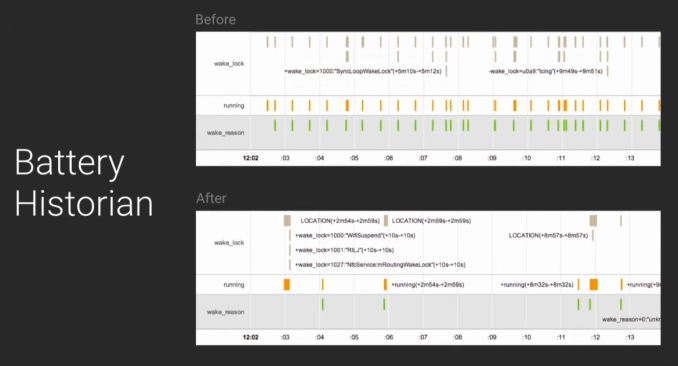
Battery
Historian is a tool that allows the user to see how the battery is
being used on their device and at what times certain hardware features
or processes are using the battery. This is mainly aimed at developers
to help them improve when their application performs things like network
requests which involves waking up the device's radio and using lots of
power. In the image above you can see a sample scenario where an
application is causing a device's radio to wake up roughly every twenty
seconds. Developers can use this information to better schedule when
their application should perform updates and grab information from the
internet.
Google is also including a JobScheduler API for
developers which allows them to perform specific tasks in their
application during certain circumstances. An example would be only
checking for updates when the device is connected to WiFi rather than
doing it over cellular. The JobScheduler API can also have an
application check for updates and new information at the same time as
other applications to reduce the number of times a device has to wake up
the radio and perform network tasks.
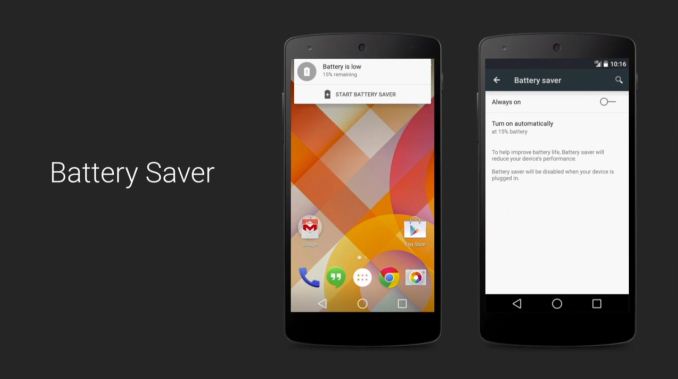
For
users Google is including a feature that we've seen many OEMs implement
on recent smartphones. Battery Saver is a feature that can reduce the
performance of a device and limit the functionality of it to extend the
battery life of a device when its battery has dropped below 20%. When
the user's battery is low the system will send a notification that
allows the user to quickly enable the feature. It is not entirely clear
to what extent the new battery saver feature limits the performance and
capabilities of the device.
All these features are just a preview
of what Google is doing in the upcoming Android L release. Google has
not given a timeframe on when Android L will begin to ship but it's
clear that Google is very serious about creating a unified experience
across all devices for all users and that Android has become their
vessel to do so.
Read More ...
Google IO 2014 Keynote Live Blog
We will be live blogging the Google IO keynote starting at 9AM PT/12PM ET. Check back for live coverage when it starts!
Read More ...
The ASUS HQ Tour: Testing Facilities
As
part of our Computex trip this year, ASUS gave us a guided tour of its
testing facilities at the ASUS headquarters in Northern Taipei.
Read More ...
Netgear and Broadcom Rush Nighthawk X6 (R8000) 6-Stream 802.11ac Router to Market
Netgear's
AC1900 router, the R7000 Nighthawk, has been well-received by the
market. Since that launch, the 802.11ac market has seen a number of
announcements from chipset vendors. While Qualcomm Atheros and Quantenna
were busy launching 802.11ac Wave 2 silicon, Broadcom seemed to be
lagging behind. In April, they
launched 5G Wi-Fi XStream a six stream 802.11ac MIMO platform, which was essentially two discrete 3x3 802.11ac radios. SemiAccurate
saw through the marketing talk and called it out for what it really was. Despite seeing
Asus demonstrate a model at Computex, I assumed that devices based on the platform would appear in the market in late Q3 or Q4.
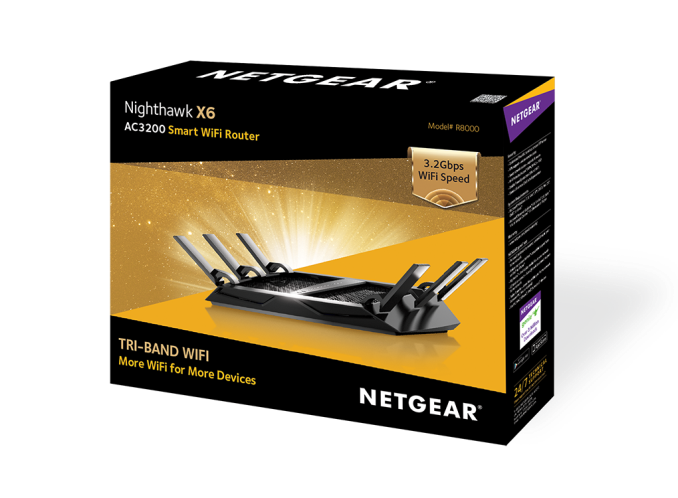
Netgear is springing a nice surprise by launching the Nighthawk X6 (R8000) with Broadcom's 5G WiFi XStream platform today.
The
R8000 is being marketed as a Tri-band router theoretically capable of
delivering up to 3.2 Gbps of network throughput (600 Mbps in the 3x3
802.11n 2.4 GHz band, 1300 Mbps in the first 3x3 802.11ac 5 GHz band and
another 1300 Mbps in the second 3x3 802.11ac 5 GHz band). The unit
includes 6 antennae. Internally, the platform has the same host SoC as
that of the R7000, the BCM4709 which sports a dual core Cortex-A9
processor running at 1 GHz. However, the radios have been updated to
offload some of the workload, freeing up CPU cycles for other aspects.
Netgear claims they are now able to get around 60 - 70 MBps over USB 3.0
(compared to 30 MBps in the R7000). The VPN client is also being talked
up by Netgear in the R8000, signifying that it is going to perform
substantially better than in the R7000. Like the R7000, the R8000 also
comes with four GbE ports (in addition to the WAN port) and two USB
ports (1x USB 3.0, 1x USB 2.0).
Netgear's value adds on top of the
5G WiFi XStream platform include 'Smart Connect' - a feature through
which client devices are allotted to a particular Wi-Fi channel
depending on its characteristics and location - and load balancing -
where newer clients are allotted a less busy channel if 'Smart Connect'
decisions happen to overload one of the channels. Other aspects of
Netgear's firmware include a comprehensive network storage feature set
(with DLNA & AirPlay support, along with backup to a shared USB
drive). Netgear also seems to have brought in a variant of the
snapshotting feature of the ReadyNAS lineup into this router as the
'ReadySHARE VAULT' backup solution for devices running Windows.
The
product is available for pre-order today, and will ship in early July.
It is priced at $300. Consumers with a large number of Wi-Fi devices
might be tempted to upgrade to the R8000, particularly if they are yet
to hop on to the 802.11ac bandwagon. On the other hand, users who
already have a 802.11ac router (and paid the premium to buy into a first
/ second generation product) might find it hard to justify a $300
upgrade - particularly when the platform doesn't have any of the
important Wave 2 features such as MU-MIMO or 160 MHz usage with a single
radio. Make no mistake, the R8000 does appear to solve problems arising
from a large number of wireless clients in a practical manner. More
importantly, it is available today (compared to Wave2 routers based on
silicon from other vendors which are yet to hit the market). Is it worth
the premium? That is for the market to decide. Readers, feel free to
sound off in the comments section.
Read More ...
Report: ASUS' Android Wear Smartwatch to Be Priced Between $99 to $149
ASUS looks to undercut its rivals in the Android Wear market
Read More ...
Quick Note: YouTube Bringing in 60 FPS, Fan Funding for Channels
We'll see it in the coming months
Read More ...
Quick Note: Hisense's Windows Phone 8.1 Packs LTE, Thin Metal Body
Price is sweet as well, even if it only has 720p and is a bit underpowered in terms of memory and processor
Read More ...
BlackBerry, a “Leader in Mobile,” Launches Fact Check Portal
BlackBerry wants to set the records straight when it comes to its fortunes in the mobile marketplace
Read More ...
Walmart Slashes Price of iPhone 5C, 5S to $29 and $99 Respectively on Contract
Walmart is looking to offload its stock of iPhones to make room for the latest and greatest
Read More ...
Nikon Announces the D800's Successor, the D810 HD-SLR
It will be available in late July
Read More ...
Report: Obama Admin. Roadblocks May Stall Lenovo's Purchase of IBM Server Unit
Obama administration continues its strategy of provocation against its fellow spy state
Read More ...
Microsoft's New Fuel Cell Partner is Ready to Blow Away the Bloom Box
Microsoft plans to test the fuel cells as a means of providing more efficient power to data centers
Read More ...
Ford, Intel Join Forces to Make Cars Respond to Gestures, Facial Recognition
It's called Project Mobii
Read More ...
Quick Note: GoPro IPO Debuts for $24/Share
GoPro was valued at up to $2.96 billion USD
Read More ...
Apple Upgrades 16GB iPod touch, Slashes Prices on 32GB, 64GB Models
Apple's iPod touch is now priced at $199, $249, and $299 for 16GB, 32GB, and 64GB models respectively
Read More ...
LG G Watch, Samsung Gear Live Smartwatches Available for Pre-order
Android Wear devices are incoming, with prices as low as $199
Read More ...
Supreme Court Ignores Obama's Pleas, Bans Warrantless Phone Searches
Unanimous decision guarantees due process in most cases, gives cell phones a special status among personal items
Read More ...
MIT, Duke Students Are Gearing Up to Send Pictures, Video of Earth to Mars
The mission is set to be complete by 2017
Read More ...
Editorial: How Aereo Almost Killed Broadcast TV, Free Content on the Internet
Aereo looked to spread digital anarchy by reselling others' free content, without permission
Read More ...
Barnes & Noble Splitting Retail, Nook Businesses
The split is expected to be complete by the end of the first quarter of the next calendar year
Read More ...
AT&T to Lawmakers: We Can't Promise Lower Prices with DirecTV Merger
It hopes cost savings will find their way into prices
Read More ...
Google I/O Kicks Off in San Francisco, Previews Android L Release
Google also looks to conquer the low-end smartphone market with Android One
Read More ...
Google Glass Gets Memory Boost to 2GB, New Software Features
Google refreshes Glass hardware, but will only be available to customers that place new orders
Read More ...
Toyota Showcases Production Hydrogen Fuel Cell Car, Priced from $69k in Japan
Toyota is betting big on hydrogen fuel cell technology instead of going fully-electric
Read More ...
Available Tags:
SSD ,
Gaming ,
Android ,
Google ,
Xbox ,
Apple ,
iPod ,
Xeon ,
Nvidia ,
LG ,
Samsung ,
HTC ,
TV ,
ASUS ,
Router ,
YouTube ,
Windows Phone ,
Windows Phone 8 ,
Windows ,
Portal ,
iPhone 5 ,
iPhone ,
Nikon ,
IBM ,
Server ,
Intel ,
Toyota ,

















No comments:
Post a Comment