

You're on the invite list! Google Glass now on sale to everyone in the US

Google Glass just became a little less exclusive today, as the search engine giant declared that its wearable computer is now on sale to everyone in the US.
"Starting today, we're allowing anyone to purchase Glass on the Glass retail site," confirmed a Google spokesperson to TechRadar.
"We look forward to welcoming in new Explorers who will each play a critical role in making Glass better ahead of a wider consumer launch."
As a bonus for those who waited, Google is throwing in free frames for prescription glasses or a sunshade at no cost, accessories that weren't available to early adopters.
Some rules still apply
Of course, being able to buy Google Glass still depends on its availability. Its one-day sale to the general public last month depleted Google's stock of the white version, for example."The response was overwhelming," wrote the company in a Google+ post. "We almost ran out of inventory and had to close things down early. we almost ran out of inventory and had to close things down early."

Explorers are still required to live in the US, be 18 years of age or older and spend that painful $1,500 (about £891, AU$1,603) to become a sci-fi-looking walking wonder.
Google Glass' wider consumer launch is supposed to happen later this year, and with Google IO 2014 coming up on June 25, we expect to hear more about the device's future and hopefully cheaper price.
- Before Google IO, we'll be at E3 2014

Read More ...
New Asus MeMO Pad 7 caught running Intel Bay Trail T

Asus may be preparing a powerful Android tablet braying with Intel's energy-efficient Bay Trail T processor.
The Asus MeMO Pad 7 ME176C was picked up by Mobile Geeks, and it looks to have packed heavy with the four-core Atom Z3745 SoC.
Sticking with Android 4.4, the slate appears to be a thin slab that still packs a 1.33GHz punch. It supposedly tips the scale at 295 grams and have a width of 9.6mm.
In addition to specs, the German site also snagged a pair of images of the new MeMO Pad 7, with the front visible below.

If the price is right
The new MeMO's specs don't stop with Bay Trail. The new Asus tablet is pegged to ship with a 7-inch IPS display home to a 1280 x 800 resolution.RAM is settled at 1GB and internal storage comes in either 8GB or 16GB. A microSD slot will provide an expandable storage option. A 2MP camera is positioned on the front while a 5MP (sans flash) sits on the back.
The MeMO Pad 7 ME176C is equipped with 802.11n Wi-Fi, Bluetooth 4.0 and GPS, according to the leak. In addition to the power-saving processor, a 3,910mAh battery should keep the tablet ticking for up to 10 hours.
As the specs suggest, the new Asus tablet is decidedly budget in nature. It's tipped to cost 149 Euros, or about $204/£121/AU$218.
- Here is everything you need to know about the Amazon phone

Read More ...
OPINION: 5 ways Xbox One Kinect failed Microsoft and stiffed early adopters

Microsoft is dropping the Xbox One price next month, but while this new console "unbundling" is more competitive with PS4, it doesn't come with the so-called next-generation Kinect.
Don't get us wrong, the core technology behind the Xbox One Kinect lives up to what Microsoft once called "rocket science level stuff."
Its 1080p camera can track six skeletons at once, processes 2GB of data per second and measure the time it takes for photons to bounce off an object for the utmost accuracy.
However, Microsoft's "all in" strategy of initially requiring Xbox One Kinect with every console purchase didn't add up to a whole lot for early adopters who were charged a premium.
1. It made Xbox One cost more
Kinect tilted the ongoing PS4 vs Xbox One comparison in favor of Sony's next-gen system in just six months largely because of a small, but meaningful price difference.At launch, PS4 cost $399 (£349, AU$549) and Xbox One cost $499 (£429, AU$599). It's hard to justify spending even more money on a new console when both lack triple-A games.

And yes, we're looking at Kinect, which is always looking at us, as the source of the problem. Xbox One teardowns have estimated the camera and its sensor parts cost $75 (about £45, AU$80).
Xbox One has been tagged by the general public as the more expensive system since a devastating E3 2013, and now Microsoft is waiting until E3 2014 to officially drop the price.
2. Its one good game took forever to come out
There seemed to be a big push to incorporate the new Kinect into Xbox One games, but that has so far amounted to five games that require the hardware and 17 more that minimally support it.Four of those Kinect-required games aren't that special: Just Dance 2014, Xbox Fitness, Zumba Fitness and the all-around-awful Fighter Within.
The Rare-developed Kinect Sports Rivals is the one unique game that has made using the Xbox One fun, but it initially launched as a mini-game-teasing demo. The full game didn't come out until April.

In other words, not even Microsoft wasn't ready to support Kinect from day one. It was, however, ready to collect gamers' money for the camera on that day.
3. Convinced us 'if everyone has Kinect, it'll be better'
Just as devastating was Microsoft's insistence that if everyone has Kinect out of the box, more games would be developed for 100% of the audience.It was a bold strategy that made a lot of sense. Sony is selling the PS4 camera separately and, looking at history, an estimated 14% of PS3 owners bought into PlayStation Move accessories.
No developer wants to spend time making games for a small subset of the next-gen audience, so bundling Xbox One Kinect was touted at a risky, but clever strategy.
Now, with Microsoft is prepping a version of its system that doesn't include the camera, dividing its gamers between those who won't have Kinect and those who got sucked into buying it.
The theory that "if everyone owned a Kinect, the experience would be better" wound up being little more than a bold strategy that never materialized.

4. Stoked early privacy fears
The idea of an always-on Kinect came off a creepy to privacy-conscious gamers, so Microsoft abandoned its requirement to have Kinect plugged in at all times three months before launch.But the timing couldn't have been worse for this initial trial balloon. The NSA was being accused spying on its citizens through the Prism surveillance program.
Even fresher in everyone's minds was the fact that Microsoft itself was alleged to have helped the FBI circumvent encrypted Outlook.com messages in a "team sport" effort.
Microsoft has refuted the Edward Snowden-leaked documents that claimed it cooperated with US intelligence agencies.
Still, having an Xbox One camera in your house seemed like an NSA trojan horse and a bad idea to some of the loudest internet voices.

5. 'One' confusing launch window
Microsoft can't do any more backpedaling. It's done. It has given in to all of the controversial aspects of its Xbox One announcement in just six months.Xbox One banned used game sales and then it didn't. It was supposed to have 24-hour daily check-ins for DRM purposes and then it didn't.
It wasn't due to support indie game developers, and now it is. A plugged-in Kinect was to be required and now it isn't.
It was more expensive than PS4 and now it's not. It had to come with that vital Kinect motion controller, and next month it won't.
There's a minority opinion that some of these ideas were good and that the Microsoft didn't stand its ground when the backlash against its policies started trending on Twitter.
Gamers weren't ready for some of these big changes, but even when the ideas went through, like including the Kinect, Microsoft showed us that it wasn't ready either.

Read More ...
Nexus 6 and Nexus 8 mentions unearthed in Google code

Two sharp-eyed code divers have found references to the Nexus 6 smartphone and Nexus 8 tablet buried deep in an unexpected place: code for Google's Chromium browser.
Florian Kiersch and Carsten Knobloch found the names in the Chromium code review tracker as long ago as two weeks.
According to XDA Developers, the reference to the Nexus 8 was actually removed two weeks ago and replaced with "Nexus 6," though the site also says the phrase is incidental to the code in which it was found.
In other words, the purpose of the references is shrouded in mystery, but it may indicate that these are the official names of Google's next Nexus gadgets.
The Nexus step
The Nexus 6 is thought to be a possibly 6-inch flagship phone produced by LG - a stripped down LG G3, some say.The Nexus 8, on the other hand, could be an HTC- or Asus-built 8-inch tablet that's a slight upgrade over the Nexus 7.
Some expected it to arrive in April, though that obviously fell through.
Both may have been recently glimpsed in the Chromium issue tracker under the names "Molly" and "Flounder," respectively, though it's impossible to know for sure exactly what those referred to.
The point is Google's next Nexus devices are almost here, and all signs indicate that Google will have a double whammy up its sleeve this time around.
Hopefully we'll learn more this summer, even as early as June's Google IO.
- Who needs a new Nexus when you have the Samsung Galaxy S5?

Read More ...
Opinion: Is a Kinect-less Xbox One really the best choice?

Microsoft has back-pedaled. A lot.
Always-online DRM, a digital download-heavy retail strategy, and Kinect 2.0, the Xbox One started with a clear vision in mind: make the best next-gen gaming system possible with no idea off-limits.
Except it didn't happen. And today's announcement of a Kinect-less Xbox One is the nail in the coffin for that dream.
Dropping the Kinect is the last in a long line of concessions Microsoft made along the way, and honestly, it's the most eye opening. It shows us what the company is willing to compromise in order to get ahead in the console war.
A path paved by broken dreams
Setting aside my disappointment for a moment, I don't blame Microsoft. It's a financially sound move removing the Kinect as a pack-in peripheral. The system will drop in price to a competitive $399 (£350, AU$499 - the same price as Sony's PS4) and will help Microsoft focus on what's important – backing good games regardless of whether they have Kinect support or not.Microsoft is behind in console sales and a modest price point may be exactly what it needs to boost the numbers during the upcoming summer sales draught.
And, as a consumer, saving $100 that you can spend on games like Watch Dogs and Destiny is a very good thing. Just know that saving an extra hundred bucks will set the Halo 2 of motion-controlled gaming back another five to 10 years.
The Xbox One's unheroic origin story
It wasn't all that long ago that the Xbox One was announced at an exclusive media event held at Microsoft's Redmond campus. The date was May 21, 2013, almost exactly a year ago.It started as a download-heavy system that removed the middleman from game sales and could've effectively reduced the $60 price point of physical copies, similar to what Steam is doing for PC gaming.
The original design also called for an "always on" connection. We laughed and said how poorly this would've done, but we were never able to find out if that would've inspired better infrastructure across the country.
Microsoft told the world "the Xbox One will be the center of your home entertainment system" and we responded by making memes instead of asking how ideas like live fantasy football updates could be used in other innovative ways or for other mediums.
Each and every idea Microsoft had for a "next-gen console" was eliminated one by one until all that was left was a mandatory motion-control unit. Now Xbox has stifled innovation and snipped out any ounce of creativity from their box by removing the box above it, all in the name of driving sales numbers.
The onus is on a company to stick to its guns, that's a given, but it didn't help that Microsoft had a severely critical community - me included - who legitimately stopped them from trying something new.
'Xbox turn off … Kinect'
An Xbox One without Kinect means the Kinect will be nothing more than a gimmicky add-on, just like it was on the Xbox 360. It's too expensive to bring on extra development staff to make Kinect-exclusive functionality that only affects a small section of the hardware's splintered audience, and that means there's no real financial motivation to innovate for the platform.The Kinect needed a killer app and voice-controlled television wasn't it. Instead of investing in Kinect technology and potentially making it a major part of our living rooms, Microsoft is giving up. The little support there was for developing on this platform will dissipate quickly, unable to pander to both an audience with a Kinect and one without it. Once the dust settles, all that will be left are Kinect Sports clones and Just Dance knock-offs.
It's hard work inventing a new technology that sticks. Look at the PlayStation Vita. Sony has bent over backwards to try and bring AAA games to the console, but just can't find traction here in the States or abroad in the UK.

I didn't love the Kinect. It's actually unplugged 80% of the time. What I was hopeful for, though, was that it wouldn't stay that way forever because developers would make great, must-own games that would require me to plug it back in.
Long story short, before today, the Xbox Kinect was more than a peripheral. Now, it's not. Dropping the Kinect is Microsoft giving up the fight for innovation. To the next Xbox One, I apologize in advance that your dreams will get shutdown before they can become a reality.
- Here's what you can expect from Microsoft at E3 2014!

Read More ...
Updated: Valve Steam Machine release date, news and features

Every Steam Machine, and the latest Steam Controller
Update: Since CES 2014, Valve has put yet another prototype Steam Controller in our hands, this time without a mock touchscreen. Check out our updated impressions below!Once there was a world where PC gaming was at the desk, console gaming was in the living room and never the two shall meet. That's all coming to a close now, as Valve prepares to bring Steam to your HDTV thanks to the Steam Box.
If you're unfamiliar with Steam, think of it as iTunes for video games, with a buddy list and chat for joining your friend's games. It started off on Windows PCs, but now has a healthy number of titles for Mac, too.
Valve's rumored Steam Box is a bit more ethereal. It's still unclear whether Valve, the Washington-based gaming mogul behind game series like Half-Life and Portal, will be designing the hardware, or simply create the means via software and let third-parties do the assembling and hawking of physical tech.
A point of clarification: Valve seems to prefer the term Steam Machine, while manufacturers keep calling their products Steam Boxes. We'll be using the two terms interchangeably in this article until we learn of a distinction between the two.

Theories now lean toward the latter as Valve has unveiled plans for the SteamOS. As the name suggests, SteamOS will be a sort of operating system for running Steam, and it will be based on Linux. This is all detailed on Valve's official SteamOS page.
- Read more: SteamOS: what you need to know
Perhaps because of that, a lot of the phrasing in Valve's SteamOS reveal treats Steam and the upcoming OS interchangeably. Therefore it's unclear which features will be integrated into Steam as we now know it, and which will be part of an upcoming release.

Still, Valve's goals with Steam Box and SteamOS are clear. Give PC gaming the ease and accessibility that console jockeys already enjoy, and do so in a way that lets OEMs make the hardware and compete. And put Steam right at the center of it, ready to vacuum up the cash like it's the Steam summer sale all year long.
Hands on with Valve's Steam Controller
Valve has almost entirely transformed the face of its Steam Box controller since we last saw it at CES 2014. Now, the company is set on getting the input device to market by holiday 2014, so it can be bundled with every make and model of Steam Box, and sold separately at a "competitive" price point. That said, a few planned features have been put on the back burner, if not tossed out entirely. Regardless, it's still a novel and functional method of control.While it's disappointing to see Valve ditch a unique feature like the controller's touchscreen, the company has a history of going back to the drawing board to much success. When the controller and Steam Machines come out this holiday season, it won't be prying the keyboard and mouse from fingers, it'll be joining them.
Steam Box hardware partners unveiled at CES
CES 2014 wasn't really a gaming show, but thanks to the Steam Machines, games dominated the headlines this year. Well, games and Michael Bay's Samsung implosion.Before introducing the world to its thirteen official hardware partners, Valve's head honcho Gabe Newell addressed the crowd. It was an informal chat, Newell fielded questions from the crowd and teased that 3 million Xbox One sales still puts Microsoft's console behind Steam's install base.
Newell: Dota 2 is "bigger than Monday night football."
Then came the prototypes, from behind a literal curtain. PC building moguls such as Alienware, Origin, Maingear, Gigabyte and more were represented. See them all on display in the video below.
All the Steam Boxes from CES 2014
We go even more in depth on the new changes to Valve's divisive input device. Read all about them in our updated hands on Steam Controller review.
What Steam Machines were before and after CES
Here's a look into the past at what Steam Machines were shaping up to be in early 2014. Enjoy the extra context of exactly how much the Steam Boxes have changed in the short time since their unveiling. Spoiler: they changed. A lot. (Especially that controller, seen below.)Watch our hands on with Valve's Steam Controller at CES 2014
And now that Valve's Devdays are in full swing, pictures are coming in off Twitter of a controller with a newly redesigned layout, featuring two four-button clusters.

Hands on with Alienware's Steam Machine
Alienware went through eight revisions over two years in collaboration with Valve before it came to its final Steam Machine. That's how serious Alienware claims to be about Valve's hardware initiative.
Now it seems the Steam Machine with the alien head logo could be one of the first to hit the market. Dell has announced that September is the system's tentative release date. "September is our goal but that is still a long time away and things can change."
Steam Machines to debut at CES 2014
To the surprise of many, gaming stole the headlines at CES 2013. Now just a few weeks from CES 2014, it's looking like the same thing will happen all over again, thanks to the Steam Box.Or should we say Steam Boxes? Multiple manufacturers, including iBuyPower and Digital Storm, have given us glimpses of their designs, with the promise of more to come at the show in Vegas early next year.

Both manufacturers are well known in the gaming enthusiast space, and we'd be shocked if more companies that specialize in gaming didn't reveal designs over their own. Valve's idea behind making the SteamOS free and open source is to encourage multiple builds to let customers choose the machine that's right for them. Expect serious competition as hardware manufacturers fight to convince the consumer where to spend their Steam Box dollar.
The original Steam Machine prototype
Valve's Steam Box prototype
While Valve seems sets on producing the SteamOS and leaving it to third-party OEMs (original equipment manufacturer) to build the Steam Machines, that hasn't stopped it from producing and distributing its own prototypes.300 lucky Steam users have been selected as beta testers. They each received a nondescript wooden case housing the new gaming gear, and one of them was kind enough to produce an unboxing video that's garnered hundreds of thousands of views.
Units are shipping with a variety of specifications, ranging from i7 to i3 builds, a variety of Nvidia Geforce graphics cards. This is inline with past comments by Valve CEO Gabe Newell, who has said Steam Machines will builds will go from "good, better, best," with some machines capable of playing games locally, while others will rely on streaming.
Steam Box prototypes will ship this year. 300 people will get one.
Valve has come out and said it. "This year we're shipping just 300 of these boxes to Steam users, free of charge, for testing." There are instructions to opt into a beta Valve's Steam Machine page. They're rather simple, and seem designed to confirm that you're active Steam user.
Valve has reiterated that while it is making these intial prototypes, multiple manufacturers will be making Steam Boxes of disparate configurations, saying that this will give users a choice, and not force them into a one size must fit all situation.
We still don't know if Valve will produce its own Steam Box for sale, but signs point to no, right now anyway.
How open will this Steam Box beta be?
Very open, it would seem from the FAQ on Valve's site. Questions like can I install another OS, post pictures of the thing online or change the hardware are all answered with a resounding yes.It also goes on to say that users will be able to build their own Steam Boxes, and Valve will providing access to the SteamOS source code.
Wait, how will a Linux-based Steam Box play my Windows games?
Through streaming, at least that's how Valve describes it. There aren't a lot of specifics here, but we've seen gaming products side step OS restrictions using WiFi streaming before. The Nvidia Shield does just that, allowing you to stream a Windows game from your PC to an Android device.
We're assuming that the Steam Box and SteamOS will work similarly. On Valve's SteamOS site it says, "Just turn on your existing computer and run Steam as you always have."
Of course, having the Steam Box be dependent on the PC we assume you own is not without its faults. First off, it's tying up that machine, so no one else can use it. Second, you're still caught in the expensive upgrade cycle of PC gaming. Of course, this may not be the only Steam Box in town. Some could be capable of running a games all on its own.
So there will be Steam Boxes, plural?
Yes. Valve's open SteamOS will be available to whoever will have it, and they can create whatever sort of machine they like to run. At least Valve hasn't publicized any planned restrictions.It won't be like the PlayStation 4 and the Xbox One, where you have the Sony system and the Microsoft system with their own libraries. Multiple configurations mean competition, which will hopefully drive innovation and keep things affordable.
It will also means a lot of different models all claiming to be the best Steam Box for your money, so picking one won't be as simple as deciding if you like Uncharted better than Halo.
Hopefully you'll check back with us for some Steam Box reviews when deciding on which model to go for. Wink, wink, nudge, nudge.
The first-ever Steam Controller and Valve's vision
The Steam Box controller
Try as you might with wireless peripherals, the mouse and keyboard just aren't suited to couch gaming. Valve has recognized this, and thus unveiled a controller for use with any and all games on Steam.That's right. First-person shooters, simulation games, even precise point-and-click tactical titles will be controllable with this gamepad, according to Valve. They even claim to have, "fooled those older games into thinking they're being played with a keyboard and mouse."
Touchpads instead of thumbsticks
The general shape of the Steam controller is familiar. Based on the renders on Valve's controller site, it looks a bit bulbous, like an Xbox 360 or (shudder) an Ouya controller.There are some major differences though. First of all, it has dual circular touchpads rather than thumbsticks. You'll pilot them with your thumbs and they're even clickable, but Valve says they're more precise than physical movable sticks.

The trackpads will also give haptic feedback. These are the touch vibrations you know from phones like the Galaxy S4. According to Valve, this isn't just for rumble feedback, but it will actually help make controls more precise. How exactly that will work is unclear, but anyone who played StarCraft on the Nintendo 64 knows that controllers need all the help they can get with certain genres.

Dead center on the gamepad you'll also have a touchscreen, which seems more advanced than the touchpad on the PS4 or Ouya controller. There's a ton of potential here, giving game designers a space to place a map, inventory screen or even shifting contextual controls.
But do I have to use this thing?!
Nope, not at all. Valve's site says that you'll be able to use the regular old mouse and keyboard on Steam and the Steam Box, should you want to.
Of course, it conceivable that someone could make a game just for the Valve controller, but it doesn't look like there are plans to lock out any traditional input devices.
But what will be in the(se) Steam Box(es)?
It's hard to say. Because Valve plans to be open with the SteamOS, companies can slap together any sort of compatible configuration they like and put it to market. It could be a lot like Android, where you have devices of varying sizes, internal power and price. Some people theorize that Valve will produce a Nexus-style Steam Box of its own.We expect to see two, maybe three types of Steam Box. First, a high-end beefy machine capable of running games locally. The second would be a less expensive configuration that relies entirely on streaming for gaming. A third would be somewhere in the middle.
Valve has confirmed that, at least for the beta, installing your own OS will be totally copacetic.
Music and movies on the Steam Box
Watching football and Netflix are a part of the console experience, and not something that Valve will be leaving out of its Steam Box. On the SteamOS site it says, "We're working with many of the media services you know an love. Soon we will begin bringing them online, allowing you to access your favorite music and video with Steam and SteamOS."
Valve doesn't name any names, but we expect the usual suspects to assemble. Netflix, Amazon, Hulu, basically anything you can get at right now on your Xbox 360 right now is almost guaranteed. NFL Sunday Ticket and cable apps like Xfinity seem like a remote possibility, as cable companies and traditional media conglomerates tend to move slowly and cautiously. iTunes is right out, since it never shows up on a device without an Apple logo.
The Steam Box will have family sharing and account controls
Placing a machine in the living room means everyone in the house is welcome to it. This isn't a personal device like a cell phone or even a tablet; this is something everyone can log into. Of course, the Steam Box is guaranteed to be more nuanced than grandpa's VCR.Valve has made that clear on its site, saying, " Soon, families will have more control over what titles get seen by whom, and more features to allow everyone in the house to get the most out of their Steam libraries."

It seems plans are in place for multiple users on a Steam Box. Whether or not those will all be linked to one Steam account is now the question that arises. Having it all on once account might be best, since that way everyone can share all the games the family has purchased, and mom and dad can keep little Johnny from playing GTA V by altering permissions, while still having it on tap for themselves.
Of course, moving games between multiple Steam accounts might not even be a big deal. Valve's SteamOS site details plans for a family sharing plan. Valve says, "Family Sharing allows you to take turns playing one another's games while earning your own Steam achievements and saving your individual game progress to the Steam cloud."
It's not terribly dissimilar to what Microsoft had planned for the Xbox One. Don't worry Xbox fans, that feature may actually make a comeback.
But when is the Steam Box release date, and the SteamOS release date for that matter?
2014. That's how Valve responds to the question "When can I buy one?!" in its own FAQ.Valve goes on to say, "Beginning in 2014, there will be multiple SteamOS machines to choose from, made by different manufacturers." Exciting stuff, no?
That's the closest to a release date we can give. It'll be really interesting to how and when Valve does get the Steam Box and the SteamOS out there, as the new console generation will be in full swing by then. Cue the Michael Jackson eating popcorn gif, cause we can't wait to watch.
The Steam Box is coming. Half-Life 3 confirmed?
Allow us to get theoretical for a moment. It seems like Gabe Newell and the Valve crew can't step out for a cup of coffee without someone looking for an oblique hint that Half-Life 3, or episode 3 of Half-Life 2, is on the way.The theory floating around now is that Valve could use the next chapter of Half Life to launch the Steam Box and the Steam OS. Valve did something similar back in 2004 when it required a Steam login before users could play Half-Life 2.
Using the Steam box or SteamOS as a gatekeeper to Half-Life 3 seems unlikely, since Valve seems intent on keeping Steam as we know it intact for PCs. However, the timeline makes a lot of sense, since the Source engine os due for an update, and it has been six freaking years since the last episode of Half-Life.

Read More ...
Updated: Windows 8.1 Update 1: hands on with Microsoft's latest Windows update

Taskbar and more mouse usage
Update: Good news, Windows 8.1 adopters; you now have until June 10 to install Update 1 before penalties are levied."Penalties" may be a bit harsh. What you're really in for after June 10 if you fail upgrade is a cessation of updates.
"Updates (including security updates) starting patch Tuesday in June 2014 and beyond will require this update to be installed," a Microsoft spokesperson told TechRadar via email. "If the Windows 8.1 Update is not installed, those newer updates will be considered 'not applicable.' Customers' infrastructure will continue to function; however, it should be noted that they can't consume any further updates until they apply the Update."
Business users have an even longer deadline of August 12 to install Update 1. The extension applies to companies managing their systems using Windows Server Update Services (WSUS), Windows Intune or System Center Configuration Manager.
Review continues below...
Microsoft bet on touch with Windows 8, and while the company claims customer satisfaction with touch devices running the OS is higher than folks using non-touch Windows 7 computers, there's a large and vocal sector of the PC population still miffed at the radical change of focus.
With Windows 8.1 Update 1, Microsoft is holding hat in hand, hoping to make amends with that alienated group. Windows 8.1 update 1 is now out and available for download, including via Automatic Update.
Who are these forgotten folk, you ask? Why, none other than mouse and keyboard aficionados, of course.
As one Microsoft rep told me at Build 2014, 8.1 Update 1 is essentially a set of refinements for mouse and keyboard users, providing more context and efficiency for the traditional click and cursor crew.
I tested this assertion for myself, and found that although Update 1 isn't brimming with massive alterations, it's a good start at winning back those who prefer a mouse and keyboard.
Tablet users won't notice much of a difference, but there are improvements to be had for them, too.
Taking Update 1 to task
The biggest addition to Update 1 is the taskbar that can be accessed from any screen. It isn't permanently painted along the lower part of your display; instead it jumps to attention when you move your mouse within the bar's bottom edge-dwelling zone.In the taskbar, users can pin both desktop and Windows Store apps, letting them move directly to an app from the desktop or within any application. The taskbar carries over, so if you switch from the Start screen to the desktop to IE11 to the Windows Store, your pinned apps follow along.

The taskbar isn't obtrusive and should save users, particularly those maneuvering with a mouse, tons of time.
Users can right click to pin or unpin applications to the taskbar, a very mousey function and something that won't be foreign to Windows 7 users. It seems like an innumerable amount of apps can live on the taskbar, or at least the ones you have running at any given time.
By default, the Windows Store is pinned to the taskbar, with the idea being that its omnipresence will help mouse users access the Store faster to find the applications they want. It may take some time to remember the Store is actually accessible this way, namely because the taskbar isn't a constant fixture on the screen.
And like everything else, the Store is unpinnable, so it doesn't have to straddle the bar if you don't want it to.
Mighty mouse
The right-click mouse action doesn't stop at the taskbar.With Update 1, when users right click a Start screen app, the drop-down context menu appears, and a little check mark will tick in the app Tile's upper right-hand corner. The context menu lets users unpin an app from the Start screen, resize it, uninstall and more.
The menu existed before, but only in a touch version. Now, mouse users can tag and select without having to lift their hand to the screen.

Hitting Alt and right clicking lets users select as many Tiles as they want for rearranging and resizing.
While right clicking felt a lot more natural than touching the screen, I found it all a little clumsy depending on what device I was using. What worked relatively smoothly on an Acer didn't on a Dell. I only tested track pads as no mice were available, so depending on the quality of the hardware, you may be in for a rough ride.
I realize this isn't so much the software's fault as it is a hardware issue, but it means folks using Update 1 on different machines may have vastly different experiences.
Speaking of hardware, Microsoft has lowered the necessary mass storage requirement from 2GB of RAM and 32GB with Windows 8.1 to 1GB RAM and 16GB with Update 1. This means more low-cost devices - and greater variance with the Windows experience.
Boot to desktop, subtle changes and early verdict
Kick in the boot
The last major change Microsoft made in Update 1 is a less rigid approach to boot to desktop, affording more choice to all parties involved.Manufacturers can now pre-set boot to desktop if they feel it's best for their device. If they don't choose the option, Windows 8.1 Update 1 will turn to a set of default rules based on the device you're using to decide whether to boot to desktop from the start.

No matter what manufacturers or the machine decide, users can always turn boot to desktop on or off.
In a move likely pleasing to mouse users, Microsoft has made it so you can choose boot to desktop from the desktop mode, meaning there's no need to flip over to the Start screen.
Subtle changes
Two small additions immediately noticeable with Update 1 are a power button and search charm in the upper right-hand corner. Tablet users won't see the power button when they install Update 1, but the idea is to make both (but especially search) more accessible to PC users who weren't accustomed to swiping out the right-hand-side charm menu.
Another small yet nifty add-on is a title bar that appears along the top of Windows Store applications. The title bar hides itself after a few seconds, but moving your mouse in its vicinity reveals it again. The title bar lets users close or minimize the application as well.

Another tiny tinker is found when you install new apps. With Update 1, a message appears next to the Apps arrow on the bottom of the Start screen. This way you can see exactly how many new additions were added to your collection.
Finally, a Microsoft rep told me that OEMs now have the option to open photos, music and video files in the Windows Photo Viewer and Windows Media Player, both desktop apps, and not their Metro counterparts.
Early verdict
The changes found in Update 1 should make using Windows 8.1 more intuitive for mouse and keyboard users. Even for those used to the Windows 8's touchiness, the added functionality isn't going to be something they hate.I wasn't in the midst of an hours-long use case, but I felt I could be more productive simply because I could keep my fingers on the keyboard and right click the track pad when I had to. It all felt smooth and natural, without wasted motions and needless Start screen wandering.
The taskbar should be a true time and headache saver, and those familiar with Windows 7 should have no problem picking it up. However, I wish Microsoft provided the option to keep it visible on the screen instead of hiding it. If it's all about user choice, maybe I want my pinned apps to stay where I can see them?
We'll have to wait until Windows 8.2 and Windows 9 for any radical OS changes, but Windows 8.1 Update 1 does an admirable job of addressing some of the nagging issues for the many users who've grinned - OK, grimaced - and bore them.
- Here's how to fix 15 Windows 8.1 annoyances

Read More ...
Review: Updated: Windows 8.1

Introduction and installation
We've updated our review with details about Windows 8.1 Update 1, and some hands on impressions with the refreshed operating system. Jump straight to Page 8 to check out the updates.Windows 8.1 has now been out for a few months and is a freely downloadable update. Microsoft has already released what is the equivalent of a first Service Pack for it, Windows 8.1 Update 1.
The latter should already have landed automatically on Windows 8 systems via Windows Update; you need to have Windows 8.1 already installed beforehand.
So did Windows 8.1 fix what was wrong with Windows 8? And does it really required yet another update in the form of Windows 8.1 Update 1.
From Facebook to the full-featured Mail app and modern Outlook, a "peek" bar in the modern version of Internet Explorer 11 and the new Windows Scan app, you get all of the Windows 8.1 extras that were teased in early 2013.
We are still waiting for the proper touch versions of the Office apps but that's the way things work in Microsoft's new 'continuous development' world. And of course, you get the interface changes and SkyDrive integration we saw in the Windows 8.1 Preview.
The Start button is back and you can use the same image for your Start screen as your desktop background.
SkyDrive is built in to sync files - on both Windows 8.1 and Windows 8.1 RT - as well as settings and the layout for your Start screen and desktop taskbar.
But Microsoft's second bite at the convergence of PCs and tablets doesn't back away from what we still want to call Metro; in fact, there are more built-in modern apps than in Windows 8, more settings you can change without jumping to the desktop and more options for how you position modern apps on screen.
The question is how well these two platforms sit together, and how much of an improvement - if any - Microsoft has been able to deliver in a year.
Installing Windows 8.1
If you already have Windows 8, upgrading to Windows 8.1 is very simple. It will be the first app you see every time you open the Windows Store and the installation happens very quickly.You don't have to reinstall your desktop applications or your Windows Store apps, and all your files are still there (as are libraries and the icons pinned to your taskbar).

If you sign in with a Microsoft account you haven't used before, you might have to use a code that Microsoft emails or texts to you (if you've set that up in the past) to confirm it's you; that works like trusting a PC in Windows 8 but you don't have to do it as a separate step.
If you have Windows 7 (or earlier versions), you have to install Windows 8 (the same process as when Windows 8 first came out) and then upgrade to Windows 8.1.
If you've been trying the Windows 8.1 Preview, you can't upgrade directly to the RTM version (which Microsoft warned people about all along).
If you can't revert to Windows 8, you still do the update from the Windows Store and your files will stay on the system, but you'll have to reinstall your desktop programs.
If you've already upgraded another PC using the same Microsoft account, you'll see tiles for the Windows Store apps you have installed on that other PC (marked with a little download icon); tap on them to install the apps.
Windows 8.1 Start screen and lock screen

Microsoft is still convinced that Windows can scale from an 8-inch tablet all the way up to the 27-inch twin screens on your desk at work. It works better on Windows 8.1, with changes to the Start screen and new ways of laying out multiple apps side by side on screen.
Almost all the configuration options from the control panel make it into PC Settings, except for new options like boot to desktop and controlling whether you see the tiles you pin to the Start screen or a simple list of apps. For some reason, these stay on the desktop (right-click on the taskbar to get them).

The Lock screen turns into a photo gallery, powered by the same Microsoft Research tech behind the screensavers in Windows Media Center and the Windows 8 Photos app, picking related and timely photos automatically.
You can unlock the camera or answer a Skype call quickly without needing to fiddle with a password. If small 8-inch tablets get popular, that will be useful and Windows 8.1 is generally better suited to a mini tablet.
It has built-in support for Bluetooth LE, the wireless protocol wearables like the Fitbit Flex use to communicate with phones. In addition, more and more apps like Facebook and Flipboard (and the built-in Camera app) share a similar design with their smartphone counterparts.

A new Start
The Start screen gets new large tile sizes so you can see more information at once. Apps have to be specially built to use this, but many of Microsoft's own apps are. That means you can read the three most recent emails or see full details or your next couple of meetings.You can pick from far more colors to customize the Start screen backgrounds - some of which animate subtly as you scroll sideways - or you can use your desktop background, in which case your tiles scroll but your background is fixed.
The Start screen backgrounds don't include all the designs from Windows 8; some of our favorites are gone and the new designs don't always work well in different color schemes. In this case, the more restrictive options might have worked better.

If you're used to the small swipe you use on the Windows 8 start screen to select a tile, forget about it. That now swipes you down to the Apps screen instead (although the small swipe still works inside apps like the Windows Store, at least in this version).
To select a tile, press and hold on it. You can still select multiple tiles and now you can do useful things to all the tiles you have selected at once.
You can also select multiple tiles on the Apps screen and pin them to Start as a group. As this is the only place you get tiles for newly installed apps, it's a useful option.
Sorting the Apps screen by how often you use apps gives you a quick list of frequent apps you haven't pinned yet. And once you've done all that work, your Start screen syncs across all the PCs you use the same Microsoft account with so you don't have to do it again.
Windows 8.1 interface changes
If you want to skip the Start menu entirely, being able to set Windows 8.1 to boot into the desktop is a big change (although you'll still use the Start menu to launch any programs you haven't pinned to the taskbar).The other big new interface changes are the new smart search and the way Windows 8.1 handles multiple modern app windows on screen - especially on large monitors. When you use the Search charm - which you get to with the Windows-S keyboard shortcut that once launched the snipping tool as well as from the charms bar - you get a list of matching apps to launch, settings to open and other searches you might be interested in.
But now, those all show up in the Search pane itself, rather than in a distracting full-screen list of results.
And both apps and settings show up in the same list rather than in separate lists that can fool you into thinking Windows doesn't have any way to change settings. The suggestions come from Bing (although you can turn that off) as well as from apps like People.
What you don't get is the ability to run the search in different apps if the results you want aren't in the list.
Microsoft has told us in the past that mail messages will show up in results, although that hasn't started happening yet - but if the results you want are only visible when you search from an app, you have to launch that app first and use its own search tool. Again, this is a small step back for power users but a simpler approach for most people.

You can still see search results in a full-screen view (by pressing Enter after you type or search or tapping the icon in the search field) but what you get is no longer just a boring list of tiles and titles.
Bing combines results from your PC and SkyDrive, from the content inside your apps and from the web. If you have documents and pictures or music that match your search, they show up first
If you're searching for a person, you see their details from the People app; not just their picture but also options to send them an email, Skype them, talk to them on Facebook or twitter or find their address in Maps.
But Bing will also try to find a person, place, band, album or other entity that matches what you're looking for and build an instant "smart search" that's like a mini app full of content.
Searching smart
What you get depends on what you're searching for. If it's a person, you get Wikipedia information (other apps will be able to suggest content like this but Wikipedia is the first) and photos. If it's a place, you get directions, reviews, opening hours and links to book on OpenTable or call them with Skype. For a band or album, you get videos and music tracks - that you can play from Xbox Music.
You can swipe through the search view to see the full overview, pinch to get a semantic zoom view that shows the categories of results or tap to get more details (like a bigger map) without launching a different app.
This is useful when you have a lot of information to look through as well as an appealing presentation for more "fun" information. And if you don't want a big-screen experience to browse through, remember you can get at individual results quickly from the search pane.
Windows 8.1 search provides with a good indication of how Windows is moving towards the tablet form factor. If you just want to find a file, stick to Explorer (which has all the Windows 8 features, as long as you go in and put Libraries back in the navigation pane).
If you want to see results from your documents and the web side by side, in an interface that beckons you to explore further and brings you potentially useful Bing features you might not know about, then try the full screen search.
Windows 8.1 snap views
When you do open Windows Store apps, you're no longer restricted to snapping them into one large and one small window. On a small screen like a 10-inch Surface RT or Surface Pro, you can make a window a third, half or two thirds of the screen - but we could still only get two apps on screen at once on a 10-inch screen.Larger screens let you drop three or more apps side by side, dragging them to any other multiple of 50 pixels to fit in the screen resolution. If one of the Windows is the desktop you can still snap two windows side by side on the desktop as well.
Having two apps take up half the screen makes it easier to do real work in both of them at once. It also means you can have a desktop program and a Store app open side by side, instead of having the desktop turn into thumbnails as soon as you make a Store app large enough to use.
Some windows pick their own size - opening an attachment from the Mail app uses two thirds of the screen for an image or half the screen for a web page.
Open another app once you already have two windows open and the icon waits on screen for you to drag it into the window you want it to use.
If you don't drag it into a window straight away, the icon hangs there on screen, twitching slightly to remind you to pick where you want it. That means you don't get the new app straightaway, but it also means it doesn't replace something you were looking at without giving you a choice.

On a larger screen, you can have three apps open side by side, or even four (and again you can choose whether to have each window take up a third of the screen or have two wide windows and one skinny one or any other way of filling the screen).
And if you have two screens, you can put multiple Store apps on both of them, so with the right screens you can have seven or eight apps at once.
Whether you see three or four apps on a screen depends not just on the screen size and the resolution but also the PPI (pixel per inch) and scaling ratio of the screen.
At that point, the only sane way to find out how many apps you'll be able to have side by side on a screen is to keep opening them until you can't fit another app in.
Windows 8.1 desktop
The return of the Start button to the desktop is the most obvious change in the Windows 8.1 desktop (and no, you can't just turn it off again). There are other subtle differences though.
You can turn off the trigger in the top right corner that shows the charms bar when you use your mouse and the one in the top left corner that shows a thumbnail of the next app running in the background.
When you use the Search charm on the desktop, it opens the Search pane beside what you're doing, rather than throwing you out to the Start screen and if you pick your result from the Search pane instead of opening the full search view, you don't have to leave the desktop.
Hidden libraries
Libraries no longer show up in Explorer automatically, even though they're still the way you put media into the Xbox Music and Video apps and the first place Mail looks when you add attachments. They're right there in the File Picker when you use Windows Store apps - but you have to add them back to Explorer, which is downright confusing.
When you right-click on folders in Explorer the option to add them to a library is still on the context menu, but if you want to find and work with them in Explorer, you have to turn them back on in the navigation pane.
Instead you see "This PC" where you're used to seeing "Computer", along with SkyDrive which is installed as part of Windows (in both 8.1 and RT 8.1). By default, Windows 8.1 saves your new files on SkyDrive, so they're available on every PC you use, and syncs some of your files from the cloud automatically.
To avoid filling all the storage on a tablet with a small disk drive, all you get by default is the Documents and Pictures folders from your SkyDrive. You can see your other folders and the names of all the files in them, and when you click on a file Windows 8.1 automatically pulls it down from SkyDrive and caches it offline and syncs changes to it.
You can also select files in the modern SkyDrive app to use offline, but there's no longer a separate desktop interface for picking folders to sync. And the SkyDrive app is where you go to see sync progress, if you want to know whether files have uploaded or downloaded yet.

Windows 8.1 Internet Explorer 11
Internet Explorer 11 continues Microsoft's evolution to a fast modern, standards-compliant browser - at least for the standards Microsoft believes are ready.The first thing you'll notice is how fast it is. Even with multiple tabs set as your home page, on a Surface Pro the browser opens and starts loading pages almost faster than you can time.
It's also impressively fast at rendering complicated content like WebGL - faster than the latest Chrome and Firefox, in fact. That's thanks to the fully hardware accelerated rendering engine that's also the reason IE 11 isn't available on anything before Windows 7.

IE 11 feels a little faster in the desktop version because you can see that your tabs are loading, but the immersive full-screen IE is actually equally speedy. It's also rather more powerful than the full-screen IE in Windows 8.
Instead of just 10 tabs, you can have up to 100 tabs open at once (so opening more tabs no longer closes the ones you had open), and you can open a second copy of the browser and have another 100 tabs in there as well.
Switching between different tabs is extremely fast but it also didn't make our test machine use a lot of CPU or memory to keep the tabs open.
Swiping back to a page you've already looked at is far faster than in IE 10 - you don't have to wait for it reload, it's just there pretty much as soon as you swipe.
Browse fast
Another thing that speeds up performance, especially with the Flip Ahead option from IE 10 that works out what the next page in a multi-page story is going to be, is the way IE can preload up to two pages so they're already there when you swipe forwards.
IE 11 makes more use of the app bar. A tiny slice of the bottom of the browser has three dots, equivalent to a "More" button in Windows 8 and Windows Phone (you'll also find that in other apps like Mail).
When you tap that, or swipe to open the app bar, both the address bar and the different tabs show up at the bottom of the screen.
If you're on a large screen, you can pin the app bar open all the time, with the address bar and small versions of the tab button.
One change takes some time to get used to because it's not the same in the desktop browser. When you press and hold on a link, instead of a context menu over the web page, you get the app bar at the bottom giving you the choice of seeing it in a new tab or a new window - which is a quick way of opening a second browser.

You can see and manage a lot more information in the modern version of IE, too. You can see the folders you've organized favorites into, and you can move favorites into the right folder there, as well.
You can also see which sites you've saved passwords for (which will sync between all the PCs you use your Microsoft account with) and remove them if you don't want the password saved any more.
If you were looking at a site on a different PC, you don't have to search for it or try and remember the URL, you can see the list of tabs from your other PCs and open the site you want.
You even get the "back stack" so you can browse back through the pages you were on before you clicked the link to load the most recent page in that tap, even if that was on another computer, on the proviso that you were signed in.
If you know you'll want to refer to a page later you can share it to the new Reading List but this requires less planning ahead.

And there are a couple of improvements that just make life easier, especially on tablets with no keyboard or trackpad.
Web sites that have hover menus and drag and drop work reliably with touch instead of you having to press, tap and fiddle to tap in exactly the right place - or have the menu activate and send you to a link on the hover menu when you only wanted to look at it.
And when you hit an email address field or a phone number field in a web page that's been coded for it, you'll get the special keyboard layout for email or numbers in the onscreen keyboard.
That's the kind of convenience we're used to on a smartphone but even if you don't want your Windows PC to feel like a phone, IE 11 is a worthy update.
Even if you don't use a single new feature in the browser, you'll love the improved performance. And the session restore - where IE offers to re-open tabs you had open the last time you were using Windows - no longer cripples the desktop browser by trying to open dozens of copies of your home tabs.
The one problem you'll run into is sites that don't treat IE as a modern browser. Microsoft has tackled this by changing the way IE 11 identifies itself to web sites: it doesn't call itself Internet Explorer any more, so you won't get old, limited versions of sites intended for old, limited versions of IE.
But websites that only code their features for Webkit-based browsers like Chrome and Safari, instead of using the HTML5 standards that do the same thing, won't always work correctly in IE 11. That's not a problem with IE 11, but it is a problem for IE 11 users.
Windows 8.1 apps
The built-in apps in Windows 8 ranged from beautiful (the Travel and News apps) to disappointing (the Mail and Calendar apps) and downright frustrating (Xbox Music). Windows 8.1 sees improvements for all of them. For one thing, they're all significantly faster and there are some useful new apps included too.Windows RT users don't need it as much now that they get the desktop Outlook as default, but the Mail app in Windows 8.1 is a huge improvement.
In fact, it has so many neat new features (many of them drawn from Outlook.com) that most users may not need Outlook.
If you found that messages weren't downloaded in the background (a random bug in the old Mail app), that's fixed on every system we tested. Attachments even download in the background as long as you're plugged in. And you can drag and drop messages into folders.
Mail builds filters that show your most frequent correspondents on the folder list as favorites so you can see immediately when they send you mail (and other people you talk to a lot are on a similar list that appears when you choose the People button). You can also favorite specific folders to add them here.

If you use Outloook.com, Mail automatically sweeps newsletters and updates from social networks into their own folders, and you can setup your own "sweeps" to deal with specific types of mail.
If you get coupons and special offers, getting Mail to delete any older than ten days keeps your inbox uncluttered. You can also set automatic replies, like Outlook's out of office messages.
Everything in order
Xbox Music still has the clever playlists and ways to explore all the music on the Xbox service, but it also catalogues the music you have on your PC and shows that to you first.
It also has a clever feature: when you're looking at a page that mentioned several songs in the modern version of IE, you can use the Share charm to send the page to Xbox Music and get a playlist of those sounds from the free Xbox Music streaming service.

It can be slow to find songs, and it certainly didn't work on every web page with a list of tracks that we tried, but when it does work, it really adds something to a web page.

We liked the Reading List that lets you collect interesting links from IE and Windows Store apps to come back to later (perhaps on another PC as they sync) and the Alarms app has a clean, fresh look that's quirky and reminiscent of Windows Phone.
The Camera app now has Photosynth panoramas built in. Tap the panorama button and start moving your tablet around (this would be awkward on a notebook but easy on a tablet) to stitch together images into a scene that can cover as much of 360 degrees as you have patience for.
The stitching is good - especially if you don't move too fast - and both faster and more accurate than in the preview.
The new Scan app doesn't work with every scanner we tried, but it's a nice, simple way to do scanning.
The Photos app is very different from its former self with Flickr integration gone and many of the features app moved to the Lock screen. It now has a very basic interface for viewing - but it also has far more editing options beyond rotating and cropping. The vignettes and filters are the kind of thing you find on smartphone apps but the Color Enhance options are impressive.
Drag the marker onto a color in the image and move the slider around the circular control to saturate or fade out that color throughout the image. Drag it to another color and choose a different level.
You can use this to make an image more vibrant or give it a muted effect. You can also change the color temperature, tint and color saturation by using similar circular controls. It's impressive, if something of a niche feature compared to the auto-fix options.
That's even truer of some of the other apps that you have to wonder about Microsoft spending time on. Health & Fitness is a very decent dashboard for Microsoft's Health Vault service, but that continues to have few features (and uses) outside the U.S.
And the Food & Drink app is a nice demo of waving your hand in front of a webcam to scroll through pages when you have cake batter on your hands, but it's hard to see it competing with the dozens of other food apps on the market.
However, the Windows Store app is also much improved so it's easy to find the new apps that are starting to arrive for Windows now.

Windows 8.1 after Update 1
During the company's Build 2014 conference in San Francisco in April 2014, Microsoft announced and released a free update to Windows 8.1 known simply as Update 1. The refresh introduces gobs of new features, from slapping the Windows 8 taskbar on Modern UI (and better mouse support therein) to the option to boot to the desktop and much more.This series of updates and tweaks is almost entirely geared at desktop Windows users, and rightfully so. Many users' issues with Windows 8 have largely rested in how much it ignores that experience in favor of tablets and hybrid devices.
While tablet users aren't directly served through Windows 8.1 Update 1, there are a few subtle improvements for those users. What matters here, though, is that the OG Microsoft customer – so to speak – is being treated with the dedication he or she deserves.
Update 1 takes Windows 8.1 to task
The updated taskbar in this new version of Windows 8.1 doesn't appear much different than before. That's because it isn't all that different, really, at least in appearance. What's changed here is far more subtle.For one, the taskbar will now appear across all Modern UI apps, but in a hidden state. To pull up the taskbar, now all you need to do is move your mouse to the bottom edge of the screen. Then, the same taskbar from Windows 8.1 desktop UI will rise and shine.
What else is interesting about the refreshed taskbar is now it will display both desktop and Modern UI apps together. Better yet, you can pin apps from both sides of Windows 8 to this new taskbar, making the transition between the two kinds of app layouts a bit more seamless.
Naturally, Microsoft now pins the Windows Store to the taskbar. The hope here is that the Store will gain some much needed visibility. Thankfully, you can unpin the Store just like any other app.
Microsoft makes room for the mouse
Finally, desktop users can better control Modern UI app layout and organization from the Windows 8 Start screen. Right-clicking any Live Tile will produce a contextual menu similar to that found through right-clicking anything in desktop mode.This action produces options like unpinning apps from the screen, pinning them to the taskbar, resizing Tiles and even uninstalling apps entirely. ("That was easy," said the Staples button.) Pressing the Alt key and then right-clicking allows users to select multiple tiles for mass actions, too.
Of course, your mileage using this input method largely depends on the hardware you're stuck with – in short, it may vary. As TechRadar News Editor Michelle Fitzsimmons puts it, "this isn't so much the software's fault as it is a hardware issue, but it means folks using Update 1 on different machines may have vastly different experiences."
Bootstrapping the desktop
Again, finally: manufacturers now have the option to set Windows 8 devices to boot directly to the desktop interface. If vendors neglect to make a decision, then Windows 8.1 will now adhere to a set of rules, based on the device you're using, to decide whether it boots to desktop directly.This will come as a much welcome change for desktop users, and should they not like it – which, let's face it, is highly unlikely – it's easily disabled. Plus, you can toggle this mode from within desktop mode, meaning you may never have to look at Modern UI again.
This is telling of Microsoft's eagerness to please its desktop users after arguably pulling a 180 of sorts on them with the release of Windows 8. With changes like these, it will be even more interesting to see how the company handles a post-Windows 8 era with the release of Windows 9.
Best of the rest
The folks in Redmond made some more subtle changes with Windows 8.1 Update 1, like adding a power button and search charm in the upper right-hand corner of the Start screen. Being exclusive to desktop users, these two changes are simply to make access to these Windows features easier for mouse users. Sensing a pattern yet?Better yet, all Modern UI applications, at least on desktop machines, come touting a new title bar that allows users to close or minimize the app. It disappears within a few seconds of launching an app, but is accessible in the same way that the auto-hiding taskbar is.
What it all means
Update 1 brings plenty of oft-requested changes and tweaks to Windows 8.1, making it a much more tolerable experience for desktop and laptop users without touchscreens. It stands to make Windows 8 users more productive, and that's important for home and business users alike.This update brings back some of what desktop-bound Windows 8 users miss about Windows 7, and frankly, every iteration of the OS before it since Windows 95. Sure, there's plenty of work to be done here. But take solace in that Microsoft has recognized that it attempted to fix something that was never broken in the first place, and that Windows 8's wrongs can be made right again.
Contributed by Joe Osborne
Verdict
Windows 8.1 isn't a whole new operating system: it isn't the same leap as Windows 7 to 8. But it's more than a service pack as well. It has a great new version of Internet Explorer, some user interface tweaks that almost everyone will prefer, and the built-in SkyDrive sync is very welcome - in particular, it transforms Windows RT 8.1 into a better solution.It's also another step towards making cloud native, where your files and favourites and useful information follows you from device to device (as long as you stick with Microsoft devices, services or both). For now, it's just fantastically convenient and brings Microsoft on par with Apple and Google.
We liked
Windows 8.1 has improvements large and small. Performance feels generally faster, even for simple things like zipping up files - that and the new version of Internet Explorer with tab sync are worth upgrading for alone.The new Start screen tile sizes give you far better options for getting a Start screen layout you like; and once you've got it, it will turn up on all your PCs along with settings and Wi-Fi passwords and other useful things.
The new combined search looks gorgeous, but it's also useful because you see a whole range of files and online resources that are more likely to get you what you're looking for. Generally the interface feels more consistent and easier to learn.
We love the new on-screen keyboard where you can swipe up on the top row of keys to type numbers or swipe across the space bar to select between text predictions. And the expanded PC Settings gives the mass of control panel options a clean, simple interface that Windows has needed for years.
We disliked
Most of the complaints we have about Windows 8.1 are where it has given up a little too much on the bold approach of Windows 8.Some things, like customizing tiles on the Start screen, feel a little more long-winded. Searching multiple apps from the Search charm was a little complex but also very powerful; again, Microsoft has chosen simplicity over power.
You can choose whether or not to boot to the desktop, but if you don't need a Windows key on screen as well as on your keyboard and on the bezel of your tablet, you can't remove it.
Libraries are front and centre in modern apps and hidden in Explorer and things Windows users have been used to for years, like the keyboard shortcut for the Snipping tool (and OneNote's vastly superior replacement) are marginalized in favor of new features like Search that not everyone will find as useful.
SkyDrive integration is almost too seamless: you have to turn to the modern app where you used to look in the SkyDrive control panel. In short, whether you're a fan of Windows XP, 7 or 8, there will be something in Windows 8.1 that you'll have to get used to doing differently.
Final verdict
If you were expecting a wholesale reworking of Windows, or a full return to the desktop only approach, you don't get that in Windows 8.1 - and you won't ever get the desktop only version of Windows back, so stick to Windows 7 or hack your operating system.If you're open to change, you want to use touch, or you already like Windows 8, Windows 8.1 is a no-brainer. You'll want to upgrade for the many improvements.
Performance is excellent and 8.1 has been rock solid throughout the preview and in the release version.
You might have hoped for more new features, but in eight months (and four months of polishing), Microsoft has given a very clear direction to where Windows is going.
There are improvements you'll want, tweaks to make things work better where experiments have been unsuccessful but not so many changes that it's hard to cope with.
This is definitely evolution, and - despite the fixes that make big-screen mouse and keyboard users happier - evolution towards the touch and tablet future. What Windows 8.1 really needs are the new PCs to make it shine.

Read More ...
iOS 8 may split-screen iPad apps, just like the Microsoft Surface

There's no logical reason why the iPad shouldn't be able to do split-screen multitasking as well as the tablet, and with iOS 8 the feature might actually arrive.
That's what 9to5Mac is saying after speaking with "sources with knowledge of the enhancement in development."
With Apple's next major iOS update, these sources said, the iPad will gain the ability to use two applications simultaneously, each taking up one half of the tablet's screen.
The iPad may be the leader in the tablet space, but this is one thing it could definitely learn from Microsoft's Surface.
The student becomes the teacher
Microsoft has always positioned the Surface as more of a productivity or work-oriented tablet than Apple has done with the iPad.Microsoft even highlighted Surface's multi-tasking superiority over the iPad in its advertisements.
But the dancing executives from Microsoft's other Surface ads aren't the only ones who could take advantage of the feature.
Apple could even do Microsoft one better by allowing side-by-side apps to interact with one another.
The company is reportedly working on the tools that would enable developers to let their apps share information with other apps, for example users could drag images or text in between the two apps.
From mini to massive
As they have with past iOS updates that added new capabilities, app developers may need to revisit existing apps to enable split-screen functionality and possibly even sharing between apps.The multitasking feature is said to only work in landscape mode and possibly only on larger iPads, not the iPad mini.
However it could also be a hint that Apple really is working on the bigger iPad that's been rumored for so long.
Whatever the reality, here's hoping we find out more soon.
- This is everything TechRadar knows about the iPhone 6

Read More ...
LG Lifeband Touch, Heart Rate Earphones coming May 18 to Best Buy

Summer is just around the corner, and LG is celebrating with the Best Buy-exclusive release of a new fitness wearable and a pair of earphones capable of measuring the listener's heart rate.
LG Electronics USA today announced the US availability of two new fitness products, which are headed exclusively to select Best Buy stores this Sunday, May 18.
Priced at $149.99, the LG Lifeband Touch works in conjunction with a free LG Fitness app for iOS or Android, offering easy access to a variety of fitness data from a touch-enabled OLED display.
The apps offer more comprehensive summaries and breakdowns of workouts and personal goals for Lifeband Touch owners, along with caller ID for incoming phone calls, text messages and the ability to control music playback from a connected smartphone.
Fitness frenzy
Also available Sunday for $179.99, the LG Heart Rate Earphones offer a strap-free headset and provide real-time heart rate data with a sensor located inside the earphones themselves.The free LG Fitness app is available now from the App Store and compatible with iPhone and iPod touch devices running iOS 6 or later; the Google Play version is compatible with Android 4.3 or higher (Android 4.2 for LG G2 and Galaxy S4 only).
LG is also allowing Lifeband Touch owners to use the fitness app of their choice, with built-in compatibility for the most popular titles already available.
Preorders for both wearable devices are available today from the Best Buy website, and LG will also begin offering them from Fry's, HHGregg and Newegg starting in mid-June.
- Listen up and read our Jawbone Era (2014) review!

Read More ...
E3 2014: E3 2014: what to expect from gaming's biggest show

E3 2014: Sony, Microsft and Valve
E3 2013 was the most competitive and downright crazy show we've been to in the recent history of gaming. The Xbox One went head-to-head with the PS4 and began the new generation of console gaming.But that doesn't mean it was all great. After all, it's been a whole year and there still aren't a lot of games on the roster. That's why we're figuring at this year's E3 from 10-12 June in Los Angeles, big games are going to come out and play.
Though that's not all we're expecting to see - virtual reality was the star of GDC 2014 and there's likely going to be a ton more information from Sony, Oculus and more.
We're also hoping to see more of the Valve Steam Machines in action and perhaps hear an announcement from Nintendo to see just what the heck the über private company's been up to. Check out a more detailed list of what we want to see at E3 2014 below, and keep checking back as we update the page for more information leading up to our coverage of the show floor.
Sony sets sights on VR
Sony seems to be on a roll lately. With the success of the PlayStation 4 and the announcement of its virtual reality endeavors, Project Morpheus , all we need is a big game for the company to be unstoppable.Speaking of Morpheus, we're expecting to hear more about the headset during Sony's June 9 Press Conference. We were lucky enough to test out the gear ourselves, not once but twice and were duly impressed both times.
Along the way, we found out that Sony's headset will probably change quite a bit before it becomes available to buy. Plus that light bar isn't just to be a flashy feature - Project Morpheus was one of the main reasons it was put on there.
This headset looks so promising, we might even see an announcement for a Morpheus-specific game at E3.
We'll also probably hear more about PlayStation Now, Sony's Netflix-esque gaming service. With the PS Now beta out since the beginning of the year, and a release expected for mid-2014, it seems like it'll fall perfectly in line with June's Expo.
Microsoft says 'Game on'
It's been a more tumultuous year for Microsoft and the Xbox One but it's not like the console or company are losing fans anytime soon.Thanks to Xbox One-friendly Titanfall, the next-gen console has remained in the ring. Ryse: Son of Rome also proved popular at a time when the PS4 didn't have any big titles. Rumor has it that we'll be seeing a sequel announced during the June 9 Microsoft conference. It's also likely we'll here more about that new Halo game - and perhaps more than just a Master Chief teaser this time.
Major Nelson has noted on his blog that the conference will be called Xbox: Game On, so it's safe to say there will be at least one or two (hopefully more) titles announced.
But games aside (don't worry, it's a brief aside) we'll probably learn more about Microsoft's new entertainment model. Specifically, with the consoles turning into a one-box type of entertainment machine with music and TV, we may get previews of Xbox's new, original shows including the Steven Spielberg-produced Halo show.
Valve probably taking a breather
All's been a bit quiet on the Valve front but the company was definitely busy earlier this year.There was plenty shared during CES, Steam's Dev Days and GDC but aside from getting our paws on both iterations of the Steam Controllers, we still have yet to play around with a Steam Machine.
So far we've gone hands on with the Alienware Steam Machine, and though it's a slick device, we're hoping to really see it in action during the Expo.
With the Machines unleashing from the various third-party vendors "later this year" and a likely fall release for the redesigned Steam Controller, we're hoping to hear more about the new features - like Steam Music.
E3 2014: Nintendo, and more games
Nintendo needs something. Anything.
Nintendo is being, well, Nintendo again. The Japanese company is repeating the same affair of avoiding the E3 pomp and circumstance by holding a bunch of smaller events and hosting a "Nintendo Digital Event."Hopefully whatever Nintendo has planned will put it on the map again. Perhaps a few game announcements are in the works? Like say, Super Smash Bros. for the Wii U? Or even some new Nintendo hardware. It's already been confirmed by the company that we actually won't see hardware, but knowing the company's insane privacy measures, we can still cross our fingers and wish.
More games, NOW
A few titles have already been mentioned but let's get right down to what we want to see happen at E3 this year.GTA V for the PC is due pretty soon here and it won't be a surprise if Rockstar decides to finally out it at the show.
Uncharted 4 (or whatever it's called) has to show up with more footage during Sony's conference - at least that's the rumor flying around right now. Let's just cross our fingers that the Naughty Dog exodus really won't affect the game development.
Bethesda has also been a busy little bee. Could we see the announcement and teaser for Fallout 4? Who knows, but The Evil Within sure looks promising and will probably be on the show floor in some capacity.
Ubisoft has been just as busy with hit after hit (albeit with some controversy stirred in) but you can't deny that Tom Clancy's The Division looks pretty dang cool.
Mass Effect 4 has also been heavily teased by BioWare for awhile now and it seems about right to show us something at E3 - perhaps during EA's press conference? Speaking of BioWare, it's highly probable Dragon Age: Inquisition will be touted. We'd like to see some Star Wars Battlefront and maybe (just maybe) Battlefield 5 thrown in as well.
Microsoft's Project Spark has seemingly failed to capture the attention of gamers since its announcement at last year's E3, but the beta sounds like its been successful so far. We expect to see and hear more about the company's answer to a Little Big Planet-esque game. Activision's latest Call of Duty: Advanced Warfare should also give the Xbox One more oomph
Regardless of what gets announced, we just really want more games. There's nothing wrong with wanting more games, right? In the meantime, keep up with us as we countdown the days to the Expo and fill up the page with even more news and bits of rumors to keep your gaming appetites satiated.

Read More ...
Samsung Galaxy S5 Prime tipped for mid-June release

Rumors about the latest handsets from LG and Samsung have been leapfrogging each other for weeks now, but a new report claims the two flagship handsets may be headed toward a collision course next month.
Naver.com (via The Droid Guy) caught wind of a potential release date for the Samsung Galaxy S5 Prime, the Korean manufacturer's purported attempt to one-up its own flagship Galaxy S5 with an even more high-end model.
Shunning rumors of inventory being in short supply, the latest scuttlebutt out of Korea claims the 5.2-inch S5 Prime will launch simultaneously on all three major wireless carriers in Samsung's home country "as early as the middle of next month."
Along with launch availability from SK Telecom, KT and LG U+ comes a target retail price of KRW 900,000 (about AU$940), although the luxurious handset is expected to fall to a more affordable AU$750 after pre-release discounts.
Primed for plastic?
Those details aside, prospective Galaxy S5 Prime owners may have a bigger hurdle ahead of them with the possibility the high-end device might be exclusive to Asian markets until supply catches up with potential demand around the world.There's also the matter of what Samsung will use for the outer shell of the S5 Prime, which has been rumored to adopt a metal chassis instead of the plastic frame that faced some critical scorn on the Galaxy S5.
Regardless, Samsung is expected to pack a pixel-dense 2560 x 1440 display into the Galaxy S5 Prime powered by a quad-core Snapdragon 805 processor, 3GB RAM and a hearty 3000mAh battery.
The Prime is also said to include Android 4.4.3 KitKat, LTE-Advanced connectivity, a built-in heart rate monitor, fingerprint scanner and 16MP rear-facing camera, so all it's really missing is a firm release date.
- Take another look at the Motorola Moto G with our full review!

Read More ...
Updated: Best Android phone - which should you buy?

Best Android phone: 10 - 6
Our verdict on the best Android phones - constantly updated
There's one key way in which Android is massively different from its Apple-branded smartphone competition - the number of phones out there running Google's hot mobile OS.Samsung makes loads of them. Sony's cut the Ericsson ties but still is cranking out the Google-branded handsets. Then you've got Android-powered phones from Acer, LG, Huawei, Motorola, ZTE and many others, and while HTC has ceased the practice of releasing more phones than centipedes have shoes (they do wear them, you know) it's still one of the more prominent Android manufacturers.
The many variations in screen size, processor power, software features and design makes finding the best Android phone for you extremely tough.
Do you physically and emotionally need a QWERTY keyboard? Are you the sort of oddball who prefers the rough pressing needed to make resistive touchscreens work? If so, you won't find much luck here, as those technologies are sadly phased out of the Android world as buyers get enamoured by fancy, glossy capacitive touchscreens.
Are you struggling to work out which are the best Android Widgets? Or even stuck wondering: "Actually, what IS Android?"
To help find the best Android phone for you, we've rounded up the best Android handsets out there today, rating the phones on hardware performance, OS upgrade potential and, of course, how shiny and nice they are to have and boast about to work colleagues.
So here they are - the best Android phones money can buy today. For many, many different reasons.
10. HTC One Mini

As we wait for the latest crop of pint-sized flagships to get announced the HTC One Mini is still the phone of choice if you fancy high-end looks in a smaller package.
HTC's miniaturised HTC One reduces both size and internal performance a little to bring it in at a more affordable level than the original flagship.
The dual-core Snapdragon 400 processor, 1GB of RAM and smaller, lower resolution 4.3-inch display are compromises, but HTC's polished software and exemplary hardware design skills make this a strong contender regardless.
It has the same victory points as the large HTC One - the brilliant Boomsound audio output and front-facing speakers, the Ultrapixel imaging sensor with particularly fine low-light performance, plus HTC's classy aluminium chassis is here once again.
It doesn't feel cheap, but it is a little bit cheaper. Win-win.
Quick verdict
The same quality exterior design as the full size HTC One, with internals that have only a little less punch. And a 4.3-inch display isn't exactly small, making it ideal for people after decent power in a more modest form factor.9. Samsung Galaxy S4

The Samsung Galaxy S4 still has a lot to offer, but as you can see it's taken a tumble down the rankings now it's successor, the Galaxy S5, is on the scene.
Its plastic body means it feels far from premium, but the on screen experience is still strong and there's plenty of grunt under the hood to keep everything running smoothly.
You'll also find Android 4.4 KitKat now residing on the handset and the price has dropped since the S5 appeared, making the Galaxy S4 a more affordable option.
Quick verdict
It may be over a year old now, but if your budget can't stretch to one of 2014's flagship devices the Galaxy S4 is still a very capable device.The heavy TouchWiz overlay and vast array of Samsung bloatware may put some people off, but you're unlikely to be disappointed considering the lower price.
8. Motorola Moto G

The Moto G rocks up with a 4.5-inch 720p display, punchy 1.2GHz quad-core processor, 1GB of RAM and pure Android 4.4 KitKat on board.
Add to that a 5MP camera, the choice of 8GB or 16GB of internal storage and connections such as Wi-Fi, Bluetooth and GPS, and you've got a pretty decent mid-range handset. But wait...
... take a look at the price tag and you'll be astounded by how little the Motorola Moto G will set you back - £130 SIM-free, or £100 on PAYG, it's a steal.
It's not all good news, there's no microSD slot, NFC or removable battery, but these are relatively minor points which can be easily overlooked thanks to the low price.
Quick verdict
If you're looking for the best budget smartphone on the market then look no further, for the Android 4.4 toting Moto G gives you more than enough bang for your buck.7. HTC One

Before you all bust a spleen about the HTC One's mighty tumble from top spot hear us out. Unless you're desperate to pay slightly less per month, the new HTC One M8 does everything the One does - just a whole lot better.
If you've got your heart set on HTC's Sense UI, its Ultrapixel camera, or the sultry premium design you're better off spending a little bit of extra cash and nabbing yourself the superior One M8.
That said, if your budget really can't stretch that far the HTC One is still an accomplished handset which feels great in the hand and works wonderfully well - although the battery life can be a little hit and miss
Quick Verdict
The original One still deserves its place in the top ten, but remember that this has one year fewer in terms of HTC promising to keep it upgraded, so if you pick it up now you might not get the newer versions of the software in 12 months time.6. Sony Xperia Z1 Compact

We said that the HTC One Mini is best down sized flagship around, and at its price point it is, but if you're willing to spend a little extra cash the Sony Xperia Z1 Compact is well worth considering.
Unlike the One Mini and Galaxy S4 Mini, Sony hasn't reduced the specs of the Xperia Z1 Compact. Instead it's kept the same 2.2GHz quad-core processor, 2GB of RAM, Adreno 330 GPU, and 20.7MP camera from the Xperia Z1 and squashed it all into a smaller package.
The one thing that does suffer is the screen, which is pushed down to 4.3 inches and sees its resolution slashed from full HD to 1280 x 720 - that's still better than an iPhone.
Quick verdict
Want a top-end Android handset without the bulk? Look no further - the Sony Xperia Z1 Compact offers up an excellent array of specs in a package which is similar in size to the iPhone 5S.Best Android phone: 5-1
5. Google Nexus 5

The Google Nexus 5 is certainly a phone for the Android purists, as well as anyone who wants a flagship handset, but doesn't fancy parting with hundreds and hundreds of hard earned pounds.
Android 4.4 KitKat, a full HD 4.95-inch display, quad-core processor and 2GB of RAM means the Nexus 5 is set up nicely to please most users, but it's not without its flaws.
First up there's the average battery life which means it struggles to last a whole day, while the 8MP camera on the rear offers up substandard performance for what is essentially a top-end handset.
Quick verdict
If you're after a top Android handset, but don't have the budget to stretch to the likes of the HTC One M8 or Sony Xperia Z2, then you can't really go too wrong with the Google Nexus 5.4. LG G2

The LG G2 was one of the unsung heroes of 2013, and even now in 2014 it manages to sneak its way into fourth spot.
That's partly thanks to the LG G3 not being announced just yet - but it's coming very soon - and partly thanks to the excellent performance and value it offers almost a year on.
Since being upgraded to Android 4.4 KitKat battery life on the G2 has improved, putting it ahead of the Galaxy S4 and HTC One, while the full HD 5.2-inch display keeps it in line with this year's flagships.
The external design's rather a mixed bag though, looking like your usual black slab from the front, but shocking everyone with LG's bonkers decision to put the power button bang in the middle of the back of the phone.
Quick verdict
An insanely powerful phone that still has an awful lot to offer at its new lower price, with the impact only slightly lessened by LG's oddball button placement and occasionally mad software additions.3. Samsung Galaxy S5

The Samsung Galaxy S5 is a top phone, that's why it's made it into the top three, and it's jam packed full of tech to keep your on the cutting edge.
It's got a fantastic 5.1-inch display, super fast Snapdragon 801 processor and a high performing 16MP camera.
There are also some more unusual additions including a fingerprint scanner hidden beneath the home key, a dust and waterproof chassis and a heart rate monitor on the back - pretty pointless but fun to show off.
The Galaxy S5 loses marks for its all plastic design which results in it feeling a little toy like, and the heavy TouxhWiz UI which comes with a whole heap of bloatware.
Quick verdict
If you opt for the Galaxy S5 you will be very happy with what you get - especially if you're a Samsung fan - but it you want something which feels as premium as its price tag take a look at the next two entries.2. Sony Xperia Z2

Sony's back in 2014 with an excellent phone in the shape of the Xperia Z2. And the good news is it's impressive. Really impressive.
The industrial design is a little chunky but oozes premium quality in a way that Samsung's plastic shell doesn't, and it's a little more robust than its Galactical and Primary rivals thanks to being IP58 rated.
Great battery life, strong power and a good camera all are present and correct with our new top three phones, but Sony steals second simply by being a great all-rounder. It doesn't have the polish of the HTC One M8, nor the more functional UI, but it does what's asked with top-end specs. That's what we like.
Quick verdict
With front facing speakers, a new screen with better colour reproduction, 4K video recording and inbuilt noise cancellation the Xperia Z2 is a great device that should be right on your possible upgrade list.Make sure you check it out in-store before purchase, as some won't like the larger build, but for a good all-round experience the Xperia Z2 excels.
1. HTC One M8

We love the speed of the camera, the Duo Camera is smart as a tack, the Boomsound upgrade is impressive and the design... well, you have to hold it. The HTC One M8 is an excellent package
The Snapdragon 801 processor has boosted battery dramatically, and that means that photos also process much more quickly as well - even the front-facing camera is much better.
Gaming, movies, photography, browsing all work really well, and in a phone that that's easily going to destroy whatever anyone else can design, unless Apple or LG have got some dark sorcery up their sleeves when the iPhone 6 or LG G3 appear later in the year.
Quick verdict
The only way to know how good the HTC One M8 is, is to go into a store, pick it up and hold it for a few minutes. Take in the design, listen to the BoomSound speakers and glide around the Sense UI.Of course the One M8 won't be for everyone, and the Xperia Z2 and Galaxy S5 are seriously tempting propositions - but anyone looking for the perfect fusion of design and features need look no further.

Read More ...
Nintendo already has a 'clear idea' of what the Wii U successor will look like
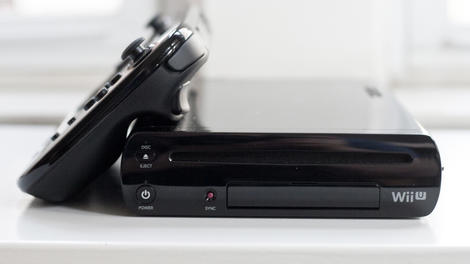
Nintendo has seemingly dashed rumours that a new console could be imminent, but says it already has a "clear idea" of what form the Wii U's successor will take.
During an investor Q&A, Nintendo boss Satoru Iwata said that once a console is out the door, the company will "naturally" prepare for the next.
But he added that the next console won't arrive until current platform holders are "satisfied".
"I of course believe that launching new hardware will not product good results unless we first make sure that those who have already purchased our platforms are satisfied," he said.
Seeing clearly
"We will continue to work hard to ensure that consumers who already own our platforms are satisfied, and make sure that people will continue to see great value in our software," added Iwata."But I could like to say that we are preparing for our next hardware system, and in fact, we already have a clear idea to some extent about the direction out next hardware is going to take."
Nintendo is currently working to expand its focus to "quality of life" hardware, the specifics of which are currently unclear but will be revealed before the year is out.

Read More ...
Updated: Netflix and other apps finally knock down Xbox Live's Gold paywall

Update: Microsoft has confirmed that it will indeed be making a number of popular entertainment apps accessible without an Xbox Live Gold account, starting this June.
You can see a fuill list of the apps that will be available here
Original story below...
In one of the most pleasing Xbox rumours from mill this year, it's claimed that gamers will soon be able to access apps like Netflix and Hulu without the requirement of an Xbox Live Gold account.
Sources speaking to ArsTechnica state that Microsoft is preparing to announce that Xbox One and Xbox 360 will no longer need to pay the monthly subscription to enjoy these services.
The company will, according to the report, make the big announcement at E3 in June. However other apps will allegedly be put behind the Gold paywall. We expect the upcoming Xbox Originals TV show could well be one of them.
Microsoft told TechRadar that it had no comment on the matter.
Bring down the wall
About time, really. It seems absurd that we have currently have to pay extra to access an app that we're already shelling out for - especially as neither Sony nor Nintendo demand the 'double dip'.We've asked Microsoft for an official comment on the matter and will update when we hear more.
- What else can we expect at E3 2014? Glad you asked

Read More ...
LG's Lifeband Touch and Heart Rate Earphones get belated release dates

LG's LifeBand Touch was supposed to go on sale in April, but April came and went without a sniff of a LifeBand Touch and thousands of LG fitness fans' hearts broke.
But chin up! Because the company has confirmed that the band will launch in the US on May 18 and it really means it this time.
Once it's out in North America, the band will be rolled out in Asia and Europe in the days and weeks following it.
Touch Point
No word on how much the LifeBand Touch will set you back yet, but you'll get a full touch OLED display, Bluetooth 4.0 connectivity and all manner of health-related sensors for your money.Also launching alongside the LifeBand Touch are LG's Heart Rate Earphones that measure the blood flow signals in your ears to provide heart rate data, while also playing you your motivational tunes.

Read More ...
You'll soon be able to buy a cheaper Xbox One without Kinect

Confirming previous rumours, Microsoft has announced that it'll be releasing an Xbox One without Kinect on June 9.
Many gamers have been calling out for the option to buy the console without Microsoft's new Kinect sensor, and now those prayers have been answered.
Without Kinect, the console will sell for £350 ($399), bringing it down to match the PS4.
Not so vital?
Since the Xbox One reveal, Microsoft has pushed Kinect as an essential part of the console. The latest news does come across as a bit of an admission that Kinect didn't take off quite as well as the company had hoped.But Microsoft is keen to emphasise that pairing the console with Kinect still offers "the best" experience for gamers.
The Kinect sensor will be sold as a standalone accessory later in the year, in case you change your mind.
- Time to grab yourself an Xbox One, then?

Read More ...
IBM launches software to simplify business partnerships

IBM has launched on-premise and cloud-based software designed to enhance collaboration between enterprises and third-party partners and suppliers. The software will improve the management of shared business processes, performance analytics, compliance, and data sharing between organizations and the companies with whom they conduct business, according to an IBM statement.
The "Multi-Enterprise Relationship Management" (MRM) platform feature is built to enable organizations to manage shared processes across business communities. MRM will also reduce the onboarding process for trading partners, IBM said. The "Sterling B2B Services Reporting and Analytics" feature is designed to help monitor transactions across an organization's ecosystem to detect performance trends for better decision-making. "Aspera eXtreme File Transfer" will enable the transfer of big data while avoiding traditional networking limitations and bottlenecks, according to an IBM statement.
As part of the new software, new enhancements to the Standards Processing Engine, Supplier Lifecycle Management and Contract Lifecycle Management solutions are built to provide capabilities that monitor, manage and action data associated with risk and compliance.
Partners and launches
IBM lists Lenovo as a launch partner for the software releases. Lenovo has implemented Sterling B2B Integration Services, to build "a unified foundation to connect and collaborate across its partner ecosystem as well as reduce the time it takes to onboard new partners by 85 percent," according to the statement.This week, IBM rolled out the Elastic Storage solution, which the company claims can reduce storage costs up to 90% by moving data into more economical locations. IBM also recently launched QRadar Incident Forensics which is designed to help security professionals retrace the steps of cyber criminals.

Read More ...
Microsoft releases Windows Desktop-as-a-Service public preview
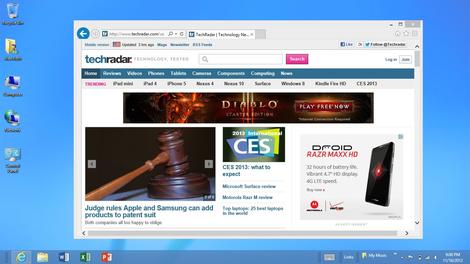
Microsoft has released a public preview of its upcoming Desktop-as-a-Service (DaaS) product, which will allow Windows to be accessed on Macs, iOS or Android devices.
Azure RemoteApp, previously codenamed Mohoro, was unveiled at the TechEd 2014 event in Houston, where Microsoft said it will allow users to run desktop apps remotely.
The product is a cloud-based alternative to Microsoft's existing RemoteApp on Windows Server, according to a Microsoft spokesperson quoted by ZDNet. Instead of streaming apps, it offers remote and mobile access to popular business apps like Office.
Remote Windows
The preview includes Office 2013 Professional Plus and is live now, but apparently it costs money. Microsoft is remaining tight-lipped about its pricing plans.ZDNet cited sources that suggest device security service Windows Intune will be required to run Azure RemoteApp, but Microsoft has not confirmed this.
Citrix and VMware have both offered a Windows Desktop-as-a-Service product, which particularly addresses the lack of Windows applications on Google Chromebooks. An official Microsoft version, however, will likely be significantly more popular.
Azure RemoteApp is set to officially launch before the end of 2014.

Read More ...
UK organisations failing to meet basic security requirements

Organisations are risking breaches of data by not adhering to standard industry security practices according to a new report by the UK's Information Commissioner's Office (ICO).
According to the ICO, many such incidents have been serious breaches that have resulted in fines being issued to the organisations at fault.
The ICO is the an independent body with the remit of upholding information rights in the public interest, promoting openness by public bodies and data privacy for individuals.
Its responsibilities are set out in the Data Protection Act 1998, the Freedom of Information Act 2000, Environmental Information Regulations 2004 and Privacy and Electronic Communications Regulations 2003.
Protecting personal data in online services: learning from the mistakes of others outlines eight security issues to do with data protection that frequently arise in organisations. It also provides the best practice approach for securing against such issues.
Vulnerabilities
The top eight security vulnerabilities at organisations outlined by the ICO report are:- Failure to keep software security up to date
- Lack of protection from SQL injection
- Use of unnecessary services
- Poor decommissioning of old software and services
- Insecure storage of passwords
- Failure to encrypt online communications
- Poorly designed networks processing data in inappropriate areas
- Continued use of default credentials including passwords

Read More ...
HTC One Mini 2 should be here any day now as it gets official approval

We all knew the HTC One Mini 2 was coming, but while HTC itself remains tight lipped on the matter, Taiwan's NCC (National Communications Commission) hasn't stayed quite so quiet.
According to Focus Taiwan, the NCC has approved the mini marvel for sale in Taiwan and confirmed its existence in the process. Sadly it didn't confirm a whole lot else about the device, other than the fact that it supports 4G connectivity on the 700 MHz, 900 MHz and 1800 MHz frequencies.
Almost here
However the fact that it's passed through the NCC suggests that it may be going on sale in a matter of weeks, so we should have all the juicy details soon.In the meantime you'll have to make do with rumours, which currently suggest the HTC One Mini 2 will have a 4.5 inch 720p display, a quad-core Snapdragon 400 processor, 1GB of RAM, 16GB of built in storage, a 13 megapixel camera and a similarly premium design as the HTC One M8.
So it's hardly set to be a flagship device, but it should be a tempting proposition for anyone who found the HTC One M8 too big or too pricey.
- There's a mini version of the Galaxy S5 on the way too.

Read More ...
In Depth: 8 things we learned from Moto's big reveal

The main news to come out of Motorola's press conference today may well have been the launch of the new low-cost Motorola Moto E, but that wasn't the only piece of information the firm was sharing.
Here's what else we learnt from Moto's ramblings.
1. The Moto G is Motorola's best phone EVER
Yep, that's right. Motorola has been in the mobile game since the beginning, but its best-selling smartphone of all time isn't some all-singing, all-dancing flagship. Oh no, it's the humble Motorola Moto G.Oh, and it managed to claim that title within just five months of going on sale. Impressive.

2. Motorola wants to kill feature phones
Well, don't we all?According to Motorola, 70% of mobile owners have a feature phone purely due to the cost of smartphones.
It's determined to change that statistic - which goes some way to explaining its recent budget onslaught .
3. The average cost of a smartphone is more than the G and E
Hardly a surprise, but the average cost of a smartphone in the UK is £272 SIM-free (it's $521 in the US).Compare that to the £149 Moto G 4G and the £89 Moto E and you can see why Motorola is banging this drum.
4. It's got two new smartphones, not one
Motorola also launched the Moto G 4G - and for those of you who are a little slow off the mark that's an upgrade of the original Moto G to include 4G connectivity.The only other addition on the G 4G is the much welcomed inclusion of a microSD slot, with the rest of the specs and design remaining exactly the same.

5. Motorola is the best at Android updates
The Android KitKat adoption rate for all Android devices stands at 8.5%, while the Moto G is at 88% and the Moto X rocks up with a 91% adoption.Motorola has also been the quickest at getting KitKat out to its devices, with the Moto X receiving Android 4.4 in just 19 days.
It look HTC 92 days to get it on the One, Samsung 106 days to get it on the Galaxy S4 and LG a whopping 116 days to push it to the G2.
6. Motorola really doesn't like the Galaxy Fame
During the Moto E presentation, Motorola compared it to the Samsung Galaxy Fame again and again, showing how its beats it in the screen, power, battery and design departments.Take that, Samsung.

7. Motorola's idea of top-end phones is different to ours
So far this year we've seen the Samsung Galaxy S5, HTC One M8, Sony Xperia Z2 and Huawei Ascend P7 land, and we're waiting for the LG G3 and iPhone 6 in the coming months.Meanwhile at Motorola, it's still determined that the 4.7-inch, non full HD, dual-core Moto X is a flagship device. They
8. Motorola doesn't do budget devices
Motorola's Senior VP Steve Horowitz told TechRadar "We don't look at phones as being budget phones."We look a phones as being broadly appealing and available to people, with different trade-offs depending on which device you choose."
There you have it. They are not budget phones, they just have different sets of trade-offs.

Read More ...
Available Tags:Google , Asus , Intel , Xbox , Kinect , Microsoft , Valve , Steam , Windows 8 , Windows , Windows , Windows 8 , iOS , iPad , LG , Samsung , Galaxy , Android , Nintendo , other , IBM , UK , security , HTC ,


No comments:
Post a Comment