

Apple's latest buy could make its screens brighter and more efficient

Word is Apple has acquired micro-LED screen tech company LuxVue, and Apple has released a statement that doesn't outright deny the transaction.
In Apple terms, that's as close to confirmation that anyone's going to get.
News of the purchase comes from TechCrunch, which reportedly spoke with "sources close to the transaction," and also received Apple's statement - "Apple buys smaller technology companies from time to time, and we generally do not discuss our purpose or plans."
The purchase was likely one of Apple's 24 acquisitions that took place during the past 18 months.
In the interest of self-betterment
LuxVue, which has accrued $43.8 million (about £26m, AU$47m) in venture capital funding since its founding in 2009, focuses on power-efficient LED screen tech that could hypothetically make Apple's devices simultaneously brighter and less power-hungry.As usual Apple's plans are unclear, but CNET cited statements made by Apple CEO Tim Cook in a conference call last week (the same in which the 24 acquisitions were mentioned) as evidence of what the company might have in mind for LuxVue.
"We are not in a race to spend the most or acquire the most," Cook said. "We're in a race to make the world's best products, that really enrich people's lives. And so to the tune that acquisitions can help us do that and they've done that and continue to do that, then we will acquire."
Cook reportedly stressed that Apple's acquisitions are meant to further its existing products and R&D, not enter new markets or scoop up leading start-ups. In that light the LuxVue buy makes perfect sense.
There's more evidence in last year's rumors that Apple bought mapping company BroadMap and notes firm Catch, likely during the same period it may have bought LuxVue. The connection is tenuous, but examining these transactions together may help flesh out Apple's mindset - to use acquisitions to better its existing products.
- Here's everything TechRadar knows about the iPhone 6

Read More ...
What data centre is right for you?
With the growing dependence on technology in the workplace, the data centre has become a vital component in the growth and success of the business.
The amount of data we gather continues to grow, and at some point we all consider upsizing or moving. So how do you make sure your data centre is right for you?
We speak to Matthew Gingell, Director at Colt Data Centre Services, to find out how the data centre has evolved, how design and build is changing and how businesses should plan their next strategic data centre move.
TechRadar Pro: How has the role of the data centre changed?
Matthew Gingell: The modern business has evolved to run on its data and the demands it makes on its data centre has evolved with it. Technologies such as cloud and virtualisation have transformed the operation of data centres.
Now every activity - from research and development to manufacturing and accounts – depends on data. As a result, the data centre has grown into the hub of the organisation.
To support the growing demands from businesses, data centres need to offer scalability and flexibility to deal with emerging technologies and tackle macro-economic variables such as rising energy costs, while also running in an efficient and environmentally friendly manner.
As a result, a fresh generation of data centres have surfaced offering state-of-the art, high quality and power efficient facilities that can be delivered in as little as four months. These are known as pre-fabricated or modular data centres.
Some can even flex to future requirements as the business changes. With the rate of change in the market it is no surprise that this new generation of data centres continue to grow in popularity.
TRP: With aging infrastructure, should businesses look to refurbish existing data centres or relocate?
MG: Now that the data centre had become a vital component in the growth and success of the business, this is certainly something worth asking. For a number of businesses, data centres are approaching the ten year old mark. In fact many go quite a bit beyond.
While these data centres may not quite be at the end of their lifecycle, they are not exactly at the peak of efficiency, or, their operational best- perhaps more risky.
Therefore, businesses need to thoroughly audit the data centre, the compute within it and the short, medium and even long term goals and needs of the business. Only with all of this information can a business decide on the right strategy.
There are plenty of short term steps that can be taken to improve the efficiency of a data centre which can have a significant impact.
Longer term and with a little more investment, refurbishment to some degree can improve operational costs, efficiency, and reliability. What we have found through our own work is that if the business decides to undertake the refurbishment, meticulous planning is key.
Cost control and deadline creep can be major issues, but none as impactful as the risk of downtime caused by carrying out refurbishment without shutting down the data centre – that's just not an option.
One thing is certain - a business cannot stand still and its data strategy needs to keep up. To decide whether refurbishing or relocating/outsourcing is the best option, organisations must first reassess their own capability and growing IT capacity needs.
An outsourced model would involve leasing or occupying space in a third party's facility, with varying degrees of management and control.
Some organisations may be reluctant to allow their data to be housed in a facility that they do not totally own or operate, but for others who view the data centre as a non-core competency to their business, they are usually prepared to allow a trusted third party to build and operate.
Either option will depend on reliability, resilience, uptime and crucially the organisations' attitude to capital and operational expenditure.
One problem is that many organisations quite simply do not have the capability to build or upgrade a data centre. Luckily, there are plenty of suppliers who can offer very professional and refined services to build, operate, outsource, colocate or just advise.
The key here is to use a trusted source with a reliable track record and the right skills to help.
TRP: Is the deployment method of choice for all new data centre builds increasingly modular?
MG: In one word, yes. There is no denying that the benefits of a modular or pre-fabricated data centre far outweigh any negatives, for both the supplier and the customer. Almost the whole industry is employing or will employ a modular strategy to data centre development.
However, it's important to be clear on the definition of "modular" as talk about modular comes in many different forms. Standard shipping style containers that tend to be relatively temporary and inflexible can be referred to as modular data centres, so too are traditional builds that build out in a modular way (but still using some traditional methods).
There is also a very interesting solution in between that is a pre-fabricated data centre. This is built to a traditional look and feel, with large contiguous space and flexible design, but is pre-manufactured and packaged before it arrives on site to be assembled and commissioned.
It can provide the benefits of both the "shipping container" in speed of delivery, can be built almost anywhere with decent access and has a known quality, delivery and cost because of its repeatable and proven design.
What's more is has the benefits of the "traditional build" with the added benefits of cutting-edge efficiency, flexibility in line with business needs and can even be recyclable at end of life.
The European market is considered to be mature in this industry, and any data centre build will use all or some of the concepts introduced by this 'Lego-brick' model going forward.
Businesses now need a data centre solution that can grow with their business and is built around business needs.
For many businesses even if they are outsourcing their data centre strategy in colocation, they are increasingly looking for a modular style architecture so they know they can expand on demand.
TRP: What's the best way to plan for a data centre upgrade?
MG: Before starting to plan, organisations need to think about the business, not just the IT need. Any changes to an organisations existing data centre should be driven by a strategic business demand – such as minimising cost, risk and disruption, and delivering greater efficiencies.
Once such needs have been identified, organisations need to consider how meeting these needs will impact the enterprise. This includes a robust risk assessment, communication with stakeholders, assessment of current capabilities and future requirements– it all needs to be calculated.
An enterprise should even consider starting from the worst case scenario. What would data centre failure mean to the business? What about downtime to communications, client management and accounts? How could it mitigate this happening during the live upgrade?
There are three key areas all businesses should consider when planning a data centre upgrade: the environment, infrastructure and the servers themselves. It's also important to consider the wider business.
When the whole organisation has bought into the need for the upgrade and the plans are well thought out, the new measures will be easier to implement.
TRP: How has technology helped to drive data centre efficiency and innovation?
MG: Given the continuously developing nature of the data centre sector is must be proactive and reactive to the changing and growing demands.
For example, when the cost of energy rose, the power of the data centre became a key factor for measurement. With this increased focus on energy efficiency and the social responsibilities associated with running large data centre estates innovative technology and guidelines were released into the market.
The greatest driver to innovation in the data centre has not been the technology it's built with, or even the technology within it, but actually the larger technology changes that have been challenging businesses, such as cloud, BYOD, big data and mobile.
It's these pressures on the business that have forced the industry to become more flexible and responsive to the market needs. Flexibility allowing the business to dial-up and dial-down its power is now available.
Today, even a business using colocation in its data centre strategy is insisting on more flexible terms and configurations to match the speed of change they are faced with.
The truth is that best practice in data centre configuration management is a combination of the right tools, the right people and the right external validation and auditing, such as Uptime Institute's Management & Operations Stamp of Approval.
It's about doing all of these things well, in tandem, and using the wide variety of information now available about what's happening inside the data centre to the business' advantage.
TRP: Why has PUE become the best form of measurement for data centre efficiency?
MG: In recent years, efficiency has become synonymous to every data centre conversation. As a result, measuring power usage efficiency (PUE) is one of those measurements and has become the de facto standard for measuring energy efficiency, environmental impact, and cost of running a modern data centre.
PUE has become the metric of choice. There are various benefits to reducing power consumption and PUE helps data centre teams regulate their approach to improving efficiency – measuring environmental impact, energy efficiency, and the cost of running a modern data centre.
It's not perfect and other metrics are coming to light to plug the gaps, but it's simple and easy to implement. If used correctly on an on-going annualised basis, it's a great metric to track and manage data centre efficiency over time.
TRP: What advice can you give to businesses to help them improve their PUE?
MG: With a vast data centre estate across Europe we were well aware of the benefits of reducing power consumption but a couple of years ago we decided to regulate our approach to improving efficiency.
We worked out a standard set of guidelines for our operations crew to systematically ensure that from simple to more complex solutions, we were maximising efficiency in every data centre we have. As a result we reduced our annual energy bill by more than €4 million.
12 steps all businesses should consider in order to improve PUE are:
- Measure, record and track power use on a regular basis
- Regulate air flow – prevent hot and cold mixing
- Align hot and cold aisles
- Reduce airflow leaks
- Check flooring
- Introduce aisle containment
- Control air temperature
- Regulate humidity
- Check transformer voltage
- Remove isolation transformers
- Turn off 'zombie' equipment
- Measure again…
MG: Even the best technology related business case can't predict the long term future – change in technology and business is constant. Even planning beyond two years is a challenge, so how can fifteen years be at all feasible?
Part of the answer is having solutions that can flex with the business. Starting with the infrastructure, it's important that the data centre itself can adjust to the business requirements overtime. Where capacity can be dialled up and down in line with live business requirements.
Therefore, my advice for today's CIO's is to ensure the data centre they are using is flexible enough to adapt to the change in and around their business.
Traditionally this may have been something which was almost impossible to achieve, but with new techniques available within modern data centres, this flexibility is now fairly easy to achieve.

Read More ...
In Depth: Meet the awesome tech that will soon make your smartphone smarter

Smarter smartphones
Context is everything. Your smartphone knows where you are and what direction you're facing, but that's about it. What if it knew your context?Not just where you are, but what you're doing, who you're with – and what you're likely to do next. It's called contextual computing, and it's going to make your smartphone into a much better personal assistant.
With context, a smartphone, tablet, wearable device or headset could detect when you're driving and read your text messages out loud. It could detect when you're low on battery and start preserving power. It could even alert you when someone really important to you is suddenly nearby.
Contextual computing is about improving interaction between human and computer – and it's about computers becoming intelligent.
Adapting behaviour
"It's the ability for a device, object or service to be aware of not only the users surroundings but about the user, their views, behaviours and their interests," says Kevin Curran, senior member at the Institute of Electrical and Electronics Engineers (IEEE) and Reader in Computer Science at the University of Ulster. "They adapt their functionality and behaviour to the user and his or her situation."Defining exactly what we mean by 'context' is tricky, but it's generally agreed that it includes the user's location, environment and orientation, their emotional state, the task they're engaged in, the date and time, and the people and objects in their environment. Your phone can probably already calculate some of those already.

Your next smartphone
Contextual computing isn't much about your smartphone; it's about your next smartphone. Producing context can be based on rules and the sensor inputs that now fill our phones, but it's also about machines making assumptions and anticipating our every whim. It's the missing link."Instead of the user having to go and look for something like hotels, this device would already know what kind of hotel you are looking for by using the information gathered on what hotels they have picked in the past what facilities they used," says Curran.
If you always stay at hotels with a swimming pool or a spa, that's the context within which the phone will help you search. But it could go further; your phone will know when you're due to arrive at the hotel, and if you're in the car, talk you in. If you're on the train, it will have downloaded your favourite podcasts and turned the ringer off if you're sat in the silent carriage.

Calculate the context
There are already some apps that try to make use of the sensors on smartphones to calculate some context. CallWho uses your call history to estimate who you would like to call; pull your phone out of your pocket for your daily phone call with your wife and her face will be at the top of the list. It also makes pictures of your contacts bigger; after all, who ever thought an A-Z list of contacts was pleasant to scroll through?Sickweather monitors Facebook statuses about illness and cross-references GPS locations to tell you whether you're near to someone who might pass on sickness. In return you tell the app if you're unwell. That approach might seem hopelessly inaccurate or a novelty, but building models of movement can have life-saving effects. Back in 2009, researchers at Telefónica used mobile phone records of its users in Mexico to help the government limit the spread of the H1N1 epidemic.
By revealing exactly where people were, the government could evaluate their decision to close an airport and a university campus; in doing so they reduced mobility by a third and pushed back the spread of the disease by at least a couple of days. Combine social media with that – and the much more precise GPS data smartphones are capable of now – and contextual awareness becomes a powerful means of pattern-spotting.

A contextually aware app that does just that is Agent, which uses GPS, gyroscope, accelerometer, Bluetooth, temperature and WiFi data from your phone combined with social data on who you're with to assess your context, and make decisions for you.
It goes from the mundane (it knows when you're sleeping and automatically silences your phone) to the possibly life-saving (it can sense that you're driving and automatically reads allowed text messages), but there's more to come. "We have abundant computing power, along with lots of sensors, which means that smartphones can look at many inputs and start learning what we are doing, where we are, and who with,"
Kulveer Taggar, CEO at Agent, told TechRadar. Taggar thinks that in future Agent will be able to use a phone's microphone to sense that you're at a party or concert – somewhere loud where you're not going to hear your phone if it rings – and so switch to vibrate. For now Agent is limited to Android, but an iOS version is in the offing.
Shopping around

With Apple's iBeacon technology ramping-up, expect a urge in retail-based apps that enable hardware in shops and stores in shopping centres and malls to send you messages, reminders and discount codes according to your exact location in a store or mall.
iBeacons could also be used at home; Placed automatically opens other apps on your phone as you approach specific devices in your home. For now it's messy and pricey – you'd have to fill your house with iBeacon hardware – but it gives you the right app when you need it. So it could launch a to-do app like Wunderlist or Remember The Milk when you sit down at your desk, open Spotify as you walk out the front door, or fire-up a remote control app when you sit down in front of your TV.

"The remote control of a TV could be used in contextual computing scenarios by identifying the person that is holding it and displaying options suited to that viewer," says Curran, adding that the future of contextual computing probably isn't about apps at all. "As phones get smarter and tablets become popular," he says, "users will have a device where apps disappear and become part of the gadget's intelligence."
Decision-making internet
Curran predicts that the future Internet will be a "persuasive sensing and acting knowledge network … able to make decisions, actuate environmental objects and assist users." Not surprisingly given their concentration on mobile devices, contextual computing is a big focus at the digital big boys. Microsoft's new voice-based personal digital assistant Cortana can silence your phone during your regular quiet times, warn you about traffic on common routes, and even have an electronic boarding pass ready for you when you check your phone at an airport. At present it's a Windows Phone 8.1 technology, but it should spread.
However, even the present generation of personal digital assistant are becoming context-aware.
"Google Now is one of the best," says Taggar of current contextual computing innovations. "Google's goal is very much a focus on showing you your search results before you need them, which is slightly different to Agent," he says. "But Google and Apple are definitely looking at this."
They certainly are. Google's Project Tango, a 5-inch Android smartphone prototype that tracks the device's 3D motion to create a 3D map of the surroundings.
Meanwhile, Twitter acquired in April the team behind the Cover Lock Screen Android app that lets you customise what apps you see, and when. Expect the Twitter app to become a lot more contextual.
Relax and unwind
Contextual computing isn't just about making decisions – it's also about switching-off. As well as saving us brain-cycles throughout the day by automating repetitive tasks, a contextually aware device won't disturb you when you're sleeping, when you're busy working, or when you're in specific places (say, a museum, the theatre or on holiday).Could it be a key weapon in helping us quieten our busy, gadget-driven lives? Instead of being slaves to our phones and in a permanent 'always on' state, devices will move from being an erratic distraction to a helpful assistant.
If it's done properly, contextual computing could be about taking the power back.

Read More ...
Industry voice: Small businesses must unlock their full potential through mobility

In 2014 we live in a world which is constantly connected. The advent of cloud technology has meant we can now do business on the move, at any time, from any location.
And the only way is up. IDC predict the sales of tablets will grow by 18% in 2014, with smartphones growing by 12%. Furthermore, the estimated cloud spending including technology and services will surge by 25% in the next 12 months to an eye watering $100 billion.
Mobile technology trends, driven by the consumer, are fundamentally influencing and evolving the way in which we do business. In short, our culture of collaboration has transcended into the business world and made the case for mobile working.
Britain is a nation of digital nomads – half of all people now work out of the office at least once a week, with more than one in four of us working out of the office every day. Indeed, businesses could add up to £1.4 billion to the UK economy each year by taking a more strategic approach to flexible working.
Mobile working
A YouGov survey for Skype found that more than a third (36%) of British workers say they feel they would be just as productive working from home as they are in the office, while 23% think they would actually be able to get more done in their own home than they would surrounded by the distractions of the workplace.An overwhelming majority (94%) told a study by CDW that they believe their mobile devices make them more efficient. 43% of firms have shown a desire to improve customer service delivery with instant data (CDW) and 33% to accelerate their sales cycle (Accenture).
Productivity benefits gained by unchaining employees from their desks is worth potentially £4,200 for every staff member as a result of reduced printing costs and allowing businesses to make more efficient use of space.
However, a large number of SMBs are still lagging behind are yet to realise the full range of benefits that flexible working and BYOD can bring to their business. For those, it's time to cross the whitewash and fully embrace the potential mobile has to offer.
Here are some top benefits and considerations from improved mobile working:-
- Saving cost/improving efficiency: Mobile gives access to information and functionality on the go. Whether in a hotel, an airport or commuting to work, mobile solutions offer significant cost gains by improving efficiency. For example, with a mobile workforce, managers are able to approve workflows on the go – something that would not be possible without mobile ERP and would have to be left until the individual is back in the office and sitting at their desk.
- Better business intelligence: Business intelligence gives sales and marketing teams a competitive advantage when they're on the go. Mobile software can make you aware of emerging developments, help streamline operations and deliver superior supply chain visibility. The ability to answer 'what if' questions with a click of a button is also a desirable trait for staff au fait with the challenges of running a business on the go.
- Improving performance: Not only do employees gain access to vital information wherever they are, but they are also able to update and change data as and when it is collected. Mobile ERP software for example makes it easy for workers to input information accurately when they gather it in the field, rather than having to re-key the data into back end systems, which increases the likelihood of mishaps and mistakes.
- Seamless Implementation: Most, if not all, professionals are carrying one or multiple mobile devices with them today, and there will be no respite in the growth of portable devices in the workplace. Transferring capability onto these mobile devices will be seamless and effective because the infrastructure is already in place.
- The case for mobility is undisputed and thanks to proliferation of mobile devices and sophisticated software solutions accessible on any device, people have the freedom to choose where they run their business.
And with 1.3 billion people worldwide expected to be working remotely through mobile technology by 2015 – equating to just over 37 per cent of the workforce – firms can drive future success through unlocking the power of mobility.
Creating a mobile strategy
The solutions and infrastructure are there to take advantage of. But in order to gain maximum benefit from the shift in working patterns, businesses need to develop a strategy for mobile technology.Such a strategy should include the technology and different views of data needed to support mobile workers; the likely cost of mobile working; and a mobile working policy including data security guidelines that employees must adhere to.
Firms need to plan carefully and seeking advice from their software vendor is a good place to start. As firms stride forward into the digital frontier, mobile offers an ocean of opportunity that is there to be seized
- Steve Attwell is the Managing Director of Sage UK and Ireland's Small and Medium Business Division.

Read More ...
Digital signatures: what you need to know

Digital signatures – not to be confused with electronic signatures such as scanned-in bit map images – are being adopted by businesses all over the world, gradually displacing pen and paper processes.
Why? Proponents cite a raft of benefits: security, resistant to fraud, compliance with a wide variety of legislation and standards, less time wasted collating signatures, reduced costs around paper, print and transporting documents for signing, plus integration with workflow, BPM, ECM and document management systems.
Ronan Lavelle, UK Country Manager of ARX, talks us through the facts, the benefits and some implementation advice.
TechRadar Pro: What are digital signatures and how long have they been around?
Ronan Lavelle: Digital signatures make it possible to sign documents while keeping them digital, portable and secure at all times. Once a document has been digitally signed, it becomes tamper-proof so that the signatures are invalidated if it is changed.
They've been around for a few years now and are compliant with a wide variety of international and local legislation and compliance requirements. In fact, just about the only document you can't sign digitally at the moment in the UK are related to probate and wills.
TRP: So what are the differences with this and electronic sigantures?
RL: The terms "electronic signature" and "digital signature" describe two very different technologies, yet they're often used as interchangeable terms. An electronic signature can be as basic as a typed name or a scanned image of a handwritten signature that is attached to the signed electronic record.
Because they lack measures for preventing forgery and information tampering, electronic signatures are very problematic in terms of maintaining security and integrity.
Electronic signatures can be provided by externally-managed, third-party services using proprietary technology, creating serious security, portability and usability limitations.
A digital signature, also known as an advanced, standard or secure electronic signature, is based on globally accepted Public Key Infrastructure (PKI) standards and provides the highest levels of security and universal acceptance.
Digital signatures are the result of a cryptographic operation that creates a 'fingerprint' unique to both the signer and the content, so that they cannot be copied, forged or tampered with.
This process provides proof of signer identity and data integrity for eliminating the possibility of anyone repudiating the signed documents. All this information can be easily verified using widely available applications such as Microsoft Office and most PDF readers.
TRP: What's wrong with old-fashioned paper-and-ink signatures anyway?
RL: Signatures play a much bigger role in business life than most of us realise. Research by AIIM found that worldwide, around half of organisations surveyed print documents just to get a (valid and legally enforceable) signature, and that number rises to 80 per cent in the UK, according to YouGov (YouGov research, Oct 2013).
All kinds of problems are created as soon as a document is printed out for signing. For a start, this breaks any 'end to end' processes that are in use, which defeats the purpose of automation and the push toward a paperless office.
These breaks easily lead to errors, regardless of whether the final version is kept as paper or is scanned back into the system.
Also, printing and routing documents for signing takes time and costs money: I know of one instance when a 20Kg box of documents was couriered to someone in Brazil who had to return them once they were signed, wasting significant amounts of both time and money. In fact, AIIM reckons that collecting 'wet ink' signatures adds on average 3 days to most processes.
Finally, there have been some high profile instances of fraud which was based on how easy it is to copy pen and paper signatures. Basic electronic signatures are arguably no more fraud-proof than manual signatures, but digital signatures are designed to overcome any security concerns.
TRP: Is this really a market growth area?
RL: The Forrester Wave: e-Signatures Q2 2013 report stated that the momentum is growing in the market and went on to say that "Enterprise architects should include e-signatures as part of an overall ECM and BPM strategy… a foundational technology along with records management, eDiscovery, and other content services."
Both AIIM and Gartner have also predicted increased adoption of signature technology and the fact that an increasing number of vendors are getting into the market place is a clear sign that this a hot area of technology right now.
Adobe bought EchoSign for their electronic signature solution a couple of years back, and Microsoft recently announced that it is integrating DocuSign's electronic signatures into Office365.
TRP: Can you provide some examples of legislation and regulations that digital signatures are compliant with?
RL: Many people don't realise that there is EU Directive that governs digital signatures which has been around for over 10 years, though it is likely to be updated soon. Each EU member state has enacted legislation to legalise the use of digital signatures.
In the UK, this is covered under laws such as the Electronic Communications Act 200 and the Electronic Signatures Regulations Act 2002. The equivalent in the US is the ESign Act, which was passed in 2000.
Specific industries have their own regulations. For examples, the life sciences market has various regulations including FDA 21 CFR part 11. Even when digital signatures are not specifically mandated, they can help organisations comply with regulations such as Sarbanes-Oxley and Know Your Customer in the financial services market.
TRP: Can you describe the security measures in more detail? How can I verify the validity of the signature itself and the document as a whole?
RL: Digital signatures are the result of a standards-based cryptographic operation that typically takes place on a highly secure hardware appliance. The operation creates a coded message that binds the document and the signer and is unique to both of them.
By providing long-term proof of signer identity and data integrity, digital signatures enable organizations to securely and responsibly automate their signature-dependent processes.
If someone tries to tamper with the document, it is invalidated. And even if someone managed to 'hack' into a signature, it would be a useless set of data that they couldn't do anything with.
Users can easily validate the document and signature independently of the vendor solution by using applications, like Microsoft Office and Adobe Acrobat, which support digital signatures.
TRP: Is this technology really only for big companies and governments or SMEs too? And are digital signatures more widespread in some markets more than others?
RL: Companies of any size can use digital signatures. Sure, we have examples like the European Court of Human Rights, which uses our CoSign solution to digitally sign some 500,000 letters a year, but at the other end of the scale, there are some very small organisations using our technology over the cloud.
Digital signatures could apply to any organisation that has a need for secure signatures, but in particular, we've seen strong adoption among life sciences, in-house legal and law firms, public sector, energy, and financial services.
Some other example users include the Royal Navy, GSK, Credit Suisse, EDF, Bayer, Johnson and Johnson, Bechtel, Foster Wheeler, GKN and a whole host of education, healthcare and government organisations.
TRP: The theory makes sense, but how easy are these digital signatures to implement?
RL: Cloud, on-premise and even mobile options are available. Depending on the solution chosen, users can be signing their Word, Excel and PDF documents within a couple of days with minimal training.
Whatever solution is chosen, it should be easy to integrate with existing systems, including office, document management, workflow and collaboration tools. For instance, CoSign integrates with Microsoft Office, SharePoint, Oracle, OpenText, Alfresco, K2, Nintex, AutoCAD, HP Autonomy's WorkSite among others.
TRP: Okay Ronan, so if you've managed to convince our readers, what should they look for when shopping for a digital signature solution?
RL: Like any area of enterprise IT, it's going to depend on the business, but here is my suggested tick list. The system needs to be tamper-proof, so if anyone changes the document, the signature is invalidated. Compliance with regulation and legislation is a must have.
Clearly, the digital signature system – regardless of what platform it is on - needs to integrate with existing systems. Ideally, it should be easy and simple to install, with minimal on-going maintenance, but support should be available if needed.
For large organisations that have hundreds or thousands of users, it is essential that the digital signature solution be seamlessly integrated with their user management system.
For many companies who have deployed digital signature solutions, they have done so to remove unnecessary paper from key processes and to improve efficiencies.
It is therefore important to many companies that their staff should be able to digitally sign documents in a matter of seconds, whether they are Microsoft Office or PDF documents, or as part of an embedded workflow.
Similarly, it may sound obvious, but digital signatures must be very easy to use. For instance, the signer's signature should be easily viewable so that it is immediately clear if a document is signed or not.
It may also be important to simultaneously add multiple signatures, particularly when different locations or time zones are involved.

Read More ...
Industry voice: How traditional security methods are putting organisations at risk
Corporate insistence on deploying traditional approaches to data security, such as building defences higher and higher, is putting businesses at risk in their approach to the modern day cyber security threat.
The increasing sophistication of hackers and the skillsets they possess to break into organisations is undeniable. To ensure sensitive data remains safe and out of the grip of criminal hackers, organisations need to rethink how and where they are investing their security budgets.
It is now imperative for businesses to focus on being proactive to minimise the potentially devastating effect of a data breach or a compromise.
The key focus of future security expenditure must be on monitoring traffic to identify suspicious activities and potential attacks. It is imperative to assess data and consider which data is critical, what the value of that data is and who might want access to it.
Education, education, education
User education is a vital component that is far too often overlooked or not fully invested in. Breaches can be dramatically decreased through the relatively straightforward and cost-effective process of educating employees and users. However, research shows that less than one per cent of security budget is spent on this.Limiting and monitoring social media activites, blocking high-risk websites and actively testing security are all important activities, but in reality the rise of BYOD makes this challenge far reaching. So the key is to consider how you will react to and prevent the inevitable compromise.
Hackers will do whatever they can to go undetected for as long as possible, which typically means entering systems without being spotted and stealing the identity of someone within an organisation.
It is therefore vital to try and slow the lateral movement that an intruder can make within your systems: review the logs of what is happening on the networks, change admin passwords on a regular basis, restrict access to specific users.
It's also vital to have strong connections with core enforcement agencies and other companies that may be in a position to advise based on their experiences with other organisations.
Having the tools and software in place to monitor is all well and good, but having the intelligence and expertise to interpret and react are imperative to effectively dealing with incidents when they occur.
Brains as well as brawn
There's a real skill shortage on this front within UK businesses, so companies need to look to ethical hackers from respected security organisations that are focused 24x7 on protecting businesses.This expertise will better protect companies from attacks and help them understand the risks they face, as well as helping them deal with any threats swiftly and effectively.
To survive the ever-growing threat of hacking and increasingly sophisticated online attacks, organisations must assume the mind-set of being in a state of compromise.
That assumption of compromise doesn't necessarily have to mean a guarantee of data loss; rather businesses need to rethink how they are using their security budgets. A focus on monitoring, threat detection and response will be far more beneficial than throwing money at building defences higher.
- Simon Godfrey is Sales Director, Security Practice at MTI. He has over 15 years experience in the EMEA security market, helping organisations implement effective information security, risk and compliance programmes.

Read More ...
Latest Apple vs Samsung dispute comes to not-so-epic conclusion
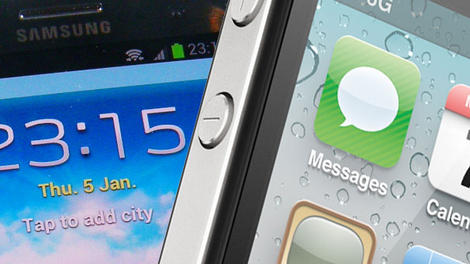
Apple has come out a little richer from its latest courtroom cage match with rival Samsung.
A jury in San Jose, Calif. has awarded the Cupertino firm a cool $119.6 million (about £70m, AU$120m) in damages. Samsung must pay the amount for devices the jury found infringed on two Apple patents.
The jury found Samsung products to infringe on a "quick-links" patent and a "slide-to-unlock" patent, but didn't find some phones to infringe on two patents pertaining to universal search and background sync. The jury also found Samsung to have willfully infringed on a patent the judge in the case had previously determined the Korean company had violated.
Samsung isn't leaving town empty handed; the jury determined Apple violated two Samsung patents, though the non-willful infringement will only cost Apple $158,400 (about £93,900, AU$170,929).
On higher ground
The final amounts are significantly smaller than either company had come to court hoping to win, but these disputes have never really been about the dollar amounts.In a statement to Re/code, Apple applauded the ruling.
"We are grateful to the jury and the court for their service. Today's ruling reinforces what courts around the world have already found: That Samsung willfully stole our ideas and copied our products. We are fighting to defend the hard work that goes into beloved products like the iPhone, which our employees devote their lives to designing and delivering for our customers."
Neither Samsung or Google have issued statements. Google would have covered some damages for two patents Apple argued for, however neither were found to have been infringed.

Read More ...
Mark down the iWatch and new Apple TV as WWDC 2014 no-shows

The "what will they show?" game is always fun to play, and with WWDC 2014 fast approaching, it's Apple's turn to spin the wheel.
It's sounding increasingly like Cupertino will use its annual dev conference to focus on software (a shocker, we know), and shun showing off any significant new hardware.
Sources of Code/red (over at Re/code) say not to expect the fabled iWatch or a new Apple TV. Tim Cook and the other button-down-and-jeans-wearing execs apparently won't even discuss the new software they've developed for the refreshed set-top.
Instead, as was reported May 1, Apple will supposedly announce OS X 10.10 along with iOS 8. There's a chance the company will reveal the Healthbook app to get its foot in the health and activity tracking door.
While we wouldn't be surprised if it booked the app for the iWatch's reveal, it would make sense for Apple jump on it ASAP as Samsung is hosting a health-oriented event five days before WWDC.

Read More ...
Motorola website outs Moto X+1 as the name of its next flagship

It seems the rumors that Motorola is using the same naming scheme as Dungeons and Dragons are true.
The successor to last year's popular Moto X will be called the Moto X+1, according to a report that popped up in April, and some hard evidence to support the name just appeared on Motorola's own website.
This has since been corrected, but for a time if you changed the the URL for Motorola's Moto Maker website (from FLEXR1 to FLEXR2) you got a placeholder site with the name "Moto X+1" on it, according to the German site mobiFlip.
Unless the people building Motorola's websites are getting their info from the same place we are, that's a pretty good indication that Moto X+1 is the phone's real name.
All will be revealed
Besides the moniker, little is known about the next Moto X, though what could be its specs appeared on a benchmarking site last week.The site pegged a phone called the XT912A with a 5.2-inch 1080p HD screen, a Snapdragon 800 processor, 1.7GB of memory (probably more like 2GB), 24GB of internal storage and Android 4.4.3 KitKat.
There's good indication that the XT912A refers to the Moto X+1 - including the fact that the Moto X used the same model number - but it might also be a Droid Razr successor, so there remains some doubt.
In fact, all the rumors about the Moto X+1 so far come with a pinch of doubt, but given the original Moto X was announced in summer 2013 it's probably safe to bet that a reveal is coming soon.
- Here's what TechRadar thought of the Samsung Galaxy S5

Read More ...
Stephen Hawking warns of a future where Siri is in control

It's hard to tell whether Stephen Hawking enjoyed seeing the new film Transcendence, which stars Johnny Depp as a rogue artificial intelligence who causes all sorts of havoc, but it's certain the movie got him thinking.
The well-known theoretical physicist, along with leading scientists Stuart Russell, Max Tegmark and Frank Wilczek, have penned an opinion piece in the UK's The Independent warning that the AI "arms race" may have dire consequences.
The group cites advancements like self-driving cars, the Jeopardy-winning computer Watson, and even Apple's Siri, Google Now and Microsoft's Cortana as examples of incredible technology that may not have been fully thought through.
"The potential benefits are huge," they write. "Success in creating AI would be the biggest event in human history."
Can you feel that 'but' coming?
"Unfortunately, it might also be the last," they continue. Uh-oh.While it's physically possible to create computers more powerful than the human brain (and it's likely to happen in "the coming decades"), it may not be advisable, they argue.
Where we run into trouble is when AI gets so intelligent it starts continually improving its own design. It's a scenario that's been playing out in science fiction for decades, but Hawking and Co. warn it could really happen.
"One can imagine such technology outsmarting financial markets, out-inventing human researchers, out-manipulating human leaders and developing weapons we cannot even understand," the scientists write. "Whereas the short-term impact of AI depends on who controls it, the long-term impact depends on whether it can be controlled at all."
Hope remains
Mercifully, they reason that humanity can "learn to avoid the risks."Hawking names four organizations that are researching such things - the Cambridge Centre for the Study of Existential Risk, the Future of Humanity Institute, the Machine Intelligence Research Institute, and the Future Life Institute - but also asks a provocative question:
"If a superior alien civilization sent us a message saying, 'We'll arrive in a few decades,' would we just reply, 'OK, call us when you get here - we'll leave the lights on?' Probably not - but this is more or less what is happening with AI."
- Here's a solution - why not pit them against one another? It's Cortana vs Siri vs Google Now

Read More ...
Google Project Ara 3D printing details start to form

The heart of Project Ara's hardware production lies in 3D printing, and now we're getting our first details on how Google's modular phone parts will be made.
3D Systems, which has been tasked with producing Ara's tiles, put up a blog post detailing the new 3D printing technology it's using to develop sturdy and colorful modular phones.
The company says it's pushed the limits on advancing material strength to make Ara phones more durable. Users will be able to choose between hard and soft composite materials, thus deciding the feel of their phones.
What's more, parts can be printed in a wide assortment of colors including cyan, magenta, yellow, black, white, and a clear coating - much more interesting than your plain old white Samsung Galaxy S5.
Next-gen plastic
But customizable colors and textures aren't all. 3D systems says it's looking to integrate its additive manufacturing process to the internal components of Project Ara as well.In conjunction with Carnegie Mellon University, the 3D printing company has developed conductive inks that could potentially make it easier for power to travel across the surface of the phone and its components.
Meanwhile, 3D Systems claims it's printed functional components such as antennas in partnership with X5 Systems, a Silicon Valley start-up specializing in advanced antenna design.
Production plans
While 3D Systems is exploring these experimental technologies, it's also developed a high-speed 3D printing production platform to create Project Ara components.Supposedly the new system prints plastic parts on a constantly moving racetrack that's faster and more efficient than a self-contained 3D printer. Ultimately, it's a new process that should churn out parts more quickly to ensure the phones make their January 2015 launch date.
Like everything we've heard about Project Ara, all of this sounds extremely ambitious, and invariably, so unbelievable it could only exist as a concept. Still, January is half a year away, so we've got our fingers crossed Project Ara will actually become a reality by then.
- Project Ara could be the most exciting thing to happen to phones in years

Read More ...
Our laptop tests

Our laptop tests are underpinned by rigorous tests to determine quality, performance and battery life.
Build quality
We begin by examining a laptop's design to see how strong it feels to the touch and whether it fulfils the role it was designed for.The overall build quality is important, so we go to great lengths to test the overall strength and durability of each system. We also assess the functionality of all ports, switches and latches. The quality of the screen is also considered, with checks for brightness, evenness of tone, as well as any dead pixels identified.
The final part of our initial tests deals with the weight of the machine and its relative portability. Next, we assess the overall usability of the machine, including the quality of the keyboard, touchpad and user interface.
Benchmarking
As every laptop is tested on a level playing field, once it has been benchmarked it can easily be compared against its peers. Each review is accompanied by the test results for that machine, as well as its closest competitors.Before the hands-on part of our testing has been dealt with, the laptop will spend up to 72 hours in our test labs being run through a series of benchmarks to check overall performance.
Each machine is set at the same high performance level, with even the screen being set to its highest point. This way, we can judge how effectively it will run at its most powerful.
We use a number of synthetic tests to measure a laptop's components. The first, PCMark 8 battery life, tests the device's battery endurance, while 3DMark is specifically designed for testing the laptop's graphics processor(s).
We then test the CPU's multi-core performance through Cinebench. Finally, if we're reviewing a gaming laptop or desktop, we use benchmark tools found within Bioshock Infinite and Metro: Last Light, to truly tax those dedicated graphics chips.
PCMark 8 battery life
This software tests mobile performance and battery life, simulating popular general use cases, such as video chat, web browsing, and document creation while on the device's battery.Firstly, all laptops are optimized for peak performance, which includes conditioning the hard drive and battery. With the laptop's battery fully charged, the main power is then disconnected.
PCMark 8 then simulates day-to-day use until the battery runs dry. Once it's through, PCMark 8 then provides an estimate of the battery's total lasting power in hours and minutes based on how quickly the battery drained while performing those tasks.
PCMark 8 battery life scores
- 2 hours: This either isn't a very power-efficient machine, or wasn't designed for endurance.
- 3 hours: Generally Ultrabooks come in at around this time, as well as low-resolution laptops.
- 4 hours: Only the longest-lasting laptops can achieve this level of endurance.
3DMark
3DMark represents our default GPU benchmark, as it is capable of running on high-end dedicated GPUs, as well as low-level integrated solutions.With each laptop optimized for peak performance, we then run the relevant 3DMark tests: Ice Storm, Cloud Gate and Fire Strike. Unlike PCMark 8, this benchmark is run while connected to a power source to give a reflection of how you are most likely to use the GPU when gaming.
3D Mark scores
- Ice Storm: Designed to test integrated graphics chips with a 720p rendering, scores in the tens of thousands indicate an ability to stream HD video and play casual games without issue.
- Cloud Gate: Intended to test slightly more capable machines, this test includes physics rendering and other intense tasks. Scores close to 10,000 show an ability to play more 3D-intensive games at lower resolutions.
- Fire Strike: Only the most powerful mobile GPUs can score in the thousands on this test. Scores of 3,000 or better translate to an ability to play the latest and greatest 3D without much issue.
Cinebench
This test is designed to isolate the CPU and measure its multi-core performance. The benchmark does this in two ways. First, it measures hyperthreading performance – or how well each processor core works in tandem with the others in a single CPU – through an image rendering test. Scores past 600 points generally point to quite a capable quad-core CPU, while anything less is generally indicative of one with just two cores.The second test measures the graphics rendering capabilities within the CPU. This is done through an OpenGL graphics rendering test performed in real time. Results are reported in frames rendered per second, or fps. Anything above 20 fps is considered satisfactory, whereas anything above 60 fps indicates a more than capable component.
Gaming benchmarks
Bioshock Infinite and Metro: Last Light both include benchmarking tools to measure a laptop for desktop's gaming performance. We run both real-time renderings three times, at two different collections of settings, and record the average frame rates reported.For both Bioshock Infinite and Metro: Last Light, we run the tests three times at the lowest possible detail settings at the device's native resolution. After recording the average frame rate at those settings, we then run the benchmark another three times at the highest possible settings and native resolution and record that average.
Being a less intense game graphically, Bioshock Infinite frame rates above 45 fps at the highest possible settings indicate a capable GPU. Metro: Last Light, on the other hand, is far more punishing. Few gaming laptops are able to pass this benchmark at the highest possible settings with a playable frame rate, so anything close to 15 fps should be considered impressive.

Read More ...
Tech titans will give users notice when the government asks for their info
The next time federal agencies come knocking on the doors of leading tech firms looking to snoop through sensitive user data, you may already know about it.
The Washington Post reported that leading technology companies, apparently sick of being criticized for handing personal data over to government agencies willy-nilly, will now notify users whenever the feds come calling for it.
Google, Apple, Facebook and Microsoft are among the list of companies revising their privacy policies to include such disclosures, with the exception of incidents where a "judge or other legal authority" has applied a gag order.
Yahoo implemented a similar change last summer, giving users advance notice anytime their internet data is requested as part of a criminal investigation or other government seizure.
Tipped off
Late last year, the aforementioned tech titans pleaded with the US government to give them permission to notify users when personal data had been accessed, a request that has thus far fallen on deaf ears.Although the updated policy will likely get a thumbs up from consumers, Justice Department officials are already criticizing the move, claiming it offers criminals a chance to destroy potentially vital electronic data before the government can gain access to it.
In the past, tech companies, including wireless carriers such as Verizon and AT&T, quietly cooperated with such government requests, which in the case of the latter could also include access to cellular call data.
Google updated its privacy policy this week, while Apple, Facebook and Microsoft are said to still be in the process of drafting revisions. Other companies like Twitter have been notifying users all along, even before Edward Snowden's damning exposure of mass data collection by the NSA last year.
- Check out our hands-on review of Google Glass!

Read More ...
Sponsored: Five amazing things the Lenovo ThinkPad X1 Carbon can do that your Ultrabook can't

With the breadth of Ultrabooks on offer today, it's entirely possible to splash big amounts of cash and still come away feeling that your choice lacks that something special.
It's no longer enough to have cutting-edge design, a stunning WQHD (2560x1440) pixel-resolution display, and to weigh just 1.3kg while measuring 17.72mm thin.
Of course, the ThinkPad X1 Carbon has all of those pioneering qualities, but it also features a raft of advanced functionality that no other Ultrabook on the market can lay claim to.
Read on, for five amazing things that the Lenovo ThinkPad X1 Carbon can do that your existing Ultrabook can only dream of.
1. Charge in less than an hour thanks to RapidCharge technology
It's possible that the only thing more annoying than your laptop running out of battery quickly is waiting around for it to charge.
Luckily, it's not a problem you'll face too often with the ThinkPad X1 Carbon due to it housing a fourth-generation Intel processor, which extends battery life and lets it go for up to nine hours on a single charge.
When it does inevitably run out, you won't have to hang around for too long before it's fully restored thanks to Lenovo's RapidCharge technology, which can restore 80% of battery life in just under an hour.
It does so by combining fast charge cells with a 1,000 cycle battery to make sure you're rarely lacking power on the go.
2. Withstand high levels of stress testing inflicted by the US military
Ultrabook manufacturers always claim that their devices are the toughest around, though few are prepared to divulge to what extent they test their devices for durability.
Lenovo, on the other hand, wears its achievement of making the ThinkPad X1 Carbon its toughest, most durable Ultrabook to date like a badge - a military one at that.
That's because the company puts every one it builds under no fewer than eight US Military-grade tests that measure durability under the most extreme of condition.
They include dust, vibration, heat, cold, altitude, water, and humidity, so you'll never have to worry about spills, drops, heat exposure or shock damage when slinging it around.
It gets its high level of resistance from being constructed out of satellite-grade Carbon Fibre, making it the toughest ThinkPad ever made.
3. Offer a trackpoint that's actually usable
We'll concede that other laptops may come with navigational trackpoints, but when was the last time you saw one on an Ultrabook of the ThinkPad X1 Carbon's calibre? The answer is: you won't, and aren't likely to any time soon.
Nestled between the bottom and middle rows of keys, Lenovo's signature red trackpoint features "Press-to-Select" functionality making it a convenient and fast way to control Windows 8.1's cursor instead of using the trackpad, touchscreen or a mouse.
4. See, hear and respond to your every command
Sorry to have to break it to you, but your current laptop just isn't interested in what you have to say. That's far from true with the ThinkPad X1 Carbon, which allows you to control applications by both waving your hands and talking to it.
It features up to 10 voice commands that are powered using in-built Dragon Assistant software, which allows you to do anything from sending email to searching websites, adjusting the volume or posting to social networks.
If you're in a quiet zone or prefer to control the Ultrabook using your hands, the ThinkPad X1 Carbon's gesture control application can run in the background using the built-in webcam to detect movement.
This allows you to do things like swiping between photos in Windows 8.1's Gallery app and between slideshows in PowerPoint, meaning you can look twice as professional in the boardroom.
5. Learn and adapt to your workflow and processes
Last but not least, the Lenovo ThinkPad X1 Carbon features an uncommonly intuitive 'Adaptive Keyboard' that can shift its functionality to better serve the activity you're carrying out at any time. It does so by housing an 'Adaptive Row' above the keyboard where the function buttons would usually sit.
You can still use the regular F1 - F12 function buttons, if you choose, or you can have them automatically switch what they do depending on whatever application is running at the time.
If you're in a conference, for example, you can switch the keyboard to Conference Mode, allowing you to perform actions like muting participants and switching the webcam on and off, to controlling screen brightness and microphone volume.
There are many other modes: including one for web browsing and a mode for laying the Ultrabook flat to interact with its touchscreen.
To find out more about the Adaptive Keyboard and what it can do, click here.

Read More ...
Updated: 35 brilliant iOS 7 tips and tricks

iOS 7 tips and tricks 1-10
The jury may still be out on iOS 7's radical redesign - for what it's worth we love it, with a few reservations - there's no denying that it's the friendliest and most powerful version of iOS yet.But there's more to iOS 7 than headline features such as Control Centre and iTunes Radio: some of the best improvements are small things that make our everyday lives that little bit more pleasant.
These are our favourites - let us know yours in the comments, and check out our iOS 7 review for the full lowdown!
1. Camera: shoot in burst mode
The redesigned Camera app has a nifty trick up its sleeve: if you want to shoot in burst mode, taking multiple shots in quick succession, just click and hold the volume-up button.2. Multitasking: quit multiple apps
You probably know that you can quit running apps by double-tapping the Home button and flicking the offending app upwards, but you might not have tried it with multiple fingers to force-quit more than one app at a time. We've made it work with three apps on our iPhone, although doing the same on an iPad means getting your nose involved too.3. Notifications: begone!
When you receive a new notification, you can still swipe right to open the appropriate app - but if you just want rid of it you can now swipe up to hide it.4. All new balancing act
iOS 7 is bad news for novelty app developers: not only has the Control Centre killed the market for flashlight apps, but Compass has done the same for spirit level apps too.If you launch the app you'll see the familiar dots at the bottom of the screen that indicate there's a second screen: swipe it and you'll see a spirit level for all your checking-things-are-flat needs.
5. Phone, FaceTime and Messages: block contacts
Does someone have your number and you wish they didn't? Successfully avoid exes, creditors and the angry husbands and wives of your lovers with iOS 7's excellent blocking features. Add the number to your Contacts, scroll down to the bottom of the screen and tap Block This Caller to refuse incoming calls, messages (including SMS and MMS) and FaceTime calls.6. Messages: see the timestamps
iOS 7 likes to keep things nice and minimalist, but if key information isn't visible there's a good chance it's just a swipe away - so for example in Messages, you won't see timestamps against each SMS, MMS or iMessage. Want to know when they were sent? Swipe left.7. Apps: swipe backwards
This little tip is a handy time-saver: when you're finished reading an email or message, or fiddling with Settings, or exploring a Music playlist, swipe backwards to return to the previous page. If you're at the first level (such as your list of mailboxes in Mail, or the first Settings screen) nothing will happen.8. Location Services: see where you've been
iOS 7 keeps an eye on where you go to help it personalise features such as the Notification Centre, and to help improve the accuracy of Maps. If you fancy a look you'll find it in Settings > Privacy > Location Services > System Services > Frequent Locations. You'll see a list and a map, with blue circles showing where you've been and when. You can clear the history from this page, and if you think it's a little creepy you can turn it off from the System Services page.9. Newsstand: put it away!
We like Newsstand, but we don't like the way it can't be stuck in a folder like Apple's other stock apps. Hallelujah for iOS 7, then, because at last that absurd restriction has been removed.10 . Settings: make iOS 7 easier on the eye
We like the new interface, but it isn't for everyone. If you have problems with your sight or just want to make iOS more legible, you'll find some useful settings in Settings > General > Accessibility. You can make all system text bold, increase the size of text in apps that support Apple's Dynamic Type, scale down motion effects such as the parallax effect or invert the colours to make iOS 7 look like a 1980s electro-pop album cover.10 more handy iOS 7 tips
11. Sounds: get some new tones
iOS 7's library of sounds (Settings > Sounds > Sounds and vibration patterns) has been given a regular update, and Apple says they're so good you might miss calls because you're dancing. That, frankly, isn't very likely.12. AutoFill: let Safari input your details
Feeling trustworthy? Safari can automatically fill out web forms using your Contact info, previous names and passwords, and credit card details, should you so wish. You can toggle these AutoFill options individually from Settings > Safari > Passwords > AutoFill.13. Siri: now reads your emails
Siri makes light work of not only listing emails in your inbox, but also reading them out to you. Hold down the Home button and say, "Read my emails" and Siri will give you sender, time and date sent, and the subject of each in turn. When asked if you want it to read out your mail, just say "Yes".14. Apps: one folder to rule them all
Unlike previous versions of iOS, there's no limit to the number of apps you can file away in a single folder. Now you can simply pile icons onto each other to your heart's content. Finally, an end to the Games 1, Games 2, Games 3 (ad nauseum) home screen debacle.15. Motion: reducing sickness
iOS 7 likes to advertise its existence to you with all manner of motions, animations and alerts. If all the hullabaloo is leaving you slightly queasy, put a dampener on things by selecting Settings > General > Accessibility > Reduce Motion > Off.16. Notification Centre: not on my lock screen
Notification Centre got a visual overhaul in the latest version of iOS, offering a neat snapshot of your appointments and message snippets accessible from the lock screen. But not everyone wants their itinerary on show to all and sundry. Happily you can turn off this overview from Settings > Notification Centre, using the sliders listed under - you guessed it - 'Access on Lock Screen'.17. FaceTime: data and duration
You can check out your complete list of FaceTime calls via the Recents option at the bottom of the screen in the FaceTime app. If you tap the "i" next to each call you can see a breakdown of how long the call lasted and find out how much data it used.18. Maps: walk or drive everywhere
Maps still has its downsides, but it's useful for the most part - more so now that you can choose a default mode of travel. If you're more rambler than driver and want to avoid having to define your directions as such, simply tap to Settings > Maps and select Walking under Preferred Directions.19. App Store: Near Me
A new tab in the App Store app called Near Me automatically lists the most popular apps in your general location. That might sound a bit gimmicky, but we found it useful when visiting towns and cities for the first time, when it turned up local transport and tourist information apps.20. Apps: Background App Refresh
iOS 7 introduces the ability to selectively control which apps are allowed to refresh their content while you're getting on with other business. When battery life is at a premium, turn off any offenders by going to Settings > General > Background App Refresh.10 MORE iOS 7 tips? Go on then...
21. Apps: Automatic Updates
iOS can now update your apps automatically. That's great as long as a) you have an unlimited data plan, and b) your favourite app's functionality doesn't get mangled with some poorly advised revisions. Control this function either way by going to Settings > iTunes and App Store and sliding the Updates option under Automatic Downloads.22. Siri: can handle calls
You probably know that you can ask Siri to place calls for you, but did you know that you can ask her/him/it to play your voicemail or return your last missed call? Simply say "Return missed call" or "Do I have new voicemail?" and Siri will snap to it. You can also tell Siri "Check my call history" and get a list of your recent calls.23. AirDrop: share everything with ease
Want to quickly share a photo, a web page, a location, or a contact with someone? That's what AirDrop is for. If you have Bluetooth and Wi-Fi turned on, then you can select AirDrop in the Control Centre and then tap the share icon on whatever you want to share and choose the person you want to share it with.24. Data: stay within your allowance
Most contracts have a monthly allowance for data and you're going to get stung if you exceed it. Head into Settings > Cellular and scroll down to see which apps might be eating your data. If there's anything unnecessary listed just toggle it off. If you reset the Cellular Data Usage each month you can also use it to keep an eye on where you are.25. iMessages: delete or forward
Sadly there's no way to delete the embarrassing text you drunkenly sent the object of your affection last night from their phone, but you can delete it from yours.The method is slightly different in iOS 7, hold down your finger on the message and tap More… and you can tick individual messages and delete them by tapping the trashcan at the bottom of the screen. If you want to send the same message on to someone else then tap the arrow at the bottom right instead.
26. FaceTime: don't look at me!
Whether you're ill, hung over or just feeling ugly, you'll be glad to know that you can now make a FaceTime call without video. To make an audio only call using FaceTime select the contact you want and then just tap the telephone icon to the right of the FaceTime option.27. Notification Centre: alerts and badges
If you hate the sound that plays to notify you of an incoming message, or you can't stand the red badges on your app icons, then do something about it. Go into Settings > Notification Centre and you can select individual apps and choose whether the Badge App Icon should appear, what sound should play as an alert, and where alerts will show up.28. Siri and Safari: search Google
You can't change your default search engine in Siri from Microsoft's Bing, but you can say "Search Google for Tech Radar" and get the results you want. In Safari you can switch it. Go to Settings > Safari > Search Engine and pick your favourite.29. Weather: it's probably still raining
When you fire up the weather app you can see basic info for your chosen cities. Tap the city and you'll get the current temperature and an extended 7-day forecast.Tap on that big temperature number and you will reveal a breakdown showing humidity, chance of rain, wind speed, and what temperature it will actually feel like when you head out.
30. Keyboard: speed typing
It's easy to miss little shortcuts that can speed up your typing - you might already know these from previous versions of iOS, but if not, they're massive time-savers.Double tap the spacebar and you'll end a sentence with a full stop and automatically bump on a space ready for the next one. You can also double tap the shift key to keep caps lock on, and hold down the "123" key to pick a single character without leaving the standard keyboard layout.
5 more tips, this time for iOS 7.1? Great!
31. Brightness: Reduce the glare
You know that feeling when your iPhone or iPad screen flicks to life in a darkened room and instantly melts your eyeballs?Apple's love of a clean white aesthetic can be painful at times, but with iOS 7.1 you can do something about it. Go to Settings > General > Accessibility > Increase Contrast and toggle Reduce White Point to 'On'.
You'll find the glaring white has been dialled down a notch. Wizard.
32. Button shapes: press here
Not everyone is a fan of iOS 7's minimalist look and the lack of outlines on buttons can make it harder to tap your target. Well, now you can bring them back.Just go to Settings > General > Accessibility, scroll down to Button Shapes and toggle it on.
You'll get grey outlines on buttons in the menu bar and tappable text will be underlined - although it does make everything look a little less refined compared to the usual Apple fluidity.
33. Siri: stop listening
There's a pause when you've finished speaking before Siri realises that you're done and it can be annoying having to wait.Sometimes Siri decides you're done because you paused for a moment too long, but actually you aren't. If you were done, you could always tap the screen to tell Siri to stop listening, but that's a bit convoluted.
With iOS 7.1 you can hold down the Home button while you speak and let go when you are finished so Siri knows exactly when you're done. This is especially handy if you only have one hand free.
34. Perspective Zoom: Kill the parallax
Whether it gives you motion sickness or you just don't like it, there is thankfully now a way to get rid of the parallax effect on your wallpaper without having to kill the zooming transition animations coming in and out of apps.If you have Reduce Motion off in Settings > General > Accessibility, then you can go to Settings > Wallpapers & Brightness, choose your lock screen and home screen wallpapers and toggle Perspective Zoom to the 'Off' position.
35. Contrast: Reduce transparency and darken colours
If you don't like the transparent menus with blurred backgrounds underneath then good news: you can tweak them. Head into Settings > General > Accessibility > Increase Contrast and turn on Reduce Transparency.It will make the dock, keyboard, Notification Centre and everything else opaque. You may also want to toggle on Darken Colours to make everything a little easier to read.

Read More ...
Analysis: The most unfounded Apple rumour is the most sensible yet

Secret.ly is becoming an interesting new home for tech leaks. It's just damn annoying that there's no way of validating any of them.
But the latest one to get the internet buzzing might be the most sensible we've heard in a long time. We're 99.99999% sure that Apple is getting into health tech, and this sounds like a pretty plausible strategy.
"Apple's new EarPods will have sensors in them, for heart rate and blood pressure. Also iBeacons so they don't get lost. They will require the lightning port, it's why the audio jack was moved to the bottom."
Earputers
So let's break this down.First, earphones having sensors in them isn't a crazy idea at all. The latest claim might be totally unfounded but we already know that Apple's has had an idea along these lines – just look at this patent.
In fact, it goes back even further than that. This patent from all the way back in 2008, as pointed out by MacRumours, also describes a way of monitoring physiological data via headphones.
LG's even put the idea into action already with its own heart rate monitor earphones, which relay data to its wrist-based Lifeband Touch.
The heart rate monitors built into current wearables, such as the Samsung Gear Fit and TomTom Runner Cardio, use a green light Mio optical sensor to track changes in blood flow.
That's all well and good but the flaw is that they sit on one of the busiest parts of your body. It's no surprise that we've had some pretty crazy readings in the middle of a jog – it's just a lot more difficult to be accurate when reading from a wrist.
Taking a reading from inside the ear makes a lot of more sense, especially when you take into account the fact that most of us already listen to music when running. Plus it's one less thing to strap one when heading out the door.
Sound idea
There was another interesting comment made by our Secret.ly tipster a little later on: "It's meant to be a gateway product to the other one."One commenter asked if this "other one" was the iWatch. The response: "Name isn't final yet. But yes. That one."
However great the iWatch (or iBand, whatever takes your fancy right now) is, it's going to be a tough sell in this currently-awkward wearable market. But fitness will be the key to unlocking the door. Google has Google Now. Apple has health.
Perhaps the iWatch will have a heart rate monitor in it too, although if these EarPods do actually exist, it probably doesn't need one. The watch/band will probably be better placed for general day-to-day movement tracking, perhaps employing a variant of Nike's FuelPoint system.
But the iWatch will also be a companion device to the iPhone. So the idea could be to bundle in Apple's new EarPods with the iPhone 6 and wean people onto the idea that they also need Apple's wearable.
After all, nothing gets people opening their wallets as quickly as thier own health. As our anonymous tipster put it in a comment, "Home medical devices are… a poor market today. But everybody has a body they would like to look after."
So how will these mythical earbuds speak to our phones? "They will require the lightning port, it's why the audio jack was moved to the bottom."
This makes sense too. LG's earphones require a "medallion" to process data but Apple should be able to send everything through its proprietary connector without the need for an added accessory.
And what's that? I can only use approved Apple earphones on my iPhone 6? Wow, it's almost like someone planned for this very thing to happen.

Read More ...
The Phone Show: iPhone 6, the iWatch and iOS 8: Apple's getting the big guns ready

Big.
That's the word we're using to describe Apple's outlook for WWDC 2014. With iOS 8 firmly on the cards and a reimagined iPhone 6 expected to touch down a little later in the year, Cupertino has a busy, and rather exciting year ahead of it. And that's even without the mention of the iWatch.
Apple's legendary but still nonexistent (or even confirmed) wearable is perhaps one of the biggest "will they, won't they" tech stories in recent years. But with some big hints at fitness tracking revealed in recent iOS 8 leaks, it looks like a high-tech Apple timepiece really could be on the way.
So overflowing with Apple juice are we that we were barely able to squeeze it all into this week's Phone Show. Somehow, though, we managed - tune in below to watch Gareth Beavis and John McCann discuss Apple's plans WWDC 2014, and beyond.

Read More ...
'Welcome to Miami:' Microsoft to open Innovation Center

Microsoft will open an innovation center in Miami focused on providing students, startups, government organizations and the Latin American community access to technology and tools for job creation, the company said in a statement.
The Center, which will open later this spring, will be the flagship Center in a series of Microsoft Innovation Centers to be established in the US. In addition to job creation, Microsoft said the goal of the Centers is to increase the number of skilled technology specialists and to facilitate collaboration among diverse groups in the respective communities.
The Center will provide students with a space to learn about and receive technology training from skilled specialists. Faculty will receive guidance on curriculum development and research projects. Entrepreneurs and prospective startups will be given access to Microsoft tools, technology and hardware. They will also be granted access to technologists who can help resolve technical issues.
CityNext
The Miami Innovation Center has been established as part of the Microsoft CityNext initiative, a program which enables cities and counties to enter into long-term working relationships with Microsoft. Venture Hive, a Miami-based startup incubator, will host the Microsoft Innovation Center at its downtown Miami location.Microsoft said it expects the Center to "serve as the gateway to the [Latin American] region." It is immediately unclear how Microsoft's Innovation Center will help to establish a working relationship with the Latin American community and region. A Microsoft spokesperson did not immediately respond to a request for comment.
It is also unclear how much Microsoft has invested or how many people will be employed by the Center.
Last week, Microsoft announced that it will be donating $1 billion (£595 million, AU$1.08 billion) to a US school initiative to help provide low-cost devices to students.

Read More ...
TechRadar Deals: Save £50 on an ultra-slim keyboard for your tablet and £41 on a Philips soundbar

This super-slim, wireless Anker keyboard is a great addition to your tablet and it's down to just £19.99 from £69.99. Weighing in at just 181g, you'll hardly notice it's there when you're carrying it, and it's both iOS and Android compatible.
Tipping the scales a fraction more is this keyboard, also from Anker, which comes in at 299g. That's still pretty light, and if you like the white and silver design then this one's a bargain at just £13.99, reduced from £39.99.
Next up, we've been on the lookout for a good soundbar to beef up the inevitably diminutive speakers that accompany increasingly skinny flat screen TVs.
This Philips HTL2160 60W Soundbar is down to £89 for a limited time at Amazon and comes with an extra subwoofer for more of that all-important bass. It retails at £130, so that's a healthy £41 saving.

Read More ...
Industry voice: Are businesses ready for the next generation of creative collaboration technologies?

Creativity, and its corporate twin, innovation, are increasingly seen as indicators of business success. By 2020, the UK is expected to have an innovation and ideas economy rather than a purely knowledge economy.
As that takes shape, collaboration will be the means to improve problem solving, increase creativity, and deliver that all-important innovation.
Extensive research - formal and informal - has been conducted into how collaboration can best harness the creativity within organisations. Neurological studies have shown that laughter helps people be more nimble and creative.
Office planners have attempted to boost collaboration by attaching desks to treadmills, building centre-piece staircases, and adding musical instruments to break-out areas.
Collaboration
Essentially, the mainstream view is that only truly collaborative enterprises that can tap into everyone's ideas in an organised way will compete imaginatively enough in the 21st century.Indeed, much research backs up this view; for example, IDC recently predicted that by 2016, over 70% of CIOs will change their primary role from directly managing IT to becoming an 'innovation partner'.
Also, according to a study of 3,500 employees across the UK, France, Germany, the US and Japan conducted by the Future Foundation on behalf of Google, when given the opportunity to collaborate at work, UK employees are nearly twice as likely to have contributed new ideas.
However, face-to-face brainstorming can be badly timed for participants or even have a negative effect on overall creativity. In "The Brainstorming Myth", Adrian Furnham says that: "Talented and motivated people should be encouraged to work alone when creativity or efficiency is the highest priority." Clearly, collaborative processes need to be carefully managed if they are to deliver.
Collaboration technology can facilitate interactions between staff located in separate sites, but the risk is that it replaces rigid, hierarchical silos with more horizontal – but equally rigid – structures.
The Fourth Dimension
A far more flexible, hybrid approach is necessary. A more responsive technological infrastructure that enables collaboration is critical, and evidence suggests that businesses are embracing this idea.For instance, investment in video conferencing and unified communications is on the rise, with 87% of enterprises planning to add video conferencing to their Unified Communications architecture by summer this year, largely because of new abilities to interact with content.
Whilst this is fantastic, investing in teleconferencing screens and smart phones misses some of the most crucial parts of a true collaborative system, which should cover note taking, minute sharing, idea capture and brainstorming.
This 'fourth dimension' of collaboration, where team members can come together from any location and any device, and are able to interact with data and colleagues in real time, is yet to be reached.
When true collaborative technology is used to facilitate the user experience and channel the outcomes of creative thought, it can transform a business.
Companies that maximise the potential of their employees and foster creativity effectively will be those that adapt most quickly by adopting state of the art technology to enable a variety of working styles, allowing individuals to contribute and flourish.
- Martin Large – CEO of leading SMART Board distributor Steljes – is an entrepreneurial businessman with over 10 years' experience running his company.

Read More ...
The next thing mobile phones will kill? Freeview

Music players, books, handheld games consoles, paper maps and sat navs: soon you may be able to add Freeview to the list of things that mobile phones have caused to wither and die.
That's according to Caroline Thomson, chair of Digital UK, who says that mobile companies are trying to get their hands on the spectrum that Freeview needs to stay on air.
She says that mobile companies are "jostling" and "vying for space" on the spectrum to allow for increasing mobile data demands, with the worry being that they and their big budgets will force broadcasters of free public service television out.
Technologists lie
"Despite what the technologists and the media would have us believe, live television is hugely popular. 90% of viewing is still live broadcast," she said, arguing that although iPlayer is growing in popularity, it still makes up a very small proportion - around 2% - of all BBC viewing.Ofcom, the body that dishes out the UK's spectrum, is planning to hold a consultation to address the potential issues. A spokesman insisted that extra spectrum can be provided for mobile networks while still allowing terrestrial digital television to "thrive."

Read More ...
US Cellular profits increase despite losing 93,000 customers

United States Cellular Corporation reported a net income increase of 297% to $19.5 million (about £11.5m, or AU$21m), compared to Q1 of last year, the company said in an earnings statement.
Service revenue for the mobile technology company decreased 14% to $853.6 million (about £505m, or AU$921m) for the first quarter of 2014. Total operating revenues for the quarter decreased 8% to $925.81 million (about £548m, or AU$999m). However, during the quarter, US Cellular’s operating expenses decreased 15% to $917,986 (about £543,860m, or AU$990,390).
Despite the increase in net income, US Cellular lost roughly 93,000 customers in 2013. The company now has 4.68 million customers, down from 4.77 million in Q1 of 2013.
Recent changes
Last month, US Cellular said it would add more than 1,200 4G LTE cell sites in 2014 and expand existing 4G LTE service in 13 states. By the end of the year, the company plans to offer more than 93% of US Cellular customers 4G LTE.In January, US Cellular began selling the Moto G handset for only $99.99 (about £59, or AU$106). Prior to the announcement, the phone’s lowest available price-point was $179 (about £106, or AU$193) from Motorola. The same month, US Cellular added an unlimited talk, text and data plan for $50 (about £30, or AU$54) per month.
In November, Amazon began offering US Cellular smartphones that can be purchased online and activated over the phone.
US Cellular offers wireless plans starting at $10 (about £6, or AU$10.80) per month on a month-to-month basis. The next least expensive option is 400 minutes, 400 texts, and 400 photos for $35 (about £20, or AU$37.80) per month.

Read More ...
Another Heartbleed? More flaws found in web security
A major new vulnerability has been discovered in security protocols OAuth 2.0 and OpenID while the internet is still reeling from the Heartbleed bug.
Ph.D student Wang Jing of Nanyang Technological University in Singapore spotted a bug that allows hackers to use phishing techniques in an attempt to steal login details without users knowing.
The bug essentially allows cybercriminals to use real website authentication to power a phishing popup, instead of the more common tactic of faking the domain. In the process, hackers will receive the user's login credentials.
The vulnerability affects many major websites, including Facebook, Google, Yahoo, LinkedIn, PayPal, and Microsoft.
Bug tracking
Facebook dismissed the threat when contacted by Wang, suggesting it would be impossible to plug the hole in the short term. Other firms like Google and Microsoft are either tracking the bug or have already concluded investigations.A workaround would involve using a whitelist for all applications on a website, but this would negatively affect the user experience. Until this is fixed, users are advised to be careful about entering login details in popup windows prompted by applications.
The vulnerability comes in the wake of the Heartbleed bug, seen by many as the worst security threat to face the internet. Most top websites have already patched it, but now they have to worry about another security headache.
Via CNET

Read More ...
Remote workers present opportunity for coffee shops
More than one-third of mobile workers (37 per cent) choose a coffee shop based on the availability of its WiFi rather than the quality of its tea or coffee, according to a new report. Almost two-thirds (60 per cent) said it was an important factor.
The report, carried out by Samsung, found that 90 per cent of mobile workers rely on WiFi in coffee shops, compared to 15 per cent who rely on public WiFi and only 9 per cent who rely on 4G.
Smartphones were found to be the most popular mobile working device, with 71 per cent of workers using them, whilst 50 per cent use laptops and 49 per cent use tablets.
After WiFi, access to a printer was the next most sought after feature, cited by 24 per cent of respondents. Access to scanners, photocopiers and powers sockets made up the rest of the top five most desired facilities. It was also found that 42 per cent of people would like to see dedicated area for remote working in coffee shops.
Remote working issues
The survey found that 69 per cent of people work remotely from coffee shops at least twice a week. Despite this, only 3 per cent of the 101 coffee shops surveyed provide printing facilities and only 8 per cent provide dedicated areas for working.According to Samsung, the survey was carried out to better understand the technology issues related to mobile working. "The trend of working remotely in coffee shops has been steadily increasing for a while now, but our research found the availability of WiFi is no longer enough to satisfy customers," said Mark Ash, general manager for print at Samsung UK. "Despite it being important, customers want a more complete working experience."

Read More ...
Available Tags:smartphone , security , Apple , Samsung , Apple TV , TV , Motorola , Google , 3D , Lenovo , iOS , iPhone 6 , iPhone , Microsoft , TechRadar , keyboard , tablet , Philips , profits ,


No comments:
Post a Comment