

Hands-on review: Samsung Galaxy K Zoom

Introduction and design
Samsung's at it again: trying to combine a high end camera and a smartphone with the Galaxy K Zoom.Given its Galaxy Camera and Samsung Galaxy S4 Zoom devices are expensive and a difficult sell to the average consumer, be it through price or design, I was half expecting the range to be scrapped in 2014, at least on the phone side.
But it's back again in the 'super-camera-phone' market, this time with the Galaxy K Zoom. The K denotes a different product line for the South Korean brand, and while it's spiritually the successor to the S4 Zoom, it's the start of a new segment.
It's a shame actually, as the K Zoom is a more worthy device of the S name than any camera-focused smartphone Samsung has launched so far.
A sleeker chassis and powerful innards make it quite similar to the Samsung Galaxy S5, and with the rubberised and dimpled back there are a lot of design similarities too.

Given we probably won't see a Galaxy S5 Active (thanks to the current model being pretty robust) and the S5 Zoom not happening, the Galaxy S5 Mini is probably the only offshoot from the main brand, and that's something Samsung is keen to preserve given the rebooted K series.
I'm not sure why it's gone for K - it seems a straight rip-off of Sony Ericsson's K series, which stands for Kamera, the Swedish word for... well, I'll leave you to work that out.
But Samsung isn't giving up at forcing a camera-first smartphone onto the masses - can it compete with the likes of the Nokia Lumia 1020 to really steal the title of best camera phone?
Design
The design of the K Zoom is very Samsung. If you've held a device from the brand recently, you'll know just what I mean. The back, as I've said, is rubberised and very grippable, which seems to have negated the need to have a massive handle on the back to take more stable pics.One of the key problems with the Samsung Galaxy S4 Zoom was the fact it was just SO huge, meaning it didn't sit very well in the pocket, the normal resting place for your smartphone. The K Zoom is actually larger in height and average thickness, but is a lot sleeker.

With that in mind, you needed to really, really want a powerful camera on your daily communication device - while there weren't any official sales figures touted, it didn't seem to be flying off the shelves.
With the K Zoom Samsung is doing something differently here - namely, trying to make it look more like a smartphone than before. Think more Lumia 1020, with a massive protrusion on the rear, rather than a full on lens and grip.
I managed to misplace it a couple of times by putting the K Zoom in my pocket and forgetting it was there, showing that if you don't mind a bit of extra heft you can easily live with it and still get sharp pictures.

The 20.2mm thickness is over double that of most smartphones, but when you consider that Samsung has wedged in a 10x optical zoom in there too, it makes a lot of sense that you'd have to have some small sacrifices.
This sadly, and confusingly, doesn't lead to a larger battery - in fact, it's actually smaller than the main flagships on the market at 2430mAh, which is lower even than the HTC One M8.
Given one of the hardest elements of the phone will be taking pictures with the screen fired up I'm astounded Samsung has decided to go this low.

The rest of the phone is as you'd expect from Samsung - light enough at 200g but also feeling a little cheaper thanks to the plastic used around the edges.
This material doesn't always mean it shouldn't feel premium, but I really struggle to feel like the faux-chrome is worthy of the higher price tag the likes of the K Zoom will command from Samsung.
The screen is also a little below the spec I'd expect, given the K Zoom shares a lot of features with the Galaxy S5. At 1200 x 720 it's not even full HD, despite the 4.8-inch size, and while I don't think you HAVE to have a 1080p display in every device, that sharpness will translate to your choice of photos, which arguably look better on the S5 thanks to higher PPI.
It's still Super AMOLED HD, which means it shines brightly enough, but the K Zoom has a screen that feels like one from an upgraded Galaxy S3 and that feels a little old hat to me. It does give the battery less to do in terms of firing fewer pixels, but I think I'd rather have the sharpness.
Camera
So - onto the main element of the Samsung Galaxy K Zoom: the 20.7MP backside illuminated CMOS sensor, designed to be larger, take in more photons and generally be the best snapper you could want in your pocket.Samsung has clearly slanted the K Zoom towards the more discerning snapper, but not to the point of rivalling a DSLR by any means.
There's a lot of effort being put into automating the process of taking a picture, be it Pro Suggest (which assesses the scene and chooses a filter / mode for you) or just the dizzying array of scene choices, from Snow to Fireworks to Waterfall.

It's bewildering to the average user, who probably will use around a quarter of the modes in general use. But then you can do some cooler things like split the auto-focus and auto-exposure, which means you can have the scene zoomed on the area you like and then choose to raise or lower the exposure by tapping on another area.
It takes a little experimentation, but when you get it right you can dramatically change the composition of the shot - silhouettes in particular come out well, although you'll generally need a couple of attempts to get it right.
Sadly / brilliantly (depending on your stance) the K Zoom also comes with the ability to take automatic selfies. Rather than having to use the wide-angle front sensor, you can choose where on the screen you want to be, turn K Zoom main lens towards you and keep wiggling it until you hear the beep.

It takes a few seconds, but the result is a high-quality picture of yourself with your favourite celebrity / at a life-changing event / let's be honest, in your bedroom trying to see what it would look like with your hair parted the other way.
In a wider context, the feature set on the Galaxy K Zoom camera is pretty strong, with a lot of power behind the sensor.
But what about auto mode? Someone who wants the ability to take pictures quickly and effectively without having to think seems to be the user Samsung is targeting here, and an automatic scene-sorter is crucial to them.
In short: it wasn't that impressive. The method of booting up was slow (faster than the S5 if you chose the lockscreen camera icon, admittedly) where you needed to hold the volume up key and the shutter button together from sleep to start the camera.

I've never had a problem just using the shutter key to achieve this, and it takes a while to get used to.
The 10x zoom was picky - you can pinch the screen to set the zoom, which was cool, but being exact was harder, even with the volume keys to perform the same thing. And there was supposed to be a button that instantly zoomed in 10x, but using this was odd. It would zoom to required level, pause, and then keep going into the digital range.
Seemed a bit pre-production to me in that respect.
The overall picture quality, as you can see below, is pretty strong still. Burst mode, Xenon flash or just general shots came out pretty well, although erred heavily on the higher side of exposure when compared to something similar, like the Nokia Lumia 1020 or a dedicated prosumer camera.

The manual mode didn't seem easy to use either, with elements like ISO and Exposure the only think you can manually alter from the screen. This might have been me not being able to find the wider range of options, but they were pretty hidden.
The camera interface was as strong as usual from Samsung, with everything available in a small grid from which you could drag them into a 'quick launch' bar at the side for general use.
It's odd that a camera of this power doesn't allow you to record in 4K – I'm no advocate of that functionality, as it's a battery, space and time waster with very little use – as it sends a mixed message from Samsung, namely one that says 4K video capture is mostly a gimmick at this stage.

Pro Suggest also allows you to download more themes from the Samsung store and with some hilarious choices as you can see below.

This automation makes it hard to understand which market the K Zoom is aimed at: will the general consumer who wants a decent photo now and then be willing to pay for the lower-specced device?

And will the photography hobbyist want to put up with the extra pocket heft and price when they will probably find the Galaxy S5 (or other smartphone flagship) an acceptable substitute when they've left the big DSLR at home?
It all depends on price, which will have a big bearing on who will actually buy the K Zoom.
Camera samples
Please note: the following samples are from pre-production hardware / software
Click here for the full-res image

Click here for the full-res image

Click here for the full-res image

Click here for the full-res image

Click here for the full-res image

Click here for the full-res image

.Click here for the full-res image

Click here for the full-res image
Features, interface and early verdict
In terms of features, the Samsung Galaxy K Zoom feels a lot like a stripped down S5, which is again odd given the differentiation that the company is trying to instil between the two.S Health Lite is onboard (I've not drilled down into exactly what this means, but I'm guessing that some of the more advanced heart-rate and exercise features will have been stripped out) and Kids Mode is added too, showing that Samsung does intend the K Zoom to be a device that you'll use as a normal smartphone.
Then again, it's not the easiest to hold thanks to the slightly unbalanced nature of the phone, which of course comes from the lens on the top.

The storage issue is potentially a big one though. There's only 8GB on board, of which you'll lose around 2GB through the integrated system needs.
That still leaves you a pretty hefty 6GB of space, which won't fill up that quickly if you use the K Zoom only for photography. But given it's also meant to be a modern smartphone you'll struggle quickly with apps and music coming on board.
You can expand the amount of space available through the microSD slot, up to 64GB if you've got a microSDXC card to hand. I'm not sure why you can't have a 128GB iteration of the technology in there, but Samsung claims it's not supported.
My worry is that Samsung phones seem to suffer unless you have the right memory card (of sufficient quality) in the phone. The Gallery will run slowly, some apps won't open as fast as you'd like and other problems abound if you don't keep enough space available.
And 8GB simply isn't enough, and the notion that you have to buy a memory card to use the K Zoom properly doesn't seem fair.

On the processor side things are a little better though: you've got a hexa-core CPU in there, according to Samsung. This is only technically true as it's actually a 1.3GHz quad-core and 1.7GHz dual-core option on offer. The former is for the heavy lifting of picture processing and the latter for general smartphone use.
It's a method that's been bandied about for a while, and should help preserve battery life... if it works correctly, and often these things don't. I've no reason to think this will be the case here, and the K Zoom ran pretty fluidly when I was testing.
Interface
The Samsung Galaxy K Zoom is a decent enough phone to use with the screen bright and vivid and packing the same upgraded TouchWiz UI that debuted with the S5 in Barcelona this year.The interface is clean and obvious - when you slide downwards from the top of the screen things look a little more next-gen than before.
Sliding through the phone was a breeze, as you'd hope it would be with a quad-core 1.3GHz processor running the show for the heavier tasks. 2GB of RAM is more than enough in my eyes, although I'm still waiting for Samsung to give more details on the CPU actually used at the heart.
Early verdict
The Samsung K Zoom is the sort of device that's hard to categorise. The best thing about the Samsung K Zoom is the camera, which won't surprise anyone. But I'm not talking about the quality of the pictures - which, in the pre-production sample I played with weren't amazing - but the fact it's so simple to get up and running with the device.
The design is much, much better than the chunk-arific Samsung Galaxy S4 Zoom, which has all manner of unwanted protrusions. The K Zoom is a sleeker and lighter, making it more acceptable for smartphone use.
The problem for me here – aside from the fact the screen is too low-res, the internal memory and battery too small in capacity and it could be a bit expensive – is the fact I still don't really know who this phone is for.
Samsung says it's equally applicable for the parent capturing their child's first steps as it is for friends on a night out – but that says that the average consumer would be interested in the K Zoom.
They wouldn't, unless they had a strong inclination to own a good camera phone for the sake of it. If photography was more of a hobby to you, then you'd probably want to invest the extra cash in a more powerful dedicated camera or smartphone with better spec list.
So having spent a decent chunk of time with the K Zoom, I still find myself unsure as to why Samsung is making it.
It's chunkier than the likes of the Nokia Lumia 1020 and seems to have a comparable, if not lower, performance in picture-taking and it's also much heftier than the flagship Samsung Galaxy S5, which the brand has spent a long time telling the world about, especially in terms of its photography capabilities.
So who, as I asked before, is this phone for? Is the K Zoom something a parent would carry around to capture that moment of their child doing something important? Or is it a replacement for the compact camera that one person on a night out always seems to carry?
Iif Samsung is just playing the long game (staying in this camera / smartphone zone until the tech comes good), the K Zoom makes a lot of sense – but this model doesn't seem to have enough of a strong angle to attract a purchase (unless it comes in at a ludicrously cheap price).

Read More ...
Samsung Galaxy K Zoom shoots for cameraphone glory

The Samsung Galaxy K Zoom has arrived and it's just as barmy as its predecessor, the Galaxy S4 Zoom.
In the quest for the perfect cameraphone Samsung has once again grabbed a compact snapper and mid-range mobile, fused them together and applied the "Zoom" tag to make it blatantly obvious what this device is all about.
The Galaxy K Zoom sports a 20.7MP 3 BSI CMOS sensor with OIS (optical image stabilisation) and a telescopic 10x optical zoom on its rear.
That optical zoom allows you to get closer to your subject without suffering the decrease in resolution you get with the traditional digital zooms on smartphones.

This is Samsung's second generation of camera-come-smartphone and the Galaxy K Zoom has grown in size - it measures 137.5 x 70.8 x 16.6(20.2)mm - although that's party due to its bumped up specs.
Not 1, not 2, but 6 cores!
You now get a 4.8-inch 1280 x 720 display (up from 4.3 inches), while under the hood Samsung has equipped the Galaxy K Zoom with a hexa-core processor. The S4 Zoom came with a paltry dual-core chip.The hexa-core actually comprises of a 1.3GHz quad-core chip which is used during the heavy lifting processes such as image capture and editing, while a 1.7GHz dual-core chip takes over during more mundane tasks.

You'll also find 2GB of RAM, 8GB of internal storage Android 4.4 KitKat, 4G, NFC, a microSD slot and a 2430mAh battery crammed inside the Galaxy K Zoom.
We're yet to see a Samsung Galaxy K Zoom release date or price, but the Korean firm has confirmed it will be coming to the UK and other markets.

Read More ...
Netflix won't be slow on Verizon FiOS, but it was required to pay up

Netflix didn’t just cave to Comcast’s demands for direct access to its cable subscribers. The movie streaming service also worked out a deal with Verizon today.
"We have reached an interconnect arrangement with Verizon that we hope will improve performance for our joint customers over the coming months," said a Netflix spokesperson.
That means while Netflix rallies against what it has in the past called “ISP trolls” for violating unenforceable net neutrality rules, it’s paying those same trolls undisclosed sums of money.
This bitter-sweet move for tortured Verizon FiOS customers comes at the same time the FCC is prepping new rules that are said to allow ISPs to charge for faster access in some cases.
That’s something that Netflix opposes and it betrays the original intent of the open internet rules that previously made net neutrality effective against throttling.
Paying the piper
Today’s Netflix deal with Verizon isn’t unexpected. In fact, AT&T wants in on the ability to charge Netflix for faster distribution to its U-Verse subscribers too.ISPs are double dipping by charging their customers for access to Netflix and, now, charging Netflix to access to their customers or face slower speeds. But this ransom did end peacefully.
Comcast subscribers saw a Netflix streaming speeds increase by 65%, meaning more and more ISPs are likely to follow suit.
For more streaming options, check out our Amazon Fire TV review

Read More ...
Sony debuts new augmented reality technology for use in future games

The hunt for Sony's elusive sold-out camera is going to get a whole lot harder after you watch these videos.
Here's the skinny: The first video shows how AR cards can interact in real time and calculate collisions and fluid motion on the fly. That's a fancy way of saying, "look! You can move water back and forth without the system crashing."
Is this going to sell a boatload more PS4s on its own? No, probably not. What it does show us, though, is that those Japanese engineers are hard at work implementing new ways for us to play next-gen games.
The second video has something a bit more exciting to anyone who's ever watched Jurassic Park: dinosaurs. My Japanese is a bit rusty, but it looks like a lighting source is getting processed in real-time and causes the dinosaur to react to its changing environment. Plus, there's a catchy J-Pop number about 0:55 in.
Again, we're not looking at the next The Last of Us (though you can look forward to that coming to PS4 in the coming months), but lighting recognition and AR cards could have practical uses in playing trading card games like HearthStone or Magic: The Gathering.
We wrote in-depth about how augmented reality was slowly fading away because of the major advances in virtual reality, but is it truly time for AR to step into the limelight?
Check out the videos and post your thoughts on what you'd like to see this tech be used for in the comments below.
Via PlayStation Japan

Read More ...
Apple reportedly readies $17 billion bond offering, preps for acquisition spree

Apple is preparing to raise $17 billion (about £10bn, or AU$18.3bn) in a bond offering, according to numerous reports. The cash generated would reportedly be used to fund a share buyback and to initiate a round of acquisitions.
During the company's earnings call last week, during which it announced it sold 43.7 million iPhones and 16.3 million iPads in Q2, Apple said it would increase its share buyback from $60bn (about £35.7bn, or AU$64.8bn) to $90bn (about £53.5bn, or AU$97.2bn). Apple has approximately $150 billion (about £89b, or AU$152bn) in cash, 88% of which is held overseas. However, the company would be forced to pay 35% in taxes to bring the money back into the US.
Apple has $38 billion (about £22,6bn, or AU$41bn) in domestic cash but would like to increase domestic liquidity in order to "grow the business and execute capital expenditures and acquisitions," Luca Maestri, Apple's CFO said, during the earnings call.
Historical significance
The bond issuance would be the second largest corporate bond sale of all time, behind Verizon's $49 billion (about £29.1bn, or AU$53bn) issuance, and just ahead of Apple's six-part $17 billion (about £10bn, or AU$18.3bn) bond offering, both of which occurred last year. The offering may occur as soon as this week, according to Bloomberg.Apple did not immediately respond to a request for comment.
Apple has acquired 24 companies in the past 18 months, including most recent purchases photo app company SnappyLabs and iOS testing platform Burstly.
What might be...
The Cupertino-Calif.-based company is "closer than ever" to launching new product lines, according to a statement made by CEO Tim Cook. New devices include an iWatch and an Apple TV set-top box. Apple is also rumored to be launching updates to its 11-inch and 13-inch MacBook Airs next week, and it is rumored to be investing in a mobile payments service.
Read More ...
EE chief says Orange and T-Mobile 3G contracts are safe for now
The leader of the UK's biggest 4G network, Everything Everywhere, says the firm has no plans to stop offering 3G data contracts despite the explosion of next-gen speeds.
EE chief executive Olaf Swantee says the firm will continue to sell contracts and provide support for customers on its Orange and T-Mobile brands.
He said: You still have the Orange and T-Mobile products, but we are one company with one network. All our employees work for EE, and across our call centres, our retail store and our websites, we are EE.
"But we have millions of customers on Orange and T-Mobile accounts and we will continue to serve those and sell to them. We still see significant demand for Orange and T-Mobile products, but it's clear that 4G is growing, especially as more handsets are becoming 4G-enabled."
Dramatic uptake increase
The clarification from Swantee comes as EE once again saw a dramatic uptake of 4G contracts during the last three months.The firm acquired another 889,000 customers between January and the end of March, taking the total 4G subscriber base to 2.9 million.
During that period, half of all new and renewing customers selected 4G contracts over the cheaper 3G alternative.
With the tech continuing to boost speeds and roll out to new towns and cities across the UK, that number is likely to grow further in the coming months.
EE assures current 3G subscribers that their service is safe for now, but how long will it be until those customers are ushered onto those more expensive monthly contracts?

Read More ...
HTC's plots a high-end, plastic 'M8 Ace' to take down the Samsung Galaxy S5

HTC made a name for itself producing some truly gorgeous all metal phones but soon it could release a plastic version of its current flagship device, the HTC One (M8).
Engadget has it on good authority from one of its "reliable sources" that HTC's upcoming M8 Ace will feature a fully plastic unibody.
The plastic shell aside, HTC supposedly will outfit its Ace almost exactly as the all-aluminum One (M8). The new phone will purportedly inherit the Taiwanese flagship's 5-inch screen and 2.5GHz quad-core Snapdragon 801 processor.
Attack on titans

Supposedly, the new plastic version is being made specifically to undercut the Samsung Galaxy S5. Aside from the cost cutting plastic body, it's still uncertain if the original HTC One M8's Duo Camera feature will carry over to the M8 Ace.
Earlier the phone was rumored to arrive for an unsubsidized price of CN¥3,000 (about $480/£285/AU$518), which would make it an extremely affordable device considering its top of the line specs.
While the price looks enticing, up until now, we've only caught one blurred out glimpse of HTC's plastic handset courtesy of @evleaks. If anything, the handset looks a bit too similar to the Red HTC One (M8) that's coming exclusively to Verizon customers.
If the M8 Ace truly becomes a reality, it would be an extremely attractive package even with the toy-like plastic body. Stay tuned to this space as we're sure to have more to report on this affordable handset.
- Never fear, the HTC One (M8) mini will probably still happen

Read More ...
Review: Roku 3

Introduction
For those looking to ditch their cable boxes, Roku 3 is the current gold standard in streaming media boxes. That doesn't mean it's a perfect device, nor does it mean that it does everything that its competitors do. Rather, it's the box that currently does the best job of delivering the widest array of video streams with the least hassle.Roku is the exception among its primary competitors in that it is not subtly selling its own content platform. It's in Apple's interest for your to buy content on iTunes, just as it's in Google, Amazon, Microsoft and Sony's interest for you to buy from their services. Not caring about the promotion or survival of any given channel has liberated Roku to create a more egalitarian box, and Roku's offerings are some of the most open on the market, boasting more than 1,000 possible channels, including Aereo, and adds more every week. It also gives users the ability to customize the layout of their channels, something not all boxes allow. Bear in mind that most of these channels are obscure or extremely specific (Depressing Prospects Films, Life Without Limbs TV), but it's nice to know that if a streaming channel exists, you can probably get it on Roku.
The Roku does have its share of extras, such as games, social media and other options. Its games selection is limited and its Facebook implementation is laughable, but the interface does a good job of hiding them where they won't get in your way. Most users aren't buying this box for those features, and they do no harm, especially given the panoply of entertainment it provides. In terms of pure video content delivery, it's the most flexible streaming set top box going at the moment.
Hardware and Setup
Roku 3 is a boxy black puck with gently rounded corners about the size of four Altoids tins stacked two by two. It carries the same basic design language Roku has been using for its past several TV streaming boxes, while it has a similar footprint to the Roku 2, it stands slightly taller than its predecessor. Its back houses HDMI, Ethernet and power ports along with a microSD card slot. The only other input is a USB slot on the right side that allows you to view content from USB hard drives. The WiFi antenna pulls in 802.11a, b, g and n.
Roku 3's remote is a friendly black lozenge that sits comfortably in the hand and provides just enough buttons for control without confusion. The Roku 2 introduced an audio jack on the remote that lets you plug in a set of headphones and listen to TV audio without disturbing others, and that smart feature has been retained. The sound through the remote is fairly compressed, but it'll do in a pinch for those moments when your child can't live without something that makes you want to stab hot pokers into your ears. The remote uses WiFi Direct to connect with the box, so you don't need to point it and the box can be stashed out of sight without any issues. Other versions of Roku's remotes have featured dedicated buttons for Netflix, Pandora and Crackle, but those thankfully do not make an appearance here.

Basic physical setup can be accomplished in under a minute. Just plug in power, HDMI and optional Ethernet. If you opt to connect wirelessly, the box will walk you through the process of identifying your network and providing a password. From there, it's a matter of logging into (or creating accounts with) the various services you're interested in using. I recommend using Roku's free mobile app (available for iOS and Android) for this process as it provides keyboard support instead of making you hunt and peck through a lettergrid.

Performance and Functionality
Roku 3's processor handily keeps up with all of its primary tasks. Moving through menus happens without noticeable lag, and apps open speedily. The dual-band WiFi does a good job feeding it Internet (your mileage will vary based on your connection, of course), and the optional wired Ethernet port is an excellent option.Roku has made it their mission to make their box as easy to get onto for content providers as possible. Thus, the platform features more than 200 content sources in its Channel Store, with many more available as "private channels" that anyone can create at will. Most users will probably stick to the store channels, and use only a handful at that. Nevertheless, this content breadth and flexibility is quite impressive when compared with Amazon and Apple's boxes. Plus it means that Roku 3 can access services such as Aereo (available as a private channel), which might have trouble striking official partnerships with the likes of Amazon or Apple due to its regulatory controversies.
The amount of content available on Roku's boxes is shockingly broad, but as with all things in life, the majority of the options are either worthless (Facebook's inane implementation) or irrelevant (local news stations from the other side of the country). It's likely that most users will spend the lion's share of their time in Netflix, Hulu Plus or Amazon's apps and never venture too far afield. Still, for those that care, the additional options don't hurt, and the ability to customize the items and order of your My Channels section means you only ever have to see the channels you want to see.
Roku devotes two of its top-level menu items to Movies and TV, both of which link into the M-Go service's library of content. Roku must have had their reasons for doing this (or were paid to find some) but privileging this one service feels a bit strange on a device that in general feels more egalitarian than its competitors. It's a minor point, but we would have rather seen it as an equal channel along with all the others and kept the top-level menu a bit cleaner.
Roku 3 does have rudimentary video game apps available, but they're not much to speak of. It's clear that gaming was not a priority when designing the device or the UI, which is just as well, as the processor in the Roku 3 would likely have a hard time competing with other big-screen gaming options.

The simple but effective free Roku mobile app (iOS and Android) allows you to navigate the system without the remote, jump directly to channels and seamlessly cast photos, music and videos from your device to the Roku 3. Consider it a must for any Roku owner. Owners can plug in external hard drives via USB and play music, view photos or watch videos, with most major media types supported. These are viewed through the Roku Media Player channel, which feels a little clunky and requires some digging to find, I'd like to see these functions highlighted more strongly in the system's UI, but once you set them up, they work as advertised.
While there's no screen mirroring functionality (a la Chromecast), there are several methods for streaming content from your network or PC to Roku 3, all involving third party apps such as Plex or MyMedia. We had differing levels of success with them. In addition, many of these services duplicate channels or content available through other apps on the system. For streaming media, they're probably more trouble than they're worth, but if you have a significant amount of content stored on your computer or a NAS, they can provide some interesting flexibility.
Verdict
Today's leading streaming device options break down into three main categories: $35 sticks (Google Chromecast, Roku Stick) $100 boxes (Fire TV, Apple TV, Roku 3) and game consoles (Playstation 3/4, Xbox 360/One). At the $100 level, the Roku 3 is your best option, unless you're significantly bought-in to Amazon or Apple's proprietary content ecosystems. It's responsive, simple and not beholden to a proprietary content library (system-level emphasis on M-Go notwithstanding). Whether you're looking for a streaming box to help you cut the cord, or augment your cable subscription, the Roku 3 has the features, build quality and simplicity you're looking for.We liked
It's a well-made box whose simplicity of setup and interface allows customers to get right to their content without having to struggle with technology. The ability to customize the My Channels area is very welcome.We disliked
While video games exist on the device, the functionality seems to have been implemented as an afterthought. That said, we weren't looking to get games out of this system in the first place and they don't get in the way. Local network sharing is a touch finicky, but that's more about the media-serving apps that run on your computer, not the Roku 3. The main peeve we have with Roku 3 is that the company devoted two of its top menu items to the proprietary M-Go service. It's a strange misstep, but not one that should keep you away.Verdict
Roku 3 is simple, intuitive and easy to use. Anyone looking to get rid of cable, or augment their video diet with streaming services would do well to pick one up.
Read More ...
Is Apple launching two new Macbook Airs in the next 24 hours?

The rumor that Apple will launch two new Macbook Airs this week just got cranked up to 11 with word that everything is going down tomorrow, April 29.
That's what Apple blog 9to5Mac says, having reportedly spoken with "multiple sources" who stated the new Macbook Air laptops will be revealed shortly.
According to these sources, shipments of the new Macbook Airs have arrived at Apple Stores across the country, and Apple Store employees are preparing to re-arrange the laptops on display to prominently feature the new Air.
But will it live up to the hype? These new Macbook Airs are reportedly not a major overhaul, but a minor update to the existing ones.
The smallest possible upgrade
The new Macbook Air might come in 11- and 13-inch varieties that are so close to the existing SKUs that their model numbers are hardly changing - the existing 13-inch is "MD760LL/A," while the new one will reportedly be "MD760LL/B."The main difference in the new Airs will be the addition of Intel's latest Haswell chip, according to 9to5Mac.
A subsequent report on the site shows further evidence of this change with what looks like a photo of the new Macbook Airs' specs sheet.
It looks like the new chips feature the slightest possible boost, with an upgrade from the existing 13-inch Air's 1.3GHz processor with Turbo Boost up to 2.6GHz to a 1.4GHz chip with Turbo Boost up to 2.7GHz.
Other than that, the Macbook Air's specs will remain identical - until the rumored Macbook Air with Retina display drops later this year, that is.
Watch out for official word on the new Macbook Airs tomorrow.
- Here's what TechRadar thinks of the iPad Air

Read More ...
Acer may debut its first wearable tomorrow amidst smartband rumors

There are two types of wrist-worn wearables these days, smartbands and smartwatches, and Acer is reportedly adding its name to the smartband list soon.
To stand out from the fitness-focused competition, Acer's smartband may launch in partnership with local hospitals and gyms, according to The China Post.
The metrics collected by its sensors, whether it's activity and sleep quality, could be valuable to everyone from doctors and personal trainers.
Acer is said to be looking to build an ecosystem for several wearables devices. Its first smartband is said to include a small screen and the ability to pair with handsets.
Press conference tomorrow
The Acer smartband is reportedly being prepped for launch in mid-2014, though we should find out the first details tomorrow."We have a press conference planned for tomorrow," an Acer spokesperson told TechRadar when we asked about today's report. "Announcements will go live [Tuesday] 11 am Eastern."
The timing is right if Acer wants get out ahead of the rumored Apple iWatch and the promising Android Wear-powered Moto 360. Both are expected to show up this summer.
The stylish Samsung Gear Fit just launched with the world's first curved Super AMOLED and it has a price of $199/£180 (about AU$212).
Acer has a long history of being more budget-friendly than its competition in other product categories. We'll know what price and feature advantages it has to offer in less than 24 hours.
- Read our HTC One M8 review or our experience with Google Glass

Read More ...
BLIP: Call of Duty: Ghosts to be an official part of the X Games

MLG announced today that for the first time, gamers will get to compete alongside other professional athletes at X Games Austin.
The top eight Call of Duty: Ghosts teams, three coming from the recent 2014 Call of Duty Championships - CompLexity, EnVyUs and OpTic Gaming - and five from the top of the leaderboards, will compete on Xbox One for the chance to take home a medal.
The inclusion of MLG at a venue like the X Games is a testament to the significant progress professional gaming has made in the last few years.
It's heartwarming to see the group open the invitation to compete to this generation's fringe sport. There was a time not all that long ago that the X Games were just a coalition of disenfranchised sports that weren't accepted into the mainstream, and certainly not the tour de force they are now.
X Games Austin will take place on June 6-8 at Circuit of the Americas in Austin, Texas.
More blips
Because if you can't trust us on the frontline of technology, who can you trust?- Mystery of the buried E.T. Atari games solved as cartridges found in dump
- This is the best Oculus Rift reaction we've seen so far
- Amazon Fire TV has some hot porn issues

Read More ...
Xbox's original TV content isn't all Halo and rapper biopics

Microsoft has been working on bringing original TV programming to the Xbox platform for literally years, so it's about time the company revealed something besides that Halo show.
Microsoft has detailed not one, not two, but a dozen upcoming and in-development Xbox shows, many of which are news to us.
Six of those, including some we hadn't heard of before, are "committed projects," wrote the Xbox Wire staff, while the other six are "projects in development."
Remarkably, only two of these 12 programs are Halo-related.
They got Ridley Scott, too
Of the confirmed projects, the Steven Spielberg-produced Halo show (which was previously said to be inspired by Game of Thrones and Breaking Bad), the soccer/football reality show Every Street United, the gaming documentary series Signal to Noise/Atari: Game Over, and the adaptation of the Swedish series Real Humans (the English-language version will be just "Humans") were previously known of.In addition Xbox Wire mentioned Ridley Scott's "Halo digital feature," which is apparently coming this year, as well as "live concert destination" coverage of the 2014 Bonnaroo music and arts festival in June.
The post also described six "in-development" programs, including Deadlands, "a genre-bending alternative history of the Weird West" based on Shane Lacy Hensley's pen-and-paper RPG; Extraordinary Believers, a "hybrid stop-motion show" a la Robot Chicken and created with Seth Green; and Fearless, in which Australian Navy bomb clearance diver Paul de Gelder "takes on an adrenaline-fueled quest to aid individuals who risk their lives to make the world a better place."
There's also Gun Machine, "a hardboiled detective thriller" based on a Warren Ellis novel; Winterworld, a limited live action series based on a well-known graphic novel "in which our world has been encased in ice from pole-to-pole;" and an "untitled JASH comedy/variety half hour" in which "the biggest names in comedy will showcase the people that make them laugh."
Working titles
Many of those projects are currently under working titles, so expect some of them to change again before we hear more.Interestingly, Microsoft made no mention of Street Dreams, the rumored biopic that was supposed to chronicle the rise of rapper Nas. Maybe it's not happening anymore - or it never was. Who knows?
Xbox Wire says the first original Xbox programming - including Every Street United, the untitled comedy show, and the Bonnaroo coverage - will debut in June.
These shows will be available on Xbox One, Xbox 360, and other MIcrosoft devices, including Windows 8 and Windows Phone 8 gadgets, and will have "interactive features tailored to each show."
It was about time Microsoft revealed more about its original shows. Official word has for some time been that these programs will begin arriving in early 2014, and June is stretching that definition pretty far.
We'll just have to let it slide this time, though.

Read More ...
Nokia's 'Superman' may feature a 5MP front camera for fabulous selfies

Nokia's latest string of phones have become notorious for their great cameras, and for its next Windows Phone 8.1 device, the Finnish company could introduce a 5MP selfie camera.
According to The Verge, sources familiar with Microsoft's plans claim Nokia is currently developing a device codenamed "Superman." The phone has been described as a 4.7-inch device that will most notably come with a 5MP front facing camera.
The handset will purportedly will drop towards the end of the year alongside the second Windows Phone 8 updates Microsoft has planned for this year. Months before, Microsoft will supposedly push the first update for its mobile OS in July.
Two more in the back
Additionally Microsoft is said to be working on two more handsets that will arrive this year. Supposedly, the "Goldfinger" should have been unveiled alongside Windows Phone 8.1 at Build 2014. However, the phone's reveal has been put on hold until Nokia can add Windows Phone 8.1 support for the device's unique "3D touch" in-air gesture controls.Going by old reports, the other device Nokia might have in store for us later this year would be a handset codenamed "Moneypenny," though we have not heard any more details on this device.
Who is the fairest in the smartphone land?
"Superman's" high-resolution front sensor is a major bump up from the 1MP typically seen on Nokia and many other smartphones.A few stand out handsets such as the Huawei Ascend G6 sits amongst the extremely shortlist of devices that come equipped with a 5MP front facing snapper.
The 5MP camera may not make as big waves as the 41MP camera on the Lumia 1020 or the Lumia 925's still stunning 8MP shooter; but it's certainly a headliner that will make this "Superman" device more interesting than your drab everyday smartphone.
- The HTC One (M8) also has a 5MP front camera to make your selfies fabulous

Read More ...
Comcast punts 3.9M customers at Charter to secure Time Warner merger

Just how badly does Comcast want to swallow up Time Warner? Apparently, badly enough to shake off nearly four million existing customers, the majority of whom will wind up with service from a new spin-off company.
Comcast Corporation today announced an agreement with Charter Communications intended to shore up the cable giant's ongoing merger with Time Warner Cable (TWC) by actually dropping customers from its combined ranks.
Through a series of three separate "tax-efficient" transactions, the combined Comcast-TWC conglomerate have voluntarily agreed to lob roughly 3.9 million video customers in the direction of rival Charter, with approximately 1.4 million coming from the TWC side of the business.
The deal would boost Charter's own subscriber ranks from 4.4 million to somewhere in the neighborhood of 5.7 million, positioning the company as the second largest cable provider in the US - after the combined weight of Comcast-TWC, that is.
Welcome to SpinCo
Comcast has made no secret that it's willing to shed customers in an effort to push the proposed merger through, and the deal already approved by the Boards of Directors of the three companies appears intended to aid in that cause.Once merged, Comcast-TWC plans to sell off approximately 1.4 million existing Time Warner customers in exchange for cash, followed by a transfer of tax-free assets from another 1.6 million customers between Time Warner and Charter.
The third part of the deal involves the creation of "a new, independent, publicly-traded company" currently referred to as SpinCo., which will serve roughly 2.5 million existing Comcast customers, with a new Charter holding company overseeing 33 percent of the operation.
Although the agreement would keep Comcast's stranglehold on the cable TV industry under 30%, it remains to be seen if that will be enough to satisfy government regulators, who have yet to approve the merger.
- Google Glass for everyone? See what to expect from our hands-on review!

Read More ...
Review: Updated: Google Nexus 5

Introduction
The Nexus 5 is the best that Google has to offer right now. It is a lean, mean Android machine, beyond the reach of OEM embellishment and carrier bloatware. It delivers a streamlined experience that's stylish, refined, and lightning fast, and it does all this at a jaw-droppingly low price.You can snag the 16GB version of the Nexus 5 for £299 or you can lay down an extra £40 and get the 32GB version for £339.
In terms of hardware the Nexus 5 is a premium smartphone, it just doesn't have a premium price tag. The Nexus 5 can just about hold its own with the top devices on the market, including the iPhone 5S (starting at £550), the Samsung Galaxy S4 (now reduced to £420), the HTC One (which you can find for £430), and the Sony Xperia Z1 (now reduced to £430).
A 2.3GHz quad-core Snapdragon 800 chipset and 2GB RAM place this on the cutting edge. The 5-inch 1080p display is no slouch either, and the Nexus 5 sports the very latest platform update in Android 4.4 KitKat, with the elegant Google Experience Launcher on top.
If you're wondering how Google can offer the Nexus 5 for that much less than its competitors, then you might point an accusatory finger at the camera and the battery life, but make no mistake - this phone is a real bargain.
The Nexus line of smartphones may have started out as reference devices to show off the platform, but Google has improved Android immeasurably since the Nexus One and it has refined its strategy in the marketplace.

The price tag makes it conceivable that you might buy the Nexus 5 off-contract and then seek out the best deal for service. If you have the cash ready, you'll almost certainly get a better deal that way. Just in case you don't, O2 and Vodafone are offering it for no money down on two-year contracts.
I never expected to fall in love with the Nexus 5, but it seduced me. It certainly has its flaws, and we'll get into them in due course, but it's also a beautiful phone that sets a new benchmark for Android.

The Nexus 5 is a vessel. Google's flagship is supposed to compete at the premium end of the market, but it would prefer the software, not the hardware to be the star of the show. To that end, it is almost completely devoid of superfluous detail.
As I rest it vertically on the arm of my couch it conjures visions of the monolith from 2001: A Space Odyssey. To soften it off and make it more comfortable to hold, the corners are rounded.
This black slab (which also comes in white) is all about the screen and the entire front of the Nexus 5 is glass. The only details that break it up are the round earpiece centre top and the front-facing camera to the left of it. There is actually an LED notification light down below the screen, but you'll only see that when it blinks into life.

Despite having a five-inch display, the Nexus 5 measures just 137.9 x 69.2 x 8.6mm and the bezels are nice and thin.
With a Full HD resolution of 1920 x 1080 pixels, which translates to 445ppi, the Nexus 5 display looks crisp and accurate. It's an IPS display, and while critics will point to AMOLED's superior brightness and black levels, you'd be hard pressed to notice.

The back and sides are soft-touch, matte plastic and it only weighs 130g, just like the Galaxy S4.
Flip it over and you'll see a couple of design flourishes. The word "Nexus" is embossed in lowercase gloss, with a tiny LG logo below it. Up top on the left you'll find the glaring round eye of the 8MP camera, which is surprisingly big. A tiny LED flash is just below.

The bottom edge has a standard microUSB port and there are two grilles either side of it - the Nexus 5 only has one speaker in there; the other hides a microphone. Up top you'll see the standard 3.5mm headphone port and a tiny hole for an extra microphone.
On the left spine there's a ceramic volume rocker, with no markings. On the right spine there's a ceramic power button and the SIM tray, which you'll need a SIM tool or a pin to pop out. The Nexus 5 does not open, so there's no microSD card support or battery switching.
The Nexus 5 is one of the most comfortable phones I've ever used. It is comparably slow to heat up, so there are no issues holding it while watching movies or during extended gaming sessions. The soft-touch finish contrasts perfectly with the ceramic buttons, which makes them very easy to find and use without looking.

There are negatives. The camera lens protrudes enough to make you worry about it taking the brunt of any impact when the Nexus 5 is put down on a flat surface. That glass expanse, without any protective lip or border, suggests that a drop could easily result in disaster and scratches might be easy to come by.
There's also the inevitable smudging from fingerprints, which turns up on the back and the front, but that's a common problem.

It's not a flashy design, but the Nexus 5 does feel solid and well made. It may be a little big for easy one-handed operation if you don't have big hands, but the extra screen size will justify that trade-off for most people.
At this price, the design of the Nexus 5 is impressive. It's understated, almost making the iPhone 5S look gaudy, and it feels more expensive than the Galaxy S4.
Key features
The price
The big USP that differentiates this phone from the crowd is the value for money it represents. £299 for a premium Android smartphone that's this good is a steal. Even at £339 for the 32GB version, the Nexus 5 is seriously undercutting the competition.Apple devices are expensive. The iPhone 5S starts at £549 for the 16GB version and you'll have to lay out an extra £80 to get a 32GB model for £629, or pay a whopping £709 if you want the 64GB version.
While Apple is comfortable with its premium pricing strategy, you get the sense that the Nexus 5 has really put pressure on the competing Android flagships.

When the Samsung Galaxy S4 was first launched, it was around £600 for a SIM-free handset. It's possible to get your hands on the SIM-free 16GB Galaxy S4 for £420 now.
It's a similar story with the HTC One, which cost around £500 on release, but can now be snapped up for as low as £430 for a SIM-free 32GB handset.
The LG G2 is significantly cheaper at £350 for the SIM-free 16GB version and around £400 for the 32GB model. The Nexus 5 was also manufactured by LG and is partly based on the G2, with very similar specs, although the G2 trumps the Nexus 5's 8MP shooter with a 13MP camera, and has a much bigger 3,000mAh rated battery compared to the 2,300mAh battery in the Nexus 5.
And now we've got the likes of the Samsung Galaxy S5 and HTC One M8 - both costing close to £550 or even more depending on your capacity.
Whatever way you cut it, the Nexus 5 is a lot of phone for your money, and it looks like a real attempt to drive prices down, which can only be a good thing for consumers.
However, we've since seen the OnePlus One - better specs than the Nexus 5 and coming in even cheaper - is this the phone Google should be worried about perhaps?

The camera
It would be fair to say that the camera in the Nexus 5 was a bit of a disaster on release. It's an 8MP shooter with optical image stabilization that's intended to be a good substitute for a point-and-shoot camera.There's nothing wrong with the hardware, but the software let it down badly. The camera was far too slow to focus and could be slow to launch, which killed your chances of capturing those spontaneous moments with friends and family.

In ideal conditions the Nexus 5 camera could capture stunning shots, but how often do you get ideal conditions?
Google listened to the criticism and quickly released the Android 4.4.1 update to deal with the slow focus issue by balancing speed and image quality a bit better.
Where previously it would take forever to capture a shot, as you waited for the auto-focus, especially in low light conditions, or with fast-moving subjects, after the update it's much faster.
It also enables the camera app to load a little faster, and improved the contrast to produce more vibrant colours. The HDR+, which is exclusive to the Nexus 5, gets a much-needed progress indicator.
Swipe right to left on the lock screen or tap the camera icon and you'll be ready to snap a shot within a couple of seconds. Results are generally very respectable. You can take a look for yourself in the camera section later in this review.
Speed
The Nexus 5 is really about speed and power. The snappy processor dovetails with the Android 4.4 platform beautifully.
Google did not cut any corners with the quad-core 2.3GHz Snapdragon 800 processor. It is a cutting-edge CPU that has been paired with the Adreno 330 GPU. That's the same combination you'll find in the LG G2, the Sony Xperia Z1, and some variants of the Samsung Galaxy S4 and the Samsung Galaxy Note 3.
Actual performance varies from device to device because sometimes the speed is throttled to prevent overheating. Suffice to say the Nexus 5 is very, very fast.
Interface and performance
The display on the Nexus 5 is excellent, which makes this a great device for consuming entertainment.
LG's mature IPS LCD technology really delivers. The colours look accurate and the 1920 x 1080 pixel resolution on the 4.95-inch screen translates to an amazing 445ppi (pixels per inch).
To put that in context, the iPhone 5S has a ppi of 326 and even the Galaxy S4 trails a tiny touch behind on 441ppi.
Put it side-by-side with an iPhone 5S or a Galaxy S4 and you might detect a yellow tint. The display on the Nexus 5 is also not as bright as its competitors, which has a slight impact on legibility, particularly in direct sunlight.
On the whole, Google's compelling proposition is a premium smartphone that doesn't have to feel uncomfortable in flagship company. It has achieved a winning price without compromising on quality.
As the poster phone for Android 4.4 KitKat, the Nexus 5 shows off the latest version of the platform beautifully, and it has a few exclusive extras.
We fully expect it to be at the front of the queue when Google hands out its next delicious upgrade. According to Google's reasoning for not updating the Galaxy Nexus with Android 4.4, the Nexus 5 can expect to get updates for at least the next 18 months.

If you're coming from an earlier version of Android then there are lots of little improvements to enjoy. I cover the full details in my Android 4.4 KitKat review, but highlights include productivity extras, a redesign for the messaging and phone apps, and a general boost in performance which comes under the banner of Project Svelte.
The interface has been significantly lightened and slimmed down. Icons are white and menus are grey, where once they were blue, and the Roboto font looks as though it has been on a diet.
The Nexus 5 also boasts the exclusive Google Experience Launcher. You'll find the touch sensitive trio of back, home, and multitasking at the bottom.
The app dock sits above them with an app drawer icon in the centre which will take to you full app list. The rest of the dock is customisable so you can add your favourites and have them accessible on every home screen.
Swipe right to left and you'll access additional home screens. White dots at the bottom of the screen indicate how many home screens you have and which one you're on, although sadly you can't tap on them to shortcut to another screen.
Drag an icon to the right and you can create a new home screen. There doesn't seem to be a limit, and if you empty a home screen it simply disappears.

Long press on any home screen and you'll see your full scrollable list and get access to wallpapers, widgets, and settings. By dumping widgets from the app drawer and making the app icons bigger, there are now four across a screen instead of five, the interface is easier to navigate and clearer.
Swipe left to right on the home screen and you'll find Google Now, which can also be brought to life by the magic words "okay Google" uttered on the home screen (though you will need to set your language to US English in Settings > Google > Search > Voice for that to work).
Notifications and quick settings are easily accessed by pulling down the notification shade from the top of the screen. Android has the best notification system around, and you can find everything you need to know in here.
Part of the reason that the interface is so accessible is the speed. The Nexus 5 is a top performer. It has a 2.3GHz Snapdragon 800 with an Adreno 330 GPU and 2GB of RAM.
When I ran Geekbench 3 the scores were 885 for single-core and 2579 for multi-core. That's higher than the Galaxy S4 and way higher than the HTC One.

It even beats the iPhone 5S (on 2486) for multi-core performance, although Apple's flagship gets a freakishly high score of 1379 for single-core performance.
By combining that processing power with the carefully optimized Android 4.4 platform Google has delivered a completely lag-free and highly responsive experience. The Nexus 5 is a dream to use.
You can skip in and out of apps and games without any stuttering. Even with more than 20 entries in the multitasking menu there's no hint of a pause.
You can snag the Nexus 5 in 16GB or 32GB versions. The actual capacity is always less; in this case you get 26.7GB on the 32GB version and around 12GB on the 16GB version. If you consider that it's not unusual for graphically impressive games to be over 1GB in size, you'll see the sense in opting for the 32GB version.
Remember that you can get an extra 15GB of free cloud storage by using Google Drive, and it's worth automatically backing up photos and videos, so you never lose them.
Battery life and the essentials
Battery life
I have had to charge the Nexus 5 every day since I started using it. Starting out with a full battery it's generally 30% or below by the end of the day, and for really heavy usage days it needed a top-up before bedtime.
Now, there isn't really any such thing as "normal" usage, but it would be fair to say that I'm a heavy user. I take my phone everywhere and use it frequently. I left Wi-Fi and mobile data on at all times, enabled location tracking with high accuracy, and opted into Google Now.
A typical day will include a cumulative hour of gaming, maybe 90 minutes worth of web browsing, a couple of photos, and a smattering of app action in Facebook, eBay, Twitter, and Flipboard, not to mention obsessive email checks (even with it set to a 15 minute refresh rate).
What this reveals, beyond my worrying smartphone addiction, is that the Nexus 5 is fairly typical.
The battery lasts, on average, a good third longer than my 18 month-old Galaxy S3, but it's nowhere near the longevity of the last phone I tested, which happened to be the BlackBerry Z30. That's probably not an entirely fair comparison, because there was a lot less to enjoy on the BB.
Initially the battery life is very erratic, but this is no cause for concern, because you should find that it settles down after the first few days. Remember that downloading and installing a burst of apps tends to eat the battery life fast.

Downloading and installing an exceptionally large game, such as Asphalt 8: Airborne, which is 1.6GB, using Wi-Fi actually ate a staggering 10% of my battery.
If you use the Nexus 5 to navigate with turn-by-turn directions or play a graphically intensive game, like the aforementioned, Asphalt 8 then you will really notice a major drain.
The Nexus 5 battery dropped 3% in ten minutes of gaming. Streaming a 55 minute episode of Breaking Bad through Netflix ate 20% of the remaining battery life. A 15 minute call drained just 2% away.
I should also point out that my home is outside 4G range, so if you've got LTE coverage that could drain the juice faster. On days when I was able to get an LTE connection I didn't notice a major difference, but your mileage may vary.
The Nexus 5 battery is rated at 2,300mAh, a bit lower than the Galaxy S4's 2,600mAh battery.
Our 90 minute video NyanGareth battery test, with the screen at full brightness, knocked the Nexus 5 from fully-charged down to 74%.
The essentials
Inside or outside, in a busy shop, or a deserted street, the Nexus 5 made and received calls with no problems. Callers reported my dulcet tones came through loud and clear, even with my four year-old son screaming in the background, which points to some good noise cancellation skills.
I also found callers came through with plenty of volume and clarity on my end. The speakerphone isn't as clear, but it does the job.
The phone app has been overhauled in Android 4.4 and it's very convenient to use. The last call is listed at the top and then you get three big contact spaces for your most frequently contacted friends and family.
The rest of the list follows and it fills in as you make and receive calls. Most of the time there's no need to scroll or search for the people you want to talk to.
When you do need to call a more distant contact you can just type in the search bar at the top and you'll rarely have to enter more than a couple of letters before they pop up.
You can also search for local businesses in here and call them directly, which can be very handy when you need a pizza at short notice.
I love the keyboard on the Nexus 5. Google has definitely made improvements, because for the first few days I would pause after a staccato burst of typing to go back and make corrections, only to find that the text was error-free. The swiping option has also been improved, making one-handed typing much easier.

The purity of the Google experience on offer here is unmatched anywhere else. Cast an eye over the pre-installed apps, from Maps to Hangouts, from Gmail to Quickoffice, from the Chrome browser to YouTube, the strength of the Google ecosystem is impressive.
Swipe to the right on the home screen and there's Google Now, ready to serve. The Nexus 5 offers everything that's good about Google in a streamlined format.
We can't move on without discussing the newly merged Hangouts app, which puts Google's chat messenger together with your standard text messaging.
It means you have one port of call for chatting to friends and family via text (assuming you use Hangouts).
On the downside the text message threads are separated from the instant messaging threads, and there's no clever auto-detect, so you have to manually choose your method. It's good to see integration generally, especially when it reduces the number of apps you need on your phone, but Hangouts needs a bit more work.
Camera
Camera
The Nexus 5 has an 8MP main camera with a 1/3.2-inch CMOS sensor and an F2.4 30mm equivalent lens. The OIS (optical image stabilisation) helps you eliminate camera shake, and it's pretty easy to point-and-shoot and get good results.You tap the shutter button to take a shot and you can tap on screen to choose a subject to focus on, but there's no tap to focus and shoot in one. You get vastly superior results if you're able to take your time, hold tap and hold on the shutter button and just lift your finger off when you're ready to capture.
Extra options are accessible via the icons at either side of that shutter button. Tap the camera icon and you'll find the video, panorama, and photo sphere options.
Tap the circle with the flash icon, or hold your finger on the screen and you'll get the menu popping up. It's an arc offering HDR+, exposure, flash, and an option to switch to the front camera.
Tap the icon in the middle and you'll be rewarded with another level of depth showing location, self-timer, resolution, white balance, and scene mode options. Scene modes include action, night, sunset, and party.
To be honest the interface feels awkward. At first you may not understand the icons and you have to tap and hold your finger on them to get the text.
This means you'll sometimes flip down a menu level you didn't intend and then have to go back and start again. Like anything else, the more you use it, the easier it gets, but it's not the most accessible menu in the world.

There's also a 1.3MP front-facing camera which is really for video calls and quick selfies.
You can capture video in full HD 1080p at 30 frames per second. Open the settings and you'll find white balance, flash, front camera, and further settings which bring up a windowed menu offering time lapse, video quality options, and the choice to store location data.
It takes approximately two seconds to launch the camera. You can swipe right to left on the lock screen or unlock and tap the camera icon. Once open you can also use the volume rocker to take a shot, rather than the on screen shutter button. The way you'll typically hold the Nexus 5 to take a photo makes the volume rocker much easier to use than the on screen button.
Occasionally I found my fingers dropping into shot because the camera is offset to the left. When holding it in landscape the lens is at the top left, quite near the edge, but you soon get used to it.

Click here to see full resolution image

Click here to see full resolution image

Click here to see full resolution image

Click here to see full resolution image

Click here to see full resolution image

Click here to see full resolution image

Click here to see full resolution image

Click here to see full resolution image

Click here to see full resolution image

Click here to see full resolution image
Media
Streaming movies or TV shows is a simple prospect on the Nexus 5. The screen quality is perfect for high definition video, and your chance of encountering stuttering is entirely based upon on the strength of your internet connection.
As you'd expect audio sounds better through headphones. The speaker is fairly loud, but it can get a little crackly when there are sudden jumps in volume.
Google would prefer you to use its services, so you'll find the Play umbrella of apps in the shape of Movies & TV, Games, Books, Music, Newsstand, all offering filtered windows on the Play Store content and your own collection.
Music
Whether you're listening to music you own and load into the device, or via Google Play Music's streaming service, it all takes places within the app. The only thing is when you want to purchase stuff, it will redirect you to the Google Play Store app. It makes the experience feel disjointed, but it's not a deal breaker.Music quality through the speaker is not very good. As we mentioned earlier, the speaker isn't very loud, and there is only one small speaker at the base of the phone. With decent headsets on, however, it sounds great.
The nice thing about KitKat is that it will show your music art and music player controls from your lock screen. Other apps will do this sometimes, too, like Spotify, but it's a nice touch that just adds to the overall experience of using the device.
Whether you're bringing over your own music or using Google Play's service, or other apps like Spotify or Rdio, you won't have much to worry about when it comes to how the Nexus 5 will handle it.
Android 4.4 on the Nexus 5 also offers exclusive low-power audio playback, which is supposed to be good for up to 60 hours.
Movies
Videos and multimedia are handled by a few apps depending on what you're doing. First, there is YouTube, which is an obvious one. If you're opening YouTube videos from apps like Facebook or Twitter, or from the web, they will open in the YouTube app.Otherwise, you guessed it, it's more Google Play stuff.

If you're on the home screen, you'll see the film icon that says "Play Movies & T.." and in the app list it's shown as "Play Movies &.." It's a little ridiculous, but what you're looking at is Play Movies & TV.

If you have a Google Play account, you can download and stream movies and TV shows. The nice thing about that is if you're offline, you can still view your downloaded movies.
If this is your first Android device, or your first time using Google Play for multimedia, you should know that when you purchase something, it's yours. At least as far as playing it when you want, on any Android device you want.
This means you can play your content on your Nexus 5, and other Android tablets and phones running Android 4.0 or higher, which is pretty great.
HD movies and TV video quality and sound have been great, but we do have to reiterate that it sounds best through a headset given the Nexus 5's speaker issues.
In all, the video quality is generally good whether you're viewing streaming or downloaded content, or videos recorded with the device, and even better when viewed in HD thanks to the 1080p display.
Games
For gamers the Nexus 5 can handle anything you throw it at it. Extensive sessions with simple games like Nimble Quest presented no problems, and neither did graphically intensive titles such as Asphalt 8 or Frontline Commando.
If you do plan on playing a lot of games, or you'd like to store an extensive music or video library on your Nexus 5 then you should definitely opt for the 32GB version.
It's worth remembering that you can upload 15GB of files to Google Drive, or use Google+ as an unlimited photo backup, as long as you store them at standard size (the longest edge must be 2048 pixels or less). You can also store up to 20,000 of your own songs in the cloud with Play Music and stream them to your Nexus 5.
Comparisons
It's becoming debatable whether other Android device manufacturers, building unique user interfaces, and including their own apps and content hubs, can actually improve on what Google is offering.In the early days of Android, HTC's Sense and Samsung's TouchWiz added important features. With Android 4.4 KitKat it's tough to find areas where the platform is lacking. Let's take a look at how the Nexus 5 compares.
Special One
The HTC One is getting on a bit in smartphone years, but no other Android device can match it on style. The gorgeous design includes a stunning display with an even higher 468ppi screen than the Nexus 5, and dual speakers with BoomSound cement its credentials as a party phone.A far superior CPU, and the latest flavour of Android speak in favour of the Nexus 5, but the rest of the spec sheet looks remarkably similar. They've both got 2GB of RAM and 2,300mAh batteries, and neither of them packs a microSD card.

The HTC One shrugged off the megapixel arms race with an ultrapixel camera, but it is a great performer, and the software options add some value that's lacking in the Nexus 5. The One also boasts a 2.1MP front-facing camera compared to the 1.3MP effort in the Nexus 5 which might factor in for selfie addicts.
The real question is whether you're willing to lay down another £100 for it. Taking into account the speed boost that the Nexus 5 offers and its place at the top of the Android queue, that additional cost looks hard to justify.
- You can wrestle with the decision further by reading our HTC One review.
A close relation
The G2, a predecessor to the Nexus 5, signalled LG's renewed efforts to crack the premium end of the Android smartphone market. The South Korean manufacturer has been aligning its various technology wings and focussing on producing cutting edge mobile hardware, and the results so far have been good.An unusual design, with power and volume buttons on the back under the camera module, stirred up some attention. When we look at the specs, we can see the G2 is similar to the Nexus 5 with the same processor, 2GB of RAM, and the same choice of 16GB or 32GB versions, with no microSD card expansion offered.

There's a slightly larger screen on the G2, at 5.2 inches, and both cameras offer higher megapixel counts at 2.1 and 13 respectively. Perhaps most important of all, the battery is much bigger at 3,000mAh compared to 2,300mAh for the Nexus 5.
I don't think too many people would argue that the LG G2 is better looking, the button placement is strange, and the LG UI does not compare favourably to stock Android on the Nexus 5.
However, if you're concerned about the camera and battery life of the Nexus 5, then the LG G2 is a perfect compromise and it doesn't cost a great deal more.
- Check out our LG G2 review for more details.
A Galaxy of Samsungs
A straight comparison between the Samsung Galaxy S4 and the Nexus 5 is muddied by the fact there are several different models of the S4 out there. Even just looking at the flagship S4 and discounting the Active, the Mini, the Zoom and the Google Edition, there are variants with Samsung's octa-core Exynos 5, the Snapdragon 600 processor, and the same Snapdragon 800 that's in the Nexus 5.It's worth noting that for Geekbench 3 benchmarks the Nexus 5 beats them all with its multi-core score, even the S4 with the same processor.
Looking beyond the raw power, there are definitely things to recommend the Galaxy S4. It has a Super AMOLED display that's really bright and vibrant, plus it has a microSD card slot to expand the 16GB, 32GB or 64GB on-board storage.

It also has a solid 2MP front-facing camera, and a 13MP main shooter. The battery is also a touch bigger at 2,600mAh, but Samsung squeezes more out of it than the 300mAh difference might suggest.
The most obvious difference is actually the software. The S4 is packed with additional apps and Samsung's TouchWiz UI. The clean UI of the Nexus 5 feels sparse next to the S4, but it's easy to see why some people feel it's cluttered. Samsung's replacements for Google apps are simply not as good right now, but one man's bloatware is another man's favourite gimmick, and you might find value in air gestures and S Health.
At its original high price tag it would be very hard to recommend the S4 over the Nexus 5, and I prefer the feel of Google's flagship. Even with the price reduction, there's still a sizeable £120 gap between the two.
- Find out if you can see the extra value in our Samsung Galaxy S4 review.
Don't upset the Apple cart
You could definitely argue that the Nexus 5 is the ultimate Android answer to the iPhone 5S. It is the most coherent Android smartphone on the market. There are no conflicts. It is as close as you can get to Google's version of Apple's walled garden.It also manages to feel more minimalist than the iPhone 5S, and there's very little between them when it comes to accessibility or ease of use. The mud traditionally slung at Android from the parapets of competing platforms like iOS 7 simply can't stick to the Nexus 5.
Considering that the 16GB model of the iPhone 5S is very nearly double the price of the 16GB Nexus 5 you're going to want some compelling reasons for that discrepancy.

The iPhone 5S is a lot more compact, but the screen is far smaller at 4 inches. Not only does the Nexus 5 have a bigger screen, but it's also full HD 1080p. On the flip side, that smaller display is one of the reasons that the iPhone 5S has superior battery life and weighs in at 18g less.
Speed-wise the Nexus 5 wins the raw power, multi-core race, but Apple always gets better performance out of the hardware than the naked specs would suggest. This is evident in the 8MP camera, which is easier to use and undeniably gets better results on the iPhone 5S. The Nexus 5 has OIS, but the iPhone 5S supports slow motion video.
Build quality on the iPhone 5S is high, and the fingerprint sensor is a really nifty inclusion that's hard not to like, as it marries security and convenience.
The Nexus 5 has support for NFC and wireless charging, which are both lacking in the iPhone 5S, but there are no missing features on either side that many people would call deal breakers.
If money is no object and you don't mind a smaller screen then the iPhone 5S might be for you, but the Nexus 5 is far better value.
- Check out our iPhone 5S review for more.
Hands on gallery


Verdict
At this price tag you will not find a better smartphone on the market today. The Nexus 5 is satisfyingly fast and refreshingly minimalist. The truth is that there's no real star feature on the hardware side.Don't get me wrong, the hardware is extremely good, but it doesn't really trump other Android flagships on the market. The impressive thing is that Google is managing to offer it at this price point without a major compromise.
We liked
A focus on the really important features means that the display and processor match the best smartphones around. The display is excellent for reading, watching video, or playing games.The processor and Google's optimized Android 4.4 KitKat platform are a dream combination that delivers fast, smooth performance no matter what you throw it at.
Google's exclusive Experience Launcher really adds a touch of class to the interface and puts the impressive eco-system front and centre.
That price makes the Nexus 5 a really compelling proposition. It puts pressure on other premium smartphone manufacturers and potentially frees people from the tyranny of the contract.
We disliked
Better battery life is top of most people's wish lists when it comes to mobile technology and it's easily the worst thing about the Nexus 5. It's distinctly average.I'm used to a daily charging schedule already, so it's not much of a hardship, but if you're out and about for long periods, then this is the only potential deal-breaker I can see. The fact that you can't remove the Nexus 5 battery will exacerbate the issue for some.
It's always nice to have the option of extra storage with a microSD card. Google doesn't gouge like you Apple does, but £40 is still a lot of money for an extra 16GB and there's no 64GB version. Not everyone wants to be forced into the cloud.
The camera is much improved after the update, but low light performance is poor, and the interface still feels awkward until you get used to it.
Final verdict
Google has learned from the OEMs. It has learned from previous smartphones in the Nexus line; there are no obvious omissions here, like the lack of LTE in the Nexus 4. Google has even reserved a few goodies for the Nexus 5 alone.The really important things have been nailed. What you are compromising on when comparing the Nexus 5 with the rest of the premium market is the camera and the battery life, but you get a cutting edge processor with a wonderful display.
You also get Android as Google intended, refined, elegant, and efficient, with a full eco-system of services.
I'm not looking forward to parting with the Nexus 5. I may actually have to buy one and that's the highest accolade I can give it.
Your quickest route to the best all-round Android experience right now is to order yourself the Nexus 5.

Read More ...
In Depth: Google Nexus 7 (2013) vs Amazon Kindle Fire HDX 7

Design and display
The Google Nexus 7 (2013) and Amazon Kindle Fire HDX 7 - when you think of budget Android tablets these are the two most likely to spring to mind.Sure the 7-inch tablet market is now inundated with offerings - mostly Android based - but these two behemoths still rise up above the crowd.
Both offer a strong set of specs for highly attractive price tags, so it can be difficult to work out which one is best for you.
We're going to delve deeper into both tablets to discover how they compare (and contrast), giving you a much better idea of which tablet will suit your needs.
Design
The Asus made Google Nexus 7 is the slightly more compact of the two tablets here measuring 200 x 114 x 8.7mm, compared to the 186 x 128 x 9mm Kindle Fire HDX 7.It means the Nexus 7 is a touch taller than its Amazon rival, but its more slender frame means it's also lighter with the Wi-Fi only model tipping the scales at 290g and the cellular version registering 299g.

The Kindle Fire HDX 7 isn't particularly heavier at 303g and 311g respectively, but that does translate to a very slight additional heft in the hand.
Asus has kept the same rounded design from the original Nexus 7, but has slimmed down the newer version and applied a soft touch rear which hugs the sides of the tablet.
This makes for a comfortable and grippy service which feels pleasant to the touch, and its lightweight nature means you can easily hold the Nexus 7 in one hand - you can even grab a corner with thumb and forefinger like you would a book.
Bezels down either side of the screen (when in portrait) are relatively slender while there is a significant chunk of vacant space above and below the display.

Turn the Nexus 7 landscape however and that additional space comes in handy as it gives you somewhere to rest your fingers. That's especially useful if you're watching a movie or TV show.
From the rounded design of the Nexus 7 to the angular stylings of the Kindle Fire HDX 7, and immediately it feels chunkier than its Google rival.
The sharp edges and defined slopes on the rear gives the illusion that there's a bigger difference in depth between the two tablets - in reality though the difference is just 0.3mm.
Amazon has opted for a similar soft-touch finish on the rear of the HDX 7, and it too wraps round the sides of the tablet to meet the glass front.

Again this provides a good level of grip and you can just as easily hold the Fire HDX 7 in one hand without your wrist giving way.
The soft touch rubber is broken up by a glossy strip of plastic on the Kindle Fire HDX though, and this houses the dual speaker grills.
It makes the tablet look a little more interesting, but the glossy plastic finish is a magnet for fingerprints and it can end up looking mucky rather quickly.
There are suitable bezels all the way round the screen, which means there's always space to rest a finger, but also makes the Kindle Fire HDX looks rather bulky.
Both tablets feel solid and well built, while button, speaker and microUSB port locations are all well placed for easy manipulation.
Display
As we've already mentioned both tablets sport 7-inch displays, but even though they share the same 1200 x 1920 resolution and 323ppi pixel density they aren't completely identical.Both Amazon and Asus have opted for a 16:10 aspect ratio on the screens which is better suited to movie playback. Apple's iPad range uses the squarer 4:3 format.

The Kindle Fire HDX uses IPS LCD technology which produces bright, clear images on screen, but the Nexus 7 features LED-backlit IPS LCD tech offering up even brighter and more natural colours.
Whites and blacks are better defined here and this provides a more realistic finish which is especially obvious when it comes to watching movies and TV shows.
You won't be disappointed with the display on the Kindle Fire HDX, as it's still a great offering, but if you find yourself next to someone with a Nexus 7 there may be a touch of jealously coursing through your veins.
Interface and performance
Interface
The underlying operating system in play on both the Google Nexus 7 and Amazon Kindle Fire HDX 7 is Android - although on the latter you'd be hard pushed to actually recognise it.That's because Amazon has rebuilt Android Jelly Bean from the ground up, plugging in all its own services while removing applications and features related to Google in its Fire OS 3.0 interface.
For anyone who's already deeply integrated into Amazon's ecosystem, from Kindle and Amazon Prime Instant Video to its own App Store and main retail site, the Fire HDX 7 has all these services available at your fingertips.

Instead of getting a series of customisable homescreens the Kindle Fire HDX sports a carousel of your recently used apps, books, films etc, while applications are listed underneath.
It's certainly a very different approach to Android and one that can take a bit of getting used to if you're already familiar with the operating system and the forced nature of Amazon's services can be frustrating.

For first time user, however, the walled garden nature on the Fire OS interface is less confusing and more intuitive as it puts media front and centre without a confusing array of settings and options.
You also benefit from Mayday, a feature which is unique to the Kindle Fire HDX family. Tap this button and you're put through to an Amazon advisor who can assist you with anything regarding your new tablet.
The service is free and operates 24 hours a day, seven days a week, 365 days a year. You'll be able to see your advisor on screen, but they can't see you and Amazon aims to respond to you're Mayday call within 15 seconds of you hitting the button.

The locked down OS can be a hindrance though, as you don't get access to any of Google's applications, such as Maps, Drive or the Play Store.
Amazon's App Store is reasonably well stocked, but it doesn't give the full range of applications that you find in Google Play and the store's interface leaves a lot to be desired.
At the complete opposite end of the scale is the Nexus 7 which sports an unadulterated version of Android 4.4 KitKat - the latest flavour of the OS to roll off productions line over at Google.

This is Android in its purist form, with not skin or additional features bolted onto the system and for fans of the interface it's pretty much as good as it gets.
The big advantages over the Kindle Fire HDX are the presence of Google's fleet of apps and the Google Play store - giving you access to a much wider range of applications, plus there's greater flexibility allowing you to customise the Nexus 7 to suit your personal needs.
While Google has its apps, music and video services front and centre you're not forced into using them, and you can quite easily visit other provides for your media needs.

The open nature of Android on the Nexus 7 can be a little daunting for the less tech savvy, although Google has made it easier to grasp with each iteration.
Being a Nexus device the Google Nexus 7 will always be among the first to receive any software updates, bringing new features and general improvements to the tablet, meaning it'll be rocking the latest technology on screen.
Performance
The Google Nexus 7 comes well equipped in the power department with a 1.5GHz quad-core processor, 2GB of RAM and an Adreno 330 GPU under the hood.If that sounds impressive the Kindle Fire HDX boasts an even better processor with a 2.2GHz Snapdragon 800 chip running alongside the same amount of RAM and graphical processor as the Nexus.

The additional processing grunt inside the Fire HDX 7 is apparent when running benchmarks, with the Amazon tablet coming out top in our Sunspider and Peacekeeper tests.
In the Sunspider benchmark (lowest score is better) the Nexus 7 averaged a respectable 1148.4, but it was blown out of the water by the Kindle Fire HDX 7 which racked up a score of 718.1.
Things were slightly closer in the Peacekeeper test (higher score is better), but the Kindle Fire HDX won comfortably with an average score of 864 to the Nexus 7's 647.
While the Amazon tablet may have a comfortable lead in the benchmarks, when it comes to general usage there's very little to pick between the tablets.

Applications open promptly, and both can handle multiple apps and graphical intense games without issue.
We did find that the Kindle Fire HDX 7 was a fraction of a second quicker at loading web pages than the Nexus 7 - but the difference is minimal - and the Google Chrome browser on the Nexus 7 is actually easier to use.
In short, both tablets come with plenty of power and should be able to manage pretty much anything you throw at them, although the Kindle Fire has the upper hand looking forward as its processor has more longevity.
Media
Neither tablet in this versus is media shy, with the Amazon Kindle Fire HDX 7 and Google Nexus 7 jam packed with an arsenal of opportunities to satisfy your entertainment needs - be it movies, music or books.Movies
With full HD, 7-inch displays both tablets are great for watching movies on, and their small form factors allow you to hold them for an extended period of time without your wrists giving way.On the Kindle Fire HDX 7 there's a wide range of HD films and TV shows available for you to buy or rent. Prices are comparable to other services and you can either stream them over Wi-Fi or download them for consumption at a late date.

HD movie rentals tend to range from £2.49 to £4.49, while you'll usually have to fork out between £5 and £15 to buy a film outright.
Amazon also has its own streaming service known as Prime Instant Video (formerly LoveFilm), which requires a monthly subscription of £5.99 per month for unlimited streaming of a range of shows and movies.

The Kindle Fire HDX 7 has one final trick up its sleeve when it comes to video playback and that's X-Ray for movies and TV shows.
X-Ray shows additional information (gleaned from Amazon owned IMDb) on the video you're watching, from the list of stars appearing to the songs playing and facts about the show or film.
The Google Nexus 7 has its own arsenal of movie and TV shows available to rent or buy via the Google Play store.

Pricing is very similar to that of Amazon and there's a huge selection for you to choose from. Google doesn't have its own streaming service, and there's nothing similar to Amazon's X-Ray feature here either.
As we've already mentioned when it comes to view your favourite TV shows and films the screen on the Nexus 7 gives the better viewing experience thanks to brighter and more natural colour reproduction.
Music
Google Play also offers a huge library of music tracks and albums which you can purchase and download, and the search giant even provides some free cloud storage where you can store 20,000 of your tracks in the Play Music app.
Once in the cloud these tracks can be access from most Android devices, including the Nexus 7.
You'll also find that Google has its own music streaming service on the Nexus 7 - and it's something you won't find on the Kindle Fire HDX due to the lack of any Google applications.
Google's All Access music streamer works in a similar way to the likes of Spotify with a £9.99 per month charge for unlimited playback of millions of songs.

Amazon meanwhile also has a decent collection of tracks and albums for you to stream and download, but there's no subscription base streaming service available on the Kindle Fire HDX.
This means you'll have to fork out separately for each track or album, but at least you own it going forward. Amazon's X-Ray feature also presents itself in the music section, providing wider information on the track and artist.

Books
The Amazon Kindle Fire HDX 7 has the upper hand when it comes to books as the retail giant's Kindle service is deeply integrated into the tablet providing an intuitive reading experience.Battery performance has also been optimised when reading, extending its life allowing you to read for longer.

Google has its own library of books, magazines and newspapers in Google Play, and you can also take advantage of Amazon's Kindle collection by downloading the Kindle app onto the Nexus 7. That's a lot of books to get through.

There's little to choose between the two tablets when it comes to actually reading a novel, with the backlit displays providing very similar experiences.
Storage and battery life
Storage
When it comes to storage the Amazon Kindle Fire HDX 7 has the advantage, arriving in 16GB, 32GB and 64GB guises. The Nexus 7 can only be picked up in 16GB and 32GB models, and if you want 4G connectivity you'll have to pick up the latter.The Kindle Fire HDX meanwhile offers Wi-Fi only and 4G models with all three storage sizes, giving you a wider choice.
It's worth keeping in mind that the quoted storage sizes aren't the amount of available space you'll have at your disposable, as the Android operating system takes up around 4GB of that.

Also consider that neither tablet has a microSD slot to expand your storage options, so a 16GB slate is only worth it if you're going to be using it for emails and surfing the web.
Anyone thinking about downloading a heap of apps, movies and games may want to look to the 32GB and 64GB options to ensure they don't run out of space too quickly.
Battery life
As is the case with pretty much every tablet on the market these days the batteries inside the Amazon Kindle Fire HDX and Google Nexus 7 are sealed into the units.This means you won't be able to buy a spare, charge it up and swap it with a flat one if the tablet runs out of juice.
The Nexus 7 houses a 3950mAh battery which Google claims is good for up to nine hours of multimedia usage, meanwhile Amazon reckons its power pack can last up to 11 hours - although it hasn't revealed the battery's capacity.

We found during our tests that both tablets gave pretty strong showings in the battery department, but the Nexus 7 was the better performer.
Each slate was subject to our battery test which sees a 90 minute HD video played at full screen brightness with various accounts syncing the background.
After the 90 minutes were up the Google Nexus 7 had dropped 24% of life, while the Kindle Fire HDX lost 32%.
This means you should be able to get a full days use without having to worry about running out of charge, although if you go on a heavy gaming or movie binge both tablets may struggle to make it to bedtime, especially the HDX 7.
The Kindle Fire HDX can extend its battery life beyond the 11 hour mark if you're predominantly using it to read books, as it has a special power saving mode when it's in reading mode.
Camera and price
Camera
The Google Nexus 7 comes out on top in the camera department boasting a front facing 1.2MP snapper and a rear facing 5MP lens, while the Kindle Fire HDX 7 offers just a 1.3MP camera on the front.Google has recently given its Android camera app an overhaul and the Nexus 7 is one of the first devices to take advantage of the new look app with its oversized shutter button taking up a fifth of the screen.
It's pretty intuitive and with the option to record full HD videos too there is a decent host of features available on the Nexus 7.

Click here to see the full-res image
Images are passable, but they won't blow you away. Chances are the smartphone in your pocket will be able to take better snaps than the Nexus 7, but for the occasional photo it provides a serviceable option.
Over on the Kindle Fire HDX 7 and the camera app is extremely basic. You get a shutter key, a shortcut to the gallery and a toggle for camera and video modes.
There are no additional features to play with and shots are generally pretty grainy. You won't be taking any pictures to show off to friends and family here.
What the front facing cameras on both tablets do provide though is the possibility for video calls using services such as Google Hangouts and Skype - and for this purpose both are adequately equipped.

Price
In terms of price there's little to separate the tablets. Both start at £199 for the 16GB, Wi-Fi only variants, although Google does charge a little more for the 32GB Nexus 7 which comes in at £239.The 32GB Kindle Fire HDX 7 is a touch cheaper at £229, but that does include adverts displayed on the lockscreen.
If you don't want Amazon pushing you products every time your lock your Fire HDX then you can select "without special offers", which pushes the 16GB price up to £209, while the 32GB option matches the Nexus 7.
An advantage Amazon has is its 64GB option, but you'll need to part with £259 (with ads) or £269 (without ads).
Wi-Fi only models are perfect if you only really plan on using the tablet at home or at locations with a Wi-Fi network. If you're going to be out and about with your tablet though you'll want to consider a Wi-Fi + 4G LTE option, allowing you to access the internet on the move, just like on your mobile phone.
Amazon comes out on top here, with the Wi-Fi + 4G option available on all three storage models. The 16GB is £269 with ads/£279 without ads, 32GB is £299/£309 and the 64GB Kindle Fire HDX 7 with 4G connectivity is £329/£339.
You're more restricted if you want a 4G enabled Nexus 7 as only the 32GB model comes with the additional connectivity, setting you back £299.
The Nexus 7 does come unlocked, allowing you to pick up a data plan from a network of your choosing, where as the Kindle Fire HDX 7 comes locked to Vodafone.
- Read a full review of the Google Nexus 7 and the Amazon Kindle Fire HDX 7

Read More ...
Blackphone to pack Nvidia Tegra 4i processor

SGP Technologies, a Silent Circle and Geeksphone joint venture, has announced that the upcoming super-secure Blackphone will be powered by the Nvidia Tegra 4i mobile processor.
Though some of the details of the Blackphone were released at World Mobile Congress 2014, there were some glaring omissions on key specs like the processor. That has been remedied today.
The Nvidia Tegra 4i boasts 60 custom GPU cores, quad-core ARM Cortex A9 r4-based CPU, a fifth battery-saver core, and an integrated Nvidia i500 LTE modem. The CPU will clock in at 2.0 GHz.
The choice gives the Blackphone plenty of performance, making it an attractive device beyond the privacy-conscious consumer or business user.
Beneath the hood
Other specs for the Blackphone include a 4.7-inch IPS high-definition display with four point multi-touch, 1 GB of RAM, 16GB of onboard storage, an 8 megapixel rear-facing camera, a 5 megapixel front-facing camera, and Android 4.4, better known as KitKat."With Blackphone we have engineered a high-end smartphone rivaling the top devices on the market in terms of performance and user experience – and with comprehensive embedded privacy features as a crucial differentiator," said Toby Weir-Jones, CEO of SGP Technologies.
"Nvidia's industry leadership and the compelling advantages of their Tegra 4i mobile processor make them a key partner in creating a disruptive product backed by the best components available."
Pre-orders for the Blackphone opened in February. The phone launches in the US and EU in June.

Read More ...
HP's SlateBook 14 is a touchscreen laptop that runs Android

Ever the shapeshifter, we've seen Android slither onto anything from smartphones to smartwatches, dual-boot tablets and even living-room-hogging 27-inch All-in-One PCs in recent years.
According to a leaked slide on HP's website that has since been taken down, the company is gearing up to offer Google's versatile OS on a 14-inch laptop called the HP SlateBook 14.
HP is pitching it as a machine made for getting the most out of your favourite Android apps, games and cloud services thanks to its notebook form factor, 14-inch full-HD touchscreen display and chiclet-style keyboard.
Of course, there's also integration with Google Now and the company's other services, which should lend it some productivity chops while serving as a general entertainment device.
Plastic fantastic
The SlateBook 14 appears to be constructed of a yellow and black polycarbonate shell that echoes last year's HP Pavilion 14 Chromebook (only a little less gothic).Specs are thin on the ground, but it'll house an Nvidia Quad-Core processor (likely a Tegra, but the strength isn't disclosed), what looks like a micro-SD card slot, three USB ports and a HDMI connector.
A footnote on the video crops up when the touchscreen display is mentioned, suggesting that it may only be available on selected models. If that's the case, it's possible that HP may be outing several models at different price points to appeal to a wider range of Android fans.

Read More ...
Opinion: Sky's evolution of the set-top box can't come soon enough

Sky isn't one to shy away from embracing new technology. In the quarter of a century it has been selling satellite signals to the UK, it has had a number of firsts.
It brought digital TV to a world wallowing in analogue; it introduced hard drive recording when many were still recorded shows on to VHS; and it currently offers more HD channels than any other platform. Oh, and you can even view things in 3D if you don't like your eyes.
But news this week that Sky may be looking to overhaul its set-top box into something that will embrace the cloud, proves only one thing - reliance on a set-top with a hard drive in a world overrun by internet TV dongles and bargain boxes is becoming an increasingly archaic idea.
One of the best moves Sky made in recent years was bringing Now TV to market. The streaming kit is proving to be a popular way for non Sky subscribers to get premium television for not much money at all. Hook it up to your internet connection and you don't have to worry about setting recordings or worrying your out of hard-drive space. It's all in the cloud, ready for you when you want it.
Apart from a few recent technical niggles - where streaming was unavailable - it's brought Sky to a whole new user base, one that isn't going to sign up to a contract anytime soon but will stick around long enough to devour the many boxsets on offer through the service.
Sky set-top plans
The new set-top is rumoured to use the cloud, which means you have the advantage of programme synching - where you can watch a show on your TV and continue where you left off on, say, a smartphone.This is a sound idea but Sky won't be the first to offer it - not by a long way. It's something Netflix already offers, as does many of the new broadcasting wave of internet services.
The signs of this cloud technology being revolutionaty aren't great, either. If rumours are correct, users will have to upload their saved programmes to the cloud - instead of doing something simple like ticking a box to allow you to stream a show from your hard drive wherever you want.
Users of Sky's Anytime+ will be familiar with having to download shows to their hard drive to stream them. But having to 'upload' or 'download' anything feels cumbersome and a far cry of the seamless streaming that's currently on offer from Sky's rivals, or even what you get with Sky Go.
Then there's 4K. This is something Sky will want to be part of but, again, it won't be offering it first because Netflix already allows you to stream 4K content, for no extra charge, as long as your internet connection can handle it.
Any major overhaul for Sky will be welcomed by its users but with more and more companies offering premium on-demand shows for not much money, it's got to be clever in how it presents itself.
It feels like the days of relying on hefty subscriber charges are coming to an end, regardless of the amount of movies and sport that's on show.
Sky knows it can no longer rely on being first to technical innovations to sell its platform - with Now TV it sold its box cheap and pushed the fact that for not much money at all anyone could get access to premium TV channels such as HBO.
The new STB, codenamed Ethan, is rumoured to come out in 2016. By this time, Amazon TV will have long launched in the UK. Apple will also no doubt have reimagined its Apple TV, offering a more substantial package. And don't expect Google Chromecast to disappear, that is a service that will grow into a fully fledged Android TV behemoth.
For Sky to compete, it will need to make its service essential again. 4K could well be the answer here - offering up more channels than anyone else - but that's a huge gamble, as it relies on the majority of its subscribers to upgrade their TV sets in just two years.
Whatever Sky does eventually end up doing, it will be hoping its next-gen box cements the company as an broadcast innovator.
Let's just hope two years isn't too long to wait for such a machine makeover.

Read More ...
Industry voice: How to choose the right single view technique

Before you dive in and start building your single view and the structures to support it, there's an important decision to make: what do you want to do with the single view data once you've got it in one place? There are two broad use cases, each requiring a different kind of technology solution.
The first is an analytical single view, the second an operational one. While the solutions required to deliver each are at opposite ends of the Master Data spectrum, it isn't to say you can't start with one and then expand to do the other as well.
Creating a single view is a journey, and once the benefits of your initial work become clear, other areas of your organisation are likely to take note and start wanting to do similar things.
Analytical single view
An analytical single view is primarily a store of your key information, designed to provide insight and improve decision-making in your organisation – we'll look at some of the things it can enable you to do in 'Making the most of your single view of the truth'.As such, it can generally slot in alongside your existing IT landscape with relatively little initial disruption. Its working will also have little impact on the data storage systems, because the data is usually drawn out in batches; once a day is typically enough to provide sufficiently up-to-date data for most analytical purposes, and these batch processes can run at night when demand on the source data systems is lower.
For these reasons, and because less disruption usually means less upfront cost, the analytical side is typically a good place to start when creating a single view, particularly if you focus on an area that will deliver a quick win and visible ROI.
It can show your organisation what's possible, thereby securing buy-in (and budget) for further, more advanced single view work, including in the operational space.
Operational single view
Any data collected, cleansed and compiled into an Analytical Master Data Management tool will reside there: that is to say, it won't be fed back into the source systems.If two departments have different information about a customer in their respective lists and this is identified and resolved by the analytical single view solution, the discrepancy will remain in the operational source systems – so those who use them won't enjoy the benefits of the single view.
If what you're after is a way to draw out the data, resolve any anomalies to create a single view, and then feed this back into your source systems so that everything remains in sync across your organisation (as well, potentially, as using it for analytical purposes), then you need an operational single view solution.
By its nature, this is more complex than building the read-only analytical single view, both from a technology perspective, and in terms of Data Governance.
Each source system will likely store the data in a different format and offer different methods of real-time integration.
Tailoring the solution
If they're bespoke systems that were built long ago, do you still have the expertise to make the changes? And if they're off-the-shelf products, do they support what you need to do? Furthermore, will these systems be capable of handling the more frequent load that the Master Data tool puts on them?Aside from technology challenges, the overall system needs to be set up to deal with situations where a piece of information may be updated differently in two systems: which takes precedent?
Thought will also need to be given to how information is formatted across the organisation, and what terms are used to refer to a piece of data.
It's here you'll need robust Data Governance to ensure the single view doesn't get bogged down with staff constantly having to resolve naming and formatting anomalies, for example.
Get this right, however, and you'll have an incredibly powerful operational tool at your disposal. We'll look at some of the things you'll be able to do with an operational single view in 'Making the most of your single view of the truth'.
Where the operational data resides
An analytical single view solution will typically draw data out of the source systems and consolidate it for use in a Data Warehouse, in such a way that it can be presented to decision-makers.When it comes to building an operational single view, there's a choice to be made, however. Should the single, golden record be stored in a central database, which all the source and consuming systems connect to? Or should the data remain in the source systems, with the Master Data tool simply pointing all requests for a given piece of information in the right direction?
It doesn't need to be a black-and-white decision. It could be that part of the single view is kept centrally, while other elements remain on their source systems, appropriately signposted behind the scenes.
The decision will depend largely on the source systems: how easy are they to integrate with, read from and write to? Are they be capable of supplying the data required in a timely manner, without affecting performance of their core duties?
- Trevor Hodges is an Information Management Consultant at IPL. He has worked in Information Management consultancy for more than a decade.

Read More ...
Industry voice: How tech is making the workforce more mobile than ever before
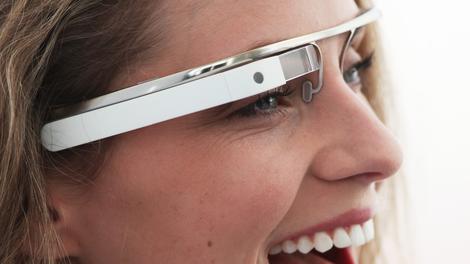
During CES in January 2014, the big mobile device buzz was firmly around wearable technology. The result has been the emergence of mainstream wearable technology in the last 18 months , specifically at CES and at MWC in Barcelona, in the form of smart watches, Google Glass and a plethora of fitness and sleep monitors.
Technology today moves at such rapid pace that many items we have grown up with now include the same connected technology in order to expand their functionality and benefit.
Be it a pen, a watch, or your car for that matter, it is likely to already contain a 'smart' element. We have come across smart devices such as a smart-fork and a smart-toothbrush, just to give you an idea of how far the 'smart' trend has reached.
Technology has always been used to advance business. From making the desktop PC portable through the development of the laptop, to the computerisation of the mobile phone through first PDAs, then smartphones, and now tablets, the modern workforce is increasingly mobile and equally comfortable with the concept of mobile digital technology.
Business value
Whilst wearable technology such as smart watches maybe generating a lot of buzz at the moment, its value to the business user is not yet fully realised. Tablet technologies are moving towards a model where they can be used for note taking in the most effective manner, by writing on them like a "paper-based" tablet, where anything you do on paper is actionable and readable on a computer device.Tablets might not be fulfilling the needs and requirements of all businesses, as the technology is not transferable to all business processes and workflows yet.
While tablet technologies are growing ever so popular among consumer users and parts of some businesses, many industries still benefit from digitising tasks such as note taking or sketching by using a pen as this stimulates thought processes and allows individuals to make connections they may not be able to draw upon by using a less tactile device or keyboard-driven surface.
A recent book by Dr. Sharon Oviat – The Design of Future Education – found that students using digital pens improves the ability to produce ideas, solve problems and make accurate inferences about information by 9-38 percent, when compared to a tablet or keyboard interface.
Where businesses are moving towards more digitised ecosystems, wearable technology already plays a crucial role in the move certain industries are making to modernize their workflow. It is worth noting that the trend is still in its infancy and a lot of work remains before interoperability between devices are fully seamless across a mobile ecosystem.
For example it would be hugely beneficial if an Android device would work across the entire Android ecosystem, though there could be some work to be done here, due to the several different versions of the popular OS in use and the myriad of different hardware platforms in play.
However, there is one piece of technology that is ahead of the wearable technology trend.
Digital pen
Digital writing using a new type of digital pen—different to a stylus which is not integrated to a backend solution—is a proven technology solution that allows for business professionals to carry out important tasks on paper, whilst automatically receiving a digitised copy in the process of everything that is being created on paper.Where all technology is ultimately designed to streamline processes and make the workforce more agile, the digital pen is a productivity device that allows professionals to automatically send usable data to business-critical back-end systems in real time, thus allowing for improved decision-making and greater productivity.
Digital writing is a paper-light solution for businesses as it allows for single use of paper-based forms, without the need of duplicating information and paper and offers global organisations a way to effectively reduce the consumption of paper in their workflows.
We envision that digital writing technology will be a foundation for a true wearable technology eco-system for an employee. In areas such as data capture in the field, employees will be able to transmit their data via their watch or smart-glasses and provide necessary imagery.
All encompassing solutions such as these would be viable for industries such as law enforcement, insurance and facilities management. Where digital pens have a firm and established user base across the globe, we can see that wearable technology will further strengthen the adoption of digital writing.
- Stein Revelsby is the CEO of Anoto Group AB with over 20 years of international experience within investments, venture capital and strategic consulting.

Read More ...
Dell partners with Big Switch Networks for open networking
Dell has teamed up with Big Switch Networks to advance the goal of open-networking, with expanded choice of networking hardware and software.
The computing giant will offer next-generation SDN fabrics and controller applications, such as Big Tap Monitoring, in addition to Big Switch Networks' Switch Light OS on Dell Networking's Eternet switching range.
The partnership will offer an alternative to so-called "white box" or "black box" switching, where the former forces the customer to do everything, while the latter allows no customisation.
The open networking approach will fall between these two extremes, with Dell-branded, validated, tested and supported Ethernet switches with modern fixed-form factor architectures. Dell will also offer a complete data centre solution, global services, and its existing networking expertise.
Open networking push
Aside from anything else, Dell is promising the potential of lower prices compared to traditional switching, with operational costs that are even better than the bare-bones "white box" approach."Dell's push into open networking, and this announcement with Big Switch and other vendors, are great examples of original thinking and innovation coming from the new Dell, "said Tom Burns, VP and GM of Dell Networking.
"We're seeing tremendous initial customer interest, especially among certain verticals such as large financials, Web 2.0 and mobile service providers. It's drawing Dell Networking into additional business discussions where many customers may not have considered Dell before."
Dell will begin offering the new products in the second quarter of this year.

Read More ...
TechRadar Deals: Get £50 cashback when you buy the HTC One M8

If you're looking to get your hands on the stunning HTC One M8 with a monthly contract then pick one up at Phones 4U. You'll get an automatic £50 cashback plus a year's membership to Gourmet Society worth £69.95.
There are 4G tariffs ranging from £34.99 to £74.99 per month. The cashback will be automatically transferred to your account via BACS within 34 days. You can claim your Gourmet Society membership, giving you up to 50% discount at over 6,500 restaurants nationwide, once you have your phone.

Read More ...
Digital interactions will influence 50% of all brick-and-mortal sales

By the end of 2014, digital interactions between shoppers and retailers will influence $1.5 trillion (about £890m, or AU$1.6bn), or 50%, of all in-store sales, according to a recent study by consultancy Deloitte. Mobile-influenced sales on smartphones at brick-and-mortar locations have reached $593 billion (about £352m, or AU$639m), the study revealed.
Consumers are 40% more likely to use a mobile device on their shopping journey than those who do not use a device, according to the survey's respondents. Additionally, the research determined 84% of store visitors use their devices before or during a shopping trip and 22% of consumers indicate they had spent more money during their shopping experience as a result of using digital.
Fifty-eight percent of US adults own a smartphone, according to Pew Research. In 2013 mobile commerce sales among the 358 US merchants ranked in Internet Retailer's 2014 Mobile 500 was predicted to reach $25.4bn (about £15bn, or AU$27.3bn), a 67% increase compared with 2012.
"No thanks. Just browsing."
Three out of four consumers told Deloitte that product information found on social channels influenced their shopping behavior and enhanced brand and product loyalty. The information found on digital channels like social media is particularly vital for consumers, given that 80% percent of respondents said they prefer to obtain product information on their own device or from an in-store device, rather than ask a sales associate.This data complements similar responses to a survey conducted by Motorola, which revealed 50% of consumers believe they are more informed than retail associates, and 61% of retail store managers said they believe shoppers are better connected to product information than in-store associates.
The Deloitte survey was conducted online for a week in November of last year. The survey polled a sample of 2,006 US consumers.

Read More ...
Elop admits that Nokia was scared to go head-to-head with Samsung

The former CEO of former phone company Nokia, Stephen Elop, has explained more behind the company's various controversial decisions over the past few years in an online AMA.
The biggest of these was to sell Nokia's device and services division to Elop's former employer Microsoft in a deal that closed last week - Elop predictably denied that he was a Trojan horse sent in by Microsoft to groom the company for a quick and dirty sale.
But amid the marketing speak and PR scripted answers, he did have some interesting tidbits to drop.
Elop revealed that Nokia chose Windows Phone back in 2011 because it was wary that "a decision to pursue Android would put us on a collision course with Samsung, who already had established a head of steam around Android."
Turns out Elop thinks that was the right decision because he sees other Android-makers struggling now: "We have seen virtually all other OEMs from those days pushed to the side." Not like Windows Phone makers, eh?
The company did eventually make an Android phone - the Nokia X - but as a budget solution rather than a high-end flagship.
iPhone woes
He also explained that the company retired Symbian and other internal OS projects like Meego because they couldn't compete with where the iPhone was already at:"Back in late 2010 and 2011, we carefully assessed the state of the internal Nokia operating system efforts. Unfortunately, we could not see a way that Symbian could be brought to a competitive level with, for example, the iPhone that had shipped THREE years earlier!
"And the Meego effort was significantly delayed and did not have the promise of a broad enough portfolio soon enough. We had to make a forceful decision to give Nokia the chance to compete again."
Started the fire
As for his time at Nokia, Elop credits his controversial "burning platform" memo with reinvigorating the whole company and its efforts on Windows Phone."It's hard to comment on what came before, but I do know that the "burning platform" galvanized the mindset of thousands of employees with the recognition that we faced a critical situation," he said.
"We brought urgency into the organization and within 6 months we produced our first two Windows Phone devices. This was faster than we had ever gone before and marked the beginning of our cultural change."

Read More ...
Available Tags:Samsung , Galaxy , Sony , Apple , Macbook , Acer , rumors , TV , Google , Amazon , Kindle , Nvidia , Android , Dell , TechRadar , HTC , Nokia ,


No comments:
Post a Comment