

In depth: 10 surprising ways famous film special effects were made

Recent technology has changed filmmaking forever - but special effects are now so seamlessly done that sometimes you can't even tell that the crew didn't just pitch up with their cameras and record real life for two hours.
Here are ten surprising ways that tech has been used to create recent films:
1. Gravity's sound effects were recorded underwater
How do you make space sound like space? Go underwater. The Oscar-winning sound effects team on Gravity created every sound you hear in the film from scratch, often recording underwater to get that fuzzy, echoey clonks of space engineering just right. They also recorded real live NASA staff saying real life NASA things for that added element of authenticity.2. Godzilla is half man, half CGI monster
Okay, so maybe not quite half and half, but while the team behind this year's Godzilla reboot created most of the monster using computer animation, they also took inspiration from the original by putting Andy Serkis in a motion-capture suit to add some man-in-a-monster-suit authenticity to certain scenes.
3. Converting a 2D film to 3D is "like mowing the lawn with a toenail clipper"
So says 3D's biggest advocate, James Cameron, of the process of turning Titanic from 2D to three. It's not a case of find and replace, it's a manual labour of love. "It is a mind-numbing process of creating depth subjectively," he says. "I sit there with the jog wheel and look through the movie frame-by-frame and make notes on depth. That should be closer, that should be further back, there's not enough full depth here... It's like mowing the lawn with a toenail clipper."4. Pacific Rim's VFX were based on a 200-year-old painting
Although it's a film about massive robots fighting giant monsters, Pacific Rim's director, Guillermo del Toro, had very specific reference material for the animation team: Goya's 19th century painting, The Colossus.The fight scenes in the film were completely computer generated, but animation director Hal Hickel told us, "That was first image he showed us, The Colossus by Goya, and the first words del Toro spoke to us about Pacific Rim were 'operatic' and 'poetic'." Followed closely by 'smashy' and 'fighty', presumably.

5. Loads of the sets in Wolf of Wall Street were computer generated
You'd never know it while watching, but a whole heap of the shots in The Wolf of Wall Street were built and added to using computer generated images. Don't believe us? Check the video out.6. Virtual reality filmmaking is so effective they make you sign a waiver before you can have a go
As our own Michael Rougeau found out, wearing Oculus Rift to scale an 800ft virtual wall is so vertigo-inducing, you have to sign a waiver before they'll let you try it out. Makes 3D seem a bit tame, really, doesn't it?7. Sometimes going low-tech is the only way to get things done
When working on Submarine with Richard Ayoade, the special effects geniuses as Framestore created a digital credits sequence which they then shot out to 35mm film then brought it back to digital to achieve exactly the right kind of grain. "We weren't applying film grain digitally," executive producer Simon Whalley explained to us. "We were putting film grain on by shooting it out to film and then putting it back in. Richard's very very particular about that. He can really tell the difference."8. The VFX team invented completely new tech for Gravity
Because the tools needed to film Gravity in exactly the way director Alfonso Cuaron envisaged didn't actually exist, the visual artists at Framestore effects house literally made new ones. These included a 3D scanner that creates models by taking 360-degree photos of an actor, and inventive new lighting solutions.Two more fun Gravity facts for you: 1. A team of 40 people worked on only simulations of cloth for over a year to make sure the space-suits looked right. And 2. if the filmmakers wanted to render the entire film on just on machine, they'd have had to start it in 5000 BC for it to be ready today.
9. A holographic Star Wars could happen
Help us George Lucas, you're our only hope - it's not just Leia who can play the holographic game. According to special effects maestro Dennis Muren, "If there is a way in the future to do a hologram version [of Star Wars] and the fans want it then it should be done. You don't just want to stop making movies and keep releasing old ones, though. These releases should be seen as a supplementary thing."
10. The Star Wars Blu-rays used 70s sound techniques
When the Lucasarts team was busy remastering the original Star Wars trilogy for the 2011 Blu-ray release, audio specialist Matthew Wood not only unearthed the original production rolls from 1976. "These were the rolls that were used for the original dialogue recording and the entire production recording that were done on the set," he told us."These [production rolls] had only been played once, the first time they were used they were transferred to magnetic film back in 1977 and that was cut. So I got to take them and retransfer them into the computer and with the highest quality analogue to digital converters I could actually re-sync these back into the original picture. That is one thing that is new on the Blu-ray. It's amazing."

Read More ...
Project Spark devs want to inspire a creative community not IP theft

With a video game like Project Spark that lets users create their own games there's bound to be couple of copycats. Just like the way Media Molecule's Little Big Planet brought up copyright issues with music rights, Project Spark is already setting off a whole litany of Star Fox clones and games that look a bit too similar to Minecraft.
At PAX East a panel of developers behind Project Spark explained they want to change the limited perception of what it can actually do. Bradley Rebh, lead designer at Microsoft recalled the reaction most people had after the game's first reveal. "Everybody came to us and thought I can make a fantasy looking dude that kills goblins in a grassy knoll – and that's it I can make fable," Rebh said "But actually you can make way more than that."
Brad Shuber, art director on the game, noted that some users have created amazing work that inspires his own team. "We look at the user generated content all the time and it's like 'wow did you see what that person did with that tree trunk, I can't believe they make this cool tentacle arm with it."
Credit where credit is due
Beyond showing users that they can do more with the tools Project Spark has, it's also been a struggle to convince users to share their works. User-created levels in the current beta are unlocked, which means other users can dig into the content and pull everything from the art to the actual mechanics. While some in-game creators are worried about their work being stolen without any credit.However, Rheb explained there a new Lineage System the team hopes to implement soon that will make sure the original creators get the credit they deserve. When the new system is added any remixed work will show up with the original creator's name above making sure they get credit.
Project Spark Community Manager Mike Lescault chimed in adding "we have always heard about with IP rights and it's really tough to stop especially in the digital world and where we're going."
"So rather than try and go against the tide we wanted to make sure we can reward people and encourage them to want to have people remix their work," he said.
A creative community
The Project Spark developers hope they not only encourage people to share more of their work but also change the perception of remixing as part of the creative process. Shuber used YouTube as a typical example where "it's frowned upon to do anything with anybody else's work but here it's something we actively encourage and with our system we try to appease people who say 'oh I don't want my work stolen'"Rather Shuber sees modifying someone else's work as part of the learning process in which people can work collaboratively as part of the community. "The best way [to learn] is play something you like, go in and pull all the mechanics apart and how it's constructed," he said. "Take the bits and pieces that you think is applicable and learn from it and make your own."
- In other gaming news, Nintendo needs to start making new moves to stay afloat

Read More ...
PAX East 2014: All the latest from PAX East 2014!

Updated throughout all of PAX East, keep it locked here for the latest from TechRadar.
These archways are officially bursting with costumed video game fans of all ages. This is PAX East, one of the largest, most popular gaming conventions on the east coast, and we're on site to bring you the latest in gaming hardware and software … but mostly hardware.
Looking to grab one of those new gaming laptops with Nvidia's latest GPUs? Vendors like Origin, MSI and Gigabyte have all touched down in Boston to show off their latest wares. If you're hot on accessories, watch out for the freshest peripherals from Turtle Beach, Logitech, Astro Gaming and many more.

And here come the goods. Check out what we've gone hands on with at the show:
The hottest hardware
- MSI GS60 Ghost Pro
- Astro Gaming A38 gaming headphones
- Gigabyte P35W v2
- Logitech G502 Proteus Core gaming mouse
The latest scoops
We're getting our (very clean, thank you) mitts all over the greatest in games, ready to tell you what to watch out for. And the same goes for software: Developers and publishers like Blizzard Entertainment, 2K Games, Microsoft and more are on the show floor hosting demos of their latest games. (Not to mention the illustrious PAX East Indie Showcase.)Last but not least, we expect to see and hear a few major bits of news from this year's chillier Penny Arcade Expo. Companies like Titanfall maker Respawn Entertainment and Civilization creator Firaxis have major panels planned.

In an unexpected turn of events, an unnamed source has revealed to PC Gamer that the Steam Controller will launch sometime between this coming September and November. In addition to that morsel of news, the source also told our PC Master Race overlords that we can expect at least 500 Steam OS games in time for launch this fall.
Another major announcement: Firaxis has pulled the curtain back on Civilization: Beyond Earth. This marks the developer's first strategy game to take place outside the confines of our atmosphere since Alpha Cenaturi way back when. Naturally, PC Gamer has an in-depth interview with the upcoming game's lead designers.
It's Storytime ... time!
Harmonix co-founder and CEO Alex Rigopulos already regaled us with tales during this year's Storytime panel. But Rigopulos also hinted at the future of music gaming. The Harmonix head talked up Fantasia: Music Evolved, an "explorative" music game based on the famous Disney film."In some ways, Fantasia is a return to our earliest routes," Rigopulos said of Fantasia. The Harmonix head was referring to the more PC software-like releases of the studio's past, like The Axe. Fantasia stands to sell plenty more copies, though.
"Another thing I want to talk about today, is just how fricking trippy it is," the CEO gushed before showing off a video detailing the scenes players will witness while playing Fantasia. He was not kidding. Fantasia, playable only on Xbox One and Xbox 360 with Kinect, will launch this fall.
Rigopulos also talked more about its first-ever early-access game, Chroma, a rhythm-based first-person shooter that looks as if Daft Punk pumped Call of Duty full of dubstep bullets. Players move around and fire their weapons to an overarching beat in this class-based, team-focused shooter. Want to land that sniper rifle shot? Better fire on the downbeat.
"We're working on a bunch of different axes of experimentation with this," the Harmonix chief said. "I think of [Chroma] as a package of experiments around an idea." Chroma has no release date yet, but has been launched in an alpha stage for select Steam users.
PC Gamer talks - what else? - PC gaming
And finally, our buddies at PC Gamer hosted their very own panel to discuss - you guessed it - the future of PC gaming. PC Gamer Editor-in-Chief Evan Lahti was joined by industry luminaries like Oculus Rift founder Palmer Luckey, Star Citizen creator Chris Roberts and more. It made for quite the interesting discussion. Watch it here:There's a lot to take in, and it's already been a fun, glorious ride. Join us right here or from our Twitter and Facebook channels for the latest from PAX East 2014.
- And if you missed them, catch the highlights from GDC 2014

Read More ...
Hands-on review: PAX East 2014: Logitech G502 Proteus Core gaming mouse

Logitech has been on a mission to redesign its entire PC gaming peripheral line; from a new suite of mechanical keyboards to the G430 7.1 headset it introduced last year. Its latest entry is the G502 Proteus Core wired gaming mouse. Groan inducing names aside, this updated mouse features several new internal bits including a 32-bit processor and the somewhat-unique ability to calibrate its infrared sensor to work on any surface the user wants.
Beyond adjusting the mouse's sensitivity or DPI – which on this mouse, cranks up to an absurd 12,000DPI - the G502 can be custom tuned to track movement on more surfaces beyond your typical wooden table, mouse pad or gaming surface. Normally optical mice work best on a soft pad and laser mice on hard surfaces. The G502 can be tuned to work well on anything like paper, a wall, or any surface the user chooses. On top of adaptability, Logitech claims users can make the mouse perfectly accurate no matter what the surface.

As for the actual adjustment, all the calibration happens in the included software. It comes with a few common presets like foam mouse pad versus hard pads. Users can also opt to custom tune their mouse to their desk or own surfaces and the calibration only takes a few seconds.
Newfangled optical sensor customization aside, the Logitech G502 is a very familiar-feeling right handed wired mouse. Its design builds off of the older G5 and G500s platforms. One big shake up is that the mouse's shape isn't bulbous anymore. The Proteus Core mouse features sharply angled buttons and a segmented body. Along the sides Logitech has melded a rubber material etched with little triangles for extra grip. Meanwhile, the top is treated with a UV cured matte coating, which Logitech G Product Manager Chris Pate claims is extremely durable.

Right-handed gamers will feel right at home with the new the Logitech G502. Instead of going for a ambidextrous-friendly symmetrical design, the left side of the mouse features a sculpted thumb rest. The entire mouse really is made for right-handers and its shape should be more than comfortable for gamers whether they have small hands or a giant bear-like paw.
There haven't many changes on the button front as the G502 features the same programmable 11-button layout as the Logitech G500s. To the left of the left mouse clicker Logitech has slipped two DPI shifting buttons. This is also about the most awkward part of the mouse's button setup because we ended up mashing the left mouse button whenever we tried to change the sensitivity.

Above the thumb rest there's another set of two side buttons. The G502 also features a full metal scroll wheel, which can be unlocked into free spinning mode by tapping on the button directly below, and just slightly more southward is another programmable button. Mechanical micro switches actuate all the button presses, which gives the mouse a tactile feel and a resounding click for every action.

Along with the customizable buttons, flipping over the mouse reveals a removable magnetic panel that houses the G502's weight system. The Proteus Core mouse can be outfitted with up to five 3.6 grams of weight, driving up the overall heft of the mouse from its original 120 grams to 138 grams.

Alternatively users can slip the chevron-shaped weights into the sides of the mouse or towards the back if users so prefer. It's an interesting concept that's different from the simple weight cartridge found in the G9x and G500s but we didn't really get a chance to play with it at PAX East.
Early Verdict
For $79.99 (about £47.79/AU$85.12), the Logitech G502 seems like an incredible value. Right-handed gamers will simply love the ergonomics of the mouse. Serious PC gamers, similarly will appreciate the wide variety of ways to customize the mouse down to its ability to track on specific surfaces.In a field full of customizable PC gaming mice, Logitech has put forth a full-featured platform. Our time with the mouse proved it was accurate on a hard mouse pad but we'll have to get in some serious Titanfall hours before we can definitely say this is a mouse you can rub on anything from a metal table to a towel and still be accurate.

Read More ...
Hands-on review: PAX East 2014: Gigabyte P35W v2 review

With entrants like the Razer Blade and MSI GS60 Ghost Pro, the trend in laptops toward slimming down has spread like wildfire in the gaming space. Gigabyte has been there right alongside its rivals, but has focused on conceiting as little as possible in quest for shaving off inches and pounds.
The latest proof of that is the Gigabyte P35W v2, its 15.6-inch thin and light gaming notebook refreshed for Nvidia's latest mobile GPUs, the 800M series. Packed with a 1920 x 1080 IPS LCD panel, this mobile rig is home to the latest Intel Core i7 chips and an Nvidia GeForce GTX 870M with 6GB of GDDR5 video RAM.
But here's the kicker: in addition to space for a whopping three storage slots, this monster has an optical drive slot front and center in the base. (The unit I saw on the PAX East show floor housed a 128GB solid-state drive and 1TB, 5400 rpm mechanical unit.) And if you're the type who cares little for physical media, Gigabyte includes a 2.5-inch drive bay bracket for you to swap in yet another SSD.

Slim without (much) sacrifice
Even with the optical drive and two storage units, the P35W v2 measures a wafer-thin 15.16 x 10.63 x 0.83 inches (W x D x H) and hits the scale at 5.07 pounds. Not too shabby for a mid-sized gaming rig with all the trimmings. Not to mention that this machine is just as thin as its tinier, drive-less counterpart, the P34G.And while every model comes with either a DVD or Blu-ray drive, you can swap that out with an empty bay to hack off another few ounces. This is all about giving the player choice while still maintaining that price-per-part advantage that Gigabyte maintains over the competition.

However, you're not looking at an all-aluminum unibody design here – that would cost you a considerable amount of cash. To keep the price point sane, Gigabyte didn't change much, if anything, about the P35W v2 on the outside. That means the arguably tacky plastic bezel and separate keyboard frame remain. You'll invariably feel some flex under these keys, but bright backlighting and some snappy travel help make up for that.
While I wasn't able to test it out much – the unit was running a demo reel that I was not permitted to interfere with – the clickpad looked nice enough. But judging from previous Gigabyte gaming laptops, I wouldn't expect much here either.

Staying away from 3K
One thing that's immediately apparent in Gigabyte's gaming lineup is that the company has yet to dip its feet deeper into the pixel pool. None of the vendor's gaming rigs sport beyond-HD displays, but are firmly rooted in FHD.Given the company's focus on value over the latest and greatest, the move makes sense. That's fine for even 2014, but come next year, it definitely be time to catch up. PC game makers are already support 2, 3 and 4K resolutions in their latest releases.

Playing a demo video of Path of Exile, the P35W v2 still spit out gorgeously visuals, with bright, vivid reds from bursts of flame and deep blacks throughout some dank dungeons. Plus, the screen's super wide – 178 degrees, Gigabyte claims – viewing angles will make viewing or playing content with more friends all the merrier.
Early verdict
It's tough to make too firm of judgment calls yet on Gigabyte's refreshed gaming laptops for Nvidia's fastest mobile graphics chips yet. Especially considering I wasn't able to play games on the P35W v2 on the PAX East show floor.
However, it's crystal clear that the company's focus remains on cramming the most into its mobile rigs for your cash. An optical drive or three storage bays is, as far as I know, unheard of from a gaming notebook this thin.
Gigabyte promises that the P35W v2 will launch later this month, and the company is targeting a $1,599 (about £956, AU$1,702) starting price. I'll be the judge of whether the price is, you know, right when we score this machine for a full review.

Read More ...
In depth: Stopping the internet: how the world is trying to censor the web

How the world is trying to censor the web
On March 21, Turkey's under-siege government (theoretically) cut off all access to Twitter, the social network attributed with dozens of embarrassing leaks about the ruling powers.Before understanding why internet censorship, a staple of any totalitarian government, is failing Turkey so badly, it's key to understand the mechanisms underlying the internet, and how a government can (theoretically) go about blocking it.
In broad terms, a country's internet works like the postal system. Letters go from an individual to a local post office; from there, a letter travels up to a sorting office, from where it's routed to a sorting centre close to the letter's destination; in the case of overseas mail, it will even travel by boat or plane to get to that sorting station.
The internet works in the same sort of way: your friendly postie is replaced by a copper or fibre-optic line that runs to the digital equivalent of your post office – in this case, a telephone exchange. The sorting offices are really data centres, and the boats and trains become high-speed underseas fibre-optic cables.

What that means for a government wanting to block websites is that all your traffic has to flow through a few choke points, owned and operated by a handful of Internet Service Providers (ISPs), like BT, Virgin or Sky. Turning off the internet wholesale is relatively simple – data centres within the borders of the country will be turned off, and the underseas cables cut, to prevent any communication with the outside world.
Pick 'n Mix censorship
Selective censoring – blocking some sites but not others – is a little more difficult. The crudest method of selective censoring, and the one initially employed by Turkey's government, is to cut the address of the website you want to block out of the Domain Name System (DNS).The DNS is a system that matches the URL of a website (e.g. www.techradar.co.uk) with the IP address of that website (89.167.142.126, in this case). To re-use our postal system analogy, that would be like deleting someone's postal code from the register – without a postcode, the letter gets lost in the sorting centre.

However, getting around DNS blocking is pretty simple – you can either enter the raw IP address of the website you want to access into your internet browser, or fiddle with the settings of your internet browser to use a different DNS system, one that the government hasn't fiddled with.
There is a more sophisticated means of blocking the internet, of course. Blocking the actual IP addresses is easy enough for ISPs to do, and that's analogous to sifting through all of a country's mail, and removing any letters addressed to Twitter – you can't get around it with a simple DNS hack.
That said, this is still the internet, and getting around any block is still child's play.
Sticking It To The Man
The most common means to dodge ISP-level blocking is by the use of a Virtual Private Network (VPN). This can best be thought of as an encrypted tunnel that connects to a server in another country, and routes all your traffic through that server. Imagine it, for all intents and purposes, as being like a middle-man in the mail service: your parcels and letters are directed to your 'middle man' (in this case, the VPN server), and he then packages them in a giant, padlocked steel container, and ships them over to you.This means that the ISPs have no way of seeing what's inside the giant steel box (alright, VPN), and as such, there's no way of monitoring or censoring the traffic. Because VPNs use the same Transmission Control Protocol as the rest of the internet, there's no simple way of distinguishing VPN traffic from regular 'ole web traffic, so it's not possible to just outright block VPNs, either. Moreover, VPNs are cheap (sometimes, free) and easy to set up.

As you'd expect, then, everyone and their dog seems to be using VPNs to get around internet censorship. In the specific example of Turkey, downloads of popular VPN service Hotspot Shield jumped by 3,000 per cent in the 24 hours following the implementation of the ban. Growth hasn't slowed down, either: four days after the Twitter ban, Hotspot Shield told TechRadar that it had seen 1.1 million downloads from across Turkey, as opposed to the normal average of around 10,000 per day.
The surge in users isn't just limited to Hotspot Shield, though. At the time of writing, VPN apps were in three of the top five iOS apps, and Hotspot Shield has been the number-one overall app ever since Twitter was blocked.
And, according to Twitter-monitoring website Brandwatch, Twitter usage was up by 138 per cent following the supposed wholesale blocking of the site in Turkey. Not exactly the resounding success the Prime Minister was presumably hoping for when he banned the social media site.
What's Next?
The outlook for any government looking to ban the internet is pretty bleak. Even China, which has one of the more sophisticated firewalls, hasn't managed to keep VPNs out of the country – and boy, have they tried. A few years ago, China went after the VPN providers themselves.According to Hotspot Shield, all its download servers at the time were banned, so that no-one could get their hands on the VPN software if they didn't already have a copy on their computer. However, according to David Gorodyansky, the CEO of Hotspot Shield's parent company, "we just set up an email service, so anyone could send an email to an address, and automatically get a working download link in reply…we actually saw our install increase by four times immediately following the ban".

What blocking turns into, then, is a game of cat-and-mouse. Given the way that the internet's laid out, and the relative size of the companies involved, small VPN firms will always find it easier to change stuff compared to large companies and firms. It's a game that you can expect those who are pro-internet-freedom to be winning for the next little while.
A good example is a small Israeli firm, Hola, which has become increasingly popular thanks to offering a free, VPN-esque service that requires even less set-up that options like Hotspot Shield. They too have seen a "major surge" in traffic in Turkey; they're also ready for more sophisticated blocking, and, according to CEO Ofer Vilenski, "are ready to put Hola to the challenge".

Read More ...
In depth: Beyond broken Bitcoin: 7 technologies that are doomed to failure

The cracks are starting to appear in the Bitcoin façade – from audacious multi-billion pound heists, to increasing government intervention, and the ever-present danger of it being a currency more volatile than one of Walter White's 'special' chemistry experiments. The Bitcoin crypto-currency dream doesn't seem to be all it was cracked up to be.
But Bitcoin isn't the only tech dream that's falling flat. Here are seven more Silicon Valley poster-children that aren't quite the technological Second Coming.
1. Crowd Funding
Kickstarter was the solution for uni students with a back-of-the-napkin idea and an overdraft the world over – put your amazing idea up online, and strangers will pledge a bit of cash to get your genius plan into fruition. And, to a small extent, it's still alive.
However, Kickstarter's Greatest Hits isn't such a smash album at the moment: Pebble, the biggest project to date, delivered on its promises nearly a year late, and is probably about to be smashed by the tech big boys' smartwatches. Ouya, the cheapo Android gaming consoles, is now less of a household name than HD-DVD. Oculus Rift, the awesome-looking virtual reality headset, has been bought out by Facebook, so that'll probably end in tears (and an incredibly realistic version of Farmville).
2. E-Readers
Amazon's £59 Kindle might be all the rage at the moment, but e-readers are almost certainly doomed to obsolescence in the next decade. Tablets have been getting real cheap – the first iPad cost about £350 at launch, four years ago; now, you can buy a Tesco Hudl tablet, which is an all-round better tablet than Apple's first machine, for £119.
With that kind of cheap pricing, more people will be buying tablets, and no-one needs two devices. Sure, e-readers have screens you can read on the beach and better battery life, but given a few years tablet technology will catch up -- and then it'll be game over for the Kindle and all its e-reader pals.
3. Motion-Gesture Controls
If you've seen Minority Report, you'll have noticed that the guy messing around with the hi-tech gesture-controlled computer isn't your stereotypical computer nerd – rather, it's Tom Cruise, at the peak of his physical prowess. That isn't by accident – it's because controlling a computer by waving your hands around is actually incredibly tiring, and far harder work than simply using a keyboard and mouse, like most good civil servants.
In fact, despite the fact that you can buy a motion-control box for a computer for about £50, elaborate hand signals to control your desktop haven't caught on. The simple reason being that Old Faithful, the keyboard and mouse combo, is incredibly precise and low effort. And you know the saying – if it ain't broke, don't fix it. It's difficult to see any input system – and particularly not anything that involves flailing like a maniac – taking over your spreadsheet input duties any time soon.
4. 8K TVs
First it was HD TVs, then 4K, then
3-D (and that's a whole separate train wreck); but the latest trend
seems to be flat-screens with a resolution of 7680 x 4320 pixels – or,
as the TV manufacturers would have you know it, 'Ultra HD'.

That
sounds all well and good, after all, who doesn't want a display so
sharp you can see the individual beads of sweat on Jose Mourinho's face?
But Ultra HD is total overkill. Your eye has a limited resolution it
can actually detect, and for you to be able to tell the difference over a
4K TV when sitting a reasonable 10 feet away, an 8K TV would have to be
over 110 inches wide. I don't know about you, but that's probably
bigger than my entire living room.
5. 3-D Printing
Another poster-child of the modern age, 3-D printing is meant to revolutionise the way we buy stuff. Rather than ordering something on Amazon, or, god forbid, going to an actual shop, the lucky citizens of the future will be able to use a 3-D printer to make their own versions of everything, from shoes to smartphones and your lunchtime can of Pringles.
Only, it's not that simple. 3D printing, while a useful industrial tool for making prototypes relatively cheaply and quickly, is nowhere near being useful for actual consumers. They're really not all that user-friendly: even if you could print all the insanely complicated parts that go into making a phone – or, heck, even a pair of trainers – you still need a fairly skilled worker to put them together. It's certainly no easier than clicking buy it now or taking a stroll to the shops.
What's more, 3-D printing is (and, in all likelihood, always will be) more expensive than just making a mould for mass production. 3-D printing has a niche, for sure – it's just that niche will always be stuff like making custom dentures or footbeds for the discerning consumer, not a new car.
6. GIFs
The concept of GIFs – a tiny nugget of video that auto-plays in a browser – certainly isn't new, and probably isn't going anywhere soon. However, the actual Graphics Interchange Format, first coined in 1987, is getting a little long in the tooth, and wide around the middle. GIF images are just too big for many computers to handle easily, rendering hundreds of Buzzfeed posts and Tumblr blogs incomprehensible (if a little easier on the eyes).
HTML5 video, on the other hand, provides tiny, stutter-free files that lets your computer just fly through all those clips of dogs running into windows. Give it a few years, and the GIF will be nothing but a particularly nasty Trivial Pursuit question.
7. Delivery Drones
If Amazon is to be believed, the future of buying stuff on the internet involves millions of autonomous drones flitting around, bringing HDMI cables and knock-off phone cases to the masses.
Obviously, though, this is never going to work. Never mind the fact that creating armies of delivery drones is setting Skynet up for victory further down the road, but it also sounds a darn sight more expensive than equipping a postman with a bike and a sturdy pair of shorts.

Read More ...
Open source software: a guide for SMBs

Many businesses are realising the benefits of open source. According to a recent report, up to a third of IT professionals are already using the technology and this figure will grow.
Open source is often cheaper, more flexible and easier to manage than its licensed counterparts. If you've got some technical ability, the basics are easy to implement yourself, with a multitude of 'DIY' guides available online.
So where is the best place to start? The most well known form of open source is Linux: this could suit SMBs new to the technology, experts agree.
And it is possible for SMBs to open source their entire IT environment. Back up, firewall, and security information and event management are ideal areas to open source, according to Dominique Karg, Chief Hacking Officer and Co Founder of AlienVault.
"Those are the areas where the cost difference between 'closed' and open source is biggest, and where open source has matured the most," he says.
Expert help
If you have some expertise, implementing open source can be done in house. According to Karg, a skilled SMB CEO could put in basic open source without much technical knowledge. "If you're skilled, set two or three machines aside, along with some backup disks," Karg advises. "Read the manuals, apply the suggested guidelines and learn as much as possible."This approach won't cost anything, Karg says. "What's great about open source is that you can take a peek at the source code to truly understand what it really does; how it works; how it was designed and whether its design matches its intention," he says.
But if you don't have the software expertise, you will need a software vendor or consultant to help implement the technology. In this case, Karg advises firms to hire a skilled 'geek' to implement open source tools, "rather than to pay licenses and rely on the commercial support teams".
Less confident SMBs should start by getting a consultant, advises CEO of Omnis Systems Paolo Vecchi. This kind of expertise is required because open source software is managed differently to Windows. For example, Vecchi says: "You would never connect a Windows server to the internet - but you would with Linux".
Even so, once they are up and running, keeping Linux systems secure is comparatively easier than with Windows. According to Steve Nice, CTO of open source software specialist Reconnix: "While Linux malware does exist, it's only a tiny fraction of what currently affects Windows, so there is much less risk on a day-to-day basis of a system suffering an exploit."
Open source products
When moving to open source, it's best to start with the basics. To kick off, SMBS could cut costs by switching to one of the free alternatives to Microsoft Office like LibreOffice - which is compatible with both Linux and Microsoft - for example."If businesses were to change only one software product to an Open Source alternative, LibreOffice would perhaps be the easiest move to make, and one that would see the most obvious savings," Nice says.
Vecchi recommends replacing a Windows server with a Linux one; something that staff won't notice in terms of usability. For example, firms can download the all-in-one Linux Collax business server for free. Among its benefits, the server provides security functions such as firewalling and virus and spam filtering. "With a couple of clicks you can use it and it's free for up to five users," says Vecchi.
But, Vecchi warns, open source technology still comes with maintenance costs, so it's not entirely free. "For example, [Linux-based operating system] Debian is free but complicated to manage, so you would need someone to help you," says Vecchi. "You have to remember Linux and open source doesn't mean free in terms of not spending money: you need to set it up and maintain it."
Vecchi says the standard price for this is around £14 per user per year - which is "less than Google". "You have full control of the data as well," he adds.
Meanwhile, another company, ForgeRock offers solutions which support open standards and are designed to be modular and accessible to developers.
"Some of the most useful tools include Apache OpenOffice; GIMP - a powerful photo editing tool; and OpenAM - one of ForgeRock's identity relationship management software products, says the firm's VP of Product Management, John Barco.
If you're looking to cut costs and increase functionality, open source is the ideal tool. You don't have to move all your applications over; those with some technical knowledge can experiment with 'how to' guides online. It's not a fix-all solution, but it could be the first step towards freeing yourself from the licensing costs that often weigh down smaller firms.

Read More ...
Google weighs in to aid Samsung in second court battle with Apple
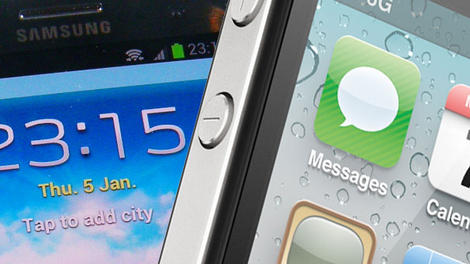
Google has done its best to stay out of Apple and Samsung's legal squabbles, but came to the aid of its Android partner in the second patent trial between the rivals, on Friday.
The company's VP of Android Engineering Hiroshi Lockheimer took the stand in California to defend copycat allegations from Apple, which claims Samsung stole its ideas.
The thrust of the argument is that Google used specific features - like universal search - on devices like the Galaxy Nexus before Apple patented them.
"We liked to have our own identity, we liked to have our own ideas," Lockheimer told the court. "We were very passionate about what we were doing, and it was important that we have our own ideas."
'Doing our own thing'
"People tend to think of Google as a big company, but we were a small team," he added. "We were autonomous, and the company let us do our own thing."Apple rested its case earlier on Friday. The company is seeking $2.91 billion (£1.73, AU$3.07) in damages from Samsung relating to five patents it claims the Korean firm infringed.
Samsung will continue its defence against the allegations on Monday. The case is follows a length battle in front of the same judge in 2012, which saw Apple awards a billion dollars.

Read More ...
Move aside 1080p, the first QHD AMOLED mobile display has arrived

Samsung has been working on next generation QHD AMOLED screens for it's mobile devices for quite a while now, but it won't be the first to bring the tech to market.
That accolade goes to Taiwanese firm AU Optronics, which has developed a 5.7-inch panel boasting a resolution of 2560 x 1440, the highest yet for any such display.
The display, which is just 0.57mm thick brings a eye-popping pixel density of 517ppi.
AUO will seek to push the tech to its various customers, which include Samsung.
Take Note, Samsung
Samsung confirmed in January that a QHD display was on the horizon, with many expecting the tech to appear within the newly-released Samsung Galaxy S5.That, of course, wasn't the case, but perhaps Samsung could have it ready for the Galaxy Note 4, expected to launch at IFA in September?
LG is also thought to be considering a QHD panel for its forthcoming LG G3 release, so in one way, shape or form, we may see the display tech in a mobile device this year.

Read More ...
Hands-on review: PAX East 2014: Astro Gaming A38

Astro Gaming might be synonymous with serious pro-gaming headsets, but more and more the company is branching out into the personal audio space. The Astro A38 represents the gaming audiophile company's biggest departure yet as a Bluetooth headset you won't want to hookup with your PC rig or gaming consoles. Instead the A38 is a completely wireless, Bluetooth-connected headset for the PlayStation Vita and iPhone as well as iPad Air, or other mobile devices.
On the PAX East show floor we got a chance to try out a pair of A38s. Without a single audio connector or a microphone jack, the A38s are fairly plain and simple compared to Astro's past headsets. If anything the A38 headphones look like a miniaturized version of Astro's A30s as they both share the same offset design with the ear cup angled behind the headband.
Soft muffs

The A38s also features a soft, synthetic leather material that sits on the ear like a cushion. Despite the soft touch of the headphone's cups, they still clung tight because the material conformed to our ears like memory foam. The top of the headset is also lined with the same cushioning, which could come in handy for long listening or mobile gaming sessions.

The similarities between the two headsets end here. Since there are no wires, there also isn't any mixamp to plug into. Instead, the headphones pair the device to an iPhone or tablet as a regular Bluetooth device after pressing the power button on the headphone's left side.

While these Astro headphones can also pair with the Bluetooth on a PC or laptop, an Astro representative explained that any games which require voice chat would turn the A38s into a pair of mono headphones. This, however, is due to a limitation of Bluetooth rather than the headphones.
Below the power button there's also a multifunction button, which pauses playback when pressed once, tracks forward when hit twice, and jumps a track back when simply held for a second.

This same multifunction button is also used to answer calls when connected to a smartphone. While there might not be any visible microphone, there's a small gap near the bottom of the ear cups. This isn't a flaw in the headphones but a space that hides the A38's noise canceling microphone. We didn't get a chance to test out the voice quality of the microphone due to network issues on the PAX East show floor.
Noise (partially) canceling

Speaking of drowning out outside noise, on the PAX East floor, the A38s drowned out most of the drumming beat from the convention, but we were still able to hold a conversation with the Astro representative as she told us about the product.
These are not headphones that will completely block out outside background noise. Users looking for complete auditory isolation should consider the Bose QuietComfort headphones. The A38s are also not very noise isolating as they've been designed as open-ear (or on-ear) headphones, where the ear cups does not cover your ears completely.
That said, the audio quality on the Astro A38 is staggeringly amazing. The Astro A38's produce a wonderfully clear full tonal range of highs and lows for music. Meanwhile, there's also bit of punchy base that mobile gamers and movie watchers can enjoy.
Early verdict

The Astro A38 headphones are an extremely luxurious pair of headphones for its $229 (about £ 136/AU$ 243) price. However, for the most part, the price tag is well worth. The A38s have an extremely comfortable fit and topnotch audio quality. It might not have the best noise canceling and isolating qualities, but that's to be expected with the open-ear design.
From afar, people will still almost immediately recognize the A38s as a pair of Astro headphones and that's part of the appeal. The gaming audio giant has taken its years of experience and made a great pair of regular headphones, but we'll have to wait until we can put some serious listening hours in before we can deliver our final judgment on the Astro A38.

Read More ...
PAX East 2014: Valve Steam Controller release tipped for October or November

PAX East 2014 has kicked off with a big bang, and juicy bits of news are starting to trickle out of Boston.
An unnamed source revealed to PC Gamer that the Steam Controllers - which previously did not have a release date - are set for an October or November launch this year.
The actual Steam Machines still have a tentative release with "later this year" being the last estimate, but if the controllers do come out this fall, the boxes from the various companies shouldn't be too far behind.
The source further confirmed this by also stating that Valve's Steam Controllers will be the "final piece that would precede the availability of most Steam Machines."
Tell us more!
PC Gamer's source also spilled the beans on game availability for the Steam Boxes. Apparently, we should expect around 500 games that will be playable on SteamOS by the time the hardware is out.During GDC we were able to play around with the redesigned controller and while promising, we missed the uniqueness of the center touchscreen.
Regardless, we're definitely still looking forward to using all the components - Steam Machine, Controller and OS - together to see just how well Valve competes with its console counterparts.

Read More ...
Hands-on review: PAX East 2014: MSI GS60 Ghost Pro

You're looking at the "world's lightest gaming notebook." At least that's what gaming hardware vendor MSI claims, pegging its brand new GS60 Ghost Pro at around four pounds. I had the chance to play around with a prototype unit of the company's latest thin and light gaming laptop - the same one that I saw, but couldn't touch, at this year's CES.
"But, MSI already released its GS60 Ghost," you say? You're right, the company just launched its first 15.6-inch thin and light gaming laptop, the GS60 Ghost, packed with an FHD display and Nvidia's latest 800M series GPUs. But remember: MSI hinted during CES that this machine could go as sharp as a 3K resolution at launch.
Today, the GS60 Ghost earns the "Pro" moniker, thanks to a 2880 x 1620 WQHD panel. Behind that super sharp screen on the model that I tested out is an Nvidia GeForce GTX 870M with 6GB of GDDR5 RAM. Backing up that beefy video card are Intel's quad-core, 2.4GHz Core i7-4700HQ and 16GB of DDR3 RAM at 1600MHz.
Between those guts and a 128GB SSD-1TB HDD storage combo, I'm not at all surprised that MSI projects that this beast will cost around $2,000 (about £1,194, AU$2,128) upon release later this April or in early May. And the company may even boost the available storage and RAM capacity. That might be overkill.
Super sharp shooting

To show off just how well Nvidia's GPUs can handle beyond-HD resolutions, MSI had the GS60 Ghost Pro running Metro: Last Light. Even almost a year after its release, Last Light is still one of the most demanding PC games around, a fine benchmark for 3K gaming.
While I didn't have time to get into a firefight in the tunnels beneath a nuclear Russia, I witnessed zero frame rate dips while walking around a militia headquarters. That was with the game running at the laptop's native pixel count, the detail settings set to normal and anti-aliasing set to 4X with vertical sync disabled. That said, screen tearing was evident throughout. Perhaps if you were to bring anti-aliasing down a notch, you'd be able to activate v-sync without issue.

Regardless, it's official: At least for Nvidia, mobile hardware has officially caught up to the next leap in PC gaming. Considering how demanding of a game Last Light is, I imagine that less graphically intense games will run at higher settings behind 3K.
Got a light?

If you don't, then MSI has you covered … and then some. The company's collaboration with SteelSeries lives on in the Ghost Pro. That means you'll get a SteelSeries-made keyboard with some crazy backlighting and configuration options.
Using the included SteelSeries Engine software, you can light this laptop's keyboard up like a vivid rainbow or even localize lighting to specific keys, like the WASD area. Plus, you can program macros and lighting configurations for each game with application profiles.
MSI couldn't help itself with the lighting, as the front of its brushed magnesium frame features blue indicator LEDs for several statuses. Even the power button light changes from blue to orange when the 870M kicks in through Nvidia's Optimus graphics switching tech. (It's pretty useful, honestly.)
Early verdict

At just about four pounds and with the power and features it offers, the MSI GS60 Ghost Pro stands to give rivals like the Razer Blade a worthy challenge. Aside from some keyboard flex at the G and H keys, there isn't much to complain about yet with this mobile gaming rig.
A free six months of X-Split, a popular gaming streaming software and service, only sweetens the deal. PC gaming has officially pushed beyond HD, and mobile rigs will not be left behind. I'll show you exactly how far they've come once we score a GS60 Ghost Pro for review later this spring.

Read More ...
Surprise, surprise: The NSA allegedly exploited the Heartbleed Bug for years

The US National Security Agency reportedly took advantage of the vulnerability that has come to be known as the Heartbleed Bug long before the exploit was made public.
The NSA used Heartbleed "to gather critical intelligence," Bloomberg reports.
The publication says a pair of people "familiar with the matter" revealed to the NSA not only know about Heartbleed for years, but used it to its advantage as well.
Allegedly the agency kept the exploit secret, endangering the online security of millions of people, so that it could continue using it to gather passwords and other types of data.
He who denied it
The oft-assailed NSA has actually bothered to issue a statement over this, tweeting that it learned of Heartbleed at the same time everyone else did."Statement: NSA was not aware of the recently identified Heartbleed vulnerability until it was made public," the agency said.
Judging by other Twitter users' replies - "As if," "LOL," "Rrrrrriiiiiiiggggggghhhhhttttt," etc. - it seems some aren't satisfied by that answer.
Bleed your heart out
Heartbleed is a widespread security flaw that is said to affect as many as two thirds of all websites.Given everything the NSA has been accused of over the last year or so, it's not surprising to learn that the agency may have used this exploit as well to gain access to internet users' private data.
Recall reports late last year that said the NSA paid millions of dollars to the security company RSA to purposely insert a backdoor in its software, giving the NSA access to otherwise secure data.
Tsk, tsk. To stay in the know, head here for a list of websites affected by Heartbleed that's constantly being updated.

Read More ...
Latest evidence for new Apple TV gaming powers? A patent, of course

With Amazon Fire TV out, it looks like Apple is planning on a few new features of its own to rival Fire TV's gaming abilities.
Talk of incorporating gaming with the next-gen Apple TV has surfaced before and Patently Apple's recent snooping seems to have uncovered more on the matter.
A patent for a larger heat sink was stealthily filed by Apple and suggests that a future set-top model is making way for a larger and faster A7 processor to allow gaming through the box.
Bluetooth gaming controllers have also been linked to the Apple box but so far nothing has been officially verified by Apple.

Boxes and boxes everywhere
The current-gen Apple TV can stream games through AirPlay but hasn't provided good experiences, so a fresh take on gaming would be a much needed improvement.But with the PS4, Xbox One and soon Steam Machines crowding the living room and the addition of Amazon Fire TV as well as the other set-top boxes out there, it makes a gaming-ready Apple TV seem unwieldy.
Still, the interest in Fire TV gaming abilities is growing, and we won't be surprised to hear more about Apple's continuing efforts to put you in the set-top box game.
- Have too many boxes? Try a Chromecast or Roku Streaming Stick instead!

Read More ...
Amazon phone release pegged for September, glasses-free 3D display in tow

Amazon will unveil its smartphone in June and follow it with a launch in September, the latest word on the web reveals.
"People briefed on the company's plans" have chittered to the Wall Street Journal (pay wall) that the Amazon smartphone is headed toward release later this year.
Amazon has reportedly been showing a version of the phone to developers in San Francisco and Seattle and is plotting a late June debut for the handset. The phone reportedly won't start shipping it until the end of September, which is traditionally Apple's time to bring new iPhones to market.
While Amazon's handset will face fierce competition from Apple and Samsung, it may have one ace up its sleeve. According to the Journal's tipsters, the Amazon phone's display will be able to produce 3D images without the need for special glasses. Using retina-tracking tech stuffed into four front-facing cameras, the Amazon phone can project 3D images with a hologram-like effect, sources said.
Amazon on fire
Amazon has launched a full-fledged assault on hardware, and only last week broke into the set-top TV biz with Amazon Fire TV.Its no stranger to the tablet side of things, and a smartphone seems the next logical step to bring everyone under the growing Amazon empire.
Sources warned Jeff Bezos and Co.'s smartphone plans may change, so we'll believe the Amazon smartphone when we see it, but the increasing amount of smartphone smoke has us searching for its source.

Read More ...
LG G3 monster specs revealed thanks to leaky US carrier website

Much to the chagrin of wireless carriers, a tiny fragment of XML text can often reveal plenty about upcoming smartphones, and now a new leak for LG's next flagship appears to have broken cover on its way to the US' third-place network.
MyLGPhones.com has turned up evidence that supports the arrival of the LG G3 on Sprint and confirms a bevy of specs in the process.
Those details come courtesy of a user agent profile (better known as UAProf), an XML file format typically found with an RDF extension that outlines the capabilities of a mobile device.
One such UAPro has turned up on Sprint's own website and lines up nicely against already reported specs for the LG G3, even though the handset in question appears to go by another name entirely.
What's in a name?
Sprint's UAProf for the device refers to the smartphone as LG LS990, but a bit of detective work looks to reveal this is as none other than the G3.The handset should launch with Google's latest Android 4.4.2 KitKat, a 2.3GHz quad-core Qualcomm Snapdragon 800 (MSM8974) processor and a 5.5-inch QHD screen. Display resolutions hits a whopping 1440 x 2560.
Curiously, this big-screen beast claims to have an enormous 3GB of RAM onboard, and another 32GB for onboard storage, which is capable of being expanded with up to 64GB more by way of micro-SD card. In other words, it may have more than enough room to store your high-res photos and videos.
The LG G3 is rumored to launch on May 17, meaning Sprint subscribers may not have to wait very long to wrap their mitts around the manufacturer's latest slab of plastic and glass. Naturally, we expect the G3 to go global, so stay tuned for further release details.
- What about the Samsung Galaxy Note 3? Find out in our review!

Read More ...
Windows Live Tiles could become more like interactive widgets

New videos out of Microsoft Research's TechFest 2014 event depict a researcher showing off new, more interactive Windows 8 Live Tiles.
In one video (removed by Microsoft but re-uploaded by someone else) Microsoft's Human-Computer Interaction Group researcher Jiawei Gu demonstrates new live tile functionality activated by tapping a corner of the tiles.
This allows him to browse through a list of his emails, for example, without needing to open the app. The emails pop up in a widget-style box right on the Start screen.
Gu also shows a new interactive desktop tile that lets users open desktop apps from the Windows 8 Start screen, rather than needing to open the full desktop first. The interactive Live Tiles can also be run alongside other apps, again resembling widgets, Gu shows.
Windows widgets
"In Windows 8 Modern UI, the live tiles right on your start screen get you closer to the things that matter most," Gu says in the video.He continues, "In this project we designed interactive tiles which enable users to manipulate Live Tiles in an interactive way with touch gestures, with aims to provide a seamless experience in the start screen across all Microsoft devices."
Indeed, Gu shows the tiles working in Windows Phone 8 as well, and presumably Xbox One integration is possible, too.
The interactive tiles were reportedly described on the official Microsoft Research site before that was also taken down.
"Interactive Tile's UI is responsive and flexible to an app's content and function," the site read. "With a perception of Start as an entrance page, Interactive Tiles were introduced to empower the Start screen with an intermediate access level to applications."
As a Microsoft Research project these interactive Live Tiles may never actually appear in Windows, but the fact that Microsoft was so quick to take the videos and the site description down may hint otherwise.
- Here's what TechRadar thought of the Xbox One

Read More ...
Razer Nabu release delayed in wake of Fitbit Force skin snafu

Razer is delaying the launch of its Nabu SmartBand to make sure it doesn't run into the same skin irritation issues beleaguering the Fitbit Force.
The revelation came to light earlier today thanks to some tips sent to Engadget, but Razer CEO Min-Liang Tan actually announced the delay on his Facebook page April 4.
He said in a post that the laptop and accessory maker is working in concert with medical professionals and is running tests to "make doubly sure that by the time the Nabu gets on your wrists, it is fully certified hypoallergenic."
Razer heard about the skin irritation issues facing "other wearables" and wanted to be 100% sure Nabu wouldn't cause the same problems, despite its confidence the digital band is safe to wear.
Nabu developer units were originally slated to launch at the end of Q1, however Tan said the release date has been pushed back until "late next month."
Nabu not ready
Fitbit issued a voluntary recall of the Force in March as nearly 10,000 people reported skin irritation caused by the activity tracker. Two hundred and fifty reports concerned blistering.Razer is clearly looking to avoid such a fallout with its unreleased wearable, and Tan said Razer will release Nabu "when it's perfect" and ready for "mass use."
Tan's TL;DR summary: "[T]he Nabu will launch when it's perfect. Stay tuned for more updates."

Read More ...
Lenovo looks to be cooking a mid-range Android phone with the Midas touch

Lenovo is still a smartphone unknown in many parts of the world, but in its native China, the new owner of Motorola Mobility has been taking names and kicking butt on the high end, and now it appears poised to do the same for cheaper handsets as well.
Android Headlines caught wind (via WebTrek) of a new Android smartphone on the way from Lenovo, and this one appears aimed squarely at buyers on a budget, despite the handset's classy looks and scrappy name.
The so-called Golden Warrior S8 may sound like poorly-dubbed kung fu film straight out of the '70s, but it's reportedly the name of Lenovo's latest attempt to release a smart-looking, big-screen handset with mid-range specs.
As the name implies, the Golden Warrior S8 features an attractive gilded casing and is said to pack 13MP rear-facing and 5MP front-facing cameras, but that appears to be where the really good news ends.
Auric champion
Judging from the internal specs, Lenovo's foray into mid-tier devices isn't exactly a walk on the wild side, such as the the 5.3-inch display which features a decidedly "meh" resolution of 1280 x 720.The whole package is tied down by what's referred to as a "mediocre" octa-core MediaTek MT6592 CPU saddled to Android 4.2.2 Jelly Bean, which isn't exactly a slouch but is certainly no longer the freshest candy in the cupboard, either.
Consumers certainly won't mistake this handset for Lenovo's coveted K900, but given the rumored price of roughly $130 (about £78, AU$138), they may not ultimately care all that much.
No word on when Lenovo may unleash its budget-minded Golden Warrior S8 upon an unsuspecting world, but judging from the leaked press images, a formal announcement shouldn't be too far away.
- Hello, Samsung Galaxy S5, goodbye Galaxy S4? Find out in our reviews!

Read More ...
Review: Sony Xperia Z2

Introduction
So here I am, it's a little over 12 months since the Xperia Z hit selves and I'm checking out the third iteration of the Japanese firm's flagship series, the Sony Xperia Z2.While the timing may be a little odd, you've almost got to look past the Xperia Z1 completely, the Xperia Z2 is a flagship smartphone in its own right and it heralds the next generation for Sony.
It builds on its predecessors with an improved screen, increased power under the hood and a slightly more compact chassis.
There's no question that the Xperia Z2 will be going head to head with the Samsung Galaxy S5, HTC One M8 and Nokia Lumia 930 this year - and with that in mind it's got its work cut out.
Sony's had some trouble getting the Xperia Z2 into stores, missing its original early April release and thus giving an upper hand to the HTC and Samsung, although units are trickling through.
It carries the lofty price tag you'd expect from a flagship handset, with the SIM free Xperia Z2 setting you back at least £545 (around $600, AU$900).

That puts the Sony Xperia Z2 pretty much on par with its direct rivals, so if you're looking for a way to choose between them pricing isn't a factor that'll help you make up your mind.
You'd be hard pushed to tell the Z1 and the Z2 apart, as they look almost identical with the same metal and glass design providing a sturdy and premium, if not a little industrial, finish.
The slabs of glass on the front and rear of the Xperia Z2 may add a level of class to the handset, but they're also a magnet for fingerprints and dust.

I was constantly wiping the Sony Xperia Z2 to clear the smudges off the screen, but within minutes they built up again. This got rather frustrating after a while, and with exactly the same thing happening round the back I felt like I was fighting a losing battle.
On a positive note the Xperia Z2's body appears to be far more robust than that of the Z1 and Z1 Compact, which were found to scratch and scuff remarkably easily making the handsets look bruised and battered.
Round the front Sony continues its trend of sizable bezels above and below the display, extending the length of the Xperia Z2 making it taller than its predecessor as well as the One M8 and Galaxy S5.

These extra large bezels do detract slightly from the overall finish of the handset, but I suspect in a similar fashion to the black bar below the screen on the One M8, they're all about squeezing in the latest tech under the hood.
Sony has narrowed the width and shaved off some of the depth in an attempt to make the Xperia Z2 usable in one hand, and for the most part it is.
It's by no way a small device, but I was able to hold the Xperia Z2 in my hand and access pretty much the whole expanse for the 5.2-inch display without calling in my second paw.

The metal and glass body doesn't give a huge amount of grip, and the flat angular design means it's not the comfiest handset to hold for extended period of times.
I came straight from the HTC One M8 to the Xperia Z2 and the curved rear on the HTC made it far more palm friendly than Sony's offering.
Perhaps a nod towards HTC is the arrival of dual front facing speakers on the Xperia Z2, although at first glance you may not notice they're there.

Sony has been far more subtle with their placement compared to HTC, with small deviations in design at the top and bottom of the Xperia Z2's frame revealing slender speaker grills.
Flip the Xperia Z2 to landscape for a movie marathon or gaming session and you'll immediately benefit from the new speaker location. The Xperia Z1 had its speaker location on its base which was easily covered when held in landscape.
Back to portrait and the centralised power/lock key down the right side of the Xperia Z2 nestles under your thumb or finger, making it extremely easy to access.

The volume rocker sits just below, again in an easy to reach position, while towards the base of the handset you'll find the dedicated shutter key which provides a shortcut to the camera app as well as a way to snap pictures underwater.
Sony has kept up its dust- and waterproofing tradition with the Xperia Z2 and thus you find the first of two flappy bits on the right of the handset.
It's tasked with covering the microSD slot, allowing you to build on the mediocre 16GB of internal storage with support of cards up to 128GB in size.

I found this flap, and the one of the left side covered the microSIM and microUSB ports, easy to remove and replace - although I fear for their durability. All it takes is for one of those flaps to fail and next time you take your Xperia Z2 into the bath it's game over.
There have already been reports of the Xperia Z2 failing to keep the water out, but during my dunking time with the handset I didn't experience any leakage. Just remember to close those flaps firmly!
It is frustrating to have to open a flap to access the charging port, and with it being located on the side of the device rather than the base like the Galaxy S5, it makes the Z2 harder to handle when plugged in.

Anyone looking to upgrade from the original Xperia Z though will be pleased to see an uncovered headphone jack up top, continuing the tradition from the Z1.
Round the back the Xperia Z2 doesn't look that much different than the front, with the understated 20.7MP camera lens and single LED flash the only blemishes on the glass covered surface.

The Sony Xperia Z2 doesn't do anything outlandish in terms of style, and it's yet another black slab of glass - but it is a well built, premium, functional and waterproof device which certainly trumps the design of the Galaxy S5.
If you're looking for something seriously stylish though you're probably better off with the iPhone 5S or HTC One M8.
Key features
The key features of flagship smartphones tend to be the cornerstone of the marketing drive, the enhancements which grab your attention and tempt you to part with your cash.The Samsung Galaxy S5 has its fingerprint scanner, heart rate monitor and ultra power saving mode, the HTC One M8 has Duo Camera, Blinkfeed and Boomsound.
Sometimes these "key" features actually turn out to be more like gimmicks, but they still give a smartphone its own identity, something to properly distinguish it from the ever increasingly congested sea of similar propositions.
What does the Sony Xperia Z2 have to make it stand out?
Well there in lies the problem. It's got a great screen, powerful camera and a solid spec list - but it's missing those stand out features, the hook, that killer feature you can show off to your mates in the pub.
4K video
The biggest feature Sony is pushing is 4K video capture on the Xperia Z2, and with a decent 20.7MP Exmor RS camera sensor bolted on the rear you can expect some pretty decent footage.
4K offers up images four times the resolution of traditional full HD, but the Z2 isn't the only handset capable of such great feats. The Galaxy S5 and Galaxy Note 3 are two notable offerings which deliver the same functionality.
Sony's argument however is that the Xperia Z2 does 4K better, and I'm inclined to agree.
I sadly didn't have a 4K monitor or TV to play the footage back on, but on the screen of the Xperia Z2 and my laptop display footage was smooth, well defined and well lit.

It's not all good news in the 4K video recording camp. A three minute video shot at 4K resolution takes up a whopping 1GB of storage, and considering you only have just over 11GB of the 16GB internal space to play with you may find it filling up fast.
Sure there's a microSD card slot, but if you fancy shooting a lot in 4K you'll be eating up space in double quick time.

Another issue, and one which has been reported by many Xperia Z2 owners already, is the fact the handset does heat up to quite a temperature during longer 4K recordings.
Even after three minutes of filming I found the top half of the Xperia Z2 became rather toasty, and as I continued the heat increased.
When it got to around 11 minutes of 4K filming the Xperia Z2 crashed, with a pop up of "Unknown error" greeting me on screen.
Rather more frustratingly the huge video file (4.25GB) was saved to the device, but it was corrupt so I couldn't play it. The Xperia Z2 also promptly told me that I'd filled 75% of the internal storage and it was time to stick a memory card in. Or I could just delete that massive corrupt file, hey Z2?
Hopefully these issues can be fixed with a software update, and I hope Sony gets on the case soon.
A camera grade camera
Sony knows a thing or two about cameras and the Xperia Z2 benefits from the firm's history in photography with an impressively speced camera.I'll go into more detail in the dedicated camera section, but like the Samsung and HTC, Sony has added in a variety of toys for you to play with.

The big camera buzzword in 2014 seems to be background defocus. We saw it first on the LG G Pro 2, then the Xperia Z2 and Galaxy S5 and since then the HTC One M8 has also turned up with a the same functionality.
While a quick comparison between the S5, M8 and Z2 showed me that the Sony produced the best background defocus result, its implementation isn't as good as HTC's.
The M8 benefits from the Duo Camera setup on the rear allowing for depth information to be automatically captured with every image you take.

Meanwhile on the Xperia Z2 you have to hit the modes icon in the bottom corner of the app and then select Background Defocus. This meant that a lot of the time I forgot the option was there, and unlike on the M8, you can't revisit a picture and apply the effect at a later date.
Images are also capped at 8MP when in Background Defocus, but I didn't find that to be a huge problem. Plus it's still higher than the 4MP snapper on the One M8.
The Sony Xperia Z2 isn't the quickest at capturing an image in this mode though. I had to wait almost five seconds from pressing the shutter for the Z2 to process the image.

Once processed the interface for adjusting the focus is impressively intuitive, with a slider allowing you to adjust the level of defocus.
You can also choose to blur your background either horizontally or vertically, providing a different effect on the finished article.

Once you're happy with the finished article hit the big tick to save, but we warned, there's more waiting involved. I found that the save time usually took seven to 10 seconds.
That's just long enough to cast doubt in your mind that perhaps the Xperia Z2 has frozen or given up. It hasn't, it's just taking its sweet time.
Something for your eyes
An area where Sony has done some real work on the Xperia Z2 is in the screen department. Not only has it bumped the size from 5 inches on the Xperia Z1 to 5.2 inches, it's also implemented IPS LCD technology.The lack of IPS on the orginal Z and Z1 meant the screens looked washed out, and their viewing angles were far from inspiring.

Thankfully the inclusion of IPS on the Xperia Z2 makes this one of the best smartphone screens around, and with Sony's Live Colour LED technology colours pop on the screen.
They don't pop as much as the Samsung Galaxy S5's Super AMOLED offering, but the Xperia Z2 provides more natural colours unlike its rival's over-saturated display.

Text is pin sharp, app icons are well defined and to be fair you're spoilt for choice at the top end of the mobile market when it comes to the display.
The Sony Xperia Z2 has an excellent screen, as do the One M8 and Galaxy S5. Whichever you choose, you won't be disappointed here.
Interface and performance
The Sony Xperia Z2 mirrors the current crop of high-end Android flagship handsets with the inclusion of Google's latest version of its mobile operating system.
That translates to Android 4.4.2 KitKat, although it's not the stock version you'll find on the Nexus 5. Sony has stuck its own user interface over the top, but it doesn't have a catchy name like Samsung's TouchWiz or HTC's Sense.
Sony's overlay is no where near as dominating as Sense, offering up a lighter skin which adds a few additional touches here and there to an already solid Android platform.
With a powerful 2.3GHz quad-core Snapdragon 801 processor and 2GB of RAM running the show behind the scenes you'll find general navigation around the Xperia Z2 fluid and lag free.
I was able to skip between homescreens, launch an app laden multi-tasking menu and fire up the camera app from the lockscreen using the physical key on the side, without any hint of slow down.
Head into the app tray, slide from left to right and a sidebar menu appears with a variety of ways to order your applications, from alphabetical or most used to installed or your own order.
There is, sadly, no way to hide any unwanted pre-installed applications which Sony has blocked from being deleted on the Xperia Z2.

That's a bit frustrating as the Xperia Z2 does have a number of pre-installed applications and I found that the majority were regularly overlooked in my day to day usage.
Dive into the display settings and you'll find the increasingly familiar "tap to wake" feature. Enable it and you'll be able to wake the screen of the Xperia Z2 with a simple double tap of your finger on it.
It only works to turn the screen on, double tap again and it won't switch your Xperia Z2 back to standby. Overall then the feature is a little half baked, failing to make the same impression as the LG G2 did with KnockOn.
That said, it's still a handy little feature as it makes it easy to check if you have any notifications, or just to see the time and date.
Drag down the notifications bar and you'll find a very uncluttered offering, with just the date and time above any notifications you may have. It's a lot cleaner than LG's and Samsung's implementation which shove a load of setting options at the top.
I prefer Sony's minimalist implementation as it meant I could see my notifications more easily, while quick settings were easily accessible in a second tab.

By sliding two fingers down from the notification bar you'll be thrown straight into the quick settings tab, while the single finger slide will take you to the more traditional notification view.
Sony is also keen of automating a lot of your everyday processes. Plug in a set of headphones or the USB charger and a pop up will appear on screen prompting you to take action.
In the case of detecting headphones, you can set the Xperia Z2 to automatically start playing music as soon as you stick them into the handset.
The music doesn't have to come from the dedicated Walkman app either, with the Z2 allowing you to select whatever app you want - Spotify in my case. You can also have the Xperia Z2 pause your music when you remove the headphones.
Once you've set this up you won't see the pop up again, or if you don't want to bother you can check the "don't show me this again" box so you're not constantly bombarded.
Turn Wi-Fi on and you'll spy another message, this time the Xperia Z2 wants to help you optimise battery performance.

It's asking you to activate location-base Wi-Fi, where the Xperia Z2 will automatically turn Wi-Fi on when you're near a saved network.
Leave home, for example, and the Xperia Z2 will detect you've left the reaches of your router and switch Wi-Fi off until you get to the office, where it'll come back on (if you've saved your work's network).
It's not clear how much power this saves, but every little helps - although in general the Sony Xperia Z2 is pretty efficient. More on that in the battery section of this review.
While I found general performance to be on par with the other top mobiles on the market, there were times where the Xperia Z2 appeared to lack the zip of its rivals.
I've already raised the speed issues surrounding the Background Defocus effect in the camera app, and other features in here can also be a little tardy.
I ran the Geekbench 3 benchmark test on the Sony Xperia Z2 and it averaged 2765. That's a decent score, but it was bettered by both the Samsung Galaxy S5 (2905) and HTC One M8 (2857) in their TechRadar reviews.
As I've already said, the Xperia Z2 is certainly no slouch, and if you're upgrading from the Xperia Z you'll see a big difference in performance.
However if you're considering throwing in your Xperia Z1 for the Z2 the difference in terms of performance is minimal.
Battery life
What's the battery life like on the Sony Xperia Z2? One word: impressive.Is it the clear market leader in terms of battery life? No, but the Xperia Z2 is on par with the Samsung Galaxy S5 and HTC One M8 while also comfortably beating the iPhone 5S.

It has a 3200mAh power pack onboard, which is bigger than the Samsung and HTC, although it doesn't provide superior performance.
With moderate usage (email, messaging, calls, web browsing, social networking and some camera action) I was easily able to eek out a day and a half of battery life on the Xperia Z2.
If you're slightly more careful the Z2 will go pretty much two full days on a single charge, and that's partly thanks to the Snapdragon 801 processor under the hood which delivers superior power efficiency over the 800 which featured in the Xperia Z1 and LG G2.
Running the TechRadar battery test of a 90 minute video at full brightness (230 lux in the Xperia Z2's case) with various accounts syncing in the background saw a drop on 20% on the Z2.
That's a slightly poorer performance than the Galaxy S5 which lost 16%, but better than the One M8 which saw a 23% drop in the same test.
It's not a disastrous result, but if you have a serious mobile movie or gaming addiction you'll want to keep a charger close by as chances are the Xperia Z2 won't make it to the end of the day.

Sony does provide a range of power management options, the main one being Stamina mode which disables mobile data and Wi-Fi connectivity when not in use in a bid to save as much juice as possible.
Stamina mode can also restrict hardware performance (if you chose it to), and while you'll still be able to do everything on the Xperia Z2, load times are noticabely slower and I'd advise against loading up the likes of Real Racing 3.
To be fair though, if you're running that low on battery, gaming should be out of the question anyway.
If you're not desperately trying to eek out every last drop of juice there are some less aggressive power saving modes available. One of which is low-battery mode where you can hand pick functions to disable if the battery drops below a certain percentage.
Another is location based Wi-Fi which I've briefly touched on already in this review. This switches off Wi-Fi when you leave the location of a saved network, and turns it back on when you re enter the area.
Camera
The Sony Xperia Z2 comes touting the best camera potential of the 2014 flagships thus far with a 20.7MP G lens camera on its rear, with a single LED flash just below.You also get a 2MP front facing snapper which has a "soft skin effect" option, similar to the beauty mode on other devices, which softens your skin tone to get rid of any unsightly spots, marks or wrinkles.
It's rather obvious from the photos that an effect has been applied, so unless you don't mind being laughed off Facebook you'll probably want to switch it off.
Back to the rear facing snapper though and this is where Sony has piled in the technology. The Sony G Lens pulls in more light with its wide angle, F2.0 lens which helps performance in darker conditions.
I certainly found that with the flash turned off, the Xperia Z2 did a decent job of garnering as much light as possible in darker situations.
It performs better than both the HTC One M8 and Samsung Galaxy S5 in low light conditions, so I can chalk this victory up to the Z2.
While the level of light is good, some of my shots in lower light did come out rather muddy as the focus struggled to settle properly at times.

Of course you can always employ the flash to help out, but it's quite aggressive on the Xperia Z2 and many of my shots with flash were over exposed.
The Xperia Z2 also features a 1/2.3" Exmor RS sensor which reduces noise in images, producing crisp, clear photographs. And the Z2 does indeed produce some lovely images. It performs exceptionally well outside in good sunlight and is capable of picking up a great level of detail.
It also has a fantastic macro mode, allowing you to get really close up to an object and capture it in all its glory.

The camera app opens rapidly on the Xperia Z2, and it's a noticeably faster load time than the Galaxy S5 which can keep you waiting for a few seconds before it's ready to snap.
Hit the dedicated camera key on the side of the Sony Xperia Z2 can you can be snapping a photo in under two seconds.
Auto-focus tended to settle quickly, avoiding any annoying lag at the all important moment of hitting the shutter, plus tap to focus is also on hand to help you focus on the right object.
There are a whole host of different modes available on the Xperia Z2, some of which I covered in the Key Features section (4K video and Background Defous), but for anyone just wanting a point and shoot option the Superior auto mode served me well in a variety of situations.
It automatically detects your environment, be it a low light shot or a macro, and preps the camera accordingly.
If you like more control over the camera switch to manual mode where you'll be able to fine tune options such as ISO, white balance and brightness. Plus there's a whole host of scenes to choose from too including soft skin, night and landscape.
Back into the modes menu and you'll see the intriguing AR effect, but don't get too excited. This is the biggest gimmick on the Xperia Z2 and once you've played with it once you're unlikely to ever return.
Fire it up and choose an option, be it under the sea, a dinosaur or a butterfly garden and point the camera at a level surface.
The Xperia Z2 will then render the scene over the top of real life, which sounds impressive, but in practice it's very childish. It doesn't work particularly well, and if you don't hold the Z2 still enough it won't play ball.

Creative effect is just a list of Instagram style filters you can apply to your photos if you want to get a bit arty, while sweep panorama unsurprisingly allows you to take a panorama shot.
A mode I did find useful was Info-Eye, which bills itself as an augmented reality style service providing information on the famous landmark you happen to be facing (although rarely was I looking at such wonders).
What I found more useful was its ability to scan bar codes, QR codes and business cards. The latter of which worked very well. it was able to pull off my name, address, email and telephone number without issue and provides you with the option to save the details as a contact.

It didn't however recognise my Twitter handle (it's @jjmccann if you're wondering), but perhaps Sony can add that functionality at a later date.
Timeshift burst and Timeshift video are the final two options I'm covering here, with the former being your traditional burst mode which lets you pick the best shot after you've taken a series of snaps.
Timeshift video on the other hand allows you to record slow motion footage, and you can adjust the part of the video you want to be slowed down with an easy to use interface.
There's plenty going on in the camera app of the Sony Xperia Z2, and coupled with Sony's impressive sensor on the rear it's more capable than the Galaxy S5 and HTC One M8 in this department.
Camera samples

Click here for the full res image.

Click here for the full res image.

Click here for the full res image.

Click here for the full res image.

Click here for the full res image.

Click here for the full res image.

Click here for the full res image.

Click here for the full res image.

Click here for the full res image.

Click here for the full res image.

Click here for the full res image.

Click here for the full res image.
Media
The Sony Xperia Z2 is a flagship smartphone and thus by type it has to be a strong media performer. Thankfully for all concerned, it is.I was disappointed to see only a 16GB model of the Xperia Z2 arrive, especially as only 11GB of it is actually available, but at least the microSD slot supports cards up to 128GB in size.
Still, with 4K video footage take up so much space you may be running out of space in next to no time if you're not careful.
Music
A good thing about picking up a Sony phone is you benefit from its suite of entertainment applications. In the music department this means you have access to the Walkman app and Music Unlimited service.The Walkman app is fairly straightforward, providing access to all the songs stored on the handset and microSD card, with all your usual play controls available.

You'll also find shortcut controls make their way into the notification bar and onto the lockscreen, giving you easier access to your tunes and saving you from having to fire up the app every time.
Sony has built in a couple of sound effects into the Xperia Z2, with ClearAudio+ automatically adjusting the sound settings for each song you listen to.
You can always disable this in favour of the more traditional graphic equaliser, but I found it worked well.
The Xperia Z2 also has a "dynamic normaliser" which sounds pretty space age, but all it really means it that it will monitor the volume of all your tracks and ensure they all stay at a similar level.
This saves you from getting deafened when your shuffled playlist moves from a heart felt Ballard to some intense death metal.
Sound quality through the front facing speakers or a decent set of headphones is very good, and you'll be able to enjoy all your favourite tunes without issue.
The Xperia Z2 isn't quite as good as the Boomsound setup on the HTC One M8 however, which produces richer audio and more powerful bass.

Music unlimited is also integrated into the Walkman app and this is Sony's music streaming subscription service. You can get a 30 day free trail to test out the offering, but after then you'll need to fork out £9.99, AU$12.99 (around $17) a month.
If you do sign up you'll also be able to use the service on your computer and Sony branded TVs, Blu-ray players and game consoles.
Video
Start playing a movie on the Sony Xperia Z2 and you'll feel like this is what the handset was built for.The front facing speakers and beautiful full HD display give you an excellent movie watching experience. Colours are bright and movement well defined, pulling you into your film.

I've already mentioned the IPS screen technology that Sony has included in the Xperia Z2, and that makes a big difference when you compare it with video playback on the Xperia Z1.
Sony's Movies application is your one stop shop for all your video needs, and like the Walkman app there's another service built in here.

Video Unlimited is Sony's own movie store where you can buy and rent films, although you'll have to leave the Movies app to browse the store in the Video Unlimited application.
Any purchased films will show up in the Movies app however, keeping all your videos in one place.

Of course Google Play also offers up its own movie library too, so you're pretty much spoilt for choice on the Xperia Z2.
The essentials
Sometimes you can forget the origins of the mobile phone, believe it or not it was originally conceived as a device to make and receive calls on. I know, shocker right?Along with messaging and web browsing these are still core features even if they don't get the headline space of things such as fingerprint scanners and cameras, and manufacturers need to ensure they're still doing the basic rights.
The good news is that the Sony Xperia Z2 does do just that.
Brrrriiiing, bring

The most basic of requirement of any smartphone is to make and receive calls and the Xperia Z2 does it without fuss. I didn't experience any signal issues or dropped calls and the phone application is intuitive.
Call quality was always very good and both parties were always able to here the other person without issue, plus the large speaker on the front of the Xperia Z2 meant my buddies were nice and loud in my ear.
The Xperia Z2 sports microphone noise suppression and speaker voice enhancement in the settings menu to improve call quality further.
The former reduces background noise in calls, so if you're in a particularly noisy environment the Xperia Z2 will cut out the traffic in the background so the person on the other end of the line can still hear you.

During my tests the people I called said they could hear a difference between having the option turned on and off - it wasn't huge, but it was noticeable and it did make me easier to hear.
Speaker voice enhancement benefits you, the Xperia Z2 owner, rather than your chum on the other end of line. It boosts the audio you listen to, providing a slightly better listening experience. Again the difference between having it on and off isn't huge, but it helps.
Contacts are handled pretty well by the Xperia Z2, which pulls in all your friends from various sources including Google, WhatsApp, Facebook and a number of email providers.
I found the Xperia Z2 did a pretty good job of matching up people's accounts from different sources, but the system didn't feel as slick as HTC's excellent implementation in Sense, and some manual fiddling was still required to make sure all my mates were in order.
You've got mail
Messaging? Check. The Sony Xperia Z2 does all the standard bits of messaging you'd expect to an acceptable grade. No real shock there.The messaging app takes full advantage of any profile pictures attached to your contacts, displaying them in the messaging overview list as well as directly in the stream next to each and every missive.

Image quality is very low res, but they're also pretty small on screen so that's not a huge issue and it makes it clearer who said what. Yes, I get confused sometimes.
The stock Gmail app is present and correct for any of your Google email accounts, while the Email app takes care of all the rest. There's a simple step by step wizard to get you set up and the intuitive layout makes it easy to manage your messages.
A slight speed bump in the messaging space on the Sony Xperia Z2 is its keyboard. While it's far from the worst I've experienced, it's also not the best.
I prefer the stock Android keyboard, or the offerings from Samsung or HTC, over the one on the Xperia Z2.
The default layout makes the spacebar tiny, and thus I found myself consistently hitting comma or full stop.
You can edit the keyboard and get ride of the smiley button, allowing the spacebar to grow and thus leading to fewer errors on my behalf. There's also the option to allow the keyboard to skim your Gmail and social network activity to improve the next word prediction engine.

Overall travel between keys was acceptable, but I still found mistakes crept in more regularly than they did with my usual board of choice, Swiftkey.
The Xperia Z2 keyboard also supports the swiping style gesture input, which makes one handed typing easier and quicker.
Surf's up
Here's a turn up for the books, the Sony Xperia Z2 comes with one web browser - that's right, just one.
A number of manufacturers seem intent on providing their own web client alongside Google's Chrome on their devices, but Sony has avoided any confusion by providing Chrome only.
I generally prefer Chrome over the other options found on Android handsets, and the clean UI makes for a stress free browsing experience.
The Sony Xperia Z2 is 4G enabled, allowing you to make use of superfast data speeds so long as you're on the right tariff and are in a coverage area.
Wi-Fi b/g/n/ac is also onboard if you don't want to eat through your data allowance, and I found the Z2 was able to load mobile sites in two seconds over a strong connection as well as over 4G.
Move onto full desktop sites and the Xperia Z2 managed to load the content heavy TechRadar in six seconds, with the site being visable and functional after four.
That's an impressive showing and means you'll be skipping round the web with ease if you do plump for the Xperia Z2.
The competition
HTC One M8
The HTC One M8 is currently sitting atop our "best mobile phones in the world" ranking, nudging the Galaxy S5 into second place and making it the phone to beat in 2014.Does the Sony Xperia Z2 topple the M8? Honestly, no. As a complete package the One M8 wins out, but the Z2 still has a couple of things over its Taiwanese rival.
A lot has been said about the camera on the M8, and in a straight spec shootout the Xperia Z2 beats it hands down with a 20.7MP snapper versus a lowly 4MP offering.

The Z2 camera doesn't bring anything particularly new to the table though, while the M8 has the innovative Duo Camera setup and a much faster image processing time.
4K video recording is just a distant dream with the HTC, while the Xperia Z2 can pull out some of the best footage you'll see shot on a smartphone.
When it comes to interface, performance and design however the One M8 offers up the better experience. If the camera isn't a huge deal breaker for you then the M8 is the better option, but if you fancy a reliable snapper the Z2 is the way to go.
- Read our HTC One M8 review
Samsung Galaxy S5
The Samsung Galaxy S5 is the best flagship the company has produced to date, and independent screen testing firm DisplayMate said it has the best display it has ever tested.Things are looking good in the Samsung camp, and with a fingerprint scanner and heart rate monitor to help it stand out from the crowd it has a group of features to shout about. Something the Xperia Z2 rather lacks.

While Samsung may well have packed a whole heap of tech into the Galaxy S5 a compromise had to be made somewhere. Build quality.
The Galaxy S5 is undoubtedly plastic, and it severely lacks the premium appeal of the Xperia Z2. Both handsets are waterproof, so it's not like the S5 can use that as an argument.
It's features versus form here, which one is more important to you?
- Read our Samsung Galaxy S5 review
iPhone 5S
All the latest flagship smartphones are big. Some people would even call them huge. So what's left for those who want a top of the line handset which isn't going to overstretch their palms?Top of the pile is the iPhone 5S, with a premium design only really matched by the HTC One M8, although the Xperia Z2 is hot on the heels of both of the handsets.
The 4-inch display on the iPhone 5S is a rather disappointing 640 x 1136 affair, no where near as stunning as the full HD Xperia Z2.

Its more compact design and lower weight (it's only 112g vs the 163g Z2) means the iPhone 5S is far more palm friendly, especially for those with smaller hands.
It is rocking older tech, with an 8MP camera, dual-core processor, 1GB of RAM and no 4K video recording to go with that sub-par screen.
Plus it still costs a pretty penny - the same as the Xperia Z2 - which isn't great value for money when compared.
- Read our: iPhone 5S review
Hands on gallery


Official gallery


Verdict
The Sony Xperia Z2 is an excellent smartphone. It does everything you'd expect from a high-end device and provides a user experience which is pleasing rather than overbearing.Why then, does the Xperia Z2 leave me feeling so nonplussed about it?
It has all the core components of a flagship smartphone, but the overall package is just not an inspiring one. It's just another black slab, high-end handset.
We liked
The screen on the Sony Xperia Z2 is excellent. If you like watching movies or playing games on the go you'll love the display, providing vivid colours and high levels of detail.For budding photographers out there the Xperia Z2 also offers an enticing proposition with a huge array of modes and options to play around with, and the 20.7MP lens is capable of producing beautiful images.
A strong battery life adds further feathers to the Xperia Z2's cap, and its dust- and waterproof case ensures it's protected against any of life's little accidents.
We disliked
There is a clear issue when it comes to shooting 4K video on the Xperia Z2, and that's a real shame as it's capable of producing quality footage.The heat sync issue coupled with "unknown error" crashes smacks of a handset which hasn't been tested thoroughly, and the slow image processing times see it lag behind the competition.
I'm not a huge fan of the bezel heavy design Sony has implemented either, and it makes the Xperia Z2 look a little overbearing in the hand.
Verdict
The main issue I have with the Sony Xperia Z2 is there's nothing to really get excited about. It's a great all rounder, but there's no curve ball to keep things interesting.When I've forked out top dollar for the next generation of smartphone I want to be able to stride into the pub and blow my mates away with some amazing features.
The Samsung Galaxy S5 has its amazing screen, heart monitor and fingerprint scanner while the HTC One M8 has a superb design and the Duo Camera setup. Yet the Xperia Z2 has no headlining feature which makes it stand out.
Its premium design nudges it ahead of the Galaxy S5, while its highly capable camera beats the One M8 hands down. If you're looking for an all round top performer (4K video issues aside) the Xperia Z2 is a great jack of all trades. Just don't expect it to do anything out of the ordinary.
First reviewed: April 2014

Read More ...
Gaming Spotlight: Nintendo: doomed or dormant? Is a new console on the cards?

It's fair to say that the Wii U hasn't quite panned out how Nintendo had hoped. Even with Mario Kart 8 and Super Smash Bros close by, there's still a serious lack of third party titles on the horizon.
Then there are the abysmal sales figures. How can Nintendo turn things around? Is the Wii a sunken ship, or can it be resurfaced? Could Nintendo reverse its fortunes with a new console?
This week, Gaming Spotlight talks about what went wrong and how Nintendo can return to better times. After all, the 3DS shows that Nintendo is still doing something right.
Oh, and excuse us while we have a little vent about DLC...

Read More ...
Comodo issues thousands of new SSL certificates in wake of Heartbleed

Comodo has issued thousands of new digital certificates to companies affected by the Heartbleed OpenSSL bug, which has caused a security frenzy in recent days.
The company is the second largest in the world that provides SSL certificates and has seen a sharp increase in applications over the last day or two as many firms scramble to patch the vulnerability.
"The last couple of days, we've seen replacement rates running at somewhere between 10 to 12 times the normal rate than were replacing a week ago. That's obviously fallout from this," said Robin Alden, CTO of Comodo.
Bleeding hearts
Comodo has already patched OpenSSL on its servers, and has reissued certificates as a precautionary measure. Up to 70% of its customers who have replaced their certificates have had their old certificates revoked and blacklisted in order to prevent any security leaks.The Heartbleed bug was recently discovered by Codenomicon and Google. It undermines what was previously considered a core security feature of many websites, potentially allowing hackers to access passwords and other sensitive information without leaving a trace. To make matters worse, the bug went undetected for two years.
Many security professionals have issued warnings and advice, such as updating passwords on any website confirmed to have patched the issue. Most popular websites affected, such as Google, Facebook and Yahoo, have already fixed the problem.
Via Computer World

Read More ...
Fighting Talk: Why I sold my HTC One M8 after the first day

Following our article on why it's the photographer, not the camera, that ruins pictures taken with the HTC One M8, our resident Fighting Talk columnist delivers his take on why the camera needs to be better.
How long does it take to fall out of love? About 90 minutes in my experience.
That's because this week, I became smitten with the HTC One M8. And yet, before it had even finished its first charge, I was already plotting how to sell it.
All because of one simple let down: the camera.
Remember, this is a personal column here. I know I'm going against the findings of TechRadar's excellent One M8 review - but for me, I don't want the fast shutter speed, the background de-focus, the wider ability to take pictures. I want to take great snaps that I'm proud to show off, and I don't want to think about it.
I wouldn't buy a Porsche with no wheels. If you sold me a mansion with no floor or ceiling, there'd be hell to pay. And likewise, with the HTC One M8, a premium device, you've created a beauty queen, with an unpleasant character trait.
It was love at first sight for me. I saw the HTC One M8 and instantly had to have it. Out came the credit card, out went the iPhone 5S to the great auction site in the sky and so began the start of bliss.
I had a bus journey home, daydreaming of listening to the speaking clock on those BoomSound speakers - just because I could. I'd look longingly into that stunning screen, and stroke the cool metal. Just because I could.
And I'd take great photos. But I just can't. Not with what you gave me.

I know that Marc Flores, our resident camera phone expert, has ably argued that it's the person, not the camera, that takes bad pictures. But I don't care.
Never mind all the science. Quit it with the explanations. The UltraPixel camera was not universally adored in the original One. And it's not better here.
HTC's obviously a company that listens. It told us it reintroduced the SD slot because it had taken note of what consumers said. So, what happened with the camera here? Did you get a little deaf all of a sudden, or what?
I know, some people will say the camera is fine. And there'll be reiterations of the argument about serious snappers not relying on a camera phone anyway.
But that's not the point. The point is that I fall into the middle - like so many others. I don't carry a DSLR around, but I do like to take photos from time to time and hey, you know what, sometimes I print and frame them. I won't be framing any taken with the HTC One M8 though.
It's a camera that's allegedly great for low light, but can't cope with pretty normal bright daylight. It should be marketed as a phone for vampires.
And as for this argument that photos are fine for uploading to Facebook, sure they are. Unless you're viewing Facebook on a computer and then seeing the pictures in a much larger version than a phone screen. Not so good now, eh?
I feel cheated. I feel upset. I feel angry. How can a premium device scrimp so much here. It's either naivety or arrogance. Or a bit of both. And boy, it's sad. We all love the underdog - and it's been sad to see HTC trying to climb up that ladder whilst being kicked by Samsung on the rung above.
This was your chance of redemption HTC. You could have given 100% but instead, you gave 95%.
I've reviewed dozens of phones and tablets for TechRadar over the years – each time putting them through their paces in the most unbiased, rigorous way possible.
But as well as being a professional, I have a love/hate relationship with tech, and that's what these columns are all about: the passionate howlings of a true fanboy. Tell me why I'm right, wrong or a hopeless idiot in the comments below or by tweeting @techradar or @phillavelle.

Read More ...
Available Tags:Logitech , gaming , Gigabyte , Google , Samsung , Apple , Valve , Steam , MSI , Apple TV , TV , Amazon , 3D , LG , Windows , Lenovo , Android , Sony , HTC ,


No comments:
Post a Comment