

Round Up: 7 gadgets to keep track of the things that matter most to you

Tile, StickR TrackR and Locca
In a world with so much stuff, from phones and chargers to cameras and even the dog, it's hard to keep tabs on all of your valuables.There are hurried cab rides, and so-called friends and family who like to "borrow" your stuff without asking, only to have said stuff go missing. Or maybe you're the forgetful type who's prone to "misplacing" your keys and wallet. Whatever the case, you have no idea where it might be, you need it now and you can't find it.
Thankfully there are a slew of devices that can help to locate your lost items. These small gadgets and apps work by affixing a GPS-like tracker to objects like laptops, handbags and bikes, which makes it easy to find them if you ever lose track of where they are.
We've rounded up seven great tracking gadgets with alternative options to help you monitor your essentials and prevent you from actually losing your mind.
Tile

You can't get back all of those lost keys, wallets and remote controllers that have mysteriously vanished over the years, but thanks to a new device called Tile, you may never lose anything else again. Tile can either be stuck to objects or affixed with a key ring and lets you track items you often misplace using a companion app for iOS.
The slim and waterproof tracking device will show you the last known location of the item on a map as well as a radar style view of how far away you are from it, as long as you're within the 50-150 foot range. A tiny speaker inside each Tile emits a little beep, helping you zero-in for the find once you're close by, with a "warmer, warmer"-style direction to the object.
One thing that sets this device apart from the many others on this list is that the Tile iPhone app works via crowd-sourcing. Tiles communicate with one another, effectively having other users help you find what you've lost. For example, when someone else who uses the app walks past your lost Tile-touting object, the location of your Tile is updated for you, which makes it far more invaluable than a device on its own, especially if it's been stolen.
Price: You can pre-order from the Tile website for shipment after June for US$19.95 (about AU$21.58) per Tile, plus US$14 (about 15.14) shipping to Australia or New Zealand.
Phone Halo StickR TrackR

Bluetooth is nice for pairing your phone with your car, but for finding your lost keys? If an item goes missing, the StickR TrackR alerts users via a Bluetooth connection to map your items within 100 feet, using the TrackR iOS and Android app. As long as you can stick or hang the coin-sized device on your item, StickR TrackR can locate it and track up to 10 lost items.
The best part? You can make the misplaced item ring and use proximity detection to locate it. The StickR TrackR will remind you before you leave your phone behind for the day with a two-way separation alert. And just in case you don't hear the alert, the app will display a map where you left your valuable items.
If you're ever out of range of your item, Crowd Source Tracking feature allows it to be found on your mobile device if another person using TrackR gets close to it.
Price: The StickR TrackR costs US$24.95 (about AU$26.99), and there are no additional GPS fees after the initial cost aside from battery replacement, which lasts around six months.
Locca

What if you could locate anyone, anywhere, at anytime? That's exactly what the Austrian company, Locca, is trying to do with its two separate versions of the Locca device; the LoccaMini for tracking objects like bikes and handbags and the LoccaPhone for tracking children and cars.
Unlike the other tracking devices we've covered so far, the Locca is equipped with a pre-installed SIM card inside its trackers and can monitor objects without needing your smartphone to be nearby. Once the tags are in place, users can consult the Locca mobile app to find out the location of each tracked object or person in real time.
When an object moves away from a designated safety area, the LoccaMini alerts the user via a smartphone, tablet or computer, regardless of how far away they are (its service will initially cover the US, Canada and Europe and expand to more countries in late 2014).
The LoccaPhone goes beyond simple tracking and has the added ability to perform two-way communication, which is perfect for children and the elderly. The device has an SOS feature that allows the wearer of the box to call an emergency contact of their choice simply by pressing a button.
Price: LoccaMini packs prices range from US$135 to US$176 (which is about AU$146.04 to AU$190.39), including a charger, cases for each tag and a six-month service fee. The LoccaPhone is priced between US$203 and US$216 (about AU$219.60 to AU$233.67). Details available on the Locca website.
Gecko, WiseButton, Proximo and Guardian
Gecko

You can track and secure everything from your home, to your pets and, heck, even your kids with the Gecko tracker, which has a motion sensor and GPS system built in. Gecko trackers are about the size of a quarter and can be adhered to any object to track its whereabouts via the iOS app.
Once you tag an item with Gecko's detection feature, it remembers where you left your item and alerts you when it moves.
Tag your window to get alerts when it's opened or closed. Tag a pillbox to get a notification when you or a loved one hasn't taken their medication at the scheduled time that day. You can even use Gecko as a smart leash for your pet and get an alert when it leaves a 100-foot radius.
But there's more. Gecko can also be used as a camera trigger and can skip music tracks using gestures.
Price: Gecko is only available for pre-order for US$35 a device (about AU$37.86), but the company doesn't actually state when they expect them to ship.
WiseButton

The WiseButton is a great little addition to any household with plenty of gadgets to operate and devices to keep track of. This keychain-sized device is dubbed as a universal remote control and tracker and it is compatible with all operating systems, including as Android, iOS and Windows Phone, so you shouldn't encounter any interface issues when using it.
The WiseButton has an alarm option that alerts you when your device is more than 20 feet away. This device-seeking device can be located using the gadget you hooked it up to in case one of them goes missing and until the battery runs out, of course. But that will take about a month before you need to charge it via USB.
Price: WiseButton retails for US$27, or about AU$29.21.
Kensington Proximo

Keys have a special ability to disappear right when you're looking for them. Proximo key fob and tab is a great solution for the forgetful, helping you track down lost items like electronics and keys and, best of all, preventing losses in the first place. The setup is easy and the system can track up to five items concurrently, with the iPhone and Galaxy S app showing their distance and pinging up a warning if you're leaving them behind.
Price: The Proximo Starter Kit is priced at US$59.99 (about AU$64.90), while each additional Tag is US$24.99 (about AU$27.03).
Guardian

With Guardian you'll never lose track of your kids again, until they get beyond 230 feet, in which case, you're on your own. The device can be worn like a wristband or belt buckle, and acts almost like a virtual leash. Guardian communicates with the parents' phone via Bluetooth, so if the child wanders (or is taken) away beyond a per-determined safety perimeter, an alert sounds and appears on the phone.
Not only is Guardian a way to keep track of the most important people in your life, but it also offers some peace of mind on the side.
Price: Guardian is available for US$29.95 (about AU$32.40).
As for that other valuable thing...
The idea behind most of these devices is that you tack them onto something important to you and register them with an app on your phone using Bluetooth, and you'll be able to track where it was and receive an alert with the last known location.So hopefully, your smartphone is not the lost item you're looking for. In that case, if you're not using something like Apple's 'Find My Phone' app, you could always resort to the fail-proof method of calling your own phone to see if it's nearby.

     |
Read More ...
Updated: No April Fool: Apple adding to Aussie App store pricing

Updated 11.20am, April 2: Price increases have now hit the App Store, and Apple has detailed its new prices compared to the US prices for devs on the Apple developer portal.
For Aussies, at it's lowest, US$0.99 apps will now cost AU$1.29, with increases becoming more apparent for more expensive apps. Minecraft for example, which used to cost AU$6.99, will now cost AU$8.99.
We hope you bought up your app wishlist yesterday.
Original article below...
iPad Air and iPhone 5S owners, you might want to go and binge at the app store today. Apple has sent an email to developers that it is increasing the pricing tiers for apps in several countries, including Australia.
The increases, according to Apple, are to account for changes in foreign exchange rates, and will also hit the Indian Rupee, Indonesian Rupiah, Turkish Lira and South African Rand.
On the upside, Israeli Shekels and some price tiers in New Zealand dollars will actually see a price drop.
24 hours to binge
Apple has stated that the changes would happen within 24 hours, meaning there isn't a huge amount of time for iOS users to save money at the current rate.It's the first change we've seen in Australia since 2011, when the price of apps dropped due to the strong Australian dollar.
While there's no indication of exactly how much of a price increase we can expect to see, it's unlikely to be a substantial shift given the relative value of the Australian dollar at the moment.
Via: MacRumors

| |
Read More ...
Google Play lists Nexus 10 as 'coming soon,' 2014 edition may be near

Looks like we're getting a new Nexus 10 soon, or at least that's what the Google Play Store suggests.
Android Community has sleuthed out that the current-gen Nexus 10 has been listed as "unavailable" for quite some time, but a recent status change now states "coming soon."
We haven't heard much about the 2014 Nexus 10 lately; a few whispers about the device popped up last year with a supposed leak in the Play Store itself and there's been speculation that an 8- or 8.9-inch Nexus may replace the 10.
Regardless of size, Apple's latest iPad Air and iPad mini 2 have bee available for months and an updated Nexus is long overdue.
Better late than never
The success of the affordable, decently made new Nexus 7 is proof that Google tabs still have enough bark and bite to compete with the likes of Apple.Two years ago, the 16GB Nexus 10 launched for $399 (£319, about AU$432) so you can expect around the same pricing. This may especially be true with Android 4.4 KitKat out and other updates in store.
The previous Nexus 10 was also manufactured by Samsung, but it appears Google has ditched the firm this time round, either in favor of Asus, which made the two Nexus 7 devices, or to partner up with LG.
It's all up in the air at this point, but it's great to see that Google is inching closer to releasing a new Nexus 10.

| |
Read More ...
Sony Xperia Z2 release revealed for North America, minus the US

In strange defiance of the natural order of North America, Canada will receive the Sony Xperia Z2 before the US.
Just kidding - Canada is great. But seriously, the latest Sony flagship will launch there in May, Canadian carrier Bell has announced.
The Xperia Z2 is out tenuously elsewhere on the planet, but there's been no word before today about its North American release.
Now that the hammer has dropped on this continent, it seems only a matter of time until the US gets its Xperia Z2 as well, right?
Supply and demand
Unfortunately Sony admitted in March that the Xperia Z2 is suffering from manufacturing hiccups that have seen its release hampered everywhere.The company said the handset will be available in April to those who pre-ordered in the UK, but admitted that it won't meet demand.
Meanwhile Bell President Wade Oosterman had some nice things to say about Sony's latest:
"Xperia Z2 has everything mobile customers are looking for: NFC for convenient and secure mobile payment compatibility, premier camera technology for sharing photos and video, and an amazing screen for watching their favorite shows on Bell Mobile TV."
Oosterman continued, "Bell is very proud to bring the Sony Xperia Z2 experience to Canadians, and it's all enabled by the super-fast data speeds of Bell's world-leading LTE wireless network."
Way to rub it in, bro.
- Luckily there are plenty of other Android flagships, like the Galaxy S5, to choose from

| |
Read More ...
Apple eyes Japanese chipmaker buyout for better iPhone displays

Although the rumor mill tends to focus on what's happening inside Apple's Asian manufacturing facilities, the real action appears to be taking place in Japan, where the iPhone maker may be eyeing its next big investment in the future.
Nikkei Asian Review filed a report today claiming Apple's next acquisition will take place in Japan, with a majority buyout of the company who produces controller chips for smaller LCD panels such as those used in smartphones.
In a deal said to be valued at 50 billion yen (about AU$521 million), Apple apparently hopes to consume Renesas Electronics' 55 percent stake in Renesas SP Drivers, a joint venture with Sharp and Powerchip.
Renesas SP currently dominates nearly one-third of the global market for LCD drivers and controllers, focusing its efforts on higher quality, better performing displays which consume less energy.
Cornering LCD chips
Although Apple generally doesn't put all of its eggs into one basket when it comes to components, Renesas SP Drivers reportedly provides all of the chips powering the liquid crystal displays (LCD) for the company's iPhone line.The deal could give Apple yet another a leg up on competitors, especially when Renesas SP chips are said to utilize less than 10 percent of overall battery consumption.
The report notes that Apple hopes to close the deal by summer, and plans to keep the staff of "240 or so" employees in Japan, rather than move their work to its Cupertino headquarters.
Cupertino is also said to be interested in absorbing Sharp's 25 percent share after the Renesas deal closes, leaving Taiwanese manufacturer Powerchip with a remaining 20 percent ownership.
- Find out all the latest details on Apple's next iPhone 6!

| |
Read More ...
Apple said to be sizing up chipmaker for better displays, less battery drain

Apple is known for making stealth purchases, but the company's rumored latest just got some air time.
Japan's Nikkei filed a report today claiming Apple's next acquisition will take place in Japan, with a majority buyout of the company that produces controller chips for smaller LCD panels, like those used in smartphones.
In a deal said to be valued at 50 billion yen (about $482m, £290m and AU$521m), Apple apparently hopes to consume Renesas Electronics' 55% stake in Renesas SP Drivers, a joint venture with Sharp and Powerchip.
Renesas SP currently dominates nearly one-third of the global market for LCD drivers and controllers, focusing its efforts on higher quality, better performing displays that consume less energy.
Cornering LCD chips
Although Apple generally doesn't put all of its eggs into one basket when it comes to components, Renesas SP Drivers reportedly provides all of the chips powering the liquid crystal displays for the company's iPhone line.The deal could give Apple yet another a leg up on competitors, especially when Renesas SP chips are said to utilize less than 10% of overall battery consumption.
The report notes that Apple hopes to close the deal by summer, and plans to keep the staff of "240 or so" employees in Japan.
Cupertino is also said to be interested in absorbing Sharp's 25% share after the Renesas deal closes, leaving Taiwanese manufacturer Powerchip with a remaining 20% ownership.
- Find out all the latest details on Apple's next iPhone 6!

| |
Read More ...
BT Sport to get Chromecast support, hopefully in time for Premier League climax

British Telecom has confirmed its BT Sport channels are about to gain Google Chromecast support, allowing subscribers to beam the channels directly to televisions equipped with the £30 dongle.
The telecoms giant confirmed to the Financial Times the channels would be available to stream to the dongle (although only for BT Broadband subscribers), presumably via the BT Sport apps.
A swift roll out would give Chromecast owners to view the Premier League run-in on their televisions without the need for a set-top box from the likes of YouView and BT Vision.
However, the company is yet to confirm when the roll-out will take place.
Apple TV rival
The Chromecast dongle, a rival to Apple's AirPlay platform, finally launched in the UK last month, following a prolonged wait for Brits seeking to get in on the streaming action.It gives mobile device owners the opportunity to beam games, video, web and audio content to their living room television set.
So far the only broadcaster to incorporate the functionality into its app is the BBC, through its iPlayer app. Sky has also admitted it is considering adding Now TV to the mix, while Netflix also supports the dongle.

| |
Read More ...
Google's next adventure? Completely overhauling the Android camera app

Google has been steadily improving the camera for the Nexus 5, and soon it may impart some much-needed improvements to all Android users.
Insiders aware of Google's plans confirmed to Engadget that the search company is testing a new version of the built-in camera app for Android.
The sources said the new camera will come with a refreshed user interface and a 100% viewfinder. This means users will be able to see a completely uncropped version of what they're capturing through the screen before they hit the shutter button.
The camera app Android deserves
Other improvements were also highlighted, including one that will add a background blurring effect for portrait pictures. With the effect, Android phones will create photos that simulate the shallow depth of field and bokeh effect of large aperture lenses.Higher-resolution panorama and Photo Sphere modes are also purported to be included with this next camera update.
What's more, the search company will supposedly open up the camera app with support for third-party filters. If it really happens, this would allow developers and die-hard smartphone shooters to create and import custom effects to the official camera app.
Improvements for all
While the spread of different Android versions is still pretty mixed with some devices still running slightly older versions of Android KitKat, the insiders indicated that the new camera app will come separately.Supposedly any non-Nexus owners using an phone running Android 4.4 or higher will be able to take advantage of the improvements.
The alleged software patch for the camera will come separate from the rumored Android 4.4.3 update we reported on last week. It was then we heard the next version of KitKat would only provide a small fix to remove the Nexus 5's blue tint issues. Any other features remain unknown.
- The new HTC One (M8) has a pretty nifty dual-sensor camera. See what it can do in our review!

| |
Read More ...
Larger iPhone 6's 2014 release could be on the rocks

The heavily rumoured 5-inch-plus screen iteration of the iPhone 6 reportedly faces a production delay of "several months," which would make a 2014 release unlikely.
Reuters' sources claim a smaller 4.7-inch model will enter production next month ahead of the traditional autumn release schedule, but those seeking a phablet-sized version may have to wait until the new year.
The issue, the report alleges, is "difficulties with in-cell production technology for the larger 5.5-inch size," which is apparently being deployed to allow the device to slim down compared with the iPhone 5.
Those troubles have convinced Apple to press on with the production of the 4.7-inch version, Reuters writes, in order to ensure at least one new iPhone will be out in time for the Christmas rush.
Phabulous
A larger iPhone 6 would answer the clamouring from Apple fans for a device size capable of competing with the Samsung Galaxy series and the HTC One range, as well as phablets like the Galaxy Note 3.Apple has been reticent to boost the size of its iPhone display, with the 4-inch screens on the iPhone 5, iPhone 5C and iPhone 5S smaller than many of the devices other leading manufacturers brand as 'mini.'
Of course we're all used to these ten-a-penny reports relating to iPhone display sizes, so we'd be inclined to keep Reuters' latest in the speculation column, rather than allowing it to dictate your buying plans for the year.
In the meantime, be sure to take a gander at what the iPhone 6 should look like in our video below.

| |
Read More ...
Microsoft shuns remotes, rolls out new Xbox One TV and SmartGlass features

Xbox One's TV-controlling features have so far been exclusive to the US, but that's finally changing.
The Xbox One OneGuide, which lets users control their cable boxes with voice commands, is rolling out to select users in Canada, the UK, France, Italy, Spain and Germany, along with it new features.
Microsoft's Xbox Live Director of Programming Larry Hryb and Xbox One TV Group Programmer Ben Smith shared the news in a video on the Xbox News site, with an accompanying blog post that goes into more detail.
The new features integrate Xbox One SmartGlass with the console's OneGuide, and Microsoft is looking for feedback from these regions before releasing the features globally, including Australia.
SmartGlass as a universal remote
In addition to allowing users to jump between channels with voice commands the Xbox One's OneGuide also lets them browse their "app channels" (like Netflix), view favorites, and more.One of the features being added is a special view in SmartGlass that shows all recent channels - though why you need to whip out a tablet to see this remains a mystery.

Another feature turns any SmartGlass device, i.e. most iOS, Android, Windows Phone and Windows 8 smartphones and tablets, into a universal remote that will control users' DVR, TV and more independent of the Xbox One.
With this update Microsoft is promising once again that it will eliminate the need for remote clutter, although granted this is a promise we've heard before.
Some users are getting these features as early as today, and Microsoft will monitor their feedback "over the coming months," Smith said.
Was that so hard?
Meanwhile there are several other improvements to SmartGlass rolling out that have nothing to do with TV, such as fuller navigation of the Xbox One's interface using the app.Users will be able to browse achievements, game clips, their friends lists, and more from the app, partially alleviating some players' complaints about navigating the console.
In addition it seems there's one new Xbox Video feature: users can now rent or buy a movie or TV show on their consoles then continue watching it on a different platform.
The feature is out now, though it only extends to XboxVideo.com and Windows Phone 8. Microsoft said other platforms and devices will be added "soon."
Microsoft promises every new OneGuide, SmartGlass and Xbox Video feature will be available to all users globally by the end of this year.
- Here's what TechRadar thought of the Xbox One

| |
Read More ...
Review: UPDATED: Samsung Galaxy Note Pro 12.2

Introduction and design
In recent years, the predominant tablet trend has been towards compact ones such as the iPad mini 2, the Google Nexus 7, and the Amazon Kindle Fire HDX 7. Now, with Apple's much-rumoured iPad maxi on the horizon, a new craze for super-sized tablets could be set to take hold.With Samsung yet to launch a wholly convincing compact tablet of its own, it will be hoping to get a strong foothold in the fledgling maxi-tablet category with the Samsung Galaxy Note Pro 12.2.
This is a formidable tablet in every way, with a premium spec sheet and an extensive list of software features that those familiar with the Note series will already be aware of.
As well as that 12.2-inch 2560 x 1600 display, Samsung has gone big on specs. Sporting a custom 1.9GHz quad-core Exynos CPU, 3GB of RAM, 32GB or 64GB of internal storage, 8MP rear camera and Samsung's integrated S Pen stylus, it's one of the best-equipped tablets I've ever used.
Of course, with a launch price of around $699 for the 32GB variant and $799 for the 64GB model, you'd damned well expect such class-leading components.
That price places it somewhere in between the 128GB iPad Air at $799 and the 64GB Microsoft Surface Pro 2 at $899. Or, to put it another way, the best model of the best tablet ever and the most powerful tablet ever.
No pressure, then.
Samsung is clearly aiming for the same premium-business end of the market as those two elite tablets. Let's see if it's managed to close the deal.
Size isn't everything
You know those tablet and smartphone reviews where the writer says that a device is deceptively large, and doesn't feel as big and bulky as it is on paper? This isn't going to be one of those reviews.Make no mistake, you feel every one of the Samsung Galaxy Note Pro 12.2's extra 2.1 inches when you hold it in your hands or – as is more likely – prop it on your lap.
I was quite taken aback by just how broad it feels. It's almost more like holding a small PC monitor than a tablet, despite being just 8mm thick.

That vast expanse of glass takes its toll on your wrists, too. Weighing in at 753g, the Galaxy Note Pro made my chunky iPad 3 feel light. With a difference of 100g, it's plain to see how.
This actually forces you to modify how you hold and use the tablet. If you like to support a tablet in one hand while using the other to interact with the screen, well, that's not going to be possible here. Not over an extended period, at least.

You'll want to prop the Galaxy Note Pro 12.2 on a table or wedge it on your lap. This isn't necessarily a problem, just as it's not a problem that you can't quite view full websites comfortably on a 7-inch tablet.
It's a byproduct of the design. But you should know that this isn't a tablet that you'll want to take out with you and whip out at a bus stop or cafe.
Samsung has stuck with the design approach it took with the Samsung Galaxy Note 3 and the Samsung Galaxy Note 10.1 2014. You get the same glass-covered front, the same metallic-looking (but defiantly plastic) outer rim, and the same slightly tacky (but reassuringly grippy) faux-leather back covering.

Samsung's typically iffy design is ever so slightly tougher to swallow here given the above-premium price tag – especially when held against those aforementioned premium rivals, the iPad Air and the Surface Pro 2.
What's more, the added size and heft makes the Galaxy Note Pro 12.2 feel less solid structurally, with added flex and audible creaking when the unit is gripped and twisted.
Port and button placement is also standard Samsung issue, for the most part. You get that familiar lozenge-shaped physical home key right below the screen, flanked by capacitive multi-tasking and back-up keys.
More and more manufacturers are moving over to Google's buttonless approach, but there's still something to be said for the surety of a good set of physical controls.

Like the Galaxy Note 10.1, the power button and volume rocker are quite flat and situated on the top edge, right near the left hand corner. This is assuming you're holding the Galaxy Note Pro 12.2 in landscape mode, as intended.
I would have liked these controls to be slightly more defined, but their location makes them easy enough to find in a pinch.
To the right of these buttons is an IR LED, which allows the use of the tablet as a universal remote control with a handy piece of included Samsung software called WatchON.

The one major change here when compared to the Galaxy Note 10.1 is actually a very thoughtful one. Samsung has relocated the microUSB to the right hand side, alongside the microSD hatch (which allows for up to 64GB of additional storage).
This leaves the bottom of the Galaxy Note Pro 12.2 completely free of controls and ports. As I mentioned, you'll be propping this tablet up an awful lot more than with smaller tablets, so anything you need to access here would inevitably lead to annoyance and discomfort. Smart move, Samsung.
Going back to that microUSB port, you'll notice that it looks a little different to that of most other Android devices. That's because it's actually a microUSB 3.0 port, which resembles previous versions, but with an extra component to the side. You can still use your existing phone or tablet charger with it, but it will take much longer to charge.

The new standard also boosts file transfer speeds when hooked up to your PC, provided you have a USB 3.0 port handy.
Also well placed is the Samsung Galaxy Note Pro 12.2's camera. By positioning it at the top and centrally on the rear of the tablet, it means your fingers won't be anywhere near it when you pull the trigger. Or rather, push the virtual shutter button.
Key features
Function over form
Without doubt the Samsung Galaxy Note Pro 12.2's defining feature is its massive 12.2-inch display. It fundamentally enhances basic tablet tasks like web browsing and video watching.At a base technical level, the screen is reasonably impressive. Its 2560 x 1600 resolution is the same as the latest Samsung Galaxy Note 10.1's, which makes for a generally crisp picture.
Of course, this is stretched over a much broader canvas, so images and text don't seem to be quite as sharp as you might be used to.

The larger screen also magnifies the slight fuzziness that comes as a side effect with all PenTile panels. More commonly associated with Samsung's AMOLED displays, the PenTile configuration incorporates white sub-pixels for greater power-efficiency and brightness, but at the cost of a little image clarity, which is especially noticeable on white areas and text.
Held at arms length, though, you probably won't notice much of this, and that extra brightness certainly helps images to pop.
Not just a pen
This 12.2-inch display also hooks up superbly with another of the Galaxy Note Pro 12.2's key features. Put simply, this is the best realisation of the S Pen concept I've seen yet.
S Pen, in case you haven't encountered it before, is a rubber-tipped plastic stylus that allows you to draw or write on the tablet's display, leading to various applications linked to naturalistic handwriting and pin-point navigation.
When using the S Pen, the screen stops registering contact with your hand, allowing you to lean on the tablet and to 'write' naturally.
It's not that Samsung has done anything particularly new or different with its stylus, which is housed in the top right hand edge of the device. It's the same experience as can be found in the Galaxy Note 10.1.

But with the extra screen space, suddenly you have the kind of blank canvas that such a concept deserves.
You can apply the canvas expression quite literally with the excellent SketchBook app, which finds its natural home here. This intuitive art app allows you to create genuinely excellent pictures – provided you have considerably more artistic talent than I do, of course.

As well as the usual range of pen and paint options, there are multiple layers to play with. The S Pen can also detect the amount of pressure you're putting on the screen, adjusting the forcefulness of a virtual pencil stroke accordingly.
Examples of the S Pen coming into its own on the Galaxy Note Pro 12.2 abound elsewhere, such as when hovering the stylus over an image thumbnail in the gallery to bring up a preview.
That preview is appreciably larger than before, which means that it's actually useful for reviewing your images, rather than simply being a cool gimmick. You can also access editing options by clicking the S Pen button on these previews.

As before, the S Pen has its own button which, when pressed while hovering near the screen, brings up the Air Command menu. Through this you can do things like create virtual post-it notes for sticking to your home screen.
Samsung's powerful handwriting recognition software means that you can scribble down an address in this Action Memo mode and have it recognised and decoded as such in Google Maps. It's similarly intelligent when it comes to phone numbers.

Scrap Booker is particularly well suited to the Galaxy Note Pro 12.2's large screen. It lets you draw around sections of the current display in order to copy and save them as image snippets for later reference – yep, just like a scrapbook.

Screen Write uses a similar principle, grabbing a complete screenshot and allowing you to annotate it with the S Pen.
All in all, while the Samsung Galaxy Note Pro 12.2's large display is the headline grabbing new feature, it's the proper realisation of a pre-existing one that really deserves the plaudits.
Interface and performance
I've never been the biggest fan of Samsung's approach to Android, finding it to be weighed down with unnecessary features and more than a little gaudy. But the software found on the Samsung Galaxy Note Pro 12.2 represents a notable improvement.It's running the latest iteration of Android, version 4.4.2 KitKat, but that's not the important part. Far more noteworthy are the changes Samsung has made to its overlying TouchWiz UI.

While I still prefer good old stock Android, Samsung's modified effort is more streamlined and pleasant to use than that of previous devices such as the Samsung Galaxy Note 10.1. There are just two standard home screens, containing a couple of the usual Samsung widgets (which can, of course, be removed).
Meanwhile, Google Search and the app tray commands have been situated in bottom left and bottom right hand corners of the two main home screens respectively, providing quick thumb access without taking up too much space.

More interesting here is the fact that Samsung has also developed the My Magazine section from the previous version of TouchWiz into a more integrated element. This means that it can be accessed with a lateral swipe, like an additional home screen (or two), rather than the counter-intuitive and tacked-on upwards swipe of before.
It sounds like a minor thing, but with this simple streamlining effort I found myself 'running into' the Magazine UX feature far more, which led to it being adopted into my daily usage.
Magazine UX is a Flipboard-like aggregator that pulls together news stories, social network updates, and commonly used applications into an image-heavy magazine format.

One of these pages, by default, pulls together your latest emails, offers a calendar view, and allows you to make quick additions to the S Planner schedule organiser app.
There's also a business-oriented news story pane and one for Hancom Office – an included office document application.
Tapping on any of these elements opens an expanded version, whether that's the Flipboard app, your email, or whatever the source is.

Back to the main interface, and Samsung has also significantly improved the notification menu. Gone are the ugly and excessive control shortcuts and the needlessly screen-width notifications.
In their place is a neat, centrally situated drop-down menu with clearly demarcated settings controls for Wi-Fi, screen brightness and the like, as well as the latest sensibly proportioned notifications.
It's worth noting again that Android handles notifications better than any other mobile OS. Emails offer a preview of the message and the ability to reply, images feature instant sharing and edit options, and Google Now notifications keep you abreast of everything from football scores to flight times.

Of course, this is all present in other Android devices, but Samsung should be commended for restraining its usual urge to over-elaborate, and for letting Android's solid core shine through a little more.
Like I said, I'd still prefer the fully customisable, stripped-back interface of stock Android over this, but Samsung has made some commendable strides forward with its latest round of UI pimping.
General performance when navigating through these home screens on the Samsung Galaxy Note Pro 12.2 is strong, if nothing especially impressive.
I still detected the odd stutter and pause from time to time when transitioning between menus, but this has long been established as a software matter rather than a hardware one. No mainstream custom UI runs as smoothly as stock Android, and even Google's fine OS has its moments (though far fewer than it used to).
On the matter of hardware, my GeekBench 3 tests revealed single and multi-core performance that was near the top of the Android tree, alongside its brothers the Samsung Galaxy Note 3 and the Samsung Galaxy Note 10.1. Which, when you consider that it's running on the same Exynos 5 chip, is unsurprising.

The extra headroom afforded by the Galaxy Note Pro 12.2's 3GB of RAM doesn't manifest itself here, perhaps, but it does make the process of opening multiple app windows feel slick.
By dragging from the right of the screen, you open a menu containing all of the apps with window support. Touch the app icons and they'll open up in a small window, each around a quarter to a third of the size of the screen.
You can open up to five apps simultaneously in this way and switch between them with a touch – much like you would on a computer.

Except, it's not nearly as intuitive as on a computer. These windows sit awkwardly with regular tablet functionality, obstructing your view more often than not.
Touching on the full-screen application or home screen in the background doesn't snap it to the fore, as you might expect, meaning you have to minimise or clear each windowed task individually.
Much handier is the multi-window view, which Samsung has neatly pulled into this same menu. By dragging the app icons onto the main screen, you'll open them up in a fixed sector of the screen.
You can have up to four apps running simultaneously, each with their own dedicated (and fully resizable) quarter.

This was a neat feature in previous Samsung devices, but again it finds a new level of usefulness here on the 12.2-inch display. Each app quarter is about the size of a large (if somewhat squarer-than-usual) Android phone, making each eminently usable.
Performance is excellent here – I was able to scroll around the country in Google Maps whilst loading the TechRadar home page and playing a YouTube video, with only a slight degradation of performance.
To the casual user this will no doubt be a nice but seldom-used gimmick, but the ability to have S Note, Gmail, a calculator and a web page (for example) open and within view simultaneously has undoubted benefits for power users. And that's precisely who the Samsung Galaxy Note Pro 12.2 is aimed at.
Battery life and the essentials
Battery life
Samsung has fitted the Galaxy Note Pro 12.2 with a much larger battery than the next model down in the range, the Samsung Galaxy Note 10.1 2014.Out goes that tablet's 8220mAh unit (which is hardly what you'd call small) and in goes a whopping 9500mAh example. Just to put that into context, the iPad Air features an 8820mAh battery.
Of course, the reason for this is Note Pro 12.2's unusually large display. A tablet's screen is by far the biggest source of power drain, so adding inches shortens battery life significantly.
Thanks to that large power plant, however, the Galaxy Note Pro 12.2 lasts as long as smaller tablets. With the screen brightness cranked up to maximum, I got around two days of medium to heavy usage out of a single charge.

This included installing a number of apps, watching some HD video samples, playing several games (some of which employed high-end 3D graphics), plenty of web surfing, and testing the Galaxy Note 12.2's multi-app abilities.
Drop the brightness down to around two thirds to a half, which is still perfectly usable with this tablet, and you should be able to exceed that.
I also ran the Samsung Galaxy Note Pro 12.2 through TechRadar's standard HD video test, which involves playing a 90-minute 720p video with the screen brightness cranked right up.
This resulted in an average remaining battery life of 72%, which is at the lower end of normal for a top-end tablet. It's also slightly better than I managed with the Galaxy Note 10.1 2014.
The essentials
The Samsung Galaxy Note Pro 12.2 runs very similarly to any other Android tablet, but the sheer size of the screen, married to its high-end specs, make many regular tasks feel a little different.Typing using Samsung's own virtual keyboard, for example, has never been easier. The keys take up the entire bottom half of the screen, and are significantly larger than on even Samsung's 10-inch tablets, boosting accuracy. Dedicated numerical keys are as welcome as ever.

Of course, you'll have to type two-handed, so there'll be plenty of instances of being hunched over your lap or looking for a nearby flat surface.
It's a shame there's no split keyboard option for the default Samsung keyboard, as with the likes of SwiftKey, in order to give you an option to type while holding the Galaxy Note Pro 12.2 in a two-handed grip.
General web browser performance is no quicker than any other high-end tablet, but you do, of course, get to see web pages in close to their full glory. While the 'blown up' effect exposes the blurry edges on some websites, the general effect is as close to a desktop experience as I've come across.

I'm still not sure why Samsung insists on including both Chrome and the old stock Android browser, though. Seriously, guys – stick with Chrome and drop the Internet app. I don't need both.
Perhaps the most surprising beneficiary of the Samsung Galaxy Note Pro 12.2's extra girth is its sound quality. The stereo speakers are well positioned and decent by mobile standards (if lacking in low-end bass), as they were on the Galaxy Note 10.1, but the extra degree of physical separation leads to a more pronounced stereo effect than you might be used to.
Boot up Plants vs Zombies 2, for example, and you can discern clearly the sounds of your plant defences to the left and the shuffling, groaning hoards of the undead to your right. I was genuinely impressed.

Of course, as I've already mentioned, the Galaxy Note Pro 12.2 is a business-oriented tablet first and foremost, and it's got the software to prove it.
Samsung Knox allows you to set up a completely separate home screen environment on the tablet, which will be of extreme interest to those with particularly jittery or security-conscious IT departments who might be anxious to keep your personal web browsing and app downloading completely separate.
Meanwhile, the Cisco WebEx app allows you to create and join online virtual meetings from the tablet, while Samsung e-meeting helps with local meetings, letting you share content without the need of a network connection.
Camera and media
Anyone who uses a tablet as their everyday camera is either ignorant or a bit of a wally. Your average smartphone camera is both better and more easy to wield.The Samsung Galaxy Note Pro 12.2 is a tablet of extremes in this regard. You'll never look more ridiculous taking pictures with a tablet than you will with this huge, flat slab of plastic. It's beyond comical, and prompted me to carefully seek decent snapping opportunities well away from public eyes.
On the other hand, there aren't many tablet cameras that are as accomplished as this one. It seems to be a similar 8MP example to the one found on the latest Galaxy Note 10.1, which I was quite impressed with.
This means that you get uncharacteristically sharp and vibrant snaps in good natural lighting, and adequate (if slightly grainy) images in inside and low-light conditions. There's even a flash here, which you don't always get with tablets.
As with the Galaxy Note 10.1, you actually get 6MP images by default, with a 16:9 'HD' aspect ratio. Bumping this up to the full 8MP setting forces things to old fashioned 4:3.

Samsung has included a number of features that help to enhance smartphone photography, but which don't always make their way (successfully at least) into tablets.
The HDR mode does well at improving those scenes containing deep contrasts between light and shade, while there's an anti-shake facility for helping to improve low light shots. Just don't let the subject move around.
You can even get a pretty decent depth of field effect when shooting macro-like close-ups.
Actual shot times are extremely impressive, with virtually no lag between the time you press the virtual shutter button and the shot being taken.

The camera interface, meanwhile, continues to impress, with a huge range of shooting modes and tweakable settings. Aside from the obvious 'Panorama', you get a 'Beauty face' mode for that unnatural catalogue model effect, 'Best photo' for taking multiple pictures and selecting the best, and 'Best face' for a similar feature that merges group shots.
'Sound & shot' is a bit of a gimmick, as it adds a snippet of sound from the environment at the time of the shot, but 'Drama' is pretty effective at portraying action by layering multiple images over a fixed background. And there are more.
Video is shot at full 1080p, as you might expect, and it's perfectly adequate if you can keep the tablet fairly still.

The Galaxy Note Pro 12.2's front camera is a 2MP unit, which is fairly generous for a tablet – the iPad Air's, for example, is only 1.2MP.
As you're more likely to use this camera than the main one, that's an important spec. Image quality on video calls is fine, if typically fuzzy around the edges.

Click here to view the full resolution image

Click here to view the full resolution image

Click here to view the full resolution image

Click here to view the full resolution image

Click here to view the full resolution image
Media
While the Samsung Galaxy Note Pro 12.2 is undoubtedly aimed at the business-led end of the market, it's also one of the finest media-playing Android tablets around.The sheer size of that 12.2-inch display makes watching films and videos feel like a full-fat experience – although it also serves to expose lower quality footage. Anything below 1080p feels noticeably grainy here.
As I've already mentioned, the Galaxy Note Pro 12.2's speakers are loud and clear, and provide excellent stereo separation.
This makes them excellent for playing brief videos out loud, but the lack of bass means that they're not brilliantly suited to films or music. As always, I'd recommend investing in a decent set of headphones.

In terms of the media itself, you're well served by Google's default offerings on the Google Play Store. The roster of movies and TV shows is comprehensive and competitively priced (new films are around £3.49 in SD or £4.49 in HD), but Samsung's own media store, Samsung Hub, is entirely superfluous.
It offers a similar selection of films for similar prices, but with a much less attractive interface. Plus, you won't be able to carry your media content across to anywhere near as many devices as you can when you obtain it through Google.

Strangely, on the music side, Samsung hasn't included the comprehensive Google Music app as standard. All you have is Samsung's own anaemic Music app, which lets you play locally stored MP3s and not a lot else, and the aforementioned Hub store.
Once underway, the music control options are neatly handled, with a little music bar below the toggles in the notification menu and a compact lock screen widget. But I'd recommend downloading Google Music and making that your all-round music player of choice.

I've also hinted at gaming on the Galaxy Note Pro 12.2. It's a strong performer, with Samsung's latest Exynos processor (and accompanying GPU) one of the strongest around.
Playing Dead Trigger 2 with the graphics settings bumped up to high posed no problems for the tablet, and really showed off the console-style first person shooter to its full potential.

Meanwhile, strategy games that typically require a lot of screen panning and zooming, such as Swords and Soldiers and Royal Revolt, play better here than on any other tablet.
When it comes to storing all of this media, you're well served with the Galaxy Note Pro 12.2. As stated, you get either 32GB or 64GB of internal storage, plus a microSD for up to 64GB extra.
On top of that, Samsung also includes tight integration with Dropbox, which can be established during the initial set-up process. You get 50GB of free storage for two years, and Samsung's Gallery app will pull in your Dropbox-stored images as standard.
It's a simple matter of clicking yes during set-up to automatically upload any pictures taken on the tablet to the service.
Comparisons
Also consider
So influential and dominant has been the iPad range, that if you're considering the purchase of any kind of premium tablet, you have to take Apple's current model into serious consideration above all others.That's especially so with the iPad Air, which is arguably the biggest step forward for the range since the launch of the original. It packs in class-leading design, with an impossibly slim and light chassis, a punchy 64-bit processor, and access to an unparalleled library of apps.
The Samsung Galaxy Note Pro 12.2 can't compete on any of these grounds, and it's also a fair bit more expensive.

What you don't get with the iPad Air is such a large display, nor do you get a stylus. Sure, there are third party offerings, but they're not nearly as sophisticated or well integrated as the S Pen.
As an all-round tablet, the iPad Air is better than the Samsung Galaxy Note Pro 12.2 by some margin. But if productivity is the name of the game, and you could see yourself benefiting from the precision and flexibility of a stylus, matters aren't quite so simple.
The one that means business
The Microsoft Surface Pro 2 is even more expensive than the Samsung Galaxy Note Pro 12.2, and it's also considerably heavier at 900g. But then, it's technically in a completely different category.For all its fancy features, the super-sized Samsung tablet is still decidedly a tablet. The Surface Pro 2 is a fully fledged laptop shrunken down into a decidedly bulky tablet form.
It's got specs that would make your three-year-old computer sweat, with an Intel Core i5 processor and a choice of 4GB or 8GB of RAM. Storage, meanwhile, starts at 64GB – although more than half of that is taken up by the Windows 8 OS.

But then, it has Windows 8. Not the compromised RT version, you understand – I'm talking the full fat OS.
This means that any app or program you can install and run on your computer, you can run on the Surface Pro 2, while it looks at the Galaxy Note Pro 12.2's attempts at multitasking and split-screen apps with a bemused smirk.
Put simply, if extreme professional productivity is your primary requirement, the Surface Pro 2 is tough to beat. If you also want some of the intuitive simplicity of a tablet and the Android OS, then the Galaxy Note Pro 12.2 might still get the nod.
The little brother
You might like the Samsung Galaxy Note Pro 12.2's features, its S Pen stylus with attendant apps, and its strong camera. Heck, you might even like its design. But that size… that size…What you need, sir or madam, is the Samsung Galaxy Note 10.1 2014. It's effectively the little brother of the Samsung Galaxy Note Pro 12.2, with the same processor, the same camera – the same everything except for the size of its screen, which is a more normal 10.1-inch example.

Did I say everything? The one snag here is that the Galaxy Note 10.1 runs on an older version of the Android OS and, more importantly, an older version of Samsung's TouchWiz UI. It's functionally similar, but not quite as nice to look at or use.
There's a good chance this will get an update to the latest version, but there's been no official announcement as yet.
Verdict
The Samsung Galaxy Note Pro 12.2 may be unwieldy, but by providing its S Pen stylus system with a 12.2-inch canvas on which to operate, it finally feels like the consistently useful productivity tool it always threatened to be.Samsung still needs to work on its overall design and build quality standards if it's to justify charging so much for a tablet, but it's definitely onto something interesting here.
We liked
That extra 2.1 inches makes all the difference for productivity. It turns out that a 12.2-inch display unlocks the S Pen system's full potential.I also enjoyed the slight boost this extra screen space gave to a number of normal tablet functions, from movie watching to web browsing and even proper stereo sound separation.
Samsung's latest UI modifications also represent a genuine progression from their previous cluttered efforts. It's still not perfect, but it's an improvement.
We disliked
The Galaxy Note Pro 12.2 doesn't wear its extra inches lightly – this is as big and bulky as you might have feared, and holding it in one hand for any length of time is out of the question.If Samsung has shown signs that it's learning lessons in the field of software design, there's no indication yet that it's ready to join Apple, Nokia, and HTC at the top when it comes to premium hardware design. It just doesn't look or feel like a $699 tablet.
Indeed, that price is perhaps the biggest snag of all – especially with such classy rivals in the same price category, or even cheaper.
Final verdict
As the first significant manufacturer to step forward with its vision of a super-sized tablet, Samsung has quite a job on its hands to convince the world that there is a genuine need, and that this isn't just a gimmick.If nothing else, the Samsung Galaxy Note Pro 12.2 successfully answers that question to the affirmative. It's not a tablet you'll want to lug around with you or whip out in public, and it is dauntingly expensive.
But if productivity is foremost in your mind as you shop for an Android tablet, the Galaxy Note Pro 12.2's combination of huge HD display and S Pen interactivity is a compelling combination.

| |
Read More ...
Gartner claims Internet of Things will require business model shake-up

Computer manufacturers hoping to make cash from the Internet of Things (IoT) can't make profit selling more devices, according to analyst company Gartner.
Instead, Gartner warns, manufacturers who are hoping to make a play to compete in the IoT market will have to shake up their business models completely.
A new report published today by Gartner, called Emerging Technology Analysis: Software Licensing & Entitlement Management Is the Key to Monetizing the Internet of Things, reckons manufacturers will not only have to sell more gear, but figure out how to make money from the software they develop.
Software licensing and entitlement management will be the key to making the cash they need, the report said.
Turn on and off
The concept to use licensing to turn on and off features and capacity in different combinations to create additional value in the devices themselves and in the software that runs on top of them.This is a similar model to how modem and router vendors can use software configuration to let customers pay to upgrade the existing device to accommodate greater bandwidth.
Device makers could provide different product tiers using licensing to unlock the appropriate features - without having to manufacture separate models.
Easy upsell
They could then quickly and easily upsell customers later by leveraging software-driven control of the device and licensing to make it easy for customers to upgrade to more expensive models.The report suggests that IT manufacturers come up with a comprehensive management plan that supports both the online and offline licensing and entitlement life cycle. It will need to be scalabile to cope with IoT requirements in order to properly license software, Gartner said.
- Now read all about how the Internet of things will change data centres.

| |
Read More ...
Lenovo unveils new A-series tablets that want to be all things to all people

Lenovo isn't going to let Samsung have all the tablet fun today; its revamped A-Series tablets have arrived in the same formation as the Galaxy Tab 4 line-up that Samsung released earlier.
That means we're looking at 7-, 8- and 10.1-inch tablets, although Lenovo's gone one better with a fourth in its line-up.
But like the Samsung Galaxy Tab 4 range, there's not much to choose between as all the tablets rock a quad-core processor and Dolby-enhanced speakers.
Line-up
The A7-30 is the lowest-spec tablet in the range, with Dolby-toting dual front speakers, a 7-inch screen and a quad-core processor under the hood, while the A7-50 is meant for those who want to read on the go thanks to its wide-view HD display.The A8 is, surprisingly, an 8-inch slate, with Lenovo pushing its media nous (Dolby audio, HD screen, quad-core processor) as well as the fact that it comes in a "range" of "bold" colours to "suit different personalities and styles" because you're all as individual as snowflakes and don't let anybody tell you different.
Finally, the 10.1-inch Lenovo A10 also rocks Dolby speakers and a quad-core processor for "smooth video playback" although whether it will be any smoother than the A8's seems unlikely.
If any or all of the Lenovo A Series tablets have tickled your fancy, you can pick them up starting in Q2 (any time from now until the end of June).
In the UK, pricing starts at £100 for the A7-50 (which is about AU$180), while the A8-50 is £140 (or AU$250), and the A10 will go for £170 (about AU$300) .

| |
Read More ...
Survey finds public sector managers unprepared for wearable technology
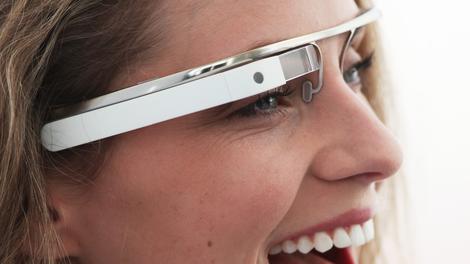
Public sector IT departments already struggling with 'bring your own device' (BYOD) trends look set to be in for a shock when wearable technology takes off in the workplace.
Network experts Ipswitch have discovered that Public Sector Organisations (PSOs) in particular are completely unprepared.
The company made a Freedom of Information (FOI) request, discovering that 85 per cent of PSOs have no advance plan to deal with staff usage of wearables, even if the first and second generation devices are already arriving.
Councils are the worst
Most local councils (88 per cent) had no wearables plan, while 85 per cent of government departments and 83 per cent of NHS trusts had not given it a thought.Strangely, universities, which are normally ahead of businesses when it comes to network technology, had also not thought much about wearable computers with only 76 per cent having a plan in place.
93 per cent of PSOs use network management tools, but only 23 per cent review network performance regularly in working hours. 65 per cent could not tell the difference between wired and wireless devices on their network.
Not bothered
One in eight PSOs never bothered to review their network performance at all. The problem is that the public sector is going to struggle to keep its networks running as BYOD expands with wearables added into the networks, potentially leading to serious performance hiccups and potential security nightmares.Stephen Demianyk, director for UK and Ireland at Ipswitch, said cash-strapped public sector organisations are spending on network management tools offering features that they either do not need, or will never use. This means that they could face a perfect storm of device overload and performance degradation when employees start using wearables to connect to office networks.
- Now discover if wearable computers are any use for business.

| |
Read More ...
Updated: Best Chromebooks: top 5 Chromebooks reviewed
Chromebooks are budget laptops that are both odd and brilliant, low-impact and potent. They focus on what computing has been all about since the late '90s, the web browser, through Google's Chrome operating system. The search giant's OS and mobile computer spec are just a few years old, and already companies like HP, Samsung and Acer have released several models.
What should you look out for in a Chromebook? The majority of these Google laptops use either the same or similar low-power components. This is largely what is behind the unquestionable affordability of these mobile rigs – most of which start under $300.
With low-impact processors and barely HD screens starting at 1366 x 768 resolution, most of these machines are also designed to last. Almost every Chromebook claims between 7 and 9 hours of battery life and comes within a few hours of that range, based on our testing.
However, Google-powered laptops rely on tiny amounts of onboard solid-state storage to keep costs down, starting with 16GB SSDs. To offset the loss, every version of the browser-bound notebook comes with at least 100GB of Google Drive space for two years.
At that point, it all comes down to size (and price), with Chromebooks available as small as 11.6 inches and as large (so far) as 14 inches. Always updated, here are our top-ranking Chromebook reviews:
Dell Chromebook 11 (starting at $279, £159)


The Dell Chromebook 11 is an affordable machine that does not feel or look like it was made on a budget. Compared to its competitors, this Dell falls in line with the specs already set by other Chrome laptops on the market.
At the same time, it also has two USB 3.0 ports. What sets it apart, though, is its impressive longevity, which makes it perfect for anyone who wants to get away from the outlet with a mobile hotspot in tow.
We even recommend checking out what Dell has on offer before the Acer or HP offerings. For school and/or leisure, the Dell Chromebook 11 is a no brainer. For now, Dell leads the Chromebook class with the best-looking and longest-lasting Chrome laptop yet.
- Read our Dell Chromebook 11 review
Toshiba Chromebook (starting at $279, £229)

This laptop isn't super stylish, nor is it the portable powerhouse you're looking for. But what Toshiba managed to accomplish in style and build for under $300 is undoubtedly impressive.
Even for such a low-power system, 6 to 7 hours of endurance is longer than most Windows laptops can claim. Another plus is how quickly the Toshiba Chromebook charges, meaning less time tethered to an outlet overall.
This is the perfect Baby Boomer laptop, not to mention the mileage students would get out of this machine. Looking for an incredibly affordable mobile computer that does, well, what you do most on the computer? This Chromebook is a wise choice.
- Read our Toshiba Chromebook review
Acer C720P Chromebook (starting at $299, £260)

Even at $299, the Acer C720P Chromebook costs way less than most budget laptops, and looks as good as a notebook twice its price. As an affordable laptop, the C720P has a lot to offer: A thin and light design, a snappy keyboard and touchpad, and impressive lasting power.
The notebook's dual-core processor provides more than enough oomph for heavy browsing. Plus, you can browse, write and stream to your heart's content, thanks to a seven-hour battery life. If you want a laptop with a touchscreen and don't use your computer for more than streaming movies, composing documents and browsing the web, the C720P is a fine choice.
- Read our Acer C720P Chromebook review
HP Chromebook 11 (starting at $279, £229)


The HP Chromebook 11 is smooth and usable. While Chrome OS is limited by definition, between us growing more comfortable in web apps and those apps growing in power – and Chrome OS maturing – we're bumping into those limitations far less often.
This laptop is punchy enough to make the experience slick, cheap enough for anyone on a budget (or an impulse buy for the well-off), but something that still feels solid. It is a delight to own and use.
Apple and the other premium manufacturers should look at this little gem of a computer and applaud what has been achieved. The Chromebook 11 shows that it's possible to create a product with a little bit of the magic and joy you get from an Apple laptop without charging four figures for it.
- Read our HP Chromebook 11 review
Acer C720 Chromebook (starting at $199, about £119)

In terms of power and endurance, you can't argue with the Acer C720 Chromebook. When you just want to get on the web quickly to answer emails or look something up, the C720 is ideal. For parents, it's also a perfect "homework machine," as long as you can get a printer hooked up.
This is a true web appliance, a fine system for families. The Google account log-in gives each user a personalized interface, and just a few keystrokes completely wipe the system. That limits the risk substantially in sharing the system with others.
One key criterion we use in evaluating a device is whether we'd actually want to use it every day. Even taking this laptop's flaws into account, it's something we definitely would want to use, for the price.
- Read our Acer C720 Chromebook review

| |
Read More ...
Samsung Galaxy Tab 4 trio up the screens but not the specs

Say hello to the Samsung Galaxy Tab 4 7.0, Galaxy Tab 4 8.0 and the, yep you've guessed it, Galaxy Tab 4 10.1.
The trio of tablets have been officially launched by Samsung after a smattering of rumours, although apart from the screen sizes which you can already probably guess (7-inch, 8-inch and 10.1 inches) there's little to choose between them.
All three sport a 1.2GHz quad-core processor, 1280 x 800 resolution, Android 4.4 KitKat, 1.3MP rear camera, 3MP front facing snapper, 1.5GB of RAM, 16GB internal storage and a microSD slot.
Subtle differences
The Galaxy Tab 4 7.0 also comes in a 8GB variant, and you can pick up a 4G compatible version in all three sizes if you so wish.Samsung has slimmed down the bezels of its new tablets as well as helping them shed some weight, which should make them easier to wield in the hand.
In terms of a Samsung Galaxy Tab 4 release date all the Korean firm has said is that they'll be available during the second quarter of 2014 (Apr-Jun) in both black and white finishes.
We currently don't know the prices of the Galaxy Tab 4 range, but a quick look at the spec list suggests they should be relatively competitive and they'll certainly come in below the firm's new Galaxy Tab Pro selection.
- No need for a tablet? Check out the Samsung Galaxy S5 instead

| |
Read More ...
Microsoft chops Azure prices to compete with Amazon

Microsoft has announced significant price reductions for its Azure cloud service as it attempts to rival Amazon's dominance in the area.
Compute prices will be chopped by up to 35 per cent, while storage prices will be axed by as much as 65 per cent.
The reductions mean that Microsoft has either matched Amazon Web Services prices or dropped them even lower. This fulfils a previous pledge to equal Amazon prices.
Price war
Windows-based Standard A5 is now between 12 to 14 per cent cheaper than Amazon, while the Linux-based version is between 9 and 10 per cent cheaper. There are also reductions in many of its other services.The move is likely to spur Amazon to consider another price drop of its own, and with Google recently slashing prices for its cloud service, there could be a full-on price war.
"We recognize that economics are a primary driver for some customers adopting cloud, and stand by our commitment to match prices and be best-in-class on price performance," Steven Martin, General Manager for Windows Azure said in a blog post.

| |
Read More ...
In Depth: Supercharge your browser: 20 essential add-ons for Chrome, Firefox and IE

Essential add-ons for Chrome, Firefox and IE
There are so many plugins, add-ons, extensions and toolbars available for the major browsers that it can be tempting to simply ignore them all in favour of a easy, uncluttered life.Yet many of these add-ons can be incredibly useful, providing better integration with your favourite web services and plugging gaps in your browser's functionality.
To save you the chore of wading through the Google Chrome, Firefox and Internet Explorer extension galleries, we've picked out 20 of the very best utilities you can get your hands on, and they're all free to use. If you have any plugins of your own to recommend, do let us know in the comments.
1. Buffer
Buffer's primary purpose is to pad out your social media sharing across the day, letting you queue up tweets and Facebook posts. It also makes sharing across multiple networks easy and includes built-in analytics too.
2. LastPass
With browsers now remembering your passwords automatically, you don't need a separate extension... or do you? LastPass offers a huge number of features, including cross-platform compatibility and enhanced security.3. Google Dictionary
On today's modern web, spelling checks and word definitions are never far away, but the Google Dictionary extension for Chrome makes life as easy as possible. Simply double-click on a word to see a definition window pop up.
4. Greasemonkey
Greasemonkey is a website tweaker for Firefox that allows you to use small bits of Javascript to customise your Internet experience. Change YouTube video sizes, hide Facebook chat, block tracking tools and much more.5. Wikipedia Visual Search
This extension adds another option to your list of search providers in Internet Explorer. Wikipedia Visual Search lets you see at a glance the encyclopaedia entries that match your search terms, including a thumbnail picture for easy reference.
6. Pocket
Pocket is a place to save everything you want to look, but don't have time for right now. Using the browser extensions for Chrome and Firefox, and the bookmarklet for IE, you can save articles, images, videos and more.7. Instapaper
If Pocket is a little too loud and flashy for your tastes, try Instapaper. Instapaper converts any online article into a cleanly rendered, minimal page. There's an extension for Chrome, and a bookmarklet for other browsers.
8. Rapportive
Give your Gmail contacts a social media boost with Rapportive, which pulls in details from Facebook, LinkedIn, Skype, Twitter and more to add extra information to the right-hand pane. Firefox and Chrome compatible.9. RSS Subscription Extension
Google Reader may be gone, but the company's RSS Subscription Extension lives on. Install this utility in Chrome to instantly access all of the available feeds on a page, without having to hunt around to find the relevant links.
10. Share on Facebook
Found something you just can't wait to tell friends and family about on Facebook? Share on Facebook is an Internet Explorer Accelerator (a fancy name for an extension), which allows you to share a link or picture from the browser's right-click menu.10 more essential browser add-ons.
11. Click & Clean
Tidy up after yourself with Click & Clean, a browsing history eraser for Chrome or Firefox.
Anything that the websites you've been visiting store locally (whether
your login details or cached images) is deleted on demand.
12. Lazarus
As you may have gathered from the name, Lazarus brings your work back from the dead. If you're filling out a long form or document and your browser crashes, Lazarus can retrieve your data. Lazarus is available for Firefox and Chrome.13. Disconnect
Almost every website out there is trying to track your activity and collect data on you. Disconnect (for Chrome and Firefox) shines some light on this murky practice, giving you more control and speeding up your browsing too.
14. InvisibleHand
Shopping online can be just as much of a chore as trailing down the high street, but InvisibleHand is here to help. It instantly compares prices across 600+ retailers, so you can always get the best price. For Firefox and Chrome.15. DownThemAll
DownThemAll is the essential tool for downloading everything at once from a particular page on the web. This Firefox add-on will scoop up links, images and other types of content. You can pick and choose what to save, or get it all with one click.
16. The Great Suspender
If you're something of a tab hoarder you can quickly end up with dozens of websites open, and that slows your browser down. The Great Suspender extension can temporarily suspend tabs until you need them and free up memory space.17. Chrome To Phone
Send links, pictures, text and just about anything else from your web browser to your Android phone with the Chrome To Phone extension. You'll need to install the Chrome To Phone app on your Android device as well.

18. Shareaholic
Shareaholic lets you instantly share anything you find on the web with your followers on Twitter, Facebook, Instagram, Tumblr and many other networks. The extension is available for all the major browsers.19. Save To Google Drive
Many of you who use Chrome will also use Google's storage platform. The Save to Google Drive add-on lets you save text and images straight to Google Drive from your browser (you would never have guessed with a name like that). HTML pages can be saved as images or in a Google Drive format.
20. PanicButton
If the boss, your other half, your kids or your parents catch you looking at something you shouldn't be, PanicButton hides all of your open Chrome tabs in a flash. There is a Firefox equivalent available from a different developer.- Which browser should you be using?
- Download Google Chrome
- Download Firefox
- Download Internet Explorer
- Download Opera
- Download Safari for Windows and Download Safari for Mac

| |
Read More ...
Review: Readly

Paying for individual items is for the olden times: from Breaking Bad to the new Beck album, we expect to have everything everywhere for a convenient - and low - monthly fee. It works for TV, movies, books and music. But can it work for magazines? Readly hopes so.
Readly's proposition is simple: unlimited magazines for £9.99 per month. It has magazines for anglers and audiophiles, kids and pensioners, high-flyers and home-makers. It has titles dedicated to classic cars and to classic albums. It even has Commando comics.
You can't fault the price, but Readly isn't quite perfect yet...

The catalogue
Readly is rather like WH Smith without the horrible carpets and special offer chocolate bars. You'll find trashy supermarket tabloids and Management Today, InStyle and Cycling Fitness, National Geographic Kids and NME.It's a thoroughly non-techy selection, so while you can read The Lady there's nothing about Linux, and while there's plenty on caravans and motorhomes there's nothing about gaming or Macs.
We were sad to see that many of our favourites were missing: there's no Q or Car, no Total Film or Empire, no T3 or Esquire, no GQ or Red.
With some magazines there's a gap between publication and titles arriving on Readly: for example NME hits the shops on a Wednesday and Chat on a Thursday, but when we looked for the latest issues in Readly on a Friday morning neither publication had been updated.
There was a similar issue with some monthly titles too.
The delay doesn't apply to all publications, though, and the cover date is shown underneath each thumbnail. Some magazines provide back issues too.
It's worth noting that while there's a selection of children's magazines - The Beano, National Geographic Kids and so on - there are no parental controls, so the kids' titles are sharing shelf space with trashy tabloids of the "A POLTERGEIST had SEX with our DOG" variety.

The apps
Readly is available for iPad and iPhone, Android, Windows 8/RT and Kindle Fire/HDX. A web-based app is imminent.The mobile app looks very like Amazon's Kindle app, showing thumbnails of each magazine's front cover. You can sort in three ways - new arrivals first, by title or by most recently read - and you can search for specific titles or browse categories, although some of those categories are currently empty or very sparsely populated.
Downloading is fast, storage demands aren't excessive - after downloading four different magazines, Readly was only taking up 285MB of space on our iPad - and there's a toggle to enable or disable cellular data for when you're out and about or abroad. In a nice touch you can start reading magazines immediately, without waiting for the full issue to download first, and downloaded issues work offline.
Browsing is fast and fluid: it's just like swooping around a photo library, and a thumbnail viewer pops up for easy navigation. If your device is in portrait mode you'll see single pages full screen, and in landscape you'll see half of the page at a time. On a Windows PC you have a choice of one or two-page viewing, with the single page taking up the full screen width. Two-page viewing was illegible on our 1,366 x 768 PC, however, and single-page was massive. It would be nice to set a custom zoom level.
Readly really shines on a tablet with a retina display, where portrait mode is perfectly readable unless the magazine designer's gone small-typeface crazy. Portrait is pointless on phones, though, even retina ones: the text is simply too small.

The reading experience
Readly provides perfect digital versions of printed magazines - and that's its weakness, because those magazines have been designed for print, not pixels.What you're essentially looking at is a picture of each page: text doesn't reflow to fit the screen and layouts don't change from their printed versions. That means two things: a lot of scrolling, and a lot of mysteries.
Take the following NME headline, for example: CONTRIBUTE CANON BUMS. What could it possibly mean? In print it's the second half of a two-page spread headlined "I wanted to contribute to the great canon of classic albums," but when you land on the digital page it's shorn of context and sense.
That happens a lot: again and again we found ourselves seeing only part of the picture. It's faintly annoying on a tablet and utterly frustrating on a phone, like trying to see an entire house by peering through the letterbox.
Scrolling aside, though, Readly is pretty good on tablets - and while it's at its best on a tablet such as the iPad Air, it's perfectly decent on lower-res devices such as iPad minis too.
It's the sort of app you'll love on a long train or plane journey, although for poolside or beachside reading we think you'd be better off with a Kindle Paperwhite.

Verdict
If the magazines you want are in the catalogue, Readly is fantastic value for money: you only need to read a few magazines each month to justify the price and if you're a magazine junkie you'll save a fortune. Is it the future? Hmmmm.While it's nice to save money, Readly is a new price on a fairly old idea: it's really just a pretty image viewer. That's fine, but digital magazines can be so much more.
Wouldn't it be great if Delicious hooked into your recipe manager app, if you could hear the engines roar in Autocar or if you could get a 3D look at the outfits in Look?
Looking again at the big-name omissions from Readly's catalogue, some of the gaps are no doubt contractual, but some are philosophical: for example T3, MacFormat, Total Film and Esquire aren't there, and those titles just happen to have really good iPad apps.
The T3 app is a good example: while it shares content with its inky parent, it's a digital-focused design that doesn't make your eyes go funny on an iPhone.
TechRadar's publisher Future makes print mags, electronic editions and apps of all kinds including some of those mentioned above - but as a fan of both printed magazines and of magazine apps, I can't help feeling that Readly falls uncomfortably between the two.
Reading shrunken facsimiles of magazines isn't as pleasurable as kicking back with the same ones in their printed form, and while these editions are electronic they don't take advantage of any of the fun things digital devices can do.

| |
Read More ...
Blip: Google+ view counter proves that someone, somewhere is actually using Google+

Indulging our social network vanity even further, Google has just added view counts to our Google+ home pages.
The new tally now shows up alongside your follower count, and not only accounts for profile views but also the views of content you've posted. A clever way for Google to use gamification to get people caring about their Plus pages.
However, if you're not keen on the new feature (or ashamed of your numbers) then you can switch it off in your profile settings.
More blips!
These blips deserve plenty of views.- Google wants you to be a Pokemon Master
- Guess what happens when you hit an HTC One M8 with a hammer
- Miley Cyrus, rest assured: Apple's going to make its Emoji more ethnically diverse

| |
Read More ...
Software market grew 4.8 per cent in 2013

The global software market grew by 4.8 per cent in 2013, with Microsoft remaining top dog, according to a new report by Gartner.
Total software revenue last year was $407.3 billion (£244.8 billion, AU$440.9 billion), a decent increase on 2012's intake of $388.5 billion (£233.6 billion, AU$420.6 billion). Growth was strongest in developed markets.
Unsurprisingly, Microsoft held the top slot, with six per cent revenue growth. Its revenue grew from $62 billion (£37.3 billion, AU$67.1 billion) to $65.7 billion (£39.5 billion, AU$71.1 billion).
Oracle knocked IBM out of second place, however, with 3.4 per cent growth, compared to IBM's 1.4 per cent, which set it back to third. Both firms have extremely close revenue, however, at $29.6 billion (£17.8 billion, AU$32 billion) and $29.1 billion (£17.5 billion, AU$31.5 billion) respectively.
Cloud power
The biggest surprise in the top 10 chart is cloud firm Salesforce.com, which jumped from number 12 to number 10, with a whopping 33.3 per cent growth rate, far higher than any other company on the list.Its revenue, which jumped from $2.9 billion (£1.7 billion, AU$3.1 billion) in 2012 to $3.8 billion (£2.3 billion, AU$4.1 billion) in 2013, is still far behind the top four vendors, but if it keeps its growth rate it won't be long before it catches up.
"The software market has been changing shape over the past five years, and cloud is driving the bulk of this change as software vendors acquire and provide applications and infrastructure technology to support the cloud and the Internet of Things (IoT) movement," said Joanne Correia, research vice president at Gartner. "A clear indicator of this is that for the first time we have a pure cloud vendor in the top 10."

| |
Read More ...
Industry voice: How small business owners can ease daily accounting struggles

Even with a return to economic stability, entrepreneurs are faced with a number of pressures to ensure business survival.
The key to longevity is to eradicate common business problems, including day-to-day frustrations such as managing accounts, which can be time consuming and costly due to cumbersome accounting requirements and processes.
So how can you improve your business's accounting efficiencies? Phill highlights a number of ways to simplify daily tasks associated with running a business and to free up your time to focus on core business activities.
Reporting
Small business owners often waste valuable time due to accounts systems which are incapable of sufficiently updating information. In other words, correct data will offer an accurate indication of who owes what.By using a system which allows owners, staff and accountants to look at the same information in real time gives true visibility of cash flow. This in turn secures the company as a whole by informing important business and investment decisions.
Duplication is the root of all evil
It is important that small businesses focus on saving time, improving accuracy and removing duplication of effort. Fundamentally, automating processes such as cash flow and payroll can allow small businesses to save resource whilst also eliminating the risk of mistakes that are caused by human error.Access for all
Ensure your accounts are easily accessible and can be updated by more than one person in the business so they can see an accurate picture of the business finances at any given time.This also allows the bookkeeper, business owner and in fact anyone else in the company who needs to access the accounts to update information in their own time.
One size doesn't always fit all
Customers are individuals and every business is unique. Therefore, don't fall into the trap of working from software that has non-specific accounting processes, as it won't be tailored to your needs or the requirements of the business.For example, the software may contain mandatory fields for data that isn't necessarily applicable to your business, which can result in time being wasted entering information that is redundant.
Keeping on top of things
It is important that business owners keep on top of accounting. Keeping a box of receipts that piles up and is sent to the accountant once or twice a year isn't time or cost effective for anyone.Managing cash flow in the cloud
Cash flow can cause problems for businesses of all shapes and sizes, and can be particularly troublesome for smaller companies.However, moving accounts away from traditional desktop software to cloud solutions such as KashFlow from IRIS, to provide business owners with the flexibility to submit an invoice or receive a full update on cash flow for example, from wherever and whenever.
Setting up and growing any business can incur unexpected costs which can in turn affect your cash flow. This is why cash flow management is absolutely vital to overall business success and without it, your business could be at risk of failing to meet its true potential.
- Phill Robinson is CEO of IRIS Software

| |
Read More ...
Available Tags:Apple , Google , Sony , iPhone , Android , iPhone 6 , Microsoft , Xbox , TV , Samsung , Galaxy , Lenovo , Galaxy Tab , Amazon , Firefox , IE , Google+ , Google+ ,


No comments:
Post a Comment