

Foxtel Play shows it's for the gamers with launch on PS3

Just a few months after Sony released its incredibly successful Playstation 4, the company has shown its ongoing commitment to the last generation by today launching Foxtel Play on the PS3.
The announcement, which conveniently ties into the launch of Game of Thrones Season 4 on the Foxtel Play service, will allow PS3 users to watch both streamed Foxtel shows as well as access the service's catch up TV service.
Foxtel Play is available now on the PS3 via a dedicated app on the cross media bar which can be downloaded via the Playstation Network, while Sony Australia boss Michael Ephraim promised that a version for PS4 would be "coming soon".
More to come
Foxtel Play - which has been available on the Xbox in some way, shape or form since the initial "Foxtel on Xbox" launch - was keen to take advantage of the new partnership, offering new customers a 14 day free trial to the service.The Pay TV service has also introduced a new special pricing for the movies and drama pack, offering all the movies and drama channels for $10 a month for the first 3 months, on top of the $25 starter pack - which will allow customers to access the complete seasons two and three of Game of Thrones, as well as the upcoming season 4, which is a Foxtel exclusive.
But the Foxtel announcement is just a taste, with Ephraim emphasising that there is more on the entertainment streaming service front to come.
Given that we've heard that ABC iView is keen to launch on the next gen platforms - including the PS4 - but is restricted by limited resources, it seems that there's still plenty of room for growth in this space this year.
- Should you buy a PS4 or an Xbox One? This handy guide will help.

     |
Read More ...
No April Fool: Apple adding to Aussie App store pricing

iPad Air and iPhone 5S owners, you might want to go and binge at the app store today. Apple has sent an email to developers that it is increasing the pricing tiers for apps in several countries, including Australia.
The increases, according to Apple, are to account for changes in foreign exchange rates, and will also hit the Indian Rupee, Indonesian Rupiah, Turkish Lira and South African Rand.
On the upside, Israeli Shekels and some price tiers in New Zealand dollars will actually see a price drop.
24 hours to binge
Apple has stated that the changes would happen within 24 hours, meaning there isn't a huge amount of time for iOS users to save money at the current rate.It's the first change we've seen in Australia since 2011, when the price of apps dropped due to the strong Australian dollar.
While there's no indication of exactly how much of a price increase we can expect to see, it's unlikely to be a substantial shift given the relative value of the Australian dollar at the moment.
Via: MacRumors

| |
Read More ...
Review: Dell Chromebook 11 review

Introduction and design
It's official: manufacturers are hot on Chromebooks. Recently, Toshiba came out swinging with it's first browser-powered machine, and now Dell has followed suit. While more laptops is always good news, Chromebooks have grown stagnant, with every model using the same hardware.That's mostly because every unit runs Chrome OS, Google's cloud and browser-focused operating system. Other than some new Google Now implementation and an expanded app store, there has been little change to Chrome OS since it first debuted in May 2011.
Save for the Chromebook Pixel, options across the board largely look the same, with barely HD screens and an emphasis on power-saving components. These are budget machines, after all, so the bar of expectations is set low. So, can Dell break the string of monotony for Chromebooks, and bring something new and exciting to the table?
Design
The Dell Chromebook 11 made a great first impression on me, with a simple yet elegant design. The bulk of the 11.6-inch notebook's outer shell is made up of a charcoal matte plastic, meanwhile, a rubbery black coating covers the outside edge of the screen bezel and keyboard deck as well as partially spilling over the sides of the device.
This surface felt similar to the rubber coating on some smartphones, like the Nexus 5, and it improved my grip on the keyboard's palm rests. The rubbery material also adds a softer, cushioned touch than plain old plastic, which made setting down my wrists on the laptop for long sessions more comfortable.
Together, these two materials meld perfectly together with angled edges on the bottom of the laptop, which makes the notebook appear thinner than it actually is. The sides aren't cut to a knife's edge, like the Samsung ATIV Book 9 2014 Edition, but add some sharp angles to save the laptop from a boringly rectangular design.
There's isn't anything that screams budget about this Chromebook. The Dell Chromebook 11 does not feel much different from some of the company's other Windows machines. Overall, the build quality is solid with minimal flex even in the middle of the keyboard.

Specifications and Performance
Physically, the Dell Chromebook 11 is smack in the middle of other 11.6-inch Chrome laptops, measuring in at 11.6 x 7.9 x 0.97 inches (W x D x H) and weighing 2.9 pounds. It's barely lighter than the 2.97-pound Acer C720P Chromebook, which is also thinner at 11.34 x 8.03 x 0.78 inches. For an even smaller and lightweight machine, you should consider the 11.69 x 7.68 x 0.69-inch HP Chromebook 11 that hits the scale at 2.3 pounds.
Of course, if more screen real estate is your priority, the first Toshiba Chromebook is a tiny bit bulkier with a 13.3-inch screen. Despite the extra glass, the Toshiba model is only marginally larger at 12.9 x 8.9 x 0.8 inches and 3.3 pounds.
Spec sheet
Here's the Dell Chromebook 11 configuration sent to TechRadar:- CPU: 1.40 GHz Intel Celeron 2955U (dual-core, 2MB Cache)
- Graphics: Intel HD Graphics
- RAM: 2GB DDR3L
- Screen: 11.6-inch, 1366 x 768 resolution LCD
- Storage: 16GB SSD (plus 100GB of Google Drive for two years)
- Ports: 2 USB 3.0, HDMI, SD card reader, headphone/mic jack, Kensington lock slot
- Connectivity: 802.11 a/b/g/n Wi-Fi, Bluetooth 4.0
- Camera: 720p HD webcam
- Weight: 2.9 pounds (1,300g)
- Size: 11.6 x 7.9 x 0.97 inches (294.64 x 200.7 x 24.6 mm) (W x D x H)

The Dell also closely resembles the $279 (around £167, AU$309) Toshiba Chromebook and the C720P. Part for part, all the laptops feature the same 1366 x 768 resolution screen and even the same CPU. The only thing that Toshiba has over Dell is a larger 13.3-inch screen.
For this review, TechRadar was given a 2GB version of the Dell Chromebook 11 that costs $279 (about £167, AU$309). The American-branded notebook can be configured with 4GB of RAM – slightly bumping up the price to $299 (about £179, AU$323).
Nigh-immortal battery life
Despite my best efforts to completely run down the battery as quickly as I could, the Dell Chromebook 11 put up an amazing fight for an outstanding 8 hours and 22 minutes. I stress-tested the battery, putting the machine under as much load I could between watching the entirety of Olympus Has Fallen and playing through a few levels of Bastion.
Even under the most intensive loads, the battery meter never dipped below a projected five hours. With regular use – setting the screen at 65% brightness, listening to Spotify, and working on Google Drive – I could easily see the battery life stretching to 10 and even 12 hours by lowering the screen brightness and staying away from YouTube. This is a laptop you can leave the house with and forget the charger.
A Trojan app store
I was impressed with how this Chromebook danced with Bastion without missing a step. Even in a room full of 25 tiny enemies and myself a hammer-wielding tornado, the frame rate never hitched. Unfortunately, though, Bastion is one of very few games that have been officially ported to the Chrome App Store.
The online shop is full of familiar titles like Spelunky and CounterStrike, but these are unofficial ports. Worse yet, some games are thinly masqueraded online advertisements. Other than a few notable titles like From Dust, gaming on this machine – and invariably all Chromebooks – is limited to online Flash games and social games on Facebook.
The same problem stems to photography oriented applications. Online image editors like Photoshop Express and Pixlr have gotten more complex, incorporating layers and allowing you to stack filters, but the actual editing tools are still simple. Users can change the brightness, contrast, and white balance, but these are basic adjustments for images. Anyone used to powerful, yet simple solutions like Lightroom or Apple's Aperture won't find an equivalent app on Chrome OS.

And there's still no way to work with RAW image files in the browser. A few web-based services, like Pics.io, can convert RAW files into JPEGs; after which you can edit the files. That's hardly a sensible solution when working with hundreds of images. Google recently added the ability to work RAW files on the Chromebook itself. However, the built-in image editor failed to recognize any of my images taken with either my Nikon D7000 or Canon 70D.
Brilliant sound, terrible screen
The lack of image editing capabilities on Chrome OS was a bit disappointing, but for the Dell Chromebook 11, this might actually be a good thing. The screen on this cloud-powered laptop displays just about any picture with a bluish tinge, ruining any color accuracy. Low contrast also exacerbates the screen's poor quality, which caused blacks to appear as gray tones no matter how low I set the backlight.
The screen might have it's issues, but I was thoroughly surprised by the quality of this laptop's speakers. Whereas most notebook speakers in this size and price range end up sounding like tin cans, there was barely any of the same hollow tones with the Dell. Rather, the speakers were able to carry high and low tones just like a good pair of Sennheiser headphones, though with slightly less bass than a pair of cans by Beats.
Passing the input standard
There isn't any drama to be seen with the keyboard on this machine, as with most Dell products. All the keys are exactly where you'd expect, without an oddly displaced Tilde or a short Shift key. Chrome OS newcomers might be confused by the lack of a dedicated Caps Lock key, which has been replaced by a search button. But users that want to get back to yelling on the internet can simply turn on the toggle by hitting the Alt and search keys together.
The trackpad on the Dell Chromebook is also great and perfectly sized for sliding the cursor around the 11.6-inch screen. Presses also resound with an audible click, and there is no mushiness that some other budget laptops suffer.
Verdict
The Dell Chromebook 11 is neither a bold new move for Chrome OS nor does it add any revolutionary quirks to the Chromebook hardware. This is simply a solid laptop that's well built and attractive. The Chromebook design has finally settled into a groove, allowing manufacturers like Dell, and more recently Samsung, craft more appealing aesthetics.However, it's clear that Chrome OS has not matured yet. The platform is almost three years old, and still Google needs to clean up the Chrome Web Store – not to mention attract more third-party applications – if it has any hope of appealing its operating system appeal to a wider audience than students and professionals for light office work.
We liked
While there's nothing amazing or unique about the Dell Chromebook 11 on paper, it packs unparalleled battery life for Chrome OS machines. When I first unplugged the laptop and clicked over to the battery meter, I was taken aback. Half a day seemed preposterous, but no matter what sort of tasks I gave the machine, it just chewed them up and bounced back ready for more.There's also a lot to like about the design of the Chromebook. Although it isn't breaking any new ground, the attractive charcoal gray shell with the soft rubbery finish on the laptop's palm rests and edges blend together well to create a suave package. Taking everything into account, Dell did not make many offensive missteps with its first Chromebook; it's exactly the well-crafted laptop you'd expect from the company.
We disliked
Unless you like looking at the world through blue-colored glasses, the Dell Chromebook 11 could definitely use some work on the display front. It's a noticeable tint that makes every photo look cooler than it actually is, and it's even noticeable on most white backgrounds. And though it's no fault on the laptop itself, Chrome OS still isn't a fully featured operating system, and I can only hope more apps will continue to fill out the platform in the future.Final verdict
The Dell Chromebook 11 is an affordable machine that does not feel or look like it was made on a budget. Compared to its competitors, this Dell falls in line with the specs already set by other Chrome laptops on the market. At the same time, it also has two USB 3.0 ports, matching the same record the Toshiba Chromebook set recently in our review. What sets it apart, though, is its impressive longevity, which makes it perfect for anyone who wants to get away from the outlet with a mobile hotspot in tow.I'd highly recommend checking out what Dell has on offer before the Acer C720P Chromebook or HP Chromebook 11. The Toshiba is also a fine choice for anyone who wants a larger screen, and they won't have to worry much about lugging around a larger and heavier machine. For school and/or leisure, the Dell Chromebook 11 is a no brainer. For now, Dell leads the Chromebook class with the best-looking and longest-lasting Chrome laptop yet.

| |
Read More ...
Samsung's next Windows Phone might be outdated by the time it arrives

Word is Samsung is planning to ship a new Windows Phone handset in April, but that it won't be packing Windows Phone 8.1 out of the box.
The major Windows Phone update is expected to arrive during the month, but Samsung's next Windows Phone could be stuck on Windows Phone 8, according to The Verge.
The site spoke with "sources" who said Samsung's new Windows Phone device, previously referred to as "Huron," will be called the Samsung Ativ SE, and that it will ship in April on Verizon.
But while it may not arrive with WP 8.1 already installed, the update will go out for the handset when it's ready; Microsoft has already confirmed that all Windows Phone 8 smartphones will eventually be updated to WP8.1.
Playing favorites
Samsung has focused its efforts on Android lately, with its extremely successful Galaxy S series in many ways becoming the flagship for Google's mobile OS.The Korean company has for months been rumored to have a new Windows Phone in the pipeline, though most reports predicted it would launch with Windows Phone 8.1 this spring.
The Ativ SE is said to be similar in specs to the Galaxy S4, with a 5-inch 1080p display, a 13MP camera, and the same brushed "metal" texture on the back (visible in the image above).
In addition this report says it will sport a quad-core Snapdragon 800 chip, 16GB of storage, 2GB of memory and a microSD slot.
Expect to see much more of the Ativ SE in April.

| |
Read More ...
Blip: Google wants you to be a Pokemon Master

Google Maps just got a little more interesting thanks to the weird and wonderful creatures of Pokemon.
Because it's April Fool's Day soon, Google has released a fun little "build" for Google Maps that lets you become a Pokemon Master.
To play the game, install the latest version of Google Maps on your iPhone or Android device, go to the search bar and click "Press start." You'll have until April 2 since that's when Google will pull the plug.
Check out the video below to see how you can catch 'em all.
More blips!
Want the very best? Catch all the latest blips here.- Guess what happens when you hit an HTC One M8 with a hammer
- Warning: insult people's mothers on Xbox Live, and you will be punished
- Miley Cyrus, rest assured: Apple's going to make its Emoji more ethnically diverse

| |
Read More ...
Rdio, Crackle, VUDU cast away with Chromecast support

Google's inexpensive HDMI dongle is getting even more useful today with the arrival of support from three popular streaming media services that now allow casting on the cheap to an HDTV.
Google's Chrome apps web page has been updated today with the addition of two new services capable casting to the company's $35 (UK£30, about AU$38) Chromecast, with a third stealthily enabling support thanks to weekend updates.
Streaming radio favorite Rdio separately announced Chromecast support, allowing listeners to cast songs, albums, stations and playlists to any HDMI-equipped television, from a Monday update to the company's free iOS and Android apps.
Ad-supported movie and TV show provider Crackle has also jumped into the Chromecast offering with its own updates on Monday, which also offer a number of UI navigation and video playback enhancements on both iOS and Android.
Chromecast voodoo
Although not officially recognized on the Chrome website, Walmart-owned US VOD rental and purchase provider VUDU also fired up Chromecast support over the weekend providing updates across its website, iOS and Android platforms.First teased on the company's official blog earlier this month, Chromecast support allows VUDU fans to stream HDX-quality movie and television content without the need for a set-top box, even from a Chrome web browser on a desktop or laptop with the Google Cast extension installed.
Chromecast support also enables full control over the video playback and closed captions from mobile devices without missing a beat, even while multitasking in other apps at the same time.
Keep in mind that not all available VUDU content is eligible for Chromecast support due to studio licensing restrictions, so be sure to try another title if you don't see the cast icon show up on your first attempt.
- Check out our review of the Chromecast-friendly iPad Air!

| |
Read More ...
Xbox Live and Microsoft Studios to unify as Phil Spencer becomes head of Xbox

Phil Spencer is stepping up to lead the Xbox division at Microsoft, it has been announced, six months after the launch of the Xbox One.
Spencer, previously head of Microsoft Studios, will lead the entire Xbox business, which includes Xbox Live, Music and Video.
"Combining these teams will strengthen the connection between some of the world's most innovative creators and those building the Xbox itself," said Spencer in a statement.
New chapter
Spencer arrives in his new job as the PS4 continues to outpace the Xbox One in sales. He also replaces Don Mattrick who left Microsoft for Zynga last year.Combining the Xbox and Xbox Live teams with Microsoft Studios will be good news for many, particularly developers.
"You will hear much more as we head into E3," added Spencer, "but we are at the beginning of an incredible new chapter for Xbox and I can't wait for the days and years ahead."
- Xbox One - worth a pretty penny?

| |
Read More ...
In Depth: How important is big data?

If you want proof that big data is a big thing, just look at the jobs pages. Inside, you'll find desperate appeals for statistics-savvy data scientists, and the salaries are often eye-watering.
They're evidence that businesses in the UK and beyond are looking at ways of using the data they already collect – whether that's about customers, their industry or about financial markets – with as much efficiency as possible.
Digital markers
Data is everywhere, it's doubling every two years, and it's fast becoming a business' biggest resource. The digital markers we all create – whether a GPS-tagged photo, check-in on Facebook or a click on a website – could last forever.So far, we've got about 1.8 zettabytes of data on planet Earth, but it's how we link up, analyse and use all of this data – and much more besides – that's going to completely change our world. And that means business.
Some say that by mastering big data, companies can stop wasting time on useless initiatives and pitches that go nowhere - and increase margins by a whopping 60 per cent.
Even if it's a fraction of that figure, harnessing big data properly can make the difference between a profitable business and a non-starter.
Big data is big money. ABI Research states that global spending on big data by organisations exceeded US$31 billion in 2013, and will reach a staggering US$114 billion in 2018 – and that includes salaries as well as hardware and software.
It's a data-rich, skills-poor environment at present, but the future will be one of increasingly sophisticated hardware and ever-better data analytics that collect, calculate, predict and much more besides.
The iceberg problem
Unfortunately, big data is scattered. It's estimated that IT departments spend about 70 to 80 per cent of their time maintaining existing systems and databases, largely because there are so many of them.Separate, created for narrow purposes, and often based on databases that don't talk to each other, it's what's known as 'the iceberg problem', where systems can't exchange big data, which therefore goes untapped.
"One of the companies we're working with has 6,670 'icebergs' used by various arms of the business," says Dr Andrew Sutherland, Senior Vice President of Technology at Oracle EMEA.
"Some are very important, each one was built for a reason, and all had and still have a business case; and they were all built by very clever, experienced people – but each application has been built to fulfil one need, and they use completely different databases."
False economy
It's a common problem, but businesses who've invested a lot in such icebergs often don't want to replace them. For a business wanting to embrace big data, that viewpoint represents a false economy.Petabytes of big data are now flooding in to businesses and a consistent, common platform is required, capable of exchanging data and running apps – whatever their source – using only one stack that can be managed, maintained, recovered and backed up as one.
It's all about consolidation. "Whether you're a police force, a gas extractor or a retailer, there will be areas of your business that you want to be able to do more efficiently or cleverly – and you can only do that if you consolidate and simplify your IT, so you can concentrate on the apps that add value to your business," says Sutherland.
One problem here is that there often exist huge teams of IT consultants whose job it is to specify and commission more icebergs; asking them to give their blessing to using one unified, interoperable system that best takes advantage of big data is like asking turkeys to vote for Christmas.
But if you do get big data into one place, what happens to it next?
Machine learning & super-computers
The big data revolution will be led by machine learning and super-computers. They've been called the 'coal in the furnace' of the internet that will drive Web 3.0, but the sole reason for the new generation of artificially intelligent super-computers is the massive rise in personal and business data.Eventually enabling websites and apps to track and predict our every action and desire, super-computers feed off big data.
Reasoning, perception, social and even some degree of cultural awareness are the selling points for Watson, IBM's super-computer that runs on 16 terabytes of RAM, and brings a much-needed injection of artificial intelligence to big data analytics.
Its smart learning DeepQA software is able to search databases, spot patterns and make predictions, which could revolutionise the financial and medical industries, both of which are currently drowning in data.
Big data in medicine
As well as reducing the need for investment bankers, big data analytics could also banish bad decisions by doctors."Watson could be used to search through millions of pages of academic research and drug trials, something a human could never do or keep up with, and in double-quick time," says Joe Peppard, a professor at the European School of Management and Technology in Berlin, Germany, which consults on IT strategy for large corporations.
"It could provide a doctor or nurse with the required diagnosis and even the most appropriate medication plan, having taken into consideration all the latest thinking on any specific health problem."
Call centres streamlined
Such data analysis could also be used to vastly improve call centres, where about 60 per cent of enquiries end in frustration for callers."Watson is able to search a far greater amount of data in a much faster time," says Peppard, "so in many cases it could pre-empt enquiries so that the answer is available before the question has been asked."
"Machine learning, and its application in advanced analytics, is one area that will make both the public and private sectors data-savvier than anything we've seen so far," says Dan Shey, Practice Director at ABI Research.
"Big players such as IBM and HP are understandably moving to this direction, but at the same time we can also see analytics startups, like Ayasdi and Skytree, that have machine learning in their very DNA. Eventually, such innovations will put analytics within any domain expert's reach. At that point, data will stop being big."
Uncovering the Universe
Harnessing big data properly can mean new discoveries and possibilities, and nowhere more so than in deep space.The European Space Agency's Gaia mission to create a complete three-dimensional map of the Milky Way involves taking super hi-res photos of the heavens, but to make any use of this data requires a powerful information system.
Archiving and processing scientific data collected by the Gaia satellite, the Italian National Institute of Astrophysics (INAF) uses a data management system from Oracle to store its "very precious heritage of astronomical data that will have to be stored for the whole 21st century and beyond," says Roberto Morbidelli, Scientific Operation Manager at INAF.
Processing petabytes of big data from Gaia is a huge task, but Oracle has history; it also works with the operator of the Large Hadron Collider, CERN.
The sources and uses of big data in business are now being revealed, but if we know one thing it's that the hyper-efficient collection and analysis of data is already becoming a major tool.
"In five or 10 years' time, big data will not be a source of competitive advantage, it will just be a necessary part of normal business," says Eddie Short, UK and EMEA Leader for Data and Analytics at KPMG Management Consulting. "Without exploiting it, a business will die."

| |
Read More ...
Samsung Galaxy S5's screen dubbed 'the best performing smartphone display'

You may not think that there's much difference between the 5-inch, 441ppi screen on the Galaxy S4 and the 5.1-inch, 432ppi display on the Samsung Galaxy S5.
Both sport the same 1080 x 1920 resolution and boast Super AMOLED technology to ensure a bright, colourful display, but the Galaxy S5 has been shown to perform way above its predecessor.
In fact DisplayMate, who carried out its in-depth screen tests on the S5, S4 and Galaxy Note 3, dubbed the Galaxy S5 "the best performing smartphone display that we have ever tested."
We've got to a point where simply stuffing phones full of higher resolutions and greater pixel densities won't suffice, and this has led manufacturers to develop the technology behind the screens themselves.
Shining star
The handsets were put through a number of tests and the Galaxy S5 was found to be 22% brighter than the S4, and 13% up on the Note 3, while its new super dimmer mode impressed by keeping brightness low, but quality high.There's good news in the battery department too, as DisplayMate found that even though the Galaxy S5's screen is bigger and brighter, it delivered 27% better power efficiency than the Galaxy S4.
Both the HTC One (M8) and Sony Xperia Z2 use LCD display technologies, and DisplayMate reckons the Galaxy S5's OLED screen is around 27% more power efficient than the rival LCD screen tech.
The Samsung Galaxy S5 looks pretty impressive in the screen department and we'll be putting it to the test during our in-depth review, alongside the Xperia Z2 and One (M8) soon. More in depth test results can be found over at DisplayMate.
- But what do we make of the S5? Check our hands on Samsung Galaxy S5 review to find out

| |
Read More ...
State-sponsored hackers reportedly spying on journalists

Government-backed hackers are targeting major news organisations and journalists, according to two Google researchers.
Speaking at the Black Hat hacker's conference in Singapore, Shane Huntley and Morgan Marquis-Boire said that 21 of the top 25 news organizations in the world have been hit, news agency Reuters reports.
The attacks bear all the fingerprints of state-backed hacking and are apparently the actions of foreign governments seeking information.
Accessing data
Several countries around the world, including the US, China, and Russia, are believed to be engaging in hacking to gain information. This is because journalists often keep data on top company personalities and information.Huntley and Marquis-Boire warned that many journalists and news organizations were clueless when it came to the threat.
Huntley said there was a case where Chinese hackers gained access to a news outlet by sending a fake questionnaire over email to journalists.
Most hacks on journalists come through email, the researchers said. Google monitors state-sponsored attacks and immediately warns those who might have fallen victim to a hacking attempt.
VIA The Independent

| |
Read More ...
Vulnerability in Philips smart TVs allows Gmail and file access

A security researcher has identified a vulnerability in Philips smart TVs which could be used by hackers.
The bug, identified by researcher Luigi Auriemma, affects Philips-branded TVs with the Miracast feature, which allows nearby devices to connect to the TV.
A firmware update in December opened a new vulnerability allowing hackers to connect to the TV so long as they are in range and know the default Miracast password, which is, you guessed it, "Miracast."
The newly connected device does not require a PIN number and there is no notice that a new device has connected, letting hackers operate stealthily.
Easy access
One of the most serious repercussions of this vulnerability is that it allows Gmail authentication cookies to be stolen, granting hackers access to a user's email account.It also allows hackers to access data stored on a USB drive connected to the TV.
If that's not bad enough, it also means hackers will have full control of the smart TV and can play any content they want, resulting in some potentially very embarrassing moments.
The bug that created this vulnerability has apparently been known for six months. While Philips takes its time to develop a patch, a simple workaround is to disable the Miracast feature completely.
This latest security loophole highlights one of the major challenges for the Internet of Things.
Via ArsTechnica

| |
Read More ...
Google Now's bill-paying skills to put squeeze on Siri

Slowly but surely, Now is proving to be one of Google's biggest weapons against Apple (just look at Android Wear), and Mountain View looks set to make is predictive assistant even more functional in the next update.
The latest rumour, plucked from the mouth of a source speaking Android Police (and some spotted code), is that Google Now will soon remind you of upcoming bills and offer quick links to pay them online.
On top of that, it's likely that you'll be able to ask Google questions like "what is my next bill?" to see a list of your due payments, be they credit cards or utilities.
This joins rumours that Now will also soon be able to automatically create calendar entries based on mentions of events, and provide contact-based reminders based on your proximity to another person.
- Not got a Nexus 5? You can still enjoy the Now love with the new Google Now launcher

| |
Read More ...
Confusion over AET malware costing firms millions

Research conducted by McAfee has unveiled confusion among security professionals when it comes to dealing with Advanced Evasion Techniques (AETs).
A study conducted by Vanson Bourne surveyed 800 CIOs and security managers from Europe, the US and Africa. It uncovered highly prevalent misunderstanding and misinterpretation of AETs among those responsible for protecting sensitive data.
Using an AET, a hacker can disguise malicious attacks for far longer than usual, allowing them to penetrate further into a company's network before delivering its payload.
Wake up call
More than one in five survey respondents admitted that their company's security had been breached. 40 per cent of those breached also believed that AETs played a key role in those attacks. The average cost of attacks on respondents' networks was around $1 million (£600,000, AU$1.1 million).Nearly 40 per cent of respondents felt that they did not have the methods to properly detect and track AET malware within their network. Almost 70 per cent said that the biggest challenge was convincing their boards that AETs were a serious threat.
"Many organizations are so intent in identifying new malware that they are falling asleep at the wheel toward advanced evasion techniques that can enable malware to circumvent their security defences," said Jon Oltsik, senior principal analyst, Enterprise Strategy Group. "AETs pose a great threat because most security solutions can't detect or stop them. Security professionals and executive managers need to wake up as this is a real and growing threat."

| |
Read More ...
Windows and Office exec Antoine Leblond to leave Microsoft

Microsoft executive Antoine Leblond is reportedly set to leave the company.
That's according to a report by Re/code, which has been verified by TechCrunch. Leblond spent much of his time at Microsoft working in the Office team with Steven Sinofsky and eventually moved to the Windows department with Sinofsky.
In his role as Vice President for Windows Web Services, Leblond worked on the Windows 8 store and cloud services.
Following a reorginisation last year, it has been reported that Leblond was among a number of executives whose roles or futures were unclear. Jon DeVaan and Grant George have also left the company since the reorginisation.
Incredibly excited
"After almost 25 years, I've decided it's time for me to go out and see what the non-Microsoft world has to offer," Leblond was reported as saying an email to employees.He continued: "Every single day I have had here has been amazing in its own way, and I will never look back on all of these years with anything but fondness, pride in what we've accomplished together, and a real appreciation for having been lucky enough to be part of so many awesome things. I am sad to leave all of you, but also incredibly excited for what comes next."

| |
Read More ...
Updated: Best browser 2014: which should you be using?

Best browser: which should you be using?
Back in the old days there was just one browser, and everyone was happy. Okay, maybe not happy, but it was certainly easier to decide which browser to run when the answer was always Netscape.Now, though, it's much more complicated - not least because the big browsers appear to be updated every fourteen minutes and boast more options than the world's most complicated Swiss Army Knife.
So which browser is best for you? Is it the same answer on Windows 8 as Windows XP? Should Mac owners stick with the Apple option or go Google? There's only one way to find out, and that's to put the big browsers head to head and see where they shine or struggle.
We're comparing moving targets, of course: for example, while Firefox 28 is pretty great the incoming Firefox 29, which introduces the new Australis interface, is already available as a beta. To keep our comparisons fair, though, we're sticking with the most recent final releases. On Windows that means Internet Explorer 11, Firefox 28, Chrome 33, Opera 20 and Safari 5.1.7, all available on Windows 8.1.
Best browser for speed
Browsers don't generally feel sluggish any more, but there are still crucial differences in the way they do things, especially web apps. The venerable Sunspider benchmark is a good indication of how well a browser performs under pressure, and the lower the score the faster the browser. At the risk of sounding like an Upworthy headline here: we tested all the major browsers in Sunspider. Their scores may surprise you.- Safari 197.9ms
- Opera 174.4ms
- Chrome165.2ms
- Firefox 157.9ms
- Internet Explorer (desktop)94.7ms
- Internet Explorer (modern)93.1ms

Best browser for add-ons
Firefox has long been the king of this particular category, its combination of add-ons, Pin Tabs for web apps and Greasemonkey scripts making it the power user's friend.Chrome isn't far behind, however, and its reach now extends to your desktop in the form of Chrome Desktop Apps and Google Now notifications, which began rolling out to Chrome users in late March.
Opera has changed its rendering engine and now uses the same technology as Chrome, which means Chromium extensions can work on the Opera browser. Opera's extension gallery is much smaller than Google's, but it's early days and big hitters such as Evernote, Pocket and AdBlock Plus are present. It's also a very nice looking browser; to our eyes it's much, much better looking than its rivals.
Internet Explorer isn't in last place here: that honour goes to Safari, whose extensions gallery is smaller than something very small indeed.

Best browser for Windows 8
As we've already seen, for sheer speed Internet Explorer wins easily over the other browsers. Now that Firefox has dumped its touch-based Modern browser for Windows 8, IE's pretty much the only sensible choice for Windows tablets and touch screens.In desktop mode the picture is cloudier. IE has the speed but there isn't that much in it, both Firefox and Chrome are more expandable and have better synchronisation options. There's essentially nothing to choose between the two IE rivals in terms of speed, so the choice really comes down to which one has the add-ons and synchronisation options you need.
Safari can't cut it in this company: the most recent version, 5.1.7, was released in 2012 and it felt pretty half-arsed then. There's absolutely no reason to consider it now: even Apple's own iCloud Control Panel eschews it in favour of Firefox and Chrome.

Best browser for Windows 7
It's the same story here as it was for Windows 8. Internet Explorer wins on speed, Chrome and Firefox have the edge on expandability, Opera's nicer to look at and Safari's up on bricks with the wheels removed.Best browser for Windows XP and Windows Vista
Internet Explorer takes an early bath here because it only goes back as far as Windows 7. If you want a modern browser on an ageing Windows, our choice would be Chrome. It's good as far back as Windows XP SP2+ and its spec for "optimal" performance is a Pentium 4 with 100MB of disk space and 128MB of RAM. You can buy fridges that are more powerful than that.Best browser: continued
Best browser for OS X
Safari on OS X hasn't suffered the same neglect as its ill-fated Windows sibling. On OS X we're currently on version 7.0.2, which offers iCloud bookmark syncing, shared links from your social media accounts and power optimisation that promises to get more life from your laptop.That doesn't mean it's necessarily the best choice for Mac users, though. On Sunspider, our copy repeatedly took ten minutes to run (benchmarks normally execute in a matter of seconds) and returned a page full of errors. Here's how the other browsers stacked up:
- Chrome 191.8ms
- Opera 190.4ms
- Firefox 185.6ms

Best browser for privacy
All the major browsers have private browsing modes to prevent your partner seeing what you've been surfing or shopping for. But if you're really serious about privacy you'll need to turn to the world of add-ons and extensions such as HTTPS Everywhere, Disconnect or AdBlock Plus.Firefox and Chrome have the edge here, possibly because the kind of people who take security and privacy seriously are the kind of people who want more than just a basic browser. Opera's new Chromium-based extensions include our three examples too. IE isn't entirely extension-free, but its rivals do have a wider selection of tools to cover your tracks.
Best for HTML5
The HTML5test awards up to 555 points for standards compliance: the bigger the score, the more standards compliant the browser is. Chrome is head and shoulders above the competition here, while Safari limps in in sixth and last place.- Chrome 505
- Firefox 448
- Opera 392
- Internet Explorer (modern) 376
- Internet Explorer (desktop) 372
- Safari 260

Best browser for Android
If it's sheer power you're after then Dolphin is the winner here. It's fast, very expandable, packed with features and has a deserved four-and-a-half-star rating after a million and a half user reviews. But it's not the only option. If you don't need Dolphin's many options you'll be perfectly happy with Chrome, and if you're using Firefox on the desktop then Firefox Browser for Android's syncing will keep you happy.Best browser for iPad
Our answer to this one would have been very different if Apple hadn't shipped iOS 7.1. The version of Safari in the previous iOS 7 release was incredibly and frustratingly prone to crashing, the updated one is much more stable (it hasn't bumped us once despite constant daily use).Safari also has one feature rivals can't possibly offer: being the default handler for web links. While other apps have their joys - Dolphin is handy, Chrome ties in nicely with Google's other programs and services and Coast by Opera is nippy - Safari's OS integration gives it an unfair advantage.

- Download Google Chrome
- Download Firefox
- Download Internet Explorer
- Download Opera
- Download Safari for Windows and Download Safari for Mac

| |
Read More ...
Apple's iPhone 6 phablet could be even bigger than expected

It's that time of year again – when the 'next iPhone' rumours start picking up in frequency and, hopefully, more credence. The latest couple, however, are sending out some mixed messages.
An image of what is reportedly the schematic design of the iPhone 6 have been put onto the web by Japanese publication Mac Otakara.
Rumours of two different iPhone 6 handsets being launched – a 4.7-inch and a 5.5-inch – refuse to die, but the first of these images suggests the larger phone will actually measure 5.7 inches.

The 4.7-incher will 66mm wide (the iPhone 5S is 58.6mm) and 70mm thick, while the 5.7-inch iPhone will be 77mm wide and 6.7mm thick.
However, the source claims this is the iPhone 6C, and given the single LED flash and rectangular volume buttons, we'd be surprised if this was the flagship device.
Does this mean there will be two flagships and two Cs as well?
We need to go bigger
But then things get a little confusing. French site NoWhereElse has published a different image sourced from China, showing the back of an alleged iPhone which disagrees with the aforementioned dimensions.This one lists the width at a mammoth 85mm, making it wider than the HTC One Max's 82.5mm body. It would also give the phone a diagonal display measuring 5 inches.
This one feels a lot less likely than the first. It would be a phenomenal jump in size and make for a pretty unwieldy device.
- iPhone 6 - everything you need to know right now
- Via Macrumours

| |
Read More ...
Interview: How Evernote became the elephant in 90 million rooms

Going global
There's been a few famous elephants over the years - from Dumbo's big-eared protagonist to the star of that 90s Rolo commercial.California-based Evernote's logo, a grey elephant, is perhaps the most recognised trunk-toting mammal among fans of cloud-based productivity software in 2014.
More than 90 million people now use the company's digital writing and archiving service, which lets you store, organise and sync text-based 'notes' and other media across desktop and mobile devices.
Not bad for an elephant that's lousy at circus tricks.
According to Linda Kozlowski, head of International Marketing at Evernote, the company's growth is showing no signs of slowing down and is mostly driven by "accelerated word of mouth".
"We still don't do a ton of traditional advertising," she says. "It's more about how we expand on word-of-mouth by spotting patterns and letting users tell us what they're interested in so we can serve those needs."

Going global
Kozlowski believes that it was necessary for the company to develop a global mindset from day one as 73% of its users reside outside of the US.Doing so allowed it to focus on geographical markets, she adds, with one of the first big wins coming after the company added handwriting recognition for 31 languages, as well as Asian character support.
This led to a surge in adoption in Japan and China when combined with the integration of Evernote into LiveScribe's Wifi smartpens in 2010, marking a successful foray into the hardware business.
"The combination of handwriting recognition, new input devices and the ability to capture information on the go using mobile devices proved the perfect formula for us," says Kozlowski. "That merging of physical and digital is where we're going next, and it's where we'll see the innovation."

Inner beauty
As the mnemonic goes, big elephants are supposedly ugly, but Kozlowski maintains that tying Evernote to hardware is all about bringing out the beauty in devices, a practice that has gone missing in recent times."Somehow over the last 20 years there became this artificial separation of software and hardware, which we feel is coming back together," she says. "Those experiences are very important to each other. If you have something that's beautifully designed but doesn't run well, what good is it?"
The company now has a growing list of hardware partners that includes Moleskin and Fujitsu, which have released Evernote-compatible 'Smart Notebooks' and printers respectively.
Evernote is also keeping a keen eye on developments in wearable technology as it treads the hardware path, outing apps for Google Glass and smartwatches, including the Samsung Galaxy Gear.
The app for the latter serves up tailored features such as displaying scheduled reminders with associated notes, and the device's camera lets you upload snapped pictures and recorded audio straight into Evernote.
For Kozlowski, added convenience will be the main benefit offered by wearables (as opposed to, say, taking photographs). Achieving this in a way that "makes sense" has been taken on by the company's Augmented Intelligence unit, she says, which was setup to make the process of using Evernote with products "more natural".

"It's early days, and the only way you can figure it out, the same as everything else, is to jump in at the beginning and learn how people are using them," she says. "Wearables are really interesting in that information can be served up that's relevant to you at that moment, but it has to be done in a way that's elegant and not creepy."
Evernote takes a process-driven view to Augmented Intelligence, Kozlowski adds, comparing the company's strategy around products to how sports companies tap into their customers' long-term ambitions.
"It's like what our Phil [Libin - Evernote's CEO] said about Evernote wanting to be 'Nike for your brain'," she says. "Nike is an example of where you buy a pair of something because you want to be fit. We want you to buy something from Evernote because you want to be smart. That's our ultimate goal."
Business brain
An area the standard version of Evernote hasn't gone into is collaboration as the experience is ultimately a personal, or "inherently anti-social" one, according to Kozlowski. To introduce collaboration, the company launched a separate product, Evernote Business, in 2011.While the interface only features subtle differences, Evernote Business separates personal and business Notebooks while taking advantage of Evernote's global search capabilities to not only locate searchable data, but also suggest potentially useful related information.
"As you're working on projects and typing notes, you can see which colleagues have similar search knowledge, which can save a huge amount of time," says Kozlowski. "It brings the people aspect into focus as you can start to see expertise trends in the company."

Use cases
As with the regular version of Evernote, the business-flavoured option presents equal scope for innovation when it comes to putting the service to use.Kozlowski points to an Evernote Business use case in Korea, where staff at a hospital for the elderly are using iPads to share notes on anything from patients' family backgrounds to their taste in music, lighting and colour preferences - all of which she says are used to provide better care both medically and emotionally.
Other use cases are perhaps less obvious. Buddhist monks in San Francisco use it to manage concepts and thoughts, and it's apparently popular among mining companies which take advantage of its offline capabilities by penning notes below the surface and synching them when hoisted back up.
Additionally, a car garage in Australia gives its mechanics iPads to record videos of repairs being carried out, which are uploaded to Notebooks that are shared with owners of the vehicles in a bid to increase trust.
Aside from its collaborative features, Evernote Business also includes ones not found in the standard version, including a Powerpoint-like presentation mode that displays notes full-screen. The company also partnered with Salesforce.com in 2013 to make Evernote-stored notes and information directly accessible in sales records for faster retrieval.

Consumer-led
Kozlowski says that the company consciously kept a simplistic, consumer-style design for the business product to let workers "do everything in an interface that's as beautifully designed as something that you would invest in for your personal life".In Kozlowski's eyes, simplicity in design, along with the flexibility afforded by the cloud, mirrors the "office of the future" where employees don't have desk phones (instead using mobiles) and aren't tied to stationary PC terminals.
"I think that design will become more important in offices in the same way that it's becoming more important in software," she says. "People want a beautiful environment at work - it's inspiring and makes you think better."
The idea of elegant design and cross-platform support has gained traction recently following the launch of Microsoft's well-received, albeit long-delayed Office for iPad. It also let loose a free version of OneNote for Mac, a software suite often touted as Evernote's closest competitor.
It could be said that serious competition to rival Evernote is long overdue, but Kozlowski is confident that the emergence of new rivals won't keep the company's employees up at night.
"We have a philosophy of not thinking about our competitors, because if we did that we'd forget about what we want to do," she says. "We kinda like the idea of not having to get up in the morning worrying about who we need to compete against."
That may be the case, but keeping its trunk ahead of the competition will always be a top priority for the company. Though challenging, when you're an elephant the size of Evernote, it's far from an impossible tusk.

| |
Read More ...
UK schools to save £840m with new IT programme
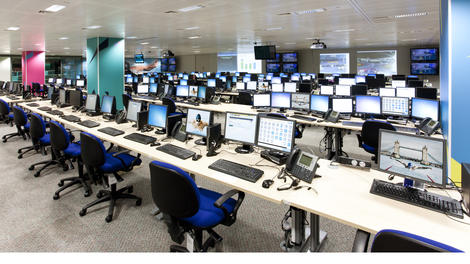
A school and local authority consortium has launched a new IT programme which will save UK schools £840 million (US$1.4 billion, AU$1.5 billion) over the next three years.
The group, London Grid for Learning (LGfL), unveiled TRUSTnet, a digital content and services package powered by Virgin Media Business, which will offer a more efficient IT experience to schools.
The consortium secured a contract worth £1 billion (US$1.7 billion, AU$1.8 billion), which will run until 2028. 23,500 schools are set to benefit from the initiative.
The programme has already saved London schools £100 million (US$170 million, AU$180 million) over the past three years, and is set to save another $840 million across the UK over the next three.
IT bundle
The savings are made by bundling IT infrastructure, services and content all into a single cost-effective package.The bundle includes high-speed broadband, security systems, and learning resources, including cloud-based teaching and video conference parents' days.
"When we established the London Grid for Learning over ten years ago, we couldn't have imagined the impact it would have in enhancing education provision in the capital region – or that we would now be making these benefits available to every school in the country," said Brian Durrant, CEO of the London Grid for Learning Trust.
"TRUSTnet creates the potential for the impact of LGfL to be felt in classrooms across the nation – not only in the services it delivers now, but by supporting innovation in schools' ICT and attainment for learners for years to come."

| |
Read More ...
iPhone 6 could take big leap in resolution as 5.5-inch screen rumoured again

The iPhone 6 may come in both a 4.7-inch and 5.5-inch versions, and it's possible that we've just glimpsed the larger of the two potential displays.
Japan Display has announced a 5.5-inch Quad HD display (1440 x 2560) which will begin mass production in April.
Now, this is of particular interest as Japan Display is one name that's been thrown into the pot of names rumoured to be manufacturing the iPhone 6 display.
I can see clearly now
Japanese publication Nikkei claims that JDI has the job of building these screens and that production will start in the second quarter of the year – which matches the announcement of this 5.5-inch screen.Fanning the flames even more is Nikkei's claim that the new iPhone's resolution "is expected to be significantly higher than that of current models."
QHD ought to do it, though that would be a crazy big jump on the current 640 x 1130 resolution.
Plus, all of this may just be a coincidence, so don't get your hopes of a super-sized QHD iPhone up too high just yet.
- What should the iPhone 6 look like? TechRadar's got it covered

| |
Read More ...
Updated: iOS 8 release date, news and rumors

iOS 8 release date, news and rumors
iOS 7.1 has only just launched but already we're itching for iOS 8 and we're not alone, as rumors of what the new version of Apple's OS might include have started circulating.Enough have dropped for us to start to get an idea of what form iOS 8 might take, so without further ado here's what we've heard so far.
Release date
New versions of iOS tend to get announced at Apple's Worldwide Developers Conference (WWDC) and there's been no suggestion that iOS 8 will break the trend. As yet it's not known when WWDC 2014 will take place, but it normally happens in June.However while iOS 8 will likely be announced then it probably won't actually launch until later in the year, making its debut on the iPhone 6. Again, this is all based on Apple's past iOS launches.
Cut to the chase
What is it? The next iteration of Apple's mobile platform
When is it out? Probably sometime in September 2014
What will it cost? iOS 8 will be a free download
What is it? The next iteration of Apple's mobile platform
When is it out? Probably sometime in September 2014
What will it cost? iOS 8 will be a free download
Healthbook
Apple, like Samsung, seems to be pushing the health and fitness capabilities of its products and the next step of that is likely to come with iOS 8.According to unnamed sources who spoke to 9 to 5 Mac, iOS 8 will come with a new app dubbed Healthbook. Supposedly it will have a similar interface to Passbook, but will track steps taken, distance travelled, calories burned and weight loss.

So in other words it's doing the same job as stand alone fitness trackers like the FitBit Force, which makes sense since Apple already built an M7 motion co-processor into the iPhone 5S to track just those sorts of things, so it might as well make the most of it.
However apparently it will also go way beyond that and track hydration levels, blood pressure, heart rate, blood sugar, nutrition information and respiratory rate, taking it a step beyond existing fitness trackers. 9to5mac has even recreated some images of how the app will supposedly look.

Obviously no existing Apple hardware has the relevant sensors to track most of that stuff, but there's been talk recently that the iPhone 6 might have an array of new sensors, plus some of it may rely on Apple's unconfirmed iWatch.
Apple Maps
Apple Maps has had a bit of a tough time so far. Its launch was as far from smooth as possible and while it's no longer putting train stations in the middle of the sea it still lags some way behind Google's offering.That could be about to change though, as 9 to 5 Mac claims to have spoken to "sources briefed on the plans" and learned that public transport directions for trains, subways and buses will be added to Maps, initially for major US cities, with a wider roll out likely to follow.
The same sources also claim that it will be more accurate than it is now and new points of interest and labels will be added for things like stations and airports.

The appearance of the app has apparently been improved too, making streets more visible. Supposedly Apple is also working on an augmented reality feature, which will allow you to see points of interest on your camera viewfinder, though it's thought that this feature won't make it out in time for iOS 8.
Late last year Apple patented some major new ideas for Maps, which would add a whole new level of interactivity beyond even what's currently rumored.
It would allow users to tap a road for example and see information relevant to just that road, such as any junctions on it, or to tap a restaurant and get a menu.
This functionality might be some way off yet, if it emerges at all, but we live in hope that it might make an appearance in iOS 8.
Siri
Apple could hardly release a new version of iOS without updating everyone's favourite personal assistant.According to tech site The Information, Apple wants Siri to be able to interface with third party apps. Currently it's compatible with a number of popular third party apps, but only because Apple worked directly with the developers to add the functionality.

In future any and all app developers might be able to make their apps compatible with Siri without Apple's help, which would vastly increase Siri's usefulness, allowing you for example to use third party messaging apps and calendars to send messages and set reminders.
There's also talk that Siri might be able to contextually launch specific apps in future, so for example if you start jogging it might automatically launch RunKeeper, rather than you having to ask it to.
iTunes Radio
Apple looks to be putting more weight behind iTunes Radio, if sources speaking to 9 to 5 Mac are to be believed. The sources claim that it will be given a separate app for iOS 8, as currently it's part of the Music app.
Supposedly other than becoming its own app it's going to remain exactly as it is now, which isn't so surprising as it only launched last year, but by giving iTunes Radio its own app it will be more noticeable to users and better positioned to take on other streaming services like Spotify.
Preview and Text Edit
We recently got our first glimpse of what might be iOS 8. Based on the image it unsurprisingly looks a lot like iOS 7, albeit with a few new apps on board.There's an icon for the aforementioned Healthbook and one for Tips, which is likely a user guide, but there are also Preview and Text Edit icons.

If those names sound familiar it's because they're existing pieces of software for OS X, but now seemingly iOS is getting its own versions.
However while the Mac versions are used to edit PDF's, images and text files, the iOS versions are apparently optimized to simply let you view any such documents that you have stored in iCloud.
It's questionable how real this screenshot even is, 9to5Mac claims to have confirmed its veracity with several sources, yet it would be easy to fake, especially as the Text Edit and Preview icons are identical to their Mac counterparts.
App updates
There are whispers of various minor updates to a number of apps. According to an unnamed source the Notification Center is getting streamlined for iOS 8. The update completely removes the "Missed" tab, so everything can be found on either "Today" or "All".The Messages app is apparently having a new option added, to allow you to automatically delete threads after a certain period of time and Voice Memos may be getting a new button arrangement.
Apple is also supposedly removing the requirement for a Lightning cord when using CarPlay, allowing it to work wirelessly instead.
Apps may also be able to better communicate thanks to a new developer API which is rumored to be in testing. Known as an "XPC" service, the API would allow apps to share data, which among other things would hopefully make it easy to keep files synced up across different apps.
Goodbye Game Center
While there are a lot of new things rumored for iOS 8 we might also be losing some things. Apple's Game Center app is rumoured to be for the chopping block according to 9to5Mac, with the functionality being moved directly into games themselves.iOS 8: 10 things we want to see
So we're starting to get an idea of some of the major changes in store for iOS 8, still, there are many other things we'd like to see Apple change by the time iOS 8 rolls around later in 2014 - although in some cases we've got a sneaking suspicion Apple would disagree.1. Change and hide default iOS apps
We'd love to be able to choose non-Apple alternatives for handling email, browsing and maps, but doubt it'll happen. However, Apple not providing the means to hide preinstalled apps you don't use is an irritant that goes back to the very first iPhone.Even if there was a similar 'parental controls' trick for hiding apps to the one on the Apple TV, that'd be good enough.
2. A guest/child account
Apple's mantra is everyone should own their own device. That's lovely, but not everyone's pockets are as deep as those of Apple board members.OS X-style user accounts are unlikely, but it can't be beyond Apple to provide a single-tap child account or a guest account that doesn't affect your settings and data, and doesn't retain settings or data of its own.
3. Better iOS app management
As of iOS 7, Apple automates app updates, but it should go further. Devs wrestle with iCloud app data, but this should be child's play to save and also (optionally) restore whenever you reinstall an app.And the App Store itself should offer trials and paid version updates (rather than devs being forced to use IAP or 'replacement' apps as a workaround).

4. Stronger inter-app communications
One of the weakest elements of iOS is inter-app communication. If a service bumps you to another app, you're not always returned when you've finished performing an action.Worse, when making document edits across several apps workflow can be a nightmare with document copies in various states strewn throughout individual app sandboxes. Hopefully this is set to improve if the new API for data-sharing makes it into iOS 8.
5. Better document management
Following on from the previous point, iOS should introduce at least some kind of centralised access to documents. Right now, Dropbox is a surrogate file system because iCloud is a bunch of silos.It's absurd that you can't easily attach documents within Mail in an OS that boasts a version number of 7. The lack of collaboration opportunities within iCloud document workflow is also disappointing.
6. Group FaceTime calls
This isn't specifically tied to iOS, but Apple's mobile platform is where FaceTime began life, and although the one-to-one model is great, it's about time you could call several people at once, rather than a group having to crowd around an iPhone.7. iOS notifications like in OS X Mavericks
In OS X Mavericks, notifications are interactive - get a message and you can deal with it there and then, rather than leaving the app you're in. This is even more important on iOS, and so we hope Apple adds similar functionality on mobile. Google does it with aplomb, so we want to see the same here.8. More Do Not Disturb options
Do Not Disturb gained extra power in iOS 7, enabling you to silence notifications only when a device is locked. Bizarrely, it still retains only a single schedule though. Is it beyond Apple to enable you to at least set one for weekdays and a separate one for weekends?
9. Better text manipulation
Apple's text-selection, cut, copy and paste seemed elegant when it was introduced, but only compared to disastrous equivalents on competing mobile systems.Today, it comes across as awkward, and it's a barrier to usability for far too many people. We'd like to see a rethink from Apple and more usable and intuitive ways of dealing with text.
10. Two-up apps
We love the focus iOS provides, but there are times when we'd like to work with two apps at once. Much like messing with default apps, we doubt Apple will ever go down this path, but OS X Mavericks now has a more powerful full-screen mode for multiple monitors.So there's perhaps the slightest hope a multi-screen mode might one day arrive for the iPad or a larger iPhone, and would be one in the eye for all those Samsung owners out there.

| |
Read More ...
Teen finds way to save government $400m with font change
A US teenager has discovered a way to save the government $400 million (£240, AU$433 million) per year just by changing the default font used for printing.
14-year-old Suvir Mirchandani from Dorseyville Middle School in Pittsburgh, Pennsylvania contemplated the efficiency of paper handouts as part of his science fair project, resulting in some amazing conclusions, according to CNN.
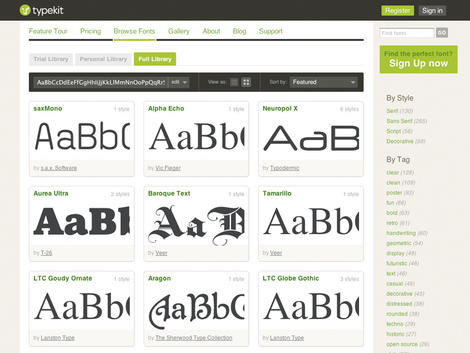
He compared four popular fonts: Times New Roman, Garamond, Century Gothic and the much used and abused Comic Sans, analysing how much ink each one used.
The slightly thinner form of Garamond used 24 per cent less ink than the standard Times New Roman, resulting in significant savings. This partially explains why Garamond is one of the most popular choices for publishers across the globe.
Less ink, big savings
Suvir found that if just his school switched to Garamond, it would save $21,000 (£12,625, AU$23,750) per year. For the Government Printing Office, with a $1.8 billion (£1 billion, AU$1.9 billion) printing budget, that saving jumps to $400 million (£240, AU$433 million).A spokesperson for the Government Printing Office said that it is seeking to be more environmentally friendly by moving information to the web.
The teenager stated that printer ink is twice as expensive as French perfume by volume, making any improvements to the efficiency in this area extremely valuable.
Via Geek.com

| |
Read More ...
Windows Phone 8.1 may launch on April 23 with new hardware in tow

Microsoft's next phone OS, Windows Phone 8.1, is reportedly set to launch on April 23 alongside a handful of new phones.
The news comes from WPCentral which has the inside track with "various sources" who say that this is the case and that the software is already with the phone makers.
Unfortunately these shady tipsters didn't mention exactly which phones we can expect to see announced in April, but it seems likely that at least one will be a Nokia - the Lumia 630 seems a safe bet.
Building up to it
We're hoping that Microsoft will at least give us a Windows Phone 8.1 rundown at this week's Build conference. Since the company is keen on aligning its mobile and desktop software, this doesn't seem outside the realms of possibility.And since Nokia was all "hashtag more Lumia" in its Build 2014 teaser, we'd say it seems pretty likely that Windows Phone 8.1 has something to do with it.
We got a nice glimpse at the Windows Phone 8.1 software supposedly running on the Lumia 630 just last week in a video that showed off the updated interface, new Action Centre notifications and new camera software.

| |
Read More ...
Four-fifths of businesses wary of the cloud in post-Snowden world

In the wake of Edward Snowden's NSA leaks, almost fourt-fifths of IT decision makers are changing how they approach cloud computing.
A survey by NTT Communications found that 88 per cent of respondents have changed how they procure cloud services in the wake of the scandal, with one in three taking a closer look at strategy.
More than a third also said that they are in the process of moving their business' data to locations known to be safe.
The study, which sampled over 1,000 IT decision makers from Europe, Asia and the USA, was undertaken to gain insight on the the after-effects of Snowden's revelations regarding NSA snooping.
Trust issues
Of those not currently using the cloud to store company data, 62 per cent felt that the NSA revelations had prevented them from moving their operations towards it. More than nine out of 10 said that they would only purchase cloud services located in their own region.16 per cent of respondents said that as a result of the leaks they are deliberately delaying or cancelling potential cloud contracts, while 52 per cent are taking extra precautions when looking into which cloud provider to use. 82 per cent of all respondents asked agreed with Angela Merkel's proposal to separate data networks by continent.
Our findings show that the NSA allegations have hardened ICT decision-makers' attitudes towards cloud computing, whether it is modifying procurement policies, scrutinising potential suppliers or taking a heightened interest in where their data is stored," said Len Padilla, vice president of NTT Communications Europe. ""Despite the scandal and global security threat, business executives need to remember that cloud platforms do help firms become more agile, and do help foster technology innovation."

| |
Read More ...
In Depth: Hotel of the future: how your phone will be your room key

Welcome to the hotel of the future
You can check in for your flight on your phone and get a digital boarding pass. So why should you have to show your credit card at hotel reception when they already have your booking details?A few hotels such as Hyatt have put check-in kiosks in the lobby where you can swipe your credit card and get your key, but as NFC locks become more common on hotel doors, you could soon be skipping that step entirely. You could check-in on your phone before you even arrive at the hotel, and then use the NFC chip in your phone as your room door key.
Skip the queue
Travellers could skip the line and walk straight into the hotel and go right to their room. Hotels would appreciate it because not only would it make their customers happier, they would also avoid having to cover the expense of lost and unreturned key cards. Like hotel keycards that are rejected by door locks after your checkout date, the app on your phone would just delete the NFC code for the room when you checked out. You could even do this from your phone, instead of using the TV remote to check your bill and laboriously type in your email address.
Hotels could also offer extra services through the app, like letting you pick a specific room from what's available, so you could choose what floor you want and how close you want to be to the elevator.
Guests could rate specific rooms in the app and you could look back to see if a room you'd been happy with on a previous stay was available. Popular rooms could become like exit row seats on a plane – reserved for frequent travellers or available for an upgrade fee – and the hotel could sell you a room upgrade or a faster internet package at the same time.
Set the temp
You could set the air conditioning temperature at the same time, along with any other room controls. The Aria hotel in Las Vegas already puts a Control4 room control tablet on the nightstand. This lets you open and close the curtains and blackout blinds, change the light levels around the room and choreograph wake-up and goodnight sequences that control the lights, curtains and TV to help you wake up or drop off more easily.
That would be easier on your phone than on the clunky tablet or TV remote, and you could do it whenever you wanted, rather than when you're tired and just want to jump into bed.
Hotels want you to install their phone apps and keep them on your phone after you leave, so they can carry on reaching you with special offers that might keep you coming back. The more useful the app is while you're actually at the hotel, the more likely you are to keep it. And if you have the incentive of a faster check-in, you're more likely to actually install the app.

The app would also let you order room service, book a treatment at the spa or pay for a drink in the hotel bar, not to mention give you a map of where the pool is. Some apps let you book a table at a nearby restaurant – and the hotel gets a cut.
Dual investment
Making phone check-in workable needs two investments by hotels. The first is fitting hotel rooms with NFC. You won't find them in a budget motel like a Travelodge (yet), but NFC locks are already in a wide range of hotels.
Business hotel Hyatts also uses NFC in the room card to send the lift to the right floor for you automatically, which saves time and electricity by putting people going to the same floor in the same lift.
Nordic Choice Hotels was the first chain to let guests select and unlock rooms with an NFC phone back in 2010, and started putting NFC locks into its hotels in 2013. Even mid-price chain hotels like Best Western have them installed in many locations already.

NFC also involves connecting apps up to room management systems that know which rooms have been cleaned and are ready to use. Micro PMS is working on this for its own management service, which is also used by Marriott, Four Seasons, Omni and about 75% of all three-star hotels.
That's what travel app creators like Ve-Go are counting on, but they're going to face stiff competition from hotel brand apps.

Currently the mobile check-in in Marriott's app lets you check-in the day before you arrive. It then gives you a message when your room is ready so you can pick up the pre-made keycard at the reception desk (and check out from your phone at the end of your stay). With NFC, you won't need to stop in the lobby to grab the keycard.
Monkey wrench
The flaw in the plan is the iPhone, which doesn't support NFC. Despite persistent rumours, Apple doesn't seem interested in the technology.
Rather than expecting iPhone users to snap on an NFC-enabling jacket, hotels and hotel lock-makers will probably have to invest in Apple's iBeacon technology to work alongside NFC locks. That's why Starwood is using Bluetooth on your phone as a keycard replacement instead of NFC, although it only has mobile checking at a handful of Aloft hotels so far (it will offer it in high-end W hotels this year).
Because NFC works both for familiar keycards and on phones, it gives hotels more options – but the iPhone is too popular to ignore, even though accommodating it could prove an inconvenience for businesses.

| |
Read More ...
Available Tags:gamers , PS3 , Apple , Dell , Windows Phone , Windows , Google , Xbox , Microsoft , Xbox , Samsung , Galaxy , smartphone , Philips , Gmail , iPhone 6 , iPhone , UK , iPhone 6 , iOS , rumors , Windows Phone , Windows Phone 8 , hardware ,


No comments:
Post a Comment