

GDC 2014: Project Morpheus: What you need to know

Sony took motion-controlled gaming to the next level when it unveiled a slick-looking Oculus Rift competitor at its virtual-reality-focused GDC 2014 press conference.
Project Morpheus is the name of the electronics company's long-rumored VR headset for PS4 and its design looks to be straight out of the Tron: Legacy movie.
More than its futuristic-looking black-and-white color scheme that glows hues of blue, it's what is on the inside that counts: a whole new way to experience games and other video content.
Sony is reaching out to developers, hence the virtual reality headset's presence at GDC 2014, with the hope that its forever-unimpressive PlayStation Move efforts can be coupled with its new Oculus Rift rival.
How Project Morpheus' virtual reality works
Donning the Project Morpheus prototype means literally getting behind a 1080p head-mounted display with a 5-inch LCD panel, 960xRGBx1080 resolution per eye and 90-degree field of view to look around.This compares to the Kickstarter-funded Oculus Rift that boasts a field of view of approximately 110 degrees diagonally. It's a slightly superior figure that's slightly head-turning in more ways than one.
Built-in motion sensors like an accelerometer and gyroscope are tucked into the headset, enabling the virtual world's image to rotate in real-time with the wearer's head movement.
Further head-tracking happens on a third axis when coupled with the all-of-a-sudden useful PlayStation Camera. It looks for Project Morpheus 1,000 times every second and enables full 360 movement without losing track of the headset.
Its sensors don't do all of the work. Movement in games can still be handled with the DualShock 4 controller or PlayStation Move, both of which are compatible with the headset prototype.
There's an HDMI output and USB port, which givers wearers the ability to mirror what they're seeing to a TV screen and opens the door to multiplayer with people who don't have a headset of their own.
A 5 meter cable does tether this device, but Sony expressed interest in making this wireless one day in future models. This is a prototype after all.
Works with glasses, has stereoscopic sound
Most importantly among Project Morpheus specs for some people is that it'll be compatible with glasses. You won't have to endure for a six-month-long wait for a solution like Google Glass users did.Emphasizing that sound is just as important to VR immersion, Sony pointed to new 3D audio technology it has developed for Project Morpheus. Stereoscopic sounds occur in all directions and changes in real-time depending on head orientation.
Project Morpheus game demos
As incredible as virtual reality technology sounds and may even perform at GDC 2014, we're not going to see a Project Morpheus consumer version until content adequate is created.Sony tapped its internal studios to illustrate an immersive game experiences via a God of War 2 stage demo in which players slashed through enemies through the eyes of Kratos.
Seeing through the eyes of your favorite video game character dates back to Wolfenstein, but strapping a 1080p screen while in the first-person perspective should make this experience a little much more up-close-and-personal.
That's the same takeaway that other internal studio intend to mimic. Sony London Studio submerges players a shark-proof cage in "The Deep," while it goes all medieval in the "The Castle" tech demo.
Games that previously existed are taking advantage of this virtual reality technology too. The recently released Thief from Square Enix applies its slower pacing to Project Morpheus and EVE Valkyrie from CCP Games is a natural fit even though it was previously announced to be an Oculus Rift exclusive.
The PlayStation company also flashed 13 familiar third-party publishing and developer tool creating partner logos including ones from heavy-hitters like Epic Games, Crytek, Autodesk and Havok. We're likely to see through the eyes of more game characters down the line.
More than just games
Beyond first-person perspective video games, Sony is partnering with NASA's Jet Propulsion Lab in order to send gamers to Mars via the Curiosity Rover.This technology could give PS4 a distinct advantage over Xbox One thanks to its virtual tour of new worlds that would otherwise require players to go through astronaut training and warp 50 years in the future. It's a new wrinkle to the constantly shifting PS4 vs Xbox One debate.
Sony has actually designed head-mounted displays before Project Morpheus including the personal 3D viewer, the Sony HMZ-T3W. But it lacked the head-shifting content that turned with head movement.
Of course, now that Oculus Rift has peaked gamers' interest, Sony is ready to take its existing form factor to another level.
Project Morpheus price, release date
It's up to developers to create these new experiences with Sony's overused phrasing "sense of presence," but it's also up to the electronic manufacturer to make the Project Morpheus price affordable.Morpheus is currently in prototype form, so there's no price or consumer release date tied to Sony's VR headset. That being said, it's hopefully going to be cheaper than its past hardware in this category.
The HMZ-T3W costs $999 (£1,299, about AU$1,094.20), while the lower-end HMZ-T2 costs $799 (about £999, about AU$875), all of which seem too pricey for gamers for one reason: Oculus Rift.
Oculus Rift, by contrast, is $300 (about £180, AU$329) for the developer unit and although the consumer version price hasn't been announced yet, the startup company claims that it'll be "affordable" too.
Sony is no stranger in making its video game hardware more accessible via low price points. It undercut the Xbox One price for a considerable advantage on stores shelves at launch.
At the right price and with a solid performance, Project Morpheus could give Sony another big advantage over Microsoft's Xbox One, and it looks like we'll find out if it's up to the task at GDC 2014.
- What are PS4's other advantages? Read our PS4 vs Xbox One comparison

     |
Read More ...
GDC 2014: Sony's virtual reality ambitions not causing a rift for Oculus

Sony has announced its PS4 VR headset at GDC, and while many are calling it an Oculus Rift rival, the new tech has at least one surprise supporter.
TechRadar sat down with Oculus CEO Brendan Iribe before Sony's VR plans became official, and before we could get our preface of "So, Sony is rumored to be launching a virtual reality headset tonight..." Iribe chimed in, "We hope so!"
On whether the new headset, revealed as Project Morpheus, is actually good for Oculus Rift, Iribe simply said, "Totally."
"The more people that jump in and validate that this is a real thing and it's gonna happen, the better," he elucidated.
VR in the open
Iribe said that Oculus has taken the stance of being open with people interested and working in the world of virtual reality, not a common occurrence in the cut-throat tech-verse."Normally when there's rumors of competitors or things happening, everybody kind of tightens up and gets a little competitive and fierce," he said. "Certainly competition leads to better innovation in tech products, but in this case it was pretty neat that right from the beginning we said, 'Look, we want to be as open as we can to everybody. We want to be open with anybody that's going to compete or join or develop or do something alongside.'
"So we tried to be very open with a number of people out there who may or may not end up making their own thing. But we wanted to tell them what we were doing completely and what we saw coming and what it would take to make this great. By doing so, our goal was to inspire them to hopefully make something good or as close to as good as to what we were going to come up with so they didn't put something out and market it as mass market VR and have it not be as good as what we know it could be."
Iribe said what followed from this openness olive branch was companies reached out to Oculus and became "really open with us." He wouldn't name names as to who exactly contacted Oculus about their respective VR plans, but he said that his firm now has "a really great relationship with everybody out in the space."
"We've been up front with, 'OK, we might end up doing everything, you might end up doing everything. Let's start talking about how to do this so we all do it as well as we can so this thing really happens.'"

From one GDC to the next
The change in the conversation around VR in a year - from one GDC to another - has been dramatic, Iribe pointed out."At GDC 2013, Oculus was the only [company] around talking about VR. [Valve's Michael] Abrash showed up with a presentation and Valve a little bit [was] hinting that it'd been playing with this.
"This year, there's obviously a lot more people taking about VR. We think within the next year or two, boom! That's going to be hopefully what just about everybody is talking about, especially as it hits the consumer market."

| |
Read More ...
Updated: Sony reveals PS4 VR headset at GDC 2014

Sony has taken the wraps off its PlayStation 4 virtual reality headset at GDC 2014. Shuhei Yoshida wasted little time introducing what everyone had come to see at the "cryptic" Sony session.
The headset is called Project Morpheus, and it's destined for PS4. Yoshida said this is a prototype that's far from finished, and the company is looking for help from the developer community to "innovate with us."
Sony noted it thinks VR as a whole needs to hit six areas to succeed: sight, sound, tracking, control, ease of use and content. Sony marched through various products and services it already has in place that set the stage for a successful VR run. For example, its work with PlaySation Move gives it a leg-up when it comes to control (and you can bet Move is tightly integrated with Morpheus).
Project Morpheus is 3-plus years in the making, and Yoshida said that the headset is designed to "push the boundaries of play." Since it's a prototype, we're not expecting to hear any details on price or a consumer release date, but we'll let you know if that information arises.

PS4 VR headset specs
The dev kit has a few key specs Sony called attention to. The display is 1080p and it has a 90+ degree field of view. The Oculus Rift's field of view, by comparison, is approximately 110 degrees diagonally.These sight specs aren't final, but are "at a stage we can share" with developers, said Sony's Anton Mikhailov. Tracking is based on PS Move, and the headset uses the same camera as the DualShock 4 and PS Move, Sony said.
The company is tight-lipped about final specs. When asked about its frame rate, latency and a release date, Mikhailov replied, "highest frame rate we can get, lowest latency we can get and get out as soon as possible." He added, "for as low as we can get."
As for the name, Yoshida said Sony landed on it last week, which drew laughs from the crowd. Mikhailov elaborated that Morpheus comes from the god of dreams, and the hope is the headset produces another world akin to a dreaming.
VR realized
Yoshida gave a shout out to Oculus VR during his presentation, and said Sony was inspired by how developers responded to Oculus Rift to push virtual reality forward.The big man at Sony himself acted as a guinea pig for the headset, and he showed a pair of slides in which he was wearing early version of the Project Morpheus. The first, from 2010, was equipped with a Project Move controller.

Sony said that it needs the support of the development community to realize the full potential of VR.
The company is already working with partners like Unity, Epic, and Havok to develop virtual reality content, and it plans to create a content development and delivery system similar to what it already has in place for PlayStation.
Sony's Anton Mikhailov explained that virtual reality could be used for more than just games, such as virtual tourism and interactive media. That being said, Mikhailov admitted "games are still the best."
More to follow...

| |
Read More ...
Chromecast launches in the UK with iPlayer and Netflix support

Google has finally rolled out its Chromecast media streaming device to the UK, streaming the likes of the BBC iPlayer, Netflix and Google's own Play Movies and YouTube to your television for £30.
The Chromecast dongle launched in the US in July last year, but has now made it across the Atlantic where it will compete directly with similar products from Sky in Now TV, Apple TV and Roku.
The hardware plugs into your HDMI point and connects to your Wi-Fi to stream programmes from a range of services that in the UK will include the just-announced iPlayer.
That means that you can stream anything from the Beeb and Netflix direct to your TV at a quality that suits your connection speed, and also YouTube videos, movies and TV you have bought on Google Play and various music services.
More to come
Google promises that content from more partners will be added on an ongoing basis as it looks to establish the service.There are some obvious key channels missing from the service at launch, notably Amazon Prime Instant Video (the new Lovefilm), Sky's popular Now TV streaming service and offerings from the UK's other major channels Channel 4, Five and, of course, ITV.
We have already had word from Sky - who reiterated their stance that they are "always looking at potential distribution platforms for NOW TV - including Chromecast"
There is also no support for iTunes purchases for those on Apple devices with content they would like to stream.
Cast your net
The Chromecast does have a further potentially killer app, however, allowing you to use your computer, tablet or phone to 'cast' some content and pages to your television via your browser.Google has recently opened out the Chromecast to developers, which should see a wealth of new content and functionality arrive for the device.
There's no remote control for Chromecast so you'll need to use a device or computer as a remote control for the device once you are set up.
The Chromecast is available now from Google Play, Amazon, Curry's and PC World.

| |
Read More ...
GDC 2014: Xbox One plays nice with the little guy, gains 25 new games

The Xbox One and independent developer relationship got off to a rocky start, but Redmond has, bit by bit, done what it can to woo back the indie crowd.
It's latest play is the announcement of 25 titles published through the ID@Xbox program that are headed to its marquee game console.
Calling this "the midst of a golden age of independent games," Microsoft's independent developers publishing arms, or ID@Xbox, dropped the news at GDC, a mecca for smaller houses and publisher-less devs.
"Since we first announced the program in August [2013], we've been working closely with developers to bring a diverse array of independent games to Xbox One," said ID@Xbox Games Director Chris Charla in a press release.
Xbox One gobbles up games
The titles originate from nine countries, and include newcomers such as It Draws a Red Box and FRU. Current "fan favorites" being brought to the Xbox One platform include Strike Suite Zero and Divekick.Other indie titles include Nutjitsu, 1001 Spikes, Guacamelee Super Turbo Championship Edition (we're partial to the name), and Riptide GP2.
There's no specific release dates for any of the games, but consumers can expect them in the Xbox store "in the coming weeks."
Microsoft said that since ID@Xbox launched, more than 200 developers have received Xbox One development kits.
The company's stance towards independent developers has evolved since the console was announced in May 2013. One of its biggest shifts was to allow self-publishing, an "Xbox 180" it pulled in July.

| |
Read More ...
Updated: Oculus Rift breaks away from virtual reality alliance

Update: We spoke with an Oculus representative who essentially said the affiliation with the ITA was a mistake. Though both companies have had a history together, Oculus does not not see itself as part of the new organization:
"There was confusion on Monday whether Oculus was a member of the Immersive Technology Alliance. We've spoken with ITA's leadership and clarified that we are not, and have not been, involved with the initiative.
We appreciate the ITA moving so quickly to correct their website and media to reflect this."
Original story ...
Oculus is one of the largest names in virtual reality but has separated from the freshly renamed Immersive Technology Alliance.
Oculus notified the ITA on March 15, 2014 - just days before GDC began - that it was pulling away from the group. Neil Schneider, executive director of the ITA reiterated during the conference meeting that the alliance is still unsure why Oculus decided to separate.
There are reports with Oculus claiming it was never part of the ITA to begin with - however the ITA provided a run down of Palmer Luckey's involvement with the group before when it was the Stereoscopic 3D Gaming Alliance noting that he was a frequent moderator. It's also known that Luckey met John Carmack when still part of S3DGA.
Luckey was invited to join the group's first meeting at GDC but declined due to a time conflict.
Unhappy VR campers?
The ITA seems to be taking Oculus's departure with a heavy heart with Schneider stating "We think highly of Oculus and we want them to be part of this alliance. [They are] very much part of this industry."However this was said after a few barbs from a panelist were thrown in Oculus's direction about how VR companies need to be "accountable for each other" and work together within the alliance.
The presentation also contained notes stating the ITA's need to take VR to the next level - without solely depending on one company:
"It's unrealistic to expect Oculus VR to drive the VR revolution - Our industry can't afford to be dependent on one manufacturer and their whims."
It appears there were definitely differences causing the separation where neither camp wants disclose further information.
Room for other VR stars to shine?
With Oculus out of the picture, the alliance remained eager to continue promoting its other members during the meeting.CastAR, Prio VR, Avegant, Middle VR, Epson, Vrelia, FPS Creator and Gameface Labs were on hand to show off hardware, tout the importance of VR software and discuss investors.
The future of VR is indeed brimming with possibility and will only continue to grow within the Immersive Technology Alliance - and likely outside of it thanks to big names like Sony who's supposedly unveiling its own device this week.

| |
Read More ...
In Depth: Google Android Wear: what you need to know

On the same day Apple is tinkering with last-generation iPad 4 and iPhone 5C technology, Google is busy designing the future with a wearable version of its Android operating system.
Android Wear is a new platform that extends the company's leading software to smartwatches, fulfilling the SXSW promise Android head Sundar Pichai made about the push for Google-powered wearables. In fact, he personally penned the announcement.
Pichai explained that these app-driven time pieces understand the context of the world around you with timely messages and reminders beamed directly to your wrist.
Convenient Google Now notifications are literally on hand thanks to Android Wear, and the ability to seek out additional information outfits everyone with the all-encompassing power of Google.
What Android Wear does
Android Wear is intended to provide "information that moves with you" and puts the entire world inches from your suddenly-free fingertips.It doesn't just tell the time. The wearable operating system makes suggestions based on time and it factors location into its context-sensitive data.
The best everyday habit example involves riding on a bus and seeing a Google Maps-powered notification countdown to an unfamiliar destination. "4 stops to: Jackson St." intelligently reads the watch. The guessing game is taken out of a public transit commute.

The new technology can also tip off wearers to dangers that lurk, as demonstrated in Google's first Android Wear video. A "Jellyfish warning" prompt can be seen with a surfer's flick of the wrist.
A relevant list of nearby beaches saves the video's early adopters who can surf without worrying about the sting of the boneless and brainless ocean creature.
All of a sudden, digging a rectangular smartphone out of your pocket and pulling up a much more involved map or notification app seems so pedestrian.
Making time for families
Google seeds the idea that Android Wear can alleviate our addiction to smartphones in an effort to make more time and eye-contact with our families.
A parent is able to attend breakfast with his family while keeping a close eye on the estimated commute time to work thanks to an on-wrist Google Now notification.
"No surprises" is the unofficial goal of Android Wear. Leaving too early and breezing through traffic would have filled this parent with breakfast-skipping regret. Leaving too late would've started his day with traffic-influenced anxiety.
'Okay Google' on the wrist
Even more touching is the dad who receives a Google Hangouts message right on his Android Wear smartwatch while bathing his son. "Dude, this game is insane!" writes the token friend who doesn't have such responsibilities.The dad doesn't run to a TV or have to awkwardly palm his smartphone with soapy hands for an update. "Okay Google, what's the Syracuse score?" he asks his watch without pressing a button.

A scorecard of 28-27, naturally in favor of his college basketball team, pops up. He cheesily shouts "Yay" while raising his hands. His young, halfway washed son does the same without us knowing if he really knows why. He could easily be cheering for having more time with his dad.
The increasingly familiar "Okay Google" voice prompt opens up a world of possibilities beyond sports score updates. Android Wear smartwatches can handle questions like, "How many calories are in an avocado?" to more personal queries like, "What time does my flight leave?"
"Okay Google" can also accomplish tasks outsourced from a smartphone. Calling a taxi, making restaurant reservations, setting alarms and sending - not just receiving - texts is all possible to do hands-free with the Android Wear operating system.
Fitness and other uses
Google's Android Wear smartwatches can solve everyone's pesky pedometer gripes, whether it's always losing the easy-to-misplace device or not having it on you at all times.This should remedy the problem we have with Samsung's S-Health app in Galaxy S4 and the forthcoming Galaxy S5. These phones aren't on us all the time and therefore robbing us of our workout goal.

Latching a smartwatch to our wrist can count every step and chart whether or not we're meeting our exercise goals. Google promises that it'll connect to our favorite fitness apps for real-time speed, distance and time data while walking, running and cycling.
The company multitasks in demonstrating Android Wear fitness capabilities with a woman who runs to the boarding line for a departing flight. She's able to keep count of calories burned while flashing a QR code in front of the airline employee in order to board the flight.
Google's Android Wear introduction video also illustrates how music on another device can be activated through an Android Wear watch.
Calling it "key to a multiscreen world," the watch promises to cast movies to a TV, presumably with its inexpensive Chromecast streaming device, and the video hints at the ability to open garage doors with smart home connectivity.
"There's a lot of possibilities here so we're eager to see what developers build," wrote Pichai toward the end of his announcement post.
Android Wear smartwatches so far
The Android Wear smartwatch selection is limited at the moment with LG and Motorola showing off their respective designs. Samsung, HTC, Asus and Fossil are confirmed to have something up their sleeves.The Moto 360 was front-and-center in the smartwatch announcement, even though Google has offloaded Motorola to Lenovo. There's good reason for highlighting this time piece: it's ambitious.

As the name suggests, Moto 360 has a beautiful circular face that contrasts with other watches we've seen like the square Pebble Steel and wrist-conforming Samsung Gear Fit.
It blends a sophisticated-looking digital watchface with familiar Android menus like Google Now and Hangouts messages. Motorola is promising just-as-adult premium strap materials that remain comfortable.
The company promises a variety of styles when it ships globally later this summer, starting in the US. To that point, we gleaned both a metal and flexible rubber wristband from the Moto 360 prototype render.

LG has said less about its Android Wear smartwatch, dubbed the LG G Watch that looks like a typo with too many Gs. Just as awkward is the fact that the Moto 360 dissed the square face of smartwatches in its announcement when that happens to be the exact look of the G Watch.
LG will be able to prove that it's hip to be square in the second quarter of 2014, right alongside the circular Moto 360.
Where Android Wear stands
Android Wear shows more promise on day one than Google Glass has in its year of availability because it's not a stretch to imagine donning Moto 360 or the LG G Watch.There are still plenty of questions left to be answered like what are the Android Wear smartwatch specs, how long is the battery life and cost. Google can own the wrist, like it's starting to control the TV apps ecosystem with its inexpensive Chromecast, if the price is right.

Then there's the question of iOS compatibility. Would this Android-powered watch ever be able to connect to an iOS device? Google has made plenty of its gadgets, app and services work with Apple's iPhone and iPad hardware.
We're looking forward to seeing how natural the "Okay Google" voice commands turn out, whether or not some of the watches will be waterproof and if Nest creates an Android Wear project of its own.
Expect to hear more about Android Wear and see the unveiling of the first Wear apps at the company's Google IO 2014 conference in June. More details will literally be on hand then.

| |
Read More ...
GDC 2014: Unity 5 engine unveiled with better lighting, sound and browser gaming

Unity is one of the gaming industry's most robust cross-platform engines, and it's been used to create titles such as Shadowgun, Bad Piggies and Gone Home. Now, it's getting an attractive new version 5 update.
Unity 5 is officially up for pre-order for developers. Once new games start getting built with the improved engine, players can expect higher quality characters and environments thanks to better lighting and shading.
The latest engine brings improvements to dynamic lighting such as a torch or a moving sun. Unity 5 also adds better shadows and reflections to make graphics look more realistic.
Beyond visuals, Unity claims it has overhauled its sound system to allow developers to tune sound profiles, so next time your bad piggy might make a different sounding squeal when it's rolling down a tunnel versus when it rode a rocket-powered skateboard.
Cross everything
Overall, gamers should expect some nice upgrades in visual and audio fidelity with Unity games. But as the engine is cross-platform, the Unity folks haven't forgotten to make it accommodating for all sorts of devices.Falling in line with Epic's recent move to add more browser gaming to Firefox, Unity is also working with Mozilla to make plugin-free gaming. With WebGL and asm.js support added directly to Unity, gamers will be able to play games such as Dead Trigger 2 over the web without having to download anything or go through a client.
In a smaller tweak, Unity 5 is also 64-bit, which should allow games to access more memory on everything from gaming PCs to consoles to 64-bit processor powered smartphones.

| |
Read More ...
Next Xbox One update to focus on social with addition of friend notifications

The next planned update for Microsoft's Xbox One console will see the long-awaited introduction of friend notifications, as the company seeks to improve the social skills of its next-gen console.
The April update, currently on the way to Beta testers, will allow users to see when their friends and favourites sign on to Xbox Live, while also showing which are involved in multiplayer games.
The bump will also allow Xbox One owners to see their friends' favourite applications.
Beyond the social upgrades, Microsoft is also improving the video quality of the GameDVR feature, while the process of fine tuning Kinect voice and motion will continue with the April update.
No more Blu-ray Hz for EU
There's also a fix for users in Europe who've experienced screen judder when watching Blu-ray discs at 50Hz, as opposed to the 60Hz native in the United States. As a result Blu-ray output at 50Hz has been enabled.The update isn't as large as that which appeared earlier this month in order to prepare the console for Titanfall, but it still brings a host of significant improvements to the table.
The company hasn't said as much, but it appears that monthly updates will be an ongoing trend, while Microsoft seeks to perfect the next-gen experience and reel in the PS4's sizeable early lead.
Are you one of the Beta testers receiving the new dashboard update earlier? Let us know your thoughts on the tweaks and improvements in the comments section below.

| |
Read More ...
Google Voice app could be set for the chop with Hangouts to reap rewards

Google Hangouts has become a pretty versatile communications tool since its introduction last year, allowing instant messaging, picture sharing, video and voice chat.
Now, according to reports, the web and mobile giant is about to add the final piece of the puzzle, by totally integrating it's Google Voice service, which allows free domestic and cheap international VoIP calls using a Google Voice number.
9to5Google claims the existing Voice app, which hasn't gravitated beyond the U.S. will be "dragged to the trash" with the functionality consolidated into to Hangouts, making that a one stop shop for all communications needs.
To a certain extent, this functionality already exists within the iOS app, but strangely not the Android version of Google Hangouts.
Hang on a minute...
Any Google Voice integration would make Hangouts much more of a Skype competitor than it currently is, but whether mobile carriers would be too thrilled remains to be seen.Some networks choose to restrict VoIP services over mobile data, something both Apple has experienced with FaceTime video and voice calls.
The original report doesn't reference a timeline for the change, but it stands to reason that this summer's Google I/O conference may be as good a time as any.
So far, the sentiment from Google fans seems to be: "Just as long as I don't lose my Google Voice number I'll be okay with it," so we'll see what the company has in store.
Google in 2014: What to expect

| |
Read More ...
Key Apple supplier reportedly buckling up for iPhone 6 production

Taiwan's Pegatron Corporation, a key player in the assembly Apple iPhones and iPads, is reportedly gearing up to manufacture the new iPhone 6.
The Commercial Times has word that the manufacturer has opened up a new factory space on the outskirts of Shanghai at Kunshan. Along with the new facility, Pegatron is also said to be in the midst of a hiring spree to fill the imminent iPhone 6 orders.
The newspaper claims this burst of activity is to prepare for iPhone 6 production, which should begin in the second quarter, according to sources the paper wouldn't identify. The report also didn't specify an exact timeline for the release of Apple's new flagship handset.
In addition to Pegatron, Hon Hai Precision Industry (otherwise known as Foxconn) will be another main iPhone manufacturer, the Commercial Times said.
Things are shaping up
This isn't the first time we've heard early reports about iPhone 6 production. Previously, Taiwanese newspapers reported that the chip manufacturers behind the iPhone 6's A8 mobile processor were also planning to ramp up production for the second quarter.With everything we know about the new iPhone, Apple seems to be pulling all the stops to make version six the smartest phone yet with an array of new sensors. Paired with the new built-in Healthbook app, the iPhone 6 is shaping up to be an activity-minded smartphone that may sync up with the iWatch.
But there's still plenty we don't know about the iPhone 6, including what type of screen the smartphone will have. Earlier it seemed as if Apple's new handset might get tougher than Gorilla Glass with a sapphire crystal display, but those rumors were quickly squashed by other sources saying the iWatch would actually receive the harder glass.
- A new iPhone also means iOS 8: here's a couple of things we'd like to see

| |
Read More ...
Sponsored: Five reasons to make the Lenovo ThinkPad X1 Carbon your next business ultrabook

From heavy workloads to long hours and demanding schedules, the modern working environment can be tough. That's why owning a dependable business ultrabook is a must, whether you're a seasoned pro or gearing up for the first day on the job.
Like you, the Lenovo ThinkPadX1 Carbon has been built togo the distance. The latest model to hit Lenovo's highly-regarded ThinkPad rangeof business-focused laptops,it looks the part while packing the latest features that the industry has to offer.
Whether you're looking to replace your current laptop or seeking a best-in-class upgrade, here's five reasons why the Lenovo ThinkPad X1 Carbon fits the bill.
5. It's flexible, just like you
The ThinkPad X1 Carbon has been built with flexibility in mind. Whether you're in the boardroom orboardinga train to a business meeting, its sharp 300 nits display makes reading in brightly-lit conditions a breeze.Available with a 2560x1440 or 1600x900 pixel resolution,the 14-inch display provides ample room for snapping spreadsheets or other apps side-by-side, and its ability to fold back nearly 180 degrees makes sharing content with co-workers easy.
It has 10-point touch too, providing a whole new element of interaction that won't grease up your screen thanks to its anti-smudge coating.
You won't have to worry about running out of battery life either thanks to the ultrabook's nine-hour battery life, and if you do run low, find a plug and Lenovo's RapidCharge technology will juice it back up to 80% in just under an hour.
Thankfully, that rapid charging won't make the new X1 Carbon hotter than the sun as Lenovo has re-engineered the patented fan blades inside to provide cool and quiet performance.
4. It's lightweight, but heavy on style
If business ultrabooks are supposed to look and feel dull, the ThinkPad X1 Carbon never received the memo. With the ThinkPad X1 Carbon, you're not just in business, you're in the business of style.Drawing its traits from the chemical element it shares its name with, the ThinkPad X1 Carbon is constructed with satellite-grade carbon fiber, making it the toughest ThinkPad ever made.
Its toughness is such that the laptop excelled duringeight extreme military tests conducted on it by Lenovo that tested resilience to dust, vibration, heat, cold, altitude, water and humidity.
But don't think that durability weighs it down: at a lightweight 1.28kg, the ThinkPad X1 Carbon is one of the lightest Ultrabooks on the planet. Somehow, it manages to be the thinnest ThinkPad ever too, measuring just 17.72mm thin.
3. Its keyboard adapts to help you thrive
Where other laptops feature a standard keyboard that hasn't changed much since the mid 90s, the ThinkPad X1 Carbon's unique Adaptive Keyboard automatically changes the row of function keys depending on what application you're using.The keyboard's lit-up capacitive buttons providea constantly evolving experience that adapts to how you work, speeding up your workflow. Better still, it gives developers the ability to program functions into their applications that will only work with the X1 Carbon's keyboard, giving you unique additional functionality.
The full-sized QWERTY keyboard is also spill resistantand features a track pointer that you can use to navigate Windows as an alternative to the roomy built-in trackpad or in the absence of a mouse.
2. It puts you in control... as a gesture
In addition to the keyboard, trackpad or a mouse, the ThinkPad X1 Carbon lets you use built-in hand control gestures to navigate and control Windows.Whether you're out in the field getting your hands grubby or simply want to take advantage of the speed and convenience this affords, it lets you use your hands to gain the upper hand.
Simply switch on the ultrabook's camera using a key on the Adaptive Keyboard and you can perform one of 10 different gestures, which allows you to do anything from skipping media tracks to muting audio or flipping backwards and forwards between presentations.
1. It's more secure than Fort Knox
Security is paramount to any organization, and there are few scenarios worse than losing an ultrabook full of confidential business information while out in the field.To bulk up on security, the new X1 Carbon is available with a fingerprint reader, providing top-class biometric protection that lets you login using your fingerprint as a password.
Additionally, Intel security features and vPro up protection even more while enhancing manageability when deploying upgrades. For even more peace of mind, a Trusted Platform Module (TPM) chip can be embedded inside to further encrypt the critical information that you can't afford to lose.
If you're looking for the Fort Knox of business ultrabooks, look no further than the Lenovo ThinkPad X1 Carbon.

| |
Read More ...
Facebook's 'DeepFace' software matches faces almost as well as humans

Show most any adult human two different photographs of another person and they'll be able to match them with nearly 100 percent accuracy - the kind of results Facebook's latest research software is also zeroing in on.
Technology Review reported Monday (via TechCrunch) that Facebook has developed new facial verification software capable of matching the same person correctly nearly every time, regardless of whether the subject is actually facing the camera.
Using new artificial intelligence technology known as "deep learning," researchers working for the social network have managed to reach a 97.25 percent accuracy, even with images where the lightning is different.
Those results compare favorably to human beings, who are said to match two different images of the same person with a typical 97.53 degree of accuracy.
About (Deep)Face
"You normally don't see that sort of improvement. We closely approach human performance," explains Facebook AI team member Yaniv Taigman, noting the latest software has eliminated nearly one quarter of facial matching errors found in earlier versions.DeepFace uses "facial verification" software to match two different images where the same face appears, rather than focus on the relatively easier task of only recognizing a person based on their facial characteristics.
The new software accomplishes this task in two steps: First by correcting the angle to make the subject face forward, then by applying deep learning from a "simulated neural network" to a 3-D model until the software is satisfied both images are from the same face.
Facebook launched its research group late last year to help increase the accuracy of faces tagged on the social network and one day offering such improvements as automatically suggesting tags whenever users upload new photos.
- Is it "game on" for Xbox One? Find out in our full review!

| |
Read More ...
Motorola's Moto 360 is one of the first Android Wear smartwatches

Not to be confused with the Xbox of the same name, the Moto 360 is Motorola's new smartwatch, and one of the first to be announced with Android Wear.
Android Wear is Google's just-announced new mobile operating system spin-off, a modified version of Android designed specifically for smartwatches and other wearables.
Google mentioned Motorola alongside HTC, Samsung, Asus, and LG as its hardware brand partners for Android Wear smartwatches, and Motorola responded by revealing its own offering in full.
The Moto 360 may look surprisingly like a traditional watch, but with Android Wear built in it's anything but.
"A truly modern timepiece"
In its announcement blog post Motorola's Corporate Vice President of Product Management Lior Ron called the Moto 360 "a truly modern timepiece.""It's time for a watch that looks and feels great and gives you the information you need, when you need it," Ron wrote.
He emphasized the convenience and ease of use of getting notifications, checking appointments, perusing social networks, and even just checking the time and date with the Moto 360.
And like other Android Wear smartwatches, the Moto 360 relies heavily on Google Now's voice command capabilities. Saying "OK, Google" will open up a variety of options.
Ron said to expect the Motorola Moto 360 "in a variety of styles globally in summer 2014, starting in the US."
Motorola's announcement of the Moto 360 was preceded by LG's unveiling of the LG G Watch, its own Android Wear device.
- Before there was Android Wear, Google Glass was Google's favorite wearable

| |
Read More ...
LG G Watch revealed as new Android Wear wearable

Google just announced its new modified Android Wear OS made for smartwatches, but LG is already hopping on the platform with its G Watch.
LG announced it's working closely with Google to produce the G Watch powered by Android Wear to arrive by the second quarter of 2014.
Thanks to the similar operating system architecture LG promises its watch will work with a variety of Android smartphones. The smartwatch will also operate in a similar fashion the Moto X, requiring users to only say "OK Google" before asking questions or telling the watch commands.
Talking into your wrist
LG is keeping quiet on the G Watch's exact specs and other details of how much it will cost. But from the early images it's clear the smartwatch is being designed closely under the guise of Google as with LG's previously partnered products such as the Nexus 4, Nexus 5, and the LG G Pad 8.3 Google Play Edition"The opportunity to work with Google on LG G Watch was the perfect chance for LG to really pull out all stops in both design and engineering," Dr. Jong-seok Park, president and CEO of LG Electronics Mobile Communications Company, said in a release.
LG might be new to the current wearable market, but it hopes to move beyond its previous attempts including the 3G Touch Watch Phone from 2009 and the 2008 Prada Link.
- Check out Android Wear, the smartwatch OS that powers the LG G Watch

| |
Read More ...
Android Wear arrives - Google's smartwatch plans revealed

Google has announced a modified version of Android called Android Wear that's designed specifically for wearables.
Android Wear will be featured on devices by HTC, Samsung, Asus, Motorola, and LG, including smartwatches like LG's new G Watch and the Moto 360, as well as other types of wearables down the road.
Naturally, Android Wear makes significant use of Google Now for contextual features and voice commands.
Like on other smartwatches, fitness is a focus with Android Wear devices, but it's clear that Google envisions it as much more than that too.
Scratching the surface
An announcement trailer for Android Wear shows users with a widely varying set of nonspecific smartwatches summoning taxis, replying to text messages, getting directions, checking sports scores, and more."We've barely scratched the surface of what's possible with mobile technology," Google Senior Vice President of Android, Chrome & Apps Sundar Pichai wrote in a blog post.
He continued, "That's why we're so excited about wearables - they understand the context of the world around you, and you can interact with them simply and efficiently, with just a glance or a spoken word.
Order vs. chaos
Samsung and Sony have already released smartwatches based on Android, but they didn't exactly sell like hotcakes. And Samsung has switched to Tizen for the Gear 2 and Gear 2 Neo.With Android Wear Google no doubt hopes to establish some standards for the world of Android wearables, even if manufacturers will probably run with it on their own tangents like they do with Android itself.
Interested developers can check out the new Android Wear section of Google's dev site to download a developer preview and start experimenting.
In addition to the five manufacturers listed above, Google's Android Wear chip partners are Qualcomm, Broadcom, Imagination, Intel, and Mediatek. Google is also working with Fossil, Pichai wrote.
He said to expect the first Android Wear watches "later this year."
- Speaking of wearables, let's not forget about Google Glass

| |
Read More ...
Enterprise thin client shipments reached new high in 2013
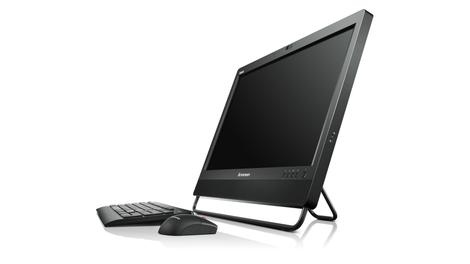
Worldwide thin client and terminal client device shipments totaled 1.6 million units in the fourth quarter of 2013, 11.7 per cent higher than forecast.
According to IDC, 5.5 million units shipped, in 2013 representing 3.3 per cent year-over-year growth. The forecast for 2014 predicts that number will rise to 5.9 million, marking growth of 7.4 per cent, rising to 8.9 million in 2018.
Thin clients continue to make up the majority of enterprise client devices with 93.6 per cent share, while terminal clients doubled in volume in the fourth quarter to 103,000 units.
HP trumps Dell
HP ranked number one in the quarter, with 26.9 per cent of worldwide market share with Dell occupying second place with 21.3 per cent. Dell remains, however, the number one vendor in the US. The biggest grower was Igel, with a year-on-year increase of 47.9 per cent."In the fourth quarter, Asia/Pacific and Europe, Middle East and Africa (EMEA) led the worldwide enterprise client device market to its highest levels ever in unit volume with 30.5 per cent and 20.3 per cent quarter-over-quarter growth, respectively. The vendors that contributed the most to the record gains were Centerm and HP," said Jennifer Song, research analyst at IDC.
"IDC expects that the Asia/Pacific region will eventually capture the largest share of the worldwide market, growing its share from 33.6 per cent in 2013 to 39.4 per cent in 2018. The top three countries leading the region's future growth will be China, Japan, and India."

| |
Read More ...
Amazon's Chromecast-esque console may arrive in April

Amazon will launch its video streaming device in April, according to new information.
The Wall Street Journal says it's spoken to people in the know, and that Amazon's streaming device will ship next month and come boxed with a remote control.
The more advanced game controller, which recently leaked, will likely be sold separately.
We've also heard that Amazon's device will be a dongle-like stick in the style of Google Chromecast, rather than the "box" we've all been expecting.
Dingle, dangle, dongle
We've also heard that the dongle will be capable of streaming "top-tier" PC games at 30fps, with a service comparable to OnLive.Everything hangs on the price. With Chromecast selling for $35 (and likely £30 in the UK), Amazon has some stiff competition on its hands.
Especially as Google's TV stick is set to roll out to the rest of the world very soon.

| |
Read More ...
HDD industry positively spinning
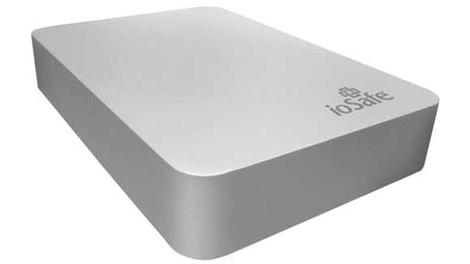
After years in the doldrums it looks like the external HDD market in EMEA is on the rise again.
According to the latest quarterly external HDD report from Futuresource Consulting, in Q4 2013, the industry posted its largest quarter since Q3 2011.
Mats Larsson, Senior Market Analyst at Futuresource Consulting said that across the 17 countries he tracked in the EMEA region, 6.8 million external HDDs were shipped during the quarter.
That marks a year-on-year growth of 1.8 per cent. If the whole of last year is taken into account the picture is even more positive, with 23.6 million units shipped and year-on-year growth of 9.8 per cent.
Still not fully recovered
The industry still has a little way to go before it eclipses 2010, when shipments of 28 million units were recorded."The portable drive segment is pushing market growth, taking share from all other form factors, rising from 75 per cent of the total market in 2012, to 82 per cent last year reflecting the larger capacities available in 2.5" drives and the continuing shift to mobile computing," said Larsson.
The top three vendors, in descending order were Western Digital, Toshiba and Seagate. These three account for 80 percent of the market between them in 2013, up from 72 per cent in 2012.
- Now read all about Dropbox's plans for off-line storage.

| |
Read More ...
Industry voice: How text mining can help your business dig gold

Your customers want to communicate with you. Your partners, employees, potential clients, competitors, press and social media influencers want to communicate with you too.
Humans communicate in a wide variety of ways – body language, eye movement, intonation of speech, hand gestures, use of color and clothing. There is no system on earth that can yet capture all of the wide bandwidth of communication that we all use, as we go through our days.
Text Communication
Let's simplify the problem down to text communication. Text is an excellent intermediate point between "doing nothing" and capturing all the rich variety of human interaction with some magical system that only the NSA could afford.Text is the way humans try to have "structured" communications (even though its highly unstructured data, compared to what computers do.) There's grammar and syntax, you know where a sentence starts and stops, and you know how you're supposed to break it up.
And oh boy, is there a lot of it. In one minute, there will be:
- 204 Million emails
- 2.46 Million posts
- 320,000 Tweets
- 54,000 Tumblr posts
- 17 New Wikipedia articles
- Internal support documents
- Customer calls
- Web pages
- Customer reviews
Text Mining
Text mining. Text analytics. Text analysis. Unstructured data mining. These are all terms for (basically) the same thing – turning a mass of unstructured conversations into structured information that you can then analyze.But you don't want to become some mad big data scientist, understanding crazy statistical "maximum entropy" models and how they interact with pronominal co-referencing.
Right. Me neither. The whole point of this note is to show you that listening is important, that there's probably something that concerns you in the text, and then, to give you hope that this isn't some crazy task that only a PhD can survive.
Text mining is a horizontal technology like search. There are tons of SaaS and on-premise players that have integrated state of the art text mining technology into their products for customer listening, media monitoring, survey analysis, business intelligence, customer support, and any other application you can think of.
You can become a text-mining expert, and you will have an edge because of it, but you don't have to. All you need to do is decide what conversations are important for you to listen to (like, say, Tweets or Yelp! Reviews) and then find someone that has integrated that data into a good dashboard for you to review and base your decisions on.
In summary, you need to listen to what the world is trying to tell you, and the premier technology for doing so is "text mining." But, you can lean on others to help you use this daunting technology to extract the right conversations and meanings for you.
- Seth Redmore has over 10 years of experience in text mining industry. He is currently VP Marketing & Product Development for Lexalytics Inc.; previously working for Brandmail Solutions and Cisco Systems.

| |
Read More ...
PlayStation Gamer: Did Ubisoft mislead gamers about Watch Dogs' next-gen graphics?

Cut the bullshots
If you've ever had the pleasure of hearing a bunch of jaded gamers enter a withering-off with each other about their shared passion, there's every chance you've heard the term 'bullshot'.It's a term we like to roll out when a publisher releases wildly misleading screenshots of its games. Screens bereft of any UI or HUD, for example.
Screens that appear to be filled with every single element of the game all at once, battered by so many explosions in progress, muzzle flashes and weather phenomena that you wonder if the person who made them has ever seen a) a videogame or b) real life.
The problem with bullshots
Most common of all the bullshots are the ones captured from high-end PCs and presented as console footage.It's such common practice these days that we don't even batter an eye when we see Sergio Ramos slide-tackling Alexis Sanchez mid-shot at an unplayable zoom level to promote the new FIFA.
Less common is the even murkier practice of presenting 'target render' footage of a game early in its development cycle that eventually reveals itself to be completely unrepresentative of the final version's quality; bullshots in motion.
Killzone 2 is the original prankster here, showing us heart-stopping target footage in 2005 that the game duly failed to deliver on when it arrived.
Aliens: Colonial Marines pulled a similar stunt during its development from 2008 to 2013, to the extent that Sega had to go back and put disclaimers on its trailers. Awkward.

Hack's back
You're reading about these clandestine industry practices in an article about Watch Dogs not because it's necessarily guilty of the above, but because there's so little enforceable legislation forcing publishers to accurately represent final game quality.Consequently it was able to operate well within the boundaries of acceptable behaviour and still leave gamers feeling swindled.
The bad press started when Watch Dogs re-emerged with a new trailer and release date after dropping off the radar for five months.
Having slipped from the next-gen console launch window to May 27th, the dystopian open world hack-'em-up treated us to a new trailer in the hopes of whetting our appetites anew.
That was when people started spotting game footage they'd seen before at the game's reveal at E3 2012, this time with markedly less impressive graphics.
Textures appeared washed out, cars less reflective, colour pallets less vibrant. It wasn't a difference in video compression – there was something odd going on. Check it out for yourself:
After the latest trailer hit, fans (funny word, that) began accusing Ubisoft of 'downgrading' the graphics in Watch Dogs. It was an accusation the publisher categorically denied:

Even so, it was evidently a touchy subject for Ubi – several viewers of a Twitch Live stream featuring Watch Dogs' creative director Jonathan Morin reported being kicked off for using the word 'downgrade.'
Finally, Morin attempted to clear up the confusion via Twitter:

So there's no visual downgrade at work here. Ubisoft simply showed PC footage with all the sliders set to 11 at its E3 2012 reveal, and the later footage showing inferior visual quality comes from PS4.
After all, in 2012 neither next-gen console had been announced yet. It was coming to 'consoles and PC' and looked way too good for PS3 and 360 so we interpolated the rest, but Ubi didn't mislead us – the game was running on PC, and at looked handsome as hell.
Ubisoft Montreal didn't even have PS4 or Xbox One test kits yet, so how on earth could it have demonstrated final game quality on unannounced consoles?

Live Aiden
But, hang on, is that alright? According to analyists Cowen & co, Watch Dogs was the second most pre-ordered game of 2013.It comes in six different editions. I don't have the data in front of me, but I'll stick my neck out and say the vast majority of those pre-orders aren't held by PC gamers with the kind of rig capable of running that E3 2012 build.
No, some of them are for next-gen copies of the game, bought under the assumption that next-gen and PC graphics would be if not identical then certainly not different enough to warrant a comparison video with 500,000 views.
I'll reiterate – Ubisoft hasn't done anything explicitly wrong here, but surely it can see why someone with a console copy pre-order would feel misled.
Since we're not dealing with a wrongdoing, I'm also not out to apportion blame – it's more useful to isolate the cause of the confusion so we can avoid it in future. Of all people, it's Jonathan Morin himself who points us in the right direction:
"They forced us to go at E3 2012," Morin told EDGE. "We didn't know what the hell those new consoles would be, so Watch Dogs really has worked on [seventh]-gen systems since the start. But we always pushed the ideas, the design, the core of Watch Dogs in such a way that we felt it would fit well with what we thought would be the future of games.
"Yves was the one who wanted us to go at that E3, even though we felt it was a bit early, and in the end I think he was right."
He certainly garnered a lot of attention – and praise – for Watch Dogs by doing so. But the timing of a game reveal isn't just determined by the stage of its development. It's driven by fiscal factors; projected share values and the like.

Things have got to change
This was where the confusion started: a next-gen game was revealed before the consoles it would be releasing on, before its developers even knew what those consoles were capable of.As a result, there's a swarm of bad feeling and comparison GIFs following a hugely exciting game around, killing its buzz.
The Watch Dogs debacle is worthy of its very own angry letter to Anne Robinson, and only an industry-wide agreed standard of transparency at pre-release stage will avoid similar scenarios.
Give us the credit for discerning the difference between PC and console footage, and there won't be any need to ban us for #downgrade.
Phil Iwaniuk is games editor at Official PlayStation Magazine UK and was once caught out by a real life 'target render' which turned out to be a friendly vagrant wearing a home-made Scarlett Johansson mask.
Gaming on TechRadar
- PlayStation games are coming to PC
- Real gamers appreciate the joy of player limits
- Why Virtual Reality is the future of PlayStation 4
- How technology shapes the future of gaming
- Will the PS Vita Slim be Sony's last handheld console?
- Has Gears of War killed this hot new Xbox One game?
- 5 best PS Vita Slim games
- Lara Croft in Final Fantasy makes me want to smash things
- It's time for the Xbox 360's last great adventure
- The amazing game that proves resolution isn't everything
- Is this the end for the Bioshock universe?

| |
Read More ...
Cloud 'sprawl' causing business inefficiencies

The growing use of a wide variety of unsanctioned cloud services, the so-called "cloud sprawl," is causing significant problems for businesses, according to a new survey.
Avanade, an Accenture and Microsoft joint IT consultancy firm, released a report that shows 61 per cent of companies across the globe blame cloud sprawl for causing inefficiencies in their business.
That number falls to 52 per cent in the UK, but it rises to 71 per cent among those using both public and private clouds.
The survey involved 750 IT decision makers in United States, United Kingdom, Germany, China, France, Sweden, Brazil, Japan and Australia.
Dispersing the cloud
The problem is that employees are signing up to cloud services that are different to the ones provided by their own IT department, so instead of homogenisation there is growing disparity between what each individual employee is using.66 per cent of IT decision markers across the globe have noticed this problem. The number climbs to 69 per cent in the UK.
"The study reinforces what we're seeing in the UK market about the challenges of cloud computing. Whilst the cloud can deliver significant benefits, some of its advantages also introduce risk. Unmanaged cloud sprawl in Shadow IT (Dark Cloud) is introducing risk with threats from unmanaged sources," said Mark Corley, CTO at Avanade UK. "Cloud services are becoming available in increasing variety and ease of access, and many IT departments simply can't keep up."
He added: "Companies must look to exploit the advantages of the cloud, keeping pace with business needs, offering the agility, cost-savings, scale and different business models that cloud can offer - but at the same time strike a balance by having the appropriate level of control giving an acceptable risk."

| |
Read More ...
Review: Samsung Galaxy Tab Pro 8.4

Introduction and design
A charitable sort might call Samsung's approach to tablets comprehensive, but it could just as easily be described as scattershot. The past few years have seen the launch of 7-inch, 8-inch, 10-inch, and now 12-inch devices aimed at a full range of budgets.This focus on quantity has arguably come at the expense of quality for Samsung, with no single outstanding tablet coming from the world's largest consumer tech company.
The company's new Pro range shows signs of the company re-applying its considerable resources to produce something a little more special.
While the Samsung Galaxy Note Pro 12.2 is expensive and a little creaky, it's an undeniably powerful piece of kit with a much improved custom UI.
The Samsung Galaxy Tab Pro 8.4 takes many of the stylistic cues and components from that super-sized powerhouse and packages it in a decidedly more compact and versatile shell. The result is one of Samsung's best tablets to date.

But with a formidable rival in the iPad mini 2, is that enough? Starting from £349 ($400 or around AUS$440) for the 16GB model, the Samsung Galaxy Tab Pro 8.4 is more expensive than Apple's class-leading compact tablet.
It's going to have to offer something extra if it's to justify that difference, however slight.
The spec list reveals several areas in which the Samsung Galaxy Tab Pro 8.4 might excel. Its 8.4-inch LCD display isn't just bigger than the 7.9-inch iPad mini 2, it's also sharper, with a 2560 x 1600 resolution.

Samsung has gone with a quad-core Qualcomm Snapdragon 800 CPU, clocked at 2.3GHz. I'll discuss this processor choice a little later.
This is backed by 2GB of RAM. In addition to internal storage of either 16GB or 32GB, Samsung has also included a microSD slot for up to 64GB of additional capacity - something no iPad has ever offered.
Add in an 8MP camera, and you'll see that this is clearly a tablet operating at the top end of the spectrum. The question, as with any Samsung tablet, is how all of these impressive components hang together.

Samsung has stuck with the same design language we've seen in pretty much all of its larger devices, starting with the Samsung Galaxy Note 3 and moving right up to the Samsung Galaxy Note Pro 12.2.
You get the same straight edges, tightly curved corners and dead-flat surfaces. Unfortunately, you also get the same choice of materials.
The Samsung Galaxy Tab Pro 8.4's all-glass front feels fine, but the metal-effect plastic rim and faux-leather back (complete with stitching effect) ensure that the predominant impression is one of
cheapness.

The tablet is just 7.2mm thick and weighs just 325g, which makes it slightly slimmer and lighter than the iPad mini 2, but it feels a lot less premium with it.
Still, the Samsung Galaxy Tab Pro 8.4's more compact dimensions ensure that it feels a lot sturdier than the larger devices in the range. There's a lot less of the flexing and creakiness that I've detected in Samsung's recent 10- and 12-inch tablets, that's for sure.

Indeed, it's a very pleasant tablet to hold. That rear cover might be a little tacky, but it is pleasantly grippy. Meanwhile, the Galaxy Tab 8.4's lightness and 128.5mm span ensures that it's extremely comfortable to wield one-handed in portrait orientation.
Interestingly, this is the one device in the Tab Pro range to be designed with this orientation in mind. It's evident from the positioning of the home key (flanked as ever by capacitive multitasking and back keys), front-facing camera and Samsung branding along the shorter sides.

It's also clear by the positioning of the stereo speakers, which are both situated on the bottom edge. This doesn't lead to the excellent stereo separation of the larger models, but it does mean that the speakers will be unobstructed when holding the tablet as intended.
Of course, when you flip the Galaxy Tab Pro 8.4 into landscape mode to watch a movie, the sound will be all wrong - but that serves you right for not plugging in a set of headphones, doesn't it?
Elsewhere, the placement of the power and volume keys is decent, sitting up high on the right-hand edge. I found that they were a little awkward to access with my natural holding-hand (the left one), though I could at a push use my left middle finger to activate them.

Right-handed holding will free up your right thumb for the task, though again you'll probably need to bring your other hand (or your chest) into the mix to steady the tablet for the job.
Port placement is logical enough, with the microUSB slot on the bottom, between the speakers, and the very-welcome microSD port on the lower left-hand side.
The 8MP rear camera is situated on the top left-hand corner as you use the tablet in landscape view, and I frequently found myself covering the lens with the fingers of my left hand.

Samsung has obviously done this so that the camera is positioned naturally for portrait pictures - that being the tablet's intended orientation.
But I'd argue that this is usually not the natural orientation for those who like to frame pictures properly - which is usually in landscape.
Positioning the lens in middle of the device (we're back in landscape here), as the company has with the Tab Pro 10.1 and the Tab Pro 12.2, might have looked and felt a little odd here. But it would undoubtedly have been better for photo taking.
Considering this is the one tablet in the range that didn't make me feel like a complete idiot for whipping it out and using it as a camera, that's a bit of a shame. I wouldn't call this camera placement a design flaw, though - just an understandable compromise.
Key features
Lean and mean
Arguably, the Samsung Galaxy Tab Pro 8.4's defining feature is the way it crams a really sharp display into such a compact form factor.As we've already mentioned, the tablet's display is an 8.4-inch Super clear LCD example, and it's a stunner. Its 2560 x 1600 (also known as WQXGA) resolution is exactly the same across the Tab Pro range, but because of the smaller size, it's the sharpest of the lot.
Not only that, but it offers the crispest and cleanest picture of any of Samsung's recent tablets. That's because it's the only one to feature an RGB matrix rather than a PenTile one.
This means that each pixel is made up of a red, a green, and a blue sub-pixel in a uniform configuration. The result is an even image with none of the grainy or fuzzy edges found on other Samsung tablets.

Perhaps more importantly, with a pixel density of 359ppi, the Samsung Galaxy Tab Pro 8.4's display is also sharper than the iPad mini 2's (which is 326ppi).
Another notable feature here is Samsung's choice of processor. As we mentioned in the intro, Samsung has gone with a Snapdragon 800 CPU, which continues to be the processor of choice for high-end Android devices such as the Google Nexus 7 and the Amazon Kindle Fire HDX 7.
However, this marks a change for the Samsung Galaxy Tab Pro range - or a partial one at least. In certain territories, Samsung has installed its own Exynos 5 CPU in the Wi-Fi-only 10.1 and 12.2 editions.
This is a highly powerful custom processor that can switch between four low-power processors and four high-power ones, depending on the task, with the high-end ones packing quite a punch.
Here in the Samsung Galaxy Tab Pro 8.4, however, it's offering only the Snapdragon 800. I'll discuss performance in greater detail in the next section - suffice to say this is no great loss in real-world terms.

But it's worth noting that the Galaxy Tab Pro 8.4 is no more capable or special under the hood than its nearest Android rivals.
Of course, these two components - the Galaxy Tab Pro 8.4's super-sharp display and its high-end processor - tie into the whole Pro branding. Samsung wants this range to be great for productivity, and there are a couple of notable tools that make use of the high-end hardware to that end.
Samsung's multi-window feature makes another showing here, allowing you to run multiple apps simultaneously. Drag from the far right-hand side of the screen at any time and you'll be greeted by a menu of compatible apps.
Tap these app icons and they'll open in their own separate window, similar to running multiple programs on a desktop computer.
You can bring each to the fore by tapping on them in the same way. You can only open three here, as opposed to the five on the Tab Pro 12.2 - likely down to the smaller device having 50 % less RAM.

No matter - it's a little fiddly in day to day usage, particularly on the Tab Pro 8.4's more compact screen. It's much easier to just use the regular multitasking mode for flipping between tasks.
More useful is the ability to split the screen between two apps and run them side by side simultaneously, which is done by dragging the app icons from the multi-window menu.
This is down from four apps on the 12.2, but that would be useless on the smaller screen here. As it is, you can read your email whilst checking Google Maps, or watch a YouTube video whilst skimming through your appointments.
It's potentially quite useful and, yes, 'Pro', and it's something that rival tablets just can't do.
Interface and performance
This being the Tab series rather than the Note, the Galaxy Tab Pro 8.4 omits Samsung's increasingly useful S Pen stylus system, so you'll have to rely on your good old pinkies to navigate the Android 4.4.2 KitKat OS.Yes, Samsung has loaded its latest tablet range up with the very latest version of Google's Android OS, though you might not know it given Samsung's predilection for tinkering.

Even on that front, though, you're in for some good news. Samsung's latest custom UI is its best yet, with signs of uncommon restraint and simplification on the manufacturer's part.
Make no mistake - the stock Android OS of the Nexus 7 and the Tesco Hudl remains a cleaner, quicker, and just plain better experience. But this latest version of TouchWiz has its own appeal.
Samsung has cleaned up its home screens significantly. There's just the one regular home screen by default, with a single large widget showing the time, weather and any calendar events and stock updates you might have set up.
Further home screens are added automatically as required - mainly when the first one runs out of space to add a newly-installed app icon.
Samsung has stripped its home screens back in order to better integrate its Magazine UX feature. Scroll right from the main home screen and you'll find tightly stitched together a collection of widgets - your latest emails, an S Planner calendar view, a business-oriented news window, and a dedicated one for the third-party MS Office app Hancom Office.

Scroll right again and you get a list of curated stories, which is actually a wrapper for the pre-installed Flipboard app.
By pulling this visually appealing but not very Android-like Magazine UX more tightly into the home screen layout (in previous devices it was accessible with an awkward downwards swipe), Samsung has made it a genuinely usable - and useful - part of the experience.
Samsung has also rounded off some of the rough edges its TouchWiz UI used to have. The notification menu is much cleaner and fresher-looking, with pleasantly rounded shortcut toggles for key settings such as Wi-Fi, Bluetooth, and GPS.
The notifications themselves are handled in true Android fashion, with multiple message types for emails, Google Now updates, app installations and the like. You can dismiss these with a swipe, and even interact with some of them directly (such as when replying to emails).

Through all these general tasks, and on into demanding HD videos and games, the Samsung Galaxy Tab Pro 8.4 hardly misses a beat.
As I've already mentioned, Samsung has gone with the Qualcomm Snapdragon 800 CPU as standard here, and it's a very capable chip clocked at 2.3GHz.
You still get the odd pause when navigating through the home screens and menus, but that seems to be par for the course with custom Android UIs, and it's not drastically noticeable.
When it comes to recordable performance, the GeekBench 3 tests I ran were hugely positive. The Galaxy Tab Pro 8.4 achieved parity with those other Galaxy tablets in the range that run on Samsung's potent Exynos 5 CPU.
In fact, multi-core performance was slightly higher, with an average score of 2873 (I recorded 2728 during my Samsung Galaxy Note Pro 12.2 test).
This certainly bore itself out in general usage, with HD video, 3D games, and multitasking all performing flawlessly.
Battery life and the essentials
Battery life
The Samsung Galaxy Tab Pro 8.4 is fitted with a 4,800mAh battery, which is of course significantly smaller than the 10.1-inch and 12.2-inch models. In fact, it's only half the capacity of the Samsung Galaxy Tab Pro 12.2's battery.This led me to fear for the Tab Pro 8.4's stamina - after all, I've spent much of this review talking about how this device packs in all of the powerful components of its big brothers. Could it really operate satisfactorily on half the juice?
As it turns out, yes it can - even when it comes to performing continuous, intensive tasks such as playing HD video.

In the standard TechRadar battery test, which involves running a 90-minute 720p video with the screen whacked right up to full brightness, the power dropped to around 78%.
That's pretty much average for high-end Android smartphones and small tablets, but it's also 6% better than I managed with the Galaxy Note Pro 12.2.
This is likely down to the significantly larger display of the 12-inch model. The resolution might be the same, but it has to put out a lot more light. The Galaxy Tab 8.4's Snapdragon 800 CPU is also known to be very power efficient.
This is perhaps confirmed by looking at our results for the similarly-sized LG G Pad 8.3, which sports a 4,600mAh battery and the less power-efficient Snapdragon 600 CPU. This dropped to around the 70% mark in the same test.
I found the Galaxy Tab Pro 8.4's decent battery performance to be replicated in real-world terms, too. After one day, 11 hours of moderate usage, which involved some light gaming, a little web browsing, dealing with emails and testing of the tablet's multi-window capabilities, I was only down to 40%.
In short, the Samsung Galaxy Tab Pro 8.4 doesn't suffer for its high-end components, which is precisely what anyone shopping for a 'pro' tablet would expect to hear.
The essentials
The Samsung Galaxy Tab 8.4 operates much the same as any other Samsung tablet from the past 12 months or so, with a familiar selection of pre-installed apps and interface elements.
Samsung's default keyboard is present and accounted for, complete with dedicated number keys and intelligent word suggestion system.
It's pleasant to use, though I understandably found it a little less accurate to use than those on Samsung's recent 10 and 12-inch efforts.
Of course, default keyboards are no great issue on Android, as you can always download a third-party alternative from the Google Play Store - including Google's own fine effort.
One bugbear of mine is Samsung's continued habit of doubling up on apps. You get two web browsers (Chrome and Internet), two music apps (Google Play Music and Samsung Music), and even two app stores (Google Play Store and Samsung Apps).
It's a baffling decision I seem to raise every time I receive a new Samsung tablet to test, but it only gets more annoying with each successive example. I won't repeat myself on the respective merits of each doubled-up app - suffice to say, the Google offerings are invariably superior to Samsung's own. And by some margin.

Of course, when it comes to web browsing, Google technically supplies both web browsers. Chrome is the only one you need, though, with the other one belonging to a time before Google supplied a mobile version of its popular desktop browser.
Chrome continues to be one of the best mobile browsers out there. As always, the full TechRadar website is an excellent test subject for such a tool, as it's packed full of images and text to load up.
Here, it was rendered in a feature-complete and usable state in around three seconds, and loaded completely in around ten.
That's right up there with other high-end Android tablets, as you might expect given the popular Snapdragon 800 CPU at the Galaxy Tab Pro 8.4's heart.
As for the actual web browsing experience, well, that's great too. True, viewing a full zoomed-out web page isn't quite the comfortably luxurious experience it is on the 12.2-inch models, or even the 10.1-inch models.

But the increased sharpness and improved quality of the Tab Pro 8.4's screen, with its RGB pixel arrangement, means that text and images are rendered more crisply here than anywhere else in the Samsung tablet range.
We've criticised Samsung's duplicate apps, but the company has also supplied some worthwhile original efforts.
Samsung e-Meeting, for example, lets you set up a virtual meeting room where you can share content without the need of a network connection.
As anyone who's ever used a rented space for such a meeting will know, this is a useful tool for the roaming professional.
Cisco WebEx, meanwhile, allows you to conduct virtual meetings from anywhere there is a connection, complete with video conferencing and file sharing facilities.
Camera
Samsung likes to fit its top-end tablets out with decent cameras, which might seem like a bit of a waste of effort if, like me, you treat your tablet as the last resort for taking photos.But as last resorts go, the Samsung Galaxy Tab Pro 8.4's 8MP snapper is very accomplished. Indeed, as I've already alluded to, the tablet's compact dimensions make it the most practical picture taker in the whole Tab Pro range.
Given the common components I've discussed up to this point, it probably won't surprise you to learn that the camera here appears to be the same as the one I encountered on the Samsung Galaxy Note Pro 12.2.
As with that camera, the default picture size is 6MP in order to get the Full HD 16:9 aspect ratio, and view your images back full-screen on the Tab Pro 8.4's screen.
You have to manually bump this setting up to 8MP, at which point things squidge up into an old-school 4:3 aspect ratio, and the camera UI gains a pair of black bars along the sides.

Still, the images captured are generally very good for a tablet. Detail levels in strong natural lighting are uncommonly good, with accurate colours and a nice blurring effect for background details that aren't in focus - particularly with close-up shots.
Speaking of focus, the Galaxy Tab 8.4 is quick to pick up on the object in your sites and focus in, but you can always take matters into your own hands with a tap of the screen.
Shutter speeds are virtually instantaneous, and it's possible to take 20 quick-fire shots by holding the virtual shutter button down for a second or two.
Samsung hasn't skimped on camera modes and tweakable settings, either. There's a creditable HDR mode that yields appreciably natural-looking results in scenes of high-contrast.

Then you get the more gimmicky modes, such as Beauty face mode, which gives any faces an unnaturally smoothed-out sheen, or Sound & shot, which adds a snippet of sound from the environment to provide aural context.
Best photo is a little more useful, allowing you to take multiple pictures before selecting the best for you. Best face is another clever one, allowing you to merge multiple group shots into a single 'best of' picture.

You can shoot video at Full HD 1080p, as has become the norm. It yields perfectly serviceable results, provided you don't shake around too much (something the size of the Galaxy Tab Pro 8.4 helps with).
On the front, you have a 2MP camera for video calls and selfies, which is pretty decent as tablets go.
Both of the rivals I've mentioned in this review - the LG G Pad 8.3 and the iPad mini 2 - come with inferior efforts, at 1.3MP and 1.2MP respectively.
Given the natural usage of tablets is indoors as a communication tool rather than out and about taking snaps, this is arguably a more important spec than the main camera.
Flip the camera to the front one in the camera app, and you instantly get a front-facing Beauty face mode, which again softens your features for selfies that actually make you look good. Or weird, in my case.

Click here to see the full-res image

Click here to see the full-res image

Click here to see the full-res image

Click here to see the full-res image

Click here to see the full-res image

Click here to see the full-res image
Media
While it lacks the large-screen majesty of the rest of the range, the Samsung Galaxy Tab Pro 8.4 is a superb media player.A large part of that, of course, is down to its WQXGA display which, at 8.4 inches, is clearly better suited to playing movies and games than even the largest phone or phablet.
On movies, in particular, the colours are excellent and blacks, while not exactly inky like Samsung's AMOLED smartphones, are suitably deep.

Sound, on the other hand, is a bit of a weak point here. It's loud enough, if lacking in low end (a common issue with mobile devices), but the positioning of the two speakers for portrait usage makes for a disjointed sound profile for films. Get those headphones out.
When it comes to sourcing video content, the Google Play Store features a comprehensive library of TV shows and movies at decent prices. New films tend to be around £3.49 in SD or £4.49 in HD.
Samsung also has its own media store, the Samsung Hub, but it's really not worth bothering with.
You get a similar selection for a similar price, but with an uglier interface and limited prospects for any purchased content (you'll be stuck without access if you buy a non-Samsung device as your next tablet or phone).
I've touched upon the music offering here already. Essentially, Google Play Music is all you'll need, with a comprehensive MP3 library, Spotify-like subscription service, and even the ability to save your own music collection to the cloud.

The only real advantage to running Samsung's own Music app is the presence of a lock screen widget for playing, pausing, and skipping tracks. Yep, that's it.
This is also an excellent gaming device. The Galaxy Tab Pro 8.4's dimensions ensure that it sits perfectly in the hands - or hand, depending on the type of game you're playing.
It's also light enough that you won't have wrist-ache after a lengthy game, and that 8.4-inch display is large enough to show off lush 3D games like Real Racing 3 but small enough to make the dual-thumb controls of Dead Rising 2 feel comfortable.
Of course, with the the same high-end Snapdragon 800 processor as Google's own Nexus 7 - Android's reference tablet - every game I threw at the Galaxy Tab Pro 8.4 ran like a dream, and looked beautiful to boot.
In terms of storing all this media, you get either 16GB or 32GB of internal storage here. With around 4GB required just to run the system, that can leave you a little short if you opt for the smaller capacity.
Fortunately, Samsung has included that microSD slot on the left hand side, and apps can be shunted over to this removable storage in the settings menu.
Comparisons
iPad Mini 2
Apple's iPad mini 2 is the best-designed - in fact, just plain best - 8-inch tablet on the market. Whileit's 7.9-inch display is both smaller and less sharp than the Galaxy Tab Pro 8.4's, it's just as stunning to look at, and has an app ecosystem that's fully optimised for it.

The iPad mini 2 also feels like a premium device, with a sleek metal-and-glass design. It's a pleasure to hold in a way that the Galaxy Tab Pro 8.4 simply isn't.
But most decisive of all in this comparison is the price. The iPad mini 2 is £30 cheaper than the Samsung Galaxy Tab Pro 8.4 - and I knocked Apple's effort for being a little expensive when it launched.
LG G Pad 8.3
LG often provides the most direct rivals to Samsung in terms of specs and design philosophy, and that's true here in a couple of ways.The LG G Pad 8.3 is pretty much the same form factor as the Galaxy Tab Pro 8.4. It's a few months old now, which manifests itself in an inferior Snapdragon 600 CPU that proves to be less powerful and less power efficient than the Galaxy Tab Pro 8.4's newer model.

Its 1920 x 1280 resolution display is also significantly less sharp than the Samsung equivalent. However, the LG feels better in the hand and is significantly cheaper. You can pick one up for £200 (around $325 or AUS$360) at the time of writing.
Amazon Kindle Fire HDX 8.9
Amazon's range-topping HDX 8.9 is more of a 9-incher than an 8-incher, but it's as close to the Samsung Galaxy Tab Pro 8.4 in size as the iPad mini 2 is.
The HDX 8.9 offers a similarly stunning 2560 x 1600, the same punchy Snapdragon 800 CPU, and a comparable (on paper at least) 8MP camera. It's also about £20 cheaper.
However, Amazon's walled-off OS means that you don't get the full, flexible Android experience the Google's services and apps, which instantly puts it at a disadvantage to all but the most dedicated Amazon users.
Verdict
In the Galaxy Tab Pro 8.4, Samsung has arguably found the best form for its high-end components. With a stunningly sharp display, impressive performance and Samsung's best UI yet. It's just a shame that its price tag doesn't match its less-than-premium feel.We liked
This is the most impressive display in the current extended Pro range, with the same 2560 x 1600 resolution as the larger models - but with a superior pixel configuration.It's also a very well proportioned tablet, with a weight and heft that make you feel as comfortable hunkering down to an HD film or game as you do reading an article on the way to work.
Samsung seems to be learning a thing or two about software design, too - the latest TouchWiz UI is a considerable improvement.
We disliked
Samsung still needs to address the look and feel of its tablets. The Galaxy Tab Pro 8.4 is a decidedly premium device, so why isn't it designed like one? Especially when you're paying a pretty penny for it.Making your 8-inch tablet pricier than the stylish iPad mini 2 is a brave - and somewhat foolish - move.
While Samsung's UI design is much improved, I'm baffled that it continues to fill its devices with so many duplicate apps - especially when its own efforts are markedly inferior to Google's stock provisions.
Verdict
The Samsung Galaxy Tab Pro 8.4 won't be the one grabbing the headlines in the new Tab Pro range, I suspect, but it's arguably the best of the lot.Condensed down to this size, the WQXGA display renders everything in super-sharp detail, while the creakiness of the larger tablets is all but gone with the 8.4's compact shell.
This may well be the best compact tablet Samsung has ever made, but at a price that exceeds the peerless iPad mini 2, that's not quite enough to rule the roost.

| |
Read More ...
Gary Marshall: The new iPhone 5C is a really bad buy

Imagine. You're buying something exciting and expensive. The sales person makes you an offer. You can have 1/8 off the sticker price if you agree to just one thing: from time to time, the sales person would come round to your house and punch you in the face.
The new iPhones and iPads are a bit like that.
Apple has made the iPhone 5C cheaper and it's brought the iPad 4 back from the dead, and in both cases it's selling them with lower amounts of storage: 16GB in the case of the cheapest iPad and just 8GB in the lowest-cost iPhone 5C.
8GB? My email signature's bigger than that.
Size matters
Okay, not really. But despite my best efforts to export my photos and videos, my ruthless culling of infrequently used apps, my diligent deletion of read messages and mail and my streaming from iTunes Match and Spotify, I've still got 23GB of stuff on my iPhone and even more on my iPad.If you're reading this, you're clearly into tech. You're an HD-shooting, app-using, downloading-for-offline access kinda gal or guy, and that means that even a 16GB phone will get awfully crowded awfully quickly.
The latest iPhone 5C may be 10% cheaper, but it's 90% less useful unless you intend to stream absolutely everything, or use it for absolutely nothing.
I'm not being a size snob here. There are other iOS devices in my house, my wife's iPhone and my daughter's iPad, and I spend more time managing them than my loved ones spend using them.
They don't have sufficient storage, and that's a headache: even minor app updates mean major housekeeping to free up space, and the really big stuff - updating sat-nav apps, buying a film or running an over-the-air iOS update - can mean hours of meddling.
A slightly cheaper phone may seem like a good idea, but you'll pay the money you saved again and again in time and tears.
Unlike computers and rival firms' devices, whose storage you can expand, if you buy a too-small iOS device there's no way to fix your mistake. At a time when even 16GB feels awfully stingy, opting for an 8GB smartphone is a decision you're likely to regret.
- Not put off? Read our full iPhone 5C review before you invest

| |
Read More ...
Acer outs 2K and full-HD monitors for video editing and gaming

Acer has announced three new additions to its display lineup, aimed at those looking to beautify their video, multitasking or gaming activities.
The roomy 27-inch B276HUL touts a 2K resolution of 2560x1440 pixels, a whopping 80 per cent more pixels than standard full-HD. It also boasts a 100,000,000:1 dynamic contrast ratio with Acer Adaptive Contrast Management, and a 5ms response time.
The 29-inch B296HCL has a 'cinematic' 2560x1080 pixel-resolution and 21:9 aspect ratio, designed to provide maximum width for multitasking, video editing and viewing several applications side-by-side.
Coloured in
The B6 Series features Acer eColor Management and an advanced six axis colour adjustment system for enhanced colour precision.Acer Multi-Stream Technology allows content to be viewed over several displays using a single cable or DisplayPort daisy-chain. Two devices can also be plugged into a single monitor to display both screens simultaneously.
Both models feature an ergonomic stand that can tilt, swivel, pivot and adjust in height. A VESA wall mount is also included.
Environmentally-friendly
For those looking for standard 1080p, the K272HU Series LED display with WQHD resolution and 2ms panel response time is pitched at gamers or video editors. It has the same dynamic contrast ratio as the B276HUL.It also features an ergonomic stand that can tilt from -5 to 25 degrees, and a VESA wall mount.
All of the new models are ENERGY STAR 6.0 certified, with an EPEAT Gold ready rating, making them environmentally-friendly. The LED model also consumes less energy.
Release dates and pricing have yet to be revealed.

| |
Read More ...
Available Tags:Sony , PS4 , UK , Xbox , Google , Android , gaming , iPhone 6 , Apple , iPhone , Lenovo , LG , HDD , Ubisoft , gamers , Galaxy Tab , Samsung , Galaxy , iPhone 5 , Acer , 2K ,


No comments:
Post a Comment