

Explained: iOS 7.1 vs iOS 7: what's new in Apple's latest OS update?

If iOS 7 was a fresh coat of paint for Apple's operating system, then today's iOS 7.1 release is a much-needed touch up six months into the redesign.
This essential software update fixes a number of unresolved bugs that complicated owning an iPhone 5S, iPad Air and iPad mini 2.
iOS 7.1 also features a handful of user interface tweaks that alter the non-skeuomorphic design. They're still flat, but a little rounder than before.
We poured over the official release notes and tested out iOS 7.1 to find that while there aren't a lot of major changes, its ability to remedy iOS 7 glitches makes it worth downloading immediately.
Death to 'the white screen of death'
The most pervasive glitch is what Apple is calling "an occasional Home screen crash bug." Users have more aptly nicknamed it the "white screen of death" glitch.By either name, it's an annoying software defect that randomly forced iOS devices into a soft reset. A blank screen with the Apple logo would suddenly show up for no apparent reason.
While users have complained about this task-closing glitch since September 2013, Apple hasn't been able to fix it until now. It first acknowledged the problem and promised a solution in January.
The company didn't reveal why this glitch occurred, but it's thankfully gone according to our tests today. Six months is far too long to wait for such a patch.
iOS 7.1 revs up CarPlay
Apple is putting iOS in the Car, even though its infotainment ecosystem doesn't go by that more direct name anymore.CarPlay is enabled through iOS 7.1 on any iPhone 5S, iPhone 5C or iPhone 5 as long as it's paired with a compatible vehicle.

So far that includes the Volvo XC90 SUV, Mercedes-Benz C-Class and the Ferrari FF with more car models and manufacturers to come.
The release notes indicate that CarPlay brings phone, music, maps, messages and third-party audio apps to the hands-free infotainment center.
Users can also control everything through Siri or via the car's touchscreen, knobs and buttons.
Design tweaks
Flat circles are in and skeuomorphic boxes are out, according to Apple's iOS design tweaks. The look and feel of iOS 7.1 makes such alterations to the call and power-off screens.
The answer and end button are now green and red circles. These smaller but more fashionable pair match the caller's round photo icon.
The same treatment was given to the revised power off slide bar. Holding down the sleep button brings up a new white and red button, replacing the ugly reddish-orange bar.
Siri and Touch ID
Siri is easier to operate in iOS 7.1. Before, Apple's personal assistant would often cut you off mid-sentence, complicating it as a hands-free solution.Now, holding down the home button manually controls Siri so that you can drone on and on without having her interrupting your bloviating commands.

Apple's release notes indicate also that its Touch ID fingerprint recognition system has improved with iOS 7.1. Users have previously complained that the scanner forgets their fingerprints.
The Camera and Calendar apps are the final tweaks Apple is highlighting in iOS 7.1. The iPhone 5S automatically enables HDR photos through the Camera app, while Calendar brings the much-needed ability to view events by month.
All of these upgrades aren't significant and few iPhone users can take advantage of CarPlay, but today's minor update is a step in the right direction as we await bigger changes for iOS 8 this fall.

     |
Read More ...
PlayStation Now game rental pricing seemingly revealed, then yanked

PlayStation Now should be coming to a PS4 and PS3 near you some time this year and to Europe much later, but pricing hasn't been released ... until now?
It seems like the Gaikai website has unofficially outed the PS Now rental game prices, though the photo has been taken down and replaced with the one above.
Earlier it was noted that rental streams of Far Cry 3 would cost $5.99 (about £3.60, AU$6.64) and Uncharted 3 would cost $4.99 (about £3, AU$5.53).
These seem to be reasonable price points but since the image may have been a filler for the site, we wouldn't be surprised to see them change closer to the official release date.
When do we want it? Now!
PS Now beta testing began a couple months ago with leaks of the service already springing, and being plugged faster than you can blink.However, you can check out our video with Matt Harper, senior manager of PlayStation Digital, below to get a better idea of how streaming rental games works.

| |
Read More ...
Asus smartwatch will likely feature voice and gesture controls
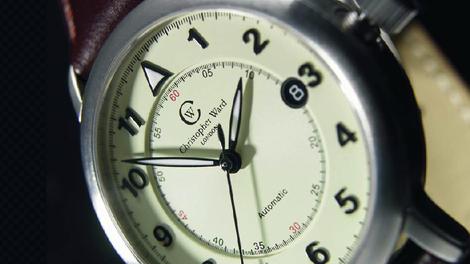
Asus has plans for wearables, and those plans involve voice and gesture commands.
Asus CEO Jonney Shih revealed over the weekend that the company's first wearable device, assumed to be a smartwatch, will complement smartphones with alternative control methods.
However, Shih admitted at a National Taiwan University job fair that "more breakthroughs are needed in these areas," Focus Taiwan has reported.
Shih also said Asus is addressing battery concerns and hopes to get its wearable to a tenth the power consumption of smartphones.
Slap on the wrist
It hasn't been confirmed that Asus is working on a smartwatch, but Shih was hinting as far back as last summer that the company has an interest in wearable tech.Given the buzz around smartwatches at the moment, it seems likely that that's what Asus has brewing.
Samsung's Gear 2 is leading the pack right now, but there are plenty of up-and-comers from the likes of Huawei, Pebble and even Motorola nipping at its heels.
If you're wondering which smartwatch is best for you, check out TechRadar's list of the best smartwatches.
- Speaking of wearables, here's TechRadar's take on Google Glass

| |
Read More ...
Apple's iOS 7.1 update features support for unknown iPad models

As well as officially introducing CarPlay, tweaking the user-interface and zapping some pesky bugs, Apple's newly-released iOS 7.1 update also features support for some mystery iPads.
As spotted by iClarified, the new OS features update bundles for iPads under the model identifiers 4,3 and 4,6, which are yet to be officially acknowledged by the company.
The current iPad Air With Wi-Fi and its cellular extension are known as 4,1 and 4,2, while the iPad mini 2 with Retina Display models are identified as 4,4 and 4,5 respectively.
What these new model numbers mean remain to be seen, but it seems unlikely they represent brand new iPad in the traditional sense.
Silent boost?
In the past, Apple has been known to quietly boost the hardware within existing models, for example, using slightly different processor configurations when there's a component shortage, etc.It's also possible those unidentified models could be bound for the far east on the China Mobile network which, as Apple Insider points out, runs a unique TD-LTE 4G network and would require their own certification.
Have you downloaded iOS 7.1 for your existing iPhone, iPad or iPod touch yet? How are you finding the refined experience? Spotted any glitches yet? Let us know in the comments section below.

| |
Read More ...
CeBIT 2014: Seagate Kinetic Solution: A look at the Rausch BigFoot Object Storage solution

TechRadar Pro landed on Seagate's booth at CeBIT 2014 earlier today to check out the just-announced BigFoot Object Storage solution from German manufacturer Rausch.
The first question that I put to them was about the BigFoot name. BigFoot, for those who remember, was a hard disk family owned by Quantum who was then acquired by Maxtor, who was then absorbed by Seagate.
In theory therefore Seagate owns the BigFoot trademark in storage; whether or not they licensed it to their German partner, nobody on the stand could tell me.
As for the device itself, it is a boring-looking 4U rack server that could actually pave the way for a revolution in data centres with a refocusing on the first word, data. My interlocutor of the day, Marcus Ulonska, said that the product was all about unstructured data and trying to scale massively.
KOSP
It gets really interesting once you get past the marketing lingo and peer over the technical details. The device is part of the Kinetic Open Storage Platform (otherwise known as KOSP) and what it seeks to do is offer a solution for simple, massively scalable data demand based on objects (e.g. video, audio, documents etc).What that means is a chassis that can accommodate up to 72 4TB hot swappable enterprise HDDs in one 4U space with each of them offering two 1Gbps Ethernet Interfaces (not sure whether RJ45 or RJ45 to SAS), which will also power the drive.
No controller is required - each hard disk drive has its own IP - and the whole system is powered by two 1.36Kw PSUs. Seagate wouldn't tell us more details about what's on the drive mainboard but added that the targeted market is non I/O intensive tasks.

| |
Read More ...
MtGox files for US bankruptcy, hackers post alleged evidence of fraud

Bitcoin exchange MtGox has filed for bankruptcy protection in the United States.
MarketWatch reported the defaulted Bitcoin exchange filed for Chapter 15 in America to protect itself from lawsuits as it attempts to pay off its 6.5 billion yen (US$64m, £38m, AU$71m) debts.
MtGox previously filed for bankruptcy protection in Japan on February 28, which only helped those in Tokyo and the US. Now with this new measure foreign debtors and parties who lost their Bitcoins on the MtGox exchange can go through the US Bankruptcy Courts and systems to resolve their cases.
Meanwhile other countries and parties around the world can also help resolve MtGox's insolvency for everyone who put money into the digital currency market.
Earlier last month the Japanese exchange lost track of 750,000 Bitcoins deposited by users and 100,000 of the exchange's own digital coins. As one of the largest Bitcoin exchanges, it held more than six-percent of the world's cryptocurrency, which is worth roughly $549 million (about £329m, AU$608m) by today's trading rates.
Can't catch a break
In another bit of bad news, over the weekend hackers cracked into Mt. Gox CEO Mark Karpeles' personal blog MagicalTux.net, as well as his Tumblr and Reddit accounts.The hacker used this access to post zip file entitled MtGox2014Leak that claimed to reveal evidence of MtGox's wrong doing. Alleged internal documents inside the compressed archive showed how the defunct exchange stole customer holdings and wrote them off as targets of theft.
The file and Karpeles' personal blog have already been taken down, but before they went offline users on Twitter and Reddit were able to confirm their personal account balances on the included Excel spreadsheet, potentially verifying its legitimacy.
It's likely the same document also held passwords connected with MtGox, so we strongly urge users to change any of the same passwords they may have used on other websites.
There's no shortage of conspiracy theories positing that MtGox was actually hording the Bitcoins for its own gain, but this is the first time we've seen potentially verifiable proof of malfeasance.
- What is Bitcoin anyway? Here's everything you need to know

| |
Read More ...
Perturbed by pricey Sony Xperia Z2 contracts? Vodafone offering free Bravia TV

Vodafone has teamed up with Sony to give away a 32-inch Bravia TV with the first 3,000 pre-orders of the firm's new flagship Xperia Z2 handset.
The network is making the phone available from April 10, but those wishing to reserve the 5.2-inch Android device can register and earn themselves a free telly in the process.
The announcement comes amid a little bit of a backlash over the new device's pricing. Contracts with Vodafone start at a whopping £47 a month.
Users will get a free phone, unlimited calls, texts and 3GB of 4G data on the company's Red 4G plans, but it's still a sizeable outlay over the course of two years.
Worthy improvements
Announced at MWC 2014 last month, The Xperia Z2 brings a host of worthy improvements over its predecessor.Alongside that 5.2-inch Full HD display, it also packs Android 4.4 KitKat out of the box. It's also one of the first handsets to deploy the Qualcomm Snapdragon 801 CPU, which, when combined with 3GB of RAM, makes the device one of the speediest on the market.
Does the offer of a free gogglebox soften the blow of the contract price for you? Let us know your thoughts in the comments section below.

| |
Read More ...
Review: Samsung Galaxy Young

Introduction and design
When it comes to the modern smartphone, there are two manufacturers that manage to stand head and shoulders above the rest. Both Apple and Samsung have managed to take the mobile market by storm with their own takes on what should be in your pocket.Unsurprisingly Samsung is the largest smartphone manufacturer in the world with its Android smartphones covering the high end with the Galaxy S5 and the Galaxy Note 3, but also the low end with the Galaxy Fame and the Galaxy Young handsets.
With a pay as you go (PAYG) price as little as £69.99 (around $115, AU$130) and contract prices of only £7.25 per month in the UK, the Galaxy Young is pitched at the lowest end competing with the likes of the Nokia Asha 503, as well as the Lumia 520 and Huawei Ascend Y300.
This low price tag means that it's not only being pitched at a younger audience (there was a clue in the name), it also appears to make an ideal second phone for emergencies or even as a festival phone.

So what do you get for your money?
Given that Samsung has tied up a large section of the budget market, it stands to reason that there may not be a lot of difference between the Galaxy Young and the Galaxy Fame. That is very much the case.
One of the main areas to look at is the screen. Obviously the likes of the a HD screen have been overlooked, instead a 3.3-inch 320 x 480 screen giving around 176ppi is what you get on the Young.

This means that the Galaxy Young is slightly smaller than the Galaxy Fame but with a slightly higher ppi.
Elsewhere there are a lot more similarities. At measurements of 109.4 x 58.6 x 12.5mm and weighing 112g, the Galaxy Young sits around the same size as the Fame.
I found that the Young sits extremely comfortably in one hand, and I was able to hit the entire screen and the traditional Samsung buttons without issue.

There is little surprise in what Samsung has chosen to build its cheapest handset out of - the plastic construction that has been criticised on Samsung's flagships, but it's very fitting for such a cheap handset.
Storage wise the Galaxy Fame comes along with a rather measly 4GB of which less than 1.5GB is actually available for you to use.
Although you're unlikely to install any massive apps on the Galaxy Young, I still feel that this is pretty poor. Thankfully the addition of microSD support of up to 64GB does ease the pain.
Dropbox also comes preinstalled meaning you can store all your photos and files to the cloud further lessening the stress on the internal memory.

A 1GHz single-core CPU has been provided under the hood, tasked with running Android with the help of 768MB of RAM.
That's slightly more than the 512MB of RAM in the Galaxy Fame, but the larger RAM comes with the trade-off for a smaller 3.2MP camera rather than the 5MP of the Fame. A front facing camera is also missing here.
In all the Galaxy Young is an interesting proposition, with the low price tag giving an incentive to take another look at this lower powered handset, yet the specs won't blow you away.
Key features and performance
Looking at the Samsung Galaxy Young it is clear what the key feature is; the price. There are some obvious trade-offs in terms of specs though in the form of a rather underpowered camera, smaller screen and diminutive processor.As a second phone or a festival phone it is unlikely that these will prove to be a massive deal breaker as moving around the phone, navigating through text messages and making calls is both simple and fast.
As a first smartphone the remit is slightly different, but again those moving from feature phones will struggle to find fault with the way the Galaxy Young handles basic phone functions. Even moving around between home screens and the app drawer is handled well.

It is in some of the more advanced functions that the Galaxy Young tends to struggle. Even modern feature phones come equipped with higher powered cameras, and the likes of the Nokia Lumia 520 (which as a similar contract price) come with 5MP offerings rather than the 3.2MP of the Young.
This is an area that I can see holding the Young back, especially given that the naming suggests the Young will be pitched to those just starting high school.
Younger generations have a tendency to want to snap a lot of selfies, as well as then posting these images to Facebook or Instagram.
With the poor camera on offer this is something that I can't see ever appealing. The Galaxy Fame with its upgraded camera, and LED flash that is missing on the Young, is certainly beginning to seem a better investment.
Android 4.1 Jelly Bean is also vaguely disappointing, but there's some hope KitKat might make an appearance as it supports handsets sporting as little as 512MB RAM.

I would also suggest that the smaller storage would also start to be a bit of a bug bear on a two year contract.
This will be especially problematic for younger users that will likely want to download and remove apps freely; that 1.5GB will fill up very quickly with casual games .
The addition of the microSD card does take some of the strain, especially for the storing of photos and music, as does the inclusion of Dropbox for cloud storage of photos.
Still, the Galaxy Young manages to live up to its mantra of being a basic smartphone and for a rather reasonable price. It will never set the world alight but will never burn a hole in your pocket, and as a first smartphone or as a disposable/second phone its clear which one is more important.
Performance
In terms of performance you would be forgiven for thinking that the Samsung Galaxy Young would suffer given its lower powered insides.To an extent this is true, throw any heavy lifting its way and the Young slows down although I didn't find any real hindrance.

This was in part because the whole nature of the Galaxy Young leaves you not wanting to throw an awful lot its way. Heavy gaming and video watching are certainly out of the picture as the smaller screen fails to provide any real experience.
Loading up the camera app, something that I have found can take a while on lower powered handsets, was rather smooth as too was snapping photos.
Having a shortcut on the lock screen was also a big help, although there was still a little lag. This meant that the moment had passed more often than not before I had the chance to capture it.
One key area that Samsung phones shine in their performance is thanks to Samsung's TouchWiz UI. Having been around since the earliest iterations of Android, Samsung has had the time to develop its UI to be one of the best around.
This means that the Galaxy Young comes in feeling a lot smarter than a fair amount of other lower priced handsets, especially ones that come with heavy network branding.
Anybody that has used a Samsung or Android smartphone will feel immediately at home; the app drawer and widgets are all available. Elsewhere Samsung has added an Easy home screen mode that makes it easier to move around if the Young is your first smartphone, or if you're hard of sight.

Unfortunately all of Samsung's additions do take up vital storage space, something that is in limited supply on the Galaxy Young.
An Amazon MP3 app and eBay app alongside the Game Hub and Samsung App Store will likely go unused, and the eBay mobile site is just as easy to use as the app.
The inclusion of two web browsers - Chrome as well as the native Internet browser - is also baffling. Sony has gotten it down to a tee on its Xperia devices by only leaving Chrome, Samsung should really take note here as ways to cut down and maximise space.
Geekbench scores of 228 for a single core is really rather disappointing, and puts it lower than nigh on every other handset on the Geekbench site, coming only marginally higher than the Samsung Galaxy Ace 2.
Overall though I doubt the performance of the Galaxy Young to ever be hindrance. It is ideal for browsing through social networking sites and casual web browsing, providing a cheap, satisfactory smartphone experience.
Battery life and connectivity
Battery life
Any smartphone, regardless of price, will need a battery to power it with the expectation that it should be able to last you a whole day. This is an area that the Galaxy Young seems to struggle.
Using the TechRadar battery test of a 90 minute HD video (which actually failed to show the picture, just the sound) drained the battery by 24%.
Thankfully this is one area that the Galaxy Young is unlikely to be used thanks to the smaller screen.
I found that during day to day use the Galaxy Young managed to get through sending text messages and taking some snaps, but really struggled when it had a little more thrown its way. I wouldn't feel overly comfortable out and about without knowing I had access to a charger nearby.
Samsung's quick toggles in the notification bar do go some way to help you eke the last few drops of juice; turning off things like Wi-Fi, mobile data or NFC will help maximise the amount of time you can go before running out.
The lack of auto-brightness is an area that really harmed the Galaxy Young though. It requires active management to make sure that the brightness is optimised to the lighting conditions, as such I just left it on maximum brightness pretty much all day.
Connectivity

In terms of connectivity the Galaxy Young doesn't come with 4G, but for the price tag that was something that I can forgive.
More interestingly the Young does come fitted with an NFC chip meaning access to Android Beam and S Beam.
This means sharing photos between friends is a lot easier, and super fast as it makes use of Wi-Fi Direct.
Samsung has also fitted the Galaxy Young with GPS and A-GPS support and Bluetooth 3.0.
The lack of inclusion of GLONASS was a little surprising given its inclusion in nigh on every handset that Samsung has produced, but given the accuracy of GPS satellites I'm not sad to see it excluded.
The essentials and camera
The essentials
In terms of working as a phone there is little that the Samsung Galaxy Young can do wrong. It is able to make calls, send text messages as well as send emails and instant messages.Video calling is notably missing, although the 3.3-inch screen doesn't lend itself to even the occasional Skype call.

Samsung's SMS app leaves a lot to be desired in terms of looks although there are a variety of different text bubbles and backgrounds to choose from, as well as being able to pop in a photo of your own.
As an app it is perfectly functional, able to perform every take that you would want from a standard SMS app. Photos can also be attached to be sent as an MMS.

In order to make use of this app you will need a decent keyboard, and thankfully Samsung has you covered there.
I thought that the keyboard on the Galaxy Fame was somehow a little fiddly and despite coming in on a smaller screen I didn't find the same problems on the Galaxy Young.
One handed typing was exceptionally easy, although not as accurate as on larger handsets.
Email is covered with the Gmail and Email apps depending on what accounts you plan on adding. Both apps come fully stocked, with the latter able to handle multiple accounts from multiple providers and aggregating them into one easy to use inbox.
Internet browsing is another area that is easy, although again I must bemoan Samsung's decision to include two browsers on one handset. I am all for choice but when you're only ever going to use one app, it seems more than a bit strange to include two almost identical apps, especially when space is limited.

There is understandably no 4G, although with a single core the Galaxy Young would struggle to keep up with the speeds that 4G offers; 3G speeds are more than sufficient. The smaller screen also lets the Galaxy Young down for web browsing too.
Whilst ideal for light usage, including browsing mobile sites, the screen isn't ideal for searching through full desktop sites.
One key aspect that the Galaxy Young is let down on is its lack of auto brightness feature.
This is something that I've found to be missing all too often on lower powered handsets but its lack of inclusion on the Young is still confusing and frustrating.
Camera
If you're looking at buying the Samsung Galaxy Young as a camera replacement, something cheap and simple to use then you will be more than disappointed.Even some of the oldest feature phones came with a 3.2MP sensor and a LED flash, the latter of which is missing from the Galaxy Young.

This means that the Galaxy Young is immediately sat way behind its closest rivals, especially if you are looking at purchasing the Galaxy Young on a two year contract.
Thankfully the Galaxy Young is unlikely to be used for snapping some of the more precious moments, saved instead for snapping fun pictures in the playground or of your mates whilst at a festival.
A front facing lens is also missing and considering it's the selfie-loving, younger audience the Young is being aimed at it seems like a strange omission.
The camera app is also pretty poor, lacking in features that can be found on some of the more modern smaratphones. Having to manually switch between camera and video recording modes feels archaic and adds a level of frustration as it takes an extra second to record media.

There are as couple of modes to play around with, from panorama, smile shot, buddy photo share and share shot. Buddy photo share and share shot work in a similar fashion to each other, allowing the instant sharing of photos via Wi-Fi Direct.
Other modes that can be played with include adding a standard black and white, sepia or negative filter, changing the photo's brightness, adding guidelines, changing the scene mode to try and get the right setting for the moment or even changing the image quality.
Why you would change the resolution to 2MP or VGA seems a tad strange, although if you're looking to share a photo via MMS rather than through WhatsApp or Kik then it will help save data.

Click here for the full res image

Click here for the full res image

Click here for the full res image.

Click here for the full res image.

Click here for the full res image
Verdict
When looking around the smartphone market, the low-cost Samsung Galaxy Young is certainly an interesting proposition.It aims to bring the smartphone market to those that might be unable to afford it, with a cut down feature list and Android 4.1 Jelly Bean available for a smaller price tag.
We liked
It's hard not to like the price, especially given that this is the sort of price tag that usually accompanies network branded handsets that all too often over promise and under deliver. With Samsung's nous behind it, it's a pleasure to see a handset of this price with these features on the market.I am a fan of Samsung's TouchWiz UI. It delivers on a whole range of things and adds an extra level of smart to your smartphone, something that I really value. Android itself is a great OS but its these extra features that make a smartphone worth the money.
We disliked
The camera is an area that Samsung really needs to work on with the Galaxy Young. There are definitely compromises that need to be made in order to keep the cost down, but many people now look to their mobile camera to share their daily lives via social media, especially in the target age group.Space is another issue that needs to be addressed, especially with youngsters that tend to install and remove apps at the drop of a hat. For storing pictures and music a microSD card can be added, but this adds extra cost and doesn't allow total movement off apps over.
Finally the battery is an area that gave me concern. I can see it easily lasting a standard 9am-3pm school day, but for a full day's use you're starting to push the Galaxy Young.
Final Verdict
The Samsung Galaxy Young was never going to be the best handset ever brought to market, but it manages to bring a lot of features that make Samsung handsets so successful whilst coming in at a reasonable price tag.This means that it is ideal as a first time smartphone or second phone that will cover you in emergencies, or even as backup so you don't have to take your flagship handset away with you whilst travelling the world.
As a first foray into the smartphone market or as a cheap handset to offer kids to take to school I can think of few other phones at this price tag, although if you're thinking about a two year contract I'd advise looking at the Nokia Lumia 520.

| |
Read More ...
Intel promises Puma 6 Atom-based smart home gateway to rest of the world

Intel will bring its smart home gateway to the market very soon, according to Christian Morales, the company's vice President and General Manager EMEA revealed during a press conference at the CeBIT 2014 expo.
The company partnered with Taiwan-based ODM Hitron to deliver its first smart home gateway, one based on the Puma 6, an Atom based system-on-chip that runs at 1.2GHz.
The device ran four different home servers (Home Automation, Home Security, Entertainment and Energy Efficiency) at the same time in a running demo.
Cisco built
Comcast was the first service provider in the US to use Intel's smart home gateway solution back in June 2013, which was built by Cisco.The Puma 6 SoC adheres to DOSCIS 3.0, allowing it to reach up to 1.32Gbps downstream speed by combining 24 DOCSIS channels and up to 320Mbps upload (using EuroDOCSIS). It also offers hardware-based virtualisation, MOCA compatibility as well as wired and dual-band wireless MIMO connectivity.
This level of versatility is one of the reasons why utility companies such as MVV Energy AG in Germany are evaluating the unit for decentralised energy management within the home.

| |
Read More ...
Apple releases iOS 7.1, complete with CarPlay support and UI changes

Apple has unleashed iOS 7.1 into the wild, bringing a number of changes and additions to iPhone, iPad and iPod touch users.
Chief among the features riding along with the update is CarPlay, Apple's "iOS experience designed for the car."
There are no CarPlay-capable cars on the road right now, but those in the market for a new Ferrari (or Honda, Hyundai, Jaguar, Mercedes or Volvo) will be able to integrate their iPhone apps with their roadster some time this year.
Users will also notice UI changes, squished bugs and faster animations and transitions, among other improvements.
What's new in iOS 7.1
The iOS 7 update brings with it a few Camera add-ons, such as an indicator when auto-flash will kick in and a new auto HDR mode for the iPhone 5S.Siri is seeing some love too as she now supports push-to-talk. FaceTime call notifications will vanish automatically once a user answers a call on another device.
There's also a fix for a bug that "could occasionally cause a home screen crash" as well as improvements to Touch ID fingerprint recognition.
Further changes include more accessibility options, new button borders and a toggle to turn down "harsh white elements" throughout the system. The green of Messages, FaceTime and Phone apps is no longer as radioactive, either.
Users will also have the option to toggle the Parallax options on the lock screen wallpaper. Finally, the keyboard has managed to see a design tweak between iOS 7 and iOS 7.1.
iOS 7.1 is available over the air through the Software Update section in Settings, or via iTunes on a Mac or PC.

| |
Read More ...
Snowden calls for better encryption to protect public from gov spying

In a rare live interview, NSA whistleblower Edward Snowden echoed an encryption call to arms.
Channeled in to Austin's SXSW via Google Hangouts, Snowden said encryption should be easily accessible to the everyday person, not just technologists, to ensure protection from government spying.
He said that the view of encryption as an "arcane dark art" needs to change, and that technology companies should have encryption built into their services as a way to protect the people who use them.
"Encryption does work," Snowden declared.
Positioned in front of a green screen showing Article One of the US Constitution, Snowden also called for "a watchdog that watches Congress," one that could call out when officials lie to the public, as the former government contractor alleges has happened repeatedly.
Encrypt this
Interestingly, Snowden said companies like Google and Facebook can make ad revenue with knowledge collected from user emails and messages and protect users from the government eyes at the same time."[They can] get advertising money but can give people the security they want," he said, noting it's a matter of doing it responsibly.
Asked if blowing the lid off widespread government spying was worth the consequences he's faced, Snowden had his to say:
"Would I do this again? The answer is absolutely yes. I took an oath to defend and support the Constitution, and I felt the Constitution was violated on a massive scale."
- Plenty of privacy issues surround Google Glass

| |
Read More ...
Vodafone Germany rolls out sim(ple) data encryption
Vodafone Germany has announced that it is to offer SIM card-based end-to-end mobile communications encryption to public sector and corporate customers. The move is aimed at providing organisations with a means of protecting sensitive data as mobile working becomes more prevalent.
The Secure SIM Data service allows users to encrypt data for emails, documents, data carriers and VPN connections using a pin and a digital signature before sending it. The recipient can decrypt the data using the same pin. By using a pin and corresponding signature, the need for additional hardware is avoided.
Secure SIM Data uses S/MIME encryption for email exchanges and PGP encryption is planned. The service can also be used to encrypt storage devices such as USB sticks or hard drives, ensuring that employees can keep data secure when travelling even in the event of a device being lost or stolen.
Effective protection
"We created Vodafone Secure SIM Data as a simple, cost-efficient and above all secure value-added service based on the Vodafone SIM card for the telecommunications group's corporate customers," said Carsten Ahrens, Group Senior Vice President of Vodafone Germany's Server Software and Services division. "It regulates access to sensitive data while also protecting mobile data communication effectively against attack."The Secure SIM Data technology is provided by Giesecke & Devrient. It is being demonstrated this week at the CeBIT show in Hannover with a Windows 8-based Lenovo notebook.

| |
Read More ...
Interview: Jolla: apps are making our smartphones dumb

A different approach
"Brave" is the word we used to describe Jolla's go-it-alone smartphone in our hands on review. According to the company's co-founder Marc Dillon, we're far from the first."It was something we had to do. It takes a lot of work and a lot of passion and really bringing everything that we have into this. We've put our whole lives into this company," he said.
Jolla is the David against Goliath. It's a phone that wants to prove we can have options beyond Android and iOS, that things have got stale in a world where Google and Apple have the stranglehold on the smartphone market.
But the Jolla phone itself is just a vessel - it's Sailfish OS, lying within, that's the open source game-changer. So why didn't the Jolla team just push out its operating system to existing devices rather than having to build a phone as well?
"I thought about it a lot," says Dillon. "Especially in the early days when we lost our chipset [the company moving to Qualcomm in late 2012]. But the fact of that matter is that you need to have a flagship device, and an iconic device, in order to make it real. Why would someone take it into use, especially coming from a small company, if there's not a proof that it can turn into a consumer product?"

Weird fishes
With its gesture-based design, Sailfish OS is built so users can operate it with one hand. It's also designed to be more intuitive in the way it uses multi-tasking and live information on apps.You might already know that Sailfish began its life as the Linux-based operating system MeeGo, which was ditched by The Linux Foundation in favour of Tizen. And with Nokia also turning its back on the OS after the N9 (its first and last MeeGo device), it seemed dead in the water - until a few characters from the MeeGo team broke away from Nokia to form Jolla.
Though only loosely based on MeeGo, Jolla is considered by many to be a spiritual successor to the N9. "I think that we did some evolution and some revolution on top of those ideas," says Dillon when we ask to what extent that's true.
But Jolla is here to prove more than that it can resurrect a dead OS. To put it bluntly, it's here to show us why smartphones have become boring.
Why do we need apps?
"It's absolutely ridiculous that there was the internet and you could get everything that you wanted everywhere, and then applications took that away from you," says Dillon. "They put it into a box. And somebody controls what goes in and out of that box. It should be more open than that."The Jolla phone uses apps - its own and Android APKs - but the bigger vision is to move away from applications as we currently understand them.
"There's not a lot of deep integration that makes it seamless for you as a user," says Dillon. "You don't think in terms of this app or that app. You think in terms of 'what do I want to do today?'.
"We have a tunnel vision with applications now - you're either in this app or you're in that app. So we started with the multitasking, so you can see all the things in your digital life at the same time."

Jolla's ambitions are rather aligned with Google Now then, something that Dillon reinforces with when we ask him where he wants to see Jolla - and other smartphones - in a few years time.
"I'd like to see it more where the smartphone is actually smart, not just running applications," says Dillon. "And where it can help you with suggestions, saying things like 'you haven't called your mother in a while' or 'Did you know that, while you're travelling, one of your favourite shops is just around the corner?'.
"Make it user focused instead of having companies that are just pushing their advertising to you and pushing things that aren't always relevant, even though they know everything about you because they're selling your data."
Ok, so more like Google Now without all the data-gobbling. But whether or not Jolla can truly shake up the smartphone market, it deserves recognition for going against the grain and attempting to inject life into a market that's becoming increasingly unexciting and predictable.
"Everything now is being pushed down to commodity level because it's all the same," says Dillon. "So the operators are a commodity, all they are is an internet connection now, there's no reason to pick one or the other than price.
"The hardware is in two segments: there's this low-end stuff that doesn't really offer anything new, then there's this high end so stuff that's all about flash. It's about make it bigger, make it shinier, add more processor cores..
It's the perfect time to create something that's different."
- TechRadar goes hands on with the Jolla phone

| |
Read More ...
Interview: Nvidia: 'Your car is your most powerful computing device'

Nvidia: the future of cars
When Apple announced that it was getting into the auto business with CarPlay, it cemented what many already knew: the car is the next big stomping ground when it comes to technology.Some manufacturers have been sounding the car klaxon for a few years now, however.
One of these is Nvidia. A number of car companies have been utilising its graphical prowess for some time now and, as TechRadar found out, in-car entertainment is only a tiny part of what is achievable when you sprinkle a little bit of computational power over the whole car eco-system.
"I continue to be amazed with the car sector - you see pretty much every advertisement for automobiles and it is all digital," said Greg Estes, Nvidia's vice-president of marketing for the Professional Visualisation and Design business.
"Every ad, every poster... images you see on these ads can be rendered in real time and you can zoom in and out of them and interact with them."
Making the car
Using Nvidia's Quadro processor, companies such as Mercedes are taking this CG world of car ads and going a step further – using more precise modelling to help with the pre-production process of its car manufacturing. But this does mean that significant changes have to be made."It is one thing to make the design of the car look good but it is another thing to 'build' the car from the design and be able to render that in real time," Estes explained.
"You are not just looking at a car going 'oh this will be the general shape', they are looking at doing away with physical prototypes all together."
The reason for this, according to Estes, is that replacing a few of the steps in the physical pre-production process with digital variants will not only save a company money it will get a car to market a lot faster.
"If you can get rid of physical prototypes, if you at least move one or two iterations away from that you get a car to market a year faster, which changes everything," said Estes.
To do this, though, you need some powerful processing to make sure the digital prototype is the best it can be.
At GDC this year, Honda will be showing some of the work it is doing with Nvidia's Iray technology and Estes explained that a lot more is being done with Nvidia's Quadro and Tesla technologies.
Using these technologies it is hoped that a point can be reached where computer car creation simulates what happens when you make the tiniest of changed to a car's design in real time.
"Once you start doing fluid dynamics the Holy Grail would be for you to do the simulation and the graphics at the same time," said Estes.
"What you want to do is have the design of a car, do the fluid dynamic and understand that if you moved a side view mirror by 8cm it could give you 10 more miles per gallon, or change any number of things.
"We are working with our software partners, in the case of this, Fluent to make sure that they can take advantage of our GPUs."
Nvidia: HUDs and the future car showroom

Driving the car
With Apple taking all of the limelight at the moment with CarPlay, its own iOS in the car initiative, Estes explained just how important computer chips in cars are becoming, noting that: "The amount of work that is going into GPU processing inside a car is really impressive. The reality is that your car is your most expensive and most powerful computing device."Currently Nvidia chips are in a number of cars but Estes notes that Tesla and Audi are currently Nvidia's most prominent partners.
"We work with them to see what can be done in the in-car entertainment space," said Estes.
"The Tesla S has our Tegra processors both in the dashboard for the heads up display and in the infotainment system. There are two Tegras in every one of those Tesla cars."
When it comes to future technologies, Estes notes that Nvidia is also well placed for when the car becomes brainier, offering up contextual information that will help journeys run that bit smoother.
"In the future you will see forward looking radar to detect other vehicles on the road, pedestrian detection within the HUD. It will give you warning systems to help with the driving," he revealed.

And then there is the dream for any driver - self-parking cars. "When you don't have to get out of a car, because it is parking itself, the doors don't have to open - you can park in the smallest of spaces and do it safely," reckoned Estes.
"It's fun as well as being safe."
Selling the car
From car creation to car showcasing, there are new technologies being integrated into showrooms that are getting around the age-old problem of not enough cars on a forecourt, by allowing salespersons to show off a new car in real time on something as small as an iPad or as big as a TV wall."We are working with a number of software partners and automotive makers - including Audi and General Motors - when it comes to showrooms," said Estes.
"There are so many models of cars that the dealerships can't have enough floor space to be able to show them all and we know there's a lot of margin in accessories. If you can create an experience for people that are shopping and they can see the model they want with the accessories, this pays for itself."
One of the ways this is being done is by using exact 3D models of cars not on show, with every conceivable variant of accessory and colour.
"You can spin cars around on most websites at the moment, but what you can't do is get beyond the 360 look, go inside, change the colour and the stitching, change everything.
"With this technology you can understand what different lighting conditions are like when you are in the car," said Estes.

Estes explained that the idea what that these showrooms use Nvidia's Grid technology - making use of all the processing power that's kept in the cloud and can be beamed to any connected device.
"It is now an emerging area to be able to deliver from the cloud to dealerships and selling situations these options available," he explained.
"You could take something that takes a 100 GPUs worth to process and put it on an iPad. The salesperson can show this off to a consumer.
Or you could have a massive immersive experience, showing off these cars on big screens - that's the beauty of this technology."

| |
Read More ...
CeBIT 2014: Software AG releases Intelligent Business Operations Platform

Software AG has launched its Intelligent Business Operations Platform at CeBIT 2014.
The platform is designed to tackle the growing Internet of Things phenomenon by offering ways for companies to analyse and identify patterns in huge volumes of data, resulting in a complete view of operational and market data.
The Big Data solution minimises resource expenditure and provides businesses a way to contribute to society and the protection of the environment, with movements in areas like lean-carbon logistics, smart power distribution, and eHealth.
The Intelligent Business Operations Platform is three years in the making. It incorporates some of the technology from mergers and acquisitions of firms like Terracotta, Apama, JackBe and My-Channels.
In action
Software AG is demonstrating Intelligent Business Operations in action at CeBIT 2014, where it is showcasing a carbon footprint reduction and the ability to support customers using wearable devices like Google Glass."As more and more devices interact we develop a richer, individual digital identity. We develop a personal cloud of big data that we can use to utilize devices in the Internet of Things," said John Bates, CTO for Intelligent Business Operations and Big Data at Software AG.
"What Software AG provides to its customers is the intelligent and location-aware filtering of these personal data clouds. This enables real-time decision making and a rapid business response to individual consumers or to specific operational events."

| |
Read More ...
Uroburos malware switch flipped in the Ukraine
Security experts from BAE have released a report claiming that the mysterious Uroburos malware which was recently found by German experts has been switched on in the Ukraine.
Uroburos rootkit burrows deep into a Windows operating systems, steals files and transmits them back to its masters. It is built to target high-security installations. The malware requires an Internet connection to transmit data, but not to spread. As long as computers are connected via a network, Uroburos can replicate itself and funnel files back to an Internet-connected system for transmission.
According to the report, the malware has actually been in development since at least 2005 and the research suggests that Uroburos' authors and operators are committed and well-funded professionals.
Not found in Russia
The malware has been found mostly in Eastern Europe, but also in the US, UK and other Western European countries. Curiously, it is not being seen at all in Russia. Now there is some concern that it might has been activated recently to paralyse computers in the Ukraine.The country appears to be submitting the most Uroburos related malware samples is the Ukraine, which means that the rootkit has been sitting below the radar and has only recently been spotted working.
BAE said that there have been at least 22 attacks launched against Ukrainian computer systems since January 2013 and a significant uptick in Uroburos-related malware submissions from the country this year.
- You can read the BAE report on PDF here

| |
Read More ...
Google wants Android to be your wearable OS of choice

Just because Google plans to make its own smartwatch, that's no reason for developers to avoid the Android platform when making their own - a task that will be far easier in just a couple of short weeks.
The Wall Street Journal reported Sunday that Google is planning to release a software development kit (SDK) later this month that will make it easier for manufacturers to power their future smartwatches with Android.
During his South by Southwest conference speech yesterday, Google Senior Vice President Sundar Pichai announced the search giant's intentions to dominate the wearables market much in the same way they have smartphones.
To accomplish this task, Google plans to borrow from its own Android playbook by making a free SDK available to manufacturers and developers, part of the company's "vision" for a wearables market where its mobile OS is on everyone's wrist.
Feedback welcome
Google is reportedly working on its own smartwatch to be manufactured by LG Electronics that could debut in June, but Pichai calls the early release of an SDK based on Android an opportunity to get "plenty of feedback" in advance of the annual Google I/O conference.But smartwatches may be only the beginning, as Pichai teased the possibility of other wearables such as a "smart jacket," which could incorporate a variety of sensors for a variety of unspecified uses.
Pichai also told SXSW attendees that Google's Chromecast will soon branch out to countries other than the US after racking up sales "in the millions" there.
The Android, Chrome and apps executive also answered a query about Google's recent Nest Labs acquisition, which could deliver a future "mesh layer" of software designed to make devices interact with each other.
- Check out our review of the first wearable from Mountain View, Google Glass!

| |
Read More ...
Fujitsu's all-in-one PC never needs to be turned off

Fujitsu has launched the Esprimo X923 all-in-one (AiO) business PC at the CeBIT 2014 expo.
It's designed to fix a power problem with AIO PCs that are used as part of Unified Communications (UC) programmes.
Normally such PCs can go into sleep mode to save energy, but if they are responsible for handling incoming phone and video calls or maintaining instant message conversations they need to be switched on.
Esprimo X923
The Esprimo X923 goes into what Fujitsu calls a low-power active mode (LPAM). It pauses power-hungry browsers and office productivity suites, but continues to run Microsoft Windows 8.1 Professional.In that mode, it consumes five watts, around 45 percent lower than the 9.1W used in standard idle mode. It's not as good as the 1.6W the device consumes in true sleep mode, but is better than nothing.
Multiple configs
The X923 has a 23-inch Full-HD screen and can be ordered with Intel Core i3, i5 or i7 processors; up to 16GB of RAM; Windows 7 or Windows 8.1, and either a hard disk drive up to 1TB in capacity or an SSD up to 500GB.It also has a presence sensor that can indicate to compatible applications whether the user really is away from the keyboard. The headset has a "busy" light to indicate to nearby colleagues when the wearer is on a call.
The X923-T variant has a touch screen but will not initially include the multimedia module with handset or headset. No word on price or availability yet.
- Now have at our top Windows 8 laptops

| |
Read More ...
Sony and Panasonic to rock storage market with 300GB Archival Disc

Sony and Panasonic have teamed up to produce a next-generation optical disc capable of holding 300GB of data.
The Archival Disc, originally unveiled last year, is a new standard for professional storage, touting not only high capacities, but additional enhancements like dust-resistance, water-resistance, and the ability to withstand temperature and humidity fluctuations.
The write-once discs are double-sided, with three layers per side. They come with Reed-Solomon Code error correction.
The two companies plan to use their joint experience working on the Blu-ray Disc format to deliver another popular storage choice for the professional market.
Thinking long-term
As the name might imply, the Archival Discs are designed for long-term use. Sony and Panasonic promise inter-generational compatibility between different formats to ensure data can still be read as formats change.The duo also outlined a roadmap for how they expect things to pan out for the Archival Disc in the coming years.
The plan is to start with 300GB and narrow track pitch signal processing technology, before moving to 500GB and high linear density with inter symbol interference cancellation technology, before finally hitting 1TB with multi level recording technology.
The aim is to launch the 300GB version in summer 2015.

| |
Read More ...
Review: Oppo N1

Introduction
Smartphone newcomer Oppo arrived from nowhere to win the hearts of Android enthusiasts last year, with the Oppo Find 5 offering decent performance and selling for an impressive price. It was a good start for the previously unknown firm.Now Oppo's gunning for the more glamorous, barn-door sized phone end of the market with the Oppo N1, an enormous 5.9-inch model with a full HD 1080p display and relatively high-end Snapdragon 600 series chipset.
It's an audacious, slightly bonkers, Galaxy Note 3 or Sony Xperia Z Ultra competitor, but with an RRP of €449 (around £370, or $615, AU$680) it seriously undercuts both Sony and Samsung's rival phablets.
Plus it has a mad swivelling camera, a touchpad around the back and a lean Android OS heavy on motion and touch gestures. It's innovative and cheaper than its peers. Back of the net, right?

What immediately sets the N1 apart from other phones of its size is the innovative rotating camera mount. This houses a fast and impressive 13MP sensor, one that you can rotate through 180 degrees to capture your own gurning face at a resolution unprecedented for a front-facing camera.
And it's a nicely built, sturdy mount, locking into place when it's facing backwards and automatically flipping the on-screen viewfinder image when you rotate it. It's no novelty, it's a super idea.

Oppo's also blowing the traditional phone-selling model apart by including an extremely nice flip case in the box, which is smart enough to automatically activate and deactivate the phone's display when you open and close it - like the world's most technically advanced fridge light.
It's a smooth, stylish case that you'd expect to pay a fair few quid for, so many big-ups to the Oppo team for bunging it in as a freebie.

This case also has a soft area around the back, where there's no padding, like the delicate soft spot on a baby's head.
This is so you can use the Oppo N1's other unique feature - the rear-mounted trackpad. Oppo calls this the O-Touch panel, an additional input method, albeit one that's not hugely useful in the N1's current software setup.
And there's more. There's also a tiny keyfob-size remote control called the O-Click included with the Oppo N1, letting you take photos using the swivelling lens while a short distance away from the phone. It's the ultimate 'selfie' device, no doubt about that.

It's a bit of a shame to see hardware capacitive buttons beneath the huge display, though, as many of today's newest Android models feature the more versatile on-screen software buttons that can pop themselves into and out of existence when the OS deems it necessary.
And it's not what you'd call thrilling to look at.
Design
As for the physical size of the Oppo N1, it's huge and fairly heavy. I'm coming from using the modest Moto G and Sony Xperia Z1 Compact as my main mobiles, so opening the box and taking out the massive N1 was a shock.It almost seems like a joke at first, but, as usually happens when switching up a few inches, after a day or two you find yourself getting used to the extra screen size.
The rotating camera mount means the headphone socket is placed on the bottom of the N1, where it battles for space alongside the USB connector and speaker.

The left-hand edge only houses the microSIM slot - accessed by poking a pin in to pop out the tray - while the right-hand edge has the power button a little above the middle for easy thumb access.
It's surprising to see there's no SD card support on the N1, as it's usually a banker on phones from lesser known makers.

Despite its size and weight, and the fact that I felt embarrassed flopping out such a whopper in public for the first few days, it fits in the hand(s) pretty well.
It's never going to be usable in one hand alone as you'd need to have King Kong's hand grafted on to hold it and reach the notifications tab with your thumb, but it's not impossible to imagine carrying it around all day.

The free case helps you to hold it. It's textured and grippy, plus it flips open like a book - so you can hold it like a book. Because it's as big as a book. A thin book, mind, so it's not that noticeable in your trouser pocket.
One problem I had with the case was that it hides the power and volume buttons a little, with the edge of the case recessing them further back. I never managed to train my fingers and thumb to find the power button automatically, as the edges of the case mask the buttons.

It would be nice if the power and volume toggles poked out a bit more, especially as the volume-down button also doubles as a camera shutter button when taking photos. But the fact that it's often a little hard to find meant I stuck with the on-screen software shutter during my time with the N1.
As for build quality, it feels solid. Easily as impressive to hold as the Samsung Galaxy Note 3, with the matte white plastic and occasional bit of chrome-style finish giving it quite a Samsung-like appearance.

It's also really thin when out of its case, with Oppo measuring it at just 9mm thick. This helps it fit some pockets, although it's still so enormous there's a worry it'll pop out and end up on the floor if you're forced to crouch for any reason. So best use that free case.
The display is another area where Oppo matches that offered by today's more familiar brands. The N1 outputs at 1920 x 1280 resolution, and the separate capacitive buttons mean you get all of that screen devoted to action.

It's a lovely display, bright and colourful, with plenty of contrast when viewing photos and video clips. It's so bright I never had to have it anywhere near maximum brightness, even when outdoors, which can only help squeeze more life out of the phone's hard-pressed battery.
Viewing angles are great, too. Colours and contrast are consistent even when your arms start dropping under the weight of it and the phone starts to move about in your hand, making it ideal for watching downloaded media.
Key features
Oppo's tried to make the N1 a little more user-friendly than the stock version of Android, with the phone full of lots of small software touch and gesture controls to help you get it set up the way you want it to work.
For example, Oppo's included something it calls the gesture panel. This is a way of launching apps by drawing pictures, accessed by dragging down from the left-hand side of the Notifications bar (you can edit where it activates in the settings).
You might want to draw a big letter "T" to launch Twitter, or a circle to open the camera. It's debatable whether this is actually any quicker than unlocking a phone and clicking on an app, and I never bothered with it once the initial curiosity had worn off.
But you may find a case for using it. If you don't want to clutter your Home screens up with too many icons, perhaps it would be a nice way of launching things.
There's also the touchpad on the back, or the O-Panel, as Oppo calls it. As with the Gesture Panel, you can associate actions with this via a custom menu, although these are limited to stuff like using it to open the camera and change tracks in the music player.
I didn't use it much, as being placed in the middle of the back of such a large phone means it's surprisingly difficult to find, plus, despite the soft bit in the case to allow you to poke at it, it's pretty unresponsive to touch.
Perhaps if it worked as a music track shifter when the phone is in standby it'd be more useful. But it doesn't. It only works when the music player is open and on the screen, which is quite peculiar.

So it's not very useful at all. Presumably Oppo's hoping the development community can come up with some better ideas for utilising it.
What I did use quite a lot were some of the Oppo N1's gesture controls. A standalone menu lets you set up tasks that activate when moving the phone, with one particularly useful option being to have the music player skip through tracks with a shake of the N1.
You might look a bit odd doing that with the phone in your pocket, but it's certainly a better use of tech than the bizarre rear touchpad.
You can also open up the camera by squeezing the display with lots of fingers, or capture a screengrab by running two fingers down the display.
The latter only works occasionally, as pulling down tends to scroll whatever you're looking at, so it takes a few goes.
And as with all this additional control stuff, it depends on you learning it in the first place and remembering it. As useful as it can be, it feels like the sort of thing you'll use once, think "Oh, that's clever," then forget about and never do again.

And there's the rotating camera. It's a bit of a novelty, sure, but it does mean you get a 13MP front-facing camera, plus you can do weird things like put your phone on the top of the fridge, rotate the camera so it's pointing out into the room, and use the self timer properly for once.
It also produces great shots and is quite a killer feature if you're serious about mobile photography.
CyanogenMod
Possibly the most interesting feature on the Oppo N1 is its ability to run an official, 100% fully featured version of CyanogenMod.The community-led alternative version of Android is available for installation on many Android phones and tablets, but Oppo is the first maker to support it officially.

As in, installing CyanogenMod on the N1 won't void your warranty, and is simply a case of sticking the installer on the phone's memory and running it to completely change operating systems - no "rooting" or "bootloader" misery involved here.
And it's definitely worth giving it a shot for a couple of reasons. First, the CyanogenMod software is significantly closer to the stock Android experience in terms of look and feel, so is useful to have access to for that reason alone if you're not entirely won over by Oppo's own ColorOS UI.
Secondly, CyanogenMod adds stacks of additional features to Android. You get more toggles, including a torch, in the pull-down Notifications menu, the lock screen comes with customisable quick-launch shortcuts to a variety of apps.
Plus there's a burst mode in the camera, a variety of transition effects to change the Home screen's icon and widget scrolling, app drawer modifications and much more.
For fiddlers, CyanogenMod adds a staggering level of depth and control to the Android experience, plus it's 100% stable on the Oppo N1 - great to see it working at full power without any functionality caveats whatsoever.
And if you don't like it, bunging the ColorOS installer on the phone's internal memory and running it is all you need to to do switch back to the safer alternative.
Interface and performance
The Oppo N1 runs on the quad-core 1.7GHz Qualcomm Snapdragon 600 chipset, which is technically one performance tier behind the Snapdragon 800 that sits inside some of today's top-drawer Android models like the HTC One and LG G2.It's backed by the standard 2GB of RAM other hardware makers put in their flagship models, so multitasking works well, with apps staying alive in the memory.
Meanwhile, switching back and forth between several apps is nice and quick, as is web use in the pre-loaded Chrome browser.

Android 4.2 Jelly Bean is the core behind the Oppo N1, with the maker customising this through a skin it calls the Color OS.
It's a fairly standard example of a manufacturer Android skin, offering a different clock and optional weather widget, a floating dock along the bottom for up to five permanently accessible apps, plus the usual drop-down notifications tab that's also accessible from the lock screen if you tap the relevant toggle in the Settings menus.
I was horrified upon first booting the N1, as the notification pull-down area is absolutely rammed with row upon row of grim grey toggles and options, but that's really the only place where the ColorOS intrudes on the usual simplicity of Android.
In fact, once your eyes have calmed down and noticed there's a useful brightness slider right there in the Notification area, you quickly forgive it for appearing so packed, as quick, one-touch access to the brightness setting is nice to have.
You can have up to nine home screens, each filled with whatever collection of app shortcuts, folders and live widgets suits you best.

A long-press on an empty bit of the display (or the Menu button) brings up the customisation menu, from where you can install app shortcuts and widgets, select from a massive number of themes, edit transition effects and change your wallpaper.
What Oppo has included that's exclusive to the N1 is a pair of custom home screens dedicated to music and imaging. These are what Oppo calls its Exclusive Spaces, which offer easy access to photo messaging and music playback.
They're basically enormous widgets, though, with the music player filling a whole screen with a record player graphic, which will thoroughly baffle any teenagers.
This doesn't exactly offer any thrilling features, simply functioning as a simple music player, much like Android's smaller, simpler, widget option. Only taking up a whole screen. One of Oppo's more baffling creations, that.
The Photo Space page is equally odd. The live camera viewfinder widget at the top of it is impressive, but it takes low-res images designed to have text attached to them for sharing via text message and social media.

It's something I wouldn't ever use, as there's not a lot of point in deliberately taking low-res images in exchange for the ability to share them with a caption embedded upon them.
As for how the OS and Snapdragon 600 combine here, benchmarking powertool Geekbench 3 rates the Oppo N1 with a multi-core score of 2,008.
That's a little lower than that scored by the Nexus 5, which runs on the next-rung-up Snapdragon 800 chipset, but you'd struggle to notice any difference in terms of real-world use.
The Oppo N1 is generally smooth in use, with a camera app that's possibly the fastest I've seen on an Android phone.
It may not have the very best processor available, but picking up on that would be like complaining your new car can only do 130mph instead of 145. As long as the windscreen wipers and heater works, it'll still do what you need.
Oppo's also made a few tweaks to Android's way of navigating its menus. The Settings zone is now tabbed, which might confuse you for a few minutes. The ColorOS breaks down the N1's options into three areas - General, Sound and Display - which are accessed through three tabs along the top of the screen.
Plus you can have folders inside the app drawer, if there's a lot of pre-loaded apps in here you're unlikely to want to use. And there are. I had one folder dedicated entirely to hiding Google+.
The Essentials
Oppo's put a version of Swype on the N1 as the default keyboard, meaning that, as with the modern stock Android text input system, you get line-drawing gesture input for typing.This has really taken off as the best way to type on phone displays, although it means that instead of typos you get the entirely wrong word inserted every once in a while.

Still, given there's a massive 5.9-inch display in here, it's possible to touch-type of a sort on the N1, or at least use a couple of fingers or three on it to manually tap in your messages.
The keyboard's generally fast, with next-word prediction part of the experience too.
Get lucky and you can fire out complete sentences by linking suggested words, although the keyboard glitched for me a few times with the landscape layout appearing while I was trying to type in portrait mode - so I couldn't see or press all the keys.
The contacts section is simple. Accessed through an icon on the dialler, you get a standard list of all contacts currently synced via your Google account, with a tab for any Favourites you've starred within the main list - and a Frequently Contacted section beneath that.
A handy Show Contacts From menu item lets you choose which accounts display their contact details here, so it's possible to only have ones saved on your SIM display, if you have an old school approach to keeping people's data.

Lock screen widgets, one of Google's more recent additions to Android, are also included as part of the N1's ColorOS, although whether they appear or not depends on the type of lock screen you currently have active.
The default option lets lock widgets work, but others refuse.
It's the same with the music player. Some of the N1's lock screen styles come with music player controls and some don't.
It's a weird inconsistency, but there are at least plenty of quirky lock options to choose from, including an icon map that has you drawing lines between locations to unlock the phone.
Call quality is good and clear. The onboard speaker is particularly loud too, plus, if you don't feel like talking, calls can be rejected from the lock screen with a stock polite - or personal rude - pre-written message.

One tiny feature I like that's typical of Oppo's exhaustive attention to detail is the option to control the capacitive buttons' backlight.
You can have them stay illuminated for six seconds or leave them permanently on, which is something I'd definitely use as it drives me mad when capacitive buttons decide to turn their lights off and disappear from view.
Other teeny tiny nice things I've found that makes me like Oppo's approach are: an option to set a power off and power up time; an extremely polite late night battery alert that tells you to charge you phone else it'll go flat tomorrow; and a weird "easy answer" option that automatically answers a call when you hold the phone to your ear.
That's the difference between what Oppo's done with the ColorOS and what Samsung does with TouchWiz. Oppo's all about little features for you to find, whereas Samsung rams everything in your face.
Plus, if you like, there's a Jelly Bean style theme that removes most of the ColorOS visual changes and swaps in the current Android icon set, if you want something nearer the standard stock Android experience.
Battery life and media
Battery life
The Oppo N1 has a huge 3,610mAh capacity battery inside it, pushing double the storage capacity of some smaller mobiles and containing enough to drive a Nissan Leaf to Barcelona and back.Obviously the 5.9-inch display is a big drain on power, but I was frankly quite amazed by how long the Oppo was able to maintain its high-res display and still work as a useful thing.

The standard TechRadar battery drain test involves playing a 90-minute video file with the display left on and at maximum brightness.
With the volume about two-thirds of the way up the N1's battery went down from fully charged to 87% remaining after 90 minutes.
That was a great performance, and it's nice to know there's enough juice in here to play a full movie and still get a full day - or two - of normal smartphone use out of it as well.
At the time of writing, it's still running on that same charge, showing 41% battery remaining and having had the screen active for a total of 4 hours and 22 minutes during today's interminable fiddling with the camera and apps.
That's a stonking performance from a whopper of a phone, and one more akin to much smaller, more efficient phones like the Moto G and Sony Xperia Z1 Compact.
And, once the oh-my-god-new-phone novelty period had worn off, the N1's a surprisingly long-stayer too. I managed to squeeze an astonishing three days of use out of one charge earlier in the week.
This was with fairly light use, mind you - just a few camera shots, using it as a phone and checking emails once every hour or so. But still, awesome work and not the power nightmare you'd expect of a large phone.
Media
Rather than hide the video content away and force you to hunt it out or install a file manager like many other Android models, Oppo's included a standalone My Videos app to make it dead easy to access clips you've recorded and any files you've put on yourself.
Open this and you get a fairly unexciting combined view of all media files on the phone, including ones you've recorded yourself, legit downloads and any ripped files you've shuffled across via USB.
One nice touch that copies a little bit from Samsung is the floating video option. Tap the icon while a clip is playing and the N1 busts the video out into a frame that sits atop the rest of the phone OS.
This means you can go about your usual smartphone business while a video plays on part of the display.
A simplified player menu lets you pause the clip or close the player, or press the icon again to go back to the full player.
As for music playback, the Oppo N1 offers the same mixed-media installation as many other Android smartphones.
There's Google's cloud-based Play Music service on here, which is the one to use if you want access to music uploaded from a desktop and playlists seamlessly synced between the N1 and any other phones or tablets you happen to use, plus there's Oppo's own music player.

Oppo's player isn't what you'd call glamorous, but it does let you create playlists, pick favourites and, usefully, access files through a folder-based interface.
So if you've got a beloved 7GB curated collection of MP3s gathered over the last decade and carefully placed within a thoughtful folder structure, you can access that on the N1.
As mentioned earlier in the Essentials part of the review, whether or not you see lock screen music controls when using the Oppo player depends on what lock screen you've chosen.
But what you can always have is the option of motion control or use of the rear touchpad to navigate tunes. Both methods are a bit hit and miss, both requiring a few goes to get to respond properly.
Still, sound from the onboard speaker is extremely loud, although, with the speaker mounted along the bottom edge of the phone, it's a bit distracting when watching movies to have the majority of the sound pointed at your right earhole.
Camera
The Oppo N1 features a 13MP sensor, and, as you've no doubt already seen, it's housed in a rotating mount so you can have it facing backwards, standard style, or can flip it around to use it as a front-facing chat cam. Your casual internet hook-ups have never had it so good.
The camera app is simple. There are no filters and only a handful of options, but that's okay as it's a blisteringly fast imaging app and produces shots so good you don't want to go spoiling them by pretending they were taken in 1985 on a film camera.

When taking panoramas, the N1 displays a live composite of the scene inside the viewfinder. Which doesn't achieve much, but it's a clever little touch.

Click here to view the full resolution image

Click here to view the full resolution image

Click here to view the full resolution image

Click here to view the full resolution image

Click here to view the full resolution image

Click here to view the full resolution image

Click here to view the full resolution image
One unusual Oppo feature is automatically activated within the Album app, whenever the N1 detects a photo of a face. A little lady icon pops up to indicate it recognises a human, with an editing tool popping up beneath to give users a choice of makeup effects to apply to the image.

Given the manly size and hardcore enthusiast nature of the Oppo N1, I can't imagine many users are likely to be applying makeup to their selfies, but it is quite a clever tool all the same.
Also, selecting the details tab on an image within the Album lets you rename it right there on the phone. Probably not a feature most will use, but again it shows that Oppo's done some serious brainstorming about how to put stacks of clever little features on top of the usual Android experience.
Video
Video captured at 1080p is quite good. I couldn't see anything in the way of artifacts on the footage when viewed at full size on desktop, although middle distance detail could perhaps be a little better.Still, it's many multiples better than the images produced by rival monster phone the Xperia Z1 Ultra, so best not complain too much.
One problem I found is that the Oppo N1's freebie flipcase is made of creaky rubbery stuff and you can end up with noise on your clips if it rubs against the mic, unless you hold the phone very firmly and quite still or take it out of the case altogether.
There's one quirk to be aware of when recording clips, too. The N1 auto-focuses when you start recording a video, but from then on it's up to you to manage the focus by tapping on the screen when you want the camera to refocus.
A minor pain, but it does stop things continuously popping in and out of focus.
Comparison
The one thing the world isn't short of is enormous telephones. Samsung started it off with the mocked (at the time) Galaxy Note model, which, it turned out, was exactly what people wanted.The Note series went on to become one of the best-selling smartphone models and helped drive today's relentless explosion in screen sizes.
Notable competition
The Galaxy Note 3 is slightly smaller than the N1 at, ahem, 'just' 5.7 inches, giving the Oppo N1 a little lead in terms of sheer screen size.Both the Galaxy Note 3 and the Oppo N1 share a novelty input system, with the Note 3 having its S Pen and the N1 having the backside touchpad.
I don't really like the way smartphone makers are inventing solutions to problems that don't exist, simply so they've got a thing to boast about on their tech spec sheets.

That's about all these two phones have in common though, as Samsung's creaking TouchWiz interface goes down a whole different road to the simple, stock Android inspired ColorOS found on the Oppo N1.
The N1's a pretty simple affair with modest extended features based around gesture and motion input, while Samsung's Note 3 is heaving with bespoke software, stylus tools and more.
Both are big, both are very powerful and good at running Android. I'd go for the Oppo, if only because TouchWiz is starting to look a bit grey and bland these days.
Z-list
Sony's most recent entry in the big phone world is the Xperia Z Ultra, a huge 6.4-inch phone that's definitely able to take on the role of bedside tablet as well as daytime mobile phone.Despite launching in late 2013 the Z Ultra still costs a lot more than the Oppo N1, selling for around the £450 ($750, AU$833) mark online.
And that's a big weakness, as with a less impressive camera and smaller battery (3,050mAh) than the N1, the only thing the Z Ultra has in its favour is its larger display.

It's a lovely display, mind, managing the same 1080p output as the N1, so if you really need the extra half an inch for getting the best out of your media content it's a good main selling point.
But the Oppo's software has more in common with regular Android, the camera's vastly better, plus it's cheaper and more powerful. The N1 crushes the Z1 beneath its manly boots.
Huawei the lads
If your main criteria is price, Huawei's Ascend Mate is the Oppo N1's biggest competitor. The massive 6.1-inch phone can be bought for around £300 online, so you get a bigger display and a few quid left over to put toward the next financial quarter's luxury tech purchase.That's about all the Ascend Mate has in its favour, though, with the Huawei phone offering a slow and often glitchy experience and Huawei's own quad-core chipset struggling to run Android as well as the N1's Snapdragon 600.

The Mate also comes with Huawei's take on Google's OS, and it's a much less impressive and comprehensive skin than that conjured up by Oppo.
The Oppo N1 is heavier than Huawei's tab/phone at 213g against the Mate's 198g, but the slimmer N1 tricks the brain into thinking it's less substantial and it's less angular, helping again to make it seem like less of a lump.
Verdict
I thought it was too big. I thought the rotating camera was silly. I thought the battery wouldn't last more than 20 minutes. I was wrong.The N1 is an affordable, large phone, that has many clever hardware and software touches, and one you'll love, even if some of Oppo's wilder innovations don't quite hit the mark.
We liked
The camera is very nice. It's ridiculously fast in use, plus the HDR option is so swift to build the shots that it creates little in the way of the image ghosting you tend to see when capturing HDR composites on other phones. So you'll use it more. 1080p video is free from artefacts and relatively high in quality too.The rotating camera mount really is properly useful. It means Android's photo self timer is much more usable, as it's easier to stand/balance/prop the phone in a way that gets the angle you want when you can also rotate the lens.
Plus it means you get a ridiculously high-resolution 13MP front-facing camera as and when you need it, with the N1 automatically flipping the view when you rotate the sensor.
During the review process I received two OS updates from Oppo. It's clear it's targeting the hardcore Android enthusiast with this phone and, coupled with the option to install the CyanogenMod ROM without voiding your warranty, it's really nice to see a hardware maker taking such an innovative and rigorous approach to software updates.
We disliked
The touchpad around the back is, like Samsung's weird insistence on including a stylus with its Galaxy Note series, a novelty you probably won't often use.In fact, Oppo seems a bit confused as to why there's a trackpad on the back of the device too, with the OS suggesting you use it as a button most of the time.
The capacitive buttons around the front aren't particularly sensitive. The double-tap required to access Android's multitasking menu often fails to register, with the Back and Menu buttons also requiring multiple presses.
You'll probably eventually teach yourself to press these harder, but with Android doing such a clever job of using on-screen software buttons in many other models, Oppo's use of separate touch buttons is a bit of a shame.
There are a few bugs in the software. I couldn't adjust the brightness while a video was playing, plus the keyboard displayed in landscape orientation when I was holding the screen in portrait, meaning I could only see half the screen.
It's usually quite fast and reliable when in use, though, so I wouldn't say these are deal breakers.
Verdict
It's a solid, thin and powerful phone with a great camera. And most importantly, the Oppo N1 beats the opposition in terms of price.The Samsung Galaxy Note 3 costs around £450 to buy unlocked outside of a contract, whereas the Oppo N1 is relatively cheap - at around £370 ($615, AU$680) - to buy direct from Oppo.
Plus Oppo throws in a really nice flip case and a remote to control the camera. In terms of bang for buck, the N1 is a winner.
The capacitive buttons are a bit temperamental and there are some small bugs in the OS, but the camera and its original rotating mount are both awesome features.
It feels like Oppo is trying very hard to make friends with the N1. It's certainly made a few here.

| |
Read More ...
Sophos aims to deliver big protection for smaller companies

Security firm Sophos has updated its Unified Threat Management System (UTM), improving a number of features and bringing its big company threat protection to 'small and midsize' businesses (SMBs).
Updates to the system have focused on the rapid identification of infected clients in a network, as well as preventing communication between the client and potentially malicious command and control hosts.
Universities and schools appear to be a target audience, as new features that include WiFi and VPN mobile device management and transparent web filtering as a way for companies to "take back control" of their network's users.
No need for experts
The latest version of the Sophos UTM comes with botnet protection and cloud-based sandboxing to add an extra level to multi-layer firewall, web and email protection. With the new release Sophos is also hoping that the speed of threat detection will be significantly enhanced.Sophos is, according to a company statement, aiming to simplify complex technologies for its clients. Automatic encryption and policy setup will allow end users to install protection for their companies easily, the company claims.
"For organizations with limited IT resources, investing time and money in a dedicated ATP solution to detect early signs [of infection] is simply not realistic, given how tricky, complex and fast moving this type of traffic is," said Chris Kraft, vice president of Product Management at Sophos. "That's what we wanted to change. Today, with a few simple clicks, users get advanced protection without needing to be full-time security experts themselves."

| |
Read More ...
In Depth: New HTC One spied from more angles

As HTC's March 25 event rapidly approaches we're seeing more leaks of the rumoured new HTC One, and the latest report shows us the device from multiple angles.
The device in the picture is sitting alongside the larger HTC One Max, and there's a clear gulf in size between the two.
The 6-inch phablet dwarfs the supposedly new HTC One which is thought to be sporting a full HD screen around the 5-inch mark.
Maxing out
These images were picked up by French site nowhereelse after being spotted on social network Weibo, and a point to note is the location of the headphone jack which has been moved from the top to the base of the device.
Those twin camera lenses we've been hearing so much about also make it onto the rear of the device, as does the China Mobile and 4G LTE logos.
There's potentially good news for storage fans, as there appears to be a tray slot on either side of the handset - one of which may possibly house microSD capabilities.

Of course this could be a dual-SIM variant of the new HTC One, but we're now only a couple of weeks away from finding out all the information.


| |
Read More ...
Review: Sony KDL-50W829

Introduction and features
The KDL-50W829 may seem an unglamorous mid-range offering from Sony, but with a full armoury of features including Smart connectivity, 3D compatibility and a picture processor that punches well above its weight (although you'd never guess it).Also available in 42- and 55-inch guises (aka the KDL-42W829 and KDL-55W829), it sits some way above the brand's entry-level R4 and W6 ranges, and offers a dimensional shin-up from the similar 2D-only W7 models, which are available in 50-, 42- and 32-inch screen sizes.
Immediately above the W8 are Sony's range-topping wedge-designed W85 and W95 Full HD models, which span 55-, 60- and 65-inch screen sizes.
High street rivals include Samsung's similarly priced 6-Series, principally the UE50F6200, as well as LG's 47LA860 Full HD Smart TV.
However, this will undoubtedly change as all manufacturers' ranges are in a state of flux this early in the year, with the price and positioning of many 2014 launches yet to be revealed. Sony is first out of the gate with its new TV fleet.
Embracing minimalist design
Design wise, the 2014 W8 is unapologetically minimalist. A black, ultra-slim, brushed aluminium bezel provides just enough contrast to set off the image – black always works better in this regard than silver or grey – and the pedestal itself is thin and mirrored.
Connectivity is generous. There are four HDMIs with support for both ARC (that single reciprocal soundbar connection) and wired mobile phone standard MHL, plus component and phono AV inputs, not to mention SCART. The set also offers two USBs, one of which allows shows to be time-shifted to an external hard drive. In addition to an Ethernet port there's also integrated Wi-Fi.

The supplied remote control is a stock IR zapper. It does the job, but that's about all you can say about it.
Features
The KDL-50W829 offers a single Freeview HD tuner, but there's also a generic HD satellite input that will deliver the full Freesat channel bouquet, plus some other interesting content choices when plumbed into a spare Sky dish lead.
In addition, there's a goodly amount of streaming Internet TV available from the Sony Entertainment network (SEN), including Netflix, YouTube, Amazon Instant Video, Mubi, BBC News and a hodgepodge of supporting players. Unfortunately, there's a paucity of mainstream catch-up, with only BBC iPlayer and Demand5 represented.
Revamped user interface
Actually, the big news here isn't so much content as the user interface, which has been significantly revamped. Last year's subtle interweaving of IP services within the main menu has been replaced by a dedicated screen of streaming services.
This rather apes what we've long seen from the likes of Samsung and LG. The new interface proves a little slow to respond though, which is indicative of base level processing.

More impressive is the brand's new One Flick search and recommendation engine, which is easy to use and extremely powerful. A Discovery content bar of thumbnails revolves at the bottom of the screen, offering up curated highlights for TV, radio, YouTube and Sony's own Video Unlimited movie streaming service, plus any bespoke searches you might instigate with keywords. As a recommendation tool it's extremely compelling.
Antisocial tweets
The same can't be said for Social View. This is Sony's new Twitter implementation that pours tweets across the bottom of the screen; you're given the choice of a smaller non-obscured image with Tweets below, or a larger image with overlap. Social View can automatically lift the name of a TV show as a search term and find related messages. You can alternatively customise the search with your own phrase or word.
The implementation of Social View is a bit clunky to be honest, and we remain unconvinced that moving social media from a personal second screen to the main communal living room screen is beneficial. In many ways it's actually antisocial. It does, however, look quite slick.
Another new feature worth kicking around is the Football mode. While its introduction smacks of world cup gimmickry, Sony insists the feature has long-term appeal. The mode is basically a DSP audio treatment that sets out to create greater ambiance. Stadium crowd noise is teased out to create wider soundstage. The feature also allows users to easily browse content on the FIFA website and watch YouTube footie clips.
Smartphone integration is accomplished. A Screen Mirroring function allows whatever's on a mobile phone to be sent via Miracast to the larger screen. This proves to be a fun, easy way to share images, video clips or websites.
Picture quality
If there's one aspect of the W8 that absolutely impresses, it's picture quality. When it comes to fine detail, colour performance and dynamics, the W8 positively shines. Sony's X-Reality PRO picture processor is fearsomely effective, here pulling an astonishing amount of fine detail from any attached source.Heavyweight image manipulation often fails to distinguish image noise from real information, but that's not the case here. X-Reality PRO pulls believable detail from textures and backgrounds without ever looking over-processed. This is processing alchemy of the highest order.
Stunning motion resolution
Motion picture resolution is also excellent. The screen sports the XR800 iteration of Motionflow and in the majority of modes (Clear, Clear Plus and Impulse) we measured near full moving picture resolution without undue motion artefacts. This makes the KDL-50W829 a superb screen for watching sports.The screen's edge-lit backlight is surprisingly effective, with no glaring pools of light evident during general viewing. Also clearly improved over last year's W8 models is off-axis viewing. There's no longer a pronounced drop in contrast and colour intensity when you view the TV at an extreme angle. This is down to a change in panel supplier. The move is probably also responsible for improvements in black level.
Active shutter 3D returns
The change of panel provider has also led to a return of Active Shutter 3D (last year's models used Passive 3D). Two pairs of Active Shutter 3D glasses are included with the set.While we're not huge fans of shuttering stereoscopy, the glasses are at least light enough to wear for the duration of the average movie. If you want to be pedantic, there are low levels of crosstalk double imaging evident in the image, but enjoyed in small doses, this TV certainly passes 3D muster.
Usability, sound & value
One of the inevitable problems of having a surfeit of content to contend with is search and filtering. It's all too easy to lose track of what you actually want to watch when material is washing in from every angle.This is why Sony's One-Flick discovery tool is so effective. It's a fast, fun way to get an insight into what's available, without having to trawl endlessly through listings. It makes for a great personalised search engine.
The internet service launch page may be less seamlessly integrated than last year's models, which is a tad disappointing, however it's quite functional.
Wonky multimedia playback
The KDL-50W829 is DLNA compliant and thus certified to play multimedia content back from both local USB thumb drives and across a network. However there are issues.The default view when looking at the contents of a connected device is a full content list, rather than a folder tree. This is awkward enough when it comes to a stuffed USB, but woefully impractical on a NAS. You can change the view by ferreting around in the options menu, but this isn't at all intuitive. The folder view should obviously be the default.
Following a firmware update, we also had issues with the set immediately crashing out of its network NAS connection. The TV would handshake with the DLNA server and then bail out almost immediately. Prior to this we had established that multimedia file compatibility is good, with popular codecs and container playable (MKV, AVI, WMV etc). Hopefully this issue will be quickly addressed by a firmware revision.
A surprising sound performer
The set's audio performance is better than expected of a screen so slim. An S-Force digital amplifier generates 16w, enough to encourage the slim, downward firing stereo bass reflex speakers to create a spatially wide image.Also new this season is Clearaudio+. Utilising some new-fangled sonic jiggery pokery, Clearaudio+ does a quite remarkable job of adding dynamics and scale to the set's performance. This is most notable on music content. Vocals are crisper and seem more believable.
If the sound still isn't phat enough for you, Sony offers an optional £250 wireless subwoofer able to plumb significantly deeper depths. The wireless SWFBR100W sub reach deeper than any onboard speakers.
However if you're looking to really enhance the audio performance of this TV then we'd argue that cash would be better spent with a separate sound system, be it a 2.1 soundbar (Sony offers the £299 Bluetooth-enabled HT-CT260H soundbar with wireless subwoofer) or dedicated audio pedestal system, like the £200 Cambridge Audio Minx TV system.
Overall value for the KDL-50W829 is extremely high. £900 for a high spec 50-inch set of this calibre is great value. More often than not, similarly priced rivals skimp on picture processing refinement, but that's not the case here.
Verdict
It's difficult not to be wowed by Sony's 2014 W8 wunderkind. This TV delivers absolutely where it counts, offering a scintillating performance that belies its price tag. Indeed, image quality is so uncompromisingly good, coping well with everything from moody movies to sprightly sports, you'll probably find it difficult to justify spending more.While Sony doesn't offer a full suite of catch-up, there's a broad selection of quality Internet TV services (at least those you'll actually want to use on a regular basis), plus excellent functionality in the shape of the Discovery search and programme suggestion bar.
Design and build quality is also high, if black metal minimalism is what you're after.
We liked
With scorching detail, luminous colour performance and effortless dynamics, the HD picture on Sony's 2014 W8 is outstanding. Motion handling is best in class. With high levels of moving detail unsullied by motion artefacts, this screen is ideal for sports fans.Sony's new On-Flick content Discovery engine is a great way to filter both linear TV channels and online services. Once set up, stuff you like will only ever be a few remote taps away.
Audio quality is better than you might expect, given the slim form factor of the screen. For general viewing the set doesn't disgrace itself sonically.
We disliked
Sony has sacrificed elegance and integration when it comes to its main Internet TV service Home page, and the lack of full catch-up services is an obvious demerit. Meanwhile the Social View Twitter implementation is gimmicky and cumbersome to use.On our early sample set, multimedia file playback across a network failed to work correctly, while Active Shutter 3D suffers from low-level crosstalk double imaging.
Verdict
Offering imperious HD picture quality, the Sony W8 sets a high benchmark indeed. Nominally a mid-ranger, it outperforms expectations to such a huge extent that many buyers will be hard pressed to justify spending more.Connectivity is excellent, with four HDMIs and two USBs, while its internet connected feature set delivers most of what you'll deem important, including Netflix, Amazon Instant Video, BBC iPlayer, YouTube and On Demand movies. Android smartphone integration is also seamless. Decent build quality and tasteful minimalist design merely cement its appeal.
What few caveats we do have are outweighed by that head-turning price tag. This is a cracking 1080p Smart telly.
Also consider
If 3D isn't a major concern, those shortlisting the W8 could save £££s by jumping for the oh-so-similar W7 2D range instead. These sets employ the same X-Reality PRO detail enhancer and dance-band bass reflex speakers.Wider afield there's competition to be had from Samsung's 6 Series LED screens, specifically the £50-inch UE50F6200, as well as LG's slightly more bijou 47-inch 47LA860W. However, don't expect either to match the Sony for visual prowess.

| |
Read More ...
'Dark Web' fuelling criminal 'malware industry'

McAfee Labs has released its threat report for 2013, pointing towards the role of a 'malware industry' in the so-called 'Dark Web' - untraceable areas of the internet used to host criminal activity - as key in the amount of high-profile data breaches last year.
According to the report, recent attacks on companies like US retailer Target have been linked to unsophisticated "off the shelf" malware bought through underground dark web markets. A Cybercime-as-a-Service community hidden in the deep web is responsible, says McAfee, which can create specialised kits for each attack.
The number of attempted credit data sales skyrocketed in late 2013 with a reported 40 million card numbers on sale, supposedly stolen in 'small' batches of 1 to 4 million. The number of maliciously signed binaries tripled in McAfee's database by the end of 2013, with the security firm finding more than 2.3 million new malicious applications.
Malweary
As for those responsible for the increase, McAfee points the finger at dubious websites and companies that allow users to upload files or URLs that link to applications and 'wrap' them in a signed installer. This tricks those that download them into believing they are using safe programs.McAfee issued a further warning to users and administrators, stating that the growing number of maliciously signed files indicates that the threat will be very real to businesses of any size. With three new threat types appearing every second, companies should be extra vigilant.
"The fourth quarter of 2013 will be remembered as the period when cybercrime became 'real' for more people than ever before," said Vincent Weafer, senior vice president for McAfee Labs. "For security practitioners, the 'off the shelf' genesis of some of these crime campaigns, the scale of operations, and the ease of digitally monetizing stolen customer data all represent a coming of age for both Cybercrime-as-a-Service and the 'dark web' overall."

| |
Read More ...
Blip: Galaxy quest: Hitchiker's Guide 30th anniversary text adventure now live

Picture the scene: it's 1984 and computer graphics were non-existent. Instead text was your friend and when that text comes from the mind of Douglas Adams' it was always going to be awesome.
When it was first released, the Hitchiker's Guide computer adventure game went on to sell 350,000 copies and to celebrate its release 30 years ago, the BBC has revived the game with it now available to play on its website.
The Beeb also did this for its 20 year anniversary but, hey, it's been 10 years and this update was done on HTML5 and comes with full screen support on touch devices, a special portrait mode, auto-saving achievements... but there's still no tea.

More space-age blips
- The first music video from space really is a Space Oddity
- A balloon ride to near-space will only cost you $75,000
- Who uses 'hand-manipulated holograms' to design rockets? Elon Musk, of course

| |
Read More ...
Available Tags:iOS , iOS , Asus , iPad , Seagate , Sony , TV , Samsung , Galaxy , Intel , Apple , Google , Android , Panasonic , HTC ,


No comments:
Post a Comment