

Titanfall beta opened up to all Xbox One owners, PC to follow

All Xbox One owners now have the opportunity to sample the most-anticipated game of the new generation, with Respawn Entertainment opening up the Titanfall multiplayer test beta.
The announcement comes following an outcry from users unable to jump in on the closed beta, which launched for a limited number of early birds last week.
As a result the developers are taking the opportunity to better stress test the game and appease those baying to get in on the action.
On Saturday, Respawn founder Vince Zampella tweeted: "Ok, just heard from [programmer Jon Shiring]. His words are 'Let's break it', so the plan is to make the beta fully open and have you max stress it!"
PC release imminent.
Zampella later added that PC gamers will probably get access before the weekend is out.Xbox Live chief Larry Hyrb (aka Major Nelson) said in his blog, the Titanfall beta can now be found in the new demos section on the console. Have at it, folks.
The full version of the game is due out on Xbox One, Xbox 360 and PC on March 11.

     |
Read More ...
Industry voice: Accelerating supercomputing power

In the supercomputing world there are lots of clever people trying to make software applications work faster and faster – to help researchers and engineers solve problems more quickly. It's been common practice for many years to 'throw' more CPUs at a computing challenge when results are needed quicker.
Recently however, the supercomputing world has been looking for alternatives to adding more CPUs. "Accelerating" supercomputer application performance has seen the introduction of products from the likes of ClearSpeed, IBM's CELL Broadband Engine and FPGAs.
Sadly, these tools were incredibly difficult to programme, expensive, limited in scope; and quite frankly, one needed a computer science degree to work with them! As a result, almost all of these options have since fallen by the wayside.
Another alternative, the GPU, has made an impact and is doing very well. Right now, GPUs have sole dominance over the accelerators market. Growth of GPUs has been mainly driven by NVIDIA, although AMD has been clearly innovating in the area.
GPUs are not a clear-cut option though - working with GPUs can be tricky [more so than working with CPUs]. It needs modern software code to port to GPUs, plus some spare time and money.
Most recently, one of the most exciting developments is the arrival of Intel's Xeon Phi processor. It seems easier to programme [developers can use existing coding skills and knowledge]; it's largely the same as programming a processor that most people have on their desktops.
Is it the beginning of sea change? Well, I still think people have just been dipping their toes in the water with accelerators.
I think what's most likely in the future is that if a customer has little financial resource for application coding, time or energy, or if the code is very old [often the case in academia] customers will continue to buy a traditional CPU based supercomputer.
If, however, customers' applications are suitable for parallelisation and they have the time, energy, skills and a suitable application, then a GPU accelerator is the right route.
However, Phi adds to the mix a middle ground – an accelerator that doesn't require quite as many new skills, but with all the benefits of a GPU. Customers always need choice and flexibility; different MPUs will suit different customers, but watch this space, because I think Phi is going to make an impact quickly.
- Julian Fielden is managing director of OCF plc, providers of HPC, data management, data storage and data analytics. Drawing on twenty-years of business and accounting experience, Julian is responsible for the strategic direction of the business and its day-to-day operations.

| |
Read More ...
Industry voice: The future of finance in the cloud

UK accountants are turning to cloud technology in their droves. According to a recent Censuswide poll, the biggest motivating factors include the opportunity to cut internal overheads such as travel and data input costs, improve service and increase client satisfaction.
Rather than charging by the hour, these results show that accountants believe clients will judge their investment and allocate future budget for accounting services based on the actual value that's delivered.
Equally, business owners will demand new ways of working – using Skype, virtual CFOs, monthly reports, rolling forecasts and more.
For the UK's vast small business community, this shift of emphasis in the critical areas of finance and value-driven advisory services can only be good news.
Rather than waiting for year end, cloud software empowers even the smallest microbusiness to exercise greater financial control and stay up-to-date with their accounts.
Meanwhile, adopting a single ledger model, accountants and their clients no longer have to transfer client data into desktop software systems, but will benefit from shared access to up-to-date finance data in the cloud.
Already, this shared platform approach, or 'single ledger,' has proven itself, especially in terms of efficiency gains and overtaking the static desktop business model of old.
A backdrop to this shift is bigger changes across small business and consumer technologies. We're all familiar with the consumer-visible cloud services from Facebook to Google Docs to Expedia. Now all sorts of services are moving to the cloud, or already using it extensively.
New services and features are also being invented that unlock the power of the internet for the small business user. As such, businesses based on or using the cloud are avoiding major IT integration costs and proving nimble, disruptive and highly scalable.
Cloud Finance
So what's next? In the online accounting space, current trends suggest that the future of cloud finance will be all about going beyond accounting software and the rigid parameters dictated by the old desktop paradigm.The next impending development will be to enable businesses to make direct payments to bank accounts from within the accounting software. And there's a whole lot more that the techies are working on behind the scenes.
However, these changes are about so much more than technology: in the small business community, the fundamental shift towards value-driven service will, without doubt, continue to transform the way accountants operate, significantly benefiting the business community they serve.
- Gary Turner is a 20-year veteran of the UK's accounting software industry joining Xero from Microsoft where he was Product Group Director for Microsoft Dynamics.He has sat on the IT Faculty Technical Committee of the Institute of Chartered Accountants of England and Wales since 2005.

| |
Read More ...
In Depth: 10 killer apps that iPhone should steal from Android

We know. We know. You went for iOS because of its superior ease of use, because of its it-just-works reputation and lack of device fragmentation, because of the iOS-exclusive apps and because the hardware's pretty tasty.
And that's great, but let's be honest: Apple's "It's Apple's way or the highway" approach sometimes means that the things that delight users of other platforms don't always make it onto iOS.
Why can't we change our keyboards, count our Bitcoins or install from our iMacs? These are the Android apps and app features we'd love to see on our Apple devices. What about you?
1. Swype

Don't like Apple's on-screen keyboard? Tough: you can't change it, and that means you're excluded from the many joys of Swype. Swype's scribbly-input is close to magic, and once you've got the hang of it it's incredibly fast.
Things are improving in iOS input land - the excellent SwiftKey is now available on iOS as a stand-alone app - but we'd love to be able to swap out the default keyboard altogether.
2. Tasker
Tasker could well be the poster child for Android apps: it's a little intimidating at first, but the things it can do are incredible. It takes the same "If This, Then That" approach as the IFTTT web service, but it applies it to your device - so you might say "if I plug in the headphones start playing music", or "if it's 3pm on Friday I'll be in a meeting so silence the ringer and text anyone who calls to say I'll get back to them afterwards". It's like the Automator app you'll find in OS X, and like Automator it's really a programming language masquerading as an app.3. Bitcoin
This month Apple upset a whole bunch of Bitcoin miners by booting Bitcoin apps such as Blockchain from the App Store. The move demonstrates a strength and a weakness of Apple's app curation: on the one hand Apple's policing does remove malware, rip-offs and the very worst apps, but on the other it can mean Apple deciding to block legitimate apps that it doesn't approve of.4. NFC

Apple's ongoing dismissal of NFC in favour of its own alternatives (AirDrop and iBeacons) means that NFC apps on iOS aren't looking very likely, and that means iOS users are missing out on fun tag-related tomfoolery such as automatically switching to car mode when getting in the car, sharing contact information or triggering Tasker scripts.
5. Locale
Locale goes way beyond Apple's "remind me to get milk when I'm near Tesco" location awareness and its Do Not Disturb mode. Locale can turn off battery-hogging features when the battery is low or remind you to find a charger, it can change display settings - including wallpaper - according to where you are, and you can use it to create profiles that disable the ringer or turn off Bluetooth or anything else you fancy.6. Go Launcher EX
As the outcry over iOS 7 demonstrated, not everybody agrees with Apple's design choices - and on Android, they can make their devices look and work however they want. There are stacks of Android customisation applications to choose from, including Go Launcher EX, although fans of irony may enjoy the news that Google briefly pulled one of them, Themer, because it made Android look too much like iOS.7. Cover

The Lock Screen is another bit of iOS many people would like to customise, and once again on Android there are all kinds of apps that Apple owners can only envy. One of the most interesting is Cover, which learns the apps you use in particular places and customises the Lock Screen accordingly - so it displays your entertainment apps at home, your working apps at work and your travel apps when you're on the move.
8. Flash
Yeah, we know, over Apple's dead body - and even Adobe's lost interest in making Flash for mobile devices. But there are times that Flash is still useful, such as when you're trying to read a restaurant's menu (why are they always in Flash? Why?) or play a Flash game.9. Timely
Timely is an alarm clock, but it's not just a pretty clock face. If you're a little too handy with the snooze button you can get it to set you challenges before it'll switch off the alarm, and cloud sync means you can share settings and alarms across all of your devices. It's a superb little app.10. App Lock (Smart App Protector)
The Play Store reviews suggest that it's a little buggy on some devices, but the idea behind App Lock is excellent: it offers locking not just of key phone features but individual applications (with individual passwords, if you want to keep things complicated), and if someone gets the login wrong it'll take a photo that you can use to identify and/or shame the culprit. The gesture lock is a particularly nice touch. Other App Lock apps go even further, with geofencing that works out where you are and enables or disables phone features and apps accordingly.
| |
Read More ...
Industry voice: Education is the key to smart security preparation

Companies are always under threat from a security point of view and with networks becoming bigger, faster and more complex, security threats and violations are becoming harder to detect and difficult to stop.
More than ever, user education, predominantly through the use of electronic communications policies, is becoming central to securing company networks and avoiding cyber-attacks.
Network security may have evolved into new realms of complexity, but even in a highly secured network, the end-user is your weakest link.
Trends such as mobile workforce and BYOD have left companies increasingly vulnerable and if organisations want to leverage BYOD without risking security breaches, they must ensure that users take personal responsibility for how their behaviour can impact a company's network.
Well established rules
A concerted effort to curb employee data compromise should incorporate admin, human resources, IT and top-level management, collaborating to set out clear and well-publicised rules and using training sessions to educate users on the consequences of non-compliance.By conducting internal IT security policy tests for employees, users can be encouraged to learn policy violations and their potential impact on the business.
To ensure that security is taken seriously, companies can also register employees for free daily online security tips, like these from the (http://www.sans.org/tip_of_the_day.php) SANS Institute.
The simple, and often common-sense measures that employees can take to help keep data secure are often the most effective, including the immediate reporting of lost devices, working closely with the company's IT team, refraining from installing apps from unknown sources, not putting off security updates and ensuring they have strong passwords suitable for corporate systems.
Being Watchful
Companies must also be cognizant of data theft from within the organisation, often caused by the ease of access to data. As the old saying goes 'don't give your house key to the burglar'.Phishing is become more common on the Web, so users must be encouraged not to enter personal, financial and security information (such as username password, bank account number, credit card PIN, etc.), or follow rogue links in an email or chat message from an unknown source.
There are steps that a watchful and well-equipped IT department can take to pre-empt data theft, with network data providing valuable insights into employee behaviour. With the help of a reliable security and information event management tool, you can build rules to restrict unauthorised access and be notified about violations.
Raising Awareness
Security education is part of smart security preparation. Better awareness and preparedness will help avoid many commonplace security lapses. Cyber-security threats are not just the preserve of the enterprise and SMEs must also be prepared.Combine smart preparation and user policy with the security tools that are affordable and efficiently serve multiple network and security requirements while accounting for cost savings.
- Don Thomas Jacob has worked in a variety of tech roles including tech support engineer, product blogger, product evangelist, and tech marketing lead. His experience and interests lie in network performance monitoring, security analytics, packet inspection solutions, flow-based technologies like NetFlow, sFlow and IPFIX, and technologies such as QoS, NBAR, IPSLA, and Cisco Medianet and MediaTrace.

| |
Read More ...
Inflame: Twitter's redesign is ridiculous - no wonder people are flipping the bird

The internet's not known for embracing change. If a logo font switches from Verdana to Helvetica, sides are taken, wars break out and people die. It's that serious.
Change a thing on a web page from red to blue and you may as well sign your own death warrant, with only the older people who remember when it all used to be yellow-on-grey left to take your side.
Poor old Twitter, which has been searching for its identity and changing its app and web layouts willy-nilly for years, is one of the most hated and most frequent changers out there. Remember Linegate, when people blew their lids off and dramatically punched walls because some little blue lines occasionally appeared on the web interface?
That's nothing. This week, it was discovered that Twitter is testing yet another massive visual redesign, with some users noticing they'd been unwitting enrolled into a test programme that transforms Twitter into a column-heavy, image-led clone of Facebook with a touch of Instagram and Pinterest thrown in too.
If they push this absolutely enormous change out to everyone, the furious screams of the internet-bound population will be picked up by the sensitive instrumentation aboard the Mars rovers.
Twinstabookgram
Over on the Daily Mail, the home of righteous fury about things that don't matter in the slightest, reader Frank Sidebottom contributed quite possibly the most ironic comment in Daily Mail history, asking: "Wot kind of idiots sit around all day posting comments on these sites?! I will NEVER have a twitter / facebook!"There's a Frank Sidebottom film coming out. We think this man might be a viral marketing drone. Surely that's the only explanation for such a statement?
A more sensible comment on the homogenisation of the internet was provided by reader Spinny, who plumbed her depth of legal expertise to say it's all OK, postulating that: "If Facebook can nick the hash tagging and also the trending like Twitter, then Twitter can nick ideas from Facebook."
In your Facebook
Over on Mashable, which broke the story via the too-good-to-be-a-coincidence fact that one of its writers got bumped onto Twitter's beta test layout, reader Lawson Hembree asked: "Why copy a social network that very few people use (G+) and another one that is losing younger users (Facebook)? If Twitter wants to grow, they need to stick to their core design and emphasis on simplicity."Most people seem to think the changes are advertising driven, with Twitter's recent share price collapse perhaps forcing its hand in rolling out a more advert-friendly page layout regardless of the fury that'll be @-replied in its direction from long-time users.
A few comments down, Eric Castle responded to the hackneyed "imitation is the sincerest form of flattery" response that was doing the rounds with a cutting attack on Facebook's ever-changing design, saying of Twitter's reworking: "Too bad they're imitating a network that has a hard time sticking to a solid layout design for more than a year at a time."
Why pamper life's complexities?
On The Verge, once you scrolled past the initial wave of vomiting/abuse comments, the clearest explanation of general user feeling was provided by Culby, who distilled everyone's unfocused rage into the concise: "Part of what makes Twitter awesome is it's simplicity. This is decidedly not simple."Lovely comment, a misused apostrophe and only 71 characters. You'll go a long way on the internet, Culby.
In response, commenter Subtlearray provided an equally thoughtful and on-the-money summary of what the common man thinks Twitter should do instead of trying to be Facebook, suggesting the Twitter people should: "Merge those stupid Discover and Activity timelines, hide the ugly image links (ex. pic.twitter.com/xxxxx) behind an icon or button, give users a reply or reply all option so every reply isn't sent to the original poster by default, and make the Android app suck less."
Blew it a bit with the vague "suck less" finale, but an otherwise sound list there.
Subtle subtext: he is better than the other losers
Minor layout changes are such big news that the possible Twitter redesign even made it to CNN, where the most predictable comment of the week appeared from a user calling himself FrankZappa. Frank claimed, probably lying quite a bit, that: "Social media is a complete waste of time, I just call my friends on the phone or go knock on their door... I know, what a CRAZY idea..."What do you do when they're out, Frank? Wait for them on their step? Track them via GPS and wave at them through the restaurant window from the street?

| |
Read More ...
Gary Marshall: Flickr at 10: stop trying to be the biggest and start trying to be the best

This week Flickr celebrated its tenth birthday, and its glory days look far behind it.
The site that helped define Web 2.0 is now just another photo site, and it's long been eclipsed by another ten-year-old called Facebook. But while the numbers do look worryingly low, they don't tell the whole story.
Let's get the bad news out of the way first: Flickr boasts 92 million users and 10 billion photos, which sounds pretty good until you look at its rivals.
Instagram has 150 million people and 16 billion photos. Google+ has 540 million uploading 1.5 billion photos a week. And Facebook has 1.26 billion people sharing 250 billion pictures.
Clearly, Flickr can't compete on quantity - but it can and is competing on quality.
If Facebook is YouTube, a huge repository of often-terrible content, Flickr is more like Vimeo: not as big, but generally better.
Flickrs of interest
Numbers can be misleading. Facebook may have 250 billion images, but 50 billion of them are inspirational quotes superimposed on sunsets, 50 billion are cat GIFs and the remainder are mainly baby photos.Flickr is more focused on what it calls "interestingness". While it's quite possible to use Flickr for Instagram-style shots of soup or to bore friends senseless with your holiday snaps, that's not what it's really about.
In addition to "interestingness", Flickr is about usefulness. Websites like ours use it to find royalty-free Creative Commons images. Big companies use it to show off their products, or to let the world find out more about what makes them tick. Groups dedicated to every conceivable subject from art to zoos use it for social networking. Photographers use it not just to show off their stuff, but to store the high-res originals.
Flickr also has something even more important: trust.
I trust Flickr with my photos in a way I wouldn't trust Facebook or Google, the former because of its ever-changing privacy settings and the latter because I don't want its imminent Terminator armies to know what my family looks like.
But there's another trust issue, and that's whether I trust Yahoo not to mess it up. Last year's renewed investment and interest in Flickr was great, of course, but that came after years of neglect - and this week's news that Flickr can't be bothered updating its Windows Phone app might not affect me, but it makes me worry that Yahoo's attention is already beginning to drift.
I hope not. It's too late for Flickr to reclaim the photo sharing crown from Facebook, or to tempt all those photographers back from Google+. But it's not too late to double down on Flickr's mission statement: "We want to help people make their photos available to the people who matter to them."
Flickr can't be the biggest photo sharing service, but it can still be the best.

| |
Read More ...
Buying Guide: Best cheap laptop under £399: 10 to choose from

Laptops under £399 tend to have a specialisation. Essentially, this is because it's very difficult to appeal to everyone at such low cost.
Some are feather-light ultraportables, others compromise slimness for a higher spec and solid build quality, while others are aimed squarely at the business market and excel at office productivity apps and storage.
You will, therefore, need to ask yourself what you want from your budget laptop more than anything else. Do you really want to play games? Do you need it for the daily commute, and if so is it light enough?
Can you live with 720p playback or do you demand Full HD video? Do you need to edit lots of photos? Or just surf the net a bit?
Once you've figured out the tasks that are important to you, then you'll be able to scour the specs to see if a budget laptop can deliver them. Some things, like hardcore 3D gaming, will just be out of reach at this price.
This last year the world of sub-£399 laptops has also seen a significant influx of portable devices focused on the needs of the casual user, spurred on by the growth and popularity of tablets.
While even 'conventional' laptops are acknowledging this transition with touchscreen features, it's the number of Chromebooks (and a few Windows RT-based portables), which reflect the change most clearly with their 'cut-down' operating system and apps.
Chromebooks come pre-installed with Chrome OS, a highly optimised browser-based OS built from Google Chrome. This combines cloud services for storage and browser-based apps, and the key function of a Chromebook is to get you connected to the web as fast as possible. There is, however, one big caveat - If an app or service doesn't run inside the Chrome browser then you can't run it. This restricts you to any services associated with your Google account and apps available in the Chrome Store.
The Chromebook concept definitely isn't for everyone, then. But they are the kind of light, fast-booting portable devices that are idea for chucking in a backpack for a journey, flicking on to answer emails or for quickly looking something up on the web.
As much as Google wants to promote Chromebooks for general use, more processor-intensive activities, such as photo and video editing, aren't really that easy on this format and you'll also probably want to install extra software. You may also not wish to be confined to using Google services and browser products.
Printing is also a problem. Since Chromebooks are meant to lead a Wi-Fi-only existence, you'll need to check whether your printer supports the Google Cloud Print protocol, which less recent printers don't. If you desperately need to print out, you probably need to sacrifice one USB port to an Ethernet adaptor.
As you'll note from the budget portables that have done well in the last six months, the 'traditional' laptop hasn't entirely disappeared from this price range, which is why out of the 10 best budget laptops, five are laptops that have powerful processors, large amounts of storage and run Windows 8.
Acer C720 Chromebook - £199.99

The Acer C720 is a classic example of the crop of Chromebooks hitting the under-£399 laptop market. The C720's main draw is it's low price for quick and easy access to the internet using a keyboard instead of a touchscreen.
Taking the usual caveats of a Chromebook's intentional limitations into consideration, the 1.40GHz Celeron and Intel HD Graphics are more than adequate for the laptop's duties as a fast-booting computer sidekick. Even the 16GB SSD is acceptable for offline work, if you consider that it's meant to be used with cloud services and comes bundled with 100GB of free Google Drive space for two years.
At this price you have to expect some compromises, though, and the most obvious is the washed out 11.6-inch TFT screen, which has a limited viewing angle.
Acer has also chosen to compromise on the keyboard. It's a cheap chiclet design that lacks solid feedback and has a touchpad without discrete right and left-click buttons.
Considering the price and recognising what it's designed to do, we see the Acer C720 Chromebook as a handy laptop for reading, browsing, shopping and searching on your sofa.
HP Chromebook 11 - £229

Well made, affordable and powerful - If Google wanted a poster child for the Chromebook concept then the HP Chromebook 11 would be grinning away at the photoshoot.
This laptop comes with all the limitations you'd expect from a Chromebook design: it's Wi-Fi only, has only 16GB of SSD internal storage, 2GB of RAM and is powered by an ARM processor. It also has the printing complications we've already mentioned.
On the flipside, it's surprisingly well built for the price with a solid keyboard and, even more surprisingly, it sports a rich and bright IPS 11-inch screen with an unremarkable but decent 1,366 x 768 resolution. The HP Chromebook 11's smooth exterior is also equally matched by a smooth Chrome OS experience with all the apps you'd expect to find available.
The only real gripe we had with the HP Chromebook 11 was its short battery life. Under heavy load it only achieved three hours of use, which doesn't make a lot of sense when you consider it's using a Samsung Exynos 5250 ARM processor.
On occasion, the touchpad also had the tracking jitters, but overall the HP Chromebook 11 is a steal, assuming, of course, that you can find any in stock.
Acer Aspire V5 - £229.97

Time to leave browser operating systems behind for a moment to eye up the Acer Aspire V5. This has Windows 8 pre-installed and the option to swipe lazily at the 11.6-inch TFT touchscreen to navigate.
The Acer Aspire V5 also avoids offering a sub-par keyboard - this one is solid and easy for typing. The touchpad, however, was generally unresponsive.
The hardware specs aren't dazzling on the most part. The AMD A6-1460 processor, which has an integrated Radeon HD 8250 GPU, will offer adequate power for office productivity and video playback. Any creative HD video editing and anything other than a casual gaming itch will have to be satisfied with another purchase.
Storage is adequate though, if slow, using a 500GB hard drive instead of an SSD, and connectivity is standard fare aside from its lack of an Ethernet port.
With such a light and portable design you'd also expect a reasonable battery life, but the Acer Aspire V5 faltered at around two and half hours. In fact, if it weren't for the less than sparkling specs being disguised inside a brushed-metal chassis, a Chromebook might just do the same job as this 'full-fat' Windows 8 laptop.
HP Pavilion 14 Chromebook - £249

While the Chromebook store-it-all-in-the-cloud philosophy has shrunk the HP Pavilion 14's storage down to the usual 16GB SSD, it hasn't followed the formula with its screen. Anyone familiar with the design of the HP Pavilion Sleekbook will recognise the chassis, which has a generous 14-inch panel, albeit with a washed out 1,366 x 786 screen and limited viewing angles.
Inside the shell the Chromebook design takes hold again. It's powered by a fast and responsive Intel Celeron 847 1.1GHz processor and 4GB of RAM, which devours the tasks the HP Pavilion 14 is designed do, such as web browsing and word processing, which makes its hardware selection sensible.
Not all the design decisions are as sensible, though. A Chromebook's big selling point is a good day's worth of battery life, but the HP Pavilion 14 fizzles out in under four hours. HP has also skimped on the speakers, but that's an expected casualty at this price. What's more disappointing is the keyboard, which has keys that are mostly unresponsive.
Overall, the HP Pavilion 14 Chromebook presents the Chrome OS's maintenance-free and responsive experience adequately, but a better battery life would have gained it more admirers.
Dell XPS 10 - £257.53

The Dell XPS 10 is a 10.1-inch tablet hybrid that slots smartly into a keyboard dock. It's also one of very few Windows RT portables being made by anyone other than Microsoft (or Nokia), and is likely to be one of the last since the RT moniker is being dropped.
The resulting product is a mixed bag. It shines bright in some key areas, such as battery life where it achieves 18.5 hours (while attached to the keyboard), but its pros are overshadowed by some darker design moments. For instance, its black plastic exterior is needlessly heavy at 1.3kg and, when plugged into the dock, the keyboard is uncomfortably cramped with small keys.
Our overall feeling about the Dell XPS 10 is that it's hobbled by Windows RT itself. But not because we view the cut-down apps in the Windows Store differently than in those offered on Chromebooks. This limitation would be forgivable, especially as the Dell comes with a full copy of Microsoft Office 2013, if we hadn't experienced such slow loading times for apps. This could be down to the unremarkable Qualcomm Snapdragon S4 1.5GHz processor and not the OS, but it just doesn't compare favourably to the swift experience on most Chromebooks.
Samsung Series 3 Chromebook - £275

Depending on where you buy the Samsung Series 3 Chromebook, it can be as cheap as £229.99. That cheapness, unfortunately, comes through in some of its build material. Silver plastic, for instance, isn't a great sign of quality.
The Series 3 Chromebook is light though, at 1.1kg, and the battery lasts over six hours, which is an adequate but not an outstanding result.
The 11.6-inch TFT screen at 1,366 x 768 pixels is also adequate. It's washed out and has a limited viewing angle, but then that can be said of almost all Chromebooks.
What can't be said of all Chromebooks is that their keyboards are good. The isolation keyboard supplied here isn't superb, but it's spacious and comfortable enough for long use, which is the key thing.
And like most Chromebooks, you shouldn't expect too much from the ARM processor (1.7GHz Samsung Exynos 5 Dual), but even so we were surprised to see it struggle with HTML 5 games. We also experienced the odd crash, but that may be down to specific issues with plugging in external monitors.
Overall, the Samsung Series 3 Chromebook is a light, affordable portable you can stick in your bag for writing docs offline or for whenever Wi-Fi comes your way.
Lenovo G505 - £329.99

As the price begins to creep upwards, traditional budget laptops like this Lenovo G505 make an appearance.
We're not just consuming any more - this about work. This is where we expect to be able to edit photos and video footage, write large documents, create complicated spreadsheets, write code and even try our hand at some reasonably current games.
Unfortunately, that's not entirely the case with the Lenovo G505. Lenovo has opted for the A4-5000, an AMD APU which is focused on power efficiency rather than raw processing power.
Graphics is covered by an integrated Radeon HD 8330, which will limit you to more casual gaming. The 15.6-inch TFT 1,366 x 768 pixel screen is also the bare minimum we'd expect and about as much as the integrated graphics can handle.
However, the battery life, in workhorse laptop terms, is solid at four hours of video playback.
Additionally, you'll have a 1TB hard drive to store all your huge files when you've finished bashing out your project docs on the comfortable and attentive keys of the Lenovo G505's great keyboard.
Essentially, this the kind of budget laptop that gets a report card that reads 'shows promise' and simply doesn't reflect what your 'traditional' budget laptop can really do.
Lenovo G500s - £329.99

Can't quite find the Lenovo that you want? Well, you can sometimes wait a bit and another slightly improved model pops up. Enter the Lenovo G500s.
The main difference between this and the G505 is that it has an Intel Pentium 2020M running at 2.4GHz and comes with 8GB of memory; twice the RAM of the G505. This lifts the Lenovo G500s above its sibling and makes Windows 8 just a little faster in general use.
Again, the integrated Intel HD graphics aren't going to make it a gaming machine, but it can handle HD playback smoothly. It's not the most portable of laptops, though, at 2.5kg and it's 15.6-inch TFT display is good, but not vibrant - much like the G505, in fact.
In terms of connectivity, it hits all the requirements with two USB 3.0 ports, built-in 802.11n Wi-Fi and a DVD writer and, of course, it has that capacious 1TB hard drive, like its brother.
The Lenovo G500s is mostly a good performer for general business duties and with that large hard drive, decent allocation of RAM and steady Pentium processor it's also good value.
HP Pavilion 15 - £369.99

Straightforward is good, we don't always need, or expect, a budget laptop to be the hippest one in the coffeehouse but we do need to be reliable. However, the metallic red finish of the HP Pavilion 15 is a nice touch in a sea of metallic silver.
HP has opted for the same AMD APU as the Lenovo G505, the A4-500, which isn't as exciting as Intel's Haswell processors, but will do the job. Even with the same 4GB of RAM as the G505, the HP has actually managed to make the whole system swifter and more responsive than the Lenovo. Although, the same responsiveness was lacking from the HP's keyboard, which was disappointing as it offers a full-size layout.
But where the HP Pavilion 15 leaves other similarly specced laptops standing is in its battery life. We saw a startling 10 hours or more of power, while continuous use cuts it down to a very respectable five and half hours.
Add to this achievement a decent 750GB hard drive, a bright 15.6-inch TN panel but slightly washed out screen at 1,366 x 768 pixels, and the HP Pavilion 15 is what we'd generally jot down as a tidy little budget machine.
Lenovo IdeaPad S405 - £399

Right at the top of our price range sits the Lenovo IdeaPad S405. Kit's a lightweight budget laptop that's dressed in ultraportable garb, but without the official Intel stamp in spec terms.
It could do with the greater performance of an Intel processor too, like the Core i3, but Lenovo has used an AMD A8-4555M processor paired with 4GB of RAM, which ensures a stable Windows 8.
The AMD trade off does supply better integrated graphics via the Radeon HD 7460G. This will easily handle casual games, but not more taxing titles - it couldn't smoothly handle Bioshock Infinite even on the low settings, for instance.
The 14-inch TFT screen 1,366 x 768 pixels is also as good as we expect for the price.
Connectivity is decently catered for with three USB ports (one USB 3.0 and two USB 2.0) and ports for HDMI, headphones and an SD card slot. But because of the S405's thin and lightweight design it's too slim to have an optical drive.
Testing the battery life reveals that the S405's ultraportable looks are somewhat of a tease - in continuous use it lasted two hours.
It's a shame the IDeaPad S405's battery life isn't better as this is a lightweight, stylish laptop you'll want to carry with you everywhere. It is a good budget portable though, with an exterior most comparably priced alternatives can't match.

| |
Read More ...
Industry voice: How enterprise tech can weather-proof the workforce
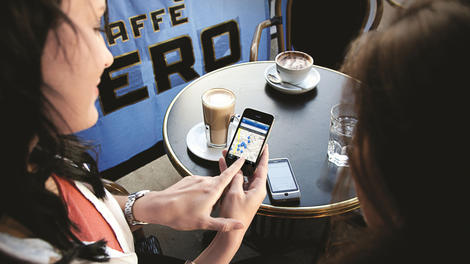
The twelve days of Christmas may have come and gone, but the weather outside remains frightful. Even by British standards, 2014 has been a wet one so far.
With warnings of severe flooding across the UK, this is bound to have a great impact on businesses, and the smartest ones will already have the technology in place to work around flash floods.
As proven in previous winters, adverse weather conditions in the UK can cause massive disruptions to national transport infrastructure, resulting in as many as 20% of people unable to get to work.
Potentially, this could have a negative effect on a business' productivity and performance. With bad weather becoming a recurring problem, businesses should be incorporating a flexible working policy so there are no lapses in productivity.
Remote Working
This is where remote working through video conferencing can be instrumental. Offering employees the chance to work flexibly will not only minimise the knock-on effect of bad weather, but can also lead to a happier workforce.Over the last decade, the number of home workers has doubled from 21% to 40%, and the number of employers offering flexible working arrangements for parents has increased from 28% to 44%, so businesses are already moving in the right direction.
At Polycom, over 90% of our employees are equipped to work from anywhere, including our head office in Slough or our hub in central London.
As the majority of our employees live outside the M25, we feel that they should be able to work from home too; and we also recognise that modern technology tools negate the need for many employees to always be on site. We find that they are actually more productive when they can avoid a commute altogether.
According to The Chartered Management Institute, the most common effects of the heavy snow storms last winter were staff unable to come to the office due to travel disruption or school closures, plus the cancellation of external meetings.
Some might underestimate the effects of severe rain in comparison to snow, but this is a mistake; schools and public transport are just as likely to face closures this winter.
Some businesses will bear the brunt of this; others will have prepared themselves with preventative technology in place. We just need to make sure we are weather-proofing our enterprises by making flexible working available to the entire workforce, all of the time.
- Tim Stone is VP Marketing, EMEA at Polycom and is responsible for the overall Marketing strategy and execution in the region as well as product marketing, partner marketing, vertical marketing, strategic marketing and marketing communications programmes.

| |
Read More ...
In Depth: The future of USB: next-gen connectivity revealed

Just getting used to the USB 3 mini and micro B connections on the latest devices? The next connector is already being designed; we don't know what it will look like, as the standard hasn't got as far as prototypes, but we know it will be reversible.
"You don't have to worry about the orientation of the plug or the different ends of the cable; whichever way you plug it in, it will work and you don't have to worry about whether it's an A or B type cable," Jeff Ravencraft of the USB Implementers Forum told us.
It will be a similar size to the USB micro B connection, so the socket on your phone won't take up any more space, and Ravencraft said smartphone, tablet and PC makers are all preparing to use it on new devices.

It's also going to get picked up by the EU and China as one of the approved charging standards for phones; both have adopted USB micro B connectors as a charging standard so you don't need a new cable for every phone. Expect to see an adapter so you can use USB micro B and USB C together.
The good news is we won't have to go through more cable changes for a while because the plan is to make this a design that can be used for multiple generations of USB at higher speeds. "It will scale for performance as well as power," says Ravencraft. "The working group understands this will need to scale beyond 20Gbit per second data rates; the connector will support that." The connector will be rated for 100W. We don't expect to see higher power than that, both because of safety regulations and because newer laptops are using less power to charge.

There are some interesting ideas about what might be on the other end of the plug too. One researcher at the University of Berkeley is trying out connecting a solar panel by USB. Once they can take 100W, USB cables could power anything from a phone to a TV screen to a sewing machine, doing away with a host of custom power connectors.
20Gbps USB won't ship for a while, but we will see SuperSpeed 10Gbps connectors in devices shipping this year. That's twice the speed of the 5Gbps that's the USB maximum today, and the connection has less overhead; in tests, Ravencraft says the engineers are seeing 9.7Gbps throughput on a 10Gbps connection. These connectors will work with both 5Gbps and 10Gbps USB 3 devices and hubs (obviously at the slower speed for 5Gbps devices), and you'll even be able to plug in USB 2 devices as well.

What would you want 10Gbps for? DisplayLink is going to use it for docking stations that can drive 4K screens, rather than the two 2560 x 1600 screens current USB docks can handle, as well as powering your device and transferring data – all over a single cable. DisplayLink is also working with Rohm to put 100W USB power into its chipset, which will make it easier for manufacturers like Targus, Dell and Lenovo who use DisplayLink chips in their docks to ship 100W USB3 SuperSpeed docks.

The first SuperSpeed 10Gbps products will be storage, monitors using it to connect audio and video as well as being a fast USB hub you can plug other devices into and USB hubs that let you connect multiple 5Gbps devices at once without slowing down, Ravencraft predicts. "You can send audio and video from a notebook to a monitor and get power back from the dock to run your notebook," he suggested. "Today you can only draw 7.5w, and that's not enough for tablets and notebooks, but [when you plug it to a monitor] the user expects to be able to charge over USB too."
Virtual USB
The next USB connector after that might look like Ethernet, or be wireless, or anything else you can think of. That's because the 'media-agnostic' USB specification that's correctly being developed is a way of having a USB connection without a USB cable. "It will allow wireless devices and docking stations to communicate over USB without a physical connection," Ravencraft explained. "You can have a device out on the cloud communicating over Wi-Fi or WiGig, but it looks like it's right here, connected by a USB cable." That could give you remote access USB connections to peripherals, or an encrypted connection to remote storage that looks like a USB drive to your PC.WiGig, the wireless gigabit standard, has already moved to a new home with the USB Implementers Forum and has become that foundation of the media-agnostic USB spec. "We're working to make sure it's the real USB experience over 60Gbps radio," Ravencraft promises.
But once you've virtualised the connection, it could work over anything. "It's compatible with WiGig and Wi-Fi and wireless USB. It could run over Zigbee. If you had UWB radios you could support it. You could do USB over fibre." And that will make the U in USB really universal.

| |
Read More ...
Available Tags:Xbox , iPhone , Android , security ,


No comments:
Post a Comment