

Week in gaming: Steam Machines, PlayStation Now, Oculus Rift: gaming goes big at CES

Skim your eyes over the headlines that CES 2014 has generated this week and one thing becomes clear: gaming has never had a bigger presence at the show.
Sure, the bendy TVs, smartwatches and tablets descended en masse, and there was plenty of the weirder stuff too, but some of the biggest take-aways from Las Vegas were for the gamers. It almost put E3 to shame.
Steam Machines, assemble!
We'll start with Valve, which lifted the cloth off a roster of third-party Steam Machines at its seven-minute press conference.Ok, some of them are a bit fugly, but they're all beautifully powerful on the inside, each with their own specs, design, price point (starting at $499 and working up to $6,000) and expected release date (Digital Storm's Bolt II will be the first, arriving this month). Expect to see more, too.
As for Valve's own Steam Machine - you know, the one that looks a little bit like an Xbox 360 Elite - there's a good chance we may never actually see this at all.
Valve sees itself as the enabler in all of this, leaving the hardware side of things to third-party manufacturers. It's carving out a niche and letting other come and build on it.
Will we see the Steam Machines go big in 2014? Given the high price points of the boxes announced so far, it's likely to be a slow-burn process. It may not be an overnight revolution but Valve's about to disrupt living room gaming - and we're completely on board.

Rifting along
When we heard that an updated Oculus Rift was heading to CES 2014, we got so excited that a little bit of wee came out. Then we tried it on. Good thing we brought that extra change of clothes for our week in Las Vegas.The Oculus Rift Crystal Cove edition is a significant step forward. With the update comes a new low-persistence-of-vision OLED screen.
Motion blur has been erased and latency has been reduced to 30 milliseconds (however the team want to get latency to sub-20 milliseconds by the time the headset is available to buy).
It also now adds positional tracking to the experience - achieved via an external camera - so you'll be able to lean your head closer to objects in-game, peep around corners etc.

We want it Now
As if the gaming industry hadn't had enough of a shake up as it was, along came Sony with a little announcement of its own.PlayStation Now is Sony's Gaikai-based streaming service that will let us stream old PlayStation games to the PS4, PS3 and Sony Bravia TVs this summer, with support for Vita and Sony Xperia Android devices coming down the line.
What does this mean for PlayStation? For starters, it means the PS5 could be a very cheap console indeed. But most significantly it means the PS4 and Xbox One will almost certainly be the last of the games console as we know it, and that's no bad thing.
To round off this exhausting week, here's what our Future pals have been up to.
CVG
The PlayStation revolution is here. Find out everything you need to know in our PlayStation Now launch centreControl freak? We go hands on with Valve's Steam controller
While we're talking Valve, the company has announced plans to release a virtual reality SDK next week.
Dragon Age Inquisition gets some environmental artwork released
Official Xbox Magazine
Primal scream: Alien Isolation Xbox One hands-on and commentaryThief Xbox One interview - the City, horror, replay value and exploration
PC Gamer
TellTale Games wants to do a James Bond game (and we'd be okay with that)2K has shuttered its Prague office, leaving the future of Mafia 3 unclear
Hands on with the Oculus Rift Crystal Cove unit
Total Film
50 films to look forward to in 2014The best movies of 2013

     |
Read More ...
BLIP: Cat fight! ScarJo fires back at jealous Siri following 'Her' slurs

Scarlett Johannson voices a more advanced version of Siri in her new film Her, and Apple's personal assistant isn't happy, offering a host of snippy replies to iPhone owners who dare to mention the flick.
The Apple tool said "she gives artificial intelligence a bad name," among other digs, but now Scarlett, who stars alongside Joaquin Pheonix in Her has hit back at her electronic rival, calling Siri a "backstabber."
"I feel like I've been betrayed," she told Vanity Fair in an interview.
"The other day I asked Siri how I looked and she said, 'You're the fairest of them all.' So she's obviously playing both sides. What the hell? What a backstabber, man."
More Blips!
- Circle Jerk: Google+ man gets arrested
- Omnicorp unveils Robocop at CES
- Have Vince McMahon and Stone Cold Steve Austin changed television?

| |
Read More ...
European Moto G gets Android KitKat update, now better value than ever

The low cost Moto G handset from Motorola can now boast the very latest version of Android KitKat as part of its excellent value proposition.
The update hit European versions of the handset this weekend and can be downloaded over the air directly from the device.
It comes just days after Vodafone pledged to release the device on contract packing the Android 4.4.2 update.
Within that report we speculated whether Vodafone had earned dibs on the KitKat update, but now we know that's not going to be the case.
Suits you, sir!
Having Android KitKat gives potential suitors yet another reason to snap up the 4.5-inch 720p device.The handset is available off contract for the modest price of £179 and brings with it a 1.2GHz quad-core Snapdragon 400 processor and 1GB of RAM.
The Moto G may be joined in the UK by its big brother, the Moto X, this week with a London event planned for Tuesday.

| |
Read More ...
Xbox One Direct Broadcasting feature still a 'few more months' away

The Xbox One Direct Broadcasting feature, which will allow Xbox Live Gold subscribers to showcase their gaming prowess live online is still a few months away, according to the company powering the service.
The feature was announced at E3 2013 during Microsoft's keynote, with the tech giant promising its arrival in the 'fist months of 2014' in the run up to the Xbox One's release.
Now, in response to fans baying for the feature Twitch took to Twitter to confirm there's has been no update from Microsoft on when Direct Broadcasting will go live.
The company wrote: "Xbox One Direct Broadcasting: There is no ETA at this time from Microsoft. Expect a few more months. If we know sooner, we'll update."
Seamless integration
A Microsoft spokesperson told Polygon that the Twitch broadcasting is a 'major focus' with integration coming in the "coming months."It seems the company is putting in the extra legwork now to ensure there are no teething problems with the service once it eventually launches.
In a statement, Microsoft wrote: "We understand that the broadcasting component of Twitch is very important, and it is a major focus on our roadmap as we work to ensure it is seamlessly implemented into our Xbox One experience over the coming months."
Last week it was announced that 20 per cent of Twitch streams are originating from Sony's PlayStation 4 console.

| |
Read More ...
Beats Music goes live in the US on January 21 on Android, iOS and the web

Beats Music, the new streaming service from the popular headphone manufacturer, will open for business on January 21 in the United States, it was announced this weekend.
The platform, which aims to provide custom album and playlist recommendations to subscribers every day, will be available for Android, iOS and on the web immediately upon launch, with Sonos support.
There'll be a free trial period for sign-ups, but after that there'll be no ad-funded free-listening option a la Spotify, but a single monthly subscription fee of $9.99 (around £6, AU$11). That'll allow users to stream on multiple devices and also save playlists for offline listening.
There's also a family plan exclusive to mobile network AT&T while will bring access to 5 users on up to ten devices for a one-off payment of $14.99 a month. (around £9, AU$16)
All 'Right Now'
The new service, spearheaded by Beats boss Jimmy Iovine and NIN frontman Trent Reznor, will aim to attract users with its new approach to music selection.One of the key elements is the Right Now mood music option. It will allow users to fill in the blanks of a sentence like "I'm cold and feel like cuddling with my wife to hair metal" in order to spawn an instant playlist fulfilling the criteria.
Subscribers will also get a handful of 'Just For You' albums and playlists recommended to them each day, depending on their previous listening habits, the time of day and current activity.
There's still no word of a launch outside of the United States at present.

| |
Read More ...
Microsoft to reveal Windows 9 at Build 2014, with release in April 2015?

Microsoft will cause a major surprise at its annual Build conference in April by revealing the Windows 9 operating system, according to reports this weekend.
Well-connected Microsoft blogger Paul Thurrott claims the company plans to release Windows 9 (codenamed Threshold) in April 2015, less than three years after outing its revolutionary Windows 8 OS.
The new OS will not be a huge overhaul, but the fast transition is aimed at leaving behind some of the criticisms associated with the Windows 8 moniker, allowing Microsoft to move forward with a clean slate.
"To distance itself from the Windows 8 debacle, Microsoft is currently planning to drop the Windows 8 name and brand this next release as Windows 9. That could change, but that's the current thinking," the report claimed.
Windows 8 Vista?
Recent reports have suggested that the Threshold update will see a full return of the Start menu, while also allowing users to run 'Metro' apps in desktop mode."Maturing and fixing the "Metro" design language used by Windows will be a major focus area of Threshold," Thurrott added. "It's not clear what changes are coming, but it's safe to assume that a windowed mode that works on the desktop is part of that."
Microsoft will pitch this change as Windows 8 laying the groundwork for change, rather than acknowledging it has failed to resonate with traditional PC users and the new tablet-friendly audience it has tried to snare.
Build 2014, Microsoft's annual developers' conference, was expected to focus on Windows Phone and Xbox this year, but the launch of a major new PC operating system would surely trump anything.

| |
Read More ...
Inflame: Bendy TVs: ahead of the curve or twisted gimmick?

We mocked the curved and bendable mobile phones when they were first announced, but then, when we saw the live demos and thought about how they do seem pretty sweet, we grudgingly learned to accept them. Maybe they're not 100 per cent insane after all.
But there's no way on earth we're falling for this new wave of curved TV nonsense*. We've enjoyed the way TVs have gradually become thinner and lighter, as they take up less space in our bedsits and make moving into the next bedsit a little easier.
A curved TV may fit the corner of the lounge a bit better and we wouldn't mind having 105-inches of 4K resolution screen upon which to analyse Judy Dench's forehead wrinkles during the latest James Bond, but surely there's no viable financial case for any sensible person to ditch their latest (probably 3D) set for a new one with a curvy screen?
Well done for making it though, Samsung, it's certainly a more impressive object than we could knock up in the shed over the weekend, but... did you ever ask anyone if it's what they wanted or needed? Judging by the online mockery the curved TVs have received, we think not.
Cornering the market
Over on the Guardian, reader Sherpa_10 wasn't impressed in the slightest by Samsung's apparent innovation, saying: "This is the product of some kind of forceful, borderline psychotic personality in the Samsung top brass. The bonkers, foaming-at-the-mouth insistence on continuing innovation will eventually lead to barking-mad adjustments to already perfected pieces of equipment."You say the TV has been perfected, Sherpa, but you won't really know that until you've tried a triangular one or a round one. And Salamandertome followed up with a possible explanation as to who Samsung's targeting with these new sets, saying: "It's nice that Samsung are doing something for people that live in Oast houses in Kent, England."
Oast houses, our international readers might like to know, are very old ones with round stone silos on the end for drying out hops. Rich people convert them into proper houses and might just have enough left over to pay for a 105-inch telly to go in the, er, corner, of their round living rooms.
Flatlining
Even more incredible than a curved 105-inch TV was Samsung's other big announcement at CES 2014, the bendable 85-inch U9B. We spent a considerable amount of time trying to find someone who could come up with a sound reason as to why a TV might need to be bendable, the best being Engadget reader Cocky_Clock, who suggested: "If it bends around your head it would be pretty awesome."A couple of mouse wheel scrolls down it was back to mocking the idea, with Fmftint pointing out rather validly that: "...one huge advantage of flat LED screens is the way they hang on the wall instead of hogging space and dominating the room like CRTs used to. Curved screens undo all that!"
Curve appeal
Some people liked it, though, or to be more precise, liked the fact that Samsung's doing something a little different than churning out the same old rectangles as everyone else.Over on The Verge, reader TheMysteryMan pondered: "Everything that is ever invented feels like nonsense in the beginning. Mobile phones. TVs, aeroplanes, rockets, cars, guns, smartphones, phablets, all were ridiculed when they were invented for the first time.
"I don't understand how you can criticise anyone for taking the first step. If nobody thought of doing anything new, we would be in very different world," he continued, claiming that Samsung's ability to make weird stuff shows it's in rude health and able to, perhaps, take a loss on the deal just to see what it can learn from the experiment.
Revenge of the Fallen
And finally, we have our first celebrity entrant on Inflame. So-called film director Michael Bay staggered the tech world by flouncing off the stage at Samsung's curved TV demonstration, seemingly unable to think of a single good reason off the top of his head why people might like to buy one."..." said Bay, before legging it.
The director attempted to appease Samsung a little in a blog post of his own, saying some nice things about the curved TV concept (as no doubt contractually obligated), before explaining: "I got so excited to talk, that I skipped over the Exec VP's intro line and then the teleprompter got lost. Then the prompter went up and down - then I walked off."
Bay rather unwisely left comments open beneath his explanation, with reader Jeffrey Lee offering him some advice on coping with future public engagements, suggesting: "Don't sweat it Michael. Just remember to imagine the huge crowd naked in CG with flames and explosions all over the place."
*We probably will but we're not at the moment. Got that? Good.
- Inflame is where online rants reside. Check out the best of Inflame 2013

| |
Read More ...
First look: Vuzix V720 HMD

Virtual reality is becoming, well, a real reality. Earlier this week we saw the mark two version of Oculus Rift and we ran in place on the Virtuix Omni. Not to be left out, Vuzix showed off its personal media player, the V720.
As denoted from the name V720, it's a 720p head mounted display for viewing 3D movies in your own personal theater. The display was on show as an early demo unit alongside an industrial design mockup of the display and headphone combo that Vuzix hopes to start selling this summer.
Ever the technologists, we decided to stroll over soon after checking out the Vuzix M100 to see what sort of visuals the V720 could display.
The mini movie theater

Like many HMDs we've seen before, the display unit consists of two LCD screens for the viewer's left and right eyes. Combining the screens allows the user to see one single 16:9 widescreen 3D picture.
A Vuzix rep told us the V720 was designed in such a way to emulate looking at a 75-inch screen from 20-meters away. The actual picture we saw was large, crisp, and clear with a good deal of depth to boot.

The V720 does not use any type of film or active shutter technology to create the 3D effect. Instead it uses software to calculate the depth effect, so at least, it seems 3D inclusion won't be a detriment the brightness and clarity of 2D footage.
While the picture was clear, it was also plainly visible where the frame ended as a black rectangle surrounded the picture. If anything looking into the Vuzix V700 was like seating our eyeballs into a mini movie theater, which may irk some used to the vision enveloping screens seen on the Oculus Rift.

Vuzix also plans to sell the V720 with a built in pair of noise-cancelling stereo headphones. There's nothing to write to home about here audiophiles, it's just the basic 2.1 setup.
Future plans

On top of viewing entertainment, Vuzix is looking into developing a V720 into a smart device with Android KitKat built in. At the show, the V720 was set up connected to display media over HDMI, which could make it perfect for connecting with other types of devices like the Xbox One and MHL connected smartphones.
The company claims the final version will come with Wi-Fi and Bluetooth for wireless video and audio streaming. It will also arrive with a 1080p camera for augmented reality purposes, but Vuzix wasn't ready to say what it had in mind.
Vuzix shared that its V720 HMD will likely sell at $599 and is slated to start shipping worldwide later this year closer to the summer season.
Very early verdict

It's too early to say if the Vuzix V720 with our only impressions coming from a demo reel of Avatar and little to no specs on the screen themselves. But, looking into the screens and hearing about Vuzix's future plans, it seems like something to keep in mind for the future. As always stay tuned to TechRadar as well update our impressions as we check out new and more finished versions of the V720.

| |
Read More ...
Hands-on review: SteelSeries Stratus

Although SteelSeries already has an iOS controller out on the market called the SteelSeries Free, it's out to improve and iterate on the design to introduce the Stratus.
Like its predecessor, the Stratus is an incredible small controller compared to the other mobile controllers like the Samsung GamePad. Labeled as the first wireless controller for iOS 7 (sorry Android users) the Sratus is roughly the size of an iPhone 4S.
Just right for Goldilocks

Even with its diminutive size, the controller still feels beefy enough in our hands. The back is contoured with lines for our fingers to slip in and its overall shape is designed for grasping.

Users with slightly larger hands will also be able to attach the plastic guard cover, normally on the front during travel, onto the back to make the controller feel more substantial. The version we played with was still preproduction and a SteelSeries representative told us the final model could have a textured pattern on the back to make the extra shell more grippy.

At first glance the controller is pretty much a mash up of Xbox buttons with a Sony DualShock inspired stick layout and design. The D-Pad feels a bit flat for our tastes with virtually 1mm of space for it to depress. The analog sticks, however, have a nice bit of travel and enough resistance to automatically center on their own.
NES players will be glad to know the face buttons feel like the classic controller and are just as responsive. On the top of the Stratus, we also found a set of four bumpers in an overlapping arrangement that were easy to reach and differentiate during frenetic platforming games.
A platform controller

After pairing the controller to an iPad Mini over Bluetooth, we started up a game of GTA III: San Andreas and it was a perfect trip back to the PlayStation 2 land. All the controls worked as expected and without any lag as we drove down to San Fierro.
A bit later we switched off to Limbo and found the controls were already mapped for us there and without any lag again - a crucial bit for catching giant spider legs in bear traps. Beyond these two games, SteelSeries boasted that the Stratus controller will support over 100 games all thanks to iOS 7's built-in controller support

What's more, the users will be able to connect up to four controller - as denoted by the strip of lights above the pause button - even if there are not many games which allow for that many concurrent tappers or controllers. The Stratus is rated for a 10-hour battery life that can be recharged via the mini-USB port located on the bottom, fully recharging in an hour and a half.
SteelSeries plans to have its Stratus shipping to customers and in Apple Stores by the end of the week. It will be available for $99.99 or £84.88 (about AUS $111.15).
Early Verdict

The SteelSeries Stratus feels like a controller that's just right. It's small and light enough to carry, yet it's still beefy for some more serious mobile gaming. We liked basically everything on the controller except for the D-Pad and were pleased to find the experience lag-free.
Those that pick up the Stratus controller next week probably won't be disappointed, but we'll still have a bit of extra testing to do to see which of over 100 games work with the controller and if the claimed 10 hour battery life is for real.

| |
Read More ...
In Depth: First Look: Vuzix M100 smartglasses

While Google Glass might be the better known face of wearable augmented reality devices, Vuzix was on the show floor at CES 2014 showing off the first smart glasses available to the general public.
Called the Vuzix M100 is an Android-based wearable computer first made its appearance at CES 2013 as a product demo. Now with the M100 being slightly closer to its final build and shipping to customers, we got a chance to go eyes-on with the heads-up display.
Looking through the M100

Like the Google Glass, the Vuzix M100 presents users with a heads up display just a few inches away from their eyeball. The key difference here being instead of projecting information onto a clear eyepiece, Vuzix uses a miniature 428 x 240 color-LCD.
On paper, looking at the M100's miniature screen is akin to looking at a 4-inch mobile device from 14-inches away. In actual practice, the screen pops into the corner of our eye wrapped in a thin black frame that still lets us see plenty of our peripheral vision.

The screen stays on and in view at all times, but we had to glance over occasionally to focus in on any text that was on the display. It also takes a bit of setup time to extend the flexible arm the screen comes attached to and bend it into view. Completely unlike Glass, which we can just throw on and use.
Visual aesthetics aside, the Vuzix built up the M100 to be a standalone Android device complete with a 1GHz OMAP4430 processor with 1GB of RAM and 4GB of storage.

On top of the hardware, the computer headset we played around with came running Android Ice Cream Sandwich. A Vuzix spokesperson said that they also plan on creating an icon based overlay that users can navigate with gestures captured with a light sensor on the main body of the M100.
Limited build

The demo M100 build we our hands on with was extremely limited. On the trade show floor Vuzix decided to disable the gesture sensing light on the side as well as all the buttons on the device itself. So instead of using the device ourselves, we got a guided tour through an Android smartphone remote controlling the optic over Wi-Fi.

We were shown two features involving the camera, one of which directed a regular video feed coming from the M100's 5-megapixel camera, which could also stream footage directly to a computer over Wi-Fi.
The other, meanwhile, was able to translate a sign from Italian to English and overlay the translation on top of the actual real-life object. Beyond these two functions, Vuzix hopes it and other developer will be able to develop more useful applications for down the line.

A Vuzix spokesperson said the M100 has a 600mAh battery that lasts eight hours on standby. This battery life, however, becomes dramatically shortened to two hours when using hands-free calling mode and the screen at the same time. Luckily it comes with a portable power pack that adds an additional 3800mAh of power for 6.5 times more energy.
Very early verdict

The Vuzix M100 build has a lot of missing or still to be developed functionality and it's a hardly a smart glass platform we can recommend considering its high $999.99 or £799.99 (about AUD$1112.71) price. Most of the M100 is still in progress, which is a shame considering it packs all the usual smartphone hardware, including gyroscopes, into small headset.
Perhaps a future, more complete build will be more tantalizing, but for now the Vuzix M100 is best left on the shelf for developers and enterprising industries that actually have the budget to blow a grand on new technologies.

| |
Read More ...
Hands-on review: Alienware Steam Machine review

Alienware went through eight revisions over two years in collaboration with Valve before the gaming PC vendor came to its final Steam Machine. That's how serious Alienware claims to be about Valve's hardware initiative, and it shows in the design.
This Steam box is more subdued than most of Alienware rigs, with the only lighting on the all-black box being on its glossy face. Naturally, the Alienware logo glows, but so does Valve's logo, which appears in a triangular cut into the bottom-left corner of the device. At the moment, the Alienware logo is a hard button that changes the lighting from blue to green to red and so on.

Up front, the unit houses two standard USB ports. Around back, Alienware kept the I/O simple, with just two USB 3.0 ports, Ethernet and HDMI-out below two large vent outputs. (Intake lines the bottom edges of the unit.) Up top, the unit is coated in a soft touch finish.
Honestly, after eight revisions, I would expect something more radical, but Alienware's Steam Machine is right up there with the PS4 in terms of size and style. The company doesn't dance around that it borrowed heavily from its X51 mini gaming PC design in crafting its version. Smart move.
How will it play?
While the company brought just a mockup to CES 2014, I'm told that the design is final. If the show were a month later, Alienware would have a working model to show, a Dell (Alienware's parent company) representative told me. Instead, Alienware had an X51 running Steam OS to give an idea of how the final Steam Machine would operate.
I played a few incredibly clumsy minutes of Metro: Last Light in 1080p with the latest version of Valve's Steam Controller, and the machine had no frame rate or screen tearing issues whatsoever. According to a Dell rep, the entry-level Steam Machine will play Metro: Last Light in 1080p locked at 30 frames per second. I just wouldn't expect very high settings.
If anything, this instills confidence that the Linux-based Steam OS doesn't harm the performance of Windows games ported over. For one, Linux is an inherently lightweight kernel. And two: There is a minimal amount of background processes running on Steam OS, giving the CPU, GPU and RAM more to offer your games.
Sparking another console war
Alienware claims that its Steam Machines will house even more powerful hardware than the latest X51 models; all three configurations (good, better and best) will house Intel processors and Nvidia GPUs. More importantly, the company claims that its entry-level model will be "competitively priced" against the Xbox One and PS4.
Considering many of the console-priced Steam Machines are running Intel's integrated Iris Pro graphics on Haswell chips, that could be a boon for Alienware's offering. And if the final living room units will be even more powerful than the latest X51 models, I expect an even better showing by the final units.
But it's only companies like Alienware that seem concerned with Microsoft and Sony regarding their Steam boxes. Valve doesn't have as much of a stake in whether the Steam Machines succeed as its partners. If the Steam Machines initiative falls flat, then tough luck for Alienware and its competitors.

Valve has more users on Steam (65 million as of October 2013) than there are Xbox One and PS4 players combined, and it will be that way for some time. Companies like Alienware can't say the same, but they're banking on Valve's vision as a means to compete.
Early verdict
Alienware's Steam Machine is a gorgeous piece of hardware – something that would fit right in with your other game consoles or cable box in the entertainment center. While the company was only prepared to show a mockup unit, it's somewhat comforting to be told that the entry level model should be able to play one of the most demanding PC games around locked at 30 fps and 1080p.Like all Steam Machines, the hardware is the easy part. There's nothing stopping them from beating the consoles at their own game in terms of raw performance. (Perhaps even at competitive prices.) However, Valve – not to mention the vendors – have plenty of work to do elsewhere.
It's up to Valve to convince more game developers that Steam OS truly is the future of living room gaming, and that the audience will be there. At the same time, the hardware manufacturers face an uphill battle of showing the entrenched console gaming audience why their alternatives are more ideal. One cannot happen without the other.
Being primarily a console gamer these days that sees the value of Steam and hardware upgrades, I might want to see an Alienware Steam Machine under my TV. But how many more are out there like me? Alienware and its competitors' success seems to depend on hypotheticals like this. For most, it will be tough to make a $499 (at least) purchase based on what if's.

| |
Read More ...
Samsung Galaxy Note 3 Neo breaks free of the Matrix in leaked photos

The release of the Samsung Galaxy Note 3 Neo looks imminent now leaked shots of the purported device has appeared online.
The pictures, posted by SamMobile, shows the rumoured Note 3 Neo alongside the original device, showing a slightly smaller body, but no other apparent aesthetic differences.
A leaked spreadsheet, which surfaced on Wednesday, referenced an 'industry first' hexa-core processor, combining a 1.3GHz quad-core processor and a 1.7GHz dual-core processor.
Elsewhere, the device offers more similarities with the Galaxy Note 2 than the current-gen Galaxy Note 3. It is said to have the same 5.5-inch 720p AMOLED display and 2GB of RAM.
MWC bound?
The scaled back Note 3 Neo now seems almost certain to make an appearance at the Mobile World Congress expo in Barcelona next month.Recent reports have suggested the long-awaited Galaxy S5 will be there too, breaking from Samsung's now-traditional annual launch events.

| |
Read More ...
Interview: CyanogenMod: from bedroom Android hack to million dollar mobile OS

CyanogenMod is one of the most popular third-party Android ROMs available, with over 8 million users. It's an operating system that's grown from the modding community into a mainstream alternative to what your current mobile phone offers.
Hate Samsung's TouchWiz? Then CyanogenMod offers a more grown-up user interface. Fed up with HTC Sense or the vanilla look of pure Android on your Nexus? Then CM brings a viable alternative but there's a predicament that's been weighing on the minds of its development team.
"I think that for every one person that does install CyanogenMod, there's maybe five or six that try but don't finish. I had one of our board members try to install it, and he actually gave up," laughs Koushik Dutta, one of CyanogenMod's lead developers (known to the community as Koush).
The problem of getting people to actually use its software isn't something the CyanogenMod team has taken lightly. In fact, it's one of the spurs that has pushed the team into turning its community-based, open-source Android spin-off into a full-on business venture: Cyanogen Inc.
With $7 million in funding behind it, the core CM team, including Koush and CyanogenMod's founder Steve Kondik (known as Cyanogen), is now working on turning the enthusiast-friendly ROM into a mainstream hit. And the first challenge is making it easy to install.
Jumping hurdles
"What we hear from everybody is that, 'Yeah, I share this with my friends and I think it's great, but then I tell them what they have to do to install it and they bail'," says Kondik."So we've made this installer. We say it's one-click, though in reality it's more like three clicks. But we've been doing some pretty extensive usability testing on it, because the big goal here is to get CM to as many people as possible.
"We think that the whole walled garden approach is fine, but it's getting tired, and people want an alternative, and we've absolutely proven that. By having this installer, the current growth is just going to go crazy. It's just going to sky rocket."

He's not joking – after announcing the Cyanogen business, the brand new servers were brought to their knees from 38 million downloads in just one month. And the team was keen to point out that, while the installer is seen as the crucial first step to making CM more popular outside of hardcore Android users, it's only the beginning.
"We need to make it really easy to install, and then we have to start building compelling reasons for people to install it," says Koush.
"Right now, the main reason people install it is because what is out there is just… not very good. And I don't want the reason that users come to us to be because the competition isn't good. I want the reason users come to us to be because we're awesome."
To get to a point where users are being attracted to CM, the team is taking a few different approaches. One aspect is to build more useful services into the operating system, including network-based services.
"We're contracting a really notable security researcher, Moxie Marlinspike, to build a secure messaging/iMessage product for us," says Koush.
In with the new
Another big change will be getting CM installed on phones as the default operating system, starting with a partnership with Oppo on the N1, a new flagship phone."Oppo had given us support in the past, and when we were forming the company, I told them what was going on. For the global release of the N1, there's an officially supported version of CM, and there's also going to be a limited edition that will actually run CM by default," says Kondik.

"This is just the beginning of bigger things, really. We have the chance to do some experimentation and get everything in place to support something like this, and then next year we'll do something bigger. It's got to be done right, though.
"You can't just put some branding on a phone and sell it. You've got to provide something that you can't get elsewhere, especially if you want to make money off the thing. It's going to be important to have a really great platform, really great services. People aren't just going to shell out $800 for a device unless it's really giving them something that they can't get elsewhere."
One way to do this is be on a device from a new company, and that's exactly what was announced at CES 2014. It was revealed that Cyanogen Inc was teaming up with a new mobile venture from China - OnePlus. The link? The founder of OnePlus is Pete Lau, a former VP of Oppo.
Mass appeal
Another opportunity is to use the team's knowledge, and the flexibility of CM's Android roots, to make something new that appeals to a different audience."CM is absolutely perfect for people who are technical, and everything is designed for people who are technical. We don't want to dumb it down, but we want to wrap some of that stuff in a prettier face. Sometime next year, we're planning on launching something quite a bit bigger that's geared more towards a broader market," says Kondik.
These plans help to explain why the team wanted to take the chance to push CM further by creating a business around it, but the decision understandably caused some concerns from the community, while some contributors wanted to know whether they would get paid a portion of the new business money for the work they put in.
"I think some of the younger guys have this vision that Steve and I got written this seven million dollar check that went into our bank accounts," says Koush.
"The money that we got is to build a business, so it's hiring people, paying them, building out an office, paying for the servers that have been donated for so long, paying for bandwidth… Paying for so many different things that it's scary looking through the transactions of our bank account."
Keeping competitive
The new company has also announced that some of the work it will do will be proprietary, leading to concerns over the future of the open-source project. Kondik understands these fears, but is fairly bullish that they're unfounded."When you look at Android, it was done with a very specific goal in mind – to really screw up an industry that had gone so far down the proprietary software route that it was hopeless. And they totally succeeded. But now it's happening again, and we're hoping to be the answer to that," he says.
"But you have to find a balance. The things that we won't be releasing are the things that give us a competitive edge. We won't release the source code for our installer. That would be crazy."
"But we don't have any plans to close source any of the existing stuff," he says, definitively. "We're building on top of the open source project. We're not even maintaining a closed fork of CM internally. Anything that we need to do to support our own applications, we'll build the APIs [application programming interface] into the open source side and ship that.

"Going forward, you're going to see two release branches. One is going to be business as usual, what we're releasing today. Then you're going to see a version that comes with extra stuff that we've done that we think is pretty awesome."
Some community members have also worried about the pressure on a business to make money, and how that will affect CM at large. "Right now, we're following the great Silicon Valley idea of 'get the users, and the money will come later'," says Kondik.
"We're in this for the long haul. We think it's going to be a big company. We're not trying to make a quick buck and then get out. We're trying to build something important. There's too much time, and too many emotions from too many people involved to give it anything less than what it deserves."
Gaining ground
It's important for a project like CyanogenMod to remember the emotions and history that went into getting it to where it is today. When Kondik and Koush look back on the early days, they talk about the speed of growth and voracity of its contributors as though they're not quite sure it really happened.
"A few people had looked at different approaches to building on Android, but when I posted my version up, people seemed to really go crazy over it," says Kondik.
"It was really awesome because of how quick people were to try it out and give feedback on what's broken and what could be better. So I kept at it for a few months and more people started using it, more people started submitting patches and wanted to work on it. Koush got involved when the first Motorola Droid hit the shelves, porting CM to it."
"I recall the first year there was maybe only a dozen guys, and then I disappeared for a year, and I came back and there were a hundred guys," says Koush. "And then a year later there were 500, and now there's 2,000. It's just crazy. It's exponential growth for contributors and for users."
But despite all the changes that come from changing from a purely contributor and community-driven project to a well funded business, the team promises that the feel of CyanogenMod won't change.

"A lot of the guys who were on the open source project were going to their day jobs and then hacking on CM for a long time, including myself," says Kondik.
"And now we just work on CM the whole time. But one thing that has not changed is working very, very late. Until 5 o'clock in the morning," he laughs. But is it the classic Silicon Valley startup with fun toys around the office? "We have a kegerator!" shouts Kondik, proudly.
"And a really nice coffee machine," adds Koush. "I think we're all on the same page; the office is somewhere you want to come into and work, so we don't do cubes. We have a really nice setup and design."
There is one thing that will change for CyanogenMod when it launches for a mainstream audience, though: the name. The team says that the company will still be called Cyanogen, and the open source project will keep its name, but for reaching a wider audience, the operating system will be called something new.
"Yeah, it's changing…" Koush chuckles. "At some point. For a mass consumer release, 'CyanogenMod' doesn't exactly roll off the tongue."

| |
Read More ...
Roundup: Best of TechRadar: this week's star features and hottest reviews

Is hydrogen really the future of car fuels?

Is fuel cell tech a wonderful world of water emissions?
So, Toyota is planning to take hydrogen cars into the mainstream. It's launching a full-blown hydrogen-powered car in 2015. But is the world ready for hydrogen fuel cell cars? And even if it is, will fuel cells live up to the low-carbon hype? Continue reading...
Why the PlayStation 5 could be the cheapest games console ever

Sony's PS5 could be a cheap little streaming box
While 4K TVs, Steam Machines and cool car tech are all well and good, by far the most exciting thing to come out of CES this week is the launch of Sony's PlayStation Now. It's not only an exciting new gaming service, but also a mesmerising hint at the destiny of the PlayStation brand and the future of gaming in general. This is the beginning of a cosmic shift in the paradigm of gaming, and it's happening right here, right now. Be excited. Continue reading...
CES is where innovation goes to die

You're doing it wrong, tech industry!
Did you see the Michael Bay thing? Michael Bay. Walked off stage he did. The Transformers guy. Stage fright or something. Just lost it. Walked right off. Of course you saw it. It was one of the few pieces of news from CES 2014 that managed to break out of the Las Vegas Convention Center into popular consciousness. While footage of a man normally associated with giant robots and fiery explosions struck dumb by a combination of technical failure and social awkwardness managed to go viral, the product Bay was there to help flog (some manner of Samsung TV) earned only a passing mention in those reports where it figured at all. Continue reading...
Google+: resistance is futile!

Ain't no party like a compulsory Google+ party
This week's attempt to push the poor man's Facebook involves making it really easy for any old stranger to email you. Yes, Google is enabling anybody with a Google+ account to email you by automatically enrolling you in a scheme apparently designed for spammers and hiding the opt-out in the depths of your email settings. Continue reading...
Why is Samsung hiding its best iPad competitor yet?

Too many tablets spoiling the techno-broth
Samsung has called 2014 "a year in which Samsung truly establishes its leadership in the tablet market", yet this market segmentation is going to prevent it from doing just that – this is a company that needs a streamlined tablet range to challenge the likes of the iPads and Surfaces of this world, not confuse consumers with different ranges seemingly offering the same things. Continue reading...
Why you should be suspicious of cheap 4K TVs

4K is amazing, but that doesn't mean all 4K TVs are
No one likes 4K more than me and that is a fact. Like many people, I'm a total sucker for thrilling visuals and find native 4K pictures absolutely spellbinding. Sports, movies, TV shows - it all looks totally mesmeric and awesome. But that doesn't mean the cheapo 4K TVs announced at CES will be anything other than disappointing. Continue reading...
15 best bits of tech to come out of CES 2014

Technology that grabs you by the eyeballs and doesn't let go
You don't need a crystal ball to see what the future of technology holds. Every Consumer Electronics Show lays it out for you. You've just got to know where to look. So judging by CES 2014, we can expect a future where 8K is the new 4K, consumer-friendly Steam Machines battle the PS4 and Xbox One for living room shelf-space, and everybody wears a fitness tracker. Heck, even the idea of the digital home is making a comeback, while VR continues to enjoy the coolest of reboots.
So here is our list of gadgets, gizmos and concepts that have the potential to disrupt and improve our digital world...
Get marathon fit with your smartphone: Pt 1

Get up and running with the basics in mobile fitness tech
Your smartphone has revolutionised everything. From the way you work to how you shop, it's now the weapon of choice for most of life's battles. With innovations in motion-sensing, the arrival of Bluetooth LE and improved GPS chips, it now even has the power to transform you from sofa-dweller to marathon machine. That's right, even you. Thanks to lighter handsets, more powerful processing and better sensors, smartphone-powered fitness has exploded. Continue reading...
Get marathon fit with your smartphone: Pt 2

Build up to your first 5K run
So you've done the hard part. You've successfully taken the first steps on your journey to becoming a fitter, leaner running machine. By now you'll have logged a few runs on your Endomondo app and be able to confidently run for a full thirty minutes. Now it's time to move up a gear and start thinking about your first race. Continue reading...
The wearable tech that got pulses racing at CES 2014

There's a big future in small devices
It might not look like it, but we stand on the verge of another mobile revolution, the likes of which we haven't seen since Apple launched the iPhone in 2007. Give it a year (maybe two) and wearable technology could be everywhere, in all shapes and sizes, and capable of far more than counting steps or guessing how well you slept last night. Continue reading...
Leaving Las Vegas: the best tech take-aways from CES 2014

Big tablets, tiny PCs, wonderful wearables and super-smart cars
It's time to look back on the most wonderful time of the year. No, not Christmas - CES 2014! The annual show is where electronics firms show off their most exciting new stuff, and while bendy TVs and Bluetooth toothbrushes have hogged the headlines, we saw plenty of things to get really excited about. Continue reading...
This week's hottest reviews...

Asus Transformer Book T100
This hybrid Windows 8 tablet/laptop is beyond reasonably pricedThe T100 is a versatile laptop and tablet hybrid that arrives with full Windows 8.1 and an eye-catching price tag, making it a winner. That said, be aware of its cramped keyboard and average internal horsepower. Read: Asus Transformer Book T100 review

PlayStation Now
Stream PS3 games to your PlayStation 4 console? Yes pleaseDespite all the unknowns and the graphical half step backwards, PlayStation Now is one of the most exciting bits of gaming news to come out of CES. As life-long gamers, we sorely miss backwards compatibility. Having Sony's amazing back catalog at my disposal would be incredible, especially for a flat fee. This could be the Netflix of video games, and I'm excited to hear more about the lineup, and when I'll be able to play The Last of Us on my Vita. Sony has a closed beta planned for the end of January; expect more news once that kicks off. Hands on: PlayStation Now review

Valve's Steam pad
Can it really replace the mouse and keyboard in PC gaming?Valve's Steam Box controller is impressively precise and uniquely creative. Playing with one for just a short while reminded us of the first time we used the single analog stick on the Nintendo 64. Tangling up an AT-AT with my tow cable in Shadows of the Empire was difficult, frustrating at times, but we could sense miles of gaming depth just below the surface. If it catches on it could be a sea change for all gaming, not just on PCs. Hands on: Steam Machine Controller review

TomTom Go 5000
The five-inch member of TomTom's new range is pure navigation at its bestDedicated navigation devices have gone through something of a crisis of confidence. That's thanks to the rise of the smartphone. With almost everyone now toting smartphones with navigation ability, who needs a TomTom? For a while, it seemed like the answer was every more complex nav devices that mirrored the functionality of smartphones. But TomTom's latest have proved what a dead end that idea is. The real answer is to makes navs so good at actually being navigation devices, they're worth having as well as a smartphone. The TomTom Go 5000 does just that. It's very probably our favourite navigation device. Read: TomTom Go 5000 review

Samsung Galaxy Note Pro 12.2
A larger premium tablet fit for the S PenThe foot-long screen of the Galaxy Note Pro 12.2 provides enough room for proper S Pen markup. Likewise, the ability to open up four Multi Windows without any slowdown thanks to its just as large specs makes it a business friendly or productivity focused tablet choice. Hands on: Samsung Galaxy Note Pro 12.2 review

Humax HB-1000S review
For UK readers only, a Freesat box with Freetime, but no PVR featuresUltimately, the HB-1000S should be considered a modestly fabulous alternative to pay-TV propositions from the likes of Sky, Virgin Media et al as well as Freesat's own PVRs. It's just the ticket for those looking for a low price way to shed the yoke of subscription TV. Unlike YouView, this box can even double as a competent media streamer, and its catch-up is comprehensive enough for us not to bemoan the absence of a local hard drive. All things considered, the Humax HB-1000S offers a surprisingly superior TV experience for a paltry £99.95. It truly is a tiny telly titan. Read: Humax HB-1000S review

Samsung UE42F5500
An excellent value TV that isn't quite perfectThough the viewing angle of the panel isn't great, it's an endemic issue with motion blur – not helped by the LED Clear Motion feature – that we found the major disappointment ton the UE42F5500. The over-reliance of Smart Hub's pages on the contents of Samsung;s VideoHub on-demand app – despite it not even being installed on the UE42F5500 – is a little confusing. Samsung UE42F5500 review

Nokia Asha 503
A bargain handset that's full of features but not that smartNokia has managed to design and produce a solid device for under £100, and for the price it's hard to complain about the problems. The bulky frame can be taken one of two ways. Either you think it feels rugged and durable, or chunky and a waste of space. Read: Nokia Asha 503 review

Panasonic TX-P42ST60
There's life in the old plasma yetDon't be put off by the lack of glamour exhibited by the P42ST60's exterior: inside beats a home cinema heart of gold with levels of contrast, light uniformity and colour accuracy you get only with a Panasonic plasma. This is joined, moreover, by a good 3D performance, above average audio, and a brilliantly friendly smart TV interface. Read: Panasonic TX-P42ST60 review

Samsung Galaxy Tab Pro
Samsung unleashes a new range of Android tablets for pro usersThe Galaxy Tab Pro 12.2 is large and in charge but it's ably backed up by the 10.1- and 8.4-inch versions. We like the look of all three, with the smallest and largest really offering something different, and the raw power under the hood is going to impress a lot of people. However, we're not sure what makes these tablets truly 'pro', nor why there's such a lag in the interface at this stage of the product design. We're just hoping Samsung prices these things sensibly - it's a long shot, given the brand's usual method of trying to match the iPad (and the fact that largest screen isn't going to be cheap) but should these undercut the competition enough we can see them turning at least one or two heads. Hands on: Samsung Galaxy Tab Pro review

| |
Read More ...
A Pinterest 'Pin' is apparently worth more than a Facebook 'Like' these days
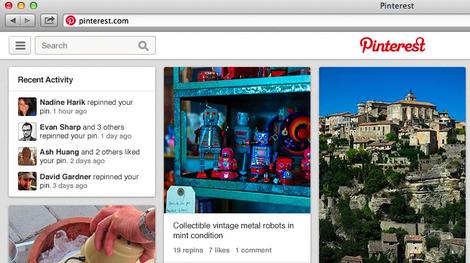
More retailers are deploying a Pinterest 'Pin It' button on their product pages than the equivalent Facebook 'Like' button, according to new stats.
Social analytics firm 8thBridge kept an eye on 872 shopping portals between July and November 2013 and found 62 per cent of sites slapped a 'Pin It' button on their sites.
While that narrowly edged out the 61 per cent of sites who added a 'Tweet' option on their page, Facebook 'Like' buttons only showed up on 59 per cent of the retail sites monitored. D
Google '+1' buttons found a home on 42 per cent of sites, which, in all honesty, isn't a bad return for the much-maligned social network.
More bad news
Facebook's fall from grace doesn't end their, apparently. According to 8thBridge, Facebook members aren't interacting with their favourite brands with anywhere near as much regularity as they have in previous years.The firm says engagement is down 27 per cent compared with last year, when it comes to 'Likes' and conversations taking place on brand posts and pages.
However, it's not all doom and gloom for Zuckerberg's crew as 99 per cent of brands surveyed still have a Facebook page, but is that page becoming less and less important?
Is Pinterest really yielding greater results for businesses than Facebook? Let us know your thoughts in the comments section below.

| |
Read More ...
CES 2014: First look: the Virtuix Omni, an omni-directional virtual reality treadmill

Virtual reality is only getting bigger and better thanks to the latest iterations of the Oculus Rift and imminent versions of various head mounted displays.
But for a truly immersive experience, company Virtuix has created the ultimate virtual reality simulator: the Omni, an omni-directional virtual reality treadmill.
The Virtuix Omni prototypes have been out for awhile now, making waves with demo videos sprinkled on the internet and its skyrocketing success on Kickstarter.
However the latest version of the Omni made its way to CES 2014 where I visited the booth for a quick eyes on demo with the brand new machine.
The next level of gaming
The first Omni prototype needed a Microsoft Kinect sensor bar to keep track of the user's walking and running movements.The latest version however, uses integrated software and hardware - or more specifically, three rings of capacitive sensors found under the base providing a more seamless experience.
Special shoes made of the same material as the frictionless concave Omni base, (it's not actually a treadmill), help ensure players can move with a normal gait. Virtuix CEO Jan Goetgeluk noted that one of the goals of Virtuix is to "mimic a natural step" and make the whole experience as immersive as possible.

Players are also strapped in with a harness to help ensure a normal gait, in addition to providing extra support and safety along with a hands free experience.
If you're wondering whether or not the straps are restrictive, take a look at the video above of the demo - it's pretty apparent that the user is going nuts spinning and waving the gun around without looking like he's having a hard time killing headcrabs from Half Life 2. The machine itself also isn't as big as I thought it would be - plus it's much quieter than a real treadmill.

The Omni waist ring is also adjustable to various heights - the shortest person can be 4'8" and the tallest, 6'5" with weight supporting up to 285 pounds. The support belt and shoes also come in different sizes.
A few things to know
As amazing as the Omni is, there are some caveats - though none that are entirely earth shattering.First up, you need a head mounted display - like the Oculus - but it must be bought separately. Fortunately, it can be whatever display you want. You'll also need to get your hands on a wireless controller - be it a PS3 controller or Xbox 360 controller.

The Omni is also not console compatible, which is to be expected since a lot of other virtual reality devices aren't yet either. However, the incredible upside is that you can plug its simple 2.0 USB cable into a PC and play any game you want. Any game at all.
It works best with first person shooters, but you can even run around playing first person RPG's or even third person, though it might be a weirder and perhaps less enjoyable experience.
If the latter type of game still peaks your interest, Virtuix is also offering an Omni Rack which can hold your mouse and keyboard, or any other peripheral, where you can simply use the Omni without a head mounted display so your choice of games remains unlimited.
The future of Omni and gaming
So far, the Omni seems like a brilliant device that's not only affordable but incredibly adaptive and a healthy option for gamers who sit all day.Along with console compatibility in its sights, Virtuix will also eventually incorporate hand tracking so you'll actually be able to move your hands and see it in-game.
When this happens, there's no stopping the Omni. You'll be able to explore and fight your way through games with your whole body instead of simply sitting.
The Omni is priced fairly at $499 (£302.92, AU$554.88) and the company is still accepting preorders with the product shipping out in June of this year.
There is still a lot to be said and tested with the Virtuix Omni but as of now, I can confidently say it's an extremely promising device.
Check back later for a full review of the virtual reality treadmill.

| |
Read More ...
Anonymous claims Dropbox hack so everyone knows it is still around
The Dropbox cloud storage website went down on Friday night, with the hacking collective known as Anonymous, seemingly awoken from its recent slumber, claiming responsibility.
At the time of writing, the Dropbox.com site is showing an "experiencing issues" message, ensuring the service is unavailable for some users.
In a post on its official Twitter account, the hacking collective wrote: "BREAKING NEWS: We have just compromised the @Dropbox Website. http://bit.ly/1cMlbvt #hacked #compromised."
The alleged hacking comes on the eve of the anniversary of death of internet activist and hacker Aaron Schwarz who tragically committed suicide following legal persecution in January 2013.
No hack?
Dropbox meanwhile is claiming that the issue is the result of a problem that arose during "routine maintenance" rather than any malicious attack.In the message on the inactive Dropbox website the company wrote: "We are aware of an issue currently affecting the Dropbox site. We have identified the cause, which was the result of an issue that arose during routine internal maintenance, and are working to fix this as soon as possible. We apologize for any inconvenience."
We'll update you should there be any developments in this breaking story.

| |
Read More ...
Hands-on review: CES 2014: Neptune Pine Smartwatch

Just like there are big screen phablets, there are also big screen smartphones. Neptune's Pine Smartwatch is by far the largest wearable device we've ever slapped onto our wrists. Featuring a 2.4-inch screen, Pine has no reservations to replace smartphones.
It's big. Let's just get that out of the way. To put that in perspective, the Pine's screen is about just shy of being half the size of the iPhone 5S' screen size. It's definitely a step up from other wearable devices we've seen like the 1.63-inch screened Samsung Galaxy Gear and Pebble with a 1.26-inch screen.

The Pine smartwatch's face is about 2-inches wide on its own and the device sticks out about an inch and a half. Even the band on the back of the smartwatch gets to be about one and half inches wide.
The bulk was enough to scrunch up our sleeves and make the arm ends of our jackets look odd. But, if you're okay with all the inevitable odd looks directed to your wrist, the Pine has one of the best looking screens out of all the smartwatches.
The complete smartphone replacement

Sporting a 320 x 240 QVGA resolution screen, the Pine runs a full build of Android 4.1 Jelly Bean with a slightly reduced six icon home screen.

Just as we'd expect of a miniature Android device, we could use the touchscreen to tap open applications and swipe through the Jelly Bean interface. Swiping down from the top of the screen also pulls down the settings and notifications tray.

Aside from the familiar Android OS, we were even able to type with two thumbs despite each key being a little over three-millimeters wide.
Using the Android Pine really is like popping on a half-sized Android smartphone on your wrist.
Dick Tracy called

During our few minutes using Pine, we weren't allowed to turn on the Wi-Fi to access the web or the 3G radio for calls. Neptune's reps told us, they need to do this to extend the battery life of their smartwatch demos whilst promising that they will be able to take a micro SIM for full call and data service around the world.
The fledgling smartwatch company also hopes to get Google's blessing to access the Play Store for official apps and other services like updates. However, in the interim, the company plans to build its own app store before they begin shipping in January.
Looking at the watch, it seems like device will likely be tinkered with by rooters and it also has a mini USB that could make side loading apps even easier.

What we were able to do was type up some quick notes and play a game of Angry Birds, with the ability to zoom out but not in.

The smartwatch also has a front-facing VGA camera for selfies, and better yet, mobile video chats from your wrist. The front-facing camera does not offer the best quality we've ever seen with a granny image and heavy dose of color-fringing due in part to the spotlights on the CES 2014 show floor.

Luckily, the quality of the five-megapixel camera on the back was much better. To use the back camera, the Pine can disengage from the smartwatch's band and pointed around like a point and shoot, or attached to another mount like a Go Pro action camera.

Neptune plans to start shipping the Pine Smartwatch to its Kickstarter backers by the end of the month. Meanwhile, new buyers will be able to preorder the Pine in 8, 16, 32, and 64GB varieties starting at $335.00 (about £203.23/AUS $372.41) for a March arrival.
Early verdict

At first glance it's impossible not to notice just how gargantuan the Pine Smartwatch looks on your wrist. But, it comes with the trade off of freeing up a pocket and having a completely serviceable Android smartphone just an arm-lift away.
We still have a lot of untested concerns about the Pine smartwatch between not being able to make a call, surf the web, or check out an app store of any sort. Still if the, Pine works as promised it could be just the first device in a new segment of self-sufficient smartwatches and the wearable tech space.

| |
Read More ...
CES 2014: Skipping consoles, Nvidia focuses on building G-Sync ecosystem

Nvidia and AMD turned up the APU wars at CES 2014 with their respective announcements of Tegra K1 and the new Kaveri APU.
While the two companies are busy with a mobile war Nvidia snuck in some extra punches introducing a new set of G-Sync powered monitors, further developing its ecosystem.
Among the new slew of seven monitors sporting the frame rate stabilizing hardware-software package, there were the Philips 272G5DYEB and a G-Sync equipped version of the ASUS PQ321QE.
To get a better sense of Nvidia's future plans for its display optimization technology we caught up with Nvidia's Director of Technical Marketing, Tom Petersen.
It's all in your head

For a quick brief, G-Sync technology is an extra Nvidia part display manufacturers have implemented with their technology. This additional bit of PCB talks directly with Nvidia GPUs from the GTX 600 series, or higher, to regulate the monitor's refresh rate with the GPU's frame rate.
Classically monitors come with a refresh rate of 60hz, 120hz, or 240hz, but depending on the power of a computer's GPU, it might only be able to render a game at 42fps or 30fps. While the game is limited to this lower frame rate the monitor is still refreshing at its maximum speed, which causes repeated frames and videogames to stutter.
"It turns out your brain is not very sensitive to frame rate variation but it is very sensitive animation errors," Petersen explained. "As long as the animation is correct, it's going to be fine. But, to screw up your animation and have to repeat a frame, then the timing is off and your brain perceives that as rapid acceleration or deceleration."
The G-Sync solution

G-Sync offers gamers another solution to smoothing their gameplay experience. Thus far, V-Sync has been the only wide spread frame rate smoothing solution that forces the GPU FPS to match with a monitor's refresh rate. However, the process has always been intensive and mainly prevents tearing artifacts from popping in as the screen attempts to draw two or more images at the same time.
From our own impressions, G-Sync does a good job at stopping stuttering and Petersen promises it does not use very many GPU cycles to do it. However, it's not a catch all solution. Motion blur is still present as some users might experience from quickly panning across the map in League of Legends.
As Petersen explained it "motion blur is actually in your brain and it's caused by large gaps in animations, because the frame rate is low and the motion is fast. There's things we're definitely look at to fix that but it's primarily affected by frame rate."
A future of IPS gaming panels

Beyond improving the handshake between refresh rate and frames per second, we were curious if the G-Sync technology could be implemented to make other screen technologies more suitable for gaming.
For one thing IPS have have always been well regarded for their good great color fidelity and viewing angles, but people have always thought that it was too slow with response times often between five and seven milliseconds.
Petersen, however, believes that G-Sync technology does such a better job better than V-Sync that the IPS slowness really isn't an issue anymore.
"Effectively the frame rate at 60hz [and] as long as its G-Synced, it is plenty," he said. "What I think you're going to see is another round of IPS panels at 60hz coupled with G-Sync modules."
Ecosystem

Getting off of screens, we spoke with Petersen on his and Nvidia's thoughts about being left out in the next generation consoles as well as the introduction of Mantle.
"I think the fact that AMD is in consoles is good for AMD," Petersen quipped. "But the truth is there is opportunity costs to anything so AMD chose to do the consoles and we chose not to."
"I'm really interested in consoles in the long run because they're caught in the middle between mobile devices coming up and high-function, small form factor PCs at the high-end."
With Steam Machines adding to the already healthy supply of Gaming PCs, Petersen isn't sure where consoles will lie in the next five years as mobile devices become more ubiquitously connected.
More devices are able to stream games directly to TVs as well as connect to controllers. Petersen also alluded to how streaming in homes is becoming much more common with steaming PC games to TVs becoming a reality thanks to GameStream.
"For me, consoles are a question mark whether that model has a lot of sense going forward," Petersen said. "We've been working on other things like G-Sync and Tegra, overall I'd say we made the right choice."

| |
Read More ...
CES 2014: First look: Sharp 85-inch 8K glasses-free 3D TV

Sharp showed off a lot of TVs this year at CES 2014, not least of which was the Aquos Quattron Plus, an enhanced full HD TV that is capable of playing downscaled 4K content.
But while some Sharp engineers are busy reducing resolutions, others keep increasing it, and the company also showed off two 8K sets in its large booth on the convention floor.
The first is something we've seen before, though according to Sharp it looks better than ever this year: a large 85-inch 8K TV that looks unbelievably crisp and vibrant.
But much more interesting is another variant of the 85-inch 8K set - one that we haven't seen before. And this one has glasses-free 3D as well.
Don't toss those 3D glasses just yet
Glasses-free 3D is difficult to pull off, especially on television screens, because the ideal viewing angle for such tech is usually fairly narrow.Sitting outside of the "sweet spot" results in a blurry image, much like tilting a Nintendo 3DS to the right or left with the 3D slider turned up.
Sharp hasn't completely solved that problem with the 3D-showing 85-inch 8K prototype it showed off at CES, but it seems the company has improved the situation and implemented a workaround or two.

For one thing, Sharp's new glasses-free 3D TV has 28 separate, narrow sweet spots located three to four meters away from it, instead of just one sweet spot directly in front of it. That means viewers can sit all around the room and still witness the 3D effects without any (well, much) blurring.
And on the model shown at CES you can tell if you're in a sweet spot based on two white bars that appear at the bottom of the TV, under the screen. One bar is holographic and moves around as your view of it changes; when the two bars line up, you're in a sweet spot for watching 3D content.

Sharp showed this TV off with footage from the film Life of Pi. That movie was made to be watched in 3D, and because of that, the TV's enormous size, and the screen's 8K resolution, it truly did look fantastic - like nothing we've ever seen before. And the 3D effect was large and in charge, clearly visible despite the lack of 3D glasses.
That said, having to shuffle around the room a few inches at a time to find an ideal viewing angle is not an ideal system, and until that gets worked out we doubt anything resembling this product will hit shelves.
And it's easy to imagine one's eyes growing fatigued of the effect, however dazzling it may be at first, over long viewing periods.
That said, there's every chance in the world that this will all improve in the future.
Prototypical
Sharp Senior Product Manager Tony Favia told TechRadar that although its two 8K TVs (the 3D and non-3D) are definitely still prototypes, Sharp expects 8K TVs to hit the market "within the next few years.""It will probably be appearing in Japan and some of our overseas markets, you know, maybe sooner than that," he said.

"There's no real clear indication of exactly when it becomes productized at this point, but Sharp is expected to be at the forefront of that when it happens. We've got the technology. We can productize is very easily. So we expect to be leading the march to 8K even though the timing is a little bit uncertain."
He added that Sharp's 8K display technology continue to improve as Sharp's engineers "have more and more time to attack it."

| |
Read More ...
Google Play Services update adds turn-based multiplayer gaming support

Google has updated its Play Services tool for Android developers, which allows them to build the latest available features into their applications.
The headline new toy for devs is the ability to add native, turn-based multiplayer support for 8 players. The data from each turn will now be uploaded to Google's servers and passed onto each of the players.
Also among the new features is the opportunity for app makers to improve sharing to Google+ from their applications.
"An improved Google+ sharing experience makes it even easier for users to share with the right people from your app. It includes better auto-complete and suggested recipients from Gmail contacts, device contacts and people on Google+," the company wrote on the Android developers' blog.
Drive on
Google has also added a preview of the Google Drive API for Android, which will eventually see tighter integration between Google Play apps and the cloud storage locker.This version of Google Play Services includes a developer preview of the new Google Drive API for Android. You can use it to easily read and write files in Google Drive so they're available across devices and on the web. Users can work with files offline too — changes are synced with Google Drive automatically when they reconnect," Google wrote.
While all this may be for the benefit of developers right now, Android users should start to feel the benefits as 2014 progresses. The update will begin arriving for app makers from today.

| |
Read More ...
Wi-Fi-only Sony Xperia Z Ultra rumoured to fall on the tablet side of phablet

Sony is plotting to ditch mobile data connectivity for a new version of its Xperia Z Ultra phablet, according to reports on Friday.
According to leaked benchmarks from AnTuTu, the Japanese giant is plotting a Wi-Fi only version of the 6.44-inch device that'll maintain cellular connectivity, but skip on the 4G LTE radio offered by the original.
That would enable users to maintain calling and texting functionality, but would lower the costs for those who only wish to use the internet when in range of a Wi-Fi router.
Aside from the missing 3G and 4G data, everything else looks to be as it was in the first device. There's a 1080p screen, quad-core processor and Android 4.2 Jelly Bean, according to the leaked screenshot.
Pocket unfriendly
As G4games reports, this isn't the first time word of a Wi-Fi only Xperia Z Ultra has drifted beneath our nostrils. Such a device reportedly took a trip through the FCC in November.If the device were to land, it would definitely fall on the tablet end of phablet, as if it wasn't in the first place. 6.44-inches would stretch a clown's pockets, let alone our skinny Levis 511s.

| |
Read More ...
Top free hosting for UK businesses

The costs of setting up and maintaining a website can add up quickly. Designing, developing and maintaining a site all need outlay of one sort or other and so it's important for businesses to minimise expenditure where they can.
Hosting is one area in which costs can easily accumulate, as hosting packages are generally sold with monthly billing. There are a number of providers that offer free hosting, however, and whilst such packages will not be suitable for some businesses, others have a great opportunity to make quick and easy savings.
Free hosting comes with a number of limitations of course. Server space, site speed, traffic, uptime guarantees and backup provision are all features that are often curtailed, but that's not to say that good cheap hosting isn't available.
This article provides a selection of the best free hosting plans available to UK businesses.
000Webhost (US)
Web: http://www.000webhost.com/
000Webhost has been providing free hosting services since 2007. Its free hosting service includes 1.5GB of space, 100GB of bandwidth per month and 5 accompanying email accounts. PHP and MySQL are supported with no restrictions and users are guaranteed 99% provable uptime as well as weekly backups.
The service is supported by donations from its community of users and revenue generated from 000Webhost's premium hosting package, which at $4.84 per month isn't going to break the bank itself and gives customers the option of moving to a more comprehensive plan should the need arise.
Freehostia
Web: http://www.freehostia.com/
Freehostia offers a number of different hosting tariffs with outlandish names like Lovebeat, Wildhoney and Supernatural. Its free plan, Chocolate, gives users 250MB disk space, 6GB bandwidth each month, PHP & MySQL compatibility and 3 POP3/IMAP email accounts. Server uptime is guaranteed at 99.9% and 24/7 user support is provided should any problems arise.
Joomla, WordPress, phpBB and other PHP scripts can be installed with one-click using Freehostia's Elefante Installer and upgrading to any of the paid premium packages can also be done in one-click, should users outgrow the free plan.
5GBfree
Web: http://5gbfree.com/
As you would expect, 5GBfree provides 5GB of free hosting space to users along with 20GB of monthly bandwidth, 3 MySQL Databases and PHP scripting. There's no email included in the package, but the company is proud of the technology it offers, claiming, "At any other hosting company, you could be paying between $15 and $20 a month for the same cutting edge software (including the revolutionary CloudLinux operating system!), hardware, and security certifications."
Support is provided in forums via the 5GBfree community and users who require expert phone support can upgrade to the Pro version, which costs $2.95 per month.
FreeHosting.com
Web: https://www.freehosting.com/
Of the free hosting providers convered in this article, Freehosting.com is the biggest hitter in terms of monthly bandwidth with a whopping 250GB data allowance provided. The service also includes 10GB of server space and one email account. For users without a domain name, free subdomains are also offered, such as freesubdomain.freehosting.com. Economy and Deluxe packages are also available.
Zymic
Web: http://www.zymic.com/
Zymic describes its free hosting as, "one of the most reliable and feature packed free web hosting services on the net." The service includes 6000MB of space and 50GB of monthly bandwidth with support for the latest version of PHP and upto 3 MySQL databases. There are no paid packages offered.
Along with its hosting, Zymic provides users with free templates, tutorials, articles and a Twitter account relaying updates about any downtime (https://twitter.com/zymichosting). There is also a forum for the Zymic community to ask for and provide support.
Byethost
Web: http://byethost.com/
Byethost is part of Byet Internet, a US-based provider of hosting, domain name and reseller services. It calls its free hosting service, "one of the most powerful networks dedicated solely to free hosting in the world."
Users are given 1GB of server space, 50GB of monthly bandwidth and MySQL / PHP compatibility. They also benefit from 24/7 tech support and access to Byethost's community and knowledge base.
Awardspace
Web: http://www.awardspace.com/
For businesses that want free hosting with green credentials, Awardspace provides a solution. It offers CO2-neutral hosting with all of its servers running on wind generated electricity. Its free plan provides 250GB of storage, 5GB of bandwidth per month and up to 5 MySQL databases. One associated email account is also included.
Users have access to online documentation and 24/7 support should any issues arise. Live chat is also available for pre-sales queries.
FreeHostingEU
Web: http://www.freehostingeu.com
FreeHostingEU is a joint project set up and run by FreeDomain.co.nr and AttractSoft GmbH. Three hosting tariffs are offered - two paid and one free. The free package provides 200GB of space, 4GB of bandwidth per month and one associated email account. Five free domains at .eu.pn and .me.pn are also included.
For users of Wordpress and Joomla, one-click installation is provided and languages supported are PHP, MySQL, CGI, Perl, Flash.
U Host Full
Web: http://www.uhostfull.com/
For businesses that are looking for hosting that is quick and simple to setup, U Host Full promises the ability to setup a site within five minutes. It also provides a host on one-click installers for platforms including Wordpress, Joomla, phpBB, Mambo, osCommerce and Zen Cart.
Uptime is guaranteed at 99% with 10GB of server space provided and 100GB of bandwidth per month. Email is also included.
Free Web Hosting No Ads
Web: http://freehostingnoads.net/
All of the free hosting options included in this email are ad-free, with revenue generated by other means. Free Hosting No Ads celebrates this more than others, but still offers a good free hosting deal, which at 20GB, includes the biggest server space provision featured. The also includes 200GB of monthly bandwidth and three POP email accounts. Three PHP versions are supported (5.2-5.4) and three MySQL databases are also included.

| |
Read More ...
Review: Asus Transformer Pad

Introduction
Anyone who is familiar with Asus' products will be familiar with the Transformer concept. The new Asus Transfomer Pad is here to challenge the dominance of the iPad Air, as well as the Sony Xperia Tablet Z and Google Nexus 10.The key to the popularity of the Asus Transformer Pad series has been the keyboard docking station, and that's present here too - allowing it to double up as a mini-netbook.
Microsoft has taken massive strides in this area with the Surface 2 coming with an extra keyboard case, so Asus really needs to up its game if it wants to keep up with the big boys.
Taking a look at the new Transformer Pad you'd struggle to see anything different between it and its brethren. At 263 x 180.8 x 8.9mm it is only 0.4mm deeper than the Transformer Pad Infinity.
It is 13g lighter, however, weighing in at only 585g. Adding the keyboard dock takes the Transformer Pad to 1155g, although it doesn't feel significantly heavy when popped into a bag.

Asus' device is significantly larger than the iPad, although the Transformer Pad comes with a 10.1-inch screen, making it 0.4 inches bigger.
A 2560 x 1600 WXVGA screen is higher resolution than both the Transformer Pad Infinity and the iPad Air, even dwarfing the Retina Display's 264ppi at 299ppi.
Behind that screen sits a 1.9GHz quad-core NVIDIA Tegra 4 processor (the Tegra 3 is in the Infinity) backed up with 2GB of RAM, as well as 32 or 64GB of internal storage. Asus also offers 5GB of cloud storage for life.

Asus has also equipped the Transformer Pad with the same impressive battery that has come with all Transformer Pads. The 31Wh power pack in the tablet provides up to 13 hours of use, with the 16Wh dock providing a further four hours.
Other key specs include the 5MP rear camera so you can show everyone that you're photographing something, 1.2MP front sensor, microSD support up to 128GB and a micro HDMI port.
The keyboard dock also provides further support with a USB 3.0 port and a full sized SD card slot.

To make use of all that hardware, the Asus Transformer Pad comes with Android 4.2 Jelly Bean, although Asus has pushed out an update to Android 4.3.
Looking at the undocked tablet, there is nothing that particularly stands out. The thick black bezel and large screen are reminiscent of almost every tablet I've seen. The front camera sits at the top of landscape mode, making it easier to make video calls when docked.
On the back of the aluminium chassis is the power/lock button and the volume rocker, as well as the 5MP camera, while a microSD slot, 3.5mm headphone jack and micro HDMI port sit on the left hand side, leaving the right completely bare. The base holds the charger port, as well as slots for the keyboard dock to lock into.

When the Asus Transformer Pad is docked, the tablet becomes an Android netbook. The SD slot and USB 3.0 port sit on the right, leaving the dock charging port on the left. Asus has created a really good dock, and although it feels small it doesn't feel cramped. The dock also comes with a trackpad, meaning you don't have to keep tapping the screen.
Every button that you could hope for is there, including buttons to control various connectivity options, brightness, media controls and a screenshot key. Android's home button occupies the space where the Windows/Command button is usually found.
Overall, Asus has taken what has kept the Transformer Pad series so good, and improved it. The screen is bright and the resolution leaves nothing wanting.
Interface
The Asus Transformer Pad comes equipped with Android 4.2 Jelly Bean out of the box, although there is an update available to 4.3.As with all previous Transformer iterations, Asus has left Google's OS pretty much untouched. This might be seen as a good thing, but I would liked to of seen a little more customisation.
Without the dock, the Transformer Pad feels like another generic Android tablet, albeit running smoothly with the 1.9GHz quad-core Tegra 4 CPU underneath it.
This means that it functions in the same way as every Android tablet, with the multiple home screens being able to be populated with folders, apps and widgets.

There are a few proprietary widgets on the Asus Transformer Pad, including battery, email, weather and task manager. Apps and widgets can be dragged and dropped out of the app drawer, and onto one of up to seven home screens.
Creating folders is incredibly easy, aping the iOS method of dragging and dropping apps onto one another. This is a brilliant feature, especially when you compare it to Samsung's manual creation method which feels far more convoluted.
Working with it as a netbook, however, these home screens feel a little redundant, more applicable to an undocked slate. The dock certainly makes manoeuvring the Transformer Pad easy, with the touchpad being sensitive as well as supporting multi-touch gestures to move between screens.

Android's notifications bar swipes downward into a narrow area down the centre of the screen. Quick settings make an appearance, allowing quick toggles of Wi-Fi, battery optimisation, a reading mode, instant dictionary, Bluetooth and GPS.
Wi-Fi settings, audio settings and a Miracast wireless display can also be accessed, alongside the main settings button and a brightness toggle.
This is an area that confused me greatly. On full brightness the screen is usable inside but is incredibly difficult to use when out and about, leading me to leave the screen up to maximum all the time. Auto-brightness mode didn't help, as the screen got slowly darker and darker.

With Microsoft now making deep inroads into the tablet market with the Surface 2 and Windows 8.1, it is quickly becoming clear that Android is not the right OS for productivity.
This is remedied to an extent, but the inability to snap apps side by side in the same way as Windows 8 or on Samsung's TouchWiz UI is sorely missed. With the notifications bar at the top, persistent on-screen buttons for home, back and multi-tasking are sat at the bottom.
The bottom left also holds a small triangular button for access to 'floating' apps, such as a calculator or dictionary. When selected, these appear over any app you have running so there is no need to open an app separately.
Messaging and keyboard
Keyboard
When it comes to messaging, the Asus Transfomer Pad comes into its own. The on-screen keyboard is easy to use, although it fades in comparison to the keyboard dock.The wide range of Bluetooth keyboards that are available online is testament to the fact that people increasingly want a physical input to type out their missives.
For those that want to use their tablets as a communication tool, adding the keyboard makes typing a lot easier, although the small size can make things a little difficult.

Having a full-sized keyboard would be great, but would heavily detract from the unified feel that the existing dock provides. A Bluetooth keyboard would work well, but this would similarly affect portability.
The compromise is a keyboard dock that feels small, and means that you will have to accept that you will hit the wrong key a few times. This will change over time, as I found that the more I used the keyboard, the more accurate I got.
It may be small but it's fully featured. Every key that you could wish for is on the dock, including the full qwerty keypad, shift and caps lock keys, and all the numbers across the top.
Messaging
Messaging is covered with the Gmail and Email apps, and there is no surprise to which Asus wants you to use.The Email app not only sits on the home screen dock, but is also built to include Google's email accounts. Multiple accounts are catered for, with the ability to view each one separately or in a combined view.

For those that use their Google account as their primary email, the Gmail app is a far better choice. It includes the ability to file away under both the Social and Promotion inbox, as well as having the same labels features that are so popular on desktop version.
Gmail also allows the Transformer Pad to receive mail via push, whereas the email app can refresh itself no more than every 15 minutes.
Internet
As with nigh on every Jelly Bean device, the Asus Transformer Pad includes both Chrome and a native browser. This leads me to again point out that which browser you use is entirely down to your personal choice.The big bonus with the Transformer Pad is that high-res screen, which helps keep everything clean and tidy. As I pointed out earlier though, this is not so useful when out and about as the screen isn't bright enough to see in the great outdoors.
When it comes to choosing the browser, there is pretty much nothing in it. Asus hasn't provided the same level of customisation that I've seen on other devices, with the native browser very much appearing as Chrome with a different colour scheme.
Chrome does a far better job of managing your online lifestyle between devices, allowing for a far more seamless transition between desktop and mobile, although this point is almost rendered moot with the dual purpose of the Transformer Pad.
Bookmarks are managed well in both cases, pulling them all in from the Google account that you have signed into. The native browser is a little more attractive as it pulls in little thumbnails once you've visited them. Chrome makes it feel more like a folder.
It is also a little easier to access them in the native browser, tapping the star icon. In Chrome you have to go via the menu. There is a bookmarks page at the bottom of the new tab screen, though.
The biggest difference I found between the browsers is that the native will reflow text, to a certain level. This means that you can pinch and zoom in, and the Transformer Pad will adjust it so it all fits on the screen.
Double tapping on Chrome has the same effect, although the extent of reflow is much narrower, and it won't pinch and reflow.
You can also quick access the Asus app by tapping on the right button on the dock, although I didn't find myself pushing the button very often.
NVIDIA's quad-core CPU coupled with 2GB RAM keeps everything running relatively smoothly, there wasn't anything that I found to be a hindrance. If anything, the biggest problem was the lack of brightness in the screen, meaning that it was hard to use the Transformer Pad out and about.
Wi-Fi is supported to 802.11 a/b/g/n, with Bluetooth also supported to the 3.0 standard. The Transformer Pad doesn't support 3G or 4G LTE, so maybe the screen won't prove to be a hindrance to many after all.
Media and apps
Media
With such an awesome screen resolution, you might feel that the Asus Transformer Pad has been geared rather heavily towards playing media. The support for 128GB microSD card and a micro HDMI port only help to confirm this.That seems to be where the Transformer Pad stops, however. Asus seems to have other ideas, with the keyboard dock being the biggest clue that the Transformer Pad was definitely geared up to be more of a productivity device.
I wonder if Asus has missed a trick here, because the portability of the Transformer Pad makes it ideal for sitting on the commute, watching a HD movie. The superb battery life will cope with any journey too.
The lack of a dedicated music or video player means that you will have to search the Google Play Store to find a third party offering or instead rely upon Google's standard Play offerings.

Being Android, Play Music and Play Movies apps both come installed. I've always seen these as a way for Google to push its own download and streaming services, but both apps double up as media players.
Browsing Play Music is simple and easy, with large album artwork to make selecting the right music easy. Music plays, with the controls appearing at the bottom of the screen.
One of the bigger advantages of the keyboard dock comes into play while playing music and browsing the Transformer Pad. Dedicated media keys allow you to play/pause and skip music tracks without having to load the music app, much like on a real laptop.

The Play Movies app is very similar, allowing you to browse via thumbnails. The media playback controls are hidden, allowing a full screen view. Tapping the screen allows manual searching of the video, and play/pause.
Fortunately, a Gallery app does come preinstalled, bringing up large tiles of photographs from the Transformer Pad, as well as from varying cloud services that you have set up. Google+'s photo app also comes installed, so you can connect with all the photos you've uploaded to its servers.
Apps
Asus has populated the Transformer Pad with a variety of apps in order to make the most out of the keyboard dock.Bundling in Polaris Office and Super Note mean that creation and editing of various documents is easy, but with the dock that becomes easier than ever.

For those unfamiliar with Polaris Office (which should be few as it has made its way to pretty much every Android device), it is a very well equipped office app, allowing for the creation and editing of Word, PowerPoint and Excel documents.
The smaller screen size can seem a little bit of an issue, but those used to using tiny netbooks will feel right at home. The lack of need for an on-screen keyboard also helps make things easier.
A file manager makes it a lot easier to keep track of things, acting in the same way that windows files do on Windows PCs. This is a godsend when connecting up a USB stick via the port on the keyboard dock.

Asus' calendar app is also well handled, providing a pleasing experience when it comes to managing your daily life. There is little to add on top of any standard calendar app, but the larger screen and icons (such as a slice of cake to signal a birthday) only add to the functionality.
For those that believe that Asus has provided enough, the Play Store is now almost as heavily populated as the iOS App Store. A whole raft of different apps can be downloaded and moved to your SD card, meaning you don't have to rely upon Asus or Google.
Games
The Play Store comes with a large number of games that can be downloaded, separated by category. Each category comes with a 'top list' showing the best paid, free, new paid, new free and highest grossing apps.Being a Tegra 4 device though means that the Asus Transformer Pad has access to the Tegra Zone, an app store that filters out games that are better suited to be run on NVIDIA's CPUs.
These are generally higher quality, showing off the graphical capabilities that the Transformer Pad offers. For those just looking for a quick Angry Birds fix, the Play Store is a better bet, but for those looking to sink their teeth into more console-like (previous gen, not PS4 or Xbox One) graphics would be better off in the Tegra Zone.
Camera
The Asus Transformer Pad comes equipped with two cameras, a 5MP sensor on the rear and a 1.2MP sensor on the front.Of the two, the second is a lot more interesting as it should be the one that gets a lot more use. Its positioning is perfect for making video calls whilst the tablet is docked. I can't get why it isn't the default positioning for front cameras, as it makes video chatting a lot easier.

For taking photographs, the front sensor feels a little lacking despite the 1,200,000 pixels that sensor contains. This is highlighted when using the inbuilt mirror app, an app that turns on the front camera but doesn't allow for photography.
I'd never recommend the rear sensor on a tablet for any kind of photography, merely because holding one up seems very clunky and the massive screen not only draws a lot of attention, but blocks the views of others at a concert or show. I don't imagine many using the rear sensor for that though, as the image quality is less than stellar.
Asus don't add a whole lot of extras onto the camera app that I haven't seen before. The typical white balance and exposure levels can be adjusted, and sepia, negative, and black and white filters can be applied.

More interesting are the camera modes, allowing for HDR, portrait, night, all smiles and panorama photography. It also allows for removal of objects and creation of GIFs. The first of those takes five photos and then removes an object that it detects moving.
In my tests, the Transformer Pad wasn't able to discover the right image in the same way that Zoe on the HTC One did.
I can't say I was too disheartened by this though, because I don't see the Transformer Pad ever replacing a compact camera or smartphone. It was designed to view media, not create it.

Click here for full resolution image

Click here for full resolution image

Click here for full resolution image

Click here for full resolution image
Battery life and connectivity
Battery life
Battery life is an area that becomes extremely subjective due to the variety of usage situations that we all find ourselves in. Thankfully the Transformer Pad lives up to precedent that its older brothers have set.Normally I talk of batteries in terms of mAh, but Asus prefers to talk in Wh. The 31Wh battery that sits behind the tablet section has a quoted length of up to 13 hours, with the dock providing 16Whs, meaning a further four hours of use.

I haven't seen anything that would detract from Asus' claims of such impressive battery life, as the Transformer Pad was easily able to last a full day's use.
Under lighter demand, the Transformer Pad battery life was seemingly endless. It allowed me to browse the latest deals in the evening, and type on the move for a couple of days.
Throughout the review process, I was very pleased to say that there wasn't a single time that I felt worried that I didn't have a charger near by. This relief was a little greater than normal as Asus hasn't given the Transformer Pad a microUSB port for charging.
Connectivity
Unfortunately though, you will have to be in front of a TV in order to browse the web, or at least within range of a router, as the Transformer Pad comes without any mobile connectivity options. With an increasing variety of 3G- and 4G-enabled slates on the market, Asus might well have shot itself in the foot.Even some of the Google Chromebooks come shipping with a SIM port, which makes sense given their cloud based OS. This is solved to an extent by using your smartphone as a mobile hotspot, but this is a less than ideal compromise.
Elsewhere, the Transformer Pad comes with the standard connectivity options that you could expect from an Android tablet. GPS is supported, as is HDMI out via a micro HDMI port.

As Asus' tablet comes with a proprietary USB cable, microUSB isn't supported, thus no MHL support. Wi-Fi is supported to 802.11 a/b/g/n standard. The inclusion of Bluetooth 3.0 is a tiny bit disappointing given that the technology is now at 4.0, so smart Bluetooth features are missing.
Miracast is supported, meaning you can connect wirelessly to a supported display to show off the presentation that you perfected in Polaris Office. The dock also provides the ability to connect up to a USB memory stick, as it comes with a USB 3.0 port. A full sized SD card slot is also available.
Hands on gallery


Official gallery


Verdict
The Asus Transformer Pad is launching into a world that is very different from the one that its transforming predecessor did. The likes of the iPad Air, Xperia Tablet Z and Microsoft Surface 2 have all stolen portions of the tablet spotlight.Being an iterative update, this is the fifth version of the half-tablet-half-netbook device, Asus has taken the best of previous versions and tweaked them to make them better.
We liked
The addition of a dedicated keyboard dock was always going to be something I'd like. It comes packing four hours extra battery life, full SD card slot, USB port and a fully equipped keyboard. The trackpad is also really easy to use, and saves constantly prodding at the screen.Asus has taken a look at the screen and given that another boost. I really liked the Full HD screen that sat on the face of the Transformer Pad Infinity, so adding extra pixels was always going to help.
Battery life is another area that the Transformer Pad excels in, not least because it comes with the ability to add a further four hours with the dock connected. 17 hours of use meant that I easily went through three days of light web browsing and document creation.
We disliked
It seems odd to say that I disliked the software that came bundled on a device, but it seems that Android is holding the Transformer Pad back. It doesn't come with the same capabilities for productivity that Windows 8.1 provides, and the lack of customisation from Asus does nothing to remedy the situation.The Transformer Pad also seems heavy, especially after using the iPad Air. At 585g undocked, it is 132g heavier than the iPad (that's another 30%). This meant that it was a lot less comfortable for using one handed, or without the support of a table or cushion.
The cameras are also particularly poor. I won't knock the rear sensor too much because if you use the Transformer Pad to take photos in place of a compact camera or smartphone there is something wrong. The 1.2MP unit sat on the front seems particularly poor though, despite matching some mid-range smartphones.
Verdict
For those looking at a dual-purpose device, something that can be used on the morning commute to watch movies and play games with an easy switch to the creation of a word processing document for work, there is little that the Transformer Pad can do wrong.At least, that was a few years ago. The sheer power that is inside the iPad Air, with its 64-bit A7 chip, means that it runs exceptionally smoothly and the base model matches the Transformer Pad for price. The Microsoft Surface 2, and touch-enabled netbooks and laptops, also give the Transformer Pad a lot of competition.
As an Android tablet, there is little that the Asus Transformer Pad can do wrong, but the competition from the Nexus 10 and Sony Xperia Tablet Z is extremely fierce - and that isn't a battle I can see the Transformer winning.

| |
Read More ...
Available Tags:Steam , gaming , Android , Xbox , iOS , Microsoft , Windows , Samsung , Galaxy , hack , Facebook , Nvidia , Sharp , 3D , TV , Google , Sony , tablet , UK , Asus ,


No comments:
Post a Comment