

iBuyPower has a Steam Machine prototype, looks like a white PS4

The Steam Machines haven't arrive just yet but glimpses of the box have been popping up left and right.
Engadget reported that iBuyPower has two Steam Machine prototypes in the works that so far, look quite a lot like a white PlayStation 4 - except there are light bars that may change colors.
Lovingly named Gordon and Freeman, details on the commercial prototypes are minimal though provide enough info to give you a general idea of what to expect.
Though Tom's Hardware claims the boxes in the photos have "an AMD CPU with a discrete GPU ... Wi-Fi, Bluetooth and at least a 500 GB HDD, with faster and larger options planned."
Both sites note the machines are capable of running all Steam titles in 1080p resolution at 60fps, and of course, are powering SteamOS.
Console competish
The Steam beta boxes are already set to ship out with varying degrees of massive computing power so iBuyPower's "larger options" comes as no surprise.Along with the Nvidia Titan GPU, you can look forward to the GeForce GTX 780, GTX 760 or GTX 660 GPU plus much, much more.
Pricing for Gordon and Freeman's successors have yet to be revealed though it'll likely be comparable to the PS4 and Xbox One.
- Steam Machines, meet the PS4 and Xbox One.

     |
Read More ...
Blip: Yahoo snags Katie Couric as fresh 'face of news'

With a new logo, email interface and company acquisitions, Yahoo has been on a roll in its quest to revamp the site, and shows no plans of stopping.
On Yahoo's Tumblr, CEO Marissa Mayer announced Katie Couric will be joining the company as a Global Anchor "shooting features" for Yahoo's homepage.
Formerly a news anchor for CBS and a Today Show host, Couric is definitely a household name that Yahoo probably plans to capitalize on to get more users.
On top of this, the purple yodeler has poached several other notable journalists, and apparently has plenty more to reveal soon - possibly at the upcoming 2014 CES show where Mayer will be giving a keynote speech.
More blips!
Breaking news: these blips are a quick and fun way to pass the day.- Google's sly response to Microsoft's Scroogle shwag
- Revealed: the world's cheapest and most expensive iPhone 5S
- A university in Cyprus is officially accepting Bitcoin for tuition

| |
Read More ...
Microsoft may unify Windows Phone, Windows RT in the future

There isn't enough room in town for three separate versions of the Windows operating system, admitted Microsoft devices head Julie Larson-Green.
"We have the Windows Phone OS. We have Windows RT and we have full Windows. We're not going to have three," she confirmed last week at a UBS Global Technology Conference.
Reading between the versions, Microsoft sounds as if it's looking for a unified, mobile-friendly edition of its operating system, while keeping the more intensive desktop version.
Two months ago, the company hinted at just that, suggesting Windows RT could make its way into phones.
'We should not have called it Windows'
Microsoft has learned several valuable lessons from the ill-fated launch of Windows RT, and it paid heavily with a costly write-down of Surface RT tablets."I think we didn't explain that super-well. I think we didn't differentiate the devices well enough," Larson-Green surmised
"They looked similar. Using them is similar. It just didn't do everything that you expected Windows to do. So there's been a lot of talk about it should have been a rebranding."
She went as far as to say that Microsoft should have called it something other than "Windows."
"We should not have called it Windows. How should we have made it more differentiated? I think over time you'll see us continue to differentiate it more."
Whether or not the product of Windows Phone and Windows RT takes that rebranding route seems to be up in the air at the Redmond, Wash.-based company right now.
The new path
Toward the end of her comments, Larson-Green noted that Microsoft's path includes a more defined mobile operating system. One that's different from the tablets like the Surface Pro 2 running full Windows 8.1."We do think there's a world where there is a more mobile operating system that doesn't have the risks to battery life, or the risks to security," she said.
She complimented Apple's efforts in this area, saying "you look at iPad in particular, and it's a turnkey, closed system. It doesn't degrade over time.
"It doesn't get viruses. It's not as flexible, you can't do as much with it, but it's a more seamless experience, even though more simplified.
"It also comes at the cost of flexibility," she concluded. "So we believe in that vision and that direction and we're continuing down that path."
- Read our ongoing Xbox One review, proving Microsoft got it right with its unified One console.

| |
Read More ...
No swearing at your Xbox One! Live users banned for profanity-laden uploads

Microsoft is taking a very dim view of gamers who're using an excessive amount of bad language when recording commentary for game recordings using the Upload Studio on the Xbox One.
The company confirmed it is wielding the almighty ban hammer for those swearing like drunken sailors in a tropical storm, when making voiceovers for footage captured using the console's Game DVR feature.
These 24-hour bans are being handed down with varying degrees of harshness. Some users aren't able include Kinect sensor voice recordings, but can still use Upload Studio to share clips.
In other cases, users are being banned from using Upload Studio completely, while Microsoft has said it'll chuck users off Xbox Live completely for violating the code of conduct.
Good, clean fun
A spokesperson said: "We take Code of Conduct moderation via Upload Studio very seriously. We want a clean, safe, and fun environment for all users. Excessive profanity as well as other Code of Conduct violations will be enforced upon and result in suspension of some or all privileges on Xbox Live."Microsoft assured that, although it is clearly monitoring these video uploads for rough language, it isn't eavesdropping on Skype calls made on the Xbox One using the Kinect sensor.
That's despite one user took to Twitter to report that he'd been banned from using Skype for swearing during a private call.
"To be clear, the Xbox Live Policy & Enforcement team does not monitor direct peer-to-peer communications like Skype chats and calls," Microsoft added.

| |
Read More ...
Skype pledges not to suck at cross-device messaging and call syncing

Don't get us wrong, Skype is awesome, but being signed into the Microsoft-owned VoIP and IM client on multiple devices at the same time can be quite frustrating.
You'll often receive constant mobile notifications when typing messages on a PC, it's often difficult to see what you've read and haven't, and when you answer a call, it'll often keep ringing on another device.
Well, avid Skype users you'll be glad to know that the company is already planning to resolve these issues with forthcoming updates that'll improve cross-device syncing through the cloud.
Skype product manager Jeff Kunins told The Verge: "It's not that we've been trying our best to be amazing at chat for 10 year and sucking at it, it's that we've been doing a great job doing what we were born to do and now people want more out of us and we're making the investments to expand and be great at that (mobile) too. We're not there yet, but we will be."
Take it as 'read'
Kunins said versions of the apps are in testing which will only see notifications triggered on the active device, while users will soon be able to tell which messages are new and which have been read on other devices.He added: "You'll see us very soon begin rolling that out so users get the benefit of cloud history, synced read state across all of your devices."
Of the bug which sees incoming calls continue to ring when they've been answered on other devices, Kunins claimed: "It's one of those that seems like it should be trivial, but it's actually quite hard, especially on some platforms like Windows 8 or on the web."
So there you have it, Skype folks. All of those little bugbears that are diminishing your Skype experience should soon be taken care of.

| |
Read More ...
PS4 game downloads cost how much?! Shock as EA Games priced at £62.99

The Sony PS4 might have won some backers with its cheaper-than-Xbox One price point, but owners look like they'll be giving more of that cash back it they plan on downloading digital games from the PSN.
Ahead of Friday's big European launch, the prices and download sizes for launch games has been revealed in the UK, with EA's games coming it at an astonishingly-expensive £62.99.
That means FIFA 14, Madden 25, NBA 2K14, Battlefield 4, and Need For Speed: Rivals cost £8 more than the Xbox One digital download and £15.99 more than the physical discs, which are £47 on Amazon.
Beyond that, Call of Duty: Ghosts is £54.99, a la the Xbox One version, and Ubisoft's Assassin's Creed IV: Black Flag is £57.99. Both are available significantly cheaper from third-party retailers on disc.
Download this, Sony!
Those are the prices currently listed on the PlayStation Store at the time of writing, but with the PS4 still 4 days from official release in the UK, there is a chance that more reasonable prices will be listed on Friday.If anything, over the last few months, gamers had hoped digital downloads would be cheaper due to the dramatically reduced overheads.
There are no costs of making physical discs, transporting to stores and no need to give a cut to the retailers, yet we're still seeing higher prices. What gives?
As well as discovering their fate in terms of pricing, would-be PS4 owners now know how much space the top games will take up on their PS4's 500GB hard-drive.
Killzone: Shadowfall requires a whopping 38.2GB, Battlefield 4 needs 36.4GB and Ghosts will occupy 31.8GB while FIFA 14, NBA 2K14 and Madden 25 need 9.9GB, 9.3GB and 13.1GB respectively.

| |
Read More ...
Amazon reportedly signs its Sundays away for the next five years

Amazon recently announced that it's delivering packages to customers on Sundays, and now it appears as if that'll be the case for the next five years.
A 78-page contract spells out the long-term commitment between the US Postal Service and another unspecified company, reported The Wall Street Journal today.
The agreement has been heavily redacted so it doesn't actually identify Amazon or disclose any financial data.
It has all been deemed "commercially sensitive" and is therefore blacked out.
30 day return window
Interestingly, like most Amazon transactions we deal with on a consumer level, there's 30-day return window before ink on this five-year agreement dries."The contract is scheduled to expire 5 years after the effective date, unless, among other things, either party terminates the contract with 30 days' written notice to the other party." reads the contract.
The 260 weekends with Sunday deliveries are already under way and the 30 day window has almost expired. US Postal Service spokesperson Sue Brennan told us that the first deliveries kicked off earlier this month.
"On Sunday, November 10, the Postal Service began delivering Amazon packages to residential addresses in select markets, including the New York and Los Angeles metropolitan area," she told TechRadar.
Brennan didn't reveal which cities are going to be next to receive packages on this atypical delivery day, but Houston, Dallas, Phoenix and New Orleans are reportedly being eyed for 2014.
London calling
While this contract pertained to the US Postal Service and therefore Amazon customers located in America, London residents are reportedly getting a similar Sunday delivery deal.No, America's financial-strapped government agency isn't riding the Pony Express all the way to London. Instead, Amazon is said to be using its own trucks to on the extra delivery day.
This is the same approach the retailer has taken with its Amazon Fresh grocery service in parts of its home of Seattle and Los Angeles.
We reached out to Amazon for a comment about Sunday deliveries in the UK, specifically asking about the when and where. We will update this story when we hear back.
- Coming to a future Sunday delivery near you: Next-gen Amazon Kindle Paperwhite in line for screen boost

| |
Read More ...
50 Google Now voice commands shown off in one impressive video

The new Google Now has more voice commands than ever before, but it can be difficult for users to keep track of them all.
In walks the latest video from PhoneBuff, which shows off 50 of the voice commands available to Android users with the latest version of Google Now.
The video shows off Google Now's capabilities on devices running Android 4.4: KitKat - the phone on display is a Nexus 5 running 4.4.
But most of these commands should work on devices with the latest version of Google Now.
OK Google, now read my mind
The user from PhoneBuff starts off asking conversational questions like "What's my schedule look like?" and "Where's my package?"He also readies a text to be sent, sets a location-based reminder and prepares an email, all with voice commands.
Other questions touch on sports, vocabulary, stocks, movie times, language and number conversions and general trivia.
The phone's UI even does a barrel roll when he commands it, and it appears Google Now may also replace Shazam.
Google Now seems to be responsive and extremely helpful - much more so than Siri, in fact.

| |
Read More ...
Android KitKat reportedly arriving on HTC One, Google Play Edition devices only
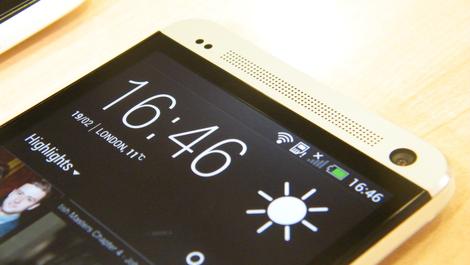
HTC has been clear that owners of the HTC One will see an Android 4.4 KitKat update in January of next year but looks like some One owners are in luck.
Android Authority is reporting a 300MB over-the-air update of KitKat is rolling out to the HTC One, Google Play Edition right this moment.
Like the Moto X, the HTC update will not get the "Google Experience Launcher," a feature found on the Nexus 5, which adds a Google Now page to the home screen.
But users at least get a lengthy range of other improvements with KitKat - the interface is much cleaner and boasts changes that help condense your device's memory.
Be on the look out
The Google Play Edition of the Samsung Galaxy S4 should also be receiving KitKat, possibly as soon as today or this week since both the S4 and One saw a same day Android 4.3 update.Once the Galaxy S4 is updated, Google should be done with KitKat - at least until 2014 when the rest of the HTC One batch gets 4.4.

| |
Read More ...
Twitch may be cracking down on PS4 players after livestream abuses

Twitch may be cracking down on PS4 owners who are broadcasting live gameplay of The Playroom, a small game included by default on every new Sony console.
The Playroom is meant to show off what the new PlayStation Camera is capable of, but some players are showing off more by using the PS4's livestreaming capabilities.
The Playroom is an augmented reality game that takes place in users' living rooms, meaning the footage that's broadcast during livestreams of the game is actually just video of everything the PS Camera sees.
As Twitch viewers learned over the weekend, that's good for exhibitionists and bad for everyone else.
No mercy
According to the user who started this Reddit thread, Twitch has begun banning anyone who streams footage of The Playroom, even if they're doing so completely innocently.But the PS4 has been out for a week and a half, and one has to wonder how this didn't happen sooner.
Twitch is an extremely popular video game content livestreaming service with millions of monthly users, and the PS4 is the first video game console to feature full Twitch broadcasting integration.
Naturally, some users are taking advantage of that to send footage including nudity and full-on intercourse to anyone who cares to watch.
Keep in mind that Twitch footage broadcast from PlayStation 4 consoles isn't limited to the console itself - Twitch is a global service, and anyone on Twitch.tv can view the broadcasts.
Keep it clean
This isn't a new problem for Twitch, on which users can broadcast whatever they want (until they're caught and banned, at least). But it is definitely a new problem for Sony.Twitch has its own guidelines that expressly forbid any content unrelated to gaming, not to mention explicit content.
But unlike the internet, the PS4 is a relatively closed platform on which parents might feel they can let their kids loose without having to worry about them watching strangers having sex. Unless something's done about this, Sony might face flak from parents, the mainstream media and others.
What to do, what to do
Twitch could block streams of The Playroom or Sony could disable livestreaming the game entirely, but neither company has announced any drastic actions officially just yet.Twitch tweeted about it on Saturday, reminding players that "if using PS4 Playroom, the content must be about games or gaming and within our TOS. Thanks for understanding."
The company also issued a statement to Kotaku, saying:
"As Twitch continues to attract new broadcasters, we want to keep our terms of service top of mind and reiterate we are a destination for video game-related content. We also have a team, supported by a predominantly positive minded community, that works around the clock to ensure our TOS is being adhered to. It is at the discretion of our partners to determine which Twitch features are integrated into their hardware and software."
In other words, the ball's in Sony's court. We've asked Sony spokespeople what the company plans to do and will update here if they respond.

| |
Read More ...
Crazy-fast mystery HTC handset benchmarked over 36K

Whenever an unannounced smartphone takes a spin on popular benchmark apps, someone is bound to take notice and play connect the dots with other rumors making the rounds.
PhoneArena reported today that a new Android handset of HTC origin has made an appearance on AnTuTu, a popular app used to benchmark the speed and performance of smartphones and tablets.
Identified only as "HTC 0P6B120," the device raised a few eyebrows over the weekend by racking up a performance score of 36,532 - the kind of digits usually reserved for top-tier performers like the LG G2, Samsung Galaxy Note 3 or Sony Xperia Z1.
In order to achieve such results, the mystery HTC handset likely appears to be running one of the coveted Snapdragon 800 chips - presumably a newer variety such as the MSM8974 model capable of 2.3GHz speeds.
M8 could be great
All signs point to the handset bearing the HTC M8 name, a device which popped up on the radar less than two weeks ago from the typically reliable Twitter account of @evleaks.Tipped to debut in early 2014, insiders speculate that the M8 will be the manufacturer's follow-up to this year's HTC One, a smartphone expected to bear more than a passing exterior resemblance to the handset that's kept HTC on life support throughout an otherwise rocky 2013.
Other leaked details include a slightly larger 5-inch, 1080p HD display powered by the latest Android 4.4 KitKat with HTC Sense 6.0 ladled over it for good measure.
There's still plenty of time for the HTC M8 to offer up further leaks before 2014 arrives, so firmer details are likely to solidify in the days and weeks ahead.
- Gee whiz, check out our extensive review of the new Motorola Moto G!

| |
Read More ...
Updated: Windows 9 release date, news and rumours

With Windows 8 and now Windows 8.1, Microsoft tried - not entirely successfully - to make tablets part of a continuum that goes from number-crunching workstations and high-end gaming rigs through all-in-one touchscreen media systems and thin-and light notebooks down to slender touch tablets, all with the same OS, aiming for the best of both of today's computing worlds. What will it do for the next version of Windows?
Despite rumours of an aggressive development and shipping schedule, there's no official word about what's in the next version of Windows, but there are plenty of rumours (many of them from Chinese enthusiast sites that claim to have leaked builds), plus more reliable information from job adverts for the Windows and Windows Phone teams. Could it be that we'll get Windows 8.2 first?
There are also patents, which may or may not be relevant, and some rare comments from developers on the Windows team. Here's what we've heard about Windows 9 and what we think is happening.
Cut to the chase
What is it? A complete update of Windows
When is it out? We expect it to be out in 2015
What will it cost? We really have no idea. But if Windows 8 is anything to go by, it won't cost much to upgrade
Windows Blue
turned out to be Windows 8.1 rather than a completely new version of
the Windows OS, which is what we'd expect Windows 9 to be. What is it? A complete update of Windows
When is it out? We expect it to be out in 2015
What will it cost? We really have no idea. But if Windows 8 is anything to go by, it won't cost much to upgrade
There's certainly a new development cadence, where Microsoft puts out new releases of Windows, Windows RT and Windows Server every year, the way it already does for Windows Phone.
The next version of Windows is being referred to by Microsoft people who post their details on LinkedIn as Windows 9; as usual, that will be a codename that might change.
While still just a codename, Windows 9 has also been referenced by Microsoft in a job posting, spotted by MSFT Kitchen on 13 March 2013.
The ad, for a Bing Software Development Engineer, says that the team will be delivering products "in areas including Windows 9, IE11 services integration, touch friendly devices including iPad and more."
Windows 9 release date
Microsoft communications chief Frank Shaw said Microsoft wasn't ready to talk about how often Windows might come out when we spoke to him in January, but he agreed "you have certainly seen across a variety of our products a cadence that looks like that; Windows Phone is a good for example of that, our services are a good example of that".We don't know if Windows 9 will be available as an upgrade from Windows 7 that you can buy as a standalone product or if you'll have to have Windows 8 to get the upgrade. But it may not be with us for a while yet - Windows business chief Tami Reller has talked about "multiple selling seasons" for Windows 8, meaning that we'll likely have several versions of it.
Windows 9 to be cheaper, smaller, with more apps
In the last Microsoft earnings call CFO Peter Klein made it clear that Microsoft has got the message that Windows 8 tablets need to be cheaper; "we know that our growth depends on our ability to give customers the exciting hardware they want, at the price-points they demand."Another revealing Microsoft job advert talks about having Windows Phone and WinRT apps run on both Windows Phone and Windows. "Do you wish the code you write for Windows Store apps would just work on the Windows Phone and vice versa? If so, then this is the role for you! We are the team leading the charge to bring much of the WinRT API surface and the .NET Windows Store profile to the Phone."
That sounds like a longer term goal, given that the job advert was on the Microsoft Careers site at the beginning of February, and it's being driven by the Windows Phone team (we don't expect to see the next version of Windows Phone until the autumn), but it could give developers an incentive to write apps for the Windows Store and give Windows 9 users more to choose from. Scaling apps to fit different size screens would help here too.
Windows 9 power management
A recent Channel 9 video featuring Bruce Worthington, who leads the team working on Windows power management fundamentals, included some rather technical details about saving power in Windows and the improvement in Windows 8."If you look at the number of times we would wake up the CPU per second," he explained, "for Windows 7 you would typically see numbers on the order of one millisecond. We would literally be waking up the CPU a thousand times per second. If you look at Windows 8, on a clean system, we have numbers that are better than a hundred milliseconds. "
Now that Windows Phone 8 is based on the Windows Phone kernel, power management has to get better. "Now we're looking forward to the next release and we can get even farther - especially as we start interacting more and more with our phone brethren.
"They want us to be quiet for multiple seconds at a time. They even talk about minutes in some scenarios which is pretty far afield for us, to be thinking about minutes of being completely quiet. At least getting into the multi-second we're definitely ready to think about that."
Especially with Haswell bringing Connected Standby to Core systems, not just low-power Atom tablets, saving power looks like a priority for Windows 9 (especially if it comes out at the same time as Intel's new chips.
"For the next release there's all kinds of things we've already identified that are going be quite challenging but at the same time the user is going to get a tremendous boost forward," Worthington promised.
Windows 9 gestures and experiences
There are features we predicted for Windows 8 based on Microsoft patents and technologies we've seen demonstrated by Microsoft leaders like CTO Craig Mundie that didn't make it into the OS. There are features Microsoft plans for every version of Windows that get cut to ship on time; sometimes they reappear, sometimes they don't.
Cut to the chase
What is it? A minor upgrade for Android, to follow on from Android 4.3 Jelly Bean
When is it out? The rumors say October 14 or October 31
What will it cost? Nothing, it'll be a free upgrade
Kinect-based
3D gestures might be on the cards this time around, especially as we
hear that some notebooks will soon get 3D cameras - although from other
suppliers rather than Microsoft. What is it? A minor upgrade for Android, to follow on from Android 4.3 Jelly Bean
When is it out? The rumors say October 14 or October 31
What will it cost? Nothing, it'll be a free upgrade
Using two cheap webcams rather than an expensive 3D camera could make gesture recognition hardware cheap enough for laptops and then you could wave at the screen from a distance.
And maybe Direct Experience will arrive in Windows 9. The patent explains this as a way of starting Windows to play media files in a special purpose operating system and there are improvements in Hyper-V for Windows Server 8 that Microsoft could use to make Windows 9 work better for this, like being able to move a virtual machine from one place to another while it's running.
Maybe that would even work with the next version of the Xbox - which will be based on the Windows kernel and is expected to ship in the autumn.

One obvious question is whether Windows 9 will be 64-bit only - something that Microsoft threatened even before Windows 7 shipped - but that's going to depend on what chips are in PCs.

| |
Read More ...
Updated: Windows 8.2 release date, news and rumors

With Windows 8.1, Microsoft addressed some of the problems that scuffed the original Windows 8 release, smoothing the cracks between desktop and touch UIs, improving snapped apps, and allowing users to boot direct to the desktop, among other tweaks and fixes. For many, this is the software that Microsoft should have launched in 2012.
For others, Windows 8.1 simply makes Windows 8 slightly less terrible. The truth is that, while Windows 8.1 improves Windows 8, the consensus is that it doesn't do enough. Before an all-new, rewritten-from-the-ground-up, cloud embracing Windows 9 appears, we might Windows 8.2 as a stop-gap.
Cut to the chase
What is it? An upgrade for Windows, to follow on from Windows 8.1
When is it out? Probably late 2014
What will it cost? Nothing, it'll be a free upgrade
What is it? An upgrade for Windows, to follow on from Windows 8.1
When is it out? Probably late 2014
What will it cost? Nothing, it'll be a free upgrade
Windows 8.2: Re-Starting Windows
While Microsoft listened to user feedback and reinstated the Start button in Windows 8.1, they didn't make it intuitive.Clicking the Start icon simply takes you to the Metro Start screen. You need to right-click the icon to bring up a Start Menu, with more familiar quick links to Task Manager, Control Panel and Shut Down. Even this menu isn't strictly new: it's hidden in Windows 8 (press and hold the Windows key and press X to open it).
Windows 8.2 could make the Start Menu easier to access and it would be an ideal opportunity to improve the discoverability of other useful options that are currently buried in sub-menus - "boot to desktop" being one, the option to shut down your PC another.
While Microsoft is at it, Windows 8.2 should reinstate Libraries in File Explorer, which don't show by default. Yes, you can turn them back on. But again, the option isn't easy to find. Microsoft's fondness for labyrinthine menu structures is frustrating, especially for inexperienced users.
Windows 8.2: Desktop apps
If there is a Windows 8.2 release in the future, there's a strong chance it will be another OS polish - there's still some work to be done eliminating non-Metro menus to reduce the jarring switch between the new and old UIs. That said, Microsoft needs to accept that many users don't own touchscreen devices and want a traditional Windows desktop experience.Speaking of the traditional desktop, how about running apps in desktop windows to reduce the amount of time you spend switching from one UI to another? Microsoft only needs to look as far as Stardock's clever ModernMix software, which already gives you the ability to do this. Stardock also sells a fully-featured Start Menu addon (Start8), which is a better solution to the half-baked Windows 8.1 version.
Windows 8.2: One app store to rule them all?
Microsoft has been talking about unifying its Windows Phone and Windows app stores and, while this missed the Windows 8.1 update, rumours of a 2014 release would fit neatly with any plans for Windows 8.2.Such unification is necessary for Microsoft's vision of Windows across devices, but it would also improve the experience for users and developers alike. A Microsoft job posting back in February posed the question: "Do you wish the code you write for Windows Store apps would just work on the Windows Phone and vice versa?" That suggests this isn't a case of "if" but "when."
Windows 8.2: Will it be Windows 9?
Of course, there might not be a Windows 8.2 and Microsoft might skip straight ahead to Windows 9, sweeping Windows 8 hurriedly under the corporate rug. Little is known about the next Windows OS bar the fact that it will involve more cloud integration and potentially some of the cloud processing cleverness debuting in the Xbox One.One thing is clear. Whether we see Windows 8.2 or Windows 9, the next iteration of Windows will try to move us closer to the "one Microsoft" vision. The current "three Microsofts" approach - Windows 8, Windows Phone and Windows RT - is far too confusing for consumers.
- What would you like to see in Windows 8.2? Tell us in the comments.

| |
Read More ...
Updated: Apple iTV release date, news and rumours
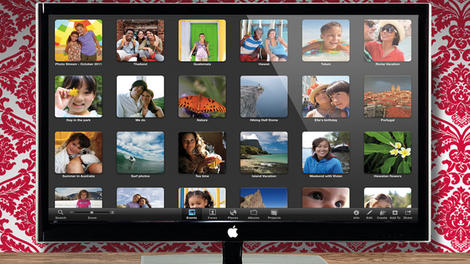
Apple iTV rumours: what you need to know
We love the Full HD Apple TV box, but Apple really isn't so sure: the company has seemed more interested in getting iPads into your living room than its Apple TV box.Apple says the Apple TV is a hobby, but the company is thinking bigger. Much, much bigger: it wants to sell you the entire TV set, not a little box beneath it.
In an early 2012 earnings call, Apple CEO Tim Cook hinted again at the release of something bigger and better than the current Apple TV. Check out our in-depth look at How Apple's television will really work or read on for all the latest rumours.
Cut to the chase
What is it? A TV, but with added Appleness
When is it out? Probably late 2014
What will it cost? An awful lot, we expect
What is it? A TV, but with added Appleness
When is it out? Probably late 2014
What will it cost? An awful lot, we expect
Is Apple iTV confirmed?
Cook says: "With Apple TV, however, despite the barriers in [the TV set top box] market, for those of us who use it, we've always thought there was something there. And that if we kept following our intuition and kept pulling the string, then we might find something that was larger."For those people that have it right now, the customer satisfaction is off the charts. But we need something that could go more main market for it to be a serious category."
However, it is possible that he meant a set top box, and rumours have continued to rumble on that Apple is in talks with US cable providers and more content providers over a new version of its existing Apple TV box.
Stronger hints came in a December 2012 Tim Cook NBC interview. "When I go into my living room and turn on the TV, I feel like I have gone backwards in time by 20 to 30 years," Cook told Williams. "It's an area of intense interest. I can't say more than that."
Apple isn't the only one dropping big hints either - manufacturer Foxconn had to refute reports in late May 2012 that it had begun to produce the Apple iTV after a story emerged quoting chief executive, Terry Gua, as saying Foxconn was "making preparations for iTV."
More speculation citing Foxconn involvement emerged in December 2012 and then again in late March 2013 and July 2013, especially as the company has decided to move into TVs.
But then in late 2013, analysts suggested the project had been postponed in favor of developing the iWatch and an Apple A7-toting Apple TV box.
Here are all the rumours and speculation surrounding the Apple iTV, which some have also claimed may end up with the surely unlikely name of the Apple iPanel.
Apple iTV release date
Most rumours predicted a 2013 Apple iTV release date but as we head into the Christmas silly season, this is clearly not happening.Analysts in Japan predicted in October 2013 that Apple would in fact ship 55-inch and 65-inch 4K Ultra HD TVs in the fourth quarter of 2014 which sounds a lot more realistic.
The New York Times says that price, not technology, is the problem: Apple is waiting for the cost of large LCD panels to fall further before building iTVs. But we're pretty doubtful we'll see a new Apple TV or iTV device in Autumn 2013.
Piper Jaffray analyst Gene Munster suggested in November 2012 that the iTV would come out a year later, in November of 2013. Wrong. Earlier in 2012 Munster was calling for Apple to announce the Apple television in December, then the first half of 2013, but he was proved totally wrong before changing his estimate to 2014. Maybe right.
According to Market Intelligence Center, David Einhorn from Greenlight Capital told his investors that he believed Apple would come out with its next "blockbuster product" - the iTV - soon. Wrong.
In December 2012 Wall Street Journal sources said that various TV prototypes have been on the company's slate for a number of years.
Apple iTV design
A report in mid-2013 from Cult of Mac claimed one of their contacts saw a working prototype of the Apple TV. The report claimed that Siri and iSight will feature (so face and voice recognition then), while the design is similar to that of an Apple Cinema Display.In August 2013, Patently Apple found a patent that included a fused glass process for housing, a bit similar to that found on the iPhone 4S, being used on various Apple devices, including iPhones and iPods, in the future.
The Telegraph says that "sources within the company" say that Jeff Robbin, the man who helped create the iPod, is leading the team. Apple has seemingly denied rumours that it is working with French designer Philippe Starck. Remember when he worked with Microsoft on a mouse?
However, it appears that Starck was actually working on another project, a yacht, with Steve Jobs before his death.
On 13 May 2011, we reported that Apple is rumoured to be in talks to buy TV manufacturer Loewe. AppleInsider wrote that talks have entered the advanced stages and Loewe is expected to make a decision on Apple's offer within the next week.
Apple iTV specifications
Australian tech site Smarthouse says that the Apple iTV will come in three sizes, including 32-inch and 55-inch models. That's quite a range!Smarthouse isn't usually the go-to site for Apple rumours, but its report echoes similar claims by respected Apple analyst Gene Munster, who told the recent Future of Media conference that Apple will make its TV in a range of sizes.
"The smallest one will be 42 inches in size, followed by a 52 inches one and a 60 inches iTV (coincidence or not, these exact sizes are available on Sharp TVs, too)," said Gozmorati. This information was repeated in several similar stories.
Rumours also continue to circulate that Samsung could be heavily involved in the iTV project, not least because of features such as TV Discovery, enabling you to easily find programming.
An early 2013 patent, reported on by Macworld, describes "a sound system that could be launched as part of its iTV. The intelligent system could determine where a user is in a room, and if he or she was not within the optimum range, the processor could modify the audio output, says the application. It could also adjust based on which way the user is facing, and the environment that the user is in," Clever stuff.
Apple iTV 4K?
New rumours from the ever-questionable Digitimes suggest we could be seeing a 3,840 x 2,160 display from Apple. Apparently LG would manufacture the display. We'd be amazed if this one was true, but the rumours aren't exactly going away and reached fever pitch in July 2013. See Is Apple eyeing LG's Ultra HD panels for its own iTV set?Apple iTV operating system
As with the Apple TV, any iTV is likely to run iOS, albeit in slightly disguised form. Compatibility with other iOS devices is a given: current Apple TVs already accept video streamed via AirPlay and access shared iTunes libraries. We'll be amazed if the iTV doesn't get apps.Expect Apple iTV and Apple TV to work more like iOS does on the iPad; the newest iOS 6 Beta for the Apple TV enables app icons to be moved around the homescreen just like on the iPhone and iPad.
That has led some observers to conclude that the rumoured App Store for Apple's favourite 'hobby project' might be on the way sooner rather than later.
Apple iTV and iCloud
Steve Jobs told his biographer: "I'd like to create an integrated television set that is completely easy to use. It would be seamlessly synced with all of your devices and with iCloud. It will have the simplest user interface you could imagine. I finally cracked it."According to one source which claims to have seen the device, the new TV has Siri and FaceTime.
Apple iTV remote control
The iTV will come with an ordinary remote control, and will be controllable with iPhones, iPod touches and iPads, but the real remote control will be Siri.Apple's voice recognition system will be the heart of the new Apple TV, enabling you to choose channels and control the TV's functions with voice alone. That means " the simplest user interface you could imagine" is voice.
However, according to a new patent filed in March 2012, Apple has come up with the design for an advanced universal remote that would also be compatible with your iPhone and iPad.
But could Apple also be thinking more about games? Some sources say so, with an official joypad-type device possibly on the cards to work alongside Apple TV.
Apple iTV AirPlay mirroring
After AirPlay mirroring from Mac to Apple TV was present in the developer preview of OS X 10.8 Mountain Lion, it's not a great leap to suggest that the Apple iTV could mirror the display of your Mac or iPad wirelessly too. AirPlay mirroring is now 1080p with the new iPad and new Apple TV.When a prototype was reportedly 'seen' it did feature AirPlay.
Apple iTV programmes
While the iTV will get content from iTunes and iCloud, it's not going to be completely separate from current TV broadcasters: Munster says that you'll still need a cable TV subscription and decoder because Apple doesn't have enough content. However, the August 2013 rumours suggest that Apple has given up on cable providers, instead opting to negotiate directly with content partners such as ESPN, HBO and Viacom.We're not sure whether it would play nicely with Freeview and Freeview HD here in the UK, but perhaps a DVB-T compatible unit will arrive as part of a second generation.
Les Moonves, who is CEO at CBS, says he was previously the recipient of a pitch from Steve Jobs regarding his network's participation in a subscription-based service, but turned him down. Apple is also rumoured to be talking about getting partners involved for movie streaming.
His reasoning? Moonves says he was worried about damaging the network's existing revenue streams through broadcast and cable television.
The main question is whether Apple will open the door for third-party content, like the BBC iPlayer, Sky Go and 4oD and other apps we've seen on connected TV platforms. These may well arrive with apps - the Apple TV SDK will pull on the iTV ecosystem and we're expecting apps to be available for Apple TV too.
Mind you, it's also been claimed that Apple will seek to cut traditional TV providers out of the content loop.
Apple iTV display
March, June and December 2012 rumours pointed at Sharp being the manufacturing partner. SlashGear says work on components is already under way. In mid April, Sharp announced it had begun production of 32-inch HI-DPI LCD panels at its Kameyama Plant No. 2 - could these be the panels destined for the Apple iTV?Apple contractor Foxconn's parent company has made a rather large investment in Sharp - does this indicate something we wonder?
Both companies were apparently working together to 'test' TV designs in the December 2012 rumours.
In February 2013 it became clear that Apple had hired James (Jueng-jil Lee, a former senior researcher at LG. According to the OLED Association, he had been working on a printed AMOLED TV display.
According to his LinkedIn profile, Lee lists his role at LG as "OLED Technology Development for TV Application" and he said he was "developing the Soluble Technology (RGB Type) for OLED TV application at LG Display". LG continues to be rumoured to be involved.
If the iTV does appear, it won't leave manufacturers quaking in their boots. That's according to Samsung's Chris Moseley who told Pocket-Lint in early February 2012 that the firm isn't overly concerned with what Apple launches if it decides to enter the TV market
"We've not seen what they've done but what we can say is that they don't have 10,000 people in R&D in the vision category," he says.
"They don't have the best scaling engine in the world and they don't have world renowned picture quality that has been awarded more than anyone else."
Apple iTV price
Gene Munster reckons that the iTV will be twice the price of a similarly sized TV. Ouch. However, new March 2012 rumours point at a subsidised launch - courtesy of various partners.Apple iTV gaming and apps
Although most of the rumours so far have been about the hardware involved in the iTV, gaming may be a major focus of the new device. Apple CEO Tim Cook was spotted in mid-April at the HQ of Valve Software, the company behind gaming platform Steam. Some rumours are drawing more from this meeting, saying Apple could be producing a Kinect-style gesture-based console. But this is likely to be part and parcel of the iTV.Will Apple iTV do well?
With smart TVs taking over the TV market, analysts reckon that the time is ripe for an Apple iTV to be launched. Smart TV adoption grew from 12% in 2011 to 25% in 2012, according to a new report from TDG.
| |
Read More ...
Updated: iPhone 6 release date, news and rumours

The iPhone 5S and iPhone 5C have been announced. So what does that mean for the iPhone 6?
Well, we'll tell you. Or, at least, we'll tell you what we can glean from rumor and speculation - some reliable, some not so much.
Given the iPhone's history - from the 3G onwards, there's always been a half-step S model before the next numbered iPhone - so it was no surprise the 5S was first and so we're looking at 2014 for a new iPhone 6.
One thing is for sure, with potential refreshes of such super handsets as the Samsung Galaxy S4, Sony Xperia Z and HTC One, the next iPhone will have to seriously up its game.
Cut to the chase
What is it? A major revision of the iPhone
When is it out? September 2014, we'd have thought
What will it cost? Expect premium pricing for a premium smartphone
What is it? A major revision of the iPhone
When is it out? September 2014, we'd have thought
What will it cost? Expect premium pricing for a premium smartphone
iPhone 6 release date
The iPhone 6 release date will be in 2014. It will follow the iPhone 5S which will be released at the end of this week..Jefferies analyst Peter Misek says that there will be a June 2014 release for the iPhone 6. We reckon it will be later than that, around a year after the 5S. Citi's Glen Yeung also believes that we won't see an iPhone 6 until 2014, although that's no big leap.
Interestingly, in May 2013 Stuff reported it received a photo of the till system at a Vodafone UK store (which it has since removed along with the reference to Vodafone), with '4G iPhone 6' listed.
So could we see both an iPhone 5S and iPhone 6 in quick succession? Some reports suggest a new 5S in the late part of the year before a revamped iPhone 6 very early in 2014.

iPhone 6 casing
It's been suggested that there could even be three size variants of the new iPhone - check out these mocked up images by artist Peter Zigich. He calls the handsets iPhone 6 Mini, iPhone 6 & iPhone 6 XL (these look rather like the iPhone 5C variant though). However, as ZDNet rightly points out, different size variants aren't exactly easy to just magic out of thin air.
The iPhone 6 will finally do NFC
About time too. Well, that's what iDownloadblog reckons, quoting Jefferies analyst Peter Misek. Many Android phones now boast NFC and Apple appears to have been happy to be left behind here.See our video below on what Apple needs to do to slay Samsung's Galaxy S4
The iPhone 6 will run iOS 8
With iOS 7 heading out of the traps now, who's betting against the next iPhone coming with iOS 8?We'd expect a September or October release date for iOS 8 in line with previous releases.

iPhone 6 storage
We've already seen a 128GB iPad, so why not a 128GB iPhone 6? Yes, it'll cost a fortune, but high-spending early adopters love this stuff.iPhone 6 home button
According to Business Insider, of the many iPhone 6 prototypes Apple has made, one has a giant Retina+ IGZO display and a "new form factor with no home button. Gesture control is also possibly included". It will surely include Apple's new Touch ID finger print tech though?iPhone 6 screen
The Retina+ Sharp IGZO display, would have a 1080p Full HD resolution. It's also been widely reported that Apple could introduce two handset sizes as it seeks to compete with the plethora of Android devices now on the market.Take this one with a pinch of salt, because China Times isn't always right: it reckons the codename iPhone Math, which may be a mistranslation of iPhone+, will have a 4.8-inch display. The same report suggests that Apple will release multiple handsets throughout the year over and above the iPhone 5S and 6, which seems a bit far-fetched to us.
Patents show that Apple has been thinking about magical morphing technology that can hide sensors and even cameras. Will it make it into the iPhone 6? Probably not.
Jefferies analyst Peter Misek also says he believes the new iPhone will have a bigger screen. Different sizes also seem rather likely to us - the word on the street after WWDC 2013 was that there would be 4.7 and 5.7-inch versions.
More rumors in September 2013 point to a six-inch display, but this seems a little large to us.

iPhone 6 processor
Not a huge surprise, this one: the next processor one will be a quad-core A8 or an evolved A7. The big sell here is more power with better efficiency, which should help battery life.Anyone hoping for some juicy Samsung technology hidden under the iPhone 6 body will be disappointed though, as reports suggest Apple is looking to push its Korean rival further out of the iPhone picture with its eighth-gen handset.
Apple is apparently cutting the amount of A8 processors it is having made by Samsung, although it hasn't severed ties completely just yet.
iPhone 6 camera
Apple's bought camera sensors from Sony before, and this year we're going to see a new, 13-megapixel sensor that takes up less room without compromising image quality.An Apple patent, uncovered by Apple Insider in May 2013, shows a system where an iPhone can remotely control other illuminating devices - extra flashes. It would work in a similar manner to that seen in professional photography studios. Interesting stuff.

iPhone 6 Sapphire crystals
GT Advanced Technologies provides crystal grow equipment and materials for consumer electronics, among other industries and has announced that it's signed a multi-year supply agreement with Apple to provide sapphire materials.Sapphire has figured prominently in recent Apple products - the iPhone 5S' Touch ID fingerprint reader features a cut sapphire crystal cover and the iPhone 5 was the first to feature a sapphire crystal lens.So what will we see in the iPhone 6? Certainly the Touch ID fingerprint reader, but also other scratch-proof materials. GT says it will own and operate the machinery to produce this stuff at a new Apple plant in Arizona.
iPhone 6 eye tracking
One thing seems certain - Apple can't ignore the massive movement towards eye-tracking tech from other vendors, especially Samsung. It seems a shoe-in that Apple will deliver some kind of motion tech within the next iPhone, probably from uMoove.iPhone 6 wireless charging
Wireless charging still isn't mainstream. Could Apple help give it a push? CP Tech reports that Apple has filed a patent for efficient wireless charging, but then again Apple has filed patents for pretty much anything imaginable.The tasty bit of this particular patent is that Apple's tech wouldn't just charge one device, but multiple ones. Here are more details on the iPhone 6 wireless charging patent.
Meanwhile, a further Apple patent seems to imply that future iPhones will be able to adjust volume as you move them away from your ear.
And could the iPhone 6 really have 3D? It's unlikely, but the rumours keep on coming.

| |
Read More ...
Review: Updated: OS X 10.9 Mavericks

Introduction
The tenth major revision of OS X, Mavericks, marks an attempt at a fresh start.Oh yeah, and it's available as a free download! Apple has decided it should treat the Mac community in the same way it has been treating iOS users and ship the update free via the Mac App Store.
Mavericks introduces new features that are aimed at professionals, updates major interface components, it overhauls the system's branding. Big cats are out, and California locations are in (Mavericks being a surfing hotspot).
- Got Mavericks? Check out our 20 OS X Mavericks tips and tricks
While Mavericks is designed to bring Apple's desktop and mobile closer together, this isn't a radical iOS 7-style redesign. It's more a refinement of OS X's existing design language that just happens to be simpler and cleaner. Expect more of the same in OS X 10.10, which is presumably next.
Skeuomorphism is out, so you'll see less fake wood and pretend leather (although it lives on in some applications, including the paper-themed Notes). Mavericks dials down the interface chrome so content can stand out, but it's also suitable for the desktop in the way a stark, text-oriented iOS 7-style theme might not be.
There have been a few teething issues though, with several things clearly not working. First was the need to issue an update to fix an issue that affected users who had connected Gmail to Mavericks (it didn't work) before a further problem related to freezing trackpads and keyboards on it's new MacBook Pro retina 13-inch. Other users have reported issues with Thunderbolt drivers plus sound cutting out.
And some even found external Western Digital hard drives have been wiped clean of data due to compatibility issues between Mavericks and WD's storage management software.
And that's all before we get to the fact Mavericks appears to be tracking how often users are sat in front of their Macs...
OS X Mavericks new features
As with anything Apple-related these days, Mavericks wasn't an upgrade full of surprises. Instead, it was a case of getting our hands on features we've seen demoed earlier in the year, and for the most part these features are welcome - though not always.Finder gains tabs, which are a genuine enhancement, and tags, which are less successful. Maps is, but you won't get the best out of it unless you have thoroughly embraced Apple for desktop and mobile.
Calendar has been improved with intelligent additions, but regrettably these haven't been applied with perfect consistency. Safari, on the other hand, is unambiguously better in this release, and we hope it will stay that way.
Apple has also used Mavericks to give users more control over their own systems. Fullscreen is much better for multiple display setups and the App Nap function makes it easier than ever to see which applications are consuming power, so you can put them to sleep to preserve your battery life.
And there are also smaller enhancements which, while not exactly revolutionary, promise to make using your Mac a subtly simpler and more satisfying experience.
Installation is straightforward. The update is free to anyone running Snow Leopard, Lion or Mountain Lion, and shows up in brazen fashion at the top of the Mac App Store Updates tab so you really can't miss it.
Supported Macs
According to Apple, Macs back to 2007 are supported, as follows:- iMac (Mid 2007 or newer)
- MacBook (Late 2008 Aluminium, or Early 2009 or newer)
- MacBook Pro (Mid/Late 2007 or newer)
- MacBook Air (Late 2008 or newer)
- Mac mini (Early 2009 or newer)
- Mac Pro (Early 2008 or newer)
- Xserve (Early 2009)
We downloaded and installed during the peak rush, shortly after the Apple Event that announced the immediate availability of Mavericks.
Even when demand was highest, the entire process was painless and took under an hour, although the progress bars were typically comical, with "less than a minute" meaning something very different in the world of Apple. That means that anyone who comes after the early can expect a trouble-free installation.
Although our update was problem-free, do back up your Mac first just in case. We've read reports (albeit very few) of data loss - a risk with any flavour of OS upgrade, and one it's always worth taking sensible precautions against.
Finder, Safari and Keychain
Apple's long been criticised for doing little with Finder, but that might change with Mavericks, which brings two major new features to the OS X file manager: tabs and tags.Tabs are reminiscent of those in Safari. Command+T adds a new tab to any window, and documents can be moved/copied between tabbed windows by dragging/Option-dragging them to a tab.
The system has frustrating shortcomings. It's easy to drag out a tab so it becomes a standalone window, but not to return it to a tabbed window elsewhere. There is a "Merge All Windows" command, but that proved flaky during testing, sometimes being greyed out.
Generally, though, Finder tabs are useful and usable, matching third-party efforts at bringing this kind of functionality to the Mac, and finally allowing Finder to make some sort of sense in fullscreen mode.

During testing, we found tags less successful by some margin. They resemble enhanced OS X Finder labels, but with user-definable extensibility. Tags can be added in Finder or when files are saved, and then used for organizing and grouping documents.
The major benefit over labels is that multiple tags can be assigned to a single document. But ropey implementation has left tags a mess. In Finder, tagged items display tiny overlapping dots that are meaningless in isolation - although there is at least an optional Tags column in List view, which shows comma-separated assigned terms for each tag.
Only allowing seven colors provides backwards compatibility with old OS X labels, but at the expense of true extensibility. Also, the Tags section in Finder's preferences is baffling, an example of dreadful interface design.
The net result for us was liking the general concept behind tags, but wondering whether we'll actually use them in the long term: if we do, it's something that will remain rooted to Open and Save dialogs, rather than being used to spot certain documents in Finder by their tags.

There have also been other, more minor, changes to Finder, for better or worse. Better: the ability to show the Library without a Terminal command (go to your Home folder and use Command+J to access the View Options window). Worse: translucent column headers wheeled in from iOS 7, which reduce clarity.
Safari and Keychain
Safari's one of Apple's most inconsistent products, at times being an industry-leading browser but often being a buggy and unstable embarrassment. Of late, it's tended very much towards the latter.New underlying technology has improved things dramatically under Mavericks. Safari now finally uses a process per tab, which seemingly eradicates the maddening "webpages are not responding" dialog that then forced every open tab to be refreshed.
In theory, tabs can also be quit individually in Activity Monitor, but they unhelpfully lack any kind of differentiating label. Still, this all means Safari works - at least for now. We might update this review in a few months with a huge *sadface* GIF if Safari suddenly lurches back to rubbishness.
Back to the present and performance is further boosted by bundled plug-in management. You can turn off the likes of Flash and QuickTime entirely within Safari, or set plug-ins to be allowed or blocked for each individual site.
Additionally, there's also an option buried in Safari's Advanced preferences, "Stop plug-ins to save power." This attempts to freeze auto-playing components until you request them, and during testing it intelligently didn't stop videos we wanted to see but did block adverts. These controls when combined are impressive enough that we'd consider reinstalling Flash on our Macs, rather than using Chrome as a Flash ghetto.

Beyond performance, Safari adds a minor interface revamp to its sidebar and Top Sites page, push notifications, and iCloud Keychain.
The sidebar now has bookmarks and shared links alongside Reading List. Shared links are pulled in from configured social networks (Twitter, Facebook, LinkedIn), and you can search and retweet, respectively, from within the sidebar or at the top of the shared page. Top Sites has a rather simpler overhaul, which is a flat grid of large thumbnails, boosting usability.

The iCloud Keychain is less of a usability success, in part because it's a pain to set up. During first launch, you must define a passcode and SMS number. Because we were updating various devices at once, our test Mac and iPad both seemingly refused to acknowledge iCloud Keychain's existence.
On smacking everything with a digital wrench, the feature finally fell into line and mostly did its job, autofilling passwords and payment card details. However, it was less reliable than 1Password (especially on forums), which has the added advantage of working with non-Apple browsers and platforms.
Apps
There are two properly new apps bundled with Mavericks: Maps and iBooks. Both are further efforts by Apple to bring aspects of the iOS ecosystem to OS X, and both are long overdue.
Maps will either prove a joy or superfluous, depending on how immersed in the iOS ecosystem you are. The app is a fairly straight translation from iOS, providing zoomable maps and driving/walking directions.
There's also Apple's half-hearted 3D zooming that Google Street View probably laughs at behind Apple's back, although Maps counters with a rather lovely fully zoomed out live view of Earth, city lights gleaming in the inky blackness of space.

As with the iOS version, the data in Maps is uneven, but tends to be robust for postcode-to-postcode directions and poor for locating specific businesses. Sharing and export is also variable.
If you're running iOS 6 or higher, it's great - you fire a location or set of directions at a device and this instantly shows up in Notification Center.
Otherwise, you must send directions via other means: for example, email provides recipients with a vCard and a PDF.
This shows how Google's online-first mentality can pay dividends under certain circumstances, although there's no denying the user experience of Maps is otherwise generally superior to Google Maps in Safari - and, unlike Google, Apple also uses standard UK map colours.

iBooks is a rather simpler affair, but we mostly loved it. The app doesn't seek to replicate the fake-book mess that iBooks is saddled with on the iPad. Instead, the chrome is basic and grey, and then almost vanishes entirely when you're reading, allowing the content to shine.
A smattering of reading adjustment settings is handled ably, and the app intelligently collapses from a spread to a single page as the window is narrowed.
Outside of books, it's a touch less impressive. The store is clunky and slow, like the Mac App Store, and although PDFs can be imported, Preview is required to view them. However, the reading part of iBooks is spot-on, making this a suitably impressive Mac debut. (Now roll on Newsstand…)
Notes, Contacts and Calendar
Three OS X apps are similarly notable to iBooks in being stripped of interface chrome. Notes, Contacts and Calendar are now rather plain and almost dull. However, in use, only Notes (which retains the most texture with a sort of drab yellow paper background) fails to impress, being a simpler but still ugly app.Contacts no longer pretends to be a real address book, and works a lot better for it. There's no distracting interface "leather," but also the three panes - groups, contacts, details - can be resized. It works as you'd expect an OS X application to, rather than a book, and that alone is a big plus.

Calendar now also sets the right expectations. This is not a digital facsimile of a desk calendar, but a product that works within the realm of OS X.
Although initially appearing to be functionally identical to its predecessor, Calendar offers useful additions: week view has infinite scroll, rather than snapping to a predefined start day of each week, although controlling this was finicky on our test Mac with a Magic Trackpad and Magic Mouse.
Individual items can also have mapping and travel times assigned if you include an address. Oddly, Calendar only bothers adding travel time to the start of an event, though, not the end. Presumably it imagines all your meetings are on the Enterprise, whose crew will benevolently teleport you home once you're done.

Multiple display, power and misc
The fullscreen mode introduced with OS X Lion was no doubt an attempt to bring to the Mac the kind of singular focus iPad apps provide.The drawback was that Apple clearly had no idea what to do with multiple-monitor set-ups. Its solution: tile a linen background on all but your primary display, turning them into very expensive wallpaper.
Mavericks revolutionises fullscreen, and works very nicely indeed across multiple displays. Apps can be made fullscreen on any display, and those on other screens continue on as normal. To cater for app navigation on displays without fullscreen apps running, the menu bar appears, albeit only in opaque fashion on the screen with the current in-use app.
If Mission Control is invoked, it also provides an overview of what's going on for each display, handily numbering each desktop.
In theory, the Dock can also move between displays, but we could only get that to work when it was pinned to the bottom of the screen and set to auto-hide - and even then it took seconds to make an appearance.

Some people will doubtless find fault with Apple's new implementation. There's now no means of spanning a single window across multiple displays, and the semi-transparent menu bars can be horribly indistinct with certain backgrounds; unfortunately, there's no "look, just stop already with the translucent menu bars" option lurking in the Desktop System Preferences pane.
Still, fullscreen now broadly feels like a feature fit for power users, whereas previously it was more like Apple wanted your Mac to become a giant iPad and for you to unthinkingly hurl your other displays out of the window.
With Apple having been accused of thumbing its nose at professionals for a while, Mavericks in part aims to make such users deliriously happy. Finder tabs and enhanced fullscreen are two prominent ways of doing so, but the latest OS X also includes a number of power-saving features.
These involve a mix of best practices, rethinking background processes, and an "App Nap" feature/API, the combination of which in theory makes OS X snappier and increases battery life.
App Nap is invoked if a number of conditions are set, including an app's windows being hidden or minimised and it not being audible. The idea is, for example, if an app is devouring resources in the background, it'll be temporarily but intelligently frozen should it be entirely covered.
The feature can be overridden on a per-app basis for those apps that support it (in the Get Info dialog), although during testing, we never thought it negatively impacted on performance.

Power hogs can also be spotted and eradicated in Activity Monitor's new Energy tab. The numbers are a bit opaque, but we imagine if everything's doddering along in low single figures, but your Mac's fans are going nuts and Safari's sitting there with a guilty expression and an "Energy Impact" of 52.7, it's probably a candidate for quitting if your battery's running low.
It's hard to quantify the impact of Apple's efforts in this field over the short time we've been running the final build of Mavericks, but an ageing MacBook Pro's battery life reduction seemed to drop by about 10–15% under general use. As ever, your mileage may vary.
Other features
Smaller features and changes also add to Mavericks, improving the overall experience. Offline dictation now exists (at the one-off expense of a 785 MB download), and worked flawlessly during testing.iOS-like responsive scrolling improves the feel and flow of Apple's native apps if you tend to rapidly scroll through pages. And the Mac App Store can download and auto-update apps, without you doing anything (although, bizarrely, the settings are in System Preferences and not the Mac App Store app itself).

Notification Center's had a minor overhaul. App update notifications can mercifully now be snoozed (for an hour, to "tonight" or to "tomorrow"), meaning you're no longer forced to dismiss them by clicking "Details."
Some notification types are also actionable, such as those from Messages, although there's a usability issue in including a Cancel button but not one for Submit.
Tweets, oddly, can't be replied to in this manner, instead bumping you to Safari. A "do not disturb" section in System Preferences rounds everything out, providing the means to block notifications during certain time periods and/or when mirroring to TVs and projectors.

Elsewhere, the Internet Accounts pane (formerly known as "Mail, Contacts & Calendars") now includes LinkedIn, Control+Command+Space brings up a pop-up Emoji panel, and Accessibility settings now cater for switch controls and captions.
Sadly, there's still nothing to assist people with balance disorders, despite OS X increasingly being packed full of vertigo-inducing animations and transitions.
Verdict
For the most part, we think Mavericks is a decent upgrade. While there's nothing transformative here, nor is there anything that will make OS X a drastically unfamiliar experience, and that's a good thing when it comes to the lifeblood of your desktop.What we have instead are a number of refinements that will make your Mac for the most part easier to use and nicer to look at.
We liked
We liked the emphasis on power-saving and battery life, twinned with efficiency and performance benefits that will be a boon for all users.The majority of app updates are welcome, even if some work better than others. It's also great to see Apple providing a system-based means of encouraging people to create complex website passwords that they themselves don't have to remember, thereby increasing their online security for relatively little effort.
The look echoes iOS 7 in the interface getting out of the way and not distracting from content. That the overhaul isn't nearly as radical as that seen on iPads and iPhones doesn't strike us as a negative, not least because Apple's mobile design language wouldn't necessarily work on the Mac anyway.
We disliked
On the flip side, there are inconsistencies here and there: typography is poor throughout the OS, and there are questionable design decisions, both from a visual standpoint (notably, iffy translucency) and in terms of interaction.Aesthetically, there's an argument OS X has become a bit dull and staid - and though that's not strongly to the detriment of this version it does make us wonder if Apple knows where it's going.
Finally, although third-party apps generally ran fine on Mavericks, we discovered some services weren't fully compatible. Tags don't play nicely with Dropbox, and Gmail accounts don't always work well with the new version of Mail.
Final verdict
On balance, the experience is positive, but there's a feeling Mavericks is a touch unfinished and that this iteration of OS X was rushed.Our hope is that Mavericks represents further evidence of Apple rapidly iterating OS X, bringing new features and ideas across from iOS, but not trying to turn OS X into iOS. We also hope it sets a precedent for OS X updates once again appealing to power users and consumers alike.
- Got Mavericks? Check out our 20 OS X Mavericks tips and tricks

| |
Read More ...
Nokia Lumia 1520 and its massive screen hit the UK's shelves next week

Now you can put the identity crisis that is Nokia's Lumia 1520 on your Christmas wishlist, as it goes on sale in the UK on December 6.
The handset, which comes boasting a 6-inch full HD screen and souped-up 20MP camera will be set you back £38 a month on contract. SIM-free pricing is yet to be announced.
You'll be able to pick the 1520 up from O2, Vodafone online, Carphone Warehouse, Phones4U and a smattering of independent retailers.
Big
Powering the thing is a Snapdragon 800 quad-core processor and, of course, it runs Windows Phone 8.Will you be counting down the days until you can get your mitts on Nokia's phone-cum-tablet? Let us know without using the word "phablet" in the comments below.
- "Whipping one out in public will be as embarrassing as it is tricky to wield" - our Nokia Lumia 1520 review

| |
Read More ...
In Depth: How Microsoft Office will automatically extract useful info from your email

Office hasn't been just Word and Excel and PowerPoint for a long time. It's Exchange and SharePoint and Lync and Project and Dynamics, all now available as services in the cloud, as well as mobile apps that give you at least some of the features of desktop software.
There's an iPad version of Office in development, once Surface gets a touch version of Office next year. Plus there are new services like Power BI, with its impressive natural language interface for digging into your company information.
The way you get to all of that is Office 365, the subscription service, that so far, Microsoft is delighted with the popularity of the service with both businesses and consumers. "There are not a lot of examples of paid consumer subscriptions that have taken off really fast," points out Julia White.

Office 365 Home and Premium has 2 million subscribers already – and they're using the cloud features rather than just treating it as a way to get the desktop Office software. "People are getting the differences," White told us. "They're using the Skype minutes, they're taking advantage of the service parts of it."
Business subscriptions got a boost from the end of the fiscal year, a time when many enterprises buy IT services, which helped Office 365 be the fastest Microsoft business so far to reach its $1.5 billion run rate.
- Read our Office 2013 review
"You'd think those would be the last people to go because they have a lot of money, and they're very constrained by security and privacy. Government [sites] are so cash strapped I thought they have to [go cloud] but seeing so many financial services go to Office 365, I think that's a good indicator of general cloud adoption."
New features, more often
Office 365 adoption is also helping to sell subscriptions to the Office 2013 desktop software, as Office 365 Pro Pus. "They realize that if I don't have a client that's also staying current, then I'm not going to realize the benefits of having the latest server versions in Office 365. Before, we were lucky if people were on the latest version of the on-premise products. Now, it's all deployed it was meant to be. We used to ship people the pieces of the car and they had to build it themselves. Now we just give them the car."Getting the latest version of Office 365 was a more drawn-out process than some users expected this year, because of the major architectural differences between Office 2010 and Office 2013.
White says that kind of delay is "a thing of the past" and new features will arrive more quickly. For example, it will only take a month to make Yammer integration in the Office 365 admin portal available to all Office 365 users.

"Up to this release, we were still on a path where the engineering team was planning and building an on premise release and then we would deploy that to cloud infrastructure. Now we have redone the way we organize our engineering team and also the cadence of engineering release cycles. We have blown up the old planning and engineering release cycle, the three year thing making big monolithic changes.
"There will never be any big platform level upgrade where it takes 18 months before people get the new stuff. For the cloud model that doesn't' work, now it's a constant steady cadence of stuff coming out. It's going to be more bite size chunks that come out, there's no big mega-release; everything from the new dirsync tools to the SkyDrive Pro storage increase to new Office mobile apps."
All these new features can't come at the expense of quality, but you have to think about that differently for a service. "In the old days, the on premise design principle of engineering and the measure of quality was mean time to failure; how long could your code run until it failed.
"The longer your code could run, the higher the quality. With a service it's very much about mean time to recovery. It's not about if something fails every year. It's if it takes you down for three days, it's a huge deal but if it if it fails every year and auto recovers in a nanosecond… that is a very different way to think about it, to engineer it, to measure your success. It's not so much about it never failing but that it has to be self-healing. That's been a big mental model change for the engineering team."
One Office 365
Office 365 has done its own mini version of the 'one Microsoft' reorg. "No longer is there a standalone Exchange, a standalone SharePoint and a standalone Lync team," White explains; "they are all integrated into an Office 365 team. So, there is a team focused exclusively on security, compliance, privacy across all things Office 365, thinking about it across the board instead of being very workload oriented."Previous tools in Exchange couldn't assume you had SharePoint and Lync as well, let alone the latest versions, correctly deployed. That made it hard to create integrated experiences. "Now we can think about security compliance as a holistic thing and solve it in a unified way," White suggests. One area the team is tackling; groups.
"There are so many different ways we have tried to solve the groups problem. In email we have distribution groups and public folders, in SharePoint we have SharePoint groups, in Yammer we have Yammer groups, in Lync I can create my buddy list. They're all about having a set of people that you're doing work with and if you look across each individual product we have a half dozen ways we've solved that problem.
"But now with Office 365 and developing all together and knowing that they will all be deployed together and in the right way, you can say gosh, why isn't there a concept of just a group in office 365 and it can propagate anywhere and you don't have to recreate it."

Yammer is going to be much more integrated, not just in the Office 365 portal – which is happening already – but, in the longer term, into the way you work in Office tools. "Today, I have to go somewhere and go do social things. Moving forward it's going to be a horizontal technology that lights up in a bunch of different ways."
Forget the Facebook-style updates we're used to. "It's not about news feeds; it's about information being open and discoverable and accessible and that creates instant collaboration and discovery."
Take something we all know, like email. "There's so much info in my inbox that's probably incredibly useful to my coworkers across the globe but they will never find it because it's locked to my inbox. There are some things that do not belong in the public forum but this could be useful for someone else to find. We're thinking about how do we unlock more and more of that.
"Even simple things like; Why can't I like my email? Why can't I bring useful concepts between what are today different siloes of information in a more fluid approach?
- Now why not read How easy is it to migrate to Office 365?

| |
Read More ...
Buying guide: Christmas gifts for photographers

Buying gifts for the lens-lover in your life can be a daunting (and often expensive) task. With so many variants of just about every photographic accessory you can think of on the market, choosing the best one to suit the recipient's needs - and your budget - can be a bit of a minefield.
With this in mind, we've done the hard work for you, cherry-picking a selection of the best photographic products and accessories around, with a range of options to suit just about anyone.
So, whether you're after a few extra photo-themed stocking fillers or a slightly pricier sleigh-stuffer for your loved one (or just a little treat for yourself) you should find plenty of inspiration here.
Christmas gift ideas: top Christmas gifts for 2013
Our buying guide for all your non-photographic Christmas gadget needs
Our buying guide for all your non-photographic Christmas gadget needs
ioShutterSLR
Price: £59.95/US$49.95ioShutterSLR from Enlight Photo is a handy accessory for DSLR owners looking to trigger their camera remotely: ideal for capturing sensitive subjects such as wildlife, or - for social snappers - group shots or the increasingly popular 'selfie'.
Unlike the mechanical plunger-style remote cable releases of old, this remote trigger uses a free app (downloaded from the iTunes Store) in conjunction with a release cable (purchased separately) to allow users to control their camera from their iPhone, iPad or iPod touch.
The latest version of the app (ioShutterSLR) features programmable and upgradable timers, time-lapse functionality, bulb setting for long exposures, ClapToSnap sound trigger, ShakeToTake movement trigger, and more besides. Check out Enlight Photo's website for full details of the product package, including camera and iOS device compatibility.

Xrite ColorMunki Display
Guide price: £132/US$144This little beauty from Xrite makes light work of ensuring a perfect colour match between your display and your printer, so your printed projects turn out exactly how you envisaged, every time.
The new ColorMunki Display unit features a range of freshly developed advanced filter and optical systems that enable it to take quick, accurate measurements from your display.
It promises 'unrivalled colour accuracy' for all modern displays, including LED and Wide Gamut LCDs, and is spectrally calibrated, which means it will support future upgrades as display technology continues to evolve.
The compact device itself performs three functions - ambient light measurement, monitor profiling, and projector profiling - while the accompanying software offers Easy and Advanced modes to suit your individual level of expertise.
The intuitive wizard-driven interface takes care of everything, with the Advanced options providing scope for fine-tuning if desired. 'Before' and 'after' images show the changes being made for easy comparison and a profile reminder tells you when it's time to re-calibrate your devices.
All-in-all, we can think of no better tool for prolific printers that demand the utmost in precision in their projects.

Rogue FlashBender
Guide price: from £25.99/US$34.95Practical and portable, this light-shaping tool will please avid strobists looking to make the most of their flashgun's creative potential.
With the rise in popularity of flash-lit photography, a wealth of accessories has evolved to help overcome some of the limitations imposed by the technology on offer and ultimately yield more professional-looking results.
Rogue FlashBenders represent one of the most flexible of these products currently available, due to their unique shapeable design that allows for easy on-the-fly adjustments to the angle, shape and intensity of your flashgun's output.
The universal Velcro strap for attaching the mini-reflector means you can get a perfect fit on just about any flashgun and its bendable nature makes it easy to direct the light precisely where you want it to fall.
There are a range of sizes available and all of the FlashBender variants pack flat for easy storage.

Lastolite Ezybox Speed-lite Softbox
Guide price: £45/US$74.99Another great gift idea for Strobists, this nifty product from Lastolite is designed to fit onto your flashgun - whether it's on- or off-camera - and turn it into a mini-softbox.
Flash-lit photos can often be plagued by harsh highlights and/or unflattering shadows; this collapsible, portable softbox helps to overcome these issues, enabling the photographer to achieve more even, diffuse lighting with greater ease.
Made from rip-stop fabric, the durable Ezybox Speed-lite measures 22cm x 22cm and features removable inner and outer diffusers which - when used in combination - produce a two-stop light loss: perfect for softly illuminating everything from people to products.

Lastolite Trigrip Reflector (Gold/White)
Guide price: £65/US$69.99The unique design of the Lastolite Trigrip Reflector offers a greater level of stability than that provided by a regular circular version.
The triangular shape allows the user to employ it one-handed as it retains its shape without the need for any added support.
The 75cm version of the Trigrip range features a moulded handle and a strap to wrap around the operator's hand for extra security and accuracy when it comes to positioning it. The result is a lightweight, easy-to-use reflector that allows light to be directed with precision, without the need for a separate stand support system.
The reversible nature of the Trigrip Reflector adds to its versatility, allowing for neutral white or warmer gold light to be reflected onto your subject (other colour combinations are available).
The whole thing collapses down into a neat, portable package, complete with its own bag for easy storage and transport.
A prime example of a simple, versatile product that will enhance any photographer's light-shaping tool kit.

Light Craft Workshop Fader ND Mk II
Guide price: from £57 (for 37mm filter)The second generation of the Light Craft Workshop Neutral Density (ND) Fader filters build on the success of the original version, which helped put the manufacturer on the map.
A popular choice among filmmakers to accurately fine-tune exposure while shooting, the filter also has its appeal for use with stills photography.
Its innovative design allows the density of the filter - and the subsequent amount of light it allows to pass through it - to be adjusted to suit the situation, from anything between ND4 to ND400; around two to eight stops.
ND filters are handy tools for creative photographers looking to add special effects to their images, allowing the user to employ slower shutter speeds to capture movement, for example, or to allow a larger aperture to be used under bright light.
Vignetting is avoided with the ND Fader's incorporation of a larger front glass element than that at the rear: a design feature that also allows for stacking of filters of different sizes without the need for an additional step-up ring.
Available in a range of sizes, landscape shooters and all-round creatives would be happy to find one of these in their stocking this Christmas.

Cokin Graduated ND starter kit
Guide price: £40/US$49.63The Cokin P-Series ND Graduated Filter Kit is a great choice for outdoor enthusiasts and pros alike.
The kit contains everything you to get shooting: a P-Series filter holder, P121L NDx2 Filter (gradual grey light), P121M NDx4 Filter (gradual grey medium) and the P121S NDx8 Filter (gradual grey soft).
Having the full set allows the user to precisely control the amount of light allowed to enter the lens, with the option of using single filters or stacking them in the holder for a more intense effect.
As the P-Series filters are designed to accommodate larger diameter lenses up to 82mm, with a recommended starting focal length of 28mm (35mm equivalent) they're versatile enough to be used in a wide range photographic situations - just choose the correct adapter ring to fit your lens(es) (purchased separately) and you can start getting creative right away.

Western Digital My Cloud
Guide price: £150/US$219.99Aside from the novelty of being able to say you own your own cloud, this piece of kit gives you some serious security when it comes to storing and accessing your files - wherever you roam.
For your cash you get a Network Attached Storage (NAS) device on which to store all of your (and your family's) multimedia files and - using Western Digital (WD)'s free apps - access them from anywhere via your Mac, PC, Smartphone or tablet.
There are no subscription fees to pay and you can upload new material from any of your devices instantly, leaving you free to create more space on your mobile gadgets as you go.
There's Automatic Backup support (including Time Machine for Mac users) for all of your devices for added peace of mind, and you can transfer content between your personal WD Cloud and any public online accounts (such as a Dropbox) too.
The My Cloud drive (available in 2TB, 3TB and 4TB capacities) can be expanded to suit your growing needs by attaching additional external storage via its USB port or use it to bypass your computer and connect your camera for direct transfer of your images.
A great gift for any tech-savvy photographer.

Samsung SD cards
Guide price: from £4/US$5.50 (2GB SD – Class 4)To get the very best performance out of your digital camera, you need a set of memory cards that can keep up with the pace.
With the rise in popularity of HD movie-making and ever-faster high-frame-rate continuous shooting modes, the demand for memory that not only delivers the necessary capacity to store these images - but the efficiency needed to avoid slowing you down - has never been greater.
Samsung's own range of SD cards sits alongside the full spectrum of high capacity, 'Plus' and 'Micro' variants compatible with a wide range of devices, providing a good balance between cost and performance.
Photographers wanting to capture really high-speed action might want to look towards some of the pricier 'HC Plus' alternatives, however, everyday shooters who want secure, reliable storage will be satisfied with the performance of the less-expensive SD cards at the lower end of the range.
It's worth noting that globetrotters and thrill-seekers would particularly benefit from some of the added extras offered by the whole range, which are all waterproof, shock-proof and magnet proof, providing protection from airport X-Ray machines.
Lomo Konstruktor
Price: £29/US$35Hands-on photographers with a penchant for DIY projects will be bowled over by this little beauty.
Inquisitive minds can satisfy their thirst for knowledge and experience precisely how analogue photography works for themselves by building their very own 35mm SLR camera from scratch!
A 'world first' of its kind, the Lomography Konstruktor is off the scale when it comes to coolness, providing everything required to build a camera, discovering the mechanics behind analogue image capture as you go, before going on to take photographs with your finished product.
The whole process should take around 1-2 hours to complete, and the end result is a fully functional SLR, equipped with 'N' and 'B' modes for long exposures and an integrated tripod thread to keep the camera steady while shooting.


Coordinate Gear PIONEER
Price: £109This stylish, practical camera bag from Coordinate Gear has it all: it's small and lightweight enough for everyday casual use but provides enough capacity and robustness to cope with airplane travel and extended shoots in more demanding environmental conditions too.
The ergonomically designed PIONEER is equally at home as a commuter bag, with purpose-built, padded space for laptop and another to accommodate a tablet.
The main compartment can be fully opened to allow easy access to all of your camera gear, with an array of compartments and pockets to stash your lenses, camera(s) and accessories securely.
Constructed from Coorditech 1000 Denier polyurethane-coated waterproof nylon (military-grade) and equipped with a built-in rain cover, the PIONEER forms the core of the Coordinate Gear carry system, meaning that its overall capacity can be expanded by attaching other bags from the range as your needs change.

Manfrotto BeFree
Price: £174.95/US$199.89A compact, lightweight tripod designed for jet-set photographers, the Manfrotto BeFree has plenty of features that help it to live up to its name.
With a closed length of just 40cm, the aluminium BeFree can be securely packed inside carry-on luggage and backpacks. It achieves this remarkable level of compactness thanks to its unique design that allows the legs to fold neatly around the tripod head and quick release plate.
It may be small, but it's still sturdy, with a maximum load of up to 4kg and new patented leg angle selectors for greater versatility when positioning your camera on uneven ground and - weighing in at just 1.4kg itself - owners will barely notice it's in their kit bag until they need it.

Manfrotto Pixi
Price: £24.95/US$24.88Not to leave out the CSC (Compact System Camera) owners out there, Manfrotto has developed a pint-sized tripod to pair with the equally petite cameras that so many photographers are opting for these days.
The Pixi has a maximum load capacity of 1kg, making it ideal for use with devices ranging from the iPhone (with KLYP) and CSCs, right up to some entry-level DSLRs.
Made from stainless steel and Adapto for a tactile, lightweight finish, the Pixi includes a ball head with a new push-button mechanism that allows for quick adjustments of its position, automatically locking once the button is released.
Ease of use, compatibility with a wide range of devices (via its ¼" screw thread) and its miniscule closed length of 18.5cm make the Pixi a great choice for owners of smaller photographic devices that want to keep their kit bag as light as possible, without sacrificing stability.

Just Pro Cleaning Kit
Price: £76.95Although built-in sensor cleaning technology generally does a decent job of keeping the worst of the muck off modern cameras' sensor modules, they are by no means fool-proof.
Over time, it's not unusual to find the odd stubborn speck appearing in the same place in your photos, signalling the need for a bit of manual maintenance.
Just's Pro Cleaning kits include everything you need for the job, as well as a range of additional tools and cleaning solutions to keep your cameras and lenses spick and span too.
Inside the neat zipped pouch there's a set of 10 Photographic Solutions Sensor Swabs, a bottle of Photographic Solutions Eclipse Cleaning Fluid, 25 Photographic Solutions PEC*PADS lens wipes, a Kinetronics Speckgrabber in a Storage Tube, Kinetronics StaticWISK Anti-Static Brush in a Storage Case, a large Micro fibre Cleaning Cloth, a Just Super Anti-Static Cleaning Cloth and a Silicone Jumbo Blower.
The kit is available with differently sized swabs to fit your camera's individual sensor size, so check compatibility before purchasing.

Verbatim MediaShare Wireless
Price: £49.99/US$43.18This wireless portable streaming device from Verbatim promises 'infinite storage capacity' and support for live streaming of video and audio to your tablet or smartphone directly from portable storage media such as SD cards, USB drives or portable HDDs.
It does so via a secure wireless connection, regardless of your location, with the impressive added ability to allow up to five users to access and share content at the same time.
With plenty of appeal for tablet/smartphone owners, tech-savvy families and solo travellers alike, the MediaShare Wireless is powered by a built-in rechargeable battery that claims to keep you going for up to nine hours, with recharging achieved via USB.
Due to its compatibility with removable storage media, space is unlimited, plus the MediaShare can deal with simultaneous upload, download and streaming, ensuring uninterrupted sharing and playback of your multimedia files.


| |
Read More ...
Updated: Best compact system camera 2013: the top models reviewed

Introduction
DSLRs have long-held the title as the most versatile cameras on the market, capable of delivering the highest quality images, robust build quality and advanced functionality, not to mention speed.With compacts and bridge models providing a set of stepping stones up to the traditional DSLR, manufacturers noticed a gap in between that was waiting to be filled: the CSC (Compact System Camera) was born.
Fast forward to today and we have an ever-increasing array of CSCs available with varying levels of functionality. Quickly carving out their own hierarchy within the wider camera market, CSCs have now developed to form their own entry, mid and pro-level sub-categories, many of which are starting to see some overlap with previously unrivalled DSLR format cameras.
To sum up the essence of a CSC: it's a camera that strives to take as many of the desirable attributes of a DSLR as possible and shoehorn them all into a neater, more portable package.
Recent incarnations of the main manufacturer's offerings are closer than ever in terms of operability, performance and image quality to that of a DSLR, with APS-C sized sensors, Full HD movie recording and connectivity features like Wi-Fi and NFC becoming increasingly commonplace among new launches.
Improvements in image quality, noise suppression, AF speed and overall handling means that some CSCs now provide a viable alternative - and not just a backup - to your traditional DSLR, particularly when recent advancements in EVF and 'hybrid' viewfinder technology are taken into account.
While we wouldn't go so far as to say that the CSC is a 'DSLR killer', the latest petite powerhouses to come to the market are certainly capable of giving their larger brethren a run for their money. The upshot is an increasing array of options open to photographers, with some impressive offerings that successfully combine the versatility of having interchangeable lenses with the portability that comes from having a smaller camera body and matching accessories.
We've gathered our pick of the best CSCs in each category of the market to give you an overview of what's available to suit your needs and budget: read on to discover your perfect pocket-sized partner.
Entry-level CSCs
Sony NEX-3N
Key specs: 16.1mp APS-C sensor, 3-inch 180° tiltable LCD, Full HD videoPrice: US$562 / £349 / AU$597 (with standard zoom lens)

Making its debut earlier this year, the Sony NEX-3N took the title as the world's smallest and lightest CSC to sport an APS-C sized sensor - equivalent in size to that of a DSLR.
The entry-level model to Sony's CSC range cuts a sleek silhouette, particularly when coupled with the 18-55mm power zoom lens that comes bundled with it as standard.
Aside from its large 16.1mp sensor, the NEX-3N's other standout features include a Full HD movie recording mode and a very versatile 3-inch LCD that can be tilted through 180-degrees. Flip the screen into this position and the built-in Self Portrait mode that's on board is automatically activated: a nifty feature that's a bonus for social snappers that don't want to be left out of the frame.
Pros:
- 180-degree tilting screen
- Full HD movie mode
- Large APS-C sized sensor
- Faithfully-coloured, clean images
- No touchscreen
- Lacks advanced features
- Some operational niggles
Fujifilm X-A1
Key specs: 16.3 megapixel APS-C CMOS sensor, tiltable 3-inch LCD, Full HD movies, Wi-FiPrice: US$804 /£499 /AU$854

Another APS-C sensor-toting CSC, the Fujifilm X-A1 is a stylish-looking camera that's based around the prestigious design that wowed us all at the launch of the higher-end X-Pro1 and X-E1 before it.
The entry-level X-A1 inherits the award-winning build and accessible interface of its predecessors, sporting a light and compact body and a comprehensive range of controls that cater for more advanced users as well as beginners.
Its 3-inch 920k-dot LCD is tiltable for added versatility and displays live view images and HD video in wonderful detail.
Built-in wireless connectivity is another asset this camera has to offer, providing scope for instant image sharing.
Pros:
- Large APS-C sensor
- Twin command dials for manual control
- Wi-Fi connectivity
- High-resolution tilting LCD
- No touchscreen
- No viewfinder
Panasonic Lumix GM1
Key specs: 16mp Live MOS MFT sensor, 3-inch touchscreen, Full HD movies, Light Speed AF, Wi-FiPrice: US$1,014 / £629 /AU$1,077 with 12-32mm f/3.5-5.6 kit lens

This palm-sized Micro Four Thirds CSC almost defies logic when comparing its featherweight 204g mass and tiny body to the amount of technology Panasonic has managed to cram inside.
The Lumix GM1 is currently still a new kid on the block; however, early testing suggests that it's every bit as good as its extensive specs promise.
The high-resolution touchscreen the GM1 offers is superb, delivering a responsive performance when navigating menus and settings, with the added bonus of enabling the AF point to be precisely positioned and/or the shutter to be fired instantly on-screen.
Good looks, great build quality and handling plus a host of technologies like Full HD movie recording and built-in Wi-Fi all add up to a very appealing pocket-sized prospect.
Pros:
- Very compact
- Touchscreen
- Wi-Fi connectivity
- Built-in digital filters
- No viewfinder
- No integral hotshoe
- Manual functionality lost when digital filters used
Canon EOS M
Key specs: 18mp APS-C CMOS sensor, Full HD movies with AF-C, 3-inch touchscreen, DIGIC 5 processorPrice: US$724 / £449 /AU$767 (with EF-M 18-55mm f/3.5-5.6 IS STM)

It's worthwhile noting that - following a firmware update - the EOS M's performance has been much improved since our initial assessment of Canon's diminutive DSLR alternative.
The EOS M packs in plenty of impressive features, not least an 18mp APS-C sized CMOS sensor, DIGIC 5 processor, a good quality Full HD movie mode with the added bonus of Continuous AF available while shooting, and a very responsive touchscreen - to name a few.
With the latter on hand for fast navigation and an equally as intuitive set of physical controls on hand for traditionalists, the EOS M offers easy operability for beginners and more advanced users alike.
Pros:
- Large 18mp APS-C sensor
- DIGIC 5 processor
- Robust build quality
- Top-notch touchscreen
- Lacks a decent grip
- No optional EVF
- No built-in flash
Mid-range CSCs
Sony NEX-5T
Key specs: 16.1mp APS-C sensor, Hybrid AF, tiltable touchscreen, Wi-Fi, NFCPrice: US$965 / £599 /AU$1,027 (with standard zoom lens)

If connectivity's your thing then the Sony NEX-5T should be on your shortlist.
Following in the footsteps of last year's NEX-5R - the first Sony CSC to feature Wi-Fi - the NEX-5T boasts well-implemented wireless and NFC connectivity options.
This not only means that you can instantly upload and share your Full HD movies and 16.1mp stills shot using the camera's excellent DSLR-sized sensor and control the camera remotely, but there's a growing range of downloadable apps available from the Sony PlayMemories store, too.
The 921k-dot touchscreen is responsive and tiltable through 180-degrees - a useful feature for self-portraits - plus the Bionz processor that drove the 5R is also inherited by the newer 5T, assuring decent low-light performance throughout its ISO 100-25,600 sensitivity range.
Pros:
- High-resolution touchscreen
- Wi-Fi and NFC
- DSLR-sized sensor
- Compact dimensions
- Currently limited options on PlayMemories Store
- No built-in flash
- Non-standard hotshoe attachment
Olympus PEN Lite E-PL5
Key specs: 16.1mp 4/3" (MFT) Live MOS sensor, TruePic VI processor, Full HD Movies, Art Filters, tiltable touchscreenPrice: US$886 / £549.99 /AU$945 (14-42mm FlashAir Kit)

Headlining this pint-sized powerhouse's feature-set has to be its 16.1mp sensor, which it inherits from the acclaimed Olympus OM-D.
Coupling powerful image capture technologies with the user-friendliness and compact design that's synonymous with the PEN series cameras proves to be a winning combination, with the small, lightweight E-PL5 managing to pack in all of the essential 'must-haves' like a tilting touchscreen, rubberised grip, Full HD movies and an intuitive user interface.
Like the rest of the Micro Four Thirds range, the E-PL5 boasts an updated selection of Olympus's coveted Digital Art Filters: a plus for creative snappers and HD videographers alike, plus you get Wi-Fi connectivity using Wireless LAN FlashAir memory cards.
Pros:
- Same sensor as the OM-D
- Extensive range of lenses available
- Responsive touchscreen
- Currently no remote camera control with FlashAir
- Screen isn't fully articulated
- No EVF
Fujifilm X-E2
Key specs: 16.3mp X-Trans CMOS II sensor, EXR Processor II, Fast AF, Full HD movies, EVF, Wi-FiPrice: US$1,290 /£799.98 /AU$1,374 (body only)

The new X-E2 is a feature-packed addition to the well-respected X-series cameras from Fujifilm.
A more compact alternative to the flagship X-Pro1, the X-E2 is built around the same APS-C sized 16.3mp X-Trans CMOS II sensor as the X-100S, incorporating its unconventional 6 x 6 RGGB filter array. The latter feature makes it less susceptible to moiré patterning and has allowed the anti-aliasing filter that would normally be present to be removed, with sharper, more detailed image able to be captured as a result.
The fast EXR Processor II delivers a slick user experience, with the X-E2 claiming 'world's fastest' phase detection AF system, as well as Full HD movie capture (60/30fps) and 14-bit RAW support.
Fuji's Lens Modulation Optimiser technology also ensures the best image quality is achieved from whichever XF lens you couple the X-E2 with.
Pros:
- Enhanced built-in EVF
- High-res LCD
- Fast AF system
- Wi-Fi
- No touchscreen
- Screen is fixed
- Advanced Filters only available in JPEG format
Panasonic Lumix DMC-G6
Key specs: 16.05mp Live MOS sensor, Venus Engine processor, Light Speed AF, 1440k-dot OLED LVF, Wi-Fi, NFCPrice: US$1,014 /£629 / AU$1,080 (with 14-42mm lens)

Panasonic's MFT standard format means it's compatible with a wide array of lenses - not just from the company's own range - but Olympus MFT and a selection of Sigma optics, too.
This means there's plenty of scope for creativity when opting for the 16.05mp G6, enhanced further by some of its other specifications, such as its fully articulated touchscreen that can be manipulated into all manner of awkward angles for total freedom of expression.
Its up-to-date Venus processor delivers continuous shooting speeds of up to 7fps as well as a faster AF system than that of its predecessor's (the G5).
It also boasts an updated 1440k-dot OLED EVF that's clear and bright, along with advanced controls, RAW support and on-board connectivity features including Wi-Fi and NFC.
Pros:
- Fully articulated screen
- Superb touchscreen
- Filters can be used with RAW
- Viewfinder
- Outdated 16mp sensor
- Creative Control options not available in advanced modes
Advanced CSCs
Olympus OM-D E-M1
Key specs: 16.3mp 4/3' Live MOS sensor, TruePic VII, Dual Fast AF, 2360k-dot EVF, tilting touchscreen, weatherproof, Wi-FiPrice: US$2,096 / £1,299.99 /AU$2,233 (body only)

Advanced photographers looking for a more compact companion or alternative to a traditional DSLR should definitely take a closer look at the E-M1.
The latest addition to the prestigious OM-D family of cameras, this CSC sits above the E-M5 in the range, bringing to the table an innovative dual AF system that combines contrast and phase detection systems and is designed to be compatible with the full spectrum of MFT and FT lenses.
The removal of the usual low pass filter enables the best level of image quality and detail to be captured, with the up-to-date TruePic VII processor proving its worth when it comes to rendering this detail and suppressing noise.
The weather-sealed body boasts plenty of well-placed controls in addition to the touchscreen and there's an extensive set of advanced functions on hand, too.
Pros:
- Weather sealed body
- Plenty of physical controls
- Top-notch EVF
- Superb image quality
- Screen not fully articulated
- Expensive
- Some operational niggles
Sony NEX-7
Key specs: 24.3mp sensor, Full HD movies with AF Tracking, OLED Tru-Finder, 10fps burst mode, built-in flashPrice: US$1,369 / £849 /AU$1,458 (body only)
This svelte CSC packs plenty of functionality into its tiny frame, with lots of high-end specifications that are worth shouting about.
In addition to its excellent 24.3mp DSLR-sized sensor, the NEX-7 is equipped with the means to shoot Full HD movies with AF Tracking and full manual control over settings while filming.
Fast, continuous shooting at 10fps and an array of accessible manual controls and customisable function buttons make the NEX-7 a camera that's as quick to respond as it is simple to use.
The built-in OLED EVF is a further standout feature, plus there's a hotshoe and a jack for attaching an external mic: all welcome additions that bolster this camera's appeal to advanced enthusiasts.
Pros:
- Decent built-in EVF
- Large, high-resolution sensor
- Lots of manual functionality
- Advanced videography features
- Low-light AF performance is sluggish
- Fewer optics on offer compared to competition
Fujifilm X-Pro1
Key specs: 16.3mp APS-C X-Trans CMOS, dual AF mount, Hybrid viewfinder, Full HD moviesPrice: US$1,774 / £1,099.99 /AU$1,887 (with 18mm lens)

Attracting acclaim from the photographic community, the Fujifilm X-Pro1 flagship model represents the manufacturer's first foray into the world of CSC development.
Inside its beautifully engineered, retro-styled body there's an APS-C sized 16.3mp X-Trans CMOS with the unusual 6 x 6 RGGB filter system that Fuji has employed to reduce the risk of moiré patterning - the resulting removing of the anti-aliasing filter that would otherwise sit in front of the sensor means that the X-Pro1 is capable of producing truly exceptional images, imbued with a very high level of detail.
Designed with manual photography in mind, the X-Pro1 lacks the gimmicks and frills seen on lower-end CSCs, concentrating instead on advanced functionality. Its hybrid viewfinder combines the best features of an OVF and an EVF to provide a unique feature that backs up the 3-inch LCD admirably.
Pros:
- High quality, film-like images
- Buttery smooth bokeh
- Excellent hybrid viewfinder
- Plenty of advanced features
- Manual focus with EVF could be slicker
Panasonic Lumix DMC-GX7
Key specs: 16mp Live MOS sensor, flip-up EVF, 3-inch tilting LCD, built-in flash, Full HD movies, Wi-Fi, NFCPrice: US$1,613 / £999 /AU$1,714 (with 20mm f/1.7 II lens)
Delivering the same 16mp resolution as other current G-series cameras, Panasonic states that the GX7's version is - however - new, incorporating less circuitry to make room for larger and more numerous photodiodes and micro lenses.
The result is expanded dynamic range and improved noise suppression at high ISOs, producing better overall image quality.
A quirky feature worth noting is the GX7's pop-up EVF, which can be tilted up through 90-degrees for easy viewing from above, coupling with the tilting 1040k-dot tilting touchscreen to deliver a pleasurable shooting experience.
Wi-Fi connectivity with NFC opens options for remote camera control and instant sharing, enhancing the appeal of the GX7 as an up-to-date advanced model.
Pros:
- Fast contrast detection AF system
- Responsive touchscreen
- Pop-up EVF
- Wi-Fi with NFC
- Screen not fully articulated
- Tracking AF is sluggish
- Viewfinder refresh rate needs improvement

| |
Read More ...
Microsoft to rename SkyDrive as 'NewDrive' in the UK?

Microsoft hasn't had much luck with naming conventions in recent years. It was forced to rename Windows 8's Metro interface to Modern UI in 2012, and more recently embarked on a hunt to find a new moniker for its SkyDrive cloud storage service after losing a trademark spat with broadcaster BSkyB.
It now appears that hunt may be over, according to in-the-know types on Twitter - namely Windows guru Paul Thurrott who predicts that the service will be renamed to 'NewDrive' after seeing it rear its head in Office 2013.
However, it's worth mentioning that Microsoft has used the 'New' prefix as a placeholder for upcoming services in the past, including Outlook.com, which used the code name NewMail when making the transition from Hotmail.
Been there, done that
Additionally, WMPoweruser points out that any subdomain entered with .live.com at the end - such as FetchDrive.live.com, ExampleDrive.live.com or HelloDrive.live.com - all redirect to SkyDrive.com. As such, we'll take any suggestion served up right now with a pinch of infringing salt.It's unclear when Microsoft is planning to make the switch. BSkyB - which owns a number of Sky-toting services including Sky Sports, Sky Movies and Sky One - said after the ruling it would give the company at least "a reasonable period of time to allow for an orderly transition to a new brand". That could take some time as Microsoft is looking to roll out the new name globally - not just in the UK.
What would you name SkyDrive to? So far we've come up with OneDrive, MicroDrive, WindowsDrive, BobsDrive and WindowsCloud - in addition to Paperclip as an outside choice. We're sure that there are better options out there (no, really).
- What are the top cloud collaboration services for SMBs?

| |
Read More ...
iPhone fans are most in love with BBM - who saw that coming?

For those that haven't heard (where have you been?!), BBM has made it to both Android and iOS platforms, and it seems that the latter is proving far more popular.
Since the cross-OS launch, BBM has seen a lot of press, albeit much being linked to problems encountered at its first launch attempt.
Across both platforms, users have been downloading in droves, although BGR has noticed a distinct trend; BBM consistently ranks higher on the App Store compared to the Play Store equivalent.
Despite having to battle it out with the likes of WhatsApp, BBM managed to make it into the top 5 iOS downloads in at least 50 countries, including Canada and the UK.
This seems isolated to Apple handsets though as BBM only reaches the Play Store top 10 in 4 countries; Indonesia, South Africa, the UAE and Saudi Arabia.
Who's to blame?
In Argentina you'll find BBM as the number one download on iPhone, although only number 14 on the Play store. In the Philippines the split is 26th place to 144th.The reason for this could be down to the type of people who use BBM, with the Canadian firm's IM service fitting in with an older and more professional generation.
It's a platform which is already heavily embedded in business and as people switch from BlackBerry to Apple they could be taking their messaging service with them.
This is highlighted in comparison to the cross-OS app Kik, traditionally used by teens. It consistently ranks higher on Android than iOS; 38 vs 11 and 27 vs 12 in the US and Finland respectively.
Should we be surprised though? iPhones and BlackBerrys are more popular amongst business users, the 'prosumer' market that the Canadian firm wants to target.
With the success of BBM, we could see BlackBerry pulling back some of the market from California in the future, maybe the Z30 will help.

| |
Read More ...
ZTE smartwatch is coming in 2014 but will only work with ZTE phones
ZTE is planning to launch a smartwatch next year but it will only work with ZTE phones.
The ZTE watch's features are set to be similar to those of the Galaxy Gear - which itself only works with a handful of Galaxy handsets at present - although ZTE's Lu Qianhao promises the WSJ that it will come in at a more palatable price point.
The as-yet unnamed ZTE smartwatch will be unveiled in the first quarter of 2014 (at Mobile World Congress, perhaps?) with the release date falling in the second.
Smart shoes
No point getting too excited if you're not in China though - the first generation is set only for the Chinese market, with the US and Europe next on ZTE's list.There are more big plans on ZTE's horizon - as well as a smartwatch that works with all Android phones, it is also looking into Google Glass style specs and "smartphone-connected shoes" which is a new one on us.
While no one's really sure that anyone actually wants a smartwatch, that hasn't stopped nearly every tech company and its butler from working on a wrist-worn phone-companion.
Samsung's Galaxy Gear has been roundly panned by critics and shoppers alike, while Sony's Smartwatch 2 fared a little better, Qualcomm's Toq is yet to go on sale and the Pebble has enjoyed a mixed reception at best.
All eyes on Apple's supposedly upcoming iWatch, then...

| |
Read More ...
IT firms up 37,000 in two years, 'driven by social media and apps'

A burgeoning "app economy" and new social media platforms are giving the UK a technology-focused shot in the arm and helping it become a global player in the information sector.
That's according to accounting services company NoPalaver, which says that the number of businesses operating in the sector has risen 14% to more than 300,000 compared with two years ago.
Social media is driving growth of IT start-ups and helping raise the profile of tech hubs such as East London's Silicon Roundabout in Tech City, it says, which is in turn breeding innovation in the sector.
Going alone
While the majority of the companies (19.17%) are small companies with less than 50 employees, the vast majority (79.7%) are sole contractors, the company found.NoPalaver Director Graham Jenner said that many IT professionals are taking advantage of the economy recovery by setting up their own business and becoming a limited company, adding that now is an "ideal time" to do so as the sector improves on both the consumer tech and business IT sides.
He said: "Companies that were reluctant to do more than just patch-up their IT systems during the recession to keep them going are now feeling more confident about investing in their IT infrastructure again, in order to add value to their business and support competitiveness and growth.
"Many businesses are seeing the benefits of hiring contractors to fill skills gaps and provide specialist expertise rather than taking on permanent staff. Until the economic recovery becomes more entrenched, they may prefer to continue to use contractors as a more flexible, lower risk option."
Group warning
While the situation is looking up at the bottom end of the market, the situation may not be so promising for the mid market and above.In an interview with IBTimes, Alastair Mitchell, CEO of Tech City-based success story Huddle, a Sililcon Roundabout-based company that provides cloud-based social collaboration software, warned that Tech City could find itself in crisis in less than two years unless medium-sized businesses are given the financial support needed to grow.
He said that many start-ups initially receive funding but struggle to find follow-on investment and either cease to exist or pack up and move to the US.

| |
Read More ...
Available Tags:Steam , PS4 , Yahoo , Windows Phone , Microsoft , Windows , Windows , Xbox , Skype , EA , Amazon , Google , Android , HTC , Windows 8 , rumors , Apple , iPhone 6 , iPhone , Nokia , iPhone , ZTE , ZTE ,


No comments:
Post a Comment