

YouTube co-founder is very upset with Google+ comments takeover

Google's attempts to clean up the horrendous sewer that is the YouTube commenting community by integrating Google+, apparently hasn't gone over well with the sharing site's co-founder Jawed Karim.
Karim, who was responsible for the first ever video uploaded to the site, 'Me at the zoo' posted in 2006, isn't a fan of the requirement for a Google+ account in order to comment, which rolled out this week.
"Why the f*** do I need a Google+ account to comment on a video?," he wrote on his own YouTube channel on Friday.
It has not yet been confirmed that Karim was responsible for the comment, an account hacking is a possibility, but on the face of it the founding father is unhappy with the site's new direction.
Haters gotta hate (with a G+ account)
Google's new approach orders comments by how relative they are to the user, rather than chronologically.It hopes that some of the unsavoury elements of the commenting community will be eliminated by the need to have a Google+ account connected, which encourages users to display their real names.
What are your thoughts on the new YouTube / Google+ commenting system? Let us know your thoughts in the comments section below.

     |
Read More ...
Some Xbox One pre-orders already arriving, more big system details revealed

Some US-based gamers are now the proud owners of a Microsoft Xbox One console after retailer Target sent out some pre-orders two weeks ahead of schedule.
In a revelation that's sure to infuriate Microsoft as it prepares for its big launch on November 22, the consoles began arriving on some Target customers' doorsteps on Friday.
However, the retailer's false start has led to the exposure of few more details about the console itself, courtesy of Twitter user @MoonlightSwami who has already taken the console for a spin.
For a start, the console's boot-up time has been measured at 17-seconds, while the day-one download necessary to begin using the console comes in at 500MB.
Big downloads
The user, who has since had his console banned by Microsoft, also revealed some of the whopping download sizes for next-gen games, with NBA2K14 coming in at 43GB, Call of Duty: Ghosts at 39GB and Forza 5 at 31GB.@MoonlightSwami was also able to begin playing games once around 50 per cent of the download completed, which is in line with Microsoft's promises.
The user's console was banned by Microsoft after a copyright claim which saw the YouTube hands-on video removed from the site. Others who've received their consoles earlier have been informed by Microsoft they can do with it as they please.
No 3D Blu-ray support
In other news, CNET reported on Friday the Xbox One won't support 3D Blu-ray playback upon launch, unlike the Sony PS4.Microsoft hasn't ruled out adding support in the future, but does anyone really care?

| |
Read More ...
Week in Gaming: PS4 goes street fighting for an Oculus Rift, gets completely torn down

The fall from celebrity status is a long and ungraceful one - just ask the Street Fighter team. Ryu and the gang don't get the same sort of admiration or respect running a minicab company, but at least it pays the bills.
This week Sony's been circulating a not-so-mysterious video that strongly hints at an upcoming Street Fighter title for the PS4 - or a really dodgy taxi service.
The "Hadouken Cabs" video drops a number of explicit references to the Street Fighter games and also came accompanied by this website. Could it be teasing a PS4 version of Ultra Street Fighter IV? Perhaps a whole new Street Fighter game entirely?
Or maybe it's actually some sort of Street Fighter-themed Crazy Taxi spin off where you get to K.O. unsavoury customers and backseat drivers.
Hold on, that actually sounds kind of fun. Someone get Capcom on the phone.

Snap back to virtual reality
Back in September, Sony was rumoured to be working on an Oculus Rift-style head mounted display for the PS4. But with the announcement of the HMZ-T3W headset at the same time, we wondered if some wires had possibly been crossed.But one Neogaf user has just spotted two patents that were filed back in May, one for an audio system and another for a head mounted display, that could further hint at Sony's secret VR plans for the PS4.
The most interesting part is that both patents were invented by Sony Computer Entertainment senior development manager Simon Benson, and Ian Bickerstaff, a 3D specialist at Sony Computer Entertainment - both of who used to be part of Evolution Studios.
Interesting why? Because we'd already heard that Sony had been testing its VR hardware with Evolution's now-delayed PS4 title DriveClub.
Breaking down
What's the first thing you do when you bring home a new console? Do you carefully unwrap the box and admire the stunning architecture of your new box? Do you jump straight into one of those bundled games? Perhaps you like to spend some time getting to learn the new UI.Us? We like to smash it open, pick apart the internal organs and then cry ourselves to sleep.
But this time Sony's done it for us. Yasuhiro Ootori, Sony's engineering director, has carefully dismantled the console for your viewing pleasure. Gosh, we love a good heat sink.

Dashingly handsome
Calendar fans will note we're just 13 days from the Xbox One launch, and yet, until yesterday, we still didn't really know a lot about how the damn thing will play with our TVs.But on Friday we were bombarded with a bucketload of details on exactly how the dashboard will work, how we'll be using Kinect to navigate around the UI, and the launch apps we'll be playing with (UK and US).
Sure, the Xbox One has had a rough ride to get here, but we have to say that after seing these features working in the flesh we're more excited than we've ever been.
The bad news for UK Xbox fans is that you'll be bereft of the Xbox One Guide until some time next year. Sorry about that.
Mass tease
In case you weren't already aware that Mass Effect 4 is happening, it is. Bioware's been pretty open about its existence and even went to the extent of tweeting out a few teaser images this week.So what can we tell from these tantilising pics? We know that this one is being made on computers, has characters, and will be set in a location. That's about as much as we can glean right now but our detectives are hard at work to bring you more.
We do know that Shepherd won't be making a return as Bioware confirmed he's been retired from the series. Shepherd, if you're reading this, we heard that Hadouken Cabs has some vacancies going. Just note that the interview process is a little unusual.
Anyway, enough from us. What else has been going down in Future town this week?
CVG
Is it just big dumb fun? Find out in our Call of Duty Ghosts reviewGhosts lead designer talks the future of Need for Speed
Games Radar
The first next-gen entry in the industry's biggest shooter franchise is here. Check out our full Call of Duty: Ghosts review.Marth joins the fight in the next Smash Bros. Get the full character lineup in our Super Smash Bros. Wii U roster.
Official Nintendo Magazine
Legendary Zelda! Brand new art released from Link Between WorldsBrand new gameplay footage from Call of Duty Ghosts Wii U edition
Total Film
The Wolverine 2: 10 Things We Want To See50 Greatest Community Movie References
Official PlayStation Magazine
Max out the Jackdaw our Assassin's Creed 4 treasure map & elite ship upgrades guide.Master the sea with our Assassin's Creed 4 naval combat tips & Jackdaw upgrade guide.

| |
Read More ...
BT Sport wins exclusive Champions League and Europa League rights

BT Sport has delivered a shocking blow to ITV and Sky by scooping completely exclusive rights to screen UEFA Champions League and Europa League football, from the 2015/2016 season.
The three-season, near £900m deal leaves current and long-time broadcasters Sky Sports and ITV with nothing, and gives die-hard European football fans little choice but to sign up for BT's offering.
Arriving on the scene this summer, bringing access to 38 live Premier League games a season, BT had promised to shake up the televised football landscape in the UK, and this deal does exactly that.
The company says the deal will make European football far more affordable and accessible to fans, despite free-to-air ITV channels showing live games from each round of the Champions League.
Here to stay
John Petter, BT Sport consumer chief told the Press Association the deal, which runs until 2018 proved that BT Sport wasn't a marketing gimmick but was "here to stay"He said: "We're extremely pleased, I think this is great news for British sports fans too because the competition today, to get the whole thing, you've really got to pay £40 or plus a month and we will make the competition far more accessible and affordable to British sports fans."
BT also said all British clubs participating in European competition will appear on the channel free, at least once a season, throughout the three year agreement.
Regardless of that, it's a blow to supporters who'll now have to pay expensive monthly subscriptions to both BT Sports and Sky Sports if they wish to have live access to all of the game's top action.
Sky said BT's bid was "far in excess" of its own valuation, but customers will surely be disappointed that the broadcaster has failed to hold on to one of its key selling points.

| |
Read More ...
In Depth: 10 Kickstarter projects you will be buying in 2014

Kickstarter has emerged as the leading crowd-funding platform over the last year, and eagle-eyed technology watchers have clubbed together to back some fantastic projects through 2013.
If you want to see the biggest trends in technology, just take one look at Kickstarter.
From Boxer8's Ouya Android gaming console to the Pebble smartwatch and assorted 3D printed goodies, the technology section is overflowing with concepts with synopses that read like a dictionary of technology's latest buzzwords.
So now the first Class of Kickstarter has graduated thanks to the accumulated pennies and combined cents of thousands of willing backers, what does 2014 hold? We've scoured Kickstarter for the hottest projects you'll be buying next year.
1 Project Hoverbike

Funding goal: $25,0000
Hover skateboards, jetpacks, and now hoverbikes: shut up and take our money.
The stuff of school-boy dreams the world over, it's little wonder the opening sales patter from Michael Poole references Dr Emmett Brown from Back to the Future.
He wants $25,000 to create the prototype of his hoverbike, which looks more like the Podracer from The Phantom Menace. The technology works in the same principle as this year's Martin's Jet Pack, which sets a precedent that this floating bicycle might be more than just hot air.
TR says: It might be crazy, perhaps even impossible. But if there's a chance this hoverbike can be made, we're completely behind it.
2 LUCI Advanced Lucid Dream Inducer

Funding goal: $40,000
"This is a dream. Take control." Those are the words Lucid uses put you in the driving seat of your nocturnal hallucinations with its lucid dream inducing tech.
The Inception-inducing gadgetry works by monitoring your REM sleep and when you're comfortably dreaming about your usual nonsense, it plays an audible warning through attached headphones. The idea is that when you become aware you're dreaming you can take control, and do whatever you want.
TR Says: Like something out of a science fiction film but if Lucid is as good as its creators say, it could be the first time we've truly hacked into our dreams. What really interests us is whether regular users could become addicted to their dreams. Something that good will always become a phenomenon.
3 QU-BD One Up
Funding goal: $9,000
3D printing is getting huge, but it's a pricey business. A MakerBot will set you back around $800, so it's no surprise that the $200 QU-BD One Up has caught the eye of a few investors.
With over $200,000 invested, Chelsea Thompson has smashed her original target, thanks to her open source 3D printer design. Being open source, it means all components are freely available and what's more, the company is releasing the source files at the end of the funding cycle, which presumably means modders will be able to get their hands on it and make some tweaks.
TR Says: The world of 3D printing has been - until now - prohibitively expensive. However, this 'entry-level' printer certainly has the right price tag to take the world by storm, and is destined for big things in 2014.
4 The Porta-Pimpressive
Funding goal: £$36,000
Some Kickstarters appeals aid organisations who should really be able to fund their own projects, but this is crowd-funding in its purest form: one man's dream becoming a reality.
Despite its name, the Porta-Pi does not turn your Raspberry Pi into a toilet suitable for festivals and outdoor events, but instead a DIY Mini Arcade Cabinet.
Complete with four buttons and a joystick, Ryan Bates' custom-designed box brings a little arcade-retro action to your Raspberry Pi. With all the fittings to house your Pi, you'll be able to play old arcade games and ROMs on the built-in 7-inch LCD screen.
TR Says: The Porta-Pi looks well-made and a lot of fun, but more importantly thank goodness someone's found a fun use for the Raspberry Pi.
5 Programmable Capacitor
Funding goal: $3,000
Electronics is really hard, which is why we're sat writing about technology, not making millions creating it. However, Rakshak Talwar from Houston TX plans to make it easier, with his programmable capacitor.
Instead of running around trying to find the right value capacitor for your circuit, his enables you to program any value, and boasts up to 4.29bn combinations. It's a skeleton key for circuitry, and he aims to help people learn and create in a more cost-effective way.
TR Says: Rakshak's Kickstarter has already a success, and he's ahead of his meagre $3,000 target. It's a great idea for budding circuit builders and students, so why not pledge $29 and get one for yourself?
6 castAR
Funding needed: $400,000
Forget Oculus Rift and its pant-filling plank-walking game, castAR is being Kickstarted to merge virtual reality and actual reality like never before.
Inspired by R2-D2's chess game with Chewbacca in Star Wars, the glasses can project objects into the real world. Each lens is a 720p, 120Hz projector, with 65 degree view, with motion tracking technology built in.
Unlike the crummy Augmented Reality you'll find in phone apps, you can manipulate and move those virtual objects about using the attached wand.
TR Says: As an ex-developer creator Rick Johnson sees games as castAR's biggest opportunity, but we see much more than this. The ability to mix AR and VR, and manipulate the world around you has huge applications beyond games – just let the Wookie win.
7 Neurio: Home Intelligence
Funding goal: $95,000
Another success story before its Kickstarter days are even over, Neurio is one of the smarter connected home technologies we've seen. There's been an abundance of new home tech products in 2013, from Nest to Honeywell, but Neurio is different.
The small box that you install into your breaker panel monitors your home's power, giving you information about your energy usage.
However, it's most impressive feature is the way it can learn your habits, remind you to take the washing out or that you left your garage door open, which it works out by your home's energy signatures.
What's more, its open APIs mean you can program it to do anything from brew a coffee before you get home to send the hoover round while you're out.
TR Says: The connected home will be huge in 2014, so Neurio feels like the right product at the right time.
8 Altered V3 DS
Funding goal: $50,000
Brought to you from the makers of the first powered skateboard, the humble shredder is about to get an off-road makeover, Kickstarter style.
Made by Altered Electric Boards, this new 'dual-Sport' skateboard is designed to go off-road, with bulky off-road tyres for any terrain. The company says you can swap the wheels over in just 90 seconds to go from a standard road board (with an electric motor) to a mean-looking all-terrain board for the beach, park or your local desert.
TR Says: A niche product, the company's experience in making electric skateboards since 1997 means it should have enough nouse to get these on sale in 2014.
9 Shark PC
Funding goal: £80,000
A new take on an old idea, the Shark PC is one of those quaint old desktop PCs from the olden days – but with a modern twist.
The small-form case is designed to be totally wireless, offering the kind of connectivity that bypassed the humble desktop PC. When Shark PC says wireless, it really means it, and there's even a built-in battery for 10 hours away from the mains.
The Shark PC can connect to tablets and smartphones and make use of them as wireless secondary displays, and also act as a server, so you can access any file remotely.
TR Says: Something a lot of people build from scratch, there's enough good reasons to own a Shark PC to see a final product next year.
10 High Speed Water Drop Photography Kit
Funding goal: $10,500
One for snapping enthusiasts, this promising Kickstarter pledge aims to take the hassle out of water droplet photography.
A product that could be open to the criticism of being a one-trick pony, the high speed water drop kit helps synchronise all the aspects you need to take amazing pictures of water droplets striking other droplets of water.
The control box can operate your camera's shutter, a giant eye-dropper tool that makes the droplets drop and the lighting to help you create impressive shots from home. What's more, it's already hit its target.
TR Says: Technology is best when it solves a problem, and the speed in which this Kickstarter reached its target shows that it has every chance of succeeding in 2013.
And one we actually backed...
Someone on TechRadar was so taken aback by one Kickstarter project that he actually put real money into it, to make sure it definitely goes on sale.Tablets and Phones writer John McCann is eagerly awaiting the arrival of Pressy - a physical button for your smartphone that slots into a handset's headphone jack.

Explaining why he decided to invest, he says: "It's no secret, I love smartphones. I love everything about them. What Pressy does is look to enhance the way I use my phone, providing simple, quick actions for everyday takes.
"The project really caught my imagination and I can't wait to get my Pressy in the post and start playing around with it. March can't come soon enough."
Let us know which projects you have pledged pennies to in the comments below...

| |
Read More ...
Roundup: Best of TechRadar: this week's star features and hottest reviews

Is the internet bringing us together or keeping us apart?

Is there any satisfaction to be had from a digital book signing?
If ever there were a phrase that summed up the point to which the internet has brought us, it is "digital book signing".
"It's a world first and I always like to try new things," says David Beckham awkwardly at his digital signing which has been set up through his Facebook page. He mentions the technology amid compliments on his hair, invitations to Brazil, discussion of his favourite goals, his family, his tattoos and the photos that make up his book. Continue reading...
How the PS3 won the console war

Despite its shaky start, Sony's seventh-gen powerhouse played a blinder
In part one of our console retrospective series, we have a true underdog story. PlayStation 3 launched in Europe some 14 months after Xbox 360 in March 2007, delayed by a shortage of diodes used in its Blu-Ray drive, of all things.
When it finally did arrive, it came with a considerably bigger price tag than Microsoft's offering, and was plagued by second-rate versions of cross-platform releases. The writing, it appeared, was on the wall: Xbox 360 was going to win this generation's console war.
But incredibly, Sony turned that less-than-desirable start to its advantage, and as we stand on the precipice between seventh and eighth generation consoles and take stock of the last six years, any fool can see PlayStation 3 ends the era victorious! Continue reading...
How the Xbox 360 won the console war

Ignore the red ring of death, the Xbox is the real winner here
In part two, not so fast! In looking for proof of the Xbox 360's position as the defining console of the age, you can refer to no less an authority than President Barack Obama.
It was he who criticised Republican behaviour over the recent US government shutdown by saying "You don't get a chance to call your bank and say, 'I'm not going to pay my mortgage this month unless you throw in a new car and an Xbox.'"
This bit of partisan point-scoring represents the zenith of Microsoft's incredible success in the seventh console generation - the point at which even the President admitted that "Xbox" had became interchangeable with "games console"in the way that "Playstation" had at the turn of the century.
It was, and is, the device on which most self-described gamers play games. Continue reading...
How the Nintendo Wii won the console war

With 100m+ sales, the Will is obviously the clear winner!
Part 3 - stop right there, clearly the Nintendo Wii was actually the triumphant console this generation! Did it have the graphical might to stand shoulder to shoulder with the PS3 and Xbox 360? Hell no. Did it have the hardcore library of the GameCube? Nope. Did it have a stupid name? Yeah, we sniggered.
And guys, it couldn't even play DVDs. But the Wii won this generation by doing something much, much bigger: it got the whole world playing videogames. Continue reading...
Watch out, Cinemas: Netflix is coming to get you

On demand is in demand as Netflix continues its march to glory
Every time someone speaks at Netflix HQ, it must be like nails down a chalkboard for TV and movie execs. The streaming service has gained so much momentum over the last year or so that every speech its executives make offers up an idea, an element, that will eventually prove disruptive to the entertainment business.
It was only last week that Netflix Ted Sarandos revealed that Netflix wanted to stream movies as soon as they are released in the cinemas and now we have news that Netflix will exclusively release its first original feature-length film in early 2014. Continue reading...
Car meet console: How Xbox One influenced the creation of Forza 5

This is the sixth title in the Forza franchise, and we chatted with Turn 10 Studios creative director Dan Greenawalt
Maneuvering the curvacious corners of Yas Island Marina Circuit in Abu Dhabi at 140 miles an hour in a rare sports car is any adrenaline junkie's dream, though likely never more than a fleeting midday fancy for most of us.
Enter Forza Motorsport 5, a launch day game destined for the Xbox One and a title bound to fulfill a championship series fantasy or two. We put the peddle to the metal in the heart-thumping, smile-cracking racer at a recent Xbox One Games Preview Showcase hosted by Microsoft in San Francisco. Continue reading...
Google: the Nexus 5 has lost your X-Factor

What's the point in Google's Nexus device program these days?
I mean that literally - what is the point in it?
I used to know, but now, I just don't get it. Is it a developer device?
Is it a consumer item? Is it both? What day is it?
Google's only just announced the new Nexus 5 and for the first time since the Nexus One joined the party, I wasn't excited in the least. I know that puts me in the minority because the Nexus 5 section of this site was getting some serious hits in the build up to the announcement and launch, but WTF?! Continue reading...
This week's hottest reviews...

Apple iPad Air
Probably the best tablet ever made by Apple or anyone elseMake no mistake - Apple has finally nailed the tablet with a great combination of specs, power and a decent OS. It's a joy to hold the iPad Air. From the clever construction to the fast processor to the improved user interface, Apple has found an answer to every criticism we had of the device and then some.
The fact it's not even more expensive than its large-screen brethren is really impressive for an Apple product, and the suite of apps that are now free, coupled with the excellent App Store and premium build, make this a no brainer for anyone looking to enter the tablet market.
We'd advise that you get the largest capacity your budget can manage - although at the top end you're verging on Macbook territory, so make sure you're ready to use a tablet and think about getting an external keyboard to make full use of the extra apps you've now got.
You've seen the score, and for those keeping tabs you'll realise this is TechRadar's first five-star tablet. It's a device with almost no flaws - it's not just Apple's best tablet, it's the only tablet you should be considering this Christmas if you're keen on a larger screen. iPad Air review

AMD Radeon R9 290
Forget the 290X, this is the real star in AMD's Radeon stableNo sooner had we put the finishing touches to our R9 290X review but the red-tinged graphics gurus go and release another new card based on the exact same GPU. So here it is, the Radeon R9 290, another new graphics card based on the Hawaii silicon. And it's a bit of a doozy.
We would bet that when anybody who dropped a lot of money on an R9 290X is probably going to be cursing vociferously. At a far cheaper price point all you're really losing out on is the 'X' in the title – the actual gaming performance has barely suffered at all. AMD Radeon R9 290 review

Nvidia GeForce GTX 780 Ti
Nvidia aims its bug guns at AMD's Hawaii cards and wins on power at leastDesirability is something the Radeon cards, with their toy-town plastic shrouds and noisy fans, just don't have. They may be quick and fantastic value, but where the vast majority of gamers were desperate to get their mitts on a Titan they'll now be after a GTX 780 Ti.
Those people wont have changed their targets to either of the more-affordable, but almost-as-quick Radeons. Nvidia GeForce GTX 780 Ti review

PlayJam GameStick
The latest Android console doesn't quite get the formula rightThe thing with is, while there's much about the GameStick that's inoffensive, that's really the best we have to say about it. It offers nothing meaningfully unique, and is almost universally either a little behind or considerably behind other consoles in other areas. There's the potential for something good in the idea for the GameStick, but it remains unrealised here. PlayJam GameStick review

Apple iMac 21-inch
Apple's popular desktop gets a late 2013 refreshWhile the 2013 update is a welcome refresh, it's also nothing radical. Perhaps this is unsurprising coming less than a year after the radical redesign of late 2012. But it's nonetheless welcome, with a switch to Haswell processors and, for the more expensive 21.5-inch version, Nvidia 7 Series graphics.
We're not too happy about the discrete GPU vanishing from the entry-level, 2.7GHz model, though. With the 2.9GHz version costing only slightly more, we think it represents better value for money. 21-inch Apple iMac review

Apple iMac 27-inch
Apple's large-screen all-in-one desktop Mac also gets some welcome upddatesThe 2013 refresh is a solid, if unremarkable, update for Apple's most popular desktop computer. It wasn't a radical overhaul, but nor did it need to be. Instead, the specifications got a welcome boost while retaining the well received form factor of the previous generation.
The £50 increase in the cost of the more expensive 27-inch model is simply inflationary, while the £100 price hike for the cheaper one is justified by the advances it makes. An excellent refresh. 27-inch Apple iMac review
This week's most-watched videos...
iPad Air review...
Google Nexus 5 review...
Android Kitkat walkthrough guide...

| |
Read More ...
Review: Argos MyTablet

Introduction and design
It's all budget tablets in the UK market at the moment - with Tesco launching the Hudl tablet, Argos has undercut the supermarket giant and launched a sub-£100 device.It's not without charm either: compact, running a new-ish build of Android and a dual-core processor, we're seeing this price bracket finally spewing tablets that aren't total junk.
Argos, with the help of Bush, has created its first home-brand tablet just in time for the Christmas rush. We mention Christmas because the press release was clear this is what its intention is, to attempt to crack the 75% of British households that don't have a tablet and need gift ideas.
For a first foray into the over-saturated tablet world, Argos has gone the way of most budget tablets and produced something that's lacking in execution but wins on external functions. What do we mean by this? Well, the MyTablet looks really nice for a £99.99 tablet.

It has a metal back and a white front that commands a more premium feel than the price would suggest. On top of that it has so many connections (HDMI, USB, DC, external memory slot) and a decent 8GB of on-board memory.
But with the good must come the bad. The MyTablet looks very dated when you boot it up, the screen quality is low (1024x600) and by today's standards colours look washed out.
The immediate high of taking a first glimpse is decimated when you actually use it, and you're instantly reminded that this is in fact a budget tablet.
Design
Just based on looks, you'd be proud to call this 'My Tablet'. Modelled on the new Nexus 7, it's slim and more ebook shaped rather than the old thick Nexus 7. It has a metal casing that covers the back and is smooth to touch - making it feel more high-end than it actually is. It's almost like a massive iPhone 5S.
The speaker and camera on the back are unimposing and sit within a white strip. It's solidly built but the metal back casing does seem to scratch easily, which immediately makes it look worn even if it is brand new. It is however a solid slab and the thick white bezel on the front won't suffer from the same scratching problem.
It's quite heavy and feels cold and metallic to the touch, so holding it for an extended period of time might not be the best way to use the MyTablet. A lot of tablet designers now seem to be going for the rounded, rubbery, ergonomic design and it seems as if Argos missed the memo.

At a tall, oblong shaped, 7-inches the MyTablet looks like a slight alteration on the Nexus 7. It has a 1024x600 resolution, which is reasonable on paper but in execution it doesn't seem to have gone to plan.
Maybe we're too used to playing with the Nexus 7, or iPad mini, but the screen resolution simply isn't good enough for a 2013 tablet.
Colours look washed out and edges are pixelated; it's reminiscent of a 2011 tablet (so two years ago) rather than something that is coming out toward the tail-end of 2013.

More interestingly, this is clearly an effort by Argos to kick off a high-street chain rivalry with Tesco, which recently released the admirable Hudl. It's a shame because you want the screen to look as crisp as the exterior and there's definitely a steep drop in enthusiasm between fondling the tablet and actually using it.
Apps and games look bad, but movies suffer the most. With the dull colours and slightly blurred screen, a CGI heavy action film looks a bit flat and takes away some of the whimsy.
It isn't very bright either, which means it suffers in direct sunlight. This is definitely something to use at home rather than outdoors and on the move.

Unlike most modern tablets, MyTablet has a lot of physical connections. Impressively there are 5 different external ports including; mini HDMI, headphone, mini USB and microSD card. This amount of connectivity is common on cheaper tablets, most likely because they have to make up for other clear failings in performance.
The MyTablet tows the party line in this sense, but more on that later. On-board storage is a decent 8GB but this can be upgraded to 32GB with the microSD card slot, which is refreshing given that the current popular trend is to not include removable storage at all.
There are only two physical buttons, the 'on' and 'volume' buttons. The buttons stick out quite far and you might find yourself accidentally switching the screen off or changing the volume when you're watching a film, which gets annoying very quickly.

The MyTablet has a pretty basic 1.6GHz dual-core processor that struggles to keep up with modern, CPU consuming, media, which kind of leaves us confused as to what this device is actually for.
Probably something disposable for the kids this Christmas, but the exterior design suggests that it had - at some point in the design stage - a higher-end target market in mind.
Interface
The MyTablet runs Android so it comes with the highs and lows that are common across all Android devices. There's little customisation other than the fact that it comes pre-installed with 19 apps, something which the box seems to boast about.We're not used to companies advertising their bloatware, but maybe Argos is trying to start a new trend.
The device runs a stock version of Android 4.2.2, which means Android users will be familiar with its capabilities.

Apps and Widgets are selectable from the menu system and can easily be transferred on to the home screen by simply dragging and dropping.
This very much feels like a standard Android tablet that offers little in terms of originality, which is a plus point to some. Also, as with other Android tablets, Flash is not supported.
The ability to customise to any degree is always popular with Android fans, which includes wallpapers, keyboards, home screens and widgets.
There is one cool feature that has been added in and that's the ability to take screen shots easily. Instead of holding down the volume and power buttons, there is an on-screen button dedicated entirely to screenshot taking. Time saving if you do this regularly, a little pointless if you don't.
So, mostly the latter option there given there's generally very little need to show people what you're doing on screen.

The actual speed and performance on the MyTablet is poor. There's clear lag when gliding between menus and the device takes around a minute to boot up, which is slow in comparison to the Nexus 7 or Hudl.
The reason for this is because of the paltry 1GB of built in RAM. When you consider that the Kobo Aura and Kindle Paperwhite - both e-ink screen ereaders - have the same amount of RAM but require half of the functionality, you realise how minuscule this is.
The tablet's inability to offer a smooth and effortless response is exacerbated when you attempt to multitask. Switching between a power hungry app like Netflix, and then the stock browser, grinds the tablet to a halt and occasionally forces a restart.
Even basic tasks, such as dragging an app onto the home screen, can cause the device to momentarily freeze up if it's engaged in something else.
Internet and media
The MyTablet comes with the old stock Android browser pre-loaded but not Chrome, which is odd since this isn't a particularly ancient version of Android. You can, however, download Chrome, which actually performs very well on this device.The stock browser is reminiscent of Android days gone by when you had to settle for substandard browsing. It's unsightly, a bit slow and the bookmarking system doesn't link up with your Chrome account on other devices.

In our speed tests, loading the TechRadar website over Wi-Fi took the stock browser twice as long as Chrome.
Resizing text as you zoom in on words through the Chrome browser is straightforward and mostly automatic on the MyTablet; however, on the stock browser it's not so simple.
If you double click on text, it doesn't automatically resize to fit the screen and you'll find yourself zooming and pinching to get the text to fit properly.
Movies, music and books
All multimedia content can be purchased through the Google Play Store, which feels like Argos missed a trick here. The device does come with the Argos app pre-installed but it doesn't offer digital downloads.Argos has a library of hundreds of thousands of DVDs, music, games and books in physical form but none of this is available digitally, although many people might enjoy this as competing media portals on one device can get confusing.
You can buy physical media via the Argos app, but that seems to defeat the purpose of owning a tablet - unless you're ordering a bookcase or something like that.

Naturally other dedicated services are available such as the Kindle Bookstore, Netflix, Spotify and others if you already have accounts/subscriptions to these - or if you want to sign up.
The Play Store offers access to books, magazines, games and music, which most Android users will know very well. Any video content that you download or rent from the Play Store can be viewed on your TV via HDMI, which is a useful and cool feature.
It's as easy as plugging in the HDMI cable and turning the TV on (although you'll have to buy the lead yourself). The TV will mimic the screen of the tablet and you can watch the content on a much improved screen.

You can also use streaming services such as Netflix. But, as we mentioned earlier, the device can struggle with power hungry apps and screen isn't sharp enough to enjoy the full effect of a Hollywood blockbuster.
Music playback through headphones disappointingly is tinny and has an echo to it - with bass heavy tracks suffering the most.
There's a reason this device is largely marketed to teenagers, this is the kind of pitfall that Argos hopes won't bother them too much. The situation is slightly improved with speaker playback, which sounds surprisingly clear and is well projected.
Apps, camera and battery
As we mentioned before Argos openly advertises on the box of the MyTablet that it comes with 19 pre-installed apps on top of the standard Android apps, none of which can be deleted unless you step things up a notch and root the tablet.
This mostly consists of games, shopping gateways like the Argos app, and functionality apps that have struck a deal with Argos, such as the Aldiko reading app.
This isn't a particularly powerful device, so some games struggle to run. There are some pre-installed titles that come with the device, presumably to give users an idea of what kind game that won't falter with this device's limitations.
We played Fantasy Breaker for a while, which is essentially like any other breaker game but with a touch of middle earth fantasy about it. The tablet didn't struggle to perform but the touchscreen isn't sensitive enough to respond to quick finger commands.
Under more pressure, with a game like Deer Hunter 2014, the device struggled with long load times and unresponsive touch. Graphically it didn't look awful, but at times the lag made it unplayable.
Camera
The MyTablet has a 2MP rear camera and a 0.3MP front camera. It's unlikely that you would ever use this as a genuine camera for anything other reason than desperation. In low-light, the camera is virtually useless and in decent light the pictures are pretty grainy.Given the quality of the cameras on most mobile phones these days, this wouldn't be your number one option.
It's a standard Android camera interface, which means are able to have some creative control over how you take your pictures. You can change the white balance, shoot a panoramic and record video.
Be sure to carry around a torch with you if you do decide to use the camera, though: there's no flash.
Video is similarly poor, the footage is jerky, poor quality and looks like something you'd see on an early 2000s episode of You've Been Framed.

Battery
Battery life is advertised as 'up to 5 hours' but after about three hours of relatively vigorous TechRadar testing the battery had slumped to around 29%.Just like other tablets and smartphones, battery can be salvaged by turning down the brightness and limiting the amount of apps running in the background.
Interestingly one of the main battery drainers was the use of Wi-Fi alongside the screen - so it's probably worth turning this on and off when you don't need an internet connection. However, this is one of the tablet's main users, so it seems highly counter-intuitive to have this as such a power-drain.
Hands on photos


Official photography


Verdict
Much of the MyTablet's charm comes from its appearance, but if you peel away the curtain you'll have a genuine Wizard of Oz moment.It tows the party line of cheap Android tablets in the sense that it offers plenty of connectivity and it is, well, cheap, but it falls flat on many, many, other levels in execution.
We liked
It is wonderfully designed. It's pleasing to look at and feels comfortable in your hand, if not a bit heavy. Argos clearly spent the bucks on the design team, possibly because teenage focus groups told them aesthetics trumps substance.The amount of connections available is impressive. You can also transfer anything you download onto an SD card and port it to other devices.
It's cheap. Quite frankly, this is a Christmas stocking gift that will become completely irrelevant come January 2014. Argos knows this and that's why it's £99.99.
We disliked
Where to start? The screen is poor for today's standards. 1200 x 600 is not going to suffice if you want to enjoy any type of decent gaming or movie watching and the colours look very washed out. It's also not very responsive and this is never more obvious than when running a burdensome game.It's slow and struggles with multitasking. The 1GB of RAM isn't enough for today's average tablet user. Running multiple apps will cause it to slow down and, at worst, restart entirely.
There's also a silly amount of bloatware pre-installed. It's baffling as to why Argos boasts about the 19 pre-installed apps that can't be deleted and it's hard to see why anyone would be in favour of this. The pre-installed apps are apps that can easily be downloaded manually, so it's clear that they are marketing deals that have been struck up between Argos and the various vendors.
Verdict
This is bargain basement electronics. It's cheap, solid and probably a good gift for a kid - given that they'll either lose interest after a week or break it.Argos makes no bones about releasing this for the Christmas market and there is something very throwaway about the tablet that seems to fit perfectly with the Christmas ethos. Visually, it's impressive and it's solidly built.
There's also a whole host of external ports and connections that is desperately missing from many better, higher-end, tablets like the iPad mini or Nexus 7.
But that's where the positives stop. The screen, lag, poor multi-tasking, unresponsive touch and washed out colours make using this a bit of a chore and probably not worth spending £99.99.
Argos also missed a trick by not introducing its own movies and games store, it seems like that could have been its saving grace if it had used the might of its buying power to offer cheap content to go along with the cheap tablet.
Especially since there's an Argos app, why aren't the films and games available to download? If you can, we urge you to fork out an extra £20 and buy Tesco's Hudl.

| |
Read More ...
Updated: PS4 vs Xbox One: which is better?

The launches of Xbox One and PS4 are imminent, as both next-generation consoles are about to go toe-to-toe.
Gamers have already put their pre-order money down as if it's an expensive bet on which video game system will deliver the best performance over the next decade.
Both systems are evenly matched in many respects and should be able to usher in the next generation of gaming that the Wii U hasn't been able to deliver.
With E3 2013 in the books, we can finally get a better perspective as in a PS4 vs Xbox One comparison about their finer differences.
- Pre-order Xbox One now from: Amazon | Zavvi | Tesco | GAME
- Pre-order PS4 now from: Amazon | Zavvi | Tesco | GAME
Console design
Both Microsoft and Sony went with very box-like designs for their next-generation consoles.The Xbox One literally put the box in Xbox, with a large black rectangular shape that has been compared to an oversized 80s VCR unit.
The only thing adoring the front is a slot-loading Blu-ray disc drive, while almost all of the cable hookups are in the back, including the HDMI input port for Live TV, something the PS4 doesn't have.
When Sony finally unveiled what the PS4 looked like at E3, it reminded everyone in the audience of the PS2 design. The stand - not included - really drove that point home.
PS4 is smaller in size compared to the Xbox One and a little bit sleeker thanks to its angular shape and two-halves design.
The Xbox One and PS4 console designs aren't game changers, especially compared to the more dynamic-looking previous generation of consoles.
But as a teacher may have once told you, beauty is on the inside.
The future of gaming, in association with O2 Guru
Xbox One DRM out the door
Sony was clearly in command following E3 when Microsoft announced its strict DRM policy that barred used game sales and required Xbox One consoles to connect to the internet once every 24 hours.The backlash was immediate. Gamers made it clear that physical copies of games should be theirs to own and resell as before.
Likewise, they felt as if offline gaming should be possible, especially if ISPs or Microsoft's servers go down. It has happened before and will likely happen again.
That's why Microsoft reverted its policy, sticking to the Xbox 360 method of handling DRM while also getting rid of benefits like the ability to share your Xbox One games with other consoles.
PS4 and Xbox One will function like they did in the PS3 and Xbox 360 era, which is the one area in which gamers are happy to hear hasn't been "upgraded."
The price
While Microsoft amended its always-online policy, the company has yet to backtrack on its other controversial E3-timed announcement: the higher Xbox One price.Xbox One will cost $499 in the U.S., £429 in the U.K. and $599 in Australia, a premium because it comes with the 1080p Kinect camera out of the box.
The PS4 will cost $399 in the U.S., £349 in the U.K., €399 in Europe and $549 in Australia sans the PS4 camera, previously known as the PlayStation 4 Eye.
Separately, the PS4 camera will cost $59 in the U.S., £54 in the U.K., and $99 in Australia, so PlayStation 4 is still cheaper even when the console and camera are combined.
With wallets tighter than ever, Sony may have a distinct advantage this holiday season.
Release date
The PS4 and Xbox One finally have release dates, with the PS4 launch date happening first on Friday, Nov. 15 in North America, then again on Friday, Nov. 29 in Europe and Australia.The Xbox One launches in 13 markets, down from the previously promised 21 regions, on Friday, Nov. 22.
Unlike Sony's split PS4 release date, Microsoft is putting all of its attention on Nov. 22 in North America, most of Europe, Australia and New Zealand. This "global launch" could certainly help the hype factor.
But Sony has a distinct advantage of initially releasing one week ahead of Xbox One and two weeks ahead of Black Friday, the major holiday sales day in the U.S. At least both systems will be out in North America before Black Friday begins.
Agreeing on an AMD CPU
As much as the two warring systems are different, the heart of the Xbox One and the PS4 remain very similar.That's because they're both running x86 octa-core CPUs, and these eight-core processors are built by the same chipmaker, AMD.
The use of AMD in the Xbox One and PS4 is certainly a switch for both companies.
Previously, Microsoft had used an IBM PowerPC processor, while Sony partnered with Toshiba and IBM on its own complicated Cell processor that developers didn't warm up to.
While the Xbox One will run a heavily modified eight-core AMD processor, PS4 will utilize a x86-64 "Jaguar" CPU.

AMD's Graphics Core Next
Both console makers are also relying on AMD to design their next graphics processors that will produce the next-generation visuals that differentiate console games from the emerging smartphone market.The Xbox One marries its GPU to the CPU in a system-on-a-chip design, according to Wired, with DirectX 11.1 support.
The single 40-nanometer SoC really contrasts with the two dedicated 90-nm chips found in the Xbox 360.
However, it only marginally contrasts with the PS4, which also combines its AMD CPU with the chip maker's GPU.
In the case of PS4, the graphics processor is described as semi-custom AMD Radeon that runs at 1.8 TFLOPS.

Does Sony score with 8GB GDDR5 RAM?
One of the most impressive things about the PS4 specs has been its use of 8GB GDDR5 RAM.Microsoft unveiled the Xbox One to have 8GB RAM as well, but it's DDR3 memory variety.
That may mean more to game developers in the long run as opposed to gamers themselves right now, but it's still an interesting choice for the Xbox One.
Further complicating this memory game is the fact that each console requires a portion of the RAM to run the operating system.
PS4 reserves up to 3.5GB of memory for the OS, leaving developers with 4.5GB, according to documentation. They can sometimes access an extra 1GB of "flexible" memory when it's available, but it's not guaranteed.
Xbox One's "guaranteed memory" amounts to a slightly higher 5GB for developers, as the OS takes up 3GB, which probably doesn't make up for the DDR3 memory usage for most developers.

Which has the better controller?
The Xbox One controller vs the PS4 DualShock 4 controller is a debate that won't be won anytime soon, mostly because gamers' already have a locked-in preference.The reason for this is that neither Sony nor Microsoft have radically changed their respective controllers over the years - they're more like evolutions from 2000 and 2001.
The DualShock 4 is a little bigger in the next-generation thanks to its unique front-and-center touchpad. Sony stuck with the dual analog sticks down in front, but at least have a central divot recess for easier gripping.
Microsoft also didn't mess with success, only slightly modifying its controller in the jump to the Xbox One. It's 40 design innovations are subtle, including the tweaked D-Pad on the bottom-left of the game pad and extra rumble features.
In testing the two controllers at E3 2013, Sony's DualShock 4 felt leaps-and-bounds better than the PS3 DualShock 3 controller, however, it was only catching up to comfort already provided by the Xbox 360 and now Xbox One gamepads.

Xbox One Kinect vs PS4 Eye
While Xbox One and PlayStation 4 will appeal to "core" gamers with mature launch titles, as evidenced by the strictly motion-less E3 lineup from Microsoft and Sony.However, behind-the-scenes, the two companies are charging forward with motion-sensing games thanks to the Xbox One Kinect and PS4 Camera.
Microsoft designed the 1080p Kinect to track up to six skeletons for immerse video game effects that the company says is "human control for a human experience."
Expanding on that motto, the packed-in Kinect 2.0 will be able to process 2GB of data per second, analyzing more joints, the slight rotation of a wrist or shoulder and your heartbeat.
The PlayStation Eye, which will not come with the PS4 system, features two 1280×800px cameras inside a similarly shaped camera bar.
In addition to human interaction, the DualShock 4 controller will come into play with the PS4 camera thanks to its multi-colored light bar. It will also be compatible with those PS4 Move motion controllers that have gone unused.
Xbox One Launch Games
More than the subtle differences in specs, the games that result from those specs is what will determine which console gamers choose.Xbox One launch games include exclusives like Ryse: Son of Rome, Dead Rising 3, Forza Motorsport 5, Killer Instinct, LocoCycle, and Kinect Sports Rivals: Preseason.
Also on day one is Call of Duty: Ghosts. It's not exclusive to Xbox One, but the downloadable content (DLC) is going to be a timed-exclusive (likely a month) for Xbox One gamers.
Further out, notable Xbox One launch windows games are Titanfall with a March 2014 release date, Project Spark, and Minecraft: Xbox One Edition.
PS4 Launch Games
Sony is also stacking its PS4 launch game lineup starting with Killzone Shadow Fall and Knack, both of which are exclusives releasing on day one.Sadly, DriveClub was recently delayed into early 2014, leaving EA's multiplatform title Need for Speed Rivals as the only option for racing game enthusiasts.
Joining Killzone and Knack is another action-adventure favorite, Assassin's Creed 4: Black Flag from Ubisoft.
Yes, AC4 is also releasing on Xbox One, but PS4 (and PS3) gamers are going to see an extra hour of gameplay. The same deal is set up for Watch Dogs, though that was delayed into 2014 just like DriveClub.
Sony has been consistently showing off PS4 games like inFamous: Second Son, The Witness and The Order 1886, all of which are coming out in 2014.
Really, though, everyone is waiting to see what Naughty Dog has in store - possibly Uncharted 4 - and find out what Sony's stable of other first-party developers like SCE London Studio and Media Molecule are going to announce.
Maybe one of these developers will announce a post-launch game, as promised by a recent report.

Indie games
Here's another split decision: Sony got out in front by supporting independent game developers, attracting names like Supergiant Games, Red Barrels Studio, and Young Horses at the time of its E3 press conference.At first, Microsoft maintained that Xbox One games would require be fronted by a publisher. That changed recently when he company did another 180, announcing that not only would it allow self-publishing, every console acts as a dev kit.
A free dev kit sounds appealing, especially when PS4 developer kits cost thousands of dollars.
Sony has the indie developer crowd right now, but such pricey technology for tomorrow's basement-run teams could decrease the company's indie following over time.
All-in-one apps box
Both Xbox One and PS4 aim to be all-one-one entertainment consoles - so much so that Microsoft said that's why it picked the "One" moniker for its third system.The Xbox One ecosystem in the US is going to be home 18 apps on day one, including The NFL, Hulu Plus, Amazon Instant Video, ESPN, Netflix and Twitch, all of which are on the current Xbox 360.
Oddly enough, HBO Go is listed as "coming soon," despite the fact that Xbox Live Gold members can access the streaming cable channel's on-demand video on Xbox 360.
In the UK, Xbox One is launching with 13 apps, Amazon\LOVEFiLM, Netflix, Crackle, Eurosport, and Demand 5 among them.
Australia's list is further whittled down to just eight apps, including Quickflix, SBS On Demand, Network Ten's tenplay and the ever-present Twitch.
PS4's day-one apps mirror much of what Xbox One has to offer with Amazon Instant Video, Hulu Plus, Netflix, Crackle, Redbox Instant by Verizon, VUDU and Sony's Music Unlimited and Video Unlimited.
That last one is might prove popular mainly because the company axed CDs support and DLNA content streaming from its new console. Microsoft retained both with Xbox One.
Sony also matched Xbox One's flagship NFL app with a pair of sports widgets of its own. NBA Game Time and NHL GameCenter Live both offer streaming video of their respective sports provided you have a subscription.
Interestingly, neither system has an MLB app ready to go, but since it's the off-season, few really want to watch archived MLB.TV games on their next-generation consoles.
Other differences
The look of the console, the feel of the controller and the way the games make you feel make up the main differences from which consumers will decide.However, there are smaller factors potential PS4 and Xbox One buyers should consider when going to the store this holiday season.
It's a good idea to converse with friends to know which system they're going to buy. Since there's no such thing as cross-platform multiplayer, you may be split up when playing Call of Duty on PS4 when all of your friends own it for Xbox One.
Both Microsoft and Sony are charging for multiplayer this generation, whereas PS3 gamers got to log into matches scott-free.
However, only Microsoft is going to lock apps behind its Xbox Live paywall. Sony has confirmed that streaming video content like Netflix, Hulu Plus and MLB.TV on PS4 won't require a PlayStation Plus subscription.
Next-generation console buyers who don't plan on paying the yearly fee and do plan on using the system for entertainment purposes may want to weigh that into their final decision.

| |
Read More ...
BlackBerry may have refused Apple, saved fans from enemy capture
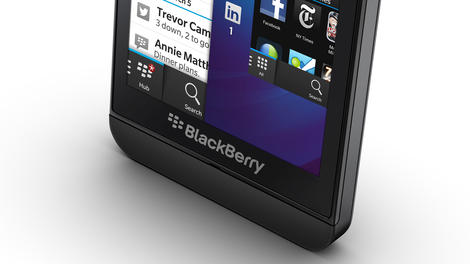
BlackBerry recently refused offers to sell off various chunks of the company to interested parties like Microsoft, Google, Lenovo and Apple. This is the first time Apple has been mentioned in connection with the now-off BlackBerry sale.
This is according to Reuters which reported the stricken Canadian firm believed that breaking up the company and flogging off bits and bobs would have been detrimental to the interests of customers and shareholders.
Apple and Microsoft were apparently interested in acquiring a substantial patent stash, but BlackBerry spared its remaining loyal supporters the pain of seeing their beloved company fall into enemy hands.
The other two tech companies sniffing around BlackBerry's still-twitching carcass were Cisco and Lenovo, according to the report, with the latter long thought to be interested in a takeover bid.
Doubt, doubt and more doubt
BlackBerry's immediate future was cast into yet more doubt earlier this week it announced it would abandon pursuing takeover, which would have taken the company private once again.Instead it secured $1 billion (about £625m, AU$1.06) in funding from Fairfax Financial - which had led the consortium planning to take full control in the first place - among other investors.
The Waterloo-based company let CEO Thorsten Heins go too, replacing him for the time being with John Chen. Chen's first act in the big chair was a vow that BlackBerry will continue making smartphones.

| |
Read More ...
Android 4.4 ART runtime test could mean faster apps, less device drain

In a race to finally mature Android into a less multi-personality OS Google has slipped a new runtime called ART into Android 4.4.
For a quick primer, all Android apps downloaded from the Play Store come written in a generic code called bytecode that's left half-complied. It's done this way because Android runs on such a wide range of hardware and software platforms.
Android phones currently use Dalvik and a Just-In-Time compiler to polish up apps to work with devices as they are launched. ART (short for Android Runtime) compiles code Ahead-Of-Time when applications are first installed.
Though it's early yet, ART looks to cut app execution time by half, allowing for faster finishes to long-running, processor-sucking tasks and more idle time. What it looks to mean for users is improved animations, faster input reactions (touch, sensor), and substantially better battery life.
ART school
Instead of having a compiler start up every time, eating up resources and battery, ART converts apps the first time, leaving them stored as native applications for the device's specific hardware.If ART gets off the ground, it would mark a fundamental shift in the way applications work on Android devices that could help improve performance and battery life.
Users can switch on ART by going into Settings > Developer Options > Select runtime. Note ART is essentially an experiment Google's running for devs and hardware makers, but the option is there for regular users to give it a go, too.
What's the catch?
While there seem to be abundant plusses to ART, the main catch is that every app will take slightly more space. ART precompiles every app you install or already have on your device into a larger native application. Using the new runtime also causes longer install times for all apps, which can be especially annoying when converting the entire apps library.However the trade offs could be well worth the few megabytes off of the device's storage, especially if it means games are less prone to stutter, apps generally more responsive and battery is saved.
As the option to turn on ART is still hidden away in the developer settings, it's obvious this new feature isn't ready for prime time just yet. Google also hasn't given an official timeline for when ART will fully replace Dalvik, if it ever does.

| |
Read More ...
BLIP: Singtrix karaoke machine replaces pop stars' vocals with your own dulcet tones

Have you ever heard a song on the radio and thought: 'I can do better than that'? Or ever wished you could sing along to Slash's face-melting guitar riffs, while Axl just melts away into the background?
Well now you can, thanks to the world's most awesome karaoke machine, Singtrix, from the creators of Guitar Hero. The bar singer's dream plugs into your music player, detects the vocals of any song in your music library and deletes them.
That way, when you sing through the bundled in mic, it's just you and the original band coming through the 2.1 speaker set. There's even an iOS and Android app that has 13,000 backing tracks for you to work through, complete with lyrics
Singtrix is also an effects pedal for your mouth, complete with auto-tune, just like on the telly. It'll even make your voice sound like Barry Manilow's! Now that's gotta be worth $299 (£187, AU$319) of anyone's money. Altogether now! "Oh Mandy, well you came and you gave without taking...."
More blips
Allow us to serenade you further with these sweet blips. They're all killer, no filler.- Let it be free: The Beatles are the most pirated artists
- Marvel at Netflix's new original superhero shows
- Star Wars: Episode VII will hit theatres on....

| |
Read More ...
Blip: Prescription lenses are coming to Google Glass early next year

2014 will be the year of Google Glass, if everything goes according to plan, and now those who already wear spectacles can rest assured they won't be left out of the wearable party.
A company called Rochester Optical has revealed it will produce prescription lenses for Google Glass, ones wearers can purchase in early 2014.
The company also plans to push out "fashion and sports lenses" for Glass early next year, so those of you looking to customize your look or wear a pair on the pitch can.
There's no word on pricing or exact availability yet, but it's nice to know that those of us who need 'scrip specs will actually be able to see with Glass mounted to our heads.
More blips!
Put on your glasses (or Glasses) and read these lovely blips.- Usual suspects line Xbox One's 'first wave' of third-party apps
- Can't illegally download my love: The Beatles top most-pirated chart
- Star Wars Episode VII release date set for December 18, 2015

| |
Read More ...
PS4 buyers in the US and Canada get two free trials and a PSN store credit

Early PS4 adopters are going to have it pretty good when the console launches next Friday.
Not only will they have access to "the future gaming and entertainment," as Sony called it in a blog post today, but they'll also get three small extras inside the PS4 box.
New PlayStation 4 consoles in the US and Canada will come with free 30-day trials to PlayStation Plus and Sony Music Unlimited, Sony revealed today, as well as a $10 credit to the PlayStation Network store.
Considering the PS4 is already $100 cheaper than the competition, it's nice for Sony to include a little something extra.
You could get used to this
There are no strings attached to these gifts, though Sony is no doubt hoping PS4 owners will quickly get used to having Music Unlimited and PS Plus and follow up their trials with full subscriptions.Sony Music Unlimited is Sony's streaming music service. Subscriptions are available for $4.99 per month.
Of course, what they don't tell you is that anyone can sign up for a 30-day trial of Music Unlimited from the service's website.
PlayStation Plus, on the other hand, gives access to an ever-evolving selection of free and discounted downloadable games, not to mention online multiplayer on the PS4.
Subscriptions to PS Plus cost as much as $9.99 per month or as little as $49.99 a year, and free trials are not so easy to come by.
Don't blow it all in one place
"Out of the box, you can immediately experience everything PlayStation Plus for PS4 has to offer and have access to millions and millions of songs through Music Unlimited," Sony Network Entertainment Vice President Eric Lempel wrote on the PlayStation Blog today."The $10 credit can be used towards anything in the store including new PS4 launch titles, such as Assassin's Creed IV Black Flag, Battlefield 4, Call of Duty Ghosts, and Killzone Shadow Fall."
With such a focus on digital content and downloadable games this generation, PS4 users will doubtless have plenty to spend their money on.

| |
Read More ...
Blip: Usual suspects line Xbox One's 'first wave' of third-party apps

It is T-minus not-soon-enough for the Xbox One and PS4's release dates, and as the anticipation builds so does the info coming out for these next-gen consoles.
The PS4 spilled its launch day app lineup on November 7, and today Microsoft is out with what it's calling the first wave of third-party TV and entertainment apps headed to the Xbox One. The list varies by region, and the apps Microsoft detailed are due in the One's 13 launch markets between November 22 and spring 2014.
The US' list is the by far the longest and includes a "coming soon" HBO Go alongside Hulu Plus, Amazon Instant Video, ESPN, Netflix and Twitch. Xbox One owners in the UK will see 13 apps to start while Australia will welcome five.
Microsoft promised to "continue to announce more apps" headed to both Xbox One and said both it and the Xbox 360's entertainment app platforms will "continue to grow weekly."
More blips!
Reading the news never felt so right with our blips.- Can't illegally download my love: The Beatles top most-pirated chart
- Star Wars Episode VII release date set for December 18, 2015
- Netflix dons a Marvel cape, superheroes to fly your way in 2015

| |
Read More ...
The Xbox One is essentially useless without day one update

We knew it was coming, but now we have an idea of the utter importance of the day one update heading the Xbox One's way.
When the Xbox One drops on November 22, expect to unwrap the brand new console and just stare at it for a while as it downloads a day one patch before you can do practically anything. We're serious.
Microsoft Senior Director of Product Management Albert Penello told Engadget that the system basically can't do anything without the day one update. The Xbox One won't even play disc games without it, meaning your stuck with a big blocky paperweight until the update is sent through the airwaves.
Penello didn't say exactly what would be in the update, except that it would be mandatory for updating the relatively old version of the operating system shipping with the Xbox One. He also mentioned that the patch contains many of the apps for the Xbox One, which won't be on the system's hard drive fresh out of the box.
Surprise, not surprise

This doesn't really come as a surprise as manufacturers often start production on the system hardware well before the software is close to its final build. And we knew the Xbox One would be receiving this update, we just didn't know how useless the console would be out-of-the-box without it.
Other systems like the Wii U saw a significantly strained day one patch process that took hours. Without the update users were left with a console unable to access the eShop, Miiverse and Nintendo Chat.
Future PS4 owners will also have to jump over day one patch hurdles. When Sony's new system arrives it won't even have Blu-ray or DVD playback built-in as a basic function of the system.
With the Xbox One and PS4 launching in a few short days, gamers should start praying for a steady internet connection and kind server gods. Otherwise, they may be stuck with some very expensive paperweights for longer than they like.

| |
Read More ...
Updated: Facebook down: some pages and profiles stuck in loading limbo
Don't worry, it's not just you: Facebook was struggling for some people as pages and profiles fail to load.
Update: Facebook has sent us this statement on the matter: "Earlier today, we experienced an issue that prevented some people from loading Timeline or Pages content for a brief period of time. We resolved the issue quickly, and content is back to normal. We're sorry for any inconvenience we may have caused."
Reports on Twitter, DownRightNow.com and the fact that we couldn't load our very own TechRadar Facebook page confirmed that something was afoot.
It's not the first time in recent memory that Facebook has gone down - in October people weren't able to post statuses or comments for several hours. We're still not sure how we all got through that one.
It could be that Facebook had a bit of a wobble because it's rolling out new thumb-less like buttons.
We'll keep you posted on any new info Facebook shares.

| |
Read More ...
iPad mini 2 with Retina may be delayed by burn-in problems

The iPad mini 2 is still mysteriously absent from shelves despite the arrival of the iPad Air, and the latest word from the Far East is it's down to some pesky technical hiccups.
Korean publication ETNews claims that Apple's partner manufacturer Sharp is having difficulties with the advanced IGZO display technology which is leading to low yield rates.
Sharp's thin-film transistor is said to be at fault, causing burn-in on a number of the displays. Because of this, Apple is reported to be "delaying its launch" of the mini 2.
Eyes on the high resolution prize
This comes not long after we heard a similar story about Sharp not meeting the production standards for the iPad mini 2, although the specifics at that point were vague.At that point we also heard that LG was experiencing problems though it's unclear whether it's overcome the bump in the road.
According to the new source, the burn isn't actually visible to the naked eye, however it still doesn't meet Apple's super strict Retina standards.
As a result, Apple is said to be turning to Samsung Display to supply displays starting next year. Take it all with a smidgen of salt for now, but there's certainly some sort of trouble in Retina paradise.
- Despite production woes, we managed to get our hands all over the iPad mini 2

| |
Read More ...
Review: Updated: Nikon P7800

Overview
The premium end of the compact camera market appears to be one sector that remains reasonably robust in what is generally a declining market. Offering full manual control for advanced photographers, they're often the first choice of both those looking to take a step up in image quality and control, and those wanting a less bulky camera to carry around when the DSLR is inconvenient.Nikon's P7XX range has always been Nikon's attempt to fulfill that need for Nikon photographers, taking on the incredibly popular and well established Canon G range. Canon recently refreshed its model, in the shape of the G16, so it's no surprise to see Nikon follow suit with the Nikon P7800, replacing last year's Nikon P7700.
Featuring a 12 million-pixel resolution sensor, Nikon has chosen to keep the same physical size of 1/1.7 inch. That's the same size as the Canon offering, but quite significantly smaller than the Sony RX100 and RX100 II, models which have proven hugely popular in the past year or so and feature a 1-inch sensor (the same size as found in the Nikon 1 range of compact system cameras).
It also seems like a relatively low resolution, but it does compete precisely with the G16, which also features a 12.1 million-pixel sensor. The RX100 II features a 20.2 million-pixel sensor, but it's also a much larger device, so it's probably a sensible decision to keep the pixel count relatively low here
Nikon has also chosen to keep the same lens as its predecessor, with a 7.1x optical zoom device offering the equivalent of 28-200mm in 35mm terms. At the widest point of the lens, an f/2.0 aperture is offered - rising to a still respectable f/4.0 at the telephoto end of the optic. It doesn't quite compete with the likes of the Canon G16 and Sony RX100 II, which both offer f/1.8 optics. That said, the zoom ratio is longer, so if you're travelling you might be more enticed by the Nikon.
This camera offers full flexibility for advanced photographers, and includes full manual control as well as semi-automatic options, such as aperture priority. You can also shoot in raw format.
Unlike the Canon G16, the Nikon P7800's 3-inch screen is fully articulated – useful for shooting at awkward angles. It's still not touch sensitive though (neither is the Canon). It's an RGBW device, with the W standing for white and supposedly offering higher contrast than standard RGB monitors.

Previous generations of the P range of cameras have featured optical viewfinders, although the most recent versions had no finder at all. The Canon G16 features a small optical finder, but Nikon has decided to follow the same path as the Panasonic Lumix LF1 and introduce an integrated electronic viewfinder.
This viewfinder is a 921k dot device, and also features a dioptre adjustment dial, similar to those you might find on a DSLR camera. There's a hotshoe on top of the camera for adding optional accessories, such as a flashgun.

Unlike the G16, there's no Wi-Fi connectivity built in, which seems a bit of a shame. The camera is compatible with the Wu-1a optional accessory for adding Wi-Fi compatibility to the camera, but that will come at extra cost.
The Nikon P7800 is in clear competition with the G16, with the two priced very similarly, meanwhile, the RX100 II costs around £100/$150 more, so it could be seen as a more "budget" option compared with the Sony. That said, it still retails for around £500/$546, putting it in the same cost territory as full-blown DSLRs.
Build quality and handling
At first glance, the Nikon P7800 has changed little from the P7700 it replaces. It retains the same fairly bulky exterior which includes the large grip and textured coating – particularly useful for shooting one-handed.Although the back of the camera sees a fully articulating LCD, it's nice and flush against the back of the body. The joint feels solidly built too, and able to withstand a lot of repeated adjustments of the screen.
On top of the camera are a number of dials designed for quick access to different controls on the camera. Almost all of the buttons have been placed on the right side of the camera for easy reach with the thumb when shooting one-handed.

As there is now an electronic viewfinder in the top right-hand corner of the camera, the dial for accessing commonly used settings (such as white balance and sensitivity) has now been removed and replaced with a dedicated Q button on the back of the camera. To access such common settings, you can now press this button and then use the dials to scroll to the setting you want to change.
A mode dial on top of the camera enables quick switching between the various exposure modes on offer, including fully automatic and aperture priority. There's also scene mode and effects modes here, along with space for up to three groups of custom settings, useful if you often find yourself shooting one type of scene.

Nikon has also included two customisable function buttons, which can be used in conjunction with the control dials on the camera to change certain settings. The first of these buttons is just next to the lens on the front of the camera, and is easily reachable with your finger when holding the camera by the grip. The second function button can be found on the top panel, to the right of the shutter release.
Another dial to the right of the camera is used to alter exposure compensation. A small orange LED next to this dial alerts you if it's nudged from the standard 0, to make sure you don't accidentally over- or under-expose a shot.
At the top of the grip is one control dial, while the second is found at the back of the camera just at the top right of the screen. These can be used to alter settings such as aperture (depending on the mode you're shooting in). It's useful to have a switch at the top of the grip, and is reminiscent of DSLR operation, something which is likely to be appreciated by those using this as a backup camera.
If you're shooting in fully manual mode, use the dial on the front of the camera to alter aperture, and the dial on the back to adjust shutter speed.
No touchscreen
Unfortunately there's no touchscreen, which would make changing the autofocus point much easier. As it is, to change it, first of all you need to press the AF button, which is the right key on the scrolling dial which doubles up as a four way navigational pad. You will need to press it again once selectable AF point is chosen, you can then use the arrow keys or the scrolling dial to choose your autofocus point. It's a slightly laborious task, so if you're photographing fast unfolding action you may find it beneficial to set the AF point to the middle and focus and recompose.The rest of the four-way navigation pad includes a button for switching to macro focusing, timer mode and flash options. Other buttons on the back of the camera include a menu button, delete icon and playback button.
The electronic viewfinder in the top left of the camera is activated via a switch just next to it. It's a shame that there's not a sensor to automatically switch it on, as it's not particularly natural having to press a button before lifting the camera up to the eye. It also means that you need to press it again if you want to look at the image you've just shot, making it quite a disjointed process.

For a compact of this size, it's nice to see an electronic viewfinder which is useable. It's a decent size, while the high resolution makes it nice and easy to compose. We found that a pre-production sample displayed colours inaccurately, and while the final production version is better, they are still slightly muted compared with the LCD screen and indeed the final pictures. It's worth being aware of this when you're shooting so you don't try and compensate for inaccurate or muted colours.
Performance
The Nikon P series of cameras has proven itself to be very capable in the past, and the P7800 builds on that, producing images which are nice and vibrant, without displaying too much saturation. You can alter the colour profiles by using the Custom Picture Control, which is useful if you want to photograph something vivid, or you want a more neutral palette. You've also got the option for monochrome here.Although a relatively low resolution in comparison to some of the other cameras on the market, the 12.1 million-pixel sensor is never-the-less capable of producing finely detailed images. If you examine at 100%, you will notice some elements of image smoothing throughout the sensitivity range, but nothing which is particularly noticeable at normal printing and sharing sizes. In low light conditions, shooting at high sensitivities such as ISO 1600 and ISO 3200 produces images which are very good.
Images taken at ISO 1600 display some image smoothing as you'd expect, but detail is still maintained reasonably well while noise is well controlled. It becomes a lot more noticeable at ISO 3200, but even then, sharing and printing at standard sizes is still possible, and certainly better than not getting the shot, or getting a blurry shot. There's also a Hi1 setting, which is only really used a last resort if you really can't get the shot, but it's still a little useable.

Matrix metering (sometimes known as general purpose) does a good job of producing accurate exposures, even when shooting higher contrast scenes. If you're finding that the camera is struggling, it can be beneficial to switch to spot metering, but you may find you don't need to do this particularly often. Automatic white balance, meanwhile, does an excellent job, even under artificial lighting conditions, perhaps erring slightly towards a warm tone, but overall the effect is very pleasing. You can switch to a specific white balance if you're looking for complete accuracy.
Faster
Nikon is boasting about the speeds of the P7800, and in practice it does seem much faster and easier to work with than its predecessor, the P7700. Start-up time is pretty quick, being ready to shoot in just a couple of seconds, making it useful for street photography or catching fleeting moments. One of the biggest problems we had with the P7700 was shot-to-shot times, which made using the camera painfully slow. Nikon seems to have rectified this with the P7800, making it a more fluid process.Autofocus speeds are generally pretty snappy, although drop slightly in lower light. You can activate macro focusing via the four-way navigational pad, and this allows you to get very close to a subject, in fact the lens can be almost touching it and it will still focus, which is pretty impressive and useful for producing frame filling close-ups.
This gives the camera the edge over one of its competitors, the Sony RX100 II, which struggles slightly with shooting at very close ranges.

Shooting at a mid-range aperture, such as f/8, allows us to analyse the sharpness of the lens. We've found that the P7800 is capable of producing images which are pretty sharp across the scene, only displaying some softness in the very corners.
One advantage the P7800 has over the Sony RX100 II and the Canon G16 is its optical zoom capability, which at 7.1x offers significantly more than its rivals. This makes it more enticing to travelling photographers, or those looking for a little more flexibility. Images shot at the far end of the telephoto zoom range are very sharp, with image stablisation doing an excellent job of keeping image blur to a minimum. There's also a digital zoom if you need to get even closer. This is effectively a crop of the full resolution image, and as such the quality does drop, but it's very good if you do need it. Bear in mind that you will need to switch off raw format shooting if you want to activate digital zoom.
There are a number of digital filters which you can shoot with, by switching to the Effects mode on the mode dial. Some of the filters are better than others, as you might expect, but it's worth experimenting with them to see if you like them. Again, you won't be able to use them while shooting in raw format.
Image quality and resolution
JPEG

Full ISO 100 image, see the cropped (100%) versions below.

ISO 100. Score: 18 (Click here to view the full resolution image.)

ISO 200. Score: 18 (Click here to view the full resolution image.)

ISO 400. Score: 16 (Click here to view the full resolution image.)

ISO 800. Score: 14 (Click here to view the full resolution image.)

ISO 1600. Score: 14 (Click here to view the full resolution image.)

ISO 3200. Score: 12 (Click here to view the full resolution image.)

ISO 6400. Score: 10 (Click here to view the full resolution image.)
Raw

ISO 100 Score: 18 (Click here to view the full resolution image.)

ISO 200 Score: 16 (Click here to view the full resolution image.)

ISO 400 Score: 16 (Click here to view the full resolution image.)

ISO 800 Score: 16 (Click here to view the full resolution image.)

ISO 1600 Score: 14 (Click here to view the full resolution image.)

ISO 3200 Score: 14 (Click here to view the full resolution image.)

ISO 6400 Score: 12 (Click here to view the full resolution image.)
Noise and dynamic range
We shoot a specially designed chart in carefully controlled conditions and the resulting images are analysed using DXO Analyzer software to generate the data to produce the graphs below.A high signal to noise ratio (SNR) indicates a cleaner and better quality image.
For more more details on how to interpret our test data, check out our full explanation of our noise and dynamic range tests.
Here, we compare the Nikon P7800 with its predecessor, the Nikon P7700, and its two main rivals, the Canon G16 and Sony RX100 II.
JPEG signal to noise ratio

Here we can see that the P7800 extremely closely matches its predecessor, which is not a huge surprise, given it shares the same processor and sensor as the P7700. It's a slightly more consistent performer than the G16, beating it at most sensitivities, aside from very low (ISO 80) and very closely matching at ISO 800. As we might have expected, the Sony RX100 II is way out ahead, though.
Raw (after conversion to TIFF) signal to noise ratio

Again it is the Sony RX100 II that is the real winner here, but in terms of the Nikon, it does perform slightly better than its predecessor, although the results are very similar. The good news is, though, that it beats the Canon G16 at every sensitivity setting.
JPEG dynamic range

In terms of dynamic range, the JPEG data shows that the Nikon P7800 is the worst performer in the test. The results are very close to the P7700, but it is beaten at every sensitivity by the Canon G16, while the Sony RX100 wins at almost every sensitivity, especially towards the higher end of the scale.
Raw (after conversion to TIFF) dynamic range

Again results are very closely matched to the P7700, but the Canon G16 is ahead at almost every sensitivity, only overtaken at the very top end of the sensitivity run, (ISO 3200 and above). The Sony RX100 is at the top for the most part, but it is beaten by the other cameras at the lower end of the scale.
Sample images

Click here to view the full-resolution image
The P7800's maximum aperture of f/2.0 makes it a good option for shooting portraits.

Click here to view the full-resolution image
The camera's metering system has done a decent job of producing an accurate exposure, despite the high contrast in lighting.

Click here to view the full-resolution image
At its widest point, the Nikon P7800 offers an equivalent of 28mm, which is wide enough to capture some interesting wide-angle shots.

Click here to view the full-resolution image
The P7800 features a 7.1x optical zoom function. Here is an image shot at the widest point of 28mm (equivalent).

Click here to view the full-resolution image
Here we can see at the full 7.1x optical zoom (200mm equivalent): the image stabilisation system has done a good job of producing an image without any blur and plenty of detail.

Click here to view the full-resolution image
A digital zoom is also available, which does produce images with much more noise and image smoothing, but is a good option if you really need the extra reach. The digital zoom reaches a maximum of 800mm (equivalent).

Click here to view the full-resolution image
The P7800's macro mode allows you get extremely close to the subject to produce detailed macro shots. The f/2.0 maximum aperture also means you can get creative with shallow depth of field.

Click here to view the full-resolution image
Colours from the P7800 are bright and punchy without being overly vibrant. You can boost contrast if you prefer by altering the Custom Picture Control to Vivid.

Click here to view the full-resolution image
By shooting at mid-range apertures of f/8.0 (which is actually the narrowest the P7800 will shoot), we can assess the sharpness of the lens. Here we can see that detail is good for the majority of the image, although there is some loss of detail in the very corners of the edges of the frame.

Click here to view the full-resolution image
Fine detail is even resolved when shooting at the far end of the telephoto optic, such as here. At the furthest reach, the maximum aperture of the lens stops down to f/4.0.
Digital filters
The P7800 includes a number of digital filters which you can shoot in. Unfortunately, these can only be used when shooting in JPEG.Filters are as follows:

Click here to view the full-resolution image

Click here to view the full-resolution image

Click here to view the full-resolution image

Click here to view the full-resolution image

Click here to view the full-resolution image

Click here to view the full-resolution image

Click here to view the full-resolution image

Click here to view the full-resolution image

Click here to view the full-resolution image

Click here to view the full-resolution image

Click here to view the full-resolution image

Click here to view the full-resolution image
Sensitivity and noise images
JPEG

Full ISO 100 image, see the cropped (100%) versions below.

ISO 100 (Click here to see the full resolution image.)

ISO 200 (Click here to see the full resolution image.)

ISO 400 (Click here to see the full resolution image.)

ISO 800 (Click here to see the full resolution image.)

ISO 1600 (Click here to see the full resolution image.)

ISO 3200 (Click here to see the full resolution image.)

ISO 6400 (Click here to see the full resolution image.)
Raw

ISO 100 (Click here to see the full resolution image.)

ISO 200 (Click here to see the full resolution image.)

ISO 400 (Click here to see the full resolution image.)

ISO 800 (Click here to see the full resolution image.)

ISO 1600 (Click here to see the full resolution image.)

ISO 3200 (Click here to see the full resolution image.)

ISO 6400 (Click here to see the full resolution image.)
Verdict
The Nikon P series of cameras are very capable, offering consumers full manual control and making excellent "back up" or every day cameras for advanced users. For those looking to step up in quality from a standard compact camera, they're also an excellent option.
We've come to expect good image quality from Nikon compacts of late, and the P7800 is no different, with bright, punchy and detailed images. Even better news is that Nikon seems to have fixed the issue with shot to shot times, a serious bugbear from the previous model.
The addition of an electronic viewfinder seems like a smart move, and it's interesting to note the difference between this and the Canon G16, its main rival, which not only doesn't include any kind of viewfinder, it also has a fixed LCD screen compared to the P7800's fully articulating device – the latter is much more useful for shooting at awkward angles, so is an appealing prospect. It's a shame that it's not a touchscreen though, especially given the awkwardness of changing the autofocus point.

It's also a huge shame that this camera doesn't have integrated Wi-Fi. To some, it might seem like a gimmick, but in this connected age, a camera without Wi-Fi, is almost becoming an oddity, rather than the norm, especially for expensive cameras at this price point.
We liked
Image quality is good, which is the key selling point of this camera, and rightly so. It's a no-nonsense, no-frills camera, which just gets the job done. It features a satisfying amount of dials and buttons, which should keep the advanced photographer happy. The last couple of generations of this camera removed the viewfinder altogether, so it's nice to see a decent electronic version being included here.We disliked
It's time Nikon got a little more up to date with this camera, for instance by fitting it with a touchscreen and inbuilt Wi-Fi. That would make it a more complete package, though it's worth pointing out that neither the G16 or RX100 II have touchscreens either. They both do have Wi-Fi though.Final Verdict
What Nikon has produced is a very good compact camera that anyone purchasing as a backup to a DSLR should be happy with. Similarly, anybody wanting to step up from a more basic point and shoot should also find a lot to like here.The problem is, this area of the market is very crowded now, with the Sony RX100 II standing head and shoulders above the rest of them, with its larger sensor and superior image quality, coupled with other interesting features such as a touchscreen.
While it does have some advantages over that model, it's also in competition with Canon's well respected G16, which features a sensor of the same physical size and resolution but in a slightly sleeker body and integrated Wi-Fi. It seems likely that Canon and Sony will continue to dominate this area of the market, so it will be interesting to see what Nikon has to offer this time next year.
Overall though, this is a very likeable camera, with just a few let downs. It's worth noting that it is a lot cheaper than the Sony RX100 II, although the price point is similar to an entry level DSLR, so we're not talking cheap either.

| |
Read More ...
Review: Canon G16

Overview
The Canon GXX series has long been considered the natural back-up camera for DSLR users, especially those already familiar with the Canon brand.As such, the outward design of this range has changed little from its first incarnation. The Canon PowerShot G16 is no different, looking outwardly almost identical to the year-old Canon PowerShot G15 it replaces. But of course, inside there have been a few notable changes.
First up is the sensor. While it remains the same pixel count, at 12.1MP, and physical size, at 1/1.7-inch, Canon says that the CMOS sensor is a completely new design, featuring back illumination.

The Canon G16 now includes inbuilt Wi-Fi, something which Canon's David Parry says is "pretty much essential" for new compacts.
What Canon is most keen to shout about, and perhaps the most exciting new feature, however, is the Digic 6 processor. This is Canon's latest generation of processor which enables some pretty special things, most notably an impressively fast 9.3fps (JPEG, without continuous autofocus), which doesn't have a buffer - in real terms that means you can, in theory, keep on shooting until your card runs out. It also means you can shoot a sequence, stop shooting and be ready to shoot again.
It should also mean that low light performance is once again improved. The Canon G16 is capable of shooting at up to ISO 12800. Canon also claims that AF speed has been significantly improved - apparently it is 41% quicker than its predecessor, the Canon G15.

Two new creative modes have been created for this camera. Background Defocus shoots two photos, one completely in focus, one out of focus, then combines the two images to produce DSLR-style background defocus effects. This is done in-camera automatically.
The second is Star Mode, which has been designed with night time photographers in mind. Canon says that it is so confident of the camera's low light capabilities that it actively wants to encourage photographers to use it in pitch black conditions.
Star Mode is a fully automatic mode that triggers the best settings for capturing night time skies. It's also capable of recording star trials and creating time-lapse movies - again, all captured and created within the camera without the need for post-processing. HDR mode has also been improved to include new digital filters.

Manual Focus Peaking has been introduced for the first time in a Canon compact camera. It's a technology that has existed in Canon's range of video cameras before, and we have seen it from other manufacturers fairly recently. The sensitivity of focus peaking can also be set depending on how strong you want it to be. Different colours can also be set, which can be useful depending on the subject you're shooting.
As found on the Canon G15, the Canon G16 features an f/1.8-f/2.8 5x optical zoom lens, with a maximum wide-angle of 28mm. At its full telephoto zoom it offers a 35mm equivalent of 140mm and a maximum f/2.8 aperture.
The exterior of the camera is pretty much identical to its predecessor, the Canon G15. Canon says that this is because it has been honed throughout the years and is one that consumers feel comfortable with.

Canon has also announced a replacement for the Canon S110 in the shape of the Canon S120. That takes a lot of the features of the Canon G16 but places them in a slimmer body, and is worth investigating if you're looking for something a little more pocket-friendly.
When the original Canon G series camera launched it had far less competition that it does in the current market. Probably the biggest competitor for this camera is the Sony RX100 II, as well as the Nikon P7700.
The Canon PowerShot G16 will have a full price of £529.99 (around US$830/AU$920), making it slightly more expensive than the Nikon but a fair bit cheaper than the Sony.
Build quality and handling
Much of what can be said about the G16's build quality and handling is true of its predecessor, the G15.The G15 slimmed down considerably from the G12 by removing the articulating screen, and Canon has evidently received sufficient feedback that this welcome to keep the same design for the latest iteration of the camera.

Canon isn't shy about targeting cameras at the advanced photographer – it often refers to DSLR owners in marketing materials. This is reflected in the number of dials and direct access buttons found on the camera. On the top are two overlapping dials, a mode dial for switching between the various exposure options on the camera, including fully automatic and semi-automatic modes (aperture priority and shutter priority). There's also space for a couple of custom groups of settings, which is pretty useful if you often find yourself shooting one particular type of scene, such as monochrome or low light.
Slightly underneath this dial is the exposure compensation dial, which is handily reached by the thumb and is something that was a welcome addition to last year's G15.
In order to change the aperture or shutter speed (depending on the mode you're shooting in), a small dial on the grip at the front of the camera is used. This is easy to reach with your finger when holding the camera one-handed. If you're shooting in fully manual mode, the dial at the front of the camera is used for aperture, and the scrolling dial on the back of the camera is used for shutter speed.
This scrolling dial on the back of the camera doubles up as a four way directional pad, which is used with other buttons to make changes to settings. There's been a slight rejig when compared with the G15, with some buttons being moved around. For instance, there is now a dedicated ISO (sensitivity) button instead of it being found as one of the options around the navigational dial. This seems to come at the expense of a dedicated metering button which is now missing.

Around the navigation dial, you'll now find access to focusing types, flash types and a way to quickly switch to manual focusing. There's also a Display option for changing the settings displayed on the screen.
There's a fairly wide array of other buttons on the back of the camera, including a dedicated one for changing the autofocus point. This is styled in the same way as the button on Canon's range of DSLRs, so if you're coming from owning one of those, you'll be at home here. This AF position button also doubles up as the button to activate Wi-Fi when you're in playback mode.
To change the AF point you simply need to press the AF point button then use the directional keys or scrolling dial to reach the point you need. Although this is easy, it's not the quickest of operations so you may find leaving the AF point in the centre of the screen and focusing and recomposing is speedier for fast unfolding action.
All of the camera's operation is carried out via these physical buttons as there's still no touchscreen for the G series. This seems like a bit of a shame when you consider that the S range has an excellent one, but perhaps this is to keep costs down or maybe it's because the camera is aimed at traditionalists.

Zooming in and out of the G16's 5x optical zoom range is smooth and fluid and is achieved via a switch around the shutter button. You can switch on digital zooming in the menu, but only when you're not shooting in raw format, which is a bit of an annoyance. When you have digital zoom activated, the zoom will pause slightly before straying into digital territory to allow you to keep an eye on using only the optical zoom.
Canon hasn't changed its standard compact camera menu for some time, so if you're an existing owner, you shouldn't have any trouble here. It's pretty sensibly arranged but you may find you don't use it all that often anyway as a sort of quick menu, accessed by hitting the function button in the centre of the scrolling dial, has all of the settings changes you're likely to want with any sense of immediacy.
To access the Wi-Fi element of the camera, first of all you need to be in playback mode since all you can do is share / upload existing images. If you register with Canon Image Gateway you can share directly from the camera to social networking sites such as Facebook, Twitter and Flickr. It's a little annoying having to do this separately from the camera using a computer, but once it's done it's pretty easy to use.
You can also set up your smartphone or tablet to send the image to for uploading and sharing if you don't have access to a Wi-Fi network at the time. Again, once the initial set-up has taken place it's very quick to share between devices.
Anyone that is stepping up from another Canon compact camera, or perhaps an older G series model, should be very much at home with the G16.
Performance
The Canon G series has always put in a fantastically solid performance, and happily the G16 is no different.Once again Canon has manufactured something which is capable of producing excellent images, while also managing to improve on its predecessor.

Colours are very well saturated, displaying the pleasing tones that we've come to expect from Canon cameras. If you want to add extra punch to your images, you can shoot with "My Colors", which reproduces certain types of film stock, such as Positive. It's worth noting that you can't use these while shooting in raw format though.
If you want to experiment with different filters and so on, there is also a dedicated mode for such things, where filters such as fish-eye and toy effect are included. Some of these are great fun to experiment with, and we'd recommend having a go with all of them to see if they appeal. Again, you can't shoot with them in raw format, and as it's a separate mode you also lose control over settings such as aperture, which is a shame.
Leaving the camera to do a lot of work for you is no problem with the G16. Automatic white balance does an excellent job of producing accurate colours, though it does tend to err slightly towards the warm side of things when shooting under artificial lights. Similarly, all-purpose metering does a pretty good job in the majority of conditions, only suffering slightly under high contrast situations, in which case switching to spot metering is beneficial.
Focus speed
Focusing speeds are generally pretty quick and accurate, although they're not as instant as the speeds displayed by some of the better compact system cameras on the market. Focusing is a little slower in low light, but again it's generally accurate when it does get there. Macro focusing can be activated for shooting frame filling close-up shots, with the G16 capable of producing some finely detailed macro shots, especially good for nature and flower photography.Low light performance really needs to impress with cameras like this, especially when it's in direct competition with the high performing Sony RX100 II. Shooting at mid-range sensitivities such as ISO 800 does show some evidence of image smoothing if you examine images at 100%, but the amount of detail kept is generally pretty impressive, while noise is relatively low. Images look great at normal viewing and printing sizes, such as A4.
If you increase that sensitivity to the higher reaches of around ISO 3200 for example, then more image smoothing does start to appear along with more evidence of noise. Again though, if you're sharing or printing at normal or small sizes then the pictures are more than adequate. The good news is that as the lens is capable of stopping down to f/1.8, you may find you don't need to use higher sensitivities all that often anyway.
Intelligent IS helps when shooting handheld in low light or at the far end of the telephoto lens, keeping images sharp and blur free even at relatively long shutter speeds. The G16 is also fitted with a Digic 6 processor, which helps with the fast frame rate of up to 9.3fps. The processor also means that you can be shooting continuously until you got the shot you need without having to wait for very long buffer times.
Images taken at the far end of the telephoto zoom lens display a good level of detail. There is a significant loss of detail when using the digital zoom, as is to be expected, but it's useful to have if you really need the extra reach. You could also shoot in raw format and crop into an image in post production if you need to keep a raw version of the file.
Image quality and resolution
JPEG

Full ISO 100 image, see the cropped (100%) versions below.

ISO 100 score: 20 (Click here to see full resolution image.)

ISO 200 score: 18 (Click here to see full resolution image.)

ISO 400 score: 18 (Click here to see full resolution image.)

ISO 800 score: 16 (Click here to see full resolution image.)

ISO 1600 score: 16 (Click here to see full resolution image.)

ISO 3200 score: 14 (Click here to see full resolution image.)

ISO 6400 score: 10 (Click here to see full resolution image.)

ISO 12800 score: 10 (Click here to see full resolution image.)
Raw

ISO 100 score: 20 (Click here to see full resolution image.)

ISO 200 score: 18 (Click here to see full resolution image.)

ISO 400 score: 18 (Click here to see full resolution image.)

ISO 800 score: 18 (Click here to see full resolution image.)

ISO 1600 score: 16 (Click here to see full resolution image.)

ISO 3200 score: 16 (Click here to see full resolution image.)

ISO 6400 score: 12 (Click here to see full resolution image.)

ISO 12800 score: 12 (Click here to see full resolution image.)
Noise and dynamic range
We shoot a specially designed chart in carefully controlled conditions and the resulting images are analysed using DXO Analyzer software to generate the data to produce the graphs below.A high signal to noise ratio (SNR) indicates a cleaner and better quality image.
For more more details on how to interpret our test data, check out our full explanation of our noise and dynamic range tests.
Here we compare the Canon G16 with its predecessor, the Canon G15, as well as its main rivals, the Nikon Coolpix P7800 and the Sony RX100 II.
JPEG signal to noise ratio

The G16 actually performs slightly worse than the G15 in our labs test, although the results are reasonably similar. It's also pretty closely tied with the Nikon P7800, although it does lag behind at almost every sensitivity. It is the Sony RX100 II that is the real performer in this chart though, beating all of the other cameras by some distance.
Raw signal to noise ratio

Here we can see a marginal improvement from its predecessor, but it is still beaten by the Nikon P7800 at every sensitivity. Again, the RX100 II is out in front.

In terms of dynamic range, the G16 is one of the best performers here, being reasonably close, but better than, its predecessor. It also beats the P7800 by quite some margin. The RX100 is better at lower and higher sensitivities, but is almost tied with the G16 in the middle of the range.
Raw dynamic range

The G16 puts in a consistent performance, beating both its predecessor and the Nikon, but not by a huge margin. Although it performs better at the lower end of the sensitivity run, from ISO 400 and above, the Sony RX100 performs significantly better than all of the cameras.
Sample images

Click here to view the full-resolution image
The G16's automatic white balance does a good job of producing accurate colours in mixed lighting conditions, but metering has struggled slightly here, making the subject slightly underexposed.

Click here to view the full-resolution image
The G16's maximum aperture if f/1.8, making it ideal for use when shooting portrait images.

Click here to view the full-resolution image
Colours straight from the G16 are bright and punchy, with a good level of saturation and accuracy in subjects such as skies.

Click here to view the full-resolution image
At its widest point, the G16 offers an equivalent of 28mm, making it ideal for capturing a good variety of subjects. Canon's S120 goes slightly wider at 24mm, though.

Click here to view the full-resolution image
Here, despite the high-contrast nature of the scene, chromatic aberration isn't visible even when zooming in at 100%. There is a fractional amount of fringing, but it's not noticeable at normal printing and web sizes.

Click here to view the full-resolution image
The G16 features 5x optical zoom. Here's a picture shot at the widest point of the lens - 28mm equivalent.

Click here to view the full-resolution image
This image was shot at the telephoto end of the optic, which offers an equivalent of 140mm. Impressively, even at this far reach of the telephoto optic, the lens is still able to stop down to f/2.8.

Click here to view the full-resolution image
Canon's ZoomPlus technology is available to boost the zoom's capability up to 10x. Detail is retained impressively well here, making it a viable option if you do need that extra bit of reach.

Click here to view the full-resolution image
Standard digital zoom is also available, to push the zoom capability up to 20x. There's less detail here, but again, if you really need to get closer it's a nice option to have, especially if you're only sharing images online.

Click here to view the full-resolution image
The G16's macro focusing capability allows you to get very close to the subject to fill the frame with detail rich close-ups.

Click here to view the full-resolution image
The G16's f/1.8 aperture allows you to get creative with shallow depth of field effects.

Click here to view the full-resolution image
Shooting at mid-range apertures, such as f/8 allows us to determine the sharpness of the camera's lens. Here we can see that the image is reasonably sharp throughout the image, with some evidence of loss of detail in the corners when zooming at 100%. At normal printing and web sizes however, detail is kept well.
Digital filters
A number of digital filters are available to use on the G16, accessible via a dedicated mode.Filters are as follows:

Click here to view the full-resolution image

Click here to view the full-resolution image

Click here to view the full-resolution image

Click here to view the full-resolution image

Click here to view the full-resolution image

Click here to view the full-resolution image

Click here to view the full-resolution image

Click here to view the full-resolution image

Click here to view the full-resolution image

Click here to view the full-resolution image

Click here to view the full-resolution image
Sensitivity and noise images
Sensitivity and noise images
JPEG

Full ISO 100 image, see the cropped (100%) versions below.

ISO 80 (Click here to see the full resolution image.)

ISO 100 (Click here to see the full resolution image.)

ISO 200 (Click here to see the full resolution image.)

ISO 400 (Click here to see the full resolution image.)

ISO 800 (Click here to see the full resolution image.)

ISO 1600 (Click here to see the full resolution image.)

ISO 3200 (Click here to see the full resolution image.)

ISO 6400 (Click here to see the full resolution image.)
Raw

Full ISO 100 image, see the cropped (100%) versions below.

ISO 80 (Click here to see the full resolution image.)

ISO 100 (Click here to see the full resolution image.)

ISO 200 (Click here to see the full resolution image.)

ISO 400 (Click here to see the full resolution image.)

ISO 800 (Click here to see the full resolution image.)

ISO 1600 (Click here to see the full resolution image.)

ISO 3200 (Click here to see the full resolution image.)

ISO 6400 (Click here to see the full resolution image.)
Verdict
Canon always produces solid performers in its G series cameras. While that's appealing to the traditionalist crowd, it is now fighting a harder battle than ever before to keep market share in the crowded premium compact market.While it's true that the G16 is capable of producing excellent images, it doesn't quite compete with the excellent Sony RX100 II which is sitting comfortably at the top of the bestseller lists.
Canon seems to be committed to keeping the same (relatively) small sensor, but this does have its advantages, namely in price. For the moment at least, it's significantly cheaper than its Sony rival.
This will be a camera appreciated by advanced photographers, with full manual control and raw format shooting joined by a satisfying number of direct access dials and buttons. It's a bit of a shame there's not more flexibility with the more 'creative' aspects of the camera, such as digital filters and film simulation modes only being available in raw format, and the former meaning you lose control over manual settings such as aperture.
The addition of a Digic 6 processor is excellent news for both low light image quality and for boosting the very fast continuous shooting mode, making this a good candidate if you need to photograph fast moving action, perhaps for things such as street photography.
On that note, it's great to see Canon including inbuilt Wi-Fi on the G series. It's a welcome addition that is fairly easy to use making sharing images much quicker. It's a shame that you can't remote control the camera though.
We liked
The G16 is a no-nonsense premium compact that builds on the already excellent reputation of the G series. You get great image quality in a reasonably small body that still manages to cram in lots of direct access buttons and dials to make the advanced photographer feel plenty at home.We disliked
We're not sure if it's a price thing, but it seems like a strange omission to leave out a touchscreen on a camera like this, especially when its sibling camera (the S120) has such an excellent device. It makes things like selecting the AF point so much quicker, so we'll be surprised if Canon continues to leave one out of the next generation of G series cameras. If you're a traditionalist though, there's not too much to dislike about the camera.Final verdict
The G16 marks another incremental upgrade for the G series of compacts, which remains a solid and reliable camera in the now fairly crowded premium compact market. Canon has carved out a good reputation with this series, but it's already facing fierce competition from the Sony RX100 II which sits at the top of the current best-seller lists.It's good to see the addition of Wi-Fi, and the Digic 6 processor does make a noticeable difference, but it's ultimately not a camera to get overly excited about.
Excellent image quality is assured though, and if you're looking for a good workhouse camera to carry around with you a lot, then it's a good bet. Take a look at the Canon S120 though if you need something a touch more pocket friendly – it features the same sensor.

| |
Read More ...
Review: Updated: Sony Xperia Z Ultra

Overview, design and feel
The Sony Xperia Z Ultra is a phone that takes the best of the internet and lets it all fly across an impossibly large screen. With the best of Sony's technology inside, does the 6.4-inch screen put it out of reach for most people?Let us paint you a picture: a man walks into a bar. Pulls out his phone. It's got a five-inch screen. The jukebox grinds to a halt, glasses drop, smash on the floor and the crowd recoils in horror.
If you could see that happening just two or three years ago, can you imagine the scene if you whipped the even bigger Xperia Z Ultra out in public? There'd be carnage. As it is, you'll certainly raise more than a few eyebrows.
Sony's continuing its assault on the portability market – indeed, it's continuing its assault on our senses too. The Xperia Z Ultra is a massive phone. Or a small tablet. A phablet, even, if you subscribe to that idea.
Because let's face it – these things are no longer obscene. Like them or hate them, big phones and small tablet combinations appear to be here to stay. And Sony clearly wants a nice meaty slice of the pie.

There have been some genuine innovations over the last year – with megapixel levels pushed up to 20MP and phones and tablets that are waterproof. We never tire of being able to run a tablet under the shower just for the hell of it. You can do that with the Xperia Z Ultra. But it still doesn't feel right.

And where Samsung took the plunge two years ago now with the Galaxy Note, the phablet section which many (this reviewer included) thought would never grow has soared.
Everyone seems to be walking around with them (or maybe we just notice them more because they're so different, so it seems like everyone has them) but other OEMs have spotted there is money to be made here.
And this is Sony's first attempt at the middle ground.
In terms of the competition, the Xperia Z Ultra is firmly pitted against one device: the also just released Samsung Galaxy Note 3. It's bigger – in fact, it's a similar size to the Galaxy Mega, Samsung's own huge offering – but specs wise, it's nearer to the Note range.
It even nods its head towards Samsung's big selling point on these devices – the S-Pen – with a pencil recognition capability. We'll explore that later in the review.

Let's just say that, for now – if you think you know what to expect when you grab the Xperia Z Ultra, you're probably mistaken. We knew it would be big. But boy, does it feel enormous.
Then again, big is beautiful and the Xperia Z Ultra feels like a genuinely expensive, classy piece of kit. If you've fondled an Xperia Z phone at any point, you'll know what we're talking about here.
All black glass, high gloss, front and back with very little to interrupt that apart from the Sony logo on the front and the Xperia logo on the back. In fact, if you've felt the new Nexus 7 2013 model, you'll feel right at home.
As we look at it, all we can think is how much it looks like it could be that device's little brother. And that's definitely not a bad mantle to have.
When the screen's off, it melts away and the whole front just looks like one beautiful black panel. If you look hard, you'll spot the front facing camera at the top, but not the notification light, which also sits there hidden from view.
The left hand side has the charging offerings – two contact points for a dock and the actual micro USB slot which, like many other devices, is hidden behind a rubber port. This keeps it forever watertight so that you can actually functionally use the Xperia Z Ultra in the bath without fear.

Sony appears to have listened to grumbles past and made it a little easier to open and close without the flap getting in the way.
Round the other side, you'll see areas for the microSD expansion slot and SIM card insertion (again, hidden by rubber stoppers), the volume rocker and standby button.
We'd normally moan here about the placement of the standby button but the fact is that it's not so much of an issue on a handset of this size. Everyone will hold theirs differently, but everything seemed well placed.
There's also a headphone jack at the top of this side. What's great is there is no covering for the headphone socket – and yet, this too is waterproof.
Goodness knows what Sony's managed to do here, but it's made it work and it means there is one less annoyance when you want to listen to some music or just audio in general. Big thumbs up here.
And that brings us to the elephant in the room. And by 'elephant', we mean it, since size is everything here. The Sony Xperia Z Ultra is enormous.
We're talking dimensions of 179 x 92 x 6.5mm. That means it's tall, it's wide. But it's also actually rather thin, and we like that. The weight is very evenly distributed. The worst thing Sony could have done is give us something that was top- or bottom-heavy and very difficult to handle. This works perfectly for us.

It's when you press that standby button on the side that you see where the magic really lies. The Xperia Z Ultra has the most beautiful display. 6.4-inches in size with 1920 x 1080 resolution.
That works out as a PPI of 344, which is more than enough for even the best opticians. You will not see any pixels on this screen. Some reviews have slated the color for being washed out.
We certainly had no complaints there. Whereas the Xperia Z phone from earlier this year had the worst issue with viewing angles, it seems Sony has listened and fixed that with this model.
In fact, our only complaint was with the lack of vivacity. We were using our review model alongside a Samsung Galaxy S4 which, of course, uses a different type of panel.
Many complain that Samsung's are too bright, too colourful, and not realistic enough. It's horses for courses and some will prefer the Xperia Z Ultra's truer-to-life palette. Either way, we challenge anybody to pick this device up and not be impressed with the screen.
They may be unimpressed with the ability to swap the battery out though. Yes, more and more manufacturers are sealing their power packs in, but with a device like this, which screams out to be a movie player for the commuting hours and a PDA for the rest of the day, this is going to use some juice.
It's not always practical to carry a charger around, and we would have preferred a little trade off in the design to allow a spare battery option.
That's even more so considering the price. As you'd expect, the Xperia Z Ultra is NOT cheap by any standards. SIM-free, you'll struggle to pick one up for much less than £600 / $675 (Around AU$638), although some stores are bunging a Smartwatch 2 in with the phablet.
Either way, don't expect to get this device free on a contact unless you're willing to part with around 25% more per month compared to the Sony Xperia Z1 each month for two years. Sounds a lot on the face of it – but if you'll use this as a phone and a tablet, it may represent a saving. You'll still likely be broke – but a little happier.
Interface
The Xperia Z Ultra comes rocking Android – but if you're looking for some 4.3.3 goodness, you'll be disappointed as you're firmly stuck in the land of 4.2 for now. That's not to say this is a bad version – 4.2 is a very solid iteration of Jelly Bean and it's what you'll find on most phones and tablets in late 2013 if they're not Google or Asus branded devices.Sony has also intimated that the Xperia Z Ultra will be getting a spot of Android KitKat too - which is nice, albeit without a time frame.

Of course, Jelly Bean comes with the lovely Project Butter to just make things slip around a lot quicker, but the fact that the Xperia Z Ultra ships with such high specs inside means that things just fly around.
We loaded our homescreen with widgets and opened multiple apps in the hope of slowing things down. We really wanted lag – some, no matter how small, just to show that we could bring this thing to even the most minor of halts.
We had no such luck. The Xperia Z Ultra took everything we could chuck at it and still didn't even raise an eyebrow.
In the way that Samsung has built its Android brand on TouchWiz and HTC has gone with Sense, Sony too has its own proprietary interface. For those who like stock Android and hate Samsung's paint shop explosion, the offering on the Xperia series is not that far from pure Android.
It's a little more graphic, but it's not too in your face. We're fans. It adds functionality without calling for the aid of a sick bag.

As with most launchers, you're limited in the number of homescreens you can have. The Xperia Z Ultra gives you a maximum of seven.
We've never found ourselves able to populate seven homescreens with widgets, apps and shortcuts but we are sure there are some of you out there who have. With that in mind, you can of course download an additional launcher.
The beauty is that if you like the look of the Xperia skin, you can download a third party launcher which will allow you to grab some extra functionality, but also download a theme to make it look like a Sony device.
As with all Android iterations, your apps are stored in an app drawer for easy access and you can jig around the order if you prefer.
Speaking of themes, that's something Sony allows you to do – and has done ever since the days of the T68m. Simply allowing you to change the colours of menus etc may sound like a very minor, insignificant ability. But for those of us who love Android for its sheer customisation options, it's a big deal.
Sometimes it really is the small things in life that bring the most joy. Of course, you can choose from some lovely built in wallpapers or download your own (static or live, knock yourself out) to bling your slab of phab up to the max.

As with most other OEM launchers, you'll find widgets in there that you really don't want or need.
These are usually designed to drive you to their relevant stores or bloatware apps and, in the majority of cases, they're the first thing you'll remove.
We did. But you can easily download your own, and there are some useful ones in there like shortcut toggles, which can be helpful.
Sony also gives you what it calls 'Smart Apps', which allow a limited form of multitasking. You can have a window open (say, for example, Facebook) and open a Smart App which appears on top of what you're doing in a little pop up window. Something like a note, or a calculator.
It's not as fluid as the offering from Samsung's Galaxy or Note ranges – or even what we saw on Sony's own Xperia Tablet Z – but it'll do for odds and sods.
For those coming to Android for the first time, it's not a hard system to learn, though iOS still has the edge in terms of Granny being able to take to it quicker. But this is a fluid OS, a fluid skin and if you invest some time – just a few hours – in getting to know it and learn your way around, you'll soon feel right at home.
Contacts and calling
In the old days, you bought a phone for calls. You bought a tablet for any other business. What do you do now? You buy a phablet for both.The majority of people who buy the Xperia Z Ultra will not, we would venture, be making many phone calls on theirs. At least, not in the traditional sense of the word. There may be headsets, there may be Bluetooth hands free kits. There is unlikely to be much holding this up to the ear.

OK, OK. So it does make phone calls. We'll get that bit out of the way. And you know what, it does it well.
We tried a few calls from the privacy of our own home with the curtains firmly closed and hiding behind the sofa just in case anyone saw. And we'll report back that audio quality is quite good. What's more, the Xperia Ultra kept a signal well.
Let's face it, you won't be walking around the street holding this up to your ear like an iPhone for two reasons: firstly, because you'll be a mugger's dream and secondly, because you'll get laughed at everywhere you go... and with good reason.
Pair the Xperia Z Ultra up to a Bluetooth headset, however, and you're in a much better position. We managed that easily enough and were able to make and receive calls like a dream. Most headsets are compatible. We tried a couple we had lying about, plus the car radio, and all worked flawlessly.
Unfortunately, if you plan on taking your calls using the loudspeaker, you may not be so happy with the results. The loudspeaker crucially lacks the one thing that makes it what it is: loud. It's a singular speaker at the bottom that is paltry at best.
Not only that, the quality is tinny and budget-sounding. Definitely not one of Sony's better offerings. Accidentally put your finger over it (which admittedly, considering the size of the Xperia Z Ultra, would be a major fluke) and you'll soon lose any sense of audio.

Contacts are accessed by going into the phone app (a shortcut for which is on the dock at the bottom of the screen) or opening the app drawer and going into 'Contacts'.
It's pretty bog standard really. Sony hasn't done anything massively creative here. It's taken the standard Android contacts app and changed the colour. That's pretty much it. It works well, so there's so no point in changing it for the sake of doing so.
Contacts can be accessed through smart dialing, the general phone book or the favourites list. Avatars are synced with Facebook and the phonebook is synced with Google.
If you've ever used a smartphone to make calls, you'll get it. Only difference here is that the on-screen buttons are huge because the screen is so big, which makes it all look slightly comical.
Messaging
Being an Android device, the Xperia Z Ultra supports all manner of messaging solutions, and it manages to do them all a good service.
First of all, there are the email clients. Users are spoilt with two email options out of the box. There's the standard Android email app that you get on most other Google-esque devices. It supports POP3, IMAP and Exchange folders and is pretty run of the mill.
Gmail users are automatically signed in to Google's own email app which handles Gmail with style and seamlessly integrates with mailboxes, labels and so on. Even priority and social inboxes get the treatment.
As for SMS, again, it's the standard affair. It's nothing to write home about, nor is it so bad that you'll find yourself writing home about it to complain. SMS and MMS messages are handled through the same app.
You turn an SMS into an MMS by simply tapping the paperclip icon next to the text entry field and then choosing your attachment of choice.
Or you can go into the likes of the gallery app and pick what it is you want and then compose a message that way.
One of the really cool features of Android's messaging system is the preview option. This means that when you get a message, before the envelope appears in the notification area at the top, the actual text will scroll along.
So, you're sitting at your desk and your phone beeps – you glance across and you are then able to actually read the entire message in all its glory without even lifting a finger and picking it up.

Social media is integrated in as much as you can download the relevant apps like Facebook, Twitter and Instagram and have them then link into the OS, allowing you to share content via them and have them pop up with notifications in the notification bar up top.
The Xperia Ultra also invites you to sign into Facebook as you set it up from scratch so that it's able to then start popping users' profile pics into your address book. It's a functional integration without being too overbearing.
We are still scarred by the Timescape UI of old Xperia days that saw us plagued with constant notifications.
This, thankfully, strikes a happy medium. There is an app called SocialLife – a Sony take on those social media aggregators that put all of your Twitter and Facebook feeds in one place. It's a bit bland, but does the job if you like that sort of thing.
Of course, part of the whole messaging experience is being able to type your musings easily and this is where some will fall down. No matter how nimble you are, you may struggle to type on a device that has more in common with a paving slab.
Luckily, Sony has thought this through. There is personalisation on the keyboard here on a mass scale. Firstly, you can choose the look of your keyboard through a skin (very important for the shallow among us) and decide if you prefer Sony's lighter shades or a grey and black MacBook Pro style.
There's also a one-handed mode that actually works rather well considering the way the Xperia Ultra balances in the hand thanks to that even weight distribution.
When holding it in both palms, it's fairly easy to type onto and there is also the Sony version of Swype (now adopted by Google, SwiftKey and a whole lot more) that lets you swipe between letters and works far too well for it to be considered a gimmick.
If you just want to, y'know, type the old fashioned way, they keyboard has haptic feedback built in. Not something we'd normally mention but it deserves it here if only for comedy reasons. It is really strong. Which makes it sound really loud with that motor.
When typing messages quickly, it sounded like we were trying to jump start a car. The neighbours actually came around to see if everything was OK.

And then we have something new – pencil integration. Think the S-Pen of the Samsung Note range, but imagine you could do the same kind of thing with a pencil. That's what the Ultra allows. In the demos, it looked fantastic. In practice, we found it not so great.
And it came down to one simple reason – we just never seemed to have a pencil around. In fact, we asked around, and everybody had pens – blue, red, green, black – you name it, they had the colours. But nobody seems to carry pencils any more apart from teachers and artists.
So to use this kind of functionality, you have to come prepared. Which then makes you wonder why Sony didn't just have a little pen in a dock like Samsung and be done with it. Either way, it works.
And though it seemed to lack the clarity of the S-Pen a bit as well as the fabulous Note apps that go with that. But for most people who just want a glorified stylus, it's enough.
Internet
For web browsing, we'd argue that there are few devices in this league. Quite simply, the Xperia Ultra is unmatched here. It's brilliant.
This is for several reasons. Firstly, that screen. The pixel density is so great that text feels like it pops out, and although mobile versions of sites tend to load first, when you switch to desktop versions they compel you to look at them. Colours are vivid and browsing is a real pleasure here.
That would be nothing if loading speeds were rubbish, but web pages load in milliseconds. That's partly due to the software, partly due to the processor speed and partly due to the connection.
Remember, the Xperia Ultra supports both HSDPA+ and LTE as well as high speed Wi-Fi. In fact, we loaded up the TechRadar site (which isn't particularly light) and it was there within two seconds, letting us pan around and ready to browse fully in just under four.
That was on Wi-Fi. LTE was almost the same. It really is phenomenal.

As for streaming video, you won't find much support for Flash. Indeed, you won't find any. Adobe has pulled its love for what was once the jewel in its crown.
'Too buggy' was the excuse. It's still technically possible to load Flash on if you go through the back door route as we did, but most people won't bother. And that's because they won't need to.
Most websites have modernised now and pulled their reliance on Flash, so it's less of an issue than it once was. There are still some that will give you that annoying 'plugin needed' symbol, however.
As for the bookmarking, you'll find that all of your bookmarks are brought across from Chrome, so long as you give the Xperia Ultra permission to import them.
That's because Chrome is the only browser on here. Sony hasn't been tempted, like other OEMs, to stick its own browser in – something which just confuses things a lot of the time.
Chrome is the default Android browser – it has been for a little while now - and it's a very stable, comprehensive offering. Bookmarks are shown with thumbnails and you can add them from your device, your computer or anywhere else. Since they're all synced, in the cloud, they'll show up wherever you look. Great, huh?
Camera
Have you been able to sense a 'but' coming? Good, because here it is.
Every titan has its week point, its Achilles heel. And the Xperia Z Ultra doesn't escape that. We're talking about the camera. What. A. Disappointment.
We won't go so far as to say the camera on the Xperia Z Ultra is bad. We'll go past that and tell you it is terrible. Seriously, we are astounded with how bad it is. Sony should never have bothered putting a camera on a device if this was the best it could do.
On paper, it doesn't look too bad. It's 8MP (although it says 7MP in the settings.) That's a bit 2011, but we can live with that. The Exmor RS makes it sound a little bit grander.
But if you're going to be taking a photograph in anything but absolutely perfect, strong, summer daylight, you're not going to get a sharp picture. In fact, in the week that we had the Xperia Z Ultra in our mitts, we didn't have one of those days, which explains why none of our photos looks like a perfectly lit masterpiece.

Let's get the biggest complaint out of the way first. The flash. Or lack of it. Yes, there is no light, no flash, no LED. Nothing. This is the craziest decision ever. It renders the camera completely useless in a lot of situations. Sure, Sony and others will say that you aren't buying this as a camera phone and most people who will want to take photos will use a dedicated camera.
But that's the excuse that tends to be churned out when there is no other defence. The fact of the matter is that although this is a phablet, Sony is very clearly marketing this as a phone first and cutting corners like that just wipes away that feeling you're holding something that has been cleverly crafted immediately.
How can this be the Ultra device when it's missing something even an old Nokia 6680 had. Poor show, Sony.
Without a light, your pictures will look terrible. The fact is that every photo we shot displayed some evidence of noise and grain. You don't expect it when you fire the camera up initially – the refresh rate on the lens is great so you feel you're going to get a great pic.
Yet when it's committed to memory, you get anything but. Sony has its automatic mode and this does make things marginally better. But we mean 'marginally'.
Problem is that it adds all kinds of bright colours to shots that shouldn't be there and loads more noise, so none of these photos are usable.
There are various other scene modes available, but they're not even worth mentioning. Sony has basically taken the camera software from its other Xperia devices, which pride themselves on having great cameras, and stuck it on an inferior device.
Like sticking a wedding dress on a pig. It may fit, but the snout sticks out eventually. You can change your resolution down to VGA (which would at least make you feel less embarrassed about the picture quality) and there are a couple of other options in there like 'Smile shutter'.
Which again, doesn't work. Maybe we don't have a good smile or maybe the camera can't work out the smile because it can't see one without a light. Who knows.
And there's no camera shutter button on the side. Again. We could really complain a lot here. But let's not get any more wound up. Deep breaths.
We can't remember being this disappointed in a phone camera for a long time. That says a lot. There is nothing that can redeem this for us.
Sample images

(Click here for full resolution image)
This was taken in decent indoor lighting but the result is disgraceful.

(Click here for full resolution image)
As above – with several indoor lamps on, but shocking quality.

(Click here for full-resolution image)
Considering this was almost pitch black, the Xperia Z Ultra did manage to pick out details. But not anything worth showing.

(Click here for full resolution image)
Close up in macro mode, the Xperia Z Ultra can distinguish text. But it's not particularly good.

(Click here for full-resolution image)
Colours that look bright in real life don't seem to get the same treatment from the Xperia Z Ultra lens

(Click here for full-resolution image)
Even with something in shocking pink, the only shocking thing here is the dullness of the colour

(Click here for full-resolution image)
We tried bright outdoor light but it just all feels a bit flat.
Video
And unfortunately, the bashing continues here because the camera is obviously the same lens that works for the stills camera. So you get equal levels of poor video quality. The lack of a light means your shooting options are severely limited.The Auto mode does as good a job of switching between lighting conditions as it does with the camera. Just a shame about that damn noise and lack of light. We still can't get over it.
In fact, the only thing that we can find here that is positive is the rate at which the video adjusts between lighting conditions. If you go from pitch black to bright light, it copes very well. Better than many other devices we have experienced.
There isn't really much of an adaption phase over a few seconds, it just switches. We wouldn't say we were impressed with this. But it was better than we thought.
You won't find many options for the dedicated video recorder. In fact, the options for the camera and the video are all lumped together. Which means that if you want to change anything during a video shoot, you can't. You have to end your video, go back to camera mode and then choose what it is you want to do before switching back to video.
The switch, at least, is easy. You just tap the red button beneath the stills camera to toggle into moving video shooting.
You can also take a still photo during a movie by tapping the shutter button and this will happen as your film continues to whirr on. It's a feature we tend to see as standard in phones nowadays. Do it on the Xperia Z Ultra, your still will be no larger than a 1MP file.
Not that that matters which such a rubbish camera. Did we mention we're not impressed?
Media
From famine to feast. Where the Xperia Ultra Z made us want to cry with its camera performance, when it came to the media offerings, we were really impressed.
It's obvious why – just look at it. This is a device that was made for watching movies and playing games on. The screen is big enough, the shape makes it easy to hold in either portrait or landscape and that resolution is to die for.
Sony includes a mobile version of its Bravia TV engine in the Xperia Ultra Z. Sometimes these things are just marketing gimmicks, but with this device its an inclusion really worth mentioning.
Colours just pop out of the screen, the images are so sharp it's like having a small Sony TV in your hands.
There is something here that Sony could have done to ruin the whole experience and that is to not include a Micro SD card slot. That's what Google wants.
And if it was the case here, that would have been criminal. Thankfully Sony has gone with its heart, because the 16GB storage you get on paper (less out of the box because of the OS) will be gone within minutes once you start chucking your HD shows and games on this bad boy.

Newcomers may find it slightly confusing because there isn't just one store for everything (as in iTunes for the iPad). For example, Google gives you its options, while Sony does the same and then there's the thirdparty ones you can add on top of that.
Like Video – Google Play has its own video store. It's fairly well stocked. But Sony also has its own Video Unlimited store, which you're invited to try out.
We were fairly impressed with Sony's offering, though it stands to reason that one of the biggest entertainment companies in the world would have a good stock of movies in its digital vaults.
We tried a few random searches and it didn't let us down. Prices seemed fairly on a par with what you'll get elsewhere for either buying or renting movies.
In fact, the only thing we weren't keen on was the size of the movies. This is a full HD display with a beautiful screen. It's screaming out for HD in every possible way.
Yet all the movies we looked at (including the new releases) had only SD versions, with no option to download HD. Bearing in mind the movie is likely to download to the internal memory, perhaps this is a deliberate decision (on average, the SD movies were 1.1GB each, so an HD version would be enormous) but it did leave us feeling a bit short-changed.
That's not to say SD films look bad – because of that Bravia engine, they actually surpassed our expectations – but that's not the point.
If you want to buy music, again, you can do it via Google or Sony by default (not forgetting you can also download a thirdparty offering such as Amazon MP3, etc). Sony's offering is slightly different in that it doesn't offer a music store but a music service.
The Xperia Z Ultra is merely another device on which you can listen to your Music Unlimited subscription which allows you to stream unlimited tunes to your tablet in the same way you can with Spotify or other services. It's on a par with other similar services in terms of cost and will suit some users, depending on their preference of rent or ownership.
The brilliant YouTube app is preloaded, which was great news. And Sony has stuck with the FM radio, which we are huge fans of. Sometimes you just can't stream – especially if you're in a bad reception area – so it's nice not to be cut off from civilisation in every way.

It's also worth noting that you can mirror a lot of your media to your TV if it is a Smart TV. The good news is that it doesn't have to be a Sony model (we managed fine with a 2012 Samsung Smart TV).
Sony calls it 'throwing' rather than 'mirroring', but regardless of semantics we found it worked very well. If you want to 'throw' stuff from, say, the YouTube app, you'll have to download a thirdparty solution from the Google Play store because it only works with natively held videos, photos and music.
If you decide to stick to listening to music on your Xperia Z Ultra because you don't want to 'throw' or have an older telly, you're in for a pleasant surprise.
In our review of the Xperia Z phone, we noted that the speaker was very tinny, but the performance of the Walkman software, via headphones, gave us one of the best audio experiences we've ever had on a smartphone.
The Xperia Z Ultra continues that trend, although don't plan on playing anything out of the loudspeaker unless you fancy getting beaten up for being so last century. It's embarrassing.

If you're a reading fiend, then you have loads of options – Google offers you magazine subscriptions via its app with most of the big titles in there.
And as for books, you're spoilt for choice. Google Books is on there, allowing you to browse millions of titles and even download free samples to see if you like them.
It works similarly to the Amazon Kindle app which does the same thing and can be downloaded free from Google Play.
Between these two behemoths, you'll find there's no shortage of reading material.
It's also worth noting that Sony hasn't included an IR blaster on the Xperia Z Ultra. We were genuinely disappointed by this as we experienced one on the Xperia Tablet Z and it was a beauty.
The Ultra Z is the perfect size and form and it feels like Sony has missed a trick here. Especially when it appears the Japanese model does have one. What gives?
Battery life and benchmarks
The battery life is quoted by Sony as having 16 hours max talktime, 820 hours of standby, 110 hours of music and seven hours of video playback. Of course, in the official documentation, that's all followed by a load of asterixes to warn you that was all achieved in laboratory conditions.And unless you're a scientist, you won't be using yours in a lab, which makes the whole thing pointless.

There is no general rule with a device like this because we all use them differently. It's not as easy as just talking about a phone these days. The way to approach it is this: if the device is hammered, then the battery won't last. If you take some care in your use, you'll do well in the course of a day.
We found that it actually managed to last quite well. At 3050mAH, it's smaller than the Galaxy Note 3 and has a bigger screen to power. And yet, we found it performed as well as the Samsung device, if not better.
We took our Xperia Ultra Z off charge at 7am. We did that very modern thing of checking Facebook, Instagram and Twitter while the kettle boiled and read a few emails that had come in overnight.
We then left it an hour or so and when we picked it up, the Xperia Ultra Z was still showing 100%. This was with Gmail and MS Exchange pushing emails through all the while.
At about 8:30, we fired up TuneIn Radio and connected it to the car via Bluetooth and drove around with Google Maps navigating us for about 20 minutes. The screen was on the whole time, but we still had 89% remaining when we got back.

Over the course of the next few hours, we had a good intensive play. Downloading apps, playing with the camera. We took about 12 photos, shot a couple of small videos, watched a whole episode of Doctor Who on the screen, 'threw' a few photos to the telly, spent an hour or so browsing the web and made one 14 minute-long phone call.
By the time we went to bed at 10pm, the battery still had 32% remaining. It's worth noting that a good chunk of the day was spent travelling on the train where signal goes up and down like a crazy yo-yo so the Xperia Ultra Z would have had to work extra hard.
We were actually really impressed with that. We'd consider ourselves fairly heavy users and if you were to curtail your usage, you'd easily squeeze out two, maybe two and a half days out of that battery. It's worth also pointing out that that was without Sony's Stamina mode enabled.
That acts as a smart throttle of data services to keep the battery as high as possible. Expect even greater things if you enable it.
Here's where we would normally bemoan the lack of a removable battery. But we won't here. The fact that this seems to cope so well makes it less of an issue. If only other manufacturers would follow suit.
Connectivity
The Xperia Ultra Z is an ultra portable device for those who want power and connectivity on the move. And it doesn't disappoint.
First of all, Wi-Fi is there and it's fast. Real fast. We had no issues connecting it to our 5GHz router and surfed at lightning speeds. Bluetooth is naturally supported (Sony's former partner, Ericsson, was synonymous with the technology in the early days) as is HSDPA+/LTE (4G) and NFC.
We're still not overly sold on NFC. It's not taken off and – dare we say it – we don't think it will until Apple introduces it as part of an iDevice to bring it to the public's attention. Which it won't do because AirDrop is here instead. We don't know if NFC will end up being another 3D or not.
It's a shame because Smart Tags could really be a big thing. The idea is that as soon as your phone goes near a particular tag (a small sticker, about the size of a medium coin), it'll complete a function you've determined.
You have to have some contact – it's not like Wi-Fi where you have to be within x-many feet – but it's literally a quick swipe against the rear of the phone to the tag that takes all of a second.
It may be turning Wi-Fi on or off, it may be sending a goodnight text to your mistress or setting an alarm. It's super-lazy – but also super-clever.
Sony has gotten rid of the Xperia Link app we saw on more recent devices which allowed you to connect to your laptop and use the device to tether as a modem.
It was a nice idea but, in late 2013, ultimately pointless, considering you can just make any Android phone into a wireless hotspot out of the box - albeit with less of a punishment on the charger.

We've already mentioned DLNA and the Throw technology included in the Xperia Ultra Z. There's also the ability to mirror your screen to the television, but despite having success with Throw, we couldn't get the mirroring to work on our TV. It could be that this is only compatible with Sony sets.
For connecting to your PC, you just use the Micro USB cable and it instantly installs the necessary software. Apple fans can use their own dedicated 'Bridge' software. It's not brilliant, but credit where credit is due, it's a solution that works, and that's often overlooked for Android users.
At least Sony is nodding towards Mac owners, which is more than can be said for several other OEMs. It may not be as elegant as iTunes (insert angry disagreements here) but it is at least a start.
Apps
We're moving away from the days when you had a phone and you were stuck with the apps you got on there. In fact, we've gone the other way.The first thing most smartphone owners do when they get their shiny new device is start downloading like crazy.
Unfortunately, that spells bad news for the manufacturers who like to load up their devices with so much useless bloatware because it'll get lost as soon as you start sticking your own stuff in, which is why they often put widgets and shortcuts on the homescreens too. Many newbies won't know how to remove these. It's a good ploy.
At the heart of the Xperia Ultra is Google. That's where the OS comes from and that means you get the staple Android offerings out of the box. That means the likes of Gmail, Google Calendar and of course, Google Maps, to name but a few.

Google Maps deserves special praise. It always does. It is the most comprehensive, up to date, mobile mapping solution out there. And it's free.
Plus it supports offline mapping. It's not just for reference, but it is now a full turn by turn navigation app which means that you are getting a full sat nav for no extra cost. It's basically the app that just keeps giving. And on a display like the Xperia Z Ultra's, that's pretty brilliant.

Sony gives us a few of its own – for example, Sony Select. Which is basically its own App Store – it never really quite makes sense on Android to do this because you'll get the same apps and more on the Play Store.
OEMs clearly want to confuse new users into thinking that theirs are the best places to get apps but it's just messy. TrackID is basically Shazam (in fairness, Sony has used this for years – long before Shazam lanched its app).
You're also treated to an app called Sketch – which is ok for doodles when using your finger or the pencil functionality. It's something to keep the kids entertained.

Xperia Lounge is meant to give you that feeling of buying into an exclusive club. You can enter competitions and read exclusive interviews with stars.
We can't see it lasting that long. This is the kind of app that peters away when nobody uses it. It says it is in beta. We'd be surprised if it ever graduates out.
And then there's Xperia Privilege. This app actually made us laugh out loud when we opened it. The app logo is very luxurious, and the name gives off the sense that this is something special.
We opened it expecting something akin to the Vertu Concierge service (obviously, at a much more basic level) and the first thing that popped up was a bright pink and green ad that looked like something from a magazine advert. It certainly entertained us. But not in the way Sony probably hopes.
Ultimately, you'll probably find you use the Google apps, not the Sony ones. But that's no bad thing. And installing apps is very, very quick. Probably the quickest experience we can remember on a smartphone, thanks to those internal speeds.
Official photography


Verdict
The Sony Xperia Z Ultra takes the phablet concept, adds a bit more size, a lot more elegance and throws in specs to die for.More connectivity options than a very connected thing, more grunt than a Ferrari. Sony knows it will be a very niche device. But it clearly wants the Xperia Z Ultra to be the niche device. It's thrown money and specs at it. Will that be enough?
We liked:
The Xperia Z Ultra has phenomenal specs – from that beautiful screen, to its breathtaking design and powerful innards, there is so much that Sony has gotten right here.It's not a gimmicky device and has given power users one of the things they often desperately crave – a good battery performance and top speeds.
We like that we can use it for the high-drain things: browsing the web and watching video, as well as a spot of Google navigation through the maps app. When you've got a phone like this with a screen that's phenomenal, it deserves to be used.
Having a microSD slot, as well as the open headphone jack, are great additions that make us feel like we're looking at a well-thought out handset that will be fine to come swimming with us.
We disliked:
The camera just ruined the entire experience for us. It's not that we intend to use the Xperia Z Ultra just to take photos, but it's the way that Sony has just not bothered to even try to make it usable. It leaves us worrying what other corners have been cut inside, away from view.There's not a lot else wrong with the phone, thanks to the fact it brings top end technology in a different package. A lot of people will find the phone too large, simply due to hand size - there's an argument that with this phablet Sony has erred to hard on the side of 'ablet' over 'ph'.
Calling on this phone predictably becomes a chore. If you have to add a Bluetooth headset to make it work, you're doing it wrong.
Final verdict
The Xperia Z Ultra is one of those devices that makes you gasp. Partly because of its beautiful design and partly because its specs are so great. It's a phablet, but Sony wants you to also remember it's a phone.The market is increasingly getting competitive and the Galaxy Note 3 is a strong challenger. But if you need something bigger, the race is strictly between the Xperia Z Ultra and the Galaxy Mega. And this wipes Samsung's offering off the table.
If you want something to surf the web on, play games and make occasional calls – and size isn't a problem – then the Xperia Z Ultra is it.
But if you even want to take occasional photos, then don't bother. Sony's really let itself down here. We admit that a camera on a phablet isn't the reason to buy a device, but we expected a lot more from Sony.
This is an excellent phablet, and one that will impress many. But with the higher base price, it could be a lot more impressive in some areas.

| |
Read More ...
In Depth: Is wearable tech any use to business?
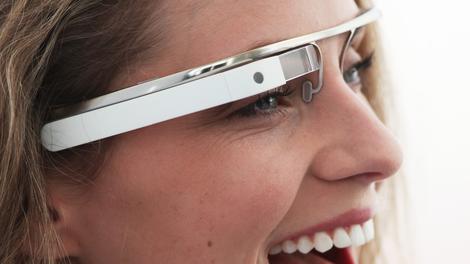
Over the past year, devices such as Google Glass and fitness bracelets that monitor your health and keep fit regime have entered the mainstream.
While these devices present some intriguing use cases, would wearable tech be helpful for business?
Displays worn on the head are nothing new, but Google Glass has gained a lot of attention and equally as much in the way of high expectations. These expectations hail from early leaks of the inbuilt features of such devices.
According to Kevin Curran, senior lecturer in computer science and group leader for the Ambient Intelligence Research Group at the University of Ulster, wearable tech brings forth the geek utopia of instant internet connectivity with the answer to everything at the tip of the nose, as well as perfect navigation updates and 'always-on camera mode'.
"They have the potential to be one of the most disruptive technology offerings we have ever seen," says Curran. "Some early uses for Glass have seen it used to translate foreign languages in real-time on the display."
He says that one app that could be very likely to be of use to business is the ability of glasses to conduct facial recognition on meeting a person. "A Google search in an attempt to ascertain a person's name. Much easier may be to simply 'recall' a person's name from previous interactions where their image was saved in our private image databases. Basically, apps to help us never forget a name again."
Taking off already
This may seems like flights of fancy, but according to a study carried out by the Centre for Creative and Social Technologies (CAST) at Goldsmith's, University of London, 18% of the 4,000 UK and US adults surveyed already use some kind of wearable device.The research also found that 6% of employers are already providing wearable devices to workers. A further third said they would be willing to use wearable devices if offered to them by employers.
"Regardless of the rate of adoption of wearable technology in the workplace, there's little doubt that if businesses use it effectively it will make a real difference to employees' lives and work," says Nigel Beighton, technology and product vice president at Rackspace. "We have already seen some great examples of this, including companies using health and fitness devices to promote well-being and productivity within their organisation."
Beighton says that at the same time there are huge opportunities for businesses to gain greater insight into their customers who are adopting this technology at a much faster rate. "Enterprises could connect with third parties to provide more tailored and personalised services, and healthcare institutions have the opportunity to get a much better understanding of their patients," he says.
It's all too easy for a debate on wearable devices to get caught up on the gadgets themselves. Giovanni Mancini, director of product management for E Ink Holdings, argues that the consumer or business is not purchasing the gadget but rather the experience or service that is enabled or delivered by that gadget. "This is what separates fads from truly successful products," he says.
"When we think about wearable technology we should not focus on the gadget that we wear but rather on the function or experience it delivers," says Mancini. "If it can deliver a truly useful and different function it will be a success that will see mainstream adoption, versus a fad that will fade away."
Fun new experiences
He says that there are three technologies ripe to enable the delivery of new services or experiences with wearable devices, namely: ubiquitous use of smartphones with significant compute power and network connectivity, small low power sensors and very low power displays."A person may wear one or more devices networked together integrated with a smartphone app. The challenge remains battery life," he says. "The service provided will not be feasible if the person will be weighed down by batteries for each device."
The potential benefits of wearable technology to businesses are obvious, according to Gary Calcott, technical marketing manager at Progress Software. It could enable forklift truck drivers to access real-time updates on stock in a warehouse, leading to a more integrated and efficient approach to managing the entire supply chain process, for example.
But he warns that if you delve deeper and look into the back-end that enables applications on wearable devices to run, you'll find that it will almost certainly be running on either a smartphone or a tablet.
"Almost all of the heavy lifting will be done by the smartphone, not the wearable device," he says. Calcott adds that the real value that a wearable device could add may well reside with third-party independent software vendors.
"The ability to design and adapt smartphone applications that are capable of greater processing power, and serve them up to an end-user who is 'wearing' one of these devices should not be underestimated," he says.
Business users will increasingly demand access to greater volumes of data on wearable devices, such as databases, designs and diagrams, and other data-intensive documents. "Put simply, Google Glass and its imminently arriving cousins will not replace smartphones for the business user. What they will instead be able to provide is the ability to work with them to enhance the experience for business end-users," says Calcott.
It looks very much that wearable technology might gain some ground if the right use cases present themselves. But these use cases are still thin on the ground at present, so mass adoption of such technology may be a long while for business until a convincing argument for it comes along.
- Now why not read 7 Google Glass apps we can't wait to use

| |
Read More ...
Review: Nvidia GeForce GTX 780 Ti

There's no getting away from it, this is the graphics card we've been waiting for since we first heard about Nvidia's Kepler GPU architecture.
The GTX 780 Ti is simply the most powerful graphics card on the planet right now and the first to sport the real full-fat GK 110 graphics processor.
When it unleashed the impressively efficient GK 104 chip, with the GTX 680 as the vanguard, we had our suspicions it wasn't the full fat Kepler chip Nvidia had been working on.
And so when we heard about the Tesla K20 and K20X professional cards, with their massive GK 110 GPUs and frighteningly-fast floating point performance, inevitably we wanted one. But time, she passed, and there was no talk of the top Kepler chip ever making its way down into our gaming PCs. And we were sad.
Luckily for us AMD pulled its finger out and delivered the HD 7970 GHz update and gave the GTX 680 a wee shoeing in the benchmarks. Nvidia had to hit back, and whether or not the GK 110 chip was ever meant to be dropped into a gaming card, it decided to bring its big guns to bear upon AMD's top graphics card.
The GTX Titan then was Nvidia's shock-and-awe response to reclaim the single-GPU performance crown. It used the same GK 110 GPU Nvidia had reserved for its pro range, opting for the Tesla's 2,688 core behemoth in order to drop the mother of all benchmarking bombs on AMD's top card.

It wasn't just the performance of the Titan though that singled it out against the competition. Despite the massive 533m2 slice of silicon it still managed to run relatively cool and very quiet – this was mostly down to the beautiful chrome-plated cooler Nvidia pimped its top card out with.
As well as giving the Titan an immediately recognisable and desirable design it also provided a much better user experience than the admittedly quicker GTX 690 and later the HD 7990 dual-GPU cards.
Full-fat Kepler
But the GK 110 GPU the Titan was sporting still wasn't representative of the full power of the Kepler architecture. The graphics processor at the heart of both the Tesla K20X and the GTX Titan contained 2,688 CUDA cores spread across fourteen SMX modules, but the full GK 110 GPU was designed to house fifteen of those Kepler streaming microprocessors with 192 CUDA cores in each. Doing the mathematics that meant there should be a chip around with all 2,880 CUDA cores which would be capable of throwing around polygons at breakneck speeds.As ever though yields were a problem. Nvidia could make the full fat chips, but not in any commercially achievable numbers when it first started manufacturing the Kepler graphics processors. The decision was taken to go with just 14 SMX modules in exchange for being able to produce lots of the beefy 28nm processors.
But history has a tendency, despite our best efforts, of repeating itself and as AMD suddenly reclaimed the performance lead in the single-GPU graphics game Nvidia has responded with the full weight of its Kepler architecture.
The GTX 780 Ti then comes with 2,880 of those CUDA cores in that fifteen SMX configuration. Fingers crossed, now the production process is more mature, the yields on these top chips are much improved. If not we'll either see very few of these impressively powerful cards in the wild, or Nvidia is taking a massive hit on each one just to be able to say it's got the fastest single-GPU card in the world.

Performance
When you just take the GTX 780 Ti at stock speeds it can claim the top performance crown overall, but just not by much. At those speeds it doesn't look like the extra money you're spending makes much difference at all. When you overclock though the top-end GK 110 chip really stretches its legs.Company of Heroes 2 - Avg. FPS (min): higher is better
GeForce GTX 780 Ti - 25 (12)
Radeon R9 290X - 29 (15)
GeForce GTX Titan - 25 (12)
Radeon R9 290 - 27 (14)
Total War: Rome II - Avg. FPS (min): higher is better
GeForce GTX 780 Ti - 37 (12)
Radeon R9 290X - 36 (13)
GeForce GTX Titan - 33 (12)
Radeon R9 290 - 34 (11)
Metro: Last Light - Avg. FPS (min): higher is better
GeForce GTX 780 Ti - 28 (14)
Radeon R9 290X - 26 (13)
GeForce GTX Titan - 24 (13)
Radeon R9 290 - 25 (13)
Overclocking performance
Heaven 4.0 - Avg. FPS (min): higher is better
GeForce GTX 780 Ti - 49.2 (21.5)
Radeon R9 290X - 36.7 (18.5)
Temperature performance - GPU 100% - Degrees Centigrade: lower is better
GeForce GTX 780 Ti - 83
Radeon R9 290X - 95
GeForce GTX Titan - 80
Radeon R9 290 - 93
Peak platform power performance
GPU 100% - Watts: lower is better
GeForce GTX 780 Ti - 340
Radeon R9 290X - 383
GeForce GTX Titan - 300
Radeon R9 290 - 347
At stock speeds the performance lead isn't really that great compared with the R9 290X and even the straight R9 290. Indeed, in the Company of Heroes 2 test the second-tier Hawaii card beats this GPU behemoth. Elsewhere though it's generally only a few FPS on average quicker than the top AMD card. Considering the GTX 780 Ti is another £100/$160-odd more expensive the stock performance makes it hard to argue for the Nvidia card, despite for the most part being the faster GPU.

Verdict
So we were a little underwhelmed by the GTX 780 Ti's performance. But not surprised. We kind of expected Nvidia to ensure it was a quicker card than the R9 290X, otherwise there really would be no point in releasing a more expensive option. The GTX 780 Ti then is a great example of a card being released for the sake of claiming overall top-end superiority, but not as something any real person would actually buy.Well, it would be were it not for the stellar overclocking performance. Normally we're not ones for leaning review scores so heavily on overclocking performance, particularly as it can vary so much from chip-to-chip. But the GPUs in these cards represent the pinnacle of graphics excellence and Nvidia has been keen to encourage folk to get creative with the clocks.
We liked
Traditionally when it comes to homebrew or factory-spec overclocking 10% is about the best you can hope for when it comes to performance boosts. The GTX 780 Ti sample I've got hits a minimum of 16%, sometimes going over 22%. That's a really hefty frame rate boost, and puts it generally comfortably ahead of the AMD competition. And even when you're really pushing the clocks it /still/ only hits 83ºC and with the Titan-esque cooler running at 67% we reckon it's only as noisey as the 290X.We disliked
Even with the serious overclocking headroom this iteration of the GK 110 chip seemingly enjoys that still doesn't give the GTX 780 Ti the 'must-have' performance of the superb Radeon R9 290 (minus the 'X'). That price / performance power of the second-tier Hawaii card still keeps it at the top of our graphics card shopping list, but the new GeForce card is still a mighty desirable thing.Final verdict
Desirability is something the Radeon cards, with their toy-town plastic shrouds and noisy fans, just don't have. They may be quick and fantastic value, but where the vast majority of gamers were desperate to get their mitts on a Titan they'll now be after a GTX 780 Ti.Those people wont have changed their targets to either of the more-affordable, but almost-as-quick Radeons.

| |
Read More ...
Fighting Talk: Google, the Nexus 5 has lost the X factor

What's the point in Google's Nexus device program these days?
I mean that literally - what is the point in it? I used to know, but now, I just don't get it. Is it a developer device? Is it a consumer item? Is it both? What day is it?
Google's only just announced the new Nexus 5 and for the first time since the Nexus One joined the party, I wasn't excited in the least. I know that puts me in the minority because the Nexus 5 section of this site was getting some serious hits in the build up to the announcement and launch, but WTF?!
When the Nexus One came out, it was like a smartphone revelation. Quick history lesson for those who don't remember almost four years back: this was a phone for those who were dedicated. Not one for the masses. One for those who were prepared to put the time and effort in.
You didn't just pick one of these up on the high street - you had to buy direct from Google in California, get it shipped over, and if you lived in international climes pay customs taxes and then wait for the postman to bring it during an incredibly snowy January when most of them refused to step on icy driveways.
Man, that was a long wait. And the Nexus One wasn't cheap. I'm still paying it off now.
In fact, it did get a little consumer appeal through limited networks who cottoned on to its popularity and sold a few on contract.
But this remained a device for the elite. The reason was simple. This was pure Google. But now everyone's getting them. The Nexus line's lost its exclusivity. How am I supposed to feel special now, Google? HOW?
One true love
This week, a friend of mine who isn't even a tech head had the audacity to ask if I thought he should get a Nexus 5 because he'd read about it in the paper, saying: 'yeah, it looks quite cool.'If I'd had a Nexus One nearby, I'd have smacked him around the head with it, shown him that this is a device for the chosen few, not every Joe Bloggs and sent him on his merry way.
But the fact is that the Nexus 5 is now a device for the masses. It's not solely a tinkerers' toy anymore. And that saddens me.
I'm not saying Google has made a mistake with the Nexus 5. It had to do something, go mainstream to keep control of its system, especially given Samsung's strategy seems pretty clear: become the number one Android retailer, get people used to Touchwiz, then migrate them to Tizen, which looks the same, and hope they go peacefully.
In other words, give Google a sloppy kiss while simultaneously nicking the family silver.
Not unloved
I'm well aware that I'll be castigated for moaning about success of a range, and I'm fine with that. This is a rant about missing the 'good old days' of smartphone use, when you had to WORK for the love.You may say that tinkerers don't really need their own device any more. Which is probably true. Over on XDA forums you can download Frankenstein versions of any ROM under the sun and stick them on nearly any Android device you can get hold of.
There's no need to have a virgin OS when you can pretty much make one yourself any time you like.
But I miss feeling like I've got my hands on something that shows I'm a true fan, someone that cares about this technology. Even the Google Play editions of the HTC One and Samsung Galaxy S4 aren't that hard to get.
The Nexus 5 is a great device. And it's going to sell incredibly well, no doubt. But as for its relevance, that's not so high anymore. And the likes of the developers, those who like to have a good play, may well end up looking at some of the new operating systems, like Jolla or... whisper it... Tizen.
- Of course, some people might not think the same. Check out our findings on Google's new Nexus to make up your own mind!

| |
Read More ...
Video: A guide to Android 4.4 KitKat

Android 4.4 KitKat has made its entrance with the LG Nexus 5, bringing the latest flavour of Google's homegrown mobile OS to the table.
KitKat doesn't mark a massive leap forward for Android as we were possibly hoping to see with version 5.0 - formally known as Key Lime Pie - but there are still a few tweaks and new features to be had that should appease Android users.
As well as bringing Google Now to the forefront of the phone alongside voice-activated search, the new Hangouts app combines all your SMS, MMS and Hangouts into one place, something that's not a million miles from BlackBerry 10's messaging hub.
Check out the video below for our handy walkthrough guide, where we showcase some of the new features on offer in Android's new chocolate-coated operating system.

| |
Read More ...
TechRadar Deals: TechRadar's Deals of the Week: save 25% on a Wacom graphics tablet!

We're back once again like the renegade master with another selection of great tech deals to save you some cash!
Our favourite deal this week is this Wacom Bamboo Pen Graphics Tablet for just £35.99 down from £50. That's a saving of over 25%.
Bamboo tablets are a great help for navigating your computer - whether you're moving your cursor across the screen, opening and closing files and folders, or working in common software applications. They combine pen and multi-touch in one tablet, allowing you to alternate between the pen and gestures on the tablet surface.
Elsewhere, of course, we have the usual plethora of superb deals on USB drives, computer accessories, games and gifts so check them out and pick up a bargain today!
Computer Accessories
- Wacom Bamboo Pen Graphics Tablet | Was: 50.06 Now: £35.99 | Amazon
- Netgear Universal Wi-Fi Range Extender | Was: £70.58 Now: £39.99 | Amazon
- Kindle PowerFast Charger for Accelerated Charging | Was: £17.99 Now: £12.99 | Amazon
Software
- Propellerhead Reason Essentials | Was: £229.00 Now: £59.99 | Amazon
Hard Drives
- HGST Touro Mobile MX3 1TB External Hard Drive - Black | Now: £48.90 | Amazon
- Toshiba 1TB Stor.E Basics USB 3.0 External Hard Drive - Black | Was: 79.99 Now: £49.90 | Amazon
- Samsung 3TB D3 Station External Desktop Hard Drive | Was: £104.99 Now: £83.98 | Amazon
- Samsung 840 EVO 120GB SATA SSD Solid State Drive | Now: £69.99 | Moby Memory
- Icybox External Enclosure for 5.25 inch SATA Blu-Ray/CD/DVD Drives and 3.5 inch HDDs | Was: £39.99 Now: £36.96 | Amazon
Memory Cards & Flash Drives
- Integral 16GB Fusion USB 3 Flash Drive | Now: £9.99 | Amazon
- Samsung 32GB Micro SDHC Class 10 UHS-1 Memory Card - sale ends tonight! | Was: £29.99 Now: £16.10 | Amazon
Audio
- AVES Aqua Portable Bluetooth Speaker - w/ Noise-reduction Mic Handsfree Phone Kit in Black | Was: £59.99 Now: £16.48 | Amazon
- Beyerdynamic DTX910 Performance Headphones | Was: £84.99 Now: £60.82 | Amazon
- Gear4 GP08inc Noise Cancellation In Ear Headphones | Was: £39.99 Now: £28.03 | Amazon
Gaming
- PS3 500GB + The Last of us + Uncharted 3 + Beyond for 199.99! | Now: £199.00 | Argos
- Metal Gear Solid Ground Zeroes PS3 | Was: £29.99 Now: £23.86 | ShopTo
- Razer Starcraft II Zerg Messenger Bag | Was: £59.99 Now: £14.99 | Zavvi
- Super Mario 3D World - NintendoWiiU - Pre-order | Now: £36.75 | Gameseek
- Rayman Legends (Xbox 360) | Now: £17.99 | Amazon
Gifts and Fun
- Kymera Magic Wand Remote Control | Was: £49.95 Now: £43.19 | Amazon
- Echo Bot - Orange | Now: £10.99 | Amazon
- Air Zooka (Colours May Vary) | Was: £14.99 Now: £11.77 | Amazon
DVD/Blu-ray
- LG 6x Blu-Ray Disc Writer USB 2.0 SuperMulti Blue Slimline External | Was: £98.40 Now: £69.99 | Amazon
- Twilight Saga (Quad Pack) Blu-ray | Was: £39.99 Now: £9.99 | Zavvi
- Prison Break - Season 1-4 [DVD] | Now: £20.00 | Amazon
- Sony DVP-SR760H Upscaling DVD Player | Now: £34.95 | John Lewis
Cases
- Crumpler Giordano Special 80 Dark Navy Silver Neoprene Case for iPhone 4S | Now: £6.99 | Amazon
- [AIR CUSHION] SPIGEN Google Nexus 5 Case | Now: £8.90 | Amazon
- Case Mate Glimmer Case for Galaxy S4 Mini - Silver | Was: £24.99 Now: £16.47 | Amazon
- iPhone 5S TPU Gel Skin Case / Cover | Was: £16.99 Now: £2.00 | Amazon
- iPhone 5 / 5S Slim Armour Cover | Was: £12.99 Now: £4.99 | Amazon
Miscellaneous
- WD Western Digital TV Play Streaming Media Player | Was: £65.00 Now: £39.96 | Dabs Outlet via Ebay
- Braun Oral-B Vitality Sensitive Clean Rechargeable Toothbrush | Was: £34.99 Now: £21.50 | Amazon
- Motorola MBP16 Digital Audio Monitor with LCD Display | Was: £49.99 Now: £23.77 | Amazon
iOS Apps
- Knock – unlock your Mac without typing a thing | Now: £2.49 | iTunes
- TuneIn Radio Pro | Was: £4.99 Now: £0.69 | iTunes
- Octagon - A Minimal Arcade Game with Maximum Challenge | Now: £1.49 | iTunes
Android Apps
- Daily Workouts | Now: £1.86 | Goggle Play
- NodeBeat | Now: £0.62 | Goggle Play

| |
Read More ...
Available Tags:YouTube , Google+ , Xbox , PS4 , BlackBerry , Android , Google , Facebook , iPad , Nikon , Canon , Sony , Nvidia , GeForce , GTX , TechRadar ,


No comments:
Post a Comment