

Panasonic launches tiny GM1 Micro Four Thirds camera

Panasonic has launched a new Micro Four Thirds camera with an incredibly small body in the shape of the Lumix GM1.
The new camera is roughly the same size as the LF1 compact camera (body only) and will come bundled with a compact 12-32mm kit lens as standard.
It features a 16 million pixel Live MOS Four Thirds sensor which boasts an improvement in high sensitivity shooting when compared to the GX1.
Other features including a Venus processing engine and built-in Wi-Fi which can be used for remote control shooting and instant sharing of images to social networking sites such as Facebook and Twitter.
The camera also includes other useful features such as an electronic level and focus peaking.
Touchy feely
On the back of the camera is a 3 inch 1.04 million dot LCD touchscreen, while the top of the camera features an inbuilt flash, mode dial and a dial for changing the focusing mode. There is no inbuilt EVF or a hotshoe for adding accessories.One of the most interesting features is the 1/16,000 top shutter speed, which is achieved via an electronic shutter mode.
To appeal to those looking to get a bit more creative with their photography, fun features such as scene guides, interval shooting and stop motion animation mode are included. A number of digital filters such as Cross Process and Toy Camera are also featured.
Weighing in at just 204g and measuring 98.5 x 54.9 x 30.4mm, the GM1 is one of the smallest compact system cameras on the market.
Panasonic now has five different line-ups in its G compact system camera range, the G, GF, GX, GH and now GM lines. The GM line is aimed primarily at beginners.
The Panasonic GM1 price and on sale date have yet to be announced in the UK.

     |
Read More ...
Vodafone gives 4G to prepaid users

Vodafone prepaid customers may have noticed faster data speeds today as the telco begins pushing prepaid users onto its 4G network.
New prepaid customers, however, will need to wait until mid-November to access Vodafone's LTE network.
"We're rewarding our existing prepaid customers by transitioning them to our superfast wide-band 4G network first. Some have been with Vodafone for many years and we want to ensure their move is a smooth one," said Kim Clarke Vodafone Australia's Chief Marketing Officer.
Vodafone launched its 4G network earlier this year, being the last of the big three telcos to switch on the faster data network after lengthy network upgrades.
At the time Vodafone had only migrated existing post-paid customers on to the LTE network as well, later opening it up to new customers.
A data boost
Vodafone also announced that it was giving its $40 prepaid plan a bit of a boosts in terms of data and voice call allowance.Previously, the telco offered 750MB and $650 worth of voice calls with unlimited SMS on the prepaid plan, but it has now been increased 1GB of data and $750 worth of calls.
Vodafone noted that to access the new 4G network, customers may need to change the settings on their 4G-enabled phones. You can also check out if you are in a 4G coverage area or not.
- Here's what we think of Australia's 4G networks.

| |
Read More ...
Foxtel rolling out iQ catch-up service and introduces iQ3

Amongst rolling out Foxtel Play and Foxtel Go earlier this year and announcing Presto, the very busy pay TV provider has given its set top box subscribers a catch-up boost as well.
Foxtel expanded its electronic program guide (EPG), transforming it into a catch-up TV like services, allowing users to go back up to 26 hours of scheduled programming in the TV guide and select an episode to watch it.
"This exciting new feature will dramatically increase the amount of content available to our customers so they don't miss out on the shows they love… The best news – it's all included with a Foxtel subscription," said Foxtel Chief Executive Richard Freudenstein.
The service will be available 15 minutes after live broadcast end, but of course not all programs will be available for catch-up viewing. Those that will be, will show up with black text, while those that aren't will be in grey.
At launch, "select programming" will be available for channels including Fox Sports, Disney, Nickelodeon, FOX8, FX, MTV, Arena, UKTV, A&E, the Discovery Channels, the National Geographic channels, Showcase, the Foxtel Movie channels and World Movies, to name a few.
The service will be rolled out nationally starting from next month, and will be available for Foxtel iQ and iQHD subscribers that have their set top box hooked up to the internet.
iQ3 and more TV
While Foxtel has had quite the year so far, it's already planning for the new year with the announcement of the iQ3.The third generation set top box and digital recorder support Wi-Fi internet connection and allow for more integration with online entertainment.
"Using Wi-Fi technology, it will offer significantly more opportunities for internet delivery and a vastly improved TV Guide that has been streamlined to help customers discover the best programming for them," Freudenstein said.
"With combined live, recorded and On Demand programs, this box will customise the TV experience and take it to the next level."
Foxtel also announced two new channels, SyFy and TV Hits, as well as a premium BBC channel, made possible with new content agreements with BBC Worldwide, NBCUniversal, Showtime, AETN, Paramount, Disney, CBS, Sony, Warner Bros and 20th Century Fox.
- Check out our review of Foxtel Play.

| |
Read More ...
Hands-on review: Nikon D5300

Given that Nikon still leads the way for SLR pixel count it is perhaps no surprise that it should stick with a 24-milion pixel sensor for the D5300. However, it hasn't used the same sensor as is in the D5200 (which still continues in the company line-up), as the D5300 uses a new 24.2-milion pixel device without an optical low-pass filter.
We're increasingly seeing a move towards sensors without low-pass or anti-aliasing filters because they offer the potential to capture more detail – albeit at the risk of moiré patterning.

Features
The majority of the D5300's specification is the same as the D5200, but in addition to the new sensor there are a few key changes.Perhaps the most significant change from the D5200 is the switch to the new EXPEED 4 processing engine. This has given Nikon greater power to improve image quality and we are told that has most impact with noise control at the highest sensitivity settings.
Although it uses the same dedicated 2016-pixel RGB sensor to inform the Scene Recognition System for light metering and white balance assessment, according to Simon Iddon, Senior Product Manager at Nikon UK the automatic white balance performance is be improved and colour processing is claimed to be better.

When we tested the D5200 we found that the automatic white balance system can make images shot in shade look a bit lifeless and under-saturated. We also found that the Landscape Picture Control mode over-enhances blues and greens so they look unnatural. It will be interesting to see if these points have addressed by the changes.
While the D5200's native sensitivity range is ISO 100-6400, the D5300's has been pushed a stop further to ISO 100-12,800. This suggests that the EXPEED 4 engine enables a 1EV improvement in noise control. Interestingly, maximum expansion setting is the same at ISO 25,600.
Nikon is aiming the D5300 at photographers who want to be creative and to support this it has added two new Creative Effect modes – HDR Painting and Toy Camera. This brings the total number of Effects modes to 9, there are also 16 scene modes and the usual collection of Picture Control options.

In addition, Nikon has encouraged shooting from creative angles by boosting the size of the vari-angle LCD screen to 3.2-inches and increasing its dot-count to 1,037,000.
Another key change for the D5300 is the addition of built-in Wi-Fi and GPS technology. The Wi-Fi connectivity allows the camera to tranfer images wirelessly to a smartphone or tablet via Nikon's free Wireless Mobile Utility app (iOS and Android). From there images can be shared on any of the usual social networking sites. The same app can also be used to trigger the shutter remotely.

Meanwhile the GPS system allows images to be tagged with the longitude, latitude and altitude of the shooting location. Nikon's ViewNX 2 software can be used to create travel maps which can be displayed on NIKON IMAGE SPACE, or any other social networking or photo-sharing website that support GPS, such as Flickr.
The addition of Wi-Fi and GPS technology may have been the motivation for another change made with the D5300, a new battery, the EN-EL14a. Under CIPA testing conditions this battery has a 600-shot life, 100 more than the EN-EL14. Further good news is that the EN-EL14a is backwards compatible so it can be used in the D5200 and it will be phased in across Nikon cameras.

Nikon's dynamic range expanding D-Lighting mode has been around for a while now, but the D5300 debuts a new option in Retouch mode - Portrait Subject mode. When this is applied to a portrait image the skin tones are brightened but the background ambience is retained.

As usual, the D5300 is capable of shooting Full HD (1920x1080) movies, but the available frame rates has been expanded to include 60 and 50p as well as 30, 25 and 24p.
Build and handling
Although the D5300 looks almost identical to the D5200, there are a few changes. It is the first Nikon SLR to be built using a monocoque construction, which means its shell is made from one single piece of material. This should make the camera stronger and because Nikon has used 'new materials' for its construction it is also lighter than the D5200 at 480g.
Though it doesn't exactly have a tank-like feel, the D5300 certainly feels well-made and solid enough in your hand.
Apart from a few extra holes for the stereo mic above the viewfinder and the GPS and Wi-Fi icons, the top plate of the D5300 looks just the same as the D5200's. There's still a large mode dial with all the usual PASM options and automatic options along with the scene Effects modes.

On the back of the camera the screen is noticeably bigger on the D5300 than it is on the D5200 and there's a bigger rubberised area for the thumb-rest. But that's it for changes aside from the slight relocation of a couple of green dots and a change in font for the I of information button.
In short, D5200 users will feel right at home with the D5300's control layout. The menu is also the same with the obvious additions of options for new features such as the Wi-Fi and GPS technology.
There are relatively few buttons on the D5300 and most settings adjustments are made via on-screen controls.
Pressing the 'I' button on the back of the camera brings up the information screen, which displays all the key features for adjustment.

Settings changes are made simply by navigating to the desired feature, pressing the OK button and then selecting the desired option. It's a simple approach which is reasonably fast to use, but could be made faster still be making the screen touch-sensitive.
We've only been able to use a pre-production sample of the D5300 indoors so we can't say for certain how the new screen copes in bright light. However, we held it next to a large window and it didn't seem to suffer excessively from reflections. It also gives a nice, clear view with plenty of detail.
Performance
As we have yet to use a full production sample of the D5300 we can't pass final judgement on the quality of the images that it produces.When we tested the D5200 we found that there was an issue with slight banding in the darker midtones and lighter shadows of images taken at ISO 3200 or higher. Naturally we will scrutinise the images from the D5300 for this when we get a production sample in. We haven't seen the problem in more recent cameras such as the D7100 so we're hopeful that the D5300 will get a clean bill of health in this respect.
In the past we have found Nikon's 39-point AF system (with 9 cross-type points) to be fast and accurate and our time with a pre-production D5300 brings no reason to doubt this.

Compared with a compact system camera such as the Panasonic G6 or Olympus E-P5, however, the D5300's live view contrast detection focusing system is slow. Naturally we will test this further when we get a review sample in.
As we mentioned earlier, we are hoping that the D5300's automatic white balance system and colour rendering will offer a little improvement on the D5200's.
We had no complaints about the D5200's metering system however, and we hope it will be the same with the D5300.
Verdict
It would be easy to dismiss the changes made with the D5300 as minor, but there is much more to a camera than its pixel count. And a processing engine is just as important as a sensor when it comes to images quality.We anticipate that the new sensor design and the removal of the low-pass filter will enable the D5300 to record a little more detail sharp detail than the D5200 and that noise is better controlled.
We also hope that the banding seen in some shadow areas of high sensitivity images from the D5200, and which limits the size at which they can be used, is banished for good.

We liked
A pixel count of 24 million is more than enough for most photographers and we're happy that Nikon has stuck with this for the D5300, but taken steps to improve the quality of the sensor's output.The addition of W-Fi connectivity is also good news because users are increasingly keen to share images quickly.
We disliked
While GPS is a nice-to-have feature it tends to be power-hungry and as a result few photographers tend to use it that often. It will be very interesting to see what impact using it has upon the battery life of the D5300.The D5300 is aimed at those upgrading from a compact camera or who want to be more creative with their images. Nikon regards it as an 'upper-entry-level' camera. Lots of buttons and dials can be intimidating to relative newcomers to photography and Nikon uses an attractive Graphic User Interface (GUI) and menu system for most setting selections and adjustments. While this may suit some, it's not as quick to use as direct controls. We'd like to see a few more on the D5300 to make it faster for enthusiasts to use.
Initial verdict
While the upgrades made to the D5200 by the D5300 are solid, they are unlikely to attract D5200 users to upgrade. They do however, make the camera more attractive to photographers without a brand commitment.A 24-million-pixel SLR with a 3.2-inch articulating screen, 39-point AF system and built-in Wi-Fi connectivity is an attractive proposition for someone looking to take their photography more seriously.

| |
Read More ...
Nikon launches the Wi-Fi enabled D5300

Nikon has announced the D5300, its first DX-format DSLR to feature built-in Wi-Fi and GPS technology.
Inside the camera is a new 24.2-million-effective-pixel DX-format CMOS sensor without an optical low pass filter to enable greater detail capture.
This sensor is paired with Nikon's EXPEED 4 processing engine which enables the camera to control noise better than the D5200. Consequently, the D5300's native sensitivity range may be set from ISO 100 to ISO 12,800 and there's an expansion setting equivalent to ISO 25,600.
As in the D5200, there's a 2,016-pixel RGB metering sensor that sends data to the Scene Recognition System, to calculate the correct exposure, focus, and white balance. There's also a maximum continuous shooting speed of 5fps (frames-per-second) and the same 39-point AF system, with 9 cross-type sensors, as in the D5200.
Also as on the D5200, which continues below the D5300 in Nikon's SLR line-up, there's a vari-angle LCD screen on the back of the camera. However, at 3.2-inches this is larger than the D5200's screen and its dot count has been boosted to 1,037,000.
High Dynamic Range (HDR) images can be created automatically in high contrast situations with the camera being able to shoot two images of different exposure in quick succession before combining them into a single image with a wider range of tones than normal.
Nikon has also extended the number of Creative Effects modes to 9 effects with the addition of HDR painting and Toy Camera modes.
Built-in Wi-Fi
As the first Nikon DSLR to be equipped with built-in Wi-Fi, the D5300 can send images directly to any iOS or Android smartphone or tablet, from where they can be uploaded to social networking sites like Facebook, Instagram, or Twitter. The Wi-Fi system also makes it possible to control the camera remotely using a connected smart device while images maybe previewed on the phone or tablet's screen.
Images can also be geotagged using the built-in GPS technology with the location data being logged in the image's EXIF data.
Full HD movies
Full HD movie recording is possible at up to 60p with 50,30,25,24p options also being available.As well as a built-in stereo mic, there's an external mic port for higher quality sound recording. Meanwhile Continuous Live View autofocus helps keep subjects sharp as you shoot.
New design
The D5300 is the first Nikon camera to use a monocoque design. At 480g (body only) it's also a little lighter and smaller than its predecessor, despite the larger LCD.Furthermore, a newly designed pentamirror increases the viewfinder's magnification to approximately 0.82x, making it even easier to compose your shots.
Price and availability
The Nikon D5300 will be available is three colours - red, black and grey, from 14th November and is set to retail for £729.99 body only. It will be available as a kit with the 18-55mm VR lens for £829.99.
| |
Read More ...
Nikon unveils 58mm f/1.4 lens

In homage to Nikon's respected Noct-Nikkor lens Nikon has announced the new AF-S NIKKOR 58mm f/1.4G.
As an FX lens, this optic is designed for use on Nikon's full-frame SLRs and it uses a new optical construction that Nikon claims produces outstanding resolving power and superb bokeh when shooting wide open.
It is designed for use by those seeking the best quality results in low light.
Smooth bokeh
According to Nikon, the company's designers have significantly increased sharpness, contrast and resolution of the lens in comparison with the Noct-Nikkor optic and coma flare has been reduced while the bokeh produced by the lens is said to be 'exquisitely smooth'.This should mean that out of focus edges, especially highlights, have no rough or harsh edges and the transition between areas in and out of focus is natural. Good performance when the aperture is wide open is especially appealing to those who want to restrict depth of field or shoot in low light conditions while hand-holding the camera.
Reduced coma flare enables the lens to reproduce point light sources accurately across the entire image frame even at f/1.4, making it ideal for shooting night-time city scenes, on stills and movies.
Vignetting or corner-shading, which is often a feature of larger aperture lenses, is also claimed to be controlled effectively so images should be of near uniform brightness.

Nano Crystal Coating
In order to minimise reflection and reduce ghosting and flare, Nikon's Nano Crystal Coating has been used and the front element of the lens is recessed into the barrel. As a result, image clarity and contrast are boosted.Nikon has employed a three-element cemented lens technique to ensure optical clarity and reflection reduction and the autofocusing is claimed to be quick, smooth and quiet, thanks to Nikon's SWM (Silent Wave Motor).
A lens hood and soft lens pouch included with the lens.
Availability and price
The AF-S Nikkor 58mm f/1.4G will do on sale from 31st October and is set to retail for £1,599.99.
| |
Read More ...
CommBank to bring NFC payments to Android and iOS

The Commonwealth Bank of Australia (CBA) is poised to be the first bank in Australia to offer NFC payments with the release of its new app.
The new app will merge CBA's current CommBank and Kaching apps into a new CommBank app, allowing customers to pay for things up to $100 using their smartphone device at retailers that support tap-and-go payments.
However, the app isn't yet available, with CBA Executive General Manager for Cards, Payments, Analytics and Strategy Angus Sullivan saying only that it will be made available "in the next coming months".
For NFC payments, the app use the secure element built into Android devices, with Sullivan saying when the app is released, they will announce which handsets will be able to support this payment option.
For iPhone users and other Android devices that don't have NFC inbuilt, CommBank will be also offering a "smart" PayTag, which is basically a sticker that can be placed onto the back of your phone (or anywhere, really) with NFC built in.
The CommBank PayTag will then work similar to a credit card with a chip in it at terminals, with the added function of it being tied to the new app. Again, the PayTag's availability will be announced in coming months, probably around the app's launch date.
The app tie-in
The new CommBank app will allow you to turn enable or disable NFC payments, as well as switch the account it is tied to.For anyone worried, CBA says that security remains a top priority for the bank. In any case, all CommBank transactions will be backed by its 100% money back guarantee.
"As the only Australian bank with an NFC payment solution for both iPhone and Android devices, this will transform the way our customers make everyday payments," said Sullivan.
Sullivan also explained to TechRadar that while the new app will be free, for customers to access the NFC payment option, whether with NFC touting handsets or with the PayTag, it will cost a one-off fee of $2.99.
Other new features of the app includes new swipe gestures that moves between 3 "pages", the first being a login screen to access payment options throughout the app, the second shows a quick view of the balance in a nominated default account, and the third shows ATM and branch locations.
The app will also give you the ability to pay bills via QR codes, quick fund transfers between accounts, activate a card or change a card's PIN number within the app, and Kaching payment options, which allows you to pay people via email, Facebook or a phone number.
The app will be available to iOS, Android and Windows Phone 8 users, but Windows Phone 8 users will miss out on the payment options.
- Don't know what NFC is? Here's a little guide to what NFC is and why it is in your phone.

| |
Read More ...
Galaxy Round reportedly a prototype, even has a limited run in South Korea

The Samsung Galaxy Round is available to buy right now in South Korea, even though it looks like an odd-shaped prototype that the company is testing out.
Well, truth be told the "world's first curved smartphone" is actually being considered a prototype inside Samsung, according to the dedicated fan blog SamMobile.
The report cites an insider that said the South Korean electronics giant intends to produce only "limited quantities" of the peculiar device.
The lack of inventory may not be that big of a problem, however. The Galaxy Round is rather expensive with a price that said to be over $1,000 (about £627, AU$1,047).
A Note 3 that flexes a lot
The Galaxy Round could be a sign of future curved display smartphones to come that are meant for the mainstream.Samsung has done this sort of limited testing phase before when it launched the Samsung Galaxy S2 HD LTE, noted today's report.
Or it may be a one-off that Samsung doesn't get behind after polling public opinion.
While this "prototype" is not being sold outside of South Korea right now, anyone bent on owning a smartphone with the same basic specs - minus the bend - can pick up the Galaxy Note 3.
The two devices use a similar phablet-sized nearly 5.7-inch display. It's just that one is curved and the other is not. Unless of course you drop the Note 3.

| |
Read More ...
Blip: Forget the special features on DVDs and Blu-rays, Netflix is adding extras soon

Netflix is trying to make its popular streaming service more even more enjoyable.
According to CNET, the company will begin testing out the addition of extras from the bygone days of DVDs and Blu-rays.
Though the story of a show remains at the core, part of the viewing experience also lies in supplemental content, something Vice President of Product Innovation Tom Yellin says is he wants to bring to Netflix.
We'll first see extra features lined up for Netflix's original shows like House of Cards and Orange is the New Black, and pending these are successful with the audience, expect to see the add-on extended to the rest of the catalogue bit by bit.
More blips!
These bitty extra blips are definitely worth your while.- Spotify has 20 million songs, but 20% have never been played
- Apple spaceship campus ready to launch around 2016
- Have a hug, have a plush Android KitKat toy

| |
Read More ...
In Depth: Smartphone photography tips and tricks you should know

Smartphone photography, iPhoneography, mobile photography or whatever you want to call it, it's clear that taking great pictures with a phone has become a thing now.
What does that mean, exactly? It means that folks are creating works of art from the smartphones, and those pieces also go up in galleries or are made into prints. That's the extreme end, of course, but on the other we have Instagram photos that look totally killer.

If you own a smartphone made in the last year, chances are it has a pretty damn good camera on it, too. And if you're reading this article, perhaps you're curious about taking better pictures with that smartphone.
Before we dive into it, just know this: learning and knowing how to do it is the easy part. The hard part is creating something magical with that knowledge, but by knowing how to get there, your chances of making pretty pictures improve.
Smartphone photography apps
You might be thinking that any old photo can be made to look nice with all the photography apps out there. It's sort of true, but at best they can make bland photos look somewhat interesting. But that's not what you want - you want control over how your images look, and that's what apps should help you do.The first thing you'll need is an app that helps you control focus and exposure of your camera. Some smartphones will allow you to do this by default, like the Nokia Lumia 1020. Other phones give you the option to set focus and exposure at the same time, but not independently, like the iPhone 5S.
However, there are plenty of apps out there that will allow you to do both, like Pro Camera 7 or Camera+ for the iPhone. That's what you'll need as a good starting point for taking good photos.

After all, if you can't control your exposure or where your camera focuses, you might as well give up and buy a proper camera.
The next set of apps you'll want are the ones that will allow you to control basic things like contrast, white balance, color saturation and brightness. Most photos straight out of camera are flat, so you'll want apps like Snapseed or Photoshop Touch to fine tune them.
Here is a list of apps you should start with if you're on the iPhone, but you'll find very similar ones - if not their exact counterparts - on Android, too.
1. Learn to use your camera software
This might seem like a no-brainer, but you'd be surprised at just what your smartphone camera can do.Perhaps you're familiar with some of the basic operations, like switching between the camera and video modes, or turning your flash on and off or putting it on auto. But did you know that your camera likely has some scene modes, too? Or panorama and HDR features?
Don't be afraid to tinker with your iPhone or Android device's camera. It has plenty of memory for photos, so you can play with the different features, effects and settings and snap lots of photos.
Soon, you'll know your way around the camera software like it's second nature. And that's exactly what it should become - you don't want to miss any moments because you're busy fumbling with your camera's settings.
2. Learn compositional basics
This might sound boring, but learning the basics is tried and true. There are plenty of resources out there for this, but here are a few things to keep in mind.First, we'll start with the rule of thirds. If you're just starting out, think of it as a hard rule before you start breaking it. With the rule of thirds, imagine a grid of lines on your smartphone's display, dividing it into thirds both horizontally and vertically. In fact, most smartphones come with an option to display that very grid.

With the grid up, try placing your subjects along those lines or at the points where the lines intersect. It will make the photos much more interesting than being smack dab in the middle of your frame.
You can do this with subjects like lighthouses, people, flowers and everything else. But it's also a good idea to do this with your horizon lines, too, so that your horizon never cuts through the center of your frame.
Once you get into the habit of following the rule of thirds, you'll start to have a better sense of a photo's balance. When you're at the stage where you think you're getting the hang of it, start breaking the rule and see what works and what doesn't.
3. Learn how to see light
If you're going to go out and make pictures that impress your friends, you're going to need good light. What is good light, exactly?Good light is the kind of light that gives a scene shape, depth and makes things look interesting. Generally, shooting indoors with artificial light or outdoors midday or with overcast skies is bad, flat and boring light. You'll know flat light when you see it - there are few shadows, if any, and everything looks evenly lit.
Look for light with some kind of direction and color. This type of light happens naturally at just before sunrise and at sunset. Alternatively, window light is great because it has direction and it's often soft and a little diffuse, so it's not harsh on your subjects.

Good light is especially important in mobile photography because you can't create much more interest with different focal lengths and varying depth of field. You're stuck with one focal length, and one aperture setting. It's a very good exercise in shooting light and finding good composition.
4. Find an interesting moment
Say you're at a beautiful location, the light is gorgeous and everything is ripe for a great photo. But nothing's happening. It's like looking through your Instagram or Facebook feed: there are hundreds of sunset photos with nothing but just sunsets. That's it.Instead, find something to complement the scene if you can. Maybe it's just someone walking by. Wait until the shape of the walking person balances the photo and is at peak action, then snap away.
Sometimes, there are no moments. Nothing is happening. There's no one around, and it's just a pretty scene. It won't hurt to take the photo. Do that and keep it for yourself or share it with close people and tell a story along with it.

But if you really want to get the good stuff, find a good moment. Maybe it's people peacefully relaxing in the park - sleeping, eating, chatting, reading. Or maybe it's a quarrel on the street (just be safe). Keep your eyes open for movement and always try to find some way to balance the photo compositionally.
Without moments, you're probably just shooting still life most of the time. It's too easy, and we can all agree that there are more than enough food photos on Facebook, Twitter and Instagram these days.
5. Work the scene
What does it mean when a photographer tells you to work the scene? It means almost that - work it! Don't just stand there, compose and snap one photo and move along. Maybe a better shot will come along in a minute, or in five minutes.Or perhaps you'd get a better photo of your subject by standing closer, or further away. Maybe the photo would look better from a lower angle, or a higher one. Or you can compose the same scene in a different way, or three different ways.
Taking a good photo means giving it some thought. Otherwise you're just taking snapshots, and unless you get really lucky, your chances of getting a good photo that way are slim.
Don't be afraid to take many photos. You can always delete them later, and you have plenty of memory on your smartphone. When you see something that really catches your eye, work that scene. And if there is a moment about to happen, shoot through it. That means keep shooting photos until the moment is over, then pick the best one.
In fact, smartphones like the HTC One, Samsung Galaxy S4 and iPhone 5S have excellent burst modes that can capture photos as fast as 10 frames per second. Use it!
6. Don't stop shooting
You can't expect to practice the piano once a week and play a Chopin Etude by the end of the year. At least, most of us wouldn't be able to do that. And you can't expect the same from photography.If you only take photos once in a blue moon, it's going to take you a very long time before you can start taking photos that impress your friends.
Try shooting a little every day. If you're lacking inspiration some days, shoot anyway. Shoot what's in front of you, even if it could end up being another dreaded food photo. Why not try to make it look more interesting than the clichéd straight-down-from-the-top photo that has become the norm these days? Find a better angle, shoot it macro, just make it interesting.
And that's what you'll end up doing most of the time. Unless you're out on the hunt for perfect light, interesting settings and great moments, you're going to be forced to turn mundane, everyday objects and scenes into something interesting.
If you can make your friends and family say, "Wow, I've never seen it that way before," then you're doing something right. You're being creative, rather than just a passive observer documenting what he or she sees without second thought.
That's it! Now go out there and impress us all.

| |
Read More ...
The next big Windows update might not arrive until 2015
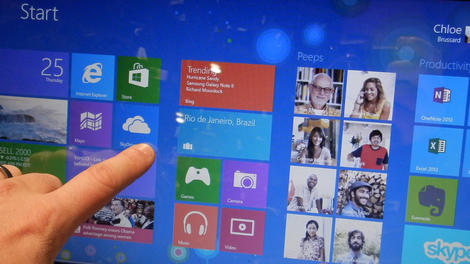
Windows 8.1, the first major update to Windows 8, will be released tomorrow as a free download for existing W8 users. So what's next?
Potential disappointment - ZDNet's sources have it out today that the next big Windows update won't arrive until spring 2015.
That puts more than a year between the Windows 8.1 release and the next big overhaul - plenty of time for Microsoft to whip up something good.
And plenty of time for Windows users to dissect and critique every single aspect of Windows 8.1, which they'll no doubt do.
Windows Phone 8.1: another puzzle piece
Before that, though, Microsoft will reportedly release a smaller spring 2014 Windows 8.1 update to coincide with the launch of Windows Phone 8.1.Some expect the next major Windows update to arrive in fall 2014, but today's report said that's looking unlikely.
When the big Windows update does arrive in 2015, it will supposedly further unify Windows 8 and Windows Phone 8.
That could be when the combined Windows 8 and Windows Phone 8 app store, previously rumored for spring 2014, will arrive as well.
And as ZDnet pointed out, the recent rumor about Windows Phone 8.1 devices growing up to 10 inches makes more sense if Windows Phone and Windows RT eventually merge; otherwise they'd encroach on one another.

| |
Read More ...
Google Glass XE10 update hints at 'double blink' control, calling a car

Google Glass has a bright future ahead if these newly discovered features in this month's XE10 update are any indication. And we're not just talking about the freshly added mass transit directions Google announced earlier last week.
After finding Google's announcement rather light, the code crackers at Android Police dug into the latest monthly update for Google Glass. To their surprise they found a number of new features, the most interesting of which includes double blink detection-related files buried in the Gaze folder.
There aren't many hard details on what you could possibly be double blinking at but we imagine it might be used in the same way as double-clicking your mouse.
To jog your memory, Gaze has been the catch-all folder for any possible hints of eye-controlled Glass applications. Previously, hackers found code in the same place hinting at a wink-controlled camera.
More hidden goodies
Besides hints at double blinking controls, there was also a laundry list of additional features that could potentially be activated in the next version of Glass' software - notably taking a panorama pic, playing music, or starting a game of golf.Oddly enough Google slipped in some overly demanding features like creating a 3D model, translating a phrase and even tuning an instrument. This could suggest that either the future consumer version of Glass will have more power tucked into it, or all extras require a Google Now connection to process the data.
Meanwhile, the potential ability to call a car might be something that could actually be usable, especially with Google Ventures recent investment of nearly $258 million (about £151m or AU$270m) into Uber's piggy bank.

| |
Read More ...
Galaxy S5 will reportedly launch without powerful new chip

Just 24 hours ago we heard that Samsung's Galaxy S5 will pack a powerful new chip, a 14-nanometer 64-bit Exynos CPU, but word today is that won't happen after all.
Unwired View claimed that there's simply not enough time for Samsung to mass-produce a 14nm chip.
That's because, as we've heard before, the Galaxy S5 release may be set for January, moved up from the previously expected March release for the S5.
The Galaxy S5 might still sport a 64-bit CPU, but the site said mass production of 14-nanometer chips is still months away.
Galaxy S4 vs iPhone 5
The same report alerted us to data from Counterpoint Research that claims Galaxy S4 sales dropped to 5 million in August from a 7 million peak in June.The Hong Kong research group said the S4 was the top-selling phone in August, though for some reason it counted the iPhone 5 16GB and 32GB models as two separate phones.
The two iPhone versions took the second and third spots on the list of top-selling phones that month, so combined they likely beat the Galaxy S4.
And keep in mind that was just before Apple unveiled the iPhone 5S and iPhone 5C, when iPhone 5 sales may have slumped due to anticipation for the new devices.
Mobile market on the rise
However, despite the new iPhones on the market, Galaxy S4 sales will likely rise as the holidays approach thanks to price cuts and promotions from Samsung.Counterpoint's research said high-end phone sales are dropping off while mid-tier options like the Galaxy S4 Mini, Galaxy S duos and others pick up the slack.
Overall, the mobile market is growing 40 to 50 percent year over year, the group said.

| |
Read More ...
Xbox One won't support real names yet, but all games now get dedicated servers

Like Sony, Microsoft wants to give its online community the option to use real names to promote a friendlier and welcoming Xbox Live space.
However, today Microsoft announced that those thousand of friends you can now have will, for now, only be identified by their gamertags.
A Microsoft rep told TechRadar there are other, more important features that the company wants to focus on, and the ability to swap out your gamertag isn't a top priority for the Xbox One's November 22 launch date:
"Our teams are working hard to deliver a quality experience for Xbox One. This means prioritizing some features and sometimes postponing others for a later update."
So it looks like your real-life moniker is off the table for now, though you'll eventually have the choice to switch later on as the rep also mentioned "real identities continue to be part of our plans for the experience on Xbox One."
Servers for all
Microsoft is on a steady roll as it also released info yesterday via a tweet from Senior Director Albert Penello that there will be dedicated servers for every single Xbox One game.Xbox Wire says this means improved multiplayer games, incorporation of more gamers and of course, more available servers with less interrupted connections.
Previously, only a few games were confirmed to have dedicated servers but now playing on the next-gen console should be a breeze for every game.

| |
Read More ...
Updated: How to download Windows 8.1 free today

At its Build 2013 conference, Microsoft lifted the lid on Windows 8.1, and we spent some quality time with it to bring your our Hands on: Windows 8.1 review.
The update "blends the desktop and the modern experience," Ballmer said, and includes the return of the Start button (though not the Windows 7-style Start button that some people wanted), a boot-to-desktop option, and more.
In our hands on review, we found that while the interface tweaks may not appeal to everyone, the performance improvements should do, as Windows 8.1 feels generally snappier, even for simple tasks like compressing files.
But why take our word for it when you can download the Windows 8.1 update free for yourself? Here's how...
Windows 8.1 will be released as a free download for Windows 8 users on October 17. It will be available in the Windows Store so you can grab it from there.
If you're running Windows 7 and you want to upgrade, you won't get it for free. Instead, you'll be able to buy a Windows 8.1 DVD for $119.99 or Windows 8.1 Pro DVD for $199.99 from October 18.
Bizarrely, you can't buy a Windows 8.1 DVD to upgrade from Vista or XP. Instead, Microsoft says that if you're running Windows Vista or earlier you'll need to purchase Windows 8, which then qualifies you for the free upgrade to Windows 8.1.
If you're a Windows 8 user and you can't wait until October 17, you can grab the Preview version in the meantime. Madness, we know, as you'll have to do a fresh install of Windows 8 before you can install the finished Windows 8.1 upgrade from October 17. But if you want to take this crazy route, head over to the Windows 8.1 Preview page and click 'Get it now' and you'll download a Windows patch which, when installed, gives you an option to go to the Windows Store to download Windows 8.1. You can then download and install the update in the background.
Find out what's in store by watching our Windows 8.1 features video below:

| |
Read More ...
Adidas smartwatch to cross finish line before Nike FuelBand SE

Five days before the Nike FuelBand SE is due to strap itself to the wrists of its early adopters, Adidas plans on releasing a feature-filled smartwatch of its own.
The Adidas smartwatch is designed for determined runners who are looking for a little more out of their cutting-edge fitness tracker, according to SlashGear.
It has the heart rate monitor that was rumored to be contained in the Nike FuelBand SE, but didn't ultimately make its way into the rival shoemaker's final product.
Adidas went a basketball sneaker-sized step further by adding built-in GPS tracking in addition to Bluetooth, WiFi and an accelerometer.
Adidas smartwatch price vs Nike SportWatch GPS
The Adidas smartwatch has a couple of consumer-requested features that the FuelBand SE is missing, but it also comes with a considerable price increase.Adidas is planning to sell the high-end sport watch for $399 (about £250, AU$418), whereas the new FuelBand is retailing for $150 (£129, about AU$158)
Additionally, if you really need a heart rate monitor and GPS, the long-forgotten-about Nike SportWatch GPS Powered by TomTom from 2011 retails for $170 (about £110, AU$199).
It requires the Polar Wear Link Nike+ Transmitter Set to get the heart beat feature pumping, but that still makes it significantly cheaper than the Adidas smartwatch.
Not compatible with Android, iOS
Nike has gotten a lot of flak for not making the FuelBand SE compatible with Android devices. It's much deserved criticism.That could go double for the Adidas smartwatch, as its data doesn't sync with iOS or any app.
It reportedly synchronizes with the Adidas' existing miCoach fitness cloud, and it can stream music and fitness attaboys to a pair of headphones.
This standalone fitness tracker may be the precursor to something more relevant to average fitness-conscious consumers down the line.
"We're not trying to make a smartwatch, per se, but the smartest running watch," said Adidas Interactive head Paul Gaudio in comments picked up by SlashGear.
Look for the sneaker company's self-described "smart running watch" to sneak into stores just before the FuelBand SE on November 1.

| |
Read More ...
Google throws Chrome-lifeline to Windows XP users
Microsoft may be officially putting Windows XP out to pasture next spring, but Google Chrome will keep chugging along with security fixes and updates on the operating system for a full year after that date.
The Google Chrome Blog today announced that Windows XP users won't completely be abandoned come April 8, 2014, the date when Microsoft will officially retire the desktop operating system after more than a decade.
That's because Google has pledged to continue offering support for its Chrome web browser on Windows XP with "regular updates and security patches until at least April 2015."
"Like all technologies that come to their end-of-life, the XP operating system and most of its desktop applications will no longer receive updates and security patches," explains Google Chrome Director of Engineering and Superintendent of Public Safety Mark Larson.
Migrating from XP
Larson says the move was made to protect Chrome users from "unpatched browser bugs [which] are often used by malware to infect computers."With hundreds of millions of users still using Windows XP, Google hopes the stay of execution will help users and organizations migrate to more current versions of Microsoft's operating system.
Google plans to automatically update Chrome on Windows XP with the latest security fixes the same way it does with Windows 8 and other platforms in an effort to reduce malware and phishing attacks.
IT administrators are also encouraged to use Legacy Browser Support, which makes Chrome the default option for web applications that might otherwise depend upon unsupported legacy browsers.
- Check out our extensive review of Apple's new iOS 7!

| |
Read More ...
Lenovo debuts Miix2 tablet, coincides with Windows 8.1 update

Remember the 10-inch Lenovo IdeaPad Miix 10? Not many people do. It wasn't exactly the most dazzling tablet hybrid on the market earlier this summer.
However, in anticipation of the Windows 8.1 update, Lenovo is releasing a successor, in the form of a smaller 8-inch tab called the Miix2.
Starting at a much lower $299 price tag (about £188, AU$3130), than the first Miix's $550 (£346, AU$577) may help Lenovo get its first 8-inch Windows tab off the ground and maybe into your hands.
Worth your time?
Other than a Windows 8.1 OS, the Miix2 will have Intel's new quad-core Bay Trail Atom processor, 1,280x800 screen and 32GB SSD storage where you can fork up $349 (about £219, AU$366) for 64GB.The Lenovo tab will also include the full Microsoft Office Home and Student 2013, plus you can pick up a cover with a stylus pen for an extra 20 bucks (about £13, AU$21).
The Miix2 will hit the shelves later this month.
- Apple is about to unleash its new iPad 5 and iPad mini 2.

| |
Read More ...
Blip: Apple spaceship campus ready to launch around 2016

Apple's new spaceship home is almost ready to land so the world can have more iPhone, iPad and Mac designs.
Tim Cook took to Twitter today to herald the Cupertino City Council's "unanimous approval" of the circular building.
If things go ahead as planned, we should be seeing the four-story, 64-acred, supposedly self-sustaining mothership around 2016.
More blips!
Beam these blips up.- iPhones 5S goes all Windows PC with blue screen of death
- The Jony Ive-designed Leica M camera is lovely, of course
- Limited edition Gold HTC One trumps iPhone 5S and Galaxy S4

| |
Read More ...
Hands-on review: Sony A7R

Introduction
Introduction
Sony is well known for innovating in the camera sphere, basically because it can. Not content to launch the world's first compact system camera to feature a full-frame sensor, the company has launched two versions of the A7.The A7R features a whopping 36.4 million-pixel full frame sensor, but it has had the anti-aliasing filter. For, you see, the R in the A7R's name stands for resolution, so the emphasis here is on getting the highest possible picture quality. Removing the AA filter can lead to an increase in moire patterning, but it also means that the highest amount of detail possible is resolved.

Alongside the sensor, Sony has introduced a new processing engine. The Bionz X processor promises speeds that are up to three times faster than its predecessor, and facilitates a host of features including full HD video recording and a quick autofocus algorithm.

On the back of the camera is a three inch tilting screen which is joined by a half inch size EVF. The camera is also equipped with Wi-Fi and NFC for instant social media sharing and remote controlling the camera from a smartphone or tablet.

Even though the A7R uses the E-mount as found on NEX cameras, current lenses aren't designed for full-frame cameras and as such if you use them, images will be cropped to APS-C size. Sony is introducing five new full-frame lenses to go alongside the A7 and the A7R. The company says that is working on more lenses, with around 15 expected (in total) by the end of 2015.

The A7R will retail for more than the standard A7, as you might expect and is likely to be on sale from the beginning of December.
Build Quality and Handling
In terms of the build quality and design the A7R is pretty much identical to the standard A7, with the only difference being the R engraved onto the camera itself.
It features a reasonably chunky grip, while the overall small size of the camera is particularly impressive when considering the size of the sensor inside, especially when compared with other full frame cameras on the market such as the Nikon D600 and Canon EOS 6D.
Enthusiast photographers should appreciate the high number of dials and buttons on the camera which give direct access to many of the key features. On top of the camera is a mode dial for switching between the various exposure modes the camera has to offer, including aperture priority. There's also an exposure compensation dial, which is placed within natural reach of where your thumb might sit on the back of the camera.

As with other Sony cameras, several of the buttons on the body are customisable, including three which are labelled with a "C". This makes it especially convenient for those who want to work in specific ways, or who shoot specific types of scene quite often, such as low light.
Two scrolling dials can be found in front of and to the rear of the thumb grip, which are used for altering aperture or shutter speed, depending on which mode you're shooting in. If shooting in fully manual mode, you'll use the front dial for aperture and the rear one for shutter speed, which seems like a very natural way to work.

Although the A7R's screen only tilts, rather than fully articulates, it's still handy for shooting from awkward angles. Sadly there's no touchscreen, which would have made changing things such as the autofocus point much easier.
The electronic viewfinder on the A7R is one of the better ones currently available on the market, with its 2.4 million dot resolution providing a very clear and bright view. It will probably be tricky for Sony to convince the traditional full-frame audience of the merits of using an electronic viewfinder, though.
Performance
It's difficult to give much of an assessment at this stage of the review but early indications are that the A7R will be a very impressive performer.
We've been pretty happy with Sony's output of late, so we see no reason why the A7R shouldn't match the already high standards of existing models. We've had chance to use a pre-production sample of the camera briefly and have been impressed with colour reproduction while the detail resolved is, as we would expect, very very fine.
We'll be very keen to put this camera properly through its paces when a full production sample becomes available, and also keen to assess the differences between this and the standard A7.

Early Verdict
Sony is keen to portray itself as a genuine contender in the imaging market. Currently, it is doing this through innovation and experimentation, of which the A7R is a prime example.
What we have here is an extremely exciting development, especially for the compact system camera market. Traditional DSLR manufacturers may be starting to get worried... we'll give you a full rundown of image quality just as soon as possible.
Sample images
Please note, these images were taken with a pre-production version of the camera and therefore may not be indicative of final image quality.
Click here to see the full resolution image.

Click here to see the full resolution image.

Click here to see the full resolution image.

Click here to see the full resolution image.

Click here to see the full resolution image.

Click here to see the full resolution image.

Click here to see the full resolution image.

| |
Read More ...
Google teases us with Android KitKat 'signs'

We're still none the wiser on the Android 4.4 KitKat release date since October 15 has been and gone, but Google's Kit Kat Google+ page is full of hints.
We reported earlier that it could be that the US government shutdown is to blame, causing delays in the approval process. If indeed that is the case, it seems like the delay could well be only a few days, or less.
Yesterday, a post on the Android KitKat Google+ appeared showing the chocolatey Android dancing, with the title 'Everybody dance now'.
Android Community - among others - have mooted the theory that the C+C Music Factory Hit was 4 minutes and 4 seconds long, tying in with the Android 4.4 moniker, while pointing out that the songs release was October 18, 1990. Make your own mind up if you think it points to a launch this Friday.

Look for the signs...
Google hasn't stopped there, with an image posted today showing KitKat bars making up the phrase "This is it" and with the teasing message "sometimes you have to look for the signs..."Speculation also abounds here, with many suggesting that the number of KitKat fingers, there are 16, in the image could mean that today, October 16, could be the Android 4.4 release date.

Then again, a lot of comments are leading to suggest that maybe October 28 is the day we should all be looking out for in the off chance this is a subtle film reference.
Until the actual release, it is all speculative and perhaps a little tenuous, so there is a certain level of caution to be taken with these things. Maybe, just maybe, Google are trolling us, messing with our heads. We hope not. We want our update soon.

| |
Read More ...
Samsung may power Galaxy Note 4 with long distance wireless charging

Samsung could be about to get serious about wireless charging, with a report that the South Korean tech titan is experimenting with something new.
ET News says Samsung is looking at a better version of wireless charging technology that uses magnetic resonance, which it will apparently build into future smartphones.
Magnetic resonance wireless charging, for the uninitiated, simply means the device won't need to be in contact with a "source" object in order to power up. Instead the charge flow will be able to reach the device as long as its within a certain distance.
According to the same report Samsung could start using the technology from mid-2014 so, while this could be optimistic thinking, we're hoping it won't be long before our phones can charge while they're tucked in our pockets.
Yeah Samsung! Yeah Science!
This means we probably won't see the awesome new technology in the Samsung Galaxy S5, as the new flagship is expected to arrive early next year.However, we also expect to see the Samsung Galaxy Note 4 appear well into the second half of 2014, and it could be the first Samsung device to come harnessing the power of true wireless charging.
We'd also like to point out how useful this would be for the Galaxy Gear as battery power is one of the real difficulties with smartwatches. We know Samsung is working on further watch-based developments, so here's hoping it can put this on then agenda.
- What do we want to see in the Nexus 5? Well, let us tell you

| |
Read More ...
Is this the Cyan Nokia Lumia 1520?

There is less than a week to go until we jet out to Abu Dhabi to see what Nokia have been shouting about.
This means that it is high time for a flurry of leaks and rumors surround just what Nokia might be launching.
We're expecting the official announcement of the heavily rumored Nokia Lumia 1520, the firm's new flagship Windows Phone 8 phablet device.
Blue is his house with a blue 'little' windows phone
Today's leaked press render comes from a previously unknown source, by the name of Moroleaks.We're advising an unhealthy dose of the old NaCl on this one, as there are only 7 tweets from the feed, with 5 of the others being of the fabled Nokia Lumia 2520 tablet that have, possibly coincidentally popped up on evleaks before hand.
It does, however, appear to match previous photographs that we've seen before. If this does turn out to be the Lumia 1520, it shows that it will come in a few colors a la iPhone 5C, or nigh on every Nokia Lumia device.
Needless to say, we'll have the full news on to you as soon as we can, until then we'd suggest checking out what we already know, or at least think we know.

| |
Read More ...
Hands-on review: Sony RX10

Introduction
It's no secret that the compact camera market is declining, but one area that seems to continue to perform reasonably well is the bridge camera market.Sony has already taken hold of another lucrative area of the market with its RX100, and follow up, the Sony RX100 II topping the sales charts of the premium compact area.

Now, the company has put that sensor inside a bridge camera in the shape of the RX10. Not only does it have that excellent sensor, Sony has also designed a new processor, the Bionz X, which promises to deliver processing speeds which are three times faster than the equivalent found in its predecessor.

Further still, the RX10 is equipped with a 24-200mm lens (35mm equivalent) with an impressive f/2.8 constant maximum aperture. Add in the tilting one million dot LCD screen and 1.4 million dot EVF, built in Wi-Fi and NFC and you've got a pretty attractive package – especially for a bridge camera.
Build quality and handling
The RX10 is very reminiscent of a DSLR camera, especially a beginner model such as the Nikon D5200. It has a large, chunky grip with a textured rubberised coating which lends it an air of quality.
On top of the camera are a number of dials and buttons which enthusiast photographers will no doubt appreciate, including a dial for switching between exposure modes including aperture priority and shutter priority, and an exposure compensation dial.
Anyone that has used a Sony camera before will be familiar with the extensive range of buttons and dials that can be customised, and there are a few available on the RX10 too, including a small "c" button on top of the camera, this is useful if you're often looking to change one particular setting, such as sensitivity.

The lens itself is fairly chunky, which also makes it quite satisfying to hold. An aperture ring can be found at the base of the lens, for quickly changing apertures. A small, but appreciated, touch is the ability to switch on and off the clicking noise it makes as you turn the dial, especially if you want to use the camera for video recording.
Zooming the lens can be done in one of two ways. You can zoom using the lens itself, or, if you prefer you can use a switch around the shutter release button – the latter is likely to appeal to compact camera users and is helpful when you're shooting one-handed. Either way, zooming is a fluid and quick motion.

One very nice touch on top of the camera is a LED screen for displaying key settings. This can be illuminated when it's dark, which could be handy in low-light conditions.
The back of the camera has a tilting screen. You can tilt it downwards for composing from above, or upwards for shooting from high angles, such as overhead. While it's a small shame that the screen doesn't articulate, which would have been more helpful for portrait format shots, this may have added unnecessary bulk and perhaps even expense.

To change the autofocus point, you will need to use a combination of buttons and the scrolling dials/arrow keys on the back of the camera. We're a little disappointed not to see a touchscreen on a camera of this calibre as it makes things like setting the AF point so much quicker and easier.
The LCD screen is also joined by an electronic viewfinder. Bridge camera viewfinders tend to have a bad reputation, but this has to be easily one of the best we've ever seen on a camera of its kind. It's a large and clear device that is genuinely useful and easy to use. As there's also an eye sensor, switching between using the screen and the EVF is also a doddle.

Performance
Usually it's pretty difficult to give an indication of performance this early on in the review cycle, however, with the RX10 we can be pretty much assured of excellent image quality as it uses the same sensor as the already proven RX100 II, which is fantastic.
Couple that amazing sensor together with the new Bionz X processor, and we should see something pretty special from the RX10.
Early indications from the pre-production sample camera we were able to use are extremely promising with beautiful colours and fine details. Having the ability to shoot at f/2.8 throughout the focal length is also great and offers the opportunity for some creative shallow depth of field effects to be created.
Autofocusing speeds also seem to be pretty quick, locking onto the target subject with ease in the majority of the conditions we were able to throw at it. We'll be keen of course to test this even further when a final production sample becomes available.

Early Verdict
This camera is exactly what's needed to shake up the bridge camera market. Offering a great deal of flexibility, in an admittedly pricey body, it'll be interesting to see what the consumer makes of it.Look out for a full review in due course.
Sample Images
Please note, sample images are taken with a pre-production camera and as such may not be representative of final image quality.
Click here to see the full resolution image.

Click here to see the full resolution image.

Click here to see the full resolution image.

Click here to see the full resolution image.

Click here to see the full resolution image.

Click here to see the full resolution image.

Click here to see the full resolution image.

Click here to see the full resolution image.

| |
Read More ...
Dell supercharges KACE 1000 Management Appliance with free mobile app

Dell has launched a free mobile device management (MDM) app to help IT administrators track and secure the growing number of employee-owned devices being brought into workplaces.
The company's free Dell KACE K1000 GO app allows admins to access Dell's KACE K1000 Management Appliance from a smartphone or tablet.
They can then carry out a range of tasks that include reviewing and responding to service desk notifications and deploying apps and software updates remotely.
The app, which is available to download from Google's Play store on Android (version 4.0 and later) and Apple's App store on iOS (version 6.0 and later), also provides users with real-time ticket alerts of events through push notifications on both platforms, according to Dell.

Scale up
Aimed at the midmarket and above, Dell's KACE K1000 Management appliance starts at £8,000 and includes one year of support.Jim Docherty, UK Public Sales at Dell KACE, told TRPro that the appliance, along with the new mobile app, can help rapidly growing businesses keep track of devices while simplifying management tasks.
He says: "We know of a local education authority running 13,000 devices across 160 sites using a single appliance, which sounds scary, but they're helped by the fact that they can do anything that they might need to remotely."

| |
Read More ...
Available Tags:Panasonic , 4G , Nikon , Android , iOS , Galaxy , Smartphone , Windows , Google , Xbox , Windows 8 , download , Windows 8 , Lenovo , Apple , Sony , Samsung , wireless , Nokia , Dell ,


No comments:
Post a Comment