

In depth: Apple rumours: How to tell fact from fiction

The Apple rumour mill never sleeps: while we were oohing and aahing at the iPhone 5S and 5C, rumourmongers had already turned their attention to the next event in the middle of October.
iPad 5s! Apple TVs! Fuel-cell powered sexbots! Maybe even an iWatch! Many and perhaps even most of the predictions will turn out to be bobbins, but how can you tell which bits of smoke have fire?
Allow us to help.
Consider the source
That's sometimes harder than it should be in these days of everyone reporting the same thing, often without attribution. But a bit of digging can usually find the source of a specific rumour - and if it turns out to be slideshows4pageviews.com or worse, Digitimes, then it's a good idea to take that one with a pinch of salt.Conversely, if The Wall Street Journal quotes the usual "people familiar with the matter", then Tim Cook's been on the phone.
Is an event imminent?
The closer to a final release Apple gets, the leakier its supply chain becomes - so apparent spy shots of an iPad 5 taken three days before the iPad 5 event are probably real, whereas ones 'leaked' six months in advance are usually renders.
Is it a render?
Renders are like movie stars: unrealistically good-looking, disconnected from reality and made entirely in Photoshop. Drawing pretty things is relatively easy when you don't have to worry about how to build it or get all-day battery life out of it. The drawings might as well be robot unicorns.Is the timescale realistic?
Let's say Apple hires an expert in fitness peripherals. Maybe it hires a whole team of them, and sixty watch experts, and opens a building called Jony's Secret iWatch Treehouse.That doesn't mean you'll get an iWatch at the next Apple keynote. An iWatch, if it even exists, won't go from concept to keynote in six weeks: iPad prototypes were kicking about eight years before the device actually shipped.
See also: Apple patent applications, which Apple files whether it plans to make them or not.

Does the site know what words mean?
"Confirmed!" should mean that the news source has received confirmation of a story from an official or at least a credible source. It does not mean "man on internet thinks it's likely", even if - or especially if - that person is an industry analyst.Are you getting deja vu?
In 2011, analyst Gene Munster said that Apple would release a TV. It didn't. He said it'd do it in 2012. It didn't. He said it again in 2013, and now his "conviction is high for a television in 2014." That's not predicting. That's guessing!Is the rumour utterly ridiculous?
For our news editor Kate Solomon, the last straw was the iRing rumour, which typified the very worst of Apple rumour-mongering: it was "a five-year-old concept design dreamt up by someone who does not work for Apple, who has no connection to Apple, who, it is entirely possible, has never even seen an Apple product. But then - then - it was cemented by an analyst." Cemented by an analyst!Has Samsung already done it?
We don't need to explain this one, do we?Has Jim Dalrymple said "yup" or "nope"?
Jim Dalrymple of The Loop is famously well-informed about Apple and if he yups or nopes your favourite rumour, that's the end of it.Then again...
One of the reasons we pay attention to Apple rumours is because sometimes, they're right. Earlier this year, TUAW.com took great delight in panning multiple Apple rumours that said Apple was working on a sapphire crystal capacitive fingerprint sensor for the iPhone 5S. Oops!
     |
Read More ...
In Depth: Why Intel's Bay Trail is the next big thing in mobile computing

Intel's Atom processor was always a good idea. Shrink the power profile associated with the full-power x86 instruction to ultra-mobile proportions.
Or rather, it was a good idea ahead of its time. In fairness, Intel probably had to get the Atom project rolling when it did, back in 2009.
That's because mobile is such an epically important market. Intel not only had to be seen to be doing something, even if manufacturing technology wasn't quite ready to do x86 justice in ultra-mobile form factors like phones and tablets.
Long march to mobile
It also had to commit to mobile in the long run and give itself the best chance of succeeding. Ironically, that meant wheeling out a series of Atom chips which I'm fairly sure the company knew weren't terribly compelling. But it was all part of the process of preparing both the market and its own design, engineering and manufacturing processes for the coming ultra-mobile uplift.Anyway, Intel has been showing off its latest and greatest Atom platform, codenamed Bay Trail, at the IDF conference in San Francisco and as the news is all good.
Early benchmarks indicate that a quad-core Bay Trail system has CPU performance very close to AMD's quad-core Jaguar-based chips.
Plausible Windows portable
I happen to have been running a quad-core Jaguar-based thin and light system for several months now, so I'm very familiar with the experience you can expect in Windows 8. And it's just dandy. OK, you wouldn't really want to encode 1080p video on the fly.But for day-to-day computing, it fits the good-enough definition just fine. But here's the thing. Under heavy load, it's thought Bay Trail consumes just one to two watts of power.
Now making direct comparisons is very difficult. But it looks like an equivalent AMD Jaguar-based chip guzzles at least four times and maybe as much as ten times as much power.
Good-enough is best
That matters because it means Intel will be able to drive true good-enough x86 computing into smaller form factors than ever before. Does that include smartphones?The verdict is out on that question, unfortunately. Bay Trail is targeted at tablets, not smartphones. There will be an Atom platform known as Merrifield and based on the same new CPU cores found in Bay Trail. But it's not yet clear just how much performance will be lost in that transition.
Whatever, I'm not too worried. For me, it's step-by-step. Given me a proper x86 Windows experience in a 10-inch tablet convertible at the same low prices as the ARM-powered Android masses and I'll be a very happy bunny indeed.

| |
Read More ...
In Depth: Secrets of cinema: ultimate tips for the best movie experience

Secrets of cinema: from 3D to 4D
There's something magical about sitting in the pitch black of the cinema while new worlds unfold around you and envelope you in their wonders. With tickets expensive, plus pricy popcorn, in this age of VOD services you can watch on home cinema systems growing more impressive by the day, you'd expect nothing less from a trip to the movies.You can't always guarantee you'll love the film you choose but with a few handy tips you can at least make the most of the very best sound and pictures and the finest 3D on the biggest screens to amaze your ears and dazzle your eyes.
To 3D or not 3D
Avatar kicked off a brave new world of 3D, Clash Of The Titans nearly killed it. Some people love 3D, some people hate it, but for those who are on the fence how do you know when to fork out the extra cash for the extra dimension? Sadly, without reading reviews there's no sure fire answer: Hugo and Life Of Pi proved 3D isn't just about alien worlds and poking you in the eye, while Final Destination 5 showed us there's nothing wrong with being poked in the eye either.
One thing that has changed is that post-conversion is no longer a dirty word. JJ Abrams did it for Star Trek: Into Darkness, Zack Snyder's Man Of Steel is post-converted and Alfonso Cuaron's Gravity - heading to cinemas in November - is not only a post-conversion but also one of the best examples of 3D we've seen, featuring the longest post-converted 3D shot ever done, at 10 minutes 47 seconds.
If you're going to a 3D screening get there early: optimum seating is right in the middle and about half way to two thirds up.
Which 3D to choose?
To make it more complicated there's more than one kind and there are pros and cons with each. Most common, and James Cameron's 3D of choice, is RealD. This uses a single projector onto a silver screen, has the lightest and most comfortable glasses and emphasises depth in 3D. But some people say there are problems with 'ghosting' (a shadow image just behind the true image).
Dolby 3D uses a single projector onto a white screen. It's newer and according to some has less issues with ghosting and truer colours. Dolby 3D can be darker than RealD, though, and the glasses have fatter arms and are slightly less comfortable to wear.
IMAX 3D is the biggest way of watching 3D. It uses dual-projection and according to Brian Bonnick, IMAX's chief technology officer: "IMAX 3D glasses are unique and use the most expensive polarizing materials that have a higher signal to noise ratio to reduce 3D ghosting."
Watching two hours of IMAX 3D can be a bit much, however.
There's also a company called Xpand which partnered with the Venice and Cannes film festivals. Xpand uses active 3D glasses with left and right lenses that open and close - the glasses are battery powered and heavy and also expensive but Xpand produces universal glasses that also work with 3D TVs.
Is 4D even better?
There's no specific definition as to what 4D actually entails. It's primarily used to describe any extra element of interaction in the cinema - generally speaking physical effects. William Castle's 1959 horror The Tingler was famous for its use of 4D - it added vibrating devices to cinema seats that coincided with the action.Often found at theme parks, a few films like Journey To The Centre Of The Earth and Avatar got 4D theatrical experiences and, last April, Japan opened its first 4D cinema in Nagoya, with a screening of Iron Man 3.
Viewers can expect moving seats, strobe lighting, bubbles and 1000 different smells. Mostly iron-based smells, we are presuming.
Secrets of cinema: from vibrating seats to IMAX
Are you sitting comfortably...
If you are not up for bubbles and smells but still want to make your cinematic experience that bit more interactive and immersive, then Try a D-Box screening. D-Box seats are programmable motorised chairs that move with the action of the film.
You can press buttons on the chair to amplify how much shaking and rolling you want and the chair will react to what's going on on screen, enhancing your viewing experience 'mimicking anything from a punch to a sky dive'.
You can book special D-Box screenings at cinemas in the UK, US and Canada - though it'll up the price a fair bit.
IMAX Power
IMAX is expensive but with a screen that spans floor to ceilling it's also incredibly immersive. "One crucial component of The IMAX Experience is our patented theatre design, which refers to the shape of the auditorium and how the seats are placed." explains Brian Bonnick, IMAX's chief technology officer to TechRadar. "Standard movie auditoriums are long and narrow, to get the most people in, with the screen way off at the far end.
The distinctive shape of an IMAX theatre is designed to bring the audience not only closer to the screen, but better-positioned in relation to it. The result is a full panoramic view that fills your peripheral vision more than any other cinematic experience and gives you the feeling you're part of the action."
Sit around the middle and towards the back for the best view with the least neck ache. Watching films shot on IMAX camera will enhance things further.
The Hunger Games: Catching Fire was partially shot on IMAX, and Michael Bay's Transformers 4, currently shooting, will use a brand new IMAX 3D digital camera.
Sound advice
Dolby Atmos is a relatively new cinema audio system that means it's possible to place sound anywhere in the theatre rather than just where there are speakers "creating the most engaging and life-like cinema sound experience ever," according to Dolby's Guy Hawley, Senior Director, Cinema Sales, EMEA. "Dolby Atmos gives film directors and content creators a new creative freedom to tell their stories and give audiences the full impact and experience, just as the artist intended, and regardless of the size and shape of the cinema."
The first film to use Dolby Atmos was Brave in 2012 though according to Hawley, Dolby Atmos is also great for horror films, heightening the suspense and impact. In the UK, The Empire Leicester Square, Vue Cramlington and Vue Glasgow are equipped with Dolby Atmos, while the first place to have the technology was unsurprisingly, the Dolby Theatre in Hollywood.
There are currently 70 upcoming movies slated to be release in Atmos, including The Hunger Games: Catching Fire and Gravity.
Two screens are better than one
Parent and baby screenings are common but in September Disney introduced a child and tablet screening. The studio re-released The Little Mermaid with a new app it encouraged audiences to download which contained games and singalongs they could interact with during the movie.
For highly media savvy kids second screen experiences could be the way for studios to make older catalogue titles relevant. And second screen movies aren't just for children.
After the massive backlash and subsequent debate caused when ex-Google exec Hunter Walk published a blog calling for specialist tech screenings with low lights and power points for people who want a second screen experience (or just to check your email and mess about on twitter), it's possible we could see segregated screenings popping up in the future where people are encouraged to use tablets and smart phones.
We're not convinced it'll take off, but as long as devices are banned from standard screenings this could be a way to integrate tech for those who want it without disturbing those who want preserve the sanctity of that pitch black magic.
- Read how Monsters University was made in our exclusive Pixar interview.

| |
Read More ...
Week in Gaming: Steam scores a hat trick, FIFA 14 kicks off about it

Week in Gaming regular Hugh has returned from several days of...well...nobody's quite sure. Memory is said to be hazy and in his bag was a revolver, some duct tape, a replica Batman utility belt, two chicken drumsticks and a lot of unanswered questions. Perhaps they're better left that way.
But the point is that balance is restored, and just in time by the looks of things. This week in gaming has been like any other - moderately explosive.
Steam: it's for cats
It's fair to say that Valve dominated the headlines this week with a triple whammy of gaming goodness, making three big announcements over the course of five days. First was SteamOS, Valve's standalone operating system based on Linux, which it will be making available to everyone.But of course, it would be nice to run it on something more tailored for the experience, and sure enough Valve's second announcement was the fabled Steam console, arriving in the form of Steam Machines.
Yes that's plural: we'll be seeing the box in different shapes and sizes in 2014. For now, Valve has promised that it will be sending out 300 prototypes to the public.

"But I don't want a keyboard on my lap!" you cry. Valve's got you covered there. You see, the third and final part of the puzzle wasn't the Half-Life 3 announcement you were all hoping for. It was for a Steam controller with dual trackpads, haptic feedback and a touchscreen (it's the future, dontchaknow).
Hey guys - looks like Valve can count to three after all. And it looks like the PS4 and Xbox One have a serious new challenger to be concerned about.
New year, new ball
Sunrise, sunset, new FIFA. The 2014 edition of the annual franchise also arrived this week, though it was somewhat swallowed up among all the other madness.So what's the verdict? Well you can go check out CVG's FIFA 14 review right now. Then you'd do well to go and find out why FIFA 14's small changes take months of balancing. The more you know and all that...
But it wasn't just the Xbox 360 and PS3 getting the football love. The game is now also available for free on iOS, Android and Kindle Fire, but packed with plenty of in-app purchases to suck your wallets dry.
Gangster economies
So GTA 5 is out, everyone's playing it, job done. Right? Well, almost. We still have the small matter of Grand Theft Auto Online to deal with when it arrives on October 1, and we can't wait. It'll be easy to spot TechRadar - we'll be the ones driving off with all the money we so kindly helped you rob from that liquor store, leaving you stranded in the middle of Blaine County. Hey, business is business.
Following in a similar vein to FIFA 14, this week we discovered that the GTA multiplayer universe will be opening shop for in-game transactions. We spent literally minutes debating the merits of this in the TechRadar office. Rockstar says the game is balanced in a way that means a player isn't going to reap huge benefits if they decide to splash the cash (except maybe they can buy a tank and you can't).
But we do wonder...if you choose to carry that money around and then find yourself the subject of a mugging, isn't that like, almost as bad as being robbed in real life?
The lines are blurring, our brains are hurting. Time for some links from some of our friendly neighbourhood Future sites.
CVG
Where's the Yeti? We explore the very finest GTA 5 conspiracy theoriesValve's Steam PCs launch 2014
Games Radar
Now that we've played through GTA 5 we look to the future of the series in our 8 things we want from GTA 6 article.The next generation is almost here. Take a look at some of the upcoming games in 11 new RPGs on the horizon for 2014 and beyond.
Official Nintendo Magazine
Meet Doublade, the latest new Pokemon for Pokemon X and Y It's Honedge's evolution.Toon Link is a playable character in Smash Bros Wii U and 3DS but is he too similar to 'realistic' Link?
Official PlayStation Magazine
GTA 5 trophy tips - our guide to Grand Theft Autos hardest trophiesThe ultimate PS3 DLC guide - the best downloads on the PlayStation Store
Official Xbox 360 Magazine
Why I'll never finish GTA 5Ryse above it: how to be the worst gladiator on Xbox One

| |
Read More ...
Microsoft cleverly sets Windows 8 and 8.1 app roaming limit to 81

Microsoft picked a really odd number for the total machines on which Windows users can install their apps, but 81 makes sense when you realize Windows 8.1 is just around the corner.
This new limit means that the company made good on its Build 2013 promise to increase the roaming app ceiling that's currently cutting off Windows 8 users at just five devices.
"We heard growing feedback from many developers and from our most enthusiastic customers that the limit of five was not enough for their needs," wrote the Windows Apps Team in an official blog post today.
"Developers asked for more flexibility in implementing their business models, and customers wanted to run those apps on the variety of tablets, laptops and desktops they owned."
It'll be a win-win situation for both Windows app developers and users starting on Oct. 9.
Scratching the Surface
In addition to being just in time for the Windows 8.1 launch on Oct. 17, the new app roaming limit is also fit for the Oct. 22 release date of Surface 2 and Surface Pro 2.Microsoft may be hoping that you'll upgrade to its new tablet, keep the old Surface around, and have a work PC, home desktop, laptop, and Windows Phone 8 smartphone to boot.
That would put a user just over the current five roaming app limit, and 81 would more than make enough headroom for owning all sorts of new Windows devices under one account.
By comparison, Apple sets its App Store limit to 10 total devices for one Apple ID. Microsoft is leaping over its rival and trying to make up for lost ground in the mobile territory.
Look for Microsoft to raise the roof starting Oct. 9.

| |
Read More ...
A gold iPad mini 2 surfaces as word of double RAM bubbles

While we can almost be certain the iPad mini 2 will be come in a darker shade of gray, details have dropped potentially revealing new tech specs for Apple new iPads. What's more, we could be in for a more celebratory shade for the smaller iPad.
Apple leak expert Sonny Dickson is back again with new images of space gray suited iPad mini 2. The new pics, posted to Twitter, add further credence to similar photos we saw last week.
The new miniature iPad will supposedly come with 1GB of RAM, while the hunkier iPad 5 will have 2GB. This upgrade will mean the entire iPad line will be getting twice the amount of RAM compared to the last gen models.
Dickson also tweeted that the iPad mini 2 will be available in gold and silver in addition to space gray. A gold tab would of course follow the wildly popular color option Apple introduced us to with the iPhone 5S, one Samsung decided to jump on as well.

Going for gold
Hot on the heels of Dickson's tweets, we also caught newly leaked images of a gold iPad mini with Touch ID over at DoNews. Just like iPhone 5S' questionably reliable fingerprint scanner, the tablet in the leaked image has a home button with a ring around it, indicating the presence of Touch ID tech.
But before you get your credit card primed to buy a blinged out iPad mini 2, you should take these new images with a grain of salt - especially when this new golden boy seems to be the very first full, assembled tablet unit of this color we've seen.
These photos could just be rushed color-corrected images of the current iPad mini.
Of course we're all eager to see what Apple has in line for its next generation of tablets which could be revealed in the coming days as we get closer to the rumored Oct. 15 tablet extravaganza.
- Check out Apple's tablet competition, Microsoft with its Surface 2 and Surface Pro 2.

| |
Read More ...
Apple may have to conform when it comes to its chargers
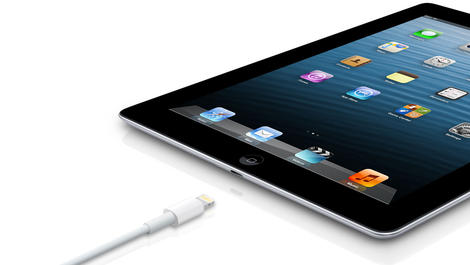
Apple is the type of company that loves to do things a little differently, but soon that could become illegal in Europe where phone chargers are concerned.
A committee within the European Union Parliament voted unanimously this week to create a law that requires all phone makers to use the same type of charger. Tablet chargers could be affected, as well.
The internal market and consumer protection committee said the law will cut down on waste from unused chargers, but given Apple is one of the last phone makers not using microUSB, it's clear who would be most affected.
The proposal still needs to pass the European Council and be approved by Parliament before the law can be created, so it will still be some time before anything changes (if it ever does).
Lightning round
Apple introduced its much-hyped Lightning connector with the iPhone 5 in 2012, and it's become the standard for Apple devices since then.The Lightning connector replaced the 30-pin plug that was in use on Apple products for nine years.
The Lightning connector is easy to use because it can be plugged in no matter which side is facing up. It also has a smaller footprint, and it charges devices and transfers data more quickly than the old connector.
But it made loads of old iPhone and iPod accessories incompatible with newer Apple devices, irritating plenty of Apple users.
A switch to the standard of microUSB would likely anger Apple fans further, especially since microUSB, while nearly universal at this point, is inferior to Lightning in most ways.
Apple has solved this problem in the past with adapters, but if the law goes into effect it could be forced to rethink its strategy.

| |
Read More ...
Sony SmartWatch 2 arrives in Europe to battle Samsung Galaxy Gear

Unconvinced by the Samsung Galaxy Gear, but still want a wrist accoutrement to work in tandem with your smartphone? Well, Sony's SmartWatch 2 can now be strapped on in the U.K. and parts of Europe.
The Android-based device, announced in June this year, is now on sale for £149 (about US$240, AU$258) with a rubber wristband or £169 (around US$272, AU$292) with a fancy metal strap.
The release of the touchscreen device also sees the launch of a new accompanying smartphone app from the Google Play Store.
The SmartWatch 2 SW application, which is a free download, will enable the wearable accessory to play nice with other Android smartphones via Bluetooth.
Waiting for an iWatch
The launch of the SmartWatch 2, which is water resistant and brings NFC connectivity, gives users even more choice in an increasingly densely populated space in the tech world.Since the arrival of the original, and largely unsuccessful SmartWatch, the Pebble Smartwatch has hit the market following a phenomenally successful Kickstarter campaign.
Earlier this month, Samsung really placed the four legged feline among the somewhat annoying flying rats by launching its Galaxy Gear. That device also went on sale this week.
However, the one most likely to shape the future of the sector, the rumoured Apple iWatch, is yet to make its presence known, with time running out for a pre-2014 launch.
You can check out Sony's latest offering in the YouTube clip below:

| |
Read More ...
Rumored HTC One Max release date could go bezel-to-bezel with new iPads

There may be a minimum amount of time before the HTC One Max release date, as the Android phablet is reportedly scheduled to launch on Oct. 15.
That happens to be the same day the new iPads are rumored to be announced, so HTC's super-sized phone may compete with Apple for headlines.
The unconfirmed HTC One Max release date, coming by way of Phone Arena, arrives as the device has made its way through the Chinese certification process, leading to newly leaked photos.
It's supposed to have a 5.9-inch 1080p screen, quad-core Snapdragon 800 processor, and a healthy 2GB of RAM. Its specs are certainly to the max for a phone.
More in common than you think
HTC's forthcoming phablet appears to have more in common with the iPad mini 2 than just their rumored Oct. 15 launch dates.The HTC One Max is supposedly just two inches shy of Apple's second-generation 7.9-inch mini, despite the fact that it's a phone. It's also supposed to sport a fingerprint sensor.
The iPad mini 2 is thought to include Touch ID like the iPhone 5S, according to a new report today.
Interestingly, HTC's fingerprint sensor has been spied as located on the back of the phone. That's a bit like the LG G2, which rocks volume buttons in the rear.
It shouldn't be long before we see HTC go from the HTC One Mini to the HTC Max.
- Read how the HTC One may be getting in on the gold action too.

| |
Read More ...
The real price of BT Sport? A lovely price hike for BT Broadband users

British Telecom has today denied that a sizeable price increase for BT Broadband customers has been brought in to help cover the cost of the expensive BT Sport channels.
The ISP will raise the cost of the majority of home phone and broadband packages by 6.5 per cent on January 4, as part of its annual price review, the company admitted on Friday.
However, the launch of the BT Sport channel, which has the rights to 38 Premier League football games for the next three seasons, has reportedly cost the company in the region of £1 billion.
BT is offering the channels free to BT Broadband subscribers, but it appears that even those who're getting it free will be paying in one way or another.
Own goal
In a statement given to the Guardian, BT denied the two were related. "These price changes are not linked to the launch of BT Sport."We revise our prices every year in what is an intensely competitive market and whilst some go up, others come down."
Only those who sign up for current deals or those on the new copper or fibre broadband connections launched in tandem with BT Sport will avoid the price hike.
For those who won't abide by the new charges, BT is offering users the opportunity to get out of their existing deals in ten days.

| |
Read More ...
International HTC One getting treated to Android 4.3 right now

The moment HTC One users have been waiting for is almost here: Android 4.3 updates for the Android flagship are finally going out.
But right now only the unlocked, international version of the HTC One is being updated to Android 4.3, and the carrier-specific updates won't be out as soon as we expected them.
HTC America President Jason Mackenzie said on Wednesday that the update would be out soon, but today he tweeted otherwise.
"Unlocked out! Carrier skus coming, but will slightly miss 9/30," he wrote.
Soon…soon!
Previous word was that the HTC One would receive its Android 4.3 update by the end of September, but the update has been delayed. By how much is uncertain.On Wednesday HTC spokespeople said the HTC One's Android 4.3 update was being certified on U.S. networks and "in progress" in Europe and the U.K.
In addition, it seems the update may have begun rolling out on HTC's home turf in Taiwan as early as Tuesday.
The irony is it may not be long after that that Android 4.4: KitKat, the next major update, arrives on the scene, and HTC One owners will have something else to pine over.
Android 4.3: all the latest
Mackenzie said on Wednesday that Android 4.3 brings "the latest Sense" experience to the HTC One, so it seems the phone's UI is being updated.The update is also expected to fix the HTC One's camera issues, improving performance in low light environments.
A battery percentage indicator during charging is also being added.
Android 4.3 brings a number of other improvements and new features as well, so check out TechRadar's full rundown for more.

| |
Read More ...
Apple reportedly snags top Nike designer, is he jumping from FuelBand to iWatch?

Apple's iWatch project may have just gotten another swoosh-shaped kick in the wrist.
According to 9to5Mac, Apple has hired Ben Shaffer, studio director of the Innovation Kitchen, Nike's creative think tank, to very likely work on wearables. Nike confirmed to the site that Shaffer is no longer with the company.
With Shaffer in charge, the Kitchen crafted Nike's popular FuelBand and the Flyknit shoe, a lightweight, precision-fit sneaker. It's possible that Shaffer's work on the Flyknit more than the fitness-tracking FuelBand is what piqued Apple's interest in him.
Shaffer and his Kitchen colleagues essentially created a new, more efficient manufacturing process with the Flyknit for Nike. The process "gets rid of all the unnecessary excesses," Shaffer described in a Fast Company interview.
Apple design guru Jony Ive and his team spearheaded new manufacturing techniques to craft the unibody aluminum shells of everything from MacBooks to iPhones. Adding Shaffer's manufacturing as well as design acumen to Cupertino could prove a match made in heaven.
iWatch walker?
Shaffer sounds like he'd gel nicely with the collaborative efforts of Apple's design and engineering teams, and his area of expertise seems best suited to work on wearables.While Apple is "obviously," in the words of CEO Tim Cook looking at new device categories, it has yet to confirm it's developing a smartwatch in the vein of the Galaxy Gear.
Though we lack an official nod from Apple, all signs point to a wrist-warming computer coming from the IL. That it will have a fitness focus is also a detail that's hard to dispute.
Cook sits on the Nike board, and a host of Applers are known to rock FuelBands. Then there's the hire of Jay Blahnik, a fitness expert and Nike consultant, not to mention Apple's reported stockpile of health, fitness and sleep analysis experts.
Throw Shaffer in the mix and we're likely looking at an iWatch (if not even more types of wearables) that are lightweight, precisely built and powerful. A Flyknit for the wrist, if you will.

| |
Read More ...
Updated: Valve takes wraps off the Steam Controller, dual trackpads and all

Valve's busy week of announcements came to a close today with the expected unveiling of the Steam Controller, a hackable, haptic-laden gamepad featuring an army of input options.
"A new way to play your entire Steam library from the sofa," read the third and final "living room" page Valve posted this week.
"We knew how to build the user interface, we knew how to build a machine and even an operating system," Valve continued. "But that still left input - our biggest missing link."
Input has indeed been a giant question mark for Valve's mission of bringing Linux gaming from the desktop to the living room. With the Steam Controller, Gabe Newell's crew seems confident it solved the riddle.
"[We] spent a year experimenting with new approaches to input and now we believe we're arrived at something worth sharing and testing with you."
The Steam Controller, like the Steam Box, is a prototype still. Steamers chosen for the Steam Box beta program (300 in all), will be the first to try out the new gamepad. Chances are we'll see some changes by the time the gamepad is all widely available.
Steam Controller features
The key design elements of the Steam Controller aren't hard to spot.Prominent are two trackpads, a dual-set of thumb-controlled circular surfaces. The trackpads are clickable, turning each into one giant button.
Square in the center is a high-resolution touchscreen, one that can translate discrete touch commands while also clicking like button. Thanks to deep Steam integration, the Controller's screen, when touched, will overlay its display onto whatever game is being played, so action can continue without having to dart eyes over to the gamepad.

The Steam Controller has 16 buttons all told, with half (including two on the back) accessible without having to take your thumbs off the trackpads.
All buttons and controls are symmetrically placed, so right and left handedness is switchable through a software config checkbox.
The haptic feedback of the Controller is described as next-gen and "super precise," though of course we'd need to test it ourselves to see if it's really as superior as it sounds. Valve admitted that trackpads lack the visceral quality of joysticks, and therefore it wanted to add more physicality to the Steam Controller experience.
While Valve seemingly packed every sort of input it could, the Controller won't look as it does now when it ships to beta testers. In an FAQ, Valve explained that when the prototypes ship later this year, they will be without a touchscreen. Four buttons will replace the touchscreen and it won't be wireless either, requiring a USB cable to connect.
Keeping the old and staying open
The Controller is ageless in a way as Valve explained it's designed to work with Steam games past, present and future. The company accomplished this bit of trickery by "fooling older games into thinking they're being played with a keyboard and mouse."The Steam gamepad, however, is "nothing like either one of those devices."

Valve built in a legacy mode that lets the Controller present itself as a keyboard and mouse. Using the configuration tool, Steam Community members can create and share game bindings, and players will be able to choose from amongst the most popular configs.
Unsurprisingly, the Controller is meant to be hacked, and feedback on design is welcome.
Valve is done with announcements for now (so no more tickers) but promised details are next on the menu. We should hear more soon about the design process and how it created the current Steam Controller prototype, and detailed specs of SteamOS are scheduled to post next week.

| |
Read More ...
Fighting Talk: Why am I so in love with massive phones?

As a journalist, you're meant to stand by your convictions. But I'm about to do an amazingly blatant u-turn. Despite writing last week about how much I've been looking forward to getting my hands on an iPhone 5S, I've done the unthinkable in the eyes of many Cupertino disciples.
I've cancelled my pre-order. That's right. Who cares? Keep your 64GB of self-righteous goodness to yourself. I'm going large.
When it comes to people, the fact they come in all shapes and sizes is brilliant... and I've become rather entranced by a larger model myself. Her name? The Samsung Galaxy Note 3.
I may have cheated on you, Android, but I didn't get physical with the iPhone 5S. I promise. It was just lust. We never even got to touch. She was too elusive.
Flabby phablets
I've used the Note phablets before. I know they're not to everyone's taste. They're big. Very big. There's no getting away from that and I'll be the first to say I was sceptical.Who on earth would want a device this size with a flashy stylus? Erm… That would be me now.
It's amazing how attitudes have changed. Ten years ago, mobile makers were on a mission to get as tiny as possible. The Nokia 3210 was considered small for its time (remember, size is relative. That's my excuse and I'm sticking to it...) but it got shrunk out by the Nokia 3310. And then the Nokia 8210 and 8310.
I'm only mentioning Nokia here because back then, there really was no serious competition. Motorola was in second place and its devices were hardly small. Ironically, Samsung was yet to launch. And when it did with the dual-screen A3001, it had a teeny size and novelty on its side. But that was it. It was rubbish.
Fast forward and so much has changed since the smartphone was 'invented' by Apple. I've actually sat with iPhone-preaching friends who've played with my Galaxy S4, and despite their hatred of Android (stolen product, thermonuclear, etc etc), they do tend to say the same thing each time: "Oh yeah, but I do love the size of the screen. I wish Apple would do this." Take Note, Tim Cook.
Maxed out clout
The question though is, where will it end? Looking at the specs, given what we now do with a phone or a phablet, the power is starting to max out. Add any more grunt and you probably wouldn't notice it.But what about size? Sony prefers big too. It's launched the Ultra, and pretty soon HTC and LG will have joined the oversized smartphone party, crashing through the front door with a half drunk bottle of plonk and begging for acknowledgement.
Will these things keep on growing and growing until they can't get any bigger? Remember that the Samsung Galaxy Note 8 is eight inches and that too can make phone calls. You really would look like a prize turnip doing that, but it's an interesting thought.
I wasn't on board with the Note. The Note 2 only made me feel a little warmer. So why on earth should the Note 3 suddenly swing my head from the beauty of the iPhone 5S?
I can't really answer that... and that's why I love smartphones, the pure idiocy of fanboyism. Just know that if you see me clasping a Galaxy Note 10.1 to my head and shouting at it, you have my permission to call my mother. I'll need all the help I can get.

| |
Read More ...
Classic Steve Jobs keynote used to invalidate German photo patent

Nearly seven years after first showing off the iPhone to the world, a key Apple photo gallery patent has been invalided in Germany - and Cupertino has no one to blame but Steve Jobs himself.
Foss Patents reported Thursday that Germany's Bundespatentgericht Federal patent court sided with Samsung and Motorola Mobility by effectively invalidating the iPhone maker's famous "bounce-back effect" in that country.
The patent in question, EP2059868, is described as being used on a "portable electronic device for photo management" - or more specifically in this case, the iPhone's built-in Photos app.
As fate would have it, Apple's rivals were able to use the most incriminating piece of evidence they could possibly come up with: The ghost of Steve Jobs.
Grace period
Despite the late Apple CEO's insistence "boy, have we patented it!" during the original iPhone keynote in January 2007, it turns out a 12-month grace period Americans enjoy when filing for new inventions doesn't exist overseas.While the keynote video in question cannot be used as prior art in a U.S. patent dispute, European courts are far more restrictive, making an inventor's own public demos fair game if they're dated before an application is filed.
The 2007 keynote demo featuring Jobs was shown in court Thursday, leaving the judge little choice but to temporarily invalidate the patent until Apple's legal team can come up with other ways to challenge Samsung and Motorola's claims.
It's important to note the invalidation isn't yet an official ruling - Samsung still has to come up with other prior art since the keynote video falls within Germany's six-month "Neuheitsschonfrist" (novelty grace period) that can be used to protect such public disclosures.
- Dig into our review of the new Samsung ATIV Book 9 Plus!

| |
Read More ...
Hands-on review: Updated: Sony QX10

Introduction
It's no secret that the smartphone market is rapidly eating into the compact camera market. Many companies are trying to figure out new ways to get consumers to buy dedicated image making devices, but Sony's approach is to produce something that works with your smartphone rather than competing against it.It's introduced two new compact cameras, which look like lenses but actually contain everything you might expect from a standard device, including a sensor, processor, memory card slot and optical zoom. The crucial bit that's missing is the screen, which is where your smart phone comes in.

These cameras hook up to your smartphone - not just Sony devices - and are controlled via the free app which is available for iOS, Android and Kindle Fire. From there you've got a decent camera to use in conjunction with your top notch sharing device, so in theory you get the best of both worlds.
Sony is a company which is known for its innovation, and here is another device that could, if not revolutionise, evolutionise, the way we think about compact cameras. By acknowledging that many users don't want something entirely separate, but do want better image quality, the QX10 is the kind of device that should have a lot of heads turning – indeed it is generating a fair amount of buzz already.
The QX10 is the cheaper of the two new devices, and is based on the Sony WX100 compact camera. It therefore features a 18.2 million pixel 1/2.3 inch sensor and a 10x optical zoom. It's also equipped with a Bionz processor. All this adds up to what should provide your smartphone with much better low light and better zoom capabilities than what it can muster all by itself. By comparison, the QX100 is based on the premium Sony RX100 II and features a one-inch 20.2 million-pixel sensor.
You connect the camera to your smartphone or tablet via Wi-Fi or NFC. You could of course use the camera without a smartphone or tablet, but you wouldn't be able to control any of the settings or see exactly what's in frame.

There is a microSD slot within the camera itself, but you can also choose to save photos directly to the phone, or to save a large file to the memory card and a more share-friendly file size to the phone. Neither of the two new QX devices shoot in raw format.
At launch, the QX10 will be available for £180, making it competitive with plenty of dedicated compact cameras which also feature Wi-Fi, such as the Canon IXUS 140. It seems likely that the price will drop significantly after it has been in the market for a while.
It also competes with the Samsung Galaxy S4 Zoom, which is a smartphone with an integrated 10x optical zoom camera. The QX10 is arguably a more flexible option though since you can use it with more than one device, and you can remove it from the phone should you be struggling for pocket space.
As it stands, only Sony's proprietary PlayMemories app is compatible with the camera, but there have already been announcements that other apps will include functionality with the QX10, so perhaps other developers will follow suit. It will be interesting to see if something as hugely popular as Instagram updates its app to include compatibility with devices such as this.
Build Quality and Handling
As the smaller of the two new cameras, the QX10 is more pocket friendly than the QX100. If you attach it to your smartphone, you're unlikely to be able to get it in a jeans pocket, but as a separate device it shouldn't add too much bulk to your luggage.At first glance, both cameras look like small interchangeable lenses. The QX10 is circular, rather than the rectangular shape we're familiar with for compact cameras. When powered on, the lens protrudes quite far from the body, but when off, the device is much more slimline.

You'll find hardly any physical buttons on the QX10, since most of the operation is carried out using the connected device. There's an on-off switch, a zoom lever and shutter release button. These buttons have virtual equivalents you can use on the PlayMemories app - so for instance, you can use the app to fire off the shutter release if you prefer, or use the button if you want to hold the camera in a traditional manner.
Although there's no LCD screen for composing, a very small display indicates remaining battery life. Other than that, you'll need to rely pretty much entirely on the PlayMemories app for shooting images and changing settings, such as exposure compensation or aperture.
Anybody who wants to use physical buttons - quite simply, this is not the device for you. Once you've paired the camera with your device, it's akin to using a camera entirely with a touchscreen.
The QX10 has a 10x optical zoom, which can be activated through the touchscreen, or controlled using a switch on the side of the lens. This is helpful if you're using the camera at a distance from the screen - or of course you just prefer a physical switch. Zooming seems to be fairly quick and fluid, and the 10x optical zoom of course surpasses the digital option you'll find on the typical smartphone.
There are limited options via the app, which is a shame. Even shooting on Program Auto, all you can change is white balance and exposure compensation. Ideally we'd have liked to have seen even more control here, but given that the QX10 is based on a simple point and shoot, it's perhaps not wholly surprising. We'd also like to see some more creative options available via the app, such as digital filters and so on.
As it stands, you can't use the QX10 with other apps, such as Instagram, but Camera 360 has already announced that it will make its app compatible with the device, so hopefully others will follow in the same vein to make the device truly integrated and even more useful.
If you've been using the QX10 without a tablet/smartphone screen, so long as you have a Micro SD card in the camera it will continue to record. If you shoot independently, you can retrieve the images shot via the app fairly easily, and it can be a fun way to shoot, though of course you will rely entirely on guesswork. There's no way to record video without connecting it to a smartphone or tablet though.
A problem with using the app in conjunction with the attachment mechanism presents itself when you want to shoot a landscape image. Turning the phone around with the camera attached makes the preview window turn on its head – it's not a problem when turning the camera independently away from the phone, but it's a little frustrating when it is attached. There seems to be no way to stop the preview window turning from the app menu, either.
Connecting the camera is fairly easy, especially if you have an NFC device – you'll simply need to tap the camera to the NFC area on your device and it should automatically register the QX10's presence and launch the PlayMemories app. Connecting via Wi-Fi is a little more laborious, but once you've set it up and the device is remembered it's not too tricky. It's a shame that the Wi-Fi setting can't be triggered directly from the app though, meaning that you need to enter into your device's settings area to connect, then go back into the PlayMemories app. It's also worth noting that the password for the QX10 can be found on both the instruction manual in the box, and printed on a sticker on the back of the battery compartment door.
A spring loaded mechanism on the back of the QX10 can be attached if you want to attach the camera to your smartphone for a more conventional shooting set-up. This feels pretty sturdy and not prone to breaking even after repeated opening and closing. It's flexible so it should fit pretty much any phone you have, though of course it's not big enough to stretch around a tablet.
You will need to remove this attachment to reach the battery and memory card compartment, which are accessed at the back of the camera. Charging the device is done via the port on the side of the camera though, so it's unlikely you'll need to access the battery for any reason.
Performance
We've come to expect good things from Sony's cameras, and the QX10 is no different. Colours are bright and vibrant, while detail is captured well thanks to its 18 million-pixel sensor. That's quite the step up from the majority of smartphones out there, and if you're keen to crop into your images, you should really enjoy those extra pixels.Images appear pretty sharp, but if you examine some at 100%, there is evidence of image smoothing even at lower sensitivities. It becomes more apparent when closely examining images shot at the full telephoto zoom (280mm equivalent), but when viewing the images at small printing and web sizes, there shouldn't be any problems.

Having the optical zoom ability is what elevates the QX10 above a standard smartphone. It also offers more flexibility than the higher specced QX100, so if you're all about the zoom, this is probably the better option for you. Although there is evidence of image smoothing, the ability to get closer to the subject is good. Generally speaking image stabilisation does well at the far end of the telephoto zoom, which is useful when holding the camera separately from your smartphone or tablet as this can be a little less sturdy than when shooting two handedly.
You don't have the options to change many of the settings with the QX10, so you'll come to rely on the camera's automatic modes. In most instances it's fine to leave the camera in smart or intelligent automatic mode as it is good at evaluating the scene in front of it, for example determining when it is confronted with a low light or macro scene.
Automatic white balance and metering do a good job to provide balanced exposures with accurate colours in the majority of conditions, perhaps erring slightly towards warm tones under artificial lighting conditions. Changing to a more appropriate white balance setting is available via Program Auto, one of the few settings you can change, so it's worth switching if the camera is really struggling.
Low light shooting is also something which is often challenging for a smartphone. The QX10 with its comparatively larger sensor, along with functions such as a large sensitivity range and twilight mode, make it a good option once light levels drop. Hand held twilight mode takes a number of shots then combines to produce an image with lower noise, it works well for subjects which are still, but is less useful when attempting to photograph something moving such as a person or event.

Unfortunately, there is, for now at least, no way to use a flash with the QX10. Even those phones that do have an LED device in built, there seems to be no way of triggering it from the PlayMemories app. Again this is something that could potentially be changed via an update to the app.
Noise is relatively well concealed throughout the sensitivity range. At higher sensitivities, this does come at the cost of some loss of detail, but it's the kind of thing that it is only really evident when zooming in to 100%. Considering the majority of the photos taken with the QX10 will be shared vis the likes of Facebook and Instagram, this likely isn't going to present too much of a problem.
Autofocusing speeds are generally quick, and you can change the autofocus point by tapping a point on the screen of the device the camera is paired with. Macro focusing, which can only be activated automatically if the camera detects it, does a good job of capturing fine detail.
It's not however the camera to use for capturing quick action from off. Since you'll need to pair it with your device to compose, going from completely off to ready to shoot can take anything from a few seconds (if you're lucky enough to have NFC) to over a minute by the time you've gone through the process of switching your Wi-Fi networks.

We also found that on occasion the app froze, lagged behind or was generally slow. We tested it on both iOS and Android and encountered the same problem, so it's by no means perfect. The majority of the time though it's fairly easy to use and responsive, hopefully the app can be updated for more stability in the future, as well as other apps (such as Instagram) hopefully making it possible to use the camera elsewhere.
Battery life is reasonable. Sony promises 220 shots, and we found that it generally lasts the day. However, it's worth bearing in mind that you're also relying on the battery life of your smartphone, so once that's dead, it's almost like having no camera at all. You can still shoot on the QX10 without the smartphone, but you'll have no way to check composition, focus or change settings, so you'll be pretty much shooting blindly. It's probably worth investing in a portable smartphone charger if you plan on using this device a lot.
Sample images

Click here to see the full resolution image.
Vibrant colours are captured well by the QX10, being natural and punchy without being over the top.

Click here to see the full resolution image.
Shooting in Twilight Mode (which the camera chooses automatically) means that the camera will fire off three sequential shots to be combined automatically to reduce noise.

Click here to see the full resolution image.
One of the most fun aspects of the QX10 is being able to control it remotely, allowing you to leave it on a table and fire the shutter from a smart phone or tablet up to 10 metres away.

Click here to see the full resolution image.
At last, a solution for taking photos of cocktails in dimly lit bars so you can share them on Instagram has been found.

Click here to see the full resolution image.
The QX10 has coped well with the mixed and dark lighting here, but some highlights have been blown out on the illuminated lettering.

Click here to see the full resolution image.
Examining images taken with the full telephoto zoom at 100% reveals some image smoothing and loss of detail, but they are fine for sharing online or small printing sizes.
Verdict
Sony's focus at the moment seems to be innovation, and it's done it once again with the QX range. For some time, camera manufacturers have struggled to keep up with camera phones in terms of instant connectivity and ease of use. This time we've seen something designed to work with your phone, rather than beat it.We're intrigued by the concept of something you can easily slip into your pocket but use it in conjunction with your phone. In reality, the camera does deliver as well as a standard point and shoot camera, but it has the added advantage of instant connectivity and a nifty way to attach it to your phone.
That said, there is a lot more work to be done to make this the perfect solution, especially with regards to the app which has a fair number of problems for now. It'll also become more appealing should other app developers choose to make their apps compatible with the device – which hopefully they will. The existing PlayMemories app could do with some tweaking as well, for instance making it so the preview window doesn't flip around when shooting a landscape images.
Ultimately, as you're relying on your smartphone battery, the camera does remain limited – which is not strictly the QX10's fault, but it is worth considering if you're planning to use it a lot, on holiday for example.
We liked
The QX10 represents a genuine innovation in the way we think about compact cameras and is an intriguing prospect. The ability to clip it to your phone and connect instantly is the most appealing thing, but it's equally fun to have it roaming free and controlling from elsewhere. It's a lot of fun to experiment with at parties and outings and so on.We disliked
As it stands, the biggest let down of the QX10 at the moment is the PlayMemories app which seems to be in dire need of an update to make it more functional. A standalone compact camera generally offers more functionality than the QX10, including the option to change various settings, shoot panoramas and so on. Hopefully the app will be developed and improved upon and more developers will get involved too.Verdict
Overall, the QX10 is an excellent camera which produces great images which are on a par with similar point and shoot compact cameras. If you're looking for more control and even higher image quality, then it's worth taking a look at the QX100, which is more expensive but does give you more options.There are a few downsides to using a QX10, mainly the fact that you're reliant on your smartphone or tablet to take (compose) the picture, so you'll be at the mercy of its battery life – unless of course you can charge it up during the day or via a portable battery charger.
Where the camera perhaps really comes into its own is when you want to shoot from an awkward angle or distance, as you can control it from up to around 10 metres away. Great for selfies, parties and perhaps even wildlife photography, it's something that you can really have fun experimenting with.
All in all it's an intriguing new prospect that will hopefully improve with age and app development.

| |
Read More ...
Explained: How to optimise your LAN and WAN in a small business

Small businesses now rely heavily on the networks that they have created. These were initially Local Area Networks (LANs) that connected their on-site servers to the computers and other devices in their businesses.
Today with the rise of bring your own device (BYOD) and the need for more flexibility, companies are building Wide Area Networks (WANs) that give them the flexibility they need.
Andrew Ferguson, Editor at thinkbroadband.com, says: "The distinction between LAN and WAN has gone full circle in some ways. The speed of internet connectivity means many businesses are now using the cloud to store data, making it easier for staff working from home or off-site to access data. So in some ways the modern LAN is just an extension of the WAN."
Just because the two networks should work together doesn't they do, however. "This near-seamless LAN and WAN concept does create problems," continues Ferguson, "particularly in the security area, since one machine infected with malware can cause havoc if the LAN is not segmented and key business areas secured from other areas, such as the free Wi-Fi for visitors."
For small businesses relying on the ability to manage data, it's important to choose the right network. Often, small businesses will opt for a single supplier for their LAN or WAN services, but choosing different service suppliers for each component of the network could bring cost savings and efficiency gains. And as inter-operability is high within this service sector, it's an eminently practical approach.
Traffic management
With WANs now becoming the standard within the small business community, it is critical to ensure this network is not only set up correctly, but also has the capacity to handle the daily data traffic that moves across your business.In an age where flexible working is the norm, many small business owners are finding that they don't need an over-specified WAN. Instead, a fast connection to handle cloud-based services is more useful for their business. Mike Hemes, VP of EMEA at Silver Peak, says: "By dramatically improving WAN efficiency, small businesses are able to capitalise on end-user satisfaction, enjoy the flexibility of potentially adding new offices and keep pace with growing customer demands - all without requiring costly increases to WAN bandwidth."
To get that efficiency, you need as much information as you can get on usage. Dirk Paessler, founder and CEO of Paessler AG, advises: "Businesses should apply monitoring software that notifies and alerts immediately if resources run out. Detailed monitoring data and historical usage reports about all network components enable administrators to discern LAN and WAN utilisation, as well as recognising usage trends."
Investing in monitoring means avoiding surprises down the line, says Paessler: "In combination with testing - for example - available web page utilisation capacities, baseline monitoring helps estimate necessary investments by finding out the needed capacity of connections and dependent servers. This way, predictive planning of infrastructure expansions is possible according to current and upcoming business needs."
Cloud control
When discussing LANs and WANs, SMBs much take the cloud into account. Silver Peak's Mike Hemes explains: "One of the main factors businesses are often unaware of is the increasing pressure - and debilitating effect - cloud computing can have on the WAN."Cloud computing offers businesses very real benefits, from increased organisational efficiency, flexibility and cost savings.[But] simply put, if the network is not stable enough to cope with transferring large volumes of data to the cloud, performance is sacrificed and the benefits of cloud fail to materialise."
Despite this issue, the advantages of using the cloud for business are strong. Brent Lees, Senior Product Marketing Manager at Riverbed Technology, points to "the fact that [cloud solutions] allow companies to avoid upfront infrastructure costs, and focus on other projects that differentiate their businesses."
That means, says Lees, that SMBs are going to push their networks as far as they can: "We may see cloud services drive more data across the WAN based upon an ever-increasing set of distributed users. And as the cloud becomes more familiar and more flexible, more organisations may push their applications out to the cloud to achieve cost benefits despite the fact that performance problems could increase."
What is clear is that there is a migration from traditional LANs to the more flexible WAN that also lends itself to more cloud utilisation. And with small businesses embracing virtualisation, having a fully optimised WAN in your business is a must. With data processing efficiency now a clear differentiator right across the small business sector, those businesses with integrated WANs that deliver the data services they need will be market leaders in their sector.

| |
Read More ...
Interview: Facebook Live 'makes you realise how powerful a fanbase is'

There are not many companies in the world that can claim to having had Barack Obama, JJ Abrams and Oprah Winfrey pop into their offices for a chat. But then not every company is Facebook.
The social network has been pushing its Live show for a number of years now, where famous folk are interviewed in front of a select live audience and streamed to millions, and it has finally brought the format to the UK.
The first show was this week, with singer Jessie J chosen to give proceedings a distinctly British flavour.
But as Glenn Miller from Facebook explained to TechRadar, it doesn't matter where the live show is filmed it will always have global appeal.
"As Facebook is such a global company, it's great to be able to help its European footprint in music," he told us.
"It's important to be able to talk to the artists and come up with the best ways to promote them, whether it is Facebook Live or with sports figures like Andy Murray, doing Q&As on his Facebook page.
"Doing something like Facebook Live means you get to see how passionate people are around the world. We see the fans in the UK get excited, then see the ones in Brazil getting excited and this spurs the artists on."
Two-way interaction
One of the biggest allures for fans of those who appear on Facebook Live is the fact that it offers access to stars that would have been impossible a few short years ago.During the Jessie J event, for example, she answered questions posted on Facebook - and that's something Miller believes is one of the benefits of doing such an event through Facebook.
"We allow artists to actually go on their Facebook page and hit reply to their fan questions. In their comments they can speak directly to them and that's great," said Miller.
"You get to see the two-way interaction and once they fans see that they are really there, they want to ask more questions and then the acts want to spend more time on Facebook because they get to see in one clear post the amount of engagement from fans that want to participate in that moment."
Being an open forum does mean that questioning your idols is incredibly popular. In one Q&A session Andy Murray did for Facebook, over 10,000 questions were asked in a few minutes, according to Miller, but it's up to the fans to make sure the right questions are answered.
Troll hunting
"The more engagement each question gets, the faster they will bubble their way to the top so it surfaces the best comments that the fans are leaving," explained Miller.Inevitably, you do get trolls. But as Miller notes, while the questions are not officially moderated, fans usually win out in the end.
"Anyone can leave a comment, good or bad. But you quickly realise how powerful a fanbase is with the amount of positive and excitable comments that come out," Miller noted.
"They outweigh any of the negatives that a troll might come and add - the fans are almost sub-moderating things themselves. They want to come and engage and have a place where the artists they look up to can engage too, so it ends up being a really good eco-system."
Jessie J may be the first British act but there will be many more Live events in the UK, explained Miller, and while they may not all be music based, there is a reason why a lot of musicians have been asked to perform.
"75% of the top 100 pages on Facebook are musicians, so musicians naturally use Facebook to be able to connect to their fans," said Miller.
"There is no other place where you can get the largest distribution and reach to fans on a global perspective. I always say that Facebook is part of their DNA."
To see Jessie J's live show and all the other performances, head over to Facebook Live now.

| |
Read More ...
Gary Marshall: Tech: how old is too old?

I tend to celebrate big life events by spending money I don't have on tech I don't need.
Anniversary of stopping smoking? New gadget time! Birthday? New gadget time! Weather slightly less rubbish than anticipated? New gadget time!
So the imminent arrival of my second child should have electronics retailers throughout the land rubbing their hands with glee, because new babies inevitably mean new cameras.
Not this time. I went on eBay instead and spent £70 on a prime lens for my Sony DSLR. The camera may be ancient in tech terms - it's seven years old now - but it's still a brilliant bit of kit that takes amazing photos.
All it needed was a relatively cheap second-hand lens to make it perfect for taking baby photos. You can pick up the same camera as mine in good nick on eBay for £95. That's nothing.

That makes me wonder what other tech I've retired before its time. An old HD video camera has been gathering dust for years. There's a 10-year-old iBook in the loft that still runs, albeit helped considerably by duct tape on the charger, and I think there's a PowerBook up there too. I have old PVRs and God knows what else in boxes and bags I haven't looked at for ages.
It can't all be obsolete, can it?
Old is the new new
I sometimes wonder if the main reason I buy new shiny things is through sheer laziness.I might not have bought a brand-new camera this time but I certainly thought about it. But while a better camera would undoubtedly produce better photos, the weak link in my photography has never been the camera. It's been me.
Whether it's a music app or a digital SLR, if it means I can get better results with the minimum of effort I'm usually sold - even if what I've already got could do exactly the same thing if I just spent a bit more time learning how to make the most of it.
Maybe cameras are the exception, because what matters there are the optics rather than the processor.
But the iBook in the loft was a perfectly good machine for word processing, web browsing, listening to music and doing email a decade or so ago. Surely the hardware is capable of the same now?
The problem there isn't the physical device but the software it runs: Apple stopped supporting it a long time ago, so it won't run the latest browsers or surf securely.
But there's undoubtedly a Linux that would give it a whole new lease of life, or at least rescue it from redundancy.
I'd love to know your answers to the old-tech conundrum. Have you upgraded your PC's innards so often the only original feature is the case? Have you found a use for old hardware that doesn't involve being a file server, a plant pot or a picture frame? Have you made the Lazarus of laptops?
What's the oldest kit that you're still using? Let us know in the comments below.
- In need of some inspiration? Here's what you should do with your old PC

| |
Read More ...
Review: Updated: Microsoft Surface Pro
Introduction
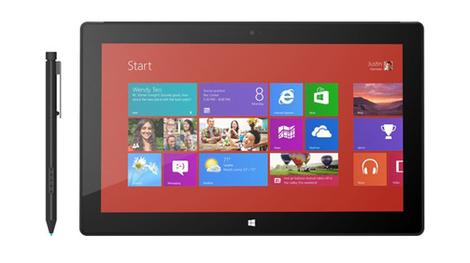
NOTE: This is a review of the 2012 Surface Pro - the 2013 Surface Pro 2 has just been announced and we've got a Hands on: Surface Pro 2 review here. You can also read what we think about Windows 8.1 as well as about the new Windows 8.1 RT-powered, Nvidia Tegra 4-based Surface 2.The Surface Pro is now on sale in two versions, a somewhat lean 64GB version and a more usable 128GB variant.
We've been waiting quite a while for a tablet like this - and not just since it was announced last year. If you ever saw a Windows tablet PC and wanted one that was done properly, you've been waiting years for Surface Pro with full Windows 8.
What's more, it's now a steal - discounted prices that went into effect in early August are here for good, at least in the U.S., with the Surface Pro, Touch Cover and Surface RT all seeing some slices. What's more, there appear to be price cuts going into effect globally, with the Microsoft UK and Australia websites showing discounted pricing for Surface and accessories.

In the US, for example, a $100 Surface Pro price drop is in effect, meaning a 64GB Windows 8 machine starts at $799. Touch Covers are now $40 off, giving them a new starting point of $79, and a Limited Edition Touch Cover will cost $89.

Surface Pro looks like Surface RT, with the same distinctive look and the same full-size USB port - but it tweaks the iconic kickstand and the clever magnetic connectors for power and the two tear-off keyboards (Type Cover and Touch Cover both work interchangeably with Surface Pro and RT).
It improves on the 10.6-inch touchscreen of the Surface RT with higher resolution and a digital pen you can use to scribble notes on the screen (and snap into the power port for carrying around), but it still has some of the darkest blacks you'll find on any screen.

It's a PC, but it's still a tablet. Do you want it? Depends on what you really want.
If you've seen the Surface RT in the flesh, the Surface Pro looks utterly familiar. The same VaporMg coating over the same sturdy but sleek metal body, the same gently curved corners and wide black bezel, the same subtle Windows logo on the front.
But pick it up and you'll notice the difference straight away. The Surface Pro is thicker - although 13.5mm (0.53 inches) rather than 9.3mm (0.37 inches) isn't exactly bulky - and it's heavier, at 907g (2lbs) rather than 680g (1.5lbs). But the weight is evenly distributed and well balanced so it doesn't feel a lot heavier unless you pick them up side by side.

Features
And inside the case of the Surface Pro, everything is different from the Surface RT, starting with the Intel Core i5-3317U CPU and integrated Intel HD Graphics 4000, which make it a real, powerful PC. Then it adds 4GB of RAM and 64GB or 128GB of storage.Windows 8 takes up space on the SSD, cutting the available storage down to just 29GB and 89GB, respectively. You can get more space by archiving the recovery partition onto a USB stick and adding a 64GB microSD card (the largest on the market today).

But to put things in proportion, with Windows 8, the default Windows Store apps and Office 365 Home and Business downloaded and installed, and before archiving the recovery partition, we had 28.6GB of space free on our Surface Pro's SSD.
There are only a handful of ports and sockets on the Surface Pro, but again they're different fro Surface RT; on the left is a full-size USB 3 port, the volume switch and the headphone jack.

On the right are the microSD card slot (more convenient than hiding it under the kickstand), the magnetic power port (which we'll come back to later) and the mini DisplayPort connector. That's there because Microsoft expects business users to want to connect to monitors and projectors, but you can get cables that connect to your HDMI TV as well.
The other big difference is the screen. Turn it off and it's so black that it's almost impossible to tell where the bezel ends and the screen starts; it's even blacker than the Surface RT screen.

That's important, because the screen is never going to be blacker than when it's off - and most LCDs are more of a dark grey than a true black when they're off. Because there is no air gap between the layers of the screen - even with both touch and pen layers in there - the Surface Pro screen has true blacks. And very little glare.
Turn it on and you get rich, vivid, accurate and not over-saturated colours, and crisp, bright white. Other screens look slightly grey, yellow or pink next to the Surface Pro's gorgeous screen. The 1920 x 1080 resolution is higher than the Surface RT and shines when you're watching videos or looking at photos.

It also makes Windows applications and web pages look utterly tiny, so the default settings crank the DPI up to 150% (oddly, setting the Surface Pro to UK settings knocked that down to 125%).
This makes documents and web pages readable but makes window titles and scrollbars look a little oversized by comparison, so you may want to experiment with tweaking this to a custom DPI setting. Normally we'd say "that's a Windows problem" but given that Microsoft developed Windows 8 and Surface Pro side by side, it would be nice to have seen this look less strange on the showcase Windows 8 device.

It's the only drawback on one of the most beautiful screens we've seen on a PC this year, though.
The top of the case has nothing but the power button. The design here is slightly different from the Surface RT and may account for the fact that Surface Pro doesn't have the same phenomenal Wi-Fi detection. It found only 10 of the 13 wireless access points the Surface RT found in exactly the same position in the office.

There's no 3G or LTE option, but you can use your phone, a mini hotspot such as a MiFi or plug in a USB broadband dongle to get online if you need to. After all (we're going to keep saying this), it's a PC.
Even though this is an Intel Core i5 PC with vents and fans, it's not hot or noisy thanks to the efficient cooling. After running all day the case is barely warm to the touch and we could seldom hear the fan over other office noise, even with demanding games running.

The line of vents runs around the edge of the top half of the tablet, lining up beautifully with the kickstand (the vents stop where the kickstand starts). The line of the vent also makes it easier to feel where the kickstand is so you can open it without looking (there's still a small groove on the left to use if you have no fingernails, and the kickstand still opens and snaps shut with a satisfying expensive-car-door sound).
As on the Surface RT, the Surface Pro's kickstand puts the screen at a great angle for watching movies when you put it down on a table, or for typing or doing a video chat - the angle puts the camera at eye level with your face in view so you don't have to keep looking up.

What about for using Surface Pro as a laptop? Because the Surface Pro is thicker than the original Surface RT, the sides are bevelled at a different angle and the kickstand sits at a slightly different angle as well. It also has two tiny projecting feet at the bottom of the kickstand (each 2 inches wide) and we found the combination made the Surface Pro a little more stable when perched on a knee or lap.
How stable it is depends on how you sit and how long your legs are; if you can get your legs flat and they're long enough for the kickstand to perch on your knee, the Surface Pro is perfectly stable and you can type and tap the screen firmly without it over-balancing. If you prop your feet up, or you're tall, there's no problem.

If you're short and the keyboard and kickstand don't fit on your lap or the chair is the wrong height so your knees aren't at the correct ergonomic angle that keeps them level, you have to sit at an odd angle or risk the Surface Pro tipping backwards or forwards from time to time.
The extra weight of the Surface Pro may also help here; it's very well balanced and doesn't tip as easily as the Surface RT (in particular it's less prone to tipping forward when you move your legs).

A normal notebook wouldn't have that problem - but then you wouldn't be able to rip the keyboard off a normal notebook to turn it into a tablet.
The thicker, sturdier keyboard on a convertible such as the Samsung Ativ Smart PC Pro or the Lenovo ThinkPad Helix means these balance on your knee like a laptop - but they're also thicker and heavier than a Type or Touch Cover.
Pen, touch controls and interface
Pen and touchscreen
Being able to tear off the cover and use the Surface Pro as a true tablet (albeit a slightly heavier one than most) is what makes it a Surface. This is where the way the weight of the Surface Pro is distributed matters; the battery isn't off to one side like the original Samsung Galaxy Tab 10.1, which swung over to one side in your hands.You can hold the Surface Pro in one hand or two and have it stay at the angle you want, so you can grip it in both hands and type on the on-screen split keyboard with both thumbs or hold it in one hand for web browsing - or taking notes.
Although Microsoft originally told us that the Surface Pro would have a pen that didn't come from either Wacom or Ntrig, what you get with Surface Pro is indeed a Wacom pen, and a top-notch one at that. Unlike the tiny pen hidden in the back of the Samsung Ativ Smart PC Pro, this is the size of a normal ink pen, with an eraser button on one end and a large button placed comfortably on the side. Click it and you have a right-mouse button with a beautifully positive action.
Some Wacom pens have shallow, flimsy buttons that make it hard to tell when you've pressed them, but there are no such problems here. Turn it over and you can wipe out what you just wrote or drew.
Writing with the pen in an app such as OneNote for Windows 8, in the Office programs such as Word or in the handwriting recognition panel of the on-screen keyboard is smooth and accurate.
And while the handwriting recognition isn't perfect, it's accurate enough to make notes searchable or to let you write in a URL. The pressure sensitivity makes the pen a joy for working in Photoshop or in natural media painting tools such as ArtRage or Fresh Paint.
If you're using a watercolour brush or a pastel crayon on a textured surface, drawing with your finger gives you a single, solid weight - more like a felt-tip pen or a bucket fill. With the Surface Pro pen, you can stroke lightly to get a thin light, light wash or gentle crayon stroke, or scribble fast and hard to get thicker, heavier lines.
The pen is also very accurate for selecting small icons in a complex interface such as Photoshop (much easier than the small trackpad on the Touch and Type Covers, or your finger on the screen), or for drawing a selection on an image.
The combination of pen and touch makes Surface Pro extraordinarily versatile for drawing, sketching, painting, image editing and note taking.

When you're not using the pen, the side button snaps into the magnetic power port. This holds the pen firmly; we tried carrying it in a backpack (without a slipcase) and running it through an airport scanner (twice, thanks to a cancelled flight) as well as carrying it around throughout the day, and the pen didn't get knocked off.
In an ideal world, we'd prefer to have a permanent place to keep the pen, such as a well in the back of the screen where it would lock in place, because it's too easy to put the pen down when you have to disconnect it to charge the Surface Pro (although the magnet on the keyboard connector is strong enough to grab onto the pen if you don't have a keyboard attached).
It's certainly heavier than an iPad or Surface RT, but the Pro is lighter, better balanced and more comfortable to hold than other Core i5 tablets such as the Ativ Smart PC Pro and the Samsung Series 7. If you've ever wanted a lightweight tablet PC for taking handwritten notes and sketching on, the Surface Pro is what you've been looking for.
Interface
Windows 8, like Surface Pro, is something of a hybrid, with the the desktop and the Windows Store apps, touch and keyboard, the control panel and the finger-friendly PC Settings app.On the Surface Pro, as long as you're comfortable with gestures such as swiping to open the charms bar, switching apps and closing an app you don't want, the two fit together almost seamlessly.
You can swipe across the Start screen fluidly, pinch for semantic zoom, swipe up to get rid of tiles you don't want, snap two apps (including the desktop) side by side - that's great for chatting on Facebook or Skype while you work in two or three desktop apps.
All of this works on any Windows 8 PC with high enough screen resolution, but it works very smoothly on Surface Pro - as you'd expect.
Browser and media
Internet browser
The Surface Pro runs Windows 8 Pro, so you get the full version of Internet Explorer 10, which is a true modern browser with excellent hardware acceleration (for JavaScript as well as images) and all the usual IE plugins and add-ons, such as Flash and Silverlight.
Plus you get the touch-optimised full-screen Windows 8 version of IE 10, which runs only Flash and then only for white-listed sites.

Both share searchable browser history and bookmarks that are automatically synced to any other Windows 8 or Windows RT system where you log in with the same Microsoft account, and you can pin sites to the Start menu or the desktop task bar.

In short, this is Windows 8, and that means you can run Chrome or Firefox or Opera as your browser if you prefer.
You can have multiple browsers installed; the only limitation is that you can only use one full-screen Windows 8 style browser at once; if you make Chrome or Firefox your default browser, you can't run the full-screen version of IE 10.
The Core i5, speedy SSD and fast Wi-Fi mean IE 10 performs well; in fact the browser benchmarks we ran were faster than on the similar Samsung Ativ Smart PC Pro.
The 1920 x 1080 screen means you'll want to view most websites at the default 150% to keep the text from being too tiny to read, but the vibrant, accurate colours, dark black and bright white make every web page a pleasure to read.
Turn the screen sideways to see websites in portrait - like a magazine - and swipe with your fingers to get smooth, responsive scrolling.
Music

Multimedia on Windows 8 means the Xbox music and video stores and the Xbox music and video apps.
Or Spotify, Last.fm, Windows Media Player, iTunes, Vimeo, YouTube, BBC iPlayer, 4OD or whatever Windows Store app or favourite entertainment is, because again, this is Windows 8. If you want Windows Media Center, you can buy it online for US$9.99/£6.99/AU$9.99.

Xbox music includes free streaming for a year when you're online (eventually this will include ads) and it has a good catalogue of music, even compared to services such as Spotify.
Pay for the Xbox Music Pass and you can download music, sync it to a Windows Phone (and, in time, iOS and Android phones) or get your own music matched on other PCs you use.

The Xbox Music app remains a little primitive, but the Smart DJ feature is a great way of getting the kind of music you like - and possibly new music in your favourite style.
If you do use Xbox music, the volume buttons on the side of the Surface Pro don't just turn the sound up or down; as soon as you press them a mini player pops up where you can pause or change tracks without going back to the app. These are about a third of the way down the side of the case, and are easy to find with your fingers but don't get in the way when you're holding the Surface Pro in both hands.

Whatever music you listen to, the sound from the speakers on the side is far better than you'd expect from something this thin.
There's not much bass, full volume on unusually quiet tracks can still be a little low and you'll notice a little distortion on louder tracks at full blast. But you can hear your music from across the room or enjoy a movie soundtrack at decent quality.
Video

Xbox video is similarly convenient; you can subscribe to a TV series or rent a movie for 24 hours. And if you have an Xbox, you can send video straight to the Xbox screen to watch.

Alternatively, stump up for a DisplayPort adaptor.

Video is where the 1080p Surface Pro screen really shines.

The truly black blacks and vivid colours give it excellent contrast, even in the darkest areas of a picture, and HD video plays back smoothly and fluidly with superb, crisp detail.

Books
Want to read e-books? Use the Kindle app, or the Nook app, or Kobo or Freda or Blio or any of the other e-reader apps in the Windows Store, where you can also find several good comic readers as well as Audible and other audio book players.Avoid the books in the Windows Store though; they're mostly either expensive copes of books you could get free from Gutenberg or badly OCRed pirated copies of books we're surprised Microsoft allows in the store at all.
Apps and games
In terms of apps, again, since this is Windows 8, you can install and run any desktop software or game that runs on Windows - or Windows RT.The Windows Store and the Xbox Games app enable you to explore the categories of apps and games that run on the Surface Pro.

The Games app also enables you to see Xbox Live achievements and friends, or start a game you already have on your Xbox. This uses the SmartGlass app, which turns your Surface Pro into a way to control your Xbox. This is great for browsing the web on a screen everyone can see without struggling to use an Xbox controller to run the browser.
Virtually every app that's available on the for the Surface RT is available on Surface Pro, and they all run faster too.

The CPU is fast enough for decent gaming - and of course you can connect your favourite gaming keyboard or controller - but the integrated Intel HD Graphics 4000 Mobile is the limiting factor.
Even so, you can play Portal 2, Diablo III, League of Legends, Civilization V, World of Warcraft and other current PC games at high quality, full 1920 x 1080 resolution and close to maximum detail settings; at worst you'll see the occasional dropped frame.
And casual gaming - including the more demanding games in the Windows Store that can struggle on Windows RT systems - are smooth and fluid.
Camera
Taking a photo with a tablet is an act of desperation; it says 'I forgot to bring a real camera but I want this shot so badly, I don't mind how silly I look'.In keeping with that principle, both the front and rear-facing cameras on the Surface Pro are 1.2MP cameras with poor low light performance.
They take the kind of disposable snaps we expected of camera phones five years ago, rather than the acceptable images you can get by looking silly and using the iPad 4 as a camera.
If you want decent snaps, use a compact camera or a good camera phone such as the Nokia 808 PureView.
However they're much better as webcams than for still images, recording at 720p. The extra wide angle of the front-facing camera is great for video chat in Skype, and the colour balance from the Microsoft True Color system and autofocus do better than all but the very best built-in webcams in other notebooks.
The rear camera is good enough to show the person you're chatting with a quick video view from your window.

Click here to see the full resolution image

Click here to see the full resolution image

Click here to see the full resolution image

Click here to see the full resolution image

Click here to see the full resolution image

Click here to see the full resolution image

Click here to see the full resolution image

Click here to see the full resolution image

Click here to see the full resolution image
Battery life and performance
Battery life
Compared to an ARM processor, the battery life of a PC with a Core i5 in is always going to be disappointing. Initially Microsoft said its Surface Pro would have half the battery life of the Surface RT, around five hours instead of 10.As usual, whether that's accurate depends what you're doing. On our rundown tests, which keep the screen on and the CPU and GPU running continually, with Wi-Fi and background tasks running, we could run the battery down in a little less than three hours.
But our test is designed to hammer battery life, and you're rarely going to run anything that demanding in real life for as long as it takes to run out of battery.
With the screen at a comfortable brightness for working next to a large window, running multiple desktop programs and Windows Store apps at the same time, with Wi-Fi on and the USB port in use, browsing the web and receiving and sending email, we were routinely able to work for over eight hours.
Adding in the times when we walked away to get a cup of tea or made a phone call and allowed the Surface Pro to go to sleep, on one occasion it was almost 10 hours from unplugging the power to seeing the warning that the battery was so low the system was about to hibernate.
Depending on what you do, this is going to vary the way it does on any other notebook; play movies or browse web pages that use the GPU more, and you'll get shorter battery life. Turn off Wi-Fi and turn the brightness down and unplug USB devices and you'll get longer battery life.

And as you do different things, the predicted battery life will go up and down, just as on any other Windows systems.
So 10 minutes of running demanding browser rendering benchmarks with 55% charge left Windows predicting under an hour of battery life if we kept on running the test. Closing the browser test put predicted battery life back up over two hours, and we were able to carry on working for longer than that in the end.
Think of the Surface Pro as an Ultrabook that just happens to look like a tablet (rather than a heavy iPad that runs desktop applications, say) and it has better than usual battery life.
When you do need to plug it in, the charger for the Surface Pro is a bit bigger than the Surface RT charger, although it's the same neat shape, just with a short, flat power cable.
The extra size is needed to pump out more power, and means that even though Surface Pro needs about 44W instead of the 24W that charges Surface RT, it still charges completely, from flat, in under two hours. In just an hour's charging we were back up to 85% battery life.
Handily, there's also a USB port on the charger, so you can plug your phone, camera and other USB-powered gadgets in to the same charger, which saves space when you're travelling.
If you already have a Surface RT, you can use its charger for the Surface Pro in a pinch. It doesn't charge as fast, but it still charges, which is handy for topping up at home if you keep your Pro charger at work, for instance, or if you don't want to go all the way downstairs to get the charger. The Surface Pro charger will charge the Surface RT as well, getting a full charge in well under two hours this way.

Trying this out shows the difference in the magnetic power port more clearly; the power connector that fits snugly and seamlessly into the Pro power port is just a fraction deeper than the port on the side of the Surface RT.
The combination of the longer connector and stronger magnets in the power port and the slightly different angle at the edge of the case make it easier to get the power connected every time - something that's just too fiddly on the Surface RT.
The magnet is also stronger on the keyboard connector - strong enough that you can attach the pen here, although not as neatly as in the power port. This doesn't just make it easier to snap the keyboard into place, it also means that new accessories using the extra power lines in the connector will attach firmly. We're hoping for a keyboard with an extra battery in, or a docking station.
Performance

As you'd expect from a Core i5 Ultrabook that just happens not to have a permanent keyboard, the Surface Pro is fast. It boots in about six seconds, and takes the same time to resume from hibernation once you add that to the power menu.
When running Photoshop and applying complex filters, editing 15GB raw images in Lightroom, rendering HD videos in Premiere Pro, watching 450 fish swimming at 60fps in the FishIE benchmark, the Core i5-3317U in the Surface Pro shows its speed and power.
You'll have no problem transcoding audio and video, running Visual Studio or using modelling and CAD software.
If you've used one of the very latest Core i5 processors, you know what sort of performance to expect from the Surface Pro. If you've used one of last year's Core i5 notebooks, the Surface Pro is definitely faster.
Hands on gallery


Official gallery

Verdict
Making your mind up about the Surface Pro is less about what it is and what it does and more about what you want out of a tablet. As a hybrid PC it's an undeniable compromise - but that's no bad thing.We liked
This isn't the thinnest, lightest, longest lasting tablet you can get. It's thicker and heavier than an iPad or Surface RT, and it doesn't compete with either for battery life.But it's a real PC that can run any applications you throw at it, from Flash to Firefox to Photoshop to first-person shooters. You can have all the browsers you want, play video with any codec you want, plug in all your peripherals - and you can do all that on a tablet that's thinner and lighter than just about any Ultrabook.
Plus you can write notes and draw with the precise, pressure-sensitive pen, you can hold the tablet in both hands and type with your thumbs, you can stream free music from Xbox Music and use all the designed-for-touch Windows Store apps.
That adds up to more than you can do on any other tablet - or most PCs - all wrapped up in a stylish package.
We disliked
To fit a PC in this form factor, compromises are made, and opinions vary on how much they matter.The kickstand divides people neatly, and it depends on how long your legs are. If they're long enough for the Surface Pro to fit on your lap with the keyboard on and the kickstand out then you'll like using it on your lap. If you're short, you may have to sit in an odd position to keep it balanced, or you may find it tips over when you have it on your knees.
It's thicker and heavier than anything except another Core i5 tablet such as the Samsung Ativ Smart PC Pro, and you wouldn't want to hold it in one hand for an hour while you read an e-book or browse the web.
More than one USB port would be nice too, and there's no permanent home for the pen - you have to take it out of the power port to charge.
And after the long battery life of the Surface RT, eight plus hours battery life - doing real work, with Wi-Fi on - is disappointing. Of course that's excellent battery life for an ultra-thin notebook, so it's all a question of expectations.
Final verdict
Expectations are the real issue with the Microsoft Surface Pro. If you were hoping for something with the power of a Core i5 laptop but the weight and battery life of Surface RT then you need to take another look at the laws of physics and the current capabilities of Intel processors.It's a lightweight Windows 8 PC that runs all your applications and any browser you want, that you can use as a tablet with touchscreen controls and a fantastic pen, or as a notebook, by snapping on a keyboard.
You're getting a great machine at a reasonable price with the Surface Pro, and if you like the sound of it you'll be cursing the limited stock and the fact it's only on sale in North America at first.

| |
Read More ...
Review: Updated: Microsoft Surface RT
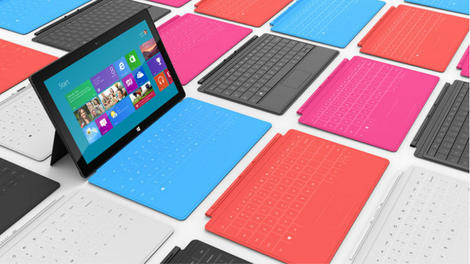
Introduction and features
NOTE: This is a review of the 2012 Surface RT - the new Windows 8.1 RT-powered, Nvidia Tegra 4-based Surface 2 is about to replace it. Also check out what we think about the full-fat Surface Pro 2 as well as Windows 8.1.Microsoft Surface RT was released late in 2012 and was the poster boy for Windows RT, the version of Windows 8 designed for ARM-powered systems. This is a cut-down version of the full Windows 8 operating system.
That means you can only use new Windows apps from the Windows Store. There is NO support for desktop apps such as iTunes, Photoshop, VLC, Filezilla and more, although the desktop is still there for use with the integrated Microsoft Office 2013 apps.
If you need full desktop app support but like the Surface design, there's also an Intel version of Surface running Windows 8 Pro and called Surface Pro.
Other Windows RT tablets and hybrids have been available, including the Asus Vivo Tab RT, Lenovo Ideapad Yoga 11 (though that was replaced with the Intel-powered Yoga 11S), and Dell XPS 10.
But Windows RT has struggled. Sales have been problematic with most companies withdrawing from the market and Microsoft having to take a $900 million USD write down on unsold Surface RT tablets.
That has led to a price reduction amounting to $150 per model (equal to £98, AU$163) - meaning that providing you want one there's actually never been a better time to buy it. Price reductions also abound because the Surface 2 is coming soon. Microsoft says it is still fully committed to RT, and has even announced a version of the forthcoming Windows 8.1 for RT tablets - check out our Hands on: Windows RT 8.1 review.

The Surface RT boasts a distinctive design, helped by those unmistakable keyboard covers, enjoys a 10.6-inch widescreen display, and runs a version of the most popular operating system on the planet. But there's a crippling caveat which might be its undoing.

Windows RT won't run old PC programs, so any trip to the internet to download legacy programs such as VLC Player, or even big-name offerings like Photoshop Elements, just won't work. For that you need Surface Pro, or any Windows 8 device featuring an Intel processor.

It has the potential to cause mass confusion and the power to sink Microsoft's figurehead before it's even taken off.
On picking up the Surface one single sentiment falls from the mouth of every man, woman or child without fail: "It's thicker than I thought."
That is factually nonsense. At 9.4mm thick, it's exactly the same thickness as the iPad 4, except that instead of masking its true girth with tapered edges, Surface's design looks as if it's been chiseled from a slab of slate.
It's square and boxy, but fresh looking and the magnesium 'VaporMg' coating gives it a cool finish.

At 690g Microsoft Surface is noticeably heavier than its rivals. The iPad 4 weighs 650g due to shedding an inch of screen, but Surface feels richer for the extra space.
The 16:9 screen is suited to Windows, it enables you to multitask apps and 'snap' them literally side by side. It feels like you're using a laptop and that's a big leap towards a genuine hybrid experience.
Of course, the rear kickstand is an iconic part of Surface. It's also made of metal, and does a good job of propping up your tablet - to an angle of 22 degrees - even when on your lap.

However, we'd have liked it to be more adjustable – at the moment it has just one position – and a button release would also be handy as you need nimble fingers to pull out the stand.
It's also larger than the iPad - the screen is a 10.6-inch 1366x768 IPS panel, which falls short of the full HD displays of the Sony VAIO Duo 11 and Asus Taichi, but still looks clear and crisp.
It's not going to win any awards for screen vibrancy, and certainly never going to challenge Retina, but it's good enough - and helps Microsoft keep the price down to a reasonable level.

A keyboard-less 32GB Surface costs £399, the same as an iPad 4 with half the storage.
Under the hood is an Nvidia Tegra 3 processor, with the ARM technology that drives this new Windows RT operating system. It's the same you'll find in high flying Android tablets such as the Asus Transformer Prime and Google Nexus 7. There's also 2GB of RAM.
We'd love to say that it walked through every task that we threw at it, but in all honesty, we feel that Tegra struggles in Windows.
The system felt responsive to navigate but apps lingered on their splash screens for uncomfortable periods, seconds longer than they should.

There was no jerkiness or hangs, just a lethargy that frustrates when you're in a hurry.
We tested the 64GB Microsoft Surface, which offers plenty of storage, and even a Micro SDSX port hidden under the kickstand, which enables you to boost storage by another 64GB.
That makes Surface a great deal when you consider that you can get nearly 100GB of storage for the same price as the 16GB iPad. That's also not including the USB port for connecting USB storage, as well as traditional Windows peripherals.
Being able to plug in a memory stick in is especially refreshing, and makes Surface a genuine alternative to the iPad.

There's currently no 3G option for Surface, and with no dongles compatible with Windows RT at present, that's not an option right now.
Of course, one of the headline features is the Touch Cover, the clip-on keyboard that enables you to use your Surface as either a tablet or laptop. It feels shockingly light, as if it's made of cardboard.
Typing takes some getting used to, and the click sound that's used to denote a successful key press is essential to effective typing, as the lack of tactile feedback can be disorientating.
However, the keys are sensitive and speed typing is certainly possible with a few hours of practice.
What's more, despite the flat keyboard feeling like it's been hewn from old egg boxes, it features a multi-touch trackpad, should you want to use a mouse while in the traditional Windows interface.
The Touch Cover maybe a triumph of design but we would heartily recommend investing in the Type Cover for comfortable typing.
This offers a much more natural typing experience, and is one of the most spacious tablet keyboard accessories we've used.
It's much more comfortable and can easily be used for longer periods, but it does have an annoying flex in the middle, so the keys tend to bounce if you're a heavy typist.
We'd still recommend it, but it will cost you: the Type Cover costs an extra £110, rather than £80 for the Touch Cover.
Interface, performance
Microsoft Surface runs Windows RT in its purest and most vanilla form. Windows 8 doesn't have the capacity for skinning that we've seen on the likes of Android, although we wouldn't put it past some manufacturers to add their own awful overlays.If you're not familiar with Windows 8, let us give you a quick synopsis. Windows 8 and Windows 7 are essentially identical, except that the Start menu has been axed in favour of a Start screen, a giant colourfully-tiled HTML 5 overlay, through which everything must be run.
You can drop back to the traditional desktop, but without the Start button, you'll find it extremely limited.

The Start-screen menu is a big jump even for the most experienced Windows user, but it doesn't take long to show its worth, and it's clear after a few hours of use that it's intuitive, beautifully designed and solidly built.
The big tiles, which push information such as new emails and news headlines to you, are super touch-friendly, which is perfect for tablets such as Surface, and can be moved around to create a custom mix not only of apps, but also pin contacts, books, movies and more.
The only criticism of the Start screen is Windows 8's appearance of 'my first PC', and power users are the most likely to bemoan its introduction.
The same back end is present, but to access it one must use the search charms from the right-hand corner.
Of course, there are already hacks and workarounds to restore Windows 8 to its normal state, but for touchscreen devices like Surface, this would be a disaster.
A common misconception is that the traditional desktop isn't available in Windows RT, but that's not true; it's accessed via the desktop tile on the Start screen, but its relevance is severely diminished.
As Windows RT can't run traditional programs you need to use the old style Windows Explorer less, but it's still on hand for browsing file systems, USB sticks, organising folders and more.
The 'charm' bar to the right also includes search and share buttons and these are threaded through every part of the OS, from files to settings, to the information held within apps.

Another triumph is the on-screen keyboard, which is large, sensitive and easy to use. It's not as smart as some third-party keyboards on Android, but we typed with two hands quickly and accurately and the extra inch of screen space made it much easier to use than its iOS counterpart.
We had a few problems with the large keyboard panel blocking information we needed, but the icon to show or hide the keyboard is always on hand in the bottom-right corner of the desktop.
As we've already mentioned, performance is a slightly mixed bag. The system is always responsive, with silky smooth transitions and snappy navigation.
However, we found that some apps were slow to load, with lingering splash screens. What's more, 1080p playback was a few frames per second short of perfect.
While we wouldn't say that the Tegra 3 chip performed appallingly, there's certainly no headroom, and it seems to be the graphics core that struggled most.
Multitasking apps never missed a beat, but it was loading the graphically-intensive apps and movies that showed the biggest strain on the processor.
Even some basic games ran at a noticeably low frame rate, so it seems that Windows RT might need some optimisation.
Browser
With Windows 8, Internet Explorer 10 comes in two flavours, the traditional desktop version and a 'metro' or 'Modern UI' version that runs within Windows RT's HTML 5 Start screen.The former is exactly the experience you'd find on any Windows 7 PC, and the pros and cons of Internet Explorer are covered extensively in our review here.
It works well, is snappy and responsive, but the experience is woeful on a touchscreen device, with tiny areas making navigation painful.
Enter the new Windows 8 version, which offers a touch-friendly interface for users of devices such as Surface.
It takes a little getting used to, with tabs revealed by swiping from the top, for example, and the lack of plug-ins and features again will leave power users frustrated.
The experience is enhanced because all superfluous elements have to be toggled, such as the address bar, options and tabs. You have to swipe from the bottom or top to reveal these features, which leaves the viewing experience clean and pure.
Tilt the tablet into portrait mode and IE reflows the page smartly, although the change was far from snappy and sites often stopped responding momentarily.

Bookmarks, however, are a huge oversight of the Modern UI version of Internet Explorer.
To open a bookmarked site you need to load a blank tab, and then scroll across to one of your favourites. It's unintuitive and unsuited to large amounts of favourites and will certainly cause frustration for people who are used to using large lists of bookmarks.
We also found that compatibility with some sites was lacking, showing that, like the Windows Store, the 'metro' version of Internet Explorer is still a work in progress.

Some sites became unresponsive and sometimes elements wouldn't load. An example of this is close to home: the comments section on TechRadar doesn't load in Internet Explorer, and there are plenty of these types of quirks, or errors as we like to call them, which make using the built-in browser frustrating.
Hopefully Microsoft can iron out these problems quickly, because it does detract from a smooth, clear and visually pleasing experience.
Pinch-and-zoom was fast and responsive, fonts rendered quickly, and sites filled the 16:9 screen to offer an excellent experience.

What's more, with flash support built in, Microsoft has the opportunity to provide the best tablet browsing experience on the market.
Of course, you could try a different browser, but as this is Windows RT you can only choose from what's on offer on Windows Store. At the time of writing, Mozilla is preparing a version of Firefox but it's yet to appear, and there's no Google Chrome or Opera yet.
Media (movies, music, games, books etc)
Media is a key part of any tablet, and while Surface puts its emphasis heavily on multitasking and productivity, it's still a media consumption device.Microsoft has pulled a lot of its services together for Windows 8, including providing two apps which plug into the well-established Xbox Music and Xbox Video apps which are supplied as standard on Surface RT.

These offer movie purchases and rentals and the Music app even enables free streaming of 30 million tracks, with a Spotify-style subscription model.
If you want to know more about these in detail, then head over to the Windows 8 review, but it makes Surface an excellent media-focused device.

The 16:9 aspect ratio means TV and movies look great, and Microsoft has also called in favours with the likes of Netflix for great content from third parties, and we hope there will be more to follow.
In terms of the content on offer from Windows Store and the built-in Xbox Store it's clear that Microsoft is still very much in third place in the lead up to Christmas.

The selection of movies is incomplete, TV shows are too US focused and too expensive, games is a strong area for Windows but it's yet to take off and books are catered for almost soley by Kindle.
As a device for enjoying them, however, Surface works well. The kickstand means you can prop it up to enjoy movies or shows on iPlayer (which work from within the browser in the absence of a dedicated app).

There's also micro HDMI, which means that Surface can be connected to a TV or external display, and used in presentations much more easily than the iPad.
Of course, Surface has a trick up its sleeve that the iPad can only dream of. The ability to watch media files of all types and be able to load them via USB or MicroSD, rather than the annoying proprietary iTunes software, is a big coup for Surface.
Apps and games
One of the headline features of Windows 8 is the introduction of apps, and the Windows Store is the Google Play and App Store of the Microsoft world.As many competitors have seen, having a packed app store is the only way to compete with the likes of the iPad, and Google's rapid expansion of its Play store has been a huge driving force of its recent success.
Unfortunately, Microsoft has not been able to launch Windows Store with anything like enough apps to call its store a success.

We have no doubt that soon Windows Store will be a thriving metropolis of new releases and with a huge install base predicted by the end of the first year, developers should be scrambling over themselves to be a part of Windows 8.
However, we can only review what's in front of us, and at present, the Windows Store is not good enough. The big-name brands just aren't present, and while the store grows every day, the poor selection hobbles Surface's potency as a great tablet.
The staggering part of the problem is that this is basic functionality.
Microsoft is reported to be putting $1bn behind the marketing of Windows 8, but a fraction of this money could have been used to pay for the big name apps to be made: Sky Go, BBC iPlayer, Instagram, VLC, Google Chrome; they're just not there, and it's to Surface's detriment.
There's no shame in putting money behind this kind of project, but allowing early adopters to experience this kind of app abyss is inexcusable.
As a gaming device Microsoft Surface could be potent. While we have highlighted performance questions, there's no evidence of this manifesting in games so far, and as Windows is historically a gaming platform, this could mean an exciting future for tablets such as Surface.
Camera
Tablet cameras are destined to make the user look like a special kind of moron, but in the interests of personal choice Surface is equipped with a 5MP rear camera capable and a VGA front-facing lens. Both can also capture video, both of which can capture 800p video in 16:10 and 720p in 16:9.This is low spec for a modern tablet, and the result is slightly grainy pictures that are unsuited to proper photography.
We found that close-up shots couldn't focus, and in dim lighting conditions our shots became noisy. What's more, there's no flash should you be snapping in dark conditions.

However, when there's an abundance of natural light the quality of shots improves, as you can see from our fetching cat in the above photograph, which is available from all good Turkish bazaars.
Video was better and maintained a decent frame rate at 800p, but the bulk of the tablet, the grainy quality and the effort of firing up the app from the Start-screen tile, before switching into video mode is such that we can't see anyone bothering to capture those impromptu memories on their Surface.
We'd have liked to have seen a better front-facing camera which would be used for chatting via Skype or other messaging apps, but it does nearly as good a job as the rear camera, and the quality is good enough for chatting to friends and family on the web.
In terms of modes, there are few options to tweak your settings or macro modes, though there is a timer feature to snap group shots.

Click here to see the full-resolution image

Click here to see the full resolution image

Click here to see the full-resolution image

Click here to see the full resolution image

Click here to see the full resolution image

Click here to see the full resolution image

Click here to see the full resolution image
Battery life and benchmarks
Battery life
If you need one good reason for Microsoft developing Windows 8 for ARM processors and possibly creating mass consumer confusion with Windows RT it's battery life - so the benefits need to be immediately apparent.Fortunately, battery life was a huge success on Microsoft Surface, with fantastic longevity which puts it among some of the longest-lasting tablets money can buy.
We looped a 1080p WMV video in the built-in app that ships with Windows RT until the battery died, a test we run on every tablet that graces the TechRadar testing lab. Under these conditions Surface lasted an impressive 450 minutes, equaling a gob-smacking 7 ½ hours. This is nearly two hours longer than the iPad 3, which suffers from powering that glorious Retina display.
To put the benefits of Windows RT in perspective, the Sony VAIO Duo 11 lasted just 2 ½ hours under the same conditions. This is thanks to its power-hungry Intel Core i5 processor, which is the same you'll find at the heart of full-sized Ultrabooks.
It's also impressive in everyday use, with a standard day of use barely making an impression on the meter, and Surface can easily last for three days on a single charge, with moderate use.
Benchmarks
In terms of processor performance, the results backed up our initial observations regarding general performance.Sunspider, which tests Java performance, logged a result of 1060 ms which is strong, but the more graphically-intensive PeaceKeeper returned a score of 337, which puts it way behind the iPhone 5 (907) and Samsung Galaxy SIII (680).
Interestingly, the Google Nexus 7 also stormed ahead with a score of 489 despite featuring the same Tegra 3 chip.
Sound quality isn't great from Surface's in-built speaker, and it's worth investing in a pair of headphones. It's not as loud as the iPad and the sound is tinnier, with the single speaker grill located on the top right, leading to a poor balance of sound.
SunSpider 1060.7 ms
PeaceKeeper 337
Hands on gallery

Official gallery


Verdict
Microsoft Surface is a strong entrance to the world of PC hardware for Microsoft, and as a device it's certainly highly recommendable.The solid build, kickstand, the associated rage of keyboards and big screen make it adept for both work and play, and it's the closest device we've seen to a true hybrid.
It's not the world's most advanced tablet and performs solidly without excelling in any particular area. A great example of this is the screen is bright and clear, but relatively low resolution compared to new kids on the block like the Sony VAIO Duo 11.
Another is the processor, which noticeably struggles at the highest graphical demand. However, the lack of Windows Store apps means that Surface is still firmly a device for early adopters.
Anyone who forks out the £399 basic price will have to lump the lack of big-name apps for the foreseeable future, and by the time this problem is overcome, we could see a refreshed Surface.
But Surface represents a great value tablet that will get stronger with time, so if you're looking for a superb all-round Windows tablet which can double as a work machine, with bags of potential and head-turning appeal, then Surface should be high on your list.
We liked
The great build and built-in kickstand is a key part of Surface, and provided us with plenty of pleasing moments when we momentarily searched for a place to prop up our tablet before remembering there was no need.The detachable Touch Cover and Type Covers with their multi-touch mouse trackpads for working in the traditional Windows environment were also some of the best mobile keyboards money can buy, and the lack of hassle in linking via Bluetooth, and the associated power drain with wireless technology makes Surface a true laptop replacement.
We disliked
The Windows Store needs a lot of work, fast. With the potential of Windows 8 being able to run across PC, tablet and the allure of a well-received Windows Phone 8, it shouldn't be hard to attract developers.However, here we are, with a predictable shortfall in apps which will slow the pace of adoption, which will in turn slow the pace of developer attention. Microsoft needs to break this cycle.
The loading time of Windows apps was also disappointing, as was the drop in frame-rate on our 1080p video tests. While the latter was barely noticeable and wouldn't catch the attention of 90% of Surface buyers, the time spent looking at app splash screens was a cause of irritation.
The interface and navigation of Windows 8 needs to be snappier on Surface, and then consumers will appreciate it.
Final verdict
Surface makes you want to pick it up and play, pleases you with the delivery of Windows RT and the live tiles make it feel personal and alive.Performance is a real issue, but since Tegra is at the heart of high performing tablets, we hope that RT can be tweaked to iron out slowdown issues.
Microsoft's hardware designers should be applauded for delivering a solid tablet which delivers a great experience, but now it's down to the fortunes of the Windows Store to decide whether Microsoft Surface is remembered in history.

| |
Read More ...
Updated: iPad 5 release date, news and rumors

The announcement of the iPad 4 during Apple's October 2012 event came as a surprise to many, but one expert was quick to predict that the company would release a thinner, lighter iPad 5 in early 2013.
According to Ming-Chi Kuo, an analyst for KGI Securities, the fourth generation full-sized iPad (and the iPad mini, which was launched at the same event) might not be enough to fend off competitors. Kuo cited Microsoft's Surface tablet as posing a particular risk to Apple's dominance. Hey, don't laugh, Surface has grabbed 7.5 per cent of recent market share, and Surface 2 has popped out too now.
Now we have a more likely release date, more pictures apparently showing the device in all its glory (with components too) so read on to find the best information rounded up from the web about the new iPad.
Check out our iPad 5 rumors video below:
iPad 5 release date
Our current thinking is that we'll see the iPad 5 launched at an event some time in October 2013, the the 15 Oct the most likely date at the moment. Given the comparative schedule of last year's iPad Mini and iPad 4 launch, this seems to make a lot of sense.Digitimes reported on 19 November 2012 that the iPad 5 release date would be "around the middle of 2013", while on 24 December 2012, an "inside source" talking to Japanese site Macotakara, wrongly pegged the new iPad release date as March 2013.
Citing an April release, apparently knowledgeable sources revealed to iMore in March that the iPad 5 would be available in April. Given the date now, those sources might want to re-label themselves as "not at all knowledgeable".
On 25 January, iLounge editor-in-chief Jeremy Horwitz, claiming to have seen the new iPad 5, wrote that the fifth-gen iPad would not go on sale until October 2013. That sounds more likely to us, and looks to have been validated as the month approaches. Horwitz also said that the iPad mini 2 would be launched in the same month.
We've also heard, via a report on International Business Times, that Apple is ditching Foxconn as its iPad-manufacturing partner due to the "unreliability" of the Chinese firm (which also happens to be producing Android handsets and recently announced its own wearable tech that could compete with the iWatch).
Apparently, this split is causing a delay in getting those new iPads made, although the supposed delay puts the iPad 5 release date sometime in the Autumn, again corroborating what we're hearing.
iPad 5 price
When Apple introduces a new product it's usually priced to match the one that it supersedes. So with this in mind, we're looking at US$499 (£399, AU$539) for the Wi-Fi-only 16GB iPad 5, US$599 (£479, AU$649) for the 32GB model, US$699 (£559, AU$759) for the 64GB and US$799 (£639, AU$869) for the 128GB iPad.International Business Times doesn't necessarily agree, though. In a 1 July report, the site talks of how it's "speculated" (by who, we don't know) that Apple will price the iPad 5 at $100 less than the $499 launch price of the iPad 4. Why would it do this? Because the iPad 2 is due to be discontinued and Apple wants "something in the $399 spot," writes IB Times. Hmmm.
It seems more likely the iPad 4 would occupy this slot, or slightly lower, with Apple maintaining its love of incredibly high profit margins for products that don't cost a whole lot to make.
iPad 5 features and specifications
Apple gave the iPad 4 a new A6X processor system-on-a-chip, which it claims to be twice as fast as the previous iPad.It also gained the new lightning connector and better LTE support. But that's all the new features iPad fans got with the fourth-gen tablet.
And considering the current iPad is the same weight, thickness and price point as its predecessor, it's very possible Apple is looking to produce a slimmed-down version.

It seems also certain that we'll see a version of the A7 processor used in the iPhone 5S, and possibly even an uprated A7X, to allow the inevitable Touch ID fingerprint scanning and better graphical processes that the new iPad will be packing.
And could it come in Space Grey? Certainly seems that way, given the iPhone 5S did the same and recent pictures have shown the same.

We've also seen that it could be lighter, through removing one of the LED light bars to power the screen's brightness, which would mean less power needed and a smaller battery - or the lightbar itself could be thinner, according to analysts.
iLounge's Jeremy Horwitz claimed in January 2013 that the iPad 5 has virtually no left or right bezels in portrait mode, with just enough space above and below the display for the home button, sensors and front camera.

The iPad case designs that subsequently leaked in February and April suggest that this claim could be correct.
The other big thought is that the new iPad 5 will need to be lighter, to match up to the likes of the Sony Xperia Tablet Z which currently is the reviewers' favourite.
To this end, analysts and supply chain sources believe the battery reduction and improved manufacturing processes will see a 15% thinner iPad and one that's between 25%- and 33% thinner than the current model, taking it under 500g.
iPad 5 dimensions
Want to see the rear casing for the new iPad? Then you're in luck. On 22 April, accessory maker Tactus posted a photo to its blog, showing what it says is the rear shell for the iPad 5.
It's not the most fascinating picture we've seen but it does suggest that the new tablet will retain the 9.7-inch screen size that was introduced with the original iPad. The blog post also claims that the iPad 5 will be 7.2mm thick, slimming down from the current-generation's 9.4mm.
On 29 July, French tech site nowhereelse.fr posted what it claimed to be leaked schematics of the iPad 5, writing that the design has been modeled on the iPad mini. "If my calculations are correct, the iPad 5 would measure around 232mm long and 178.5mm wide against 241.3mm long and 185.8mm wide for the iPad 4," added the article author. (Google Translation)
iPad 5 display
The new iPad 5 could pack all new display technology when it launches, using "GF DITO" (or GF2) touchscreen tech to make it 23 percent thinner and 53 percent lighter than its bigger brother.Last year, analyst Paul Mueller predicted the new iPad would have a 16:9 ratio screen, claiming he'd talked to sources who had seen it. This is really unlikely to happen, given the amount of work Apple would need to do to bring its apps in line, and how much effort it's put into convincing the world of 4:3.
But who will be producing the display for the new iPad? Not Samsung, reckons GottaBe Mobile, claiming that Apple is "actively moving away from Samsung for the next generation of mobile products."
The ever-present DigiTimes reckons the iPad screens will be supplied by LG and Sharp, but then again given the accuracy of that site it could be made by Ford for all we know.
iPad 5 processor
As we mentioned earlier, the new A7 chip is a cert to be used in the new iPad 5, if not an upgraded version that's designed for the larger tablet.Patently Apple lent weight to the notion of Apple taking its processor manufacturing business away from its best buddy Samsung, citing a report published on 10 April 2013. According to the report: the "chasm between Samsung Electronics and Apple is expected to widen further as Apple has excluded its Korean rival from a project to develop A7 application processors due to be released in the first half of next year."
KGI Securities analyst Ming-Chi Kuo reckons that the Apple/Samsung partnership has some life left, though, which would make sense given Samsung made the recent chip in Apple's iPhone.
As picked up by MacRumors on 17 April, Kuo wrote that the iPad 4 would be powered by an A7X processor and that Apple would be staying with Samsung for this chip at least.
Other iPad 5 features

It's possible that the new iPad will feature a vibrating mode for message alerts and haptic feedback (within games, for example). This news comes courtesy of Patently Apple, which reported on March 21 that Apple has applied for a patent for "an audio codec with vibrator support". Click the image on the left to view full size.
Accessory maker Tactus reckons the rear-facing camera will be getting an upgrade, increasing resolution from 5MP to 8MP.
We're hearing a rather unlikely rumor from IB Times that the iPad 5 might come with a stylus. The rationale for this is that the Samsung Galaxy Note 8 and the Galaxy Note 10.1 both come with a stylus and Apple is in competition with Samsung.
Also, "many people" reckon the iPad needs a stylus for the iPad drawing apps, says the May 6 report, which forgets to mention that you can already buy third-party iPad styluses. Hmm. Needs more salt, this one.
iPad 5 case clues
It seems that case manufacturers believe that the iPad 5 will take its design cues from the iPad mini, being thinner than the current iPad, and with smaller side bezels, which fits with Horwitz's observations.Accessory maker Minisuit supplied MacRumors with pictures of iPad 5 cases that it has created based on what it believes to be the correct iPad 5 dimensions. The cases are slightly smaller than the iPad 4 ones and feature a hole on the back for the supposedly relocated microphone.
And as we reported on 26 February 2013, another third party case manufacturer - this time Shenzhen Sinofly Electronic Company Limited - has also begun to produce iPad 5 cases with a form factor more in line with the iPad mini.
What may or may not be actual Apple iPad 5 cases appeared online on 10 April. If genuine, these cases also show that the iPad 5 will have thinner bezels, as well as retaining the home button and front-facing camera. And as the case is white, we can assume that the white edition of the iPad isn't going anywhere.
On 16 April 2013, supposed iPad 5 cases appeared again, this time at the Hong Kong Electronics Fair. As posted on engadget, these third-party cases, apparently based on leaked specs, also suggest an upcoming iPad that'll be slimmer than the iPad 4 as well as featuring thinner, iPad mini-like left and right side bezels when in portrait mode.
Then we got two more leaks in quick succession. On 5 August 2013 we were given another look at what may or may not be an official Apple iPad 5 case, and just a few hours later a video surfaced which suggests that the Apple logo on the rear of the next iPad may be illuminated.

On 8 August, Macrumors reported that Macfixit Australia divulged a series of images "from the company's supplier" stating they are the iPad 5's front panel and digitizer.
The leak says the tablet will now have two connectors instead of one, and also include the following change: "FFC (Flat Flexible Cable, like the iPad 2/3/4) to FPC (Flexible Printed Circuits, like the iPhone 4/5)" further showing that Apple is intent on creating a slimmed down tablet.
Macfixit also claims the display area is the same as the iPad Retina and that the ITO (Indium tin oxide) is exactly like the iPad mini.

A video has surfaced and may very well show the casing for the iPad 5, though please take those words with a grain or two of salt.
Unlike new iPad images picked up by FantasticFone, the silver back here has a transparent or translucent logo. There's a screen on this case too, but there's not much to gather about that particular piece.
On 28 August, pics of the iPad 5's front panel surfaced again, this time in two dozen photos posted at SonnyDickson.com. The shots show the front panel from multiple angles, highlighting the the thinness of the iPad 5's bezels as well as capturing a couple of the new tablet's connectors.
On one 10 September, the same day as the iPhone 5S launch, Sonny Dickson treated us to over 100 high resolution iPad 5 photos, which show the supposed iPad 5 from all angles, matching the shell design we saw in a previous video leak - although the square in the home button hints that there may be no Touch ID fingerprint scanner on offer.

iPad 5 wireless charging?
A patent first filed by Apple in September 2011 that AppleInsider discovered on 14 March 2013 reveals that Apple is looking into equipping its iPad Smart Covers with induction coils so that you'll be able to charge your iPad simply by closing the cover.The patent, called "Integrated inductive charging in protective cover," talks of "an inductive power transmitter arranged to wirelessly pass power to a corresponding inductive power receiver unit disposed within the tablet device."
There are two ways this technology could work. One is that the cover is charged from the mains and it transfers this power to your iPad. The other, as theorised by Mark Hattersley at MacWorld, is that the cover "takes power wirelessly from a plugged-in iPad and stores it in an internal battery. It then sends it wirelessly in the other direction when you use the device."
iPad 5 accessories
The iPad 5 may launch with an official Apple gaming joypad if a report by Pocket Gamer is to be believed. According to the report, Apple held secret meetings with developers at GDC 2013, where it discussed the games that would support the controller at launch.Should this device exist, it could also launch alongside the rumored Apple iTV. As Pocket Gamer notes: "Given the opportunities a dedicated controller would provide in the living room, we'd expect it to be part of a large announcement also revealing Apple's wide TV strategy, including a direct assault on the console businesses of Sony and Microsoft."
iPad 5 mockups
Federico Ciccarese of CiccareseDesign has produced some renders for MacRumors showing how the new iPad might look, with its smaller bezel allowing a shrunken case with the same screen size as the current iPad.The mockups were based on leaked images of a supposed iPad 5 shell which were posted to 9to5Mac on 28 January 2013.

| |
Read More ...
Available Tags:Apple , Steam , Windows 8 , Microsoft , Windows , iPad , Sony , Samsung , Galaxy , HTC , Android , Valve , Facebook , rumors ,


No comments:
Post a Comment