

GIGABYTE Launch H81 Series Motherboards
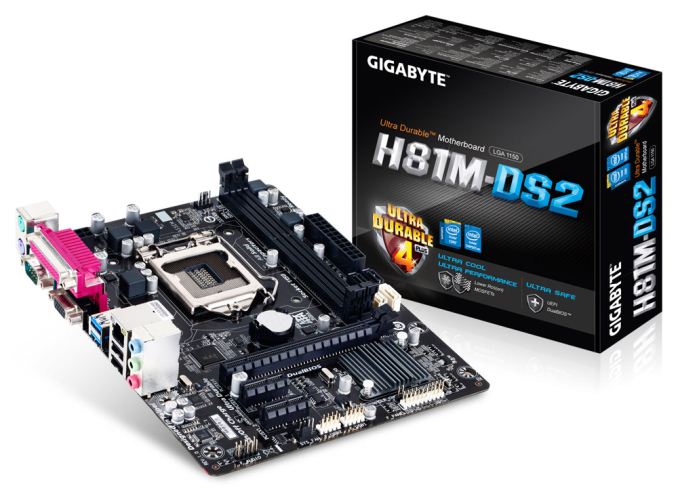
To put H81 into perspective, the chipset offers two SATA 6 Gbps ports, two USB 3.0 ports, no RAID, no Smart Response Technology, a single PCIe 2.0 x16 from the CPU and six PCIe 2.0 lanes from the chipset.
GIGABYTE's H81 range covers both thinner ATX and micro-ATX motherboards, where PCIe 2.0 x1 and PCI ports occupy the extra slots down the motherboard. The range will have seven SKUs, four of which are available online:
GA-H81M-HD3
|
H81M-H
|
H81.AMP-UP
|
I rarely (once or twice a year) get requests to review motherboards based on entry-level chipsets - there is not much to test and rarely anything new for comparison or explanation. However this PR gives an opportunity to ask our readers if you would be interested in such a review?
Update 08/25: Since the initial PR, GIGABYTE have upped the number of H81 motherboards to 10:
This list now includes access to the HD3, the D2V, and D3V, all of which feature the USB 3.0 hub as mentioned in the original PR.


Read More ...
Acer V7-482PG-9884 Review: Everything You Need
There’s a careful balancing act that needs to be maintained when putting together any system. Cooling requirements need to be kept in check by size constraints, performance ties into both of those as well, and let’s never forget the almighty dollar. Various other elements are also at play like build quality, aesthetics, and other extras. Generally speaking, it’s impossible to build a single product that will get every area right for every person out there, and so we end up with the usual give and take. Acer’s Aspire V7 laptop is an interesting mainstream offering that won’t be the fastest system out there, and it’s not the lightest laptop you’ll find either; in fact, the list of what it’s not is almost as long as the list of what it is. The sum however ends up being greater than the value of the parts, and overall it’s a good laptop. Read on to find out what we like, as well as what areas Acer intentionally chose to deemphasize in their pursuit of a well-rounded mainstream Ultrabook.
Read More ...
Choosing a Gaming Laptop, Back-to-School 2013 Edition
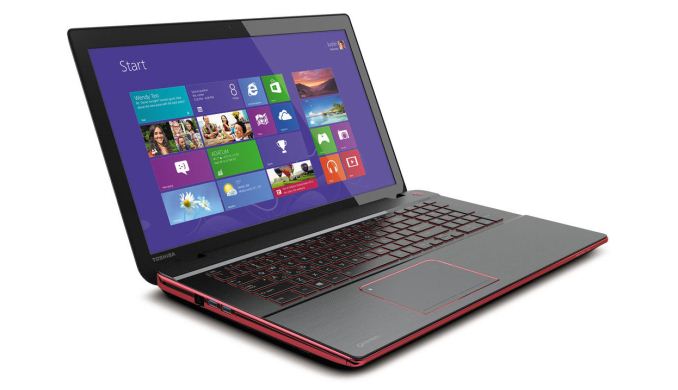
Budget Gaming Laptops
Defining “budget” for a gaming laptop can be tricky, but for our purposes we’re going to use a wider than normal range of $500 to $800. The reason for the gap is so that we can cover laptops that meet the bare minimum performance level we deem necessary for gaming, while at the same time giving us a chance to look at various higher performance alternatives. Compromise is going to be a major factor in selecting a budget gaming laptop, unfortunately – you’re just not going to find something with good performance and a good screen at this price point.
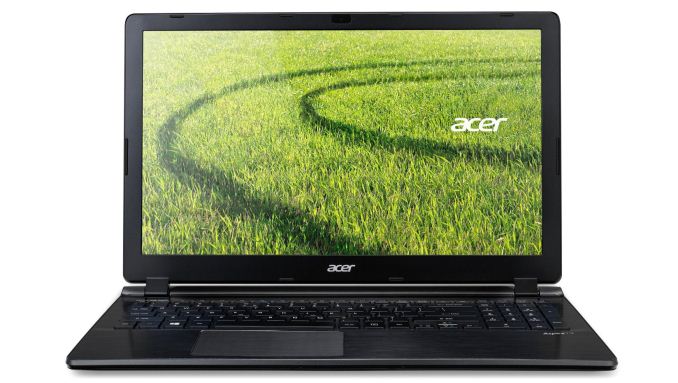
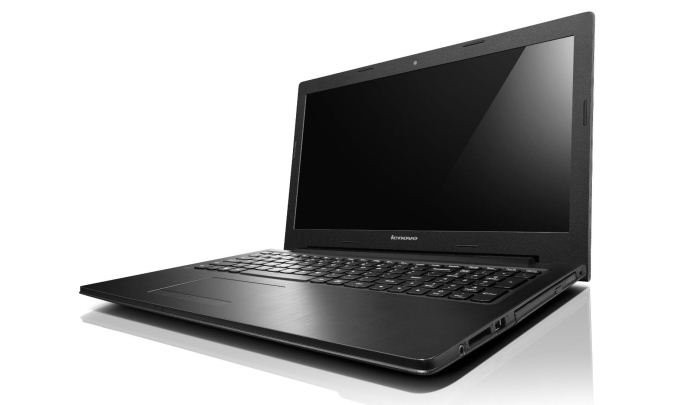
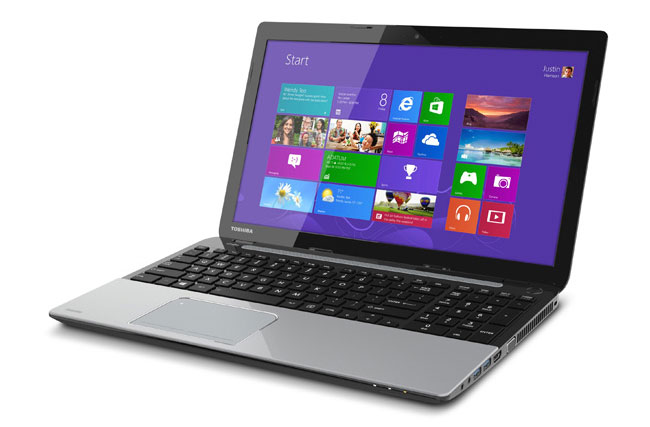
The more important element is the GPU, and for that you get the GeForce GT 740M 2GB DDR3, basically a higher clocked version of the GT 640M/645M/650M from last year. That should be plenty fast for gaming at the native 1366x768 at Medium to High detail, though the 4GB system RAM is perhaps a bit limiting. Thankfully, there are two SO-DIMM slots, so you can upgrade pretty easily to 8GB or even 16GB RAM if needed. Don’t expect too much battery life from the 43Wh battery – around 3-5 hours of non-gaming use I’d estimate. As for performance, we haven’t personally benchmarked the GT 740M DDR3, but you can expect 25-75% better gaming performance than the AMD iGPU in most situations.
Midrange Gaming Laptops
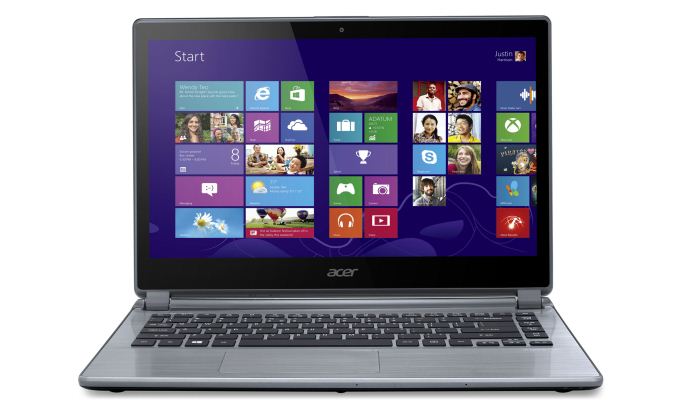
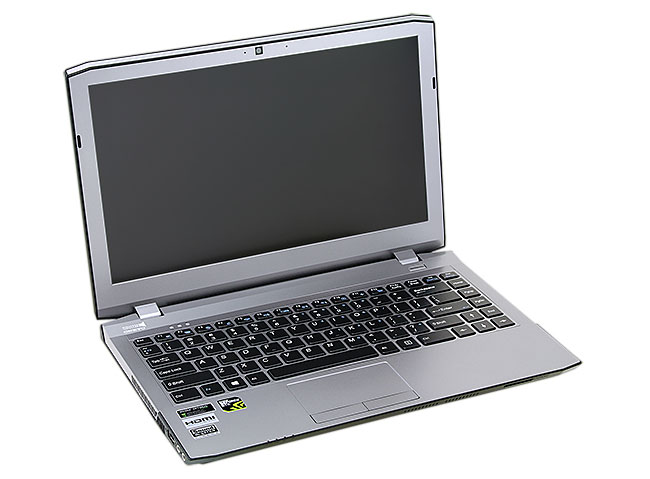
For midrange gaming, our price target moves up to $1000-$1500; yes, that’s a large range again, but we’ve got a few options to cover and the only remaining category is the $2000+ laptops. For midrange gaming laptops, it really depends on what you’re after – do you want good performance at 1080p with High/Max settings, are you okay with Medium settings at 1080p, and are you willing to accept a lesser display if it means better performance? While there are several qualifying laptops for this category, I want a good display if I’m spending over $1000. Ultimately, in the midrange category there are two ways to go and three laptops I’d choose between. For size and battery life considerations I’d go with the Acer V7-482PG, but for pure performance I’d go for the Clevo W230ST or Alienware 14. Here’s the short overview.

High-End Gaming Notebooks
At the high-end of the mobile gaming market, I’m going to skip rehashing the upgraded AW14, and for $2000+ there’s really only one GPU I’m looking for: NVIDIA’s GTX 780M. I actually have some interesting data that I need to get out at some point regarding the 780M, but the short summary is that you can end up CPU limited by the i7-4700MQ in some games, so you might want to look at a faster CPU like the i7-4900MQ. There are several different notebooks that support the GTX 780M, and they’re all going to be very expensive as well as very fast. What makes one notebook better than another at this price is often highly subjective – some like Alienware’s 17 aesthetic, others prefer the MSI GT70, and still others are more concerned with getting a good keyboard layout (which is also highly subjective). Here’s a short (and probably very incomplete) list of the notebooks and resellers with the GTX 780M:
GeForce GTX 780M Notebooks |
||
Laptop Model |
Where to Buy? |
Price Range |
Alienware 17 |
Amazon, Dell |
$2150-$3700+ |
Alienware 18 |
Amazon, Dell |
$3364-$5150+ |
Clevo P150SM/P157SM |
AVADirect, CyberPowerPC, Eurocom, Mythlogic, Sager, XoticPC, etc. |
$1650-$5000+ |
Clevo P170SM/P177SM |
AVADirect, Eurocom, Mythlogic, Sager, XoticPC, etc. |
$1650-$5000+ |
Clevo P370SM/P375SM |
AVADirect, Eurocom, Mythlogic, Sager, XoticPC, etc. |
$2400-$6000+ |
Clevo P570WM |
AVADirect, Eurocom, Mythlogic, Sager, XoticPC, etc. |
$2800-$6000+ |
MSI GT60 |
Amazon, AVADirect, iBUYPOWER, Newegg |
$1650-$5000+ |
MSI GT70 |
Amazon, AVADirect, CyberPowerPC, iBUYPOWER, Newegg |
$1750-$5000+ |
You can get a reasonable configuration from most of the Clevo/MSI resellers without spending too much money (relatively speaking); my general recommendation is i7-4800MQ (the 4700MQ is usually fast enough, but there are times where you’ll hit CPU bottlenecks in some games), GTX 780M of course, 8GB RAM (or 16GB if you want a bit more), and then either a single large 480/512GB SSD (mSATA if you want to keep the 2.5” slots available) or a smaller 120-256GB SSD for the OS and apps and a large HDD. Throw in 802.11ac when available and you’re usually looking at a final price of $2000-$2500, depending mostly on your choice of storage. On the other hand, if you want to max out the CPU with the i7-4930MX and include gobs of RAM and SSD storage, you can typically hit $4000 or more, but that’s mostly just being silly.
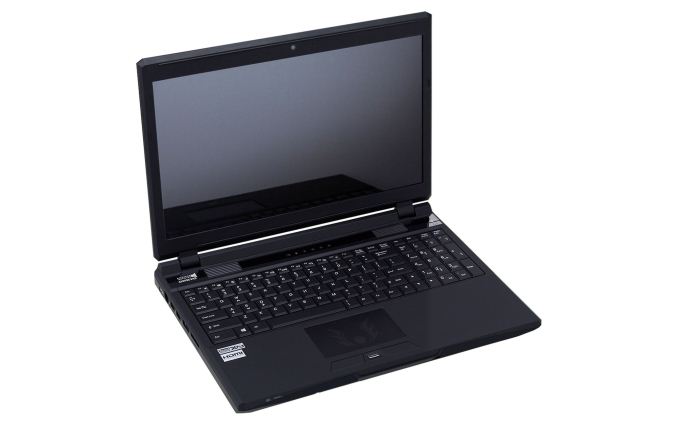
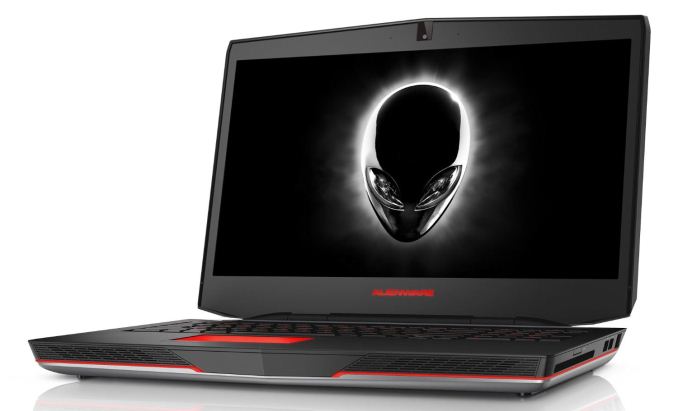
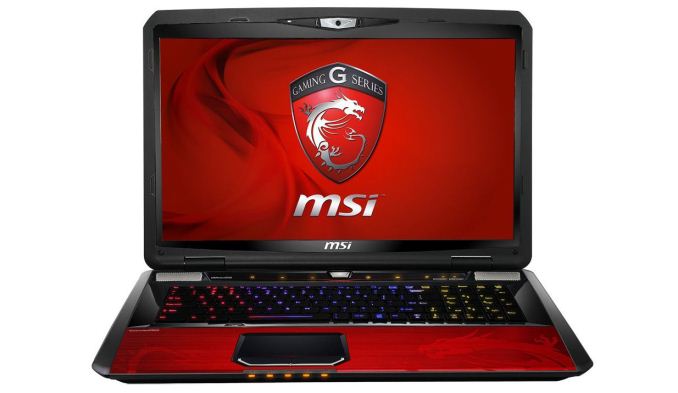
Of course, the GTX 780M isn’t actually required for a good gaming experience; the GTX 770M has fewer cores than the previous generation 680M, but it runs them at a higher clock; it’s generally going to be a step down from the 680M and yet still sufficient for 1080p gaming with most of the details cranked up. You can shave off more than $300 from the price of the above notebooks if you configure them with a GTX 770M, and if you’re sticking with the i7-4700MQ it may be a better fit overall. There are also several other laptops with the 770M that are worth considering, namely the ASUS G750JX and Toshiba Qosmio X75. Aesthetically I don’t know that they’re any better than the other options already discussed, but you can get the G750JW with a 256GB SSD and 1TB HDD for $1900, or the Qosmio X75-A7295 mentioned above.
Closing Thoughts
If you can’t tell, sorting through the currently available “gaming laptops”, there’s not a single one that stands clearly above the rest. All have potential things they do well, and all have potential concerns, be it thermal, aesthetic, performance, keyboard, screen, etc. It ends up being a question of choosing where you want to compromise, not to mention the price. I’ve tried to sort through the best currently available options, and quite possibly I missed one or two alternatives. If you’ve got a favorite I didn’t mention above (or if you know of a sale currently applicable to any gaming notebook that would make it a good option), let us know in the comments.
Read More ...
The Nexus 7 (2013) Review
Truth be told, Google has made (or at least directed the making of) some of the best tablets on the market today. The original Nexus 7 was groundbreaking in that it offered a totally usable platform, married to the latest version of Android, for $199. The Nexus 10 gave us a very quick, ultra high resolution 10-inch tablet for $100 less than the flagship iPad (and with more storage). Both were easily recommendable due to their value, but this year Google is stepping out of the shadow of value and into one of excellence. It starts with the new Nexus 7.
Read More ...
Nexus 7 (2013) JSS15Q OTA Update Rolling Out - Fixes GPS/GNSS and Multitouch Issues
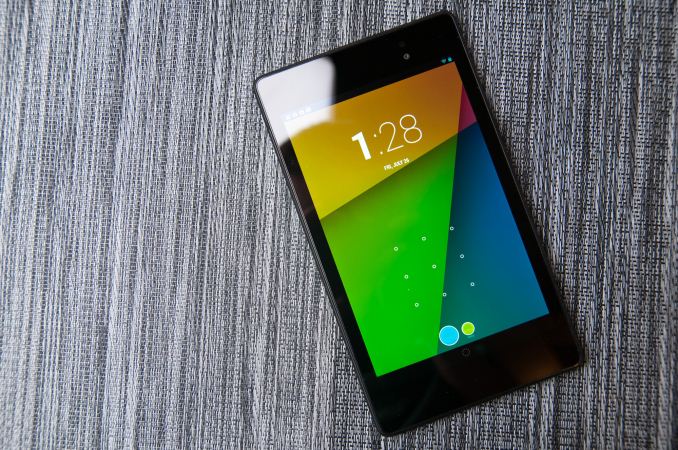


Users can either wait for the OTA update to hit their devices, or re-flash with the full factory image which Google has also updated via the link below.
Source: Factory Images for Nexus Devices
Read More ...
Humble Bundle: Origin Edition [Updated]


As an added bonus, if you pay more than the current average Humble Bundle price ($4.80 at the time of writing), you get two additional titles. Battlefield 3 ($19.99) hardly needs an introduction, and the same goes for The Sims 3 (Starter Pack – $29.99). The Starter Pack comes with the main game as well as the High-End Loft and Late Night expansion packs. So, less than $5 can currently net you eight games, most of which are worth a look, and all of which are big budget titles.
The hook for the Humble Bundle is that you get to choose how your contribution is distributed. You can given any percentage to one of five charities (Human Rights Campaign, Watsi, San Francisco AIDS Foundation, American Cancer Society, and American Red Cross), or you can give a “Humble Tip” to the Humble Bundle people for their time and bandwidth involved with the promotion. You can also gift the purchase to someone else if you like.
Of course there’s always a catch, right? Sure, and this time it’s pretty simple: some of the games as you might have guessed have to be used through EA’s Origin service. Now, I didn’t much care for the initial launch of the EA Downloader, which later became Origin, but things have at least improved. I don’t know that it’s equal to Steam, as transferring games between computers is a bit more of a pain, but it’s not terrible at least. Of the eight titles, three are only available with Origin (Battlefield 3, Dead Space 3, and The Sims 3 – these things come in threes or something?); the other five games can be used with either Steam or Origin – or even both! How’s that for generous?
The instructions note that you redeem the codes for the Sims 3 through the Sims 3 web page, but the instructions from EA for redeeming the expansion packs are incorrect: you need to redeem those through Origin (or via "Register a Product"). At least when I did it, the Sims 3 My Store Account section has “Redeem a Code”, but it only has blocks for four parts of the code, and my codes were five blocks of four characters. Oops. There was also some sluggishness with Origin as I was writing this, perhaps caused by a deluge of Humble Bundle downloads.
However you want to look at it, for practically free you can enjoy some of the past three or four years of gaming action. That’s a price that’s hard to beat, and hey: it’s for charity, so feel free to be generous! There are currently just under 12 days remaining on this offer.
8/22/2013 Update: Humble Bundle just sent out a note that they've added Red Alert 3: Uprising and Populous to the Humble Origin Bundle. Anyone that has already purchased the bundle receives the keys, along with any future purchasers. For what it's worth, I have fond memories of playing Populous back in the day, on an Amiga no less, but I have to admit it's getting a little long in the tooth. Anything that requires DOSbox to run might be better served living in your fond memories instead of being dusted off to discover how badly it's aged. Well, except for Wasteland....
Read More ...
CyberPowerPC Gamer Xtreme 5200 Desktop Review
The CyberPowerPC Gamer Xtreme 5200 system comes with this generation's best and brightest in a shiny new Intel Core i7-4770K and an AMD Radeon HD 7990. So why were we left a little cold?
Read More ...
GIGABYTE F2A85XN-WiFi Review: FM2 and Richland in mini-ITX
Mini-ITX is an exciting form factor, as with every CPU generation we can make something small and faster with better features over the previous gen. GIGABYTE recently released a mini-ITX motherboard for AMD APUs, and we have it in to test – the F2A85XN-WiFi.
Read More ...
Samsung’s V-NAND: Hitting the Reset Button on NAND Scaling

Although scaling transistor size helped address the cost-per-bit problem, it created a new one: decreasing endurance and performance. Just looking at what’s happened to IMFT NAND over the past few generations gives us an idea of what we’re dealing with:
| Micron NAND Evolution | ||||||||||||
| 50nm | 34nm | 25nm | 20nm | 20nm | 16nm | |||||||
| Single Die Max Capacity | 16Gbit | 32Gbit | 64Gbit | 64Gbit | 128Gbit | 128Gbit | ||||||
| Program Page (typical) | 900 µs | 1200 µs | 1300 µs | 1300 µs | 1600 µs | ? | ||||||
| Rated Program/Erase Cycles | 10000 | 5000 | 3000 | 3000 | 3000 | ~3000 | ||||||
The root cause is basic physics. To store 2 bits per cell in present day MLC NAND, we’re talking about counting a couple dozen electrons. Go to 3 bits per cell (TLC NAND) and the difference between levels shrinks further. Scale down to 14/15/16nm NAND and everything gets more difficult. We’re heading towards a situation where the difference between levels in a NAND cell are a matter of a handful of electrons.
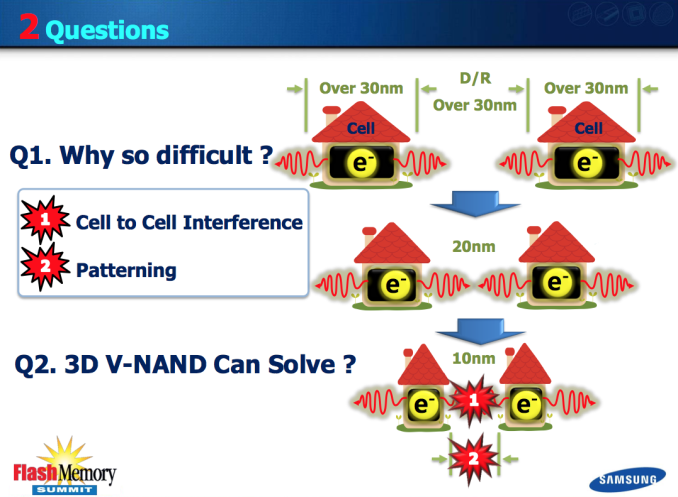
Measuring such subtle differences in stored charge is difficult, especially when NAND cells continue to shrink and are packed very tightly together. Interference between the cells becomes a much bigger concern below 20nm. Back at 50nm these sorts of issues were easy to mitigate with decent controllers and good quality NAND. Now we’re seeing more sophisticated ECC and DSP-like work being done by the controller in order to get accurate data in/out of the drive.
Scaling of traditional NAND via smaller manufacturing processes will come to an end. I’ve heard estimates saying we’ll see one or two more shrinks before it becomes unfeasible to scale cell size any further. The question then becomes: what’s next?
Last week Samsung gave their answer: V-NAND, a 3D NAND leveraging charge trap flash technology.
How it Works
Rather than increasing density by shrinking cell size, Samsung’s V-NAND takes a few steps back in process technology and instead stacks multiple layers of NAND cells on top of one another.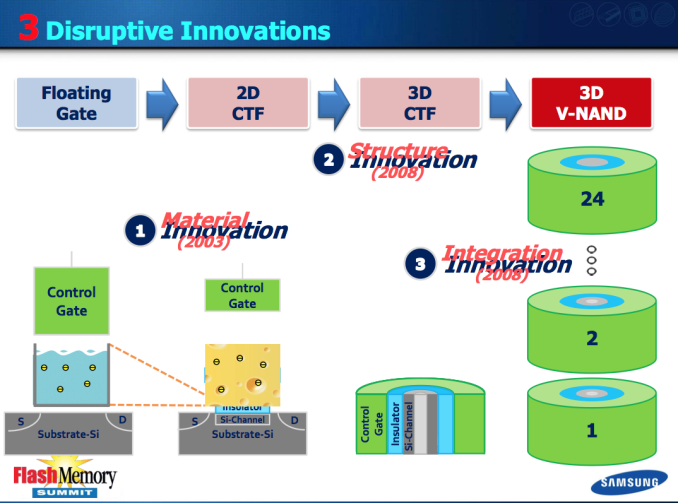
The change isn’t so simple. I’ve used the floating gate transistor diagram in many of our big SSD articles in the past, but that cell design doesn’t apply to V-NAND. In the floating gate MOSFET, electrons are stored on the gate itself - a conductor. Defects in the transistor (e.g. from repeated writes) can cause a short between the gate and channel, depleting any stored charge in the gate. If the gate is no longer able to reliably store a charge, then the cell is bad and can no longer be written to. Ultimately this is what happens when you wear out an SSD.
With V-NAND, Samsung abandons the floating gate MOSFET and instead turns to its own Charge Trap Flash (CTF) design. An individual cell looks quite similar, but charge is stored on an insulating layer instead of a conductor. This seemingly small change comes with a bunch of benefits, including higher endurance and a reduction in overall cell size. That’s just part of the story though.
V-NAND takes this CTF architecture, and reorganizes it into a non-planar design. The insulator surrounds the channel, and the control gate surrounds it. The 3D/non-planar design increases the physical area that can hold a charge, which in turn improves performance and endurance.
By going with an older process, Samsung inherently benefits from higher endurance and interference between cells is less of an issue. Combine those benefits with the inherent endurance advantages of CTF and you end up with a very reliable solution. Whereas present day 19/20nm 2-bit-per-cell MLC NAND is good for around 3000 program/erase cycles, Samsung’s 30nm-class V-NAND could withstand over 10x that (35K p/e cycles).
The move to an older process node doesn’t even come at a reduction in density thanks to just how high Samsung can stack its V-NAND. In its announcement last week, Samsung introduced a first generation 128Gbit MLC V-NAND solution with 24 layers. The 128Gbit device delivers 2x the density in the same physical space as a 19/20nm 64Gbit device, or roughly equivalent density to a traditional 128Gbit planar device at 15nm - the obvious benefit being better endurance, and performance.
Since we’re dealing with physically larger NAND cells that are also less susceptible to certain types of interference, program times are lower - meaning that performance is higher. With fewer retries required for all reads/writes, overall power consumption can be lower as well. At the end of the day, it’s just a better solution.
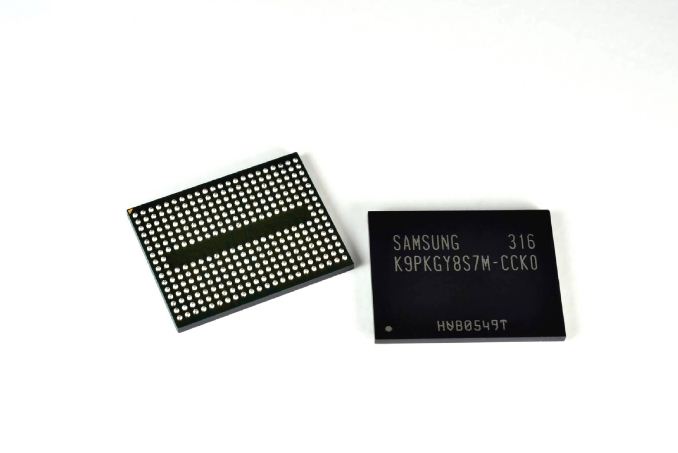
Samsung went one step further and announced that it was sampling an enterprise SSD built around V-NAND to key customers. Since V-NAND is presently only available in a 128Gbit density, capacities aren't anything earth shattering but I suspect that'll change soon enough. It’s too early to talk about pricing and availability unfortunately.
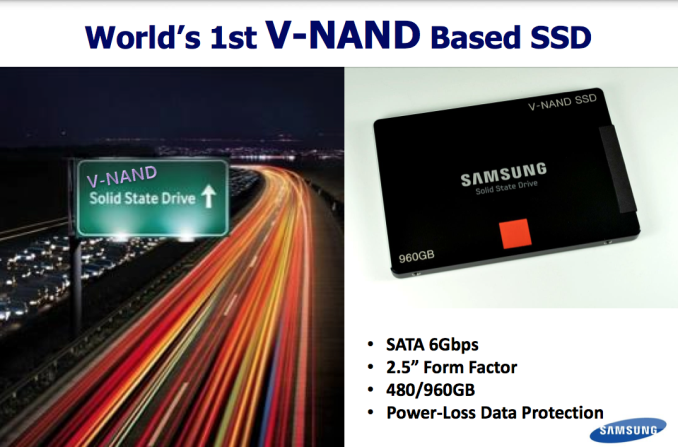
V-NAND is the future for Samsung. We’ll see V-NAND in appear in enterprise, client and even mobile (phones/tablets). There will likely be a period of overlap as Samsung transitions to V-NAND, but expect to see that transition begin next year across multiple markets.
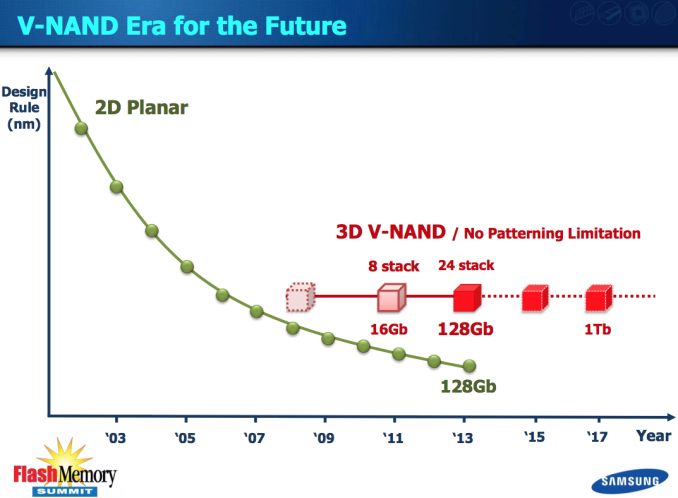
A 128Gbit device is nice, but that’s not the end of the road. Samsung is predicting it’ll be able to build a 1Tb device by 2017, showcasing just how much scaling it can get out of 3D NAND. Samsung could theoretically also move to a smaller process node to further increase density, although ultimately that will run into the same limitations we’re facing today with traditional, planar NAND. The initial design only stores two bits per cell, but if need be Samsung could also move to a TLC V-NAND.
What about the rest of the present day NAND players? I suspect those that don’t move to CTF and/or 3D NAND will instead have their sights set on a bigger departure from NAND: some form of resistive RAM. The potential performance gains there are even higher, and you can also deploy a vertically stacked solution to gain density.
The good news is that it looks like we’re going to have some great options that will enable continued improvements in SSD density, cost and performance.
Read More ...
Steve Ballmer Reflects on Time at Microsoft; Says Windows Vista was Biggest Regret
He discusses his biggest accomplishment, regrets and what's next

     |
Read More ...
8/23/2013 Daily Hardware Reviews
DailyTech's roundup of reviews from around the internet for Friday

| |
Read More ...
Researchers "Mend a Broken Heart" With Transformed Scar Tissue
Scar forming cells -- fibroblasts -- are chemically tricked to morph into cardiomyocytes -- heart cells

| |
Read More ...
Quick Note: Amazon Reportedly Testing Wireless Network
It's not clear if the trial is still occurring, or what came of the testing

| |
Read More ...
Pandora Lifting Listening Cap Ahead of iTunes Radio Launch
The cap will be lifted September 1

| |
Read More ...
Microsoft CEO Steve Ballmer to Retire Within a Year
Say goodbye to Microsoft's exuberant leader

| |
Read More ...
Apple Buys Transit App Company Embark
Apple adds another map company to its portfolio

| |
Read More ...
Quick Note: Google Updates Search with Improved Word Definitions
Updated definitions now includes sample sentences and more

| |
Read More ...
Obama Admin. to Supreme Court: Allow Warrantless Smartphone Searches
Administration is upset about Circuit Court ruling that prohibits warrantless smartphone searches

| |
Read More ...
Report: Apple's Tim Cook is No Steve Jobs, But He's Getting the Job Done
Cook is fixing big problems like working conditions in China, but many wonder if he can launch the next big product

| |
Read More ...
Homeland Security's BOSS Project Aims Targets Facial ID of Citizens
He sees you when you're sleeping, he knows when you're awake, he knows if you've been bad or good...

| |
Read More ...
Study: Playing Strategic Video Games Increases Cognitive Flexibility
However, playing games like "The Sims" does not

| |
Read More ...
Volkswagen on Diesels: Where is the Love?
VW wants more incentives

| |
Read More ...
Lawyer: Constitution Requires Taxpayers Pay for Wikileaker's Sex Change
Manning's lawyer says gender issue is medical treatment, to deny request would be unethical

| |
Read More ...
Canon Unveils New Line of PowerShot Cameras, Including the PowerShot N Facebook
New cameras launch in September and October

| |
Read More ...
HTC's Peter Chou Draws Comparison to 80s Steve Job Amid Struggles
CEO's relentless perfectionism and obsession with product propelled company, but now is killing it

| |
Read More ...
Bradley Manning Sentenced to 35 Years, Eligible for Parole in 6 Years
Mr. Manning -- now the second highest profile leaker -- received a relatively lenient sentence

| |
Read More ...
NHTSA: Mass In-Car Alcohol Sensor Deployment is 5 Years Away
Convincing consumers to embrace a device which could raise prices and have false positives is challenging

| |
Read More ...
Quick Note: 2014 Honda Accord Hybrid Officially Rated at 50/45 MPG (City/Hwy)
Honda looks to conquer all rivals with the Accord Hybrid

| |
Read More ...
NSA Surveillance Programs Reach 75 Percent of U.S. Internet Communications
Officials said it's in search of foreign communications

| |
Read More ...
8/21/2013 Daily Hardware Reviews
DailyTech's roundup of reviews from around the internet for Wednesday

| |
Read More ...
Fukushima Leak May go from 1 to 3 on International Nuclear and Radiological Event Scale
It's a seven-point scale

| |
Read More ...
Nissan Announces Cummins V8 Turbodiesel for Next Generation Titan
No word on when next-generation Titan will launch

| |
Read More ...
LG Unveils World's First 2560x1440 Smartphone Display
LG shows off new 538 ppi display for smartphones

| |
Read More ...
UK Destroys Hard Drives, Seize Laptops in "Futile" Effort to Stop NSA Leaks
The press isn't quite so free in the Queen's country

| |
Read More ...
Available Tags:GIGABYTE , Motherboards , Acer , Everything , Gaming , Windows , Hardware , Amazon , Wireless , Microsoft , CEO , Apple , Google , Smartphone , Canon , Facebook , Nissan , LG , UK ,


No comments:
Post a Comment