

Red Bull Mobile to exit Australian market

Red Bull Mobile's flugtag has lost its wings and is about to crash in Australia - though slowly, and not quite dramatically.
The mobile virtual network operator (MVNO) is seemingly exiting the Australian market, announcing on its homepage that it will no longer be signing up new customers.
"As of 1st July 2013, new customers will no longer be able to purchase pre-paid or post-paid tariff plans from Red Bull Mobile," the company posted on its website.
"Red Bull Mobile will continue to service existing customers until the customer's current recharge or contract expires," it said.
It added that these customers will still have access to all of Red Bull Mobile benefits up until the end of their contract or recharge as well, including access to its mobile portal, tickets to events and merchandise.
MV-NO more
The Red Bull branded MVNO launched less than two years ago, using Vodafone's network and offering competitive postpaid and prepaid plans.Its 365-day plan, which required a one-off fee of $365 for unlimited calls and 5GB of data a month for the year, means that Red Bull Mobile may finish up servicing its last customers up until mid-next year at the latest.
As to why the company decided to pull out of the Aussie MVNO market, it only had this to say on its website: "With the prevalence of 'open' mobile platforms in Australia, Red Bull is taking this opportunity to focus its marketing efforts on existing and future digital assets to allow an even greater number of consumers to access the World of Red Bull through their own mobile device."
But while Red Bull Mobile's run of energy will be going the way of Crazy John's (another Vodafone MVNO that shut down in February), Kogan Mobile, Boost Mobile and Aldi Mobile have launched their own MVNO flugtags just this past year.
Via: LifeHacker

     |
Read More ...
ACMA announces new international mobile roaming standard for Australia

For Australians, travelling to another country could really spell disaster if you decide to use international roaming, with stories and complaints of bill shock on a steep and pricey rise.
Complaints about global roaming charges soared by almost 70 per cent in 2011-2012, according to a report by the Telecommunications Industry Ombudsman, while the proportion of disputed amounts above $5000 doubled in a year to over 10 per cent.
In August last year, former Communications Minister Stephen Conroy tasked the Australian Communications and Media Authority (ACMA) to implement a new mobile roaming standard for Australians telcos.
Today, the ACMA revealed the new International Mobile Roaming (IMR) standard, which is to be implemented by all Australian telcos by September 2013, while resellers will be given until May 2016 for some of the items in the standard.
According to ACMA Chairman Chris Chapman, the new standard extends "the information that suppliers must make available to Australian consumers under the Telecommunications Consumer Protections Code".
"They will now receive similar information when they travel overseas and use roaming services," he said.
The four key protections
Starting from 27 September, SMS notification will need to be sent to consumers when they arrive overseas to warn them that significantly higher charges for roaming services may apply.An SMS will also be sent to customers with pricing information for using roaming services, which includes those that would normally be free when back at home, such as receiving a call.
Telcos will also need to provide customers a way to stop international roaming, at low cost and at any time, including from an overseas location.
The IMR standard also requires spend management tools for customers, including notifications at "$100 increments for data usage and notifications at 50, 85 and 100 per cent of included value" if the customer has purchased a travel package.
The ACMA has also supplied a time frame for the implementation of the new IMR standard for telcos.
Roaming rip-off
"Forewarned is certainly a major part of being forearmed," Chapman said. "These new measures will help consumers travelling with their mobile phone to be much better equipped than ever before to avoid travel bill shock."The Australian Communications Consumer Action Network (ACCAN) has welcomed the standard, but ACCAN spokesman Asher Moses believes that more needs to be done to end the "roaming rip-off".
"Consumers have been gouged on roaming for far too long," said Moses.
"The standard will not solve the underlying problem, which is that global roaming charges are still way too high and do not come close to reflecting the true cost of providing the service."
"The excuse from providers that they are simply passing on the costs from international carriers is not convincing, as virtually zero transparency is provided as to how such exorbitant fees are derived," he added.
The bilateral roaming
In 2011, an OECD report found Australia's international data roaming charges to be about $12 per megabyte, according to ACCAN in its statement, which places the prices as the third highest in the world behind Japan and Chile.ACCAN cited the recent Trans-Tasman roaming agreement between the Australian and New Zealand governments where both governments acknowledged that roaming prices were out of control.
The governments committed to pass legislation that would have potentially capped roaming charges between the countries, such as has been implemented in the European Union starting from Monday, but the legislation wasn't passed in time for the last parliamentary hearing in Australia.
"ACCAN would like to see similar bilateral agreements between Australia and other nations to help reduce gross over-charging on roaming," it said in the statement.

| |
Read More ...
Blip: Ubisoft joins the hack pack as emails and passwords are exposed

Ubisoft became the latest video game company to be hacked today, vaguely admitting that one of its websites was exploited to gain unauthorized access to some of its online systems.
While the Watch Dogs publisher didn't go into detail about which of its servers were hacked, it acknowledged that usernames, email addresses, and encrypted passwords were stolen.
The good news is that Ubisoft's account database doesn't include credit card and debit card information, and it doesn't appear its Uplay servers were compromised.
Ubisoft is only the latest in a long line of hacked companies, from Sony and Steam to Facebook and Twitter. The company did note that there is no known link between its breached accounts and hacking incidents at other game firms.
More blips!
After you've changed your password, Ubisoft account holders, check out some more news straight from our blips.- HTC ships the One S off to no more updates land
- Microsoft wants to know how you're feeling with mood-sensing phone
- Xbox One will use Kinect to scan download codes

| |
Read More ...
brekkie bytes: Brekkie Bytes: The best news from Tuesday Night

As you were drifting off to sleep last night, we know your mind was pondering exactly which operating system is the best option for your new business. Fortunately, we can answer that question this morning with an in-depth comparison of BlackBerry vs Android for business.
Meanwhile, Google Glass privacy concerns won't be addressed before the product's consumer launch, with the Big G sticking to its guns despite pressure from US congress.
On the upside, Google's super-keen to ditch your Google Reader data, telling you to grab it before July 15 or it will be gone forever.
Rockstar has been talking GTA5 again, this time detailing the differences between the Xbox 360 and PS3 versions of the next Grand Theft Auto game. You'll need to clear out at least 8GB of storage space on your hard drive to play it, no matter which console you use.
There's still no word on a PC release though, which is sure to disappoint anyone who buys the 4.5-star reviewed Razer Blade.
- Brekkie Bytes is your morning roundup of the best the international TechRadar team has to offer.

| |
Read More ...
Motorola wants YOU to design the Moto X, touts device's homegrown cred

Motorola has hinted buyers will be able to customise the design and hardware specs of the still mysterious Moto X handset in a new advert scheduled to appear in U.S. newspapers over the 4th of July holiday.
In a new ad, revealed by AdAge, the company promises the device will be "the first smartphone you can design yourself" while boasting that the handset will be assembled on home soil in the United States.
Within the full-page ad, the company teases Moto X is "coming soon" and that "users should have the freedom to design the things in life to be as unique as you are."
What Google-owned Moto means by 'design yourself' isn't exactly clear yet, but earlier this year Google advisor Guy Kawasaki did (sort of) suggest the device could be personalised like a Porsche sports car.
Phones are like shoes
In real world terms, that may mean users could choose colour options, build materials, extra memory, processing power and a wealth of other variables usually determined for them by the manufacturer.In an interview with AdAge, Moto's Motorola's Vice president of Global Brand and Product Marketing Brian Wallace said it was about time those decisions were put back into the hands of the consumer.
Without revealing which elements would be customisable, Wallace said: "Smartphones are very different than other tech products a consumer owns.
"They're closer to shoes or a watch. You carry it with you everywhere you go. Everyone sees what phone you're carrying and they judge you on it. Yet, it's the one thing you carry that's the least customisable."
USA! USA! USA!
The ad, which will appear in the July 3 edition of the New York Times, USA Today, Wall Street Journal and Washington Post is nothing if not patriotic."Imagine what it'll be like when you have the world's best design, engineering and manufacturing talent here in the U.S.," the company purred.
"Some people said it couldn't be done. But we're not just any company. And nothing this exciting ever comes easily."
The ad is also the first time we've seen Moto's new Googley logo in any form of public communications.

| |
Read More ...
iPad 5, iPad mini 2 release reportedly beset by delay due to Foxconn, Apple rift

The wait for the iPad 5 and iPad mini 2 release date may have just gotten a little bit longer if the latest rumors about Apple's next set of tablets prove true.
The reason behind this reported delay stems from the fact that Chinese manufacturer Foxconn is out as Apple's iPad-producing partner, according to the International Business Times, noting Foxconn itself has hinted it's not leading the new slate charge.
The Apple-Foxconn split is reportedly "due to the unreliability" of Foxconn, which is said to have created woes for Apple with scratch-prone iPhone 5 handsets and up to eight million returns.
Foxconn is also producing Android handsets and even announced its own wearable tech that could compete against the long-rumored Apple iWatch.
While Apple's new, unnamed supplier remains unknown, the Cupertino-based company may need some extra time due to the switch.
Release date ring around the rosie
Of course, no one really knows when the follow-up iPads are due, especially as Apple itself has never claimed the tablets are in the works (though, come on, we know how its refresh cycle rolls). To that effect, we've heard months thrown out from the left and right.The IBT report claims that previous predictions indicated an iPad 5 and iPad mini 2 release date in July, before iOS 7 even goes public.
Other release date rumors peg Apple's next tablets for an October launch, one year after the launch of the iPad 4 and iPad mini.
Today's report doesn't have a updated release time frame attached to either the iPad 5 and iPad mini 2, so the launch of these two tablets could possibly have been pushed back to October do the the Apple-Foxconn rift.
iPad 5, iPad mini features
While the iPad 5 and iPad mini 2 launch dates are a big question mark at this point, there's a better indication as to what features we'll see from the forthcoming tablets.Rumors have indicated that the iPad mini 2 will be refreshed with a Retina display resolution of 2,048 x 1,536 pixels.
Behind its same 7.9-inch screen the heart of the tablet is likely to be the Apple A6X processor, an upgrade over the current model's A5 System on a Chip.
The iPad 5, meanwhile, may introduce the Apple A7 chip if the iPhone 5S doesn't beat it to the punch in September.
Its upgrade in processor speed may be accompanied by a downgrade in weight, as the full-sized iPad for 2013 is said to be 33 percent lighter than last year's model.
With rumors circulating that the iPhone 5S will launch in late September, it's only a matter of time before we start hearing about the new iPads coming down the non-Foxconn factory pipe.
- Did you hear about Apple's patent for iPad Smart Cover wireless charging?

| |
Read More ...
Opera's new desktop browser takes the stage, but it's no standing O

Opera's new desktop browser, Opera 15, exited beta today after a month of testing and is now available to the masses for Windows and OS X at Opera.com.
But despite a whole lot of changes to the independent browser, much still looks to be lacking.
As of this version Opera is now built on Google's Chromium and JavaScript V8, and it shares much with the popular Google browser.
It also uses Google's new Blink rendering engine, which Google hopes will replace WebKit and help streamline web development.
Something's missing
Users of Opera's new browser can expect regular updates across multiple release channels, including standard Opera releases, Opera Next, and Opera Developer.The initial post-beta release includes new features such as the Google News-like "Discover" tab, a "Stash" tab for storing pages you want to read later, and an "off-road" mode that replaces Opera Turbo and functions similarly, speeding up browsing on slower connections.
But it lacks a traditional bookmarks menu, instead relying on a combination of the "speed dial" set of oft-visited pages and the aforementioned Stash tab. At least speed dial supports folders now.
In addition, Opera 15 won't yet sync settings from other browsers and its search bar is not customizable. Other features are missing, while some that should have been ditched, like a separate email app, are present.
TechRadar asked Opera whether it believes some of the missing features simply aren't necessary or if it plans to add them in future updates, but so far we haven't heard back.
At the start, the new Opera browser looks great, but it seems it will need a few iterations before it can compete with the big browsers.

| |
Read More ...
MediaTek might launch a low-cost octa-core processor this year

Samsung might not be the only manufacturer in the eight-core processor game for much longer if new reports are to be believed.
According to a leaked company roadmap uncovered by Sina Weibo, MediaTek is fast-tracking development of its own octa-core chip, which it hopes will be ready by November of this year.
Though Samsung's Exynos 5 Octa does indeed feature eight processor cores, only four are ever active at once.
Based on the reports about MediaTek's new Cortex-A7 MT6592, all eight of the processors will truly work in unison, and at a lower cost to boot.
Eight is enough
Taiwanese site UDN first picked up on the Cortex-A7 MT6592, which it reported will run at 2GHz, and has already been shown to several potential MediaTek clients in the past week.The chip purportedly scored a 30,000 using AnTuTu's benchmarking, which puts it just behind Qualcomm's quad-core 2.2GHz Snapdragon 800, but MediaTek's chip is believed to cost quite a bit less.
MediaTek is supposedly planning to use TSMC's 28nm manufacturing process starting in November, with the first phones using the octa-core processor due to arrive in early 2014 around Chinese New Year.
The Taiwanese company is also believed to be ramping up its 4G LTE compatibility alongside its new chip, as a separate UDN report revealed more than a 100 new jobs had opened up at MediaTek last month.
Quad-core coming too?
The octa-core MT6592 might not be the only new processor coming from MediaTek this year either, as the company appears to be readying a quad-core version, too.The leaked company documents uncovered named a 1.7GHz MT6588 quad-core processor as arriving in Q4 as well, though it sounds like more of a faster upgrade of the existing MT6589 chip than an off-shoot of the MT6592.
While more details on the MT6592 are sparse at this time, those same docs did reveal the octa-core processor would be able to decode 1080p video at 30fps.
What's more, both of the new chips are purportedly compatible with the upcoming quad-core 1.3GHz MT6582, which will help keep the costs down on the later-arriving chips.
MediaTek's MT6290 LTE modem will also be compatible with all three of the chips, which bodes well for the company's plans to finally delve into faster cellular space.
Even if MediaTek's new chips aren't quite as powerful as Qualcomm's offerings, the value incentive may be enough to sway some Chinese manufacturers to the cheaper processors.
With Sony already reportedly on board with MediaTek for its upcoming C3 smartphone, there's no telling which others will follow suit.

| |
Read More ...
Salvage your Google Reader data by July 15 or it's gone forever

Google Reader may have closed its doors for good on Monday, but there's still a chance to rescue all of that lovely data before the company "systematically deletes" it like a Terminator.
In a post on the official Google Reader blog - presumably the last one - the company has given ex-users until 12 p.m. PT (8 p.m. in the U.K.) on July 15 before everything you've ever favourited is slaughtered.
"All Google Reader subscription data (eg. lists of people that you follow, items you have starred, notes you have created, etc.) will be systematically deleted from Google servers," the post entitled 'A Final Farewell' read.
"You can download a copy of your Google Reader data via Google Takeout until 12 p.m. PT July 15, 2013."
Reader-to-go
Google Takeout is a service that allows users to download a copy of the data stored by Google's online products, be it Gmail, Google+, YouTube, Drive or, in this case Reader.Downloading the zip file will allow users to access their subscription data, which can then be fed into one of the services hoping to provide adequate alternatives to the dearly departed RSS reader.
Google controversially decided to shutter the service in March, angering thousands who relied on the it to know what the heck was happening in the world.
Since that time, a number of alternatives have gained momentum, such as Feedly, or arrived on the scene sniffing an opportunity, like Digg Reader. Rumours also persist that Facebook could be planning to step into the void with its own RSS collation tool.

| |
Read More ...
Blip: HTC ships the One S off to no more updates land
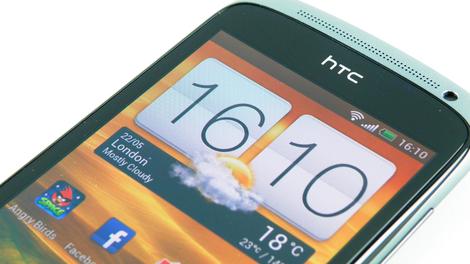
HTC can't seem to stop showering the love on its flagship One, what with the whole Nexus version and all, but another phone is being pushed to the has-been bin.
The company confirmed today that its mid-range, 2012-released One S will stay stuck on Android 4.1, never seeing Android 4.2 and beyond, or Sense 5.
"We can confirm that the HTC One S will not receive further Android OS updates and will remain on the current version of Android and HTC Sense," a spokesperson said in a statement. "We realize this news will be met with disappointment by some, but our customers should feel confident that we have designed the HTC One S to be optimized with our amazing camera and audio experiences."
For further quasi-consolation, HTC offered that the ROM community will be able to build out "their favorite ROMs for the One S," while the One X is still on track for updates.
More blips!
We're waiting on FDA approval, but we're pretty convinced a few blips a day keeps the doctor away.- Microsoft wants to know how you're feeling with mood-sensing phone
- Xbox One will use Kinect camera to scan download codes
- Skype for Android gets Metro-style redesign

| |
Read More ...
Review: Updated: Razer Blade

Introduction and design
We reviewed Razer's Razer Blade Pro gaming laptop last year in September of 2012, and we found the 17-inch gaming laptop highly desirable. For the screen size, it was surprisingly thin, and it packed one heck of a performance punch.Far and away, the feature that stood out most to us the most was the laptop's incredibly thin and light profile. We're unashamed to be MacBook fans—given Apple's superior notions of design, only the most devout Windows purist wouldn't be—but we nevertheless found ourselves hoping (praying?) that Razer might be onto something in terms of design and performance.
When you get right down to it, the 17-inch laptop just isn't for everyone—certainly not battle-hardened road warriors. But a 14-inch system with a similar emphasis on portability and performance? And boasting the same kind of emphasis on thinness and good looks as the 17-incher? Well, that's a different story.

(It's worth noting that, in conjunction with the release of the 14-inch Razer Blade, the 17-inch version slides over to become the Razer Blade Pro.)
To be honest, when Razer announced the new 14-inch Razer Blade gaming system we're reviewing here, we double-checked the specs and found ourselves wondering if this might just be the new laptop we've been dreaming of.
Our only real reservation was the screen resolution, which at 1600 x 900 offers far fewer pixels than the MacBook Pro's 2560 x 1600 Retina Display.
How big of a deal is this? And how does the Razer Blade stack up in terms of gaming performance?
The short answers are "not very" and "very well".
Let's jump into the review.
MacBook-style design, but with attitude
As a general rule, we try to avoid using the word sexy when describing devices and hardware, but the 14-inch Razer Blade is undeniably, truly sexy.
The laptop boasts the same exact design aesthetic as its bigger, older 17-inch brother. The black-matte aluminum finish and cool-looking Razer insignia on the lid make it clear that, even if this system has roughly the same profile as a MacBook Pro, it is not your typical portable computer.
Fluorescent green accents on the USB ports, the logo, and the backlit keyboard enhance the gamer vibe, but thankfully not too much. You'll get second looks from everyone from your grandmother to your friends to the guy sitting next to you on the plane with this laptop. That's more than you can say for some of the other rad-gamer designs out there today.

Part of the reason the Razer Blade is such a head turner is that it's surprisingly thin and light. Measuring just .66 inches high, 13.6 inches wide, and 9.3 inches long, it's actually thinner than the MacBook Pro. Considering the hardware packed into this thing (quad-core Intel Haswell CPU, next-gen Nvidia graphics part), this is no small feat.
Even the Razer Blade's 150 watt power adapter is smaller than most laptops' power bricks, making it an appropriate work/play/travel system.
The other reason the Blade is immediately lovable is its 14-inch, 1600 x 900 display, which emits a sharp enough image that we initially thought it was an IPS panel. It's not, but it's bright enough that you can use it in broad daylight, and boasts the kind of clarity and wide viewing angles that you normally find in IPS display.

The only downside to the display is that it does not run at a full 1080p HD resolution. The only way you'll get full HD resolutions is by connecting this laptop to a flat-screen monitor or HDTV via the HDMI cable.
We'll be honest: after spending a week testing and using the laptop as our primary rig (something we do with all the laptops that come across the review desk), the 1600 x 900 resolution bothered us a lot less than we thought it would.
Cool and quiet, even while gaming
Razer has gone out of its way to craft a thermally functional rig as well. Two small, quiet exhaust fans sit on the bottom of the chassis, and two thing rubber platforms give the fans some clearance for exhaust. During normal, non-intensive gaming operations, the laptop runs cool enough that you won't ever notice the fans or any heat. More surprisingly, even during our most rigorous gaming sessions, we still didn't hear the fans.
The Razer Blade's sound design is another nice touch. On either side of the keyboard are Dolby certified stereo speakers that sound surprisingly great.

In fact, the only real glaring weakness in the Razer Blade's design is the trackpad. Even at a glance, it will be clear to most users that the left and right buttons are insufficient for heavy duty use both working and playing.
Unfortunately, the flaws go a little deeper than this. At various moments during testing, we experienced a few different glitches, the most annoying of which was a random cursor jump that appeared to be caused by some kind of sensitivity to the palm of our left hand. Imagine editing a document and suddenly finding your cursor 3 sentences up, and you can probably feel our pain.

No matter what sensitivity adjustments we made in the Synaptics settings panel, we couldn't fully eradicate the problem. To be fair, 95% of the time we experienced a reliable, accurate touchpad experience.
Regardless, we would have greatly preferred a MacBook style clickable touchpad here. The touchpad wasn't a deal breaker for us, but it's a big source of concern, and might be for more particular users.
Specifications and design
SpecificationsAs tested, the Razer Blade we tested was configured in the following manner:
- 2.2GHz Intel quad-core Core i7 4702HQ CPU
- 8GB RAM
- Nvidia GeForce GTX 765M
- 256GB mSATA Solid State Drive
- Killer Wireless-N 1202 (802.11a/b/g/n)
- 3 USB 3.0 ports
- 1 HDMI 1.4 out
- 1 audio out
- Bluetooth 4.0 adapter
- 70Wh battery
The star components, of course are the next-generation mobile CPU and graphics processor. Let's get into it.
The Core i7 4702HQ is based on Intel's new Haswell architecture. It's a fairly high-end quad-core mobile CPU, and is manufactured on a 22nm process that runs at 2.2GHz in standard operations. It also is capable of running in burst modes up to 2.9GHz when all four cores are active, 3.1GHz Turbo Boost clock speeds with two cores active, and 3.2GHz clock speeds with a single active core. Hyperthreading provides 4 additional virtual threads for a grand total of 8 processing threads.
Also important: The 4702HQ has a TDP (Thermal Design Power) of only 37 watts, meaning it politely sips power while running. A 37 TDP rating is low enough that it also means we'll likely see this CPU in much smaller form-factors.
The Haswell processor integrates Intel's new HD Graphics 4600. Recognizing gamers' needs, Razer also built in Nvidia's GeForce GTX 765m discrete graphics part.
The GTX 765m is a DirectX 11, Kepler-based high-mid-range mobile graphics adapter. It has 768 cores running at 850 MHz, and 2GB of DDR5 VRAM. The chip uses Nvidia's Optimus technology, which allows the system to save power by automatically toggling between the CPU's integrated graphics and this dedicated chip based on the type of application you're running.
Network performance junkies, be warned: the Razer Blade has no Ethernet port. It does have three USB 3.0 ports, however.
The Razer Blade's performance lives up to the specs
Cinebench: 22,273 (single CPU: 5,918)
3DMark06: 19,232
3DMark11 : 10,646 / 2,344 (Cloud Gate /Fire Strike)
Metro Last Light: 22.67 fps
Battery Eater 05: 1:24:00
Boot time: 12.8 seconds
As you've probably already noticed, we've added a few new benchmarks to our suite for gaming laptops. We got so excited about the Razer Blade's specifications we decided to beef up our tests a little bit in order to properly flex (and stress) its muscles.
How did that work out? Quite well. In Cinebench 10, which is designed to hammer all the cores in a system's processor, the Razer Blade put up the highest score we've seen from a laptop to date, outpacing even Lenovo's powerful 15.5-inch Y500 gaming laptop by almost 5%.
Even though the Razer Blade's Core i7 4702HQ proc runs 0.2GHz slower than the Y500's 2.4GHz Core i7 3630QM, it still puts up slightly stronger numbers, and with increased power efficiency. This accomplishment becomes even more impressive when you consider that this newer CPU is built for much smaller systems.
Advanced benchmarking
Moving on to our graphics-oriented suite of tests...the Razer Blade aced those across the board also.
In the 2011 version of 3DMark, the Razer Blade Pro put up a score of 10,646 for the Cloud Gate test, which is a notebook-oriented DX11 test that's heavy on geometry, post-processing, volumetrick illumination and physics.
In the much tougher Fire Strike 3DMark11 test, which was built for high-end gaming systems, the Razer Blade struggled a bit, throwing up a 2,344.
Finally in the Metro: Last Light test, which pushes a system's graphics and CPU processing in ways that many tests cannot, we saw an average frame rate of 22.67 frames per second at a resolution of 1600 x 900 with all details turned up. That's impressive for a laptop this thin.
At test time, we hadn't previously run 3DMark11 or the benchmark built into Metro: Last Light on any other gaming laptops that have crossed TechRadar's reviews desk. So, in order to create a baseline of comparison, we decided to run them on Lenovo's Y500 gaming laptop. The system aced our tests earlier this year because it has a last-gen mid-high-end Intel Core i7 3602HQ, but it also has two Nvidia GeForce GTX 650Ms running in SLI mode.
The comparison went surprisingly well for the Razer Blade. The Y500 put up an average frame rate of 21.33 frames per second in Metro Last Light, and scores of 12,783 for 3DMark11's CloudGate test as well as a score of 2,428 for the taxing Fire Strike benchmark. Not bad, right?
To be fair to Lenovo, the Y500 is a massive 15.6-inch desktop replacement with a massive screen that costs $750 less than this system. But still, the fact that the Razer Blade's single graphics part allowed it to essentially hold its own against two 650Ms in SLI is no small feat.
In real-world gaming, we consistently found ourselves surprised with the Razer Blade's performance. In Metro, for example, we were able to play full screen (1600 x 900) with medium levels of detail at acceptable frame rates. On most older games, such as the first Call of Duty: Black Ops, we were able to play at 1080 resolution on a connected HDTV with a high level of detail at very satisfying frame rates.
The bottom line is that this system is gaming-ready, making it a great choice for road warriors who like to play games while travelling.
Our battery life test, which uses Battery Eater 05 to fully saturate all of a laptop's systems, was somewhat surprising in that the battery only lasted 84 minutes. We were expecting a lot more, but the lower number is likely because the test forces the Razer Blade to switch on Nvidia's discrete graphics processor.
After using the laptop for a full week in more real-world modes, we can say this: In a more normal operating mode—meaning work or lighter sessions of video that don't frequently utilize the discrete graphics adapter—the battery lasts a lot longer than most systems we've seen.
One final note on performance: The stereo sound coming from the speakers on either side of the keyboard is top-notch, providing gratifying bass booms and surprisingly effective high-end effects in both games and music.
Verdict
At the end of the day, a gaming laptop is measured by three key elements, in this order: its gaming performance, its portability, and its suitability for general computing productivity. Then there's cooling, a ubiquitous underlying concern that both affects and is affected by cost. Very few PC laptops master each of these elements, and this isn't even considering other intangibles like aesthetic design, input controls, and more.Okay, let's start grading out the Razer Blade.
We Liked
In the favorable category, we liked pretty much everything we saw, touched, and played with. Performance? Check. Looks? Check? Slim profile? Yes. Next-gen components? Got it.In fact, with just a few exceptions (which we'll get into shortly), this is a very well thought-out and designed system, both for gaming and day-to-day usage. Even the keyboard, which can be hit or miss on laptops, is comfortable and responsive for both games and productivity. And we love that it's backlit in a non-gaudy manner.
The screen also bears a second mention. Even though it's only 1600x900, the display is everything a laptop display should be. It's sharp and bright, with vibrant color reproduction.
It also bears mentioning that we appreciate the lack of bloatware on this system. Far too many systems—particularly those shipped by big PC OEMs—are loaded with all kinds of apps and utilities we neither want nor need. It's refreshing to start up a laptop for the first time and see none of this. In and of itself, this is a sign that you're in the right place.
Most of all though, we like the direction Razer is heading with this series of laptops. Walking the line between performance, power consumption, and thermal dynamics isn't easy, but Razer is doing it quite well.
The fact that this laptop is so thin, lightweight, and aesthetically pleasing is more than a bonus; it puts the Razer Blade in rarified company.
We disliked
The biggest gripe we have with this laptop is far and away the mouse touchpad. The left and right mouse buttons at the bottom of the touchpad are flat-out uncomfortable to use. Thankfully, you can just tap the pad itself to left-click, but you have no such recourse for accessing context sensitive menus via right-clicking. A clickable touchpad with a bottom right-hand corner that functioned as the right mouse button—like that found on the MacBook series—would be infinitely preferable.Button placement and responsiveness can be subjective. Annoying trackpad glitches typically are not. Far and away, the most dislikable feature here is the touchpad's inconsistent sensitivity. At least once every half hour, we experienced the odd glitch mentioned previously that caused the cursor to ghost jump the cursor to another line of text while we were typing.
This feels like a bit more than a minor bug or annoyance; at the wrong moment, it can be infuriating. Thankfully, it didn't happen to us often enough to drive us over the ledge. It's not a deal breaker, but we're hoping it's some kind of temporary bug that gets fixed in a driver update. For what it's worth, we didn't see this error in the trackpad in the Razer Blade Pro we reviewed at the end of 2012.
The only other significant gripe that we have is the Razer Blade's 1600 x 900 display resolution, and even this is more theoretical than anything. Sure, a full 1080 HD display would have been nice, and a Retina Display-style 2560 x 1600 screen would have been amazing, mostly because it makes multi-tasking and working much easier to do. But again, it's not a deal breaker—particularly given the high quality of the existing screen.
The final concern we have is the Razer Blade's price. $2,000 isn't cheap, but at least for that much money, you're getting state-of-the-art components and a great looking laptop.
Final Verdict
Ultimately and despite these few concerns, the Razer Blade sets a new high mark for what a mid-size Windows laptop can and should be. It looks fantastic, exhibits top-notch performance in both day-to-day use and gaming. And it's comfortable to work on.In fact, it's no exaggeration to say that, with the two exceptions noted above—screen resolution and trackpad—the Razer Blade gives Apple's MacBook Pro line a serious run for the money.
In terms of performance, very few laptops of this shape and size are capable of rivaling what Razer has created. Even Apple's highest-end laptop—the 15-inch MacBook Pro with Retina Display—only has an Nvidia GeForce GT 650M as its dedicated graphics unit.
With all this in mind, we happily recommend the Razer Blade as an ideal gaming/work/road laptop.
One final note: It's worth mentioning that PC gaming laptops are experiencing an impressive renaissance right now. Ever since Windows 8 released at the end of 2012, we've seen a series of pretty amazing systems come across our desks.
This is definitely a trend worth watching.

| |
Read More ...
Port authority: 'Honami' camera app features hop onto current Xperias

Honami, Honami, Honami. Shoot, we were hoping that would manifest Sony's purported next flagship, a.k.a. the Xperia i1, but until the spell works we can at least have a look at some of the phone's camera app features.
Thanks to an enterprising hacker and a post on Xperia Blog, we have a glimpse at the snapper functions that could very well take advantage of Honami's rumored 20MP lens.
XDA-Developers member krabappel2548 cooked up the mod that ports Honami's shutterbug features onto the Xperia Z, Xperia ZL and Xperia Tablet Z.
New features include AR-effect, or augmented reality mode, Info-eye for visual search and Time shift, which allows users to choose the best photo out of a series of shots taken at the same time.

Modders only
The leaked Honami build also includes higher resolution image processing and a number of user interface improvements aimed at the probable next-gen Sony flagship.Full instructions on how to port the Honami camera app to current Xperia devices are available on the XDA-Developers forum, but as always, this mod isn't for the faint of heart.

Krabappel2548 did wrap everything up with a tidy bow, so if you're already adept as flashing Android devices, this one should be a breeze.
Fair warning: The Honami mod replaces the built-in camera app from existing devices, so proceed at your own risk - or better yet, just sit tight and see if Sony releases these goodies in a future update instead.
- We've actually (possibly) gotten a look at "Honami" in some leaked images. Why don't you check it out?

| |
Read More ...
The game is up: Lovefilm drops game rentals for new customers

Lovefilm has begun to phase out video games rentals with only existing customers who subscribe to the relevant package able to receive discs in the mail.
New customers can now longer sign up for a games package, while current subscribers are now unable change their tariff to include games rentals.
The Amazon-owned company said it had chosen to "focus on our strength" of TV and video content, in a post hidden away on the FAQ section of the website.
The company wrote: "In order to give the best possible service that we can, we are looking to focus on our strength, which is providing the best selection of film and TV content for our customers, and making it available whenever and wherever you want it."
Sacrificial lamb
The news would have been somewhat expected had the next generation Xbox One and PS4 consoles imposed DRM restrictions on users games.That would have rendered Lovefilm's offering practically useless for owners of the new machines. However, Sony decided against restrictions and Microsoft famously backed down from its plans.
With no impositions, Lovefilm may have flourished as gamers sought to try new content for new consoles without paying full price for brand new titles.
However, as the company looks increasingly towards streaming as the future, it seems the discs, which cost Lovefilm much more to procure than DVDs and Blu-rays, are another sacrificial lamb.
Will this affect your decision to sign up with Lovefilm? Or even affect your plans to buy a next-gen console? Let us know in the comments section below.

| |
Read More ...
Blip: O2's wombling ways delayed as Underground Wi-Fi hits snag

O2's jumping aboard the London Underground Wi-Fi train, but it's as delayed as the District Line at rush hour.
London-dwelling O2 customers will now have to wait until July 22 to get in on the subterranean internet action; it was supposed to hit the tracks in June.
More blips!
Pass the time until then with a healthy dose of blips.- Microsoft wants to know how you're feeling with mood-sensing phone
- iPhone 5S batteries allegedly leak - in a good way
- Is Valve hinting at a Half-Life 3 Alternative Reality game?

| |
Read More ...
Apple's smart bezel might be the biggest iWatch hint yet

It seems we've had a fair amount of evidence regarding iWatch's existence, but very little on how the smartwatch might actually function.
But a new patent may drop a few clues, outlining a special bezel technology that would add touch controls to the border surrounding a small screen.
Not only that but the bezel space would also be able to work dynamically, appearing as a border around the display and disappearing to maximise screen real estate when you're using it.
The story gets even more interesting when some of the background details come to light, as the patent was originally Kodak's, which Apple recently purchased.
Bezel bizzle
"A sensor system sense when a person is close to touching the bezel or when a person is in touch with the bezel and generates a sensor signal," reads the patent description."And a controller is operable to adjust the appearance of the active area in the part of the second portion when the consoler determines that a person has touched the bezel or is close to touching the bezel."
Of course, this isn't just something we'd expect to see on the iWatch - we can see the iPhone and iPad Mini taking advantage of this technology one day too.

| |
Read More ...
Rockstar talks differences between Xbox 360 and PS3 versions of GTA 5

During an asked and answered session today, Rockstar spilled on some more GTA 5 details, and there were plenty of interesting tidbits to take away.
Firstly, we got some facts on just how big the game will be. For Xbox 360 users, the initial install will require 8GB of space minimum on either the hard drive or an external 16GB USB flash drive.
As for the PS3, the game will install as soon as it's put into the console, also taking up "roughly 8GB". It won't be taking advantage of Sony's new 'play while downloading' feature, though for a game of this caliber we're not too surprised.
"Grand Theft Auto V is the largest and most ambitious game we have yet created, and takes full advantage of every ounce of processing power available in the current generation of consoles," said Rockstar, for anyone doubting just how big Los Santos will be.
We want Grand Theft More-to!
So that's all well and good for the current-gen consoles, but what about the Xbox One and PS4? Well, Rockstar's keeping tight-lipped about that for now."We don't have anything to share about the possibility of a next-gen or a PC platform release at this time and we are completely focused on delivering the best possible experience for the consoles people have right now," it said.
It did confirm, however, that the GTV 5 multiplayer experience will be called Grand Theft Auto, while some general gameplay footage will be appearing "soon".
We were particularly interested to read how switching between the game's three playable protagonists, Michael, Franklin and Trevor, would work.
"Because they have their own schedules, you'll never know what they might be doing – you might drop in on Michael in the middle of a family dispute, interrupt Franklin chatting up some ladies, or Tervor on the run from the law."
Hungry to see more? So are we. Luckily Rockstar promised that there will be no more delays, so we can expect it to stay true to that September 17 release date.

| |
Read More ...
Bebo founders buy struggling site back for 850 times less than they sold it for

Watch out Facebook: a new-old social network is about to hit the scene, with the news that Bebo has been bought out by its original founders.
Michael and Xochi Birch have done a Timberlake and decided to get back into the social network game, paying just $1 million (around £660,000 or AU$1.01m) for a site they originally sold to AOL for a whopping $850 million (that's about £560m / AU$930m).
There is no word on how Bebo will be reinvented for a new generation, other than Michael Birch's tweet, where he revels in the fact he just purchased his own baby back for pocket change, noting: "We just bought Bebo back for $1m. Can we actually re-invent it? Who knows, but it will be fun trying..."
Buy early, bankrupt often
Launched in 2005, it only took Bebo two years to become the biggest social network in the UK, managing to find 10.7 million users, overtake MySpace's 10.1 million-strong user base and make Facebook look downright lonely with its paltry 7.6 million users.How times change.
Considering Facebook has over 30 million UK users now, this was definitely a more innocent time for social networks.
Then there was the big sell-off. The Birchs sold the site to AOL for close to a billion dollars in 2008, only for AOL to offload it for just $10 million to web company Criterion Capital Partners two years later.
This tale of a social-network passing through many greasy hands is a well-worn one. MySpace went through a similar trajectory. It was bought by News Corporation in 2005 for $580 million, then sold to Timberlake and co for $35 million in 2011.
Bebo will now be controlled by Monkey Inferno, a company that sounds a lot more exciting than it actually is. It's a start-up incubator, owned by the Birchs, that's been created solely for new businesses and is based in San Francisco.
The folks behind Simian Incinerator (we much prefer our version of the name) now have the arduous task of getting Bebo fighting fit to take on the likes of Facebook, Snapchat, Instagram, Twitter, Google Plus, ask.fm... Good luck!

| |
Read More ...
Windows Phone 8 emulator hints at a Full HD future

Some code spotted in the Windows Phone developer kit suggests that the next generation of devices will come rocking full 1080p HD.
One plucky dev eked the files out of some newly-released updates to the Windows Phone 8 Visual Studio 8 emulator beta.
Windows Phone 8 currently supports up to 720p HD, but these developer files speak of 1080 x 1920 resolutions alongside the existing pixel counts.
Building blocks
Considering Microsoft just held a big event last week (take a bow, Build 2013), the timing of this find is a little odd - but as luck would have it, the 'soft's BFF Nokia has a phone-based event on the cards for next week.Will we see the first full HD Windows Phone launch then? Given that the word on the street is that the Nokia EOS (or should that be Nokia Lumia 1020?) handset will feature a 41MP camera, a full HD display option would come in fairly handy too.
Either way, the question of a full HD Windows Phone handset isn't so much an if as a when.

| |
Read More ...
Blip: Microsoft wants to know how you're feeling with mood-sensing phone

Thought phone tech was reaching its apex? It hasn't even started.
A newly discovered research paper by Microsoft Research in Asia shows that the company has been playing around with the idea of a smartphone that can detect your mood - and has even built a prototype with a 66 per cent accuracy rating.
No, we have no idea either. Microsoft refers to the technology as MoodScope, and the feature - should it ever get off the ground - would share your mood with friends via social networks.
We can't see too many useful applications of this feature, though it would no doubt be a big win for companies who could target products perfectly. Feeling hungry? Bored? Like a holiday? You see where we're going with this.
More blips!
We're trying to sense how you're feeling right now...you're feeling like you want to read some more blips.- Skype for Android gets Metro-style redesign
- iPhone 5S batteries allegedly leak - in a good way
- Is Valve hinting at a Half-Life 3 Alternative Reality game?

| |
Read More ...
Updated: Windows 9 release date, news and rumours

With Windows 8 and now Windows 8.1, Microsoft tried - not entirely successfully - to make tablets part of a continuum that goes from number-crunching workstations and high-end gaming rigs through all-in-one touchscreen media systems and thin-and light notebooks down to slender touch tablets, all with the same OS, aiming for the best of both of today's computing worlds. What will it do for the next version of Windows?
Despite rumours of an aggressive development and shipping schedule, there's no official word about what's in the next version of Windows, but there are plenty of rumours (many of them from Chinese enthusiast sites that claim to have leaked builds), plus more reliable information from job adverts for the Windows and Windows Phone teams.
There are also patents, which may or may not be relevant, and some rare comments from developers on the Windows team. Here's what we've heard about Windows 9 and what we think is happening.
Windows Blue turned out to be Windows 8.1 rather than a completely new version of the Windows OS, which is what we'd expect Windows 9 to be.
There's certainly a new development cadence, where Microsoft puts out new releases of Windows, Windows RT and Windows Server every year, the way it already does for Windows Phone.
The next version of Windows is being referred to by Microsoft people who post their details on LinkedIn as Windows 9; as usual, that will be a codename that might change.
While still just a codename, Windows 9 has also been referenced by Microsoft in a job posting, spotted by MSFT Kitchen on 13 March 2013.
The ad, for a Bing Software Development Engineer, says that the team will be delivering products "in areas including Windows 9, IE11 services integration, touch friendly devices including iPad and more."
Windows 9 release date
Microsoft communications chief Frank Shaw said Microsoft wasn't ready to talk about how often Windows might come out when we spoke to him in January, but he agreed "you have certainly seen across a variety of our products a cadence that looks like that; Windows Phone is a good for example of that, our services are a good example of that".We don't know if Windows 9 will be available as an upgrade from Windows 7 that you can buy as a standalone product or if you'll have to have Windows 8 to get the upgrade. But it may not be with us for a while yet - Windows business chief Tami Reller has talked about "multiple selling seasons" for Windows 8, meaning that we'll likely have several versions of it.
Windows 9 to be cheaper, smaller, with more apps
In the last Microsoft earnings call CFO Peter Klein made it clear that Microsoft has got the message that Windows 8 tablets need to be cheaper; "we know that our growth depends on our ability to give customers the exciting hardware they want, at the price-points they demand."Another revealing Microsoft job advert talks about having Windows Phone and WinRT apps run on both Windows Phone and Windows. "Do you wish the code you write for Windows Store apps would just work on the Windows Phone and vice versa? If so, then this is the role for you! We are the team leading the charge to bring much of the WinRT API surface and the .NET Windows Store profile to the Phone."
That sounds like a longer term goal, given that the job advert was on the Microsoft Careers site at the beginning of February, and it's being driven by the Windows Phone team (we don't expect to see the next version of Windows Phone until the autumn), but it could give developers an incentive to write apps for the Windows Store and give Windows 9 users more to choose from. Scaling apps to fit different size screens would help here too.
Windows 9 power management
A recent Channel 9 video featuring Bruce Worthington, who leads the team working on Windows power management fundamentals, included some rather technical details about saving power in Windows and the improvement in Windows 8."If you look at the number of times we would wake up the CPU per second," he explained, "for Windows 7 you would typically see numbers on the order of one millisecond. We would literally be waking up the CPU a thousand times per second. If you look at Windows 8, on a clean system, we have numbers that are better than a hundred milliseconds. "
Now that Windows Phone 8 is based on the Windows Phone kernel, power management has to get better. "Now we're looking forward to the next release and we can get even farther - especially as we start interacting more and more with our phone brethren.
"They want us to be quiet for multiple seconds at a time. They even talk about minutes in some scenarios which is pretty far afield for us, to be thinking about minutes of being completely quiet. At least getting into the multi-second we're definitely ready to think about that."
Especially with Haswell bringing Connected Standby to Core systems, not just low-power Atom tablets, saving power looks like a priority for Windows 9 (especially if it comes out at the same time as Intel's new chips.
"For the next release there's all kinds of things we've already identified that are going be quite challenging but at the same time the user is going to get a tremendous boost forward," Worthington promised.
Windows 9 gestures and experiences
There are features we predicted for Windows 8 based on Microsoft patents and technologies we've seen demonstrated by Microsoft leaders like CTO Craig Mundie that didn't make it into the OS. There are features Microsoft plans for every version of Windows that get cut to ship on time; sometimes they reappear, sometimes they don't.Kinect-based 3D gestures might be on the cards this time around, especially as we hear that some notebooks will soon get 3D cameras - although from other suppliers rather than Microsoft.
Using two cheap webcams rather than an expensive 3D camera could make gesture recognition hardware cheap enough for laptops and then you could wave at the screen from a distance.
And maybe Direct Experience will arrive in Windows 9. The patent explains this as a way of starting Windows to play media files in a special purpose operating system and there are improvements in Hyper-V for Windows Server 8 that Microsoft could use to make Windows 9 work better for this, like being able to move a virtual machine from one place to another while it's running.
Maybe that would even work with the next version of the Xbox - which will be based on the Windows kernel and is expected to ship in the autumn.

One obvious question is whether Windows 9 will be 64-bit only - something that Microsoft threatened even before Windows 7 shipped - but that's going to depend on what chips are in PCs.

| |
Read More ...
In Depth: 50 handy Office 2013 tips, tricks and hints

Whether you've bought the apps as one-offs, the whole Office 2013 suite or signed up for Microsoft's new Office 365 subscription package, there's lots to like about the new versions of Word, Excel, PowerPoint and Outlook.
If you've taken the plunge with the new-look touch-friendly apps, these tips and tricks can help you go further with the software - from tailoring the interface to embedding online clips, there's plenty to explore.
We've tried to focus on the new features in Office 2013 (though you will find some tricks that work across the board), while providing a mix of quick hints and more in-depth tips to suit every level of user.
General tips
1. Stream Office anywhereUse your Microsoft ID to stream copies of your Office apps to other PCs (Windows 7 or Windows 8). Log into the Office website to use Office on Demand.
2. Pin locations
Save your most-used folders to the Open screen in any application - use the pin icon to the right of a recently opened workbook or folder.
3. Save to SkyDrive
Office 2013 makes full use of your SkyDrive account, and you can save your files to the cloud, access them from anywhere and sync them across computers.
4. Use Flickr and Facebook pictures

Drop in pictures from the newly revamped Flickr or Facebook by connecting your account through the Online Pictures option under the Insert tab.
5. Change Office's look and theme
Access the Account page from the File tab in any app to reveal a selection of options for changing the background and theme of the suite.
6. Zoom with your fingers
Using a fancy touchscreen laptop or tablet with Office 2013? Use two fingers to zoom in or out of any document, just like on your smartphone.
7. Add apps
Office finally joins the app revolution - visit the Office website to find apps you can run on top of Word, Excel and Outlook. The store is labelled as US-only, but you can still make use of it.
8. Remove the Start screen

When launched, the Office 2013 apps show a dynamic Start screen by default. To see a blank new document instead, select File and Options, then untick the Start screen option on the General tab.
9. Get Skyping
If you've signed up for the subscription-based 365 flavour of Office 2013, you may not know that you get 60 minutes of Skype credit free each month.
10. Try a parallel install
You might have already noticed this, but you can keep older versions of Office running alongside the 2013 version, should you need to (with the exception of Outlook).
Word tips
11. Read more easilyWord's new-look Read Mode (under the View tab) makes browsing documents easier, and it supports touchscreen input too.
12. Embed videos

Load in online video clips from YouTube and elsewhere using the new Online Video button under the Insert tab.
13. Define words
Right-click on a word and choose Define to pick a dictionary and see its definition. You can even get help with pronunciation if you need it.
14. Reply to comments
Word 2013 enables you to reply to document comments, and even mark them as 'done', for a smoother workflow.
15. Get better borders

Table borders have been given some love in Word 2013, with additions such as the Border Painter tool (for copying border formatting), which is under the Design section of the Table Tools tab.
16. Edit PDFs
Fully fledged PDF editing finally arrives with Word 2013, though you might lose some layout settings. Edited documents can be saved as PDF or DOCX files.
17. Change the defaults
New documents use Calibri and double spacing by default. Change this by right-clicking on the Normal stylesheet icon and choosing Modify.
18. Benefit from live alignment
Click and drag and object on the page and you'll see faint green marker lines appear, DTP-style, enabling you to line up a series of elements more easily.
19. Try inline wrapping

Word's text wrapping options can now be found by clicking on the icon that appears at the top-right whenever a picture is selected.
20. Rearrange lists
Not a new feature, but still a good one - use Alt+Shift then the up or down arrow to rearrange items in a bulleted or numbered list, no cutting and pasting required.
Excel tips
21. Use Flash FillGive Excel 2013 some examples at the top of a column (such as names), and it can copy the formatting downwards. See Microsoft's Office Blog for a guide.
22. Take a peek

Highlight a group of cells then click the Quick Analysis icon (bottom-right) to see a peek of suggested charts, formatting and totals for the data.
23. See key tips

Press Alt to see letters appear over every entry on the ribbon menu - tap the relevant key to activate the option.
24. Get recommended charts
Use the Recommended Charts button under the Insert tab to see a selection of charts that Excel thinks suit the data you've selected.
25. Preview chart styles
Select a chart, click the brush icon and you can preview changes to the chart style and colours without making changes.
26. Filter by timeline
Excel 2013 enables you to quickly create timeline filters for any date column in a pivot table or chart (the option is under the PivotTable Tools tab).
27. Use manual formulas
Excel attempts to complete your formula's auto-suggest style by default, but you can disable this via the Formulas tab on the Options dialog, reached through the File menu.
28. Play with multiple windows
Excel 2013 joins Word and PowerPoint in opening each file in a new window (and taskbar window), making it easier to arrange them on screen.
29. Add watermarks

You can add watermarks to your spreadsheets, though they're only visible in Page Layout view - simply load an image as a header (Insert/ Header & Footer).
30. Do quick tallies
Select a group of cells to see the average value, the number of cells and the sum of all the selected values in the lower right-hand corner.
PowerPoint tips
31. Check out Presenter viewThe Presenter view for secondary screens gives you far more flexibility, including the option to zoom into specific points on a slide.
32. Go widescreen

If your display is a widescreen 16:9 aspect ratio, make your slides 16:9 too, via the Slide Size drop-down under the Design tab.
33. Explore the Format pane
Open the Format pane (right-click an object and choose 'Format Shape') and it automatically adjusts to show the options available for the currently selected object.
34. Add background music

Set an audio track to play for the duration of your slideshow with the Play in Background option on the Playback tab.
35. Filter photos
Append "photo" to your searches from the Online Pictures dialog to filter out line drawings and clip-art from the results.
36. Export as a video

Select 'Export' from the File menu to save your PowerPoint presentation as an MP4 clip, complete with transitions and media files.
37. Tweak themes
You can choose slideshow themes from the Design tab, but you can also tweak the colours, fonts and effects used via the Variations box.
38. Customise shapes
Select two or more standard shapes then choose Merge Shapes under the Format tab to combine them into a custom shape.
39. Pick colours
From the Fill option through PowerPoint 2013 you can use the Eyedropper tool to pick a colour up from elsewhere in the presentation.
40. Embed slideshows
Head to the upgraded PowerPoint web app to embed your slideshows anywhere online, complete with transitions and animations.
Outlook tips
41. Reply inlineTry it out - replies now stay right in the reading pane. Click the Pop Out button if you want to go back to the old way of working.
42. Take quick action

Use the floating cross icon to delete, the flag icon to flag and the blue bar to the left to mark messages as unread, straight from the conversation list. These quick actions can be applied to multiple emails at the same time, too.
43. Link contacts
Combine data from Facebook, LinkedIn and other sources, just as you can in the Windows 8 People app - choose Link Contacts from any entry on the People screen to do so.
44. See more or less
Choose View then Message Preview to turn off preview snippets for your messages, or to reduce them to one, two or three lines long.
45. Make navigation more compact
Outlook's key components (Mail, Calendar, People, Tasks) now stretch all the way across the bottom of Outlook's interface. Click the three dots on the strip, choose Navigation Options and tick Compact Navigation to revert back to the icon approach.
46. Customise search folders
Choose Search Folders then New Search Folder from Mail to create a custom search folder that automatically updates as new matches come in - you can use keywords, contacts and more as criteria.
47. Preview links

Outlook's new navigation strip for Mail, People, Calendar and Tasks includes a preview feature: hover over any link to see it.
48. Filter emails

Use the Filter Email option on the Home tab to filter emails by those with attachments, by date, by sender or using a range of other criteria.
49. Save the view
Once you've got the Outlook interface set up just the way you like it, save the view configuration via View > Change View > Save Current View.
50. Restore the To Do Bar
Outlook 2013 hides the To Do Bar. Select the To Do Bar option under the View tab to bring it back.

| |
Read More ...
In Depth: Four crazy cases that show Twitter as the new arbiter of social justice

Innocence until proven guilty is one of the cornerstones of the criminal justice systems of the developed world.
The courtroom has been used for centuries as a generally agreeable alternative to mob hangings and street stonings and I think we'd all agree that it's largely a successful system.
But there's a new kind of courtroom in the 21st Century, and with it comes a new kind of justice – the social kind. Born out of the interconnected global sphere of Twitter and the video evidence locker that is YouTube, social justice is regularly dealt out by outraged masses embroiled in feverish outbreaks of righteous indignation.
And nowhere is this better exemplified than in small communities where social media can make enough of a splash to actually make a difference.
Case study
Take the city of Bath, in south west England as an example. Home to around 85,000 people, it's the base of TechRadar's publishing company and has recently been the location for four diverse cases of social justice served out through the power of YouTube and Twitter.The most recent example is the case of a "disabled" busker who sat dumbstruck just this weekend as a fellow busker launched an astonishing and unprecedented volley of verbal abuse, swear words and threats at him, seemingly oblivious that he was being filmed…
The video was posted to YouTube earlier today, and went straight to the top of Reddit. Thousands of views and retweets later, a matter of hours had passed before the aggressive busker in the video had been named, tracked down by the local paper and forced to apologise. He even makes a good stab at justifying his awful behaviour. Nice try, angry busker man.
As commenter lgaddy points out, the discussion was led by Felix Renicks who runs the popular @WeLoveBath twitter account, followed by over 16,000 people. This account has been at the epicenter of local discussions in the last couple of years and continues to grow as a knowledge resource.
So is that justice done? You'd have to say yes, wouldn't you?
More cases of social justice
This isn't the only recent case of Twitter and YouTube combining in this way. And in a strange coincidence, both of the other recent cases in Bath were filmed on the same street corner.The first was an utterly astonishing case of road rage where a citizen selfishly blocked a busy road before pursuing and confronting the passerby who decided to film her. It's probably the most awful example of browbeating you'll ever see...
Married couple verbally attack citizen journalist...
Similar to the case above, this unbelievable couple came to the attention of the court of Twitter, which immediately found them guilty of being bad people and sentenced them to an undignified naming and shaming as well as some (unnecessary) abusive phone calls to their business.
In the other case, just this week a restaurant in Bath was fined £15,000 after a window cleaner was filmed clambering all over the outside of the upstairs of the building with no harness or safety gear...
Extreme window cleaning...
Once again, a video was posted on YouTube, it went viral, and the power of social brought this to the attention of the authorities. The window cleaner himself was also fined £2,000 for crimes against health and safety.
Many would argue that Twitter's flavour of social justice can easily spill into the realms of retribution and punishment and that's where things get tricky and uncomfortable. Anonymous internet abuse is a horrible thing and shouldn't be confused with general outcry over a specific issue.
But the fact is that while the social judgement of the masses on Twitter is in its unregulated infancy, it works because people only seem to call outcry when it's deserved.
It works both ways
Take another recent YouTube sensation in Bath as an example of this - the curious case of the Bath Seagull man. Seagulls are a major pest in Bath, and a little old man was last month confronted by a person with a video camera when he was spotted feeding them huge amounts of bread.But instead of people going nuts, criticising the old man, the citizens of Bath rallied to this defence.
They defended his right to feed birds, recognising he'd done nothing to deserve being aggressively confronted by a stranger and exposed on YouTube. The reactionary news story on the local newspaper website was subsequently edited, the link to the video removed. And the video itself was eventually deleted from YouTube by the user (it's still up on Facebook) as a result of public pressure. How's that for justice done?

| |
Read More ...
Microsoft pulls plug on TechNet subscription service

Microsoft is cutting off the circulation to its TechNet subscription service 15 years after it was launched, the company has confirmed on its website.
IT professionals have until 21 August to renew an existing TechNet Subscription or purchase a new one, and have until 30 September to activate it.
TechNet provides subscribers with free access to evaluation copies of all Microsoft software packages, including betas and other extras, for a yearly fee of $199 (£131) for the standard version.
The service has been regarded by some as an affordable way for IT professionals to get free access to a long list of Microsoft software for evaluation. By comparison, subscriptions for software developers to take part in Microsoft's Developer Network (MSDN), which provides access to a broader range of systems, start at $699 per year.
Piracy problem
TechNet has sometimes been seen as a haven for software pirates who use it to gain access to product keys, which can be resold. Microsoft played down the issue in explaining the closure, citing a usage shift in recent years from paid to free evaluation resources.Microsoft is aiming to direct would-be TechNet subscribers to alternative services, including its TechNet Evaluation Centre, which offers evaluation software available for free for 30 to 80 days with no feature limits. Another is the Microsoft Virtual Academy, its free online learning resource.
Its TechNet Forums will remain open for now. It said it will help customers through the transition phase and remain focused on providing IT professionals with free access to TechNet assets.
Changing audience
Roy Illsley, principal analyst at Ovum, told TRPRo that the move may signal Microsoft shifting the audience for its products from those with technical minds to those focused on business.He said: "The techies tend not to be the spending influencers, so I think they could be looking to capture the minds of business users, and offer techies support via other channels."
Illsley added: "I think Microsoft has recognised that expecting IT professionals to pay for subscriptions is becoming a challenge.
"If Microsoft wants to engage more IT professionals and get them to use, evaluate and test software instead of them going to rivals, then a free service is the best way to increase the audience and capture them as customers."

| |
Read More ...
Opinion: Is it game on for Zynga now it's got the Xbox factor?

In the same week that the Xbox 360 was revealed to be the most popular console of its generation in the UK, the brand has lost its mentor, Don Mattrick, to social gaming giant Zynga.
Given that Mattrick was instrumental in the success of the Xbox 360 and paved the way for innovations such as Kinect, this is a better deal for Zynga than Microsoft.
Mattrick leaving Microsoft certainly doesn't feel like a push, even if it looks like one. Even with Mattrick's complete failure to paint the right picture when it came to the Xbox One's always-on, DRM policies, this isn't the same as Scott Forstall's ousting from Apple – he is not being usurped so much-needed changes can be made.
You only have to look at the figures to see this. During his seven-year tenure, Xbox Live members rose from 6 million to 48 million - a phenomenal amount. Even though the Xbox One's announcement was fumbled, pre-orders are looking strong.
This is not a man who was ousted, but someone looking for a new challenge. And challenges don't get bigger than turning around Zynga's flagging fortunes.
Redefining the industry
Microsoft head Steve Ballmer in his email outlining Mattrick's transition said it best when he thanked Don "for setting [Microsoft] on a path to completely redefine the entertainment industry".Note that Ballmer said "entertainment" and not gaming.
There is a real fear at the moment among both Sony and Microsoft that gaming just isn't enough to entice people to the next generation of consoles – these devices have to become the centre of your living room's home entertainment needs to stay relevant.
Interestingly, Mattrick signing on as CEO of Zynga means that relevance will still be the biggest challenge facing him.
A damning Reddit post last month highlighted the problems Zynga is up against at the moment. In June Zynga laid off 18 per cent of its staff, some 520 employees. One of these took to Reddit to blow the whistle on the current goings-on at Zynga, highlighting a gaming culture of copying and a company burning through money while failing to adjust to a changing gaming market where social gaming has lost much of its lustre.
Zynga needs to prove its relevance and Mattrick is well placed to achieve this. With a background at EA – and having to deal with the Xbox One fallout – he is no stranger to heading up companies that are successful but constantly at the centre of bad press. Given that, for many, Zynga puts the bile into mobile gaming he will need to rely on what he has learned from his past endeavours to get the company back on track.
Microsoft has lost a key cog in its future gaming machine and Mattrick's leaving marks something of an end of an era to current console gaming.
The Xbox One and the PS4 have a battle on their hands to keep the millions of gamers who currently use their devices within their ecosystem. Mattrick will now be at pastures new, tending to his virtual farm, hoping to prove to the world that there is still life in social gaming. Draw (something) from that what you will.

| |
Read More ...
Google Glass privacy policy won't change ahead of launch

Despite prevailing privacy concerns about Google Glass, Google has said it will not alter its privacy policy for the launch of the wearable tech.
The response has left a US congress committee, which demanded clarification over some Google Glass privacy concerns, pretty ticked off.
The response was sent from Google to the Congressional Bi-Partisan Privacy Caucus on June 7, and made it loud and clear that the company wasn't willing to compromise.
"Use of Google Glass will be governed by the terms of the Google Privacy Policy and no changes to the Google Privacy Policy are planned for Glass," the letter reads.
- Time to be concerned about Google Glass?
The European view
Jim Killock, executive director of the UK's Open Rights Group, told TechRadar that Europe has just as much, if not even more, reason to be discussing the problems surrounding Google Glass right now."They should be careful," he said. "They need to be aware that privacy and data protect in Europe is more stringent."
"The data is not necessarily about one individual, it may relate to other people. Then add to that this data is then being submitted to Google," said Killock, adding that the centralisation of the data is a big concern.
The fact that this is all taking place at the same time as the Prism scandal isn't doing Google any favours either, he said.
"If facial recognition technology is applied to data collected by Google Glass, it suddenly becomes a highly intrusive CCTV that could potentially be accessed by the US government."
As Killock highlighted, the biggest worry is the fact that Prism is targeted at non-US citizens under suspicion. "When it comes to non-US citizens, they could use [Google Glass] to access anything".
You can read the entirety of Google's response here.

| |
Read More ...
Available Tags:Ubisoft , hack , Motorola , iPad , iPad , Apple , Google , HTC , Rockstar , Xbox , PS3 , Windows Phone , Windows Phone 8 , Windows , Microsoft , Twitter ,


No comments:
Post a Comment