
 Nintendo giving away free games at Wii U UK launch event
 Nintendo has dropped a massive incentive for London-based Wii U fanciers to get in line early when the console launches in the UK next week.
The gaming titan has announced that the first 100 people who show up for the official UK launch event at the flagship HMV store on Oxford Road will be given two free games with the console.
One of the games is, naturally, Super Mario Bros. U. The eager-beavers will be able to pick the other game from a preordained list of titles.
The doors open at 11PM on November 29 - that's next Thursday night - and given that the US has been given preferential treatment on tight supplies, UK gamers will be eager not to miss out.
Nintendo has dropped a massive incentive for London-based Wii U fanciers to get in line early when the console launches in the UK next week.
The gaming titan has announced that the first 100 people who show up for the official UK launch event at the flagship HMV store on Oxford Road will be given two free games with the console.
One of the games is, naturally, Super Mario Bros. U. The eager-beavers will be able to pick the other game from a preordained list of titles.
The doors open at 11PM on November 29 - that's next Thursday night - and given that the US has been given preferential treatment on tight supplies, UK gamers will be eager not to miss out.
Stunt
Beyond the free games, the company is also offering a goodie bag to the first 500 people to pick up the console while the second hundred folks in line will get a fiver off the hardware too. Obviously, the stunt is geared towards attracting a big, hype-boosting crowd at the launch event, but that won't bother those Nintendo loyalists desperate to get their hands on the new console. The next-generation console went on sale in the US last weekend. Check out the TechRadar Nintendo Wii U review for our verdict
 |  |
BT begins 10Gbps (yes, gigabit) broadband trial in Cornwall
 BT has announced it is testing astonishing internet download speeds of 10Gbps at an electronics business in Cornwall.
Thanks to a new back-end technology called Tens of Gigabits on a Passive Optical Network (XGPON), BT is able to funnel the remarkable speeds through its existing fibre-optic broadband infrastructure in the region.
The XGPON tech was developed by BT and Chinese firm ZTE and aims to show that such unworldly speeds can be achieved through the current infrastructure.
The proof of concept trial is taking place at Arcol UK Ltd and allocates the firm more bandwidth than was consumed at the peak times of traffic on the London Olympics media network, the Telegraph reported.
Archol currently has 330Mbps speeds through thanks to the 'fibre to the premise' connection that links it directly to the BT exchange in Truro. The 10Gbps connection is currently running in tandem with that.
BT has announced it is testing astonishing internet download speeds of 10Gbps at an electronics business in Cornwall.
Thanks to a new back-end technology called Tens of Gigabits on a Passive Optical Network (XGPON), BT is able to funnel the remarkable speeds through its existing fibre-optic broadband infrastructure in the region.
The XGPON tech was developed by BT and Chinese firm ZTE and aims to show that such unworldly speeds can be achieved through the current infrastructure.
The proof of concept trial is taking place at Arcol UK Ltd and allocates the firm more bandwidth than was consumed at the peak times of traffic on the London Olympics media network, the Telegraph reported.
Archol currently has 330Mbps speeds through thanks to the 'fibre to the premise' connection that links it directly to the BT exchange in Truro. The 10Gbps connection is currently running in tandem with that.
Forget superfast, meet hyperfast
Ranulf Scarbrough, Programme Director for the Superfast Cornwall group said: "What is exciting about this trial is that these hyperfast speeds have been obtained over the exactly the same fibre that carries BT's fibre broadband services today. All we are doing is changing the electronics at either end. "This trial shows we are thinking and ready for the future even though there are no current plans to deploy this technology. A lot of this project is about future proofing – making sure that it's not just the fastest speeds today but that we can continue to be at the cutting edge for five, ten, twenty years." BT added that the speeds accessible through the new XGPON tech are only hampered by current computing and networking devices.
| |
Nokia imaging boss Damian Dinning quits company
 Damian Dinning, Nokia's head of imaging, has decided to leave the struggling mobile company.
The man behind the camera technology on handsets like the headline-making, 41-megapixel Nokia 808 Pureview and the new Nokia Lumia 920 device will leave at the end of this month.
A statement from Nokia UK hinted that Dinning, who held the position of lead programme manager for Imaging Experience, had decided to quit the company rather than move to Finland.
Damian Dinning, Nokia's head of imaging, has decided to leave the struggling mobile company.
The man behind the camera technology on handsets like the headline-making, 41-megapixel Nokia 808 Pureview and the new Nokia Lumia 920 device will leave at the end of this month.
A statement from Nokia UK hinted that Dinning, who held the position of lead programme manager for Imaging Experience, had decided to quit the company rather than move to Finland.
Great reluctance
The company said: "Following the relocation of key strategic roles to Finland, and with great reluctance, Damian Dinning has made a personal decision to leave the company effective 30 November 2012. "We thank him for his service to the company and certainly wish him the best." Dinning's decision to leave Nokia will be a blow for a company that, over the years, has built a reputation for its high quality camera technology. He had been at Nokia since 2004.
| |
Thanksgiving Day posts help Instagram smash records
 Photo-sharing app Instagram recorded its busiest day ever on Thursday and, quelle surprise, the increased volume of posts was food related.
The Facebook-owned company said on Friday that 10 million photos were posted which mentioned Thanksgiving in the comments.
At peak times throughout the day over 200 photos were being uploaded per second, with a high water mark of 220 per second coming at around 12:40pm
Posts to the site doubled from the previous day, Instagram said on its official blog.
Photo-sharing app Instagram recorded its busiest day ever on Thursday and, quelle surprise, the increased volume of posts was food related.
The Facebook-owned company said on Friday that 10 million photos were posted which mentioned Thanksgiving in the comments.
At peak times throughout the day over 200 photos were being uploaded per second, with a high water mark of 220 per second coming at around 12:40pm
Posts to the site doubled from the previous day, Instagram said on its official blog.
Best day ever
"Overall, the day broke all Instagram records as we saw the number of shared photos more than double from the day before, making it our busiest day so far," the company wrote. "We're thrilled to see people use Instagram to share their holidays. Whether celebrating with friends and family or sharing photos with them halfway across the globe, we're excited to see the intimacy and immediacy of the Instagram experience bring us all closer together over this holiday season." While the landmark does point to Instagram becoming more and more popular since the Facebook acquisition, it's not exactly a bombshell that the app broke records on the most food-centric day of the year in the U.S.. Everyone knows that food and Instagram go together like peas and carrots.
| |
Mobile data traffic doubled over the last year
 Swedish telecommunications company Ericsson has released its new Mobility Report for the third quarter of 2012, and has discovered some staggering new numbers.
First and foremost, mobile data usage has doubled from where it was a year ago, and is expected to have a compound annual growth of at least 50 percent every year through 2018.
The massive jump in data was attributed streaming video, which Ericsson believes will lead to data usage expanding to 12 times that number over the next six years.
With 25 percent of all smartphone data and 40 percent of all tablet data spent on streaming video, it's not hard to imagine that much continued growth.
Swedish telecommunications company Ericsson has released its new Mobility Report for the third quarter of 2012, and has discovered some staggering new numbers.
First and foremost, mobile data usage has doubled from where it was a year ago, and is expected to have a compound annual growth of at least 50 percent every year through 2018.
The massive jump in data was attributed streaming video, which Ericsson believes will lead to data usage expanding to 12 times that number over the next six years.
With 25 percent of all smartphone data and 40 percent of all tablet data spent on streaming video, it's not hard to imagine that much continued growth.
Smartphone, LTE subscription numbers growing
Additionally, Ericsson reported smartphones accounted for 40 percent of all mobile phone sales during Q3 2012. As a result of more and more smartphone sales, Ericsson stated smartphone data usage will surpass the average usage from all other devices combined. The Mobility Report also stated total mobile phone subscriptions are on pace to reach 6.6 billion by the end of 2012, and a target of 9.3 billion by 2018. The data and smartphone adoption rates were bolstered by strong LTE subscriptions during Q3 2012, with some 13 million users switching over to the high-powered network. LTE subscriptions are estimated to reach 55 million consumers by the end of this year, and total 1.6 billion by 2018. That said, Ericsson pointed out WCDMA/HSPA networks still cover more than half of all subscriptions, with 65 million more added during the last quarter. With the mobile market growing 9 percent year-over-year, and LTE networks expected to be available to nearly half the global population over the next five years, those numbers don't seem quite so unattainable.
| |
Review: Nook HD

Introduction
The Nook HD from bookstore giant Barnes and Noble makes some big claims for such a small tablet, as it looks to steal the limelight at the budget end of the market. With the likes of the similarly priced Google Nexus 7 and Amazon Kindle Fire HD for company at the £159 price point, plus the slightly more expensive iPad mini, the Nook HD really needs to bring the fight if it wants to succeed. Out of the blocks it seems impressive, boasting the title of 'the world's lightest 7-inch tablet', tipping the scales at just 315g – just a shade heavier than the pricier, 7.9-inch iPad mini. Another trump card for the Nook HD is its display, packing an eye-popping 1440x900 resolution with a 243ppi density – making it the stand-out candidate in the 7-inch market.
And with a price tag of just £159 ($199) for the 8GB model and £189 ($229) for the 16GB version you will see that on the surface at least, the Nook HD has the potential to cause an upset.
Another trump card for the Nook HD is its display, packing an eye-popping 1440x900 resolution with a 243ppi density – making it the stand-out candidate in the 7-inch market.
And with a price tag of just £159 ($199) for the 8GB model and £189 ($229) for the 16GB version you will see that on the surface at least, the Nook HD has the potential to cause an upset.
 Barnes and Noble may well be a household name in the US, but elsewhere in the world it's got an uphill battle to educate consumers on the brand and its products, so it's teamed up with big retailers in an effort to get the Nook HD in front of customers.
The Nook HD itself is certainly unique in its looks; gone is the slab of glass we see slapped across and the Kindle Fire HD and Nexus 7, with Barnes and Noble instead implementing a curved, raised bezel around the 7-inch display.
Barnes and Noble may well be a household name in the US, but elsewhere in the world it's got an uphill battle to educate consumers on the brand and its products, so it's teamed up with big retailers in an effort to get the Nook HD in front of customers.
The Nook HD itself is certainly unique in its looks; gone is the slab of glass we see slapped across and the Kindle Fire HD and Nexus 7, with Barnes and Noble instead implementing a curved, raised bezel around the 7-inch display.
 It's a look which makes it stand out from the crowd, but it looks a little cheap, almost toyish – although the family sector is a key demographic for the firm and this product, and it fits a little more into the 'robust' category there.
When we first picked the Nook HD up, we tried to peel off the bezel mistaking it for a rubberised cover, but to our despair it wouldn't budge – it's actually part of the tablet.
It's a look which makes it stand out from the crowd, but it looks a little cheap, almost toyish – although the family sector is a key demographic for the firm and this product, and it fits a little more into the 'robust' category there.
When we first picked the Nook HD up, we tried to peel off the bezel mistaking it for a rubberised cover, but to our despair it wouldn't budge – it's actually part of the tablet.
 B&N claims that this raised bezel – which comes in an appealing 'Smoke' (read: grey) or 'Snow' (that's white to you and me) – helps when holding the tablet in one hand.
While it does detract from getting fingerprints on the glass, we wouldn't say it made is easier to hold than the Nexus 7 or Kindle Fire HD, with the lightweight design of the Nook HD a better factor which it came to one-handed usage.
B&N claims that this raised bezel – which comes in an appealing 'Smoke' (read: grey) or 'Snow' (that's white to you and me) – helps when holding the tablet in one hand.
While it does detract from getting fingerprints on the glass, we wouldn't say it made is easier to hold than the Nexus 7 or Kindle Fire HD, with the lightweight design of the Nook HD a better factor which it came to one-handed usage.
 Round the back you'll notice that the Nook HD does not sport a rear-facing camera, nor does it have a front facing one – B&N claims that its customers want a tablet to consumer media on, not to take photos with or make Skype calls.
The only significant features of note on the soft-touch rubberised back are the dual speaker grills at the bottom of the tablet, the large 'n' logo and dipped centre – allowing for a better grip.
Round the back you'll notice that the Nook HD does not sport a rear-facing camera, nor does it have a front facing one – B&N claims that its customers want a tablet to consumer media on, not to take photos with or make Skype calls.
The only significant features of note on the soft-touch rubberised back are the dual speaker grills at the bottom of the tablet, the large 'n' logo and dipped centre – allowing for a better grip.
 On top there's a lonely 3.5mm headphone jack, with physical buttons found on the sides, power/lock key to the left and a volume rocker to the right.
Thanks to the relatively petit body of the Nook HD, measuring 194.4 x 127.1 x 11mm, you can reach both sides pretty easily even when holding the tablet in one hand.
On top there's a lonely 3.5mm headphone jack, with physical buttons found on the sides, power/lock key to the left and a volume rocker to the right.
Thanks to the relatively petit body of the Nook HD, measuring 194.4 x 127.1 x 11mm, you can reach both sides pretty easily even when holding the tablet in one hand.
 We found that we did have to shuffle it a little to hit the keys, but thanks to the Nook HD's grippy rear, we never feared dropping it.
The final physical button is located on the front of the Nook HD and takes the form of the Nook logo – it's nigh-on impossible to hit one-handed, so you'll need to call in reinforcements from your other arm to help you out here.
We found that we did have to shuffle it a little to hit the keys, but thanks to the Nook HD's grippy rear, we never feared dropping it.
The final physical button is located on the front of the Nook HD and takes the form of the Nook logo – it's nigh-on impossible to hit one-handed, so you'll need to call in reinforcements from your other arm to help you out here.
 Unfortunately there's no microUSB connection on the Nook HD, with a 30-pin port instead residing at the base of the tablet, meaning you're forced to use the bundled cable to charge and connect to a computer.
However all is not lost on the bottom of the Nook HD, as there is a little treat for you in the form of a microSD card slot – hidden behind a small plastic door which isn't the easiest to remove, but once opened reveals a way of boosting the storage of the tablet by up to 64GB.
Unfortunately there's no microUSB connection on the Nook HD, with a 30-pin port instead residing at the base of the tablet, meaning you're forced to use the bundled cable to charge and connect to a computer.
However all is not lost on the bottom of the Nook HD, as there is a little treat for you in the form of a microSD card slot – hidden behind a small plastic door which isn't the easiest to remove, but once opened reveals a way of boosting the storage of the tablet by up to 64GB.
 This gives the Nook HD a clear advantage over the storage locked Nexus 7, Kindle Fire HD and iPad mini – although the Google and Apple devices do offer larger internal storage capacities.
The Nook HD is a sturdy, well-built tablet with an impressive screen and weight, but the cheap plastic bezel does make it painfully clear that this is a budget device, and when you put it side by side with the competition the HD struggles to look 'grown-up'.
That said we reckon the Nook HD could withstand bumps and knocks, with the screen slightly more protected thanks to the aforementioned bezel, and with the tablet aimed at a lifestyle including children this finish may be better suited to the job in hand.
This gives the Nook HD a clear advantage over the storage locked Nexus 7, Kindle Fire HD and iPad mini – although the Google and Apple devices do offer larger internal storage capacities.
The Nook HD is a sturdy, well-built tablet with an impressive screen and weight, but the cheap plastic bezel does make it painfully clear that this is a budget device, and when you put it side by side with the competition the HD struggles to look 'grown-up'.
That said we reckon the Nook HD could withstand bumps and knocks, with the screen slightly more protected thanks to the aforementioned bezel, and with the tablet aimed at a lifestyle including children this finish may be better suited to the job in hand.
Interface and performance
At its core the Nook HD is running Android 4.0 Ice Cream Sandwich, but you'd be hard pushed to see any sign of Google's operating system here. Similar to what Amazon has done with its Kindle Fire and Kindle Fire HD interface, Barnes and Noble has rebuilt its Nook OS from the ground up, giving a completely different feel to the Nook HD than other Android tablets. This also means that the Nook HD won't follow the Android upgrade lifecycle, so don't expect a Jelly Bean, or Key Lime Pie in the future, update to land on the tablet anytime soon.
Instead Barnes and Noble will constantly assess the Nook ecosystem and supply software updates as and when it sees fit.
Running the show is a 1.3GHz dual-core processor and 1GB RAM, which isn't quite the quad-core chip found inside the Nexus 7, but slightly beefier than the Kindle Fire HD and iPad mini.
Although the power seems to be there, the Nook HD doesn't seem to make particularly good use of it, with the whole system feeling slow and unresponsive.
We wouldn't go as far as to say it was lagging, but that second or so wait for the screen to wake after the power/lock is pressed was a little frustrating.
A nice feature on the Nook HD is the ability to set up various profiles, with the choice of adult and child options – perfect for adding all the family on one device.
This also means that the Nook HD won't follow the Android upgrade lifecycle, so don't expect a Jelly Bean, or Key Lime Pie in the future, update to land on the tablet anytime soon.
Instead Barnes and Noble will constantly assess the Nook ecosystem and supply software updates as and when it sees fit.
Running the show is a 1.3GHz dual-core processor and 1GB RAM, which isn't quite the quad-core chip found inside the Nexus 7, but slightly beefier than the Kindle Fire HD and iPad mini.
Although the power seems to be there, the Nook HD doesn't seem to make particularly good use of it, with the whole system feeling slow and unresponsive.
We wouldn't go as far as to say it was lagging, but that second or so wait for the screen to wake after the power/lock is pressed was a little frustrating.
A nice feature on the Nook HD is the ability to set up various profiles, with the choice of adult and child options – perfect for adding all the family on one device.
 This allows you to filter content across accounts, with kids only seeing child friendly apps, books and movies, while adults can divulge in 50 Shades pleasure without fear of little Timmy asking awkward questions.
Adult accounts can be password protected, ensuring prying eyes can't creep in, and the lock screen displays all the users set up on the Nook HD – allowing you to easily select your area.
Once into your area you're greeted by a homescreen, with five in total. The main attraction is an animated carousel which shows your most recently used items.
Press and hold on a blank space and you'll pop up a menu window, allowing you to populate the panels with apps, books, magainzes and movies, pin bookmarks and change the wallpaper – giving you a personalised interface.
The drag and drop system is intuitive, as is the simple navigation bar towards the bottom of the screen, providing five options; library, apps, web, email and shop.
This allows you to filter content across accounts, with kids only seeing child friendly apps, books and movies, while adults can divulge in 50 Shades pleasure without fear of little Timmy asking awkward questions.
Adult accounts can be password protected, ensuring prying eyes can't creep in, and the lock screen displays all the users set up on the Nook HD – allowing you to easily select your area.
Once into your area you're greeted by a homescreen, with five in total. The main attraction is an animated carousel which shows your most recently used items.
Press and hold on a blank space and you'll pop up a menu window, allowing you to populate the panels with apps, books, magainzes and movies, pin bookmarks and change the wallpaper – giving you a personalised interface.
The drag and drop system is intuitive, as is the simple navigation bar towards the bottom of the screen, providing five options; library, apps, web, email and shop.
 This additional level or personalisation is nice, as it offers a better set up than the in-your-face content of the Kindle Fire HD, and for first time users it's a lot less complex than the pure Android experience on the Nexus 7.
Below the menu options is the search bar, allowing you to quickly find a particular book, app or other piece of content without having to flick through a vast library or collection, while in the right corner is Nook's answer to multi-tasking.
It shows your recent activity, allowing you to hop between apps without having to return to the homescreen via the physical Nook button - flick up over an app in this menu and it will be removed from the list.
The Nook manages to switch between apps relatively quickly, but it does come a little unstuck if you want to switch users.
This additional level or personalisation is nice, as it offers a better set up than the in-your-face content of the Kindle Fire HD, and for first time users it's a lot less complex than the pure Android experience on the Nexus 7.
Below the menu options is the search bar, allowing you to quickly find a particular book, app or other piece of content without having to flick through a vast library or collection, while in the right corner is Nook's answer to multi-tasking.
It shows your recent activity, allowing you to hop between apps without having to return to the homescreen via the physical Nook button - flick up over an app in this menu and it will be removed from the list.
The Nook manages to switch between apps relatively quickly, but it does come a little unstuck if you want to switch users.
 Return to the homescreen and press your image icon and a panel will slide down showing you everyone who is set up on the tablet, as well as giving you the option to add more if you haven't filled the quota of six accounts.
Tap another person's profile and the Nook HD takes a couple of seconds to load their personalised homepage, sometimes longer if both profiles are heavily populated.
It's easy to forget that the Nook HD has Android at its core, albeit very well hidden, but it does mean there's a notification bar of sorts – instead of the traditional pull-down motion we're used to, you'll need to tap the centre of the bar at the top of the display.
You can then easily remove alerts one by one by swiping across them, or hit the clear all button to completely flush out the panel.
Prod the sticker icon which says "Your Nook today" on the homescreen and you're taken to a pane which shows the weather in your current location, along with recommendations for various content based on your recent activity.
It's in short, a very basic Google Now feature, which is handy to check the weather, but we didn't find ourselves returning particularly often.
Apart from rearranging your homescreens and moving around the limited menu items, there's not a lot more to do on the Nook HD which will frustrate power users who are familiar with the openness of the Android operating system.
We are disappointed at the lack of zip the Nook has, even with the basic day to day tasks of unlocking and navigating around – it was noticeably slower when compared to the lightning-quick Nexus 7 and iPad mini.
Return to the homescreen and press your image icon and a panel will slide down showing you everyone who is set up on the tablet, as well as giving you the option to add more if you haven't filled the quota of six accounts.
Tap another person's profile and the Nook HD takes a couple of seconds to load their personalised homepage, sometimes longer if both profiles are heavily populated.
It's easy to forget that the Nook HD has Android at its core, albeit very well hidden, but it does mean there's a notification bar of sorts – instead of the traditional pull-down motion we're used to, you'll need to tap the centre of the bar at the top of the display.
You can then easily remove alerts one by one by swiping across them, or hit the clear all button to completely flush out the panel.
Prod the sticker icon which says "Your Nook today" on the homescreen and you're taken to a pane which shows the weather in your current location, along with recommendations for various content based on your recent activity.
It's in short, a very basic Google Now feature, which is handy to check the weather, but we didn't find ourselves returning particularly often.
Apart from rearranging your homescreens and moving around the limited menu items, there's not a lot more to do on the Nook HD which will frustrate power users who are familiar with the openness of the Android operating system.
We are disappointed at the lack of zip the Nook has, even with the basic day to day tasks of unlocking and navigating around – it was noticeably slower when compared to the lightning-quick Nexus 7 and iPad mini.
Internet and email
Internet
The Nook HD comes with its own internet browser, and it's one you'll have to stick with, as alternatives are not available on the abridged app store. Layout-wise the browser borrows heavily from the design we've seen in the stock Android browser as well as the mobile versions of Chrome and Safari. There's clear tabbed browsing at the top of the screen, allowing you to run multiple pages at the same time, while easily being able to switch between them.
You can bookmark a website by simply hitting the bookmarks tab to the right of the URL bar, and when in this menu you'll also be able to view your browsing history and any pages you've saved to read offline.
Along the bottom of the browser you'll notice the search bar has been tweaked, with more options added.
First up: the speech bubble launches you into the email application, pasting the URL you're currently browsing into the body text – allowing you to quickly share it with a friend.
Next up is the save page button, which when pressed takes an image of the currently display paged and saves it for you to read later – handy if you know you'll be out of Wi-Fi range for a while.
There's clear tabbed browsing at the top of the screen, allowing you to run multiple pages at the same time, while easily being able to switch between them.
You can bookmark a website by simply hitting the bookmarks tab to the right of the URL bar, and when in this menu you'll also be able to view your browsing history and any pages you've saved to read offline.
Along the bottom of the browser you'll notice the search bar has been tweaked, with more options added.
First up: the speech bubble launches you into the email application, pasting the URL you're currently browsing into the body text – allowing you to quickly share it with a friend.
Next up is the save page button, which when pressed takes an image of the currently display paged and saves it for you to read later – handy if you know you'll be out of Wi-Fi range for a while.
 The binoculars lets you find a certain word or phrase on a page, while the large ArticleView button will strip out all images, ads and formatting for an improved reading experience - similar to the Reading mode on the iPad mini.
Barnes and Noble's heritage comes from books, so the prominent placement of the ArticleView button isn't surprising, as the firm looks to deliver the best reading experience for its users.
It's an effective tool which allows you to digest articles much easier, plus you can easily toggle the text size if you're struggling to see the words.
The lovely high definition 7-inch display on the Nook HD also means that text and images are pin sharp – making websites easy on the eye.
In terms of speed the Nook HD impressed us, which was pleasing especially after the sluggish performance we'd experienced in the general interface.
The binoculars lets you find a certain word or phrase on a page, while the large ArticleView button will strip out all images, ads and formatting for an improved reading experience - similar to the Reading mode on the iPad mini.
Barnes and Noble's heritage comes from books, so the prominent placement of the ArticleView button isn't surprising, as the firm looks to deliver the best reading experience for its users.
It's an effective tool which allows you to digest articles much easier, plus you can easily toggle the text size if you're struggling to see the words.
The lovely high definition 7-inch display on the Nook HD also means that text and images are pin sharp – making websites easy on the eye.
In terms of speed the Nook HD impressed us, which was pleasing especially after the sluggish performance we'd experienced in the general interface.
 The full-fat version of TechRadar finished loading, banner ads and all, in five seconds, while mobile sites were done in two to three seconds.
Panning, scrolling and zooming were smooth for the most part, but we did find that the Nook HD didn't always pick up our gestures, which led us to feverishly pinch and flick the screen, resulting in zooming in too far or scrolling down way past the point we wanted.
The ailing Adobe Flash platform may be on its way out, but many sites still use it, and the good news on the Nook HD is that support is there, with the plugin available to download from the store.
For those of you who like tinkering with advance options then you are catered for on the Nook HD – tap the tiny settings icon in the notification bar at the top of the screen and then select browsing settings to access things such as homepage setup, privacy controls and default search engine.
The full-fat version of TechRadar finished loading, banner ads and all, in five seconds, while mobile sites were done in two to three seconds.
Panning, scrolling and zooming were smooth for the most part, but we did find that the Nook HD didn't always pick up our gestures, which led us to feverishly pinch and flick the screen, resulting in zooming in too far or scrolling down way past the point we wanted.
The ailing Adobe Flash platform may be on its way out, but many sites still use it, and the good news on the Nook HD is that support is there, with the plugin available to download from the store.
For those of you who like tinkering with advance options then you are catered for on the Nook HD – tap the tiny settings icon in the notification bar at the top of the screen and then select browsing settings to access things such as homepage setup, privacy controls and default search engine.
 You can view all your accounts as one unified inbox, or if that's all a bit cluttered, tap Mailbox at the top of the screen and select the one you wish to cast your eye over.
The client itself is well laid out, with your various folders displayed in a column down the left, and your list of emails on the right.
You can view all your accounts as one unified inbox, or if that's all a bit cluttered, tap Mailbox at the top of the screen and select the one you wish to cast your eye over.
The client itself is well laid out, with your various folders displayed in a column down the left, and your list of emails on the right.
 Select an email and it will fill the whole screen, allowing you to easily read your messages and view fancy-looking HTML newsletters.
It's a no thrills service which provides you with all the basics required to send and receive emails in a simple, intuitive package.
The keyboard on the Nook HD isn't anything special, but it is functional for the odd email here and there.
The dainty dimensions of the tablet mean that you can easily reach all the keys with your thumbs when held in portrait although things are a little trickier if you opt for the landscape view.
It is relatively responsive and accurate, and while not the best keyboard we've used, it's by far not the worst.
Unfortunately there's no option to download a third party 'board, nor is there any fancy swipe or voice input methods which we've become accustomed to on purer Android tablets – no big problem, but it may irk some.
Select an email and it will fill the whole screen, allowing you to easily read your messages and view fancy-looking HTML newsletters.
It's a no thrills service which provides you with all the basics required to send and receive emails in a simple, intuitive package.
The keyboard on the Nook HD isn't anything special, but it is functional for the odd email here and there.
The dainty dimensions of the tablet mean that you can easily reach all the keys with your thumbs when held in portrait although things are a little trickier if you opt for the landscape view.
It is relatively responsive and accurate, and while not the best keyboard we've used, it's by far not the worst.
Unfortunately there's no option to download a third party 'board, nor is there any fancy swipe or voice input methods which we've become accustomed to on purer Android tablets – no big problem, but it may irk some.
Movies, music and books
Consuming content - that is the reason why Barnes and Noble has created the Nook HD, and also the reason why you won't find a front or rear camera – people just don't want that on a tablet, apparently. Instead of cameras, the focus has been put on the weight and screen of the Nook HD, making it easy to hold for long periods of time and providing an excellent image. Seeing as content is at the heart of the Nook's purpose it's a little surprising that it only comes in 8GB and 16GB variants – which will fill up quickly if you stick a couple of HD movies on the tablet.
Luckily there's some salvation in the form of the microSD slot house on the base of the Nook HD, allowing you to bump storage by up to 64GB – giving you a lot more breathing space.
However you'll need to format the SD card before sticking content on it, as the Nook HD doesn't like a card which has just been pulled out of an Android phone – highly annoying as we like to use one card in various devices.
Getting content on and off the Nook HD is simple enough, use the bundled USB cable to connect it to your computer, allow the drivers to install and you're then able to use the tried and tested drag and drop method to shuffle your stuff.
Movies
With that impressive 1440x900 screen resolution and 243ppi pixel density, the Nook HD is well suited to movie and TV shows playback – supporting 720p video on the 7-inch display. An initial stumbling block though is that internal memory – we had an HD version of Sherlock which was 6GB in size – if you had the 8GB Nook then it would be full before you even considered books, apps or music. Therefore a microSD card is a must if you want to download movies on the Nook HD.
Once you get over the storage hurdle video is, unsurprisingly, very good. The HD display means you get crisp, sharp images and coupled with the lightweight design of the Nook HD, we comfortably watched the whole movie without issue.
If we get picky the colours could have been a little bolder, and while the screen didn't appear washed out, we felt the images could have 'popped' a bit more on the LCD screen.
The dual speakers round the back are reasonable if watching with others, but a decent set of headphones will give you a much better movie-watching experience.
Therefore a microSD card is a must if you want to download movies on the Nook HD.
Once you get over the storage hurdle video is, unsurprisingly, very good. The HD display means you get crisp, sharp images and coupled with the lightweight design of the Nook HD, we comfortably watched the whole movie without issue.
If we get picky the colours could have been a little bolder, and while the screen didn't appear washed out, we felt the images could have 'popped' a bit more on the LCD screen.
The dual speakers round the back are reasonable if watching with others, but a decent set of headphones will give you a much better movie-watching experience.
 Your videos are stored in the Library menu, along with all your other content, with no dedicated video player app for you to launch.
Tap on a video and it will open in the player, which itself is a very basic affair, offering up play/pause, skip, scrub and volume controls - this makes it very easy to navigate, but may not suffice for power users.
Your videos are stored in the Library menu, along with all your other content, with no dedicated video player app for you to launch.
Tap on a video and it will open in the player, which itself is a very basic affair, offering up play/pause, skip, scrub and volume controls - this makes it very easy to navigate, but may not suffice for power users.
 The Nook HD supports a handful of video formats including MP4, AVI and MKV, but we were unable to play our DivX clips, so you may need to check your collection before loading them on.
If you own DVDs or BluRay discs which come with a digital copy of the movie or TV show hosted by Ultraviolet, then this copy will be compatible with the Nook HD.
You can sign into your Ultraviolet account on the tablet, allowing you to gain access to any digital editions you may have, which is a handy little feature.
Barnes and Noble is also going to offer customers a way to buy and rent films direct from the Nook HD with its Nook Video service. At the time of writing the service had not been launched, but we're promised that it will go live at the beginning of December.
When Nook Video does launch you'll have the option to stream or download movies and TV shows in HD, although pricing details are yet to be announced.
The Nook HD supports a handful of video formats including MP4, AVI and MKV, but we were unable to play our DivX clips, so you may need to check your collection before loading them on.
If you own DVDs or BluRay discs which come with a digital copy of the movie or TV show hosted by Ultraviolet, then this copy will be compatible with the Nook HD.
You can sign into your Ultraviolet account on the tablet, allowing you to gain access to any digital editions you may have, which is a handy little feature.
Barnes and Noble is also going to offer customers a way to buy and rent films direct from the Nook HD with its Nook Video service. At the time of writing the service had not been launched, but we're promised that it will go live at the beginning of December.
When Nook Video does launch you'll have the option to stream or download movies and TV shows in HD, although pricing details are yet to be announced.
Music
On of the few pre-installed applications on the Nook HD is a music player, which offers up a very simple interface to mange your tunes. To access your music you'll need to open up the app menu and select the music player, which shows you a crude list of all the songs on the Nook HD. You can choose to organise the list by artist, album or song title, while a playlist function is on hand if you want to make one on the fly.
Select a song and you're taken into the Now Playing panel, which displays a lovely big album art image above the obligatory controls play/pause, skip, shuffle, repeat and time-scrubbing bar.
There are no further options available here, so don't expect to be able to dabble with a graphic equaliser or find sharing options to stream to your hi-fi – the Nook HD is keeping it basic. Really basic.
Audio playback is acceptable, but it certainly won't blow you away. For a casual listener it will suffice, but for the more discerned audiophile the Nook HD will come in below par.
Once again the built in speakers round the back reach a relatively high volume, but you sacrifice clarity for room filling sound if you do opt to use them.
While movie fans will be catered for with Nook Video, there's no such luck for music aficionados, with no way to purchase and download music direct from the Nook itself.
Barnes and Noble does pre-install Spotify for your listening pleasure, but with Google now offering its own music service it's disappointing this hasn't made it onto the Nook HD.
You can choose to organise the list by artist, album or song title, while a playlist function is on hand if you want to make one on the fly.
Select a song and you're taken into the Now Playing panel, which displays a lovely big album art image above the obligatory controls play/pause, skip, shuffle, repeat and time-scrubbing bar.
There are no further options available here, so don't expect to be able to dabble with a graphic equaliser or find sharing options to stream to your hi-fi – the Nook HD is keeping it basic. Really basic.
Audio playback is acceptable, but it certainly won't blow you away. For a casual listener it will suffice, but for the more discerned audiophile the Nook HD will come in below par.
Once again the built in speakers round the back reach a relatively high volume, but you sacrifice clarity for room filling sound if you do opt to use them.
While movie fans will be catered for with Nook Video, there's no such luck for music aficionados, with no way to purchase and download music direct from the Nook itself.
Barnes and Noble does pre-install Spotify for your listening pleasure, but with Google now offering its own music service it's disappointing this hasn't made it onto the Nook HD.
Books
Reading on the Nook HD should be a great experience considering this is bread and butter stuff for Barnes and Noble, which already has a range of e-readers on the market including the Nook Simple Touch GlowLight. Its not just books which are on offer here though, on the Nook HD you can also get your mitts on magazines, comics and newspapers via the shop, ensuring you have a veritable feast of reading material at your finger tips.
While you may be concerned that it will struggle to match the variety and volume found on Amazon's Kindle store, Barnes and Noble is a book retailer first and foremost, claiming to have a library of 2.5 million books available to its Nook customers.
Book prices range widely, with most novels falling in between £4.99 and £14.99 – which is generally steeper than the books in the Kindle store, some of which can be had for just a few pence.
The reading experience is a solid one, with various controls allowing you to change the size and style of the font, background colour, line spacing and margin gap, so you're bound to find a combination which suits you.
Its not just books which are on offer here though, on the Nook HD you can also get your mitts on magazines, comics and newspapers via the shop, ensuring you have a veritable feast of reading material at your finger tips.
While you may be concerned that it will struggle to match the variety and volume found on Amazon's Kindle store, Barnes and Noble is a book retailer first and foremost, claiming to have a library of 2.5 million books available to its Nook customers.
Book prices range widely, with most novels falling in between £4.99 and £14.99 – which is generally steeper than the books in the Kindle store, some of which can be had for just a few pence.
The reading experience is a solid one, with various controls allowing you to change the size and style of the font, background colour, line spacing and margin gap, so you're bound to find a combination which suits you.
 The high resolution 7-inch touchscreen means words appear crisp and shape, which is far kinder on your eyes and allows you to read for longer – although you may want to turn the screen brightness down, as it can become irritating after a while.
The e-ink screens of a dedicated e-readers are still the best way to read a book on an electronic device, but the Nook HD, along with the Kindle Fire HD, offers a more than acceptable alternative.
There's are no physical buttons allocated for page turning on the Nook HD, so you're required to tap or swipe the screen to navigate between pages.
Press the small up arrow at the bottom of the screen to bring up the menu bar, where you'll find a page slider, allowing you to quickly jump to a particular section in the book.
You can also type in a particular page number if you know exactly where you want to go, and hitting the binoculars icon will allow you to search the entire book for a word or phrase.
The high resolution 7-inch touchscreen means words appear crisp and shape, which is far kinder on your eyes and allows you to read for longer – although you may want to turn the screen brightness down, as it can become irritating after a while.
The e-ink screens of a dedicated e-readers are still the best way to read a book on an electronic device, but the Nook HD, along with the Kindle Fire HD, offers a more than acceptable alternative.
There's are no physical buttons allocated for page turning on the Nook HD, so you're required to tap or swipe the screen to navigate between pages.
Press the small up arrow at the bottom of the screen to bring up the menu bar, where you'll find a page slider, allowing you to quickly jump to a particular section in the book.
You can also type in a particular page number if you know exactly where you want to go, and hitting the binoculars icon will allow you to search the entire book for a word or phrase.
 If you like annotating and/or highlighting your novels as you go along then you are well catered for here – just hold down on the word or phrase you wish to manipulate and a menu will pop up with various options such as add note, find in book and highlight.
All the commands are pretty intuitive, and even if you're new to reading on a digital device, it won't take you long to master the basics on the Nook HD.
If you prefer magazines, then you're in for a bit of a treat on the Nook HD with a lovely page turn animation and page overview mode - showing you thumbnails of the entire magazine, allowing you to jump to articles of interest while skipping those pesky double-page ads.
The ArticleView function found in the web browser also makes an appearance here, stripping out the fancy magazine formatting to give you an easily digestible text document – great for those with poorer eyesight.
If you like annotating and/or highlighting your novels as you go along then you are well catered for here – just hold down on the word or phrase you wish to manipulate and a menu will pop up with various options such as add note, find in book and highlight.
All the commands are pretty intuitive, and even if you're new to reading on a digital device, it won't take you long to master the basics on the Nook HD.
If you prefer magazines, then you're in for a bit of a treat on the Nook HD with a lovely page turn animation and page overview mode - showing you thumbnails of the entire magazine, allowing you to jump to articles of interest while skipping those pesky double-page ads.
The ArticleView function found in the web browser also makes an appearance here, stripping out the fancy magazine formatting to give you an easily digestible text document – great for those with poorer eyesight.
Apps and games
Apps
Now you may be thinking that because the Nook HD has its roots in Android there'll be access to the 700,000+ apps in the Google Play store. Wrong. As with the Amazon Kindle Fire HD, Barnes and Noble has done away with Google's own-brand app store, in favour of a more refined offering. Barnes and Noble is keen to stress that it currently offers thousands of apps, with all the "key apps" present – although that's a matter of opinion.
The selection is sparse, especially if you're used to the wealth of choice in Apple's and Google's stores, but we're told this helps the consumer as they get one quality app instead of 700 poor implementations of solitaire.
In terms of pre-installed apps the Nook HD is relatively light – in the UK it comes with music streaming service Spotify already on board, while over in the US you get its rival Pandora.
Aside from that there are the stock apps, browser, calendar, contacts, email and music player, but that's your lot – the Nook HD is pretty much a clean slate out of the box.
Accessed via the Shop menu on the Nook HD, the app store does feature some classics such as Netflix, Twitter and Flipboard, but we were disappointed to find how many of our favourites were missing,
There's no Facebook app, which is pretty criminal in the world of mobile devices these days, leaving you to use the social network's mobile site in the browser only.
Barnes and Noble is keen to stress that it currently offers thousands of apps, with all the "key apps" present – although that's a matter of opinion.
The selection is sparse, especially if you're used to the wealth of choice in Apple's and Google's stores, but we're told this helps the consumer as they get one quality app instead of 700 poor implementations of solitaire.
In terms of pre-installed apps the Nook HD is relatively light – in the UK it comes with music streaming service Spotify already on board, while over in the US you get its rival Pandora.
Aside from that there are the stock apps, browser, calendar, contacts, email and music player, but that's your lot – the Nook HD is pretty much a clean slate out of the box.
Accessed via the Shop menu on the Nook HD, the app store does feature some classics such as Netflix, Twitter and Flipboard, but we were disappointed to find how many of our favourites were missing,
There's no Facebook app, which is pretty criminal in the world of mobile devices these days, leaving you to use the social network's mobile site in the browser only.
 Large corporations also seem to be missing from the Nook shop, with the likes of Sky, BBC and ITV not represented.
We're not fans of the way the app store is laid out either, while there are top lists, staff picks and featured applications; the navigation is far more clunky than the sideway swipes required to move round Android's native Google Play.
Another thing which irritated us was the search function within the store. Even if you're already in the app section, typing in iPlayer will search the whole shop, including books, newspapers and magazines, returning a deluge of content as a result.
This can then be filtered to show just apps, but it would be better if the store was smarter than this – like in Google Play.
Apps on the whole are also a little pricier, and in some cases a lot more expensive than Google Play, which seems to be just a simple money making scheme unless a HUGE amount of curation is needed to bring them to the Nook HD.
Large corporations also seem to be missing from the Nook shop, with the likes of Sky, BBC and ITV not represented.
We're not fans of the way the app store is laid out either, while there are top lists, staff picks and featured applications; the navigation is far more clunky than the sideway swipes required to move round Android's native Google Play.
Another thing which irritated us was the search function within the store. Even if you're already in the app section, typing in iPlayer will search the whole shop, including books, newspapers and magazines, returning a deluge of content as a result.
This can then be filtered to show just apps, but it would be better if the store was smarter than this – like in Google Play.
Apps on the whole are also a little pricier, and in some cases a lot more expensive than Google Play, which seems to be just a simple money making scheme unless a HUGE amount of curation is needed to bring them to the Nook HD.
Games
 As far as games go the Nook shop currently has just over 1,700 on offer, although lots of big names are missing such as Temple Run, Need for Speed and Real Racing.
The graphically intensive games pretty much all seem to be absent on the Nook HD, although that's no great surprise considering the tablet struggles to load the general interface efficiently – the 3D requirements of Dead Space may melt this little slate.
Less intensive games such as PacMan and Angry Birds ran fine, with games taking around 10-20 seconds to download and install.
As with the apps, games are generally more expensive than in Google Play. Take Angry Birds Space for example – 69p in the Play store, but a massive £2.29 on the Nook for the same game! Madness.
As far as games go the Nook shop currently has just over 1,700 on offer, although lots of big names are missing such as Temple Run, Need for Speed and Real Racing.
The graphically intensive games pretty much all seem to be absent on the Nook HD, although that's no great surprise considering the tablet struggles to load the general interface efficiently – the 3D requirements of Dead Space may melt this little slate.
Less intensive games such as PacMan and Angry Birds ran fine, with games taking around 10-20 seconds to download and install.
As with the apps, games are generally more expensive than in Google Play. Take Angry Birds Space for example – 69p in the Play store, but a massive £2.29 on the Nook for the same game! Madness.
Battery life and connectivity
Battery life
 The size of the battery inside the Nook HD is unknown, although Barnes and Noble claim you'll be able to squeeze 10 hours of reading time out of the tablet, or a respectable nine hours of video.
From our tests we're inclined to agree, with the Nook HD holding up well as we surfed the web, watched videos and flicked through magazines.
Slightly annoyingly there's no auto-brightness function, so you'll want to make sure you've only got it on full illumination when it's really needed, otherwise battery life will take a hit.
We were easily able to get through a day without worrying about running out with power, and with slightly more limited use we were able to go at least three days between chargers.
The size of the battery inside the Nook HD is unknown, although Barnes and Noble claim you'll be able to squeeze 10 hours of reading time out of the tablet, or a respectable nine hours of video.
From our tests we're inclined to agree, with the Nook HD holding up well as we surfed the web, watched videos and flicked through magazines.
Slightly annoyingly there's no auto-brightness function, so you'll want to make sure you've only got it on full illumination when it's really needed, otherwise battery life will take a hit.
We were easily able to get through a day without worrying about running out with power, and with slightly more limited use we were able to go at least three days between chargers.
Connectivity
 There's not a great deal of connectivity options adorning the Nook HD, with the Wi-Fi b/g/n and Bluetooth standards making their typical appearances.
We were pleased to find the Nook HD offered up a microSD card slot, something which few tablets have built in.
This is a handy addition, as the rather paltry 8GB and 16GB models don't give you a whole lot of storage, especially if you want to download videos onto the tablet.
It supports cards up to 64GB in size and from the settings menu you can set the SD card as the default video storage, if you don't want to clog up the HD's internal space.
Annoyingly the Nook HD doesn't come with the traditional microUSB port, instead opting for a 30-pin option, which forces you to use the bundled USB cable to charge and connect to a computer.
There's not a great deal of connectivity options adorning the Nook HD, with the Wi-Fi b/g/n and Bluetooth standards making their typical appearances.
We were pleased to find the Nook HD offered up a microSD card slot, something which few tablets have built in.
This is a handy addition, as the rather paltry 8GB and 16GB models don't give you a whole lot of storage, especially if you want to download videos onto the tablet.
It supports cards up to 64GB in size and from the settings menu you can set the SD card as the default video storage, if you don't want to clog up the HD's internal space.
Annoyingly the Nook HD doesn't come with the traditional microUSB port, instead opting for a 30-pin option, which forces you to use the bundled USB cable to charge and connect to a computer.
Hands on gallery


Official gallery


Verdict
At such a competitive price point we'd normally find it very difficult to knock a device which offered so much for such little payout. Unfortunately for the Nook HD the budget tablet market has come alive over recent months and the likes of the Google Nexus 7, Amazon Kindle Fire HD and even the iPad mini have set the standard very high.We liked
The Nook HD does have an excellent screen, which makes watching movies and consuming web pages an enjoyable experience. Battery life is something which is always a concern with today's mobile tech, but thankfully the Nook HD manages to keep going, even with that screen – meaning we weren't left scrambling for a charger. Although it may not be the best looking device, the Nook HD is certainly comfortable to hold, even in one hand, and extended reading sessions or movie marathons are easily manageable thanks to its lightweight design. The fact that you can set up multiple accounts, with the option of both adult and child areas, is likely to tempt the family market looking for an inexpensive, durable tablet for everyone to share - although the Nexus 7 has now added in the multiple account functionality with the Android 4.2 update.We disliked
Sadly it's not all good news, and for all its early promise the Nook HD is left wanting in a few areas. First up is the sluggish interface, which is no where near as slick as the Kindle Fire HD or Nexus 7. Users who enjoy the highly customisable ways of Android will also be disappointed with the Nook HD's relatively limited UI, which offers up the basics, but nothing more. The poor app selection is likely to be problem for a lot of potential buyers, with a huge number of popular apps simply not available on the Nook HD, and those which are usually sporting grossly inflated price tags. Other nagging issues are the cheap design, which really makes the Nook HD look the part of 'budget tablet', especially when you consider the basic movie and music players and lack of streaming options.Verdict
Is the Nook HD the best 7-inch tablet on the market? In short, no. It's cheap and cheerful design and interface at a sub-£200 price tag would have blown us away a year ago, but such is the fast pace of the tablet market these days, the Nook has been left behind by superior competition. It does feel more rugged that the Nexus 7, Kindle Fire HD and iPad mini, meaning it could be the perfect family or kids' tablet – capable of taking a few knocks while keeping content separate, and secure, between users. But if you're looking for the best value for money at the budget end of the tablet market, we would have to recommend the more powerful Google Nexus 7 over the Nook HD.
| |
Sharp to manufacture 90-inch Aquos LCD screens for digital advertising
 Sharp introduced its new 90-inch Aquos LCD HDTV earlier this year, and though initially created for home use, the manufacturer has already found new applications for the forthcoming display.
On Jan. 28, Sharp will release an industrial version of the 90-inch screen (PN-R903) to be used in commercial spaces as a digital display.
Coming in at 6-feet, 8-inches, the display is being billed as an industry first for providing lifesize images when arranged in portrait view.
The advantages of providing 1:1 scale views of items could prove to be very advantageous to retailers and consumers alike.
Sharp introduced its new 90-inch Aquos LCD HDTV earlier this year, and though initially created for home use, the manufacturer has already found new applications for the forthcoming display.
On Jan. 28, Sharp will release an industrial version of the 90-inch screen (PN-R903) to be used in commercial spaces as a digital display.
Coming in at 6-feet, 8-inches, the display is being billed as an industry first for providing lifesize images when arranged in portrait view.
The advantages of providing 1:1 scale views of items could prove to be very advantageous to retailers and consumers alike.
Size matters
While the 90-inch PN-R903 is the flagship of the line-up, Sharp is also planning to release two slightly smaller displays for digital advertising. A 60-inch model (PN-R603) will also be made available on Jan. 28, while a 70-inch version (PN-R703) is planned for release on Feb. 25. All three displays will feature full 1080p HD, and will be available with open pricing rather than suggested retail prices from Sharp. High-definition displays this large aren't quite that common yet, and it will be interesting to see how the retail sector adopts and uses these new Sharp displays to attract consumers.
| |
Updated: Latest mobile phones 2012: hottest handsets reviewed

Latest mobile phones 2012 - Hands on
In the ever-changing mobile market, it can be hard to keep pace with the latest mobile phones. That's why we've put together this hub for our latest mobile phone reviews and hands on: to give you the ideal jumping-on point for choosing the best handset for you out of the most current models around. We cover a plethora of brands, including Apple, HTC, Nokia, Samsung and Blackberry, and operating systems, such as Android, iOS and Windows Phone 8, so you should find something that piques your interest here. In short, if you're seeking a new mobile phone, this is a great place to start.Hands on
These phones are so new we've not even received a unit to put through our full review process yet. Luckily TechRadar travels the world to get hands on with all the latest handsets as soon as they're announced, so we can give you our initial reaction right here, right now.Huawei Ascend G330
 After the success of the wallet-friendly Ascend G300 the Chinese manufacturer has decided to reboot the handset with the Huawei Ascend G330.
Expected to sport the same £100 price tag, the Ascend G330 features a 4-inch display, beefed up 1GHz dual-core processor, 512MB RAM, 5MP rear camera and Android 4.0 Ice Cream Sandwich.
The handset itself is pretty uninspiring, but you're not going to get iPhone-esque styling on a device which is one fifth of the price so we can forgive Huawei here, but at 130g it's got a weight to it.
Unlike Samsung and HTC, Huawei doesn't go overboard with its Android overlay, with just a light sprinkling occurring on the ICS interface on the G330 – although icons have been changed, and look a little childish.
With its impressive spec sheet for the cash you'll pay out, the Ascend G330 could well be the new star of the budget smartphone market. Keep an eye out for our full review, when we'll reveal if it's really worth it.
Read our hands on: Huawei Ascend G300 review
After the success of the wallet-friendly Ascend G300 the Chinese manufacturer has decided to reboot the handset with the Huawei Ascend G330.
Expected to sport the same £100 price tag, the Ascend G330 features a 4-inch display, beefed up 1GHz dual-core processor, 512MB RAM, 5MP rear camera and Android 4.0 Ice Cream Sandwich.
The handset itself is pretty uninspiring, but you're not going to get iPhone-esque styling on a device which is one fifth of the price so we can forgive Huawei here, but at 130g it's got a weight to it.
Unlike Samsung and HTC, Huawei doesn't go overboard with its Android overlay, with just a light sprinkling occurring on the ICS interface on the G330 – although icons have been changed, and look a little childish.
With its impressive spec sheet for the cash you'll pay out, the Ascend G330 could well be the new star of the budget smartphone market. Keep an eye out for our full review, when we'll reveal if it's really worth it.
Read our hands on: Huawei Ascend G300 review
HTC 8S
 The HTC 8S in second in line to the Windows Phone 8 crown at the Taiwanese firm, with the flagship 8X still the show at the top of the tree.
However that's not to say the 8S should be ignored, it's still a perfectly capable and well designed handset which won't cost you a huge amount of money.
The 8S will go head to head with the mid-range Lumia 820, with its fancy array of colour options, 4-inch HD display, 1GHz dual-core processor and the welcome addition of a microSD card slot – something which is missing from both Nokias and the 8X.
An advantage HTC has over its rivals is its partnership with Dr Dre and his Beats Audio technology – enhancing your music with added bass to really get the party started.
Design wise we reckon the Taiwanese firm is on to a winner with the HTC Windows Phone 8S, but we'll reserve proper judgement until we've fully reviewed it.
Read our hands on: HTC 8S review
The HTC 8S in second in line to the Windows Phone 8 crown at the Taiwanese firm, with the flagship 8X still the show at the top of the tree.
However that's not to say the 8S should be ignored, it's still a perfectly capable and well designed handset which won't cost you a huge amount of money.
The 8S will go head to head with the mid-range Lumia 820, with its fancy array of colour options, 4-inch HD display, 1GHz dual-core processor and the welcome addition of a microSD card slot – something which is missing from both Nokias and the 8X.
An advantage HTC has over its rivals is its partnership with Dr Dre and his Beats Audio technology – enhancing your music with added bass to really get the party started.
Design wise we reckon the Taiwanese firm is on to a winner with the HTC Windows Phone 8S, but we'll reserve proper judgement until we've fully reviewed it.
Read our hands on: HTC 8S review
Samsung Ativ S
 Not wanting to miss out on the Windows Phone 8 party, mobile giant Samsung has its own handset on the way, in the form of the Ativ S.
Taking design cues from the extremely popular Samsung Galaxy S3, the Ativ S offers up a solid Windows Phone experience and is ready to challenge the likes of the Nokia Lumia 920 and HTC 8X.
The Ativ S is an intriguing proposition packing a huge 4.8-inch display, 1.5GHz dual-core processor, huge 2,300mAh battery and an 8MP rear camera.
Although slower to market than its rivals the Samsung Ativ S could well be the best of the initial flurry of Windows Phone 8 devices.
Read our hands on: Samsung Ativ S review
Not wanting to miss out on the Windows Phone 8 party, mobile giant Samsung has its own handset on the way, in the form of the Ativ S.
Taking design cues from the extremely popular Samsung Galaxy S3, the Ativ S offers up a solid Windows Phone experience and is ready to challenge the likes of the Nokia Lumia 920 and HTC 8X.
The Ativ S is an intriguing proposition packing a huge 4.8-inch display, 1.5GHz dual-core processor, huge 2,300mAh battery and an 8MP rear camera.
Although slower to market than its rivals the Samsung Ativ S could well be the best of the initial flurry of Windows Phone 8 devices.
Read our hands on: Samsung Ativ S review
Latest mobile phones 2012 - On Sale
If you want to walk out the door right this secord and pick up a brand new phone then you'll want to know which smartphones have just made it onto market. Below are our latest in-depth mobile phone reviews, with all these handsets only recently becoming available to buy.Sony Xperia J
 The Sony Xperia J is the smaller and cheaper brother to James Bond's Xperia T, but don't expect to find this handset mingling with scantily clad women - the Xperia J is far more reserved, less flamboyant, happier to stay out of the limelight and just get on with life without frenzied car chases through the French Riviera.
It may not be a wizard on the inside, but overall it offers a respectable smartphone experience at an attractive price point.
Read our Sony Xperia J review
The Sony Xperia J is the smaller and cheaper brother to James Bond's Xperia T, but don't expect to find this handset mingling with scantily clad women - the Xperia J is far more reserved, less flamboyant, happier to stay out of the limelight and just get on with life without frenzied car chases through the French Riviera.
It may not be a wizard on the inside, but overall it offers a respectable smartphone experience at an attractive price point.
Read our Sony Xperia J review
Nokia Lumia 820
 The Nokia Lumia 820 carries plenty of unique features and costs less than the Lumia 920, making it a tempting offer for anyone considering making the move to Microsoft's OS.
Nokia is building a solid line-up of smooth, competent Windows handsets that started with the original Lumia line-up last year and continues through to the Windows Phone 8 era. We feel the Lumia 820 is a building block for that line-up rather than its superstar focus.
Read our Nokia Lumia 820 review
The Nokia Lumia 820 carries plenty of unique features and costs less than the Lumia 920, making it a tempting offer for anyone considering making the move to Microsoft's OS.
Nokia is building a solid line-up of smooth, competent Windows handsets that started with the original Lumia line-up last year and continues through to the Windows Phone 8 era. We feel the Lumia 820 is a building block for that line-up rather than its superstar focus.
Read our Nokia Lumia 820 review
Nokia Lumia 920
 The big-boned Lumia 920 is the most feature-packed of the initial Windows Phone 8 line up, as Nokia looks to regain its dominance in the WP market and ride the new OS wave to success.
It isn't a groundbreaking, game-changing device, it's a refreshed Lumia 900 with a newer operating system and some additional power.
That's not to say it's a bad phone, what Nokia has produced is a solid, well-built device which does the job you'd expect of a smartphone, without any of the lag we sometimes see from the convoluted Android system.
Read our Nokia Lumia 920 review
The big-boned Lumia 920 is the most feature-packed of the initial Windows Phone 8 line up, as Nokia looks to regain its dominance in the WP market and ride the new OS wave to success.
It isn't a groundbreaking, game-changing device, it's a refreshed Lumia 900 with a newer operating system and some additional power.
That's not to say it's a bad phone, what Nokia has produced is a solid, well-built device which does the job you'd expect of a smartphone, without any of the lag we sometimes see from the convoluted Android system.
Read our Nokia Lumia 920 review
Google Nexus 4
 Some handsets we look forward to with much anticipation – only to feel deflated when we actually use them. Others, we wait for with little expectation – and they absolutely blow our socks off.
A stealth surprise. We'll lay our proverbial cards on the table here from the outset. The Nexus 4 is one of those rare devices.
The Nexus 4 cames SO close to racking up a 5 star review, it's unreal. This phone has some of the best specs around but it's not just great value, it's fantastic value. Almost too good to be true. Why did it miss out on the top mark? Find out in our review.
Read our Google Nexus 4 review
Some handsets we look forward to with much anticipation – only to feel deflated when we actually use them. Others, we wait for with little expectation – and they absolutely blow our socks off.
A stealth surprise. We'll lay our proverbial cards on the table here from the outset. The Nexus 4 is one of those rare devices.
The Nexus 4 cames SO close to racking up a 5 star review, it's unreal. This phone has some of the best specs around but it's not just great value, it's fantastic value. Almost too good to be true. Why did it miss out on the top mark? Find out in our review.
Read our Google Nexus 4 review
HTC 8X
 A splash of colour, Microsoft's latest mobile platform and a sleek new body are combined with more powerful hardware - is the 8X the phone to bring Windows Phone 8 to the masses?
The HTC 8X should have been the comeback Windows phone – it has it all on paper: a brand new updated OS, great looks and top connectivity options (minus 4G).
Plus, it came to market before the attention-seeking Nokia Lumia 920 and yet, despite us being really, really excited to get our mitts on it, we couldn't help feel a little bit 'meh' about the whole experience once we did.
Read our HTC 8X review
A splash of colour, Microsoft's latest mobile platform and a sleek new body are combined with more powerful hardware - is the 8X the phone to bring Windows Phone 8 to the masses?
The HTC 8X should have been the comeback Windows phone – it has it all on paper: a brand new updated OS, great looks and top connectivity options (minus 4G).
Plus, it came to market before the attention-seeking Nokia Lumia 920 and yet, despite us being really, really excited to get our mitts on it, we couldn't help feel a little bit 'meh' about the whole experience once we did.
Read our HTC 8X review
HTC One X+
 The HTC One X+ isn't exactly a new handset as such, as it shares many similarities with its brother the HTC One X, but there are a few key upgrades in play here.
The One X+ is here to put the issues we experienced with the One X, such as battery life and limited storage, to bed and possibly snatch top spot away from the immensely popular Galaxy S3.
The HTC One X+ had the potential to be the first five star smartphone since the Samsung Galaxy S2, but unfortunately it quite literally run out of juice before the final hurdle.
Read our HTC One X+ review
The HTC One X+ isn't exactly a new handset as such, as it shares many similarities with its brother the HTC One X, but there are a few key upgrades in play here.
The One X+ is here to put the issues we experienced with the One X, such as battery life and limited storage, to bed and possibly snatch top spot away from the immensely popular Galaxy S3.
The HTC One X+ had the potential to be the first five star smartphone since the Samsung Galaxy S2, but unfortunately it quite literally run out of juice before the final hurdle.
Read our HTC One X+ review

| |
Three to offer Nexus 4… but it'll cost a pretty penny
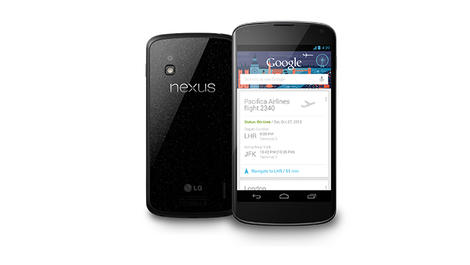 The unlucky majority who were unable to snap the brilliant Nexus 4 from Google after its release last week will soon be able to pick up the handset from Three…as long as they're willing to cough up 400 smackers for it.
From December 13 - which marks the end of O2's Nexus 4 exclusive offer - the service provider will be selling the handset for £399.99 on Pay As You Go, or for £35 per month on Three's The One plan with an upfront cost of £29.
Three is yet to reveal whether this price is for the 8GB or 16GB variety of the Nexus 4, but it's notably more than the wallet-friendly £279 Google is selling the 16GB model for SIM-free. It's also not yet known how long the £35 per month contract term is for, but it's probably two years.
The unlucky majority who were unable to snap the brilliant Nexus 4 from Google after its release last week will soon be able to pick up the handset from Three…as long as they're willing to cough up 400 smackers for it.
From December 13 - which marks the end of O2's Nexus 4 exclusive offer - the service provider will be selling the handset for £399.99 on Pay As You Go, or for £35 per month on Three's The One plan with an upfront cost of £29.
Three is yet to reveal whether this price is for the 8GB or 16GB variety of the Nexus 4, but it's notably more than the wallet-friendly £279 Google is selling the 16GB model for SIM-free. It's also not yet known how long the £35 per month contract term is for, but it's probably two years.
Supply & demand
Google is currently selling the Nexus 4 at around cost price, but network carriers have taken advantage of the handset's massive popularity (it's currently sold out on Google and several other outlets) by charging more for the device. The higher prices also accommodate the contracts being sold with the phones, but they must just be hoping that PAYG customers don't just look at the Google Play Store. Three's All in One 15 costs £15 and gives 30-day access to All-You-Can-Eat data along with 300 any-network minutes and 3,000 texts. Alternatively, All in One 25 costs £25 and offers All-You-Can-Eat data, 500 minutes and 3,000 texts and for a 30-day period.
| |
UK looks to the stars with £16 million Project Orion investment
 Britain has made a £16 million investment in Project Orion, a European Space Agency (ESA) project that hopes to send manned missions to the moon and beyond by 2017.
Project Orion's objective is to ship space-faring folk to the far side of the Moon, Mars and near-earth asteroids - and perhaps even beyond.
Britain's part in Project Orion is to build propulsion, guidance and communication systems for the craft's multi-purpose crew vehicle (MPCV).
The country also hopes the project will see British astronaut Tim Peake sent into space, which would make him the first Briton to be blasted into the cosmos without private funding or having to take on American citizenship.
Britain has made a £16 million investment in Project Orion, a European Space Agency (ESA) project that hopes to send manned missions to the moon and beyond by 2017.
Project Orion's objective is to ship space-faring folk to the far side of the Moon, Mars and near-earth asteroids - and perhaps even beyond.
Britain's part in Project Orion is to build propulsion, guidance and communication systems for the craft's multi-purpose crew vehicle (MPCV).
The country also hopes the project will see British astronaut Tim Peake sent into space, which would make him the first Briton to be blasted into the cosmos without private funding or having to take on American citizenship.
Rocketman
In the cutting-edge, multi-billion-dollar world of space exploration, Britain doesn't tend to fare quite as well as the likes of Russia, China and the US. Although the country has invested a lot in sending satellites and various other communications devices into the stratosphere, the UK still tends to come out looking like a kid stringing plastic army men to helium balloons and letting them go in a car park. The 2003, £40 million Beagle 2 flop is still fresh the minds of many Britons – both scientists and space enthusiasts alike - so it's good to see the country taking a fresh stab at the space game. Project Orion's first unmanned missions are scheduled for 2014, with manned flights into space hoped to take place by the end of the decade.
| |
Buying Guide: 10 best 46 and 47-inch TVs in the world today

10 best 46-inch TVs
There was a time when plasma screens reigned supreme in the 46-inch+ TV market. But in much the same way as a meteor strike killed off the dinosaurs, the second coming of the LCD TV is the invasive species that has done for plasma. We're still huge advocates of plasma on TechRadar, don't get us wrong, but the tech is dying out. Oldschool CCFL tech has been replaced by LED scanning and technical wizardry to finally make LCD tech viable in large sizes. So the majority of TVs in this size bracket are now from the LED side of the wall, and that's not necessarily a bad thing. LED TVs these days are brighter than plasmas, they're thinner and there's a lot more variety on show. So here's our selection of the best 46-inch (and the odd 47-inch too) TVs for your perusal.
Toshiba 46TL963
Well-balanced budget TV £800: Although it sits in the upper half of Toshiba's TV range, the 46TL963 is still strikingly cheap for a 46-inch LCD TV - especially one that supports active 3D playback and online smart functionality. It also sports one of those slim bezel/slim rear designs so in vogue right now, plays back most of the multimedia formats that matter from USB flash drives, and its pictures outperform the set's price level too, with richer contrast, punchier colours and better sharpness than you'd expect.
You don't get any 3D glasses free, there's some crosstalk with 3D pictures, and both the 46TL963's online and DLNA networked playback features are limited. But the set remains cracking value overall.
Read: Toshiba 46TL963 review | Compare the best prices
£800: Although it sits in the upper half of Toshiba's TV range, the 46TL963 is still strikingly cheap for a 46-inch LCD TV - especially one that supports active 3D playback and online smart functionality. It also sports one of those slim bezel/slim rear designs so in vogue right now, plays back most of the multimedia formats that matter from USB flash drives, and its pictures outperform the set's price level too, with richer contrast, punchier colours and better sharpness than you'd expect.
You don't get any 3D glasses free, there's some crosstalk with 3D pictures, and both the 46TL963's online and DLNA networked playback features are limited. But the set remains cracking value overall.
Read: Toshiba 46TL963 review | Compare the best prices

Panasonic TX-L47ET5
Family-friendly 3D and good HD for a decent price £830: The ET5 series represents Panasonic's first stab at delivering the passive 3D format - and it actually works very well. It ships with four pairs of free glasses, as is common with the passive format, and its 3D pictures are clean, crisp, bright and colourful. The set hasn't forgotten about 2D, though, serving up HD images that are rife with detail and dynamism. Also impressive are its multimedia support and Viera connect online services.
The Panasonic TX-L47ET5 disappoints slightly with its standard definition pictures, and its 3D images aren't Full HD. It still gives you plenty of bang for your buck, though, and so provides an adequate fill-in for the gap between Panasonic's 42-inch and 50-inch plasma TVs.
Read: Panasonic TX-L47ET5 review
£830: The ET5 series represents Panasonic's first stab at delivering the passive 3D format - and it actually works very well. It ships with four pairs of free glasses, as is common with the passive format, and its 3D pictures are clean, crisp, bright and colourful. The set hasn't forgotten about 2D, though, serving up HD images that are rife with detail and dynamism. Also impressive are its multimedia support and Viera connect online services.
The Panasonic TX-L47ET5 disappoints slightly with its standard definition pictures, and its 3D images aren't Full HD. It still gives you plenty of bang for your buck, though, and so provides an adequate fill-in for the gap between Panasonic's 42-inch and 50-inch plasma TVs.
Read: Panasonic TX-L47ET5 review

Sony KDL-46HX753
Sony's cheaper option £950: First, the bad news: the Sony KDL-46HX753 doesn't rival the picture quality of its 46HX853 flagship sibling, chiefly because it doesn't use the more expensive model's local dimming system. However, while its contrast might not be quite as good, especially when it comes to showing up shadow details, it's still very impressive by the standards of the sub-£1,000 46-inch TV range at large. Colours and sharpness are excellent too, and 3D playback is among the best we've seen, delivering all the HD advantages of the active 3D format while displaying little evidence of the negatives. Wrapping up a truly attractive mid-range package is Sony's excellent online system, which provides enough video streaming services to ensure that you're never short of something to watch. Read: Sony KDL-46HX753 review
Samsung UE46ES6800
Get Samsung's LCD quality for less cash
£1,000: If the £1,600 needed for Samsung's flagship UE46ES8000 is too rich for your blood, then the UE46ES6800 is a great cut-price alternative. It drops the gesture and voice controls (which many users won't mind at all), is less swankily designed and uses a less powerful picture processing engine, resulting in pictures which aren't as full of contrast or as subtle.
But make no mistake; picture quality is still very good indeed by the standards of the set's sub-£1,000 price level, provided, at least, that you reduce the set's backlight output down from its preset levels. Don't forget, either, that you still get Samsung's excellent online features.
Read: Samsung UE46ES6800 review

LG 47LM760T
The style guru's TV of choice
£1,150: LG is the current king of TV shelf appeal. Don't believe us? Then check out the 47LM760T, with its barely there bezel, gorgeous glinting finish, impossibly slender rear, and distinctive cut out stand design. The TV continues to reel you in with its extremely bold colours, potent contrast range, and pin-sharp HD pictures, as well as shipping with five pairs of 3D glasses in support of its passive 3D technology, and going beyond the call of duty with its multimedia playback and enormous online services.
Picture enthusiasts won't like the backlight 'blocking' caused by the set's local dimming engine, but otherwise the LG 47LM760T is a great example of why LG is now such a strong force in the TV world.
Read: LG 47LM760T review | Compare the best prices

Sony KDL-46HX853
Sets new picture standards £1,200: Sony seems to have realised in 2012 that the key to turning around its ailing TV fortunes was to start delivering the sort of quality it was once justly famed for. And the Sony KDL-46HX853 is a stunning result of this thought process, delivering the best picture quality yet seen from an LCD TV.
The key to its success is the unprecedented quality of its lighting system, which combines edge LED lighting with local dimming to produce a gorgeous contrast performance able to deliver both deep blacks and an immense amount of shadow detail. Sealing the deal are excellent colours, loads of video content among its online services, unusually powerful audio and a surprisingly reasonable price.
Read: Sony KDL-46HX853 review | Compare the best prices
£1,200: Sony seems to have realised in 2012 that the key to turning around its ailing TV fortunes was to start delivering the sort of quality it was once justly famed for. And the Sony KDL-46HX853 is a stunning result of this thought process, delivering the best picture quality yet seen from an LCD TV.
The key to its success is the unprecedented quality of its lighting system, which combines edge LED lighting with local dimming to produce a gorgeous contrast performance able to deliver both deep blacks and an immense amount of shadow detail. Sealing the deal are excellent colours, loads of video content among its online services, unusually powerful audio and a surprisingly reasonable price.
Read: Sony KDL-46HX853 review | Compare the best prices

Panasonic TX-L47WT50
Flagship thrills for multimediaphiles
£1,500: The Panasonic TX-L47WT50 is the most futuristic TV Panasonic has ever made. Its super-slim glass and metal design, for starters, looks like something out of the Jetsons. Then there's the way its dual-core processors enable you to multitask, so that you can have six apps open at once and switch between them at will.
Last but not least there are the L47WT50's pictures, which use a local dimming system and some advanced processing to look absolutely immaculate for the majority of the time, with excellent contrast, rich colours, scary amounts of detail and the cleanest 3D pictures the LCD world has to offer. The only problem is some instability and light blocking during dark scenes.
Read: Panasonic TX-L47WT50 review | Compare the best prices

Philips 46PFL7007
Good mid-range option for well-heeled tech fans
£1,500: Philips' return to the TV fray has been very impressive so far, with both its high-end and new mid-range models such as the 46PFL7007. It catches the eye right away with its super slim, shiny design, and just grows on you more from there, thanks to its startlingly contrast- and colour-rich LCD 2D and 3D pictures, impressive motion reproduction, massive list of connections and some of its multimedia capabilities.
On the downside there's a little crosstalk with 3D, online features are limited, you only get one free pair of 3D glasses, and it's a bit expensive. But this is still overall an excellent mid-range television for serious tech and picture enthusiasts.
Read: Philips 46PFL7007 review

Samsung UE46ES8000
Technological tour de force
£1,600: Samsung's flagship 46-inch TV for 2012 is a suitably uncompromising beast. Its design is incredibly slim, and its feature count is formidable, including such highlights as the TV world's most content-rich and well-presented online service; voice and gesture control; expansive multimedia playback from USB; an 800Hz-like motion processing system; and the top tier of Samsung's micro-dimming system, which breaks the picture into small sections for improved processing analysis.
You need to reduce the TV's backlight output substantially from all the provided picture presets if you want dark scenes to look convincingly dark and evenly lit, and the gesture/voice controls can be fiddly. But nonetheless this 46in TV is another Samsung star.
Read: Samsung UE46ES8000 review | Compare the best prices

Philips 46PFL9707
Moth-inspired tech proves a movie-fan's dream £2,300: The Philips 46PFL9707 is comfortably the most expensive TV in our top 10, but it has a damn fine excuse in the shape of its brilliant and unique Moth-Eye filter technology. This apes the nodular surface of moth's eyes to almost completely remove on-screen reflections, and combines with a local dimming direct LED system to produce images containing both perfect black colours and phenomenally punchy colours, and bright whites in a way no other LCD illumination system can match. Pictures also benefit from stunning sharpness and peerless motion handling, leaving as our only niggles the relative complexity of the TV's operating system (given how many processing options you need to wrestle with), and a rather content-light online service. Read: Philips 46PFL9707 review
| |
Who should control the internet?
 There's a battle raging for control of the internet.
Yesterday, the European Parliament voted to reject the idea that the International Telecommunications Union (ITU) should gain regulatory control over the web.
It was a welcome move for lobbyists who had campaigned against the famously secretive ITU, saying that its proposal goes against the idea of a free and open internet.
Less impressed will be Russia's number one, Vladimir Putin, who had expressed hope that "international control" could be established over the internet "using the monitoring and supervisory capabilities of the International Telecommunication Union".
That's the same Russia that recently implemented a law that allows the government to force any website offline without any legal trial. It's supposedly meant to protect against child porn and other shady websites but many fear is a front to allow the Government to shut down political opposition on the sly – in other words, legal censorship.
There's a battle raging for control of the internet.
Yesterday, the European Parliament voted to reject the idea that the International Telecommunications Union (ITU) should gain regulatory control over the web.
It was a welcome move for lobbyists who had campaigned against the famously secretive ITU, saying that its proposal goes against the idea of a free and open internet.
Less impressed will be Russia's number one, Vladimir Putin, who had expressed hope that "international control" could be established over the internet "using the monitoring and supervisory capabilities of the International Telecommunication Union".
That's the same Russia that recently implemented a law that allows the government to force any website offline without any legal trial. It's supposedly meant to protect against child porn and other shady websites but many fear is a front to allow the Government to shut down political opposition on the sly – in other words, legal censorship.
Action stations
Google recently launched a campaign to keep control of the web from ITU, pushing the message that the internet should be 'free and open'. While seemingly laudable, Google's position does come with ulterior motives: one of the ITU's major proposals for the web is to bring in a 'sender pays' proposal. This would mean that any company providing a lot of "content" over the web (be it words, pictures, videos or anything else) would have to pay ISPs and other communications companies to deliver that content. If you're Google, a company that provides a serious amount of stuff not least of which is the world's biggest video sharing site, a plan like that is going to make a significant dent in the old finances. However, Google has long been a proponent of the open web and if that just so happens to align with its business model, it says, that shouldn't be a problem. Google's chief legal officer David Drummond calls this "a happy coincidence". "We are not ashamed to say the open web is good for the world, and happens to cerate good opportunities for business," he told The Guardian – a sentiment later echoed by co-founder Sergey Brin who admitted that without an open internet, Google would not be the company it is today. Indeed, Google has been careful to disclose as much information as possible relating to take-down notices it receives from both private companies (usually copyrighted videos or music) and governments who request it remove sites from search results for reasons ranging from terrorist-incitement to political speech.UN-do
Although the ITU seems to have the commercial interests of its 700 telecommunications industry members at heart, it is at least part of the United Nations and, as such, isn't governed by any one country. Most of the bodies that regulate and oversee online activities are based in the US - for example ICANN, which controls the domain naming system. The American government doesn't directly control these bodies but it is still loathe to concede power over the web to the ITU or UN, as expressed in its initial proposal document taking umbrage at the ITU's proposed regulation changes. The UK government, meanwhile, has spoken of the importance of keeping the web free and open, a position that jives with web-founder Sir Tim Berners-Lee's feelings on the matter. The issue of web regulation and control will be hashed out at a major international meeting of the ITU's member states in Dubai on December 3. For anyone who spends any amount of time online, it's a crucial one to keep an eye on.
| |
Buying Guide: Which is the best HTC phone?

Which is the best HTC phone?
Our constantly updated list of the best HTC phones. So you've decided that HTC is the brand you want to spend the next 24 months of your life with - but that's not the end of the quest. You have a plethora of devices, price points and operating systems to choose from and it can all get a little bewildering. But which is the best HTC phone for you? Like Huawei and ZTE, HTC started life by building network-branded handsets, and has branched out and made their own name. The HTC Desire was the phone that truly launched it, and the Android OS, into the mainstream. With the launch of the Android 'One' line, and Windows Phone based '8' line, alongside the continuation of the Desire range, how does HTC's new slim lined range stack up? Thankfully TechRadar is on hand to help you out - check out our run down of all the HTC phones around at the moment:1. HTC One X+
 OS: Android 4.1 Jelly Bean
Not being a complete overhaul of the impressive One X, the HTC One X+ is comparable to the Sensation XE over the original Sensation.
Launching in matte black, with red accents, the HTC One X+ launches with Android 4.1 Jelly Bean and HTC Sense 4+ on top of a 1.7GHz quad core Nvidia Tegra 3 processor, powered by a massive 2100mAh battery.
It's ticked the boxes that we were looking for in an improvement to the One X, and should be a real consideration for anyone looking for their next smartphone.
OS: Android 4.1 Jelly Bean
Not being a complete overhaul of the impressive One X, the HTC One X+ is comparable to the Sensation XE over the original Sensation.
Launching in matte black, with red accents, the HTC One X+ launches with Android 4.1 Jelly Bean and HTC Sense 4+ on top of a 1.7GHz quad core Nvidia Tegra 3 processor, powered by a massive 2100mAh battery.
It's ticked the boxes that we were looking for in an improvement to the One X, and should be a real consideration for anyone looking for their next smartphone.
2. HTC One X
 OS: Android 4.1 Jelly Bean
Looking at the HTC One X, it is clear that phone was designed to be at the fore of the mobile market. The quad core processor, Android 4.1 and Sense 4+, and HD screen make the HTC One X a powerful media phone.
This is backed up with 32GB of internal storage, highly necessary given the lack of microSD support. It's still one of the best HTC phones around, and now is a little more palatable on the price front thanks to the appearance of the HTC One X+.
OS: Android 4.1 Jelly Bean
Looking at the HTC One X, it is clear that phone was designed to be at the fore of the mobile market. The quad core processor, Android 4.1 and Sense 4+, and HD screen make the HTC One X a powerful media phone.
This is backed up with 32GB of internal storage, highly necessary given the lack of microSD support. It's still one of the best HTC phones around, and now is a little more palatable on the price front thanks to the appearance of the HTC One X+.
3. HTC One S
 OS: Android 4.0.4 Ice Cream Sandwich
Baby brother to the HTC One X, the One S, might not have the same highly-powered insides, but that doesn't mean it's not special in its own right.
Its slightly smaller than the One X, and only has a dual core processor, but the Super AMOLED display reproduces colours faithfully. For those looking for a high end handset, but not looking for high end prices, the One S is a real alternative, and if you can't stand the thought of a larger screen then this is the number one handset from HTC, especially given the micro-arc oxidised back it's rocking.
Seriously, give it a feel. It's lovely.
OS: Android 4.0.4 Ice Cream Sandwich
Baby brother to the HTC One X, the One S, might not have the same highly-powered insides, but that doesn't mean it's not special in its own right.
Its slightly smaller than the One X, and only has a dual core processor, but the Super AMOLED display reproduces colours faithfully. For those looking for a high end handset, but not looking for high end prices, the One S is a real alternative, and if you can't stand the thought of a larger screen then this is the number one handset from HTC, especially given the micro-arc oxidised back it's rocking.
Seriously, give it a feel. It's lovely.
4. HTC 8X
 OS: Windows Phone 8
The recent Windows Phone 8 launch means that new devices such as the brightly coloured HTC 8X are the hot topic of conversation.
The HD display with 342ppi easily matches the iPhone for clarity, and the dual core 1.5GHz processor powers WP8 along with aplomb. Like the One X, it doesn't come with microSD support, which is a little frustrating given that this is now supported by WP8.
However, it's a strong handset with a number of top features, including Beats Audio and a dedicated internal amplifier... plus we're digging the alternative design.
OS: Windows Phone 8
The recent Windows Phone 8 launch means that new devices such as the brightly coloured HTC 8X are the hot topic of conversation.
The HD display with 342ppi easily matches the iPhone for clarity, and the dual core 1.5GHz processor powers WP8 along with aplomb. Like the One X, it doesn't come with microSD support, which is a little frustrating given that this is now supported by WP8.
However, it's a strong handset with a number of top features, including Beats Audio and a dedicated internal amplifier... plus we're digging the alternative design.
5. HTC Desire X
 OS: Android 4.0.4 Ice Cream Sandwich
Coincidentally launching 2 years after the original Desire, the HTC Desire X may well be designed to catch users coming to the end of their 24 month contract.
With a design reminiscent of the HTC One series, the Desire X comes with a dual core 1GHz processor, Android 4.0.4 and an impressive 4 inch Super LCD screen.
It's main strength is that it comes in at a slightly cheaper price bracket, and should be rolled up to Jelly Bean at some point soon.
OS: Android 4.0.4 Ice Cream Sandwich
Coincidentally launching 2 years after the original Desire, the HTC Desire X may well be designed to catch users coming to the end of their 24 month contract.
With a design reminiscent of the HTC One series, the Desire X comes with a dual core 1GHz processor, Android 4.0.4 and an impressive 4 inch Super LCD screen.
It's main strength is that it comes in at a slightly cheaper price bracket, and should be rolled up to Jelly Bean at some point soon.
6. HTC Desire C
 The lowest specced model of the HTC range is the HTC Desire C. This might seem a little odd, given that the Desire range was once the jewel in the HTC crown.
The big selling point of the HTC Desire C is the low price, so you might forgive the 600MHz processor, or the HVGA 3.5-inch screen. Looking at it though, you'd fool just about everyone as the HTC Desire C looks like a high end device.
It's not got the grunt or the clout of the new One Series, but the big advantage the Desire C has over the competition is the addition of HTC Sense, an overlay which supercharges the device compared to the boring stock Android.
The lowest specced model of the HTC range is the HTC Desire C. This might seem a little odd, given that the Desire range was once the jewel in the HTC crown.
The big selling point of the HTC Desire C is the low price, so you might forgive the 600MHz processor, or the HVGA 3.5-inch screen. Looking at it though, you'd fool just about everyone as the HTC Desire C looks like a high end device.
It's not got the grunt or the clout of the new One Series, but the big advantage the Desire C has over the competition is the addition of HTC Sense, an overlay which supercharges the device compared to the boring stock Android.
7. HTC One V
 OS: Android 4.0.3 Ice Cream Sandwich
You have to feel a little bit sorry for the HTC One V - it was an unloved cookie from the start. Despite having a similar design to the popular HTC Hero and Legend, few outlets ever picked it up, despite the lower-ish price tag.
Actually, it was the cost that condemned it - a single core processor, no chance of Jelly Bean and an underpowered camera meant that the fact it was up there with the One S in terms of price meant there was very little reason to choose it.
But it's still around and a darn sight cheaper, so if you like iconic, premium design and aren't too fussed about specs then it's a good alternative choice.
OS: Android 4.0.3 Ice Cream Sandwich
You have to feel a little bit sorry for the HTC One V - it was an unloved cookie from the start. Despite having a similar design to the popular HTC Hero and Legend, few outlets ever picked it up, despite the lower-ish price tag.
Actually, it was the cost that condemned it - a single core processor, no chance of Jelly Bean and an underpowered camera meant that the fact it was up there with the One S in terms of price meant there was very little reason to choose it.
But it's still around and a darn sight cheaper, so if you like iconic, premium design and aren't too fussed about specs then it's a good alternative choice.
8. HTC Explorer
 OS: Android 2.3 Gingerbread
We shouldn't have this phone on the list as it's just too old now - well, over a year, which is aeons in this business.
However, it's cheaper than gone-off chips now, so if you're after a budget choice then this can still do a job. It's got pre-Beats SRS surround sound enhancement, a microSD slot and a 600MHz processor, as well as a 3.2MP camera.
Did we mention that it's really cheap now?
OS: Android 2.3 Gingerbread
We shouldn't have this phone on the list as it's just too old now - well, over a year, which is aeons in this business.
However, it's cheaper than gone-off chips now, so if you're after a budget choice then this can still do a job. It's got pre-Beats SRS surround sound enhancement, a microSD slot and a 600MHz processor, as well as a 3.2MP camera.
Did we mention that it's really cheap now?

| |
Galaxy Note 10.1 owners get Suite deal
 Owners of the Samsung Galaxy Note 10.1 will be treated to a nice little extra when they eventually receive the Android Jelly Bean 4.1 update: Samsung Premium Suite.
Premium Suite brings a number of nice additions to the Galaxy Note 10.1, essentially adding an extra level of functionality to the device and including features that play to the Note series' unique selling point, namely the S-Pen stylus.
Devices such as the Galaxy Note 10.1 and Note 2 have already proved there is still room in the market for stylus-based devices, and many of the Premium Suite features will already be familiar to owners of the Note 2.
Air View, for example, allows users to quickly preview content such as emails, appointments and videos by hovering the S-Pen over it, making it easier to scan for useful info without having to repeatedly dive in and out of programmes.
Owners of the Samsung Galaxy Note 10.1 will be treated to a nice little extra when they eventually receive the Android Jelly Bean 4.1 update: Samsung Premium Suite.
Premium Suite brings a number of nice additions to the Galaxy Note 10.1, essentially adding an extra level of functionality to the device and including features that play to the Note series' unique selling point, namely the S-Pen stylus.
Devices such as the Galaxy Note 10.1 and Note 2 have already proved there is still room in the market for stylus-based devices, and many of the Premium Suite features will already be familiar to owners of the Note 2.
Air View, for example, allows users to quickly preview content such as emails, appointments and videos by hovering the S-Pen over it, making it easier to scan for useful info without having to repeatedly dive in and out of programmes.
Three piece Suite
Samsung Premium Suite also offers enhanced sketch and art tools like Easy Clip for copying and pasting images with the S Pen and an array of enhanced handwriting and image/ art options too. Multi Window, another out-of-the-box Note 2 feature, really speaks for itself. It allows users to open up to 16 app windows at once, should the need ever arise, which can then be re-sized and moved around the screen at will. Android 4.1 has already begun rolling out to the Galaxy Note 10.1 in some parts of the world, and although there's no official word yet as to when to UK will be receiving it, the news should at least keep people happy in the meantime.
| |
Hands-on review: Huawei Ascend G330
 The Huawei Ascend G330 is a fairly uninspiring phone, but is designed to appeal to those that want to spend only a little on a smartphone. These people may want something more than a £70 effort from the bargain bin, but won't break the bank.
Which makes the G330 a little bit of an oddity, especially when compared to the barnstorming Ascend G300 predecessor, which rightly holds its place in our top mobile phones list.
The Huawei Ascend G330 is a fairly uninspiring phone, but is designed to appeal to those that want to spend only a little on a smartphone. These people may want something more than a £70 effort from the bargain bin, but won't break the bank.
Which makes the G330 a little bit of an oddity, especially when compared to the barnstorming Ascend G300 predecessor, which rightly holds its place in our top mobile phones list.
 When it was first announced the G330 was touted at being around 60% more than the G300 – although the specs have been given a boost to compensate - but the Chinese firm now expects it to land at around £100 SIM-free.
This means we're looking at a dual-core 1GHz processor, a 5MP camera and Ice Cream Sandwich on board as standard.
When it was first announced the G330 was touted at being around 60% more than the G300 – although the specs have been given a boost to compensate - but the Chinese firm now expects it to land at around £100 SIM-free.
This means we're looking at a dual-core 1GHz processor, a 5MP camera and Ice Cream Sandwich on board as standard.
 It's also rocking a nice 512MB of RAM to help out that meatier CPU, and also packs 4GB of internal storageand a 1,500mAh battery.
But enough of the internals – what's the phone actually like in the hand? The same 'uninspiring' term pops up again here, as it's got some fairly cheap (if acceptable) chassis effects.
It's also rocking a nice 512MB of RAM to help out that meatier CPU, and also packs 4GB of internal storageand a 1,500mAh battery.
But enough of the internals – what's the phone actually like in the hand? The same 'uninspiring' term pops up again here, as it's got some fairly cheap (if acceptable) chassis effects.
 The plastic shell feels OK in the hand, the top-placed power and lock button is easy enough to hit (although could do with a little more travel) and the three soft keys to control the Android 4.0 OS are pleasant enough to hit.
There's also a slight attempt at an overlay here, although it's not the fancy-pants Emotion UI that we're going to be getting on the more impressive Huawei handsets.
The plastic shell feels OK in the hand, the top-placed power and lock button is easy enough to hit (although could do with a little more travel) and the three soft keys to control the Android 4.0 OS are pleasant enough to hit.
There's also a slight attempt at an overlay here, although it's not the fancy-pants Emotion UI that we're going to be getting on the more impressive Huawei handsets.
 The Ascend G330 allows you to control some of the connectivity elements from the pull-down notification bar, which we're a big fan of as it's much easier to pop on Bluetooth or turn off mobile data this way.
Early Verdict
We're not sure how we would recommend this phone. It reminds us of the ZTE Grand X, which is a misplaced handset if ever we saw one. It's going to be fighting with the likes of the HTC Desire C, and that's not a fight you'd want to enter into with the might of the name and Sense UI on board.
Some people might like the fact most of the Ascend G330 is stock Android, as the Holo Theme is actually pretty cool. But for us, there's nothing to really write home about here – although we will be testing the gaming prowess Huawei is so proud of, thanks to the Adreno 200 GPU on offer.
It's going to be fighting with the likes of the HTC Desire C, and that's not a fight you'd want to enter into with the might of the name and Sense UI on board.
Some people might like the fact most of the Ascend G330 is stock Android, as the Holo Theme is actually pretty cool. But for us, there's nothing to really write home about here – although we will be testing the gaming prowess Huawei is so proud of, thanks to the Adreno 200 GPU on offer.

| |
Budget Huawei Ascend G330 arrives in time for Christmas
 The Chinese firm is mounting an assault on the budget end of the market with the Huawei Ascend G330 landing in the UK at the start of December.
The Ascend G330 builds of the successful Huawei Ascend G300 which offered impressive specs for a smartphone sporting a £100 price tag.
TalkTalk will be the first, and only, network to offer the Ascend G330 before the year is out, with other carriers promised in the new year.
The Chinese firm is mounting an assault on the budget end of the market with the Huawei Ascend G330 landing in the UK at the start of December.
The Ascend G330 builds of the successful Huawei Ascend G300 which offered impressive specs for a smartphone sporting a £100 price tag.
TalkTalk will be the first, and only, network to offer the Ascend G330 before the year is out, with other carriers promised in the new year.
Reasonable
Contracts will start at a reasonable £10 per month, including a free handset, and Huawei expects retailers to offer the Ascend G330 for around £100 SIM-free. The Ascend G330 packs a 4-inch 480x800 display, 1GHz dual-core processor, 512MB RAM, 4GB internal storage, 5MP camera, microSD slot and comes running Android 4.0.4 Ice Cream Sandwich. Huawei announced the G330 alongside the larger Ascend G600 at IFA 2012 in Berlin, although there's currently no word on when (or if) its big brother will come to Britain.
| |
The Top 10 business printers
 The sheer range of printers is bewildering and with the many manufacturers in the market after your money, making the right decision can be tough. It's doubly tough when you realise why there's so much competition; the real money is made on the many consumables your business will be purchasing to maintain that new printer purchase. What might initially seem modest costs can soon add up over time.
So where do you need to start? Even the most modest of offices will likely be networked and sharing a resource as useful as a printer is an essential. So you should only be looking at printers that are capable of networked use. Wired offers speed and robust function for a fixed office. Wireless is flexible, cheap to deploy but not as fast in use.
Multi-function features can be found across the board and at all cost scales. Basic features start with USB Key and card readers for PC-free printing, moving to scanner and copier functions. At the higher end automatic document feeders (ADF) can manage 50 copies in a single go and produce booklets including duplex printing, stapling and folding. Often the basic ADF features will accommodate most medium-sized offices.
In the past there has been a marked difference in Cost Per Page (CPP) between lasers and inkjets but in recent years inkjets have managed to drop their prices to compete. Either way it's important you carefully assess the CPP of each device. Manufacturers measure the toner or cartridge yields with an industry standard ISO rating. So you can safely assess the total price of replacing all the cartridges or toners divided by the print yield across all the potential models.
The total volume of prints you're going to make also needs to be taken into account. Devices often quote a "duty cycle" monthly maximum and recommended figures. These are the total number of prints it's designed to handle per month. If possible assess the number of prints per employee for the office and ensure the device is capable of meeting your current and future demands.
Finally in the past colour especially for laser printers has demanded a premium, that's not so much the case these days. However these models are still more expensive due to the additional materials required for the toners and printer manufacture. There's still a big enough differential that if you don't need regular colour you should opt for a mono model, perhaps using a cheaper inkjet or even out-of-house printing for occasional colour requirements.
Here in no particular order, are the top ten printers for businesses large and small, from a basic monochrome lasers suitable for a small business and a home office through to a small departmental multifunction printer.
The sheer range of printers is bewildering and with the many manufacturers in the market after your money, making the right decision can be tough. It's doubly tough when you realise why there's so much competition; the real money is made on the many consumables your business will be purchasing to maintain that new printer purchase. What might initially seem modest costs can soon add up over time.
So where do you need to start? Even the most modest of offices will likely be networked and sharing a resource as useful as a printer is an essential. So you should only be looking at printers that are capable of networked use. Wired offers speed and robust function for a fixed office. Wireless is flexible, cheap to deploy but not as fast in use.
Multi-function features can be found across the board and at all cost scales. Basic features start with USB Key and card readers for PC-free printing, moving to scanner and copier functions. At the higher end automatic document feeders (ADF) can manage 50 copies in a single go and produce booklets including duplex printing, stapling and folding. Often the basic ADF features will accommodate most medium-sized offices.
In the past there has been a marked difference in Cost Per Page (CPP) between lasers and inkjets but in recent years inkjets have managed to drop their prices to compete. Either way it's important you carefully assess the CPP of each device. Manufacturers measure the toner or cartridge yields with an industry standard ISO rating. So you can safely assess the total price of replacing all the cartridges or toners divided by the print yield across all the potential models.
The total volume of prints you're going to make also needs to be taken into account. Devices often quote a "duty cycle" monthly maximum and recommended figures. These are the total number of prints it's designed to handle per month. If possible assess the number of prints per employee for the office and ensure the device is capable of meeting your current and future demands.
Finally in the past colour especially for laser printers has demanded a premium, that's not so much the case these days. However these models are still more expensive due to the additional materials required for the toners and printer manufacture. There's still a big enough differential that if you don't need regular colour you should opt for a mono model, perhaps using a cheaper inkjet or even out-of-house printing for occasional colour requirements.
Here in no particular order, are the top ten printers for businesses large and small, from a basic monochrome lasers suitable for a small business and a home office through to a small departmental multifunction printer.

1/ Dell C3765dnf Colour Laser Printer
www.dell.com From £500 Ex VAT The Dell C3765dnf simply does so much, so well that it's hard not to heartedly recommend. That's not to say it's going to suit every office perfectly but then that's why we have nine other choices. To start this is a workgroup-class fast multi-function colour laser with a suitably-high duty cycle of 80,000 pages and an optional extra-high capacity black toner with a 11,000 page print yield. It's these types of features that help this service a large busy office without breaking into a sweat. Digging a little deeper for a colour laser Dell gets you pile more functionality, this Gigabit Ethernet network printer offers a 550-sheet and 150-sheet input tray with an optional second 550-sheet tray for a maximum 1250 sheets. It's no slouch in use rated at up to 35 pages per minute for both colour and mono documents. It has full-auto duplex printing too that only drops the speed to 23 page per minute. For full compatibility it offers the standard PCL6 and Postscript 3 driver support alongside XPS. In general use the print quality of the Dell is sound with its graphics if anything being slightly ahead of its text. What's also impressive is that print costs are low for such a class of colour laser printer. Additionally the Dell comes with Nuance's PaperPort Pro 14 to help manage your businesses work flow, and includes security features such as LDAP, Kerberos authentication and the ability to add 10-digit passwords to documents for printing.
2/ Lexmark T650n
www.lexmark.com From £161 Ex VAT Sometimes compromise won't do and the Lexmark T650n is a no compromise type of mono laser printer. Suitable for any workgroup sized installation everything about the Lexmark T650n is robust. It has a maximum monthly duty cycle of 200,000 pages with a recommended number of 20,000 pages. It has a flexible dual-input tray system and 350-page output tray. The default input trays offers 100- and 250-page trays, but these can be boosted up to a maximum 4,000 pages with an optional base-unit. This model lacks a duplexer but that's found on the Lexmark T650dn, while the T650dtn offers the extended paper trays as default. These models all offer the same 45 page per minute print speeds, which isn't the fastest printer we've seen, but it certainly delivers enough throughput to remain impressively fast. If you do want more speed the Lexmark T654 has a more powerful print engine. With good graphics and text output alongside it's low running costs this mono laser will happily keep any office running smoothly, while it retains a very low cost of ownership.
3/ OKI MB471 mono LED
www.oki.co.uk From £316 Ex VAT A long-standing but perhaps lesser known brand, OKI, offers a huge range of multi-function printers such as its OKI MB471 mono LED printer. Coming in office-grey it's exactly the type of functional design you'd expect from an office workhorse designed to service a medium-sized office. This is reflected in its 70,000 page monthly duty cycle and an optional large input paper tray takes capacity up from a modest 250 to a far more functional 880 pages. This is a printer, scanner, copier and fax machine with duplex capabilities and a 50-page ADF sat atop of things. This model offers wired Ethernet but a 'w' model can also offer wireless networking too. Quoted prints speeds hit 33 pages per minute, however in use it feels somewhat slower than that, but remains fast enough for its segment. Considering its reasonable price, the text and image print quality is solid and the real winner for this OKI is the very-low running costs making it an excellent office purchase.
4/ Epson Workforce Pro WP-4025
www.epson.co.uk From £183 Ex VAT Epson is attacking the office in full force and at the frontline is the Epson Workforce Pro WP-4025. This is a multi-function colour inkjet printer, one of the new generation that can actually undercut lasers on print costs when it's kitted out with a high-yield black cartridge the Workforce range is hard for most lasers to touch on black print costs. The Workforce Pro is designed to service modest-sized offices with wired and wireless networking built-in. A duty cycle of 20,000 pages per month is certainly adequate but can't quite match the best lasers. A mono ISO print speed of 16 pages per minute is just enough for a small office and can be maintained from the basic main 250-page paper tray and an ancillary 80-sheet tray for specialist papers. There's auto-duplex on board too, which helps extend its usefulness. Set-up is hampered a little by the lack of any onboard display; however in use it produces first-class black text and colour material including photos. While it can't complete entirely on office features, its low running costs and print quality do propel the Epson Workforce Pro WP-4025 up our list for the smaller office. If you need ADF features then consider the Epson WP-4535 DWF model.
5/ Samsung CLP-775ND Colour Laser
www.samsung.com From £535 Ex VAT Costing more than most printers upfront, the Samsung CLP-775ND will pay for itself in the long run through cost savings on its consumables and efficiency in the workplace. It's a straight up colour laser printer designed for medium sized offices or small to medium workgroups. For this it has a reasonably high duty cycle of 120,000 monthly prints and offers the option for high-yield 7,000 page toners. These large capacity toners also give it a low running cost. Unlike many newer lasers it does require the replacement of a transfer belt every 50,000 prints, taking the sheen of its running costs and adding to potential downtime. In use it's a fast printer, living up to its 30 page per minute advertised print speeds, and all without compromising print quality, that remains satisfyingly good. It provides a large 500-page input tray alongside a secondary 100-page tray and it offer full duplex printing on top. It's a wired Ethernet printer with an expensive wireless option available.
6/ Lexmark OfficeEdge Pro5500
www.lexmark.com From £290 Ex VAT Lexmark OfficeEdge Pro5500 is going up against the stalwart office lasers such as the HP LaserJet Pro M1217 and taking them on at their own game. Offering laser-like quality the Lexmark OfficeEdge Pro5500 is one of the new breed of inkjets that can match lasers for speed, quality and consumable costs. It also brings with it the heritage of inkjets, which is photo-quality printing, consumer ease-of-use and features with this printer, copier, scanner and fax machine. Looks wise for a multi-function device it's a lovely bit of kit and will fit into any modern office. The front colour touch controls offer an attractive and intuitive way of using the machine. It's aimed at the smaller office in terms of capacity and speed. The maximum duty-cycle is a modest 30,000 pages per month but the recommend 1,500 page is less impressive. Paper input is an average 300-page tray with an option for a standard 550-page one and we're impressed it comes with a 50-sheet ADF. It's also a speedy worker with a draft throughput of 40 pages per minute in mono and an ISO output of 21 pages per minute. With a high-yield cartridge delivering 2,500 prints per page this can certainly take on mid-range lasers in terms of capacity and speed, while performing well on print quality.
7/ OKI C822 A3 colour laser
www.oki.co.uk From £685 Ex VAT Paying a premium for A3 printing is expected, but at least the OKI C822 A3 colour laser manages to take most of the sting out of that premium. It's a wired Ethernet networked printer and with a monthly duty cycle of 50,000 pages and recommended usage of 5,000 per month making it suitable for a medium-sized office. This is backed up by its decent 23 page per minute throughput and its base 400-sheet input and the option to expand this to a solid 930-sheets. It has the usual bland OKI office styling, which isn't necessarily a bad thing. Running costs for an A3 printer are actually excellent with A4 mono and colour costs as good as most smaller lasers. The main disappointment for the OKI is its colour output that's somewhat washed out, text however is excellent, making it useful for producing presentations and in-house drafts. This model does lack duplex printing but that is available on the more expensive OKI C822dn model.
8/ HP Photosmart 7510
www.hp.com From £83 Ex VAT Ideal for the home office this inkjet-based HP multi-function printer offers all the base features you want in a printer/scanner/copier with the added features of ePrint, fax and a good dose of photo-quality. It's based on HP's 5-ink print engine that comes with borderless prints and duplex printing as standard. While it does excel for mono and colour print quality, a number of key points do position the HP Photosmart 7510 firmly in the home office zone. There's only wireless networking available no wired Ethernet connection is available. Secondly print speed is acceptable but hardly zippy at ISO 13.5 page per minute. Finally it's also limited in terms of its 125-sheet input and 50-sheet output with no second tray to speak of. With a recommended monthly page volume as low as 500 pages it doesn't win any awards for endurance and if you plan on this being shared by more than a couple of people it could let you down. Read the full TechRadar review of the HP Photosmart 7510
9/ Samsung ML-2165W
www.samsung.com From £50 Ex VAT The notion of the large, expensive laser printer should have long been dispelled and if nothing else can do that then the Samsung ML-2165W will. This small-footprint mono printer costs less than many inkjets but has the capability to provide basic wireless-based print services to a home office or smaller office. With a rating for up to 10,000 pages per month and an A4 print speed of up to 20 pages per minute its small size shouldn't hide the fact that this could be a little workhorse. Its biggest main limiting factor is the single 150-sheet paper tray. With an equivalent 1200 dpi printer output it makes a good job of producing clear, crisp text in no time. The single consumable is the printer toner that comes in 1500 page yield capacity. These are well priced and easily replaced. Beyond these basics the Samsung ML-2165W has little to offer, which does limit its appeal even for home office users never mind a smaller sized office.
10/ HP LaserJet Pro M1217nfw
www.hp.co.uk http://www8.hp.com/uk/en/products/printers/product-detail.html?oid=4075475 From £133 Ex VAT The HP LaserJet Pro M1217nfw isn't going to win any design awards but what it lacks in aesthetics it really does make up for in functionality. This entry-level office multi-function mono laser printer offers all the standard print, copy, scan and fax features you'd want to see in an office workhorse. Add to that wired Ethernet networking alongside wireless networking and it has all the connectivity too. More than capable for the home office, it's of questionable service even a smaller-sized office thanks to its rather low duty cycle of 8,000 pages per month. The main attributes holding it back from a busy office is its lacklustre 18 page per minute print speed and its basic 150-sheet input tray with accompanying 100-sheet output. Making up for this is the inclusion of a 35-sheet automatic document feeder, its ability to multitask with print and copy jobs and the low running costs. Print quality is also excellent in terms of both its text and greyscale images. Oddly for HP the built-in controls are somewhat lacking, with just a two-line LCD display.
| |
Buying Guide: Canon EOS 650D vs Nikon D5200: which one should you buy?
 It's been a pretty significant year for new DSLR releases, with several launches from Nikon and a couple of significant introductions from Canon.
The advanced amateur market is one of the most hotly contested, since cameras sold in this segment are often the start of a long-term commitment to the brand.
Cameras such as the Nikon D5200 and the Canon EOS 650D offer something a little bit extra than the most basic cameras in each company's lineup.
Deciding which one to buy can be difficult, especially if you don't already own any lenses.
Here we take a look at the key differences between the two cameras to help you make your mind up.
It's been a pretty significant year for new DSLR releases, with several launches from Nikon and a couple of significant introductions from Canon.
The advanced amateur market is one of the most hotly contested, since cameras sold in this segment are often the start of a long-term commitment to the brand.
Cameras such as the Nikon D5200 and the Canon EOS 650D offer something a little bit extra than the most basic cameras in each company's lineup.
Deciding which one to buy can be difficult, especially if you don't already own any lenses.
Here we take a look at the key differences between the two cameras to help you make your mind up.
Canon EOS 650D vs Nikon D5200: Sensor
There's been a bit of a trend this year for high resolution sensors, and the Nikon D5200 features a 24 million pixel DX (APS-C) sized sensor. Meanwhile, the Canon EOS 650D has a more conservative offering, with its 18 million pixel APS-C device. Both have a pretty high pixel count that is sufficient for the average user. However, it's worth bearing in mind that the 24 million-pixel Nikon sensor gives you the manoeuvrability to crop into images and still retain a high pixel count - useful for shooting distant subjects with a short focal length lens.
On the other hand, increased resolution also increases the risk of higher image noise. We'll be keen to fully assess how the D5200's performs in our lab tests when one comes in for testing.
However, it's worth bearing in mind that the 24 million-pixel Nikon sensor gives you the manoeuvrability to crop into images and still retain a high pixel count - useful for shooting distant subjects with a short focal length lens.
On the other hand, increased resolution also increases the risk of higher image noise. We'll be keen to fully assess how the D5200's performs in our lab tests when one comes in for testing.
Canon EOS 650D vs Nikon D5200: Processor
Both the D5200 and 650D feature each company's latest generation image processing engine. This facilitates Full HD video recording and helps keep image noise to a minimum when shooting at high sensitivities. In terms of frame rates, Nikon offers greater choice with 60i and 50i available alongside 30p, 25p and 24p. The Canon meanwhile only offers 30p, 25p and 24p.Canon EOS 650D vs Nikon D5200: Screen
Both the D5200 and the 650D feature a fully articulating 3-inch screen. However, the Canon 650D trumps the Nikon D5200, since it's the world's first touchscreen DSLR. This is particularly useful when shooting in Live View mode, because you can set the autofocus point quickly, or even release the shutter itself via the screen. It's also handy when quickly checking critical focus of images played back as you can pinch to zoom in, or swipe through the images.
The Canon 650D screen also has a higher resolution than the Nikon D5200's, with 1040k dots compared with 921k dots.
This is particularly useful when shooting in Live View mode, because you can set the autofocus point quickly, or even release the shutter itself via the screen. It's also handy when quickly checking critical focus of images played back as you can pinch to zoom in, or swipe through the images.
The Canon 650D screen also has a higher resolution than the Nikon D5200's, with 1040k dots compared with 921k dots.
Canon EOS 650D vs Nikon D5200: Autofocus
The Nikon SLR is the clear winner here in terms of autofocus points, with 39 to rival the 650D's mere 9 points. Both have the same number of cross-type points though - 9. Canon debuted its hybrid autofocus system, which later made its way onto the Canon EOS M, in the 650D. This combines both phase and contrast detection, and is designed to make focusing in Live View and video mode quicker and more accurate.
Nikon has stuck with the more usual contrast detection AF in Live view mode so it will be interesting to see how its performance compares with Canon's Hybrid system's.
Canon debuted its hybrid autofocus system, which later made its way onto the Canon EOS M, in the 650D. This combines both phase and contrast detection, and is designed to make focusing in Live View and video mode quicker and more accurate.
Nikon has stuck with the more usual contrast detection AF in Live view mode so it will be interesting to see how its performance compares with Canon's Hybrid system's.
Canon EOS 650D vs Nikon D5200: Creativity
An increasing number of digital cameras are now being shipped with features designed to appeal to those looking to get a little bit more creative with their photography. Both the cameras have different Picture Style / Picture Controls, which can be used to apply a particular look to images and may be used in both raw and JPEG format. On the Nikon D5200 you've got several options: Standard, Neutral, Vivid, Monochrome, Portrait, Landscap and Custom. On the Canon, Picture Styles, as they're deemed, are: Auto, Standard, Portrait, Landscape, Neutral, Faithful, Monochrome and User Defined. Additionally, the D5200 has several different digital effects, such as Selective Colour and Miniature - these can only be used when shooting JPEG images, so you won't have a raw format version of the image to work with in post-production. The 650D also offers such effects, but they can only be added in-camera after the shot has been taken. This is a little time consuming, but does at least mean you have a "standard" version should you need it.
Canon EOS 650D vs Nikon D5200: Dimensions and weight
Both of these cameras are almost identical in size and weight, with the Canon camera being just a couple of millimetres wider. Although obviously not as heavy as their more expensive, full-frame siblings, these cameras are not exactly light either - weighing in at over 500g each. If this is something likely to be problem for you, you might want to think about compact system cameras instead.
Canon EOS 650D vs Nikon D5200: Price
As the Canon SLR is already out in the market, it's available to buy now. You can currently pick it up for around £549, while the Nikon D5200's retail price on launch is expected to be £819. That's obviously quite a marked difference in price, but it's worth noting that the 650D's launch price was also around the £800 mark. If you're prepared to wait for the Nikon to come down in price as well, then it will probably level out to around the same price. If you're a bit keener to get going right away, the Canon will be your best bet.Canon EOS 650D vs Nikon D5200: Verdict
In many respects, these two cameras offer very similar specifications at pretty similar price points, so it may all come down to personal preference over brands, or the feel of the camera in the hand. If you want a high resolution camera, with in-built creative effects modes and lots of autofocus points, then the Nikon D5200 will be the more appealing of the two. However, if the idea of a touchscreen and hybrid autofocusing system catches your attention, then go for the Canon EOS 650D. Once the Nikon D5200 becomes available for full testing and reviewing, we'll perform a more rigorous head to head comparison and update this page.
| |
HTC Deluxe pics surface: want a 5-inch wonder?
 The trend towards the larger screen is increasing, as now pictures have appeared of the HTC Deluxe DLX.
This is the same phone we heard about from Twitter last week, and is set to be the global edition of the HTC Butterfly J – or its twin, the HTC Droid DNA.
Well, that's the report from GSM Arena, the site that nabbed the press shots of the upcoming phone.
The same source also states that the phone will be called the HTC Deluxe DLX, but we can't see that really being the form it would appear in for the UK.
The trend towards the larger screen is increasing, as now pictures have appeared of the HTC Deluxe DLX.
This is the same phone we heard about from Twitter last week, and is set to be the global edition of the HTC Butterfly J – or its twin, the HTC Droid DNA.
Well, that's the report from GSM Arena, the site that nabbed the press shots of the upcoming phone.
The same source also states that the phone will be called the HTC Deluxe DLX, but we can't see that really being the form it would appear in for the UK.
Deluxe suite
For a start there's no Deluxe to add a suffix to, in the manner of the HTC Sensation XE; and then there's the fact the letters are just a capitalised contraction of the name itself. Either naming way, there's a lot to get excited about here. If the HTC Deluxe is similar to the Butterfly, we're talking a 1.5GHz quad core processor, 2GB of RAM, 4G connection and the jewel in the crown: a full 1080p display crammed into that screen. In terms of a HTC Deluxe release date, we're still very much in the dark… but given we've got these press shots (although they could still be fake despite the fact there are multiple angles on show) the smart money is on a launch at one of the upcoming trade shows, so keep your eyes trained on CES 2013 to see if HTC makes an announcement.
| |
Quantity not a problem as Windows 8 hits 20,000 app mark
 Microsoft's freshly-launched Windows 8 now offers 20,000 apps with almost 90 per cent of them coming with a price tag of zero.
Win App Update reports that there are currently 20,610 apps globally in the Windows Store, reckoning that the big 20,000 mark was hit on Tuesday November 20.
The same source added that 17,958 of those apps are free – but notes that not all apps are available in all countries.
Microsoft's freshly-launched Windows 8 now offers 20,000 apps with almost 90 per cent of them coming with a price tag of zero.
Win App Update reports that there are currently 20,610 apps globally in the Windows Store, reckoning that the big 20,000 mark was hit on Tuesday November 20.
The same source added that 17,958 of those apps are free – but notes that not all apps are available in all countries.
Plenty of apps
Canada has the lion's share, it seems, with the lucky Canucks able to access 14,000 of the Windows 8 apps available. The US comes in second, with 12,675 apps in their store and the UK is only slightly behind with around 11,000. It's worth remembering that these figures haven't come from Microsoft so they might be slightly out – either way, it looks like Windows 8 is well on its way to being nicely stocked in the app arena. The Mac App Store reportedly hit 10,000 apps back in April this year which is a slower rise given that Apple launched its desktop app hub in January 2011. However, the company did report that it hit 100 million Mac App Store downloads in December of that year which is not too shabby. Windows 8, meanwhile, launched in October 2012 and looks to have added over 7000 apps in the last 17 days alone. Quantity doesn't seem to be much of an issue for the fledgling OS – quality, however, is another story.
| |
In Depth: New Vauxhall Ampera boasts top eco-electric car tech
 When it comes to cars, eco-electrics are about as sexy as a brick, but underneath their bland exteriors there's a lot of great tech that goes into powering these increasingly sophisticated machines.
Now, electric vehicles are being pushed as the next evolution of the humble car, including the stylish-looking Vauxhall Ampera, which we recently had the pleasure of driving in this year's Future Car Challenge with British Gas.
When it comes to cars, eco-electrics are about as sexy as a brick, but underneath their bland exteriors there's a lot of great tech that goes into powering these increasingly sophisticated machines.
Now, electric vehicles are being pushed as the next evolution of the humble car, including the stylish-looking Vauxhall Ampera, which we recently had the pleasure of driving in this year's Future Car Challenge with British Gas.
Range-extended electric vehicle
The Ampera is no ordinary eco-car; it's essentially the best of both worlds - a super-efficient fossil-fuel guzzler and an electric car combined. It's a range-extended electric vehicle, which means it has a 1.4L petrol engine. But unlike a hybrid such as the Toyota Prius, it's only used to generate electricity, not to drive the wheels directly under normal driving modes. That essentially means the engine can run at peak energy efficiency all the time, and isn't dictated to by your lead foot. The Vauxhall Ampera's eco-tech toys don't stop there though. Four different driving modes are available - Normal, Sport, Hold (petrol engine on all the time) and Mountain, for a bit more power going up steep hills.
Like most modern electric vehicles, it also has a regenerative braking system similar to the KERS of current F1 cars, which uses the electric motor to slow the car and generate electricity in the process.
It charges the battery as you brake, giving you free mileage. In practice, it's a very surreal experience, since you barely ever need to use the brake pedal unless you're coming to a complete stop.
The Vauxhall Ampera's eco-tech toys don't stop there though. Four different driving modes are available - Normal, Sport, Hold (petrol engine on all the time) and Mountain, for a bit more power going up steep hills.
Like most modern electric vehicles, it also has a regenerative braking system similar to the KERS of current F1 cars, which uses the electric motor to slow the car and generate electricity in the process.
It charges the battery as you brake, giving you free mileage. In practice, it's a very surreal experience, since you barely ever need to use the brake pedal unless you're coming to a complete stop.
In-car gadgets
Inside the cabin, the Vauxhall Ampera is kitted out with all manor of electrical gadgets - let's face it, an electric car is just one giant battery-powered gadget in and of itself. The usual suspects are all there, including such highlights as a 7-inch touchscreen centre-console with more buttons and sensors than you can shake a stick at.
There's also a second 7-inch touchscreen instead of dials, 3D street-level sat nav, a CD/DVD/DAB radio with iPod control, electric climate control, cruise control, parking sensors and a handy rear parking camera.
When it comes to eco-friendly driving, the car's also kitted out with an incredibly addictive smart monitor, which is displayed on the driver's in-dash screen. It's essentially a ball that floats within a tube-like graphic.
Hard acceleration sends the ball shooting one way, while heavy, non-regenerative braking sends it the other. The idea is to try to keep that ball nice and central, which leads to the most energy efficient driving.
The usual suspects are all there, including such highlights as a 7-inch touchscreen centre-console with more buttons and sensors than you can shake a stick at.
There's also a second 7-inch touchscreen instead of dials, 3D street-level sat nav, a CD/DVD/DAB radio with iPod control, electric climate control, cruise control, parking sensors and a handy rear parking camera.
When it comes to eco-friendly driving, the car's also kitted out with an incredibly addictive smart monitor, which is displayed on the driver's in-dash screen. It's essentially a ball that floats within a tube-like graphic.
Hard acceleration sends the ball shooting one way, while heavy, non-regenerative braking sends it the other. The idea is to try to keep that ball nice and central, which leads to the most energy efficient driving.
 It's further enhanced by driving reports, which are flashed up on the big centre-console screen for all to see. It rates your driving efficiency, giving you a percentage score for your current journey, making the mundane of eco-friendly driving into a bit more of a challenge and an exercise in precise control.
In fact, if anything, you end up looking down at the in-car screens more than the road, so perhaps it would have been a tad better as a heads-up display projection onto the windscreen.
It's further enhanced by driving reports, which are flashed up on the big centre-console screen for all to see. It rates your driving efficiency, giving you a percentage score for your current journey, making the mundane of eco-friendly driving into a bit more of a challenge and an exercise in precise control.
In fact, if anything, you end up looking down at the in-car screens more than the road, so perhaps it would have been a tad better as a heads-up display projection onto the windscreen.
Power
One of the biggest potential drawbacks of any electric vehicle is range anxiety and charge time. Of course, the Vauxhall Ampera negates range anxiety through the back-up petrol-electric generator, but it'll also enable you to plug the car in and charge the battery directly, giving you around 40 miles of regular all-electric driving. Your standard at-home charging station pumps out 16 amps, which sees the battery charged in about six hours, or overnight for most. If you're in a hurry at home, you can up the current to 32 amps - the more current you have flowing, the faster the battery can charge. If, however, you're out and about and in a rush, there are new DC charge stations starting to pop up in the UK. These aren't the kinds of things you'll find installed in personal homes, but a DC fast charger pumps out somewhere in the region of 300 to 600 volts and hundreds of amps.
It should do you a full charge in about 30 minutes or less - time enough to get a coffee while you're powering up for the road.
The evolution of the car will undoubtedly be some sort of electric vehicle, but if they end up being something akin to the extended-range electric cars such as the £30,000 Vauxhall Ampera, the future of car tech is certainly looking bright.
If, however, you're out and about and in a rush, there are new DC charge stations starting to pop up in the UK. These aren't the kinds of things you'll find installed in personal homes, but a DC fast charger pumps out somewhere in the region of 300 to 600 volts and hundreds of amps.
It should do you a full charge in about 30 minutes or less - time enough to get a coffee while you're powering up for the road.
The evolution of the car will undoubtedly be some sort of electric vehicle, but if they end up being something akin to the extended-range electric cars such as the £30,000 Vauxhall Ampera, the future of car tech is certainly looking bright.

| |
Week in Tech: Can tech firms take over your TV?
 It's the hot craze that's sweeping the nation - no, not Gangnam Style, but second-screening. Gone are the days when one screen was enough for anybody; today, even your Gran's calling people names on Twitter while she watches the X Factor.
Technology's moving into our living rooms like never before, and it seems that everyone wants a piece of the action - so will your goggle box become a Google box, or an Xbox? Will you make your TV go Wii, or will you want an Apple TV?
The Apple TV is the rumour that just won't go away, and it was given new life this week when analyst Gene Munster predicted that we'll see it on sale next November. He doesn't mean a new Apple TV streaming box, either: he reckons we'll see 42-inch and 52-inch tellies with the Apple logo on the bezel. According to Munster, the Apple TV is real, it's very good, and it'd be here already if negotiations with US cable companies weren't proving difficult.
It's the hot craze that's sweeping the nation - no, not Gangnam Style, but second-screening. Gone are the days when one screen was enough for anybody; today, even your Gran's calling people names on Twitter while she watches the X Factor.
Technology's moving into our living rooms like never before, and it seems that everyone wants a piece of the action - so will your goggle box become a Google box, or an Xbox? Will you make your TV go Wii, or will you want an Apple TV?
The Apple TV is the rumour that just won't go away, and it was given new life this week when analyst Gene Munster predicted that we'll see it on sale next November. He doesn't mean a new Apple TV streaming box, either: he reckons we'll see 42-inch and 52-inch tellies with the Apple logo on the bezel. According to Munster, the Apple TV is real, it's very good, and it'd be here already if negotiations with US cable companies weren't proving difficult.
Xbox TV?
Stalled negotiations may be bad for Apple, but they're good for anyone else who wants to charge into our front rooms - and one contender is Microsoft, who may be working on an Xbox TV set-top box. Xbox TV shouldn't be confused with the incoming Xbox 720: it's more of a general device with an emphasis on streaming video and casual games, while the more powerful (and presumably more expensive) Xbox 720 offers a more traditional gaming experience. The Xbox TV would be part of a wider strategy that also includes SmartGlass, which brings some of the Xbox to smartphones including iOS and Android. The strategy also includes Windows RT, the laid-back, off-duty version of Windows 8 that's Microsoft's answer to the iPad, but that's got off to a fairly slow start - and as our Alex Roth reports, its app store isn't great and "some of the movie prices are just ridiculous... now that Amazon is ruling the roost with iTunes running a close second, [Microsoft] needs to step up its game to compete." Nintendo wants to be the second screen too, and its Wii U takes that literally by sticking a second screen into the controller. However, now that it's gone on sale in the US, it's attracting some vocal criticism. According to 4A Games' Oles Shishkovtsov, it has "a horrible, slow CPU". Is he right? We quite like the Wii U, but it isn't perfect. As Andrew Hayward explains in our in-depth review, while there's lots to like, "with the hardware performance seemingly only meeting that of several-year-old competitors, it may well feel outdated in many ways if other new hardware rolls out in a year or two." Ultimately, of course, it'll be all about the games.Choosing the right screen
No matter what second screen you go for, if you fancy changing your main TV we can help: we've just updated our super soar-away guide to the best 40 and 42-inch TVs in the UK today, which covers the fastest-growing sector of the TV market. We think that for most people, that size is the sweet spot - and because home cinema addicts have moved to even bigger displays, that bit of the market is a world of slashed prices and big bargains. Fancy a bargain that only costs 69p (99c)? Good news: we've just launched Tech., a weekly iPad magazine "from the makers of TechRadar". That's us! Tech. will be brightening up people's iPads every Thursday, and you can find out all about it right here.
| |
Review: Blue Microphones Mikey Digital
 This microphone connects to your iOS device's 30-pin dock connector. Though it mimics the iPhone 4's aesthetic, its plastic silver trim doesn't immediately scream quality.
On the bottom edge is a headphone socket to take input from devices - including musical instruments - with a line out. On the right side is a mini USB port, through which your iOS device can be kept powered up from an external battery. But the port isn't wired for syncing data with a PC or Mac, so you'll need to detach Mikey to connect a different cable for that.
The mic pivots through more than 180° to face the source of sound. The only physical control is a three-position gain switch.
Auto mode proved extremely sensitive when surrounded by noise. Even a light brush of the iPhone's body triggered a light show from the three red LEDs that indicate the input is being clipped. Setting the gain switch to deal with loud noises fixed this by lowering the input's gain.
Even speech next to a busy road was clear, though it inevitably became much quieter in the process. Make sure you have an app such as GarageBand in case you need to boost it in post-production.
It's designed for iPhone 4 and 4S, fourth-gen iPod touch running iOS 6, and iPad 2 and 3. Blue doesn't mention iPhone 5, but we had no trouble using the mic with Apple's £25 adaptor.
Inevitably, that makes the mic protrude further from the phone, and while that's ungainly, it isn't a bothersome issue in practice.
This microphone connects to your iOS device's 30-pin dock connector. Though it mimics the iPhone 4's aesthetic, its plastic silver trim doesn't immediately scream quality.
On the bottom edge is a headphone socket to take input from devices - including musical instruments - with a line out. On the right side is a mini USB port, through which your iOS device can be kept powered up from an external battery. But the port isn't wired for syncing data with a PC or Mac, so you'll need to detach Mikey to connect a different cable for that.
The mic pivots through more than 180° to face the source of sound. The only physical control is a three-position gain switch.
Auto mode proved extremely sensitive when surrounded by noise. Even a light brush of the iPhone's body triggered a light show from the three red LEDs that indicate the input is being clipped. Setting the gain switch to deal with loud noises fixed this by lowering the input's gain.
Even speech next to a busy road was clear, though it inevitably became much quieter in the process. Make sure you have an app such as GarageBand in case you need to boost it in post-production.
It's designed for iPhone 4 and 4S, fourth-gen iPod touch running iOS 6, and iPad 2 and 3. Blue doesn't mention iPhone 5, but we had no trouble using the mic with Apple's £25 adaptor.
Inevitably, that makes the mic protrude further from the phone, and while that's ungainly, it isn't a bothersome issue in practice.

| |
Google Maps indoor floor plans hit desktop
 The Google Maps indoor floor plan feature for Android phones is now available on the desktop app.
In a post on Google Maps' Google+ profile, the company said the roll-out will help users plan their trips to the airport and perhaps even make their Black Friday weekend excursions a little more efficient.
The indoor floor plans feature labels for gates at the airport, ATM machines and restrooms as well as different stores and departments within shopping malls.
The post read: "Before heading home for the holidays or out to shop on Black Friday, check out indoor maps of the airport or shopping mall on your desktop to better plan your trip.
"Simply zoom in on a building on Google Maps and you'll automatically see a detailed floor plan with helpful labels."
The Google Maps indoor floor plan feature for Android phones is now available on the desktop app.
In a post on Google Maps' Google+ profile, the company said the roll-out will help users plan their trips to the airport and perhaps even make their Black Friday weekend excursions a little more efficient.
The indoor floor plans feature labels for gates at the airport, ATM machines and restrooms as well as different stores and departments within shopping malls.
The post read: "Before heading home for the holidays or out to shop on Black Friday, check out indoor maps of the airport or shopping mall on your desktop to better plan your trip.
"Simply zoom in on a building on Google Maps and you'll automatically see a detailed floor plan with helpful labels."
Libraries and museums on board
Beyond shopping centers and airports, participating venues around the globe include train stations, libraries, museums and more. Venue owners can reach out to Google if they'd like a floor plan of their building to be added to Google Maps.
| |
Sony and Panasonic have credit rating cut to 'junk' level
 Things are tough for Japanese technology giants Sony and Panasonic. Not only are they struggling in the super-competitive home entertainment segment, but they've just had their credit ratings cut to "junk" status by credit agency Fitch Ratings.
This is the first time both companies have had their credit ratings drop so low, with Sony being dropped three levels to BB- and Panasonic dropping two to BB.
Both of these levels are significantly below the rating Fitch gives to recommend investors to put their money into the company, which has caused share prices for both Japanese giants to plummet.
Things are tough for Japanese technology giants Sony and Panasonic. Not only are they struggling in the super-competitive home entertainment segment, but they've just had their credit ratings cut to "junk" status by credit agency Fitch Ratings.
This is the first time both companies have had their credit ratings drop so low, with Sony being dropped three levels to BB- and Panasonic dropping two to BB.
Both of these levels are significantly below the rating Fitch gives to recommend investors to put their money into the company, which has caused share prices for both Japanese giants to plummet.
Lack of marquee products
The fundamental issue facing both companies is a lack of groundbreaking products to compete with the releases coming from companies like Samsung and Apple. The biggest example of the problem is in the television business. Sony's global percentage of TV sale marketshare dropped from 8.4 per cent to just seven per cent last quarter, while Panasonic dropped from 6.8 per cent to 6.2 per cent for the same time frame. To counter heavy losses, both companies are shedding jobs, selling manufacturing facilities and looking to cut costs to survive.A ray of hope
According to Fitch, there's still hope for the Japanese electronics companies. But it will rely heavily on innovation and curbing loss-making segments of the business. In other words, if Sony wants to survive, it can't afford to lose a significant chunk of change every time it sells a PS4 console. Via: Bloomberg
| |
Available Tags:Nintendo , UK , Nokia , Sharp , HTC , Galaxy , Canon , Nikon , Windows 8 , Windows , Google , Sony , Panasonic ,


No comments:
Post a Comment