

Synaptics ForcePad: A Thinner, Pressure Sensitive Trackpad for Notebooks
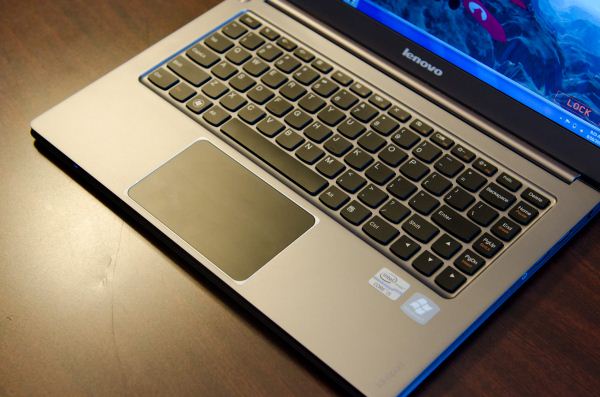
As a recap, Synaptics and its competitors provide touch controllers to OEMs for use in their notebook trackpads. Its the combination of hardware, firmware and software that can make or break the experience.
Currently most Ultrabooks use a top-hinged clickpad, where the entire tracking surface acts as a physical button. Since the clickpad has a hinge at the top, you have to apply more pressure if you try to click near the top of the pad otherwise it’s pretty comfortable. The benefit of making the whole pad a button is that you can do away with traditional buttons, giving you one large, contiguous tracking surface - perfect for gestures.
The downside to any mechanical clickpad is the additional thickness required by the hinge. As the line between notebook and tablet continues to blur, all components have to slim down. Hard drives, for example, went from 9.5mm to 7mm and are now being replaced by SSDs either on a daughtercard or on the motherboard itself. In pursuit of doing the same thing to trackpads, Synaptics is introducing the ForcePad.

The Synaptics ForcePad is a non-mechanical, pressure sensitive, capacitive trackpad. There are no physical buttons, like a traditional clickpad, allowing for a large tracking surface. Unlike a clickpad however, the ForcePad has no hinge - it doesn’t move at all.
The ForcePad can detect pressure, so it can tell when you’re trying to click vs. track. Simply mouse around like you would with a normal clickpad, then apply pressure with your finger as if you were going to click. The sensor can detect 64 discrete pressure levels at 15 gram intervals for up to five fingers concurrently. Synaptics’ driver will even play an audible click noise through your notebook’s speakers when you press down on the ForcePad, although most folks apparently opt to turn this off after about an hour.
In practice clicking on the ForcePad works a bit like an uncomfortable clickpad - the lack of any give in the tracking surface itself makes me want to just tap to click instead but it does work. Synaptics tells me that most users just get used to the lack of a physical click over time. Those who just use tap to click anyway won’t notice a difference at all. It’s really the old school folks (yours truly included) who still appreciate a good click that may have trouble adjusting.
If you can make the adjustment however, there are some inherent advantages to the ForcePad. Dragging using the ForcePad is really nice. Just press and hold on an icon like you would with a clickpad, but then release some of the pressure and just lightly drag the icon around. Since you’re not physically actuating a switch, the initially heavy pressure is only needed to communicate that you want to click - it’s not necessary to maintain that level of pressure going forward.

Most of the benefits of having a pressure sensitive trackpad really come with proper software support, which of course demands broad adoption of the ForcePad - something that simply isn’t guaranteed and not present initially. As an example of what could be, Synaptics showed a demo of a flight simulator where you could control movement along a plane’s roll axis by applying pressure to one of two fingers on the ForcePad. The harder you press, the quicker the plane rotates.

The big win with the ForcePad however is its reduction in thickness. By doing away with any mechanical motion, Synaptics claims up to a 40% thinner design than a standard Synaptics ClickPad. Any savings in z-height can help when it comes to shrinking overall chassis thickness, increasing battery capacity or both.


 |  |
Read More ...
Synaptics ThinTouch: Bringing the Capacitive Touch Revolution to Mechanical Keyboards
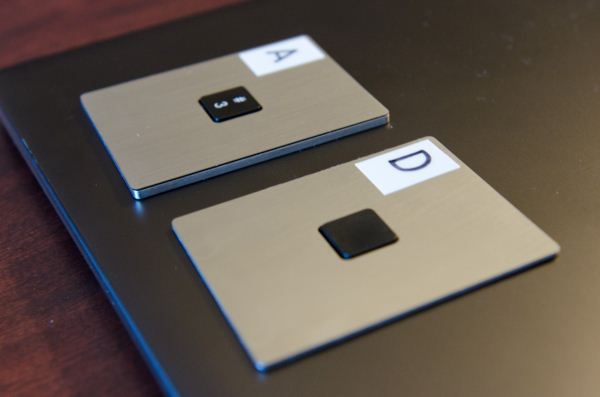
Based on Pacinian’s research into capacitive keyboards, Synaptics is announcing ThinTouch - a capacitive keyboard that promises a thinner profile and similar performance to a standard mechanical keyboard.

ThinTouch uses capacitive sensing to determine when a key is pressed, while still allowing the key to move. In a normal keyboard, you press down on a key, it travels perpendicularly to the keyboard and actuates a switch or sensor. ThinTouch gives you the impression of similar travel distance, but instead of going straight down it actually travels diagonally towards you. By moving at an angle the key travels the same physical distance, but in a smaller z-height. There’s some more materials trickery afoot that makes the process feel like a normal keyboard, but we won’t get to talk about that for another few months.
Since there’s no switch below the surface of the key, backlighting becomes an easier problem to solve. With a simpler mechanical setup there’s also potential for an improvement in durability.

Thickness reduction from a standard chicklet to ThinTouch keyboard, the feel is pretty similar
Synaptics had four demo keys set out, one from an Apple keyboard, one from an Acer and two using ThinTouch. The ThinTouch keys didn’t feel identical to those from the Apple and Acer notebooks, but they were relatively close and not necessarily worse. I’d still have to feel an entire keyboard made out of ThinTouch keys to be convinced, but the effect is pretty impressive.

The reduction in thickness due to implementing ThinTouch can be significant. Synaptics is promising up to a 50% thinner keyboard design. Even if that’s at the upper bound of what’s possible, any reduction in keyboard thickness can directly translate into more room for cooling, larger batteries or allow for a thinner notebook.
Things get really exciting when you start exploiting the fact that individual keys are touch sensitive. A notebook could sense where your hands are, offer more sophisticated text prediction, etc... While I wasn’t completely sold on ForcePad, ThinTouch is really exciting to me. It’s clear physical keyboards aren’t going away, so real innovation in this space is much needed.


| |
Read More ...
Corsair Neutron GTX SSD Review (240GB): Link A Media Controller Tested
Not interested in diving headfirst into a market full of teething pains, Corsair held off on its first SSD introduction. Even after it entered the market, Corsair remained conservative when it came to adopting new controllers. Corsair shipped Samsung when it wasn't attractive and was late to the party with both Indilinx and SandForce. Only its forays into the Marvell world were somewhat unique, but mostly because companies without firmware teams tended to stay away from Marvell.
Being conservative kept Corsair out of trouble for the most part (the SandForce issues unfortunately impacted everyone), but it also did nothing to establish the company as a serious player in the SSD space. Realizing there's no chance of winning if you play it too safe, Corsair announced a new SSD based on a never before seen controller at Computex earlier this summer.
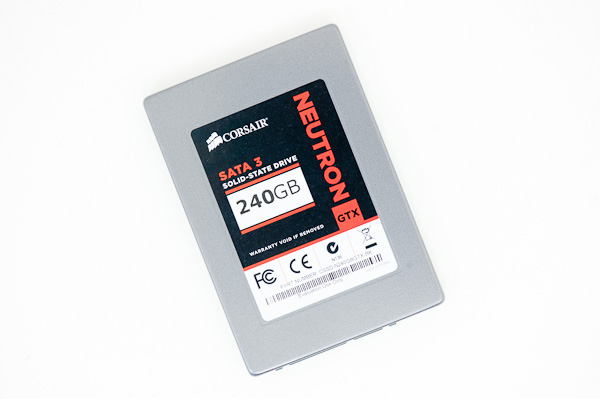
We've been down this road before. A new controller shows up, some company takes a risk and builds drives around it. The difference this time is Corsair is the company taking the risk. Read on for our review of Corsair's first LAMD based drives: the Neutron and Neutron GTX.

| |
Read More ...
SilverStone Sugo SG05: The Mini-ITX Standard Bearer
We've been looking at a few mini-ITX enclosures as of late, an interest sparked largely by the surprise success of the Bitfenix Prodigy and the general industry tend towards smaller, more powerful systems. As I've mentioned before, the fact is that this is the direction these things are heading in; unless you need something that can handle multiple video cards, you can get a fairly robust system in a smaller form factor. Ivy Bridge knocked power consumption down substantially, and the raw efficiency of NVIDIA's Kepler has allowed for a massive jump in graphics performance (reviews of the GeForce GTX 680M are impending).


| |
Read More ...
Western Digital Red Review: Are NAS-optimized HDDs Worth the Premium?
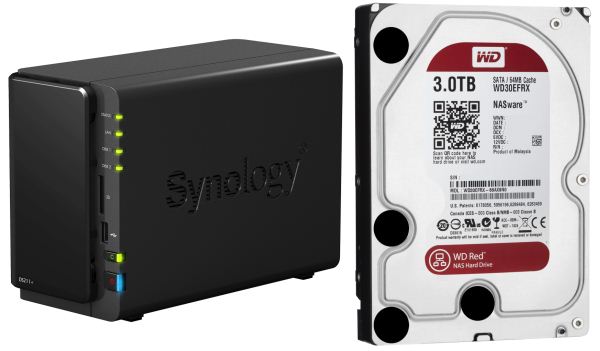
Western Digital (WD) introduced hard drives specifically targeted towards NAS systems under the Red branding last month. We had some initial coverage at launch time, where WD claimed a number of firmware features and some additional hardware aspects in the Red lineup that made it suitable for NAS usage.

| |
Read More ...
Available Tags:GTX , SSD , Western Digital ,


No comments:
Post a Comment