

MacBook Pro Retina Display Analysis
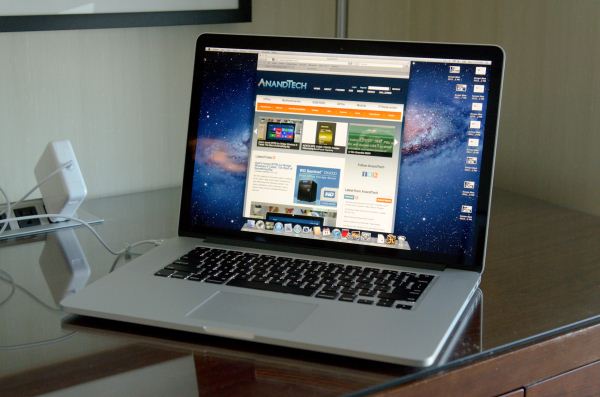
MacBook Pro with Retina Display Comparison | |||||
15-inch Mid 2012 MacBook Pro | MacBook Pro with Retina Display | ||||
Dimensions | 0.95 H x 14.35 W x 9.82" D | 0.71 H x 14.13 W x 9.73" D | |||
Weight | 5.6 lbs (2.54 kg) | 4.46 lbs (2.02 kg) | |||
CPU | Core i7-3615QM | Core i7-3720QM | Core i7-3615QM | ||
L3 Cache | 6MB | 6MB | 6MB | ||
Base CPU Clock | 2.3GHz | 2.6GHz | 2.3GHz | ||
Max CPU Turbo | 3.3GHz | 3.6GHz | 3.3GHz | ||
GPU | Intel HD 4000 + NVIDIA GeForce GT 650M | ||||
GPU Memory | 512MB GDDR5 | 1GB GDDR5 | |||
System Memory | 4GB DDR3-1600 | 8GB DDR3-1600 | 8GB DDR3L-1600 | ||
Primary Storage | 500GB 5400RPM HDD | 750GB 5400RPM HDD | 256GB SSD | ||
Optical Drive | Y | Y | N | ||
Display Size | 15.4-inches | ||||
Display Resolution | 1440 x 900 | 2880 x 1800 | |||
Thunderbolt Ports | 1 | 2 | |||
USB Ports | 2 x USB 3.0 | ||||
Other Ports | 1 x Firewire 800, 1 x Audio Line in, 1 x Audio Line out, SDXC reader, Kensington Lock slot | SDXC reader, HDMI out, headphone out | |||
Battery Capacity | 77.5 Wh | 95 Wh | |||
Price | $1799 | $2199 | $2199 | ||
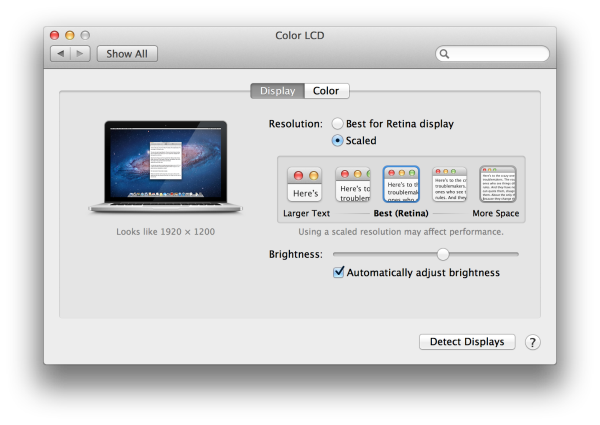
I've touched on the SSD speed bump already, and I've talked about how Apple is handling DPI scaling in Lion. To recap, Retina Display MBP owners now get a slider under OS X's Display Preferences that allow you to specify desktop resolutions other than 1440 x 900. At 1440 x 900 you don't get any increase in desktop resolution compared to a standard 15-inch MacBook Pro, but everything is ridiculously crisp. If you're like me however and opted for the 1680 x 1050 "high-res" upgrade last generation, this won't do. Thankfully Apple offers 1680 x 1050 and 1920 x 1200 scaling options that trade a bit of image quality and performance for added real estate. The gallery below gives you a look at the five settings.


Fewer Reflections, Hugely Improved Contrast
In the standard (glossy) MacBook Pro, Apple had a standard LCD arrangement with two sheets of glass plus a third piece of cover glass that gave it the seamless edge-to-edge glass appearance. The MacBook Air and the high-res/matte display on the other hand did not have any cover glass and instead hid the LCD panel behind a bezel. The MacBook Pro with Retina Display uses a similar LCD construction to the MacBook Air/matte-MBP, without a cover glass. Instead the Retina Display's two glass layers are different sizes, which you can sort of see in the cross section below:By removing the cover glass Apple reduces the number of reflections and thus glare, however it's important to point out that this still isn't a matte display. I've never been particularly bothered by glossy screens so I'm really the wrong person to ask whether or not the reduction in reflections makes it usable. Compared to my matte MacBook Pro, the Retina Display is obviously more glossy but at the same time remarkably close. I'll reserve my final judgement until I've used the display in more varied conditions however.
As always, Apple chose to deal with the issues of glare and reflections by integrating an extremely bright panel with great black levels. The MacBook Pro's Retina Display is the first IPS based panel Apple has ever used in a MacBook. Viewing angles are much improved, as are black levels:
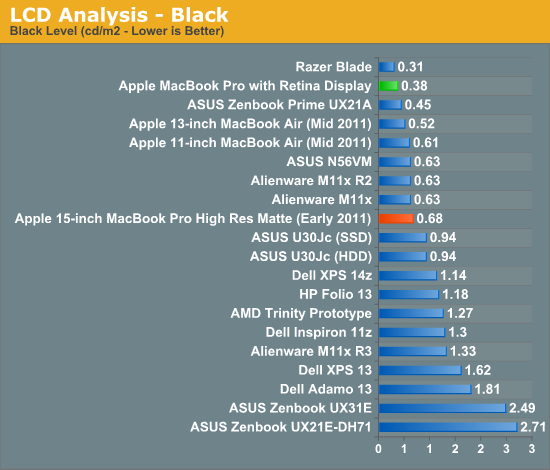
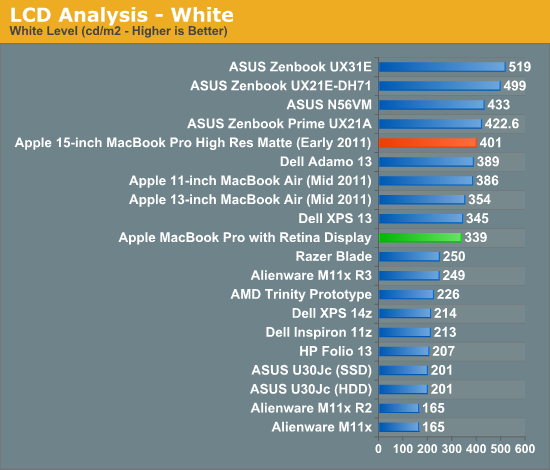
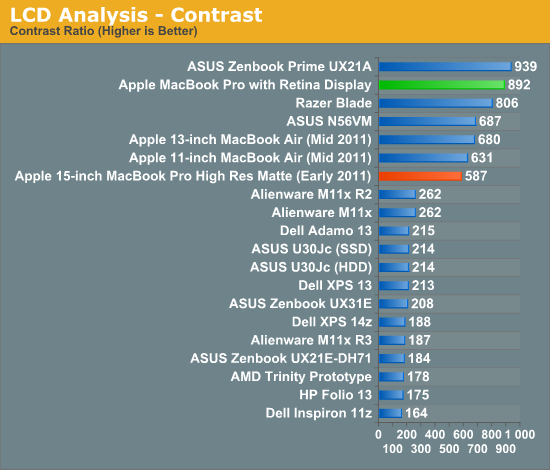
When I'm back in the office I'll take some good shots of the wide viewing angles afforded by the new IPS Retina Display. The old MacBook Pro had a really good display but this just takes it to the next level. The improvement in contrast ratio is the most tangible for me however, aside from the increase in resolution of course.
Application Support for Retina Display
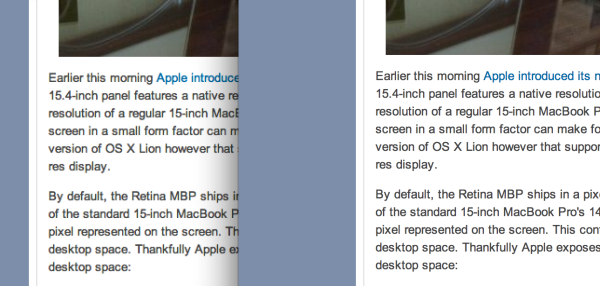
A tremendous benefit of being a provider of both software and hardware for the Mac platform is Apple can obviously sync the introduction of new features in both. Mail, Safari, iPhoto, iMovie and of course, OS X have all been updated to support the new MacBook Pro Retina Display. These applications all look absolutely gorgeous on the new Pro.Third party applications will have to be updated however. What happens if you run an app that hasn't been updated to support the Retina Display? This screenshot comparing Google Chrome (left) to Safari (right) provides the best example:
Gaming at 2880 x 1800
You'll notice that OS X doesn't, by default, expose the Retina Display's native 2880 x 1800 resolution anywhere in the standard, user-facing elements of the OS. In fact, 1920 x 1200 is the highest screen "resolution" you can select - a way of appeasing displaced 17-inch MacBook Pro owners. What about 3D games however?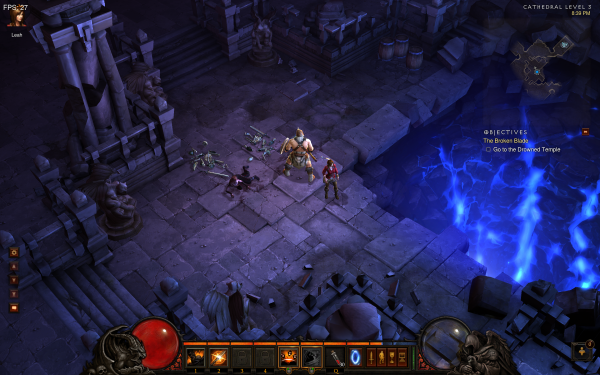
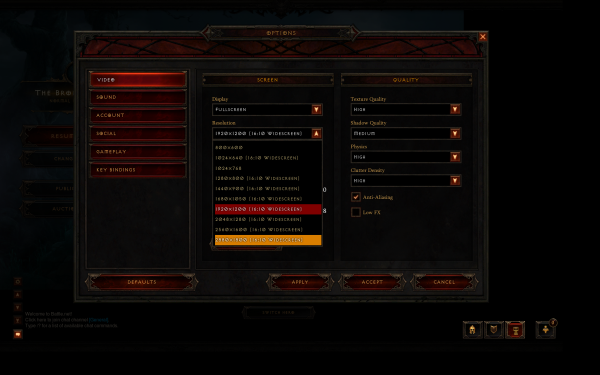
Not all games will let you do this however. The Unigine Heaven benchmark for example wouldn't expose any resolutions higher than 1920 x 1200. Portal 2, on the other hand, did:

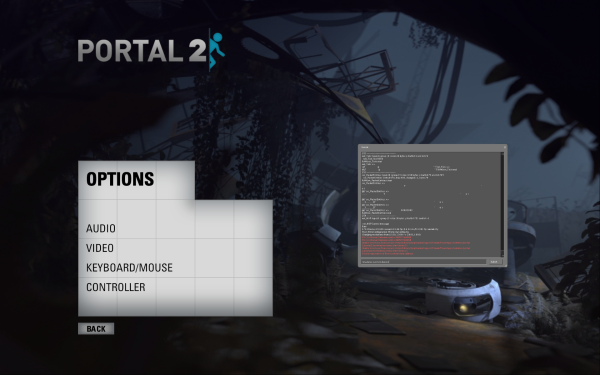
I was pleased when ASUS introduced a 1080p IPS panel in the new Zenbook Prime. I am even happier with the Retina Display in the next-generation MacBook Pro. I still need to clock in more hours on the new panel but it's been amazing thus far. I like it even better than the display on the new iPad, likely because I can appreciate it more in my line of work (I'm not typing 15K word articles on the iPad).
Other Notes
Although I'm still saving a bit for the full review, here are some other thoughts I had during my time with the next-gen MacBook Pro:- The SD card reader works a lot better than its predecessor. In my early 2011 15-inch MacBook Pro there are a number of cards that won't read properly without repeated insertion and/or without applying pressure to the card once it's in the system. The next-gen Pro appears to have fixed this problem for me, at least based on the two cards I'm traveling with now. I have a particularly problematic card back home that I will try as soon as I can.
- Key travel appears to have been reduced a bit, either that or the keys are less springy than on my Sandy Bridge MBP. It's not bad, just different.
- The next-gen Pro chassis is definitely easier to carry around than the old unibody, but it doesn't exactly feel small. I lug around my 15-inch Pro enough that I'd appreciate the difference but don't expect this to feel like a slightly larger MacBook Air. Looking at it another way, the next-gen Pro feels right and makes the old unibody design feel big.
- I really wish the $2199 SKU had the 512GB SSD, or at least offered it as an option - otherwise the spec is near perfect in my mind. Without a standard 2.5" SSD it's going to be difficult to just swap in a larger drive. Other companies may make replacement drives down the road, but if Apple is using Samsung's PM830 controller in here I don't know that I'd want something else.
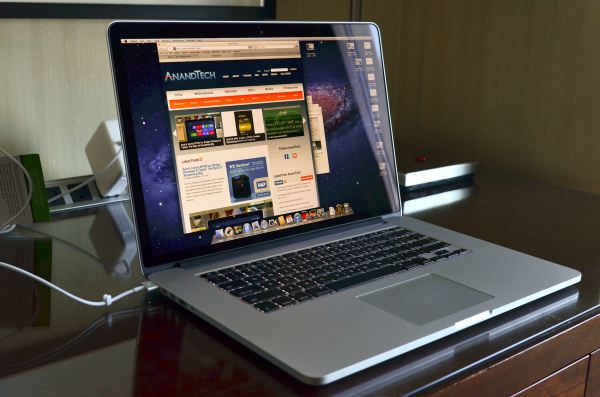
Read More ...
SSD and USB 3.0 Performance of the Retina Display MacBook Pro
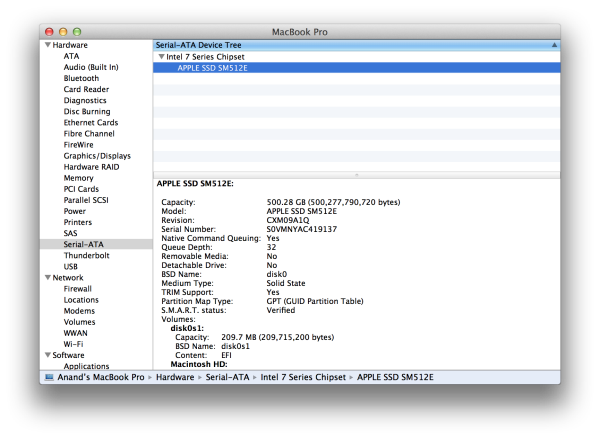
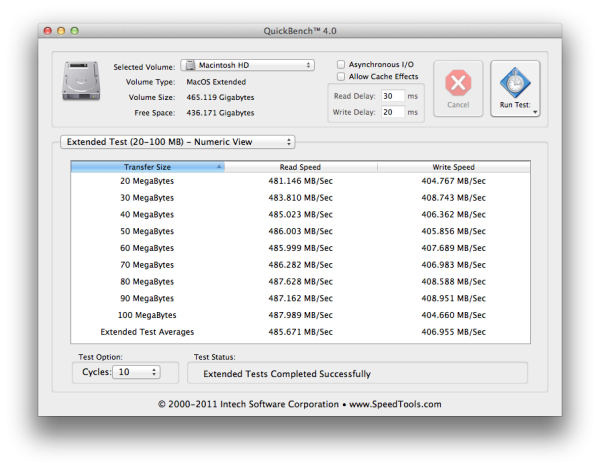
Note, the SSD in the next-gen MacBook Pro is physically removable similar to the drive in the MacBook Air. The drives aren't interchangeable however and I'm not sure if the two even use the same physical interface.
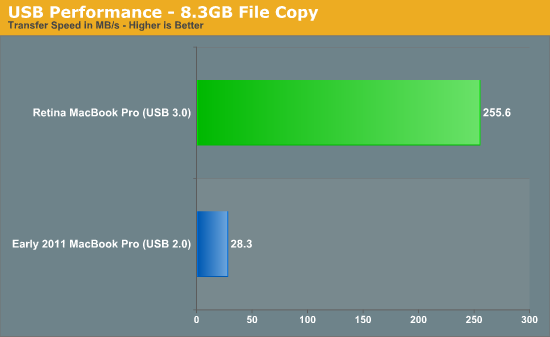
More details on the next-generation MacBook Pro as we make it through our review.
Read More ...
How the Retina Display MacBook Pro Handles Scaling
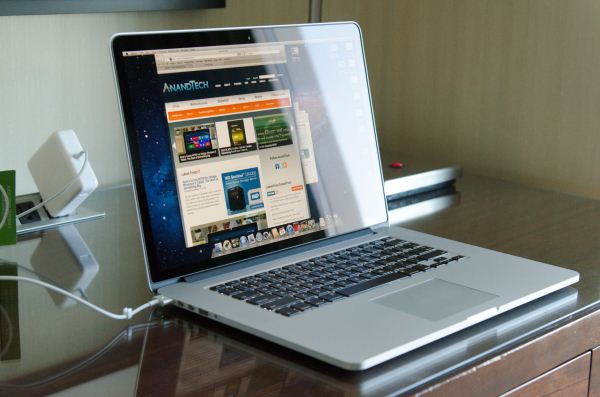
By default, the Retina MBP ships in a pixel doubled configuration. You get the effective desktop resolution of the standard 15-inch MacBook Pro's 1440 x 900 panel, but with four physical pixels driving every single pixel represented on the screen. This configuration is the best looking, but you don't actually get any more desktop space. Thankfully Apple exposes a handful of predefined scaling options if you do want additional desktop space:
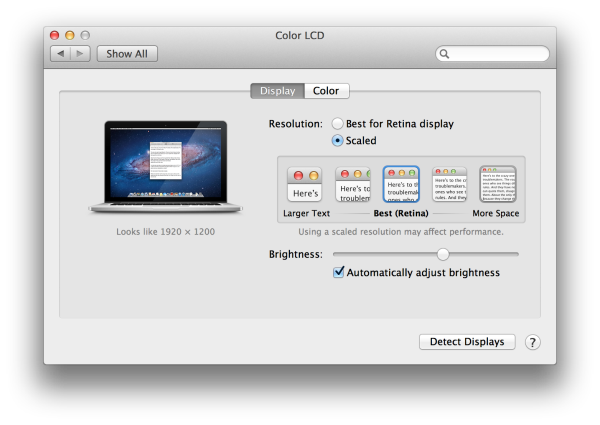
The gallery below shows the impact of these scaling options on desktop area as well as how much of the AnandTech front page you can see at each setting.
Read More ...
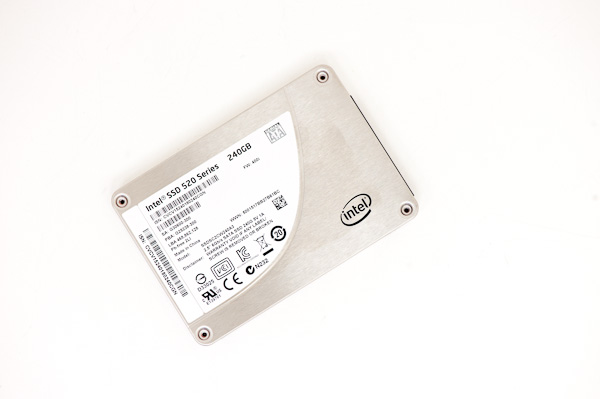
Intel Discovers SandForce SF-2281 Controller Can't Do AES-256 Encryption, Offers Return Program
Read More ...
iOS 6 Beta Posted Online for Developers - Update: We Try it Out
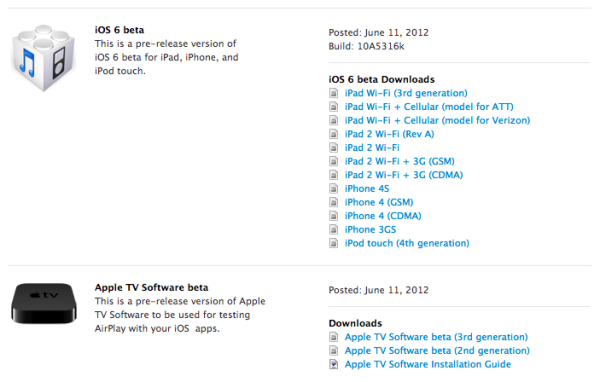
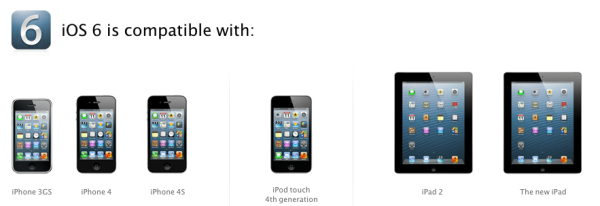
I've gotten the iOS 6 beta installed on my iPhone 4S and gave it a quick walk through. First off, the visual theme changes slightly, with the status bar now turning blue when in some contexts like settings. Apple has added a new "tap to tweet" shortcut in the notifications center shade, which is clearly inspired by quicktweet. Also among the notificiations center changes is a new "do not disturb" toggle which disables notifications and adds a small crescent moon icon in the status bar. This can also be scheduled and customized more inside the notificaton settings pane.


The next obvious big feature is Maps, which no longer uses Google's map tiles and instead uses data from TomTom and Apple's in house sources. The interface retains almost all of the previous maps application functionality (minus street view and public transport information) and adds both turn by turn navigation and a 3D perspective view you can change by tapping and dragging with two fingers. iOS 6 maps seems just as performant and fluid as the previous maps application.


iOS MobileSafari | |||||||
Location | WebKit Version | HTML5test.com Score | CSS3test.com Score | Sunspider 0.9.1 | |||
iOS 5.1.1 | 534.46 | 324 + 9 | 52% | 2226.1 | |||
iOS 6.0 Beta | 534.46 | 360 + 9 | 57% | 1842.9 | |||


Source: Apple Developer Portal
Read More ...
Apple Introduces New Smart Covers
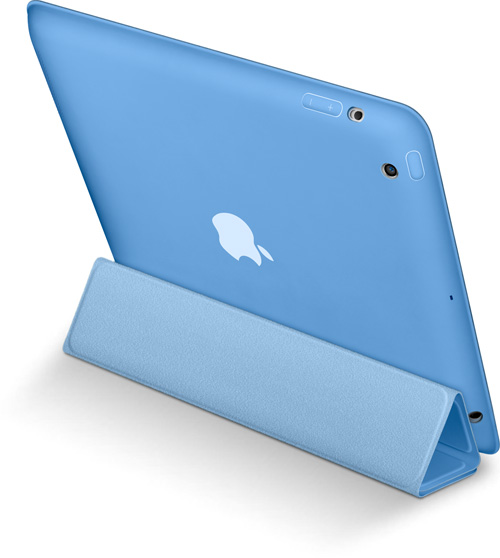
The new covers are polyurethane and come in a choice of 6 colors. Apart from the full body protection, the covers do not add any new functionality as compared to the older Smart Covers.
The new Smart Covers are compatible with the 2nd and 3rd genration iPads. They are available starting today for a $49 a pop.
Apple Store - New Smart Covers
Read More ...
Apple Updates Airport Express - New Design
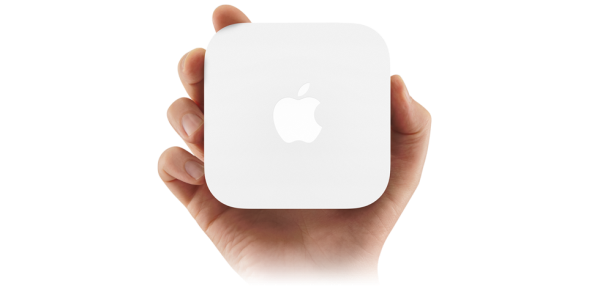
The new design takes after the 2nd generation Apple TV, except for the color, which is in line with the traditional Airport enclosures. The dimensions of the tiny box are exactly the same as the current Apple TV.
The most notable additions to the new Airport Express is support for simultaneous dual-band 802.11n Wi-Fi, just like the Airport Extreme. Other usual features include the ability to perform the initial setup via iOS devices and support for AirPlay and Wireless Printing.
On the front, we have a tinier than usual status light, which should blink in the traditional amber and green colors. The ports at the back are a standard affair; power, one WAN port, one LAN port (still not Gigabit), a USB port, a 3.5-mm audio mini-jack for analog or optical digital sound and the reset button.
One of the major gripes I had with the older Airport Express was that it needed to be plugged directly into a power outlet, which made access to the ports rather awkward. Also, the design was prone to falling off the power outlet, unless plugged into a power strip, flat on the floor. I'm glad the new design finally resolves these issues by using a good old power cable.
The new model retains its $99 price tag and is shipping today.
Apple Airport Express: Product Page - Store
Read More ...
First Shots of the MacBook Pro with Retina Display, Updated: Even More PIcs
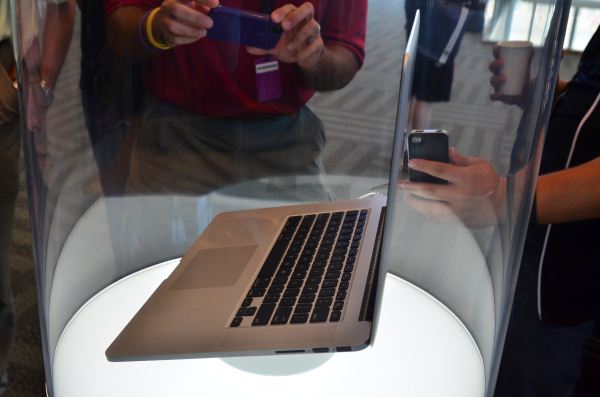
Update: Just grabbed more pics.


Read More ...
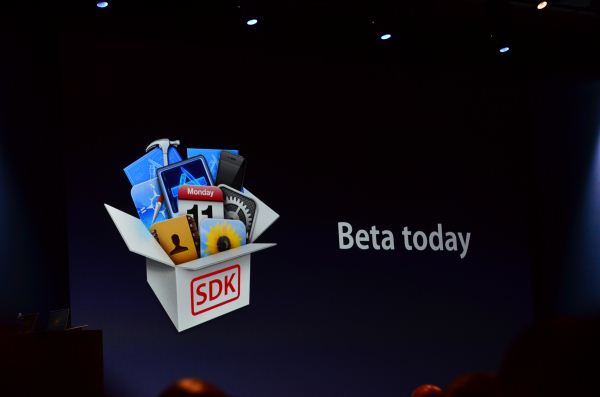
iOS 6 Beta Today, Shipping This Fall

Read More ...
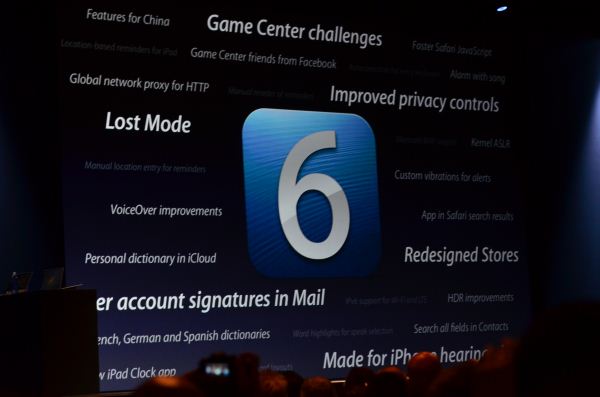
Lost Mode in iOS 6
Read More ...
iOS 6 Maps

Apple integrated Yelp reviews for local businesses into its new Maps application. Apple's Flyover integrates high resolution 3D imagery with the new Maps application, similar to what Google and Microsoft have done with their own mapping services.


Read More ...
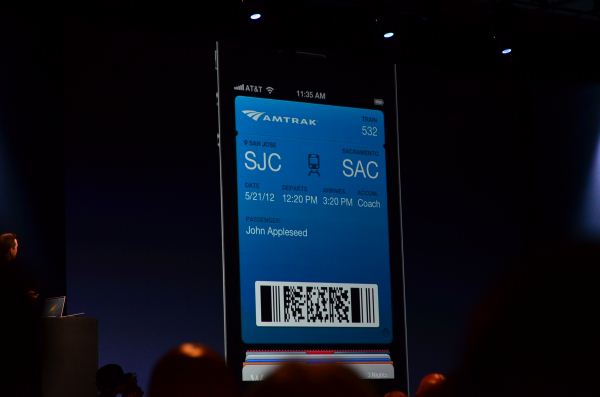
iOS 6 Passbook Organizes your Boarding Passes, Store Cards, Ticket Stubs


Read More ...
iOS 6 Safari
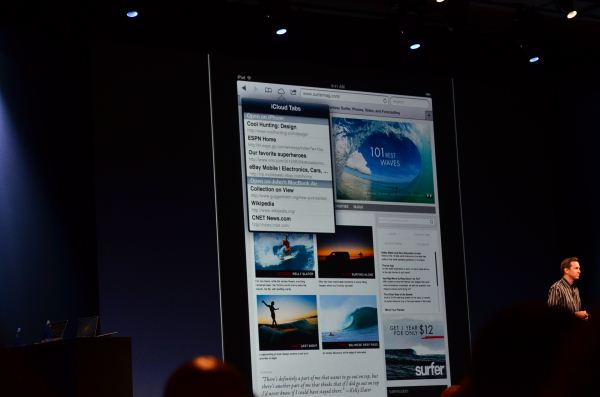
There's now a photo upload tool supported by the browser:


Read More ...
iOS 6 Enables FaceTime over Cellular
Read More ...
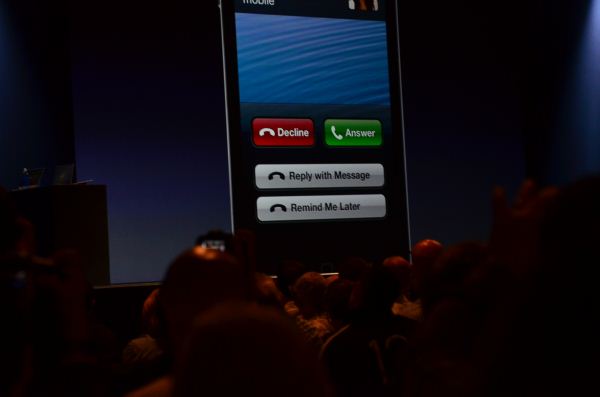
iOS 6 Improves Call Handling

Read More ...
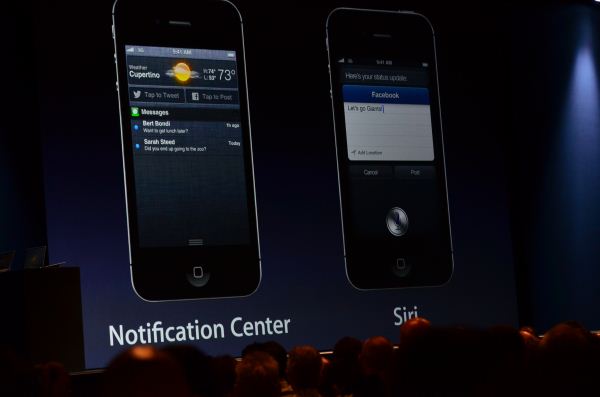
Facebook Integration in iOS 6


Read More ...
Siri in iOS 6
Siri now includes more details about restaurants including average prices for meals. There's also integration with Yelp (reviews present in Siri) and OpenTable to make reservations.

Siri can now launch apps and games.
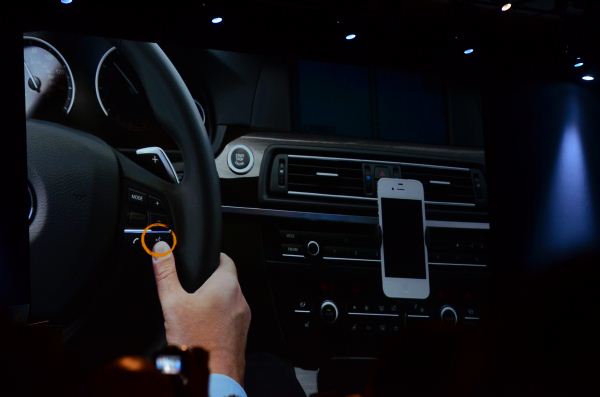

Siri in iOS 6 will come to the new iPad, as well as support all of the languages featured below:


Read More ...
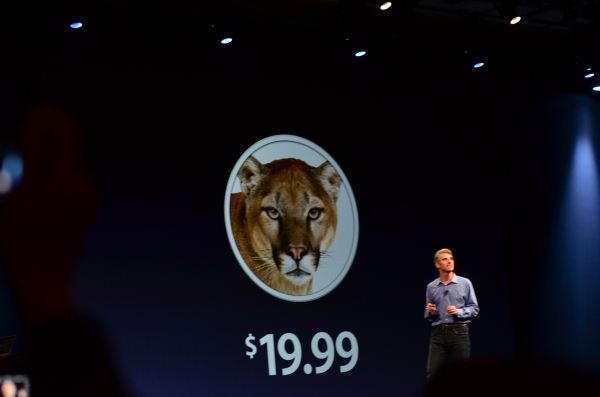
Mountain Lion Shipping in July, $19.99 for upgrades from Snow Leopard and Lion
Read More ...
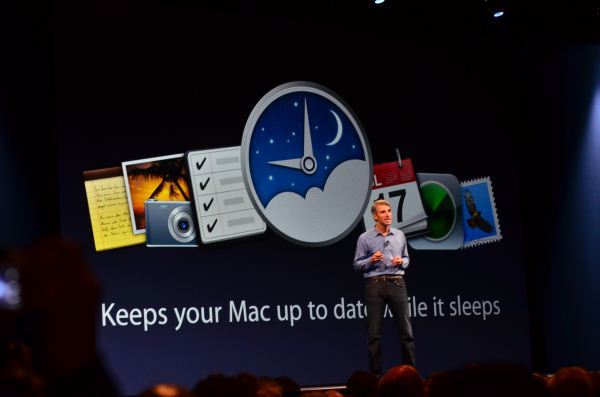
Mountain Lion Power Nap: Connected Standby

Read More ...
.xxx Operator Looks to Snag .adult, .porn, .sex Web Domains
ICM is doing this in order to hold its dominance in the adult sector of the Web
Read More ...
China Preparing for First Manned Space Docking in June
China will send its Shenzhou 9 spacecraft to the Tiangong 1 orbital module
Read More ...
Sprint Cuts Stake in Clearwire
Sprint is moving on towards LTE and Clearwire remains focused on WiMAX
Read More ...
WWDC: Apple Announces iOS 6, Shows Off In-house Maps App
Apple brings new Maps app with turn-by-turn navigation, but it's limited to iPhone 4S, iPad 2, and newer devices.
Read More ...
"Water-World" Discovered Only 41 Light Years From Earth
"Superearth" is a bit toasty with a sun-facing temperature of 2,000 Kelvin (3,140 degrees Fahrenheit)
Read More ...
6/8/2012 Daily Hardware Reviews
DailyTech's roundup of hardware reviews from around the web for Friday
Read More ...
Apple's Case Against Motorola/Google Dismissed "With Prejudice"
Frustrated judge takes issue with parties inability to agree, unwillingness to license
Read More ...
Canon Unveils New EOS Rebel T4i DSLR With Articulating Touch Screen
New camera features continuous autofocus for 1080p video recording and more
Read More ...
Apple Agrees to Scant $2.25 Million Fine over 4G Claim in Australia
Judge hasn't approved the proposed settlement
Read More ...
Android Malware "DDSpy" Pretends to be Gmail, Steals Phone Logs
Users will not see an icon for DDSpy -- it simply hides in the Android-powered device's application list and runs silently
Read More ...
HTC Sees Poor Sales in Europe, But Stronger Than Expected Chinese Sales
Company cuts outlook on U.S. and European weakness, but is bullish on Chinese gains
Read More ...
Samsung Plans 20 nm, 14 nm Lines for Smartphone Chips
While future as a supplier is uncertain, Samsung looks to give itself an edge in process
Read More ...
LinkedIn Passwords Stolen, Posted Online; Lack of Security the Cause
Over 6 million passwords were posted on a Russian forum online
Read More ...
RIM Terminates Its Most Popular PlayBook SKU, Saves 32, 64 GB Models
RIM spares two less popular models -- the 32 and 64 GB PlayBooks inexplicably
Read More ...
Virtually Every Ultrabook Appears to Violate New Apple Patent
The Ultrabook category could potentially be killed off or diminished by Apple lawsuits
Read More ...
Apple Looks to Kill Samsung's Galaxy S III and the Rest of Its Family
Apple requested a ban on all of Samsung's Android smartphone lineup in U.S. federal court
Read More ...
2013 Chevy Volt's Battery Range Boosted to 38 Miles, Now Rated at 98 MPGe
GM engineers altered the lithium-ion battery packs chemistry to improve performance
Read More ...
Quick Note: "Unibody" iPhone 5 Casing Captured on Video
The video confirms some previous predictions, such as a taller design
Read More ...
BMW Patent Shows Seven-Speed Manual Transmission in the Works
Special fluid would only allow the driver to choose the correct gear
Read More ...
Virgin Mobile to Offer Prepaid iPhone Starting June 29
Virgin Mobile iPhones are not cheap
Read More ...
Available Tags:MacBook , USB 3.0 , SSD , USB , Intel , iOS , Apple , Facebook , Hardware , Canon , 4G , Android , HTC , Samsung , Smartphone , Security , Galaxy , iPhone 5 , iPhone , BMW , iPhone ,


No comments:
Post a Comment