

Ex Olympus CEO to visit Japan
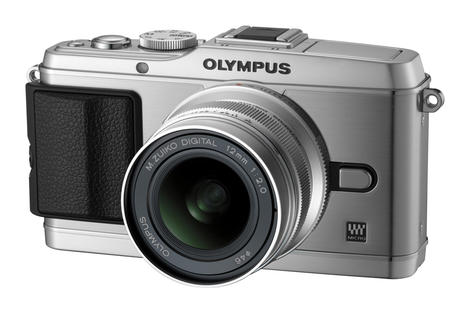
Ousted Olympus chief executive Michael Woodford is expected to make a return to Japan next week ahead of the company's deadline to announce earnings or face delisting from the Tokyo stock exchange.
According to a statement released by Woodford's spokesman, he will arrive in Japan the day before the deadline, holding a press conference on December 14th.
Around 70 Olympus executives are currently being investigated after Woodford was sacked and years worth of scandal and cover-ups at the camera company emerged.
Deadline
The Tokyo Stock Exchange gave Olympus a December 14th deadline to announce it earnings, else it faces risk of being delisted. Since Woodford was sacked, the company has lost the equivalent in $4.5billion in share value, while several members of the Olympus community called for Woodford to be reinstated.Originally, Olympus had claimed that it had fired Woodford over cultural differences, but since the sacking, a number of problems in the company have come to light, with several high-key figures at the company either resigning or being fired.
Woodford has said that he is keen to avoid delisting will apparently hold meetings to help revitalise Olympus during his three day stay in Japan. Latest share figures show that stock has risen slightly.
Keep following next week as the deadline for announcement arrives.
Via Bloomberg

 |  |
Read More ...
UK next to get Google Wallet in time for the Olympics

There are some advantages to being the host nation for the Olympic Games and it looks as though getting Google Wallet may be one of them, with the search giant reportedly looking to bring its NFC payment project to London in time for the Games.
To be ready in time for the July/August sports fest, French newspaper Les Echos suggests that Google Wallet will land here in the first quarter of 2012 (January to March).
To this end, Google is currently said to be in talks with banks, distributors and retailer on our fair shores, setting up deals that will see contactless payments accessible to NFC-enabled handsets.
Taking the silver
Google Wallet first launched in the US in autumn of this year, after Google backed NFC tech by including it in the Google Nexus S - since then most smartphone manufacturers have followed suit except, notably, Apple.Rumours that Apple will include NFC in the iPhone 5 have quietened down, but we wouldn't be particularly shocked to discover that Cupertino has a secret NFC lab beavering away on just that.
Meanwhile in Redmond, Microsoft told TechRadar exclusively that Windows Phone 7.5 already supports the technology, but none of the Windows Phone manufacturers have yet seen fit to enable it.

| |
Read More ...
Instagram tops iTunes Best of the Year chart
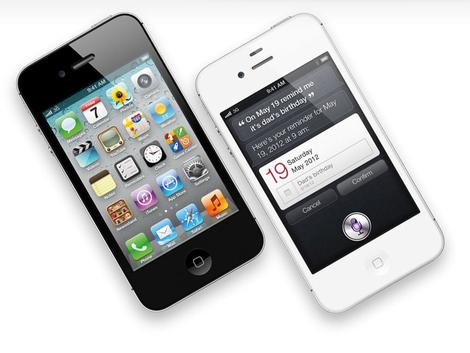
The photo sharing and manipulation app for iPhone, Instagram, has been named as the iPhone app of the year by iTunes as part of its Rewind 2011 highlights of the year.
Instagram, which boasts over 11 million users, is a free app that allows for filters to be applied to photographs to give them a retro, film appearance. Photographs can also be instantly shared to Facebook, Twitter and a range of other social networks.
Other features include the ability to mimic a tilt-shift lens style effect, and Radial Tilt Shift blur to recreate a shallow depth of field effect, which has proved increasingly popular with iPhone users.
The app currently has a 5 star rating on iTunes and sits on top of the free app download chart in the Photo and Video section.
Thrilled
In other iTunes Rewind news, Adele won Artist of the Year and Song of the Year for Someone Like You, and was understandably thrilled, as her response clearly shows:"I'm thrilled to top the iTunes album chart of 2011 and to be iTunes Artist of the Year is just amazing".
LMFAO's Party Rock was the most downloaded song of the year, and Ed Sheeran was named New Artist of the Year too.
Here's an easy to digest run down of the year's top apps if you're looking for any tips (although we're not sure why Instagram isn't in there too):
iPad Apps
Top Paid iPad Apps:
1. Angry Birds HD
2. Pages
3. Angry Birds Seasons
4. GarageBand
5. Angry Birds Rio HD
6. Penultimate
7. Fruit Ninja HD
8. Cut the Rope HD
9. SCRABBLE for iPad
10. Keynote
Top Free iPad Apps
1. Angry Birds HD Free
2. The Weather Channel for iPad
3. Netflix
4. CNN App for iPad
5. Angry Birds Rio HD Free
6. Kindle
7. Skype for iPad
8. Calculator for iPad Free
9. Pandora Radio
10. Calculator Pro for iPad Free
Top Paid iPhone Apps:
1. Angry Birds
2. Fruit Ninja
3. Angry Birds Seasons
4. Cut the Rope
5. Tiny Wings
6. Angry Birds Rio
7. Words With Friends
8. Camera+
9. Doodle Jump
10. Plants vs. Zombies
Top Free iPhone Apps:
1. Facebook
2. Pandora Radio
3. Words with Friends Free
4. Angry Birds Free
5. Skype
6. Netflix
7. Angry Birds Rio Free
8. Groupon
9. Fruit Ninja Lite
10. Twitter

| |
Read More ...
23mm f/1.7 lens for NEX outed

SLR Magic has expanded its E-Mount lens lineup, added a Hyperprime 23mm f/1.7 wide-angle lens to its array.
Three different focal length lenses are now available from SLR Magic, which also manufactures a 50mm f/0.95 lens. The new 23mm lens is the world's fastest interchangeable camera lens with APS-C coverage in this focal length.
In 35mm terms, the field of view of the HyperPrime lens is 35mm, while it also has a minimum focus distance of 0.15m. A fast maximum aperture of f/1.7 is used, and should be useful for low-light photography.
Sales
According to SLR Magic, which sells its lenses via eBay, "We place our highest priority in the development of all HyperPrime lenses to fulfil the demands of professional cinematographers and photographers. The company also claims that the build of the lens is solid and reliable.Comprising of five Tantalum glass elements, the lens is compatible with all E-mount NEX cameras and comprises of 8 elements in 7 groups. It has 12 circular aperture blades and has a minimum aperture of f/22.
The SLR Magic Hyperprime 23mm f/1.7 lens UK price is not yet known, but it is expected to be available from January 2012.Look out for a review of it on TechRadar.com/cameras

| |
Read More ...
Exclusive: Microsoft: NFC already supported in Windows Phone

Microsoft has told TechRadar that its current Windows Phone 7.5 platform already supports Near Field Communication (NFC) technology, but no manufacturer has enabled it as yet.
Will Coleman, developer evangelist and product manager at Microsoft UK, told us that it was simply a matter of time before the technology was harnessed by manufacturers in Windows Phone devices:
"As far as I'm aware, NFC is supported by [Windows Phone], but needs to be enabled by the OEM (Original Equipment Manufacturer). So, if any OEM wants to enable it, that can be done by all means."
"Think it's about just about timing, in the not too distant future there are some exciting things that will be coming through with NFC from Microsoft."
It's weird that Microsoft has enabled the technology, but phone manufacturers have been reticent to include it - but one likely scenario is that secure NFC, which can be used for payments, isn't implemented in the platform just yet.
It's coming...
Keith Varty, head of apps and partnerships for Nokia, echoes the idea that while Nokia didn't include NFC on the Lumia 800, it was merely a matter of development time, and the technology is set to play a big part in both company's futures:"NFC isn't an if, it's a when, it will happen. Obviously there's no NFC on our launch devices, so it's difficult to comment too much on that, but the main divisions between secure and non-secure [NFC] mean there's bags of opportunity for the technology [on our phones] especially with so many operators launching services.
"We need to get a [Windows Phone] device into the marketplace with NFC capabilities, and when we do we can really start to showcase our services'.
Squirting to beaming
Microsoft is rumoured to be working on bringing NFC wallet technology to its platform in the future to compete with Google Wallet in the marketplace, but it seems that even before that comes to fruition non-secure connections, such as those to pair speakers or phones via Bluetooth, could be out very soon according to a tweet from rumour source @MS_Nerd.This service will be called 'Beaming' according to the Tweet, which would be a direct swipe at Android Beam on Google's Ice Cream Sandwich - but whether the source can be believed remains to be seen.

| |
Read More ...
Nokia N8 to get Symbian Belle update in early 2012

The aging Nokia N8 is to take a draught from the well of eternal youth in early 2012 with a software update to Symbian Belle.
Nokia has revealed that the N8, Nokia C7 and Nokia E6 will all get the software in January, bringing them in line with newer Symbian handsets like the Nokia 700.
The Finns may be all about Microsoft's Windows Phone OS these days, but Nokia is still keen to keep its current Symbian customers sweet.
Bellen...8
The company's official statement reads: "Nokia Belle is the latest Symbian software release with all-new user interface, improved user experience, and dozens of improved and new features."We have already shipped Nokia 603, 700 and 701 with Belle software this year, and have received great feedback on the new user experience.
"We will make Nokia Belle available to consumers globally by rolling out the Belle software for the existing Nokia range of smartphones such as N8, E7, X7, C6-01, C7, Oro, E6, and Nokia 500 early 2012."

| |
Read More ...
Motorola wins German patent case against Apple
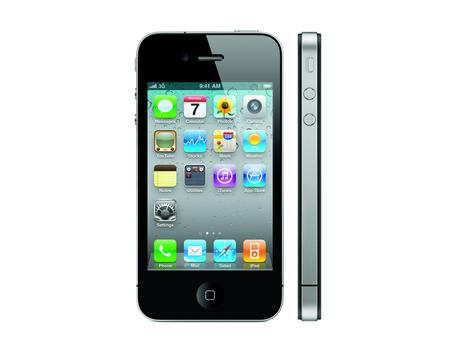
Motorola could ban Apple iPhones and iPads from sale in Germany after winning a court case in the country.
Apple's iPhone, iPhone 3G, iPhone 3GS, iPhone 4, iPad 3G and iPad 2 3G are all using the tech that the courts have ruled infringes on Motorola's patents and Motorola may enforce a sales injunction in Germany as a result - unless Apple coughs up £85.3 million.
The iPhone 4S was released after the case began in April 2011, but could fall under the same injunction if it uses the same infringing technology, according to patent lawsuit expert Foss Patents.
Pesky EP 1010336
So what's got Motorola all het up? It's European Patent 1010336, of course, which is a "method for performing a countdown function during a mobile-originated transfer for a packet radio system".Apple could modify the iPhone and iPad products to appease Motorola and stop infringing on the patent, just as Samsung did with its Galaxy Tab 10.1 after Apple brought a sales ban against it in the Netherlands.
It seems more likely that Apple will appeal the ruling, however, and perhaps even try to stake a claim on the patent itself.
This patent situation never, ever gets dull, does it?

| |
Read More ...
Review: Updated: iPod touch 4th Generation

Overview and features
The most amazing thing about Apple's latest iPod touch is its colour.It's available in both black and white. No, we're not being glib - we mean it!
Apart from the colour change there's no difference here between the specs of the iPod touch 4th Generation from 2010, and this latest refresh. This is certainly not the iPod touch 5th Generation that you may be looking for...
When the iPhone got a bump in specs with the release of the iPhone 4S last October we expected the specs for the iPod touch to get a bump too, but so far they have remained... untouched.
So, it's still available in 8GB, 32GB and 64GB models, the camera still takes 960x720 sill photos and 720p video and has an Apple A4 processor inside. In fact, the only other change, apart from the colour, is that it now ships with the iOS 5 software pre-installed.

So what's it like in white? Well, we could wax lyrical about how its beautiful milky exterior makes it look like a stray ice crystal prized from Superman's Fortress of Solitude, or how it's so thin and light that it feels like you're holding a delicate slice of the Internet in your hand. But, well, unsurprisingly it's startlingly similar to what it was like to use in black.
Saying that it does look good in white, and we wouldn't be surprised if the new colour means there are more iPod touches languishing under Christmas trees this year than there would be otherwise.

The iPod touch range starts at £169 for the 8GB model, but we've found that's simply not enough storage to be practical, especially when you consider that some video-heavy apps from the App Store can weigh in at around 1GB each in size. The 32GB model that we're reviewing here costs £249 and there's also a 64GB iPod touch at £329.
If you haven't looked at an iPod touch in a while because you've got an iPhone then we recommend a trip to your local Apple Store try one out because at just 7.2mm in depth it feels noticeably thinner than an iPhone 4.

At 101 grams, compared to the iPhone 4S' 140 grams it's also noticeably lighter. The other big difference in appearance is its steel back. With its slight curve it fits better in your hand than the iPhone's flat, glass back, but has the downside that it's incredibly receptive to fingerprints, and scratches.
The only other difference in appearance compared with its more expensive sibling is that it lacks the iPhone's mute/lock switch and the screen. While it shares the Retna display of the iPhone 4 and 4S (960x640-pixel resolution at 326 pixels per inch) it doesn't use IPS (inter plane switching) which reduces the viewing angle slightly and makes it look slightly darker than the iPhone when you put them side by side.
On the front of the iPod touch you'll find the same VGA camera for FaceTime chats and there are two volume buttons on the side and a sleep/wake button at the top.
Performance

So, while Apple has chosen not to update the hardware of the iPod touch this time around, the release of iOS 5 means its not short of new features. Amongst the 200 that Apple claim, iOS 5 brings iMessage, Game Centre, Notification Centre and Wi-Fi syncing.

The most exciting of these new features for iPod touch owners is iMessage, which brings texting to the device for the first time. Provided you have a Wi-Fi connection you can send text messages, photos, videos to other people with iOS 5 devices, or you can use it to carry on a conversation you're having on, say, your iPhone with somebody else. The group chat feature is also impressive.

And then there's iCloud - sign in with your Apple ID and you get access to iTunes in the Cloud (the ability to get your music purchases downloaded to all your devices automatically), Photo Stream (every photo you take on your iPod touch will now be uploaded to the cloud and appear almost instantly on your your iCloud-connected devices) and Documents in the Cloud which keeps documents in iCloud-enabled apps up to date on all your devices.

Then there's also wireless backups and calendar, email and contacts syncing.
There's certainly no lack of features here. And let's not forget AirPlay either which, when combined with an Apple TV box, enables you to stream all your media from your iPod touch to watch on your HD TV or direct to AirPlay enabled speakers in your house. You can even use your iPod touch as a remote control for your Apple TV.

Of course, iOS 5 is a free upgrade for existing iPod touch owners too, rather than a feature of the very latest iPod touch, and it runs fantastically well on 4th generation iPod touch models. Apps feel snappy and we experienced no slow downs or software crashes.
Camera

The iPod touch's cameras are a bit like the proverbial buses – we waited years for one to appear, and now two have come along at once.
There's a VGA front-facing camera for FaceTime video chat, and a rear-facing one for taking snaps.
Both are welcome additions, even though the latter isn't anywhere near as good as the iPhone 4S's when it comes to taking still photos. At just 960x720 pixels (0.69 megapixels), there were compact cameras a decade ago that were capable of more.
Colour reproduction is slightly colder and less realistic than the iPhone 4, and the angle of view is narrower.
Furthermore, there's no HDR, and the lens is fixed-focus – tapping the screen merely alters the exposure. So while this could take a quick snap of your day out to share on Twitter or Facebook, its uses are limited as a stills camera.
Certainly when compared to the iPhone 4, it's chalk and cheese, and you can see a marked difference between the two photos below, taken from exactly the same position using an iPod touch and an iPhone 4.
iPhone 4 photo...
 See full-res image
iPod touch 4th Generation photo...
 See full-res image
Where the camera does hold its own, however, is video recording. It shoots 30 frames per second at a resolution of 1280x720 for 720p HD, and does a decent job.
While colours still aren't as rich as those in iPhone 4 footage, the angle of view was wider and panning was smoother. We'd go so far as to say that we preferred the iPod touch for the sort of straightforward, point-and-shoot video that it's most likely to get used for.
That said, it's still no match for a dedicated camcorder or even a Flip-style pocket device.
Once you've recorded your footage, you can edit and publish it by buying iMovie for £4.99 from the App Store.
FaceTime
Apple has run a major advertising campaign for FaceTime, its video chat service that works over Wi-Fi.
It uses the front-facing camera to film your face as you talk to a friend, while at the same time, beaming their face to your device. Until now, it had been exclusive to the iPhone 4, and you had to make a regular mobile call first.

Now, you can use FaceTime on your iPod touch, and it works a treat. You sign up with your Apple ID (the same one you use for the App Store and iTunes Store) and then anyone with an iPod touch or iPhone 4 can call you, simply using your FaceTime email address.

The only glitch we had with it was when we tried calling a friend whose device wasn't connected to a Wi-Fi network at the time. Instead of getting an error message at our end, we got the regular ringing sound, as though nothing was wrong. The recipient did, however, get a notification of a missed call when we hung up.
Video samples

We recorded three test videos with the new iPod touch. One outside the TechRadar office in the sunshine, one inside the office and one outside using the front-facing camera.
Subscribe to TechRadar's videos on YouTube
Media performance

As with all iOS devices, you have to connect the iPod touch up to iTunes before you can use it.
You'll be guided through the setup process, and offered the chance to restore a previous backup to it –so if you've already got an iPod touch or iPhone, transferring all your apps and settings across is a breeze.
If you'd rather not load all your apps onto the iPod, you can simply uncheck the ones you'd rather leave on your computer and resync. Since the iPod touch we tested came with iOS 4.1 installed, we didn't have to wait around while iTunes downloaded any updates – we simply transferred our music across and were ready to go in minutes.
Any apps you buy on the iPod touch are synced to your computer when you next connect it up, although if you manage your music manually, things you buy on the iPod aren't copied across automatically.
While it's easy enough to do this yourself (by right-clicking the iPod's name in iTunes and selecting Transfer Purchases), it would be nice if this was automated.
We mentioned the A4 processor earlier, and boy does it make the iPod touch fly. It boots from cold to the Home screen in 31 seconds, five seconds faster than the iPhone 4. But in reality, there's rarely any need to switch the device off completely – just put it to sleep and you can wake it in an instant as soon as you want to use it.
General performance is identical to the iPhone 4. Swiping between screens is smooth, pop-up alerts appear without jittering and folders sweep open majestically. The whole user interface just oozes class and polish and is a joy to use, as is the on-screen keyboard.
Formats
The included headphones, as we mentioned earlier, don't have a clicker in the wire, and are much as you'd expect from Apple – solid but unspectacular.
Frequency response is between 20Hz and 20,000Hz, with an impedance of 32 ohms. It's worth playing around with the various EQ presets to get a bit more oomph out of them, but you'll never get huge depth or powerful bass.
Sound also starts to get a bit tinny if you turn the volume up very high. Certainly they're better than the ones that came with very early iPods, but if you like your music, it's worth investing a little extra in some specialist earphones.
The iPod supports a range of audio formats, including 8-320Kbps AAC (and the protected variant that you get from the iTunes Store). You can also play HE-AAC, regular and VBR MP3, AIFF, Apple Lossless, WAVE and Audible (2, 3, 4, Enhanced Audio, AAX and AAX+).
But it won't play FLAC, OGG or WMA files without converting them on your computer first. If you try to copy an incompatible file to your iPod touch, iTunes will warn you it won't work and will refuse to copy it.
Video-wise, the iPod touch plays a range of formats including up to 720p H.264-encoded formats such as .mp4, .mov and .m4v. It also likes MPEG-4-encoded .mp4, .mov and .m4v, as well as Motion JPEG .avi files. Again, there are free tools for Mac and PC to convert these, such as Videora.
Apple also sells Dock to VGA, Dock to component AV and Dock to Composite AV cables to output video from the iPod touch.
Sound quality
We've never been massive fans of the sound quality on Apple's iPods. It's certainly not awful, but compared to, say, Creative's Zen X-Fi, the sound of the iPod is noticeably lacking. This was true of last year's iPod touch, and not much has changed with the new model.
This weakness becomes more apparent if you use the touch with some more accomplished headphones. We test using some super-duper earphones from Shure, and even with a 320kbps MP3 file (you'll find no snobby audiophiles in the TechRadar office!) the music quality can sound a tad muddy compared to the Zen or even some of Sony's Walkman devices.
If we were Apple, we'd sling Creative some pocket money and stick some of that X-Fi technology into the touch and the iPad. Unfortunately, it's more likely that we'll see Steve Jobs landing on the moon next year than such a partnership ever being announced.
Verdict
In the usual TR format, so recapping what you've already discussed. Should be an intro, then a 'we liked' section, then 'we disliked' and then a final verdict.
There's no doubt that the iPhone is where Apple's attention is right now, and perhaps rightly so, but the iPod changed the way we listen to music forever, and it's a little bit sad to see its star wane, eclipsed by the iPhone.
The latest iPod touch is under-specced compared to the iPhone 4S - we wish Apple had put Siri, the A5 chip or an upgraded camera into the iPod touch to bring it up to speed, rather than just bring out a new colour, but it's still a great product as it is, and the new iOS 5 features add so many more strings to its bow.
Let's not forget its strengths - as a portable media player it's still second to none. The iPod app is great - making it easy to find and play music on the device, and create great playlists.
It's also great as a little portable movie player for taking on journeys or killing time on the commute to work. And then there's the games angle - as a casual gaming device its second to none, mainly because of the thousands of low-priced or free 3rd party games available on the App Store.
And while the video camera is now looking a little long in the tooth it's still perfectly fine for shooting clips of friends and family to upload to YouTube.
You don't even need to get your PC or Mac involved - you can edit clips right on the device using the built in editing features or by taking things further with the iMovie app, and upload them to YouTube with a few taps. And thanks to iBooks it also works well as an eBook reader that fits in your pocket.
We liked
The white colour gives it a fresh new look. iOS 5 adds some great new features and iCloud connects it to all your other devices effortlessly. Integration with Apple TV is outstanding. It's lightweight, incredibly thin and (if it wasn't such an objectional term to apply to technology) we'd say it was 'sexier' than an iPhone. For playing music, browsing the Internet and casual gaming it's hard to beat.
We disliked
We'd have liked a hardware refresh now that the iPhone 4S has raised the bar. Having to sync through the bloated iTunes software remains a bugbear for some, and restricts what file formats it can play. While the 8GB model is more affordable it's just not enough storage for all the apps you'll want to download and your music collection.
Verdict
There was no way we had room in this review to mention everything the iPod touch does. We haven't even touched on features like Internet browsing, email, maps and the gazillions of apps that totally transform what it's capable of, for example.
We're really excited about a future 5th gen iPod touch, hopefully released at the same time as the iPhone 5 sometime in 2012, but for now the 4th gen is still well worth the money. In fact, it's such a versatile little device that it really does justify its high price tag, and it's not often you can say that with such certainty.

| |
Read More ...
In Depth: Cameras in TV adverts: are they any good?
Cameras from television adverts
As C-Day rapidly approaches, camera companies have naturally upped the budget they dedicate to television adverts. So, in the past few weeks you may have become sick to death of seeing the likes of Samsung, Canon, Nikon and Sony interrupting The X Factor with their advertisement offerings.But what about the cameras that are featured? Are they any good? We take a look at some of the biggest camera adverts and see whether or not the camera featured is really worth adding to your Christmas list.
We've also happily added a "cheese" rating and a "realism" rating for your viewing pleasure. Let us know what you think in the comments box below, or at our Facebook or Twitter pages.
Samsung MV800
It's the only compact camera in the world to feature such a tilting screen and the advert features a bunch of impossibly good-looking people all putting it to different uses. Unfortunately, however, in our review we found that screen to be a distinct let down, suggesting you wait until the price drops before even thinking about investing in this £200 model.
Cheese rating: 80% - cute dog, though.
Realism rating: 10% - we struggled to get anything near the quality of the images in the adverts from the MV800, and those models look way too happy for our liking.
Read our Samsung MV800 Review
Canon IXUS 220HS
No-one seems to actually be using the camera in this somewhat disturbing video, instead getting up to all kinds of mischief before shattering into several thousand pieces (we think it's supposed to represent pixels). However, the Canon IXUS 220HS scored a whopping 5 stars in our review, with special note going to its value for money. I suppose we can forgive the slighty weird advert in that case.
Cheese rating: 60% - lots of happy dancing, and not much camera usage ups the cheese factor just past stilton in this one.
Realism rating: 50% - what is it with these shiny, happy models all our over our television adverts, that aside the camera really is rather good.
Read our Canon IXUS 220HS review
Olympus PEN
More of a lifestyle choice than a camera purchase, the Olympus PEN advert covers all of the current crop of compact sytem cameras from the manufacturer. Rapidly spinning through a series of photos and really pushing the art filters on board, the only time we see the camera is at the end. Only a cool camera could get away with this, and we think the advert just about pulls it off. The latest PENs have got good reviews, with the top-end E-P3 receiving an impressive four stars in our review.
Cheese rating: 10% - although you may feel a little dizzy after watching it.
Realism rating: 90% - pictures from the PEN series are great, and we find it very easy to believe that everything in the advert was captured on one.
Read our Olympus PEN E-P3 review.
Nikon Coolpix S3100
Nikon's best-selling compact camera, this is another advert showing the amount of fun that fooling around with this camera will open up to you. And that apparently includes playing a gig in front of thousands of other people... who knew? Anyway, pleasingly the Nikon S3100 performs well and is a snip at around £75, a great choice for sticking in a stocking.
Cheese rating: 30% - especially when the cat comes riding in on the turtle, yes really.
Realism rating: 80% - the advert shows some realistic situations, and our tests indicate the camera performs well too.
Read our Nikon Coolpix S3100 review
Panasonic G3
A more aspirational advert, complete with plinky plonk music to set the scene. Wouldn't it be fantastic if we could all take a visit to Yosemite National Park with our cameras? Photographer David Eustace has kindly made the journey for us and explains why he likes using the camera, and seems pretty frank with his shock at the quality of it. We like the tagline too. Happily, the G3 also performed well in our tests, combining the best elements of the G2 and the GF2 to produce a winning camera. A great idea for anyone thinking of taking the compact system camera plunge this year.
Cheese rating: 40% - this isn't completely pongy, perhaps akin to a mild cheddar.
Realism rating: 90% - performing well in our tests, the advert manages to convey the bonus of using a small camera effectively
Read our Panasonic G3 review
Sony NEX-5N
Sony has done away with the camera completely in this advert, instead suggesting printed photos magically appear from your hands when using the camera. Perhaps Sony was trying to emphasise how easy the camera is to use, or perhaps its an outtake from a future episode of Tomorrow's World? Either way, the camera performed reasonably well in our tests, although those concerned about looks may find the body a bit of a let down (perhaps that's another reason why it's missing from the advert...)Cheese rating: 60% - Lots of fun to be had at the fair, once more with cool, good looking models
Realism rating: 30% - Well, last time we checked you did actually have to hold the camera and press the buttons to get it to work...
Read our Sony NEX-5N review
-------------------------------------------------------------------------------------------------

| |
Read More ...
Apple to sell 1.5m iPhone 3GS handsets in Q1 2012?

It seems that Apple's push into emerging markets is going pretty well, as supply chain sources expect to make between 1.4 and 1.6 million new iPhone 3GS handsets in the first three months of 2012.
Production in the fourth quarter of this year (October – December 2011) is likely to hit two million.
The company may have launched the iPhone 4 and iPhone 4S since the 3GS' heyday, but the 8GB iPhone 3GS has become the budget edition of the Apple range, with some networks offering it as a "free" iPhone on super-cheap contract deals.
Old meets new
Given that it ships with iOS 5 these days, it gives those with less cash to burn access to the iOS ecosystem without having to remortgage or take out a small loan.The top of the range iPhone 4S, meanwhile, sold over 4 million units in its opening weekend.
We're in the process of re-reviewing the aging handset with the spunky new software, so if you're one of the 1.5 million people who might pick up an iPhone 3GS in the early part of next year: stay tuned to see if it still lives up to the 'Apple experience'.

| |
Read More ...
Buying Guide: Best motherboard: 15 top choices

Best Intel motherboards
Now that AMD Bulldozer and Intel Sandy Bridge E CPUs are out, we have a short break before next year's big refresh cycle kicks in with Trinity and Ivy Bridge.That gives us time to sit back, take stock and figure out which are the best motherboards money can buy right now.
Your choice of platform between Intel and AMD is a somewhat personal one. While Intel has it all sewn up in terms of raw performance and power usage, AMD's still competing well on price largely and motherboards for its new FX chips are much cheaper.
If you just want a low power, cheap PC, AMD's Fusion CPU/GPU hybrids offer better graphics performance than the equivalent Core i3 or Atom chips from Intel.
As CPUs get more energy efficient, though, the days of the giant PC tower are clearly numbered – the real choice is less about which manufacturer you want, and more about size.
Which is why, for this revision to our motherboard buyer's guide, we've included a new category: small form factor boards.
With high end chipsets like the Z68 squeezed into mini-ITX packages, there's almost nothing a big PC can do that a tiny one can't – and they also come in a lot cheaper. Just think about it, OK?
1. Asus Sabertooth X79 - £259

If you want the best of the best, you'll be after one of Intel's new six core Sandy Bridge E processors. These enormous processors require a 2011 pin motherboard socket with quad channel memory support to get the most out of them, which is exactly what the Sabertooth delivers. Right along with most of the overclocking features and multi-GPU support that appears in ASUS' big money Republic of Gamers boards, but for a lot less cash.
Read our Asus Sabertooth X79 review
2. Gigabyte Z68AP-D3 - £77

A PC built around X79 and Sandy Bridge E probably won't need upgrading until the sun goes supernova. But if you're happy to settle for something a little more realistically priced that will merely outlive civilisation as we know it, then grab a socket 1155 Core i5 or Core i7 chip and Gigabyte's astoundingly cheap Z68 board. It's got all the added extras of Z68, including Hydra multi-card graphics support and Intel's brilliant SSD caching technology, for around half the cost of its rivals.
Read our Gigabyte Z68AP-D3 review
3. MSI Z68A-GD65 - £142

Any other full sized Intel board is going to struggle against the Gigabyte above, because it really is very cheap. But MSI comes closest with this fully featured Z68 board that has tons of overclocking options with its automated Genie II system, as well as two more SATA 6Gbps sockets for ultra fast hard drives.
Read our MSI Z68A-GD65 review
4. ASRock Z68 Pro Extreme 4 - £95

On the off chance you don't want to include a discrete graphics card in your next PC and yet aren't interested in a small form factor system, Asrock's Z68 Extreme 4 is the motherboard of choice thanks to a huge variety of video out ports for Sandy Bridge processors. Fortunately, that's not all it has to offer, mind, as it also boasts good passive cooling for all the onboard components and a fair amount of overclocking overhead too.
Read our ASRock Z68 Pro Extreme 4 review
5. Gigabyte Z68XP-UD3-ISSD - £164

Unless you're planning to go for massive overclocks, there's little to be gained by spending more than £100 on an Intel motherboard at the moment. Little, that is, apart from the inclusion of a small SSD drive specifically designed to make use of Intel's SRT smart caching technology. The 20GB drive fits into the special mSATA adaptor below the CPU socket, and intelligent algorithms keep your most commonly accessed files there for fast access.
Read our Gigabyte Z68XP-UD3-ISSD review
Best AMD motherboards
1. ASRock Fatli1ty 990FX Professional - £150
This AMD 990FX board is as fully featured as they come in terms of Crossfire X compatibility the ability to overclock and number of on board SATA 6Gbps ports (it has six). Apart from the fact it'll look good in a windowed case, though, there's also some added extras for gaming, like the dedicated USB port for mice, which can have its polling rate adjusted in a Windows app.
Read our ASRock Fatli1ty 990FX Professional review
2. ASUS M5A99X Evo - £98

If it's value you're after, then it's hard to argue with AMD's second tier 990X chipset which forms the core of the ASUS M5A99X Evo. You may lose out on a second full speed PCI Express port and a handful of SATA 6Gbps ports, but everything else about it is designed to eke out every bit of performance Bulldozer can offer. As far as overclocking and BIOS control goes, it's second to none.
Read our ASUS M5A99X Evo review
3. ASUS RoG Crosshair V Formula - £170

As much as we like ASUS' top of the line Republic of Gamer motherboards they're usually quite hard to recommend because they cost more than most PCs do. With the Crosshair V Formula, though, you get a full size motherboard, Bulldozer FX support and built in Creative X-Fi sound, all for a relatively reasonable price when pitched against its peers. It's almost endlessly tweakable even when it's not fully turned on: a Bluetooth link give you access to the BIOS from a mobile phone.
Read our ASUS RoG Crosshair V Formula review
4. Gigabyte GA-990FXA-UD7 - £196

Want an AMD processor but multi-card NVIDIA graphics? You're in luck, because the Gigabyte GA-990FXA-UD7 has everything rival high end 990FX boards do, and four way SLI support as well. Throw in a massive eight SATA 6Gbps connectors and you could build a formidable system around this – if you don't mind paying a bit more, that is.
Read our Gigabyte GA-990FXA-UD7 review
5. MSI 970A-G5 - £69

The real strength of AMD's current line up is the price. You can get a six core Bulldozer CPU for less the £140 at the moment, which means that with this motherboard you can build a lightning fast system for under £210. Currently retailing for under £70, the 970A-G5 from MSI could be the base of a low cost games machine, with support for two Radeon graphics cards in CrossFire mode and a decent amount of overclocking.
Read our MSI 970A-G5 review
Best Small Form Factor motherboards
1. ASRock Z68M-ITX/HT - £94.03
Mini-ITX is the smallest form factor of motherboard currently available, but thanks to the sterling work of some motherboard designers, there are plenty of options if you want the fastest CPUs possible in your media centre. ASRock's Z68 is a cut above most of the competition, thanks to room for a full size graphics card and THX sound built in.
Read our ASRock Z68M-ITX/HT review
2. Zotac A75-ITX WiFi - £105

Pair this tiny motherboard with one of AMD's Llano processors, and you've got a decent shoe box system that can do anything from office work to gaming. The on board graphics of a Llano hybrid make it a far more rounded chip that Intel's Sandy Bridge: you'll sacrifice a little raw CPU power for a lot of gaming grunt.
Read our Zotac A75-ITX WiFireview
3. MSI A75MA-G55 - £81

The drawback of mini-ITX systems is trying to get enough cooling inside the case to make the cut down size worthwhile. MSI's Llano compatible motherboard uses the slightly larger microATX form factor, which will still fit inside a small case but gives you extra room for a quieter heatsink and better all round airflow. Plus, it's good value too.
Read our MSI A75MA-G55 review
4. Zotac IONITX-P-E - £147

Can't be bothered choosing a chip to go with your motherboard? How about this mini-ITX system in a box which has absolutely everything you need ready assembled? CPU power is provided by the unusual Intel Celeron SU2300, which is paired with NVIDIA ION graphics of the type more commonly seen in netbooks. It doesn't come close to the performance of a Sandy Bridge or Llano PC, but for the size and price it's an unusual and worthwhile design for a HD media centre or living room machine.
Read our Zotac IONITX-P-E review
5. Zotac Z68-ITX WiFi - £130

All you need is a bargain basement Intel Core i3 and some memory, and you've got everything required for a very capable media centre or office machine with WiFi built in. Zotac is aware of the problems that Intel's on board graphics have with games, though, so has included a single PCI Express slot for a discrete graphics board, which means this could be the basis for an unusually small games machine too.
Read our Zotac Z68-ITX WiFi review
------------------------------------------------------------------------------------------------

| |
Read More ...
LG Prada K2 benchmarked, launch imminent?

The mysterious P940 aka LG Prada K2 has been put through its paces in a good old fashioned benchmarking session, revealing a couple of details about its innards.
The handset, which is also sometimes referred to as the LG Prada 3.0, is listed as rocking a 1GHz processor and running Android 2.3.7 (Gingerbread).
That OS is a little disappointing for anyone hoping for a slice of designer Ice Cream Sandwich action, but there's a chance LG will up the Prada K2 to Android 4.0 before its early 2012 launch.
Sketch
Not much else to report on the spec front – nor when it comes to design, with some sketchy renders from LG being all we have to go on.It looks as thought the fashion collaboration will imbue the Prada K2 with a slim frame, rounded corners and a scribbly new Prada logo.
Older rumours posit that the K2's processor is a dual-core affair, joined by a 1.3MP camera on the front, 8MP on the back and a 4.3-inch display.
LG and Prada have a swanky launch event planned for next week, where we expect to see either the LG Prada K2 or a Prada-labelled slate from the two companies.

| |
Read More ...
Hands on: New Xbox 360 dashboard review

Xbox 360 Dashboard update
A dashboard update in the Autumn has become something of a tradition for the Xbox 360.But not since 2008's introduction of the NXE (or New Xbox Experience to give it its more unwieldy full title) has there been quite so dramatic a change to the interface.
The new version, which went live after some delay on December 7th, marks a full commitment to the slick Metro design language on which Windows Phone and Windows 8 are built.
The aesthetics are always going to be the first thing to come under scrutiny and our initial impression is that it's far more cluttered than the NXE's clearly delineated sections.

It's a necessary evil though, reflective of the fact that there's already huge amounts of multimedia content on Xbox Live that people simply can't find and that's only going to increase over the coming months.

Gaming isn't the priority any more, relegated to a spot behind Social, TV and Video on the list.

Content is organised into separate, clearly marked tabs along the top and the quickest way to flick between them is by simply tapping the shoulder buttons on the controller. The most obvious additions are TV and Apps both of which are currently hugely underused – there are numerous spots across the dashboard that are filled with placeholder elements, waiting to be filled with worthwhile content.

TV only has the Sky TV app, but should be filled with the likes of 4oD and Five on demand by the end of December. BBC iPlayer arrives in 2012 and, thanks to Auntie holding firm, will be free even to non-paying Xbox Live members.

The App store is currently more tightly controlled than Apple's relative free for all, but collates the handful of video, music and social widgets in one place. At the moment it's an inconvenience on the way to the settings pane, but as a statement of intent it's an encouraging one.

While the most obvious changes are visual, there are a host of features underneath the hood that more tech-savvy users will benefit from. Cloud saving and a more flexible profile system ensure that gamers moving from one Xbox to a second or a friend's machine won't have to cart their profile and saves around with them.
This option appears as an extra storage option when saving games so if you regularly hop between Xbox's, you might as well save to the cloud - you'll need to be connected to Xbox Live for this to work, though.

Social network integration comes in the form of interoperability with Facebook, allowing you to brag about achievements and use a nifty new beacon system (which pings all your Xbox Live friends to tell them you want to play a particular game) to schedule play dates with friends.
Given that Twitter debuted at the same time as Facebook on Xbox Live it's surprising that there isn't a similar option for the micro-blogging service too, though.
Owners of Microsoft's wonder peripheral Kinect benefit from voice commands, but barring Bing searches it's very much say what you see.

Even if you've memorised the various stages, you'll have to wait for the voice recognition and navigation to catch up. Bing search on the other hand is genuinely impressive – simply saying "Xbox, Bing" and then a search term hustles through all the content on Live, dishing up relevant content of every conceivable type. Other than that, it's a novelty that will quickly lose its sheen.
You can also now navigate the entire interface using Kinect hand gestures, rather than being limited to the fenced-off Kinect menu system as in the previous version of the software.

What's telling though is that even with huge amounts of content, navigating the system quickly becomes second nature.
We'd have appreciated the ability to customise the home screen, but actually the most important items are sitting there already. There are a lot of tabs, but the Guide button menu is largely unchanged and remains an enormously efficient way of flitting around.

And media is very much the focus, but systems-savvy gamers won't struggle to find what they want and more casual users will appreciate better structure to an overwhelmingly large amount of content.
It might not be apparent yet, but this is very much built as a rigid support for the bulk of content that's soon to be arriving. That it manages to do that without buckling under the strain is why the new dashboard is not just an improvement, but absolutely necessary.
Now that the 360 has received such a significant update, we're busy updating our Xbox 360 review so check back soon to see how we rate the new-look console!

| |
Read More ...
Review: Alien Skin Bokeh 2

Overview and features
Plug-in software publisher Alien Skin made its name long ago with its striking Eye Candy effects for illustrators and designers, but the company also publishes a range of photo enhancement tools, and Bokeh 2 is just one of those programs.It aims to recreate the shallow depth of field effects you get from shooting in larger formats at wider lens apertures, and it can at the same time produce a range of vignette effects to help concentrate attention on your main subject.
You can try for a subtle background defocus that improves the picture's impact without being obvious, or go for a 'lo-fi' effect reminiscent of Holga or Lomo cameras, with strong vignetting and edge blur.
It's a direct rival to OnOne software's FocalPoint 2 plug-in, but it costs around twice as much, so the key questions are not just whether it's any good, but whether it's worth the money.
Ease of use

First impressions of Alien Skin Bokeh 2 are mixed. The interface looks a little old-fashioned, especially the plain text presets and settings in the control panel on the left side. It looks more like a shareware plug-in than a premium product.
But then when you start to work with the controls, you realise it's both fast and efficient. You can enlarge the plug-in window to fill the screen and zoom in and out of the preview image at will. It updates quickly and in real time, too, so you don't have to render a finished version to see the effects of your blur settings.
You start off with a single focus region. This is the area of the image that will be kept sharp, while the rest will be blurred. This region can be circular, elliptical or 'planar'.
Circular focus regions are ideal for concentrating focus on a specific part of the picture, perhaps with a vignette effect too, while planar regions are designed for creating realistic depth of field effects into the distance. For example, you'd use a planar region to create the miniature effect that makes real-world scenes look like models.
Compared to the 'Focus Bugs' in FocalPoint 2, these focus regions aren't much to look at. They're just an inner shape that defines the sharp area, and an outer dotted line showing how far outwards the blur effect is feathered, or blended in.
Actually, though, it's really simple to change the shape, size and position of the focus regions and the feathering. It's easy, too, to add new focus regions and, if you need a more precise selection, you can make it first in Photoshop, and Bokeh 2 will add it to the focus mask it creates.
Performance
There is a rather technical, almost unfinished look about the Alien Skin Bokeh 2 interface, and the hierarchical list of settings or presets you see in the first control tab is pretty daunting.
However, the in-depth bokeh and vignette controls in the other tabs are more straightforward, and provided you don't mind spending a little time with the online tutorials, you'll soon see what this plug-in can do.
It can simulate the highlight shapes produced by simple three-blade lens diaphragms, right up to expensive eleven-blade types, or choose discs or even heart-shaped highlights. You can change the blade curvature, the 'creaminess' of the highlights and boost them for more impact.

Interestingly, there's a Zoom option for creating defocussed detail that seems to streak outwards from the focus region, and an option to apply a Twist motion blur effect. Alien Skin uses a great example of this being applied to an image of a surfer.
The vignette controls work nicely, and you can link the effect to the focus region or apply it to the whole image, with plenty of control over the vignette size, darkening the amount and feathering.
Provided you've spent a little time learning the controls and choosing suitable images to work on, Alien Skin Bokeh 2 can produce some wonderful effects. If anything, its results look slightly more realistic than OnOne's FocalPoint 2, but that could be down to the differences in the controls and which interface you find the most natural.
Sample images

See full-res image

See full-res image
BLUR: A planar focus region was ideal here for blurring more distant detail, but with awkward objects, such as the tree trunk on the left, you may need to make a selection in Photoshop before you edit it in Alien Skin Bokeh 2.

See full-res image

See full-res image
LO-FI: A combination of blur and vignetting creates an effective lo-fi 'look' that's reminiscent of cheap lenses and old-fashioned cameras.

See full-res image

See full-res image
GRAIN: What happens to film grain if you apply a bokeh effect? Normally, it's blurred along with the detail, but this plug-in's grain-matching tools mean you can preserve the grain structure.

See full-res image

See full-res image
MINI: A planar focus region gives a realistic miniature effect to this Las Vegas night scene, and Bokeh 2's extensive highlight controls have been used to create a 'star' effect in the neon lights.

See full-res image

See full-res image
TOO MUCH BLUR: It doesn't always work. This aircraft's wheels are too blurred and the hills behind the cockpit are too sharp - sometimes it takes Photoshop's selection tools and a lot more work to get a good result.

See full-res image

See full-res image
CLOSE-UP: Close-ups often respond very well to the 'bokeh', treatment. A planar focus region near the base and a smaller, circular region over the watch face give this still-life arrangement more 'depth'.
Verdict
Real-world scenes consist of different objects and planes at different distances, and it's rare to be able to recreate depth of field effects accurately. But you can create the impression of depth of field very easily with Alien Skin Bokeh 2, and that's all you really need.
We liked
Once you've found your way around, Alien Skin Bokeh 2 is easy and fast to work with, and it produces excellent defocus and vignette effects with little effort on your part.We disliked
Alien Skin Bokeh 2 looks both technical and distinctly old-fashioned. It's also pretty expensive, costing twice as much as OnOne's FocalPoint 2.Final verdict
The quality of the results is terrific, but Alien Skin Bokeh 2 is not cheap, and the software interface itself isn't much to look at, either.
| |
Read More ...
Week in Tech: Second-gen Android tabs take the fight to Apple

Sequels can be brilliant things, taking what's great about the original and running with it. We're sure you can think of loads of examples: The Godfather Part 2, The Empire Strikes Back, Santa Buddies... okay, maybe not Santa Buddies.
This week it's the tech industry's turn to catch a does of sequelitis - but which products are Toy Story 2 and which ones have taken a great idea and added Jar Jar Binks?
The Asus Transformer Prime is definitely in the good-sequel category, and not just because it's nicked its name from the famous robotic bash-em-up.
The world's first quad-core Android tablet rocks Nvidia's Tegra 3, and we think it's outstanding. The new processor came in for particular praise: it's "fast and nimble, pumping new life into apps we've used for the past nine months and speeding up the operating system overall".
It's not the best tablet in the world - "the iPad 2 still has that honour" - but it's definitely up there along with another sequel, Samsung's Galaxy Tab 10.1.
Our list of the best Android tablets gets more impressive by the day, so where does the Motorola Xoom 2 fit in? If you guessed "number six" you'd be right, because as we discovered in our in-depth review, we have a few concerns.
There are some build quality issues, such as "the way the Xoom 2 rattles when the loudspeaker is high", and the screen is "a horrendous fingerprint/grease magnet". The keyboard "is a weak spot", and "the lack of a microSD card is perplexing".
Remember we're talking about a premium device with a premium price here, and on that basis it's "an improvement over the original Xoom, but not over the competition".
In cameras this week, we've seen the Canon EOS-1DX. It's the firm's latest flagship, replacing both the 1D mk IV and the 1DS mk III. Is it any cop?
Angela Nicholson reckons it's "fast and furious" and "a truly fantastic camera", but there are "fundamental questions about the concept [for] existing EOS-1 series users". Jeff Morgan agrees, arguing that restricted autofocus "cannot be considered an advantage to any photographer" and that "nature and some sports photographers are not feeling Canon's love with the announcement of the 1DX".
Canon isn't the only firm showing off shiny new snappers: Panasonic's got a new Lumix too, the Lumix DMC-GX1. Josie Reavely reckons it's "an exciting new direction for Panasonic" and "a premium option that advanced enthusiasts should definitely consider".
Yet another memory card
We haven't just seen sequels to familiar kit: we're seeing sequels to familiar components, too. Just when you thought the world could manage without yet another memory card format, the CompactFlash Association has announced yet another memory card format.XQD is slightly bigger than an SD card and offers very fast write speeds - 125MB/sec or higher - but it's a different size from existing SD and CF cards. Nikon and Canon are both on board, and the Association intends to begin licensing the technology to card manufacturers in early 2012.
We've left the best sequel to last: it's Return of the Son of TechRadar Part 2, or TechRadar Mobile as we prefer to call it. As Marc Chacksfield explains:
"Now, when you visit TechRadar from a mobile device you will be transported to a brilliant new mobile-optimised version of the site... If you are reading this on a mobile, then you should already be browsing the new mobile-friendly version of the site. This paragraph is of no use to you... un-read it now."
-------------------------------------------------------------------------------------------------

| |
Read More ...
Amazon top 20 filled with compact cameras
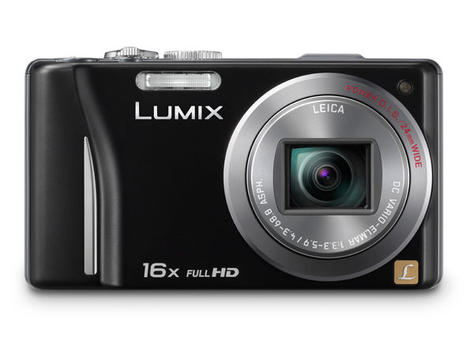
In the run up to Christmas, Amazon's top 20 best-selling digital cameras includes only compacts, with a good majority costing less than £100.
Sitting at the top of the tree is the Panasonic TZ20, a mid-range compact camera that has received many favourable reviews. Second is the Fujifilm S4000 bridge camera, while coming in third is the Canon IXUS 115 HS.
The entire top 20 is filled with compact cameras, with it reaching number 23 before a DSLR, the Canon EOS 550D, appears, and again at number 28 with the Canon EOS 1100D. Those two DSLRs represent the only two cameras of its type within the entire top 40, with a further two appearing at number 65 and 68, bringing the grand total up to four.
Presents
Looking at stats like this would seem to suggest that shoppers are looking for stocking fillers for other people, rather than splashing out on serious equipment. Furthermore, over half of the top 20 were under £100.One of the newest cameras to appear on the top 20 list is the Samsung MV800, which has invested heavily in television advertising over the recent weeks, and it seems to be paying off.
Another notable absence from both the top 20 and the top 40 are compact system cameras. Despite considerable advertising spend for the Sony NEX-5N, it is only the Panasonic Lumix G3 which appears in the top 100.
It will be interesting to see how the table changes in the post-Christmas spending period, which may see differing results, depending on January offers.

| |
Read More ...
Hi-res iPad 3 release date now February 2012?

Not just one but 'several' anonymous sources have colluded to come up with the latest in iPad 3 speculation today, pegging the new Apple tablet's release date as February 2012.
Analyst Richard Gardner of Citi has penned a note based on these sources, saying that a new iPad with a higher resolution display is good to go.
"There do not appear to be any significant technical hurdles remaining," he wrote in a note, which should allay any fears of any white paint issues or battery draining bugs.
Theoretically, anyway
His elusive sources reckon the resolution of the iPad 3 will be double the resolution of the iPad 2's.Past rumours have indicated this super-high-res display has proven problematic, giving Apple headaches over backlighting and potentially even adding a bit of extra bulk to the currently-slim slate.
The timing isn't far off; Apple launched the iPad in January 2010 and the iPad 2 in March 2011, so February 2012 for the iPad 3 seems feasible.
But with not much more to go on than the word of an analyst and his secret sources, we can't rate this rumour any higher than 'it's possible'.


| |
Read More ...
BlackBerry Milan - new BB10 handset leaked

Another of the next-generation, BB10-powered BlackBerry line-up has been revealed in the shape of the BlackBerry Milan.
This phone features a style similar to the current Torch 9810, in that it's rocking a full QWERTY keyboard that slides out from beneath a full touchscreen.
CrackBerry has nabbed an alleged first image of the device, which shows RIM is keen to finally drop the useless optical trackpad and also dispense with the menu, call and back buttons that have been a staple of its devices for years.
Inter the BlackBerry
Specs are very thin on the ground for the BlackBerry Milan, although CrackBerry is reporting the screen will come with a pixel density even sharper than the iPhone 4S.We're very interested to note the layout of the Milan, as that touchscreen / keyboard chassis looks a little off-balance given the size of the display - one-handed interaction isn't going to be that easy on a phone like this.
The operating system will be based on QNX, the same as used in the BlackBerry Playbook, but RIM is clearly hoping that its new range of phones will help catapult it back to the front of the smartphone pack in the way it hasn't managed in the tablet market as yet.

| |
Read More ...
Spotify overhauls radio player with new recommendations engine

Spotify has given its radio player a lick of paint and some cool new functionality to round off a year of marked improvements to its service.
It's been made "bigger, smarter and altogether cooler", according to Spotify itself, and brings new features that tread on the toes of the Last.fm app – like building 'radio stations' based on a single track, artist or genre.
You can create as many of these stations as you like and skip any tracks that don't take your fancy. When you first open the new radio app, Spotify gets you started with a radio station automatically built around your most played song.

Clever girl
"We've put some seriously clever kit under the hood of Spotify Radio to give you the best music discovery experience possible," says Spotify of its new intelligent recommendation engine.As well as the overhauled radio player (which was sorely in need of some love and attention), Spotify launched Spotify Apps in late November, bringing third-party music services into the Spotify fold.
The new radio service will begin rolling out alongside Spotify Apps in the next few days.

| |
Read More ...
In Depth: 10 gadgets to look forward to in 2012

10 gadgets to look forward to in 2012
So, that was 2011. Well, OK, it's not over yet, and many people will no doubt be hoping for one of this year's best gadgets for Christmas, but for big, game-changing releases, we've already moved on to looking at 2012 now.In some ways, we're reminded of the excitement during the build up to the 2012 gadget season, but everything's bigger and flashier. Where once we were waiting on the influx of dual-core tablets, now we're looking at a quad-core revolution on the horizon. We were looking forward to Android 3.0 and Google's Chrome OS, but now we're clamouring for Android 4.0 and Windows 8.
Gaming also looks set to have a bumper year, with new consoles and technologies coming, and this is all before we get the usual raft of awesome announcements at CES 2012 in January.
Here's our pick of the 10 we're most excited about so far.
1. Amazon Kindle Fire

You might wonder what this is doing at the top of our list when it's quite clearly already out - heck, we've even already got an Amazon Kindle Fire review on TechRadar. But it's only out in the USA so far, so for the UK and the rest of the world, it remains a gadget for 2012.
So what's got us so excited about the Kindle Fire? Our review called it "a brilliant media consumption device that doesn't break the bank", making it "perhaps the best gadget bargain of this era".
We'll be interested to see what video streaming options and other content it launches with outside of the US, and it'll be fascinating to see if it spurs tablet adoption with its relatively tiny price.
2. Wii U

There's no doubt the Wii sparked a motion-control revolution when it launched, with all three major consoles now sporting some sort of wavy-arm option. However, despite phenomenal sales for much of its life, it isn't still banging out the hit games in the way the Xbox and PS3 are.
Enter the Wii U, then. The Wii's successor looks set to be a powerful HD console, offering 1080p output and 3D support, with yet another interesting new controller. The Wii U comes with a kind of small tablet - a controller with all the usual buttons, but a touchscreen in the middle as well. The touchscreen can be used to control games, or you can actually play the game on that screen, leaving your TV free for Masterchef.
Nintendo-quality games, awesome HD graphics, support from lots of third-party games developers, and a handy way to play in any room in your house? Count us in.
3. Asus Eee Pad Transformer Prime

This is where tablets really start to grow up when it comes to horsepower. The Asus Eee Pad Transformer Prime is the first Nvidia Tegra 3 tablet, which means quad-core processing and amazing graphics performance for a portable device. Somehow, it's also unbelievably thin and light, and comes in a bundle with keyboard dock for typing on the go.
Our Eee Pad Transformer Prime review found that it had good battery life, a great screen and amazing performance, especially for games. It's probably going to be just the first step in what's to come for Tegra 3 tablets in 2012, but it'll be a hell of a way to start the year when it's released in January.
4. Windows 8 tablets

There are still a lot of unanswered questions when it comes to Windows 8 tablets, but the information is starting to come out, and there's no doubt Microsoft is prepared to make a real go of this tablet malarkey.
Windows 8 will use a Metro interface that's much like Windows Phone 7 for when it's used on touch devices, with separate Metro apps. It will support ARM processors, such as Tegra 3, as well, which means manufacturers have options for the hardware they include.
Whether the addition of a new touch interface on top of the traditional Windows look will entice developers and customers is hard to say, but it seems to have the manufacturers on board, and we'll be able to see more when the public beta arrives early next year. If Microsoft pulls it off, it may suddenly become a big mobile player again.
5. Apple's 2012 tablet
We could fill this article with what Apple's supposedly got in the works for next year, but since they're all officially fictional until the moment Tim Cook walks on stage and reveals them to the world, let's not get too wrapped up in them. Rumours of an iPad 3 with a Retina display are stronger than ever, and it's fair to say that we'd be drooling all over a tablet with a screen as highly detailed as the iPhone 4S's.iPhone 5 rumours persist too, though at this point we suspect it'll be called something else, since it won't be the fifth iPhone. A thinner design with a larger, possibly edge-to-edge, screen is supposedly the order of the day, which will be unusual, but we'd love to see if Apple can pull it off.

And then there's the Apple TV. No, not the Apple TV you can buy now, the new Apple iTV television set that's supposed to be in the works. Of course, it's hard to say how good an Apple TV would be from a visual point of view, but we like the sound of a TV with AirPlay and iCloud built in, with Siri functionality as a remote control option.
Five more gadgets to look forward to
6. PlayStation Vita

In the face of the casual gaming revolution from the DS and App Store, Sony has stuck to what it knows, and its latest handheld is going to be a beast of a machine when it comes to raw power. And that pleases us greatly.
The Vita packs a quad-core graphics processor, making even the impressive graphics in the iPad 2 [link] look small-time in comparison. The graphics can shine on the qHD screen, and there are touch controls as well as dual analogue sticks, to keep both hardcore gamers and the Angry Birds crowd happy. With amazing-looking versions of Sony's games, including a new Uncharted offering, coming, the Vita is definitely a gamer's device, and potentially an awesome one at that.
7. Asus Padfone
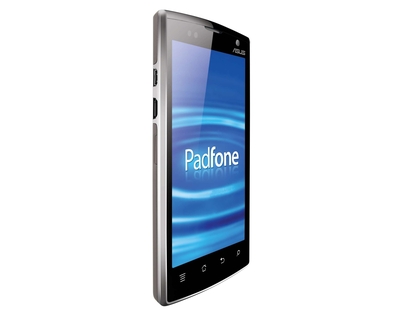
The Asus Padfone raised quite a few eyebrows when it was announced at Computex, as much for the odd presentation as the unusual device itself. A phone that you can slot in a tablet shell to give yourself a larger device seems to come firmly under 'just crazy enough to be crazy', but as time goes on, it's started to make more sense.
What's got us really interested now is the news that not only will the Padfone come with Android 4.0, but with Nvidia's Tegra 3 quad-core CPU as well. Android 4.0 makes perfect sense for the device; it's designed to unify the tablet and phone versions of Android, just as Asus is trying mash the two physical devices together. But with a launch planned for Mobile World Congress, we could be about to see the first quad-core phone released, and that's really going to make things interesting.
8. Sony PlayStation 3D Display

3D is still somewhat stumbling towards mainstream relevance, with more and more new TVs integrating it, but the PS3 can do 3D games and 3D Blu-ray playback, so Sony's making it simple to watch 3D without having to replace your entire home cinema setup. The PlayStation 3D Display can also cleverly use its 3D abilities to display two different images to two different players if you're playing multiplayer, as an alternative to split-screen gaming.
As a relatively low-cost (compared to big home cinema displays) 3D screen that's not too big, but features some cutting-edge 3D technology, Sony's display ticks all the boxes. It's a brilliant way to get into 3D gaming without totally breaking the bank, and is great for bedroom gaming or a second screen beyond your main TV.
9. Android 4.0 tablets

You might wonder what Android 4.0 actually brings that Android 3.2 doesn't offer now, but the answer isn't as simple as a list of better features. In our Android 4.0 review, we found that the big steps forward is in the little things. It's much more streamlined, and more easy to use, and that's vital for making it seem as appealing as the iPad to those who don't care about hardware specs.
But more than that, we want to see what it inspires in the tablet manufacturers. We see all sorts of different app choices, custom widgets, hardware differences and philosophies from the different companies making Android tablets, and we can't wait to see what Ice Cream Sandwich brings out of them.
10. Ultrabooks that get it right

With Intel's push to make Ultrabooks - MacBook Air-like ultrathin laptops with speedy SSDs - the next big thing, we're seeing many of the big companies come out with their attempts. Some of them have been very good, but there's always a niggling problem making them imperfect, such as keyboards that are too small and uncomfortable, or dodgy trackpads.
No company has nailed it yet, but we're sure that one will next year, and that's what we're excited for: a super-thin, super-light PC that offers all the quality of the best normal laptops, but without the weight and size. Someone will get it right soon, and that will be a hell of a laptop.

| |
Read More ...
Review: Toshiba Portégé R830-138

We had to pick up our jaws up from off the floor too. It's going to take a damn sight more than a sophisticated-sounding French moniker to distract you from this laptop's gargantuan price. But the Toshiba Portege R830 must be an astonishing piece of kit, right?
Designed for the busy executive who wants a laptop that doesn't interfere with the shape of a soft Italian leather briefcase, Toshiba's wafer thin Portégé R series has long been one of the standards to beat when it comes to building a thin and light laptop.
Weighing less than 1.5kg, this Toshiba still packs a high clockspeed CPU beneath its demure black casing, and promises much in the way of business enhancements for the busy traveller. Thanks to that quick Core i5, it beats all but the quad core in the Acer 8951G in productivity benchmarks, and weighs well under half of that monster's tonnage.
How does it compare to the Core i7 in the Zenbook? That chip has a lower overall power draw and an extra megabyte of memory, which shows up best in the gaming benchmarks – but for general use the Core i5 here is oddly a little bit better.
TechRadar Labs

Battery Eater '05: 271 minutes
Cinebench: 10747
3DMark 2006: 3752
Battery life is more impressive. Running for just over four-and-a-half hours in our stock test, which includes a looping HD video, you can eke out up to eight hours of run time with a bit of care – that's a full day at the office, which you could spend at the coffee shop instead.
How much?

The problem that Toshiba faces is the arrival of the Ultrabook, in this case a role played by Asus' Zenbook UX31. Where once 'thin' and 'light' commanded a premium in the market for their cleverly engineered heatsinks, the UX31 is an even lighter and – in some respects, like instant start up – more capable machine for a third less cash.
To make matters worse, the magnesium alloy with which Toshiba coats the Portégé R580-138 may help to keep the weight down, but you'd be forgiven it's a cheap plastic rather than a metallic shell. It's soft, it flexes to the touch and it doesn't feel like it offers much protection next to the deadly corners of the Zenbook.
There are some advantages to the Portégé. It has a better screen, for example – there's a slight blue colour cast and an overly bright backlight, but these are both easy to tune out in the settings. You also have easier access to the underside for upgrades and changing the battery.
But despite its future-friendly Sandy Bridge CPU, the Toshiba leaves the distinct impression of being very 'last-gen' thin and light. Yes, you can carry it in one hand, but there's very little on offer that an Ultrabook doesn't do better.
Unless you count the incredible amount of pre-installed software, most of which simply raises the question: why? There are peculiar application choices. Like the games market, Amazon and eBay apps – they have no business on what is ostensibly a very sensible corporate machine, and give the Portege a slightly confused identity. You can remove them, of course, but they shouldn't have been there in the first place.
What we're really looking for is a reason to buy this over the cheaper, faster Zenbook. So far we have larger hard drive and a built-in DVD player, and Toshiba's support options are good if you want a business critical device and service. But it isn't enough any more; not at this colossal price.

| |
Read More ...
Instagram photo app for Android confirmed

Instagram, the much-loved photo sharing app for iPhone, will soon be available to Android users.
At the Le Web conference in Paris, Instagram CEO Kevin Systrom said: "We have two people working on Android now."
That may not sound like a huge commitment to getting the hit iOS app running on Android, but when you consider that the whole company is made up of just six people it starts to get a lot more serious.
Instagram launched in October 2010 for the iPhone and allows users to add a huge variety of filters and borders to their mobile photos, turning a bland snap into a share-worthy masterpiecefor all to marvel at.
Top of the snaps
The iOS version has more than 14 million users, so if you're not using it already you can be sure your friends are.
The iPhone version of Instagram made it into both our 10 best iPhone photography appsandtop 50 best free iPhone apps 2011.
Developing the Android version could dramatically increase the user base and is part of Instagram's wider strategy for making money from the free app.
Systrom spoke of in-app advertising, saying: "Obviously, we didn't start a business to not make money. Our focus now is on growing the network. You really need to build up the network, or no advertisers care."
Android users will have to be patient, though, as there was no word on exactly when the new version will be launched.

| |
Read More ...
Samsung gets Oz boost in Apple patent fight

Apple's bid to keep the Samsung Galaxy Tab 10.1 banned from sale in Australia has failed, with a ruling from the Federal Court meaning that the tablet will go back on shelves.
Apple had managed to win an injunction against the sale of the Tab 10.1 over patents, Samsung's appeal was then granted but the Californian company asked for, and received, a stay to seek its own appeal, meaning the injunction stayed in place.
However, the Federal Court has now ruled that Samsung can sell the product in Australia, at least until the case hits the patent courts next year.
Records
According to The Register, Samsung must keep records of sales of the device and apps ahead of that hearing.The upshot is that consumers in Australia will be able to buy Samsung's tablet from Monday 12 December.
The ongoing legal wranglings over patents have shown no sign of letting up – with Samsung being challenged across the world by Apple over the look and feel of its tablet, which the latter feels infringes on its own iPad.

| |
Read More ...
Review: Fuji FinePix F600 EXR

Overview
For the past couple of years, cameras offering a broad focal range shoehorned into a pocket-sized chassis have helped prevent point-and-shoot models from being totally killed off by smartphones. Enter the Fuji FinePix F600 EXR, upgrading the FinePix F550 EXR.It may not offer the longest reach of its rival cameras, with a 15x optical zoom equivalent to 24-360mm in 35mm terms, yet with curved edges and glossy fascia we'd argue it's the most attractive travel zoom compact camera to date.
Beneath that sports car-like exterior, the Fuji FinePix F600 EXR is neither a professional nor enthusiast photographer's camera, but rather a mass-market point and shoot. The £250 model aims to punch above its weight, however, via raw capture alongside JPEG (or in addition to), a feature buried deep within the set-up menu. Then there's the secret weapon of a back-illuminated and image stabilised 1/2-inch EXR CMOS sensor that can be used in three ways.

There's the choice of full 16MP resolution shots in HR (High Resolution) mode, 8MP high sensitivity low noise images in SN (Signal to Noise) mode, or an 8MP high dynamic range DR mode to theoretically avoid the bright background with dark foreground syndrome. The camera achieves the latter by automatically capturing and combining two separate shots. There's also an EXR Auto option, if you can't decide on the best fit for a scenario.
A hump above the lens signals that, like the competing 16x Panasonic Lumix DMC-FZ20 that costs £50 more, the Fuji FinePix F600 EXR marries its big zoom power with built-in GPS, whereby each image is tagged with longitude and latitude coordinates.
Moreover, its maker claims to have taken GPS to the 'next level' with an additional Augmented Reality Landmark Navigator. This uses GPS to flag up famous sites near your position that might be worth a photo.

Also new is an Intelligent Digital Zoom feature. Best practice is normally to shy away from using digital zooms, which effectively cropthe image, but Fuji claims a reach equivalent to 30x and selective sharpening, so noise doesn't increase across an image as a whole. A new Motion Detection feature also, naturally, detects if the subject is moving and cranks up the settings (such as ISO) to compensate. This isn't just hyperbole and actually appears to work, providing usable results, if not quite pin-sharp ones.
EXR modes and separate regular auto mode aside, a full complement of additional shooting modes include Program, Shutter Priority, Aperture Priority and Manual, plus a 360-degree panorama, background defocus or low-light option.
We also get scene modes that only omit the miniature, fish-eye and pinhole-type digital effects that are otherwise all the rage with competing brands.
Full HD 1080p video gets a dedicated record button, plus stereo sound and slow motion options.
There's more to the Fuji FinePix F600 EXR than one might expect at first glance, even if headline resolution, sensor size and pixel count are identical to its predecessor.
Build quality and handling

A firm press of the top plate power button and with a mechanical whirr and bleeps the Fuji FinePix F600 EXR is ready for the first shot in two to three seconds. Although the lens starts out at maximum wide angle and completely retracts within the camera body when inactive, a broader than average focal range necessitates a slightly broader than average compact camera.
That said, the camera still slips into the pocket of your jeans, even if it does feel much heavier than its fully loaded 220g weight suggests. It's surprisingly solid and feels built to last.
With a rubber pad nudging against a subtle curve to the left-hand side of the Fuji FinePix F600 EXR's faceplate – viewed lens-on – the compact camera attempts to provide a means of hand holding the camera steady enough for blur-free maximum telephoto shots.
We reviewed the high gloss white F600, which was a tad slippery, producing distinctly shaky results in less than perfect light. The black model offers a more practical rubberised body coating, while red gloss is the third alternative.
On our review camera, the thumb of the left hand ended up partially obscuring and inevitably smudging the 3-inch, 460k-dot 4:3 ratio LCD screen. This is due to a thin bezel and lack of anywhere else to place your thumb.

The Fuji FinePix F600 EXR also embeds a pop-up flash in the top plate. Unusually, there's a small physical shooting mode dial to the far right of the LCD display, which slopes sharply backwards so that it automatically nudges the photographer's right thumb.
This positioning tempted us to experiment with other settings on the dial, but also means that it's easy to slip onto adjacent shooting options when getting the camera out of your pocket.
With video and playback getting their own controls, and a familiar four-way control pad with exposure, flash, self timer and macro options, core functionality falls readily to hand.

As well as a useful Back function for seamless navigation that doubles up as a display button, this being a Fuji camera we also get an enigmatic 'F' (for 'Foto') button as a shortcut to the most widely used settings. These are ISO (the F600, like the F550, offers up to a semi pro-like ISO 12800), image size and film simulation modes, with our favoured colour saturation-boosting Velvia.
Here we also find GPS options, including the location search and info. There's the option to turn these off if you don't want them on permanently draining power.
Handling-wise there's little to fault on the Fuji FinePix F600 EXR, save for the niggles we've just mentioned.
Performance

We were testing the Fuji FinePix F600 EXR in gloomy winter weather and what looked drab in reality looked even more so on the back screen, which struggled to shine even with its reasonable 460k dot resolution retained from the Fuji FinePix F550 EXR.
Usually we find with Fuji EXR models that style tends to triumph over substance, and here visible difference between the switch-able EXR settings and regular intelligent auto or program modes are sometimes subtle at best. Plus, by virtue of its metering automatically trying to balance exposure in tricky lighting situations, if you have the relevant EXR mode selected, you're often left with a very flat-looking JPEG.

Also, despite all the gadgetry and gimmickry under the bonnet, the Fuji FinePix F600 EXR is still a point and shoot camera, and if you're expecting results that for the vast majority of images look like anything other than snapshots, you'll be disappointed.
If you're looking for a point and shoot with ideas above its station with a better chance of delivering, then investigate Fuji's own X100. Used side by side with this camera, it knocks spots (or should that be pixels?) off the F600 EXR's output, albeit with a sensor and price tag both twice the size of this model.
We got the best results here by selecting the Velvia setting from among the Fuji film simulation modes, which better mirrored the scene before us than the default Provia option. We did find, however, that the camera's auto white balance biased to correcting whichever colour was most abundant in the scene, so that a shot of bright orange berries produced an overall mauve tint.
However, we found the camera coped with tungsten lighting well - with drab weather outside we took it to a shopping mall and got respectable results shooting handheld, even with movement in the frame. However, images aren't always uniformly sharp over the entire frame at every focus setting, with some noticeable fall off towards the corners.

While colour casts and dull exposures are easily corrected in Photoshop, if you venture above ISO 3200 on the Fuji FinePix F600 EXR then resolution drops to 8MP at ISO 6400. It drops further still, to 4MB at the top ISO 12800 setting to further disguise progressively intrusive image noise. So we stuck at ISO 1600, but preferred the most noise-free results that were to be had at ISO 800, which is fairly par for the course.
To be critical, this Fuji is only the ideal travel companion it's pitched as if you're staying somewhere bright and sunny, but the same is true of most snapshots.
Image quality and resolution
As part of our image quality testing for the Fuji FinePix F600 EXR, we've shot our resolution chart.If you view our crops of the resolution chart's central section at 100% (or Actual Pixels) you will see that, for example, at ISO 100 the Fuji FinePix F600 EXR is capable of resolving up to around 18 (line widths per picture height x100) in its highest quality JPEG files.
Examining images of the chart taken at each sensitivity setting reveals the following resolution scores in line widths per picture height x100:


ISO 100, score: 18 (see full image)

ISO 200, score: 18 (see full image)

ISO 400, score: 18 (see full image)

ISO 800, score: 16 (see full image)

ISO 1600, score: 16 (see full image)

ISO 3200, score: 14 (see full image)

ISO 6400, score: 12 (see full image)

ISO 12800, score: n/a (see full image)
For a full explanation of what our resolution charts mean, and how to read them please click here to read the full article.
Noise and dynamic range
We shoot a specially designed chart in carefully controlled conditions and the resulting images are analysed using DXO Analyzer software to generate the data to produce the graphs below.A high signal to noise ratio (SNR) indicates a cleaner and better quality image.
For more more details on how to interpret our test data, check out our full explanation of our noise and dynamic range tests.
Signal to noise ratio

JPEG images from the Fuji FinePix F600 EXR (without EXR) show a good signal to noise ratio up to a sensitivity of ISO 800, despite this the Canon IXUS 220 HS, Nikon Coolpix S9100 and Panasonic Lumix DMC-TZ20 all have better results from around ISO 200.
Dynamic range

This chart indicates that the Fuji FinePix F600 EXR's JPEGs (without EXR) only just beat the Nikon Coolpix S9100 at ISO 200, at sensitivities above this the Canon IXUS 220 HS, Nikon Coolpix S9100 and Panasonic Lumix DMC-TZ20 greater dynamic range results.
Sample images

VELVIA: Selecting Velvia film simulation mode allows the deep hues of autumn foliage to be captured in their splendour, but this wide-angle shot also displays obvious distortion.
See full-res image

CLEAR: Find yourself with the benefit of clear blue skies and, like any snapshot camera, the Fuji FinePix F600 EXR delivers its very best performance, with good levels of sharpness here from front to back of frame.
See full-res image

EXR: This 'EXR' mode image has commendably kept detail in the foreground and the sky, producing an image closer to what the eye sees if, to be picky, a little flat overall.
See full-res image

PANORAMA: This automatically generated handheld panoramic image reveals some lens flare – OK, we were shooting almost directly into the sun at one point – but is free from obvious overlaps and the colours are lovely too, if detail is unsurprisingly not quite pin sharp.
See full-res image

BLUR: A slightly otherworldly looking result from the Fuji with some serious loss of focus top left of frame plus pixel fringing in the same corner.
See full-res image

ZOOM: Having a 15x lens reach enables you to get closer to your quarry than the average point and shoot compact, if, when light levels are less than ideal, results are not always razor sharp at the telephoto end when shooting handheld.
See full-res image
Sensitivity and noise

Full ISO 100 image. See the cropped (zoomed to 100%) versions below.

ISO 100
See full res image

ISO 200
See full res image

ISO 400
See full res image

ISO 800
See full res image

ISO 1600
See full res image

ISO 3200
See full res image

ISO 6400
See full res image

ISO 12800
See full res image
Verdict
In terms of build quality and feature set, the Fuji FinePix F600 EXR betters most propositions around the £250 mark. Design-wise too it makes the leader among travel zooms - the Panasonic Lumix TZ20 - look almost utilitarian. Ironically this led us to expect the camera to deliver perhaps more than it was capable of.What counts the most is image quality, and we can't claim the Fuji's performance is spotless on this score, with the rival Lumix range being more consistently reliable overall. While enthusiast-enticing gimmicks such as high light sensitivity settings look good on paper, in use a small sensor and high resolution don't do the Fuji FinePix F600 EXR many favours.
We liked
The build quality and styling of the Fuji FinePix F600 EXR suggest that here is the Ferrari of the digital camera world, and it's crammed with a box-ticking variety of latest tech, including GPS, stereo video clips, 360-degree panoramas et al. The £250 asking price therefore seems very fair indeed.We disliked
Burnt out highlights and pixel fringing, rather flat-looking images straight out of the camera unless Velvia mode is constantly deployed, and noisy results at higher ISOs make the likes of ISO 12800 look like something that was only added to bolster the spec sheet. But similar accusations could be levelled at most point-and-shoot cameras.Final verdict
We can see the ideal audience for this camera being young families who want an unfussy point and shoot camera that doesn't cost a packet but does a bit of everything and has the advantage of full HD recording with stereo sound at the press of a button - albeit not a dedicated record button.Luckily for Fuji, the flashy exterior is bound to entice the gadget fan first, and camera enthusiast second, and in that respect the Fuji FinePix F600 EXR can be deemed a success.

| |
Read More ...
Panasonic announces new Android phone to launch in March

After leaving the international phone market five years ago, Panasonic is back in Europe with a new Android smartphone on the way in March.
The details of the first phone on offer are fairly slim. What we know is that it will run Android and features a slim bezel around a 4.3-inch OLED screen with 960 x 540 (qHD) resolution.
Hitting Europe first, Panasonic's new phones will then be rolling out to the in US, China and the rest of Asia.
Built to resist
Panasonic claims its first model will be waterproof and dustproof –a feature that most manufacturers usually offer in mid range phones as for cost reasons its usually a trade-off with headline specs like CPU speed.Slightly less impressively, the company also assures us that its "ultra-slim D-shaped design" will offer "easy portability". Good to know.
The rear of the phone has a small NFC badge on it, so we could be seeing some Google Wallet features onboard, and perhaps even be unlocking doors with it, too.
Panasonic says it is using this "as a reference model" for expanding its range to achieve sales of 1.5 million smartphones in Europe next year.
The new model will be manufactured in Panasonic's existing factory in Malaysia that currently produces phones for its home market in Japan.
Panasonic is pushing hard with a plan to sell a total of 15 million phones in 2016, including nine million phones outside Japan.

| |
Read More ...
Available Tags:Olympus , CEO , UK , Google , Windows Phone , Windows , Nokia , Motorola , Apple , iPod , TV , iPhone , LG , Xbox , Android , Amazon , iPad 3 , iPad , BlackBerry , Toshiba , Samsung , Panasonic ,


No comments:
Post a Comment