

Report: Zynga's £1.44 billion Rovio bid rejected

Angry Birds developer Rovio turned down a monumental acquisition bid of £1.44 billion from rival stable Zynga, according to a report in the New York Times.
The astounding offer is said to have been made rebuffed this summer, after Zynga - whose titles include Farmville and Words With Friends - also failed to acquire the PopCap studio.
The NYT report says that Rovio "walked away from discussions of a deal worth roughly $2.25 billion in cash and stock," according to three people briefed on the situation.
With 400 million all-platform Angry Birds downloads, countless merchandising opportunities and a forthcoming movie being made in-house, Rovio continues to grow in stature, but that is a big chunk of change to turn down.
Neither Rovio or Zynga has commented on the report.
Failed acquisitions
The NYT article focuses on worrying times for Zynga as it prepares to float on the stock exchange with an Initial Public Offering (IPO) in the coming weeks.Staff burnout and dissatisfaction is apparently prominent at the company with some feeling that founder Mark Pincus is "over-reaching."
As well as the overtures made to Rovio the report also claims that Zynga was on the losing end of a battle for rival studio PopCap.
PopCap, the maker of Plants vs Zombies eventually ended up in the hands of Electronic Arts, who put together a $1.3 billion package, which topped Zynga's $950m bid.

 |  |
Read More ...
iPhone 4 spontaneously combusts on flight

Concerns about the safety of some Apple devices have arisen again after a passenger's iPhone 4 spontaneously combusted on a flight in Australia.
According to airline Regional Express the device began to glow red and emit smoke during landing and had to be extinguished when the plane hit the runway.
A statement said: "Regional Express (Rex) flight ZL319 operating from Lismore to Sydney today had an occurrence after landing, when a passenger's mobile phone started emitting a significant amount of dense smoke accompanied by a red glow.
"In accordance with company standard safety procedures, the Flight Attendant carried out recovery actions immediately and the red glow was extinguished successfully.
No-one harmed
The airline said that no members of the crew or cabin were harmed, but as you can see from the photo the iPhone in question is well and truly done-for.This isn't the first time that Apple devices have been known to go up in smoke.
Back in 2009, Apple blamed users for exploding and overheating iPhones, while iPod devices have also been known to experience the odd overheating problem.

| |
Read More ...
Competition: WIN! 5 Pure EVOKE-1S Marshall DAB radios worth £119.99 each

TechRadar has once again joined forces with UK DAB radio colossus, Pure, to give away some ultra cool digital radios.
The Pure EVOKE-1S Marshall DAB radio combines the award-winning quality of Pure's EVOKE-1S radio with the legendary style of Marshall Amplification to deliver a DAB radio that really rocks.
EVOKE-1S Marshall is wrapped in black vinyl, just like a Marshall amp, with solid wood construction, brass-effect control panel and a black metallic speaker grille. The fierce yellow-on-black display features adjustable brightness and just like its predecessor, the volume dial goes up to 11!
Other features include ChargePAK compatibility for rocking out on the go for up to 24 hours between charges; an OLED display; a light sensor which automatically adjusts display brightness; 30 station presets (30 digital radio or FM); an auxiliary input to connect an iPod or MP3 player; and FM with RDS for maximum station choice.
TextSCAN and Intellitext are also included so that scrolling text can be paused and controlled as well as stored for browsing at a later date.
We have five of these radios to give away to UK readers, so get have a chance of winning, click the link below.
ENTER THIS COMPETITION
-------------------------------------------------------------------------------------------------------Please note that this competition is only open to UK residents over 18 years of age.

| |
Read More ...
RIM offering PlayBooks to employees for $99

The BlackBerry PlayBook is looking increasingly like going the way of the HP TouchPad with RIM offering the tablet to employees at a huge discount.
RIM's latest desperate attempt to shift some of the crippling inventory currently launguishing in warehouses sees the company offer PlayBooks for just $99 to all employees - thats about £62.
Through a corporate portal workers can buy up to eight PlayBooks for the discounted rate, which also sees the 32GB device on sale for $149 and the 64GB model for just $199.
The deal could be the latest step towards offering those prices to the public in a fire sale reminiscent of HP's ill-fated WebOS tablet, which saw a surge in sales when reduced to under £100.
Huge hardware loss
The employee offer is likely to see RIM take a huge hardware loss on the device, while most of the devices will likely end up on sell-on sites like eBay or the Amazon Marketplace.The BlackBerry PlayBook tablet, which started off with an RRP of £399, has endured a disastrous year since it hit the shelves this spring.
Plagued by software problems, no email client and the non-appearance of the promised Android app player, its potential is unlikely to ever be fulfilled.
RIM also has to contend with the cut-price Amazon Kindle Fire tablet in the US, which makes a public PlayBook fire sale, all the more likely in the coming weeks.

| |
Read More ...
Scorsese could make all future films in 3D

Martin Scorsese has admitted that he would consider shooting all of his future films in 3D, following his experience directing Hugo.
The legendary filmmaker, whose new 3D fairytale adventure opens in the UK this weekend, says that his 1970s classic Taxi Driver could have benefited from being shot in 3D.
When asked by Deadline whether he'd consider going 3D-only, he said: "Quite honestly, I would."
"I don't think there's a subject matter that can't absorb 3D; that can't tolerate the addition of depth as a storytelling technique. We view everyday life with depth."
Stark turnaround
The admission from Scorsese, marks a stark turnaround from his admission that he had no interest in making a 3D film, just two years ago.So what changed his mind?
"Well, the story of Hugo," he said. "The climate of what Jim Cameron did with Avatar and 3D seemed right and the subject matter was just perfect for it. And it was time to take a chance with it."
"(3D) shouldn't be limited to fantasy or sci-fi. Look at (Werner) Herzog's use of it (in Cave of Forgotten Dreams), Wim Wenders with Pina.
"It should be considered a serious narrative element and tool, especially when telling a story with depth as narrative."
Frightening presence
When asked which of his previous films might have benefited from the 3D medium he said that Aviator and Taxi Driver sprang to mind."Taxi Driver, because of the intimidation of the main character, his presence is everywhere, a frightening kind of presence."
Scorsese's eventual embracing of 3D should be considered a landmark for the medium.
Critics are calling Hugo, the most important 3D movie since Avatar and are almost universal in their praise for the title.

| |
Read More ...
Sony and Hitachi working on 4-inch iOS displays?

Apple has reportedly teamed up with Japanese tech titans Sony and Hitachi to produce 4-inch displays for a new iOS device set to be released in 2012.
Japanese Apple news site macotakara.jp reckons that the two companies have already shipped the new LCD screens to Cupertino.
If the reports are true, it would go another step towards confirming that the next generation iPhone is likely to have the 4-inch display many users hoped would arrive with the iPhone 4S.
Sharing the load
AppleInsider points out that Apple has history of sharing the manufacturing load around multiple partners, with reports last week claiming that Sharp is building a LCD display for the third-gen iPad model.The site claims that Apple has invested a "significant amount" in Sharp's factories to enable them to produce IGZO displays, which will allow the device to be thinner and offer better battery life
Jeffries analyst Peter Misek said: "IGZO technology is perfect in that it offers near-OLED power consumption while having a lower cost and thinness that is only 25% greater than OLED, based on our checks."
Meanwhile macotakara.jp also reckons a Taiwanese company (as yet unspecified) is working on LCD screens for Apple for a "fundamentally changed" iPad 4.
Of course, all of the above remains unconfirmed and should, at the moment, be considered no more than interesting speculation.
Via: AppleInsider (macotakara)

| |
Read More ...
Interview: Lovefilm: iPlayer changed the streaming game

Lovefilm interview
Lovefilm has been one of the UK's biggest tech success stories. Since its launch in the early '00s, the company has grown to a consumer base of nearly 1.6 million with over 70,000 titles available to rent.These sorts of numbers were more than enough to make Amazon sit up and take notice, with the online retailer acquiring Lovefilm in 2008.
While this means the company is in good shape, 2012 is set to be a landmark year for movie distribution services as a whole as it will mark the launch of Netflix in the UK. Although it won't be competing with Lovefilm when it comes to physical disc rentals, Netflix will be encroaching on the company's burgeoning streaming business.
We are already seeing sides being taken when it comes to exclusive online rights, with Lovefilm snapping up Warner and Netflix nabbing a number of independents and MGM.
But healthy competition is something Lovefilm has had to put up with from its inception, as Simon Morris, chief marketing officer for Lovefilm, explained to TechRadar when we chatted to him recently.
"From the day we started, competition was intense. High street rental was our biggest competition back in the day," said Morris.
"That industry was very aggressive and arrogant. Their problem was that they weren't customer focused, they were competitor focused. We focused on range, choice and convenience."

Given the state of the high street at the moment, it seems that arrogance has turned to fear, with many established high street brands trying to remodel themselves for a consumer that predominantly shops online.
It's no surprise that HMV decided to launch its own on-demand movie service recently but it is now playing catch-up in an industry it once dominated.
"This is very much a hybrid world," agreed Morris. "Customers want physical goods and digital and we are well poised to offer this."
iPlayer changed the game
But Morris believes that UK consumers wouldn't be so quick to look to streaming as a way to consume content if it wasn't for the BBC."With the iPlayer, the BBC did a great job of changing consumer behaviour and we have benefited from that – they normalised the idea of catch-up TV.
"The service went a long way to explaining to middle England that streaming content was normal."
While streaming may seem the norm now, Lovefilm has had a chequered history with the technology which goes as far back as 2006.
"We were experimenting – we did the world's first download to own in 2006 with King Kong."
But this didn't automatically bring viewers in – and in 2009 Lovefilm stopped offering a standalone subscription digital download service, something Morris believes was down to customer confusion with digital at the time.

"There's the customer, the supplier and the infrastructure and I don't think the infrastructure was right. The customer didn't know what they wanted, whether it was ownership they were after or streaming."
Today, Lovefilm offers around 5,000 titles on an on-demand basis with this service bolstered by the introduction of Lovefilm apps on the PS3 and iPad.
Curation is key
But its not the way movies are distributed that Morris believes is key, but the curation of the content you have."I love continuously looking at new ways of getting stuff to people. When it comes to browsing films at retail, it can be about shelf space – but we can go through the archive and look at older films and try to make them popular.
"The DNA of choice means that blockbuster titles are always shared, but then there is more eclectic stuff."

But it is not just down to those who work behind the scenes, Lovefilm also relies heavily on its users.
"We editorialise, we're challenging traditional genres and we've found that masses of data helps people find things.
"But there is nothing as powerful as customer recommendation."
With Netflix just around the corner, Sky and Virgin focusing hard on on-demand movies and Sony offering movies through the PS3 and its connected TV services, consumers are soon going to be spoilt for choice when it comes to where they get their movies from - but this isn't something Morris is phased about.
"We have existed in a world of good competitors; the UK is a crucible of consumer activity.
"But we pioneered in post, we pioneered in downloads as early as 2005 and we now believe we are pioneering with streaming.
"Whatever the winning technology we will be there but at the heart we are still the same DNA - we absolutely love film...
"...sorry, I know that's cheesy but it's true!"

| |
Read More ...
Apple's 2012 MacBook Air refresh to include 15-inch model?

Apple looks set to refresh its MacBook Air line up in early 2012 but the latest rumours suggest it will also add a 15-inch model to the range at the same time.
The tip comes from Digitimes, which cites supply chain sources as the foundation for the information.
The refresh will see the 11-inch and 13-inch laptops get a bit of an update, with the existing models expected to get a price drop over the coming months in preparation.
MacBook Flair
Apple's slim Air range has seen increased competition from Intel's Ultrabook project over the course of 2011, with the chip maker's specifications including high performance computing in a slim, stylish package.Digitimes' isn't always the most reliable tech outlet, but this isn't the first time we've heard talk of a 15-inch Air with previous rumours suggesting that the notebook was in the final testing stages.
The company's MacBook Pro range is also set for an overhaul in 2012, with some rumours suggesting that the Pro design will be brought into line with the Air's idiosyncratic wedge-shape.

| |
Read More ...
Xbox Kinect 2 to come with lip-reading ability?

New rumours peg the Kinect 2 as having motion sensors so accurate they can read lips.
The upgraded peripheral will, according to Eurogamer's sources, be able to work out players' emotions by tracking the pitch and volume of their voices, as well as reading their facial expressions, although it's likely only to work with those who wear their hearts on their sleeves.
Read my lips
The improved motion sensors will be joined by voice recognition and a higher-resolutions charge-coupled device that can send more information to the Xbox console from the Kinect than the existing version.The source told Eurogamer, "It can be cabled straight through on any number of technologies that just take phenomenally high res data straight to the main processor and straight to the main RAM and ask, 'What do you want to do with it?'"
The Kinect 2 is expected to be bundled with future Xbox consoles, presumably beginning with the Xbox 720 – possibly codenamed Xbox Loop.
There's been an increase in the number of rumours relating to the next gen Xbox over the past weeks, with some sources claiming we'll see an early iteration of the console at CES 2012.

| |
Read More ...
In Depth: Why deblur won't make the next version of Photoshop

Photoshop Hidden Gems: Bryan O'Neil Hughes
Photoshop is one of the world's most complex and flexible applications.Now that the Creative Suite line has reached version 5.5, Adobe invited TechRadar along to meet Senior Product Manager Bryan O'Neil Hughes and hear about some 'hidden gems' of the software.
Bryan is the Photoshop team's primary worldwide spokesman. Before joining Adobe in 1999, he was a professional photographer and retoucher.
"People always end up doing things that we never imagined that they would do," he says of the software. "CS5 is a more stable release than CS4, which considering how much was rewritten is really impressive – there are over 140 fixes in this version. It's always interesting to go our and see what people are doing with the product."
There was a free update to CS5.5 for users that enables Photoshop to communicate with any device that has a wireless connection.
How close is deblur?
So what about the deblur demonstration shown at Adobe Max? "The reason that [demo] captured the imagination was that it's a problem that everybody has," says O'Neil Hughes in a tone that demonstrates he's clearly had to trot out this line numerous times before."Correcting [motion blur] has been the holy grail for some time. It was a sneak peek that we explicitly asked not be reported. But someone reported it and what's missing from that video is that is just internal technology we're working on.
Taken out of context, 'surely it's coming to Photoshop any day now'. It's a wonderful technology demonstration and in that example that they showed, it works very well.
"But I'll tell you very candidly, we are very early in that technology. There are a lot of people working on it, but it's a tough nut to crack, especially with the expectations that people have. When you show people a magic trick, people expect you to come through."
Camera RAW and Wide angle correction
The latest version of the software includes updates to Camera RAW – providing automated lens correction with 600 camera lens profiles built into the software. The correction also works with jpegs and TIFFs."So whether it's [a DSLR] or the lens on the iPhone – which we know is the most common camera on Flickr – obviously we know that a tiny lens like this has a lot of distortion, colour fringing and vignetting or an SLR [there are profiles for it]. We're also seeing 1 to 2 user-generated profiles every day."
O'Neil Hughes also takes us through Wide angle correction, which you can also see in action here:
"We know what camera [is being used] and we know what lens. We know the physical characteristics of the lens. I'm able to tell it which areas I want to be straight.
"For architectural photography, for anybody that's ever taken images of people with a wideangle lens where you have noses bending into the frame or arms contorting – this is the ability to correct all those things quickly and easily; very magical."
Taking Content aware fill forward
"A lot of people have heard of content aware fill, a lot of people don't know you can use content aware fill within the spot healing brush. It's an amazing tool but it has its shortcomings – high contrast, edge of image."The trick here is to use a path. People ask all the time, 'if you're adding new tools, why don't you take away some of the old ones' – it's something I'm very interested in but this is a great example of how some of the legacy ways of doing things are very powerful. So I'm going to draw a couple of points with the pen tool. I want to use a hard edged brush and much smaller brush I'm going to stroke that path the brush.
"The idea here is you're going to save a lot of time doing something you weren't able to do before. The path enables you to really constrain your brush and be specific about where you're applying it."
O'Neil Hughes then showed us Content aware fill working in tandem with Puppet Warp, something you can see here:
As O'Neil Hughes says, Content aware fill has saved people hours and hours of painstaking work by simply giving an approximation of accuracy. "The thing with content aware fill is that even when it doesn't work, it gets me much further than the tools I didn't have before. It gives me a huge step forward. [Before] I would never try to remove an area that crosses a shadow, not a problem now. Dust, dirt, moisture, a finger over the lens – it's great for just selecting that and deleting it."
On Photoshop performance
O'Neil Hughes is also keen to talk about the performance of Photoshop – he's running a two year-old MacBook Pro. "Yes it has 8GB of RAM, but we integrate deeply with the hardware – multi-core, GPU…. We do everything we can to accelerate Photoshop."All of our GPU features baseline on the original MacBook Air…we want to make sure that as many people can use these features as possible.
"64 bit gives you the opportunity to address larger amounts of memory. CS5 with 16GB of memory [can be] up to 15 per cent faster. To the best of my knowledge, Photoshop is the most significant cross-platform application that's 64-bit native.
"We had to rewrite over a million lines of code to make it 64-bit native on the Mac. If you see a lot of magic in CS 5 it's because we had a lot of help from people beyond the team."
O'Neil Hughes is also candid when talking about Adobe's Headlights feature, an opt-in method of tracking how people use Photoshop.
"After 21 years this is incredibly important to our development: we have an intern who just sorts through these records. Photoshop, like a lot of other applications, is used for so many different things."
------------------------------------------------------------------------------------------------

| |
Read More ...
In Depth: Why Photoshop deblur is 'a tough nut to crack'
Photoshop Hidden Gems: Bryan O'Neil Hughes
Photoshop is one of the world's most complex and flexible applications.Now that the Creative Suite line has reached version 5.5, Adobe invited TechRadar along to meet Senior Product Manager Bryan O'Neil Hughes and hear about some 'hidden gems' of the software.
Bryan is the Photoshop team's primary worldwide spokesman. Before joining Adobe in 1999, he was a professional photographer and retoucher.
"People always end up doing things that we never imagined that they would do," he says of the software. "CS5 is a more stable release than CS4, which considering how much was rewritten s really impressive – there are over 140 fixes in this version. It's always interesting to go our and see what people are doing with the product."
There was a free update to CS5.5 for users that enables Photoshop to communicate with any device that has a wireless connection – including, as you'll hear – your tablet.
How close is deblur?
So what about the deblur demonstration shown at Adobe Max? "The reason that [demo] captured the imagination was that it's a problem that everybody has," says O'Neil Hughes in a tone that demonstrates he's clearly had to trot out this line numerous times before."Correcting [motion blur] has been the holy grail for some time. It was a sneak peek that we explicitly asked not be reported. But someone reported it and what's missing from that video is that is just internal technology we're working on. Taken out of context, 'surely it's coming to Photoshop any day now'. It's a wonderful technology demonstration and in that example that they showed, it works very well.
"But I'll tell you very candidly, we are very early in that technology. There are a lot of people working on it, but it's a tough nut to crack, especially with the expectations that people have. When you show people a magic trick, people expect you to come through."
Camera RAW and Wide angle correction
The latest version of the software includes updates to Camera RAW – providing automated lens correction with 600 camera lens profiles built into the software. The correction also works with jpegs and TIFFs."So whether it's [a DSLR] or the lens on the iPhone – which we know is the most common camera on Flickr – obviously we know that a tiny lens like this has a lot of distortion, colour fringing and vignetting or an SLR [there are profiles for it]. We're also seeing 1 to 2 user-generated profiles every day."
O'Neil Hughes also takes us through Wide angle correction, which you can also see in action here:
"We know what camera [is being used] and we know what lens. We know the physical characteristics of the lens. I'm able to tell it which areas I want to be straight.
"For architectural photography, for anybody that's ever taken images of people with a wideangle lens where you have noses bending into the frame or arms contorting – this is the ability to correct all those things quickly and easily; very magical."
Taking Content aware fill forward
"A lot of people have heard of content aware fill, a lot of people don't know you can use content aware fill within the spot healing brush. It's an amazing tool but it has its shortcomings – high contrast, edge of image."The trick here is to use a path. People ask all the time, 'if you're adding new tools, why don't you take away some of the old ones' – it's something I'm very interested in but this is a great example of how some of the legacy ways of doing things are very powerful. So I'm going to draw a couple of points with the pen tool. I want to use a hard edged brush and much smaller brush I'm going to stroke that path the brush.
"The idea here is you're going to save a lot of time doing something you weren't able to do before. The path enables you to really constrain your brush and be specific about where you're applying it."
O'Neil Hughes then showed us Content aware fill working in tandem with Puppet Warp, something you can see here:
As O'Neil Hughes says, Content aware fill has saved people hours and hours of painstaking work by simply giving an approximation of accuracy. "The thing with content aware fill is that even when it doesn't work, it gets me much further than the tools I didn't have before. It gives me a huge step forward. [Before] I would never try to remove an area that crosses a shadow, not a problem now. Dust, dirt, moisture, a finger over the lens – it's great for just selecting that and deleting it."
On Photoshop performance
O'Neil Hughes is also keen to talk about the performance of Photoshop – he's running a two year-old MacBook Pro. "Yes it has 8GB of RAM, but we integrate deeply with the hardware – multi-core, GPU…. We do everything we can to accelerate Photoshop."All of our GPU features baseline on the original MacBook Air…we want to make sure that as many people can use these features as possible.
"64 bit gives you the opportunity to address larger amounts of memory. CS5 with 16GB of memory [can be] up to 15 per cent faster. To the best of my knowledge, Photoshop is the most significant cross-platform application that's 64-bit native.
"We had to rewrite over a million lines of code to make it 64-bit native on the Mac. If you see a lot of magic in CS 5 it's because we had a lot of help from people beyond the team."
O'Neil Hughes is also candid when talking about Adobe's Headlights feature, an opt-in method of tracking how people use Photoshop.
"After 21 years this is incredibly important to our development: we have an intern who just sorts through these records. Photoshop, like a lot of other applications, is used for so many different things."
------------------------------------------------------------------------------------------------

| |

| |
Read More ...
LG announces Ice Cream Sandwich upgrade line-up
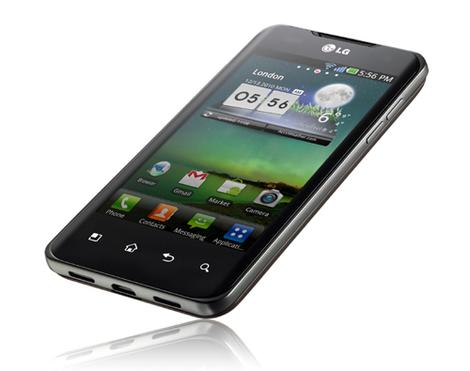
LG has announced the full range of its smartphones that will get the tasty Ice Cream Sandwich update in 2012 alongside the LG Optimus 2X.
It's basically just high-end smartphones that were launched this year, so we'll see Android 4.0 land on the LG Optimus Black, LG Optimus 3D and, in the US, the LG Optimus LTE.
The company already announced that the LG Optimus 2X will be seeing Ice Cream Sandwich hit its innards when it was forced to clear up rumours to the contrary.
More to come?
Owners of LG's other handsets, don't despair. The company is still deliberating over other handsets in its range:"We are also continuing to evaluate the ICS OS to determine whether it is compatible with the functionality, features and performance of other LG smartphones to make the ICS OS available on as many LG smartphones as possible."
LG promises more detailed information about the timing of the ICS update in December 2011, so stay tuned for more.

| |

| |
Read More ...
Acer launches Liquid Express, its first NFC phone

Acer has launched the Acer Liquid Express, its first smartphone to come with near field communications (NFC).
As well as the contactless payments know-how, the Acer Liquid Express comes with a 3.5-inch screen, an 800MHz Qualcomm 7227 processor, 5MP camera and Android 2.3 (Gingerbread).
Although it may be the first of Acer's NFC handset, the company promises it won't be the last, saying that all of its forthcoming Android smartphones will rock the technology.
Late to the party
While most of its competitors scrambled aboard the NFC bandwagon after the announcement of the Google Nexus S and all its contactless payment promises a the tail end of 2010, Acer has hung fire until now.But will it have hurt the brand? Probably not, since most mobile wallet schemes are yet to take off in a big way.
Still, it does seem strange that it's taken Acer so long, particularly with Allen Burnes from Acer describing it as "a technology of the future" and "a priority for Acer".
Seemingly exclusive to Everything Everywhere, the Acer Liquid Express will hit the UK's Orange and T-Mobile stores from today.
You can pick it up for free on T-Mobile's £15.32/month contract, or on Orange's £20.50/month deal – both run for 24 months.

| |

| |
Read More ...
Government: School ICT programmes 'need reform'

The government has backed calls to change the way schools teach ICT, saying that the current programme is "in need of reform".
The Department of Culture, Media and Sport (DCMS) responded to the Next Gen report published by Ian Livingston and Alex Hope earlier this year, which criticised UK schools for failing to teach students programming code.
"The Government recognises that the current ICT programme is insufficiently rigorous and in need of reform," noted the response published today, going on to point out that a review of the national curriculum was launched in January this year.
Effective
However, the government is wary of including specific skills like coding in the curriculum, saying that "learning the skills to use ICT effectively and acquiring the knowledge of the underpinning computer science are two different (albeit complementary) subjects."The UK games and visual effects industries have suffered due to the UK computing skills crisis, having had to rely instead on talent brought into the country from overseas.
Ed Vaizey, the creative industries minister, said of the report, "We need to invest in talent that will ensure the UK remains at the forefront of games creativity."
Livingstone, co-author of the original report, was upbeat on the government's response.
He told the BBC, "It's an open door for us to have a dialogue and talk to the Department for Education in particular which we couldn't do until quite recently."

| |

| |
Read More ...
Review: Updated: Sony Ericsson Xperia Active

Overview, design and feel
The Sony Ericsson Xperia Active is one of those odd phones that can survive underwater, help you lose weight and update your social networks, all in one go. But is it actually a decent mobile too?Sony Ericsson's released a boat load of different Android smartphones this year. We've had two versions of its huge 4.2-inch Xperia Arc flagship, mid-range options such as the excellent Xperia Ray and Neo, plus the smaller Xperia Mini and Mini Pro for those on a tight pocket-space budget.
The Xperia Active sits somewhere at the lower end of that lot. You get a 3-inch capacitive Bravia Engine touchscreen running at 320 x 480 resolution, along with a 5MP camera with LED flash and the ability to record video at 720p resolution.
It's all stuffed in a dust and water-resistant case - plus a few health apps pre-loaded. And there's a stretchy armband in the box for wearing it at the gym, or just keeping it safe.
Prices for the Sony Ericsson Xperia Active, at the time of reviewing, start at around £240 to buy an unlocked model, with monthly contracts available from around £20 depending on how many included minutes and texts you require.
This makes the Active a relatively modest cheaper option in this age of dual-core monster phones, plus you get water and dust resistance as a bonus.

The phone's certainly interesting to look at, with its lightweight brushed metallic surround and bright orange band making it look like an odd blend of mobile phone, kitchen utensil and emergency flotation device. The volume, camera and power buttons sit in the orange plastic bit, so are rather lightweight and flimsy - but that's your trade-off for having water resistance.

The screen is a 3-inch capacitive model that's very responsive and never misses a touch, plus Sony Ericsson claims it has "wet finger tracking" so you can use the thing while it and your hands are both soaking wet. And yes, you can.
As with Sony Ericsson's Xperia Arc and the rest of its 2011 lineup, the screen also uses the company's Bravia Engine and Reality Display technology...

...although with a low-end resolution of only 320 x 480, it makes no difference, and it's nothing like as sharp or vibrant as the superb displays found on the Xperia Arc S and Xperia Ray.

There are no physical buttons on the face of the Active, just three capacitive touch buttons along the bottom - for Back, Home and Menu - with the Active responding to touches of these pretend buttons perfectly and without lag.

There is also a custom camera shutter button on the bottom-right edge, but it's a pretty rubbish one. It does feature a two-stage press for focusing then pressing harder to shoot, but it's rather tiny and plasticky, so it's all a bit vague.
At least there's an LED flash around the back, plus the sensor is deeply recessed into the case, giving it a little protection against scratches and general grime.

The Sony Ericsson Xperia Active's chunky body feels good in the hand, thanks to its curved, rubbery back. One-handed use is straightforward, with the touch buttons high up enough for easy access, and the phone feels nicely balanced. It's not one you'll worry about dropping.

The outdoor credentials are hinted at by the Active's USB connector and headphone jack, which are placed on the bottom edge of the phone, hidden behind fat rubber doors that seal them shut and keep water out.

Take the back off and you get more reassurance that the Sony Ericsson Xperia Active can survive a few seconds in the toilet. There's a secondary back cover inside the outer case, which sits snugly over the top of the internal bits and does indeed keep it watertight.

It's an odd-looking little handset. The orange plastic gives it a bit of a toy town appearance, but the silvery button icons and curved, rubberised back just about bring it back into smart gadget territory.
Interface
The Sony Ericsson Xperia Active arrives running Android 2.3.4, with Sony Ericsson applying its usual user interface over the top.Again, the Active sits somewhere in the middle of the company's 2011 mobile phone range, taking the 'four corners' icon system we saw working to such great effect on the Xperia Mini and Mini Pro and teaming it with the Android 2.3.4 software, which has all the same options and nuances found in the much larger Xperia Arc S.

The basic system is Android as usual - five scrolling Home pages that take a mixture of app shortcuts, icons and live widgets...

...and if that's not enough space for all your app shortcuts, Sony Ericsson has stuck a collapsing icon slot in the corner of the screen, each of which can hold an additional four app-launching icons.

Editing these links is simple. Long-pressing on an icon enables you to bin it or pull it out and drop it on to the Home screen. Or, if you're browsing the phone's app listings, holding one of those enables you to pull it into a vacant corner slot.
There's another new little app-dragging feature that arrived in Sony Ericsson's 2.3.4 software update - Facebook sharing. When dragging an icon, a little blue pull-down tab appears along the top of the screen, letting you drop the icon on to it and generate a Facebook status update with a link to the app's Android Market listing.

Sony Ericsson has also included folder support for quite some time. Dragging one app on top of another leads the phone to assume you want to make a folder, so up pops a folder, along with the option to give it a name.

There are also plenty of widgets on the Xperia Active, which are Android's way of adding interactive content to your Home pages. The Favourites & Call Log above is one of the best options, pulling out your favourite contacts and sticking their icons into a grid, with a separate tab showing recent calling activity.
It's well worth donating a Home screen to it, if you're a big user of today's smartphone's legacy phoning features.

If you're not impressed by Sony Ericsson's slightly bland visual approach, there are a few Themes to jazz it up. They're little more than wallpapers that change the Home screen background and add a subtle effect to the Menu pages, but it's a useful option.
And, of course, the phone supports Android's animating Live Wallpapers, although only one, Google's Maps background, comes pre-loaded. It worked without crunching up the phone or causing any drop in performance.
Contacts and calling
The Contacts section of the Sony Ericsson Xperia Active is the same as those found in the rest of Sony Ericsson's 2011 Android smartphone range, combining your standard massive list of everyone you've ever met with a few clever new Facebook social features.
As well as taking contact details from your SIM card and Gmail account, the phone will pull in all your friends from Facebook and Twitter, should you sign in with those accounts, magically populating your phone with everyone you've ever exchanged an internet wisecrack with.

These can be filtered, fortunately, so it's possible to remove all Facebook and Twitter imports from view with one toggle button touch, or you can have the phone-only display details for those accounts that have actual phone numbers associated with them.

The Contacts page for each person varies depending on how they came about being on your phone. Facebook and Twitter imports will have simple pages with read-only data, so there's no pulling in Stephen Fry and Adam Buxton from Twitter and seeing their home numbers pop up in your mobile.

Those people with phone numbers you've legally obtained will have a more comprehensive personal listing, where you can edit their details, add instant messaging accounts, set specific ringtones for when they call, add custom fields for real-world addresses, email addresses and more.
You can also send individuals straight to voicemail through a toggle on their contact page. Sorry, mum.

One of Sony Ericsson's bigger Android tweaks is hidden in this section, with any contacts that have Facebook accounts associated with them getting their own mini Facebook tab within your contacts area. The Xperia Active downloads photos of your friend, presenting you with a miniature Facebook listing within the contacts area - complete with their 'interests' data from the social site.

Calling quality is good. The earpiece is loud and clear, with calls coming across bright and natural-sounding.
There's a second mic around the back of the Sony Ericsson Xperia Active, which gives the phone noise-suppression abilities to make calling clearer still. It can be toggled on and off in the Call Settings, depending on if you like the way it alters the audio output. It's not a big change.

The dialler is pretty plain, giving you a quick access tab along the bottom for accessing the call log, your entire list of contacts or the shorter list of Favourites compiled of people who you've starred within the main contacts area.
Messaging
Text messaging is a simple threaded affair, with Sony Ericsson giving your SMS messages an inoffensive skin based around straightforward little speech bubbles.
If you're attaching an image to an SMS message, the phone will automatically resize it to something less than 300k, to ensure it's accepted across all networks. It does the same with video, too, either pulling up the editor for you to trim and recompress an existing clip, or setting the video camera to its lowest of the low setting to record a clip right there and then, should you select 'Record Video' from the text attachment menu.

Text input is via the bland default QWERTY keyboard, which, on a 3-inch screen, requires quite a bit of patience and accuracy to use reliably. Also, the low-ish screen resolution makes the keyboard look a little murky and last generation.

There's the option of choosing a phone keypad, though, which makes much better use of the screen size, also including predictive text input. Or, if you're happy using both, the Sony Ericsson Xperia Active can be set up to use the QWERTY when the phone's being used in landscape mode, and the keypad when it's in portrait. Or vice versa, but that would be silly.

One of the big new additions Sony Ericsson has made to its Android 2.3.4 update that's here on the Active, also on the Arc S and is gradually filtering out to all of its 2011 Android phones, is its line-drawing keyboard.
A complete clone of the popular Swype, this lets you forget about the limitations of using a QWERY keyboard on a 3-inch screen, and start writing by linking letters of words together without lifting your finger off the screen. It's a great little feature that, once you've got the hang of it, speeds up typing time and greatly reduces typos.
Although, instead of typos, you often find it inserts entirely the wrong word altogether. So you may find it just a different kind of annoying.

But if you do need to edit some text, Android's tab system is in here. Touching a text input box brings up a little tab you can use to drag the cursor around, easily correcting all your errant uses of 'teh'.

Email is handled via a standalone app, which supports POP3, IMAP and MS Exchange ActiveSync accounts - plus there's a Combined Inbox for displaying all your important communications about herbal aphrodisiacs in one convenient place.
Sony Ericsson's done a great job of making the email app look pretty, giving it a clever scrolling preview pane that can be pulled about on the fly and sized to your preference.
If you're a power emailer, there are options to set the mail checking frequency to protect your battery, apply a custom ring tone to each account. Plus you can have it delete messages from the mail server itself on an account basis.
Internet
Internet browsing's always going to be a bit of a compromise on the Sony Ericsson Xperia Active's 3-inch screen, with the low-ish 320 x 480 resolution meaning this is one of the less impressive phones for web use in Sony Ericsson's range.
Text is a little rough compared to high-res phones such as the Xperia Arc, but the good news is that the 1GHz processor does a decent job of drawing pages, with pages appearing and building quickly. The Xperia Active supports multi-touch zooming for two-fingered page scrolling, with a double-tap of a lump of text automatically pulling in the view and reflowing it to fit the screen for easy reading.

The Xperia Active can also manage Flash sites, with embedded videos working well. There's quite an impact on scrolling and zooming when there's too much Flash nonsense happening on the screen, but it's still good to see full Flash in here.

The Android browser is a simple thing, really, with common bookmarking and history lists accessed via the tab that sits beside the URL bar. Touch this and you head into a bland world of your Bookmarks, History and Most Visited pages.
There's much more functionality behind the Menu button, with Android enabling users to set their preferences for page zooming, font sizes, turning various media content on and off, disabling plug-ins and so on. So it looks simple, but there's enough in here for proper web nerds to make the phone their own.

Android's link-sharing tool is a great highlight, with a couple of presses enabling you to share URLs via email, ping them to Twitter and Facebook, and indeed send them into any compatible apps you've installed on the phone. You can even send a link to the Home screen, where it'll appear as an icon that instantly opens up the site.

Text management is another area where Android has really come on in recent versions. Long-pressing a chunk of text brings up a pair of tabs, which can be slid about to select a paragraph of copy. Tapping the highlighted area then copies it to the clipboard.
Camera
The Sony Ericsson Xperia Active comes with a 5MP camera alongside an LED flash, which puts it on a par with the sensors found in Sony Ericsson's sweet little Xperia Mini and Mini Pro.
The camera app is the same as we've seen on all of Sony Ericsson's Android smartphones this year. The default option is to sense scenes automatically with its Scene Recognition option, but toggle that off and you can manually pick from the usual modes such as Landscape, Portrait, Party, Sports, Beach and Snow, and one specifically for capturing text called Document.

You also get the same 2D and 3D Sweep Panorama tool in here that also featured on the Xperia Arc S and will soon arrive via software updates on Sony Ericsson's other phones. It attempts to piece together a super-wide shot either horizontally or vertically, resulting in massive pictures that are stitched together very well indeed.
It's a right pain to make work, though, with endless error messages complaining you're moving too fast or slow, plus half-broken shots full of grey areas appearing.

Click here for full-res version
SWEEP PANORAMA: If you can put up with its eccentricities and don't mind taking shots six or seven times, it does a good job of capturing wider scenes.

Click here for full-res version
MACRO MODE: The macro does a good job, too, letting you capture all manner of tiny detail.

Click here for full-res version
LANDSCAPE: The Xperia Active's camera is good at capturing the general mood of a scene, with light and dark coming across well. But detail's not great when pics are viewed at full size on a desktop, with organic features turning to mush and losing some sharpness.

Click here for full-res version
ZOOM: There's a digital zoom that really flies in, but there's a big drop in quality.

Click here for full-res version
PORTRAIT: But face shots are great. Red-eye isn't much of a problem, plus the Active seems to like capturing human skin tones more than brighter colours.

Click here for full-res version
FLASH: The flash is a bit aggressive. It's fast and the camera manages to focus well enough in low light, but we found it produced super-bright results when the LED fired.

Click here for full-res version
INDOOR: Again, with the flash active, indoor shots are rather harsh.

Click here for full-res version
Elsewhere, you can turn off the Sony Ericsson Xperia Active's shutter sound effect completely, toggle its digital image stabilisation on or off, plus there's a self-timer, the option to completely turn off the touchscreen shutter button if you're a bit clumsy, and a nice slide-in gallery of recent photos.
It's also very fast to use, firing off shots quickly without lag. In low light it'll take a little longer to focus, but you still feel the camera's generally quick and responsive.
Video
The Sony Ericsson Xperia Active can record videos at up to 720p resolution, which it dumps to your SD card in MP4 format. The LED flash can be left on permanently, too, if you're into filming badgers at night.As with the Xperia Arc S, there's a crazy 16x digital zoom in here that can be used while recording clips, but zoom in any more than two or three times and it makes a right mess of the resulting images.

The video camera app is largely the same as when taking stills, with manual white balance options, Centre Average or Spot metering, a self-timer, the option to not bother recording sound and a digital image stabiliser.

The Sony Ericsson Xperia Active has a good autofocus system when recording clips, usually managing to focus on the subject after a couple of seconds. If you're not a fan of continual focusing you can select fixed Infinity focus, or stick it on constant face detection.

Videos are pretty good. At maximum resolution, the Sony Ericsson Xperia Active produces smooth results, with the desktop VLC Player app telling us the frame rates are a constant 29fps.
It's not the sharpest or clearest footage in the world, though. As with the still camera, some background details get rather overlooked, with trees and grass interpreted as vague smudges.

There's a rudimentary video editing tool hidden away in the Gallery, which enables you to trim the start and end point of your clips. But that's all it does.
Media
What you get here for your music and video playing fun is not much more than the usual Android basics, given a visual tweak and with a few interesting social networking features grafted on.
As with the likes of the Xperia Arc S and Xperia Ray, Sony Ericsson has added two key social tools on the Xperia Active player's main screen - its 'infinite' button and a Facebook Like icon.
Clicking the Like button does as you would expect, generating a link with artist and track details for you to spam out to the social site...

...while its infinite button performs a quick search of YouTube, Wikipedia and more, letting you idly browse for more facts and tracks from whoever's currently playing on your phone.

Playlist support is, again, your usual Android standard. The phone sorts your music by Artists, Albums and Tracks, with a long-press on any song enabling you to add it to an existing playlist or build a new one right there and then. The Sony Ericsson Xperia Active also automatically generates a Most Played, filters out any recently added songs and also displays ones you've never listened to.

There's also a graphic equaliser that, for once, doesn't require the listener to have headphones plugged in, which has a small effect on the sound quality. The external speaker is loud, too, enough to make you thoroughly embarrassed should you turn it on in a public place.

The Home screen Music widget is a simple and quite stylish option, which enables you to play/pause and skip tracks without opening up the app, although there are no controls within the Android Notifications pane or on the lock screen. But the headphones Sony Ericsson chucks in the box do contain a play/pause toggle, so users can pause their tunes without having to fumble with the phone.

As with the numerous other Sony Ericsson Android smartphones, video playback is a little disappointing. There's no DivX support, so all you can manage here by default are MP4 format files. And that awful grey box up there is Android's standard video player, which really, really needs a bit of cosmetic work.

If you need and enjoy new music you don't already know the words to, there's a shop pre-installed. Sony Ericsson's PlayNow shop will sell you MP3s, direct, from £1.50 a pop, plus any data fees you may incur. Which is stupidly expensive, but temptingly easy.
Battery life and connectivity
Sony Ericsson's technicians claim the Xperia Active is good for 5.5 hours of talk time and 335 hours of standby time on 3G, which is all well and good when it's sitting on a test bench in a Swedish laboratory.
In real terms, the battery's a pretty good performer. We easily made it through a day with all the phone's settings left on their defaults, with the average day comprising absolutely loads of Twitter use, several email sessions, a few text messages and quite a chunk of web browsing over Wi-Fi.

Although the Sony Ericsson Xperia Active contains a 1200mAh battery, which is at the low end of what we see in smartphones today, it's a solid performer. Treat it nicely and you could get two days from it, while even hammering the thing should see you make it through a full day.

There's no HDMI output on the Xperia Active, but you do get Sony Ericsson's usual Connected Devices app, which is its way of making DLNA support sound a bit more exciting. It works well, streaming photos and videos to any other DLNA devices you have suckling on your home Wi-Fi account.
The Wi-Fi connection supports 802.11b/g/n connections, while, technically speaking, the handset supports GSM/GPRS/EDGE and UMTS/HSPA for data.
One big extra thing for the active Xperia Active user is ANT+ connectivity. The ANT+ system opens up a world of health gadgets, such as heart rate monitors and bike speedos, which connect wirelessly to the phone, opening up a new world of sporting app use.

And, as ever with Android these days, the Sony Ericsson Xperia Active can work as both a wired modem through USB, or be turned into a personal Wi-Fi hotspot, for easily sharing your mobile data allowance with other Wi-Fi gadgets.

There's an FM radio in here, too, complete with integration with Sony Ericsson's TrackID system, which can record a tune off the radio, ping it off to its server for identification, then come back with the title and the option to buy it on the phone though 7digital or Sony's own PlayNow shop.
The radio also integrates Facebook, so you can ID a track then post about it to Facebook. It's all very clever.
Maps and apps
Inside the Sony Ericsson Xperia Active you get a middle-of-the-road 1GHz processor, with a total of 1GB of internal storage, but by the time Android's got itself running, you'll be left with just over 300MB for your app installs.
Sony Ericsson has stuck on a few health apps to help underline the phone's active status, pre-loading the rather awkwardly named iMapMyFitness tool, which is also freely available to everyone on the Android Market so isn't really much of a selling point.

The much simpler step counter WalkMate is a bespoke Sony Ericsson creation that counts your steps via the accelerometer - and comes with a hefty warning about the damage this will do to your battery life - plus there's a digital compass app. Nothing really useful, to be honest.

Of much more use to everyone is the standard suite of Google apps, comprising Gmail, YouTube, Talk, Calendar and the excellent Google Maps.
Maps works very well, with the Sony Ericsson Xperia Active's 1GHz processor scrolling, zooming and panning the screens around smoothly. The GPS system locked on within a few seconds, enabling us to generate sat nav routes quickly and without any hassle.

And once all that's done, the Xperia Active works very well as a complete sat nav tool, with Google also offering the option to upgrade to full turn-by-turn voice navigation, for free, through an Android Market download.

Elsewhere, there's loads of pre-loaded Sony Ericsson junk. There's the Xperia Hot Shots advert for tennis sponsorship, mediocre puzzle game Quadrapop, a link to download a sponsored football app... there's a lot of rubbish to bin.

Of some use is OfficeSuite, which gives you free read-only compatibility with MS Office files, the NeoReader QR code scanner, alternate sat nav app Wisepilot if that's your sort of thing, and Data Monitor, which keeps track of your data usage, should you be on a limited package.

App installation through the Android Market is quick and easy, with the Xperia Active also managing to run Google's latest market app pretty well.

We were seeing a decent 232MB of free memory space left for app storage, even after installing our usual review favourites and the latest update of Adobe's bulky Flash Player app.

And finally, there's the same screen capture tool as found on the Xperia Arc S. Holding the power button brings up the usual Android power menu, only with the added option of taking a shot of what was on the screen immediately prior to you pressing power. Shots are then saved as nice PNG files in the phone's gallery.
Verdict

The Sony Ericsson Xperia Active is a perfectly nice little smartphone, which isn't compromised in any way because of its outdoor/sporty ambitions.
The Android 2.3.4 software is packed with functionality and extra features added as part of Sony Ericsson's user interface, with the phone featuring a good camera, decent enough 720p video output and generally smooth, hassle-free operation all round.
We like
The capacitive water-resistant screen is very sensitive to the touch, with no noticeable slowness or hindrance caused by its waterproofing and 'wet finger' sensitivity.Sony Ericsson's Android customisations are nice, for the most part, adding in little animations, user-friendly icon dragging and dropping features, Facebook stuff all over the place and hiding away many more clever touches to discover.
It really is waterproof. The very last thing we did when compiling this review, just in case, was dunk it in the sink for a few minutes. It survived. Everything still works. The rubbery stoppers and secondary internal case do the job.
We dislike
The low-end screen resolution of 320 x 480 means text isn't as sharp as it is on many other Android smartphones today. It's not unreadable and does work well in outdoor light, but if you do a lot of reading the slight blotchiness may become an annoyance.Despite its toughness claims, the Sony Ericsson Xperia Active feels rather light and plasticky. We haven't exactly tested it to destruction, but it doesn't feel like a tough, outdoor phone. Plus the plastic buttons around the edges, and the camera button in particular, seem rather flimsy.
Media playback is once again a weak point on a Sony Ericsson phone. You won't be copying across your AVI film collection to this one, not without converting everything to MP4 beforehand.
Verdict
It's another good performer from Sony Ericsson. The Xperia Active is little more than the company's Xperia Mini in a chunky, water-resistant case, but if that's what you want... this is it.We're used to 'outdoor' mobile phones coming in awful shells and lacking features, but that's not the case here. The Sony Ericsson Xperia Active is a fast, usable, modern smartphone, that just so happens to be a bit better sealed off from rain and coffee than most.
The only possible competition for the Xperia Active comes from Motorola's Defy and the newer Defy+, which, with their huge screens and extra-bulky builds, are aimed at completely different people.
If you want a perfectly capable, cute, light and small phone that's waterproof and doesn't compromise on performance, the Sony Ericsson Xperia Active's a fine choice. Your only choice, but still a perfectly good one.

| |

| |
Read More ...
In Depth: How Mandriva was built

How Mandriva was built
The distro now known as Mandriva has been making headlines since its inception - unfortunately not all of the press has been flattering. It's the distro the community first loved, and now just loves to hate.Way before Ubuntu and the current slew of desktop-friendly distros - when running Linux on your desktop was a measure of your geek cred - the technologically challenged turned to Mandriva.
Over the years it grew in popularity, one man went on to form a firm - a company that would later show him the door.
But there's more to Mandriva than what goes on in the boardroom. It's still one of the easiest distros for Linux newbies. Sure, Mandriva's fortunes have been on a downward spiral for quite some time, but the new team has managed to shrug off cash-flow problems and technological traumas, and its latest release is filled to the brim with features.
A reversal of fortunes
Mandriva started life as Linux-Mandrake way back in 1998. The first version was based on Red Hat 5.1 and it was the first distro to bundle KDE's 1.0 release. Features such as the ability to auto-mount CDs without messing around with configuration files brought 'convenience' to Linux distros.The project was a success and later that year lead developer Gaël Duval, along with a bunch of other developers, created MandrakeSoft. In 2001 the company decided to go public, announced an IPO (Initial Public Offering), and began trading on the Marché Libre exchange in Paris.
It faced its first major cash issue in late 2002 and asked its users to bail it out by subscribing to a paid service offering extra benefits, such as early access to releases and special editions. It wasn't enough and in January 2003 MandrakeSoft filed for "déclaration de cessation des paiements" - the French equivalent of bankruptcy protection.
At the end of 2003, MandrakeSoft announced its first quarterly profit and, in March 2004, a French court approved its plan to emerge from bankruptcy and return to normal operations.
By now Mandrake had grown popular enough to attract the attention of the US publisher Hearst Corporation, which owned the trademark of the comic-book character Mandrake the Magician. Hearst sued MandrakeSoft for trademark infringement in the distro's name, as well as for its hardware configuration tool Lothar, another of Hearst's characters. MandrakeSoft lost and was forced to concatenate Mandrake and Linux to Mandrakelinux and change its logo.
Over the years, MandrakeSoft acquired a host of companies. Of note, were Edge-IT, a French corporate support company that was to have a much larger impact on the distribution later on, and the Brazilian Linux distribution Conectiva, after which it changed the name of the company to Mandriva and its distribution's name to Mandriva Linux.
In 2006, after several more acquisitions, including the Lycoris distro and the enterprise software infrastructure company Linbox, Mandriva laid off several employees including Duval, the company's lead developer and co-founder. Amidst all the booing, the company continued spitting out distro releases and created a niche for itself in the so-called BRIC countries (Brazil, Russia, India and China), as well as France and Italy.
It continued hovering among the top 10 distros on Distrowatch.com but struggled to keep its balance sheet in the black, even after a round of funding in 2007. In May 2010, Mandriva announced it was up for sale, claiming that "selling the enterprise was the only alternative to closing it down completely".
The following month, the company announced it had been saved, yet again, by new investors and in September Mandriva sold a controlling stake to a Russian company called NGI, and announced that while it intended to continue working on its server products in Europe, development of its desktop distro would be moved to one of the BRIC countries.
Following the deal, Mandriva liquidated its subsidiary Edge-IT and laid off its employees. It later emerged that many of the core Mandriva developers were technically employees of Edge-IT. Soon afterwards, those former employees forked Mandriva and created the non-commercial Mageia project.
The Mandriva community had in the past suggested that the distribution should be split in two, much like Red Hat Enterprise Linux and Fedora, but the plans never materialised. In a blog post, Mandriva's then CEO Arnaud Laprévote assured users that "Mandriva is alive" and briefly mentioned new products, including Mandriva 2011, which was released on August 28 this year.
New team

After the sale to NGI, Mandriva's structure changed: the CEO was replaced by a board and Arnaud Laprévote took over as president. In July 2011 he was replaced by Dominique Loucougain. Alongside him, Dmitry Komissarov and Valentina Gorina make up the Mandriva board.
Komissarov is also CEO of the Russian firm PingWin Software, an active member of the Russian Association of Free Software. He explains that, as of now, there are three groups of developers working on Mandriva, in France, Brazil and Russia.
The Russian team, headed by ROSA Laboratories, focuses on the design elements of the distro and its interface. It employs UI designers and a large number of testers. The Brazilian team at Conectiva concentrates on the development of the platform, while the French team maintains infrastructure and provides support to installed systems in the enterprise and government. A team of developers from Russia and Brazil are also working on a new build-system for Mandriva.
Eugeni Dodonov from the Brazilian team was the release manager of Mandriva 2011, until he left for Intel in July 2011, and passed the baton on to Denis Koryavov of ROSA Labs. Komissarov insists that having a team of developers spread across three countries doesn't hinder development. He adds that although the Russian team was the last to join, having a clearly defined scope for all the teams not only helped them get started on Mandriva 2011 without any delay, but also helps them collaborate with each other.
This is evident from Dodonov's reply to a comment on the Mandriva blog, where he wrote that the Digikam photo manager, which was included in the early beta versions, was replaced by Shotwell on the request of ROSA Labs for design and usability concerns.
New release cycle and features
New release cycle

Talking about Mandriva's new release cycle, Komissarov says that preliminary testing of versions (alpha, beta, release candidates) involves hundreds of people and takes about six months. For Mandriva 2011 there were eight releases before the final version, and the entire process involved more than 200 testers spread over 28 towns in 10 countries, who solved more than 2,000 issues.
Major releases such as Mandriva 2011 require a huge amount of infrastructure. According to Koryavov, the developers produced more than 1,500 ISO images for testing, although not all of them were available publicly.
Testing the images involved downloading more than 10TB of data. Once testing was finished the official release was announced and every official version of Mandriva Linux will now be supported for 18 months.
Mandriva 2011 was aimed at home desktop users and the developers are now working on a November Long Term Release (LTS) version for the enterprise that will be supported for three years. Komissarov explains that the LTS release probably won't have bleeding edge software but will most definitely be a lot more stable, which works well for businesses.
New features

Mandriva 2011 has a host of notable new features. It uses the KDE desktop, but has revamped the UI of most of its components and also added some new tools. Based on experience, Komissarov says that while KDE is a great desktop environment, its broad range of settings may confuse inexperienced users.
He cites the example of an experiment wherein a KDE-based distribution was used to teach in Russian schools. The project had to be abandoned because students and teachers were confused by its various settings.
Mandriva's main challenge while designing the new interface was to keep things simple for new users, and expose just the right amount of settings. Komissarov says the team spent a considerable amount of time investigating the behaviour of an average desktop user in a bid to create a distro with virtually no learning curve. It found that users are more productive and prefer running applications in full-screen mode.
SimpleWelcome is the main element, which will be developed further - it's not only a program launcher but also a universal container for other original components that are in the pipeline.
TimeFrame - a new utility added to Nepomuk - visualises files in your home directory based on the time they were created or modified. This saves you the trouble of having to look for files buried deep within multiple folders.
RocketBar implements a software-oriented interface that is more convenient and easier for users to understand. Research by Mandriva suggests that a typical user works with an average of about 12 apps. The most used are on the panel and those used less often are stored in the history of Last Used apps, which lets users access the apps in one or two mouse clicks.
StackFolders resembles the stacks feature in Mac OS X and Komissarov believes that users who work with a large number of documents will find this particularly useful.
Mandriva 2011's new installer has simplified the installation process by implementing the concept of 'pure choice'. While it won't please some advanced users, Komissarov believes that most people are only confused by the many installation options in Linux distro installers.
There have been changes to various other parts of the desktop as well, and many are still under active development. The absence of the option to switch between multiple desktops is just one of the changes to the system tray, which will be further tweaked in upcoming releases.
New community

Mandriva has always had a strong community of users and developers. Community manager Adam Williamson really invigorated the scene until he was asked to leave in December 2008. The regular rounds of lay-offs obviously took their toll, but it was the liquidation of Edge-IT and the subsequent fork into Mageia that really made the community lose confidence in Mandriva.
Komissarov points out that by the time he got the opportunity to influence Mandriva's future, a core team of developers had already gone, and with them went the community. Having a community is important, but first Mandriva needed a product worth rooting for.
Explaining the new team's priorities, Komissarov says it was important to find a new vector of development, and create a distro which focused on usability and design. He thinks Mandriva's focus on usability will attract a community like the Italian Mandriva International Backports.
The MIB is actively involved in Mandriva's Assembly, and provides a repository of packages for many Mandriva releases. During the entire development process, Mandriva always looked to the community for feedback - in addition to testing the various pre-releases, it also asked for suggestions for its new build system.
Viacheslav Kaloshin, CTO of PingWin, has kept the community abreast with the development of Mandriva 2011 via the official blog. Mandriva is at the beginning of a new journey. The distro is built. Komissarov knows that what's important now is building a new community.

| |

| |
Read More ...
What Laptop 2011 award winners announced

This year has been a good year for the humble notebook, shaking a fist at that cheeky young upstart, the tablet. But with so many to choose from how do you sort the best from the rest?
Enter the good folk over at What Laptop. As you'd expect, they know a thing or two about laptops, and they've used this notebook know-how to choose the best of the year.
So whether you're looking for something for the whole family, on a bit of a budget or after the cream of the crop, the What Laptop 2011 award winners will see you right.
Forget the rest
As well as the best business laptop, best gaming laptop and best for watching movies, you can also find out which device won the coveted editor's choice award for this year.Got your technological taste-buds a tingling? Just click on through to What Laptop to see the winners in all their glory.
And if you're thirsty for more laptop porn, we've got a video of What Laptop's five best notebooks in the world right here for your personal enjoyment:

| |

| |
Read More ...
Acer Iconia Tab A200 leaks in video ad

The Acer Iconia Tab A200 has emerged in an advert that is so cheesy it has to be for real.
"In truth a family is what you make it," it begins, setting the bar for ridiculous parallels between healthy human relationships and owning an Acer tablet.
It doesn't give masses away on the spec-front, but the A200 is definitely an Android tablet – we think Honeycomb (Android 3.x), which makes sense given that Ice Cream Sandwich would probably be aimed at a less family-esque audience.
Games! Ebooks! Cameras!
The advert explains that you can "play thrilling games anytime!" and "get deep into amazing ebooks", before going on to exalt the sharing abilities of Acer clear.fi and the slate's front-facing "webcam".No clues as to Acer Iconia Tab A200 UK release date, but the snowfall at the end of the advert is a hefty hint indicating that it's going to be pretty soon.
There's no way of knowing whether the Iconia A200 is rocking a newly minted Tegra 3 quad-core processor, but we suspect not if Acer's hoping to get this puppy out in time for Christmas.
If all this has reminded you that family is "made strong not by number of heads counted at the dinner table, but by the rituals your family members, created by the memories you share, by the commitment of time, caring and love you show to one another," then the Acer Iconia Tab A200 could be the tablet for you.

| |

| |
Read More ...
Available Tags:iPhone , 3D , Sony , iOS , MacBook , Xbox , Kinect , LG , Acer , Sony Ericsson ,


No comments:
Post a Comment