

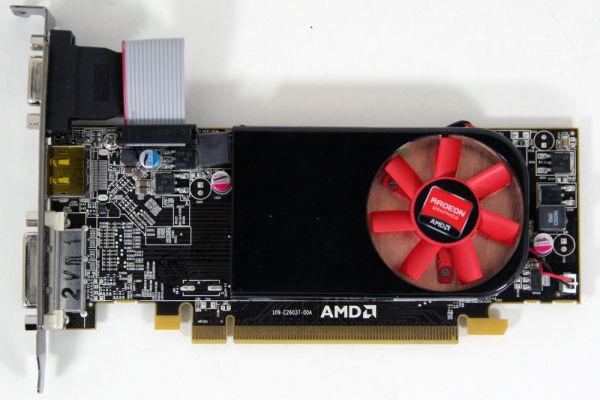
AMD's Radeon HD 6450: UVD3 Meets The HTPC
AMD’s Northern Islands family is composed of four GPUs, roughly divided into two categories. At the top is the 6900 series powered by Cayman, AMD’s first VLIW4 GPU. Below Cayman are three more GPUs, all derived from the VLIW5 Evergreen generation (5000 series). The first of these GPUs was Barts, which is the basis of the 6800 series that launched back in October of 2010. However up until now we haven’t seen the other two mystery GPUs in the retail market. Today that starts to change.
The final two Northern Island GPUs are Caicos and Turks. They have been available in the OEM market for both desktop and mobile products since the beginning of the year, but as is often common with low-end/high-volume GPUs, a retail presence comes last instead of first. AMD is finally giving Caicos its first retail presence today; it will be powering the new Radeon HD 6450. Packing all the upgrades we saw with Barts last year, it will effectively be replacing the Radeon HD 5450. But how well does AMD’s latest stand up in the crowded low-end market? Let’s find out.
Read More ...
Seagate GoFlex Slim 320GB: The World's Thinnest External HDD
As a desktop user I never really jumped on the external storage craze. I kept a couple of terabyte drives in RAID-0 inside my chassis and there's always the multi-TB array in the lab in case I needed more storage. External drives were always neat to look at, but I never really needed any. My notebook's internal storage was always enough.
With the arrival of Sandy Bridge in notebooks however I've given the notebook as a desktop replacement thing a try. I've got enough random hardware if I need a fast gaming machine in a pinch, but for everything else I'm strictly notebook these days. As a result I've come to realize just how precious portable storage is. Most reasonably portable notebooks have one usable 2.5" bay at most (two if you don't mind sacrificing an optical drive). Network storage is great but what if you need something portable on the go with you?
I'm obviously a staunch advocate of spending your internal real estate on an SSD, but if you need the space you've gotta go mechanical for your external storage. If portability is what matters, an external 2.5" hard drive can be quite attractive as they're lightweight and can be powered over USB.
In the 2.5" world there are three predominant thicknesses available: 7mm, 9.5mm and 12.5mm. Most notebook drives are 9.5mm. You'll notice that Intel even ships many of its SSDs with a removable spacer to make them 9.5mm tall in order to maintain physical compatibility with as many notebooks as possible.

Read More ...
AMD's Radeon HD 6790: Coming Up Short At $150
The last couple of weeks after the recent GeForce GTX 550 Ti launch have been more eventful than I had initially been expecting. As you may recall the GTX 550 Ti launched at $150, a price tag too high for its sub-6850 performance. I’m not sure in what order things happened – whether it was a price change or a competitive card that came first – but GTX 550 Ti prices have finally come down for some of the cards. The average price of the cheaper cards is now around $130, a more fitting price given the card’s performance.
The timing for this leads into today’s launch. AMD is launching a new card, the Radeon HD 6790, at that same $150 price point. Based on the same Barts GPU that powers the Radeon HD 6800 series, this is AMD’s customary 3rd tier product that we’ve come to expect after the 4830 and 5830. As we’ll see NVIDIA had good reason to drop the price on the GTX 550 if they didn’t already, but at the same time AMD must still deal with the rest of the competition: NVIDIA’s GTX 460 lineup, and of course AMD itself. So just how well does the 6790 stack up in the crowded $150 price segment? Let’s find out.

Read More ...
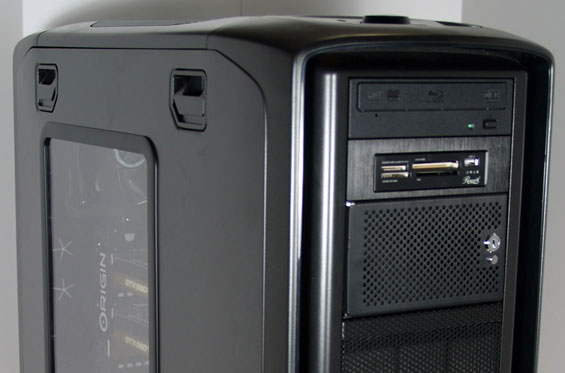
Origin's Genesis: Flagship Bling
Now that we've been getting a fairly steady influx of desktop machines from boutiques, Origin PC is stepping into the ring by sending us their go-to flagship model, the Genesis. Origin is a boutique founded by former Alienware executives, and is relatively young compared to some of the other companies we've reviewed towers from. The Genesis is almost more of a brand than a flagship, but Origin is opting to put one of their best feet forward by sending us a configuration they're sure will do them proud against the competition.
Read More ...
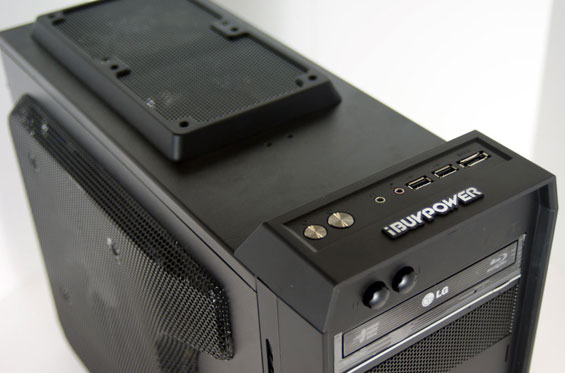
iBUYPOWER LAN Warrior II: NVIDIA's GeForce GTX 590 in a Small Shell
The last time we checked in with iBUYPOWER we reviewed the behemoth that is the iBUYPOWER Paladin XLC, a massive hunk of machine that was generally a solid value but suffered from the same kind of shaky overclocking that afflicted so many boutique builds during the era. This time iBUYPOWER is packing a K-series Sandy Bridge processor (complete with easy overclocking) and one of the most powerful graphics cards on the planet: the NVIDIA GeForce GTX 590. The 590 may ultimately not have had the performance to beat AMD's Radeon HD 6990, but it's also a much quieter card. iBUYPOWER managed to fit it into a MicroATX case (along with a 92mm water-cooling rig for the processor). Does the beefy LAN Warrior II work, and does it work well, and just how much will this bad boy set you back?
Read More ...
Acer's Iconia 6120: Are Two Screens Better Than One?
Oftentimes press releases from the major manufacturers can feel like fluff: "We refreshed our notebook line again this year, new processors, etc." But every so often one of them lets a maniac into their design department, and we get something fairly radical. Today, Acer has decided to be the ASRock of computer companies by announcing the Iconia 6120, a 14" notebook they're dubbing a "Touchbook" because instead of a keyboard...there's a second screen. That's what I get for complaining about their keyboard design so much: they've gotten rid of it entirely. If the Iconia brings to mind Toshiba's Libretto W100, it should, but unlike the Libretto this is a more aggressive stab at making a dual-screen notebook with a much more aggressive price point.
{Gallery 1010}
The Acer Iconia 6120 Dual-Screen Touchbook will come equipped standard with an Intel Core i5 processor (complete with integrated Intel HD graphics); we're not sure if it's Sandy Bridge as the press release doesn't say, but most likely Acer opted to use Arrandale (we've seen i5-480M listed elsewhere). Backing up the i5 is 4GB of DDR3, a 640GB mechanical hard disk, and Windows 7 Home Premium 64-bit. Acer was also keen to point out the Iconia 6120 includes USB 3.0 connectivity, a welcome addition and one we hope to see gain more and more traction in the mobile market. Remaining connectivity is handled by two USB 2.0 ports, HDMI, VGA, Gigabit Ethernet, and 802.11b/g/n wireless networking. Finally, the touchscreens themselves are designed using Gorilla Glass.
Given that Windows 7 is barely designed to handle one touchscreen let alone two, Acer is including a wealth of custom software to maximize the design of the Iconia 6120. Built around what they call the "Acer Ring Control Interface" (activated by placing five fingers in a circular pattern on the bottom display), a wealth of touch-enabled applications are included, including a touch-based web browser, social networking interfaces, and a device control panel. The Iconia 6120 also recognizes multitouch gestures like a smartphone would, and includes both a basic virtual keyboard along with a helpful gesture editor. Typing on glass definitely isn't going to win our award for best keyboard ever, but at least the Iconia should be better than typing on a tablet. It remains to be seen just how practical the Iconia 6120's touch interface is going to be: the Toshiba Libretto W100 was released largely as a limited edition curiosity, and Toshiba tried pushing its utility by being able to hold it like a book and manipulate it that way.
The press release also fails to list quite a few important details. The photos are clearly doctored/rendered images, and there's no information on what sort of display technology Acer is using. If they actually have the guts to use a couple IPS displays, there's still potential, but TN panels are likely the weapon of choice and that will make for a very poor viewing experience. Also missing is information on expected battery life or battery capacity; typically, Arrandale is good for 5-6 hours of battery life on a moderate ~55Wh battery, but powering two LCDs could really cut into that figure. Finally, the weight is on the portly side of things, tipping the scales at 6.18 pounds (as a point of reference, the ASUS U41JF we just reviewed is a 14" laptop with a DVDRW that only weighs 4.78 pounds), so this isn't a viable tablet alternative either.
On the other hand, the Iconia 6120 doesn't look to suffer from the same kind of schizophrenic design decisions that limited the Libretto: this is very clearly designed to be used like a regular notebook with a brand new interface. What potentially pushes this "touchbook" over the edge, though, is the pricetag: at an MSRP of just $1,199 in both the US and Canada, the Acer Iconia 6120 is priced within the reach of mainstream shoppers willing to take the plunge and try something new.
This could end up being one of the coolest devices to come out in 2011, or it might end up just being a funky laptop that's uncomfortable for typing, or it could be a complete flop. The price is too high to qualify as an impulse buy, and without any benchmarks or hands-on experience all we can do for now is show you the pictures and wait for actual hardware. Still, we have to give Acer some props for at least trying something different. Acer is offering the Iconia 6120 Dual-Screen Touchbook for pre-sale now, with availability expected in April. The full press release can be found below.
Acer Iconia Touchbook Dual-Screen Tablet
Provides Engaging, Natural Way to Interact with Digital Data
World’s First and Only Tablet Featuring Two 14-inch Touch Screen Displays
Now Available for Pre-Sale in the U.S. and Canada
SAN JOSE, CA – March 29, 2011 – Acer today announced that its much anticipated dual screen tablet, the Iconia-6120 Dual-Screen Touchbook is now available for pre-sale in North America. Providing a powerful, immersive touch experience like no other, it is the world’s first and only tablet to offer two touch-enabled 14-inch high-definition widescreen LED backlit LCDs.
Intuitive to use and customizable to individual needs, it combines the power of Intel Core i5 processing with the familiarity of Windows 7, and is destined to change how people use technology to engage with the world. A winner of this year’s prestigious “Last Gadget Standing” award at CES, the Iconia was noted for incorporating the best features of any notebook or tablet device.
With the flexibility to use a finger, type on a virtual keyboard, or use a combination of both, the Iconia Touchbook provides many ways to make the computing experience a truly personal one. Consumers can customize what is shown on each screen, allowing them to watch a video on the top screen and browse their multimedia library on the bottom one, or view a single web page across the two displays. Using the bottom screen to manage and control the action on the top screen keeps presentations, movies or web pages free of icons and other navigational tools.
Extremely durable and scratch resistant, the Iconia’s 14-inch LCDs are made of ultra-thin Gorilla® Glass from Corning, a renowned manufacturer of extremely durable glass. With a wipe and clean coating, it’s easy to keep the displays shiny and smudge-free.
“The Acer Iconia Touchbook delivers a computing and visual experience like no other,” said Eric Ackerson, senior product marketing manager, Acer America. “Whether the Touchbook is used by a small business owner or a student, its unique dual screen design enhances the interaction they will have with their digital data. Our compelling design and applications will let them discover new and much more personal ways to communicate and enjoy the computing experience, regardless of whether it’s work related or for personal enjoyment.”
The Heart of Iconia – the Acer Ring Control Interface
The unique Acer Ring Control Interface makes navigating by touch simple and intuitive. By placing five fingers in a circular pattern on the bottom display, the Acer Ring appears, providing instant access to favorite applications and features. From this point, consumers can use their fingertip or launch the virtual keyboard to change the tablet’s settings, surf the web, capture screen images, post photos and status updates to a social network, watch a movie and more, all in the manner most comfortable and natural to them.
AppCards Provide Quick and Easy Access to Productivity and Entertainment-Based Applications
Appearing on the either side of the Acer Ring is a unique set of Iconia touch-based applications, called AppCards. Using a finger, users can scroll to the one they want, and simply tap it to have instant access to a range of compelling programs ideal for either business or home use.
TouchBrowser is specifically designed to offer a more comfortable web surfing experience when using touch input. Upon launching, web content will flow across both screens. A toolbar at the bottom of either screen provides easy control over the open pages. To enter a website address, consumers can use the virtual keyboard or enter it using handwriting gestures. A pinching action will zoom in on the content on the page. Pages can be added to Favorites by simply tapping the Add Favorites icon.
MyJournal is a handy place to keep clippings of websites and other information. Images can be captured from any web page and organized onto a single, easy-to-view page. It includes pre-set tabs for News, Sports, Entertainment, Politics and Business. The selected website content on the tabbed pages is automatically updated each time it’s opened. A toolbar at the top of the page makes it easy to edit, resize, rename and move clips to other pages. In a business environment, a professional will find this feature useful in tracking news on competitors or to keep an eye on the stock market. A consumer can follow a local news story, their favorite sports team or keep an eye on their favorite celebrity’s latest antics.
Social Jogger simultaneously connects to three of the most popular social networking sites — Flickr, Facebook, and YouTube, presenting them a simple interface on one screen. Users can check posts and updates on one screen at a glance, and use the other screen to view one of the sites in more detail, surf the web, view photos or work on a spreadsheet.
Scrapbook is a convenient place to store website and photo images and other content. It includes a pen tool for drawing or entering handwritten text, such as adding comments or reminders. From there, images can be exported to the clipboard for insertion into other applications, or saved as an image file.
TouchPhoto, TouchMusic and TouchVideo provide direct access to multimedia files stored on the tablet.
Appearing directly on the Acer Ring are a number of useful functions and tools, including Virtual Keyboard, Gesture Editor, Capture, Webclip, Windows Manager and Device Control. Tapping the desired tool’s icon brings it up for immediate use.
The Virtual Keyboard gives users the ability to enter data and navigate in a familiar fashion. Combined with its touch capabilities, the Iconia Touchbook is a flexible and powerful tablet designed for maximum efficiency and productivity. When both palms are placed on the bottom screen, the virtual full-sized keyboard instantly appears. Adaptive typing and predictive text allows for quick data entry and minimizes mistakes. A numeric touchpad with handwriting recognition converts handwriting to text. The palm rest area can also be customized with any image on the computer – a company logo or a scenic background — so users can personalize the tablet even more.
Gesture Editor is a simple and quick way to instantly launch specific applications, access favorite websites, or even to lock the computer with a simple finger motion. A set of pre-defined gestures is included, but customized gestures can be created in just five easy steps. For example, simply drawing a $ (dollar sign) on the screen can launch a financial or accounting application, or a v (checkmark) can open a to-do list.
The Capture tool allows users to clip parts of an image (a photo, illustration or a webpage) and save it to the Scrapbook application for further editing. It’s a great way to collect images for use in a PowerPoint presentation. And it couldn’t be easier to do. With the picture on the top screen and the Scrapbook page opened on the bottom display, users just tap the Capture tool, run their finger around the desired image and then tap the area to open a menu that will allow them to drag and drop it onto the Scrapbook page. The captured image will automatically be added as a thumbnail image above the scrapbook page for quick and easy viewing. They can then drag and drop the desired thumbnail onto the page, where it can be rotated or resized with pinching actions.
The Web Clip tool is specifically for clipping parts of web pages to save to MyJournal. Tap the screen, select the area to crop, tap and drag on any of the corners of the selected area to size it, and then tap the area again to open a menu to paste the content into MyJournal, Scrapbook or copy it to the clipboard. It can also be saved as a bitmap file.
Window Manager provides a touch-friendly interface for controlling the various open windows on the displays. Users can customize which screen the application appears on as well as its size.
Device Control is an easy way to access and adjust power, display and volume settings, wireless connections and various devices connected to the HDMI, VGA and USB ports.
Making it easy to share multimedia content, the Acer Iconia Touchbook features clear.fi, Acer’s digital media sharing solution. Clear.fi automatically connects all Acer devices on a network (smartphones, notebooks, desktops, HD media players and storage devices) and then gathers and organizes media files by type (video, music, photo, pre-recorded TV). Users can browse the categories and then drag and drop the media to any of the connected PCs or devices for playback.
No-Compromises Tablet Features Leading Technology for Maximum Productivity and Fun
A super charged tablet filled with enough leading technology to rival many desktop and notebook PCs in performance, the Iconia-6120 Dual-Screen Touchbook is powerful enough to handle demanding applications and graphic intensive multimedia files. Featuring an Intel® Core™ i5 Processor with Intel® Turbo Boost Technology(2), 4GB of memory and Intel® HD graphics, the Touchbook is equipped for heavy lifting. In addition, Dolby® Advanced Audio™ v3 brings vibrant sound to business presentations, movies, music, and games.
Windows 7 Premium 64-bit provides a familiar computing environment, and is compatible with today’s most popular applications and media formats, and supports full web browsing with Adobe® Flash® Player 10.1. For professional environments, Windows 7 delivers what is expected in a business-class PC: manageability, security and the ability to run the applications used within most organizations today, including Microsoft Office.
To maximize productivity, the Touchbook includes the new USB 3.0 standard with a top speed that’s 10 times faster than standard USB 2.0; a 25GB high definition video file can be transferred from an external USB 3.0 storage device in just 70 seconds and stored on the roomy 640GB SATA hard drive(3). Two 2.0 USB ports and an HDMI port are also included.
A 1.3 megapixel HD webcam is ideal for face-to-face videoconferencing or for staying in touch with business associates, friends and family. Connect reliably with 802.11b/g/n Wi-Fi CERTIFIED™ or Gigabit Ethernet LAN from work, home or while on-the-go. Weighing in at just 6.18 pounds, it’s as convenient to carry as any notebook computer, and fits comfortably in a briefcase or backpack.
U.S. Configurations, Pricing and Availability
With an MSRP of $1,199.99, the Acer Iconia-6120 Touchbook is available for pre-sale now and will be available in April at leading retailers nationwide.
Canada Configurations, Pricing and Availability
With an MSRP of $1,199.00(CAD), the Acer Iconia-6120 Touchbook will be available in April through authorized Canadian resellers.
Read More ...
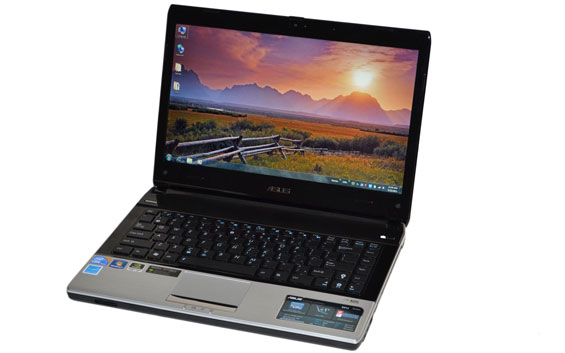
ASUS U41JF: Arrandale's Not Dead Yet
Sandy Bridge laptops are finally starting to trickle into the market, from the usual gamut of manufacturers. Chances are, if your favorite vendor isn’t selling several SNB notebooks already, they will be by the end of April. But with all the SNB brouhaha going on, ASUS has decided to release one final update to their U-series laptops using Arrandale processors.
Read More ...
Gateway's New Notebooks for the Extreme Budget: 15.6" with AMD Fusion
Gateway announced this past Moday that they're releasing to the market a trio of value-oriented desktop (well, really nettop) replacement notebooks built around AMD's Fusion platform. Brazos has been a big hit with OEMs as nearly every major manufacturer is producing machines based around it, particularly the extremely popular E-350 APU.

Gateway's flagship model is the catchily-named NV51B05u. This is the $470 one, and it ships with the AMD E-350 APU, 3GB of DDR3, and a 500GB 5400-RPM hard drive. Presently, the NV51B05u is the only model on Gateway's website, but it can be found here. Gateway quotes over four hours of running time on the battery, and our experience with the E-350 suggests that figure is probably accurate for moderate loads.
On the other hand, Gateway is a little more cagey with detailed specs about the other models that are rounding out the line. At $450 is the NV51B02u, which also features the E-350. Odds are good this model has a smaller hard drive and/or less RAM. And at the extremely entry-level $400 price point is the NV51B08u which swaps out the E-350 for the C-50. The AMD C-50 retains both cores, but runs at a much slower 1GHz and clocks the graphics core at just 280MHz, though it also features a TDP of just 9W, half that of the already frugal E-350.

And just to sweeten the pot, we'll have Toshiba's 15.6" Brazos model, the C655D, in house soon.
Read More ...
Samsung's Galaxy Tab 10.1 & 8.9, Smaller than iPad 2, Competitively Priced
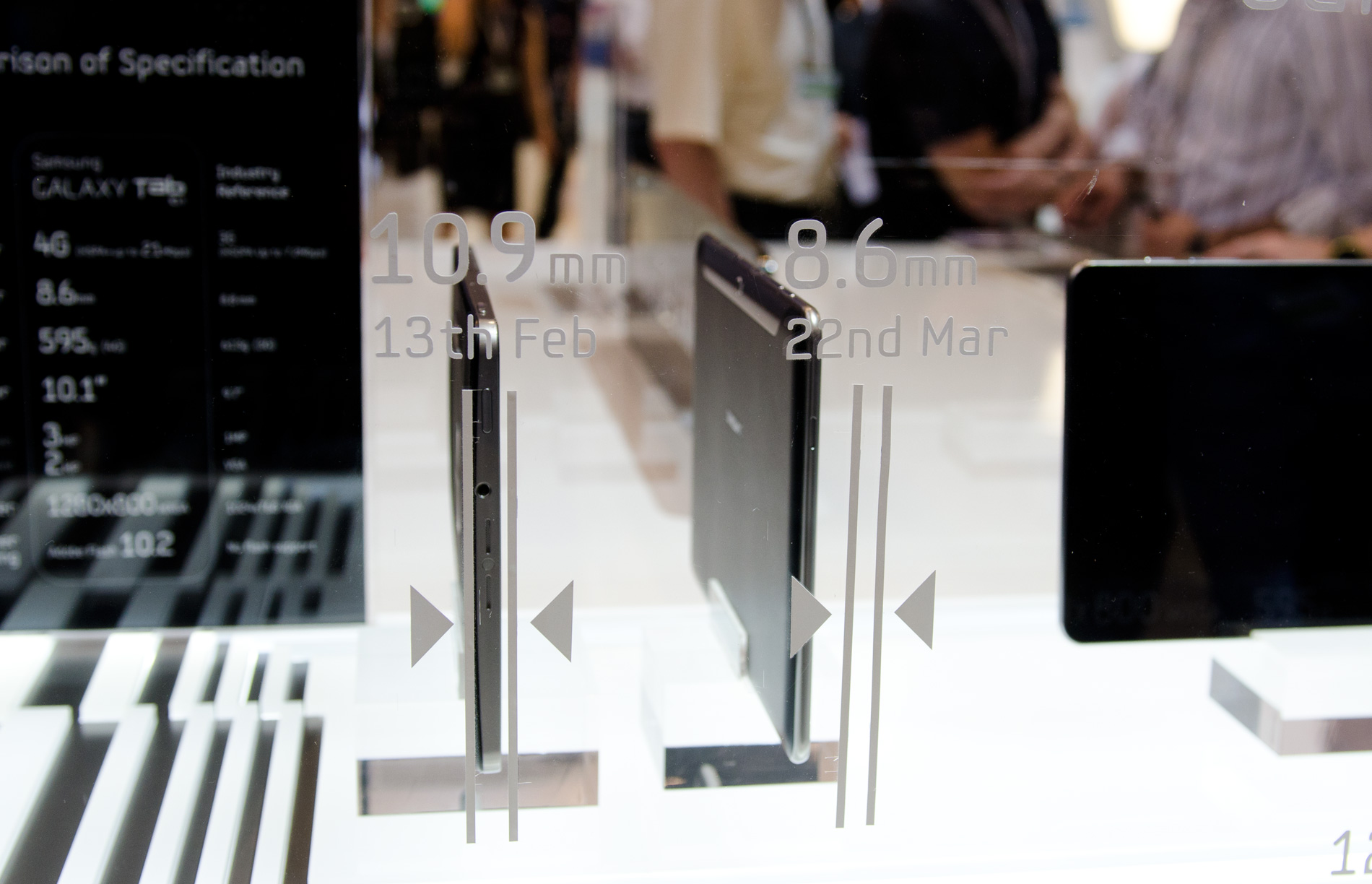
Last month at Mobile World Congress Samsung announced the Galaxy Tab 10.1, a NVIDIA Tegra 2 based Honeycomb tablet. Since then, Apple's iPad 2 raised the bar for ergonomics and performance. Not wanting to be outdone, Samsung just announced a redesigned Galaxy Tab 10.1 that's both thinner and lighter than Apple's iPad 2.
The new Galaxy Tab 10.1 measures only 8.6mm thick and weighs 595 grams. The iPad 2 by comparison is 8.8mm thick and weighs 601 grams. The display is a Xoom-like 1280x800 using Samsung's PLS display technology.
Read More ...
Lenovo Debuts New Cloud Clients, Secure Cloud Access Platform
Lenovo's new platform works on its notebooks and desktops with second gen Intel Core processors
Read More ...
Industry Opinion: EV Movement is Reaching Critical Mass
EV movement has stalled several times, historically, industry hopes to avoid another letdown
Read More ...
Anniversary of Gagarin's Historic First Manned Space Flight Marks 50 Years of Man in Space
Gagarin died in a jet crash in 1968
Read More ...
Japan's Nuclear Disaster Raised to Level 7 on International Nuclear Event Scale
The Chernobyl explosion in 1986 was the only nuclear disaster to be rated a Level 7 until now
Read More ...
Intel Releases Tablet Chipset, Processor; Will Power Windows Tablets
Company claims it will "move faster than Moore's Law"
Read More ...
Microsoft Calls Google a Liar, Questions Its Business Apps
Continues to mount ironic campaign against Google's business practices
Read More ...
Nokia Announces Two New Smartphones
Both devices sport the updated Symbian software, nicknamed "Symbian Anna"
Read More ...
New Kindle: $25 Cheaper Thanks to On-Screen Ads/Offers
Amazon is releasing the newest Kindle on May 3, and insists that "customers are going to love it"
Read More ...
Beating Heart Cells Created From Virus-Free Blood Cells
Researchers say the new method is almost 100 percent efficient
Read More ...
"GeoHot" Settles With Sony in PS3 Jailbreaking Case, Offers Brief Comment
No official word from hacker on what the settlement entailed
Read More ...
4/11/2011 Daily Hardware Reviews
DailyTech's roundup of hardware reviews from around the web for Monday
Read More ...
Auto Industry Fights Obama Admin's Effort to Force Corn Ethanol on U.S.
New legislation would force virtually all cars to run on ethanol
Read More ...
Available Tags:Radeon , Seagate , HDD , GeForce , GTX , ASUS , AMD , Fusion , Galaxy Tab , iPad 2 , Galaxy , iPad , Lenovo , Intel , Tablet , Windows , Microsoft , Google , Nokia , Sony , PS3 , Hardware ,


No comments:
Post a Comment