

Samsung: Galaxy Tab to hit one million sales 'this year'
 Samsung has revealed that the Samsung Galaxy Tab is likely to make 1 million sales in 2010 – a figure which was reached by the Apple iPad in just one month.
Samsung seems to be pleased with how its tablet device is doing in the market, though, with JK Shin, the head of the company's mobile division, revealing that despite some delays the device was on track with expectations.
Target practice
"Although the launching of Galaxy Tab has been delayed a little bit (in Korea), consumer responses in Europe and Asia have been quite good and we are confident of meeting one million sales mark this year," said Shin to journalists this week.
Even though the iPad made 1 million sales in one month, an FT report earlier in the month noted that Apple had still not hit its own targets – which were 5 million by the end of September. This is a figure ended up being 4.2 million.
Samsung seems confident, however, that 1 million sales is a significant part of the tablet market.
This is despite the iPad's obvious dominance in the market, which was revealed this week to be a massive 95.5 per cent of tablet sales.

 |  |
Read More ...
Buying Guide: What's the best Packard Bell laptop?
 It can be hard to choose which laptop to buy, but once you've found the brand you want then what next?
 If you've settled on an Packard Bell, then you're probably wondering what the best Packard Bell laptop is for your budget. Here we've gathered together the top models for your delectation.
But if you don't want to buy a Packard Bell, check our 20 best laptops in the world piece. If it's a netbook you want, look at our 15 best netbooks.
1. Packard Bell Dot U

The Packard Bell Dot U is a well-designed ultra-portable that's well suited to life on the road thanks to a slim, light chassis and decent battery life. Office performance is strong considering the size, and only by spending considerably more will you find a similarly portable machine with more power. A worthy purchase for regular commuters.
Read our full Packard Bell Dot U review
2. Packard Bell Dot VR46

While the Valentino Rossi branding won't suit all tastes, underneath it the Dot VR46 is a great little laptop and one that's very easy to recommend. As a slim and light CULV portable, this is one of the best.
Read our full Packard Bell Dot VR46 review
3. Packard Bell EasyNote NM86

With excellent build quality and a sharp and vibrant screen, not to mention strong performance for the price, the EasyNote NM86-GN-010UK offers fantastic value for money. We wish it had more storage, but that's forgivable considering the many strengths on offer.
Read our full Packard Bell EasyNote NM86 review
4. Packard Bell EasyNote TM98

This machine is one of of the best consumer laptops currently available, providing a great mix of power, thanks to its Intel Core i3 processor, and portability.
Read our full Packard Bell EasyNote TM98 review
5. Packard Bell EasyNote TX86-JO-045UK

Packard Bell has smashed the ball clean out of the proverbial park with the EasyNote TX86, an excellent all-round machine that pulls off power and style with panache. The solid yet portable chassis is merely surface material, because the Intel Core i5 CPU and Nvidia graphics card provide the impressive engine below.
Read our full Packard Bell EasyNote TX86-JO-045UK review
Don't forget to check out our 20 best laptops in the world piece. Or, if it's a netbook you want, our 15 best netbooks.

| |
Read More ...
Review: Epson Stylus Photo PX720WD
 A stickler for tradition, Epson's PX720WD resists the temptation of settling for five inks, as found in the likes of the Canon PIXMA MG5150 and HP Photosmart Premium C309G. So instead of getting both dye-based and pigment-based black inks as a compromise between document and photo printing, the Epson goes for the full 6-ink monty.
 Billed as an all-in-one for photo enthusiasts, it serves up the conventional mix of CMYK dye-based inks, along with additional light cyan and light magenta inks, boasting an enhanced colour range for truly photo-realistic output. At least, that's the theory.
Running on Epson's latest generation of Claria inks, each in individually replaceable cartridges, the PX720WD runs true to form with a 5760dpi resolution that's typical of Epson printers, joined at the hip to a high-resolution 4800dpi scanner that enables mono or colour photocopying as well as scanning. Indeed, these and most other specifications are identical to the PX710W that we've reviewed previously.
For example, you get USB, Ethernet and Wi-Fi connectivity, along with a wide range of media card slots that include compatibility with CF, SD, SDHC, MMC, MS and xD formats. But there are a couple of notable differences too.
One of our criticisms of the PX710W was that it had a barrage of buttons cluttering the front panel, making standalone use a little counter-intuitive. That's now been replaced by a touch-sensitive panel in which individual icons are only illuminated as and when they're active, somewhat simplifying the process.
It's not as slick as the full-colour touch-screen LCDs of printers like the Lexmark Interact S605 or the HP Photosmart Premium C309G, but it's definitely a step in the right direction, and overall the menu system is quite intuitive.
The other new attraction compared with the older PX710W is that the PX720WD sprouts a bulbous auto duplex unit on its rear end, adding about 7cm to the overall depth of the printer
It's a little strange to find an auto duplex on a printer that's designed for photo output rather than document printing, but considering the PX720WD lacks a pigment-based black ink, mono text is reasonably crisp and solid-looking, at least compared with the feint grey that's often associated with photo printers. Other extras include a neat CD/DVD tray for direct printing onto white-faced discs.
Print speeds are very respectable in standard photo quality mode, with 6x4-inch prints taking about 20 seconds a piece. Top quality mode drags the speed down to about three minutes per borderless A4 print, but that's quicker than with some of Epson's photo printers, like the P50.
When it comes to image quality there's plenty of contrast, and colour rendition is good, although skin tones aren't particularly flattering. Photo prints tend to look very punchy, but sometimes at the expense of a slight loss of detail in highlights and lowlights. Running costs are slightly lower than average, which is a bonus considering there are six cartridges under the bonnet, rather than just four or five.
The PX720WD is a marked improvement over Epson's preceding PX710W in terms of intuitive ease of use, and the auto duplex unit is nice to have for double-sided printing if and when you need it. In all other respects, the two printers are virtually identical, so it's a case of evolution rather than revolution.
We liked
The touch-sensitive panel makes it easier to engage standalone printing and photocopying modes, and there's a wide range of media card slots. Built predominantly for photo output, the addition of a CompactFlash slot is an advantage to those with posh D-SLRs, as this is lacking on many of the latest all-in-one printers.
Photo print quality is particularly punchy and vibrant, and the addition of a secondary paper input tray for postcard prints of up to 7x5 inches reduces the need for continual swapping between plain paper and photo paper in the main tray.
We disliked
Photo print quality isn't noticeably better than from Canon's 5-ink printers like the MG5150, and the latter produces stronger mono text with its pigment-based black ink. Another plus point for the Canon is that the secondary input tray can accommodate full A4 photo paper.
Epson's touch-panel interface isn't quite on a par with full-colour touch-screen LCDs, as fitted to the Lexmark Interact S605 or the HP Photosmart Premium C309G.
Verdict
One of the most expensive A4 all-in-one printers on the market, the Epson PX720WD goes a long way to justify its price tag and running costs are pretty reasonable. Ultimately, however, the 6-ink system doesn't really deliver noticeably better photo quality than some of Canon's cheaper 5-ink printers.
Related Links

| |
Read More ...
In Depth: 10 best Android tablets in the world
Our list of the best Android tablets in the world - regularly updatedIf you're looking for a tablet and don't fancy an iPad, then Android is the way to go: while Windows tablets are on the horizon, Android ones are here, they work and they've usually been tweaked to include finger-friendly interfaces too.
We've gone from zero Android tablets to stacks of the things in a very short space of time, and inevitably some are better than others.
Some have ten-inch screens, others seven and some just five, and there are big differences in battery life, processing power and on-board RAM. So which tablets are the most tempting? Let's find out.
1. Advent Vega - £249.99
Tegra power and a ten-inch screen with a tiny price tag
Dixons, Currys and PC World will stock a pair of Android 2.2 tablets under the Advent brand. The most interesting one is the £249.99 Vega, which promises a dual-core 1GHz Tegra 2, a 10-inch, 1,024x600 touchscreen, 1.3MP webcam, 802.11b/g Wi-Fi and a claimed ten-hour battery life in everyday use.
Read more about the Advent Vega
2. Archos 70 - £229
Small and light, but that seven-inch screen isn't as high-res as rivals
The Archos 70 offers 8GB Flash storage or a 250GB hard disk, a 1GHz ARM Cortex A8, 802.11b/g/n Wi-Fi, a front-facing VGA camera, HDMI output and an integrated kickstand. Unlike rivals, however, its seven-inch multi-touchscreen only offers 800x480 WVGA resolution and its processor is single core rather than dual core.
Read: Archos 70 review
3. Archos 101 - £269
The Archos 70 with a bigger, better screen and a pretty good price
Read: Archos 101 review
4. Asus Eee pad - price TBC
Delayed, delayed and delayed again, it's coming in early 2011. Maybe
Read more about the Asus Eee Pad
5. Dell Streak - Free on contract
Wish your phone was a bit more tablet-y? Then Dell has the device for you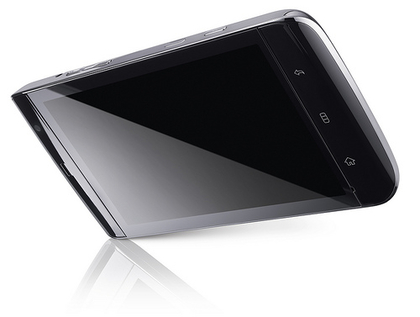
Read: Dell Streak review
6. Elonex eTouch - £159
A low, low price means you'll overlook the build quality and the odd compromise
Read: Elonex eTouch review
7. Notion Ink Adam - $498 (estimated)
The Adam looks awesome on paper. We'll find out more in three weeks
Read more about the Notion Ink Adam
8. Samsung Galaxy Tab - £529.99
The iPad's most obvious rival disappoints in several key areas
Read: Samsung Galaxy Tab review
9. Toshiba Folio 100 - £329
Toshiba quality, a decent spec and a fair price to boot
Read more about the Toshiba Folio 100
10. Viewsonic Viewpad 100
Windows and Android sitting in a tree, K-I-S-S-I-N-G…
Here's a unique selling point: the Viewpad 100 dual-boots Android and Windows 7. Its 1.66GHz Intel Atom and 1GHz of RAM means it's really a netbook with a 10.1-inch touchscreen. There's 16GB of internal storage, MicroSD slot and a 1.3MP webcam, but the Android OS is the older 1.6 rather than the more recent Android 2.2.
Read: Viewsonic ViewPad 100 review

| |
Read More ...
Skype 5.0 for Mac arrives in beta
 Skype 5.0 for Mac has arrived in beta, with the popular communications tool aiming to provide a "more Mac-like experience".
Skype was keen to overhaul the look and feel of its software to make sure that Apple fans enjoyed using the service.
"It was worth the wait – the new Skype 5.0 is now available for Mac today in beta, introducing a revamped look and feel that simplifies navigation and provides a more Mac-like experience," blogged Skype's Krishna Panicker.
Ease-of-use
"For example, the Skype app has been brought together in one window for ease-of-use, and the Mac address book has been integrated, making it possible for you to call, IM and SMS your contacts when they are online or offline."
The new features in Skype 5.0 include a new call-control bar, a search chat content option, Offline IM and a Floating Contacts Monitor.
But the headline addition is group video calling – which could well prove a major reason to upgrade.

| |
Read More ...
Review: HP Envy Beats Edition
 It's currently the done thing in the laptop world to be kitting your machines out with high-end speaker systems. Asus was one of the first with their Bang & Olufsen NX90 notebook, and MSi followed shortly with the GX660R, a machine that boasts a Dynaudio system embedded in the chassis.
HP has gone another route with the HP Beats Edition, and employed the help and expertise of legendary Hip Hop producer Dr Dre and his Beats brand, that manufacturers high-end headphones.
Built around the chassis of a standard Envy 14, but £400 pounds more expensive, the HP Envy 14 Beats Edition features a number of audio upgrades.

These include specially designed Beats speakers and clever positioning of the notebook's sound card, allowing for impressive sound quality when using the bundled Beats Solo headphones.
Aside from the audio upgrades, the Envy 14 Beats Edition boasts a new black rubberised chassis that we rate very highly, and a series of cutting-edge components that make this a very powerful machine.
As the Envy 14 Beats Edition is a jazzed up version of the standard Envy 14, let's take a look at what you get for the extra £400.
The notebook is built for those looking for a premium sound from their machine, and the Envy 14 Beats Edition delivers nicely. Two front-mounted premium speakers provide excellent sound quality, and are controlled by an intuitive piece of Beats software that helps you tweak the audio to your exact specification.
Once you've got the settings just right, it's simply a case of hitting the [Shift] and [b] key to activate the Beats software and effect. Without Beats, sound quality is good enough, but when it's activated, music tracks take on a fullness and depth we've rarely heard from notebook speakers.
The effect is even more pronounced when using headphones. The HP Envy 14 Beats Edition comes with a pair of Beats Solo travel headphones that retail for about £150. They're very comfortable to wear, and fold at the hinges, which make them great for tucking into a bag or pocket.
As mentioned above, HP has located the notebook's sound card right next to the headphone jack, and this reduces the amount of audio degradation you experience compared to if, say, the card was located on the other side of the chassis.

The combination of headphones and Beats software is excellent, and especially suits bass heavy tunes – as you might expect with the Dr Dre heritage. We were especially impressed by how loud the laptop goes while showing next to no bass distortion, which is a real achievement.
The Envy 14 Beats Edition features a black rubber finish to the chassis, which looks and feels great. Not only is it easy to grip, but the material is nigh on impossible to scratch, and so easy to keep clean.
The Envy 14 Beats Edition's chiclet-style keyboard is large and spacious. The travel is decent, the action relatively firm, and those after a notebook for regular typing will find a lot to like here. There's no dedicated numberpad, however, which might put off those who regularly input data.
The keyboard is backlit, and the subdued red light that shines up through the board both enhances usability in low light conditions and looks great, giving the laptop a pleasingly sinister appearance.

A spacious touchpad is included below the keypad, but proves a frustrating affair. It's irritatingly easy to brush while typing, which means that when you're writing your text will often jump all over the shop.
Along the right side of the Envy 14 Beats Edition's chassis sit a USB/eSATA port, an HDMI interface, Gigabit Ethernet and Firewire mini. Down the left side you'll find a further two USB ports and the slot-loading optical drive.
It's worth noting that there's no VGA out, which might put off those looking to hook up TVs or monitors that don't feature an HDMI port.
The black screen lid doesn't feature the rubber finish of the chassis, but has got the large Beats logo spread up the back. Some might light this, but we think that it would be overkill, ruining the understated design of the notebook.

The 14.5-inch display within features a 1366 x 768 pixel resolution. It's sharp and detailed enough to enjoy films and photos on, but a shiny screen coating makes the Envy 14 Beats edition an irritating laptop to use in very bright light.
Whereas the standard Envy 14 sports an Intel Core i5 processor, the Beats Edition boasts a Core i7 720QM. Not only does this boast Intel's latest hyper threading and turbo boost technologies (for maximum multitasking and power efficiency), but the processor has four cores, providing some serious power.
This combined with the 4GB of memory helped the Envy 14 Beats Edition breeze through all our benchmarking tests, and there's no doubt this is one of the most powerful 14-inch notebooks we've come across.
Similarly, the ATi Mobility Radeon HD 5650 graphics card is very high-end. There's 1GB of dedicated video memory also included, and this gives the Envy 14 Beats edition the sort of graphical firepower we'd expect from a large multimedia desktop replacement system such as the Acer Aspire Ethos.
As a result you'll have no problem playing the latest gaming titles, and will be able to carry out resource-intensive multimedia tasks, including photo and HD video editing, with no problem at all. Considering the small form factor of the Envy 14 Beats Edition, this makes the notebook a very powerful and versatile option.
A 500GB hard drive is included to home all your files and folders and, unless you have a serious appetite for movie, music and photo libraries, should provide plenty of storage for a good few years.
It's also worth noting that the drive spins at 7200 rpm, rather than the standard 5400rpm. This allows the processor especially quick access to your data, enhancing performance.

The Envy 14 Beats Edition features a Tri-Format DVD dual layer reader and writer for reading or backing up data but, unlike many HP drives, doesn't feature LightScribe technology, which lets you burn labels onto the surface of a disk.
With the wealth of powerful components on board you'd think the Envy 14 Beats Edition would offer terrible portability, but that's not the case. The 209-minute battery life is perfectly serviceable and will last you the commute, while the 2.6kg makes this a notebook that's no trouble to carry around all day long.
The notebook features the standard one-year collect and return warranty, with a range of options available for upgrading or extending the service from HP direct.
With many of us now storing our multimedia libraries on our computers, notebook manufacturers are finally confronting the age-old issue of poor sound quality.
While Asus and MSi were slightly quicker, there was never any doubt that the world's number one manufacturer would come out of the gates firing, and HP has done exactly that.
The Envy 14 Beats Edition creates great sound quality that knocks the socks off your average notebook and, although expensive, we feel the price is justified – especially with the inclusion of the Beats Solo headphones.
But there's a lot more to the Envy 14 Beats Edition than just good sound quality. This is an extremely powerful notebook, both in terms of everyday and graphical performance, and it provides the sort of power we'd expect from a much larger desktop replacement machine.
The notebook is also portable, making it a genuine option as a travelling companion.
We liked
There's a serious amount to like about the Envy 14 Beats Edition. Yes, the notebook is roughly £400 more expensive than the standard Envy 14 – but the extras justify the price hike.
With that in mind, highlights include the excellent sound quality, courtesy of the Beats technology imbedded in the notebook and, of course the Beats Solo bundled headphones.
Everyday and graphical performance are also aggressive, making this a notebook that'll provide plenty of power and future proofing – it'll be ticking system requirement boxes for quite a few years to come.
Portability is another strong point with battery life, weight and strong build quality all impressing. The Envy 14 Beats Edition is also a great looking notebook, and one we took great pleasure in reviewing simply because it is such a usable and attractive machine.
We disliked
There's not a lot that we disliked about the notebook. It's a shame the Envy 14 Beats Edition screen resolution isn't a bit higher, but that's to be expected with such a small panel.
The lack of a VGA out does seem like a bit of an omission, however, and those with TV screens and monitors with no HDMI will be a little stuck.
Usability is generally excellent, but the touchpad is an irritant. Having to repeatedly shift text around a document because brushing the touchpad while typing has shot it to the other end of the page gets boring very quickly.
Related Links

| |
Read More ...
Buying Guide: What's the best MSI laptop?
 It can be hard to choose which laptop to buy, but once you've found the brand you want then what next?
 If you've settled on an MSI, then you're probably wondering what the best MSI laptop is for your budget. Here we've gathered together the top models for your delectation.
But if you don't want to buy an MSI, check our 20 best laptops in the world piece. If it's something like an MSI Wind netbook you want, look at our 15 best netbooks.
1. MSI Wind U160

The MSI Wind U160 is a nice-looking machine (save for an abundance of stickers) and the features, usability and portability on offer thoroughly impressed us.
Read our full MSI Wind U160 review
2. MSI CR630

This is a supremely affordable machine, offering 4GB of RAM and a dual-core AMD processor coupled with excellent usability.
Read our full MSI CR630 review
3. MSI FX600

James Bond would be impressed with the gadgetry on offer here. Press one button to activate Cinema Pro mode, which makes films look better on the screen, or hit another to activate Turbo Drive, which gives you a boost in processor power.
Read our full MSI FX600 review
4. MSI GX740

The MSI GX740 is one of the best priced, best looking gaming notebooks around. There's plenty of power under the hood for the avid gamer, while the Intel Core i5 processor provides plenty of performance for your average consumer.
Read our full MSI GX740 review
5. MSI GX660R

The MSI GX660R is a great machine at a reasonable price for the power. Performance is as aggressive as we'd expect for the money, but there's also a wealth of extra features, clever design additions and impressive components that make this a very competitive laptop. Add to that the fantastic Dynaudio speaker system and you're looking at one of the best gaming systems currently around.
Read our full MSI GX660R review
Don't forget to check out our 20 best laptops in the world piece. Or, if it's a netbook you want, our 15 best netbooks.

| |
Read More ...
Review: HTC Desire Z
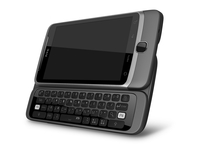 The HTC Desire is, in effect, the second in the new Android range from HTC, with its much larger brother, the HTC Desire HD, taking most of the limelight.
But it's more that 'spare a thought' for the HTC Desire Z, as this phone is designed to encompass the best Android has to offer with HTC's sublime Sense overlay - and a QWERTY keyboard to boot.
The first thing you'll notice about the HTC Desire Z when you pick it up is the sheer heft, as we're seeing a phone with a 3.7-inch screen coupled with a not-insubstantial QWERTY keyboard and hinge underneath.

The whole unit weighs in at 180g, which isn't the lightest on the market, and you can certainly feel it in your pocket... but it's not so bad that if you're hungry for a QWERTY keyboard you won't be able to tolerate it.
The Desire Z itself feels pretty high end, as it's clad in aluminium and has a nice and polished feel to it. The battery cover on the back is well-designed and complements the design well, and pops off with a pleasant jump when using the switch on the side.

The front of the phone looks different to the HTC Desire HD, with the usual four touch-sensitive keys (home, menu, back and search) above a clickable optical trackpad that lets you negotiate text and also doubles as an enter key.
The left-hand side of the phone holds the large volume rocker switch, and the microUSB slot, which is uncovered.

The right-hand side only has the aforementioned battery cover release and the physical camera button - which we're really pleased to see after it was left off the Desire HD.

The top of the phone hold the power/lock key, and it's much more prominent than others in the HTC range, and it's really easy to hit to open up the phone.

The 3.5mm headphone jack is also situated here, and is nicely positioned to not get in the way when you're watching videos through wired headphones.
The slide out keyboard has a lovely motion too, as it doesn't glide out; instead, it folds out on itself, lifting and dropping into place. The QWERTY keys themselves are large and easy enough to hit, but not raised enough nor have enough travel to really allow super-fast typing in our opinion.

The keyboard also packs another problem: the hinge is really loose, and the screen wobbles under touch input when the keyboard is stowed away.

And when open and held vertically, a few shakes can see the screen rock back easily onto your thumbs, which is really not what we'd expect from a device of this class.

Sure, it's not going to happen that often, but we'd certainly expected more from the build quality on a device designed by HTC.
The upgraded Sense UI present on the HTC Desire HD is also back in full force on the HTC Desire Z too, and it's equally as good and well-stocked, despite the phone only packing a MSM 7230 Qualcomm 800MHz processor.

Packing Android 2.2 and the new Sense UI, there's not much more HTC can pack in here - that's until Gingerbread arrives, of course.

The main home screen is flanked by three either side, where you can drop a huge number of widgets and icons to customise the phone as you want.
Applications are accessed by pressing the small triangle in the bottom left-hand corner, and dragging the notifications bar down from the top will show you any messages or notifications you need to be aware of.
But that's all offered by nearly all Android phones - it's the extra stuff that HTC has popped on the Desire Z that we're interested in.

The first new addition is the 'palette' key in the bottom right-hand corner; it lets you alter the theme, design and layout of the Desire Z in a multitude of ways. (The same menu can be accessed by long-pressing on an empty part of the home screen).

Here you can choose new skins, to make the phone's OS look slightly different, or choose from a number of pre-configured widget and wallpaper layouts, each designed for different tasks. For instance, the Entertainment offering stocks the FM radio, FriendStream social networking and Music Player widgets.
What's really neat is the internal GPU of the Desire Z is able to flick through these pre-configured options with a delightful slickness, and if you want to get more, then simply click the 'Get More' option, and you're taken to another online portal, which looks the same as the on-phone experience.
Sure, you need to sign in to the HTC Sense service (which you'll need to do anyway to get all the benefits of the HTCSense.com features) but the speed and ease of which you can alter your phone is almost breathtaking.
The overall operation of the HTC Desire Z is as good as anything we've seen; there were a few more very, very slight instances where the phone would judder and lag a touch, but this had the effect of breaking the spell of complete speed rather than proving to be a real irritation.

The live wallpapers, easy widget manipulation (long press on one to move it around, remove it by dropping it on the rubbish bin or new to the upgrade Sense UI, drop it onto the edit option to change its settings) and Leap View (pinch the screen to see all your home screens in real time as thumbnails) are another indication that HTC has really got the interface right on the Desire Z.
HTC has been slightly criticised in the past for caring more about making an superb browsing phone rather than concentrating on the core phone functionality, and to a degree its laid that fault to rest on the Desire Z.
Contacts
The contacts menu on the HTC Android range has always been excellent, and that's back again on the Desire Z.

From the first time you turn the phone on and log into your various accounts (Googlemail, Facebook, Twitter, Exchange) the Desire Z will automatically populate the contacts menu with all the people you have stored.
You can choose to only view certain people (only SIM contacts, for instance) or all at once, and then link them together.

This linking is a real user delight, as once completed you can see Facebook and Twitter updates from the contact profile on your phone, browse their photos as if they were on the phone or get a notification of an upcoming birthday when they call you.
However, linking these up can take time if you've got hundreds to go through, so it's good that suggestions are provided (and they're mostly accurate too, meaning you only have to press the link icon in the top right-hand corner of any profile and accept to complete the tie-up).
And a new feature for the HTC Desire Z is when the phone first populates the phone book, it has a look at the contacts and makes a list of suggestions for linking, meaning all you have to do is click on the link icon to accept. Very easy, and a massive time saver.
One word of warning: if you sign in to Facebook and Twitter at the start and populate the contacts, don't select the same option if you load up the Facebook and Twitter apps on the phone itself; you'll be left with hundreds of duplicates you won't want.
One thing we've always been impressed with from HTC in the contacts menu is the ability to customise each person. Of course you can enter emails addresses and phone numbers and the like, but you can also choose which account you want to profile picture to come from, be it Twitter, Google or Facebook, and choose the name too, even if its a separate account.
The contacts menu on the HTC Desire Z is one of its very strongest points, and while some things can be a little slow to load (calling up a person's most recent Tweets for instance) it's still a real 'user-delighter'.
Calling
Calling on the HTC Desire Z, as we mentioned, is a better experience than some of its Android brethren, and this seems mostly down to the sheer size of the device.
The smaller screen means its easier to position the earpiece at the right place on your head, and callers had no problems with hearing us when we spoke, despite no noise cancellation present.
The volume and quality was decent, and we liked the speaker underneath - not earth shattering again in terms of volume, but we'd rate it as better than the HTC Desire HD.

There are a few nice touches here too: the dial pad also can access people in your phone book by tapping out their names in T9 predictive text mode, making it easy to find the people you're after.
There's no way to separate between missed, received and dialled calls though, which is a little bit of a pain when you have to scroll through the whole list.
Nor will repeat callers show as one item on the list - most annoying when you have to go down past your girlfriend accidentally calling you 67 times when the phone was left on in her bag.

A few other nice touches that HTC has developed to make its handsets a little more intuitive are also present here. Elements like when the phone senses its in a pocket or bag (using the proximity sensor) it will ring louder, or the ringer volume will lower when the Desire Z gets picked up.
The best trick we think HTC has put on its devices is the ability to turn the ringer completely off by turning the phone over - it's one of those things that really impresses your Mum when it accidentally happens at the dinner table... although you really should have it turned off in company, darling.
Coverage, connection and quality all passed our tests when it comes to the HTC Desire Z's calling capabilities, and despite the heft we'd actually recommend it as a normal phone.
As you can probably tell, messaging is important on the HTC Desire Z, with the keyboard providing the springboard for a large number of methods of communication.
The keyboard itself is pretty nice - we've mentioned the quality of it already, and we like the way the screen folds away to give just under a centimetre of clearance from the top row of keys.

The buttons themselves are more flat than rounded - in our tests, we found that this was something of a hindrance when it came to flat out typing.
The spacing between them is good, meaning there wasn't a lot of accidental wrong presses. However, the ease of hitting them meant we couldn't build up a good head of texting steam to get going on a longer email.
We'd say something more raised, like on the HTC Touch Pro 2 or the LG Optimus GW620 is a little easier to use, but not by a massive amount.
Initially we were annoyed that there was no predictive text correction on the physical keyboard, but further investigation showed that the predictive options could be enabled either through the menu or the XT9 function on the keyboard.

There are two function buttons on offer here, as well as large shift keys and a relatively big space bar - all quite easy to hit, although the function buttons aren't the easiest to hit.
There's also a rather nice addition of two keys that can be assigned a given function - this can be practically anything, from opening a specific web page to turning on a phone signal.

However, we felt this was actually a little redundant in practice, as we only performed a select number of options in keyboard-open mode, like emailing and text entry.

We found the best use is for copying or selecting text, and perhaps emailing a specific contact. If only the same keys were available shut mode.
The on screen keyboard is also pretty darn good, as it has eerie levels of predictive auto-correction - it's the same that's been offered on a number of HTC phones, and is as good as ever.
In fact, although the screen feels a little cramped, we used it a good 90% of the time in reality, as the convenience and ease of use was so great.

The optical trackpad on the front of the phone is a little redundant in our eyes, as you can easily select the correct amount of text using the touchscreen. Simply hold the section you want, and a magnifying glass pops up to let you select the correct space between letters.
The same option will let you select text, copy and paste, and look up via Google, Wikipedia, Translate and more. It's ace.
This optical trackpad will also throw another surprise at you - it will glow around the edges when you have a message, which is really odd when there's a notification light that does the same at the top of the phone too.

The number of messaging options on the Desire Z is dizzying. Exchange email, webmail, IM (through Google Talk), SMS (made into MMS by simply hitting the paper clip to add in an item) are all supported, and Twitter and Facebook are also supported using the included apps.
Multiple email accounts in one inbox are supported here too, which is a nice touch - although if you've got a Gmail account and want to have it in there too, you'll need to switch off the main Gmail app, as otherwise you'll be getting double notifications every time a mail drops in.
The internet on the HTC Desire Z is as good as HTC can manage, and that's high praise in our book.
The Webkit-enabled browser is one of the best around, thanks to coming with a large number of functions, such as text wrapping, Flash 10.1 support and the ability to share web pages through a ridiculously large amount of sources.

We'll deal with Flash 10.1 first - it's pretty good in our eyes, and nearly all videos played without an issue. We didn't really manage to watch BBC iPlayer without an issue, but other than that nearly everything played smoothly.

We still think this needs some tweaking though, as the HTC Desire Z struggled to display video in full screen without needing to think about it hard, and only sometimes would the option to go full screen appear when you wanted it to.

We actually found ourselves turning off Flash video to conserve the battery, or at least setting the plug-in to only work when we demanded it. This made pages a mite quicker, and is certainly one of the best ways to optimise your internet browser.
We're noted fans of the Bookmark system on HTC Android phones, with large thumbnails for your favourite sites and the ones you visit most often. You can also access history by holding the Back button, which is a nice feature too.

The sharing option is simple - if you want to send the web page link (or selected text) you simply hold the relevant section or open the menu and select 'share'. This enables you to send the link via MMS, Twitter, Facebook or similar without much in the way of slowdown.
In short, the sheer functionality, speed and features of the browser on the HTC Desire Z mean that if you're not too bothered about the slightly smaller screen then you should definitely think about this as the best browser/keyboard combo.

The HTC Desire HD camera is relatively successful as a standalone snapper - it's not up there with the best in class, but in our tests it proved to be snappy (sorry...) at taking pictures.
That's actually pretty important - turn off the preview pictures panel and the shutter speed is pretty good, only a couple of seconds before readying itself to go again.

The settings aren't massive, but what they do offer is impressive - touch to focus not only will bring the relevant area of the on-screen image into focus, but also alter the light levels to bring the correct subject to the fore.
It's interesting to note that there's a Widescreen option, which basically adds a few more pixels to the screen, rather than changing the megapixel resolution completely.
The settings on offer (through nifty little sliding scroll wheels) are Exposure, Contrast, Sharpness and Saturation. They all make a difference to the output, and we particularly liked the crazy snaps we managed with the Contrast and Saturation levels right up.

Touch to focus is a handy addition - it basically lets you choose where the subject is with your finger, and the colour and exposure modes adjust automatically.
HTC has also put on photo effects, like Vintage framing, Solarise, Distortion etc. It's not going to be used for a serious snap, but it will be good for creating funny pictures to uploading to Facebook.
When each picture is taken the option to share to Twitter and Facebook is offered (crazily through the 'Share' key) and it's options like this that show the HTC Desire Z is designed around the consumer.

In normal mode, the camera is relatively adept at capturing pictures and lighting correctly
Click here to see the full-res image

The 2x digital zoom is OK, but doesn't really add anything that moving a bit closer couldn't achieve
Click here to see the full-res image

There's no specific Macro mode here, but the autofocus is so strong it can handle subjects under 5cm away
Click here to see the full-res image

There are a variety of settings to play with, so here we compare all the different options, starting with low exposure
Click here to see the full-res image

High exposure
Click here to see the full-res image

High contrast
Click here to see the full-res image

Low contrast
Click here to see the full-res image

High saturation
Click here to see the full-res image

Low saturation
Click here to see the full-res image

Low saturation and contrast
Click here to see the full-res image

High saturation and contrast
Click here to see the full-res image

Vintage mode is pretty much just darkening out the edges
Click here to see the full-res image

Is there a reason for Solarise mode? Probably not, but it looks ace
Click here to see the full-res image

Night time shots in automatic mode come out a little bit over-exposed
Click here to see the full-res image

Add a bit of exposure correction though, and you're in business.
Click here to see the full-res image

Video on the HTC Desire Z is pretty good, capable of recording at 720p and around 25fps by our testing.

It actually seems to be better than our HTC Desire HD, at least in comparative tests - which you wouldn't have predicted given the naming of the handsets.
The options are roughly similar to photography: you can mess with things like exposure or add an overlay to change the style of video.
The video we shot in lighter and darker scenes was pretty consistent - at night the frame rate obviously drops to make sure the maximum amount of light is let in, but overall it was more than acceptable.
Android is good for many things, but one of the plus point is the offerings third party developers have been able to put together for media playback, fixing some of the problems of the default offerings.
But don't think that the HTC Desire Z has a poor media experience or anything... it's pretty good but it can be bettered with some downloading.
Music
The main music player on the Android experience is basic, but HTC adds a little bit to the experience. You get an album-centric experience, with the option to swipe the thumbnail to move to the next song.
This is a little bit laggy in our opinion, and is quicker by just hitting the forward and back keys.

Sliding your finger along the bottom of the music player will give you access to all your songs sorted by artist, album, genre and the like - building a playlist is similarly easy.
When the phone is locked, there's a clever touch in allowing the music player to sit on the lock screen so you don't need to open the phone to skip tracks.

However, this functionality is not extended to third party applications, which is a massive shame for the likes of Spotify, which some people might use a lot instead.
Audio quality is pretty good - using the additional Dolby Mobile didn't do much to the sound in our opinion except make it tinnier. The SRS Surround Sound option gave the widest result in terms of sound, but the equaliser with bass booster worked well too.
A couple of new and nice touches: after the artist, album, genre etc there's now 'Connected Media' that searches for DLNA-enabled devices.
This means if you've got a Windows 7 enabled PC or a Playstation 3 turned on you can see all the media contained on that and stream it straight across... and it really works well.
The other new feature is the addition of an Amazon MP3 store link - hit that to search for new music to buy and download. It doesn't add a lot in terms of media functionality, but it's an easy (and sometimes quite cheap) way to get that song you've been thinking of.
Video
Video on the HTC Desire Z was a lot like the HTC Desire HD - it's not the best experience in the world by some distance.
The main problem we had was with actually finding the video we wanted to watch - the only way in is through the gallery or video application (which only shortcuts the gallery by taking you directly to the video section, but is something we've asked for in the past, so well done HTC).

You're then presented with lists of thumbnails of the said videos, and if you don't know which is which, you have to long press on each and see the details to get to the right one.
And more annoyingly, the video thumbnails wouldn't even load. We don't know why, but we were left waiting an age for the application to populate.

We're unsure of the file formats the Desire Z will support, as while MP4 and WMV videos all played nicely (although we had to guess where they were) MKV would often show up, partly play and then crash. Other videos which previously played would then crash too - so we're at a loss to confirm which files are best here.

Also some video (although not all) encoded in widescreen was compressed to 4:3 - and only the option to zoom in to make the picture fill the screen rather than stretch it out, as we could do with the same files on the Samsung Galaxy S.
Again, Dolby mobile and SRS Surround sound were present, but this time it's the former that made the most difference... we found that 'properly' ripped/encoded files would have a nice wide audio output through our headphones.
Connected Media
Another new trick for the HTC Desire Z - DLNA streaming to a big-screen TV. Given Nokia was crowing about being able to plug your Nokia N8 into the TV via an HDMI-out cable, this wireless method has the potential to become a much cooler offering.
And if you've got a DLNA-enabled TV (or are willing to buy the HTC dongle to turn it into one) then it really is - it's a feature that really will impress friends.

All you need to do is open up the application or click Share in the media you want to pump to a big screen, and if there's a relevant display in proximity then it will appear as an option.
Simply select it and in seconds the TV will start connecting and play the media you've chosen. HD files take a little longer to get going, but the effect is the same - you can play a movie you've captured or got on your phone with no problems.
We should say if you're showing off an HD movie you've downloaded from elsewhere from the HTC Desire HD, it's not the equal of the wired-up Nokia N8, which can also support 5.1 surround sound, but for 99% of the tasks you'll want to do the HTC wireless method just looks so cool.
We'd advise you don't try and show off a photo album using this method - it takes AGES to scroll through each one, so best to stick to music and video. You know, for parties and whatever else posh people with DLNA TVs do.
If you've read our HTC Desire HD review, you'll know that we were slightly concerned about the battery life that phone offered.

Well, the good news is the HTC Desire Z packs a better battery life - albeit only slightly.
In full use - by which we mean a fair amount of internet browsing, calling, texting, having emails on (although not using push) and perhaps pulling out the maps and GPS, we managed to just about last a day on a single charge.
It gets a little bit close to the edge on some days, and on others you can last much longer - it's all about how you use the phone. Once again, the display is easily the biggest culprit for sucking the juice - often around 50-60% of the power total.

But if you're willing to get a bit creative with your usage, you can get some stellar power lifetimes on the Desire Z. We've managed to have the phone on for 48 hours, and only use 30% of the battery, which is phenomenal.
However, this is with everything turned off bar the cell radio - no synchronisation in the background, no mobile data, Wi-Fi, screen set to lowest brightness and minimum time-out... in short, keeping the screen off and only making and receiving calls and texts (although there was a 20 minute music session and some photo taking).

Clearly this is atypical use, but it's good to see that if you're willing to sacrifice some functionality, the Desire Z will reward you. We don't think you should have to, so we'll stick to the 'around a day's lifetime' battery pledge, especially when the iPhone 4 is a real step ahead in terms of battery consumption.
Connections
The number of connections on the HTC Desire Z is impressive - there's GPS, HSPDA to 10.2Mbps, Wi-Fi with 802.11 b/g/n, and Bluetooth 2.1.
The GPS gets its fix pretty quickly from cold - we're talking around seven seconds from Google Maps being started up.

Wi-Fi felt a little on the picky side, frequently jumping up and down the bars even if you're not moving around much - and when there's only one bar available, the data rate would really slow down.
Bluetooth was OK - using our Jabra Halos with the A2DP connection was easy to set up and only took one attempt. We saw less skipping in the music than usual from using this streaming method on an HTC Android phone, but overall it's still not a good experience when walking out and about.

As the Desire Z is running Android 2.2, Wi-Fi Hotspot connectivity is included too, meaning you can turn your phone into a Wi-Fi emitter using the 3G connection.

This is superbly easy to set up: simply activate the app from the menu, set the broadcast name and a passcode of your choosing - then simply boot up your laptop or whatever it is you want to connect and you'll be browsing in no time.
Although you might want a charger handy, as this method absolutely decimates the battery in no time at all.
HTC Sense.com
The official website for the new HTC Desire range has been up and running for a few weeks now, and it's not been without its share of problems.
Thankfully we found that the HTC Desire Z worked much better with the new portal, offering nearly all the functionality we've come to expect.

Contacts are now all synchronised across, and messages also to a degree - for some reason the threaded messages wouldn't pick up the name of people in our address book, leaving them as referencing a string of numbers.
From this portal you can perform a number of functions to help you maintain your HTC Desire Z from afar, such as being able to make it ring on the maximum volume setting even if it's on silent.
You can also track it on a map, send a message so people can find it and bring it back to you, and even remote wipe it so thieves can't see your Facebook page. That would be soul-destroying.
While it sometimes took a few attempts to make this functionality work, it's still cheaper than the £50 a year you have to pay Apple to get the same abilities to the iPhone 4.
We're generally fairly impressed with the HTC Sense portal, but think there's definitely a lot of room for improvement.
PC connection is pretty good - the HTC Sync offering allows you to check out what's happening on your phone, automatically back up your photos and other media, and generally poke around the innards.

But as you can see, the software wants to call the Desire Z by its codename, the HTC Vision, and also has popped a picture of the HTC Legend on the screen instead.
The HTC Desire Z is full of applications and services to help accessorise and improve the performance of the phone, and many of these make it a real pleasure to use.
We always want to be wowed when we first turn a phone on, and that's another thing HTC has taken care of with the Desire Z.
There are a couple of new things that HTC has added with the new Sense UI that really make a difference here, such as the HTC Hub: is a place to get elements that totally overhaul your handset - from widgets to new messaging sounds; it's all here and free.

This also requires an HTC Sense account, offering all manner of extra elements, and most are presented in cool, swipe-friendly thumbnails that show off the power of the inbuilt GPU we referenced a few times earlier.
Downloads are swift and easily viewed - if you buy one of these phones use this function as soon as you can to try it out, and you'll feel like the link between cloud data and your phone has never been closer.
The other new offering is HTC Likes, which is a collection of applications that HTC is promoting from the App Market - but with this portal there are descriptions, comments and likes/dislikes (including those from your HTC Sense friends) to let you know how popular the app is in real time.
Here are our picks of the applications HTC has added to the Desire Z out of the box - and we're pretty impressed with some of them.
Flashlight - this is exactly how is sounds, and we only wish there was a home screen widget for it. Offering three levels of brightness, it uses the LED flash on the rear of the phone to create a handy torch.

News and Weather - this little widget shows you the local weather in your region (although the HTC Weather widget is also excellent and does the job a little better) as well as local news.

With an easy swipe system and various categories to choose from, this is a really good place to keep up with what's going on in the world of politics or what Cheryl said/did/tasted like on X Factor this week.
Reader - We were going to put in a little diatribe here about how we thought the screen was probably a little small for the Reader application as we were downloading the Avid Reader scene you need to activate the app.
But then, despite the new scene popping up on the Desire Z, there was no reader application, and no bookshelf either. It's really disappointing, as on the HTC Desire HD it's a really good offering.
3.7-inch screens aren't too small for such a thing, as the Desire can handle books fine on the Aldiko e-reader... sadly you're going to have to go down the same route here.
However on the Desire Z it's not the best as the screen is a little bit small for reading a full novel - even the Desire HD struggles with it, and that's got nearly an inch on this phone's screen.
SoundHound - This is a Shazam-style application, but one that goes one step further - you can hum and sing and lalalalala a song into the phone and it will try and identify it.

Utterly pointless for 90% of songs you can't remember (you very rarely can remember the name even if you read it) and it can be a little inaccurate - but it's a fun way to ridicule your mates down the pub.
However, you only get 5 free tries per month (five less than with the HD), so don't go overboard too soon.
The HTC Desire Z comes complete with two mapping options – considering how long the Taiwanese firm has bet big on Google Maps, offering its own option seems a little counter-intuitive.
We'll start with Google Maps that comes loaded on the Desire Z automatically - in our eyes it's the best option, and that's not just because it's free.

You get the easy to read interface we've all come to expect, where you can search the maps for whatever you like - businesses, landmarks and addresses.
You can also add in other layers, like Transit Lines (the Tube, for instance) Traffic and Wikipedia entries for things nearby.
Weather has been added to Live Wallpapers, so you can not only see where you are at all times, but also work out the weather too. We couldn't make this work in the UK when we played with it, but then again looking out the window achieved the same thing anyway...

The GPS lock was pretty quick, taking around seven or so seconds from cold to work out where we were. It's not the fastest, but seemed to hold our connection when we were using the phone as a sat nav.
Google Maps comes complete with integrated and free sat nav, and on this massive screen it's tip-top - you can easily see where you're going and it's very easy to poke the screen when you need to get a little more information.

Navigation actually gets its own little icon on the home screen, and will get you wherever you want to go - and tell you the traffic conditions too. It still relies on data streaming, which is a bit of a downside, but it's great for a free offering.

Voice search is offered on the HTC Desire Z, after a mysterious absence on the Desire, and it works well here too. Ask the phone to 'Navigate to that place with the Rosetta Stone' and you'll be taken to the British Museum (if that's where it is).
It's not a necessary touch, but it's pretty accurate providing you have an even dialect and speak clearly.
Locations
So after the wonder of Google Maps, we're unsure as to why HTC has decided to put its own locations platform on the HTC Desire Z as well.
In association with TomTom, the theory seems pretty clear - making money, as while the maps are free to download, you have to purchase traffic and speed camera information.

Admittedly you can't get the latter with Google Maps, but that has the advantage of being free - we assume HTC is all about choice here, although it can be a little confusing.
The application works far better on the HTC Desire Z than it did on the HTC Desire HD, as it actually contains the listings it has promised.
From the nearest cash machine to the best pub in the area, it was scarily accurate and able to give a lot of good places to go. Admittedly we were testing it in the middle of London, where you can expect there to be more than a few pubs and attractions littered around the place.
There's also a car panel for using the phone as a Sat Nav, and this has the fabulous option of either using the Premium Navigation (which appears to be free) or Google Navigation, which runs faster but doesn't offer features like Helicopter view (to see your forthcoming route) or phone call integration.
Plus another cool thing on locations is you can download the whole of the UK to the phone to save data (although it takes up nearly 500MB of space, which may be a problem for some people with smaller memory cards or using a lot of media).

We'd wager it's not going to be too long until Google comes out with a caching option as well - we assume it's currently some sort of licensing deal at the moment, but it seems like a sensible thing to do in the future.
But this is about choice, and given the sheer volume of stuff available through locations that only adds to Google Maps, we just wish the two would have been integrated together fully to offer one heck of a mobile mapping experience.
Games
The HTC Desire Z comes with an inbuilt GPU to handle the heavy graphical processing on screen, and it works really well in our eyes.
It doesn't load games as fast as the HTC Desire HD, as side by side tests showed that the Z was constantly beaten by a couple of seconds, but the gameplay was very similar.

Football games look superb on the phone, and racing options like Raging Thunder offer up a decent motoring experience. The smaller screen means its harder to see some aspects of the game, and if you need to hit certain elements of the screen for gameplay this is obviously not as good as on the Desire HD.

Of course, it's the casual gaming that HTC wants to attract too, and the likes of Angry Birds and Teeter both perform admirably - the former especially as it's so high-res you can see the birds' faces change colour as they fly towards to targets.


HTC has been hurtling towards smartphone stardom for over a year now; just look at its stock prices to see that it's not just a select few that's getting excited.
From around the Diamond2 onwards the company has been churning out top-end handset after top-end handset (with some questionable choices in there, admittedly) so the question is: can it keep up the pace?
The HTC Desire Z is clearly a phone designed for a certain demographic: those that like Android, like touchscreens but want the freedom of a physical keyboard as well.
But does the rest of the package stand up as a well-rounded phone or is it the mobile equivalent of Frankenstein's monster?
We liked
We have always been fans of HTC's Android line-up, and the HTC Desire Z doesn't stray too far from the pack.
The polished aluminium chassis feels like a decent lump of quality in the hand, and the cool fold-out hinge really adds something unique.
The 800MHz processor's perceived lack of zip was nowhere to be seen, as nearly every time the Desire Z responded under the finger exactly as we expected.
The Locations application is actually a real boon - finding things nearby is excellent and the way you can integrate Google Maps Navigation in shows that it's not meant to be a completely separate product.
The new Sense UI and HTCSense.com portal are also both good additions to the party, with the former offering some nice cloud cross-over for phone customisation.
We disliked
The build quality of the HTC Desire Z, while it feel premium, is actually a little suspect. The hinge feels a little flimsy, and pressing down on the touchscreen on our review unit actually caused it to wobble a little.
The keyboard will obviously add some heft, but the weight and depth of the device makes it sit a little uncomfortably in the hand at times too.
The battery life is once again a little low - and why we couldn't have a larger capacity option in there when there's so much chassis to play with, we don't know. It's not terrible, but there will sometimes be days when you might struggle to get through the whole day without charging.
Video still didn't display properly, and navigating through it is a nightmare in the Gallery and Video applications - you'll need to download additional software to make it easier, and that's something we're never happy recommending users should do.
Verdict
Whether you like the HTC Desire Z or not is will depend on your love for a physical keyboard. If you want one desperately and love Android with a fiery passion, then the Desire Z is for you.
However, if you can take it or leave it, we'd suggest you look elsewhere. While the Android 2.2 OS works well and plays nicely within the phone, you're carrying round a rather substantial amount of extra heft with the Desire Z.
The new HTC Sense is a step forward in terms of an impressive UI, and the addition of things like Locations can only be a boon.
It's a decent attempt at bringing it all together in one tidy package - we just wish the hinge was a little more solid, as other than that, it's a top phone.
Related Links
- TechRadar's Reviews Guarantee
- Mobile phone reviews
- How much is your old mobile phone worth?
- Phones@TechRadar - our new dedicated mobiles channel

| |
Read More ...
Sharp 3D Android handsets readied for Japan launch
 Sharp has announced a brace of handsets for the Japanese market which boast 3D capabilities.
The snappily titled Galapagos 003SH and 005SH come equipped with a 1GHz Snapdragon CPU, Android 2.2 as an OS, and a 3.8-inch 3D-capable display which has 800 x 480 pixel resolution.
One of the phones has been given a QWERTY keyboard (the 005SH), while the 003SH has camera bragging rights – it has a whopping 9.6MP camera attached.
It will be interesting to see if 3D on a small device will work. It's doubtful the UK will see any 3D handsets for a while, but we will get to try out the Nintendo 3DS in the near future.
3D demo
And that's particularly relevant because the Nintenfo 3DS uses the same screen technology as the Galapagos pair, this is due to Sharp making the screens.
Back in September, TechRadar was privy to a concept 3D camera, tablet and phone by Sharp - the latter looking a whole lot like the 003SH.
It's clear to see that this glassessless 3D concept has now become a reality.
The 003SH will be out in Japan by Christmas, with the 005SH following in February next year.

| |
Read More ...
LG Optimus One launches
 The eagerly-awaited LG Optimus One smartphone has arrived, bringing Android 2.2 and a handset that is pivotal to the company's mobile hopes.
 Hot on the heels of the Windows Phone 7 toting Optimus 7, LG's Optimus One was named in the company's recent financial results as a handset that would help its mobile division bounce back after a recent dip.
The LG Optimus One sports a 600MHz processor and a 3.2 inch HVGA touchscreen, as well as a 1500mAH battery.
Affordable
"LG Electronics today launches the LG Optimus One, the affordable new smartphone from the company's Optimus series of smart devices," said LG's release.
"The handset is easy-to-use and accessible to all consumers – not just business users – while delivering the ultimate smartphone experience.
"It is the smart choice for anyone looking for a handset that helps make their hectic lifestyle a little bit easier and for finding out just about anything in an instance."
First flagship
The Optimus One is billed as the first in the new LG Optimus flagship series of smart devices, and will be competing with some impressive offerings from the likes of HTC and Samsung.
"In a year when the mobile category has continued to innovate and produce new and ground-breaking technology, we're excited to bring the LG Optimus One to market," said Alex Windle, Head of Marketing at LG's Mobile Division.
"Running on the impressive new Android 2.2 platform with a host of intelligent features, we are confident this new handset will really make LG stand out in the smartphone space by offering consumers the latest technology at an affordable price.
"LG has proven successful in bringing affordable technology to the masses, as we did with Cookie, and we want to do the same with our Optimus smartphones."

| |
Read More ...
Vince Cable goes to Ofcom over News Corp BSkyB takeover
 Business secretary Vince Cable has issued an intervention notice to Ofcom over the proposed takeover of BskyB by News Corp.
This means that Ofcom will now have to investigate News Corp's proposal and report back before the end of the year.
Cable has been critical about News Corp's intentions with BSkyB, ever since the first takeover bid back in June.
Currently News Corp has 39 per cent of the company but is vying for the other 61 per cent.
It is the dominance in the media market which is the worry for Cable, given that News Corp also owns a number of national newspapers in the UK.
In a statement, Cable said about News Corp's intentions: "On the basis of the information and submissions available to me, I have decided that it is appropriate to issue an intervention notice in this particular case.
"The independent experts at Ofcom will now investigate and report to me on the media plurality issues that may arise from this proposed acquisition."
Cable guy
Cable's worry is also backed by Labour, with shadow culture secretary Ivan Lewis noting: "Rupert Murdoch and BSkyB have been a force for good in improving the quality of broadcasting for British consumers and stimulating investment in our creative industries.
"But the Murdoch empire has sometimes crossed reasonable boundaries with overzealous business practices and the assertion of political power.
"There is a case to answer, and the public interest can only be determined through proper scrutiny by the competent authorities."
The move by Cable will be a difficult one for the Conservatives to swallow. Murdoch's newspaper The Sun changed political allegiance in the run up to the last election to Conservative, so there's no denying where his political motives lie.
However, a spokesperson for prime minister David Cameron did say of Cable: "He is a member of the Government. He supports the decisions made by his Cabinet."
Ofcom's decision about the takeover will come before 31 December.

| |
Read More ...
Buying Guide: What's the best HP laptop?
 It can be hard to choose which laptop to buy, but once you've found the brand you want then what next? If you've settled on an HP, then you're probably wondering what the best HP laptop is for your budget.
 Here we've gathered together the top models for your delectation.
But if you don't want to buy an HP, check our 20 best laptops in the world piece. If it's something smaller you want, look at our 15 best netbooks.
1. HP 620

With its impressive performance, ample storage, vibrant screen and resilient design, there's a lot to like about the HP 620, though it does have limited graphics performance.
Read our full HP 620 review
2. HP Pavilion dv6-3040sa

This is a great-looking laptop with an uncommon 7200rpm hard drive. Overall performance isn't as fast as some of the other HP laptops in this list, but is still more than enough for simple home use.
Read our full HP Pavilion dv6-3040sa review
3. HP Pavilion dm4-1050ea

The HP Pavilion dm4 is very nearly a solid all-rounder, and a laptop that we'd heartily recommend. There's plenty to like, from the slim and light form to the excellent Core i5 performance.
Read our full HP Pavilion dm4-1050ea review
4. HP EliteBook 8440p

A resilient design, fantastic usability and lashings of power make this Core i7-powered 14-inch laptop ideal for corporate users and for students.
Read our full HP EliteBook 8440p review
5. HP Pavilion dv8-1250ea

If you're seeking a high-powered, big-screen media centre for enjoying games, music and HD movies with the whole family, the Pavilion dv8-1250ea has a lot to offer. The quad-core Core i7 processor and 1080p screen make this ideal for video playback, and the Nvidia graphics are capable of solid gaming performance, too.
Read our full HP Pavilion dv8-1250ea review
Don't forget to check out our 20 best laptops in the world piece. Or, if it's a netbook you want, our 15 best netbooks.

| |
Read More ...
Buying Guide: What's the best Toshiba laptop?
 It can be hard to choose which laptop to buy, but once you've found the brand you want then what next?
If you've settled on an Toshiba, then you're probably wondering what the best Toshiba laptop is for your budget.
Here we've gathered together the top models for your delectation.
But if you don't want to buy a Toshiba, check our 20 best laptops in the world piece. If it's a netbook you want, look at our 15 best netbooks.
1. Toshiba Satellite Pro C650-197

The Satellite Pro C650-197 is still a decent machine. Performance is assured, thanks to the Intel Core i3 processor, while the widescreen display is bright, vibrant and perfect for working – or playing – well into the night.
Read our full Toshiba Satellite Pro C650-197 review
2. Toshiba Satellite L630-13M

The Toshiba Satellite L630-13M is a great all-round machine. The solid chassis looks good and is easy to transport, while the Pentium processor offers decent performance. Plenty of features add to the overall package, with almost no flaws in evidence.
Read our full Toshiba Satellite L630-13M review
3. Toshiba Portege R600

What's not to love about this Intel Core i7-powered laptop? Thin and light, but still packing multi-core performance, 4GB of RAM and with an SSD for speed data storage, Toshiba's got a real winner here.
Read our full Toshiba Portege R600 review
4. Toshiba Satellite A660-18N

This is an ideal home entertainment laptop featuring a quad-core Core i7 processor and Nvidia graphics, with a 16-inch 1366 x 768 screen.
Read our full Toshiba Satellite A660-18N
5. Portege R600-149

A dual-core processer gives this laptop enough power for business use, but it's the super light and thing chassis that will blow you away.
Read our full Toshiba R600-149 review
Don't forget to check out our 20 best laptops in the world piece. Or, if it's a netbook you want, our 15 best netbooks.

| |
Read More ...
In Depth: Best SSDs: 12 top solid state drives
 To find out, we've gathered 12 of the best solid state drives known to man. More importantly, our so-solid dozen includes examples of every one of the key SSD drive controllers currently on the market.
 But first, a bit of history. SSD flash drives were supposed to be the final piece of the solid state puzzle. The last significant component to make the shift from moving parts to solid silicon. We could kiss goodbye to silly spinning platters and say hello to the kind of storage performance that was on a par with the rest of the PC platform.
Unfortunately, it didn't happen that way. The early days of solid state drives were a sad story of suckage. When the first vaguely affordable drives rocked up a couple of years ago, they seemed slick enough out of the box – but they had problems in the way they read and wrote data.
It was a bit of a downer, especially as they cost the earth. Since then, things have gradually improved. Thanks to new technologies, such as the TRIM command in Windows 7, the long-term performance of most drives is definitely on the up.
What's more, capacities have been growing and prices falling. All of which begs the obvious question: are SSDs now fit for mainstream consumption?
Make no mistake, it's the controller chipset more than any other component in an SSD that defines its performance and longevity. In that context, the identity of the drive manufacturer is less critical.
As you'd expect, we have established controller favourites from the likes of Intel, Samsung and Indilinx. We also take our first look at the much-hyped Sandforce SF-1200 controller, a chip that promises massive sequential performance, speedy random access and long legs. But can it really deliver on all three counts?
And that's not all. Courtesy of Crucial's C300 drive, we can add a new Marvell chip to the mix. Not all that much is known about Marvell's latest in terms of detailed specifications. However, in a way, the number of channels, the cache quantities and all that jazz don't matter. What does count is how well the thing actually performs. Roll on the benchmarks…
1. Kingston SSDNow V Series 30GB
Judging the performance and reliability of SSDs is tricky at the best of times. However, if you want even more punishment, may we suggest you add RAID to the mix? It adds yet another layer of complexity.
For the record, and despite a recent Intel motherboard update, our best information is that the TRIM command is not supported for SSDs in RAID arrays. But let's not get ahead of ourselves.
Read the full Kingston SSDNow V Series review
2. OCZ Onyx 32GB
When it comes to affordable SSDs, the latest fashion is towards the tiny. In that context, OCZ's new Onyx 32GB drive is as trendy as they come. But is it so small that you'd have to be a style victim to buy it?
Very probably, yes. Fully formatted, you're left with 29.7GB of storage. That sounds like a reasonable result for a 32GB drive. At least, it does until you observe how much remains after a full install of Windows 7 Ultimate 64-bit.
Read the full OCZ Onyx 32GB review
3. Intel X25-V 40GB
Fancy Intel's second generation SSD tech at a third the price of its flagship 160GB? Yes please. After all, Intel's current controller chipset technology is one of the few proven to maintain decent performance over time.
In fact, our test X25-V drive has been knocking about PCF towers for some time. But, courtesy of support for the Windows 7 TRIM command, not to mention a quick buff-and-format treatment prior to testing, it's not far off box-fresh performance.
Read the full Intel X25-V 40GB review
4. Corsair Nova V64 64GB
What are your minimum requirements for an SSD? We know what ours are. First, we'd like a controller chipset that not only delivers good performance but keeps doing so for longer than a few weeks.
Next, we want enough space for our operating system of choice and our favourite apps. We definitely don't want to shunt application installs onto a secondary drive.
Finally, we'd rather not flog Granny to the glue factory to pay for it. At first glance, Corsair's latest budget-orientated drive nails the lot.
Read the full Corsair Nova review
5. Kingston SSDNow V+ SERIES 128GB
As Admiral Adama once said to Colonel Tigh, context matters. Shortly after that, the re-imagined Battlestar Galactica series lost the plot. But the great pockmarked one did have a point. Taken out of context, £230 is a lot for any individual item of PC kit.
But for a 128GB SSD, it's cheap. It's important to get your expectations calibrated before you consider this one. If you want a drive of this size and the best in solid state performance, you'll need to pay a bit more.
Read the full Kingston SSDNow V+ review
6. Corsair P128 128GB
With the snazzy new Force F100 drive and its zippy Sandforce controller slotting in as Corsair's new performance SSD in the 100GB-ish segment, is the end nigh for the 128GB P128?
Probably – but until it disappears, the P128 has plenty to offer. For starters, it's conspicuously better value than its in-house cousin and not simply in terms of capacity.
Read the full Corsair P128 review
7. Patriot Torqx 128GB
For the history of the SSD condensed into a single drive, look no further than Patriot's Torqx 128GB. It's been around for the better part of a year and, like the broader SSD category, it's been a rollercoaster ride of ups and downs.
At launch, we had high hopes for the Torqx thanks to its Indilinx Barefoot controller. Various claims were made regarding the power of the Barefoot's ARMbased CPU.
Read the full Patriot Torqx review
8. Crucial RealSSD C300 128GB
Along with the two Sandforce-based drives from OCZ and Corsair, Crucial's latest falls into what we'd call the fourth generation SSD category. Benefiting from all the lessons learned during the dodgy early days of SSD engineering, it's literally the latest technology.
The fact that Crucial still managed to cock things up early on with the RealSSD C300 just goes to show how difficult it is to knock up a decent solid state drive.
Read the full Crucial RealSSD review
9. Corsair Force F100 100GB
At any moment in the history of the solid state drives, there's always been an "it" SSD controller chipset – a controller that turns heads and generally dominates the news.
First came the JMicron, famous for all the wrong reasons, then Intel shook the industry with a new controller majoring on maximum I/O ops and random performance. Indilinx followed with the Barefoot controller that was competitive on both price and performance.
Read the full Corsair Force F100 review
10. OCZ Vertex 2 100GB
Does OCZ's Vertex 2 smell familiar? It should do. After all, it boasts the same 100GB capacity as the Corsair Force F100. More importantly, it's the second SSD in our group to pack the impressive new Sandforce SF-1200 controller chipset. But which is better?
As Harry Hill would say, there's only one way to find out. Fight! Actually, you need only make a price comparison and then conclude in favour of the Corsair. Right? Not so fast.
Read the full OCZ Vertex 2 review
11. Intel X25-M G2 160GB
When Intel decides to take on a technological challenge, it doesn't arse about. Nope, it crushes the problem with military force. However, with Intel's might also comes a lumbering clumsiness.
On occasion, you can see the massive bureaucracy struggle to change direction in response to events. So it was with Intel's early SSDs, which suffered from rapidly degrading performance.
Read the full Intel X25-M review
12. Western Digital SiliconEdge Blue 128GB
Disruptive new technologies tend to make established players look flat-footed. So it was that a small Californian company called Tesla beat mighty and historic brands including Porsche and Ferrari to market with the first pukka electric sports car.
It's the same story when it comes to SSDs. A dozen drives from seven manufacturers make up our Supertest this month, but only the SiliconEdge Blue comes from a traditional hard drive maker, namely Western Digital.
Read the full Western Digital SiliconEdge Blue review
Testing SSDs is probably the toughest job in tech journalism today. That's partly because although SSDs are solid, they're not completely static. Their performance can and does vary with use.
More than other components, the gap between synthetic test results and real-world performance can also be enormous when it comes to these drives. For those reasons, we recommend care when drawing firm conclusions from the results published here.
That's not to say the numbers below don't provide a useful insight into what you'll get for your money, rather that focusing on a figure – such as 4k random performance – could put you off what's actually a very effective SSD. So, with all that in mind, here are the numbers.


Indexing the benches
Judging SSD performance is a tricky business, as it's not just all about the individual results for particular tests, but the overall picture. So we created a pair of indexes to help sort the dream drives from the not-so-solid duds.
The bang-for-buck index combines a drive's performance in our application installation test with its cost. Of course, capacity also counts, so we've also added the storage size of each drive to the bang-for-buck index to create an overall metric of performance, value and capacity.


And the winner is...
First the bad news. SSDs are still too expensive. For that reason, the biggest drive on test clocks in at 160GB. Drives in the 200GB and up category remain irrelevant. We haven't bothered to include them because they cost stupid money. It's that simple.
That single, but significant, caveat aside, we're feeling more upbeat about solid state storage than ever. Unlike previous SSD groupies, not one of this month's models exhibited any noticeable lag or stutter. With the possible exception of some of the smaller drives, therefore, they'd all make a great upgrade over that antediluvian magnetic platter humming away inside your PC.
On a similar general note, the subjective experience these drives deliver doesn't square precisely with the benchmark results. That's true both in comparison to each other and with our standard hard drive. What the benchies don't capture is the responsiveness and agility of the SSDs.
You're never left waiting for a platter to spin up or the read head to change tack. Also, don't forget that the sort of instant and catastrophic failure that occasionally bricks a conventional hard drive is almost unheard of in SSD circles.
It's time, then, for the prizes. In the 30GB to 40GB range, we'll give Intel the nod. Not only does the X25-V have a significant advantage in terms of 4k random performance, but the extra seven or eight GB of capacity could make the difference between having just enough space and the tedium of constantly shunting software on and off the drive.
Further up the scale, the competition is extremely close. The next drive to grab our attention is Corsair's Nova V64. It's double the price of the smallest drives, but then it's also twice as large and therefore much more realistic as an all-purpose boot drive. The Nova is pretty quick, too, thanks to an Indilinx controller.
As for the final honours, it's an incredibly tight contest. You can make a strong case for nearly all the 100GB-plus models tested. The two drives with the new Sandforce controller are certainly screamers, but first prize goes to Kingston's less exotic SSDNow V+ Series.
Significantly cheaper than the competition, the V+ comes close enough in our real world app tests that we doubt you'd actually feel the benefit of a more expensive drive. It's the end-user experience, not numbers in a benchmark spreadsheet, that counts.

| |
Read More ...
Buying Guide: 10 best Freeview HDTVs in the UK today
 The arrival of DVB-T2 - or Freeview HD, as it's more commonly known - earlier this year was a watershed moment.
As well as bringing the first free-to-air HDTV channels available to all of us - eventually - the start of Freeview HD broadcasting also consigned a generation of flatpanel TVs to the dustbin.
Cue a raft of cheap 'n' cheerful set top boxes rushed out ahead of the World Cup, though if you'd rather retain the all-in-one experience you'll be wanting a plasma or LCD TV with a built-in Freeview HD tuner.
With universal coverage set for the end of 2011, the process of weeding-out sets without Freeview HD tuners inside has begun - and we don't expect there will be a single no-Freeview HD TV left on sale by the end of this year. Here's the best of the first crop.
1. Sony KDL-32EX703 (£630)
Superb 32-inch LCD TV boasting Internet widgets and Freeview HD
The KDL-32EX703 represents a stunning return to form for the manufacturer. Sony has done an admirable job of squeezing as much as possible into this panel, resulting in a spec list that's sure to cause some jealousy among its rivals.
The main draw here is the Freeview HD tuner; it may be a bit steep, but if you can spare the entry fee then the Sony KDL-32EX703 is one of the best 32-inch TVs that money can buy.
Read: Sony KDL-32EX703 full review
2. Panasonic TX-P46G20 (£898)
Adding Freesat HD to Freeview HD, this Full HD plasma covers all the bases
With Freeview HD and Freesat HD tuners, this is one of the most highly specified TVs ever made. Elsewhere, images are beautifully precise in terms of detail, resolution, and especially colours, which are so much more accurate than LCD or LED.
The screen's other fortes are HD sport and broadcast HD on Freeview and Freesat. It also makes a jolly good fist of standard-definition content too, with commendably little MPEG noise.
Read: Panasonic TX-P46G20 review
3. Toshiba 37RV753 (£395)
Feature-packed 37in set with Freeview HD and Resolution+ upscaling
Get ready for about as much telly as you're likely to see for under half a grand. Toshiba's 37RV753 is yet another set from this manufacturer to feature an impressive set of features for an almost puzzlingly low price.
A flimsy-feeling chassis aside, the number of features is extremely generous for the price, with the Freeview HD tuner the pick of the bunch. Resolution+ is also handy with standard-definition material and the four HDMI inputs are as many as anyone could possibly need.
Read: Toshiba 37RV753 full review
4. Sony KDL-40HX703 (£950)
Sony's best TV to date brings video streaming and a 200Hz panel
The 40HX703 scores a palpable hit with the sharpness of its Freeview HD pictures, which contain oodles of fine detail and enjoy a really crisp finish, but suffer no video noise. The crispness is further boosted by the impressive 200Hz processing, which keeps judder and motion blur to a minimum.
Colours are superb, too, though the groundbreaking Bravia Internet Video system is the real drawcard; boasting full HD movies via LoveFilm, YouTube, EuroSport and even Demand Five, it's the best around.
Read: Sony KDL-40HX703 full review
5. LG 47LE8900 (£1,500)
Direct LED lighting meets a decent price
Despite being one of the TV world's more cutting-edge screens, the 47LE8900 doesn't have 3D. It does, however, have Freeview HD - and displays it to stunning effect.
Using an Edge LED panel and stretching just 35mm in depth, this 47-inch boasts web streaming, multimedia playback, Bluetooth and an excellent THX picture preset. Is there anything this stunner can't do? Actually, no - this is LG's best TV yet.
Read: LG 47LE8900 full review
6. Panasonic TX-L37D25 (£749)
This Edge LED-equipped 37-inch combines Freesat HD and Freeview HD
Now and then a TV comes along that makes everything else seem rather ordinary. One of an exciting new breed from Panasonic that lays down a marker for spec and performance, this 37-inch LED-backlit LCD TV includes both Freeview HD and Freesat HD tuners.
It's easily one of the best displays in its class, so if you are shopping for a do-it-all telly, but are serious about picture performance, the TX-L37D25 should be the top entry on a very short list.
Read: Panasonic TX-L37D25 review
7. Samsung UE32C6000 (£800)
A super Freeview HD TV with added multimedia functions
Strikingly beautiful, this 32-incher is by no means the most affordable around yet is merely the entry-level model in Samsung's premium C6000 range of Full HD LED panels.
The headline act is a DVB-T2 tuner for Freeview HD, closely followed by a broad range of picture and sound enhancement technologies and some handy multi-media capabilities, although this stops short of Samsung's Internet@TV platform.
There's no denying this TV is something of an indulgence, but wouldn't life be dull without the occasional treat?
Read: Samsung UE32C6000 full review
8. Sharp LC46LE821E (£985)
Forget 3D, Quattron technology is here to blow you away
Want one of the best LCD TVs ever made? Want to watch and record Freeview HD? This 'Quattron' TV is the world's first to use Quad Pixel technology (yes, we know it doesn't sound very exciting) delivers a clear and hugely welcome step forward for LCD technology, massively enhancing colour reproduction.
It's also great to find the 46LE821E sporting a Freeview HD tuner, as well as an impressive suite of multimedia functions and connections - and the facility to timeshift Freeview HD footage makes this unique even more special.
Read: Sharp LC46LE821E review
9. Panasonic TX-L32S20 (£415)
Freeview HD stars on this (otherwise) no-frills TV
The S20 isn't blessed with the good looks of the brand's high-end models, but it makes for a fine budget TV. Delivering great picture performance, it did seem over-priced to us upon its release; Panasonic had obviously added a premium to this set to allow for its built-in Freeview HD tuner, with the price not reflecting the fact it lacks extras such as Viera Cast and USB ports. Its new low price confirmed, the TX-L32S20 makes for a great value 32-incher.
Read: Panasonic TX-L32S20 review
10. LG 50PK990 (£890)
Flagship full HD plasma packs-in Freeview HD and some cracking pictures
LG's flagship plasma TV squeezes a Freeview HD tuner into a superbly designed frame that's just 52mm deep. Quite how LG's engineers have achieved such aesthetic opulence (which comes complete with touch-sensitive, yet invisible controls along the bottom of the screen) is unclear, because alongside that Freeview HD tuner is a host of extras and add-ons that serve to make this 50-inch plasma surely one of the most advanced around - the way LG has meshed USB playback, Net Cast, Bluetooth and Freeview HD within a superb user interface is unmatched by any other brand.
Read: LG 50PK990 full review

| |
Read More ...
Buying Guide: 10 best Freeview HDTVs in the UK today
The arrival of DVB-T2 - or Freeview HD, as it's more commonly known - earlier this year was a watershed moment.As well as bringing the first free-to-air HDTV channels available to all of us - eventually - the start of Freeview HD broadcasting also consigned a generation of flatpanel TVs to the dustbin.
Cue a raft of cheap 'n' cheerful set top boxes rushed out ahead of the World Cup, though if you'd rather retain the all-in-one experience you'll be wanting a plasma or LCD TV with a built-in Freeview HD tuner.
With universal coverage set for the end of 2011, the process of weeding-out sets without Freeview HD tuners inside has begun - and we don't expect there will be a single no-Freeview HD TV left on sale by the end of this year. Here's the best of the first crop.
1. Sony KDL-32EX703 (£630)
Superb 32-inch LCD TV boasting Internet widgets and Freeview HDThe KDL-32EX703 represents a stunning return to form for the manufacturer. Sony has done an admirable job of squeezing as much as possible into this panel, resulting in a spec list that's sure to cause some jealousy among its rivals.
The main draw here is the Freeview HD tuner; it may be a bit steep, but if you can spare the entry fee then the Sony KDL-32EX703 is one of the best 32-inch TVs that money can buy.
Read: Sony KDL-32EX703 full review
2. Panasonic TX-P46G20 (£898)
Adding Freesat HD to Freeview HD, this Full HD plasma covers all the basesWith Freeview HD and Freesat HD tuners, this is one of the most highly specified TVs ever made. Elsewhere, images are beautifully precise in terms of detail, resolution, and especially colours, which are so much more accurate than LCD or LED.
The screen's other fortes are HD sport and broadcast HD on Freeview and Freesat. It also makes a jolly good fist of standard-definition content too, with commendably little MPEG noise.
Read: Panasonic TX-P46G20 review
3. Toshiba 37RV753 (£395)
Feature-packed 37in set with Freeview HD and Resolution+ upscalingGet ready for about as much telly as you're likely to see for under half a grand. Toshiba's 37RV753 is yet another set from this manufacturer to feature an impressive set of features for an almost puzzlingly low price.
A flimsy-feeling chassis aside, the number of features is extremely generous for the price, with the Freeview HD tuner the pick of the bunch. Resolution+ is also handy with standard-definition material and the four HDMI inputs are as many as anyone could possibly need.
Read: Toshiba 37RV753 full review
4. Sony KDL-40HX703 (£950)
Sony's best TV to date brings video streaming and a 200Hz panelThe 40HX703 scores a palpable hit with the sharpness of its Freeview HD pictures, which contain oodles of fine detail and enjoy a really crisp finish, but suffer no video noise. The crispness is further boosted by the impressive 200Hz processing, which keeps judder and motion blur to a minimum.
Colours are superb, too, though the groundbreaking Bravia Internet Video system is the real drawcard; boasting full HD movies via LoveFilm, YouTube, EuroSport and even Demand Five, it's the best around.
Read: Sony KDL-40HX703 full review
5. LG 47LE8900 (£1,500)
Direct LED lighting meets a decent priceDespite being one of the TV world's more cutting-edge screens, the 47LE8900 doesn't have 3D. It does, however, have Freeview HD - and displays it to stunning effect.
Using an Edge LED panel and stretching just 35mm in depth, this 47-inch boasts web streaming, multimedia playback, Bluetooth and an excellent THX picture preset. Is there anything this stunner can't do? Actually, no - this is LG's best TV yet.
Read: LG 47LE8900 full review
6. Panasonic TX-L37D25 (£749)
This Edge LED-equipped 37-inch combines Freesat HD and Freeview HDNow and then a TV comes along that makes everything else seem rather ordinary. One of an exciting new breed from Panasonic that lays down a marker for spec and performance, this 37-inch LED-backlit LCD TV includes both Freeview HD and Freesat HD tuners.
It's easily one of the best displays in its class, so if you are shopping for a do-it-all telly, but are serious about picture performance, the TX-L37D25 should be the top entry on a very short list.
Read: Panasonic TX-L37D25 review
7. Samsung UE32C6000 (£800)
A super Freeview HD TV with added multimedia functionsStrikingly beautiful, this 32-incher is by no means the most affordable around yet is merely the entry-level model in Samsung's premium C6000 range of Full HD LED panels.
The headline act is a DVB-T2 tuner for Freeview HD, closely followed by a broad range of picture and sound enhancement technologies and some handy multi-media capabilities, although this stops short of Samsung's Internet@TV platform.
There's no denying this TV is something of an indulgence, but wouldn't life be dull without the occasional treat?
Read: Samsung UE32C6000 full review
8. Sharp LC46LE821E (£985)
Forget 3D, Quattron technology is here to blow you awayWant one of the best LCD TVs ever made? Want to watch and record Freeview HD? This 'Quattron' TV is the world's first to use Quad Pixel technology (yes, we know it doesn't sound very exciting) delivers a clear and hugely welcome step forward for LCD technology, massively enhancing colour reproduction.
It's also great to find the 46LE821E sporting a Freeview HD tuner, as well as an impressive suite of multimedia functions and connections - and the facility to timeshift Freeview HD footage makes this unique even more special.
Read: Sharp LC46LE821E review
9. Panasonic TX-L32S20 (£415)
Freeview HD stars on this (otherwise) no-frills TVThe S20 isn't blessed with the good looks of the brand's high-end models, but it makes for a fine budget TV. Delivering great picture performance, it did seem over-priced to us upon its release; Panasonic had obviously added a premium to this set to allow for its built-in Freeview HD tuner, with the price not reflecting the fact it lacks extras such as Viera Cast and USB ports. Its new low price confirmed, the TX-L32S20 makes for a great value 32-incher.
Read: Panasonic TX-L32S20 review
10. LG 50PK990 (£890)
Flagship full HD plasma packs-in Freeview HD and some cracking picturesLG's flagship plasma TV squeezes a Freeview HD tuner into a superbly designed frame that's just 52mm deep. Quite how LG's engineers have achieved such aesthetic opulence (which comes complete with touch-sensitive, yet invisible controls along the bottom of the screen) is unclear, because alongside that Freeview HD tuner is a host of extras and add-ons that serve to make this 50-inch plasma surely one of the most advanced around - the way LG has meshed USB playback, Net Cast, Bluetooth and Freeview HD within a superb user interface is unmatched by any other brand.
Read: LG 50PK990 full review

| |
Read More ...
Buying Guide: 10 best touchscreen phones for 2010
 Quite simply, touch screen technology is the innovation we now expect to see in some shape or form from every new smartphone that launches.
 Swapping a button-bashing existence for a softer sensing interface we can press, swipe, pinch and zoom, means we can now do a little bit more than simply stare into that pint-sized screen of ours.
If the only QWERTY keyboard you want to see on a daily basis is the one nestled next to your office computer, here's our pick of the best touchscreen smartphones available right now in the UK.
1. HTC Desire HD

Sporting a massive 4.3-inch Super LCD touch screen display, the HD has plenty of room for slick manoeuvre around HTC's overhauled Sense UI. Incorporating the same 480X800 WVGA resolution as the original Desire does however mean it lacks the vividness and superior contrast ratios of Samsung's Super AMOLED displays.
Most importantly though, your digits should be rewarded with a fluid interface interaction and the kind of satisfying pinch-to-zoom experience we saw with its predecessor.
Read our full HTC Desire HD review
2. Apple iPhone 4

Putting Antennagate to one side, and there is plenty to laud over Apple's latest smartphone creation, particularly the 3.5-inch capacitive touch screen and new Retina Display which is a vast visual improvement on the 3GS.
Admirably serving all your multi-touch, pinch, zoom, cut and pasting needs, the 800:1 contrast ratio and 960x640p resolution makes the iPhone 4 a suitable partner for all your widescreen movie-watching and looking back at your freshly-snapped photos.
Read our full iPhone 4 review
3. Samsung Galaxy S
Setting the benchmark for immensely bright displays, the Galaxy S houses a 4-inch Super AMOLED capacitive touchscreen that does not disappoint. Its 480x800 WVGA resolution is someway behind the iPhone 4 (640x960), but you can still expect vivid colours, true blacks and outstanding contrast ratio.
Samsung's impressive smartphone performer delivers the kind of responsiveness needed to support multi-touch pinch-to-zoom gestures, and make the most of the new Swype text entry technology.
Read our full Samsung Galaxy S review
4. HTC Desire

Proving an admirable iPhone adversary, the first batch of Desires originally hosted a 3.7-inch AMOLED touch screen, which now due to shortages, has been replaced by Super LCD capacitive displays.
User experience has been in no way lessened, so expect navigating round your smartphone to still be light and responsive. The 480x800 WVGA resolution display can be prone to suffer on a sunny day, but viewing images and web pages should still be a pleasurable experience.
Read our full HTC Desire
5. HTC Legend

Marrying a gorgeous aluminium unibody design with a 3.2-inch OLED (check) capacitive touchscreen, the Legend is a handset of sheer beauty. Multi-touch support and HTC's Sense interface makes for an incredibly fluid experience, while browsing pull and pinch controls are a breeze.
Like the Hero, it packs a 320x480 HVGA resolution which is perhaps not as impressive when compared to the newer members of the HTC handset family. It does deliver a supremely satisfying browsing and navigating experience for your fingers.
Read our full HTC Legend review
6. HTC HD7

The biggest Windows Phone 7 launch handset in its most literal sense, the HD7 joins the Desire HD sporting an equally hulking 4.3-inch capacitive LCD touchscreen. The similarities do not end there, with the screen-dominated smartphone boasting Desire HD-like 800x480 WVGA resolution that should do justice to images and text against the white background.
There's plenty of room to pinch-to-zoom your way through websites, and crucially is a suitably sized partner for Microsoft's sleek new tile-themed OS.
Read our full HTC HD7 review
7. Samsung Wave
Heralding a bright new era for the Korean mobile-makers, the Wave was the first handset to pack Samsung's Bada OS, and sport a 3.3-inch Super AMOLED capacitive touchscreen. There's multi-touch support, and with 480x800 WVGA resolution, a screen that boasts great viewing angles and jaw-dropping contrast.
Samsung's TouchWiz overlay may be an acquired taste for some, but it does not detract from the sensitive response underneath your fingers when re-arranging the widgets round your home screens.
Read our full Samsung Wave review
8. Apple iPhone 3GS

If the bank balance doesn't quite stretch to buying an iPhone 4, its Apple smartphone brethren still delivers a pleasurable touchscreen performance albeit without all those new desirable features.
The 3.5-inch HVGA capacitive multi-touch widescreen display delivers a far more responsive screen than previous iPhone models, and should have images looking suitably sharp and clear. For those partial to a greasy treat, a fingerprint-free oleophobic coating should make your iPhone 3GS a smear-free zone.
Read our full Apple iPhone 3GS review
9. Samsung Omnia 7

In the battle of the Windows Phone 7 handsets, the Omnia 7 has one feature that set itself apart from the rest, a gorgeous 4-inch Super AMOLED capacitive touch screen. The 800x480 resolution will have colours looking bold and vivid, delivering deep contrast ratios, and showing off the Windows Phone 7 UI's slick, angular design. A tactile feel under the fingertips makes it easy to swipe around screens and get familiar with the new OS.
Read our full Samsung Omnia 7 review
10. Motorola Milestone XT720

The Moto revival goes from strength to strength with an Android smartphone that amongst its most notable features is a 3.7-inch 480x854 WVGA capacitive touch screen. It's by no means as clear as Super AMOLED displays, but it sports a higher resolution than the HTC Desire, and responds well to pinch and zoom requests. The glass screen can be a fingerprint magnet and be prepared for a reflective headache when taking photos on a sunny day, however.
Read our full Motorola Milestone XT720 review

| |
Read More ...
Review: Blue Microphones Yeti
 Forget what you think you know about sound recording: the traditional home microphone is dead. Never again should a mini-jack plug have to run its awful buzzing signal into your Mac's mic socket.
 The digital domain of USB is here – and it's better. Blue's Yeti, the beastly sequel to its groundbreaking Snowball USB mic, exudes a retro charm completely at odds with its next-gen makeup.
The heavy 50s-style metal construction – complete with a brilliantly designed large-footprint table stand – lends it an air of seriousness that its little brother (a white plastic orb) missed.
One advantage of its 5v-powered USB makeup is that the Yeti is able to put many of the most important recording controls on board. There's a built-in gain dial, essential if you're recording quiet or distant sounds and useful for preventing later processing.
It also features a volume knob for the live-monitoring headphone amp, a mute button to pause recording, and the most important control of all: the pattern switch, which selects between the four operating modes of its triple-capsule array.
The Yeti's quality was clear and full in every test we gave its multiple patterns, though you may want to invest in a pop-shield for the best possible results. Its omni-directional mode captured a room full of chatting people clearly and loudly, the cardioid and bi-directional patterns were pleasingly precise (although you'll need to lean close to the mic to get the best from them), and its stereo pattern is perfect for podcasting, neatly separating multiple voices gathered around a table.
Whether that range of functionality does enough to counter the Yeti's one obvious disadvantage – the fact that you're tethered to a single mic rather than a multi-head setup – is a matter of taste.
But bear in mind that an external mixer and the relevant microphones to replace its stereo function will cost a lot more than the Yeti, and this is an unquestionably high-quality mic (THX certified, no less) at a ridiculously reasonable price.
Related Links

| |
Read More ...
Toshiba releases Folio 100 tablet PC
 Toshiba has released its Folio 100 tablet PC this week, the latest Android based pretender to the Apple iPad's throne.
The iPad currently owns around 95 per cent of the tablet PC market, although this is likely to change considerably as more Android tablets arrive in the coming months.
A rich entertainment tablet
Toshiba's Folio 100 device claims to offer users "a rich entertainment experience and gives access to a wide selection of apps and download services via Toshiba Market Place," according to the company's press release.
Toshiba is also keen to promote the fact that the Folio 100 features a "broad range of connectivity options" as well as support for Adobe Flash 10.1 – neither of which Apple currently offers on its iPad.
Apps can be downloaded onto the Folio 100 via the Toshiba Market Place, with a few hundred apps already available organised in categories such as communications, games, travel & maps, business & finance, e-books, utilities and more.
Tosh hopes to encourage software developers to support the platform – at www.toshibatouch.eu – offering all the tools devs need with an "attractive revenue share model [that] allows developers to participate with up to 70 per cent of the revenue of their app."
Toshiba's Music Place is also available, powered by 7Digital, offering "an easy to use client that gives access to one of the widest catalogues of music" which you can download to the local 16GB hard drive or store in a personal cloud storage area.
Specs wise, the CPU is an Nvidia Tegra 2, the screen is a 10.1-inch 1024x600 capacitive multi-touch display, with a 'highly intuitive graphical interface' that runs on top of Android 2.2.
Toshiba claims that battery life is around 7 hours ( based on 65 per cent web browsing, 10 per cent video playback and 25 per cent standby). Pricing and availability details to follow shortly.

| |
Read More ...
Review: Ilium Software eWallet 7.1.1
 Ilium eWallet is a simple database with a difference. It hides your data using the 256-bit Advanced Encryption Standard approved by the US National Security Agency for documents classified Top Secret: as good as you're going to get this side of GCHQ, in other words.
 It's marketed as a way to safely store bank details, passwords and so on, and comes with pre-designed record layouts for about 30 kinds of data.
You can rename fields, and there are spare fields in each layout too. However, you can't rename the actual layouts. Though you can edit field names and data types on a record-byrecord basis, you can't make changes across the whole layout, so such edits are only practical on a small scale.
Records are usefully grouped into user-created categories within each database, and you can search the contents of all records. You can also synchronise databases on Mac, iPhone, iPod touch and iPad.
The useful AutoPass feature in the Windows version, which lets you launch websites with username and password filled in, hasn't made it to the Mac. And there's no way to import data from other databases.
Still, what you're really paying for here is the encryption capability. If you need that, and the volume of data concerned isn't huge, eWallet is a straightforward way to get spook-level security.
Related Links

| |
Read More ...
Review: Samsung WB2000
 These days, you can spend less than £100 and bag yourself a digital camera that takes good photographs. So is there a point to a compact digital camera that costs three times as much?
 Well, yes. We've become real fans of Samsung cameras, and this model has only bolstered that feeling.
It looks beautiful, it's slim and well-built, and, most important of all it takes terrific photos. It also shoots beautiful video.
It's only in the last year that compact cameras' video abilities have been anything more than a product marketing check-box, but how far we have come! The WB2000 shoots full HD (1080p) video, which is stunning.
Even better, you can shoot a full-res still even in the middle of recording video. There are a few high-speed video options too, which, when played back, show the action in slowmo, but you'd do well not to get too excited about them; even at the fastest, 240FPS option, video size and quality drop dramatically.
The ability to shoot in raw as well as JPEG is welcome, and makes the WB2000 handy for SLR-toting photographers who might not want to lug their full kit around. However, iPhoto, Aperture and Lightroom currently don't support the WB2000 raw.
Handling is generally good, and we like Samsung's menu system. But we struggled to remember there was a separate 'shutter' for video, plus the shooting mode button is confusing.
Related Links

| |
Read More ...
In pictures: Panasonic DMC-GF2
 The Panasonic DMC-GF2 is a significant arrival on the digital camera market – but it has a lot to live up to if it is to replicate the success of its critically-acclaimed predecessor the GF1.
The GF2 is smaller and lighter than its predecessor, and Panasonic has made changes to the flash.
The 12.1 megapixel snapper brings much of the convenience of a compact digital camera, but also offers interchangeable lenses much like a DSLR.
That's down to the Micro Four Thirds system, which allows for a much smaller chassis.
We've put together some of the available pictures of the GF2 to show it off in all its glory.


| |
Read More ...
Murdoch to pull the plug on MySpace?
 News Corporation's president has spoken out publicly against the financial state of social network MySpace, saying that the losses from the social network are 'neither acceptable or sustainable'.
MySpace has been put on notice by parent company News Corp, with Chase Carey, News Corp's president, noting MySpace "is a problem" after quarterly losses in its News Corp's digital and other activities increased by $30m to $156m (£97m).
MySpace relaunches
MySpace relaunched recently as a music and entertainment network and, interestingly, with concurrent marketing blurb claiming the site was now a 'complement' to Facebook, not a competitor.
That didn't stop Chase Carey from noting this week that "traffic numbers are still not going in the right direction" and MySpace's performance is being judged "in quarters, not in years".
News Corp originally bought MySpace back in 2005 for $580m (£360m) in 2005.
Overall, News Corp's net income in the company's first quarter to 30 September 2010 increased by 36 per cent to $775m across all of its businesses, from 20th Century Fox film and Fox News through to Star TV in Asia.

| |
Read More ...
Panasonic Lumix DMC-GF2 made official
 The Panasonic DMC-GF2 has officially been unveiled – with the Micros Four Thirds digital camera claiming to be the world's smallest and lightest digital interchangeable lens compact system.
 Panasonic's DMC-GF1 has been both a commercial and critical hit for the company, and the follow up will be aiming to follow its success.
The GF2 is 'dramatically' downsized from its predecessor – 19 per cent smaller and 7 per cent lighted and also features a new built-in flash which pops up to avoid any 'vignetting' effect by being too close to the lens.
12.1MP
The Panasonic DMC-GF2 features a 12.1MP high speed Live MOS sensor and can take video footage in full HD 1920x1080 in AVCHD.
"The operation is extremely easy to understand for any level of users with the adoption of touch control and the new Graphic User Interface (GUI) designed especially for DMC-GF2, adds Panasonic.
"The focus is immediately set to the subject by just touching it on the large, 460,000-dot LCD and you can even release the shutter."
The camera has a UK release date in January – with three kit options - and is available in black silver or red. We are still trying to ascertain the UK price.

| |
Read More ...
New holographic TVs predicted by 2017
 New breakthroughs in the development of holographic 3D technologies mean that we could well see holographic TVs within our homes by 2017.
Researchers from the University of Arizona have now developed the fastest 3D motion hologram.
The Star Wars-like tech is currently at the stage where it refreshes every two seconds, but the researchers claim that refresh rates will be good enough to develop 3D holographic TVs for the consumer market within the next seven to ten years.
3D Holographic TV
The team uses 16 different cameras focused on one particular object to create the illusion of a 3D object.
The hologram itself is created by shooting holographic pixels ('hogels') using a laser on a plastic screen, which reacts chemically to the laser and subsequently stores the image on a screen.
It is this new type of plastic that allows the hologram to refresh once every two seconds.
"It is very very close to reality," noted physicist Nasser Peyghambarian of the University of Arizona in Tucson. "Something that was science fiction is something we can do today."
Physicist Pierre-Alexandre Blanche added: "Star Wars was a great movie and we got a lot of feedback because of Princess Leia."
However, quickly smashing our sci-fi dreams, he adds the disclaimer that: "You need a screen, a support to display the image."

| |
Read More ...


No comments:
Post a Comment