

iPhone HD to be announced 7 June?

Apple has announced that it will hold its annual World Wide developer's conference (WWDC) between 7 and 11 June in San Fancisco, which will potentially see the announcement of the next iPhone.
The WWDC will heavily feature the latest Apple gadget – the iPad – but the attention will mainly be on the potential for an announcement of the iPhone HD or 4G, the next iteration of Apple's handset.
With the now infamous leak of a prototype phone, it could well be a slightly diluted 'one more thing…' from Steve Jobs, but any iPhone announcement would still be considered one of the highlights of the tech calendar for 2010.
The conference will take place at Moscone West in San Francisco.
Advanced OS
"This year's WWDC offers developers in-depth sessions and hands-on working labs to learn more about iPhone OS 4, the world's most advanced mobile operating system," said Scott Forstall, Apple's senior vice president of iPhone Software.
"WWDC provides a unique opportunity for developers to work side-by-side with Apple engineers and interface designers to make their iPhone and iPad apps even better."
With Apple iPhones coming at the rate of one a year, starting with the original iPhone in 2007, on to the 3G in 2008 and then last year's 3GS, an announcement was always expected.

 |  |
Read More ...
Microsoft outs Windows Phone 8 already?

Microsoft has begun looking for engineers to come and be part of the next generation of Windows Phone devices.
A new job post on the Microsoft Careers website has asked for someone to join the Customer Experience Engineering team, with the post title referencing Windows Phone 7.
But the copy clearly asks for someone to look at the 'next version of Windows Mobile' - which is either an upgrade to WP7 or a whole new version.
Shaping the future
"Do you want to help shape the future of mobile technology? The Mobile Device division is Microsoft's fastest growing business where we are building the next version of Windows Mobile.
"The Customer Experience Engineering (CXE) team has openings for great people to create and drive an infrastructure to delight our customers and end users. You will partner closely with your peers in Test, PM and development, and be engaged throughout all phases of the product life cycle.
"Responsibilities include test automation development, participation in design/code reviews, creation of test tools, creation, review and execution of test plans and helping to innovate the way we verify quality in our products and work with customers."
The ad also says that 'a strong passion for the needs of customers [is] a plus,' highlighting that this is very much about making sure the new OS is consumer, rather than business, facing.
However it will likely be months or even years until we hear about the next version of Windows Phone - we're not going to see WP7 until the end of 2010.

| |
Read More ...
Exclusive: UK web domain registrations highest since dotcom boom

Nominet, the internet registry for .uk names, have come up with some interesting statistics this week, claiming that registrations of UK web domains are at their highest since the great dotcom boom, which ended in 2000.
Speaking at an event celebrating 10 years of web-hosting service 1&1, Phil Kingsland, director of marketing & communications at Nominet, revealed that 200,000 UK registrations were made in March, a number not reach since the first heyday of the internet back in 2000.
In 2000, a staggering 250,000 registrations were made in the UK – the biggest peak seen on the web.
The year 2000 marked what was the end of the dotcom 'bubble' – which eventually saw registrations of UK domains hit its lowest, at just 40,000 a month.
Not boom time yet
"It's not boom time yet, but what we are seeing is a combination of things," explained Kingsland.
"Renewels are dropping because of the recession but registrations are definitely growing. More people want to promote their brands online."
Although there is growth happening in the UK web sector, it does seem we have a way to go to catch up the US.
Currently, there are 80 million .com domains registered in America, compared to 8.5 million .uk domains in the UK.
Web host 1&1 also had some incredible statistics to share at the event. The company which has grown to become the largest web host in the world is delving into the world of cloud computing, with the launch of its online Office Suite, which allows companies to access their files from wherever they are through the web.
To make sure it has enough storage for being the biggest web host, the company revealed that it has 70,000 servers and five data centres.
This data centre haul is only beaten by Google and Intel.
Impressive, most impressive.

| |
Read More ...
UK Nexus One 'out of stock' even before sale
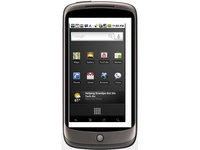
Vodafone might have only just announced that it will be selling the Google Nexus One phone on 30 April, but already stock has run dry.
Users who have to pre-ordered the phone are apparently being told that the Nexus One "is unexpectedly out of stock" according to labby.co.uk.
Quick shortage
The site claims that it ordered the new Google phone in a store as soon as it was announced, and yet received the following email:
"Thank you for placing your order.
"Unfortunately we have suffered a surprisingly high demand for the Nexus One from Google, which means that it is unexpectedly out of stock.
"Please accept our sincere apologies for any inconvenience caused. We hope to have further stock available within 7-10 working days and will contact you again once your order has been dispatched."
Whether this is a glitch in the Vodafone sales machine or a genuine shortage of Googlephones, we're yet to find out. But if true, it would show that Vodafone stocking the Nexus One in its stores is far more fruitful than Google's US method.

| |
Read More ...
O2 delays launch of HTC Desire

O2 - already the last UK network to offer the HTC Desire - has confirmed the phone will take a little longer to appear.
According to O2's blog, the testing of the Desire on its network has thrown up a few issues its keen to resolve before launch:
"Unfortunately the testing we carry out to make sure the phone's ready for launch has taken longer than we had hoped, meaning we won't be able to launch it at the end of April like we originally planned."
How long does testing take?
This isn't the first time O2 has delayed an Android phone - it was the exclusive provider of the first Samsung Android phone, the i7500 Galaxy, but that took a long time to appear on the shelves due the same testing reason.
At least you can check out the tariffs O2 will be offering the HTC on when it finally arrives, so you can decide whether it's the phone for you.
For instance you can buy the phone for £49 on a 24-month contract with unlimited data and texts, and 300 minutes, but you'll have to fork out £30 per month.

| |
Read More ...
Avatar is the most pirated Blu-ray ever

There's no doubting that Avatar has been a phenomenal success on Blu-ray, breaking every record in its path, but this success has meant it has earned itself the dubious title of 'the most pirated Blu-ray film ever'.
According to TorrentFreak, since Avatar's release BitTorrent sites have been awash with torrents for Avatar, with the film clocking 200,000 downloads in the first four days.
This is comparably low when you look at it in relation to DVD piracy, but this may well be down to the massive file sizes Blu-ray needs.
UK pirates
And who is to blame for this pirating? Well, it seems that the UK and Australia have been the most prolific. This is being put down to envy, in that the US got hold of Avatar on Blu-ray first, so us Brits decided to download the movie rather than wait for the official UK release date.
Twentieth Century Fox won't be too concerned about the piracy. Avatar has already sold more than twice the amount of Blu-rays that The Dark Knight did and it looks likely to be the disc to bring the Blu-ray format to the mainstream.
That said, Fox will no doubt be actively looking into ways to stop this sort of piracy from happening again. It does seem pretty straightforward, though – make the release date of a Blu-ray the same the world over.

| |
Read More ...
Fraudsters turn to Vishing and SMiShing

Forgetting Phishing – high tech fraudsters are turning to Vishing and SMiShing to lure unsuspecting fools out of their personal details and money.
Phishing – the Nigerian prince/lottery win emails that try to get you to part with your cash or information or websites with a similar focus – are well-established as one of the internet's evils, but new fraud tricks are appearing all the time.
Apparently two of the new kids on the fraudulent block are Vishing and SMiShing.
Vishing takes advantage of caller ID to pretend to be a famous organisation urging the caller to ring back and use an automated response to hand over their details.
SMiShing on the other hand uses SMS messages – asking people to ring a number and leave information.
SMiShing your money away
"The fraudster will typically provide a phone number for the victim to call, where an automated Voice Response (or Interactive Voice Response – IVR) system will ask for their card number, PIN, address and other financial details," explains David Britton of fraud detection and intervention specialists 41st Parameter.
"These phone systems are typically set up to mimic the legitimate bank phone system, making it difficult for the victim to differentiate.
"In the case of Vishing, the fraudsters are actually exploiting the very mechanism that is intended to protect the victim (Caller ID) to gain a level of credibility and trust.
"The fraudster will typically use the existing phone infrastructure and will spoof the caller ID to make it appear as if a phone call is coming from the organisation they are impersonating.
"They will then prompt the victim to call back at the same number that appears on the caller ID, and then have them enter their personal financial information via an automated response system."
Of course, as with all of these scams, making free with the personal info is fairly idiotic, so if you feel you may fall into the SMiSher-man's net then it's probably best to get a trusted adult to handle your bank accounts.

| |
Read More ...
In Depth: 10 Windows speedup myths to avoid

If your PC seems to have slowed down recently, then there's plenty of help to be found online.
A few minutes at Google will turn up hundreds of speedup guides and tweaking tools, each promising that they can revitalise your system.
And that would be fine, if it wasn't for the fact that many of their tweaks are obsolete, some are urban myths and have never worked, and a few will even cut your performance.
Identifying the dubious tips can be difficult, though, so we've got you off to a head start by listing our top 10.
Despite some of them not doing anything since Windows 98, and others being utterly useless on all versions of Windows, most have regularly appeared in speedup guides and tools across the web. But, as you'll see, they're all best avoided, so you can focus your attention on the speedup tweaks that actually deliver.
1. Always unload DLLs
One of the most common speedup tips covers Windows' use of DLLs. When an application closes down, it's claimed, the DLLs it was using remain in memory for a while, just in case the program is restarted. And so, over time, the system can be wasting a considerable amount of RAM.
However, if you browse to HKEY_LOCAL_MACHINE\Software\Microsoft\Windows\CurrentVersion\Explorer, add a DWORD value called AlwaysUnloadDLL and set it to 1 then you can force Windows to remove the DLLs immediately, freeing up valuable resources.
One immediate problem with this tip is that it's really just turning off a caching system. If Windows keeps DLLs in RAM, then they'll be immediately available for the next application that needs them. Disable this and they'll have to be reloaded from your hard drive, so in some situations the tweak might slow you down.
Fortunately, this is an academic point. A Microsoft document on the AlwaysUnloadDLL Registry key makes it clear that this applies only to Explorer extensions, not all DLLs. And it only works "for operating systems prior to Windows 2000".
2. Boot Vista faster
Vista can take a very long time to load, so it's not surprising that many people leapt at the chance to improve the situation. And it seemed very easy.
The problem, supposedly, was that Vista only used one core during the boot process. If you launched MSCONFIG.EXE, clicked Boot > Advanced Options, checked "Number of processors" and set them to the highest available number, your system would begin to run more quickly.
But, unfortunately, it doesn't. MSCONFIG is actually just setting boot switches that have been around for years (there's a sample list here). But these are included for troubleshooting purposes. If you've old programs that can't run on multicore CPUs, for instance, or one core is faulty, then setting "number of cores" to 1 will disable the other CPUs and perhaps fix the problem.
If you don't set a reduced value, though, Windows will itself detect and use however many cores you have. This tweak doesn't change any of that, and whether it's applied or not, your PC will boot just as it always did.

NO CHANGE: Increasing MSConfig's "Number of processors" setting won't improve your boot time, unfortunately
3. XP and QoS
Long ago it was claimed that Windows XP always reserved 20% of your internet bandwidth for its QoS (Quality of Service) scheme, and so turning this off via GPEdit.msc would make a real difference to download speeds. As per usual, though, this isn't quite true.
Microsoft pointed out that "One hundred percent of the network bandwidth is available to be shared by all programs unless a program specifically requests priority bandwidth. This "reserved" bandwidth is still available to other programs unless the requesting program is sending data"
In other words, if, say, you're using a VoIP tool, and it understands QoS, then it would be able to have priority over 20% of your bandwidth, ensuring you'd always have decent sound quality.
But if you weren't making an internet call then the bandwidth could be used by anything else. And if you were on the phone, then QoS would be helpful - turning it off with this tweak could only have an adverse effect on your system.

DON'T DO IT: Windows XP doesn't always grab 20% of your internet bandwidth - turning off QoS may cause more problems than it solves
4. Level 2 Cache
On some PCs, we've read, Windows doesn't recognise systems Level 2 Cache (a storage area used to improve your system performance). But this is easy to fix.
First launch REGEDIT, go to HKEY_LOCAL_MACHINE\SYSTEM\CurrentControlSet\Control\Session Manager\Memory Management, and create a DWORD value called SecondLevelDataCache. Set this to the appropriate value for your CPU, reboot, and that's it - immediate speedup.
Sounds good, until you take a look at what Microsoft has to say on this topic. And it turns out the setting only applies to Windows NT, and CPUs that have direct-mapped L2 caches.
If your PC has a Pentium II or later then this tweak will do nothing at all.
5. Clear the Prefetch folder
As Windows boots it monitors the files that are needed, storing this data on your hard drive (the \Windows\Prefetch folder). When you next boot this information is used to load the data your system requires ahead of time, and more efficiently, making for a faster boot.
Some speedup guides don't quite see it this way, though. The Prefetch gets too big, they say, stores too much information, and deleting its contents occasionally can actually speed up your system.
We still regularly see tweaking programs that will automate this for you, but the bad news is that it's entirely counter-productive. Pre-fetching is a good thing, and deleting the folder will only slow you down. Here's Microsoft's Ryan Myers:
"it is a bad idea to periodically clean out that folder as some tech sites suggest. For one thing, XP will just re-create that data anyways; secondly, it trims the files anyways if there's ever more than 128 of them so that it doesn't needlessly consume space. So not only is deleting the directory totally unnecessary, but you're also putting a temporary dent in your PC's performance."

BAD IDEA: Despite what some tweaking tools say, emptying the prefetch folder won't improve performance
6. USB polling
Some PC tweaking guides complain that Windows polls your USB controller every millisecond, cutting your performance and preventing laptop CPUs from entering the C3 power-saving state.
But, they say, if you go to HKEY_LOCAL_MACHINE\System\CurrentControlSet\Services\Class\Usb\0000, create a DWORD value called IdleEnable and set it to 1, then Windows will increase the polling interval to 5ms and all will be well.
Are they right? To an extent: Microsoft does have a support document describing this Registry key and the core problem. But it says it applies to Windows 98, Me and 2000 Server SP2. Any performance difference it makes here is likely to be minimal, and there's no reference to it working on Windows XP or later, at all.
7. TCP offloading
Some of the tasks involved in sending data across your network can in many cases be carried out by the CPU on your network adapter, says another tweak, and enabling this will improve performance. Just go to HKEY_LOCAL_MACHINE\SYSTEM\CurrentControlSet\Services\Tcpip\Parameters, create a new DWORD value called DisableTaskOffload and set it to 0.
The problem here? Windows generally enables offloading automatically already. This Registry setting, as its name suggests, exists to allow you to turn the offloading feature off, for network troubleshooting. A Microsoft document on TCP/IP Registry settings confirms that its default setting is already 0, enabling offloading, and so manually adding the value yourself won't change anything.
What's more, TCP Offloading may not always be a great idea. A recent blog post from one of Microsoft's support teams reported they'd spent hundreds of hours on cases involving offloading, and details one where the answer to a performance problem was to turn it off.
8. ConservativeSwapfileUsage=1
Windows will sometimes use the swap file before it needs to do so, we've sometimes read, forcing data out of fast RAM and onto your slow hard drive unnecessarily. But, so the story goes, by adding the line ConservativeSwapfileUsage=1 to the [386enh] section of your System.ini file then the problem will be solved.
Of course it's not quite as simple as that. A Microsoft document explains that enabling this setting doesn't improve speeds, rather it comes at "some cost in overall system performance". Not that it matters to most people, because the document refers to its use in Windows 95 and 98 only - the setting will have no effect on any later version of the operating system.
9. LargeSystemCache
One common Windows speedup recommendation is that you should increase the memory for file system caching. Just point REGEDIT at HKEY_LOCAL_MACHINE\SYSTEM\CurrentControlSet\Control\Session Manager\Memory Management, create a DWORD value called LargeSystemCache (if it doesn't already exist) and set it to 0.
The first question to ask here is: why? Giving more memory to the file cache means less RAM for everything else, after all. How can you be sure that you'll benefit?
And sure enough, if you look at Microsoft's documentation then there are plenty of warnings. This setting is "designed for use with Windows server products that act as servers", they say, and "is not designed for everyday desktop use".
Another Microsoft document explains the setting specifies that "the system favour the system-cache working set rather than the processes working set." That is, Windows memory demands will take priority over your own applications.
If you apply this tweak to a regular edition of Windows, on a PC that rarely runs applications because you're using it as a network server, then it may help. If you're using it on a normal desktop, though, there's a strong chance that you'll actually be reducing your system's performance.
10. IRQ8Priority
An Interrupt Request (IRQ) is a signal used by devices to grab the attention of your CPU. A common speedup tweak says you can improve your PCs performance by changing the priority of some of these IRQs, particularly #8, the system clock. And to do this you must point REGEDIT at HKEY_LOCAL_MACHINE\SystemCurrentControlSetControlPriorityControl, create a new DWORD value called IRQ8Priority and set it to 1 (for the highest priority).
There are problems with this idea, though.
Like, it doesn't make any sense: there's no reason to believe that somehow boosting the priority of the system clock would help your system speed (and no-one suggesting this ever offers an explanation).
And we couldn't find a single reference to the setting on Microsoft's site.
Still, we couldn't find anything from Microsoft debunking the tip, either, so we decided to try it out for ourselves. We benchmarked a Windows Vista PC using Passmark PerformanceTest, and it scored 756.0.
We applied the IRQ8Priority tweak, rebooted, ran PerformanceTest again and scored: 748.1, fractionally slower. It hadn't really cut our performance, this was within the benchmark's margin of error, but it hadn't improved our system speeds, either. Like so many PC optimisation tweaks, IRQ8Priority turned out to do nothing useful at all.

POINTLESS: Benchmarking our test PC showed the IRQ8Priority tweak had no effect whatsoever

| |
Read More ...
Android 2.2 coming with Flash as standard

Google's next update to its Android platform will come with some special sauce, in the shape of integrated Flash support.
In an interview with the New York Times, VP of Engineering at Google Andy Rubin confirmed that Android 2.2 (or Froyo to its friends) will be packing the extra support.
What's not clear is whether this will be the Flash 10.1 we've been hearing so much about for Android - which would mean a delay for the upgrade.
Waiting, waiting...
We're still waiting to hear about a release date for the new Froyo upgrade (which we still know very little about) but given Adobe has said that Flash 10.1 won't be coming until later in the year, if it was part of Android 2.2 then we're in for a bit of a wait.
Of course, there's always the argument that constant updates are fragmenting the market, with issues like HTC Hero owners being forced to wait a year to be brought up to speed with latest Android version.
So perhaps leaving Froyo in the wilderness will help the market catch up - or at least give us long enough to get bored of playing with Live Wallpapers and want to find something else to waste time on.

| |
Read More ...
Exclusive: AMD talks about its 'Fusion' iPad rivals

AMD believe that its 'Fusion' product has the potential to revolutionise the tablet market when it arrives in 2011, with the APU offering the processing power to make things like Flash processing and high quality video a breeze.
Fusion is AMD's attempts to bring its ATI graphics processors and the CPUs that established its reputation together onto a single die offering an accelerated processing unit, or APU.
With the Apple iPad's huge early sales showing the public desire for tablet computers, AMD's vice president of marketing, Leslie Sobon, told TechRadar that the company was already thinking about this type of device.
"That's all going to come to life in a very compelling way with the Fusion product," said Sobel.
"Think about the advantages you get from a power performance and a form-factor perspective when you can take GPU and CPU and put them on the same die.
"You get enormous power efficiencies which is going to enable, not only things like tablet and slate, but these great experiences when you use it."
Flash - will save every one of us?
Sobel believes that being able to cope with things like the much maligned Flash content that is rife on the internet, is crucial – and, obviously, a feature that Apple's iPad lacks.
"The form factor is one thing but you have to be able to have a great experience with a tablet," added Sobon.
"Multi-task, watch flash videos; there are things you are going to want to do as a user.
"People know what they want and web video is pretty much in the top three of every wish list.
"They might not think of it as web video – they certainly dont think of it as Flash - all they know it when they go to YouTube they want it to work.
"They don't want it to flicker and all the better if they can get it in HD or upscale it and that kind of thing."

| |
Read More ...
Google planning assault on casual gaming market

Google has clearly seen the trend in today's workforce for slacking off, and has bought gaming firm Labpixies to take advantage.
One of the first names to get involved with iGoogle at conception, Labpixies has created such time-destroying games as Flood-it.
There's very little information on why Google has decided this company should become one of its web harem, but we can only assume it falls into the realms of 'spend more time on Google, Google makes cash'.
So good, we bought the company
Here's what the official blog has to say about acquiring the company it has worked closely with to create a few collaborative games:
"Recently, we decided that we could do more if we were part of the same team, and as such, we're thrilled to announce the acquisition of Labpixies.
"We are looking forward to working with Labpixies to develop great web apps and leverage their knowledge and expertise to help developers and improve the ecosystem overall."

| |
Read More ...
The Vodafone 845: Android on a budget

After months of speculation on the web, the Android-toting Vodafone 845 has finally stepped into the spotlight.
This is the first Vodafone-branded handset to run on Android, and comes with some pretty bog-standard specs as befits its budget category.
TechRadar brought you news of this phone a month or so ago, with a mooted price tag of £130 - although there's no official price tag on the Vodafone 845 despite being heralded as budget.
Éclair in the box
We're talking a 2.8-inch resistive screen, a 3.2MP camera and a 'suite' of Vodafone 360 Apps meaning you can socially network with your buddies and get access to unlimited tunes with Vodafone Music.
However, the Vodafone 845 is starting from the right point: from release it will be running Android 2.1, meaning integrated Exchange support and (hopefully) live wallpapers.
Still, at least we've got a May UK release date, so if you've been yearning for a cheap Android buddy and aren't enamoured by the T-Mobile Pulse, then perhaps this is the phone for you - go check it out now.

| |
Read More ...
Exclusive: AMD: desktop PC is alive and kicking

AMD's Leslie Sobon believes that the desktop PC is due a resurgence, and is hoping that the company's Leo and Dorado platforms and the six-core Thuban processor can give the industry a shot in the arm.
With laptops and desktops now dominating sales, you would be forgiven for thinking that the desktop is in terminal decline.
However, Sobon, AMD's vice president of marketing, insists that there is life in the old desktop dog yet.
Hanging in
"As much as people keep talking about the demise of desktops they're hanging in there," Sobon told TechRadar.
"The market is on our side from everything that we've seen. There is still cool technology coming…and enthusiasts will always keep it alive so it's not going to die."
AMD's high-profile Thuban processors, combined with the mainstream Dorado and higher-end Leo platforms are arriving, and Sobon believes that this brings huge benefits.
"We've got two new platforms that we are launching - the first one is Dorado which is clearly for the mainstream – it's dual, triple and quad, both discrete and UMA configurations, but it's really entry on up," she said
"Leo sits at the top end: our six core desktop product that's really for the hardcore gamer or the video enthusiasts that are editing and creating movies.
"These groups want either the headroom, because they feel the games are going to get there, or with video to take advantage of all the cores right now."
Budget friendly
AMD are keen to continue their sensible pricing strategy – not breaking the bank for enthusiasts and gamers.
"This six core product is going to be very affordable – you can see it in PCs at under $1000 so we're going to keep our mantra of 'best price performance'," added Sobon.
"So it's going to be absolutely accessible to the enthusiast community who want to buy a finished PC or, of course, build their own."

| |
Read More ...
In Depth: Linux audio explained

There's a problem with the state of Linux audio, and it's not that it doesn't always work. The issue is that it's overcomplicated.
This soon becomes evident if you sit down with a piece of paper and try to draw the relationships between the technologies involved with taking audio from a music file to your speakers: the diagram soon turns into a plate of knotted spaghetti.
This is a failure because there's nothing intrinsically more complicated about audio than any other technology. It enters your Linux box at one point and leaves at another. If we were drawing the OSI model used to describe the networking framework that connects your machine to every other machine on the network, we'd find clear strata, each with its own domain of processes and functionality.
There's very little overlap in layers, and you certainly don't find end-user processes in layer seven messing with the electrical impulses of the raw bitstreams in layer one.
Yet this is exactly what can happen with the Linux audio framework. There isn't even a clearly defined bottom level, with several audio technologies messing around with the kernel and your hardware independently.
Linux's audio architecture is more like the layers of the Earth's crust than the network model, with lower levels occasionally erupting on to the surface, causing confusion and distress, and upper layers moving to displace the underlying technology that was originally hidden.
The Open Sound Protocol, for example, used to be found at the kernel level talking to your hardware directly, but it's now a compatibility layer that sits on top of ALSA. ALSA itself has a kernel level stack and a higher API for programmers to use, mixing drivers and hardware properties with the ability to play back surround sound or an MP3 codec.
When most distributions stick PulseAudio and GStreamer on top, you end up with a melting pot of instability with as much potential for destruction as the San Andreas fault.
ALSA
Inputs: PulseAudio, Jack, GStreamer, Xine, SDL, ESD
Outputs: Hardware, OSS
As Maria von Trapp said, "Let's start at the very beginning." When it comes to modern Linux audio, the beginning is the Advanced Linux Sound Architecture, or ALSA.
This connects to the Linux kernel and provides audio functionality to the rest of the system. But it's also far more ambitious than a normal kernel driver; it can mix, provide compatibility with other layers, create an API for programmers and work at such a low and stable latency that it can compete with the ASIO and CoreAudio equivalents on the Windows and OS X platforms.
ALSA was designed to replace OSS. However, OSS isn't really dead, thanks to a compatibility layer in ALSA designed to enable older, OSS-only applications to run. It's easiest to think of ALSA as the device driver layer of the Linux sound system.
Your audio hardware needs a corresponding kernel module, prefixed with snd_, and this needs to be loaded and running for anything to happen. This is why you need an ALSA kernel driver for any sound to be heard on your system, and why your laptop was mute for so long before someone thought of creating a driver for it.
Fortunately, most distros will configure your devices and modules automatically. ALSA is responsible for translating your audio hardware's capabilities into a software API that the rest of your system uses to manipulate sound. It was designed to tackle many of the shortcomings of OSS (and most other sound drivers at the time), the most notable of which was that only one application could access the hardware at a time.
This is why a software component in ALSA needs to manages audio requests and understand your hardware's capabilities. If you want to play a game while listening to music from Amarok, for example, ALSA needs to be able to take both of these audio streams and mix them together in software, or use a hardware mixer on your soundcard to the same effect.
ALSA can also manage up to eight audio devices and sometimes access the MIDI functionality on hardware, although this depends on the specifications of your hardware's audio driver and is becoming less important as computers get more powerful.
Where ALSA does differ from the typical kernel module/device driver is in the way it's partly user-configurable. This is where the complexity in Linux audio starts to appear, because you can alter almost anything about your ALSA configuration by creating your own config file – from how streams of audio are mixed together and which outputs they leave your system from, to the sample rate, bit-depth and real-time effects.
ALSA's relative transparency, efficiency and flexibility have helped to make it the standard for Linux audio, and the layer that almost every other audio framework has to go through in order to communicate with the audio hardware.
PulseAudio
Inputs: GStreamer, Xine, ALSA
Outputs: ALSA, Jack, ESD, OSS
If you're thinking that things are going to get easier with ALSA safely behind us, you're sadly mistaken. ALSA covers most of the nuts and bolts of getting audio into and out of your machine, but you must navigate another layer of complexity.

This is the domain of PulseAudio – an attempt to bridge the gap between hardware and software capabilities, local and remote machines, and the contents of audio streams. It does for networked audio what ALSA does for multiple soundcards, and has become something of a standard across many Linux distros because of its flexibility.
As with ALSA, this flexibility brings complexity, but the problem is compounded by PulseAudio because it's more user-facing. This means normal users are more likely to get tangled in its web. Most distros keep its configuration at arm's length; with the latest release of Ubuntu, for example, you might not even notice that PulseAudio is installed.
If you click on the mixer applet to adjust your soundcard's audio level, you get the ALSA panel, but what you're really seeing is ALSA going to PulseAudio, then back to ALSA – a virtual device.
At first glance, PulseAudio doesn't appear to add anything new to Linux audio, which is why it faces so much hostility. It doesn't simplify what we have already or make audio more robust, but it does add several important features. It's also the catch-all layer for Linux audio applications, regardless of their individual capabilities or the specification of your hardware.
If all applications used PulseAudio, things would be simple. Developers wouldn't need to worry about the complexities of other systems, because PulseAudio brings cross-platform compatibility. But this is one of the main reasons why there are so many other audio solutions.
Unlike ALSA, PulseAudio can run on multiple operating systems, including other POSIX platforms and Microsoft Windows. This means that if you build an application to use PulseAudio rather than ALSA, porting that application to a different platform should be easy.
But there's a symbiotic relationship between ALSA and PulseAudio because, on Linux systems, the latter needs the former to survive. PulseAudio configures itself as a virtual device connected to ALSA, like any other piece of hardware. This makes PulseAudio more like Jack, because it sits between ALSA and the desktop, piping data back and forth transparently.
It also has its own terminology. Sinks, for instance, are the final destination. These could be another machine on the network or the audio outputs on your soundcard courtesy of the virtual ALSA. The parts of PulseAudio that fill these sinks are called 'sources' – typically audio-generating applications on your system, audio inputs from your soundcard, or a network audio stream being sent from another PulseAudio machine.
Unlike Jack, applications aren't directly responsible for adding and removing sources, and you get a finer degree of control over each stream. Using the PulseAudio mixer, for example, you can adjust the relative volume of every application passing through PulseAudio, regardless of whether that application features its own slider or not. This is a great way of curtailing noisy websites.
GStreamer
Inputs: Phonon
Outputs: ALSA, PulseAudio, Jack, ESD
With GStreamer, Linux audio starts to look even more confusing. This is because, like PulseAudio, GStreamer doesn't seem to add anything new to the mix. It's another multimedia framework and gained a reasonable following of developers in the years before PulseAudio, especially on the Gnome desktop.
It's one of the few ways to install and use proprietary codecs easily on the Linux desktop. It's also the audio framework of choice for GTK developers, and you can even find a version handling audio on the Palm Pre.
GStreamer slots into the audio layers above PulseAudio (which it uses for sound output on most distributions), but below the application level. GStreamer is unique because it's not designed solely for audio – it supports several formats of streaming media, including video, through the use of plugins.
MP3 playback, for example, is normally added to your system through an additional codec download that attaches itself as a GStreamer plugin. The commercial Fluendo MP3 decoder, one of the only officially licenced codecs available for Linux, is supplied as a GStreamer plugin, as are its other proprietary codecs, including MPEG-2, H.264 and MPEG.
Jack
Inputs: PulseAudio, GStreamer, ALSA,
Outputs: OSS, FFADO, ALSA
Despite the advantages of open configurations such as PulseAudio, they all pipe audio between applications with the assumption that it will proceed directly to the outputs. Jack is the middle layer – the audio equivalent of remote procedure calls in programming, enabling audio applications to be built from a variety of components.

The best example is a virtual recording studio, where one application is responsible for grabbing the audio data and another for processing the audio with effects, before finally sending the resulting stream through a mastering processor to be readied for release. A real recording studio might use a web of cables, sometimes known as jacks, to build these connections. Jack does the same in software.
Jack is an acronym for 'Jack Audio Connection Kit'. It's built to be low-latency, which means there's no undue processing performed on the audio that might impede its progress. But for Jack to be useful, an audio application has to be specifically designed to handle Jack connections. As a result, it's not a simple replacement for the likes of ALSA and PulseAudio, and needs to be run on top of another system that will generate the sound and provide the physical inputs.
With most Jack-compatible applications, you're free to route the audio and inputs in whichever way you please. You could take the output from VLC, for example, and pipe it directly into Audacity to record the stream as it plays back. Or you could send it through JackRack, an application that enables you to build a tower of real-time effects, including pinging delays, cavernous reverb and voluptuous vocoding.
This versatility is fantastic for digital audio workstations. Ardour uses Jack for internal and external connections, for instance, and the Jamin mastering processor can only be used as part of a chain of Jack processes. It's the equivalent of having full control over how your studio is wired. Its implementation has been so successful on the Linux desktop that you can find Jack being put to similar use on OS X.
FFADO
Inputs: Jack
Outputs: Audio hardware
In the world of professional and semi-professional audio, many audio interfaces connect to their host machine using a FireWire port.
This approach has many advantages. FireWire is fast and devices can be bus powered. Many laptop and desktop machines have FireWire ports without any further modification, and the standard is stable and mostly mature. You can also take FireWire devices on the road for remote recording with a laptop and plug them back into your desktop machine when you get back to the studio.
But unlike USB, where there's a standard for handling audio without additional drivers, FireWire audio interfaces need their own drivers. The complexities of the FireWire protocol mean these can't easily create an ALSA interface, so they need their own layer.
Originally, this work fell to a project called FreeBOB. This took advantage of the fact that many FireWire audio devices were based on the same hardware. FFADO is the successor to FreeBOB, and opens the driver platform to many other types of FireWire audio interface.
Version 2 was released at the end of 2009, and includes support for many units from the likes of Alesis, Apogee, ART, CME, Echo, Edirol, Focusrite, M-Audio, Mackie, Phonic and Terratec. Which devices do and don't work is rather random, so you need to check before investing in one, but many of these manufacturers have helped driver development by providing devices for the developers to use and test.
Another neat feature in FFADO is that some the DSP mixing features of the hardware have been integrated into the driver, complete with a graphical mixer for controlling the balance of the various inputs and outputs. This is different to the ALSA mixer, because it means audio streams can be controlled on the hardware with zero latency, which is exactly what you need if you're recording a live performance.
Unlike other audio layers, FFADO will only shuffle audio between Jack and your audio hardware. There's no back door to PulseAudio or GStreamer, unless you run those against Jack. This means you can't use FFADO as a general audio layer for music playback or movies unless you're prepared to mess around with installation and Jack. But it also means that the driver isn't overwhelmed by support for various different protocols, especially because most serious audio applications include Jack support by default. This makes it one of the best choices for a studio environment.
Xine
Inputs: Phonon
Outputs: PulseAudio, ALSA, ESD
We're starting to get into the niche geology of Linux audio. Xine is a little like the chalk downs; it's what's left after many other audio layers have been washed away. Most users will recognise the name from the very capable DVD movie and media player that most distributions still bundle, despite its age, and this is the key to Xine's longevity.
When Xine was created, the developers split it into a backend library to handle the media, and a front-end application for user interaction. It's the library that's persisted, thanks to its ability to play numerous containers, including AVI, Matroska and Ogg, and dozens of the formats they contain, such as AAC, Flac, MP3, Vorbis and WMA.
It does this by harnessing the powers of many other libraries. As a result, Xine can act as a catch-all framework for developers who want to offer the best range of file compatibility without worrying about the legality of proprietary codecs and patents.
Xine can talk to ALSA and PulseAudio for its output, and there are still many applications that can talk to Xine directly. The most popular are the Gxine front-end and Totem, but Xine is also the default back-end for KDE's Phonon, so you can find it locked to everything from Amarok to Kaffeine.
Phonon
Inputs: Qt and KDE applications
Outputs: GStreamer, Xine
Phonon was designed to make life easier for developers and users by removing some of the system's increasing complexity. It started life as another level of audio abstraction for KDE 4 applications, but it was considered such a good idea that Qt developers made it their own, pulling it directly into the Qt framework that KDE itself is based on.
This had great advantages for developers of cross-platform applications. It made it possible to write a music player on Linux with Qt and simply recompile it for OS X and Windows without worrying about how the music would be played back, the capabilities of the sound hardware being used, or how the destination operating system would handle audio. This was all done automatically by Qt and Phonon, passing the audio to the CoreAudio API on OS X, for example, or DirectSound on Windows.
On the Linux platform (and unlike the original KDE version of Phonon), Qt's Phonon passes the audio to GStreamer, mostly for its transparent codec support. Phonon support is being quietly dropped from the Qt framework.
There have been many criticisms of the system, the most common being that it's too simplistic and offers nothing new, although it's likely that KDE will hold on to the framework for the duration of the KDE 4 lifecycle.
The rest of the bunch
There are many other audio technologies, including ESD, SDL and PortAudio. ESD is the Enlightenment Sound Daemon, and for a long time it was the default sound server for the Gnome desktop. Eventually, Gnome was ported to use libcanberra (which itself talks to ALSA, GStreamer, OSS and PulseAudio) and ESD was dropped as a requirement in April 2009.
Then there's Arts, the KDE equivalent of ESD, although it wasn't as widely supported and seemed to cause more problems than it solved. Most people have now moved to KDE 4, so it's no longer an issue.
SDL, on the other hand, is still thriving as the audio output component in the SDL library, which is used to create hundreds of cross-platform games. It supports plenty of features, and is both mature and stable.
PortAudio is another cross-platform audio library that adds SGI, Unix and Beos to the mix of possible destinations. The most notable application to use PortAudio is the Audacity audio editor, which may explain its sometimes unpredictable sound output and the quality of its Jack support.
And then there's OSS, the Open Sound System. It hasn't been a core Linux audio technology since version 2.4 of the kernel, but there's just no shaking it. This is partly because so many older applications are dependent on it and, unlike ALSA, it works on systems other than Linux. There's even a FreeBSD version.
It was a good system for 1992, but ALSA is nearly always recommended as a replacement. OSS defined how audio would work on Linux, and in particular, the way audio devices are accessed through the ioctl tree, as with /dev/dsp, for example.
ALSA features an OSS compatibility layer to enable older applications to stick to OSS without abandoning the current ALSA standard. The OSS project has experimented with open source and proprietary development, and is still being actively developed as a commercial endeavour by 4 Front Technologies. Build 2002 of OSS 4.2 was released in November 2009.

| |
Read More ...
Hulu to abandon its UK expansion plans?

Hulu's impending launch in the UK has hit major problems, with advertising talks with ITV breaking down.
This is according to an unnamed TV executive who has been speaking to the Telegraph about the Hulu situation for some time.
"Hulu's talks with ITV have come to a halt because the broadcaster wants to focus on growing its own catch up service – ITV Player and not syndicate its content out to a third party at the moment," explained the TV exec.
They also noted that: "Hulu has told several people at the British broadcasters that it has been forced to abandon its UK expansion plans after failing to sign any content deals."
Forever delayed?
The main problem Hulu is facing is that it wants to take control of the advertising which will come with the content, but this is something that ITV, Channel 4 and Five aren't happy with doing. So it seems that the situation is at stalemate.
Hulu has seen massive success in the US, mainly due to the calibre of the content it shows on the site for free.
Shows like Desperate Housewives, Fringe and Glee can be found on the service, mainly due to the site being co-owned by News Corp, NBC Universal and Disney.
Back in July 2009, Hulu told press that launching in the UK was its "number one" priority. Since then, however, there has been no news about an official launch date.
The UK landscape of VoD is significantly changing. New figures show that there is a 143 per cent increase in people viewing video on the web in the UK.
BBC iPlayer is a phenomenal success, while the likes of SeeSaw and the upcoming Project Canvas proves that the main broadcasters in the UK are serious about video on demand.
So serious it seems that one of the US' biggest VoD sites can't get into the market. Tell you what America, we'll do a deal - you give us Hulu and we'll let you have the wunderkind that is Spotify.

| |
Read More ...
Apple visits finder of next gen iPhone

Apple reps visited the guy that found the next gen iPhone prototype in a bar, prior to seizing computer equipment from Gizmodo editor Jason Chen last week.
The Apple employees allegedly visited and sought permission to search the Silicon Valley address of the mysterious finder of the next-gen iPhone prototype, according to Wired.com.
The guy's roommate apparently answered the door but would not let them into the house.
Not a sale?
The iPhone prototype was left in a bar in Redwood City by a 27-year-old Apple engineer.
The finder sold it to Gizmodo for $5,000. However, an un-named source said that the $5,000 payment was not a 'sale' but rather was an agreement with Gizmodo for an exclusive story.
The San Jose Business Journal is now reporting that police have identified and interviewed the man who found the phone and sold it to the gadget blog.

| |
Read More ...
Pixel Qi's dual-mode LCD/e-paper displays out soon

Pixel Qi's intriguing 'dual-mode' screen tech, which allows users to switch between a traditional backlit LCD and an e-paper style screen, will soon be available in retail products according to the company.
Various manufacturing delays have now been fixed, and Pixel Qi's CEO has said they are now ready to sell their new tech to 'some of the largest computer companies in the world.'
Notion Ink's Adam tablet PC
Pixel Qi's tech is set to be used in the Notion Ink Adam tablet PC, which we hopefully should hear more about soon. TechRadar has put in calls to contacts at Notion Ink to see if they have any updated plans for a commercial release of the Adam tablet in the near future.
Pixel Qi also recently inked a deal with OLPC to be that organisations tech partner, providing them with their screens for new educational laptops for use in primary schools in the developing world.
Pixel Qi CEO Mary Lou Jepsen notes this week that manufacturing is now at a level where they can deal with the "strong pull from the some of the largest computer companies in the world."
Pixel Qi's partner for its DIY display kit is also set to be announced shortly with the kit set to feature "wider viewing angle technology."

| |
Read More ...
First official build of Mozilla Fennec for Android out

Mozilla has released the first official 'pre-Alpha' build of its Fennec mobile browser for Android devices this week.
Mozilla's pre-Alpha build of Fennec that should work on the Droid and the Nexus One. The company has stressed that the browser is currently only available for testing purposes
The company's Vladimir Vukićević announced the release via his blog noting: "There also aren't yet any automated nightly developer builds or automated updates to this build; it's even more of a pre-nightly build (even earlier than pre-alpha).
"But, it's usable enough that we wanted to get some feedback on it as we continue to develop."
Test out Fennec and Weave
If you want to try it out on your Android device, then head to bit.ly/fennec-android on your phone (making sure you allow your phone to install non-Market apps in the settings beforehand).
Vukićević notes that this version of Fennec has only been tested to date on the Motorola Droid and the Nexus One and that users need to understand that, "it's a debug build, and we haven't really done a lot of optimization yet…this could cause some problems with large pages, especially on low memory devices like the Droid."
He also notes that there's an experimental version of Weave, which you can see more on over at Mozillalabs.com/weave

| |
Read More ...
Ballmer: Natal is Microsoft's most exciting product of 2010

Steve Ballmer has been bigging up Project Natal tech on a current tour of South America, telling execs that it is "the most exciting product" that Microsoft will bring to market this year.
Ballmer also indicated the longer-term plans for Microsoft's motion-sensing system, noting that the tech will move beyond gaming into the rest of our lives very soon.
Ballmer told execs in Bogota, Columbia this week: "Perhaps for me the most exciting product we'll bring to market this year, and it really fits in this context, actually comes out of our videogaming group.
Natal set to control our lives
"You might say, why would I talk to a group of CEOs about videogames? Because the technology actually is very general purpose, and we'll see come into the rest of our lives pretty soon.
"It's a technology that we call Natal. It's a little camera and microphone that sits on top of your TV set. And if you want to control the TV, you don't go get some remote control or big fat gaming thing. If you want to look through TV channels, you just gesture, and the computer recognises your voice, it recognises your gestures.
"And if you think about that in a lot of settings, why am I carrying this thing? I've already forgotten three times where I set it down. I should just be able to go like this, and the camera should recognize that gesture and control the slides for me, and let these kinds of things freely happen."
Microsoft is planning a dedicated Natal press event for E3 prior to the company's main 360 conference.

| |
Read More ...
Workers overwhelmed with Computer Stress Syndrome

Slow boot times, continually crashing PCs and annoying tech support people all add to our overwhelming sense of Computer Stress Syndrome in today's digital society, according to a new study.
We are all digital-dependents now, whether we embrace tech (which TechRadar, of course, does!) or reject it like modern-day Luddites.
As such we find ourselves "increasingly overwhelmed and upset with technical glitches and problems in [our] daily lives," says a new report called "Combating Computer Stress Syndrome."
Computer Stress increases
The report was based on a survey of over 1000 American communications workers by a Customer Experience Board created by the Chief Marketing Officer Council.
It pointed towards "frustrating, complex computers and devices, technical failures, viral infections, and long waits to resolve support issues" as the primary reasons for computer related stress in workers.
The study concluded that: "The reality is that numerous, persistent problems are troubling most computer users, creating unnecessary anguish and anxiety as a result.
"Digitally dependent users are getting fed up and frustrated with the current state of computer related stress, and clearly looking for a better way to address and reduce it.
"Users face a continuous state of technical anxiety and challenge such as setting up new computer products, keeping up with software upgrades and migrating to new applications and operating systems, as well as dealing with malware infections, web threats, identity theft and more."

| |
Read More ...
ARM: Apple purchase would make no sense

The rumoured acquisition of ARM by Apple looks like a story grounded in fantasy after comments from the chip designer's CEO.
Speaking exclusively to TechRadar, Warren East, CEO of ARM, said that any such acquisition would make no sense when ARM is valued at £3 billion.
"[A potential acquisition by Apple] would make no sense. Apple can already utilise ARM, and even if they don't buy the chips from somewhere else they can still license our technology, for millions [of pounds] per annum."
Happy as they are
East also pointed out that ARM is still growing in the microcontroller market, which is keeping its shareholders happy, but any deal "still wouldn't make sense from a customer or shareholder perspective".
Apple was rumoured to be buying ARM to supplement the purchase of chip specialists PA Semi in 2008, whose designs were used in the creation of the iPad.
However, ARM is a much larger firm than PA Semi, and a purchase would represent a big risk for Apple at a time when it is concentrating on keeping pace with the lightning-fast consumer electronics market.

| |
Read More ...
Samsung looking at Android for new TV platform

Samsung is reportedly looking at the Android OS as a possible platform for its future internet connected TVs.
With Google planning to push its OS from the small screen of the mobile into tablets, netbooks and now TVs, Samsung has confirmed it is interested to see what's on offer.
We are considering (working on) Google TVs. We are examining the business feasibility of Google TVs," a spokesperson for Samsung said, according to The Korean Herald.
New space
It is watching to see will happen in the TV space in relation to Android TVs, with Sony apparently signed up to provide the first wave of such devices in 2010/2011.
It seems more likely that Samsung would use its own Bada platform to power its future TVs after comments at the launch, but this announcement shows the Korean firm is still hedging its bets.
Warren East, CEO of ARM told Techradar that he believes Android TVs are very likely in the near future, offering an obvious route for internet-connected displays:
"Google invented Android for the small screen, but in a world of open source developers can take what's out there and stretch it for all kinds of different formats.
"I've no doubt [Android] will be in TVs at some stage, as it's a pervasive platform."

| |
Read More ...
New information on Android 2.2 leaks out
Google's next upgrade to the Android operating system is clearly set to drop in the near future, and a little more information on it has leaked out.
Apparently users will be able to set their phone to automatically upgrade applications in the background, which constant Android users will know is something that's been missing for a while.
The new Android 2.2 (or Froyo to its friends) will presumably give the users to only auto-update the applications they trust, as otherwise it could be a simple Trojan horse for evil developers to destroy your precious phone.
I dub thee Frozen Yogurt
Apart from the naming process, Google has stayed very tight-lipped on the forthcoming release of Android 2.2, as it seeks to keep its powder dry ahead of the final unveiling.
But analytics data has shown that devices are testing the new OS update, which means it's clearly up and running in the darkest dev offices of Google HQ.
We're hoping to hear more on 19 May, when Google chats at the I/O event - until then we'll have to stay speculating on what Froyo will bring us.

| |
Read More ...
Hands on: BlackBerry Pearl 3G review

RIM's development strategy for the BlackBerry range might seem odd to the outside spectator, but there's a method to the madness, demonstrated in the new BlackBerry Pearl 3G.
It might seem like the Canadian firm isn't really moving forward with its range, making a lot of very similar devices with 'and-me' specs.
But the thing with BlackBerry fans is that they find the form they like and stick with it - the wide-keyed Bold, the cheaper Curve or the slim and narrow Pearl.
So RIM decided with the Pearl 3G to simply take the most powerful phone (the Bold 9700) and squish the hardware into a device that's two-thirds the width.

The Pearl 3G is slim to hold in the hand, and is clearly designed to be a more pocket-friendly device.
However, the obvious problem with this form factor on a BlackBerry is the inability to put a full QWERTY keyboard on there - it simply wouldn't fit.

Usually, we're treated to a 'two-letter-per-key' method for the Pearl range, but RIM has taken a different tack here by putting a 'normal' alphanumeric layout on the keyboard.
The keys themselves feel a little plasticky, set in sweeping, curved rows. It's a far cry from the hardcore plastic of the Bold 9700, which feel like they could survive a volcano explosion.

While the innards are something more akin to the high-end Bold range, the chassis has definitely taken cues from the Curve 8520.
For instance, we're seeing rubberised buttons on both sides, for a designated hot key and the volume/camera buttons, and the top houses media keys for easy interaction with the media player.

It works well as a hybrid between the two, and we're impressed with the way RIM has managed to take the best bits of two devices and squeeze them together.
Beyond that design, if you're any kind of BlackBerry fan then you'll be in for a very familiar ride with the OS - the same line up of menu key, call and terminate buttons and backspace all exist.

The trackball has been replaced by the optical trackpad we're getting very used to on BlackBerry devices, and for the most part it worked very well, scrolling through web pages and the like with ease.
There will always be those that miss the tactility of the trackball, but this is a more accurate (and more reliable) option in our opinion.

The messaging on the new keyboard was pretty easy to get your head around - the SureType predictive text was mostly accurate for us, and the button layout familiar, with the space on the '0' key.
However, choosing different words when there are multiple options was sometimes a little difficult as you have to scroll downwards to select each new option - there was no easy key to cycle through as far as we could see.

The delete key was also in the bottom left-hand side of the keyboard, which took some getting used to, but this is probably just more of a design feature and you'll easily get used to.
Video looked pin-sharp on the Pearl 3G, albeit a little bit small - you'll be able to get the likes of iPlayer on there, but we doubt you'll be using this phone to replace a dedicated media viewer.

The camera was a nice effort - the 3.2MP sensor captured some nice pics (although on a small screen photos generally do look nice) and the flash seemed adequate without blowing our mind - although it was hard to properly test it with daylight streaming through the window.
The internet was as swift as we're used to from BlackBerry phones, but we're desperate to get the new WebKit browser on RIM's devices, as the current option is just too clunky for words.

Overall, we were pleased with the Pearl 3G - the addition of the faster data connection and the new Wi-Fi 802.11n signal show that this is a real evolution in the slim device category for RIM.
If you're a fan of the more pocket-friendly BlackBerry range and looking for an upgrade in the next few months, then this looks like a cracking choice - but we'll be bringing you a much more in-depth look in the near future with our definitive review.

| |
Read More ...


No comments:
Post a Comment