

UK theme parks get some Street View love

Google has added 360-degree images of some of the UK's biggest theme parks to its Street View service.
The search giants look to have gotten fed up of taking images of suburban life and decided to point its all-seeing eye on the world of rollercoasters, log flumes and Lego.
Alton Towers, Thorpe Park and Chessington World of Adventure are the theme parks which have been added to Street View via an update, while Legoland and the Sea Life in Weymouth have also been popped in there.
Wizard idea
We know what you are thinking: how did they get the Street View car round the narrow inlets of a theme park? Well, essentially they didn't. The images were taken by one man and his three-wheeled bike.
Merlin Entertainment, who owns all of the theme parks listed above, said about the collaboration: "As attractions like theme parks have grown to offer so many more rides and activities, it can be difficult to fit everything in without a bit of planning!
"Street View will add another dimension to the other tools that we offer our visitors to help in this, and we look forward to adding the facility to more of the Merlin attractions in time."
How long will it be before we get Google Rollercoaster View?

 |  |
Read More ...
Opera Mini on iPhone hits million downloads

Over one million iPhone users downloaded the Opera Mini app on its first day of release this week.
Opera issued a jubilatory press release on its website to announce the news, which also highlights the fact that Opera Mini is currently the number one iPhone application in Apple's App Store.
Opera is popular
Opera Mini has already enjoyed considerable success on Android, Blackberry and Windows Mobile platforms, so it was clear that the Apple iPhone version would be well received.
"Today iPhone users have a choice, and, as the numbers show, they are eager to explore new and faster ways to surf the Web on the iPhone – especially during heavy Web traffic," said Lars Boilesen, CEO, Opera Software.
"With any widely available and frequently downloaded Opera product, we are appreciative of all the feedback we are getting, as it helps us to continually improve our product and better meet the needs of our users."

| |
Read More ...
Blu-ray sees significant sales bounce in 2010

Blu-ray may have not had the dominance in the home entertainment market the world was expecting, but it does look as if the HD discs are starting to gain in popularity.
New stats from the BVA (the British Video Association, not the British Veterinary Association as that would be silly) have revealed that BD sales this year have completely out classed what went on in 2009.
So far, in 2010, there have been 2.7 million Blu-ray discs sold – a whopping 50 per cent increase from the same period last year.
This means that there have been 15.6 million discs sold since the formats launch.
Hoo-ray for Blu-ray
The BVA is obviously very excited by this, with marketing manager Hannah Conduct noting: "While it is fantastic to see such strong growth in market volumes in the run up to Easter, the performance of Blu-ray is especially impressive."
"Growing sales show that the benefits of the format – higher picture quality, superior sound, and an ever-expanding range of titles – are better understood than ever before. The strong sales reflect consumer confidence in Blu-ray."
The price of Blu-ray discs is still at a premium but those savvy enough to look for a bargain can certainly find cheaper discs around. It's definitely not on a par price-wise with DVDs but if consumers keep splurging on Blu-rays the way they seem to be at the moment, then prices will soon slide.
Couple this with the soon to be released 3D Blu-ray format and things are looking very rosy indeed.

| |
Read More ...
In Depth: 6 of the best media streamers compared

We're all going digital and the best thing is that this increasingly means just needing one li'l box sitting underneath your telly to do the whole multimedia dance.
Videos, music, photos; they're all there and ready to be streamed right onto your telly, whether that's in the lounge, kitchen or bedroom. We've got six media boxes, each offering different takes on the media playback conundrum and each at different price and functionality levels.
At their most basic you just get a simple little box that will plug into your TV and playback multimedia data from a couple of sources, such as eSATA or USB.
Step up a little and you're in the realms of network media players. Plugged into the network, wirelessly or via Ethernet, these players will pull content from other devices attached to the network, such as network attached storage (NAS) devices or from PCs you have in other rooms.
Network attached media players are increasingly able to play back video content from the web. Traditionally, this just revolves around the ubiquitous YouTube app many of them come bundled with, which allows you to watch amusing videos of kittens being tickled from the comfort of your sofa, though we can expect more licensed content being accessible via certain devices in the not-too distant future.
Some more advanced media players will have built-in capacity for storage, which usually just requires dropping in a standard 3.5-inch SATA drive, while others offer built-in TV-tuners as well. With both these features together, you've instantly got a complete personal video recorder (PVR) package too.
The bonus of having all this functionality in one, solitary box means that you'll only need one device plugged into your television for that whole media playing malarkey. It also means that you can ditch all the other myriad remotes you've got littered around the living room and hiding behind the cushions of your sofa in favour of having a far more streamlined experience.
There is a battle looming though, and that's the battle between locally stored content, home network or attached drives, and the burgeoning number of content providers setting up through the world wide web tubes.
With the success of home-grown talent such as BBC's iPlayer and Channel 4's 4oD content, the recently-launched BskyB Sky Player, as well as the imminent arrival of America's sweatheart, Hulu, and the in-development SeeSaw, the amount of media we can draw directly from internet sources is growing exponentially.
Few media players have the capabilities or licenses to connect to these services so a fully web-enabled, mini-PC in the living room is surely the only sensible choice then? If you're into that planet-saving palaver though having a single, incredibly low-powered device to manage your multimedia needs is a more sensible choice and that's where these media players come in.
Grab 'n' Go Full HD Media Player - £150
Manufacturer: Conceptronic
Web: www.conceptronic.net
Conceptronic's aesthetically pleasing machine is all matte-black, heavy duty brushed aluminium and fairly singing the song of weighty technology.
At over £150 it's knocking on the gilt-edged door of the Compro machine in price terms, but simply can't compete in terms of connectivity. Sure it's got the requisite HDMI connector and, like the AC Ryan devices, comes with an actual HDMI cable, but the feature set is rather limited.
It's got a single USB port on the rear, a thoroughly fugly remote control and the ugliest on/off switch I've seen. I initially thought it was a factory reset switch.
The Grab 'n' Go is fully wired up in network terms too, with no acknowledgement of the finer things in life such as wireless connectivity. But it will drag content willingly from your networked media libraries, and from locally attached storage via that solitary USB port.
Fortunately, file support is pretty impressive and it's not too shabby in timings when opening files and videos. Playback was also fairly responsive, offering decent subtitle support too.
The boot time of thirty seconds isn't bad, but it's not the easiest thing in the world to actually use. We had a hell of a time actually getting the device to output properly, with a strict regimen of resetting and hammering the video output button on the remote. Easy access this isn't.
That said though, it's a very capable player, but at this sort of price it's severely lacking, when compared to the far more capable opposition.
Verdict: 73
PlayOn!HD - £133
Manufacturer: AC Ryan
Web: www.acryan.com
This is more like it; this is how we want our media players to be: simple, straightforward, fast and functional. The PlayOn!HD has got all that in spades and does it all without making a great fuss in the process.
Initial setup was an absolute doddle. This larger version allows the installation of a full 3.5-inch HDD and will support flavours up to and including 1.5TB. Now that's a whole lotta storage for your multimedia needs! Okay, that does add a hell of a premium to the price, but considering you can pick up 1TB drives for around £50 it's not out of the question.
This also has the benefit of not having to rely on speedy network connections to facilitate in the playing of the full 1080p experience you can get out of the PlayOn!HD.
The software interface is simple and easily navigable, with a responsive, though chunky, remote control to boot. It was also remarkably quick to get onto my network and quickly found all the media on my network PC with barely any setup required.
Like the ASUS O!Play Air box it also gives you a quick mini-preview of the files you are hovering the cursor over, but like the rest of the boxes, it gives you only six filenames on screen at any one time. This means if you've got a large media library, a lot of time is going to be spent trawling through your files one at a time.
We did find that it was lightening fast to boot from a cold start, in comparison with some of the tardy devices on this test, and suffers from none of the subtitle problems.
Where it does fall down is in the online capabilities. There's a whole host of functionality here though, better than anything else at this price.
Verdict: 88
VideoMate T1000W - £179
Manufacturer: Compro
Web: www.comprousa.com
At nigh-on £180 the Compro player is by far the most expensive of the streamers on test, but by the same token it is also the most fully featured.
While there are other devices here that allow you to drop a hard drive inside the machine for some bittorrenting joy and easy video library storage, the T1000W also contains Compro's excellent DVB-T tuner, meaning that you can also record live digital TV too.
It's also capable of both wired and wireless connectivity. Unfortunately, this online connectivity is a little wasted as all it currently offers is a YouTube plug-in and nothing else. We were expecting more to come along in time, but the T1000W has been out long enough for us to suspect there's little in the pipeline.
In local media terms it's fine, with a hugely comprehensive list of compatible formats in both video and audio mode. It's also got a host of input and output options, with 3 USB ports, component HD and HDMI connectors as well as all the audio outputs your amp could wish for.
The GUI is very reminiscent of the PS3's layout, and the bundled remote is thoroughly responsive throughout, but all is far from rosy.
At this sort of price you'd have hoped for a speedier setup time, but it takes an absolute age to boot from a cold start. It also takes a fair while starting up web, local or networked content, which is almost unforgivable. We also had a few issues with some standard subtitle formats, which it purports to support and for this price you'd expect more.
It's a stylish, silent, fairly powerful beast, and could cater for all your media needs, but it might just be a slightly frustrating experience.
Verdict: 83
O!Play Air HDP-R3 - £80
Manufacturer: Asus
Web: uk.asus.com
Asus' new Realtek-powered media box, the bizarrely-named O!Play HDP-R1 is sold as the easiest way to enjoy HD content in the living room and with no setup required aside from choosing the display format and time zone, it's not far from it.
It takes a few seconds to boot into its solid, if visually uninspiring, menu-screen then it's just a question of plugging your media into either the built-in card-reader, USB device or combo eSATA/USB port.
It's got a raft of codecs ready to play too, including the downloader's favourite HD wrapper, .MKV.
The video interface is very neat too, giving a rolling preview by simply highlighting a particular file, and playback is then only a click away and starts up quickly, which is refreshing. For someone into their pretentious foreign subtitled films (like me) the added bonus of .SRT, .SUB, .SMI and .SSA support is fantastic and with the in-video menu-screen you can tweak the subs to your own tastes too.
Network play is less impressive and we had serious problems streaming HD content across a wired network. Sure, it can play all your hi-def, .MKV packed 1080P loveliness without batting an eyelid, off your external hard drive or USB key, but you're going to have difficulty getting it playing smoothly over Ethernet.
The O!Play HDP-R1 isn't going to set the world alight, and I'd rather have some internal storage, but hooked up to a decent NAS device or with a fat USB stick stuck in the side it should fulfil your basic media player needs.
Verdict: 81
PlayOn!HD Mini - £87
Manufacturer: AC Ryan
Web: www.acryan.com
All the PlayOn!HD Mini is lacking in comparison with it's big brother is the space for a internal HDD. It's still using the same Realtek chipset and is just as fast.
It comes with a virtually identical operating system and that same chunky remote. In fact, when it's hidden from view you'd be hard pushed to tell from your experience alone which version of the PlayOn!HD you were using.
It is far smaller than its brethren, making it an incredibly neat little package. It's around the same sort of size as the Asus box, but outperforms it on pretty much all fronts despite using the same Realtek chip.
The AC Ryan interface is more useable though this diminutive device still has the same dearth of online content capabilities as the big un. All it has is YouTube, Picasa, Flickr, bittorrent and an almost unusable RSS client.
Considering the otherwise rubbish Netgear device had such a huge amount to offer, this feels like an over-sight. That said this version of the PlayOn!HD is just as functional, despite the removal of the option to add an internal storage. With a decent USB drive this becomes less of an issue, and with the same array of connectivity in the wee beastie as the larger one you can well do without it.
The Compro box may have the double whammy of internal storage and a digital tuner to boot, but if all you need is a decent network media player, then at half the price the AC Ryan PlayOn!HD Mini will take care of all those needs without breaking a sweat, or a decibel.
Verdict: 90
Digital Entertainer Live - £90
Manufacturer: Netgear
Web: www.netgear.co.uk
Things didn't start off too badly for Netgear's li'l Entertainer, unfortunately by beginning with that statement you already know that things don't end up that way…
It's a neat-looking box, with the same low-profile stylings as the Netgear routers we know and loathe. As such it comes with a weighty line up of online goodies.
Straight out of the box and hooked up to the network I had immediate access to a host of live internet streams, such as BBC1 to 4, ITV1 to 4, Film Four, Channel 4 and E4 to name a few.
There's the ubiquitous YouTube plug-in, but you also get access to a fair few other internet video repositories. It even comes with a trial of the paid-for VuNow service which grants access to around 200 other sites, but would seem to be a little irrelevant in real terms. But it can hook up to your Netflix account, though much of the other stand out connections are US-only feeds.
So far so good, but things take a turn for the worse when you actually try and use it as a standard media player. Despite claiming to support HD media the unit refused to cope with the commonplace .MKV file format. It was also a bit of a nightmare trying to get it to talk to my home PC on which sits my media library.
As most of the files are on a separate HDD to my OS drive the Digital Entertainer Live couldn't see it. It also committed the cardinal sin of not playing subs files, which is definitely unforgivable.
Verdict: 68
------------------------------------------------------------------------------------------------------

| |
Read More ...
MySpace moves into live music

MySpace is moving into live music and gigs, allowing artists to sell tickets to events on their profile pages.
The really surprising aspect of this news is the fact that it has taken the social networking service so long to monetise live events by musicians.
Gigs with friends
The new platform on MySpace also includes a calendar tool so fans can follow what acts are doing, when tours are planned and when tunes are being released commercially.
The current MySpace database has around 1 million shows already happening this year.
When you buy a ticket using the MySpace Events platform, your friends on the service will also be able to see what gig you are going to.

| |
Read More ...
Review: Thermaltake Frio

Marking the return of the big-boy CPU coolers is Thermaltake's monstrous Frio cooler.
Tagged as 'designed for overclocking' you can see why; not only is the heatsink chunky, but there is the option to slot twin fans either side for optimum cooling.
But when you're dropping £50 on an air-cooled CPU chiller you're going to want something special. So how special is the Frio?
Well, as an all-round package it's special indeed. The compatibility list is extensive, covering the gamut from AM2, through LGA 775 Celerons right up to Socket 1366 Core i7 Extreme chips. When you can support CPUs with TDPs going right up to 220W you've got all your bases covered.
It's also a doddle to fit. True, you will have to uproot your mobo (unless you've got a fancy smancy case with access to the back plate) but all it takes is tweaking a few nuts. It also fits remarkably well on a mobo, sitting snugly in the square between chipset heatsinks, RAM slots and the power regulator blocks.
Chilly performance
In performance terms it is mighty impressive, keeping our idling Core i7 860 down around 19°C and when fully loaded it still only gets up to a fairly balmy 49°C.
Another bonus of the twin turbines sitting alongside the heatsink is that each has its own fan speed control. Turn them both up to maximum and you can shave several degrees off that temperature.
But I'll always keep coming back to the price; for that sort of money you're into closed-loop watercooling territory. Setups like Corsair's H50-1 and CoolIT's range of chillers are perfectly positioned for overclocked chips and this turbine is just a little bit too pricey to compete effectively.
Related Links
| |
Read More ...
PS3 won't get 3D Blu-ray support this summer

Sony has announced that its 3D firmware update which is being piped to its latest range of Blu-ray players and the PlayStation 3 will not make the PS3 compatible with upcoming 3D Blu-rays.
Instead, the update will ready the console for 3D games, of which there will be four in June.
The four titles coming out in a 3D flavour are: Wipeout HD, Motorstorm Pacific Rift, PAIN and Super Stardust HD.
The PlayStation 3 will eventually get 3D Blu-ray compatibility but this is to come in the form of another firmware update later in the year.
3D bundles
While it's great that Sony will be offering 3D for free on the PS3, the delay of 3D Blu-ray on the console will be a blow to those PS3 owners looking to buy a 3D TV and save money on not purchasing a 3D Blu-ray player.
Sony announced this week that it will be offering bundle deals with its 3D Blu-ray player range.
The company also unveiled its first 3D Blu-ray release Cloudy With A Chance Of Meatballs will be coming to Europe in June – something which is bound to tease those waiting longingly for the PS3 3D firmware update.

| |
Read More ...
PS3 won't get 3D Blu-ray support this summer
Sony has announced that its 3D firmware update which is being piped to its latest range of Blu-ray players and the PlayStation 3 will not make the PS3 compatible with upcoming 3D Blu-rays.
Instead, the update will ready the console for 3D games, of which there will be four in June.
The four titles coming out in a 3D flavour are: Wipeout HD, Motorstorm Pacific Rift, PAIN and Super Stardust HD.
The PlayStation 3 will eventually get 3D Blu-ray compatibility but this is to come in the form of another firmware update later in the year.
3D bundles
While it's great that Sony will be offering 3D for free on the PS3, the delay of 3D Blu-ray on the console will be a blow to those PS3 owners looking to buy a 3D TV and save money on not purchasing a 3D Blu-ray player.
Sony announced this week that it will be offering bundle deals with its 3D Blu-ray player range.
The company also unveiled its first 3D Blu-ray release Cloudy With A Chance Of Meatballs will be coming to Europe in June – something which is bound to tease those waiting longingly for the PS3 3D firmware update.

| |
Read More ...
Intel gives first look at MeeGo interface

MeeGo has been given its first proper outing at Intel's Developer Forum in Beijing.
While Nokia and Intel announced the merger of Moblin and Maemo back at Mobile World Congress in February, there were no demos at the event and only minimal details.
So here are some screenshots of the OS, courtesy of Engadget. We know what you're thinking – Windows Phone 7. And we'd have to agree, the furniture does look very similar to Microsoft's new mobile OS.

However, because these screenshots are from a device such as the Nokia N900, there's a lot more screen real estate then there would be on a traditional mobile handset. Also scroll down for a vid of MeeGo in action on a netbook.
Nokia told TechRadar at Mobile World Congress that MeeGo was very much orientated towards mobile computing devices such as the N900 rather than standard mobile phones and that MeeGo wasn't trying to pull the rug from under Symbian.

The joint venture hasn't been slow to attract support - Acer, Asus, BMW, EA Mobile, Gameloft, Novell, PixArt, Red Flag, ST-Ericsson, Tencent, TurboLinux, VietSoftware, Wind River, WTEC, and Xandros are among the extensive list namechecked by Intel.
"Acer was an enthusiastic adopter of Moblin and we're excited about Moblin's evolution into the MeeGo software platform," said Jim Wong, senior corporate vice president and president of IT Products Global Operations at Acer.
"We're looking forward to ecosystem innovation that will be enabled by the open nature of MeeGo."
S.Y. Shian, vice president and general manager of Notebook Business Unit at Asus added. "As the netbook market grows, Asus is continually exploring offerings that optimize this computing experience and address the specific needs of today's netbook customers."
The first release of MeeGo is expected in the second quarter of this year with applications available in both Intel's AppUp Center and Nokia's Ovi Store.
Via Engadget.

| |
Read More ...
Xbox Live 1.0 is dead

Microsoft has shut down the servers on the original Xbox Live service this week, bringing a defining era in the emergence of online gaming to an end.
Gamers – in typically hyperbolic fashion – are referring to it as the 'Xboxalypse', commemorating the end of the first Xbox Live's seven-and-a-half year lifespan.
Bye Xbox Live
Giantbomb streamed its final Halo 2 session earlier this week to mark the passing of Microsoft's online service.
"We'll be playing loads of Halo 2 and other Xbox classics," noted the Xbox fans. There are sure to be a few hardcore Halo fans mourning the end of the original Xbox Live this week.
"And so, without further ado," the lament continues, "LET THE XBOXALYPSE BEGIN!!!"
Jon Hicks, Editor on Official Xbox 360 magazine, added: "It's a solemn day. The first version of Xbox Live pioneered console multiplayer, and laid the groundwork for everything that's come since – and did so off the back of some genuinely classic games, as proven by the fact they're still being played right up until the plug is finally pulled.
"It's a shame they can't live on, but their demise does mean bigger, better things for the Xbox Live service. We're expecting to hear more about that at E3."

| |
Read More ...
Review: Archos 9

Archos is best known for its range of personal media players, although it recently entered the computing market with the Archos 10 netbook. The Archos 9 touchscreen tablet is its latest venture, but sadly proves frustrating to use.
At first glance the device looks smart. The chassis is solid and thin, although prolonged use can be awkward due to the weight. Thankfully a fold-out stand takes the burden when used at a desk.
Battery life - at 311-minutes - is excellent. The bright and sharp 8.9-inch screen makes up the bulk of the unit and impresses when used in darkened interiors. However, the highly reflective coating greatly limits outdoors use.
With an Intel Atom Z510 processor on board, performance is comparable to most modern netbooks. Basic office tasks run smoothly, but only the most simple games and multimedia applications will work.
Flawed usability
The greatest flaw is its usability. The touchscreen often proves unresponsive, rendering even the most basic tasks a frustrating experience. Selecting the wrong option in menus is all too easy, while dragging windows around is a shaky affair.
A tiny touch-sensitive panel on the right side of the device can be used as an alternative means of control and fares slightly better. Users will still long for a touchpad or a mouse, however.
An onscreen keyboard has also been included for typing use, but we found it difficult to bring up and operate. The lack of response means typing is laborious, and those with larger fingers will need to increase the dimensions until it covers most of the screen to minimise mistakes.
Connectivity is somewhat limited, with just a single USB port in place. Communication is via 802.11g Wi-Fi and 10/100 Ethernet and an integrated camera is built into the left side of the chassis.
The deeply flawed usability of the Archos 9, combined with the reflective screen, unfortunately make this tablet impossible to recommend.
Related Links
| |
Read More ...
In Depth: The best performing media player for 2010

It's a simple request. Not much to ask, really. But when we double-click on a video or audio file, we'd like it to appear and play right away, please.
And that means no lengthy waits while the disk thrashes, a host of unnecessary components and add-ons load, and the bloated, overcomplicated interface eventually appears. We've no time for that: we want our playback immediately.
It's not just us who feel that way, of course, and the media player developers know it. Which is now just about all of them promise they can deliver the features we need: very fast to load, the ability to handle many different file formats, and then play them back with only the minimum drain on our system resources.
Sounds great, but there's a problem. While everyone claims their own player is fast, responsive, lightweight, they never provide any figures to back this up. It's all just marketing speak. So how are you supposed to find out which player delivers the best performance?
There was only one solution: test the players ourselves, and so that's exactly what we've done. We took 16 of the best media players around. We then timed how long it took each program to open and begin playing files in six common media formats (MPEG-2, MOV, an XviD AVI, WMV, MP3 and WMA), recording the average CPU utilisation and RAM requirements in each case, and - the results were something of a surprise. Here are the details.
The contenders
We selected the following 16 popular music and video players for the tests.


Media Player Classic Home Cinema 1.3


How we tested
For our test, we first obtained six files in common video and audio formats: a 2 GB XviD AVI file; a 1GB MPEG-2 clip; a 512MB WMV video; a 200MB MOV clip; a 173MB MP3 and 14MB WMA audio files.
A basic test PC was selected, with 4GB of RAM and a 2.2GHz Intel Core 2 Duo E4500 CPU, running Windows Vista. And a baseline hard drive image was taken, to ensure each program would start with the same filters, codecs, and general system configuration.
We then opened each test file five times in each media player, noting the minimum time it took for the program to start playing. This approach effectively removes the hard drive element from the times (the players are accessing files from Windows' cache in RAM), which makes for a more useful comparison later.
And then, during playback, we used Process Hacker to note the average CPU utilisation and private RAM required by each of the players. If a program required multiple modules (SMPlayer being a front end for MPlayer, for instance) then we added the figures for both.
But we made no attempt to optimise performance, beyond turning off visualisations, so our figures represent the values for a standard installation on our test PC only: tweaking may be able to improve things.
The results


* Couldn't play all our test files. Included for reference only.
And the winner is...
The first surprise here is that, for all its terrible reputation, Windows Media Player really didn't perform that badly.
It's not the best, but it's not the worst either, not by a very long shot. Of course some of its components are preloaded by Windows at boot time, an advantage that our other players didn't have.
Another complication was the wide variations in resource use, even in otherwise excellent programs. Media Player Classic Home Cinema consumed only 33 MB of RAM while playing our test MOV, for instance, while KMPlayer gobbled up 144 MB; but in turn KMPlayer reached only 6% utilisation to play back our MPEG-2 video, while CinePlay required 28%.
We're placing a greater importance on startup time, though, and on balance a clear top six have emerged: GOM Player, KMPlayer, Media Player Home Classic Cinema, SMPlayer, VLC Media Player and Zoom Player Professional.
These are all excellent programs, but the standout is VLC Media Player. While its average CPU utilisation is a little high, that's solely because of a very high figure for our MPEG file (28.5%). And we can live with that because of its amazing startup times.
Only GOM Player gets close - otherwise VLC Player is far, far quicker to load and display media files than anything else around, and that's why it's our best performing media player for 2010.
------------------------------------------------------------------------------------------------------

| |
Read More ...
Review: Toshiba NB305-105

Toshiba's NB200 netbook stood out with its fantastic usability and sharp, vibrant screen and is now followed by the NB305-105, another worthy entry to the bustling netbook market.
The 10.1-inch LED backlit screen offers a 1024 x 600-pixel resolution and is typically sharp and bright. This helps to counter any reflectivity from the glossy Super-TFT coating. Colours are well reproduced and images are truly a pleasure to view.
Build quality is excellent, with a durable and attractive chassis holding everything together well. We found the lid showed only a slight degree of flex under pressure, while the hinges are reassuringly solid.
Portability
Portability is another of the Toshiba's strong points, with an impressive 476 minutes of battery life on offer. While its 1.4kg weight means it isn't the lightest netbook, it is still small and light enough to comfortably carry about every day.
The isolated-style keyboard stretches the length of the chassis and the spaces between keys make touch-typing a breeze. However, we found the spacebar to be unresponsive at times on our test model.
The large touchpad offers a smooth, comfortable action, although can occasionally be brushed by accident.
An energy-saving Atom N450 processor is in place and provides basic office performance for browsing the web or typing up documents.
As with most netbooks, the NB305 uses integrated graphics, which provides decent performance for viewing photos and films.
Three USB ports are available for connecting external devices, with one offering Toshiba's Sleep and Charge functionality, allowing portable gadgets such as MP3 players to be charged even when the netbook is switched off. 802.11n Wi-Fi provides high-speed wireless network connectivity.
Overall, the NB305 is a well-built machine that is easy to recommend for its excellent battery life and screen.
Related Links
| |
Read More ...
Twitter now planning official Android app

Twitter has decided after buying Tweetie for the iPhone and turning it into an official application that it will repeat the trick for Android.
Using the Chirp press conference as a forum, Twitter announced that it will be bringing its own official application for Android to mirror the iPhone efforts.
Stick or twi(s)t?
It's still unclear whether Twitter will be porting over key findings from the iPhone to its Android effort (unlikely) or just starting it from scratch - which makes more sense considering the amount of competitors and free APIs kicking around out there.
Android already has some pretty entrenched applications for Twitter in the shape of Twidroid, and pretty nicely wormed into the HTC Sense UI with Peep.
However, an official application would likely be pretty darn popular with newbies to the Android world looking to fill their new phone with the latest applications, so moving into this area makes a lot of Sense for Twitter.

| |
Read More ...
Review: Lenovo ThinkPad Edge

Lenovo's ThinkPad range has traditionally been aimed at the highend business market, but with a lower price and more accessible style, the ThinkPad Edge now opens the brand to a wider market of consumers.
This is the first ThinkPad to be made available in a choice of colours. While this only stretches to black or red, the sleek design and silver trim add to the style, for a subtle yet eye-catching look. A choice of glossy or matt finishes are offered, with the latter proving the most resilient.
As with all ThinkPads, build quality is outstanding. Tough plastics are utilised throughout, making this a machine ideal for use on the road. Weighing 1.8kg and with a 277-minute battery life, ample mobility is provided.
Processor choice
A choice of Intel and AMD processors are available, with the unit we tested being powered by a dual-core AMD chip. Performance is in line with the majority of CULV laptops on the market, suiting basic home and office use, but struggling with more demanding multi-tasking.
Graphics performance fares slightly better. The integrated ATi GPU delivers enough power for running complex multimedia presentations, as well as basic photo and video editing. Both VGA and HDMI ports are in place for connecting to larger screens at home or in the office.
ThinkPad machines are at the cutting-edge of laptop usability and the Edge features a spill-resistant board with a slight twist. This is the first time a ThinkPad keyboard has used an isolated key style board and the result is excellent.
Adding to the interface, Lenovo has implemented both a touchpad below the keyboard and a pointing stick in its centre, each with its own mouse buttons. The touchpad offers gesture-control functionality for scrolling documents and quickly rotating and zooming images.
The use of a glossy Super-TFT screen shows the consumer leanings of this laptop, as business machines traditionally use less reflective matt-finish panels. The 13.3-inch screen is suitably vibrant, with strong brightness levels, but is not quite as sharp as we would have liked.
High-speed wireless connectivity is provided by 802.11n Wi-Fi, with Bluetooth and 3G connectivity offered as optional extras. Three USB ports are in place, with one letting you charge battery-powered devices even when the laptop is off.
By combining the quality and usability of more expensive models with the style and features of a consumer machine, the ThinkPad Edge is another strong addition to the Lenovo range. The low-performance won't suit all needs, but this is a great machine for frequent travel use.
Related Links
| |
Read More ...
HTC planning own mobile OS to rival Apple?
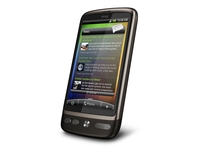
HTC could be planning its own mobile phone operating system, according to reports.
Cheng Hui-ming, Chief Financial Officer for HTC, told Bloomberg that the company was looking at such an issue.
When speaking about whether the company would ever build its own mobile OS, Hui-ming said: "We continue to assess, but that requires a few conditions to justify."
"There are many multiple factors to be considered together, rather than a simple statement as to own or not to own [its own smartphone platform]."
Taking on Apple
The benefit of having its own mobile operating system for HTC is obvious - it would be able to compete with the likes of Apple and RIM by controlling the user experience from start to finish.
That said, HTC has benefited from its close ties with Android and Windows Mobile, so to launch its own OS might destabilise those relationships.
The company is also rumoured to be among the front-runners to buy Palm, which recently was revealed to be up for sale, although Hui-ming declined to comment on whether a bid would be put forward.

| |
Read More ...
Twitter boasts of 105 million registered users

Twitter co-owner Biz Stone has revealed that the site now has 105 million registered users.
He revealed the startling number at a Twitter developer conference, aptly title Chirp, and also mentioned that 30,000 people a day are signing up to tweet.
Chirp is the first of its kind for Twitter and allows devs to show off their talents by 'hacking' the site and offering up new APIs to make Twitter more functional.
Twitter has been around since May 2006, with the first tweet sent by co-founder Jack Dorsey. It simply said: "just setting up my twttr".
This wasn't because he had a hatred for vowels, twttr was the original name for Twitter.
The dev conference is a significant one for Twitter as the micro-blogging site is going into a new phase.
Big changes
This week it was slipped that there will be adverts (sponsored tweets) on the site and the company also recent bought up Tweetie, relauching it as Twitter for the iPhone.
The site may be doing well but it still has some way to go to reach the popularity of Facebook.
As TechRadar exclusively revealed earlier in the year, Farmville – a game found on Facebook - is still currently more popular.
But we all know that, considering the amount of Farmville updates we get from our friends telling us how much straw they are short of a hay bale.

| |
Read More ...
Sony shows off HX803 television and 3D strategy

Sony has officially unveiled its 3D-toting Bravia HX803 television, and will be bundling it with 3D Sony PlayStation games.
Billed as a 'launch model' for 3D, ahead of the 2010 World Cup in which Fifa has picked out Sony as its 3D party, the Sony Bravia HX803 and the LX903 will come with stereoscopic PlayStation games bundled.
Sony also confirmed that it would be bundling 'exclusive 3D Blu-ray disc movies with selected Sony 3DTVs and Blu-ray players'.
"Built upon Sony's very latest 200Hz high frame rate technology that allows viewers to see 3D in full High Definition 1080p fidelity, the High Definition 3D image is further enhanced with the inclusion of 'High Speed Precision, 'LED Boost' and '3D up conversion', three technologies unique to Sony and designed to make the 3D image even clearer and brighter and the 3D experience even more exciting," said Sony's release.
Actively expensive
The televisions use active 3D glasses, so fairly expensive if you want more than the two sets and 3D transmitter that will be available "to complement the new HX803 3D launch model' but only for a limited time.
The LX903 comes with a transmitted built in and glasses as standard, and may be bundled with the likes of Cloudy With a Chance of Meatballs and Deep Sea Blu-ray 3D discs.
And should you happen to live somewhere other than the UK, which won't be getting 3D World Cup broadcasts, then both 3D TVs are capable of adding a little depth to the summer's footy tournament.

| |
Read More ...
Hands on: Microsoft Kin Two review

While the Kin One from Microsoft is unquestionably dinky, the Kin Two is designed to be a much more powerful beast.
Featuring a more traditional rectangular design, the Kin Two is larger and designed to be used two handed, thanks to a keyboard that slides out from the side, rather than the bottom, of the screen.
The headline specs are also improved - an 8MP camera with 720p HD video recording as well as doubling the memory onboard to 8GB.
The same style of keyboard is used on the Kin Two as the Kin One - similar in the fact the keys are the same rounded plastic options, but with a wider spacing thanks to more of a chassis to stick them into.

The slider mechanism is also a little plusher than the Kin One - it feels a little more premium with little plastic grating.
The Kin Two isn't too thick either given the full QWERTY keyboard on offer - something that's going to appeal to the more stylish social networker (but we hope we never meet such a person - they sound hideous).

The chassis is well stocked with buttons - there's a the volume up/down key, a camera shutter button as well as the microUSB cable and 3.5mm headphone jack in a recess at the top of the phone.
The main thing though is the Kin Two feels pleasant to hold in the hand - in both two- and one-handed operation it's an easy phone to pick up and use.

The hardware only tells part of the story though - the Kin Two is far from a dumb feature phone with limited purpose.
The new operating system, which is built on a similar core to that of Windows Phone 7, is all about interaction - specifically offering direct and easy links to social networking and email.

You can synchronise the likes of Facebook, MySpace and Twitter with the phone, downloading friends from each into the contact list.
From there you're able to link them together, with the Kin Two featuring some decent software to give some (usually accurate) suggested links).
Once you're contacts are up and running, you can bust out 'The Loop', which is basically a tiled interface that shows you all the things your friends and followers are up to, with an easy way to comment, retweet and all manner of web 2.0 things from your phone.

Another cool new addition is The Spot, which epitomises the social-media focus of the Kin Two.
You can simply hold, drag and drop practically anything onto it to share with a friend, be it a picture, contact, hyperlink (in the form of a screengrab) over MMS, Text, e-mail or through a social networking site.
It takes a while to get your head around this principle, but once you have and you start sharing a lot of info with people it suddenly seems to make a lot more sense.

The Kin Two also offers you the chance to segregate your favourite people on the phone - these will be close friends and family and not some celebrity you follow on Twitter because you fancy them and hope they'll one day reply to your desperate attempts to contact them.
These people will also automatically be given priority when updating your feeds - meaning you'll get to see what they're saying above the babble of riveting status updates from your old school friends.
The Loop seems to work well as a method of seeing all your friends and interacting with updates and the like - but we'll need to use it for a while to see if it's really usable or turns into a large amount of noise.
Beyond The Loop, there's the apps section - but this is not the same applications you're used to from Apple or Google.

No, Microsoft has decided that there's no need for an application portal on the Kin phones, despite having the Apps Marketplace already up and running for Windows Mobile.
This means there are only a few other basic functions on the phone, such as the internet browser.
To be fair, this isn't the worst browser we've seen on a mobile phone by quite some way - it works well at rendering full HTML, although the loading times are a little slow and the images grainy.

We do like the thumbnail bookmarks offered though, which are accessed by swiping down from the top of the screen.
It's also multi-touch enabled as well thanks to the capacitive screen, which makes it easy to pinch and zoom for a closer look at the words.

The other high point from the 'apps' screen is the media player, which uses the Zune interface to offer up all your music and videos.
It works really well, responding nicely to the touch and organising your music in a simple view, building on the popular Zune interface.
One element we don't think we'll be seeing is the Zune Pass application, a Spotify-style streaming service that you pay $15 a month for in the US.

That's a shame, as along with the social media element of the Kin phones we could see that the two options together would make the handsets really desirable for the teen and early twenty-something market.
The other part of the Kin Two we were impressed with was the camera. Although we didn't get to play with it too much, the early pictures looked impressive from the 8MP sensor.

Microsoft has decided against putting a microSD card slot on these phones, instead preferring to siphon all the content off to the cloud. All your pictures and video are automatically uploaded to the Kin Studio, which presents itself as a timeline of all the media you've captured (apart from HD videos, which have to be sideloaded up the net to preserve quality.
There's also an option to geo-tag your photos and see them presented through the Bing Maps application - making it much easier to work out where your night out went if you can't remember where a snap was taken.

The high end features on the Kin Two could be both a blessing and a curse for those interested in picking up this phone.
On the one hand, having all this cool stuff, like multi-touch and HD video recording, will make it a really desirable phone.
But on the other hand, it's pretty light in some areas (like lacking an app store) and the focus on social networking sounds like it's aimed at teenagers and students. This demographic can't afford to spend a lot on a phone, and if the Kin Two costs more than £200 (which you'd have to think it would given the high end hardware) we can't see it flying off the shelves.

| |
Read More ...
Exclusive: Pics of the UK's first iPad microSIM unveiled

We know that you've been reading all the coverage of the Apple iPad today here on TechRadar and just wishing that there was more of it – perhaps covering a slightly different angle.
Not content with bringing you news from Apple, O2, Orange and Vodafone, we've now got a very exciting exclusive – the first gallery of images showing Vodafone's microSIM card!
Yes, we're excited too – these are ACTUAL pictures of something that looks like a normal SIM card, but it's not.

The excitement never stops
As you can see, it's a) smaller, and b) a COMPLETELY different colour scheme, showing that... well, not really showing anything actually.

Basically, it's a picture of a microSIM with Vodafone branding on there – we've already published our tutorial on how to create your own microSIM card if you want to ruin a perfectly good SIM.
The good thing is that if these microSIMs are knocking around then Apple hopefully won't be delaying the UK release date too much – we don't want it to get in the way of the iPhone HD now, do we?

| |
Read More ...


No comments:
Post a Comment