

Hands on: Sagem Puma Phone review

We recently managed to snag some quality time with the soon-to-be-released Puma Phone to see if sports branding could actually co-exist with a decent handset.
The first thing we noticed about this phone is that it actually seems pretty well put together - a compact handset that sits nicely in the palm.
The polished black plastic doesn't feel too cheap (although we're not sure it matches the mooted £300 price tag) and we like the styling of the three simple buttons on the front with red finish.
There's a 2.8-inch resistive QVGA screen on the front, which again is a little low budget for our tastes, and does suffer from accuracy issues at times.

On the back we see some pretty cool extras - a 3.2MP camera with LED flash and a solar panel to help keep the battery topped up.

Sadly, it's not able to keep the phone fully charged (especially not in the UK with our seven seconds of sunshine per year), and is to be used more as a back up, but it's still a nice and eco-friendly addition.

There's a microUSB slot as well as a microSD card port on the phone, and a forward-facing VGA camera for video conferencing.

But it's not the hardware that's the major selling point on the Puma Phone, it's more about the quirky firmware and UI underneath.
The main premise is pretty simple - one screen at the centre offers links to user-defined shortcuts, to the left is the 'sportier' style things like run tracking and to the right holds the more obvious phone functions like multimedia and the browser.

The UI runs pretty smoothly under the finger - it suffers from the slight 'resistive screen' lag that pervades all phones but generally swiping left and right is an acceptable experience.

Pressing icons is nice and accurate as well - you once again have to be pretty forceful, but at least the pressure you need to exert is consistent throughout.
We like the little triangle in the bottom right-hand corner of the screen, which when 'pulled up/scrolled back' will open a contextual menu of options to play with.

You can also pull down the top of the screen to reveal a whole bunch of new information - from memory card space to music to Bluetooth connectivity.

Puma World is a big part of the experience - we spoke with Jérôme Nadel, executive vice president of marketing and user experience at Sagem, and he told us that while the phone was an important device, it was only one 'layer'.
Accessing Puma World gives information from Twitter, Facebook and also throws in the option to enter the Puma Store and buy specific items from the brand, with things like sportswear as well as accessories for the phone.

We're not totally sold on the concept at this moment in time, as it takes a while to 'move into the cloud' when firing it up - but we'll wait for our full review unit to see whether this is a genuinely useful extra layer.
Other things are a little patchier on the Puma Phone - messaging for example is a bit poor.

Both in portrait and landscape mode the phone seemed to struggle with accuracy - it took a number of attempts to even tap in a word at full speed.

We also struggled to use the web browser compared to other phones - despite being built on the WebKit framework (used on the Android phones and Apple's iPhone) it was slow to operate and a little fiddly.
But the Puma-specific functions seemed pretty cool: the ability to track your runs or bike rides and then upload the data to a server is just the sort of thing we'd be looking for from a phone like this.

And there are things like the large and rolling compass, which makes use of the accelerometer and the internal magnetic device to show off a pretty cool application.
We sadly didn't get to try out the fitness stuff in our early hands on (we would have looked odd running round the room in a swanky club - especially with no GPS to track us) but we're looking forward to such when we get our full review unit.

Another nice touch is the ability to see how much power the solar panel has managed to shove into the phone, and what this has been converted too, be it messages, music played or just general use.
This phone is built on Java, making it an easy device to create and make as a first effort - the good news is that the next iteration is apparently going to be based on Android, according to Nadel, as is most of the future range from Sagem.
We're not sure whether this phone will actually be that useful or just a general gimmick with the solar panel and large sporting focus as a portal to show off Puma - we've had our fingers burned slightly by the likes of the Adidas/Samsung SGH-F110 miCoach sports phone in the past.

 |  |
Read More ...
Richard Morgan pens Crysis 2 story

Iconic science fiction author Richard Morgan has penned the story for the forthcoming Crysis 2 – another illustration of the growing power of video games.
Crysis 2 is one of the most eagerly anticipated games, and in Morgan the franchise has picked up writing from one of sci-fi's most recognisable names.
Brit Morgan penned classics like Altered Carbon and Broken Angels and has now brought his skills to bear on a major game title
Addiction
"Video games are one of the only things in my life I would qualify as a complete addiction," said Morgan.
"The medium has every bit the potential for exciting and emotionally charged storytelling as literature and film, and I'm excited to explore this format on my first project in partnership with a world class developer like Crytek."
While Morgan is not the first high profile writer to get involved in gaming, he is one of the most high profile – and his presence in the writing credits will be yet another reason for gamers to sit up and take notice of Crysis 2.

| |
Read More ...
Apple iPad gets its first 3D game

An Australian games developer has announced a 3D game for the Apple iPad, although you will need the old anaglyph two colour glasses to take advantage.
Firemint has updated Flight Control HD – already selling well on the device – to bring a 3D option.
Speaking to Industry Gamers, CEO of Firemint, Robert Murray, said, "There has been a lot of activity around new 3D technology recently, with the releases of Avatar and Alice in Wonderland and the announcement of new 3D TVs on the horizon.
"We wanted to play with that a bit, which is what the 3D map in Flight Control HD is all about. The Flight Control world is set in the golden era of flight, it's got a pop culture retro aesthetic to it.
"The idea of red/cyan 3D just seemed like a wonderfully retro interpretation of modern 3D technology, it suits Flight Control very nicely."
Gimmick? Yes
Is it a gimmick? Of courser – but that's something that Murry freely admits.
"We don't expect people to play the game in 3D very seriously, it is more of a gimmick than anything else and that's why we don't mention it in the description on the App Store.
"It's a little surprise to discover, I think people who have the glasses will take a look at it, be amused and maybe somewhat inspired by the potential, but they won't predominantly play the game that way, it's just a cool bonus."
Be warned – walking round with an iPad is already going to mark you out on your morning commute, and wearing old school 3D glasses might just tip things over the edge into Punchville.

| |
Read More ...
Interview: 'Twitter's power is only just beginning to be discovered'

Actor, presenter, raconteur and the man who brought Twitter out of the geek ghetto and into the public eye, Stephen Fry is candid about the impact his gracefully crafted online musings can have.
"When I tweet a link it usually gets around two or three thousand requests a second," he reveals. "Especially if I word it in a way where I really want people to go to a site."
Consequently, if he's planning to tweet about your site, products or service, you'll receive a 'SEVERE' warning message from his people. Within this email are instructions you ignore at your peril.
"I just have to be very specific, and say: 'Please go to your web guys and your host and tell them this is the kind of traffic you could get," Fry explains.
"Fifty per cent of the time the site is down in seconds – even when we've contacted site owners and they've told us everything will be fine. It's often an unprecedented amount of traffic, and they don't have the required capacity."
We're in London to chat to Stephen Fry about his love of the web, and it has to be said, we're a little taken aback to learn there's such a sophisticated machine behind the man's seemingly spontaneous twitterings.
The professionalism doesn't stop there, either. Fry and his team are pursuing an equally rigorous approach to generating cash from his million-plus followers.
Hosting fees
"Because I have a website that attracts quite a lot of traffic [over a million uniques each month, according to his business partner Andrew Sampson], we had to monetise about six months ago," he explains.
"So we started to include adverts, and I tried to make them as tasteful and decent as possible, but it was really to pay for the extra hosting and so on that was necessary to deal with the amount of traffic we were getting. And Twitter drives that site traffic, as it promotes more interest. And so, in order to get the maximum return from these commercials, it's good to drive traffic to the website."
'Fry in money-making shocker' may surprise some, but the man is simply dealing with the same challenges we all face: increasing bandwidth costs, the responsibility of staffing a web-based business, and the fine balance between self-promotion, marketing and social engagement.
"Twitter's astonishingly new still, and its power is only just beginning to be discovered," he enthuses. "Not just power to advertise, but power to campaign, power to – perhaps – change politics: not necessarily in a good way, not necessarily in a bad way. But it's power nevertheless.
"Wherever a lot of people are assembled, and are exchanging ideas quickly, there is always power. And people are only just beginning to learn how to use the API to its fullest potential."
Social power
As endearing and engaging in person as he appears on television, Fry becomes most animated when talking about the social power of Twitter. The potential to promote causes he believes in is what draws him back to the service time and time again. But it's not always been an easy ride for the star, who has talked openly about his battle with depression.
In October 2009 – when Twitter user BrumPlum had the temerity to call Fry's posts 'boring' – he replied with the following tweet: "BrumPlum you've convinced me. I'm obviously not good enough. I retire from Twitter henceforward. Bye everyone." It was not a joke.
"I'll be perfectly honest, there was a time when I felt a bit soured by the whole experience," he says now.
"To be fair to the internet, to Twitter, to everyone out there, that was far more to do with myself than with them. I've made no secret of it: I have mood swings, and when a mood is down – or going down, in particular – I have the equivalent of photosensitivity. I'm photosensitive to insults and it's completely over the top, but I get terribly upset and distressed. Terribly distressed by negativity. This just happened at a bad time, when there was a series of negative things that came at the end of an extraordinary week."
It was a week that saw Fry weigh in on two big news stories. "I'd been involved in this Trafigura case, which Twitter had helped bust open," he recalls, referring to the gagging expose when oil company Trafigura tried to prevent the Guardian from reporting on toxic waste dumping.
Then came Daily Mail writer Jan Moir's column on the death of Boyzone star Stephen Gately, which was widely attacked for its alleged homophobia. When Fry added his own criticism, he brought a barrage of press attention, and unwittingly became part of the story himself.
"I was involved in both of these things late; I didn't create the debate," he says. "But because I have a weight of followers, and because journalists are naturally quite lazy, they simply monitored my Twitter feed. So I was getting the blame. Or, I was getting the blame for trying to take the credit!
"Usually it's water off a duck's back, kind of – but I am quite a sensitive soul. I don't know how people like the Jeremy Clarksons of the world – who are routinely excoriated – deal with it. I think people do understand, though; and I tried to apologise as best I could."
Slow return
Fry's return to Twitter was a slow one, and he was touched by the affection of the majority of his followers. "I've slowly immersed myself back into the bath, and the water's not so scalding any more," he explains.
"I'm sploshing around enjoying myself again. I think I'm a little bit more worn. But it's amazing how sensitive followers are. There's an obvious rhythm to my tweeting during the day, and if I'm feeling a bit down it's amazing how people pick up on any change, and ask if I'm OK. I just think 'How the hell do they know?!'.
"It's really interesting. Tim Berners-Lee named the web well, because it's like the spider can sense every twitch on the web; people sense every little flick of the filament. It's amazing how quickly it travels."
Filesharing furore
You'd think that Fry may have become more cautious about publicising issues he feels passionate about, but recently he weighed into the debate over government plans to disconnect those suspected of filesharing.
"To say that illegal filesharing should not be curbed would obviously be ridiculous, but there are levels of illegal filesharing, and there are ways of tackling it," Fry argues.
"The option is not either everything for free, or you seal everything up tight. What we're arguing about is that somewhere along this continuum is where the majority of people sit. And all I would say is: look at it from their point of view.
"Twenty years ago we were making compilation tapes on cassette. Did music die? No. It was the 70s, when everything through prog rock to punk happened. It was an explosive and creative time for music. What happened is that we went through the normal changes everyone goes through. You start earning a bit of money, and you start buying CDs. That's the journey most of us take. They're just seeing them as a potential enemy or customer – that's it. I find that insulting; we're people."
So, despite everything, Fry can't help himself: if he believes strongly in something, he feels compelled to bring it to the attention of his followers. And this is why, although not quite at the top of the pile in terms of numbers, his followers engage with him more than any other member of the Twitter hierarchy.
His tweets are few and far between at the present moment while he concentrates on finishing his latest book (he'll make a full return to Twitter in this month), but his influence is still being felt.
"I'm thrilled that by my contributing to the filesharing debate, people are talking about it more," Fry concludes. "People haven't been talking about it enough, and if I can play a part in getting more people discussing it, then I think that's good."

| |
Read More ...
O2 slams 'red herring' Digital Economy Act

Criticisms for the controversial Digital Economy Act are still piling in, with O2 accusing the newly created law of being a 'red herring'.
In an strongly-worded open letter, O2's head of Home and Broadband Felix Geyr slammed the new legal requirements for internet service providers to send warning letters, telling the music and film industries to 'wake up and smell the coffee'.
"O2 supports the important principle of protecting copyright but we believe the new legal requirements for internet service providers to send warning letters – and if they don't work take more serious action, including disconnecting customers – are a red herring," said Geyr's letter.
Profound changes
"The internet has brought about profound changes to the way we all live and work. New companies and industries have been created, and many long established companies have embraced the internet and are thriving in the new digital age.
"Others have found out the hard way what happens when you fail to move with the time," it continues.
"It may sound harsh but that's life in a market economy and that's what happens when a technology revolution takes place.
"Some people vainly try to prop up the old system – like the luddites who smashed up the mechanical looms during the industrial revolution – while others recognise that change is inevitable and adapt to a new model.
"The real solution to unlawful file sharing is not to send threatening letters or to cut people off from the internet. It is to come up with new products and services that give consumers the content they want, how they want it, and for a fair price.
"So our message to the music company and film industry lobbyists who have been campaigning so hard for this change in the law is simple: you've got what you wanted. Now wake up, smell the coffee, and start really focusing on giving customers what they want. "

| |
Read More ...
Next-gen Atom chips will support DDR3

Intel's next generation of Atom processors will not only bring higher clockspeeds but also support for DDR3 memory.
With the Atom N470, N475 and N455 arriving in the coming months, according to Fudzilla faster Atoms are planned for the same time period.
That includes the N475 and N455, both with DDR3 support and the more power-hungry 1.8GHz D525 which can deal with either DDR2 or DDR3, something sure to be popular with OEM's.
Fitter, happier, more productive
The 'D' range of Atoms are intended for desktop devices, whereas the N series are designed for laptops and take significantly less power.
DDR3 SDRAM, to give it its full name, is significantly faster that the older DDR2 RAM, and brings significant performance boosts.
The next generation of Atom devices will start to appear soon after the chips hit the market, and the performance level between netbooks and laptops continues to fall.

| |
Read More ...
Amazon's PlayStation refund may set precedent

Amazon has reportedly partially-refunded a man for his PlayStation 3 purchase after he claimed that the removal of the option to have Linux on the console rendered it not fit for purpose.
The furore over Sony's decision to remove the option to install other operating systems on the PlayStation has not only sparked a war of words, but now could have a commercial impact.
According to PlayStation University one owner has been granted a partial refund, without having to return the console, after citing Directive 1999/44/EC which deals with products being fit for the 'purpose which the consumer requires them and which was made known to the seller at the time of purchase'.
Repercussions
Although confirming the story is proving difficult (TechRadar has contacted both Amazon and Sony but has not yet had replies), the repercussions if Amazon has offered a refund in this case could be huge.
TechRadar's early investigations suggest that , if the feature was considered as an advertised function at the point of sale, then removing it could indeed cause problems under the UK's Sale of Goods Act - which is enforcable for six years after purchase in England and five in Scotland.
It is the seller (ie Amazon in this case) rather than the manufacturer who must refund the money, but it's clear that taking away any advertised feature with a firmware upgrade could become a thorny area for companies.

| |
Read More ...
TechRadar Choice: Top 10 best 37-inch LCD TVs in the world today

Top 10 best 37-inch LCD TVs in the world today
Making the decision to upgrade from a bulky old 28-inch CRT TV is almost too easy, but heading straight for a 42-inch plasma can seem a little daunting.
And thus the 37-inch size has become one of the UK's most popular shapes; a lot more impressive than a 32-incher, yet not big enough to entirely dominate a living room.
It's also often the maximum size for those of us who are forced, simply by the size of our living rooms, to shove a TV in the corner.
The contenders
The 37-inch bracket is a size division that's as competitive as any, with the big brands weighing in with both LCD and plasma TV models. Despite its direct forerunners being some of the best-reviewed (and best-selling) TVs around, Panasonic's TX-P37X10 is the only plasma left in this category.
Surrounded by LCD TVs not just from Panasonic, but from other huge brands like Sony, LG and Toshiba, the 37-inch size has become a battleground dominated by aggressively low pricing.
A buyer's market, the 37-inch size is also home to some wonderful innovations. Here you'll find some sets properly exploiting a Full HD resolution, and TVs with built-in Freesat tuners, others with online dimensions, 100Hz scanning and even – in the case of Loewe's Connect – a luxury wireless TV that can stream music and video from a PC or Mac, before pumping out incredible sound.
Loewe is hardly typical of this cut-price genre, but it shows just what can be done at this modest measurement.
So here they are, in order of price, starting with the cheapest...


Panasonic TX-P37X10 
The only 37-inch plasma available today is also one of the best TVs at this size
Alright, so this isn't an LCD TV, but it deserves its place in the group simply because it's 37 inches in size, it's a great telly and it's the only plasma available in this size category.
While we've generally found Panasonic's 37-inch plasma TVs to be good, we still wonder if the brand's unique persistence with gas at this smaller screen size has more to do with stubbornness than the desire to satisfy a genuine market need.
This model, the TX-P37X10, while not perfect, nonetheless does enough to prove that the firm's perseverance has definitely paid off.

Read: full Panasonic TX-P37X10 plasma TV review
Price check: get cheapest Panasonic TX-P37X10 price

Sony KDL-37S5500
Sony has really been making its mark with its latest LCD screens
This 37-inch model is the first from the entry-level S5500 series and it's left us feeling decidedly nonplussed.
The only slight disappointment is that the 37S5500 uses last year's Bravia Engine rather than the latest version sported by Sony's most recent higher-end models - plus there's no 100Hz MotionFlow system.
No matter; rich colours sit right alongside some reasonably deep black levels, HD pictures look satisfyingly sharp.
Poor SD pictures, average audio and a narrow viewing angle aside, the KDL-37S5500's pictures are largely likeable. And for a price of under £600, you can't say it's not a bargain.

Read: full Sony Bravia KDL-37S5500 LCD TV review
Price check: get cheapest Sony Bravia KDL-37S5500 price

Toshiba 37RV555DB
There's a no-show for Toshiba's Resolution+ upscalng tech, but 100Hz makes a welcome appearance
The 37RV555DB does have problems delivering a totally convincing black level because, with the picture optimised for colour richness and brightness, dark scenes suffer noticeable grey misting, which also causes them to look somewhat flat and uninvolving.
But the 37RV555 offers plenty of bang for your buck - its performance is excellent if you're able to feed it a mostly hi-def diet.
Read: full Toshiba 37RV555DB 37-inch LCD TV review
Price check: get cheapest Toshiba 37RV555DB price

LG 37LH7000
This sits right behind its high-end Freesat models, but in typical LG fashion, that doesn't mean it's expensive
Comfortably one of the the prettiest TVs around, with subtle red highlights, see-through bottom edge and high-gloss finish, it sports a USB slot and Bluetooth for wireless compatibility with phones and headphones.
Pictures are frequently quite spectacular, with exceptionally vivid colours, fluid and sharp images, and decent black levels. The only thing that's run of the mill are its speakers.
Read: full LG 37LH7000 37-inch LCD TV review
Price check: get cheapest LG 37LH7000 price

LG 37LG7000
This feature-rich set has the usual issues with Freeview, but performs well when fed hi-def
Though it's got 100Hz, Bluetooth, a USB media player and a superlative user system that's still the best around, it's HD that soars this set to its greatest heights
Every frame is immaculate with no picture grain. Blacks are good, though motion can be a bit glitchy at times.
The price raises the 37LG7000 a couple of notches above the entry level, but a few below the top-end efforts from the likes of Panasonic and Philips.
That it can compete with the latter while effortlessly outclassing the former is testament to the thoughtfulness with which this set has been conceived.

Read: full LG 37LG7000 37-inch LCD TV review
Price check: get cheapest LG 37LG7000 price

Panasonic TX-L37G10
While plasma remains very much the core of Panasonic's TV business, the brand has had to bow to the inevitable and embrace LCD
Given its relatively high price tag, we can't help but wonder if the TX-L37G10 has anything more going for it than a much cheaper 37-inch Panasonic plasma.
Freesat HD tuner, certainly. Also, colours are extremely rich and dynamic, while also enjoying both natural tones and some really fine blends - a result of the quality of the V-Real engine.
HD pictures look exceptionally sharp on the full HD screen, too, be they from Blu-ray or the Freesat tuner's HD channels.
This set's black level response isn't shockingly bad, but in an environment as competitive as today's 37-inch market, the TX-L37G10 certainly isn't as good as the brand's plasma TVs.
Read: full Panasonic TX-L37G10 review
Price check: get cheapest Panasonic TX-L37G10 price

Sony KDL-37W5500
This 37 incher sits squarely in the middle of Sony's current LCD TV lineup
While this LCD TV is nothing special aesthetically, its specification is pretty darn good.
Full HD and with Bravia Engine 3 and MotionFlow 100Hz, the KDL-37W5500 also features Sony's AppliCast online service as well as an ability to stream music, photos and video from a PC on the same home network.
Average contrast and an ineffective 100Hz system aside, this set nevertheless succeeds with colours fearsome with intensity and outstanding sharpness.
Read: full Sony KDL-37W5500 review
Price check: get cheapest Sony KDL-37W5500 price

Panasonic TX-L37V10B
The TX-37V10B may not be the first TV we've seen with internet connectivity, but few of its peers can match its well-rounded nature
This 1080p panel with four HDMIs is driven by the V-real Pro processing suite and can handle even the most difficult HD scenes with poise.
It also stars Viera Cast, which streams videos from YouTube and Eurosport.
Some may lay claim to have better pictures, others may offer better value and not everyone is going to be persuaded by the benefits of Viera Cast, but few of its rivals can match this set's looks, spec and general performance.
Read: full Panasonic TX-L37V10B review
Price check: Get cheapest Panasonic TX-L37V10B price
Sony KDL-40Z5800
Sony joins the Freesat fray
Once the reserve of Panasonic and LG, Sony has now joined the Freesat throng with a smattering of special models in its W and V Series.
Access to over 140 free TV and radio channels aside, this is a high-end set by any measurement
Its DLNA networking allows the streaming of digital files from a networked PC, its LCD panel can host Full HD images, and a Picture Frame mode lets you load the TV up with digital photos, which it can display on a loop.
As well as a free installation, Sony is offering up to £150 off this set if you trade in your old TV at some shops.
Read: full Sony KDL-40Z5800 review
Price check: get cheapest Sony KDL-40Z5800 price

Loewe Connect 37 Media
Built-in recording and impressive flexibility don't come cheap on this 37" high-end HDTV
Loewe is often slated in reviews for its huge price tags, forgetting that the German luxury brand is so called for a reason.
Massively impressive speakers are the unique attraction on the £2k+ Connect, which takes its name from an ability to stream digital media from a PC or Mac - and again, it's easy to use, unlike the mainstream brands' efforts.
Oh, and its 250GB integrated memory enables you to rewind, pause and record live television.
HD has stunning detail and fluidity, though digital TV can look poor. An expensive luxury, perhaps, but this Connect's luscious user interface and quite brilliant speakers make this a goood high-end alternative, though picture-wise it's not outstanding.
Read: full Loewe Connect 32 Media full review

| |
Read More ...
Enhanced Twitter for BlackBerry hits public beta

The enhanced Twitter for Blackberry app has launched in open beta, taking advantage of push alerts and adding Twitter search.
Although Twitter already has a client for the RIM phones, the enhanced application has several benefits – tying itself into the phone's other functions much more neatly.
Functionality
Those include showing direct messages as soon as they arrive using BlackBerry Push, posting a link from the browser and allowing upload of pictures direct from the device's camera.
Other additions include better personalisation – including choosing font and size, and enlarged profile avatar viewing as well as additional in-application caching.
Available for free from the test centre in BlackBerry App World, the Twitter for BlackBerry app is ready for download now.

| |
Read More ...
Gary Marshall: Now Apple is behaving like mid-90s Microsoft

There's lots to like in the forthcoming iPhone OS 4.0. Keyboard support. Folders. Pseudo-multitasking that's good enough for most of us. And another 96 new features for users.
But while it's amusing to watch Steve Jobs trying to pretend that the ability to change your home screen wallpaper is in the slightest bit innovative or exciting, yesterday's iPhone announcements were a bit worrying, too.
Steve Jobs is clearly out to get two firms: Google and Adobe. The software development kit for iPhone 4.0 effectively bans iPhone developers from using Adobe's CS5 to port their apps to the iPhone - a move that makes perfect sense for Apple, but which we're sure has ruined lots of developers' days - and the new iAd advertising platform is clearly designed to give Google a kick, too.
It's all very amusing, isn't it?
Isn't it?
Apple's iPhone OS dominates the smartphone market, and it's on 80-plus-million devices. Apple makes each one of those devices. It makes the operating system for those devices. Unless you jailbreak them, Apple's software shop is the only place you can get applications for those devices.
Apple gets a cut of each sale and dictates what apps can and cannot be sold. Apple will soon run the most important advertising network for those devices, taking a cut of each ad and dictating what ads can and cannot appear. And Apple is now telling developers what tools they can and cannot use to create iPhone apps.
Does anybody else think that's a bit, well, anti-competitive? A bit monopolistic? A bit mid-90s Microsoft?
Let's get something straight here. Apple is no underdog, no plucky Little Firm That Could. It's one of the biggest companies - not tech companies; companies full stop - on the planet.
In terms of market capitalisation, it's bigger than Wal-Mart. It's bigger than GE. It's catching up on Microsoft.
It's the third biggest company traded on US exchanges. And it's starting to throw its corporate weight around to keep its platform as locked down as possible.
If Adobe's CS5 makes it easy for developers to write the same app for multiple platforms, those apps won't be iPhone-exclusive - and as the full-page ads on every second newspaper show, the iPhone platform is all about the apps. If Google gets a foothold in the in-app advertising market, that's money going to Google instead of Apple.
This is not about Apple protecting users from crappy experiences. The App Store is full of crappy experiences that Apple is quite happy to let you buy. This is about protecting Apple from crappy cashflow.
------------------------------------------------------------------------------------------------------

| |
Read More ...
iPhone OS 4.0 SDK sparks developer backlash
A changed clause in Apple's iPhone OS 4.0 SDK agreement has left some developers fuming, with fears that it effectively outlaws Adobe's forthcoming Flash to iPhone compiler.
Developers use programs like the Flash to iPhone compiler to save time, but a wording change could potentially see the practice penalised by Apple.
This would mean that developers cannot get their apps through the Apple vetting and onto the Apple App Store.
Clause and effect
The new clause 3.3.1 of the iPhone Developer Program License Agreement now includes the following: "Applications must be originally written in Objective-C, C, C++, or JavaScript as executed by the iPhone OS WebKit engine, and only code written in C, C++, and Objective-C may compile and directly link against the Documented APIs (e.g., Applications that link to Documented APIs through an intermediary translation or compatibility layer or tool are prohibited)."
A post by Daring Fireball's John Gruber explains the problem, stating: "My reading of this new language is that cross-compilers, such as the Flash-to-iPhone compiler in Adobe's upcoming Flash Professional CS5 release, are prohibited.
"…the language in the agreement doesn't leave much wiggle room for Flash CS5. It could hardly be more clear if they singled out Flash CS5 by name."
Of course, the might of the Apple App Store means that developer disquiet will make very little difference, but it does serve as a reminder that Apple's walled garden is not crumbling.

| |
Read More ...
Weird Tech: Huge astrological rocks thrown at Brian Cox

The lovely Brian Cox, the sixth member of Take That and everyone's favourite boffin after Stephen Hawking and Patrick Moore, has come under fire from astrology practitioners after daring to criticise their way of predicting what's going to happen to you this afternoon by measuring what part of the sky Venus is going to be in.
The furious sky-fearing astrologers at Equinox Astrology have started up a Facebook group aimed at shaming Brian and the BBC, after Cox put forward the admittedly rather non-scientific claim that "astrology is a load of rubbish" in an episode of his Wonders of the Solar System telly show.
The astrologists say over 200 of their number have so far complained to the BBC about Cox's slagging of their magical art, pointing out that Brian has not yet carried out any research into astrology or "explored his birth chart". But that was always going to happen - Brian was born on March 8, making him a typical carefree Piscean.
Big Brother Series IV contestant spotted in Mr Topper's
An iPhone app going by the name of CelebAround ought to have what passes as today's modern celebrities in fear of their lives - it lets common people like us stalk them around the country, charting and uploading their whereabouts - LIVE! - via iPhone. It'll all be fun and games, until one of the Hollyoaks cast gets kidnapped.

BE CAREFUL OUT THERE: The Cheeky Girls are regularly spotted outside our Baker Street offices, if you want a head-start
The idea of known celeb-botherers Matrix Photo, the app features a 'Nearby' tab for ogling live shots of that one out of that thing on ITV2 which was cancelled eyeing up trousers in Selfridges, plus the option to upload your own hastily snapped shots of anyone you see on the streets who you think might've once been famous but now can't afford to get taxis everywhere any more.
Cybernetic onanism
Meet Geminoid F. You can call her Gemma for short. Or you can call her whatever you like, really, by simply modifying the relevant entry in her codebase to have her respond to Margaret, or Nigel, or Mike if you want her to - because she is a robot.
LADY-BOTS: Basically you could hide her in a cupboard until she's needed, which is what early adopters have been waiting for in a lady robot
According to Pink Tentacle, the new evolution of the lovely rubbery lady has been slimmed down from the previous bulkier Geminoid HI-1 model made by the Intelligent Robotics Laboratory, meaning all her robotic pieces are now fully contained within her torso - so she doesn't need to lug an embarrassingly bulky trailer full of pumps and cabling around with her in order to stay alive.
'DRIVE!'
One of the many things THEY keep promising but failing to deliver has been promised once again this week, with car maker Volvo wheeling out the old "driverless cars" boast for its usual annual bout of mild interest.
According to latest developments by Volvo reported in the New Scientist, drivers will be able to "take their hands off the wheel completely" by the year 2020, with the cars on then hopefully having evolved clever enough auto-pilot facilities to let us rummage around in the glove compartment for that bag of chocolate eclairs in safety.
To be fair, drivers can already take their hands off the wheel completely if they like - it's a very enjoyable little game to help spice up dull motorway journeys. You can also try seeing how long you can drive with your eyes closed, steering with your feet, or have a go at swapping seats with the wife while on the move. They invalidate your manufacturer's warranty, though, so be careful.

| |
Read More ...
Enhanced Google Suggest rolled out for mobiles

Google has enhanced its Google Suggest feature for mobile phones in the US, meaning that a query will bring up the answer as you type it in.
The feature – enabled on Android-powered devices, iPhones/iPods and Palm WebOS devices – is currently only confirmed for the US, but is likely to appear globally.
"Today, we are bringing [enhanced Suggest] functionality to mobile phones so that getting answers while on the go is even faster and easier," said Google on its mobile blog.
Examples
"For example, let's say you're flying to London and want to know: Is my flight on time? Or what is the exchange rate of the pound?" the post adds.
"As you type the flight "Ba 284" or "Usd in pounds", the answers are provided right below the search box, without having to wait for the results page.
"Other searches that show answers include weather (e.g., "weather london"), stock quotes (e.g., "intc"), current time (e.g., "time london"), calculator (e.g. "29*37") and unit conversion (e.g., "220 miles in km")."
When available you can test the feature by pointing your phone's browser towards the Google search engine.
And if you are short of something to do you can start trying to find the always funny Google Suggest suggestions that pop up for some queries.

| |
Read More ...
In Depth: 50 really useful iPad tips and tricks

Unbox the Apple iPad and, after you shield your eyes from the glorious glow and pay homage to the Cupertino gods, you'll discover a powerful computing appliance, one that does not emit an effervescent aura but does provide some handy tools for getting your work done, watching TV shows, browsing the web, and chatting over instant message with your friends.
Beyond the basic email and photo viewing, here are 50 tips to get more from your iPad and make your life fully fulfilled.
1. Use a custom wallpaper
Like the iPhone, you can use a custom wallpaper. First, use Safari to find the image you want. (Try Interfacelift.com, which has iPad-sized images.)
View the image, then press and hold on the screen and select Save Image. Now, go to Settings, Brightness & Wallpaper. Flick to the right, go to Saved Photos, and select the image. Press the Set Lock Screen or Set Home Screen option, or Both.

2. Control iPad notifications
Have you ever played Tap Tap Revenge on the iPhone? Good, then you know how annoying notifications can be. These messages pop up on the iPad as well. but you can control them. Go to Settings, Notifications, and configure which alerts (and accompanying sounds) will appear.

3. Read iPad books in portrait
You may be tempted to read e-books in landscape mode -- with the Apple iBooks app, you'll have a few more on-screen aids and a book spine. The spine, though, has this fuzzy pattern that actually draws your eyes away from the words and ruins the immersion of the e-book. Go portrait instead.

4. Make use of the dock
The iPad ships with just a few apps on the dock, but you can have up to six. Just press and hold down on an app and drag it into position on the dock. To remove one, press and drag away.
5. Password protection
You can password-protect apps like iTunes so that a family member can't buy every U2 record with your credit card. Go to Settings, then General, then Restrictions. Press Enable Restrictions and type a password, then turn on the restrictions you want for the apps available. Note that this password is different from your iTunes password - you'll need to tap in both.

6. Keep a cloth handy
Unlike the iPhone, the iPad does not use the oleophobic coating to keep smudges from accumulating on the screen. (Our guess: it would cost too much on the 9.7-inch screen.) Second best option: keep a cloth handy to wipe off grime, or use a kit like the one from Griffin.
7. Charge at night
It might seem obvious, but the best way to charge the iPad is overnight -- it takes a good four to five hours for a full charge from near empty.
8. Use the Kindle reader
Amazon offers the free Kindle reader for iPad, and it is a welcome addition. All of your Amazon e-book purchases will be available immediately, and Amazon prices are much better than iBooks.
9. Use an Apple keyboard
Any Apple Wireless Keyboard will work with the iPad. In fact, you can prop up the device without the expensive dock, use the Pages app to type up long documents, or reply to emails.
10. Shake Facebook
The Facebook app loads in a 1/8 view, which is lame. But, it works the same as it does on the iPhone: you can shake the iPad (gently) to reload your Facebook page quickly.
11. Go full-screen with ABC
It might not seem possible at first, but the ABC Player app -- which lets you watch TV shows on the iPad, but only from that network -- starts in a vertical view. Once you play a show, though, you can turn the iPad horizontally and the show will play in full-screen landscape mode.
12. Touch differently
For those used to the iPhone, there is a new art to using the iPad. With the Photos app, for example, you can control your shots in new ways - try pressing with two fingers in the all photos view. You can then spin the photo and slide it around. (This works exactly like a Microsoft Surface table.)

13. Expand your Home
There are 11 home screens available, and you can drag icons to the right of the main Home screen at anytime, not just when you load new apps.

14. Re-install deleted apps
Once you buy an app, you can always re-install it even if you delete it from your device. Just go to the App Store and buy the app again. You will see a prompt that you have already bought this app and an option to re-install it without having to pay for it again.
15. Drag sites to the Home screen
Like the iPhone, you can add as many web sites to the Home screens as you want. Just go to the site you want, then click the Plus sign next to the URL. Press on the Add to Home Screen option.
16. Connect to an HD
You can connect the iPad to your television. You'll need the Apple iPad Dock Connector to VGA Adapter, which connects to the 30-pin port on the iPad and to the VGA port on your HD.
17. Use 802.11a for reliable streaming
If you want the most reliable Wi-Fi signal for streaming videos from, say, YouTube.com, use a router that supports 802.11a, which does not have the best range but does not conflict with the 802.11g signal used by microwave ovens, baby monitors, and other wireless devices.
18. Set your EQ
Be sure to set the EQ for the iPad, which makes the sound quality much more listenable. Go to Settings, then iPod, then EQ. Select the style of music you listen to most often.

19. Switch search engines
You do not have to use Google for searching from the Safari browser. To switch to Yahoo, go to Settings, Safari, Search Engine, and then select Yahoo.

20. Adjust your email signature
Using the default "sent from my iPad" signature line for every email makes you look cool, but also tells your e-mail recipients that you do not know how to change it. Go to Settings, then Mail, Contacts and Calendars and select Signature. Type in any text you want.

21. Groups your icons
Savvy iPhone users have learned to group icons according to categories - business apps, video and music, games, etc. On the iPad, this is even more important because the screen is much larger and it is easier to get lost in app confusion. You can even group icons in their own screen.
22. Shuffle your slides
The iPad is a great picture frame, although we're still waiting for an app that streams live pictures from, say Flickr. For now, you can easily shuffle your photos when you use the slideshow mode in the Photos app. Go to Settings, Picture Frame, and enable the Shuffle option.

23. Go VPN
The iPad supports a VPN connection. To configure it, go to Settings, then General, Network. Select the VPN and move the slider to On, then add a VPN configuration with your server and account details.

24. Use widescreen for some movies
Depending on the movie you watch, widescreen mode might work better. To use it, go to Settings, Video, and enable the Widescreen option.

25. Get free e-books
The iPad supports the ePub format, and you can load these books simply by e-mailing them to yourself. Search on the Web for "epub" to find book collections. Some libraries let you check out ePub books.
26. Mute the device
iPhone users know you can press the volume button to mute an incoming call. But there are no incoming calls on the iPad. You can still mute the device by pressing a holding the volume down button for about two seconds.
27. Type fast
The soft keyboard on the iPad does not work like the inaccurate keypads on a smartphone. You may be tempted to type slow and methodically, but no worries: you can actually type your normal speed and the iPad, using its Apple A4 processor, keeps up rather nicely.
28. Start a slide show while locked
Once you save your first photo to the device, you will see an option on the unlock screen to start a slideshow. Just click it and the slideshow will start. Under Settings, you can adjust slide timing.
29. Download podcasts
You can search for and subscribe to podcasts so they are downloaded automatically to your iPad. Go to iTunes, then click Podcasts at the bottom of the screen. Search for the one you want and select it, then select Free next to the episodes you want. Note: to subscribe to podcasts, you need to use a PC and sync with the iPad. Why this is true we have no idea.

30. Quick browser scroll
You can scroll to the top of any web site by double-tapping on the top of the title window.
31. Copy and Paste
You can quickly copy and paste text by holding down, then tapping Copy, then going to a different window, and holding down and tapping Paste. To select a paragraph of text tap four times.

32. Turn off email alert chimes
You can turn off the chime for new e-mails. Go to Settings, then General, then Sounds and disable the chimes. You can also adjust the sound level here.
33. Perform a hard reboot
You can reboot the iPad by holding down both the Home and Power button for a few seconds until the device reboots.
34. Take an iPad screenshot
Like the iPhone, you can take a screenshot by pressing Home and then the power button. Images are saved automatically in the Photos gallery. Here, you can view or email them.
35. Increase iPad battery life
The iPad battery can last for up to 10 hours, but you can squeak out a bit more usage. Drag the brightness slider (under Settings, Brightness) as low as you can stand, turn off both Wi-Fi and Bluetooth (under Settings), don't play and videos or music, and avoid gaming apps.
36. Save space for more music
When you connect your iPad to iTunes, there's an option under summary that, when enabled, will automatically convert all songs to 128 kbps, which will save space on the device.
37. Turn off duplicate names for Wi-Fi nets
The iPad has problems if you use a dual-channel router (one that supports both 802.11a and 802.11n at the same time) if the networks use the same name. Change the SSID to different names.
38. Avoid USB docks
The iPad does not charge when you connect it to some USB docks. Instead, plug in the cord directly to a USB port. Note that, on some PCs, USB port son the front of the computer may not work either (these are considered part of a USB dock) so you will need to plug into one on the back.
39. Look for dead pixels
When you first buy an iPad, make sure you look closely for any dead pixels. You can run iBooks and flip to an empty page to help. Dead pixels are tiny dots in white or black. If you find one, be sure to go back to your retailer and exchange it for one without dead pixels.
40. Use a protective cover
The iPad does not scratch easily, but it still scratches. Apple offers an iPad case to protect the device, as does Tom Bihn and iLuv.
41. Connect the audio
The iPad has great audio quality - if you use earbuds. The speaker is not exactly robust, but you can connect the iPad to a stereo using a 3.5mm mini-to-mini cable.
42. Search with Spotlight
If you flip to the left of the Home screen, you can quickly search for music, movies, apps, and just about any text. Just type in what you want and tap on the item you want in the results.

43. Replace a word
When you hold down on a word to copy it, you will see a new option: replace. Here, you can paste in a word (one you copied before) that replaces the currently selected word.
44. Get even more dim
You can lower the brightness setting down to a low level using the Brightness option under Settings. But the iBooks app has its own brightness slider, which you can use to lower the level down even more.

45. Watch web video full screen
You can watch web videos in full screen. Just flick with two fingers. Flick back to return to browsing.
46. Zoom in on web sites
You can zoom in on any web site by flicking out with two fingers on the screen. This also makes it easier to select words and tap links. To zoom out again, just spread out two fingers.

47. Watch the heat
Despite what we hear from Apple, the iPad does get quite hot after long periods of watching a movie or playing games. Grab a magazine as a buffer tray between your lap and the device.
48. Remove The Elements
Here is one quick way to save tons of space: if you bought The Elements app, you can save about 1.5GB of space by removing the app. It also makes iPad back-ups when you connect to iTunes takes forever.
49. Watch HTML5 videos
You can watch videos in the Safari browser, once companies start supporting HTML5. The first rumor: CBS is already prepping a service that will make it possible from a web page.
50. Access the iPod
Like the iPhone, you can access an iPod pop-up by double-pressing on the Home button.
------------------------------------------------------------------------------------------------------

| |
Read More ...
Yahoo dropped for Google in Ubuntu

Only three months after being announced as the new default search engine for Ubuntu, Yahoo has been dropped in favour of Google by Canonical.
In a short post, Canonical's manager Rick Spencer insisted that it was not the company' s intention to 'flap' between providers, blaming unpredictable changes to the circumstances.
"Each release we determine the best default web browser and the best default search engine for Ubuntu," explained Spencer.
"When choosing the best default search provider, we consider factors such as user experience, user preferences, and costs and benefits for Ubuntu and the browsers and other projects that make up Ubuntu."
Default changes
"Up until Ubuntu 9.10 these defaults have always been Firefox and Google. Earlier in the 10.04 cycle I announced that we would be changing the default search provider to Yahoo, and we implemented that change for several milestones," he added.
"However, for the final release, we will use Google as the default provider. I have asked the Ubuntu Desktop team to change the default back to Google as soon as reasonably possible, but certainly by final freeze on April 15th."
The change will be seen as a little embarrassing for all concerned – not least for Canonical who announced the change to Yahoo at the beginning of 2010.
"It was not our intention to "flap" between providers, but the underlying circumstances can change unpredictably. In this case, choosing Google will be familiar to everybody upgrading from 9.10 to 10.04 and the change will only be visible to those who have been part of the development cycle for 10.04," concluded Spencer.

| |
Read More ...
WebKit 2.0 announced, taking leaf from Chrome

Apple has announced that a new version of the hugely popular WebKit is coming that will bring Chrome-like split processes to any browser using the framework.
WebKit, a layout engine that allows browsers to render web pages, is currently at the heart of not only the Safari browser but also Google's Chrome – but one of the latter's key benefits is that it runs each process separately – meaning that it can be more easily isolated
Apple is now looking to integrate this idea into the very heart of the WebKit framework.
Heads-up
"This is a heads-up that we will shortly start landing patches for a new WebKit framework that we at Apple have been working on for a while," said Apple's Anders Carlsson and Sam Weinig.
"We currently call this new framework "WebKit2".
"WebKit2 is designed from the ground up to support a split process model, where the web content (JavaScript, HTML, layout, etc) lives in a separate process.
"This model is similar to what Google Chrome offers, with the major difference being that we have built the process split model directly into the framework, allowing other clients to use it."
Those other clients include the Symbian S60 OS' browser and the Android web browser.

| |
Read More ...
Sneak peek and nested labels appear for Gmail

Nested labels and message sneak peak have hit Google Labs. That means Gmail users will be able to organise their mail in a folder-like system and preview the contents of a message.
In a recent exclusive interview with TechRadar, at South by South West Interactive (SXSWi), Todd Jackson, Product Manager for Gmail and Google Buzz, admitted that people were still confused by labels.
He remains opposed to folders, believing labels to be a more elegant solution that enables a single article of mail to be tagged to multiple places, but does understand the user need for a more hierarchical way of organising things.
"A highly requested feature for labels…comes from the world of folders: the ability to organize labels hierarchically," blogged the Gmail team.
"You can create complex hierarchies of labels if that's the way you like to organize your mail, and you can expand/collapse labels to save space.
"You'll always be able to tell whether a given label contains unread messages in its collapsed child labels by looking at whether it's bold or not.
Sneaky peeky
Preview has also been high on users' wish lists, according to Google, and this has brought about message Sneak Peek
"Another highly requested feature is the ability to preview messages to get a glimpse on what they contain and maybe take immediate action without opening them," adds the Gmail blog post
"This is exactly what "Message Sneak Peek" does. After you turn it on, right-clicking on a line in your inbox shows a preview pane with the message in it."

| |
Read More ...
In-depth: 10 things to know about the iPhone OS 4.0

Steve Jobs took to the stage in Cupertino to finally unveil the new iPhone 4.0 OS, offering some expected treats and some surprises.
Along with his so-called seven 'tent-pole' services, there were a number of other elements that promise to keep the iPhone at the sharp end of the smartphone game, so let us tell you all you need to know about the new OS:
1. Multi-tasking
Any iPhone user will have been enraged for years that they can only perform one task at a time on their device (and this now includes iPad users as well).
Thankfully, that has changed, and in true Apple form it's been done with a slick overlay.
Basically, rather than an ugly task manager, double-tapping the home button will bring up a dock of (admittedly, only four) running applications you can switch to while staying in another app.
While this is cool in itself, Apple is taking it up a notch by using the multi-tasking element to add in some new functionality.
Location-based services and VoIP are all now included and can stay running even when you're on the move and not using them - great news for the likes of Skype.
And push just got that much bigger for Apple - while push notifications have hit 10 billion since launch last year, new 'local' notifications won't need to parse the Apple servers, thus saving batteries.
2. Apple's new Game Center
Apple has been banging on about how great its iPhone platform is for gaming, and its launched the Game Center to back it up.
Basically, it's a way of taking gaming for the iPhone from the device and into the cloud, with the launch of social networking for gaming.
This means that you can invite friends to join you in a game, or if you're up too late/a complete Billy-No-Mates then you can use the MatchMaking option to find you a gaming partner.
Additional functionality comes in the form of integrated leader boards and achievements - ways to boast about how good you are at games is kind of the reason we all play them in the first place.
Apple hinted that points might come into the achievements soon, jumping on the bandwagon Microsoft put in motion with Windows Phone 7.
3. Revolutionising the world of mobile advertising
We all wondered what Apple was doing when it quietly bought Quattro last year, a mobile advertising firm.
Well, it's become clear - it was launching iAd, to help it change the way we think about mobile advertising.
Say what you like about Jobs' lot, its made a huge success of the mobile apps market, and its taken that know-how and used it to actually make in-app advertising compelling.
Imagine you're in a general movie showtimes app, and then suddenly you see Woody from Toy Story poking his head out the bottom. 'Peel' the bottom layer up and you get an app within an app, offering you all kinds of cool things.
App developers can add in things like maps, video and e-commerce stores from these iAds, meaning a rich source of revenue that is a lot more entertaining than simply seeing boring words served against your App.
Apple has realised the potential here too - it's taking a massive 40% of the revenue for 'serving the iAds', which could be a very tidy extra income indeed.
4. Folders for your icons
Ever been left frustrated by the fact that you can 'only' have 180 icons on your home screen? Well, Folders is here to save you from that fate, giving you the ability to hoard up to 2,000 apps on your device.
It's more about organisation than anything else - making it easier to group your applications into elements like gaming, sports apps, utilities etc.
The folders themselves will auto-name, or you can call them what you like. If you don't want your partner to find your more dodgy apps, we don't recommend calling the folder 'System32' - not only is it not very Apple-like, apparently they know that it's not a real OS subfolder...
And for Jobs' final folder trick, it was shown that you can now change the background wallpaper on the iPhone. You know, like you've been able to do on phones since the dark ages.
5. The unified inbox
The iPhone has evolved slowly - too slowly, some might say, with Apple seemingly dragging its heels to make sure it has stuff to update.
But one of the problems to come out of these slow updates is the existence of so many email inboxes on people's iPhones, meaning you have to jump in and out of them to see all your mail - tricky if you're a freelancer or just an @ enthusiast.
So Apple has unified them all into one place - thankfully coinciding with the announcement you can have more than one Exchange account on its devices.
Not only will the messages appear in one central place, the conversations will now also be threaded, meaning you won't have to hop in and out of emails to see what's been said.
Attachments via Apps are also included as well - meaning you can open and manipulate elements included on email the way you want to.
6. iBooks comes to the iPhone
While we in the UK were slightly underwhelmed by the iPad announcements of the iBookstore (not least because we're not getting it over here yet) it doesn't mean it's not a good thing that Apple is expanding the functionality of the service to the iPhone.
In true Apple style, users will be able to buy an iBook from one place, be it the iPad, iPhone or somewhere else, and see it across platforms without needing to buy it again.
You'll also get full cloud-based synchronisation, meaning you don't need to lose your place should you leave the iPhone and want to continue reading on the iPad.
We're still not totally sold on the idea of eBook readers, but if they are to succeed, it's elements like this that will give them the boost they need - cross platform synchronisation is key.
You also get a free copy of Winnie the Pooh with the new iPhone iBookstore - we know, we don't really care either.
7. Guess what? No flash still
Those of you waiting patiently for Flash to appear on the iPhone/iPad shouldn't hold your breath - Steve Jobs still seems dead against it.
Despite the increasing clamour for Flash (and Java) integration into the platform since the launch of the iPad, when questioned about the possible addition Jobs was pretty terse.
Asked whether Apple's position on Flash or Java would change, Jobs replied a flat: 'No', showing that it seems there's no thaw in sight for that frozen spat.
8. iPad widgets on the way?
It was a brief mention in the Q&A at the end, but it seems we might be getting widgets to fill that vast expanse of screen real estate on the iPad.
When questioned about why Apple decided against widgets on the iPad interface, the reply was pretty comical: 'We shipped it on the Saturday, and we rested on the Sunday'.
When pushed further on whether this meant widgets could appear in the future, the retort was 'Everything is possible.'
Given the high-powered abilities offered with the new iPhone 4 OS upgrade, also coming to the iPad, we can't help but feel widgets would be a great differentiator for the iPhone's bigger brother.
9. More love for enterprises
It's probably the least sexy element of the release, but hey, it's still very important given the amount of businesses out there using iPhones.
Apple will be offering increased data protection, wireless app distribution (so IT guys can decide what you should be using and multiple Exchange accounts to make all your business suit people out there more efficient.
Add into that SSL VPN support (crucial for a number of users and sorely missed so far) and an upgrade to Exchange Server 2010 mean that the iPhone is now that little bit more relevant in the boardroom.
10. A later iPhone launch than usual?
Jobs sprang a possible surprise on us with the announcement of the release date for the iPhone 4 firmware - it will be coming in the 'summer'.
Looking at last year's timings, the 3.0 firmware was announced in mid-March, the iPhone 3GS unveiled on 8 June and the firmware launched on 17 June, two days ahead of the iPhone 3GS launch.
We're a month later than that already this year, and while a mid-June launch for the new iPhone (if we're getting one at all) would still be technically summer, we're starting to wonder if Apple is looking more at July or even August for a possible launch.

| |
Read More ...
Apple aims to overhaul mobile advertising with iAd

Apple has, as expected, unveiled its own version of mobile advertising with its 'seventh tentpole' of the iPhone 4 firmware - iAd.
The new service will basically be small windows inside applications which can be expanded within the app itself, without the need to exit to a website or separate program.
These 'sub-apps' will take advantage of existing APIs, meaning developers will be able to embed videos, maps or live feeds into the advertisements, as well as links to commerce stores to directly buy goods.
'Sucky' ads
The new service is designed to help developers make money, with Jobs saying that current ads in apps 'suck'.
He pointed out that "Search is not happening on phones; people are using apps. And this is where the opportunity is to deliver advertising is."
Apple believes that with people spending half an hour a day in applications, there's an opportunity to serve one billion adverts per day.
Coded in HTML5, Apple will be hosting the iAds themselves, taking a 40% cut of all revenue while developers take 60%.

| |
Read More ...
iPhone 4 firmware gets summer release date
Apple has announced that it will be unleashing its new iPhone 4 firmware with a summer release date.
The new OS will only run fully on the iPhone 3GS and the iPod third gen, with the iPad supported from Autumn too.
Bad news for those rocking an iPhone 3G - Apple will let you use the new iPhone 4 firmware, but you won't be able to do things like multi-tasking as well as other firmware upgrades.
Unsurprisingly, there was no mention of the old 2G iPhone, and it's likely this isn't supported at all.
Devs get first dibs
The developer preview is available from today, meaning we won't have too much longer to wait to find out the real ins and outs for the new system.
We're still waiting for a proper UK release date as well, although it's likely to be released at the same time as the US if previous form is anything to go by.
The news means that we may have to wait a little longer for new version of the iPhone as well - last year the new firmware debuted on 17 June, which is a little early for summer, ahead of the 19 June release of the iPhone 3GS.

| |
Read More ...
Apple launches iPhone Game Center

Apple has upgraded its gaming experience on the iPhone with the new release of the 4.0 firmware to include social networking.
The new Game Center will allow you to invite friends to games right from your phone, as well as 'match-make' you with others when you have nobody to play with.
The iPhone Game Center will use achievements, much like those on the Xbox and PlayStation platforms, as well as global leaderboards to help you track your high scores with other player by default.
Better than all the rest
Apple couldn't resist the chance to dig at the competition in the mobile gaming space, pointing out that it has over 50,000 titles available for the platform, where the PSP has 2,477 and the Nintendo DS 4,321.
We're not sure that this will be debuting with the release of the new firmware, as Jobs promised this feature would be coming later this year.
Still, it shows Apple is still viewing the iPhone as a real competitor in the gaming space, and making it easier for others to play against one another could be a real boost for the platform.

| |
Read More ...
New 4.0 firmware finally overhauls iPhone UI

Apple has announced a new way to interact with the iPhone's user interface with the announcement of the iPhone 4 firmware.
For those worried about having too many icons on the home screen, you can now place them all together in one folder for easy storage.
This is achieved by holding your finger on top of an icon, and when it starts to 'jiggle' you can place it on top of another to automatically create a folder.
This is named based on the app categories or can be changed as you see fit. It can also be plonked on the multi-tasking dock (taking up one of those precious four spaces).
This means where you used to be able to see 180 apps, you can now see over 2,000 on the home screen - which is surely more than anyone needs.
Unified inbox
Users can now have more than one mail account in the same inbox with the new iPhone 4.0 firmware.
The main element is being able to see all your information in one portal - with fast inbox switching should you want to drill down further into one account.
Apple will also now let you add more than one Exchange account to the unified inbox if you're one of those workaholics, and threaded messaging will allow you to keep up with any conversation you start.
iBooks comes to the iPhone
After its success on the iPad (well, in the US anyway) Apple has ported the iBooks platform to the iPhone with the new iPhone 4 OS.
The iBookstore will be available on the iPhone, with Winnie the Pooh available as a free download from the start.
Apple is also making your books available across different platforms, so if you buy something for the iPad you won't have to pay again to read it on the iPhone.
You can even sync page and bookmarks between devices, making it a good way to bust through a few novels.

| |
Read More ...
Jobs lifts lid on iPad sales figures

Steve Jobs has used the iPhone 4.0 event to prove to the world the iPad launch was a success.
He stated that in less than a week 450,000 iPads have been sold in the US, 300,000 of which were on the first day.
He also pointed to the strength of the iBook platform already, with 600,000 iBooks already downloaded in just over five days, with 250,000 on day one.
App Store frenzy
And the App Store is picking up speed on the iPad too - with over 1 million downloaded on the first day, and 3.5 million already - this means each person is downloading around nine apps each.
Speaking of the App Store more holistically, Jobs confirmed that there are over 185,000 apps in the portal, with over 4 billion downloaded worldwide.
With over 50 million iPhone sold around the more (and 35 million more iPod touches on top of the large number of iPads already flogged) Apple looks likely to continue its success into 2010.

| |
Read More ...
iPhone 4.0 finally offers multi-tasking
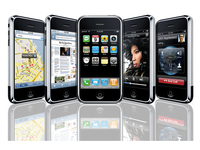
Steve Jobs has unveiled the latest edition of the iPhone software - cunningly named iPhone 4.0.
The headline feature is the new ability to multi-task, but there appear to be over 100 new features.
These new features include Bluetooth keyboards, the ability to tap to focus on video and 5x digital zoom for the camera.
Steve Jobs said the new iPhone 4.0 software will have seven 'tentpole' features, with multi-tasking the headline grabber.
Bold claims
He claimed: "Now we weren't the first to this [multi-tasking] party, but we're gonna be the best. Just like cut and paste."
Apple said is has offered a number of APIs to developers for multitasking, which now means elements like Skype and location services like TomTom can operate without needing to be constantly in the foreground.
This is achieved by way of a simple pop-up dock, activated by double tapping on the home button, and bringing up four running applications to switch to.
We're still waiting for a UK release date on this new iPhone 4.0 firmware, but we'll update you as we get news.

| |
Read More ...


No comments:
Post a Comment