

In Depth: 'Symbian and MeeGo are quite separate'

With MeeGo set to launch on ARM-based and Intel Atom-based devices this month, we grabbed a few minutes with Peter Schneider from Nokia recently to talk about MeeGo, the first fruit from the Nokia-Intel joint venture announced last June.
MeeGo itself was announced at Mobile World Congress last month. It brought together the Moblin and Maemo operating systems from the two companies into a single open source OS.
At the time, a joint statement said the open software platform "will accelerate industry innovation and time-to-market for a wealth of new internet-based applications and services and exciting user experiences."
Schneider heads up the marketing effort at Nokia for MeeGo. The project is hosted by the Linux Foundation.
Where does this leave Symbian?
We asked Schneider, who has beenat Nokia since 2000, what the new OS meant for Symbian and future devices – will they still run Symbian?
"We see Symbian and MeeGo as being quite separate. Symbian is strong...and will continue to have success on smartphones. MeeGo covers a different market. MeeGo is a new operating system, while Symbian is well developed."

At the launch of MeeGo, Nokia's Vice President for Devices, Kai Oistamo, said that "the two operating systems would co-exist" and that MeeGo will run on "multiple processor architectures."
He then added that Symbian and MeeGo would share some "forward compatibility."
Nokia wants MeeGo to take full advantage of its open source status by getting as much interaction as possible. "We want MeeGo – like Maemo – to be really collaborative," says Schneider.
"Maemo was the result of a big community effort and we have thousands of [open source] developers working on lots of projects." Symbian has also recently moved to an open source model.
Atom and ARM-support
Schneider was coy about the types of devices being developed for MeeGo, but it's clear from various comments – not least those of Oistamo - that many types of devices will be able to support the OS.
MeeGo will be able to run on Intel Atom as well as ARM-based devices. So we could see it running on some budget netbooks as well as high-end mobiles like the N900.
Schneider also maintains "it doesn't compete" with smartphone operating systems such as Android or Windows Phone 7 Series. Instead, it's more likely to be compared to Chrome OS when that hits the streets later in the year.
Even though the project is fully collaborative, changes to source components of the software are made by a joint Technical Steering Group.

 |  |
Read More ...
Review: Samsung Genio Slide

Samsung has fused elements of both the Genio Touch and the Genio QWERTY to come up with a hybrid device – the Genio Slide.
The Samsung Genio Slide combines a 2.8-inch touchscreen display and a slide-out QWERTY keyboard, and sports the colourful swappable back panels and youth-targeted features – with an emphasis on social networking – that mark the previous Genio models.
However, the Genio Slide packs a far more powerful feature punch than its Genio mates – and consequently has much wider appeal.

Unlike its predecessors, the Genio Slide is a 3G-enabled handset, with high-speed HSDPA mobile data support (up to 7.2Mbps) and Wi-Fi connectivity built in.
It also has A-GPS satellite-based location finding onboard.
Cranking up the downloading and uploading speeds opens up the Genio Slide's potential for a quicker and more enjoyable online media experience than the EDGE/GPRS-only Genio Touch and Genio QWERTY.

For instance, as well as faster applications such as Facebook, Bebo and MySpace, in the UK the Genio Slide comes with a BBC iPlayer app already installed, offering live and catch-up TV and radio programmes.
It also has pre-loaded links to mobile TV streaming services.
Onboard 3G also allows for video calling on this model, with a front-facing camera complementing the main 3.2-megapixel camera on the back of the phone.
In addition, Samsung aims to keep mobile music listeners happy by providing a standard 3.5mm headphone socket on top of the bodywork.

The review sample we tested also arrived with a 2GB MicroSD card included in the box, and memory cards up to 16GB are supported.
Initially, the Samsung Genio Slide is debuting in the UK for free on contract deals and £120 on pay as you go, where it's currently being offered by Vodafone and Tesco Mobile.
Like the others in the Genio series, the Genio Slide has a smooth, curvy build, similar to recent Korean offerings, like the Samsung Jet and Samsung Blade.
The Genio Slide has a broader girth, thanks to the sliding keyboard tucked away behind the screen, but the phone's dimensions – at 105(h) x 56.9(w) x 15.68(d) mm and 135g – give it a compact and solid feel.
It's impressive that despite it bringing a full QWERTY keyboard, it's no pocket bulger, so you won't get anyone asking if you're pleased to see them.

Pitching for the youth vote, the Samsung Genio Slide comes with swappable 'Fashion Jacket' back panels, adding a bit of customisation potential for would-be buyers.
Three of the clip-on covers are included in-box – with our sample we got a business-like black cover, plus two white ones, one with a retro swirly pattern on it.
It's hardly a deal-maker, but some users may welcome the chance to get away from the normal black touchscreen look and go a bit funk-a-delic.

From the front, though, the Samsung Genio Slide does have an archetypal Samsung touchscreen design – it's glossy black minimalist, with just Call, End and a central Menu button under the display.
The 2.8-inch QVGA (240x320 pixels) touchscreen display is a resistive type rather than a higher-end iPhone 3GS-like capacitive one, so doesn't have multi-touch and the smooth flowing action of Apple's headliner. 

The 2.8-inch screen isn't as lengthy as some we've seen and its wider dimensions are similar to those of the Samsung Blade.
Around the sides is a familiar combination of camera, screen lock/unlock and volume/zoom controls, plus a Micro-USB port and that useful 3.5mm headphone socket on the top of the phone.
The slide-out QWERTY keyboard is the real design eye-catcher though. While not exactly novel for a touchscreen phone, it's still quite rare at this sort of price point.
The sprung slider action is smooth and easy but feels firm in place ready for twin-thumb tapping.
Slipping it out immediately switches the screen orientation from portrait to landscape. The metallic red keypad uses almost the length of the slider tray, so despite minimal gaps between them, the 42 buttons on the keypad have sufficient room.
Keys are slightly contoured to differentiate between them as you're typing away, and the key action is responsive.

It's possible for finger tapping messages while resting on a desk, though we expect thumb-typing in-hand will be the favoured input method for most people.
We found the keypad accurate enough for brisk, fluent typing of messages, and generally we had no major gripes about its user-friendliness.
Keys are sensibly arranged and labelled well enough, and the Samsung Genio Slide also contains a couple of keys for quickly opening up new messages or launching the browser.
As with any phone keyboard, it takes a little getting used to if you want to improve your speed.
Initially we didn't find it quite as comfortable as the larger (and much more expensive) Nokia N97 Mini, for instance and the Samsung text input system occasionally doesn't feel as intuitive when you're adding punctuation. But very quickly we got decent thumb-typing speeds up on it.
The Samsung Genio Slide uses a version of the TouchWiz user interface Samsung has rolled out on many of its touchscreen models, which incorporates onscreen widgets for the phone's home screen.
Brought up onscreen by a tap of the central menu button or one of three onscreen buttons at the foot of the display (marked Keypad, Phonebook and Menu), the main menu system is arranged in familiar grid formation.

Rather than one menu screen, however, there are three main menu screens, with up to 12 icons on each screen representing applications and features (again similar to the Samsung Jet).
Users can slide between screens with a sideways finger stroke, bringing a nicely usable spread of features to hand without having to delve too deeply into sub-menus to find useful apps.

As well as being visually attractive, it's more intuitive to see key apps laid out like this.
The main menu icons can easily be rearranged to suit how you use the phone, so you can cluster certain applications together if you prefer.
Four buttons remain consistently at the base of the display as you swipe through the main menu – Keypad, Phonebook, Messages and Exit – giving handy access to core functions.
The resistive touchscreen responds well enough to finger action. The user interface allows enough room for fingers to select and scroll without any major mis-pressing issues.

The screen isn't as slick to the touch as the iPhone 3GS or the HTC Legend or other higher end models, and doesn't gave the kinetic scrolling feel of such devices, but it isn't noticeably laggy, and haptic feedback acknowledges presses.
It feels comfortable enough to use without being particularly whizzy. We'd have preferred visible scroll bars in some sub-menu lists (these appear only when you're scrolling) so that you don't miss options as you flick through, but otherwise the menu system was straightforward to handle in a functional way.
Users can choose whether to install widgets on the home screen or not. A variety of widgets can be selected from a pop-out toolbar on the side of the display (or bottom if the phone's held sideways with the keyboard out).
They can be dragged onto the main area of the screen, enabling users to open up and use plenty of applications and services directly from the home screen.
As many widgets as are available can be placed on the home screen – though practically, users will probably limit these to avoid clutter.

Like other Samsung touchscreen phones, the home screen set-up actually comprises three linked home screen pages that can be flicked between using a simple swipe of the finger.
This allows users enough screen space to arrange as many widgets as they fancy without the compact screen looking too busy – and users can choose to arrange home screen widgets under the three pages as effectively separate 'categories'.
It adds a bit of flexibility, although you can't copy the same widgets to more than one of the home screen pages at any one time.

Out of the box, there are around 30 application widgets you can bring up onscreen. These range from functional features such as various clocks, calendar, memo and profile functions to music player, Wi-Fi, FM radio and photo viewer controls.
In addition, there's a range of widgets for online apps. These range from the BBC's iPlayer service to a host of social network and content sharing servics – including Facebook, Twitter, MySpace, Flickr, Photobucket, Picasa, Bebo and so on.

These provide fast access to services for uploading content, managing accounts and updating profiles.
Other online services include an AccuWeather.com weather forecasting app, Bloomberg news, and a More Widgets app to help you find and download additional widgets for free directly from Samsung.

The widget interface is very intuitive and easy to operate.
A tap of the screen opens up the widgets toolbar, from which you can drag and drop any number of widgets with a finger stroke, swap them around in seconds and re-do any time you fancy.

They can provide regular updates on the home screen from social networking sites and enable you to manage accounts and profiles quickly and easily using the native applications.
Other widgets provide access to useful information and shortcuts to activate or control functions (such as music, Wi-Fi and Bluetooth activation) straight from the home screen, potentially reducing finger work for many functions you regularly use.
From the home screen or main menu, it's simple to make calls either by tapping the onscreen phonebook or keypad buttons, as appropriate, or selecting your recent call log by tapping the Call button beneath the display.
You can dial using the slide-out keyboard too, tapping the top row number buttons in standby.

The phonebook can be browsed with a speed-scrolling tab that enables you to jump through contacts by initial letter, or you can tap in names using the (real or soft) keyboard in a similar way to the LG Intouch Max GW620.

There are multiple fields for contact details in the phonebook which provide for a variety of work and personal information to be added.

Doing the basics of making and taking calls, the Samsung Genio Slide delivers an assured performance, providing good quality audio reception at a consistently high level.
We had no issues or complaints from those receiving calls during our tests. Network reliability on our Vodafone-optimised sample was as good as we needed – it connected when needed without problems.
Naturally, with a sizeable QWERTY keyboard slipping out from the side, messaging ability is one of the key selling points of the Genio Slide.
As mentioned previously, the smooth keyboard action and sensibly sized layout make it a comfortable, accurate and speedy text tapping experience.
Directional arrow keys also aid corrections to text or inserting words rather than having to rely on accurate touchscreen pressing mid-word.
You can type out messages without sliding out the keyboard. Instead, a soft phone-style numberpad appears onscreen, which works pretty efficiently.

Unlike on some longer screen handsets, the number keys don't spread the full width of the screen – a row of control buttons are on the right of the 3, 6 and 9 keys – but there is still adequate finger space to avoid mis-hitting buttons. We found it easy enough to operate.
Predictive text guesses what you're typing and presents options to complete words, though you can switch this off if you prefer.

Samsung addresses the correction/word insertion issue for touchscreen phone by using a directional arrow option among the control keys – so users can position the cursor quickly and accurately without requiring pinpoint finger pressing accuracy on the touchscreen.
It's a decent system – maybe not as quick for speed texters as a regular phone, but it's good for a touchscreen phone with this 2.8-inch screen size.

Also included are two onscreen handwriting input options, which work reasonably well if not effortlessly smoothly; as usual, a bit of practice helps pin down accuracy.
Email is supported on the phone, although the email wizard on our review sample didn't provide fully automatic settings installation – we still had to input POP3 and SMTP server details as well as email account name, password and username.

We were also very impressed that Microsoft Exchange, via ActiveSync, was supported on the phone as well; work emails for £120 is a pretty good value offering.
The email user interface is fairly standard issue for a mid-level Samsung touchscreen phone.
It's no replacement for a BlackBerry and isn't as sophisticated as some smartphone offerings, but it does enable you to view emails, create your own and manage your account.

Account and messaging options are mainly menu-based though there are onscreen buttons for the basics of operating the messaging system.
Email attachments are supported, with onboard document viewer software enabling you to look at PDFs, Word documents, PowerPoint and Excel documents.

This viewer app also allows documents sideloaded to the phone or slipped in on a memory card to be viewed onscreen (although editing isn't possible).

The Genio Slide supports instant messaging too, with a Palringo IM software client pre-installed that works with all the major IM services, enabling you to keep contacts all on one list, get updates on status, share content and location information.
The Genio Slide is stocked with a good helping of online applications, with its bundle of social networking applications complemented by some useful additional applications such as BBC iPlayer.
The iPlayer works very tidily over Wi-Fi connections, enabling users to view live TV and listen to radio shows online, and to catch up with radio and TV shows via its streaming service, with decent quality video playback.

The Genio Slide uses Samsung's Webkit-based Dolfin Browser v1.5, and with both HSDPA 3G connectivity (up to 7.2Mbps) and Wi-Fi onboard, users can enjoy a swift browsing experience.

The touchscreen control button presents an intuitive user interface for a mobile phone browser.
It doesn't match up to the iPhone in terms of slick usability, but it does better than most browsers of its budget touchscreen class, and it does support Flash Lite.

Occasionally, however, we did get 'memory full' messages when loading larger webpages - irritating and harking back to the earlier, darker days of touchscreen phones when breathing on the device would send it into a RAM-crushing frenzy.
Its controls include an address bar, forward and back buttons plus reload and bookmark buttons, while you can scroll with a finger movement or zoom in and out with a long finger press onscreen, then moving up or down.

It's not pinch-to-zoom smooth but does the job in an unfussy way. As you'd expect, the browser can be viewed in full landscape mode too, plus there's an RSS reader function in the software (accessible by the menu).

The Samsung Genio Slide's 3.2-megapixel camera has a very user-friendly touchscreen user interface – consistent with Samsung's higher-grade cameraphones – but its fixed focus shooter is a middle of the range shooter in terms of overall image quality.
The camera takes only a couple of seconds to fire up from standby, with a press of the side-mounted camera button. The camera automatically switches into landscape view, with eight control icons dotted either side of the display.
The camera has a reasonable set of function options for this grade of snapper – it incorporates functions such as a Smile Shot (when engaged it waits to spot a smile before the snap is taken), multi-shot shooting, and a rather neat motion sensor accelerometer-aided panorama shooting mode that stitches together shots with barely any effort from the user.
A bunch of modes are available for different kinds of lighting environments or shooting situations including a night mode and sports mode for fast moving objects.
Timer and brightness controls are included, plus regular settings adjustments for white balance and a series of colour-tint effects.
You can use image editing software to tweak snaps and add post-shooting effects, text, captions, clip art and so on, with easy to use onscreen tools

OUTDOORS: The Samsung Genio Slide has a fixed focus 3.2-megapixel camera that offers a decent user interface but limited shooting performance. Images are reasonable for this sort of camera but detail and quality are limited

TONES: Colour reproduction is rich for snaps, and it handles tones reasonably well, though the shot appears slightly soft

NATURAL LIGHT: Again, it produces colourful snaps with a decent tonal range, but it is somewhat soft where you may be expecting crisper detail

CLOUDY DAY: It takes reasonable shots in murky conditions, dealing effectively with changing contrast and lighting conditions

FOLIAGE: The lack of focus control means you have to shoot and hope when it comes to getting objects in focus. Here, the colours look acceptably vivid, but it's not capable of selecting the foreground branches to be in focus

OVERCAST: Taken in subdued overcast conditions, colours look fine, though there is a bit of burn out of the trees against the sky in the background

ARTIFICIAL LIGHT: Without any sort of flash or LED illumination shots taken inside in artificial light are soft and unsatisfactory

LOW LIGHT: In darker conditions, like this shot in the early evening, the camera is unable to produce more than a basic low quality shooting performance with grainy images

PANORAMA: The panorama shooting mode works really well – using the automatic motion sensor inside, the camera can quickly match up frames and stitch them together for easy panoramas. You can't get full the highest quality images in this mode, however

SPORTS MODE: There is a sports mode for capturing moving subjects
As is common on mid-tier Samsungs, it's also possible to upload images straight to online services and social networking sites – all you have to do is select which you want from a pre-defined list of services.
With a 3.2-megapixel camera with a fixed focus lens, you can't expect superb shooting results, but for this grade of cameraphone, the Genio Slide puts in a respectable performance.

Of course, with no focus control you can't get beautifully focused compositions, but the camera is able to take decent snaps with naturally rich colour rendition, competent automatic handling of exposure and contrast plus a reasonable level of detail for this sort of camera.
With no flash or photo light of any description, however, low light shooting isn't great, and in dark environments results are poor.


The Genio Slide can also capture video, although shooting at maximum QVGA quality (320x240 pixels) at 15 frames per second, it is limited in terms of playback quality. It'll do for online uploads perhaps, but it's pretty lacklustre low-grade phone level.
Video playback on the Samsung Genio Slide's large screen is acceptable. Of course, anyone who wants a richer media experience may prefer a larger, higher-grade touchcsreen model, but it does an adequate job within its 2.8-inch QVGA limitations.
It supports H.263, MPEG4, WMV, WAV and DivX file formats, and the media player user interface is very straightforward and simple to work.

The BBC iPlayer application provides a pleasing entertainment extra too. It delivers radio and TV programmes from the BBC's excellent online service direct to the handset via Wi-Fi (although sadly nothing from 3G).
Streamed content from the online iPlayer service looks pretty good on the screen, although the Genio Slide's screen ratio means the playback is slightly letterboxed.

However, it's another useful source of free online entertainment for Genio Slide buyers. Its user interface is simple to follow and operate, while a Widget option for the home screen allows you to access it quickly from standby.
The music player's controls are uncomplicated too. It supports MP3, AAC, AAC+ and WMA formats, and tracks can be downloaded over the air or sideloaded onto the phone, using supplied Samsung Kies software or synced with Windows Media Player on a PC using the in-box data cable.

Alternatively, you can load tracks straight on to a MicroSD card and slip it in – the music player software automatically adds tunes to its list of tracks.
The 2GB MicroSD card supplied with the handset is particularly welcome, boosting the phone's 100MB of onboard storage.

MicroSDs of up to 16GB can be used with the handset. Bluetooth is also supported and can be used to transfer tracks.
The music player doesn't do anything particularly novel or eye-catching. Its UI is simple but is functional and works efficiently enough. Tracks are listed in familiar categories and the control includes large touch buttons plus a draggable timeline and cover art support for easy choon navigation.

As with the Genio QWERTY and Genio Touch, Samsung has included a 3.5mm standard headphone socket on top of the phone, so users can easily plug in their own headphones if they want to upgrade the supplied earwear.
Samsung has boxed a decent quality in-ear set of earphones with the Genio Slide, however, so you can get a very acceptable performance out of the box.

Through the in-box ear-wear – which comes as a two-piece headset with snug fitting plastic earbuds – audio quality is pretty good, with a well-balanced range with good mid and high frequencies plus a substantial bass presence giving a decently rounded sound with plenty of dynamism.
The phone also comes with a built in FM radio function; again it delivers a solid performance and is easy to tune and operate with an easy to follow touch user interface.

It can also record sound clips from the radio as files you can listen back to later. A song identification application is also included which will sample tracks you hear on the radio and deliver details over the air back to the phone.
This Find Music application can also be used with songs you hear around you, with the app slotted into one of the Main Menu screens.
We got a decent battery performance out of the Genio Slide. It has plenty of functionality inside that can sap battery power, but it delivered an acceptable amount of juice during our tests.
The 960mAh battery back is expected by Samsung to deliver up to 390 hours of standby time on 3G networks (or 560 hours in GSM-only coverage), or up to 230 minutes of talktime on 3G (490 minutes on GSM-only networks).

We managed 2-3 days between charges with minimal Wi-Fi usage, though with more online activity we did find ourselves charging more frequently; how exactly you use the phone will determine what mileage you get before a refill is required.

However, the Samsung Genio Slide outperformed much more expensive smartphones with nearly 40% larger batteries, so on that aspect alone it can't be faulted.
Organiser
The Samsung Genio Slide packs a standard set of organiser tools for a Samsung mid-tier model.
These include calendar, memo, voice recorder, task, calculator, convertor, world clock, calculator and world clock functions.

There aren't many gimmicky elements to the organiser tools; they're generally functional and work effectively with the touchscreen interface, without much graphical eye-candy to distract.
Connectivity
The Samsung Genio Slide is a dual-band (900/2100 MHz) 3G handset, utilising HSDPA mobile data connectivity boasting data download of up to 7.2Mbps (although average real life speeds are always lower on any phone).
Operating outside of 3G coverage, the phone is a quad-band GSM model (850/900/1800/1900 MHz), supporting lower speed EDGE and GPRS data connectivity.

Higher speed 3G data connectivity may make the Genio Slide a much more attractive proposition than the Genio QWERTY or Genio Touch for those that want to use its online-focused services.
But the addition of Wi-Fi really seals the deal on that score, providing high speed connectivity on home Wi-Fi networks, on office WLANs or via public Wi-Fi hotspots.
It makes it a more versatile device than others in the Genio range, and can deliver a far more satisfactory experience and better services than those handsets.

Bluetooth 2.1, featuring wireless stereo streaming A2DP for wireless headphones, speakers, etc., is included.

The phone also supports USB 2.0 connectivity, using a microUSB port multi-connector socket and there's a USB data cable packaged in-box.
Exchange ActiveSync is supported for over the air syncing of contacts, calendar events, email, and tasks with a remote Microsoft Exchange server.
Samsung Kies software suite is supplied on CD, enabling back up and transfer of personal information management data with a Windows PC plus content management and sharing of content. Over the air online backup using ActiveSync is supported too.
For the price, Samsung Genio Slide users get a very attractive set of features. Among these is A-GPS satellite positioning technology built in.
Google Maps v3.0.2 is pre-loaded as part of a suite of Google services which include Google Search and Google Mail applications.
Google Maps provides the usual mapping information, over the air route planning and navigation, plus search options for local information on businesses and services.

The software works effectively with the touchscreen interface and is intuitive to operate, while the A-GPS works smartly enough at locating positions.
It's an extremely useful app to have to hand, and you can get Street View and opt into Google Latitude from the handset.
In addition, if you get a Vodafone-branded Genio Slide, it comes with Telmap application pre-loaded that enables you to get online Sat Nav capability on the handset. Unfortunately our review sample wasn't recognised so we couldn't trial it.

In addition to the BBC iPlayer software mentioned previously, the Genio Slide's array of native social networking services mention earlier give this device plenty of appeal for its target audience looking for a touchscreen experience on a budget.

Other features include a raft of control options familiar to mid-tier Samsung handsets, including etiquette pause (you turn over the phone and the current sound of an incoming call alert or alarm is muted) and its quirky Fake Call feature (at the press of a button you can initiate a fake incoming call with a recorded message).

Samsung's Smart Unlock system, which uses pre-defined character strokes onscreen to unlock the display or launch specific features, is included too, while a batch of games – mostly trial versions – are pre-loaded.


The Samsung Genio Slide is the most attractive of Samsung's Genio clan to date, packed with the sort of features you wouldn't normally expect of a phone at this price.
With 3G HSDPA and Wi-Fi, its collection of social networking options are decent enough to use. A-GPS is a welcome bonus, while its entertainment options – including a fine-sounding music player and native BBC iPlayer application – add to the appeal.
You also get a fair amount of in-box memory card storage and good earphones as standard.
The slide-out QWERTY keyboard has a finger-friendly action that's good enough for a device of this sort, while this touchscreen phone package is compact enough to carry around without overloading your pocket.
Sure, its resistive touchscreen won't give you the enjoyably slick finger-flicking pleasures of an iPhone or other capacitive screen-equipped high-enders.
The control set-up is more functional than flash, although there are some useful touches like the TouchWiz home screen widgets.
At this sort of price point, though, the Genio Slide offers a terrific amount of functionality.
We liked
The amount of features you get for your money makes the Genio Slide stand out. The slide-out QWERTY keyboard combined with the touchscreen control are the immediate headline grabbers, and we were pretty happy with the keyboard action.
But high-speed connectivity using Wi-Fi or HSDPA and the addition of A-GPS give this handset a significant edge over it range mates and other rivals in the price bracket.
The online functionality of the handset – including a reasonable touchscreen browser, Google Maps, a crop of social networking apps and an easy to use BBC iPlayer app – provide the phone with plenty to entertain.
It also sports a pleasing music player (and a 3.5mm headphone jack socket!), and comes with a 2GB memory card in-box... and let's not forget you can swap back panels if customisation is your thing.
We disliked
It would have been good to have had a capacitive multi-touchscreen, but you can't get everything at this sort of price point.
The 2.8-inch screen isn't the biggest either. The dimensions affect some control elements, such as the space available for widgets and the text numberpad layout– although the QWERTY keyboard deals with the latter issue.
Generally, though, there was a reasonable amount of space to work fingers onscreen.
We occasionally found the multi-screen home screen swiping trying, as we attempted to avoid dabbing widgets as we stroked our way through the busy screens.
We'd have preferred a better email wizard for automatic settings installation, too, on a messaging-centric device.
The 3.2-megapixel camera has a decent interface, but image results were limited by its fixed focus lens and lack of additional flash illumination.
Although we found the browser easy to operate, it felt underpowered sometimes when rendering large rich pages.
Verdict
Pitched at the youth market, the Samsung Genio Slide certainly delivers a terrific feature package for a low-cost touchscreen handset, with a roll-call of functionality you'd expect of a higher-end model.
It's miles cheaper than the similarly-specified LG Intouch Max GW620 Android phone, and manages to offer similar functionality in most places.
Its slide out QWERTY keypad and social apps mark it out as a messaging and social networking heavy-hitter but it also delivers plenty of entertainment and loads of useful gadgetry for your bucks.
Related Links
| |
Read More ...
Bing improves real-time search, adds Foursquare

Microsoft has added a bit of social spit and polish to its Bing search engine. In a bid to keep gaining on its main rival Google, the site has added a number of social-networking related features which are meant to enhance searching.
To go alongside its Twitter integration – which happened last October – Bing now has additional real-time features, taken from popular web-links.
"This week, we will test new experiences for real-time results," explains the Bing blog.
"For example, when you search for a publication such as the New York Times, Bing not only gives you quick access to specific sections of the destination website, but also provides the most popular shared links from that publication."
Local maps for local people
Bing has also updated its maps service, adding some new Map Apps. One of these centres around Foursquare, which offers up real-time information in the maps service.
"The Foursquare map app is a powerful combination of the spatial canvas that Bing Maps provides, combined with Foursquare's user reputation service ability to see who has unlocked specific badges, where and who has been crowned mayor of certain locations making it easier to explore any city in the world as if you were a local."
Expect more Bing updates in the near future as Microsoft has noted that these features are 'only the beginning'.
This is either good news or a thinly veiled threat, depending on how much you love the likes of Foursquare and Twitter.

| |
Read More ...
Announcement: TechRadar launches new extended mobile phone section

Hello!
This is a quick update to tell you that from today, TechRadar has a new, expanded section devoted to mobile phone news and reviews.
You can find it on the tweaked main navigation under the News tab – click on Phones@TechRadar to see the new pages.
We've gathered all our mobile phone content in one place to make it easier for you to find the latest news, reviews and price/deals information for specific phones and specific phone brands, and introduced new ways to find information about phones or phone brands more easily.
And there are now more ways to find the right phone deal for you with extra links on every relevant page.
We've also introduced tags to TechRadar for the first time, which will hopefully make it easier for you to find related stories.
Have a look around and tell us what you think, or suggest areas we can improve, by emailing me.
Update: we're aware of a few minor teething problems which we are working on at the moment.
Cheers,
Nick,
Editor in Chief

| |
Read More ...
Google introduces warnings on suspicious Gmail use

Google has introduced a warning system for Gmail that will tell you if your account is being used suspiciously.
The company is keen to show people when it appears that their details are being compromised, and will now put a high visibility bar in your account if it appears to be being accessed by someone other than you.
"Now, if it looks like something unusual is going on with your account, we'll also alert you by posting a warning message saying, "Warning: We believe your account was last accessed from…" along with the geographic region that we can best associate with the access," explains the official Google blog.
Broad geographical location
"To determine when to display this message, our automated system matches the relevant IP address, logged per the Gmail privacy policy, to a broad geographical location," it added.
"While we don't have the capability to determine the specific location from which an account is accessed, a login appearing to come from one country and occurring a few hours after a login from another country may trigger an alert.
"By clicking on the 'Details' link next to the message, you'll see the last account activity window that you're used to, along with the most recent access points."
Common sense prevails
Google did add that it was important users did not rely entirely on the new safeguards, but continue to apply the normal common sense procedures for their accounts.
"Keep in mind that these notifications are meant to alert you of suspicious activity but are not a replacement for account security best practices," added the blog.
"If you'd like more information on account security, read these tips on keeping your information secure or visit the Google Online Security Blog."

| |
Read More ...
In Depth: 10 tools for creating custom Windows installation discs

If you've got a Windows XP, Vista or 7 installation disc, you probably know how much work needs to be done post-installation.
Much of this work – slipstreaming Service Packs, reinstalling drivers and getting your PC back up to date – is repetitive and annoying.
That's why you want to pay close attention to this feature, because we're going to arm you with the tools you need to chop hours off the time of future reinstalls.
Core tools
1. RT Se7en Lite
Want a customised or streamlined Windows 7 installation disc? RT Se7en Lite is the tool you need: integrate updates, drivers and language packs, plus remove unwanted components and set up an unattended installation.

2. vLite
This inspired Se7en Lite, so it's no surprise that vLite offers the same features for Vista users. You can also slipstream Service Pack 1 - get the full 435MB package – into your Vista install disc, but sadly it doesn't work with SP2. You'll also need the Windows Automated Installation Kit – a whopping 990MB download.

3. nLite
XP users will need nLite to really go to town on your customised installation. Use it to slipstream SP3, integrate post-SP3 updates (see below), add additional components and programs, configure an unattended setup and then – after you've investigated DriverPacks (below) – burn your perfect disc.

4. WSUS Offline Update
If you'd rather simply burn a disc that can quickly bring your PC bang up to date post-reinstall, WSUS Offline Update is the tool for you. Just tick the boxes, let it download and compile the disc. After reinstalling Windows, pop the disc in the drive and double-click UpdateInstaller.exe, tick the boxes, click Start and let it do the rest.

5. AutoPatcher
AutoPatcher is WSUS Offline Update on steroids: install it on your data partition or drive, then download all the updates you need plus additional components and useful programs such as the .NET Framework Packs, Adobe Reader 9 and Java Runtime. Post-reinstall, you can restore the lot in one go.

Drivers, updates and tools
6. DriverPacks
Slipstreaming drivers into your customised installation disc is easy thanks to DriverPacks: just download the BasePack file, plus any driver packs you wish to incorporate into your disc, saving you time post-install. Both XP and Vista users are catered, with Windows 7 to follow soon.

7. Windows Updates Downloader
Simplify the task of integrating updates and key Windows technologies into your customised installation disc by using Windows Updates Downloader. It uses scripts for different versions of Windows – Vista and XP are covered at the main site, but Windows 7 users should get for the latest scripts – free registration is required to download them.

8. Silent installers
The only way to slipstream applications into your disc using vLite or Se7en Lite is by configuring unattended program installations. It's not an easy subject: this Sourceforge page offers a basic grounding, and while Se7en Lite allows you to add the silent installer via the Updates portion of the program, Vista users must get this more complicated guide.

9. winAddOns.com
Compared to Vista and Windows 7, integrating apps into your XP disc via nLite is a walk in the park, with dozens of pre-configured packages ready for download from winAddOns. The only major omissions are the .NET Frameworks – get versions 1.1 and 2.0 from RyanVM.net.

10. Vistalizator
Who says you need the Ultimate version of Vista or Windows 7 to switch installed languages? Vistalizator extends this functionality to lesser versions too. The link above reveals how you can incorporate Vistalizator's functionality into your installation disc to save you the bother of setting it up on each subsequent reinstall.

------------------------------------------------------------------------------------------------------
Liked this? Then check out Tips and tricks to make Windows 7 more awesome.

| |
Read More ...
GM announces electric Segway-Car mash-up

GM has teamed up with personal transporter specialists Segway to develop a new 'Electric Network Vehicle' concept which it thinks could well be the future of urban transport.
GM unveiled three Electric Networked Vehicles (or "urban mobility vehicles") built with help from Segway in Shanghai this month.
According to GM, 60 per cent of the world's population will be city-dwellers by 2030 with an estimated 2 billion cars on the roads by that time. So if you think today's traffic jams on the north circular are bad… you ain't seen nothing yet!
"The EN-V concept represents a major breakthrough in the research that GM has been doing to bring vehicle autonomy to life," said Alan Taub, global VP of research and development.
"The future of how we move around in urban areas like Shanghai can combine the best of personal mobility and public transit," Taub said.
"There is a better solution and it is called EN-V. It demonstrates that we have both the knowledge and the ability right now to create a way to move people that not only ensures a 'better city' but also offers people a 'better life'."
Jiao, Xiao, Miao
These latest two-seater concepts that GM has been showing off are one-sixth the size of a traditional car and made out of lightweight carbon fibre.
"It provides an ideal solution for urban mobility that enables future driving to be free from petroleum and emissions, free from congestion and accidents, and more fun and fashionable than ever before," said Kevin Wale, head of the GM China Group.
The red concept car is called Jiao (Pride), the blue one is Xiao (Laugh) and the black one is Miao (Magic) – apparently to "emphasise the enjoyable nature of future transportation."
The new EN-Vs will use GPS, distance-sensing technology and vehicle-to-vehicle communications to ease congestion and reduce the risk of accidents.
They can also drive themselves. So you can get hammered and let your car take you home instead of an unlicensed mini-cab driver.
Not that we would ever condone that.
Expect to see lots more on these from next month's World Expo 2010 that starts 01 May in Shanghai.

| |
Read More ...
GM announces electric Segway-Car mash-up
GM has teamed up with personal transporter specialists Segway to develop a new 'Electric Network Vehicle' concept which it thinks could well be the future of urban transport.
GM unveiled three Electric Networked Vehicles (or "urban mobility vehicles") built with help from Segway in Shanghai this month.
According to GM, 60 per cent of the world's population will be city-dwellers by 2030 with an estimated 2 billion cars on the roads by that time. So if you think today's traffic jams on the north circular are bad… you ain't seen nothing yet!
"The EN-V concept represents a major breakthrough in the research that GM has been doing to bring vehicle autonomy to life," said Alan Taub, global VP of research and development.
"The future of how we move around in urban areas like Shanghai can combine the best of personal mobility and public transit," Taub said.
"There is a better solution and it is called EN-V. It demonstrates that we have both the knowledge and the ability right now to create a way to move people that not only ensures a 'better city' but also offers people a 'better life'."
Jiao, Xiao, Miao
These latest two-seater concepts that GM has been showing off are one-sixth the size of a traditional car and made out of lightweight carbon fibre.
"It provides an ideal solution for urban mobility that enables future driving to be free from petroleum and emissions, free from congestion and accidents, and more fun and fashionable than ever before," said Kevin Wale, head of the GM China Group.
The red concept car is called Jiao (Pride), the blue one is Xiao (Laugh) and the black one is Miao (Magic) – apparently to "emphasise the enjoyable nature of future transportation."
The new EN-Vs will use GPS, distance-sensing technology and vehicle-to-vehicle communications to ease congestion and reduce the risk of accidents.
They can also drive themselves. So you can get hammered and let your car take you home instead of an unlicensed mini-cab driver.
Not that we would ever condone that.
Expect to see lots more on these from next month's World Expo 2010 that starts 01 May in Shanghai.

| |
Read More ...
James Cameron: 'Watching Avatar on an iPhone is dumb'

Director James Cameron has been speaking about the upcoming April Blu-ray release of Avatar, where he explained his dislike of watching movies on a small screen.
At the Avatar Blu-ray press conference, he announced that the best way to watch the movie was in 3D, despite the film not being available on the Blu-ray 3D format until November.
He doesn't, however, recommend watching the movie on the Apple iPhone.
"I don't feel that I'm making movies for iPhones," he explained. "If someone wants to watch it on an iPhone, I'm not going to stop them, especially if they're paying for it, but I don't recommend it.
"I think it's dumb, when you have characters that are so small in the frame that they're not visible."
And it's not only phones he has problems with, but laptops too.
"To me, there's a limit that you wouldn't want to go below," Cameron noted.
"I don't know. I've never watched Avatar on a laptop. I guess it probably works, but I don't recommend it.
"What I recommend is getting the coffee table out of the way and sticking your couch about four feet from your TV."
Shame to hold back
Cameron and co are hoping that the non-3D release of Avatar will plug a hole until the 3D Blu-ray version hits the shelves this winter.
To make it more appealing, there will an 'interactive' Avatar programme that consumers can join – a code will be given with purchases.
This will bring first-look bonus materials, special content and money off the 3D version of the movie.
Cameron explained the reasoning behind the lack of 3D Blu-ray, saying: "There just aren't that many players and screens yet. We have more of a long-term strategy, in that area.
"But, I think it would be a shame to hold back the Blu-ray when people want it now, and I love it. I think it's a great format."
He also gave some sage advice of how you should watch 3D in the home, telling the journalist-filled audience: "If you're going to go 3D, go big. Get the biggest set you can, and then sit as close as you can stand.
"That's my advice. Get the coffee table out of the way and slide the couch over, right in front of the TV."

| |
Read More ...
Exclusive: Virgin Media to launch rival to Sky Player in 2010

Virgin Media has confirmed that it will be launching a rival to both the BBC's iPlayer and Sky Player by the end of 2010, with subscribers accessing content both online and through their mobile devices.
Speaking at the IPTV World Forum, Virgin Media's Alex Green – the Executive Director, Commercial, of TV and Online – twice stated that the Virgin Media Player would arrive this year and would offer the 'highest quality experience'.
"We'll be launching this year our player," said Green.
"This will deliver a super high quality click to watch experience for our subscribers to see their favourite on demand shows online and on their mobile.
"We're determined to get the experience right in terms of viewing quality and usability and we're taking advantage of the way technology has developed in the past couple of years to do that."
HD featured?
The announcement by Green suggested that HD could well be a feature of the Virgin Media Player.
"It…allows us to build on our recent slew of HD TV announcements like ITV Eurosport, Discovery, E4, Film 4 and others," he added.
"We have a strong HD line-up and our onus is to offer the highest quality experience on demand on TV, online and on mobile."
Full steam ahead
Although a Virgin Media Player was always likely, it seems that the company is going full steam ahead to get it out and available by the end of 2010.
This is also the time-line being given for the launch of Virgin Media's TiVo-enabled new set top boxes – which would suggest that the two services will tie together.
In the mobile realm, Virgin Media appears to be putting much greater onus on getting top quality phones – like the HTC Desire for instance – rather than simply offering cheap handsets that can be bolted on to the company's other offerings in broadband and television.

| |
Read More ...
Man arrested over Obama and Britney Twitter hacks

A French Hacker has been arrested for infiltrating the Twitter accounts of high-profile users, including Barack Obama and Britney Spears.
The hack took place in April of last year and was taken pretty seriously by the authorities – so much that the FBI got involved as did the French police.
This has lead to the arrest of an unnamed 25-year-old, who goes by the alias Hacker Croll.
No exploits used
The security breach was so severe it prompted Biz Stone to blog about the incident. The fact that the hacker also boasted about the incident won't exactly help his case, explaining on the WarezScene forum: "I've used social engineering only, no exploit, no xss vulnerability, no backdoor, np [sic] sql injection."
He then went on to post 13 screenshots on another forum showing how he hacked into the Director of Product Management at Twitter Jason Goldman's account.
The hacker has already been released on bail and is set to go to court 24 June. If convicted, then he could face up to two years in prison.

| |
Read More ...
Exclusive: Sky excited about potential of Apple iPad

Sky are excited about the potential for Apple's iPad, with the massive success of its popular mobile applications proving that content and services for portable devices is a key new market .
Speaking at the IPTV World Forum, Sky's Group Commercial Director Stephen Nuttall – who is soon to leave the company – outlined how powerful mobile applications have become and admitted that the Sky is already keen to see what impact the iPad can have on the media market.
"We contend that we have a leading multiplatform strategy that is perhaps more advanced in our thinking than most of our rivals," said Nuttall.
"Mobile is the perfect case study of us taking our content onto a new environment with fantastic content brands, great content and broad distribution
"As networks speed up and handsets get ever more capable of delivering entertainment experience, the market is steadily coming to us, as we have always believed that it would."
Appy times
Sky's apps include a remote record application, a Sky Sports branded score centre and Sky Mobile TV – all of which appear to have exceeded expectations.
"We've had 4 million downloads of Sky application on the iPhone alone," added Nuttall.
"We already see more people choose to remotely program their PVR from their phone than from their PC. Sky mobile TV on the iPhone alone now exceeds that of Sky Player on the PC.
SkyPad?
But it is the impact of the iPad which is already stirring all of the media industries, and Sky is already looking to the forthcoming Apple device.
"Mobile really forces but also grows our business," Nuttall stated, "imagine how we might be able to use the iPad when it comes along."
With the Apple device still on course to arrive in the UK by the end of April, we hopefully won't have to imagine for too long.

| |
Read More ...
Review: Ixos XHA716

The big idea that has kept Ixos cables, such as the XHA716, distinctive for some years is Gamma Geometry.
This is a way of interlacing two conductors with an insulating thread which is claimed to combine the good qualities of parallel and twisted pairs, without the drawbacks of either. It's a perfectly decent way of doing things, though I've never managed to work out just what the drawbacks are of twisted pairs.
Still, Gamma Geometry does give a slightly lower capacitance than normal twisted pair, a feature helped by the use of foamed polythene insulation.
There's a screen too and the whole assembly is sheathed in soft PVC, with a nylon braid over the top, making it a rather bulky affair (about nine millimetres in diameter) but still quite flexible.
The nicely made phono plugs are very securely fitted and give a firm, but not ridiculous grip on standard sockets.
Somehow the tonal balance never seems absolutely natural through this cable. There's a slight prominence to the upper bass which can slightly warm up a bass-light small loudspeaker – no bad thing in itself – but which also subtly impairs the precision of that frequency range.
Low bass is rather impressive, though, with plenty of extension and good control too, making for an overall result that has plenty of impact and bite.
Midrange is good above the 'bump' frequency and treble is well extended, though perhaps just a shade shut in at times.
This may not be quite the cable for everyone – I found it a little frustrating with classical music – but it is great for rock and other highenergy, rhythm-heavy musical styles.
Related Links
| |
Read More ...
In Depth: The ultimate guide to media streaming

The MP3 codec is 15 years old this year. Unlike its peers, it won't be studying for its GCSEs or sneaking off behind the bike sheds for a quick snog: it'll just be quietly celebrating yet another anniversary as the definitive format for music of our time.
Other technically superior formats have tried to displace it over the last decade and a half, but MP3 is as synonymous with digital music as a certain brand of vacuum cleaner is with cleaning the carpets.
The question this raises is simple: if MP3 and its later video equivalents have been around for all that time, why is it still so hard to stream digital media files from one PC or device to another?
There are loads of clever devices and protocols designed for streaming a song or film off one hard drive, over an IP network and onto a different PC or player – but one manufacturer of both media servers and 2.1 speaker systems told us that it's still far more common for customers to simply unplug a laptop and carry it to another room if it's storing a tune they particularly want to hear. That's just anecdotal evidence, but it wouldn't be at all surprising if true.
There are lots of ways to share media files, but nearly all have pitfalls or compatibility issues that can make physically carrying around the storage seem like the most trouble-free option.
Simple sharing
The simplest and most reliable way is to put your media library into one folder on a hard drive, right-click on it and select 'Sharing Options'. You'll need Samba installed if you're using Linux, but other than that it's the work of seconds to open up access to all areas for anyone on your network, so that they can see the contents.
With that access granted, any media player software will let you browse to the appropriate shared folder and play back the media from there.
There are three drawbacks to this approach. The most obvious is that the host PC has to be switched on if you want to watch or listen to something on its hard drive. Many of us will baulk at the idea of leaving two machines running in order to listen to one song.
Even if you don't mind leaving a clown-shoe-sized carbon footprint, or you've built yourself a low-power media centre PC that you're happy to leave running 24/7, there are a couple of other problems that might crop up.
Firstly, getting one PC to see another on a home network isn't always easy. Many novice users accidentally set up two workgroups depending on whether their various PCs have defaulted to 'Home' or 'Workgroup' in the set-up process.
Recognition mission
This was one of the problems that Microsoft tried to address with the new Homegroup network setup in Windows 7. And it works perfectly – if every PC is running Windows 7. If you've got a mix of operating systems, it can complicate things a step further for the uninitiated.
Having both 'Homegroups' and 'Network' locations in Windows Explorer is confusing, for a start. More critically, it hides the traditional tree structure of workgroup and member computers, making troubleshooting a missing link that bit harder. (The solution is still to right-click 'Computer' and select 'Properties' followed by 'Change Settings | Change', before adding your Windows 7 machine to the existing workgroup.)
As long as two computers can see each other, it's a simple case of navigating to the folder in Windows Explorer or setting up your local media player to monitor it for contents. Windows Media Player, WinAmp, Rhythmbox et al can keep up to date with a remote library in that way, and it remains the most straightforward means of playing a file stored on one PC on another.
What happens, though, if the device you want to play your media back on doesn't have a file browser? Or if you're running iTunes on one machine, which won't monitor a remote library without duplicating every track locally?
In this age of network-aware TVs and iPods, you need something a bit smarter. Setting up a media server to centralise your music library so that it can be accessed by any device anywhere on your home LAN or beyond isn't, in theory, much harder than folder sharing. You just need a server app that has access to the physical location of your media and compatible client devices that can stream from it.
As far as PC software goes, most common media players – with the exception of Songbird – can act as both client and server, making their libraries accessible to other players and streaming files back from them. Another advantage of using a server rather than a folder share is that several machines will be able to access the same file at once.
There are two standards that new devices or apps come branded with that should ensure any client player carrying the logo can read files from any similarly certified server.
The first is Universal Plug and Play (UPnP), the long-established networking standard designed to do away with micromanaging devices on your network. You'll need a UPnP‑compatible router – but you'll struggle to find one that isn't.
Turning on UPnP in your router's control panel introduces a marginal amount of latency, but it does mean that devices are self-configuring and compatible, so the trade-off is generally worth it. Part of the UPnP standard, UPnP AV, specifically addresses the question of sharing media libraries.
Theoretically, any UPnP playback software or device should be able to read from the library of a UPnP server on the same network. Theoretically.
Depending on how libraries are structured, it can be a bit hit-or-miss as to whether UPnP devices will play together. It's not unusual for a server's library to show up within player software on another PC but appear to be empty of content. (Note, too, that not all UPnP servers and clients handle video and photos as well as music.)
Just because a network-attached storage (NAS) box claims to have a UPnP media server built-in doesn't mean its contents will automatically spring up on the screen of your UPnP TV. It's worth reading reviews that specifically mention streaming abilities before buying a networked hard drive too, as they're not always reliable.
Digital living
On the upside, though, the fact that DRM-protected files are becoming extinct means that the issues surrounding streaming purchased songs are passing away too. If you've got a large library of restricted audio files and haven't tried streaming them for a while, then it's worth giving it a go again.
After UPnP, the second standard to look for is provided by the Digital Living Network Alliance (DLNA), a working group of most consumer electronics manufacturers who ostensibly want to put the bad old days of proprietary methods of media streaming behind them. The DLNA specifications are built on the foundations of UPnP, but add extra functions specifically to make sharing libraries easier.
DLNA certification is generally more reliable than vanilla UPnP, but it's not foolproof. If a shared library is set up on one device then it should appear automatically in the playback interface on another, such as the PlayStation 3.
Both UPnP and DLNA allow the server to 'push' files to clients too, playing back videos or music from your hard drive to a remote device. Unlike the PS3, the Xbox 360 isn't DLNA-compliant and streaming video to it from anything other than a Windows PC or server to an Xbox can be tricky.
If you don't want to rely on Windows Media Player, there are some good UPnP/DLNA server applications that do recognise Microsoft's games console, such as the commercial TwonkyMedia, the open-source XBMC, TVersity or Majestic.
Just don't try using iTunes unless everything in your house is Apple-branded. Its current method of media streaming – Digital Audio Access Protocol (DAAP) – is proprietary and doesn't handle video.
Not only will TwonkyMedia and so on give you access to your media files from anywhere on your LAN, they'll also transcode video files on the fly, resizing them for handheld devices and smoothing playback over a network.
If you're planning on using a dedicated PC for storing and sharing music and movies, use an OS designed for the purpose. Mythbuntu or the Live version of XMBC are simple Linux distributions, or you could invest in the all-powerful Windows Home Server. The latter will search for and archive all music and movies from any connected machine, and automatically back up other key folders as instructed.
The problem is that it's overkill. All of those tasks can be done for a lot less than the cost of a new PC by a good NAS device such as the Buffalo LinkStation or Netgear Stora. They're not as flexible as a full tower system when it comes to adding more storage, because there's limited space in the cabinet, but they're just as adept at one-touch backups and actively pulling files from any networked PC.
The latest models also give you access to your files from outside your home network, just like Home Server – although with the typical upload speeds of UK broadband still just 1Mbps or lower, don't expect to stream videos to your hotel room at any sort of quality.
Why go as far as a dedicated NAS device? There's a range of USB-to-Ethernet hubs now available that allow you to connect external hard drives to your network. Dedicated, multiport devices such as the Belkin Home Base may be a bit pricey, but more and more routers – such as Netgear's RangeMax WNDR3700 – are turning up with a single USB port that does the same thing, built-in alongside the Ethernet connections.

One of the advantages of a USB bridge is that it can also hook up printers and scanners so they can be accessed from anywhere. If you want to use one for hard drives, make sure they have a NAS mode, otherwise only one machine will be able to access the drive at a time.
There are two reasons you might want to go for a 'proper' NAS device. The first is that they offer an extra layer of security through RAID mirroring, so you'll have a secondary backup of all your music, video and photo files should disaster strike. The second is that they tend to be a lot faster than networked USB hubs.
Neither will come close to filling a gigabit router's bandwidth, but read and write speeds are often five or six times quicker for NAS units. It's the difference between jitter-free HD video playback and taking all night just to back up a single film.
When it comes to bonus features, the Home Base isn't far behind, competing with high-end NAS devices through its ability to automatically sync photo folders with Flickr or Picasa.
For all the methods of moving your media around a home LAN, the most important factor to consider is the quality of the network itself. As a rule, streaming music from one PC to another is straightforward on any reasonable connection, from older 802.11g wireless kit upwards. Even lossless audio barely takes up a fraction of the available bandwidth of Wireless N, Ethernet or powerline adaptors.
Video, on the other hand, is going to need something faster and more reliable, especially if you plan to watch a lot of HD content remotely. If you don't mind getting out the drill, cabling the house for hard-wired Ethernet is still the most reliable way of shifting content around.
Both 802.11n and Ethernet-over-powerline adaptors designed to the HomePlug AV standard are also capable of handling HD video. Indeed, if you make sure that Quality of Service settings – which prioritise time-sensitive information such as video and voice – are enabled, they might even be better in some cases.
In ideal conditions, the former can provide 300Mbps, while the latter works at 200Mbps, but which one is suitable for you will depend on the construction of your home. In a typical house, you can expect around 140Mbps from both, more than enough for the 20Mbps normally required by HD video.

HomePlug AV turns your mains ring into a giant Ethernet cable, with adaptors that plug into regular power sockets, so it isn't subject to the same dead areas as Wireless-N when it comes to thick walls. If your electrics aren't up to scratch, though, the signal soon degrades as the wiring gets older.
In the cloud
You might want to bypass the home network altogether and leap straight into the cloud by uploading all your media files and taking it from there. Indeed, commercial streaming services including Spotify and Hulu are turning into viable alternatives to owning files, especially if you live in the US, where video-on-demand is well established.
However, what if you want an online repository for files you've already paid for, or can't bear losing the joy of ownership? Well, Logitech's Squeezebox players can connect to a personal MP3 tunes locker into which you upload your tunes.
It's not a terrible idea, but uploading all your MP3s could take a while and only certain bitrates are supported. The same issue affects NAS devices or server software that allows you to stream songs from a home machine to any IP address (see the Linksys Media Hub review).

As far as video goes, you could try setting up a UPnP server on an Amazon cloud server, but we wouldn't recommend it. Of all these different ways to get media off one device and onto another, then, which would we recommend?
The answer: all of them. Rather than looking for a silver bullet to solve all your streaming issues, it's going to be far easier to use a mix of approaches depending on what hardware you already have.
The key thing is to avoid is unnecessary duplication, and planning around your existing network is the most stress-free way of approaching it. And if it turns out that after 15 years the best way of getting an MP3 file from one PC to another is to keep it stored on a USB key, well, that's not so bad, is it?

| |
Read More ...
Review: Kimber Kable Tonik

Kimber has one of the widest cable ranges around and the Tonik is the starter model.
It features a classic Kimber construction, with three conductors, two of which are assigned to the 'hot' side and one to 'earth', connected up the same at each end.
The conductors are plaited along the cable's length and the close proximity that results goes a long way to make up for the lack of screening: in fact in typical line-level applications (between CD player and amplifier) it's near-impossible to persuade the cable to pick up audible hum even if it is wound around a mains cable.
Each conductor contains copper strands of varying thickness (VariStrand construction) and they are fitted at each end with 'Ultratike' phono plugs, simple but good-quality plugs which lack a strain-relief sleeve – avoid repeated flexing. XLR plugs are an option for fully balanced systems.
I've enjoyed using practically all the Kimber cables I've tried, though I don't always find the interconnects offer the same sonic characteristics as the speaker cables. The latter are particularly good in the bass, which is typically extended but agile.
The Kimber Tonik seemed rather less assured with bass, both in terms of extension and detail. With a couple of good piano recordings it almost seems a touch sluggish.
On the other hand, its midrange and treble are so clear that it's easy to forgive a small transgression like that. There's a lovely liquid quality to well-recorded upper frequencies, which makes the cable easy to recommend for lovers of unemphatic detail and good imaging.
But for better bass, move up the range a little.
Related Links
| |
Read More ...
Sky announces Sky Player for Freeview boxes and Cello TVs

Sky has revealed that it is to team up with Cello to offer its Sky Player service on the manufacturer's web-connected televisions and also on 3View set-top boxes.
The partnership was announced at the IPTV World Forum in London this week by Stephen Nuttall, the soon to be departing Commercial Director at BSkyB, and marks the first time Sky has had any interaction with the Freeview service in a pay TV capacity.
Cello is no stranger to IPTV. The company launched the iViewer in 2009, the UK's first internet connected TV that enabled consumers to access internet-based media directly and currently offers BBC iPlayer on its TVs. Now Sky Player has been added to this service.
Ground breaking
As for Sky Player on a set-top box, this will be supplied by PVR maker 3View, which combine access to internet video services with DTT broadcasts.
Speaking about the partnership, Griff Parry, Sky's Director of On-demand, said: "The coming together of ground-breaking video services like Sky Player with innovative platforms like Cello and 3View demonstrates the vibrancy of the evolving internet video-on-demand sector.
"We will continue to look at opportunities to distribute Sky Player across new platforms, to give consumers even more choice and control over how they access high-quality pay TV content."
The Sky Player service is already available on PC, Mac, Windows Media Center, XBox 360 and Fetch TV.
According to Sky, existing customers will be able to access Sky Player content on a bonus basis, whilst non-Sky customers will be able to sign up to a choice of TV packages via monthly subscription.

| |
Read More ...
Video: 3D video cube points to future of gaming

Researchers from the University of British Columbia have designed this new personal cubic head-coupled 3D display which allows you to play around with and manipulate 3D scenes from multiple angles.
Could this new tech point the way to what we might see in the Nintendo 4DS in 2015 perhaps?
Gleaming the cube
You can interact with the cube in 4 different ways – you can view a static 3D scene, navigate through a large landscape, play with colliding objects inside a box or use a stylus to manipulate objects that look like they are truly within this magic cube.
Billy Lam, Ian Stavness, Ryan Barr and Sidney Fels are the researchers who have designed a this impressive new 3D cube, called, rather strangely 'the pCubee'.
Check out the pCubee in action in the video below. And imagine the possibilities for gaming and other applications that this kind of tech could be used for.
You can see more details over on the pCubee site.

| |
Read More ...
Review: Moon i.1

While a £1,500 integrated is pretty upmarket for Arcam and Cyrus, it's the very start of the range for Simaudio, whose Moon products extend to distinctly high-end territory with such products as the vast and powerful Titan power amp. But then the Moon i.1 is not exactly a shrinking violet,
Its 50-watt rating is fairly modest by current standards and the unit is not at all daunting to behold. It's certainly neat and practical, though, as we shall see. In fact, it's every inch a classic no-frills integrated.
By far the dominant part inside the case is the mains transformer, which feeds the usual rectifier and capacitors and then the main amplifier board. This uses a mixture of through-hole and surface-mount components, with electronic switching of inputs (by integrated circuits, not relays), but a mechanical volume control accessed from the front via a good old-fashioned single-turn knob.
If all this suggests anything about the design approach, it is that it's thoughtful and not dogmatic, which must be a good thing. Unusually in an amp of this rating, Moon does without a heatsink.
Instead, the output transistors are mounted on the base panel, which is made of quite thick aluminium and functions adequately as a heatsink without any assistance – Rega does the same in some of its models.
In principle you might be able to overheat the amp with specific test tones, but in everyday use I can't see how that could ever happen. Inputs run to six, one being a frontmounted 'MP' socket, a mini-jack.

There's a preamp output, but no recording output and provision is made for wired, as well as a wireless remote control. And that's about it! It's really all about the sound here, so let's listen...
Sound quality
After that build-up, I'm glad to be able to report that this amp was, overall, another success. Our listeners pointed to several admirable virtues, including excellent bass and a good sense of drama.
There was the odd, slightly less-positive comment, though, including a slightly harsh presentation of vocals at times, especially female vocals. That bothered one listener much more than the others, but in the same sentence where he pointed it out, he also conceded that the Moon's presentation of the music was quite gripping and that this may be a very small trade-off for many listeners.
But it seems to be the bass that made the strongest impression. It's not only extended, it has detail, precision and a very good sense of pitch, a combination that's hard to find outside the high end.
It benefits all kinds of music, putting the upright bass and piano in a well-defined relationship in the Miles Davis track and giving full reign to the sound effects at the start of Michael Jackson's.
Even in the unaccompanied choral track, which certainly has the least overt bass of any in the blind presentation, the sense of a real church acoustic benefitted noticeably from the low-frequency confidence of this amp.
Midrange detail is good too but, perhaps, not quite the best. This quality is closely allied to stereo imaging and all the listeners felt that this was good, but with slightly restricted scale in both dimensions.
The 'presence' region (upper midrange/lower treble) is, perhaps, just a touch enhanced subjectively, although the bottom line is that one can very easily get lost in a piece of music played through this amp and whatever minor technical flaws it may have it is never less than a musical performer.
Related Links
| |
Read More ...
Review: Astin Trew AT2000Plus

'Designed in Britain', says the literature for the Astin Trew AT2000Plus – though construction is actually Chinese.
Wherever it was put together, though, this amp offers some impressive material value for money. Indeed, it seems to tick an unusually large number of boxes.
Valves, multiroom capability, front-panel MP3 input, balanced input and output, high-grade coupling capacitors (along with some fancy cable, contributing to the 'plus' bit of the model name). If Astin Trew wants this to look like the amp for everyone, its doing well so far.
As always, the big question hanging over such a product is whether sound has been sacrificed to the fill the feature count.
The listening is the crucial test, but just casting an eye over the internal appointments suggests that AT has not scrimped in any obvious ways on sound related parts.
The valves may be the 'big news' but there is only one per channel and it's certainly not handling the output – that's done by a pair of MOSFET devices, a complementary pair, of a type designed specifically for audio applications. They are fixed directly to the side panels of the amp, which thus act as both structure and heatsink.
Inputs are switched by relays, while balanced inputs and outputs (including the multiroom outputs, which use Ethernet-style connectors suitable for 'CAT5' cable) are treated with good-quality dedicated balanced line drivers and receivers.
Assembly is neat and tidy, but the circuit boards are awfully cramped in places. Luckily the valves are clearly running at quite low current, so there's not a huge amount of heat coming off them.
The electronic volume control is configured with one decibel steps across most of the range, though the top few decibels are in 0.5-decibel steps – pointless, really, since most of us will never use this part of the range.
Sound quality
The valves may show some character in the measurements, but as far as sound is concerned it seems the AT2000Plus does lots of good things, without standing out in any particularly remarkable way – and if that sounds like damning with faint praise, do bear in mind that standing out too much can be a distinctly double-edged sword!

If there is one respect in which this amp is clearly differentiated from the rest, it's the way in which it combines a slightly warm, smooth balance with really sparkling treble when needed. This is a bit of a paradox, for sure, but not one you'll want to complain about: think of it as an unusual degree of lack of harshness and it may seem less perplexing.
As usual with modern amps, the frequency response is not part of this (seeing as it's as flat as the proverbial), but whatever the cause the treble is sweet, almost to the point of recession, but still with enough 'zing' to handle intrinsically bright sounds like cymbals very naturally.
At the other extreme of the spectrum, the bass is solid and well-defined, causing our listeners to be very impressed with the special effects at the start of the Michael Jackson track (spooky footsteps etc.). The same quality does very well by piano, which sounds big and believable.
Just occasionally it seemed that the bass was a little less detailed than some, while orchestral cellos and basses could use a little more precision. Stereo imaging is good and the sound has plenty of pace to it across the board.
A confident dynamic spread makes for equally assured handling of forces large and small. The balanced input (assessed after the main 'blind' listening test) is, if anything, a shade more transparent than the unbalanced ones, but the basic sound is largely the same.
Related Links
| |
Read More ...
Magazine producers unsure about iPad prices
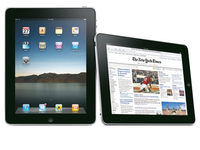
The Apple iPad launch is imminent, and to coincide with that a number of magazine providers are trying to work out the best pricing strategy for their publications.
According to Engadget, the Wall Street Journal will be coming for $17.99 (£12) per month, whereas the print version is $29 (£19.50) every 30-odd days.
Word is that the WSJ has had its very own iPad to tinker with for a few months (which makes sense, rather than just coding and guessing).
Is 30p enough?
Sources close to the WSJ (just to confuse matters) have also been given some tip-offs about what magazines are thinking of charging for their iPad-content, with some pricing more aggressively than others.
For instance Esquire will be coming in at $2.99 (£2) for the iPad version, where it's $4.99 (£3.30) on the newsstands.
But Men's Health has decided that working out new prices is just, well, too darn tricky and will be leaving both the physical mag and the iPad version at $4.99.

| |
Read More ...
What's your favourite gaming tech of the last 12 months?

Voting is well underway for the TechRadar Awards 2010, but who's out in front so far?
This week on TechRadar we're looking at how the nominees are doing in the home entertainment categories including those covering TV, audio and gaming kit.
Today and Friday we'll be following companies and kit that are doing well in the polls, so you can see if you agree with the results so far.
If you haven't voted yet, why not do so - help get your favourite to the top spot (or keep them there)! Those out in front are by no means guaranteed to win, with voting going on for the next month, there's plenty of time for things to change.
Once you've voted, you can enter our competitions to one of four £5,000 YOYOTech high-end gaming PCs or one of 10 swish £799 Dell Adamo laptops.
In the category of most exciting gaming tech the Sony PlayStation 3 Slim is out in front, but the Nintendo Wii Motion Plus and Apple's iPod touch aren't that far behind. Let us know your favourite.
Our most innovative platform category covers services such as Xbox Live and BBC iPlayer.
Those two pioneering services are currently vying with Sky+HD for the lead, but if you're a Sony gamer you might want to get voting and back the PlayStation Network.
Have your say in these categories and many more across computing, home entertainment, mobile communication and gadgets at awards.techradar.com
We'll be looking at the state of play of more of the computing categories on Friday.

| |
Read More ...
Facebook's happiness index app comes to the UK

Facebook has rolled out its happiness index application to include the state of people's emotions in the UK, Canada and Australia.
Originally a US-only project, the Gross National Happiness index looks at people's status updates and decides what days of the year we are at our highest and lowest emotionally.
The information mined isn't exactly, well, mind-blowing but it does show a correlation between holidays and 'event' days and how people who use the social network feel.
"Although there are differences between the nations' GNH graphs, they are more similar than they are different," says the Facebook blog.
"Christmas, New Year's Eve and Valentine's Day are amongst the happiest days across the board.
"Negativity is trending down over time for most nations, likely due to the changing demographics of Facebook users that now include more older people, and perhaps also due to the economic recovery."
Stat of play
Some Brit-specific information which the graph shows is that the UK was emotionally on a high on dates that coincided with the X Factor final (something that frankly depresses TechRadar) and when we had the first snow day last year.
Our depression seems to be linked with that of the world of celebrity, with Cheryl Cole announcing her split with Ashley Cole one of the UK's most negative days on Facebook.
At first glance, the Gross National Happiness index may seem throwaway. But for statisticians it's gold, as it makes public vast amounts of anonymous data from one of the biggest sites in the world.

| |
Read More ...
Moto bringing Android 2.1 to Milestone by April
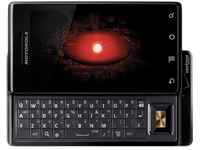
Motorola might be releasing approximately a bagillion phones per minute these days, but that hasn't stopped it keeping it an eye on the older ones.
Well, we say older, as the Motorola Milestone only launched at the tail end of last year – hardly ancient in phone terms.
But it 'only' launched in the UK with Android 2.0, which is so last year – it's all about Android 2.1 these days, with all them fancy things like interactive wallpapers (trust us, they're awesome).
Upping the ante
So the good news if you're in Europe and have forked out the moolah for the Motorola Milestone: it will be getting the upgrade in a matter of days.
It's currently available for the Hong Kong and Macau markets at the moment, so if you can't wait and know a thing or two about modding your device, you can download it directly.
Otherwise, be patient and you'll be using a faster and more slick Moto Milestone before the end of Easter.

| |
Read More ...
Tax breaks coming to the UK videogames industry

Alistair Darling in his budget report has announced that tax relief is finally coming to the UK videogames industry.
The move means that those who make videogames in the UK will be given tax breaks. This is a bid to bring games design back to the UK, which has been dominated by countries such as Canada.
Helping gamers
In his speech Darling explained: "I will help the computer games sector… we need to keep British talent in this country."
He also noted that the tax breaks would be "similar to that of British film industry."
Currently, if you make a film under £20 million in the UK, you can get a cash rebate of 25 per cent back.
If it is over £20 million, then this is cut to around 20 per cent.
Recently, TIGA (The Industry Gaming Association) proposed that the videogames industry in the UK should be given tax breaks. This was backed by the Liberal Democrats.
Speaking at the time about the proposed tax relief, Dr Richard Wilson, Chief Executive Officer of TIGA, said: "Our latest research shows that out of a range of fiscal measures that could be introduced to help the UK games industry, the introduction of games tax relief is the most popular."
The idea of tax breaks was also announced in the Digital Britain report.
Stopping the rot
Tim Ingham, Editor of CVG, had this to say about the tax breaks: "This is fantastic news for the UK games industry. For too long, we have witnessed the closure of studios that could have had a fighting chance with Government funding, and the emigration of top talent from UK Studios abroad.
"This move will no doubt stop the rot - and keep our hugely successful games industry alive and kicking."
Ingham was a little hesitant about celebrating too soon, however, noting: "It would be wise for us to wait for the details before popping too many champagne corks. Our biggest rival for news games business, Quebec, offers a 37.5 per cent salary rebate to studios, as well as income tax holidays for UK staff that relocate.
"It's going to be hard for us to equal that. Even if the government matches what the UK film industry gets - a 20 per cent tax credit and over £50 million a year instate and Lottery funding - we'll still struggle to be as attractive a proposition to outside business as Canada.
"For now, however, it's just brilliant games have been recognised in this way. Hats off to industry body TIGA, who never gave up on lobbying to make this happen."
So good news all round for the UK games industry then. Well, bad news if you are a cider-drinking gamer as your pocket is about to be hit hard.

| |
Read More ...


No comments:
Post a Comment