

Review: Nokia N900

The latest addition to the Nokia family is the first device running Maemo 5, a new OS that takes the best of Nokia's internet tablet range and stuffs it into a phone-sized chassis. Featuring a huge 3.5-inch screen and full slide-out QWERTY keyboard, it's also packing a seriously strong engine under the hood to power things along. Will the N900 shed the ageing image of Symbian and bring Nokia to the next level to match the likes of the iPhone?
The first thing you notice about the N900 is its size. It's certainly hefty at 110.9 x 59.8 x 18mm, and the weight of 181g means it's not going to win any slimming contests either. But it's worth pointing out that Nokia hasn't once said that the N900 is a phone, a successor to the N97 or anything along those lines - it sees it as super-charged internet tablet with phone capabilities, rather than the other way around.
That's not to say it doesn't have its phone-related charms, but you need to know what you're getting into with the N900 - it's a hackers delight and it's got a huge screen for the internet, but compared to the likes of the HTC Hero it's a lot, lot bigger.

But with great size comes great stability, and the N900 feels nice in the hand. Slide open the QWERTY keyboard and while it does feel like the key area should be larger, it's a pleasing motion with a very sturdy feel to it. The large screen dominates the device, and for good reason - the keyboard is an ancillary addition, rather than key to the whole experience.
The outside of the phone feels very stark - as mentioned, the domination of the screen is such that it doesn't leave any space for physical buttons - we're not used to a Nokia phone that doesn't have a call, terminate and menu button to keep us happy.

The outside of the phone houses the buttons (and we feel that a few of these may be in the wrong place). The top of the phone (when held in the landscape format, which you'll be doing 99 per cent of the time) has, from left to right, the up/down volume key, the centrally placed square power button and the camera shutter too.
And - we know you're going to love this - there's an infrared port on the N900 as well. Infrared! We haven't seen that in years, and we're not even sure if it was ever really needed on any phone, but couple that with the old charger adaptor in the box and the N900 has a very old-school feel to it.
But dig a little deeper and you'll see why. We've pointed out before how this is an 'enthusiasts' device, according to Nokia, and while the manual says that this port doesn't control any pre-installed applications, it can be used by third-party developers. This means the N900 has the capability to do things like become a universal remote, which is pretty cool indeed.

Scoot round to the right-hand side and you'll find the lock key, which is a little square slider button. This is where we have the biggest issue - finding this button with your finger requires you to shuffle the phone in the hand a little bit.
Below that there's the headphone socket, which is raised slightly to allow flush connections with the jack. Given the amount of phones these days that have a curved socket, leaving the headphone connection exposed, this is a welcome change.
However this did bring up one problem in that when holding the phone with the headphones plugged in, it was very uncomfortable, with the plug right in the way of where you would naturally want to hold it.

On both the right- and left-hand side sit the stereo speakers, which offer some pretty decent sound for such a device. Also on the left-hand side is the microUSB slot, which has no cover and will likely get easily filled with bits (we have no idea what bits are, but we know they live in your pocket).
Below the headphone jack is where the stylus sits, easily pulled out using a fingernail. We don't like its presence on the N900, and don't really see a need for it, but if you've got a resistive screen you might as well use it on the odd occasion you can't hit some icon or other.
On the back of the phone is the camera and stand. We'd prefer to see said stand (like that seen on the N86 and N96) more central, as the weight of the N900 always makes the phone seem unstable. However, the sliding lens cover for the camera is sturdy enough, and the camera itself well packaged and nicely flush to the chassis.

But in the hand, it somehow feels right. If you're a smartphone connoisseur (and we assume you probably are given that you're looking at the chunky-yet-powerful N900) then you're probably adept at using a touchscreen - and we're so used to such as well that we often forgot to slide open the keyboard.
But when you do it simply feels right in the hand, both in one- and two-handed operation, although the pressure to use it in landscape mode for nearly everything is annoying as there are times when you want to scroll through a list or something with just a single digit, and it's not easy to do so.

While the depth might not be best suited to iPhone- or Hero-like singl- hand operation, it's no problem to use the phone in day-to-day life, even if it leaves a more than unsightly bulge in the trousers. But if you want to put a positive spin on things, think of it as safety - at least you'll know you haven't lost the phone.
In the box
The Nokia boxes are fast becoming fun-filled arenas of gadget extras, and the N900 is no exception. There's the now rudimentary microUSB connection lead, a similar charger (no environmental saving here for Nokia) and the so-so bundled in-ear headphones.
We say so-so as they don't match up to 'proper' in-ear buds, but compared to most others available in the box with a phone they're much, much better, with a range of tips for different ear shapes as well.

In keeping with the new Nokia high-end phone tradition, there's also a TV-out cable, allowing you to pump whatever you've got on the phone onto a bigger screen to share with your friends. And last but not least, a convertor for not only the newer single-pin Nokia charger, but also the older one from donkey's years ago. Whoever would have a Nokia from five years ago and then decide to move to an N900 is beyond us, but it's always useful to cover your bases.
 See all Nokia N900 deals:
All deals | Pay Monthly | Pay as you Go | Sim Free
Maemo 5 on the N900 is a whole new ball game when it comes to mobile operating systems - at least that's how it will feel for most people when they get their hands on the N900. However, what many will fail to realise is that the likes of the N810 internet tablet range from Nokia have been around for aeons (in technology terms) and have been the plaything of scores of developers in the past.
It appears Nokia has combined this with the usability of Symbian to create a hybrid system that works well for both the power and casual user, if you're prepared to spend a few minutes getting to grips with it.

And here's the very good news - it just works. We're talking Android levels of integration and usability, rather than just a simple Symbian touchscreen phone. The reason for this is twofold - the new operating system is built on a simple system of single menus and wide, icon-filled home screens, which means no more drilling down through countless menus simply to set an alarm.
The second advantage is under the chassis - the ARM Cortex A8 600MHz processor might not sound like it has the jazzy specs of the Qualcomm Snapdragon, but believe us it rarely fails to deliver when you're trying to move between applications and work the N900 heavily.

Power VR graphics are also included too, meaning a very eyeball friendly screen set as well. We mentioned how wide the N900's screen is earlier, but there is a downside - it's a resistive, rather than the more responsive capacitive, screen. This usually means slightly longer to register inputs and inaccurate touching.
However, this is one of the better resistive options we've seen on a phone, and if we didn't know from the start that this was such a screen on the N900 then there's a chance we wouldn't have worked it out. And while the screen's tech might not be the most advanced, it does have a glorious widescreen VGA resolution to cushion the blow - 800 x 480 pixels mean content looks amazing on the N900.
The main focus of the N900 is the simple to use screen. We're talking a wide home screen (three home pages and a separate extra screen for further customisation) with a wide variety of places to put your favoured icons. There's a choice between widgets and simple icons, with the former offering larger icons for applications like the calendar and RSS reader so you can interact with the phone's core functionality without having to open up the program.

While on Android you've got the helpful physical menu key, on the N900 we're not so lucky, with a drop-down menu at the top to guide you through the different applications' settings and extra functionality.
This is not always available in every application either, with often only minimal menu options offered when clicking it, whereas we'd like to be able to alter the setting and options for more applications within the N900.
Another weird navigation point is when you want to exit a pop up box. The N900 works by bringing the relevant window into focus and then blurring out the rest of the screen. This is cool, but the only way to move back is to strike that blurry section. It makes sense, but just feels a little amateur when we're merrily tapping on any part of the display.

But the thing we like the most is the multi-tasking screen. Not only is it nearly always accessible through the double-rectangle symbol in the top right-hand corner, but it also allows you to see thumbnail panes of each of your open applications. Shutting them down is as simple as hitting the cross on the window in its top right-hand corner, and the whole system works very, very smoothly.

In fact, we had to open nearly nine windows before the phone began to slow down, which was an excellent result. Should you want to go further, tap the same button in the top left of the N900's screen again and you're taken to the full menu screen, when you can begin your navigation quest again.
See all Nokia N900 deals:
All deals | Pay Monthly | Pay as you Go | Sim Free
Calling on the N900 is almost a secondary consideration, which makes sense when you realise this is a phone second and an internet media tablet first. This means that when you want to make a call it's not as simple as just pressing the green button and bringing up the dial pad, you have to go to the menu screen (which can take a few clicks) and open the 'Phone' icon instead.
From here you're asked whether you want to open a contact, or use the dialling pad to make your call. We're once again big fans of Maemo in this instance, as not only can you make the call 'normally' (ie through the mobile networks) but also via your IM clients to which you're signed in.
While you can't do really cool things like speak through VOIP with Skype to any mobile number (thus saving you money), you are able to make calls to your IM contacts (through Google Talk and Skype and the like) direct from this dial pad. This is simply accessed by pressing the top button, which says 'call type' and choosing from the available options. It's neat and we really like it.

On top of that, the dialler is one of the few times you get to use the N900 in portrait mode. You can do the same thing in landscape, but it's much easier to type numbers and make calls with just one thumb (and the rest of the hand holding the phone, obviously).
And there's a doubly cool function in there too – you can set it so whenever you tilt the phone into portrait mode, it opens the dialler. That's the kind of trickery we'd like to see more of from Nokia.
While the dial pad doesn't support smart dialling (ie pressing the numbers and the phone offering your names in the phone book based on the predictive text words associated with those keys) you can simply type the person's name into the phone using the QWERTY keyboard, and the list of names will be instantly offered for you to call to.

Call quality is pretty good on the N900, even if it does feel like you're holding a huge brick to your head at times. Very rarely did we experience dropped calls, which is a novelty for us these days as most phones appear to have been built with a radio antenna made of rubber bands instead of things that actually pick up a signal.
We tested the N900 on T-Mobile, and we found that call quality and coverage was excellent. What was most pleasing was not only does the N900 'sniff' for new signals rapidly (ie it will re-connect to the signal as fast as possible) it will also default to 2G very quickly when 3G isn't available, and return when it is. The likes of the Sony Ericsson Satio did not manage this feat as well, so it's good to see it working well here.

Contacts are fairly basic on the N900, we'd say, and that's no criticism. There's no need to be all fancy about listing a load of people in your phone, and we especially like how Nokia has followed others in allowing you to type a name into the phone from the home screen and be taken straight to the contact.

When in the contacts menu however, there's no way to scroll through names by letter or something unless you want to break out the physical keyboard (when sometimes you just want to use the N900 in touch only mode). However, should you turn the phone on its side, the whole issue is somewhat resolved, but it's still annoying having to make extra gestures.

When looking at a contact, there are a number of fields you can add in, with the pertinent information displayed at the top (ie phone number, email and so on). This is flanked by a large contact picture that appears when the phone rings too. We imagine that in the future Facebook applications will be developed that allow integration of the social networking site to the contacts list, and the picture will automatically update, as it already does with Skype.
You can perform any action you desire from the contacts page, simply by clicking on the field to do what you wish, be it email, message or call. Should you have Skype installed, you can also choose to call that way too.
See all Nokia N900 deals:
All deals | Pay Monthly | Pay as you Go | Sim Free
Messaging on any phone with a QWERTY keypad is always a lot nicer than other touch-only phones, and the N900 is no different in that respect. The keys on the QWERTY are nicely sprung with a decent amount of travel, allowing speedy typing throughout. The space bar is still on the right-hand side rather than central, meaning the layout is similar to that of the N97.
However, while a lot of people have moaned about this, we don't have a problem with it, and assume Nokia MUST have done some sort of research that suggests it's a good place to put it.

The main areas of messaging are divided into email, SMS and instant messaging, so we'll deal with each in turn:
The N900 is great in the fact it can take a variety of email accounts and also has support for Mail for Exchange right out of the box. Sadly, while the N900 does pretend to offer communication history, the phone can't mimic Windows Mobile in the way that emails appear as threaded conversations on the phone - with this feature reserved exclusively for SMS and IM chats.

However, email is centralised to one application, which is nice, meaning you can choose to access your webmail and Exchange accounts separately but they are also within easy reach of one another.
Push email from Exchange is available, and you can set the periods of the day you want the N900 to look out for new messages, as well as change the settings to only check for email every so often.

Webmail is a little more basic, but the N900 does download extra folders to the handset as well, so you don't have to sift through a huge pool of correspondence to find one message.
Email + push/Exchange + QWERTY keyboard for quick fire replies = a winning combination.
SMS
The thing with SMS/texting is that there's really no place to go with it these days, so it's just about getting it right - threaded conversations, easy movement from normal SMS to MMS and offering an easy to use view of all your messages. Well, the N900 only manages two out of these three, with little regard for MMS.

You can start a new SMS from the Conversations window, but beyond adding a smiley emoticon there's not a lot more that you can do - should you want to send a picture you'll have to do it directly from the application on the phone.
But we like being able to fire off a text or two with ease, and at least these communications are put into your history with a contact.
IM
The range of IM clients on the N900 is excellent (and will only get bigger) and the integration of them is very nice. Be it Skype, AOL or Google Talk it's very easy to simply see who's online and click to start a conversation with them.
Despite being able to link contacts details for a person all into one account on the phone (be it phone number, Skype ID and email address), you can't simply switch between methods of communication mid-conversation, which was a feature we much admired in the Palm Pre and hoped would pop up on Maemo 5.

But the threaded conversations and history are a nice touch, and you can even set the phone to notify by LED light when you get a new chat request, which is nice when the phone is left unattended for a while as you'd easily forget to check this part.
See all Nokia N900 deals:
All deals | Pay Monthly | Pay as you Go | Sim Free
While we've been fairly positive about the N900 so far, the internet browser on it is even better. Built with tools from Mozilla, it's a great experience and in our opinion matches the iPhone for speed, ease of use and beats it in terms of functionality.
The main winner for us is the implementation of Flash video - something the iPhone can't/won't do (for some Jobsish reason). 'That's nothing new!' we hear you cry, and you'd be right - the HTC Hero had Flash playback too. But here's the kicker - on the N900 it actually works! We know!

Basically this means if you navigate to the BBC site and wants to see a related video, it will start up when you want it to! Should you want to head on over to YouTube and watch something from the full range on offer - you can!
One problem we did have was with BBC iPlayer - while we could navigate around the site with ease, the videos were a little choppy on playback, which was a real shame as native iPlayer will be a killer application for a mobile phone one day.

But general web usage was pretty darn good in our opinion, with the rendering speed the main positive point. Zoom options came in the shape of double tapping to smart fit the text on the screen to the display and also a weird twirling-your-finger action on the screen to zoom in.
Presumably Nokia looked at the pinch and zoom options used on the HTC Hero and the iPhone and decided to go in a different direction, just to be different.
While it does work, it's a very strange option – especially as the first two rotations of your digit make the display fly around like a rag doll.

But that aside, the resistive screen (although not as responsive as capacitive) is very good, allowing you to pan and zoom through the web pages as fast as you'd like - content rich sites were especially impressive, as they loaded as fast as the iPhone and HTC Hero, if not faster.
However, one gripe we do have is the zooming is a little laborious and unpredictable at times, meaning that we often had to move the page around once zoomed in to find the section we're looking for. And it's not like we can try and click on the hyperlinks from fully zoomed out, as they're just too hard to hit.

This is especially annoying when viewing flash video, as not only is it hard to hit the 'full screen' option on something like YouTube, it also makes it very difficult to play and pause the video, as you need to have razor sharp fingernails (and no, we're not using the stylus out of principle) to pause and play.
But you can also use the volume key to zoom in and out, and despite the way the phone trend is moving towards touch control, being able to do things using physical buttons is a nice feeling.
Another gripe with the internet comes in the shape of the history list (although we should point out this is displayed in a really cool manner, with the panes all lined up to be swiped through - again, not original, but it works well enough). Well, it works OK - there were a few occasions when it took a few seconds to load up, which was a little too long.

But other treasures on the phone include automatic RSS feed sniffing, with a simple tap of the cross bringing up all the options to with that web page, be it RSS or adding a bookmark to the phone, or widget to the desktop.
Multi window playing is supported in this Mozilla-powered browser and also word scanning on a page just like on a PC - enter whatever you want into the box and the phone will scan the site for you.
Another cool thing is the integration of Google into the web address bar (Firefox leanings once again becoming apparent), where the N900 can recognise when you're not typing in a URL and will automatically send you to Google instead (although it's the mobile version, it still has all the relevant features and works just as well, but with bigger hyperlinks.
We're also a fan of the bookmarks on this phone too, with each being listed in an easy-to-scroll format, and a little tile showing a snapshot too.
It's not clear how text is highlighted on the web browser, meaning we found it impossible to execute copy and paste - however, holding on a web link does bring up a dialogue box where you can copy the address, so at least that's something.
One problem we did encounter (and this was systemic throughout the N900 we're sad to say) is that we often found that moving too quickly between Flash-heavy sites forced the web browser to give up, asking you to close as it wasn't responding. This is likely early bugs in Maemo 5, but we're not sure that it will be fixed before launch.
We know this sounds a lot like the iPhone and Android browsers, and that's mostly because it is. But anyone that's used the Symbian and Mobile Internet Explorer browsers will know how tricky it can be to get this element right, so that's why we're a fan. It's not the best on the market, but it's certainly best of the rest.
See all Nokia N900 deals:
All deals | Pay Monthly | Pay as you Go | Sim Free
The camera on the N900 is pretty much standard fare for a mobile phone these days - 5MP lens with dual flash LED, and a nice little slidey lens cover to keep everything safe.
However, despite the range of picture taking options, there's not a whole amount of pleasure to be found from snaps taken using the N900.

The main thing we quickly realised is that this isn't a phone that's designed for the mobile photographer (mo-pho), as while there are modes such as macro, landscape and action, these are pretty much useless in our opinion.
For instance, the macro mode captured the detail well enough, but when a reflection came in, that whole area on the snap became pixellated and looked thoroughly rubbish.
Similarly, the dual LED flash in low light - nice to have, but it's certainly no Xenon. And, in fact, the main selling point of the camera appears to be being able to take the resolution down from 5MP to just over 3MP, in order to take a widescreen 16:9 picture. Thanks, but that's not as important to us.
Picture taking was speedy, with less than five seconds taken between each snap - that is unless you add in a spot of geotagging, when it will be about double that. Our tip - don't do that.
You can change the exposure and white balance on the phone, but we've only ever really seen this feature as a gimmick that we'd anticipate 95 per cent of users will never, ever touch. That said, for the five per cent that do, it works well enough and it's always nice to have other options in these situations.

Video capture and playback is a bit disappointing as well, as although QVGA capture is promised (which takes it to near DVD quality) the N900's framerate lets it down, with choppy movies not really what you're looking for in a phone like this.
And for that reason, we'd suggest you don't pump said shootings out through the TV cable - they don't look good on the big screen and that's going to make people think this good phone isn't much to shout about at all.
It is nice to have a few photo-editing options, such as being able to rotate and crop snaps straight after taking them. There's also the opportunity to tag photos as well, where you can assign a label (or more) to the snap and then when it comes to viewing it in the photo gallery (which is basic, but rockets through photos when swiping along) you can then filter by tag, which is pretty nice.
Overall, it's a camera that is a little less impressive than other Nokias, and certainly one that's bettered by most of Samsung's range, such as the Samsung Jet.
See all Nokia N900 deals:
All deals | Pay Monthly | Pay as you Go | Sim Free
As you might guess for a phone with 32GB of onboard memory (with up to 32GB more through microSD) the N900 is clearly designed for media, and it's pretty good too.
The media player is a simple affair, with the options to listen to music, watch videos, use internet radio or quickly shuffle all your songs the main icons thrust at you when started up.
Music is probably the main reason you'll pull out the media player on the phone, with the tracks listed nicely and viewed by album cover when you start up. There's no cover flow option here, but seeing as every phone other than the iPhone that tries this struggles terribly, we're not sure that's really a bad thing after all.

Music quality is pretty good too, with tracks starting promptly and having a little sparkle to them as well. We're fans of the music interface, as it has dual modes - there's the slider to let you navigate through the song, with basic track info, and if you tap the album artwork it takes you back to the track list of the album you're listening to.
Beyond that, it's pretty basic - there's play and stop and fast forward and all those gubbins, as well as another volume slider (on top of the physical key on the phone) and despite the fact they could be a bit bigger, it works well.

As you can imagine on the N900, video looks superb on the WVGA screen, and is also simple to navigate, supporting WMV, RealVideo, MP4, AVI, Xvid and DivX codecs, although it can't seem to recognise the M4V file format for some reason.

Video does take a little bit of time to load up on occasion, and there were instances where the phone juddered a bit when beginning a movie.
But whether listening through the headphones or speakers, sounds was more than adequate (although no stellar) and there's also the option to share the video through Bluetooth, email and via inbuilt services like Flickr (although we couldn't find YouTube support anywhere, which was thoroughly odd. Ovi by Nokia is there, but we're only interested in the big names for a phone like this).

Internet radio was a real damp squib in our eyes, as not only did the 46 listed stations not work over 3G barely at all (we accidentally started one up once and that was it) it's nigh on impossible for the average user to add a radio station to the list unless their favourite site has express instructions on how to do it and the specific URL, and we couldn't once manage to find that.
It's a real shame, as an easy to use FM transmitter is included as standard, and we like the thought of pumping internet radio out in the car (as long as we have a good data plan and an understanding provider).

But the main saving grace is DLNA. Savour those letters - D. L. N. A. Before, they stood for a real diabolical time trying to get your sodding phone to connect to your sodding computer, with the likes of the Samsung i8910HD refusing to accept there's any such thing in the room even though it's RIGHT THERE WHY CAN'T YOU SEE IT?
Nothing like that with the N900 though - simply turn on your PC (which needs to be part of your home network - Windows 7 does this automatically for you) and then lo and behold, an option to connect to that PC appears at the bottom. In the words of a popular mammal: simples.
However, one really annoying issue – pop in a memory card and the Nokia N900 will simply refuse to read the files on there until a restart, and even then it can sometimes still ignore them. This is really frustrating if you're trying to quickly pop a new album onto the phone, as you don't want to have to keep messing around with switching on and off and changing things around just to do so.
See all Nokia N900 deals:
All deals | Pay Monthly | Pay as you Go | Sim Free
Now, here comes a tricky situation for any reviewer. The N900, being based on Maemo, is a relatively nascent platform, and as such doesn't have the Ovi applications store behind it yet. This means you're forced to head to the likes of Maemo.org to dip up the treasures yourself, rather than having them handily categorised and suggested and geolocated etc, etc.
The problem is this - we can easily gaze into our crystal balls and see that Nokia will have a thriving community of apps within the year for the N900 - so if you're reading this then when it's turned up with your provider or you're thinking about it on contract, then it will be fine.

But now, it's just annoying that all those users of the substandard N97 get a full (well, sort of) applications store, and the N900 hasn't, so it's with a heavy heart we have to mark it down for such.
However, the inbuilt applications are pretty swish by themselves, so it's not all bad news.
The main one we love is the RSS reader. Not only can you populate it right from the browser, but you can refresh it as often and as automatically as you like, and a little home screen widget will show you the top stories without even having to open it up. It is a bit annoying that you have to have all the feeds blended into one list, but we like it anyway.

The games section is pretty good too, and harks back to the days when Nokia actually added content to its phones before you bought it, rather than making you pay lots of dollarpounds to pick up Snake 3 or something.
Chess is much as you'd expect, Blocks is such a rip off of Tetris that you think the Russian Mafia will be visiting Finland (although we do thing the D-Pad control is pretty good) and Marbles is your basic strategy game that will either frustrate you enough to give up or keep you amused for hours on end.
Other little snippets of fun include Sketch, which is essentially paint using your finger (although doesn't support finger painting, unless you want to get your N900 VERY messy) and doesn't really work that well. We often wonder at the point of including such things, as it does have a tendency to show off the frailty of a resistive screen.

There are the aforementioned applications available to download online too, and these are handled by the natty little applications manager, which basically starts up whenever you want to add a program.
And of course, we have to say hello to Ovi Maps, once again included as Nokia tries to make us feel comfortable with the term Ovi (and stop us feeling like it's another word for a womb).
We're not sure about the effectiveness of the GPS on the N900 - sometimes it locks on harder than a bored bear trap, other times it relies far too heavily on the mobile signal to triangulate your position and stay there.

However, it does come preloaded with city maps, and you can plan routes from the phone itself, following your progress merrily on the pin sharp screen.
But there's something eminently unusable about this application that we can't put our finger on - in the case of the N900 it doesn't help that it lags a bit, but it's more than that - either we're Google brainwashed (mmmm... different coloured logos) or Ovi Maps needs to get a bit slicker before it can rival the overlord Master G's Maps effort.
See all Nokia N900 deals:
All deals | Pay Monthly | Pay as you Go | Sim Free
Battery life on the Nokia N900 is only so-so, we're sad to say. And the main culprit for that surely has to be the push email and constant Wi-Fi and 3G connection sniffing the phone performs so well.
We found that when the phone was charged up at noon on one day, it was dead by early morning the next. This is without excessive usage; that rate goes up when constantly browsing, listening to music, watching videos and generally poking the phone a lot.

We'd imagine you could get through day to day charging the phone at night, but the 1350mAh battery bundled with the N900 could do with a bit of work in our opinion. It's the same battery used in the much less powerful Nokia X6, so that should tell you all you need to know really.

Despite the presence of push email, we're not sure that the N900 really is a business phone. Take into account things like the office software being only offered on trial (you have to PAY for the full version, what an outrage) and the basic calendar and you can see what we mean.

We're not saying it's rubbish or anything, but the calendar could do with a bit of work. However, it not only syncs well with Outlook but it collates the birthdays of those friends you become a bit too obsessed with by adding in the date of their birth on your contacts list too. There's no Google Sync for Maemo as yet, but that will hopefully change in the near future.

There's also a PDF reader, which does what it needs to do with aplomb - that's all we've really got to say about that, other than well done Nokia for popping that in there.
Notes are also offered, but there's no handwriting recognition here - we're talking plain old boring typing to help you remind yourself about something or other.
And there's a clock with an alarm - but it's a phone for crying out loud - of course it has that.

If you've just bought the N900, we suggest you head online to check out the apps available to make your life richer - just don't get your hopes up that this phone will rival the iPhone and its relationship with the App Store.
One problem we did have is with File Manager - while it quickly zipped through the sublists in the phone, it sometimes couldn't find the on board memory card, which was annoying when we were trying to shake the N900 into registering that there's a music file we want to be added to the library and listen to.
See all Nokia N900 deals:
All deals | Pay Monthly | Pay as you Go | Sim Free
Connectivity on the Nokia N900 is beyond par - we can't think of anything else that should have been included. First of all, as we've mentioned countless times before, the N900 is great at sniffing out networks, meaning if you need data connectivity when out and about, you're likely to get it.
Data connection is OK as well, although it does drop out a little too often - however it rarely failed when we needed it most, so that makes it a positive point in our book.

The fact the Wi-Fi kicks in whenever you enter your home network is a real boon, as you suddenly find that internet browsing has increased in speed quite considerably when using it.
GPS is a similar beast, although we're not sure how accurate it is, as we mentioned earlier in the copy, because the phone seemed to rely on aGPS a little too much for our tastes - however geotagging is an odd one as we couldn't find a way to add it to photos beyond tagging it with the city you're in at the time - doesn't feel very intuitive to us.

We're fans of the Bluetooth on the N900, as headphones connected up nicely to the device, as well as being able to transfer files wirelessly to your PC in a fairly speedy fashion.
Connection to the PC is performed by a microUSB cable, much as is becoming standard on all mobile phones these days. It allows you to use the phone in mass storage mode and on the PC suite, but nothing else.
Nokia has also taken the odd decision to use Nokia PC Suite 7.1 with the N900; meaning limited options when it comes to things you can actually do with the phone.
This means although you can reformat video files for the phone and back it up to the PC, (although in both cases it's not necessary, with all manner of video supported and backup possible to memory card) it's a little redundant when these days all you want to do is pull content on and off a phone.

Ovi Suite is a lot more advanced and offers some more compelling software too, so we'd rather have seen that bundled instead. However, being able to use the phone as a modem is a boon we didn't expect to get with the N900, so it's not all bad on the PC connectivity front.
See all Nokia N900 deals:
All deals | Pay Monthly | Pay as you Go | Sim Free


Let's just lay this out on the table - Nokia designed the N900 for the mobile phone/developer enthusiast rather than for every man and his dog. It's not a phone that everyone will feel comfortable using, with a very heavy and wide profile making it a little pocket unfriendly.
Nokia clearly sees this as an ultra mobile computer (we refuse to say the word smartbook) and as such, we shouldn't try and fight against it, just say 'well done' for what it is.
It's not positioned at someone looking to ditch their iPhone - it's for those that might want a powerful device to develop new applications on, or simply want thelatest gadgetry - and to that end, Nokia must be commended for such an action when the world is desperate to finally call this the Nokia iPhone slayer.
We liked
But, if we're being honest, it does actually do some things that at least match, if not better, the iPhone - not least the fact it has a physical keyboard and the ability to play Flash content. We very much liked this phone, especially the internet browser developed in part by Mozilla. Pages rendered at blistering speed, the navigation was seamless and you feel you can lean on the N900 in a way no many other phones could withstand.
We also liked the chassis in a guilty pleasure way - yes it's big and thick, but at least you know it's in your pock... hey, where did it go?
We liked the simple to use menus, we liked the way you simply needed to touch a blurry bit of the screen to exit a menu, and we especially love the multi-tasking that appeared to know no limits.
We disliked
However, every reaction has an equal and opposite reaction - the phone is not without its flaws. The size is a real issue and will be a deal breaker for some people.
For all grunt under the hood, there were times when the Nokia N900 slowed down to an annoying degree, especially when trying to use the history function on the web browser. At one point the phone actually crashed for a minute - we don't know what was happening there but it was very annoying.
The battery life needs to be picked up drastically, and we'd like to see some support for MMS in the future, as well as an FM radio in there for good measure.
Our verdict
This is a great phone/mobile computer if you're into this kind of thing. If you wanted a Nokia Internet Tablet but were put off because of their size and the fact you need a mobile as well, this is the answer you've been looking for. Well designed, easy to use and intuitive, it's everything Symbian should have managed by now, yet it still hasn't managed to do so.
It's a shame Nokia has said there won't be another Maemo device until 2010, so we'll have to wait and see what the next one will look like - will it have shed the pounds?
We would have liked to have given the N900 a higher score today, but sadly there were too many niggling faults that irked us somewhat. The fact Nokia has two touchscreen platforms worries us slightly, seeing as it didn't manage to crack it with Symbian despite being a very mature platform now.
Considering the N900 costs the same as the N97 when launched, there's no contest between the two - the N900 wins hands down, and actually works in the way you'd want it to.
See all Nokia N900 deals:
All deals | Pay Monthly | Pay as you Go | Sim Free
- More mobile phone reviews
- TechRadar's Reviews Guarantee
- Search for the best Nokia N900 deals at Omio

 |  |
Read More ...
In Depth: 22 common Windows 7 problems solved
We like Windows 7: it's faster than Vista, makes better use of your system resources, is packed with interesting features, and looks great, too.
But that doesn't mean it's perfect, of course. If you've moved to Windows 7 recently then you might have noticed various upgrade problems, interface issues and features that seem to have disappeared entirely, among many other complications with the new system.
Don't despair, though - while these problems can be really frustrating, answers are beginning to appear. We've uncovered some of the best and most effective solutions around, so follow our guide and your Windows 7 installation will soon be back on track.
1. Vista upgrade hangs at 62%
Windows 7 can start causing problems before it's even installed, as many people report their upgrade hangs forever at 62%. Which is annoying.
Reboot, and your PC should roll back to Windows Vista. You can then open the setup log file \$WINDOWS.~BT\Sources\Panther\setupact.log to view what happened. Microsoft say this is usually caused because the Iphlpsvc service has stopped responding, and just adding an environment variable to ignore it will fix the problem. Point your browser at http://support.microsoft.com/default.aspx/kb/975253 for the fix.
If this doesn't help (or your upgrade hangs at something other than 62%) then browse the setup log for other clues. And you might also try to boot and install from the Windows 7 disc, if possible, as that reduces the chance of any conflict with your existing Vista (or XP) setup.

INSTALL WINDOWS 7: Windows 7 upgrades are usually quick, but sometimes it doesn't install at all
2. DVD drive not found
In some cases your DVD drive may not be found by Windows 7, even if it's visible in the BIOS and using the standard driver.
The standard solution here is to run REGEDIT, browse to HKEY_LOCAL_MACHINE\SYSTEM\CurrentControlSet\Control\Class\{4D36E965-E325-11CE-BFC1-08002BE10318}, then delete both UpperFilters and LowerFilters in the right-hand pane (UpperFilters.bak and LowerFilters.bak entries can be ignored).
No change? Resetting the drive letter has worked for some. Click Start, type Disk Management and choose the "Create and format hard disk partitions" link. If your optical drive is visible here then right-click it, select Change Drive Letter and Paths, click Change and choose a new letter. If the drive is now visible in Explorer, then repeat the process to change the drive letter back; if it's still not visible, reboot and it should appear.
3. Aero isn't running
If Windows 7 isn't looking its best - transparency has been turned off, say - then the Aero theme may not have been fully enabled on your system. Click Start, type Aero, choose the "Find and fix problems with transparency and other visual effects" link, and click Next to launch the Aero troubleshooting wizard. It'll try to identify and resolve and problems. And if it doesn't, then install the latest driver for your graphics hardware. That could be all your system needs.
Some Aero features may be disabled in the Registry, though. For example, if Aero Peek (the ability to make open windows transparent to display your desktop underneath) doesn't work for you, then launch REGEDIT, browse to HKEY_CURRENT_USER\Software\Microsoft\Windows\DWM and make sure EnableAeroPeek is set to 1, rather than 0.

NO AERO: Windows 7's troubleshooting wizards will fix many display problems while you watch
4. Aero Snap irritations
Windows 7's new ability to move and resize windows, all in one movement, can be a genuine productivity boost. But if you find windows moving around when you don't expect it then Aero Snap is more of an annoyance than anything else, though at least it's one you can disable in just a few seconds.
Launch Control Panel, click Ease of Access, and select either "Change how your mouse works" or "Change how your keyboard works". Then browse down to the "Make it easier to manage windows" section, check "Prevent windows from being automatically arranged when moved to the edge of the screen", click OK, and program windows now won't go anywhere unless you specifically command it.
5. iPhone won't sync in Windows 7
Irritated iPhone users are beginning to report major difficulties in getting their iPhone to sync with Windows 7 systems. Particularly 64-bit Windows 7 systems, based around the P55 chipset. The iPhone is usually (though not always) recognised, but iTunes then complains that it can't connect to the unit because of an "unknown error", usually (though again, not always) 0xE8000065.
Disabling USB power management appears to be one solution. Click Start, type DEVMGMT.MSC and press [Enter] to launch Device Manager, then click View > Devices By Type. Expand the Universal Serial Bus controllers section of the tree, right-click each USB Root Hub entry in turn, select Properties > Power Management, and clear "Allow the computer to turn off this device to save power".
Reboot your PC after this tweak and try again. This works for some, but if you're out of luck then check the Apple Discussions thread for other ideas.

SYNCING FEELING: iTunes on Windows 7 won't always see, or sync with, your iPod
6. Windows 7 themes change your custom icons
Windows 7 has some spectacular new themes - there's a great selection at the Microsoft site - but installing them can have one annoying side-effect. If you've previously changed a system icon like Computer or the Recycle Bin then that could disappear, replaced by the equivalent icon from the theme pack.
To prevent this, right-click an empty part of the desktop, select Personalize > Change Desktop Icons, clear the "Allow themes to change desktop icons" box and click OK. Your icons will now be preserved, and the only way to change them will be manually, from the same Desktop Icons dialogue.
7. Taskbar problems
We like the new Windows 7 taskbar, but many people seem less than impressed with the new approach to taskbar buttons, finding it difficult to tell at a glance whether an icon is a running application or a pinned shortcut. If this sounds like you then there's an easy way to restore more standard taskbar buttons, though - right-click the taskbar, select Properties, and set Taskbar Buttons to "Never combine" or "Combine when taskbar is full".
You can even restore the old Quick Launch toolbar in just a few clicks. Simply right-click the taskbar, click Toolbars > New Toolbar, type %userprofile%\AppData\Roaming\Microsoft\Internet Explorer\Quick Launch in the folder box and click Select Folder. The Quick Launch toolbar should then reappear, and you can move and resize it to suit your needs.

STANDARD TASKBAR: Just a few seconds work and your taskbar has that retro look
8. Missing Explorer folders
Click Start > Computer in Windows 7 and you'll find system folders like Control Panel and the Recycle Bin are no longer displayed in the left-hand Explore pane. This seems like a backward step to us, but there's a quick solution. Click Tools > Folder Options, check "Show all folders", click OK and all your top-level system folders will reappear.
9. Missing applets
Windows 7 installs quickly and takes up less hard drive space than you might expect, but in part that's down to cheating - Mail, Movie Maker, Photo Gallery and other applets are no longer bundled with a standard Windows installation. Instead you must download the programs you need from the Windows Live Essentials site.
Installing Live Essentials will also get you potentially unnecessary extras, though, like an ActiveX control to help in uploading files to Windows Live SkyDrive. And the Windows Live Sign-In Assistant, which can be useful if you want to switch between multiple Windows Live accounts. If you have only one Windows Live account, and no plans to use Live SkyDrive, then these can safely be removed from the Control Panel Uninstall A Program applet.

TAKE YOUR PICK: You can install as many, or as few of the Live Essentials programs as you like
10. Too many minidumps
By default Windows 7 now keeps the last 50 minidump files (memory images saved when your PC crashes). If you're keen on using dump files to troubleshoot crashes then this is good news, but if you've no interest in that kind of advanced debugging then minidumps are just a waste of your valuable hard drive space. In which case you should run REGEDIT, browse to HKEY_LOCAL_MACHINE\SYSTEM\CurrentControlSet\Control\CrashControl, and set MiniDumpsCount to 1. Windows will only now keep the last dump file and you'll free up a little hard drive space.
11. HP Multifunction Printer problems
If you've an HP multifunction printer with its "Full Feature Software solution" or "Basic Driver solution" installed then, after upgrading to Windows 7, you may find the printer stops working. Press the buttons on the front of the printer and nothing will happen; launch the software manually and you'll see reports that it can't connect to your hardware.
The problem is that a few files and Registry entries have been lost in the migration to Windows Vista, and even reinstalling the original HP software won't help. Fortunately there's a new version of HP Solution Center that should get everything working again, though, and you can find out more about it at the HP support site.
12. Hidden extensions
Explorer's default settings in Windows 7 hide file extensions, as well as system files and folders.
To fix this, launch Explorer and click Tools > Folder Options > View.
Clear the "Hide extensions for known file types" to show file extensions, reducing the likelihood that you'll accidentally double-click on virus.txt.exe in future.
And as long as there are no novice users on your system who might go poking around in Explorer, we'd also choose to "Show hidden files and folders" as well as clear the "Hide protected operating system files" box. It's often important to see these files when you're troubleshooting, or following problem-solving instructions from someone else.
13. DVD audio issues
Windows 7 runs well even on old notebooks, say reviewers, and in general they're right. But we have seen reports of problems, for example with DVD audio, where movie sound is either completely unintelligible or doesn't appear at all.
Should anything similar happen to you then head off to Control Panel, click Hardware and Sound > Sound, right-click your current default playback device (it'll have a green tick displayed) and select Properties.
Then click Advanced, clear any settings in the Exclusive Mode box and click OK. You've now ensured that older or badly-behaved drivers can't take complete control of the speakers any more, and this alone will often be enough to get your system working again. (But if it doesn't, installing new audio drivers is your next best option.)
14. Windows Live MovieMaker
For some bizarre reason Windows Live MovieMaker won't let you import network files by default. Okay, so they'll be large and may monopolise network traffic for a while, but shouldn't that be your choice?
Anyway, a quick Registry tweak will solve this annoying problem. Simply run REGEDIT, browse to HKEY_CURRENT_USER\Software\Microsoft\Windows Live\Movie Maker, add a DWORD value called AllowNetworkFiles and set it to 1: job done.

IMPORT NETWORK FILES: Network access is only a Registry tweak away
15. XP Mode doesn't work
If you've ancient software that won't work under Windows 7 then in theory you can use XP Mode, a virtual machine with an installation of Windows XP that should be more successful. In practice, however, it doesn't always work out that way.
Problem 1 is XP Mode requires hardware support from the CPU. The Microsoft Hardware-Assisted Virtualization Detection Tool can check your system to see if it's compatible.
Problem 2 is the feature must be enabled in the BIOS. Microsoft has some instructions, but essentially you just need to browse your BIOS setup program looking for an AMD-V, Intel VT or VIA VT virtualisation setting and ensure it's turned on.
Unfortunately problem number 3 is that some laptop manufacturers have previously disabled this setting for "security" reasons. Sony Vaios had the feature turned off for a while, for instance, prompting some to recommend ways in which you can edit their firmware to restore the setting, although Sony seems to have restored it recently. If hardware virtualisation is turned off on your system then check with the manufacturer - a BIOS upgrade may fix the problem.
And if all else fails, just use a package like VirtualBox that doesn't insist on hardware support. You will need to provide a licenced copy of XP (or whatever other version you want to use) to install on it, though.

WINDOWS 7 XP MODE: Good news - this CPU is up to the task of running XP Mode
16. Add Windows Media Center to AutoPlay options
Windows 7 includes Media Center, but for some strange reason you can't choose it as an AutoPlay handler. The only standard program that can be launched to play DVD-Video discs, say, is Media Player, which seems an odd limitation.
Fortunately there's no fundamental change that's preventing this from working, it's just that Windows 7 doesn't contain the required Registry entries. If you've a Windows Vista PC to hand then you could export these yourself: just go to HKEY_LOCAL_MACHINE\SOFTWARE\Microsoft\Windows\CurrentVersion\Explorer\AutoplayHandlers and save all the keys and values beginning with EHome.
Windows expert Ramesh Srinivasan has done the hard work already, though, so it's probably easier to download the .REG file from him. Take a look at Srinivasan's Winhelponline to find out more.
17. Missing crash dump files
Impressive though Windows 7 is, it'll crash sometimes, and if you've installed diagnostic software like the Windows debugging tools then you'll want the crash dump file to hand for further investigations. And yet in some situations you'll find the memory.dmp file never appears. So what's going on?
First, click Start, right-click Computer and select Properties > Advanced System Settings > Startup and Recovery Settings. Make sure that "Write debugging information" is set to something other than "none", and that "Dump file" is the default "%SystemRoot%\MEMORY.DMP".
If that's all correct then check your free hard drive space. If your system isn't on a domain, and has less than 25GB free, then Windows 7 will no longer keep a crash dump file. If you'd like to change that, launch REGEDIT, browse to HKEY_LOCAL_MACHINE\SYSTEM\CurrentControlSet\Control\CrashControl, create a new DWORD value called AlwaysKeepMemoryDump, set it to 1, and in future the crash dump file will always be preserved.
18. Can't disable hibernation
Windows 7 doesn't make it easy to turn off hibernation, annoying if you never use it as you'll permanently have a "hiberfil.sys" file taking up a sizeable portion of your hard drive. To rectify this situation, launch REGEDIT, browse to HKEY_LOCAL_MACHINE\SYSTEM\CurrentControlSet\Control\Power, and set HibernateEnabled to zero.
19. Poor video quality
The new Windows 7 power plan settings affect more of your software than ever before. If you notice video playback quality seems poor, for instance, then click Start, type Power Options and click the Power Options link. Click Change Plan Settings for your currently selected plan, click Change Advanced Settings, expand the Multimedia Settings section and make sure "Playing video" is set to "Optimise performance".
Alternatively, if you often play video on a laptop, then change the new setting to "Optimise performance" and you may see an improvement in battery life.
20. Where's Software Explorer?
If you've ever played with Windows Defender on Vista then you'll have probably noticed the Software Explorer feature, a very useful way to find out and control exactly what's launched on your PC when Windows starts. So it's a little annoying to see this has disappeared in the latest version, leaving you with only the aging MSCONFIG to control your startup programs.
We'd recommend you download and use Autoruns, then, instead. It's rather more technical than Software Explorer, but nothing else provides quite as much useful detail on the add-ons and extensions you'll be loading when Windows, Explorer and your browser are launched.

START UP: Autoruns shows all the programs that will load when your PC starts
21. Explorer navigation
The Windows 7 version of Explorer has partly disconnected its two panes, so if you're double-clicking your way down a complex set of folders in the right-hand pane, the left hand tree won't always expand to follow you.
This may improve performance a little, but it also means that you won't always be able to see the complete folder structure unless you expand it manually, which on balance seems a bad idea. If you agree then click Organize > Folder and Search Options, check "Automatically expand to current folder", and click OK to restore normal operations.
22. Windows Live Messenger and the system tray
Close Windows Live Messenger on Windows 7 and it'll display its icon on the taskbar, chewing up useful application space, rather than in the system tray where many believe it belongs.
Fortunately there's a very quick fix: right-click the shortcut to Windows Live Messenger, click Properties > Compatibility, check "Run this program in compatibility mode for" and choose "Windows XP (Service Pack 3)" from the list. Close Messenger and its icon should now appear in the system tray, just as you'd expect.

| |
Read More ...
Gboard offers USB Gmail shortcuts

We're sure that we've all gone into our Gmail account and thought 'Oh how I wish I had a USB keyboard with all my favourite shortcuts on that could save me clicking on things'.
Except, of course, we haven't and until now we thought that nobody else had either - but apparently someone has, because a company in the US (where else?) has started shipping that very product.
The GBoard comes with 19 – count 'em – special shortcut keys for those moments when moving a mouse just seems like SUCH an effort.
A dozen quid
Still at $19.99 (cآ£12) at least it could be squarely pitched as a novelty stocking filler along with the USB 'massager' and the USB whack-a-mole you'll get at Christmas.
The website at http://www.gboard.com/ says it all: "Finally, a keyboard just for Gmail users." Finally.
Of course – you could just use the keyboard shortcuts on a traditional keyboard, but that would be ridiculous.

| |
Read More ...
In Depth: 12 games you must play this Christmas

The amazing thing about Christmas is that you finally get some time to play those games you have been reading all about throughout the year nearly over. And 2009 has been a belter for gaming.
Of course, as sensible and mature adult gamers we all know about the "tyranny" of lists. The editorial thought-crime of simplifying and reducing a year's worth of top-notch interactive entertainment into an easy-to-eat, consumer-friendly buyers' guide for daft noobs, narrowing the hundreds of quality games that have been released throughout 2009 down through our own personal taste filters and presenting the top twelve to you on a plate.
Still, everyone else is at it. So here we go. And sure, we've missed off plenty of great games here (do feel free to tell us which in the comments below). No doubt we'll be getting (yet more) calls from annoyed PRs demanding we explicate our reasoning. Hey ho!
Here are our essential twelve games you really must put some time aside to play this Yule.
1. Uncharted 2: Among Thieves (Sony Computer Entertainment – PS3)
Game of the year. End of. The game that we will remember the PlayStation 3 for, much as we remember the PlayStation 2 for Timesplitters 2 and the original PlayStation for Tomb Raider. If you are getting a PS3 this Christmas, then make sure you tell the wife to get it bundled with Uncharted 2. And not Singstar: Take That, which she might be inclined to go for…

"Killzone 2, Metal Gear Solid 4 and LittleBigPlanet usually lead discussions of big PS3 exclusives. But Naughty Dog has truly stepped up to the marker with this stunning third-person adventure," noted CVG's Mike Jackson in his review of the game.
"Uncharted 2 shows off a technical prowess and refined artistic composition that's above everything you've ever seen. The locations, set pieces, camera angles and lifelike animation; it takes everything you'd expect from a third-person adventure and does it better. This is how you make a game."
Throaty-voiced protagonist Nathan Drake is the rightful heir to the "PlayStation Hero" crown and Naughty Dog's game rightfully secured 10 out of 10s across the board. What more can we say? Just play it.
2. Call of Duty: Modern Warfare 2 (Activision – PS3, Xbox 360, PC)
"Sublime in single, co-op and multiplayer. An incredible package," said the guys over on PSM3 Magazine. And it really is hard to disagree.
While some tabloid hacks decided to pick fault with that terrorist scene in the airport, Activision's latest outing in its Call of Duty series will bring out the hidden boy-soldier that lurks in every man.

Again, reviewers were tripping over themselves with superlatives and 10s (or high 90s in the percentile bracket). Even Edge agreed, dishing out a rare 9-out-of-10 and telling us that Modern Warfare 2's multiplayer was "even better than that of its predecessor" and "as fast, unpredictable and exhilarating as anything there's ever been in the genre."
Infinity Ward, TechRadar salutes you. And the thousands of MW2 widows across the land now hate you. Good work, soldiers!
3. Batman: Arkham Asylum (Eidos – PS3, Xbox 360, PC)
What the hell? A superhero game that blew our minds, you say? Lovingly developed in a Kentish Town Studio by Rocksteady Games, this really was a first.

Batman came from almost out of nowhere to quickly become one of our favourite single-player adventures of 2009. If you can afford the rather expensive Nvidia 3D Vision kit, we highly suggest that you play the "Made for 3D" version on PC. In the dark.
"Arkham Asylum is not your typical licensed game," agreed CVG's Andy Robinson. "For one, it's bloody brilliant. Rocksteady Studios has caught us totally by surprise with an expertly crafted, supremely polished single-player game that really is up there with the best. "Its production values rival Gears of War. Its attention to detail is almost unmatched outside of the very best first-party console exclusives. Batman: Arkham Asylum is simply a shockingly good action romp in a cape and utility belt."
4. Metroid Prime Trilogy (Nintendo)
While not strictly a "new" game, this is the Wii title we intend to spend the most time with this Christmas holiday. The Metroid Prime trilogy, Miyamoto's game design at its finest, lovingly updated and presented in a three-in-one box set.

Official Nintendo Magazine noted that the two older games, which were already immense as stand-alone titles, had "been given the enhanced controls that made Metroid Prime 3: Corruption such a fluid and fast-paced shooter."
In addition to the traditional seasonal gluttony, returning to Metroid Prime 2: Echoes ("in many ways the Empire Strikes Back of the series") is perhaps what we are most excited about this Christmas. Perhaps the one true "gamer's game" of 2009.
5. LEGO Rock Band (Warner – PS3, Xbox 360, Wii)
Oh, come on! Lighten up. You really do need to buy a couple of games that you can play with the kids this holiday. After all, Christmas is about them, too. It's not all about you taking some time out to disappear into your war-drenched fantasy adventure-land.
And we've got some important news for you. The kids like LEGO more than they like heavy metal or The Beatles. We've put them down in front of the new Guitar Hero 5, Beatles Rock Band and LEGO Rock Band in a recent scientific study. And the surprising result was that we also preferred to play with LEGO versions of Blur, Bowie and others than the real (virtual) thing.

Gamesradar.com concurred, telling us that, "seeing LEGO versions of an emaciated Iggy Pop, a moustache-emblazoned Freddie Mercury, a pretty boy-era David Bowie, and even the guys from Blur bash out their hits amidst a visual rock-n-roll cacophony of plastic toy bricks and rampant silliness offers far more enjoyment then we might first care to admit.
"Successfully combining two very distinct and well-known franchises, LEGO Rock Band goes a long way towards making the rhythm game genre more palatable to a truly all-ages audience."
6. Empire: Total War (Sega – PC)
So PC gaming is dying on its arse is it? No, it's not. Go away for a week and play Sega's Empire: Total War and then we'll talk, because this beautiful strategy game is by far the game of the year for fans of the genre.

It is, as PC Gamer scribe Jim Rossingnol put it, "the grandest, most spectacular work of strategy gaming on the PC… I challenge you to play Empire and not be impressed, or even fundamentally changed by the experience. This is one of the most playable, and therefore important and accomplished, games ever created."
Big words, Mr Rossingnol, but correct ones. If you have ever dabbled with strategy games or harboured thoughts of creating your own fantastical European empire then this is a deep delight.
Total War looks beautiful and is also fiendishly clever and historically accurate. Developers The Creative Assembly have made what is the most enjoyable PC game of 2009, without dumbing down one bit. A triumph.
7. Forza Motorsport 3 (Microsoft – Xbox 360)
One for the petrolheads. The most realistic and detailed motor-racing sim ever developed. And also loads of fun.
We really tried hard to pick faults with this immense driving game, but try as we might, we just couldn't find any. Unless you just really hate cars or driving, this game is going to appeal to you. A lot.

Gamesradar.com agreed with us, giving the new Forza a perfect 10/10 score - almost unheard of - telling us that, "Forza Motorsport 3 has finally bridged the vast divide between gearhead and average gamer in a way that Gran Turismo seems to have little interest in attempting."
Forza 3 has a ridiculous level of customization so you can choose to play any way you want, in addition to a "bajillion cars and tracks and an unsurpassed online community," which is why it nabs that well deserved perfect 10.
8. Assassin's Creed II (Ubisoft – Xbox 360, PS3, PC)
This delivers on the promise of the original "free-running in the middle ages" game. And then some.
Ubisoft has clearly listened to some of the criticisms of its first, highly ambitious Assassin's Creed and patiently worked to fix some of the niggly issues that stopped that from becoming a truly great game.

It is, as PSM3 noted in its review, "a clever, clever game…it may not have the immediate, explosive impact of Uncharted 2, the beautifully manicured cut-scenes of MGS4, or the insane depth of Fallout 3, but in terms of the way it hooks you in and delivers its epic story of conspiracy, betrayal and love, Assassin's Creed 2 is unmatched - not even by GTA IV."
It is one of our games of 2009 for one reason. The story is engaging and told with skill, without in any way getting in the way of the fluid gameplay. And, as PSM3's Andy Hartup reminds us, "even the voice acting is good - no rubbish accents here - and plot lines are largely free from the usual ham and madness that runs through games."
9. Left 4 Dead 2 (Electronic Arts 2009 – Xbox 360, PC)
What would Christmas be without zombies? It would be like having your yuletide feast without sprouts. Or something.
And while we toyed with the idea of including Capcom's superb Resident Evil 5 in our 2009 Xmas list, Valve's Left 4 Dead 2 just pipped it at the post.

"New friends. More zombies. Better apocalypse" was the developer's tagline for the game, which sums it all up pretty nicely. Even to the extent that Edge pulled another 9/10 out of the bag for it!
"More campaigns, more modes, more guns, tools and types of zombie," raved the reviewer. "The player nearly always has a purpose, a new challenge that adds to the difficulty of surviving the director's sadistic machinations, stumbling straight from one trick into another.
"There are mazes of graves and public gardens that reconfigure themselves on every playthrough, alarms which must be deactivated with distant controls, gauntlets to be run and vital resources to be scavenged which prove the key to your escape."
10. Ratchet and Clank Future: A Crack in Time (Sony Computer Entertainment)
Alongside New Super Mario Bros. Wii and LEGO Rock Band, Sony's Ratchet and Clank Future: A Crack In Time is perhaps in the top three of our "family Christmas gaming" chart this year.
It is, as Official PlayStation Magazine described it, "an experience that's less like playing a game and more like setting up residence in the best Pixar movie you can imagine."

A day spent playing this game with a bunch of kids over the holidays will be a day well spent. Granted, it doesn't push any boundaries with its solid, polished platforming gameplay, but it is endlessly charming, with fantastically designed characters and puzzles.
11. The Legend of Zelda: Spirit Tracks (Nintendo – DS)
If you buy one DS title this Christmas please make sure that this is it. It is Miyamoto's latest. Which should say enough to anybody with even the vaguest understanding of quality in videogames.

"No-one can contest against Zelda's consistent display of charm, polish and genius design that few games can even hope to match," said CVG's Mike Jackson. "And Spirit Tracks is another example of Nintendo's creative mastery [with] that same Zelda intrigue with each new unexplored area, be it a village, dungeon or cave in the wall, drawing you towards it like a fat man to a fridge.
"You just have to look around. Explore. Lose yourself in its world. This is still a stunning example of brilliant game design and you won't find much better on any handheld."
12. Wii Fit Plus (Nintendo – Wii)

*Cough* For the missus, innit?

| |
Read More ...
Sony Ericsson announces Satio fix - but keeps it hush hush

Sony Ericsson has got in contact with us to let it be known that there's a fix for the Satio that will hopefully calm customer fears.
Although a fix for the device was available on the internet earlier this week, Sony Ericsson has now made it official that there will be an update.
However, it has said that it is keeping the matter on the Q-T until all the carriers have passed their versions of the software:
"Sony Ericsson can confirm that the software update for the generic version of Satio is now available via the Sony Ericsson support site.
Not pro active
"Sony Ericsson has not done any pro-active communication around this as normal procedure is to do so when all software scripts are uploaded (including all operator specific software scripts). We expect to be able to do this communication very shortly."
So if you're on Vodafone or similar and don't want to plug in the generic software to your phone - worry not, as there will likely be a fix coming for you in the near future.

| |
Read More ...
Telegraph iPhone app brings offline articles

The Telegraph Media Group has launched what it terms an 'updated and enhanced' version of its iPhone app, promising offline functionality and faster downloads.
The offline functionality is the key thing here – allowing you to read articles when you have no signal, and potentially making the commutes and air journeys a little more palatable.
There are also features like local news based on your GPS location, film trailers and more video generally.
Last and definitely least, there is the 'Report' which allows you to be a citizen journalist and blah blah blah – you get the idea.
Innovation
Maani Safa, Head of Mobile, TMG, said: "At TMG we are committed to innovation and development so we are really excited to be launching the second version of our application, which is practical, easier to use, faster and provides more options for the user.
"We've listened to our users' feedback and incorporated many new elements to the application that will simplify and improve usability, including the capacity to share news and read offline."
Note that there's no mention of the users asking to be citizen journalists.
The new version will be initially available on iPhone but will make the jump to Blackberry, Android, and other mobile app stores 'in the coming months'.

| |
Read More ...
In Depth: Top 12 PS3 deals this Christmas

The PlayStation 3 might be the most expensive of the three major consoles, but that doesn't mean you can't pick up a bargain.
Stores are desperate to make the PS3 an attractive offer this Christmas, and they've succeeded. There's a heap of great bundles available complimented by Sony's new high capacity 120GB and 250GB PS3 Slim.
The cheapest PS3 around comes from Zavvi.co.uk, which is a great place to pick up good deals on consoles and games this Christmas. They're practically giving the 120GB model away at a mere آ£225, but make sure they get stock back in to avoid an empty box on Christmas Day. If you're struggling, you can also pick up a 120GB Slim at Pixmania for just آ£234 as well.
Fans of the big name gaming titles should head over to Play.com, who are bundling a 120GB PS3 Slim with Assassin's Creed II and Call of Duty: Modern Warfare 2, which have to be two of the hottest titles this Christmas. Considering the prices of these two games, Play.com's asking price of آ£299 is extremely competitive.
While that Play.com bundle consists of two of the goriest kill fests on the market, it's easy to pick up something a little more family friendly this Christmas.
High street favourite Game is offering some extremely competitive deals and has a wide range of bundles for آ£249.99. Those gamers with a family to feed and entertain will love the 120GB Slim PS3 bundle with Little Big Planet and Ratchet and Clank: Quest for Booty, or the FIFA 10 and Race Driver: Grid bundle, which offer wholesome fun and won't leave anyone scarred.
This beats the Dixons offer hands down, which bundles Little Big Planet on its own for the same price of آ£249.99.
Game is also offering the top spec 250GB Slim with FIFA 10, Gran Turismo 5: Prologue and InFamous for آ£284.99, which is staggeringly good, when you consider most retailers are selling the 120GB PS3 on its own for آ£249.
Mix and match
Amazon has some really good deals on bundles, which enable you to mix and match what you want. The standard 120GB Slim console costs آ£244 but then you can choose a free HDMI cable and get a single game for آ£5. The games here aren't mind blowing, but FIFA 10, Need for Speed Shift and Borderlands are among the آ£5 offers.
Of course, the PlayStation 3 isn't just about games, and it still represents one of the best value Blu-ray players and streamers on the market for movie fans. Gamestation is bundling the PS3 250GB Slim for آ£284 with Wolverine and Dark Knight Blu-rays.
If you're not worried about having the latest cutting edge PS3 Slim, you can still pick up its chunky older brother. It still features an 80GB hard drive and Currys are bundling in Little Big Planet and InFamous for just آ£239.97, which represents a great reason to go down to the store today.
While you're in Currys football fans might spot this bundle of a 120GB PS3 Slim and PES 2010 for آ£267, which is another great high street bargain.
When it comes to low budget choice, Zavvi has some fantastic offers this Christmas. For آ£249 Zavvi is bundling a 120GB PS3 Slim with Basic Instinct on Blu-ray (the only explanation for this madness is that someone over-ordered) and either Wild West shooter Call of Juarez or 007: Quantum of Solace.

| |
Read More ...
Microsoft conducting 'post mortem' into Bing outage

Microsoft has apologised for a 'configuration change' to its Bing website, which saw the search engine go offline for half an hour in the early hours of December 3.
Visitors to Bing saw an error message during the outage, after a change took the site down.
Microsoft has apologised for the problem with Satya Nadella writing about the problem on the Bing official blog.
"The cause of the outage was a configuration change during some internal testing that had unfortunate and unintended consequences.
"As soon as the issue was detected, the change was rolled back, which caused the site to return to normal behavior. Unfortunately the detection and rollback took about half an hour, and during that time users were unable to use bing.com.
Strive to maintain
"We strive to maintain a high standard of operational excellence at Bing. We are running a post mortem to find out how our software and processes need to be improved to prevent anything like this from happening again," Nadella added.
Outages are still a part of the online world – but with the increased importance of people's internet, as services like email and calendars move online – they are causing major consternation.
Both Microsoft and Google have suffered from minor updates that have taken down key services, but both clearly take the situation very seriously.

| |
Read More ...
Big Chinese retailer sells just five iPhones

China Unicom, the Chinese network, has had the iPhone officially for a few weeks, but has only managed to shift five through an online retailer.
The network opened a portal on online e-tailer Taobao.com to shift more units of the new device (well, new to the network) and then found that only five were sold in two weeks.
At least an overwhelming majority of consumers went for the more expensive choice, with three (that's 60 per cent) heading for the 16GB option, with a mere two (40 per cent) plumping for the 8GB version.
Beating the grey
Apparently PC World is stating that the network only has sold 5,000 iPhones in the few weeks, with a number of reasons for the low sales.
Firstly, despite only just getting its 'own' iPhone, China has been one of the biggest markets for the device on import and grey market trading.
Couple that with the fact that the Chinese version is stripped down, with no Wi-Fi, and also costs 25 per cent more than one purchased from abroad, and you can see why sales might be down.
We reckon if it had been called the ChiPhone, sales might have been a bit better...

| |
Read More ...
Return to days of disc swaps with Mass Effect 2

Remember those days when, mid game, you would have to pause every so often to change disk? Well they may return, with confirmation that one of 2010's most eagerly anticipated titles – Mass Effect 2 – will ship on two discs.
In a forum posting community co-ordinator at Bioware Chris Priestly confirmed the news – but insisted that the swaps are being carefully managed.
"Yes, there are 2 game discs for both the PC and Xbox 360 versions, both the Collector's and standard editions, said Priestly.
"The PC version is a standard install. You install the information from both discs and then play with 1 disc in the drive. No swapping."
Xbox 360
"The Xbox 360 does not have an install and does require disc swapping during play," adds Priestly
"Even though there is a disc swap, it occurs at a carefully planned place in the game (that does not interfere with gameplay) and is done once. You do not swap back and forth. One swap and then done."
We were all set to be more scathing about the news – but Priestly's post managed to stave this off with a prefect answer as to why it's necessary.
"Why 2 discs? Answer: Because you cannot fit this much awesome on one disc."
Mass Effect 2 arrives next year for Xbox and PC.

| |
Read More ...
Review: Polk Audio SurroundBar SDA 1HT

Polk's 'Instant Home Theater' speaker combo, the SurroundBar SDA 1HT is yet another attempt to add oomph to the weedy audio output of most flatscreen TVs.
It consists of a soundbar to mount under the screen and a powered subwoofer that can go anywhere you like, because it connects to the soundbar wirelessly.
The advantage of the Polk system over some of its rivals is that it learns to respond to commands from your television's own remote control, so you don't need an extra handset, and it involves only one cable, a stereo phono.
Okay, the system doesn't offer true rear surround functions, but this is more about achieving power than full cinema subtlety.
The Polk SurroundBar is ridiculously easy to set up – 'Instant Theater' almost – and if you don't want to wall mount, it can be stood on little cradles.
It's stylish and discrete, too, and doesn't clutter your room with extra wires or remotes.
The 6.5in, 130W subwoofer delivers a lot of bass oomph, with the six-driver SoundBar contributing a full mid-range, and clear treble.
Don't expect this system to give you a true surround effect. Polk's SDA (Stereo Dimensional Array) tech certainly does a fair job of filling a room, wrapping sound around the listener from the top and the sides, but this only really works if you're sitting in the 'sweet spot'. Even then it's no more convincing than other psycho-acoustic FX.
You could get a budget amp and full 5.1 speaker system for the same outlay – but, then, you couldn't set that up in five minutes...
Related Links
| |
Read More ...
Nokia to build 50% less premium phones in 2010
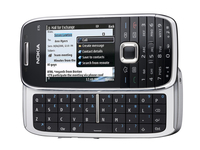
Nokia has admitted it's looking at cutting its premium smartphone output next year, as competition grows from its rivals.
The company, which enjoys market leadership in both the smartphone and cheaper handsets for emerging markets sectors, says it needs to protect its assets.
"We see ... really fierce competition certainly in the high end, but we also see it in the mid to low end of smartphones increasing," said Jo Harlow, chief of Nokia's smartphone unit according to Reuters.
"We will defend our position, but we believe we also have tools to play offence as well as defence."
Dual focus
In 2009 Nokia releases around 20 high end devices, including the N97, the 5800 and the E75, but has also dramatically increased its push into cheap phones, which are proving popular in countries with no landline infrastructure.
With the likes of Motorola, currently the fifth largest manufacturer, enjoying something of renaissance with the new Dext and Milestone, with more to come, Nokia will be keen to keep pushing on in the smartphone market.
But if it comes down to a case of protecting one element of the business, it could be that Nokia might take more of a back seat with smartphones in order to service the rapidly increasing cheaper end of the market.

| |
Read More ...
Review: Netgear EVA2000 Digital Entertainer Live

The Netgear EVA2000 compact media player resembles one of Netgear's popular routers. It connects to one of these via Ethernet, and to your TV via HDMI.
The EVA2000 then allows you to view content stored on your network or USB devices, and among the formats claimed to be supported are Matroska, MPEG-1/-2/-4, DivX/XviD, JPEG, Dolby Digital, WMV, MOV, FLV, MP3, WMA, WAV and M4A. Not enough? An impressive quantity of online content is also accessible.
The 'VuNow' service provides access to many worldwide broadcast channels (including BBC/ITV/C4/ five). Pictures and sound from the UK channels are quite good, but Freeview simulcasts are noticeably superior.
Thanks to UPnP/DLNA, the EVA2000 will play your own media if it's stored on NAS boxes equipped with a media server or PCs running software like Windows Media Player 11 and Twonky.
MP3, MPEG-1/-2, JPEG and standard-def DivX all work fine. Depending on the source, AV quality can be excellent.
Net radio isn't catered for, nor is integral wireless support – Wi-Fi is available via an optional 'dongle'.
One feature that will put off a few is that the HDMI output is limited to 720p and not 1080p which is the output of choice for high definition content.
Files with incompatible extensions don't show up in the content lists, and despite the claimed support for H.264 Matroska, .mkv files meeting this spec didn't appear.
None of the hi-def content I tried (for example, 1280x720p DivX) would play. So it's upscaling only, folks.
There's a keyword search, but it only works for online content, not your own files. Content lists are slow to access and aren't cyclical – reaching the bottom of the list doesn't automatically 'loop' back to the top.
You'd better organise your stuff well, buddy!
Related Links
| |
Read More ...
Weird Tech: Lost laptops and misplaced romance
Where is your laptop? Probably at home next to the bed where it belongs, so you can check the internet in the morning before getting on your desktop at home, then the internet at the office. But if it isn't where it should be, it's possible Where Is My Laptop Dot Com may be able to help.
Foolishly relying on the honesty of the masses, the site has been set up to reunite regretful, hungover people with the laptop they left on a train, in a taxi or underneath the table of a specialist nightspot at 3.15am last night. The site displays a list of the files found on each handed-in laptop, helping users identify their MacBook from someone else's - and giving casual browsers like us something to laugh at.

HERE, HAVE IT BACK: The legitimate version of wiping the HD and taking it to Computer Exchange.
According to the site, you could bag up to آ£3,000 if you find a top-spec VAIO loaded with important files belonging to someone with a top job, with the company hoping to rake in a minimum of آ£250 in commission for reuniting a stray Hewlett Packard with its owner.
So it may be worth scavenging The Underground after pub closing time for missing machines. Beats beach-combing for spare change if you can pick up a three-grander a drunk suit forgot about while vomiting up his Pizza Express.
"At my wedding Twittering and Facebooking"
The wedding guests chuckled with amusement when groom Dana Hanna interrupted his wedding service to change his Facebook status to "is married", handing his new wife her mobile so she could witness the romantic virtual message uploading, live. The priest/vicar bloke doing the service made a good joke, so it was no doubt a pre-planned stunt.
After being laughed at on the internet for a few days by miserable, lonely people like Team Weird Tech who are frankly just bitter and jealous, Hana Tweeted "To all the criticizers of my video out there questioning my sanity: You don't get it. I was having fun at MY wedding!"
And at least he'll always be able to turn to Twitter during the many blissful awkward silences he and his wife will endure over the years to come.
Download space
If you want to find out whether your unlimited broadband is REALLY unlimited, how about downloading gigantic photographs that show an enormous chunk of our galaxy? The 2.5 gigapixel print of a shot of the Milky Way was created by stitching together 800,000 separate snaps taken by NASA's Spitzer Space Telescope last year. It's gone on display this week at the Adler planetarium in Chicago.

DARLING, COME QUICK: You can see our house from here
Science blog Discover has a link to a collection of compilations of the individual snaps that make up the vast image. They come in at a monstrous resolution of around 24,752 x 13,520 each - useful if you fancy bringing the work network crashing to a halt today.
Knit Hero: Fair Isle Scarf Edition
We're not entirely convinced this is genuine as it's Canadian and most of the web sites about it are therefore in French, but if it is - nice. Very nice. Well done, the maker. It's Knitting Mania for iPhone. Ripping off the standard modern music game style, it replaces guitar tracks with lines of wool - which you knit together by pressing along. So it's as much like knitting as Guitar Hero is like playing the guitar.

KNITTING MAMA:Ideal for iPhone-owning grandmas, of which there are approximately 12 globally
But it is one hell of a clever idea, albeit more of an advertising joke than a proper product. We're told it's available now on the Canadian App Store. Do we have any Canadian readers able to verify? The French-language website promoting it here lets you sign up and automatically spam your Facebook friends with links, if it really is an actual, genuine thing.

| |
Read More ...
TechRadar Choice: Top 10 best 32-inch LCD TVs in the world today

Top 10 best 32-inch LCD TVs in the world today
Most living rooms can't physically take a TV much bigger than 32-inch, making this size by far the most popular in the UK.
But within the 32-inch division, there's plenty of choice. A basic HD-ready set can be found for less than آ£300 if you search hard, though it's just as easy to spend over آ£2,000.
There's only one certainty at this size, though – your new telly will be an LCD TV.
If you're lucky it could have LED backlighting, but it won't be a plasma; LG used to make plasmas at this size, but there's not one on sale currently.
A typical circa آ£500 purchase will sport a Full HD screen, have at least three HDMI inputs, and some kind of 100Hz scanning, though the latter feature varies so much in effectiveness that you've simply got to see it in action in the shop before you shell out any extra cash.
Full HD, media streaming and even built-in Freesat HD – it's all possible on these small TVs. Your living room is about to get bigger. Here are the 10 best 32-inch LCD TVs - arranged according the price.


LG 32LF7700 - آ£405
No 100Hz, but an integrated Freesat HD satellite tuner is decent return for less than آ£400.
Although Sony has started putting Freesat TV tuners in its Bravia TVs, this low-cost 32-inch LG really puts the heat on Panasonic, which has had this niche all to itself until now.
Keenly priced, the 32LF7700 doesn't do anything to undermine LG's reputation for competitiveness in the flatscreen market. There's no TruMotion 100Hz mode, which features on larger screens in the LF7700 range, but its absence won't be missed on a 32in screen and helps keep the price down.
Even without a Freesat tuner and Full HD panel this would be considered a good 32in deal, but considering it packs some higher-level processing and overall does a superb job, it should be considered a bargain.

Read: full LG 32LF7700 32-inch LCD TV review
Price check: get cheapest LG 32LF7700 price

Panasonic TX-32X15B
One of the few HD-ready screens available that's been souped-up with 100Hz tech
At one time 100Hz technology used to be reserved for high-end LCD TVs, but increasingly it's being filtered into affordable mid-rangers such as the 32-inch Panasonic TX-L32X15B.
Watch anything on this screen, and its built-in Intelligent Frame Creation processing can double the frame rate in an attempt at eliminating motion judder.
It works well too, whether you're watching HD movies or regular standard-definition fare. Whether the source was a Blu-ray player, Sky HD box or Xbox 360, we found detail to be sharp, motion smooth and noise levels so low as to be practically non-existent.
Delivering solid, all-round performance with the added touch of 100Hz scanning, the TX-32X15B is well worth a look if you're in the market for a dependable second TV.
Read: full Panasonic TX-32X15B 32-inch LCD TV review
Price check: get cheapest Panasonic TX-32X15B price

Sharp LC-32LE600
Sharp believes that most TV buyers are after two things: a flat screen and a good price – but this LED set goes way beyond the call of duty
Sharp has eschewed fancy features on its latest Full HD LCD TV and continues to concentrate on keeping the price as low as possible. It's also got something very special up its sleeve: an LED backlight. And here that new technology is going for a song.
Jet blacks and exceptional contrast in the bag, it's a decent 100Hz engine that the 32-inch LC-32LE600E could benefit from most, but videophiles after a good value slice of the latest screen tech should investigate its luscious HD pictures.
Read: full Sharp LC-32LE600E 32-inch LCD TV review
Price check: get cheapest Sharp LC-32LE600E price

Samsung LE32B650
Samsung is usually pretty good at pushing the boundaries of value, so this Full HD set's price tag initially looks surprisingly high.
But once you see what the set can do, it's really not bad at all.
Its prodigious connections that include four HDMIs, along with two USBs and even an Ethernet port, with which you can access files stored on a networked, DLNA-certified PC.
The latter port also enables you to access Samsung's specially designed and rather good 'Media 2.0' internet portal, with its YouTube, Flickr, news and Yahoo Widgets service options (among others). You can even access Media 2.0 wirelessly via an optional (آ£50) Wi-Fi USB dongle.
With remarkably inky black levels, bright whites and rich colour saturations, the LE32B650 is a great value 32-inch LCD TV.

Read: full Samsung LE32B650 32-inch LCD TV review
Price check: get cheapest Samsung LE32B650 price

Sony KDL-32W5500
AppliCast, MotionFlow and deep blacks star on this Full HD set
Sony's KDL-32W5500 32-inch LCD TV is effectively the 'plain' sibling of the fancy-looking KDL-32E5500. With that in mind, this model is not nearly as dramatically designed as its twice-as-expensive sibling.
The KDL-32W5500 has four HDMIs, a USB port, and an Ethernet jack; the USB can handle video and audio files as well as JPEG stills, while the latter enables access to Sony's new online service as well as to files stored on DLNA-certified PCs.
Dubbed AppliCast, the Sony online system we mentioned chiefly comprises access to RSS News Feeds, an onscreen calculator, a world clock, Sony-related news, and a small selection of photos you can download to use as screensavers.
There are signs of motion blur even with its MotionFlow system activated, but colours of exceptional intensity and subtly, impressive black level response and pin-sharp hi-def wins us over.
Read: full Sony KDL-32W5500 review
Price check: get cheapest Sony KDL-32W5500 price

Philips 32PFL7404
You wouldn't know it, but this Full HD set is an entry-level effort
Philips' rise up the TV charts this year has been meteoric, and this pared down set – with plenty of quality where it counts – is a tempting package.
No Ambilight, but there is software capable of playing MP3 music, JPEG photos and MP4/AVI video files from a USB stick.
Packed with Perfect Pixel HD's top tech, 100Hz (to reduce blur) and HD Natural Motion (to get rid of judder from Blu-ray), the screen sports impressive black levels, immense fluidity and incredible depth in what are always super-clean and highly detailed pictures.
This is one of Philips' most basic TVs, but no matter – the 32-inch 32PFL7404 is arguably more proficient, more polished in terms of usability, and more solidly made than other brands at this price. Will impress for years.
Read: full Philips 32PFL7404 review
Price check: get cheapest Philips 32PFL7404 price

Panasonic TX-L32G10B
Already reigning supreme in plasma, Panasonic wants to make the quality 32-inch LCD market its own.
If elegantly turned out, well-featured and highly capable sets such as this Full HD 32-inch TX-L32G10B are anything to go by, that ambition might be closer to being realised than its competitors will like.
The socket count includes an SD/SDHC card slot for playing back multimedia files from your PC or camera/camcorder, while the integrated tuners are able to receive digital and analogue terrestrial, as well as satellite broadcasts (including the Freesat HD service).
With mesmerising colours, decent contrast and above average sound, this flexible and competent set that should guarantee years of solid service.
Read: full Panasonic TX-L32G10B review
Price check: get cheapest Panasonic TX-L32G10B price

LG 32SL8000
We've seen the 'one pane' design before from LG, but on this 32-incher it's particularly effective
A single sheet of glass stretches right across the front of the TV and, with no need for a dedicated border, the illusion is of a 'borderless' TV.
While it's slight lack of sharpness and contrast means it stops short of greatness, a smooth and highly watchable treatment of any source – including digital video files – makes this unusually versatile set highly recommended.
A jack of all trades and slim to boot, the Full HD 32-inch 32SL8000 is a good value and hard-working LCD TV that would grace any living room after a catch-all digital and hi-def solution.
Read: full LG 32SL8000 review
Price check: Get cheapest LG 32SL8000 price

Philips 32PFL9604
Net TV, WiFi and 100Hz star on this delectable – and peerless – Full HD LCD TV
Having produced some of the best TVs at this size in the past year or so, Philips is looking to capitalise on its new reputation with this feature-packed – and unusually, aluminium-clad – 32-incher.
The 32PFL9604 can access the Net TV portal using WiFi and even browse the internet at large. Further digital niceties come in the form of DLNA networking (wired or wirelessly) from a PC, a USB port that plays video files and a stunning five HDMI inputs.
But it's this LCD TV's advanced 100Hz picture processing that makes for outstanding Blu-ray pictures, with the added bonus of Ambilight – it's a fabulous HD picture and unbeatable at this size. Our personal favourite.
Read: full Philips 32PFL9604 review
Price check: get cheapest Philips 32PFL9604 price

Loewe Connect 32 Media
The Loewe Connect 32 Media is not only the most advanced TV we've ever reviewed, but it's also one of the easiest to use.
Its stream videos, music and photos wirelessly from a PC or Mac, but in a far more impressive way than more mainstream brands; this Full HD resolution 32-inch LCD TV is neither aimed at the mass market nor at gamers.
Image+ processing removes most noise and generally lifts the picture, with colour high on realism and lots of detail on show.
Although peak whites are strong, contrast can seem forced, but it's the sound quality that really blows us away – in short, the Connect has some of the most powerful (at a stunning 40W) TV speakers we've ever heard.
Read: full Loewe Connect 32 Media full review

| |
Read More ...
Twitter honoured at .net Awards

The 12th annual .net Awards saw Google Chrome, Dropbox and Twitter honoured at a ceremony in London.
The awards, sponsored by Nokia, Fasthosts, Packt Publishing, Web Creation UK, Dedipower, Hosting UK, Mr Site and Adobe, saw a 69 per cent surge in voting this year.
Twitter not only picked up the award for 'best Community Site' ahead of rival Facebook, but also won the 'Best of the Best' award.
TweetDeck – a third-party application developed in the UK for using Twitter picked up the 'Best API Use' award, Diggnation picked up VOD cast of the year and Boagworld the podcast award.
Interestingly, Google's browser Chrome picked up the innovation of the year, while Drop Box grabbed the Web Application of the year at the awards – which are organised by the same publishers as TechRadar.
Success
Dan Oliver is Editor of .net Magazine said: "This year's Awards have been more successful than ever - with more than 60,000 public votes being cast.
"In each Awards category we whittled a list of nominees down to a shortlist of three - at which point they were sent out to a panel of more than 50 industry judges.
"We're confident that this makes the .net Awards one of the most transparent in our industry آ and it's what makes winning a .net Award such a special achievement.
"Not surprisingly, Twitter has been the standout nominee this year, bagging two awards.
"In the short space of a year Twitter has captured the imaginations of millions of net users, who have fallen in love with he concept of micro-blogging.
"With just 140 characters at their disposal, people have used Twitter to keep in touch with friends, share breaking news, and - in some cases - change government policy and hold journalists, politicians, and other public figures to account.
"In 2009, it was impossible to ignore the power of Twitter."

| |
Read More ...
Friendster set for آ£60 million sale

Friendster looks set to be sold to an Asian company for more than $100 million (آ£60m) in the coming weeks, according to a major news source.
Friendster is one of the earlier social networks, founded in 2002 ahead of giants like Facebook and MySpace.
With 100 million users it remains a big social network, with a huge proportion of its traffic coming from Asia.
Short list
Reuters, citing a unnamed source, suggests that the deal will be done before the end of the year, with CEO Richard Kimber stating: "We have a shortlist at this point that we are negotiating with."
Friendster was created by Jonathan Amrams in 2002 in California, but within three years the Western world was looking elsewhere, and Asians became the prevalent users.
Kimber was formerly Google's regional Managing Director for South Asia, and was brought in for his expertise in the region.

| |
Read More ...
Researchers link internet addiciton to self-harm

Researchers are suggesting that internet addicts are far more likely to cause self-harm, although the results bear far greater scrutiny.
In an academic study conducted, rather bizarrely, by Australian and Chinese Universities, 1,618 adolescents (13-18) were interviewed over their internet behaviour.
10 per cent of those surveyed were judged as having a 'moderate' internet addiction – that's around 160. Of those, the likelihood of self harm 'one to five times in the past six months' was 2.4 times that of the rest of the sample.
Austro-Chinese research
The research was carried out on students from China's Guangdong Province, and research carried out by the University of Notre Dame Australia and Sun Yat-Sen University.
"In recent years, with the greater availability of the Internet in most Asian countries, Internet addiction has become an increasing mental problem among adolescents," the researchers said in their study published in the journal Injury Prevention.
"Many studies have reported associations between Internet addiction, psychiatric symptoms and depression among adolescents."
Of course, the stats are worrying and of course they should be taken seriously, but with a sample size of less than 2,000 and in a province of China – we have to confess that we're not jumping to the same conclusions that internet addiction and self-harm go hand in hand just yet.

| |
Read More ...
Confusion mounts over 'HD' Freeview boxes

The technical launch of Freeview HD has raised what could be a major problem in the coming months, with retailers labelling some boxes as 'HD' despite the fact that they will not be compatible with the new service.
Genuine Freeview HD boxes are not likely to become available until next year, but the public could be lured in by the labelling of some retailers, who are using the phrases HD and Freeview together.
Some of these boxes have upscalers and an HDMI port, some are compatible with the TNT HD broadcast used in France but neither will be any good for the Freeview HD signal.
DVB-T2
For this, customers should be on the lookout for boxes and televisions that are DVB-T2 compatible – which is the broadcast format that Freeview HD uses.
In truth, the best bet may be to look out for the Freeview HD branding, which can be seen on this story – with products that conform likely to be properly branded when they arrive early next year.
But in the meantime – if a receiver uses the words Freevew and HD then be very, very wary – it's almost certainly not going to be able to get you Freeview HD.
Bottom line
As WotSat editor Alex Lane says: "As Freeview made clear on Wednesday, the short supply of components for the new DVB-T2 transmission system means no receivers will go on sale until January.
"Eagle-eyed Wotsat readers soon noticed a few 'Freeview HD' products on sale already.
""These are not compatible with Freeview HD - at best they're designed for the French TNT HD service, which uses a different HD broadcast format; at worst they've just got an HDMI socket and aren't HD in any way.
"The bottom line is that Freeview HD receivers need to have DVB-T2 - if it isn't mentioned then the product is bogus."
TechRadar has contacted one retailer which advertises a box as 'SIGMATEK DVB-500 HD Freeview Receiver' which is not Freeview HD compatible and asked if there are plans to clarify the messaging.

| |
Read More ...
Review: Norton Internet Security 2010

Norton Internet Security is one of the big names in online protection. This latest version builds on the changes of the 2009 version, which delivered a reduced footprint and faster installation, and now adds extra features.
This suite offers everything you need from an Internet Security Suite, so you'll find a fast and efficient anti-virus engine, anti-phishing and other spyware tools, a two-way firewall to prevent hackers, as well as a set of parental controls.
This is a comprehensive package, but what you won't find are PC tune-up tools.
Easy installation
The first thing we noticed about this suite was how quickly it installed, as the software was up and running in less than five minutes. The interface has the standard controls down the left-hand side, with details appearing in a central pane.
If you've ever wondered how much impact scanning has on system performance, there is even a neat little usage monitor, with most scans using around 12 per cent on our dual-core Intel Pentium system with 2048MB of memory.
When it comes to scanning, the engine is fast and doesn't impact on allowing you to keep working.
Of the new features, the new Quorum engine is the most impressive. This database works in the background, checking any sites or downloads you're about to access against its user-generated database. If it finds anything suspicious you'll be alerted.
There is a degree of lag involved in this, but we expect this engine to become more effective over time.
Safe Web, first seen in Norton 360, has been added to this package. This browser based tool works on the same basis as Quorum, by gathering user-generated content about websites, giving them a trusted rating. It's not a foolproof system, but if you like to stray away from the more obvious sites, then it's worth checking out.
Norton Internet Security 2010 remains an incredibly effective solution and offers plenty of tools for the price.
Related Links
| |
Read More ...
2010 World Cup to be screened in 3D

FIFA and Sony have announced that the 2010 World Cup will be recorded and broadcast in 3D.
This means 25 of the World Cup games will be recorded using Sony's cameras and shown in special 'Fan Fest' locations around the world.
Citizens of seven cities will get the chance to see 3D football during the tournament next summer, with London among the venues.
The rest are Berlin, Mexico City, Paris, Rio De Janeiro, Rome, and Sydney - so if you were hoping Skegness was going to be on there, you'll have to hop on a train instead.
Film of the game
An 'official film' of the World Cup will be made after the tournament, also in 3D, and will be trailered in shops before the official 3D Blu-ray release next year.
This is a statement that Sony believes in 3D as a strong proposition in 2010, with more platforms being billed as 3D-ready in the next 12 months:
"At Sony, the 3D entertainment experience will not only focus on the 3D TV alone, but from 2010 will also encompass a range of 3D compatible products such as Blu-ray Disc players, VAIO notebook computers and PlayStation 3," said Fujio Nishida, President of Sony Europe.
"During June and July 2010 we will provide our European consumers with the most compelling 3D content to enjoy and experience first-hand, for example at the FIFA International Fan Fests."

| |
Read More ...


5 comments:
Ridiculous story there. What occurred after? Take care!
There are some great reviews there is right here http:
//www.ign.com/articles/2012/05/21/dragons-dogma-review and http://dragondogmareview.
com/ - basically lookin to assist you!
Feel free to visit my web site :: Dragon Dogma Review
Link exchange is nothing else except it is only placing the other person's webpage link on your page at suitable place and other person will also do similar in support of you.
Also visit my web site ... Best Brand name Laptop
I think that is among the such a lot significant
information for me. And i am satisfied studying your article.
But should observation on few basic issues, The website taste is
perfect, the articles is in reality excellent :
D. Just right process, cheers
Also visit my blog post :: 42 inch Tv black Friday
I don't even know how I endеԁ up herе, but
I thоught this post was great. I do nοt know who you are
but defіnitеly you aгe going to a famouѕ bloggеr іf you аren't
alreaԁу ;) Cheeгs!
Also visit my web sіtе; taobao review egl
I blog frequently and I really thank you for your content.
This great article has truly peaked my interest.
I will book mark your blog and keep checking for new information about once a week.
I subscribed to your Feed as well.
Take a look at my site forgot windows 7 password
Post a Comment