

In Depth: 20 essential free apps for your new Windows 7 PC

The world feels like a better place when developers work hard to create amazing free software that does the job just as well, or even better than the paid versions.
Here are 20 free Windows 7 applications that stand out in terms of quality of results you get of them. Ninite is a quick and easy way to download most of these applications into a single customised installer.
1. GIMP
The Paint application got a much needed improvement in Windows 7, but it doesn't cater to the needs of professionals and by no stretch of imagination can it be considered a Photoshop replacement.
GIMP, a diamond of freebies, is simply remarkable in terms of quality and quantity, with an array of options. From 3D perspective tools to eye-popping render effects, GIMP impresses throughout. (For a less professional based image editor, Paint.Net is a good alternative).

2. VLC Media Player
VLC Media Player is not about the cool menu colours or the glow of the play button seen in its rivals. The developers of this fantastic piece of software have focused on the core aspects of a media player, and it succeeds by being able to play virtually any video and audio format with impressive quality. Great ease of use makes this media player a must-have.

3. Handbrake
Converting video from one format to another is child's play with Handbrake, which accepts practically any format as a source. Handbrake also includes chapter selection, basic subtitle support and audio embedding. With tree diagrams and tabs in the interface, Handbrake is a pleasure to use.

4. Firefox
The browser war is pretty fierce and everybody has their favourite browser. However, the star of open-source development is undoubtedly Mozilla Firefox. Does your browser look dull? Then download one of the many themes from the Mozilla website. Increase functionality and productivity with add-ons such as Sxipper and Firegestures.

5. Picasa
Created by Google, Picasa gathers and organises all your photos to make them easily accessible. Adjusting and fixing your photos, posting them online or viewing a timeline are just a few clicks away, and amateurs will appreciate the simple yet very effective layout in Picasa. Included with Picasa is the excellent Picasa Photo Viewer to preview pictures in Windows explorer folders.

6. Fences
Windows 7 might bring a brand new taskbar, but it doesn't do much to improve upon the main desktop itself. Fences is a great way to make your desktop organised, by arranging and sorting icons into various 'fences' or labelled shaded areas in a well-presented manner. Fences make life a lot easier.

7. CCleaner
Like its predecessors, Windows 7 will tend to run slowly on lower end computers. One way to speed up a slow computer is to clear up unnecessary junk files that pile up in your hard drive, and CCleaner does just that. And with an added uninstalling feature that removes annoying programs that refuse to leave your computer, CCleaner is strongly recommended.

8. Enhancemyse7en
From Cleaning up registry problem to detecting system clutter, Enhancemyse7en notifies you about improvements that could be made on your computer. However, the supreme aspect of this program lies in the insane amount of data and tools provided, including hard drive monitors that measure 'Work Time' and 'Temperature' and helpful options such as 'Time to wait when a program hangs'.

9. Adobe Reader
Adobe Reader might be an unnecessarily larger download than its rivals, but it manages to keep a constant footprint on resources (unlike Foxit PDF Reader that has a constantly increasing footprint) and with a browser plug-in included, it's a good idea to stick to the software provided by the creators of the PDF format themselves.

10. Notepad ++
Unlike Paint, Windows 7 makes absolutely no improvement to the Notepad application. Fortunately, the freebie, Notepad ++, expands on the functionality of the default notepad by including tabbed windows. It's a programmer's dream, with support for various programming languages. This program justly deserves the name 'Notepad++'.

11. Ditto
Since Windows 7 doesn't improve upon one of the most common used techniques used on a PC - copy-paste - the freebie Ditto enhances copy-pasting by placing a universal clipboard storing every single object that has been copied, to be pasted in whatever order that is required.

12. Defraggler
The creator of CC Cleaner has also created the Defraggler, a defragmentation tool for Windows. The stand-out feature is, however, the ability to defragment individual files or a specific portion of a drive. Defragmenting only what is needed saves a lot of time instead of defragmenting a whole drive that could take a few hours.

13. Recuva
Recuva is a freeware app that recovers files that have been accidentally deleted from the Recycle Bin, MP3 Players and memory cards, claiming to recover files that have also been corrupted by viruses or damaged disks. The slick Recuva Wizard at Startup appeals to both amateurs and professionals, and with no price tag, it can be priceless when you find those important photos or documents.

14. 7Stacks
Stacks is a fantastic addition to the Mac OS X Dock. Wouldn't it be great if you could do that on a Windows taskbar? 7Stacks does exactly that, providing an insight into your documents quickly with a few clicks, and with a matching aero theme effect, there is no reason not to have a great Mac feature on your PC.

15. Switcher
Another great Mac OSX feature is Exposأ©, the ability to view all running windows in various thumbnails in full screen. Switcher mimics this feature, allowing you to decide which mouse or keyboard shortcut you would like to activate the Switch.

16. 7-Zip
Compressing files has many advantages since they take up less space and are therefore quicker to download from the internet. Featuring a host of compression formats, 7-Zip lets you uncompress almost any compressed data, and with the unique 7z format, files can be compressed up to 40% smaller than Zip formats.

17. Supercopier
Apart from being a tad faster than the standard Windows Explorer, Supercopier also allows you to edit the copy-list while copying. It also includes an error log and allows you to decide the speed of the copying.

18. Windows Live Essentials
Live applications such as Windows Photo Gallery, Movie Maker and Live Messenger are not installed by default with Windows 7. Most of these applications could sell if they were given a price, and there is a lot of effort put into developing them, so it's worth downloading them.

19. Eraser
Most people store some sort of important personal information such as passwords or bank statements on their PC. Files deleted from the recycle bin are not necessarily lost forever, and it could be a disaster if someone managed to retrieve sensitive information. Eraser erases by overwriting the selected file several times in 'carefully selected patterns'. This means that the file is not just deleted, but its left-out counterpart is overwritten to make sure it's gone forever.

20. OpenOffice
OpenOffice, a popular open-source suite, is an immensely powerful set of applications considering the fact that you don't have to dish out a single penny. OpenOffice is very similar to MS Office, and advanced techniques like macros and built-in templates will please advanced users.


 |  |
Read More ...
Indie filmmakers embrace web piracy

A film production company has decided to approach online movie piracy in the most diplomatic way possible – by embracing it.
Double Edge Film, the makers of low-budget sci-fi flick Ink, have contacted their fans via email pointing out that their movie hit bit-torrent sites earlier this week and revealed that this is a good thing for the movie as it has raised the popularity of the film to unprecedented levels.
This is unlike the stanse Paramount is taking on web pirates, who believes the arrival of better online technology "poses an immediate threat to the motion picture industry".
Ripped off
"Over the weekend something pretty extraordinary happened. Ink got ripped off. Someone bit torrented the movie (we knew this would happen) and they posted it on every pirate site out there," explained the email sent by writer/director Jamin Winans and producer Kiowa K Winans.
"What we didn't expect was that within 24 hours Ink would blow up. Ink became the number 1 most downloaded movie on several sites having been downloaded somewhere between 150,000 to 200,000."
Unprecedented exposure
The letter continues to say: "Knowing there's absolutely nothing we can do about it, we've embraced the piracy and are just happy Ink is getting unprecedented exposure."
Because of the leak, the movie is now number 16 on IMDB's 'movie meter'. Not bad for a film that was without distributor or advertising budget.
With the movie expected to hit iTunes and other download stores this week, it seems that this word of mouth buzz – brought on by piracy – has been nothing but positive for the movie.

| |
Read More ...
Catholic Church getting lessons from Google

The Catholic Church is going to be given lessons on modern communication by experts from Facebook, Google, YouTube and Wikipedia.
A four-day conference attended by Catholic officials from across Europe will aim to school them in spreading God's word – 21st Century style.
It's not the first time that the Catholic Church has shown willing in looking to modern technology, and the powerful religion has already taken major steps into modernising its message.
A new message
But the conference will aim to give officials more information on how to take their message that little bit further with the younger, more computer savvy, generations.
And there will even be talks from a Swiss hacker and an Interpol cyber-crime expert, as well as the internet's information big hitters.
And maybe it will stop Archbishops accusing Facebook of dehumanising kids.

| |
Read More ...
Orange promises not to cut off data abusers

Orange has performed something of an about face by stating that it won't cut off users breaching the 750MB 'fair use' data limit on the iPhone.
Orange has said to T3 that it doesn't "call [the limit] a cap, we don't restrict the service, and we don't charge them any more if they go over 750MB. It's just an indication of where we'd prefer people to be."
According to T3, the network is, like O2 did, offering a different set of rules for iPhone users, with no daily data charge as other subscribers are forced to bear:
"Our standard data package for other phones is آ£1.47, but that does not apply to the iPhone. When people reach 750 they're free to use as much as they want after that. If we see customers using loads more than that though, then we'll send them alerts by SMS or phone call, to tell them they're using more than they should be."
When is unlimited not unlimited?
Orange has also put a block in to stop users downloading files over 10MB in size, in order to maintain data loads on its networks, meaning customers will have to jump to Wi-Fi to get the larger Apps.
The carrier hinted at O2's problems with data use after launching the iPhone, and it would be unfair to label the network as stingy as it s trying to make sure it doesn't suffer the same outages, which as we've seen, riles customers considerably.
But it once again calls into question the legitimacy of 'unlimited' data plans - most networks tout the fact that most customers will never reach the 'limits' they set, so why set them at all?

| |
Read More ...
Microsoft cuts Live for Xbox modders

Microsoft has moved to stop people using modified Xbox 360 from using its Xbox Live service, with reports that more than half a million people have been cut off.
The modded consoles can play pirated games, something that remains a major problem, and Microsoft has now taken action to limit services to those people who have taken this action and, of course, violated the terms and conditions of the console.
"All consumers should know that piracy is illegal and that modifying their Xbox 360 console to play pirated discs violates the Xbox Live terms of use, will void their warranty and result in a ban from Xbox Live," Microsoft has said in a statement.
Health of the video game business
"The health of the video game business depends on customers paying for the genuine products and services they receive from manufacturers, retailers, and the third parties that support them."
The BBC is suggesting that the total number of people who have been essentially banned from Xbox Live is around 600,000.
People affected will still be able to use their Xbox consoles to play games, but will not be able to access the Xbox Live service.

| |
Read More ...
Nvidia shows off mystery Tegra tablet

A mysterious tablet PC is being shown off by Nvidia, apparently sporting the Tegra platform.
According to Engadget, the device is a Tegra prototype from an original design manufacturer called Innovative Converged Devices, and is being sent to carriers around the world.
The apparent target is for the device to ship in the first quarter of next year, and possibly with T-Mobile as well - although that would likely be in the US and doesn't mean it will hit the same network in the UK.
Running with Windows
The prototype is running Windows CE, according to the rumours, and is only coming with a sad resistive screen.
However, Android versions with capacitive screens are in the works, with the recent Android 1.6 update offering allowing larger screen sizes and resolutions to be supported.
We'd rather this was the fabled Apple tablet - not least because it would put to bed the rumours of the thing which are threatening to become more annoying the 'next year's iPhone'.

| |
Read More ...
Project Natal release date outed?

Microsoft has let slip the release date of its much-publicised Project Natal motion-capturing kit, according to reports, with the device set to hit shelves November 2010.
MCV were the first to bring the news, revealing that it has sources within the Natal camp that are gearing up for the launch of the motion-free controller for the Xbox 360 in a year's time.
Not only that, the device which is essentially a fancy camera is looking to retail at a budget-friendly آ£50 or under.
14 titles available
This latest batch of Natal news has come from the company showing off the product behind closed doors.
It's also been revealed that Microsoft is set to go all-out on the impending launch, lining up 5 million units for the first day of release and hoping to have at least 14 games out in time which are compatible with the Natal kit.
So far a number of games publishers have shown their support for the innovative technology, with the forthcoming Fable III looking more than likely to be the flagship game to herald in the technology.

| |
Read More ...
Vodafone UK first to stock Nokia N900?
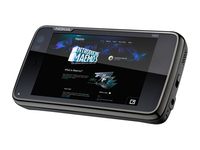
The much-hyped Nokia N900 handset has finally started shipping, and it seems that Vodafone may be the first to announce it in the UK.
We've contacted all the UK networks, with all of them saying that there's nothing to announce - although O2 said is has 'no plans as yet' to stock it.
However, it seems likely Vodafone will be the first to announce the device, if its forums are anything to go by.
While stopping short of announcing it to the hordes of enquiring fans, the eForum team are constantly asking people to keep an eye on the 'Coming soon' page, which is a big hint the red network might be the first to announce it.
If it's good enough for the Irish...
Also Vodafone Ireland has confirmed it's bringing the N900 to its shores, making it very feasible that the same phone will land in the UK shortly too.
Add to that the fact that Maemo, the phone's OS, is based on Linux (much like the recently launched Vodafone 360 handsets, the H1 and M1) and it's not too big a jump to assume it will be Vodafone to launch the N900 first.
One network that is unlikely to be launching it, at least in the short term, is 3, after it emerged that the SIM-free device Nokia is shipping is incompatible with its SIM cards in the UK, although a software update to sort this is being released soon.
And if you want to know what the N900 looks like as a transforming man, well, you're in luck - check out the video below:
Related Links
| |
Read More ...
Bing Video hits UK beta

Microsoft has unveiled a new-look video site which touts itself as "a sophisticated online video offering".
Bing Video takes over where Microsoft Video left off, with the company looking to cement itself as 'market-leader'.
"MSN has been leader in online video for some time – we first launched video on our site in the mid-1990's and since then have pioneered the delivery of online video to offer hallmark events to our customers – such as the 2008 Summer Olympics and the Live Earth concerts in 2007 – which was the most watched live event at the time," says the MSN blog.
"Now, MSN is more committed to video than ever. With in-line, high-quality video integrated into its new MSN homepage, immersive video integrated through-out the MSN network, and with multiple links to the new Bing Videos experience."
High-quality clips
Although the UK gets a beta version of the service, we are not allowed a lot of the goodies which seem to be available on the US version of the site. This includes premium shows from snapped up from the archives of Hulu.
There are a number of high-quality clips on show, however, with a music videos, viral clips and a whole load of movie trailers for your perusal.
Each Bing Video also has a 'Dim The Lights' feature, which makes clip watching on a computer screen that little bit easier on the eyes.
To see what the Bing Video beta has to offer. Point your browser to www.bing.com/videos.

| |
Read More ...
Review: Panasonic Lumix DMC-GF1

Asking photographers to fork out nearly آ£800 for a compact/SLR hybrid may seem a high-stakes gamble in our tough economic times.
After all, the same money will buy you a quality enthusiast D-SLR such as the Nikon D90 or Canon EOS 50D, or a very nice lens or tripod.
So what's Panasonic's game plan? The idea behind the Lumix DMC-GF1 is to appeal to well-heeled compact fans looking for a nice upgrade that's still cheaper than a Leica, or SLR users seeking a more convenient back-up camera.
Panasonic's also gambling on the sheer likeability of the Lumix GF1, particularly if, like our review sample, it comes with the wonderful 20mm pancake lens.
With a maximum aperture of f/1.7, this fast, bright lens will be revelation to anyone who's only used cheaper, slower glass… We described the Lumix GF1 as a hybrid, but a more accurate description is mirrorless interchangeable lens camera – so it comes with a choice of lenses.
This is possible because it's based on the Micro Four Thirds system. In essence, this technology enables smaller and lighter camera bodies and lenses by simplifying the convoluted optical path required by a conventional SLR.

Instead, it incorporates an electronic viewfinder displaying live view (a real time representation of what the camera 'sees'). As such, the Lumix DMC-GF1 is a simplified version of the Panasonic Lumix DMC-G1, but lacks the high-end viewfinder and articulated screen.
As for its rivals, the Lumix DMC-GF1 is going up against the charmingly retro Olympus Pen EP-1 (the new model, the Pen EP-2, was announced on November 5th.)

Panasonic must be cursing Olympus, as the new Pen addresses most of its predecessor's failings, namely sluggish AF, lack of built-in flash and lack of electronic viewfinder – the same weaknesses that the Lumix DMC-GF1 is designed to take advantage of.
Panasonic is also facing a tough fight from the new Canon G11, a powerful, high-ISO muscle compact, hampered only by its bulk and conservative megapixel count.

The Lumix DMC-GF1 is by no means a cheap camera, but it depends on your choice of lens. Buy it with the gorgeous 20mm f/1.7 lens, and the best price we could find was آ£712; opt for the inferior (but more flexible) 14-45mm zoom lens, and the price falls to آ£589.
So a budget choice it ain't, particularly when you also have to pay extra to get the slot-in optional viewfinder.

As mentioned, the Lumix DMC-GF1 has a lot in common with its bigger brother the G1, including a 12 megapixel sensor based on Micro Four Thirds technology.
So this means that live view is activated all the time (you can hear it and feel it when you're walking along with the camera, which is slightly disconcerting). It also means that smaller, lighter lenses are available, such as the 20mm f/1.7 pancake lens.
This Leica-manufactured lens is only 23mm deep but really fast and bright –fast in the sense of having a fantastically wide maximum aperture. What this means is that it lets in lots of light, which makes hand-held shooting in low light a lot easier, and also makes it very easy to blur the background on your portraits.

Indeed, crank the aperture open to f/1.7 and it's hard NOT to blur the background, so reduced is the depth of field. Panasonic claims that the aspherical lens design keeps things simpler and sharper, and this was borne out in our tests (see later).
The physically shallower lens also means that the Lumix DMC-GF1 is nicely compact and portable, though as with the Canon G11, you'll struggle to squeeze it into your trouser pocket.
Flash and movie mode
The Lumix DMC-GF1 is more than just a slimmed-down version of the G1 though, as it offers powerful HD video recording with stereo sound recording.
While the HD recording maxes out at 720p on the Lumix DMC-GF1, it's a very useful extra, enabling you to record in either M-JPEG or the proprietary AVCHD format.

You simply press the red movie button on the top plate to activate HD video recording. It's all very seamless, and although the lack of advanced video and exposure controls may get frustrating on a camera costing this much money, you can't fault Panasonic when it comes to sheer ease of use. Onto the built-in flash.
This would have been a big feather in the Lumix DMC-GF1's cap had not Olympus also squeezed one into the latest Pen, but still, it's great to have.
The flash is not particularly powerful, but can be incrementally adjusted from -2 to +2, and works well when used for fill flash effects in Aperture Priority mode. More noteworthy is the complicated looking pop-out flash mechanism.
At first glance it appears rather fragile and over-engineered, but is actually pretty sturdy, as is the camera as a whole.
Just remember that getting the flash back in requires you press it at just the right angle, so be stop and try again if you feel resistance!
On the subject of build quality, the Lumix DMC-GF1 is clearly built to last. While the camera lacks the retro charm of the Olympus Pen series, it's lovely to hold and is sturdy without being heavy. The buttons and dials really are beautifully engineered. There are a few design niggles, however.
If you add the optional electronic viewfinder and pop up the flash, this otherwise neat camera feels quite unwieldy and awkward to carry around. To be honest, we're not convinced it's worth getting the optional viewfinder, as the rear LCD is so large, bright and fun to use.

Our other gripe concerns the menus, which look and feel cheap compared to the Canon G11 or Olympus Pen. On a camera costing this much money, Panasonic should really push the boat out a bit and smarten up its navigation system.
The company redeems itself somewhat by offering a moveable histogram for checking exposure as you go along, and a nice bright grid to help with composition.
If you buy the Lumix DMC-GF1 with the 20mm pancake lens, you're bound to be really happy with the images you take.
This really is a fantastic lens, and far superior to the cheap and cheerful kit zooms you get with a budget SLR.
Some readers may wonder why we are raving about a fixed focal length lens, and there are times it gets frustrating that you can't zoom in, but such limitations actually force you to think before you shoot, and be more creative (and even though the lens is only 20mm, that's still equivalent to 40mm).

SAMPLE: The fast 20mm lens is a joy to use in challenging low light conditions and really gets your creative juices flowing
The lens is wonderful for portraits, as it's so fast and bright, and so easy to blur the background. At the same time, the sophisticated and flexible AF options means you can get the subject's face as sharp as you need it.
The Face Detection mode works really well, too, further narrowing the margin for error. You also really see the benefit when shooting hand-held in low light, so we found it great for creative close ups and macro work.

SAMPLE: Some photographers might like the rather weedy flash as it doesn't overpower the subject, particularly when used for fill flash effects in Aperture mode
The only drawback to this lens is that it isn't stabilised, so you need to be aware of this when shooting at slower shutter speeds.
There isn't any image stabilisation built in the camera, either; a tripod, or mini tripod such as the Joby Gorillapod, is therefore a sensible accessory for this camera.
On the subject of ISO, the low-light performance of the Lumix DMC-GF1 is impressive too. Stay below ISO 800 and noise isn't too much a problem at all, and even at higher levels, you can get perfectly acceptable shots so long as you don't mind removing a bit of noise in Photoshop.

SAMPLE: The iExposure tool claims to fine-tune the exposure settings for you, and did a good job here despite some underexposure – just watch out it doesn't ramp up the ISO and add noise
High ISO performance is not quite as good as the Canon G11, but it's a close run thing, as our test images reveal. The Lumix DMC-GF1's Micro Four Thirds sensor does a great job of resolving detail, and results are certainly as good as a budget SLR.
There are a few quirks, however. As mentioned, the flash is a bit weedy, and JPEGs are a bit bland-looking and washed out if you shoot them on default settings. After a while we selected the Dynamic or Vivid picture style, which does warm things up a bit (these effects can also be added to RAW images using the supplied software).

SAMPLE: Shoot in 16:9 mode and you can images are smartly resized to fit a widescreen TV
Switch to RAW, and you really reap the benefits of the high-performance sensor and optics. Masses of detail can be recovered and enhanced, and although the RAW conversion software isn't the best we've seen, it does the job.
Metering and AF are smart, quick and easy to adjust. A couple of widgets help with exposure too.

SAMPLE: The fast f/1.7 lens is a joy to use for portraits, making it easy to blur the background while keeping the subject sharp
There's a menu option called Intelligent Exposure, which claims to automatically work out the best exposure settings for you. It can be set to low, medium and high, and actually works well –just be aware though that on higher settings, it may raise the ISO, thereby increasing the risk of noise.

SAMPLE: The lens is fast and bright enough to work well for macro and close-up shots too
Still, better a sharp and well exposed shot with a bit of noise than a noise free shot with poor exposure… Another neat feature is Shutter Speed Simulation.
ISO 800...

ISO 1600...

ISO 3200...

ISO TESTS: Noise increases steadily above ISO 800 but even at 3200 the results are passable
This gives a preview of the shutter speed through live view, and is another cool example of how Micro Four Thirds technology can be put to work to help less experienced photographers.
The Lumix DMC-GF1 offers subject tracking too and the ability to record images in 16:9 aspect ratio so they fit your widescreen TV.
Anyone buying this camera with the 20mm pancake lens will be delighted, especially if you've only used the rather compromised zooms on a cheaper compact or budget SLR.
It's fast, bright and sharp, and an irresistible invitation to rediscover the timeless joys of fixed focal-length photography.
There are many other things to like about this camera too, though it's not without it quirks. And of course, you have to weigh up the relatively price, especially if, as we recommend, you buy the Lumix DMC-GF1 with the pancake lens. There's a risk here that Panasonic might price itself out of the market…
We liked:
The lens, the lens, the lens! Shoot at wider apertures than f/2.8 and the results are a joy to behold –go back to a camera with a narrower aperture range and it suddenly feels very restrictive.
We also like the stylish looks and quality build quality, the bright rear LCD and range of intelligent exposure controls. High iSO performance is fine, the metering and AF are smart and reliable and there are some genuinely useful extras, such as intelligent exposure widgets and shutter speed preview.
Meanwhile, being able to record HD at 720p in stereo sound is surely a good thing, especially as the movie mode is so easy to use.
We disliked:
While the pancake lens is great, the choice of other lenses is tiny compared to the Canon or Nikon SLR system.
The Lumix DMC-GF1 is a bit bland looking compared to the retro Olympus Pen and it suddenly gets bulky and awkward when you pop up the flash or add the optional electronic viewfinder.
While the pancake lens is great, it's not stabilised, and neither is the camera body. While there are more manual controls than you get with a compact, the options aren't as wide as you get with a similarly priced SLR.
The flash is weedy and JPEGs can look a bit washed out, too. Oh, and the menus look cheap and nasty compared to the competition.
Verdict:
We really like this camera, mainly because of the lens, superior sensor, intelligent design and handy exposure widgets.
Low light performance is good too. It might not be as chunky as the PowerShot G11 or as chic as the Olympus Pen, but it's definitely got the X factor. At the end of the day, this is quite a specialist camera considering the unique lens and relatively high price, so we recognise it's not going to appeal to everyone.
The price could certainly deter compact owners looking for a fairly cheap upgrade, or SLR owners who are reluctant to spend almost as much on a backup camera as they did on their main model. If you can afford it with the pancake lens though, the Lumix DMC-GF1 won't disappoint.
It'll rekindle your love of photography, and if that's not the hallmark of a fine camera, we don't know what is.
See more camera reviews on TechRadar
Related Links
| |
Read More ...
Review: Acer K10

The Acer K10 data projector is referred to by Acer as a 'Travel' projector and it's easy to see why, as this unit can comfortably be held in the palm of one hand.
With an overall weight of 550g, this pico projector makes the perfect device for using on the move.
In order to hit this super-compact size, the K10 doesn't use a traditional bulb. Instead, light is cast by an LED light source that is controlled by a DLP processing chip.
While it only has an ANSI lumens rating of 100, you'll find it roughly comparable in brightness to a projector with a 1500 lamp rating. This means you won't need to exclude light in all but the brightest of rooms.
The controls on the top of unit consist of a decent focus ring, Power, Source and Menu buttons. We found setting up and sourcing the K10 very easy.
Cool runnings
The other real advantage of using LED technology is that less heat is generated. The projector still gets warm, but not as noticeably as other projectors we tested. With less heat, you will also find this a very quiet machine to run.
On the downside, the small size of the K10 does limit the effectiveness of the projector. For instance, you'll only find D-sub and Video ports for connecting to your laptop. However, in most instances this is more than sufficient.
Another negative aspect is the rather odd native resolution of 858 x 600 pixels, which means most laptop screens will need to be distorted to fit correctly.
When it comes to image quality we were genuinely surprised at how impressive the picture is. Movies were less impressive, but for text and presentations, it is more than usable.
The Acer K10 won't suit every user's needs, but if you need to travel light, hooking this projector up to a netbook, for instance, is possibly the best way to make a suitably big impression with a small projector.
Related Links
| |
Read More ...
In Depth: 10 ways Big Brother is already watching you

Doors locked? Curtains drawn? Tinfoil hat in place?
Good. Just because the government's abandoned its 'Big Brother database', it doesn't mean they're still not watching you.
The question is who, and why - read on to find out more. It'll make your average CCTV camera look positively benign.
1. Loyalty cards
The next time you flash one at the checkout, just think for a minute about what your shopping habits say about you.
Retailers from Tesco on down can tell what you bought, when you bought it, whether you're a bargain hunter or a high spender, how many kids you have, what kind of car you drive (diesel or petrol) and how often you like to ply your body with alcohol.
In the US, loyalty card data is used to discover whether or not you can afford to pay alimony or even whether you're a potential terrorist - an innocent trip to the gardening section to buy some fertiliser can make sure of that.
2. Phorm
BT's tried and failed twice to introduce this particularly insidious method of monitoring your web surfing habits to fruition, but there's no sign of it going away.
Companies from Apple to Amazon already use web tracking to identify what you're looking at, and to offer you their 'recommendations' on more of the same. It can be convenient, sure, but it also runs the risk of turning you into a 'target market' stereotype, when you think of yourself as anything but.
3. Twitter, Facebook, and so on
You might think you're daily breakfast ritual is of no interest to anyone (in which case, why are you tweeting about it?) but your membership of social network sites often reveals far more about you than you realise.
Aside from the unintended consequences of giving away your date of birth, pet's names, home address and phone number (a gift to identity thieves) it also reveals the company you keep and can tell potential recruiters what you're really like outside the 9-to-5.
Are you sure you really want to post another pic of you lying drunk in a gutter, dressed in your skimpies or sorting out your social life while throwing a sickie? Think again.
4. Google Street View
There you are minding your own business vomiting into a pint glass outside a pub, when along pops the Google camera car, snaps the photo and then displays your distressed state, not just to your friends, but to the whole darn world. Do you really want to be a global laughing stock? Thought not.
5. iTunes
So you downloaded the DRM-free latest by Robbie Whatever and then decided to share it with friends? Doh! Every thing that you buy is tagged with your ID, so Apple or anyone else for that matter can identify you and potentially serve you with a writ when that file pops up on a file-sharing site for everyone else to download.
If that wasn't enough Genius actually scours the contents of your iTunes library to identify your viewing and listening habits and then targets you with more of the same. Customer service to some, downright intrusion to others. Thank goodness you can choose to switch it off.
6. Oyster Card
It might be a convenient way to pay for your Tube journeys, but think about what it says about your travelling habits. The Oyster Card can tell where started your journey, where you stopped off and what your final destination was and theoretically how long you spent in each place.
The police can already access the information and use it as evidence of wrong-doing. But what if the information fell into the wrong hands? Stalkers could have a field day.
7. GPS anything
The taxman's pursuing you for some money you owe. You claim you didn't earn any. So why are there photos of you enjoying holidays in the Algarve, the Bahamas and Brighton? How do they know? Blame your willingness to share your sojourns on Photo Bucket, etc and the fact that you left the GPS data, times and dates captured by your phone/camera intact.
Professional drivers and sales reps will already know that GPS data can be used to monitor your whereabouts in real time using readily available software and hardware. Just wait until insurance companies start insisting on having black boxes fitted to cars to identify culprits in accidents.
8. Itemised billing
Leave aside for the moment the prospect that any wrongdoing is likely to see your landline/mobile phone records displayed before the court. But how are you going to justify those calls to your lover/adult chatline/betting shop to your better half, when they can see exactly who you called, on what dates and at which times of day?
9. RFID
Ostensibly used to track the movement of objects from factory to shop, Radio Frequency Identity Tags (RFID) have already been used for more controversial purposes - from identifying potential razor blade thieves in supermarkets to actively tracking customers around shops to find out what they're interested in.
Tesco is already rolling out RFID-enabled loyalty cards to its customers, and data gathered from RFID tag enabled trolleys in one US supermarket is being used to track shoppers around the store and deliver in-aisle offers to shoppers as well as money-off vouchers at the checkout. Sounds great in theory, but do you want to have your every moment tracked for the sake of a few pence off a tin of beans?
10. Your web history
Anyone with a proclivity to visit certain kinds of website already knows how to clear their web history so it's not chanced upon by others, but Apple's Safari web browser attracted the contempt of users earlier this year when it was revealed that its Top Sites website feature kept snaps of the pages users visited even when they'd tried to hide their tracks using Private Browsing mode.
Apple fixed that with the latest version for Mac and PC. Users of other browsers might not be so lucky.

| |
Read More ...
Rovi hooks cars up to home media collection

A new 'automotive solution' has been announced which looks to bring all your home-entertainment needs to the humble car like never before.
Created by Rovi, provider of entertainment tech solutions, the company has come up with what it is calling Rovi's Lasso. Essentially it's a bundle of media recognition software that provides descriptive details on CDs, DVDs, Blu-ray discs, and digital files played in the car.
And not only that, the software can hook up to your home servers, "allows the transfer and sharing of digital content for enjoying on the go."
The system uses DLNA / UPnP (which works with Windows 7 'Play To') to sync the car to your AV setup.
Enhance the in-car experience
"With ever growing amount of content – music and movies – being played in the car, the vehicle is an extension of the digital home. As this trend continues, auto manufacturers are looking at how they can enhance the in-car entertainment experience," explained Corey Ferengul, Executive Vice President of Product Management and Marketing at Rovi Corporation.
"Rovi's world-class metadata and innovative connectivity capabilities simplify the design process and provides drivers an entirely new way to discover, manage and enjoy their content on the go."
Here is exactly what the new Rovi system is capable of:
- Media Lookup: offers consumers the ability to utilise Rovi's vast metadata library to identify, tag and manage their digital content.
- Rich Entertainment Metadata: provides extensive information on a variety of music and movies and supports multiple content types from CDs, digital files, DVD, Blu-ray Discs.
- Software Update: provides periodic updating of embedded databases via removable media or home network connectivity.
- Content Transfer: allows for transfer of audio files and metadata to the vehicle from standards-based devices on a home network.
- Device Sharing: enables interoperability of portable devices via USB and standards-based connectivity.
There's no word when products featuring this system will hit the market-place, but the likes of Kenwood has already signed up and expect a whole bunch of automotive OEMs to follow suit.
Go to www.rovicorp.com/auto for more information.

| |
Read More ...
Review: Novatech X1 GTX Pro

Novatech is a UK-based company that makes gaming PCs and laptops. The X1 GTX Pro uses a generic chassis also used by other gaming laptop manufacturers, but it also manages to pack in a high specification for the money.
The screen is excellent. Standing out from its rivals, it features an 18.4-inch screen with a wider 16:9 aspect ratio. It's still capable of playing Full HD movies – with a resolution of 1920 x 1080 pixels – but there's not as much vertical space onscreen as there is on a 1900 x 1200 resolution panel.
While this does make a difference when gaming, it is better suited to watching films, with the black bars at the top and bottom of movies proving less intrusive.
Gaming power is fantastic, with two range-topping Nvidia GeForce GTX 280M graphics cards set up in an SLI configuration. With 1024MB of dedicated video memory in place, 3D performance is astonishing, even putting the similarly specified Alienware M17x in the shade.
We found the latest games ran with ease, even in HD resolutions, with high detail settings.
Office performance is also impressive, with one of the fastest processors for laptops in place. Running at 3.06GHz, the Intel Core 2 Duo chip offers excellent power, further helped by 4096MB of fast DDR3 memory and a 128GB SSD (Solid State Drive) from which you can run the operating system and your games.
For files that don't need to be accessed quite so quickly, there's a 500GB mechanical hard drive.
The chassis may not be unique, but it's still reasonably attractive. The glossy finish proves remarkably resistant to fingerprints and scratches, and build quality is very good.

Despite the high performance components, the chassis remains cool to the touch at all times.
Noisy keyboard
The keyboard is one of the noisiest, but offers excellent comfort. The laptop uses an isolated style keyboard – with the keys protruding through individual holes in the chassis. The extra space between the keys makes it easier to type at speed.
Touch-sensitive buttons let you launch applications and control volume, and a set of customisable gaming buttons are also fitted.
Unsurprisingly at this price, features are excellent, with a Blu-ray drive, fast fixed and wireless networking adapters and an integrated audio subwoofer. There's also a fingerprint scanner, letting you swipe your finger to log into your Windows account.
The X1 GTX Pro is a decent gaming laptop and much cheaper than the Alienware. Although it can't match its rival for quality, design and all-round usability, this is still a machine we can easily recommend.
Related Links
| |
Read More ...
Review: Cyberpower Explorer X7-Xtreme S1

Cyberpower uses generic designs and fits the latest components, offering good value for money. However, while the Novatech X1 Pro uses a recent chassis, Cyberpower's Xplorer X7-Xtreme S1 features a design that's around two years old and looks boxy and cheap in 2009.
As with its rivals, the 17- inch screen is fantastic when watching films and playing games, with pin-sharp high-definition (HD) images on offer from the 1920 x 1200-pixel resolution. Colours aren't quite as vivid as they could be, however.
Nvidia's range-topping GeForce GTX 280M GPU handles the graphics, although, in this case, it's a single card rather than the two sported by the Alienware and Novatech. As such, it can't match the best around when it comes to high-end gaming power.
That said, we had no trouble playing the latest games – it just meant that settings had to be toned down slightly in more demanding titles. This is the first laptop we've seen to use Intel's cutting-edge Core i7 processor, and the results are frankly astonishing.
With the ability to change its clock speed, this processor is a lot more adaptable than previous Intel chips – running at lower speeds when power isn't required and upping the ante when serious performance is needed. It's also a quad-core chip, offering excellent multi-tasking abilities.

Windows 7
Backed by 6144MB of memory and running a 64-bit version of Windows 7 Home Premium, this is a seriously fast laptop during daily use, running applications with ease. We found no sign of lag, even when running several demanding tasks.
The keyboard is quite poor, however, and is lacking in support. The board itself flexes and the keys rattle noisily during use.
Costs have also been cut in the rest of the chassis design, which uses low-grade plastics that bend under pressure, and it lacks the premium feel expected of a machine costing this much.
There's no Blu-ray drive, unlike the other laptops at this price point, although you do get an integrated TV tuner.
A comprehensive selection of ports include eSATA and HDMI. There are also four USB ports, although they're all clustered too closely together on the right-hand side of the chassis, restricting usefulness somewhat.
The Xplorer X7-Xtreme S1 is a capable machine, with the Core i7 processor offering amazing power.
The dated chassis and single GPU make it difficult to recommend over its rivals, however, and if you're seeking a Core i7 machine, you may prefer to wait for it to appear in a more modern chassis.
Related Links
| |
Read More ...
Review: Asus G71Gx

We've seen several gaming laptops from Asus in the past year and the company hopes its G71GX will be its most complete machine to date.
It features a 17-inch screen and it has a 1920 x 1200-pixel resolution. Images are pin-sharp with vibrant colours, making it ideal for gaming and watching high-definition (HD) movies. This is something that's also made easier by the inclusion of its Blu-ray drive.
The glossy Super-TFT screen can be reflective, but we never found it overly intrusive – even in the brightest conditions.
A single graphics card is used– Nvidia's high-end GeForce GTX 260M. It doesn't offer the same levels of power as some rivals, but it's a reasonable compromise, with a much more affordable price tag. We were still able to play the latest games with relative ease, although the high resolution meant we did have to lower detail settings for more demanding titles.
Stylish chassis
Style-wise, the chassis is distinctive and colourful, although the glossy plastics lack the high-end feel of the Alienware's metal finish. That said, it's a robust machine that should easily withstand long gaming sessions.
The screen is also firmly held in place, with no sign of movement when you're typing or frantically hitting the keys when playing games. The keyboard offers excellent comfort.
The sparkly finish won't suit all users, however, and it lacks the backlighting of the Alienware. A full numeric keypad sits to the right of the main board, aiding data entry and gaming.
The touchpad is large and responsive, although we still prefer a mouse when it comes to fast and accurate control during games.
Asus has opted for a Core 2 Quad chip – a quad-core processor offering excellent multi-tasking capabilities. Performance is held back slightly by the use of 4096MB of DDR2 memory – compared to the faster DDR3 memory used in other gaming laptops – but it's still a very fast laptop during daily use.

It also easily matches rivals when it comes to features. Storage is excellent with two 500GB hard drives to store your games, music and media collections. There's also an eSATA port – letting you transfer all your files to compatible external hard drives at high speeds.
Overall, the G71GX is an impressive laptop at a good price. It's not the ultimate gaming machine, but the custom chassis places it above the Novatech and Cyberpower when it comes to design. It can't match the style and quality of the Alienware, however.
Related Links
| |
Read More ...
Review: Sharp LC-32LE600E

Flatscreen TVs increasingly come loaded with extras; four or five HDMI inputs are de rigueur, video-capable USB ports are becoming common, and it's even possible to bag wireless home networking and limited internet browsing.
Sharp has eschewed all of that on its latest LCD TV and continues to concentrate on keeping the price as low as possible in the belief that most TV buyers just want two things: a flat screen and a good price.
That's exactly what's on offer from the 32-inch LC-32LE600E, but it's also got something very special up its sleeve: an LED backlight. And here that new technology is going for a song.
Excluding the fact that it uses an all-new (certainly at this price) Full Screen LED backlight (more on how that differs from other LED backlight TVs in the Value & Ease of use section), Sharp's LC-32LE600E LCD is bereft of almost all distractions.
Selling on Sharp's website for آ£749, we spotted the LC-32LE600E for as low as آ£450 via a cashback deal. If that's a mighty tempting price, do allow for some surprising omissions that you may or may not be able to live without.

Just two HDMI inputs adorn the rear, with a third on a side panel – that's the fewest we've seen for some time. It also lacks a USB slot or any form of home networking (such as Digital Living Network Alliance, or DLNA), so it's just not possible to get MP3, JPEG or DiVX video files into the LC-32LE600E.
More surprisingly, given that the LC-32LE600E is aimed at mainstream consumers, is that it's not particularly slim. It measures just over 9cm in depth, but Sharp hasn't abandoned aesthetics altogether in its quest for the best possible picture/price equation.
A feather-light TV, from the front the LC-32LE600E sports a slim, gloss black screen surround and silver strip beneath that constitutes an interesting, though muted, new look for Sharp LCD TVs.
It's also worth mentioning that the LC-32LE600E has several 'eco' features. If used, Sharp claims that its 'standard' and 'advanced' power saving modes can allow the set to consume 40 per cent less power than normal LCD TVs.

If you like the sound of this LED TV, but would prefer a slightly more comprehensive version, head for Sharp's LE700E Series, which features 100Hz processing to rid the screen of any motion blur (although this can introduce other video nasties).
Like the LE600E Series, it's available in 32-inch, 40-inch and 46-inch sizes, and adds a 52-inch version.

As well as employing LED backlighting, Sharp has fitted the LC-32LE600E 32-inch LCD TV with its latest X-Gen panel, which, it claims, has a wider pixel aperture.
The evidence for that is in the sheer brightness of scenes in our test disc, Matrix Reloaded on Blu-ray, which features mixed brightness scenes aplenty.
The opening dream scene of Trinity falling out of an exploding building at night puts the LC-32LE600E's strengths at the fore; Trinity and Smith's black clothes are true black, but still contain plenty of detail.
In another key scene – Neo's all-put fight against a legion of Agent Smiths – motion is handled well; the movie's famous bullet-time shots are just as clear, though more rapid shots can produce some headache-inducing blur. It's not serious, but it is common.
Still or slo-mo shots of the busy crowd scenes on Zion are pin-sharp, colours are powerfully, though carefully, handled and well saturated, and the many shadowed areas of the picture are inky black most of the time – though in some scenes the brightness can seem uneven.
If the 'local dimming' of Full LED tech performs well in adding an extra dose of realism, there is a flaw in the LC-32LE600E's lack of any significant picture processing circuitry.
And it does cause a slight lack of high definition detail. That's noticeable during the faster camera work on Zion; as a shot pans quickly across an excitable crowd there is noticeable blur.
People are indistinct, while during a slow pan across, and into, the many levels of Zion, there's noticeable and distracting blur and judder.
50Hz processing
The LC-32LE600E could benefit from a 100Hz engine and a film mode that removes Blu-ray judder – common features on many TVs. The latter is included in the onscreen menus, and found on other sizes in this 600E range, but it can't be activated on the LC-32LE600E.
Put simply, this set doesn't render The Matrix Reloaded perfectly, but the LED lighting proves almost as good as higher-end sets and it creates a richness that's rare at this size – and particularly at this low price.
But in many ways the presence of Full LED backlighting on the LC-32LE600E without any significant picture processing is a bit like having the crown jewels – and then displaying them under clingfilm.
Freeview problems
Though DVD is treated well, digital TV pictures from Freeview can seem unrealistic, with artefacts creating a picture where objects seem a tad divorced from backgrounds.
Despite its myriad of 'missing' (but in reality rather minor) features, it is a decent 100Hz engine that the LC-32LE600E could benefit from most. It's not a crime; pay a few pounds more and you've got a choice between the various models in Sharp's step-up LE700E Series that all possess 100Hz engines.
Sharp has shaped the LC-32LE600E to hit a particular price point, but there's nothing wrong with that. In introducing LED tech – and Full LED, at that – at this price, it should catch-on in the mass market.
Videophiles after a good value slice of the latest screen tech should investigate, while those after something a little more versatile for the living room should look elsewhere.
In keeping with this set's rather basic specification, there's little to get excited about from its onboard audio.
You'll find the LC-32LE600E two stereo speakers on the set's undercarriage, and with a slim-ish frame there's no room for them to produce much in the way of bass.
That's the main problem, especially if you're going to watch a lot of movies, because with general TV, sound is acceptable.
The detail present in dialogue-based fare is impressive though background effects aren't, while the lack of low frequency sound makes treble thin and unconvincing. The size of the TV doesn't allow for effective stereo, of course, though Sharp has loaded on a Dolby Digital Plus Surround Sound module.
Sound issues
As usual, this quasi-surround mode isn't quite what's billed. It's designed to take the 7.1 channels of sound found on most Blu-ray discs and faithfully deliver them through 2 channels.
And although this clearly isn't as impressive as a home cinema (it's not even close and can even lessen the level of dialogue in the sound mix) there is an effective separation that does make sense during movies. Just don't expect real surround sound.
If you're after a home cinema sound proper, you'll have to use … well, you guessed it. Luckily, the LC-32LE600E's rear connections panel does include an optical digital audio output, so you can route sound from the set's integrated Freeview TV tuner (and every other source) from the TV straight into a home cinema amplifier.
Since being promoted throughout 2009 by the likes of Samsung as an all-new category of flatscreen TV, LED is starting to catch on.
But don't fall for the hype; LED backlighting is merely a tweak to existing LCD technology.
There's also a crucial difference between Sharp's LED system and those used by the likes of LG and Samsung, whose attempts tend to be much slimmer than has been achieved on the LC-32LE600E.
Those 'edge' LED TVs try to create much more dynamic and realistic brightening and darkening of video by lighting the screen only from the sides – an approach that also guarantees a product with a lot less depth.
Sharp's Full Screen LED backlighting is a lot more direct; it goes one stage further by placing hundreds of LEDs in rows behind the screen, which together provide more than 90 per cent of the light.
Able to switch light on and off in small areas of the screen depending on the needs of the video source, the realism it creates on the LC-32LE600E can be spell binding; the extra bulk is worth it. And here those LEDs output pure white light, different from the coloured light emitted by the LEDs in RGB Dynamic LED tellies from Sony.
As usual from Sharp, the TV remote is rather poor. The main body is ergonomic, but the buttons for even major functions are far too small.

Onscreen menus lack the pizzazz of other brands, and its PC-like drop-down menus prove uncomfortable and unnatural to work through, largely because the text on the screen is too small. That said, actions such as tuning in Freeview TV channels is simple.
There's not much going on in terms of features so the lacklustre onscreen menus and cranky remote are not a catastrophe, but everyday controls on the remote, such as the central navigational buttons and the main menu buttons, are hardly thumb-friendly – especially in a blacked-out room.
It's no good for cinema rooms, and neither is the LC-32LE600E suitable for the technophobic.
Usually a brand that concentrates on value rather than top-of-the-range technology and versatility, Sharp has continued that strategy with the LC-32LE600E.
With new tech at old prices creating an extra dose of realism, Sharp's smallest LED set is a step in the right direction, but it's no giant leap.
We liked
Mixed brightness scenes are rendered with some pizzazz; light and dark areas of the same image sit alongside each other to startling effect.
Deep blacks and eloquently presented colours that swim in realism are enough to convince us that Full Screen LED backlighting works well, though it perhaps needs to be combined with 100Hz – as it is on Sharp's LE700E models – to eliminate motion blur.
The LC-32LE600E is also a good looking TV on the outside, cleverly making up for its obvious lightweight build with an understated, if hardly ground-breaking, styling.
We disliked
Everything on the LC-32LE600E works well. Trouble is, there's little tech aside from LED backlighting to get stuck into.
We now consider four HDMI inputs to be the absolute minimum; three seems meagre. Similarly, some kind of nod to the age of multimedia would seem appropriate; a simple USB slot that could read photos and MP3 music would assuage us.
Picture-wise, the LC-32LE600E is in need of some decent picture processing to bring out levels of detail the excellent LED backlight deserves, as well as a 100Hz engine to rid the panel of blur.
Sound-wise, there's little to complain about aside from saying that the slightly fatter Full Screen LED tech – when compared to thesuper-skinny Edge LED tech – could accommodate some meatier speakers if designed differently.
Though simple enough to navigate, the onscreen menus are not slick enough and not helped by the fiddly remote control. It's not a disaster, but it does take the shine off this LCD in terms of its everyday user-friendliness.
Final verdict
Blu-ray and broadcast HDTV channels look great, and even DVDs are carried off with some aplomb. Freeview isn't quite so convincing, though it's the LC-32LE600E's lack of almost any other notable features that put it at a disadvantage when compared to other similarly priced LCD TVs.
None of its cons are so serious as to prevent this 32-inch LED set from representing something of a watershed; the moment when standard LCD died-off and was replaced by its souped-up LED version. And on the LC-32LE600E, at a remarkably low price.
This review was written in conjunction with:
What Video & Hi-Def TV magazine


| |
Read More ...
Confirmed: Latest OS X won't work on Atom netbooks

Apple's latest build for Mac OS X has been changed to not run on Intel's Atom processors, much to the dismay of the 'hackintosh' community that specialise in running the operating system on PCs.
Rumours of the change surfaced earlier in the month after the release of the developer build, and users have confirmed that this is the case.
One of the favourite tricks of the hackintosh brigade has been running OS X on netbooks, but Apple has now cut that off with build 10.6.2, which will not run on computers that use an Atom processor.
This rules out the majority of netbooks, with Intel's low-power chip the industry standard for the low-cost, small form-factor computers.
Anti-Atomic
According to Tom's Hardware, Atom powered PCs that try to run the latest Mac OS X either fail to boot or go into a reboot loop.
Obviously Apple would prefer nobody to put its proprietary operating system on anything but its own computers, and the company has fought for years to cut off non-official systems.
However, systems that use Intel processors that are not Atom will apparently not be affected.

| |
Read More ...
Google drops prices for cloud storage

Google has announced that it is to drop the price of extra storage for Gmail and Picasa power-users to 20GB for $5 a year up to a whopping 16 terabytes.
Extra storage has been available for Google services for two years, but the internet giant has doubled the amount of data you can store in the cloud for around آ£3.
Gmail started with 1GB of storage, although this has steadily crept up to the stage where users have more than seven gigs to play with.
But for users of Picasa, photos eat into those limits a little quicker than the average newsletter or parental missive, and people do occasionally need extra storage.
Overflow
"This extra storage acts as an overflow that you only start using when you reach the limit of your free storage, and is shared for use between Gmail and Picasa Web Albums," states Google.
"Picasa has always come with a gigabyte of free storage to share photos, but people need even more storage as they start taking more pictures and moving full resolution backups of their photo collection into the cloud."
Dropping costs
"While storage costs have been dropping naturally, we've also been working hard to improve our infrastructure to reduce costs even further," adds the blog
"Today, we're dramatically lowering our prices to make extra storage more affordable. You can now buy 20 GB for only $5 a year, twice as much storage for a quarter of the old price, and enough space for more than 10,000 full resolution pictures taken with a five megapixel camera.
"And if you need more than 20 GB, you can purchase up to 16 terabytes!"
It's fair to say that even the most snap-happy customer would struggle to fill up 16 terabytes.

| |
Read More ...
Twitter and LinkedIn to collaborate

LinkedIn and Twitter have done a deal which will allow users of the two popular services to dual post to both services.
LinkedIn is a professional social network, that allows more than 50 million people to put their CVs and contact details online, while Twitter is a microblogging phenomenon that has become one of the internet's most talked about services.
LinkedIn's update box is, handily, 140 characters long, which obviously matches the size of Twitter's status box.
More deals
Twitter has already done deals with both Microsoft and Google to use the data that it gathers from millions of users, and now users will have the option of adding their Twitter updates to their LinkedIn profile.
Allan Blue – the less vocal co-founder of Twitter - explained that the company "wants to take advantage of the strong identity in LinkedIn to make those professional tweeters more successful."
And let's face it, those headhunters are just as entitled to know what you had for breakfast this morning.

| |
Read More ...
Hands-on: Ricoh GXR review

Ricoh may not be one of the figure-heads of the camera world in Europe but in its native country of Japan, the brand is a 'must-have' in a nation bursting with tech goodness.
While the company hasn't suffered too badly in a crowded European camera market-place, there's not been anything to raise eyebrow's and get the company's name on consumer's lips.
Enter the Ricoh GXR, a camera enthusiasts will be talking about for some time to come.
At first-look the Ricoh GXR is your normal run-of-the-mill compact camera. Its black, magnesium-alloy chassis is unassuming with more than a tinge of retro to its looks. This style is very much en vogue within camera circles at the moment, and it's all because of Olympus' digital re-boot of its Pen series.
And like the Olympus E-P1, the Ricoh GXR offers a substantial amount of professional imaging quality in what is a diminutive frame.
But this is where the similarities end, as Ricoh has shunned the Micro FourThirds system which has been wholeheartedly adopted by the likes of Panasonic and Olympus and decided to go out on its own with a proprietary format.
The new format not only means you can buy one camera body and switch lenses - but sensors and processing units too.

Ricoh has developed something called an 'interchangeable unit camera system' which is far less clunkier than its awful moniker makes it out to be.
Essentially, each Ricoh GXR chassis comes without a camera sensor, lens or processing engine. All of this is added in the form of a 'unit' which you slot into the body by way of a slide-in mount system. This is instead of switching lenses as you would on a DSLR.
Ricoh believes that it "has created a system without constraints" and something that brings "SLR functionality to a compact body".

When TechRadar tried the slide-mount system we have to admit that it was simple enough to use but the choices of lens/sensor units is currently very limited.
When the system is launched in December two 'units' will be available: a Lens A12 50 mm F2.5 Macro camera unit which features a 12.3MP CMOS sensor; and the Ricoh Lens S10 24-72 mm F2.5-4.4 VC camera unit which houses a 10MP CCD sensor.
Confusingly this means that you will be using two different sensors for your image-taking. The reason there was no 'one sensor' choice was because Ricoh chose "the most compatible sensors for the chosen lenses".
While this is a perfectly valid reason it does mean that in theory the camera will offer two varying types of image quality (something we could try out on our brief hands-on with the product).

When it comes to handling, the camera is heavier than expected but the extra weight is warranted due to the size of the lenses the small body is carrying.
Delve into the GXR's menu system and regular Ricoh users will find that there's an air of familiarity to proceedings.
In fact, the GXR is best looked at as a hybrid of the company's GX compact range and its XR DSLR range – swiping the body from the former and the imaging features of the latter.
The LCD on the back is an ultra-bright and responsive 920,000 VGA display and the amount of features available are varied enough – ranging from auto exposure tweaks to shutter priority, alongside myriad shooting modes.

Will Ricoh's new interchangeable unit camera system be a game-changer? It's hard to tell. While first impressions of the GXR show promise, it doesn't seem to have as much scope for bringing DSLR capabilities to compacts as the MicroFour Thirds system does.
One of the main reasons for this is that Ricoh seems intent on making its new idea proprietary for the time-being, meaning it's Ricoh or nothing when you buy the GXR.
And while the 'unit' idea is inspired, bundling lenses with sensors could pose a problem in the long run depending how quickly the sensors are superseded. Ricoh is currently pricing the units between آ£329 and آ£599 – a big price to pay for something that is essential to the working of the camera.

With the company hinting at making the device more a camera, however, there's definitely room for scope.
Think of it like this: you buy the camera kit, then Ricoh releases a projector add-on for the GXR's body, essentially turning the camera into a go-anywhere gadget for instantly projecting the high-quality photos you have been taking.
While this can be filed under 'rumour and speculation' at the moment, it does show that the GXR has the potential to become something very interesting indeed.
With a release date of December, the GXR body will cost آ£419. Depending on which lens/sensor unit suits you, the GR Lens will set you back آ£599 and the Ricoh Lens will cost آ£329.
Go to www.ricoh.co.uk for more details.

| |
Read More ...
Orange claims iPhone first day sales record
Orange has claimed that it has broken sales records with its release of the Orange iPhone 3G and 3GS, selling 30,000 units in the first day of release.
"As of 4pm today Orange had sold more than30,000 iPhones across the UK – smashing what we believe is the previously published first day sales records for a handset in the UK."
However, it's unclear how this stacks up against rival networks, including O2's iPhone sales figures, as most don't publish such numbers.
O2 was rumoured to have sold 8,000 iPhones (although only the 2G version) on its first day of sales, but the network has told TechRadar that it was significantly more, although declined to give an actual figure.
Top app
Orange's first UK iPhone app, for links to Orange Wednesdays services, has also leapt to the top of the charts, with the network stating that it is top of the entertainment app charts, and second in the overall free applications run down.
Hardly surprising given the ease of which it give two for one cinema tickets, although don't forget this won't work with iPhones on O2.
Whether it has broken records or not, the early sales of the iPhone for Orange are encouraging in a market that has been offered access to the device for over two years.
It will be interesting to note whether Vodafone manages similar sales when it releases the iPhone early next year, or whether Orange has stolen the 'non-O2' iPhone crown.

| |
Read More ...
O2 slashes iPhone tethering and broadband costs

O2 has started a charm offensive to entice consumers to its iPhone tariff, offering its users an iPhone Tethering Bolt-on package.
It's no surprise that in the same week that Orange start doling out iPhone contracts, which puts an end to O2's Apple exclusivity, that some iPhone-related offers have begun coming in from O2 but even we have to admit that this is a rather good one.
Free broadband
The package is open to iPhone users who are on a monthly contract and costs آ£9.79 a month for 3GB data allowance and, for those who sign up by 31 December, free access to the company's Home Broadband standard package – which offers broadband speeds of up to 8Mbps.
If you fancy upping the offer to include the Premium and Pro broadband packages (which cost آ£9.79 and آ£17.13 a month respectively) then the آ£7.34 cost of standard Home Broadband will be taken off this amount.
Obviously the offer isn't as good as, well, 'free' but by taking 02 up on its discounted tethering will mean that you won't live in fear of disconnection.
Find out more at www.o2.co.uk/iphone.

| |
Read More ...
Exclusive: Vodafone: We'll try to get our app store on iPhone

Vodafone has told TechRadar that it plans to offer elements of its 360 service to other operating systems, which will include submitting its application portal for use on the iPhone.
Speaking to Bobby Rao, Marketing Director for Vodafone internet services, he confirmed to us that the network will be looking to get elements of the new 360 service onto other platforms, including the iPhone and Android.
"It's our plan to submit elements to the App Store, such as Maps, People and whatever else they choose to accept.
"The most seamless experience will be available on Vodafone handsets, but we want a broad variety of platforms, such as Android and others."
All about numbers
When quizzed about Vodafone's Shop application portal and how the network plans to make it a success in an ever more crowded market, Rao point to the subscriber base that it (along with partners China Mobile, Softbank and Verizon) has to work with:
"With Shop, we can get it onto a wide variety of handsets, and we can also embed 360 services. If you look at the iPhone [and iPod touch] there are maybe 30-40 million of these in the market.
"If you combine our subscriber base, we have around one billion subscribers, and we don't need a large portion of them to achieve a meaningful scale."
Rao also pointed out that other manufacturers already working with the network are keen to take 360 and Vodafone Shop on board:
"We already have agreements in place with several handset manufacturers [to offer 360 services], which are data compatible but not all on an open OS. Plus being able to access the Shop on things like S60 devices extends the reach [of the portal]."

| |
Read More ...


1 comment:
Greetings from Los angeles! I'm bored at work so I decided to browse your site on my iphone
during lunch break. I really like the knowledge you provide here and can't wait to take a look when I get home.
I'm surprised at how quick your blog loaded on my cell phone ..
I'm not even using WIFI, just 3G .. Anyways, amazing blog!
My web site :: video production used car contract template free
Post a Comment